Search Results: "js"

8 December 2022

Louis-Philippe V ronneau: Debian Python Team 2022 Sprint Report

This is the report for the Debian Python Team remote sprint that took place on December 2-3-4 2022. Many thanks to those who participated, namely: Here is a list of issues we worked on: pybuild autodep8 feature About a year ago, Antonio Terceiro contributed code to pybuild to make it possible to automatically run the upstream test suite as autopkgtests. This feature has now been merged and uploaded to unstable. Although you can find out more about it in the pybuild-autopkgtest manpage, an email providing more details should be sent to the debian-python mailing list relatively soon. Fixing packages that run tests via python3 setup.py test Last August, Stefano Rivera poked the team about the deprecation of the python3 setup.py test command to run tests in pybuild. Although this feature has been deprecated upstream for 6 years now, many packages in the archive still use it to run the upstream test suite during build. Around 29 of the 67 packages that are team-maintained by the Debian Python Team were fixed during the sprint. Ideally, all of them would be before the feature is removed from pybuild. if a package you maintain still runs this command, please consider fixing it! Fixing packages that use nose nose, provided by the python3-nose package, is an obsolete testing framework for Python and has been unmaintained since 2015. During the sprint, people worked on fixing some of the many bugs filled against packages still running tests via nose, but there are still around 240 packages affected by this issue in the archive. Again, if a package you maintain still runs this command, please consider fixing it! Removal of the remaining Python2 packages With the upload of dh-python 5.20221202, Stefano Rivera officially removed support for dh_python2 and dh_pypy, thus closing the "Python2 removal in sid/bullseye" bug. It seems some work still needs to be done for complete Python2 removal from Sid, but I expect this will be done in time for the Bookworm release. Working on Lintian tags for the Team During the sprint, I managed to work on some Lintian issues that we had targeted, namely: I also worked on a few other Lintian tags, but they were unrelated to the Debian Python Team itself. I'm also happy to report many of the tags I wrote for the team in the past few months were merged by the awesome Russ Allbery and should land in unstable as soon as a new release is made. I'm particularly looking forward the new "uses-python-distutils" tag that should help us flag packages that still use the deprecated distutils library. Patching distro-tracker (tracker.debian.org) to show pending team MRs It's often hard to have a good overview of pending merge requests when working with team-maintained packages, as by default, Salsa doesn't notify anyone when a MR is opened. Although our workflow typically does not involve creating merge requests, some people still do and they end up sitting there, unnoticed. During the sprint, Kurt Kremitzki worked on solving this issue by having distro-tracker show the pending MRs on our team's tracker page. Sadly, it seems little progress was made, as the removal of python3-django-jsonfield from the archive and breaking changes in python3-selenium has broken the test suite. Migrate packages building with the flit plugin to the generic pyproject one pybuild has been supporting building with PEP-517 style pyproject.toml files via a generic plugin (pybuild-plugin-pyproject) for a while now. As this plugin supersedes the old flit plugin, we've been thinking of deprecating it in time for the Bookworm release. To make this possible, most of the packages in the archive that still used this plugin were migrated to the generic one and I opened bugs on the last handful of packages that were not team-maintained. Other work Many other things were done during the sprint, such as: Thanks Thanks again to everyone who joined the sprint, and three big cheers for all the folks who donate to Debian and made it possible for us to have a food budget for the event.

26 November 2022

Matthew Garrett: Poking a mobile hotspot

I've been playing with an Orbic Speed, a relatively outdated device that only speaks LTE Cat 4, but the towers I can see from here are, uh, not well provisioned so throughput really isn't a concern (and refurbs are $18, so). As usual I'm pretty terrible at just buying devices and using them for their intended purpose, and in this case it has the irritating behaviour that if there's a power cut and the battery runs out it doesn't boot again when power returns, so here's what I've learned so far.

First, it's clearly running Linux (nmap indicates that, as do the headers from the built-in webserver). The login page for the web interface has some text reading "Open Source Notice" that highlights when you move the mouse over it, but that's it - there's code to make the text light up, but it's not actually a link. There's no exposed license notices at all, although there is a copy on the filesystem that doesn't seem to be reachable from anywhere. The notice tells you to email them to receive source code, but doesn't actually provide an email address.

Still! Let's see what else we can figure out. There's no open ports other than the web server, but there is an update utility that includes some interesting components. First, there's a copy of adb, the Android Debug Bridge. That doesn't mean the device is running Android, it's common for embedded devices from various vendors to use a bunch of Android infrastructure (including the bootloader) while having a non-Android userland on top. But this is still slightly surprising, because the device isn't exposing an adb interface over USB. There's also drivers for various Qualcomm endpoints that are, again, not exposed. Running the utility under Windows while the modem is connected results in the modem rebooting and Windows talking about new hardware being detected, and watching the device manager shows a bunch of COM ports being detected and bound by Qualcomm drivers. So, what's it doing?

Sticking the utility into Ghidra and looking for strings that correspond to the output that the tool conveniently leaves in the logs subdirectory shows that after finding a device it calls vendor_device_send_cmd(). This is implemented in a copy of libusb-win32 that, again, has no offer for source code. But it's also easy to drop that into Ghidra and discover thatn vendor_device_send_cmd() is just a wrapper for usb_control_msg(dev,0xc0,0xa0,0,0,NULL,0,1000);. Sending that from Linux results in the device rebooting and suddenly exposing some more USB endpoints, including a functional adb interface. Although, annoyingly, the rndis interface that enables USB tethering via the modem is now missing.

Unfortunately the adb user is unprivileged, but most files on the system are world-readable. data/logs/atfwd.log is especially interesting. This modem has an application processor built into the modem chipset itself, and while the modem implements the Hayes Command Set there's also a mechanism for userland to register that certain AT commands should be pushed up to userland. These are handled by the atfwd_daemon that runs as root, and conveniently logs everything it's up to. This includes having logged all the communications executed when the update tool was run earlier, so let's dig into that.

The system sends a bunch of AT+SYSCMD= commands, each of which is in the form of echo (stuff) >>/usrdata/sec/chipid. Once that's all done, it sends AT+CHIPID, receives a response of CHIPID:PASS, and then AT+SER=3,1, at which point the modem reboots back into the normal mode - adb is gone, but rndis is back. But the logs also reveal that between the CHIPID request and the response is a security check that involves RSA. The logs on the client side show that the text being written to the chipid file is a single block of base64 encoded data. Decoding it just gives apparently random binary. Heading back to Ghidra shows that atfwd_daemon is reading the chipid file and then decrypting it with an RSA key. The key is obtained by calling a series of functions, each of which returns a long base64-encoded string. Decoding each of these gives 1028 bytes of high entropy data, which is then passed to another function that decrypts it using AES CBC using a key of 000102030405060708090a0b0c0d0e0f and an initialization vector of all 0s. This is somewhat weird, since there's 1028 bytes of data and 128 bit AES works on blocks of 16 bytes. The behaviour of OpenSSL is apparently to just pad the data out to a multiple of 16 bytes, but that implies that we're going to end up with a block of garbage at the end. It turns out not to matter - despite the fact that we decrypt 1028 bytes of input only the first 200 bytes mean anything, with the rest just being garbage. Concatenating all of that together gives us a PKCS#8 private key blob in PEM format. Which means we have not only the private key, but also the public key.

So, what's in the encrypted data, and where did it come from in the first place? It turns out to be a JSON blob that contains the IMEI and the serial number of the modem. This is information that can be read from the modem in the first place, so it's not secret. The modem decrypts it, compares the values in the blob to its own values, and if they match sets a flag indicating that validation has succeeeded. But what encrypted it in the first place? It turns out that the json blob is just POSTed to http://pro.w.ifelman.com/api/encrypt and an encrypted blob returned. Of course, the fact that it's being encrypted on the server with the public key and sent to the modem that decrypted with the private key means that having access to the modem gives us the public key as well, which means we can just encrypt our own blobs.

What does that buy us? Digging through the code shows the only case that it seems to matter is when parsing the AT+SER command. The first argument to this is the serial mode to transition to, and the second is whether this should be a temporary transition or a permanent one. Once parsed, these arguments are passed to /sbin/usb/compositions/switch_usb which just writes the mode out to /usrdata/mode.cfg (if permanent) or /usrdata/mode_tmp.cfg (if temporary). On boot, /data/usb/boot_hsusb_composition reads the number from this file and chooses which USB profile to apply. This requires no special permissions, except if the number is 3 - if so, the RSA verification has to be performed first. This is somewhat strange, since mode 9 gives the same rndis functionality as mode 3, but also still leaves the debug and diagnostic interfaces enabled.

So what's the point of all of this? I'm honestly not sure! It doesn't seem like any sort of effective enforcement mechanism (even ignoring the fact that you can just create your own blobs, if you change the IMEI on the device somehow, you can just POST the new values to the server and get back a new blob), so the best I've been able to come up with is to ensure that there's some mapping between IMEI and serial number before the device can be transitioned into production mode during manufacturing.

But, uh, we can just ignore all of this anyway. Remember that AT+SYSCMD= stuff that was writing the data to /usrdata/sec/chipid in the first place? Anything that's passed to AT+SYSCMD is just executed as root. Which means we can just write a new value (including 3) to /usrdata/mode.cfg in the first place, without needing to jump through any of these hoops. Which also means we can just adb push a shell onto there and then use the AT interface to make it suid root, which avoids needing to figure out how to exploit any of the bugs that are just sitting there given it's running a 3.18.48 kernel.

Anyway, I've now got a modem that's got working USB tethering and also exposes a working adb interface, and I've got root on it. Which let me dump the bootloader and discover that it implements fastboot and has an oem off-mode-charge command which solves the problem I wanted to solve of having the device boot when it gets power again. Unfortunately I still need to get into fastboot mode. I haven't found a way to do it through software (adb reboot bootloader doesn't do anything), but this post suggests it's just a matter of grounding a test pad, at which point I should just be able to run fastboot oem off-mode-charge and it'll be all set. But that's a job for tomorrow.

Edit: Got into fastboot mode and ran fastboot oem off-mode-charge 0 but sadly it doesn't actually do anything, so I guess next is going to involve patching the bootloader binary. Since it's signed with a cert titled "General Use Test Key (for testing only)" it apparently doesn't have secure boot enabled, so this should be easy enough.

comment count unavailable comments

23 November 2022

Fran ois Marier: Name resolution errors in Ubuntu repositories while building a docker container

I ran into what seemed to be a DNS problem when building a Docker container:
Err http://archive.ubuntu.com jammy Release.gpg
  Could not resolve 'archive.ubuntu.com'
W: Failed to fetch http://archive.ubuntu.com/ubuntu/dists/jammy/Release.gpg  Could not resolve 'archive.ubuntu.com'
W: Some index files failed to download. They have been ignored, or old ones used instead.
I found that many solutions talked about setting the default DNS server explicitly in /etc/docker/daemon.json:
 
    "dns": ["1.1.1.1"]
 
but that didn't work for me. I noticed however that I was having these problems whenever I connected to my VPN. So what did work for me was restarting the docker daemon whenever there is a change in networking (e.g. enabling/disabling VPN) by putting the following in /etc/NetworkManager/dispatcher.d/docker-local:
#!/bin/sh
LOGFILE=/var/log/docker-restarts.log
if [ -z "$1" ]; then
    echo "$0: called with no interface" >> $LOGFILE
    exit 1;
fi
if [ "$1" = lo ]; then
    # Ignoring the loopback interface
    exit 0;
fi
case "$2" in
    up vpn-up down vpn-down)
        echo "$0: restarting docker due to action \ $2' on interface \ $1'" >> $LOGFILE
        /bin/systemctl restart docker.service
        ;;
    *)
        echo "$0: ignoring action \ $2' on interface \ $1'" >> $LOGFILE
        ;;
esac
and then making that new file executable:
chmod +x /etc/NetworkManager/dispatcher.d/docker-local
You can confirm that it's working as intended by watching the logs:
tail -f /var/log/docker-restarts.log
while enabling/disable your VPN or your network connection. If you don't see any output, then something is wrong and the Docker restart isn't happening.

16 November 2022

Antoine Beaupr : Wayland: i3 to Sway migration

I started migrating my graphical workstations to Wayland, specifically migrating from i3 to Sway. This is mostly to address serious graphics bugs in the latest Framwork laptop, but also something I felt was inevitable. The current status is that I've been able to convert my i3 configuration to Sway, and adapt my systemd startup sequence to the new environment. Screen sharing only works with Pipewire, so I also did that migration, which basically requires an upgrade to Debian bookworm to get a nice enough Pipewire release. I'm testing Wayland on my laptop, but I'm not using it as a daily driver because I first need to upgrade to Debian bookworm on my main workstation. Most irritants have been solved one way or the other. My main problem with Wayland right now is that I spent a frigging week doing the conversion: it's exciting and new, but it basically sucked the life out of all my other projects and it's distracting, and I want it to stop. The rest of this page documents why I made the switch, how it happened, and what's left to do. Hopefully it will keep you from spending as much time as I did in fixing this. TL;DR: Wayland is mostly ready. Main blockers you might find are that you need to do manual configurations, DisplayLink (multiple monitors on a single cable) doesn't work in Sway, HDR and color management are still in development. I had to install the following packages:
apt install \
    brightnessctl \
    foot \
    gammastep \
    gdm3 \
    grim slurp \
    pipewire-pulse \
    sway \
    swayidle \
    swaylock \
    wdisplays \
    wev \
    wireplumber \
    wlr-randr \
    xdg-desktop-portal-wlr
And did some of tweaks in my $HOME, mostly dealing with my esoteric systemd startup sequence, which you won't have to deal with if you are not a fan.

Why switch? I originally held back from migrating to Wayland: it seemed like a complicated endeavor hardly worth the cost. It also didn't seem actually ready. But after reading this blurb on LWN, I decided to at least document the situation here. The actual quote that convinced me it might be worth it was:
It s amazing. I have never experienced gaming on Linux that looked this smooth in my life.
... I'm not a gamer, but I do care about latency. The longer version is worth a read as well. The point here is not to bash one side or the other, or even do a thorough comparison. I start with the premise that Xorg is likely going away in the future and that I will need to adapt some day. In fact, the last major Xorg release (21.1, October 2021) is rumored to be the last ("just like the previous release...", that said, minor releases are still coming out, e.g. 21.1.4). Indeed, it seems even core Xorg people have moved on to developing Wayland, or at least Xwayland, which was spun off it its own source tree. X, or at least Xorg, in in maintenance mode and has been for years. Granted, the X Window System is getting close to forty years old at this point: it got us amazingly far for something that was designed around the time the first graphical interface. Since Mac and (especially?) Windows released theirs, they have rebuilt their graphical backends numerous times, but UNIX derivatives have stuck on Xorg this entire time, which is a testament to the design and reliability of X. (Or our incapacity at developing meaningful architectural change across the entire ecosystem, take your pick I guess.) What pushed me over the edge is that I had some pretty bad driver crashes with Xorg while screen sharing under Firefox, in Debian bookworm (around November 2022). The symptom would be that the UI would completely crash, reverting to a text-only console, while Firefox would keep running, audio and everything still working. People could still see my screen, but I couldn't, of course, let alone interact with it. All processes still running, including Xorg. (And no, sorry, I haven't reported that bug, maybe I should have, and it's actually possible it comes up again in Wayland, of course. But at first, screen sharing didn't work of course, so it's coming a much further way. After making screen sharing work, though, the bug didn't occur again, so I consider this a Xorg-specific problem until further notice.) There were also frustrating glitches in the UI, in general. I actually had to setup a compositor alongside i3 to make things bearable at all. Video playback in a window was laggy, sluggish, and out of sync. Wayland fixed all of this.

Wayland equivalents This section documents each tool I have picked as an alternative to the current Xorg tool I am using for the task at hand. It also touches on other alternatives and how the tool was configured. Note that this list is based on the series of tools I use in desktop. TODO: update desktop with the following when done, possibly moving old configs to a ?xorg archive.

Window manager: i3 sway This seems like kind of a no-brainer. Sway is around, it's feature-complete, and it's in Debian. I'm a bit worried about the "Drew DeVault community", to be honest. There's a certain aggressiveness in the community I don't like so much; at least an open hostility towards more modern UNIX tools like containers and systemd that make it hard to do my work while interacting with that community. I'm also concern about the lack of unit tests and user manual for Sway. The i3 window manager has been designed by a fellow (ex-)Debian developer I have a lot of respect for (Michael Stapelberg), partly because of i3 itself, but also working with him on other projects. Beyond the characters, i3 has a user guide, a code of conduct, and lots more documentation. It has a test suite. Sway has... manual pages, with the homepage just telling users to use man -k sway to find what they need. I don't think we need that kind of elitism in our communities, to put this bluntly. But let's put that aside: Sway is still a no-brainer. It's the easiest thing to migrate to, because it's mostly compatible with i3. I had to immediately fix those resources to get a minimal session going:
i3 Sway note
set_from_resources set no support for X resources, naturally
new_window pixel 1 default_border pixel 1 actually supported in i3 as well
That's it. All of the other changes I had to do (and there were actually a lot) were all Wayland-specific changes, not Sway-specific changes. For example, use brightnessctl instead of xbacklight to change the backlight levels. See a copy of my full sway/config for details. Other options include:
  • dwl: tiling, minimalist, dwm for Wayland, not in Debian
  • Hyprland: tiling, fancy animations, not in Debian
  • Qtile: tiling, extensible, in Python, not in Debian (1015267)
  • river: Zig, stackable, tagging, not in Debian (1006593)
  • velox: inspired by xmonad and dwm, not in Debian
  • vivarium: inspired by xmonad, not in Debian

Status bar: py3status waybar I have invested quite a bit of effort in setting up my status bar with py3status. It supports Sway directly, and did not actually require any change when migrating to Wayland. Unfortunately, I had trouble making nm-applet work. Based on this nm-applet.service, I found that you need to pass --indicator for it to show up at all. In theory, tray icon support was merged in 1.5, but in practice there are still several limitations, like icons not clickable. Also, on startup, nm-applet --indicator triggers this error in the Sway logs:
nov 11 22:34:12 angela sway[298938]: 00:49:42.325 [INFO] [swaybar/tray/host.c:24] Registering Status Notifier Item ':1.47/org/ayatana/NotificationItem/nm_applet'
nov 11 22:34:12 angela sway[298938]: 00:49:42.327 [ERROR] [swaybar/tray/item.c:127] :1.47/org/ayatana/NotificationItem/nm_applet IconPixmap: No such property  IconPixmap 
nov 11 22:34:12 angela sway[298938]: 00:49:42.327 [ERROR] [swaybar/tray/item.c:127] :1.47/org/ayatana/NotificationItem/nm_applet AttentionIconPixmap: No such property  AttentionIconPixmap 
nov 11 22:34:12 angela sway[298938]: 00:49:42.327 [ERROR] [swaybar/tray/item.c:127] :1.47/org/ayatana/NotificationItem/nm_applet ItemIsMenu: No such property  ItemIsMenu 
nov 11 22:36:10 angela sway[313419]: info: fcft.c:838: /usr/share/fonts/truetype/dejavu/DejaVuSans.ttf: size=24.00pt/32px, dpi=96.00
... but that seems innocuous. The tray icon displays but is not clickable. Note that there is currently (November 2022) a pull request to hook up a "Tray D-Bus Menu" which, according to Reddit might fix this, or at least be somewhat relevant. If you don't see the icon, check the bar.tray_output property in the Sway config, try: tray_output *. The non-working tray was the biggest irritant in my migration. I have used nmtui to connect to new Wifi hotspots or change connection settings, but that doesn't support actions like "turn off WiFi". I eventually fixed this by switching from py3status to waybar, which was another yak horde shaving session, but ultimately, it worked.

Web browser: Firefox Firefox has had support for Wayland for a while now, with the team enabling it by default in nightlies around January 2022. It's actually not easy to figure out the state of the port, the meta bug report is still open and it's huge: it currently (Sept 2022) depends on 76 open bugs, it was opened twelve (2010) years ago, and it's still getting daily updates (mostly linking to other tickets). Firefox 106 presumably shipped with "Better screen sharing for Windows and Linux Wayland users", but I couldn't quite figure out what those were. TL;DR: echo MOZ_ENABLE_WAYLAND=1 >> ~/.config/environment.d/firefox.conf && apt install xdg-desktop-portal-wlr

How to enable it Firefox depends on this silly variable to start correctly under Wayland (otherwise it starts inside Xwayland and looks fuzzy and fails to screen share):
MOZ_ENABLE_WAYLAND=1 firefox
To make the change permanent, many recipes recommend adding this to an environment startup script:
if [ "$XDG_SESSION_TYPE" == "wayland" ]; then
    export MOZ_ENABLE_WAYLAND=1
fi
At least that's the theory. In practice, Sway doesn't actually run any startup shell script, so that can't possibly work. Furthermore, XDG_SESSION_TYPE is not actually set when starting Sway from gdm3 which I find really confusing, and I'm not the only one. So the above trick doesn't actually work, even if the environment (XDG_SESSION_TYPE) is set correctly, because we don't have conditionals in environment.d(5). (Note that systemd.environment-generator(7) do support running arbitrary commands to generate environment, but for some some do not support user-specific configuration files... Even then it may be a solution to have a conditional MOZ_ENABLE_WAYLAND environment, but I'm not sure it would work because ordering between those two isn't clear: maybe the XDG_SESSION_TYPE wouldn't be set just yet...) At first, I made this ridiculous script to workaround those issues. Really, it seems to me Firefox should just parse the XDG_SESSION_TYPE variable here... but then I realized that Firefox works fine in Xorg when the MOZ_ENABLE_WAYLAND is set. So now I just set that variable in environment.d and It Just Works :
MOZ_ENABLE_WAYLAND=1

Screen sharing Out of the box, screen sharing doesn't work until you install xdg-desktop-portal-wlr or similar (e.g. xdg-desktop-portal-gnome on GNOME). I had to reboot for the change to take effect. Without those tools, it shows the usual permission prompt with "Use operating system settings" as the only choice, but when we accept... nothing happens. After installing the portals, it actualyl works, and works well! This was tested in Debian bookworm/testing with Firefox ESR 102 and Firefox 106. Major caveat: we can only share a full screen, we can't currently share just a window. The major upside to that is that, by default, it streams only one output which is actually what I want most of the time! See the screencast compatibility for more information on what is supposed to work. This is actually a huge improvement over the situation in Xorg, where Firefox can only share a window or all monitors, which led me to use Chromium a lot for video-conferencing. With this change, in other words, I will not need Chromium for anything anymore, whoohoo! If slurp, wofi, or bemenu are installed, one of them will be used to pick the monitor to share, which effectively acts as some minimal security measure. See xdg-desktop-portal-wlr(1) for how to configure that.

Side note: Chrome fails to share a full screen I was still using Google Chrome (or, more accurately, Debian's Chromium package) for some videoconferencing. It's mainly because Chromium was the only browser which will allow me to share only one of my two monitors, which is extremely useful. To start chrome with the Wayland backend, you need to use:
chromium  -enable-features=UseOzonePlatform -ozone-platform=wayland
If it shows an ugly gray border, check the Use system title bar and borders setting. It can do some screensharing. Sharing a window and a tab seems to work, but sharing a full screen doesn't: it's all black. Maybe not ready for prime time. And since Firefox can do what I need under Wayland now, I will not need to fight with Chromium to work under Wayland:
apt purge chromium
Note that a similar fix was necessary for Signal Desktop, see this commit. Basically you need to figure out a way to pass those same flags to signal:
--enable-features=WaylandWindowDecorations --ozone-platform-hint=auto

Email: notmuch See Emacs, below.

File manager: thunar Unchanged.

News: feed2exec, gnus See Email, above, or Emacs in Editor, below.

Editor: Emacs okay-ish Emacs is being actively ported to Wayland. According to this LWN article, the first (partial, to Cairo) port was done in 2014 and a working port (to GTK3) was completed in 2021, but wasn't merged until late 2021. That is: after Emacs 28 was released (April 2022). So we'll probably need to wait for Emacs 29 to have native Wayland support in Emacs, which, in turn, is unlikely to arrive in time for the Debian bookworm freeze. There are, however, unofficial builds for both Emacs 28 and 29 provided by spwhitton which may provide native Wayland support. I tested the snapshot packages and they do not quite work well enough. First off, they completely take over the builtin Emacs they hijack the $PATH in /etc! and certain things are simply not working in my setup. For example, this hook never gets ran on startup:
(add-hook 'after-init-hook 'server-start t) 
Still, like many X11 applications, Emacs mostly works fine under Xwayland. The clipboard works as expected, for example. Scaling is a bit of an issue: fonts look fuzzy. I have heard anecdotal evidence of hard lockups with Emacs running under Xwayland as well, but haven't experienced any problem so far. I did experience a Wayland crash with the snapshot version however. TODO: look again at Wayland in Emacs 29.

Backups: borg Mostly irrelevant, as I do not use a GUI.

Color theme: srcery, redshift gammastep I am keeping Srcery as a color theme, in general. Redshift is another story: it has no support for Wayland out of the box, but it's apparently possible to apply a hack on the TTY before starting Wayland, with:
redshift -m drm -PO 3000
This tip is from the arch wiki which also has other suggestions for Wayland-based alternatives. Both KDE and GNOME have their own "red shifters", and for wlroots-based compositors, they (currently, Sept. 2022) list the following alternatives: I configured gammastep with a simple gammastep.service file associated with the sway-session.target.

Display manager: lightdm gdm3 Switched because lightdm failed to start sway:
nov 16 16:41:43 angela sway[843121]: 00:00:00.002 [ERROR] [wlr] [libseat] [common/terminal.c:162] Could not open target tty: Permission denied
Possible alternatives:

Terminal: xterm foot One of the biggest question mark in this transition was what to do about Xterm. After writing two articles about terminal emulators as a professional journalist, decades of working on the terminal, and probably using dozens of different terminal emulators, I'm still not happy with any of them. This is such a big topic that I actually have an entire blog post specifically about this. For starters, using xterm under Xwayland works well enough, although the font scaling makes things look a bit too fuzzy. I have also tried foot: it ... just works! Fonts are much crisper than Xterm and Emacs. URLs are not clickable but the URL selector (control-shift-u) is just plain awesome (think "vimperator" for the terminal). There's cool hack to jump between prompts. Copy-paste works. True colors work. The word-wrapping is excellent: it doesn't lose one byte. Emojis are nicely sized and colored. Font resize works. There's even scroll back search (control-shift-r). Foot went from a question mark to being a reason to switch to Wayland, just for this little goodie, which says a lot about the quality of that software. The selection clicks are a not quite what I would expect though. In rxvt and others, you have the following patterns:
  • single click: reset selection, or drag to select
  • double: select word
  • triple: select quotes or line
  • quadruple: select line
I particularly find the "select quotes" bit useful. It seems like foot just supports double and triple clicks, with word and line selected. You can select a rectangle with control,. It correctly extends the selection word-wise with right click if double-click was first used. One major problem with Foot is that it's a new terminal, with its own termcap entry. Support for foot was added to ncurses in the 20210731 release, which was shipped after the current Debian stable release (Debian bullseye, which ships 6.2+20201114-2). A workaround for this problem is to install the foot-terminfo package on the remote host, which is available in Debian stable. This should eventually resolve itself, as Debian bookworm has a newer version. Note that some corrections were also shipped in the 20211113 release, but that is also shipped in Debian bookworm. That said, I am almost certain I will have to revert back to xterm under Xwayland at some point in the future. Back when I was using GNOME Terminal, it would mostly work for everything until I had to use the serial console on a (HP ProCurve) network switch, which have a fancy TUI that was basically unusable there. I fully expect such problems with foot, or any other terminal than xterm, for that matter. The foot wiki has good troubleshooting instructions as well. Update: I did find one tiny thing to improve with foot, and it's the default logging level which I found pretty verbose. After discussing it with the maintainer on IRC, I submitted this patch to tweak it, which I described like this on Mastodon:
today's reason why i will go to hell when i die (TRWIWGTHWID?): a 600-word, 63 lines commit log for a one line change: https://codeberg.org/dnkl/foot/pulls/1215
It's Friday.

Launcher: rofi rofi?? rofi does not support Wayland. There was a rather disgraceful battle in the pull request that led to the creation of a fork (lbonn/rofi), so it's unclear how that will turn out. Given how relatively trivial problem space is, there is of course a profusion of options:
Tool In Debian Notes
alfred yes general launcher/assistant tool
bemenu yes, bookworm+ inspired by dmenu
cerebro no Javascript ... uh... thing
dmenu-wl no fork of dmenu, straight port to Wayland
Fuzzel ITP 982140 dmenu/drun replacement, app icon overlay
gmenu no drun replacement, with app icons
kickoff no dmenu/run replacement, fuzzy search, "snappy", history, copy-paste, Rust
krunner yes KDE's runner
mauncher no dmenu/drun replacement, math
nwg-launchers no dmenu/drun replacement, JSON config, app icons, nwg-shell project
Onagre no rofi/alfred inspired, multiple plugins, Rust
menu no dmenu/drun rewrite
Rofi (lbonn's fork) no see above
sirula no .desktop based app launcher
Ulauncher ITP 949358 generic launcher like Onagre/rofi/alfred, might be overkill
tofi yes, bookworm+ dmenu/drun replacement, C
wmenu no fork of dmenu-wl, but mostly a rewrite
Wofi yes dmenu/drun replacement, not actively maintained
yofi no dmenu/drun replacement, Rust
The above list comes partly from https://arewewaylandyet.com/ and awesome-wayland. It is likely incomplete. I have read some good things about bemenu, fuzzel, and wofi. A particularly tricky option is that my rofi password management depends on xdotool for some operations. At first, I thought this was just going to be (thankfully?) impossible, because we actually like the idea that one app cannot send keystrokes to another. But it seems there are actually alternatives to this, like wtype or ydotool, the latter which requires root access. wl-ime-type does that through the input-method-unstable-v2 protocol (sample emoji picker, but is not packaged in Debian. As it turns out, wtype just works as expected, and fixing this was basically a two-line patch. Another alternative, not in Debian, is wofi-pass. The other problem is that I actually heavily modified rofi. I use "modis" which are not actually implemented in wofi or tofi, so I'm left with reinventing those wheels from scratch or using the rofi + wayland fork... It's really too bad that fork isn't being reintegrated... For now, I'm actually still using rofi under Xwayland. The main downside is that fonts are fuzzy, but it otherwise just works. Note that wlogout could be a partial replacement (just for the "power menu").

Image viewers: geeqie ? I'm not very happy with geeqie in the first place, and I suspect the Wayland switch will just make add impossible things on top of the things I already find irritating (Geeqie doesn't support copy-pasting images). In practice, Geeqie doesn't seem to work so well under Wayland. The fonts are fuzzy and the thumbnail preview just doesn't work anymore (filed as Debian bug 1024092). It seems it also has problems with scaling. Alternatives: See also this list and that list for other list of image viewers, not necessarily ported to Wayland. TODO: pick an alternative to geeqie, nomacs would be gorgeous if it wouldn't be basically abandoned upstream (no release since 2020), has an unpatched CVE-2020-23884 since July 2020, does bad vendoring, and is in bad shape in Debian (4 minor releases behind). So for now I'm still grumpily using Geeqie.

Media player: mpv, gmpc / sublime This is basically unchanged. mpv seems to work fine under Wayland, better than Xorg on my new laptop (as mentioned in the introduction), and that before the version which improves Wayland support significantly, by bringing native Pipewire support and DMA-BUF support. gmpc is more of a problem, mainly because it is abandoned. See 2022-08-22-gmpc-alternatives for the full discussion, one of the alternatives there will likely support Wayland. Finally, I might just switch to sublime-music instead... In any case, not many changes here, thankfully.

Screensaver: xsecurelock swaylock I was previously using xss-lock and xsecurelock as a screensaver, with xscreensaver "hacks" as a backend for xsecurelock. The basic screensaver in Sway seems to be built with swayidle and swaylock. It's interesting because it's the same "split" design as xss-lock and xsecurelock. That, unfortunately, does not include the fancy "hacks" provided by xscreensaver, and that is unlikely to be implemented upstream. Other alternatives include gtklock and waylock (zig), which do not solve that problem either. It looks like swaylock-plugin, a swaylock fork, which at least attempts to solve this problem, although not directly using the real xscreensaver hacks. swaylock-effects is another attempt at this, but it only adds more effects, it doesn't delegate the image display. Other than that, maybe it's time to just let go of those funky animations and just let swaylock do it's thing, which is display a static image or just a black screen, which is fine by me. In the end, I am just using swayidle with a configuration based on the systemd integration wiki page but with additional tweaks from this service, see the resulting swayidle.service file. Interestingly, damjan also has a service for swaylock itself, although it's not clear to me what its purpose is...

Screenshot: maim grim, pubpaste I'm a heavy user of maim (and a package uploader in Debian). It looks like the direct replacement to maim (and slop) is grim (and slurp). There's also swappy which goes on top of grim and allows preview/edit of the resulting image, nice touch (not in Debian though). See also awesome-wayland screenshots for other alternatives: there are many, including X11 tools like Flameshot that also support Wayland. One key problem here was that I have my own screenshot / pastebin software which will needed an update for Wayland as well. That, thankfully, meant actually cleaning up a lot of horrible code that involved calling xterm and xmessage for user interaction. Now, pubpaste uses GTK for prompts and looks much better. (And before anyone freaks out, I already had to use GTK for proper clipboard support, so this isn't much of a stretch...)

Screen recorder: simplescreenrecorder wf-recorder In Xorg, I have used both peek or simplescreenrecorder for screen recordings. The former will work in Wayland, but has no sound support. The latter has a fork with Wayland support but it is limited and buggy ("doesn't support recording area selection and has issues with multiple screens"). It looks like wf-recorder will just do everything correctly out of the box, including audio support (with --audio, duh). It's also packaged in Debian. One has to wonder how this works while keeping the "between app security" that Wayland promises, however... Would installing such a program make my system less secure? Many other options are available, see the awesome Wayland screencasting list.

RSI: workrave nothing? Workrave has no support for Wayland. activity watch is a time tracker alternative, but is not a RSI watcher. KDE has rsiwatcher, but that's a bit too much on the heavy side for my taste. SafeEyes looks like an alternative at first, but it has many issues under Wayland (escape doesn't work, idle doesn't work, it just doesn't work really). timekpr-next could be an alternative as well, and has support for Wayland. I am also considering just abandoning workrave, even if I stick with Xorg, because it apparently introduces significant latency in the input pipeline. And besides, I've developed a pretty unhealthy alert fatigue with Workrave. I have used the program for so long that my fingers know exactly where to click to dismiss those warnings very effectively. It makes my work just more irritating, and doesn't fix the fundamental problem I have with computers.

Other apps This is a constantly changing list, of course. There's a bit of a "death by a thousand cuts" in migrating to Wayland because you realize how many things you were using are tightly bound to X.
  • .Xresources - just say goodbye to that old resource system, it was used, in my case, only for rofi, xterm, and ... Xboard!?
  • keyboard layout switcher: built-in to Sway since 2017 (PR 1505, 1.5rc2+), requires a small configuration change, see this answer as well, looks something like this command:
     swaymsg input 0:0:X11_keyboard xkb_layout de
    
    or using this config:
     input *  
         xkb_layout "ca,us"
         xkb_options "grp:sclk_toggle"
      
    
    That works refreshingly well, even better than in Xorg, I must say. swaykbdd is an alternative that supports per-window layouts (in Debian).
  • wallpaper: currently using feh, will need a replacement, TODO: figure out something that does, like feh, a random shuffle. swaybg just loads a single image, duh. oguri might be a solution, but unmaintained, used here, not in Debian. wallutils is another option, also not in Debian. For now I just don't have a wallpaper, the background is a solid gray, which is better than Xorg's default (which is whatever crap was left around a buffer by the previous collection of programs, basically)
  • notifications: currently using dunst in some places, which works well in both Xorg and Wayland, not a blocker, salut a possible alternative (not in Debian), damjan uses mako. TODO: install dunst everywhere
  • notification area: I had trouble making nm-applet work. based on this nm-applet.service, I found that you need to pass --indicator. In theory, tray icon support was merged in 1.5, but in practice there are still several limitations, like icons not clickable. On startup, nm-applet --indicator triggers this error in the Sway logs:
     nov 11 22:34:12 angela sway[298938]: 00:49:42.325 [INFO] [swaybar/tray/host.c:24] Registering Status Notifier Item ':1.47/org/ayatana/NotificationItem/nm_applet'
     nov 11 22:34:12 angela sway[298938]: 00:49:42.327 [ERROR] [swaybar/tray/item.c:127] :1.47/org/ayatana/NotificationItem/nm_applet IconPixmap: No such property  IconPixmap 
     nov 11 22:34:12 angela sway[298938]: 00:49:42.327 [ERROR] [swaybar/tray/item.c:127] :1.47/org/ayatana/NotificationItem/nm_applet AttentionIconPixmap: No such property  AttentionIconPixmap 
     nov 11 22:34:12 angela sway[298938]: 00:49:42.327 [ERROR] [swaybar/tray/item.c:127] :1.47/org/ayatana/NotificationItem/nm_applet ItemIsMenu: No such property  ItemIsMenu 
     nov 11 22:36:10 angela sway[313419]: info: fcft.c:838: /usr/share/fonts/truetype/dejavu/DejaVuSans.ttf: size=24.00pt/32px, dpi=96.00
    
    ... but it seems innocuous. The tray icon displays but, as stated above, is not clickable. If you don't see the icon, check the bar.tray_output property in the Sway config, try: tray_output *. Note that there is currently (November 2022) a pull request to hook up a "Tray D-Bus Menu" which, according to Reddit might fix this, or at least be somewhat relevant. This was the biggest irritant in my migration. I have used nmtui to connect to new Wifi hotspots or change connection settings, but that doesn't support actions like "turn off WiFi". I eventually fixed this by switching from py3status to waybar.
  • window switcher: in i3 I was using this bespoke i3-focus script, which doesn't work under Sway, swayr an option, not in Debian. So I put together this other bespoke hack from multiple sources, which works.
  • PDF viewer: currently using atril (which supports Wayland), could also just switch to zatura/mupdf permanently, see also calibre for a discussion on document viewers
See also this list of useful addons and this other list for other app alternatives.

More X11 / Wayland equivalents For all the tools above, it's not exactly clear what options exist in Wayland, or when they do, which one should be used. But for some basic tools, it seems the options are actually quite clear. If that's the case, they should be listed here:
X11 Wayland In Debian
arandr wdisplays yes
autorandr kanshi yes
xdotool wtype yes
xev wev yes
xlsclients swaymsg -t get_tree yes
xrandr wlr-randr yes
lswt is a more direct replacement for xlsclients but is not packaged in Debian. See also: Note that arandr and autorandr are not directly part of X. arewewaylandyet.com refers to a few alternatives. We suggest wdisplays and kanshi above (see also this service file) but wallutils can also do the autorandr stuff, apparently, and nwg-displays can do the arandr part. Neither are packaged in Debian yet. So I have tried wdisplays and it Just Works, and well. The UI even looks better and more usable than arandr, so another clean win from Wayland here. TODO: test kanshi as a autorandr replacement

Other issues

systemd integration I've had trouble getting session startup to work. This is partly because I had a kind of funky system to start my session in the first place. I used to have my whole session started from .xsession like this:
#!/bin/sh
. ~/.shenv
systemctl --user import-environment
exec systemctl --user start --wait xsession.target
But obviously, the xsession.target is not started by the Sway session. It seems to just start a default.target, which is really not what we want because we want to associate the services directly with the graphical-session.target, so that they don't start when logging in over (say) SSH. damjan on #debian-systemd showed me his sway-setup which features systemd integration. It involves starting a different session in a completely new .desktop file. That work was submitted upstream but refused on the grounds that "I'd rather not give a preference to any particular init system." Another PR was abandoned because "restarting sway does not makes sense: that kills everything". The work was therefore moved to the wiki. So. Not a great situation. The upstream wiki systemd integration suggests starting the systemd target from within Sway, which has all sorts of problems:
  • you don't get Sway logs anywhere
  • control groups are all messed up
I have done a lot of work trying to figure this out, but I remember that starting systemd from Sway didn't actually work for me: my previously configured systemd units didn't correctly start, and especially not with the right $PATH and environment. So I went down that rabbit hole and managed to correctly configure Sway to be started from the systemd --user session. I have partly followed the wiki but also picked ideas from damjan's sway-setup and xdbob's sway-services. Another option is uwsm (not in Debian). This is the config I have in .config/systemd/user/: I have also configured those services, but that's somewhat optional: You will also need at least part of my sway/config, which sends the systemd notification (because, no, Sway doesn't support any sort of readiness notification, that would be too easy). And you might like to see my swayidle-config while you're there. Finally, you need to hook this up somehow to the login manager. This is typically done with a desktop file, so drop sway-session.desktop in /usr/share/wayland-sessions and sway-user-service somewhere in your $PATH (typically /usr/bin/sway-user-service). The session then looks something like this:
$ systemd-cgls   head -101
Control group /:
-.slice
 user.slice (#472)
    user.invocation_id: bc405c6341de4e93a545bde6d7abbeec
    trusted.invocation_id: bc405c6341de4e93a545bde6d7abbeec
   user-1000.slice (#10072)
      user.invocation_id: 08f40f5c4bcd4fd6adfd27bec24e4827
      trusted.invocation_id: 08f40f5c4bcd4fd6adfd27bec24e4827
     user@1000.service   (#10156)
        user.delegate: 1
        trusted.delegate: 1
        user.invocation_id: 76bed72a1ffb41dca9bfda7bb174ef6b
        trusted.invocation_id: 76bed72a1ffb41dca9bfda7bb174ef6b
       session.slice (#10282)
         xdg-document-portal.service (#12248)
           9533 /usr/libexec/xdg-document-portal
           9542 fusermount3 -o rw,nosuid,nodev,fsname=portal,auto_unmount,subt 
         xdg-desktop-portal.service (#12211)
           9529 /usr/libexec/xdg-desktop-portal
         pipewire-pulse.service (#10778)
           6002 /usr/bin/pipewire-pulse
         wireplumber.service (#10519)
           5944 /usr/bin/wireplumber
         gvfs-daemon.service (#10667)
           5960 /usr/libexec/gvfsd
         gvfs-udisks2-volume-monitor.service (#10852)
           6021 /usr/libexec/gvfs-udisks2-volume-monitor
         at-spi-dbus-bus.service (#11481)
           6210 /usr/libexec/at-spi-bus-launcher
           6216 /usr/bin/dbus-daemon --config-file=/usr/share/defaults/at-spi2 
           6450 /usr/libexec/at-spi2-registryd --use-gnome-session
         pipewire.service (#10403)
           5940 /usr/bin/pipewire
         dbus.service (#10593)
           5946 /usr/bin/dbus-daemon --session --address=systemd: --nofork --n 
       background.slice (#10324)
         tracker-miner-fs-3.service (#10741)
           6001 /usr/libexec/tracker-miner-fs-3
       app.slice (#10240)
         xdg-permission-store.service (#12285)
           9536 /usr/libexec/xdg-permission-store
         gammastep.service (#11370)
           6197 gammastep
         dunst.service (#11958)
           7460 /usr/bin/dunst
         wterminal.service (#13980)
           69100 foot --title pop-up
           69101 /bin/bash
           77660 sudo systemd-cgls
           77661 head -101
           77662 wl-copy
           77663 sudo systemd-cgls
           77664 systemd-cgls
         syncthing.service (#11995)
           7529 /usr/bin/syncthing -no-browser -no-restart -logflags=0 --verbo 
           7537 /usr/bin/syncthing -no-browser -no-restart -logflags=0 --verbo 
         dconf.service (#10704)
           5967 /usr/libexec/dconf-service
         gnome-keyring-daemon.service (#10630)
           5951 /usr/bin/gnome-keyring-daemon --foreground --components=pkcs11 
         gcr-ssh-agent.service (#10963)
           6035 /usr/libexec/gcr-ssh-agent /run/user/1000/gcr
         swayidle.service (#11444)
           6199 /usr/bin/swayidle -w
         nm-applet.service (#11407)
           6198 /usr/bin/nm-applet --indicator
         wcolortaillog.service (#11518)
           6226 foot colortaillog
           6228 /bin/sh /home/anarcat/bin/colortaillog
           6230 sudo journalctl -f
           6233 ccze -m ansi
           6235 sudo journalctl -f
           6236 journalctl -f
         afuse.service (#10889)
           6051 /usr/bin/afuse -o mount_template=sshfs -o transform_symlinks - 
         gpg-agent.service (#13547)
           51662 /usr/bin/gpg-agent --supervised
           51719 scdaemon --multi-server
         emacs.service (#10926)
            6034 /usr/bin/emacs --fg-daemon
           33203 /usr/bin/aspell -a -m -d en --encoding=utf-8
         xdg-desktop-portal-gtk.service (#12322)
           9546 /usr/libexec/xdg-desktop-portal-gtk
         xdg-desktop-portal-wlr.service (#12359)
           9555 /usr/libexec/xdg-desktop-portal-wlr
         sway.service (#11037)
           6037 /usr/bin/sway
           6181 swaybar -b bar-0
           6209 py3status
           6309 /usr/bin/i3status -c /tmp/py3status_oy4ntfnq
           6969 Xwayland :0 -rootless -terminate -core -listen 29 -listen 30 - 
       init.scope (#10198)
         5909 /lib/systemd/systemd --user
         5911 (sd-pam)
     session-7.scope (#10440)
       5895 gdm-session-worker [pam/gdm-password]
       6028 /usr/libexec/gdm-wayland-session --register-session sway-user-serv 
[...]
I think that's pretty neat.

Environment propagation At first, my terminals and rofi didn't have the right $PATH, which broke a lot of my workflow. It's hard to tell exactly how Wayland gets started or where to inject environment. This discussion suggests a few alternatives and this Debian bug report discusses this issue as well. I eventually picked environment.d(5) since I already manage my user session with systemd, and it fixes a bunch of other problems. I used to have a .shenv that I had to manually source everywhere. The only problem with that approach is that it doesn't support conditionals, but that's something that's rarely needed.

Pipewire This is a whole topic onto itself, but migrating to Wayland also involves using Pipewire if you want screen sharing to work. You can actually keep using Pulseaudio for audio, that said, but that migration is actually something I've wanted to do anyways: Pipewire's design seems much better than Pulseaudio, as it folds in JACK features which allows for pretty neat tricks. (Which I should probably show in a separate post, because this one is getting rather long.) I first tried this migration in Debian bullseye, and it didn't work very well. Ardour would fail to export tracks and I would get into weird situations where streams would just drop mid-way. A particularly funny incident is when I was in a meeting and I couldn't hear my colleagues speak anymore (but they could) and I went on blabbering on my own for a solid 5 minutes until I realized what was going on. By then, people had tried numerous ways of letting me know that something was off, including (apparently) coughing, saying "hello?", chat messages, IRC, and so on, until they just gave up and left. I suspect that was also a Pipewire bug, but it could also have been that I muted the tab by error, as I recently learned that clicking on the little tiny speaker icon on a tab mutes that tab. Since the tab itself can get pretty small when you have lots of them, it's actually quite frequently that I mistakenly mute tabs. Anyways. Point is: I already knew how to make the migration, and I had already documented how to make the change in Puppet. It's basically:
apt install pipewire pipewire-audio-client-libraries pipewire-pulse wireplumber 
Then, as a regular user:
systemctl --user daemon-reload
systemctl --user --now disable pulseaudio.service pulseaudio.socket
systemctl --user --now enable pipewire pipewire-pulse
systemctl --user mask pulseaudio
An optional (but key, IMHO) configuration you should also make is to "switch on connect", which will make your Bluetooth or USB headset automatically be the default route for audio, when connected. In ~/.config/pipewire/pipewire-pulse.conf.d/autoconnect.conf:
context.exec = [
      path = "pactl"        args = "load-module module-always-sink"  
      path = "pactl"        args = "load-module module-switch-on-connect"  
    #  path = "/usr/bin/sh"  args = "~/.config/pipewire/default.pw"  
]
See the excellent as usual Arch wiki page about Pipewire for that trick and more information about Pipewire. Note that you must not put the file in ~/.config/pipewire/pipewire.conf (or pipewire-pulse.conf, maybe) directly, as that will break your setup. If you want to add to that file, first copy the template from /usr/share/pipewire/pipewire-pulse.conf first. So far I'm happy with Pipewire in bookworm, but I've heard mixed reports from it. I have high hopes it will become the standard media server for Linux in the coming months or years, which is great because I've been (rather boldly, I admit) on the record saying I don't like PulseAudio. Rereading this now, I feel it might have been a little unfair, as "over-engineered and tries to do too many things at once" applies probably even more to Pipewire than PulseAudio (since it also handles video dispatching). That said, I think Pipewire took the right approach by implementing existing interfaces like Pulseaudio and JACK. That way we're not adding a third (or fourth?) way of doing audio in Linux; we're just making the server better.

Keypress drops Sometimes I lose keyboard presses. This correlates with the following warning from Sway:
d c 06 10:36:31 curie sway[343384]: 23:32:14.034 [ERROR] [wlr] [libinput] event5  - SONiX USB Keyboard: client bug: event processing lagging behind by 37ms, your system is too slow 
... and corresponds to an open bug report in Sway. It seems the "system is too slow" should really be "your compositor is too slow" which seems to be the case here on this older system (curie). It doesn't happen often, but it does happen, particularly when a bunch of busy processes start in parallel (in my case: a linter running inside a container and notmuch new). The proposed fix for this in Sway is to gain real time privileges and add the CAP_SYS_NICE capability to the binary. We'll see how that goes in Debian once 1.8 gets released and shipped.

Improvements over i3

Tiling improvements There's a lot of improvements Sway could bring over using plain i3. There are pretty neat auto-tilers that could replicate the configurations I used to have in Xmonad or Awesome, see:

Display latency tweaks TODO: You can tweak the display latency in wlroots compositors with the max_render_time parameter, possibly getting lower latency than X11 in the end.

Sound/brightness changes notifications TODO: Avizo can display a pop-up to give feedback on volume and brightness changes. Not in Debian. Other alternatives include SwayOSD and sway-nc, also not in Debian.

Debugging tricks The xeyes (in the x11-apps package) will run in Wayland, and can actually be used to easily see if a given window is also in Wayland. If the "eyes" follow the cursor, the app is actually running in xwayland, so not natively in Wayland. Another way to see what is using Wayland in Sway is with the command:
swaymsg -t get_tree

Other documentation

Conclusion In general, this took me a long time, but it mostly works. The tray icon situation is pretty frustrating, but there's a workaround and I have high hopes it will eventually fix itself. I'm also actually worried about the DisplayLink support because I eventually want to be using this, but hopefully that's another thing that will hopefully fix itself before I need it.

A word on the security model I'm kind of worried about all the hacks that have been added to Wayland just to make things work. Pretty much everywhere we need to, we punched a hole in the security model: Wikipedia describes the security properties of Wayland as it "isolates the input and output of every window, achieving confidentiality, integrity and availability for both." I'm not sure those are actually realized in the actual implementation, because of all those holes punched in the design, at least in Sway. For example, apparently the GNOME compositor doesn't have the virtual-keyboard protocol, but they do have (another?!) text input protocol. Wayland does offer a better basis to implement such a system, however. It feels like the Linux applications security model lacks critical decision points in the UI, like the user approving "yes, this application can share my screen now". Applications themselves might have some of those prompts, but it's not mandatory, and that is worrisome.

Antoine Beaupr : A ZFS migration

In my tubman setup, I started using ZFS on an old server I had lying around. The machine is really old though (2011!) and it "feels" pretty slow. I want to see how much of that is ZFS and how much is the machine. Synthetic benchmarks show that ZFS may be slower than mdadm in RAID-10 or RAID-6 configuration, so I want to confirm that on a live workload: my workstation. Plus, I want easy, regular, high performance backups (with send/receive snapshots) and there's no way I'm going to use BTRFS because I find it too confusing and unreliable. So off we go.

Installation Since this is a conversion (and not a new install), our procedure is slightly different than the official documentation but otherwise it's pretty much in the same spirit: we're going to use ZFS for everything, including the root filesystem. So, install the required packages, on the current system:
apt install --yes gdisk zfs-dkms zfs zfs-initramfs zfsutils-linux
We also tell DKMS that we need to rebuild the initrd when upgrading:
echo REMAKE_INITRD=yes > /etc/dkms/zfs.conf

Partitioning This is going to partition /dev/sdc with:
  • 1MB MBR / BIOS legacy boot
  • 512MB EFI boot
  • 1GB bpool, unencrypted pool for /boot
  • rest of the disk for zpool, the rest of the data
     sgdisk --zap-all /dev/sdc
     sgdisk -a1 -n1:24K:+1000K -t1:EF02 /dev/sdc
     sgdisk     -n2:1M:+512M   -t2:EF00 /dev/sdc
     sgdisk     -n3:0:+1G      -t3:BF01 /dev/sdc
     sgdisk     -n4:0:0        -t4:BF00 /dev/sdc
    
That will look something like this:
    root@curie:/home/anarcat# sgdisk -p /dev/sdc
    Disk /dev/sdc: 1953525168 sectors, 931.5 GiB
    Model: ESD-S1C         
    Sector size (logical/physical): 512/512 bytes
    Disk identifier (GUID): [REDACTED]
    Partition table holds up to 128 entries
    Main partition table begins at sector 2 and ends at sector 33
    First usable sector is 34, last usable sector is 1953525134
    Partitions will be aligned on 16-sector boundaries
    Total free space is 14 sectors (7.0 KiB)
    Number  Start (sector)    End (sector)  Size       Code  Name
       1              48            2047   1000.0 KiB  EF02  
       2            2048         1050623   512.0 MiB   EF00  
       3         1050624         3147775   1024.0 MiB  BF01  
       4         3147776      1953525134   930.0 GiB   BF00
Unfortunately, we can't be sure of the sector size here, because the USB controller is probably lying to us about it. Normally, this smartctl command should tell us the sector size as well:
root@curie:~# smartctl -i /dev/sdb -qnoserial
smartctl 7.2 2020-12-30 r5155 [x86_64-linux-5.10.0-14-amd64] (local build)
Copyright (C) 2002-20, Bruce Allen, Christian Franke, www.smartmontools.org
=== START OF INFORMATION SECTION ===
Model Family:     Western Digital Black Mobile
Device Model:     WDC WD10JPLX-00MBPT0
Firmware Version: 01.01H01
User Capacity:    1 000 204 886 016 bytes [1,00 TB]
Sector Sizes:     512 bytes logical, 4096 bytes physical
Rotation Rate:    7200 rpm
Form Factor:      2.5 inches
Device is:        In smartctl database [for details use: -P show]
ATA Version is:   ATA8-ACS T13/1699-D revision 6
SATA Version is:  SATA 3.0, 6.0 Gb/s (current: 6.0 Gb/s)
Local Time is:    Tue May 17 13:33:04 2022 EDT
SMART support is: Available - device has SMART capability.
SMART support is: Enabled
Above is the example of the builtin HDD drive. But the SSD device enclosed in that USB controller doesn't support SMART commands, so we can't trust that it really has 512 bytes sectors. This matters because we need to tweak the ashift value correctly. We're going to go ahead the SSD drive has the common 4KB settings, which means ashift=12. Note here that we are not creating a separate partition for swap. Swap on ZFS volumes (AKA "swap on ZVOL") can trigger lockups and that issue is still not fixed upstream. Ubuntu recommends using a separate partition for swap instead. But since this is "just" a workstation, we're betting that we will not suffer from this problem, after hearing a report from another Debian developer running this setup on their workstation successfully. We do not recommend this setup though. In fact, if I were to redo this partition scheme, I would probably use LUKS encryption and setup a dedicated swap partition, as I had problems with ZFS encryption as well.

Creating pools ZFS pools are somewhat like "volume groups" if you are familiar with LVM, except they obviously also do things like RAID-10. (Even though LVM can technically also do RAID, people typically use mdadm instead.) In any case, the guide suggests creating two different pools here: one, in cleartext, for boot, and a separate, encrypted one, for the rest. Technically, the boot partition is required because the Grub bootloader only supports readonly ZFS pools, from what I understand. But I'm a little out of my depth here and just following the guide.

Boot pool creation This creates the boot pool in readonly mode with features that grub supports:
    zpool create \
        -o cachefile=/etc/zfs/zpool.cache \
        -o ashift=12 -d \
        -o feature@async_destroy=enabled \
        -o feature@bookmarks=enabled \
        -o feature@embedded_data=enabled \
        -o feature@empty_bpobj=enabled \
        -o feature@enabled_txg=enabled \
        -o feature@extensible_dataset=enabled \
        -o feature@filesystem_limits=enabled \
        -o feature@hole_birth=enabled \
        -o feature@large_blocks=enabled \
        -o feature@lz4_compress=enabled \
        -o feature@spacemap_histogram=enabled \
        -o feature@zpool_checkpoint=enabled \
        -O acltype=posixacl -O canmount=off \
        -O compression=lz4 \
        -O devices=off -O normalization=formD -O relatime=on -O xattr=sa \
        -O mountpoint=/boot -R /mnt \
        bpool /dev/sdc3
I haven't investigated all those settings and just trust the upstream guide on the above.

Main pool creation This is a more typical pool creation.
    zpool create \
        -o ashift=12 \
        -O encryption=on -O keylocation=prompt -O keyformat=passphrase \
        -O acltype=posixacl -O xattr=sa -O dnodesize=auto \
        -O compression=zstd \
        -O relatime=on \
        -O canmount=off \
        -O mountpoint=/ -R /mnt \
        rpool /dev/sdc4
Breaking this down:
  • -o ashift=12: mentioned above, 4k sector size
  • -O encryption=on -O keylocation=prompt -O keyformat=passphrase: encryption, prompt for a password, default algorithm is aes-256-gcm, explicit in the guide, made implicit here
  • -O acltype=posixacl -O xattr=sa: enable ACLs, with better performance (not enabled by default)
  • -O dnodesize=auto: related to extended attributes, less compatibility with other implementations
  • -O compression=zstd: enable zstd compression, can be disabled/enabled by dataset to with zfs set compression=off rpool/example
  • -O relatime=on: classic atime optimisation, another that could be used on a busy server is atime=off
  • -O canmount=off: do not make the pool mount automatically with mount -a?
  • -O mountpoint=/ -R /mnt: mount pool on / in the future, but /mnt for now
Those settings are all available in zfsprops(8). Other flags are defined in zpool-create(8). The reasoning behind them is also explained in the upstream guide and some also in [the Debian wiki][]. Those flags were actually not used:
  • -O normalization=formD: normalize file names on comparisons (not storage), implies utf8only=on, which is a bad idea (and effectively meant my first sync failed to copy some files, including this folder from a supysonic checkout). and this cannot be changed after the filesystem is created. bad, bad, bad.
[the Debian wiki]: https://wiki.debian.org/ZFS#Advanced_Topics

Side note about single-disk pools Also note that we're living dangerously here: single-disk ZFS pools are rumoured to be more dangerous than not running ZFS at all. The choice quote from this article is:
[...] any error can be detected, but cannot be corrected. This sounds like an acceptable compromise, but its actually not. The reason its not is that ZFS' metadata cannot be allowed to be corrupted. If it is it is likely the zpool will be impossible to mount (and will probably crash the system once the corruption is found). So a couple of bad sectors in the right place will mean that all data on the zpool will be lost. Not some, all. Also there's no ZFS recovery tools, so you cannot recover any data on the drives.
Compared with (say) ext4, where a single disk error can recovered, this is pretty bad. But we are ready to live with this with the idea that we'll have hourly offline snapshots that we can easily recover from. It's trade-off. Also, we're running this on a NVMe/M.2 drive which typically just blinks out of existence completely, and doesn't "bit rot" the way a HDD would. Also, the FreeBSD handbook quick start doesn't have any warnings about their first example, which is with a single disk. So I am reassured at least.

Creating mount points Next we create the actual filesystems, known as "datasets" which are the things that get mounted on mountpoint and hold the actual files.
  • this creates two containers, for ROOT and BOOT
     zfs create -o canmount=off -o mountpoint=none rpool/ROOT &&
     zfs create -o canmount=off -o mountpoint=none bpool/BOOT
    
    Note that it's unclear to me why those datasets are necessary, but they seem common practice, also used in this FreeBSD example. The OpenZFS guide mentions the Solaris upgrades and Ubuntu's zsys that use that container for upgrades and rollbacks. This blog post seems to explain a bit the layout behind the installer.
  • this creates the actual boot and root filesystems:
     zfs create -o canmount=noauto -o mountpoint=/ rpool/ROOT/debian &&
     zfs mount rpool/ROOT/debian &&
     zfs create -o mountpoint=/boot bpool/BOOT/debian
    
    I guess the debian name here is because we could technically have multiple operating systems with the same underlying datasets.
  • then the main datasets:
     zfs create                                 rpool/home &&
     zfs create -o mountpoint=/root             rpool/home/root &&
     chmod 700 /mnt/root &&
     zfs create                                 rpool/var
    
  • exclude temporary files from snapshots:
     zfs create -o com.sun:auto-snapshot=false  rpool/var/cache &&
     zfs create -o com.sun:auto-snapshot=false  rpool/var/tmp &&
     chmod 1777 /mnt/var/tmp
    
  • and skip automatic snapshots in Docker:
     zfs create -o canmount=off                 rpool/var/lib &&
     zfs create -o com.sun:auto-snapshot=false  rpool/var/lib/docker
    
    Notice here a peculiarity: we must create rpool/var/lib to create rpool/var/lib/docker otherwise we get this error:
     cannot create 'rpool/var/lib/docker': parent does not exist
    
    ... and no, just creating /mnt/var/lib doesn't fix that problem. In fact, it makes things even more confusing because an existing directory shadows a mountpoint, which is the opposite of how things normally work. Also note that you will probably need to change storage driver in Docker, see the zfs-driver documentation for details but, basically, I did:
    echo '  "storage-driver": "zfs"  ' > /etc/docker/daemon.json
    
    Note that podman has the same problem (and similar solution):
    printf '[storage]\ndriver = "zfs"\n' > /etc/containers/storage.conf
    
  • make a tmpfs for /run:
     mkdir /mnt/run &&
     mount -t tmpfs tmpfs /mnt/run &&
     mkdir /mnt/run/lock
    
We don't create a /srv, as that's the HDD stuff. Also mount the EFI partition:
mkfs.fat -F 32 /dev/sdc2 &&
mount /dev/sdc2 /mnt/boot/efi/
At this point, everything should be mounted in /mnt. It should look like this:
root@curie:~# LANG=C df -h -t zfs -t vfat
Filesystem            Size  Used Avail Use% Mounted on
rpool/ROOT/debian     899G  384K  899G   1% /mnt
bpool/BOOT/debian     832M  123M  709M  15% /mnt/boot
rpool/home            899G  256K  899G   1% /mnt/home
rpool/home/root       899G  256K  899G   1% /mnt/root
rpool/var             899G  384K  899G   1% /mnt/var
rpool/var/cache       899G  256K  899G   1% /mnt/var/cache
rpool/var/tmp         899G  256K  899G   1% /mnt/var/tmp
rpool/var/lib/docker  899G  256K  899G   1% /mnt/var/lib/docker
/dev/sdc2             511M  4.0K  511M   1% /mnt/boot/efi
Now that we have everything setup and mounted, let's copy all files over.

Copying files This is a list of all the mounted filesystems
for fs in /boot/ /boot/efi/ / /home/; do
    echo "syncing $fs to /mnt$fs..." && 
    rsync -aSHAXx --info=progress2 --delete $fs /mnt$fs
done
You can check that the list is correct with:
mount -l -t ext4,btrfs,vfat   awk ' print $3 '
Note that we skip /srv as it's on a different disk. On the first run, we had:
root@curie:~# for fs in /boot/ /boot/efi/ / /home/; do
        echo "syncing $fs to /mnt$fs..." && 
        rsync -aSHAXx --info=progress2 $fs /mnt$fs
    done
syncing /boot/ to /mnt/boot/...
              0   0%    0.00kB/s    0:00:00 (xfr#0, to-chk=0/299)  
syncing /boot/efi/ to /mnt/boot/efi/...
     16,831,437 100%  184.14MB/s    0:00:00 (xfr#101, to-chk=0/110)
syncing / to /mnt/...
 28,019,293,280  94%   47.63MB/s    0:09:21 (xfr#703710, ir-chk=6748/839220)rsync: [generator] delete_file: rmdir(var/lib/docker) failed: Device or resource busy (16)
could not make way for new symlink: var/lib/docker
 34,081,267,990  98%   50.71MB/s    0:10:40 (xfr#736577, to-chk=0/867732)    
rsync error: some files/attrs were not transferred (see previous errors) (code 23) at main.c(1333) [sender=3.2.3]
syncing /home/ to /mnt/home/...
rsync: [sender] readlink_stat("/home/anarcat/.fuse") failed: Permission denied (13)
 24,456,268,098  98%   68.03MB/s    0:05:42 (xfr#159867, ir-chk=6875/172377) 
file has vanished: "/home/anarcat/.cache/mozilla/firefox/s2hwvqbu.quantum/cache2/entries/B3AB0CDA9C4454B3C1197E5A22669DF8EE849D90"
199,762,528,125  93%   74.82MB/s    0:42:26 (xfr#1437846, ir-chk=1018/1983979)rsync: [generator] recv_generator: mkdir "/mnt/home/anarcat/dist/supysonic/tests/assets/\#346" failed: Invalid or incomplete multibyte or wide character (84)
*** Skipping any contents from this failed directory ***
315,384,723,978  96%   76.82MB/s    1:05:15 (xfr#2256473, to-chk=0/2993950)    
rsync error: some files/attrs were not transferred (see previous errors) (code 23) at main.c(1333) [sender=3.2.3]
Note the failure to transfer that supysonic file? It turns out they had a weird filename in their source tree, since then removed, but still it showed how the utf8only feature might not be such a bad idea. At this point, the procedure was restarted all the way back to "Creating pools", after unmounting all ZFS filesystems (umount /mnt/run /mnt/boot/efi && umount -t zfs -a) and destroying the pool, which, surprisingly, doesn't require any confirmation (zpool destroy rpool). The second run was cleaner:
root@curie:~# for fs in /boot/ /boot/efi/ / /home/; do
        echo "syncing $fs to /mnt$fs..." && 
        rsync -aSHAXx --info=progress2 --delete $fs /mnt$fs
    done
syncing /boot/ to /mnt/boot/...
              0   0%    0.00kB/s    0:00:00 (xfr#0, to-chk=0/299)  
syncing /boot/efi/ to /mnt/boot/efi/...
              0   0%    0.00kB/s    0:00:00 (xfr#0, to-chk=0/110)  
syncing / to /mnt/...
 28,019,033,070  97%   42.03MB/s    0:10:35 (xfr#703671, ir-chk=1093/833515)rsync: [generator] delete_file: rmdir(var/lib/docker) failed: Device or resource busy (16)
could not make way for new symlink: var/lib/docker
 34,081,807,102  98%   44.84MB/s    0:12:04 (xfr#736580, to-chk=0/867723)    
rsync error: some files/attrs were not transferred (see previous errors) (code 23) at main.c(1333) [sender=3.2.3]
syncing /home/ to /mnt/home/...
rsync: [sender] readlink_stat("/home/anarcat/.fuse") failed: Permission denied (13)
IO error encountered -- skipping file deletion
 24,043,086,450  96%   62.03MB/s    0:06:09 (xfr#151819, ir-chk=15117/172571)
file has vanished: "/home/anarcat/.cache/mozilla/firefox/s2hwvqbu.quantum/cache2/entries/4C1FDBFEA976FF924D062FB990B24B897A77B84B"
315,423,626,507  96%   67.09MB/s    1:14:43 (xfr#2256845, to-chk=0/2994364)    
rsync error: some files/attrs were not transferred (see previous errors) (code 23) at main.c(1333) [sender=3.2.3]
Also note the transfer speed: we seem capped at 76MB/s, or 608Mbit/s. This is not as fast as I was expecting: the USB connection seems to be at around 5Gbps:
anarcat@curie:~$ lsusb -tv   head -4
/:  Bus 02.Port 1: Dev 1, Class=root_hub, Driver=xhci_hcd/6p, 5000M
    ID 1d6b:0003 Linux Foundation 3.0 root hub
     __ Port 1: Dev 4, If 0, Class=Mass Storage, Driver=uas, 5000M
        ID 0b05:1932 ASUSTek Computer, Inc.
So it shouldn't cap at that speed. It's possible the USB adapter is failing to give me the full speed though. It's not the M.2 SSD drive either, as that has a ~500MB/s bandwidth, acccording to its spec. At this point, we're about ready to do the final configuration. We drop to single user mode and do the rest of the procedure. That used to be shutdown now, but it seems like the systemd switch broke that, so now you can reboot into grub and pick the "recovery" option. Alternatively, you might try systemctl rescue, as I found out. I also wanted to copy the drive over to another new NVMe drive, but that failed: it looks like the USB controller I have doesn't work with older, non-NVME drives.

Boot configuration Now we need to enter the new system to rebuild the boot loader and initrd and so on. First, we bind mounts and chroot into the ZFS disk:
mount --rbind /dev  /mnt/dev &&
mount --rbind /proc /mnt/proc &&
mount --rbind /sys  /mnt/sys &&
chroot /mnt /bin/bash
Next we add an extra service that imports the bpool on boot, to make sure it survives a zpool.cache destruction:
cat > /etc/systemd/system/zfs-import-bpool.service <<EOF
[Unit]
DefaultDependencies=no
Before=zfs-import-scan.service
Before=zfs-import-cache.service
[Service]
Type=oneshot
RemainAfterExit=yes
ExecStart=/sbin/zpool import -N -o cachefile=none bpool
# Work-around to preserve zpool cache:
ExecStartPre=-/bin/mv /etc/zfs/zpool.cache /etc/zfs/preboot_zpool.cache
ExecStartPost=-/bin/mv /etc/zfs/preboot_zpool.cache /etc/zfs/zpool.cache
[Install]
WantedBy=zfs-import.target
EOF
Enable the service:
systemctl enable zfs-import-bpool.service
I had to trim down /etc/fstab and /etc/crypttab to only contain references to the legacy filesystems (/srv is still BTRFS!). If we don't already have a tmpfs defined in /etc/fstab:
ln -s /usr/share/systemd/tmp.mount /etc/systemd/system/ &&
systemctl enable tmp.mount
Rebuild boot loader with support for ZFS, but also to workaround GRUB's missing zpool-features support:
grub-probe /boot   grep -q zfs &&
update-initramfs -c -k all &&
sed -i 's,GRUB_CMDLINE_LINUX.*,GRUB_CMDLINE_LINUX="root=ZFS=rpool/ROOT/debian",' /etc/default/grub &&
update-grub
For good measure, make sure the right disk is configured here, for example you might want to tag both drives in a RAID array:
dpkg-reconfigure grub-pc
Install grub to EFI while you're there:
grub-install --target=x86_64-efi --efi-directory=/boot/efi --bootloader-id=debian --recheck --no-floppy
Filesystem mount ordering. The rationale here in the OpenZFS guide is a little strange, but I don't dare ignore that.
mkdir /etc/zfs/zfs-list.cache
touch /etc/zfs/zfs-list.cache/bpool
touch /etc/zfs/zfs-list.cache/rpool
zed -F &
Verify that zed updated the cache by making sure these are not empty:
cat /etc/zfs/zfs-list.cache/bpool
cat /etc/zfs/zfs-list.cache/rpool
Once the files have data, stop zed:
fg
Press Ctrl-C.
Fix the paths to eliminate /mnt:
sed -Ei "s /mnt/? / " /etc/zfs/zfs-list.cache/*
Snapshot initial install:
zfs snapshot bpool/BOOT/debian@install
zfs snapshot rpool/ROOT/debian@install
Exit chroot:
exit

Finalizing One last sync was done in rescue mode:
for fs in /boot/ /boot/efi/ / /home/; do
    echo "syncing $fs to /mnt$fs..." && 
    rsync -aSHAXx --info=progress2 --delete $fs /mnt$fs
done
Then we unmount all filesystems:
mount   grep -v zfs   tac   awk '/\/mnt/  print $3 '   xargs -i  umount -lf  
zpool export -a
Reboot, swap the drives, and boot in ZFS. Hurray!

Benchmarks This is a test that was ran in single-user mode using fio and the Ars Technica recommended tests, which are:
  • Single 4KiB random write process:
     fio --name=randwrite4k1x --ioengine=posixaio --rw=randwrite --bs=4k --size=4g --numjobs=1 --iodepth=1 --runtime=60 --time_based --end_fsync=1
    
  • 16 parallel 64KiB random write processes:
     fio --name=randwrite64k16x --ioengine=posixaio --rw=randwrite --bs=64k --size=256m --numjobs=16 --iodepth=16 --runtime=60 --time_based --end_fsync=1
    
  • Single 1MiB random write process:
     fio --name=randwrite1m1x --ioengine=posixaio --rw=randwrite --bs=1m --size=16g --numjobs=1 --iodepth=1 --runtime=60 --time_based --end_fsync=1
    
Strangely, that's not exactly what the author, Jim Salter, did in his actual test bench used in the ZFS benchmarking article. The first thing is there's no read test at all, which is already pretty strange. But also it doesn't include stuff like dropping caches or repeating results. So here's my variation, which i called fio-ars-bench.sh for now. It just batches a bunch of fio tests, one by one, 60 seconds each. It should take about 12 minutes to run, as there are 3 pair of tests, read/write, with and without async. My bias, before building, running and analysing those results is that ZFS should outperform the traditional stack on writes, but possibly not on reads. It's also possible it outperforms it on both, because it's a newer drive. A new test might be possible with a new external USB drive as well, although I doubt I will find the time to do this.

Results All tests were done on WD blue SN550 drives, which claims to be able to push 2400MB/s read and 1750MB/s write. An extra drive was bought to move the LVM setup from a WDC WDS500G1B0B-00AS40 SSD, a WD blue M.2 2280 SSD that was at least 5 years old, spec'd at 560MB/s read, 530MB/s write. Benchmarks were done on the M.2 SSD drive but discarded so that the drive difference is not a factor in the test. In practice, I'm going to assume we'll never reach those numbers because we're not actually NVMe (this is an old workstation!) so the bottleneck isn't the disk itself. For our purposes, it might still give us useful results.

Rescue test, LUKS/LVM/ext4 Those tests were performed with everything shutdown, after either entering the system in rescue mode, or by reaching that target with:
systemctl rescue
The network might have been started before or after the test as well:
systemctl start systemd-networkd
So it should be fairly reliable as basically nothing else is running. Raw numbers, from the ?job-curie-lvm.log, converted to MiB/s and manually merged:
test read I/O read IOPS write I/O write IOPS
rand4k4g1x 39.27 10052 212.15 54310
rand4k4g1x--fsync=1 39.29 10057 2.73 699
rand64k256m16x 1297.00 20751 1068.57 17097
rand64k256m16x--fsync=1 1290.90 20654 353.82 5661
rand1m16g1x 315.15 315 563.77 563
rand1m16g1x--fsync=1 345.88 345 157.01 157
Peaks are at about 20k IOPS and ~1.3GiB/s read, 1GiB/s write in the 64KB blocks with 16 jobs. Slowest is the random 4k block sync write at an abysmal 3MB/s and 700 IOPS The 1MB read/write tests have lower IOPS, but that is expected.

Rescue test, ZFS This test was also performed in rescue mode. Raw numbers, from the ?job-curie-zfs.log, converted to MiB/s and manually merged:
test read I/O read IOPS write I/O write IOPS
rand4k4g1x 77.20 19763 27.13 6944
rand4k4g1x--fsync=1 76.16 19495 6.53 1673
rand64k256m16x 1882.40 30118 70.58 1129
rand64k256m16x--fsync=1 1865.13 29842 71.98 1151
rand1m16g1x 921.62 921 102.21 102
rand1m16g1x--fsync=1 908.37 908 64.30 64
Peaks are at 1.8GiB/s read, also in the 64k job like above, but much faster. The write is, as expected, much slower at 70MiB/s (compared to 1GiB/s!), but it should be noted the sync write doesn't degrade performance compared to async writes (although it's still below the LVM 300MB/s).

Conclusions Really, ZFS has trouble performing in all write conditions. The random 4k sync write test is the only place where ZFS outperforms LVM in writes, and barely (7MiB/s vs 3MiB/s). Everywhere else, writes are much slower, sometimes by an order of magnitude. And before some ZFS zealot jumps in talking about the SLOG or some other cache that could be added to improved performance, I'll remind you that those numbers are on a bare bones NVMe drive, pretty much as fast storage as you can find on this machine. Adding another NVMe drive as a cache probably will not improve write performance here. Still, those are very different results than the tests performed by Salter which shows ZFS beating traditional configurations in all categories but uncached 4k reads (not writes!). That said, those tests are very different from the tests I performed here, where I test writes on a single disk, not a RAID array, which might explain the discrepancy. Also, note that neither LVM or ZFS manage to reach the 2400MB/s read and 1750MB/s write performance specification. ZFS does manage to reach 82% of the read performance (1973MB/s) and LVM 64% of the write performance (1120MB/s). LVM hits 57% of the read performance and ZFS hits barely 6% of the write performance. Overall, I'm a bit disappointed in the ZFS write performance here, I must say. Maybe I need to tweak the record size or some other ZFS voodoo, but I'll note that I didn't have to do any such configuration on the other side to kick ZFS in the pants...

Real world experience This section document not synthetic backups, but actual real world workloads, comparing before and after I switched my workstation to ZFS.

Docker performance I had the feeling that running some git hook (which was firing a Docker container) was "slower" somehow. It seems that, at runtime, ZFS backends are significant slower than their overlayfs/ext4 equivalent:
May 16 14:42:52 curie systemd[1]: home-docker-overlay2-17e4d24228decc2d2d493efc401dbfb7ac29739da0e46775e122078d9daf3e87\x2dinit-merged.mount: Succeeded.
May 16 14:42:52 curie systemd[5161]: home-docker-overlay2-17e4d24228decc2d2d493efc401dbfb7ac29739da0e46775e122078d9daf3e87\x2dinit-merged.mount: Succeeded.
May 16 14:42:52 curie systemd[1]: home-docker-overlay2-17e4d24228decc2d2d493efc401dbfb7ac29739da0e46775e122078d9daf3e87-merged.mount: Succeeded.
May 16 14:42:53 curie dockerd[1723]: time="2022-05-16T14:42:53.087219426-04:00" level=info msg="starting signal loop" namespace=moby path=/run/docker/containerd/daemon/io.containerd.runtime.v2.task/moby/af22586fba07014a4d10ab19da10cf280db7a43cad804d6c1e9f2682f12b5f10 pid=151170
May 16 14:42:53 curie systemd[1]: Started libcontainer container af22586fba07014a4d10ab19da10cf280db7a43cad804d6c1e9f2682f12b5f10.
May 16 14:42:54 curie systemd[1]: docker-af22586fba07014a4d10ab19da10cf280db7a43cad804d6c1e9f2682f12b5f10.scope: Succeeded.
May 16 14:42:54 curie dockerd[1723]: time="2022-05-16T14:42:54.047297800-04:00" level=info msg="shim disconnected" id=af22586fba07014a4d10ab19da10cf280db7a43cad804d6c1e9f2682f12b5f10
May 16 14:42:54 curie dockerd[998]: time="2022-05-16T14:42:54.051365015-04:00" level=info msg="ignoring event" container=af22586fba07014a4d10ab19da10cf280db7a43cad804d6c1e9f2682f12b5f10 module=libcontainerd namespace=moby topic=/tasks/delete type="*events.TaskDelete"
May 16 14:42:54 curie systemd[2444]: run-docker-netns-f5453c87c879.mount: Succeeded.
May 16 14:42:54 curie systemd[5161]: run-docker-netns-f5453c87c879.mount: Succeeded.
May 16 14:42:54 curie systemd[2444]: home-docker-overlay2-17e4d24228decc2d2d493efc401dbfb7ac29739da0e46775e122078d9daf3e87-merged.mount: Succeeded.
May 16 14:42:54 curie systemd[5161]: home-docker-overlay2-17e4d24228decc2d2d493efc401dbfb7ac29739da0e46775e122078d9daf3e87-merged.mount: Succeeded.
May 16 14:42:54 curie systemd[1]: run-docker-netns-f5453c87c879.mount: Succeeded.
May 16 14:42:54 curie systemd[1]: home-docker-overlay2-17e4d24228decc2d2d493efc401dbfb7ac29739da0e46775e122078d9daf3e87-merged.mount: Succeeded.
Translating this:
  • container setup: ~1 second
  • container runtime: ~1 second
  • container teardown: ~1 second
  • total runtime: 2-3 seconds
Obviously, those timestamps are not quite accurate enough to make precise measurements... After I switched to ZFS:
mai 30 15:31:39 curie systemd[1]: var-lib-docker-zfs-graph-41ce08fb7a1d3a9c101694b82722f5621c0b4819bd1d9f070933fd1e00543cdf\x2dinit.mount: Succeeded. 
mai 30 15:31:39 curie systemd[5287]: var-lib-docker-zfs-graph-41ce08fb7a1d3a9c101694b82722f5621c0b4819bd1d9f070933fd1e00543cdf\x2dinit.mount: Succeeded. 
mai 30 15:31:40 curie systemd[1]: var-lib-docker-zfs-graph-41ce08fb7a1d3a9c101694b82722f5621c0b4819bd1d9f070933fd1e00543cdf.mount: Succeeded. 
mai 30 15:31:40 curie systemd[5287]: var-lib-docker-zfs-graph-41ce08fb7a1d3a9c101694b82722f5621c0b4819bd1d9f070933fd1e00543cdf.mount: Succeeded. 
mai 30 15:31:41 curie dockerd[3199]: time="2022-05-30T15:31:41.551403693-04:00" level=info msg="starting signal loop" namespace=moby path=/run/docker/containerd/daemon/io.containerd.runtime.v2.task/moby/42a1a1ed5912a7227148e997f442e7ab2e5cc3558aa3471548223c5888c9b142 pid=141080 
mai 30 15:31:41 curie systemd[1]: run-docker-runtime\x2drunc-moby-42a1a1ed5912a7227148e997f442e7ab2e5cc3558aa3471548223c5888c9b142-runc.ZVcjvl.mount: Succeeded. 
mai 30 15:31:41 curie systemd[5287]: run-docker-runtime\x2drunc-moby-42a1a1ed5912a7227148e997f442e7ab2e5cc3558aa3471548223c5888c9b142-runc.ZVcjvl.mount: Succeeded. 
mai 30 15:31:41 curie systemd[1]: Started libcontainer container 42a1a1ed5912a7227148e997f442e7ab2e5cc3558aa3471548223c5888c9b142. 
mai 30 15:31:45 curie systemd[1]: docker-42a1a1ed5912a7227148e997f442e7ab2e5cc3558aa3471548223c5888c9b142.scope: Succeeded. 
mai 30 15:31:45 curie dockerd[3199]: time="2022-05-30T15:31:45.883019128-04:00" level=info msg="shim disconnected" id=42a1a1ed5912a7227148e997f442e7ab2e5cc3558aa3471548223c5888c9b142 
mai 30 15:31:45 curie dockerd[1726]: time="2022-05-30T15:31:45.883064491-04:00" level=info msg="ignoring event" container=42a1a1ed5912a7227148e997f442e7ab2e5cc3558aa3471548223c5888c9b142 module=libcontainerd namespace=moby topic=/tasks/delete type="*events.TaskDelete" 
mai 30 15:31:45 curie systemd[1]: run-docker-netns-e45f5cf5f465.mount: Succeeded. 
mai 30 15:31:45 curie systemd[5287]: run-docker-netns-e45f5cf5f465.mount: Succeeded. 
mai 30 15:31:45 curie systemd[1]: var-lib-docker-zfs-graph-41ce08fb7a1d3a9c101694b82722f5621c0b4819bd1d9f070933fd1e00543cdf.mount: Succeeded. 
mai 30 15:31:45 curie systemd[5287]: var-lib-docker-zfs-graph-41ce08fb7a1d3a9c101694b82722f5621c0b4819bd1d9f070933fd1e00543cdf.mount: Succeeded.
That's double or triple the run time, from 2 seconds to 6 seconds. Most of the time is spent in run time, inside the container. Here's the breakdown:
  • container setup: ~2 seconds
  • container run: ~4 seconds
  • container teardown: ~1 second
  • total run time: about ~6-7 seconds
That's a two- to three-fold increase! Clearly something is going on here that I should tweak. It's possible that code path is less optimized in Docker. I also worry about podman, but apparently it also supports ZFS backends. Possibly it would perform better, but at this stage I wouldn't have a good comparison: maybe it would have performed better on non-ZFS as well...

Interactivity While doing the offsite backups (below), the system became somewhat "sluggish". I felt everything was slow, and I estimate it introduced ~50ms latency in any input device. Arguably, those are all USB and the external drive was connected through USB, but I suspect the ZFS drivers are not as well tuned with the scheduler as the regular filesystem drivers...

Recovery procedures For test purposes, I unmounted all systems during the procedure:
umount /mnt/boot/efi /mnt/boot/run
umount -a -t zfs
zpool export -a
And disconnected the drive, to see how I would recover this system from another Linux system in case of a total motherboard failure. To import an existing pool, plug the device, then import the pool with an alternate root, so it doesn't mount over your existing filesystems, then you mount the root filesystem and all the others:
zpool import -l -a -R /mnt &&
zfs mount rpool/ROOT/debian &&
zfs mount -a &&
mount /dev/sdc2 /mnt/boot/efi &&
mount -t tmpfs tmpfs /mnt/run &&
mkdir /mnt/run/lock

Offsite backup Part of the goal of using ZFS is to simplify and harden backups. I wanted to experiment with shorter recovery times specifically both point in time recovery objective and recovery time objective and faster incremental backups. This is, therefore, part of my backup services. This section documents how an external NVMe enclosure was setup in a pool to mirror the datasets from my workstation. The final setup should include syncoid copying datasets to the backup server regularly, but I haven't finished that configuration yet.

Partitioning The above partitioning procedure used sgdisk, but I couldn't figure out how to do this with sgdisk, so this uses sfdisk to dump the partition from the first disk to an external, identical drive:
sfdisk -d /dev/nvme0n1   sfdisk --no-reread /dev/sda --force

Pool creation This is similar to the main pool creation, except we tweaked a few bits after changing the upstream procedure:
zpool create \
        -o cachefile=/etc/zfs/zpool.cache \
        -o ashift=12 -d \
        -o feature@async_destroy=enabled \
        -o feature@bookmarks=enabled \
        -o feature@embedded_data=enabled \
        -o feature@empty_bpobj=enabled \
        -o feature@enabled_txg=enabled \
        -o feature@extensible_dataset=enabled \
        -o feature@filesystem_limits=enabled \
        -o feature@hole_birth=enabled \
        -o feature@large_blocks=enabled \
        -o feature@lz4_compress=enabled \
        -o feature@spacemap_histogram=enabled \
        -o feature@zpool_checkpoint=enabled \
        -O acltype=posixacl -O xattr=sa \
        -O compression=lz4 \
        -O devices=off \
        -O relatime=on \
        -O canmount=off \
        -O mountpoint=/boot -R /mnt \
        bpool-tubman /dev/sdb3
The change from the main boot pool are: Main pool creation is:
zpool create \
        -o ashift=12 \
        -O encryption=on -O keylocation=prompt -O keyformat=passphrase \
        -O acltype=posixacl -O xattr=sa -O dnodesize=auto \
        -O compression=zstd \
        -O relatime=on \
        -O canmount=off \
        -O mountpoint=/ -R /mnt \
        rpool-tubman /dev/sdb4

First sync I used syncoid to copy all pools over to the external device. syncoid is a thing that's part of the sanoid project which is specifically designed to sync snapshots between pool, typically over SSH links but it can also operate locally. The sanoid command had a --readonly argument to simulate changes, but syncoid didn't so I tried to fix that with an upstream PR. It seems it would be better to do this by hand, but this was much easier. The full first sync was:
root@curie:/home/anarcat# ./bin/syncoid -r  bpool bpool-tubman
CRITICAL ERROR: Target bpool-tubman exists but has no snapshots matching with bpool!
                Replication to target would require destroying existing
                target. Cowardly refusing to destroy your existing target.
          NOTE: Target bpool-tubman dataset is < 64MB used - did you mistakenly run
                 zfs create bpool-tubman  on the target? ZFS initial
                replication must be to a NON EXISTENT DATASET, which will
                then be CREATED BY the initial replication process.
INFO: Sending oldest full snapshot bpool/BOOT@test (~ 42 KB) to new target filesystem:
44.2KiB 0:00:00 [4.19MiB/s] [========================================================================================================================] 103%            
INFO: Updating new target filesystem with incremental bpool/BOOT@test ... syncoid_curie_2022-05-30:12:50:39 (~ 4 KB):
2.13KiB 0:00:00 [ 114KiB/s] [===============================================================>                                                         ] 53%            
INFO: Sending oldest full snapshot bpool/BOOT/debian@install (~ 126.0 MB) to new target filesystem:
 126MiB 0:00:00 [ 308MiB/s] [=======================================================================================================================>] 100%            
INFO: Updating new target filesystem with incremental bpool/BOOT/debian@install ... syncoid_curie_2022-05-30:12:50:39 (~ 113.4 MB):
 113MiB 0:00:00 [ 315MiB/s] [=======================================================================================================================>] 100%
root@curie:/home/anarcat# ./bin/syncoid -r  rpool rpool-tubman
CRITICAL ERROR: Target rpool-tubman exists but has no snapshots matching with rpool!
                Replication to target would require destroying existing
                target. Cowardly refusing to destroy your existing target.
          NOTE: Target rpool-tubman dataset is < 64MB used - did you mistakenly run
                 zfs create rpool-tubman  on the target? ZFS initial
                replication must be to a NON EXISTENT DATASET, which will
                then be CREATED BY the initial replication process.
INFO: Sending oldest full snapshot rpool/ROOT@syncoid_curie_2022-05-30:12:50:51 (~ 69 KB) to new target filesystem:
44.2KiB 0:00:00 [2.44MiB/s] [===========================================================================>                                             ] 63%            
INFO: Sending oldest full snapshot rpool/ROOT/debian@install (~ 25.9 GB) to new target filesystem:
25.9GiB 0:03:33 [ 124MiB/s] [=======================================================================================================================>] 100%            
INFO: Updating new target filesystem with incremental rpool/ROOT/debian@install ... syncoid_curie_2022-05-30:12:50:52 (~ 3.9 GB):
3.92GiB 0:00:33 [ 119MiB/s] [======================================================================================================================>  ] 99%            
INFO: Sending oldest full snapshot rpool/home@syncoid_curie_2022-05-30:12:55:04 (~ 276.8 GB) to new target filesystem:
 277GiB 0:27:13 [ 174MiB/s] [=======================================================================================================================>] 100%            
INFO: Sending oldest full snapshot rpool/home/root@syncoid_curie_2022-05-30:13:22:19 (~ 2.2 GB) to new target filesystem:
2.22GiB 0:00:25 [90.2MiB/s] [=======================================================================================================================>] 100%            
INFO: Sending oldest full snapshot rpool/var@syncoid_curie_2022-05-30:13:22:47 (~ 5.6 GB) to new target filesystem:
5.56GiB 0:00:32 [ 176MiB/s] [=======================================================================================================================>] 100%            
INFO: Sending oldest full snapshot rpool/var/cache@syncoid_curie_2022-05-30:13:23:22 (~ 627.3 MB) to new target filesystem:
 627MiB 0:00:03 [ 169MiB/s] [=======================================================================================================================>] 100%            
INFO: Sending oldest full snapshot rpool/var/lib@syncoid_curie_2022-05-30:13:23:28 (~ 69 KB) to new target filesystem:
44.2KiB 0:00:00 [1.40MiB/s] [===========================================================================>                                             ] 63%            
INFO: Sending oldest full snapshot rpool/var/lib/docker@syncoid_curie_2022-05-30:13:23:28 (~ 442.6 MB) to new target filesystem:
 443MiB 0:00:04 [ 103MiB/s] [=======================================================================================================================>] 100%            
INFO: Sending oldest full snapshot rpool/var/lib/docker/05c0de7fabbea60500eaa495d0d82038249f6faa63b12914737c4d71520e62c5@266253254 (~ 6.3 MB) to new target filesystem:
6.49MiB 0:00:00 [12.9MiB/s] [========================================================================================================================] 102%            
INFO: Updating new target filesystem with incremental rpool/var/lib/docker/05c0de7fabbea60500eaa495d0d82038249f6faa63b12914737c4d71520e62c5@266253254 ... syncoid_curie_2022-05-30:13:23:34 (~ 4 KB):
1.52KiB 0:00:00 [27.6KiB/s] [============================================>                                                                            ] 38%            
INFO: Sending oldest full snapshot rpool/var/lib/flatpak@syncoid_curie_2022-05-30:13:23:36 (~ 2.0 GB) to new target filesystem:
2.00GiB 0:00:17 [ 115MiB/s] [=======================================================================================================================>] 100%            
INFO: Sending oldest full snapshot rpool/var/tmp@syncoid_curie_2022-05-30:13:23:55 (~ 57.0 MB) to new target filesystem:
61.8MiB 0:00:01 [45.0MiB/s] [========================================================================================================================] 108%            
INFO: Clone is recreated on target rpool-tubman/var/lib/docker/ed71ddd563a779ba6fb37b3b1d0cc2c11eca9b594e77b4b234867ebcb162b205 based on rpool/var/lib/docker/05c0de7fabbea60500eaa495d0d82038249f6faa63b12914737c4d71520e62c5@266253254
INFO: Sending oldest full snapshot rpool/var/lib/docker/ed71ddd563a779ba6fb37b3b1d0cc2c11eca9b594e77b4b234867ebcb162b205@syncoid_curie_2022-05-30:13:23:58 (~ 218.6 MB) to new target filesystem:
 219MiB 0:00:01 [ 151MiB/s] [=======================================================================================================================>] 100%
Funny how the CRITICAL ERROR doesn't actually stop syncoid and it just carries on merrily doing when it's telling you it's "cowardly refusing to destroy your existing target"... Maybe that's because my pull request broke something though... During the transfer, the computer was very sluggish: everything feels like it has ~30-50ms latency extra:
anarcat@curie:sanoid$ LANG=C top -b  -n 1   head -20
top - 13:07:05 up 6 days,  4:01,  1 user,  load average: 16.13, 16.55, 11.83
Tasks: 606 total,   6 running, 598 sleeping,   0 stopped,   2 zombie
%Cpu(s): 18.8 us, 72.5 sy,  1.2 ni,  5.0 id,  1.2 wa,  0.0 hi,  1.2 si,  0.0 st
MiB Mem :  15898.4 total,   1387.6 free,  13170.0 used,   1340.8 buff/cache
MiB Swap:      0.0 total,      0.0 free,      0.0 used.   1319.8 avail Mem 
    PID USER      PR  NI    VIRT    RES    SHR S  %CPU  %MEM     TIME+ COMMAND
     70 root      20   0       0      0      0 S  83.3   0.0   6:12.67 kswapd0
4024878 root      20   0  282644  96432  10288 S  44.4   0.6   0:11.43 puppet
3896136 root      20   0   35328  16528     48 S  22.2   0.1   2:08.04 mbuffer
3896135 root      20   0   10328    776    168 R  16.7   0.0   1:22.93 zfs
3896138 root      20   0   10588    788    156 R  16.7   0.0   1:49.30 zfs
    350 root       0 -20       0      0      0 R  11.1   0.0   1:03.53 z_rd_int
    351 root       0 -20       0      0      0 S  11.1   0.0   1:04.15 z_rd_int
3896137 root      20   0    4384    352    244 R  11.1   0.0   0:44.73 pv
4034094 anarcat   30  10   20028  13960   2428 S  11.1   0.1   0:00.70 mbsync
4036539 anarcat   20   0    9604   3464   2408 R  11.1   0.0   0:00.04 top
    352 root       0 -20       0      0      0 S   5.6   0.0   1:03.64 z_rd_int
    353 root       0 -20       0      0      0 S   5.6   0.0   1:03.64 z_rd_int
    354 root       0 -20       0      0      0 S   5.6   0.0   1:04.01 z_rd_int
I wonder how much of that is due to syncoid, particularly because I often saw mbuffer and pv in there which are not strictly necessary to do those kind of operations, as far as I understand. Once that's done, export the pools to disconnect the drive:
zpool export bpool-tubman
zpool export rpool-tubman

Raw disk benchmark Copied the 512GB SSD/M.2 device to another 1024GB NVMe/M.2 device:
anarcat@curie:~$ sudo dd if=/dev/sdb of=/dev/sdc bs=4M status=progress conv=fdatasync
499944259584 octets (500 GB, 466 GiB) copi s, 1713 s, 292 MB/s
119235+1 enregistrements lus
119235+1 enregistrements  crits
500107862016 octets (500 GB, 466 GiB) copi s, 1719,93 s, 291 MB/s
... while both over USB, whoohoo 300MB/s!

Monitoring ZFS should be monitoring your pools regularly. Normally, the [[!debman zed]] daemon monitors all ZFS events. It is the thing that will report when a scrub failed, for example. See this configuration guide. Scrubs should be regularly scheduled to ensure consistency of the pool. This can be done in newer zfsutils-linux versions (bullseye-backports or bookworm) with one of those, depending on the desired frequency:
systemctl enable zfs-scrub-weekly@rpool.timer --now
systemctl enable zfs-scrub-monthly@rpool.timer --now
When the scrub runs, if it finds anything it will send an event which will get picked up by the zed daemon which will then send a notification, see below for an example. TODO: deploy on curie, if possible (probably not because no RAID) TODO: this should be in Puppet

Scrub warning example So what happens when problems are found? Here's an example of how I dealt with an error I received. After setting up another server (tubman) with ZFS, I eventually ended up getting a warning from the ZFS toolchain.
Date: Sun, 09 Oct 2022 00:58:08 -0400
From: root <root@anarc.at>
To: root@anarc.at
Subject: ZFS scrub_finish event for rpool on tubman
ZFS has finished a scrub:
   eid: 39536
 class: scrub_finish
  host: tubman
  time: 2022-10-09 00:58:07-0400
  pool: rpool
 state: ONLINE
status: One or more devices has experienced an unrecoverable error.  An
        attempt was made to correct the error.  Applications are unaffected.
action: Determine if the device needs to be replaced, and clear the errors
        using 'zpool clear' or replace the device with 'zpool replace'.
   see: https://openzfs.github.io/openzfs-docs/msg/ZFS-8000-9P
  scan: scrub repaired 0B in 00:33:57 with 0 errors on Sun Oct  9 00:58:07 2022
config:
        NAME        STATE     READ WRITE CKSUM
        rpool       ONLINE       0     0     0
          mirror-0  ONLINE       0     0     0
            sdb4    ONLINE       0     1     0
            sdc4    ONLINE       0     0     0
        cache
          sda3      ONLINE       0     0     0
errors: No known data errors
This, in itself, is a little worrisome. But it helpfully links to this more detailed documentation (and props up there: the link still works) which explains this is a "minor" problem (something that could be included in the report). In this case, this happened on a server setup on 2021-04-28, but the disks and server hardware are much older. The server itself (marcos v1) was built around 2011, over 10 years ago now. The hard drive in question is:
root@tubman:~# smartctl -i -qnoserial /dev/sdb
smartctl 7.2 2020-12-30 r5155 [x86_64-linux-5.10.0-15-amd64] (local build)
Copyright (C) 2002-20, Bruce Allen, Christian Franke, www.smartmontools.org
=== START OF INFORMATION SECTION ===
Model Family:     Seagate BarraCuda 3.5
Device Model:     ST4000DM004-2CV104
Firmware Version: 0001
User Capacity:    4,000,787,030,016 bytes [4.00 TB]
Sector Sizes:     512 bytes logical, 4096 bytes physical
Rotation Rate:    5425 rpm
Form Factor:      3.5 inches
Device is:        In smartctl database [for details use: -P show]
ATA Version is:   ACS-3 T13/2161-D revision 5
SATA Version is:  SATA 3.1, 6.0 Gb/s (current: 3.0 Gb/s)
Local Time is:    Tue Oct 11 11:02:32 2022 EDT
SMART support is: Available - device has SMART capability.
SMART support is: Enabled
Some more SMART stats:
root@tubman:~# smartctl -a -qnoserial /dev/sdb   grep -e  Head_Flying_Hours -e Power_On_Hours -e Total_LBA -e 'Sector Sizes'
Sector Sizes:     512 bytes logical, 4096 bytes physical
  9 Power_On_Hours          0x0032   086   086   000    Old_age   Always       -       12464 (206 202 0)
240 Head_Flying_Hours       0x0000   100   253   000    Old_age   Offline      -       10966h+55m+23.757s
241 Total_LBAs_Written      0x0000   100   253   000    Old_age   Offline      -       21107792664
242 Total_LBAs_Read         0x0000   100   253   000    Old_age   Offline      -       3201579750
That's over a year of power on, which shouldn't be so bad. It has written about 10TB of data (21107792664 LBAs * 512 byte/LBA), which is about two full writes. According to its specification, this device is supposed to support 55 TB/year of writes, so we're far below spec. Note that are still far from the "non-recoverable read error per bits" spec (1 per 10E15), as we've basically read 13E12 bits (3201579750 LBAs * 512 byte/LBA = 13E12 bits). It's likely this disk was made in 2018, so it is in its fourth year. Interestingly, /dev/sdc is also a Seagate drive, but of a different series:
root@tubman:~# smartctl -qnoserial  -i /dev/sdb
smartctl 7.2 2020-12-30 r5155 [x86_64-linux-5.10.0-15-amd64] (local build)
Copyright (C) 2002-20, Bruce Allen, Christian Franke, www.smartmontools.org
=== START OF INFORMATION SECTION ===
Model Family:     Seagate BarraCuda 3.5
Device Model:     ST4000DM004-2CV104
Firmware Version: 0001
User Capacity:    4,000,787,030,016 bytes [4.00 TB]
Sector Sizes:     512 bytes logical, 4096 bytes physical
Rotation Rate:    5425 rpm
Form Factor:      3.5 inches
Device is:        In smartctl database [for details use: -P show]
ATA Version is:   ACS-3 T13/2161-D revision 5
SATA Version is:  SATA 3.1, 6.0 Gb/s (current: 3.0 Gb/s)
Local Time is:    Tue Oct 11 11:21:35 2022 EDT
SMART support is: Available - device has SMART capability.
SMART support is: Enabled
It has seen much more reads than the other disk which is also interesting:
root@tubman:~# smartctl -a -qnoserial /dev/sdc   grep -e  Head_Flying_Hours -e Power_On_Hours -e Total_LBA -e 'Sector Sizes'
Sector Sizes:     512 bytes logical, 4096 bytes physical
  9 Power_On_Hours          0x0032   059   059   000    Old_age   Always       -       36240
240 Head_Flying_Hours       0x0000   100   253   000    Old_age   Offline      -       33994h+10m+52.118s
241 Total_LBAs_Written      0x0000   100   253   000    Old_age   Offline      -       30730174438
242 Total_LBAs_Read         0x0000   100   253   000    Old_age   Offline      -       51894566538
That's 4 years of Head_Flying_Hours, and over 4 years (4 years and 48 days) of Power_On_Hours. The copyright date on that drive's specs goes back to 2016, so it's a much older drive. SMART self-test succeeded.

Remaining issues
  • TODO: move send/receive backups to offsite host, see also zfs for alternatives to syncoid/sanoid there
  • TODO: setup backup cron job (or timer?)
  • TODO: swap still not setup on curie, see zfs
  • TODO: document this somewhere: bpool and rpool are both pools and datasets. that's pretty confusing, but also very useful because it allows for pool-wide recursive snapshots, which are used for the backup system

fio improvements I really want to improve my experience with fio. Right now, I'm just cargo-culting stuff from other folks and I don't really like it. stressant is a good example of my struggles, in the sense that it doesn't really work that well for disk tests. I would love to have just a single .fio job file that lists multiple jobs to run serially. For example, this file describes the above workload pretty well:
[global]
# cargo-culting Salter
fallocate=none
ioengine=posixaio
runtime=60
time_based=1
end_fsync=1
stonewall=1
group_reporting=1
# no need to drop caches, done by default
# invalidate=1
# Single 4KiB random read/write process
[randread-4k-4g-1x]
rw=randread
bs=4k
size=4g
numjobs=1
iodepth=1
[randwrite-4k-4g-1x]
rw=randwrite
bs=4k
size=4g
numjobs=1
iodepth=1
# 16 parallel 64KiB random read/write processes:
[randread-64k-256m-16x]
rw=randread
bs=64k
size=256m
numjobs=16
iodepth=16
[randwrite-64k-256m-16x]
rw=randwrite
bs=64k
size=256m
numjobs=16
iodepth=16
# Single 1MiB random read/write process
[randread-1m-16g-1x]
rw=randread
bs=1m
size=16g
numjobs=1
iodepth=1
[randwrite-1m-16g-1x]
rw=randwrite
bs=1m
size=16g
numjobs=1
iodepth=1
... except the jobs are actually started in parallel, even though they are stonewall'd, as far as I can tell by the reports. I sent a mail to the fio mailing list for clarification. It looks like the jobs are started in parallel, but actual (correctly) run serially. It seems like this might just be a matter of reporting the right timestamps in the end, although it does feel like starting all the processes (even if not doing any work yet) could skew the results.

Hangs during procedure During the procedure, it happened a few times where any ZFS command would completely hang. It seems that using an external USB drive to sync stuff didn't work so well: sometimes it would reconnect under a different device (from sdc to sdd, for example), and this would greatly confuse ZFS. Here, for example, is sdd reappearing out of the blue:
May 19 11:22:53 curie kernel: [  699.820301] scsi host4: uas
May 19 11:22:53 curie kernel: [  699.820544] usb 2-1: authorized to connect
May 19 11:22:53 curie kernel: [  699.922433] scsi 4:0:0:0: Direct-Access     ROG      ESD-S1C          0    PQ: 0 ANSI: 6
May 19 11:22:53 curie kernel: [  699.923235] sd 4:0:0:0: Attached scsi generic sg2 type 0
May 19 11:22:53 curie kernel: [  699.923676] sd 4:0:0:0: [sdd] 1953525168 512-byte logical blocks: (1.00 TB/932 GiB)
May 19 11:22:53 curie kernel: [  699.923788] sd 4:0:0:0: [sdd] Write Protect is off
May 19 11:22:53 curie kernel: [  699.923949] sd 4:0:0:0: [sdd] Write cache: enabled, read cache: enabled, doesn't support DPO or FUA
May 19 11:22:53 curie kernel: [  699.924149] sd 4:0:0:0: [sdd] Optimal transfer size 33553920 bytes
May 19 11:22:53 curie kernel: [  699.961602]  sdd: sdd1 sdd2 sdd3 sdd4
May 19 11:22:53 curie kernel: [  699.996083] sd 4:0:0:0: [sdd] Attached SCSI disk
Next time I run a ZFS command (say zpool list), the command completely hangs (D state) and this comes up in the logs:
May 19 11:34:21 curie kernel: [ 1387.914843] zio pool=bpool vdev=/dev/sdc3 error=5 type=2 offset=71344128 size=4096 flags=184880
May 19 11:34:21 curie kernel: [ 1387.914859] zio pool=bpool vdev=/dev/sdc3 error=5 type=2 offset=205565952 size=4096 flags=184880
May 19 11:34:21 curie kernel: [ 1387.914874] zio pool=bpool vdev=/dev/sdc3 error=5 type=2 offset=272789504 size=4096 flags=184880
May 19 11:34:21 curie kernel: [ 1387.914906] zio pool=bpool vdev=/dev/sdc3 error=5 type=1 offset=270336 size=8192 flags=b08c1
May 19 11:34:21 curie kernel: [ 1387.914932] zio pool=bpool vdev=/dev/sdc3 error=5 type=1 offset=1073225728 size=8192 flags=b08c1
May 19 11:34:21 curie kernel: [ 1387.914948] zio pool=bpool vdev=/dev/sdc3 error=5 type=1 offset=1073487872 size=8192 flags=b08c1
May 19 11:34:21 curie kernel: [ 1387.915165] zio pool=bpool vdev=/dev/sdc3 error=5 type=2 offset=272793600 size=4096 flags=184880
May 19 11:34:21 curie kernel: [ 1387.915183] zio pool=bpool vdev=/dev/sdc3 error=5 type=2 offset=339853312 size=4096 flags=184880
May 19 11:34:21 curie kernel: [ 1387.915648] WARNING: Pool 'bpool' has encountered an uncorrectable I/O failure and has been suspended.
May 19 11:34:21 curie kernel: [ 1387.915648] 
May 19 11:37:25 curie kernel: [ 1571.558614] task:txg_sync        state:D stack:    0 pid:  997 ppid:     2 flags:0x00004000
May 19 11:37:25 curie kernel: [ 1571.558623] Call Trace:
May 19 11:37:25 curie kernel: [ 1571.558640]  __schedule+0x282/0x870
May 19 11:37:25 curie kernel: [ 1571.558650]  schedule+0x46/0xb0
May 19 11:37:25 curie kernel: [ 1571.558670]  schedule_timeout+0x8b/0x140
May 19 11:37:25 curie kernel: [ 1571.558675]  ? __next_timer_interrupt+0x110/0x110
May 19 11:37:25 curie kernel: [ 1571.558678]  io_schedule_timeout+0x4c/0x80
May 19 11:37:25 curie kernel: [ 1571.558689]  __cv_timedwait_common+0x12b/0x160 [spl]
May 19 11:37:25 curie kernel: [ 1571.558694]  ? add_wait_queue_exclusive+0x70/0x70
May 19 11:37:25 curie kernel: [ 1571.558702]  __cv_timedwait_io+0x15/0x20 [spl]
May 19 11:37:25 curie kernel: [ 1571.558816]  zio_wait+0x129/0x2b0 [zfs]
May 19 11:37:25 curie kernel: [ 1571.558929]  dsl_pool_sync+0x461/0x4f0 [zfs]
May 19 11:37:25 curie kernel: [ 1571.559032]  spa_sync+0x575/0xfa0 [zfs]
May 19 11:37:25 curie kernel: [ 1571.559138]  ? spa_txg_history_init_io+0x101/0x110 [zfs]
May 19 11:37:25 curie kernel: [ 1571.559245]  txg_sync_thread+0x2e0/0x4a0 [zfs]
May 19 11:37:25 curie kernel: [ 1571.559354]  ? txg_fini+0x240/0x240 [zfs]
May 19 11:37:25 curie kernel: [ 1571.559366]  thread_generic_wrapper+0x6f/0x80 [spl]
May 19 11:37:25 curie kernel: [ 1571.559376]  ? __thread_exit+0x20/0x20 [spl]
May 19 11:37:25 curie kernel: [ 1571.559379]  kthread+0x11b/0x140
May 19 11:37:25 curie kernel: [ 1571.559382]  ? __kthread_bind_mask+0x60/0x60
May 19 11:37:25 curie kernel: [ 1571.559386]  ret_from_fork+0x22/0x30
May 19 11:37:25 curie kernel: [ 1571.559401] task:zed             state:D stack:    0 pid: 1564 ppid:     1 flags:0x00000000
May 19 11:37:25 curie kernel: [ 1571.559404] Call Trace:
May 19 11:37:25 curie kernel: [ 1571.559409]  __schedule+0x282/0x870
May 19 11:37:25 curie kernel: [ 1571.559412]  ? __kmalloc_node+0x141/0x2b0
May 19 11:37:25 curie kernel: [ 1571.559417]  schedule+0x46/0xb0
May 19 11:37:25 curie kernel: [ 1571.559420]  schedule_preempt_disabled+0xa/0x10
May 19 11:37:25 curie kernel: [ 1571.559424]  __mutex_lock.constprop.0+0x133/0x460
May 19 11:37:25 curie kernel: [ 1571.559435]  ? nvlist_xalloc.part.0+0x68/0xc0 [znvpair]
May 19 11:37:25 curie kernel: [ 1571.559537]  spa_all_configs+0x41/0x120 [zfs]
May 19 11:37:25 curie kernel: [ 1571.559644]  zfs_ioc_pool_configs+0x17/0x70 [zfs]
May 19 11:37:25 curie kernel: [ 1571.559752]  zfsdev_ioctl_common+0x697/0x870 [zfs]
May 19 11:37:25 curie kernel: [ 1571.559758]  ? _copy_from_user+0x28/0x60
May 19 11:37:25 curie kernel: [ 1571.559860]  zfsdev_ioctl+0x53/0xe0 [zfs]
May 19 11:37:25 curie kernel: [ 1571.559866]  __x64_sys_ioctl+0x83/0xb0
May 19 11:37:25 curie kernel: [ 1571.559869]  do_syscall_64+0x33/0x80
May 19 11:37:25 curie kernel: [ 1571.559873]  entry_SYSCALL_64_after_hwframe+0x44/0xa9
May 19 11:37:25 curie kernel: [ 1571.559876] RIP: 0033:0x7fcf0ef32cc7
May 19 11:37:25 curie kernel: [ 1571.559878] RSP: 002b:00007fcf0e181618 EFLAGS: 00000246 ORIG_RAX: 0000000000000010
May 19 11:37:25 curie kernel: [ 1571.559881] RAX: ffffffffffffffda RBX: 000055b212f972a0 RCX: 00007fcf0ef32cc7
May 19 11:37:25 curie kernel: [ 1571.559883] RDX: 00007fcf0e181640 RSI: 0000000000005a04 RDI: 000000000000000b
May 19 11:37:25 curie kernel: [ 1571.559885] RBP: 00007fcf0e184c30 R08: 00007fcf08016810 R09: 00007fcf08000080
May 19 11:37:25 curie kernel: [ 1571.559886] R10: 0000000000080000 R11: 0000000000000246 R12: 000055b212f972a0
May 19 11:37:25 curie kernel: [ 1571.559888] R13: 0000000000000000 R14: 00007fcf0e181640 R15: 0000000000000000
May 19 11:37:25 curie kernel: [ 1571.559980] task:zpool           state:D stack:    0 pid:11815 ppid:  3816 flags:0x00004000
May 19 11:37:25 curie kernel: [ 1571.559983] Call Trace:
May 19 11:37:25 curie kernel: [ 1571.559988]  __schedule+0x282/0x870
May 19 11:37:25 curie kernel: [ 1571.559992]  schedule+0x46/0xb0
May 19 11:37:25 curie kernel: [ 1571.559995]  io_schedule+0x42/0x70
May 19 11:37:25 curie kernel: [ 1571.560004]  cv_wait_common+0xac/0x130 [spl]
May 19 11:37:25 curie kernel: [ 1571.560008]  ? add_wait_queue_exclusive+0x70/0x70
May 19 11:37:25 curie kernel: [ 1571.560118]  txg_wait_synced_impl+0xc9/0x110 [zfs]
May 19 11:37:25 curie kernel: [ 1571.560223]  txg_wait_synced+0xc/0x40 [zfs]
May 19 11:37:25 curie kernel: [ 1571.560325]  spa_export_common+0x4cd/0x590 [zfs]
May 19 11:37:25 curie kernel: [ 1571.560430]  ? zfs_log_history+0x9c/0xf0 [zfs]
May 19 11:37:25 curie kernel: [ 1571.560537]  zfsdev_ioctl_common+0x697/0x870 [zfs]
May 19 11:37:25 curie kernel: [ 1571.560543]  ? _copy_from_user+0x28/0x60
May 19 11:37:25 curie kernel: [ 1571.560644]  zfsdev_ioctl+0x53/0xe0 [zfs]
May 19 11:37:25 curie kernel: [ 1571.560649]  __x64_sys_ioctl+0x83/0xb0
May 19 11:37:25 curie kernel: [ 1571.560653]  do_syscall_64+0x33/0x80
May 19 11:37:25 curie kernel: [ 1571.560656]  entry_SYSCALL_64_after_hwframe+0x44/0xa9
May 19 11:37:25 curie kernel: [ 1571.560659] RIP: 0033:0x7fdc23be2cc7
May 19 11:37:25 curie kernel: [ 1571.560661] RSP: 002b:00007ffc8c792478 EFLAGS: 00000246 ORIG_RAX: 0000000000000010
May 19 11:37:25 curie kernel: [ 1571.560664] RAX: ffffffffffffffda RBX: 000055942ca49e20 RCX: 00007fdc23be2cc7
May 19 11:37:25 curie kernel: [ 1571.560666] RDX: 00007ffc8c792490 RSI: 0000000000005a03 RDI: 0000000000000003
May 19 11:37:25 curie kernel: [ 1571.560667] RBP: 00007ffc8c795e80 R08: 00000000ffffffff R09: 00007ffc8c792310
May 19 11:37:25 curie kernel: [ 1571.560669] R10: 000055942ca49e30 R11: 0000000000000246 R12: 00007ffc8c792490
May 19 11:37:25 curie kernel: [ 1571.560671] R13: 000055942ca49e30 R14: 000055942aed2c20 R15: 00007ffc8c795a40
Here's another example, where you see the USB controller bleeping out and back into existence:
mai 19 11:38:39 curie kernel: usb 2-1: USB disconnect, device number 2
mai 19 11:38:39 curie kernel: sd 4:0:0:0: [sdd] Synchronizing SCSI cache
mai 19 11:38:39 curie kernel: sd 4:0:0:0: [sdd] Synchronize Cache(10) failed: Result: hostbyte=DID_ERROR driverbyte=DRIVER_OK
mai 19 11:39:25 curie kernel: INFO: task zed:1564 blocked for more than 241 seconds.
mai 19 11:39:25 curie kernel:       Tainted: P          IOE     5.10.0-14-amd64 #1 Debian 5.10.113-1
mai 19 11:39:25 curie kernel: "echo 0 > /proc/sys/kernel/hung_task_timeout_secs" disables this message.
mai 19 11:39:25 curie kernel: task:zed             state:D stack:    0 pid: 1564 ppid:     1 flags:0x00000000
mai 19 11:39:25 curie kernel: Call Trace:
mai 19 11:39:25 curie kernel:  __schedule+0x282/0x870
mai 19 11:39:25 curie kernel:  ? __kmalloc_node+0x141/0x2b0
mai 19 11:39:25 curie kernel:  schedule+0x46/0xb0
mai 19 11:39:25 curie kernel:  schedule_preempt_disabled+0xa/0x10
mai 19 11:39:25 curie kernel:  __mutex_lock.constprop.0+0x133/0x460
mai 19 11:39:25 curie kernel:  ? nvlist_xalloc.part.0+0x68/0xc0 [znvpair]
mai 19 11:39:25 curie kernel:  spa_all_configs+0x41/0x120 [zfs]
mai 19 11:39:25 curie kernel:  zfs_ioc_pool_configs+0x17/0x70 [zfs]
mai 19 11:39:25 curie kernel:  zfsdev_ioctl_common+0x697/0x870 [zfs]
mai 19 11:39:25 curie kernel:  ? _copy_from_user+0x28/0x60
mai 19 11:39:25 curie kernel:  zfsdev_ioctl+0x53/0xe0 [zfs]
mai 19 11:39:25 curie kernel:  __x64_sys_ioctl+0x83/0xb0
mai 19 11:39:25 curie kernel:  do_syscall_64+0x33/0x80
mai 19 11:39:25 curie kernel:  entry_SYSCALL_64_after_hwframe+0x44/0xa9
mai 19 11:39:25 curie kernel: RIP: 0033:0x7fcf0ef32cc7
mai 19 11:39:25 curie kernel: RSP: 002b:00007fcf0e181618 EFLAGS: 00000246 ORIG_RAX: 0000000000000010
mai 19 11:39:25 curie kernel: RAX: ffffffffffffffda RBX: 000055b212f972a0 RCX: 00007fcf0ef32cc7
mai 19 11:39:25 curie kernel: RDX: 00007fcf0e181640 RSI: 0000000000005a04 RDI: 000000000000000b
mai 19 11:39:25 curie kernel: RBP: 00007fcf0e184c30 R08: 00007fcf08016810 R09: 00007fcf08000080
mai 19 11:39:25 curie kernel: R10: 0000000000080000 R11: 0000000000000246 R12: 000055b212f972a0
mai 19 11:39:25 curie kernel: R13: 0000000000000000 R14: 00007fcf0e181640 R15: 0000000000000000
mai 19 11:39:25 curie kernel: INFO: task zpool:11815 blocked for more than 241 seconds.
mai 19 11:39:25 curie kernel:       Tainted: P          IOE     5.10.0-14-amd64 #1 Debian 5.10.113-1
mai 19 11:39:25 curie kernel: "echo 0 > /proc/sys/kernel/hung_task_timeout_secs" disables this message.
mai 19 11:39:25 curie kernel: task:zpool           state:D stack:    0 pid:11815 ppid:  2621 flags:0x00004004
mai 19 11:39:25 curie kernel: Call Trace:
mai 19 11:39:25 curie kernel:  __schedule+0x282/0x870
mai 19 11:39:25 curie kernel:  schedule+0x46/0xb0
mai 19 11:39:25 curie kernel:  io_schedule+0x42/0x70
mai 19 11:39:25 curie kernel:  cv_wait_common+0xac/0x130 [spl]
mai 19 11:39:25 curie kernel:  ? add_wait_queue_exclusive+0x70/0x70
mai 19 11:39:25 curie kernel:  txg_wait_synced_impl+0xc9/0x110 [zfs]
mai 19 11:39:25 curie kernel:  txg_wait_synced+0xc/0x40 [zfs]
mai 19 11:39:25 curie kernel:  spa_export_common+0x4cd/0x590 [zfs]
mai 19 11:39:25 curie kernel:  ? zfs_log_history+0x9c/0xf0 [zfs]
mai 19 11:39:25 curie kernel:  zfsdev_ioctl_common+0x697/0x870 [zfs]
mai 19 11:39:25 curie kernel:  ? _copy_from_user+0x28/0x60
mai 19 11:39:25 curie kernel:  zfsdev_ioctl+0x53/0xe0 [zfs]
mai 19 11:39:25 curie kernel:  __x64_sys_ioctl+0x83/0xb0
mai 19 11:39:25 curie kernel:  do_syscall_64+0x33/0x80
mai 19 11:39:25 curie kernel:  entry_SYSCALL_64_after_hwframe+0x44/0xa9
mai 19 11:39:25 curie kernel: RIP: 0033:0x7fdc23be2cc7
mai 19 11:39:25 curie kernel: RSP: 002b:00007ffc8c792478 EFLAGS: 00000246 ORIG_RAX: 0000000000000010
mai 19 11:39:25 curie kernel: RAX: ffffffffffffffda RBX: 000055942ca49e20 RCX: 00007fdc23be2cc7
mai 19 11:39:25 curie kernel: RDX: 00007ffc8c792490 RSI: 0000000000005a03 RDI: 0000000000000003
mai 19 11:39:25 curie kernel: RBP: 00007ffc8c795e80 R08: 00000000ffffffff R09: 00007ffc8c792310
mai 19 11:39:25 curie kernel: R10: 000055942ca49e30 R11: 0000000000000246 R12: 00007ffc8c792490
mai 19 11:39:25 curie kernel: R13: 000055942ca49e30 R14: 000055942aed2c20 R15: 00007ffc8c795a40
I understand those are rather extreme conditions: I would fully expect the pool to stop working if the underlying drives disappear. What doesn't seem acceptable is that a command would completely hang like this.

References See the zfs documentation for more information about ZFS, and tubman for another installation and migration procedure.

11 November 2022

Reproducible Builds: Reproducible Builds in October 2022

Welcome to the Reproducible Builds report for October 2022! In these reports we attempt to outline the most important things that we have been up to over the past month. As ever, if you are interested in contributing to the project, please visit our Contribute page on our website.

Our in-person summit this year was held in the past few days in Venice, Italy. Activity and news from the summit will therefore be covered in next month s report!
A new article related to reproducible builds was recently published in the 2023 IEEE Symposium on Security and Privacy. Titled Taxonomy of Attacks on Open-Source Software Supply Chains and authored by Piergiorgio Ladisa, Henrik Plate, Matias Martinez and Olivier Barais, their paper:
[ ] proposes a general taxonomy for attacks on opensource supply chains, independent of specific programming languages or ecosystems, and covering all supply chain stages from code contributions to package distribution.
Taking the form of an attack tree, the paper covers 107 unique vectors linked to 94 real world supply-chain incidents which is then mapped to 33 mitigating safeguards including, of course, reproducible builds:
Reproducible Builds received a very high utility rating (5) from 10 participants (58.8%), but also a high-cost rating (4 or 5) from 12 (70.6%). One expert commented that a reproducible build like used by Solarwinds now, is a good measure against tampering with a single build system and another claimed this is going to be the single, biggest barrier .

It was noticed this month that Solarwinds published a whitepaper back in December 2021 in order to:
[ ] illustrate a concerning new reality for the software industry and illuminates the increasingly sophisticated threats made by outside nation-states to the supply chains and infrastructure on which we all rely.
The 12-month anniversary of the 2020 Solarwinds attack (which SolarWinds Worldwide LLC itself calls the SUNBURST attack) was, of course, the likely impetus for publication.
Whilst collaborating on making the Cyrus IMAP server reproducible, Ellie Timoney asked why the Reproducible Builds testing framework uses two remarkably distinctive build paths when attempting to flush out builds that vary on the absolute system path in which they were built. In the case of the Cyrus IMAP server, these happened to be: Asked why they vary in three different ways, Chris Lamb listed in detail the motivation behind to each difference.
On our mailing list this month:
The Reproducible Builds project is delighted to welcome openEuler to the Involved projects page [ ]. openEuler is Linux distribution developed by Huawei, a counterpart to it s more commercially-oriented EulerOS.

Debian Colin Watson wrote about his experience towards making the databases generated by the man-db UNIX manual page indexing tool:
One of the people working on [reproducible builds] noticed that man-db s database files were an obstacle to [reproducibility]: in particular, the exact contents of the database seemed to depend on the order in which files were scanned when building it. The reporter proposed solving this by processing files in sorted order, but I wasn t keen on that approach: firstly because it would mean we could no longer process files in an order that makes it more efficient to read them all from disk (still valuable on rotational disks), but mostly because the differences seemed to point to other bugs.
Colin goes on to describe his approach to solving the problem, including fixing various fits of internal caching, and he ends his post with None of this is particularly glamorous work, but it paid off .
Vagrant Cascadian announced on our mailing list another online sprint to help clear the huge backlog of reproducible builds patches submitted by performing NMUs (Non-Maintainer Uploads). The first such sprint took place on September 22nd, but another was held on October 6th, and another small one on October 20th. This resulted in the following progress:
41 reviews of Debian packages were added, 62 were updated and 12 were removed this month adding to our knowledge about identified issues. A number of issue types were updated too. [1][ ]
Lastly, Luca Boccassi submitted a patch to debhelper, a set of tools used in the packaging of the majority of Debian packages. The patch addressed an issue in the dh_installsysusers utility so that the postinst post-installation script that debhelper generates the same data regardless of the underlying filesystem ordering.

Other distributions F-Droid is a community-run app store that provides free software applications for Android phones. This month, F-Droid changed their documentation and guidance to now explicitly encourage RB for new apps [ ][ ], and FC Stegerman created an extremely in-depth issue on GitLab concerning the APK signing block. You can read more about F-Droid s approach to reproducibility in our July 2022 interview with Hans-Christoph Steiner of the F-Droid Project. In openSUSE, Bernhard M. Wiedemann published his usual openSUSE monthly report.

Upstream patches The Reproducible Builds project detects, dissects and attempts to fix as many currently-unreproducible packages as possible. We endeavour to send all of our patches upstream where appropriate. This month, we wrote a large number of such patches, including:

diffoscope diffoscope is our in-depth and content-aware diff utility. Not only can it locate and diagnose reproducibility issues, it can provide human-readable diffs from many kinds of binary formats. This month, Chris Lamb prepared and uploaded versions 224 and 225 to Debian:
  • Add support for comparing the text content of HTML files using html2text. [ ]
  • Add support for detecting ordering-only differences in XML files. [ ]
  • Fix an issue with detecting ordering differences. [ ]
  • Use the capitalised version of Ordering consistently everywhere in output. [ ]
  • Add support for displaying font metadata using ttx(1) from the fonttools suite. [ ]
  • Testsuite improvements:
    • Temporarily allow the stable-po pipeline to fail in the CI. [ ]
    • Rename the order1.diff test fixture to json_expected_ordering_diff. [ ]
    • Tidy the JSON tests. [ ]
    • Use assert_diff over get_data and an manual assert within the XML tests. [ ]
    • Drop the ALLOWED_TEST_FILES test; it was mostly just annoying. [ ]
    • Tidy the tests/test_source.py file. [ ]
Chris Lamb also added a link to diffoscope s OpenBSD packaging on the diffoscope.org homepage [ ] and Mattia Rizzolo fix an test failure that was occurring under with LLVM 15 [ ].

Testing framework The Reproducible Builds project operates a comprehensive testing framework at tests.reproducible-builds.org in order to check packages and other artifacts for reproducibility. In October, the following changes were made by Holger Levsen:
  • Run the logparse tool to analyse results on the Debian Edu build logs. [ ]
  • Install btop(1) on all nodes running Debian. [ ]
  • Switch Arch Linux from using SHA1 to SHA256. [ ]
  • When checking Debian debstrap jobs, correctly log the tool usage. [ ]
  • Cleanup more task-related temporary directory names when testing Debian packages. [ ][ ]
  • Use the cdebootstrap-static binary for the 2nd runs of the cdebootstrap tests. [ ]
  • Drop a workaround when testing OpenWrt and coreboot as the issue in diffoscope has now been fixed. [ ]
  • Turn on an rm(1) warning into an info -level message. [ ]
  • Special case the osuosl168 node for running Debian bookworm already. [ ][ ]
  • Use the new non-free-firmware suite on the o168 node. [ ]
In addition, Mattia Rizzolo made the following changes:
  • Ensure that 2nd build has a merged /usr. [ ]
  • Only reconfigure the usrmerge package on Debian bookworm and above. [ ]
  • Fix bc(1) syntax in the computation of the percentage of unreproducible packages in the dashboard. [ ][ ][ ]
  • In the index_suite_ pages, order the package status to be the same order of the menu. [ ]
  • Pass the --distribution parameter to the pbuilder utility. [ ]
Finally, Roland Clobus continued his work on testing Live Debian images. In particular, he extended the maintenance script to warn when workspace directories cannot be deleted. [ ]
If you are interested in contributing to the Reproducible Builds project, please visit our Contribute page on our website. However, you can get in touch with us via:

6 November 2022

Marco d'Itri: Using a custom domain as the Mastodon identity

I just did again the usual web search, and I have verified that Mastodon still does not support managing multiple domains on the same instance, and that there is still no way to migrate an account to a different instance without losing all posts (and more?). As much as I like the idea of a federated social network, open standards and so on, I do not think that it would be wise for me to spend time developing a social network identity on somebody else's instance which could disappear at any time. I have managed my own email server since the '90s, but I do not feel that the system administration effort required to maintain a private Mastodon instance would be justified at this point: there is not even a Debian package! Mastodon either needs to become much simpler to maintain or become much more socially important, and so far it is neither. Also, it would be wasteful to use so many computing resources for a single-user instance. While it is not ideal, for the time being I compromised by redirecting WebFinger requests for md@linux.it using this Apache configuration:
<Location /.well-known/host-meta>
  Header set Access-Control-Allow-Origin: "*"
  Header set Content-Type: "application/xrd+json; charset=utf-8"
  Header set Cache-Control: "max-age=86400"
</Location>
<Location /.well-known/webfinger>
  Header set Access-Control-Allow-Origin: "*"
  Header set Content-Type: "application/jrd+json; charset=utf-8"
  Header set Cache-Control: "max-age=86400"
</Location>
# WebFinger (https://www.rfc-editor.org/rfc/rfc7033)
RewriteMap lc int:tolower
RewriteMap unescape int:unescape
RewriteCond % REQUEST_URI  ^/\.well-known/webfinger$
RewriteCond $ lc:$ unescape:% QUERY_STRING  (?:^ &)resource=acct:([^&]+)@linux\.it(?:$ &)
RewriteRule .+ /home/soci/%1/public_html/webfinger.json [L,QSD]
# answer 404 to requests missing "acct:" or for domains != linux.it
RewriteCond % REQUEST_URI  ^/\.well-known/webfinger$
RewriteCond $ unescape:% QUERY_STRING  (?:^ &)resource=
RewriteRule .+ - [L,R=404]
# answer 400 to requests without the resource parameter
RewriteCond % REQUEST_URI  ^/\.well-known/webfinger$
RewriteRule .+ - [L,R=400]

4 November 2022

Dirk Eddelbuettel: RProtoBuf 0.4.20 on CRAN: Maintenance

A new release 0.4.20 of RProtoBuf arrived on CRAN earlier today. RProtoBuf provides R with bindings for the Google Protocol Buffers ( ProtoBuf ) data encoding and serialization library used and released by Google, and deployed very widely in numerous projects as a language and operating-system agnostic protocol. This release is somewhat mechanical and in the spirit of many other recent releases. clang-15 is, as more recent compilers do, more stringent on definitions and wants to see some void in argument-less signatures. Happy to oblige. At the same time, GitHub Actions started to nag us about minimum versions of node code so an upgrade to a newer action is warranted, again as with many other affected packages. We also found another http:// URL hiding somewhere so that was cleaned. Lastly, it appears Protocol Buffers themselves moved on and now need / prefer C++17 so were happy to oblige. The following section from the NEWS.Rd file has full details.

Changes in RProtoBuf version 0.4.20 (2022-11-02)
  • Two function prototype were updated for clang-15.
  • GitHub Actions were updated to checkout version 3.
  • One more http:// URL was updated to https://
  • The package compilation is now donw with C++17 as the Protocol Buffer headers require it (and clang-15 nags otherwise).

Thanks to my CRANberries, there is a diff to the previous release. The RProtoBuf page has copies of the (older) package vignette, the quick overview vignette, and the pre-print of our JSS paper. Questions, comments etc should go to the GitHub issue tracker off the GitHub repo. If you like this or other open-source work I do, you can now sponsor me at GitHub.

This post by Dirk Eddelbuettel originated on his Thinking inside the box blog. Please report excessive re-aggregation in third-party for-profit settings.

3 November 2022

Arturo Borrero Gonz lez: New OpenPGP key and new email

Post logo I m trying to replace my old OpenPGP key with a new one. The old key wasn t compromised or lost or anything bad. Is still valid, but I plan to get rid of it soon. It was created in 2013. The new key id fingerprint is: AA66280D4EF0BFCC6BFC2104DA5ECB231C8F04C4 I plan to use the new key for things like encrypted emails, uploads to the Debian archive, and more. Also, the new key includes an identity with a newer personal email address I plan to use soon: arturo.bg@arturo.bg The new key has been uploaded to some public keyservers. If you would like to sign the new key, please follow the steps in the Debian wiki.
-----BEGIN PGP PUBLIC KEY BLOCK-----
mQINBGNjvX4BEADE4w5x0SQmxWLAI1R17RCC98ngTkD/FMyos0GF5xmv0VJeLYhw
x6oJRmiNGHY8+gjq7SyVCWmlwbLKBEPFNI1k5WcrTB+ClgGkWB5KBnbLKm6CSP4N
ccSbrUQrZW+zxk3Q5h3CJljZpmflB2dvRfnDMSSaw8zOc37EtszW3AVVKNYAu3wj
mXpfwI72/OSELhSvhkr51L+ZlEYUMCITeO+jpiWsnU+sA8oKKPjW4+X8cjrN4eFa
1PAPILDf+Omst5SKM2aV5LGZ8rBzb5wNJF6yDexDw2XmfbFWLOfYzFRY6GTXJz/p
8Fh6O1wkHM9RnwmesCXTtkaGQsVFiVsoqGFyzrkIdWPUruB3RG5EzOkapWi/cnbD
1sy7yrUgy99Ew5yzmLaZ40hmRyq/gBBw4yRkdQaddbkErx+9hT+2tJELa5wrmWkb
FtaVZ38xC6gacOZqRjp0Xqtr0jobI0vED8vzIyY0zJwWM0Hu6qqq4hkLWZHjCy8a
T5Oe/Cb78Kqwa2mzJfncDahPxcgxpnbkYdvKokRtNBDftLVEz+Do8Dczw7Me4BoK
HmU8wLyeGeDTmeoBXpxKH90T+rQokgsiiD13bWZ+nBxILun1tjOTVVONG6SHdP3f
unolq8SU3K+m67lLa+pWjyYcNRS2OTWGOz/1zsH2R39ZOyfGD09/10aAKwARAQAB
tC1BcnR1cm8gQm9ycmVybyBHb256YWxleiA8YXJ0dXJvLmJnQGFydHVyby5iZz6J
AlQEEwEKAD4WIQSqZigNTvC/zGv8IQTaXssjHI8ExAUCY2O9fgIbAwUJA8JnAAUL
CQgHAwUVCgkICwUWAgMBAAIeAQIXgAAKCRDaXssjHI8ExCZdD/9Z3vR4sV7vBED4
+mCjdNWWf/mw5YlkZo+XQiMVVss4HfQLdt7VxXgGdcOz5Hond9ax3+qeCEo4DdXq
TC0ACpSCu/TPil6vzbE/kO6i6a4oZjFyteAbbcMXP35stbtDM0U5EZH0adIKknfF
msIPTIdJ/dpkcshtBJIoPqjuuTEBa7bF3OYCajHVqwP4Wsgjy4TvDOwl3hy7bhrQ
ZZHqbh7kW40+alQYaJ8jDvbDh/jhN1/pEiZS9ETu0JfBAF3PYPRLW6XedvwZiPWd
jTXwJd0E+vN5LE1Go8OaYvZb9iitZ21UaYOUnFuhw7SEOSQGfEUBs39+41gBj6vW
05HKCEA6kda9NpfptMbUoSSU+hwRfNA5TdnlxtcRv4NqUigzqa1LoXLdxTsyus+K
BL7dRpKXc72JCrEA3vClisD2FgsxLLRCCSDVM8UM/it/YW7tv42XuhQkTW+okQX4
c5laMzTL+ZV8UOoshseTDOsQsdXhskdnWbnuSwAez2/Dd1gHczuN/+lPiiEnyaTF
XgH17K/F25+92MmwPQcFRVPQcYcbyx1VylA6aCgK6gOEqHCejlZv5XLouzbQh1j1
k6MjUR1ncz8vPV5xSuOMAISqozJ9GxUZT2O3o9Vc9pNg5UEzqTvyURgLOdie8yM4
T93S3nKuHVZ++ZVxEOlPnfEfbFP+xbQrQXJ0dXJvIEJvcnJlcm8gR29uemFsZXog
PGFydHVyb0BkZWJpYW4ub3JnPokCVAQTAQoAPhYhBKpmKA1O8L/Ma/whBNpeyyMc
jwTEBQJjY73LAhsDBQkDwmcABQsJCAcDBRUKCQgLBRYCAwEAAh4BAheAAAoJENpe
yyMcjwTEMKQQAIe18Np+jdhwxHEFZNppBQ69BtyrnPQg4K5VngZ0NUZdVi+/FU7q
Tc9Z1qNydnXgmav3dafL2/l5zDX9wz7mQD2F0a6luOxZwl1PE6iP5f3cUD7uC9zb
148i1bZGEJbO4iNZKTlJKlbNR9m1PG47pv964CHZnNGp6lsnEspxe2G8DJD48Pje
gbhYukgOtIhQ1CaB1fc8aVwZvXZVSbNBLAqp7pAGhTFJqzHE8/U0sn1/V/wPzFAd
TZtWzKfYAkIIFJI5Rr6LVApIwIe7nWymTdgH4crCd2GZkGR+d6ihPKVSxUAUfoAx
EJQUSJY8rYi39gSDhPuEoK8BYXS1nWFGJiNV1o8xaljQo8rNT9myCaeZuQBLX41/
LRzK4XrxYPvjZpKNucc7fSK+UFriQGzdcAaWtW45Kp/8GmAoLVyCD0DPZNWNJdxp
IORhB33aWakhvDKgaLQa16MJ8fSc3ytn/1lxWzDXA1j05i81y/AOKPtCwBKzQWPF
biuZs3kJgZagLq6L6VOQDHlKqf+jqfl1fWeo04iDg98e0TYKABUfiTz8/MdQcV/X
8VkCgtuZ8BcPPyYzBjvuXWZTvdu0n2pikqAPL4u2cbWfD8JIP2AVCJp9HMGKvENo
XcJgY4h6T3rrC/9EidxECfXlsDbUJxLq0WfJLik84+LRtde3kZiReaIRtC5BcnR1
cm8gQm9ycmVybyBHb256YWxleiA8YXJ0dXJvQG5ldGZpbHRlci5vcmc+iQJUBBMB
CgA+FiEEqmYoDU7wv8xr/CEE2l7LIxyPBMQFAmNjvd8CGwMFCQPCZwAFCwkIBwMF
FQoJCAsFFgIDAQACHgECF4AACgkQ2l7LIxyPBMSP/g/+MHmxCAi/X+NMHodg9Qou
wEG4Vf1uluAE6c+c1QECCdtSsRjBs1dZoJzGsA23t4LWqluyaptuLDWJQEz+EVKR
mG0bvvropNaoOEShnY069pg7lUHuO/GLeDRhfEH3KT45sIVbLly8QkoGaINSCDLe
RBNaHC6feIC8NfQzQEt72nbi4SgdSQUg0F3lj4WxxECVhXsw/YCqh1d3QYqwRVEE
lCGQ4EbavjtRhO8U7dcL1VwHemKHNq3XvM3PJf1OoPgxWqFW5rHbAdlXdN3WAI6u
DAy7kY+qihz3w6rIDTFq6I3YBTrZ44J+5mN21ZC2iDXAsa/C3Uam0vFsjs/pizuq
WgGI9Vmsyap+bOOjuRSX4hemZoOT4a2GC723fS1dFresYWo3MmwfA3sjgV5tK3ZN
XIpxYIvi6HAHLOAarDaE8Sha1GHvrmPwfZ+cEgTL0mqW3efSF3AFmGHduMB+agzK
rM9sksrRQhbY2fHnBLo1t06SQx3rmhlz5mD1ljQEIzna9D6QKleRu4hgImRLHnCB
CN3o+mZa1MHhaIFzViaD2i3Fv2+bYgT7vnS4QAneLW8O/ZgpAc2MUxMoci5JNyfJ
mWdae7Kbs4Z8rrt/mH2gYyioSB0po4VtVwKWEUW9cLtZusA6mFnMviFpfjakb9TX
MimBAv9hAYpxd+HdfHinmqS0MEFydHVybyBCb3JyZXJvIEdvbnphbGV6IDxhYm9y
cmVyb0B3aWtpbWVkaWEub3JnPokCVAQTAQoAPhYhBKpmKA1O8L/Ma/whBNpeyyMc
jwTEBQJjY735AhsDBQkDwmcABQsJCAcDBRUKCQgLBRYCAwEAAh4BAheAAAoJENpe
yyMcjwTEGooP/20PR5N34m7CNtyaO96H5W0ULuAuSNuoXaKWDo5LGU6zzDriXbIu
ryYtR66vWF5suf7fHZYX8Ufq4PEsG1UNYEGA9hnjPg3oVwGzBJI7f6Rl2P5Pc8wJ
Eq2kN/xKmfUKIrvgh1f5xgFqC4hzcLDkVlLsPowZWfep8dLY4mtVrsrCD1URhelw
zRDGZ3rTVHWXmfXbSHWR2bgZIIrCtVF8BHStg5b6HuAWpj4Oa0eMfBde0N2RZkLE
ye/r2y/lraHfpT7MXnRMcEmltrv8fic7yvj/Nh4ESWr7UmfbV+GiSw9dc/AlVMXM
ihaW0eXv4F5uMtLJOiqI7bv3UfWSvoqwf2a8EPnzOeBBHhQOOJN7O4UzKBK5GAO8
C3k0I1AV3cTmrXrqT/5yoYAHSekDFCIPES//6Y/pO0ITtCbXkA5e8vaulJbtyXpE
g0Z7I7M1kikL6reZ2PuzsR0psEb/x81bWXODIegyOJolPXMRAY7n9J0xpCnSW9yr
CN4j6YT3Oame04JslwX5Xg1cyheuiusotETYNSKRaGaYBCxYffOWoTLNIBa+RCGc
SVOzJq5pd8fVRM1h2ZZFnfpPJBUb62qPsbk6VwmesGoGevB70zcNQYEI+c35kRfM
IOuJWRIN3Wxx0rpxb5E3i/3TASHM86Dix1VW9vsC/atGU/cgaoTOiNVztDdBcnR1
cm8gQm9ycmVybyBHb256YWxleiA8YXJ0dXJvLmJvcnJlcm8uZ2xlekBnbWFpbC5j
b20+iQJUBBMBCgA+FiEEqmYoDU7wv8xr/CEE2l7LIxyPBMQFAmNjvg8CGwMFCQPC
ZwAFCwkIBwMFFQoJCAsFFgIDAQACHgECF4AACgkQ2l7LIxyPBMS7NA/9F7OL/j7a
xnTDjxAHEiyrCzrBQc/DEAM/yim8E+0UBeTJSZR/bShtbvLbSukeL43tKksPhN/X
skjRF8sJ8KWUnpmSWjv1DQTh7AtkJqACnq7+VtQZq3yuKUCNRNpM8lSFxtmYDUqE
XXD4eMXKoJfdphQ+qpViba+RGXg6sd69Dq739zT/OFMuKZ33z8h7hVNXmoWGcBz6
txvN3cWVJhTLdiBvtn38/0dX7IupQLypLOtP0oZdjoUjkRxTo5biOxt3hUGnxS4x
97PPeRGc4j7lv5ADwFV8bo+g54ZMGRjOcyZmA7dlWFN51JrTx3udW2jgXkYqm7UM
xP4lNwDs9TmT3jan6wR08uwlDakOXfDm3gCQEviN+350sJs2tY+JKBN4QR7NpqeU
2aDFOo0G/0ggf0QbFsMkaTSozerVHRGXMdAi+pbYA6pPWPu8lHIkvvdoj4xUu+Ko
cHX0DCRxmL9mylTbZEanrp5gSpne79McrkbQX2/Yc8lWykCtL5/jHVTD4iNiO5Rf
IJYPAVmC2nlj2URfzwGjjoL5apTStZfng4H2Ccq+3cmhwOXI7pb+PsGeI5PND00A
qHFxe590HFhPxLHoftMIlspstoCvHYGcWQxHNbXW6ccmhHdNYT8Pn4ecKgfr6pCt
0ysilOD2ppPJ88hffKA4nTdtX2Tz2ZwOYwG5Ag0EY2O9fgEQALrapVuv1IcLDit8
9gejdA/Dtlufb2/baImVaQD+dTx2QdMxxEiNKl00a5OhMzXDj9tFrB1Lv4z0t8cY
iDJ+NuydDGgz3MlJgWW0GlpAz8yiul2iqTnkWl3cWeiI+VaX8wzL+acmmkPvlrN8
hM7I55BPr8uBWVIQ7VDmI+ts8gi73xE+Etzzrh13GSSnnYnezfGUQrNfYFcip7D0
hB3bpUIGiPdQ45vSZqXUQx/B6FlabiIGRau8Rt4vaEBGXGFZ9rIR+rMJWx6GqYX4
uY1KM2JZ3SKHk++MWGYdzHdM2oaP6xckZq+u/WiwutkYLLO2hnr03lcAu1IDT1C1
YNPrbTKfqUt+3r0oUK5BrG1Cjdc1mZqcXzYcexOLp79FJLb0t5wPdfgU8dT10kjE
uQxeSYiS4oSpikVQkKoFk++/U95d/z/y/81A6v+cfRus6mW+wRSFSwks7Q5ct7zW
UyKELLC4i4EDgnJXmavVcBD0TWzhH/rZpz9FsO4Mb18IYwbV1/144019/RjiPk5Z
MMNdsjorjV2MtrCIoeAGRgZhbFP2P7CcZOp6ZWzjj40ENlElbLp3VCfkYcTiPHJv
2iaiDz2Mhfmhb1Q/5d/a9tYTYINPmv2QVo+m5Zf+1/U29d2HZMRhD4aqDsivvgtd
GpAnKeus6ePSMqpwjO6v2bmQhjpbABEBAAGJAjwEGAEKACYWIQSqZigNTvC/zGv8
IQTaXssjHI8ExAUCY2O9fgIbDAUJA8JnAAAKCRDaXssjHI8ExA5AD/9VWS1/jHM9
aE3HKCDL4CpiXQPc4ds+3/ft6LXwuCMA/tkt8I4svKZGCCi/X5NfiQetVD+cSzVO
nmloctMt/24yjnGNNSFsDozkn/RqzZIhLJBI69gX4JWR4wpeh4kXMItNM5ZlYw3H
DmuLrf/ey8E2NzbFdzj1VQNoENuwtL2pIJrvK92AcS7acvP0FpiS8riLc5a933SW
oPgelQ1j/04WAH8cyKXB/pruq3OhtK0/b8ylIeI0f7a57dxQj5wysyBVKl+EJd/n
UhypVqMDRWL7N0FttGb9gZ6OVvQnt7iwbtS3tYqAK479+GZwi/Wh/RB2dCDyz8jk
zE0j6y7huP4XzpbBbPVntLDdVAYmpW6iIaTWYxlu79FEUw4JmZdY7hJoEDpHuDIz
ylo0YQgjnRfRfWSdnGCosFrY5UgThPVTaQAILCPtdVyWY4/6s1UaeNs3H0PRA5mz
UT4vDKxGq9gXHnE+qg3dfwMcLR3cDPPWUFVeTfNitZ3Y9eV7SdbQXt5NeOXzFadz
DBc9ZzNx3rBEyUUooU0MEmbltyUFM7R/hVcdpFxs12SgHrvgh13tuxVVVNBXTwwo
pSxmap42vHJERQ8ZJQ4lrvnxNZcuwLHSZK7xVzb0b/1wMooNnhw18vlStMWQJwKl
DiXs/L/ifab2amg9jshULAPgVSw7QeP2OQ==
=UABf
-----END PGP PUBLIC KEY BLOCK-----
If you are curious about what that long code block contains, check this https://cirw.in/gpg-decoder/ For the record, the old key fingerprint is: DD9861AB23DC3333892E07A968E713981D1515F8 Cheers!

28 October 2022

Reproducible Builds (diffoscope): diffoscope 225 released

The diffoscope maintainers are pleased to announce the release of diffoscope version 225. This version includes the following changes:
[ Chris Lamb ]
* Add support for detecting ordering-only differences in XML files.
  (Closes: #1022146)
* Fix an issue with detecting ordering differences. (Closes: #1022145)
* Add support for ttx(1) from fonttools.
  (Re: reproducible-builds/diffoscope#315)
* Test improvements:
  - Tidy up the JSON tests and use assert_diff over get_data and manual
    assert in XML tests.
  - Rename order1.diff to json_expected_ordering_diff for consistency.
  - Temporarily allow the stable-po pipeline to fail in the CI.
* Use consistently capitalised "Ordering" everywhere we use the word in
  diffoscope's output.
You find out more by visiting the project homepage.

25 October 2022

Arturo Borrero Gonz lez: Netfilter Workshop 2022 summary

Netfilter logo This is my report from the Netfilter Workshop 2022. The event was held on 2022-10-20/2022-10-21 in Seville, and the venue was the offices of Zevenet. We started on Thursday with Pablo Neira (head of the project) giving a short welcome / opening speech. The previous iteration of this event was in virtual fashion in 2020, two years ago. In the year 2021 we were unable to meet either in person or online. This year, the number of participants was just eight people, and this allowed the setup to be a bit more informal. We had kind of an un-conference style meeting, in which whoever had something prepared just went ahead and opened a topic for debate. In the opening speech, Pablo did a quick recap on the legal problems the Netfilter project had a few years ago, a topic that was settled for good some months ago, in January 2022. There were no news in this front, which was definitely a good thing. Moving into the technical topics, the workshop proper, Pablo started to comment on the recent developments to instrument a way to perform inner matching for tunnel protocols. The current implementation supports VXLAN, IPIP, GRE and GENEVE. Using nftables you can match packet headers that are encapsulated inside these protocols. He mentioned the design and the goals, that was to have a kernel space setup that allows adding more protocols by just patching userspace. In that sense, more tunnel protocols will be supported soon, such as IP6IP, UDP, and ESP. Pablo requested our opinion on whether if nftables should generate the matching dependencies. For example, if a given tunnel is UDP-based, a dependency match should be there otherwise the rule won t work as expected. The agreement was to assist the user in the setup when possible and if not, print clear error messages. By the way, this inner thing is pure stateless packet filtering. Doing inner-conntracking is an open topic that will be worked on in the future. Pablo continued with the next topic: nftables automatic ruleset optimizations. The times of linear ruleset evaluation are over, but some people have a hard time understanding / creating rulesets that leverage maps, sets, and concatenations. This is where the ruleset optimizations kick in: it can transform a given ruleset to be more optimal by using such advanced data structures. This is purely about optimizing the ruleset, not about validating the usefulness of it, which could be another interesting project. There were a couple of problems mentioned, however. The ruleset optimizer can be slow, O(n!) in worst case. And the user needs to use nested syntax. More improvements to come in the future. Next was Stefano Brivio s turn (Red Hat engineer). He had been involved lately in a couple of migrations to nftables, in particular libvirt and KubeVirt. We were pointed to https://libvirt.org/firewall.html, and Stefano walked us through the 3 or 4 different virtual networks that libvirt can create. He evaluated some options to generate efficient rulesets in nftables to instrument such networks, and commented on a couple of ideas: having a null matcher in nftables set expression. Or perhaps having kind of subsets, something similar to a view in a SQL database. The room spent quite a bit of time debating how the nft_lookup API could be extended to support such new search operations. We also discussed if having intermediate facilities such as firewalld could provide the abstraction levels that could make developers more comfortable. Using firewalld also may have the advantage that coordination between different system components writing ruleset to nftables is handled by firewalld itself and developers are freed of the responsibility of doing it right. Next was Fernando F. Mancera (Red Hat engineer). He wanted to improve error reporting when deleting table/chain/rules with nftables. In general, there are some inconsistencies on how tables can be deleted (or flushed). And there seems to be no correct way to make a single table go away with all its content in a single command. The room agreed in that the commands destroy table and delete table should be defined consistently, with the following meanings: This topic diverted into another: how to reload/replace a ruleset but keep stateful information (such as counters). Next was Phil Sutter (Netfilter coreteam member and Red Hat engineer). He was interested in discussing options to make iptables-nft backward compatible. The use case he brought was simple: What happens if a container running iptables 1.8.7 creates a ruleset with features not supported by 1.8.6. A later container running 1.8.6 may fail to operate. Phil s first approach was to attach additional metadata into rules to assist older iptables-nft in decoding and printing the ruleset. But in general, there are no obvious or easy solutions to this problem. Some people are mixing different tooling version, and there is no way all cases can be predicted/covered. iptables-nft already refuses to work in some of the most basic failure scenarios. An other way to approach the issue could be to introduce some kind of support to print raw expressions in iptables-nft, like -m nft xyz. Which feels ugly, but may work. We also explored playing with the semantics of release version numbers. And another idea: store strings in the nft rule userdata area with the equivalent matching information for older iptables-nft. In fact, what Phil may have been looking for is not backwards but forward compatibility. Phil was undecided which path to follow, but perhaps the most common-sense approach is to fall back to a major release version bump (2.x.y) and declaring compatibility breakage with older iptables 1.x.y. That was pretty much it for the first day. We had dinner together and went to sleep for the next day. The room The second day was opened by Florian Westphal (Netfilter coreteam member and Red Hat engineer). Florian has been trying to improve nftables performance in kernels with RETPOLINE mitigations enabled. He commented that several workarounds have been collected over the years to avoid the performance penalty of such mitigations. The basic strategy is to avoid function indirect calls in the kernel. Florian also described how BPF programs work around this more effectively. And actually, Florian tried translating nf_hook_slow() to BPF. Some preliminary benchmarks results were showed, with about 2% performance improvement in MB/s and PPS. The flowtable infrastructure is specially benefited from this approach. The software flowtable infrastructure already offers a 5x performance improvement with regards the classic forwarding path, and the change being researched by Florian would be an addition on top of that. We then moved into discussing the meeting Florian had with Alexei in Zurich. My personal opinion was that Netfilter offers interesting user-facing interfaces and semantics that BPF does not. Whereas BPF may be more performant in certain scenarios. The idea of both things going hand in hand may feel natural for some people. Others also shared my view, but no particular agreement was reached in this topic. Florian will probably continue exploring options on that front. The next topic was opened by Fernando. He wanted to discuss Netfilter involvement in Google Summer of Code and Outreachy. Pablo had some personal stuff going on last year that prevented him from engaging in such projects. After all, GSoC is not fundamental or a priority for Netfilter. Also, Pablo mentioned the lack of support from others in the project for mentoring activities. There was no particular decision made here. Netfilter may be present again in such initiatives in the future, perhaps under the umbrella of other organizations. Again, Fernando proposed the next topic: nftables JSON support. Fernando shared his plan of going over all features and introduce programmatic tests from them. He also mentioned that the nftables wiki was incomplete and couldn t be used as a reference for missing tests. Phil suggested running the nftables python test-suite in JSON mode, which should complain about missing features. The py test suite should cover pretty much all statements and variations on how the nftables expression are invoked. Next, Phil commented on nftables xtables support. This is, supporting legacy xtables extensions in nftables. The most prominent problem was that some translations had some corner cases that resulted in a listed ruleset that couldn t be fed back into the kernel. Also, iptables-to-nftables translations can be sloppy, and the resulting rule won t work in some cases. In general, nft list ruleset nft -f may fail in rulesets created by iptables-nft and there is no trivial way to solve it. Phil also commented on potential iptables-tests.py speed-ups. Running the test suite may take very long time depending on the hardware. Phil will try to re-architect it, so it runs faster. Some alternatives had been explored, including collecting all rules into a single iptables-restore run, instead of hundreds of individual iptables calls. Next topic was about documentation on the nftables wiki. Phil is interested in having all nftables code-flows documented, and presented some improvements in that front. We are trying to organize all developer-oriented docs on a mediawiki portal, but the extension was not active yet. Since I worked at the Wikimedia Foundation, all the room stared at me, so at the end I kind of committed to exploring and enabling the mediawiki portal extension. Note to self: is this perhaps https://www.mediawiki.org/wiki/Portals ? Next presentation was by Pablo. He had a list of assorted topics for quick review and comment. Following this, a new topic was introduced by Stefano. He wanted to talk about nft_set_pipapo, documentation, what to do next, etc. He did a nice explanation of how the pipapo algorithm works for element inserts, lookups, and deletion. The source code is pretty well documented, by the way. He showed performance measurements of different data types being stored in the structure. After some lengthly debate on how to introduce changes without breaking usage for users, he declared some action items: writing more docs, addressing problems with non-atomic set reloads and a potential rework of nft_rbtree. After that, the next topic was kubernetes & netfilter , also by Stefano. Actually, this topic was very similar to what we already discussed regarding libvirt. Developers want to reduce packet matching effort, but also often don t leverage nftables most performant features, like sets, maps or concatenations. Some Red Hat developers are already working on replacing everything with native nftables & firewalld integrations. But some rules generators are very bad. Kubernetes (kube-proxy) is a known case. Developers simply won t learn how to code better ruleset generators. There was a good question floating around: What are people missing on first encounter with nftables? The Netfilter project doesn t have a training or marketing department or something like that. We cannot force-educate developers on how to use nftables in the right way. Perhaps we need to create a set of dedicated guidelines, or best practices, in the wiki for app developers that rely on nftables. Jozsef Kadlecsik (Netfilter coreteam) supported this idea, and suggested going beyond: such documents should be written exclusively from the nftables point of view: stop approaching the docs as a comparison to the old iptables semantics. Related to that last topic, next was Laura Garc a (Zevenet engineer, and venue host). She shared the same information as she presented in the Kubernetes network SIG in August 2020. She walked us through nftlb and kube-nftlb, a proof-of-concept replacement for kube-proxy based on nftlb that can outperform it. For whatever reason, kube-nftlb wasn t adopted by the upstream kubernetes community. She also covered latest changes to nftlb and some missing features, such as integration with nftables egress. nftlb is being extended to be a full proxy service and a more robust overall solution for service abstractions. In a nutshell, nftlb uses a templated ruleset and only adds elements to sets, which is exactly the right usage of the nftables framework. Some other projects should follow its example. The performance numbers are impressive, and from the early days it was clear that it was outperforming classical LVS-DSR by 10x. I used this opportunity to bring a topic that I wanted to discuss. I ve seen some SRE coworkers talking about katran as a replacement for traditional LVS setups. This software is a XDP/BPF based solution for load balancing. I was puzzled about what this software had to offer versus, for example, nftlb or any other nftables-based solutions. I commented on the highlighs of katran, and we discussed the nftables equivalents. nftlb is a simple daemon which does everything using a JSON-enabled REST API. It is already packaged into Debian, ready to use, whereas katran feels more like a collection of steps that you need to run in a certain order to get it working. All the hashing, caching, HA without state sharing, and backend weight selection features of katran are already present in nftlb. To work on a pure L3/ToR datacenter network setting, katran uses IPIP encapsulation. They can t just mangle the MAC address as in traditional DSR because the backend server is on a different L3 domain. It turns out nftables has a nft_tunnel expression that can do this encapsulation for complete feature parity. It is only available in the kernel, but it can be made available easily on the userspace utility too. Also, we discussed some limitations of katran, for example, inability to handle IP fragmentation, IP options, and potentially others not documented anywhere. This seems to be common with XDP/BPF programs, because handling all possible network scenarios would over-complicate the BPF programs, and at that point you are probably better off by using the normal Linux network stack and nftables. In summary, we agreed that nftlb can pretty much offer the same as katran, in a more flexible way. Group photo Finally, after many interesting debates over two days, the workshop ended. We all agreed on the need for extending it to 3 days next time, since 2 days feel too intense and too short for all the topics worth discussing. That s all on my side! I really enjoyed this Netfilter workshop round.
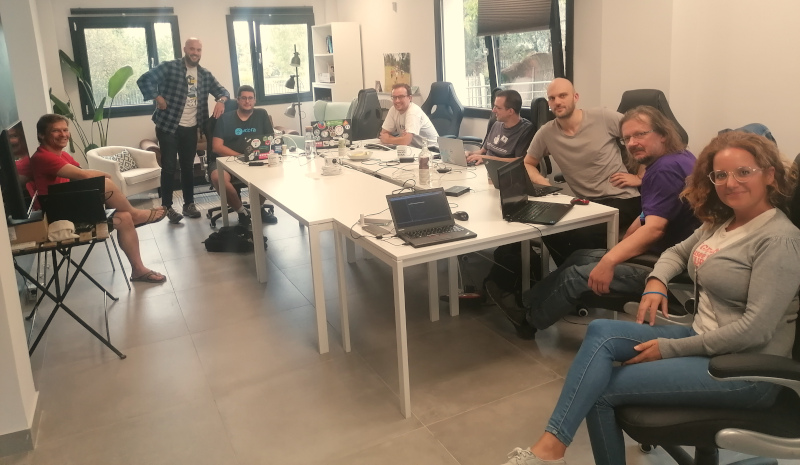
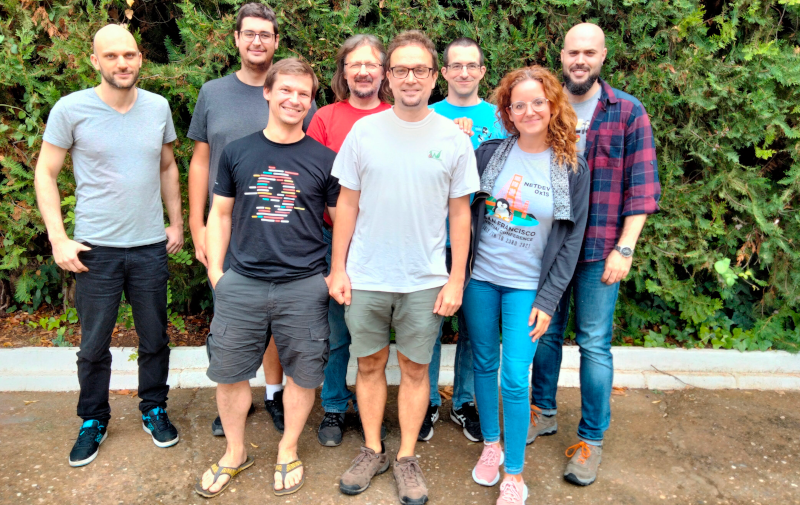
18 October 2022

Dirk Eddelbuettel: RcppSimdJson 0.1.8 on CRAN: Maintenance

The RcppSimdJson package was just updated to release 0.1.8 today. RcppSimdJson wraps the fantastic and genuinely impressive simdjson library by Daniel Lemire and collaborators. Via very clever algorithmic engineering to obtain largely branch-free code, coupled with modern C++ and newer compiler instructions, it results in parsing gigabytes of JSON parsed per second which is quite mindboggling. The best-case performance is faster than CPU speed as use of parallel SIMD instructions and careful branch avoidance can lead to less than one cpu cycle per byte parsed; see the video of the talk by Daniel Lemire at QCon. This release simply changes one statement to not trigger a warning under clang++-14. The very short NEWS entry for this release follows.

Changes in version 0.1.8 (2022-10-18)
  • Use the ' ' operator instead of ' ' on a set of booleans to appease 'clang-14'.

Courtesy of my CRANberries, there is also a diffstat report for this release. For questions, suggestions, or issues please use the issue tracker at the GitHub repo. If you like this or other open-source work I do, you can now sponsor me at GitHub.

This post by Dirk Eddelbuettel originated on his Thinking inside the box blog. Please report excessive re-aggregation in third-party for-profit settings.

16 October 2022

Vincent Fourmond: Tutorial: analysis of multiwavelength fast kinetics data

The purpose of this post is to demonstrate a first approach to the analysis of multiwavelength kinetic data, like those obtained using stopped-flow data. To practice, we will use data that were acquired during the stopped flow practicals of the MetBio summer school from the FrenchBIC. During the practicals, the student monitored the reaction of myoglobin (in its Fe(III) state) with azide, which yields a fast and strong change in the absorbance spectrum of the protein, which was monitored using a diode array. The data is publicly available on zenodo. Aims of this tutorial The purpose of this tutorial is to teach you to use the free softwareQSoas to run a simple, multiwavelength exponential fit on the data, and to look at the results. This is not a kinetics lecture, so that it will not go in depth about the use of the exponential fit and its meaning. Getting started: loading the file First, make sure you have a working version of QSoas, you can download them (for free) there. Then download the data files from zenodo. We will work only on the data file Azide-1.25mm_001.dat, but of course, the purpose of this tutorial is to enable you to work on all of them. The data files contain the time evolution of the absorbance for all wavelengths, in a matrix format, in which each row correpond to a time point and each column to a wavelength. Start QSoas, and launch the command:
QSoas> load /comments='"'
Then, choose the Azide-1.25mm_001.dat data file. This should bring up a horizontal red line at the bottom of the data display, with X values between about 0 and 2.5. If you zoom on the red line with the mouse wheel, you'll realize it is data. The /comments='"' part is very important since it allows the extraction of the wavelength from the data. We will look at what it means another day. At this stage, you can look at the loaded data using the command:
QSoas> edit
You should have a window looking like this:
The rows each correspond to a data point displayed on the window below. The first column correspond to the X values, the second the Y values, and all the other ones to extra Y columns (they are not displayed by default). What is especially interesting is the first row, which contains a nan as the X value and what is obviously the wavelength for all the Y values. To tell that QSoas should take this line as the wavelength (which will be the perpendicular coordinate, the coordinate of the other direction of the matrix), first close the edit window and run:
QSoas> set-perp /from-row=0
Splitting and fitting Now, we have a single dataset containing a lot of Y columns. We want to fit all of them simultaneously with a (mono) exponential fit. For that, we first need to split the big matrix into a series of X,Y datasets (because fitting only works on the first Y). This is possible by running:
QSoas> expand /style=red-to-blue /flags=kinetics
Your screen should now look like this:
You're looking at the kinetics at all wavelengths at the same time (this may take some time to display on your computer, it is after all a rather large number of data points). The /style=red-to-blue is not strictly necessary, but it gives the red to blue color gradient which makes things easier to look at (and cooler !). The /flags=kinetics is there to attach a label (a flag) to the newly created datasets so we can easily manipulate all of them at the same time. Then it's time to fit, with the following command:
QSoas> mfit-exponential-decay flagged:kinetics
This should bring up a new window. After resizing it, you should have something that looks like this:
The bottom of the fit window is taken by the parameters, each with two checkboxes on the right to set them fixed (i.e. not determined by the fitting mechanism) and/or global (i.e. with a single value for all the datasets, here all the wavelengths). The top shows the current dataset along with the corresponding fit (in green), and, below, the residuals. You can change the dataset by clicking on the horizontal arrows or using Ctrl+PgUp or Ctrl+PgDown (keep holding it to scan fast). See the Z = 728.15 showing that QSoas has recognized that the currently displayed dataset corresponds to the wavelength 728.15. The equation fitted to the data is: $$y(x) = A_\infty + A_1 \times \exp -(x - x_0)/\tau_1$$ In this case, while the \(A_1\) and \(A_\infty\) parameters clearly depend on the wavelength, the time constant of evolution should be independent of wavelength (the process happens at a certain rate regardless of the wavelength we're analyzing), so that the \(\tau_1\) parameter should be common for all the datasets/wavelengths. Just click on the global checkbox at the right of the tau_1 parameter, make sure it is checked, and hit the Fit button... The fit should not take long (less than a minute), and then you end up with the results of the fits: all the parameters. The best way to look at the non global parameters like \(A_1\) and \(A_\infty\) is to use the Show Parameters item from the Parameters menu. Using it and clicking on A_inf too should give you a display like this one:
The A_inf parameter corresponds to the spectum at infinite time (of azide-bound heme), while the A_1 parameter corresponds to the difference spectrum between the initial (azide-free) and final (azide-bound) states. Now, the fit is finished, you can save the parameters if you want to reload them in a later fit by using the Parameters/Save menu item or export them in a form more suitable for plotting using Parameters/Export (although QSoas can also display and the parameters saved using Save). This concludes this first approach to fitting the data. What you can do is How to read the code above All the lines starting by QSoas> in the code areas above are meant to be typed into the QSoas command line (at the bottom of the window), and started by pressing enter at the end. You must remove the QSoas> bit. The other lines (when applicable) show you the response of QSoas, in the terminal just above the command-line. You may want to play with the QSoas tutorial to learn more about how to interact with QSoas. About QSoas QSoas is a powerful open source data analysis program that focuses on flexibility and powerful fitting capacities. It is released under the GNU General Public License. It is described in Fourmond, Anal. Chem., 2016, 88 (10), pp 5050 5052. Current version is 3.1. You can freely (and at no cost) download its source code or precompiled versions for MacOS and Windows there. Alternatively, you can clone from the GitHub repository.
Contact: find my email address there, or contact me on LinkedIn.

30 September 2022

Utkarsh Gupta: FOSS Activites in September 2022

Here s my (thirty-sixth) monthly but brief update about the activities I ve done in the F/L/OSS world.

Debian
This was my 45th month of actively contributing to Debian. I became a DM in late March 2019 and a DD on Christmas 19! \o/ There s a bunch of things I do, both, technical and non-technical. Here are the things I did this month:

Debian Uploads
  • rails (2:6.1.6.1+dfsg-2) - Add patch to allow Symbols in YAML columns, fixes #1018934.
  • rails (2:6.1.6.1+dfsg-3) - Add patch to remove active_record.yaml initializers.
  • rails (2:6.1.6.1+dfsg-4) - Add patch to allow Date, Time, ActiveSupport::HashWithIndifferentAccess in YAML columns.
  • ruby-arbre (1.4.0-2) - Add patch to use selector to detect authenticity token input.
  • ruby-net-http-digest-auth (1.4.1-1) - New upstream version, v1.4.1 to fix the FTBFS w/ rails.
  • rails (2:6.1.7+dfsg-1) - New upstream version, v6.1.7+dfsg.
  • redmine (5.0.2-1) - New upstream version, v5.0.2 + fixes for #1017525, #1019607, #1019238, and #1014813.
  • redmine (5.0.2-2) - Add patch to relax pg s version for autopkgtest.
  • ruby-json-jwt (1.14.0-2) - No-change rebuild for unstable to fix #1011682.
  • libexporter-tiny-perl (1.004002-1) - New upstream version, v1.004002.

Other $things:
  • Sponsored php-nikic-fast-route/1.3.0-4~bpo11+1 for William.
  • Being an AM for Arun Kumar, process #1024.
  • Sponsoring stuff for non-DDs.
  • Mentoring for newcomers.
  • Moderation of -project mailing list.

Ubuntu
This was my 20th month of actively contributing to Ubuntu. Now that I joined Canonical to work on Ubuntu full-time, there s a bunch of things I do! \o/ I mostly worked on different things, I guess. I was too lazy to maintain a list of things I worked on so there s no concrete list atm. Maybe I ll get back to this section later or will start to list stuff from the fall, as I was doing before. :D

Debian (E)LTS
Debian Long Term Support (LTS) is a project to extend the lifetime of all Debian stable releases to (at least) 5 years. Debian LTS is not handled by the Debian security team, but by a separate group of volunteers and companies interested in making it a success. And Debian Extended LTS (ELTS) is its sister project, extending support to the Jessie release (+2 years after LTS support). This was my thirty-sixth month as a Debian LTS and twenty-seventh month as a Debian ELTS paid contributor.
I worked for 38.00 hours for LTS and 27.00 hours for ELTS.

LTS CVE Fixes and Announcements:
  • Rolled out announcement for src:flac.
  • Rolled out announcement for src:ruby-rack.
  • Issued DLA 3128-1, fixing CVE-2020-7677, for node-thenify.
    For Debian 10 buster, these problems have been fixed in version 3.3.0-1+deb10u1.
  • Issued DLA 3129-1, fixing CVE-2019-17545 and CVE-2021-45943, for gdal.
    For Debian 10 buster, these problems have been fixed in version 2.4.0+dfsg-1+deb10u1.
  • Looked at src:mbedtls which has about 18 CVEs opened in buster (including no-dsa).
    Also, spoke to the maintainer - they said they d be uncomfortable doing or reviewing the backport (although they initially said they d be happy to help).
  • Fixed src:rails regression via 2:6.1.6.1+dfsg-2, 2:6.1.6.1+dfsg-3, and 2:6.1.6.1+dfsg-4 for sid.
    CVE-2022-32224 broke the entire world. :)
  • Helped Abhijith figure out the regression fix for CVE-2022-32224.
    Also got that verified by the people who reported regression, Raphael, Sven, and Jude. The whole thread is on debian-lts@.

ELTS CVE Fixes and Announcements:
  • Rolled out announcemnet for src:ruby-tzinfo.
  • Rolled out announcemnet for src:grubt.
  • Issued ELA 682-1, fixing CVE-2022-31676, for open-vm-tools.
    For Debian 9 stretch, these problems have been fixed in version 2:10.1.5-5055683-4+deb9u3.
  • Issued ELA 691-1, fixing CVE-2020-21365, for wkhtmltopdf.
    For Debian 8 jessie, these problems have been fixed in version 0.12.1-2+deb8u1.
    For Debian 9 stretch, these problems have been fixed in version 0.12.3.2-3+deb9u1.
  • Issued ELA 692-1, fixing CVE-2022-37452, for exim4.
    For Debian 8 jessie, these problems have been fixed in version 4.84.2-2+deb8u9.
    For Debian 9 stretch, these problems have been fixed in version 4.89-2+deb9u9.
  • Started to look at src:tiff again. Has a lot of open issues. Haven t claimed the package officially yet, though. :)

Other (E)LTS Work:
  • Triaged rails, node-thenify, exim4, wkhtmltopdf, gdal, and mbedtls.
  • Marked CVE-2019-25050/gdal as not-affected for buster.
  • Marked CVE-2022-37451/exim4 as not-affected for stretch and jessie; following buster and bullseye.
  • Helped and assisted new contributors joining Freexian (LTS/ELTS).
  • Answered questions (& discussions) on IRC (#debian-lts and #debian-elts) and Matrix.
  • Participated and helped fellow members with their queries via private mail and chat.
  • General and other discussions on LTS private and public mailing list.
  • Attended the monthly public meeting held on #debian-lts on September 29th.

Until next time.
:wq for today.

29 September 2022

Antoine Beaupr : Detecting manual (and optimizing large) package installs in Puppet

Well this is a mouthful. I recently worked on a neat hack called puppet-package-check. It is designed to warn about manually installed packages, to make sure "everything is in Puppet". But it turns out it can (probably?) dramatically decrease the bootstrap time of Puppet bootstrap when it needs to install a large number of packages.

Detecting manual packages On a cleanly filed workstation, it looks like this:
root@emma:/home/anarcat/bin# ./puppet-package-check -v
listing puppet packages...
listing apt packages...
loading apt cache...
0 unmanaged packages found
A messy workstation will look like this:
root@curie:/home/anarcat/bin# ./puppet-package-check -v
listing puppet packages...
listing apt packages...
loading apt cache...
288 unmanaged packages found
apparmor-utils beignet-opencl-icd bridge-utils clustershell cups-pk-helper davfs2 dconf-cli dconf-editor dconf-gsettings-backend ddccontrol ddrescueview debmake debootstrap decopy dict-devil dict-freedict-eng-fra dict-freedict-eng-spa dict-freedict-fra-eng dict-freedict-spa-eng diffoscope dnsdiag dropbear-initramfs ebtables efibootmgr elpa-lua-mode entr eog evince figlet file file-roller fio flac flex font-manager fonts-cantarell fonts-inconsolata fonts-ipafont-gothic fonts-ipafont-mincho fonts-liberation fonts-monoid fonts-monoid-tight fonts-noto fonts-powerline fonts-symbola freeipmi freetype2-demos ftp fwupd-amd64-signed gallery-dl gcc-arm-linux-gnueabihf gcolor3 gcp gdisk gdm3 gdu gedit gedit-plugins gettext-base git-debrebase gnome-boxes gnote gnupg2 golang-any golang-docker-credential-helpers golang-golang-x-tools grub-efi-amd64-signed gsettings-desktop-schemas gsfonts gstreamer1.0-libav gstreamer1.0-plugins-base gstreamer1.0-plugins-good gstreamer1.0-plugins-ugly gstreamer1.0-pulseaudio gtypist gvfs-backends hackrf hashcat html2text httpie httping hugo humanfriendly iamerican-huge ibus ibus-gtk3 ibus-libpinyin ibus-pinyin im-config imediff img2pdf imv initramfs-tools input-utils installation-birthday internetarchive ipmitool iptables iptraf-ng jackd2 jupyter jupyter-nbextension-jupyter-js-widgets jupyter-qtconsole k3b kbtin kdialog keditbookmarks keepassxc kexec-tools keyboard-configuration kfind konsole krb5-locales kwin-x11 leiningen lightdm lintian linux-image-amd64 linux-perf lmodern lsb-base lvm2 lynx lz4json magic-wormhole mailscripts mailutils manuskript mat2 mate-notification-daemon mate-themes mime-support mktorrent mp3splt mpdris2 msitools mtp-tools mtree-netbsd mupdf nautilus nautilus-sendto ncal nd ndisc6 neomutt net-tools nethogs nghttp2-client nocache npm2deb ntfs-3g ntpdate nvme-cli nwipe obs-studio okular-extra-backends openstack-clients openstack-pkg-tools paprefs pass-extension-audit pcmanfm pdf-presenter-console pdf2svg percol pipenv playerctl plymouth plymouth-themes popularity-contest progress prometheus-node-exporter psensor pubpaste pulseaudio python3-ldap qjackctl qpdfview qrencode r-cran-ggplot2 r-cran-reshape2 rake restic rhash rpl rpm2cpio rs ruby ruby-dev ruby-feedparser ruby-magic ruby-mocha ruby-ronn rygel-playbin rygel-tracker s-tui sanoid saytime scrcpy scrcpy-server screenfetch scrot sdate sddm seahorse shim-signed sigil smartmontools smem smplayer sng sound-juicer sound-theme-freedesktop spectre-meltdown-checker sq ssh-audit sshuttle stress-ng strongswan strongswan-swanctl syncthing system-config-printer system-config-printer-common system-config-printer-udev systemd-bootchart systemd-container tardiff task-desktop task-english task-ssh-server tasksel tellico texinfo texlive-fonts-extra texlive-lang-cyrillic texlive-lang-french texlive-lang-german texlive-lang-italian texlive-xetex tftp-hpa thunar-archive-plugin tidy tikzit tint2 tintin++ tipa tpm2-tools traceroute tree trocla ucf udisks2 unifont unrar-free upower usbguard uuid-runtime vagrant-cachier vagrant-libvirt virt-manager vmtouch vorbis-tools w3m wamerican wamerican-huge wfrench whipper whohas wireshark xapian-tools xclip xdg-user-dirs-gtk xlax xmlto xsensors xserver-xorg xsltproc xxd xz-utils yubioath-desktop zathura zathura-pdf-poppler zenity zfs-dkms zfs-initramfs zfsutils-linux zip zlib1g zlib1g-dev
157 old: apparmor-utils clustershell davfs2 dconf-cli dconf-editor ddccontrol ddrescueview decopy dnsdiag ebtables efibootmgr elpa-lua-mode entr figlet file-roller fio flac flex font-manager freetype2-demos ftp gallery-dl gcc-arm-linux-gnueabihf gcolor3 gcp gdu gedit git-debrebase gnote golang-docker-credential-helpers golang-golang-x-tools gtypist hackrf hashcat html2text httpie httping hugo humanfriendly iamerican-huge ibus ibus-pinyin imediff input-utils internetarchive ipmitool iptraf-ng jackd2 jupyter-qtconsole k3b kbtin kdialog keditbookmarks keepassxc kexec-tools kfind konsole leiningen lightdm lynx lz4json magic-wormhole manuskript mat2 mate-notification-daemon mktorrent mp3splt msitools mtp-tools mtree-netbsd nautilus nautilus-sendto nd ndisc6 neomutt net-tools nethogs nghttp2-client nocache ntpdate nwipe obs-studio openstack-pkg-tools paprefs pass-extension-audit pcmanfm pdf-presenter-console pdf2svg percol pipenv playerctl qjackctl qpdfview qrencode r-cran-ggplot2 r-cran-reshape2 rake restic rhash rpl rpm2cpio rs ruby-feedparser ruby-magic ruby-mocha ruby-ronn s-tui saytime scrcpy screenfetch scrot sdate seahorse shim-signed sigil smem smplayer sng sound-juicer spectre-meltdown-checker sq ssh-audit sshuttle stress-ng system-config-printer system-config-printer-common tardiff tasksel tellico texlive-lang-cyrillic texlive-lang-french tftp-hpa tikzit tint2 tintin++ tpm2-tools traceroute tree unrar-free vagrant-cachier vagrant-libvirt vmtouch vorbis-tools w3m wamerican wamerican-huge wfrench whipper whohas xdg-user-dirs-gtk xlax xmlto xsensors xxd yubioath-desktop zenity zip
131 new: beignet-opencl-icd bridge-utils cups-pk-helper dconf-gsettings-backend debmake debootstrap dict-devil dict-freedict-eng-fra dict-freedict-eng-spa dict-freedict-fra-eng dict-freedict-spa-eng diffoscope dropbear-initramfs eog evince file fonts-cantarell fonts-inconsolata fonts-ipafont-gothic fonts-ipafont-mincho fonts-liberation fonts-monoid fonts-monoid-tight fonts-noto fonts-powerline fonts-symbola freeipmi fwupd-amd64-signed gdisk gdm3 gedit-plugins gettext-base gnome-boxes gnupg2 golang-any grub-efi-amd64-signed gsettings-desktop-schemas gsfonts gstreamer1.0-libav gstreamer1.0-plugins-base gstreamer1.0-plugins-good gstreamer1.0-plugins-ugly gstreamer1.0-pulseaudio gvfs-backends ibus-gtk3 ibus-libpinyin im-config img2pdf imv initramfs-tools installation-birthday iptables jupyter jupyter-nbextension-jupyter-js-widgets keyboard-configuration krb5-locales kwin-x11 lintian linux-image-amd64 linux-perf lmodern lsb-base lvm2 mailscripts mailutils mate-themes mime-support mpdris2 mupdf ncal npm2deb ntfs-3g nvme-cli okular-extra-backends openstack-clients plymouth plymouth-themes popularity-contest progress prometheus-node-exporter psensor pubpaste pulseaudio python3-ldap ruby ruby-dev rygel-playbin rygel-tracker sanoid scrcpy-server sddm smartmontools sound-theme-freedesktop strongswan strongswan-swanctl syncthing system-config-printer-udev systemd-bootchart systemd-container task-desktop task-english task-ssh-server texinfo texlive-fonts-extra texlive-lang-german texlive-lang-italian texlive-xetex thunar-archive-plugin tidy tipa trocla ucf udisks2 unifont upower usbguard uuid-runtime virt-manager wireshark xapian-tools xclip xserver-xorg xsltproc xz-utils zathura zathura-pdf-poppler zfs-dkms zfs-initramfs zfsutils-linux zlib1g zlib1g-dev
Yuck! That's a lot of shit to go through. Notice how the packages get sorted between "old" and "new" packages. This is because popcon is used as a tool to mark which packages are "old". If you have unmanaged packages, the "old" ones are likely things that you can uninstall, for example. If you don't have popcon installed, you'll also get this warning:
popcon stats not available: [Errno 2] No such file or directory: '/var/log/popularity-contest'
The error can otherwise be safely ignored, but you won't get "help" prioritizing the packages to add to your manifests. Note that the tool ignores packages that were "marked" (see apt-mark(8)) as automatically installed. This implies that you might have to do a little bit of cleanup the first time you run this, as Debian doesn't necessarily mark all of those packages correctly on first install. For example, here's how it looks like on a clean install, after Puppet ran:
root@angela:/home/anarcat# ./bin/puppet-package-check -v
listing puppet packages...
listing apt packages...
loading apt cache...
127 unmanaged packages found
ca-certificates console-setup cryptsetup-initramfs dbus file gcc-12-base gettext-base grub-common grub-efi-amd64 i3lock initramfs-tools iw keyboard-configuration krb5-locales laptop-detect libacl1 libapparmor1 libapt-pkg6.0 libargon2-1 libattr1 libaudit-common libaudit1 libblkid1 libbpf0 libbsd0 libbz2-1.0 libc6 libcap-ng0 libcap2 libcap2-bin libcom-err2 libcrypt1 libcryptsetup12 libdb5.3 libdebconfclient0 libdevmapper1.02.1 libedit2 libelf1 libext2fs2 libfdisk1 libffi8 libgcc-s1 libgcrypt20 libgmp10 libgnutls30 libgpg-error0 libgssapi-krb5-2 libhogweed6 libidn2-0 libip4tc2 libiw30 libjansson4 libjson-c5 libk5crypto3 libkeyutils1 libkmod2 libkrb5-3 libkrb5support0 liblocale-gettext-perl liblockfile-bin liblz4-1 liblzma5 libmd0 libmnl0 libmount1 libncurses6 libncursesw6 libnettle8 libnewt0.52 libnftables1 libnftnl11 libnl-3-200 libnl-genl-3-200 libnl-route-3-200 libnss-systemd libp11-kit0 libpam-systemd libpam0g libpcre2-8-0 libpcre3 libpcsclite1 libpopt0 libprocps8 libreadline8 libselinux1 libsemanage-common libsemanage2 libsepol2 libslang2 libsmartcols1 libss2 libssl1.1 libssl3 libstdc++6 libsystemd-shared libsystemd0 libtasn1-6 libtext-charwidth-perl libtext-iconv-perl libtext-wrapi18n-perl libtinfo6 libtirpc-common libtirpc3 libudev1 libunistring2 libuuid1 libxtables12 libxxhash0 libzstd1 linux-image-amd64 logsave lsb-base lvm2 media-types mlocate ncurses-term pass-extension-otp puppet python3-reportbug shim-signed tasksel ucf usr-is-merged util-linux-extra wpasupplicant xorg zlib1g
popcon stats not available: [Errno 2] No such file or directory: '/var/log/popularity-contest'
Normally, there should be unmanaged packages here. But because of the way Debian is installed, a lot of libraries and some core packages are marked as manually installed, and are of course not managed through Puppet. There are two solutions to this problem:
  • really manage everything in Puppet (argh)
  • mark packages as automatically installed
I typically chose the second path and mark a ton of stuff as automatic. Then either they will be auto-removed, or will stop being listed. In the above scenario, one could mark all libraries as automatically installed with:
apt-mark auto $(./bin/puppet-package-check   grep -o 'lib[^ ]*')
... but if you trust that most of that stuff is actually garbage that you don't really want installed anyways, you could just mark it all as automatically installed:
apt-mark auto $(./bin/puppet-package-check)
In my case, that ended up keeping basically all libraries (because of course they're installed for some reason) and auto-removing this:
dh-dkms discover-data dkms libdiscover2 libjsoncpp25 libssl1.1 linux-headers-amd64 mlocate pass-extension-otp pass-otp plocate x11-apps x11-session-utils xinit xorg
You'll notice xorg in there: yep, that's bad. Not what I wanted. But for some reason, on other workstations, I did not actually have xorg installed. Turns out having xserver-xorg is enough, and that one has dependencies. So now I guess I just learned to stop worrying and live without X(org).

Optimizing large package installs But that, of course, is not all. Why make things simple when you can have an unreadable title that is trying to be both syntactically correct and click-baity enough to flatter my vain ego? Right. One of the challenges in bootstrapping Puppet with large package lists is that it's slow. Puppet lists packages as individual resources and will basically run apt install $PKG on every package in the manifest, one at a time. While the overhead of apt is generally small, when you add things like apt-listbugs, apt-listchanges, needrestart, triggers and so on, it can take forever setting up a new host. So for initial installs, it can actually makes sense to skip the queue and just install everything in one big batch. And because the above tool inspects the packages installed by Puppet, you can run it against a catalog and have a full lists of all the packages Puppet would install, even before I even had Puppet running. So when reinstalling my laptop, I basically did this:
apt install puppet-agent/experimental
puppet agent --test --noop
apt install $(./puppet-package-check --debug \
    2>&1   grep ^puppet\ packages 
      sed 's/puppet packages://;s/ /\n/g'
      grep -v -e onionshare -e golint -e git-sizer -e github-backup -e hledger -e xsane -e audacity -e chirp -e elpa-flycheck -e elpa-lsp-ui -e yubikey-manager -e git-annex -e hopenpgp-tools -e puppet
) puppet-agent/experimental
That massive grep was because there are currently a lot of packages missing from bookworm. Those are all packages that I have in my catalog but that still haven't made it to bookworm. Sad, I know. I eventually worked around that by adding bullseye sources so that the Puppet manifest actually ran. The point here is that this improves the Puppet run time a lot. All packages get installed at once, and you get a nice progress bar. Then you actually run Puppet to deploy configurations and all the other goodies:
puppet agent --test
I wish I could tell you how much faster that ran. I don't know, and I will not go through a full reinstall just to please your curiosity. The only hard number I have is that it installed 444 packages (which exploded in 10,191 packages with dependencies) in a mere 10 minutes. That might also be with the packages already downloaded. In any case, I have that gut feeling it's faster, so you'll have to just trust my gut. It is, after all, much more important than you might think.

Similar work The blueprint system is something similar to this:
It figures out what you ve done manually, stores it locally in a Git repository, generates code that s able to recreate your efforts, and helps you deploy those changes to production
That tool has unfortunately been abandoned for a decade at this point. Also note that the AutoRemove::RecommendsImportant and AutoRemove::SuggestsImportant are relevant here. If it is set to true (the default), a package will not be removed if it is (respectively) a Recommends or Suggests of another package (as opposed to the normal Depends). In other words, if you want to also auto-remove packages that are only Suggests, you would, for example, add this to apt.conf:
AutoRemove::SuggestsImportant false;
Paul Wise has tried to make the Debian installer and debootstrap properly mark packages as automatically installed in the past, but his bug reports were rejected. The other suggestions in this section are also from Paul, thanks!

27 September 2022

Fran ois Marier: Upgrading from chan_sip to res_pjsip in Asterisk 18

After upgrading to Ubuntu Jammy and Asterisk 18.10, I saw the following messages in my logs:
WARNING[360166]: loader.c:2487 in load_modules: Module 'chan_sip' has been loaded but was deprecated in Asterisk version 17 and will be removed in Asterisk version 21.
WARNING[360174]: chan_sip.c:35468 in deprecation_notice: chan_sip has no official maintainer and is deprecated.  Migration to
WARNING[360174]: chan_sip.c:35469 in deprecation_notice: chan_pjsip is recommended.  See guides at the Asterisk Wiki:
WARNING[360174]: chan_sip.c:35470 in deprecation_notice: https://wiki.asterisk.org/wiki/display/AST/Migrating+from+chan_sip+to+res_pjsip
WARNING[360174]: chan_sip.c:35471 in deprecation_notice: https://wiki.asterisk.org/wiki/display/AST/Configuring+res_pjsip
and so I decided it was time to stop postponing the overdue migration of my working setup from chan_sip to res_pjsip. It turns out that it was not as painful as I expected, though the conversion script bundled with Asterisk didn't work for me out of the box.

Debugging Before you start, one very important thing to note is that the SIP debug information you used to see when running this in the asterisk console (asterisk -r):
sip set debug on
now lives behind this command:
pjsip set logger on

SIP phones The first thing I migrated was the config for my two SIP phones (Snom 300 and Snom D715). The original config for them in sip.conf was:
[2000]
; Snom 300
type=friend
qualify=yes
secret=password123
encryption=no
context=full
host=dynamic
nat=no
directmedia=no
mailbox=10@internal
vmexten=707
dtmfmode=rfc2833
call-limit=2
disallow=all
allow=g722
allow=ulaw
[2001]
; Snom D715
type=friend
qualify=yes
secret=password456
encryption=no
context=full
host=dynamic
nat=no
directmedia=yes
mailbox=10@internal
vmexten=707
dtmfmode=rfc2833
call-limit=2
disallow=all
allow=g722
allow=ulaw
and that became the following in pjsip.conf:
[transport-udp]
type = transport
protocol = udp
bind = 0.0.0.0
external_media_address = myasterisk.dyn.example.com
external_signaling_address = myasterisk.dyn.example.com
local_net = 192.168.0.0/255.255.0.0
[2000]
type = aor
max_contacts = 1
[2000]
type = auth
username = 2000
password = password123
[2000]
type = endpoint
context = full
dtmf_mode = rfc4733
disallow = all
allow = g722
allow = ulaw
direct_media = no
mailboxes = 10@internal
auth = 2000
outbound_auth = 2000
aors = 2000
[2001]
type = aor
max_contacts = 1
[2001]
type = auth
username = 2001
password = password456
[2001]
type = endpoint
context = full
dtmf_mode = rfc4733
disallow = all
allow = g722
allow = ulaw
direct_media = yes
mailboxes = 10@internal
auth = 2001
outbound_auth = 2001
aors = 2001
The different direct_media line between the two phones has to do with how they each connect to my Asterisk server and whether or not they have access to the Internet.

Internal calls For some reason, my internal calls (from one SIP phone to the other) didn't work when using "aliases". I fixed it by changing this blurb in extensions.conf from:
[speeddial]
exten => 1000,1,Dial(SIP/2000,20)
exten => 1001,1,Dial(SIP/2001,20)
to:
[speeddial]
exten => 1000,1,Dial($ PJSIP_DIAL_CONTACTS(2000) ,20)
exten => 1001,1,Dial($ PJSIP_DIAL_CONTACTS(2001) ,20)
I have not yet dug into what this changes or why it's necessary and so feel free to leave a comment if you know more here.

PSTN trunk Once I had the internal phones working, I moved to making and receiving phone calls over the PSTN, for which I use VoIP.ms with encryption. I had to change the following in my sip.conf:
[general]
register => tls://555123_myasterisk:password789@vancouver2.voip.ms
externhost=myasterisk.dyn.example.com
localnet=192.168.0.0/255.255.0.0
tcpenable=yes
tlsenable=yes
tlscertfile=/etc/asterisk/asterisk.cert
tlsprivatekey=/etc/asterisk/asterisk.key
tlscapath=/etc/ssl/certs/
[voipms]
type=peer
host=vancouver2.voip.ms
secret=password789
defaultuser=555123_myasterisk
context=from-voipms
disallow=all
allow=ulaw
allow=g729
insecure=port,invite
canreinvite=no
trustrpid=yes
sendrpid=yes
transport=tls
encryption=yes
to the following in pjsip.conf:
[transport-tls]
type = transport
protocol = tls
bind = 0.0.0.0
external_media_address = myasterisk.dyn.example.com
external_signaling_address = myasterisk.dyn.example.com
local_net = 192.168.0.0/255.255.0.0
cert_file = /etc/asterisk/asterisk.cert
priv_key_file = /etc/asterisk/asterisk.key
ca_list_path = /etc/ssl/certs/
method = tlsv1_2
[voipms]
type = registration
transport = transport-tls
outbound_auth = voipms
client_uri = sip:555123_myasterisk@vancouver2.voip.ms
server_uri = sip:vancouver2.voip.ms
[voipms]
type = auth
password = password789
username = 555123_myasterisk
[voipms]
type = aor
contact = sip:555123_myasterisk@vancouver2.voip.ms
[voipms]
type = identify
endpoint = voipms
match = vancouver2.voip.ms
[voipms]
type = endpoint
context = from-voipms
disallow = all
allow = ulaw
allow = g729
from_user = 555123_myasterisk
trust_id_inbound = yes
media_encryption = sdes
auth = voipms
outbound_auth = voipms
aors = voipms
rtp_symmetric = yes
rewrite_contact = yes
send_rpid = yes
timers = no
The TLS method line is needed since the default in Debian OpenSSL is too strict. The timers line is to prevent outbound calls from getting dropped after 15 minutes. Finally, I changed the Dial() lines in these extensions.conf blurbs from:
[from-voipms]
exten => 5551231000,1,Goto(2000,1)
exten => 2000,1,Dial(SIP/2000&SIP/2001,20)
exten => 2000,n,Goto(in2000-$ DIALSTATUS ,1)
exten => 2000,n,Hangup
exten => in2000-BUSY,1,VoiceMail(10@internal,su)
exten => in2000-BUSY,n,Hangup
exten => in2000-CONGESTION,1,VoiceMail(10@internal,su)
exten => in2000-CONGESTION,n,Hangup
exten => in2000-CHANUNAVAIL,1,VoiceMail(10@internal,su)
exten => in2000-CHANUNAVAIL,n,Hangup
exten => in2000-NOANSWER,1,VoiceMail(10@internal,su)
exten => in2000-NOANSWER,n,Hangup
exten => _in2000-.,1,Hangup(16)
[pstn-voipms]
exten => _1NXXNXXXXXX,1,Set(CALLERID(all)=Francois Marier <5551231000>)
exten => _1NXXNXXXXXX,n,Dial(SIP/voipms/$ EXTEN )
exten => _1NXXNXXXXXX,n,Hangup()
exten => _NXXNXXXXXX,1,Set(CALLERID(all)=Francois Marier <5551231000>)
exten => _NXXNXXXXXX,n,Dial(SIP/voipms/1$ EXTEN )
exten => _NXXNXXXXXX,n,Hangup()
exten => _011X.,1,Set(CALLERID(all)=Francois Marier <5551231000>)
exten => _011X.,n,Authenticate(1234)
exten => _011X.,n,Dial(SIP/voipms/$ EXTEN )
exten => _011X.,n,Hangup()
exten => _00X.,1,Set(CALLERID(all)=Francois Marier <5551231000>)
exten => _00X.,n,Authenticate(1234)
exten => _00X.,n,Dial(SIP/voipms/$ EXTEN )
exten => _00X.,n,Hangup()
to:
[from-voipms]
exten => 5551231000,1,Goto(2000,1)
exten => 2000,1,Dial(PJSIP/2000&PJSIP/2001,20)
exten => 2000,n,Goto(in2000-$ DIALSTATUS ,1)
exten => 2000,n,Hangup
exten => in2000-BUSY,1,VoiceMail(10@internal,su)
exten => in2000-BUSY,n,Hangup
exten => in2000-CONGESTION,1,VoiceMail(10@internal,su)
exten => in2000-CONGESTION,n,Hangup
exten => in2000-CHANUNAVAIL,1,VoiceMail(10@internal,su)
exten => in2000-CHANUNAVAIL,n,Hangup
exten => in2000-NOANSWER,1,VoiceMail(10@internal,su)
exten => in2000-NOANSWER,n,Hangup
exten => _in2000-.,1,Hangup(16)
[pstn-voipms]
exten => _1NXXNXXXXXX,1,Set(CALLERID(all)=Francois Marier <5551231000>)
exten => _1NXXNXXXXXX,n,Dial(PJSIP/$ EXTEN @voipms)
exten => _1NXXNXXXXXX,n,Hangup()
exten => _NXXNXXXXXX,1,Set(CALLERID(all)=Francois Marier <5551231000>)
exten => _NXXNXXXXXX,n,Dial(PJSIP/1$ EXTEN @voipms)
exten => _NXXNXXXXXX,n,Hangup()
exten => _011X.,1,Set(CALLERID(all)=Francois Marier <5551231000>)
exten => _011X.,n,Authenticate(1234)
exten => _011X.,n,Dial(PJSIP/$ EXTEN @voipms)
exten => _011X.,n,Hangup()
exten => _00X.,1,Set(CALLERID(all)=Francois Marier <5551231000>)
exten => _00X.,n,Authenticate(1234)
exten => _00X.,n,Dial(PJSIP/$ EXTEN @voipms)
exten => _00X.,n,Hangup()
Note that it's not just replacing SIP/ with PJSIP/, but it was also necessary to use a format supported by pjsip for the channel since SIP/trunkname/extension isn't supported by pjsip.

25 September 2022

Sergio Talens-Oliag: Kubernetes Static Content Server

This post describes how I ve put together a simple static content server for kubernetes clusters using a Pod with a persistent volume and multiple containers: an sftp server to manage contents, a web server to publish them with optional access control and another one to run scripts which need access to the volume filesystem. The sftp server runs using MySecureShell, the web server is nginx and the script runner uses the webhook tool to publish endpoints to call them (the calls will come from other Pods that run backend servers or are executed from Jobs or CronJobs).

HistoryThe system was developed because we had a NodeJS API with endpoints to upload files and store them on S3 compatible services that were later accessed via HTTPS, but the requirements changed and we needed to be able to publish folders instead of individual files using their original names and apply access restrictions using our API. Thinking about our requirements the use of a regular filesystem to keep the files and folders was a good option, as uploading and serving files is simple. For the upload I decided to use the sftp protocol, mainly because I already had an sftp container image based on mysecureshell prepared; once we settled on that we added sftp support to the API server and configured it to upload the files to our server instead of using S3 buckets. To publish the files we added a nginx container configured to work as a reverse proxy that uses the ngx_http_auth_request_module to validate access to the files (the sub request is configurable, in our deployment we have configured it to call our API to check if the user can access a given URL). Finally we added a third container when we needed to execute some tasks directly on the filesystem (using kubectl exec with the existing containers did not seem a good idea, as that is not supported by CronJobs objects, for example). The solution we found avoiding the NIH Syndrome (i.e. write our own tool) was to use the webhook tool to provide the endpoints to call the scripts; for now we have three:
  • one to get the disc usage of a PATH,
  • one to hardlink all the files that are identical on the filesystem,
  • one to copy files and folders from S3 buckets to our filesystem.

Container definitions

mysecureshellThe mysecureshell container can be used to provide an sftp service with multiple users (although the files are owned by the same UID and GID) using standalone containers (launched with docker or podman) or in an orchestration system like kubernetes, as we are going to do here. The image is generated using the following Dockerfile:
ARG ALPINE_VERSION=3.16.2
FROM alpine:$ALPINE_VERSION as builder
LABEL maintainer="Sergio Talens-Oliag <sto@mixinet.net>"
RUN apk update &&\
 apk add --no-cache alpine-sdk git musl-dev &&\
 git clone https://github.com/sto/mysecureshell.git &&\
 cd mysecureshell &&\
 ./configure --prefix=/usr --sysconfdir=/etc --mandir=/usr/share/man\
 --localstatedir=/var --with-shutfile=/var/lib/misc/sftp.shut --with-debug=2 &&\
 make all && make install &&\
 rm -rf /var/cache/apk/*
FROM alpine:$ALPINE_VERSION
LABEL maintainer="Sergio Talens-Oliag <sto@mixinet.net>"
COPY --from=builder /usr/bin/mysecureshell /usr/bin/mysecureshell
COPY --from=builder /usr/bin/sftp-* /usr/bin/
RUN apk update &&\
 apk add --no-cache openssh shadow pwgen &&\
 sed -i -e "s ^.*\(AuthorizedKeysFile\).*$ \1 /etc/ssh/auth_keys/%u "\
 /etc/ssh/sshd_config &&\
 mkdir /etc/ssh/auth_keys &&\
 cat /dev/null > /etc/motd &&\
 add-shell '/usr/bin/mysecureshell' &&\
 rm -rf /var/cache/apk/*
COPY bin/* /usr/local/bin/
COPY etc/sftp_config /etc/ssh/
COPY entrypoint.sh /
EXPOSE 22
VOLUME /sftp
ENTRYPOINT ["/entrypoint.sh"]
CMD ["server"]
The /etc/sftp_config file is used to configure the mysecureshell server to have all the user homes under /sftp/data, only allow them to see the files under their home directories as if it were at the root of the server and close idle connections after 5m of inactivity:
etc/sftp_config
# Default mysecureshell configuration
<Default>
   # All users will have access their home directory under /sftp/data
   Home /sftp/data/$USER
   # Log to a file inside /sftp/logs/ (only works when the directory exists)
   LogFile /sftp/logs/mysecureshell.log
   # Force users to stay in their home directory
   StayAtHome true
   # Hide Home PATH, it will be shown as /
   VirtualChroot true
   # Hide real file/directory owner (just change displayed permissions)
   DirFakeUser true
   # Hide real file/directory group (just change displayed permissions)
   DirFakeGroup true
   # We do not want users to keep forever their idle connection
   IdleTimeOut 5m
</Default>
# vim: ts=2:sw=2:et
The entrypoint.sh script is the one responsible to prepare the container for the users included on the /secrets/user_pass.txt file (creates the users with their HOME directories under /sftp/data and a /bin/false shell and creates the key files from /secrets/user_keys.txt if available). The script expects a couple of environment variables:
  • SFTP_UID: UID used to run the daemon and for all the files, it has to be different than 0 (all the files managed by this daemon are going to be owned by the same user and group, even if the remote users are different).
  • SFTP_GID: GID used to run the daemon and for all the files, it has to be different than 0.
And can use the SSH_PORT and SSH_PARAMS values if present. It also requires the following files (they can be mounted as secrets in kubernetes):
  • /secrets/host_keys.txt: Text file containing the ssh server keys in mime format; the file is processed using the reformime utility (the one included on busybox) and can be generated using the gen-host-keys script included on the container (it uses ssh-keygen and makemime).
  • /secrets/user_pass.txt: Text file containing lines of the form username:password_in_clear_text (only the users included on this file are available on the sftp server, in fact in our deployment we use only the scs user for everything).
And optionally can use another one:
  • /secrets/user_keys.txt: Text file that contains lines of the form username:public_ssh_ed25519_or_rsa_key; the public keys are installed on the server and can be used to log into the sftp server if the username exists on the user_pass.txt file.
The contents of the entrypoint.sh script are:
entrypoint.sh
#!/bin/sh
set -e
# ---------
# VARIABLES
# ---------
# Expects SSH_UID & SSH_GID on the environment and uses the value of the
# SSH_PORT & SSH_PARAMS variables if present
# SSH_PARAMS
SSH_PARAMS="-D -e -p $ SSH_PORT:=22  $ SSH_PARAMS "
# Fixed values
# DIRECTORIES
HOME_DIR="/sftp/data"
CONF_FILES_DIR="/secrets"
AUTH_KEYS_PATH="/etc/ssh/auth_keys"
# FILES
HOST_KEYS="$CONF_FILES_DIR/host_keys.txt"
USER_KEYS="$CONF_FILES_DIR/user_keys.txt"
USER_PASS="$CONF_FILES_DIR/user_pass.txt"
USER_SHELL_CMD="/usr/bin/mysecureshell"
# TYPES
HOST_KEY_TYPES="dsa ecdsa ed25519 rsa"
# ---------
# FUNCTIONS
# ---------
# Validate HOST_KEYS, USER_PASS, SFTP_UID and SFTP_GID
_check_environment()  
  # Check the ssh server keys ... we don't boot if we don't have them
  if [ ! -f "$HOST_KEYS" ]; then
    cat <<EOF
We need the host keys on the '$HOST_KEYS' file to proceed.
Call the 'gen-host-keys' script to create and export them on a mime file.
EOF
    exit 1
  fi
  # Check that we have users ... if we don't we can't continue
  if [ ! -f "$USER_PASS" ]; then
    cat <<EOF
We need at least the '$USER_PASS' file to provision users.
Call the 'gen-users-tar' script to create a tar file to create an archive that
contains public and private keys for users, a 'user_keys.txt' with the public
keys of the users and a 'user_pass.txt' file with random passwords for them 
(pass the list of usernames to it).
EOF
    exit 1
  fi
  # Check SFTP_UID
  if [ -z "$SFTP_UID" ]; then
    echo "The 'SFTP_UID' can't be empty, pass a 'GID'."
    exit 1
  fi
  if [ "$SFTP_UID" -eq "0" ]; then
    echo "The 'SFTP_UID' can't be 0, use a different 'UID'"
    exit 1
  fi
  # Check SFTP_GID
  if [ -z "$SFTP_GID" ]; then
    echo "The 'SFTP_GID' can't be empty, pass a 'GID'."
    exit 1
  fi
  if [ "$SFTP_GID" -eq "0" ]; then
    echo "The 'SFTP_GID' can't be 0, use a different 'GID'"
    exit 1
  fi
 
# Adjust ssh host keys
_setup_host_keys()  
  opwd="$(pwd)"
  tmpdir="$(mktemp -d)"
  cd "$tmpdir"
  ret="0"
  reformime <"$HOST_KEYS"   ret="1"
  for kt in $HOST_KEY_TYPES; do
    key="ssh_host_$ kt _key"
    pub="ssh_host_$ kt _key.pub"
    if [ ! -f "$key" ]; then
      echo "Missing '$key' file"
      ret="1"
    fi
    if [ ! -f "$pub" ]; then
      echo "Missing '$pub' file"
      ret="1"
    fi
    if [ "$ret" -ne "0" ]; then
      continue
    fi
    cat "$key" >"/etc/ssh/$key"
    chmod 0600 "/etc/ssh/$key"
    chown root:root "/etc/ssh/$key"
    cat "$pub" >"/etc/ssh/$pub"
    chmod 0600 "/etc/ssh/$pub"
    chown root:root "/etc/ssh/$pub"
  done
  cd "$opwd"
  rm -rf "$tmpdir"
  return "$ret"
 
# Create users
_setup_user_pass()  
  opwd="$(pwd)"
  tmpdir="$(mktemp -d)"
  cd "$tmpdir"
  ret="0"
  [ -d "$HOME_DIR" ]   mkdir "$HOME_DIR"
  # Make sure the data dir can be managed by the sftp user
  chown "$SFTP_UID:$SFTP_GID" "$HOME_DIR"
  # Allow the user (and root) to create directories inside the $HOME_DIR, if
  # we don't allow it the directory creation fails on EFS (AWS)
  chmod 0755 "$HOME_DIR"
  # Create users
  echo "sftp:sftp:$SFTP_UID:$SFTP_GID:::/bin/false" >"newusers.txt"
  sed -n "/^[^#]/   s/:/ /p  " "$USER_PASS"   while read -r _u _p; do
    echo "$_u:$_p:$SFTP_UID:$SFTP_GID::$HOME_DIR/$_u:$USER_SHELL_CMD"
  done >>"newusers.txt"
  newusers --badnames newusers.txt
  # Disable write permission on the directory to forbid remote sftp users to
  # remove their own root dir (they have already done it); we adjust that
  # here to avoid issues with EFS (see before)
  chmod 0555 "$HOME_DIR"
  # Clean up the tmpdir
  cd "$opwd"
  rm -rf "$tmpdir"
  return "$ret"
 
# Adjust user keys
_setup_user_keys()  
  if [ -f "$USER_KEYS" ]; then
    sed -n "/^[^#]/   s/:/ /p  " "$USER_KEYS"   while read -r _u _k; do
      echo "$_k" >>"$AUTH_KEYS_PATH/$_u"
    done
  fi
 
# Main function
exec_sshd()  
  _check_environment
  _setup_host_keys
  _setup_user_pass
  _setup_user_keys
  echo "Running: /usr/sbin/sshd $SSH_PARAMS"
  # shellcheck disable=SC2086
  exec /usr/sbin/sshd -D $SSH_PARAMS
 
# ----
# MAIN
# ----
case "$1" in
"server") exec_sshd ;;
*) exec "$@" ;;
esac
# vim: ts=2:sw=2:et
The container also includes a couple of auxiliary scripts, the first one can be used to generate the host_keys.txt file as follows:
$ docker run --rm stodh/mysecureshell gen-host-keys > host_keys.txt
Where the script is as simple as:
bin/gen-host-keys
#!/bin/sh
set -e
# Generate new host keys
ssh-keygen -A >/dev/null
# Replace hostname
sed -i -e 's/@.*$/@mysecureshell/' /etc/ssh/ssh_host_*_key.pub
# Print in mime format (stdout)
makemime /etc/ssh/ssh_host_*
# vim: ts=2:sw=2:et
And there is another script to generate a .tar file that contains auth data for the list of usernames passed to it (the file contains a user_pass.txt file with random passwords for the users, public and private ssh keys for them and the user_keys.txt file that matches the generated keys). To generate a tar file for the user scs we can execute the following:
$ docker run --rm stodh/mysecureshell gen-users-tar scs > /tmp/scs-users.tar
To see the contents and the text inside the user_pass.txt file we can do:
$ tar tvf /tmp/scs-users.tar
-rw-r--r-- root/root        21 2022-09-11 15:55 user_pass.txt
-rw-r--r-- root/root       822 2022-09-11 15:55 user_keys.txt
-rw------- root/root       387 2022-09-11 15:55 id_ed25519-scs
-rw-r--r-- root/root        85 2022-09-11 15:55 id_ed25519-scs.pub
-rw------- root/root      3357 2022-09-11 15:55 id_rsa-scs
-rw------- root/root      3243 2022-09-11 15:55 id_rsa-scs.pem
-rw-r--r-- root/root       729 2022-09-11 15:55 id_rsa-scs.pub
$ tar xfO /tmp/scs-users.tar user_pass.txt
scs:20JertRSX2Eaar4x
The source of the script is:
bin/gen-users-tar
#!/bin/sh
set -e
# ---------
# VARIABLES
# ---------
USER_KEYS_FILE="user_keys.txt"
USER_PASS_FILE="user_pass.txt"
# ---------
# MAIN CODE
# ---------
# Generate user passwords and keys, return 1 if no username is received
if [ "$#" -eq "0" ]; then
  return 1
fi
opwd="$(pwd)"
tmpdir="$(mktemp -d)"
cd "$tmpdir"
for u in "$@"; do
  ssh-keygen -q -a 100 -t ed25519 -f "id_ed25519-$u" -C "$u" -N ""
  ssh-keygen -q -a 100 -b 4096 -t rsa -f "id_rsa-$u" -C "$u" -N ""
  # Legacy RSA private key format
  cp -a "id_rsa-$u" "id_rsa-$u.pem"
  ssh-keygen -q -p -m pem -f "id_rsa-$u.pem" -N "" -P "" >/dev/null
  chmod 0600 "id_rsa-$u.pem"
  echo "$u:$(pwgen -s 16 1)" >>"$USER_PASS_FILE"
  echo "$u:$(cat "id_ed25519-$u.pub")" >>"$USER_KEYS_FILE"
  echo "$u:$(cat "id_rsa-$u.pub")" >>"$USER_KEYS_FILE"
done
tar cf - "$USER_PASS_FILE" "$USER_KEYS_FILE" id_* 2>/dev/null
cd "$opwd"
rm -rf "$tmpdir"
# vim: ts=2:sw=2:et

nginx-scsThe nginx-scs container is generated using the following Dockerfile:
ARG NGINX_VERSION=1.23.1
FROM nginx:$NGINX_VERSION
LABEL maintainer="Sergio Talens-Oliag <sto@mixinet.net>"
RUN rm -f /docker-entrypoint.d/*
COPY docker-entrypoint.d/* /docker-entrypoint.d/
Basically we are removing the existing docker-entrypoint.d scripts from the standard image and adding a new one that configures the web server as we want using a couple of environment variables:
  • AUTH_REQUEST_URI: URL to use for the auth_request, if the variable is not found on the environment auth_request is not used.
  • HTML_ROOT: Base directory of the web server, if not passed the default /usr/share/nginx/html is used.
Note that if we don t pass the variables everything works as if we were using the original nginx image. The contents of the configuration script are:
docker-entrypoint.d/10-update-default-conf.sh
#!/bin/sh
# Replace the default.conf nginx file by our own version.
set -e
if [ -z "$HTML_ROOT" ]; then
  HTML_ROOT="/usr/share/nginx/html"
fi
if [ "$AUTH_REQUEST_URI" ]; then
  cat >/etc/nginx/conf.d/default.conf <<EOF
server  
  listen       80;
  server_name  localhost;
  location /  
    auth_request /.auth;
    root  $HTML_ROOT;
    index index.html index.htm;
   
  location /.auth  
    internal;
    proxy_pass $AUTH_REQUEST_URI;
    proxy_pass_request_body off;
    proxy_set_header Content-Length "";
    proxy_set_header X-Original-URI \$request_uri;
   
  error_page   500 502 503 504  /50x.html;
  location = /50x.html  
    root /usr/share/nginx/html;
   
 
EOF
else
  cat >/etc/nginx/conf.d/default.conf <<EOF
server  
  listen       80;
  server_name  localhost;
  location /  
    root  $HTML_ROOT;
    index index.html index.htm;
   
  error_page   500 502 503 504  /50x.html;
  location = /50x.html  
    root /usr/share/nginx/html;
   
 
EOF
fi
# vim: ts=2:sw=2:et
As we will see later the idea is to use the /sftp/data or /sftp/data/scs folder as the root of the web published by this container and create an Ingress object to provide access to it outside of our kubernetes cluster.

webhook-scsThe webhook-scs container is generated using the following Dockerfile:
ARG ALPINE_VERSION=3.16.2
ARG GOLANG_VERSION=alpine3.16
FROM golang:$GOLANG_VERSION AS builder
LABEL maintainer="Sergio Talens-Oliag <sto@mixinet.net>"
ENV WEBHOOK_VERSION 2.8.0
ENV WEBHOOK_PR 549
ENV S3FS_VERSION v1.91
WORKDIR /go/src/github.com/adnanh/webhook
RUN apk update &&\
 apk add --no-cache -t build-deps curl libc-dev gcc libgcc patch
RUN curl -L --silent -o webhook.tar.gz\
 https://github.com/adnanh/webhook/archive/$ WEBHOOK_VERSION .tar.gz &&\
 tar xzf webhook.tar.gz --strip 1 &&\
 curl -L --silent -o $ WEBHOOK_PR .patch\
 https://patch-diff.githubusercontent.com/raw/adnanh/webhook/pull/$ WEBHOOK_PR .patch &&\
 patch -p1 < $ WEBHOOK_PR .patch &&\
 go get -d && \
 go build -o /usr/local/bin/webhook
WORKDIR /src/s3fs-fuse
RUN apk update &&\
 apk add ca-certificates build-base alpine-sdk libcurl automake autoconf\
 libxml2-dev libressl-dev mailcap fuse-dev curl-dev
RUN curl -L --silent -o s3fs.tar.gz\
 https://github.com/s3fs-fuse/s3fs-fuse/archive/refs/tags/$S3FS_VERSION.tar.gz &&\
 tar xzf s3fs.tar.gz --strip 1 &&\
 ./autogen.sh &&\
 ./configure --prefix=/usr/local &&\
 make -j && \
 make install
FROM alpine:$ALPINE_VERSION
LABEL maintainer="Sergio Talens-Oliag <sto@mixinet.net>"
WORKDIR /webhook
RUN apk update &&\
 apk add --no-cache ca-certificates mailcap fuse libxml2 libcurl libgcc\
 libstdc++ rsync util-linux-misc &&\
 rm -rf /var/cache/apk/*
COPY --from=builder /usr/local/bin/webhook /usr/local/bin/webhook
COPY --from=builder /usr/local/bin/s3fs /usr/local/bin/s3fs
COPY entrypoint.sh /
COPY hooks/* ./hooks/
EXPOSE 9000
ENTRYPOINT ["/entrypoint.sh"]
CMD ["server"]
Again, we use a multi-stage build because in production we wanted to support a functionality that is not already on the official versions (streaming the command output as a response instead of waiting until the execution ends); this time we build the image applying the PATCH included on this pull request against a released version of the source instead of creating a fork. The entrypoint.sh script is used to generate the webhook configuration file for the existing hooks using environment variables (basically the WEBHOOK_WORKDIR and the *_TOKEN variables) and launch the webhook service:
entrypoint.sh
#!/bin/sh
set -e
# ---------
# VARIABLES
# ---------
WEBHOOK_BIN="$ WEBHOOK_BIN:-/webhook/hooks "
WEBHOOK_YML="$ WEBHOOK_YML:-/webhook/scs.yml "
WEBHOOK_OPTS="$ WEBHOOK_OPTS:--verbose "
# ---------
# FUNCTIONS
# ---------
print_du_yml()  
  cat <<EOF
- id: du
  execute-command: '$WEBHOOK_BIN/du.sh'
  command-working-directory: '$WORKDIR'
  response-headers:
  - name: 'Content-Type'
    value: 'application/json'
  http-methods: ['GET']
  include-command-output-in-response: true
  include-command-output-in-response-on-error: true
  pass-arguments-to-command:
  - source: 'url'
    name: 'path'
  pass-environment-to-command:
  - source: 'string'
    envname: 'OUTPUT_FORMAT'
    name: 'json'
EOF
 
print_hardlink_yml()  
  cat <<EOF
- id: hardlink
  execute-command: '$WEBHOOK_BIN/hardlink.sh'
  command-working-directory: '$WORKDIR'
  http-methods: ['GET']
  include-command-output-in-response: true
  include-command-output-in-response-on-error: true
EOF
 
print_s3sync_yml()  
  cat <<EOF
- id: s3sync
  execute-command: '$WEBHOOK_BIN/s3sync.sh'
  command-working-directory: '$WORKDIR'
  http-methods: ['POST']
  include-command-output-in-response: true
  include-command-output-in-response-on-error: true
  pass-environment-to-command:
  - source: 'payload'
    envname: 'AWS_KEY'
    name: 'aws.key'
  - source: 'payload'
    envname: 'AWS_SECRET_KEY'
    name: 'aws.secret_key'
  - source: 'payload'
    envname: 'S3_BUCKET'
    name: 's3.bucket'
  - source: 'payload'
    envname: 'S3_REGION'
    name: 's3.region'
  - source: 'payload'
    envname: 'S3_PATH'
    name: 's3.path'
  - source: 'payload'
    envname: 'SCS_PATH'
    name: 'scs.path'
  stream-command-output: true
EOF
 
print_token_yml()  
  if [ "$1" ]; then
    cat << EOF
  trigger-rule:
    match:
      type: 'value'
      value: '$1'
      parameter:
        source: 'header'
        name: 'X-Webhook-Token'
EOF
  fi
 
exec_webhook()  
  # Validate WORKDIR
  if [ -z "$WEBHOOK_WORKDIR" ]; then
    echo "Must define the WEBHOOK_WORKDIR variable!" >&2
    exit 1
  fi
  WORKDIR="$(realpath "$WEBHOOK_WORKDIR" 2>/dev/null)"   true
  if [ ! -d "$WORKDIR" ]; then
    echo "The WEBHOOK_WORKDIR '$WEBHOOK_WORKDIR' is not a directory!" >&2
    exit 1
  fi
  # Get TOKENS, if the DU_TOKEN or HARDLINK_TOKEN is defined that is used, if
  # not if the COMMON_TOKEN that is used and in other case no token is checked
  # (that is the default)
  DU_TOKEN="$ DU_TOKEN:-$COMMON_TOKEN "
  HARDLINK_TOKEN="$ HARDLINK_TOKEN:-$COMMON_TOKEN "
  S3_TOKEN="$ S3_TOKEN:-$COMMON_TOKEN "
  # Create webhook configuration
    
    print_du_yml
    print_token_yml "$DU_TOKEN"
    echo ""
    print_hardlink_yml
    print_token_yml "$HARDLINK_TOKEN"
    echo ""
    print_s3sync_yml
    print_token_yml "$S3_TOKEN"
   >"$WEBHOOK_YML"
  # Run the webhook command
  # shellcheck disable=SC2086
  exec webhook -hooks "$WEBHOOK_YML" $WEBHOOK_OPTS
 
# ----
# MAIN
# ----
case "$1" in
"server") exec_webhook ;;
*) exec "$@" ;;
esac
The entrypoint.sh script generates the configuration file for the webhook server calling functions that print a yaml section for each hook and optionally adds rules to validate access to them comparing the value of a X-Webhook-Token header against predefined values. The expected token values are taken from environment variables, we can define a token variable for each hook (DU_TOKEN, HARDLINK_TOKEN or S3_TOKEN) and a fallback value (COMMON_TOKEN); if no token variable is defined for a hook no check is done and everybody can call it. The Hook Definition documentation explains the options you can use for each hook, the ones we have right now do the following:
  • du: runs on the $WORKDIR directory, passes as first argument to the script the value of the path query parameter and sets the variable OUTPUT_FORMAT to the fixed value json (we use that to print the output of the script in JSON format instead of text).
  • hardlink: runs on the $WORKDIR directory and takes no parameters.
  • s3sync: runs on the $WORKDIR directory and sets a lot of environment variables from values read from the JSON encoded payload sent by the caller (all the values must be sent by the caller even if they are assigned an empty value, if they are missing the hook fails without calling the script); we also set the stream-command-output value to true to make the script show its output as it is working (we patched the webhook source to be able to use this option).

The du hook scriptThe du hook script code checks if the argument passed is a directory, computes its size using the du command and prints the results in text format or as a JSON dictionary:
hooks/du.sh
#!/bin/sh
set -e
# Script to print disk usage for a PATH inside the scs folder
# ---------
# FUNCTIONS
# ---------
print_error()  
  if [ "$OUTPUT_FORMAT" = "json" ]; then
    echo " \"error\":\"$*\" "
  else
    echo "$*" >&2
  fi
  exit 1
 
usage()  
  if [ "$OUTPUT_FORMAT" = "json" ]; then
    echo " \"error\":\"Pass arguments as '?path=XXX\" "
  else
    echo "Usage: $(basename "$0") PATH" >&2
  fi
  exit 1
 
# ----
# MAIN
# ----
if [ "$#" -eq "0" ]   [ -z "$1" ]; then
  usage
fi
if [ "$1" = "." ]; then
  DU_PATH="./"
else
  DU_PATH="$(find . -name "$1" -mindepth 1 -maxdepth 1)"   true
fi
if [ -z "$DU_PATH" ]   [ ! -d "$DU_PATH/." ]; then
  print_error "The provided PATH ('$1') is not a directory"
fi
# Print disk usage in bytes for the given PATH
OUTPUT="$(du -b -s "$DU_PATH")"
if [ "$OUTPUT_FORMAT" = "json" ]; then
  # Format output as  "path":"PATH","bytes":"BYTES" 
  echo "$OUTPUT"  
    sed -e "s%^\(.*\)\t.*/\(.*\)$% \"path\":\"\2\",\"bytes\":\"\1\" %"  
    tr -d '\n'
else
  # Print du output as is
  echo "$OUTPUT"
fi
# vim: ts=2:sw=2:et:ai:sts=2

The s3sync hook scriptThe s3sync hook script uses the s3fs tool to mount a bucket and synchronise data between a folder inside the bucket and a directory on the filesystem using rsync; all values needed to execute the task are taken from environment variables:
hooks/s3sync.sh
#!/bin/ash
set -euo pipefail
set -o errexit
set -o errtrace
# Functions
finish()  
  ret="$1"
  echo ""
  echo "Script exit code: $ret"
  exit "$ret"
 
# Check variables
if [ -z "$AWS_KEY" ]   [ -z "$AWS_SECRET_KEY" ]   [ -z "$S3_BUCKET" ]  
  [ -z "$S3_PATH" ]   [ -z "$SCS_PATH" ]; then
  [ "$AWS_KEY" ]   echo "Set the AWS_KEY environment variable"
  [ "$AWS_SECRET_KEY" ]   echo "Set the AWS_SECRET_KEY environment variable"
  [ "$S3_BUCKET" ]   echo "Set the S3_BUCKET environment variable"
  [ "$S3_PATH" ]   echo "Set the S3_PATH environment variable"
  [ "$SCS_PATH" ]   echo "Set the SCS_PATH environment variable"
  finish 1
fi
if [ "$S3_REGION" ] && [ "$S3_REGION" != "us-east-1" ]; then
  EP_URL="endpoint=$S3_REGION,url=https://s3.$S3_REGION.amazonaws.com"
else
  EP_URL="endpoint=us-east-1"
fi
# Prepare working directory
WORK_DIR="$(mktemp -p "$HOME" -d)"
MNT_POINT="$WORK_DIR/s3data"
PASSWD_S3FS="$WORK_DIR/.passwd-s3fs"
# Check the moutpoint
if [ ! -d "$MNT_POINT" ]; then
  mkdir -p "$MNT_POINT"
elif mountpoint "$MNT_POINT"; then
  echo "There is already something mounted on '$MNT_POINT', aborting!"
  finish 1
fi
# Create password file
touch "$PASSWD_S3FS"
chmod 0400 "$PASSWD_S3FS"
echo "$AWS_KEY:$AWS_SECRET_KEY" >"$PASSWD_S3FS"
# Mount s3 bucket as a filesystem
s3fs -o dbglevel=info,retries=5 -o "$EP_URL" -o "passwd_file=$PASSWD_S3FS" \
  "$S3_BUCKET" "$MNT_POINT"
echo "Mounted bucket '$S3_BUCKET' on '$MNT_POINT'"
# Remove the password file, just in case
rm -f "$PASSWD_S3FS"
# Check source PATH
ret="0"
SRC_PATH="$MNT_POINT/$S3_PATH"
if [ ! -d "$SRC_PATH" ]; then
  echo "The S3_PATH '$S3_PATH' can't be found!"
  ret=1
fi
# Compute SCS_UID & SCS_GID (by default based on the working directory owner)
SCS_UID="$ SCS_UID:=$(stat -c "%u" "." 2>/dev/null) "   true
SCS_GID="$ SCS_GID:=$(stat -c "%g" "." 2>/dev/null) "   true
# Check destination PATH
DST_PATH="./$SCS_PATH"
if [ "$ret" -eq "0" ] && [ -d "$DST_PATH" ]; then
  mkdir -p "$DST_PATH"   ret="$?"
fi
# Copy using rsync
if [ "$ret" -eq "0" ]; then
  rsync -rlptv --chown="$SCS_UID:$SCS_GID" --delete --stats \
    "$SRC_PATH/" "$DST_PATH/"   ret="$?"
fi
# Unmount the S3 bucket
umount -f "$MNT_POINT"
echo "Called umount for '$MNT_POINT'"
# Remove mount point dir
rmdir "$MNT_POINT"
# Remove WORK_DIR
rmdir "$WORK_DIR"
# We are done
finish "$ret"
# vim: ts=2:sw=2:et:ai:sts=2

Deployment objectsThe system is deployed as a StatefulSet with one replica. Our production deployment is done on AWS and to be able to scale we use EFS for our PersistenVolume; the idea is that the volume has no size limit, its AccessMode can be set to ReadWriteMany and we can mount it from multiple instances of the Pod without issues, even if they are in different availability zones. For development we use k3d and we are also able to scale the StatefulSet for testing because we use a ReadWriteOnce PVC, but it points to a hostPath that is backed up by a folder that is mounted on all the compute nodes, so in reality Pods in different k3d nodes use the same folder on the host.

secrets.yamlThe secrets file contains the files used by the mysecureshell container that can be generated using kubernetes pods as follows (we are only creating the scs user):
$ kubectl run "mysecureshell" --restart='Never' --quiet --rm --stdin \
  --image "stodh/mysecureshell:latest" -- gen-host-keys >"./host_keys.txt"
$ kubectl run "mysecureshell" --restart='Never' --quiet --rm --stdin \
  --image "stodh/mysecureshell:latest" -- gen-users-tar scs >"./users.tar"
Once we have the files we can generate the secrets.yaml file as follows:
$ tar xf ./users.tar user_keys.txt user_pass.txt
$ kubectl --dry-run=client -o yaml create secret generic "scs-secret" \
  --from-file="host_keys.txt=host_keys.txt" \
  --from-file="user_keys.txt=user_keys.txt" \
  --from-file="user_pass.txt=user_pass.txt" > ./secrets.yaml
The resulting secrets.yaml will look like the following file (the base64 would match the content of the files, of course):
secrets.yaml
apiVersion: v1
data:
  host_keys.txt: TWlt...
  user_keys.txt: c2Nz...
  user_pass.txt: c2Nz...
kind: Secret
metadata:
  creationTimestamp: null
  name: scs-secret

pvc.yamlThe persistent volume claim for a simple deployment (one with only one instance of the statefulSet) can be as simple as this:
pvc.yaml
apiVersion: v1
kind: PersistentVolumeClaim
metadata:
  name: scs-pvc
  labels:
    app.kubernetes.io/name: scs
spec:
  accessModes:
  - ReadWriteOnce
  resources:
    requests:
      storage: 8Gi
On this definition we don t set the storageClassName to use the default one.

Volumes in our development environment (k3d)In our development deployment we create the following PersistentVolume as required by the Local Persistence Volume Static Provisioner (note that the /volumes/scs-pv has to be created by hand, in our k3d system we mount the same host directory on the /volumes path of all the nodes and create the scs-pv directory by hand before deploying the persistent volume):
k3d-pv.yaml
apiVersion: v1
kind: PersistentVolume
metadata:
  name: scs-pv
  labels:
    app.kubernetes.io/name: scs
spec:
  capacity:
    storage: 8Gi
  volumeMode: Filesystem
  accessModes:
  - ReadWriteOnce
  persistentVolumeReclaimPolicy: Delete
  claimRef:
    name: scs-pvc
  storageClassName: local-storage
  local:
    path: /volumes/scs-pv
  nodeAffinity:
    required:
      nodeSelectorTerms:
      - matchExpressions:
        - key: node.kubernetes.io/instance-type
          operator: In
          values:
          - k3s
And to make sure that everything works as expected we update the PVC definition to add the right storageClassName:
k3d-pvc.yaml
apiVersion: v1
kind: PersistentVolumeClaim
metadata:
  name: scs-pvc
  labels:
    app.kubernetes.io/name: scs
spec:
  accessModes:
  - ReadWriteOnce
  resources:
    requests:
      storage: 8Gi
  storageClassName: local-storage

Volumes in our production environment (aws)In the production deployment we don t create the PersistentVolume (we are using the aws-efs-csi-driver which supports Dynamic Provisioning) but we add the storageClassName (we set it to the one mapped to the EFS driver, i.e. efs-sc) and set ReadWriteMany as the accessMode:
efs-pvc.yaml
apiVersion: v1
kind: PersistentVolumeClaim
metadata:
  name: scs-pvc
  labels:
    app.kubernetes.io/name: scs
spec:
  accessModes:
  - ReadWriteMany
  resources:
    requests:
      storage: 8Gi
  storageClassName: efs-sc

statefulset.yamlThe definition of the statefulSet is as follows:
statefulset.yaml
apiVersion: apps/v1
kind: StatefulSet
metadata:
  name: scs
  labels:
    app.kubernetes.io/name: scs
spec:
  serviceName: scs
  replicas: 1
  selector:
    matchLabels:
      app: scs
  template:
    metadata:
      labels:
        app: scs
    spec:
      containers:
      - name: nginx
        image: stodh/nginx-scs:latest
        ports:
        - containerPort: 80
          name: http
        env:
        - name: AUTH_REQUEST_URI
          value: ""
        - name: HTML_ROOT
          value: /sftp/data
        volumeMounts:
        - mountPath: /sftp
          name: scs-datadir
      - name: mysecureshell
        image: stodh/mysecureshell:latest
        ports:
        - containerPort: 22
          name: ssh
        securityContext:
          capabilities:
            add:
            - IPC_OWNER
        env:
        - name: SFTP_UID
          value: '2020'
        - name: SFTP_GID
          value: '2020'
        volumeMounts:
        - mountPath: /secrets
          name: scs-file-secrets
          readOnly: true
        - mountPath: /sftp
          name: scs-datadir
      - name: webhook
        image: stodh/webhook-scs:latest
        securityContext:
          privileged: true
        ports:
        - containerPort: 9000
          name: webhook-http
        env:
        - name: WEBHOOK_WORKDIR
          value: /sftp/data/scs
        volumeMounts:
        - name: devfuse
          mountPath: /dev/fuse
        - mountPath: /sftp
          name: scs-datadir
      volumes:
      - name: devfuse
        hostPath:
          path: /dev/fuse
      - name: scs-file-secrets
        secret:
          secretName: scs-secrets
      - name: scs-datadir
        persistentVolumeClaim:
          claimName: scs-pvc
Notes about the containers:
  • nginx: As this is an example the web server is not using an AUTH_REQUEST_URI and uses the /sftp/data directory as the root of the web (to get to the files uploaded for the scs user we will need to use /scs/ as a prefix on the URLs).
  • mysecureshell: We are adding the IPC_OWNER capability to the container to be able to use some of the sftp-* commands inside it, but they are not really needed, so adding the capability is optional.
  • webhook: We are launching this container in privileged mode to be able to use the s3fs-fuse, as it will not work otherwise for now (see this kubernetes issue); if the functionality is not needed the container can be executed with regular privileges; besides, as we are not enabling public access to this service we don t define *_TOKEN variables (if required the values should be read from a Secret object).
Notes about the volumes:
  • the devfuse volume is only needed if we plan to use the s3fs command on the webhook container, if not we can remove the volume definition and its mounts.

service.yamlTo be able to access the different services on the statefulset we publish the relevant ports using the following Service object:
service.yaml
apiVersion: v1
kind: Service
metadata:
  name: scs-svc
  labels:
    app.kubernetes.io/name: scs
spec:
  ports:
  - name: ssh
    port: 22
    protocol: TCP
    targetPort: 22
  - name: http
    port: 80
    protocol: TCP
    targetPort: 80
  - name: webhook-http
    port: 9000
    protocol: TCP
    targetPort: 9000
  selector:
    app: scs

ingress.yamlTo download the scs files from the outside we can add an ingress object like the following (the definition is for testing using the localhost name):
apiVersion: networking.k8s.io/v1
kind: Ingress
metadata:
  name: scs-ingress
  labels:
    app.kubernetes.io/name: scs
spec:
  ingressClassName: nginx
  rules:
  - host: 'localhost'
    http:
      paths:
      - path: /scs
        pathType: Prefix
        backend:
          service:
            name: scs-svc
            port:
              number: 80

DeploymentTo deploy the statefulSet we create a namespace and apply the object definitions shown before:
$ kubectl create namespace scs-demo
namespace/scs-demo created
$ kubectl -n scs-demo apply -f secrets.yaml
secret/scs-secrets created
$ kubectl -n scs-demo apply -f pvc.yaml
persistentvolumeclaim/scs-pvc created
$ kubectl -n scs-demo apply -f statefulset.yaml
statefulset.apps/scs created
$ kubectl -n scs-demo apply -f service.yaml
service/scs-svc created
$ kubectl -n scs-demo apply -f ingress.yaml
ingress.networking.k8s.io/scs-ingress created
Once the objects are deployed we can check that all is working using kubectl:
$ kubectl  -n scs-demo get all,secrets,ingress
NAME        READY   STATUS    RESTARTS   AGE
pod/scs-0   3/3     Running   0          24s
NAME            TYPE       CLUSTER-IP  EXTERNAL-IP  PORT(S)                  AGE
service/scs-svc ClusterIP  10.43.0.47  <none>       22/TCP,80/TCP,9000/TCP   21s

NAME                   READY   AGE
statefulset.apps/scs   1/1     24s
NAME                         TYPE                                  DATA   AGE
secret/default-token-mwcd7   kubernetes.io/service-account-token   3      53s
secret/scs-secrets           Opaque                                3      39s
NAME                                   CLASS  HOSTS      ADDRESS     PORTS   AGE
ingress.networking.k8s.io/scs-ingress  nginx  localhost  172.21.0.5  80      17s
At this point we are ready to use the system.

Usage examples

File uploadsAs previously mentioned in our system the idea is to use the sftp server from other Pods, but to test the system we are going to do a kubectl port-forward and connect to the server using our host client and the password we have generated (it is on the user_pass.txt file, inside the users.tar archive):
$ kubectl -n scs-demo port-forward service/scs-svc 2020:22 &
Forwarding from 127.0.0.1:2020 -> 22
Forwarding from [::1]:2020 -> 22
$ PF_PID=$!
$ sftp -P 2020 scs@127.0.0.1                                                 1
Handling connection for 2020
The authenticity of host '[127.0.0.1]:2020 ([127.0.0.1]:2020)' can't be \
  established.
ED25519 key fingerprint is SHA256:eHNwCnyLcSSuVXXiLKeGraw0FT/4Bb/yjfqTstt+088.
This key is not known by any other names
Are you sure you want to continue connecting (yes/no/[fingerprint])? yes
Warning: Permanently added '[127.0.0.1]:2020' (ED25519) to the list of known \
  hosts.
scs@127.0.0.1's password: **********
Connected to 127.0.0.1.
sftp> ls -la
drwxr-xr-x    2 sftp     sftp         4096 Sep 25 14:47 .
dr-xr-xr-x    3 sftp     sftp         4096 Sep 25 14:36 ..
sftp> !date -R > /tmp/date.txt                                               2
sftp> put /tmp/date.txt .
Uploading /tmp/date.txt to /date.txt
date.txt                                      100%   32    27.8KB/s   00:00
sftp> ls -l
-rw-r--r--    1 sftp     sftp           32 Sep 25 15:21 date.txt
sftp> ln date.txt date.txt.1                                                 3
sftp> ls -l
-rw-r--r--    2 sftp     sftp           32 Sep 25 15:21 date.txt
-rw-r--r--    2 sftp     sftp           32 Sep 25 15:21 date.txt.1
sftp> put /tmp/date.txt date.txt.2                                           4
Uploading /tmp/date.txt to /date.txt.2
date.txt                                      100%   32    27.8KB/s   00:00
sftp> ls -l                                                                  5
-rw-r--r--    2 sftp     sftp           32 Sep 25 15:21 date.txt
-rw-r--r--    2 sftp     sftp           32 Sep 25 15:21 date.txt.1
-rw-r--r--    1 sftp     sftp           32 Sep 25 15:21 date.txt.2
sftp> exit
$ kill "$PF_PID"
[1]  + terminated  kubectl -n scs-demo port-forward service/scs-svc 2020:22
  1. We connect to the sftp service on the forwarded port with the scs user.
  2. We put a file we have created on the host on the directory.
  3. We do a hard link of the uploaded file.
  4. We put a second copy of the file we created locally.
  5. On the file list we can see that the two first files have two hardlinks

File retrievalsIf our ingress is configured right we can download the date.txt file from the URL http://localhost/scs/date.txt:
$ curl -s http://localhost/scs/date.txt
Sun, 25 Sep 2022 17:21:51 +0200

Use of the webhook containerTo finish this post we are going to show how we can call the hooks directly, from a CronJob and from a Job.

Direct script call (du)In our deployment the direct calls are done from other Pods, to simulate it we are going to do a port-forward and call the script with an existing PATH (the root directory) and a bad one:
$ kubectl -n scs-demo port-forward service/scs-svc 9000:9000 >/dev/null &
$ PF_PID=$!
$ JSON="$(curl -s "http://localhost:9000/hooks/du?path=.")"
$ echo $JSON
 "path":"","bytes":"4160" 
$ JSON="$(curl -s "http://localhost:9000/hooks/du?path=foo")"
$ echo $JSON
 "error":"The provided PATH ('foo') is not a directory" 
$ kill $PF_PID
As we only have files on the base directory we print the disk usage of the . PATH and the output is in json format because we export OUTPUT_FORMAT with the value json on the webhook configuration.

Jobs (s3sync)The following job can be used to synchronise the contents of a directory in a S3 bucket with the SCS Filesystem:
job.yaml
apiVersion: batch/v1
kind: Job
metadata:
  name: s3sync
  labels:
    cronjob: 's3sync'
spec:
  template:
    metadata:
      labels:
        cronjob: 's3sync'
    spec:
      containers:
      - name: s3sync-job
        image: alpine:latest
        command: 
        - "wget"
        - "-q"
        - "--header"
        - "Content-Type: application/json"
        - "--post-file"
        - "/secrets/s3sync.json"
        - "-O-"
        - "http://scs-svc:9000/hooks/s3sync"
        volumeMounts:
        - mountPath: /secrets
          name: job-secrets
          readOnly: true
      restartPolicy: Never
      volumes:
      - name: job-secrets
        secret:
          secretName: webhook-job-secrets
The file with parameters for the script must be something like this:
s3sync.json
 
  "aws":  
    "key": "********************",
    "secret_key": "****************************************"
   ,
  "s3":  
    "region": "eu-north-1",
    "bucket": "blogops-test",
    "path": "test"
   ,
  "scs":  
    "path": "test"
   
 
Once we have both files we can run the Job as follows:
$ kubectl -n scs-demo create secret generic webhook-job-secrets \            1
  --from-file="s3sync.json=s3sync.json"
secret/webhook-job-secrets created
$ kubectl -n scs-demo apply -f webhook-job.yaml                              2
job.batch/s3sync created
$ kubectl -n scs-demo get pods -l "cronjob=s3sync"                           3
NAME           READY   STATUS      RESTARTS   AGE
s3sync-zx2cj   0/1     Completed   0          12s
$ kubectl -n scs-demo logs s3sync-zx2cj                                      4
Mounted bucket 's3fs-test' on '/root/tmp.jiOjaF/s3data'
sending incremental file list
created directory ./test
./
kyso.png
Number of files: 2 (reg: 1, dir: 1)
Number of created files: 2 (reg: 1, dir: 1)
Number of deleted files: 0
Number of regular files transferred: 1
Total file size: 15,075 bytes
Total transferred file size: 15,075 bytes
Literal data: 15,075 bytes
Matched data: 0 bytes
File list size: 0
File list generation time: 0.147 seconds
File list transfer time: 0.000 seconds
Total bytes sent: 15,183
Total bytes received: 74
sent 15,183 bytes  received 74 bytes  30,514.00 bytes/sec
total size is 15,075  speedup is 0.99
Called umount for '/root/tmp.jiOjaF/s3data'
Script exit code: 0
$ kubectl -n scs-demo delete -f webhook-job.yaml                             5
job.batch "s3sync" deleted
$ kubectl -n scs-demo delete secrets webhook-job-secrets                     6
secret "webhook-job-secrets" deleted
  1. Here we create the webhook-job-secrets secret that contains the s3sync.json file.
  2. This command runs the job.
  3. Checking the label cronjob=s3sync we get the Pods executed by the job.
  4. Here we print the logs of the completed job.
  5. Once we are finished we remove the Job.
  6. And also the secret.

Final remarksThis post has been longer than I expected, but I believe it can be useful for someone; in any case, next time I ll try to explain something shorter or will split it into multiple entries.

1 September 2022

Shirish Agarwal: Culture, Books, Friends

Culture Just before I start, I would like to point out that this post may or would probably be NSFW. Again, what is SFW (Safe at Work) and NSFW that so much depends on culture and perception of culture from wherever we are or wherever we take birth? But still, to be on the safe side I have put it as NSFW. Now there have been a few statements and ideas that gave me a pause. This will be a sort of chaotic blog post as I am in such a phase today. For e.g. while I do not know which culture or which country this comes from, somebody shared that in some cultures one can talk/comment May your poop be easy and with a straight face. I dunno which culture is this but if somebody asked me that I would just die from laughing or maybe poop there itself. While I can understand if it is a constipated person, but a whole culture? Until and unless their DNA is really screwed, I don t think so but then what do I know? I do know that we shit when we have extreme reactions of either joy or fear. And IIRC, this comes from mammal response when they were in dangerous situations and we got the same as humans evolved. I would really be interested to know which culture is that. I did come to know that the Japanese do wish that you may not experience hard work or something to that effect while ironically they themselves are becoming extinct due to hard work and not enough relaxation, toxic workplace is common in Japan according to social scientists and population experts. Another term that I couldn t figure out is The Florida Man Strikes again and this term is usually used when somebody does something stupid or something weird. While it is exclusively used in the American context, I am curious to know how that came about. Why does Florida have such people or is it an exaggeration? I have heard the term e.g. What happens in Vegas, stays in Vegas . Think it is also called Sin city although why just Vegas is beyond me?

Omicron-8712 Blood pressure machine I felt so stupid. I found another site or e-commerce site called Wellness Forever. They had the blood pressure machine I wanted, an Omron-8172. I bought it online and they delivered the same within half an hour. Amazon took six days and in the end, didn t deliver it at all. I tried taking measurements from it yesterday. I have yet to figure out what it all means but I did get measurements of 109 SYS, 88 DIA and Pulse is 72. As far as the pulse is concerned, guess that is normal, the others just don t know. If only I had known this couple of months ago. I was able to register the product as well as download and use the Omron Connect app. For roughly INR 2.5k you have a sort of health monitoring system. It isn t Star Trek Tricorder in any shape or form but it will have to do while the tricorder gets invented. And while we are on the subject let s not forget Elizabeth Holmes and the scam called Theranos. It really is something to see How Elizabeth Holmes modeled so much of herself on Steve Jobs mimicking how he left college/education halfway. A part of me is sad that Theranos is not real. Joe Scott just a few days ago shared some perspectives on the same just a few days ago. The idea in itself is pretty seductive, to say the least, and that is the reason the scam went on for more than a decade and perhaps would have been longer if some people hadn t gotten the truth out. I do see potentially, something like that coming on as A.I. takes a bigger role in automating testing. Half a decade to a decade from now, who knows if there is an algorithm that is able to do what is needed? If such a product were to come to the marketplace at a decent price, it would revolutionize medicine, especially in countries like India, South Africa, and all sorts of remote places. Especially, with all sorts of off-grid technologies coming and maturing in the marketplace. Before I forget, there is a game called Cell on Android that tells or shares about the evolution of life on earth. It also shares credence to the idea that life has come 6 times on Earth and has been destroyed multiple times by asteroids. It is in the idle sort of game format, so you can see the humble beginnings from the primordial soup to various kinds of cells and bacteria to finally a mammal. This is where I am and a long way to go.

Indian Bureaucracy One of the few things that Britishers gave to India, is the bureaucracy and the bureaucracy tests us in myriad ways. It would be full 2 months on 5th September and I haven t yet got a death certificate. And I need that for a sundry number of things. The same goes for a disability certificate. What is and was interesting is my trip to the local big hospital called Sassoon Hospital. My mum had shared incidents that occurred in the 1950s when she and the family had come to Pune. According to her, when she was alive, while Sassoon was the place to be, it was big and chaotic and you never knew where you are going. That was in 1950, I had the same experience in 2022. The term/adage the more things change, the more they remain the same seems to be held true for Sassoon Hospital. Btw, those of you who think the Devil exists, he is totally a fallacy. There is a popular myth that the devil comes to deal that he/she/they come to deal with you when somebody close to you passes, I was waiting desperately for him when mum passed. Any deal that he/she/they would have offered me I would have gladly taken, but all my wait was all for nothing. While I believe evil exists, that is manifested by humans and nobody else. The whole idea and story of the devil is just to control young children and nothing beyond that

Debconf 2023, friends, JPEGOptim, and EV s Quite a number of friends had gone to Albania this year as India won the right to host Debconf for the year 2023. While I did lurk on the Debconf orga IRC channel, I m not sure how helpful I would be currently. One news that warmed my heart is some people would be coming to India to check the site way before and make sure things go smoothly. Nothing like having more eyes (in this case bodies) to throw at a problem and hopefully it will be sorted. While I have not been working for the last couple of years, one of the things that I had to do and have been doing is moving a lot of stuff online. This is in part due to the Government s own intention of having everything on the cloud. One of the things I probably may have shared it more than enough times is that the storage most of these sites give is like the 1990s. I tried jpegoptim and while it works, it degrades the quality of the image quite a bit. The whole thing seems backward, especially as newer and newer smartphones are capturing more data per picture (megapixel resolution), case in point Samsung Galaxy A04 that is being introduced. But this is not only about newer phones, even my earlier phone, Samsung J-5/500 which I bought in 2016 took images at 5 MB. So it is not a new issue but a continuous issue. And almost all Govt. sites have the upper band fixed at 1 MB. But this is not limited to Govt. sites alone, most sites in India are somewhat frozen in the 1990s. And it isn t as if resources for designing web pages using HTML5, CSS3, Javascript, Python, or Java aren t available. If worse comes to worst, one can even use amp to make his, her or their point. But this is if they want to do stuff. I would be sharing a few photos with commentary, there are still places where I can put photos apart from social media

Friends Last week, Saturday suddenly all the friends decided to show up. I have no clue one way or the other why but am glad they showed up.
Mahendra, Akshat, Shirish and Sagar Sukhose (Mangesh's friend). Mahendra, Akshat, Shirish and Sagar Sukhose (Mangesh s friend) at Bal Gandharva..
Electric scooter as shared by Akshat seen in Albania Electric scooter as shared by Akshat seen in Albania
Somebody making a  real-life replica of Wall Street on F.C. Road (Commercial, all glass)Somebody making a real-life replica of Wall Street on F.C. Road (Commercial, all glass)
Ganesh Idol near my houseGanesh Idol near my house
Wearing new clothesWearing new clothes
I will have to be a bit rapid about what I am sharing above so here goes nothing

1. The first picture shows Mahendra, Akshat, me, and Sagar Sukhose (Mangesh s friend). The picture was taken by Mangesh Diwate. We talked quite a bit of various things that could be done in Debian. A few of the things that I shared were (bringing more stuff from BSD to Debian, I am sure there s still quite a lot of security software that could be advantageous to have in Debian.) The best person to talk to or guide about this would undoubtedly be Paul Wise or as he is affectionally called Pabs. He is one of the shy ones and yet knows so much about how things work. The one and only time I met him is 2016. The other thing that we talked about is porting Debian to one of the phones. This has been done in the past and done by a Puneitie some 4-5 years back. While I don t recollect the gentleman s name, I remember that the porting was done on a Motorola phone as that was the easiest to do. He had tried some other mobile but that didn t work. Making Debian available on phone is hard work. Just to have an idea, I went to the xda developers forum and found out that while M51 has been added, my specific phone model is not there. A Samsung Galaxy M52G Android (samsung; SM-M526B; lahaina; arm64-v8a) v12 . You look at the chat and you understand how difficult the process might be. One of the other ideas that Akshat pitched was Debian Astro, this is something that is close to the heart of many, including me. I also proposed to have some kind of web app or something where we can find and share about the various astronomy and related projects done by various agencies. While there is a NASA app, nothing comes close to JSR and that site just shares stuff, no speculation. There are so many projects taken or being done by the EU, JAXA, ISRO, and even middle-east countries are trying but other than people who are following some of the developments, we hear almost nothing. Even the Chinese have made some long strides but most people know nothing about the same. And it s sad to know that those developments are not being known, shared, or even speculated about as much as say NASA or SpaceX is. How do we go about it and how do we get people to contribute or ask questions around it would be interesting. 2. The second picture was something that was shared by Akshat. Akshat was sharing how in Albania people are moving on these electric scooters . I dunno if that is the right word for it or what. I had heard from a couple of friends who had gone to Vietnam a few years ago how most people in Vietnam had modified their scooters and they were snaking lines of electric wires charging scooters. I have no clue whether they were closer to Vespa or something like above. In India, the Govt. is in partnership with the oil, gas, and coal mafia just as it was in Australia (the new Govt. in Australia is making changes) the same thing is here. With the humongous profits that the oil sector provides the petro states and others, Corruption is bound to happen. We talk and that s the extent of things. 3. The third picture is from a nearby area called F.C. Road or Fergusson College Road. The area has come up quite sharply (commercially) in the last few years. Apparently, Mr. Kushal is making a real-life replica of Wall Street which would be given to commercial tenants. Right now the real estate market is tight in India, we will know how things pan out in the next few years. 4. Number four is an image of a Ganesh idol near my house. There is a 10-day festival of the elephant god that people used to celebrate every year. For the last couple of years because of the pandemic, people were unable to celebrate the festival as it is meant to celebrate. This time some people are going overboard while others are cautious and rightfully so. 5. Last and not least, one of the things that people do at this celebration is to have new clothes, so I shared a photo of a gentleman who had bought and was wearing new clothes. While most countries around the world are similar, Latin America is very similar to India in many ways, perhaps Gunnar can share. especially about religious activities. The elephant god is known for his penchant for sweets and that can be seen from his rounded stomach, that is also how he is celebrated. He is known to make problems disappear or that is supposed to be his thing. We do have something like 4 billion gods, so each one has to be given some work or quality to justify the same

4 August 2022

Reproducible Builds: Reproducible Builds in July 2022

Welcome to the July 2022 report from the Reproducible Builds project! In our reports we attempt to outline the most relevant things that have been going on in the past month. As a brief introduction, the reproducible builds effort is concerned with ensuring no flaws have been introduced during this compilation process by promising identical results are always generated from a given source, thus allowing multiple third-parties to come to a consensus on whether a build was compromised. As ever, if you are interested in contributing to the project, please visit our Contribute page on our website.

Reproducible Builds summit 2022 Despite several delays, we are pleased to announce that registration is open for our in-person summit this year: November 1st November 3rd
The event will happen in Venice (Italy). We intend to pick a venue reachable via the train station and an international airport. However, the precise venue will depend on the number of attendees. Please see the announcement email for information about how to register.

Is reproducibility practical? Ludovic Court s published an informative blog post this month asking the important question: Is reproducibility practical?:
Our attention was recently caught by a nice slide deck on the methods and tools for reproducible research in the R programming language. Among those, the talk mentions Guix, stating that it is for professional, sensitive applications that require ultimate reproducibility , which is probably a bit overkill for Reproducible Research . While we were flattered to see Guix suggested as good tool for reproducibility, the very notion that there s a kind of reproducibility that is ultimate and, essentially, impractical, is something that left us wondering: What kind of reproducibility do scientists need, if not the ultimate kind? Is reproducibility practical at all, or is it more of a horizon?
The post goes on to outlines the concept of reproducibility, situating examples within the context of the GNU Guix operating system.

diffoscope diffoscope is our in-depth and content-aware diff utility. Not only can it locate and diagnose reproducibility issues, it can provide human-readable diffs from many kinds of binary formats. This month, Chris Lamb prepared and uploaded versions 218, 219 and 220 to Debian, as well as made the following changes:
  • New features:
  • Bug fixes:
    • Fix a regression introduced in version 207 where diffoscope would crash if one directory contained a directory that wasn t in the other. Thanks to Alderico Gallo for the testcase. [ ]
    • Don t traceback if we encounter an invalid Unicode character in Haskell versioning headers. [ ]
  • Output improvements:
  • Codebase improvements:
    • Space out a file a little. [ ]
    • Update various copyright years. [ ]

Mailing list On our mailing list this month:
  • Roland Clobus posted his Eleventh status update about reproducible [Debian] live-build ISO images, noting amongst many other things! that all major desktops build reproducibly with bullseye, bookworm and sid.
  • Santiago Torres-Arias announced a Call for Papers (CfP) for a new SCORED conference, an academic workshop around software supply chain security . As Santiago highlights, this new conference invites reviewers from industry, open source, governement and academia to review the papers [and] I think that this is super important to tackle the supply chain security task .

Upstream patches The Reproducible Builds project attempts to fix as many currently-unreproducible packages as possible. This month, however, we submitted the following patches:

Reprotest reprotest is the Reproducible Builds project s end-user tool to build the same source code twice in widely and deliberate different environments, and checking whether the binaries produced by the builds have any differences. This month, the following changes were made:
  • Holger Levsen:
    • Uploaded version 0.7.21 to Debian unstable as well as mark 0.7.22 development in the repository [ ].
    • Make diffoscope dependency unversioned as the required version is met even in Debian buster. [ ]
    • Revert an accidentally committed hunk. [ ]
  • Mattia Rizzolo:
    • Apply a patch from Nick Rosbrook to not force the tests to run only against Python 3.9. [ ]
    • Run the tests through pybuild in order to run them against all supported Python 3.x versions. [ ]
    • Fix a deprecation warning in the setup.cfg file. [ ]
    • Close a new Debian bug. [ ]

Reproducible builds website A number of changes were made to the Reproducible Builds website and documentation this month, including:
  • Arnout Engelen:
  • Chris Lamb:
    • Correct some grammar. [ ]
  • Holger Levsen:
    • Add talk from FOSDEM 2015 presented by Holger and Lunar. [ ]
    • Show date of presentations if we have them. [ ][ ]
    • Add my presentation from DebConf22 [ ] and from Debian Reunion Hamburg 2022 [ ].
    • Add dhole to the speakers of the DebConf15 talk. [ ]
    • Add raboof s talk Reproducible Builds for Trustworthy Binaries from May Contain Hackers. [ ]
    • Drop some Debian-related suggested ideas which are not really relevant anymore. [ ]
    • Add a link to list of packages with patches ready to be NMUed. [ ]
  • Mattia Rizzolo:
    • Add information about our upcoming event in Venice. [ ][ ][ ][ ]

Testing framework The Reproducible Builds project runs a significant testing framework at tests.reproducible-builds.org, to check packages and other artifacts for reproducibility. This month, Holger Levsen made the following changes:
  • Debian-related changes:
    • Create graphs displaying existing .buildinfo files per each Debian suite/arch. [ ][ ]
    • Fix a typo in the Debian dashboard. [ ][ ]
    • Fix some issues in the pkg-r package set definition. [ ][ ][ ]
    • Improve the builtin-pho HTML output. [ ][ ][ ][ ]
    • Temporarily disable all live builds as our snapshot mirror is offline. [ ]
  • Automated node health checks:
    • Detect dpkg failures. [ ]
    • Detect files with bad UNIX permissions. [ ]
    • Relax a regular expression in order to detect Debian Live image build failures. [ ]
  • Misc changes:
    • Test that FreeBSD virtual machine has been updated to version 13.1. [ ]
    • Add a reminder about powercycling the armhf-architecture mst0X node. [ ]
    • Fix a number of typos. [ ][ ]
    • Update documentation. [ ][ ]
    • Fix Munin monitoring configuration for some nodes. [ ]
    • Fix the static IP address for a node. [ ]
In addition, Vagrant Cascadian updated host keys for the cbxi4pro0 and wbq0 nodes [ ] and, finally, node maintenance was also performed by Mattia Rizzolo [ ] and Holger Levsen [ ][ ][ ].

Contact As ever, if you are interested in contributing to the Reproducible Builds project, please visit our Contribute page on our website. However, you can get in touch with us via:

1 August 2022

Sergio Talens-Oliag: Using Git Server Hooks on GitLab CE to Validate Tags

Since a long time ago I ve been a gitlab-ce user, in fact I ve set it up on three of the last four companies I ve worked for (initially I installed it using the omnibus packages on a debian server but on the last two places I moved to the docker based installation, as it is easy to maintain and we don t need a big installation as the teams using it are small). On the company I work for now (kyso) we are using it to host all our internal repositories and to do all the CI/CD work (the automatic deployments are triggered by web hooks in some cases, but the rest is all done using gitlab-ci). The majority of projects are using nodejs as programming language and we have automated the publication of npm packages on our gitlab instance npm registry and even the publication into the npmjs registry. To publish the packages we have added rules to the gitlab-ci configuration of the relevant repositories and we publish them when a tag is created. As the we are lazy by definition, I configured the system to use the tag as the package version; I tested if the contents of the package.json where in sync with the expected version and if it was not I updated it and did a force push of the tag with the updated file using the following code on the script that publishes the package:
# Update package version & add it to the .build-args
INITIAL_PACKAGE_VERSION="$(npm pkg get version tr -d '"')"
npm version --allow-same --no-commit-hooks --no-git-tag-version \
  "$CI_COMMIT_TAG"
UPDATED_PACKAGE_VERSION="$(npm pkg get version tr -d '"')"
echo "UPDATED_PACKAGE_VERSION=$UPDATED_PACKAGE_VERSION" >> .build-args
# Update tag if the version was updated or abort
if [ "$INITIAL_PACKAGE_VERSION" != "$UPDATED_PACKAGE_VERSION" ]; then
  if [ -n "$CI_GIT_USER" ] && [ -n "$CI_GIT_TOKEN" ]; then
    git commit -m "Updated version from tag $CI_COMMIT_TAG" package.json
    git tag -f "$CI_COMMIT_TAG" -m "Updated version from tag"
    git push -f -o ci.skip origin "$CI_COMMIT_TAG"
  else
    echo "!!! ERROR !!!"
    echo "The updated tag could not be uploaded."
    echo "Set CI_GIT_USER and CI_GIT_TOKEN or fix the 'package.json' file"
    echo "!!! ERROR !!!"
    exit 1
  fi
fi
This feels a little dirty (we are leaving commits on the tag but not updating the original branch); I thought about trying to find the branch using the tag and update it, but I drop the idea pretty soon as there were multiple issues to consider (i.e. we can have tags pointing to commits present in multiple branches and even if it only points to one the tag does not have to be the HEAD of the branch making the inclusion difficult). In any case this system was working, so we left it until we started to publish to the NPM Registry; as we are using a token to push the packages that we don t want all developers to have access to (right now it would not matter, but when the team grows it will) I started to use gitlab protected branches on the projects that need it and adjusting the .npmrc file using protected variables. The problem then was that we can no longer do a standard force push for a branch (that is the main point of the protected branches feature) unless we use the gitlab api, so the tags with the wrong version started to fail. As the way things were being done seemed dirty anyway I thought that the best way of fixing things was to forbid users to push a tag that includes a version that does not match the package.json version. After thinking about it we decided to use githooks on the gitlab server for the repositories that need it, as we are only interested in tags we are going to use the update hook; it is executed once for each ref to be updated, and takes three parameters:
  • the name of the ref being updated,
  • the old object name stored in the ref,
  • and the new object name to be stored in the ref.
To install our hook we have found the gitaly relative path of each repo and located it on the server filesystem (as I said we are using docker and the gitlab s data directory is on /srv/gitlab/data, so the path to the repo has the form /srv/gitlab/data/git-data/repositories/@hashed/xx/yy/hash.git). Once we have the directory we need to:
  • create a custom_hooks sub directory inside it,
  • add the update script (as we only need one script we used that instead of creating an update.d directory, the good thing is that this will also work with a standard git server renaming the base directory to hooks instead of custom_hooks),
  • make it executable, and
  • change the directory and file ownership to make sure it can be read and executed from the gitlab container
On a console session:
$ cd /srv/gitlab/data/git-data/repositories/@hashed/xx/yy/hash.git
$ mkdir custom_hooks
$ edit_or_copy custom_hooks/update
$ chmod 0755 custom_hooks/update
$ chown --reference=. -R custom_hooks
The update script we are using is as follows:
#!/bin/sh
set -e
# kyso update hook
#
# Right now it checks version.txt or package.json versions against the tag name
# (it supports a 'v' prefix on the tag)
# Arguments
ref_name="$1"
old_rev="$2"
new_rev="$3"
# Initial test
if [ -z "$ref_name" ]    [ -z "$old_rev" ]   [ -z "$new_rev" ]; then
  echo "usage: $0 <ref> <oldrev> <newrev>" >&2
  exit 1
fi
# Get the tag short name
tag_name="$ ref_name##refs/tags/ "
# Exit if the update is not for a tag
if [ "$tag_name" = "$ref_name" ]; then
  exit 0
fi
# Get the null rev value (string of zeros)
zero=$(git hash-object --stdin </dev/null   tr '0-9a-f' '0')
# Get if the tag is new or not
if [ "$old_rev" = "$zero" ]; then
  new_tag="true"
else
  new_tag="false"
fi
# Get the type of revision:
# - delete: if the new_rev is zero
# - commit: annotated tag
# - tag: un-annotated tag
if [ "$new_rev" = "$zero" ]; then
  new_rev_type="delete"
else
  new_rev_type="$(git cat-file -t "$new_rev")"
fi
# Exit if we are deleting a tag (nothing to check here)
if [ "$new_rev_type" = "delete" ]; then
  exit 0
fi
# Check the version against the tag (supports version.txt & package.json)
if git cat-file -e "$new_rev:version.txt" >/dev/null 2>&1; then
  version="$(git cat-file -p "$new_rev:version.txt")"
  if [ "$version" = "$tag_name" ]   [ "$version" = "$ tag_name#v " ]; then
    exit 0
  else
    EMSG="tag '$tag_name' and 'version.txt' contents '$version' don't match"
    echo "GL-HOOK-ERR: $EMSG"
    exit 1
  fi
elif git cat-file -e "$new_rev:package.json" >/dev/null 2>&1; then
  version="$(
    git cat-file -p "$new_rev:package.json"   jsonpath version   tr -d '\[\]"'
  )"
  if [ "$version" = "$tag_name" ]   [ "$version" = "$ tag_name#v " ]; then
    exit 0
  else
    EMSG="tag '$tag_name' and 'package.json' version '$version' don't match"
    echo "GL-HOOK-ERR: $EMSG"
    exit 1
  fi
else
  # No version.txt or package.json file found
  exit 0
fi
Some comments about it:
  • we are only looking for tags, if the ref_name does not have the prefix refs/tags/ the script does an exit 0,
  • although we are checking if the tag is new or not we are not using the value (in gitlab that is handled by the protected tag feature),
  • if we are deleting a tag the script does an exit 0, we don t need to check anything in that case,
  • we are ignoring if the tag is annotated or not (we set the new_rev_type to tag or commit, but we don t use the value),
  • we test first the version.txt file and if it does not exist we check the package.json file, if it does not exist either we do an exit 0, as there is no version to check against and we allow that on a tag,
  • we add the GL-HOOK-ERR: prefix to the messages to show them on the gitlab web interface (can be tested creating a tag from it),
  • to get the version on the package.json file we use the jsonpath binary (it is installed by the jsonpath ruby gem) because it is available on the gitlab container (initially I used sed to get the value, but a real JSON parser is always a better option).
Once the hook is installed when a user tries to push a tag to a repository that has a version.txt file or package.json file and the tag does not match the version (if version.txt is present it takes precedence) the push fails. If the tag matches or the files are not present the tag is added if the user has permission to add it in gitlab (our hook is only executed if the user is allowed to create or update the tag).

Next.

Previous.