I've had my amateur callsign far longer than I've had my email address or provider-indepent IP ranges.
While working with the tel: URI recently, I started thinking it would be useful to have a similar URI scheme for radio callsigns. After all, callsigns follow a well documented and globally unique pattern. Amateur operators are often mixing computing technology with radio. This could be a useful foundation for bigger things.
One possibility is in SIP. SIP already has the possibility to route messages using URIs other than sip:. For example, a SIP message can have a tel: URI in the request line. It could be equally feasible to do this for radio callsigns, especially for amateur radio.
Another possibility is placing call signs in HTML. Imagine if you could click M0GLR and some browser plugin looks up a directory to find out which frequencies or repeaters I've used recently.
From URI to URL
A URI typically identifies a resource. A URL helps locate the resource.
In radio, a URL would probably not be very similar to a HTTP scheme URL. A full URL for a radio contact might specify not just the callsign but also the desired frequency and transmission mode.
Instead of a directory path, it is likely you would need things like these as a bare minimum:
transmit frequency
receive frequence (or offset) if using a duplex mode
modulation (FM, SSB, etc)
bandwidth
mode: morse code, voice, video, packet data, etc
For a fixed station, especially a repeater, it may also be useful to encode the geographic location. For a station in orbit, however, it may be necessary to provide a completely different set of parameters describing the orbit or a pointer to where to find fresh parameters.
Please share your feedback
The idea is now actively under discussion on the IETF URI-review mailing list.
As promised, today I would like to write a bit about the making of
The Hacker's Guide to Python. It has
been a very interesting experimentation, and I think it is worth sharing it
with you.
The inspiration
All started out at the beginning of August 2013. I was spending my summer,
as the rest of the year, hacking on OpenStack.
As years passed, I got more and more deeply involved in the various tools
that we either built or contributed to within the OpenStack community. And I
somehow got the feeling that my experience with Python, the way we used it
inside OpenStack and other applications during these last years was worth
sharing. Worth writing something bigger than a few blog posts.
The OpenStack project is doing code reviews, and therefore so did I for
almost two years. That inspired a lot of topics, like
the definitive guide to method decorators
that I wrote at the time I started the hacker's guide. Stumbling upon the
same mistakes or misunderstanding over and over is, somehow, inspiring.
I also stumbled upon Nathan Barry's blog and book
Authority which were very helpful to
get started and some sort of guideline.
All of that brought me enough ideas to start writing a book about Python
software development for people already familiar with the language.
The writing
The first thing I started to do is to list all the topics I wanted to write
about. The list turned out to have subjects that had no direct interest for
a practical guide. For example, on one hand, very few developers know in
details how metaclasses work, but on the other hand, I never had to write a
metaclass during these last years. That's the kind of subject I decided not
to write about, dropped all subjects that I felt were not going to help my
reader to be more productive. Even if they could be technically interesting.
Then, I gathered all problems I saw during the code reviews I did during
these last two years. Some of them I only recalled in the days following the
beginning of that project. But I kept adding them to the table of contents,
reorganizing stuff as needed.
After a couple of weeks, I had a pretty good overview of the contents that
there I will write about. All I had to do was to fill in the blank (that
sounds so simple now).
The entire writing of the took hundred hours spread from August to November,
during my spare time. I had to stop all my other side projects for that.
The interviews
While writing the book, I tried to parallelize every thing I could. That
included asking people for interviews to be included in the book. I already
had a pretty good list of the people I wanted to feature in the book, so I
took some time as soon as possible to ask them, and send them detailed
questions.
I discovered two categories of interviewees. Some of them were very fast to
answer ( 1 week), and others were much, much slower. A couple of them even
set up Git repositories to answer the questions, because that probably
looked like an entire project to them. :-) So I had to not lose sight and
kindly ask from time to time if everything was alright, and at some point
started to kindly set some deadline.
In the end, the quality of the answers was awesome, and I like to think that
was because I picked the right people!
The proof-reading
Once the book was finished, I somehow needed to have people proof-reading
it. This was probably the hardest part of this experiment. I needed two
different types of reviews: technical reviews, to check that the content was
correct and interesting, and language review. That one is even more
important since English is not my native language.
Finding technical reviewers seemed easy at first, as I had ton of contacts
that I identified as being able to review the book. I started by asking a
few people if they would be comfortable reading a simple chapter and giving
me feedbacks. I started to do that in September: having the writing and the
reviews done in parallel was important to me in order to minimize latency
and the book's release delay.
All people I contacted answered positively that they would be interested in
doing a technical review of a chapter. So I started to send chapters to
them. But in the end, only 20% replied back. And even after that, a large
portion stopped reviewing after a couple of chapters.
Don't get me wrong: you can't be mad at people not wanting to spend their
spare time in book edition like you do.
However, from the few people that gave their time to review a few chapters,
I got tremendous feedback, at all level. That's something that was very
important and that helped a lot getting confident. Writing a book alone for
months without having anyone taking a look upon your shoulder can make you
doubt that you are creating something worth it.
As far as English proof-reading, I went ahead and used
ODesk to recruit a professional proof-reader. I looked
for people with the right skills: a good English level (being a native
English speaker at least), be able to understand what the book was about,
and being able to work with correct delays. I had mixed results from the
people I hired, but I guess that's normal. The only error I made was not to
parallelize those reviews enough, so I probably lost a couple of months on
that.
The toolchain
While writing the book, I did a few breaks to build a toolchain. What I call
a toolchain is set of tools used to render the final PDF, EPUB and MOBI
files of the guide.
After some research, I decided to settle on
AsciiDoc, using the
DocBook output, which is then being transformed to
LaTeX, and then to PDF, or either to EPUB directly. I realy on
Calibre to convert the EPUB file to MOBI. It
took me a few hours to do what I wanted, using some magic LaTeX tricks to
have a proper render, but it was worth it and I'm particularly happy with
the result.
For the cover design, I asked my talented friend
Nicolas to do something for me, and he
designed the wonderful cover and its little snake!
The publishing
Publishing in an interesting topic people kept asking me about. This is what
I had to answer a few dozens of time:
"Who is your editor?"
"Me."
I never had any plan for asking an editor to publish this book. Nowadays,
asking an editor to publish a book feels to me like asking a major company
to publish a CD. It feels awkward.
However, don't get me wrong: there can be a few upsides of having an editor.
They will find reviewers and review your book for you. Having the book
review handled for you is probably a very good thing, considering how it was
hard to me to get that in place. It can be especially important for a
technical book.
Also, your book may end up in brick and mortar stores and be part of a
collection, both improving visibility. That may improve your book's selling,
though the editor and all the intermediaries are going to keep the largest
amount of the money anyway.
"Oh, you will publish it yourself, great. So you will print it and sell it
to people?"
"Not really."
I've heard good stories about people using Gumroad to
sell electronic contents, so after looking for competitors in that market, I
picked them. I also had the idea to sell the book with Bitcoins, so I
settled on Coinbase, because they have a nice API to
do that.
Setting up everything was quite straight-forward, especially with Gumroad.
It only took me a few hours to do so. Writing the Coinbase application took
a few hours too.
"Oh, you will sell it only as an ebook? That's too bad. You need a paper
version. Many people will want a paper version."
My initial plan was to only sell online an electronic version. On the other
hand, since I kept hearing that a printed version should exist, I decided to
give it a try. I chose to work with Lulu because I knew
people using it, and it was pretty simple to set up.
The launch
Once I had everything ready, I built the selling page and connected
everything between Mailchimp, Gumroad, Coinbase, Google Analytics, etc.
Writing the launch email was really exciting. I used Mailchimp feature to
send the launch mail in several batches, just to have some margin in case of
a sudden last minute problem. But everything went fine. Hurrah!
I distributed around 200 copies of the ebook in the first 48 hours, for
about $5000. That covered all the cost I had from the writing the book, and
even more, so I was already pretty happy with the launch.
Retrospective
In retrospect, something that I didn't do the best way possible is probably
to build a solid mailing list of people interested, and to build an
important anticipation and incentive to buy the book at launch date. My
mailing list counted around 1500 people subscribed because they were
interested in the launch of the book subscribed; in the end, probably only
10-15% of them bought the book during the launch, which is probably a bit
lower than what I could expect.
But more than a month later, I distributed in total almost 500 copies of the
book (including physical units) for more than $10000, so I tend to think
that this was a success. I still sell a few copies of the book each weeks,
but the number are small compared to the launch.
I sold less than 10 copies of the ebook using Bitcoins, and I admit I'm a
bit disappointed and surprised about that.
Physical copies represent 10% of the book distribution. It's probably a lot
lower than most people that pushed me to do it thought it would be. But it
is still higher of what I thought it would be. So I still would advise to
have a paperback version of your book. At least because it's nice to have it
in your library.
I only got positive feedbacks, a few typo notices, and absolutely no refund
demand, which I really find amazing.
The good news is also that I've been contacted with a couple of Korean and
Chinese editors to get the book translated and published in those countries.
If everything goes well, the book should be translated in the upcoming
months and be available on these markets in 2015!
If you didn't get a copy,
it's still time to do so!
I ve done some clean-up in the Debian BTS. The result can be seen in the QA graphs:
The last remaining 6 bugs are only affecting OpenStack Essex (which is what Wheezy ships, and which unfortunately I have not enough time to support properly), and the last one is waiting for FTP masters approval after I added Python 3 support to oslo-config (OpenStack is slowly moving to Python3, and I ve tried to add support to Python3 in the packages as well each time it was possible). Also, the Icehouse packages have passed the tempest tests (a set of functional tests) which we run in our continuous integration system.
As I was doing some triaging, it is possible that some bugs have been closed a bit quickly (like for example the Ceilometer FTBFS which I couldn t reproduce, even with sbuild and cowbuilder), so it is well possible that some more QA work will be needed later on. I m also expecting a new set of patches for supporting Ceph in Nova. I m sure there s issues which we will discover later on, however, it is nice to have this result right after the first Icehouse release of OpenStack.
Next up: testing new components that I uploaded for this release: Trove (DB as a Service), Designate (DNS as a Service), Ironic (Metal as a Service, or cloud computing on bare-metal), and TripleO (OpenStack on OpenStack). I unfortunately know already that TripleO and Tuskar wont really work yet, and that it needs some patches to be sent upstream for it to support Debian correctly (let s work it out for Juno!). So please consider it as a technology preview only. Though Trove, Designate and Ironic are supposed to be in good enough shape, I didn t have the chance to test them more than just installing the packages and checking daemons are running and connected to the various components of OpenStack (eg: database, keystone and RabbitMQ). Please do test them and report bugs in the BTS.
I d like to thanks Gustavo Panizzo & Thomas Bechtold who contributed to this release, and also the folks at eNovance (Emilien, Cyril, Seb ) who provided precious help with the CI and package quality. See you in the Juno Atlanta design summit next week (as hopefully, my plane ticket issue will be soon solved).
The NVidia card being unable to drive two monitors is a little annoying, and the lack of support for skype and chrome is a bother, but I think I can build chrome There ll probably be no flash, I imagine.
A couple of weeks ago I finally got round to doing some major surgery on iptables-persistent.
First of all it is principally now called netfilter-persistent (although the source package hasn t been renamed) and has a plugin architecture so that it can be extended by other packages. One of those packages is iptables-persistent; others may follow. This opens the way to fixing #662743 and #697088 (patches always welcome).
There s also a new binary to handle loading/unloading of rules, instead of having all the logic in an init script. I was therefore able to add systemd support as a first-class unit, and I d appreciate patches for an Upstart service (as I m largely unfamiliar with it).
Plugins are simply dropped into /usr/share/netfilter-persistent/plugins.d and must follow certain minimum conventions, detailed in netfilter-persistent(1). They can be any executable, so compiled or interpreted binaries are acceptable.
This release finally gets the magic 1.0 identifier. It reaches Jessie today, and is already in Ubuntu Utopic.
Flattriptables-persistent overhaul is a post from: jwiltshire.org.ukFlattr
If you're looking to get started at packaging free software for
Debian, you should start with the excellent
New Maintainers' Guide or
the
Introduction to Debian Packaging
on the Debian wiki.
Once you know the basics, or if you prefer to learn by example, you may be
interested in the full walkthrough which follows. We will look at the
contents of three simple packages.
node-libravatar
This package is a
node.js library for the
Libravatar service.
Version 2.0.0-3
of that package contains the following files in its debian/ directory:
changelog
compat
control
copyright
docs
node-libravatar.install
rules
source/format
watch
debian/control
Source: node-libravatar
Priority: extra
Maintainer: Francois Marier <francois@debian.org>
Build-Depends: debhelper (>= 9)
Standards-Version: 3.9.4
Section: web
Homepage: https://github.com/fmarier/node-libravatar
Vcs-Git: git://git.debian.org/collab-maint/node-libravatar.git
Vcs-Browser: http://git.debian.org/?p=collab-maint/node-libravatar.git;a=summary
Package: node-libravatar
Architecture: all
Depends: $ shlibs:Depends , $ misc:Depends , nodejs
Description: libravatar library for NodeJS
 This library allows web application authors to make use of the free Libravatar
 service (https://www.libravatar.org). This service hosts avatar images for
 users and allows other sites to look them up using email addresses.
 .
 node-libravatar includes full support for federated avatar servers.
This is probably the most important file since it contains the bulk of the
metadata about this package.
Maintainer is a required field listing the maintainer of that package,
which can be a person or a team. It only contains a single value though, any
co-maintainers will be listed under the optional Uploaders field.
Build-Depends lists the packages which are needed to build the
package (e.g. a compiler), as opposed to those which are needed to
install the binary package (e.g. a library it uses).
Standards-Version refers to the version of the
Debian Policy that this package
complies with.
The Homepage field refers to the upstream homepage, whereas the
Vcs-* fields point to the repository where the packaging is stored. If
you take a look at the
node-libravatar packaging repository
you will see that it contains three branches:
upstream is the source as it was in the tarball downloaded from
upstream.
master is the upstream branch along with all of the Debian
customizations.
pristine-tar is unrelated to the other two branches and is used by the
pristine-tar tool
to reconstitute the original upstream tarball as needed.
After these fields comes a new section which starts with a Package
field. This is the definition of a binary package, not to be confused
with the Source field at the top of this file, which refers to the name of
the source package. In this particular example, they are both the same
and there is only one of each, however this is not always the case, as we'll
see later.
Inside that binary package definition, lives the Architecture field which
is normally one of these two:
all for a binary package that will work on all architectures but only
needs to be built once
any for a binary package that will work everywhere but that will need to
be built separately for each architecture
Finally, the last field worth pointing out is the Depends field which
lists all of the runtime dependencies that the binary package has. This is
what will be pulled in by apt-get when you apt-get install
node-libravatar. The two variables will be substituted later by debhelper.
debian/changelog
node-libravatar (2.0.0-3) unstable; urgency=low
  * debian/watch: poll github directly
  * Bump Standards-Version up to 3.9.4
 -- Francois Marier <francois@debian.org>  Mon, 20 May 2013 12:07:49 +1200
node-libravatar (2.0.0-2) unstable; urgency=low
  * More precise license tag and upstream contact in debian/copyright
 -- Francois Marier <francois@debian.org>  Tue, 29 May 2012 22:51:03 +1200
node-libravatar (2.0.0-1) unstable; urgency=low
  * New upstream release
    - new non-backward-compatible API
 -- Francois Marier <francois@debian.org>  Mon, 07 May 2012 14:54:19 +1200
node-libravatar (1.1.1-1) unstable; urgency=low
  * Initial release (Closes: #661771)
 -- Francois Marier <francois@debian.org>  Fri, 02 Mar 2012 15:29:57 +1300
This may seem at first like a mundane file, but it is very important since
it is the canonical source of the package version (2.0.0-3 in this
case). This is the only place where you need to bump the package version
when uploading a new package to the Debian archive.
The first line also includes the
distribution
where the package will be uploaded. It is usually one of these values:
stable-security for security fixes to the stable version of Debian that
cannot wait until the next stable point release and have been
approved by the security team
Packages uploaded to unstable will migrate automatically to testing
provided that a few conditions are met (e.g. no release-critical bugs were
introduced). The length of time before that migration is influenced by the
urgency field (low, medium or high) in the changelog entry.
Another thing worth noting is that the first upload normally needs to close
an ITP (Intent to Package) bug.
As can be gathered from the first two lines of this file, this is a
Makefile. This
is what controls how the package is built.
There's not much to see and that's because most of its content is
automatically added by debhelper. So
let's look at it in action by building the package:
$ git buildpackage -us -uc
and then looking at parts of the build log (../node-libravatar_2.0.0-3_amd64.build):
One of the first things we see is the debian/rules file being run with the
clean target. To find out what that does, have a look at the
dh_auto_clean
which states that it will attempt to delete build residues and run something
like make clean using the upstream Makefile.
Next we see the build target being invoked and looking at
dh_auto_configure
we see that this will essentially run ./configure and its
equivalents.
The
dh_auto_build
helper script then takes care of running make (or equivalent) on the
upstream code.
This should be familiar to anybody who has ever built a piece of free
software from scratch and has encountered the usual method for building
from source:
./configure
make
make install
Finally, we get to actually build the .deb:
 fakeroot debian/rules binary
dh binary
   dh_testroot
   dh_prep
   dh_installdirs
   dh_auto_install
   dh_install
...
   dh_md5sums
   dh_builddeb
dpkg-deb: building package  node-libravatar' in  ../node-libravatar_2.0.0-3_all.deb'.
Here we see a number of helpers, including
dh_auto_install
which takes care of running make install.
Going back to the debian/rules, we notice that there is manually defined
target at the bottom of the file:
override_dh_auto_test:
which essentially disables
dh_auto_test
by replacing it with an empty set of commands.
The reason for this becomes clear when we take a look at the test target
of the upstream Makefile and the
dependencies
it has: tap, a node.js library that is
not yet available in Debian.
In other words, we can't run the test suite on the build machines so we need
to disable it here.
debian/compat
9
This file simply specifies the version of debhelper that is required by the
various helpers used in debian/rules. Version 9 is the latest at the moment.
debian/copyright
Format: http://www.debian.org/doc/packaging-manuals/copyright-format/1.0/
Upstream-Name: node-libravatar
Upstream-Contact: Francois Marier <francois@libravatar.org>
Source: https://github.com/fmarier/node-libravatar
Files: *
Copyright: 2011 Francois Marier <francois@libravatar.org>
License: Expat
Files: debian/*
Copyright: 2012 Francois Marier <francois@debian.org>
License: Expat
License: Expat
 Permission is hereby granted, free of charge, to any person obtaining a copy of this
 software and associated documentation files (the "Software"), to deal in the Software
 without restriction, including without limitation the rights to use, copy, modify,
 merge, publish, distribute, sublicense, and/or sell copies of the Software, and to
 permit persons to whom the Software is furnished to do so, subject to the following
 conditions:
 .
 The above copyright notice and this permission notice shall be included in all copies
 or substantial portions of the Software.
 .
 THE SOFTWARE IS PROVIDED "AS IS", WITHOUT WARRANTY OF ANY KIND, EXPRESS OR IMPLIED,
 INCLUDING BUT NOT LIMITED TO THE WARRANTIES OF MERCHANTABILITY, FITNESS FOR A
 PARTICULAR PURPOSE AND NONINFRINGEMENT. IN NO EVENT SHALL THE AUTHORS OR COPYRIGHT
 HOLDERS BE LIABLE FOR ANY CLAIM, DAMAGES OR OTHER LIABILITY, WHETHER IN AN ACTION OF
 CONTRACT, TORT OR OTHERWISE, ARISING FROM, OUT OF OR IN CONNECTION WITH THE SOFTWARE
 OR THE USE OR OTHER DEALINGS IN THE SOFTWARE.
This machine-readable file lists all of the different licenses encountered in this
package.
It requires that the maintainer audits the upstream code for any copyright
statements that might be present in addition to the license of the package
as a whole.
debian/docs
README.md
This file contains a list of upstream files that will be copied into the
/usr/share/doc/node-libravatar/ directory by dh_installdocs.
debian/node-libravatar.install
lib/* usr/lib/nodejs/
The install file is used by
dh_install
to supplement the work done by dh_auto_install which, as we have seen
earlier, essentially just runs make install on the upstream Makefile.
Looking at that
upstream Makefile,
it becomes clear that the files will need to be installed manually by the
Debian package since that Makefile doesn't have an install target.
This is the file that allows Debian tools like the
Package Tracking System
to automatically detect that a new upstream version is available.
What it does is simply visit the
upstream page which contains all of the
release tarballs and look
for links which have an
href
matching the above regular expression.
Running uscan --report --verbose will show us all of the tarballs that can
be automatically discovered using this watch file:
-- Scanning for watchfiles in .
-- Found watchfile in ./debian
-- In debian/watch, processing watchfile line:
   https://github.com/fmarier/node-libravatar/tags /fmarier/node-libravatar/archive/node-libravatar-([0-9.]+)\.tar\.gz
-- Found the following matching hrefs:
     /fmarier/node-libravatar/archive/node-libravatar-2.0.0.tar.gz
     /fmarier/node-libravatar/archive/node-libravatar-1.1.1.tar.gz
     /fmarier/node-libravatar/archive/node-libravatar-1.1.0.tar.gz
     /fmarier/node-libravatar/archive/node-libravatar-1.0.1.tar.gz
     /fmarier/node-libravatar/archive/node-libravatar-1.0.0.tar.gz
Newest version on remote site is 2.0.0, local version is 2.0.0
 => Package is up to date
-- Scan finished
pylibravatar
This second package is the
equivalent Python library for the Libravatar service.
Version 1.6-2
of that package contains similar files in its debian/ directory, but let's
look at two in particular:
control
upstream/signing-key.asc
debian/control
Source: pylibravatar
Section: python
Priority: optional
Maintainer: Francois Marier <francois@debian.org>
Build-Depends: debhelper (>= 9), python-all, python3-all
Standards-Version: 3.9.5
Homepage: https://launchpad.net/pyLibravatar
...
Package: python-libravatar
Architecture: all
Depends: $ misc:Depends , $ python:Depends , python-dns, python
Description: Libravatar module for Python 2
 Module to make use of the federated Libravatar.org avatar hosting service
 from within Python applications.
...
Package: python3-libravatar
Architecture: all
Depends: $ misc:Depends , $ python3:Depends , python3-dns, python3
Description: Libravatar module for Python 3
 Module to make use of the federated Libravatar.org avatar hosting service
 from within Python applications.
...
Here is an example of a source package (pylibravatar) which builds two
separate binary packages: python-libravatar and python3-libravatar.
This highlights the fact that a given upstream source can be split into
several binary packages in the archive when it makes sense. In this case,
there is no point in Python 2 applications pulling in the Python 3 files, so
the two separate packages make sense.
Another common example is the use of a -doc package to separate the
documentation from the rest of a package so that it doesn't need to be
installed on production servers for example.
debian/upstream/signing-key.asc
-----BEGIN PGP PUBLIC KEY BLOCK-----
Version: GnuPG v1
mQINBEpQYz4BEAC7REQD1za69RUnkt6nRCFhSJmmoeJc+yEiWTKc9GOIMAwJDme1
+CMYgVn4Xzf1VQYwD/lE+mfWgyeMomLQjDM1mxx/LOM2a1WWPOk9+PvQwKfRJy92
...
UxDtZm/4yUmU6KvHvOGiDCMuIiB+MqhqJJ5wf80wXhzu8nmC+fyGt6nvu0ggMle8
sAMgXt/aQUTZE5zNCQ==
=RkTO
-----END PGP PUBLIC KEY BLOCK-----
This is simply the
OpenPGP key
that the upstream developer uses to sign release tarballs.
Since PGP signatures are available on the upstream
download page, it's possible
to instruct
uscan
to check signatures before downloading tarballs.
The way to do that is to use the pgpsigurlmange option in debian/watch:
which is simply a regular expression replacement string which takes the
tarball URL and converts it to the URL of the matching PGP signature.
fcheck
The last package we will look at
is a file integrity checker. It essentially goes through all of the files in
/usr/bin/ and /usr/lib/ and stores a hash of them in its database. When
one of these files changes, you get an email.
In particular, we will look at the following files in the debian/ directory of
version 2.7.59-18:
dirs
fcheck.cron.d
fcheck.postrm
fcheck.postinst
patches/
README.Debian
rules
source/format
debian/patches
This directory contains ten patches as well as a file called series which
lists the patches that should be applied to the upstream source and in which
order. Should you need to temporarily disable a patch, simply remove it from
this file and it will no longer be applied at build time.
Let's have a look at patches/04_cfg_sha256.patch:
This is a very simple patch which changes the default configuration of
fcheck to promote the use of a stronger hash function. At the top of the
file is a bunch of metadata in the
DEP-3 format.
Why does this package contain so many customizations to the upstream code
when Debian's policy is to push fixes upstream and work towards reduce the
delta between upstream and Debian's code? The answer can be found in
debian/control:
This package no longer has an upstream maintainer and its original source is
gone. In other words, the Debian package is where all of the new bug fixes
get done.
debian/source/format
3.0 (quilt)
This file contains what is called the source package format. What it
basically says is that the patches found in debian/patches/ will be
applied to the upstream source using the
quilt tool at build time.
debian/fcheck.postrm
#!/bin/sh
# postrm script for fcheck
#
# see: dh_installdeb(1)
set -e
# summary of how this script can be called:
#        * <postrm>  remove'
#        * <postrm>  purge'
#        * <old-postrm>  upgrade' <new-version>
#        * <new-postrm>  failed-upgrade' <old-version>
#        * <new-postrm>  abort-install'
#        * <new-postrm>  abort-install' <old-version>
#        * <new-postrm>  abort-upgrade' <old-version>
#        * <disappearer's-postrm>  disappear' <overwriter>
#          <overwriter-version>
# for details, see http://www.debian.org/doc/debian-policy/ or
# the debian-policy package
case "$1" in
    remove upgrade failed-upgrade abort-install abort-upgrade disappear)
    ;;
    purge)
      if [ -e /var/lib/fcheck/fcheck.dbf ]; then
        echo "Purging old database file ..."
        rm -f /var/lib/fcheck/fcheck.dbf
      fi
      rm -rf /var/lib/fcheck
      rm -rf /var/log/fcheck
      rm -rf /etc/fcheck
    ;;
    *)
        echo "postrm called with unknown argument \ $1'" >&2
        exit 1
    ;;
esac
# dh_installdeb will replace this with shell code automatically
# generated by other debhelper scripts.
#DEBHELPER#
exit 0
This script is one of the many possible
maintainer scripts that a
package can provide if needed.
This particular one, as the name suggests, will be run after the package is
removed (apt-get remove fcheck) or purged (apt-get remove --purge
fcheck). Looking at the case statement above, it doesn't do anything extra in the
remove case, but it deletes a few files and directories when called with
the purge argument.
debian/README.Debian
This optional README file contains Debian-specific instructions that might
be useful to users. It supplements the upstream README which is
often more generic and cannot assume a particular system configuration.
debian/rules
#!/usr/bin/make -f
# -*- makefile -*-
# Sample debian/rules that uses debhelper.
# This file was originally written by Joey Hess and Craig Small.
# As a special exception, when this file is copied by dh-make into a
# dh-make output file, you may use that output file without restriction.
# This special exception was added by Craig Small in version 0.37 of dh-make.
# Uncomment this to turn on verbose mode.
#export DH_VERBOSE=1
build-arch:
build-indep:
build: build-stamp
build-stamp:
    dh_testdir
    pod2man --section=8 $(CURDIR)/debian/fcheck.pod > $(CURDIR)/fcheck.8
    touch build-stamp
clean:
    dh_testdir
    dh_testroot
    rm -f build-stamp
    rm -f $(CURDIR)/fcheck.8
    dh_clean
install: build
    dh_testdir
    dh_testroot
    dh_prep
    dh_installdirs
    cp $(CURDIR)/fcheck $(CURDIR)/debian/fcheck/usr/sbin/fcheck
    cp $(CURDIR)/fcheck.cfg $(CURDIR)/debian/fcheck/etc/fcheck/fcheck.cfg
# Build architecture-independent files here.
binary-arch: build install
# Build architecture-independent files here.
binary-indep: build install
    dh_testdir
    dh_testroot
    dh_installdocs
    dh_installcron
    dh_installman fcheck.8
    dh_installchangelogs
    dh_installexamples
    dh_installlogcheck
    dh_link
    dh_strip
    dh_compress
    dh_fixperms
    dh_installdeb
    dh_shlibdeps
    dh_gencontrol
    dh_md5sums
    dh_builddeb
binary: binary-indep binary-arch
.PHONY: build clean binary-indep binary-arch binary install
This is an example of a old-style debian/rules file which you still
encounter in packages which haven't yet upgraded to the latest version of
debhelper 9, as can be shown by the contents of debian/compat:
8
It does essentially the same thing that what we've seen in the build log,
but in a more verbose way.
debian/dirs
usr/sbin
etc/fcheck
This file contains a list of directories that
dh_installdirs
will create in the build directory.
The reason why these directories need to be created is that files are copied
into these directories
in the install target of the debian/rules file.
Note that this is different from directories which are created at the time
of installation of the package. In that case, the directory
(e.g. /var/log/fcheck/) must be
created in the postinst script
and removed in the postrm script.
debian/fcheck.cron.d
#
# Regular cron job for the fcheck package
#
30 */2  * * *   root    test -x /usr/sbin/fcheck && if ! nice ionice -c3 /usr/sbin/fcheck -asxrf /etc/fcheck/fcheck.cfg >/var/run/fcheck.out 2>&1; then mailx -s "ALERT: [fcheck]  hostname --fqdn " root </var/run/fcheck.out ; /usr/sbin/fcheck -cadsxlf /etc/fcheck/fcheck.cfg ; fi ; rm -f /var/run/fcheck.out
This file is the cronjob which drives the checks performed by this
package. It will be copied to /etc/cron.d/fcheck by dh_installcron.
okay. New hypervisor hardware. Switching from xen to KVM. I took a snapshot of the xen partitions and moved them to a holding location during migration.
I am now imaging these partitions to the LVM block devices:
calcifer:/home/cjac# for guest in  ls /usr/src/moonunit-guests/   grep -v -e etc   awk -F- ' print $1 '  ; do lvcreate /dev/vg00 -n $ guest  -L 4200M -C y ; done
  Logical volume "edge" created
  Logical volume "ns0" created
  Logical volume "sh1" created
  Logical volume "sip0" created
  Logical volume "smtp" created
  Logical volume "vpn1" created
  Logical volume "wsg" created
calcifer:/home/cjac# partprobe /dev/vg00/edge
calcifer:/home/cjac# fdisk -l /dev/vg00/edge
GNU Fdisk 1.2.4
Copyright (C) 1998 - 2006 Free Software Foundation, Inc.
This program is free software, covered by the GNU General Public License.
This program is distributed in the hope that it will be useful,
but WITHOUT ANY WARRANTY; without even the implied warranty of
MERCHANTABILITY or FITNESS FOR A PARTICULAR PURPOSE.  See the
GNU General Public License for more details.
Disk /dev/dm-21: 4 GB, 4400524800 bytes
255 heads, 63 sectors/track, 535 cylinders
Units = cylinders of 16065 * 512 = 8225280 bytes
     Device Boot      Start         End      Blocks   Id  System
/dev/dm-21p1               1         535     4297356   83  Linux
calcifer:/home/cjac# kpartx -l /dev/vg00/edge
vg00-edge1 : 0 8594712 /dev/vg00/edge 63
calcifer:/home/cjac# kpartx -a /dev/vg00/edge
calcifer:/home/cjac# dd if=/usr/src/moonunit-guests/edge-disk-20140420T070034.xz   xz -d   dd of=/dev/mapper/vg00-edge1
503474+1 records in
503474+1 records out
257778704 bytes (258 MB) copied, 311.538 s, 827 kB/s
8388608+0 records in
8388608+0 records out
4294967296 bytes (4.3 GB) copied, 925.612 s, 4.6 MB/s
calcifer:/home/cjac# mount /dev/mapper/vg00-edge1 /mnt/tmp
calcifer:/home/cjac# cp -r /lib/modules/ uname -r  /mnt/tmp/lib/modules/
calcifer:/home/cjac# emacs /mnt/tmp/etc/inittab
calcifer:/home/cjac# emacs /mnt/tmp/etc/fstab
calcifer:/home/cjac# umount /mnt/tmp
calcifer:/home/cjac# kpartx -d /dev/vg00/edge
calcifer:/home/cjac# virsh start edge && virsh console edge
Somebody needs faster drives. Wow was that ever slow.
Since the MiniDebConf Jonas and I have been travelling in
Spain, France and finally staying in Belgium for a week,
getting some work done. It's been harder than imagined to
work during travel. I haven't exercised either, and regained
at least three of four kilos I spent much time and effort
getting rid in the year preceding. I thrive in my home and
find it hard to keep my own time and focus when I am deprived
of my own space.
It was challenging to give a talk, "Why aren't more designers
using Debian or working for Debian", my first public talk.
I've been working to recapture my points in writing, to make a
stronger statement, but I seem to blur my own views with
conflicting ones, and I'm loosing momentum every day.
One of my reasons for speaking up was to do it even though
I'm not at trained speaker and have "nothing" to contribute
but my opinions from the angle of a user that happens to be a
designer. Not claiming to be a superior designer, but one that
would like to contribute if it was easier to figure out how.
And since the community wants to encourage designers to
contribute to the Debian project, I figured it to be a good
idea to talk about how this has been challenging to me as a
dedicated user and completely out of the question for any
other designer I know - or knew before the minidebconf. No
reseach, no scientific proofs, just my wiew from my "dumb
user" and designer's perspective.
I saw one single attendant rolling his eyes during my talk.
I didn't care at that time, but I've given that look more
consideration than the people approaching me after the talk,
saying thank you for voicing their opinions and thoughts.
I think that's absolutely astonishing and at the same time
it's just typically me. It makes me angry, first with myself
for not speaking to this man's perception of things, then with
myself for not just letting go of that image. I'm really glad
that so many seemed to listen with curiosity and interest.
What if one more - or half of the auditorium - had rolled
their eyes? I don't like to feel that vulnerable.
The truth is, though, that I'm really not. I gave the talk
against my fear of failure and public humiliation and I'm
convinced that my thoughts and actions matter, just as
anybody's does, if we dare to say what's on our minds and to
take action. I believe it's in anybody's power to "make a
difference" and even "change the world" - at least in a small
way. I guess that's one of the underlying reasons to be a
designer in the first place. That is quite a strong position
to take.
I've created the wikipage http://wiki.debian.org/Design - well
knowing that design is a word with many meanings. Everything
is design. Since the talk I've been in doubt about that page.
About the project, my aim with it, what to do about it, how to
move on with just a tiny babystep, and I realise that I'm
simply afraid to be disturbing someone's peace, making people
angry or roll their eyes at my fumbling attempts to figure out
in public what can be done to make a thriving community of
designers collaborating with coders to make better, more
usable and attractive software in the free, wide world. I'm
starting a design process, not presenting a perfect, finished
solution.
Now, having put these thoughts into words, perhaps, my mind
will be somewhat appeaced and let me move on with my intended
tasks of cultivating that acclaimed space in the Debian
information jungle into a friendly and welcoming place with
info that makes it easier to be a contributing designer in Debian.
For quite a while now the KDE team has been severely understaffed. We maintain a lot of packages, with many different kinds of bugs, but we don't have enough people to do all the work that needs to be done. We have tools that help us automate the update to new upstream releases, but that's just the tip of the iceberg of our work and so we are writing to invite more people to get involved in the team and help us get KDE software in Debian into better shape.
Some of the tasks that we need help with are:
Bug triaging: there are many many bugs in the BTS. We need people that go through them, understand the problem and how to reproduce it, confirm that they are still present in the latest versions. In particular, there are bugs affecting the version in wheezy, and we need people to go through those as well.
Bug forwarding: we are so understaffed that we have been asking users to forward the bugs upstream themselves. Some users do this, but some don't. It would help us a lot to have people in the team in charge of this.
Patch forwarding: we have quite a bunch of patches applied in the Debian packages that should be applied upstream. Some need to be generalized instead of being Debian-specific. This work would save us time in the future, so it's very important to get it done.
Upgrade-testing: in the past, the upgrade from one Debian stable to the other has been quite traumatic for KDE software users. We need people to try upgrading from wheezy to jessie and report any bugs that they might encounter so that we can fix them ahead of the release.
Creating patches: many of the bugs that we have require writing patches, some are easy and some are harder, but any help here would be really appreciated.
Packaging other KDE apps: we have packages for the core components of KDE software, but there are many other useful components that still need to get packaged.
Updating our welcoming wiki page [1], adding these tasks and any future tasks, and unifying the todo lists [2].
If you are interested in helping with any of these, please join our irc channel #debian-qt-kde in irc.oftc.net, or our mailing list [3]. We are happy to help you get started.
There's an Italian restaurant somewhere in the Lake District in the north of England. And if you can imagine, there are hills, lots of rain, lakes, and so on and so forth. And inside this Italian restaurant is a huge picture a wall-sized mural of Marlon Brando.
Now, I asked my students once: Why Marlon Brando?
Well he's The Godfather!
I don't think he was a Godfather, you know...
But he was in that film, wasn't he? It was called The Godfather.
Ah, that film from 40 years ago, virtually.. 1970-something?
Yes, yes, but he was The Godfather then, wasn't he?
You mean if was a mafiosi? He was a leading figure in gangsterland in New York?
Well, yes, he was The Godfather, they keep saying, ... and he was Italian.
Well, no, actually he was American...
So you get this regular kind of placing and misplacing of the real, ie. a very large American actor who played in a film called The Godfather about American gangsters, or Italian-American gangsters, nothing to do with godfathers in Christianity, in the north of England, stuck on a huge wall in a restaurant.
All of which tells us that it's an Italian restaurant.
And we don't demure, we don't say "no, that's all untrue", we just take it for granted: "Yeah, that's what it means - it's an Italian restaurant". And it's that kind of slippage between the real and the imagined or the true and the fictional which Baudrillard thinks is becoming inceasingly characteristic of how our society goes on.
The seventh Debian Groupware Meeting was held in the LinuxHotel,
Essen, Germany. We had one remote hacker from NYC which brings the
number of attendants up to 9. This is a short summary of what happened
during the weekend:
We decided to abandon Iceowl (based on the standalone calendar
sunbird) since Mozilla started to actively remove the code.
Unfortunately this leaves us without a proper GUI stand alone calendar
client with GSSAPI support.
The icedove package got a major cleanup including the switch from CDBS
to dh and the removal of the rebranding logic. This will hopefully allow
us to better keep in sync with upstream. Carsten's git repo usually
carries the most up to date version and a automated build of these
version is in the works.
The sogo connector extension for icedove got uploaded and tested
including a wiki page
We discussed the possibility of caldav/carddav servers in Debian using
autopkgtest. This resulted in caldav-tester being packaged. It's
currently waiting for an updated dependency before it can be uploaded.
OpenChange got updated in experimental (now moved to sid) and got a
debug package. There were also some upstream improvements to
ease provisioning.
Dovecot's installation of the Sieve ext_programs was fixed
SOPE and SOGo got updated to the latest upstream versions
The SOGo-OpenChange plugin got build against the OpenChange package in
experimental
Giraffe (aka Zarafa packaging) made nice progress including the
switch to free artwork and further renaming of the services. For
Details on the current state check the wiki page.
Due to the warm spring we had two nice barbecues for lunch.
Since we had a nice mix of first time Debian contributors, Debian
Maintainers and Debian Developers we had lots of room for discussion and
co-working which made this an exciting weekend.
This weekend, Bernd Zeimetz organized a BSP at the offices of conova in Salzburg, Austria.
Three days of discussions, bugfixes, sparc removals and a lot of fun and laughter.
We squashed a total of 87 bugs: 66 bugs affecting Jessie/Sid were closed, 9 downgraded and 8 closed via removals. As people tend to care about (old)stable, 3 bugs were fixed in Wheezy and one in Squeeze. These numbers might be not totaly correct, as were kinda creative at counting Marga promised a talk about an introduction to properly counting bugs using the Haus vom Nikolaus algorithm to the base of 7 .
Speaking of numbers, I touched the following bugs (not all RC):
#741806: pygresql: FTBFS: pgmodule.c:32:22: fatal error: postgres.h: No such file or directory
Uploaded an NMU with a patch. The bug was introduced by the recent PostgreSQL development package reorganisation.
#744229: qpdfview: FTBFS synctex/synctex_parser.c:275:20: fatal error: zlib.h: No such file or directory
Talked to the maintainer, explaining the importance of the upload and verifying his fix.
#744300: pexpect: missing dependency on dh-python
Downgraded to wishlist after verifying the build dependency is only needed when building for Wheezy backports.
#744917: luajit: FTBFS when /sbin is not in $PATH
Uploaded an NMU with a patch, which later was canceled due to a maintainer upload with a slightly different fix.
#742943: nagios-plugins-contrib: check_raid: wants mpt-statusd / mptctl
Analyzed the situation, verified the status with the latest upstream version of the ckeck and commented on the bug.
#732110: nagios-plugins-contrib: check_rbl error when nameserver available only in IPv6
Verify that the bug is fixed in the latest release and mark it as done.
#684726: nagios-plugins-contrib: RFP: check-v46 Icinga / Nagios plugin for dual stacked (IPv4 / IPv6) hosts
Mark bug as done, the changelog was missing a proper Closes tag.
#661167: nagios-plugins-contrib: please include nagios-check-printer-status
Mark bug as done, the changelog was missing a proper Closes tag.
#745895: nagios-plugins-contrib: does not compile against Varnish 4.0.0
Write a patch for supporting the Varnish 3 and 4 APIs at the same time. Also proposed the patch upstream.
#744922: nagios-plugins-contrib: check_packages: check for security updates broken
Forward our security_updates_critical patch and Felix fixes to it upstream, then updating check_packages to the latest upstream version.
#744248: nagios-plugins-contrib: check_cert_expire: support configurable warn/crit times
Forward Helmut s patch upstream, then updating check_cert_expire to the latest upstream version.
#745691: django-classy-tags: FTBFS: Sphinx documentation not found
Analyze the issue and the fix proposed in SVN, comment on the bug.
#713876: thinkfan: [PATCH] bugfix: use $MAINPID for ExecReload
Prepare and upload of the latest upstream release, which includes Michael s patch.
#713878: thinkfan: [PATCH] use dh-systemd for proper systemd-related maintscripts
Apply Michael s patch to the Debian packaging.
#728087: thinkfan: Document how to start thinkfan with systemd
Apply Michael s patch to the Debian packaging.
#742515: blktap-dkms: blktapblktap kernel module failed to build
Upload an NMU with a patch based on the upstream fix.
#745598: libkolab: FTBFS in dh_python2 (missing Build-Conflicts?)
Upload an NMU with a patch against libkolab s cmake rules, tightening the search for Python to 2.7.
#745599: libkolabxml: FTBFS with undefined reference to symbol _ZTVN5boost6detail16thread_data_baseE
Upload an NMU with a patch against libkolabxml s cmake rules, properly linking the tests to the Boost libraries.
#746160: libcolabxml: FTBFS when both python2 and python3 development headers are installed
Filling the bug while working on #745599, then uploading an NMU with a patch against libkolabxml s cmake rules, tightening the search for Python to 2.7.
#714045: blcr-dkms: blcr module is not built on kernel 3.9.1
Checking the status of the bug upstream, and marking it as forwarded.
#653404: hdapsd: init.d status support
Added Peter s patch to the Debian packaging, upload yet pending.
#702199: hdapsd: Typo in package description
Fixed typo in the description, upload yet pending.
#745219: crmsh: should depends on python-yaml
Verifying the bug with Stefan Bauer and sponsoring his NMU.
#741600: 389-ds-base: CVE-2014-0132
Sponsoring the NMU for Tobias Frost.
My alternative option to quitting my day job
so I could spend more time with Zoe was to take three months leave without
pay. That wasn't really a great option, because it would mean that Zoe would
only get one term of Kindergarten, and then I'd be back at work.
Well today is the day that I'd go back to work if I took 3 months leave without
pay.
So far, I have zero regrets from doing the stay year-long at home Dad thing. At
the end of the first week, I was absolutely exhausted, and a little worried
that I'd bitten off more than I could chew, but since that point, I've found my
stride and now I'm mostly just worried about what I'm going to do with myself
next year.
I'm really happy with the range of activities that I've been able to do with
Zoe in the past 90 days. For this term, I'm going to do a combination of
repeating some of the things we've done previously (Zoe's already asking to go
ice skating again), and introduce her to a few new things that we didn't get a
chance to do last term. As it starts to cool down a little bit more, we'll be
looking around for more indoor activities to do, as well.
Today though, I had a bit of a motivational slump. Zoe woke up, briefly, at
4:30am. I can't even remmeber why. I was smack bang in the middle of some
serious REM sleep, so I found getting up to attend to her particularly jarring.
I was a bit sluggish this morning as a result, and Zoe was also doing some
spectacular procrastination. That coupled with rain meant we were a bit late
getting to Kindergarten.
The drop off itself went pretty well, and I drove home and had a late shower.
There was a myriad of things I could have been doing, but I mostly just made a
bunch of phone calls to organise things, did some more planning for Zoe's
birthday party this Saturday, and waited for pick up time to roll around. I'll
need to do a better job of being self-disciplined tomorrow.
Kindergarten pick up was fine. I've been encouraging Zoe to reconsider napping
at rest time, and the last two times I've picked her up, she hasn't napped,
which has made for a much easier departure, and she hasn't been noticeably
worse for wear for it.
We went to take a look at the park we're having her birthday party in on
Saturday, just to get a lie of the land in terms of tables and BBQs, and then
we went to the Valley to clear my PO box. After that we went to the dance store
in the Valley to get a leotard, socks and stockings for her ballet class.
By the time we got home from all of that, there was only about an hour
before Sarah was due to pick Zoe up, so she watched a bit of TV, and then we
played hide and seek for a bit, and watered the seeds we've planted.
I skipped yoga tonight because I'm still on lifting restrictions, and
decided to skip Meatless Monday as well and hang out with my friend Michael
and eat all the ribs I could
handle. Boy was that an eating binge.
Distributing software efficiently accross your platform can be
difficult. Every distribution comes with a package manager which is
usually suited for this task. APT can be relied upon on when using
Debian or a derivative.
Unfortunately, the official repositories may not contain everything
you need. When you require unpackaged software or more recent versions,
it is possible to setup your own local repository.
Most of what is presented here was setup for Dailymotion and was
greatly inspired by the work done by Rapha l Pinson at Orange.
Setting up your repositories
There are three kinds of repositories you may want to setup:
A distribution mirror. Such a mirror will save bandwidth,
provide faster downloads and permanent access, even when someone
searches Google on Google.
A local repository for your own packages with the ability to
have a staging zone to test packages on some servers before
putting them in production.
Mirrors for unofficial repositories, like Ubuntu PPA. To
avoid unexpected changes, such a repository will also get a
staging and a production zone.
Before going further, it is quite important to understand what a
repository is. Let s illustrate with the following line from my
/etc/apt/sources.list:
In this example, http://ftp.debian.org/debian/ is the repository
and unstable is the distribution. A distribution is subdivided
into components. We have three components: main, contrib and
non-free.
To setup repositories, we will use reprepro. This is not the only
solution but it has a good balance between versatility and
simplicity. reprepro can only handle one repository. So, the first
choice is about how you will split your packages in repositories,
distributions and components.
Here is what matters:
A repository cannot contain two identical packages (same name,
same version, same architecture).
Inside a component, you can only have one version of a package.
Usually, a distribution is a subset of the versions while a
component is a subset of the packages. For example, in Debian,
with the distribution unstable, you choose to get the most recent
versions while with the component main, you choose to get DFSG-free
software only.
If you go for several repositories, you will have to handle several
reprepro instances and won t be able to easily copy packages from
one place to another. At Dailymotion, we put everything in the
same repository but it would also be perfectly valid to have three repositories:
one to mirror the distribution,
one for your local packages, and
one to mirror unofficial repositories.
Here is our target setup:
Initial setup
First, create a system user to work with the repositories:
All operations should be done with this user only. If you want to
setup several repositories, create a directory for each of
them. Each repository has those subdirectories:
conf/ contains the configuration files,
gpg/ contains the GPG stuff to sign the repository1,
logs/ contains the logs,
www/ contains the repository that should be exported by the web server.
Here is the content of conf/options:
outdir+b/wwwlogdir+b/logsgnupghome+b/gpg
Then, you need to create the GPG key to sign the repository:
$GNUPGHOME=gpg gpg --gen-key
Please select what kind of key you want: (1) RSA and RSA (default) (2) DSA and Elgamal (3) DSA (sign only) (4) RSA (sign only)Your selection? 1RSA keys may be between 1024 and 4096 bits long.What keysize do you want? (2048) 4096Requested keysize is 4096 bitsPlease specify how long the key should be valid. 0 = key does not expire <n> = key expires in n days <n>w = key expires in n weeks <n>m = key expires in n months <n>y = key expires in n yearsKey is valid for? (0) 10yKey expires at mer. 08 nov. 2023 22:30:58 CETIs this correct? (y/N) yReal name: Dailymotion Archive Automatic Signing KeyEmail address: the-it-operations@dailymotion.comComment: [...]
By setting an empty password, you allow reprepro to run unattended.
You will have to distribute the public key of your new repository to
let APT check the archive signature. An easy way is to ship it in some package.
Local mirror of an official distribution
Let s start by mirroring a distribution. We want a local mirror of
Ubuntu Precise. For this, we need to do two things:
This defines the precise distribution in our repository. It contains
four components: main, restricted, universe and multiverse
(like the regular distribution in official repositories).
The Update line starts with a dash. This means reprepro will
mark everything as deleted before updating with the provided
sources. Old packages will not be kept when they are removed from
Ubuntu. In conf/updates, we define the sources:
Another important point is that we merge three distributions
(precise, precise-updates and precise-security) into a single
distribution (precise) in our local repository. This may cause some
difficulties with tools expecting the three distributions to be
available (like the Debian Installer2).
Next, you can run reprepro and ask it to update your local mirror:
$ reprepro update
This will take some time on the first run. You can execute this
command every night. reprepro is not the fastest mirror solution but
it is easy to setup, flexible and reliable.
Repository for local packages
Let s configure the repository to accept local packages. For each
official distribution (like precise), we will configure two distributions:
precise-staging contains packages that have not been fully
tested and not ready to go to production.
precise-prod contains production packages copied from
precise-staging.
In our workflow, packages are introduced in precise-staging where
they can be tested and will be copied to precise-prod when we want
them to be available for production. You can adopt a more complex
workflow if you need. The reprepro part is quite easy. We add the
following blocks into conf/distributions:
main will contain packages that are not specific to a subset of
the platform. If you put a package in main, it should work
correctly on any host.
role/* are components dedicated to a subset of the platform. For
example, in role/dns, we ship a custom version of BIND.
The staging distribution has the NotAutomatic flag (in ) which
disallows the package manager to install those packages except if the
user explicitely requests it. Just below, when a new dsc file is
uploaded, the hook email-changes will be
executed. It should be in the conf/ directory.
The Origin and Label lines (in ) are quite important to be able
to define an explicit policy of which packages should be
installed. Let s say we use the following /etc/apt/sources.list
file:
All servers have the precise-staging distribution. We must ensure
we won t install those packages by mistake. The NotAutomatic
flag is one possible safe-guard. We also use a tailored
/etc/apt/preferences:
Explanation: Dailymotion packages of a specific component should be more preferred
Package: *
Pin: release o=Dailymotion, l=dm-prod, c=role/*
Pin-Priority: 950
Explanation: Dailymotion packages should be preferred
Package: *
Pin: release o=Dailymotion, l=dm-prod
Pin-Priority: 900
Explanation: staging should never be preferred
Package: *
Pin: release o=Dailymotion, l=dm-staging
Pin-Priority: -100
By default, packages will have a priority of 500. By setting a
priority of -100 to the staging distribution, we ensure the
packages cannot be installed at all. This is stronger than
NotAutomatic which sets the priority to 1. When a package exists in
Ubuntu and in our local repository, we ensure that, if this is a
production package, we will use ours by using a priority of 900 (or
950 if we match a specific role component).
Have a look at the How APT Interprets Priorities section of
apt_preferences(5) manual page for additional
information. Keep in mind that version matters only when the priority
is the same. To check if everything works as you expect, use
apt-cache policy:
If we want to install a package from the staging distribution, we can
use apt-get with the -t precise-staging option to raise the
priority of this distribution to 990.
Once you have tested your package, you can copy it from the staging
distribution to the production distribution:
$ reprepro -C main copysrc precise-prod precise-staging wackadoodle
Local mirror of third-party repositories
Sometimes, you want a software published on some third-party repository
without to repackage it yourself. A common example is the repositories
edited by hardware vendors. Like for an Ubuntu mirror, there are two
steps: defining the distribution and defining the source.
We chose to put such mirrors into the same distributions as our local
packages but with a dedicated component for each mirror. This way,
those third-party packages will share the same workflow as our local
packages: they will appear in the staging distribution, we validate
them and copy them to the production distribution.
The first step is to add the components and an appropriate Update
line to conf/distributions:
We added the vendor/hp component to both the staging and the
production distributions. However, only the staging distribution gets
an Update line (remember, packages will be copied manually into the
production distribution).
We declare the source in conf/updates:
# HP repositoryName:hpMethod:http://downloads.linux.hp.com/SDR/downloads/ManagementComponentPack/Suite:precise/currentComponents:non-free>vendor/hpArchitectures:i386amd64VerifyRelease:2689B887GetInRelease:no
Don t forget to add the GPG key to your local keyring. Notice an
interesting feature of reprepro: we copy the remote non-free
component to our local vendor/hp component.
Then, you can synchronize the mirror with reprepro update. Once the
packages have been tested, you will have to copy them in the
production distribution.
Building Debian packages
Our reprepro setup seems complete, but how do we put packages into
the staging distribution?
You have several options to build Debian packages for your local
repository. It really depends on how much time you want to invest in
this activity:
Build packages from source by adding a debian/
directory. This is the classic way of building Debian
packages. You can start from scratch or use an existing package as
a base. In the latest case, the package can be from the official
archive but for a more recent distribution or a backport or from
an unofficial repository.
Use a tool that will create a binary package from a directory,
like fpm. Such a tool will try to guess a lot of things to
minimize your work. It can even download everything for you.
There is no universal solution. If you don t have the time budget for
building packages from source, have a look at fpm. I would advise
you to use the first approach when possible because you will get those
perks for free:
You keep the sources in your repository. Whenever you need to
rebuild something to fix an emergency bug, you won t have to hunt
the sources which may be unavailable when you need them the
most. Of course, this only works if you build packages that don t
download stuff directly from the Internet.
You also keep the recipe3 to build the package in your
repository. If someone enables some option and rebuild the package,
you won t accidently drop this option on the next build. Those
changes can be documented in debian/changelog. Moreover, you can
use a version control software for the whole debian/ directory.
You can propose your package for inclusion into Debian. This
will help many people once the package hits the archive.
Builders
We chose pbuilder as a builder4. Its setup is quite
straightforward. Here is our /etc/pbuilderrc:
Version numbering
To avoid to apply complex rules to chose a version number for a package,
we chose to treat everything as a backport, even in-house software. We
use the following scheme: X-Y~preciseZ+dmW.
Y is the Debian version. If there is no Debian version, use 0.
Z is the Ubuntu backport version. Again, if such a version
doesn t exist, use 0.
W is our version of the package. We increment it when we make a
change to the packaging. This is the only number we are
allowed to control. All the others are set by an upstream entity,
unless it doesn t exist and in this case, you use 0.
Let s suppose you need to backport wackadoodle. It is available in a
more recent version of Ubuntu as 1.4-3. Your first backport will be
1.4-3~precise0+dm1. After a change to the packaging, the version
will be 1.4-3~precise0+dm2. A new upstream version 1.5
is available and you need it. You will use 1.5-0~precise0+dm1.
Later, this new upstream version will be available in some version of
Ubuntu as 1.5-3ubuntu1. You will rebase your changes on this version
and get 1.5-3ubuntu1~precise0+dm1.
When using Debian instead of Ubuntu, a compatible convention could
be : X-Y~bpo70+Z~dm+W.
Uploading
To upload a package, a common setup is the following workflow:
Upload the source package to an incoming directory.
reprepro will notice the source package, check its
correctness (signature, distribution) and put it in the archive.
The builder will notice a new package needs to be built and
build it.
Once the package is built, the builder will upload the result to
the incoming directory.
reprepro will notice again the new binary package and
integrate it in the archive.
This workflow has the disadvantage to have many moving pieces and to
leave the user in the dark while the compilation is in progress. As an
alternative, a simple script can be used to execute each step
synchronously. The user can follow on their terminal that everything
works as expected.
Once we have the .changes file, the build script just issues the
appropriate command to include the result in the archive:
$ reprepro -C main include precise-staging \> wackadoodle_1.4-3~precise0+dm4_amd64.changes
Happy hacking!
The gpg/ directory could be shared by several repositories.
fpm-cookery is a convenient tool to write recipes
for fpm, similar to Homebrew or a BSD port
tree. It could be used to achieve the same goal.
sbuild is an alternative to pbuilder and is the
official builder for both Debian and
Ubuntu. Historically, pbuilder was more focused on
developers needs.
For a Git snapshot, we use something like 1.4-git20130905+1-ae42dc1 which is a snapshot made
after version 1.4 (use 0.0 if no version has ever been
released) at the given date. The following 1 is to be
able to package different snapshots at the same date
while the hash is here in case you need to retrieve
the exact snapshot.
Today I released AppStream and libappstream 0.6.1, which feature mostly bugfixes, so nothing incredibly exciting to see there (but this also means no API/ABI breaks). The release clarifies some paragraphs in the spec which people found confusing, and fixes a few issues (like one example in the docs not being valid AppStream metadata). As only spec extension, we introduce a priority property in distro metadata to allow metadata from one repository to override data shipped by another one. This is used (although with a similar syntax) in Fedora already to have placeholder data for non-free stuff, which gets overridden by the real metadata if a new application was added. In general, the property tag was added to make the answer to the question which data is preferred much less magic.
The libappstream library got some new API to query component data in different ways, and I also brought back support for Vala (so if you missed the Vapi file: It s back now, although you have to manually enable this feature).
The CLI tool also got some extensions to query AppStream data. Here is a brief introduction:
First of all, we need to make sure the database is up-to-date, which should be the case already (it is rebuilt automatically):
$ sudo appstream-index --refresh
The database will only be rebuilt when necessary, if you want to force a rebuild anyway, use the force parameter.
Now imagine we want to search for an app containing the word media (in description, keywords, summary, ):
$ appstream-index -s media
which will return:
Identifier: gnome-media-player.desktop [desktop-app]
Name: GNOME Media Player
Summary: A simple media player for GNOME
Package: gnome-media-player
----
Identifier: mediaplayer-app.desktop [desktop-app]
Name: Media Player
Summary: Media Player
Package: mediaplayer-app
----
Identifier: kde4__plasma-mediacenter.desktop [desktop-app]
Name: Plasma Media Center
Summary: A mediacenter user interface written with the Plasma framework
Package: plasma-mediacenter
----
etc.
If we already know the name if a .desktop-file or the ID of a component, we can have the tool print out information about the application, including which package it was installed from:
$ appstream-index --get lyx.desktop
If we want to see more details, including e.g. a screenshot URL and a longer description, we can pass details to the tool:
Identifier: lyx.desktop [desktop-app]
Name: LyX
Summary: An advanced document processor with the power of LaTeX.
Package: lyx-common
Homepage: http://www.lyx.org/
Icon: lyx.png
Description: LyX is a document processor that encourages an approach to writing
 based on the structure of your documents (WYSIWYM) and not simply
 their appearance (WYSIWYG).

 LyX combines the power and flexibility of TeX/LaTeX[...]
Sample Screenshot URL: http://alt.fedoraproject.org/pub/alt/screenshots/f21/source/lyx-ea535ddf18b5c7328c5e88d2cd2cbd8c.png
License: GPLv2+
(I truncated the results slightly )
Okay, so far so good. But now it gets really exciting (and this is a feature added with 0.6.1): We can now query a component by the items it provides. For example, I want to know which software provides the library libfoo.2:
This stuff works distribution-agnostic, and as long as software ships upstream metadata with a valid <provides/> field, or the distributor adds it while generating AppStream distro metadata.
This means that software can as soon as we have sufficient metadata of this kind declare it s dependencies upstream in form of a simple text file, referencing the needed components to build and run it on any Linux distribution. Users can simply install missing stuff by passing that file to their package manager, which can look up the components->packaging mapping and versions and do the right thing in installing the dependencies. So basically, this allows things pip -r does for Python, but for any application (not only Python stuff), and based on the distributors package database.
With the provides-items, we can also scan software to detect it s dependencies automatically (and have it in a distro-agnostic form directly). We can also easily search for missing mimetype-handlers, missing kernel-modules, missing firmware etc. to install it on-demand, making the system much smarter in handling it s dependencies. And users don t need to do search orgies to find the right component for a given task.
Also on my todo list for the future, based on this feature: A small tool telling upstream authors which distribution has their application in which version, using just one command (and AppStream data from multiple distros).
Also planned: A cross-distro information page showing which distros ship which library versions, Python modules and application versions (and also the support status of the distro), so developers know which library versions (or GCC versions etc.) they should at least support to make their application easily available on most distributions.
As always, you can get the releases on Freedesktop, as well es the AppStream specification.
Some people seem to be justifying the way mobile networks try to discriminate against tethering. One comment even suggests that multiple devices is a valid justification. Really? Isn't it just as simple as measuring the actual volume of megabytes used, regardless of how many devices are connected?
Lets consider a couple of analogies:
A petrol station puts some fine print at the bottom of their sign in the street: cars with passengers pay an extra 0.05 per litre (or gallon). It is just a gimmick: the marketing man has worked out that he can put a lower price on his big sign this way and people with passengers may well be splitting the fuel bill between them. There is no technical reason for the charge however - the car actually uses more fuel carrying the extra weight anyway.
Or imagine this: the marketing man puts up small print that advises a higher charge of 0.05 per litre for fuelling an exotic car like a Ferrari. The only reason for this, of course, is that the Ferrari driver is probably busy (so he doesn't have time to shop around) and wealthy (so the extra charge won't deter him from making any purchase at all, because he has money to pay it).
Of course, these ideas sound a bit outlandish but the only difference between these crazy ideas and tethering charges is that mobile phone networks usually have the monopoly/duopoly to get away with it.
Mobile networks actually dread the idea of becoming commodities like fuel. They thrive on price discrimination and they seem to have an endless number of tricks to get extra money out of people who may have it by deliberately crippling parts of the service for everybody else. This goes against the ideals of innovation and efficiency and in the most extreme cases their practices are widely recognised for the sham that they are.
Revealing that you have connected a laptop to your phone may be like revealing you live in an affluent area or that you have an expensive car. Plenty of businesses try to exploit such knowledge when deciding how much they can charge you or other aspects of how they provide you with a service. This is why privacy is important in every feature of the technology we use.
This rogue behaviour by "creative" marketing men also helps to understand just what would happen in the world of technology if it wasn't for the use of free licenses, open standards, accessible encryption and net neutrality.
About a month ago, on 20th of March, GNU Screen had its 27th
anniversary.
A few days ago, Amadeusz S awi ski, GNU Screen s new
primary upstream maintainer, released the status quo of Screen development as version 4.2.0
(probably to distinguish it from all those 4.1.0 labeled development
snapshots floating around in most Linux distributions nowadays).
I did something similar and uploaded the status quo of Debian s
screen package in
git as 4.1.0~20120320gitdb59704-10 to Debian Sid shortly afterwards.
That upload should hit Jessie soon, too, resolving the following two
issues also in Testing:
#740301: proper systemd support Thanks Josh Triplett
for his help!
#735554: fix for multiuser usage Thanks Martin von
Wittich for spotting this issue!
That way I could decouple these packaging fixes/features from the new
upstream release which I uploaded to Debian Experimental for now. Testers for the 4.2.0-1
package are very welcome!
Oh, and by the way, that upstream comment (or ArchLinux s according announcement) about broken backwards
compatibility with attaching to running sessions started with older
Screen releases doesn t affected Debian since that has been fixed in Debian
already with the package which is in Wheezy. (Thanks again Julien
Cristau for the patch back then!)
While there are bigger long-term plans at upstream, Amadeusz is
already working on the next 4.x release (probably named 4.2.1) which
will likely incorporate some of the patches floating around in the
Linux distributions packages. At least SuSE and Debian offered their
patches explicitly for upstream inclusion.
So far already two patches found in the Debian packages have been
obsoleted by upstream git commits after the 4.2.0 release. Yay!
Outlier detection (also: anomaly detection, change detection) is an
unsupervised data mining task that tries to identify the unexpected.
Most outlier detection methods are based on some notion of density:
in an appropriate data representation, "normal" data is expected to cluster,
and outliers are expected to be further away from the normal data.
This intuition can be quantified in different ways. Common heuristics
include kNN outlier detection and the
Local Outlier Factor
(which uses a density quotient). One of the directions in my dissertation was to
understand (also from a statistical point of view) how the output and the formal
structure of these methods can be best understood.
I will present two smaller results of this analysis at the
SIAM Data Mining 2014
conference: instead of the very heuristic density estimation found in above methods,
we design a method (using the same generalized pattern) that uses a best-practise
from statistics:
Kernel
Density Estimation. We aren't the first to attempt this (c.f. LDF), but we
actuall retain the properties of the kernel, whereas the authors of LDF tried
to mimic the LOF method too closely, and this way damaged the kernel.
The other result presented in this work is the need to customize.
When working with real data, using "library algorithms" will more often than not
fail. The reason is that real data isn't as nicely behaved - it's dirty, it seldom
is normal distributed. And the problem that we're trying to solve is often much
narrower. For best results, we need to integrate our preexisting knowledge
of the data into the algorithm. Sometimes we can do so by preprocessing and
feature transformation. But sometimes, we can also customize the algorithm easily.
Outlier detection algorithms aren't black magic, or carefully adjusted. They follow
a rather simple logic, and this means that we can easily take only parts of these methods,
and adjust them as necessary for our problem at hand!
The article persented at SDM will demonstrate such a use case: analyzing 1.2 million
traffic accidents in the UK (from data.gov.uk) we are
not interested in "classic" density based outliers - this would be a rare traffic accident
on a small road somewhere in Scotland. Instead, we're interested in unusual
concentrations of traffic accidents, i.e. blackspots.
The generalized pattern can be easily customized for this task. While this data does
not allow automatic evaluation, many outliers could be easily verified using Google Earth
and search: often, historic imagery on Google Earth showed that the road layout was changed,
or that there are many news reports about the dangerous road. The data can also be nicely
visualized, and I'd like to share these examples with you. First, here is a screenshot
from Google Earth for one of the hotspots (Cherry Lane Roundabout, North of Heathrow airport, which used to be a double cut-through roundabout - one of the cut-throughs was removed since):
Google Earth is best for exploring this result, because you can hide and
show the density overlay to see the crossroad below; and you can go back in
time to access historic imagery. Unfortunately, KML does not allow easy interactions (at least it didn't last time I checked).
I have also put the
KML
file on Google Drive. It will automatically display it on Google Maps (nice
feature of Drive, kudos to Google!), but it should also allow you to download
it. I've also explored the data on an Android tablet (but I don't think you can
hide elements there, or access historic imagery as in the desktop
application).
With a classic outlier detection method, this analysis would not have been possible.
However, it was easy to customize the method; and the results are actually more meaningful: instead
of relying on some heuristic to choose kernel bandwidth, I opted for choosing the bandwidth by
physical arguments: 50 meters is a reasonable bandwidth for a crossroad / roundabout, and for
comparison a radius of 2 kilometers is used to model the typical accident density in this region (there
should other crossroads within 2 km in Europe).
Since I advocate reproducible science, the source code of the basic
method will be in the next ELKI
release. For the customization case studies, I plan to share them as a how-to
or tutorial type of document in the ELKI wiki; probably also detailing
data preprocessing and visualization aspects. The code for the customizations
is not really suited for direct inclusion in the ELKI framework, but can serve
as an example for advanced usage.
Reference:
E. Schubert, A. Zimek, H.-P. Kriegel
Generalized Outlier Detection with Flexible Kernel Density Estimates
In Proceedings of the 14th SIAM International Conference on Data Mining (SDM), Philadelphia, PA, 2014.
So TLDR of the story: A) try to use more established statistics (such as
KDE), and B) don't expect an off-the-shelf solution to do magic, but customize
the method for your problem.
P.S. if you happen to know nice post-doc positions in academia:
I'm actively looking for a position to continue my research. I'm working on
scaling these methods to larger data and to make them work with various
real data that I can find. Open-source, modular and efficient
implementations are very important to me, and one of the directions I'd like
to investigate is porting these methods to a distributed setting, for
example using Spark. In order to get closer to "real" data, I've started to
make these approaches work e.g. on textual data, mixed type data, multimedia
etc. And of course, I like teaching; which is why I would prefer a position in
academia.
In 2007 I wrote a blog post about swap space [1]. The main point of that article was to debunk the claim that Linux needs a swap space twice as large as main memory (in summary such advice is based on BSD Unix systems and has never applied to Linux and that most storage devices aren t fast enough for large swap). That post was picked up by Barrapunto (Spanish Slashdot) and became one of the most popular posts I ve written [2].
In the past 7 years things have changed. Back then 2G of RAM was still a reasonable amount and 4G was a lot for a desktop system or laptop. Now there are even phones with 3G of RAM, 4G is about the minimum for any new desktop or laptop, and desktop/laptop systems with 16G aren t that uncommon. Another significant development is the use of SSDs which dramatically improve speed for some operations (mainly seeks).
As SATA SSDs for desktop use start at about $110 I think it s safe to assume that everyone who wants a fast desktop system has one. As a major limiting factor in swap use is the seek performance of the storage the use of SSDs should allow greater swap use. My main desktop system has 4G of RAM (it s an older Intel 64bit system and doesn t support more) and has 4G of swap space on an Intel SSD. My work flow involves having dozens of Chromium tabs open at the same time, usually performance starts to drop when I get to about 3.5G of swap in use.
While SSD generally has excellent random IO performance the contiguous IO performance often isn t much better than hard drives. My Intel SSDSC2CT12 300i 128G can do over 5000 random seeks per second but for sustained contiguous filesystem IO can only do 225M/s for writes and 274M/s for reads. The contiguous IO performance is less than twice as good as a cheap 3TB SATA disk. It also seems that the performance of SSDs aren t as consistent as that of hard drives, when a hard drive delivers a certain level of performance then it can generally do so 24*7 but a SSD will sometimes reduce performance to move blocks around (the erase block size is usually a lot larger than the filesystem block size).
It s obvious that SSDs allow significantly better swap performance and therefore make it viable to run a system with more swap in use but that doesn t allow unlimited swap. Even when using programs like Chromium (which seems to allocate huge amounts of RAM that aren t used much) it doesn t seem viable to have swap be much bigger than 4G on a system with 4G of RAM. Now I could buy another SSD and use two swap spaces for double the overall throughput (which would still be cheaper than buying a PC that supports 8G of RAM), but that still wouldn t solve all problems.
One issue I have been having on occasion is BTRFS failing to allocate kernel memory when managing snapshots. I m not sure if this would be solved by adding more RAM as it could be an issue of RAM fragmentation I won t file a bug report about this until some of the other BTRFS bugs are fixed. Another problem I have had is when running Minecraft the driver for my ATI video card fails to allocate contiguous kernel memory, this is one that almost certainly wouldn t be solved by just adding more swap but might be solved if I tweaked the kernel to be more aggressive about swapping out data.
In 2007 when using hard drives for swap I found that the maximum space that could be used with reasonable performance for typical desktop operations was something less than 2G. Now with a SSD the limit for usable swap seems to be something like 4G on a system with 4G of RAM. On a system with only 2G of RAM that might allow the system to be usable with swap being twice as large as RAM, but with the amounts of RAM in modern PCs it seems that even SSD doesn t allow using a swap space larger than RAM for typical use unless it s being used for hibernation.
Conclusion
It seems that nothing has significantly changed in the last 7 years. We have more RAM, faster storage, and applications that are more memory hungry. The end result is that swap still isn t very usable for anything other than hibernation if it s larger than RAM.
It would be nice if application developers could stop increasing the use of RAM. Currently it seems that the RAM requirements for Linux desktop use are about 3 years behind the RAM requirements for Windows. This is convenient as a PC is fully depreciated according to the tax office after 3 years. This makes it easy to get 3 year old PCs cheaply (or sometimes for free as rubbish) which work really well for Linux. But it would be nice if we could be 4 or 5 years behind Windows in terms of hardware requirements to reduce the hardware requirements for Linux users even further.

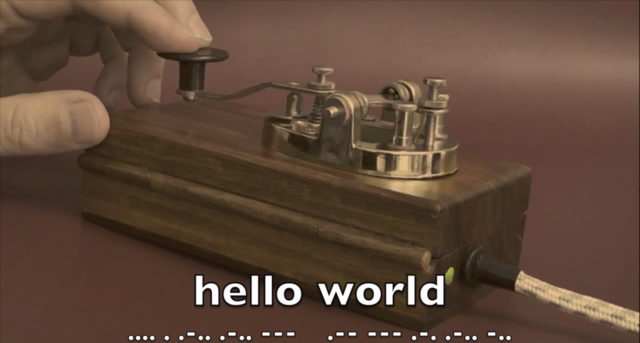
 As promised, today I would like to write a bit about the making of


 I ve done some clean-up in the Debian BTS. The result can be seen in the QA graphs:
 The last remaining 6 bugs are only affecting OpenStack Essex (which is what Wheezy ships, and which unfortunately I have not enough time to support properly), and the last one is waiting for FTP masters approval after I added Python 3 support to oslo-config (OpenStack is slowly moving to Python3, and I ve tried to add support to Python3 in the packages as well each time it was possible). Also, the Icehouse packages have passed the tempest tests (a set of functional tests) which we run in our continuous integration system.
As I was doing some triaging, it is possible that some bugs have been closed a bit quickly (like for example the Ceilometer FTBFS which I couldn t reproduce, even with sbuild and cowbuilder), so it is well possible that some more QA work will be needed later on. I m also expecting a new set of patches for supporting Ceph in Nova. I m sure there s issues which we will discover later on, however, it is nice to have this result right after the first Icehouse release of OpenStack.
Next up: testing new components that I uploaded for this release: Trove (DB as a Service), Designate (DNS as a Service), Ironic (Metal as a Service, or cloud computing on bare-metal), and TripleO (OpenStack on OpenStack). I unfortunately know already that TripleO and Tuskar wont really work yet, and that it needs some patches to be sent upstream for it to support Debian correctly (let s work it out for Juno!). So please consider it as a technology preview only. Though Trove, Designate and Ironic are supposed to be in good enough shape, I didn t have the chance to test them more than just installing the packages and checking daemons are running and connected to the various components of OpenStack (eg: database, keystone and RabbitMQ). Please do test them and report bugs in the BTS.
I d like to thanks Gustavo Panizzo & Thomas Bechtold who contributed to this release, and also the folks at eNovance (Emilien, Cyril, Seb ) who provided precious help with the CI and package quality. See you in the Juno Atlanta design summit next week (as hopefully, my plane ticket issue will be soon solved).
 The NVidia card being unable to drive two monitors is a little annoying, and the lack of support for skype and chrome is a bother, but I think I can build chrome There ll probably be no flash, I imagine.
 If you're looking to get started at packaging free software for


 The
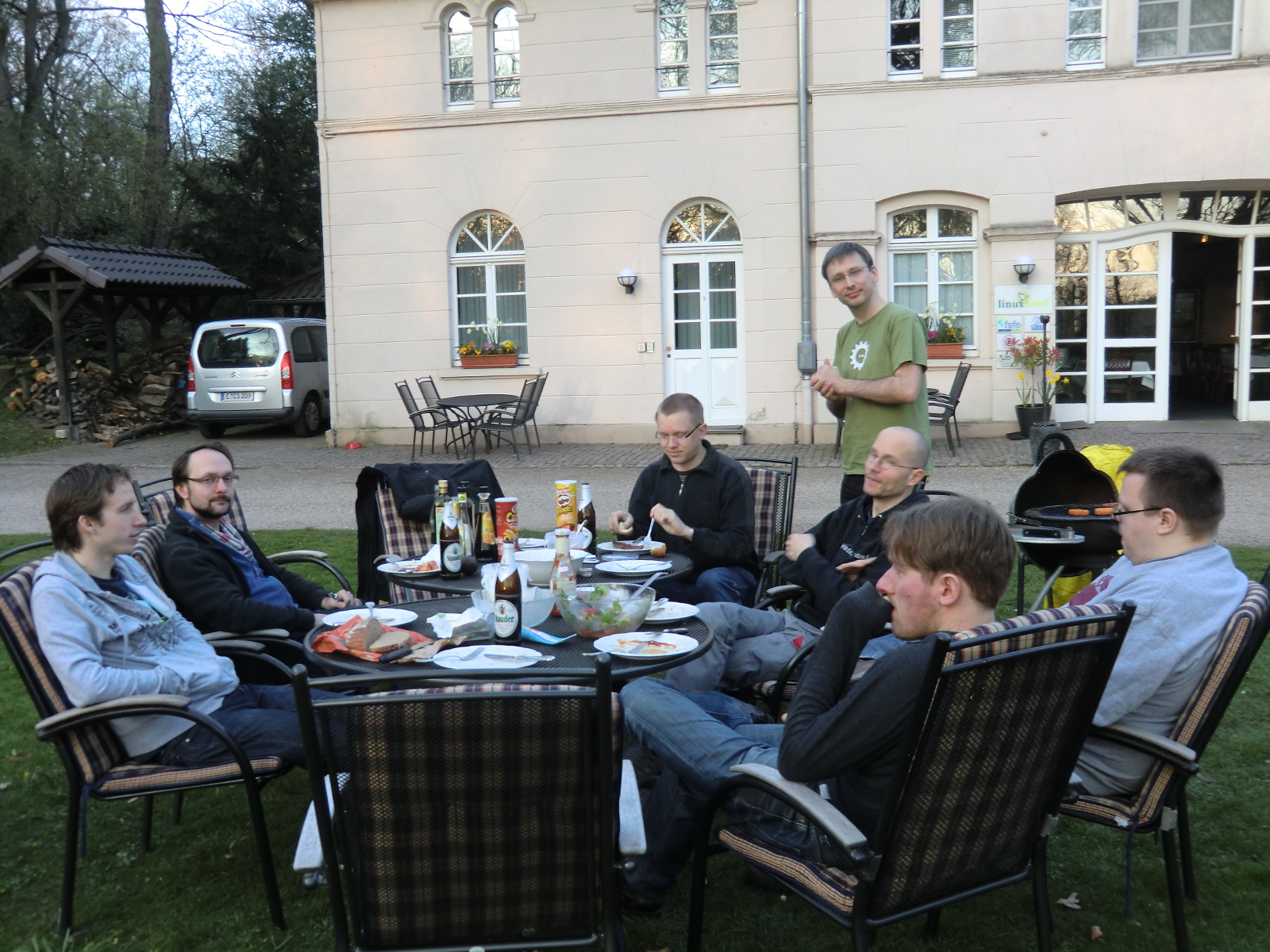

 This weekend,
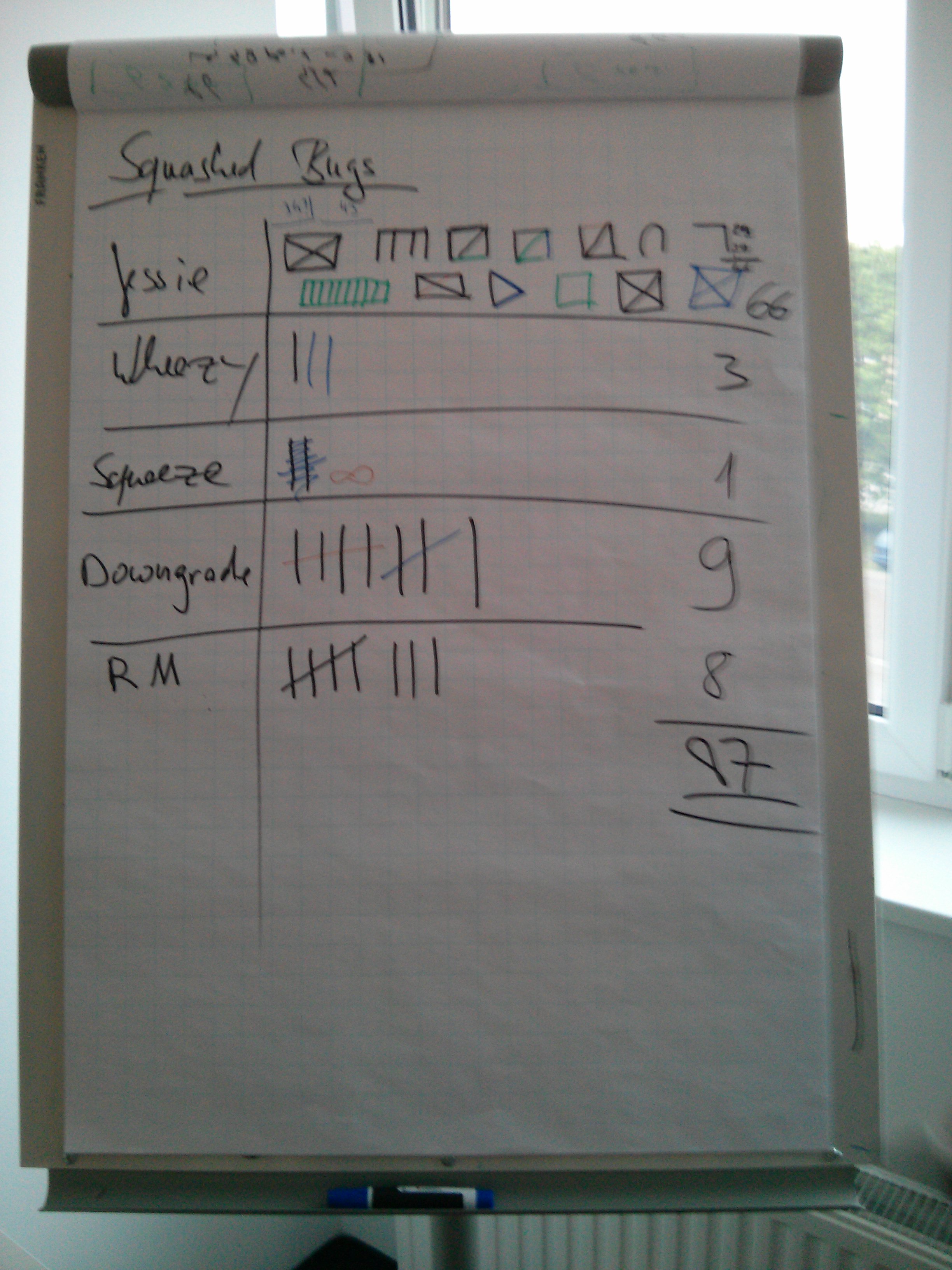
 My alternative option to
 Distributing software efficiently accross your platform can be
difficult. Every distribution comes with a package manager which is
usually suited for this task.

 )
Okay, so far so good. But now it gets really exciting (and this is a feature added with 0.6.1): We can now query a component by the items it provides. For example, I want to know which software provides the library libfoo.2:
 About a month ago, on 20th of March,

