Search Results: "bab"

2 July 2013

Lars Wirzenius: Consistency in backups

A backup run takes time. During a backup run the live data may change. This can mean that the snapshot of the live data may not be internally consistent. For example, suppose you're writing an e-mail when the backup starts automatically. If the timing goes wrong in exactly the right way, the backup might capture both the draft e-mail you were writing when the backup started, and the sent e-mail, when you finished the draft and sent the mail before the backup ended. Or, worse, the backup might miss both the draft and the sent e-mail. The next backup run will, certainly, get the sent e-mail, but what if you have a disaster before that happens? Internal consistency of data can be quite difficult to achive. Some programs, such as MySQL, don't do a good job of keeping the data consistent on-disk, making it difficult for the backup program to get a proper setup. (In that case, a standard trick is to "dump" or "export" the data in a consistent form, and back that up instead.) In an ideal situation, when the backup starts, the system would have a way to tell all running programs to store all their state on disk in a recoverable manner (save all open documents, dump data base content, etc), and once that is done, the backup program creates a snapshot of the filesystem. Unfortunately, I don't know of any operating system that can request consistent state from running applications. Snapshotting, however, is easy-peasy. It can be achieved by the filesystem (e.g., btrfs), or using LVM. Doing the snapshots requires root privileges, but that can probably be arranged. However, snapshotting like this, without getting all programs to commit their state to disk first, is not a guarantee of consistency. A thorough way to be consistent is to shut down the computer, and then reboot it into a special backup mode (similar to single-user mode), where no services or applications are running. However, this is, for most people, much too heavyweight a procedure to be worth it. Does consistency really matter? It matters a lot when the live data is being changed actively and consistency of the data is critical. For example, a bank's database of the amount of money in each account is quite critical: if data is not backed up consistently, money can be lost or created spontaneously, and that's probably a bad thing. Most people, however, don't need to worry a lot, and merely need to be aware of the issue, and perhaps mitigate it by backing up when the computer is mostly idle, and run backups often enough. Oh dear. This blog post contains too few jokes. I seem to have run out of jokes to make, so that will conclude this series of blog posts. I hope it was useful to some.

29 June 2013

Daniel Leidert: Getting the TP-Link TL-WN772N(C) USB WLAN stick to work

After installing Debian wheezy on the N54L microserver I wanted to setup a stable WLAN connection. The stick should have out-of-the-box kernel support. First I bought a cheap ISY IWL 2000 N150 WLAN USB micro adapter (probably a branded Belkin F7D1102). I contains a Realtek chipset and although it did seem to work on my laptop with Sid running, I did not get it to work on the server. I refused to download and compile third-party software. So I searched this site. I got the impression, that the "only" recent chipsets with reasonable support in the Linux kernel are Atheros chipsets(?). Checking the local suppliers I decided to buy a TP-Link TL-WN722NC USB stick. I've downloaded the firmware-atheros package and loaded the ath9k_htc module and voil , the stick is running:

ath9k_htc 48534 0
ath9k_common 12728 1 ath9k_htc
ath9k_hw 322112 2 ath9k_common,ath9k_htc
ath 21370 3 ath9k_hw,ath9k_common,ath9k_htc
mac80211 192806 1 ath9k_htc
cfg80211 137243 3 ath,mac80211,ath9k_htc
usbcore 128741 5 ehci_hcd,ohci_hcd,usbhid,ath9k_htc

[..]
Bus 001 Device 003: ID 0cf3:9271 Atheros Communications, Inc. AR9271 802.11n
Device Descriptor:
bLength 18
bDescriptorType 1
bcdUSB 2.00
bDeviceClass 255 Vendor Specific Class
bDeviceSubClass 255 Vendor Specific Subclass
bDeviceProtocol 255 Vendor Specific Protocol
bMaxPacketSize0 64
idVendor 0x0cf3 Atheros Communications, Inc.
idProduct 0x9271 AR9271 802.11n
bcdDevice 1.08
iManufacturer 16 ATHEROS
iProduct 32 USB2.0 WLAN
iSerial 48 12345
bNumConfigurations 1
[..]
To setup the connection I decided to install the network-manager package and write the configuration file myself:

[connection]
id=<myID>
uuid=<myUUID>
type=802-11-wireless
autoconnect=true

[802-11-wireless]
ssid=<mySSID>
mode=infrastructure
mac-address=<myMACADDR>
seen-bssids=<myBSSIDS>
security=802-11-wireless-security

[802-11-wireless-security]
key-mgmt=wpa-psk
psk=<myPASSPHR>

[ipv4]
method=auto

[ipv6]
method=auto

[..]
wlan1 IEEE 802.11bgn ESSID:"<ESSID>"
Mode:Managed Frequency:2.467 GHz Access Point: <MACADDR>
Bit Rate=54 Mb/s Tx-Power=20 dBm
Retry long limit:7 RTS thr:off Fragment thr:off
Encryption key:off
Power Management:off
Link Quality=49/70 Signal level=-61 dBm
Rx invalid nwid:0 Rx invalid crypt:0 Rx invalid frag:0
Tx excessive retries:0 Invalid misc:61 Missed beacon:0
[..]
The connection comes up and it seems pretty stable. After two weeks of operation there were still no connection losses or time outs. After lease time has been reached, the IP address gets renewed. And that's it! The stick runs perfectly fine for me and I'm happy with it.

28 June 2013

Lars Wirzenius: Who knows what evil lurks in the data of men? Security aspects of backups

You're not the only one who cares about your data. A variety of governments, corporations, criminals, and overly curious snoopers are probably also interested. (It's sometimes hard to tell them apart.) They might be interested in it to data in order to find evidence against you, blackmail you, or just curious about what you're talking about with your other friends. They might be interested in your data from a statistical point of view, and don't particularly care about your specifically. Or they might be interested only in you. Instead of reading your files and e-mail, or looking at your photos and videos, they might be interested in preventing your access to them, or to destroy your data. They might even want to corrupt your data, perhaps by planting child porn in your photo archive. You protect your computer as well as you can to prevent these and other bad things from happening. You need to protect your backups with equal care. If you back up to a USB drive, you should probably make the drive be encrypted. Likewise, if you back up to online storage. There are many forms of encryption, and I'm unqualified to give advice on this, but any of the common, modern ones should suffice except for quite determined attackers. Instead of, or in addition to, encryption, you could ensure the physical security of your backup storage. Keep the USB drive in a safe, perhaps, or a safe deposit box. The multiple backups you need to protect yourself against earthquakes, floods, and roving gangs of tricycle-riding clowns, are also useful against attackers. They might corrupt your live data, and the backups at your home, but probably won't be able to touch the USB drive encased in concrete and buried in the ground at a secret place only you know about. The other side of the coin is that you might want to, or need to, ensure others do have access to your backed up data. For example, if the clown gang kidnaps you, your spouse might need access to you backups to be able to contact your MI6 handler to ask them to rescue you. Arranging safe access to (some) backups is an interesting problem to which there are various solutions. You could give your spouse the encryption passphrase, or give the passphrase to a trusted friend or your lawyer. You could also use something like libgfshare to escrow encryption keys more safely.

Niels Thykier: Optimizing autodie

After converting Lintian to using autodie, I was a bit trouble by the effects it had on Lintian s (start-up) performance. This overhead accumulated to at least a 1s when checking packages. Indeed, I am not the first to complain about this problem. For those who have not heard of it, autodie is a Perl pragma that basically alters subs and built-ins from a check return value for errors -sub (e.g. like C) to throws exception on error -sub (e.g. like Python). So, you can replace open( ) or die with open( ) when autodie is in effect. autodie achieves this by exporting a little sub that wraps the target sub (or built-in). This little wrapper is compiled[1] into the importing package. The problem with this solution is that it ends up compiling these subs once per importing package. Secondly, all of these wrappers are wrapped in something called a leak guard . As autodie is a lexical pragma it is not permitted to leak across file boundaries. The leak guards take care of that by doing a runtime check of the caller and reverting to the original sub/built-in if a leak occurred. These leak guards were also compiled into the importing package. It is probably not much of a surprise to anyone that autodie spent quite a bit of its runtime compiling these wrappers and their leak guards. Together with upstream, I have addressed some of these problems. The first optimization was to allow some wrappers for built-ins to be reused that does not take glob or bareword arguments[2]. Secondly, we started using closures to generate the leak guards. Combined these two effectively cut the load time in half for subsequent loads of autodie, though it did have a negative effect on the call overhead for these wrappers (~1s for 1M calls). That landed in autodie v2.18. The extra runtime overhead of v2.18 was basically caused by the leak guard being split into two (a small closure, which called the real leak guard with an extra argument). We managed to merge these two parts into one without (too much) loss of code maintainability. With that, the call overhead of these wrappers dropped by ~3s (for 1M calls) and thus the wrappers in autodie v2.20 were even faster than the ones in v2.17. Beyond these improvements, I have sent upstream several patches (still pending review) that will improve the performance of autodie even further. If merged, we are looking at another 1.5s (per 1M calls) removed and almost a factor 4 reduction on the load time of autodie. This factor 4 comes from lazily compiling the wrapper on demand, so some of the price is moved to the call overhead. That said, it is a net gain since it is highly unlikely that every module using autodie will use every single wrapped built-in (how often do you use both read and sysread in the same module)? [1] It is compiled via a call to eval using some template code. [2] For the rest of the built-ins, it could probably just use Symbol::qualify to qualify bareword filehandles. Perhaps that will come in a future version of autodie. :)

Russ Allbery: Review: This Alien Shore

Review: This Alien Shore, by C.S. Friedman
Publisher: DAW
Copyright: 1998
Printing: July 1999
ISBN: 0-88677-799-2
Format: Mass market
Pages: 564
Jamisia is an orphan taken in by the Shido corporation, but she has a fairly comfortable and happy life in Shido Station. She lives in the care of her tutor, has friends, has something that feels like a relatively normal life. Then the station is attacked and destroyed by a rival corporation and she barely escapes in a one-person lifeboat, sent inexplicably by her tutor with a fake identity to rendezvous with a spaceship heading for the up-and-out. That begins a long and quite confusing flight away from everything she's known, and a discovery that her life is far more complicated than she thought. Meanwhile, far from the backwater of corporate tyranny that Earth has become, a new computer virus is wreaking havoc on Guild outpilots. The Guild navigate the ainniq: a sort of subspace that allows ships to slip between nodes without regard to distance. This is the only acceptable method of interstellar travel now that humans know that the more conventional Hausman Drive causes massive genetic mutations, and only Guerans have the secret of navigating it safely. But a virus of a sophistication no one has seen before appears to be targeting outpilot brains through their implants. This Alien Shore is told in two threads but multiple characters and viewpoints. Jamisia (yes, I stumbled over that name the entire book) spends nearly the whole book running while discovering that her head is a very complicated place for very bad reasons. Meanwhile, various other people (most notably the careful and meticulous Kio Masada) are analyzing and tracing the virus, which is of deep concern to the powers that be in the Guaran-controlled network of human colonies. The threads do come together eventually, helped by a young and much more impulsive hacker named Phoenix who is also on the trail of the virus, but it takes much longer than I expected. The book is a bit of cyberpunk, a bit of space opera, and is stuffed to the brim with world-building ideas. There's always something that feels slightly emotionally off about C.S. Friedman novels. Her characters are a bit too intense, a bit too full of primary colors and inherent natures. They don't do a lot of changing; they're just a little too much purely themselves to feel quite accurate. Sometimes it matters and sometimes it doesn't. This is one of the books where it mostly doesn't, partly because it's full of such an amazing variety of characters, and partly because Friedman does a great job adding situational complexity by playing them off of each other and showing them through each other's eyes. Pyschological realism, though, this isn't, nor would I look to Friedman for that. That's somewhat unfortunate given how central psychology is to this book. The focus that slowly emerges from this novel is the whole-hearted embrace of psychological difference as a force for creativity, power, and perspective. Acceptance, respect for, and integration of difference borders on a religious belief for Guerans, which makes this book one of the most wholeheartedly inclusive stories (at least for psychology) I've read. I loved that message enough to overlook the fact that those psychological differences are not treated with much subtlety. The most central of the differences (a very mild spoiler, but one that's essentially given away on the back cover and that is easy to guess early in the book) is multiple personalities. Sadly, I thought that was also the least successful. Friedman treats the topic respectfully and as a difficult asset, which I liked, but it's bog-standard fictional multiple personalities. The presentation owes much more to popular fiction than to the reality of disassociative identity, and the notes that Friedman hits (and the characteristics that the multiples embody) are predictable. However, her second major psychological idea is simply brilliant. The Guerans have developed a coding system for people to communicate their psychological profile to anyone who sees them, and all of the Gueran characters in the novel actively engage with that system and make extensive use of it. Friedman hints at a great deal of subtlety: a wealth of primary patterns (many of which are described in quite enjoyable animal metaphors as chapter epigraphs), secondary patterns that can be layered underneath, and a complex interaction of base patterns and patterns for daily mood. Here, I think Friedman's mild tendency towards archetypal characters helps, since it makes the psychological coding system clearer for the reader. I wish it had been more central to the story and explained further, although I can see the risk of turning the novel into an RPG sourcebook. (Although, now that I mention it, I would love to read an RPG sourcebook for this universe.) The other point for which I have to give Friedman huge credit is that at least half of the book is about a computer virus, the analysis of that virus, and the hacking culture of her future universe, and at no point during the story did I want to start throwing things. There are no completely unbelievable magic computer programs, the sense of movement of data and virtual presence through computer networks seemed vaguely plausible and less steeped in unrealistic VR metaphors, the sense of aesthetics of code is captured remarkably well for a story of this sort, and Friedman even brings some variety to her computer-savvy characters. There are a few mildly stereotyped young hackers (although even those have a tendency to have more depth than the stereotype), but Friedman also populates her electronic world with the other types you rarely see in these novels: thoughtful, brilliant, but meticulous researchers, competent technicians who don't engage as much on the aesthetic aspects, and even moderately-intelligent users who pay attention to the computers their lives are built around. I could actually believe in both these people and the software they use with only the suspension of disbelief required for any future SF. That's not to say there are no flaws, quibbles, or places where computers probably won't ever work that way. But that's part of what makes me so impressed. Friedman is still using computers and hacking in the direct service of a fairly typical SF plot to achieve specific dramatic ends and to create a mystery. She's not building the story around actual technology; she's staying fairly close to the sort of technology and plots that a lot of cyberpunk and hacking novels have. And yet she manages not to make the computing entirely stupid or unbelievable. It's existence proof that an SF author can pay attention to experts and research without compromising the story they want to tell. I want to take this book and smack Robert Sawyer upside the head with it. This is a great idea book with a heavily computer-driven plot strand that I quite enjoyed. It is, however, not without its flaws. The virus-hunting part of the plot is significantly more interesting than Jamisia's flight, particularly given that she keeps running, and running, and running, encountering various people who seem important and end up not being important at all. It takes more than half the book before anything particularly interesting happens to her; up until then, I was dragging myself through her segments so that I could get back to Masada and the other Guerans. She's also annoyingly dim about some things. I figured out what the deep secret in her brain was within the first four or five chapters (it's entirely obvious from the political structure of Friedman's universe), and I have no idea why it took everyone else so long to figure it out. There is also, as mentioned, the slightly off feeling of the characters that I find typical of Friedman, and a cut-throat power struggle at the heart of the book that just didn't have enough psychological believability to fully engage me. But the ideas are wonderful: technology-driven political structures, corporate-controlled states, ideological clashes, lots of believable cultural interactions, and a neat two-option interstellar travel system (even if the nature of the Hausman Drive damage bears no resemblence to any genetic science known to our reality). And that's on top of a wonderful visual language of psychology and discussions of computer security that I actually enjoyed reading. Friedman's the sort of author who won't be to everyone's tastes. You have to have some tolerance for her tendency to write grand clashes of power between highly flawed, aggressively emotional people. Sometimes you have to put up with rather a lot of setup. But I really liked this novel. I suspect I'm editing out a lot of the boring bits in my memory, but I fondly remember that edited version as a ton of fun. Rating: 8 out of 10

Matt Zimmerman: Scaling Human Systems: Making and keeping commitments

This is part 3 in a series on organizational design and growth. What it means

Taking responsibility for action, and following through. Every time. Why it s important

Commitments are a cornerstone of collaborative teamwork. Knowing what to expect from others makes it possible to plan beyond your own work. If you aren t sure whether a task will be completed, you carry that uncertainty as low-grade anxiety, which accumulates and creates cognitive load. You may even spend extra time checking back to make sure the need has been met. Old status quo

Most work happens without an explicit commitment at all. Consistency is highly variable from one individual, team or circumstance to another. Tasks fall through the cracks, and we may not even realize it until much later. New status quo

When something needs to get done, someone agrees to take responsibility for it. When this happens, everyone involved can trust that it will get done. When exceptions happen, we acknowledge them, and seek to understand what happened so that we can do better in the future. Behaviors that help

Obstacles that stand in our way Further reading

27 June 2013

Andrea Veri: Two years later: Vim, Tmux and my Linux desktop

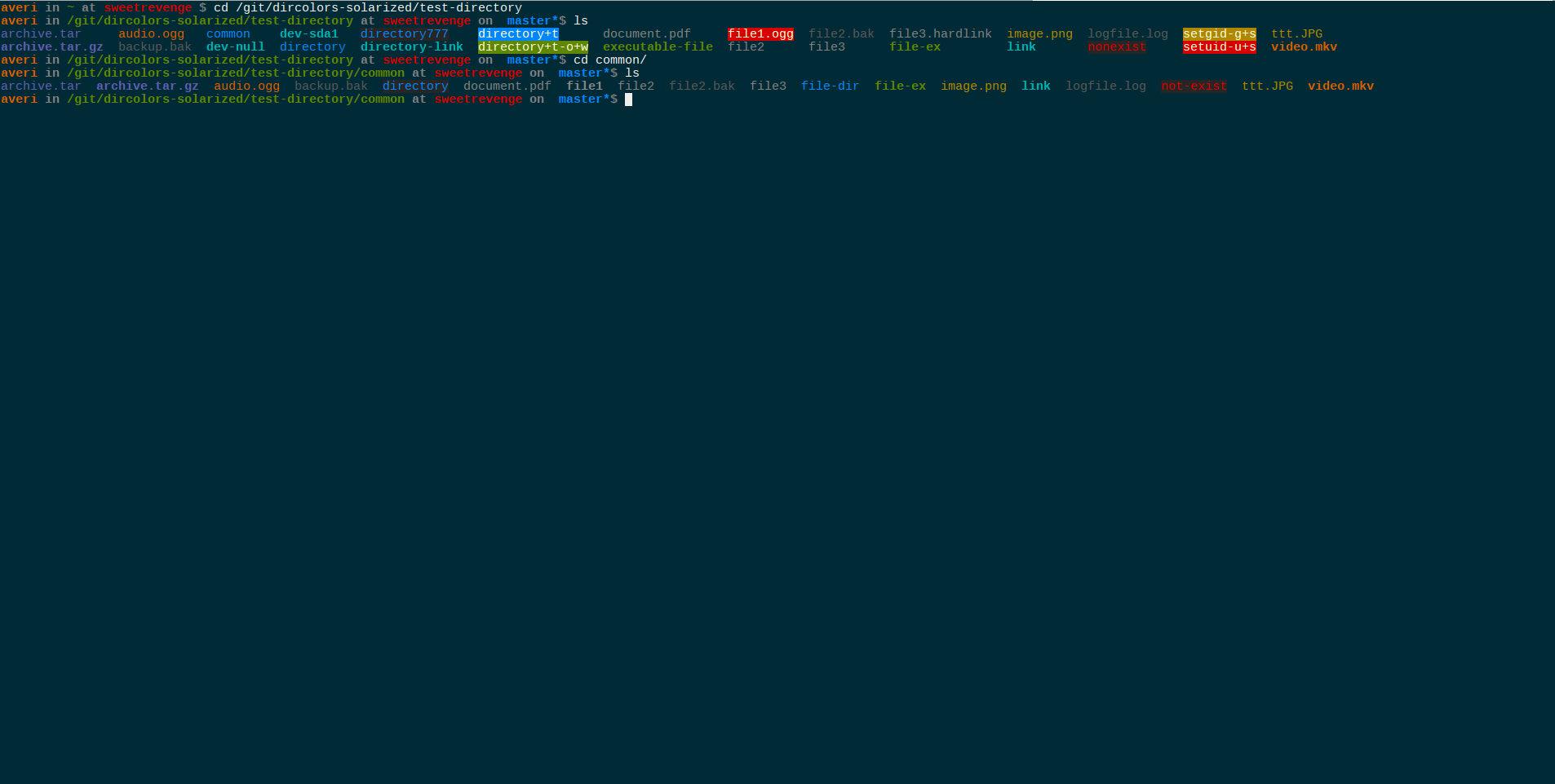
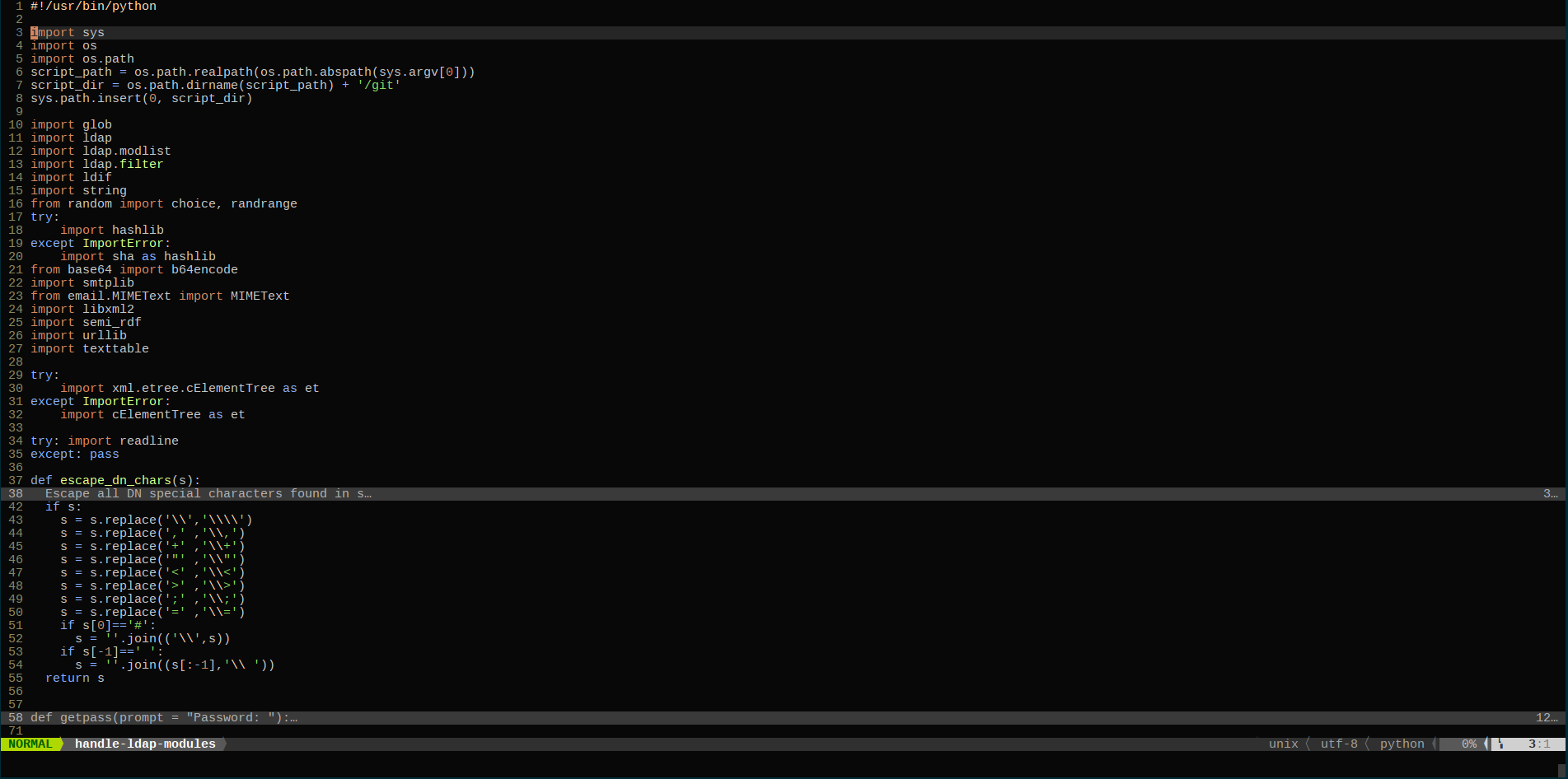
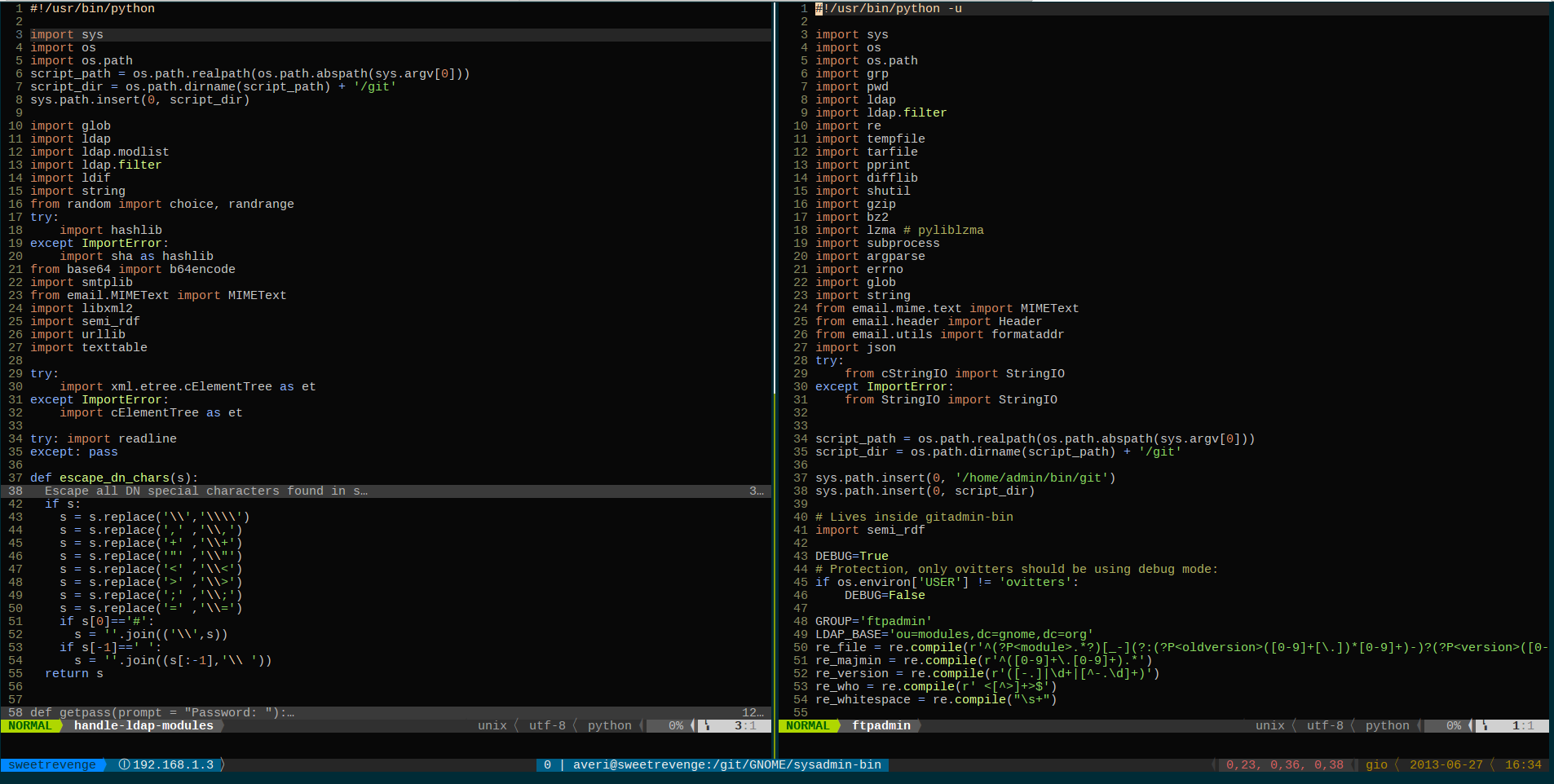
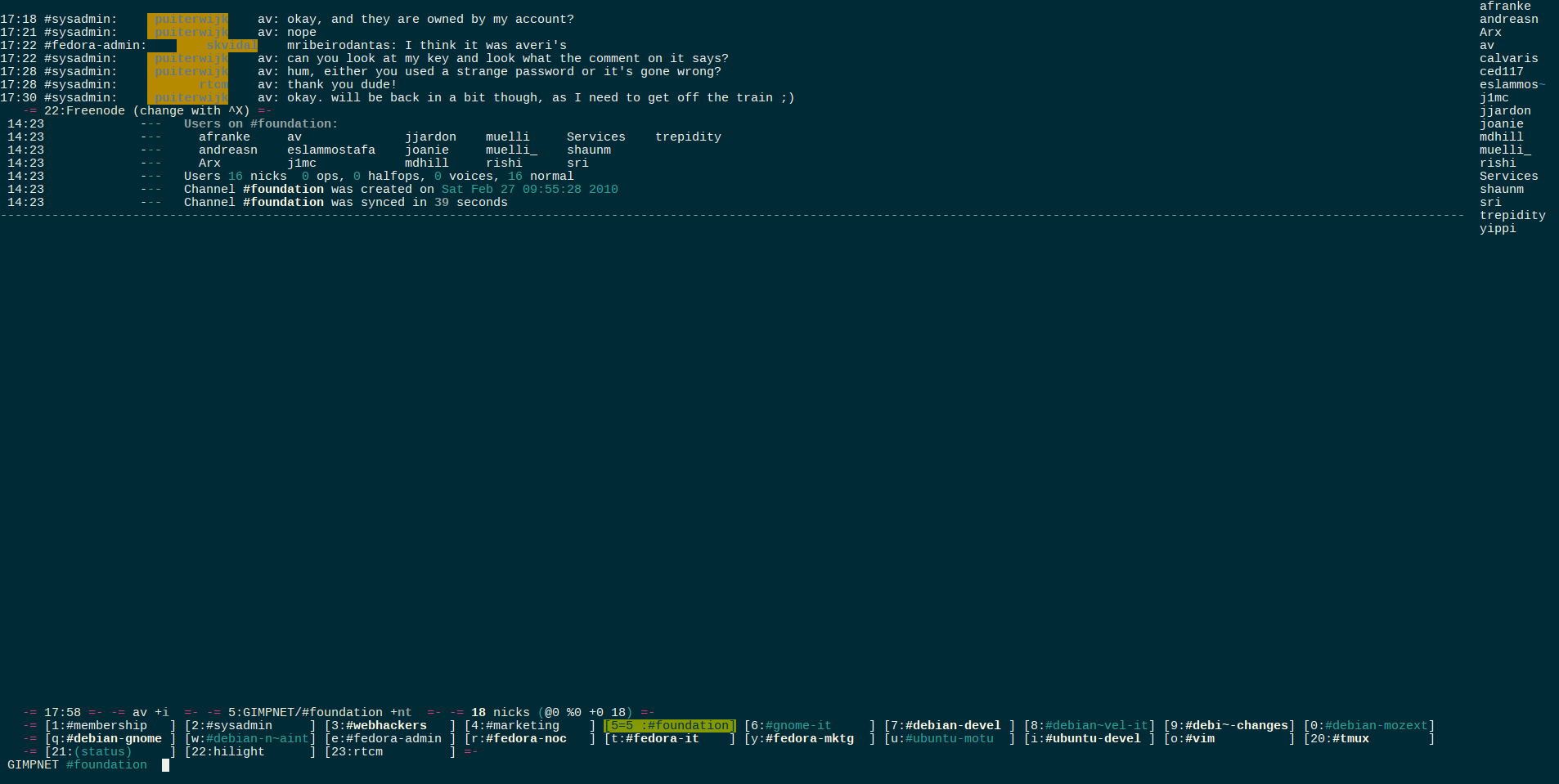
It s been two years since my latest blog post about my Linux desktop and many things have changed since then. I completely moved all my machines to GNOME 3, switched my main editor from nano to vim and my terminal multiplexer from screen to tmux. What didn t change at all except for a tweaks on the theme is my Irssi setup. dircolors_solarized Switching from nano to vim has been a pain at first, nano is really a straightforward editor, it does what you actually need from a CLI editor but while it works just fine when modifying configuration or text files, it s a bit limiting when it comes to programming. Vim on the other hand is highly customizable in every single part also thanks to its huge amount of plugins. Honestly I admit I spent several hours watching videos, reading documentation, trying out key bindings and I m not completely used to vim to be as much productive I would like to be with it. What I found to be the common error of vim s newcomers is their willingness to look around the web for a complete vimrc configuration file, full of key bindings, custom settings and personalizations. That s definitely something you should avoid when learning to use vim, the perfect vimrc doesn t objectively exist, each of us should spend some time investigating what is the best configuration for your needs and build a vimrc accordingly time by time. vimIt will probably take months to have a complex vimrc file matching your needs completely, until then you won t be able to define your vimrc to be ultimate . And that s actually why wgetting someone else s vimrc and copying it to your home folder won t make you an expert of vim, it ll probably make your life harder when trying a specific action with the stock settings will result in something you wouldn t have expected thanks to a particular key binding on the vimrc you downloaded. tmux The other tool that definitely improved my productivity is Tmux given the huge amount of open terminals I had every day during my sysadmin s duties at GNOME. Each day usually started with one or two open terminals mainly meant for random maintenance issues, after a few hours the amount of open terminals jumped to around 30. irssi Switching between tabs became a pain and the usual amount of time spent finding out which terminal had the the specific remote connection I needed was surprisingly sticking around 10 seconds. I looked around for a possible solution and found Tmux, it has been a joy finding out how easy it was to set it up and get used to it. I m now able to divide my 27 inches monitor into several panels and switch between them with a little keybinding, in addition you can set up as many windows (and consequently as many panels) as you wish, that way I can divide my programming windows from the ones specifically meant as remote consoles. From there I can detach / attach my previous Tmux session with one command and keep working on the same files and connections I had open the last time I used Tmux. In addition to the above tools I ve kept being an huge fan of Irssi and some of its plugins that have improved my overall productivity when daily chatting with Fedora, Debian and GNOME contributors. What actually changed on it since two years ago is the theme which is currently a mix between the Solarized and the XChat themes. Please don t hesitate to ask me any question if you are curious about learning something more about my current working setup! :-)

23 June 2013

Ben Armstrong: Tutorial: wheezy live iso-hybrid with persistence on USB

As of wheezy, Debian no longer offers for download any prebuilt hdd (formerly known as usb-hdd) live images, which, in squeeze, were necessary if you wanted to use persistence. The good news is, since the new wheezy iso-hybrid images use xorisso, you can copy an image to a USB key and repartition it to add a persistence partition. Unfortunately, the filesystem itself is read-only, so you have to manually append the persistence boot parameter each time you boot the image. If that doesn t bother you, you can skip this whole tutorial and just follow the instructions in live-manual for adding a persistence partition and you re all set. This tutorial explains how to extract the contents of a wheezy iso-hybrid live image to a USB key and modify it to boot with this parameter permanently enabled. I am writing it solely as a workaround and do not endorse this as a means to customize Debian Live images in general. I would love to help make a more convenient, supported way to accomplish the same thing for a future release. Meanwhile, the supported and recommended way to make any change to a Debian Live image is to build it from scratch using live-build, as described in live-manual. A simplified Debian Live Images Autobuilder web service is available that works well for many common customizations, if you prefer. Please use one of these methods if you want to do this, or other customizations in the supported way. Otherwise, read on. Prerequisites Identify the USB key device Caution: Always double-check the device you are writing to is the correct one to avoid losing precious data. There are two things to do to protect yourself. The first is, don t write the USB key as root. The second is, first use ls -l /dev/disk/by-id to identify which device is the target USB key.
lrwxrwxrwx 1 root root  9 Jun 22 11:58 
usb-SanDisk_Cruzer_Contour_0000184CA87406BC-0:0 -> ../../sdb
As you can see, my SanDisk Cruzer Countour is /dev/sdb. For the rest of the tutorial, I ll be referring to this device as /dev/sdX to avoid unfortunate cut-and-paste disasters. When you follow along, make sure you substitute the correct device for your USB key on your system. Initialize the USB key Start by plugging in the key and unmounting any automounted partitions to ensure nothing is accessing the device, e.g.
$ umount /dev/sdX1
Now make changes to the partition table. Use parted because it may be run as an ordinary user and has some advanced capabilities beyond more basic tools like fdisk.
$ /sbin/parted
WARNING: You are not superuser.  Watch out for permissions.
GNU Parted 2.3
Using /dev/sdX
Welcome to GNU Parted! Type 'help' to view a list of commands.
(parted) print devices
/dev/sdX (8221MB)
(parted) select                                                           
New device?  [/dev/sdX]?                                                  
Using /dev/sdX
(parted)
Note that when run as an ordinary user, if you only have one removable drive (which may include mp3 players, cameras, e-readers) plugged in, parted immediately selects that device. But just to be sure, use print devices to list the devices and select to if you need to select a different one, as shown above. Repartition the USB key Once you ve verified you have the correct device, start repartitioning. Write a new partition table with mklabel msdos to wipe out all of the old partitions on it. You may skip this step and adapt the remaining instructions if there are partitions you need to keep. This is your last chance to bail if the device is wrong, so make sure it is the correct one before proceeding.
(parted) mklabel msdos
Warning: The existing disk label on /dev/sdX will be destroyed and all data
on this disk will be lost. Do you want to continue?
Yes/No? y
Error: Partition(s) 1, 2, 3, 4, 5, 6, 7, 8, 9, 10, 11, 12, 13, 14, 15, 16 on
/dev/sdX have been written, but we have been unable to inform the kernel of
the change, probably because it/they are in use.  As a result, the old
partition(s) will remain in use.  You should reboot now before making further
changes.
Ignore/Cancel? i
(parted)
The error is normal, and appears when you run parted as an ordinary user, so it is OK each time it appears to press i to ignore it. For the rest of this tutorial I will omit these errors from the output for brevity. Make three partitions, a fat32 partition for the image itself that is 5% larger than the size of the ISO, a 1G ext4 partition for persistence, and an extra fat32 partition for the rest of the space. Put the extra partition first so that other OSes you might use the key with will be able to use it. Use relative positioning from the end of the device to make it easy to put all of the rest of the space in the first partition. Finally, flag the live image partition bootable.
(parted) mkpart primary fat32 1 -1897M
(parted) mkpart primary ext4 -1897M -897M
(parted) mkpart primary fat32 -897M -0
(parted) set 3 boot on
(parted) quit
Information: You may need to update /etc/fstab.
Unplug the USB key and plug it in again so that the kernel will re-read the updated partition table. If there were old filesystems on the key that were automounted, unmount them again. Now we re ready to make the new filesystems.
$ umount /dev/sdX1
$ /sbin/mkdosfs -nEXTRA /dev/sdX1
mkdosfs 3.0.16 (01 Mar 2013)
$ /sbin/mkfs.ext4 -q -Lpersistence /dev/sdX2
$ /sbin/mkdosfs -nLXDE /dev/sdX3
mkdosfs 3.0.16 (01 Mar 2013)
Make the USB key bootable Use install-mbr to install an MBR on the key and syslinux to install the bootloader to boot into your live image partition.
$ /sbin/install-mbr /dev/sdX
$ syslinux -i /dev/sdX3
Mount the partitions Unplug the key and plug it in again so the new partitions will be automounted. Observe where the partitions are mounted with df.
$ df
...
/dev/sdX1        6204568         4   6204564   1% /media/EXTRA
/dev/sdX3         831888         4    831884   1% /media/LXDE
/dev/sdX2         944120      1204    894124   1% /media/persistence
Extract the ISO contents to the key To continue preparing this key as an unprivileged user, use p7zip to extract the ISO. You may alternatively mount the ISO loopback and extract it that way, but you must be root to do that.
$ cd /media/LXDE
$ 7z x ~/debian-live-7.0.0-amd64-lxde-desktop.iso
...
Extracting  live/filesystem.packages-remove
...
When live/filesystem.squashfs is extracted (right after live/filesystem.packages-remove) it will take the longest time of all of the files to extract, as it contains the whole live filesystem. Be patient and eventually it and all other files on the image will finish extracting.
...
Everything is Ok
Folders: 245
Files: 370
Size:       892183367
Compressed: 895483904
Modify the bootloader configuration files The syslinux bootloader configuration directory and files within it are named isolinux when installed on an ISO. You need to rename the directory and two files changing isolinux to syslinux so the bootloader will find them on your fat32 live image partition.
$ mv isolinux syslinux
$ mv syslinux/isolinux.cfg syslinux/syslinux.cfg
$ mv syslinux/isolinux.bin syslinux/syslinux.bin
Enable full persistence Next, append persistence to the live boot parameters and turn on full persistence by putting / union in a persistence.conf file in the persistence partition.
$ sed -i 's/\(append boot=.*\)$/\1 persistence/' syslinux/live.cfg
$ cd /media/persistence
$ echo / union > persistence.conf
Reboot into the live system Now your USB key is ready to boot with full persistence enabled. Have fun!

22 June 2013

Benjamin Mako Hill: Iceowl s Awesome New Icon

If you re a Debian user, you are probably already familiar with some of the awesome icons for IceWeasel (rebranded Mozilla Firefox), IceDove (rebranded Mozilla Thunderbird) and IceApe (rebranded Mozilla SeaMonkey).

iceweasel_icon-200pxicedove_icon-200px iceape_icon-200px I was pretty ambivalent about the decision to rebrand Firefox until I saw some of proposed the IceWeasel icons which in my humble opinion were just too cute, and awesome, to pass up.

iceweasel-old Until very recently however, IceOwl (rebranded Mozilla Sundbird) had no such awesome icon. Quite a while ago, I filed bug #658664 in Debian complaining that iceowl does not include awesome icy owl icons. I wrote:

I was extremely disappointed when I installed Iceowl and discovered that it does not ship with an awesome logo or icons showing a picture of an IceOwl. Instead, it seems to be represented by picture of a (boring) paper calendar which is very generic and not awesome at all. IceWeasel, IceDove, and IceApe each include extremely awesome logos/icons that have really cool looking white illustrations of icy weasels, doves, and apes. IceOwl needs a similarly awesome logo to use as its icon. This bug seems particularly egregious because owls actually live in icy climates and come in white versions! For example: https://commons.wikimedia.org/wiki/File:Snowy_Owl_-_Schnee-Eule.jpg While illustrators need to imagine what an ice ape or ice weasel might look like, there is no such need for imagination in the case of an ice owl! As far as I m concerned, this bug should be release critical. Hopefully, someone will upload a patch quickly!
Finally, after many months of all of us suffering in silence, Nick Morrott came along and fixed the bug with the creation of this new, incredibly awesome, icy owl logo!

iceowl_icon-350px

20 June 2013

Daniel Pocock: Wrong cloud: Victorian schools and Ultranet

wrong cloud
"The blood, sweat and tears that has gone into the Ultranet and the work teachers put in it's soul destroying. I have to face parents who took me on face value when I said: 'This is the best thing since sliced bread every school is going to be using it in the future."
Those are the words of a school principal at Alkira Secondary College in Victoria, Australia. His school is receiving a real-life lesson in the the risks of cloud computing. Ultranet, the state-wide private cloud project for schools is at risk of being cancelled in 10 days due to budget cuts. It is not clear whether the vendor, NEC, is obliged to release data back to the users if the original four year contract is not extended. Commercial, confidential discussions It appears that the possibility of ending the contract was not supposed to be public knowledge. If the finance department had kept their intentions secret then it is possible that users would not even have had the opportunity to try and manually extract some of their data, as they are rushing to do now. Instead of getting on with the business of education itself, teachers and students are having to waste time trying to individually download student projects, photos, feedback and other meta data from the system in an ad-hoc manner. An opportunity for free and open source software This debacle may well be a huge opportunity for the free and open source software community to remind people that the value of retaining control over user data can not be forgotten when evaluating outsourced, private cloud solutions that claim to be "free" or offer low costs to get started. There were apparently 18 schools who initially trialed the program and many more have gradually joined up. This would be the perfect opportunity for advocates of genuinely free software solutions to contact them and let them know they are not alone and that many of us have anticipated these problems for years. While central government administrators tend to be hooked on the idea of administering big contracts with trusted' vendors, these local school administrators and the communities around them are probably more receptive to the free software message than at any other time. List of schools using Ultranet Many of the schools using Ultranet can be found with Google, as it appears to be integrated in their web sites. Click here for a Google search that finds many of the schools and related technical pages, support documents and other material A message to schools everywhere For schools facing this crisis or considering adopting such services in other countries, I would share this very simple advice: if you are offered a solution that doesn't give you complete control to conveniently extract all of your data in bulk whenever you want and use it in your own software on any computer, then it is not a good foundation to build on. The free software community has been actively working to provide truly free solutions for schools and I would strongly encourage schools to look at projects like Skolelinux/Debian-Edu and k12Linux that have been built by educators who also have a deep understanding of software and data freedom issues.

MJ Ray: What s the current state of Windows Anti-Virus?

One of our co-op s clients asked me what I use for anti-virus at the moment and tips for what they should use on their Windows system. Well, flame me now, but I don t actually use any anti-virus at the moment: I rely on system security, firewalling and intrusion detection. The diversity of GNU/Linux software and I use some pretty odd stuff probably helps too. Even if I did want to run antivirus software, most of what s available for GNU is actually aimed at detecting and preventing transmission of Windows viruses. There are few real-world GNU viruses and fewer attack opportunities left open. Also, I prefer firewalling and fairly paranoid security settings because, like an antibiotic, an antivirus is only effective once the virus is already on your system somehow hopefully held in quarantine by the browser or email client and not actively malignant in the processor. There s quite a list at http://en.wikipedia.org/wiki/Comparison_of_antivirus_software#Microsoft_Windows but I expect most of the purchase-free proprietary ones (labelled as Free or Freemium but you usually pay by watching adverts) will try to sell you upgrades, as that s how their production is funded. If you don t mind doing such things, you can disable the ads in at least one of them The only very free ones I found were Immunet (also funded by upgrades not sure if it s actually Free and Open Source Software) and ClamWin (donation-funded) which both use the same scanning engine. If I had to use Microsoft Windows, I think I d probably use and donate to ClamWin, install the (altruism-funded I think) Clam Sentinel alongside it and be rather cautious about what I downloaded or used online. I m a bit worried that it doesn t do great in reviews, though. What do/would you do? I don t really know about paying for security. The only paid product I ve really seen has been Norton and that seemed no better than the ad-funded ones, still getting in the way and always trying to sell upgrades. It also irks me that there s this huge market just to fix fundamental defects in Microsoft s product. There s a Microsoft Security Essentials add-on listed on Wikipedia, but it does fairly badly in this PC Magazine review and do any of them do intrusion detection? And finally, if you do decide to download something new, I strongly suggest getting it from a trusted source and/or triple-checking the link with wikipedia, a magazine review like CNET and a search engine. Don t just trust a search engine, because fake antivirus software is a big way of getting viruses and worse onto computers: there s even one calling itself Microsoft Security Essentials 2011 !

18 June 2013

Daniel Pocock: RSA Key Sizes: 2048 or 4096 bits?

Many people are taking a fresh look at IT security strategies in the wake of the NSA revelations. One of the issues that comes up is the need for stronger encryption, using public key cryptography instead of just passwords. This is sometimes referred to as certificate authentication, but certificates are just one of many ways to use public key technology. One of the core decisions in this field is the key size. Most people have heard that 1024 bit RSA keys have been cracked and are not used any more for web sites or PGP. The next most fashionable number after 1024 appears to be 2048, but a lot of people have also been skipping that and moving to 4096 bit keys. This has lead to some confusion as people try to make decisions about which smartcards to use, which type of CA certificate to use, etc. The discussion here is exclusively about RSA key pairs, although the concepts are similar for other algorithms (although key lengths are not equivalent) The case for using 2048 bits instead of 4096 bits
  • Some hardware (many smart cards, some card readers, and some other devices such as Polycom phones) don't support anything bigger than 2048 bits.
  • Uses less CPU than a longer key during encryption and authentication
  • Using less CPU means using less battery power (important for mobile devices)
  • Uses less storage space: while not an issue on disk, this can be an issue in small devices like smart cards that measure their RAM in kilobytes rather than gigabytes
So there are some clear benefits of using 2048 bit keys and not just jumping on the 4096 bit key bandwagon The case for using 4096 bits
  • For some types of attack, security is not just double, it is exponential. 4096 is significantly more secure in this scenario. If an attack is found that allows a 2048 bit key to be hacked in 100 hours, that does not imply that a 4096 bit key can be hacked in 200 hours. The hack that breaks a 2048 bit key in 100 hours may still need many years to crack a single 4096 bit key
  • Some types of key (e.g. an OpenPGP primary key which is signed by many other people) are desirable to keep for an extended period of time, perhaps 10 years or more. In this context, the hassle of replacing all those signatures may be quite high and it is more desirable to have a long-term future-proof key length.
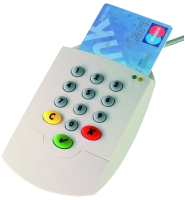
The myth of certificate expiration Many types of public key cryptography, such as X.509, offer an expiry feature. This is not just a scheme to force you to go back to the certificate authority and pay more money every 12 months. It provides a kind of weak safety net in the case where somebody is secretly using an unauthorised copy of the key or a certificate that the CA issued to an imposter. However, the expiry doesn't eliminate future algorithmic compromises. If, in the future, an attacker succeeds in finding a shortcut to break 2048 bit keys, then they would presumably crack the root certificate as easily as they crack the server certificates and then, using their shiny new root key, they would be in a position to issue new server certificates with extended expiry dates. Therefore, the expiry feature alone doesn't protect against abuse of the key in the distant future. It does provide some value though: forcing people to renew certificates periodically allows the industry to bring in new minimum key length standards from time to time. In practical terms, content signed with a 2048 bit key today will not be valid indefinitely. Imagine in the year 2040 you want to try out a copy of some code you released with a digital signature in 2013. In 2040, that signature may not be trustworthy: most software in that era would probably see the key and tell you there is no way you can trust it. The NIST speculates that 2048 bit keys will be valid up to about the year 2030, so that implies that any code you sign with a 2048 bit key today will have to be resigned with a longer key in the year 2029. You would do that re-signing in the 2048 bit twilight period while you still trust the old signature. Fortunately, there are likely to be few projects where such old code will be in demand. 4096 in practice One of the reasons I decided to write this blog is the fact that some organisations have made the 4096 bit keys very prominent (although nobody has made them mandatory as far as I am aware). Debian's guide to key creation currently recommends 4096 bit keys (although it doesn't explicitly mandate their use) Fedora's archive keys are all 4096 bit keys. The CACert.org project has developed a 4096 bit root These developments may leave people feeling a little bit naked if they have to use a shorter 2048 bit key for any of the reasons suggested above (e.g. for wider choice of smart cards and compatibility with readers). It has also resulted in some people spending time looking for 4096 bit smart cards and compatible readers when they may be better off just using 2048 bits and investing their time in other security improvements. In fact, the "risk" of using only 2048 rather than 4096 bits in the smartcard may well be far outweighed by the benefits of hardware security (especially if a smartcard reader with pin-pad is used) My own conclusion is that 2048 is not a dead duck and using this key length remains a valid decision and is very likely to remain so for the next 5 years at least. The US NIST makes a similar recommendation and suggests it will be safe until 2030, although it is the minimum key length they have recommended. My feeling is that the Debian preference for 4096 bit PGP keys is not based solely on security, rather, it is also influenced by the fact that Debian is a project run by volunteers. Given this background, there is a perception that if everybody migrates from 1024 to 2048, then there would be another big migration effort to move all users from 2048 to 4096 and that those two migrations could be combined into a single effort going directly from 1024 to 4096, reducing the future workload of the volunteers who maintain the keyrings. This is a completely rational decision for administrative reasons, but it is not a decision that questions the security of using 2048 bit keys today. Therefore, people should not see Debian's preference to use 4096 bit keys as a hint that 2048 bit keys are fundamentally flawed. Unlike the Debian keys (which are user keys), the CACert.org roots and Fedora archive signing keys are centrally managed keys with a long lifetime and none of the benefits of using 2048 bit keys is a compelling factor in those use cases. Practical issues to consider when choosing key-length Therefore, the choice of using 2048 or 4096 is not pre-determined, and it can be balanced with a range of other decisions:

  • Key lifetime: is it a long life key, such as an X.509 root for an in-house CA or an OpenPGP primary key? Or is it just for a HTTPS web server or some other TLS server that can be replaced every two years?
  • Is it for a dedicated application (e.g. a closed user group all using the same software supporting 4096 bit) or is it for a widespread user base where some users need to use 2048 bit due to old software/hardware?
  • Is it necessary to use the key(s) in a wide variety of smartcard readers?
  • Is it a mobile application (where battery must be conserved) or a server that is likely to experience heavy load?

17 June 2013

Evgeni Golov: Running Debian without Unity on a machine that is 64 bit capable!

Sorry Bryan,
I can show you plenty of hardware that is perfectly 64 bit capable but probably never will run Ubuntu and/or Unity. First, what is 64 bit for you? Looking at ubuntu.com/download and getting images from there, one gets the impression, that 64 bit is amd64 (also called x86_64). If one digs deeper to cdimage.ubuntu.com, one will find non-Intel images too: PowerPC and amrhf. As the PowerPC images are said to boot on G3 and G4 PowerPCs, these are 32 bit. Armhf is 32 bit too (arm64/aarch64 support in Linux is just evolving). So yes, if 64 bit means amd64, I do have hardware that can run Unity. But you asked if I have hardware that is 64 bit capable and can run Ubuntu/Unity, so may I apply my definiton of 64 bit here? I have an old Sun Netra T1-200 (500MHz UltraSPARC IIe) running Debian s sparc port, which has a 64 bit kernel and 32 bit userland. Unity? No wai. I do not own any ia64 or s390/s390x machines, but I am sure people do. And guess what, no Unity there either :) Sorry for ranting like this, but 64 bit really just means that the CPU can handle 64 bit big addresses etc. End even then, it not always will do so ;)

Gunnar Wolf: Cultural objects/goods: When a superhero is too famous for his own good

I found the following news item; if you can read Spanish, you will most probably prefer the original version in the Proceso magazine's site. The subject? The federal police (PGR) and army arrest 17 artisans for making money out of Spiderman. The following translation is mine. Done past midnight, and being quite tired, and translated so this news item can reach a broader audience. All errors are mine (except those carried out by the security forces, that is).
June 13, 2013 Cuernavaca, Morelos. Policement from the General Republic Attorney (Procuradur a General de la Rep blica, PGR) and the Army entered and searched the "3 de mayo" neighbourhood, in the municipality of Emiliano Zapata, detaining 17 ceramist artisans that sold candies, dolls and pi atas shaped like Spiderman. This search was done on the evening of last Wednesday, around 16:00. Federal ministerial policement and army soldiers closed a street with several informal stores and detained workers taht were selling this Marvel Comics character, following said company's denounce. As a result for this operation, 17 artisants were detained, although the same day five of them were freed. The policemen also seized 12 bags of candies, pi atas, ceramics and wooden figures of the superhero. PGR closed down 11 stores where ceramics with this same figure was being sold, accusing the detainees of plagiarizing Spiderman's image, protected under the copyright law. The 12 that remained under detention were put at the Federal Justice's disposal, which prompted that this Thursday, around 10AM, hundreds of sellers of "3 de mayo" went out to PGR's building to demand their friends' freedom, who are facing a bail of up to 200,000 pesos (~USD$18,000). Outraged because they said they were treated as if they were part of a drug ring, hundreds of artisans closed intermitently Avenida Cuauhn huac, where the PGR representation in Morelos state is located. The artisans' pressure helped for the amount of the bail to be lowered from MX$200,000 to MX$16,000, and so they were set free. Francisco Fern ndez Flores, president of the Ceramists Association, criticized the operation because, he said, it was as strong as if they were "drug dealers". The artisans explained that they don't even make the Spiderman figures, they are made by the interns of the Centro Estatal de Reinserci n Social de Atlacholoaya (prision), located in the Xochitepec municipality, who offered them to the ceramists so they could be sold. "The Atlacholoaya inmates do them, we buy them to support them, and turns out we are the delinquents now", said Miriam Monroy, sister of one of the detainees. This information was contradicted by Jes s Valencia Valencia, responsible for Morelos' state prision system, who assured that in said prision no ceramics are done. Fern ndez Flores insisted though that from within the prision they are being offered pi atas, candies and "piggy banks" with Spiderman's shape. Jos Luis Pozo, vicepresident of the Ceramists Union, said that to avoid more such federal operations for copyright breaches, they have committed not to produce or commercialize Marvel superhero figures, and any other characters the authority demands. "We do commit to, from now on, those products singled out to us will not be commercialized", he said. Pozo said that the PGR operation caused losses not just to the detained producers and salesmen, but to over 200 ceramists that had to close their stores in solidarity with their friends. Acording to the artisans, the products were a success until the PGR came, seized the products and detained the salesmen.
And yes, the copyright insanity does not stop. Spiderman is by today a clear part of popular culture. Marvel brilliantly succeeded in creating such a popular icon that everybody recognizes, that everybody identifies with And that everybody should be able to recreate. We are not talking about brand protection. Marvel does not, and will never, commercialize pi atas, ceramics or wooden toys. And even if they were plastic-cast While Spiderman is still under the protection of copyright, as the Berne Convention defines it (and of course, as the much stricter Mexican laws agree), that does not mean that any and every product resembling a Spiderman should be protected. Many ceramists and pi ata makers will create unique pieces of art Ok, handicraft. But reading the copyright law more strictly, Spiderman is more treated as a trademark than as a copyright. And it is a trademark that should be declared as having passed on to the public domain.

16 June 2013

Tim Retout: Sophie

It's my first Father's Day! Sophie was born 2 months ago (3345g or 7lb 6oz), and I've been on a blogging hiatus for quite a bit longer than that. She's very cute. I am getting into the swing of fatherhood - lots of nappy changing. :) I took my two weeks of paternity leave, but spread the second "week" over two weeks by working just afternoons, which gave me lots of time with mummy and baby. We watched a DVD called "The Happiest Baby on the Block", and mastered the techniques therein (mainly swaddling and white noise). So all things considered, we're getting quite a bit of sleep. Sophie is very curious about my typing, and leans towards anything she's interested in... so she's currently suspended at an angle besides me. Maybe she'll be interested in what her parents do, when she grows up. :) But for now, we're enjoying that she's learned to smile.

Daniel Pocock: Monitoring with Ganglia: an O'Reilly community book project

I recently had the opportunity to contribute to an O'Reilly community book project, developing the book Monitoring with Ganglia in collaboration with other members of the Ganglia team

The project itself, as a community book, pays no royalties back to the contributors, as we have chosen to donate all proceeds to charity. People who contributed to the book include
Robert Alexander, Jeff Buchbinder, Frederiko Costa, Alex Dean, Dave Josephsen, Bernard Li, Matt Massie, Brad Nicholes, Peter Phaal and Vladimir Vuksan and we also had generous assistance from various members of the open source community who assisted in the review process. Ganglia itself started at University of California, Berkeley as an initiative of Matt Massie, for monitoring HPC cloud infrastructure My own contact with Ganglia only began in 2008 when I was offered the opportunity to work full-time on the enterprise-wide monitoring systems for a large investment bank. Ganglia had been chosen for this huge project due to it's small footprint, support for many platforms and it's ability to work on a heterogeneous network as well as providing dedicated features for the bank's HPC grid. This brings me to one important point about Ganglia: it's not just about HPC any more. While it is extremely useful for clusters, grids and clouds, it is also quite suitable for a mixed network of web servers, mail servers, databases and all the other applications you may find in a small business, education or ISP environment. Instantly up and running with packages One of the most compelling features, even for small sites with less than 10 nodes, is the ease of installation: install the packages on Debian, Ubuntu, Fedora, OpenCSW and some other platforms, and it just works. Ganglia nodes will find each other over multicast, instantly, no manual configuration changes necessary. On one of the nodes, the web interface must be installed for viewing the statistics. Dare I say it: it is so easy, you hardly even need the book for a small installation. Where the book is really compelling is if you have hundreds or thousands of nodes, if you want custom charts or custom metrics or anything else beyond just installing the package. If monitoring is more than 10% of your job, the book is probably a must-have. Excellent open source architecture Ganglia's simplicity is largely thanks to the way it leverages other open source projects such as Tobi Oetiker's RRDtool and PHP Anybody familiar with these tools will find Ganglia is particularly easy to work with and customise. Custom metrics: IO service times One of my own contributions to the project has been the creation of ganglia-modules-linux, some plugins for Linux-specific metrics and ganglia-modules-solaris providing some similar metrics for Solaris. These projects on github provide an excellent base for people to fork and implement their own custom metrics in C or C++ The book provides a more detailed account of how to work with the various APIs for Python, C/C++, gmetric (command line/shell scripts) and Java. The new web interface For people who had tried earlier versions of Ganglia (and for those people who installed versions < 3.3.0 and still haven't updated), the new web interface is a major improvement and well worth the effort to install. It is available on the most recent packages (for example, it is in Debian 7 (wheezy) but not in Debian 6.) It was originally promoted as a standalone project (code-named gweb2) but was adopted as the official Ganglia web interface around the release of Ganglia 3.3.0. This web page provides a useful overview of what has changed and here is the original release announcement.

Joey Hess: little disasters

Interesting times.. While the big disasters are ongoing, little ones have been spicing up my life lately. A pleasant week by the beach ended with a tropical storm passing over the beach house. I've never experienced this before, and though Andrea was diminished by passing over land, it was still more wind than I've ever seen. I love wind, and this was thrilling, right on the edge of danger but not quite there. At least, if you have sense to stay out of the water. Leaving the beach, I heard of someone who tried to go surfing that day, and drowned. The night before last, I was startled to find nearly an inch of water seeping up from underneath the tile floor of the kitchen. Probably it has something to do with the pressure tank pumping system, which was repaired while I was away, and means I actually have indoor running water here. (Overrated.) This saw me scrambling to close every water valve, and out with a flashlight at 2 am closing the cutoff at the 1000 gallon water reservoir before it all drained into the house. While sopping up dozens of gallons of water from the floor at 3 am probably doesn't sound like fun, I found myself going through the motions elatedly.. Because this means I finally am coming to understand the source of the damp that infests the most earth-sheltered corner of this house. It's not condensation. It's bad plumbing! Then yesterday, I went out to try a dip in the river, stopped by the neighborhood eatery and bait shop, and ended up sitting out on the back deck eating ribs and listening to a band with "possum playboys" in their name (which makes the full name fairly irrelevant), while looking out over the river and the old-timey green metal bridge. Which was unexpected fun, and the kind of thing you have to take in when it happens, but getting stuck in a newly installed hole in my driveway was not. My car was spinning, and I gave up and called it a night. Here's the thing. I could feel my brain working on this stupid "underpowered car is stuck in a small rut" issue all night long. Same mental pathways activating that chew over bugs and design issues. Got up this morning with a set of plans and contingency plans all ready to go. The first one, of jacking it up and putting something under the tire was stymied; it seems I am missing a jack. But the second, of digging out all around the tire, and then filling in with gravel and cat litter (a tip from some offroading website I blearily surfed last night), and then riding the gas while releasing the bake, worked great. All of which is to say, bring em on! But I still prefer my disasters in the form of software bugs.

15 June 2013

C.J. Adams-Collier: Need help from Debian Developers, please.

Hi folks, I used to work at F5, and I pulled a bunch of equipment out of the recycle bin while I was there in order to help me populate the customer end premesis device inventory for a carrier network / ISP I am setting up. They decided to terminate my employment at the end of August last year, and I ve been wondering what to do with all of this equipment. I figured that it s been long enough that I can give them a call, so I did. I asked them whether I should consider buying BIG-IP hardware off of e-Bay if it said that it did not come with a license. The customer service agent told me that I should probably not consider doing any such thing, since I would have to pay a hefty fee to F5 before they would even provide a license. It looks like I d have to shell out fifty thousand dollars to get a proper F5 Networks Inc. license for these many surplus BIG-IP devices I have. I guess I ll just have to go with an improper (or maybe I mean not for profit) operating system like Debian. I wonder if I can get the current linux kernel to pick up these broadcom 10GE chips or whether I ll have to wait for someone to release Free as in speech firmware for them that I can make use of. Do any of you DDs want a shell on a linux box with a 10-port 10GE switch attached by PCI-e? I bet I could get a Debian chroot environment running in the system s stock rescue firmware. I bet I could then determine why the watchdog timer keeps tripping when I boot with other kernels If you decide to accept the offer of a shell on this box, please try to avoid rebooting it. It tends to pop my breakers and I have to run to the shop before the UPSs run out of juice.

Lars Wirzenius: "Um, I know I should": talking about backups

... backups? did someone talk about backups? I'm sure I heard someone mention backups here somewhere. Backups! BACKUPS! BACKUPS ARE AWESOME!
That's a direct quote from my recent IRC history. I find backups quite interesting, particularly from an implementation point of view, and I may sometimes obsess about them a little bit. This is why I've written my own backup software. I'm unusual: most people find backups boring at best, and tedious most of the time. When I talk with people about backups, the usual reaction is "um, I know I should". There are a lot of reasons for this. One is that backups are a lot like insurance: you have to spend time, effort, money, up front, to have any use for them. Another is that the whole topic is scary: you have to think about when things go wrong, and that puts people off. A third reason is that while there are lots of backup tools and methods, it's not always easy. After all, backups are about answering the question, "what can I do to keep my data safe, whatever happens in the future?". I've spent a fair bit of the past several years thinking about backups. This is the first in a series of blog posts about backups, where I share my thinking about the topic. Perhaps it can be of some use to others. At least people will poke holes in my delusions. In this post, I'll define some terminology. I am not a backup scholar, and I may have invented some of these terms myself, and they may be different from what real sysadmins use. I'll define the words I use, so we can understand each other. Live data is the data you work with or keep. It's the files on your hard drive: the documents you write, the photos you save, the unfinished novels you wish you'd finish. A backup is a spare copy of your live data. If you lose some or all of your live data, you can get it back ("restore") from your backup. The backup copy is, by practical necessity, older than your live data, but if you made the backup recently enough, you won't lose much. Sometimes it's useful to have more than one old backup copy of your live data. You can have a sequence of backups, made at different times, giving you a backup history. Each copy of your live data in your backup history is a generation. This lets you retrieve a file you deleted a long time ago, but didn't realise you needed until now. If you only keep one backup version, you can't get it back, but if you keep, say, a daily backup for a month, you have a month to realise you need it, before it's lost forever. The place your backups are stored is the backup repository. You can use many kinds of backup media for backup storage: hard drives, tapes, optical disks (DVD-R, DVD-RW, etc), USB flash drives, online storage, etc. Each type of medium has different characteristics: size, speed, convenicence, reliability, price, which you'll need to balance for a backup solution that's reasonable for you. You may need multiple backup repositories or media, with one of them located off-site, away from where your computers normally live. Otherwise, if you house burns down, you'll lose all your backups too. You need to verify that your backups work. It would be awkward to go to the effort and expense of making backups and then not be able to restore your data when you need to. You may even want to test your disaster recovery by pretending that all your computer stuff is gone, except for the backup media. Can you still recover? You'll want to do this periodically, to make sure your backup system keeps working. Most live data is precious in that you'll be upset if you lose it. Some live data is not precious: your web browser cache probably isn't, for example. This distinction can let you limit the amount of data you need to back up, which can significantly reduce your backup costs. There is a very large variety of backup tools. They can be very simple and manual: you can copy files to a USB drive using your file manager, once a blue moon. They can also be very complex: enterprise backup products that cost huge amounts of money and come with a multi-day training package for your sysadmin team, and which require that team to function properly. You'll need to define a backup strategy to tie everything together: what live data to back up, to what medium, using what tools, what kind of backup history to keep, and how to verify that they work. That's the groundwork. In the next episode, I'll blather about what is a backup, and what isn't.

13 June 2013

Daniel Pocock: Skype Scandal and the Jedi Council

Normally Skype isn't mentioned by name on this blog, but today I'm making an exception. When a new scandal broke out in the Australian Army today, one of the first questions asked was how does it compare to the Skype Scandal which had everybody talking (and blushing) in 2011. A concise military reply direct from the General: "I'd say it's worse than the Skype matter" (the original Skype Scandal cadets are going on trial in six weeks) Jedi Council brings cultural change in the Army: from Skype to email Since the original scandal, there have been plenty of PR-orchestrated headlines about cultural change in the Army. Sadly, it seems that several ranking officers believed that was a cue to simply start using email instead of live feeds Operating under the operational code name Jedi Council, they've apparently been swapping annotated images of female colleagues and members of the public service. A more detailed account summarises it: "They were calling themselves the Jedi Council but they were doing the exact opposite of what Jedis are supposed to do" While the Skype scandal involved cadets behaving much like college kids elsewhere, this latest scandal involves the officer corp, the most senior officer implicated is allegedly a Lieutenant Colonel. Senior ranking officers like this have given many years of dedicated service to the country. They are widely respected and the vast majority of officers in these positions are unlikely to ever be implicated in such a scandal. Officers are in leadership roles, it should be no surprise if they have top secret security clearances. After the revelation that Australia has a direct and high-volume data sharing arrangement with the US Government (and in turn Facebook, Google, etc), there are all kinds of questions about whether a couple of rogue officers have access to pursue their private Jedi Council project using tools like PRISM and Boundless Informant. It's already been confirmed that they were keeping their own Jedi database of their victim's names, phone numbers, home addresses and various clothing measurements and if they are already emailing these photos about on Defence computers, does it seem improbable that they would be using PRISM or other sources to cross-reference their data? Behavior described as systematic and predatory It can't be ruled out that some defence computer systems may have direct access to NSA copies of images from those invasive airport body scanners - like these pictures that were not supposed to exist. Just like the British undercover cops stealing the identities of dead children and fully engaging with impressionable young women from environment campaign groups, there are a long list of possible abuses when the security state is over-empowered. While this latest Army example involves private pursuits, it is not hard to imagine many other permutations: perhaps a couple of rogue Government employees making unauthorised use of PRISM data for a commercial objective and gaining the upper hand on private sector competitors who have no such data feed. 100% trust? In every organisation there will always be a few people bending the rules. It's human nature, if it wasn't that way, we'd all be robots (or drones). The Army and the Catholic Church tend to be hammered a lot more in the public eye when these transgressions are discovered although statistically their crime rates are no higher than average. The bottom line is that no organisation is perfect and people have to take some responisbility to object to the excessive growth of the security state and keep our data to ourselves as you just never know who you can trust.

Next.

Previous.