Search Results: "tim"

27 December 2021

Abiola Ajadi: Outreachy-Everyone Struggles!

Hello Everyone! Three weeks into my internship and it s been great so far with Awesome Mentors. I am currently learning a new Language which is Ruby and this is the perfect time to remind myself that everyone struggles! I struggled a bit getting farmiliar with the codebase and pushing my first merge request during the internship. I won t say i have a perfect understanding of how everything works, but i am learning.

What is Debci? Debci stands for Debian Continous Integration before i move on, what is continous integration? according to Atlassian Continuous integration (CI) is the practice of automating the integration of code changes from multiple contributors into a single software project. It s a primary DevOps best practice, allowing developers to frequently merge code changes into a central repository where builds and tests then run. Automated tools are used to assert the new code s correctness before integration. From the official documentation; The Debian continuous integration (debci) is an automated system that coordinates the execution of automated tests against packages in the Debian system. Debci exist to make sure packages work currently after an update, How it does this is by testing all of the packages that have tests written in them to make sure it works and nothing is broken. It has a UI for developers to see if the test passes or not.

Progress This week; I have learnt how to write automated test and Squashing multiple commits into one single commit.

26 December 2021

Vincent Bernat: Custom screen saver with XSecureLock

i3lock is a popular X11 screen lock utility. As far as customization goes, it only allows one to set a background from a PNG file. This limitation is part of the design of i3lock: its primary goal is to keep the screen locked, something difficult enough with X11. Each additional feature would increase the attack surface and move away from this goal.1 Many are frustrated with these limitations and extend i3lock through simple wrapper scripts or by forking it.2 The first solution is usually safe, but the second goes against the spirit of i3lock. XSecureLock is a less-known alternative to i3lock. One of the most attractive features of this locker is to delegate the screen saver feature to another process. This process can be anything as long it can attach to an existing window provided by XSecureLock, which won t pass any input to it. It will also put a black window below it to ensure the screen stays locked in case of a crash. XSecureLock is shipped with a few screen savers, notably one using mpv to display photos or videos, like the Apple TV aerial videos. I have written my own saver using Python and GTK.3 It shows a background image, a clock, and the current weather.4
Custom screen saver for XSecureLock, displaying a clock and the current weather
Custom screen saver for XSecureLock
I add two patches over XSecureLock: XSecureLock also delegates the authentication window to another process, but I was less comfortable providing a custom one as it is a bit more security-sensitive. While basic, the shipped authentication application is fine by me. I think people should avoid modifying i3lock code and use XSecureLock instead. I hope this post will help a bit.

Update (2022-01) XScreenSaver can also run arbitrary programs as a screen saver.


  1. See for example this comment or this one explaining the rationale.
  2. This Reddit post enumerates many of these alternatives.
  3. Using GTK makes it a bit difficult to use some low-level features, like embedding an application into an existing window. However, the high-level features are easier, notably drawing an image and a text with a shadow.
  4. Weather is retrieved by another script running on a timer and written to a file. The screen saver watches this file for updates.

Russ Allbery: rra-c-util 10.1

This is my collection of utility functions, Autoconf macros, test programs, and other support infrastructure for my other packages. Changes in this release: I go a few years between battles with perltidy, then dive in again, try to see if anything has gotten better, make a few tweaks, and leave vaguely frustrated. I've been so spoiled by Python's black that, despite knowing how much harder Perl is to parse, I keep hoping for the same thing. If anyone knows how to get perltidy to format long method calls the way black does, namely:
$spin = App::DocKnot::Spin->new(
      delete => 1, 'style-url' => '/~eagle/styles/'  
);
and not (as perltidy insists) either:
$spin
  = App::DocKnot::Spin->new(  delete => 1, 'style-url' => '/~eagle/styles/'  );
or:
$spin = App::DocKnot::Spin->new(
    delete => 1, 'style-url' => '/~eagle/styles/'  );
or some other weirdness, I'd love to hear it. Also this time around I discovered that changing the indent for continuation lines also changes the outdent for labels, because those are totally the same thing. A very perltidy sort of problem. Disabling vertical alignment (which makes code formatting very unstable and fiddly because perltidy is AMAZINGLY aggressive about what it tries to vertically align) means that perltidy instead aggressively breaks all of your vertical alignment. I just want => to line up, but not the arguments to any random function call or the equal signs for every random assignment. Is this too much to ask? (To be fair, black doesn't do this either, but for some reason it feels more important to line up fat commas in Perl than hash constructors in Python.) I should probably go file bugs against perltidy, and I admit I have not done that and thus there's no reason to expect anyone to know about my wishes. What I want seems different enough from how the program works that I'm not sure that would be appreciated, but I'm probably wrong. Anyway, you can get the latest version of rra-c-util from its distribution page.

25 December 2021

Russ Allbery: Review: Shattered Pillars

Review: Shattered Pillars, by Elizabeth Bear
Series: Eternal Sky #2
Publisher: Tor
Copyright: March 2013
ISBN: 0-7653-2755-4
Format: Hardcover
Pages: 333
Shattered Pillars is the second book in the Eternal Sky series, which begins with Range of Ghosts. You should read them in order, and ideally close together, since they (along with the next book) form a single continuous story. I made the horrible mistake of reading the first book of an Elizabeth Bear series and then letting four years go by before reading the second one. Bear's trademark style is to underexplain things to the point that it can be hard to follow the plot when you remember it, let alone after more than sufficient time to forget even the general shape of the plot. I therefore spent most of this book (and a bit of Internet searching) trying to dig up pieces of my memory and reconstruct the story. Learn from my error and read the trilogy as one novel if you're going to read it. Please, authors and publishers, put a short plot synopsis at the start of series books. No, your hints about what happened previously that you weave into the first two chapters are not as good as a one-page plot synopsis. No, I don't want to have to re-read the first book; do you have any idea how many books I own but haven't read? No, the Internet doesn't provide plot synopses for every book. Give me a couple of paragraphs and help me enjoy your fiction! Argh. Possible spoiler warnings for the first book are in order because I don't remember the first book well enough to remember what plot details might be a spoiler. As Shattered Pillars opens, Temur, Samarkar, and their companions have reached the western city of Asitaneh, seeking help from Temur's grandfather to rescue Edene from the Nameless. This will require breaching the Nameless fortress of Ala-Din. That, in turn, will entangle Temur and Samarkar in the politics of the western caliphate, where al-Sepehr of the Nameless is also meddling. Far to the east, from where Samarkar came, a deadly plague breaks out in the city of Tsarepheth, one that follows an eerily reliable progression and is even more sinister than it may first appear. Al-Sepehr's plans to sow chaos and war using ancient evil magic and bend the results to his favor continue apace. But one of the chess pieces he thought he controlled has partly escaped his grasp. Behind all of this lurks the powers of Erem and its scorching, blinding, multi-sunned sky. Al-Sepehr believes he understands those powers well enough to use them. He may be wrong. This is entirely the middle book of a trilogy, in that essentially nothing is resolved here. All the pieces in motion at the start of this book are still in motion at the end of this book. We learn a lot more about the characters, get some tantalizing and obscure glances at Erem, and end the book with a firmer idea of the potential sides and powers in play, but there is barely any plot resolution and no proper intermediate climax. This is a book to read as part of a series, not on its own. That said, I enjoyed this book considerably more than I would have expected given how little is resolved. Bear's writing is vivid and engrossing and made me feel like I was present in this world even when nothing apparently significant was happening. And, as usual, her world-building is excellent if you like puzzles, stray hints, and complicated, multi-faceted mythology. This is a world in which the sky literally changes depending on which magical or mythological system reigns supreme in a given area, which in the Erem sections give it a science fiction flavor. If someone told me Bear could merge Silk Road historical fantasy with some of the feel of planetary romance (but far more sophisticated writing), I would have been dubious, but it works. Perhaps the best thing about this book is that all of the characters feel like adults. They make complex, nuanced decisions in pursuit of their goals, thoughtfully adjust to events, rarely make obviously stupid decisions, and generally act like the intelligent and experienced people that they are. This is refreshing in epic fantasy, where the plot tends to steamroll the characters and where often there's a young chosen one at the center of the plot whose courage and raw power overcomes repeated emotional stupidity. Shattered Pillars is careful, precise, and understated where epic fantasy is often brash, reckless, and over-explained. That plus the subtle and deep world-building makes this world feel older and more complex than most series of this sort. There's also a magical horse, who is delightfully uninterested in revealing anything about where it came from or why it's magical, and who was probably my favorite character of the book. Hrahima, the giant tiger-woman, is a close second. I was intrigued to learn more about her complicated relationship with her entirely separate mythology, and hope there's more about that the third book. The villain is still hissable, but a bit less blatantly so on camera. It helps that the scenes from the villains' perspective primarily focus on his more interesting servants. One of the problems with this book, and I think one of the reasons why it feels so transitional and intermediate, is that there are a lot of viewpoint characters and a lot of scene-switching. We're kept up-to-date with four separate threads of events, generally with more than one viewpoint character in each of those threads, and at times (particularly with the wizards of Tsarepheth) I had trouble keeping all the supporting characters straight. Hopefully the third book will quickly merge plot lines and bring some of this complexity together. I wish I'd read this more closely to Range of Ghosts. Either that or a plot synopsis would have helped me enjoy it more. But this is solid epic fantasy by one of SFF's better writers, and now I'm invested in the series again. Some unfortunate logistics are currently between me and the third book, but it won't be four years before I finish the series. Followed by Steles of the Sky. Rating: 7 out of 10

23 December 2021

Russ Allbery: Review: The Empress of Salt and Fortune

Review: The Empress of Salt and Fortune, by Nghi Vo
Series: Singing Hills Cycle #1
Publisher: Tordotcom
Copyright: March 2020
ISBN: 1-250-75029-6
Format: Kindle
Pages: 119
Cleric Chih is a record-keeper and historian from the Singing Hills abbey. They have come to Lake Scarlet with their neixin, the hoopoe Almost Brilliant, because the magical imperial lock placed on the site by the Empress In-yo has just been lifted. They hope to be one of the first to catalog what may be found there, but are surprised to encounter an old woman named Rabbit. Along with a catalog of objects will come a catalog of stories. Empress In-yo came from the north, a political bride for Emperor Sung. She was exiled to Lake Scarlet, to a compound her attendants called Thriving Fortune as a bitter joke. This is the site that Cleric Chih is cataloging. The old woman named Rabbit was one of the empress's attendants. Cleric Chih slowly draws out her stories, often sparked by an object found in the compound and described in the chapter epigraphs. The Empress of Salt and Fortune is a short fantasy novella set in a slightly modified version of China. In-yo comes from a recognizably Mongolian north, but it's colder and has mammoths. Anh, the analogue of China, uses magic to ensure that winter never comes. The court politics, though, seem largely unchanged from our world. The empress from the north had one important duty: delivery of an heir. Once that was done, the empire had no more need for her. That was, as foreshadowed at the start of the novella, not the end of In-yo or Rabbit's story. This is a lovely, layered, and subtle story that was a bit too subtle for my mood when I was reading it. It is the type of story that understates the emotions of the characters and rewards close reading and paying attention. I was not paying enough attention and missed a few significant character developments, which in this concise and careful of a story is not advisable. If you read this, learn from my experience, take it slow, and don't expect major plot events to be signaled in neon. The center of this story is careful and ruthless use of power in a world that is attempting to deny you any, and the sacrifices that one makes to reach that power anyway. Both the empress and Rabbit play bad hands with great effectiveness, taking advantage of the ways in which they're underestimated. It's a sharp and difficult and quietly angry story with a good emotional payoff that doesn't deliver a typical ending. I like stories in which characters make difficult decisions with their eyes wide open, and then refuse to second-guess them or feel bad about the expected consequences. If you like stories about decisive women using and bypassing systems that were stacked against them, you will probably enjoy this novella. The Empress of Salt and Fortune won the 2021 Hugo for best novella, but there is not a lot of fantasy here. It's mostly in the background and setting of a political and character story, and I'm not sure any of it was essential to the plot. What it does have is memorable characters and concise and effective storytelling. We may be living through the golden age of the novella, at least in the science fiction and fantasy world. Chih is a quiet and careful questioner who knows the value of patience and creating space. They don't get much opportunity for characterization in this novella, but what hints we get of their order's approach are intriguing. It appears that this series of novellas will be following Chih rather than the other branches of the story. That will likely keep me reading. Followed by When the Tiger Came Down the Mountain. Rating: 7 out of 10

21 December 2021

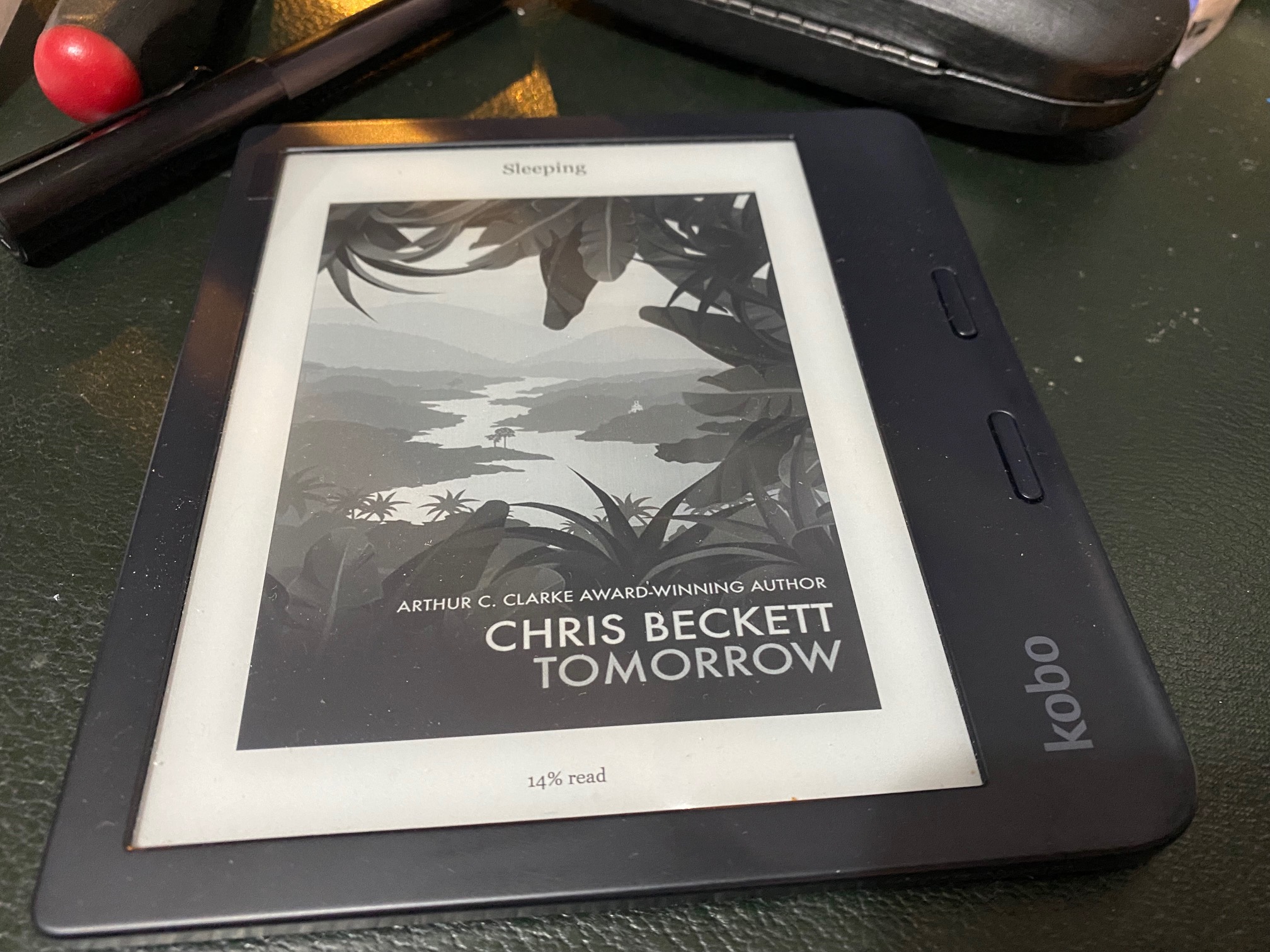
Molly de Blanc: kindle

I have a Kindle. I ve spent a lot of time saying this sheepishly it s Amazon, it s proprietary, DRM is bad, etc, etc. It was a very thoughtful gift from my parents, taking into account things like my travel schedule, preference for traveling lighter, love of reading, and small apartment. I wanted to share some observations from my experience owning a Kindle. I don t like to read for school on it. I really markup the papers I read for school, underlining things, notes in the margins, flipping back and forth between pages, cross-referencing things. (Note: My greatest grad school investment has probably been getting a solid printer.) The Kindle doesn t work well for this. I don t like buying ebooks. I don t inherently mind buying ebooks in general. I own some. I don t want to pay $15 for a DRMed ebook though. It feels too much like renting a book. I find organizing ebooks tedious, while organizing my physical books joyful. I ve bought ebooks from non-Amazon sites, taken advantage of Tor.com s Book of the Month Club, and some other things. I love borrowing ebooks. Borrowing ebooks from the library is the absolute best. I love it. It s convenient, I have a huge range of books I can read, and between my phone and the Kindle, I can get one or add it to a To Read queue the moment I think about it, rather than forgetting on-and-off for months. It connects me to my parents. Because the Kindle is connected to my parents Amazon account, I get to see what they read. It s like a little social network with just my family. We have similar tastes in books (for some part anyway), and it s cool to also get some recommendations when I m in a rush or on the train and don t have time to actually ask for them. In a lot of ways my Kindle is an extension of the public library system. It allows me to connect with it (and the books I want to read). It feels very scifi to me having a personal device that connects to this seemingly endless public store of cool stuff.

Joey Hess: Volunteer Responsibility Amnesty Day

Happy solstice, and happy Volunteer Responsibility Amnesty Day! After my inventory of my code today, I have decided it's time to pass on moreutils to someone new. This project remains interesting to people, including me. People still send patches, which are easy to deal with. Taking up basic maintenance of this package will be easy for you, if you feel like stepping forward. People still contribute ideas and code for new tools to add to moreutils. But I have not added any new tools to it since 2016. There is a big collections of ideas that I have done nothing with. The problem, I realized, is that "general-purpose new unix tool" is rather open-ended, and kind of problimatic. Picking new tools to add is an editorial process, or it becomes a mishmash of too many tools that are perhaps not general purpose. I am not a great editor, and so I tightened my requirements for "general-purpose" and "new" so far that I stopped adding anything. If you have ideas to solve that, or fearless good taste in curating a collection, this project is for you. The other reason it's less appealing to me is that unix tools as a whole are less appealing to me now. Now, as a functional programmer, I can get excited about actual general-purpose functional tools. And these are well curated and collected and can be shown to fit because the math says they do. Even a tiny Haskell function like this is really very interesting in how something so maximally trivial is actually usable in so many contexts.
id :: a -> a
id x = x
Anyway, I am not dropping maintenance of moreutils unless and until someone steps up to take it on. As I said, it's easy. But I am laying down the burden of editorial responsibility and won't be thinking about adding new tools to it.
Thanks very much to Sumana Harihareswara for developing and promoting the amnesty day idea!

Jonathan Dowland: Vim plugins by Tim Pope

I've been using Vim as my main text editor for 18 years, but for most of that time I've been using something very close to the default configuration: my vimrc contained not much more than preferences for indentation and how to visually indicate white space characters like tabs. Last but not least, I've used a single colour scheme for most of that time: Zenburn. In 20151 I started exploring a few Vim plugins2. To manage them, I started by choosing a plugin manager, Pathogen3. Recently I noticed that the plugin's author, Tim Pope, now recommends new users just use Vim's built in package management instead. I got curious about Tim Pope's other plugins: He has written a great deal of them. Given I've spent most of two decades with a barely-configured Vim, you can imagine that I don't want to radically alter the way it works, and so I did not expect to want to use a lot of plugins. The utility of a plugin would have to outweight the disadvantages of coming to rely on one. But when browsing Tim's plugins, time and time again, I found myself reacting to description with How did I manage without this?. And so, I've ended up installing all of the following, all by Tim Pope:

  1. I had to look this up, probably because I started at redhat
  2. I have opinions about Plugins, what supporting them means architecturally for your application, the interaction with Open Source, and stuff like that, perhaps for another post.
  3. To try out Vim plugins the first thing you need to figure out is how to manage them (install, activate, configure). Vim grew a Plugin manager in version 8 (2016). Prior to that, people wrote third-party ones. For this reason there is a frankly absurd number of Plugin managers, including: Vim's own; Vim Plug; Vundle; Dein; Volt and Pathogen.

19 December 2021

Bastian Venthur: Managing dotfiles with GNU Stow

Many developers manage their user-specific application configuration also known as dotfiles in a version control system such as git. This allows for keeping track of changes and synchronizing the dotfiles across different machines. Searching on github, you ll find thousands of dotfile repositories. As your dotfiles are sprinkled all over your home directory, managing them in a single repository is not trivial, i.e. how do you make sure that your .bashrc, .tmux.conf, etc. that life in your dotfile repository appear in the proper places in your home directory? The most common solution is to use symlinks so that the .tmux.conf in your home directory is just a symlink pointing to the appropriate file in your dotfile repository:
$ ls -l ~/.tmux.conf
lrwxrwxrwx 1 venthur venthur 34 18. Dez 22:53 /home/venthur/.tmux.conf -> git/dotfiles/tmux/.tmux.conf
This leads immediately to another problem: how do you manage the symlinks? For the longest time I just manually maintained the symlinks on the various machines, but this approach does not scale well with the number of dotfiles and machines you re using this repository on. Often, people write their own shell scripts that help them with the maintenance of the symlinks, but at least the solutions I ve seen so far did not convince me. Last year I stumbled upon GNU Stow, an unpretentious little tool that does not reveal at first sight how useful it would be for the job. The description on the website says:
GNU Stow is a symlink farm manager which takes distinct packages of software and/or data located in separate directories on the filesystem, and makes them appear to be installed in the same place.
Right. How does it work? In stow s terminology, a package is a set of files and directories that need to be installed in a particular directory structure. The target directory is the root of the tree in which the package appear to be installed. When you stow a package, stow creates symlinks in the target directory that point into the package. Let s say I have my dotfiles repository in ~/git/dotfiles/. Within this repository, I have a tmux package, containing the .tmux.conf dotfile:
$ pwd
/home/venthur/git/dotfiles
$ find tmux
tmux                # the package
tmux/.tmux.conf     # the dotfile
The target directory is my home directory, as this is where the symlinks need to be created. I can now stow the tmux package into the target directory like so:
$ stow --target=/home/venthur tmux
and stow will create the appropriate symlinks to the contents of the package into the target directory:
$ ls -l ~/.tmux.conf
lrwxrwxrwx 1 venthur venthur 34  2. Jun 2021  /home/venthur/.tmux.conf -> git/dotfiles/tmux/.tmux.conf
Note that the name of the package (i.e. the name of the directory) does not matter as stow points the symlinks into the package, so you can choose it freely. I usually use the name of the program that the configuration belongs to as the package name. Your package can also contain several files or even a complex directory structure. Let s look at the configuration for neovim, which lives below ~/.config/nvim/:
$ pwd
/home/venthur/git/dotfiles
$ find neovim
neovim
neovim/.config
neovim/.config/nvim
neovim/.config/nvim/init.vim
$ stow --target=/home/venthur neovim
$ ls -l ~/.config/nvim
lrwxrwxrwx 1 venthur venthur 41  2. Jun 2021  /home/venthur/.config/nvim -> ../git/dotfiles/neovim/.config/nvim
At this point we should mention that the target directory for my dotfiles will always be my home directory, so the contents of the packages are either the configuration files or the directory structure as they live in my home directory. Deleting a package from the parent directory You can also remove (unstow) a package from the target directory again, using the --delete parameter:
$ ls -l ~/.tmux.conf
lrwxrwxrwx 1 venthur venthur 34 18. Dez 22:53 /home/venthur/.tmux.conf -> git/dotfiles/tmux/.tmux.conf
$ stow --target=/home/venthur --delete tmux/
$ ls -l ~/.tmux.conf
ls: cannot access '/home/venthur/.tmux.conf': No such file or directory
Stowing several packages at once Since your dotfile repository will likely contain more than one package, it makes sense to combine the individual stow commands into one, so instead of stowing everything individually,
$ stow --target=/home/venthur tmux
$ stow --target=/home/venthur vim
$ stow --target=/home/venthur neovim
you can stow everything at once:
$ stow --target=/home/venthur */
Note that I use */ instead of * to match all directories (i.e. packages), since my dotfiles repository also contains a README.md and a makefile. Putting it all together My dotfiles repository contains a makefile that allows me to create/update or delete all symlinks at once:
all:
        stow --verbose --target=$$HOME --restow */
delete:
        stow --verbose --target=$$HOME --delete */
The --restow parameter tells stow to unstow the packages first before stowing them again, which is useful for pruning obsolete symlinks from the target directory. Et voil ! Whenever I make a change in my dotfiles repository that involves creating or deleting a dotfile (or a package), I simply call:
$ make
and everything is updated. To delete all dotfile-related symlinks from this machine, I simply run:
$ make delete

Russ Allbery: Review: Raybearer

Review: Raybearer, by Jordan Ifueko
Series: Raybearer #1
Publisher: Amulet Books
Copyright: 2020
ISBN: 1-68335-719-1
Format: Kindle
Pages: 308
Tarisai was raised alone in Bhekina House by an array of servants and tutors who were not allowed to touch her. Glimpses of the world were fleeting and sometimes ended by nailed-shut windows. Her life revolved around her rarely-seen mother, The Lady, who treats her with deep affection but rarely offers a word of praise, instead only pushing her to study harder. The servants whispered behind her back (but still in her hearing) that she was not human. At the age of seven, in a child's attempt to locate her absent mother by sneaking out of the house, she finds her father and is told a piece of the truth: she is the daughter of the Lady and a captive ehru, a djinn. At the age of eleven she's sent with two guardians to Oluwan City, the capital of Aritsar, to enter a competition she knows nothing about, for reasons no one has ever explained. Raybearer is a young adult fantasy novel, the first of a duology. Like a lot of young adult novels, it is a coming of age story that follows Tarisai from the end of her highly manipulated childhood through her introduction to a world she was carefully never taught about. Like a lot of young adult fantasy novels, Tarisai has some unusual abilities. What those are, and why she has them, is perhaps less obvious than it may appear at first. Unlike a lot of young adult fantasy novels, Raybearer is not set in a facsimile of Western Europe, the structure of gods and religion is not obviously derived from Christianity or Greek or Norse mythology, and neither Tarisai nor most of the characters of this story are white. Some of the characters are; Ifueko draws from a grab bag of cultures that does include European as well as African, Middle Eastern, and Asian. But the food, the physical descriptions, the landscape, and the hair and hair styles feel primarily African not in the sense of specific identifiable regions, but in the same way that most fantasy feels European even if the map isn't recognizable. That gives this story a freshness that I found delightful. The mythology of this world shares some similarities to standard fantasy tropes, including a bargain with the underworld that plays a similar role to fae bargains in some European fantasy, but it also goes in different directions and finds atypical balances, which gave the story room to catch me by surprise. The magical center of this book (and series), which Tarisai is carefully not told about until the story starts, is a system for anointing and protecting the emperor: selection of people who swear loyalty to him and each other and become his innermost circle, and thereby grant him magical protection. The emperor himself is the Raybearer, possessing an artifact that makes him invulnerable to one form of death for each member of his council he anoints. At eleven council members, he becomes invulnerable to anything but old age, or an attack from one of the council themselves. As the reader learns early in the book, that last part is important. Tarisai is an assassin; her mother's goal is for her to be selected as a member of the council for the prince, who will become the next emperor. But there is rather more to this system of magic than it may first appear, in a way that adds good depth to the mythology. And there is quite a bit more to Tarisai herself than anyone expects. Tarisai as a protagonist follows a more typical young adult pattern, but it's a formula that works for me. Her upbringing isolated from any other children has left her craving connection, but it also made her self-reliant, stubborn, and good at keeping her own counsel. One of the things that I loved about this book is that she's not thrown into a nest of vipers and cynical politics. Some of that is happening in the background, but the first step of her mother's plan is for her to earn the trust of the prince in a competition with other potential council members, all of whom are, well, kids. They fight (some), but they also make friends, helped along by the goal and requirement that they join a cooperative council or be sent home. That gives the plot a more collaborative and social feel than one would otherwise expect from the setup. Ifueko does a great job juggling a challenging cast size by focusing on a few kids with whom Tarisai strikes up a friendship but giving the others distinct-enough personalities that their presence is still felt in the story. There are two character dynamics that stand out: Tarisai's relationship with Prince Ekundayo, and her friendship with Sanjeet. The first carries much of the weight of the plot, of course; Tarisai is supposed to gain his trust and then kill him, and the reader will be unsurprised that this takes twists and turns no one expected. But Ifueko, refreshingly, does not reach for the stock plot development of a romance to complicate matters, even though many of the characters expect that. To the contrary, this is a rare story that at least hints at an acknowledgment that some people are not interested in romance at all, and there are other forms that mutual respect can take. Tarisai's relationship with Sanjeet is a different type of depth: two kids with very different histories finding a common understanding in the ways that they were both abused, and create space for each other. It's a great friendship that includes some deeply touching moments. It took me a bit to get into this book, but once Tarisai starts finding her feet and navigating her new relationships, I was engrossed. The story takes a sharp and nasty turn that was hard to read, but Ifueko chooses to turn it into a story of resiliency rather than survival, which makes it much easier to read than it could have been. She also pulls off the kind of plot that complicates and deepens the motives of the obvious villains in a way that gives the story much greater heft, but without disregarding the damage that they have done. I think the plot did fall apart a bit at the end of the book, with too much quick travel and world-building revelations at the cost of development of the relationships that were otherwise at the center of the book, but I'm hoping the sequel will pull those threads back together. And it's so refreshing to read a fantasy novel of this type with a different setting. It's not perfect: Ifueko falls back on Planet of the Hats regional characterization in a few places, and Songland is so obviously Korea that it felt jarring and out of place. Christianity also snuck its nose into the world-building tent near the end in ways that bugged me a bit, although it was subtle enough that I think most readers won't notice. But compared to most fantasy settings, it feels original and fresh. More of this! Ifueko starts this book with a wonderfully memorable dedication:
For the kid scanning fairy tales for a hero with a face like theirs. And for the girls whose stories we compressed into pities and wonders, triumphs and cautions, without asking, even once, for their names.
I think she was successful on both parts of that promise, and it makes for some great reading. Recommended. Followed by Redemptor. Rating: 8 out of 10

17 December 2021

Bits from Debian: 2,000 fonts for Debian

fnt Debian comes with tons of fonts for all kinds of purposes, you can easily list them (almost) all with: apt-cache search ^fonts-. However, sometimes they are not in their latest version, or as a user you would like to get access to new fonts that are not present in Debian stable yet. With the tool fnt you can easily preview, and install fonts from Debian sid and Google Web Fonts (that's about 2,000 fonts that are DSFG compliant). Any user can use the tool to install fonts only for the user itself, or the system administrator can run it as root to install the fonts system wide. The package fnt is already in Bookworm, so if you run Debian testing you can use it to get, test and use many fonts that are in their way of being packaged in Debian: ITP #973779 fnt install scheherazadenew

RFP #944140 fnt install arsenal
RFP #757249 fnt install ekmukta
RFP #724629 fnt install firasans
RFP #766211 fnt install orbitron
RFP #803690 fnt install pompiere
RFP #754784 fnt install raleway
RFP #827735 fnt install reemkufi
RFP #986999 fnt install redhat display,mono,text If you want to learn more you can have a look at the wiki page about fonts (https://wiki.debian.org/Fonts), and if you want to contribute or maintain fonts in Debian, don't hesitate to join the Fonts Team!

Jonathan Dowland: ereader

Kobo Libra H2O e-reader Kobo Libra H2O e-reader
This year I finally bought an e-reader: a "Kobo Libra H2O": a 7" 300ppi screen with an adjustable colour temperature front light, waterproof, physical buttons on a "margin"/spine which pushes the case dimensions up to 8", which is sadly a little too big for most jeans pockets. In fact this is the second time I've bought one. Sarah and I bought a pair of Amazon Kindle Paperwhite (2nd generation) readers as Honeymoon gifts for each other in 2013. Sarah took to hers, but after giving mine a try and reading a couple of books on it I ended up giving it to my Father-in-law. The main problem I had with it was the colour temperature of the backlight: it was too blue and "clinical". It's interesting to me to realise how the environment that I read in can become indelibly linked to the memory of that book. One book in particular that I read on the Kindle was James Smythe's "The Machine", a modern twist on a classic horror story. This was perfectly complemented by the somewhat pallid, sick colour of the backlight, especially on its lowest brightness settings. It didn't go so well with other stories.
Broken Libra H2O e-reader Broken Libra H2O e-reader
I got on much better with the Libra H2O. For me, e-books and e-reading has not replaced traditional paper books, but complemented them, giving me an opportunity to read in contexts and situations where I couldn't manage with a real book (such as in the pitch black, lying on my back with a toddler on my chest). I feel that being able to read more often thanks to the e-reader has spurred me on to read even paper books more frequently as well. Unfortunately the screen broke, about 10 months after I bought it! After a bit of soul-searching on what to do about replacing it, and briefly considering the latest Amazon Paperwhite (which now has a 300ppi display and adjustable-colour temperature front-light). This looks like a very nice e-reader: no physical buttons which is a bit of a shame but narrower without the margin/spine of the Kobo, so possibly more pocket-friendly. On the other hand, I really felt that I wanted to avoid giving Amazon the money, for a whole variety of reasons.
Libra 2 e-reader. Spot the difference? Libra 2 e-reader. Spot the difference?
So I instead settled on the "Kobo Libra 2", which is a slight refresh of the Libra H2O, but almost identical. I'm going to pair it with a nice cover for when its not in use and hopefully it will last longer than its predecessor. My current favourite feature on the Libra 2, that I don't remember on the H2O and I'm fairly sure doesn't exist on Kindles is it supports a "night mode", which is effectively a reverse video, white-on-black mode. This is fantastic for keeping the light levels down at night. I was already using the backlight at about 2% brightness and occasionally found even that too bright.

Dirk Eddelbuettel: RcppArmadillo 0.10.7.5.0 on CRAN: Bugfixes

armadillo image Armadillo is a powerful and expressive C++ template library for linear algebra aiming towards a good balance between speed and ease of use with a syntax deliberately close to a Matlab. RcppArmadillo integrates this library with the R environment and language and is widely used by (currently) 937 other packages on CRAN, and downloaded over 22 million times (per the partial logs from the cloud mirrors of CRAN). This release brings another bug fix release 10.7.5 by Conrad in the long-term support 10.7.* series we started with 0.10.7.0 on September 30. As the bug fixes can come a little quicker than the desired monthly cadence CRAN aims for, we skipped a few of those release for CRAN only but of course still provide them via the Rcpp drat repo. The full set of changes (since the last CRAN release 0.10.7.3.0) follows. It includes the nice fixes to the fields type mentioned right after the last release.

Changes in RcppArmadillo version 0.10.7.5.0 (2021-12-16)
  • Upgraded to Armadillo release 10.7.5
    • fix aliasing bug in diagmat()
    • fix detection of 2x2 triangular matrices

Changes in RcppArmadillo version 0.10.7.4.0 (2021-11-23)
  • Upgraded to Armadillo release 10.7.4
    • faster handling of diagonal matrices by inv_sympd(), pinv(), rank()
    • more robust detection of incorrect data format by .load()
  • Correct dimensions setting in import/export of arma::field types, protected by #define (Jonathan Berrisch in #352 fixing #351)
  • Add unit tests for fields both with and without new #define (Dirk)

Courtesy of my CRANberries, there is a diffstat report relative to previous release. More detailed information is on the RcppArmadillo page. Questions, comments etc should go to the rcpp-devel mailing list off the R-Forge page. If you like this or other open-source work I do, you can sponsor me at GitHub.

This post by Dirk Eddelbuettel originated on his Thinking inside the box blog. Please report excessive re-aggregation in third-party for-profit settings.

16 December 2021

Raphaël Hertzog: Freexian s report about Debian Long Term Support, November 2021

A Debian LTS logo
Every month we review the work funded by Freexian s Debian LTS offering. Please find the report for November below. Debian project funding We continue to looking forward to hearing about Debian project proposals from various Debian stakeholders. This month has seen work on a survey that will go out to Debian Developers to gather feedback on what they think should be the priorities for funding in the project. Learn more about the rationale behind this initiative in this article. Debian LTS contributors In November 13 contributors were paid to work on Debian LTS, their reports are available below. If you re interested in participating in the LTS or ELTS teams, we welcome participation from the Debian community. Simply get in touch with Jeremiah if you are interested in participating. Evolution of the situation In November we released 31 DLAs. The security tracker currently lists 23 packages with a known CVE and the dla-needed.txt file has 16 packages needing an update. Thanks to our sponsors Sponsors that joined recently are in bold.

15 December 2021

Dirk Eddelbuettel: nanotime 0.3.5 on CRAN: Update

Another (minor) nanotime release, now at version 0.3.5, just arrived at CRAN. It follows the updates RDieHarder 0.2.3 and RcppCCTZ 0.2.10 earlier today in bringing a patch kindly prepared by Tomas Kalibera for the upcoming (and very useful) UCRT changes for Windows involving small build changes for the updated Windows toolchain. nanotime relies on the RcppCCTZ package for (efficient) high(er) resolution time parsing and formatting up to nanosecond resolution, and the bit64 package for the actual integer64 arithmetic. Initially implemented using the S3 system, it has benefitted greatly from a rigorous refactoring by Leonardo who not only rejigged nanotime internals in S4 but also added new S4 types for periods, intervals and durations. The NEWS snippet adds more details.

Changes in version 0.3.5 (2021-12-14)
  • Applied patch by Tomas Kalibera for Windows UCRT under the upcoming R 4.2.0 expected for April.

Thanks to my CRANberries there is also a diff to the previous version. More details and examples are at the nanotime page; code, issue tickets etc at the GitHub repository. If you like this or other open-source work I do, you can now sponsor me at GitHub.

This post by Dirk Eddelbuettel originated on his Thinking inside the box blog. Please report excessive re-aggregation in third-party for-profit settings.

Dirk Eddelbuettel: RcppCCTZ 0.2.10: Updates

A new release 0.2.10 of RcppCCTZ is now on CRAN. RcppCCTZ uses Rcpp to bring CCTZ to R. CCTZ is a C++ library for translating between absolute and civil times using the rules of a time zone. In fact, it is two libraries. One for dealing with civil time: human-readable dates and times, and one for converting between between absolute and civil times via time zones. And while CCTZ is made by Google(rs), it is not an official Google product. The RcppCCTZ page has a few usage examples and details. This package was the first CRAN package to use CCTZ; by now four others packages include its sources too. Not ideal, but beyond our control. This version switches to r-ci, and just like RDieHarder includes a patch kindly prepared by Tomas Kalibera for the upcoming (and very useful) UCRT changes for Windows involving small build changes for the updated Windows toolchain.

Changes in version 0.2.10 (2021-12-14)
  • Switch CI use to r-ci
  • Applied patch by Tomas Kalibera for Windows UCRT under the upcoming R 4.2.0 expected for April.

We also have a diff to the previous version thanks to my CRANberries. More details are at the RcppCCTZ page; code, issue tickets etc at the GitHub repository. If you like this or other open-source work I do, you can now sponsor me at GitHub.

This post by Dirk Eddelbuettel originated on his Thinking inside the box blog. Please report excessive re-aggregation in third-party for-profit settings.

14 December 2021

Dirk Eddelbuettel: RDieHarder 0.2.3 on CRAN: Packaging Updates

An new version 0.2.3 of the random-number generator tester RDieHarder (based on the DieHarder suite developed / maintained by Robert Brown with contributions by David Bauer and myself) is now on CRAN. This release comes only about one and half months after the previous release 0.2.2 and is once again related to R and CRAN changes. The upcoming (and very useful) UCRT changes for Windows involve small build changes for the updated Windows toolchain so this release includes a patch kindly prepared by Tomas Kalibera. And because compilers get cleverer and cleverer over time, I also address a warning and error found by the newest gcc in what is otherwise unchanged and years old C code In addition, two other warnings were fixed right after the previous release. Thanks to CRANberries, you can also look at the most recent diff. If you like this or other open-source work I do, you can now sponsor me at GitHub.

This post by Dirk Eddelbuettel originated on his Thinking inside the box blog. Please report excessive re-aggregation in third-party for-profit settings.

Timo Jyrinki: Working and warming up cats

How to disable internal keyboard/touchpad when a cat arrives
I m using an external keyboard (1) and mouse (2), but the laptop lid is usually still open for better cooling. That means the internal keyboard (3) and touchpad (4) made of comfortable materials are open to be used by a cat searching for warmth (7), in the obvious every time case that a normal non-heated nest (6) is not enough.
The problem is, everything goes chaotic at that point in the default configuration. The solution is to have quick shortcuts in my Dash to Dock (8) to both disable (10) and enable (9) keyboard and touchpad at a very rapid pace.It is to be noted that I m not disabling the touch screen (5) by default, because most of the time the cat is not leaning on it there is also the added benefit that if one forgets about the internal keyboard and touchpad disabling and detaches the laptop from the USB-C monitor (11), there s the possibility of using the touch screen and on-screen keyboard to type in the password and tap on the keyboard/touchpad enabling shortcut button again. If also touch screen was disabled, the only way would be to go back to an external keyboard or reboot.So here are the scripts. First, the disabling script (pardon my copy-paste use of certain string manipulation tools):
dconf write /org/gnome/desktop/peripherals/touchpad/send-events "'disabled'"
sudo killall evtest
sudo evtest --grab $(sudo libinput list-devices grep -A 1 "AT Translated Set 2 keyboard" tail -n 1 sed 's/.*\/dev/\/dev/') &
sudo evtest --grab $(sudo libinput list-devices grep -A 1 "Dell WMI" tail -n 1 sed 's/.*\/dev/\/dev/') &
sudo evtest --grab $(sudo libinput list-devices grep -A 1 "Power" grep Kernel tail -n 1 sed 's/.*\/dev/\/dev/') &
sudo evtest --grab $(sudo libinput list-devices grep -A 1 "Power" grep Kernel head -n 1 sed 's/.*\/dev/\/dev/') &
sudo evtest --grab $(sudo libinput list-devices grep -A 1 "Sleep" grep Kernel tail -n 1 sed 's/.*\/dev/\/dev/') &
sudo evtest --grab $(sudo libinput list-devices grep -A 1 "HID" grep Kernel head -n 1 sed 's/.*\/dev/\/dev/') &
sudo evtest --grab $(sudo libinput list-devices grep -A 1 "HID" tail -n 1 sed 's/.*\/dev/\/dev/') &
#sudo evtest --grab $(sudo libinput list-devices grep -A 1 "ELAN" tail -n 1 sed 's/.*\/dev/\/dev/') # Touch screen
And the associated ~/.local/share/applications/disable-internal-input.desktop:
[Desktop Entry]
Version=1.0
Name=Disable internal input
GenericName=Disable internal input
Exec=/bin/bash -c /home/timo/Asiakirjat/helpers/disable-internal-input.sh
Icon=yast-keyboard
Type=Application
Terminal=false
Categories=Utility;Development;
Here s the enabling script:
dconf write /org/gnome/desktop/peripherals/touchpad/send-events "'enabled'"
sudo killall evtest
and the desktop file:
[Desktop Entry]
Version=1.0
Name=Enable internal input
GenericName=Enable internal input
Exec=/bin/bash -c /home/timo/Asiakirjat/helpers/enable-internal-input.sh
Icon=/home/timo/.local/share/icons/hicolor/scalable/apps/yast-keyboard-enable.png
Type=Application
Terminal=false
Categories=Utility;Development;
With these, if I sense a cat or am just proactive enough, I press Super+9. If I m about to detach my laptop from the monitor, I press Super+8. If I forget the latter (usually this is the case) and haven t yet locked the screen, I just tap the enabling icon on the touch screen.

12 December 2021

Andrej Shadura: Coffee gear upgrade

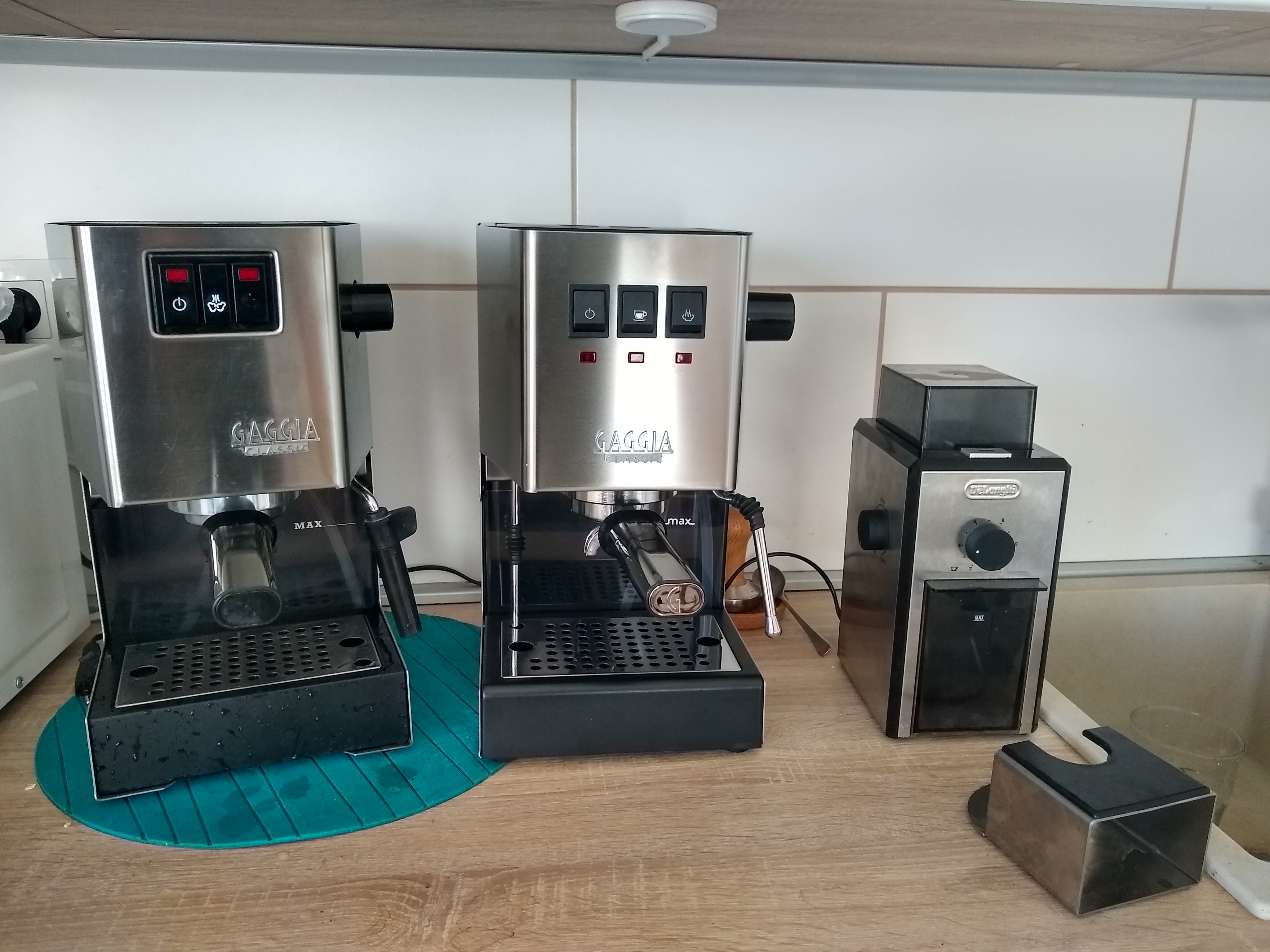
Two weeks ago I decided to make myself a combined birthday and Christmas present and upgrade my coffee gear. I ve got my first espresso machine back in 2013, it was a cheap Saeco Philips Poemia, which made reasonably drinkable coffee, but not being able to make good coffee made me increasingly unhappy about it. However, since it worked, I wasn t motivated enough to change anything until it stopped working. One day the nut holding the shower screen broke, and I couldn t replace it. Having no coffee machine is arguably worse than having a mediocre one, so I started looking for a new one in the budget range. Having spent about two months reading reviews for all sorts of manual espresso machines, I realised the best thing I can probably do for the money I was willing to spend at the time was to buy a second-hand Gaggia Classic. Which is what I did: I paid 260 to a person who apparently decided they prefer to press a button to get their espresso rather than have to prepare it themselves. My first attempts at making espresso weren t very much successful, as my hand grinder couldn t produce the right grind for espresso (without using pressurised baskets), so I quickly upgraded it to the 50 De Longhi electric grinder, which was much better for espresso.
Gaggia Classic 2015 and De Longhi grinderGaggia Classic 2015 and De Longhi grinder

This setup has worked for me for nearly 4 years, but over the time the Gaggia started malfunctioning. See, this particular Gaggia Classic is the 2015 model, which resulted in the overhaul of the design after Gaggia was acquired by Philips. They replaced the boiler, changed the exterior design a bit, and importantly for me replaced the fully metal group head with the metal and plastic version typically found in cheap espresso machines like my old Poemia.
The Gaggia Classic 2015 group headThe Gaggia Classic 2015 group head
The trouble with this one is that the plastic bit (barely seen on the picture, but it s inserted into the notches on the sides of the group head) is that it gets damaged over the time, especially when the portafilter is inserted very tightly. The more damaged it gets, the tigher it is necessary to insert the portafilter to avoid leakage, the more damaged it gets and so on. At one point, the Gaggia was leaking water every time I was making coffee, affecting the quality of the brew and making a mess in the kitchen. I made a mistake and removed the plastic bit only to realise it cannot be purchased separately and nobody knows how to put it back once it s been removed; I ended up paying more than a hundred euro to replace the group head as a whole. Once I ve got the Gaggia back, I became too conscious of the potential damage I can make by overengaging the portafilter, I decided it s probably the time to get a new coffee machine.
Gaggia Classic 2015 vs 2019Gaggia Classic 2015 vs 2019
The makers of Gaggia listened to the critics and undid the 2015 changes to the Gaggia Classic design, reverting to the previous one and fixing it they basically merged the fixes many of the owners of the old Gaggia did themselves. The group head is now without any plastic, so I don t have to worry that much about damaging it accidentally. A friend pointed out that my grinder is probably not good enough and recommended a couple of models to me; I checked Kev s Coffee Blog and found a grinder, Sage Dose Control Pro, which was available on sale in my local shop for a reasonable price. I ve also got a portafilter holder to make tamping more comfortable I used to tamp against an edge of the sink:
The final setup:
Gaggia Classic 2019 and Sage BCG600 Dose Control ProGaggia Classic 2019 and Sage BCG600 Dose Control Pro
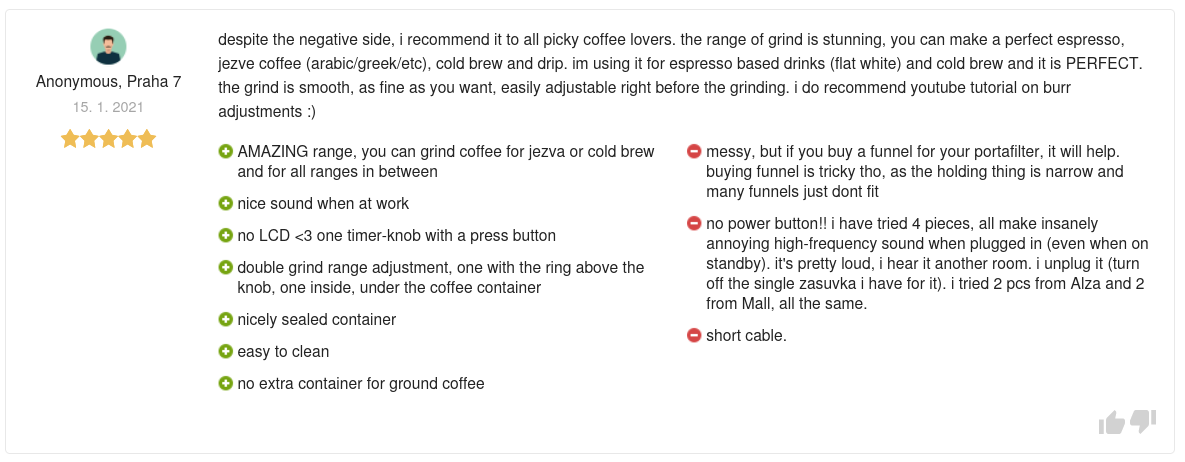
What I learnt from this is that the grinder does indeed make a huge difference. I am now able to consistently produce brews I would only occasionally get with the old De Longhi grinder. There is one downside to the new grinder. Grinder review at Alza.sk Happy with my new purchase, I went to read this review and thought to myself: lucky me, my grinder is absolutely quiet! And then I realised that the noise in my kitchen is not, in fact, produced by the fridge, but the grinder. Well, a cheap switched plug solved the issue completely (I wish sockets here each had a switch like they usually to in the UK!) Switched plug

Russell Coker: Some Ideas for Debian Security Improvements

Debian security is pretty good, but there s always scope for improvement. Here are some ideas that I think could be used to improve things.
  1. A security wizard , basically a set of scripts with support for plugins that will investigate your system and look for things that can be improved. It could give suggestions on LSMs that could be used, sysctl settings, lists of daemons running as root that possibly don t need root privs, etc. Plugins could be for different daemons, so there could be a plugin for Apache that looks for potential issues with Apache configuration. It wouldn t be possible to cover everything, but it would be possible to cover many common cases.
    It appears that we used to have a harden package to do some of these things which disappeared. It appears that the only remnant of that is the hardening-runtime package.
  2. Kali Linux [1] is a distribution designed for penetration testing, I recently tried out many of it s features and I was very impressed. While I don t think that the aim should be to copy all Kali features into Debian there are probably some that are worthy of inclusion. Most Kali features run well in a VM, but the Wifi penetration testing tools need access to the hardware, so they could be a good candidate for inclusion in Debian (license permitting).
  3. We have a Securing Debian Manual [2] that is really good. It s a little out of date and needs some contributions, it also needs to be better known.
  4. The Security Management page of the Debian wiki [3] has links to a number of pages about improving system security. It needs some updates, it doesn t have a link to a page about SE Linux so there s some work for me to do there.
  5. Can training help people? I would be happy to run some Debian SE Linux training sessions over Matrix or Jitsi. We can probably find people to offer training on other aspects of Linux security that are implemented in Debian if there is an audience. I don t think that I and other DDs (Debian Developers) can train everyone, but we could train people who then go on to run other training sessions and make the session notes etc available under the GPL.
    There would also be some benefits to training other DDs as probably no-one has a good overview of all the security features that are supported.
Any other ideas? Feel free to comment here or start a thread on a public mailing list. If you start a mailing list discussion please email me or comment here with the URL if it s a list that I m not on so I can track it via the archives. This post was inspired by a discussion on a private list of a related topic. I think it s better to have a public discussion instead.

Next.

Previous.