Search Results: "pm"

1 September 2013

Gregor Herrmann: RC bugs 2013/35

& another week of perl (5.18) related bugs has gone by:

Raphaël Hertzog: My Free Software Activities in August 2013

This is my monthly summary of my free software related activities. If you re among the people who made a donation to support my work (47.50 , thanks everybody!), then you can learn how I spent your money. Otherwise it s just an interesting status update on my various projects. Package Tracking System There are only 2-3 weeks left in the summer of code project dedicated to rewrite the package tracking system. We have come a long way during August check it out yourself in pts.debian.net. The rewrite doesn t have all the features of the old PTS yet, but I opted to keep some of the easy and less interesting features for others to re-implement. Instead I asked Marko to work in the coming weeks on new features that will bring more value, like the possibility to have user accounts with the possibility to easily review and tweak all your subscriptions on the web, and like the possibility to subscribe to groups of packages (i.e. those managed by a team). Our main problem right now is that exim has a pretty poor default behavior of forking hundreds of processes if you get hundreds of mails (in a batch) to an address that delivers via a pipe (postfix is saner, it serializes the deliveries on pipes). The new PTS is much more modular and its memory footprint is bigger (about 3 times more for the process that delivers mails, 30Mb instead of 10Mb), and in such a situation we managed to run out of memory for now we worked around the situation with an exim setting that queues mails once the load gets too high but it s a poor workaround IMO. We could obviously implement our own queue and a daemon but I d like to avoid this. So who knows how to tell exim to behave? :-) On the positive side, Marko has gotten some feedback from people who like the new PTS and are using it daily already. And several persons have expressed their interest to work on the new codebase already. On my side, I created a package so that it s easy to deploy for derivatives. In this process, I revamped the way we manage the Django settings (for development and for production). The package is not finished yet, but it s mostly usable already. But I still want to do some cleanup/refactoring in the models before others start deploying it. We must also enable South to make it possible to upgrade easily afterwards. DebConf 13 in Vaumarcus From August 10th to 17th, I was attending DebConf 13. It matched the only week of vacation that my wife had this summer so we went there with the whole family (that is with a 3 years old son, and 6 months old one). Thus I could not immerse myself in Debconf and missed all the nice things that happen outside of the talk rooms. I picked 3-4 interesting talks per day and I spent the rest with my family. On the positive side, I was pleased that my wife could meet (or at least see) some other Debian people. She knows quite a few (of you) by name because I have been telling her Debian stories for years now Debian France Debian France sold quite some merchandise during Debconf but I didn t take care of that. It was supervised by Sylvestre Ledru but fortunately he got the help of multiple persons, both to bring everything there, to sell it, and to bring back the rest. The good news of the month is that the upstream author of galette published a new version with all the features that we ordered him a few months ago. We send now automatic reminders to members who must renew their subscription, we have automatic update of our accounting books (in a ledger file in a git repository) when we people donate or pay their subscription via the paypal form on our website. I was so pleased to finally have this that I took some hours to finalize the packaging of galette, so that it could be uploaded to Debian. It s now waiting in the NEW queue. I also spent multiple hours to write the python script that is executed by galette and that updates the accounting files. Misc Debian stuff Debian Packaging. I did two uploads of logidee-tools to fix bugs #718671 and #718836. I created a package for Dolibarr a PHP-based CRM and ERP software (it doesn t do accounting however), it s sitting in the NEW queue for almost a month already. I forwarded #719000 to the upstream Publican developers. I filed #720393 to request a new upstream version of libphp-mailer. git-multimail. After its deployment on Alioth last month, Niels Thykier reported me a case where it lead to bounces, I filed this as a new upstream ticket and in fact I fixed it myself a few days after. I got the fixed version installed on Alioth. dpkg. I investigated why the the automatic builds of dpkg were no longer happening and asked Michael Prokop if he could install a newer version of gettext in the build chroot. He told me that he would need a backport for that so I asked Santiago Vila if he was willing to provide it and he kindly accepted. A few days after, the package was in backports and I m now again running the latest dpkg out of git thanks to the nice service provided by Michael. Misc discussions. The thread about user planets drifted into a discussion of how to avoid promotional posts on such planets and in that context someone again brought up the Debian Machine Usage Policy as a way to shut down any kind of (self-)promotional content on planet if there s money involved. This always irritates me and this time I opted to ask James Troup about the origin of that clause in the DMUP. So who is willing to work with DSA to fix the DMUP so that people stop abusing it in contexts where it doesn t make sense? I also participated in some discussions concerning dgit. I like the ideas behind the tool, but I m saddened by the behavior of Ian Jackson. I helped him to fill his gap of knowledge about new sources formats but he keeps on bashing about the 3.0 (quilt) source format both in the manual page and in the output of the program. He believes that dgit is no longer an experiment but the truth is that it s still a poorly commented Perl script doing lots of hackish things. Kali Linux Between Debconf and all, I haven t done much for Kali except a couple of fixes. There s a nice story of how I tracked a bug in live-installer on the Kali blog. That fix has been committed to Debian. I also improved live-build to include xfsprogs/jfsutils on the ISO image when you include the debian-installer (so that you don t end up in problems when you pick JFS or XFS as file systems for your installation). Thanks See you next month for a new summary of my activities.

One comment Liked this article? Click here. My blog is Flattr-enabled.

Ritesh Raj Sarraf: Laptop Mode Tools 1.64

I just released Laptop Mode Tools @ version 1.64. And am pleased to introduce the new graphical utility to toggle individual power saving modules in the package. The GUI is written using the PyQT Toolkit and the options in the GUI are generated at runtime, based on the list of available power saving modules. Apart from the GUI configuration tool, this release also includes some bug fixes:
  • Don't touch USB Controller power settings. The individual devices, when plugged in, while on battery, inherit the power settings from the USB controller
  • start-stop-programs: add support for systemd. Thanks to Alexander Mezin
  • Replace hardcoded path to udevadm with "which udevadm". Thanks to Alexander Mezin
  • Honor .conf files only. Thanks to Sven K hler
  • Make '/usr/lib' path configurable. This is especially useful for systems that use /usr/lib64, or /lib64 directly. Thanks to Nicolas Braud-Santoni
  • Don't call killall with the -g argument. Thanks to Murray Campbell
  • Fix RPM Spec file build errors
The Debian package will follow soon. I don't intend to introduce a new package for the GUI tool because the source is hardly 200 lines. So the dependencies (pyqt packages) will go as Recommeds or Suggests

AddThis:

Categories:

Keywords:

Russ Allbery: Review: An Artificial Night

Review: An Artificial Night, by Seanan McGuire
Series: October Daye #3
Publisher: DAW
Copyright: September 2010
ISBN: 1-101-44276-X
Format: Kindle
Pages: 368
This is the third book of the October Daye series, following A Local Habitation. It could be read out of order, as each chapter of Toby's story so far is somewhat standalone, but I wouldn't recommend it. You'd miss the character development and the background behind several friendships. As with the previous book review, a caveat: I am reviewing this book four months after finishing it, rather than the normal couple of weeks, so apologies in advance for any thinness or inaccuracies. The first sign that something is about to go seriously wrong in Toby's life this time is a visitor. She says her name is May Daye, and apparently she's Toby's Fetch: a duplicate in nearly every respect except personality, manifested to guide someone to their death. Their imminent death. The second sign is that her best friend's children are kidnapped. The children who treat her like an aunt. And the cause of that kidnapping is far, far beyond the level of power that Toby could be expected to deal with. I have profound mixed feelings about this book. On one hand, McGuire further expands Toby's web of connections and shows us more of Toby's friends and their background, and that's becoming my favorite part of this series. She introduces May, who I think is a great character: at first apparently much different than Toby, but with a similarity beneath surface impressions that one notices more over time. And I thought the climax of the story, once we finally got there, was very moving and well-done. Also, I just love the way that McGuire uses children's rhymes and doggerel throughout this series as a magical element, and that's particularly well-handled here. Due to the nature of the antagonist, McGuire has a good excuse to bring that front and center, and the process of familiar rhymes expanding into deep magical rules was a fun intellectual experience. Best of all, the Luidaeg plays a significant role in the story again. The Luidaeg is, hands down, my favorite character in McGuire's constructed universe, and she becomes even more so over the course of this story. Her complex relationship with Toby is clearly blossoming into a friendship that's surprising both of them deeply, but a friendship that has to play by an odd set of rules (like so much else in Toby's life). I loved her here. Seeing someone that difficult and abrupt show unexpected emotional depths is one of the story elements I enjoy the most. The problem, though, is that quite a lot of An Artificial Night is very, very dark. And by that, I don't mean that there is a lot of tension, or that Toby is struggling against monsterous things, although both of those statements are also true. Rather, Toby is not only out of her league but ends up in some viciously nasty situations, and they persist for rather more of this book than I would have preferred. Putting one's protagonist through hell has a long tradition in urban fantasy, but I found the level of sheer helplessness that Toby struggled through to be a bit more than I wanted to read about. It was too reminiscent of events from Toby's background (as discussed in Rosemary and Rue) that I still don't like to think about. There is, of course, an eventual payoff, as dark as the interim events seem. One knows that, given the genre and given that this is an ongoing series, and even just given the nature of stories. But as much as I like the growing cast of this series, and adored the scenes with the Luidaeg, I found parts of this journey to be deeply disturbing, and not in an enjoyable dramatic tension sort of way. I don't mind protagonists being seriously hurt (although it's not my favorite plot), or even some amount of despair, but this went beyond that. I think McGuire was going for a story about sacrifice and self-definition, about trying even when one can't possibly win, and I can appreciate the narrative arc. But parts of the book were simply awful to read for me. I'm therefore not quite sure what to say in terms of a recommendation. I'm still reading the series, and will definitely read the next book. I think my reaction is somewhat idiosyncratic; the events here will probably not bother others as much as they bothered me. And I can't disagree with their dramatic effectiveness, or with the way that McGuire builds conflict out of the rules of fairy and is building Toby into a stronger and more capable person than she ever thought she could be. But there were still spots where I wished I were reading a different book. Hopefully the next book in the series will be that book I wanted to read. Followed by Late Eclipses. Rating: 6 out of 10

31 August 2013

Chris Lamb: Decrypting the Caesar cipher using shell

In cryptography, a Caesar cipher, also known as Caesar's cipher, the shift cipher, Caesar's code or Caesar shift, is one of the simplest and most widely known encryption techniques. It is a type of substitution cipher in which each letter in the plaintext is replaced by a letter some fixed number of positions down the alphabet. [...]
#!/bin/sh
IN="MJHVIZN ZPIO YJHPN"
for I in $(seq 25); do
    echo $I $IN   tr $(printf %$ I s   tr ' ' '.')\A-Z A-ZA-Z
done
This outputs:
1 NKIWJAO AQJP ZKIQO
2 OLJXKBP BRKQ ALJRP
3 PMKYLCQ CSLR BMKSQ
4 QNLZMDR DTMS CNLTR
5 ROMANES EUNT DOMUS
6 SPNBOFT FVOU EPNVT
7 TQOCPGU GWPV FQOWU
8 URPDQHV HXQW GRPXV
9 VSQERIW IYRX HSQYW
10 WTRFSJX JZSY ITRZX
11 XUSGTKY KATZ JUSAY
12 YVTHULZ LBUA KVTBZ
13 ZWUIVMA MCVB LWUCA
14 AXVJWNB NDWC MXVDB
15 BYWKXOC OEXD NYWEC
16 CZXLYPD PFYE OZXFD
17 DAYMZQE QGZF PAYGE
18 EBZNARF RHAG QBZHF
19 FCAOBSG SIBH RCAIG
20 GDBPCTH TJCI SDBJH
21 HECQDUI UKDJ TECKI
22 IFDREVJ VLEK UFDLJ
23 JGESFWK WMFL VGEMK
24 KHFTGXL XNGM WHFNL
25 LIGUHYM YOHN XIGOM
The only line which makes sense is 5 ROMANES EUNT DOMUS, giving us our solution.

Chris Lamb: Decrypting the Caesar cipher using shell

In cryptography, a Caesar cipher, also known as Caesar's cipher, the shift cipher, Caesar's code or Caesar shift, is one of the simplest and most widely known encryption techniques. It is a type of substitution cipher in which each letter in the plaintext is replaced by a letter some fixed number of positions down the alphabet. [...]
#!/bin/sh
IN="MJHVIZN ZPIO YJHPN"
for I in $(seq 25); do
    echo $I $IN   tr $(printf %$ I s   tr ' ' '.')\A-Z A-ZA-Z
done
This outputs:
1 NKIWJAO AQJP ZKIQO
2 OLJXKBP BRKQ ALJRP
3 PMKYLCQ CSLR BMKSQ
4 QNLZMDR DTMS CNLTR
5 ROMANES EUNT DOMUS
6 SPNBOFT FVOU EPNVT
7 TQOCPGU GWPV FQOWU
8 URPDQHV HXQW GRPXV
9 VSQERIW IYRX HSQYW
10 WTRFSJX JZSY ITRZX
11 XUSGTKY KATZ JUSAY
12 YVTHULZ LBUA KVTBZ
13 ZWUIVMA MCVB LWUCA
14 AXVJWNB NDWC MXVDB
15 BYWKXOC OEXD NYWEC
16 CZXLYPD PFYE OZXFD
17 DAYMZQE QGZF PAYGE
18 EBZNARF RHAG QBZHF
19 FCAOBSG SIBH RCAIG
20 GDBPCTH TJCI SDBJH
21 HECQDUI UKDJ TECKI
22 IFDREVJ VLEK UFDLJ
23 JGESFWK WMFL VGEMK
24 KHFTGXL XNGM WHFNL
25 LIGUHYM YOHN XIGOM
The only line which makes sense is 5 ROMANES EUNT DOMUS, giving us our solution.

25 August 2013

Gregor Herrmann: RC bugs 2013/31-34

after a break, here's again a report about my work on RC bugs. in this case, all bugs either affect packages in the pkg-perl group and/or packages involved in the Perl 5.18 transition.

Matthias Klumpp: Some Tanglu updates

Tanglu Logo (big)Long time since I published the last update about Tanglu. So here is a short summary about what we did meanwhile (even if you don t hear that much, there is lots of stuff going on!) Better QA in the archive We now use a modified version of Debian s Britney tool to migrate packages from the newly-created staging suite to our current development branch aequorea . This ensures that all packages are completely built on all architectures and don t break other packages. New uploads and syncs/merges now happen through the staging area and can be tested there as well as being blocked on demand, so our current aequorea development branch stays installable and usable for development. People who want the *very* latest stuff, can embed the staging-sources into their sources.list (but we don t encourage you to do that). Improved syncs from Debian The Synchrotron toolset we use to sync packages with Debian recently gained the ability to sync packages using regular expressions. This makes it possible to sync many packages quickly which match a pattern. Tons of infrastructure bugfixes The infrastructure has been tweaked a lot to remove quirks, and it now works quite smoothly. Also, all Debian tools now work flawless in the Tanglu environment. A few issues are remaining, but nothing really important is affected anymore (and some problems are merely cosmetic). Long term we plan to replace the Jenkins build-infrastructure with the software which is running Paul Tagliamontes debuild.me (only the buildd service, the archive will still be managed by dak). This requires lots of work, but will result in software not only usable by Tanglu, but also by Debian itself and everyone who wants a build-service capable of building a Debian-distro. KDE 4.10 and GNOME 3.8 Tanglu now offers KDE 4.10 by default, a sync of GNOME 3.8 is currently in progress. The packages will be updated depending on our resources and otherwise just be synced from Debian unstable/experimental (and made working for Tanglu). systemd 204 & libudev1 Tanglu now offers systemd 204 as default init system, and we transitioned the whole distribution to the latest version of udev. This even highlighted a few issues which could be fixed before the latest systemd reached Debian experimental. The udev transition went nicely, and hopefully Debian will fix bug#717418 too, soon, so both distributions run with the same udev version (which obviously makes things easier for Tanglu ^^) Artwork We now have a plymouth-bootscreen and wallpapers and stuff is in progress :-) Alpha-release & Live-CD ? This is what we are working on we have some issues in creating a working live-cd, since live-build does have some issues with our stack. We are currently resolving issues, but because of the lack of manpower, this is progressing slowly (all contributors also work on other FLOSS projects and of course also have their work :P ) As soon as we have working live-media, we can do a first alpha release and offer installation media. You! Tanglu is a large task. And we need every help we can get, right now especially technical help from people who can build packages (Debian Developers/Maintainers, Ubuntu developers, etc.) We especially need someone to take care of the live-cd. But also the website needs some help, and we need more artwork or improved artwork ;-) In general, if you have an idea how to make Tanglu better (of course, something which matches it s goals :P ) and want to realize it, just come back to us! You can reach us on the mailiglists (tanglu-project for stuff related to the project, tanglu-devel for development of the distro) or in #tanglu / #tanglu-devel (on Freenode).

24 August 2013

Marko Lalic: PTS Rewrite Project Status

The rewrite has already achieved some of the major goals which have been set in the beginning, as well as made some changes and improvements along the way. Some of the major points of the new system implemented so far will be presented here.

    Tasks framework
    The current PTS implementation regenerates the HTML pages for all packages a few times per day. A goal of the rewrite was to make smaller incremental updates possible so that the information displayed for each package can be much more dynamic.

    In order to allow incremental updates, it is necessary to consider the situation where updating some information should trigger an update of other information.

    This is where the tasks framework comes in. It allows developers to define a task with a list of "events" that it produces. An event can be triggered by any change to shared information or anything else the task would like to signal. Each event is identified by a simple unique string name. Events can also contain arbitrary (JSON-serializable) objects. Other than events that it produces, a task defines a list of dependencies events it depends on.

    When a single task should be executed, the tasks framework uses this information to build a dependency graph (a DAG) and executes the tasks in topological sort order, making sure each task runs only after all tasks which could raise an event it depends on have finished. It automatically makes the raised events available to the task so that it can access the extra data. Tasks for which no event was raised are skipped.

    Such execution of a task along with all its dependencies is called a Job. A Job's state is persisted to the database after each task completes its operation. This allows Jobs to be continued if there is an unexpected error causing it to terminate.

    So far, the tasks framework has already proven useful. For example, there are tasks which extract some package information to a denormalized model suited for directly displaying the data in the package page after a new package version is detected in a repository. Other examples are tasks which update standards-version warnings (after a new package version is detected) and the news generation task based on various detected changes to the packages (new source version, version removed from repository, version migrated to another repository).

    Vendor-specific customizationAnother goal of the rewrite was to make the PTS less Debian-specific. This is so that derivatives could easily deploy their own versions of the PTS. The idea is to have a number of core PTS services which alternative deployments can customize and augment.

    The simplest way vendors can customize PTS is by changing some of the local settings values. An example of this would be changing the PTS_VENDOR_NAME which leads to this name being displayed in any part of the system.

    This is fairly uninteresting since the information is always static. What is more interesting is when the vendor should provide different information based on some context, e.g. package name, received message, etc. This requirement led to the concept of the vendor app with a rules module.

    Various core parts of the PTS specify hook functions which different vendors can implement to provide customized behavior of the core component. Some examples are:
    • providing URLs to a developer information site (e.g. http://qa.debian.org/developer.php in Debian's case) based on a developer's email
    • providing a URL to a bug tracker for a particular package (based on the package type and bug category type)
    • providing additional rules to tag received package mails with keywords
    • providing additional headers to be injected in the forwarded package mails
    • providing a list of bugs which should be displayed in the bugs panel
    A settings value is set giving the full dotted path to the Python module containing the implementation of these hook functions.

    Vendor-specific featuresA step beyond customizing core features is for vendors to include their own specific functionality. The already described tasks framework allows for implementing custom data update/generation processes (optionally depending on core events). Furthermore, since a vendor-specific Django app is expected, it can contain any vendor-specific models which are managed just as the core models are (syncdb, migrations, etc. all work as expected). The last piece of the puzzle is displaying this information on the package page.

    Currently, all package information is provided in various boxes (general, bugs, links, etc.) which were named panels. The rewrite has made it possible to implement additional panels in a really elegant way.

    It is required to implement a class with some properties giving:
    • the panel's title
    • position in the page (left, center, right)
    • panel importance (higher importance panels are placed above lower importance ones in the same column)
    To generate the HTML for a package, two alternatives are allowed. The first is to provide a property which gives (explicitly marked safe) HTML output which is then included in the correct position verbatim. The second alternative, which is what should cover most needs and should be preferred, is to provide a property giving a template name and a property giving the additional context variables necessary to render this template. By using the power of Python properties, the context can be dynamically generated for each package by the panel. The PTS then makes sure to pass the correct panel's context when rendering its template and to include the rendered result in the final package page.

    Various convenience classes are implemented in the panel API, but those are better left to be read about in the panels API documentation.

    Changes from current PTSSome existing features of PTS were not simply rewritten to fit into a Django project, but also improved upon.

    One of the first such changes was reducing the number of confirmation mails sent by the email control bot to only one per received control mail (as per a wishlist PTS bug).

    Work started by Markus Wanner (see this bug) was expanded on and integrated with the new News model so that any inline GPG signatures found in the content of a news item are automatically extracted and the signers name displayed in the package page.

    The existing TODO and Probems panels have been merged into a single Action Needed panel. However, besides merging their representation in the package page, all the package issues are now represented as an ActionItem Django model which provides additional meta-data (item type, date created/updated, severity level) which could be used in the future to provide additional functionality (such as all packages with a certain issue type).

    The descriptions of the action items were also shortened from their current rendition, with the detailed description being moved to a dedicated item page. If Javascript is enabled in the user's browser, it can also be displayed in a popup.

    GUIThe graphical interface has seen some changes, however I hesitate to claim improvements. In my opinion, some of it is definitely better, more polished and more "modern" (for what it's worth).

    Still, this could benefit from more people getting involved in testing and providing feedback so that the design is polished to suit the largest number of users. For example, the padding between the panels is increased, which to me definitely looks better, however, it is possible that this introduces too much whitespace and reduces the information density below what some may expect.

    RecapOverall, I am quite pleased with where the project is currently. Most of the information provided by the current PTS has been reimplemented, with only a few smaller ones remaining. For now, since we are nearly entering the final month of GSoC, the development will switch focus from porting old features to the new PTS to adding in some new ones. Namely, user registration and account management is in the pipeline for the coming week. It entails features such as managing package subscriptions via the online interface (for multiple emails associated with the account) and sso.debian.org integration for Debian Developers.

    This post aimed to provide the most notable changes and improvements made so far to the PTS. In reality, there has been quite a lot of them and not everything is covered here. For more information, check out the PTS documentation which is updated weekly (corresponding to the weekly deployments) or the source code repository.

    The latest iteration of the PTS can always be found at http://pts.debian.net. The mail control interface bot responds to mails sent to control@pts.debian.net.

    Stay tuned for updates and be sure to check out pts.debian.net on at least a weekly basis to see new deployments in action!

    23 August 2013

    Thorsten Glaser: FrOSCon 2013, or, why is there no MirBSD exhibit?

    FrOSCon is approaching, and all MirBSD developers will attend but why s there no MirBSD exhibit? The answer to that is a bit complex. First let s state that of course we will participate in the event as well as the Open Source world. We ll also be geocaching around the campus with other interested (mostly OSS) people (including those we won for this sport) and helping out other OSS projects we ve become attached to. MirOS BSD, the operating system, is a niche system. The conference on the other hand got younger and more mainstream. This means that almost all conference visitors do not belong to the target group of MirOS BSD which somewhat is an ancient solution : the most classical BSD around (NetBSD loses because they have rc.d and PAM and lack sendmail(8), sorry guys, your attempt at being not reformable doesn t count) and running on restricted hardware (such as my 486SLC with 12 MiB RAM) and exots (SPARCstation). It s viable even as developer workstation (if your hardware is supported otherwise just virtualise it) but its strength lies with SPARC support and embedded x86 . And being run as virtual machine: we re reportedly more stable and more performant than OpenBSD. MirBSD is not cut off from modern development and occasionally takes a questionable but justified choice (such as using 16-bit Unicode internally) or a weird-looking but beneficial one (such as OPTU encoding saving us locale(1) hassles) or even acts as technological pioneer (64-bit time_t on ILP32 platforms) or, at least, is faster than OpenBSD (newer GNU toolchain, things like that), but usually more conservatively, and yes, this is by design, not by lack of manpower, most of the time. The MirPorts Framework, while technically superiour in enough places, is something that just cannot happen without manpower. I (tg@) am still using it exclusively, continuing to update ports I use and occasionally creating new ones (mupdf is in the works!), but it s not something I d recommend someone (other than an Mac OSX user) to use on a n n-MirBSD system (Interix is not exactly thriving either, and the Interix support was only begun; other OSes are not widely tested). The MirBSD Korn Shell is probably the one thing I will be remembered for. But I have absolutely no idea how one would present it on a booth at such an exhibition. A talk is much more likely. So no on that front too. jupp, the editor which sucks less, is probably something that does deserve mainstream interest (especially considering Natureshadow is using it while teaching computing to kids) but probably more in a workshop setting. And booth space is precious enough in the FH so I think that d be unfair. All the other subprojects and side projects Benny and I have, such as mir c , josef stalin, FreeWRT, Lunix Ewe, Shellsnippets, the fonts, etc. are interesting but share few, if any, common ground. Again, this does not match the vast majority of visitors. While we probably should push a number of these more, but a booth isn t it here, either. MirOS Linux ( MirLinux ) and MirOS Windows are, despite otherwise-saying rumours called W*k*p*d*a, only premature ideas that will not really be worked on (though MirLinux concepts are found in mir c and stalin). As you can see, despite all developers having full-time dayjobs, The MirOS Project is far from being obsolete. We hope that our website visitors understand our reasons to not have an exhibition booth of our own (even if the SPARCstation makes for a way cool one, it s too heavy to lift all the time), and would like to point out that there are several other booths (commercial ones, as well as OSS ones such as AllBSD, Debian and (talking to) others) and other itineries we participate in. This year both Benny and I have been roped into helping out the conference itself, too (not exactly unvoluntarily though). The best way to talk to us is IRC during regular European geek hours (i.e. until way too late into the night which Americans should benefit from), semi-synchronously, or mailing lists. We sort of expect you to not be afraid to RTFM and look up acronyms you don t understand; The MirOS Project is not unfriendly but definitely not suited for your proverbial Aunt Tilly, newbies, desktop users, and people who aren t at least somewhat capable of using written English (this is by design).

    22 August 2013

    Matthew Garrett: If you ever use text VTs, don't run XMir right now

    It'd be easy to assume that in a Mir-based world, the Mir server receives input events and hands them over to Mir clients. In fact, as I described here, XMir uses standard Xorg input drivers and so receives all input events directly. This led to issues like the duplicate mouse pointer seen in earlier versions of XMir - as well as the pointer being drawn by XMir, Mir was drawing its own pointer.

    But there's also some more subtle issues. Mir recently gained a fairly simple implementation of VT switching, simply listening for input events where a function key is hit while the ctrl and alt modifiers are set[1]. It then performs the appropriate ioctl on /dev/console and the kernel switches the VT. The problem here is that Mir doesn't tell XMir that this has happened, and so XMir still has all of its input devices open and still pays attention to any input events.

    This is pretty easy to demonstrate. Open a terminal or text editor under Xmir and make sure it has focus. Hit ctrl+alt+f1 and log in. Hit ctlr+alt+f7 again. Your username and password will be sitting in the window.

    This is Launchpad bug 1192843, filed on the 20th of June. A month and a half later, Mir was added to the main Ubuntu repositories. Towards the bottom, there's a note saying "XMir always listening to keyboard, passwords may appear in other X sessions". This is pretty misleading, since "other X sessions" implies that it's only going to happen if you run multiple X sessions. Regardless, it's a known bug that can potentially leak user passwords.

    So it's kind of odd that that's the only mention of it, hidden in a disused toilet behind a "Doesn't work on VESA" sign. If you follow the link to installation instructions you get this page which doesn't mention the problem at all. Now, to be fair, it doesn't mention any of the other problems with Mir either, but the other problems merely result in things not working rather than your password ending up in IRC.

    This being developmental software isn't an excuse. There's been plenty of Canonical-led publicity about Mir and people are inevitably going to test it out. The lack of clear and explicit warnings is utterly inexcusable, and these packages shouldn't have landed in the archive until the issue was fixed. This is brutally irresponsible behaviour on the part of Canonical.

    So, if you ever switch to a text VT, either make sure you're not running XMir at the moment or make sure that you never leave any kind of network client focused when you switch away from X. And you might want to check IRC and IM logs to make sure you haven't made a mistake already.

    [1] One lesser-known feature of X is that the VT switching events are actually configured in the keymap. ctrl+alt+f1 defaults to switching to VT1, but you can remap any key combination to any VT switch event. Except, of course, this is broken in XMir because Mir catches the keystroke and handles it anyway.

    comment count unavailable comments

    Martín Ferrari: Setting up my server: re-installing on an encripted LVM

    Very long post ahead (sorry for the wall of text), part of a series of posts on some sysadmin topics, see post 1 and post 2. I want to show you how I set up my tiny dedicated server to have encrypted partitions, and to reinstall it from scratch. All of this without ever accessing the actual server console.

    Introduction As much as my provider may have gold standards on how to do things (they don't, there are some very bad practises in the default installation, like putting their SSH key into root's authorized_keys file), I wouldn't trust an installation done by a third party. Also, I wanted to have all my data securely encrypted. I know this is not perfect, and there are possible attacks. But I think it is a good barrier to have to deter entities without big budgets from getting my data. I have done this twice on my servers, and today I was reviewing each step as he was doing the same thing (with some slight differences) on his brand new server, so I think this is all mostly correct. Please, tell me if you find a bug in this guide. This was done on my 12 /month Kimsufi dedicated server, sold by OVH (see my previous post on why I chose it), and some things are specific to them. But you can do the same thing with any dedicated server that has a rescue netboot image. The process is to boot into the rescue image (this is of course a weak link, as the image could have a keylogger, but we have to stop the paranoia at some point), manually partition the disk, set-up encryption, and LVM; and then install a Debian system with debootstrap. To be able to unlock the encrypted disks, you will have to ssh into the server after a reboot and enter the passphrase (this is done inside the initrd phase). Once unlocked, the normal boot process continues. If anything fails, you end up with an unreachable system: it might or might have not booted, the disk might or might not be unlocked, etc. You can always go back into the rescue netboot image, but that does not allow you to see the boot process. Some providers will give you real remote console access, OVH charges you silly money for that. They used to offer a "virtual KVM", which was a bit of a kludge, but it worked: another netboot image that started a QEMU connected to a VNC server, so by connecting to the VNC server, you would be able to interact with the emulated boot process, but with a fake BIOS and a virtual network. For some unspecified reason they've stopped offering this, but there is a workaround available. The bottom line is, if you have some kind of rescue netboot image, you can just download and run QEMU on it and do the same trick.

    The gritty details Start by netbooting into your rescue image. For OVH, you'd go to the control panel, in the Services/Netboot section and select "rescue pro". Then reboot your server. OVH will mail you a temporary password when it finishes rebooting. Connect to it, without saving the temporary SSH key:
    $ ssh -oUserKnownHostsFile=/dev/null -oStrictHostKeyChecking=no root@$ IP 
    
    For the rest of the text, I am assuming you have one hard drive called /dev/sda. We start by partitioning it:
    # fdisk /dev/sda
    
    Start a new partition table with o, and then create two primary partitions: a small one for /boot at the beginning (100 to 300 MB would do), and a second one with the remaining space. Set both as type 83 (Linux), and don't forget to activate the first one, as this servers refuse to boot from the hard drive without that. Create the file system for /boot, and the encrypted device:
    # mkfs.ext4 /dev/sda1
    # cryptsetup -s 512 -c aes-xts-plain64 luksFormat /dev/sda2
    
    The encryption parameters are the same as the ones used by the Debian Installer by default, so don't change them unless you really know what you are doing. You will need to type a passphrase for the encrypted device, be sure not to forget it! This passphrase can later be changed (or secondary passphrases added) with the cryptsetup tool. Look up the crypt device's UUID, and save it for later:
    # cryptsetup luksDump /dev/sda2   grep UUID:
    UUID:           xxxxxxxx-xxxx-xxxx-xxxx-xxxxxxxxxxxx
    
    Open the encrypted device (type the passphrase again), and set up the LVM volume group:
    # cryptsetup luksOpen /dev/sda2 sda2_crypt
    # pvcreate /dev/mapper/sda2_crypt
    # vgcreate vg0 /dev/mapper/sda2_crypt
    
    Create the logical volumes, this is of course a matter of personal taste and there are many possible variations. This is my current layout, note that I put most of the "big data" in /srv.
    # lvcreate -L 500m -n root vg0
    # lvcreate -L 1.5g -n usr vg0
    # lvcreate -L 3g -n var vg0
    # lvcreate -L 1g -n home vg0
    # lvcreate -L 10g -n srv vg0
    # lvcreate -L 500m -n swap vg0
    # lvcreate -L 100m -n tmp vg0
    
    Some possible variations:
    • You can decide to use a ramdisk for /tmp, so instead of creating a logical volume, you would add RAMTMP=yes to /etc/default/tmpfs.
    • You can merge / and /usr in one same partition, as neither of them change much.
    • You can avoid having swap if you prefer.
    • You can put /home in /srv, and bind mount it later.
    Now, create the file systems, swap space, and mount them in /target. Note that I like to use human-readable labels.
    # for i in home root srv tmp usr var; do 
      mkfs.ext4 -L $i /dev/mapper/vg-$i; done
    # mkswap -L swap /dev/mapper/vg0-swap
    # mkdir /target
    # mount /dev/mapper/vg0-root /target
    # mkdir /target/ boot,home,srv,tmp,usr,var 
    # mount /dev/sda1 /target/boot
    # for i in home srv tmp usr var; do
      mount /dev/mapper/vg-$i /target/$i; done
    # swapon /dev/mapper/vg-swap
    
    Don't forget to set the right permissions for /tmp.
    # chmod 1777 /target/tmp
    
    If you want to do the /home on /srv, you'll need to do this (and then copy to /etc/fstab):
    # mkdir /target/srv/home
    # mount -o bind /target/srv/home /target/home
    
    The disk is ready now. We will use debootstrap to install the base system. The OVH image carries it, otherwise consult the relevant section in the Install manual for details. It is important that at this point you check that you have a good GPG keyring for debootstrap to verify the installation source, by comparing it to a good one (for example, the one in your machine):
    # gpg /usr/share/keyrings/debian-archive-keyring.gpg
    pub  4096R/B98321F9 2010-08-07 Squeeze Stable Release Key <debian-release@lists.debian.org>
    pub  4096R/473041FA 2010-08-27 Debian Archive Automatic Signing Key (6.0/squeeze) <ftpmaster@debian.org>
    pub  4096R/65FFB764 2012-05-08 Wheezy Stable Release Key <debian-release@lists.debian.org>
    pub  4096R/46925553 2012-04-27 Debian Archive Automatic Signing Key (7.0/wheezy) <ftpmaster@debian.org>
    
    Now, for the actual installation. You can use any Debian mirror, OVH has their own in the local network. In OVH's case it is critical to specify the architecture, as the rescue image is i386. I didn't notice that and had to painfully switch architectures in place (which was absolutely not possible a couple of years ago).
    # debootstrap --arch amd64 wheezy /target http://debian.mirrors.ovh.net/debian
    
    After a few minutes downloading and installing stuff, you almost have a Debian system ready to go. Since this is not D-I, we still need to tighten a few screws manually. Let's mount some needed file systems, and enter the brand new system with chroot:
    # mount -o bind /dev /target/dev
    # mount -t proc proc /target/proc
    # mount -t sysfs sys /target/sys
    # XTERM=xterm-color LANG=C.UTF-8 chroot /target /bin/bash
    
    The most critical parts now are to correctly save the parameters for the encrypted device, and the partitions and logical volumes. You'll need the UUID saved before:
    # echo 'sda2_crypt UUID=xxxxxxxx-xxxx-xxxx-xxxx-xxxxxxxxxxxx none luks' \
      > /etc/crypttab
    
    Create the file systems table in /etc/fstab. Here I use labels to identify the devices:
    # file system   mount point type    options             dump    pass
    LABEL=root      /           ext4    errors=remount-ro   0       1
    LABEL=tmp       /tmp        ext4    rw,nosuid,nodev     0       2
    LABEL=var       /var        ext4    rw                  0       2
    LABEL=usr       /usr        ext4    rw,nodev            0       2
    LABEL=home      /home       ext4    rw,nosuid,nodev     0       2
    # Alternative home in /srv:
    #/srv/home      /home       auto    bind                0       0
    LABEL=srv       /srv        ext4    rw,nosuid,nodev     0       2
    LABEL=boot      /boot       ext4    rw,nosuid,nodev     0       2
    LABEL=swap      none        swap    sw                  0       0
    
    You can also just use the device mapper's names (/dev/mapper/<volume_group>-<logical_volume>), be sure not to use the /dev/<volume_group>/<logical_volume> naming, as there are some initrd-tools that choked on them.
    # file system           mount point type    options             dump    pass
    /dev/mapper/vg0-root    /           ext4    errors=remount-ro   0       1
    /dev/mapper/vg0-tmp     /tmp        ext4    rw,nosuid,nodev     0       2
    /dev/mapper/vg0-var     /var        ext4    rw                  0       2
    /dev/mapper/vg0-usr     /usr        ext4    rw,nodev            0       2
    /dev/mapper/vg0-home    /home       ext4    rw,nosuid,nodev     0       2
    # Alternative home in /srv:
    #/srv/home              /home       auto    bind                0   0
    /dev/mapper/vg0-srv     /srv        ext4    rw,nosuid,nodev     0   2
    /dev/sda1               /boot       ext4    rw,nosuid,nodev     0   2
    /dev/mapper/vg0-swap    none        swap    sw                  0   0
    
    Some tools depend on /etc/mtab, which now is just a symbolic link:
    # ln -sf /proc/mounts /etc/mtab
    
    Now configure the network. You most surely can use DHCP, but you might prefer static configuration, that's personal choice. For DHCP, it is very straightforward:
    # cat >> /etc/network/interfaces
    auto eth0
    iface eth0 inet dhcp
    
    For static configuration, first find the current valid addresses and routes as obtained by DHCP:
    # ip address
    # ip route
    
    And then store them:
    # cat >> /etc/network/interfaces
    auto eth0
    iface eth0 inet static
        address AAA.BBB.CCC.DDD/24
        gateway AAA.BBB.CCC.254
        pre-up /sbin/ip addr flush dev eth0   true
    
    Note that pre-up command I added; that is to remove the configuration that is to be done by the kernel during boot (more on that later), otherwise ifupdown will complain about existing addresses. If your provider does IPv6, add it too. For OVH, the IPv6 set-up is a bit weird, so you need to add the routes in post-up. Your default gateway is going to be your /64 prefix, with the last byte replaced by ff, and then followed by :ff:ff:ff:ff. As you can see, that gateway is not in your network segment, so you need to add an explicit route to it. They have some information, but it is completely unreadable. If your IPv6 address is 2001:41D0:1234:5678::1/64, you will add:
    iface eth0 inet6 static
        address 2001:41D0:1234:5678::1/64
        post-up /sbin/ip -6 route add 2001:41D0:1234:56ff:ff:ff:ff:ff dev eth0
        post-up /sbin/ip -6 route add default via 2001:41D0:1234:56ff:ff:ff:ff:ff
    
    You probably don't want the auto-configured IPv6 addresses, so disable them via sysctl:
    # cat >> /etc/sysctl.conf
    # Disable IPv6 autoconf 
    net.ipv6.conf.all.autoconf = 0
    net.ipv6.conf.default.autoconf = 0
    net.ipv6.conf.eth0.autoconf = 0
    net.ipv6.conf.all.accept_ra = 0
    net.ipv6.conf.default.accept_ra = 0
    net.ipv6.conf.eth0.accept_ra = 0
    
    To have a working DNS resolver, we can use the local server (OVH in this case):
    # cat > /etc/resolv.conf 
    search $DOMAIN
    nameserver 213.186.33.99
    
    The most important part of a new install: choose a host name (and make the system use it).
    # echo $HOSTNAME > /etc/hostname
    # hostname $HOSTNAME
    # echo "127.0.1.1 $HOSTNAME.$DOMAIN $HOSTNAME" >> /etc/hosts
    
    If we want to speficy the BIOS clock to use UTC:
    # echo -e '0.0 0 0.0\n0\nUTC' > /etc/adjtime
    
    Set up your time zone:
    # dpkg-reconfigure tzdata
    
    Configure APT with your preferred mirrors. I also prevent APT from installing recommends by default.
    # echo deb http://ftp2.fr.debian.org/debian wheezy main contrib non-free \
      >> /etc/apt/sources.list
    # echo deb http://ftp2.fr.debian.net/debian wheezy-updates main contrib non-free \
      >> /etc/apt/sources.list
    # echo deb http://security.debian.org/ wheezy/updates main contrib non-free \
      >> /etc/apt/sources.list
    # echo 'APT::Install-Recommends "False";' > /etc/apt/apt.conf.d/02recommends
    # apt-get update
    
    Before installing any package, let's make sure that the initial ram disk (initrd) that is going to be created will allow us to connect. There will be no chance of using the root password during boot. Your public key is usually found in $HOME/.ssh/id_rsa.pub.
    # mkdir -p /etc/initramfs-tools/root/.ssh/
    # echo $(YOUR_PUB_RSA_KEY) > /etc/initramfs-tools/root/.ssh/authorized_keys
    
    If you change this, or the host key stored at /etc/dropbear/dropbear_*_host_key, the /etc/crypttab, or any other critical piece of information for the booting process, you need to run update-initramfs -u. Now we can install the missing pieces:
    # apt-get install makedev cryptsetup lvm2 ssh dropbear busybox ssh \
      initramfs-tools locales linux-image-amd64 grub-pc kbd console-setup
    
    During the installation you will have to choose where to install grub, I recommend directly on /dev/sda. Also, the magic initrd will be created. We want to double check that it has all the important pieces for a successful boot:
    # zcat /boot/initrd.img-3.2.0-4-amd64   cpio -t conf/conf.d/cryptroot \
      etc/lvm/lvm.conf etc/dropbear/\* root/.ssh/authorized_keys sbin/dropbear
    etc/lvm/lvm.conf
    etc/dropbear/dropbear_dss_host_key
    etc/dropbear/dropbear_rsa_host_key
    sbin/dropbear
    root/.ssh/authorized_keys
    conf/conf.d/cryptroot
    
    All these files need to be there. Most critically, we need to check that the cryptroot file has the right information to access the root file system:
    # zcat /boot/initrd.img-*   cpio -i --to-stdout conf/conf.d/cryptroot
    target=sda2_crypt,source=UUID=xxxxxxxx-xxxx-xxxx-xxxx-xxxxxxxxxx,key=none,rootdev,lvm=vg0-root
    
    If all that was correct, now we need to tell the kernel to configure the network as soon as possible so we can connect to the initrd and unlock the disks. This is done by passing a command-line option though grub. This should match what was done in /etc/network/interfaces: either DHCP or static configuration. For DHCP, this line should be changed in /etc/default/grub:
    GRUB_CMDLINE_LINUX="ip=:::::eth0:dhcp"
    
    For static configuration:
    GRUB_CMDLINE_LINUX="ip=MY_IP_ADDR::MY_DEFAULT_GW:MY_NETMASK::eth0:none"
    
    It is also a good idea to disable the quiet boot and graphical boot splash, in case we need to use QEMU to fix some booting issue:
    GRUB_CMDLINE_LINUX_DEFAULT=""
    GRUB_TERMINAL=console
    
    And make the changes effective:
    # update-grub2
    
    Having fsck fix problems automatically can be a life-saver too:
    # echo FSCKFIX=yes >> /etc/default/rcS
    
    Get some very useful packages:
    # apt-get install vim less ntpdate sudo
    
    Create an user for yourself, possibly make it an administrator:
    # adduser tincho
    # adduser tincho sudo
    # adduser tincho adm
    
    This is mostly done, exit the chroot, and unmount everything.
    # exit  # the chroot.
    # umount /target/ dev,proc,sys,boot,home,srv,tmp,usr,var 
    # umount /target
    # swapoff -a
    # lvchange -an /dev/mapper/vg0-*
    # cryptsetup luksClose sda2_crypt
    
    Disable the netboot option from your administration panel, reboot, and hope it all goes well. If you followed every step carefully, a few minutes later you should be able to ping your server. Use this snippet to enter the password remotely:
    $ stty -echo; ssh -o UserKnownHostsFile=$HOME/.ssh/known_hosts.initramfs \
      -o BatchMode=yes root@"$HOST" 'cat > /lib/cryptsetup/passfifo'; \
      stty echo
    
    It is very important that you close the pipe (with control-D twice) without typing enter. For my servers, I have a script that reads the passphrase from a GPG-encrypted file and pipes it directly into the remote server. That way, I only type the GPG passphrase locally:
    $ cat unlock.sh 
    #!/bin/sh
    BASE="$(dirname "$0")"
    HOST="$1"
    gpg --decrypt "$BASE"/key-"$HOST".gpg   \
        ssh -o UserKnownHostsFile="$BASE"/known_hosts.initramfs -o BatchMode=yes \
            root@"$HOST" 'cat > /lib/cryptsetup/passfifo'
    
    It might be a good idea to create a long, impossible to guess passphrase that you can use in the GPG-encrypted file, and that you can also print and store in somewhere safe. See the luksAddKey function in the cryptsetup(8) man page. Once again, if everything went right, a few seconds later the openSSH server will replace the tiny dropbear and you will be able to access your server normally (and with the real SSH host key). Hope you find this article helpful! I would love to hear your feedback.

    21 August 2013

    Lars Wirzenius: Yakking: a new group blog targeting new free software hackers

    Daniel, Richard, and I started a new group blog, Yakking, targeting those new to software development in the free software world.

    Michal &#268;iha&#345;: Changes in phpMyAdmin support

    As usual with our phpMyAdmin team meetings, quite a lot things get decided there and it was no difference this year, when we've met at DebConf 13. We've discussed quite a lot of topics and some had quite interesting outcome. One of already changes is that we're going to consolidate our support efforts on Stack Overflow. We've provided various support channels so far (IRC, mailing list, web forums and support tracker), which have overlapped quite a lot and we simply lack manpower to do all of that properly. So users on IRC mostly get bored and left before somebody got to them. The mailing list received just few mails in a month, so they were almost not used. The web forums worked quite well for answering questions, but nobody was able to find answers there (the forums on SourceForge are quite hard to get properly indexed by Google), so the questions got repeated quite a lot. In the end we've decide to use Stack Overflow as it was anyway already used by lot of our users and concentrating our effort on single channel will even improve this.

    Filed under: Debian English phpMyAdmin 2 comments Flattr this!

    20 August 2013

    Chris Lamb: Thomas Fuchs on frontend Javascript frameworks in startups

    What you end up with is building a layer cake that doesn t add any value and slows down development. Especially when you re starting out and need to stay flexible you don t want to have too much code around and Rails is great for that. But adding a JSON API layer and basically a second application that runs on the client is annihilating this advantage for you.
    Source.

    18 August 2013

    Ben Armstrong: Taskwarrior new blog, getting involved

    The Taskwarrior Team has just started a blog, kicking it off with a series of articles about development of Taskwarrior itself. Go, team! Almost from the moment I started using Taskwarrior (thanks to Jakub WIlk for an excellent job maintaining this) I knew I had finally found the todo system that I could love. Right away, I started hanging out with the Taskwarrior community at #taskwarrior @ irc.freenode.net and found out what an awesome bunch of people they are, both developers and users alike. I have plunged in with bug reports and feature requests, and am helping get more Taskwarrior-related things into Debian. In NEW right now I have uploaded several of the dependencies needed by my ITP of taskwarrior-web. It s looking like I ll have that finished later this month or early next month. Also, I have uploaded a wheezy backport of Taskwarrior itself (aka task ) which, if all goes well, enters the archive next week.

    17 August 2013

    Daniel Pocock: DebConf13: breakthroughs in OTP and WebRTC

    Saturday, 17 August was a day that saw groundbreaking new work revealed at DebConf13 and may have been a watershed moment in the emergence of WebRTC for the free software community.
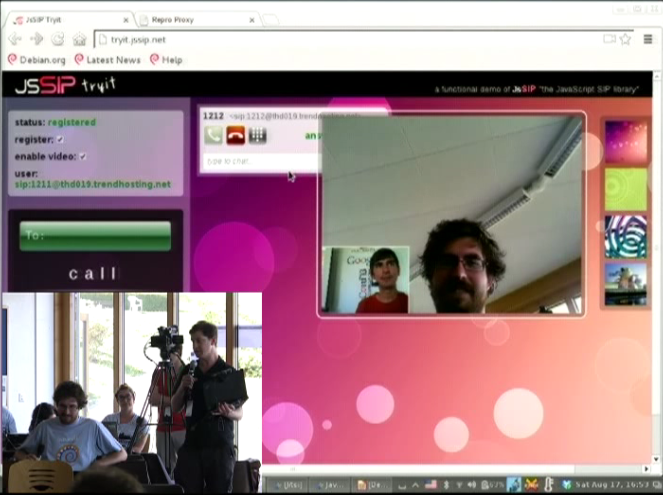
    Fabian Gr nbichler, Daniel Pocock, Catalin Constantin Usurelu, Emil Ivov, Yana Stamcheva Advancing the use of One Time Passwords with free software Google Summer of Code (GSoC) student Fabian Gr nbichler has spent the summer enhancing oath-toolkit and dynalogin to support a more diverse range of One Time Password schemes. dynalogin's original 1.0 release supports vanilla HOTP and TOTP authentication schemes. Fabian's work has extended the framework to support the more generic and powerful OCRA approach. To find out about all the benefits this brings, I would strongly encourage you to review his slides and video presentation, with a demo where it is explained thoroughly. While there are existing hardware tokens that support HOTP and TOTP using this open algorithm (Gooze has been kind enough to donate some which were on display), the mutual challenge-response schemes are yet to be widely supported in hardware and this means that Fabian's work is now at the cutting edge of development in this area. WebRTC: premium voice/video chat in modern browsers, no plugin required Another member of Debian's GSoC program, Catalin Constantin Usurelu helped organise and run one of the must-see sessions of DebConf13 (video available). In a demonstration that had all the hallmarks of a magic show, Catalin and I took random members of the audience and invited them to wave a magic wand over their web browsers and effortlessly turn them into Skype-busting softphones. As the grand finale, we took Wookey's blog and showed him how to add a WebRTC "call-me" page in less than 20 seconds, less time than it takes to hand over all your private data to the registration process of those rather uncomfortable alternatives. Anybody else seeking to duplicate this effort is encourage to review options like Drucall for Drupal or just directly use JsSIP Jitsi and the Jitsi Video-bridge The grand-finale of the DebConf13 real-time communications track was our guest speaker, Emil Ivov, founder of the Jitsi softphone project. Jitsi itself has recently been accepted into Debian and is easier than ever before to install and use. Emil's talk (video and slides available) went into some detail about the cutting edge development activities of his team, particularly the new Jitsi Video bridge Subsequent to the talk, we had some out-of-bands discussion about ways to potentially integrate Jitsi Video bridge with the open source dvswitch system used to produce streams and recordings from free software events such as DebConf and FOSDEM. It is hoped that this will provide an additional option for remote participation at free software events of all sizes. Upcoming events Emil and I have been invited to participate in the WebRTC Conference Paris 2013 in December. This will be an excellent opportunity to have further discussion about progress with WebRTC and do more to raise the compelling case for premium quality free software to meet the demanding needs of modern business communications. There are a series of talks for both technical and business-oriented audiences.
    Steve Kemp: Soon it will be time for something different

    This weekend I'm mostly alternating between reading, writing, and trying to avoid death by the plague.[*] I've switched Lumail to using a UTF-8 aware string library, which means we can now handle the obvious case:
    --
    -- Prove keybindings work.
    --
    keymap['global'][' '] = 'msg("UTF-8 rocks!")'
    
    Similarly we can stuff input into the buffer:
    --
    -- Pretend the user typed ":msg ...\n"
    --
    stuff( ":msg('  is pie')\n" );
    
    This transition was annoying to handle, but wasn't too difficult. There is only one more major update required, according to the development roadmap, which is to double check that UTF-8 output is correct. Otherwise I think I'm almost done. In the sense that I don't see anything obvious missing, barring things that won't ever happen such as mutt-style "tag" support. I've updated the online examples to include some nice code: I can't claim to have many users, so far the development has been carried out by myself and approximately four other people. But that matters not. I genuinely believe this is a good client and it really suits the way that I handle (large volumes of) email:
    • Show folders with unread mail.
    • Quickly read it.
    Allowing you to open multiple folders at once means you get a great view into your currently-unread mail, regardless of where procmail has placed it. The overriding feeling having "completed" the client is that Lua rocks. I'm torn between wanting to sleep some more, and wondering what other system/package/tool can be extended by Lua. As epiphanies go my on_idle() update takes some beating.
    * - I do not have the black death, but I'm not well.

    16 August 2013

    Sylvain Le Gall: OASIS website updated

    Logo OASIS small The OASIS website has not been updated since a while. So I decide to take a shot at making more up to date. This blog post is about the pipeline I have but in place to automatically update the website. It is the first end to end 'continuous deployment' project I have achieved. Among the user visible changes:
    • an invitation to circle the OASIS G+ page, which is now the official channel for small updates in OASIS.
    • an invitation to fork the project on Github since it is now the official repository for OASIS.
    • some link to documentation for the bleeding edge version of OASIS manual and API.
    The OASIS website repository is also on Github. Feel free to fork it and send me pull request if you see any mistake. The website is still using a lot of markdown processed by pandoc. But there are some new technical features:
    • no more index.php, we use a templating system to point to latest version
    • we use a Jenkins job to generate the website daily or after any update in OASIS itself.
    Since I start using quite quite a lot Python, I have decided to use it for this project. It has a lot of nice libraries and it helps me to quickly do something about the website (and provides plenty of idea to create equivalent tools in OCaml). The daily generation: Jenkins I have a Jenkins instance running, so I decided to use it to compile once a day the new website with updated documentation and links. This Jenkins instance also monitor changes of the OASIS source code. So I can do something even more precise: regenerate the website after every OASIS changes. I use the Jenkins instance to also generate a documentation tarball for OASIS manual and API. This helps a lot to be able to display the latest manual and API documentation. This way I can quickly browse the documentation and spot errors early. Another good point about Jenkins, is that it allows to store SSH credential. So I created a build user, with its own SSH key, in the OCaml Forge and I use it to publish the website at the end of the build. Right now Jenkins do the following:
    • trigger a build of the OASIS website:
      • every day (cron)
      • when a push in OASIS website repository is detected
      • when a successful build of OASIS is achieved.
    • get documentation artifact from the latest successful build of OASIS
    • build the website
    • publish it
    Data gathering To build the website I need some data:
    • documentation tarballs containing the API (HTML from OCamldoc) and manual (Markdow)
    • list of OASIS version published
    • links to each tarball (documentation and source tarball)
    The OCaml Forge has a nice SOAP API. But one need to be logged in to access it. This is unfortunate, because I just want to access public data. The only way I found to gather my data was to scrape the OCaml Forge. Python has a very nice scraping library for that: beautifulsoup. I use beautifulsoup to parse the HTML downloaded from the Files tab of the OASIS project and extract all the relevant information. I use curl to download the documentation tarball (for released versions) and for the latest development version. Code Template Python has also a very nice library to process template: mako. Using the data I have gathered, I feed them to mako and I process all the .tmpl files in the repository to create matching files. Among the thing that I have transformed into template:
    • the index.php has been transformed into a index.mkd.tmpl, it was a hackish PHP script scraping the RSS of updates before, it is now a clean template.
    • robots.txt.tmpl, see the following section for explanation
    • documentation.mkd.tmpl in order to list all version of documentation.
    Fix documentation and indexing One of the problem of providing access to all versions of the documentation, is that people can end up reading an old version of the documentation. In order to prevent that, I use two different techniques:
    • prevent search engine to index old version.
    • warn the user that he is reading an old version.
    To prevent search engine to index the file, I have created a robots.txt that list all URL of old documentation. This should be enough to prevent search engine to index the wrong page. To warn the user that he is reading the wrong version, I have added a box "you are not viewing the latest version". This part was tricky but beautifulsoup v4 provide a nice API to edit HTML in place. I just have to find the right CSS selector to define the position where I want to insert my warning box. Code Publish The ultimate goal of the project is the 'continuous deployment'. Rather than picking what version to deploy and do the process by hand, I let Jenkins deploy every version of it. Deploying the website used to be a simple rsync. But for this project I decided to use a fancier method. I spend a few hours deciding what was the best framework to do the automatic deployment. There are two main frameworks around: capistrano (Ruby) and fabric (Python). Fabric is written in Python, so I pick this one because it was a good fit for the project. Fabric biggest feature is to be a SSH wrapper. The fabric script is quite simple and to understand it, you just have to know that local run a local command and run run a command on the target host. The fabfile.py script do the following:
    • create a local tarball using the OASIS website html/ directory
    • upload the tarball to ssh.ocamlcore.org
    • uncompress it and replace the htdocs/ directory of the oasis project
    • remove the oldest tarballs, we keep a few versions to be able to perform a rollback.
    Given this new process, the website is updated in 3 minutes automatically after a successful build of OASIS.

    Daniel Leidert: N54L LCD-Mod with U204FR-A3 (LCDModkit) and lcdproc (II)

    Here it goes. I was looking for an LCD display for my microservers 5,25'' bay and found this neat post. The manufacturer of the LCD display used there provides different displays for this purpose. I've decided for an U204FR-A2 in black with a red backlight. It left Hongkong around five days later and arrived here another 6 days later. All in all: I got it after 11 days. I unpacked the LCD device. It comes with an internal USB connector and is driven by an Hitachi HD44780 LCD controller. The connection wasn't a problem at all. I've already put a Silverstone SST-EC04-P PCIe card with two USB 3.0 external ports and an internal 19pin dual port connector into the systems PCIe 1x slot. Now to connect the LCD with this card I've bought an Inline 19pin USB 3.0 header to 8pin double USB 2.0 header adapter and connected the card with the LCD display. Easy, right?
    To make the display "attached" to the case - it comes with two steel sheets and two screw holes each, that cannot be attached to anything in the microserver case - I've used a small workaround: double-faced adhesive tape and two halfs of a matchbox - one can also use small scantlings - and created a bonding between the steel sheets and the case.
    That's it. I put the cover plate carefully back - the steels sheets of the LCD display and the LED of the server will bump to each other!
    There are two programs to output information to the LCD display. These are lcdproc and lcd4linux. I started with the first one which only provides pre-defined screens. Seems with the latter one can create own screens. This is an option for the future. lcdproc consists of two programs. First there is a daemon called LCDd. It controls the driver, contrast etc.pp. The relevant parts of its configuration file /etc/LCDd.conf look like as shown below. Note that I did not change the default values for contrast or brightness.

    [server]
    Driver=hd44780
    WaitTime=25

    [hd44780]
    ConnectionType=lcd2usb
    Size=20x4
    To print something to the screen one can use the lcdproc command, which is configured via /etc/lcdproc.conf. I've enabled the Iface, TimeDate, SMP-CPU, and MiniClock screens. The program is started during startup via cron. The file /etc/cron.d/lcdproc simply contains this:

    @reboot root lcdproc
    The following pictures show the resulting screens, which change every 25 seconds. That's it.

    Next.

    Previous.