Inspired by the fine Debian Local Groups all over the world, I ve long since wanted to start one in Cape Town. Unfortunately, there s been many obstacles over the years. Shiny distractions, an epidemic, DPL terms these are just some of the things that got in the way.
Fortunately, things are starting to gain traction, and we re well on our way to forming a bona fide local group for South Africa.
We got together at Woodstock Grill, they have both a nice meeting room, and good food and beverage, also reasonably central for most of us.
Cake
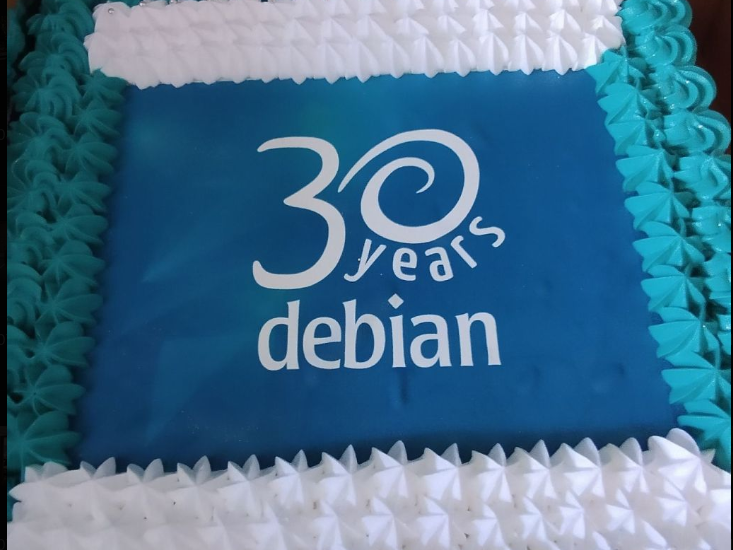
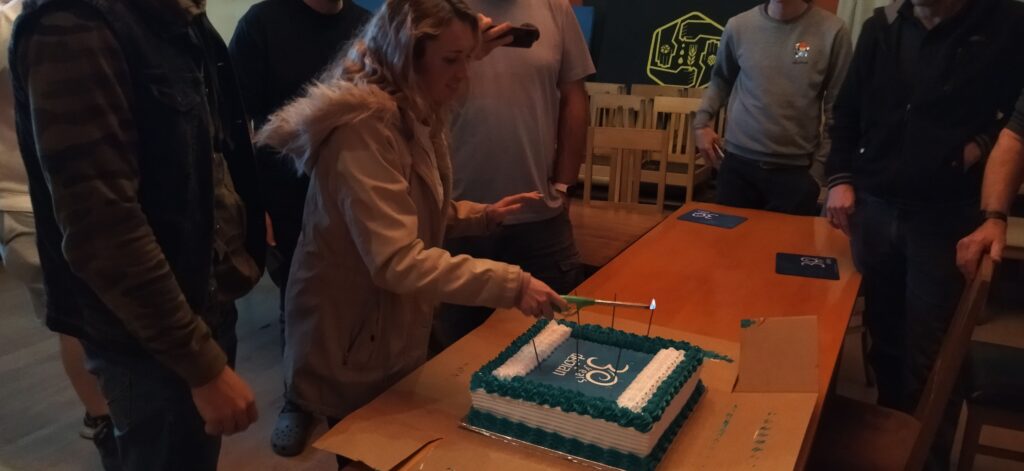
Starting with the important stuff, we got this Debian cake made that ended up much bigger than we expected, at least we all got to take some home too! (it tasted great too)
Yes, cake.
Talk
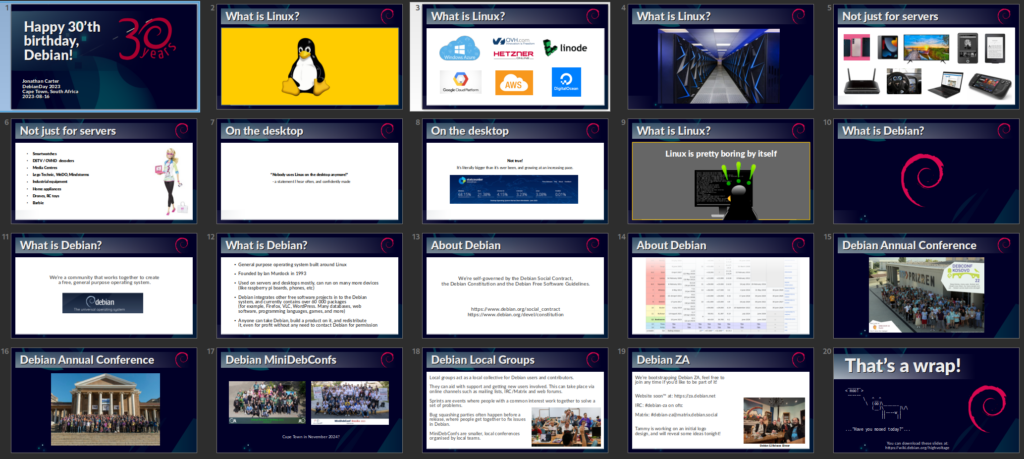
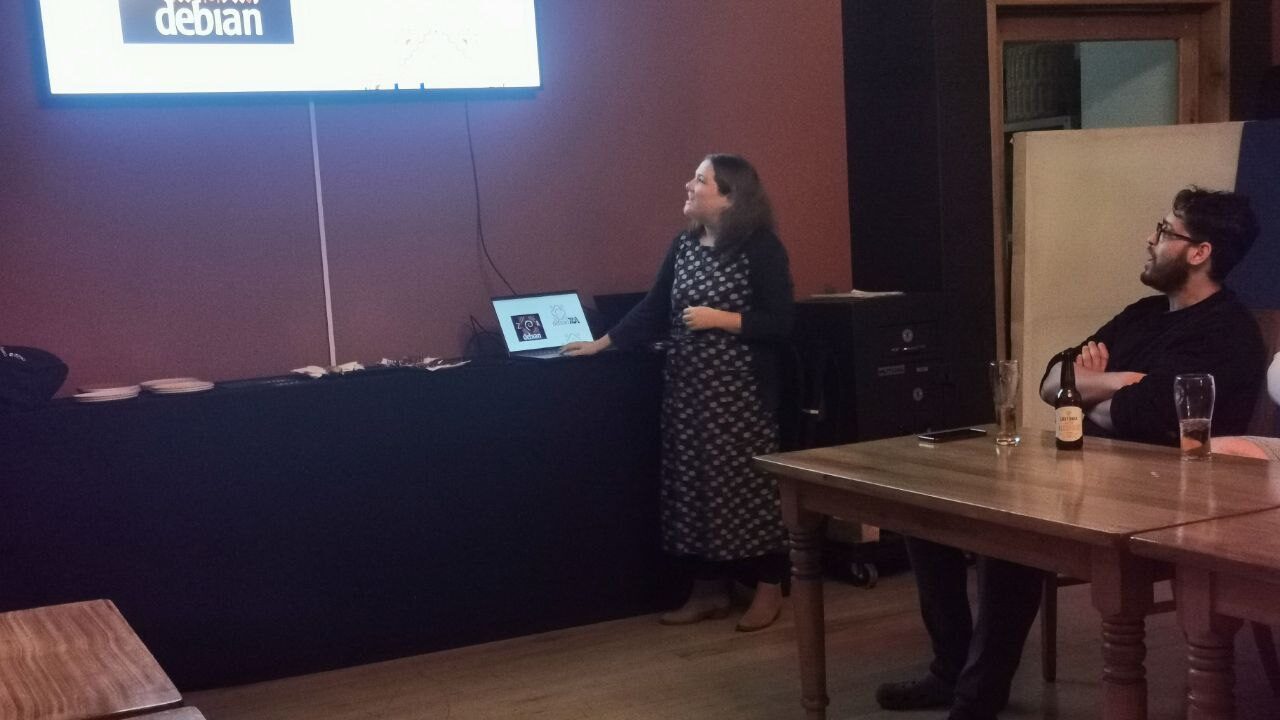
This event was planned very last minute, so we didn t do any kind of RSVP and I had no idea who exactly would show up, so I went ahead and prepared one of my usual introduction to Linux and Debian talks, and how these things are having an impact on the world out there. I also talked a bit about the community and how we intend to grow our local team here in South Africa. It turned out most of the audience were already experienced Linux users, but I was happy to see that they were very enthusiastic about the local group concept!
While reading through some material to find some inspiration for this talk, I came across an old quote from the original Debian Manifesto that I found very poignant again, so I feel compelled to share (didn t use it in my talk this time though since I didn t cover much current events):
The time has come to concentrate on the future of Linux rather than on the destructive goal of enriching oneself at the expense of the entire Linux community and its future. Ian Murdock, 1994
Debian-ZA logo
Tammy spent some time creating a whole bunch of logo concepts, that she presented to us. They aren t meant as final logo choices, but as initial concepts, and they worked well to invoke a very lively discussion about logos and design!
Here are just some of her designs that I cherry picked since they were the most discussed. We still haven t decided if it will be Debian ZA or Debian-ZA or Debian South Africa, although the latter will probably cause least confusion internationally.
Personally, the last one on this image that I referred to as the carpet is my personal favourite :-)
Happy Birthday Song
John and Heila wrote a happy birthday song. After seeing the lyrics (and considering myself an amateur lyricist) I thought it was way too tacky and I told John to put it away. But when the cake came out, someone said we should sing! and the lyrics quickly re-emerged and was handed out to everyone. It s also meant to be a loopy clip for the upcoming DebConf23. I ll concede that it worked out alright in the end! You judge for yourself:
Mousepads
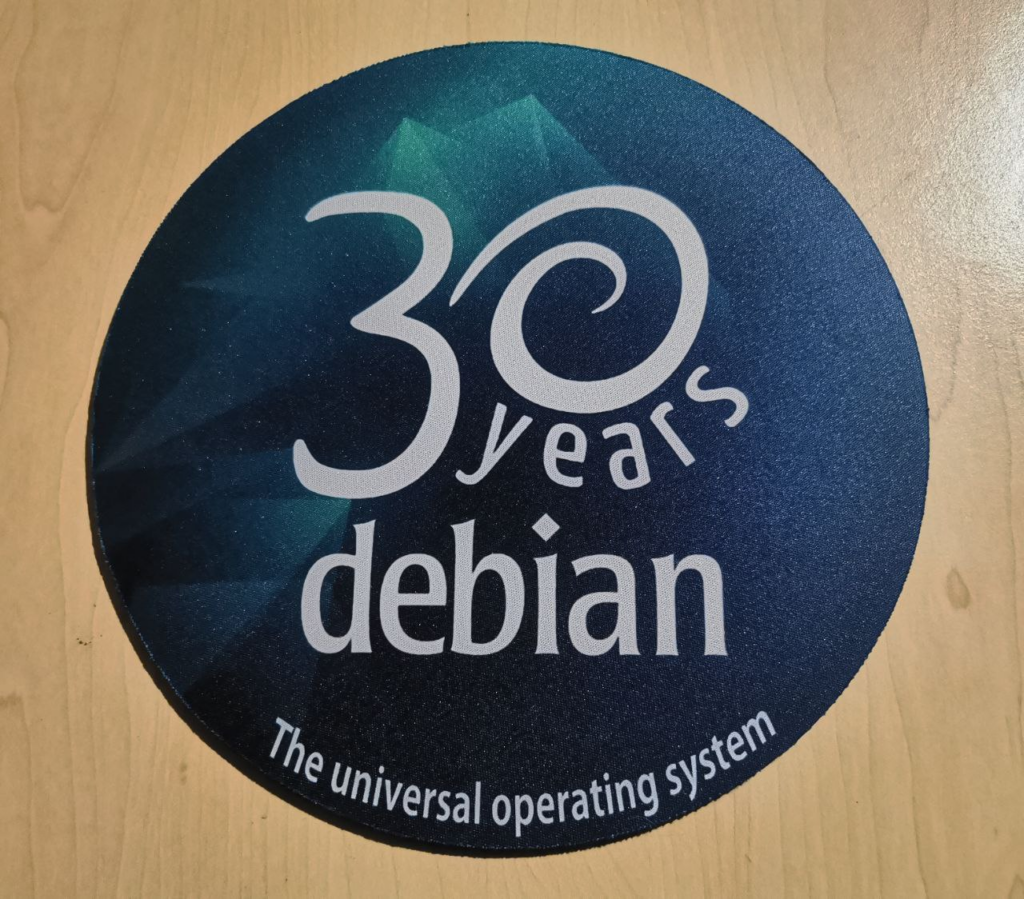
People still use mousepads? That was my initial reaction when Heila told me that she was going to make some commemorative 30 year Debian mousepads for our birthday event, and they ended up being popular. It s probably a safer surface to put dev boards on than on my desk directly, so at least I do have a use for one!
Group Photo
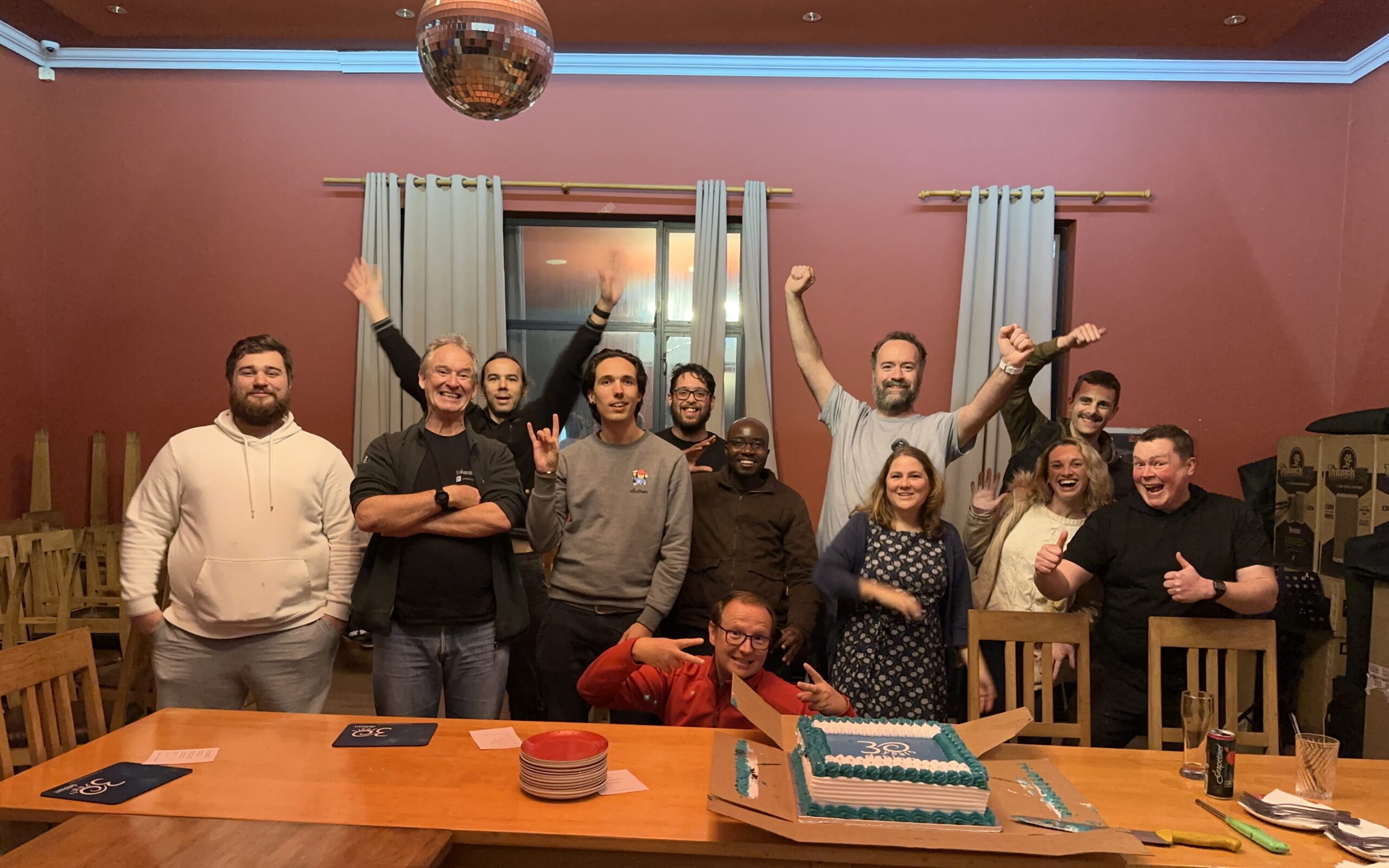
The group photo, complete with disco ball! We should ve taken this earlier because it was already getting late and some people had to head back home. Lesson learned for next time!
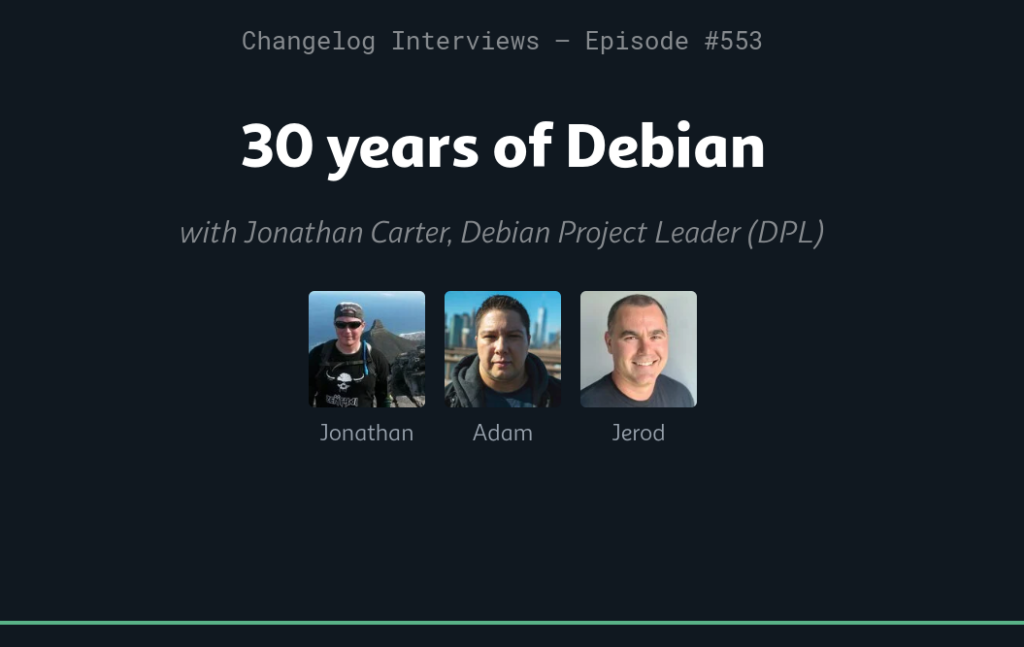
30th Birthday Interview with The Changelog
I also did an interview with The Changelog for Debian s 30th birthday. It was late, and I haven t had a chance to listen to it yet, so I hope their producers managed to edit something coherent out of my usual Debian babbling:
More later
There s so much more I d like to say about Debian, the last 30 years, local groups, the eco-system that we find ourselves in. And, Lemmy! But I ll see if I can get an instance up over the weekend and will then talk about that some more another time.
Taking a hands-on low-level approach to learning AI has been
incredibly rewarding. I wanted to create an achievable task that would
motivate me to learn the tools and get practical experience training and
using large language models. Just at the point when I was starting to
spin up GPU instances, Llama2 was released to the public. So I elected
to start with that model. As I mentioned, I m
interested in exploring how sex-positive AI can help human connection in
positive ways. For that reason, I suspected that Llama2 might not
produce good results without training: some of Meta s safety goals run
counter to what I m trying to explore. I suspected that there might be
more attention paid to safety in the chat variants of Llama2 rather than
the text generation variants, and working against that might be
challenging for a first project, so I started with Llama-2-13b as a
base.
Preparing a Dataset
I elected to generate a fine tuning dataset using fiction. Long term,
that might not be a good fit. But I ve always wanted to understand how
an LLM s tone is adjusted how you get an LLM to speak in a different
voice. So much of fine tuning focuses on examples where a given prompt
produces a particular result. I wanted to understand how to bring in
data that wasn t structured as prompts. The Huggingface course actually
gives an example of how to adjust a model set up for masked language
modeling trained on wikitext to be better at predicting the vocabulary
of movie reviews. There though, doing sample breaks in the dataset at
movie review boundaries makes sense. There s another example of training
an LLM from scratch based on a corpus of python code. Between these two
examples, I figured out what I needed. It was relatively simple in
retrospect: tokenize the whole mess, and treat everything as output.
That is, compute loss on all the tokens.
Long term, using fiction as a way to adjust how the model responds is
likely to be the wrong starting point. However, it maximized focus on
aspects of training I did not understand and allowed me to satisfy my
curiosity.
Rangling the Model
I decided to actually try and add additional training to the model
directly rather than building an adapter and fine tuning a small number
of parameters. Partially this was because I had enough on my mind
without understanding how LoRA adapters work. Partially, I wanted to
gain an appreciation for the infrastructure complexity of AI training. I
have enough of a cloud background that I ought to be able to work on
distributed training. (As it turned out, using BitsAndBytes 8-bit
optimizer, I was just able to fit my task onto a single GPU).
I wasn t even sure that I could make a measurable difference in
Llama-2-13b running 890,000 training tokens through a couple of training
epochs. As it turned out I had nothing to fear on that front.
Getting everything to work was more tricky than I expected. I didn t
have an appreciation for exactly how memory intensive training was. The
Transformers documentation points out that with typical parameters for
mixed-precision training, it takes 18 bytes per model parameter. Using
bfloat16 training and an 8-bit optimizer was enough to get things to
fit.
Of course then I got to play with convergence. My initial optimizer
parameters caused the model to diverge, and before I knew it, my model
had turned to NAN, and would only output newlines. Oops. But looking
back over the logs, watching what happened to the loss, and looking at
the math in the optimizer to understand how I ended up getting something
that rounded to a divide by zero gave me a much better intuition for
what was going on.
The results.
This time around I didn t do anything in the way of quantitative
analysis of what I achieved. Empirically I definitely changed the tone
of the model. The base Llama-2 model tends to steer away from sexual
situations. It s relatively easy to get it to talk about affection and
sometimes attraction. Unsurprisingly, given the design constraints, it
takes a bit to get it to wonder into sexual situations. But if you hit
it hard enough with your prompt, it will go there, and the results are
depressing. At least for prompts I used, it tended to view sex fairly
negatively. It tended to be less coherent than with other prompts. One
inference managed to pop out in the middle of some text that wasn t
hanging together well, Chapter 7 - Rape.
With my training, I did manage to achieve my goal of getting the
model to use more positive language and emotional signaling when talking
about sexual situations. More importantly, I gained a practical
understanding of many ways training can go wrong.
There were overfitting problems: names of characters from my
dataset got more attention than I wished they did. As a model for
interacting with some of the universes I used as input, that was kind of
cool, but if I was looking to just adjust how the model talked about
intimate situations, I massively got things to be too specific.
I gained a new appreciation for how easy it is to trigger
catastrophic forgetting.
I begin to appreciate how this sort of unsupervised training
could be best paired with supervised training to help correct model
confusion. Playing with the model, I often ran into cases where my
reaction was like Well, I don t want to train it to give that response,
but if it ever does wander into this part of the state space, I d like
to at least get it to respond more naturally. And I think I understand
how to approach that either with custom loss functions or manipulating
which tokens compute loss and which ones do not.
And of course realized I need to learn a lot about sanitizing and
preparing datasets.
A lot of articles I ve been reading about training make more sense. I
have better intuition for why you might want to do training a certain
way, or why mechanisms for countering some problem will be
important.
Future Activities:
Look into LoRA adapters; having understood what happens when you
manipulate the model directly, I can now move on to intelligent
solutions.
Look into various mechanisms for rewards and supervised
training.
See how hard it is to train a chat based model out of some of its
safety constraints.
Construct datasets; possibly looking at sources like relationship
questions/advice.
For Debian package maintainers, the wrap-and-sort tool is one of those nice tools that I use once in a while, and every time have to re-read the documentation to conclude that I want to use the --wrap-always --short-indent --trailing-comma --sort-binary-package options (or -satb for short). Every time, I also wish that I could automate this and have it always be invoked to keep my debian/ directory tidy, so I don t have to do this manually once every blue moon. I haven t found a way to achieve this automation in a non-obtrusive way that interacts well with my git-based packaging workflow. Ideally I would like for something like the lintian-hook during gbp buildpackage to check for this ideas?
Meanwhile, I have come up with a way to make sure I don t forget to run wrap-and-sort for long, and that others who work on the same package won t either: create an autopkgtest which is invoked during the Salsa CI/CD pipeline using the following as debian/tests/wrap-and-sort:
#!/bin/sh
set -eu
TMPDIR=$(mktemp -d)
trap "rm -rf $TMPDIR" 0 INT QUIT ABRT PIPE TERM
cp -a debian $TMPDIR
cd $TMPDIR
wrap-and-sort -satb
diff -ur $OLDPWD/debian debian
Add the following to debian/tests/control to invoke it which is intentionally not indented properly so that the self-test will fail so you will learn how it behaves.
Now I will get build failures in the pipeline once I upload the package into Salsa, which I usually do before uploading into Debian. I will get a diff output, and it won t be happy until I push a commit with the output of running wrap-and-sort with the parameters I settled with.
While autopkgtest is intended to test the installed package, the tooling around autopkgtest is powerful and easily allows this mild abuse of its purpose for a pleasant QA improvement.
Thoughts? Happy hacking!
Over 30 years ago the late Ian Murdock
wrote
to the comp.os.linux.development newsgroup about the completion of a brand-new
Linux release which he named "The Debian Linux Release".
He built the release by hand, from scratch, so to speak. Ian laid out
guidelines for how this new release would work, what approach the release
would take regarding its size, manner of upgrades, installation procedures; and
with great care of consideration for users without Internet connection.
Unaware that he had sparked a movement in the fledgling F/OSS community, Ian
worked on and continued to work on Debian. The release, now aided by volunteers
from the newsgroup and around the world, grew and continues to grow as one of
the largest and oldest FREE operating systems that still exist today.
Debian at its core is comprised of Users, Contributors, Developers, and
Sponsors, but most importantly, People. Ians drive and focus remains
embedded in the core of Debian, it remains in all of our work, it remains in
the minds and hands of the users of The Universal Operating System.
The Debian Project is proud and happy to share our anniversary not exclusively
unto ourselves, instead we share this moment with everyone, as we come together
in celebration of a resounding community that works together, effects change,
and continues to make a difference, not just in our work but around the world.
Debian is present in cluster systems, datacenters, desktop computers, embedded
systems, IoT devices, laptops, servers, it may possibly be powering the web
server and device you are reading this article on, and it can also be found in
Spacecraft.
Closer to earth, Debian fully supports projects for accessibility:
Debian Edu/Skolelinux - an operating system
designed for educational use in schools and communities,
Debian Science - providing free
scientific software across many established and emerging fields,
Debian Hamradio - for amateur
radio enthusiasts,
Debian-Accessibility - a
project focused on the design of an operating system suited to fit the
requirements of people with disabilites, and
Debian Astro - focused on supporting
professional and hobbyist astronomers.
Debian strives to give, reach, embrace, mentor, share, and teach with
internships through many programs internally and externally such as the Google
Summer of Code, Outreachy, and the Open Source Promotion Plan.
None of this could be possible without the vast amount of support, care, and
contributions from what started as and is still an all volunteer project.
We celebrate with each and every one who has helped shape Debian over all of
these years and toward the future.
Today we all certainly celebrate 30 years of Debian, but know that Debian
celebrates with each and every one of you all at the same time.
Over the next few days Celebration parties are planned to take place in
Austria, Belgium, Bolivia, Brazil, Bulgaria, Czech Republic, France, Germany
(CCCcamp), India, Iran, Portugal, Serbia, South Africa, and Turkey.
You are of course, invited to join us!
Check out, attend, or form your very own
DebianDay 2023 Event.
See you then!
Thank you, thank you all so very much.
With Love,
The Debian Project
I've been maintaining a number of Perl software packages recently.
There's SReview,
my video review and transcoding system of which I split off
Media::Convert a while
back; and as of about a year ago, I've also added
PtLink, an RSS aggregator
(with future plans for more than just that).
All these come with extensive test suites which can help me ensure that
things continue to work properly when I play with things; and all of
these are hosted on salsa.debian.org, Debian's gitlab instance. Since
we're there anyway, I configured GitLab CI/CD to run a full test suite
of all the software, so that I can't forget, and also so that I know
sooner rather than later when things start breaking.
GitLab has extensive support for various test-related reports, and while
it took a while to be able to enable all of them, I'm happy to report
that today, my perl test suites generate all three possible reports.
They are:
The coverage regex, which captures the total reported coverage for
all modules of the software; it will show the test coverage on the
right-hand side of the job page (as in this
example), and
it will show what the delta in that number is in merge request
summaries (as in this
example
The JUnit report, which tells GitLab in detail which tests were run,
what their result was, and how long the test took (as in this
example)
The cobertura report, which tells GitLab which lines in the software
were ran in the test suite; it will show up coverage of affected lines
in merge requests, but nothing more. Unfortunately, I can't show an
example here, as the information seems to be no longer available once
the merge request has been merged.
Additionally, I also store the native perl Devel::Cover report as job
artifacts, as they show some information that GitLab does not.
It's important to recognize that not all data is useful. For instance,
the JUnit report allows for a test name and for details of the test.
However, the module that generates the JUnit report from TAP test suites does not make a
distinction here; both the test name and the test details are reported
as the same. Additionally, the time a test took is measured as the time
between the end of the previous test and the end of the current one;
there is no "start" marker in the TAP protocol.
That being said, it's still useful to see all the available information
in GitLab. And it's not even all that hard to do:
Let's expand on that a bit.
The first three lines should be clear for anyone who's used GitLab CI/CD
in the past. We create a job called test; we start it in the test
stage, and we run it in the perl:latest docker image. Nothing
spectacular here.
The coverage line contains a regular expression. This is applied by
GitLab to the output of the job; if it matches, then the first bracket
match is extracted, and whatever that contains is assumed to contain the
code coverage percentage for the code; it will be reported as such in
the GitLab UI for the job that was ran, and graphs may be drawn to show
how the coverage changes over time. Additionally, merge requests will
show the delta in the code coverage, which may help deciding whether to
accept a merge request. This regular expression will match on a line of
that the cover program will generate on standard output.
The before_script section installs various perl modules we'll need
later on. First, we intall
ExtUtils::Depends. My code
uses
ExtUtils::MakeMaker,
which ExtUtils::Depends depends on (no pun intended); obviously, if your
perl code doesn't use that, then you don't need to install it. The next
three modules -- Devel::Cover,
TAP::Harness::JUnit and
Devel::Cover::Report::Cobertura
are necessary for the reports, and you should include them if you want
to copy what I'm doing.
Next, we install declared dependencies, which is probably a good idea
for you as well, and then we run perl Makefile.PL, which will generate
the Makefile. If you don't use ExtUtils::MakeMaker, update that part to
do what your build system uses. That should be fairly straightforward.
You'll notice that we don't actually use the Makefile. This is because
we only want to run the test suite, which in our case (since these are
PurePerl modules) doesn't require us to build the software first. One
might consider that this makes the call of perl Makefile.PL useless,
but I think it's a useful test regardless; if that fails, then obviously
we did something wrong and shouldn't even try to go further.
The actual tests are run inside a script snippet, as is usual for
GitLab. However we do a bit more than you would normally expect; this is
required for the reports that we want to generate. Let's unpack what we
do there:
cover -delete
This deletes any coverage database that might exist (e.g., due to
caching or some such). We don't actually expect any coverage database,
but it doesn't hurt.
HARNESS_PERL_SWITCHES='-MDevel::Cover'
This tells the TAP harness that we want it to load the Devel::Cover
addon, which can generate code coverage statistics. It stores that in
the cover_db directory, and allows you to generate all kinds of
reports on the code coverage later (but we don't do that here, yet).
prove -v -l -s
Runs the actual test suite, with verbose output, shuffling (aka,
randomizing) the test suite, and adding the lib directory to perl's
include path. This works for us, again, because we don't actually need
to compile anything; if you do, then -b (for blib) may be required.
ExtUtils::MakeMaker creates a test target in its Makefile, and usually
this is how you invoke the test suite. However, it's not the only way to
do so, and indeed if you want to generate a JUnit XML report then you
can't do that. Instead, in that case, you need to use the prove, so
that you can tell it to load the TAP::Harness::JUnit module by way of
the --harness option, which will then generate the JUnit XML report.
By default, the JUnit XML report is generated in a file
junit_output.xml. It's possible to customize the filename for this
report, but GitLab doesn't care and neither do I, so I don't. Uploading
the JUnit XML format tells GitLab which tests were run and
Finally, we invoke the cover script twice to generate two coverage
reports; once we generate the default report (which generates HTML files
with detailed information on all the code that was triggered in your
test suite), and once with the -report cobertura parameter, which
generates the cobertura XML format.
Once we've generated all our reports, we then need to upload them to
GitLab in the right way. The native perl report, which is in the
cover_db directory, is uploaded as a regular job artifact, which we
can then look at through a web browser, and the two XML reports are
uploaded in the correct way for their respective formats.
All in all, I find that doing this makes it easier to understand how my
code is tested, and why things go wrong when they do.
Welcome to the 41th post in the $R^4 series. This
post draws on joint experiments first started by Grant building on the
lovely work done by Eitsupi as
part of our Rocker Project. In
short, r2u is an ideal
match for Codespaces, a
Microsoft/GitHub service to run code locally but in the cloud via
browser or Visual Studio
Code. This posts co-serves as the README.md in the .devcontainer
directory as well as a vignette
for r2u.
So let us get into it. Starting from the r2u repository, the .devcontainer
directory provides a small self-containted file
devcontainer.json to launch an executable environment R
using r2u. It is based on the example in Grant
McDermott s codespaces-r2u repo and reuses its documentation. It is
driven by the Rocker
Project s Devcontainer Features repo creating a fully functioning R
environment for cloud use in a few minutes. And thanks to r2u you can add easily to
this environment by installing new R packages in a fast and failsafe
way.
Try it out
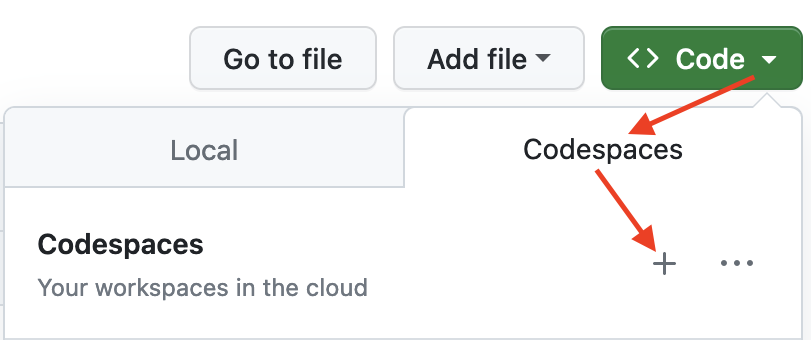
To get started, simply click on the green Code button at the top
right. Then select the Codespaces tab and click the + symbol to
start a new Codespace.
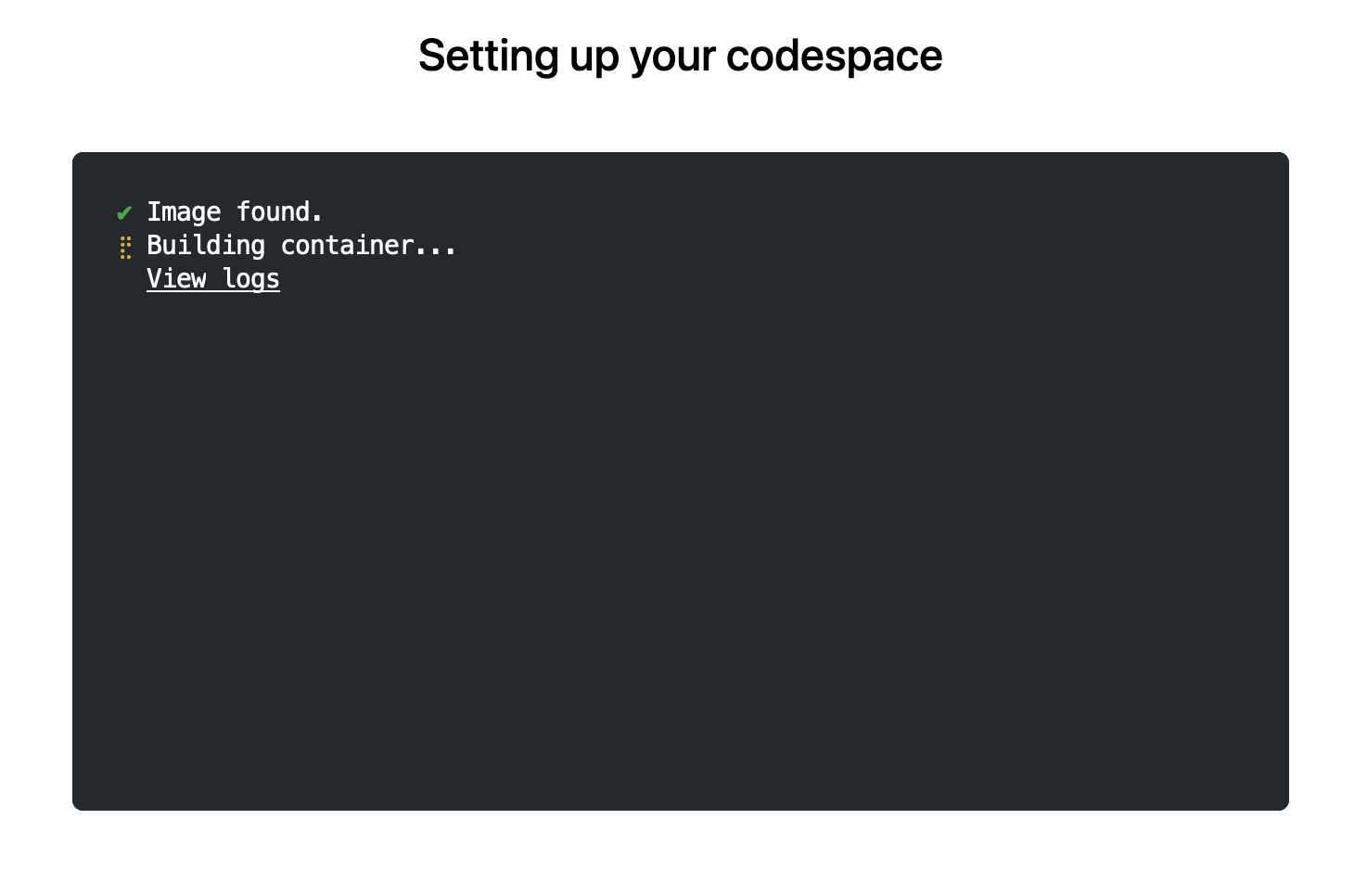
The first time you do this, it will open up a new browser tab where
your Codespace is being instantiated. This first-time instantiation
will take a few minutes (feel free to click View logs to see how
things are progressing) so please be patient. Once built, your Codespace
will deploy almost immediately when you use it again in the future.
After the VS Code editor opens up in your browser, feel free to open
up the examples/sfExample.R
file. It demonstrates how r2u enables us install
packages and their system-dependencies with ease, here
installing packages sf (including all its
geospatial dependencies) and ggplot2 (including
all its dependencies). You can run the code easily in the browser
environment: Highlight or hover over line(s) and execute them by hitting
Cmd+Return (Mac) /
Ctrl+Return (Linux / Windows).
(Both example screenshots reflect the initial codespaces-r2u
repo as well as personal scratchspace one which we started with, both of
course work here too.)
Do not forget to close your Codespace once you have finished using
it. Click the Codespaces tab at the very bottom left of your code
editor / browser and select Close Current Codespace in the resulting
pop-up box. You can restart it at any time, for example by going to
https://github.com/codespaces and clicking on your instance.
Extend r2u with r-universe
r2u offers
fast, easy, reliable access to all of CRAN via binaries for
Ubuntu focal and jammy. When using the latter (as is the default), it
can be combined with r-universe
and its Ubuntu jammy binaries. We demontrates this in a second example
file examples/censusExample.R
which install both the cellxgene-census
and tiledbsoma R
packages as binaries from r-universe (along with about 100
dependencies), downloads single-cell data from Census and uses Seurat to create PCA and
UMAP decomposition plots. Note that in order run this you have to
change the Codespaces default instance from small (4gb ram) to large
(16gb ram).
Local DevContainer build
Codespaces are DevContainers running in the cloud (where
DevContainers are themselves just Docker images running with some VS
Code sugar on top). This gives you the very powerful ability to edit
locally but run remotely in the hosted codespace. To test this setup
locally, simply clone the repo and open it up in VS Code. You will need
to have Docker installed and running on your system (see here). You will also
need the Remote
Development extension (you will probably be prompted to install it
automatically if you do not have it yet). Select Reopen in Container
when prompted. Otherwise, click the >< tab at the
very bottom left of your VS Code editor and select this option. To shut
down the container, simply click the same button and choose Reopen
Folder Locally . You can always search for these commands via the
command palette too (Cmd+Shift+p /
Ctrl+Shift+p).
Use in Your Repo
To add this ability of launching Codespaces in the browser (or
editor) to a repo of yours, create a directory
.devcontainers in your selected repo, and add the file .devcontainers/devcontainer.json.
You can customize it by enabling other feature, or use the
postCreateCommand field to install packages (while taking
full advantage of r2u).
Acknowledgments
There are a few key plumbing pieces that make everything work here.
Thanks to:
Last but not least everybody who helped me make r2u possible, tested it,
or sent hints for improvement.
Colophon
More information about r2u is at its site, and we
answered some question in issues, and at stackoverflow. More questions
are always welcome!
If you like this or other open-source work I do, you can now sponsor me at
GitHub.
Utkarsh Gupta
did 1.5h (out of 0h assigned and 13.75h from previous period), thus carrying over 12.25h to the next month.
Evolution of the situation
In July, we have released 35 DLAs.
LTS contributor Lee Garrett, has continued his hard work to prepare a testing
framework for Samba, that can now provision bootable VMs with little effort,
both for Debian and for Windows.
This work included the introduction of a new package to Debian,
rhsrvany, which
allows turning any Windows program or script into a Windows service. As the
Samba testing framework matures it will be possible to perform functional tests
which cannot be performed with other available test mechanisms and aspects of
this framework will be generalizable to other package ecosystems beyond Samba.
July included a notable security
update of bind9
by LTS contributor Chris Lamb.
This update addressed a potential denial of service attack in this critical
network infrastructure component.
Thanks to our sponsors
Sponsors that joined recently are in bold.
One of the annoyances I had when I upgraded from Buster to Bullseye (yes, I m talking about an upgrade I did at the end of 2021) is that I ended up moving from Mailman 2 to Mailman 3. Which is fine, I guess, but it meant I could no longer use listadmin to deal with messages held for moderation. At the time I looked around, couldn t find anything, shrugged, and became incredibly bad at performing my list moderation duties.
Last week I finally accepted what I should have done at least a year ago and wrote some hopefully not too bad Python to web scrape the Mailman 3 admin interface. It then presents a list of subscribers and held messages that might need approved or discarded. It s heavily inspired by listadmin, but not a faithful copy (partly because it s been so long since I used it that I m no longer familiar with its interface). Despite that I ve called it listadmin3.
It currently meets the bar of extremely useful to me so I ve tagged v0.1. You can get it on Github. I d be interested in knowing if it actually works for / is useful to anyone else (I suspect it won t be happy with interfaces configured to not be in English, but that should be solvable). Comment here or reply to my Fediverse announcement.
Example usage, cribbed directly from the README:
$ listadmin3
fetching data for partypeople@example.org ... 200 messages
(1/200) 5303: omgitsspam@example.org / March 31, 2023, 6:39 a.m.:
  The message is not from a list member: TOP PICK
(a)ccept, (d)iscard, (b)ody, (h)eaders, (s)kip, (q)uit? q
Moving on...
fetching data for admins@example.org ... 1 subscription requests
(1/1) "The New Admin" <newadmin@example.org>
(a)ccept, (d)iscard, (r)eject, (s)kip, (q)uit? a
1 messages
(1/1) 6560: anastyspamer@example.org / Aug. 13, 2023, 3:15 p.m.:
  The message is not from a list member: Buy my stuff!
(a)ccept, (d)iscard, (b)ody, (h)eaders, (s)kip, (q)uit? d
0 to accept, 1 to discard, proceed? (y/n) y
fetching data for announce@example.org ... nothing in queue
$
There s Debian packaging in the repository (dpkg-buildpackage -uc -us -b will spit you out a .deb) but I m holding off on filing an ITP + actually uploading until I know if it s useful enough for others before doing so. You only really need the listadmin3 file and to ensure you have Python3 + MechanicalSoup installed.
(Yes, I still run mailing lists. Hell, I still run a Usenet server.)
Mexico s education sector had one of the longest lockdowns due to COVID: As
everybody, we went virtual in March 2020, and it was only by late February
2022 that I went back to teach presentially at the University.
But for the semester starting next Tuesday, I m going back to a full-online
mode. Why? Because me and my family will be travelling to Argentina for six
months, starting this October and until next March. When I went to ask for my
teaching to be frozen for two semesters, the Head of Division told me he was
actually looking for teachers wanting to do distance-teaching With a student
population of >380,000 students, and not being able to grow the physical
infrastructure, and with such a big city as Mexico City, where a person can take
ove 2hr to commute daily It only makes sense to offer part of the courses
online.
To be honest, I m a bit nervous about this. The past couple of days, I ve been
setting up again the technological parts (i.e. spinning up a Jitsi instance,
remembering my usual practices and programs). But Well, I know that being
videoconference-bound, my teaching will lose the dynamism that comes from
talking face to face with students. I think I will miss it!
(but at the same time, I m happy to try this anew: to go virtual, but where
students choosing this modality do so by choice rather than because the world
forced them to)
and then adding a script for the
routable
state in /etc/networkd-dispatcher/routable.d/iptables:
#!/bin/sh
LOGFILE=/var/log/iptables.log
if [ "$IFACE" = lo ]; then
    echo "$0: ignoring $IFACE for \ $STATE'" >> $LOGFILE
    exit 0
fi
case "$STATE" in
    routable)
        echo "$0: restoring iptables rules for $IFACE" >> $LOGFILE
        /sbin/iptables-restore /etc/network/iptables.up.rules >> $LOGFILE 2>&1
        /sbin/ip6tables-restore /etc/network/ip6tables.up.rules >> $LOGFILE 2>&1
        ;;
    *)
        echo "$0: nothing to do with $IFACE for \ $STATE'" >> $LOGFILE
        ;;
esac
before finally making that script executable (otherwise it won't run):
With this in place, I can put my iptables rules in the usual place
(/etc/network/iptables.up.rules and /etc/network/ip6tables.up.rules) and
use the handy iptables-apply and ip6tables-apply commands to test
any changes to my firewall rules.
Looking at /var/log/iptables.log confirms that it is being called
correctly for each network interface as they are started.
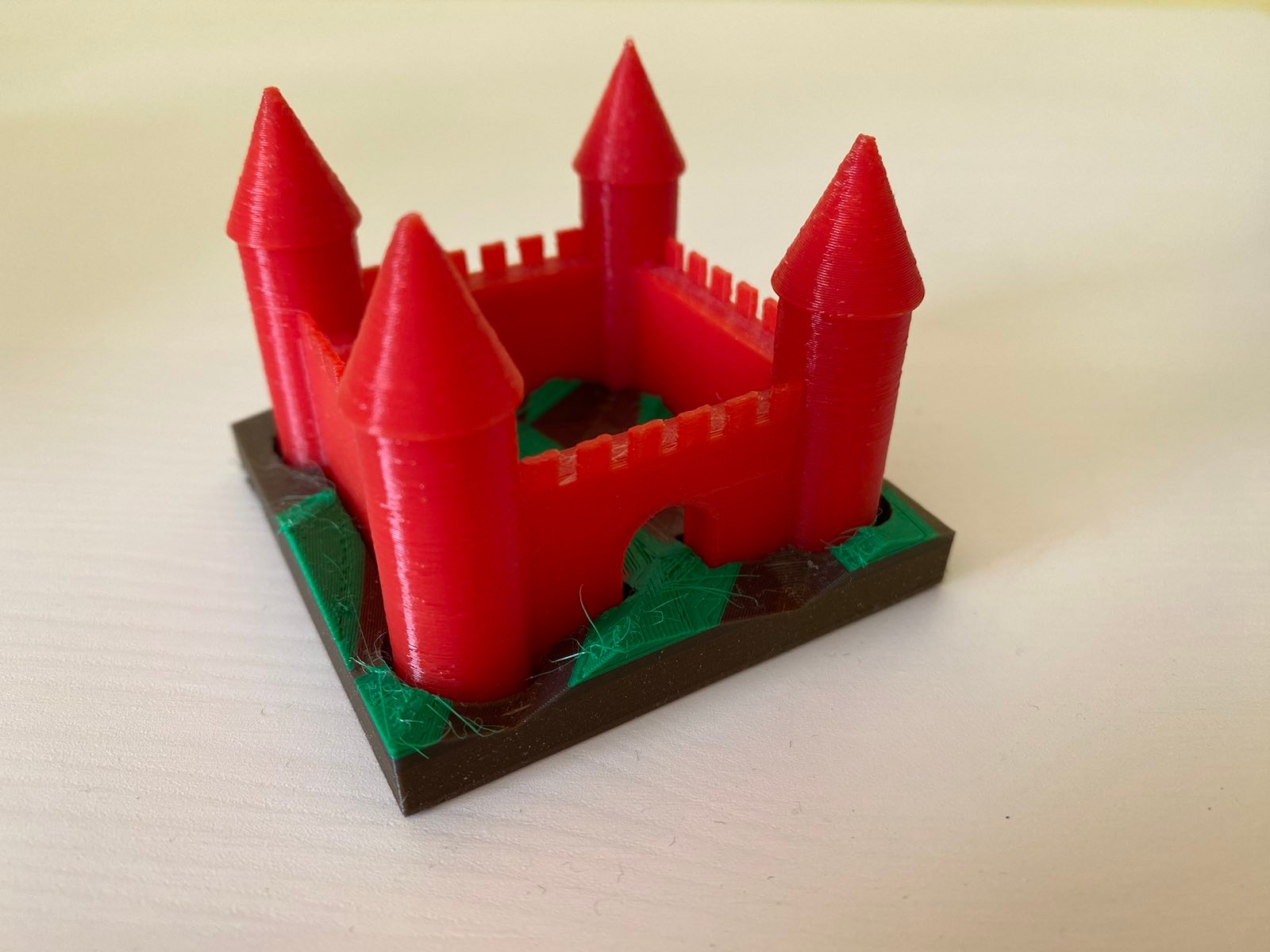
I designed and printed a "terrain" base for my 3D castle in
OpenSCAD. The castle was the first thing I designed and printed on our (then
new) office 3D printer. I use it as a test bed if I want to try something new,
and this time I wanted to try procedurally generating a model.
I've released the OpenSCAD source for the terrain generator under the
name Zarchscape.
mid 90s terrain generation
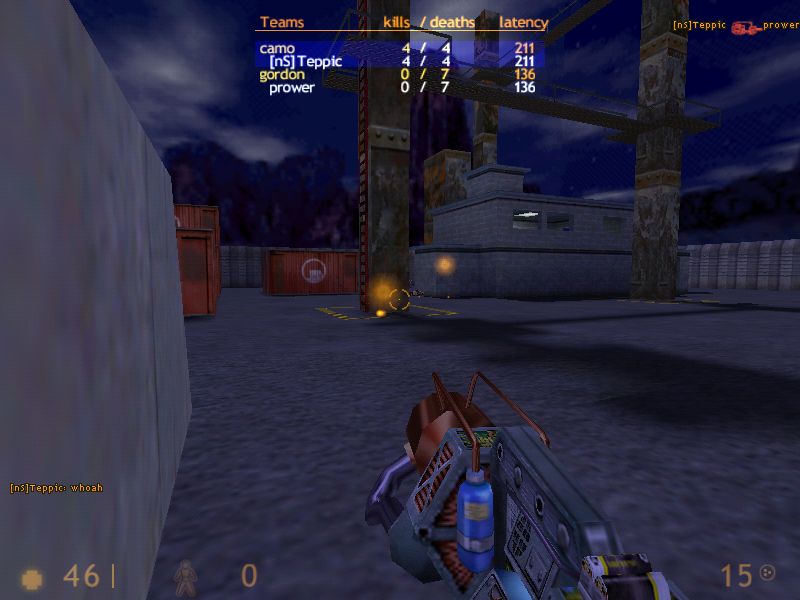
Back in the 90s I spent some time designing maps/levels/arenas for Quake
and its sibling games (like Half-Life), mostly in the tool Worldcraft. A
lot of beginner maps (including my own), ended up looking pretty boxy. I
once stumbled across an article blog post that taught my a useful trick for making
more natural-looking terrain. In brief: tessellate the floor region with
triangle polygons, then randomly add some jitter to the z-dimension for
their vertices. A really simple technique with fairly dramatic results.
OpenSCAD
Doing the same in OpenSCAD stretched me, and I think stretched OpenSCAD.
It left me with some opinions which I'll try to write up in a future
blog post.
Final results
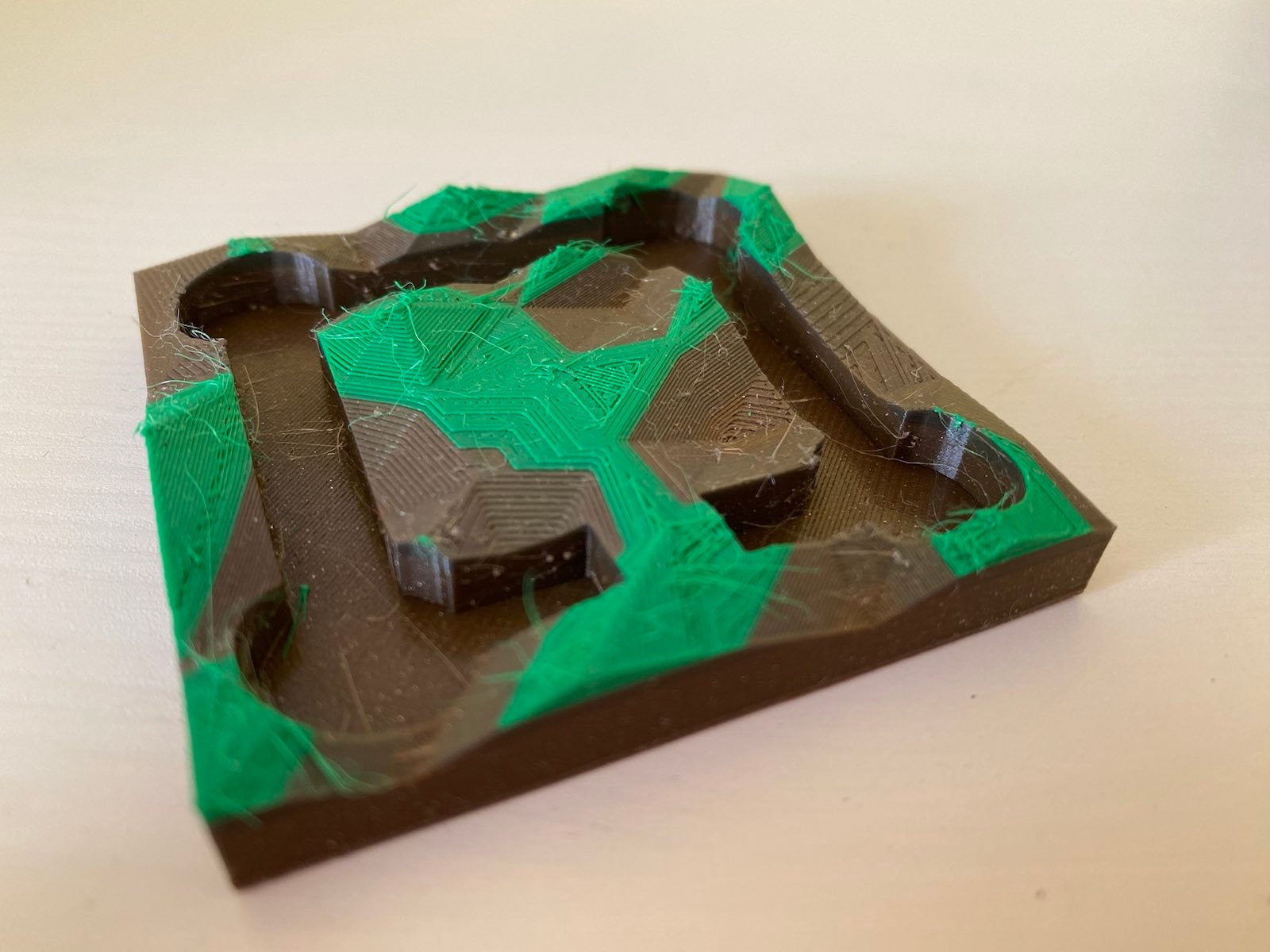
I've generated and printed the result a couple of times, including an
attempt a multicolour print.
At home, I have a large spool of brown-coloured recycled PLA, and many small
lengths of samples in various colours (that I picked up at Maker Faire Czech
Republiclast year), including some
short lengths of green.
My home printer is a Prusa Mini, and I cheaped out and didn't buy the
filament runout sensor, which would detect when the current filament ran
out and let me handle the situation gracefully. Instead, I added several
colour change instructions to the g-code at various heights, hoping that
whatever plastic I loaded for each layer was enough to get the print to
the next colour change instruction.
The results are a little mixed I think. I didn't catch the final layer
running out in time (forgetting that the Bowden tube also means I need
to catch it running out before the loading gear, a few inches earlier
than the nozzle), so the final lush green colour ends prematurely. I've
also got a fair bit of stringing to clean up.
Finally, all these non-flat planes really show up some of the limitations of
regular Slicing. It would be interesting to try this with a non-planar
Slicer.
Welcome to the 41th post in the $R^4 series. This
post draws on joint experiments first started by Grant building on the
lovely work Eitsupi as part of
our Rocker Project. In short,
r2u is an ideal match
for Codesspaces, a
Microsoft/GitHub service to run code locally but in the cloud via
browser or Visual Studio
Code. This posts co-serves as the README.md in the .devcontainer
directory as well as a vignette
for r2u.
So let us get into it. Starting from the r2u repository, the .devcontainer
directory provides a small self-containted file
devcontainer.json to launch an executable environment R
using r2u. It is based on the example in Grant
McDermott s codespaces-r2u repo and reuses its documentation. It is
driven by the Rocker
Project s Devcontainer Features repo creating a fully functioning R
environment for cloud use in a few minutes. And thanks to r2u you can add easily to
this environment by installing new R packages in a fast and failsafe
way.
Try it out
To get started, simply click on the green Code button at the top
right. Then select the Codespaces tab and click the + symbol to
start a new Codespace.
The first time you do this, it will open up a new browser tab where
your Codespace is being instantiated. This first-time instantiation
will take a few minutes (feel free to click View logs to see how
things are progressing) so please be patient. Once built, your Codespace
will deploy almost immediately when you use it again in the future.
After the VS Code editor opens up in your browser, feel free to open
up the examples/sfExample.R
file. It demonstrates how r2u enables us install
packages and their system-dependencies with ease, here
installing packages sf (including all its
geospatial dependencies) and ggplot2 (including
all its dependencies). You can run the code easily in the browser
environment: Highlight or hover over line(s) and execute them by hitting
Cmd+Return (Mac) /
Ctrl+Return (Linux / Windows).
(Both example screenshots reflect the initial codespaces-r2u
repo as well as personal scratchspace one which we started with, both of
course work here too.)
Do not forget to close your Codespace once you have finished using
it. Click the Codespaces tab at the very bottom left of your code
editor / browser and select Close Current Codespace in the resulting
pop-up box. You can restart it at any time, for example by going to
https://github.com/codespaces and clicking on your instance.
Extend r2u with r-universe
r2u offers
fast, easy, reliable access to all of CRAN via binaries for
Ubuntu focal and jammy. When using the latter (as is the default), it
can be combined with r-universe
and its Ubuntu jammy binaries. We demontrates this in a second example
file examples/censusExample.R
which install both the cellxgene-census
and tiledbsoma R
packages as binaries from r-universe (along with about 100
dependencies), downloads single-cell data from Census and uses Seurat to create PCA and
UMAP decomposition plots. Note that in order run this you have to
change the Codespaces default instance from small (4gb ram) to large
(16gb ram).
Local DevContainer build
Codespaces are DevContainers running in the cloud (where
DevContainers are themselves just Docker images running with some VS
Code sugar on top). This gives you the very powerful ability to edit
locally but run remotely in the hosted codespace. To test this setup
locally, simply clone the repo and open it up in VS Code. You will need
to have Docker installed and running on your system (see here). You will also
need the Remote
Development extension (you will probably be prompted to install it
automatically if you do not have it yet). Select Reopen in Container
when prompted. Otherwise, click the >< tab at the
very bottom left of your VS Code editor and select this option. To shut
down the container, simply click the same button and choose Reopen
Folder Locally . You can always search for these commands via the
command palette too (Cmd+Shift+p /
Ctrl+Shift+p).
Use in Your Repo
To add this ability of launching Codespaces in the browser (or
editor) to a repo of yours, create a directory
.devcontainers in your selected repo, and add the file .devcontainers/devcontainer.json.
You can customize it by enabling other feature, or use the
postCreateCommand field to install packages (while taking
full advantage of r2u).
Acknowledgments
There are a few key plumbing pieces that make everything work here.
Thanks to:
Last but not least everybody who helped me make r2u possible, tested it,
or sent hints for improvement.
Colophon
More information about r2u is at its site, and we
answered some question in issues, and at stackoverflow. More questions
are always welcome!
If you like this or other open-source work I do, you can now sponsor me at
GitHub.
I have started to make private posts, accessible only to my Dreamwidth access list.
If you re a friend of mine and would like to be on that list, please contact me with your Dreamwidth username (or your OpenID).
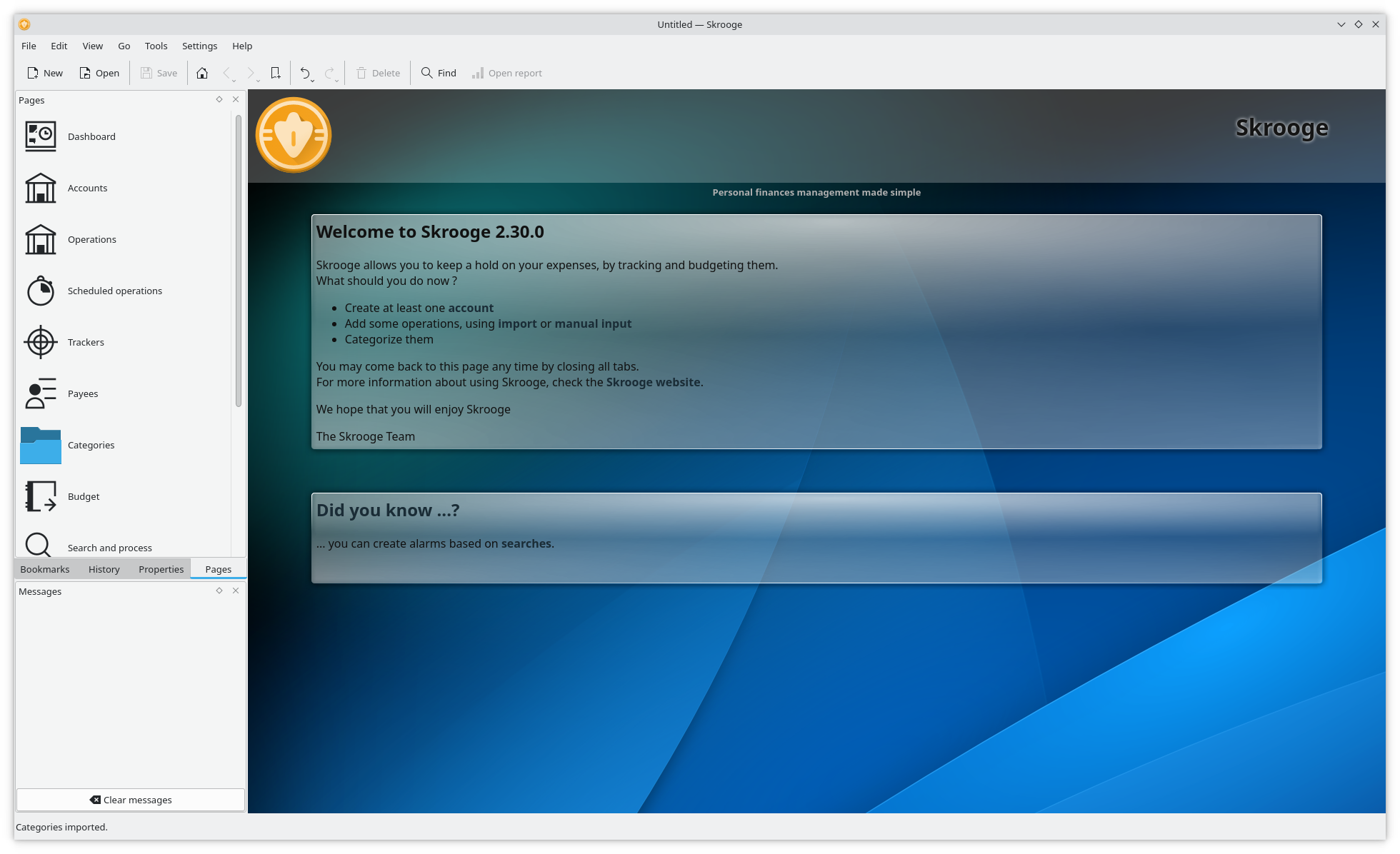
KDE Skrooge snap
It has been a very busy couple of weeks in the KDE snap world! Here is a rundown of what has been done:
Solved issues with an updated mesa in Jammy causing some apps to seg fault by rebuilding our content pack. Please do a snap refresh if this happens to you.
Resolved our scanner apps not finding any scanners. Skanlite and Skanpage now work as expected and find your scanners, even network scanners!
Fixed an issue with neochat/ruqola that relaunching the application just hangs https://forum.snapcraft.io/t/neochat-autoconnect-requests/36331 and https://bugs.kde.org/show_bug.cgi?id=473003 by allowing access to system password manager. Still working out online accounts ( specifically ubuntu-sso )
Fixed issues with QML and styles not being found or set in many snaps.
Helped FreeCAD update their snap to core22 ( while not KDE, they do use the kde-neon ext ) https://github.com/FreeCAD/FreeCAD-snap/pull/92
New applications completed Skrooge Qrca massif-visualizer
Updating applications to 23.04.3 half way through unfortunately our priority for launchpad builders is last so it is a bottleneck until I sort out how to get them to bump that up.
Updated our content pack to latest in snapcraft upstream for the kde-neon extension.
Various fixes to ease updating our snapcraft files with new releases ( to ease CI automated releases )
An update to the Very exciting news coming soon : While everything went well, it is not (yet!) happening. I do not have the management experience the stakeholders are looking for to run the project. I understand completely! I have the passion and project experience, just not management in this type of project. So with that said, are you a KDE/C++ developer with a management background and have a history of bringing projects to the finishline? Are you interested in an exciting new project with new technologies? Talk to me! I can be reached via sgmoore on the various chat channels, sgmoore at kde dot org, or connect via linkedin and message: https://www.linkedin.com/in/scarlettgatelymoore If you know anyone that might be interested, please point them here!
As this project gets further delayed, it leaves me without an income still. If you or someone you know has any short term contract work let me know. Pesky bills and life expenses don t pay themselves If you can spare some change ( anything helps ) please consider a donation. https://gofund.me/5d0691bc
A big thank you to the community for making my work possible thus far!
A couple of weeks ago I had to undergo surgery, because one of my kidneys
malfunctioned. Everything went well and I m on my way to recovery. Luckily the
most recent local heat wave was over just shortly after I got home, which made
being stuck at home a little easier (not sure yet when I ll be allowed to do
sports again, I miss my climbing gym ).
At first I did not have that much energy to do computer stuff, but after a week
or so I was able to sit in front of the screen for short amounts of time and I
started to get into writing Rust code again.
carl
The first thing I did was updating carl. I updated all
the dependencies and switched the dependency that does coloring from
ansi_term, which is
unmaintained, to
nu-ansi-term. When I then updated the
clap dependency to version 4 I realized that
clap now depends on the anstyle crate for
text styling - so I updated carls coloring code once again so it now uses
anstyle, which led to less dependencies overall. Implementing this change I
also did some refactoring of the code.
carl how also has its own website as well as a
subdomain1.
I also added a couple of new date properties to carl, namely all weekdays as
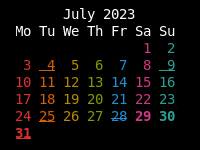
well as odd and even - this means it is now possible choose a separate color
for every weekday and have a rainbow calendar:
typelerate
Then I started writing my first game -
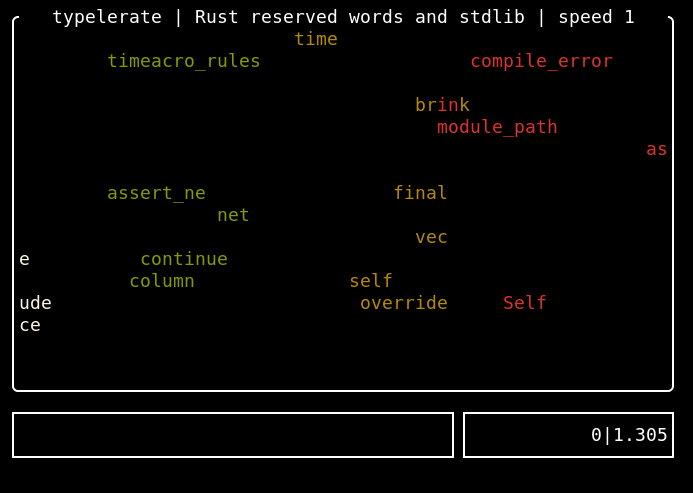
typelerate. It is a copy of the great
typespeed, without the multiplayer
support.
To describe the idea behind the game, I quote the typespeed website:
Typespeed s idea is ripped from ztspeed (a DOS game made by Zorlim). The
Idea behind the game is rather easy: type words that are flying by from left
to right as fast as you can. If you miss 10 or more words, game is over.
Instead of the multiplayer support, typelerate works with UTF-8 strings and
it also has another game mode: in typespeed you only type whats scrolling
via the screen. In typelerate I added the option to have one or more
answer strings. One of those has to be typed instead of the word flying
across the screen. This lets you implement kind of an question/answer game. To
be backwards compatible with the existing wordfiles from typespeed2, the
wordfiles for the question/answer games contain comma separated values. The
typelerate repository contains
wordfiles with Python and Rust keywords as well as wordfiles where you are
shown an Emoji and you have to type the corresponding Github shortcode. I m
happy to add additional wordfiles (there could be for example math
questions ).
marsrover
Another commandline game I really like, because I am fascinated by the animated
ASCII graphics, is the venerable
moon-buggy. In this game you have to
drive a vehicle across the moon s surface and deal with obstacles like craters or
aliens.
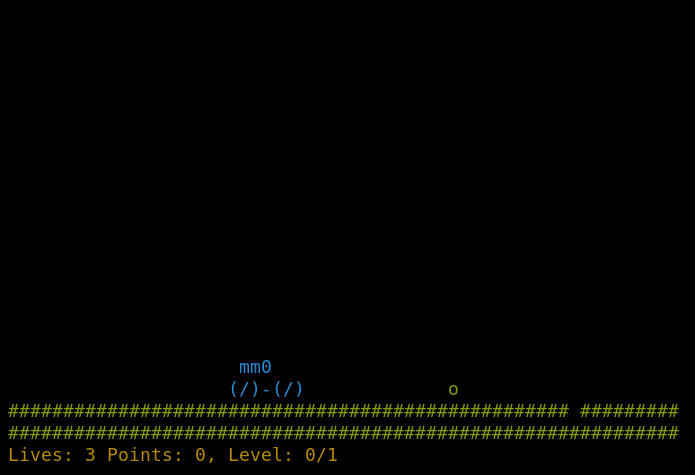
I reimplemented the game in rust and called it marsrover:
I published it on crates.io, you can find
the repository on github. The game uses
a configuration file in $XDG_CONFIG_HOME/marsrover/config.toml - you can
configure the colors of the elements as well as the levels. The game comes with
four levels
predefined,
but you can use the configuration file to override that list of levels with
levels with your own properties. The level properties define the probabilities
of obstacles occuring on your way on the mars surface and a points setting that
defines how many points the user can get in that level (=the game switches to
the next level if the user reaches the points).
Armadillo is a powerful
and expressive C++ template library for linear algebra and scientific
computing. It aims towards a good balance between speed and ease of use,
has a syntax deliberately close to Matlab, and is useful for algorithm
development directly in C++, or quick conversion of research code into
production environments. RcppArmadillo
integrates this library with the R environment and language and is
widely used by (currently) 1092 other packages on CRAN, downloaded 30.1 million
times (per the partial logs from the cloud mirrors of CRAN), and the CSDA paper (preprint
/ vignette) by Conrad and myself has been cited 545 times according
to Google Scholar.
This release brings bugfix upstream release 12.6.1. Conrad release
12.6.0 when CRAN went on summer
break. I rolled it up ran the full reverse-depenency check against the
now more than 1000 packages. And usage from one those revealed a
corner-case bug (of not always flattening memory for sparse matrices
to zero values) so 12.6.1 followed. This is what was uploaded today. And
as I prepared it earlier in the week as CRAN reopened, Conrad released a
new 12.6.2. However, its changes are only concerned with
settings for Armadillo-internal use of its random number generators
(RNGs). And as RcppArmadillo connects Armadillo to the RNGs provided by
R, the upgrade does not affect R users at all. However it is available
in the github repo, in the Rcpp drap repo and at r-universe.
The set of changes for this RcppArmadillo release follows.
Changes
in RcppArmadillo version 0.12.6.1.0 (2023-07-26)
Upgraded to Armadillo release 12.6.1 (Cortisol Retox)
faster multiplication of dense vectors by sparse matrices (and
vice versa)
faster eigs_sym() and
eigs_gen()
faster conv() and conv2() when using
OpenMP
added diags() and spdiags() for
generating band matrices from set of vectors
If you use dput-ng, you may be familiar with the Twitter hook that tweets a message when uploading a package.A similar hook is now available for Mastodon too; if interested, give it a try and comment on the MR
I still enjoy Kodi and
LibreELEC as my multimedia center
at home. Sadly two of the services I really would like to use from
within Kodi are not easily available. The most wanted add-on would be
one making The Internet Archive
available, and it has
not been
working for many years. The second most wanted add-on is one
using the Invidious privacy enhanced
Youtube frontent. A plugin for this has been partly working, but
not been kept up to date in the Kodi add-on repository, and its
upstream seem to have given it up in April this year, when the git
repository was closed. A few days ago I got tired of this sad state
of affairs and decided to
have
a go at improving the Invidious add-on. As
Google has
already attacked the Invidious concept, so it need all the support
if can get. My small contribution here is to improve the service
status on Kodi.
I added support to the Invidious add-on for automatically picking a
working Invidious instance, instead of requiring the user to specify
the URL to a specific instance after installation. I also had a look
at the set of patches floating around in the various forks on github,
and decided to clean up at least some of the features I liked and
integrate them into my new release branch. Now the plugin can handle
channel and short video items in search results. Earlier it could
only handle single video instances in the search response. I also
brushed up the set of metadata displayed a bit, but hope I can figure
out how to get more relevant metadata displayed.
Because I only use Kodi 20 myself, I only test on version 20 and am
only motivated to ensure version 20 is working. Because of API changes
between version 19 and 20, I suspect it will fail with earlier Kodi
versions.
I already
asked to have
the add-on added to the official Kodi 20 repository, and is
waiting to heard back from the repo maintainers.
As usual, if you use Bitcoin and want to show your support of my
activities, please send Bitcoin donations to my address
15oWEoG9dUPovwmUL9KWAnYRtNJEkP1u1b.
tracker.debian.org work by Rapha l Hertzog
Rapha l spent some time during his vacation to update
distro-tracker to be fully
compatible with Django 3.2 so that the codebase and the whole testsuite can
run on Debian 12. There s one exception though with the functional test suite
that still needs further work to cope with the latest version of Selenium.
By dropping support of Django 2.2, Rapha l could also start to work toward
support of Django 4.2 since Django helpfully emits deprecation warnings of
things that will break in future versions. All the warnings have been fixed
but the codebase still fails its testsuite in Django 4.2 because we have to
get rid of the python3-django-jsonfield dependency (that is rightfully dead
upstream since Django has native support nowadays). All the JSONField have
been converted to use Django s native field, but the migration system still
requires that dependency at this point.
This will require either some fresh reboot of the migration history, or some
other trickery to erase the jsonfield dependency from the history of
migrations. If you have experience with that, don t hesitate to share it (mail
at hertzog@debian.org, or reach out to buxy on
IRC).
At this point, tracker.debian.org runs with Django 3.2 on Debian 11 since
Debian System Administrators are not yet ready to upgrade debian.org hosts to
Debian 12.
DebConf 23 bursary work by Utkarsh Gupta
Utkarsh led the bursary team this year. The bursary team got a ton of requests
this time. Rolling out the results in 4 batches, the bursary team catered over
165 bursary requests - which is superb!
The team managed to address all the requests and answered a bit over 120 emails
in the process. With that, the bursaries are officially closed for DebConf
2023. The team also intends to roll out some of the statistics closer to
DebConf.
Miscellaneous contributions
Stefano implemented meson support in pybuild, the tool for building Python
packages in Debian against multiple Python versions.
Santiago did some work on Salsa CI to enhance the ARM support on the
autopkgtest job and make Josch s branch
work. MR to come soon.
Helmut sent patches for 6 cross build failures.
Stefano has been preparing for DebConf 23: Working on the website, and
assisting the local teams.
Stefano attended the DebConf Video team sprint in Paris, mostly looking at
new hardware and software options for video capture and live-mixing.
Full sprint report.
This is a short announcement to say that I have changed my main
OpenPGP key. A signed statement is available with the
cryptographic details but, in short, the reason is that I stopped
using my old YubiKey NEO that I have worn on my keyring since
2015.
I now have a YubiKey 5 which supports ED25519 which features much
shorter keys and faster decryption. It allowed me to move all my
secret subkeys on the key (including encryption keys) while retaining
reasonable performance.
I have written extensive documentation on how to do that OpenPGP key
rotation and also YubiKey OpenPGP operations.
Warning on storing encryption keys on a YubiKey
People wishing to move their private encryption keys to such a
security token should be very careful as there are special
precautions to take for disaster recovery.
I am toying with the idea of writing an article specifically about
disaster recovery for secrets and backups, dealing specifically with
cases of death or disabilities.
Autocrypt changes
One nice change is the impact on Autocrypt headers, which are
considerably shorter.
Before, the header didn't even fit on a single line in an email, it
overflowed to five lines:
Note that I have implemented my own kind of ridiculous Autocrypt
support for the NotmuchEmacs email client I use, see this
elisp code. To import keys, I pipe the message into this
script which is basically just:
sq autocrypt decode gpg --import
... thanks to Sequoia best-of-class Autocrypt support.
Note on OpenPGP usage
While some have claimed OpenPGP's death, I believe those are
overstated. Maybe it's just me, but I still use OpenPGP for my
password management, to authenticate users and messages, and it's the
interface to my YubiKey for authenticating with SSH servers.
I understand people feel that OpenPGP is possibly insecure,
counter-intuitive and full of problems, but I think most of those
problems should instead be attributed to its current flagship
implementation, GnuPG. I have tried to work with GnuPG for years, and
it keeps surprising me with evilness and oddities.
I have high hopes that the Sequoia project can bring some sanity
into this space, and I also hope that RFC4880bis can eventually
get somewhere so we have a more solid specification with more robust
crypto. It's kind of a shame that this has dragged on for so
long, but Update: there's a separate draft called
openpgp-crypto-refresh that might actually be adopted as the
"OpenPGP RFC" soon! And
it doesn't keep real work from happening in Sequoia and other
implementations. Thunderbird rewrote their OpenPGP implementation with
RNP (which was, granted, a bumpy road because it lost
compatibility with GnuPG) and Sequoia now has a certificate store
with trust management (but still no secret storage), preliminary
OpenPGP card support and even a basic GnuPG compatibility
layer. I'm also curious to try out the OpenPGP CA
capabilities.
So maybe it's just because I'm becoming an old fart that doesn't want
to change tools, but so far I haven't seen a good incentive in
switching away from OpenPGP, and haven't found a good set of tools
that completely replace it. Maybe OpenSSH's keys and CA can eventually
replace it, but I suspect they will end up rebuilding most of OpenPGP
anyway, just more slowly. If they do, let's hope they avoid the
mistakes our community has done in the past at least...
 Inspired by the fine Debian Local Groups all over the world, I ve long since wanted to start one in Cape Town. Unfortunately, there s been many obstacles over the years. Shiny distractions, an epidemic, DPL terms these are just some of the things that got in the way.
Fortunately, things are starting to gain traction, and we re well on our way to forming a bona fide local group for South Africa.
We got together at Woodstock Grill, they have both a nice meeting room, and good food and beverage, also reasonably central for most of us.
Inspired by the fine Debian Local Groups all over the world, I ve long since wanted to start one in Cape Town. Unfortunately, there s been many obstacles over the years. Shiny distractions, an epidemic, DPL terms these are just some of the things that got in the way.
Fortunately, things are starting to gain traction, and we re well on our way to forming a bona fide local group for South Africa.
We got together at Woodstock Grill, they have both a nice meeting room, and good food and beverage, also reasonably central for most of us.



 I've been maintaining a number of Perl software packages recently.
There's
I've been maintaining a number of Perl software packages recently.
There's  Welcome to the 41th post in the
  The first time you do this, it will open up a new browser tab where
your Codespace is being instantiated. This first-time instantiation
will take a few minutes (feel free to click View logs to see how
things are progressing) so please be patient. Once built, your Codespace
will deploy almost immediately when you use it again in the future.
The first time you do this, it will open up a new browser tab where
your Codespace is being instantiated. This first-time instantiation
will take a few minutes (feel free to click View logs to see how
things are progressing) so please be patient. Once built, your Codespace
will deploy almost immediately when you use it again in the future.
 After the VS Code editor opens up in your browser, feel free to open
up the
After the VS Code editor opens up in your browser, feel free to open
up the 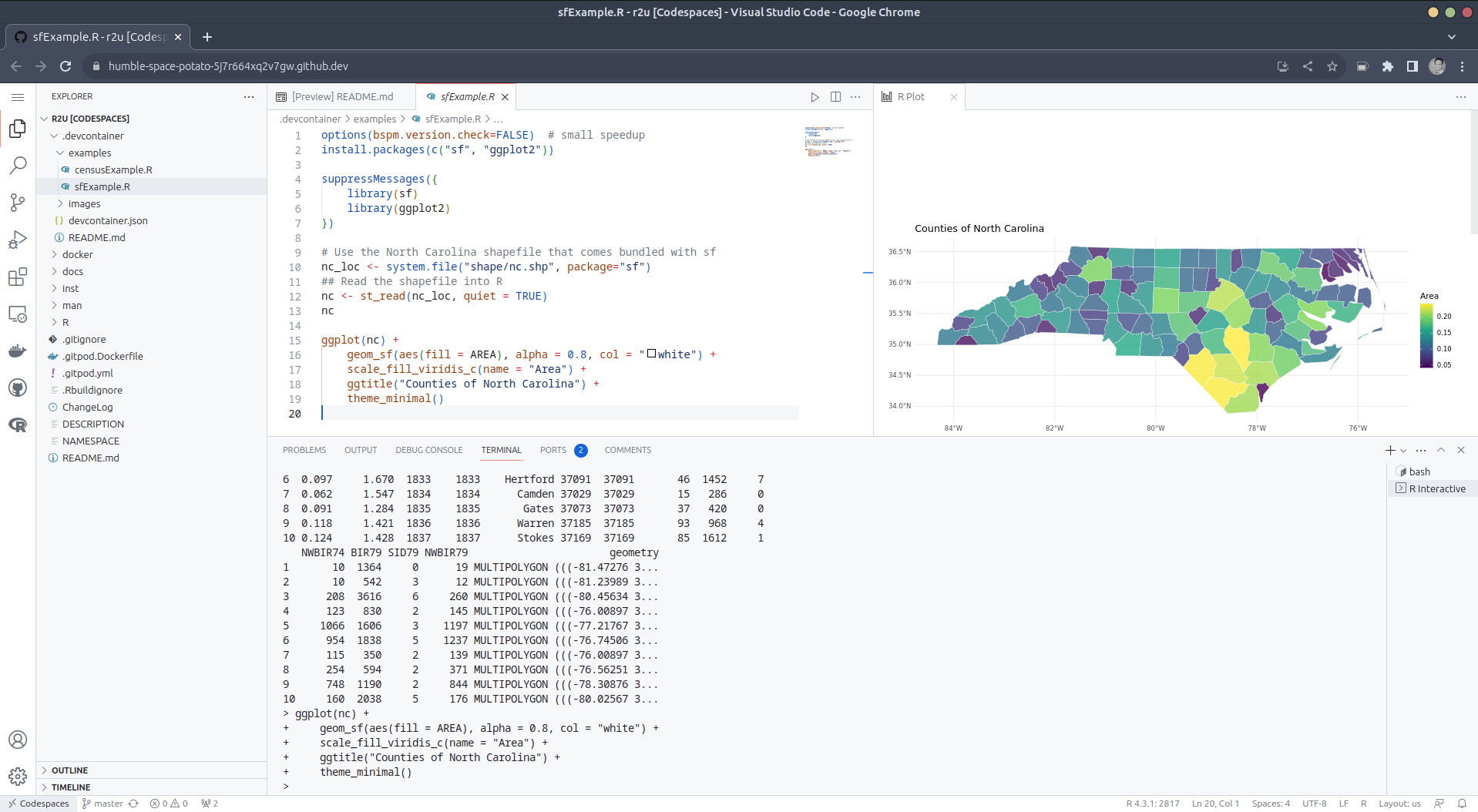 (Both example screenshots reflect the initial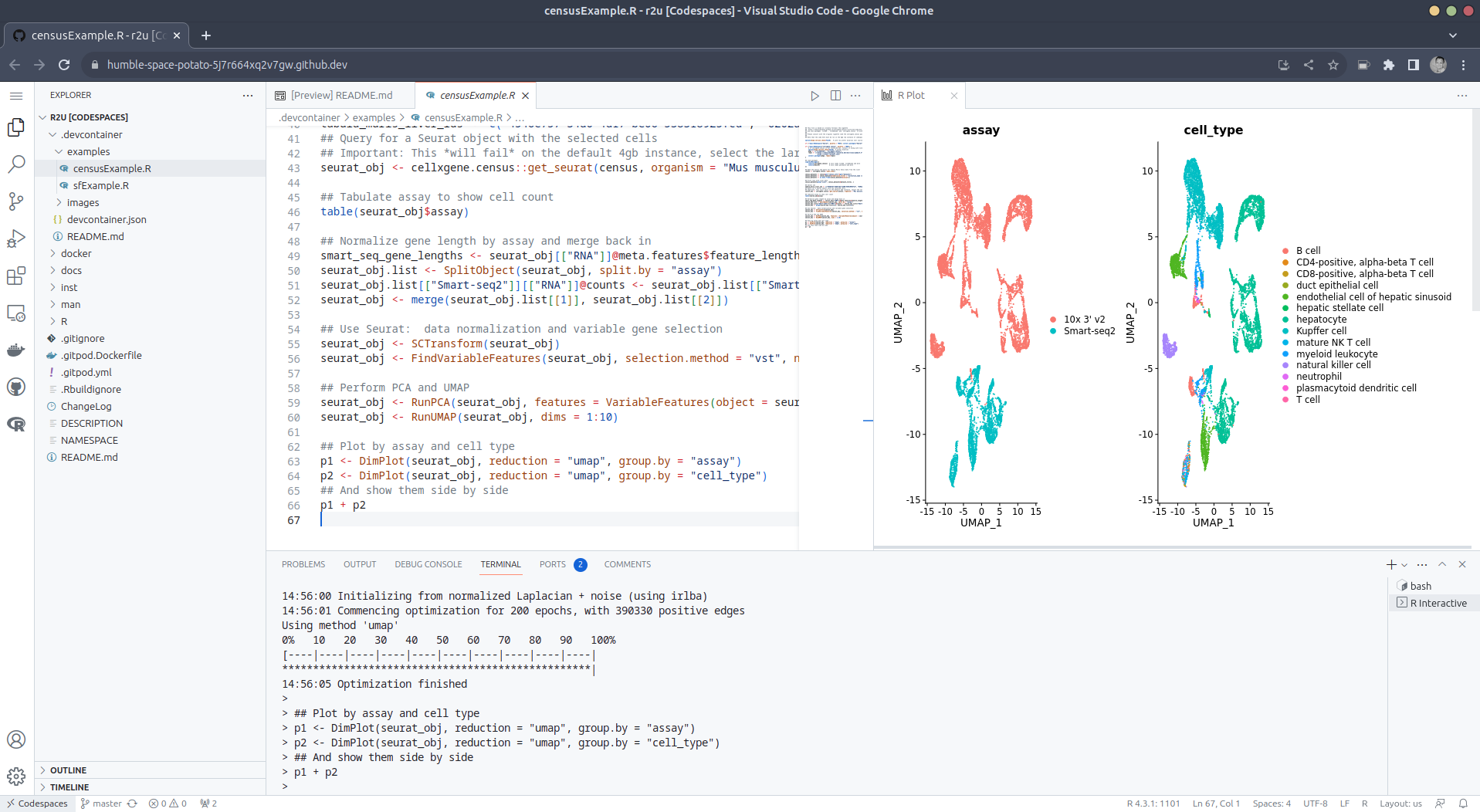

 Like each month, have a look at the work funded by
  One of the annoyances I had when I upgraded from Buster to Bullseye (yes, I m talking about an upgrade I did at the end of 2021) is that I ended up moving from Mailman 2 to Mailman 3. Which is fine, I guess, but it meant I could no longer use
  Mexico s education sector had one of the longest lockdowns due to COVID: As
everybody, we went virtual in March 2020, and it was only by late February
2022 that I went back to teach presentially at the University.
But for the semester starting next Tuesday, I m going back to a full-online
mode. Why? Because me and my family will be travelling to Argentina for six
months, starting this October and until next March. When I went to ask for my
teaching to be frozen for two semesters, the Head of Division told me he was
actually looking for teachers wanting to do distance-teaching With a student
population of >380,000 students, and not being able to grow the physical
infrastructure, and with such a big city as Mexico City, where a person can take
ove 2hr to commute daily It only makes sense to offer part of the courses
online.
To be honest, I m a bit nervous about this. The past couple of days, I ve been
setting up again the technological parts (i.e. spinning up a Jitsi instance,
remembering my usual practices and programs). But Well, I know that being
videoconference-bound, my teaching will lose the dynamism that comes from
talking face to face with students. I think I will miss it!
(but at the same time, I m happy to try this anew: to go virtual, but where
students choosing this modality do so by choice rather than because the world
forced them to)
Mexico s education sector had one of the longest lockdowns due to COVID: As
everybody, we went virtual in March 2020, and it was only by late February
2022 that I went back to teach presentially at the University.
But for the semester starting next Tuesday, I m going back to a full-online
mode. Why? Because me and my family will be travelling to Argentina for six
months, starting this October and until next March. When I went to ask for my
teaching to be frozen for two semesters, the Head of Division told me he was
actually looking for teachers wanting to do distance-teaching With a student
population of >380,000 students, and not being able to grow the physical
infrastructure, and with such a big city as Mexico City, where a person can take
ove 2hr to commute daily It only makes sense to offer part of the courses
online.
To be honest, I m a bit nervous about this. The past couple of days, I ve been
setting up again the technological parts (i.e. spinning up a Jitsi instance,
remembering my usual practices and programs). But Well, I know that being
videoconference-bound, my teaching will lose the dynamism that comes from
talking face to face with students. I think I will miss it!
(but at the same time, I m happy to try this anew: to go virtual, but where
students choosing this modality do so by choice rather than because the world
forced them to)

](https://jmtd.net/log/zarchscape/carpet_90s.jpg)
 KDE Skrooge snap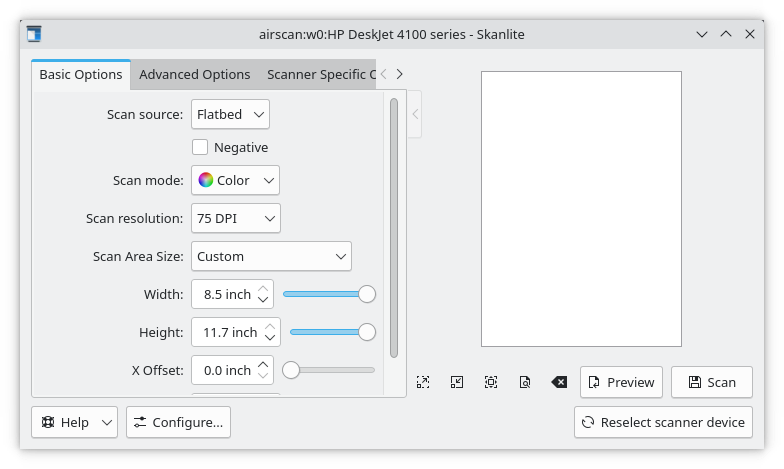
 If you can spare some change ( anything helps ) please consider a donation.