Search Results: "nic"

5 June 2017

John Goerzen: Flying with my brothers

Picture one Sunday morning. Three guys are seemingly-randomly walking into a Mennonite church in rural Nebraska. One with long hair and well-maintained clothes from the 70s. Another dressed well enough to be preaching. And the third simply dressed to be comfortable, with short hair showing evidence of having worn a headset for a couple of hours that morning. This was the scene as we made a spur-of-the-moment visit to that church which resulted in quite some surprise all around, since my brother knew a number of people there. For instance:
Pastor: Peter! What are you doing here? Peter: [jokingly] Is that how you greet visitors here?
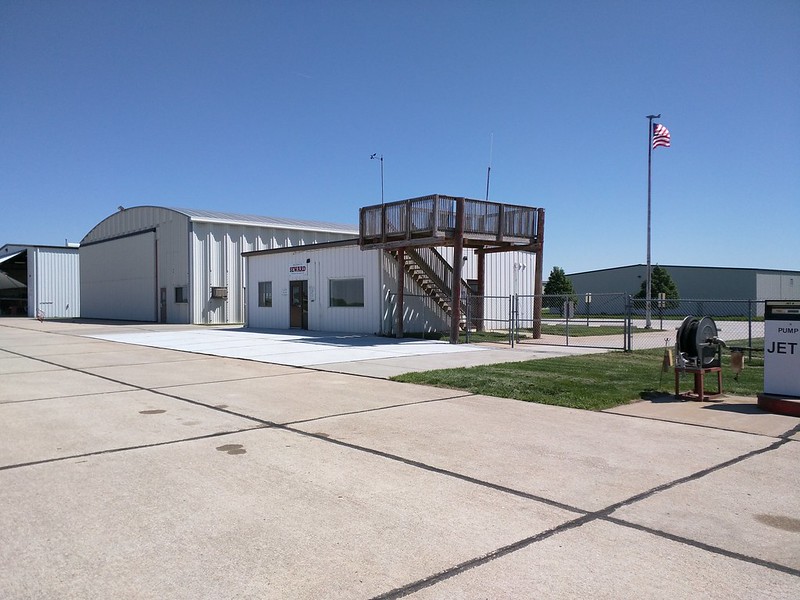
And then, of course, Peter would say, Well, we were flying home from South Dakota and figured we d stop in at Beatrice for fuel. And drop in on you. Followed by some surprise that we would stop at their little airport (which is quite a nice one). This all happened because it was windy. This is the fun adventure of aviation. Sometimes you plan to go to Texas, but the weather there is terrible, so you discover a 100-year-old landmark in Indiana instead. Or sometimes, like a couple of weeks ago, we planned to fly straight home but spent a few hours exploring rural Nebraska. The three of us flew to Sioux Falls, SD, in a little Cessna to visit my uncle and aunt up there. On our flight up, we stopped at the little airport in Seward, NE. It was complete with this unique elevated deck. In my imagination, this is used for people to drink beer while watching the planes land. IMG_20170512_113323 In South Dakota, we had a weekend full of card and board games, horseshoes, and Crokinole with my uncle and aunt, who are always fun to visit. We had many memories of visits up there as children and the pleasant enjoyment of the fact that we didn t need an 8-hour drive to get there. We flew back with a huge bag of large rhubarb from their garden (that too is something of a tradition!) It was a fun weekend to spend with my brothers first time we d been able to do this in a long while. And it marked the 11th state I ve flown into, and over 17,000 miles of flying.

3 June 2017

Junichi Uekawa: I am still learning rust and C++ is more comfortable.

I am still learning rust and C++ is more comfortable. Been playing with jupyter notebook and liking it. It gives a presentation layer easy to share with others for exploratory works.

Norbert Preining: TeX Live 2017 released

TeX Live 2017 has been released! CTAN mirrors are busy updating. Get out bottles of good wine, and enjoy a good long download
Besides the huge amount of package updates due to the 2 month testing hiatus, I want to pick a few changes before copying the complete changelog entry: Additional TEXMF trees tlmgr got a new functionality to easily add and remove additional TEXMF trees to the search path. MikTeX had this features since long, and it was often requested. As it turned out, it is a rather trivial thing to achieve by some texmf.cnf lines. The rest is just front end in tlmgr. Here a few invocations (not very intelligent usage, though):
$ tlmgr conf auxtrees show
tlmgr: no auxiliary texmf trees defined.
$ tlmgr conf auxtrees add /projects/book-abc
$ tlmgr conf auxtrees
List of auxiliary texmf trees:
  /projects/book-abc
$ tlmgr conf auxtrees remove /projects/book-abc
$ tlmgr conf auxtrees show
tlmgr: no auxiliary texmf trees defined.
TeX Live Manager interactive shell tlmgr also got an interactive shell now, that can also be used for scripting. Available commands are all the usual command line actions, plus a few more (see documentation). Again, here a simple session:
$ tlmgr shell
protocol 1
tlmgr> load local
OK
tlmgr> load remote
tlmgr: package repositories
	main = /home/norbert/public_html/tlnet (verified)
	koma = http://www.komascript.de/repository/texlive/2017 (verified)
OK
tlmgr> update --list
tlmgr: package repositories
	main = /home/norbert/public_html/tlnet (verified)
	koma = http://www.komascript.de/repository/texlive/2017 (verified)
tlmgr: saving backups to /home/norbert/tl/2017/tlpkg/backups
tlmgr: no updates available
OK
tlmgr> byebye
$
User versus System mode for updmap and fmtutil I have reported on this during BachoTeX/TUG 2017, here are the slides, that the two central configuration programs updmap and fmtutil will change their operation mode slightly by disallowing invocations without mde specification. That is, one either needs to call updmap -sys (or updmap-sys, nothing changed here from previous years) or updmap -user (or updmap-user, new in TeX Live 2017). We hope by this and the accompanying web page of recommendations to help users not to shoot themselves to often by calling updmap without knowing the consequences. The upcoming proceedings of the BachoTeX will also comtain an article fully documenting both updmap and fmtutil including the most recent changes.
These were only a few changes where I had my fingers in the development. For the full list, read on below. Now get ready for partying, and also for the end of the peace, because daily package updates will restart in the next days. Enjoy Changes since TeX Live 2016 The following list of changes is directly from the TeX Live documentation.

Holger Levsen: 20170603-stretch

Stretch So I have done my (hopefully) last uploads for Stretch (r0) today and want to share how pleased I've been with this release cycle. It was the smoothest freeze I've witnessed so far, I really liked the clear and documented rules from the Release Team, their regular release infos on d-d-a and publically logged IRC meetings plus the easy-to-remember URL http://release.debian.org (nicely redirecting to https), where one can easily find those relevant dates, emails and rules. Plus, useful bug views via https://udd.debian.org. There is more, but to me the last (and probably most important) factor to all this has been that most of this actually hasn't been new in this release cycle, but rather that by now a significant number of developers are aware of this and mostly have acted accordingly and communicated this further. Kudos and many thanks to the Release team, you have been amazing! Many thanks also to everyone who has contributed nicely to those 24838 source packages! You rock as well. And then I'll also like the upcoming quieter two weeks, also to prepare the Debian Edu Stretch announcement :) And then, finally, I really really look forward to the next development cycle and being able to meaningful start working on reproducible Buster!

Ingo Juergensmann: Back to the roots: FidoNet - I'm back!

Last month I blogged about Fidonet. This month I can report that I'm back in FidoNet. While I was 2:2449/413 back then, my new node number is now 2:2452/413@fidonet. The old network 2:2449 is still listed in the Fidonet nodelist, but no longer active, but maybe I can revive that network at a later time. Who knows. The other problem I complained last month about was missing software in Debian. There is binkd and ifcico as mailer software and crashmail and ifmail as a tosser, but no reader software. So how did I get started again? First, I got into mood by watching all parts of the BBS documentary about BBSes: It's a nice watch, so even when you don't plan to start a BBS or join Fidonet like I did, you can see Tom Jennings and others talking about BBSes in general and Fidonet. It's somewhat a nice way-back machine and it made me to actually start my comeback to Fidonet. I tried to compile some projects from Sourceforge like fidoip or GoldEdPlus, but all projects were in a state where they didn't compile without additional work under Debian. At least with those included debian/rules that have. So I decided to reactivate my old Fidonet software on my Amiga. Instead of GMS_Mailer I found AmiBinkd on Aminet which runs quite well. With that setup I was able to call to other Fidonet nodes and do some filerequests. That way I found out that 2:2452/250 is one of the still reachable Fidonet boxes in Germany and soon I became 2:2452/413. Still running on my Amiga with Mailmanager as Tosser and Reader and AmiBinkd as a mailer. Using Fidonet is quite different nowadays as you don't need to call out via phone line anymore, but use Internet connections instead. Although this is nice and much faster and with no additional costs and you can use "crash mail", it's not the same fun as dialing into a mailbox by modem and hear the typical sqeaking sound of a modem connecting. So I bought a Zyxel U-1496E modem on Ebay for 5.50 and connected it to my FritzBox 7490. This works quite well and I could place calls via the modem using TrapDoor as a mailer on my Amiga. Anyway, using my Amiga was only a temporary solution to get me up & running again. The goal is to run a full featured Fidonet node on Debian on my colocated server in the datacenter and in the meanwhile I was able to switch the DNS record from my Amiga to the server in the datacenter, running with binkd from Debian and Husky suite as tosser. Husky is complete Fidonet suite, including tosser, areafix, filefix, tic-file processor, etc. However there are no Debian packages available - at least not easily to find. Philipp Giebel pointed me in an Fidonet echoarea to his own personal repository for Debian and Raspbian:
https://www.kuehlbox.wtf/index.php#repo
He was very helpful in getting me started on Linux with Husky and shared many of his config files with me. Big thanks for that! He also used our discussions to write a blog article about this. Although it's German only you can find the necessary config files. You can find that on:
https://www.stimpyrama.org/blog/17-computer/138-ftnsetup
It covers nearly all necessary aspects:
  • how to setup his repo in your apt sources
  • install the necessary packages
  • configuration of husky, binkd and goldedplus with example configs
  • some tips & tricks like some keyboard shortcuts for goldedplus, etc.
So, this is really helpful for everyone that wants to join Fidonet as well. You can use goldedplus as a reader for Fidonet, or when you just want to be a point and not a full node, you might want to try OpenXP on Linux. OpenXP includes everything you'll need for a point, like a mailer, reader and tosser. You can even use it as a mail reader via POP3/IMAP or to read Internet News (aka newsgroups). It's still possible to run a Fidonet node on Amiga, on Linux and of course other operations systems like Windows and even OS/2. And with HotdogEd there is even Fidonet software available on your Android smartphone! But why Fidonet if you already have the Internet at your fingertips? Well, this is something you need to decide for yourself, but for me there are several reasons why I joined Fidonet after 17 years of inactivity again:
  • It's not the Internet! :-) This means basically no spam mails. At least I didn't experience any spam so far.
  • It's a small and welcoming community.
  • There is not only Fidonet itself (with zone 1:* to 5:*), but other zones as well, like for example AmigaNet with zone 39:* or fsxNet with zone 21:*. FTN technology makes it easy to setup a own network based on a certain topic.
  • It's a technology that enabled people to communicate worldwide with each other, long before the Internet was available for everyone! This is some kind of technical heritage I find worthwhile to preserve.
  • Although most people of us can enjoy a free and open Internet, this is not valid for everyone in the world. Nowadays some regimes decide to block and censor the Internet for their citizens. Fidonet or FTN technology can enable those citizens to still communicate free and without censorship when even Tor is not working anymore because the Internet at all has been taken down in a country. Often enough you can still use phone lines and therefor you can use modems to connect to mailboxes and exchange mails and files. FTN is optimized for this kind of dialup connections and this is one of the main reasons why I don't want to only offer connections via Internet but also by modem to my Fidonet node.
So, be invited to join Fidonet as well!
Kategorie:

1 June 2017

Paul Wise: FLOSS Activities May 2017

Changes

Issues

Review

Administration
  • Debian: discuss mail bounces with a hoster, check perms of LE results, add 1 user to a group, re-sent some TLS cert expiry mail, clean up mail bounce flood, approve some debian.net TLS certs, do the samhain dance thrice, end 1 samhain mail flood, diagnose/fix LDAP update issue, relay DebConf cert expiry mails, reboot 2 non-responsive VM, merged patches for debian.org-sources.debian.org meta-package,
  • Debian mentors: lintian/security updates & reboot
  • Debian wiki: delete stray tmp file, whitelist 14 email addresses, disable 1 accounts with bouncing email, ping 3 persons with bouncing email
  • Debian website: update/push index/CD/distrib
  • Debian QA: deploy my changes, disable some removed suites in qadb
  • Debian PTS: strip whitespace from existing pages, invalidate sigs so pages get a rebuild
  • Debian derivatives census: deploy changes
  • Openmoko: security updates & reboots.

Communication
  • Invite Purism (on IRC), XBian (also on IRC), DuZeru to the Debian derivatives census
  • Respond to the shutdown of Parsix
  • Report BlankOn fileserver and Huayra webserver issues
  • Organise a transition of Ubuntu/Endless Debian derivatives census maintainers
  • Advocate against Debian having a monopoly on hardware certification
  • Advocate working with existing merchandise vendors
  • Start a discussion about Debian membership in other organisations
  • Advocate for HPE to join the LVFS & support fwupd

Sponsors All work was done on a volunteer basis.

31 May 2017

Enrico Zini: Today I Learnt

Build a system that can install GRUB2 on UEFI and on legacy systems grub-efi-amd64 and grub-pc are not coinstallable. It turns out however that they do not contain GRUB, but the machinery to keep GRUB configuration up to date on the current system. If I want to be able to install GRUB on other systems, I can use the -bin packages:
apt install grub-common grub2-common grub-efi-amd64-bin grub-pc-bin
That gave me a grub-install command that worked on both kinds of systems. GRUB configuration on a UEFI system An old GRUB configuration on a UEFI system gave me this:
error: no suitable mode found
Booting blind
which boots on a blank screen until the kernel reinitialises the video hardware. The Arch Linux Wiki has excellent documentation for this case, and here's the resulting UEFI GRUB snippet:
insmod efi_gop
insmod efi_uga
insmod font
if loadfont $ prefix /fonts/unicode.pf2
then
    insmod gfxterm
    set gfxmode=auto
    set gfxpayload=keep
    terminal_output gfxterm
fi
# Follow with the usual GRUB menu entries 
Use an unsigned local APT repository for testing/development purposes I found out today that one can have options in square brackets in sources.list:
# In /etc/apt/sources.list.d/local-devel.list
deb [trusted=yes] http://localhost:1234/debian jessie main
pabs on IRC also mentioned local-apt-repository but I haven't tried it. Booting Jessie Debian Live with a kernel from jessie-backports This requires working around #844749 and 844749. In hooks/9000-fix-bugs.chroot I ended up having this:
# Workaround per https://bugs.debian.org/cgi-bin/bugreport.cgi?bug=844749
if ! grep -q ^nls_ascii /etc/initramfs-tools/modules
then
        echo "nls_ascii" >> /etc/initramfs-tools/modules
fi
# Workaround per https://bugs.debian.org/cgi-bin/bugreport.cgi?bug=844749
if ! grep -q ^overlay /etc/initramfs-tools/modules
then
        echo "overlay" >> /etc/initramfs-tools/modules
fi
Using a custom kernel in Jessie Debian Live How do I have live-build pick a custom kernel package instead of the default one?
  1. lb config --linux-packages linux-image-$SOMETHING
  2. Use equivs to build a linux-image-$SOMETHING-$ARCH package that depends on the kernel that you built.

Chris Lamb: Free software activities in May 2017

Here is my monthly update covering what I have been doing in the free software world (previous month):
Reproducible builds

Whilst anyone can inspect the source code of free software for malicious flaws, most software is distributed pre-compiled to end users. The motivation behind the Reproducible Builds effort is to permit verification that no flaws have been introduced either maliciously or accidentally during this compilation process by promising identical results are always generated from a given source, thus allowing multiple third-parties to come to a consensus on whether a build was compromised. (I have generously been awarded a grant from the Core Infrastructure Initiative to fund my work in this area.) This month I:
I also made the following changes to our tooling:
diffoscope

diffoscope is our in-depth and content-aware diff utility that can locate and diagnose reproducibility issues.

  • Don't fail when run under perversely-recursive input files. (#780761).

strip-nondeterminism

strip-nondeterminism is our tool to remove specific non-deterministic results from a completed build.

  • Move from verbose_print to nonquiet_print so we print when normalising a file. This is so we can start to target the removal of strip-nondeterminism itself.
  • Only print log messages by default if the file was actually modified. (#863033)
  • Update package long descriptions to clarify that the tool itself is a temporary workaround. (#862029)


Debian My activities as the current Debian Project Leader are covered in my "Bits from the DPL" email to the debian-devel-announce list. However, I:
  • Represented Debian at the OSCAL 2017 in Tirana, Albania.
  • Attended the Reproducible Builds hackathon in Hamburg, Germany. (Report)
  • Finally, I attended Debian SunCamp 2017 in Lloret de Mar in Catalonia, Spain.

Patches contributed
  • xarchiver: Adding files to .tar.xz deletes existing content. (#862593)
  • screen-message: Please invert the default colours. (#862056)
  • fontconfig: fc-cache returns with exit code 0 on 256 errors. (#863427)
  • quadrapassel: Segfaults when unpausing a paused finished game. (#863106)
  • camping: Broken symlink. (#861040)
  • dns-root-data: Does not build if /bin/sh is Bash. (#862252)
  • dh-python: bit.ly link doesn't work anymore. (#863074)

Debian LTS

This month I have been paid to work 18 hours on Debian Long Term Support (LTS). In that time I did the following:
  • "Frontdesk" duties, triaging CVEs, adding links to upstream patches, etc.
  • Issued DLA 930-1 fixing a remote application crash vulnerability in libxstream-java, a Java library to serialize objects to XML and back again
  • Issued DLA 935-1 correcting a local denial of service vulnerability in lxterminal, the terminal emulator for the LXDE desktop environment.
  • Issued DLA 940-1 to remedy an issue in sane-backends which allowed remote attackers to obtain sensitive memory information via a crafted SANE_NET_CONTROL_OPTION packet.
  • Issued DLA 943-1 for the deluge bittorrent client to fix a directory traversal attack vulnerability in the web user interface.
  • Issued DLA 949-1 fixing an integer signedness error in the miniupnpc UPnP client that could allow remote attackers to cause a denial of service attack.
  • Issued DLA 959-1 for the libical calendaring library. A use-after-free vulnerability could allow remote attackers could cause a denial of service and possibly read heap memory via a specially crafted .ICS file.

Uploads
  • redis (3:3.2.9-1) New upstream release.
  • python-django:
    • 1:1.11.1-1 New upstream minor release.
    • 1:1.11.1-2 & 1:1.11.1-3 Add missing Build-Depends on libgdal-dev due to new GIS tests.
  • docbook-to-man:
    • 1:2.0.0-36 Adopt package. Apply a patch to prevent undefined behaviour caused by a memcpy(3) parameter overlap. (#842635, #858389)
    • 1:2.0.0-37 Install manpages using debian/docbook-to-man.manpages over manual calls.
  • installation-birthday Initial upload and misc. subsequent fixes.
  • bfs:
    • 1.0-3 Fix FTBFS on hurd-i386. (#861569)
    • 1.0.1-1 New upstream release & correct debian/watch file.

I also made the following non-maintainer uploads (NMUs):
  • ca-certificates (20161130+nmu1) Remove StartCom and WoSign certificates as they are now untrusted by the major browser vendors. (#858539)
  • sane-backends (1.0.25-4.1) Correct missing error handler in (generated) prerm script. (#862334)
  • seqan2 (2.3.1+dfsg-3.1) Fix broken /usr/bin/splazers symlink on 32-bit architectures. (#863669)
  • jackeq (0.5.9-2.1) Fix a segmentation fault caused by passing a truncated pointer instead of a GtkType. (#863416)
  • kluppe (0.6.20-1.1) Fix segmentation fault at startup. (#863421)
  • coyim (0.3.7-2.1) Skip tests that require internet access to avoid FTBFS. (#863414)
  • pavuk (0.9.35-6.1) Fix segmentation fault when opening "Limitations" window. (#863492)
  • porg (2:0.10-1.1) Fix broken LD_PRELOAD path. (#863495)
  • timemachine (0.3.3-2.1) Fix two segmentation faults caused by truncated pointers. (#863420)

Debian bugs filed
  • acct: Docs incorrectly installed to "accounting.html" directory. (#862180)
  • git-hub: Does not work with 2FA-enabled accounts. (#863265)
  • libwibble: Homepage and Vcs-Darcs fields are outdated. (#861673)


I additionally filed 2 bugs for packages that access the internet during build against flower and r-bioc-gviz.


I also filed 6 FTBFS bugs against cronutils, isoquery, libgnupg-interface-perl, maven-plugin-tools, node-dateformat, password-store & simple-tpm-pk11.

FTP Team

As a Debian FTP assistant I ACCEPTed 105 packages: boinc-app-eah-brp, debug-me, e-mem, etcd, fdroidcl, firejail, gcc-6-cross-ports, gcc-7-cross-ports, gcc-defaults, gl2ps, gnome-software, gnupg2, golang-github-dlclark-regexp2, golang-github-dop251-goja, golang-github-nebulouslabs-fastrand, golang-github-pkg-profile, haskell-call-stack, haskell-foundation, haskell-nanospec, haskell-parallel-tree-search, haskell-posix-pty, haskell-protobuf, htmlmin, iannix, libarchive-cpio-perl, libexternalsortinginjava-java, libgetdata, libpll, libtgvoip, mariadb-10.3, maven-resolver, mysql-transitional, network-manager, node-async-each, node-aws-sign2, node-bcrypt-pbkdf, node-browserify-rsa, node-builtin-status-codes, node-caseless, node-chokidar, node-concat-with-sourcemaps, node-console-control-strings, node-create-ecdh, node-create-hash, node-create-hmac, node-cryptiles, node-dot, node-ecc-jsbn, node-elliptic, node-evp-bytestokey, node-extsprintf, node-getpass, node-gulp-coffee, node-har-schema, node-har-validator, node-hawk, node-jsprim, node-memory-fs, node-pbkdf2, node-performance-now, node-set-immediate-shim, node-sinon-chai, node-source-list-map, node-stream-array, node-string-decoder, node-stringstream, node-verror, node-vinyl-sourcemaps-apply, node-vm-browserify, node-webpack-sources, node-wide-align, odil, onionshare, opensvc, otb, perl, petsc4py, pglogical, postgresql-10, psortb, purl, pymodbus, pymssql, python-decouple, python-django-rules, python-glob2, python-ncclient, python-parse-type, python-prctl, python-sparse, quoin-clojure, quorum, r-bioc-genomeinfodbdata, radlib, reprounzip, rustc, sbt-test-interface, slepc4py, slick-greeter, sparse, te923con, trabucco, traildb, typescript-types & writegood-mode. I additionally filed 6 RC bugs against packages that had incomplete debian/copyright files against: libgetdata, odil, opensvc, python-ncclient, radlib and reprounzip.

30 May 2017

Neil McGovern: GNOME ED Update Week 22

Delayed update Firstly, an apology I ve been rather lax about doing these updates. I ll try and highlight more happenings in the project more frequently in future. GUADEC Birthday party

In August it will have been 20 years since the GNOME project was founded. To celebrate this occasion, a special party is being organised. All current and former GNOME Foundation members are especially welcome to attend. We d love it if you could join us! The party is taking place as part of GUADEC 2017. For more details and announcements, follow @guadec.

Date Saturday 29th July 2017
Time 19:00
Location Manchester, United Kingdom
Venue Museum of Science and Industry
Engagement team Did you know about the GNOME Engagement Team? This is the team that helps promote GNOME and push for adoption of GNOME. It s a fantastic way to get involved in the non-technical part of the project, and they re always looking for more help PIA affiliate programme Private Internet Access is a long time supporter of the project, and we ve recently worked out an affiliate deal with them If you sign up for their VPN services via https://www.privateinternetaccess.com/pages/buy-vpn/GNOME, then the foundation receives a contribution to help further the project. I ve personally signed up for PIA s VPN services, as working remotely I sometimes find myself on public wifi hotspots, and the risks of these are fairly well documented. Board elections One of the characteristics of the Foundation is that the board is elected by foundation members. It s the time of year again where this happens and we have a great list of candidates. Voting is open until 9th June, so I d encourage any foundation member to read up, and vote accordingly!

Reproducible builds folks: Reproducible Builds: week 109 in Stretch cycle

Here's what happened in the Reproducible Builds effort between Sunday May 21 and Saturday May 27 2017: Past and upcoming events Bernhard M. Wiedemann gave a short talk on reproducible builds in openSUSE at the openSUSE Conference 2017. Slides and video recordings are available on that page. Chris Lamb will present at the Hong Kong Open Source Conference 2017 on reproducible builds on June 9th. Our next IRC meeting has been scheduled for Thursday June 1 at 16:00 UTC with this agenda. Academia Justin Cappos continued his work on the reproducible builds paper, with text and suggestions from Ximin Luo integrated. Toolchain developments #863470: "ftp.debian.org: security sync must not exclude .buildinfo" - while this bug isn't fixed, you need to make sure not to build jessie updates with stretch's dpkg, or else the upload will be rejected. Ximin Luo built GCC twice and ran diffoscope on them. Unfortunately the results were 1.7 GB in size and it can't be displayed in a web browser. 99/171 of the .debs are reproducible, though. He's now working on diffoscope (see below) to make it generate output more intelligently for such large size diffs. Here is a summary diff where the recursion depth cut-off was set low, so the size is reasonable and one can still see the outlines of where to look next. debuerreotype was newly added to Debian unstable. It is a reproducible, snapshot-based Debian rootfs builder. Patches and bugs filed Reviews of unreproducible packages 29 package reviews have been added, 49 have been updated and 23 have been removed in this week, adding to our knowledge about identified issues. Weekly QA work During our reproducibility testing, FTBFS bugs have been detected and reported by: diffoscope development Development continued in git, with commits from: strip-nondeterminism development Version 0.034-1 was uploaded to unstable by Chris Lamb. It included previous weeks' contributions from: tests.reproducible-builds.org: Misc. This week's edition was written by Ximin Luo, Bernhard M. Wiedemann, Chris Lamb and Holger Levsen & reviewed by a bunch of Reproducible Builds folks on IRC & the mailing lists.

28 May 2017

Antonio Terceiro: Debian CI: new data retention policy

When I started debci for Debian CI, I went for the simplest thing that could possibly work. One of the design decisions was to use the filesystem directly for file storage. A large part of the Debian CI data is log files and test artifacts (which are just files), and using the filesystem directly for storage makes it a lot easier to handle it. The rest of the data which is structured (test history and status of packages) is stored as JSON files. Another nice benefit of using the filesystem like this is that I get a sort of REST API for free by just exposing the file storage to the web. For example, getting the latest test status of debci itself on unstable/amd64 is as easy as:

$ curl https://ci.debian.net/data/packages/unstable/amd64/d/debci/latest.json
 
  "run_id": "20170528_173652",
  "package": "debci",
  "version": "1.5.1",
  "date": "2017-05-28 17:43:05",
  "status": "pass",
  "blame": [],
  "previous_status": "pass",
  "duration_seconds": "373",
  "duration_human": "0h 6m 13s",
  "message": "Tests passed, but at least one test skipped",
  "last_pass_version": "1.5.1",
  "last_pass_date": "2017-05-28 17:43:05"
 

Now, nothing in life is without compromises. One big disadvantage of the way debci stored its data is that there were a lot of files, which ends up using a large number of inodes in the filesystem. The current Debian CI master has more than 10 million inodes in its filesystem, and almost all of them were being used. This is clearly unsustainable. You will notice that I said stored, because as of version 1.6, debci now implements a data retention policy: log files and test artifacts will now only be kept for a configurable amount of days (default: 180). So there you have it: effective immediately, Debian CI will not provide logs and test artifacts older than 180 days. If you are reporting bugs based on logs from Debian CI, please don t hotlink the log files. Instead, make sure you download the logs in question and attach them to the bug report, because in 6 months they will be gone.

27 May 2017

Russ Allbery: On time management

Last December, the Guardian published a long essay by Oliver Burkeman entitled "Why time management is ruining our lives". Those who follow my book reviews know I read a lot of time management books, so of course I couldn't resist this. And, possibly surprisingly, not to disagree with it. It's an excellent essay, and well worth your time. Burkeman starts by talking about Inbox Zero:
If all this fervour seems extreme Inbox Zero was just a set of technical instructions for handling email, after all this was because email had become far more than a technical problem. It functioned as a kind of infinite to-do list, to which anyone on the planet could add anything at will.
This is, as Burkeman develops in the essay, an important critique of time management techniques in general, not just Inbox Zero: perhaps you can become moderately more efficient, but what are you becoming more efficient at doing, and why does it matter? If there were a finite amount of things that you had to accomplish, with leisure the reward at the end of the fixed task list, doing those things more efficiently makes perfect sense. But this is not the case in most modern life. Instead, we live in a world governed by Parkinson's Law: "Work expands to fill the time available for its completion." Worse, we live in a world where the typical employer takes Parkinson's Law, not as a statement on the nature of ever-expanding to-do lists, but a challenge to compress the time made available for a task to try to force the work to happen faster. Burkeman goes farther into the politics, pointing out that a cui bono analysis of time management suggests that we're all being played by capitalist employers. I wholeheartedly agree, but that's worth a separate discussion; for those who want to explore that angle, David Graeber's Debt and John Kenneth Galbraith's The Affluent Society are worth your time. What I want to write about here is why I still read (and recommend) time management literature, and how my thinking on it has changed. I started in the same place that most people probably do: I had a bunch of work to juggle, I felt I was making insufficient forward progress on it, and I felt my day contained a lot of slack that could be put to better use. The alluring promise of time management is that these problems can be resolved with more organization and some focus techniques. And there is a huge surge of energy that comes with adopting a new system and watching it work, since the good ones build psychological payoff into the tracking mechanism. Starting a new time management system is fun! Finishing things is fun! I then ran into the same problem that I think most people do: after that initial surge of enthusiasm, I had lists, systems, techniques, data on where my time was going, and a far more organized intake process. But I didn't feel more comfortable with how I was spending my time, I didn't have more leisure time, and I didn't feel happier. Often the opposite: time management systems will often force you to notice all the things you want to do and how slow your progress is towards accomplishing any of them. This is my fundamental disagreement with Getting Things Done (GTD): David Allen firmly believes that the act of recording everything that is nagging at you to be done relieves the brain of draining background processing loops and frees you to be more productive. He argues for this quite persuasively; as you can see from my review, I liked his book a great deal, and used his system for some time. But, at least for me, this does not work. Instead, having a complete list of goals towards which I am making slow or no progress is profoundly discouraging and depressing. The process of maintaining and dwelling on that list while watching it constantly grow was awful, quite a bit worse psychologically than having no time management system at all. Mark Forster is the time management author who speaks the best to me, and one of the points he makes is that time management is the wrong framing. You're not going to somehow generate more time, and you're usually not managing minutes and seconds. A better framing is task management, or commitment management: the goal of the system is to manage what you mentally commit to accomplishing, usually by restricting that list to something far shorter than you would come up with otherwise. How, in other words, to limit your focus to a small enough set of goals that you can make meaningful progress instead of thrashing. That, for me, is now the merit and appeal of time (or task) management systems: how do I sort through all the incoming noise, distractions, requests, desires, and compelling ideas that life throws at me and figure out which of them are worth investing time in? I also benefit from structuring that process for my peculiar psychology, in which backlogs I have to look at regularly are actively dangerous for my mental well-being. Left unchecked, I can turn even the most enjoyable hobby into an obligation and then into a source of guilt for not meeting the (entirely artificial) terms of the obligation I created, without even intending to. And here I think it has a purpose, but it's not the purpose that the time management industry is selling. If you think of time management as a way to get more things done and get more out of each moment, you're going to be disappointed (and you're probably also being taken advantage of by the people who benefit from unsustainable effort without real, unstructured leisure time). I practice Inbox Zero, but the point wasn't to be more efficient at processing my email. The point was to avoid the (for me) psychologically damaging backlog of messages while acting on the knowledge that 99% of email should go immediately into the trash with no further action. Email is an endless incoming stream of potential obligations or requests for my time (even just to read a longer message) that I should normallly reject. I also take the time to notice patterns of email that I never care about and then shut off the source or write filters to delete that email for me. I can then reserve my email time for moments of human connection, directly relevant information, or very interesting projects, and spend the time on those messages without guilt (or at least much less guilt) about ignoring everything else. Prioritization is extremely difficult, particularly once you realize that true prioritization is not about first and later, but about soon or never. The point of prioritization is not to choose what to do first, it's to choose the 5% of things that you going to do at all, convince yourself to be mentally okay with never doing the other 95% (and not lying to yourself about how there will be some future point when you'll magically have more time), and vigorously defend your focus and effort for that 5%. And, hopefully, wholeheartedly enjoy working on those things, without guilt or nagging that there's something else you should be doing instead. I still fail at this all the time. But I'm better than I used to be. For me, that mental shift was by far the hardest part. But once you've made that shift, I do think the time management world has a lot of tools and techniques to help you make more informed choices about the 5%, and to help you overcome procrastination and loss of focus on your real goals. Those real goals should include true unstructured leisure and "because I want to" projects. And hopefully, if you're in a financial position to do it, include working less on what other people want you to do and more on the things that delight you. Or at least making a well-informed strategic choice (for the sake of money or some other concrete and constantly re-evaluated reason) to sacrifice your personal goals for some temporary external ones.

Russ Allbery: Optimistic haul

I never have as much time to read as I wish I did, but I keep buying books, of course. Maybe someday I'll have a good opportunity to take extended time off work and just read for a bit. Well, retirement, at least, right? Charlie Jane Anders All the Birds in the Sky (sff)
Peter C. Brown, et al. Make It Stick (nonfiction)
April Daniels Dreadnought: Nemesis (sff)
T. Kingfisher The Halcyon Fairy Book (sff collection)
T. Kingfisher Jackalope Wives and Other Stories (sff collection)
Margot Lee Shetterly Hidden Figures (nonfiction)
Cordwainer Smith Norstrilia (sff)
Kristine Smith Code of Conduct (sff)
Jonathan Taplin Move Fast and Break Things (nonfiction)
Sarah Zettel Fool's War (sff)
Sarah Zettel Playing God (sff)
Sarah Zettel The Quiet Invasion (sff) It doesn't help that James Nicoll keeps creating new lists of books that all sound great. And there's some really interesting nonfiction being written right now. Make It Stick is the current book for the work book club.

26 May 2017

Steinar H. Gunderson: Last minute stretch bugs

The last week, I found no less than three pet bugs I have hope that will be allowed to go in before stretch release: I promise, none of these were found late because I upgraded to stretch too late just a perfect storm. :-)

22 May 2017

Gunnar Wolf: Open Source Symposium 2017

I travelled (for three days only!) to Argentina, to be a part of the Open Source Symposium 2017, a co-located event of the International Conference on Software Engineering.

This is, all in all, an interesting although small conference We are around 30 people in the room. This is a quite unusual conference for me, as this is among the first "formal" academic conference I am part of. Sessions have so far been quite interesting.
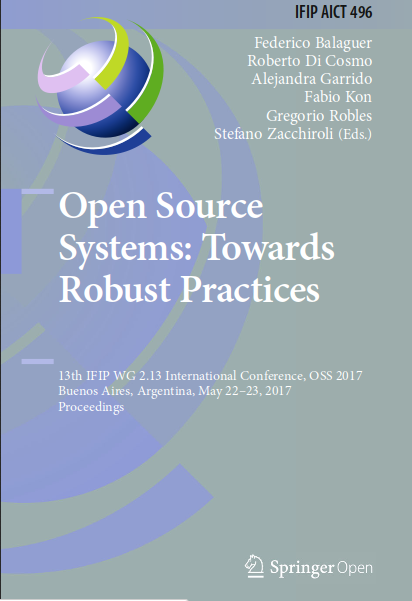
What am I linking to from this image? Of course, the proceedings! They managed to publish the proceedings via the "formal" academic channels (a nice hard-cover Springer volume) under an Open Access license (which is sadly not usual, and is unbelievably expensive). So, you can download the full proceedings, or article by article, in EPUB or in PDF...
...Which is very very nice :)
Previous editions of this symposium have also their respective proceedings available, but AFAICT they have not been downloadable.
So, get the book; it provides very interesant and original insights into our community seen from several quite novel angles!
AttachmentSize
oss2017_cover.png84.47 KB

21 May 2017

Russ Allbery: Review: Sector General

Review: Sector General, by James White
Series: Sector General #5
Publisher: Orb
Copyright: 1983
Printing: 2002
ISBN: 0-312-87770-6
Format: Trade paperback
Pages: 187
Sector General is the fifth book (or, probably more accurately, collection) in the Sector General series. I blame the original publishers for the confusion. The publication information is for the Alien Emergencies omnibus, which includes the fourth through the sixth books in the series. Looking back on my previous reviews of this series (wow, it's been eight years since I read the last one?), I see I was reviewing them as novels rather than as short story collections. In retrospect, that was a mistake, since they're composed of clearly stand-alone stories with a very loose arc. I'm not going to go back and re-read the earlier collections to give them proper per-story reviews, but may as well do this properly here. Overall, this collection is more of the same, so if that's what you want, there won't be any negative surprises. It's another four engineer-with-a-wrench stories about biological and medical puzzles, with only a tiny bit of characterization and little hint to any personal life for any of the characters outside of the job. Some stories are forgettable, but White does create some memorable aliens. Sadly, the stories don't take us to the point of real communication, so those aliens stop at biological puzzles and guesswork. "Combined Operation" is probably the best, although "Accident" is the most philosophical and an interesting look at the founding principle of Sector General. "Accident": MacEwan and Grawlya-Ki are human and alien brought together by a tragic war, and forever linked by a rather bizarre war monument. (It's a very neat SF concept, although the implications and undiscussed consequences don't bear thinking about too deeply.) The result of that war was a general recognition that such things should not be allowed to happen again, and it brought about a new, deep commitment to inter-species tolerance and politeness. Which is, in a rather fascinating philosophical twist, exactly what MacEwan and Grawlya-Ki are fighting against: not the lack of aggression, which they completely agree with, but with the layers of politeness that result in every species treating all others as if they were eggshells. Their conviction is that this cannot create a lasting peace. This insight is one of the most profound bits I've read in the Sector General novels and supports quite a lot of philosophical debate. (Sadly, there isn't a lot of that in the story itself.) The backdrop against which it plays out is an accidental crash in a spaceport facility, creating a dangerous and potentially deadly environment for a variety of aliens. Given the collection in which this is included and the philosophical bent described above, you can probably guess where this goes, although I'll leave it unspoiled if you can't. It's an idea that could have been presented with more subtlety, but it's a really great piece of setting background that makes the whole series snap into focus. A much better story in context than its surface plot. (7) "Survivor": The hospital ship Rhabwar rescues a sole survivor from the wreck of an alien ship caused by incomplete safeguards on hyperdrive generators. The alien is very badly injured and unconscious and needs the full attention of Sector General, but on the way back, the empath Prilicla also begins suffering from empathic hypersensitivity. Conway, the protagonist of most of this series, devotes most of his attention to that problem, having delivered the rescued alien to competent surgical hands. But it will surprise no regular reader that the problems turn out to be linked (making it a bit improbable that it takes the doctors so long to figure that out). A very typical entry in the series. (6) "Investigation": Another very typical entry, although this time the crashed spaceship is on a planet. The scattered, unconscious bodies of the survivors, plus signs of starvation and recent amputation on all of them, convinces the military (well, police is probably more accurate) escort that this is may be a crime scene. The doctors are unconvinced, but cautious, and local sand storms and mobile vegetation add to the threat. I thought this alien design was a bit less interesting (and a lot creepier). (6) "Combined Operation": The best (and longest) story of this collection. Another crashed alien spacecraft, but this time it's huge, large enough (and, as they quickly realize, of a design) to indicate a space station rather than a ship, except that it's in the middle of nowhere and each segment contains a giant alien worm creature. Here, piecing together the biology and the nature of the vehicle is only the beginning; the conclusion points to an even larger problem, one that requires drawing on rather significant resources to solve. (On a deadline, of course, to add some drama.) This story requires the doctors to go unusually deep into the biology and extrapolated culture of the alien they're attempting to rescue, which made it more intellectually satisfying for me. (7) Followed by Star Healer. Rating: 6 out of 10

Adnan Hodzic: Automagically deploy & run containerized WordPress (PHP7 FPM, Nginx, MariaDB) using Ansible + Docker on AWS

In this blog post, I ve described what started as simple migration of WordPress blog to AWS, ended up as automation project consisting of publishing multiple Ansible roles deploying and running multiple Docker images. If you re not interested in reading about my entire journey, cognition gains and how this process came to be, please skim down to Birth of: containerized-wordpress-project (TL;DR) section. Migrating WordPress blog to AWS (EC2, Lightsail?) Since I ve been sold on Amazon s AWS idea of cloud computing services for couple of years now. I ve wanted, and been trying to migrate this (WordPress) blog to AWS, but somehow it never worked out. Moving it to EC2 instance, with its own ELB volumes, AMI, EIP, Security Group it just seemed as an overkill. When AWS Lightsail was first released, it seemed that was an answer to all my problems. But it wasn t, disregarding its bit restrictive/dumbed down versions of original features. Living in Amsterdam, my main problem with it was that it was only available in a single US region. Regardless, I thought it had everything I needed for WordPress site, and as a new service, it had great potential. Its regional limitations were also good in a sense that they made me realize one important thing. And that s once I migrate my blog to AWS, I want to be able to seamlessly move/migrate it across different EC2 s and different regions once they were available. If done properly, it meant I could even have it moved across different clouds (I m talking to you Google Cloud). P.S: AWS Lightsail is now available in couple of different regions across Europe. Rollout which was almost smoothless. Fundamental problem of every migration is migration

Phase 1: Don t reinvent the wheel? When you have a WordPress site that s not self hosted. You want everything to work, but yet you really don t want to spend any time managing infrastructure it s on. And as soon as I started looking what could fit this criteria, I found that there were pre-configured, running out of box WordPress EC2 images available on AWS Marketplace, great! But when I took a look, although everything was running out of box, I wasn t happy with software stack it was all built on. Namely Ubuntu 14.04 and Apache, and all of the services were started using custom scripts. Yuck. With this setup, when it was time to upgrade (and it s already that time) you wouldn t be thinking about upgrade. You d only be thinking about another migration. Phase 2: What if I built everything myself? Installing and configuring everything manually, and then writing huge HowTo which I would follow when I needed to re-create whole stack was not an option. Same case with was scripting whole process, as overhead of changes that had to be tracked was too way too big. Being a huge Ansible fan, automating this step was a natural next step. I even found an awesome Ansible role which seemed like it s going to do everything I need. Except, I realized I needed to update all software that s deployed with it, and customize it since configuration it was deployed on wasn t as generic. So I forked it and got to work. But soon enough, I was knee deep in making and fiddling with various system changes. Something I was trying to get away in this case, and most importantly something I was trying to avoid when it was time for next update. Phase 3: Marriage made in heaven: Ansible + Docker + AWS Idea to have everything Dockerized was around from very start. However, it never made a lot of sense until I put Ansible into same picture. And it was at this point where my final idea and requirements become crystal clear. Use Ansible to configure and setup host ready for Docker ecosystem. Ecosystem consisting of multiple separate containers for each required service (WordPress + Nginx + MariaDB). Link them all together as a single service using Docker Compose. Idea was backed by thought to spend minimum to no time (and effort) on manual configuration of anything on the server. Level of attachment to this server was so low that I didn t even want to SSH to it. If there was something wrong, I could just nuke the whole thing and deploy code on a new healthy rolled out server with everything working out of box. After it was clear what needed to be done, I got to work.

Birth of: containerized-wordpress-project (TL;DR)

After a lot of work, end result is project which allows you to automagically deploy & run containerized WordPress instance which consists of 3 separate containers running:

Once run, containerized-wordpress playbook will guide you through interactive setup of all 3 containers, after which it will run all Ansible roles created for this project. End result is that host you have never even SSH-ed to will be fully configured and running containerized WordPress instace out of box.

Most importantly, this whole process will be completed in <= 5 minutes and doesn t require any Docker or Ansible knowledge! containerized-wordpress demo Console output of running containerized-wordpress Ansible Playbook: Console output of running "containerized-wordpress" Ansible Playbook

Accessing WordPress instance created from containerized-wordpress Ansible Playbook:

Accessing WordPress instance created from "containerized-wordpress" Ansible Playbook Did I end up migrating to AWS in the end? You bet. Thanks to efforts made in containerized-wordpress-project, I m happy to report my whole WordPress migration to AWS was completed in matter of minutes and that this blog is now running on Docker and on AWS! I hope this same project will help you take a leap in your migration. Happy hacking!

Elena 'valhalla' Grandi: Modern XMPP Server

Modern XMPP Server

I've published a new HOWTO on my website www.trueelena.org/computers/ho:

www.enricozini.org/blog/2017/d already wrote about the Why (and the What, Who and When), so I'll just quote his conclusion and move on to the How.

I now have an XMPP setup which has all the features of the recent fancy chat systems, and on top of that it runs, client and server, on Free Software, which can be audited, it is federated and I can self-host my own server in my own VPS if I want to, with packages supported in Debian.


How

I've decided to install prosody.im/, mostly because it was recommended by the RTC QuickStart Guide rtcquickstart.org/; I've heard that similar results can be reached with www.ejabberd.im/ and other servers.

I'm also targeting www.debian.org/ stable (+ backports); as I write this is jessie; if there are significant differences I will update this article when I will upgrade my server to stretch. Right now, this means that I'm using prosody 0.9 (and that's probably also the version that will be available in stretch).

Installation and prerequisites

You will need to enable the backports.debian.org/ repository and then install the packages prosody and prosody-modules.

You also need to setup some TLS certificates (I used Let's Encrypt letsencrypt.org/); and make them readable by the prosody user; you can see Chapter 12 of the RTC QuickStart Guide rtcquickstart.org/guide/multi/ for more details.

On your firewall, you'll need to open the following TCP ports:


The latter two are needed to enable some services provided via http(s), including rich media transfers.

With just a handful of users, I didn't bother to configure LDAP or anything else, but just created users manually via:

prosodyctl adduser alice@example.org

In-band registration is disabled by default (and I've left it that way, to prevent my server from being used to send spim en.wikipedia.org/wiki/Messagin).

prosody configuration

You can then start configuring prosody by editing /etc/prosody/prosody.cfg.lua and changing a few values from the distribution defaults.

First of all, enforce the use of encryption and certificate checking both for client2server and server2server communications with:


c2s_require_encryption = true
s2s_secure_auth = true


and then, sadly, add to the whitelist any server that you want to talk to and doesn't support the above:


s2s_insecure_domains = "gmail.com"


virtualhosts

For each virtualhost you want to configure, create a file /etc/prosody/conf.avail/chat.example.org.cfg.lua with contents like the following:


VirtualHost "chat.example.org"
enabled = true
ssl =
key = "/etc/ssl/private/example.org-key.pem";
certificate = "/etc/ssl/public/example.org.pem";


For the domains where you also want to enable MUCs, add the follwing lines:


Component "conference.chat.example.org" "muc"
restrict_room_creation = "local"


the "local" configures prosody so that only local users are allowed to create new rooms (but then everybody can join them, if the room administrator allows it): this may help reduce unwanted usages of your server by random people.

You can also add the following line to enable rich media transfers via http uploads (XEP-0363):


Component "upload.chat.example.org" "http_upload"

The defaults are pretty sane, but see modules.prosody.im/mod_http_up for details on what knobs you can configure for this module

Don't forget to enable the virtualhost by linking the file inside /etc/prosody/conf.d/.

additional modules

Most of the other interesting XEPs are enabled by loading additional modules inside /etc/prosody/prosody.cfg.lua (under modules_enabled); to enable mod_something just add a line like:


"something";

Most of these come from the prosody-modules package (and thus from modules.prosody.im/ ) and some may require changing when prosody 0.10 will be available; when this is the case it is mentioned below.


@Gruppo Linux Como @LIFO

20 May 2017

Neil Williams: Software, service, data and freedom

Free software, free services but what about your data? I care a lot about free software, not only as a Debian Developer. The use of software as a service matters as well because my principle free software development is on just such a project, licensed under the GNU Affero General Public License version 3. The AGPL helps by allowing anyone who is suitably skilled to install their own copy of the software and run their own service on their own hardware. As a project, we are seeing increasing numbers of groups doing exactly this and these groups are actively contributing back to the project. So what is the problem? We've got an active project, an active community and everything is under a free software licence and regularly uploaded to Debian main. We have open code review with anonymous access to our own source code CI and anonymous access to project planning, open mailing list archives as well as an open bug tracker and a very active IRC channel (#linaro-lava on OFTC). We develop in the open, we respond in the open and we publish frequently (monthly, approximately). The code we write defaults to public visibilty at runtime with restrictions available for certain use cases. What else can we be doing? Well it was a simple question which started me thinking.
The lava documentation has various example test scripts e.g. https://validation.linaro.org/static/docs/v2/examples/test-jobs/qemu-kernel-standard-sid.yaml these have no licence information, we've adapted them for a Linux Foundation project, what licence should apply to these files? Robert Marshall
Those are our own examples, contributed as part of the documentation and covered by the AGPL like the rest of the documentation and the software which it documents, so I replied with the same. However, what about all the other submissions received by the service?
Data Freedom LAVA acts by providing a service to authenticated users. The software runs your test code on hardware which might not be available to the user or which is simply inconvenient for the test writer to setup themselves. The AGPL covers this nicely. What about the data contributed by the users? We make this available to other users who will, naturally, copy and paste for their own tests. In most cases, because the software defaults to public access, anonymous users also get to learn from the contributions of other test writers. This is a good thing and to be encouraged. (One reason why we moved to YAML for all submissions was to allow comments to help other users understand why the submission does specific things.) Writing a test job submission or a test shell definition from scratch is a non-trivial amount of work. We've written dozens of pages of documentation covering how and how not to do it but the detail of how a test job runs exactly what the test writer requires can involve substantial effort. (Our documentation recommends using version control for each of these works for exactly these reasons.) At what point do these works become software? At what point do these need licensing? How could that be declared?
Perils of the Javascript Trap approach When reading up on the AGPL, I also read about Service as a Software Substitute (SaaSS) and this led to The Javascript Trap. I don't consider LAVA to be SaaSS although it is Software as a Service (SaaS). (Distinguishing between those is best left to the GNU document as it is an almighty tangle at times.) I did look at the GNU ideas for licensing Javascript but it seems cumbersome and unnecessary - a protocol designed for the specific purposes of their own service rather than as a solution which could be readily adopted by all such services. The same problems affect trying to untangle sharing the test job data within LAVA.
Adding Licence text The traditional way, of course, is simply to add twenty lines or so of comments at the top of every file. This works nicely for source code because the comments are hidden from the final UI (unless an explicit reference is made in the --help output or similar). It is less nice for human readable submissions where the first thing someone has to do is scroll passed the comments to get to what they want to see. At that point, it starts to look like a popup or a nagging banner - blocking the requested content on a website to try and get the viewer to subscribe to a newsletter or pay for the rest of the content. Let's not actively annoy visitors who are trying to get things done.
Adding Licence files This can be done in the remote version control repository - then a single line in the submitted file can point at the licence. This is how I'm seeking to solve the problem of our own repositories. If the reference URL is included in the metadata of the test job submission, it can even be linked into the test job metadata and made available to everyone through the results API.
metadata:
  licence.text: http://mysite/lava/git/COPYING
  licence.name: BSD 3 clause
Metadata in LAVA test job submissions is free-form but if the example was adopted as a convention for LAVA submissions, it would make it easy for someone to query LAVA for the licences of a range of test submissions. Currently, LAVA does not store metadata from the test shell definitions except the URL of the git repo for the test shell definition but that may be enough in most cases for someone to find the relevant COPYING or LICENCE file.
Which licence? This could be a problem too. If users contribute data under unfriendly licences, what is LAVA to do? I've used the BSD 3 clause in the above example as I expect it to be the most commonly used licence for these contributions. A copyleft licence could be used, although doing so would require additional metadata in the submission to declare how to contribute back to the original author (because that is usually not a member of the LAVA project).
Why not Creative Commons? Although I'm referring to these contributions as data, these are not pieces of prose or images or audio. These are instructions (with comments) for a specific piece of software to execute on behalf of the user. As such, these objects must comply with the schema and syntax of the receiving service, so a code-based licence would seem correct.
Results Finally, a word about what comes back from your data submission - the results. This data cannot be restricted by any licence affecting either the submission or the software, it can be restricted using the API or left as the default of public access. If the results and the submission data really are private, then the solution is to take advantage of the AGPL, take the source code of LAVA and run it internally where the entire service can be placed within a firewall.
What happens next?
  1. Please consider editing your own LAVA test job submissions to add licence metadata.
  2. Please use comments in your own LAVA test job submissions, especially if you are using some form of template engine to generate the submission. This data will be used by others, it is easier for everyone if those users do not have to ask us or you about why your test job does what it does.
  3. Add a file to your own repositories containing LAVA test shell definitions to declare how these files can be shared freely.
  4. Think about other services to which you submit data which is either only partially machine generated or which is entirely human created. Is that data free-form or are you essentially asking the service to do a precise task on your behalf as if you were programming that server directly? (Jenkins is a classic example, closely related to LAVA.)
    • Think about how much developer time was required to create that submission and how the service publishes that submission in ways that allow others to copy and paste it into their own submissions.
    • Some of those submissions can easily end up in documentation or other published sources which will need to know about how to licence and distribute that data in a new format (i.e. modification.) Do you intend for that useful purpose to be defeated by releasing your data under All Rights Reserved?
Contact I don't enable comments on this blog but there are enough ways to contact me and the LAVA project in the body of this post, it really shouldn't be a problem for anyone to comment.

19 May 2017

Michael Prokop: Debian stretch: changes in util-linux #newinstretch

We re coming closer to the Debian/stretch stable release and similar to what we had with #newinwheezy and #newinjessie it s time for #newinstretch! Hideki Yamane already started the game by blogging about GitHub s Icon font, fonts-octicons and Arturo Borrero Gonzalez wrote a nice article about nftables in Debian/stretch. One package that isn t new but its tools are used by many of us is util-linux, providing many essential system utilities. We have util-linux v2.25.2 in Debian/jessie and in Debian/stretch there will be util-linux >=v2.29.2. There are many new options available and we also have a few new tools available. Tools that have been taken over from other packages New tools New features/options addpart (show or change the real-time scheduling attributes of a process):
--reload reload prompts on running agetty instances
blkdiscard (discard the content of sectors on a device):
-p, --step <num>    size of the discard iterations within the offset
-z, --zeroout       zero-fill rather than discard
chrt (show or change the real-time scheduling attributes of a process):
-d, --deadline            set policy to SCHED_DEADLINE
-T, --sched-runtime <ns>  runtime parameter for DEADLINE
-P, --sched-period <ns>   period parameter for DEADLINE
-D, --sched-deadline <ns> deadline parameter for DEADLINE
fdformat (do a low-level formatting of a floppy disk):
-f, --from <N>    start at the track N (default 0)
-t, --to <N>      stop at the track N
-r, --repair <N>  try to repair tracks failed during the verification (max N retries)
fdisk (display or manipulate a disk partition table):
-B, --protect-boot            don't erase bootbits when creating a new label
-o, --output <list>           output columns
    --bytes                   print SIZE in bytes rather than in human readable format
-w, --wipe <mode>             wipe signatures (auto, always or never)
-W, --wipe-partitions <mode>  wipe signatures from new partitions (auto, always or never)
New available columns (for -o):
 gpt: Device Start End Sectors Size Type Type-UUID Attrs Name UUID
 dos: Device Start End Sectors Cylinders Size Type Id Attrs Boot End-C/H/S Start-C/H/S
 bsd: Slice Start End Sectors Cylinders Size Type Bsize Cpg Fsize
 sgi: Device Start End Sectors Cylinders Size Type Id Attrs
 sun: Device Start End Sectors Cylinders Size Type Id Flags
findmnt (find a (mounted) filesystem):
-J, --json             use JSON output format
-M, --mountpoint <dir> the mountpoint directory
-x, --verify           verify mount table content (default is fstab)
    --verbose          print more details
flock (manage file locks from shell scripts):
-F, --no-fork            execute command without forking
    --verbose            increase verbosity
getty (open a terminal and set its mode):
--reload               reload prompts on running agetty instances
hwclock (query or set the hardware clock):
--get            read hardware clock and print drift corrected result
--update-drift   update drift factor in /etc/adjtime (requires --set or --systohc)
ldattach (attach a line discipline to a serial line):
-c, --intro-command <string>  intro sent before ldattach
-p, --pause <seconds>         pause between intro and ldattach
logger (enter messages into the system log):
-e, --skip-empty         do not log empty lines when processing files
    --no-act             do everything except the write the log
    --octet-count        use rfc6587 octet counting
-S, --size <size>        maximum size for a single message
    --rfc3164            use the obsolete BSD syslog protocol
    --rfc5424[=<snip>]   use the syslog protocol (the default for remote);
                           <snip> can be notime, or notq, and/or nohost
    --sd-id <id>         rfc5424 structured data ID
    --sd-param <data>    rfc5424 structured data name=value
    --msgid <msgid>      set rfc5424 message id field
    --socket-errors[=<on off auto>] print connection errors when using Unix sockets
losetup (set up and control loop devices):
-L, --nooverlap               avoid possible conflict between devices
    --direct-io[=<on off>]    open backing file with O_DIRECT 
-J, --json                    use JSON --list output format
New available --list column:
DIO  access backing file with direct-io
lsblk (list information about block devices):
-J, --json           use JSON output format
New available columns (for --output):
HOTPLUG  removable or hotplug device (usb, pcmcia, ...)
SUBSYSTEMS  de-duplicated chain of subsystems
lscpu (display information about the CPU architecture):
-y, --physical          print physical instead of logical IDs
New available column:
DRAWER  logical drawer number
lslocks (list local system locks):
-J, --json             use JSON output format
-i, --noinaccessible   ignore locks without read permissions
nsenter (run a program with namespaces of other processes):
-C, --cgroup[=<file>]      enter cgroup namespace
    --preserve-credentials do not touch uids or gids
-Z, --follow-context       set SELinux context according to --target PID
rtcwake (enter a system sleep state until a specified wakeup time):
--date <timestamp>   date time of timestamp to wake
--list-modes         list available modes
-r, --reorder <dev>  fix partitions order (by start offset)
sfdisk (display or manipulate a disk partition table):
New Commands:
-J, --json <dev>                  dump partition table in JSON format
-F, --list-free [<dev> ...]       list unpartitioned free areas of each device
-r, --reorder <dev>               fix partitions order (by start offset)
    --delete <dev> [<part> ...]   delete all or specified partitions
--part-label <dev> <part> [<str>] print or change partition label
--part-type <dev> <part> [<type>] print or change partition type
--part-uuid <dev> <part> [<uuid>] print or change partition uuid
--part-attrs <dev> <part> [<str>] print or change partition attributes
New Options:
-a, --append                   append partitions to existing partition table
-b, --backup                   backup partition table sectors (see -O)
    --bytes                    print SIZE in bytes rather than in human readable format
    --move-data[=<typescript>] move partition data after relocation (requires -N)
    --color[=<when>]           colorize output (auto, always or never)
                               colors are enabled by default
-N, --partno <num>             specify partition number
-n, --no-act                   do everything except write to device
    --no-tell-kernel           do not tell kernel about changes
-O, --backup-file <path>       override default backup file name
-o, --output <list>            output columns
-w, --wipe <mode>              wipe signatures (auto, always or never)
-W, --wipe-partitions <mode>   wipe signatures from new partitions (auto, always or never)
-X, --label <name>             specify label type (dos, gpt, ...)
-Y, --label-nested <name>      specify nested label type (dos, bsd)
Available columns (for -o):
 gpt: Device Start End Sectors Size Type Type-UUID Attrs Name UUID
 dos: Device Start End Sectors Cylinders Size Type Id Attrs Boot End-C/H/S Start-C/H/S
 bsd: Slice Start  End Sectors Cylinders Size Type Bsize Cpg Fsize
 sgi: Device Start End Sectors Cylinders Size Type Id Attrs
 sun: Device Start End Sectors Cylinders Size Type Id Flags
swapon (enable devices and files for paging and swapping):
-o, --options <list>     comma-separated list of swap options
New available columns (for --show):
UUID   swap uuid
LABEL  swap label
unshare (run a program with some namespaces unshared from the parent):
-C, --cgroup[=<file>]                              unshare cgroup namespace
    --propagation slave shared private unchanged   modify mount propagation in mount namespace
-s, --setgroups allow deny                         control the setgroups syscall in user namespaces
Deprecated / removed options sfdisk (display or manipulate a disk partition table):
-c, --id                  change or print partition Id
    --change-id           change Id
    --print-id            print Id
-C, --cylinders <number>  set the number of cylinders to use
-H, --heads <number>      set the number of heads to use
-S, --sectors <number>    set the number of sectors to use
-G, --show-pt-geometry    deprecated, alias to --show-geometry
-L, --Linux               deprecated, only for backward compatibility
-u, --unit S              deprecated, only sector unit is supported
Next.

Previous.