Search Results: "bab"

23 August 2013

Thorsten Glaser: FrOSCon 2013, or, why is there no MirBSD exhibit?

FrOSCon is approaching, and all MirBSD developers will attend but why s there no MirBSD exhibit? The answer to that is a bit complex. First let s state that of course we will participate in the event as well as the Open Source world. We ll also be geocaching around the campus with other interested (mostly OSS) people (including those we won for this sport) and helping out other OSS projects we ve become attached to. MirOS BSD, the operating system, is a niche system. The conference on the other hand got younger and more mainstream. This means that almost all conference visitors do not belong to the target group of MirOS BSD which somewhat is an ancient solution : the most classical BSD around (NetBSD loses because they have rc.d and PAM and lack sendmail(8), sorry guys, your attempt at being not reformable doesn t count) and running on restricted hardware (such as my 486SLC with 12 MiB RAM) and exots (SPARCstation). It s viable even as developer workstation (if your hardware is supported otherwise just virtualise it) but its strength lies with SPARC support and embedded x86 . And being run as virtual machine: we re reportedly more stable and more performant than OpenBSD. MirBSD is not cut off from modern development and occasionally takes a questionable but justified choice (such as using 16-bit Unicode internally) or a weird-looking but beneficial one (such as OPTU encoding saving us locale(1) hassles) or even acts as technological pioneer (64-bit time_t on ILP32 platforms) or, at least, is faster than OpenBSD (newer GNU toolchain, things like that), but usually more conservatively, and yes, this is by design, not by lack of manpower, most of the time. The MirPorts Framework, while technically superiour in enough places, is something that just cannot happen without manpower. I (tg@) am still using it exclusively, continuing to update ports I use and occasionally creating new ones (mupdf is in the works!), but it s not something I d recommend someone (other than an Mac OSX user) to use on a n n-MirBSD system (Interix is not exactly thriving either, and the Interix support was only begun; other OSes are not widely tested). The MirBSD Korn Shell is probably the one thing I will be remembered for. But I have absolutely no idea how one would present it on a booth at such an exhibition. A talk is much more likely. So no on that front too. jupp, the editor which sucks less, is probably something that does deserve mainstream interest (especially considering Natureshadow is using it while teaching computing to kids) but probably more in a workshop setting. And booth space is precious enough in the FH so I think that d be unfair. All the other subprojects and side projects Benny and I have, such as mir c , josef stalin, FreeWRT, Lunix Ewe, Shellsnippets, the fonts, etc. are interesting but share few, if any, common ground. Again, this does not match the vast majority of visitors. While we probably should push a number of these more, but a booth isn t it here, either. MirOS Linux ( MirLinux ) and MirOS Windows are, despite otherwise-saying rumours called W*k*p*d*a, only premature ideas that will not really be worked on (though MirLinux concepts are found in mir c and stalin). As you can see, despite all developers having full-time dayjobs, The MirOS Project is far from being obsolete. We hope that our website visitors understand our reasons to not have an exhibition booth of our own (even if the SPARCstation makes for a way cool one, it s too heavy to lift all the time), and would like to point out that there are several other booths (commercial ones, as well as OSS ones such as AllBSD, Debian and (talking to) others) and other itineries we participate in. This year both Benny and I have been roped into helping out the conference itself, too (not exactly unvoluntarily though). The best way to talk to us is IRC during regular European geek hours (i.e. until way too late into the night which Americans should benefit from), semi-synchronously, or mailing lists. We sort of expect you to not be afraid to RTFM and look up acronyms you don t understand; The MirOS Project is not unfriendly but definitely not suited for your proverbial Aunt Tilly, newbies, desktop users, and people who aren t at least somewhat capable of using written English (this is by design).

Justus Winter: No noweb anymore...

... which is probably a good thing. But here is the boot log you all have been waiting for:
start ext2fs: Hurd server bootstrap: ext2fs[device:hd0s1] exec init proc auth
INIT: version 2.88 booting
Using makefile-style concurrent boot in runlevel S.
Activating swap...done.
Checking root file system...fsck from util-linux 2.20.1
hd2 : tray open or drive not ready
end_request: I/O error, dev 02:00, sector 0
/dev/hd0s1: clean, 44693/181056 files, 291766/723200 blocks
done.
Activating lvm and md swap...(default pager): Already paging to partition hd0s5!
done.
Checking file systems...fsck from util-linux 2.20.1
hd2 : tray open or drive not ready
end_request: I/O error, dev 02:00, sector 0
done.
Cleaning up temporary files... /tmp.
Mounting local filesystems...done.
Activating swapfile swap...(default pager): Already paging to partition hd0s5!
done.
df: Warning: cannot read table of mounted file systems: No such file or directory
Cleaning up temporary files....
Configuring network interfaces...Internet Systems Consortium DHCP Client 4.2.2
Copyright 2004-2011 Internet Systems Consortium.
All rights reserved.
For info, please visit https://www.isc.org/software/dhcp/
Listening on Socket//dev/eth0
Sending on   Socket//dev/eth0
*** stack smashing detected ***: dhclient terminated
Aborted
Failed to bring up /dev/eth0.
done.
Cleaning up temporary files....
Setting up X socket directories... /tmp/.X11-unix /tmp/.ICE-unix.
INIT: Entering runlevel: 2
Using makefile-style concurrent boot in runlevel 2.
Starting enhanced syslogd: rsyslogd.
Starting deferred execution scheduler: atd.
Starting periodic command scheduler: cron.
Starting system message bus: dbusFailed to set socket option"/var/run/dbus/system_bus_socket": Protocol not available.
Starting OpenBSD Secure Shell server: sshd.
unexpected ACK from keyboard
GNU 0.3 (debian) (console)
login: root
[...]
root@debian:~# ifup /dev/eth0
Internet Systems Consortium DHCP Client 4.2.2
Copyright 2004-2011 Internet Systems Consortium.
All rights reserved.
For info, please visit https://www.isc.org/software/dhcp/
Listening on Socket//dev/eth0
Sending on   Socket//dev/eth0
*** stack smashing detected ***: dhclient terminated
Aborted
Failed to bring up /dev/eth0.
root@debian:~# dhclient -v -pf /run/dhclient.-dev-eth0.pid -lf /var/lib/dhcp/dhclient.-dev-eth0.leases /dev/eth0
Internet Systems Consortium DHCP Client 4.2.2
Copyright 2004-2011 Internet Systems Consortium.
All rights reserved.
For info, please visit https://www.isc.org/software/dhcp/
Listening on Socket//dev/eth0
Sending on   Socket//dev/eth0
*** stack smashing detected ***: dhclient terminated
Aborted
root@debian:~# dhclient -pf /run/dhclient.-dev-eth0.pid -lf /var/lib/dhcp/dhclient.-dev-eth0.leases /dev/eth0
root@debian:~# ifup /dev/eth0
Internet Systems Consortium DHCP Client 4.2.2
Copyright 2004-2011 Internet Systems Consortium.
All rights reserved.
For info, please visit https://www.isc.org/software/dhcp/
Listening on Socket//dev/eth0
Sending on   Socket//dev/eth0
DHCPREQUEST on /dev/eth0 to 255.255.255.255 port 67
DHCPACK from 10.0.2.2
bound to 10.0.2.15 -- renewal in 34108 seconds.
ps: comm: Unknown format spec
root@debian:~# halt
Broadcast message from root@debian (console) (Fri Aug 23 19:42:19 2013):
The system is going down for system halt NOW!
INIT: Switching to runlevel: 0root@debian:~#
INIT: Sending processes the TERM signal
INIT: Sending processes the KILL signal
Using makefile-style concurrent boot in runlevel 0.
Stopping deferred execution scheduler: atd.
task c10f53f8 deallocating an invalid port 2098928, most probably a bug.
Asking all remaining processes to terminate...done.
All processes ended within 1 seconds...done.
Stopping enhanced syslogd: rsyslogd.
Deconfiguring network interfaces...Internet Systems Consortium DHCP Client 4.2.2
Copyright 2004-2011 Internet Systems Consortium.
All rights reserved.
For info, please visit https://www.isc.org/software/dhcp/
Listening on Socket//dev/eth0
Sending on   Socket//dev/eth0
DHCPRELEASE on /dev/eth0 to 10.0.2.2 port 67
/dev/eth0 (2):
  inet address  0.0.0.0
  netmask       255.255.255.0
  broadcast     10.0.2.255
  flags         BROADCAST ALLMULTI MULTICAST
  mtu           1500
done.
Deactivating swap...swapoff: /dev/hd0s5: 177152k swap space
done.
Unmounting weak filesystems...umount: /etc/mtab: Warning: duplicate entry for device /dev/hd0s1 (/servers/socket/26)
umount: /etc/mtab: Warning: duplicate entry for device /dev/hd0s1 (/dev/cons)
umount: could not find entry for: /dev/cons
umount: could not find entry for: /servers/socket/26
done.
mount: cannot remount /: Device or resource busy
Will now halt.
store a new irq 11init: notifying pfinet of shutdown...init: notifying tmpfs swap of shutdown...init: notifying tmpfs swap of shutdown...init: notifying tmpfs swap of shutdown...init: notifying ext2fs device:hd0s1 of shutdown...init: halting Mach (flags 0x8)...
In tight loop: hit ctl-alt-del to reboot
With some tiny patches for ifupdown I've been able to resolve network related issues. All of them? Of course not, funny thing about developing for the Hurd is that once you fix one thing, then some other thing or code path is executed that has never been run on Hurd before, and therefore something else breaks. In this case I fixed ifupdown to generate valid names for the pid file and leases file and all of the sudden dhclient starts dying. Funny thing about that is, if one drops the -v flag from the dhclient invocation as I did it above, the crash isn't triggered and once the lease file has been successfully written, it is safe to add the -v flag again. Not yet sure what goes on there, then again, looking at the source of isc-dhcp-client it is not so surprising that it crashes :/ When I first looked at ifupdown it was written in noweb, a literate programming tool. It is an interesting idea, even more so since (classic) c can be very verbose and cryptic. But it decouples the control flow from the structure of the program, which makes patching it quite a challenge since it is not as obvious where the changes have to go in. This is how ifupdown looked some weeks ago:
% wc --lines ifupdown.nw
6123 ifupdown.nw
% pdftk ifupdown.pdf dump_data   grep NumberOfPages
NumberOfPages: 113
The ifupdown.nw is the noweb source, from which seven .c, four .h, two .pl and one Makefile are generated. It also contains a redicioulus amount of documentation, to the point that the authors at several points did not now what to write and just drop some nonsensical lines into the file. The source also compiles to a 113 page pdf file, that contains all of the documentation and all of the code, not at all in the order that one would expect a program to be written, but in the order the authors chose to structure the documentation. Fortunately for me the maintainer decided to drop the noweb source and to add the generated files to the source control system. This made my job much easier :) So here are the patches I published this week: I must admit that I do not know exactly what I will do next week. Obviously fixing the dhclient crash would be nice, I'll look into that. But I'm surely find some useful thing to do.

22 August 2013

Martín Ferrari: Setting up my server: re-installing on an encripted LVM

Very long post ahead (sorry for the wall of text), part of a series of posts on some sysadmin topics, see post 1 and post 2. I want to show you how I set up my tiny dedicated server to have encrypted partitions, and to reinstall it from scratch. All of this without ever accessing the actual server console.

Introduction As much as my provider may have gold standards on how to do things (they don't, there are some very bad practises in the default installation, like putting their SSH key into root's authorized_keys file), I wouldn't trust an installation done by a third party. Also, I wanted to have all my data securely encrypted. I know this is not perfect, and there are possible attacks. But I think it is a good barrier to have to deter entities without big budgets from getting my data. I have done this twice on my servers, and today I was reviewing each step as he was doing the same thing (with some slight differences) on his brand new server, so I think this is all mostly correct. Please, tell me if you find a bug in this guide. This was done on my 12 /month Kimsufi dedicated server, sold by OVH (see my previous post on why I chose it), and some things are specific to them. But you can do the same thing with any dedicated server that has a rescue netboot image. The process is to boot into the rescue image (this is of course a weak link, as the image could have a keylogger, but we have to stop the paranoia at some point), manually partition the disk, set-up encryption, and LVM; and then install a Debian system with debootstrap. To be able to unlock the encrypted disks, you will have to ssh into the server after a reboot and enter the passphrase (this is done inside the initrd phase). Once unlocked, the normal boot process continues. If anything fails, you end up with an unreachable system: it might or might have not booted, the disk might or might not be unlocked, etc. You can always go back into the rescue netboot image, but that does not allow you to see the boot process. Some providers will give you real remote console access, OVH charges you silly money for that. They used to offer a "virtual KVM", which was a bit of a kludge, but it worked: another netboot image that started a QEMU connected to a VNC server, so by connecting to the VNC server, you would be able to interact with the emulated boot process, but with a fake BIOS and a virtual network. For some unspecified reason they've stopped offering this, but there is a workaround available. The bottom line is, if you have some kind of rescue netboot image, you can just download and run QEMU on it and do the same trick.

The gritty details Start by netbooting into your rescue image. For OVH, you'd go to the control panel, in the Services/Netboot section and select "rescue pro". Then reboot your server. OVH will mail you a temporary password when it finishes rebooting. Connect to it, without saving the temporary SSH key:
$ ssh -oUserKnownHostsFile=/dev/null -oStrictHostKeyChecking=no root@$ IP 
For the rest of the text, I am assuming you have one hard drive called /dev/sda. We start by partitioning it:
# fdisk /dev/sda
Start a new partition table with o, and then create two primary partitions: a small one for /boot at the beginning (100 to 300 MB would do), and a second one with the remaining space. Set both as type 83 (Linux), and don't forget to activate the first one, as this servers refuse to boot from the hard drive without that. Create the file system for /boot, and the encrypted device:
# mkfs.ext4 /dev/sda1
# cryptsetup -s 512 -c aes-xts-plain64 luksFormat /dev/sda2
The encryption parameters are the same as the ones used by the Debian Installer by default, so don't change them unless you really know what you are doing. You will need to type a passphrase for the encrypted device, be sure not to forget it! This passphrase can later be changed (or secondary passphrases added) with the cryptsetup tool. Look up the crypt device's UUID, and save it for later:
# cryptsetup luksDump /dev/sda2   grep UUID:
UUID:           xxxxxxxx-xxxx-xxxx-xxxx-xxxxxxxxxxxx
Open the encrypted device (type the passphrase again), and set up the LVM volume group:
# cryptsetup luksOpen /dev/sda2 sda2_crypt
# pvcreate /dev/mapper/sda2_crypt
# vgcreate vg0 /dev/mapper/sda2_crypt
Create the logical volumes, this is of course a matter of personal taste and there are many possible variations. This is my current layout, note that I put most of the "big data" in /srv.
# lvcreate -L 500m -n root vg0
# lvcreate -L 1.5g -n usr vg0
# lvcreate -L 3g -n var vg0
# lvcreate -L 1g -n home vg0
# lvcreate -L 10g -n srv vg0
# lvcreate -L 500m -n swap vg0
# lvcreate -L 100m -n tmp vg0
Some possible variations:
  • You can decide to use a ramdisk for /tmp, so instead of creating a logical volume, you would add RAMTMP=yes to /etc/default/tmpfs.
  • You can merge / and /usr in one same partition, as neither of them change much.
  • You can avoid having swap if you prefer.
  • You can put /home in /srv, and bind mount it later.
Now, create the file systems, swap space, and mount them in /target. Note that I like to use human-readable labels.
# for i in home root srv tmp usr var; do 
  mkfs.ext4 -L $i /dev/mapper/vg-$i; done
# mkswap -L swap /dev/mapper/vg0-swap
# mkdir /target
# mount /dev/mapper/vg0-root /target
# mkdir /target/ boot,home,srv,tmp,usr,var 
# mount /dev/sda1 /target/boot
# for i in home srv tmp usr var; do
  mount /dev/mapper/vg-$i /target/$i; done
# swapon /dev/mapper/vg-swap
Don't forget to set the right permissions for /tmp.
# chmod 1777 /target/tmp
If you want to do the /home on /srv, you'll need to do this (and then copy to /etc/fstab):
# mkdir /target/srv/home
# mount -o bind /target/srv/home /target/home
The disk is ready now. We will use debootstrap to install the base system. The OVH image carries it, otherwise consult the relevant section in the Install manual for details. It is important that at this point you check that you have a good GPG keyring for debootstrap to verify the installation source, by comparing it to a good one (for example, the one in your machine):
# gpg /usr/share/keyrings/debian-archive-keyring.gpg
pub  4096R/B98321F9 2010-08-07 Squeeze Stable Release Key <debian-release@lists.debian.org>
pub  4096R/473041FA 2010-08-27 Debian Archive Automatic Signing Key (6.0/squeeze) <ftpmaster@debian.org>
pub  4096R/65FFB764 2012-05-08 Wheezy Stable Release Key <debian-release@lists.debian.org>
pub  4096R/46925553 2012-04-27 Debian Archive Automatic Signing Key (7.0/wheezy) <ftpmaster@debian.org>
Now, for the actual installation. You can use any Debian mirror, OVH has their own in the local network. In OVH's case it is critical to specify the architecture, as the rescue image is i386. I didn't notice that and had to painfully switch architectures in place (which was absolutely not possible a couple of years ago).
# debootstrap --arch amd64 wheezy /target http://debian.mirrors.ovh.net/debian
After a few minutes downloading and installing stuff, you almost have a Debian system ready to go. Since this is not D-I, we still need to tighten a few screws manually. Let's mount some needed file systems, and enter the brand new system with chroot:
# mount -o bind /dev /target/dev
# mount -t proc proc /target/proc
# mount -t sysfs sys /target/sys
# XTERM=xterm-color LANG=C.UTF-8 chroot /target /bin/bash
The most critical parts now are to correctly save the parameters for the encrypted device, and the partitions and logical volumes. You'll need the UUID saved before:
# echo 'sda2_crypt UUID=xxxxxxxx-xxxx-xxxx-xxxx-xxxxxxxxxxxx none luks' \
  > /etc/crypttab
Create the file systems table in /etc/fstab. Here I use labels to identify the devices:
# file system   mount point type    options             dump    pass
LABEL=root      /           ext4    errors=remount-ro   0       1
LABEL=tmp       /tmp        ext4    rw,nosuid,nodev     0       2
LABEL=var       /var        ext4    rw                  0       2
LABEL=usr       /usr        ext4    rw,nodev            0       2
LABEL=home      /home       ext4    rw,nosuid,nodev     0       2
# Alternative home in /srv:
#/srv/home      /home       auto    bind                0       0
LABEL=srv       /srv        ext4    rw,nosuid,nodev     0       2
LABEL=boot      /boot       ext4    rw,nosuid,nodev     0       2
LABEL=swap      none        swap    sw                  0       0
You can also just use the device mapper's names (/dev/mapper/<volume_group>-<logical_volume>), be sure not to use the /dev/<volume_group>/<logical_volume> naming, as there are some initrd-tools that choked on them.
# file system           mount point type    options             dump    pass
/dev/mapper/vg0-root    /           ext4    errors=remount-ro   0       1
/dev/mapper/vg0-tmp     /tmp        ext4    rw,nosuid,nodev     0       2
/dev/mapper/vg0-var     /var        ext4    rw                  0       2
/dev/mapper/vg0-usr     /usr        ext4    rw,nodev            0       2
/dev/mapper/vg0-home    /home       ext4    rw,nosuid,nodev     0       2
# Alternative home in /srv:
#/srv/home              /home       auto    bind                0   0
/dev/mapper/vg0-srv     /srv        ext4    rw,nosuid,nodev     0   2
/dev/sda1               /boot       ext4    rw,nosuid,nodev     0   2
/dev/mapper/vg0-swap    none        swap    sw                  0   0
Some tools depend on /etc/mtab, which now is just a symbolic link:
# ln -sf /proc/mounts /etc/mtab
Now configure the network. You most surely can use DHCP, but you might prefer static configuration, that's personal choice. For DHCP, it is very straightforward:
# cat >> /etc/network/interfaces
auto eth0
iface eth0 inet dhcp
For static configuration, first find the current valid addresses and routes as obtained by DHCP:
# ip address
# ip route
And then store them:
# cat >> /etc/network/interfaces
auto eth0
iface eth0 inet static
    address AAA.BBB.CCC.DDD/24
    gateway AAA.BBB.CCC.254
    pre-up /sbin/ip addr flush dev eth0   true
Note that pre-up command I added; that is to remove the configuration that is to be done by the kernel during boot (more on that later), otherwise ifupdown will complain about existing addresses. If your provider does IPv6, add it too. For OVH, the IPv6 set-up is a bit weird, so you need to add the routes in post-up. Your default gateway is going to be your /64 prefix, with the last byte replaced by ff, and then followed by :ff:ff:ff:ff. As you can see, that gateway is not in your network segment, so you need to add an explicit route to it. They have some information, but it is completely unreadable. If your IPv6 address is 2001:41D0:1234:5678::1/64, you will add:
iface eth0 inet6 static
    address 2001:41D0:1234:5678::1/64
    post-up /sbin/ip -6 route add 2001:41D0:1234:56ff:ff:ff:ff:ff dev eth0
    post-up /sbin/ip -6 route add default via 2001:41D0:1234:56ff:ff:ff:ff:ff
You probably don't want the auto-configured IPv6 addresses, so disable them via sysctl:
# cat >> /etc/sysctl.conf
# Disable IPv6 autoconf 
net.ipv6.conf.all.autoconf = 0
net.ipv6.conf.default.autoconf = 0
net.ipv6.conf.eth0.autoconf = 0
net.ipv6.conf.all.accept_ra = 0
net.ipv6.conf.default.accept_ra = 0
net.ipv6.conf.eth0.accept_ra = 0
To have a working DNS resolver, we can use the local server (OVH in this case):
# cat > /etc/resolv.conf 
search $DOMAIN
nameserver 213.186.33.99
The most important part of a new install: choose a host name (and make the system use it).
# echo $HOSTNAME > /etc/hostname
# hostname $HOSTNAME
# echo "127.0.1.1 $HOSTNAME.$DOMAIN $HOSTNAME" >> /etc/hosts
If we want to speficy the BIOS clock to use UTC:
# echo -e '0.0 0 0.0\n0\nUTC' > /etc/adjtime
Set up your time zone:
# dpkg-reconfigure tzdata
Configure APT with your preferred mirrors. I also prevent APT from installing recommends by default.
# echo deb http://ftp2.fr.debian.org/debian wheezy main contrib non-free \
  >> /etc/apt/sources.list
# echo deb http://ftp2.fr.debian.net/debian wheezy-updates main contrib non-free \
  >> /etc/apt/sources.list
# echo deb http://security.debian.org/ wheezy/updates main contrib non-free \
  >> /etc/apt/sources.list
# echo 'APT::Install-Recommends "False";' > /etc/apt/apt.conf.d/02recommends
# apt-get update
Before installing any package, let's make sure that the initial ram disk (initrd) that is going to be created will allow us to connect. There will be no chance of using the root password during boot. Your public key is usually found in $HOME/.ssh/id_rsa.pub.
# mkdir -p /etc/initramfs-tools/root/.ssh/
# echo $(YOUR_PUB_RSA_KEY) > /etc/initramfs-tools/root/.ssh/authorized_keys
If you change this, or the host key stored at /etc/dropbear/dropbear_*_host_key, the /etc/crypttab, or any other critical piece of information for the booting process, you need to run update-initramfs -u. Now we can install the missing pieces:
# apt-get install makedev cryptsetup lvm2 ssh dropbear busybox ssh \
  initramfs-tools locales linux-image-amd64 grub-pc kbd console-setup
During the installation you will have to choose where to install grub, I recommend directly on /dev/sda. Also, the magic initrd will be created. We want to double check that it has all the important pieces for a successful boot:
# zcat /boot/initrd.img-3.2.0-4-amd64   cpio -t conf/conf.d/cryptroot \
  etc/lvm/lvm.conf etc/dropbear/\* root/.ssh/authorized_keys sbin/dropbear
etc/lvm/lvm.conf
etc/dropbear/dropbear_dss_host_key
etc/dropbear/dropbear_rsa_host_key
sbin/dropbear
root/.ssh/authorized_keys
conf/conf.d/cryptroot
All these files need to be there. Most critically, we need to check that the cryptroot file has the right information to access the root file system:
# zcat /boot/initrd.img-*   cpio -i --to-stdout conf/conf.d/cryptroot
target=sda2_crypt,source=UUID=xxxxxxxx-xxxx-xxxx-xxxx-xxxxxxxxxx,key=none,rootdev,lvm=vg0-root
If all that was correct, now we need to tell the kernel to configure the network as soon as possible so we can connect to the initrd and unlock the disks. This is done by passing a command-line option though grub. This should match what was done in /etc/network/interfaces: either DHCP or static configuration. For DHCP, this line should be changed in /etc/default/grub:
GRUB_CMDLINE_LINUX="ip=:::::eth0:dhcp"
For static configuration:
GRUB_CMDLINE_LINUX="ip=MY_IP_ADDR::MY_DEFAULT_GW:MY_NETMASK::eth0:none"
It is also a good idea to disable the quiet boot and graphical boot splash, in case we need to use QEMU to fix some booting issue:
GRUB_CMDLINE_LINUX_DEFAULT=""
GRUB_TERMINAL=console
And make the changes effective:
# update-grub2
Having fsck fix problems automatically can be a life-saver too:
# echo FSCKFIX=yes >> /etc/default/rcS
Get some very useful packages:
# apt-get install vim less ntpdate sudo
Create an user for yourself, possibly make it an administrator:
# adduser tincho
# adduser tincho sudo
# adduser tincho adm
This is mostly done, exit the chroot, and unmount everything.
# exit  # the chroot.
# umount /target/ dev,proc,sys,boot,home,srv,tmp,usr,var 
# umount /target
# swapoff -a
# lvchange -an /dev/mapper/vg0-*
# cryptsetup luksClose sda2_crypt
Disable the netboot option from your administration panel, reboot, and hope it all goes well. If you followed every step carefully, a few minutes later you should be able to ping your server. Use this snippet to enter the password remotely:
$ stty -echo; ssh -o UserKnownHostsFile=$HOME/.ssh/known_hosts.initramfs \
  -o BatchMode=yes root@"$HOST" 'cat > /lib/cryptsetup/passfifo'; \
  stty echo
It is very important that you close the pipe (with control-D twice) without typing enter. For my servers, I have a script that reads the passphrase from a GPG-encrypted file and pipes it directly into the remote server. That way, I only type the GPG passphrase locally:
$ cat unlock.sh 
#!/bin/sh
BASE="$(dirname "$0")"
HOST="$1"
gpg --decrypt "$BASE"/key-"$HOST".gpg   \
    ssh -o UserKnownHostsFile="$BASE"/known_hosts.initramfs -o BatchMode=yes \
        root@"$HOST" 'cat > /lib/cryptsetup/passfifo'
It might be a good idea to create a long, impossible to guess passphrase that you can use in the GPG-encrypted file, and that you can also print and store in somewhere safe. See the luksAddKey function in the cryptsetup(8) man page. Once again, if everything went right, a few seconds later the openSSH server will replace the tiny dropbear and you will be able to access your server normally (and with the real SSH host key). Hope you find this article helpful! I would love to hear your feedback.

21 August 2013

Joey Hess: experimental multiuser git-annex repository

On the last day of DebConf 13, RichiH and Ganneff and I set up a git-annex repository that all Debian developers have automatic commit access to, and everyone can clone and browse. See the announcement email. This is an interesting repository for me for several reasons. Selfishly, I have always wanted an easy way to download lots of DebConf photos for offline viewing, and never seem to get around to downloading everything from gallery.debconf.org when I have bandwidth. I've also wanted an example repository that shows how git-annex can be used by a large group for collaboration. Finally, the way this repository is set up with an incoming queue is fairly unique. With 430 files in the repository, totaling over 3.5 gigabytes (which doesn't include all the talk videos that are #included into it), and at least 18 people having cloned the repository so far, the debconf-share repository is well on its way to being a sort of large git-annex repository. Just running git annex whereis is interesting; many of the files already have 8 copies. Some talk videos are more popular than others and you can see when they're downloaded too. But enough snooping.. ;) So far people have uploaded mostly photos and talk slides. Other places exist to store those things in the DebConf infrastructure, but it's nice to have them all available in one tree. I particularly like today's addition of chrysn's files which include the raw photos and hugin files used to produce panoramas, and then pull those together into a postcard which has all its sources available. In my corner of the debconf-share repository, I'm collecting together files regarding the possibly-historic dpkg-source-git-re-re-redesign process that would have otherwise been scattered around various places and probably not all published. This includes an hour long recording of the main design session (recorded with permissions) made by my laptop's mic, which, surprisingly, turned out to be pretty listenable. I will probably have more to say about this process later, once Ian announces dgit. So, we're still seeing how usage develops. I hope that having this available during the next DebConf, and other Debian meetings, rather than only at the end, will further facilitate file sharing and storage. Especially if a fast clone is available right on the DebConf LAN. ;)
The technical details of how the repository is put together are: I've found at least 4 bugs in git-annex as a result of this repository, which is a rather unusual use case. And fixed 2 of them so far..

Lucas Nussbaum: DebConf was fantastic (not just the view)

So, I m back from DebConf, which probably translated to the 10 busiest days of my life, but also to one of the best times of my life. The Le Camp venue clearly contributed to this success: having everybody at the same place, but at the same time many opportunities for quiet chat or just enjoying the view, was really a good idea. Everybody who made DebConf possible deserve a huge thank you , as well as all attendees: it is really a honor to be a part of such a fantastic community. Now, let s go back to daily life, and to my re-filled Debian TODO list!

20 August 2013

Erich Schubert: Google turning evil

I used to be a fan of the Google company. I used to think of this as a future career opportunity, as I've received a number of invitations to apply for a job with them.
But I am no longer a fan.
Recently, the company has in my opinion turned to the "evil" side; they probably became worse than Microsoft ever was and the "do no evil" principle is long gone.
So what has changed? In my perception, Google:
  • Is much more focused on making money now, than making technology happen.
  • Instead of making cool technology, it tries more and more to be a "hipster" thing and following the classic old 80-20 rule: get 80% of the users with 20% of the effort. Think of the GMail changes that received so much hate and the various services it shuts down (Code search, Reader, Googlecode downloads) and how much Google is becoming a walled garden.
  • Google leverages its search market dominance as well as Android to push their products that don't perform as good as desired. Plus for example. There is a lot of things I like about plus. In particular when you use it as a "blog" type of conversation tool instead of a site for sharing your private data, then it's much better than Facebook because of the search function and communities. (And I definitely wouldn't cry if a Facebook successor emerges). But what I hate is how Google tries hard to leverage their Android and YouTube power to force people to Plus. And now they are spreading even further, into TV (ChromeCast) and ISP (Google Fiber) markets.
  • Hangups, oops, Hangouts is another such example. I've been using XMPP for a long time. At some point, Google started operating an XMPP server, and it would actually "federate" with other servers, and it worked quite nicely. But at some point they decided they need to have more "hipster" features, like ponies. Or more likely, they decided that they want all these users to use Plus. So now they are moving it away from an open standard towards a walled garden. But since 90% of my use is XMPP outside of Google, I will instead just move away from them. Worse.
  • Reader. They probably shut this down to support Currents and on the long run move people over to Plus, too. Fortunately here, there now exist a number of good alternatives such as Feedly. But again: Google failed my needs.
  • Maps. Again an example where they moved from "works good" to "hipster crap". The first thing the new maps always greets me with is a gray screen. The new 3D view looks like an earthquake happened, without offering any actual benefit over the classic (and fast) satellite imagery. Worse. In fact my favorite map service right now is an OpenStreetmap offline map.
  • Google Glass is pure hipsterdom crap. I have yet to see an actual use case for it. People use it to show off, and that's about it. If you are serious about photos, you use a DSLR camera with a large objective and sensor. But face it: it's just distraction. If you want productive, it's actually best to turn of all chat and email and focus. Best productivity tip ever: Turn off email notifications. And turn of chat, always-on and Glass, too.
  • Privacy. When privacy-aware US providers actually recommend against anyone trusting their private data to a company with physical ties to the United States, then maybe it's time to look out for services in countries that value freedom higher than spying. I cannot trust Google on keeping my data private.
We are living in worrisome times. The U.S.A., once proud defenders of freedom, have become the most systematic spies in the world, even on their own people. The surveillance in the Eastern Bloc is no match for this machinery built the last decade. Say hello to Nineteen Eighty-Four. Surveillance, in a mixture of multi-state and commercial surveillance has indeed become omnipresent. Wireless sensors in trash cans track your device MACs. Your email is automatically scanned both by the NSA and Google. Your social friendships are tracked by Facebook and your iPhone.
I'm not being paranoid. These things are real, and it can only be explained with a "brainwashing" with both the constantly raised fear of terror (note that you are much more likely to be killed in a traffic accident or by a random gun crazy in the U.S.A. than by terrorists) and the constant advertisement for useless technology such as Google Glass. Why have so many people stopped fighting for their freedom?
So what now? I will look into options to move away stuff from Google (that is mostly, my email -- although I'd really like to see a successor to email finally emerge). Maybe I can find a number of good services located e.g. in Switzerland or Norway (who still seem to hold freedom in high respect - neither the UK nor Germany are an alternative these days). And I hope that some politicians will have the courage to openly discuss whether it may be necessary to break up Google into "Boogles" (Baby-Googles), just as Reagan did with AT&T. But unfortunately, todays politicians are really bad at such decisions, in particular when it might lower their short-run popularity. They are only good at making excuses.

17 August 2013

Christian Perrier: Bug #720000

Laurent Bigonville reported Debian bug #720000 on Saturday August 17th 2013, against the drizzle package. This bug is already marked pending by Tobias Frost, the package maintainer. Bug #710000 was reported as of May 27th: 2 months and 21 days for 10,000 bugs. For once, this is a rate acceleration which we can probably explain by the release of wheezy and the work strongly resumed by many maintainers for the release of jessie. It is indeed interesting to see that this 720000th bug report happened nearly on Debian's 20th birthday. To make it short, we could then say that Debian had 36,000 bug reports every year in average (which is not exactly true as the BTS records start in 1996). Funnily also, this is the first time since I'm doing this recurrent post every 10,000 bugs that one happens *during* a DebConf, a few hours before DebConf 13 officially ends up.

16 August 2013

Sylvain Le Gall: Augeas tips and tricks for Puppet user: edit a complex node.

I have a recurring problem when trying to use augeas on a complex node: trying to edit a specific entry in a list which is uniquely defined by many attributes. You probably don't know that you have this problem, but it is easy to spot it into your augeas/puppet resource. Here are some symptoms of this problem:
 
 augeas  
   "setup-shorewall":
     changes =>
       [
         "set entry[last() + 1]/source 'all'",
         "set entry[last()]/dest 'all'",
         "set entry[last()]/policy 'REJECT'",
         "set entry[last()]/log_level 'info'",
       ],
     onlyif => "match entry[source = 'all'][dest = 'all'][policy = 'REJECT'] size == 0";
For a long time, I thought it was the only solution. But last week, I read again the documentation and found another solution. My main concerns are the onlyif and last() parts, it doesn't look clean to me. The problem is that I cannot define the entry all at once and if I use a value that will be set late, the node cannot be targeted in between. The clean way to do this was to define first the target attribute. Typically, in augeas changes:
 set spec[user = '$name']/user '$name'
This way if the node doesn't exist it is created and you can then use it directly:
 set spec[user = '$name']/host_group/host 'ALL'
 set spec[user = '$name']/host_group/command1 'ALL'
 set spec[user = '$name']/host_group/command1/tag 'PASSWD'
But sometimes it is not possible to set the attribute directly -- typically when you need to use multiple attribute. The solution in this case is to use defnode:
 defnode target entry[#comment = 'puppet: <%= name %>']/ "<%= name %>"
 set $target/action '<%= action %>'
 set $target/source '<%= source %>'
 set $target/#comment 'puppet: <%= name %>'
 clear $target
The big trick here is that defnode needs a value, but most of the time you cannot set a value for the node -- because it has none. To solve this, you set a value with defnode, process with your change and you clear the node at the end. This recent discovery has simplify a lot some augeas changes I use. Feel free to leave comment on your personal technique to deal with augeas and puppet.

Justus Winter: All the important bits are there - please test and review :)

Finally, more bootlog-pr0n:
start ext2fs: Hurd server bootstrap: ext2fs[device:hd0s1] exec init proc auth
INIT: version 2.88 booting
Using makefile-style concurrent boot in runlevel S.
Activating swap...done.
Checking root file system...fsck from util-linux 2.20.1
hd2 : tray open or drive not ready
end_request: I/O error, dev 02:00, sector 0
/dev/hd0s1: clean, 44680/181056 files, 292234/723200 blocks
done.
Activating lvm and md swap...(default pager): Already paging to partition hd0s5!
done.
Checking file systems...fsck from util-linux 2.20.1
hd2 : tray open or drive not ready
end_request: I/O error, dev 02:00, sector 0
done.
Cleaning up temporary files... /tmp.
Mounting local filesystems...done.
Activating swapfile swap...(default pager): Already paging to partition hd0s5!
done.
df: Warning: cannot read table of mounted file systems: No such file or directory
Cleaning up temporary files....
Configuring network interfaces...inetutils-ifconfig: invalid arguments
ifup: failed to open pid file /run/network/ifup-/dev/eth0.pid: No such file or directory
Internet Systems Consortium DHCP Client 4.2.2
Copyright 2004-2011 Internet Systems Consortium.
All rights reserved.
For info, please visit https://www.isc.org/software/dhcp/
can't create /var/lib/dhcp/dhclient./dev/eth0.leases: No such file or directory
Listening on Socket//dev/eth0
Sending on   Socket//dev/eth0
DHCPDISCOVER on /dev/eth0 to 255.255.255.255 port 67 interval 8
DHCPREQUEST on /dev/eth0 to 255.255.255.255 port 67
DHCPOFFER from 10.0.2.2
DHCPACK from 10.0.2.2
can't create /var/lib/dhcp/dhclient./dev/eth0.leases: No such file or directory
bound to 10.0.2.15 -- renewal in 34744 seconds.
done.
Cleaning up temporary files....
Setting up X socket directories... /tmp/.X11-unix /tmp/.ICE-unix.
INIT: Entering runlevel: 2
Using makefile-style concurrent boot in runlevel 2.
Starting enhanced syslogd: rsyslogd.
Starting deferred execution scheduler: atd.
Starting periodic command scheduler: cron.
Starting system message bus: dbusFailed to set socket option"/var/run/dbus/system_bus_socket": Protocol not available.
Starting OpenBSD Secure Shell server: sshd.
unexpected ACK from keyboard
GNU 0.3 (debian) (console)
login: root
root@debian:~# shutdown -h now
Broadcast message from root@debian (console) (Fri Aug 16 20:02:47 2013):
The system is going down for system halt NOW!
INIT: Switching to runlevel: 0root@debian:~#
INIT: Sending processes the TERM signal
INIT: Sending processes the KILL signal
Using makefile-style concurrent boot in runlevel 0.
Stopping deferred execution scheduler: atd.
task c10f72a8 deallocating an invalid port 2098928, most probably a bug.
Asking all remaining processes to terminate...done.
All processes ended within 1 seconds...done.
Stopping enhanced syslogd: rsyslogd.
Deconfiguring network interfaces...ifdown: failed to open pid file /run/network/ifdown-/dev/eth0.pid: No such file or directory
Internet Systems Consortium DHCP Client 4.2.2
Copyright 2004-2011 Internet Systems Consortium.
All rights reserved.
For info, please visit https://www.isc.org/software/dhcp/
can't create /var/lib/dhcp/dhclient./dev/eth0.leases: No such file or directory
Listening on Socket//dev/eth0
Sending on   Socket//dev/eth0
/bin/sh: 1: ifconfig: not found
done.
Deactivating swap...swapoff: /dev/hd0s5: 177152k swap space
done.
Unmounting weak filesystems...umount: /etc/mtab: Warning: duplicate entry for device /dev/hd0s1 (/dev/cons)
umount: could not find entry for: /dev/cons
done.
Unmounting local filesystems...done.
mount: cannot remount /: Device or resource busy
Will now halt.
init: notifying pfinet of shutdown...init: notifying tmpfs swap of shutdown...init: notifying tmpfs swap of shutdown...init: notifying tmpfs swap of shutdown...init: notifying ext2fs device:hd0s1 of shutdown...init: halting Mach (flags 0x8)...
In tight loop: hit ctl-alt-del to reboot
(You might note that df complains about not being able to read the mtab file. That is because it has been built with _PATH_MOUNTED being /var/run/mtab. This will correct itself when the coreutils package is being rebuilt against a patched libc.) I spent my last two weeks with polishing my patch series, that meant a lot of package rebuilds and that means a lot of waiting (even more so on the Hurd, short version: fakeroot-hurd could be fast but is not yet working properly, fakeroot-tcp is slow) and thus some frustration ;) Also I had to pay special attention so that the upgraded packages could be installed without accidentally breaking anything in the process. Making sysvinit pid 1 is surprisingly tricky in this regard since it breaks the ABI and requires a libc fix that also worked with the current Hurd servers. Here are the patches: So I had some spare time on my hand while waiting for numerous package rebuilds and I took this as an opportunity to read papers about Mach and to familiarize myself with mig, the Mach Interface Generator. While I have used it in the past, I had not yet looked at its implementation. And I had to patch the exec server, and there was both code implementing a questionable feature (on-demand unzipping of binaries) and code that was not even compiled (courtesy of the preprocessor) and had probably bit-rot by now. So I figured I could spend my time doing some cleanups: I have rebuild all the necessary packages and uploaded them into an apt repository:
deb http://teythoon.cryptobitch.de/gsoc/heap/debian unstable main
Please use unstable for now. Also make sure that you have a recovery plan for your Debian/Hurd installation if anything goes wrong. For your convenience there's a seed tarball containing packages with the appropriate sources.list.d snippets and the repository key: https://teythoon.cryptobitch.de/gsoc/heap/debian/seed.tar If you want to switch to the new runsystem.sysv, do:
# update-alternatives --config runsystem
Whenever you switch runsystems, please use reboot-hurd to reboot the system. This is the most robust way. Known issues: Next week I will address the network related issues. By now they are the source of most of the error messages in the bootlog.

15 August 2013

Richard Hartmann: DebConf13 group photo

Group photo and historic T-shirts for general consumption. Click through for full resolution. If you want to have all the JPGs and NEFs (raw files), feel free to grab them from this DebConf-local mirror. Those files still have the EXIF information intact to easen any post-processing done by people who can actually do this stuff. It would probably make sense to agree on a canonical version, crop, clean, and then put on numbers with names, etc. Group photo Historic T-shirts, in order

14 August 2013

DebConf team: DebConf13 video recordings and hires streams (Posted by Holger Levsen and the DebConf videoteam)

This is just a quick update about the video streams of DebConf13 which are available at the following URLs: /me bows to this is pretty fantatic results - and, the view is also fantastic! Especially from down at the lake :-)
P.S.: I ve you missed some technical details in the systemd talk from Lennart, these are probably in here.

12 August 2013

Sylvain Le Gall: Migrating a puppet maintained computer from Squeeze to Wheezy

This blog post is a little recipe to do a Debian migration for a node using Puppet and some other good practices. We do all the following commands as root, which on of the exceptional situation where you should have a real root session (login through console, or su -). I tend to avoid using the X server while doing an upgrade, so my 'best' setup is to have a laptop to take note and check things on the internet and a session to the computer to upgrade (ssh + su - or login as root into console). In both case, I use screen during the upgrade so that I can handle disconnection. Create or update your admin-syscheck script First of all, a good practice is to have a script that runs various test on the system that checks everything is ok. This is not only for upgrade but in general. But in the case of upgrade, it can be particularly useful. I call this script admin-syscheck. This is a simple bash script. This script check various aspect of the system and serve me as my external worker to check the most advanced knowledge I have gathered about setting up a service. For example, I know that having *.bak or *.dpkg-dist in /etc/ means that something needs to be merged and a file should be deleted. Another example is about setting up the right alias for 127.0.0.1 and ::1 (which you can differentiate using getent ahostsv4 and getent ahostsv6). I have packaged this script and distributed it using a specific apt-get repository. You can just distribute it using puppet. I recommend to run it daily to track changes (e.g. after an apt-get dist-upgrade) and to check that my setup is aligned with my most up-to-date knowledge about setting up a service (i.e. this is my external worker). In our case we are interested in checking presence of old and new configuration files, before and after upgrading. Here is this specific section of my script:
if ! $IS_ROOT; then
  warning "Not trying to detect dpkg leftover file in /etc/."
else
  LEFTOVER_FILES=( $(find /etc/ \
      -name "*.dpkg-dist" -o \
      -name "*.dpkg-old" -o \
      -name "*.ucf-old" -o \
      -name "*.ucf-dist" -o \
      -name "*.bak") )
  for i in "$ LEFTOVER_FILES[@] "; do
    if [ "$i" = "/etc/hosts.deny.purge.bak" ]; then
      continue
    fi
    if $fix; then
      BASE=$ i%.* 
      cond_exec vim -d $BASE $i
      read -p "Delete $i (y/N)? " ans
      if [ "$ans" = "y" ]; then
        cond_exec rm $i
      fi
    else
       report_error "dpkg leftover file: '$i'."
    fi
  done
fi
(cond_exec allows to do a dry run, you can just remove it). Setting $fix to true will spawn a vim -d old new command where you can edit and then delete the leftover file. This is extremly handy. Upgrading to Wheezy I strongly recommend to read first the upgrade chapter of the release notes. This gives you a more complete overview of the upgrade procedure. I just go through the basic step here. 1. Update everything on the system:
$> apt-get update 
$> apt-get dist-upgrade
2. Check that the current configuration apply cleanly:
$> puppet agent --test
3. Run admin-syscheck:
$> admin-syscheck
And fix all the problems. 4. Disable puppet: I use a cronjob to run puppet, so I just comment the line for the job (/etc/cron.d/puppet-custom). You should disable puppet by stopping the daemon and preventing it to run by editing /etc/default/puppet and set START=no. 4. Fix your sources and pinning: Change squeeze to wheezy in /etc/apt/sources.list and remove useless files in /etc/apt/sources.lists.d/. (You may keep certain sources that refers to stable, like google-chrome.list).
$> rm /etc/apt/sources.list.d/* # Check if this ok to do this with your system.
Although, I tend to fully purge /etc/apt/sources.list expect for the main line (removing backports and security is fine for a short time). The first run of puppet after upgrade will anyway reset this file.
$> rm /etc/apt/preferences.d/* # (at least the ones that do pin some version)
You can although remove all pinning from /etc/apt/preferences. 5. Now you start the real upgrade:
$> apt-get update 
$> apt-get dist-upgrade
6. During the upgrade you will be asked if you want to keep old configuration files or install the newer one from the maintainer. I have always wondered what to answer to this. But here is the answer after a few major upgrade: always install configuration files from maintainer if the service has no ultra-specific settings that could break during the upgrade. The only file, that I should not upgrade on my system, is /etc/sudoers. In this very specific case, you need to make sure before the upgrade that the old and new configuration can coexist. In the squeeze to wheezy case, I have just setup a few extra augeas rules to set the secure_path before the upgrade and it was fine. This is typically the kind of situation where you are thankful to have a real root session. 7. The upgrade can be long and require various fixing to remove/re-add packages to circumvent problems. At the end you will have a set of file *.dpkg-old and *.ucf-old (and some *.dpkg-dist and *.ucf-dist). The *-old files are your old version of the file, while the corresponding files match the maintainer version of it. The *-dist files are the maintainer version of the file and the corresponding files match your old version of it. Starting from here you have 2 options: First upgrade This is the tricky part, you'll have to spend a little time on it: 1. Go over all *. ucf,dpkg - old,dist and merge them with the corresponding configuration file. Use admin-syscheck with fix=true 2. Make a copy of your /etc directory into /etc.new:
$> cp -rp /etc /etc.new
3. Run puppet again:
$> puppet agent --test
4. Disable again the automatic run of puppet, if the previous command has re-enabled it. 5. Make a diff between /etc and /etc.new. Since you have a run of puppet, you know what has changed and should not have changed.
$> diff -Nurd /etc.new /etc
Everytime you find some files that doesn't match your expectation for the upgrade with puppet, change the corresponding puppet manifest to have what you expect. For example, if this is a file:
if ($lsbdistcodename == 'wheezy')  
  file  
    "/etc/foo":
        source => "puppet:///files/foo.wheezy"
    
  else  
  file  
    "/etc/foo":
        source => "puppet:///files/foo.squeeze"
    
 
People working with augeas and puppet, will appreciate the fact that they probably have 0 changes to make for this to work (since it only does a few replacement in configuration files). 6. Once you are happy with the changes, copy back /etc.new to /etc and go to step 3 until the difference is almost 0. 7. Re-enable automatic run of puppet. Do this procedure for a least each computer category you have (e.g. Desktop and Server nodes). Once you are fully confident your new puppet setup works, you will be able to use 'further upgrade' for the other nodes. Further upgrade. This one is super easy compare to a first upgrade: 1. Re-enable puppet and have it run at least once:
$> puppet agent --test
2. Merge *. dpkg,ucf - dist,old with corresponding files (you can run admin-syscheck with fix=true). This is mostly a sanity check since you should have already solved most problem with the 'first upgrade' procedure. That's it. Enjoy your upgrade to Wheezy with puppet.

Richard Hartmann: DebConf13 I

DebConf! The venue here at Le Camp is pretty much perfect. Short walking distances, organic layout of the buildings, and a stunning view of the lake. I would be hard pressed to think of other venues which could be as nice... After arriving Fri/Sat night at 0330, Saturday was spent setting up the Access points: Me prior to pull-ups on the roof beams Access Point in pillow cases This little green valve caused a power outage in the server room, messing with servers, and resetting several switches to old configs. Xtaran had a lot of fun as a result of this. The valve of evil. And water. The ikiwiki BoF on sunday was rather interesting. I will try to publish some notes from this BoF and the other Git-related ones towards the end of the week. The Gitify ALL the things BoF managed to fill the room from "full-ish" over "good thing we don't need the beamer and can use the space in front of the whitescreen" over "out of chairs" over "the chairs from other rooms won't fit any more" to the final state of "people stand around near the walls and in the doors". At a total of 54 people, turnout has been... unexpectedly high.. The BoF started at 1130 and usually, slots are 45 minutes long. We extended our BoF into lunch time (I chose the slot just prior to lunch for precisely that reason) and finally finished at around 1245, i.e. 30 minutes late. After a quick show of hands on if there's interest in another BoF, I applied for and got the next slot, tomorrow at 11:30, once again in BoF room 1 and just before lunch. It's called Gitify EVEN MORE of the things and will expand on use cases and best practices. At a guess, we will focus on managing configurations and photos in default and complex situations. Sadly, neither of those BoF are taped. Afterwards, I had a chance to sit down with Lucas Nussbaum to talk over some points regarding the Debian Trademark Team. Finally, during Why Debian should (or should not) make systemd the default (it probably should not, but that's a different story), my kernel panicked. 3.9 and 3.10 have been less than ideal on my new X1 Carbon, but this was the first panic. I was not even done cussing and Ben Hutchings suddenly appeared on my side, telling me that yes, this particular module (mei) has been causing issues recently. Kernel panic As a closing note, I am really enjoying my first DebConf. Great venue, great people, great content, winebeer and cheese party tonight, and I found out that we have a fire place and fire wood...

Sylvestre Ledru: Merchandising at Debconf

Debian France and Debian Swiss associations are now selling products at Debconf. We are now selling
Buff
23 CHF / 18 euros
Black polo
31 CHF / 25 euros
Rugby polo
50 CHF / 40 euros
Mousepad
13 CHF / 10 euros
We have also some new hoodies.
They come in 4 colors: black, white, grey and dark blue.
With or without zip:
Without zip: 44 CHF / 35 euros
With zip: 50 CHF / 40 euros With also have hats:
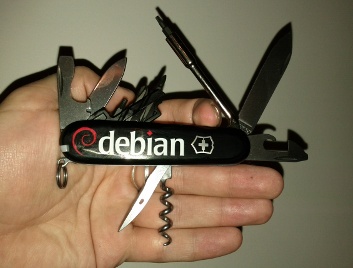
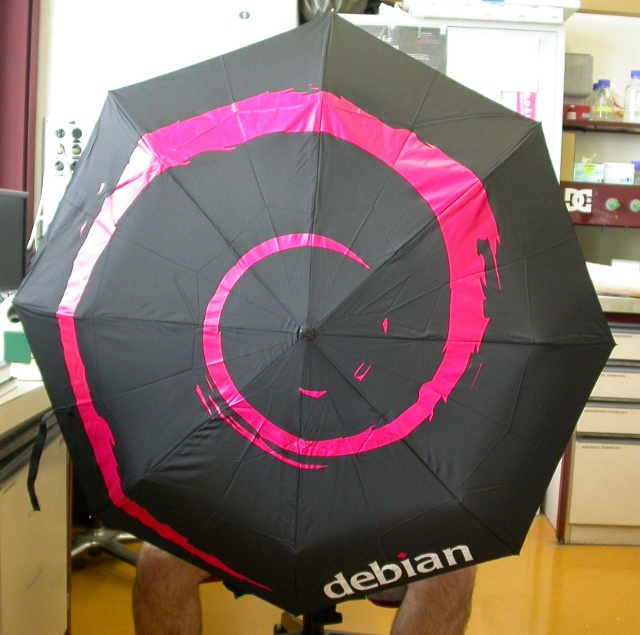
Price: 10 CHF / 9 euros We have also the Debian umbrellas and knifes.

Photo credit Kibi
For those who are at Debconf, they are for sell at the Debconf front desk from 4 to 6 and will be probably available for sell on enventelibre after the event.

Joey Hess: please build a haskell to perl compiler

The Fay compiler is a simple way to build fairly comprehensible javascript code from Haskell source. It occurs to me that it should be rather easy to modify Fay to emit perl code rather than javascript. This would allow contributing things like plugins to various perl programs, without writing perl. Of course, the same idea could probably be used to compile Haskell to other languages like python, but perl seems particularly well suited as a second Fay target, since javascript and it have quite similar syntax and similar support for features like closures which Fay relies on. I do not have time to work on this idea myself. It would be a good project for a beginning Haskell programmer. You probably don't even need to fully understand monads to do it! Essentially, look at Fay output examples, translate them from javascript to perl, and then much of the code changes in Fay would probably be in simple string generation code.
I will forward any bitcoins sent to the address 149eBtWS6i8cwQdPQJJ8hAGpDuEqNidyTj to whoever makes this. If it doesn't happen in 1 year, any donations will be forwarded to the EFF instead.

10 August 2013

Kurt Roeckx: Anti-piracy and privacy

In the Dutch language area (Netherlands and Flanders) most e-book publishers changed from using DRM to using a watermark since February. It's now something like 62% with watermark, 24% with DRM and 14% without either. I was hoping that more with move to the watermark, but it doesn't seem to change much. The watermark in the e-books are used to find the original buyer in case of piracy. The information in the e-book does not itself identify the buyer, it just some random ID. That ID can then be used to trace back to buyer. We work with a 3rd party to deliver the e-books to our consumers. They get a random string from us that we can use to trace back the order, and from there we can trace back who bought it. The 3rd party than generates their own random string and puts that in the e-book. They only only keep those 2 random strings, and so have no way to trace this back to the buyer, we are the only one that known who bought it. And I think this is how it should work. I think this is also what the privacy laws require us to do. But now we got a new contract that states that we must directly give information about the buyer if some anti-piracy agency (BREIN) finds an e-book file online. We must keep the information about the buyer for minimum of 2 years and maximum of 5 years. And if we don't sign the contract we won't be allowed to sell e-books with watermark anymore. So this means that they want to bypass the normal judicial system, and probably contact those buyers they accuse of piracy directly. I questioned that this was legal. They say that it is legal according to the Dutch privacy law, but I have a hard time interpreting any of the options in article 8 as that we can give that information without the explicit consent of the person. I guess you can interpret option f in several ways, and that their lawyers do it differently than me. This will probably remain unclear until some court decides on it.

Matthew Garrett: When to add a platform-specific quirk to a Linux driver

If you're tempted to add a platform-specific quirk to a Linux driver, pause and do the following:

  1. Check whether the platform works correctly with the generic Windows driver for the hardware in question. If it requires a platform-specific driver rather than the generic one, adding a quirk is probably ok.
  2. If the generic Windows driver works, check whether there's any evidence of platform-specific code in the Windows driver. This will typically be in the .inf file, but occasionally you'll want to run strings against the Windows driver and see whether any functions or strings match the platform in question. If there's evidence of special-casing in the generic Windows driver, adding a quirk is probably ok
  3. If the generic Windows driver works and doesn't appear to have any platform-specific special casing, don't add a quirk. You'll plausibly fix the machine you care about, but you won't fix any others that have the same behaviour. Even worse, if someone does eventually fix the problem properly, there's a risk that your special-casing will now break your system.

The moral to this story is: if you think adding a quirk is the right solution, you're almost certainly wrong.

comment count unavailable comments

8 August 2013

Nicolas Dandrimont: Hello from DebCamp

DebConf flag (minus the wind) Small update as someone was complaining about the lack of pictures from DebCamp on planet. Not to worry, everything is going fine, and some of the most important stuff is ready s3kr3t You can see a few pictures from the gallery. The view from the venue is quite outstanding (it was better when there was some sun on Tuesday, but my camera battery was out ). On my TODO-list: See you there!

7 August 2013

Keith Packard: embedded cpus

Choosing Embedded Processors for AltOS When Bdale and I started building rocketry hardware together, we had already picked out a target processor, the TI cc1111. We picked that chip almost entirely based on the digital transceiver that is built in to the chip, and not because we had any particular love for the 8051 microcontroller. At that time, I d seen people struggle with PIC processors, battle AVR to a draw and spend a lot of time trying to get various ARM processors running. So, the 8051 didn t seem all that far from normal, and the cc1111 implementation of it is pretty reasonable, including credible USB support and a built-in DMA engine. Since those early days, we ve gone on to build boards with a slightly wider range of processors: Bdale thinks we should reduce the number of components we use to focus our efforts better. He s probably right, but I have to admit that I ve had way too much fun getting each of these chips running. I thought I d spend a bit of time describing our general process for selecting a new CPU. CC1111 involved a lot of software hacking The 8051 processor in the CC1111 is very well documented, including the two-wire debugging interface. What was missing was a canned solution for programming and debugging the chip from Debian. However, with sufficient motivation and accurate docs, I was able to create a programmer from a USB device with a couple of GPIOs and a lot of ugly software on Linux. That sufficed to get the USB stack limping along, at which point I wrote a much faster programmer that ran on the cc1111 itself and could program another cc1111. With that, I created an assembly-level debugger that could be hooked to the existing SDCC source level debugger and had a full source-level debugging environment for the 8051. This turned out to be way better than what I could get on the Atmel processors, where I ve got a program loader and a whole lot of printf debugging. STM has been great The STM32L-Discovery board has a standard STM debugging setup for the Cortex SWD interface right on the same board as a target CPU. That made for completely self-contained development, with no jumper wires (a first for me, for sure). There s free software, stlink which can talk over the debugger USB connection to drive the SWD interface. This is sufficient to flash and debug applications using GDB. Of course, GCC supports ARM quite well; the only hard part was figuring out what to do for a C library. I settled on pdclib, which is at least easy to understand, if not highly optimized for ARM. We ve built a ton of boards with the STM32L151 and STM32L152; at this point I m pretty darn comfortable with the architecture and our tool chain. Adventures with NXP The NXP LPC11U14 is a very different beast. I m using this because: The LPCXpresso board looks much like the STM32L-Discovery, with a debugger interface wired to the CPU directly on the board. However, I haven t found free software tools to drive this programmer; all I ve found are binary-only tools from NXP. No thanks. Fortunately, the LPC11U14 uses exactly the same SWD interface as the STM32L, so I was able to sever the link between the programmer and the target on the LPCXpresso board and hook the target to an ST-Link device (either the one on the STM32L-Discovery board, or the new stand-along programming dongle I bought). With that, I wrote an openocd script to talk to the LPC11U14 and was in business. What I found in the NXP processor was a bit disturbing though there s a mask ROM that contains a boot loader, which always runs when the chip starts, and a bunch of utility code, including the only documented interface to programming the flash memory. I cannot fathom why anyone thought this was a good idea I don t want a BIOS in my embedded CPU, thankyouverymuch; I d really like my code to be the first instructions executed by the CPU. And, any embedded developer is more than capable of programming flash using a register specification, and calling some random embedded code in ROM from the middle of my operating system is more than a bit scary. NXP could do two simple things to make me like their parts a whole lot more: Right now, I m hoping the STM32L100C6 parts become available in small quantities so I can try them out; they promise to be as cheap as the LPC11U14, but are better supported by free software and offer more complete hardware documentation. Yeah, they re a bit larger; that will probably be annoying.

6 August 2013

Richard Hartmann: High security

If you're interested in security, brogramming, and throwing a few decades of UNIX best practices overboard... There's an app for that! The GIF they are using is oddly fitting, if for an entirely different reason than what they probably had in mind.

Next.

Previous.