Search Results: "mats"

4 February 2015

Charles Plessy: News of the package mime-support.

The package mime-support is installed by default on Debian systems. It has two roles: first to provide the file /etc/mime.types that associates media types (formerly called MIME types) to suffixes of file names, and second to provide the mailcap system that associates media types with programs. I adopted this package at the end of the development cycle of Wheezy. Changes since Wheezy. The version distributed in Jessie brings a few additions in /etc/mime.types. Among them, application/vnd.debian.binary-package and text/vnd.debian.copyright, which as their name suggest describe two file formats designed by Debian. I registered these types to the IANA, which is more open to the addition of new types since the RFC 6838. The biggest change is the automatic extraction of the associations between programs and media types that are declared in the menu files in FreeDesktop format. Before, it was the maintainer of the Debian package who had to extract this information and translate it in mailcap format by hand. The automation is done via dpkg triggers. A big thank you to Kevin Ryde who gave me a precious help for the developments and corrections to the run-mailcap program, and to all the other contributors. Your help is always welcome! Security updates. In December, Debian has been contacted by Timothy D. Morgan, who found that an attacker could get run-mailcap to execute commands by inserting them in file names (CVE-2014-7209). This first security update for me went well, thanks to the help and instructions of Salvatore Bonaccorso from the Security team. The problem is solved in Wheezy, Jessie and Sid, as well as in Squeeze through its long term support. One of the consequences of this security update is that run-mailcap will systematically use the absolute path to the files to open. For harmless files, this is a bit ugly. This will perhaps be improved after Jessie is released. Future projects The file /etc/mime.types is kept up to date by hand; this is slow and inefficient. The package shared-mime-info contains similar information, that could be used to autogenerate this file, but that would require to parse a XML source that is quite complex. For the moment, I am considering to import Fedora's mailcap package, where the file /etc/mime.types is very well kept up to date. I have not yet decided how to do it, but maybe just by moving that file from one package to the other. In that case, we would have the mime-support package that would provide mailcap support, and the package whose source is Fedora's mailcap package who would provide /etc/mime.types. Perhaps it will be better to use clearer names, such as mailcap-support for the first and media-types for the second? Separating the two main functionalities of mime-support would have an interesting consequence: the possibility of not installing the support for the mailcap system, or to make it optional, and instead to use the FreeDesktop sytem (xdg-open), from the package xdg-utils. Something to keep in mind...

31 January 2015

John Goerzen: Home Automation, part 2: Z-Wave and ISY programming

In my part 1 post yesterday, I wrote about the start of the home automation project. I mentioned that I was using Insteon switches, and they mostly were working well (I forgot to mention an annoyance: you can dim, but not totally shut off, their LED status light.) Anyhow, the Insteon battery-operated sensors seem to not be as good as their Z-Wave competition. Setting up Z-Wave Z-Wave devices get joined to the Z-Wave network in much the same way Bluetooth devices get paired with each other. The first time you use a Z-Wave device, you join it to the controller. The controller assigns it an ID on your network, and both devices discover the best route to communicate with each other. I discovered that the Z-Wave module on the ISY-994i has particularly poor reception. Combined with the generally short range of battery-operated Z-wave devices, this meant that my sensors didn t work reliably. As with Insteon, AC-powered Z-wave devices tend to be repeaters, but I didn t have any AC-powered Z-wave devices. I went looking for Z-wave repeaters, and found some. But then I discovered that a Z-wave relay-based appliance switch was actually $5 cheaper, acted as a repeater, and could be used as a switch down the road if needed. A couple of those solved my communications issues. You join them to the network as usual, but then either re-join the battery-powered sensors (so they see the new route) or do a network heal (every device on the network re-learns about its neighbors and routes to the other devices) so they see the new route. Z-Wave Motion / Occupancy Sensors If you have been in new buildings, chances are you have seen light switches with built-in occupancy sensors. My doctor s office has these. They are typically the same size as a regular light switch, but with a passive infrared (PIR) motion sensor used to automatically turn the lights off after a timeout (or even on, when someone walks into the room.) These work fine for small rooms, but if you ve ever been in a bathroom with a PIR lightswitch that goes off while you re still in the room, you are aware of their faults for larger rooms! Most of the time, when you read about occupancy sensors , it s really a PIR sensor, and the term is used interchangeably with motion detector. Motion detectors in home automation systems are commonly used for a number of purposes: detecting occuption of rooms for automatic control of lighting or HVAC systems, triggering alerts, or even locking or unlocking doors. My friend told me he had poor luck with the Insteon PIR sensors, so I tried two different Z-Wave models: the $48 Aeon/Aeotec multi-sensor and the $30 Ecolink PIRZWAVE2-ECO. The Aeon device is clearly the more capable; it can be used indoors or out, and has a lot of options that can be configured by Z-Wave configuration parameters. It also has a ball/socket mount, so it can be easily aimed in different directions. It can draw power from 4 AAA batteries, or a mini USB cable (cable, but not power supply, included). The Aeon multi-sensor also has a temperature, humidity, and illumination (lux) sensor but, as you ll see, they have some drawbacks. The Ecolink device is more basic; it has a few settings that can be altered via jumpers, but none that can be altered via Z-Wave configuration commands. That makes it a bit of a hassle, since you have to open it up to change, and when you do, it triggers a tamper alarm that is both undocumented and never seems to go away. It is powered by a single CR123A 3V Lithium battery, which are about $2 each on Amazon. Both units have a default PIR timeout of 4 minutes. That means that after sensing motion, they will transmit the on signal (meaning motion detected) and then transmit no further signals for at least 4 minutes. This is because operating the radio consumes far more battery power than simply monitoring the PIR sensor, and it cuts down on repeated on/off transmissions. In this configuration, both units should have battery life of 6 months to a year, I figure, with an edge for the Ecolink, perhaps. Both can also be configured to transmit more frequently; the Ecolink has a jumper that can change its timeout to 10 seconds, whereas the Aeon can be configured over Z-Wave for any timeout between 10 seconds and 65535 seconds (values above 4 minutes are rounded to the nearest minute, for some reason.) Both also have adjustable sensitivity; on the Aeon this is via an adjustment knob, and on the Ecolink it s via jumpers. And both can report their battery level to enable software alerts when it s getting low. The Aeon ships with its temperature, humidity, battery, and lux sensors disabled. This appears to be the cause of much confusion online, as they send one transmission and then no more. Sadly, one has to resort to the hard-to-find but very helpful MultiSensor engineering spec document to figure out the way to enable those sensors and set their interval. (It must be said, however, that I doubt most consumers will understand how to set bitfields, and this is either not covered or covered incorrectly in their other manuals.) This can be a real power drain, so I just set it to report battery level every 6 hours (so I can alert myself if it gets low) and leave it at that. The Ecolink manual claims a detection radius of 39 feet and a total angle of 90deg (45deg left or right from center) and a 3-year battery life (I m skeptical). It also is rated for indoor use only. Aeotec claims a detection radius of 16 feet and a total angle of 120 deg. Be skeptical of all these figures. Once set up with good reception, both devices have been working fine. Programming the controller The ISY-994i-Zw Pro controller I mentioned in Part 1 has its own sort of programming language. It s a lot better than the sort of GUI clicky mess that is found in most of these things, but it still has a sort of annoying Java-based editor where you select keywords from a menu and such. Although you can backup and restore the device, and import and export the programs, the file formats are XML and not really suitable for hand-editing. Sigh. The language is limited, but gets the job done. Here is a simple program that turns off the fan in a bathroom 30 minutes after the light was turned off:
If
        Status  '1st Floor / Bathroom + Laundry / Main Bath Fan' is On
    And Status  '1st Floor / Bathroom + Laundry / Main Bath Light' is Off
 
Then
        Wait  30 minutes 
        Set '1st Floor / Bathroom + Laundry / Main Bath Fan' Off
 
Else
   - No Actions - (To add one, press 'Action')
The if/then/else clauses should probably be more properly called when/do/finally. The if clauses are evaluated whenever a relevant event occurs. If the If evaluates to true, if executes the Then section. The program in Then is uninterruptible except for wait and repeat statements. So in this case, the program begins, and if the light stays off and the fan stays on, 30 minutes later it turns off the fan. But if the light comes back on, the program aborts (since there is nothing in else ). Similarly, if the fan goes off, the program aborts. A more complicated example: motion-activated lamp There is a table lamp in our living room controlled by Insteon. By adding a motion sensor in that room, it can be automatically turned on by someone walking through the room. Now, to be useful, I don t want it to turn on during the day. I also don t want it to turn on or adjust itself if other lights are on in the room, or if I turned it on myself; that could cause it to go on and off while I m watching TV, for instance. It s just to be helpful at night. Because the ISY-994i is pretty limited, having almost no control flow operations, this as with many tasks requires several programs . First, here s my main :
If
        Status  '1st Floor / Living + Dining Room / LR Table Lamp' is Off
    And $LR_Lamp_Lockout is 0
    And Status  '1st Floor / Living + Dining Room / ZW 005 Binary Sensor' is On
    And From    Sunset 
        To      Sunrise (next day)
    And $LR_Lamp_Motion_Working is not 0
    And Status  '1st Floor / Living + Dining Room / LR Floor Lamp' is Off
    And Status  '1st Floor / Living + Dining Room / Dining Light' is Off
    And Status  '1st Floor / Living + Dining Room / LR Light' is Off
 
Then
        Set '1st Floor / Living + Dining Room / LR Table Lamp' 22%
        Set '1st Floor / Living + Dining Room / LR S Remote (Table Lamp)' 22%
 
Else
   - No Actions - (To add one, press 'Action')
So, let s look at the conditions. This program triggers if the lamp is off, the sensor is on, the time is between sunset and sunrise, and three other lights are off. (I will explain the lockout and motion_working variables later). If this is the case, it sets the lamp to 22% (and also informs the wall switch for it that the lamp is at 22%). I pick this precise value because it is unlikely I would manually set it via the wall switch, and therefore lamp is 22% bright doubles as a lamp was turned on by this program flag. So this is the turning the lamp on bit. Let s look at the program that turns it back off later:
If
        Status  '1st Floor / Living + Dining Room / LR Table Lamp' is 22%
    And (
             Status  '1st Floor / Living + Dining Room / ZW 005 Binary Sensor' is Off
          Or $LR_Lamp_Motion_Working is 0
          Or Status  '1st Floor / Living + Dining Room / LR Light' is not Off
          Or Status  '1st Floor / Living + Dining Room / LR Floor Lamp' is not Off
          Or Status  '1st Floor / Living + Dining Room / Dining Light' is not Off
        )
 
Then
        Wait  15 seconds
        Set '1st Floor / Living + Dining Room / LR S Remote (Table Lamp)' Off
        Set '1st Floor / Living + Dining Room / LR Table Lamp' Off
 
Else
   - No Actions - (To add one, press 'Action')
 
This is using a sensor with a 4-minute timeout, so the lamp will always be on for at least 4 minutes and 15 seconds. This program runs if the lamp is still at the program-set level (so if, for instance, I turned the lamp full on, the program does nothing to override my setting.) Then, it looks for a condition to trigger turning the lamp off, which could be any of the sensor indicating no more motion, another program detecting it s lost communication with the sensor, or somebody turning on one of the bigger lights in the room. Then it simply sets the light (and the wall switch controlling it) to off. There are a couple more bits to this puzzle. What if the system turned the lamp on, but I really want it off? If I walked up to the wall switch and pushed off , the lamp would go off. And then, a couple seconds later, come back on, since the state of the system met the conditions for the lamp-on program. So we need a lockout that prevents this from happening. Here s my trigger lockout program:
If
        Control '1st Floor / Living + Dining Room / LR Table Lamp' is switched Off
     Or Control '1st Floor / Living + Dining Room / LR Table Lamp' is switched Fast Off
     Or Control '1st Floor / Living + Dining Room / LR S Remote (Table Lamp)' is switched Fast Off
     Or Control '1st Floor / Living + Dining Room / LR S Remote (Table Lamp)' is switched Off
 
Then
        $LR_Lamp_Lockout += 1
        Run Program 'LR Lamp Clear Lockout' (If)
 
Else
   - No Actions - (To add one, press 'Action') 
So if someone pushes the off button at the lamp switch box at the outlet it s plugged into (unlikely), or at the wall switch, it increments the lockout variable and runs another program. This other program is unique in that it is flagged disabled , meaning it is never run automatically by the system, only when called by another program. Here s the clear lockout program:
If
        $LR_Lamp_Lockout > 0
 
Then
        Wait  5 minutes 
        $LR_Lamp_Lockout  = 0
 
Else
   - No Actions - (To add one, press 'Action')
Thus by pushing the off button on the switch, the motion-triggered program won t turn the lamp back on for at least 5 minutes. Before I had reliable Z-Wave communication to the device, I had some times where it would simply drop off the Z-Wave network until a reboot. This was particularly annoying if it occured after having detected motion, since the state of the sensor in the ISY controller is simply whatever state it last received. Therefore, I wrote this program to check if it believes the motion sensor is working:
If
        Status  '1st Floor / Living + Dining Room / ZW 005 Binary Sensor' is On
 
Then
        $LR_Lamp_Motion_Working  = 1
        Wait  1 hour 
        $LR_Lamp_Motion_Working  = 0
 
Else
        $LR_Lamp_Motion_Working  = 1
We don t really care if the motion sensor is broken when the status is off; all that happens then is no lamp turns on. So this program activates when the status is set to on. It flips the working flag to true, then waits for an hour. If the sensor shows no motion within that hour, the program skips to the else (keeping the flag true). But if it is still on after an hour, it decides it must not be working and sets the working flag to false. You can see that flag used in the other programs logic. But because of the Else, which is run whenever the conditions that caused the Then clause to run become false, as soon as the system receives no motion , it will flag the sensor as working again. The final piece to this puzzle is a program flagged to run at boot time of the controller:
If
   - No Conditions - (To add one, press 'Schedule' or 'Condition')
 
Then
        $LR_Lamp_Motion_Working  = 1
 
Else
   - No Actions - (To add one, press 'Action')
This simply initializes the motion working variable to a known state. Keypads The Insteon KeypadLinc is a nice device. It can control a single load directly, but all 8 buttons are fully responsive in the Insteon system. They each also have individually-addressible LED backlights. They are commonly used to do things like ALL OFF , TV (to set lights for watching TV), AWAY (to set the system for everyone being out of the house for awhile), etc. They are the size of a regular Decora switch, and I have installed one already, but haven t programmed much of it yet. REST API The ISY has an extensive REST API, which I ve used to integrate it a bit with my Debian systems. More on that another time. Mobile app Mobile apps are a common thing people look for in these systems. You can t use the Insteon app with the ISY, but they recommend Mobilinc Pro. It does the job. Mobilinc tries to sell a $10/mo connection service, which is totally unnecessary if you can figure out SSL, and has on-screen buttons to bypass, but judging by the Google Play reviews, a lot of people thought they had to pay for that and uninstalled it afterwards. Future directions Many people put in electronic door locks. I don t plan to do that. I do plan to have the house systems be aware of the general state of things (is the house empty? is everyone asleep?) and do appropriate things with lighting and HVAC. I don t really expect the savings in power for lighting control to pay for the system anytime soon. However, if it can achieve some savings in heating and cooling, it may well be able to pay for itself in a few years. So my big next step is thermostats that can integrate with all this. I have had a water mess in my basement before, and water leak sensors are a very common item people deploy in these setups. I certainly plan to add a few of them. Door-open sensors are also useful; they trigger more instantly and reliably than motion detectors and can be used in some nice ways (is it after dark and the door is opening when the house is vacant? If so, turn on the light nearby in case their hands are full.) Issues Some issues I ran into so far are already discussed above. One other major one involves SSL on the ISY-994i Pro. The method for adding SSL keys is cumbersome, but the processor on the device which appears to run some sort of Java is just not up to working with SSL. Apparently they only recently got it fast enough to work with 2048-bit keys. This is rather undocumented, though, so I obtained a cert for a 4096-bit key, my usual. Attempting to connect to the box with SSL appeared to hang not just that but confuse a lot of other things on it as well. Turned out it wasn t hung; it just too a minute and 45 seconds to complete the SSL handshake. Moral of the story: use 2048-bit keys, or stunnel4 or some such to re-wrap the SSL communications with a stronger key. The KeypadLinc backlights can be completely shut off, and both their on and off levels can be customized. I have it set to shut off the backlight during the day and turn it on at night. The wall switches, however, can t have their brightness status LED bar entirely shut off. They can be made dim, but don t ever go away. That s rather annoying. Also annoying is that Insteon doesn t make switches in the traditional toggle switch style in colors other than white. As our house had mostly black switches, I was forced into the Decora style. Overall thoughts This has been a great learning experience for me in a number of ways. I have only begun to tap what the system can do, and the real benefits will probably come once I get the heating and cooling into the mix. It s quite a nice way for a geek to go, and the improvements in lighting have also been popular with everyone else in the house.

24 January 2015

Dirk Eddelbuettel: Rcpp 0.11.4

A new release 0.11.4 of Rcpp is now on the CRAN network for GNU R, and an updated Debian package will be uploaded in due course. Rcpp has become the most popular way of enhancing GNU R with C++ code. As of today, 323 packages on CRAN depend on Rcpp for making analyses go faster and further; BioConductor adds another 41 packages, and casual searches on GitHub suggests dozens mores. This release once again adds a large number of small bug fixes, polishes and enhancements. And like the last time, these changes were made by a group of seven different contributors (counting code commits) plus three more providing concrete suggestions. This shows that the Rcpp development and maintenance rests a large number of (broad) shoulders. See below for a detailed list of changes extracted from the NEWS file.
Changes in Rcpp version 0.11.4 (2015-01-20)
  • Changes in Rcpp API:
    • The ListOf<T> class gains the .attr and .names methods common to other Rcpp vectors.
    • The [dpq]nbinom_mu() scalar functions are now available via the R:: namespace when R 3.1.2 or newer is used.
    • Add an additional test for AIX before attempting to include execinfo.h.
    • Rcpp::stop now supports improved printf-like syntax using the small tinyformat header-only library (following a similar implementation in Rcpp11)
    • Pairlist objects are now protected via an additional Shield<> as suggested by Martin Morgan on the rcpp-devel list.
    • Sorting is now prohibited at compile time for objects of type List, RawVector and ExpressionVector.
    • Vectors now have a Vector::const_iterator that is 'const correct' thanks to fix by Romain following a bug report in rcpp-devel by Martyn Plummer.
    • The mean() sugar function now uses a more robust two-pass method, and new unit tests for mean() were added at the same time.
    • The mean() and var() functions now support all core vector types.
    • The setequal() sugar function has been corrected via suggestion by Qiang Kou following a bug report by S ren H jsgaard.
    • The macros major, minor, and makedev no longer leak in from the (Linux) system header sys/sysmacros.h.
    • The push_front() string function was corrected.
  • Changes in Rcpp Attributes:
    • Only look for plugins in the package's namespace (rather than entire search path).
    • Also scan header files for definitions of functions to be considerd by Attributes.
    • Correct the regular expression for source files which are scanned.
  • Changes in Rcpp unit tests
    • Added a new binary test which will load a pre-built package to ensure that the Application Binary Interface (ABI) did not change; this test will (mostly or) only run at Travis where we have reasonable control over the platform running the test and can provide a binary.
    • New unit tests for sugar functions mean, setequal and var were added as noted above.
  • Changes in Rcpp Examples:
    • For the (old) examples ConvolveBenchmarks and OpenMP, the respective Makefile was renamed to GNUmakefile to please R CMD check as well as the CRAN Maintainers.
Thanks to CRANberries, you can also look at a diff to the previous release As always, even fuller details are on the Rcpp Changelog page and the Rcpp page which also leads to the downloads page, the browseable doxygen docs and zip files of doxygen output for the standard formats. A local directory has source and documentation too. Questions, comments etc should go to the rcpp-devel mailing list off the R-Forge page.

This post by Dirk Eddelbuettel originated on his Thinking inside the box blog. Please report excessive re-aggregation in third-party for-profit settings.

19 January 2015

Daniel Pocock: Storage controllers for small Linux NFS networks

While contemplating the disk capacity upgrade for my Microserver at home, I've also been thinking about adding a proper storage controller. Currently I just use the built-in controller in the Microserver. It is an AMD SB820M SATA controller. It is a bottleneck for the SSD IOPS. On the disks, I prefer to use software RAID (such as md or BtrFs) and not become dependent on the metadata format of any specific RAID controller. The RAID controllers don't offer the checksumming feature that is available in BtrFs and ZFS. The use case is NFS for a small number of workstations. NFS synchronous writes block the client while the server ensures data really goes onto the disk. This creates a performance bottleneck. It is actually slower than if clients are writing directly to their local disks through the local OS caches. SSDs on an NFS server offer some benefit because they can complete write operations more quickly and the NFS server can then tell the client the operation is complete. The more performant solution (albeit with a slight risk of data corruption) is to use a storage controller with a non-volatile (battery-backed or flash-protected) write cache. Many RAID controllers have non-volatile write caches. Some online discussions of BtrFs and ZFS have suggested staying away from full RAID controllers though, amongst other things, to avoid the complexities of RAID controllers adding their metadata to the drives. This brings me to the first challenge though: are there suitable storage controllers that have a non-volatile write cache but without having other RAID features? Or a second possibility: out of the various RAID controllers that are available, do any provide first-class JBOD support? Observations I looked at specs and documentation for various RAID controllers and identified some of the following challenges: Next steps Are there other options to look at, for example, alternatives to NFS? If I just add in a non-RAID HBA to enable faster IO to the SSDs will this be enough to make a noticeable difference on the small number of NFS clients I'm using? Or is it inevitable that I will have to go with one of the solutions that involves putting a vendor's volume metadata onto JBOD volumes? If I do go that way, which of the vendors' metadata formats are most likely to be recognized by free software utilities in the future if I ever connect the disk to a generic non-RAID HBA? Thanks to all those people who provided comments about choosing drives for this type of NAS usage. Related reading

19 December 2014

Kenshi Muto: smart "apt" command

During evaluating Jessie, I found 'apt' command and noticed it was pretty good for novice-usual users.
Usage: apt [options] command
CLI for apt.
Basic commands: 
 list - list packages based on package names
 search - search in package descriptions
 show - show package details
 update - update list of available packages
 install - install packages
 remove  - remove packages
 upgrade - upgrade the system by installing/upgrading packages
 full-upgrade - upgrade the system by removing/installing/upgrading packages
 edit-sources - edit the source information file
'apt list' is like a combination of 'dpkg -l' + 'apt-cache pkgnames'. 'apt search' is a bit slower than 'apt-cache search' but provides with useful information. 'apt show' formats bytesizes and hides some (for experts) fields. install/remove/upgrade/full-upgrade are mostly same as apt-get. 'apt edit-sources' opens a editor and checks the integrity. So, I'd like to recommend 'apt' command to Debian users. Well, why did I write this entry...? ;) I found a mistranslation I had made in ja.po of apt. Because it is critical mistranslation (Japanese users will confuse by it), I want to fix it strongly. Dear apt deity maintainers, could you consider to update apt for Jessie? (#772678. FYI there are other translation updates also: #772913, #771982, and #771967)

17 December 2014

Keith Packard: MST-monitors

Multi-Stream Transport 4k Monitors and X I'm sure you've seen a 4k monitor on a friends desk running Mac OS X or Windows and are all ready to go get one so that you can use it under Linux. Once you've managed to acquire one, I'm afraid you'll discover that when you plug it in, you're limited to 30Hz refresh rates at the full size, unless you're running a kernel that is version 3.17 or later. And then... Good Grief! What Is My Computer Doing! Ok, so now you're running version 3.17 and when X starts up, it's like you're using a gigantic version of Google Cardboard. Two copies of a very tall, but very narrow screen greets you. Welcome to MST island. In order to drive these giant new panels at full speed, there isn't enough bandwidth in the display hardware to individually paint each pixel once during each frame. So, like all good hardware engineers, they invented a clever hack. This clever hack paints the screen in parallel. I'm assuming that they've got two bits of display hardware, each one hooked up to half of the monitor. Now, each paints only half of the pixels, avoiding costly redesign of expensive silicon, at least that's my surmise. In the olden days, if you did this, you'd end up running two monitor cables to your computer, and potentially even having two video cards. Today, thanks to the magic of Display Port Multi-Stream Transport, we don't need all of that; instead, MST allows us to pack multiple cables-worth of data into a single cable. I doubt the inventors of MST intended it to be used to split a single LCD panel into multiple "monitors", but hardware engineers are clever folk and are more than capable of abusing standards like this when it serves to save a buck. Turning Two Back Into One We've got lots of APIs that expose monitor information in the system, and across which we might be able to wave our magic abstraction wand to fix this:
  1. The KMS API. This is the kernel interface which is used by all graphics stuff, including user-space applications and the frame buffer console. Solve the problem here and it works everywhere automatically.
  2. The libdrm API. This is just the KMS ioctls wrapped in a simple C library. Fixing things here wouldn't make fbcons work, but would at least get all of the window systems working.
  3. Every 2D X driver. (Yeah, we're trying to replace all of these with the one true X driver). Fixing the problem here would mean that all X desktops would work. However, that's a lot of code to hack, so we'll skip this.
  4. The X server RandR code. More plausible than fixing every driver, this also makes X desktops work.
  5. The RandR library. If not in the X server itself, how about over in user space in the RandR protocol library? Well, the problem here is that we've now got two of them (Xlib and xcb), and the xcb one is auto-generated from the protocol descriptions. Not plausible.
  6. The Xinerama code in the X server. Xinerama is how we did multi-monitor stuff before RandR existed. These days, RandR provides Xinerama emulation, but we've been telling people to switch to RandR directly.
  7. Some new API. Awesome. Ok, so if we haven't fixed this in any existing API we control (kernel/libdrm/X.org), then we effectively dump the problem into the laps of the desktop and application developers. Given how long it's taken them to adopt current RandR stuff, providing yet another complication in their lives won't make them very happy.
All Our APIs Suck Dave Airlie merged MST support into the kernel for version 3.17 in the simplest possible fashion -- pushing the problem out to user space. I was initially vaguely tempted to go poke at it and try to fix things there, but he eventually convinced me that it just wasn't feasible. It turns out that all of our fancy new modesetting APIs describe the hardware in more detail than any application actually cares about. In particular, we expose a huge array of hardware objects: Each of these objects exposes intimate details about the underlying hardware -- which of them can work together, and which cannot; what kinds of limits are there on data rates and formats; and pixel-level timing details about blanking periods and refresh rates. To make things work, some piece of code needs to actually hook things up, and explain to the user why the configuration they want just isn't possible. The sticking point we reached was that when an MST monitor gets plugged in, it needs two CRTCs to drive it. If one of those is already in use by some other output, there's just no way you can steal it for MST mode. Another problem -- we expose EDID data and actual video mode timings. Our MST monitor has two EDID blocks, one for each half. They happen to describe how they're related, and how you should configure them, but if we want to hide that from the application, we'll have to pull those EDID blocks apart and construct a new one. The same goes for video modes; we'll have to construct ones for MST mode. Every single one of our APIs exposes enough of this information to be dangerous. Every one, except Xinerama. All it talks about is a list of rectangles, each of which represents a logical view into the desktop. Did I mention we've been encouraging people to stop using this? And that some of them listened to us? Foolishly? Dave's Tiling Property Dave hacked up the X server to parse the EDID strings and communicate the layout information to clients through an output property. Then he hacked up the gnome code to parse that property and build a RandR configuration that would work. Then, he changed to RandR Xinerama code to also parse the TILE properties and to fix up the data seen by application from that. This works well enough to get a desktop running correctly, assuming that desktop uses Xinerama to fetch this data. Alas, gtk has been "fixed" to use RandR if you have RandR version 1.3 or later. No biscuit for us today. Adding RandR Monitors RandR doesn't have enough data types yet, so I decided that what we wanted to do was create another one; maybe that would solve this problem. Ok, so what clients mostly want to know is which bits of the screen are going to be stuck together and should be treated as a single unit. With current RandR, that's some of the information included in a CRTC. You pull the pixel size out of the associated mode, physical size out of the associated outputs and the position from the CRTC itself. Most of that information is available through Xinerama too; it's just missing physical sizes and any kind of labeling to help the user understand which monitor you're talking about. The other problem with Xinerama is that it cannot be configured by clients; the existing RandR implementation constructs the Xinerama data directly from the RandR CRTC settings. Dave's Tiling property changes edit that data to reflect the union of associated monitors as a single Xinerama rectangle. Allowing the Xinerama data to be configured by clients would fix our 4k MST monitor problem as well as solving the longstanding video wall, WiDi and VNC troubles. All of those want to create logical monitor areas within the screen under client control What I've done is create a new RandR datatype, the "Monitor", which is a rectangular area of the screen which defines a rectangular region of the screen. Each monitor has the following data: There are three requests to define, delete and list monitors. And that's it. Now, we want the list of monitors to completely describe the environment, and yet we don't want existing tools to break completely. So, we need some way to automatically construct monitors from the existing RandR state while still letting the user override portions of it as needed to explain virtual or tiled outputs. So, what I did was to let the client specify a list of outputs for each monitor. All of the CRTCs which aren't associated with an output in any client-defined monitor are then added to the list of monitors reported back to clients. That means that clients need only define monitors for things they understand, and they can leave the other bits alone and the server will do something sensible. The second tricky bit is that if you specify an empty rectangle at 0,0 for the pixel geometry, then the server will automatically compute the geometry using the list of outputs provided. That means that if any of those outputs get disabled or reconfigured, the Monitor associated with them will appear to change as well. Current Status Gtk+ has been switched to use RandR for RandR versions 1.3 or later. Locally, I hacked libXrandr to override the RandR version through an environment variable, set that to 1.2 and Gtk+ happily reverts back to Xinerama and things work fine. I suspect the plan here will be to have it use the new Monitors when present as those provide the same info that it was pulling out of RandR's CRTCs. KDE appears to still use Xinerama data for this, so it "just works". Where's the code As usual, all of the code for this is in a collection of git repositories in my home directory on fd.o:
git://people.freedesktop.org/~keithp/randrproto master
git://people.freedesktop.org/~keithp/libXrandr master
git://people.freedesktop.org/~keithp/xrandr master
git://people.freedesktop.org/~keithp/xserver randr-monitors
RandR protocol changes Here's the new sections added to randrproto.txt
                   
1.5. Introduction to version 1.5 of the extension
Version 1.5 adds monitors
   A 'Monitor' is a rectangular subset of the screen which represents
   a coherent collection of pixels presented to the user.
   Each Monitor is be associated with a list of outputs (which may be
   empty).
   When clients define monitors, the associated outputs are removed from
   existing Monitors. If removing the output causes the list for that
   monitor to become empty, that monitor will be deleted.
   For active CRTCs that have no output associated with any
   client-defined Monitor, one server-defined monitor will
   automatically be defined of the first Output associated with them.
   When defining a monitor, setting the geometry to all zeros will
   cause that monitor to dynamically track the bounding box of the
   active outputs associated with them
This new object separates the physical configuration of the hardware
from the logical subsets  the screen that applications should
consider as single viewable areas.
1.5.1. Relationship between Monitors and Xinerama
Xinerama's information now comes from the Monitors instead of directly
from the CRTCs. The Monitor marked as Primary will be listed first.
                   
5.6. Protocol Types added in version 1.5 of the extension
MONITORINFO   name: ATOM
          primary: BOOL
          automatic: BOOL
          x: INT16
          y: INT16
          width: CARD16
          height: CARD16
          width-in-millimeters: CARD32
          height-in-millimeters: CARD32
          outputs: LISTofOUTPUT  
                   
7.5. Extension Requests added in version 1.5 of the extension.
 
    RRGetMonitors
    window : WINDOW
      
    timestamp: TIMESTAMP
    monitors: LISTofMONITORINFO
 
    Errors: Window
    Returns the list of Monitors for the screen containing
    'window'.
    'timestamp' indicates the server time when the list of
    monitors last changed.
 
    RRSetMonitor
    window : WINDOW
    info: MONITORINFO
 
    Errors: Window, Output, Atom, Value
    Create a new monitor. Any existing Monitor of the same name is deleted.
    'name' must be a valid atom or an Atom error results.
    'name' must not match the name of any Output on the screen, or
    a Value error results.
    If 'info.outputs' is non-empty, and if x, y, width, height are all
    zero, then the Monitor geometry will be dynamically defined to
    be the bounding box of the geometry of the active CRTCs
    associated with them.
    If 'name' matches an existing Monitor on the screen, the
    existing one will be deleted as if RRDeleteMonitor were called.
    For each output in 'info.outputs, each one is removed from all
    pre-existing Monitors. If removing the output causes the list of
    outputs for that Monitor to become empty, then that Monitor will
    be deleted as if RRDeleteMonitor were called.
    Only one monitor per screen may be primary. If 'info.primary'
    is true, then the primary value will be set to false on all
    other monitors on the screen.
    RRSetMonitor generates a ConfigureNotify event on the root
    window of the screen.
 
    RRDeleteMonitor
    window : WINDOW
    name: ATOM
 
    Errors: Window, Atom, Value
    Deletes the named Monitor.
    'name' must be a valid atom or an Atom error results.
    'name' must match the name of a Monitor on the screen, or a
    Value error results.
    RRDeleteMonitor generates a ConfigureNotify event on the root
    window of the screen.
                   

16 December 2014

Raphael Geissert: Editing Debian online with sources.debian.net

How cool would it be to fix that one bug you just found without having to download a source package? and without leaving your browser?

Inspired by github's online code editing, during Debconf 14 I worked on integrating an online editor on debsources (the software behind sources.debian.net). Long story short: it is available today, for users of chromium (or anything supporting chrome extensions).

After installing the editor for sources.debian.net extension, go straight to sources.debian.net and enjoy!

Go from simple debsources:


To debsources on steroids:


All in all, it brings:

Clone it or fork it:
git clone https://github.com/rgeissert/ace-sourced.n.git

For example, head to apt's source code, find a typo and correct it online: open apt.cc, click on edit, make the changes, click on email patch. Yes! it can generate a mail template for sending the patch to the BTS: just add a nice message and your patch is ready to be sent.

Didn't find any typo to fix? how sad, head to codesearch and search Debian for a spelling mistake, click on any result, edit, correct, email! you will have contributed to Debian in less than 5 minutes without leaving your browser.

The editor was meant to be integrated into debsources itself, without the need of a browser extension. This is expected to be done when the requirements imposed by debsources maintainers are sorted out.

Kudos to Harlan Lieberman who helped debug some performance issues in the early implementations of the integration and for working on the packaging of the Ace editor.

9 December 2014

Tanguy Ortolo: Using bsdtar to change an archive format

Streamable archive formats Package icon Archive formats such as tar(5) and cpio(5) have the advantage of being streamable, so you can use them for transferring data with pipes and remote shells, without having to store the archive in the middle of the process, for instance:
$ cd public_html/blog
$ rgrep -lF "archive" data/articles \
        pax -w \
        ssh newserver "mkdir public_html/blog ;
                       cd public_html/blog ;
                       pax -r"
Turning a ZIP archive into tarball Unfortunately, many people will send you data in non-streamable archive formats such as ZIP . For such cases, bsdtar(1) can be useful, as it is able to convert an archive from one format to another:
$ bsdtar -cf - @archive.zip \
        COMMAND
These arguments tell bsdtar to: The result is a tape archive, which is easier to manipulate in a stream than a ZIP archive. Notes
  1. Some will say that although ZIP is based on an file index, it can be stream because that index is placed at the end of the archive. In fact, that characteristic only allows to stream the archive creation, but requires to store the full archive before being able to extract it. .

30 November 2014

Hideki Yamane: Kadokawa Course Internet vol.2 "Open Source - composes Internet, evolution of software"

Now it's out -you can get Kadokawa Course Internet vol.2 "Open Source - composes Internet, evolution of software" ( (2) ) at a bookstore.

Yukihiro "Matz" Matsumoto, probably you know as programming language "Ruby" author, is supervisor for this book but more people involved in it. What I wrote is a basic overview for Open Source Software Licensing (with 32 pages in Japanese) because I've learned some about software license through my activity in Debian (thanks! :-)

It was though a bit because its deadline is really tight, so I had to write it even during DebConf14 in Portland (this is the reason why I didn't go to Pub to drink beer in the last night ;)
Hope you enjoy it (Wasshoi!!).

23 November 2014

Dimitri John Ledkov: Analyzing public OpenPGP keys

OpenPGP Message Format (RFC 4880) well defines key structure and wire formats (openpgp packets). Thus when I looked for public key network (SKS) server setup, I quickly found pointers to dump files in said format for bootstrapping a key server.

I did not feel like experimenting with Python and instead opted for Go and found http://code.google.com/p/go.crypto/openpgp/packet library that has comprehensive support for parsing openpgp low level structures. I've downloaded the SKS dump, verified it's MD5SUM hashes (lolz), and went ahead to process them in Go.

With help from http://github.com/lib/pq and database/sql, I've written a small program to churn through all the dump files, filter for primary RSA keys (not subkeys) and inject them into a database table. The things that I have chosen to inject are fingerprint, N, E. N & E are the modulus of the RSA key pair and the public exponent. Together they form a public part of an RSA keypair. So far, nothing fancy.

Next I've run an SQL query to see how unique things are... and found 92 unique N & E pairs that have from two and up to fifteen duplicates. In total it is 231 unique fingerprints, which use key material with a known duplicate in the public key network. That didn't sound good. And also odd - given that over 940 000 other RSA keys managed to get unique enough entropy to pull out a unique key out of the keyspace haystack (which is humongously huge by the way).

Having the list of the keys, I've fetched them and they do not look like regular keys - their UIDs do not have names & emails, instead they look like something from the monkeysphere. The keys look like they are originally used for TLS and/or SSH authentication, but were converted into OpenPGP format and uploaded into the public key server. This reminded me of the Debian's SSL key generation vulnerability CVE-2008-0166. So these keys might have been generated with bad entropy due to affected tools by that CVE and later converted to OpenPGP.

Looking at the openssl-blacklist package, it should be relatively easy for me to generate all possible RSA key-pairs and I believe all other material that is hashed to generate the fingerprint are also available (RFC 4880#12.2). Thus it should be reasonably possible to generate matching private keys, generate revocation certificates and publish the revocation certificate with pointers to CVE-2008-0166. (Or email it to the people who have signed given monkeysphered keys). When I have a minute I will work on generating openpgp-blacklist type of scripts to address this.

If anyone is interested in the Go source code I've written to process openpgp packets, please drop me a line and I'll publish it on github or something.

12 November 2014

John Goerzen: Computer Without a Case

My desk today looks like this: 2014-11-12 11.58.45 Yep, that s a computer. Motherboard to the right, floppy drives and CD drive stacked on top of the power supply, hard drive to the left. And it s an OLD computer. (I had forgotten just how loud these old power supplies are; wow.) The point of this exercise is to read data off the floppies that I have made starting nearly 30 years ago now (wow). Many were made with DOS, some were made on a TRS-80 Color Computer II (aka CoCo 2). There are 5.25 disks, 3.25 disks, and all sorts of formats. Most are DOS, but the TRS-80 ones use a different physical format. Some of the data was written by Central Point Backup (from PC Tools), which squeezed more data on the disk by adding an extra sector or something, if my vague memory is working. Reading these disks requires low-level playing with controller timing, and sometimes the original software to extract the data. It doesn t necessarily work under Linux, and certainly doesn t work with USB floppies or under emulation. Hence this system. It s a bridge. Old enough to run DOS, new enough to use an IDE drive. I can then hook up the IDE drive to a IDE-to-USB converter and copy the data off it onto my Linux system. But this was tricky. I started the project a few years ago, but life got in the way. Getting back to it now, with the same motherboard and drive, but I just couldn t get it to boot. I eventually began to suspect some disk geometry settings, and with some detective work from fdisk in Linux plus some research into old BIOS disk size limitations, discovered the problem was a 2GB limit. Through some educated trial and error, I programmed the BOIS with a number of cylinders that worked, set it to LBA mode, and finally my 3-year-old DOS 6.2 installation booted. I had also forgotten how finicky things were back then. Pop a floppy from a Debian install set into the drive, type dir b:, and the system hangs. I guess there was a reason the reset button was prominent on the front of the computer back then

10 November 2014

Lars Wirzenius: A vision of backups in Debian

Meet Alfred. Alfred is a Debian user. He has a laptop with Debian and a desktop environment running on it. Alfred does a lot of impotant things on his computer: his hobby is to photograph his cat, and also he works for a non-governmental organisation that investigates and reports on human rights violations. His job involves a lot of travel to many parts of the world, and he needs to handle a lot of very sensitive information. His laptop uses full-disk encryption, and it's generally speaking very well secured against the various security threats that are due to his job. He is worried about losing important data. He's not too worried that the sensitive information he has will leak if his laptop is stolen, but it might be impossible to re-create the data if the laptop is gone. If he interviews a whistleblower for a slave-trading corporation, and his laptop is stolen after that, it might be impossible to ever meet with the whistleblower again. Alfred wants backups of his data. He gets a USB thumb drive, and plugs it in. The laptop has never seen the drive before, so it asks Alfred if the drive should be used for backups. Alfred says yes. The laptop formats the thumb drive, again with full-disk encryption, and then runs a backup. The backup automatically picks up all the files from Alfred's home directory, and some system confguration files that may be necessary as well. (Read: /home and /etc.) Files that are usually not very precious, such as web browser caches, are automatically excluded. Later, when Alfred wants to update the backup, he plugs in the same drive again. The system recognises the drive, and runs the backup. While the backup is running, Alfred has an indicator in his desktop status bar. If Alfred leaves the drive plugged in, and changes anything in his home directory, that gets immediately backed up to the backup drive. Until the changes have been backed up, the indicator stays on Alfred's status bar. This isn't good enough, however. Alfred needs to carry the USB drive with him, and if he's mugged, he might lose both the laptop and the backup drive. Therefore, the system administrator at Alfred's NGO, Janet, sets up an account on an online backup server, and e-mails Alfred a configuration file, which Alfred drops into the backup system's configuration tool. From then on, whenever Alfred's laptop is online, and can see the backup server (identified by an SSH host key), any changes Alfred makes are backed up as soon as possible. For the next interview, as soon as the interview is finished and Alfred closes the laptop lid to suspend it, the backup has already finished, both to the online server and the USB thumb drive. Alfred is now happy, and no longer fears for the safety of his data. Janet, however, is still a little worried, because the online backup server is an attractive target for attacks. She asks Alfred to configure the backup service on the laptop to encrypt and digitally sign the backups, and sends the master backup public key with the request. Janet keeps the corresponding private key in a secure location. Alfred goes into the configuration dialog, ticks the right box, and drops in the server public key. The backup software generates a new public key for the laptop to use for encrypting the backups, and Alfred e-mails that to Janet, using PGP encrypted and signed e-mail. He also puts the laptop backup encryption keys on a couple of USB thumb drives, which he stores in safe places (in his sock drawer and coffee jar, but don't tell anyone that). Alfred's online backups are now encrypted with public keys so that both Alfred and Janet can decrypt them, but only they can do that. The backups are digitally signed so that if the server is hacked, the backups can't be altered without it being detectable. Some time passes. Alfred needs to go to speak to the general assembly of the Cat Conference, about how awesome his cat is. This requires him to travel to the US, and he's worried that the US authorities will confiscate his laptop and try to get at his work files that way. He deletes all his work files, ssh keys, and other files that aren't necessary to show his cat pictures at the conference. The conference goes fine, and when Alfred comes back home, he gets the USB thumb drive that contains his backup encryption key. He plugs it in, tells the backup configuration software to import it. Alfred can then open his backups on the online backup server in his file browser, and can restore back his files by copying them with drag and drop. However, the next day Alfred's cat, upset at how much he travels, pees on the laptop. It is ruined. Everything is lost. Alfred gets a new laptop from Janet, and installs Debian on it. During installation, Alfred gives the installer the USB backup drive, and the installer restores all of Alfred's own files, and also restores system configuration. After a little while, Alfred has a newly installed laptop with all his usual software and all of his files.
This is a summary of a vision for backups being a service in a default Debian install in the future. It is currently just a vision, and nobody is currently working on making it reality. Would you like to work on this for the release after jessie? (No cats were harmed in the production of this vision.)

6 November 2014

Daniel Kahn Gillmor: GnuPG 2.1.0 in debian experimental

Today, i uploaded GnuPG 2.1.0 into debian's experimental suite. It's built for amd64 and i386 and powerpc already. You can monitor its progress on the buildds to see when it's available for your architecture. ChangesGnuPG 2.1 offers many new and interesting features, but one of the most important changes is the introduction of elliptic curve crypto (ECC). While GnuPG 2.1 discourages the creation of ECC keys by default, it's important that we have the ability to verify ECC signatures and to encrypt to ECC keys if other people are using this tech. It seems likely, for example, that Google's End-To-End Chrome OpenPGP extension will use ECC. GnuPG users who don't have this capability available won't be able to communicate with End-To-End users. There are many other architectural changes, including a move to more daemonized interactions with the outside world, including using dirmngr to talk to the keyservers, and relying more heavily on gpg-agent for secret key access. The gpg-agent change is a welcome one -- the agent now holds the secret key material entirely and never releases it -- as of 2.1 gpg2 never has any asymmetric secret key material in its process space at all. One other nice change for those of us with large keyrings is the new keybox format for public key material. This provides much faster indexed access to the public keyring. I've been using GnuPG 2.1.0 betas regularly for the last month, and i think that for the most part, they're ready for regular use. Timing for debian The timing between the debian freeze and the GnuPG upstream is unfortunate, but i don't think i'm prepared to push for this as a jessie transition yet, without more backup. I'm talking to other members of the GnuPG packaging team to see if they think this is worth even bringing to the attention of the release team, but i'm not pursuing it at the moment. If you really want to see this in debian jessie, please install the experimental package and let me know how it works for you. Long term migration concerns GnuPG upstream is now maintaining three branches concurrently: modern (2.1.x), stable (2.0.x), and classic (1.4.x). I think this is stretches the GnuPG upstream development team too thin, and we should do what we can to help them transition to supporting fewer releases concurrently. In the long-term, I'd ultimately like to see gnupg 2.1.x to replace all use of gpg 1.4.x and gpg 2.0.x in debian, but unlikely to to happen right now. In particular, the following two bugs make it impossible to use my current, common monkeysphere workflow: And GnuPG 2.1.0 drops support for the older, known-weak OpenPGPv3 key formats. This is an important step for simplification, but there are a few people who probably still need to use v3 keys for obscure/janky reasons, or have data encrypted to a v3 key that they need to be able to decrypt. Those people will want to have GnuPG 1.4 around. Call for testing Anyway, if you use debian testing or unstable, and you are interested in these features, i invite you to install gnupg2 and its friends from experimental. If you want to be sensibly conservative, i recommend backing up ~/.gnupg before trying to use it:
cp -aT .gnupg .gnupg.bak
sudo apt install -t experimental gnupg2 gnupg-agent dirmngr gpgsm gpgv2 scdaemon
If you find issues, please file them via the debian BTS as usual. I (or other members of the pkg-gnupg team) will help you triage them to upstream as needed. Tags: ecc, experimental, gnupg

30 October 2014

Keith Packard: Glamor cleanup

Glamor Cleanup Before I start really digging in to reworking the Render support in Glamor, I wanted to take a stab at cleaning up some cruft which has accumulated in Glamor over the years. Here's what I've done so far. Get rid of the Intel fallback paths I think it's my fault, and I'm sorry. The original Intel Glamor code has Glamor implement accelerated operations using GL, and when those fail, the Intel driver would fall back to its existing code, either UXA acceleration or software. Note that it wasn't Glamor doing these fallbacks, instead the Intel driver had a complete wrapper around every rendering API, calling special Glamor entry points which would return FALSE if GL couldn't accelerate the specified operation. The thinking was that when GL couldn't do something, it would be far faster to take advantage of the existing UXA paths than to have Glamor fall back to pulling the bits out of GL, drawing to temporary images with software, and pushing the bits back to GL. And, that may well be true, but what we've managed to prove is that there really aren't any interesting rendering paths which GL can't do directly. For core X, the only fallbacks we have today are for operations using a weird planemask, and some CopyPlane operations. For Render, essentially everything can be accelerated with the GPU. At this point, the old Intel Glamor implementation is a lot of ugly code in Glamor without any use. I posted patches to the Intel driver several months ago which fix the Glamor bits there, but they haven't seen any review yet and so they haven't been merged, although I've been running them since 1.16 was released... Getting rid of this support let me eliminate all of the _nf functions exported from Glamor, along with the GLAMOR_USE_SCREEN and GLAMOR_USE_PICTURE_SCREEN parameters, along with the GLAMOR_SEPARATE_TEXTURE pixmap type. Force all pixmaps to have exact allocations Glamor has a cache of recently used textures that it uses to avoid allocating and de-allocating GL textures rapidly. For pixmaps small enough to fit in a single texture, Glamor would use a cache texture that was larger than the pixmap. I disabled this when I rewrote the Glamor rendering code for core X; that code used texture repeat modes for tiles and stipples; if the texture wasn't the same size as the pixmap, then texturing would fail. On the Render side, Glamor would actually reallocate pixmaps used as repeating texture sources. I could have fixed up the core rendering code to use this, but I decided instead to just simplify things and eliminate the ability to use larger textures for pixmaps everywhere. Remove redundant pixmap and screen private pointers Every Glamor pixmap private structure had a pointer back to the pixmap it was allocated for, along with a pointer to the the Glamor screen private structure for the related screen. There's no particularly good reason for this, other than making it possible to pass just the Glamor pixmap private around a lot of places. So, I removed those pointers and fixed up the functions to take the necessary extra or replaced parameters. Similarly, every Glamor fbo had a pointer back to the Glamor screen private too; I removed that and now pass the Glamor screen private parameter as needed. Reducing pixmap private complexity Glamor had three separate kinds of pixmap private structures, one for 'normal' pixmaps (those allocated by them selves in a single FBO), one for 'large' pixmaps, where the pixmap was tiled across many FBOs, and a third for 'atlas' pixmaps, which presumably would be a single FBO holding multiple pixmaps. The 'atlas' form was never actually implemented, so it was pretty easy to get rid of that. For large vs normal pixmaps, the solution was to move the extra data needed by large pixmaps into the same structure as that used by normal pixmaps and simply initialize those elements correctly in all cases. Now, most code can ignore the difference and simply walk the array of FBOs as necessary. The other thing I did was to shrink the number of possible pixmap types from 8 down to three. Glamor now exposes just these possible pixmap types: Future Work

26 October 2014

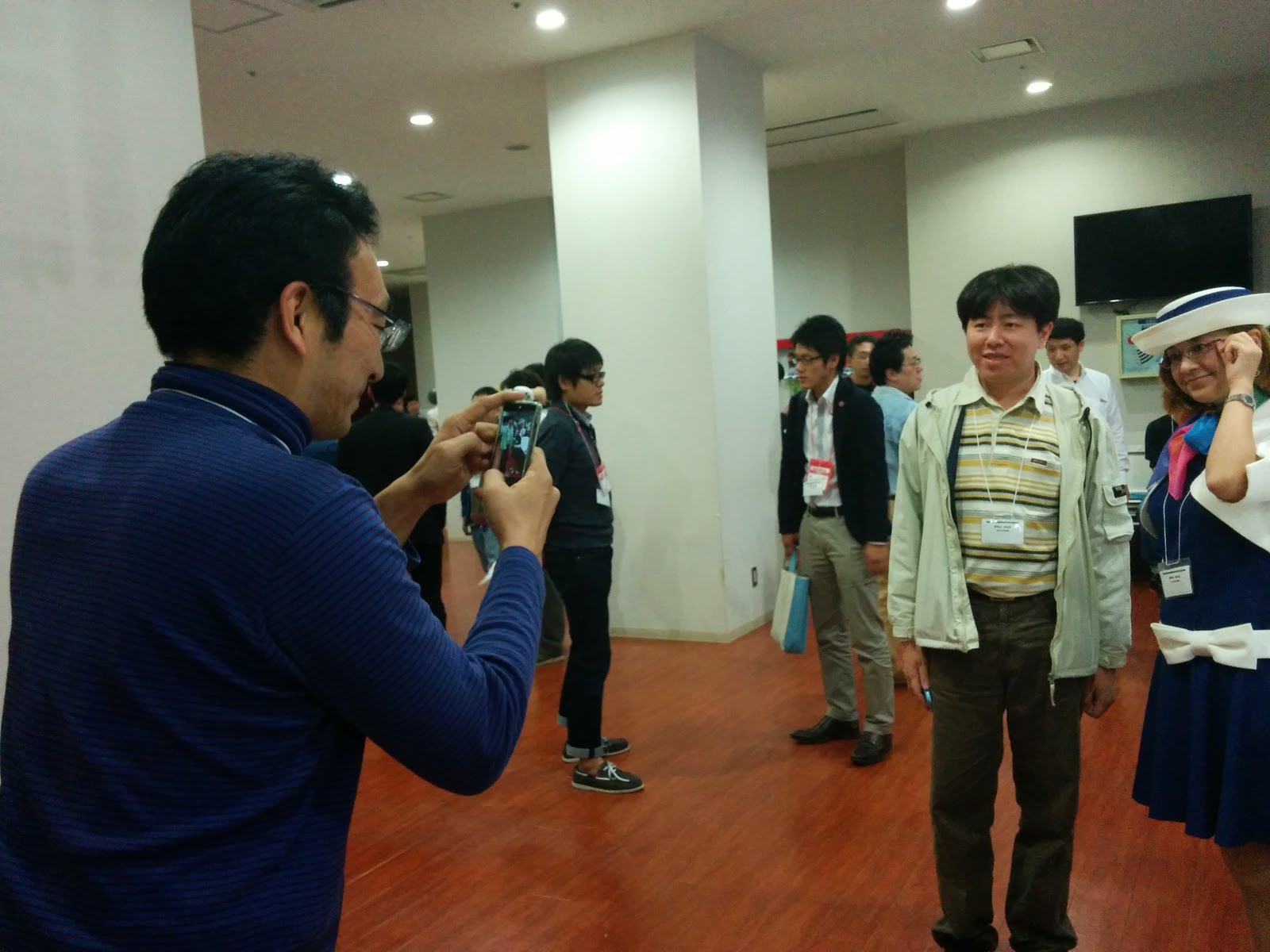
Hideki Yamane: Open Source Conference 2014 Tokyo/Fall


18th and 19th October, "Open Source Conference 2014 Tokyo/Fall" was held in Meisei University, Tokyo. About 1,500 participates there. "Tokyo area Debian Study Meeting" booth was there, provided some flyers, DVDs and chat.


In our Debian community session, Nobuhiro Iwamatsu talked about status of Debian8 "Jessie". Thanks, Nobuhiro :)


It seems to be not a "conference" itself but a festival for FOSS and other IT community members, so they enjoyed a lot.


... and we also enjoyed beer after party (of course :)


see you - next event!

23 October 2014

Alessio Treglia: Bits from the Debian Multimedia Maintainers

This brief announcement was released yesterday to the debian-devel-announce mailing list. Ciao! The Debian Multimedia Maintainers have been quite active since the Wheezy release, and have some interesting news to share for the Jessie release. Here we give you a brief update on what work has been done and work that is still ongoing. Let s see what s cooking for Jessie then. Frameworks and libraries Support for many new media formats and codecs. The codec library libavcodec, which is used by popular media playback applications including vlc, mpv, totem (using gstreamer1.0-libav), xine, and many more, has been updated to the latest upstream release version 11 provided by Libav. This provides Debian users with HEVC playback, a native Opus decoder, Matroska 3D support, Apple ProRes, and much more. Please see libav s changelog for a full list of functionality additions and updates. libebur128 libebur128 is a free implementation of the European Broadcasting Union Loudness Recommendation (EBU R128), which is essentially an alternative to ReplayGain. The library can be used to analyze audio perceived loudness and subsequentially normalize the volume during playback. libltc libltc provides functionalities to encode and decode Linear (or Longitudinal) Timecode (LTC) from/to SMPTE data timecode. libva libva and the driver for Intel GPUs has been updated to the 1.4.0 release. Support for new GPUs has been added. libva now also supports Wayland. Pure Data A number of new additional libraries (externals) will appear in Jessie, including (among others) Eric Lyon s fftease and lyonpotpourrie, Thomas Musil s iemlib, the pdstring library for string manipulation and pd-lua that allows to write Pd-objects in the popular lua scripting language. JACK and LADI LASH Audio Session Handler was abandoned upstream a long time ago in favor of the new session management system, called ladish (LADI Session Handler). ladish allows users to run many JACK applications at once and save/restore their configuration with few mouse clicks. The current status of the integration between the session handler and JACK may be summarized as follows: Note that ladish uses the D-Bus interface to the jack daemon, therefore only Jessie s jackd2 provides support for and also cooperates fine with it. Plugins: LV2 and LADSPA Debian Jessie will bring the newest 1.10.0 version of the LV2 technology. Most changes affect the packaging of new plugins and extensions, a brief list of packaging guidelines is now available.
A number of new plugins and development tools too have been made available during the Jessie development cycle: LV2 Toolkit LVTK provides libraries that wrap the LV2 C API and extensions into easy to use C++ classes. The original work for this was mostly done by Lars Luthman in lv2-c++-tools. Vee One Suite The whole suite by Rui Nuno Capela is now available in Jessie, and consists of three components: All three are provided in both forms of LV2 plugins and stand-alone JACK client. JACK session, JACK MIDI, and ALSA MIDI are supported too. x42-plugins and zam-plugins LV2 bundles containing many audio plugins for high quality processing. Fomp Fomp is an LV2 port of the MCP, VCO, FIL, and WAH plugins by Fons Adriaensen. Some other components have been upgraded to more recent upstream versions: We ve packaged ste-plugins, Fons Adriaensen s new stereo LADSPA plugins bundle. A major upgrade of frei0r, namely the standard collection for the minimalistic plugin API for video effects, will be available in Jessie. New multimedia applications Advene Advene (Annotate Digital Video, Exchange on the NEt) is a flexible video
annotation application. Ardour3 The new generation of the popular digital audio workstation will make its very first appearance in Debian Jessie. Cantata Qt4 front-end for the MPD daemon. Csound Csound for jessie will feature the new major series 6, with the improved IDE CsoundQT. This new csound supports improved array data type handling, multi-core rendering and debugging features. din DIN Is Noise is a musical instrument and audio synthesizer that supports JACK audio output, MIDI, OSC, and IRC bot as input sources. It could be extended and customized with Tcl scripts too. dvd-slideshow dvd-slideshow consists of a suite of command line tools which come in handy to make slideshows from collections of pictures. Documentation is provided and available in /usr/share/doc/dvd-slideshow/ . dvdwizard DVDwizard can fully automate the creation of DVD-Video filesystem. It supports graphical menus, chapters, multiple titlesets and multi-language streams. It supports both PAL and NTSC video modes too. flowblade Flowblade is a video editor like the popular KDenlive based on the MLT engine, but more lightweight and with some difference in editing concepts. forked-daapd Forked-daapd switched to a new, active upstream again dropping Grand Central Dispatch in favor of libevent. The switch fixed several bugs and made forked-daapd available on all release architectures instead of shipping only on amd64 and i386. Now nothing prevents you from setting up a music streaming (DAAP/DACP) server on your favorite home server no matter if it is based on mips, arm or x86! harvid HTTP Ardour Video Daemon decodes still images from movie files and serves them via HTTP. It provides frame-accurate decoding and is main use-case is to act as backend and second level cache for rendering the
videotimeline in Ardour. Groove Basin Groove Basin is a music player server with a web-based user interface inspired by Amarok 1.4. It runs on a server optionally connected to speakers. Guests can control the music player by connecting with a laptop, tablet, or smart phone. Further, users can stream their music libraries remotely.
It comes with a fast, responsive web interface that supports keyboard shortcuts and drag drop. It also provides the ability to upload songs, download songs, and import songs by URL, including YouTube URLs. Groove Basin supports Dynamic Mode which automatically queues random songs, favoring songs that have not been queued recently.
It automatically performs ReplayGain scanning on every song using the EBU R128 loudness standard, and automatically switches between track and album mode. Groove Basin supports the MPD protocol, which means it is compatible with MPD clients. There is also a more powerful Groove Basin protocol which you can use if the MPD protocol does not meet your needs. HandBrake HandBrake, a versatile video transcoder, is now available for Jessie. It could convert video from nearly any format to a wide range of commonly supported codecs. jack-midi-clock New jackd midiclock utility made by Robin Gareus. laborejo Laborejo, Esperanto for Workshop , is used to craft music through notation. It is a LilyPond GUI frontend, a MIDI creator and a tool collection to inspire and help music composers. mpv mpv is a movie player based on MPlayer and mplayer2. It supports a wide variety of video file formats, audio and video codecs, and subtitle types. The project focuses mainly on modern systems and encourages developer activity. As such, large portions of outdated code originating from MPlayer have been removed, and many new features and improvements have been added. Note that, although there are still some similarities to its predecessors, mpv should be considered a completely different program (e.g. lacking compatibility with both mplayer and mplayer2 in terms of command-line arguments and configuration). smtube SMTube is a stand-alone graphical video browser and player, which makes YouTube s videos browsing, playing, and download such a piece of cake.
It has so many features that, we are sure, will make YouTube lovers very, very happy. sonic-visualiser Sonic Visualiser Application for viewing and analysing the contents of music audio files. SoundScapeRenderer SoundScapeRenderer (aka SSR) is a (rather) easy to use render engine for spatial audio, that provides a number of different rendering algorithms, ranging from binaural (headphone) playback via wave field synthesis to higher-order ambisonics. Videotrans videotrans is a set of scripts that allow its user to reformat existing movies into the VOB format that is used on DVDs. XBMC XBMC has been partially rebranded as XBMC from Debian to make it clear that it is changed to conform to Debian s Policy. The latest stable release, 13.2 Gotham will be part of Jessie making Debian a good choice for HTPC-s. zita-bls1 Binaural stereo signals converter made by Fons Adriaensen zita-mu1 Stereo monitoring organiser for jackd made by Fons Adriaensen zita-njbridge Jack clients to transmit multichannel audio over a local IP network made by Fons Adriaensen radium-compressor Radium Compressor is the system compressor of the Radium suite. It is provided in the form of stand-alone JACK application. Multimedia Tasks With Jessie we are shipping a set of multimedia related tasks.
They include package lists for doing several multimedia related tasks. If you are interested in defining new tasks, or tweaking the current, existing ones, we are very much interested in hearing from you. Upgraded applications and libraries What s not going to be in Jessie With the aim to improve the overall quality of the multimedia software available in Debian, we have dropped a number of packages which were abandoned upstream: We ve also dropped mplayer, presently nobody seems interested in maintaining it.
The suggested replacements for users are mplayer2 or mpv. Whilst the former is mostly compatible with mplayer in terms of command-line arguments and configuration (and adds a few new features too), the latter adds a lot of new features and improvements, and it is actively maintained upstream. Please note that although the mencoder package is no longer available anymore, avconv and mpv do provide encoding functionality. For more information see avconv s manual page and documentation, and mpv s encoding documentation. Broken functionalities rtkit under systemd is broken at the moment. Activity statistics More information about team s activity are available. Where to reach us The Debian Multimedia Maintainers can be reached at pkg-multimedia-maintainers AT lists.alioth.debian.org for packaging related topics, or at debian-multimedia AT lists.debian.org for user and more general discussion.
We would like to invite everyone interested in multimedia to join us there. Some of the team members are also in the #debian-multimedia channel on OFTC. Cheers! Alessio Treglia
on behalf of the Debian Multimedia Maintainers

22 October 2014

Sylvain Le Gall: Release of OASIS 0.4.5

On behalf of Jacques-Pascal Deplaix I am happy to announce the release of OASIS v0.4.5. Logo OASIS small OASIS is a tool to help OCaml developers to integrate configure, build and install systems in their projects. It should help to create standard entry points in the source code build system, allowing external tools to analyse projects easily. This tool is freely inspired by Cabal which is the same kind of tool for Haskell. You can find the new release here and the changelog here. More information about OASIS in general on the OASIS website. Here is a quick summary of the important changes: Features: This new version is a small release to catch up with all the fixes/pull requests present in the VCS that have not yet been published. This should made the life of my dear contributors easier -- thanks again for being patient. I would like to thanks again the contributor for this release: Christopher Zimmermann, Jerome Vouillon, Tomohiro Matsuyama and Christoph H ger. Their help is greatly appreciated.

30 September 2014

Dirk Eddelbuettel: Rcpp 0.11.3

A new release 0.11.3 of Rcpp is now on the CRAN network for GNU R, and an updated Debian package has been uploaded too. Rcpp has become the most popular way of enhancing GNU R with C++ code. As of today, 273 packages on CRAN depend on Rcpp for making analyses go faster and further. This release brings a fairly large number of continued enhancements, fixes and polishing to Rcpp. These were provided by a total of seven different contributors---which is a new record as well. See below for a detailed list of changes extracted from the NEWS file, but some highlights included in this release are One sore point, however, is that we missed that packages using Rcpp Modules appear to require a rebuild. We are sorry for the inconvenience; this has highlighted a shortcoming in our fairly robust and extensive tests. While we test our packages against all known CRAN dependents, such tests check for the ability to compile and run freshly and not whether previously built packages still run. We intend to augment our testing in this direction to avoid a repeat occurrence of such a misfeature.
Changes in Rcpp version 0.11.3 (2014-09-27)
  • Changes in Rcpp API:
    • The deprecation of RCPP_FUNCTION_* which was announced with release 0.10.5 last year is proceeding as planned, and the file macros/preprocessor_generated.h has been removed.
    • Timer no longer records time between steps, but times from the origin. It also gains a get_timers(int) methods that creates a vector of Timer that have the same origin. This is modelled on the Rcpp11 implementation and is more useful for situations where we use timers in several threads. Timer also gains a constructor taking a nanotime_t to use as its origin, and a origin method. This can be useful for situations where the number of threads is not known in advance but we still want to track what goes on in each thread.
    • A cast to bool was removed in the vector proxy code as inconsistent behaviour between clang and g++ compilations was noticed.
    • A missing update(SEXP) method was added thanks to pull request by Omar Andres Zapata Mesa.
    • A proxy for DimNames was added.
    • A no_init option was added for Matrices and Vectors.
    • The InternalFunction class was updated to work with std::function (provided a suitable C++11 compiler is available) via a pull request by Christian Authmann.
    • A new_env() function was added to Environment.h
    • The return value of range eraser for Vectors was fixed in a pull request by Yixuan Qiu.
  • Changes in Rcpp Sugar:
    • In ifelse(), the returned NA type was corrected for operator[].
  • Changes in Rcpp Attributes:
    • Include LinkingTo in DESCRIPTION fields scanned to confirm that C++ dependencies are referenced by package.
    • Add dryRun parameter to sourceCpp.
    • Corrected issue with relative path and R chunk use for sourceCpp.
  • Changes in Rcpp Documentation:
    • The Rcpp-FAQ vignette was updated with respect to OS X issues.
    • A new entry in the Rcpp-FAQ clarifies the use of licenses.
    • Vignettes build results no longer copied to /tmp to please CRAN.
    • The Description in DESCRIPTION has been shortened.
  • Changes in Rcpp support functions:
    • The Rcpp.package.skeleton() function will now use pkgKitten package, if available, to create a package which passes R CMD check without warnings. A new Suggests: has been added for pkgKitten.
    • The modules=TRUE case for Rcpp.package.skeleton() has been improved and now runs without complaints from R CMD check as well.
  • Changes in Rcpp unit test functions:
    • Functions from the RUnit package are now prefixed with RUnit::
    • The testRcppModule and testRcppClass sample packages now pass R CMD check --as-cran cleanly with NOTES or WARNINGS
Thanks to CRANberries, you can also look at a diff to the previous release As always, even fuller details are on the Rcpp Changelog page and the Rcpp page which also leads to the downloads page, the browseable doxygen docs and zip files of doxygen output for the standard formats. A local directory has source and documentation too. Questions, comments etc should go to the rcpp-devel mailing list off the R-Forge page.

This post by Dirk Eddelbuettel originated on his Thinking inside the box blog. Please report excessive re-aggregation in third-party for-profit settings.

8 August 2014

Tiago Bortoletto Vaz: New gadget

/images/supercoffee.jpg

Solid, energy-efficient, nice UI, wireless, multiple output formats and hmm... can you smell it? :)

24 July 2014

Martin Pitt: vim config for Markdown+LaTeX pandoc editing

I have used LaTeX and latex-beamer for pretty much my entire life of document and presentation production, i. e. since about my 9th school grade. I ve always found the LaTeX syntax a bit clumsy, but with good enough editor shortcuts to insert e. g. \begin itemize \item...\end itemize with just two keystrokes, it has been good enough for me. A few months ago a friend of mine pointed out pandoc to me, which is just simply awesome. It can convert between a million document formats, but most importantly take Markdown and spit out LaTeX, or directly PDF (through an intermediate step of building a LaTeX document and calling pdftex). It also has a template for beamer. Documents now look soo much more readable and are easier to write! And you can always directly write LaTeX commands without any fuss, so that you can use markdown for the structure/headings/enumerations/etc., and LaTeX for formulax, XYTex and the other goodies. That s how it should always should have been! So last night I finally sat down and created a vim config for it:
"-- pandoc Markdown+LaTeX -------------------------------------------
function s:MDSettings()
    inoremap <buffer> <Leader>n \note[item] <Esc>i
    noremap <buffer> <Leader>b :! pandoc -t beamer % -o %<.pdf<CR><CR>
    noremap <buffer> <Leader>l :! pandoc -t latex % -o %<.pdf<CR>
    noremap <buffer> <Leader>v :! evince %<.pdf 2>&1 >/dev/null &<CR><CR>
    " adjust syntax highlighting for LaTeX parts
    "   inline formulas:
    syntax region Statement oneline matchgroup=Delimiter start="\$" end="\$"
    "   environments:
    syntax region Statement matchgroup=Delimiter start="\\begin .* " end="\\end .* " contains=Statement
    "   commands:
    syntax region Statement matchgroup=Delimiter start=" " end=" " contains=Statement
endfunction
autocmd BufRead,BufNewFile *.md setfiletype markdown
autocmd FileType markdown :call <SID>MDSettings()
That gives me good enough (with some quirks) highlighting without trying to interpret TeX stuff as Markdown, and shortcuts for calling pandoc and evince. Improvements appreciated!

Next.

Previous.