Search Results: "Petter Reinholdtsen"

12 June 2013

Petter Reinholdtsen: Debian Edu interview: Jonathan Carter

There is a certain cross-over between the Debian Edu / Skolelinux project and the Edubuntu project, and for example the LTSP packages in Debian are a joint effort between the projects. One person with a foot in both camps is Jonathan Carter, which I am now happy to present to you. Who are you, and how do you spend your days? I'm a South-African free software geek who lives in Cape Town. My days vary quite a bit since I'm involved in too many things. As I'm getting older I'm learning how to focus a bit more :) I'm also an Edubuntu contributor and I love when there are opportunities for the Edubuntu and Debian Edu projects to benefit from each other. How did you get in contact with the Skolelinux / Debian Edu project? I've been somewhat familiar with the project before, but I think my first direct exposure to the project was when I met Petter [Reinholdtsen] and Knut [Yrvin] at the Edubuntu summit in 2005 in London. They provided great feedback that helped the bootstrapping of Edubuntu. Back then Edubuntu (and even Ubuntu) was still very new and it was great getting input from people who have been around longer. I was also still very excitable and said yes to everything and to this day I have a big todo list backlog that I'm catching up with. I think over the years the relationship between Edubuntu and Debian-Edu has been gradually improving, although I think there's a lot that we could still improve on in terms of working together on packages. I'm sure we'll get there one day. What do you see as the advantages of Skolelinux / Debian Edu? Debian itself already has so many advantages. I could go on about it for pages, but in essence I love that it's a very honest project that puts its users first with no hidden agendas and also produces very high quality work. I think the advantage of Debian Edu is that it makes many common set-up tasks simpler so that administrators can get up and running with a lot less effort and frustration. At the same time I think it helps to standardise installations in schools so that it's easier for community members and commercial suppliers to support. What do you see as the disadvantages of Skolelinux / Debian Edu? I had to re-type this one a few times because I'm trying to separate "disadvantages" from "areas that need improvement" (which is what I originally rambled on about) The biggest disadvantage I can think of is lack of manpower. The project could do so much more if there were more good contributors. I think some of the problems are external too. Free software and free content in education is a no-brainer but it takes some time to catch on. When you've been working with the same proprietary eco-system for years and have gotten used to it, it can be hard to adjust to some concepts in the free software world. It would be nice if there were more Debian Edu consultants across the world. I'd love to be one myself but I'm already so over-committed that it's just not possible currently. I think the best short-term solution to that large-scale problem is for schools to be pro-active and share their experiences and grow their skills in-house. I'm often saddened to see how much money educational institutions spend on 3rd party solutions that they don't have access to after the service has ended and they could've gotten so much more value otherwise by being more self-sustainable and autonomous. Which free software do you use daily? My main laptop dual-boots between Debian and Windows 7. I was Windows free for years but started dual-booting again last year for some games which help me focus and relax (Starcraft II in particular). Gaming support on Linux is improving in leaps and bounds so I suppose I'll soon be able to regain that disk space :) Besides that I rely on Icedove, Chromium, Terminator, Byobu, irssi, git, Tomboy, KVM, VLC and LibreOffice. Recently I've been torn on which desktop environment I like and I'm taking some refuge in Xfce while I figure that out. I like tools that keep things simple. I enjoy Python and shell scripting. I went to an Arduino workshop recently and it was awesome seeing how easy and simple the IDE software was to get up and running in Debian compared to the users running Windows and OS X. I also use mc which some people frown upon slightly. I got used to using Norton Commander in the early 90's and it stuck (I think the people who sneer at it is just jealous that they don't know how to use it :p) Which strategy do you believe is the right one to use to get schools to use free software? I think trying to force it is unproductive. I also think that in many cases it's appropriate for schools to use non-free systems and I don't think that there's any particular moral or ethical problem with that. I do think though that free software can already solve so so many problems in educational institutions and it's just a shame not taking advantage of that. I also think that some curricula need serious review. For example, some areas of the world rely heavily on very specific versions of MS Office, teaching students to parrot menu items instead of learning the general concepts. I think that's very unproductive because firstly, MS Office's interface changes drastically every few years and on top of that it also locks in a generation to a product that might not be the best solution for them. To answer your question, I believe that the right strategy is to educate and inform, giving someone the information they require to make a decision that would work for them.
11 June 2013

Petter Reinholdtsen: Fixing the Linux black screen of death on machines with Intel HD video

When installing RedHat, Fedora, Debian and Ubuntu on some machines, the screen just turn black when Linux boot, either during installation or on first boot from the hard disk. I've seen it once in a while the last few years, but only recently understood the cause. I've seen it on HP laptops, and on my latest acquaintance the Packard Bell laptop. The reason seem to be in the wiring of some laptops. The system to control the screen background light is inverted, so when Linux try to turn the brightness fully on, it end up turning it off instead. I do not know which Linux drivers are affected, but this post is about the i915 driver used by the Packard Bell EasyNote LV, Thinkpad X40 and many other laptops. The problem can be worked around two ways. Either by adding i915.invert_brightness=1 as a kernel option, or by adding a file in /etc/modprobe.d/ to tell modprobe to add the invert_brightness=1 option when it load the i915 kernel module. On Debian and Ubuntu, it can be done by running these commands as root:
echo options i915 invert_brightness=1   tee /etc/modprobe.d/i915.conf
update-initramfs -u -k all
Since March 2012 there is a mechanism in the Linux kernel to tell the i915 driver which hardware have this problem, and get the driver to invert the brightness setting automatically. To use it, one need to add a row in the intel_quirks array in the driver source drivers/gpu/drm/i915/intel_display.c (look for "static struct intel_quirk intel_quirks"), specifying the PCI device number (vendor number 8086 is assumed) and subdevice vendor and device number. My Packard Bell EasyNote LV got this output from lspci -vvnn for the video card in question:
00:02.0 VGA compatible controller [0300]: Intel Corporation \
    3rd Gen Core processor Graphics Controller [8086:0156] \
    (rev 09) (prog-if 00 [VGA controller])
 Subsystem: Acer Incorporated [ALI] Device [1025:0688]
 Control: I/O+ Mem+ BusMaster+ SpecCycle- MemWINV- VGASnoop- \
    ParErr- Stepping- SE RR- FastB2B- DisINTx+
 Status: Cap+ 66MHz- UDF- FastB2B+ ParErr- DEVSEL=fast >TAbort- \
    <tabort-><mabort->SERR- <perr- intx-="INTx-" latency:="Latency:"><unassigned> [disabled]
 Capabilities: <access denied="denied">
 Kernel driver in use: i915
The resulting intel_quirks entry would then look like this:
struct intel_quirk intel_quirks[] =  
       ...
        /* Packard Bell EasyNote LV11HC needs invert brightness quirk */
	  0x0156, 0x1025, 0x0688, quirk_invert_brightness  ,
       ...
 
According to the kernel module instructions (as seen using modinfo i915), information about hardware needing the invert_brightness flag should be sent to the dri-devel (at) lists.freedesktop.org mailing list to reach the kernel developers. But my email about the laptop sent 2013-06-03 have not yet shown up in the web archive for the mailing list, so I suspect they do not accept emails from non-subscribers. Because of this, I sent my patch also to the Debian bug tracking system instead as BTS report #710938, to make sure the patch is not lost. Unfortunately, it is not enough to fix the kernel to get Laptops with this problem working properly with Linux. If you use Gnome, your worries should be over at this point. But if you use KDE, there is something in KDE ignoring the invert_brightness setting and turning on the screen during login. I've reported it to Debian as BTS report #711237, and have no idea yet how to figure out exactly what subsystem is doing this. Perhaps you can help? Perhaps you know what the Gnome developers did to handle this, and this can give a clue to the KDE developers? Or you know where in KDE the screen brightness is changed during login? If so, please update the BTS report (or get in touch if you do not know how to update BTS).

10 June 2013

Petter Reinholdtsen: Third alpha release of Debian Edu / Skolelinux based on Debian Wheezy

The third wheezy based alpha release of Debian Edu was wrapped up today. This is the release announcement: New features for Debian Edu 7.0.0 alpha2 released 2013-06-10 This is the release notes for for Debian Edu / Skolelinux 7.0.0 edu alpha2, based on Debian with codename "Wheezy". About Debian Edu and Skolelinux Debian Edu, also known as Skolelinux, is a Linux distribution based on Debian providing an out-of-the box environment of a completely configured school network. Immediately after installation a school server running all services needed for a school network is set up just waiting for users and machines being added via GOsa , a comfortable Web-UI. A netbooting environment is prepared using PXE, so after initial installation of the main server from CD, DVD or USB stick all other machines can be installed via the network. The provided school server provides LDAP database and Kerberos authentication service, centralized home directories, DHCP server, web proxy and many other services. The desktop contains more than 60 educational software packages and more are available from the Debian archive, and schools can choose between KDE, Gnome, LXDE and Xfce desktop environment. This is the third test release based on Debian Wheezy. Basically this is an updated and slightly improved version compared to the Squeeze release. Software updates Other changes Known issues Where to get it To download the multiarch netinstall CD release you can use The MD5SUM of this image is: 27bbcace407743382f3c42c08dbe8178
The SHA1SUM of this image is: e35f7d7908566cd3075375b3721fa10ee420d419 How to report bugs http://wiki.debian.org/DebianEdu/HowTo/ReportBugs

5 June 2013

Petter Reinholdtsen: Is there a PHP expert in the building? Debian Edu need help!

Here is a call for help from the Debian Edu / Skolelinux project. We have two problems blocking the release of the Wheezy version we hope to get released soon. The two problems require some with PHP skills, and we seem to lack anyone with both time and PHP skills in the project:
  1. It is impossible to log into the slbackup web interface (slbackup-php) using the root user and password. This is BTS report #700257. This used to work, but stopped working some time since Squeeze. Perhaps some obsolete PHP feature was used?
  2. It is not possible to "mass import" user lists in Gosa, neither using ldif nor using CSV files. The feature was disabled after a major rewrite of Gosa, and need to be ported to the new system. This is BTS report #698840.
If you can help us, please join us on IRC (#debian-edu on irc.debian.org) and provide patches via the BTS.

4 June 2013

Petter Reinholdtsen: Debian Edu interview: C dric Boutillier

It has been a while since my last English Debian Edu and Skolelinux interview last November. But the developers and translators are still pulling along to get the Wheezy based release out the door, and this time I managed to get an interview from one of the French translators in the project, C dric Boutillier. Who are you, and how do you spend your days? I am 34 year old. I live near Paris, France. I am an assistant professor in probability theory. I spend my daytime teaching mathematics at the university and doing fundamental research in probability in connexion with combinatorics and statistical physics. I have been involved in the Debian project for a couple of years and became Debian Developer a few months ago. I am working on Ruby packaging, publicity and translation. How did you get in contact with the Skolelinux / Debian Edu project? I came to the Debian Edu project after a call for translation of the Debian Edu manual for the release of Debian Edu Squeeze. Since then, I have been working on updating the French translation of the manual. I had the opportunity to make an installation of Debian Edu in a virtual machine when I was preparing localised version of some screen shots for the manual. I was amazed to see it worked out of the box and how comprehensive the list of software installed by default was. What amazed me was the complete network infrastructure directly ready to use, which can and the nice administration interface provided by GOsa . What pleased me also was the fact that among the software installed by default, there were many "traditional" educative software to learn languages, to count, to program... but also software to develop creativity and artistic skills with music (Ardour, Audacity) and movies/animation (I was especially thinking of Stopmotion). I am following the development of Debian Edu and am hanging out on #debian-edu. Unfortunately, I don't much time to get more involved in this beautiful project. What do you see as the advantages of Skolelinux / Debian Edu? For me, the main advantages of Skolelinux/Debian Edu are its community of experts and its precise documentation, as well as the fact that it provides a solution ready to use. I would add also the fact that it is based on the rock solid Debian distribution, which ensures stability and provides a huge collection of educational free software. What do you see as the disadvantages of Skolelinux / Debian Edu? Maybe the lack of manpower to do lobbying on the project. Sometimes, people who need to take decisions concerning IT do not have all the elements to evaluate properly free software solutions. The fact that support by a company may be difficult to find is probably a problem if the school does not have IT personnel. One can find support from a company by looking at the wiki dokumentation, where some countries already have a number of companies providing support for Debian Edu, like Germany or Norway. This list is easy to find readily from the manual. However, for other countries, like France, the list is empty. I guess that consultants proposing support for Debian would be able to provide some support for Debian Edu as well. Which free software do you use daily? I am using the KDE Plasma Desktop. But the pieces of software I use most runs in a terminal: Mutt and OfflineIMAP for emails, latex for scientific documents, mpd for music. VIM is my editor of choice. I am also using the mathematical software Scilab and Sage (built from source as not completely packaged for Debian, yet). Do you have any suggestions for teachers interested in using the free software in Debian to teach mathematics and statistics? I do not have any "nice" recommendations for statistics. At our university, we use both R and Scilab to teach statistics and probabilistic simulations. For geometry, there are nice programs: I like also cantor, which provides a uniform interface to SciLab, Sage, Octave, etc... Which strategy do you believe is the right one to use to get schools to use free software? My suggestions would be to

1 June 2013

Petter Reinholdtsen: Educational applications included in Debian Edu / Skolelinux (the screenshot collection :-)

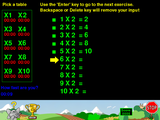
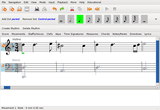
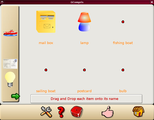
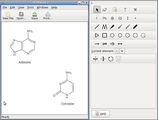
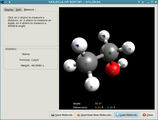
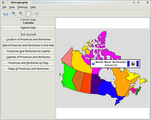
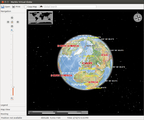
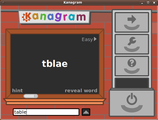
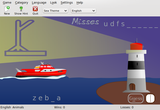
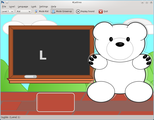
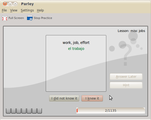
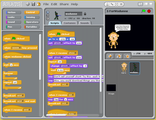
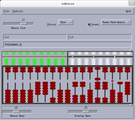
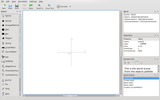
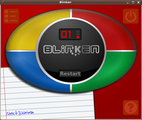
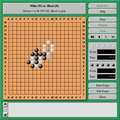
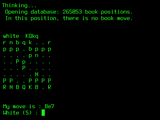
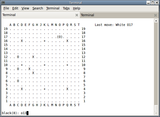
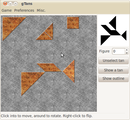
Included in Debian Edu / Skolelinux, there are quite a lot of educational software. Created to help teachers teach, and pupils learn. We have tried to tag them all using debtags use::learning and role::program, and using the debtags I was happy to be able to create a collage of the educational software packages installed by default, sorted by the debtag field. Here it is. Click on a image to learn more about the program. field::arts audacity childsplay denemo freebirth gcompris gimp hydrogen lilypond lmms rosegarden scribus solfege stopmotion tuxpaint field::astronomy celestia-gnome gpredict kstars planets stellarium xplanet field::biology:structural pymol field::chemistry atomix chemtool easychem gchempaint gdis ghemical gperiodic kalzium pymol [viewmol] xdrawchem field::electronics gcompris [gpsim] field::geography kgeography marble xplanet field::linguistics gcompris kanagram khangman klettres parley field::mathematics childsplay drgeo gcompris geogebra [geomview] grace graphmonkey graphthing kalgebra kbruch kig kmplot mathwar rocs scratch tuxmath xabacus field::physics gcompris step field::TODO blinken cgoban childsplay gcompris gnuchess gnugo gtans ktouch librecad scratch In total, 61 applications. 3 of them lacked screen shots on screenshot.debian.net. If you know of some packages we should install by default, please let us know on IRC, #debian-edu on irc.debian.org, or our mailing list debian-edu@.
27 May 2013

Petter Reinholdtsen: How to install Linux on a Packard Bell Easynote LV preinstalled with Windows 8

Two days ago, I asked how I could install Linux on a Packard Bell EasyNote LV computer preinstalled with Windows 8. I found a solution, but am horrified with the obstacles put in the way of Linux users on a laptop with UEFI and Windows 8. I never found out if the cause of my problems were the use of UEFI secure booting or fast boot. I suspect fast boot was the problem, causing the firmware to boot directly from HD without considering any key presses and alternative devices, but do not know UEFI settings enough to tell. There is no way to install Linux on the machine in question without opening the box and disconnecting the hard drive! This is as far as I can tell, the only way to get access to the firmware setup menu without accepting the Windows 8 license agreement. I am told (and found description on how to) that it is possible to configure the firmware setup once booted into Windows 8. But as I believe the terms of that agreement are completely unacceptable, accepting the license was never an alternative. I do not enter agreements I do not intend to follow. I feared I had to return the laptops and ask for a refund, and waste many hours on this, but luckily there was a way to get it to work. But I would not recommend it to anyone planning to run Linux on it, and I have become sceptical to Windows 8 certified laptops. Is this the way Linux will be forced out of the market place, by making it close to impossible for "normal" users to install Linux without accepting the Microsoft Windows license terms? Or at least not without risking to loose the warranty? I've updated the Linux Laptop wiki page for Packard Bell EasyNote LV, to ensure the next person do not have to struggle as much as I did to get Linux into the machine. Thanks to Bob Rosbag, Florian Weimer, Philipp Kern, Ben Hutching, Michael Tokarev and others for feedback and ideas.

25 May 2013

Petter Reinholdtsen: How can I install Linux on a Packard Bell Easynote LV preinstalled with Windows 8?

I've run into quite a problem the last few days. I bought three new laptops for my parents and a few others. I bought Packard Bell Easynote LV to run Kubuntu on and use as their home computer. But I am completely unable to figure out how to install Linux on it. The computer is preinstalled with Windows 8, and I suspect it uses UEFI instead of a BIOS to boot. The problem is that I am unable to get it to PXE boot, and unable to get it to boot the Linux installer from my USB stick. I have yet to try the DVD install, and still hope it will work. when I turn on the computer, there is no information on what buttons to press to get the normal boot menu. I expect to get some boot menu to select PXE or USB stick booting. When booting, it first ask for the language to use, then for some regional settings, and finally if I will accept the Windows 8 terms of use. As these terms are completely unacceptable to me, I have no other choice but to turn off the computer and try again to get it to boot the Linux installer. I have gathered my findings so far on a Linlap page about the Packard Bell EasyNote LV model. If you have any idea how to get Linux installed on this machine, please get in touch or update that wiki page. If I can't find a way to install Linux, I will have to return the laptop to the seller and find another machine for my parents. I wonder, is this the way Linux will be forced out of the market using UEFI and "secure boot" by making it impossible to install Linux on new Laptops?

17 May 2013

Petter Reinholdtsen: How to transform a Debian based system to a Debian Edu installation

Debian Edu / Skolelinux is an operating system based on Debian intended for use in schools. It contain a turn-key solution for the computer network provided to pupils in the primary schools. It provide both the central server, network boot servers and desktop environments with heaps of educational software. The project was founded almost 12 years ago, 2001-07-02. If you want to support the project, which is in need for cash to fund developer gatherings and other project related activity, please donate some money. A topic that come up again and again on the Debian Edu mailing lists and elsewhere, is the question on how to transform a Debian or Ubuntu installation into a Debian Edu installation. It isn't very hard, and last week I wrote a script to replicate the steps done by the Debian Edu installer. The script, debian-edu-bless in the debian-edu-config package, will go through these six steps and transform an existing Debian Wheezy or Ubuntu (untested) installation into a Debian Edu Workstation:
  1. Add skolelinux related APT sources.
  2. Create /etc/debian-edu/config with the wanted configuration.
  3. Install debian-edu-install to load preseeding values and pull in our configuration.
  4. Preseed debconf database with profile setup in /etc/debian-edu/config, and run tasksel to install packages according to the profile specified in the config above, overriding some of the Debian automation machinery.
  5. Run debian-edu-cfengine-D installation to configure everything that could not be done using preseeding.
  6. Ask for a reboot to enable all the configuration changes.
There are some steps in the Debian Edu installation that can not be replicated like this. Disk partitioning and LVM setup, for example. So this script just assume there is enough disk space to install all the needed packages. The script was created to help a Debian Edu student working on setting up Raspberry Pi as a Debian Edu client, and using it he can take the existing Raspbian installation and transform it into a fully functioning Debian Edu Workstation (or Roaming Workstation, or whatever :). The default setting in the script is to create a KDE Workstation. If a LXDE based Roaming workstation is wanted instead, modify the PROFILE and DESKTOP values at the top to look like this instead:
PROFILE="Roaming-Workstation"
DESKTOP="lxde"
The script could even become useful to set up Debian Edu servers in the cloud, by starting with a virtual Debian installation at some virtual hosting service and setting up all the services on first boot.

14 May 2013

Petter Reinholdtsen: Second alpha release of Debian Edu / Skolelinux based on Debian Wheezy

The Debian Edu / Skolelinux project is making great progress and made its second Wheezy based release today. This is the release announcement: New features for Debian Edu 7.0.0 alpha1 released 2013-05-14 This is the release notes for for Debian Edu / Skolelinux 7.0.0 edu alpha1, based on <ahref>Debian with codename "Wheezy". About Debian Edu and Skolelinux Debian Edu, also known as Skolelinux, is a Linux distribution based on Debian providing an out-of-the box environment of a completely configured school network. Immediatly after installation a school server running all services needed for a school network is set up just waiting for users and machines being added via GOsa , a comfortable Web-UI. A netbooting environment is prepared using PXE, so after initial installation of the main server from CD, DVD or USB stick all other machines can be installed via the network. This is the first test release based on Wheezy (which currently is not released yet). Basically this is an updated and slightly improved version compared to the Squeeze release. Software updates Other changes Known issues Where to get it To download the multiarch netinstall CD release you can use The MD5SUM of this image is: 685ed76c1aa8e44b12d3fde21faf450b The SHA1SUM of this image is: 6c874de157024da13e115bab29c068080a11ec4c How to report bugs http://wiki.debian.org/DebianEdu/HowTo/ReportBugs

11 May 2013

Petter Reinholdtsen: Debian, the Linux distribution of choice for LEGO designers?

In January, I announced a new IRC channel #debian-lego, for those of us in the Debian and Linux community interested in LEGO, the marvellous construction system from Denmark. We also created a wiki page to have a place to take notes and write down our plans and hopes. And several people showed up to help. I was very happy to see the effect of my call. Since the small start, we have a debtags tag hardware::hobby:lego tag for LEGO related packages, and now count 10 packages related to LEGO and Mindstorms:
brickosalternative OS for LEGO Mindstorms RCX. Supports development in C/C++
leocadvirtual brick CAD software
libnxtutility library for talking to the LEGO Mindstorms NX
lnpddaemon for LNP communication with BrickOS
nbccompiler for LEGO Mindstorms NXT bricks
nqcNot Quite C compiler for LEGO Mindstorms RCX
python-nxtpython driver/interface/wrapper for the Lego Mindstorms NXT robot
python-nxt-filersimple GUI to manage files on a LEGO Mindstorms NXT
scratcheasy to use programming environment for ages 8 and up
t2nsimple command-line tool for Lego NXT
Some of these are available in Wheezy, and all but one are currently available in Jessie/testing. leocad is so far only available in experimental. If you care about LEGO in Debian, please join us on IRC and help adding the rest of the great free software tools available on Linux for LEGO designers.

5 May 2013

Petter Reinholdtsen: Debian Wheezy is out - and Debian Edu / Skolelinux should soon follow! #newinwheezy

When I woke up this morning, I was very happy to see that the release announcement for Debian Wheezy was waiting in my mail box. This is a great Debian release, and I expect to move my machines at home over to it fairly soon. The new debian release contain heaps of new stuff, and one program in particular make me very happy to see included. The Scratch program, made famous by the Teach kids code movement, is included for the first time. Alongside similar programs like kturtle and turtleart, it allow for visual programming where syntax errors can not happen, and a friendly programming environment for learning to control the computer. Scratch will also be included in the next release of Debian Edu. And now that Wheezy is wrapped up, we can wrap up the next Debian Edu/Skolelinux release too. The first alpha release went out last week, and the next should soon follow.

26 April 2013

Petter Reinholdtsen: First alpha release of Debian Edu / Skolelinux based on Debian Wheezy

The Debian Edu / Skolelinux project is still going strong and made its first Wheezy based release today. This is the release announcement: New features for Debian Edu ~7.0.0 alpha0 released 2013-04-26 This is the release notes for for Debian Edu / Skolelinux ~7.0.0 edu alpha0, based on Debian with codename "Wheezy". About Debian Edu and Skolelinux Debian Edu, also known as Skolelinux, is a Linux distribution based on Debian providing an out-of-the box environment of a completely configured school network. Immediatly after installation a school server running all services needed for a school network is set up just waiting for users and machines being added via GOsa , a comfortable Web-UI. A netbooting environment is prepared using PXE, so after initial installation of the main server from CD, DVD or USB stick all other machines can be installed via the network. This is the first test release based on Wheezy (which currently is not released yet). Basically this is an updated and slightly improved version compared to the Squeeze release. Software updates Documentation LDAP related changes Other changes Regressions No updated artwork Where to get it To download the multiarch netinstall CD release you can use The MD5SUM of this image is: c5e773ddafdaa4f48c409c682f598b6c The SHA1SUM of this image is: 25934fabb9b7d20235499a0a51f08ce6c54215f2 How to report bugs http://wiki.debian.org/DebianEdu/HowTo/ReportBugs

16 April 2013

Petter Reinholdtsen: First Debian Edu / Skolelinux developer gathering in 2013 take place in Trondheim

This years first Skolelinux / Debian Edu developer gathering take place the coming weekend in Trondheim. Details about the gathering can be found on the FRiSK wiki. The dates are 19-21th of April 2013, and online participation for those unable to make it in person is very welcome, and I plan to participate online myself as I could not leave Oslo this weekend. The focus of the gathering is to work on the web pages and project infrastructure, and to continue the work on the Wheezy based Debian Edu release. See you on IRC, #debian-edu on irc.debian.org, then?

3 April 2013

Petter Reinholdtsen: Isenkram 0.2 finally in the Debian archive

Today the Isenkram package finally made it into the archive, after lingering in NEW for many months. I uploaded it to the Debian experimental suite 2013-01-27, and today it was accepted into the archive. Isenkram is a system for suggesting to users what packages to install to work with a pluggable hardware device. The suggestion pop up when the device is plugged in. For example if a Lego Mindstorm NXT is inserted, it will suggest to install the program needed to program the NXT controller. Give it a go, and report bugs and suggestions to BTS. :)

26 March 2013

Petter Reinholdtsen: Change the font, save the world (and save some money in the process)

Would you like to help the environment and save money at the same time, without much sacrifice? A small step could be to change the font you use when printing. Three years ago, Ars Technica reported how the University of Wisconsin-Green Bay changed their default front from Arial to Century Gothic to save money. The Century Gothic font uses 30% less toner than Arial to print the same text. In other word, you could cut your toner costs by 30% (or actually, increase your toner supply life time by more than 30%), by simply changing the default font used in your prints. But it is not quite obvious how much one will safe by switching. The University of Wisconsin-Green Bay said it used $100,000 per year on ink and toner cartridges, according to a report from TwinCities.com, and expected to save between $5,000 and $10,000 per year by asking staff and students to use a different font. Not all PDFs and documents are created internally, and those from external sources will most likely still use a different font. Also, the Century Gothic font is slightly wider than Arial, and thus might use more sheets of paper to print the same text, so the total saving depend on the documents printed. But it is definitely something to consider, if you want to reduce the amount of trash, decrease the amount of toner used in the world, and save some money in the process.

24 March 2013

Petter Reinholdtsen: Typesetting a short story using docbook for PDF, HTML and EPUB

A few days ago, during a discussion in EFN about interesting books to read about copyright and the data retention directive, a suggestion to read the 1968 short story Kod mus by Tore ge Bringsv rd came up. The text was only available in old paper books, and thus not easily available for current and future generations. Some of the people participating in the discussion contacted the author, and reported back 2013-03-19 that the author was OK with releasing the short story using a Creative Commons license. The text was quickly scanned and OCR-ed, and we were ready to start on the editing and typesetting. As I already had some experience formatting text in my project to provide a Norwegian version of the Free Culture book by Lawrence Lessig, I chipped in and set up a DocBook processing framework to generate PDF, HTML and EPUB version of the short story. The tools to transform DocBook to different formats are already in my Linux distribution of choice, Debian, so all I had to do was to use the dblatex, dbtoepub and xmlto tools to do the conversion. After a few days, we decided to replace dblatex with xsltproc/fop (aka docbook-xsl), to get the copyright information to show up in the PDF and to get a nicer <variablelist> typesetting, but that is just a minor technical detail. There were a few challenges, of course. We want to typeset the short story to look like the original, and that require fairly good control over the layout. The original short story have three parts/scenes separated by a single horizontally centred star (*), and the paragraphs do not contain only flowing text, but dialogs and text that started on a new line in the middle of the paragraph. I initially solved the first challenge by using a paragraph with a single star in it, ie <para>*</para>, but it made sure a placeholder indicated where the scene shifted. This did not look too good without the centring. The next approach was to create a new preprocessor directive <?newscene?>, mapping to "<hr/>" for HTML and "<fo:block text-align="center"><fo:leader leader-pattern="rule" rule-thickness="0.5pt"/></fo:block>" for FO/PDF output (did not try to implement this in dblatex, as we had switched at this time). The HTML XSL file looked like this:
<?xml version='1.0'?> 
<xsl:stylesheet xmlns:xsl="http://www.w3.org/1999/XSL/Transform" version='1.0'>
  <xsl:template match="processing-instruction('newscene')">
    <hr/>
  </xsl:template>
</xsl:stylesheet> 
And the FO/PDF XSL file looked like this:
<?xml version='1.0'?> 
<xsl:stylesheet xmlns:xsl="http://www.w3.org/1999/XSL/Transform" version='1.0'>
  <xsl:template match="processing-instruction('newscene')">
    <fo:block text-align="center">
      <fo:leader leader-pattern="rule" rule-thickness="0.5pt"/>
    </fo:block>
  </xsl:template>
</xsl:stylesheet> 
Finally, I came across the <bridgehead> tag, which seem to be a good fit for the task at hand, and I replaced <?newscene?> with <bridgehead>*</bridgehead>. It isn't centred, but we can fix it with some XSL rule if the current visual layout isn't enough. I did not find a good DocBook compliant way to solve the linebreak/paragraph challenge, so I ended up creating a new processor directive <?linebreak?>, mapping to <br/> in HTML, and <fo:block/> in FO/PDF. I suspect there are better ways to do this, and welcome ideas and patches on github. The HTML XSL file now look like this:
<?xml version='1.0'?> 
<xsl:stylesheet xmlns:xsl="http://www.w3.org/1999/XSL/Transform" version='1.0'>
  <xsl:template match="processing-instruction('linebreak)">
    <br/>
  </xsl:template>
</xsl:stylesheet> 
And the FO/PDF XSL file looked like this:
<?xml version='1.0'?> 
<xsl:stylesheet xmlns:xsl="http://www.w3.org/1999/XSL/Transform" version='1.0'
  xmlns:fo="http://www.w3.org/1999/XSL/Format">
  <xsl:template match="processing-instruction('linebreak)">
    <fo:block/>
  </xsl:template>
</xsl:stylesheet> 
One unsolved challenge is our wish to expose different ISBN numbers per publication format, while keeping all of them in some conditional structure in the DocBook source. No idea how to do this, so we ended up listing all the ISBN numbers next to their format in the colophon page. If you want to check out the finished result, check out the source repository at github (future/new/official repository). We expect it to be ready and announced in a few days.

17 March 2013

Petter Reinholdtsen: Skolelinux 6 got a video review from Pcwizz

Via twitter I just discovered that Pcwizz have done a video review on Youtube of Skolelinux / Debian Edu version 6. He installed the standalone profile and the video show a walk-through of of the menu content, demonstration of a few programs and his view of our distribution. There is also some really nice quotes (transcribed by me, might have heard wrong). While looking thought the Graphics menu:
"Basically everything you ever need in a school environment."
And as a general evaluation of the entire distribution:
"So, yeah, a bit bloated. It kept all the Debian stuff in there, just to keep it nice and GNU. So, I do not want to go on about it, but lets give it 7 out of 10. I am not going to use it. That is because I am not deploying a school network. There may be some mythical feature to help you deploy Skolelinux on a school network."
To bad he did not test the server profile, and discovered the PXE installation option. It make it possible to install only the main server from CD, and the rest of the machines via the net, and might be considered the mythical feature he talk about. :) While looking through the menus, there is also this funny comment about the part of the K menu generated from the Debian menu subsystem:
"[The K menu] have a special Debian section for software that no-one is going to look at, because it contain lots of junky stuff that you actually don't need in the education distribution, but have just been included because it isn't stripped out for some reason."
I guess it is yet another argument for merging the Debian menu and Gnome/KDE desktop menu entries into one consistent menu system instead of two incomplete and partly inconsistent menu systems. The entire video is available below for those accepting iframe embedding: <iframe allowfullscreen="allowfullscreen" frameborder="0" height="315" src="http://www.youtube.com/embed/wPzTZ61Pcuc" width="560"></iframe>

8 March 2013

Petter Reinholdtsen: First Skolelinux / Debian Edu Squeeze update released

Last Sunday, 2013-03-03,, Holger Levsen announced the first update of Skolelinux / Debian Edu based on Debian Squeeze. This is the first update since the initial release 2012-03-11. This is the release announcement email from Holger:
Hi, it's my pleasure to announce the immediate availability of Debian Edu 6.0.7+r1 ("Debian Edu Squeeze"). Debian Edu 6.0.7+r1 is an incremental update to Debian Edu 6.0.4+r0, containing all the changes between Debian 6.0.4 and 6.0.7 as well Debian Edu specific bugfixes and enhancements. See below (in this mail) for the full list of (edu) changes. Please see http://www.debian.org/News/2012/20120311 for more information on "Debian Edu Squeeze". Images are available for download at http://ftp.skolelinux.org/skolelinux-cd/ md5sums:
1fe79eb4f0f9ae1c58fc318e26cc1e2e debian-edu-6.0.7+r1-CD.iso
a6ddd924a8bd9a1b5ca122e8fe1c34ec debian-edu-6.0.7+r1-DVD.iso
ac6c72cd7925ccec51bfbf58e2a7c69c debian-edu-6.0.7+r1-source-DVD.iso sha1sums:
a4b58233b672a99c7df8dc24fb6de3327654a5c3 debian-edu-6.0.7+r1-CD.iso
9b524915e0ff2aa793f13d93123e5bd2bab2dbaa debian-edu-6.0.7+r1-DVD.iso
43997614893fc5e9e59ad6ce066b05d07fd836fa debian-edu-6.0.7+r1-source-DVD.iso These images are suitable for amd64+i386. Changes for Debian Edu 6.0.7+r1 Codename "Squeeze", released 2013-03-03:
  • sitesummary was updated from 0.1.3 to 0.1.8
    • Make Nagios configuration more robust and efficient
    • Comply with 3.X kernel
  • debian-edu-doc from 1.4~20120310~6.0.4+r0 to 1.4~20130228~6.0.7+r1
    • Minor updates from the wiki
    • Danish translation now complete
  • debian-edu-config from 1.453 to 1.455
    • Fix /etc/hosts for LTSP diskless workstations. Closes: #699880
    • Make ltsp_local_mount script work for multiple devices.
    • Correct Kerberos user policy: don't expire password after 2 days. Closes: #664596
    • Handle '#' characters in the root or first users password. Closes: #664976
    • Fixes for gosa-sync:
      • Don't fail if password contains "
      • Don't disclose new password string in syslog
    • Fixes for gosa-create:
      • Invalidate libnss cache before applying changes
      • Multiple failures during mass user import into GOsa
      • gosa-netgroups plugin: don't erase entries of attribute type "memberNisNetgroup". Closes: #687256
      • First user now uses the same Kerberos policy as all other users
    • Add Danish web page
  • debian-edu-install from 1.528 to 1.530
    • Improve preseeding support and documentation
End-user documentation in English is available at http://wiki.debian.org/DebianEdu/Documentation/Squeeze/ - translations to French, Italian, Danish and German are available in the debian-edu-doc package. (Other languages could use your help!) If you want to contribute to Debian Edu, please join our mailinglist debian-edu@lists.debian.org!
I am very happy to see the fruits of a year of hard work. :)

3 March 2013

Petter Reinholdtsen: Frikanalen - Complete TV station organised using the web

Do you want to set up your own TV station, schedule videos and broadcast them on the air? Using free software? With video on demand support using free and open standards? Included a web based video stream as well? And administrate it all in your web browser from anywhere in the world? A few years now the Norwegian public access TV-channel Frikanalen have been building a system to do just this. The source code for the solution is licensed using the GNU LGPL, and available from github. The idea is simple. You upload a video file over the web, and attach meta information to the file. You select a time slot in the program schedule, and when the time come it is played on the air and in the web stream. It is also made available in a video on demand solution for anyone to see it also outside its scheduled time. All you need to run a TV station - using your web browser. There are several parts to this web based solution. I'll mention the three most important ones. The first part is the database of videos and the schedule. This is written in Django and include a REST API. The current database is SQLite, but the plan is to migrate it to PostgreSQL. At the moment this system can be tested on beta.frikanalen.tv. The second part is the video playout, taking the schedule information from the database and providing a video stream to broadcast. This is done using CasparCG from SVT and Media Lovin' Toolkit. Video signal distribution is handled using Open Broadcast Encoder. The third part is the converter, handling the transformation of uploaded video files to a format useful for broadcasting, streaming and video on demand. It is still very much work in progress, so it is not yet decided what it will end up using. Note that the source of the latter two parts are not yet pushed to github. The lead author want to clean them up a bit more first. The development is coordinated on the #frikanalen IRC channel (irc.freenode.net), and discussed on the frikanalen mailing list. The lead developer is Benjamin Bruheim (phed on IRC). Anyone is welcome to participate in the development.

Next.

Previous.