Search Results: "ema"

16 May 2016

Russ Allbery: Review: Gentleman Jole and the Red Queen

Review: Gentleman Jole and the Red Queen, by Lois McMaster Bujold
Series: Vorkosigan #15
Publisher: Baen
Copyright: 2015
Printing: February 2016
ISBN: 1-4767-8122-2
Format: Kindle
Pages: 352
This is very late in the Vorkosigan series, but it's also a return to a different protagonist and a change of gears to a very different type of story. Gentleman Jole and the Red Queen has Cordelia as a viewpoint character for, I believe, the first time since Barrayar, very early in the series. But you would still want to read the intermediate Miles books before this one given the nature of the story Bujold is telling here. It's a very character-centric, very quiet story that depends on the history of all the Vorkosigan characters and the connection the reader has built up with them. I think you have to be heavily invested in this series already to get that much out of this book. The protagonist shift has a mildly irritating effect: I've read the whole series, but I was still a bit adrift at times because of how long it's been since I read the books focused on Cordelia. I only barely remember the events of Shards of Honor and Barrayar, which lay most of the foundations of this story. Bujold does have the characters retell them a bit, enough to get vaguely oriented, but I'm pretty sure I missed some subtle details that I wouldn't have if the entire series were fresh in memory. (Oh for the free time to re-read all of the series I'd like to re-read.) Unlike recent entries in this series, Gentleman Jole and the Red Queen is not about politics, investigations, space (or ground) combat, war, or any of the other sources of drama that have shown up over the course series. It's not even about a wedding. The details (and sadly even the sub-genre) are all spoilers, both for this book and for the end of Cryoburn, so I can't go into many details. But I'm quite curious how the die-hard Baen fans would react to this book. It's a bit far afield from their interests. Gentleman Jole is all about characters: about deciding what one wants to do with one's life, about families and how to navigate them, about boundaries and choices. Choices about what to communicate and what not to communicate, and, partly, about how to maintain sufficient boundaries against Miles to keep his manic energy from bulldozing into things that legitimately aren't any of his business. Since most of the rest of the series is about Miles poking into things that appear to not be his business and finding ways to fix things, it's an interesting shift. It also cast Cordelia in a new light for me: a combination of stability, self-assurance, and careful and thoughtful navigation around others' feelings. Not a lot happens in the traditional plot sense, so one's enjoyment of this book lives or dies on one's investment in the mundane life of the viewpoint characters. It worked for me. There is also a substantial retcon or reveal about an aspect of Miles's family that hasn't previously been mentioned. (Which term you use depends on whether you think Bujold has had this in mind all along. My money is on reveal.) I suspect some will find this revelation jarring and difficult to believe, but it worked perfectly for me. It felt like exactly the sort of thing that would go unnoticed by the other characters, particularly Miles: something that falls neatly into his blind spots and assumptions, but reads much differently to Cordelia. In general, one of the joys of this book for me is seeing Miles a bit wrong-footed and maneuvered by someone who simply isn't willing to be pushed by him. One of the questions the Vorkosigan series has been asking since the start is whether anyone can out-maneuver Miles. Ekaterin only arguably managed it, but Gentleman Jole makes it clear that Miles is no match for his mother on her home turf. This is a quiet and slow book that doesn't feel much like the rest of the series, but it worked fairly well for me. It's not up in the ranks of my favorite books of this series, partly because the way it played out was largely predictable and I never quite warmed to Jole, but Cordelia is delightful and seeing Miles from an outside perspective is entertaining. An odd entry in the series, but still recommended. Rating: 7 out of 10

14 May 2016

Michal Čihař: Fifteen years with phpMyAdmin and free software

Today it's fifteen years from my first contribution to free software. I've changed several jobs since that time, all of them involved quite a lot of free software and now I'm fully working on free software. The first contribution happened to be on phpMyAdmin and did consist of Czech translation:
Subject: Updated Czech translation of phpMyAdmin
From: Michal Cihar <cihar@email.cz>
To: swix@users.sourceforge.net
Date: Mon, 14 May 2001 11:23:36 +0200
X-Mailer: KMail [version 1.2]
Hi
I've updated (translated few added messages) Czech translation of phpMyAdmin. 
I send it to you in two encodings, because I thing that in distribution 
should be included version in ISO-8859-2 which is more standard than Windows 
1250.
Regards
    Michal Cihar
Many other contributions came afterwards, several projects died on the way, but it has been a great ride so far. To see some of these you can look at my software page which contains both current and past projects and also includes later opensourced tools I've created earlier (mostly for Windows). These days you can find me being active on phpMyAdmin, Gammu, python-gammu and Wammu, Debian and Weblate.

Filed under: Debian English phpMyAdmin SUSE 2 comments

12 May 2016

Antoine Beaupr : Notmuch, offlineimap and Sieve setup

I've been using Notmuch since about 2011, switching away from Mutt to deal with the monstrous amount of emails I was, and still am dealing with on the computer. I have contributed a few patches and configs on the Notmuch mailing list, but basically, I have given up on merging patches, and instead have a custom config in Emacs that extend it the way I want. In the last 5 years, Notmuch has progressed significantly, so I haven't found the need to patch it or make sweeping changes.

The huge INBOX of death The one thing that is problematic with my use of Notmuch is that I end up with a ridiculously large INBOX folder. Before the cleanup I did this morning, I had over 10k emails in there, out of about 200k emails overall. Since I mostly work from my laptop these days, the Notmuch tags are only on the laptop, and not propagated to the server. This makes accessing the mail spool directly, from webmail or simply through a local client (say Mutt) on the server, really inconvenient, because it has to load a very large spool of mail, which is very slow in Mutt. Even worse, a bunch of mail that was archived in Notmuch shows up in the spool because it's just removed tags in Notmuch: the mails are still in the inbox, even though they are marked as read. So I was hoping that Notmuch would help me deal with the giant inbox of death problem, but in fact, when I don't use Notmuch, it actually makes the problem worse. Today, I did a bunch of improvements to my setup to fix that. The first thing I did was to kill procmail, which I was surprised to discover has been dead for over a decade. I switched over to Sieve for filtering, having already switched to Dovecot a while back on the server. I tried to use the procmail2sieve.pl conversion tool but it didn't work very well, so I basically rewrote the whole file. Since I was mostly using Notmuch for filtering, there wasn't much left to convert.

Sieve filtering But this is where things got interesting: Sieve is so simpler to use and more intuitive that I started doing more interesting stuff in bridging the filtering system (Sieve) with the tagging system (Notmuch). Basically, I use Sieve to split large chunks of emails off my main inbox, to try to remove as much spam, bulk email, notifications and mailing lists as possible from the larger flow of emails. Then Notmuch comes in and does some fine-tuning, assigning tags to specific mailing lists or topics, and being generally the awesome search engine that I use on a daily basis.

Dovecot and Postfix configs For all of this to work, I had to tweak my mail servers to talk sieve. First, I enabled sieve in Dovecot:
--- a/dovecot/conf.d/15-lda.conf
+++ b/dovecot/conf.d/15-lda.conf
@@ -44,5 +44,5 @@
 protocol lda  
   # Space separated list of plugins to load (default is global mail_plugins).
-  #mail_plugins = $mail_plugins
+  mail_plugins = $mail_plugins sieve
  
Then I had to switch from procmail to dovecot for local delivery, that was easy, in Postfix's perennial main.cf:
#mailbox_command = /usr/bin/procmail -a "$EXTENSION"
mailbox_command = /usr/lib/dovecot/dovecot-lda -a "$RECIPIENT"
Note that dovecot takes the full recipient as an argument, not just the extension. That's normal. It's clever, it knows that kind of stuff. One last tweak I did was to enable automatic mailbox creation and subscription, so that the automatic extension filtering (below) can create mailboxes on the fly:
--- a/dovecot/conf.d/15-lda.conf
+++ b/dovecot/conf.d/15-lda.conf
@@ -37,10 +37,10 @@
 #lda_original_recipient_header =
 # Should saving a mail to a nonexistent mailbox automatically create it?
-#lda_mailbox_autocreate = no
+lda_mailbox_autocreate = yes
 # Should automatically created mailboxes be also automatically subscribed?
-#lda_mailbox_autosubscribe = no
+lda_mailbox_autosubscribe = yes
 protocol lda  
   # Space separated list of plugins to load (default is global mail_plugins).

Sieve rules Then I had to create a Sieve ruleset. That thing lives in ~/.dovecot.sieve, since I'm running Dovecot. Your provider may accept an arbitrary ruleset like this, or you may need to go through a web interface, or who knows. I'm assuming you're running Dovecot and have a shell from now on. The first part of the file is simply to enable a bunch of extensions, as needed:
# Sieve Filters
# http://wiki.dovecot.org/Pigeonhole/Sieve/Examples
# https://tools.ietf.org/html/rfc5228
require "fileinto";
require "envelope";
require "variables";
require "subaddress";
require "regex";
require "vacation";
require "vnd.dovecot.debug";
Some of those are not used yet, for example I haven't tested the vacation module yet, but I have good hopes that I can use it as a way to announce a special "urgent" mailbox while I'm traveling. The rationale is to have a distinct mailbox for urgent messages that is announced in the autoreply, that hopefully won't be parsable by bots.

Spam filtering Then I filter spam using this fairly standard expression:
########################################################################
# spam 
# possible improvement, server-side:
# http://wiki.dovecot.org/Pigeonhole/Sieve/Examples#Filtering_using_the_spamtest_and_virustest_extensions
if header :contains "X-Spam-Flag" "YES"  
  fileinto "junk";
  stop;
  elsif header :contains "X-Spam-Level" "***"  
  fileinto "greyspam";
  stop;
 
This puts stuff into the junk or greyspam folder, based on the severity. I am very aggressive with spam: stuff often ends up in the greyspam folder, which I need to check from time to time, but it beats having too much spam in my inbox.

Mailing lists Mailing lists are generally put into a lists folder, with some mailing lists getting their own folder:
########################################################################
# lists
# converted from procmail
if header :contains "subject" "FreshPorts"  
    fileinto "freshports";
  elsif header :contains "List-Id" "alternc.org"  
    fileinto "alternc";
  elsif header :contains "List-Id" "koumbit.org"  
    fileinto "koumbit";
  elsif header :contains ["to", "cc"] ["lists.debian.org",
                                       "anarcat@debian.org"]  
    fileinto "debian";
# Debian BTS
  elsif exists "X-Debian-PR-Message"  
    fileinto "debian";
# default lists fallback
  elsif exists "List-Id"  
    fileinto "lists";
 
The idea here is that I can safely subscribe to lists without polluting my mailbox by default. Further processing is done in Notmuch.

Extension matching I also use the magic +extension tag on emails. If you send email to, say, foo+extension@example.com then the emails end up in the foo folder. This is done with the help of the following recipe:
########################################################################
# wildcard +extension
# http://wiki.dovecot.org/Pigeonhole/Sieve/Examples#Plus_Addressed_mail_filtering
if envelope :matches :detail "to" "*"  
  # Save name in $ name  in all lowercase except for the first letter.
  # Joe, joe, jOe thus all become 'Joe'.
  set :lower "name" "$ 1 ";
  fileinto "$ name ";
  #debug_log "filed into mailbox $ name  because of extension";
  stop;
 
This is actually very effective: any time I register to a service, I try as much as possible to add a +extension that describe the service. Of course, spammers and marketers (it's the same really) are free to drop the extension and I suspect a lot of them do, but it helps with honest providers and this actually sorts a lot of stuff out of my inbox into topically-defined folders. It is also a security issue: someone could flood my filesystem with tons of mail folders, which would cripple the IMAP server and eat all the inodes, 4 times faster than just sending emails. But I guess I'll cross that bridge when I get there: anyone can flood my address and I have other mechanisms to deal with this. The trick is to then assign tags to all folders so that they appear in the Notmuch-emacs welcome view:
echo tagging folders
for folder in $(ls -ad $HOME/Maildir/$ PREFIX */   egrep -v "Maildir/$ PREFIX (feeds.* Sent.* INBOX/ INBOX/Sent)\$"); do
    tag=$(echo $folder   sed 's#/$##;s#^.*/##')
    notmuch tag +$tag -inbox tag:inbox and not tag:$tag and folder:$ PREFIX $tag
done
This is part of my notmuch-tag script that includes a lot more fine-tuned filtering, detailed below.

Automated reports filtering Another thing I get a lot of is machine-generated "spam". Well, it's not commercial spam, but it's a bunch of Nagios, cron jobs, and god knows what software thinks it's important to send me emails every day. I get a lot less of those these days since I'm off work at Koumbit, but still, those can be useful for others as well:
if anyof (exists "X-Cron-Env",
          header :contains ["subject"] ["security run output",
                                        "monthly run output",
                                        "daily run output",
                                        "weekly run output",
                                        "Debian Package Updates",
                                        "Debian package update",
                                        "daily mail stats",
                                        "Anacron job",
                                        "nagios",
                                        "changes report",
                                        "run output",
                                        "[Systraq]",
                                        "Undelivered mail",
                                        "Postfix SMTP server: errors from",
                                        "backupninja",
                                        "DenyHosts report",
                                        "Debian security status",
                                        "apt-listchanges"
                                        ],
           header :contains "Auto-Submitted" "auto-generated",
           envelope :contains "from" ["nagios@",
                                      "logcheck@"])
     
    fileinto "rapports";
 
# imported from procmail
elsif header :comparator "i;octet" :contains "Subject" "Cron"  
  if header :regex :comparator "i;octet"  "From" ".*root@"  
        fileinto "rapports";
   
 
elsif header :comparator "i;octet" :contains "To" "root@"  
  if header :regex :comparator "i;octet"  "Subject" "\\*\\*\\* SECURITY"  
        fileinto "rapports";
   
 
elsif header :contains "Precedence" "bulk"  
    fileinto "bulk";
 

Refiltering emails Of course, after all this I still had thousands of emails in my inbox, because the sieve filters apply only on new emails. The beauty of Sieve support in Dovecot is that there is a neat sieve-filter command that can reprocess an existing mailbox. That was a lifesaver. To run a specific sieve filter on a mailbox, I simply run:
sieve-filter .dovecot.sieve INBOX 2>&1   less
Well, this doesn't do anything. To really execute the filters, you need the -e flags, and to write to the INBOX for real, you need the -w flag as well, so the real run looks something more like this:
sieve-filter -e -W -v .dovecot.sieve INBOX > refilter.log 2>&1
The funky output redirects are necessary because this outputs a lot of crap. Also note that, unfortunately, the fake run output differs from the real run and is actually more verbose, which makes it really less useful than it could be.

Archival I also usually archive my mails every year, rotating my mailbox into an Archive.YYYY directory. For example, now all mails from 2015 are archived in a Archive.2015 directory. I used to do this with Mutt tagging and it was a little slow and error-prone. Now, i simply have this Sieve script:
require ["variables","date","fileinto","mailbox", "relational"];
# Extract date info
if currentdate :matches "year" "*"   set "year" "$ 1 ";  
if date :value "lt" :originalzone "date" "year" "$ year "  
  if date :matches "received" "year" "*"  
    # Archive Dovecot mailing list items by year and month.
    # Create folder when it does not exist.
    fileinto :create "Archive.$ 1 ";
   
 
I went from 15613 to 1040 emails in my real inbox with this process (including refiltering with the default filters as well).

Notmuch configuration My Notmuch configuration is a in three parts: I have small settings in ~/.notmuch-config. The gist of it is:
[new]
tags=unread;inbox;
ignore=
#[maildir]
# synchronize_flags=true
# tentative patch that was refused upstream
# http://mid.gmane.org/1310874973-28437-1-git-send-email-anarcat@koumbit.org
#reckless_trash=true
[search]
exclude_tags=deleted;spam;
I omitted the fairly trivial [user] section for privacy reasons and [database] for declutter. Then I have a notmuch-tag script symlinked into ~/Maildir/.notmuch/hooks/post-new. It does way too much stuff to describe in details here, but here are a few snippets:
if hostname   grep angela > /dev/null; then
    PREFIX=Anarcat/
else
    PREFIX=.
fi
This sets a variable that makes the script work on my laptop (angela), where mailboxes are in Maildir/Anarcat/foo or the server, where mailboxes are in Maildir/.foo. I also have special rules to tag my RSS feeds, which are generated by feed2imap, which is documented shortly below:
echo tagging feeds
( cd $HOME/Maildir/ && for feed in $ PREFIX feeds.*; do
    name=$(echo $feed   sed "s#$ PREFIX feeds\\.##")
    notmuch tag +feeds +$name -inbox folder:$feed and not tag:feeds
done )
Another example that would be useful is how to tag mailing lists, for example, this removes the inbox tag and adds the notmuch tags to emails from the notmuch mailing list.
notmuch tag +lists +notmuch      -inbox tag:inbox and "to:notmuch@notmuchmail.org"
Finally, I have a bunch of special keybindings in ~/.emacs.d/notmuch-config.el:
;; autocompletion
(eval-after-load "notmuch-address"
  '(progn
     (notmuch-address-message-insinuate)))
; use fortune for signature, config is in custom
(add-hook 'message-setup-hook 'fortune-to-signature)
; don't remember what that is
(add-hook 'notmuch-show-hook 'visual-line-mode)
;;;;;;;;;;;;;;;;;;;;;;;;;;;;;;;;;;;;;;;;;;;;;;;;;;;;;;;;;;;;;;;;;;;;;;;;
;;; keymappings
;;;;;;;;;;;;;;;;;;;;;;;;;;;;;;;;;;;;;;;;;;;;;;;;;;;;;;;;;;;;;;;;;;;;;;;;
(define-key notmuch-show-mode-map "S"
  (lambda ()
    "mark message as spam and advance"
    (interactive)
    (notmuch-show-tag '("+spam" "-unread"))
    (notmuch-show-next-open-message-or-pop)))
(define-key notmuch-search-mode-map "S"
  (lambda (&optional beg end)
    "mark message as spam and advance"
    (interactive (notmuch-search-interactive-region))
    (notmuch-search-tag (list "+spam" "-unread") beg end)
    (anarcat/notmuch-search-next-message)))
(define-key notmuch-show-mode-map "H"
  (lambda ()
    "mark message as spam and advance"
    (interactive)
    (notmuch-show-tag '("-spam"))
    (notmuch-show-next-open-message-or-pop)))
(define-key notmuch-search-mode-map "H"
  (lambda (&optional beg end)
    "mark message as spam and advance"
    (interactive (notmuch-search-interactive-region))
    (notmuch-search-tag (list "-spam") beg end)
    (anarcat/notmuch-search-next-message)))
(define-key notmuch-search-mode-map "l" 
  (lambda (&optional beg end)
    "undelete and advance"
    (interactive (notmuch-search-interactive-region))
    (notmuch-search-tag (list "-unread") beg end)
    (anarcat/notmuch-search-next-message)))
(define-key notmuch-search-mode-map "u"
  (lambda (&optional beg end)
    "undelete and advance"
    (interactive (notmuch-search-interactive-region))
    (notmuch-search-tag (list "-deleted") beg end)
    (anarcat/notmuch-search-next-message)))
(define-key notmuch-search-mode-map "d"
  (lambda (&optional beg end)
    "delete and advance"
    (interactive (notmuch-search-interactive-region))
    (notmuch-search-tag (list "+deleted" "-unread") beg end)
    (anarcat/notmuch-search-next-message)))
(define-key notmuch-show-mode-map "d"
  (lambda ()
    "delete current message and advance"
    (interactive)
    (notmuch-show-tag '("+deleted" "-unread"))
    (notmuch-show-next-open-message-or-pop)))
;; https://notmuchmail.org/emacstips/#index17h2
(define-key notmuch-show-mode-map "b"
  (lambda (&optional address)
    "Bounce the current message."
    (interactive "sBounce To: ")
    (notmuch-show-view-raw-message)
    (message-resend address)
    (kill-buffer)))
;;;;;;;;;;;;;;;;;;;;;;;;;;;;;;;;;;;;;;;;;;;;;;;;;;;;;;;;;;;;;;;;;;;;;;;;
;;; my custom notmuch functions
;;;;;;;;;;;;;;;;;;;;;;;;;;;;;;;;;;;;;;;;;;;;;;;;;;;;;;;;;;;;;;;;;;;;;;;;
(defun anarcat/notmuch-search-next-thread ()
  "Skip to next message from region or point
This is necessary because notmuch-search-next-thread just starts
from point, whereas it seems to me more logical to start from the
end of the region."
  ;; move line before the end of region if there is one
  (unless (= beg end)
    (goto-char (- end 1)))
  (notmuch-search-next-thread))
;; Linking to notmuch messages from org-mode
;; https://notmuchmail.org/emacstips/#index23h2
(require 'org-notmuch nil t)
(message "anarcat's custom notmuch config loaded")
This is way too long: in my opinion, a bunch of that stuff should be factored in upstream, but some features have been hard to get in. For example, Notmuch is really hesitant in marking emails as deleted. The community is also very strict about having unit tests for everything, which makes writing new patches a significant challenge for a newcomer, which will often need to be familiar with both Elisp and C. So for now I just have those configs that I carry around. Emails marked as deleted or spam are processed with the following script named notmuch-purge which I symlink to ~/Maildir/.notmuch/hooks/pre-new:
#!/bin/sh
if hostname   grep angela > /dev/null; then
    PREFIX=Anarcat/
else
    PREFIX=.
fi
echo moving tagged spam to the junk folder
notmuch search --output=files tag:spam \
        and not folder:$ PREFIX junk \
        and not folder:$ PREFIX greyspam \
        and not folder:Koumbit/INBOX \
        and not path:Koumbit/** \
      while read file; do
          mv "$file" "$HOME/Maildir/$ PREFIX junk/cur"
      done
echo unconditionnally deleting deleted mails
notmuch search --output=files tag:deleted   xargs -r rm
Oh, and there's also customization for Notmuch:
;; -*- mode: emacs-lisp; auto-recompile: t; -*-
(custom-set-variables
 ;; from https://anarc.at/sigs.fortune
 '(fortune-file "/home/anarcat/.mutt/sigs.fortune")
 '(message-send-hook (quote (notmuch-message-mark-replied)))
 '(notmuch-address-command "notmuch-address")
 '(notmuch-always-prompt-for-sender t)
 '(notmuch-crypto-process-mime t)
 '(notmuch-fcc-dirs
   (quote
    ((".*@koumbit.org" . "Koumbit/INBOX.Sent")
     (".*" . "Anarcat/Sent"))))
 '(notmuch-hello-tag-list-make-query "tag:unread")
 '(notmuch-message-headers (quote ("Subject" "To" "Cc" "Bcc" "Date" "Reply-To")))
 '(notmuch-saved-searches
   (quote
    ((:name "inbox" :query "tag:inbox and not tag:koumbit and not tag:rt")
     (:name "unread inbox" :query "tag:inbox and tag:unread")
     (:name "unread" :query "tag:unred")
     (:name "freshports" :query "tag:freshports and tag:unread")
     (:name "rapports" :query "tag:rapports and tag:unread")
     (:name "sent" :query "tag:sent")
     (:name "drafts" :query "tag:draft"))))
 '(notmuch-search-line-faces
   (quote
    (("deleted" :foreground "red")
     ("unread" :weight bold)
     ("flagged" :foreground "blue"))))/
 '(notmuch-search-oldest-first nil)
 '(notmuch-show-all-multipart/alternative-parts nil)
 '(notmuch-show-all-tags-list t)
 '(notmuch-show-insert-text/plain-hook
   (quote
    (notmuch-wash-convert-inline-patch-to-part notmuch-wash-tidy-citations notmuch-wash-elide-blank-lines notmuch-wash-excerpt-citations)))
 )
I think that covers it.

Offlineimap So of course the above works well on the server directly, but how do run Notmuch on a remote machine that doesn't have access to the mail spool directly? This is where OfflineIMAP comes in. It allows me to incrementally synchronize a local Maildir folder hierarchy with a a remote IMAP server. I am assuming you already have an IMAP server configured, since you already configured Sieve above. Note that other synchronization tools exist. The other popular one is isync but I had trouble migrating to it (see courriels for details) so for now I am sticking with OfflineIMAP. The configuration is fairly simple:
[general]
accounts = Anarcat
ui = Blinkenlights
maxsyncaccounts = 3
[Account Anarcat]
localrepository = LocalAnarcat
remoterepository = RemoteAnarcat
# refresh all mailboxes every 10 minutes
autorefresh = 10
# run notmuch after refresh
postsynchook = notmuch new
# sync only mailboxes that changed
quick = -1
## possible optimisation: ignore mails older than a year
#maxage = 365
# local mailbox location
[Repository LocalAnarcat]
type = Maildir
localfolders = ~/Maildir/Anarcat/
# remote IMAP server
[Repository RemoteAnarcat]
type = IMAP
remoteuser = anarcat
remotehost = anarc.at
ssl = yes
# without this, the cert is not verified (!)
sslcacertfile = /etc/ssl/certs/DST_Root_CA_X3.pem
# do not sync archives
folderfilter = lambda foldername: not re.search('(Sent\.20[01][0-9]\..*)', foldername) and not re.search('(Archive.*)', foldername)
# and only subscribed folders
subscribedonly = yes
# don't reconnect all the time
holdconnectionopen = yes
# get mails from INBOX immediately, doesn't trigger postsynchook
idlefolders = ['INBOX']
Critical parts are:
  • postsynchook: obviously, we want to run notmuch after fetching mail
  • idlefolders: receives emails immediately without waiting for the longer autorefresh delay, which means that most mailboxes don't see new emails until 10 minutes in the worst case. unfortunately, doesn't run the postsynchook so I need to hit G in Emacs to see new mail
  • quick=-1, subscribedonly, holdconnectionopen: makes most runs much, much faster as it skips unchanged or unsubscribed folders and keeps the connection to the server
The other settings should be self-explanatory.

RSS feeds I gave up on RSS readers, or more precisely, I merged RSS feeds and email. The first time I heard of this, it sounded like a horrible idea, because it means yet more emails! But with proper filtering, it's actually a really nice way to process emails, since it leverages the distributed nature of email. For this I use a fairly standard feed2imap, although I do not deliver to an IMAP server, but straight to a local Maildir. The configuration looks like this:
---
include-images: true
target-refix: &target "maildir:///home/anarcat/Maildir/.feeds."
feeds:
- name: Planet Debian
  url: http://planet.debian.org/rss20.xml
  target: [ *target, 'debian-planet' ]
I have obviously more feeds, the above is just and example. This will deliver the feeds as emails in one mailbox per feed, in ~/Maildir/.feeds.debian-planet, in the above example.

Troubleshooting You will fail at writing the sieve filters correctly, and mail will (hopefully?) fall through to your regular mailbox. Syslog will tell you things fail, as expected, and details are in your .dovecot.sieve.log file in your home directory. I also enabled debugging on the Sieve module
--- a/dovecot/conf.d/90-sieve.conf
+++ b/dovecot/conf.d/90-sieve.conf
@@ -51,6 +51,7 @@ plugin  
        # deprecated imapflags extension in addition to all extensions were already
   # enabled by default.
   #sieve_extensions = +notify +imapflags
+  sieve_extensions = +vnd.dovecot.debug
   # Which Sieve language extensions are ONLY available in global scripts. This
   # can be used to restrict the use of certain Sieve extensions to administrator
This allowed me to use debug_log function in the rulesets to output stuff directly to the logfile.

Further improvements Of course, this is all done on the commandline, but that is somewhat expected if you are already running Notmuch. Of course, it would be much easier to edit those filters through a GUI. Roundcube has a nice Sieve plugin, and Thunderbird also has such a plugin as well. Since Sieve is a standard, there's a bunch of clients available. All those need you to setup some sort of thing on the server, which I didn't bother doing yet. And of course, a key improvement would be to have Notmuch synchronize its state better with the mailboxes directly, instead of having the notmuch-purge hack above. Dovecot and Maildir formats support up to 26 flags, and there were discussions about using those flags to synchronize with notmuch tags so that multiple notmuch clients can see the same tags on different machines transparently. This, however, won't make Notmuch work on my phone or webmail or any other more generic client: for that, Sieve rules are still very useful. I still don't have webmail setup at all: so to read email, I need an actual client, which is currently my phone, which means I need to have Wifi access to read email. "Internet Caf s" or "this guy's computer" won't work as well, although I can always use ssh to login straight to the server and read mails with Mutt. I am also considering using X509 client certificates to authenticate to the mail server without a passphrase. This involves configuring Postfix, which seems simple enough. Dovecot's configuration seems a little more involved and less well documented. It seems that both [OfflimeIMAP][] and K-9 mail support client-side certs. OfflineIMAP prompts me for the password so it doesn't get leaked anywhere. I am a little concerned about building yet another CA, but I guess it would not be so hard... The server side of things needs more documenting, particularly the spam filters. This is currently spread around this wiki, mostly in configuration.

Security considerations The whole purpose of this was to make it easier to read my mail on other devices. This introduces a new vulnerability: someone may steal that device or compromise it to read my mail, impersonate me on different services and even get a shell on the remote server. Thanks to the two-factor authentication I setup on the server, I feel a little more confident that just getting the passphrase to the mail account isn't sufficient anymore in leveraging shell access. It also allows me to login with ssh on the server without trusting the machine too much, although that only goes so far... Of course, sudo is then out of the question and I must assume that everything I see is also seen by the attacker, which can also inject keystrokes and do all sorts of nasty things. Since I also connected my email account on my phone, someone could steal the phone and start impersonating me. The mitigation here is that there is a PIN for the screen lock, and the phone is encrypted. Encryption isn't so great when the passphrase is a PIN, but I'm working on having a better key that is required on reboot, and the phone shuts down after 5 failed attempts. This is documented in my phone setup. Client-side X509 certificates further mitigates those kind of compromises, as the X509 certificate won't give shell access. Basically, if the phone is lost, all hell breaks loose: I need to change the email password (or revoke the certificate), as I assume the account is about to be compromised. I do not trust Android security to give me protection indefinitely. In fact, one could argue that the phone is already compromised and putting the password there already enabled a possible state-sponsored attacker to hijack my email address. This is why I have an OpenPGP key on my laptop to authenticate myself for critical operations like code signatures. The risk of identity theft from the state is, after all, a tautology: the state is the primary owner of identities, some could say by definition. So if a state-sponsored attacker would like to masquerade as me, they could simply issue a passport under my name and join a OpenPGP key signing party, and we'd have other problems to deal with, namely, proper infiltration counter-measures and counter-snitching.

11 May 2016

Norbert Preining: Gaming: The Room series

After having finished Monument Valley and some spin-offs, Google Play suggested me The Room series games (The Room, The Room II, Room III), classical puzzle games with a common theme one needs to escape from some confinement. room3 I have finished all the three games, game play was very nice and smooth on my phone (Nexus 6P). The graphics and detail level is often astonishing, and everything is well made. But there is one drop of Vermouth: You need a strong finger tapping muscle! I really love solving the puzzles, but most of them were not really difficult. The real difficulty is finding everything by touching each and every knob, looking from all angles at all times. This later part, the tedious part to find things by often illogically tapping on strange places to realize ahh, there is something that turns , that is what I do not like. I had the feeling that more than 60% of the game play is searching for things. Once you have found them, their use and the actual riddle is mostly straightforward, though. The Room series somehow reminded me of the Myst series (Myst, Riven, Myst III etc), but afair the Myst series had more involved, more complicated riddles, and less searching. Also the recently reviewed Talos Principle and Portal series have clear set problems that challenge your brain, not your finger tapping muscle. But all in all a very enjoyable series of games. Final remark: I learned recently that there are real-world games like this, called Escape Room . Somehow tempting to try one out

10 May 2016

Reproducible builds folks: Reproducible builds: week 54 in Stretch cycle

What happened in the Reproducible Builds effort between May 1st and May 7th 2016: Media coverage There has been a surprising tweet last week: "Props to @FiloSottile for his nifty gvt golang tool. We're using it to get reproducible builds for a Zika & West Nile monitoring project." and to our surprise Kenn confirmed privately that he indeed meant "reproducible builds" as in "bit by bit identical builds". Wow. We're looking forward to learn more details about this; for now we just know that they are doing this for software quality reasons basically. Two of the four GSoC and Outreachy participants for Reproducible builds posted their introductions to Planet Debian: Toolchain fixes and other upstream developments dpkg 1.18.5 was uploaded fixing two bugs relevant to us: This upload made it necessary to rebase our dpkg on the version on sid again, which Niko Tyni and Lunar promptly did. Then a few days later 1.18.6 was released to fix a regression in the previous upload, and Niko promptly updated our patched version again. Following this Niko Tyni found #823428: "dpkg: many packages affected by dpkg-source: error: source package uses only weak checksums". Alexis Bienven e worked on tex related packages and SOURCE_DATE_EPOCH: Emmanuel Bourg uploaded jflex/1.4.3+dfsg-2, which removes timestamps from generated files. Packages fixed The following 285 packages have become reproducible due to changes in their build dependencies (mostly from GCC honouring SOURCE_DATE_EPOCH, see the previous week report): 0ad abiword abcm2ps acedb acpica-unix actiona alliance amarok amideco amsynth anjuta aolserver4-nsmysql aolserver4-nsopenssl aolserver4-nssqlite3 apbs aqsis aria2 ascd ascii2binary atheme-services audacity autodocksuite avis awardeco bacula ballerburg bb berusky berusky2 bindechexascii binkd boinc boost1.58 boost1.60 bwctl cairo-dock cd-hit cenon.app chipw ckermit clp clustalo cmatrix coinor-cbc commons-pool cppformat crashmail crrcsim csvimp cyphesis-cpp dact dar darcs darkradiant dcap dia distcc dolphin-emu drumkv1 dtach dune-localfunctions dvbsnoop dvbstreamer eclib ed2k-hash edfbrowser efax-gtk efax exonerate f-irc fakepop fbb filezilla fityk flasm flightgear fluxbox fmit fossil freedink-dfarc freehdl freemedforms-project freeplayer freeradius fxload gdb-arm-none-eabi geany-plugins geany geda-gaf gfm gif2png giflib gifticlib glaurung glusterfs gnokii gnubiff gnugk goaccess gocr goldencheetah gom gopchop gosmore gpsim gputils grcompiler grisbi gtkpod gvpe hardlink haskell-github hashrat hatari herculesstudio hpcc hypre i2util incron infiniband-diags infon ips iptotal ipv6calc iqtree jabber-muc jama jamnntpd janino jcharts joy2key jpilot jumpnbump jvim kanatest kbuild kchmviewer konclude krename kscope kvpnc latexdiff lcrack leocad libace-perl libcaca libcgicc libdap libdbi-drivers libewf libjlayer-java libkcompactdisc liblscp libmp3spi-java libpwiz librecad libspin-java libuninum libzypp lightdm-gtk-greeter lighttpd linpac lookup lz4 lzop maitreya meshlab mgetty mhwaveedit minbif minc-tools moc mrtrix mscompress msort mudlet multiwatch mysecureshell nifticlib nkf noblenote nqc numactl numad octave-optim omega-rpg open-cobol openmama openmprtl openrpt opensm openvpn openvswitch owx pads parsinsert pcb pd-hcs pd-hexloader pd-hid pd-libdir pear-channels pgn-extract phnxdeco php-amqp php-apcu-bc php-apcu php-solr pidgin-librvp plan plymouth pnscan pocketsphinx polygraph portaudio19 postbooks-updater postbooks powertop previsat progressivemauve puredata-import pycurl qjackctl qmidinet qsampler qsopt-ex qsynth qtractor quassel quelcom quickplot qxgedit ratpoison rlpr robojournal samplv1 sanlock saods9 schism scorched3d scummvm-tools sdlbasic sgrep simh sinfo sip-tester sludge sniffit sox spd speex stimfit swarm-cluster synfig synthv1 syslog-ng tart tessa theseus thunar-vcs-plugin ticcutils tickr tilp2 timbl timblserver tkgate transtermhp tstools tvoe ucarp ultracopier undbx uni2ascii uniutils universalindentgui util-vserver uudeview vfu virtualjaguar vmpk voms voxbo vpcs wipe x264 xcfa xfrisk xmorph xmount xyscan yacas yasm z88dk zeal zsync zynaddsubfx Last week the 1000th bug usertagged "reproducible" was fixed! This means roughly 2 bugs per day since 2015-01-01. Kudos and huge thanks to everyone involved! Please also note: FTBFS packages have not been counted here and there are still 600 open bugs with reproducible patches provided. Please help bringing that number down to 0! The following packages have become reproducible after being fixed: Some uploads have fixed some reproducibility issues, but not all of them: Uploads which fix reproducibility issues, but currently FTBFS: Patches submitted that have not made their way to the archive yet: Package reviews 54 reviews have been added, 6 have been updated and 44 have been removed in this week. 18 FTBFS bugs have been reported by Chris Lamb, James Cowgill and Niko Tyni. diffoscope development Thanks to Mattia, diffoscope 52~bpo8+1 is available in jessie-backports now. tests.reproducible-builds.org Misc. This week's edition was written by Reiner Herrmann, Holger Levsen and Mattia Rizzolo and reviewed by a bunch of Reproducible builds folks on IRC. Mattia also wrote a small ikiwiki macro for this blog to ease linking reproducible issues, packages in the package tracker and bugs in the Debian BTS.

9 May 2016

Joachim Breitner: Doctoral Thesis Published

I have officially published my doctoral thesis Lazy Evaluation: From natural semantics to a machine-checked compiler transformation (DOI: 10.5445/IR/1000054251). The abstract of the 226 page long document that earned me a summa cum laude reads
In order to solve a long-standing problem with list fusion, a new compiler transformation, 'Call Arity' is developed and implemented in the Haskell compiler GHC. It is formally proven to not degrade program performance; the proof is machine-checked using the interactive theorem prover Isabelle. To that end, a formalization of Launchbury s Natural Semantics for Lazy Evaluation is modelled in Isabelle, including a correctness and adequacy proof.
and I assembled all relevant artefacts (the thesis itself, its LaTeX-sources, the Isabelle theories, various patches against GHC, raw benchmark results, errata etc.) at http://www.joachim-breitner.de/thesis/. Other, less retrospective news: My paper on the Incredible Proof Machine got accepted at ITP in Nancy, and I was invited to give a keynote demo about the proof machine at LFMTP in Porto. Exciting!

Russ Allbery: BookRiot's SF/F by Female Authors

A list by Nikki Steele of the 100 best SF and fantasy novels by female authors (in her subjective take), published on BookRiot, has been making the rounds, with people noting which of those they've read. These crop up from time to time, and I've always been tempted to do the work to track the list over time the way that I track award winners. I had some free time this afternoon, so went ahead and set that up (although I badly need to refactor or rewrite a lot of my review posting code). An extra advantage is that I can publish the list as a separate web page so that I don't spam RSS readers with a huge list. The list, annotated with ratings and reviews where I've read the books, is under the reviews section of my web site. As I have time, I may add more lists. I'm also (slowly) working on the project of adding all the nominees for major awards and annotating those, since often the short lists contain a lot of interesting material too. One big caveat for this list: Steele only lists the first book of series, and in many cases the first book isn't very good and is far from the best of the series. So you'll see some anomalous low ratings here for first books that improve later on.

Junichi Uekawa: I'm using 256 color configuration in my terminal now but I need more.

I'm using 256 color configuration in my terminal now but I need more. Colors look different between my emacs in X and inside terminal.

8 May 2016

Arturo Borrero Gonz lez: Continuous integration for the Debian HA stack


Good news. The Debian Continuous Integration system is just awesome.

If a developer of a package prepares and declares tests for a given package, this CI system will trigger these test from time to time.
These tests are intended to check packages 'as installed', i.e, test what the end user is going to use in a final system.

The CI system is being improved, and now it supports 2 architectures: amd64 and arm64. Also, it now implements LXC as a backend, so the level of isolation available to run tests is very good, allowing us developers to launch even more elaborated tests.

This is the case of the HA stack (pacemaker, corosync, crmsh...), and the good news is that Debian is now continuously testing these packages.

At the time of this blog post, these are the tests:

Check the CI page for corosync, pacemaker and crmsh for more details.

The basic tests for crmsh was contributed by myself, you can check the two [1][2] commits in the git packaging repo.

This means that we should be able to detect and fix issues in these software packages very early in the development cycle (very cheap and easy compared to fixing things once packages migrate to testing or even stable).

For all users of HA cluster with Debian, these are definitely good news. We have now a HA stack in a fairly different state than in previous years :-) Big step forward.

Most of my Netfilter packages also implement these tests, but that subject doesn't belong to this blogpost.

7 May 2016

Craig Small: Displaying Linux Memory

Memory management is hard, but RAM management may be even harder. Most people know the vague overall concept of how memory usage is displayed within Linux. You have your total memory which is everything inside the box; then there is used and free which is what the system is or is not using respectively. Some people might know that not all used is used and some of it actually is free. It can be very confusing to understand, even for a someone who maintains procps (the package that contains top and free, two programs that display memory usage). So, how does the memory display work? What free shows The free program is part of the procps package. It s central goal is to give a quick overview of how much memory is used where. A typical output (e.g. what I saw when I typed free -h ) could look like this:
      total   used    free   shared  buff/cache  available
Mem:    15G   3.7G    641M     222M         11G        11G
Swap:   15G   194M     15G
I ve used the -h option for human-readable output here for the sake of brevity and because I hate typing long lists of long numbers. People who have good memories (or old computers) may notice there is a missing -/+ buffers/cache line. This was intentionally removed in mid-2014 because as the memory management of Linux got more and more complicated, these lines became less relevant. These used to help with the not used used memory problem mentioned in the introduction but progress caught up with it. To explain what free is showing, you need to understand some of the underlying statistics that it works with. This isn t a lesson on how Linux its memory (the honest short answer is, I don t fully know) but just enough hopefully to understand what free is doing. Let s start with the two simple columns first; total and free. Total Memory This is what memory you have available to Linux. It is almost, but not quite, the amount of memory you put into a physical host or the amount of memory you allocate for a virtual one. Some memory you just can t have; either due to early reservations or devices shadowing the memory area. Unless you start mucking around with those settings or the virtual host, this number stays the same. Free Memory Memory that nobody at all is using. They haven t reserved it, haven t stashed it away for future use or even just, you know, actually using it. People often obsess about this statistic but its probably the most useless one to use for anything directly. I have even considered removing this column, or replacing it with available (see later what that is) because of the confusion this statistic causes. The reason for its uselessness is that Linux has memory management where it allocates memory it doesn t use. This decrements the free counter but it is not truly used . If you application needs that memory, it can be given back. A very important statistic to know for running a system is how much memory have I got left before I either run out or I start to serious swap stuff to swap drives. Despite its name, this statistic will not tell you that and will probably mislead you. My advice is unless you really understand the Linux memory statistics, ignore this one. Who s Using What Now we come to the components that are using (if that is the right word) the memory within a system. Shared Memory Shared memory is often thought of only in the context of processes (and makes working out how much memory a process uses tricky but that s another story) but the kernel has this as well. The shared column lists this, which is a direct report from the Shmem field in the meminfo file. Slabs For things used a lot within the kernel, it is inefficient to keep going to get small bits of memory here and there all the time. The kernel has this concept of slabs where it creates small caches for objects or in-kernel data strucutures that slabinfo(5) states [such as] buffer heads, inodes and dentries . So basically kernel stuff for the kernel to do kernelly things with. Slab memory comes in two flavours. There is reclaimable and unreclaimable. This is important because unreclaimable cannot be handed back if your system starts to run out of memory. Funny enough, not all reclaimable is, well, reclaimable. A good estimate is you ll only get 50% back, top and free ignore this inconvenient truth and assume it can be 100%. All of the reclaimable slab memory is considered part of the Cached statistic. Unreclaimable is memory that is part of Used. Page Cache and Cached Page caches are used to read and write to storage, such as a disk drive. These are the things that get written out when you use sync and make the second read of the same file much faster. An interesting quirk is that tmpfs is part of the page cache. So the Cached column may increase if you have a few of these. The Cached column may seem like it should only have Page Cache, but the Reclaimable part of the Slab is added to this value. For some older versions of some programs, they will have no or all Slab counted in Cached. Both of these versions are incorrect. Cached makes up part of the buff/cache column with the standard options for free or has a column to itself for the wide option. Buffers The second component to the buff/cache column (or separate with the wide option) is kernel buffers. These are the low-level I/O buffers inside the kernel. Generally they are small compared to the other components and can basically ignored or just considered part of the Cached, which is the default for free. Used Unlike most of the previous statistics that are either directly pulled out of the meminfo file or have some simple addition, the Used column is calculated and completely dependent on the other values. As such it is not telling the whole story here but it is reasonably OK estimate of used memory. Used component is what you have left of your Total memory once you have removed: Notice that the unreclaimable part of slab is not in this calculation, which means it is part of the used memory. Also note this seems a bit of a hack because as the memory management gets more complicated, the estimates used become less and less real. Available In early 2014, the kernel developers took pity on us toolset developers and gave us a much cleaner, simpler way to work out some of these values (or at least I d like to think that s why they did it). The available statistic is the right way to work out how much memory you have left. The commit message explains the gory details about it, but the great thing is that if they change their mind or add some new memory feature the available value should be changed as well. We don t have to worry about should all of slab be in Cached and are they part of Used or not, we have just a number directly out of meminfo. What does this mean for free? Poor old free is now at least 24 years old and it is based upon BSD and SunOS predecessors that go back way before then. People expect that their system tools don t change by default and show the same thing over and over. On the other side, Linux memory management has changed dramatically over those years. Maybe we re all just sheep (see I had to mention sheep or RAMs somewhere in this) and like things to remain the same always. Probably if free was written now; it would only need the total, available and used columns with used merely being total minus available. Possibly with some other columns for the wide option. The code itself (found in libprocps) is not very hard to maintain so its not like this change will same some time but for me I m unsure if free is giving the right and useful result for people that use it.

6 May 2016

Norbert Preining: Yubikey NEO

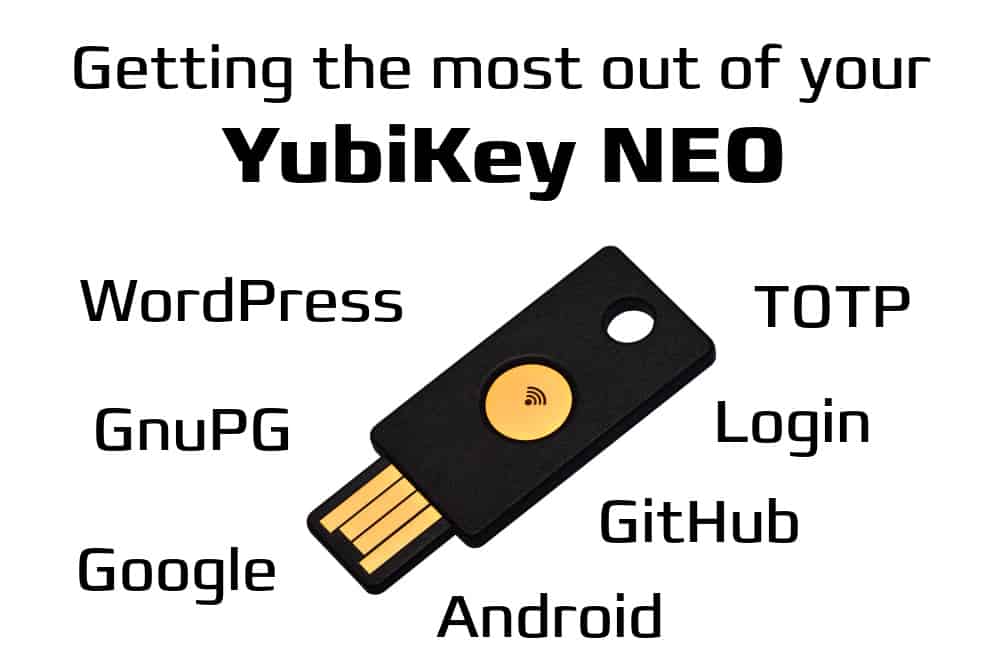
Two Factor authentication and general improvement of my security infrastructure was long on my todo list. Some month ago I finally purchased a Yubikey NEO from Yubico and try to consistently use it as second factor, as well as gpg signing/encrypting device. yubikey-neo I am trying to get the best out of my Yubikey NEO by using as many of its functionality, in particular: Smartcard for my GNuPG keys, OTP similar to Google Authenticator and similar, as well as challenge-response for additional login security, as well as all that over NFC to not keep keys/passwords on my mobile phone. While there are loads of guides (see the previous article on GnuPG for some of them), many of them are out-of-date for current distributions and GnuPG etc. So I tried to collect all I could find not the least to have a place to look it up in case I forget it again. The Hardware The Yubikey NEO is a great peace of hardware. I not even remotely understand how they manage that this little beast can do all these things and still work out without mixing things up. As far as I understand (please correct me) it has three independent circuits of communication: On top of these circuit of communication there is a variety of applications to make the most out of your Yubikey: Yubikey mode setup There are several modes, and using the ykpersonalize tool (readily available for Windows, Mac, Linux, and in the Debian package yubikey-personalization) one can program the key to work in a variety of modes. I chose to activate all options by passing in -m86 which stand for OTP/U2F/CCID composite device with MODE_FLAG_EJECT.
$ ykpersonalize -m86
Firmware version 3.4.3 Touch level 1792 Unconfigured
 
The USB mode will be set to: 0x86
 
Commit? (y/n) [n]: y
$
It is a good idea to unplug and replug the key after this operation. Yubikey udev rules for user access To allow users but root to use the Yubikey, additional udev rules are necessary:
SUBSYSTEMS=="usb", ATTRS idVendor =="1050", ATTRS idProduct =="0116", TAG+="uaccess"
which I put into /etc/udev/rules.d/99-yubikeys.rules on Debian. After that another unplug and replug should allow normal user to access the key. This can be checked by calling getfacl on the newly created /dev/hidraw? device. Using the HID/Challenge-Response mode (slot 2) If you want to secure your login with an additional second factor, there are several options documented on the Yubico site concerning yubico-pam. Since I cannot be sure to be always online with my laptop, I choose Challenge-Response authentication, and followed one-to-one Yubico s docs Local Authentication Using Challenge Response. Basically it boils down to install libpam-yubico, select mode-challenge-response when asked for configuration. Then one needs to personalizing the key (in particular slot 2) for challenge response with:
$ ykpersonalize -2 -ochal-resp -ochal-hmac -ohmac-lt64 -oserial-api-visible
...
Commit? (y/n) [n]: y
$
Next we need to save the challenge and expected response to the user s directory:
$ mkdir $HOME/.yubico
$ ykpamcfg -2 -v
...
Stored initial challenge and expected response in '/home/norbert/.yubico/challenge-123456'.
$
It might be a good idea to try this out, and if it works, activate it also for root. But be careful no key no login  Challenge: I am currently searching for a method to replace the second factor of they key optionally with a different authentication method, like a very difficult passphrase. This way I could log in even without my key, but in this case would need the complicated passphrase. From my reading of the pam manuals it seems to be possible, and I am planning to use pam_ssh and a specific login key with a complicated passphrase. I will report back when this is done. YubiOATH (TOTP) Time based One Time Passwords (aka Google Authenticator style) Without any setup whatsoever this worked out of the box. I use the Yubico Authenticator on my Android phone, and the dedicated application for the Linux desktop to create second factors for all kind of applications. Currently I am using it with Google login, Github, DropbBox, and WordPress (via the Two Factor plugin which can also be tweaked to use the NEO key as USB key via the FIDO U2F). Challenge: If I start the Yubico Personalization GUI, I see two free slots so where are the TOTPs computed? That also means that I have one slot free and for now I don t know what to do with it  Yubikey OpenGPG applet setup The Yubikeys support OpenPGP, and the applet is pre-installed (afaik), meaning you can directly configure the key and upload your keys. Here I use gpg2 (2.1) as it seems to better support card operations. To not interfere with the current gpg setup I use a temporary gpg home:
$ mkdir gpgtmp
$ chmod go-rwx gpgtmp
$ gpg2 --homedir gpgtmp --list-keys
gpg: keybox 'gpgtmp/pubring.kbx' created
gpg: gpgtmp/trustdb.gpg: trustdb created
Warning: The YubiKey NEO only supports 2048bit keys. If you want 4096bit keys you need to use one of the newer YubiKey 4, which gives you this option, but does not have support for NFC, and thus no way to interact with an Android (or other) mobile phone. Check the correct version of the applet There has been a bug in an older version of the applet, but since 2 years all keys sold should have a correct applet. You can check by:
$ gpg-connect-agent --homedir gpgtmp --hex "scd apdu 00 f1 00 00" /bye"
gpg-connect-agent: no running gpg-agent - starting '/usr/bin/gpg-agent'
gpg-connect-agent: waiting for the agent to come up ... (5s)
gpg-connect-agent: connection to agent established
D[0000]  01 00 10 90 00                                     .....           
OK
Looking at the output one sees D[0000] 01 00 10 which means applet version 1.0.10, which is the first version fixed. Replace pins of the key The standard pins are 123456 for the user pin, and 12345678 for the admin pin. These need immediate change! Warning: When changing the ping the normal pin must be 6 (at least?) digits, and the admin pin 8 (at least?), other gpg2 cannot use the key anymore. No idea why.
$ gpg2 --homedir gpgtmp --card-edit
 
Reader ...........: 1050:0116:X:0
Application ID ...: D2760001240102000006036457190000
Version ..........: 2.0
Manufacturer .....: Yubico
Serial number ....: 03645719
Name of cardholder: [not set]
Language prefs ...: [not set]
Sex ..............: unspecified
URL of public key : [not set]
Login data .......: [not set]
Signature PIN ....: forced
Key attributes ...: rsa2048 rsa2048 rsa2048
Max. PIN lengths .: 127 127 127
PIN retry counter : 3 3 3
Signature counter : 0
Signature key ....: [none]
Encryption key....: [none]
Authentication key: [none]
General key info..: [none]
 
gpg/card> admin
Admin commands are allowed
 
gpg/card> passwd
gpg: OpenPGP card no. D2760001240102000006036457190000 detected
 
1 - change PIN
2 - unblock PIN
3 - change Admin PIN
4 - set the Reset Code
Q - quit
 
Your selection? 3
PIN changed.
 
1 - change PIN
2 - unblock PIN
3 - change Admin PIN
4 - set the Reset Code
Q - quit
 
Your selection? 1
PIN changed.
 
1 - change PIN
2 - unblock PIN
3 - change Admin PIN
4 - set the Reset Code
Q - quit
 
Your selection? q
 
gpg/card> quit
After this you need to use the new pins for all changes. Setup basic data The key can also save some basic data about yourself, like name, sex, language preferences, login name, and url to obtain the public key. As before start gpg2 and then change these infos in the following way>
gpg/card> name
Cardholder's surname: Preining
Cardholder's given name: Norbert
 
gpg/card> sex
Sex ((M)ale, (F)emale or space): M
 
gpg/card> lang
Language preferences: de
 
gpg/card> login
Login data (account name): norbert
 
gpg/card> url
URL to retrieve public key: https://www.preining.info/preining-norbert.asc
 
gpg/card> list
 
Reader ...........: 1050:0116:X:0
Application ID ...: D2760001240102000006036457190000
Version ..........: 2.0
Manufacturer .....: Yubico
Serial number ....: 03645719
Name of cardholder: Norbert Preining
Language prefs ...: de
Sex ..............: male
URL of public key : https://www.preining.info/preining-norbert.asc
Login data .......: norbert
Signature PIN ....: forced
Key attributes ...: rsa2048 rsa2048 rsa2048
Max. PIN lengths .: 127 127 127
PIN retry counter : 3 3 3
Signature counter : 0
Signature key ....: [none]
Encryption key....: [none]
Authentication key: [none]
General key info..: [none]
 
gpg/card> quit
Move sub keys to Yubikey As laid out in the article on GnuPG subkeys, we are having three subkeys for signing, encryption, and authentication. In reality I will practically only use the signing key, but upload all three keys to the card. In the following I expect that you have a setup more or less similar to the one described in the article linked before. Again, we use GnuPG v2, mostly because it was the version that worked out of the box. In addition, if you are setting up a similar stage like in my GNuPG article with gpg1 keys on the mail server, then you don t want the gpg1 keys being removed. Basically you must have the Yubikey plugged in and call keytocard after selecting each key in turn (and deselecting it afterwards). Warning: There is another bug in the GnuPG applet that was fixed in later versions (but not in 1.0.10), namely that not all keys are accepted. This is a bit a pain. I needed to recreate a subkey to obtain a key that can be loaded onto the Yubikey. Unfortunately, Yubico has also stopped/disabled the ability to update applets (although I have to say their documentation is an incredible rubbish with respect to applets and upgrades ). As before, assume that $MASTERKEY contains the hex id of your master key.
$ gpg2 --edit-key $MASTERKEY
gpg (GnuPG) 2.1.11; Copyright (C) 2016 Free Software Foundation, Inc.
This is free software: you are free to change and redistribute it.
There is NO WARRANTY, to the extent permitted by law.
 
Secret key is available.
 
sec  rsa4096/0x6CACA448860CDC13
     created: 2010-09-14  expires: 2017-02-06  usage: SC  
     trust: ultimate      validity: ultimate
ssb  rsa4096/0xD1D2BD14810F62B3
     created: 2010-09-14  expires: 2017-02-06  usage: E   
ssb  rsa2048/0xEC00B8DAD32266AA
     created: 2016-02-07  expires: 2017-02-06  usage: S   
ssb  rsa2048/0xBF361ED434425B4C
     created: 2016-02-07  expires: 2017-02-06  usage: E   
ssb  rsa2048/0x9C7CA4E294F04D49
     created: 2016-02-07  expires: 2017-02-06  usage: A   
[ultimate] (1). Norbert Preining <norbert@preining.info>
[ultimate] (2)  Norbert Preining <preining@logic.at>
[ultimate] (3)  Norbert Preining <preining@debian.org>
[ultimate] (4)  Norbert Preining <preining@jaist.ac.jp>
[ultimate] (5)  [jpeg image of size 4185]
 
gpg> key 2
 
sec  rsa4096/0x6CACA448860CDC13
     created: 2010-09-14  expires: 2017-02-06  usage: SC  
     trust: ultimate      validity: ultimate
ssb  rsa4096/0xD1D2BD14810F62B3
     created: 2010-09-14  expires: 2017-02-06  usage: E   
ssb* rsa2048/0xEC00B8DAD32266AA
     created: 2016-02-07  expires: 2017-02-06  usage: S   
ssb  rsa2048/0xBF361ED434425B4C
     created: 2016-02-07  expires: 2017-02-06  usage: E   
ssb  rsa2048/0x9C7CA4E294F04D49
     created: 2016-02-07  expires: 2017-02-06  usage: A   
[ultimate] (1). Norbert Preining <norbert@preining.info>
[ultimate] (2)  Norbert Preining <preining@logic.at>
[ultimate] (3)  Norbert Preining <preining@debian.org>
[ultimate] (4)  Norbert Preining <preining@jaist.ac.jp>
[ultimate] (5)  [jpeg image of size 4185]
 
gpg> keytocard
Please select where to store the key:
   (1) Signature key
   (3) Authentication key
Your selection? 1
 
sec  rsa4096/0x6CACA448860CDC13
     created: 2010-09-14  expires: 2017-02-06  usage: SC  
     trust: ultimate      validity: ultimate
ssb  rsa4096/0xD1D2BD14810F62B3
     created: 2010-09-14  expires: 2017-02-06  usage: E   
ssb* rsa2048/0xEC00B8DAD32266AA
     created: 2016-02-07  expires: 2017-02-06  usage: S   
ssb  rsa2048/0xBF361ED434425B4C
     created: 2016-02-07  expires: 2017-02-06  usage: E   
ssb  rsa2048/0x9C7CA4E294F04D49
     created: 2016-02-07  expires: 2017-02-06  usage: A   
[ultimate] (1). Norbert Preining <norbert@preining.info>
[ultimate] (2)  Norbert Preining <preining@logic.at>
[ultimate] (3)  Norbert Preining <preining@debian.org>
[ultimate] (4)  Norbert Preining <preining@jaist.ac.jp>
[ultimate] (5)  [jpeg image of size 4185]
 
gpg> key 2
 
sec  rsa4096/0x6CACA448860CDC13
     created: 2010-09-14  expires: 2017-02-06  usage: SC  
     trust: ultimate      validity: ultimate
ssb  rsa4096/0xD1D2BD14810F62B3
     created: 2010-09-14  expires: 2017-02-06  usage: E   
ssb  rsa2048/0xEC00B8DAD32266AA
     created: 2016-02-07  expires: 2017-02-06  usage: S   
ssb  rsa2048/0xBF361ED434425B4C
     created: 2016-02-07  expires: 2017-02-06  usage: E   
ssb  rsa2048/0x9C7CA4E294F04D49
     created: 2016-02-07  expires: 2017-02-06  usage: A   
[ultimate] (1). Norbert Preining <norbert@preining.info>
[ultimate] (2)  Norbert Preining <preining@logic.at>
[ultimate] (3)  Norbert Preining <preining@debian.org>
[ultimate] (4)  Norbert Preining <preining@jaist.ac.jp>
[ultimate] (5)  [jpeg image of size 4185]
 
gpg> key 3
 
sec  rsa4096/0x6CACA448860CDC13
     created: 2010-09-14  expires: 2017-02-06  usage: SC  
     trust: ultimate      validity: ultimate
ssb  rsa4096/0xD1D2BD14810F62B3
     created: 2010-09-14  expires: 2017-02-06  usage: E   
ssb  rsa2048/0xEC00B8DAD32266AA
     created: 2016-02-07  expires: 2017-02-06  usage: S   
ssb* rsa2048/0xBF361ED434425B4C
     created: 2016-02-07  expires: 2017-02-06  usage: E   
ssb  rsa2048/0x9C7CA4E294F04D49
     created: 2016-02-07  expires: 2017-02-06  usage: A   
[ultimate] (1). Norbert Preining <norbert@preining.info>
[ultimate] (2)  Norbert Preining <preining@logic.at>
[ultimate] (3)  Norbert Preining <preining@debian.org>
[ultimate] (4)  Norbert Preining <preining@jaist.ac.jp>
[ultimate] (5)  [jpeg image of size 4185]
 
gpg> keytocard
Please select where to store the key:
   (2) Encryption key
Your selection? 2
 
sec  rsa4096/0x6CACA448860CDC13
     created: 2010-09-14  expires: 2017-02-06  usage: SC  
     trust: ultimate      validity: ultimate
ssb  rsa4096/0xD1D2BD14810F62B3
     created: 2010-09-14  expires: 2017-02-06  usage: E   
ssb  rsa2048/0xEC00B8DAD32266AA
     created: 2016-02-07  expires: 2017-02-06  usage: S   
ssb* rsa2048/0xBF361ED434425B4C
     created: 2016-02-07  expires: 2017-02-06  usage: E   
ssb  rsa2048/0x9C7CA4E294F04D49
     created: 2016-02-07  expires: 2017-02-06  usage: A   
[ultimate] (1). Norbert Preining <norbert@preining.info>
[ultimate] (2)  Norbert Preining <preining@logic.at>
[ultimate] (3)  Norbert Preining <preining@debian.org>
[ultimate] (4)  Norbert Preining <preining@jaist.ac.jp>
[ultimate] (5)  [jpeg image of size 4185]
 
gpg> key 3
 
sec  rsa4096/0x6CACA448860CDC13
     created: 2010-09-14  expires: 2017-02-06  usage: SC  
     trust: ultimate      validity: ultimate
ssb  rsa4096/0xD1D2BD14810F62B3
     created: 2010-09-14  expires: 2017-02-06  usage: E   
ssb  rsa2048/0xEC00B8DAD32266AA
     created: 2016-02-07  expires: 2017-02-06  usage: S   
ssb  rsa2048/0xBF361ED434425B4C
     created: 2016-02-07  expires: 2017-02-06  usage: E   
ssb  rsa2048/0x9C7CA4E294F04D49
     created: 2016-02-07  expires: 2017-02-06  usage: A   
[ultimate] (1). Norbert Preining <norbert@preining.info>
[ultimate] (2)  Norbert Preining <preining@logic.at>
[ultimate] (3)  Norbert Preining <preining@debian.org>
[ultimate] (4)  Norbert Preining <preining@jaist.ac.jp>
[ultimate] (5)  [jpeg image of size 4185]
 
gpg> key 4
 
sec  rsa4096/0x6CACA448860CDC13
     created: 2010-09-14  expires: 2017-02-06  usage: SC  
     trust: ultimate      validity: ultimate
ssb  rsa4096/0xD1D2BD14810F62B3
     created: 2010-09-14  expires: 2017-02-06  usage: E   
ssb  rsa2048/0xEC00B8DAD32266AA
     created: 2016-02-07  expires: 2017-02-06  usage: S   
ssb  rsa2048/0xBF361ED434425B4C
     created: 2016-02-07  expires: 2017-02-06  usage: E   
ssb* rsa2048/0x9C7CA4E294F04D49
     created: 2016-02-07  expires: 2017-02-06  usage: A   
[ultimate] (1). Norbert Preining <norbert@preining.info>
[ultimate] (2)  Norbert Preining <preining@logic.at>
[ultimate] (3)  Norbert Preining <preining@debian.org>
[ultimate] (4)  Norbert Preining <preining@jaist.ac.jp>
[ultimate] (5)  [jpeg image of size 4185]
 
gpg> keytocard
Please select where to store the key:
   (3) Authentication key
Your selection? 3
 
sec  rsa4096/0x6CACA448860CDC13
     created: 2010-09-14  expires: 2017-02-06  usage: SC  
     trust: ultimate      validity: ultimate
ssb  rsa4096/0xD1D2BD14810F62B3
     created: 2010-09-14  expires: 2017-02-06  usage: E   
ssb  rsa2048/0xEC00B8DAD32266AA
     created: 2016-02-07  expires: 2017-02-06  usage: S   
ssb  rsa2048/0xBF361ED434425B4C
     created: 2016-02-07  expires: 2017-02-06  usage: E   
ssb* rsa2048/0x9C7CA4E294F04D49
     created: 2016-02-07  expires: 2017-02-06  usage: A   
[ultimate] (1). Norbert Preining <norbert@preining.info>
[ultimate] (2)  Norbert Preining <preining@logic.at>
[ultimate] (3)  Norbert Preining <preining@debian.org>
[ultimate] (4)  Norbert Preining <preining@jaist.ac.jp>
[ultimate] (5)  [jpeg image of size 4185]
 
gpg> key 4
 
sec  rsa4096/0x6CACA448860CDC13
     created: 2010-09-14  expires: 2017-02-06  usage: SC  
     trust: ultimate      validity: ultimate
ssb  rsa4096/0xD1D2BD14810F62B3
     created: 2010-09-14  expires: 2017-02-06  usage: E   
ssb  rsa2048/0xEC00B8DAD32266AA
     created: 2016-02-07  expires: 2017-02-06  usage: S   
ssb  rsa2048/0xBF361ED434425B4C
     created: 2016-02-07  expires: 2017-02-06  usage: E   
ssb  rsa2048/0x9C7CA4E294F04D49
     created: 2016-02-07  expires: 2017-02-06  usage: A   
[ultimate] (1). Norbert Preining <norbert@preining.info>
[ultimate] (2)  Norbert Preining <preining@logic.at>
[ultimate] (3)  Norbert Preining <preining@debian.org>
[ultimate] (4)  Norbert Preining <preining@jaist.ac.jp>
[ultimate] (5)  [jpeg image of size 4185]
 
gpg> save
After that your keys are on the Yubikey (and only there!), and GNuPG will require the PIN (user pin) to sign/encrypt documents. Usage Many things have been said above, but to sum up when and how I am using the YubiKey now: Conclusions With this setup I am now quite content, but not completely. What I still want to do is full disk encryption where I need the Yubikey to boot and again, with an alternative for a very long passphrase. At the end, adding a second factor to the login is not really optimal, and only protects you against quick hacks. If the laptop is actually stolen, only full disc protection helps. Access to the hardware always guarantees that one has access to everything on the disc. Another thing I want to do is re-use the GnuPG key on the Yubikey as ssh key for logging into remote systems. That would mean that I get rid of even more keys on my laptop. But this is still in the work  The other open question is what to use the other available slot of the Yubikey for? I thought about some passwords (possible), but I don t feel to happy about having my password issued with the press of a key. But all in all, I like the setup much more than before and not having any GnuPG key on the laptop is a big plus.

Norbert Preining: Michael K hlmeier: Zwei Herren am Strand

This recent book of the Austrian author Michael K hlmeier, Zwei Herren am Strand (Hanser Verlag), spins a story about an imaginative friendship between Charlie Chaplin and Winston Churchill. While there might not as be more different people than these two, in the book they are connected by a common fight the fight against their own depression, explicitly as well as implicitly by fighting Nazi Germany. Zwei Herren am Strand_ Roman - Michael Koehlmeier In a series of short chapters the story of these two great man from the beginning of the last century is told, mixing reality with a good portion of fantasy, especially when it comes to their meetings and uncommon friendship. For me this book is in best tradition of Michael K hlmeier, whom I consider an excellent story teller. I loved his (unfinished trilogy of) books on Greek mythology (Telemach and Calypso), but found that after these books he got lost too much in radio programs of story telling. While in itself good, I preferred his novels. Thus, I have to admit that I have forgotten about K hlmeier for some years, until recently I found this little book, which reminded me of him and his excellent stories. A book that is if you are versed in German well worth enjoying, especially if one likes funny and a bit queer stories.

Russ Allbery: Review: The Language of Power

Review: The Language of Power, by Rosemary Kirstein
Series: Steerswomen #4
Publisher: Rosemary Kirstein
Copyright: 2004, 2014
Printing: April 2014
ISBN: 0-9913546-3-X
Format: Kindle
Pages: 400
This is the fourth book in the Steerswomen series and definitely not the place to start. It's also a difficult series to review without spoilers, so I won't be able to provide too many details about the plot. I will say that this is a reunion and a return of sorts to themes from earlier in the series, rather than a direct follow-up to the revelations at the end of The Lost Steersman. Rowan is back in the Inner Lands, continuing to investigate the affairs of wizards. In particular, she's digging into the past of the town of Donner, following up on the report of an earlier steerswoman and investigating a now-dead wizard who seemed to act far different from a typical wizard. And Bel is back at her side again, watching her back. The first half of The Language of Power goes over somewhat familiar ground. Similar to both The Steerswoman and The Lost Steersman, Rowan is poking around in a city, getting to know unfamiliar people, being a steerswoman, and winning people over with her unique charm. But that's a theme I don't mind seeing repeated, since Rowan is one of my favorite protagonists from any series I've read. She's both ethical and respectful in a way that doesn't feel artificial or constructed. She thinks oddly and dives into sudden fascinations, and she does rely on the conventions for interacting with steerswomen, but the more time one spends with her, the better one likes her. This is true of both the reader and the town inhabitants, and Kirstein is brilliant at writing the gradual getting-to-know and growing-respect process. Events in The Language of Power slowly build up to another confrontation with wizards, and this one is full of major revelations about the world. Some of the ambiguity of earlier books is firmly resolved, we find out a lot more about how wizards view themselves and their abilities, and tons of new questions are raised. It's not a conclusion in any way, which is a bit unfortunate given that the next book is still being written (twelve years later, although thankfully it's being actively worked on as I write this). But we get the first clear look at the substratum of the world that Kirstein is building in this series. This sounds satisfying, and to some extent it is, but any regular SFF reader will have guessed at many of the revelations here. I was pretty sure the world was following one of two possible patterns partway through the second book, certain which it was during the third book, and was nodding right along with the revelations in this book. I'm trying to avoid spoilers, but if you read a lot of SFF, chances are you've read about something akin to this background before. That takes a bit of the thrill out of the revelations, unfortunately. What adds the excitement and thrill back in are Rowan's reactions. It's very difficult to write a character who comes from an entirely different perspective than either the author or the reader, and Kirstein does an amazing job. Not perfect, quite, at least for me: there were a few points where I thought Rowan was more baffled or more upset than it felt like she should have been. But they are few and far between, and it's quite possible my expectations are the ones that wouldn't ring true if written into the story. It's just such a delight to see Rowan analyzing the world, incorporating new revelations into her growing world model, and figuring out how to take the most moral action at any point. I would happily read another dozen books of this (but I wish they were all already written). If you've read the previous three books, definitely pick up this one as well. For me, it narrowly misses being the best book of the series (I think that's still The Outskirter's Secret because of the difficulty of the perspective change Kirstein pulls off), but it's a close competition. And the final reveal at the very end of this book points to upcoming adventures that I can hardly wait to read. Rating: 8 out of 10

5 May 2016

Sean Whitton: dh_make_elpa & dh_elpa_test

I recently completed and released some work on Debian s tooling for packaging Emacs Lisp addons to GNU Emacs. Emacs grew a package manager called package.el a few years ago, and last year David Bremner wrote the dh_elpa tool to simplify packaging addons for Debian by leveraging package.el features. Packaging a series of addons for Debian left me with a wishlist of features for dh_elpa and I was recently able to implement them. Debian tooling generally uses Perl, a language I didn t know before starting on this project. I was fortunate enough to receive a free review copy of Perl 5 by Example when I attended a meeting of the Bay Area Linux Users Group while I was visiting San Francisco a few months ago. I accepted the book with the intent of doing this work. dh_make_elpa dh_make_elpa (at present available from Debian experimental) is a Perl script to convert a git repository cloned from the upstream of an Emacs Lisp addon to a rudimentary Debian package. It performs a lot of guesswork, and its simple heuristics are something I hope to improve on. Since I am new to object-oriented program design in Perl and I wanted to leverage object-oriented Debian tooling library code, I took the structure of my project from dh_make_perl. In this manner I found it easy and pleasant to write a maintainable script. dh_elpa_test A lot of Emacs Lisp addon packages use a program called Cask to manage the Emacs Lisp dependencies needed to run their test suites. That meant that dh_auto_test often fails to run Emacs Lisp addon package test suites. Since the Debian packaging toolchain already has advanced dependency management, it s undesirable to involve Cask in the package build pipeline if it can be avoided. I had been copying and pasting the code needed to make the tests run in our environment to the debian/rules files of each package whose test suite I wanted to run. dh_elpa_test tries to detect Emacs Lisp addon package test suites and run them with the workarounds needed in our environment. This avoids boilerplate in debian/rules. dh_elpa_test also disables dh_auto_test to avoid a inadvertent Cask invocation. Future & acknowledgements My hope for this work was to make it easier and faster to package Emacs Lisp addon packages for Debian, for my own sake and for anyone new who is interested in joining the pkg-emacsen team. In the future, I want to have dh_elpa_test generate an autopkgtest definition so that a Testsuite: pkg-emacsen line in debian/control is enough to have an Emacs Lisp addon package test suite run on Debian CI. I m very grateful to David Bremner for reviewing and supporting this work, and also for supporting my Emacs Lisp addon packaging work more generally.

4 May 2016

Debian Java Packaging Team: What's new since Jessie?

Jessie was released one year ago now and the Java Team has been busy preparing the next release. Here is a quick summary of the current state of the Java packages: Outlook, goals and request for help Java and Friends Package updates The packages listed below detail the changes in jessie-backports and testing. Libraries and Debian specific tools have been excluded. Packages added to jessie-backports: Packages removed from testing: Packages added to testing: Packages upgraded in testing:

Junichi Uekawa: Fighting with my emacs configuration.

Fighting with my emacs configuration. I'm trying to get a nice emacs terminal, and trying to set up 256 color mode in screen. This is so hard.

3 May 2016

Mart n Ferrari: New sources for contributors.debian.org

Many people might not be aware of it, but since a couple of years ago, we have an excellent tool for tracking and recognising contributors to the Debian Project: Debian Contributors Debian is a big project, and there are many people working that do not have great visibility, specially if they are not DDs or DMs. We are all volunteers, so it is very important that everybody gets credited for their work. No matter how small or unimportant they might think their work is, we need to recognise it! One great feature of the system is that anybody can sign up to provide a new data source. If you have a way to create a list of people that is helping in your project, you can give them credit! If you open the Contributors main page, you will get a list of all the groups with recent activity, and the people credited for their work. The data sources page gives information about each data source and who administers it. For example, my Contributors page shows the many ways in which the system recognises me, all the way back to 2004! That includes commits to different projects, bug reports, and package uploads. I have been maintaining a few of the data sources that track commits to Git and Subversion repositories: The last two are a bit problematic, as they group together all commits to the respective VCS repositories without distinguishing to which sub-projects the contributions were made. The Go and Perl groups' contributions are already extracted from that big pile of data, but it would be much nicer if each substantial packaging team had their own data source. Sadly, my time is limited, so this is were you come into the picture! If you are a member of a team, and want to help with this effort, adopt a new data source. You can be providing commit logs, but it is not limited to that; think of translators, event volunteers, BSP attendants, etc. The initial work is very small, and there is almost no maintenance. There is information on how to contribute here and here, but I would be more than happy to guide you if you contact me. Comment

Rapha&#235;l Hertzog: My Free Software Activities in April 2016

My monthly report covers a large part of what I have been doing in the free software world. I write it for my donators (thanks to them!) but also for the wider Debian community because it can give ideas to newcomers and it s one of the best ways to find volunteers to work with me on projects that matter to me. Debian LTS I handled a new LTS sponsor that wanted to see wheezy keep supporting armel and armhf. This was not part of our initial plans (set during last Debconf) and I thus mailed all teams that were impacted if we were to collectively decide that it was OK to support those architectures. While I was hoping to get a clear answer rather quickly, it turns out that we never managed to get an answer to the question from all parties. Instead the discussion drifted on the more general topic of how we handle sponsorship/funding in the LTS project. Fortunately, the buildd maintainers said they were OK with this and the ftpmasters had no objections, and they both implicitly enacted the decision: Ansgar Burchardt kept the armel/armhf architectures in the wheezy/updates suite when he handled the switch to the LTS team, and Aur lien Jarno also configured wanna-build to keep building armel/armhf for the suite. The DSA team did not confirm that this change was not interfering with one of their plans to decommission some hardware. Build daemons are a shared resource anyway and a single server is likely to handle builds for multiple releases. DebConf 16 This month I registered for DebConf 16 and submitted multiple talk/BoF proposals: I want to share the setup we use in Kali as it can be useful for other derivatives and also for Debian itself to help smooth the relationship with derivatives. I also want to open again the debate on the usage of money within Debian. It s a hard topic but we should really strive to take some official position on what s possible and what s not possible. With Debian LTS and its sponsorship we have seen that we can use money to some extent without hurting the Debian project as a whole. Can this be transposed to other teams or projects? What are the limits? Can we define a framework and clear rules? I expect the discussion to be very interesting in the BoF. Mehdi Dogguy has agreed to handle this BoF with me. Packaging Django. I uploaded 1.8.12 to jessie-backports and 1.9.5 to unstable. I filed two upstream bugs (26473 and 26474) for two problems spotted by lintian. Unfortunately, when I wanted to upload it to unstable, the test suite did not ran. I pinned this down to a sqlite regression. Chris Lamb filed #820225 and I contacted the SQLite and Django upstream developers by email to point them to this issue. I helped the SQLite upstream author (Richard Hipp) to reproduce the issue and he was quick to provide a patch which landed in 3.12.1. Later in the month I made another upload to fix an upgrade bug (#821789). GNOME 3.20. As for each new version, I updated gnome-shell-timer to ensure it works with the new GNOME. This time I spent a bit more time to fix a regression (805347) that dates back to a while and that would never be fixed otherwise since the upstream author orphaned this extension (as he no longer uses GNOME). I have also been bitten by display problems where accented characters would be displayed below the character that follows. With the help of members of the GNOME team, we found out that this was a problem specific to the cantarell font and was only triggered with Harfbuzz 1.2. This is tracked in Debian with #822682 on harfbuzz and #822762 in fonts-cantarell. There s a new upstream release (with the fix) ready to be packaged but unfortunately it is blocked by the lack of a recent fontforge in Debian. I thus mailed debian-mentors in the hope to find volunteers to help the pkg-fonts team to package a newer version Misc Debian/Kali work Distro Tracker. I started to mentor Vladimir Likic who contacted me because he wants to contribute to Distro Tracker. I helped him to setup his development environment and we fixed a few issues in the process. Bug reports. I filed many bug reports, most of them due to my work on Kali: I also investigated #819958 that was affecting testing since it has been reported to Kali as well. And I made an NMU of dh-make-golang to fix #819472 that I reported earlier. Thanks See you next month for a new summary of my activities.

No comment Liked this article? Click here. My blog is Flattr-enabled.

Russ Allbery: Review: The Effective Engineer

Review: The Effective Engineer, by Edmond Lau
Publisher: Effective Bookshelf
Copyright: 2015
ISBN: 0-9961281-0-7
Format: Trade paperback
Pages: 222
Silicon Valley start-up tech companies have a standard way of thinking about work. Large chunks of this come from Google, which pioneered a wide variety of new, or at least not-yet-mainstream, ways of organizing and thinking about work. The rest accreted through experience with fast-paced start-ups, engineer-focused companies, web delivery of products, and rabid turnover and high job mobility within a hothouse of fairly similar companies. A key part of this mindset is the firm belief that this atmosphere has created a better way to work, at least for software engineers (and systems administrators, although heaven forbid that one call them that any more): more effective, more efficient, more focused on what really matters. I think this is at least partly true, at least from the perspective of a software engineer. This Silicon Valley work structure focuses on data gathering, data-based decision-making, introspection, analysis, and continuous improvement, all of which I think are defensibly pointed in the right direction (if rarely as rigorous as one might want to believe). It absorbs bits and pieces of work organization techniques that are almost certainly improvements for the type of work software engineers do: Agile, Lean, continuous deployment, and fast iteration times. In other cases, though, I'm less convinced that this Silicon Valley consensus is objectively better as opposed to simply different; interviewing, for instance, is a puzzle that I don't think anyone has figured out, and the remarkable consensus in Silicon Valley on how to interview (basically, "like Google except for the bits we thought were obnoxious") feels more like a social fad than a sign of getting it right. But every industry has its culture of good ideas, bad ideas, fads, and fashion, and it's quite valuable to know that culture if you want to work in that industry. The Effective Engineer is a self-published book by Edmund Lau, a Silicon Valley software engineer who also drifted (as is so common in Silicon Valley) into mentoring, organizing, and speaking to other software engineers. Its purpose, per the subtitle, is to tell you "how to leverage your efforts in software engineering to make a disproportionate and meaningful impact." While that's not exactly wrong, and the book contains some useful and valuable tips, I'd tend to give it a slightly different subtitle: "a primer on how a Silicon Valley software engineer is expected to think about their work." This is a bit more practical, a bit less confident, and a bit less convinced of its own correctness than Lau might want to present his work, but it's just as valuable of a purpose if you want to work in the industry. (And is a bit more honest about its applicability outside of that industry.) What this book does extremely well is present, in a condensed, straightforward, and fast-moving form, most of the highlights of how start-ups and web-scale companies approach software engineering and the SWE role in companies (SWE, meaning software engineer, is another bit of Google terminology that's now nearly universal). If you've already worked in or around this industry for a while, you've probably picked up a lot of this via osmosis: prioritize based on impact and be unapologetic about letting other things drop, have a growth mindset, reprioritize regularly, increase your iteration speed, measure everything constantly, check your assumptions against data, derisk your estimates, use code review and automated testing (but not too much), automate operations, and invest heavily in hiring and onboarding. (The preceding list is a chapter list for this book.) If you're working at one of these sorts of companies, you're probably currently somewhere between nodding and rolling your eyes because no one at work will shut up about these topics. But if you've not worked inside one of these companies, even if you've done software engineering elsewhere, this is a great book to read to prepare yourself. You're going to hear about these ideas constantly, and, if it achieves nothing else at all, The Effective Engineer will give you a firm enough grounding in the lingo and mindset that you can have intelligent conversations with people who assume this is the only way to think about software engineering. By this point, you might be detecting a certain cynicism in this review. It's not entirely fair: a lot of these ideas are clearly good ones, and Lau does a good job of describing them quickly and coherently. It's a good job for what it is. But there are a couple of things that limited its appeal for me. First, it's definitely a primer. I read it after having worked at a web-scale start-up for a year and a half. There wasn't much in it that seemed particularly new, and it's somewhat superficial. The whole middle section in particular (build tools for yourself, measure everything, be data-driven) are topics for which the devil is often in the details. Lau gives you the terminology and the expected benefits, but putting any one of these techniques into practice could be a book (or several) by itself. Don't expect to come away from The Effective Engineer with much of a concrete plan for how to do these things in your day-to-day software development projects. But it's a good reminder to be thinking about, say, how to embed metrics and data-gathering hooks into the software you write. This is the nature of a primer; no 222-page book can get into much depth about the fractal complexity of doing good, fast, scalable software development. Second, there's a fundamental question raised by a book like this: effective at what? Lau tackles that in the first chapter with his focus on impact and leverage, and it's good advice as far as it goes. (Regular readers of my book reviews know that I love this sort of time management and prioritization discussion.) But measuring impact is a hard problem that requires a prioritization framework, and this is not really the book for this. The Effective Engineer is written primarily for software developers at start-ups, leaves the whole venture-capital start-up process as unquestioned background material, and accepts without comment the standard measures of value in that world: fast-deployed products, hypergrowth, racing competitors for perceived innovation, and finding ways to extract money. That's as deep into the question of impact as Lau gets: increases in company revenue. There's nothing wrong with this for the kind of book Lau intended to write, and it's not his fault that I find it unsatisfying. But don't expect The Effective Engineer to ask any hard questions about whether that's a meaningful definition of impact, or to talk much about less objective goals: quality of implementation, craftsmanship, giving back to a broader community via free software contributions, impact on the world in ways that can't be measured in market share, or anything else that is unlikely to lead to objective impact for company profits. At best he leaves a bit of wiggle room around using the concept of impact with different goals. If you're a new graduate who wants to work at Silicon-Valley-style start-ups, this is a great orientation, and likewise if you're coming from a different area of software development into that world. If you're not working in that industry, The Effective Engineer may still be moderately interesting, but it's not written for that audience and has little or nothing to say of the challenges of other types of businesses. But if you've already worked in the industry for a while, or if you're more interested in deeper discussions of goals and subjective values, you may not get much out of this. Rating: 7 out of 10

2 May 2016

Vincent Bernat: Pragmatic Debian packaging

While the creation of Debian packages is abundantly documented, most tutorials are targeted to packages implementing the Debian policy. Moreover, Debian packaging has a reputation of being unnecessarily difficult1 and many people prefer to use less constrained tools2 like fpm or CheckInstall. However, I would like to show how building Debian packages with the official tools can become straightforward if you bend some rules:
  1. No source package will be generated. Packages will be built directly from a checkout of a VCS repository.
  2. Additional dependencies can be downloaded during build. Packaging individually each dependency is a painstaking work, notably when you have to deal with some fast-paced ecosystems like Java, Javascript and Go.
  3. The produced packages may bundle dependencies. This is likely to raise some concerns about security and long-term maintenance, but this is a common trade-off in many ecosystems, notably Java, Javascript and Go.

Pragmatic packages 101 In the Debian archive, you have two kinds of packages: the source packages and the binary packages. Each binary package is built from a source package. You need a name for each package. As stated in the introduction, we won t generate a source package but we will work with its unpacked form which is any source tree containing a debian/ directory. In our examples, we will start with a source tree containing only a debian/ directory but you are free to include this debian/ directory into an existing project. As an example, we will package memcached, a distributed memory cache. There are four files to create:
  • debian/compat,
  • debian/changelog,
  • debian/control, and
  • debian/rules.
The first one is easy. Just put 9 in it:
echo 9 > debian/compat
The second one has the following content:
memcached (0-0) UNRELEASED; urgency=medium
  * Fake entry
 -- Happy Packager <happy@example.com>  Tue, 19 Apr 2016 22:27:05 +0200
The only important information is the name of the source package, memcached, on the first line. Everything else can be left as is as it won t influence the generated binary packages.

The control file debian/control describes the metadata of both the source package and the generated binary packages. We have to write a block for each of them.
Source: memcached
Maintainer: Vincent Bernat <bernat@debian.org>
Package: memcached
Architecture: any
Description: high-performance memory object caching system
The source package is called memcached. We have to use the same name as in debian/changelog. We generate only one binary package: memcached. In the remaining of the example, when you see memcached, this is the name of a binary package. The Architecture field should be set to either any or all. Use all exclusively if the package contains only arch-independent files. In doubt, just stick to any. The Description field contains a short description of the binary package.

The build recipe The last mandatory file is debian/rules. It s the recipe of the package. We need to retrieve memcached, build it and install its file tree in debian/memcached/. It looks like this:
#!/usr/bin/make -f
DISTRIBUTION = $(shell lsb_release -sr)
VERSION = 1.4.25
PACKAGEVERSION = $(VERSION)-0~$(DISTRIBUTION)0
TARBALL = memcached-$(VERSION).tar.gz
URL = http://www.memcached.org/files/$(TARBALL)
%:
    dh $@
override_dh_auto_clean:
override_dh_auto_test:
override_dh_auto_build:
override_dh_auto_install:
    wget -N --progress=dot:mega $(URL)
    tar --strip-components=1 -xf $(TARBALL)
    ./configure --prefix=/usr
    make
    make install DESTDIR=debian/memcached
override_dh_gencontrol:
    dh_gencontrol -- -v$(PACKAGEVERSION)
The empty targets override_dh_auto_clean, override_dh_auto_test and override_dh_auto_build keep debhelper from being too smart. The override_dh_gencontrol target sets the package version3 without updating debian/changelog. If you ignore the slight boilerplate, the recipe is quite similar to what you would have done with fpm:
DISTRIBUTION=$(lsb_release -sr)
VERSION=1.4.25
PACKAGEVERSION=$ VERSION -0~$ DISTRIBUTION 0
TARBALL=memcached-$ VERSION .tar.gz
URL=http://www.memcached.org/files/$ TARBALL 
wget -N --progress=dot:mega $ URL 
tar --strip-components=1 -xf $ TARBALL 
./configure --prefix=/usr
make
make install DESTDIR=/tmp/installdir
# Build the final package
fpm -s dir -t deb \
    -n memcached \
    -v $ PACKAGEVERSION  \
    -C /tmp/installdir \
    --description "high-performance memory object caching system"
You can review the whole package tree on GitHub and build it with dpkg-buildpackage -us -uc -b.

Pragmatic packages 102 At this point, we can iterate and add several improvements to our memcached package. None of those are mandatory but they are usually worth the additional effort.

Build dependencies Our initial build recipe only work when several packages are installed, like wget and libevent-dev. They are not present on all Debian systems. You can easily express that you need them by adding a Build-Depends section for the source package in debian/control:
Source: memcached
Build-Depends: debhelper (>= 9),
               wget, ca-certificates, lsb-release,
               libevent-dev
Always specify the debhelper (>= 9) dependency as we heavily rely on it. We don t require make or a C compiler because it is assumed that the build-essential meta-package is installed and it pulls those. dpkg-buildpackage will complain if the dependencies are not met. If you want to install those packages from your CI system, you can use the following command4:
mk-build-deps \
    -t 'apt-get -o Debug::pkgProblemResolver=yes --no-install-recommends -qqy' \
    -i -r debian/control
You may also want to investigate pbuilder or sbuild, two tools to build Debian packages in a clean isolated environment.

Runtime dependencies If the resulting package is installed on a freshly installed machine, it won t work because it will be missing libevent, a required library for memcached. You can express the dependencies needed by each binary package by adding a Depends field. Moreover, for dynamic libraries, you can automatically get the right dependencies by using some substitution variables:
Package: memcached
Depends: $ misc:Depends , $ shlibs:Depends 
The resulting package will contain the following information:
$ dpkg -I ../memcached_1.4.25-0\~unstable0_amd64.deb   grep Depends
 Depends: libc6 (>= 2.17), libevent-2.0-5 (>= 2.0.10-stable)

Integration with init system Most packaged daemons come with some integration with the init system. This integration ensures the daemon will be started on boot and restarted on upgrade. For Debian-based distributions, there are several init systems available. The most prominent ones are:
  • System-V init is the historical init system. More modern inits are able to reuse scripts written for this init, so this is a safe common denominator for packaged daemons.
  • Upstart is the less-historical init system for Ubuntu (used in Ubuntu 14.10 and previous releases).
  • systemd is the default init system for Debian since Jessie and for Ubuntu since 15.04.
Writing a correct script for the System-V init is error-prone. Therefore, I usually prefer to provide a native configuration file for the default init system of the targeted distribution (Upstart and systemd).

System-V If you want to provide a System-V init script, have a look at /etc/init.d/skeleton on the most ancient distribution you want to target and adapt it5. Put the result in debian/memcached.init. It will be installed at the right place, invoked on install, upgrade and removal. On Debian-based systems, many init scripts allow user customizations by providing a /etc/default/memcached file. You can ship one by putting its content in debian/memcached.default.

Upstart Providing an Upstart job is similar: put it in debian/memcached.upstart. For example:
description "memcached daemon"
start on runlevel [2345]
stop on runlevel [!2345]
respawn
respawn limit 5 60
expect daemon
script
  . /etc/default/memcached
  exec memcached -d -u $USER -p $PORT -m $CACHESIZE -c $MAXCONN $OPTIONS
end script
When writing an Upstart job, the most important directive is expect. Be sure to get it right. Here, we use expect daemon and memcached is started with the -d flag.

systemd Providing a systemd unit is a bit more complex. The content of the file should go in debian/memcached.service. For example:
[Unit]
Description=memcached daemon
After=network.target
[Service]
Type=forking
EnvironmentFile=/etc/default/memcached
ExecStart=/usr/bin/memcached -d -u $USER -p $PORT -m $CACHESIZE -c $MAXCONN $OPTIONS
Restart=on-failure
[Install]
WantedBy=multi-user.target
We reuse /etc/default/memcached even if it is not considered a good practice with systemd6. Like for Upstart, the directive Type is quite important. We used forking as memcached is started with the -d flag. You also need to add a build-dependency to dh-systemd in debian/control:
Source: memcached
Build-Depends: debhelper (>= 9),
               wget, ca-certificates, lsb-release,
               libevent-dev,
               dh-systemd
And you need to modify the default rule in debian/rules:
%:
    dh $@ --with systemd
The extra complexity is a bit unfortunate but systemd integration is not part of debhelper7. Without those additional modifications, the unit will get installed but you won t get a proper integration and the service won t be enabled on install or boot.

Dedicated user Many daemons don t need to run as root and it is a good practice to ship a dedicated user. In the case of memcached, we can provide a _memcached user8. Add a debian/memcached.postinst file with the following content:
#!/bin/sh
set -e
case "$1" in
    configure)
        adduser --system --disabled-password --disabled-login --home /var/empty \
                --no-create-home --quiet --force-badname --group _memcached
        ;;
esac
#DEBHELPER#
exit 0
There is no cleanup of the user when the package is removed for two reasons:
  1. Less stuff to write.
  2. The user could still own some files.
The utility adduser will do the right thing whatever the requested user already exists or not. You need to add it as a dependency in debian/control:
Package: memcached
Depends: $ misc:Depends , $ shlibs:Depends , adduser
The #DEBHELPER# marker is important as it will be replaced by some code to handle the service configuration files (or some other stuff). You can review the whole package tree on GitHub and build it with dpkg-buildpackage -us -uc -b.

Pragmatic packages 103 It is possible to leverage debhelper to reduce the recipe size and to make it more declarative. This section is quite optional and it requires understanding a bit more how a Debian package is built. Feel free to skip it.

The big picture There are four steps to build a regular Debian package:
  1. debian/rules clean should clean the source tree to make it pristine.
  2. debian/rules build should trigger the build. For an autoconf-based software, like memcached, this step should execute something like ./configure && make.
  3. debian/rules install should install the file tree of each binary package. For an autoconf-based software, this step should execute make install DESTDIR=debian/memcached.
  4. debian/rules binary will pack the different file trees into binary packages.
You don t directly write each of those targets. Instead, you let dh, a component of debhelper, do most of the work. The following debian/rules file should do almost everything correctly with many source packages:
#!/usr/bin/make -f
%:
    dh $@
For each of the four targets described above, you can run dh with --no-act to see what it would do. For example:
$ dh build --no-act
   dh_testdir
   dh_update_autotools_config
   dh_auto_configure
   dh_auto_build
   dh_auto_test
Each of those helpers has a manual page. Helpers starting with dh_auto_ are a bit magic . For example, dh_auto_configure will try to automatically configure a package prior to building: it will detect the build system and invoke ./configure, cmake or Makefile.PL. If one of the helpers do not do the right thing, you can replace it by using an override target:
override_dh_auto_configure:
    ./configure --with-some-grog
Those helpers are also configurable, so you can just alter a bit their behaviour by invoking them with additional options:
override_dh_auto_configure:
    dh_auto_configure -- --with-some-grog
This way, ./configure will be called with your custom flag but also with a lot of default flags like --prefix=/usr for better integration. In the initial memcached example, we overrode all those magic targets. dh_auto_clean, dh_auto_configure and dh_auto_build are converted to no-ops to avoid any unexpected behaviour. dh_auto_install is hijacked to do all the build process. Additionally, we modified the behavior of the dh_gencontrol helper by forcing the version number instead of using the one from debian/changelog.

Automatic builds As memcached is an autoconf-enabled package, dh knows how to build it: ./configure && make && make install. Therefore, we can let it handle most of the work with this debian/rules file:
#!/usr/bin/make -f
DISTRIBUTION = $(shell lsb_release -sr)
VERSION = 1.4.25
PACKAGEVERSION = $(VERSION)-0~$(DISTRIBUTION)0
TARBALL = memcached-$(VERSION).tar.gz
URL = http://www.memcached.org/files/$(TARBALL)
%:
    dh $@ --with systemd
override_dh_auto_clean:
    wget -N --progress=dot:mega $(URL)
    tar --strip-components=1 -xf $(TARBALL)
override_dh_auto_test:
    # Don't run the whitespace test
    rm t/whitespace.t
    dh_auto_test
override_dh_gencontrol:
    dh_gencontrol -- -v$(PACKAGEVERSION)
The dh_auto_clean target is hijacked to download and setup the source tree9. We don t override the dh_auto_configure step, so dh will execute the ./configure script with the appropriate options. We don t override the dh_auto_build step either: dh will execute make. dh_auto_test is invoked after the build and it will run the memcached test suite. We need to override it because one of the test is complaining about odd whitespaces in the debian/ directory. We suppress this rogue test and let dh_auto_test executes the test suite. dh_auto_install is not overriden either, so dh will execute some variant of make install. To get a better sense of the difference, here is a diff:
--- memcached-intermediate/debian/rules 2016-04-30 14:02:37.425593362 +0200
+++ memcached/debian/rules  2016-05-01 14:55:15.815063835 +0200
@@ -12,10 +12,9 @@
 override_dh_auto_clean:
-override_dh_auto_test:
-override_dh_auto_build:
-override_dh_auto_install:
    wget -N --progress=dot:mega $(URL)
    tar --strip-components=1 -xf $(TARBALL)
-   ./configure --prefix=/usr
-   make
-   make install DESTDIR=debian/memcached
+
+override_dh_auto_test:
+   # Don't run the whitespace test
+   rm t/whitespace.t
+   dh_auto_test
It is up to you to decide if dh can do some work for you, but you could try to start from a minimal debian/rules and only override some targets.

Install additional files While make install installed the essential files for memcached, you may want to put additional files in the binary package. You could use cp in your build recipe, but you can also declare them:
  • files listed in debian/memcached.docs will be copied to /usr/share/doc/memcached by dh_installdocs,
  • files listed in debian/memcached.examples will be copied to /usr/share/doc/memcached/examples by dh_installexamples,
  • files listed in debian/memcached.manpages will be copied to the appropriate subdirectory of /usr/share/man by dh_installman,
Here is an example using wildcards for debian/memcached.docs:
doc/*.txt
If you need to copy some files to an arbitrary location, you can list them along with their destination directories in debian/memcached.install and dh_install will take care of the copy. Here is an example:
scripts/memcached-tool usr/bin
Using those files make the build process more declarative. It is a matter of taste and you are free to use cp in debian/rules instead. You can review the whole package tree on GitHub.

Other examples The GitHub repository contains some additional examples. They all follow the same scheme:
  • dh_auto_clean is hijacked to download and setup the source tree
  • dh_gencontrol is modified to use a computed version
Notably, you ll find daemons in Java, Go, Python and Node.js. The goal of those examples is to demonstrate that using Debian tools to build Debian packages can be straightforward. Hope this helps.

  1. People may remember the time before debhelper 7.0.50 (circa 2009) where debian/rules was a daunting beast. However, nowaday, the boilerplate is quite reduced.
  2. The complexity is not the only reason. Those alternative tools enable the creation of RPM packages, something that Debian tools obviously don t.
  3. There are many ways to version a package. Again, if you want to be pragmatic, the proposed solution should be good enough for Ubuntu. On Debian, it doesn t cover upgrade from one distribution version to another, but we assume that nowadays, systems get reinstalled instead of being upgraded.
  4. You also need to install devscripts and equivs package.
  5. It s also possible to use a script provided by upstream. However, there is no such thing as an init script that works on all distributions. Compare the proposed with the skeleton, check if it is using start-stop-daemon and if it sources /lib/lsb/init-functions before considering it. If it seems to fit, you can install it yourself in debian/memcached/etc/init.d/. debhelper will ensure its proper integration.
  6. Instead, a user wanting to customize the options is expected to edit the unit with systemctl edit.
  7. See #822670
  8. The Debian Policy doesn t provide any hint for the naming convention of those system users. A common usage is to prefix the daemon name with an underscore (like _memcached). Another common usage is to use Debian- as a prefix. The main drawback of the latest solution is that the name is likely to be replaced by the UID in ps and top because of its length.
  9. We could call dh_auto_clean at the end of the target to let it invoke make clean. However, it is assumed that a fresh checkout is used before each build.

Next.

Previous.