Scarlett Gately Moore: KDE: A day in the life of the KDE snapcrafter!
 KDE MascotKDE Mascot
 Welcome to the 43th post in the $R^4 series.
And with that, a good laugh. When I set up Sunday s
post, I was excited enough about the (indeed exciting !!) topic of
r2u via browser or vscode that I mistakenly
labeled it as the 41th post. And overlooked the existing 41th
post from July! So it really is as if Douglas Adams, Arthur Dent,
and, for good measure, Dirk Gently, looked over my shoulder and declared
there shall not be a 42th post!! So now we have two 41th post:
Sunday s
and July s.
Back the current topic, which is of course r2u. Earlier this week we
had a failure in (an R based) CI run (using a default action which I had
not set up). A package was newer in source than binary, so a build from
source was attempted. And of course failed as it was a package needing a
system dependency to build. Which the default action did not
install.
I am familiar with the problem via my general use of r2u (or my r-ci which uses it under
the hood). And there we use a bspm variable to
prefer binary over possibly newer source. So I was curious how
one would address this with the default actions. It so happens that the
same morning I spotted a StackOverflow
question on the same topic, where the original poster had suffered
the exact same issue!
I offered my approach (via r2u) as a comment and was
later notified of a follow-up answer by the OP. Turns our there is a new,
more powerful action that does all this, potentially flipping to a
newer version and building it, all while using a cache.
Now I was curious, and in the evening cloned the repo to study the
new approach and compare the new
action to what r2u
offers. In particular, I was curious if a use of caches would be
benficial on repeated runs. A screenshot of the resulting Actions and
their times follows.
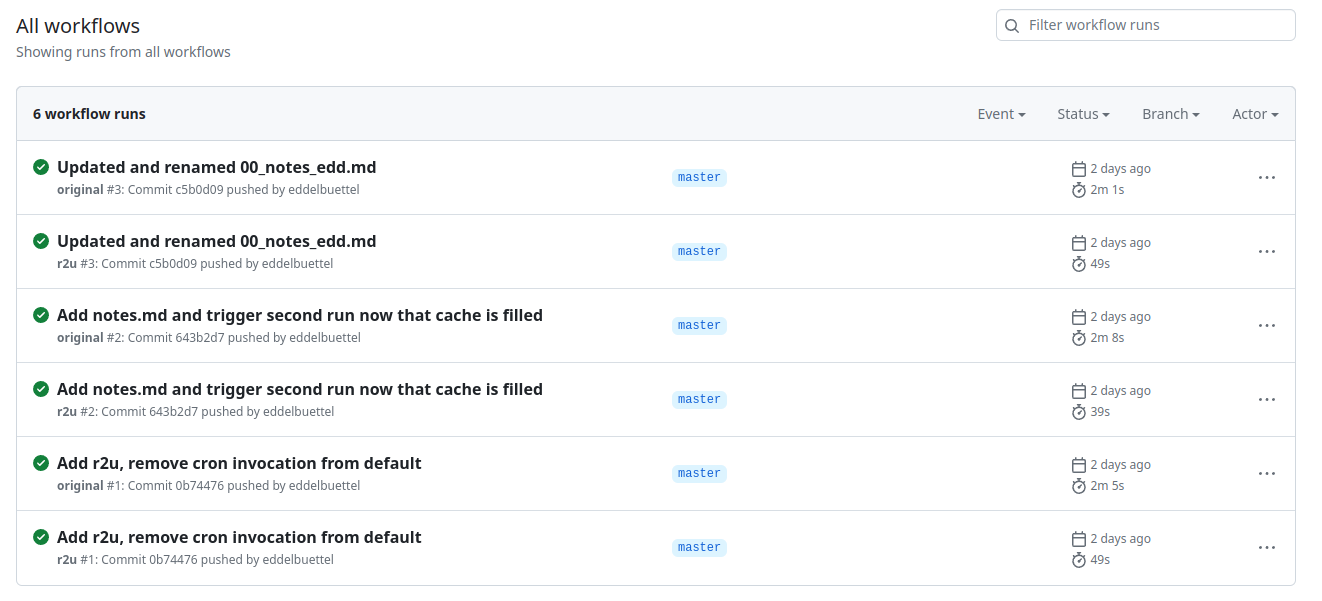 Turns out maybe not so much (yet ?). As the actions
page of my cloned comparison repo shows in this screenshot, r2u is consistently faster
at always below one minute compared to new entrant at
always over two minutes. (I should clarify that the original
actions sets up dependencies, then scrapes, and commits. I am timing
only the setup of dependencies here.)
We can also extract the six datapoints and quickly visualize
them.
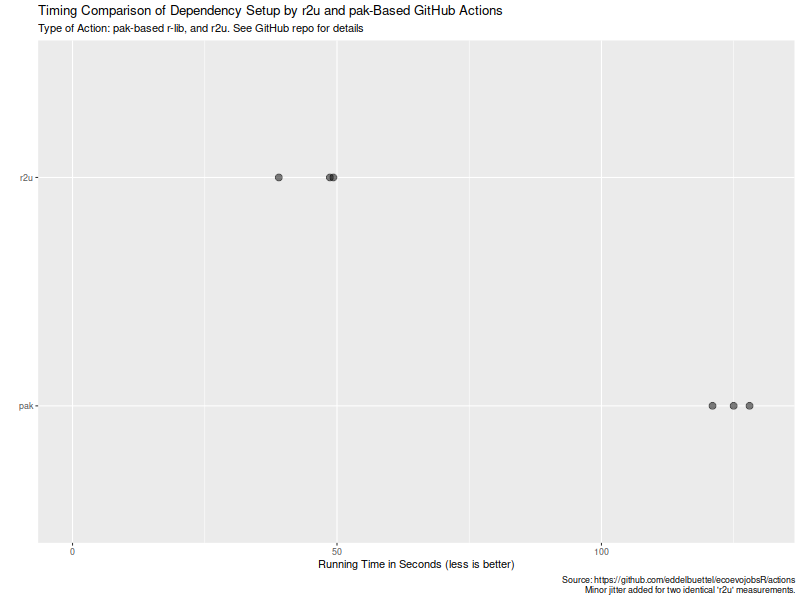 Now, this is of course entirely possibly that not all possible venues
for speedups were exploited in how the action setup was setup. If so,
please file an issue at the repo and I will
try to update accordingly. But for now it seems that a default
of setup r2u is easily
more than twice as fast as an otherwise very compelling alternative
(with arguably much broader scope). However, where r2u choses to play, on the
increasingly common, popular and powerful Ubuntu LTS setup, it clearly
continues to run circles around alternate approaches. So the saying
remains:
r2u: fast, easy, reliable.
If you like this or other open-source work I do, you can now sponsor me at
GitHub.
This post by Dirk Eddelbuettel originated on his Thinking inside the box blog. Please report excessive re-aggregation in third-party for-profit settings.
Originally posted 2023-08-13, minimally edited 2023-08-15 which changed the timestamo and URL.
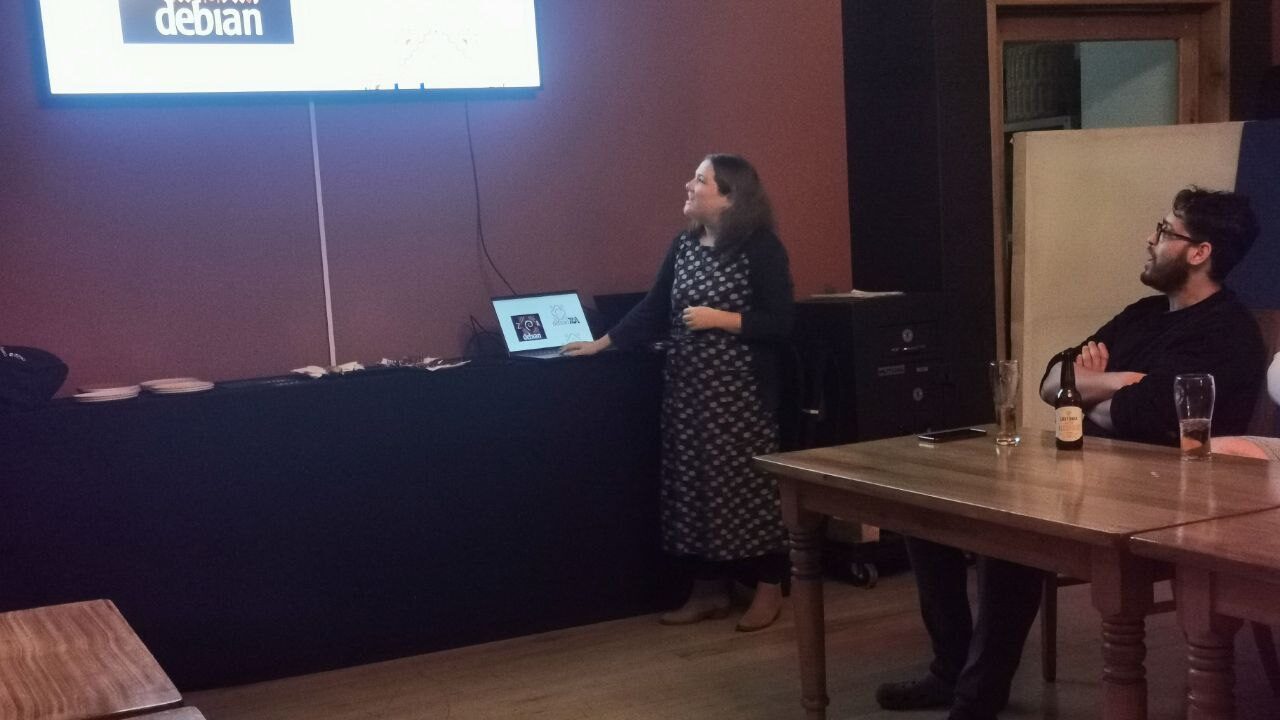
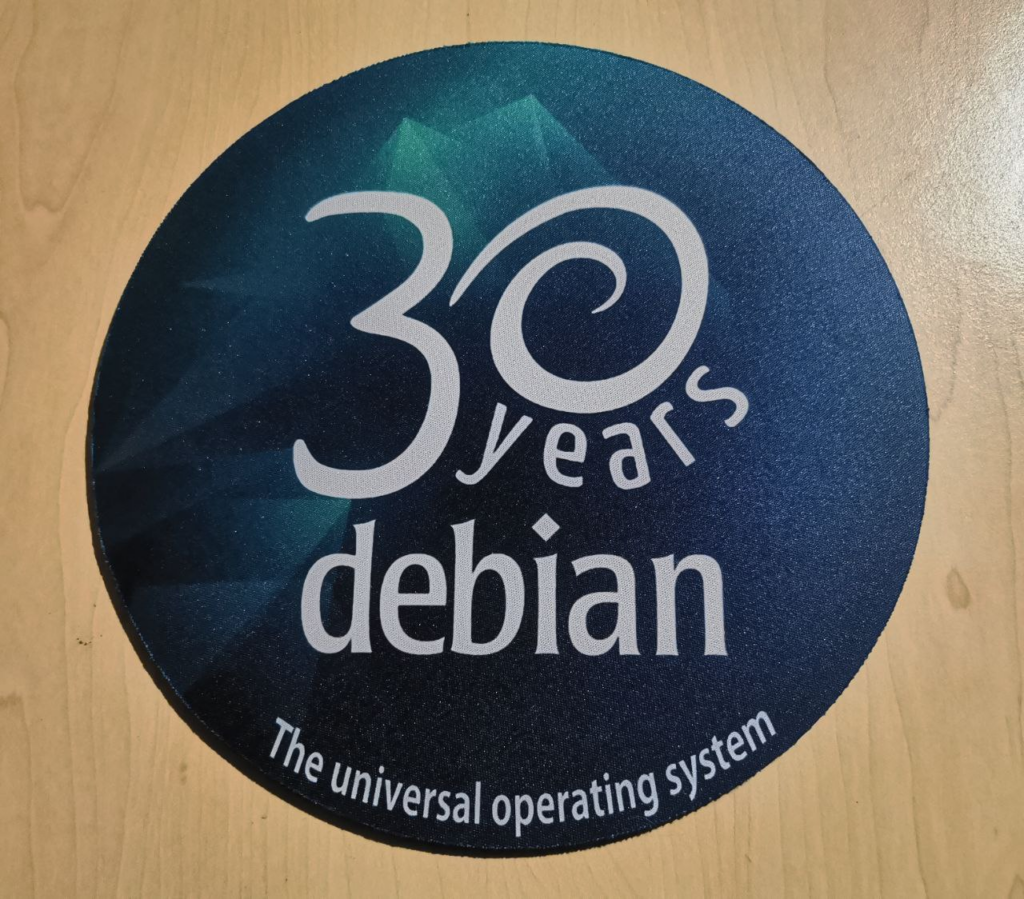
 Inspired by the fine Debian Local Groups all over the world, I ve long since wanted to start one in Cape Town. Unfortunately, there s been many obstacles over the years. Shiny distractions, an epidemic, DPL terms these are just some of the things that got in the way.
Fortunately, things are starting to gain traction, and we re well on our way to forming a bona fide local group for South Africa.
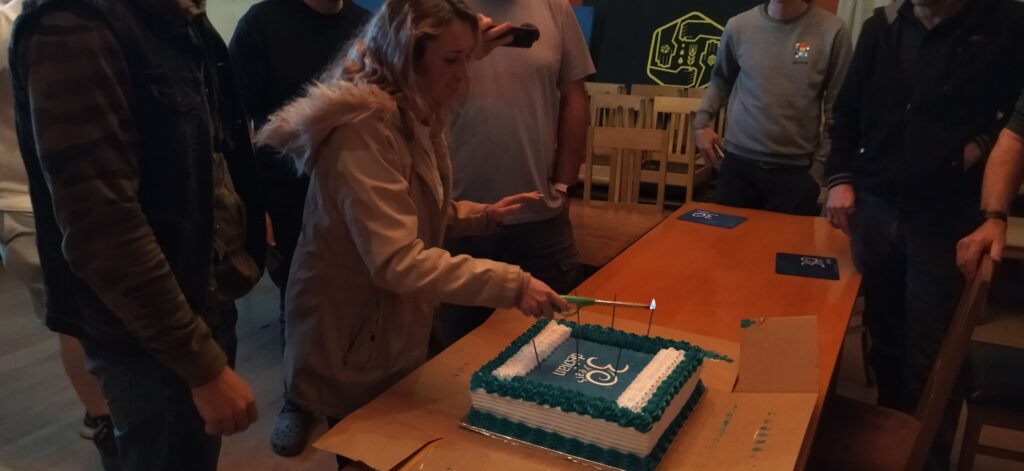
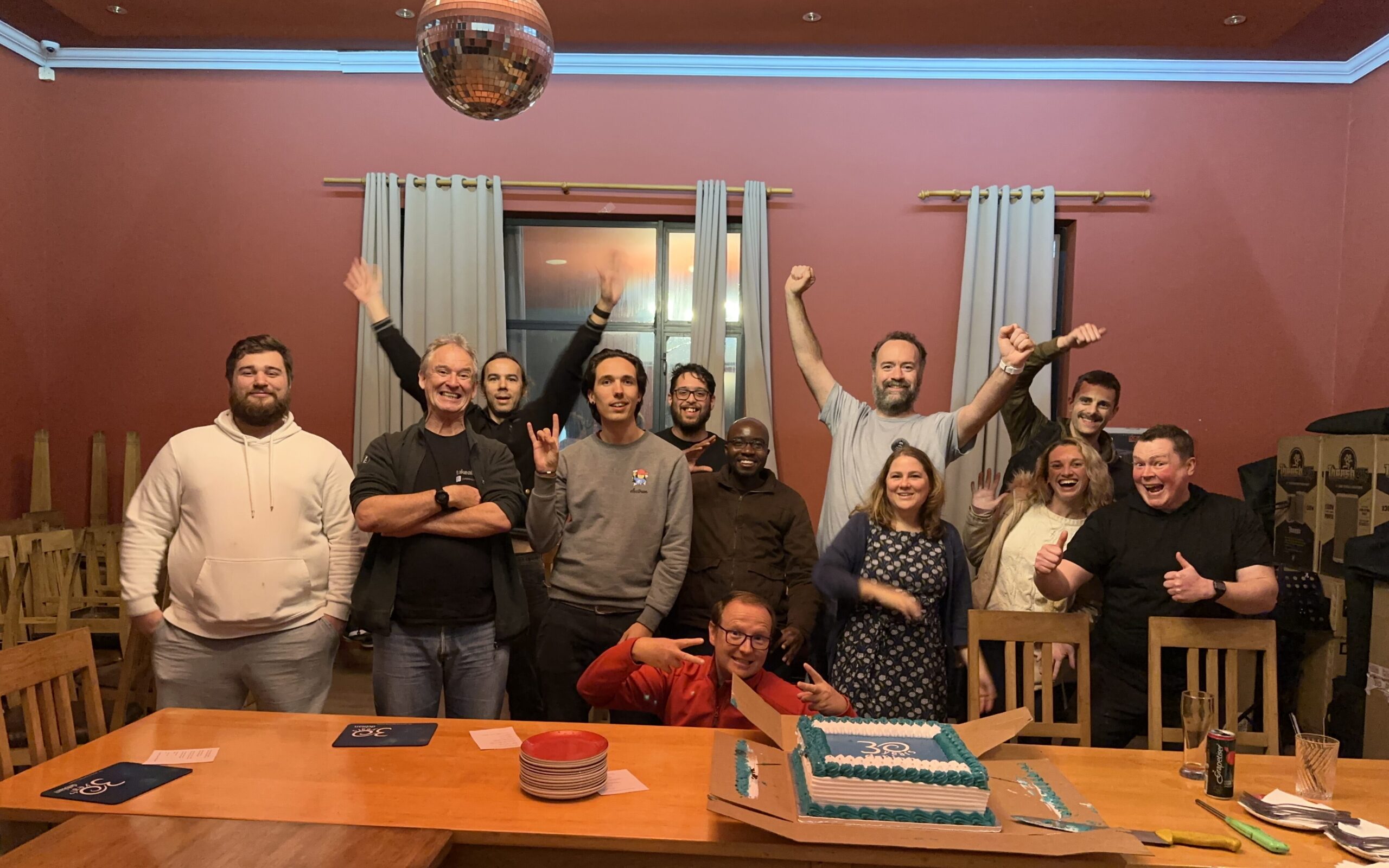
We got together at Woodstock Grill, they have both a nice meeting room, and good food and beverage, also reasonably central for most of us.

Yes, cake.

--wrap-always --short-indent --trailing-comma --sort-binary-package options (or -satb for short). Every time, I also wish that I could automate this and have it always be invoked to keep my debian/ directory tidy, so I don t have to do this manually once every blue moon. I haven t found a way to achieve this automation in a non-obtrusive way that interacts well with my git-based packaging workflow. Ideally I would like for something like the lintian-hook during gbp buildpackage to check for this ideas?
Meanwhile, I have come up with a way to make sure I don t forget to run wrap-and-sort for long, and that others who work on the same package won t either: create an autopkgtest which is invoked during the Salsa CI/CD pipeline using the following as debian/tests/wrap-and-sort:
#!/bin/sh
set -eu
TMPDIR=$(mktemp -d)
trap "rm -rf $TMPDIR" 0 INT QUIT ABRT PIPE TERM
cp -a debian $TMPDIR
cd $TMPDIR
wrap-and-sort -satb
diff -ur $OLDPWD/debian debian
debian/tests/control to invoke it which is intentionally not indented properly so that the self-test will fail so you will learn how it behaves.
Tests: wrap-and-sort
Depends: devscripts, python3-debian
Restrictions: superficialwrap-and-sort with the parameters I settled with.
While autopkgtest is intended to test the installed package, the tooling around autopkgtest is powerful and easily allows this mild abuse of its purpose for a pleasant QA improvement.
Thoughts? Happy hacking!

 Over 30 years ago the late Ian Murdock
wrote
to the comp.os.linux.development newsgroup about the completion of a brand-new
Linux release which he named "The Debian Linux Release".
He built the release by hand, from scratch, so to speak. Ian laid out
guidelines for how this new release would work, what approach the release
would take regarding its size, manner of upgrades, installation procedures; and
with great care of consideration for users without Internet connection.
Unaware that he had sparked a movement in the fledgling F/OSS community, Ian
worked on and continued to work on Debian. The release, now aided by volunteers
from the newsgroup and around the world, grew and continues to grow as one of
the largest and oldest FREE operating systems that still exist today.
Debian at its core is comprised of Users, Contributors, Developers, and
Sponsors, but most importantly, People. Ians drive and focus remains
embedded in the core of Debian, it remains in all of our work, it remains in
the minds and hands of the users of The Universal Operating System.
The Debian Project is proud and happy to share our anniversary not exclusively
unto ourselves, instead we share this moment with everyone, as we come together
in celebration of a resounding community that works together, effects change,
and continues to make a difference, not just in our work but around the world.
Debian is present in cluster systems, datacenters, desktop computers, embedded
systems, IoT devices, laptops, servers, it may possibly be powering the web
server and device you are reading this article on, and it can also be found in
Spacecraft.
Closer to earth, Debian fully supports projects for accessibility:
Debian Edu/Skolelinux - an operating system
designed for educational use in schools and communities,
Debian Science - providing free
scientific software across many established and emerging fields,
Debian Hamradio - for amateur
radio enthusiasts,
Debian-Accessibility - a
project focused on the design of an operating system suited to fit the
requirements of people with disabilites, and
Debian Astro - focused on supporting
professional and hobbyist astronomers.
Debian strives to give, reach, embrace, mentor, share, and teach with
internships through many programs internally and externally such as the Google
Summer of Code, Outreachy, and the Open Source Promotion Plan.
None of this could be possible without the vast amount of support, care, and
contributions from what started as and is still an all volunteer project.
We celebrate with each and every one who has helped shape Debian over all of
these years and toward the future.
Today we all certainly celebrate 30 years of Debian, but know that Debian
celebrates with each and every one of you all at the same time.
Over the next few days Celebration parties are planned to take place in
Austria, Belgium, Bolivia, Brazil, Bulgaria, Czech Republic, France, Germany
(CCCcamp), India, Iran, Portugal, Serbia, South Africa, and Turkey.
You are of course, invited to join us!
Check out, attend, or form your very own
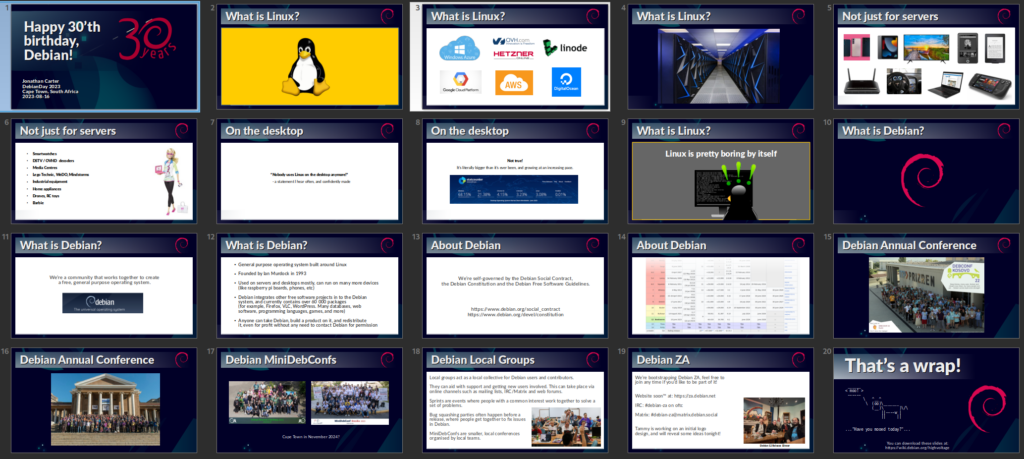
DebianDay 2023 Event.
See you then!
Thank you, thank you all so very much.
With Love,
The Debian Project
 I've been maintaining a number of Perl software packages recently.
There's SReview,
my video review and transcoding system of which I split off
Media::Convert a while
back; and as of about a year ago, I've also added
PtLink, an RSS aggregator
(with future plans for more than just that).
All these come with extensive test suites which can help me ensure that
things continue to work properly when I play with things; and all of
these are hosted on salsa.debian.org, Debian's gitlab instance. Since
we're there anyway, I configured GitLab CI/CD to run a full test suite
of all the software, so that I can't forget, and also so that I know
sooner rather than later when things start breaking.
GitLab has extensive support for various test-related reports, and while
it took a while to be able to enable all of them, I'm happy to report
that today, my perl test suites generate all three possible reports.
They are:
coverage regex, which captures the total reported coverage for
all modules of the software; it will show the test coverage on the
right-hand side of the job page (as in this
example), and
it will show what the delta in that number is in merge request
summaries (as in this
exampletest:
stage: test
image: perl:latest
coverage: '/^Total.* (\d+.\d+)$/'
before_script:
- cpanm ExtUtils::Depends Devel::Cover TAP::Harness::JUnit Devel::Cover::Report::Cobertura
- cpanm --notest --installdeps .
- perl Makefile.PL
script:
- cover -delete
- HARNESS_PERL_SWITCHES='-MDevel::Cover' prove -v -l -s --harness TAP::Harness::JUnit
- cover
- cover -report cobertura
artifacts:
paths:
- cover_db
reports:
junit: junit_output.xml
coverage_report:
path: cover_db/cobertura.xml
coverage_format: cobertura
test; we start it in the test
stage, and we run it in the perl:latest docker image. Nothing
spectacular here.
The coverage line contains a regular expression. This is applied by
GitLab to the output of the job; if it matches, then the first bracket
match is extracted, and whatever that contains is assumed to contain the
code coverage percentage for the code; it will be reported as such in
the GitLab UI for the job that was ran, and graphs may be drawn to show
how the coverage changes over time. Additionally, merge requests will
show the delta in the code coverage, which may help deciding whether to
accept a merge request. This regular expression will match on a line of
that the cover program will generate on standard output.
The before_script section installs various perl modules we'll need
later on. First, we intall
ExtUtils::Depends. My code
uses
ExtUtils::MakeMaker,
which ExtUtils::Depends depends on (no pun intended); obviously, if your
perl code doesn't use that, then you don't need to install it. The next
three modules -- Devel::Cover,
TAP::Harness::JUnit and
Devel::Cover::Report::Cobertura
are necessary for the reports, and you should include them if you want
to copy what I'm doing.
Next, we install declared dependencies, which is probably a good idea
for you as well, and then we run perl Makefile.PL, which will generate
the Makefile. If you don't use ExtUtils::MakeMaker, update that part to
do what your build system uses. That should be fairly straightforward.
You'll notice that we don't actually use the Makefile. This is because
we only want to run the test suite, which in our case (since these are
PurePerl modules) doesn't require us to build the software first. One
might consider that this makes the call of perl Makefile.PL useless,
but I think it's a useful test regardless; if that fails, then obviously
we did something wrong and shouldn't even try to go further.
The actual tests are run inside a script snippet, as is usual for
GitLab. However we do a bit more than you would normally expect; this is
required for the reports that we want to generate. Let's unpack what we
do there:
cover -delete
HARNESS_PERL_SWITCHES='-MDevel::Cover'
cover_db directory, and allows you to generate all kinds of
reports on the code coverage later (but we don't do that here, yet).
prove -v -l -s
verbose output, shuffling (aka,
randomizing) the test suite, and adding the lib directory to perl's
include path. This works for us, again, because we don't actually need
to compile anything; if you do, then -b (for blib) may be required.
ExtUtils::MakeMaker creates a test target in its Makefile, and usually
this is how you invoke the test suite. However, it's not the only way to
do so, and indeed if you want to generate a JUnit XML report then you
can't do that. Instead, in that case, you need to use the prove, so
that you can tell it to load the TAP::Harness::JUnit module by way of
the --harness option, which will then generate the JUnit XML report.
By default, the JUnit XML report is generated in a file
junit_output.xml. It's possible to customize the filename for this
report, but GitLab doesn't care and neither do I, so I don't. Uploading
the JUnit XML format tells GitLab which tests were run and
Finally, we invoke the cover script twice to generate two coverage
reports; once we generate the default report (which generates HTML files
with detailed information on all the code that was triggered in your
test suite), and once with the -report cobertura parameter, which
generates the cobertura XML format.
Once we've generated all our reports, we then need to upload them to
GitLab in the right way. The native perl report, which is in the
cover_db directory, is uploaded as a regular job artifact, which we
can then look at through a web browser, and the two XML reports are
uploaded in the correct way for their respective formats.
All in all, I find that doing this makes it easier to understand how my
code is tested, and why things go wrong when they do.
 Je ne me souviens plus de la derni re fois o j'ai utilis la commande
make
clean
. Si j'empaqu te pour Debian, le travail se fait dans un d p t git,
et j'utilise les commandes git clean -fdx ; git checkout . que je peux
rappeler depuis mon historique des commandes via Ctrl-r la plupart du
temps. Et dans les autres cas, si les sources ne sont pas d j dans git,
alors les commandes git init . ; git add . ; git commit -m 'hopla' r glent
le probl me.
Welcome to the 41th post in the $R^4 series. This
post draws on joint experiments first started by Grant building on the
lovely work done by Eitsupi as
part of our Rocker Project. In
short, r2u is an ideal
match for Codespaces, a
Microsoft/GitHub service to run code locally but in the cloud via
browser or Visual Studio
Code. This posts co-serves as the README.md in the .devcontainer
directory as well as a vignette
for r2u.
So let us get into it. Starting from the r2u repository, the .devcontainer
directory provides a small self-containted file
devcontainer.json to launch an executable environment R
using r2u. It is based on the example in Grant
McDermott s codespaces-r2u repo and reuses its documentation. It is
driven by the Rocker
Project s Devcontainer Features repo creating a fully functioning R
environment for cloud use in a few minutes. And thanks to r2u you can add easily to
this environment by installing new R packages in a fast and failsafe
way.
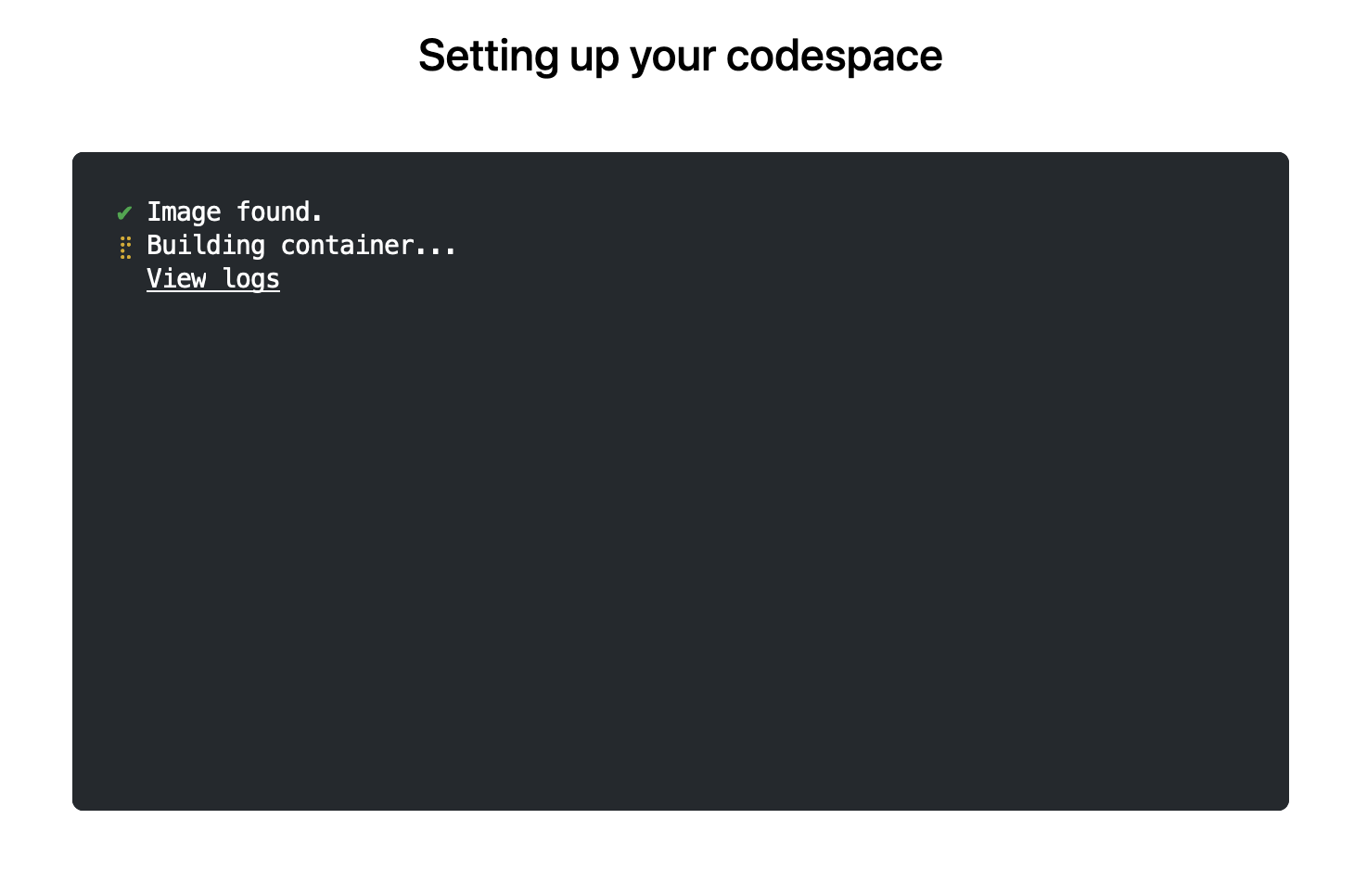
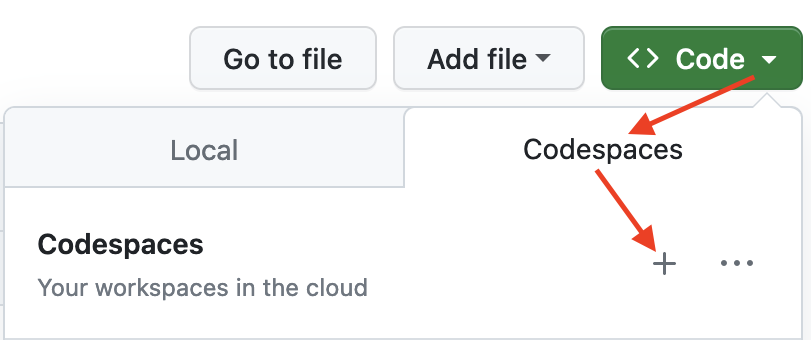 The first time you do this, it will open up a new browser tab where
your Codespace is being instantiated. This first-time instantiation
will take a few minutes (feel free to click View logs to see how
things are progressing) so please be patient. Once built, your Codespace
will deploy almost immediately when you use it again in the future.
 After the VS Code editor opens up in your browser, feel free to open
up the
examples/sfExample.R
file. It demonstrates how r2u enables us install
packages and their system-dependencies with ease, here
installing packages sf (including all its
geospatial dependencies) and ggplot2 (including
all its dependencies). You can run the code easily in the browser
environment: Highlight or hover over line(s) and execute them by hitting
Cmd+Return (Mac) /
Ctrl+Return (Linux / Windows).
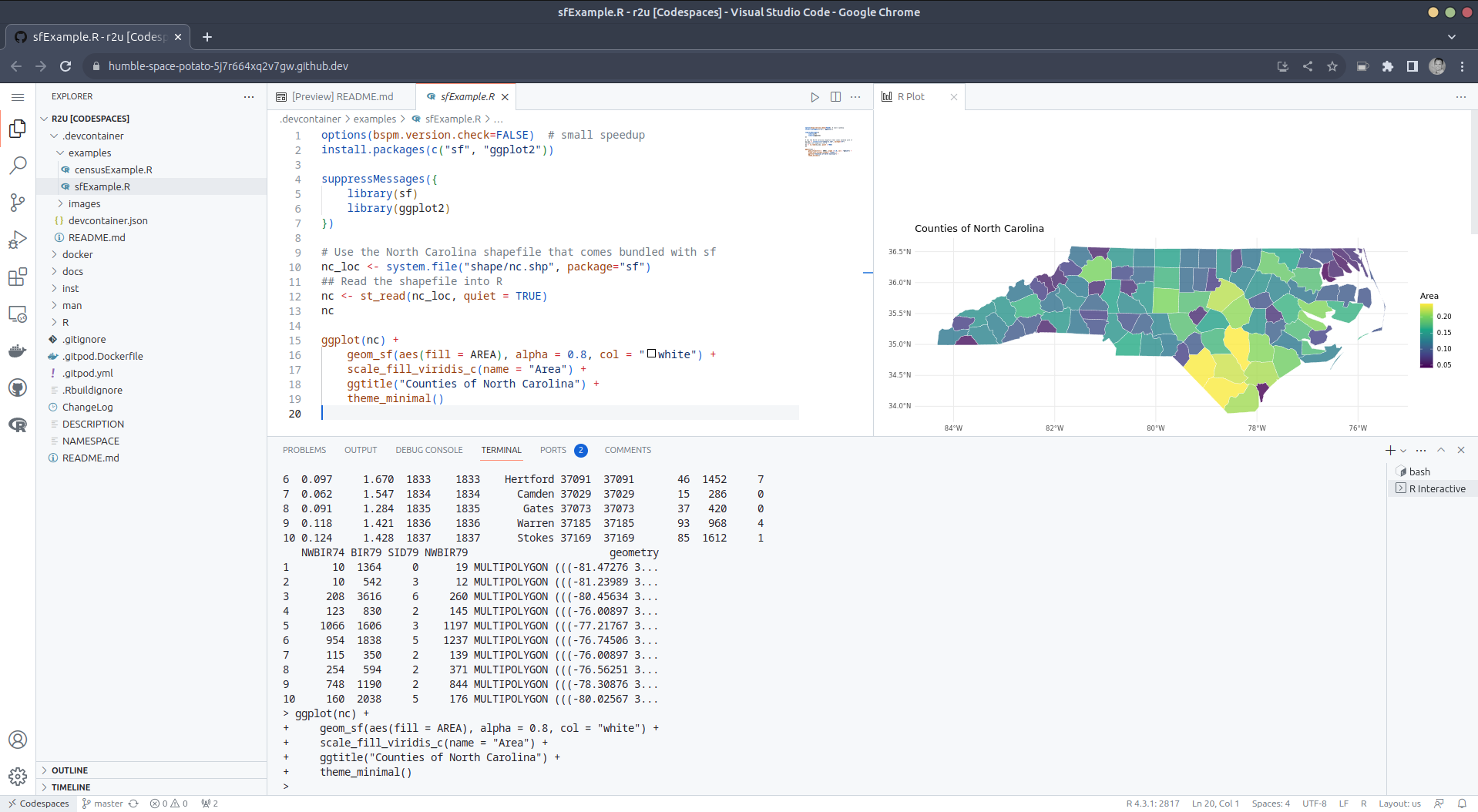 (Both example screenshots reflect the initial codespaces-r2u
repo as well as personal scratchspace one which we started with, both of
course work here too.)
Do not forget to close your Codespace once you have finished using
it. Click the Codespaces tab at the very bottom left of your code
editor / browser and select Close Current Codespace in the resulting
pop-up box. You can restart it at any time, for example by going to
https://github.com/codespaces and clicking on your instance.
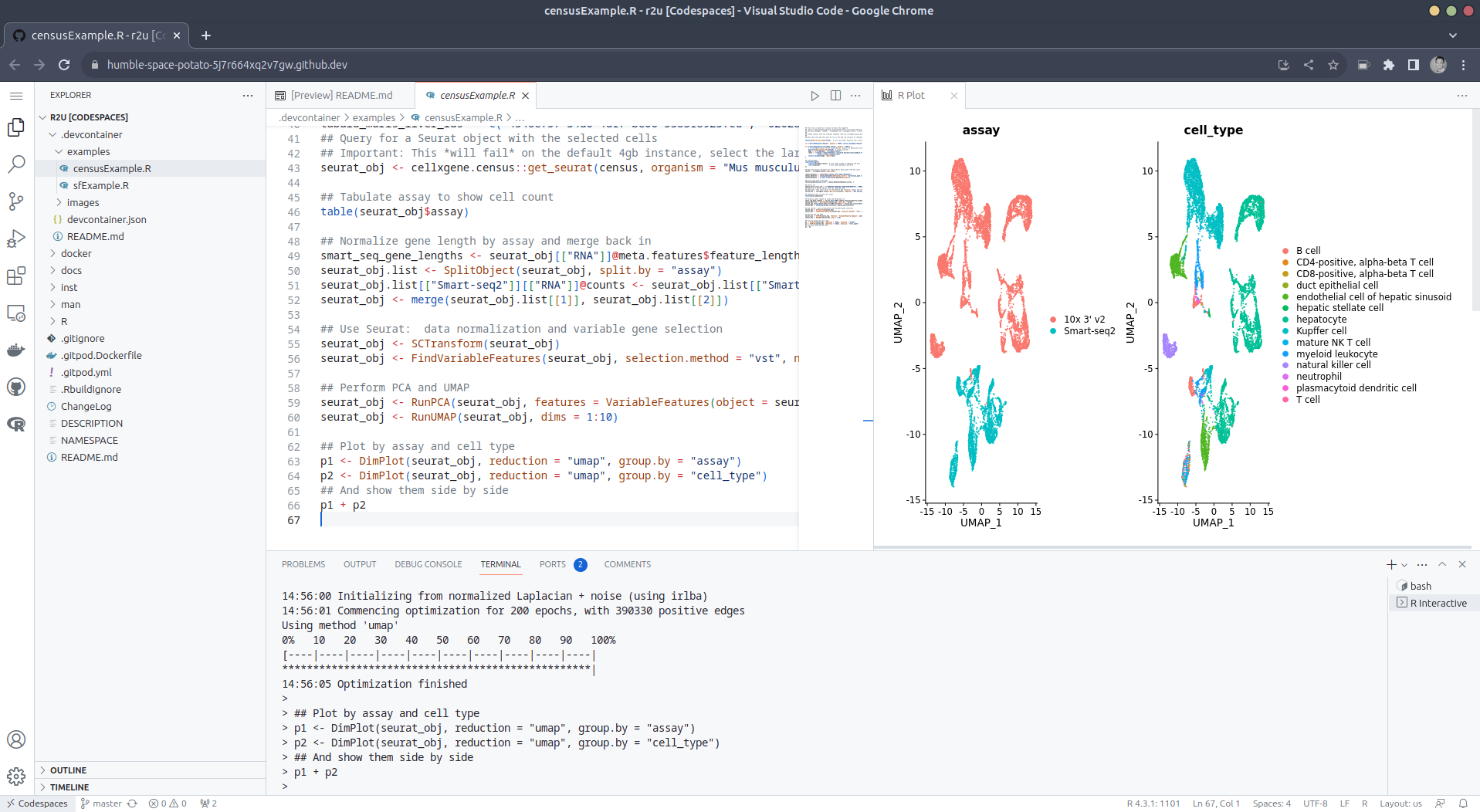
examples/censusExample.R
which install both the cellxgene-census
and tiledbsoma R
packages as binaries from r-universe (along with about 100
dependencies), downloads single-cell data from Census and uses Seurat to create PCA and
UMAP decomposition plots. Note that in order run this you have to
change the Codespaces default instance from small (4gb ram) to large
(16gb ram).
>< tab at the
very bottom left of your VS Code editor and select this option. To shut
down the container, simply click the same button and choose Reopen
Folder Locally . You can always search for these commands via the
command palette too (Cmd+Shift+p /
Ctrl+Shift+p).
.devcontainers in your selected repo, and add the file .devcontainers/devcontainer.json.
You can customize it by enabling other feature, or use the
postCreateCommand field to install packages (while taking
full advantage of r2u).
bspm making
package installation to the sysstem so seamless.This post by Dirk Eddelbuettel originated on his Thinking inside the box blog. Please report excessive re-aggregation in third-party for-profit settings.
Originally posted 2023-08-13, minimally edited 2023-08-15 which changed the timestamo and URL.

 Like each month, have a look at the work funded by Freexian s Debian LTS offering.
 One of the annoyances I had when I upgraded from Buster to Bullseye (yes, I m talking about an upgrade I did at the end of 2021) is that I ended up moving from Mailman 2 to Mailman 3. Which is fine, I guess, but it meant I could no longer use listadmin to deal with messages held for moderation. At the time I looked around, couldn t find anything, shrugged, and became incredibly bad at performing my list moderation duties.
Last week I finally accepted what I should have done at least a year ago and wrote some hopefully not too bad Python to web scrape the Mailman 3 admin interface. It then presents a list of subscribers and held messages that might need approved or discarded. It s heavily inspired by listadmin, but not a faithful copy (partly because it s been so long since I used it that I m no longer familiar with its interface). Despite that I ve called it listadmin3.
It currently meets the bar of extremely useful to me so I ve tagged v0.1. You can get it on Github. I d be interested in knowing if it actually works for / is useful to anyone else (I suspect it won t be happy with interfaces configured to not be in English, but that should be solvable). Comment here or reply to my Fediverse announcement.
Example usage, cribbed directly from the README:
$ listadmin3
fetching data for partypeople@example.org ... 200 messages
(1/200) 5303: omgitsspam@example.org / March 31, 2023, 6:39 a.m.:
  The message is not from a list member: TOP PICK
(a)ccept, (d)iscard, (b)ody, (h)eaders, (s)kip, (q)uit? q
Moving on...
fetching data for admins@example.org ... 1 subscription requests
(1/1) "The New Admin" <newadmin@example.org>
(a)ccept, (d)iscard, (r)eject, (s)kip, (q)uit? a
1 messages
(1/1) 6560: anastyspamer@example.org / Aug. 13, 2023, 3:15 p.m.:
  The message is not from a list member: Buy my stuff!
(a)ccept, (d)iscard, (b)ody, (h)eaders, (s)kip, (q)uit? d
0 to accept, 1 to discard, proceed? (y/n) y
fetching data for announce@example.org ... nothing in queue
$
dpkg-buildpackage -uc -us -b will spit you out a .deb) but I m holding off on filing an ITP + actually uploading until I know if it s useful enough for others before doing so. You only really need the listadmin3 file and to ensure you have Python3 + MechanicalSoup installed.
(Yes, I still run mailing lists. Hell, I still run a Usenet server.)
 Mexico s education sector had one of the longest lockdowns due to COVID: As
everybody, we went virtual in March 2020, and it was only by late February
2022 that I went back to teach presentially at the University.
But for the semester starting next Tuesday, I m going back to a full-online
mode. Why? Because me and my family will be travelling to Argentina for six
months, starting this October and until next March. When I went to ask for my
teaching to be frozen for two semesters, the Head of Division told me he was
actually looking for teachers wanting to do distance-teaching With a student
population of >380,000 students, and not being able to grow the physical
infrastructure, and with such a big city as Mexico City, where a person can take
ove 2hr to commute daily It only makes sense to offer part of the courses
online.
To be honest, I m a bit nervous about this. The past couple of days, I ve been
setting up again the technological parts (i.e. spinning up a Jitsi instance,
remembering my usual practices and programs). But Well, I know that being
videoconference-bound, my teaching will lose the dynamism that comes from
talking face to face with students. I think I will miss it!
(but at the same time, I m happy to try this anew: to go virtual, but where
students choosing this modality do so by choice rather than because the world
forced them to)
/etc/network/interfaces:
allow-hotplug eno1
iface eno1 inet dhcp
    pre-up iptables-restore /etc/network/iptables.up.rules
iface eno1 inet6 dhcp
    pre-up ip6tables-restore /etc/network/ip6tables.up.rules
iptables dispatcher script for
NetworkManager,
I decided to follow the same approach for systemd-networkd.
I started by installing networkd-dispatcher:
apt install networkd-dispatcher
/etc/networkd-dispatcher/routable.d/iptables:
#!/bin/sh
LOGFILE=/var/log/iptables.log
if [ "$IFACE" = lo ]; then
    echo "$0: ignoring $IFACE for \ $STATE'" >> $LOGFILE
    exit 0
fi
case "$STATE" in
    routable)
        echo "$0: restoring iptables rules for $IFACE" >> $LOGFILE
        /sbin/iptables-restore /etc/network/iptables.up.rules >> $LOGFILE 2>&1
        /sbin/ip6tables-restore /etc/network/ip6tables.up.rules >> $LOGFILE 2>&1
        ;;
    *)
        echo "$0: nothing to do with $IFACE for \ $STATE'" >> $LOGFILE
        ;;
esac
chmod a+x /etc/NetworkManager/dispatcher.d/pre-up.d/iptables
/etc/network/iptables.up.rules and /etc/network/ip6tables.up.rules) and
use the handy iptables-apply and ip6tables-apply commands to test
any changes to my firewall rules.
Looking at /var/log/iptables.log confirms that it is being called
correctly for each network interface as they are started.

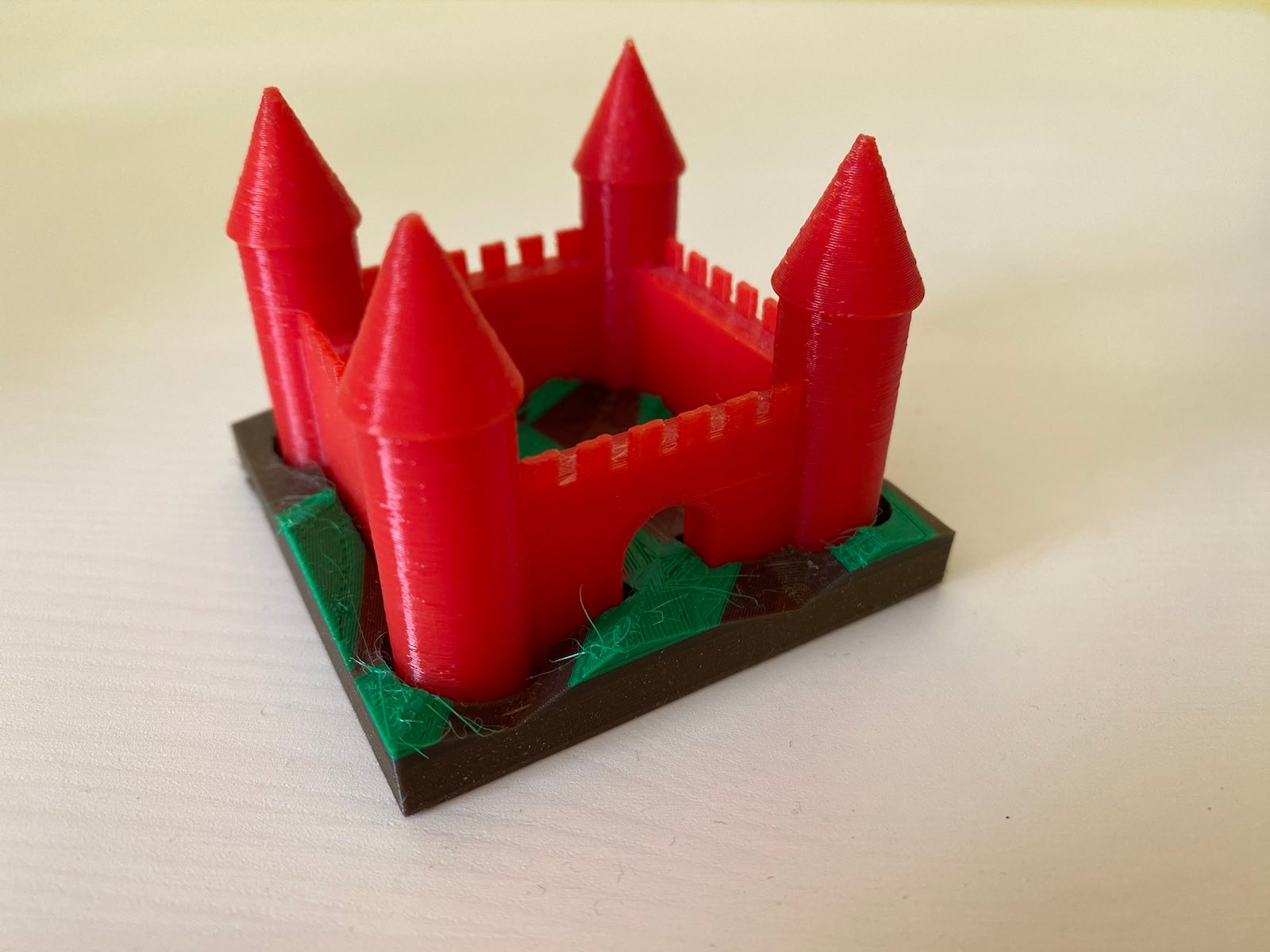
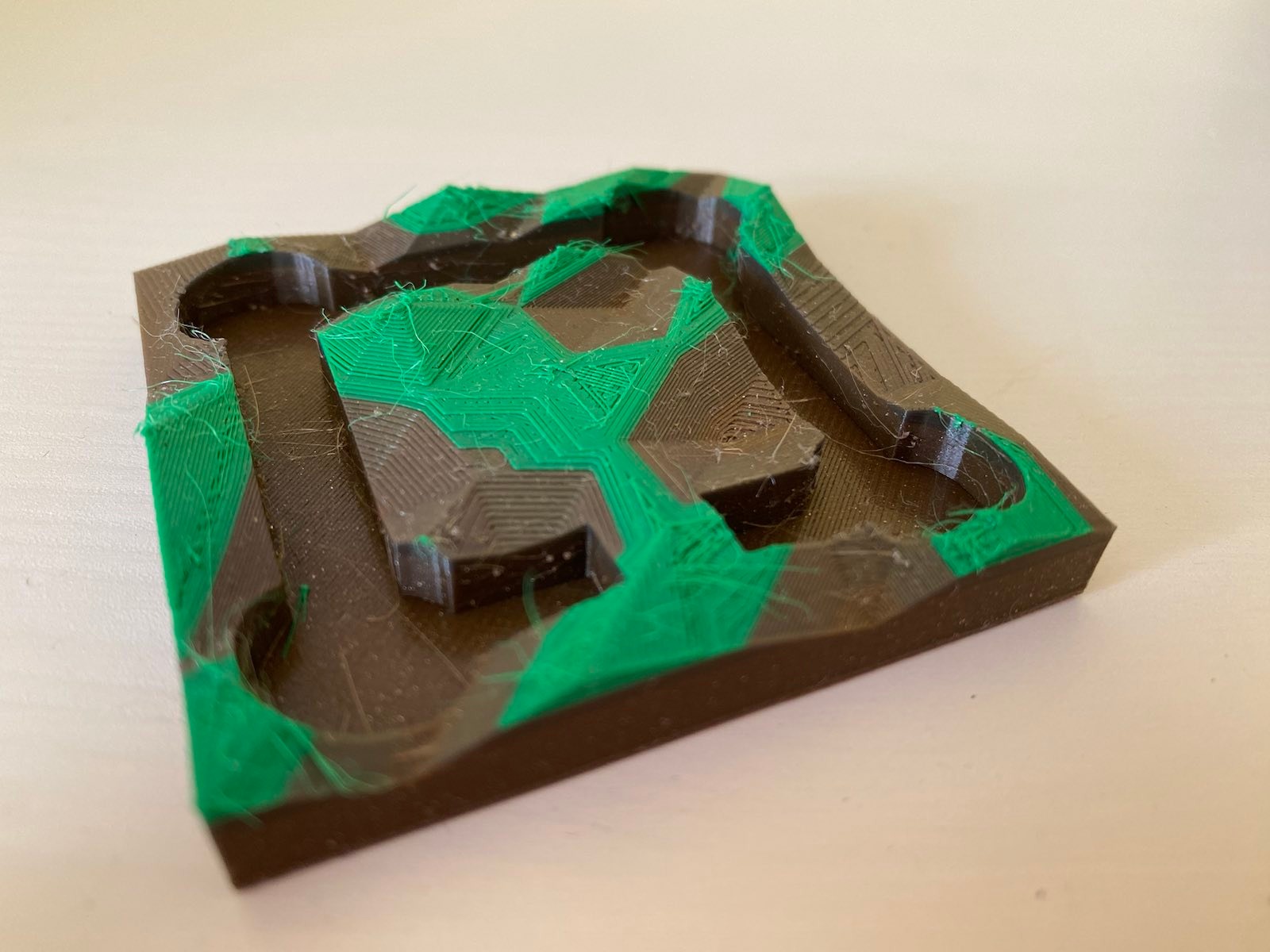
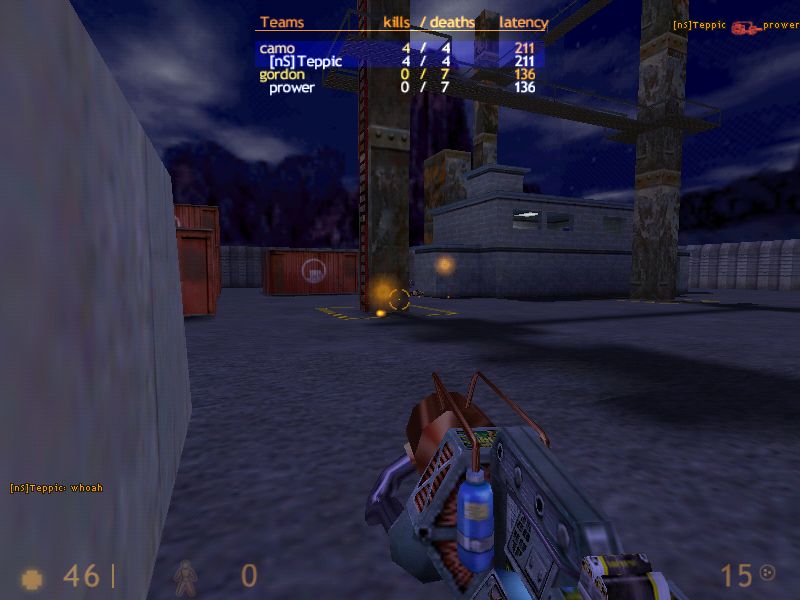 Lots of mid-90s games had very boxy floors
](https://jmtd.net/log/zarchscape/carpet_90s.jpg) Terrain generation, 90s-style. From this article
 Welcome to the 41th post in the $R^4 series. This
post draws on joint experiments first started by Grant building on the
lovely work Eitsupi as part of
our Rocker Project. In short,
r2u is an ideal match
for Codesspaces, a
Microsoft/GitHub service to run code locally but in the cloud via
browser or Visual Studio
Code. This posts co-serves as the README.md in the
.devcontainer
directory as well as a vignette
for r2u.
So let us get into it. Starting from the r2u repository, the .devcontainer
directory provides a small self-containted file
devcontainer.json to launch an executable environment R
using r2u. It is based on the example in Grant
McDermott s codespaces-r2u repo and reuses its documentation. It is
driven by the Rocker
Project s Devcontainer Features repo creating a fully functioning R
environment for cloud use in a few minutes. And thanks to r2u you can add easily to
this environment by installing new R packages in a fast and failsafe
way.
The first time you do this, it will open up a new browser tab where
your Codespace is being instantiated. This first-time instantiation
will take a few minutes (feel free to click View logs to see how
things are progressing) so please be patient. Once built, your Codespace
will deploy almost immediately when you use it again in the future.
After the VS Code editor opens up in your browser, feel free to open
up the examples/sfExample.R
file. It demonstrates how r2u enables us install
packages and their system-dependencies with ease, here
installing packages sf (including all its
geospatial dependencies) and ggplot2 (including
all its dependencies). You can run the code easily in the browser
environment: Highlight or hover over line(s) and execute them by hitting
Cmd+Return (Mac) /
Ctrl+Return (Linux / Windows).
(Both example screenshots reflect the initial codespaces-r2u
repo as well as personal scratchspace one which we started with, both of
course work here too.)
Do not forget to close your Codespace once you have finished using
it. Click the Codespaces tab at the very bottom left of your code
editor / browser and select Close Current Codespace in the resulting
pop-up box. You can restart it at any time, for example by going to
https://github.com/codespaces and clicking on your instance.
examples/censusExample.R
which install both the cellxgene-census
and tiledbsoma R
packages as binaries from r-universe (along with about 100
dependencies), downloads single-cell data from Census and uses Seurat to create PCA and
UMAP decomposition plots. Note that in order run this you have to
change the Codespaces default instance from small (4gb ram) to large
(16gb ram).
>< tab at the
very bottom left of your VS Code editor and select this option. To shut
down the container, simply click the same button and choose Reopen
Folder Locally . You can always search for these commands via the
command palette too (Cmd+Shift+p /
Ctrl+Shift+p).
.devcontainers in your selected repo, and add the file .devcontainers/devcontainer.json.
You can customize it by enabling other feature, or use the
postCreateCommand field to install packages (while taking
full advantage of r2u).
bspm making
package installation to the sysstem so seamless.This post by Dirk Eddelbuettel originated on his Thinking inside the box blog. Please report excessive re-aggregation in third-party for-profit settings.
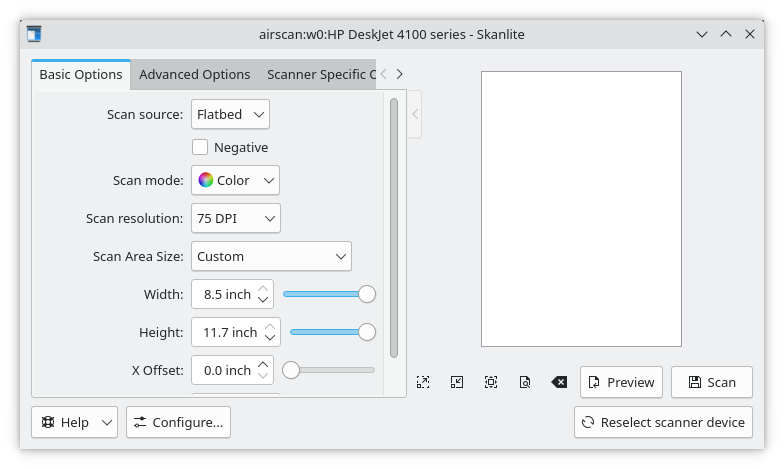
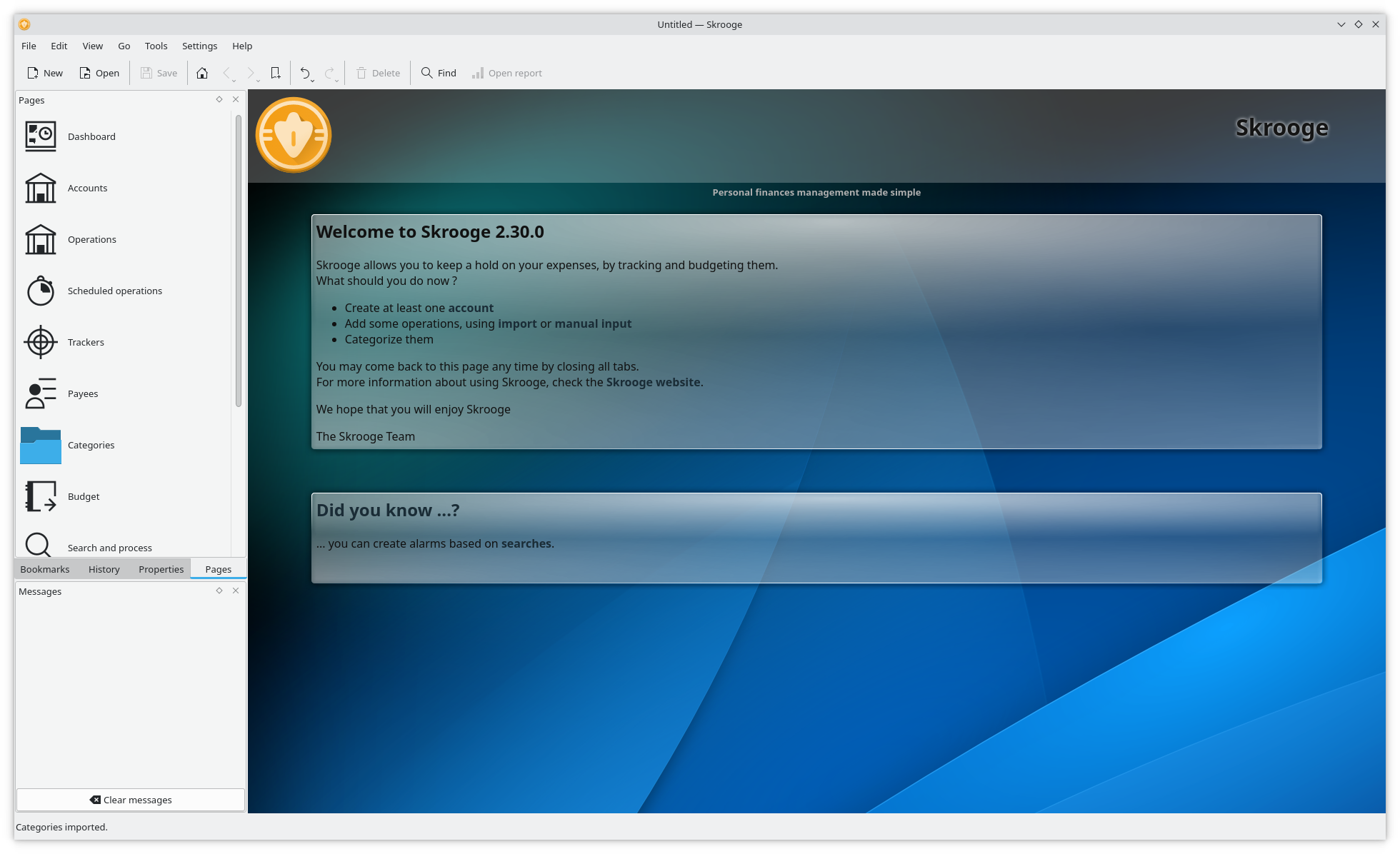 KDE Skrooge snap
 If you can spare some change ( anything helps ) please consider a donation. https://gofund.me/5d0691bc
A big thank you to the community for making my work possible thus far!
ansi_term, which is
unmaintained, to
nu-ansi-term. When I then updated the
clap dependency to version 4 I realized that
clap now depends on the anstyle crate for
text styling - so I updated carls coloring code once again so it now uses
anstyle, which led to less dependencies overall. Implementing this change I
also did some refactoring of the code.
carl how also has its own website as well as a
subdomain1.
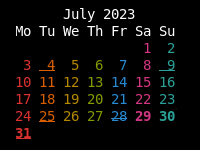
I also added a couple of new date properties to carl, namely all weekdays as
well as odd and even - this means it is now possible choose a separate color
for every weekday and have a rainbow calendar:
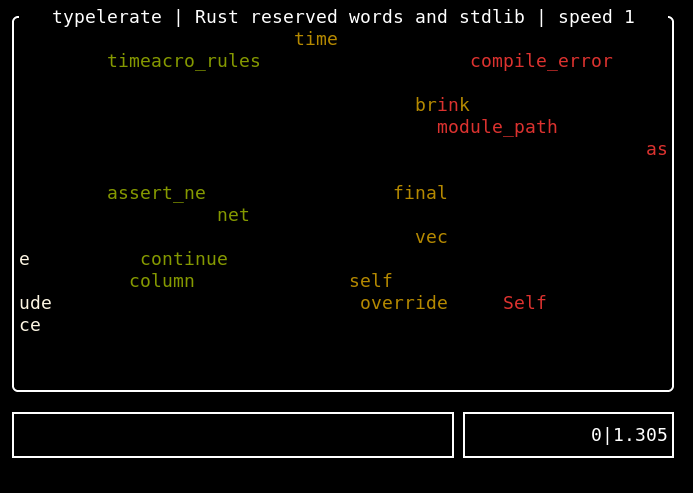
Typespeed s idea is ripped from ztspeed (a DOS game made by Zorlim). The Idea behind the game is rather easy: type words that are flying by from left to right as fast as you can. If you miss 10 or more words, game is over.Instead of the multiplayer support,
typelerate works with UTF-8 strings and
it also has another game mode: in typespeed you only type whats scrolling
via the screen. In typelerate I added the option to have one or more
answer strings. One of those has to be typed instead of the word flying
across the screen. This lets you implement kind of an question/answer game. To
be backwards compatible with the existing wordfiles from typespeed2, the
wordfiles for the question/answer games contain comma separated values. The
typelerate repository contains
wordfiles with Python and Rust keywords as well as wordfiles where you are
shown an Emoji and you have to type the corresponding Github shortcode. I m
happy to add additional wordfiles (there could be for example math
questions ).
marsrover:
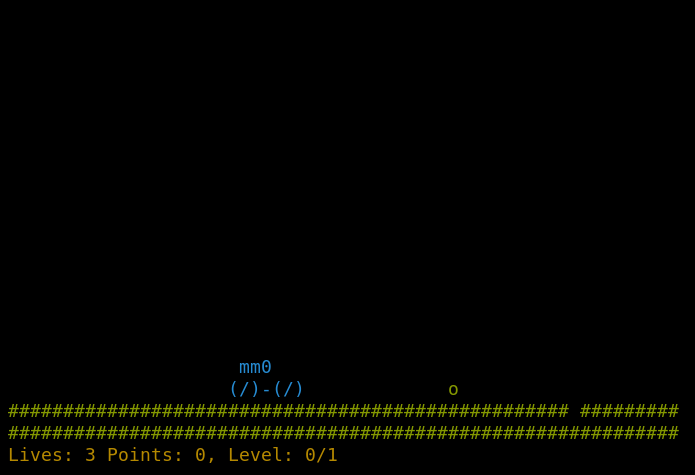
$XDG_CONFIG_HOME/marsrover/config.toml - you can
configure the colors of the elements as well as the levels. The game comes with
four levels
predefined,
but you can use the configuration file to override that list of levels with
levels with your own properties. The level properties define the probabilities
of obstacles occuring on your way on the mars surface and a points setting that
defines how many points the user can get in that level (=the game switches to
the next level if the user reaches the points).
[[levels]]
prob_ditch_one = 0.2
prob_ditch_two = 0.0
prob_ditch_three = 0.0
prob_alien = 0.5
points = 100
typelerate is not backwards compatible with the typespeed
wordfiles, because those are not UTF-8 encoded
 Armadillo is a powerful
and expressive C++ template library for linear algebra and scientific
computing. It aims towards a good balance between speed and ease of use,
has a syntax deliberately close to Matlab, and is useful for algorithm
development directly in C++, or quick conversion of research code into
production environments. RcppArmadillo
integrates this library with the R environment and language and is
widely used by (currently) 1092 other packages on CRAN, downloaded 30.1 million
times (per the partial logs from the cloud mirrors of CRAN), and the CSDA paper (preprint
/ vignette) by Conrad and myself has been cited 545 times according
to Google Scholar.
This release brings bugfix upstream release 12.6.1. Conrad release
12.6.0 when CRAN went on summer
break. I rolled it up ran the full reverse-depenency check against the
now more than 1000 packages. And usage from one those revealed a
corner-case bug (of not always flattening memory for sparse matrices
to zero values) so 12.6.1 followed. This is what was uploaded today. And
as I prepared it earlier in the week as CRAN reopened, Conrad released a
new 12.6.2. However, its changes are only concerned with
settings for Armadillo-internal use of its random number generators
(RNGs). And as RcppArmadillo connects Armadillo to the RNGs provided by
R, the upgrade does not affect R users at all. However it is available
in the github repo, in the Rcpp drap repo and at r-universe.
The set of changes for this RcppArmadillo release follows.
Courtesy of my CRANberries, there is a [diffstat report relative to previous release]. More detailed information is on the RcppArmadillo page. Questions, comments etc should go to the rcpp-devel mailing list off the Rcpp R-Forge page. If you like this or other open-source work I do, you can sponsor me at GitHub.Changes in RcppArmadillo version 0.12.6.1.0 (2023-07-26)
- Upgraded to Armadillo release 12.6.1 (Cortisol Retox)
- faster multiplication of dense vectors by sparse matrices (and vice versa)
- faster
eigs_sym()andeigs_gen()- faster
conv()andconv2()when using OpenMP- added
diags()andspdiags()for generating band matrices from set of vectors
This post by Dirk Eddelbuettel originated on his Thinking inside the box blog. Please report excessive re-aggregation in third-party for-profit settings.
Next.