Search Results: "gt"

7 November 2023

Jonathan Dowland: gitsigns (useful neovim plugins)

gitsigns is a Neovim plugin which adds a wonderfully subtle colour annotation in the left-hand gutter to reflect changes in the buffer since the last git commit1. My long-term habit with Vim and Git is to frequently background Vim (^Z) to invoke the git command directly and then foreground Vim again (fg). Over the last few years I've been trying more and more to call vim-fugitive from within Vim instead. (I still do rebases and most merges the old-fashioned way). For the most part Gitsigns is a nice passive addition to that, but it can also do a lot of useful things that Fugitive also does. Previewing changed hunks in a little floating window, in particular when resolving an awkward merge conflict, is very handy.
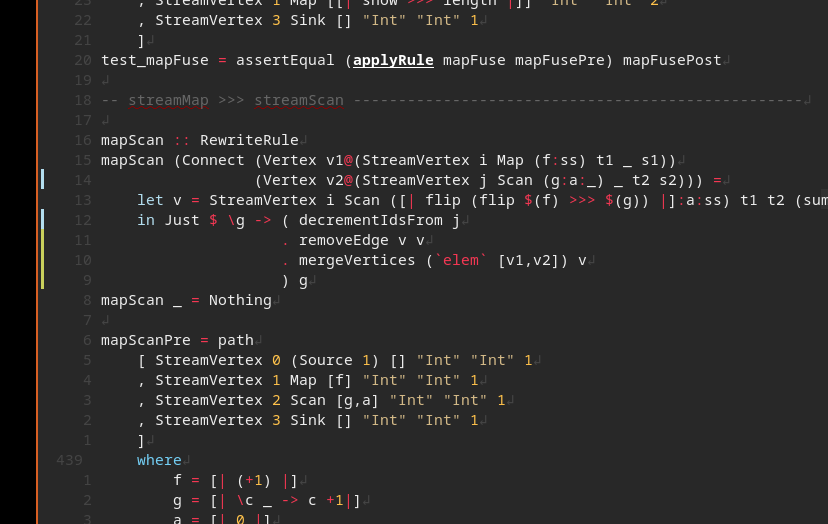
An example screenshot of the Gitsigns plugin
The above picture shows it in action. I've changed two lines and added another three in the top-left buffer. Gitsigns tries to choose colours from the currently active colour scheme (in this case, tender)

  1. by default Gitsigns shows changes since the last commit, as git diff does, but you can easily switch out the base from which it compares.

Melissa Wen: AMD Driver-specific Properties for Color Management on Linux (Part 2)

TL;DR: This blog post explores the color capabilities of AMD hardware and how they are exposed to userspace through driver-specific properties. It discusses the different color blocks in the AMD Display Core Next (DCN) pipeline and their capabilities, such as predefined transfer functions, 1D and 3D lookup tables (LUTs), and color transformation matrices (CTMs). It also highlights the differences in AMD HW blocks for pre and post-blending adjustments, and how these differences are reflected in the available driver-specific properties. Overall, this blog post provides a comprehensive overview of the color capabilities of AMD hardware and how they can be controlled by userspace applications through driver-specific properties. This information is valuable for anyone who wants to develop applications that can take advantage of the AMD color management pipeline. Get a closer look at each hardware block s capabilities, unlock a wealth of knowledge about AMD display hardware, and enhance your understanding of graphics and visual computing. Stay tuned for future developments as we embark on a quest for GPU color capabilities in the ever-evolving realm of rainbow treasures.
Operating Systems can use the power of GPUs to ensure consistent color reproduction across graphics devices. We can use GPU-accelerated color management to manage the diversity of color profiles, do color transformations to convert between High-Dynamic-Range (HDR) and Standard-Dynamic-Range (SDR) content and color enhacements for wide color gamut (WCG). However, to make use of GPU display capabilities, we need an interface between userspace and the kernel display drivers that is currently absent in the Linux/DRM KMS API. In the previous blog post I presented how we are expanding the Linux/DRM color management API to expose specific properties of AMD hardware. Now, I ll guide you to the color features for the Linux/AMD display driver. We embark on a journey through DRM/KMS, AMD Display Manager, and AMD Display Core and delve into the color blocks to uncover the secrets of color manipulation within AMD hardware. Here we ll talk less about the color tools and more about where to find them in the hardware. We resort to driver-specific properties to reach AMD hardware blocks with color capabilities. These blocks display features like predefined transfer functions, color transformation matrices, and 1-dimensional (1D LUT) and 3-dimensional lookup tables (3D LUT). Here, we will understand how these color features are strategically placed into color blocks both before and after blending in Display Pipe and Plane (DPP) and Multiple Pipe/Plane Combined (MPC) blocks. That said, welcome back to the second part of our thrilling journey through AMD s color management realm!

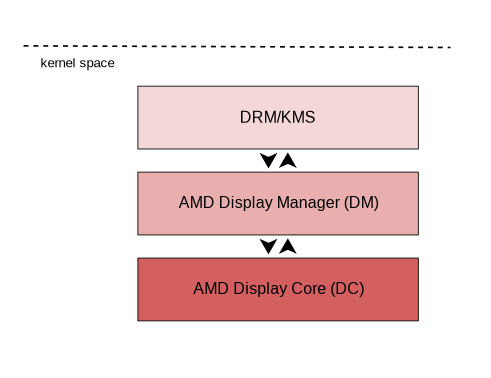
AMD Display Driver in the Linux/DRM Subsystem: The Journey In my 2022 XDC talk I m not an AMD expert, but , I briefly explained the organizational structure of the Linux/AMD display driver where the driver code is bifurcated into a Linux-specific section and a shared-code portion. To reveal AMD s color secrets through the Linux kernel DRM API, our journey led us through these layers of the Linux/AMD display driver s software stack. It includes traversing the DRM/KMS framework, the AMD Display Manager (DM), and the AMD Display Core (DC) [1]. The DRM/KMS framework provides the atomic API for color management through KMS properties represented by struct drm_property. We extended the color management interface exposed to userspace by leveraging existing resources and connecting them with driver-specific functions for managing modeset properties. On the AMD DC layer, the interface with hardware color blocks is established. The AMD DC layer contains OS-agnostic components that are shared across different platforms, making it an invaluable resource. This layer already implements hardware programming and resource management, simplifying the external developer s task. While examining the DC code, we gain insights into the color pipeline and capabilities, even without direct access to specifications. Additionally, AMD developers provide essential support by answering queries and reviewing our work upstream. The primary challenge involved identifying and understanding relevant AMD DC code to configure each color block in the color pipeline. However, the ultimate goal was to bridge the DC color capabilities with the DRM API. For this, we changed the AMD DM, the OS-dependent layer connecting the DC interface to the DRM/KMS framework. We defined and managed driver-specific color properties, facilitated the transport of user space data to the DC, and translated DRM features and settings to the DC interface. Considerations were also made for differences in the color pipeline based on hardware capabilities.

Exploring Color Capabilities of the AMD display hardware Now, let s dive into the exciting realm of AMD color capabilities, where a abundance of techniques and tools await to make your colors look extraordinary across diverse devices. First, we need to know a little about the color transformation and calibration tools and techniques that you can find in different blocks of the AMD hardware. I borrowed some images from [2] [3] [4] to help you understand the information.

Predefined Transfer Functions (Named Fixed Curves): Transfer functions serve as the bridge between the digital and visual worlds, defining the mathematical relationship between digital color values and linear scene/display values and ensuring consistent color reproduction across different devices and media. You can learn more about curves in the chapter GPU Gems 3 - The Importance of Being Linear by Larry Gritz and Eugene d Eon. ITU-R 2100 introduces three main types of transfer functions:
  • OETF: the opto-electronic transfer function, which converts linear scene light into the video signal, typically within a camera.
  • EOTF: electro-optical transfer function, which converts the video signal into the linear light output of the display.
  • OOTF: opto-optical transfer function, which has the role of applying the rendering intent .
AMD s display driver supports the following pre-defined transfer functions (aka named fixed curves):
  • Linear/Unity: linear/identity relationship between pixel value and luminance value;
  • Gamma 2.2, Gamma 2.4, Gamma 2.6: pure power functions;
  • sRGB: 2.4: The piece-wise transfer function from IEC 61966-2-1:1999;
  • BT.709: has a linear segment in the bottom part and then a power function with a 0.45 (~1/2.22) gamma for the rest of the range; standardized by ITU-R BT.709-6;
  • PQ (Perceptual Quantizer): used for HDR display, allows luminance range capability of 0 to 10,000 nits; standardized by SMPTE ST 2084.
These capabilities vary depending on the hardware block, with some utilizing hardcoded curves and others relying on AMD s color module to construct curves from standardized coefficients. It also supports user/custom curves built from a lookup table.

1D LUTs (1-dimensional Lookup Table): A 1D LUT is a versatile tool, defining a one-dimensional color transformation based on a single parameter. It s very well explained by Jeremy Selan at GPU Gems 2 - Chapter 24 Using Lookup Tables to Accelerate Color Transformations It enables adjustments to color, brightness, and contrast, making it ideal for fine-tuning. In the Linux AMD display driver, the atomic API offers a 1D LUT with 4096 entries and 8-bit depth, while legacy gamma uses a size of 256.

3D LUTs (3-dimensional Lookup Table): These tables work in three dimensions red, green, and blue. They re perfect for complex color transformations and adjustments between color channels. It s also more complex to manage and require more computational resources. Jeremy also explains 3D LUT at GPU Gems 2 - Chapter 24 Using Lookup Tables to Accelerate Color Transformations

CTM (Color Transformation Matrices): Color transformation matrices facilitate the transition between different color spaces, playing a crucial role in color space conversion.

HDR Multiplier: HDR multiplier is a factor applied to the color values of an image to increase their overall brightness.

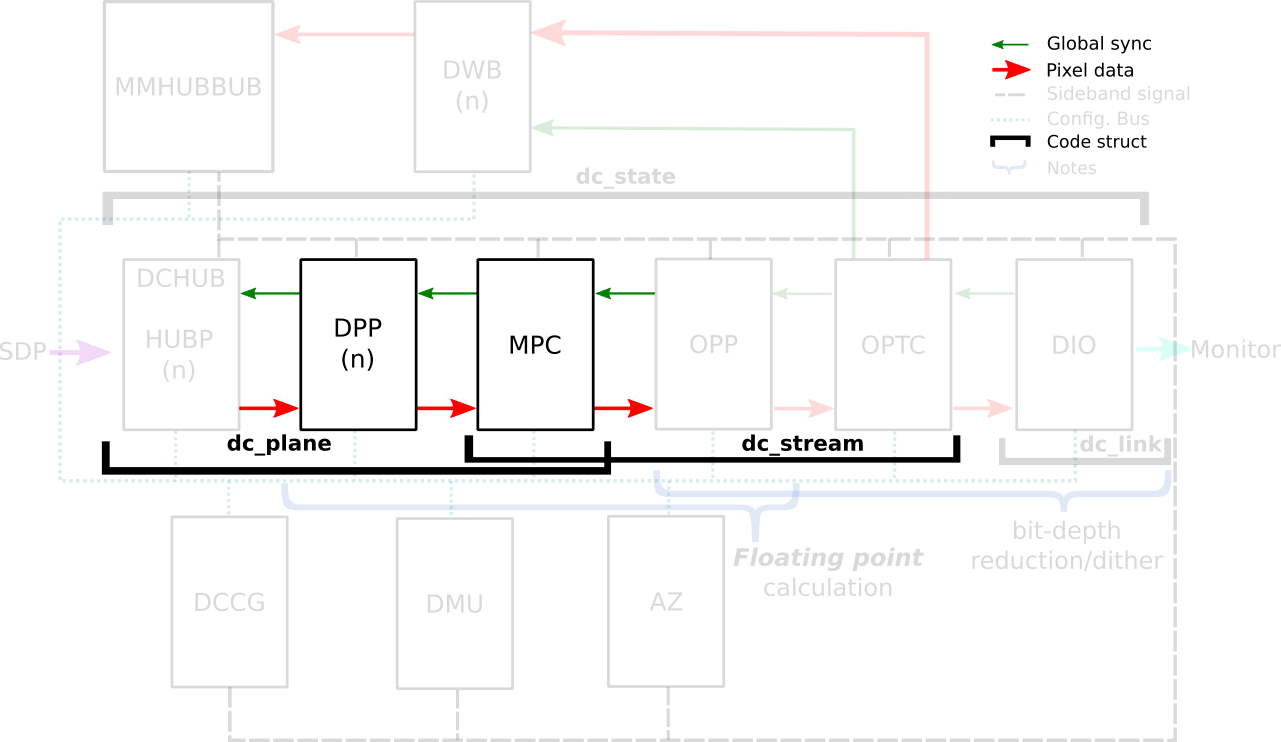
AMD Color Capabilities in the Hardware Pipeline First, let s take a closer look at the AMD Display Core Next hardware pipeline in the Linux kernel documentation for AMDGPU driver - Display Core Next In the AMD Display Core Next hardware pipeline, we encounter two hardware blocks with color capabilities: the Display Pipe and Plane (DPP) and the Multiple Pipe/Plane Combined (MPC). The DPP handles color adjustments per plane before blending, while the MPC engages in post-blending color adjustments. In short, we expect DPP color capabilities to match up with DRM plane properties, and MPC color capabilities to play nice with DRM CRTC properties. Note: here s the catch there are some DRM CRTC color transformations that don t have a corresponding AMD MPC color block, and vice versa. It s like a puzzle, and we re here to solve it!

AMD Color Blocks and Capabilities We can finally talk about the color capabilities of each AMD color block. As it varies based on the generation of hardware, let s take the DCN3+ family as reference. What s possible to do before and after blending depends on hardware capabilities describe in the kernel driver by struct dpp_color_caps and struct mpc_color_caps. The AMD Steam Deck hardware provides a tangible example of these capabilities. Therefore, we take SteamDeck/DCN301 driver as an example and look at the Color pipeline capabilities described in the file: driver/gpu/drm/amd/display/dcn301/dcn301_resources.c
/* Color pipeline capabilities */
dc->caps.color.dpp.dcn_arch = 1; // If it is a Display Core Next (DCN): yes. Zero means DCE.
dc->caps.color.dpp.input_lut_shared = 0;
dc->caps.color.dpp.icsc = 1; // Intput Color Space Conversion  (CSC) matrix.
dc->caps.color.dpp.dgam_ram = 0; // The old degamma block for degamma curve (hardcoded and LUT).  Gamma correction  is the new one.
dc->caps.color.dpp.dgam_rom_caps.srgb = 1; // sRGB hardcoded curve support
dc->caps.color.dpp.dgam_rom_caps.bt2020 = 1; // BT2020 hardcoded curve support (seems not actually in use)
dc->caps.color.dpp.dgam_rom_caps.gamma2_2 = 1; // Gamma 2.2 hardcoded curve support
dc->caps.color.dpp.dgam_rom_caps.pq = 1; // PQ hardcoded curve support
dc->caps.color.dpp.dgam_rom_caps.hlg = 1; // HLG hardcoded curve support
dc->caps.color.dpp.post_csc = 1; // CSC matrix
dc->caps.color.dpp.gamma_corr = 1; // New  Gamma Correction  block for degamma user LUT;
dc->caps.color.dpp.dgam_rom_for_yuv = 0;
dc->caps.color.dpp.hw_3d_lut = 1; // 3D LUT support. If so, it's always preceded by a shaper curve. 
dc->caps.color.dpp.ogam_ram = 1; //  Blend Gamma  block for custom curve just after blending
// no OGAM ROM on DCN301
dc->caps.color.dpp.ogam_rom_caps.srgb = 0;
dc->caps.color.dpp.ogam_rom_caps.bt2020 = 0;
dc->caps.color.dpp.ogam_rom_caps.gamma2_2 = 0;
dc->caps.color.dpp.ogam_rom_caps.pq = 0;
dc->caps.color.dpp.ogam_rom_caps.hlg = 0;
dc->caps.color.dpp.ocsc = 0;
dc->caps.color.mpc.gamut_remap = 1; // Post-blending CTM (pre-blending CTM is always supported)
dc->caps.color.mpc.num_3dluts = pool->base.res_cap->num_mpc_3dlut; // Post-blending 3D LUT (preceded by shaper curve)
dc->caps.color.mpc.ogam_ram = 1; // Post-blending regamma.
// No pre-defined TF supported for regamma.
dc->caps.color.mpc.ogam_rom_caps.srgb = 0;
dc->caps.color.mpc.ogam_rom_caps.bt2020 = 0;
dc->caps.color.mpc.ogam_rom_caps.gamma2_2 = 0;
dc->caps.color.mpc.ogam_rom_caps.pq = 0;
dc->caps.color.mpc.ogam_rom_caps.hlg = 0;
dc->caps.color.mpc.ocsc = 1; // Output CSC matrix.
I included some inline comments in each element of the color caps to quickly describe them, but you can find the same information in the Linux kernel documentation. See more in struct dpp_color_caps, struct mpc_color_caps and struct rom_curve_caps. Now, using this guideline, we go through color capabilities of DPP and MPC blocks and talk more about mapping driver-specific properties to corresponding color blocks.

DPP Color Pipeline: Before Blending (Per Plane) Let s explore the capabilities of DPP blocks and what you can achieve with a color block. The very first thing to pay attention is the display architecture of the display hardware: previously AMD uses a display architecture called DCE
  • Display and Compositing Engine, but newer hardware follows DCN - Display Core Next.
The architectute is described by: dc->caps.color.dpp.dcn_arch

AMD Plane Degamma: TF and 1D LUT Described by: dc->caps.color.dpp.dgam_ram, dc->caps.color.dpp.dgam_rom_caps,dc->caps.color.dpp.gamma_corr AMD Plane Degamma data is mapped to the initial stage of the DPP pipeline. It is utilized to transition from scanout/encoded values to linear values for arithmetic operations. Plane Degamma supports both pre-defined transfer functions and 1D LUTs, depending on the hardware generation. DCN2 and older families handle both types of curve in the Degamma RAM block (dc->caps.color.dpp.dgam_ram); DCN3+ separate hardcoded curves and 1D LUT into two block: Degamma ROM (dc->caps.color.dpp.dgam_rom_caps) and Gamma correction block (dc->caps.color.dpp.gamma_corr), respectively. Pre-defined transfer functions:
  • they are hardcoded curves (read-only memory - ROM);
  • supported curves: sRGB EOTF, BT.709 inverse OETF, PQ EOTF and HLG OETF, Gamma 2.2, Gamma 2.4 and Gamma 2.6 EOTF.
The 1D LUT currently accepts 4096 entries of 8-bit. The data is interpreted as an array of struct drm_color_lut elements. Setting TF = Identity/Default and LUT as NULL means bypass. References:

AMD Plane 3x4 CTM (Color Transformation Matrix) AMD Plane CTM data goes to the DPP Gamut Remap block, supporting a 3x4 fixed point (s31.32) matrix for color space conversions. The data is interpreted as a struct drm_color_ctm_3x4. Setting NULL means bypass. References:

AMD Plane Shaper: TF + 1D LUT Described by: dc->caps.color.dpp.hw_3d_lut The Shaper block fine-tunes color adjustments before applying the 3D LUT, optimizing the use of the limited entries in each dimension of the 3D LUT. On AMD hardware, a 3D LUT always means a preceding shaper 1D LUT used for delinearizing and/or normalizing the color space before applying a 3D LUT, so this entry on DPP color caps dc->caps.color.dpp.hw_3d_lut means support for both shaper 1D LUT and 3D LUT. Pre-defined transfer function enables delinearizing content with or without shaper LUT, where AMD color module calculates the resulted shaper curve. Shaper curves go from linear values to encoded values. If we are already in a non-linear space and/or don t need to normalize values, we can set a Identity TF for shaper that works similar to bypass and is also the default TF value. Pre-defined transfer functions:
  • there is no DPP Shaper ROM. Curves are calculated by AMD color modules. Check calculate_curve() function in the file amd/display/modules/color/color_gamma.c.
  • supported curves: Identity, sRGB inverse EOTF, BT.709 OETF, PQ inverse EOTF, HLG OETF, and Gamma 2.2, Gamma 2.4, Gamma 2.6 inverse EOTF.
The 1D LUT currently accepts 4096 entries of 8-bit. The data is interpreted as an array of struct drm_color_lut elements. When setting Plane Shaper TF (!= Identity) and LUT at the same time, the color module will combine the pre-defined TF and the custom LUT values into the LUT that s actually programmed. Setting TF = Identity/Default and LUT as NULL works as bypass. References:

AMD Plane 3D LUT Described by: dc->caps.color.dpp.hw_3d_lut The 3D LUT in the DPP block facilitates complex color transformations and adjustments. 3D LUT is a three-dimensional array where each element is an RGB triplet. As mentioned before, the dc->caps.color.dpp.hw_3d_lut describe if DPP 3D LUT is supported. The AMD driver-specific property advertise the size of a single dimension via LUT3D_SIZE property. Plane 3D LUT is a blog property where the data is interpreted as an array of struct drm_color_lut elements and the number of entries is LUT3D_SIZE cubic. The array contains samples from the approximated function. Values between samples are estimated by tetrahedral interpolation The array is accessed with three indices, one for each input dimension (color channel), blue being the outermost dimension, red the innermost. This distribution is better visualized when examining the code in [RFC PATCH 5/5] drm/amd/display: Fill 3D LUT from userspace by Alex Hung:
+	for (nib = 0; nib < 17; nib++)  
+		for (nig = 0; nig < 17; nig++)  
+			for (nir = 0; nir < 17; nir++)  
+				ind_lut = 3 * (nib + 17*nig + 289*nir);
+
+				rgb_area[ind].red = rgb_lib[ind_lut + 0];
+				rgb_area[ind].green = rgb_lib[ind_lut + 1];
+				rgb_area[ind].blue = rgb_lib[ind_lut + 2];
+				ind++;
+			 
+		 
+	 
In our driver-specific approach we opted to advertise it s behavior to the userspace instead of implicitly dealing with it in the kernel driver. AMD s hardware supports 3D LUTs with 17-size or 9-size (4913 and 729 entries respectively), and you can choose between 10-bit or 12-bit. In the current driver-specific work we focus on enabling only 17-size 12-bit 3D LUT, as in [PATCH v3 25/32] drm/amd/display: add plane 3D LUT support:
+		/* Stride and bit depth are not programmable by API yet.
+		 * Therefore, only supports 17x17x17 3D LUT (12-bit).
+		 */
+		lut->lut_3d.use_tetrahedral_9 = false;
+		lut->lut_3d.use_12bits = true;
+		lut->state.bits.initialized = 1;
+		__drm_3dlut_to_dc_3dlut(drm_lut, drm_lut3d_size, &lut->lut_3d,
+					lut->lut_3d.use_tetrahedral_9,
+					MAX_COLOR_3DLUT_BITDEPTH);
A refined control of 3D LUT parameters should go through a follow-up version or generic API. Setting 3D LUT to NULL means bypass. References:

AMD Plane Blend/Out Gamma: TF + 1D LUT Described by: dc->caps.color.dpp.ogam_ram The Blend/Out Gamma block applies the final touch-up before blending, allowing users to linearize content after 3D LUT and just before the blending. It supports both 1D LUT and pre-defined TF. We can see Shaper and Blend LUTs as 1D LUTs that are sandwich the 3D LUT. So, if we don t need 3D LUT transformations, we may want to only use Degamma block to linearize and skip Shaper, 3D LUT and Blend. Pre-defined transfer function:
  • there is no DPP Blend ROM. Curves are calculated by AMD color modules;
  • supported curves: Identity, sRGB EOTF, BT.709 inverse OETF, PQ EOTF, HLG inverse OETF, and Gamma 2.2, Gamma 2.4, Gamma 2.6 EOTF.
The 1D LUT currently accepts 4096 entries of 8-bit. The data is interpreted as an array of struct drm_color_lut elements. If plane_blend_tf_property != Identity TF, AMD color module will combine the user LUT values with pre-defined TF into the LUT parameters to be programmed. Setting TF = Identity/Default and LUT to NULL means bypass. References:

MPC Color Pipeline: After Blending (Per CRTC)

DRM CRTC Degamma 1D LUT The degamma lookup table (LUT) for converting framebuffer pixel data before apply the color conversion matrix. The data is interpreted as an array of struct drm_color_lut elements. Setting NULL means bypass. Not really supported. The driver is currently reusing the DPP degamma LUT block (dc->caps.color.dpp.dgam_ram and dc->caps.color.dpp.gamma_corr) for supporting DRM CRTC Degamma LUT, as explaning by [PATCH v3 20/32] drm/amd/display: reject atomic commit if setting both plane and CRTC degamma.

DRM CRTC 3x3 CTM Described by: dc->caps.color.mpc.gamut_remap It sets the current transformation matrix (CTM) apply to pixel data after the lookup through the degamma LUT and before the lookup through the gamma LUT. The data is interpreted as a struct drm_color_ctm. Setting NULL means bypass.

DRM CRTC Gamma 1D LUT + AMD CRTC Gamma TF Described by: dc->caps.color.mpc.ogam_ram After all that, you might still want to convert the content to wire encoding. No worries, in addition to DRM CRTC 1D LUT, we ve got a AMD CRTC gamma transfer function (TF) to make it happen. Possible TF values are defined by enum amdgpu_transfer_function. Pre-defined transfer functions:
  • there is no MPC Gamma ROM. Curves are calculated by AMD color modules.
  • supported curves: Identity, sRGB inverse EOTF, BT.709 OETF, PQ inverse EOTF, HLG OETF, and Gamma 2.2, Gamma 2.4, Gamma 2.6 inverse EOTF.
The 1D LUT currently accepts 4096 entries of 8-bit. The data is interpreted as an array of struct drm_color_lut elements. When setting CRTC Gamma TF (!= Identity) and LUT at the same time, the color module will combine the pre-defined TF and the custom LUT values into the LUT that s actually programmed. Setting TF = Identity/Default and LUT to NULL means bypass. References:

Others

AMD CRTC Shaper and 3D LUT We have previously worked on exposing CRTC shaper and CRTC 3D LUT, but they were removed from the AMD driver-specific color series because they lack userspace case. CRTC shaper and 3D LUT works similar to plane shaper and 3D LUT but after blending (MPC block). The difference here is that setting (not bypass) Shaper and Gamma blocks together are not expected, since both blocks are used to delinearize the input space. In summary, we either set Shaper + 3D LUT or Gamma.

Input and Output Color Space Conversion There are two other color capabilities of AMD display hardware that were integrated to DRM by previous works and worth a brief explanation here. The DC Input CSC sets pre-defined coefficients from the values of DRM plane color_range and color_encoding properties. It is used for color space conversion of the input content. On the other hand, we have de DC Output CSC (OCSC) sets pre-defined coefficients from DRM connector colorspace properties. It is uses for color space conversion of the composed image to the one supported by the sink. References:

The search for rainbow treasures is not over yet If you want to understand a little more about this work, be sure to watch Joshua and I presented two talks at XDC 2023 about AMD/Steam Deck colors on Gamescope: In the time between the first and second part of this blog post, Uma Shashank and Chaitanya Kumar Borah published the plane color pipeline for Intel and Harry Wentland implemented a generic API for DRM based on VKMS support. We discussed these two proposals and the next steps for Color on Linux during the Color Management workshop at XDC 2023 and I briefly shared workshop results in the 2023 XDC lightning talk session. The search for rainbow treasures is not over yet! We plan to meet again next year in the 2024 Display Hackfest in Coru a-Spain (Igalia s HQ) to keep up the pace and continue advancing today s display needs on Linux. Finally, a HUGE thank you to everyone who worked with me on exploring AMD s color capabilities and making them available in userspace.

Matthew Palmer: PostgreSQL Encryption: The Available Options

On an episode of Postgres FM, the hosts had a (very brief) discussion of data encryption in PostgreSQL. While Postgres FM is a podcast well worth a subscribe, the hosts aren t data security experts, and so as someone who builds a queryable database encryption system, I found the coverage to be somewhat lacking. I figured I d provide a more complete survey of the available options for PostgreSQL-related data encryption.

The Status Quo By default, when you install PostgreSQL, there is no data encryption at all. That means that anyone who gets access to any part of the system can read all the data they have access to. This is, of course, not peculiar to PostgreSQL: basically everything works much the same way. What s stopping an attacker from nicking off with all your data is the fact that they can t access the database at all. The things that are acting as protection are perimeter defences, like putting the physical equipment running the server in a secure datacenter, firewalls to prevent internet randos connecting to the database, and strong passwords. This is referred to as tortoise security it s tough on the outside, but soft on the inside. Once that outer shell is cracked, the delicious, delicious data is ripe for the picking, and there s absolutely nothing to stop a miscreant from going to town and making off with everything. It s a good idea to plan your defenses on the assumption you re going to get breached sooner or later. Having good defence-in-depth includes denying the attacker to your data even if they compromise the database. This is where encryption comes in.

Storage-Layer Defences: Disk / Volume Encryption To protect against the compromise of the storage that your database uses (physical disks, EBS volumes, and the like), it s common to employ encryption-at-rest, such as full-disk encryption, or volume encryption. These mechanisms protect against offline attacks, but provide no protection while the system is actually running. And therein lies the rub: your database is always running, so encryption at rest typically doesn t provide much value. If you re running physical systems, disk encryption is essential, but more to prevent accidental data loss, due to things like failing to wipe drives before disposing of them, rather than physical theft. In systems where volume encryption is only a tickbox away, it s also worth enabling, if only to prevent inane questions from your security auditors. Relying solely on storage-layer defences, though, is very unlikely to provide any appreciable value in preventing data loss.

Database-Layer Defences: Transparent Database Encryption If you ve used proprietary database systems in high-security environments, you might have come across Transparent Database Encryption (TDE). There are also a couple of proprietary extensions for PostgreSQL that provide this functionality. TDE is essentially encryption-at-rest implemented inside the database server. As such, it has much the same drawbacks as disk encryption: few real-world attacks are thwarted by it. There is a very small amount of additional protection, in that physical level backups (as produced by pg_basebackup) are protected, but the vast majority of attacks aren t stopped by TDE. Any attacker who can access the database while it s running can just ask for an SQL-level dump of the stored data, and they ll get the unencrypted data quick as you like.

Application-Layer Defences: Field Encryption If you want to take the database out of the threat landscape, you really need to encrypt sensitive data before it even gets near the database. This is the realm of field encryption, more commonly known as application-level encryption. This technique involves encrypting each field of data before it is sent to be stored in the database, and then decrypting it again after it s retrieved from the database. Anyone who gets the data from the database directly, whether via a backup or a direct connection, is out of luck: they can t decrypt the data, and therefore it s worthless. There are, of course, some limitations of this technique. For starters, every ORM and data mapper out there has rolled their own encryption format, meaning that there s basically zero interoperability. This isn t a problem if you build everything that accesses the database using a single framework, but if you ever feel the need to migrate, or use the database from multiple codebases, you re likely in for a rough time. The other big problem of traditional application-level encryption is that, when the database can t understand what data its storing, it can t run queries against that data. So if you want to encrypt, say, your users dates of birth, but you also need to be able to query on that field, you need to choose between one or the other: you can t have both at the same time. You may think to yourself, but this isn t any good, an attacker that breaks into my application can still steal all my data! . That is true, but security is never binary. The name of the game is reducing the attack surface, making it harder for an attacker to succeed. If you leave all the data unencrypted in the database, an attacker can steal all your data by breaking into the database or by breaking into the application. Encrypting the data reduces the attacker s options, and allows you to focus your resources on hardening the application against attack, safe in the knowledge that an attacker who gets into the database directly isn t going to get anything valuable.

Sidenote: The Curious Case of pg_crypto PostgreSQL ships a contrib module called pg_crypto, which provides encryption and decryption functions. This sounds ideal to use for encrypting data within our applications, as it s available no matter what we re using to write our application. It avoids the problem of framework-specific cryptography, because you call the same PostgreSQL functions no matter what language you re using, which produces the same output. However, I don t recommend ever using pg_crypto s data encryption functions, and I doubt you will find many other cryptographic engineers who will, either. First up, and most horrifyingly, it requires you to pass the long-term keys to the database server. If there s an attacker actively in the database server, they can capture the keys as they come in, which means all the data encrypted using that key is exposed. Sending the keys can also result in the keys ending up in query logs, both on the client and server, which is obviously a terrible result. Less scary, but still very concerning, is that pg_crypto s available cryptography is, to put it mildly, antiquated. We have a lot of newer, safer, and faster techniques for data encryption, that aren t available in pg_crypto. This means that if you do use it, you re leaving a lot on the table, and need to have skilled cryptographic engineers on hand to avoid the potential pitfalls. In short: friends don t let friends use pg_crypto.

The Future: Enquo All this brings us to the project I run: Enquo. It takes application-layer encryption to a new level, by providing a language- and framework-agnostic cryptosystem that also enables encrypted data to be efficiently queried by the database. So, you can encrypt your users dates of birth, in such a way that anyone with the appropriate keys can query the database to return, say, all users over the age of 18, but an attacker just sees unintelligible gibberish. This should greatly increase the amount of data that can be encrypted, and as the Enquo project expands its available data types and supported languages, the coverage of encrypted data will grow and grow. My eventual goal is to encrypt all data, all the time. If this appeals to you, visit enquo.org to use or contribute to the open source project, or EnquoDB.com for commercial support and hosted database options.

5 November 2023

Vincent Bernat: Non-interactive SSH password authentication

SSH offers several forms of authentication, such as passwords and public keys. The latter are considered more secure. However, password authentication remains prevalent, particularly with network equipment.1 A classic solution to avoid typing a password for each connection is sshpass, or its more correct variant passh. Here is a wrapper for Zsh, getting the password from pass, a simple password manager:2
pssh()  
  passh -p <(pass show network/ssh/password   head -1) ssh "$@"
 
compdef pssh=ssh
This approach is a bit brittle as it requires to parse the output of the ssh command to look for a password prompt. Moreover, if no password is required, the password manager is still invoked. Since OpenSSH 8.4, we can use SSH_ASKPASS and SSH_ASKPASS_REQUIRE instead:
ssh()  
  set -o localoptions -o localtraps
  local passname=network/ssh/password
  local helper=$(mktemp)
  trap "command rm -f $helper" EXIT INT
  > $helper <<EOF
#!$SHELL
pass show $passname   head -1
EOF
  chmod u+x $helper
  SSH_ASKPASS=$helper SSH_ASKPASS_REQUIRE=force command ssh "$@"
 
If the password is incorrect, we can display a prompt on the second tentative:
ssh()  
  set -o localoptions -o localtraps
  local passname=network/ssh/password
  local helper=$(mktemp)
  trap "command rm -f $helper" EXIT INT
  > $helper <<EOF
#!$SHELL
if [ -k $helper ]; then
   
    oldtty=\$(stty -g)
    trap 'stty \$oldtty < /dev/tty 2> /dev/null' EXIT INT TERM HUP
    stty -echo
    print "\rpassword: "
    read password
    printf "\n"
    > /dev/tty < /dev/tty
  printf "%s" "\$password"
else
  pass show $passname   head -1
  chmod +t $helper
fi
EOF
  chmod u+x $helper
  SSH_ASKPASS=$helper SSH_ASKPASS_REQUIRE=force command ssh "$@"
 
A possible improvement is to use a different password entry depending on the remote host:3
ssh()  
  # Grab login information
  local -A details
  details=($ =$ (M)$ :-"$ (@f)$(command ssh -G "$@" 2>/dev/null) " :#(host hostname user) * )
  local remote=$ details[host]:-details[hostname] 
  local login=$ details[user] @$ remote 
  # Get password name
  local passname
  case "$login" in
    admin@*.example.net)  passname=company1/ssh/admin ;;
    bernat@*.example.net) passname=company1/ssh/bernat ;;
    backup@*.example.net) passname=company1/ssh/backup ;;
  esac
  # No password name? Just use regular SSH
  [[ -z $passname ]] &&  
    command ssh "$@"
    return $?
   
  # Invoke SSH with the helper for SSH_ASKPASS
  # [ ]
 
It is also possible to make scp invoke our custom ssh function:
scp()  
  set -o localoptions -o localtraps
  local helper=$(mktemp)
  trap "command rm -f $helper" EXIT INT
  > $helper <<EOF 
#!$SHELL
source $ (%):-%x 
ssh "\$@"
EOF
  command scp -S $helper "$@"
 
For the complete code, have a look at my zshrc. As an alternative, you can put the ssh() function body into its own script file and replace command ssh with /usr/bin/ssh to avoid an unwanted recursive call. In this case, the scp() function is not needed anymore.

  1. First, some vendors make it difficult to associate an SSH key with a user. Then, many vendors do not support certificate-based authentication, making it difficult to scale. Finally, interactions between public-key authentication and finer-grained authorization methods like TACACS+ and Radius are still uncharted territory.
  2. The clear-text password never appears on the command line, in the environment, or on the disk, making it difficult for a third party without elevated privileges to capture it. On Linux, Zsh provides the password through a file descriptor.
  3. To decipher the fourth line, you may get help from print -l and the zshexpn(1) manual page. details is an associative array defined from an array alternating keys and values.

Thorsten Alteholz: My Debian Activities in October 2023

FTP master This month I accepted 361 and rejected 34 packages. The overall number of packages that got accepted was 362. Debian LTS This was my hundred-twelfth month that I did some work for the Debian LTS initiative, started by Raphael Hertzog at Freexian. During my allocated time I uploaded: Unfortunately upstream still could not resolve whether the patch for CVE-2023-42118 of libspf2 is valid, so no progress happened here.
I also continued to work on bind9 and try to understand why some tests fail. Last but not least I did some days of frontdesk duties and took part in the LTS meeting. Debian ELTS This month was the sixty-third ELTS month. During my allocated time I uploaded: I also continued to work on bind9 and as with the version in LTS, I try to understand why some tests fail. Last but not least I did some days of frontdesk duties . Debian Printing This month I uploaded a new upstream version of: Within the context of preserving old printing packages, I adopted: If you know of any other package that is also needed and still maintained by the QA team, please tell me. I also uploaded new upstream version of packages or uploaded a package to fix one or the other issue: This work is generously funded by Freexian! Debian Mobcom This month I uploaded a package to fix one or the other issue: Other stuff This month I uploaded new upstream version of packages, did a source upload for the transition or uploaded it to fix one or the other issue:

Iustin Pop: Corydalis: new release and switching to date-versioning

After 4 years, I finally managed to tag a new release of Corydalis. There s nothing special about this specific point in time, but there was also none in the last four years, so I gave up on trying to any kind of usual version release, and simply switched to CalVer. So, Corydalis 2023.44.0 is up and running on https://demo.corydalis.io. I am 100% sure I m the only one using it, but doing it open-source is nicer, and I still can t imagine another way of managing/browsing my photo library (that keeps it under my own control), so I keep doing 10-20 commits per year to it. There s a lot of bugs to fix and functionality to improve (main thing - a real video player), but until I can find a chunk of free time, it is what it is .

Petter Reinholdtsen: Test framework for DocBook processors / formatters

All the books I have published so far has been using DocBook somewhere in the process. For the first book, the source format was DocBook, while for every later book it was an intermediate format used as the stepping stone to be able to present the same manuscript in several formats, on paper, as ebook in ePub format, as a HTML page and as a PDF file either for paper production or for Internet consumption. This is made possible with a wide variety of free software tools with DocBook support in Debian. The source format of later books have been docx via rst, Markdown, Filemaker and Asciidoc, and for all of these I was able to generate a suitable DocBook file for further processing using pandoc, a2x and asciidoctor, as well as rendering using xmlto, dbtoepub, dblatex, docbook-xsl and fop. Most of the books I have published are translated books, with English as the source language. The use of po4a to handle translations using the gettext PO format has been a blessing, but publishing translated books had triggered the need to ensure the DocBook tools handle relevant languages correctly. For every new language I have published, I had to submit patches dblatex, dbtoepub and docbook-xsl fixing incorrect language and country specific issues in the framework themselves. Typically this has been missing keywords like 'figure' or sort ordering of index entries. After a while it became tiresome to only discover issues like this by accident, and I decided to write a DocBook "test framework" exercising various features of DocBook and allowing me to see all features exercised for a given language. It consist of a set of DocBook files, a version 4 book, a version 5 book, a v4 book set, a v4 selection of problematic tables, one v4 testing sidefloat and finally one v4 testing a book of articles. The DocBook files are accompanied with a set of build rules for building PDF using dblatex and docbook-xsl/fop, HTML using xmlto or docbook-xsl and epub using dbtoepub. The result is a set of files visualizing footnotes, indexes, table of content list, figures, formulas and other DocBook features, allowing for a quick review on the completeness of the given locale settings. To build with a different language setting, all one need to do is edit the lang= value in the .xml file to pick a different ISO 639 code value and run 'make'. The test framework source code is available from Codeberg, and a generated set of presentations of the various examples is available as Codeberg static web pages at https://pere.codeberg.page/docbook-example/. Using this test framework I have been able to discover and report several bugs and missing features in various tools, and got a lot of them fixed. For example I got Northern Sami keywords added to both docbook-xsl and dblatex, fixed several typos in Norwegian bokm l and Norwegian Nynorsk, support for non-ascii title IDs added to pandoc, Norwegian index sorting support fixed in xindy and initial Norwegian Bokm l support added to dblatex. Some issues still remains, though. Default index sorting rules are still broken in several tools, so the Norwegian letters , and are more often than not sorted properly in the book index. The test framework recently received some more polish, as part of publishing my latest book. This book contained a lot of fairly complex tables, which exposed bugs in some of the tools. This made me add a new test file with various tables, as well as spend some time to brush up the build rules. My goal is for the test framework to exercise all DocBook features to make it easier to see which features work with different processors, and hopefully get them all to support the full set of DocBook features. Feel free to send patches to extend the test set, and test it with your favorite DocBook processor. Please visit these two URLs to learn more: If you want to learn more on Docbook and translations, I recommend having a look at the the DocBook web site, the DoCookBook site and my earlier blog post on how the Skolelinux project process and translate documentation, a talk I gave earlier this year on how to translate and publish books using free software (Norwegian only). As usual, if you use Bitcoin and want to show your support of my activities, please send Bitcoin donations to my address 15oWEoG9dUPovwmUL9KWAnYRtNJEkP1u1b.

4 November 2023

Dirk Eddelbuettel: RcppEigen 0.3.3.9.4 on CRAN: Maintenance, Matrix Changes

A new release 0.3.3.9.4 of RcppEigen arrived on CRAN yesterday, and went to Debian today. Eigen is a C++ template library for linear algebra: matrices, vectors, numerical solvers, and related algorithms. This update contains a small amount of the usual maintenance (see below), along with a very nice pull request by Mikael Jagan which simplifies to interface with the Matrix package and inparticular the CHOLMOD library that is part of SuiteSparse. This release is coordinated with lme4 and OpenMx which are also being updated. The complete NEWS file entry follows.

Changes in RcppEigen version 0.3.3.9.4 (2023-11-01)
  • The CITATION file has been updated for the new bibentry style.
  • The package skeleton generator has been updated and no longer sets an Imports:.
  • Some README.md URLs and badged have been updated.
  • The use of -fopenmp has been documented in Makevars, and a simple thread-count reporting function has been added.
  • The old manual src/init.c has been replaced by an autogenerated version, the RcppExports file have regenerated
  • The interface to package Matrix has been updated and simplified thanks to an excllent patch by Mikael Jagan.
  • The new upload is coordinated with packages lme4 and OpenMx.

Courtesy of CRANberries, there is also a diffstat report for the most recent release. If you like this or other open-source work I do, you can sponsor me at GitHub.

This post by Dirk Eddelbuettel originated on his Thinking inside the box blog. Please report excessive re-aggregation in third-party for-profit settings.

3 November 2023

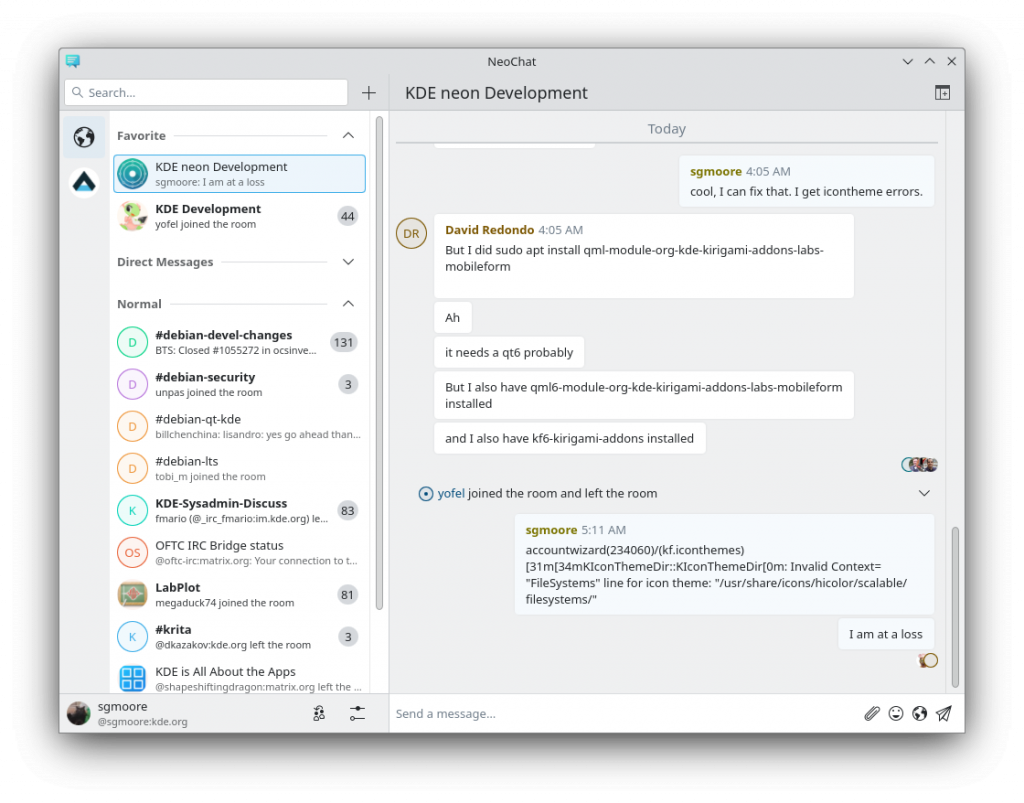
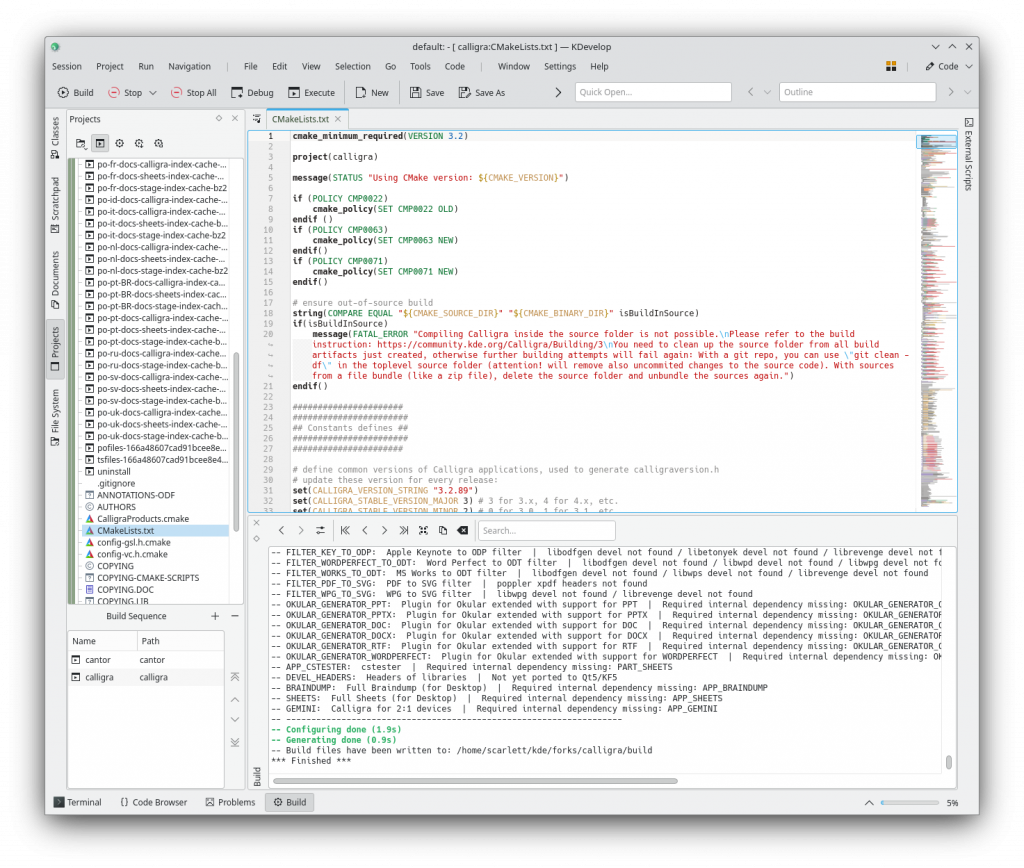
Scarlett Gately Moore: KDE: Big fixes for Snaps! Debian and KDE neon updates.

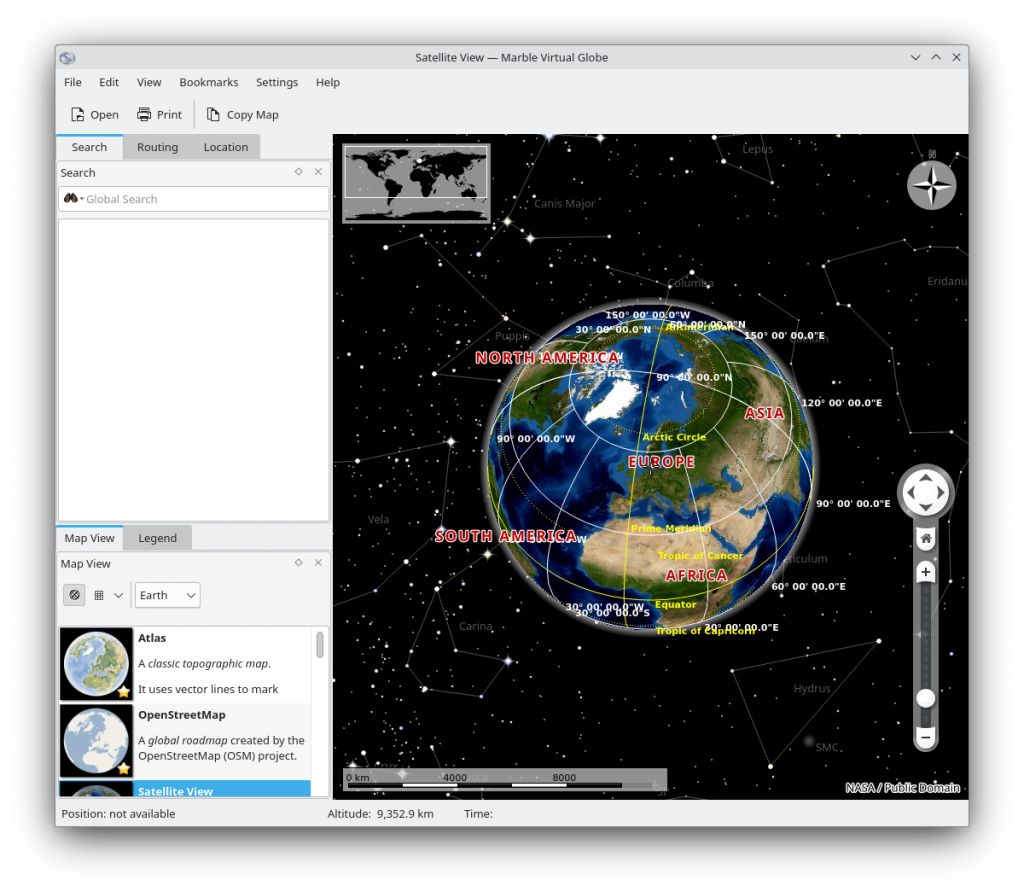
KDE Snap Marble
A big thank you goes to my parents this week for contributing to my survival fund. With that I was able to make a big push on fixing some outstanding issues on some of our snaps.
KDE neon: No major blowups this week. Worked out issues with kmail-account-wizard thanks to David R! This is now in the hands of upstream ( porting not complete ) Worked on more orange -> green packaging fixes. Debian: Fixed bug https://bugs.debian.org/cgi-bin/bugreport.cgi?bug=1054713 in squashfuse Thanks for stopping by. Please help fund my efforts! <noscript><a href="https://liberapay.com/sgmoore/donate"><img alt="Donate using Liberapay" src="https://liberapay.com/assets/widgets/donate.svg" /></a></noscript> Donate https://gofund.me/b8b69e54

2 November 2023

Fran ois Marier: Upgrading from Debian 11 bullseye to 12 bookworm

Over the last few months, I upgraded my Debian machines from bullseye to bookworm. The process was uneventful, but I ended up reconfiguring several things afterwards in order to modernize my upgraded machines.

Logcheck I noticed in this release that the transition to journald is essentially complete. This means that rsyslog is no longer needed on most of my systems:
apt purge rsyslog
Once that was done, I was able to comment out the following lines in /etc/logcheck/logcheck.logfiles.d/syslog.logfiles:
#/var/log/syslog
#/var/log/auth.log
I did have to adjust some of my custom logcheck rules, particularly the ones that deal with kernel messages:
--- a/logcheck/ignore.d.server/local-kernel
+++ b/logcheck/ignore.d.server/local-kernel
@@ -1,1 +1,1 @@
-^\w 3  [ :[:digit:]] 11  [._[:alnum:]-]+ kernel: \[[0-9. ]+]\ IN=eno1 OUT= MAC=[0-9a-f:]+ SRC=[0-9a-f.:]+
+^\w 3  [ :[:digit:]] 11  [._[:alnum:]-]+ kernel: (\[[0-9. ]+]\ )?IN=eno1 OUT= MAC=[0-9a-f:]+ SRC=[0-9a-f.:]+
Then I moved local entries from /etc/logcheck/logcheck.logfiles to /etc/logcheck/logcheck.logfiles.d/local.logfiles (/var/log/syslog and /var/log/auth.log are enabled by default when needed) and removed some files that are no longer used:
rm /var/log/mail.err*
rm /var/log/mail.warn*
rm /var/log/mail.info*
Finally, I had to fix any unescaped characters in my local rules. For example error == NULL \*error == NULL must now be written as error == NULL \ \ \*error == NULL.

Networking After the upgrade, I got a notice that the isc-dhcp-client is now deprecated and so I removed if from my system:
apt purge isc-dhcp-client
This however meant that I need to ensure that my network configuration software does not depend on the now-deprecated DHCP client. On my laptop, I was already using NetworkManager for my main network interfaces and that has built-in DHCP support.

Migration to systemd-networkd On my backup server, I took this opportunity to switch from ifupdown to systemd-networkd by removing ifupdown:
apt purge ifupdown
rm /etc/network/interfaces
putting the following in /etc/systemd/network/20-wired.network:
[Match]
Name=eno1
[Network]
DHCP=yes
MulticastDNS=yes
and then enabling/starting systemd-networkd:
systemctl enable systemd-networkd
systemctl start systemd-networkd
I also needed to install polkit:
apt install --no-install-recommends policykit-1
in order to allow systemd-networkd to set the hostname. In order to start my firewall automatically as interfaces are brought up, I wrote a dispatcher script to apply my existing iptables rules.

Migration to predictacle network interface names On my Linode server, I did the same as on the backup server, but I put the following in /etc/systemd/network/20-wired.network since it has a static IPv6 allocation:
[Match]
Name=enp0s4
[Network]
DHCP=yes
Address=2600:3c01::xxxx:xxxx:xxxx:939f/64
Gateway=fe80::1
and switched to predictable network interface names by deleting these two files:
  • /etc/systemd/network/50-virtio-kernel-names.link
  • /etc/systemd/network/99-default.link
and then changing eth0 to enp0s4 in:
  • /etc/network/iptables.up.rules
  • /etc/network/ip6tables.up.rules
  • /etc/rc.local (for OpenVPN)
  • /etc/logcheck/ignored.d.*/*
Then I regenerated all initramfs:
update-initramfs -u -k all
and rebooted the virtual machine. Giving systemd-resolved control of /etc/resolv.conf After reading this history of DNS resolution on Linux, I decided to modernize my resolv.conf setup and let systemd-resolved handle /etc/resolv.conf. I installed the package:
apt install systemd-resolved
and then removed no-longer-needed packages:
apt purge resolvconf avahi-daemon
I also disabled support for Link-Local Multicast Name Resolution (LLMNR) after reading this person's reasoning by putting the following in /etc/systemd/resolved.conf.d/llmnr.conf:
[Resolve]
LLMNR=no
I verified that mDNS is enabled and LLMNR is disabled:
$ resolvectl mdns
Global: yes
Link 2 (enp0s25): yes
Link 3 (wlp3s0): yes
$ resolvectl llmnr
Global: no
Link 2 (enp0s25): no
Link 3 (wlp3s0): no
Note that if you want auto-discovery of local printers using CUPS, you need to keep avahi-daemon since cups-browsed doesn't support systemd-resolved. You can verify that it works using:
sudo lpinfo --include-schemes dnssd -v

Dynamic DNS I replaced ddclient with inadyn since it doesn't work with no-ip.com anymore, using the configuration I described in an old blog post.

chkrootkit I moved my customizations in /etc/chkrootkit.conf to /etc/chkrootkit/chkrootkit.conf after seeing this message in my logs:
WARNING: /etc/chkrootkit.conf is deprecated. Please put your settings in /etc/chkrootkit/chkrootkit.conf instead: /etc/chkrootkit.conf will be ignored in a future release and should be deleted.

ssh As mentioned in Debian bug#1018106, to silence the following warnings:
sshd[6283]: pam_env(sshd:session): deprecated reading of user environment enabled
I changed the following in /etc/pam.d/sshd:
--- a/pam.d/sshd
+++ b/pam.d/sshd
@@ -44,7 +44,7 @@ session    required     pam_limits.so
 session    required     pam_env.so # [1]
 # In Debian 4.0 (etch), locale-related environment variables were moved to
 # /etc/default/locale, so read that as well.
-session    required     pam_env.so user_readenv=1 envfile=/etc/default/locale
+session    required     pam_env.so envfile=/etc/default/locale
 # SELinux needs to intervene at login time to ensure that the process starts
 # in the proper default security context.  Only sessions which are intended
I also made the following changes to /etc/ssh/sshd_config.d/local.conf based on the advice of ssh-audit 2.9.0:
-KexAlgorithms curve25519-sha256@libssh.org,curve25519-sha256,diffie-hellman-group14-sha256,diffie-hellman-group16-sha512,diffie-hellman-group18-sha512,diffie-hellman-group-exchange-sha256
+KexAlgorithms curve25519-sha256@libssh.org,curve25519-sha256,sntrup761x25519-sha512@openssh.com,diffie-hellman-group16-sha512,diffie-hellman-group18-sha512

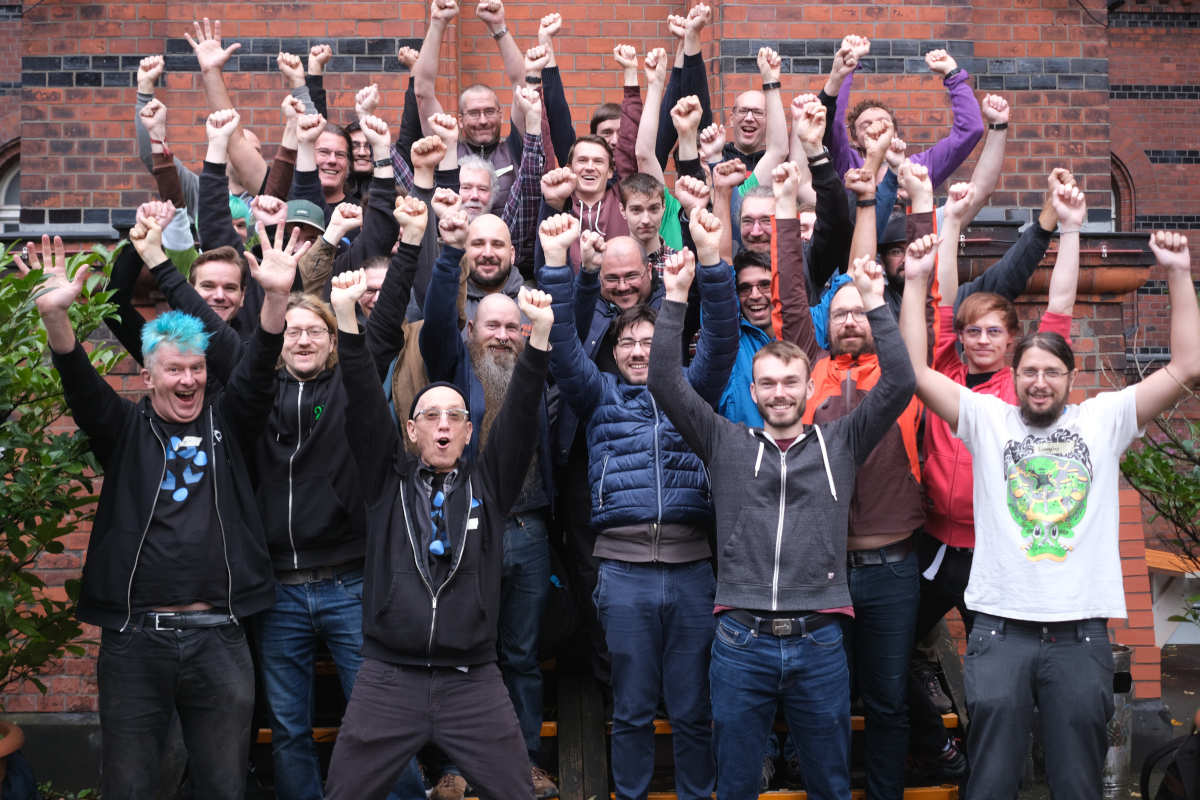
Reproducible Builds: Farewell from the Reproducible Builds Summit 2023!

Farewell from the Reproducible Builds summit, which just took place in Hamburg, Germany: This year, we were thrilled to host the seventh edition of this exciting event. Topics covered this year included:

as well as countless informal discussions and hacking sessions into the night. Projects represented at the venue included:
Debian, openSUSE, QubesOS, GNU Guix, Arch Linux, phosh, Mobian, PureOS, JustBuild, LibreOffice, Warpforge, OpenWrt, F-Droid, NixOS, ElectroBSD, Apache Security, Buildroot, Systemd, Apache Maven, Fedora, Privoxy, CHAINS (KTH Royal Institute of Technology), coreboot, GitHub, Tor Project, Ubuntu, rebuilderd, repro-env, spytrap-adb, arch-repro-status, etc.

A huge thanks to our sponsors and partners for making the event possible:
Aspiration

Event facilitation

Mullvad

Platinum sponsor


If you weren t able to make it this year, don t worry; just look out for an announcement in 2024 for the next event.

1 November 2023

Joachim Breitner: Joining the Lean FRO

Tomorrow is going to be a new first day in a new job for me: I am joining the Lean FRO, and I m excited.

What is Lean? Lean is the new kid on the block of theorem provers. It s a pure functional programming language (like Haskell, with and on which I have worked a lot), but it s dependently typed (which Haskell may be evolving to be as well, but rather slowly and carefully). It has a refreshing syntax, built on top of a rather good (I have been told, not an expert here) macro system. As a dependently typed programming language, it is also a theorem prover, or proof assistant, and there exists already a lively community of mathematicians who started to formalize mathematics in a coherent library, creatively called mathlib.

What is a FRO? A Focused Research Organization has the organizational form of a small start up (small team, little overhead, a few years of runway), but its goals and measure for success are not commercial, as funding is provided by donors (in the case of the Lean FRO, the Simons Foundation International, the Alfred P. Sloan Foundation, and Richard Merkin). This allows us to build something that we believe is a contribution for the greater good, even though it s not (or not yet) commercially interesting enough and does not fit other forms of funding (such as research grants) well. This is a very comfortable situation to be in.

Why am I excited? To me, working on Lean seems to be the perfect mix: I have been working on language implementation for about a decade now, and always with a preference for functional languages. Add to that my interest in theorem proving, where I have used Isabelle and Coq so far, and played with Agda and others. So technically, clearly up my alley. Furthermore, the language isn t too old, and plenty of interesting things are simply still to do, rather than tried before. The ecosystem is still evolving, so there is a good chance to have some impact. On the other hand, the language isn t too young either. It is no longer an open question whether we will have users: we have them already, they hang out on zulip, so if I improve something, there is likely someone going to be happy about it, which is great. And the community seems to be welcoming and full of nice people. Finally, this library of mathematics that these users are building is itself an amazing artifact: Lots of math in a consistent, machine-readable, maintained, documented, checked form! With a little bit of optimism I can imagine this changing how math research and education will be done in the future. It could be for math what Wikipedia is for encyclopedic knowledge and OpenStreetMap for maps and the thought of facilitating that excites me. With this new job I find that when I am telling friends and colleagues about it, I do not hesitate or hedge when asked why I am doing this. This is a good sign.

What will I be doing? We ll see what main tasks I ll get to tackle initially, but knowing myself, I expect I ll get broadly involved. To get up to speed I started playing around with a few things already, and for example created Loogle, a Mathlib search engine inspired by Haskell s Hoogle, including a Zulip bot integration. This seems to be useful and quite well received, so I ll continue maintaining that. Expect more about this and other contributions here in the future.

Matthew Garrett: Why ACPI?

"Why does ACPI exist" - - the greatest thread in the history of forums, locked by a moderator after 12,239 pages of heated debate, wait no let me start again.

Why does ACPI exist? In the beforetimes power management on x86 was done by jumping to an opaque BIOS entry point and hoping it would do the right thing. It frequently didn't. We called this Advanced Power Management (Advanced because before this power management involved custom drivers for every machine and everyone agreed that this was a bad idea), and it involved the firmware having to save and restore the state of every piece of hardware in the system. This meant that assumptions about hardware configuration were baked into the firmware - failed to program your graphics card exactly the way the BIOS expected? Hurrah! It's only saved and restored a subset of the state that you configured and now potential data corruption for you. The developers of ACPI made the reasonable decision that, well, maybe since the OS was the one setting state in the first place, the OS should restore it.

So far so good. But some state is fundamentally device specific, at a level that the OS generally ignores. How should this state be managed? One way to do that would be to have the OS know about the device specific details. Unfortunately that means you can't ship the computer without having OS support for it, which means having OS support for every device (exactly what we'd got away from with APM). This, uh, was not an option the PC industry seriously considered. The alternative is that you ship something that abstracts the details of the specific hardware and makes that abstraction available to the OS. This is what ACPI does, and it's also what things like Device Tree do. Both provide static information about how the platform is configured, which can then be consumed by the OS and avoid needing device-specific drivers or configuration to be built-in.

The main distinction between Device Tree and ACPI is that Device Tree is purely a description of the hardware that exists, and so still requires the OS to know what's possible - if you add a new type of power controller, for instance, you need to add a driver for that to the OS before you can express that via Device Tree. ACPI decided to include an interpreted language to allow vendors to expose functionality to the OS without the OS needing to know about the underlying hardware. So, for instance, ACPI allows you to associate a device with a function to power down that device. That function may, when executed, trigger a bunch of register accesses to a piece of hardware otherwise not exposed to the OS, and that hardware may then cut the power rail to the device to power it down entirely. And that can be done without the OS having to know anything about the control hardware.

How is this better than just calling into the firmware to do it? Because the fact that ACPI declares that it's going to access these registers means the OS can figure out that it shouldn't, because it might otherwise collide with what the firmware is doing. With APM we had no visibility into that - if the OS tried to touch the hardware at the same time APM did, boom, almost impossible to debug failures (This is why various hardware monitoring drivers refuse to load by default on Linux - the firmware declares that it's going to touch those registers itself, so Linux decides not to in order to avoid race conditions and potential hardware damage. In many cases the firmware offers a collaborative interface to obtain the same data, and a driver can be written to get that. this bug comment discusses this for a specific board)

Unfortunately ACPI doesn't entirely remove opaque firmware from the equation - ACPI methods can still trigger System Management Mode, which is basically a fancy way to say "Your computer stops running your OS, does something else for a while, and you have no idea what". This has all the same issues that APM did, in that if the hardware isn't in exactly the state the firmware expects, bad things can happen. While historically there were a bunch of ACPI-related issues because the spec didn't define every single possible scenario and also there was no conformance suite (eg, should the interpreter be multi-threaded? Not defined by spec, but influences whether a specific implementation will work or not!), these days overall compatibility is pretty solid and the vast majority of systems work just fine - but we do still have some issues that are largely associated with System Management Mode.

One example is a recent Lenovo one, where the firmware appears to try to poke the NVME drive on resume. There's some indication that this is intended to deal with transparently unlocking self-encrypting drives on resume, but it seems to do so without taking IOMMU configuration into account and so things explode. It's kind of understandable why a vendor would implement something like this, but it's also kind of understandable that doing so without OS cooperation may end badly.

This isn't something that ACPI enabled - in the absence of ACPI firmware vendors would just be doing this unilaterally with even less OS involvement and we'd probably have even more of these issues. Ideally we'd "simply" have hardware that didn't support transitioning back to opaque code, but we don't (ARM has basically the same issue with TrustZone). In the absence of the ideal world, by and large ACPI has been a net improvement in Linux compatibility on x86 systems. It certainly didn't remove the "Everything is Windows" mentality that many vendors have, but it meant we largely only needed to ensure that Linux behaved the same way as Windows in a finite number of ways (ie, the behaviour of the ACPI interpreter) rather than in every single hardware driver, and so the chances that a new machine will work out of the box are much greater than they were in the pre-ACPI period.

There's an alternative universe where we decided to teach the kernel about every piece of hardware it should run on. Fortunately (or, well, unfortunately) we've seen that in the ARM world. Most device-specific simply never reaches mainline, and most users are stuck running ancient kernels as a result. Imagine every x86 device vendor shipping their own kernel optimised for their hardware, and now imagine how well that works out given the quality of their firmware. Does that really seem better to you?

It's understandable why ACPI has a poor reputation. But it's also hard to figure out what would work better in the real world. We could have built something similar on top of Open Firmware instead but the distinction wouldn't be terribly meaningful - we'd just have Forth instead of the ACPI bytecode language. Longing for a non-ACPI world without presenting something that's better and actually stands a reasonable chance of adoption doesn't make the world a better place.

comment count unavailable comments

Paul Wise: FLOSS Activities October 2023

Focus This month I didn't have any particular focus. I just worked on issues in my info bubble.

Changes

Issues

Review
  • Debian wiki: RecentChanges for the month
  • Debian BTS usertags: changes for the month
  • Debian screenshots:

Administration
  • Debian IRC: rescue obsolete/unused #debian-wiki channel
  • Debian servers: rescue data from an old DebConf server
  • Debian wiki: approve accounts

Communication
  • Respond to queries from Debian users and contributors on the mailing lists and IRC

Sponsors The SWH, golang-ginkgo, DBD-ODBC, sqliteodbc work was sponsored. All other work was done on a volunteer basis.

Junichi Uekawa: Already November.

Already November. Been playing a bit with ureadahead. Build systems are hard. Resurrecting libnih to build again was a pain. Some tests rely on not being root so simply running things in Docker made it fail.

Dirk Eddelbuettel: RcppArmadillo 0.12.6.6.0 on CRAN: Bugfix, Thread Throttling

armadillo image Armadillo is a powerful and expressive C++ template library for linear algebra and scientific computing. It aims towards a good balance between speed and ease of use, has a syntax deliberately close to Matlab, and is useful for algorithm development directly in C++, or quick conversion of research code into production environments. RcppArmadillo integrates this library with the R environment and language and is widely used by (currently) 1110 other packages on CRAN, downloaded 31.2 million times (per the partial logs from the cloud mirrors of CRAN), and the CSDA paper (preprint / vignette) by Conrad and myself has been cited 563 times according to Google Scholar. This release brings upstream bugfix releases 12.6.5 (sparse matrix corner case) and 12.6.6 with an ARPACK correction. Conrad released it this this morning, I had been running reverse dependency checks anyway and knew we were in good shape so for once I did not await a full run against the now over 1100 (!!) packages using RcppArmadillo. This release also contains a change I prepared on Sunday and which helps with much-criticized (and rightly I may add) insistence by CRAN concerning throttling . The motivation is understandable: CRAN tests many packages at once on beefy servers and can ill afford tests going off and requesting numerous cores. But rather than providing a global setting at their end, CRAN insists that each package (!!) deals with this. The recent traffic on the helpful-as-ever r-pkg-devel mailing clearly shows that this confuses quite a few package developers. Some have admitted to simply turning examples and tests off: a net loss for all of us. Now, Armadillo defaults to using up to eight cores (which is enough to upset CRAN) when running with OpenMP (which is generally only on Linux for reasons I rather not get into ). With this release I expose a helper functions (from OpenMP) to limit this. I also set up an example package and repo RcppArmadilloOpenMPEx detailing this, and added a demonstration of how to use the new throttlers to the fastLm example. I hope this proves useful to users of the package. The set of changes since the last CRAN release follows.

Changes in RcppArmadillo version 0.12.6.6.0 (2023-10-31)
  • Upgraded to Armadillo release 12.6.6 (Cortisol Retox)
    • Fix eigs_sym(), eigs_gen() and svds() to generate deterministic results in ARPACK mode
  • Add helper functions to set and get the number of OpenMP threads
  • Store initial thread count at package load and use in thread-throttling helper (and resetter) suitable for CRAN constraints

Changes in RcppArmadillo version 0.12.6.5.0 (2023-10-14)
  • Upgraded to Armadillo release 12.6.5 (Cortisol Retox)
    • Fix for corner-case bug in handling sparse matrices with no non-zero elements

Courtesy of my CRANberries, there is a diffstat report relative to previous release. More detailed information is on the RcppArmadillo page. Questions, comments etc should go to the rcpp-devel mailing list off the Rcpp R-Forge page. If you like this or other open-source work I do, you can sponsor me at GitHub.

This post by Dirk Eddelbuettel originated on his Thinking inside the box blog. Please report excessive re-aggregation in third-party for-profit settings.

31 October 2023

Iustin Pop: Raspberry PI OS: upgrading and cross-grading

One of the downsides of running Raspberry PI OS is the fact that - not having the resources of pure Debian - upgrades are not recommended, and cross-grades (migrating between armhf and arm64) is not even mentioned. Is this really true? It is, after all a Debian-based system, so it should in theory be doable. Let s try!

Upgrading The recently announced release based on Debian Bookworm here says:
We have always said that for a major version upgrade, you should re-image your SD card and start again with a clean image. In the past, we have suggested procedures for updating an existing image to the new version, but always with the caveat that we do not recommend it, and you do this at your own risk. This time, because the changes to the underlying architecture are so significant, we are not suggesting any procedure for upgrading a Bullseye image to Bookworm; any attempt to do this will almost certainly end up with a non-booting desktop and data loss. The only way to get Bookworm is either to create an SD card using Raspberry Pi Imager, or to download and flash a Bookworm image from here with your tool of choice.
Which means, it s time to actually try it turns out it s actually trivial, if you use RPIs as headless servers. I had only three issues:
  • if using an initrd, the new initrd-building scripts/hooks are looking for some binaries in /usr/bin, and not in /bin; solution: install manually the usrmerge package, and then re-run dpkg --configure -a;
  • also if using an initrd, the scripts are looking for the kernel config file in /boot/config-$(uname -r), and the raspberry pi kernel package doesn t provide this; workaround: modprobe configs && zcat /proc/config.gz > /boot/config-$(uname -r);
  • and finally, on normal RPI systems, that don t use manual configurations of interfaces in /etc/network/interface, migrating from the previous dhcpcd to NetworkManager will break network connectivity, and require you to log in locally and fix things.
I expect most people to hit only the 3rd, and almost no-one to use initrd on raspberry pi. But, overall, aside from these two issues and a couple of cosmetic ones (login.defs being rewritten from scratch and showing a baffling diff, for example), it was easy. Is it worth doing? Definitely. Had no data loss, and no non-booting system.

Cross-grading (32 bit to 64 bit userland) This one is actually painful. Internet searches go from it s possible, I think to it s definitely not worth trying . Examples: Aside from these, there are a gazillion other posts about switching the kernel to 64 bit. And that s worth doing on its own, but it s only half the way. So, armed with two different systems - a RPI4 4GB and a RPI Zero W2 - I tried to do this. And while it can be done, it takes many hours - first system was about 6 hours, second the same, and a third RPI4 probably took ~3 hours only since I knew the problematic issues. So, what are the steps? Basically:
  • install devscripts, since you will need dget
  • enable new architecture in dpkg: dpkg --add-architecture arm64
  • switch over apt sources to include the 64 bit repos, which are different than the 32 bit ones (Raspberry PI OS did a migration here; normally a single repository has all architectures, of course)
  • downgrade all custom rpi packages/libraries to the standard bookworm/bullseye version, since dpkg won t usually allow a single library package to have different versions (I think it s possible to override, but I didn t bother)
  • install libc for the arm64 arch (this takes some effort, it s actually a set of 3-4 packages)
  • once the above is done, install whiptail:amd64 and rejoice at running a 64-bit binary!
  • then painfully go through sets of packages and migrate the set to arm64:
    • sometimes this work via apt, sometimes you ll need to use dget and dpkg -i
    • make sure you download both the armhf and arm64 versions before doing dpkg -i, since you ll need to rollback some installs
  • at one point, you ll be able to switch over dpkg and apt to arm64, at which point the default architecture flips over; from here, if you ve done it at the right moment, it becomes very easy; you ll probably need an apt install --fix-broken, though, at first
  • and then, finish by replacing all packages with arm64 versions
  • and then, dpkg --remove-architecture armhf, reboot, and profit!
But it s tears and blood to get to that point

Pain point 1: RPI custom versions of packages Since the 32bit armhf architecture is a bit weird - having many variations - it turns out that raspberry pi OS has many packages that are very slightly tweaked to disable a compilation flag or work around build/test failures, or whatnot. Since we talk here about 64-bit capable processors, almost none of these are needed, but they do make life harder since the 64 bit version doesn t have those overrides. So what is needed would be to say downgrade all armhf packages to the version in debian upstream repo , but I couldn t find the right apt pinning incantation to do that. So what I did was to remove the 32bit repos, then use apt-show-versions to see which packages have versions that are no longer in any repo, then downgrade them. There s a further, minor, complication that there were about 3-4 packages with same version but different hash (!), which simply needed apt install --reinstall, I think.

Pain point 2: architecture independent packages There is one very big issue with dpkg in all this story, and the one that makes things very problematic: while you can have a library package installed multiple times for different architectures, as the files live in different paths, a non-library package can only be installed once (usually). For binary packages (arch:any), that is fine. But architecture-independent packages (arch:all) are problematic since usually they depend on a binary package, but they always depend on the default architecture version! Hrmm, and I just realise I don t have logs from this, so I m only ~80% confident. But basically:
  • vim-solarized (arch:all) depends on vim (arch:any)
  • if you replace vim armhf with vim arm64, this will break vim-solarized, until the default architecture becomes arm64
So you need to keep track of which packages apt will de-install, for later re-installation. It is possible that Multi-Arch: foreign solves this, per the debian wiki which says:
Note that even though Architecture: all and Multi-Arch: foreign may look like similar concepts, they are not. The former means that the same binary package can be installed on different architectures. Yet, after installation such packages are treated as if they were native architecture (by definition the architecture of the dpkg package) packages. Thus Architecture: all packages cannot satisfy dependencies from other architectures without being marked Multi-Arch foreign.
It also has warnings about how to properly use this. But, in general, not many packages have it, so it is a problem.

Pain point 3: remove + install vs overwrite It seems that depending on how the solver computes a solution, when migrating a package from 32 to 64 bit, it can choose either to:
  • overwrite in place the package (akin to dpkg -i)
  • remove + install later
The former is OK, the later is not. Or, actually, it might be that apt never can do this, for example (edited for brevity):
# apt install systemd:arm64 --no-install-recommends
The following packages will be REMOVED:
  systemd
The following NEW packages will be installed:
  systemd:arm64
0 upgraded, 1 newly installed, 1 to remove and 35 not upgraded.
Do you want to continue? [Y/n] y
dpkg: systemd: dependency problems, but removing anyway as you requested:
 systemd-sysv depends on systemd.
Removing systemd (247.3-7+deb11u2) ...
systemd is the active init system, please switch to another before removing systemd.
dpkg: error processing package systemd (--remove):
 installed systemd package pre-removal script subprocess returned error exit status 1
dpkg: too many errors, stopping
Errors were encountered while processing:
 systemd
Processing was halted because there were too many errors.
But at the same time, overwrite in place is all good - via dpkg -i from /var/cache/apt/archives. In this case it manifested via a prerm script, in other cases is manifests via dependencies that are no longer satisfied for packages that can t be removed, etc. etc. So you will have to resort to dpkg -i a lot.

Pain point 4: lib- packages that are not lib During the whole process, it is very tempting to just go ahead and install the corresponding arm64 package for all armhf lib package, in one go, since these can coexist. Well, this simple plan is complicated by the fact that some packages are named libfoo-bar, but are actual holding (e.g.) the bar binary for the libfoo package. Examples:
  • libmagic-mgc contains /usr/lib/file/magic.mgc, which conflicts between the 32 and 64 bit versions; of course, it s the exact same file, so this should be an arch:all package, but
  • libpam-modules-bin and liblockfile-bin actually contain binaries (per the -bin suffix)
It s possible to work around all this, but it changes a 1 minute:
# apt install $(dpkg -i   grep ^ii   awk ' print $2 ' grep :amrhf sed -e 's/:armhf/:arm64')
into a 10-20 minutes fight with packages (like most other steps).

Is it worth doing? Compared to the simple bullseye bookworm upgrade, I m not sure about this. The result? Yes, definitely, the system feels - weirdly - much more responsive, logged in over SSH. I guess the arm64 base architecture has some more efficient ops than the lowest denominator armhf , so to say (e.g. there was in the 32 bit version some rpi-custom package with string ops), and thus migrating to 64 bit makes more things faster , but this is subjective so it might be actually not true. But from the point of view of the effort? Unless you like to play with dpkg and apt, and understand how these work and break, I d rather say, migrate to ansible and automate the deployment. It s doable, sure, and by the third system, I got this nailed down pretty well, but it was a lot of time spent. The good aspect is that I did 3 migrations:
  • rpi zero w2: bullseye 32 bit to 64 bit, then bullseye to bookworm
  • rpi 4: bullseye to bookworm, then bookworm 32bit to 64 bit
  • same, again, for a more important system
And all three worked well and no data loss. But I m really glad I have this behind me, I probably wouldn t do a fourth system, even if forced And now, waiting for the RPI 5 to be available See you!

Russell Coker: Links October 2023

The Daily Kos has an interesting article about a new more effective method of desalination [1]. Here is a video of a crazy guy zapping things with 100 car batteries [2]. This is sonmething you should avoid if you want to die of natural causes. Does dying while making a science video count for a Darwin Award? A Hacker News comment has an interesting explanation of Unix signals [3]. Interesting documentary on the rise of mega corporations [4]. We need to split up Google, Facebook, and Amazon ASAP. Also every phone platform should have competing app stores. Dave Taht gave an interesting LCA lecture about Internet congestion control [5]. He also referenced a web site about projects to alleviate the buffer bloat problem [6]. This tiny event based sensor is an interesting product [7]. It could lead to some interesting (but possibly invasive) technological developments in phones. Tara Barnett s Everything Open lecture Swiss Army GLAM had some interesting ideas for community software development [8]. Having lots of small programs communicating with APIs is an interesting way to get people into development. Actually Hardcore Overclocking has an interesting youtube video about the differences between x8 and x14 DDR4 DIMMs [9]. Interesting YouTube video from someone who helped the Kurds defend against Turkey about how war tunnels work [10]. He makes a strong case that the Israeli invasion of the Gaza Strip won t be easy or pleasant.

Bits from Debian: Call for bids for DebConf24

Due to the current state of affairs in Israel, who were to host DebConf24, the DebConf committee has decided to renew calls for bids to host DebConf24 at another venue and location. The DebConf committee would like to express our sincere appreciation for the DebConf Israeli team, and the work they've done over several years. However, given the uncertainty about the situation, we regret that it will most likely not be possible to hold DebConf in Israel. As we ask for submissions for new host locations we ask that you please review and understand the details and requirements for a bid submission to host the Debian Developer Conference. Please review the template for a DebConf bid for guidelines on how to sumbit a proper bid. To submit a bid, please create the appropriate page(s) under DebConf Wiki Bids, and add it to the "Bids" section in the main DebConf 24 page. There isn't very much time to make a decision. We need bids by the end of November in order to make a decision by the end of the year. After your submission is completed please send us a notification at debconf-team@lists.debian.org to let us know that your bid submission is ready for review. We also suggest hanging out in our IRC chat room #debconf-team. Given this short deadline, we understand that bids won't be as complete as they would usually be. Do the best you can in the time available. Bids will be evaluated according to The Priority List. You can get in contact with the DebConf team by email to debconf-team@lists.debian.org, or via the #debconf-team IRC channel on OFTC or via our Matrix Channel. Thank you, The Debian Debconf Committee
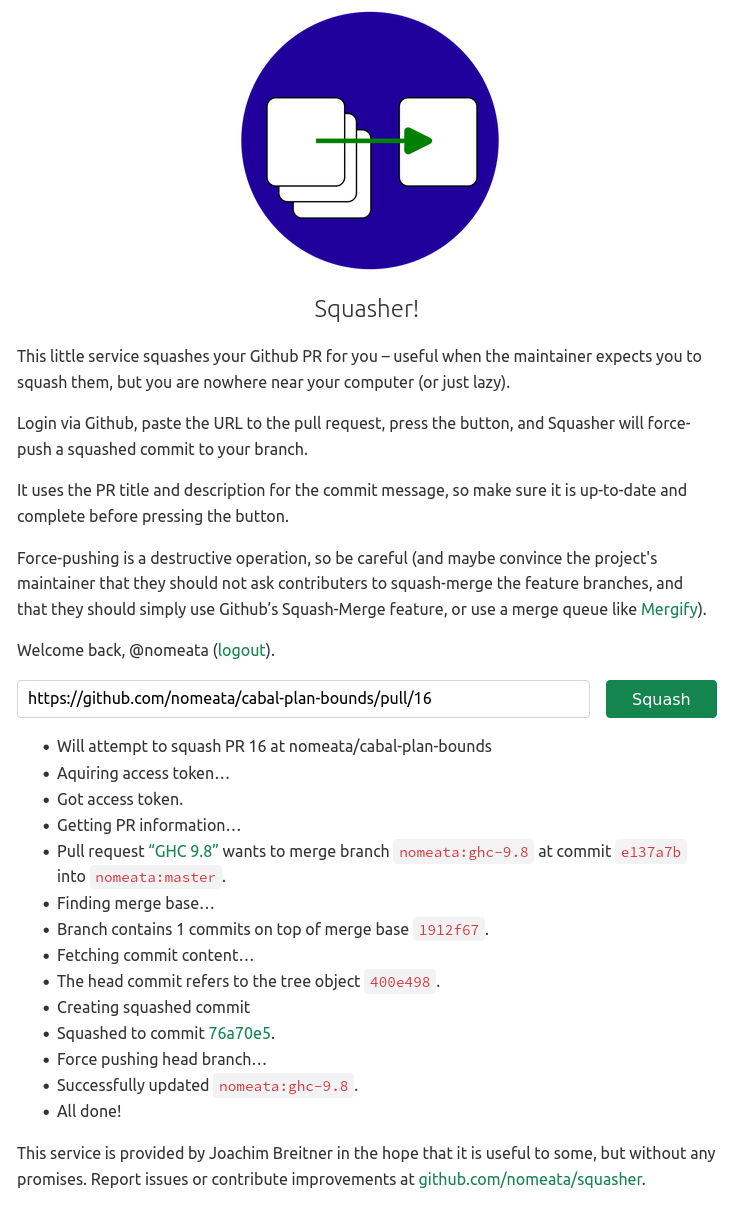
29 October 2023

Joachim Breitner: Squash your Github PRs with one click

TL;DR: Squash your PRs with one click at https://squasher.nomeata.de/. Very recently I got this response from the project maintainer at a pull request I contributed: Thanks, approved, please squash so that I can merge. It s nice that my contribution can go it, but why did the maintainer not just press the Squash and merge button , and instead adds the this unnecessary roundtrip to the process? Anyways, maintainers make the rules, so I play by them. But unlike the maintainer, who can squash-and-merge with just one click, squashing the PR s branch is surprisingly laberous: Github does not allow you to do that via the Web UI (and hence on mobile), and it seems you are expected to go to your computer and juggle with git rebase --interactive. I found this rather annoying, so I created Squasher, a simple service that will squash your branch for you. There is no configuration, just paste the PR url. It will use the PR title and body as the commit message (which is obviously the right way ), and create the commit in your name:
Squasher in actionSquasher in action
If you find this useful, or found it to be buggy, let me know. The code is at https://github.com/nomeata/squasher if you are curious about it.

Next.

Previous.