This post is part of a series about trying to setup a gitlab runner based on
systemd-nspawn. I published the polished
result as
nspawn-runner on GitHub.
Here I try to figure out possible ways of invoking nspawn for the
prepare,
run, and
cleanup steps of gitlab custom runners. The results might be
useful invocations beyond Gitlab's scope of application.
I begin with a chroot which will be the base for our build environments:
debootstrap --variant=minbase --include=git,build-essential buster workdir
Fully ephemeral nspawn
This would be fantastic: set up a reusable chroot, mount readonly, run the CI
in a working directory mounted on tmpfs. It sets up quickly, it cleans up after
itself, and it would make
prepare and
cleanup noops:
mkdir workdir/var/lib/gitlab-runner
systemd-nspawn --read-only --directory workdir --tmpfs /var/lib/gitlab-runner "$@"
However,
run gets run multiple times, so I need the side effects of
run to
persist inside the chroot between runs.
Also, if the CI uses a large amount of disk space, tmpfs may get into trouble.
nspawn with overlay
Federico used --overlay
to keep the base chroot readonly while allowing persistent writes on a
temporary directory on the filesystem.
Note that using
--overlay requires systemd and systemd-container from
buster-backports because of
systemd bug #3847.
Example:
mkdir -p tmp-overlay
systemd-nspawn --quiet -D workdir \
  --overlay=" pwd /workdir: pwd /tmp-overlay:/"
I can run this twice, and changes in the file system will persist between
systemd-nspawn executions. Great! However, any process will be killed at the
end of each execution.
machinectl
I can give a name to
systemd-nspawn invocations using
--machine, and it
allows me to run multiple commands during the machine lifespan using
machinectl and
systemd-run.
In theory
machinectl can also fully manage chroots and disk images in
/var/lib/machines, but I haven't found a way with
machinectl to start
multiple machines sharing the same underlying chroot.
It's ok, though: I managed to do that with
systemd-nspawn invocations.
I can use the
--machine=name argument to
systemd-nspawn to make it visible
to
machinectl. I can use the
--boot argument to
systemd-nspawn to start
enough infrastructure inside the container to allow
machinectl to interact
with it.
This gives me any number of persistent and named running systems, that share
the same underlying chroot, and can cleanup after themselves. I can run
commands in any of those systems as I like, and their side effects persist
until a system is stopped.
The chroot needs systemd and dbus for machinectl to be able to interact with it:
debootstrap --variant=minbase --include=git,systemd,systemd,build-essential buster workdir
Let's boot the machine:
mkdir -p overlay
systemd-nspawn --quiet -D workdir \
    --overlay=" pwd /workdir: pwd /overlay:/"
    --machine=test --boot
Let's try machinectl:
# machinectl list
MACHINE CLASS     SERVICE        OS     VERSION ADDRESSES
test    container systemd-nspawn debian 10      -
1 machines listed.
# machinectl shell --quiet test /bin/ls -la /
total 60
[ ]
To run commands, rather than
machinectl shell, I need to use
systemd-run
--wait --pipe --machine=name
, otherwise
machined won't forward the exit
code. The result however is
pretty good, with working stdin/stdout/stderr redirection and forwarded exit
code.
Good, I'm getting somewhere.
The terminal where I ran systemd-nspawn is currently showing a nice getty for
the booted system, which is cute, and not what I want for the setup process of
a CI.
Spawning machines without needing a terminal
machinectl uses
/lib/systemd/system/systemd-nspawn@.service to start
machines. I suppose there's limited magic in there: start
systemd-nspawn as a
service, use
--machine to give it a name, and
machinectl manages it as if
it started it itself.
What if, instead of installing a unit file for each CI run, I try to do the
same thing with
systemd-run?
systemd-run \
  -p 'KillMode=mixed' \
  -p 'Type=notify' \
  -p 'RestartForceExitStatus=133' \
  -p 'SuccessExitStatus=133' \
  -p 'Slice=machine.slice' \
  -p 'Delegate=yes' \
  -p 'TasksMax=16384' \
  -p 'WatchdogSec=3min' \
  systemd-nspawn --quiet -D  pwd /workdir \
    --overlay=" pwd /workdir: pwd /overlay:/"
    --machine=test --boot
It works! I can interact with it using machinectl, and fine tune
DevicePolicy
as needed to lock CI machines down.
This setup has a race condition where if I try to run a command inside the
machine in the short time window before the machine has finished booting, it
fails:
# systemd-run [ ] systemd-nspawn [ ] ; machinectl --quiet shell test /bin/ls -la /
Failed to get shell PTY: Protocol error
# machinectl shell test /bin/ls -la /
Connected to machine test. Press ^] three times within 1s to exit session.
total 60
[ ]
systemd-nspawn has the option
--notify-ready=yes that solves exactly this
problem:
# systemd-run [ ] systemd-nspawn [ ] --notify-ready=yes ; machinectl --quiet shell test /bin/ls -la /
Running as unit: run-r5a405754f3b740158b3d9dd5e14ff611.service
total 60
[ ]
On nspawn's side, I should now have all I need.
Next steps
My
next step will be wrapping it all together in
a gitlab runner.
 RcppDate wraps the date library by Howard Hinnant for use with R. This header-only modern C++ library has been in pretty wide-spread use for a while now, and adds to C++11/C++14/C++17 what will be (with minor modifications) the date library in C++20. Since the original 0.0.1 CRAN release I have also added this package along with RcppCCTZ and nanotime (which uses / requires both) to Debian so an
  Gentoo emerges of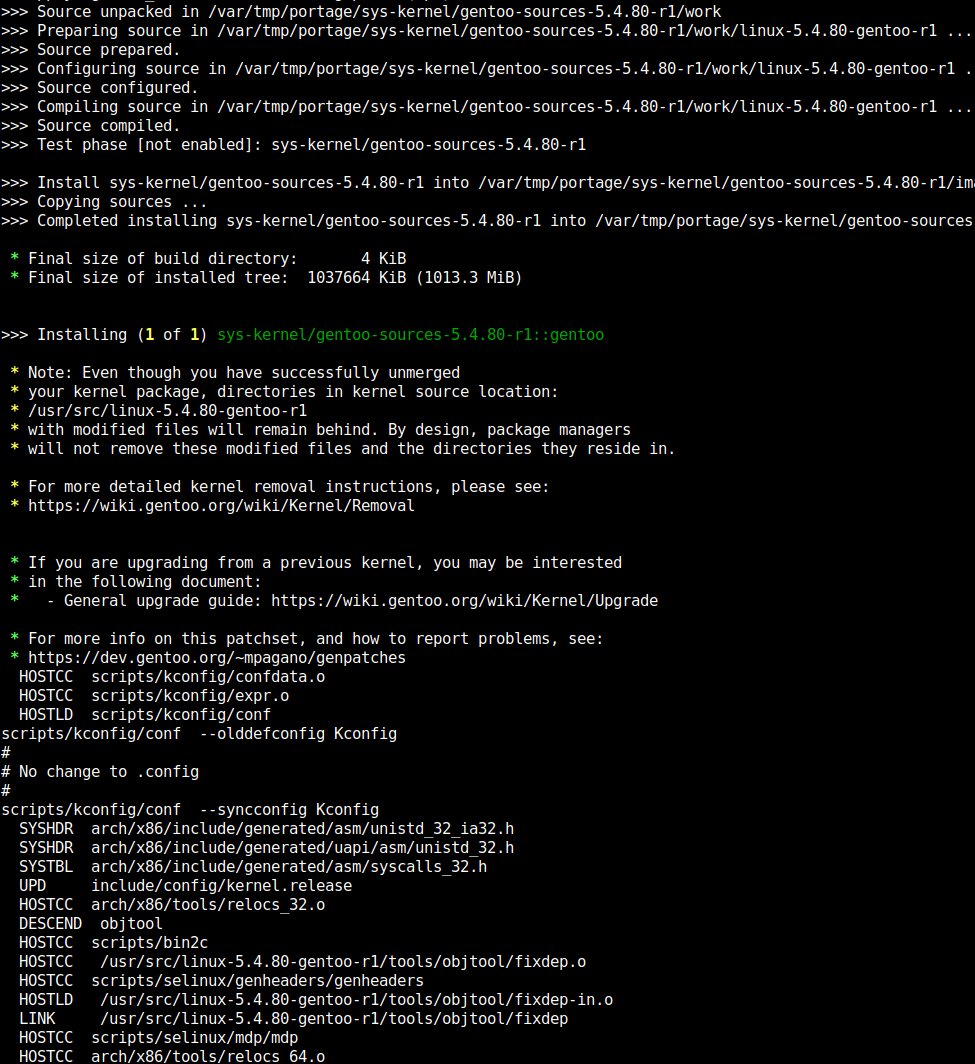




 Although it was a much larger step when I made a similar announcement

 Ever since X.org switched to rootless operation, the days of the Geode X.org driver have been numbered. The old codebase dates back from Geode's early days at Cyrix, was then updated by NSC to add support for their new GX2 architecture, from which AMD dropped GX1 support and added support for their new LX architecture. To put it mildly, that codebase is a serious mess. However, at least the LX code comes with plenty of niceties, such as being able to detect when it runs on an OLPC XO-1 and to probe DCC pins to determine the optimal display resolution on other hardware. This still doesn't make the codebase cruft-free.
Anyhow, most Linux distributions have dropped support for anything older than i686 with PAE, which essentially means that the GX2 code is just for show. Debian is one of very few distributions whose x86-32 port still ships with i686 without PAE. In fact, the lowest common denominator kernel on i386 is configured for Geode (LX).
A while back, someone had started working on a KMS driver for the Geode LX. Through word of mouth, I got my hands on a copy of their Git tree. The driver worked reasonably well, but the codebase needs some polishing before it could be included in the Linux kernel tree.
Hence this call for help:
Is there anyone with good experience of the LKML coding standards who would be willing to clean up the driver's code and submit the patch to the LKML?
Ever since X.org switched to rootless operation, the days of the Geode X.org driver have been numbered. The old codebase dates back from Geode's early days at Cyrix, was then updated by NSC to add support for their new GX2 architecture, from which AMD dropped GX1 support and added support for their new LX architecture. To put it mildly, that codebase is a serious mess. However, at least the LX code comes with plenty of niceties, such as being able to detect when it runs on an OLPC XO-1 and to probe DCC pins to determine the optimal display resolution on other hardware. This still doesn't make the codebase cruft-free.
Anyhow, most Linux distributions have dropped support for anything older than i686 with PAE, which essentially means that the GX2 code is just for show. Debian is one of very few distributions whose x86-32 port still ships with i686 without PAE. In fact, the lowest common denominator kernel on i386 is configured for Geode (LX).
A while back, someone had started working on a KMS driver for the Geode LX. Through word of mouth, I got my hands on a copy of their Git tree. The driver worked reasonably well, but the codebase needs some polishing before it could be included in the Linux kernel tree.
Hence this call for help:
Is there anyone with good experience of the LKML coding standards who would be willing to clean up the driver's code and submit the patch to the LKML?




 The following contributors were added as Debian Maintainers in the last two months: