Search Results: "zed"

30 June 2011

Michael Casadevall: On porting the installer (Part 1)...

So as Alpha 2 approaches, I find myself working towards porting the alternate installer/d-i to the pandaboard to support the netboot installer. There's not a lot of documentation that describes the internals of d-i, nor what bits are platform specific.

This is especially true when working towards creating a new subarchitecture since lots of little places have to be touched, kernels usually have to be tweaked, and all other sorts of odds and ins. This post isn't a comprehensive guide to what's necessary, but just little tidbits of what I did, just some random odds and ends.

The first step of any enablement is to have something you can run and boot. The netboot images, as well as the alternate kernel and ramdisk are built out of the debian-installer package. In the debian-installer package, several config files for driving the process are located in build/config/$arch/$subarch. For omap4, we have the following files:

boot/arm/generate-partitioned-filesystem
build/config/armel.cfg
build/config/armel/omap4.cfg
build/config/armel/omap4/cdrom.cfg
build/config/armel/omap4/netboot.cfg

boot/arm/generate-partitioned-filesystem is a shell script that takes a VFAT blob, and spits out a proper MBR and partition table.

build/config/armel.cfg simply is a list subarchitectures to build, and some sane-ish kernel defaults for armel.

build/config/armel/omap4.cfg is also a simple config file which specifies the type of images we're building, and the kernel to use in d-i. This file looks like this:

MEDIUM_SUPPORTED = netboot cdrom

# The version of the kernel to use.
KERNELVERSION := 2.6.38-1309-omap4
# we use non-versioned filenames in the omap kernel udeb
KERNELNAME = vmlinuz
VERSIONED_SYSTEM_MAP =

As a point of clarification, 'cdrom' is a bit of a misdemeanor; it refers to the alternate installer kernel and ramdisk used by alternate images, and not the type of media. Other types of images exist such as 'floppy' and 'hd-install', but these are specialized images, and out of scope for this blog post.

Each file in build/config/armel/omap4/* is a makefile thats called in turn for each image that created. The most interesting of this is the netboot.cfg

MEDIA_TYPE = netboot image
SUBARCH = omap4
TARGET = $(TEMP_INITRD) $(TEMP_KERNEL) omap4
EXTRANAME = $(MEDIUM)
INITRD_FS = initramfs

MANIFEST-INITRD = "netboot initrd"
MANIFEST-KERNEL = "kernel image to netboot"
INSTALL_PATH = $(SOME_DEST)/$(EXTRANAME)

omap4:
# Make sure our build envrionment is clean
rm -rf $(INSTALL_PATH)
mkdir -p $(INSTALL_PATH)

# Generate uImage/uInitrd
mkimage -A arm -O linux -T kernel -C none -a 0x80008000 -e 0x80008000 -n "Ubuntu kernel" -d $(TEMP_KERNEL) $(INSTALL_PATH)/uImage
mkimage -A arm -O linux -T ramdisk -C none -a 0x0 -e 0x0 -n "debian-installer ramdisk" -d $(TEMP_INITRD) $(INSTALL_PATH)/uInitrd

# Generate boot.scrs
mkimage -A arm -T script -C none -n "Ubuntu boot script (serial)" -d boot/arm/boot.script-omap4-serial $(INSTALL_PATH)/boot.scr-serial
mkimage -A arm -T script -C none -n "Ubuntu boot script (framebuffer)" -d boot/arm/boot.script-omap4-fb $(INSTALL_PATH)/boot.scr-fb

# Create DD'able filesystems
mkdosfs -C $(INSTALL_PATH)/boot.img-fat-serial 10240
mcopy -i $(INSTALL_PATH)/boot.img-fat-serial $(INSTALL_PATH)/uImage ::uImage
mcopy -i $(INSTALL_PATH)/boot.img-fat-serial $(INSTALL_PATH)/uInitrd ::uInitrd
mcopy -i $(INSTALL_PATH)/boot.img-fat-serial /usr/lib/x-loader/omap4430panda/MLO ::MLO
mcopy -i $(INSTALL_PATH)/boot.img-fat-serial /usr/lib/u-boot/omap4_panda/u-boot.bin ::u-boot.bin
cp $(INSTALL_PATH)/boot.img-fat-serial $(INSTALL_PATH)/boot.img-fat-fb
mcopy -i $(INSTALL_PATH)/boot.img-fat-serial $(INSTALL_PATH)/boot.scr-serial ::boot.scr
mcopy -i $(INSTALL_PATH)/boot.img-fat-fb $(INSTALL_PATH)/boot.scr-fb ::boot.scr
boot/arm/generate-partitioned-filesystem $(INSTALL_PATH)/boot.img-fat-fb $(INSTALL_PATH)/boot.img-fb
boot/arm/generate-partitioned-filesystem $(INSTALL_PATH)/boot.img-fat-serial $(INSTALL_PATH)/boot.img-serial

# Generate manifests
update-manifest $(INSTALL_PATH)/uImage "Linux kernel for OMAP Boards"
update-manifest $(INSTALL_PATH)/uInitrd "initrd for OMAP Boards"
update-manifest $(INSTALL_PATH)/boot.scr-fb "Boot script for booting OMAP netinstall initrd and kernel from SD card. Uses framebuffer display"
update-manifest $(INSTALL_PATH)/boot.scr-serial "Boot script for booting OMAP netinstall initrd and kernel from SD card. Uses serial output"
update-manifest $(INSTALL_PATH)/boot.img-serial "Boot image for booting OMAP netinstall. Uses serial output"
update-manifest $(INSTALL_PATH)/boot.img-fb "Boot image for booting OMAP netinstall. Uses framebuffer output"

The vast majority of this is fairly straightforward. TARGET represents the targets called by make. There are tasks for creating a vmlinuz and initrd that must be included. The omap4 target then handles specialized handling for the omap4/netboot image.

omap4 requires a VFAT boot partition on the SD card with a proper filesystem and MBR. The contents of the filesystem are straightforward:

MLO - also known as x-loader, a first stage bootloader
u-boot.bin - u-boot binary, second stage bootloader, used to book the kernel
uImage - linux kernel with special uboot header (created with mkimage)
uInitrd - d-i ramdisk with special uboot header
boot.scr - special boot script for u-boot for commands to execute at startup.

MLO and u-boot.bin are copied in from x-loader-omap4-panda and u-boot-linaro-omap4-panda which are listed as build-deps in the control file for d-i. boot.scr is generated from a plain-text file:

fatload mmc 0:1 0x80000000 uImage
fatload mmc 0:1 0x81600000 uInitrd
setenv bootargs vram=32M mem=456M@0x80000000 mem=512M@0xA0000000 fixrtc quiet debian-installer/framebuffer=false console=ttyO2,115200n8
bootm 0x80000000 0x81600000

These are u-boot commands that simply load the uImage/uInitrd into RAM, set the command line, and then boot into it.

When porting the installer, it is mostly a task of putting your subarchitecture name in the right places, then adding the necessary logic in places to spit out an image that boots. This provides a sane base to start working on porting other bits of the installer. When d-i is uploaded to Launchpad, these files end up in http://ports.ubuntu.com/ubuntu-ports/dists/oneiric/main/installer-armel/current/images/

My next blog post will go a bit into udebs, and understanding how d-i does architecture detection, and introducing flash-kernel.

29 June 2011

Vincent Bernat: Alternate Android firmware on Samsung Galaxy S

I have bought a Samsung Galaxy S Android phone some time ago. One of the first thing that you try to do with such a phone is to switch to some alternate firmware (the coined term is ROM ), like CyanogenMod. Flashing a firmware is a whole new universe. You are told about a lot of proprietary tools, you need to download a lot of things from MegaUpload and friends and nobody really explains what s going on under the hood. I was a bit lost at first. I will not provide a step-by-step guide since I cannot afford to stay up-to-date. Such a guide is usually posted on some forum. It assumes you are running Windows and provides appropriate download links. You must follow it (and check that it is recent enough). I will just provide you some background to understand those guides.

Android firmwares There are several Android firmwares. Most of them are specific to a given phone (or its close variations). They can be sorted in three categories:
  1. Official firmwares from the phone manufacturer include a kernel with appropriate drivers and, usually, a customized interface (HTC Sense for HTC, TouchWiz for Samsung). Some manufacturers will lag a lot behind Android schedule and you may not get all the new shiny features.
  2. Modified firmwares are built from the official firmwares. They usually add a lot of hacks on top of the original firmware, remove some cruft but are still closely related to the official firmware.
  3. Firmwares built from Android Open Source Project (the open source version of Android) do not share nothing with the official firmware except some bits related to the kernel (drivers, hacks).

Darky ROM Darky ROM is a modified firmware. It takes the original firmware from Samsung, adds a custom kernel (based on the source of the official kernel), adds a lot of hacks, some additional applications and removes some unwanted cruft. This is a very nice firmware which is quite snappy. This is a drop-in replacement for the default firmware: you will only get improvements. The latest version is 10.1 and there is a neat guide on how to install it.

CyanogenMod CyanogenMod is a firmware built from AOSP. It supports several devices and provide an unified firmware on all of them. Support for the Samsung Galaxy S is recent and is not present in the stable build. However, some RC build is now available. Be sure to read the FAQ (most notably the part saying that you need to install from Froyo 2.2 because the bootloader provided by Samsung with Gingerbread 2.3 is not compatible). You can also grab some information from the wiki. The major drawback of using this firmware instead of going for a modified firmware like Darky ROM is that the battery life may suck. I now need to charge my phone every day instead of once every two days. On the plus side, you get a very clean firmware with a lot of features and almost no cruft. For example, the notification bar can be customized and OpenVPN is available out of the box. Moreover, almost everything is open source (if you don t install Google apps). You can see this firmware as an open source distribution for your phone. There is no need to download random files linked from a random forum to make it work. There is no package manager, though. Despite the bad battery life, I prefer this firmware.

Prerequisites Before trying to flash a new firmware, there are some tools that you need to have. Note that you don t need root access to flash a new firmware.

Download & recovery mode Before trying to install any firmware, you must check that your phone can access download and recovery modes. The download mode allows to flash any new firmware, even if the current firmware does not boot at all. As long as this mode is available, there is very little chance that you brick your phone. To access those modes, you need to use the three-button combo . Here are the steps (your phone should not be plugged):
  1. Power off the phone (wait for the phone to vibrate).
  2. Hold the Volume down button for download mode. Hold the Volume up button for recovery mode.
  3. Hold the Home button.
  4. Hold the Power button. The phone will start.
  5. Once you have the Samsung logo displayed on the screen, release the Power button.
  6. Only release the two other buttons when you enter the recovery mode or download mode. The recovery mode displays a menu. The download mode displays a big yellow Android logo.
If after ten tries, you are unable to access those modes, maybe they have been disabled. Keep reading, there is a solution.

Heimdall Heimdall is a tool to flash a new firmware to your phone. This is not a mandatory tool but you will have to use it if something goes wrong. Most guides will tell you to use Odin. It is a leaked Samsung tool running on Windows only. You can use Heimdall instead.
$ git clone https://github.com/Benjamin-Dobell/Heimdall.git
Cloning into Heimdall...
remote: Counting objects: 423, done.
remote: Compressing objects: 100% (271/271), done.
remote: Total 423 (delta 220), reused 332 (delta 138)
Receiving objects: 100% (423/423), 5.91 MiB   962 KiB/s, done.
Resolving deltas: 100% (220/220), done.
$ cd Heimdall/heimdall
$ sudo apt-get install libusb-1.0-0-dev
$ ./configure && make
[...]
$ sudo cp 60-heimdall-galaxy-s.rules /etc/udev/rules.d
$ sudo /etc/init.d/udev reload
You need to use this tool while in download mode. You can test it, while in download mode, with:
$ ./heimdall print-pit
This will display the partition table of your phone. This is enlightening to know what it contains:
  • IBL+PBL is the boot loader, be extra careful with it;
  • PIT is the partition table;
  • EFS contains some important data like IEMEI, be extra careful with it;
  • SBL is the second boot loader;
  • SBL2 is the backup of the second boot loader;
  • PARAM contains some images used as various stage of the boot process;
  • KERNEL is the kernel;
  • RECOVERY is the backup of the kernel;
  • FACTORYFS contains /system file system which is some kind of root file system;
  • DBDATA contains /data file system which is the database to store application parameters;
  • CACHE contains /cache file system which contains the Dalvik cache;
  • MODEM contains the firmware for the modem.
As we will see, Heimdall is able to flash any of those partitions with flash subcommand.

adb adb stands for Android Debug Bridge. Among other things, this tool allow you to drive your phone through the USB connection. You can get a shell, reboot into download or recovery mode, push files to your Android device, etc. To get this tool, you need to download the full Android SDK.
$ tar zxvf ~/download/android-sdk_r11-linux_x86.tgz
$ cd android-sdk-linux_x86
$ tools/android update sdk
[select Android SDK Platform-tools]
$ platform-tools/adb shell
# uname -a
Linux localhost 2.6.35.7-I9000XWJVH-CL184813 #Dark_Core_2.4 PREEMPT Mon May 16 15:02:38 EEST 2011 armv7l GNU/Linux
The important commands are:
  • shell to get a shell on the device;
  • reboot recovery to reboot in recovery mode;
  • reboot download to reboot in download mode;
  • push to put a file on the phone;
  • pull to retrieve a file;
  • install to install an application from its APK;
  • logcat to see the logs and what happens, very useful!

Restore download mode If your phone is missing download mode, you can recover it with the help of adb and heimdall. You need to grab some official firmware and extract boot.bin and Sbl.bin from it.
$ adb reboot download
$ heimdall flash --primary-boot ~/download/boot.bin --secondary-boot ~/download/Sbl.bin
Be extra careful here. You may brick your phone. Double check that you grab the correct files and that they are really for your phone (there exists some variants). It worked for me.

Installing a new firmware While you can switch from one firmware to another without losing your data, it is better to wipe your system and your data before switching firmware. This means that you will lose all your applications and the data inside them (list of contacts, SMS, preferences). However, nothing will ever modify your data in the internal SD card or in the external SD card (which are both inside the phone). They usually contains your music and your photos. There are two ways to install a firmware:
  1. via Heimdall, or
  2. using the recovery.

Heimdall When a guide tells you to use Odin, you can use Heimdall instead. Odin takes a TAR file. You should untar it and uses its content with Heimdall. For example:
$ ./heimdall flash --repartition --pit s1_odin_20100512.pit \
>                  --factoryfs factoryfs.rfs \
>                  --cache cache.rfs --dbdata dbdata.rfs \
>                  --param param.lfs --modem modem.bin \
>                  --kernel zImage --secondary-boot Sbl.bin 
Claiming interface again...   Success
Setting up interface...   Success
Beginning session...
Handshaking with Loke...   Success
Uploading PIT
PIT upload successful
Uploading SBL
100%
SBL upload successful
Uploading KERNEL
100%
KERNEL upload successful
Uploading MODEM
100%
MODEM upload successful
Uploading PARAM
100%
PARAM upload successful
Uploading FACTORYFS
100%
FACTORYFS upload successful
Uploading DBDATAFS
100%
DBDATAFS upload successful
Uploading CACHE
100%
CACHE upload successful
Ending session...
Rebooting device...
You may be interested to update your modem using Heimdall. This is usually independent of the firmware you want to use. Also, no need to provide a PIT file if you don t want to repartition. Heimdall can read the current one and flash only one of the partitions.

Recovery mode The base recovery shipped with the Samsung Galaxy S does not have a lot of options. Moreover, it may be locked and will accept to install only signed firmwares. Most firmwares come with ClockWorkMod, a more advanced recovery. Once you get it, you will be able to use any ZIP file to install a new firmware. My advice is to try to get ClockWorkMod as soon as possible. If you are root, you can install ROM Manager that will install it for you. If you are not root, most custom firmwares will provide ClockWorkMod. Therefore, you can just install a custom firmware with Heimdall. There exists special firmwares just for this, like EZbase. If you want to install CyanogenMod, be sure to download a Froyo firmware, not a Gingerbread one. Keep in mind that the recovery is located inside the kernel. It is not self-contained in the bootloader (unlike download mode). If you don t want to flash a whole firmware (and lose everything on your phone) just to get the recovery, you can just flash the kernel. The ClockWorkMod recovery comes with an utility to backup your whole phone. This way, you can easily restore your previous firmware if you don t like the current one. This is what is called a Nandroid backup.

Lagfix A lot of guides will tell you to enable or disable lagfix. Samsung shipped the Galaxy S with some crappy filesystem called RFS (which is some kind of enhanced FAT). It is slow and seems responsible for some lags that may happen on the interface. A lagfix is a way to replace this filesystem by something better, like EXT4 or YAFFS2. The process is pretty straighforward and consist to backup all the partition to the SD card, reformat it with another filesystem and restore the backup. The lagfix may be applied automatically with some firmware (like CyanogenMod) or you may request it in the recovery mode (most modified firmwares work this way). In this case, it will be applied automatically on the next boot. You should disable it before installing another firmware with the recovery mode (no need if you install it with Heimdall).

Applications You can find many free (as in free speech) applications for Android. Unfortunately, Android Market does not allow to use this criteria as a filter. F-Droid is an alternate market featuring only FOSS applications. Here is a short selection of free applications:
  • ADW.Launcher is a home replacement app. It is very configurable and themable.
  • K-9 Mail is a very nice email client.
  • Xabber is a XMPP/Jabber client.
  • ConnectBot is an SSH client (as well as a terminal).
  • DroidWall is an application firewall (using Netfilter). It lets you select which application can access to Internet depending on your connection (wifi or 3G).
  • Barcode Scanner decodes 1D/2D barcode including QR codes.
  • OsmAnd is a replacement for Google Maps using OpenStreetMap. The free version on Android Market is out-dated. Buy the plus version or download it throught F-Droid.
Another must-have application is Titanium Backup which allows to backup any application with data. Unfortunately, this is not a free (as in free speech) application.

Vincent Bernat: Alternate Android firmware on Samsung Galaxy S

I have bought a Samsung Galaxy S Android phone some time ago. One of the first thing that you try to do with such a phone is to switch to some alternate firmware (the coined term is ROM ), like CyanogenMod. Flashing a firmware is a whole new universe. You are told about a lot of proprietary tools, you need to download a lot of things from MegaUpload and friends and nobody really explains what s going on under the hood. I was a bit lost at first. I will not provide a step-by-step guide since I cannot afford to stay up-to-date. Such a guide is usually posted on some forum. It assumes you are running Windows and provides appropriate download links. You must follow it (and check that it is recent enough). I will just provide you some background to understand those guides.

Android firmwares There are several Android firmwares. Most of them are specific to a given phone (or its close variations). They can be sorted in three categories:
  1. Official firmwares from the phone manufacturer include a kernel with appropriate drivers and, usually, a customized interface (HTC Sense for HTC, TouchWiz for Samsung). Some manufacturers will lag a lot behind Android schedule and you may not get all the new shiny features.
  2. Modified firmwares are built from the official firmwares. They usually add a lot of hacks on top of the original firmware, remove some cruft but are still closely related to the official firmware.
  3. Firmwares built from Android Open Source Project (the open source version of Android) do not share nothing with the official firmware except some bits related to the kernel (drivers, hacks).

Darky ROM Darky ROM is a modified firmware. It takes the original firmware from Samsung, adds a custom kernel (based on the source of the official kernel), adds a lot of hacks, some additional applications and removes some unwanted cruft. This is a very nice firmware which is quite snappy. This is a drop-in replacement for the default firmware: you will only get improvements. The latest version is 10.1 and there is a neat guide on how to install it.

CyanogenMod CyanogenMod is a firmware built from AOSP. It supports several devices and provide an unified firmware on all of them. Support for the Samsung Galaxy S is recent and is not present in the stable build. However, some RC build is now available. Be sure to read the FAQ (most notably the part saying that you need to install from Froyo 2.2 because the bootloader provided by Samsung with Gingerbread 2.3 is not compatible). You can also grab some information from the wiki. The major drawback of using this firmware instead of going for a modified firmware like Darky ROM is that the battery life may suck. I now need to charge my phone every day instead of once every two days. On the plus side, you get a very clean firmware with a lot of features and almost no cruft. For example, the notification bar can be customized and OpenVPN is available out of the box. Moreover, almost everything is open source (if you don t install Google apps). You can see this firmware as an open source distribution for your phone. There is no need to download random files linked from a random forum to make it work. There is no package manager, though. Despite the bad battery life, I prefer this firmware.

Prerequisites Before trying to flash a new firmware, there are some tools that you need to have. Note that you don t need root access to flash a new firmware.

Download & recovery mode Before trying to install any firmware, you must check that your phone can access download and recovery modes. The download mode allows to flash any new firmware, even if the current firmware does not boot at all. As long as this mode is available, there is very little chance that you brick your phone. To access those modes, you need to use the three-button combo . Here are the steps (your phone should not be plugged):
  1. Power off the phone (wait for the phone to vibrate).
  2. Hold the Volume down button for download mode. Hold the Volume up button for recovery mode.
  3. Hold the Home button.
  4. Hold the Power button. The phone will start.
  5. Once you have the Samsung logo displayed on the screen, release the Power button.
  6. Only release the two other buttons when you enter the recovery mode or download mode. The recovery mode displays a menu. The download mode displays a big yellow Android logo.
If after ten tries, you are unable to access those modes, maybe they have been disabled. Keep reading, there is a solution.

Heimdall Heimdall is a tool to flash a new firmware to your phone. This is not a mandatory tool but you will have to use it if something goes wrong. Most guides will tell you to use Odin. It is a leaked Samsung tool running on Windows only. You can use Heimdall instead.
$ git clone https://github.com/Benjamin-Dobell/Heimdall.git
Cloning into Heimdall...
remote: Counting objects: 423, done.
remote: Compressing objects: 100% (271/271), done.
remote: Total 423 (delta 220), reused 332 (delta 138)
Receiving objects: 100% (423/423), 5.91 MiB   962 KiB/s, done.
Resolving deltas: 100% (220/220), done.
$ cd Heimdall/heimdall
$ sudo apt-get install libusb-1.0-0-dev
$ ./configure && make
[...]
$ sudo cp 60-heimdall-galaxy-s.rules /etc/udev/rules.d
$ sudo /etc/init.d/udev reload
You need to use this tool while in download mode. You can test it, while in download mode, with:
$ ./heimdall print-pit
This will display the partition table of your phone. This is enlightening to know what it contains:
  • IBL+PBL is the boot loader, be extra careful with it;
  • PIT is the partition table;
  • EFS contains some important data like IEMEI, be extra careful with it;
  • SBL is the second boot loader;
  • SBL2 is the backup of the second boot loader;
  • PARAM contains some images used as various stage of the boot process;
  • KERNEL is the kernel;
  • RECOVERY is the backup of the kernel;
  • FACTORYFS contains /system file system which is some kind of root file system;
  • DBDATA contains /data file system which is the database to store application parameters;
  • CACHE contains /cache file system which contains the Dalvik cache;
  • MODEM contains the firmware for the modem.
As we will see, Heimdall is able to flash any of those partitions with flash subcommand.

adb adb stands for Android Debug Bridge. Among other things, this tool allow you to drive your phone through the USB connection. You can get a shell, reboot into download or recovery mode, push files to your Android device, etc. To get this tool, you need to download the full Android SDK.
$ tar zxvf ~/download/android-sdk_r11-linux_x86.tgz
$ cd android-sdk-linux_x86
$ tools/android update sdk
[select Android SDK Platform-tools]
$ platform-tools/adb shell
# uname -a
Linux localhost 2.6.35.7-I9000XWJVH-CL184813 #Dark_Core_2.4 PREEMPT Mon May 16 15:02:38 EEST 2011 armv7l GNU/Linux
The important commands are:
  • shell to get a shell on the device;
  • reboot recovery to reboot in recovery mode;
  • reboot download to reboot in download mode;
  • push to put a file on the phone;
  • pull to retrieve a file;
  • install to install an application from its APK;
  • logcat to see the logs and what happens, very useful!

Restore download mode If your phone is missing download mode, you can recover it with the help of adb and heimdall. You need to grab some official firmware and extract boot.bin and Sbl.bin from it.
$ adb reboot download
$ heimdall flash --primary-boot ~/download/boot.bin --secondary-boot ~/download/Sbl.bin
Be extra careful here. You may brick your phone. Double check that you grab the correct files and that they are really for your phone (there exists some variants). It worked for me.

Installing a new firmware While you can switch from one firmware to another without losing your data, it is better to wipe your system and your data before switching firmware. This means that you will lose all your applications and the data inside them (list of contacts, SMS, preferences). However, nothing will ever modify your data in the internal SD card or in the external SD card (which are both inside the phone). They usually contains your music and your photos. There are two ways to install a firmware:
  1. via Heimdall, or
  2. using the recovery.

Heimdall When a guide tells you to use Odin, you can use Heimdall instead. Odin takes a TAR file. You should untar it and uses its content with Heimdall. For example:
$ ./heimdall flash --repartition --pit s1_odin_20100512.pit \
>                  --factoryfs factoryfs.rfs \
>                  --cache cache.rfs --dbdata dbdata.rfs \
>                  --param param.lfs --modem modem.bin \
>                  --kernel zImage --secondary-boot Sbl.bin 
Claiming interface again...   Success
Setting up interface...   Success
Beginning session...
Handshaking with Loke...   Success
Uploading PIT
PIT upload successful
Uploading SBL
100%
SBL upload successful
Uploading KERNEL
100%
KERNEL upload successful
Uploading MODEM
100%
MODEM upload successful
Uploading PARAM
100%
PARAM upload successful
Uploading FACTORYFS
100%
FACTORYFS upload successful
Uploading DBDATAFS
100%
DBDATAFS upload successful
Uploading CACHE
100%
CACHE upload successful
Ending session...
Rebooting device...
You may be interested to update your modem using Heimdall. This is usually independent of the firmware you want to use. Also, no need to provide a PIT file if you don t want to repartition. Heimdall can read the current one and flash only one of the partitions.

Recovery mode The base recovery shipped with the Samsung Galaxy S does not have a lot of options. Moreover, it may be locked and will accept to install only signed firmwares. Most firmwares come with ClockWorkMod, a more advanced recovery. Once you get it, you will be able to use any ZIP file to install a new firmware. My advice is to try to get ClockWorkMod as soon as possible. If you are root, you can install ROM Manager that will install it for you. If you are not root, most custom firmwares will provide ClockWorkMod. Therefore, you can just install a custom firmware with Heimdall. There exists special firmwares just for this, like EZbase. If you want to install CyanogenMod, be sure to download a Froyo firmware, not a Gingerbread one. Keep in mind that the recovery is located inside the kernel. It is not self-contained in the bootloader (unlike download mode). If you don t want to flash a whole firmware (and lose everything on your phone) just to get the recovery, you can just flash the kernel. The ClockWorkMod recovery comes with an utility to backup your whole phone. This way, you can easily restore your previous firmware if you don t like the current one. This is what is called a Nandroid backup.

Lagfix A lot of guides will tell you to enable or disable lagfix. Samsung shipped the Galaxy S with some crappy filesystem called RFS (which is some kind of enhanced FAT). It is slow and seems responsible for some lags that may happen on the interface. A lagfix is a way to replace this filesystem by something better, like EXT4 or YAFFS2. The process is pretty straighforward and consist to backup all the partition to the SD card, reformat it with another filesystem and restore the backup. The lagfix may be applied automatically with some firmware (like CyanogenMod) or you may request it in the recovery mode (most modified firmwares work this way). In this case, it will be applied automatically on the next boot. You should disable it before installing another firmware with the recovery mode (no need if you install it with Heimdall).

Applications You can find many free (as in free speech) applications for Android. Unfortunately, Android Market does not allow to use this criteria as a filter. F-Droid is an alternate market featuring only FOSS applications. Here is a short selection of free applications:
  • ADW.Launcher is a home replacement app. It is very configurable and themable.
  • K-9 Mail is a very nice email client.
  • Xabber is a XMPP/Jabber client.
  • ConnectBot is an SSH client (as well as a terminal).
  • DroidWall is an application firewall (using Netfilter). It lets you select which application can access to Internet depending on your connection (wifi or 3G).
  • Barcode Scanner decodes 1D/2D barcode including QR codes.
  • OsmAnd is a replacement for Google Maps using OpenStreetMap. The free version on Android Market is out-dated. Buy the plus version or download it throught F-Droid.
Another must-have application is Titanium Backup which allows to backup any application with data. Unfortunately, this is not a free (as in free speech) application.

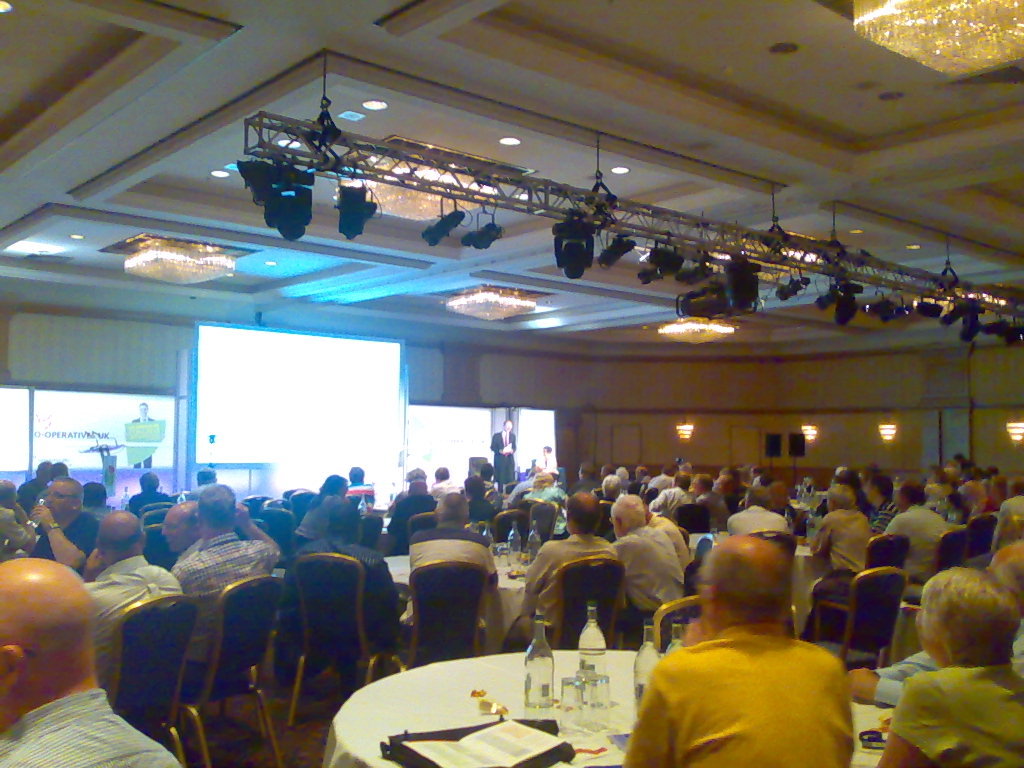
MJ Ray: Co-operatives Fortnight and Congress 2011 (#coops14 and #cc11)

It s Co-operatives Fortnight until 9 July and our co-op is supporting many events: As you may know, we ve already done two events: First, last Friday, Michael attended the Co-operatives UK Annual Meeting on our behalf. Co-operatives UK is our national co-ordinating co-op and the figurehead for the movement in this country. I didn t see the meeting (the live video link didn t work for me, as before), but Michael reports:
The AGM seemed well organized; it was good to hear about the work they re doing and the concerns regarding the co-operative situation in Poland. I think it s important to exercise one s ability to vote, but would have liked more opportunity to speak with people.
We couldn t send anyone to the Mary Portas session on Friday evening, but Paul Dale Smith summarised the session and RuthRosselson described it as Mary Portas tells Co-op Congress how it is . Then on Saturday, I was in Manchester for The Power of Co-operation, thanks to support from software.coop and The Co-operative Bank. The first session I attended, on mutualisting the Post Office was interesting and pretty full, but I found some later sessions rather frustrating. As well as my usual concerns about surrendering to uncritical use of private-sector software, I got quite annoyed by two sessions on member engagement where the presenters seemed to talk for almost the full time without letting the audience engage! Not good for my blood pressure, that, especially when I feel they re missing something! But the real value of the day was in the fascinating discussions I had with many people in the short breaks in the plenary, or while wandering around the exhibition and the marketplace. For example, it was great to see Revolver still selling the T-shirts I mentioned here in 2009 as well as giving out free samples of their brilliant fairtrade coffee. What comes from the various discussions will probably decide whether we attend similar events in future. Were you in Birmingham? How was it for you? Are you supporting Co-operatives Fortnight? How, where, when and why?

28 June 2011

Sam Hartman: Dream Plug

As part of trying to help with Freedom Box, I gained access to a Dream Plug The Dream Plug is one of the leading possible platforms for Freedom Box. Computationally it s sexy for a low-power device. There s a 1200 mhz arm with 512m of RAM. As a platform to enable people to create novel applications, it s great. It has multiple USB ports, two ethernets, a built-in 802.11B/G access point, bluetooth, audio, ESATA, Micro SD and full-sized SD. So, whether you application needs storage, networking, audio, or some interesting side device, you re covered. With the optional JTAG adapter it s even fairly friendly to developers: there are options for recovering from most failures and full console access. If you re looking at a reference platform that s still nominally embedded, but that allows you to play around thinking about what your application could do, this is a great option. However, especially for Freedom Box, it s important to remember that the reference board a developer wants is not the same as a cost-reduced product on which to actually deploy something for people to buy. The Dream Plug is wrong for every actual deployment I ve imagined. First, it s huge. If you happen to have free power plugs on your wall with lots of space above and below them, it might be an option. If however, you re like everyone I know and have power strips, constrained spacing, etc, then the industrial engineering will disappoint at every turn. I was hoping for something that kind of looked like an Apple Airport Express. It s significantly larger than that in every dimension. Also, the plug is oriented the wrong way for minimizing the fraction of the power strip it takes up. The power supply part of the device can be detached, although even that is way too huge for a power strip, and the cable between the power supply and the computer is fairly short. You can reconfigure the device without its plug nature: running a cord from a normal power outlet to the power supply. But then if you have to detach the power supply for heat management reasons, you get a cord from the outlet to the power supply and another cord from the supply to the device. Add a few USB or ESATA devices and the octopus of cables begins to resemble some arcane mechanism. (So far, no elder gods have appeared though.) The other issue is that you almost never want all the functionality. You pay for the bluetooth, audio and ESATA in terms of cost, heat and space regardless of whether you use them. I don t have a lot of applications that really take advantage of the full array of hardware. The firmware update mechanism is decidedly not targeted at end-users. The version I obtained had a hacked copy of Debian lenny. No mechanism was provided for replacing the image in a safe manner that did not potentially require the optional highly-non-end-user-compatible JTAG board if something got interrupted. You could either unscrew the device and get to the micro SD card containing the image, or run software to replace the image from within Debian lenny. It s possible to configure the boot loader to run an update image off USB or SD until that succeeds, but doing that is also a non-end-user operation. In conclusion, the name is perfect. This is exactly what hackers need to dream about the power of small computers everywhere. However we must not forget that there s a step required to turn dreams into reality. Just as with any fully proprietary product, Freedom Box will require cost reduction steps, semi-custom boards and actual OEMs to truly be usable. The claim in the previous sentence that the Freedom Box may have proprietary elements is disquieting to some. I think we can put together a software stack that is free with the possible exception of some device firmware. However, my suspicion is that anyone who turns that into a fully realized end-user product will add proprietary elements. I suspect some of the results of the cost reduction process such as resulting semi-custom boards will be proprietary. In many cases though, I suspect some proprietary software elements will be introduced.

27 June 2011

NeuroDebian: Neuroscience runs on GNU/Linux

Neuroscience runs on GNU/Linux While everybody else is waiting for Linux to become the standard on the desktop, in the field of neuroscience research we have made this step already so silently that we haven t even realized it ourselves. In the NeuroDebian project we were trying to figure out what software would need to be integrated into Debian to have a maximum impact on enhancing its utility as a research platform. So we ran a survey, asking people to tell us what software they use in their research and what platform they run it on. We also asked people to describe their personal preferences regarding a computing environment and how that might differ from the computing platforms they are institutionally provided with. The main result of this survey was very simple and pretty surprising (even to us): Despite common believe, GNU/Linux is the current standard computing platform in neuroscience and that is both on the big compute clusters and on the laptop and desktop. It turns out that researchers on GNU/Linux are not only the majority, they are also much happier with what they get, and spend less time on non-research maintenance tasks than the guys who are still stuck with Windows. It was also nice to see that Debian-based systems are preferred by neuroscientists among GNU/Linux distributions for their personal computing environments and that even proportions of Red Hat and Debian-based systems together represent the vast majority of GNU/Linux deployments in institutional computing infrastructure. Well done Debian! The results have just been accepted for publication in the journal Frontiers in Neuroinformatics. A link to the manuscript, the original survey form, collected data, as well as supplementary analysis results are available at: http://neuro.debian.net/survey/2011/

Olivier Berger: Migrating from Evolution to Gnus + NotMuch (part 1)

I ve gotten fed up with Evolution s bugs and slowness. Even though I experience less problems than some weeks ago since I ve applied a patch related to locks in e-d-s, Evolution has now become really too slow and given that my mail flow is not really diminishing, I ve come to the point when I think about migrating. I ve been a user of Gnus for years also (at home, with much satisfaction, as it runs fine inside a GNU Screen), so I could switch to it with moderate damage. Also, as I m using org-mode, it would be quite complementary of course, staying more in Emacs ;) One nice (and even priceless) feature of Evolution is the vfolders, that allow me to manage the tons of emails in different contexts, wherever that may be located. AFAIK, Gnus doesn t offer any comparable feature. But it seems that the most interesting way to have it is to integrate Gnus with NotMuch. Fortunately, my colleague Roland has written a nice howto explaining (among other details of his mail system setup) how to integrate these together. Now, if I m able to setup a similar NotMuch + Gnus setup for newly received mail, I m left with migrating all my piles of old mail, currently stored in Evolution. It seems that one possible way to do so is through copying Evolution mail folders into a newly setup local IMAP server s Maildir storage. The copy is supposed to preserve some flags like the read/unread status of the important flag. From the first tests I ve made, it s possible to install a local Dovecot IMAPd server, configure it so that the mail is stored in the user s ~/Maildir/ maildir directory, which can then be recognized by Evolution as a target for copying mail. It seems that nomuch can then be configured so that it doesn t flag all new mails as unread, and understangs the imap server flags accordingly (unread, important, and such). Needless to say, I m glad all these useful programs are packaged in Debian ;-) I need to make further tests and also test Gnus + Notmuch integration, but having a possible solution to migrate my existing mail looks like a relief. I d be curious to read your alternative ideas for such a migration. Stay tuned for next iterations.

23 June 2011

Peter Eisentraut: Bootstrapping Debian packages

I read something about dh_make again a while ago, which made me wonder, besides dh_make, how do people generally bootstrap new Debian packages. I don't think I've ever actually used dh_make for anything but experimenting. For the longest time, copying over the packaging files from some similar package worked pretty well.

Recently, however, I have applied a completely new strategy: I start with nothing, call debuild, fix the error, retry, until it works. This might sound pretty bizarre, but it works pretty well and enhances your understanding of how the packaging tools work.

Here is about how it works:

Start with nothing, call debuild, it complains:
cannot find readable debian/changelog anywhere!
Call dch --create, which says:
Cannot find debian directory!
OK, mkdir debian, call dch --create again, fill in the template. Call debuild again, now it says:
but there's no debian/rules there!
Create a debian/rules, that's easy to do by heart nowadays, at least as a start:
#!/usr/bin/make -f

%:
dh $@
Call debuild again, now dpkg-buildpackage actually starts, but stops with:
dpkg-source: error: cannot read mypackage/debian/control: No such file or directory
At this point I'm too lazy to figure out what is necessary to put into debian/control, so let's just keep it simple and touch debian/control. At this point dpkg-source gets into a bit of trouble:
Use of uninitialized value $sourcepackage in sprintf at /usr/bin/dpkg-source line 290.
So let's put that in and also follow the subsequent advice to add debian/source/format and the Maintainer and Standards-Version fields. So far we have:
Source: mypackage
Maintainer: Peter Eisentraut <petere@debian.org>
Standards-Version: 3.9.2
The next hint of a message is:
dh: No packages to build.
This means we need a binary package stanza, so I'll just add
Package: mypackage
Architecture: any
Now debhelper complains:
dh: Compatibility levels before 5 are deprecated.
Not sure why it didn't complain about that earlier. Let's stick 8 in there.

At this point I had to do actual work and mess around with debian/rules a bit to get the package to actually build, but a few minutes later I had a functioning provisional package.

The next step is to clean up the warnings from the various dpkg-* workers:
dpkg-gencontrol: warning: missing information for output field Description
dpkg-gencontrol: warning: package mypackage: unused substitution variable $ shlibs:Depends
dpkg-deb: warning: parsing file 'debian/mypackage/DEBIAN/control' near line 6 package 'mypackage': missing description
dpkg-genchanges: warning: missing Section for binary package mypackage; using '-'
dpkg-genchanges: warning: missing Priority for binary package mypackage; using '-'
dpkg-genchanges: warning: missing Section for source files
dpkg-genchanges: warning: missing Priority for source files
So we add Description, Depends, Section, and Priority.

And finally we have a list of complaints from Lintian to address:
W: mypackage source: debhelper-but-no-misc-depends mypackage
E: mypackage source: package-uses-debhelper-but-lacks-build-depends
W: mypackage source: package-needs-versioned-debhelper-build-depends 8
W: mypackage source: debhelper-overrides-need-versioned-build-depends (>= 7.0.50~)
E: mypackage source: temporary-debhelper-file debhelper.log
E: mypackage: no-copyright-file
The only things I added manually after that were Vcs-*, Homepage, and Enhances.

Now the only things left to do are running the thing through cowbuilder a few times and putting in all the necessary build dependencies, and writing a nice changelog entry.

Note, this method does not replace putting in some thought. But it's an interesting way to get a relatively clean package.

22 June 2011

Martin Zobel-Helas: How YOU can help Debian!

I recently had been ask how persons usually not involved in Debian's development process can help Debian. This is a question that pops up quite often, so I thought I should write down a bit of that.

Help to make Debian a better OS
If you are using Debian, and you want something of your OS changed, open a bug report. This varies from wishlist bugs if you want to have an enhancement of a package over normal bugs for stuff that you think is a real bug up to serious or grave bug, if you found a security bug. Send a mail to submit@bugs.debian.org or use the tool reportbug and describe the problem you have found. Find more information here. Be as verbose as possible when explaining your problem. This will make it easier for the package maintainer to help you and to understand the problem. If you are not sure which package to report the bug against, report it against unknown. The bug will be taken care of, there are guys redirecting those bug reports to the appropriate package!
You could also help to verify bug reports. There are dozens of packages around, that have hundred of open bug reports. It will help the Debian package maintainer if you can tell him a "me too", esp for complex problems, or if you found out how to reproduce a bug.

Help by spreading the word
If you are using Debian, speak about it! If you have problems with Debian, speak about it! If you like Debian, speak about it. Read the debian-user mailing list (or a localized one) and jump in if users have the same problem you had, and help them.
All sort of publicity will help Debian. If there is a small exhibition near to your living, speak there about Debian, and how you are using it. Speak also to Debian, we can help you to announce your presence at that exhibition and provide you with information material in various languages. Good contact point for that is events@debian.org, or one of the debian-events-* mailing lists on lists.debian.org. If you need help, ask for it. Also, you can help Debian manning an exhibition. If you see events in your area, offer to help and don't be shy. Other way to help is working with the publicity team and prepare press announcements, the Debian Project News (DPN), contact journalists or press media if interesting things happen in Debian.

Help Debian to organize stuff
There are many ways to help Debian organize itself. For example the annual Debian Conference DebConf is a big organisation monster, and you don't need to be developer to help with that. Sometimes it's as easy as helping in the video team taping the conference, help at the front desk with registration, sorting badges or speaking to the caterer about needed foods. We also have miniDebConf or so called Debian Bug Squashing parties from time to time. Your company could provide office rooms, you could provide crash space for developers to sleep or even by sponsoring some beverages or food. Also helping around exhibition is a good idea. If your company is willing to print some flyers or posters this can help us.

Help by translating or writing documentation
Debian's website and all of the software Debian delivers should be available in all languages around the world! Good starting point for that is http://www.debian.org/international/ and the Debian Internationalization Mailing list. Also writing or extending documentation is a job everyone can do. If you are using a piece of software heavily and miss documentation, speak to the Debian package maintainer (you can find our at http://packages.debian.org/$yourpackage) and start submitting bugs with documentation.

Help by donating
There are actually many ways to help by donating (not only by money). Surely Debian will accept money donations via one of it's official representation (ffis, SPI, debian.ch, ...). On the other hand donating can be as simple as allowing your employees to work some specified time on the week on Debian! Or you donate machine hardware (probably not your old ones that you used five years and which are not under warranty now any more, sorry...), bandwith or colocation in your datacenter. Speak to the hardware donations team if you want to know the current needs.

Conclusion
I only wrote down a very few areas where you can help Debian, and there are plenty more! Don't hesitate to jump in to help. If you don't understand stuff: ask! But be prepared that you will be pointed to URLs where the stuff you ask for is documented. Helping Debian sometimes starts with reading tons of documentation (and i am sure you will find errors in that documentation to fix!), but after a while it makes a lot of fun to work for and with Debian. Find your own area to work on within Debian, and don't think you can't help. Even graphic designers, lawyers or clerks can help Debian!

I started using Debian around 15 years ago and became Debian Developer around 6 years ago. Within the last six years I had been in various positions inside Debian (listmaster team member, volatile team member, release team member and Stable Release Manager, Debian Sysadmin Team member) and got to those just by jumping in where help needed.


Wouter Verhelst: Nothing Else Matters

The office is located not too far from a church (dutch) which contains a fully-functional carillon. For one thing, this means that during day hours, once every fifteen minutes the bells play a little bit of music; for another, it also means that once every so often, someone sits behind the carillon's keyboard, and plays some live music. This is often done in the afternoon between 14:00 and 15:00 on weekdays, when I'm at work. I've grown to like this. Usually the music is classic carillon music; but quite often they add in something unexpected. Today, for example, I was surprised to hear a carillon version of Nothing Else Matters, which sounded surprisingly nice. I've been thinking off and on to place a microphone on the roof of the office, so that I could stream the carillon concerts to the Interwebz. It hasn't happened yet, mainly because it would require me to get organized a bit more than I currently am, but perhaps I might actually go through with it at some undeterminate point in the future... oh well.

20 June 2011

Nathan Handler: Google Summer of Code Report #2

A lot of work has taken place since my last report. First, since my original mentor, Matt Zimmerman, is going to be moving, he helped arrange for Stefano Zacchiroli to fill in for him temporarily. I have had a call with Stefano, and I am looking forward to getting to work with him more over the next couple of weeks. Shortly after my first report, we realized that having the dashboard only display bugs severely limited its usefulness. In our original design, we had it pulling a list of bugs with specific usertags from the BTS. This forced all information to be added to bugs, which we viewed as a good thing since it made the information available to the Debian Maintainers without requiring them to familiarize themselves with DEX. The issue was that when looking back at the ancient-patches project or forward to the big merges project, a large portion of the work will be triaging and determining whether or not the changes are even applicable in Debian. If they aren t, there is no reason for a bug to be filed on the BTS. As a result, I spent a fair amount of time re-writing most of the dashboard. It still supports finding bugs on the BTS that have been tagged with a specific DEX usertag, but it is now task-based rather than bug-based. A task can be a bug number, a package name, a patch name, or anything. It is merely something that needs to be done for a project. Each task will have a name, an assignee, a status, a note, and a bug associated with it. There are two ways to define a list of tasks for a project. The first is to tag bugs on the BTS with a user of debian-derivatives@lists.debian.org and a tag with a format of dex-<distribution>- <project> (i.e. dex-ubuntu-ancient-patches). The script will convert the bugs to tasks and automatically set all of the fields. The second method is to specify the list of tasks in a plain text file on the server the scripts are being run on. Eventually, this list will be able to be specified via a web interface. Currently, you are only able to specify the task name in the file. This means that all of the other fields for a task created in this manner are initially blank. I am still deciding on the best way to specify additional information about each task in the file. Once I decide on a method, it should not be too difficult to modify the script to parse and store that additional information. For the ancient patches DEX project, everyone involved had to update a status file stored in a VCS on alioth. This was rather annoying, so we decided early on that we want to be prevent this from being necessary for future projects. This means that the dashboard needs a way for users to modify the information on it. For tasks that are based on bugs, this is rather easy; you simply use the BTS email interface to adjust the bug. However, for other tasks, we needed the ability to modify them on the dashboard. I have managed to get this partially implemented. Currently, all cells on the table are text input fields (with css being used to hide the boxes). This means that you can click on any cell and edit its contents. Hitting the submit button will execute a script to save these changes. This is the tricky part. The dashboard is a collection of html files generated by a python script. The script is meant to be run by cron every n minutes. When you update something via a web interface, you usually expect to see the changes instantly. This means that we can t wait for the python script to run again and re-generate the html files. As a result, I currently have it setup so that when you submit the form, it will go and modify the html files to reflect the changes. The next time cron runs the python script, the html files will be re-created, and the changes made by the user will be lost. Once I come up with a method for storing additional information about a task, it shouldn t be too hard to make changes made by a user via the web interface permanent. I also did some work on a script to generate graphs. There are two types of graphs I hope to be able to display on the dashboard. One graph will help show which individuals have done the most work on a project. I have not started working on this graph yet. The second type of graph is meant to show the number of open tasks versus time. This will allow people to quickly see the progress of a project, estimate how long the project will take to complete, and notice if things start to slow down. I have some initial code for this graph using matplotlib. However, due to the many changes that were made to the dashboard, I had to hold off a bit on this graph, as it relies on certain information provided by the dashboard. I hope to sort out some of the last few issues with this graph, such as getting the axes to display properly, and then merge it with the dashboard sometime in the next few weeks. Allison Randal approached me a while ago to see if my Summer of Code project might be in a state where it could be used to assist with a Python 2.7 DEX project that she was working on. For a while, I did not think that it would be ready. However, last week, I helped her get the related bugs usertagged appropriately, and they now show up in the DEX dashboard. While the dashboard is still not complete, it does allow her and everyone else working on the project to clearly see the tasks (bugs) that they need to focus on and the current status of each of them. I plan to try and incorporate any feedback I receive from people working on this project into my designs. All of my code is available in a git repository on alioth. Keep in mind that it should not be considered stable at this point. Further status updates will be posted on my blog, and I will try to keep the wiki page updated. I am still trying work out where we will host the actual dashboard. In the meantime, you can try out my testing version of it. During the next few weeks, I will be focusing my efforts on coming up with a method for storing additional task information. That will allow me to support permanently storing changes made by users via the web interface. I also hope to finish the first graph script and merge it with the dashboard. Finally, I hope to find a permanent home for the dashboard, as having it on my personal server is not a viable long-term solution. Finally, if anyone is interested in getting involved with DEX, feel free to join the debian-derivatives mailing list, join #debian-derivatives on OFTC, or contact me via email or on IRC (nhandler).</project></distribution>

19 June 2011

Leo 'costela' Antunes: Importing an Outlook PST into IMAP

Well, every once in a while we re forced to do something that isn t particularly interesting or pleasant. Last week it happened again: I had to import a few pretty big PSTs (most 2Gig, one 10Gig, with about 100.000 emails) into our dovecot IMAP. Doing this with Outlook itself was out of the question: it took way too long, even on the local network (many hours for a 1G file) and was prone to hanging and crashes, which were obviously a pain to debug and start over.
Thunderbird was unfortunately not much better, since at least in our tests it didn t import the read status of the emails (they were all marked as unread) and also wasn t particularly good at handling folders with strange names, containing . , / or some more obscure characters. We had used it before for smaller files, where manually dealing with the problems was acceptable, but this time it required something a bit more elaborate, if we were to keep our sanity. Enter libpst. It includes the handy readpst utility which dumps all emails in usable formats in a directory tree, one directory per folder. Unfortunately the Debian version is somewhat outdated and doesn t support the newer Outlook formats, so I did some packaging and even a little bit of patching. It seems Thunderbird also uses this library, which would explain why it didn t handle the Read-Status (haven t confirmed this though; just read it somewhere). The last step was this not-so-little script, which uses the dumped directories from readpst and imports them in IMAP. It would have probably been a bit more elegant to use libpst directly, but I unfortunately didn t have the time to mess around with that. I did have to mess around a lot with encodings though, ergo the unholy chaos with unicode()s and str.encode()s thrown around like rice at a wedding (I could never really wrap my head around charset problems; the subject boggles my mind to this very day).
#!/usr/bin/env python2.7
#-*- encoding: utf-8 -*-
 
import os, sys, time
import re
 
from argparse import ArgumentParser
from getpass import getpass
 
import imaplib
from email.header import decode_header
from mailbox import mbox
 
from twisted.mail import imap4 # for their imap4-utf7 implementation
 
parser = ArgumentParser(description="""Recursively import mbox files in a directory 
                                        structure to an IMAP server.\n
                                        The expected structure is that generated by 
                                        'readpst -r'.""")
parser.add_argument('-s', dest='imap_server', default='localhost', help='IMAP server to import emails to')
parser.add_argument('-u', dest='imap_user', required=True, help='user for logging in to IMAP')
parser.add_argument('-p', dest='imap_passwd', help="will be prompted for if not provided")
parser.add_argument('-c', dest='charset', default='utf8', help='charset in which the folders are stored (for versions older than 2003)')
parser.add_argument('-f', dest='force', action='store_true', help='import mail even if we think it might be a duplicate')
parser.add_argument('-m', dest='mappings', help='a JSON file with mappings between folder names and mailbox names (no slashes or dots)')
parser.add_argument('folder', nargs='+', help="the base folders to import")
 
args = parser.parse_args()
 
if not args.imap_passwd:
    args.imap_passwd = getpass()
 
 
if args.mappings:
    import json
    folderToMailbox = json.load(open(args.mappings,'r'))
else:
    folderToMailbox =   


def mailboxFromPath(path):
    paths = []
    for p in path.split(os.path.sep):
        p = folderToMailbox.get(p, p)
 
        # only other invalid char besides '/', which can't be created by readpst anyway
        p = p.replace('.','')
 
        paths.append(p)
 
    return '.'.join(paths)
 
def imapFlagsFromMbox(flags):
    # libpst only sets R and O
    f = []
    if 'R' in flags or 'O' in flags:
        f.append(r'\Seen')
    if 'D' in flags:
        f.append(r'\Deleted')
    if 'A' in flags:
        f.append(r'\Answered')
    if 'F' in flags:
        f.append(r'\Flagged')
    return '('+' '.join(f)+')'
 
def utf7encode(s):
    return imap4.encoder(s)[0]
 
def headerToUnicode(s):
    h = decode_header(s)[0]
    try:
        if h[1]: # charset != None
            try:
                return unicode(*h)
            except LookupError:
                return unicode(h[0],'utf8','replace')
        else:
            return unicode(h[0], 'utf8')
    except UnicodeDecodeError:
        try:
            return unicode(h[0], 'cp1252') # the usual culprits for malformed headers
        except UnicodeDecodeError:
            pass
 
        try:
            return unicode(h[0], 'latin1') # the usual culprits for malformed headers
        except UnicodeDecodeError:
            pass
 
        return unicode(h[0], 'ascii', 'ignore') # give up...
 
def main():
    imap = imaplib.IMAP4_SSL(args.imap_server)
    imap.login(args.imap_user, args.imap_passwd)
 
    imap.select()
    for base in args.folder:
        print "importing folder "+base
        for root, dirs, files in os.walk(base):
            if 'mbox' in files:
                folder = unicode(os.path.relpath(root, base), args.charset)
                mailbox = mailboxFromPath(folder)
                print u'importing mbox in  0  to  1 '.format(folder, mailbox)
                mailbox_encoded = utf7encode(mailbox)
                m = mbox(os.path.join(root, 'mbox'), create=False)
                for msg in m:
                    if imap.select(mailbox_encoded)[0] != 'OK':
                        print "creating mailbox "+mailbox
                        r = imap.create(mailbox_encoded)
                        if r[0] != 'OK':
                            sys.stderr.write("Could not create mailbox: "+str(r))
                            continue
                        imap.subscribe(mailbox_encoded)
                        imap.select(mailbox_encoded)
 
 
                    # skip possibly duplicated msgs
                    query = 'FROM " 0 " SUBJECT " 1 "'.format(
                                utf7encode(headerToUnicode(msg['from']).replace('"','')),
                                utf7encode(headerToUnicode(msg['subject']).replace('"',r'\"'))
                            )
                    if msg.has_key('date'):
                        query += ' HEADER DATE " 0 "'.format(utf7encode(msg['date']))
                    if msg.has_key('message-id') and msg['message-id']:
                        query += ' HEADER MESSAGE-ID " 0 "'.format(utf7encode(msg['message-id']))
 
                    r = imap.search(None, '( 0 )'.format(query))
                    if r[1][0] and not args.force:
                        print "skipping "+mailbox+": '"+headerToUnicode(msg['subject'])[:20]+"' (mid: "+str(msg['message-id'])+")"
                        continue
 
                    r = imap.append(mailbox_encoded, '', imaplib.Time2Internaldate(time.time()), str(msg))
                    if r[0] != 'OK':
                        sys.stderr.write("failed to import  0  ( 1 ):  2 ".format(msg['message-id'], msg['date'], r[1]))
                        continue
                    num = re.sub(r'.*APPENDUID \d+ (\d+).*', r'\1', r[1][0])
                    r = imap.uid('STORE', str(num), "FLAGS", imapFlagsFromMbox(msg.get_flags()))
 
                    if r[0] != 'OK':
                        sys.stderr.write("failed to set flags for msg  0  in  1 ".format(num, mailbox))
 
    imap.logout()
 
if __name__ == '__main__':
    main()
Another useful automation is using the mappings file, which looks something like
 
"Deleted items": "Trash",
"Sent items": "Sent"
 
to automatically import in the right destinations, in case you have a standardized structure.

18 June 2011

Vincent Bernat: The sorry state of Flash with 64-bit Debian

Even with the availability <video> tag in HTML5, most websites still require the use of Adobe Flash plugin to access some content. If you run a 64-bit (Intel architecture) version of Debian, you can still get this plugin through the flashplugin-nonfree package. Unfortunately, Adobe never commited to a decent support for the 64-bit version of its plugin. The first 64-bit version was provided as late as the fall of 2008. The support was discontinued. Then, we recently got a new preview release but it is still lagging behind the 32-bit version. The 64-bit plugin has two major drawbacks: Even if you fix the second point, you have no way to fix the first one. What are the alternatives?

Lightspark Lightspark is a modern, free, open-source Flash player implementation featuring JIT compilation (with the help of LLVM) and hardware acceleration using OpenGL. It only supports Actionscript 3 (introduced in Flash 9) but it now fallbacks to Gnash if an older version is required. The main problem of Lightspark is that it is optimized for modern hardware and uses OpenGL textures to display video frames. This allows to achieve video compositing with the help of the graphic card. Unfortunately, if you use a video card with poor OpenGL performance, like a NVidia card with Nouveau driver, Lightspark is slow as hell. It works well with an Intel card. Currently, Lightspark is only available in experimental for Debian. Install browser-plugin-lightspark.

Gnash Gnash is a more mature project but does not support Actionscript 3. Youtube works well with Gnash, as well as most other applications unless they use too recent features. If your use of Flash is limited, it is a nice alternative. Unfortunately, more and more content are delivered with an application requiring Actionscript 3 support. On Debian, you can get started by installing browser-plugin-gnash.

32-bit Flash plugin on Debian Ubuntu provides Flash as a 32-bit plugin with the help of nspluginwrapper which is a special plugin that will enable the use of a 32-bit plugin inside a 64-bit browser. This seems a sensible choice since Adobe only really supports the 32-bit version. You can also use nspluginwrapper with Debian. You need to download 32-bit version of Flash, uncompress it and put libflashplayer.so in ~/.mozilla/plugins.
# aptitude purge flashplugin-nonfree
# aptitude install nspluginwrapper lib32asound2-plugins
$ cd ~/.mozilla/plugins
$ nspluginwrapper -i $PWD/libflashplayer.so
Beware that you need to watch for updates yourself. Mozilla provides a website checking if plugins are up-to-date. It works with other browsers than Firefox. This is a pity to still need this kind of hack in 2011 but it seems that this is currently the best solution. UPDATED: In a comment, Paul Rufous tells debian-multimedia.org repository provides flashplayer-mozilla package which is the 32-bit plugin with nspluginwrapper.

HTML5 Thanks to the <video> tag available in HTML5, most videos should be available without the need of a special plugin. Unfortunately, HTML5 does not define a list of video codecs and container formats that should be supported by any browser. Therefore, some browsers support Ogg Theora, some others H264 and some of them also support WebM, the new royalty-free format from Google. You can find a good summary of the problem from Mark Pilgrim. With Chromium as found in Debian, you have Ogg Theora, WebM and H264. Youtube has an opt-in program to enable HTML5 video but most other video content are just unavailable without Flash. Web without Flash is not a reality yet.

Grab video with helper tools UPDATED: Josh Triplett pointed in a comment the existence of several command line tools that could be used to download Flash video from popular websites. Those tools include:
  • youtube-dl
  • get-flash-videos
  • clive
Those tools can be useful even if you have installed a Flash plugin since they allow the use of the video player of your choice (better performance, working fullscreen mode). UPDATED: Another solution provided in a comment: Video DownloadHelper extension allows to extract videos from the current web page. In another comment, this is the extension FlashVideoReplacer which is featured. It replaces the Flash container with a standalone player.

17 June 2011

Timo Jyrinki: Kernel Mode-Setting (KMS) on Neo FreeRunner + Debian

Edit Aug 18th: video available (ogv, also on youtube)

Forget AMD, Intel, NVIDIA! Thomas White's incredible work with Neo FreeRunner's puny graphics dec...accelerator, Smedia Glamo 3362 is starting to bear fruits. Not listening to such comments as the chip will never be used anywhere else and why not spend your time doing something more relevant , he has chosen to actually do what he likes and sees as an interesting challenge. And that's often the spirit of free software, so I don't really agree with the naysayers.

The camera shot on the right, running KMS-enabled X.org driver for the glamo chip on my Debian installation (visible software matchbox-window-manager, fbpanel, zhone), is a bit optimistic looking since Zhone happens to draw correctly. A lot of the drawing is not yet synced correctly, which shows as all text and images in eg. GTK applications being garbled. But as little as two days ago one couldn't yet much launch applications without X crashing, so the newest commits by Thomas were a big step forwards. I'm using Debian, and he's not, so I try to find time to help in debugging even though I really can't much help with the driver code.

The driver is not just one piece of code, but consists of a kernel drm driver (direct rendering manager) using GEM, libdrm support for the kernel driver and finally the X.org driver supporting these other components and offering buzz-words like DRI2. There is also a beginning of a Mesa 3D driver, though it is so far just a skeleton driver since the 2D/KMS/EXA/DRM parts are what should be done first before dwelling into the OpenGL realm.

Openmoko the company is basically nowadays just producing new Neo FreeRunners to resellers, but the community of the so far only Free phone is thriving. The final (Openmoko produced, from where gta02-core continues) version of the phone, with the famous buzzing problem fixed, appeared on store shelves some time ago, offering better out-of-the-box phone functionality in addition to all the mini computer features. It was also offered to Debconf visitors on discount.

It's not only cool to have kernel mode-setting, though it is indeed very cool as well. The reason for much sorrow in the whole OM project has been the graphics chip, and some of the problems with the chip are only finally solvable with the kernel doing the mode-setting. So it's both a very modern thing to use KMS, but there are also clear potential benefits of having accurate control over this very sensitive piece of silicon. The current non-KMS X.org driver for example busy loops in order to try to feed the chip at a correct pace, causing CPU usage every time there is any drawing going on.

This is somehow reminding me about getting the best out of 8-bit computers and other hardware with some specific limitations. The glamo chip is very limited in some ways, but also capable in some other ways like theoretically offering MPEG-4 decoding, OpenGL ES 3D support. It's a mixed bag of things, and I can very well imagine it's indeed an interesting challenge to work on it, if you just have the skills (I don't) and nerves (proper debugging tools help).

It's so nerdy to drool over lines in the X.org log, but I just can help it:
X.Org X Server 1.6.3
Release Date: 2009-7-31
X Protocol Version 11, Revision 0
Build Operating System: Linux 2.6.28 armv5tel Debian
Current Operating System: Linux neo 2.6.29-GTA02_mydrm #2 PREEMPT Mon Aug 17 18:24:39 EEST 2009 armv4tl
...
II) Using KMS!
...
(WW) Glamo(0): EXA hardware acceleration initialising
(II) EXA(0): Driver allocated offscreen pixmaps
(II) EXA(0): Driver registered support for the following operations:
(II) Solid
(II) Copy
(II) Glamo(0): Initialized EXA acceleration
...
(II) Glamo(0): RandR 1.2 enabled, ignore the following RandR disabled message.
...
(II) Glamo(0): [glamo-dri] Name of DRM device is '/dev/dri/card0'
(WW) Glamo(0): [DRI2] Version 1 API (broken front buffer rendering)
(II) Glamo(0): [DRI2] Setup complete
...
(II) AIGLX: enabled GLX_MESA_copy_sub_buffer
(II) AIGLX: Loaded and initialized /usr/lib/dri/glamo_dri.so
(II) GLX: Initialized DRI2 GL provider for screen 0
(II) Glamo(0): Adding framebuffer....!
(II) Glamo(0): 8 480 640 16 16 960
(II) Glamo(0): rootPixmap = 0x1d0a00
(II) Glamo(0): Done

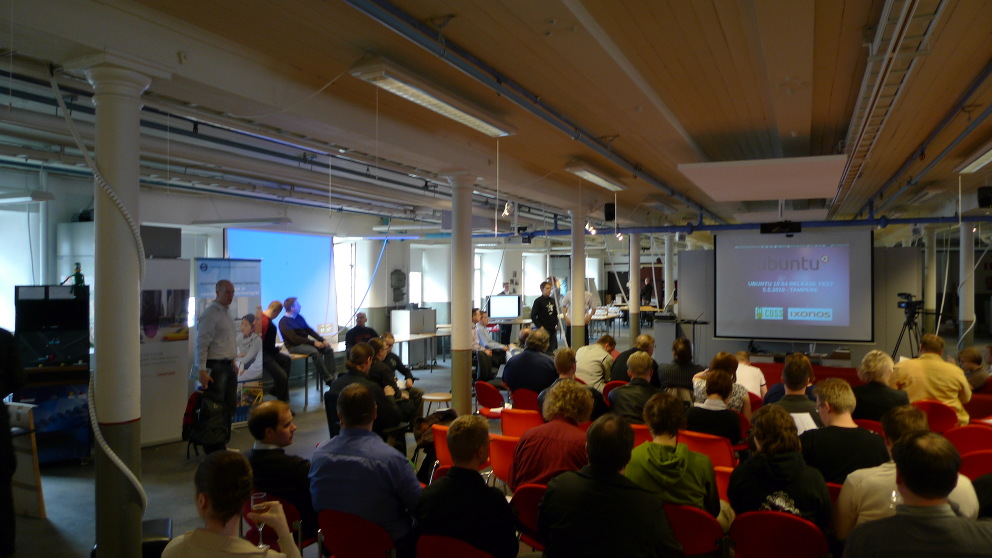
Timo Jyrinki: Ubuntu 10.04 LTS release fest in Tampere, Finland

The main release party in Finland was held at Tampere, Finland and organized by Ixonos Plc and COSS. It was a great success, as proven by the almost 200 participants and great speakers.

The first sessions were mostly about the basics of Ubuntu and its roots in Debian and elsewhere. Then Tuure Vartiainen from Tampere University of Technology shared with us the release from the official Finnish mirror perspective (fi.archive.ubuntu.com, fi.releases.ubuntu.com, ...). 10.04 LTS release date was very hectic and the transfer speeds were not constantly optimal, but quite good anyway. For 10.10 they hope to up the network connectivity to 10G. I also took the opportunity to thank him later personally for the Ubuntu Finnish Remix mirroring which was arranged right before the release as well.

The next-to-final session was about Ubuntu for senior people with brief demoing of how Ubuntu UI can be customized. To give a little different perspective to usage of Ubuntu, the final speaker was a theater director and dramatist Jotaarkka Pennanen from Interactive Film Productions. Blender among else was praised.

In addition to speakers, we had 300 Ubuntu Finnish Remix CD:s, Ubuntu posters, Free Software Foundation Europe flyers, COSS flyers et cetera. After the main program there was a dinner and some wine offered to participants, which was a great social ending to the event.

Now a few photos follow. Unfortunately they are from before the event actually began, so others have probably more crowded photos and photos of the speakers themselves.


15 June 2011

Pietro Abate: MPM: A Modular Package Manager

One of our paper has been accepted to The 14th International ACM SIGSOFT Symposium on Component Based Software Engineering (CBSE-2011) happening in June in Boulder, Colorado, USA. This is a joint work with Roberto Di Cosmo, Ralf Treinen and Stefano Zacchiroli.

Abstract
 Software distributions in the FOSS world rely on so-called 
  package managers for the installation and removal of packages on
  target machines. State-of-the-art package managers are monolithic in
  architecture, and each of them is hard-wired to an ad-hoc 
  dependency solver implementing a customized heuristics. In this
  paper we propose a modular architecture allowing for pluggable
  dependency solvers and backends. We argue that this is the path
  that leads to the next generation of package managers that will
  deliver better results, accept more expressive input languages, and
  can be easily adaptable to new platforms.  We present a working
  prototype---called MPM---which has been implemented following the
  design advocated in this paper.

More details about the paper are available here

13 June 2011

Vincent Bernat: Anycast DNS

In a recently published article, Paul Vixie, past author and architect of BIND, one of the most popular internet domain server, explains why DNS servers should use anycast for increased reliability and faster answers. The main argument against unicast is that some resolvers may not be smart enough to select the best server to query and therefore, they may select a server on the other side of the planet. Since, you cannot go faster than light, you get a penalty of about 100 milliseconds in this case.

Unicast & anycast Most addresses that you handle are unicast addresses, i.e. the address of a single receiver. Any time you send a packet to an unicast address, it will be forwarded to this single receiver. Another common network addressing system is multicast (which happens to include broadcast). When you send a packet to a multicast address, several receivers may get it. The packet is copied as needed by some nodes. Anycast addresses allow you to send a packet to a set of receivers but only one of them will receive it. The packet will not be copied. Usually, the idea behind anycast is that the packet is sent to the nearest receiver. There is no universal way to determine if an IP address is an unicast address or an anycast address just by looking at it. For example 192.5.5.241 is an anycast address while 78.47.78.132 is an unicast address. ISC, which maintains BIND, operates the F root domain server, one of the 13 Internet root name servers. This server is queried by using 192.5.5.241 IPv4 anycast address or 2001:500:2f::f IPv6 anycast address. ISC has published a document explaining how anycast works. Several nodes around the globe announces the same subnet using BGP. When one router running BGP has to send a query to the anycast address, it will have several choices in its BGP table. It will usually select the shortest path and route the query to the corresponding router. Some nodes may choose to restrict the announcement about the subnet containing the anycast address. They are called local nodes (by opposition to other global nodes). This allows them to serve query only from their clients and use cheaper connectivity and hardware.

Lab Let s play with anycast by setting up a lab to experiment with it. We want to setup an IPv6 anycast DNS service using two global nodes, G1 and G2, and one local node, L1. We build some kind of mini-Internet. See : Anycast lab

Setting up the lab This lab will use UML guests for all nodes. For more details on how this works, look at my previous article about network labs with User Mode Linux. You first need to grab the lab:
$ git clone https://vincentbernat@github.com/vincentbernat/network-lab.git
$ cd network-lab/lab-anycast-dns
$ ./setup
You will need to install the dependencies needed by the script on your host system. The script was tested on Debian unstable. If some of the dependencies do not exist in your distribution, if they don t behave as in Debian or if you don t want to install them on your host system, you can use debootstrap to create a working system:
$ sudo debootstrap sid ./sid-chroot http://ftp.debian.org/debian/
[...]
$ sudo chroot ./sid-chroot /bin/bash
# apt-get install iproute zsh aufs-tools
[...]
# apt-get install bird6
[...]
# exit
$ sudo mkdir -p ./sid-chroot/$HOME
$ sudo chown $(whoami) ./sid-chroot/$HOME
$ ROOT=./sid-chroot ./setup
We are running a lot of UML guests in this lab. We assign 64 MB to each host. UML guests do not use host memory until they need it but because of cache subsystem, you can expect that each guest will use 64 MB of memory. This means that you need about 2 GB of RAM to run this lab. Moreover, each guest will create a file representing its memory. Therefore, you need about 2 GB of free space in /tmp too. Routers are named after their AS number. The router of AS 64652 is just 64652. Paris, NewYork and Tokyo are the exception. The lab will use only one switch but we will use VLAN to create several L2 networks. Each link in our schema is an L2 network. Each link will get its own L3 network. Those networks are prefixed with 2001:db8:ffff:. Leaf AS have their own L3 network 2001:db8:X::/48 where X is the AS number minus 60000. Look at /etc/hosts on each host to get the IP of all hosts.

Mini-Internet routing AS 64600 is some kind of Tier-1 transit network (like Level 3 Communications). It has three points of presence: Paris, New York and Tokyo. AS 64650 is an European regional transit network, AS 64640 is an East Asian regional transit network and AS 64610, 64620 and 64630 are North American regional transit network which are peering each other. Other leaf AS are local ISP. This is not really what Internet looks like but shaping our lab like a tree allows us to not deal with a lot of BGP stuff: we ensure that the shortest path (in number of BGP hops) from one client to one server is the best path. Each BGP router will get a basic BGP configuration containing only the list of peers. Since Paris, Tokyo and NewYork are in the same AS, they will use iBGP. They are fully meshed for this purpose but this does not provide redundancy because iBGP routes are not redistributed inside iBGP. A more complex setup would be needed to provide redundancy inside AS 64600. We don t use an IGP inside leaf AS as we should: for the sake of simplicity, we redistribute directly connected routes into BGP. While in my previous lab, I used Quagga, I will use BIRD in this one. It is a more modern daemon with a clean design on how routing tables may interact. It also performs better. However, it lacks several features from Quagga. The configuration for BIRD is autogenerated from /etc/hosts. We use only one routing table inside BIRD. This table will be exported to the kernel and to any BGP instance. Some directly connected routes will be imported (those representing client networks) as well as all routes from BGP instances. Here is an excerpt of 64610 s configuration:
protocol direct  
   description "Client networks";
   import filter  
     if net ~ [ 2001:db8:4600::/40 40,48  ] then accept;
     reject;
    ;
   export none;
 
protocol kernel  
   persist;
   import none;
   export all;
 
protocol bgp  
   description "BGP with peer NewYork";
   local as 64610;
   neighbor 2001:db8:ffff:4600:4610::1 as 64600;
   gateway direct;
   hold time 30;
   export all;
   import all;
 
We do not export inter-router subnets to keep our routing tables small. This also means that those IP addresses are not routable in spite of the use of public IP addresses. Here is the routing table as seen by 64610 (use birdc6 to connect to BIRD):
bird> show route
2001:db8:4622::/48 via 2001:db8:ffff:4610:4620::2 on eth3 [bgp4 18:52] * (100) [AS64622i]
                   via 2001:db8:ffff:4600:4610::1 on eth0 [bgp1 18:52] (100) [AS64622i]
2001:db8:4621::/48 via 2001:db8:ffff:4610:4620::2 on eth3 [bgp4 18:52] * (100) [AS64621i]
                   via 2001:db8:ffff:4600:4610::1 on eth0 [bgp1 18:52] (100) [AS64621i]
2001:db8:4612::/48 via 2001:db8:ffff:4610:4612::2 on eth2 [bgp3 18:52] * (100) [AS64612i]
2001:db8:4611::/48 via 2001:db8:ffff:4610:4611::2 on eth1 [bgp2 18:52] * (100) [AS64611i]
As you can notice, it knows several paths to the same network, however, it only selects the best one (based on the length of the AS path):
bird> show route 2001:db8:4622::/48 all
2001:db8:4622::/48 via 2001:db8:ffff:4610:4620::2 on eth3 [bgp4 18:52] * (100) [AS64622i]
        Type: BGP unicast univ
        BGP.origin: IGP
        BGP.as_path: 64620 64622
        BGP.next_hop: 2001:db8:ffff:4610:4620::2 fe80::e05f:a3ff:fef2:f4e0
        BGP.local_pref: 100
                   via 2001:db8:ffff:4600:4610::1 on eth0 [bgp1 18:52] (100) [AS64622i]
        Type: BGP unicast univ
        BGP.origin: IGP
        BGP.as_path: 64600 64620 64622
        BGP.next_hop: 2001:db8:ffff:4600:4610::1 fe80::3426:63ff:fe5e:afbd
        BGP.local_pref: 100
Let s check that everything works with traceroute6 on C1:
# traceroute6 G2.lab
traceroute to G2.lab (2001:db8:4612::2:53), 30 hops max, 80 byte packets
 1  64652-eth1.lab (2001:db8:4652::1)  -338.277 ms  -338.449 ms  -338.502 ms
 2  64650-eth2.lab (2001:db8:ffff:4650:4652::1)  -338.324 ms  -338.363 ms  -338.384 ms
 3  Paris-eth2.lab (2001:db8:ffff:4600:4650::1)  -338.191 ms  -338.329 ms  -338.282 ms
 4  NewYork-eth0.lab (2001:db8:ffff:4600:4600:1:0:2)  -338.144 ms  -338.182 ms  -338.235 ms
 5  64610-eth0.lab (2001:db8:ffff:4600:4610::2)  -338.078 ms  -337.958 ms  -337.944 ms
 6  64612-eth0.lab (2001:db8:ffff:4610:4612::2)  -337.778 ms  -338.103 ms  -338.041 ms
 7  G2.lab (2001:db8:4612::2:53)  -338.001 ms  -338.045 ms  -338.080 ms
Let s see what happens if we shut the link between NewYork and 64610. This link is VLAN 10. Since vde_switch does not allow to shut a port, we will change the VLAN of port 9 to VLAN 4093. After at most 30 seconds, the BGP session between NewYork and 64610 will be torn down and packets from C1 to G2 will take a new path:
# traceroute6 G2.lab
traceroute to G2.lab (2001:db8:4612::2:53), 30 hops max, 80 byte packets
 1  64652-eth1.lab (2001:db8:4652::1)  -338.382 ms  -338.499 ms  -338.503 ms
 2  64650-eth2.lab (2001:db8:ffff:4650:4652::1)  -338.284 ms  -338.317 ms  -338.151 ms
 3  Paris-eth2.lab (2001:db8:ffff:4600:4650::1)  -337.954 ms  -338.031 ms  -337.924 ms
 4  NewYork-eth0.lab (2001:db8:ffff:4600:4600:1:0:2)  -337.655 ms  -337.751 ms  -337.844 ms
 5  64620-eth0.lab (2001:db8:ffff:4600:4620::2)  -337.762 ms  -337.507 ms  -337.611 ms
 6  64610-eth3.lab (2001:db8:ffff:4610:4620::1)  -337.531 ms  -338.024 ms  -337.998 ms
 7  64612-eth0.lab (2001:db8:ffff:4610:4612::2)  -337.860 ms  -337.931 ms  -337.992 ms
 8  G2.lab (2001:db8:4612::2:53)  -337.863 ms  -337.768 ms  -337.808 ms

Setting up anycast DNS Our anycast DNS service has three nodes. Two global ones, located in Europe and North America and one local one targeted at customers of AS 64620 only. The IP address of this anycast DNS server is 2001:db8:aaaa::53/48. We assign this address to G1, G2 and L1. We also assign 2001:db8:aaaa::1/48 to 64651, 64612 and 64621. BIRD configuration is adapted to advertise this network:
protocol direct  
   description "Client networks";
   import filter  
     if net ~ [ 2001:db8:4600::/40 40,48  ] then accept;
     if net ~ [ 2001:db8:aaaa::/48 ] then accept;
     reject;
    ;
   export none;
 
We use NSD as a name server. This is an authoritative only name server. The configuration is pretty simple. We just ensure that it is bound to the IPv6 anycast address (otherwise, it may answer with the wrong address). The zone file is customized to answer the name of the server:
#(C1) host -t TXT example.com 2001:db8:aaaa::53
Using domain server:
Name: 2001:db8:aaaa::53
Address: 2001:db8:aaaa::53#53
Aliases:
example.com descriptive text "G1"
#(C5) host -t TXT example.com 2001:db8:aaaa::53
Using domain server:
Name: 2001:db8:aaaa::53
Address: 2001:db8:aaaa::53#53
Aliases:
example.com descriptive text "G2"
If we try from C3, we may be redirected to L1 while we are not a customer of AS 64620. A common way to handle this is to let 64621 tag the route with a special community that will let know 64620 that the route should not be exported.
protocol direct  
   description "Client networks";
   import filter  
     if net ~ [ 2001:db8:4600::/40 40,48  ] then accept;
     if net ~ [ 2001:db8:aaaa::/48 ] then  
          bgp_community.add((65535,65281));
          accept;
      
     reject;
    ;
   export none;
 
The community used is known as the no-export community. BIRD knows how to handle it. However, we hit here some limitations of BIRD:
  1. The correct way to let 64622 knows about this route is to build a BGP confederation for AS 64620 and let AS 64622 and AS 64621 be part of it. This means that those three AS will be seen as AS 64200 from outside of the confederation. Moreover, the no-export community would allow to export the route only within the confederation. This is exactly what we need but BIRD does not support confederations.
  2. BIRD first selects the best route to export then apply filtering. This means that even if 64620 knows non-filtered route to 2001:db8:aaaa::/48, it will select the route to L1, filter it out and export nothing to 64622.
Therefore, we need to fallback to ask BIRD to not export the route to AS 64600, 64610 and 64630 on 64620. We could use a special community to filter out the route but we keep it simple and just filter the route directly.
filter keep_local_dns  
   if net ~ [ 2001:db8:aaaa::/48 ] then reject;
   accept;
 
protocol bgp  
   description "BGP with peer NewYork";
   local as 64620;
   neighbor 2001:db8:ffff:4600:4620::1 as 64600;
   gateway direct;
   hold time 30;
   export filter keep_local_dns;
   import all;
 
Voil . Only C4 will be able to query L1. If AS 64621 is missing, it will query G2 instead. One major point about anycast is to know that redundancy is done at the AS level only. If the name server on L1 does not work correctly, requests will still be routed to it. Therefore, with anycast, you still need to provide redundancy inside each AS (or stop advertising the anycast network as soon as there is a failure).

Beyond DNS Anycast can be used to serve HTTP requests too. This is less commonly used because your connection may be rerouted to another node while it is still running. This is not a problem with DNS because there is no connection (you send a query, you receive an answer). There are at least two CDN (MaxCDN and CacheFly) which uses anycast to ensure low roundtrip time and very high reliability. Setting up an HTTP server with an anycast address is no different than setting up a DNS server. However, you need to ensure maximum stability of the routing path to avoid the connection to be dropped while running. I suppose that this is done by hiring some high-level BGP expert. You can also mix unicast and anycast:
  • anycast DNS answers the IP address of a nearby unicast HTTP server, or
  • anycast DNS answers the IP address of an anycast HTTP server that will issue a redirect to an unicast HTTP server when downloading or streaming large files.

11 June 2011

Dirk Eddelbuettel: United Sounds of America: New York

Last night was the kick-off concert in a series the Chicago Symphony has been preparing (and pushing) for the last little while: United Sounds of America: A Journey through Musical Roots. Five concerts featuring New York (last night), Chicago/Route 66 (tonight), New Orleans (tomorrow), Detroit (next Friday) and Austin (next Saturday). The New York evening was organized by pianist Bill Charlap (wikipedia) who also headlined and MC-ed the first set. Covering the birth of Jazz until early post-war bebop in chronological fashion, it was a pretty decent jazz set with a very nice band featuring Kenny Washington (dr), Peter Washington (b), Jeremy Pelt (tp), Jimmy Greene (ts) and Ken Peplowski (cl) --- and local favourite Kurt Elling (wikipedia) who was simply outstanding with the classic songbook material. Having seen him live once before a few years ago, I happened to listen a lot to Elling of late, following the random find of this stream from a live concert in February as well as his two most recent records, the Grammy-winning Dedicated to You (which retakes the wonderful Coltrane/Hartman album from 1963) and the simply amazing very recent The Gate (which you should go and buy right now). And I was not disappointed. He has a great four-octave-spanning baritone voice and great stage presence. The second set was dedicated to post-war folk and singer/songwriter material and organized by Suzanne Vega. That was neat too, if somewhat different in format and more like your standard (rock-ish) concert. Vega brought her own band featuring Gerry Leonard (g), Mike Visceglia (b), Graham Hawthorne (dr) along with guest appearances by Tom Paxton (g, vocals) and Richard Julian (g, vocals). Somehow Vega seems a little trapped in her own success in the 1980s and rehashed a lot of old hits. Nothing wrong that per se as it is good material (more on that below). Only during three encores did she provide new material which was ... excellent. So maybe some rebalancing towards new stuff was neat. Also nice was the additiona of four string players from the Chicago Symphony which had joined the band for a Simon and Garfunkel's song The Boxer. Oh, and of course seeing Vega perform Tom's Diner was nice, especially in such a fast and rocking version, even enhanced by the those strings. Just a few months ago I had gone over the passage from the original a-capella version of Tom's Diner to the various beat-box remixes which were then remixed by Vega in various live performances (e.g. videos of a capella, rockish, another rockish and beatboxish versions). Good fun, and it is nice to see she is playing along and enjoying it as well. All told, a really nice iniative by the CSO. If you're in Chicagoland, go and see some of the remaining shows.

8 June 2011

Matt Zimmerman: DEX finishes first batch of derivative patches for Debian

It s been a few months since Zack and I announced the DEX project, which aims to improve the Debian ecosystem by working jointly with derivative distributions. Our first milestone The goal of our first project, nicknamed ancient-patches, was to clear out an old batch of a few hundred Ubuntu patches whose status was unclear. We couldn t tell which ones had been merged into Debian, which were waiting in the BTS, and which had yet to be submitted to Debian. All of them were several years old. I m pleased to announce that this project is now complete. Thanks to help from David Paleino, Colin Watson, Nathan Handler and Steve Langasek, we were able to clear over 95% of the patches in a matter of days. These were the easy ones: patches which were obsolete, or had already been applied. We discussed the remainder, and resolved all of the patches whose status was still unclear. This left the harder ones: patches stalled in the BTS, and patches where there was no consensus about what to do with them. One of the stalled patches was merged into Debian via an NMU, eliminating the delta between Debian and Ubuntu. Another had been submitted to Debian by a third party, but was no longer shipping in Ubuntu, so we considered it obsolete for purposes of this project. This has left only two patches out of the original list of 277. Both of them are filed in the BTS and have been discussed with the relevant maintainer team. One of them is expected to be obsoleted when a new upstream version is packaged, which implements similar functionality. The other is being discussed with the upstream developers, but there is no conclusion yet about whether it can be merged upstream or in Debian. Conclusions Although we weren t quite able to clear the whole list, we still consider the project to be a success because: What s next In the most recent DEX update on debian-derivatives, I highlighted a few important events for DEX: We re looking forward to seeing DEX develop further. If you d like to get involved, come and join us on the debian-derivatives mailing list or IRC (#debian-derivatives on freenodeOFTC). Matt Zimmerman and Stefano Zacchiroli

7 June 2011

Vincent Bernat: Mobile browsing & content optimization

Since my laptop features WWAN connectivity, I purchased a 3G mobile broadband plan from SFR, a French mobile phone company. I took the cheapest one available: 250 MB per month for 10 .

Optimizing transparent proxy by SFR While browsing, I was curious about the fact that there were multiple accesses to non-public IP, like 10.141.0.4. I was browsing the mobile version of Le Monde, a French daily newspaper. I enabled Chromium developer tools and watched what happened in the Network tab. All images were served from IP like 10.141.0.4. Looking at the HTML source code, I discovered that <img> tags were rewritten to point to those images. The smaller one were identical to the original one but the larger ones (more than 50 KB) were of reduced quality (and therefore reduced size). <img> tags were not the only one to be rewritten. <style> and <script> tags that were pointing to external resources (with a src attribute) were also rewritten to include the CSS or the javascript inline. Before:
<script src="http://s1.lemde.fr/js/lib/jquery/1.5.1/jquery.js"></script>
After:
<script oldSrc="http://s1.lemde.fr/js/lib/jquery/1.5.1/jquery.js" NG="replaced">
/*!
 * jQuery JavaScript Library v1.5.1
 *
 * Copyright 2011, John Resig
 * Dual licensed under the MIT or GPL Version 2 licenses.
 * http://jquery.org/license
 * [...] */
</script>
This means that each page that includes jQuery, a popular javascript library, as an external resource, will be turned into a page that includes the whole jQuery code which is about 85 KB. Each page will weight more than 85 KB instead of relying on an external and cacheable resource. Nowadays, most browsers support HTTP keep-alive which allows to serve multiple resources into a single request. There are two cases:
  1. If the resource is served from the same server as the HTML page, keep-alive would enable to get almost the same result without hindering the cache: the browser would first request the HTML page, then the javascript resource into the same TCP connection. There is a small penalty of about 100 ms to let the browser request the second resource. The browser may decide to open another connection because the initial document is not loaded yet. Some browsers may even negotiate this additional connection before needing it. In this case, it can use this idle connection at no cost. Otherwise, we may fall in the second case.
  2. If the resource is served from another server (like in the example above) or if the browser does not have an idle connection ready for reuse, it would download the resource in parallel with the help of another connection. It will only costs about 300 ms of additional time due to the establishment of a new TCP connection with the server. Those 300 ms are a very small price to pay compared to the 2 seconds needed to download 85 KB for each page. Moreover, other static resources will likely be downloaded from the same server and therefore, this is 300 ms the first time and about 100 ms for additional resources (round-trip time for a new HTTP request into the same TCP connection).
UPDATED: In a previous version of this article, I confused pipelining and keep-alive mechanisms. While keep-alive allows to reuse an existing connection to download a new resource, only one request at a time by connection could be issued. Pipelining allows to push additional requests in the same TCP connection without waiting for answers. As noted by ric Daspet in a comment, pipelining is disabled for most browsers. However, keep-alive is well supported. Searching on the web for oldSrc and NG="replaced", I find very little information about what is used. It seems that such a feature may also break some scripts, like TinyMCE, trying to get additional resources relative to the path where the script is installed. It appears that SFR is using a product from Flash Networks called Harmony Gateway. I have asked SFR more info about this and if it was possible to disable the use of this feature but got no answer so far. I have retried a bit later and there was no rewriting for Javascript and CSS. Images were still degraded and served by a special server. The next day, my requests did not travel through a transparent proxy anymore (no more Via header in answers). Each try was done at a different location. The proxies may be installed at some locations only and configured differently. Another explanation is that SFR silently disabled this functionality for my account. If it was done correctly, such an accelerator service could be be proposed as an opt-out option since most users would appreciate faster page downloads. If you care about network neutrality, you can disable this option. Of course, it needs to be properly advertised, for example as a free option in your mobile plan.

Setting up our own optimizing proxy Google provides mod_pagespeed as a solution to optimize a website on the fly. This is an Apache module. It is targeted at optimizing your own website but since Apache can act as a regular proxy, it seems possible to enable mod_pagespeed for any website. That s pretty easy to setup if you don t mind using a precompiled version of mod_pagespeed. Download mod_pagespeed. I have downloaded the 64bit version for Debian.
# touch /etc/default/mod-pagespeed
# dpkg -i ~/download/mod-pagespeed-beta_current_amd64.deb
Selecting previously deselected package mod-pagespeed-beta.
(Reading database ... 277699 files and directories currently installed.)
Unpacking mod-pagespeed-beta (from .../mod-pagespeed-beta_current_amd64.deb) ...
dpkg: dependency problems prevent configuration of mod-pagespeed-beta:
 mod-pagespeed-beta depends on apache2.2-common; however:
  Package apache2.2-common is not installed.
dpkg: error processing mod-pagespeed-beta (--install):
 dependency problems - leaving unconfigured
Errors were encountered while processing:
 mod-pagespeed-beta
# apt-get install -f
[...]
Unpacking apache2.2-common (from .../apache2.2-common_2.2.19-1_amd64.deb) ...
Processing triggers for man-db ...
Setting up apache2.2-common (2.2.19-1) ...
[...]
# apt-get install apache2-mpm-worker
[...]
Unpacking apache2-mpm-worker (from .../apache2-mpm-worker_2.2.19-1_amd64.deb) ...
Setting up apache2-mpm-worker (2.2.19-1) ...
Starting web server: apache2.
# a2enmod proxy_http
Considering dependency proxy for proxy_http:
Enabling module proxy.
Enabling module proxy_http.
To to activate the new configuration, you need to run:
  /etc/init.d/apache2 restart
Then, we modify /etc/apache2/mods-enabled/proxy.conf:
ProxyRequests On
<Proxy *>
    AddDefaultCharset off
    Order deny,allow
    Deny from all
    Allow from 127.0.0.1
</Proxy>
Of course, this makes little sense to run the proxy on your laptop since you don t want to download the non-optimized content over your WWAN link. You need to run it on another server and therefore allow your laptop to access it. Also, we need to modify /etc/apache2/mods-enabled/pagespeed.conf to add the directive ModPagespeedDomain * to let mod_pagespeed rewrite any page. You should restart Apache after that. Now, check if the proxy is working:
$ curl -six http://localhost:80 http://www.lemonde.fr/   grep ^X-Mod-Pagespeed
X-Mod-Pagespeed: 0.9.17.7-716
All is working! Let s try a very simple site, like Debian Backports. It features one HTML file and two CSS files: Debian Backports website without pagespeed We downloaded a total of 8 KB (compression included). Let s use our proxy and try again: Debian Backports website with pagespeed mod_pagespeed succeeds in reducing the size of the HTML file and combined the CSS files. Moreover, it minified the resulting CSS file. There seems to be a bug in Chromium that display incorrect transfert sizes (including in the timeline representation) when using a proxy. I have checked with Wireshark that the overall quantity transferred was about 8 KB. The gain is very thin here but you can imagine that you will get better results on larger sites. mod_pagespeed seems to handle well most sites. However, it only optimizes pages that already are in its cache. The first time you grab a page, you will get the unoptimized version. I don t know if it is the expected behaviour.

Next.

Previous.