Search Results: "preining"

15 June 2015

Lunar: Reproducible builds: week 7 in Stretch cycle

What happened about the reproducible builds effort for this week: Presentations On June 7th, Reiner Herrmann presented the project at the Gulaschprogrammiernacht 15 in Karlsruhe, Germany. Video and audio recordings in German are available, and so are the slides in English. Toolchain fixes Daniel Kahn Gillmor's report on help2man started a discussion with Brendan O'Dea and Ximin Luo about standardizing a common environment variable that would provide a replacement for an embedded build date. After various proposals and research by Ximin about date handling in several programming languages, the best solution seems to define SOURCE_DATE_EPOCH with a value suitable for gmtime(3).
  1. Martin Borgert wondered if Sphinx could be changed in a way that would avoid having to tweak debian/rules in packages using it to produce HTML documentation.
Daniel Kahn Gillmor opened a new report about icont producing unreproducible binaries. Packages fixed The following 32 packages became reproducible due to changes in their build dependencies: agda, alex, c2hs, clutter-1.0, colorediffs-extension, cpphs, darcs-monitor, dispmua, haskell-curl, haskell-glfw, haskell-glib, haskell-gluraw, haskell-glut, haskell-gnutls, haskell-gsasl, haskell-hfuse, haskell-hledger-interest, haskell-hslua, haskell-hsqml, haskell-hssyck, haskell-libxml-sax, haskell-openglraw, haskell-readline, haskell-terminfo, haskell-x11, jarjar-maven-plugin, kxml2, libcgi-struct-xs-perl, libobject-id-perl, maven-docck-plugin, parboiled, pegdown. The following packages became reproducible after getting fixed: Some uploads fixed some reproducibility issues but not all of them: Patches submitted which did not make their way to the archive yet: reproducible.debian.net A new variation to better notice when a package captures the environment has been introduced. (h01ger) The test on Debian packages works by building the package twice in a short time frame. But sometimes, a mirror push can happen between the first and the second build, resulting in a package built in a different build environment. This situation is now properly detected and will run a third build automatically. (h01ger) OpenWrt, the distribution specialized in embedded devices like small routers, is now being tested for reproducibility. The situation looks very good for their packages which seems mostly affected by timestamps in the tarball. System images will require more work on debbindiff to be better understood. (h01ger) debbindiff development Reiner Herrmann added support for decompling Java .class file and .ipk package files (used by OpenWrt). This is now available in version 22 released on 2015-06-14. Documentation update Stephen Kitt documented the new --insert-timestamp available since binutils-mingw-w64 version 6.2 available to insert a ready-made date in PE binaries built with mingw-w64. Package reviews 195 obsolete reviews have been removed, 65 added and 126 updated this week. New identified issues: Misc. Holger Levsen reported an issue with the locales-all package that Provides: locales but is actually missing some of the files provided by locales. Coreboot upstream has been quick to react after the announcement of the tests set up the week before. Patrick Georgi has fixed all issues in a couple of days and all Coreboot images are now reproducible (without a payload). SeaBIOS is one of the most frequently used payload on PC hardware and can now be made reproducible too. Paul Kocialkowski wrote to the mailing list asking for help on getting U-Boot tested for reproducibility. Lunar had a chat with maintainers of Open Build Service to better understand the difference between their system and what we are doing for Debian.

14 June 2015

Norbert Preining: Kobo firmware 3.16.0 mega update (KSM, nickel patch, ssh, fonts)

As with all the previous versions, I have prepared a mega update for the Kobo firmware 3.16.0, including all my favorite patches and features. Please see details for 3.15.0, 3.13.1 and 3.12.1. As before, the following addons are included: Kobo Start Menu, koreader, coolreader, pbchess, ssh access, custom dictionaries, plus as a new treat, some side-loaded fonts. What I dropped this time is most of the kobohack part, as the libraries seem to get outdated. But I included the dropbear ssh server from the kobohack package. Kobo Logo So what are all these items: Please see this post for details. Here is the combined Kobo-3.16.0-combined/KoboRoot.tgz Update procedure First install the normal firmware as obtained from above. Then, install the KoboRoot.tgz from above. WARNINGS Here a a few things you need to do after you have installed the mega update: The combined KoboRoot.tgz is provided without warranty. If you need to reset your device, don t blame me!

11 June 2015

Norbert Preining: TeX Live 2015 released

After long time of waiting we finally released TeX Live 2015. Get some champagne, and ready to party! texlive2015 Get it via downloading the net-installer, by obtaining a DVD, or downloading the iso. Besides the huge list up updates to packages and loads of bug fixes to all the programs, here are some notable news: Regular updates of the repository will start in due course. Thanks to all the contributors for the hard work. Let s have a party!

10 June 2015

Norbert Preining: Tribute to Hermann Zapf

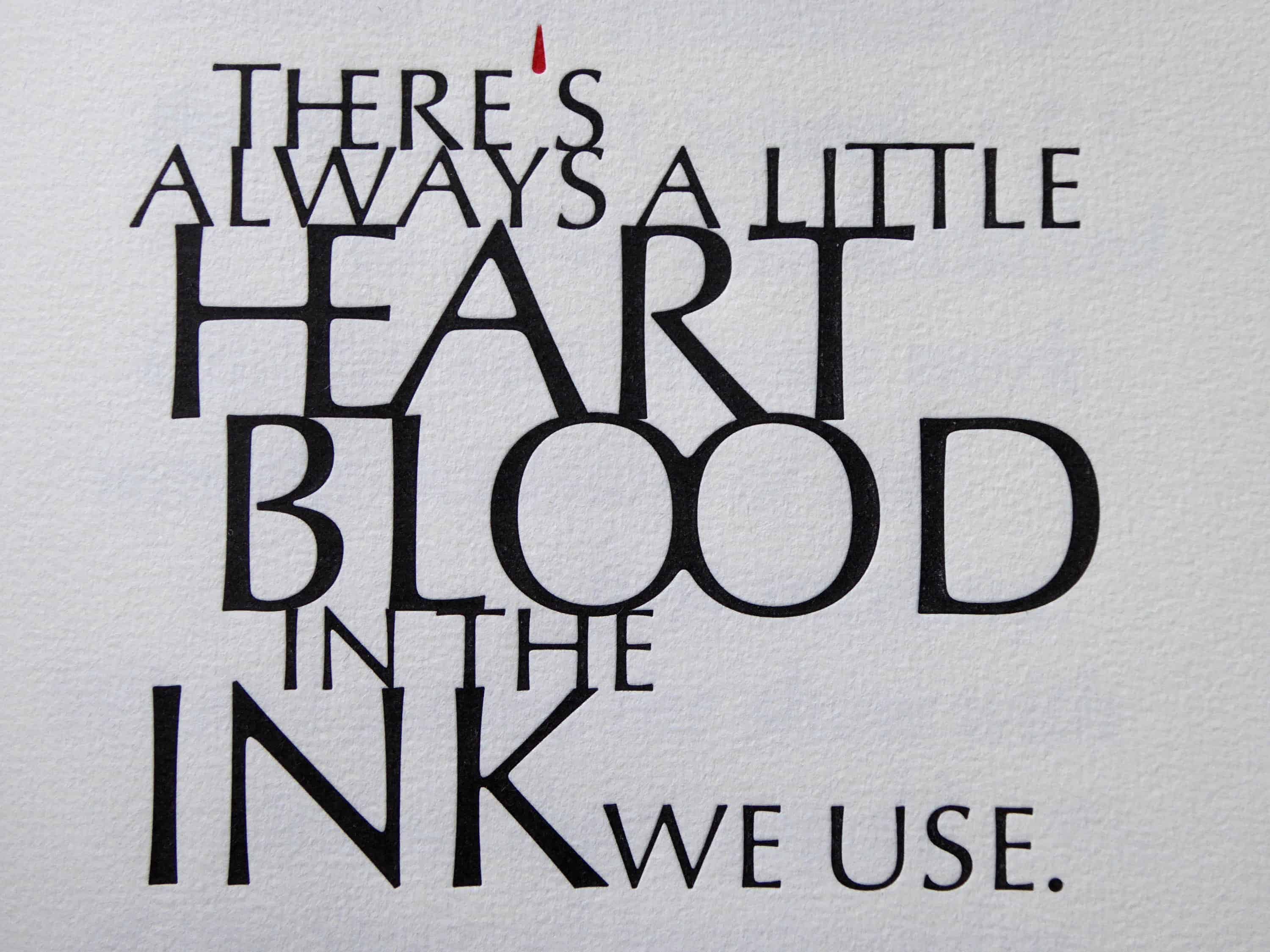
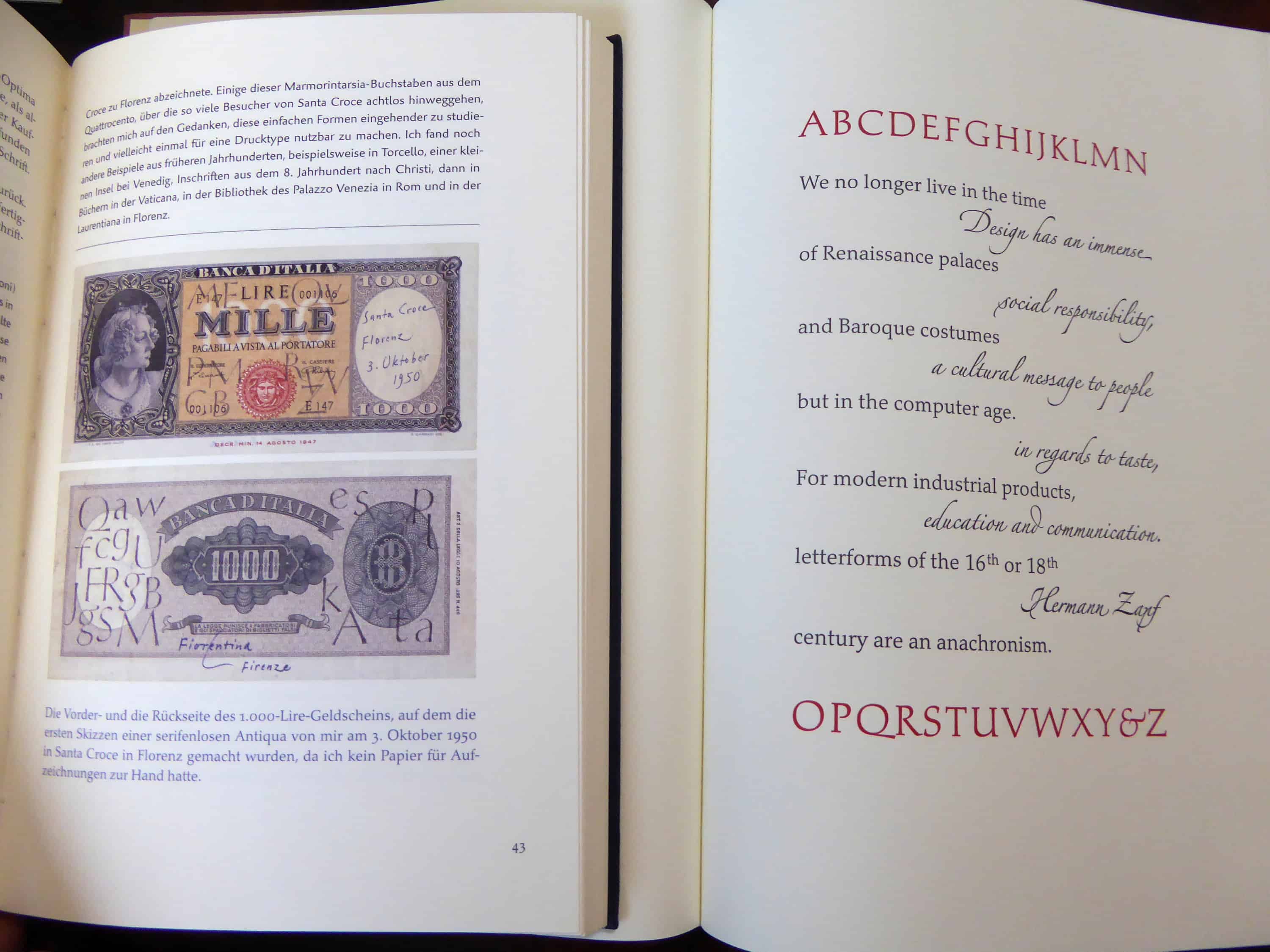
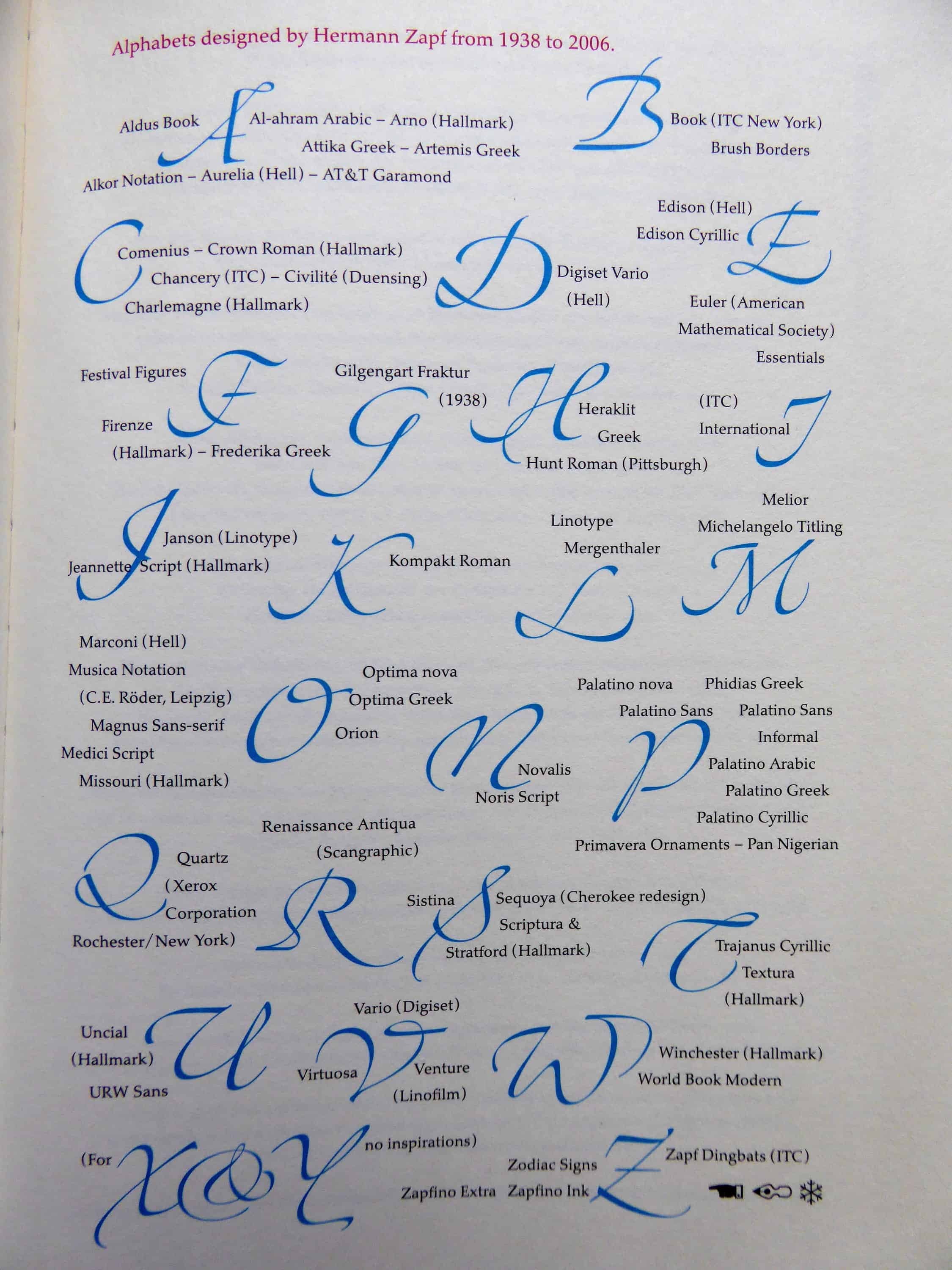
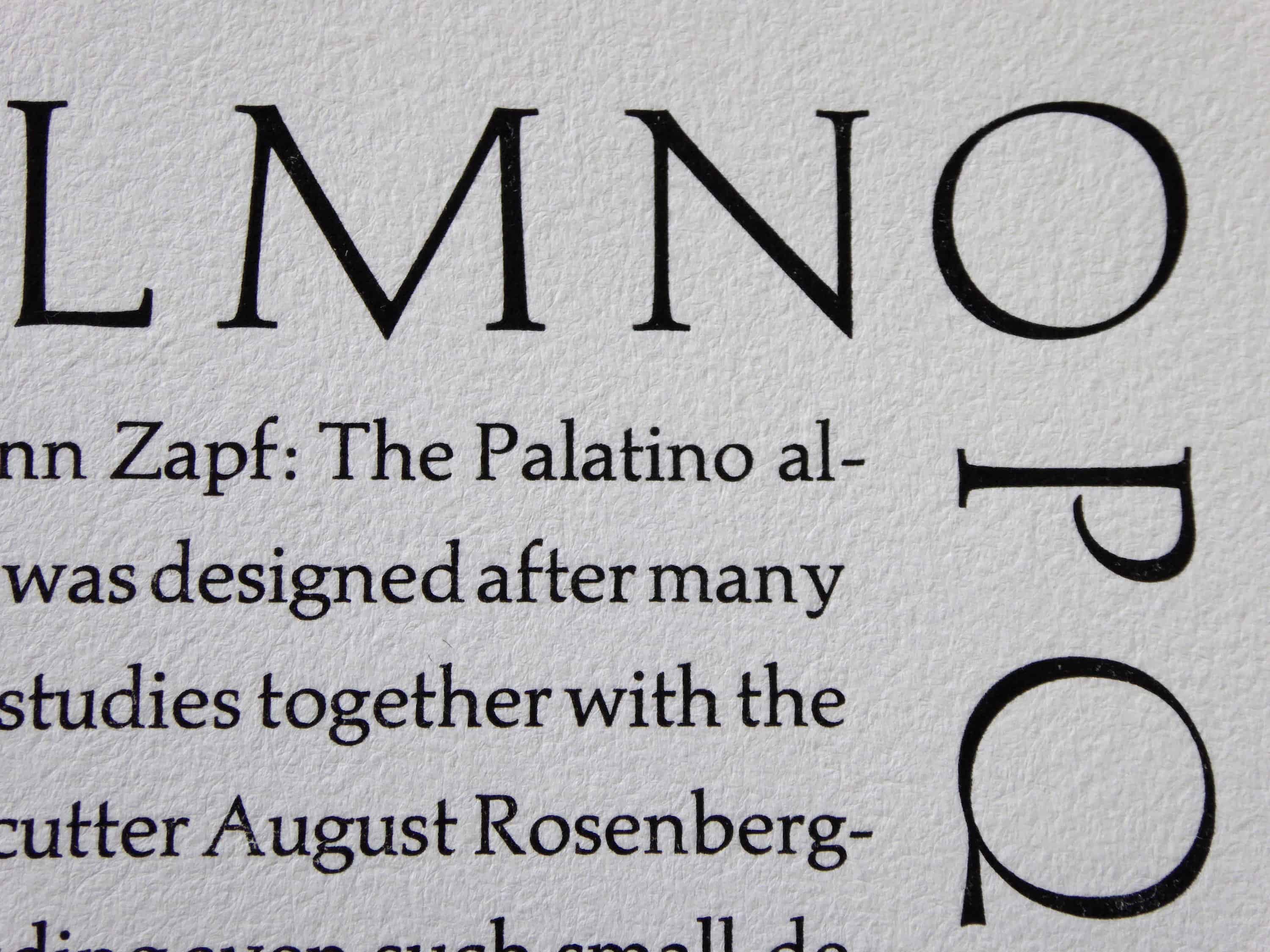
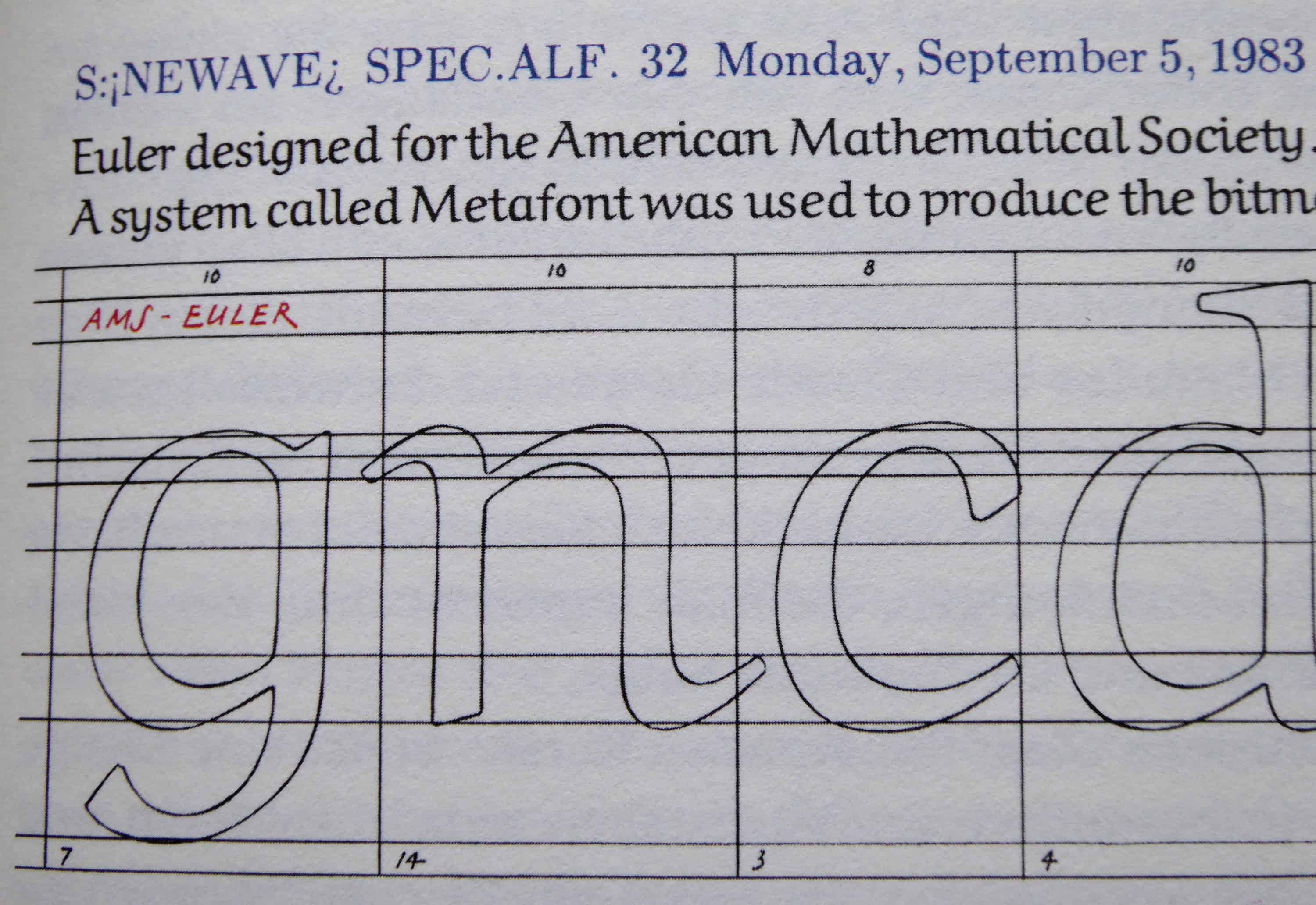
Last weekend Hermann Zapf, one of the greatest font designers and typographers of our times, has passed away at the age of 96. Much has been written about his life, his immense sphere of influence, his excellent typefaces, and some of the links to other obituaries can be found here at the end. There is nothing of value I can contribute, but let Hermann Zapf speak for himself with a few images from two books by or dedicated to him. zapf-heart-blood-ink The books I have taken these photos from are: zapf-books In his long life, Hermann Zapf has created a wide range of typefaces, some if which have become the main staple in the printing business, most notably Palatino, Janson, Optima, and Zapf Dingbats. But there are many more: zapf-alphabets While probably not as popular anymore as some years (decades?) ago, Palatino still is one of my favorite typefaces. I often wished to have the freedom to choose my own fonts for publications, but normally that doesn t happen. Palatino has found many offspring (or imitations?), and there are excellent renderings for use with (La)TeX, too. zapf-palatino Hermann Zapf also had connections with Don Knuth and the AMS (American Mathematical Society), and he designed for the AMS the Euler typeface, using Knuth s MetaFont program. zapf-euler Last weekend, when I heard of Hermann Zapf s death, I was at a conference at Tsukuba University. What a coincidence that all the signs in the building (floor numbers, indications, etc) were set optimain another of his great typefaces, the Optima. I had a strange feeling, and reset my presentation in Optima/Euler in honor of Hermann Zapf s great life. Although I never met Hermann Zapf personally I missed the TeX conferences where he participated it was to a great extent his influence that years ago I got started in typography. Living a life like he did, dedicating himself to the beauty and expressiveness of letters, design, calligraphy, seems like a dream for me. But beauty can be found even in the strangest equation in mathematics, the queerest theorem in logic. While not all of us are as gifted as Hermann Zapf in creating beauty, we should strive to increase our ability to appreciate the beauty. The beauty of letters is subtle, evasive, and needs training, that is practice, to be appreciated. Hermann Zapf taught us how even self-training can lead to excellence. His letters, which I meet every day, are a permanent reminder to strive for beauty and clarity, and never relent in our exercise. Thanks Hermann Zapf. zapf-letters Links to tributes around the world English Linotype (Type foundry where Zapf started working)
Bigelow and Holmes (Type designers)
New York Times (Newspaper)
Type Drawers
Quarz (News magazine)
Kaveh Bazargan (next president of TUG)
TeX Overflow (Q&A website concerning TeX) German FontShop (Type foundry and internet shop)
Deutschland Funk (News station)
S ddeutsche (Newspaper)
Echo (Newspaper)
Heise (Techology News page)

9 June 2015

Norbert Preining: Debian/TeX Live 2015 the new layout

While updating the TeX Live package for Debian for the upcoming 2015 release, one of my aims was to convert as much as possible of the TeX configuration infrastructure to use dpkg triggers. We used the trigger mechanism already for the update of the font map configuration file (calls to updmap-sys), but till now neither for files installed into texmf trees, nor for format generation. In this blog I will describe the new management of all TeX related configuration files, while in the following one I will describe how things have been implemented with dpkg triggers. In due time this information will also be codified in the Debian TeX sub-policy. Debian - TeX Live 2015 Let us start with recalling the different actions that have to be taken when TeX packages are installed, removed, or updated. Required actions for TeX packages Filename database The simplest case are packages that only include files ment to be loaded while running TeX or Metafont or similar programs. In this case the file name database of TeX (and the one of ConTeXt) needs to be updated. Usually this is done by calling mktexlsr on the changed trees, plus, if ConTeXt is installed, running mtxrun --generate. Font map activation More complicated are font packages that provide PostScript fonts. These packages need to ship a so called map file which maps TeX font names to PostScript fonts names. Examples are lm.map which defines this mapping for the Latin Modern fonts. All these map files have to be collected in one or more updmap.cfg files, and then a call to updmap(-sys) is necessary to generate configuration files for dvips, pdftex, and some other programs. Format and hyphenation definitions Even more complicated is the case of additional hyphenation patterns and additional format definitions. At the moment, hyphenation patterns are only shipped from the TeX Live packages itself, but additional format definitions are already provided by other packages than the TeX Live ones. Again, in both cases all the different format and hyphenation pattern definitions must be combined, into configuration files fmtutil.cnf and several language.* files, respectively. After this some incantation of fmtutil(-sys) is necessary to update the format dumps of TeX. Status up to Debian/TeX Live 2014 Up to now most of these actions are done in the postinstall script of the providing packages, generated by dh_installtex. The tex-common package shipped besides the program dh_installtex also postinstall and postrm snippets that took care of all the necessary steps, and ensuring that configuration succeeds even if some of the programs were missing. While this worked quite nicely for many years, I saw several disadvantages: Furthermore, /etc/texmf/ was filled with snippet-configuration directories, e.g., /etc/texmf/hyphen.d/ and /etc/texmf/fmt.d/ where the standard configuration of TeX was saved, and system administrators could change the necessary settings. While this is a good thing, i.e., to give system administrators the chance to change their configuration, it carries a big risk: most system administrators, most users, have not the blankest idea how to write a proper format definition for TeX, nor a proper entry for a hyphenation pattern. And the TeX engines are not forgiving in this respect and will bail out immediately. Finally, having so many configuration files hanging around in /etc/texmf/ makes it complicated to update between releases, where these files might have changed completely, files might have been added or removed. New layout for Debian/TeX Live 2015 and onward Thanks to a rewrite of fmtutil in Perl (also one of my endeavors), and adding the capability to read multiple fmtutil.cnf files in the same way updmap can read multiple updmap.cfg files, starting with Debian/TeX Live 2015 we can finally do the following: So let us dive into the details, following the above order: Filename database Update of the filename databases is now done automatically via a trigger on the two directories that are searched by kpathsea and used by Debian packages: /usr/share/texlive/texmf-dist/ (for TeX Live packages) and /usr/share/texmf/ (for all other packages). Thus, if a Debian package installs files into one of these directories, automatically mktexlsr (and, if ConTeXt is installed also mtxrun) is run from the tex-common trigger action. As a consequence for package maintainers of TeX related packages, if you are not adding font maps, formats, or hyphens, there is no need anymore to call dh_installtex or do anything TeX specific besides installing the files into the proper locations. Font map activation Here nothing has changed from the previous status, I just repeat that map snippets should be installed into /var/lib/tex-common/fontmap-cfg/texlive/ (for TeX Live packages) and /var/lib/tex-common/fontmap-cfg/texmf/ (for all other packages). One snippet can contain arbitrary many Map or MixedMap lines. Example: /var/lib/tex-common/fontmap-cfg/texmf/tex-gyre.cfg:

Map qag.map
Map qbk.map
Map qcr.map
Map qcs.map
Map qhv.map
Map qpl.map
Map qtm.map
Map qzc.map
There is a necessary action to be taken in postinst and postrm, which is calling update-texmf-conf map (but take care when writing your own code in postrm, as update-texmf-conf might not be available!). Format and hyphenation definitions Format definitions and hyphenations are now treated in the very same way as font maps. That is: Package maintainers are advised to use dh_installtex as it also caters for the removal of format dumps under /var/lib/texmf/web2c. Format of the configuration files Files under /var/lib/tex-common/fmtutil-cnf/ must consist of syntactically correct lines for fmtutil.cnf, that is white-space separated entries where the first word is the name of the format, the second the name of the engine, the third the respective hyphenation configuration file or a literal if none, and the rest of the line are additional arguments to the respective initex program, where the last entry is the ini-file. A typical example would be /var/lib/tex-common/fmtutil-cnf/texlive/texlive-omega.cnf:
aleph aleph - *aleph.ini
lamed aleph language.dat *lambda.ini
Files under /var/lib/tex-common/hyphen-cnf have a slightly changed syntax from the ones we used to have back in /etc/texmf/hyphen.d. The new syntax is taken directly from the TeX Live database, execute statement AddHyphen. That is one line of key=value pairs, where the following keys are allowed: name, synonyms, lefthyphenmin, righthyphenmin, file, file_patterns, file_exceptions, and luaspecial. A typical example would be /var/lib/tex-common/hyphen-cnf/texlive/texlive-lang-polish.cnf:
name=polish lefthyphenmin=2 righthyphenmin=2 file=loadhyph-pl.tex file_patterns=hyph-pl.pat.txt file_exceptions=hyph-pl.hyp.txt
In addition, package maintainers that have shipped files in /etc/texmf/fmt.d or /etc/texmf/hyphen.d are advised to remove them on package upgrade, using PACKAGE.maintscript and the proper rm_conffile directive (see the musixtex package for an example. Overriding system settings In case an administrator wants to override any of the default setting, it has become much easier in case of font maps and formats, due to the multi-feature of the respective programs. For hyphenations a separate configuration file needs to be provided. Overriding font maps and formats This can be handled by dropping a updmap.cfg or fmtutil.cnf file, respectively, into either /etc/texmf/web2c/ or /usr/local/share/texmf/web2c/ (both will work). The new files will be evaluated by the respective programs (updmap(-sys) and fmtutil(-sys), respectively), and allow by default to override entries in other files. Please see the manual page of the two programs for details, or this entry for updmap and this entry for fmtutil. Overriding hyphenation patterns When generating the various language.* files, update-language evaluates last the file /etc/texmf/web2c/local-hyphen.cnf, which should contain hyphenation patterns in the very same format as described above. Using this entry one can add additional patterns, or override given ones. Current status of uploads Several packages have already been uploaded to experimental: tex-common, musixtex, context, texinfo. What remains are the TeX Live packages itself, but here we are facing two problems: So, in case you cannot wait for the next century to happen (or, that all the packages are accepted), and still want to give it a shot, here are the apt-get lines:
deb http://people.debian.org/~preining/TeX/ exp/
deb-src http://people.debian.org/~preining/TeX/ exp/
but be warned, there might be more changes coming in. Warnings: First, in case you have already texlive-binaries 2015.20150524.37493-2 installed, please downgrade to the new version -1 which is now on the server. They are the same packages, only the version number has changed. Yes, and if you test it, don t be surprised if suddenly you are left with a not-working TeX system. Don t tell me I didn t warn you  Anyway, I hope to hear some feedback and installation reports. Conclusion While packaging has become easier for maintainers, and there is less clutter in /etc/texmf/, we now are depending on dpkg to call the tex-common triggers. Thus, if this happens rather often, then especially fmtutil-sys --all will be called several times. This is a slight regression from the previous setup, but paid off (IMNSHO) by the arguments given in the beginning. That said, there will be of course a certain time of transition until the new setup has proven its merits, and bugs are ironed out. But having bugs that need to be mostly fixed only in one package, namely tex-common, seems like an easier task to me. Enjoy.

4 June 2015

Norbert Preining: Debian/TeX Live 2015 is coming

texlive2015-is-coming a few more test

29 May 2015

Norbert Preining: USB stick update: Debian is back, plus GRML

In the previous post on the multi-boot usb stick, Debian had to be dropped, due to missing support of iso-loading in the Debian installer iso images. Thanks to helpful comments from Jonathan McDowell and private emails, we found a way around this. In addition to having again an installable Debian image, I also added GRML support. multi-usb-disk There are a few tricks necessary to get this going, though. Let us start with the easy part, grml: Grml Quoting from the home page of Grml
Grml provides an excellent selection of software packages for installation, deployment and system rescue. You ll get sysadmin s favourite tools. Choose between a x86 and an amd64 version depending on your needs or just grab the multiboot ISO grml96, providing 64bit and 32bit ISOs in one single place.
I went for the 64bit version Version 2014.11 (named Gschistigschasti , a typical Austrian expression for fuss ), as most computers nowadays are anyway 64bit capable, downloaded the image file grml64-full_2014.11.iso, and saved it into my USB stick s boot/iso/ directory, where there are already the other iso images. Then, with the help of the Grml web page which provides guidance how to boot from ISO, I added the following entry to my grub.cfg:
submenu "GRML 2014.11 ---> "  
  menuentry "Grml Rescue System 64bit"  
        iso_path="/boot/iso/grml64-full_2014.11.iso"
        export iso_path
        loopback loop (hd0,1)$iso_path
        set root=(loop)
        kernelopts=" ssh=SOME_PASSWORD_HERE toram  "
        export kernelopts
        configfile /boot/grub/loopback.cfg
    
 
Note that if you add the ssh=SOME_PASSWORD_HERE part, an ssh server is started and the root login password will be set to SOME_PASSWORD_HERE, so choose it wisely (and different from your normal passwords!). If you don t want a running ssh server, simply remove the ssh parameter. That s it, booting into Grml takes quite some time, but worked out nicely. Debian Jessie installation As mentioned in the previous post, booting Debian/Jessie installation images via any method didn t work, since the iso images is never found. It turned out that the current installer iso images do not contain the iso-scan package, which is responsible for searching and loading of iso images. But with a small trick one can overcome this: One needs to replace the initrd that is on the ISO image with one that contains the iso-scan package. And we do not need to create these initrd by ourselves, but simply use the ones from hd-media type installer. I downloaded the following four gzipped initrds from one of the Debian mirrors: i386/initrd text mode, i386/initrd gui mode, amd64/initrd text mode, amd64/initrd gui mode, and put them into the USB stick s boot/debian/install.386, boot/debian/install.386/gtk, boot/debian/install.amd, boot/debian/install.amd/gtk, respectively. Finally, I added entries similar to this one (rest see the grub.cfg file):
submenu "Debian 8.0 Jessie NetInstall ---> "  
    set isofile="/boot/iso/firmware-8.0.0-amd64-i386-netinst.iso"
    menuentry '64 bit Install'  
        set background_color=black
        loopback loop (hd0,1)$isofile
        linux    (loop)/install.amd/vmlinuz iso-scan/ask_second_pass=true iso-scan/filename=$isofile vga=788 -- quiet 
        initrd   /boot/debian/install.amd/initrd.gz
     
    ...
 
Again an important point, don t forget the two kernel command line options: iso-scan/ask_second_pass=true iso-scan/filename=$isofile, otherwise you probably will have to make the installer scan all disks and drives completely, which might take ages. With that in place, the stick now is back to full working, plus an added Grml. Thanks everyone for the suggestions.

27 May 2015

Norbert Preining: USB stick update: TAILS 1.4, GParted 0.22, SysResCD 4.5.2, Debian Jessie

I have posted a view times (here and here) about how to get a multi-boot/multi-purpose USB stick working. Now that TAILS has seens a major upgrade, and Debian 8.0 Jessie has been released, I think it is time to update the procedure to reflect the latest releases. That turned out to be a painful experience, in particular since Debian removed support for any reasonable boot method.

(Update: See this post for fixes to get Debian working again)
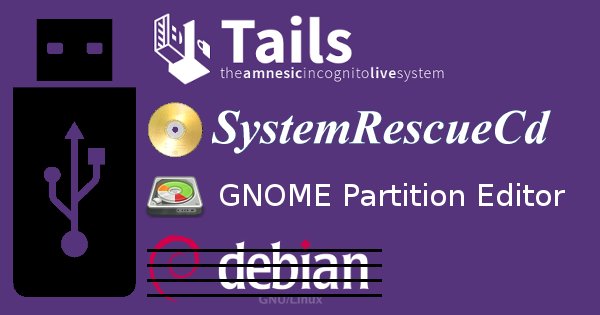
multi-usb-stick So going through these explanations one will end up with a usable USB stick that can boot you into TAILS, System Rescue CD, GNU Parted Live CD, but unfortunately not anymore to boot into an installation of Debian 8.0 Jessie installation. But the USB stick will still be usable as normal media. Let us repeat some things from the original post concerning the wishlist and the main players: I have a long wishlist of items a boot stick should fulfill This time I have added the GNOME/GNU Partition Editor gparted as it came in useful at times. Requirements A USB stick, the iso images of TAILS 1.4, SystemRescueCD 4.5.2, GParted Lice CD 0.22.0, and some tool to access iso images, for example ISOmaster (often available from your friendly Linux distribution). I assume that you have already an USB stick prepared as described previously. If this is not the case, please go there and follow the section on preparing your usb stick. Two types of boot options We will employ two different approaches to boot special systems: the one is directly from an iso image, the other via extraction of the necessary kernels and images. At the moment we have the following status with respect to boot methods: What is a pity is that during the testing phase, booting and installation from testing images worked for Debian as documented previously. But with the final images (and my guess it has to do with systemd, wouldn t surprise me), there is no Debian CD detected as it cannot find the iso image on the USB stick. Bummer. That means that for having a Debian/USB stick you need a dedicated one. Booting from ISO image Grub has gained quite some time ago the ability to boot directly from an ISO image. In this case the iso image is mounted via loopback, and the kernel and initrd are specified relatively to the iso image root. For both SystemRescueCD and GNOME Partition Live CD, just drop the iso files into /boot/iso/, in my case /boot/iso/systemrescuecd-x86-4.5.2.iso and /boot/iso/gparted-live-0.22.0-1-i586.iso. After that, entries like the following have to be added to grub.cfg. For the full list see grub.cfg:
submenu "System Rescue CD 4.5.2 (via ISO) ---> "  
  set isofile="/boot/iso/systemrescuecd-x86-4.5.2.iso"
  menuentry "SystemRescueCd (64bit, default boot options)"  
        set gfxpayload=keep
        loopback loop (hd0,1)$isofile
        linux   (loop)/isolinux/rescue64 isoloop=$isofile
        initrd  (loop)/isolinux/initram.igz
   
  ...
 
 
submenu "GNU/Gnome Parted Live CD 0.22.0 (via ISO) ---> "  
  set isofile="/boot/iso/gparted-live-0.22.0-1-i586.iso"
  menuentry "GParted Live (Default settings)" 
    loopback loop (hd0,1)$isofile
    linux (loop)/live/vmlinuz boot=live username=user config components quiet noswap noeject  ip=  nosplash findiso=$isofile
    initrd (loop)/live/initrd.img
   
  ...
 
Note the added isoloop=$isofile and findiso=$isofile that helps the installer find the iso images. Booting via extraction of kernels and images This is a bit more tedious, but still not too bad. Installation of TAILS files Assuming you have access to the files on the TAILS CD via the directory ~/tails, execute the following commands:
mkdir -p /usbstick/boot/tails
cp -a ~/tails/live/* /usbstick/boot/tails/
The grub.cfg entries look now similar to the following:
submenu "TAILS Environment 1.4 ---> "  
  menuentry "Tails64 Live System"  
        linux   /boot/tails/vmlinuz2 boot=live live-media-path=/boot/tails config live-media=removable nopersistent noprompt timezone=Etc/UTC block.events_dfl_poll_msecs=1000 splash noautologin module=Tails  libata.force=noncq
        initrd  /boot/tails/initrd2.img
   
  ...
 
The important part here is the live-media-path=/boot/tails, otherwise TAILS will not find the correct files for booting. The rest of the information was extracted from the boot setup of TAILS itself. Current status of USB stick Just to make sure, the usb stick should contain at the current stage the following files:
/boot/
    iso/
        gparted-live-0.22.0-1-i586.iso
        systemrescuecd-x86-4.5.2.iso
    tails/
        vmlinuz Tails.module initrd.img ....
    grub/
        fonts/
            lots of files
        locale/
            lots of files
        x86_64-efi/
            lots of files
        font.pf2
        grubenv
        grub.cfg            *this file we create in the next step!!*
/EFI
    BOOT/
        BOOTX64.EFI
The Grub config file grub.cfg The final step is to provide a grub config file in /usbstick/boot/grub/grub.cfg. I created one by looking at the isoboot.cfg files both in the SystemRescueCD, TAILS iso images, GParted iso image, and the Debian/Jessie image, and converting them to grub syntax. Excerpts have been shown above in the various sections. I spare you all the details, grab a copy here: grub.cfg Conclusion That s it. Now you can anonymously provide data about your evil government, rescue your friends computer, fix a forgotten Windows password, and above all, install a proper free operating system. If you have any comments, improvements or suggestions, please drop me a comment. I hope this helps a few people getting a decent USB boot stick running. Enjoy. Postscriptum concerning Debian/Jessie Working method is now described in this post. So I have first tried to boot directly into the Debian Jessie firmware ISO image by dropping the ISO into /boot/iso/firmware-8.0.0-amd64-i386-netinst.iso and adding a grub entry like:
submenu "Debian 8.0 Jessie NetInstall ---> "  
    set isofile="/boot/iso/firmware-8.0.0-amd64-i386-netinst.iso"
 
    menuentry '64 bit Install'  
        set background_color=black
        loopback loop (hd0,1)$isofile
        linux    (loop)/install.amd/vmlinuz iso-scan/ask_second_pass=true iso-scan/filename=$isofile vga=788 -- quiet 
        initrd   (loop)/install.amd/initrd.gz
     
    ...
 
That was a no go. I have added the iso-scan/ask_second_pass=true iso-scan/filename=$isofile thingy after some research in forum and web, without any change. Of course I have also tried the official ISO image debian-8.0.0-amd64-netinst.iso, with the same effect. Although I was sure it doesn t make any difference, I have also tried to extract the kernel and initrd, and boot directly from it, i.e., copying the files to /usbstick/boot/debian/ as follows:
mkdir -p /usbstick/boot/debian
cp -a ~/tails/install.amd /usbstick/boot/debian/
cp -a ~/tails/install.386 /usbstick/boot/debian/
In addition, copy the iso image itself into /usbstick/boot/iso (or directly into the root of the usb stick, didn t change anything), and added a grub.cfg entry as follows:
submenu "Debian 8.0 Jessie NetInstall ---> "  
  menuentry '64 bit Install'  
    set background_color=black
    linux    /boot/debian/install.amd/vmlinuz vga=788 -- quiet 
    initrd   /boot/debian/install.amd/initrd.gz
   
  ...
 
All these were without success, always ending up in error messages like: Mounting sdb, this is not a Debian Installation CD, etc etc. I have also submitted a bug report to the installation reports, unfortunately no answer (not that I expected one). In case someone has a better idea, please let me know! It is very sad that these kind of support is removed. The Installation Manual lists some options to install from USB, and the only difference is that there syslinux on a FAT16 system is used. This restricts the USB stick size a lot, and does not allow for easy multi boot via grub. As reported here, I had this actually running. Unfortunately, I stupidly removed the old iso image and replaced it with the current Jessie ISO image, assuming that there will be no regression. Wrong assumption. Now I cannot even investigate the changes by looking into the initrd. Looking at the date of the original post I see that it is more or less one year ago, so before the Systemd introduction. I don t know whether this has any effect, I doubt, as the installer is separate. But something happened in the mean time. Bad for us.

26 May 2015

Norbert Preining: Debian/TeX Live 2015 preparations

I have uploaded a preliminary version of the texlive-bin based on the 2015 sources (plus the first fixes) to the Debian archive, targeting experimental. As there are four new packages built from the sources (libtexlua52, -dev, libtexluajit2, -dev) the packages have to go through the NEW queue, which at the moment is an impressive 500+ entries long (nearly top in total history). But ftp-masters are currently very active and I hope they continue for some time. Debian - TeX Live 2015 Anyway, there are still many things to work out, especially a rework of tex-common for the new fmtutil, in the same way we did some time ago for updmap That also means that all packages shipping formats will need to be rebuild with the new tex-common. Fortunately there are not many additional formats shipped, I think all of them are under my control, so that should be easy. For those who want to peak at the current packages, here they are compiled for amd64. Also available as apt-sources:
deb http://people.debian.org/~preining/TeX/ exp/
deb-src http://people.debian.org/~preining/TeX/ exp/
WARNING Do not try to actually run these binaries unless you know what you are doing  In case you have some spare time and bit of programming experience, the Debian TeX Team is looking for a bit of support in these days.

24 May 2015

Norbert Preining: TeX Live 2015 DVD preparation starts

As the last step in the preparation of the TeX Live 2015 release we have now completely frozen updates to the repository and built the (hopefully) final image. The following weeks will see more testing and preparation of the gold master for DVD preparation. texlive2015 The last weeks were full of frantic rebuilds of binaries, in particular due to the always in the last minute found bugs in several engines. Also already after the closing time we found a serious problem with Windows installations in administrator mode, where unprivileged users didn t have read access to the format dumps. This was due to the File::Temp usage on Windows which sets too restrictive ACLs. Unless really serious bugs show up, further changes will have to wait till after the release. Let s hope for some peaceful two weeks. So, it is time to prepare for release parties  Enjoy!
Email this to someonePrint this pageShare on FacebookShare on Google+Tweet about this on TwitterShare on LinkedInFlattr the author

20 May 2015

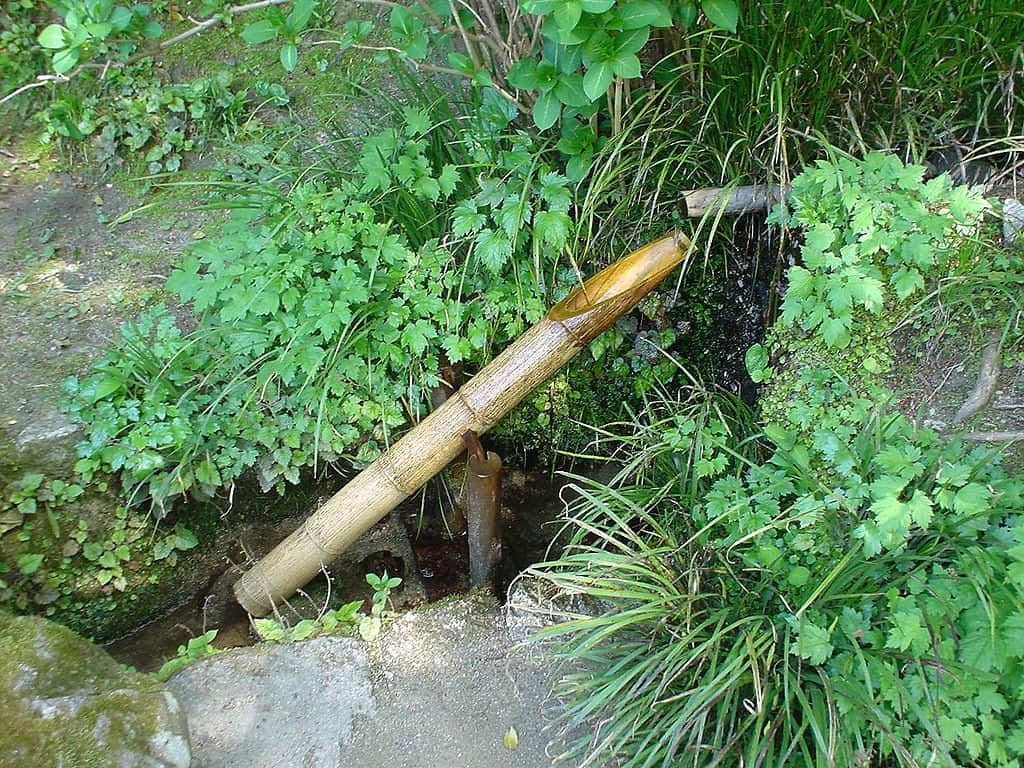
Norbert Preining: Shishiodoshi or Us and They On the perceived exclusivity of Japanese

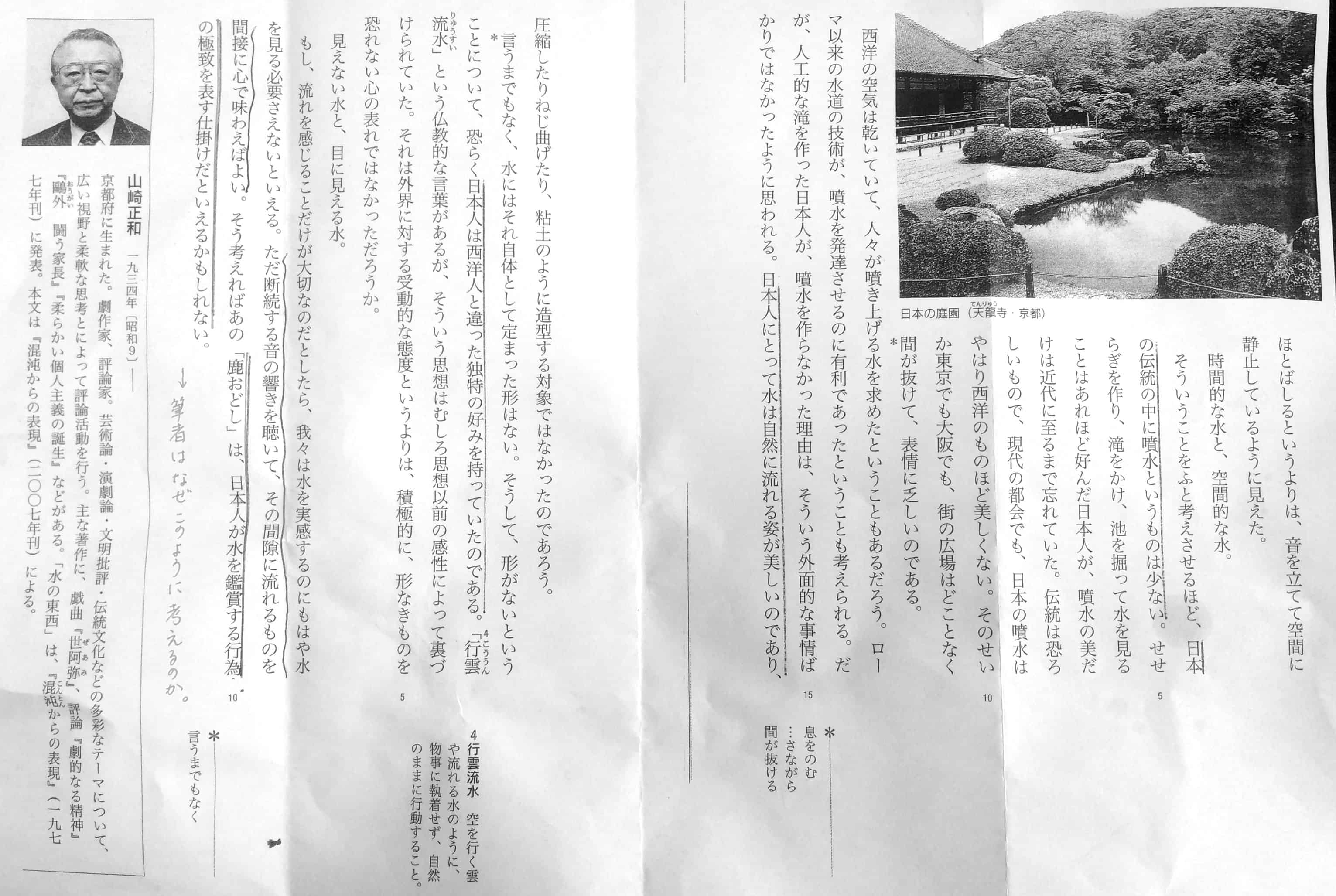
The other day I received from my Japanese teacher an interesting article by Yamazaki Masakazu comparing garden styles, and in particular the attitude towards and presentation of water in Japanese and European gardens (page 1, page 2). The author s list of achievements is long, various professorships, dramatist, literature critique, recognized as Person of Cultural Merit, just to name a view. I was looking forward to an interesting and high quality article! The article itself introduces the reader to Shishiodoshi, one of the standard ingredients of a Japanese garden: It is a device where water drips into a bamboo tube that is also a seesaw. At some point the water in the bamboo tube makes the seesaw switch over and the water pours out, after which the seesaw returns to the original position and a new cycle begins. Shishiodoshi The author describes his feelings and thoughts about the shishiodoshi, in particular connects human life (stress and relieve, cycles), the flow of time, and some other concepts with the shishiodoshi. Up to here it is a wonderful article providing interesting insights into the way the author thinks. Unfortunately, then the author tries to underline his ideas by comparing the Japanese shishiodoshi with European style water fountains, describing the former with all favorable properties and full of deep meaning, while the latter is qualified as beautiful and nice, but bare of any deeper meaning. I don t go into details that the whole comparison is anyway a bad one, as he is comparing Baroque style fountains, a very limited period, and furthermore ignores the fact that water fountains are not genuinely European (isn t there one in the Kenrokuen, one of the three most famous gardens in Japan!?), nor does he consider any other water-installation that might be available. What really destroys the in principle very nice article is the tone: The general tone of the article then can be summarized into: The shishiodoshi is rich on meaning, connects to the life of humans, instigates philosophical reflections, represents nature, the flow of time etc. The water fountain is beautiful and gorgeous, but that is all. I don t think that this separation, or this negative undertone, was created on purpose by the author. A person of his stature is supposedly above this level of primitive comparison. I believe that it is nothing else but a consequence of upbringing and the general attitude that permeates the whole society with this feeling of separateness. Us and They Repeatedly providing sentences like Japanese people and Western people have different tastes.. ( ). About 10 times in this short article expressions like Japanese and Westerner appear, leaving the reader with a bitter taste of an author that considers first the Japanese a people (what about Ainu, Ryukyu, etc?), and second that the Japanese are exclusive in the sense that they are set apart from the rest of the world in their way of thinking, living, being. What puzzles me is that this is not only a singular opinion, but a very general straight in the Japanese media, TV, radio, newspaper, books. Everyone considers Japan and Japanese as something that is fundamentally and profoundly different from everyone else in the world. There is We the Japanese (and that doesn t mean nationality of passport, but blood line!), and there are They the Rest or, as the way of writing and and description on many occasion suggestions, They the Barbarians . A short anecdote will underly this: One of the favorite TV talk show / pseudo-documentary style is about Japanese living abroad. That day a lady married in Paris was interviewed. What followed was a guided tour through Paris showing: Dirt in the gutter, street cleaning cars, waste disposal places. Yes, that was all. Just about the dirt . Of course, at length the (unfortunately only apparent) cleanliness of Japanese cities and neighborhoods are mentioned and shown to remind everyone how wonderful Japan is and how dirty the Barbarians. I don t want to say that I consider Japan more dirty than most other countries just the visible part is clean, the moment you step a bit aside and around the corner, there are the worst trash just thrown away without consideration. Anyway. To return to the topic of Us and They I consider us all humans, first and foremost, and nationality, birthplace, and all that are just by chance. I do NOT reject cultural differences, they are here, of course. But cultural differences are one thing, separating one self and one s perceived people from the rest of the world is another. Conclusion I repeat, I don t think that the author had any ill intentions, but it would have been nicer if the article wouldn t make such a stark distinction. He could have written about Shishiodoshi and water fountains without using the Us They categorization. He could have compared other water installations, could have discussed the long tradition of small ponds in European gardens, just to name a few things. But the author choose to highlight differences instead of commonalities. It is the Us against Them feeling that often makes life in Japan for a foreigner difficult. Japanese are not special, Austrians, too, are not special, nor are Americans, Russians, Tibetans, or any other nationality. No nationality is special, we are all humans. Maybe at some point this will arrive also in the Japanese society and thinking.

Email this to someonePrint this pageShare on FacebookShare on Google+Tweet about this on TwitterShare on LinkedInFlattr the author

16 May 2015

Norbert Preining: Plex Home Theater 1.4.1 for Debian Jessie and Sid

Recently Plex Plex Home Theater was updated to 1.4.1 with fixes for some errors, in particular concerning the new music handling introduced in 1.4.0. As with 1.4.0, I have compiled PHT for both jessie and sid, both for amd64 and i386. plex-debian-new Jessie Add the following lines to your sources.list:
deb http://www.preining.info/debian/ jessie pht
deb-src http://www.preining.info/debian/ jessie pht
You can also grab the binary for amd64 directly here for amd64 and i386, you can get the source package with
dget http://www.preining.info/debian/pool/pht/p/plexhometheater/plexhometheater_1.4.1-1~bpo8+1.dsc
Sid Add the following lines to your sources.list:
deb http://www.preining.info/debian/ sid pht
deb-src http://www.preining.info/debian/ sid pht
You can also grab the binary for amd64 directly here for amd64 and i386, you can get the source package with
dget http://www.preining.info/debian/pool/pht/p/plexhometheater/plexhometheater_1.4.1-1.dsc
The release file and changes file are signed with my official Debian key 0x860CDC13. Enjoy!
Email this to someonePrint this pageShare on FacebookShare on Google+Tweet about this on TwitterShare on LinkedInFlattr the author

Next.

Previous.