Search Results: "jmtd"

10 March 2017

Jonathan Dowland: Nintendo NES Classic Mini

After months of trying, I've finally got my hands on a Nintendo NES Classic Mini. It's everything I wish retropie was: simple, reliable, plug-and-play gaming. I didn't have a NES at the time, so the games are all mostly new to me (although I'm familiar with things like Super Mario Brothers).
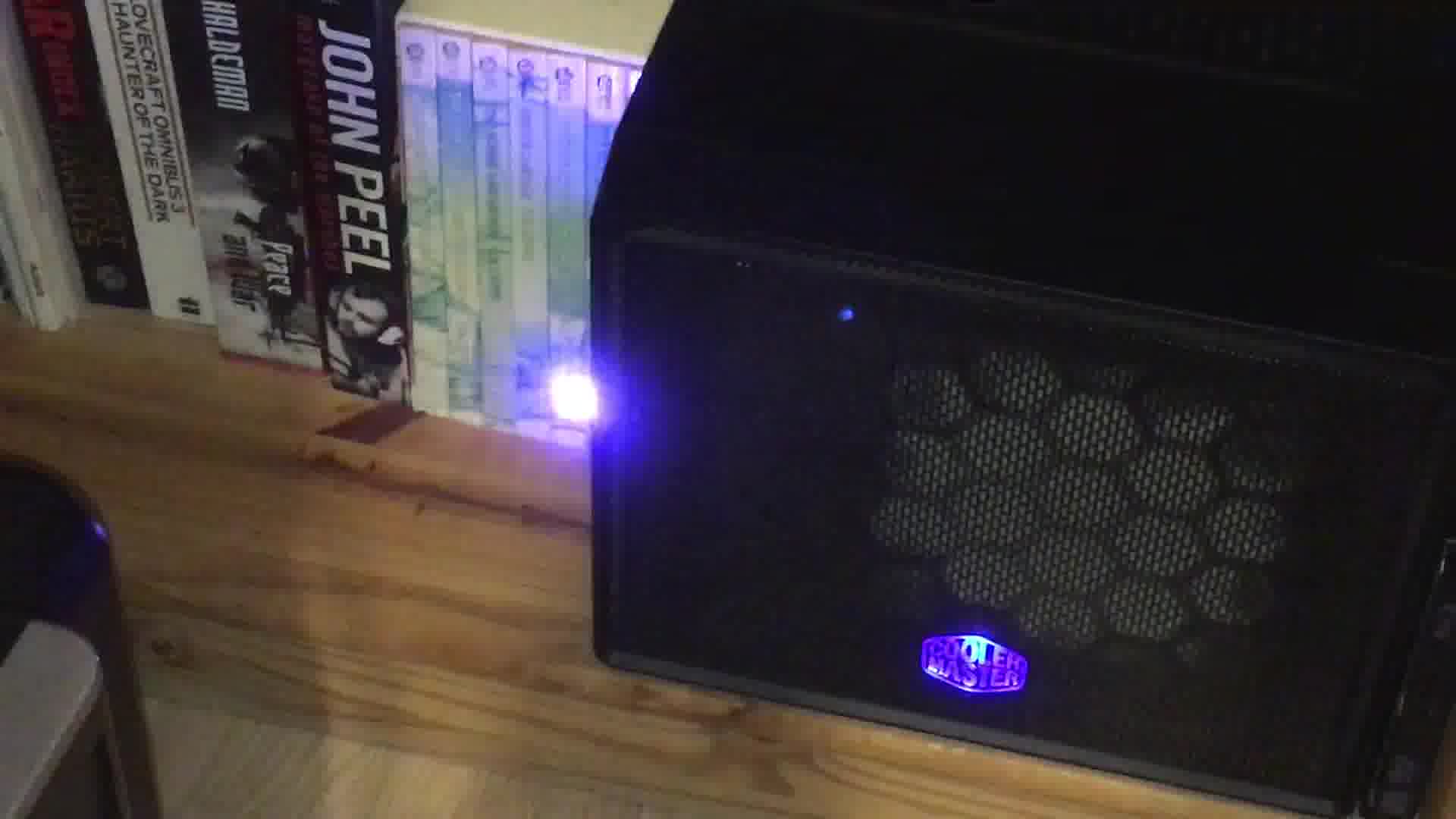
NES classic and 8bitdo peripherals NES classic and 8bitdo peripherals
The two main complaints about the NES classic are the very short controller cable and the need to press the "reset" button on the main unit to dip in and out of games. Both are addressed by the excellent 8bitdo Retro Receiver for NES Classic bundle. You get a bluetooth dongle that plugs into the classic and a separate wireless controller. The controller is a replica of the original NES controller. However, they've added another two buttons on the right-hand side alongside the original "A" and "B", and two discrete shoulder buttons which serve as turbo-repeat versions of "A" and "B". The extra red buttons make it look less authentic which is a bit of a shame, and are not immediately useful on the NES classic (but more on that in a minute). With the 8bitdo controller, you can remotely activate the Reset button by pressing "Down" and "Select" at the same time. Therefore the whole thing can be played from the comfort of my sofa. That's basically enough for me, for now, but in the future if I want to expand the functionality of the classic, it's possible to mod it. A hack called "Hakchi2" lets you install additional NES ROMs; install retroarch-based emulator cores and thus play SNES, Megadrive, N64 (etc. etc.) games; as well as other hacks like adding "down+select" Reset support to the wired controller. If you were playing non-NES games on the classic, then the extra buttons on the 8bitdo become useful.

24 February 2017

Jonathan Dowland: OpenShift Java S2I

One of the products I have done some work on at Red Hat has recently been released to customers and there have been a few things written about it:

22 February 2017

Jonathan Dowland: Hans Rosling and Steve Hewlett

I've begun to listen to BBC4's "More Or Less" Podcast. They recently had an episode covering the life and work of Hans Rosling, the inspirational swedish statistician, who has sadly died of pancreatic cancer. It was very moving. Some of Professor Rosling's videos are available to view online. I've heard that they are very much worth watching. Over the last few months I have also been listening to regular updates by BBC broadcaster Steve Hewlett on his own journey as a cancer sufferer. These were remarkably frank discussions of the ins and outs of his diagnosis, treatment, and the practical consequences on his everyday life. I was very sad to tune in on Monday evening and hear a series of repeated clips from his previous appearances on the PM show, as the implications were clear. And indeed, Steve Hewlett died from oesophagal cancer on Monday. Here's an obituary in the Guardian.

21 February 2017

Jonathan Dowland: Blinkstick and Doom

I recently implemented VGA "porch" flashing support in Chocolate Doom. Since I'd spent some time playing with a blinkstick on my NAS, I couldn't resist trying it out with Chocolate Doom too. The result:

20 February 2017

Jonathan Dowland: Blinkenlights!

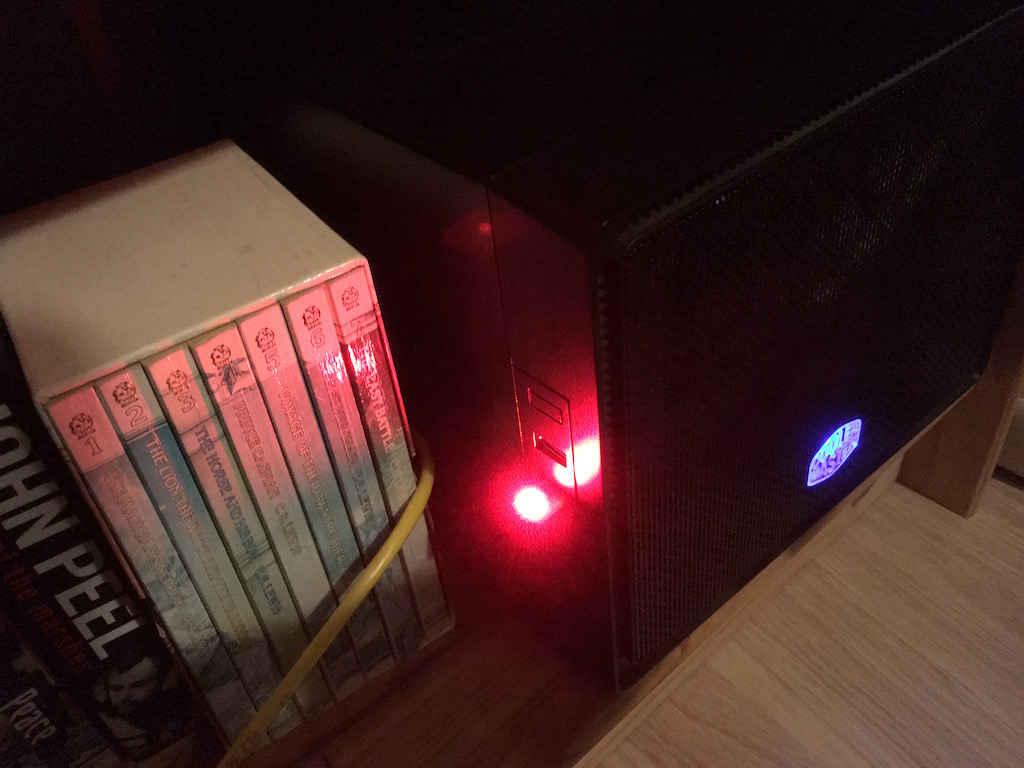
blinkenlights! blinkenlights!
Part one of a series. part 2, part 3. Late last year, I was pondering how one might add a status indicator to a headless machine like my NAS to indicate things like failed jobs. After a brief run through of some options (a USB-based custom device; a device pretending to be a keyboard attached to a PS/2 port; commandeering the HD activity LED; commandeering the PC speaker wire) I decided that I didn't have the time to learn the kind of skills needed to build something at that level and opted to buy a pre-assembled programmable USB thing instead, called the BlinkStick. Little did I realise that my friend Jonathan McDowell thought that this was an interesting challenge and actually managed to design, code and build something! Here's his blog post outlining his solution and here's his code on github (or canonically) Even thought I've bought the blinkstick, given Jonathan's efforts (and the bill of materials) I'm going to have to try and assemble this for myself and give it a go. I've also managed to borrow an Arduino book from a colleague at work. Either way, I still have some work to do on the software/configuration side to light the LEDs up at the right time and colour based on the jobs running on the NAS and their state.

Jonathan Dowland: Blinkenlights, part 2

Part two of a series. part 1, part 3. To start with configuring my NAS to use the new blinkenlights, I thought I'd start with a really easy job: I plug in my iPod, a script runs to back it up, then the iPod gets unmounted. It's one of the simpler jobs to start with because the iPod is a simple block device and there's no encryption in play. For now, I'm also going to assume the LED Is going to be used exclusively for this job. In the future I will want many independent jobs to perhaps use the LED to signal things and figuring out how that will work is going to be much harder. I'll skip over the journey and go straight to the working solution. I have a systemd job that is used to invoke a sync from the iPod as follows:
[Service]
Type=oneshot
ExecStart=/bin/mount /media/ipod
ExecStart=/usr/local/bin/blinkstick --index 1 --limit 10 --set-color 33c280
ExecStart=/usr/bin/rsync ...
ExecStop=/bin/umount /media/ipod
ExecStop=/usr/local/bin/blinkstick --index 1 --limit 10 --set-color green
[Install]
WantedBy=dev-disk-by\x2duuid-A2EA\x2d96ED.device
[Unit]
OnFailure=blinkstick-fail.service
/media/ipod is a classic mount configured in /etc/fstab. I've done this rather than use the newer systemd .mount units which sadly don't give you enough hooks for running things after unmount or in the failure case. This feels quite unnatural, much more "systemdy" would be to Requires= the mount unit, but I couldn't figure out an easy way to set the LED to green after the unmount. I'm sure it's possible, but convoluted. The first blinkstick command sets the LED to a colour to indicate "in progress". I explored some of the blinkstick tool's options for a fading or throbbing colour but they didn't work very well. I'll take another look in the future. After the LED is set, the backup job itself runs. The last blinkstick command, which is only run if the previous umount has succeeded, sets the LED to indicate "safe to unplug". The WantedBy here instructs systemd that when the iPod device-unit is activated, it should activate my backup service. I can refer to the iPod device-unit using this name based on the partition's UUID; this is not the canonical device name that you see if you run systemctl but it's much shorter and crucially its stable, the canonical name depends on exactly where you plugged it in and what other devices might have been connected at the same time. If something fails, a second unit blinkstick-fail.service gets activated. This is very short:
[Service]
ExecStart=/usr/local/bin/blinkstick --index 1 --limit 50 --set-color red
This simply sets the LED to be red. Again it's a bit awkward that in 2 cases I'm setting the LED with a simple Exec but in the third I have to activate a separate systemd service: this seems to be the nature of the beast. At least when I come to look at concurrent jobs all interacting with the LED, the failure case should be simple: red trumps any other activity, user must go and check what's up.

Jonathan Dowland: Blinkenlights, part 3

red blinkenlights! red blinkenlights!
Part three of a series. part 1, part 2. One morning last week I woke up to find the LED on my NAS a solid red. I've never been happier to have something fail. I'd set up my backup jobs to fire off a systemd unit on failure
OnFailure=status-email-user@%n.service
This is a generator-service, which is used to fire off an email to me when something goes wrong. I followed these instructions on the Arch wiki to set it up). Once I got the blinkstick, I added an additional command to that service to light up the LED:
ExecStart=-/usr/local/bin/blinkstick --index 1 --limit 50 --set-color red
The actual failure was a simple thing to fix. But I never did get the email. On further investigation, there are problems with using exim and systemd in Debian at the moment: it's possible for the exim4 daemon to exit and for systemd not to know that this is a failure, thus, the mail spool never gets processed. This should probably be fixed by the exim4 package providing a proper systemd service unit.

18 January 2017

Jonathan Dowland: RetroPie, NES Classic and Bluetooth peripherals

I wanted to write a more in-depth post about RetroPie the Retro Gaming Appliance OS for Raspberry Pis, either technically or more positively, but unfortunately I don't have much positive to write. What I hoped for was a nice appliance that I could use to play old games from the comfort of my sofa. Unfortunately, nine times out of ten, I had a malfunctioning Linux machine and the time I'd set aside for jumping on goombas was being spent trying to figure out why bluetooth wasn't working. I have enough opportunities for that already, both at work and at home. I feel a little bad complaining about an open source, volunteer project: in its defence I can say that it is iterating fast and the two versions I tried in a relatively short time span were rapidly different. So hopefully a lot of my woes will eventually be fixed. I've also read a lot of other people get on with it just fine. Instead, I decided the Nintendo Classic NES Mini was the plug-and-play appliance for me. Alas, it became the "must have" Christmas toy for 2016 and impossible to obtain for the recommended retail price. I did succeed in finding one in stock at Toys R Us online at one point, only to have the checkout process break and my order not go through. Checking Stock Informer afterwards, that particular window of opportunity was only 5 minutes wide. So no NES classic for me! My adventures in RetroPie weren't entirely fruitless, thankfully: I discovered two really nice pieces of hardware.
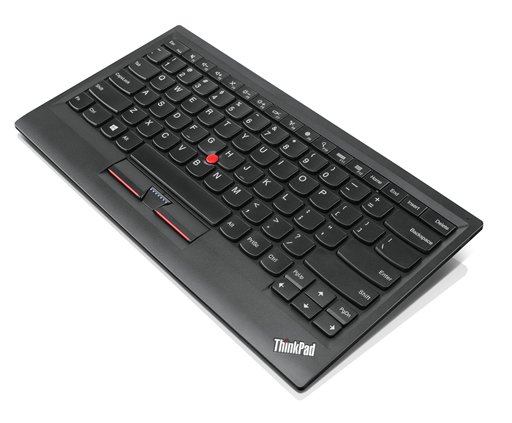
ThinkPad Keyboard ThinkPad Keyboard
The first is Lenovo's ThinkPad Compact Bluetooth Keyboard with TrackPoint, a very compact but pleasant to use Bluetooth keyboard including a trackpoint. I miss the trackpoint from my days as a Thinkpad laptop user. Having a keyboard and mouse combo in such a small package is excellent. My only two complaints would be the price (I was lucky to get one cheaper on eBay) and the fact it's bluetooth only: there's a micro-USB port for charging, but it would be nice if it could be used as a USB keyboard too. There's a separate, cheaper USB model.
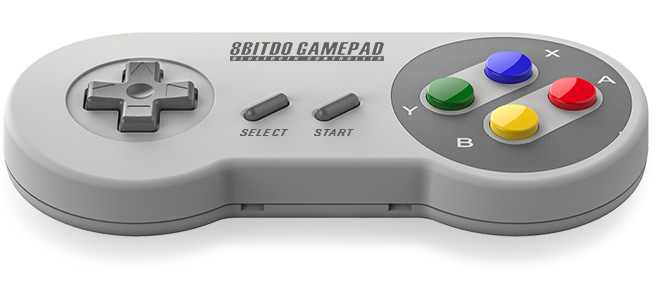
8bitdo SFC30 8bitdo SFC30
The second neat device is a clone of the SNES gamepad by HK company 8bitdo called the SFC30. This looks and feels very much like the classic Nintendo SNES controller, albeit slightly thicker from front to back. It can be used in a whole range of different modes, including attached USB; Bluetooth pretending to be a keyboard; Bluetooth pretending to be a controller; and a bunch of other special modes designed to work with iOS or Android devices in various configurations. The manufacturer seem to be actively working on firmware updates to further enhance the controller. The firmware is presently closed source, but it would not be impossible to write an open source firmware for it (some people have figured out the basis for the official firmware). I like the SFC30 enough that I spent some time trying to get it working for various versions of Doom. There are just enough buttons to control a 2.5D game like Doom, whereas something like Quake or a more modern shooter would not work so well. I added support for several 8bitdo controllers directly into Chocolate Doom (available from 2.3.0 onwards) and into SDL2, a popular library for game development, which I think is used by Steam, so Steam games may all gain SFC30 support in the future too.

14 January 2017

Jonathan McDowell: Cloning a USB LED device

A month or so ago I got involved in a discussion on IRC about notification methods for a headless NAS. One of the options considered was some sort of USB attached LED. DealExtreme had a cheap Webmail notifier , which was already supported by mainline kernels as a Riso Kagaku device but it had been sold out for some time. This seemed like a fun problem to solve with a tinyAVR and V-USB. I had my USB relay board so I figured I could use that to at least get some code to the point that the kernel detected it as the right device, and the relay output could be configured as one of the colours to ensure it was being driven in roughly the right manner. The lack of a full lsusb dump (at least when I started out) made things a bit harder, plus the fact that the Riso uses an output report unlike the relay code, which uses a control message. However I had the kernel source for the driver and with a little bit of experimentation had something which would cause the driver to be loaded and the appropriate files in /sys/class/leds/ to be created. The relay was then successfully activated when the red LED was supposed to be on.
hid-led 0003:1294:1320.0001: hidraw0: USB HID v1.01 Device [MAIL  MAIL ] on usb-0000:00:14.0-6.2/input0
hid-led 0003:1294:1320.0001: Riso Kagaku Webmail Notifier initialized
I subsequently ordered some Digispark clones and modified the code to reflect the pins there (my relay board used pins 1+2 for USB, the Digispark uses pins 3+4). I then soldered a tricolour LED to the board, plugged it in and had a clone of the Riso Kaguku device for about 1.50 in parts (no doubt much cheaper in bulk). Very chuffed. In case it s useful to someone, the code is released under GPLv3+ and is available at https://the.earth.li/gitweb/?p=riso-kagaku-clone.git;a=summary or on GitHub at https://github.com/u1f35c/riso-kagaku-clone. I m seeing occasional issues on an older Dell machine that only does USB2 with enumeration, but it generally is fine once it gets over that. (FWIW, Jon, who started the original discussion, ended up with a BlinkStick Nano which is a neater device with 2 LEDs but still based on an Tiny85.)

17 November 2016

Jonathan Dowland: Docker lecture

This morning I gave a guest lecture to students at the EPSRC Centre for Doctoral Training in Cloud Computing for Big Data. The subject was a gentle introduction to Docker. This was the first guest lecture I've given for a couple of years so I thought I was a little rusty but I had a good time giving it and hopefully it went across OK. slides.pdf including speaker notes in boxes at the bottom of each slide; handouts.pdf (3 slides to a page with space for notes): demo steps.txt (the steps I followed for some of the demos). I mentioned a couple of things worth linking to here There was some discussion about alternatives to Docker, things which were briefly mentioned include

Jonathan Dowland: handouts.pdf

Jonathan Dowland: slides.pdf

11 November 2016

Jonathan Dowland: Vinyl is killing Vinyl (but that's ok)

I started buying vinyl records about 16 years ago, but recently I've become a bit uncomfortable being identified as a "vinyl lover". The market is ascendant, with vinyl album sales growing for 8 consecutive years, at least in the UK. So why am I uncomfortable about it? A quick word about audio fidelity/quality here. I don't subscribe to the school of thought that audio on vinyl is inherently better than digital audio, far from it. I'm aware of its limitations. For recordings that I love, I try to seek out the best quality version available, which is almost always digital. Some believe that vinyl is immune to the "loudness war" brickwall mastering plaguing some modern releases, but for some of the worst offenders (Depeche Mode's Playing The Angel; Red Hot Chili Pepper's Californication) I haven't found the vinyl masterings to sound any different. 16 years ago Let's go back to why I started buying vinyl. Back when I started, the world was a very different place to what it is today. You could not buy most music in a digital form: it was 3 more years before the iTunes Store was opened, and it was Mac-only at first, and the music it sold was DRM-crippled for the first 5 or so years afterwards. The iPod had not been invented yet and there was no real market for personal music players. Minidiscs were still around, but Net-MD (the only sanctioned way to get digital music onto them from a computer) was terrible.
old-ish LPs old-ish LPs
Buying vinyl 16 years ago was a way to access music that was otherwise much harder to reach. There were still plenty of albums, originally recorded and released before CDs, which either had not been re-issued digitally at all, or had been done so early, and badly. Since vinyl was not fashionable, the second hand market was pretty cheap. I bought quite a lot of stuff for pennies at markets and car boot sales. Some music such as b-sides and 12" mixes and other mixes prepared especially for the format remains unavailable and uncollected on CD. (I'm a big fan of the B-side culture that existed prior to CDs. I might write more about that one day.) 10 years ago
modern-ish 7 inches modern-ish 7 inches
Fast forward to around 10 years ago. Ephemeral digital music is now much more common, the iPod and PMPs are well established. High-street music stores start to close down, including large chains like MOS, Our Price, and Virgin. Streaming hasn't particularly taken off yet, attempts to set up digital radio stations are fought by the large copyright owners. Vinyl is still not particularly fashionable, but it is still being produced, in particular for singles for up-and-coming bands in 7" format. You can buy a 7" single for between 1 and 4, getting the b-side with it. The b-side is often exclusive to the 7" release as an incentive to collectors. I was very prepared to punt 1-2 on a single from a group I was not particularly familiar with just to see what they were like. I discovered quite a lot of artists this way. One of the songs we played at our wedding was such an exclusive: a recording of the Zutons' covering Jackie Wilson's "Higher and Higher", originally broadcast once on Colin Murray's Evening Session radio show. Now
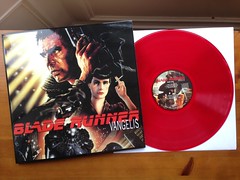
Vangelis - Blade Runner OST An indulgence
So, where are we now? Vinyl album sales are a huge growth market. They are very fashionable. Many purchasers are younger people who are new to the format; it's believed many don't have the means to play the music on the discs. Many (most?) albums are now issued as 12" vinyl in parallel with digital releases. These are usually exactly the same product (track listing, mixes, etc.) and usually priced at exactly twice that of the CD (with digital prices normally a fraction under that). The second hand market for 12" albums has inflated enormously. Gone are the bargains that could be had, a typical second hand LP is now priced quite close to the digital price for a popular/common album in most places. The popularity of vinyl has caused a huge inflation in the price of most 7" singles, which average somewhere between 8- 10 each, often without any b-side whatsoever. The good news is from my observations the 2nd hand market for 7" singles hasn't been affected quite as much. I guess they are not as desirable to buyers. The less said about Record Store Day, the better. So, that's all quite frustrating. But most of the reasons I used to buy vinyl have gone away anyway. Many of the rushed-to-market CD masterings have been reworked and reissued, correcting the earlier problems. B-side compilations are much more common so there are far fewer obscure tracks or mixes, and when the transfer has been done right, you're getting those previously-obscure tracks in a much higher quality. Several businesses exist to sell 2nd hand CDs for rock bottom prices, so it's still possible to get popular music very cheaply. The next thing to worry about is probably streaming services.

14 October 2016

Jonathan Dowland: Hi-Fi Furniture

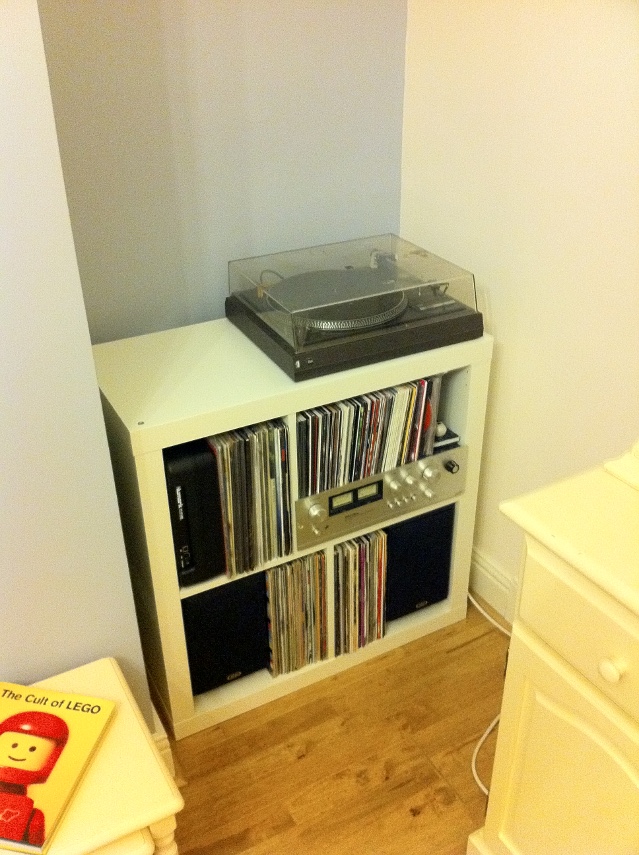
sadly obsolete sadly obsolete
For the last four years or so, I've had my Hi-Fi and the vast majority of my vinyl collection stored in a self-contained, mildly-customized Ikea unit. Since moving house this has been in my dining room which we have always referred to as the "play room", since we have a second dining room in which we actually dine. The intention for the play room was for it to be the room within which all our future children would have their toys kept, in an attempt to keep the living room from being overrun with plastic. The time has thus come for my Hi-Fi to come out of there, so we've moved it to our living room. Unfortunately, there's not enough room in the living room for the Ikea unit: I need something narrower for the space available.
via IkeaHackers.net via IkeaHackers.net
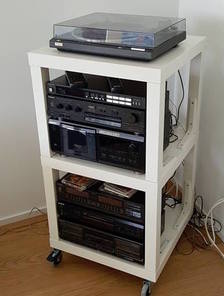
In the spirit of my original hack, I started looking at what others might have achieved with Ikea components. There are some great examples of open-style units built out of the (extremely cheap) Lack coffee tables, such as this ikeahackers article, but I'd prefer something more enclosed. One problem I've had with the Expedit unit was my cat trying to scratch the records. I ended up putting framed records at the front to cover the spines of the records within. If I were keeping the unit, I'd look at fitting hinges (another ikeahackers article) Asides from hacked Ikea stuff, there are a few companies offering traditional enclosed Hi Fi cabinets. I'm going to struggle to fit both the equipment and a subset of records into these, so I might have to look at storing them separately. In some ways that makes life easier: the records could go into a 1x4 Ikea KALLAX unit, leaving the amp and deck to home somewhere. Perhaps I could look at a bigger unit for under the TV. My parents have a nice Hi-Fi unit that pretends to be a chest of drawers. I'm fairly sure my Dad custom-built it, as it has a hinged top to provide access to the turntable and I haven't seen anything like that on the market. That brings me onto thinking about other AV things I'd like to achieve in the living room. I've always been interested in exploring surround sound, but my initial attempt in my prior flat did not go well, either because the room was not terribly suited accoustically, or because the Pioneer unit I bought was rubbish, or both. It seems that there aren't really AV receivers which are designed to satisfy both people wanting to use them in a Hi-Fi and a home cinema setting. I could stick to stereo and run the TV into my existing (or a new) amplifier, subject to some logistics around wiring. A previous house owner ran some phono cables under the hard-wood flooring from the TV alcove to the opposite side of the fire place, which might give me some options. There's also the world of wireless audio, Sonos etcetera. Realistically the majority of my music is digital nowadays, and it would be good to be able to listen to it conveniently in the house. I've heard good reports on the entry level Sonos stuff, but they seem to be Mono, and even the more high-end ones with lots of drivers have very small separation. I did buy a Chromecast Audio on a whim recently, but I haven't looked at it much yet: perhaps that's part of the solution. So, lots of stuff in the melting pot to figure out here!

22 September 2016

Jonathan Dowland: WadC 2.1

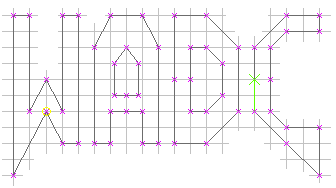
WadC
Today I released version 2.1 of Wad Compiler, a lazy functional programming language and IDE for the construction of Doom maps. This comes about a year after version 2.0. The most significant change is an adjustment to the line splitting algorithm to fix a long-standing issue when you try to draw a new linedef over the top of an existing one, but in the opposite direction. Now that this bug is fixed, it's much easier to overdraw vertical or horizontal lines without needing an awareness of the direction of the original lines. The other big changes are in the GUI, which has been cleaned up a fair bit, now had undo/redo support, the initial window size is twice as large, and it now supports internationalisation, with a partial French translation included. This version is dedicated to the memory of Professor Seymour Papert (1928-2016), co-inventor of the LOGO programming language). For more information see the release notes and the reference.

9 September 2016

Jonathan Dowland: Metropolis

Every year since 2010 the Whitley Bay Film Festival has put on a programme of movies in my home town, often with some quirk or gimmick. A few years back we watched "Dawn Of The Dead" in a shopping centre the last act was interrupted by a fake film-reel break, then a load of zombies emerged from the shops. Sometime after that, we saw "The Graduate" within a Church as part of their annual "Secret Cinema" showing. Other famous stunts (which I personally did not witness) include a screening of Jaws on the beach and John Carpenter's "The Fog" in Whitley Bay Lighthouse. This year I only went to one showing, Fritz Lang's Metropolis. Two twists this time: it was being shown in The Rendezvous Cafe, an Art-Deco themed building on the sea front; the whole film was accompanied by a live, improvised synthesizer jam by a group of friends and synth/sound enthusiasts who branded themselves "The Mediators" for the evening. I've been meaning to watch Metropolis for a long time (I've got the Blu-Ray still sat in the shrink-wrap) and it was great to see the newly restored version, but the live synth accompaniment was what really made the night special for me. They used a bunch of equipment, most notably a set of Korg Volcas. The soundtrack varied in style and intensity to suit the scenes, with the various under-city scenes backed by a pumping, industrial-style improvisation which sounded quite excellent. I've had an interest in playing with synthesisers and making music for years, but haven't put the time in to do it properly. I left newly inspired and energised to finally try to make the time to explore it.

12 August 2016

Jonathan Dowland: Lush (and friends)

gig poster The gig poster
On July 31st a friend and I went to see Max mo Park and support at a mini-festival day in Times Square, Newcastle. The key attraction for me to this gig was the top support band, Lush who are back after a nearly 20 year hiatus.
record Nano Kino 7"
I first heard of Lush quite recently from the excellent BBC Documentary Girl in a Band: Tales from the Rock 'n' Roll Front Line. They were excellent: the set was quite heavy on material from their more dreampop/shoegaze albums which is to my taste.
Max mo 7"s Max mo 7"s
I also particularly enjoyed Warm Digits, motorik instrumental dance stuff that reminded me of Lemon Jelly mixed with Soulwax, who had two releases very reasonably priced on the merch stand; Nano Kino in the adjacent "Other Rooms", also channelling dreampop/shoegaze; and finally Max mo Park themselves. I was there for Lush really but I still really enjoyed the headliners. I've seen them several times but I've lost track of what they've been up to in recent years. Both their earliest material and several newer songs were well received by the home crowd and atmosphere in the enclosed Times Square was excellent.

11 July 2016

Jonathan Dowland: iPod

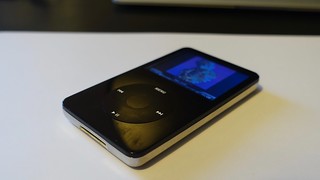
iPod iPod with rockbox
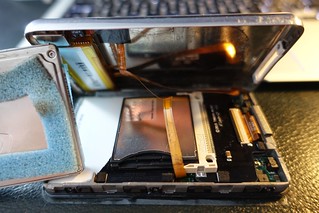
opened up open iPod with iFlash
It's been four years since I last wrote about music players. In the meantime of my Sansa Fuzes broke, and the third does not have great rockbox support. I've also been using a Sansa Clip+ (a leaving present from my last job, thanks again!) and a Sansa Clip Zip. Unfortunately Sandisk's newer Sansa devices (Sport, Jam - the only ones still in production) are not supported by Rockbox. The Clips have been very reliable and sturdy players, but I have missed the larger display of the Fuze. Since I've been exploring HD audio I've also been interested in something with an A/D converter that can handle it. I also still wish to carry my entire music library around with me, which limits my options. I decided to try an iPod. The older iPods had a Wolfson-manufacturered ADC which had a good reputation and supported (in headline terms at least) 24/48. The iPod colour (aka "4th gen") and subsequent models have a large colour display. The click-wheel interface is also very nice. Apple have now discontinued the "classic" iPod and their second hand value has greatly increased, but I managed to get an older 5th generation model ("video", with a base capacity of 30G) whilst trading in some unwanted DVDs. The case was scratched to heck but a replacement was readily and cheaply available from auction sites. Rockbox support in these iPods is pretty good, and you can mod the hardware to support CF or SD cards with kits such as the iFlash kits by Tarkan Akdam, which I picked up, along with a new 128G SD card. Unfortunately I have found writing to the iPod to be very poor with Rockbox, but it's fine for playback, and booting the iPod in OF or DFU mode is very easy and works reliably. Whilst Rockbox on the iPod works pretty well, installing it is far harder than on the Sandisk Sansa devices. The difficulty in my case is because rockbox requires a PC-formatted iPod to install, and I had a Mac-formatted one. I couldn't find a way to convert the iPod to PC format using a Mac. I tried doing so on a PC but for some reason the PC wasn't playing ball so I gave up after a few hours. In the end I assembled the filesystem by hand using dd(1) and dumps of partition tables from other people's iPods, via a Linux machine. This was enough to convince iTunes on Mac to restore it's hidden partition and boot software without reverting back to a Mac disklabel format.

8 June 2016

Jonathan Dowland: Some tools for working with Docker images

For developing complex, real-world Docker images, there are a number of tools that can make life easier. The first thing to realise is that the Dockerfile format is severely limited. At work, we have eventually outgrown it and it has been replaced with a structured YAML document that is processed into a Dockerfile by a tool called dogen. There are several advantages to this, but I'll point out two: firstly, having data about the image available in a structured format makes automatically deriving technical documentation very easy. Secondly, some of the quirks of Dockerfiles, such as the ADD command respecting the environment's umask, are worked around in the dogen tool. We have a large suite of integration tests that we run against images to make sure that we haven't introduced regressions during their development. The core of this is the Container Testing Framework, which makes use of the Behave system. Each command that is run in a Dockerfile generates a new docker image layer. In practice, this can mean a real-world image has a great number of layers underneath it. Docker-dot-com have resisted introducing layer squashing into their tools, but with both hard limits for layers in some of the storage backends, and performance issues for most of the rest, this is a very real issue. Marek Goldmann wrote a squashing tool that we use to control the number of intermediate layers that are introduced by our images. Finally, even with tools like dogen and ctf, we would like to be able to have more sophisticated tools than shell scripts for configuring images, both at image build time and container run time. We want to do this without introducing extra dependencies inside the images which will not otherwise be used for their operation. Ansible could be a solution for this, but there are practical issues with relying on it for runtime configuration in our situation. For that reason David Becvarik is designing and implementing Container Configuration Tool, or cct, a framework for performing configuration of containers written in Python.

15 May 2016

Jonathan Dowland: Announcement

It has become a bit traditional within Debian to announce these things in a geeky manner, so for now
# ed -p: /etc/exim4/virtual/dow.land
:a
holly: :fail: reserved for future use
.
:wq
99
More soon!

Next.

Previous.