Abhijith PA: Transition from Thunderbird to Mutt
I was going OK with Thunderbird and
enigmail(though it have many
problems). Normally I go through changelogs before updating
packages and rarely do a complete upgrage of my machine. Couple
of days ago I did a complete upgrade of system which updated my Thunderbird to
latest version and throwing of enigmail plugin for using their native
openPGP support. There is a blog
from Mozilla which I should ve
read earlier. Thunderbird s builtin openPGP functionality is still in
experimental, atleast not ready for my workflow. I could ve downgrade
to version 68. But I chose to move to my
secondary MUA, mutt. I was using mutt for
emails and newsletters that I check twice in a year a so.
So I started configuring mutt to handle my big mailboxes. It
took three evenings to configure mutt to my workflow. Though
the basic setup can be done in less than an hour it is the small
nitpicks consumed much of my time. Currently I
have isync to pull and keep mails offline.
Mutt to read, msmtp to
send, abook as the email address book and
urlview to see
the links in mail. I am still learning
notmuch and virtual mailbox
ways to filter.
 There are ton of articles out there to configure mutt and all related
things to it. But I find certain configs very hard to get. So I will
write down those.
Cons
There are ton of articles out there to configure mutt and all related
things to it. But I find certain configs very hard to get. So I will
write down those.
-
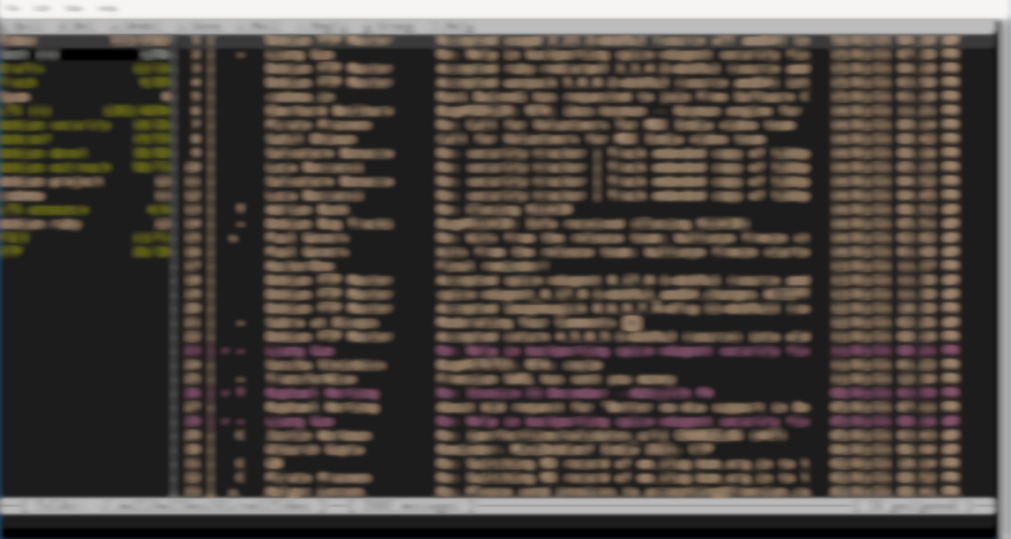
As a long Thunderbird user, I still want my mailbox index to look
in a certain way. I used;
This gives following order - serial number, various flags (if there is an attachment, it will shows @ ), sender, subject and to extreme right there will be date and time (12h local) of mail
set date_format="%d/%m/%y %I:%M %p" set index_format="%3C %Z %?X?@& ? %-22.17L %-5.50s %> %-22.20D" - If use nano to write mails you can use
to get 70 char length and mail related syntax highlighting
set editor="nano --syntax=email -r 70 -b" -
mutt has a way to make new mail notification. The
new_mail_commandcan be used to execute a custom script upon new mail, such as running notify-send. There are many standalone mail notifier such as mailnag, mail notification etc. It all just felt bulky for me. So I ended up making these.And hooked to mail_new_command. This code snippet is from lukesmith s mutt-wizard, I barely modified to meet my need. Currently it only look in to Inbox . I need to modify to check other mailbox folders in future.#!/bin/sh accounts="$(awk '/^Channel/ print $2 ' "$MBSYNCRC")" for account in $accounts; do acc="$(echo "$account" sed "s/.*\///")" new=$(find "$MAILBOX/$acc/Inbox/new/" -type f -newer "$MUTT/.mailsynclastrun" 2> /dev/null) newcount=$(echo "$new" sed '/^\s*$/d' wc -l) if [ "$newcount" -gt "0" ]; then for file in $new; do # Extract subject and sender from mail. from=$(awk '/^From: / && ++n ==1,/^\<.*\>:/' "$file" perl -CS -MEncode -ne 'print decode("MIME-Header", $_)' awk ' $1=""; if (NF>=3)$NF=""; print $0 ' sed 's/^[[:blank:]]*[\"'\''\<]*//;s/[\"'\''\>]*[[:blank:]]*$//') subject=$(awk '/^Subject: / && ++n == 1,/^\<.*\>: / && ++i == 2' "$file" head -n 1 perl -CS -MEncode -ne 'print decode("MIME-Header", $_)' sed 's/^Subject: //' sed 's/^ [[:blank:]]*[\"'\''\<]*//;s/[\"'\''\>]*[[:blank:]]*$//' tr -d '\n') displays="$(pgrep -a Xorg grep -wo "[0-9]*:[0-9]\+")" for x in $displays; do export DISPLAY=$x notify-send -i $MUTT/mutt.png -t 5000 "$account received new message:" "$from: <i>$subject</i>" done done fi done touch "$MUTT/.mailsynclastrun"
Cons
- some times mbsync throws
EOF and secret key not found error.
- searching is still a pain in mutt
- nano s spell checker also check things which I am replying to.
More to come
Well for now I moved mail from part of the Thunderbird. But
Thunderbird was
more than a MUA to me. It was my RSS reader, calendar and
to-do list manager. I will write more about those once I make a
complete transition.
EOF and secret key not found error.
 The Rcpp team is proud to announce release 1.0.6 of

 Mainly to recall what happened last year and to give thoughts and plan for the upcoming year(s) I m once again revisiting my previous year (previous editions:


 As a reader of
 I have been a Puppet user for a couple of years now, first at work, and
eventually for my personal servers and computers. Although it can have a steep
learning curve, I find Puppet both nimble and very powerful. I also prefer it
to Ansible for its speed and the agent-server model it uses.
Sadly, Puppet Labs hasn't been the most supportive upstream and tends to move
pretty fast. Major versions rarely last for a whole Debian Stable release and
the upstream
 Nothing too much has happened recently, largely as a result of the pandemic killing a lot of daily interests and habits.
However as a result of Brexit I'm having to do some paperwork, apparently I now need to register for permanent residency under the terms of the withdrawal agreement, and that will supersede the permanent residency I previously obtained.
Of course as a UK citizen I've now lost the previously-available freedom of movement. I can continue to reside here in Helsinki, Finland, indefinitely, but I cannot now move to any other random EU country.
It has crossed my mind, more than a few times, that I should attempt to achieve Finnish citizenship. As a legal resident of Finland the process is pretty simple, I just need two things:

