Search Results: "pm"

6 July 2014

Eugene V. Lyubimkin: (Finland) FUUG foundation gives money for FLOSS development

You live in Finland? You work on a FLOSS project or a project helping FLOSS in a way or another? Apply for FUUG's limited sponshorship program! Rules and details (in Finnish): http://coss.fi/2014/06/27/fuugin-saatio-jakaa-apurahoja-avoimen-koodin-edistamiseksi/ .

Daniel Pocock: News team jailed, phone hacking not fixed though

This week former News of the World executives were sentenced, most going to jail, for the British phone hacking scandal. Noticeably absent from the trial and much of the media attention are the phone companies. Did they know their networks could be so systematically abused? Did they care? In any case, the public has never been fully informed about how phones have been hacked. Speculation has it that phone hackers were guessing PIN numbers for remote voicemail access, typically trying birthdates and inappropriate PIN numbers like 0000 or 1234. There is more to it Those in the industry know that there are additional privacy failings in mobile networks, especially the voicemail service. It is not just in the UK either. There are various reasons for not sharing explicit details on a blog like this and comments concerning such techniques can't be accepted. Nonetheless, there are some points that do need to be made:
  • it is still possible for phones, especially voicemail, to be hacked on demand
  • an attacker does not need expensive equipment nor do they need to be within radio range (or even the same country) as their target
  • the attacker does not need to be an insider (phone company or spy agency employee)
Disable voicemail completely - the only way to be safe The bottom line is that the only way to prevent voicemail hacking is to disable the phone's voicemail service completely. Voicemail is not really necessary given that most phones support email now. For those who feel they need it, consider running the voicemail service on your own private PBX using free software like Asterisk or FreeSWITCH. Some Internet telephony service providers also offer third-party voicemail solutions that are far more secure than those default services offered by mobile networks. To disable voicemail, simply do two things:
  • send a letter to the phone company telling them you do not want any voicemail box in their network
  • in the mobile phone, select the menu option to disable all diversions, or manually disable each diversion one by one (e.g. disable forwarding when busy, disable forwarding when not answered, disable forwarding when out of range)

Russell Coker: Desktop Publishing is Wrong

When I first started using computers a word processor was a program that edited text. The most common and affordable printers were dot-matrix and people who wanted good quality printing used daisy wheel printers. Text from a word processor was sent to a printer a letter at a time. The options for fancy printing were bold and italic (for dot-matrix), underlines, and the use of spaces to justify text. It really wasn t much good if you wanted to include pictures, graphs, or tables. But if you just wanted to write some text it worked really well. When you were editing text it was typical that the entire screen (25 rows of 80 columns) would be filled with the text you were writing. Some word processors used 2 or 3 lines at the top or bottom of the screen to display status information. Some time after that desktop publishing (DTP) programs became available. Initially most people had no interest in them because of the lack of suitable printers, the early LASER printers were very expensive and the graphics mode of dot matrix printers was slow to print and gave fairly low quality. Printing graphics on a cheap dot matrix printer using the thin continuous paper usually resulted in damaging the paper a bad result that wasn t worth the effort. When LASER and Inkjet printers started to become common word processing programs started getting many more features and basically took over from desktop publishing programs. This made them slower and more cumbersome to use. For example Star Office/OpenOffice/LibreOffice has distinguished itself by remaining equally slow as it transitioned from running on an OS/2 system with 16M of RAM in the early 90 s to a Linux system with 256M of RAM in the late 90 s to a Linux system with 1G of RAM in more recent times. It s nice that with the development of PCs that have AMD64 CPUs and 4G+ of RAM we have finally managed to increase PC power faster than LibreOffice can consume it. But it would be nicer if they could optimise for the common cases. LibreOffice isn t the only culprit, it seems that every word processor that has been in continual development for that period of time has had the same feature bloat. The DTP features that made word processing programs so much slower also required more menus to control them. So instead of just having text on the screen with maybe a couple of lines for status we have a menu bar at the top followed by a couple of lines of toolbars , then a line showing how much width of the screen is used for margins. At the bottom of the screen there s a search bar and a status bar. Screen Layout By definition the operation of a DTP program will be based around the size of the paper to be used. The default for this is A4 (or Letter in the US) in a portrait layout (higher than it is wide). The cheapest (and therefore most common) monitors in use are designed for displaying wide-screen 16:9 ratio movies. So we have images of A4 paper with a width:height ratio of 0.707:1 displayed on a wide-screen monitor with a 1.777:1 ratio. This means that only about 40% of the screen space would be used if you don t zoom in (but if you zoom in then you can t see many rows of text on the screen). One of the stupid ways this is used is by companies that send around word processing documents when plain text files would do, so everyone who reads the document uses a small portion of the screen space and a large portion of the email bandwidth. Note that this problem of wasted screen space isn t specific to DTP programs. When I use the Google Keep website [1] to edit notes on my PC they take up a small fraction of the screen space (about 1/3 screen width and 80% screen height) for no good reason. Keep displays about 70 characters per line and 36 lines per page. Really every program that allows editing moderate amounts of text should allow more than 80 characters per line if the screen is large enough and as many lines as fit on the screen. One way to alleviate the screen waste on DTP programs is to use a landscape layout for the paper. This is something that all modern printers support (AFAIK the only printers you can buy nowadays are LASER and ink-jet and it s just a big image that gets sent to the printer). I tried to do this with LibreOffice but couldn t figure out how. I m sure that someone will comment and tell me I m stupid for missing it, but I think that when someone with my experience of computers can t easily figure out how to perform what should be a simple task then it s unreasonably difficult for the vast majority of computer users who just want to print a document. When trying to work out how to use landscape layout in LibreOffice I discovered the Web Layout option in the View menu which allows all the screen space to be used for text (apart from the menu bar, tool bars, etc). That also means that there are no page breaks! That means I can use LibreOffice to just write text, take advantage of the spelling and grammar correcting features, and only have screen space wasted by the tool bars and menus etc. I never worked out how to get Google Docs to use a landscape document or a single webpage view. That s especially disappointing given that the proportion of documents that are printed from Google Docs is probably much lower than most word processing or DTP programs. What I Want What I d like to have is a word processing program that s suitable for writing draft blog posts and magazine articles. For blog posts most of the formatting is done by the blog software and for magazine articles the editorial policy demands plain text in most situations, so there s no possible benefit of DTP features. The ability to edit a document on an Android phone and on a Linux PC is a good feature. While the size of a phone screen limits what can be done it does allow jotting down ideas and correcting mistakes. I previously wrote about using Google Keep on a phone for lecture notes [2]. It seems that the practical ability of Keep to edit notes on a PC is about limited to the notes for a 45 minute lecture. So while Keep works well for that task it won t do well for anything bigger unless Google make some changes. Google Docs is quite good for editing medium size documents on a phone if you use the Android app. Given the limitations of the device size and input capabilities it works really well. But it s not much good for use on a PC. I ve seen a positive review of One Note from Microsoft [3]. But apart from the fact that it s from Microsoft (with all the issues that involves) there s the issue of requiring another account. Using an Android phone requires a Gmail account (in practice for almost all possible uses if not in theory) so there s no need to get an extra account for Google Keep or Docs. What would be ideal is an Android editor that could talk to a cloud service that I run (maybe using WebDAV) and which could use the same data as a Linux-X11 application. Any suggestions?

4 July 2014

Matthew Garrett: Self-signing custom Android ROMs

The security model on the Google Nexus devices is pretty straightforward. The OS is (nominally) secure and prevents anything from accessing the raw MTD devices. The bootloader will only allow the user to write to partitions if it's unlocked. The recovery image will only permit you to install images that are signed with a trusted key. In combination, these facts mean that it's impossible for an attacker to modify the OS image without unlocking the bootloader[1], and unlocking the bootloader wipes all your data. You'll probably notice that.

The problem comes when you want to run something other than the stock Google images. Step number one for basically all of these is "Unlock your bootloader", which is fair enough. Step number two is "Install a new recovery image", which is also reasonable in that the key database is stored in the recovery image and so there's no way to update it without doing so. Except, unfortunately, basically every third party Android image is either unsigned or is signed with the (publicly available) Android test keys, so this new recovery image will flash anything. Feel free to relock your bootloader - the recovery image will still happily overwrite your OS.

This is unfortunate. Even if you've encrypted your phone, anyone with physical access can simply reboot into recovery and reflash /system with something that'll stash your encryption key and mail your data to the NSA. Surely there's a better way of doing this?

Thankfully, there is. Kind of. It's annoying and involves a bunch of manual processes and you'll need to re-sign every update yourself. But it is possible to configure Nexus devices in such a way that you retain the same level of security you had when you were using the Google keys without losing the freedom to run whatever you want. Here's how.

Note: This is not straightforward. If you're not an experienced developer, you shouldn't attempt this. I'm documenting this so people can create more user-friendly approaches.

First: Unlock your bootloader. /data will be wiped.
Second: Get a copy of the stock recovery.img for your device. You can get it from the factory images available here
Third: Grab mkbootimg from here and build it. Run unpackbootimg against recovery.img.
Fourth: Generate some keys. Get this script and run it.
Fifth: zcat recovery.img-ramdisk.gz cpio -id to extract your recovery image ramdisk. Do this in an otherwise empty directory.
Sixth: Get DumpPublicKey.java from here and run it against the .x509.pem file generated in step 4. Replace /res/keys from the recover image ramdisk with the output. Include the "v2" bit at the beginning.
Seventh: Repack the ramdisk image (find . cpio -o -H newc gzip > ../recovery.img-ramdisk.gz) and rebuild recovery.img with mkbootimg.
Eighth: Write the new recovery image to your device
Ninth: Get signapk from here and build it. Run it against the ROM you want to sign, using the keys you generated earlier. Make sure you use the -w option to sign the whole zip rather than signing individual files.
Tenth: Relock your bootloader
Eleventh: Boot into recovery mode and sideload your newly signed image.

At this point you'll want to set a reasonable security policy on the image (eg, if it grants root access, ensure that it requires a PIN or something), but otherwise you're set - the recovery image can't be overwritten without unlocking the bootloader and wiping all your data, and the recovery image will only write images that are signed with your key. For obvious reasons, keep the key safe.

This, well. It's obviously an excessively convoluted workflow. A *lot* of it could be avoided by providing a standardised mechanism for key management. One approach would be to add a new fastboot command for modifying the key database, and only permit this to be run when the bootloader is unlocked. The workflow would then be something like which seems more straightforward. Long term, individual projects could do the signing themselves and distribute their public keys, resulting in the install process becoming as easy as which is actually easier than the current requirement to install an entirely new recovery image.

I'd actually previously criticised Google on the grounds that using custom keys wasn't possible on Android devices. I was wrong. It is, it's just that (as far as I can tell) nobody's actually documented it before. It's important that users not be forced into treating security and freedom as mutually exclusive, and it's great that Google have made that possible.

[1] This model fails if it's possible to gain root on the device. Thankfully this would never hold on what's that over there is that a distraction?

comment count unavailable comments

Paul Tagliamonte: Apple Hardware: Part II

A few interesting things happened after I got a macbook air.

Firstly, I got a lot of shit from my peers and friends about it. This was funny to me, nothing really bothered me about it, but I can see this becoming really tiresome at events like hackathons or conferences.

As a byproduct, there s a strong feeling in the hardcore F/OSS world that Apple hardware is the incarnation of evil.

As a result of both of the above, hardcore F/OSS (and Distro hackers) don t buy apple hardware.

Therefore, GNU/Linux is complete garbage on Apple hardware. Apple s firmware bugs don t help, but we re BAD.

Some might ask why this is a big deal. The fact is, this is one of the most used platforms for Open Source development (note I used that term exactly).

Are we to damn these users to a nonfree OS because we want to maintain our purity?

I had to give back my Air, but I still have a Mac Mini that i ve been using for testing bugs on OSX in code I have. Very soon, my Mac Mini will be used to help fix the common bugs in the install process.

Some things you can do:

3 July 2014

Hideki Yamane: Open Source Conference 2014 Hokkaido

Oh, time flies... (= I'm lazy)

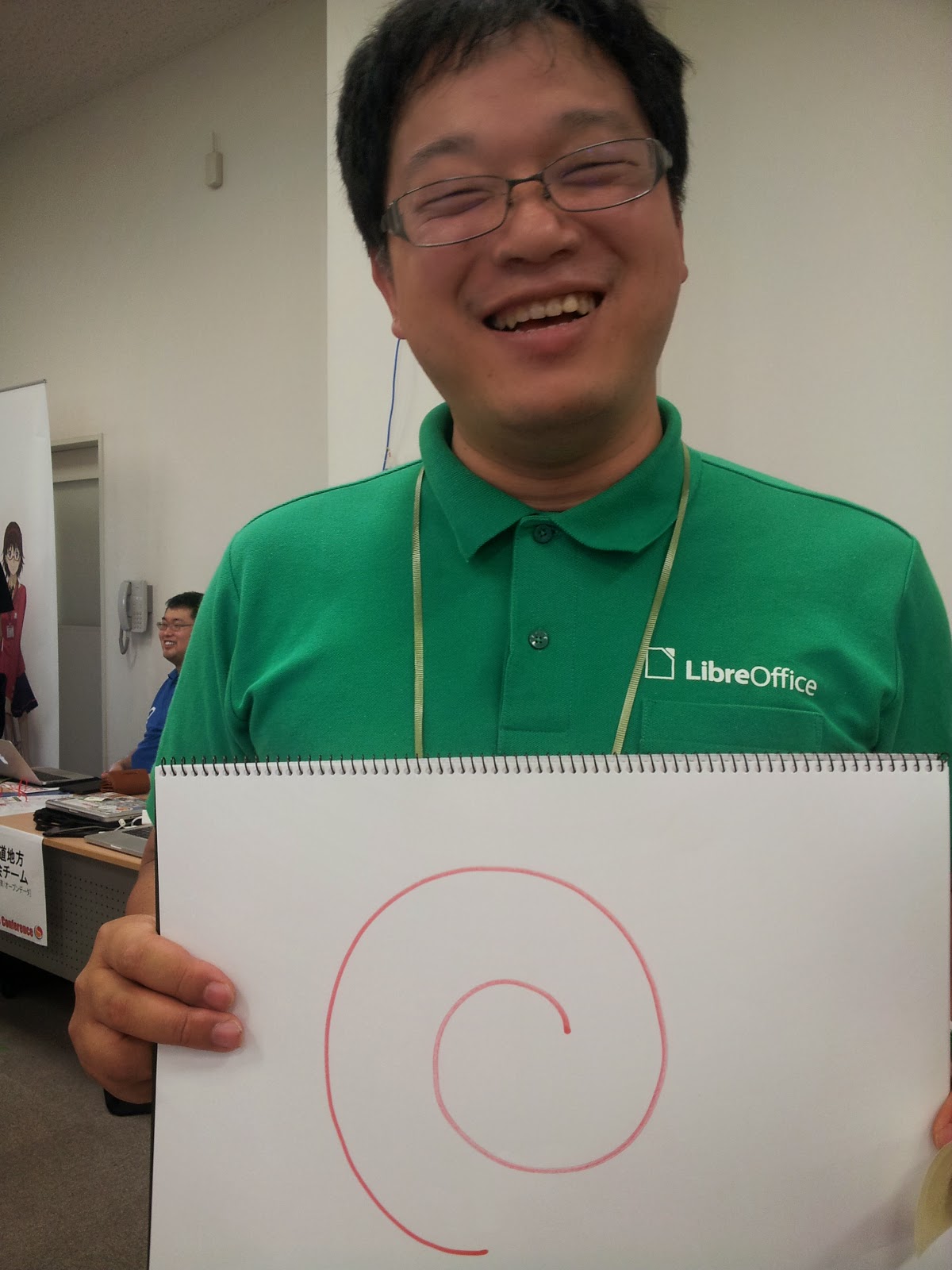
14th June, I've participated to OSC (Open Source Conference) 2014 Hokkaido in Sapporo, Hokkaido (sorry openSUSE folks, OSC does not mean openSUSE Conference ;) OSC has 10 years history in Japan, so don't blame me...)

Hokkaido is northan island of Japan (it has 4 major islands - Hokkaido, Honshu, Shikoku and Kyushu), takes 1.5 hours from Tokyo (HND-CTS) and debian-mirror.sakura.ne.jp is also there.

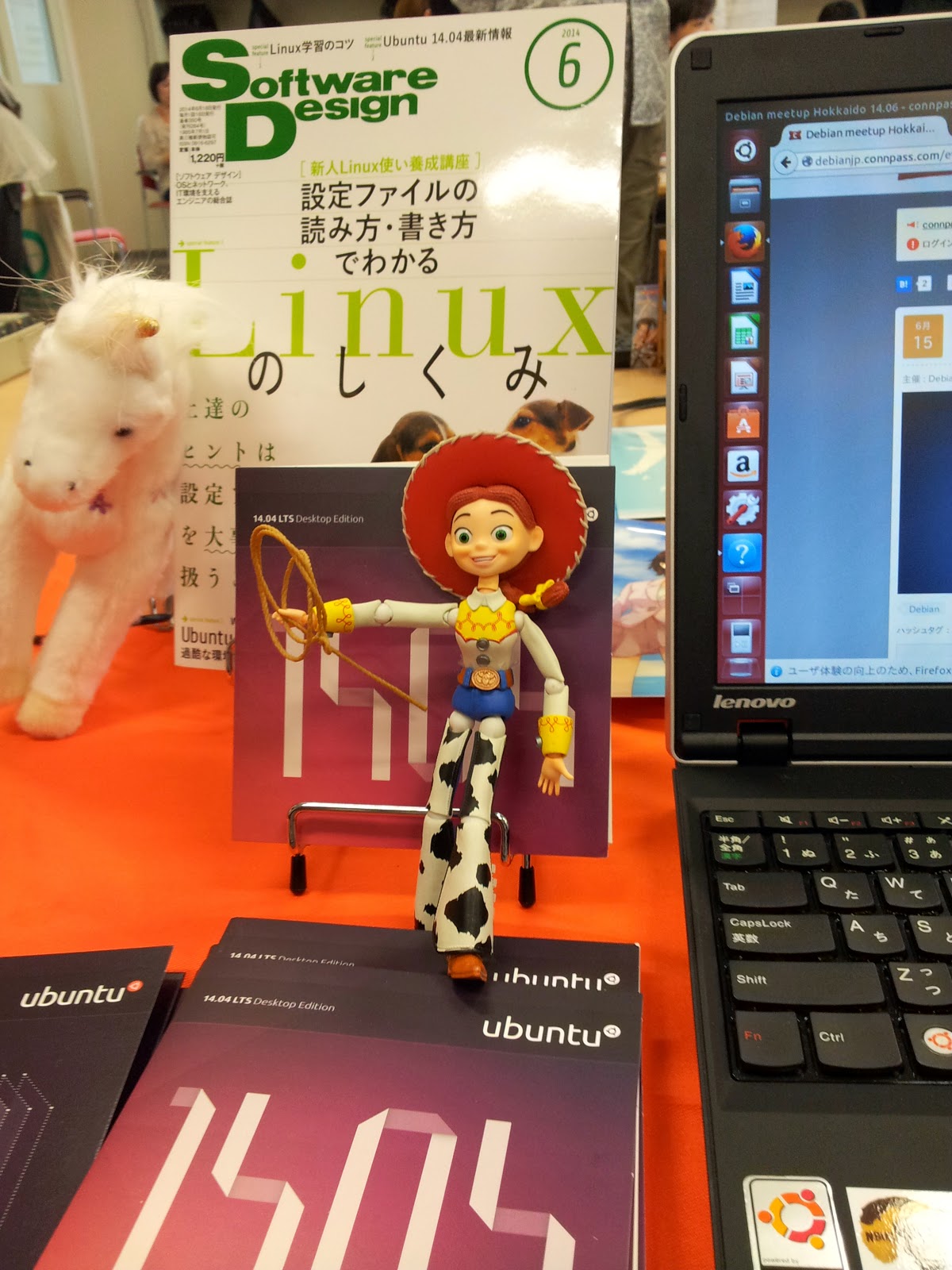
As always, we show the Debian booth with Debian lovers, Squeeze, Woody and Jessie.


And I gave talk about Debian a little,
mostly how it is developed and distribute, and shapes in Jessie at that time (PDF/odf is my page on Debian Wiki as usual).

Does Cowgirl Dream of Red Swirl? from Hideki Yamane


After that, Enjoyed food, beer (sure! :) and chatting in party.


Folks, see you in #osc15do again!

2 July 2014

Hideki Yamane: fancy screenshot with screenfetch

matoken (Ken'ichiro Matohara) found interesting tool and told it through G+, named "screenfetch". What's that? yes, look below screenshot.


You can get your running host information with fancy Ascii Art :)

Now it's waiting in NEW queue by me, you can also get it from alioth git repo and build it with git-buildpackage

$ sudo apt-get install packaging-dev
$ git clone git://anonscm.debian.org/collab-maint/screenfetch.git
$ cd screenfetch
$ git checkout pristine-tar; git checkout master
$ gbp buildpackage
...
$ sudo dpkg -i ../screenfetch*.deb
Have fun! :-)

(update: now it's in unstable, thanks to ftpmasters :-)

1 July 2014

Neil Williams: LAVA in Debian unstable

LAVA has arrived in Debian unstable. No need for third party repositories (unless you want to), a simple apt install lava-server. What happens from that point isn t so simple. I ve made the single instance installation as straightforward as I could but there is a lot more to do to get LAVA working in a useful manner. First, a little history to explain some of the hysterical raisins which may appear later. Validation So, you ve made a change to the code, good. It compiles, yay! Before you ship it, does it pass the unit tests? Right, now you have an improved patch which does what you want and keeps the unit tests running. Validation is all about asking that awkward question: does your change work? Does it introduce side effects on other systems / services in the same code? Does it break programs which use services exported by the code? LAVA is one step along the road to system testing, starting at the bottom. Automation Well you could do all that yourself. Write the image to the device yourself, apply power yourself, connect to serial, copy test scripts to the booted image and pull the results off, somehow. Much better if this is automated maybe every commit or every push or as often as the tests can be run on the number of devices available. LAVA Linaro Automated Validation Architecture. Linaro is a not-for-profit building the future of the Linux kernel on ARM devices. Lava was built for and by Linaro, so the initial focus is clearly on validating the Linux kernel on ARM devices. There are likely to be gotchas in the code for those wanting to use LAVA for other kernels Linaro can t support lots of different kernels, but if there are changes which make it easier to use other kernels without impacting on validation of Linux, those would likely be accepted. The experience with using LAVA is all with ARM but if there is interest in extending LAVA to work with devices of other architectures, again, patches would be welcome. The development of the packaging to make LAVA suitable for Debian has also meant that LAVA will run on hardware other than x86. e.g. armv7.com. I m running a mini lab at home based around an arndale board, I ve also got a mini lab at work based on a cubie2. Requirements for such setups are described in the documentation and in previous entries on this blog (principally you will need SATA, lots of RAM and as many CPU cores as you can find. If you want to run LAVA on other architectures, go ahead and let us know if there are issues. Available versions The versions uploaded to Debian will (from now on) be production releases. The same code as is running on http://validation.linaro.org/ development builds and test builds are supported using helpers in the lava-dev package. Releases to unstable will automatically migrate into Ubuntu Unicorn. I ll continue building interim versions at the former locations on http://people.linaro.org/~neil.williams/, including builds for Ubuntu Trusty 14.04LTS as well as providing packages for Jessie until the uwsgi package can migrate. LAVA is looking to work with anyone who can prepare and maintain packages for other distributions like Fedora. Bugs LAVA is migrating from Launchpad bugs to http://bugs.linaro.org which is a bugzilla interface. Now that LAVA is also in Debian, anyone is welcome to use the Debian BTS which does not require any login or account setup. The maintainers (including me) will then forward those bugs as appropriate. Documentation The immediate task is to update the documentation in the lava-server-doc package (and the Debian wiki) to reflect the availability of LAVA from Debian unstable and how to choose which release of LAVA to use in your systems. However, there is a large amount of documentation already available click the Help link in the menu bar of any current LAVA instance. As with many projects, the docs have been written by the development team. If there are things which are unclear or if sections need to be moved around to make it easier for people new to LAVA to pick it up, please file bugs. Hardware It isn t easy to run a LAVA lab, there is a lot more to it than simply installing lava-server. LAVA would not be possible without the lab team and any other LAVA instance is going to need the same level of excellence in system administration, device support and cooperation. I ve covered a little bit of that in previous entries on this blog about my home lab but that is nothing compared to the work required to provide a working lab like the one in Cambridge. Access to that lab is restricted to people within Linaro but LAVA is also reaching out to the community and if there are tests or hardware you want to see within a LAVA instance, not necessarily in the main lab, then talk to us. Contact Bug reports are preferable but you can also find LAVA people on #linaro-lava on OFTC or contact us on the linaro-validation mailing list. Future There is a lot more work to do on LAVA yet. There are assumptions about partition layout within images (hysterical raisins) and issues with unused software being required for remote worker installations. Both are now part of the next major development work within LAVA. DebConf14 There is lot more to talk about with LAVA if you are attending DebConf14 then there will be talks on LAVA and plenty of time to answer questions.

30 June 2014

Russ Allbery: Review: The Knowledge

Review: The Knowledge, by Lewis Dartnell
Publisher: Penguin
Copyright: 2014
ISBN: 0-698-15165-8
Format: Kindle
Pages: 328
The cover pitch for The Knowledge is that technological civilization has collapsed. A war, an asteroid, a pandemic, or some other catastrophic event has ended life as we know it. Survivors have recovered enough to stabilize the population, but all the industry and infrastructure that supports the modern world has been crippled and the knowledge lost. What do they need to know to rebuild the world? (The subtitle, How to Rebuild Our World from Scratch, is deceptive. Dartnell spends a lot of time talking about what could be scavenged from the ruins after an event like a pandemic that leaves buildings and tools intact.) This brief description may bring several incorrect ideas to mind, so a few clarifications are in order. First, this is not a book about how to survive an apocalypse, or how to stabilize society afterwards. Dartnell skips over anything related to basic survival or politics, and this book would only be of limited interest to preppers. Rather, it is focused on the key concepts and key processes that underlie much of what makes up our civilization, and how those processes can be bootstrapped and recreated, hopefully much more quickly than the thousands of years they took to develop the first time around. Second, as much as I think Dartnell would have liked it to be, The Knowledge is not an instruction manual. There's just too much involved in modern machinery, metallurgy, chemistry, and other necessary science and engineering. What it is instead is a tour of the most important ideas, basic processes, and approaches that can lead to creation of an industrial economy. This means it's also a tour of the most critical technology and discoveries that we rely on for day-to-day living. Each idea presented here is a bare sketch, and would require extensive research and experimentation to put into practice. The Knowledge is not a scientific encyclopedia. Rather, it's a collection of signposts and suggested directions along with some suggestions about sequencing, with special emphasis on the ideas that were unintuitive or surprising, or which took humans much longer to stumble across than would have been necessary. I will say up front that I am quite dubious about the stated goal of this book. I'm not sure if it would be of significant assistance to people who found themselves in the circumstances that Dartnell postulates, and I'm also not sure it would be as difficult as Dartnell supposes to reconstruct these details from a good library, although the point is well-taken that most modern industrial techniques would be unavailable to a civilization starting from scratch and many historic techniques are no longer practiced and therefore not well-documented. But this book does not have to succeed at its stated goal to be worth reading. The Knowledge provides a fascinating insight into the way our current capabilities developed, other paths that development could have followed, and what building blocks are vital for the industry that we rely on. If you are like me, the first thing The Knowledge will remind you of is Minecraft, particularly with some of the mods (such as TerraFirmaCraft) that add more realistic detail to the technological bootstrapping. It's a treasure trove for anyone who might be working on that sort of mod or game. Dartnell tries to cover as much of the spectrum of technology as possible, from farming through medicine, from basic materials to industrial chemistry, and from electrical power through transportation. Each chapter necessarily covers only the highlights, the most vital technologies and the early priorities, and many of those are relatively vague pointers. But that's enough for a fascinating orientation. It's also full of memorable trivia: the huge variety of uses to which wood can be put, the difficulty in re-establishing production of industrial acids, the shelf life of gasoline, the global seed vault within the Arctic Circle, and the importance of a long-threaded screw for a lathe, just to name a few examples. In short, The Knowledge may or may not be a practical aid in rebuilding the world, but it's a lot of fun to read and full of tidbits that are fun to think about or pass on to others. It's also a great orientation in applied technology. The Knowledge is particularly fascinating if you have any interest in the simplified recreation of technological and industrial processes, such as in Minecraft and similar games. For authors of Minecraft mods who are aiming for realism, it might even be required reading. I'd love to see more mods based heavily on the approaches described in this book. The Knowledge also conveys, better than any book or course I've seen, an intuitive feel for the amazing complexity and ingenuity underlying industrial technology. I pre-ordered a copy of this book as soon as I heard about it, and I was not disappointed. Despite my certainty that I would be one of the early casualties in any general social collapse, I thoroughly enjoyed reading it, and would like to read it again at some point. Recommended, albeit with the caveat that I do not have the background required to verify any of the facts in this book, and am assuming that Dartnell has done his research properly. Rating: 9 out of 10

27 June 2014

Russ Allbery: Review: Due Diligence

Review: Due Diligence, by David Roodman
Publisher: Center for Global Development
Copyright: 2012
ISBN: 1-933286-48-2
Format: Trade paperback
Pages: 335
Due Diligence: An Impertinent Inquiry into Microfinance is a detailed analysis of the effects, philosophy, approaches, and merits of microfinance as an institution and as, increasingly, a charitable focus of the developed world. The author, David Roodman, was a senior fellow at the Center for Global Development at the time of writing this book, and is an expert in microfinance and economic development. This book starts as an overview and a history of the spectrum of microfinance institutions (something I found very valuable, since I knew very little about microfinance prior to Kiva's popularity), and then attempts a critical, data-driven analysis of whether, to what extent, and by which measures microfinance is successful. The most common aspect of microfinance, made popular and prominent by Kiva among others, is microcredit: small loans to people in developing countries. The underlying theory of microcredit is that lack of financial services handicaps prospective entrepreneurs and business owners in the third world, preventing them from growing businesses, funding expansion, and moving out of poverty. By extending relatively small amounts of credit to these people, or so the theory goes, they can better smooth out the uncertainties of day-to-day life and get the necessary capital to expand small local business. Microcredit is not the only type of microfinance, though, and Roodman's careful discussion of that point was one of the most informative parts of this book for me. It can also come in the form of microsavings tiny bank accounts or small-scale savings plans or microinsurance. Roodman makes a very interesting argument that these three forms of microfinance form two opposing continuums. Microcredit is the easiest to provide and microinsurance is the hardest, for many reasons he discusses including some that were surprising to me, but microinsurance is arguably the most helpful and beneficial to the individual poor and microcredit is the least. The opening history and survey does an excellent job showing the range of techniques and approaches used in microfinance, and showing the challenges of providing it. I had some vague understanding of the logistical challenges in serving areas far away from traditional infrastructure. I had much less understanding of the fascinating array of techniques in use, both inside and outside what's become the microfinance industry. Some of these techniques are brilliant examples of human economic creativity and skill at balancing incentives with risk protection. There are a much wider variety of approaches and instruments available than the individual or group loans that one typically sees on a site like Kiva, all with different trade-offs in group size, flexibility, rigidity, risk, and complexity. This book is well worth reading just to get a feel for the huge array of financial arrangements possible outside of the traditional banking structures that most readers of this review are used to. Another question Roodman answers thoroughly is why microfinance is so focused on microcredit. My vague unease with that was strengthened by reading David Graeber's Debt, which among many other things makes clear some of the social perils and power imbalances in lending. Due Diligence both crystallized that discomfort and explained why alternatives are difficult. Both microsavings and microinsurance necessarily involve considerably more regulation (which has both advantages and complexity), since they involve taking and safeguarding people's money and promising service in the future. Lenders require less trust; lenders instead extend trust and assume that risk themselves, and are in a position to do so. Microinsurance is also harder to explain and harder to target, although it is potentially the most helpful financial instrument when well-targeted. And microcredit can absorb huge influxes of capital from the outside, lending it out in a region, while both microsavings and microinsurance are necessarily built on the money already in the local economy and are inherently more resistant to external involvement. (I'm of the opinion this is a significant feature, but it makes it far harder for them to catch on as a charitable trend.) The heart of the book is a hard look at whether microfinance, and particularly microcredit, works. Roodman attempts this analysis for three different definitions of working: lifting people out of poverty (the most commonly claimed success), giving people more freedom and control over their lives even if their poverty level does not change in absolute terms, and developing the local economy. Sadly for charities like Kiva, microcredit does surprisingly poorly on the first two metrics. There is still little clear data, and the degree to which data from one region is applicable to a different region is highly debatable, but what evidence we have does not support the theory that microcredit lifts people out of poverty. In fact, the more intense the microcredit, the more likely it appears to be that credit pathologies common in the developed world, such as taking out loans from one organization to pay off loans from another, spirals of debt that is unlikely to ever be repaid, and aggressive debt collection methods, turn up in microcredit as well. The vision of the entrepreneur who succeeds through new-found access to capital is largely a myth. Indeed, the current packaging and presentation of loans to distant charities in developed countries means that even the supposed purpose of the loans is dubious. Loans are almost always presented as being for some sort of business activity, since that's what external charities want to fund, but money is fungible and the funds are more often used for all the things people normally need to use funds for: weddings, funerals, food for the family in hard times, paying off other loans to relatives, and other daily expenses. On the empowerment front, microcredit fairs little better, and here I particularly appreciated Roodman's clear-eyed and honest portrayal of common microcredit practices and their benefits for the creditors. For example, microcredit makes much of loaning to women, and presents this as a story of female empowerment. Roodman argues that there is some reality behind that, but it's also clear that microcredit organizations loan to women because women are more likely to repay not due to any inherent gender trait, but because women are easier to intimidate and shame into repaying. Similarly, the much-vaunted group loans, usually presented as a way for the community to support each other and teach each other financial skills, are most common in the poorest regions because they represent an outsourcing of costs. The main risk to the lender is that poor people have no such thing as credit histories, and detailed investigations of someone's trustworthiness is expensive. Groups are jointly liable and therefore will police themselves and check each other's reliability at no cost to the lender. Groups will also use intimidation tactics and even violence against members who don't or can't repay their share, without the lender having to get involved or have any responsibility for those tactics. Roodman takes a philosophical tone on this topic, noting several times that services for the very poor are generally of low quality and finance is no exception. I'm less inclined to be philosophical; after reading this book, I find it very hard to support group loans. This leaves economic development as the most compelling argument left for microcredit. This is weak tea for people like myself who wanted to believe in the transformative power of microcredit, but Roodman does a solid job explaining why it's still important. There is a great deal to be said for the perspective that only industrialization actually lifts people out of poverty on any substantial scale, and therefore the most useful type of aid is aid that somehow contributes towards industrialization. Building a native financial industry could arguably be such a step. And there seems to be some real merit and lasting effect to having a richer and more capable set of local financial institutions. However, here, it's not at all clear that external money helps. In fact, there's quite a bit of evidence that external money hurts, since it pushes microfinance institutions to find ways of using that money and pleasing external donors instead of building their infrastructure and capabilities as financial institutions. The earlier institutions, such as the Grameen Bank, seem to have done a better job at being local institutions woven into the local economy than have the later organizations that are largely supported by western donors. Roodman makes a good case for the usefulness of microfinance as a part of economic development, but it comes with a strong argument against too much external funding, and particularly against the practice of developed world donors funding specific loans. I came away from this book feeling like I had a much better understanding of the core problems and techniques of financial services for the poor, and with a strong desire to see more microsavings than microcredit. The two are closer in nature than I had expected, and Roodman's analysis of the similarities was fascinating, but microsavings seems less vulnerable to some of the credit pathologies. There is also some statistical evidence that microsavings does provide some modest reductions in poverty, while the evidence for microcredit is much less compelling. Sadly, from the perspective of a resident of the developed world such as myself who would very much like to help, neither microsavings nor effective microcredit seems likely to benefit from my contributions, and particularly not in the form of a site like Kiva. The end of this book is a long appendix that reprints multiple blog posts on related topics, including additional discussion of the problems with the Kiva model. Effectively, Kiva is a way for people like myself to subsidize microcredit organizations. It's not at all clear that subsidies are needed, and there's some reason to believe that they encourage negative and destructive behavior. The way they are marketed involves a certain amount of lying, or at least distortion, on the part of multiple actors in the microcredit picture. And they're a distraction from microsavings, and from microcredit based on loaning out savings from within the same local economy, both of which seem to have considerably more positive properties. Due Diligence is a book with a somewhat narrow target audience. It will appeal primarily to people with an interest in economics, particularly development economics, or who are evaluating microfinance charities or analyzing their support of groups like Kiva. But within that context, this is an excellent book, and I recommend it to your attention. Roodman is clear, thorough, and fair within my ability to measure that, and while no one book can be the final word on a topic, he adds considerable data and thoughtful analysis. If you are a supporter of Kiva, like I was, I fear you'll find this book rather discouraging. But it's better to have the information than not, and I found it a good reminder of the inherent drawbacks of loans and debt. There is, sadly, nothing magical about microcredit that removes those problems. Rating: 9 out of 10

25 June 2014

Mario Lang: Four new packages on the GNU Emacs Package Archive (ELPA)

I have begun to push some of the Emacs Lisp Packages I have been working on over the last years to GNU ELPA, the Emacs Lisp Package Archive. That means you can use "M-x list-packages RET" to install them in GNU Emacs 24.
OpenSound Control library In 2007, I wrote OSC server and client support for Emacs. I used it back then to communicate with SuperCollider and related software. osc.el is a rather simple package with no user visible functionality, as it only provides a library for Emacs Lisp programmers. It is probably most interesting to people wanting to remote-control (modern) sound related software from with Emacs Lisp.
Texas hold'em poker As my interest in poker has recently sparked again, one thing led to another, so I began to write a poker library for GNU Emacs. It was a very fun experience. Version 0.1 of poker.el can simulate a table of ten players. Bots do make their own decisions, although the bot code is very simple. The complete game is currently played in the minibuffer. So there is definitely room for user interface enhancements, such as a poker table mode for displaying a table in a buffer.
Weather information from weather.noaa.gov I started to write metar.el in 2007 as well, but never really finished it to a releaseable state. I use it personally rather often, but never cleaned it up for a release. This has changed. It plugs in with other GNU Emacs features that make use of your current location. In particular, "M-x sunrise-sunset" and "M-x phases-of-moon" use the same variables (calendar-latitude and calendar-longitude) to determine where you are. "M-x metar" will determine the nearest airport weather station and display the weather information provided by that station.
Chess Finally, after many many years of development separated by uncountable amounts of hiatus, chess.el is now out as version 2.0.3! For a more detailed article about chess.el, see here.

Christoph Berg: Comparing Version Numbers in Shell

On RedHat/CentOS/rpm systems, there's no dpkg --compare-versions available - sort -V can help to compare version numbers:
version_lt ()  
    newest=$( ( echo "$1"; echo "$2" )   sort -V   tail -n1)
    [ "$1" != "$newest" ]
 
$ version_lt 1.5 1.1 && echo yes
$ version_lt 1.5 1.10 && echo yes
yes

23 June 2014

Daniel Pocock: Bendigo: a risk of becoming the Australian capital of Islamophobia?

I spent most of my high-school years in a small town called Bendigo in Australia. These days, I'm living in the centre of Europe, Switzerland. Oddly enough, a more than trivial number of people in Bendigo are now trying to imitate one of the darkest moments in Switzerland's history, a crusade to prevent the construction of a mosque. At least in Switzerland, they tried to be slightly diplomatic: the official question on the referendum was about banning minarets rather than a whole religion. The placards in the street were more explicit, with the silhouette of blackened minarets arranged to resemble a field of inter-continental ballistic missiles: In Bendigo, however, the gloves are off. One councillor has already declared "I wouldn't want to live near a mosque. Would you?" Will Bendigo ban the internet too? In Australia and Britain, the press has been fascinated with the recent release of a Jihad video on Youtube created by Brits and Aussies fighting in Syria. Fear-mongering fanatics claim the mosque will bring jihadists to Bendigo. If they genuinely believe that, shouldn't they be pushing to censor or ban the internet too, so that the children of Bendigo won't get their hands on these recruitment videos? Weeds will grow if nobody plucks them out The fact is, most of these anti-Islam campaigners are nutcases or opportunists looking for a political career. Hundreds of millions of muslims worship their God in peace every day. As the referendum in Switzerland demonstrates, if good people do nothing, the nutcases will flourish like weeds. Only 30% of Swiss people voted to ban minarets, but with 47% of people not voting at all, the nutcases won. Citizens of Bendigo who value their human rights (which includes freedom of religion) would be wise to avoid complacency. Even though the mosque may now have council approval, sinister groups from around the whole country are now conspiring to overturn the decision or perhaps just make the town a focal point for their Islamophobia campaigns.

Simon Josefsson: Offline GnuPG Master Key and Subkeys on YubiKey NEO Smartcard

I have moved to a new OpenPGP key. There are many tutorials and blog posts on GnuPG key generation around, but none of them matched exactly the setup I wanted to have. So I wrote down the steps I took, to remember them if I need to in the future. Briefly my requirements were as follows: After writing down the notes below, I posted about how to create a small JPEG image to embed in my OpenPGP key. I was planning to go live with the first key I generated, however as was gently pointed out to me, the JPEG image I generated was not optimal (too low quality and not sufficiently compressed). I have decided to retake the photo so I have a color image as a basis for size optimization. I don t want to postpone using the new key though, so I stepped through all of these steps again (except adding the photo) to get a new key. This is why the notes below are for a key 1C5C4717 that is now revoked. My new real key is 54265E8C. I will add the photo to my 54265E8C key once I have a JPEG file that I m happy with. Offline machine The offline machine setup I use is a Live CD on a machine that is physically well protected. I m using the Debian Live CD version 7.5.0 GNOME Desktop. The password for the auto-logged in user is live which you need if the screen-saver kicks in. Configure the keyboard layout if you need to. Insert an USB memory stick. I m using a VFAT filesystem to keep things simple; and for this writeup it happened to be mounted as /media/FA21-BEC7 so you will have to replace that path with something that points to your USB stick. Open a terminal since the rest of this writeup will be done from a terminal window. GnuPG configuration Set your GnuPG home directory to point at the USB memory device. You will need to do this in every terminal windows you open that you want to use GnuPG in.
user@debian:~$ export GNUPGHOME=/media/FA21-BEC7/gnupghome
user@debian:~$ mkdir $GNUPGHOME
user@debian:~$ 
The GnuPG defaults (as of version 1.4.16) to rank SHA1 higher than SHA384, SHA512, and SHA224 in the default hash preference list. To be precise, the default hash preference order is SHA256, SHA1, SHA384, SHA512, SHA224. I consider SHA1 broken so I don t advertise it all, although I believe that will not prevent some implementations of using SHA1 anyway since it is the mandatory to implement hash algorithm. Regarding symmetric ciphers, the default order is AES256, AES192, AES128, CAST5, 3DES. I don t like ciphers with 64-bit block lengths, so I don t advertise them but similarily, I believe this will not prevent some implementations of using CAST5 or 3DES anyway. I also advertise support for Twofish and Camellia in case someone wants to use them, they are 128-bit block length and relatively modern ciphers after all. The default-preference-list keyword is used to override the default settings, which will be recorded into any newly generated keys. GnuPG self-sign keys with SHA1 by default, and I prefer to use a member of the SHA2 family, hence the cert-digest-algo keyword. Further down below we will use the GnuPG Agent to talk to the smartcard, so configure GnuPG to use it with the use-agent keyword. GnuPG prints ugly warning messages about locking (gpg: DBG: locking for /media/FA21-BEC7/gnupghome/secring.gpg.lock' done via O_EXCL), presumably because of the VFAT filesystem, so I use lock-never to silence that.
user@debian:~$ cat > $GNUPGHOME/gpg.conf
default-preference-list SHA512 SHA384 SHA256 SHA224 AES256 AES192 AES CAMELLIA256 CAMELLIA192 CAMELLIA128 TWOFISH
cert-digest-algo SHA512
use-agent
lock-never
user@debian:~$ 
Generate master key Below I will use a 3744 bit RSA key, where the key size is selected based on the assumption that people will focus efforts to crack RSA keys on the usual power-of-two key sizes. I have chosen to not generate an encryption key, since I will use subkeys on a smartcard. With my old B565716F key I noticed that sometimes people will encrypt to my main encryption key even though I have encryption subkeys. Presumably this happens due to implementation flaws or user configuration mistakes. It could happen intentionally if someone had a public key from me with an expired subkeys but not expired main keys. This could be a reason to use the same expiration day for all your keys. Still, I chose to not generate an encryption key at all at this point. For additional protection, I m using a passphrase on the key.
user@debian:~$ gpg --gen-key
gpg (GnuPG) 1.4.12; Copyright (C) 2012 Free Software Foundation, Inc.
This is free software: you are free to change and redistribute it.
There is NO WARRANTY, to the extent permitted by law.
gpg: keyring  /media/FA21-BEC7/gnupghome/secring.gpg' created
gpg: keyring  /media/FA21-BEC7/gnupghome/pubring.gpg' created
Please select what kind of key you want:
   (1) RSA and RSA (default)
   (2) DSA and Elgamal
   (3) DSA (sign only)
   (4) RSA (sign only)
Your selection? 4
RSA keys may be between 1024 and 4096 bits long.
What keysize do you want? (2048) 3744
Requested keysize is 3744 bits
Please specify how long the key should be valid.
         0 = key does not expire
        = key expires in n days
      w = key expires in n weeks
      m = key expires in n months
      y = key expires in n years
Key is valid for? (0) 100
Key expires at Fri 26 Sep 2014 10:50:22 PM UTC
Is this correct? (y/N) y
You need a user ID to identify your key; the software constructs the user ID
from the Real Name, Comment and Email Address in this form:
    "Heinrich Heine (Der Dichter) "
Real name: Simon Josefsson
Email address: simon@josefsson.org
Comment: 
You selected this USER-ID:
    "Simon Josefsson "
Change (N)ame, (C)omment, (E)mail or (O)kay/(Q)uit? o
You need a Passphrase to protect your secret key.
We need to generate a lot of random bytes. It is a good idea to perform
some other action (type on the keyboard, move the mouse, utilize the
disks) during the prime generation; this gives the random number
generator a better chance to gain enough entropy.
...
gpg: /media/FA21-BEC7/gnupghome/trustdb.gpg: trustdb created
gpg: key 1C5C4717 marked as ultimately trusted
public and secret key created and signed.
gpg: checking the trustdb
gpg: 3 marginal(s) needed, 1 complete(s) needed, PGP trust model
gpg: depth: 0  valid:   1  signed:   0  trust: 0-, 0q, 0n, 0m, 0f, 1u
gpg: next trustdb check due at 2014-09-26
pub   3744R/1C5C4717 2014-06-18 [expires: 2014-09-26]
      Key fingerprint = EF0A 1996 7B3B 4BAD 9D5C  A97F 1A44 08DD 1C5C 4717
uid                  Simon Josefsson 
Note that this key cannot be used for encryption.  You may want to use
the command "--edit-key" to generate a subkey for this purpose.
user@debian:~$ 
Add photo I m in the process of creating a better JPEG photo, so I skipped this step for my new key. However the notes here are correct anyway.
user@debian:~$ gpg --edit-key 1C5C4717
gpg (GnuPG) 1.4.12; Copyright (C) 2012 Free Software Foundation, Inc.
This is free software: you are free to change and redistribute it.
There is NO WARRANTY, to the extent permitted by law.
Secret key is available.
pub  3744R/1C5C4717  created: 2014-06-18  expires: 2014-09-26  usage: SC  
                     trust: ultimate      validity: ultimate
[ultimate] (1). Simon Josefsson 
gpg> addphoto
Pick an image to use for your photo ID.  The image must be a JPEG file.
Remember that the image is stored within your public key.  If you use a
very large picture, your key will become very large as well!
Keeping the image close to 240x288 is a good size to use.
Enter JPEG filename for photo ID: /media/FA21-BEC7/simon-gpg.jpg
Is this photo correct (y/N/q)? y
You need a passphrase to unlock the secret key for
user: "Simon Josefsson "
3744-bit RSA key, ID 1C5C4717, created 2014-06-18
pub  3744R/1C5C4717  created: 2014-06-18  expires: 2014-09-26  usage: SC  
                     trust: ultimate      validity: ultimate
[ultimate] (1). Simon Josefsson 
[ unknown] (2)  [jpeg image of size 6048]
gpg> save
user@debian:~$ 
Add another identity Most people have multiple email addresses, and this needs to be reflected in the GnuPG key. Use the primary command to specify your main User ID.
user@debian:~$ gpg --edit-key 1C5C4717
gpg (GnuPG) 1.4.12; Copyright (C) 2012 Free Software Foundation, Inc.
This is free software: you are free to change and redistribute it.
There is NO WARRANTY, to the extent permitted by law.
Secret key is available.
pub  3744R/1C5C4717  created: 2014-06-18  expires: 2014-09-26  usage: SC  
                     trust: ultimate      validity: ultimate
[ultimate] (1). Simon Josefsson 
[ultimate] (2)  [jpeg image of size 6048]
gpg> adduid
Real name: Simon Josefsson
Email address: simon@yubico.com
Comment: 
You selected this USER-ID:
    "Simon Josefsson "
Change (N)ame, (C)omment, (E)mail or (O)kay/(Q)uit? o
You need a passphrase to unlock the secret key for
user: "Simon Josefsson "
3744-bit RSA key, ID 1C5C4717, created 2014-06-18
pub  3744R/1C5C4717  created: 2014-06-18  expires: 2014-09-26  usage: SC  
                     trust: ultimate      validity: ultimate
[ultimate] (1)  Simon Josefsson 
[ultimate] (2)  [jpeg image of size 6048]
[ unknown] (3). Simon Josefsson 
gpg> uid 1
pub  3744R/1C5C4717  created: 2014-06-18  expires: 2014-09-26  usage: SC  
                     trust: ultimate      validity: ultimate
[ultimate] (1)* Simon Josefsson 
[ultimate] (2)  [jpeg image of size 6048]
[ unknown] (3). Simon Josefsson 
gpg> primary
You need a passphrase to unlock the secret key for
user: "Simon Josefsson "
3744-bit RSA key, ID 1C5C4717, created 2014-06-18
pub  3744R/1C5C4717  created: 2014-06-18  expires: 2014-09-26  usage: SC  
                     trust: ultimate      validity: ultimate
[ultimate] (1)* Simon Josefsson 
[ultimate] (2)  [jpeg image of size 6048]
[ unknown] (3)  Simon Josefsson 
gpg> save
user@debian:~$ 
Create a revocation certificate It is good practice to generate a revocation certificate in case you lose your key. Store this in a safe place, possibly printed out on paper.
user@debian:~$ gpg --output $GNUPGHOME/../revocation-certificate.txt --gen-revoke 1C5C4717
sec  3744R/1C5C4717 2014-06-18 Simon Josefsson 
Create a revocation certificate for this key? (y/N) y
Please select the reason for the revocation:
  0 = No reason specified
  1 = Key has been compromised
  2 = Key is superseded
  3 = Key is no longer used
  Q = Cancel
(Probably you want to select 1 here)
Your decision? 1
Enter an optional description; end it with an empty line:
> Created during key creation, emergency use only.
> 
Reason for revocation: Key has been compromised
Created during key creation, emergency use only.
Is this okay? (y/N) y
You need a passphrase to unlock the secret key for
user: "Simon Josefsson "
3744-bit RSA key, ID 1C5C4717, created 2014-06-18
ASCII armored output forced.
Revocation certificate created.
Please move it to a medium which you can hide away; if Mallory gets
access to this certificate he can use it to make your key unusable.
It is smart to print this certificate and store it away, just in case
your media become unreadable.  But have some caution:  The print system of
your machine might store the data and make it available to others!
user@debian:~$ 
Make a backup of the master key To have an easy way to move back and forward in time in GnuPG, I both export the key to a stable data format and keep a backup of the actual GnuPG home directory.
user@debian:~$ gpg -a --export-secret-keys 1C5C4717 > $GNUPGHOME/../masterkey.txt
user@debian:~$ cp -a $GNUPGHOME $GNUPGHOME-backup-masterkey
user@debian:~$ 
Create subkeys Now I will generate three keys that will go onto the smartcard. I have chosen to generate these using GnuPG and then move the keys onto the smartcards, instead of generating the keys directly on the card. The difference is that with this approach, I get a backup of the keys and can import them to another key in the future if I need to. Each key has its own purpose: Signature, Encryption, and Authentication. Smartcards typically have limitation on key sizes, so I select 2048 as a widely supported size. Expert mode is required to generate authentication subkeys.
user@debian:~$ gpg --expert --edit-key 1C5C4717
gpg (GnuPG) 1.4.12; Copyright (C) 2012 Free Software Foundation, Inc.
This is free software: you are free to change and redistribute it.
There is NO WARRANTY, to the extent permitted by law.
Secret key is available.
pub  3744R/1C5C4717  created: 2014-06-18  expires: 2014-09-26  usage: SC  
                     trust: ultimate      validity: ultimate
[ultimate] (1). Simon Josefsson 
[ultimate] (2)  [jpeg image of size 6048]
[ultimate] (3)  Simon Josefsson 
gpg> addkey
Key is protected.
You need a passphrase to unlock the secret key for
user: "Simon Josefsson "
3744-bit RSA key, ID 1C5C4717, created 2014-06-18
Please select what kind of key you want:
   (3) DSA (sign only)
   (4) RSA (sign only)
   (5) Elgamal (encrypt only)
   (6) RSA (encrypt only)
   (7) DSA (set your own capabilities)
   (8) RSA (set your own capabilities)
Your selection? 4
RSA keys may be between 1024 and 4096 bits long.
What keysize do you want? (2048) 
Requested keysize is 2048 bits
Please specify how long the key should be valid.
         0 = key does not expire
        = key expires in n days
      w = key expires in n weeks
      m = key expires in n months
      y = key expires in n years
Key is valid for? (0) 100
Key expires at Fri 26 Sep 2014 11:03:16 PM UTC
Is this correct? (y/N) y
Really create? (y/N) y
We need to generate a lot of random bytes. It is a good idea to perform
some other action (type on the keyboard, move the mouse, utilize the
disks) during the prime generation; this gives the random number
generator a better chance to gain enough entropy.
..+++++
....+++++
pub  3744R/1C5C4717  created: 2014-06-18  expires: 2014-09-26  usage: SC  
                     trust: ultimate      validity: ultimate
sub  2048R/72D5245B  created: 2014-06-18  expires: 2014-09-26  usage: S   
[ultimate] (1). Simon Josefsson 
[ultimate] (2)  [jpeg image of size 6048]
[ultimate] (3)  Simon Josefsson 
gpg> addkey
Key is protected.
You need a passphrase to unlock the secret key for
user: "Simon Josefsson "
3744-bit RSA key, ID 1C5C4717, created 2014-06-18
Please select what kind of key you want:
   (3) DSA (sign only)
   (4) RSA (sign only)
   (5) Elgamal (encrypt only)
   (6) RSA (encrypt only)
   (7) DSA (set your own capabilities)
   (8) RSA (set your own capabilities)
Your selection? 6
RSA keys may be between 1024 and 4096 bits long.
What keysize do you want? (2048) 
Requested keysize is 2048 bits
Please specify how long the key should be valid.
         0 = key does not expire
        = key expires in n days
      w = key expires in n weeks
      m = key expires in n months
      y = key expires in n years
Key is valid for? (0) 100
Key expires at Fri 26 Sep 2014 11:03:31 PM UTC
Is this correct? (y/N) y
Really create? (y/N) y
We need to generate a lot of random bytes. It is a good idea to perform
some other action (type on the keyboard, move the mouse, utilize the
disks) during the prime generation; this gives the random number
generator a better chance to gain enough entropy.
......+++++
Not enough random bytes available.  Please do some other work to give
the OS a chance to collect more entropy! (Need 7 more bytes)
.+++++
pub  3744R/1C5C4717  created: 2014-06-18  expires: 2014-09-26  usage: SC  
                     trust: ultimate      validity: ultimate
sub  2048R/72D5245B  created: 2014-06-18  expires: 2014-09-26  usage: S   
sub  2048R/A11F46D2  created: 2014-06-18  expires: 2014-09-26  usage: E   
[ultimate] (1). Simon Josefsson 
[ultimate] (2)  [jpeg image of size 6048]
[ultimate] (3)  Simon Josefsson 
gpg> addkey
Key is protected.
You need a passphrase to unlock the secret key for
user: "Simon Josefsson "
3744-bit RSA key, ID 1C5C4717, created 2014-06-18
Please select what kind of key you want:
   (3) DSA (sign only)
   (4) RSA (sign only)
   (5) Elgamal (encrypt only)
   (6) RSA (encrypt only)
   (7) DSA (set your own capabilities)
   (8) RSA (set your own capabilities)
Your selection? 8
Possible actions for a RSA key: Sign Encrypt Authenticate 
Current allowed actions: Sign Encrypt 
   (S) Toggle the sign capability
   (E) Toggle the encrypt capability
   (A) Toggle the authenticate capability
   (Q) Finished
Your selection? s
Possible actions for a RSA key: Sign Encrypt Authenticate 
Current allowed actions: Encrypt 
   (S) Toggle the sign capability
   (E) Toggle the encrypt capability
   (A) Toggle the authenticate capability
   (Q) Finished
Your selection? e
Possible actions for a RSA key: Sign Encrypt Authenticate 
Current allowed actions: 
   (S) Toggle the sign capability
   (E) Toggle the encrypt capability
   (A) Toggle the authenticate capability
   (Q) Finished
Your selection? a
Possible actions for a RSA key: Sign Encrypt Authenticate 
Current allowed actions: Authenticate 
   (S) Toggle the sign capability
   (E) Toggle the encrypt capability
   (A) Toggle the authenticate capability
   (Q) Finished
Your selection? q
RSA keys may be between 1024 and 4096 bits long.
What keysize do you want? (2048) 
Requested keysize is 2048 bits
Please specify how long the key should be valid.
         0 = key does not expire
        = key expires in n days
      w = key expires in n weeks
      m = key expires in n months
      y = key expires in n years
Key is valid for? (0) 100
Key expires at Fri 26 Sep 2014 11:03:59 PM UTC
Is this correct? (y/N) y
Really create? (y/N) y
We need to generate a lot of random bytes. It is a good idea to perform
some other action (type on the keyboard, move the mouse, utilize the
disks) during the prime generation; this gives the random number
generator a better chance to gain enough entropy.
+++++
Not enough random bytes available.  Please do some other work to give
the OS a chance to collect more entropy! (Need 56 more bytes)
+++++
pub  3744R/1C5C4717  created: 2014-06-18  expires: 2014-09-26  usage: SC  
                     trust: ultimate      validity: ultimate
sub  2048R/72D5245B  created: 2014-06-18  expires: 2014-09-26  usage: S   
sub  2048R/A11F46D2  created: 2014-06-18  expires: 2014-09-26  usage: E   
sub  2048R/D6987A02  created: 2014-06-18  expires: 2014-09-26  usage: A   
[ultimate] (1). Simon Josefsson 
[ultimate] (2)  [jpeg image of size 6048]
[ultimate] (3)  Simon Josefsson 
gpg> save
user@debian:~$ 
Export subkeys for backup This is a good time to save a restore point for your key. Note in the output of --list-secret-keys the keywords sec and ssb which means the main key and the subkeys are available. If the secret keyring contained only stubs, it would be sec> and sec#.
user@debian:~$ gpg --list-keys
/media/FA21-BEC7/gnupghome/pubring.gpg
--------------------------------------
pub   3744R/1C5C4717 2014-06-18 [expires: 2014-09-26]
uid                  Simon Josefsson 
uid                  [jpeg image of size 6048]
uid                  Simon Josefsson 
sub   2048R/72D5245B 2014-06-18 [expires: 2014-09-26]
sub   2048R/A11F46D2 2014-06-18 [expires: 2014-09-26]
sub   2048R/D6987A02 2014-06-18 [expires: 2014-09-26]
user@debian:~$ gpg --list-secret-keys
/media/FA21-BEC7/gnupghome/secring.gpg
--------------------------------------
sec   3744R/1C5C4717 2014-06-18 [expires: 2014-09-26]
uid                  Simon Josefsson 
uid                  [jpeg image of size 6048]
uid                  Simon Josefsson 
ssb   2048R/72D5245B 2014-06-18
ssb   2048R/A11F46D2 2014-06-18
ssb   2048R/D6987A02 2014-06-18
user@debian:~$ gpg -a --export-secret-keys 1C5C4717 > $GNUPGHOME/../mastersubkeys.txt
user@debian:~$ gpg -a --export-secret-subkeys 1C5C4717 > $GNUPGHOME/../subkeys.txt
user@debian:~$ cp -a $GNUPGHOME $GNUPGHOME-backup-mastersubkeys
user@debian:~$ 
Configure machine for smartcards The YubiKey NEO requires that RSA keys are imported with some additional parameters, used for CRT speedups. This was fixed in GnuPG 2.0.22. Unfortunately, it is not fixed in GnuPG 1.x. However, GnuPG 1.x can use gpg-agent and scdaemon from GnuPG to communicate with the smartcard. So let s work around the limitation in GnuPG 1.x by installing parts from GnuPG 2.x and use those. You will need to install the following packages: gnupg-agent, libpth20, pinentry-curses, libccid, pcscd, scdaemon, libksba8. Make sure that scdaemon is version 2.0.22 or later (get it from backports). I downloaded these packages and put them on the USB stick. Unfortunately, libccid in Debian is a bit outdated, and does not contain the USB device vendor/product ID in /etc/libccid_Info.plist. You will need to manually add this, and restart pcscd. user@debian:~$ sudo gedit /etc/libccid_Info.plist
user@debian:~$ sudo service pcscd restart Start gnupg-agent and setup the environment variable for this session:
user@debian:~$ gpg-agent --daemon
gpg-agent[22556]: directory  /media/FA21-BEC7/gnupghome/private-keys-v1.d' created
GPG_AGENT_INFO=/tmp/gpg-wGji5C/S.gpg-agent:22557:1; export GPG_AGENT_INFO;
gpg-agent[22557]: gpg-agent (GnuPG) 2.0.22 started
user@debian:~$ GPG_AGENT_INFO=/tmp/gpg-wGji5C/S.gpg-agent:22557:1; export GPG_AGENT_INFO;
user@debian:~$ 
Prepare YubiKey NEO Make sure you have a recent firmware version, 3.1.8 or later; use lsusb -v to find out. Make sure the device is in OTP/CCID or CCID mode, use ykpersonalize -m from the YubiKey Personalization project to switch. Make sure you have the OpenPGP applet loaded properly, otherwise see the YubiKey NEO OpenPGP applet project on installing it. You may want to set a proper Application ID, see herlo s ssh-gpg-smartcard-config github repository for some hints. Configure OpenPGP applet This also changes the PIN and Admin codes.
user@debian:~$ gpg --card-edit
Application ID ...: D2760001240102000060000000420000
Version ..........: 2.0
Manufacturer .....: unknown
Serial number ....: 00000042
Name of cardholder: [not set]
Language prefs ...: [not set]
Sex ..............: unspecified
URL of public key : [not set]
Login data .......: [not set]
Signature PIN ....: forced
Key attributes ...: 2048R 2048R 2048R
Max. PIN lengths .: 127 127 127
PIN retry counter : 3 3 3
Signature counter : 0
Signature key ....: [none]
Encryption key....: [none]
Authentication key: [none]
General key info..: [none]
gpg/card> admin
Admin commands are allowed
gpg/card> passwd
gpg: OpenPGP card no. D2760001240102000060000000420000 detected
1 - change PIN
2 - unblock PIN
3 - change Admin PIN
4 - set the Reset Code
Q - quit
Your selection? 3
PIN changed.
1 - change PIN
2 - unblock PIN
3 - change Admin PIN
4 - set the Reset Code
Q - quit
Your selection? 1
PIN changed.
1 - change PIN
2 - unblock PIN
3 - change Admin PIN
4 - set the Reset Code
Q - quit
Your selection? q
gpg/card> name
Cardholder's surname: Josefsson
Cardholder's given name: Simon
gpg/card> lang
Language preferences: sv
gpg/card> url
URL to retrieve public key: https://josefsson.org/1c5c4717.txt
gpg/card> sex
Sex ((M)ale, (F)emale or space): m
gpg/card> login
Login data (account name): jas
gpg/card> 
Application ID ...: D2760001240102000060000000420000
Version ..........: 2.0
Manufacturer .....: unknown
Serial number ....: 00000042
Name of cardholder: Simon Josefsson
Language prefs ...: sv
Sex ..............: male
URL of public key : https://josefsson.org/1c5c4717.txt
Login data .......: jas
Signature PIN ....: forced
Key attributes ...: 2048R 2048R 2048R
Max. PIN lengths .: 127 127 127
PIN retry counter : 3 3 3
Signature counter : 0
Signature key ....: [none]
Encryption key....: [none]
Authentication key: [none]
General key info..: [none]
gpg/card> quit
user@debian:~$ 
Move subkeys to YubiKey NEO Moving subkeys to a NEO is a destructive operation, so make sure you took backups of the subkeys as above. After this step, your GnuPG keyring will contain stubs for the subkeys.
user@debian:~$ gpg --edit-key 1C5C4717
gpg (GnuPG) 1.4.12; Copyright (C) 2012 Free Software Foundation, Inc.
This is free software: you are free to change and redistribute it.
There is NO WARRANTY, to the extent permitted by law.
Secret key is available.
pub  3744R/1C5C4717  created: 2014-06-18  expires: 2014-09-26  usage: SC  
                     trust: ultimate      validity: ultimate
sub  2048R/72D5245B  created: 2014-06-18  expires: 2014-09-26  usage: S   
sub  2048R/A11F46D2  created: 2014-06-18  expires: 2014-09-26  usage: E   
sub  2048R/D6987A02  created: 2014-06-18  expires: 2014-09-26  usage: A   
[ultimate] (1). Simon Josefsson 
[ultimate] (2)  [jpeg image of size 6048]
[ultimate] (3)  Simon Josefsson 
gpg> toggle
sec  3744R/1C5C4717  created: 2014-06-18  expires: 2014-09-26
ssb  2048R/72D5245B  created: 2014-06-18  expires: never     
ssb  2048R/A11F46D2  created: 2014-06-18  expires: never     
ssb  2048R/D6987A02  created: 2014-06-18  expires: never     
(1)  Simon Josefsson 
(2)  [jpeg image of size 6048]
(3)  Simon Josefsson 
gpg> key 1
sec  3744R/1C5C4717  created: 2014-06-18  expires: 2014-09-26
ssb* 2048R/72D5245B  created: 2014-06-18  expires: never     
ssb  2048R/A11F46D2  created: 2014-06-18  expires: never     
ssb  2048R/D6987A02  created: 2014-06-18  expires: never     
(1)  Simon Josefsson 
(2)  [jpeg image of size 6048]
(3)  Simon Josefsson 
gpg> keytocard
Signature key ....: [none]
Encryption key....: [none]
Authentication key: [none]
Please select where to store the key:
   (1) Signature key
   (3) Authentication key
Your selection? 1
You need a passphrase to unlock the secret key for
user: "Simon Josefsson "
2048-bit RSA key, ID 72D5245B, created 2014-06-18
sec  3744R/1C5C4717  created: 2014-06-18  expires: 2014-09-26
ssb* 2048R/72D5245B  created: 2014-06-18  expires: never     
                     card-no: 0060 00000042
ssb  2048R/A11F46D2  created: 2014-06-18  expires: never     
ssb  2048R/D6987A02  created: 2014-06-18  expires: never     
(1)  Simon Josefsson 
(2)  [jpeg image of size 6048]
(3)  Simon Josefsson 
gpg> key 1
sec  3744R/1C5C4717  created: 2014-06-18  expires: 2014-09-26
ssb  2048R/72D5245B  created: 2014-06-18  expires: never     
                     card-no: 0060 00000042
ssb  2048R/A11F46D2  created: 2014-06-18  expires: never     
ssb  2048R/D6987A02  created: 2014-06-18  expires: never     
(1)  Simon Josefsson 
(2)  [jpeg image of size 6048]
(3)  Simon Josefsson 
gpg> key 2
sec  3744R/1C5C4717  created: 2014-06-18  expires: 2014-09-26
ssb  2048R/72D5245B  created: 2014-06-18  expires: never     
                     card-no: 0060 00000042
ssb* 2048R/A11F46D2  created: 2014-06-18  expires: never     
ssb  2048R/D6987A02  created: 2014-06-18  expires: never     
(1)  Simon Josefsson 
(2)  [jpeg image of size 6048]
(3)  Simon Josefsson 
gpg> keytocard
Signature key ....: EF34 D1F7 95C0 3392 E52A  54FE DFF1 6372 72D5 245B
Encryption key....: [none]
Authentication key: [none]
Please select where to store the key:
   (2) Encryption key
Your selection? 2
You need a passphrase to unlock the secret key for
user: "Simon Josefsson "
2048-bit RSA key, ID A11F46D2, created 2014-06-18
sec  3744R/1C5C4717  created: 2014-06-18  expires: 2014-09-26
ssb  2048R/72D5245B  created: 2014-06-18  expires: never     
                     card-no: 0060 00000042
ssb* 2048R/A11F46D2  created: 2014-06-18  expires: never     
                     card-no: 0060 00000042
ssb  2048R/D6987A02  created: 2014-06-18  expires: never     
(1)  Simon Josefsson 
(2)  [jpeg image of size 6048]
(3)  Simon Josefsson 
gpg> key 2
sec  3744R/1C5C4717  created: 2014-06-18  expires: 2014-09-26
ssb  2048R/72D5245B  created: 2014-06-18  expires: never     
                     card-no: 0060 00000042
ssb  2048R/A11F46D2  created: 2014-06-18  expires: never     
                     card-no: 0060 00000042
ssb  2048R/D6987A02  created: 2014-06-18  expires: never     
(1)  Simon Josefsson 
(2)  [jpeg image of size 6048]
(3)  Simon Josefsson 
gpg> key 3
sec  3744R/1C5C4717  created: 2014-06-18  expires: 2014-09-26
ssb  2048R/72D5245B  created: 2014-06-18  expires: never     
                     card-no: 0060 00000042
ssb  2048R/A11F46D2  created: 2014-06-18  expires: never     
                     card-no: 0060 00000042
ssb* 2048R/D6987A02  created: 2014-06-18  expires: never     
(1)  Simon Josefsson 
(2)  [jpeg image of size 6048]
(3)  Simon Josefsson 
gpg> keytocard
Signature key ....: EF34 D1F7 95C0 3392 E52A  54FE DFF1 6372 72D5 245B
Encryption key....: E24D 5135 C2FC 905C 8995  ACD8 EC96 9E77 A11F 46D2
Authentication key: [none]
Please select where to store the key:
   (3) Authentication key
Your selection? 3
You need a passphrase to unlock the secret key for
user: "Simon Josefsson "
2048-bit RSA key, ID D6987A02, created 2014-06-18
sec  3744R/1C5C4717  created: 2014-06-18  expires: 2014-09-26
ssb  2048R/72D5245B  created: 2014-06-18  expires: never     
                     card-no: 0060 00000042
ssb  2048R/A11F46D2  created: 2014-06-18  expires: never     
                     card-no: 0060 00000042
ssb* 2048R/D6987A02  created: 2014-06-18  expires: never     
                     card-no: 0060 00000042
(1)  Simon Josefsson 
(2)  [jpeg image of size 6048]
(3)  Simon Josefsson 
gpg> save
user@debian:~$ 
Take another backup Can you tell yet that I like having backup options? Note that the subkeys are now marked ssb> indicating they are stubs for a smartcard key.
user@debian:~$ gpg --list-secret-keys
/media/FA21-BEC7/gnupghome/secring.gpg
--------------------------------------
sec   3744R/1C5C4717 2014-06-18 [expires: 2014-09-26]
uid                  Simon Josefsson 
uid                  [jpeg image of size 6048]
uid                  Simon Josefsson 
ssb>  2048R/72D5245B 2014-06-18
ssb>  2048R/A11F46D2 2014-06-18
ssb>  2048R/D6987A02 2014-06-18
user@debian:~$ gpg -a --export-secret-keys 1C5C4717 > $GNUPGHOME/../masterstubs.txt
user@debian:~$ gpg -a --export-secret-subkeys 1C5C4717 > $GNUPGHOME/../subkeysstubs.txt
user@debian:~$ gpg -a --export 1C5C4717 > $GNUPGHOME/../publickey.txt
user@debian:~$ cp -a $GNUPGHOME $GNUPGHOME-backup-masterstubs
Transfer to daily machine Copy publickey.txt to your day-to-day laptop and import it.
jas@latte:~$ gpg --import < publickey.txt 
gpg: key 1C5C4717: public key "Simon Josefsson " imported
gpg: Total number processed: 1
gpg:               imported: 1  (RSA: 1)
jas@latte:~$ 
Insert the YubiKey NEO and generate secret key stubs:
jas@latte:~$ gpg --card-status
Application ID ...: D2760001240102000060000000420000
Version ..........: 2.0
Manufacturer .....: unknown
Serial number ....: 00000042
Name of cardholder: Simon Josefsson
Language prefs ...: sv
Sex ..............: male
URL of public key : https://josefsson.org/1c5c4717.txt
Login data .......: jas
Signature PIN ....: forced
Key attributes ...: 2048R 2048R 2048R
Max. PIN lengths .: 0 0 0
PIN retry counter : 0 0 0
Signature counter : 0
Signature key ....: EF34 D1F7 95C0 3392 E52A  54FE DFF1 6372 72D5 245B
      created ....: 2014-06-18 23:03:16
Encryption key....: E24D 5135 C2FC 905C 8995  ACD8 EC96 9E77 A11F 46D2
      created ....: 2014-06-18 23:03:31
Authentication key: 2768 2EF9 415C 19FC F0CC  9CA5 DA81 BA39 D698 7A02
      created ....: 2014-06-18 23:03:59
General key info..: pub  2048R/72D5245B 2014-06-18 Simon Josefsson 
sec#  3744R/1C5C4717  created: 2014-06-18  expires: 2014-09-26
ssb>  2048R/72D5245B  created: 2014-06-18  expires: 2014-09-26
                      card-no: 0060 00000042
ssb>  2048R/A11F46D2  created: 2014-06-18  expires: 2014-09-26
                      card-no: 0060 00000042
ssb>  2048R/D6987A02  created: 2014-06-18  expires: 2014-09-26
                      card-no: 0060 00000042
jas@latte:~$ 
Now you should have a offline master key with subkey stubs. Note that the master key is not available (sec#) and the subkeys are stubs for smartcard keys (ssb>).
jas@latte:~$ gpg --list-secret-keys 1c5c4717
sec#  3744R/1C5C4717 2014-06-18 [expires: 2014-09-26]
uid                  Simon Josefsson 
uid                  [jpeg image of size 6048]
uid                  Simon Josefsson 
ssb>  2048R/72D5245B 2014-06-18 [expires: 2014-09-26]
ssb>  2048R/A11F46D2 2014-06-18 [expires: 2014-09-26]
ssb>  2048R/D6987A02 2014-06-18 [expires: 2014-09-26]
jas@latte:~$ 
Mark the key as ultimately trusted.
jas@latte:~$ gpg --edit-key 1c5c4717
gpg (GnuPG) 1.4.12; Copyright (C) 2012 Free Software Foundation, Inc.
This is free software: you are free to change and redistribute it.
There is NO WARRANTY, to the extent permitted by law.
Secret key is available.
pub  3744R/1C5C4717  created: 2014-06-18  expires: 2014-09-26  usage: SC  
                     trust: unknown       validity: unknown
sub  2048R/72D5245B  created: 2014-06-18  expires: 2014-09-26  usage: S   
sub  2048R/A11F46D2  created: 2014-06-18  expires: 2014-09-26  usage: E   
sub  2048R/D6987A02  created: 2014-06-18  expires: 2014-09-26  usage: A   
[ unknown] (1). Simon Josefsson 
[ unknown] (2)  [jpeg image of size 6048]
[ unknown] (3)  Simon Josefsson 
gpg> trust
pub  3744R/1C5C4717  created: 2014-06-18  expires: 2014-09-26  usage: SC  
                     trust: unknown       validity: unknown
sub  2048R/72D5245B  created: 2014-06-18  expires: 2014-09-26  usage: S   
sub  2048R/A11F46D2  created: 2014-06-18  expires: 2014-09-26  usage: E   
sub  2048R/D6987A02  created: 2014-06-18  expires: 2014-09-26  usage: A   
[ unknown] (1). Simon Josefsson 
[ unknown] (2)  [jpeg image of size 6048]
[ unknown] (3)  Simon Josefsson 
Please decide how far you trust this user to correctly verify other users' keys
(by looking at passports, checking fingerprints from different sources, etc.)
  1 = I don't know or won't say
  2 = I do NOT trust
  3 = I trust marginally
  4 = I trust fully
  5 = I trust ultimately
  m = back to the main menu
Your decision? 5
Do you really want to set this key to ultimate trust? (y/N) y
pub  3744R/1C5C4717  created: 2014-06-18  expires: 2014-09-26  usage: SC  
                     trust: ultimate      validity: unknown
sub  2048R/72D5245B  created: 2014-06-18  expires: 2014-09-26  usage: S   
sub  2048R/A11F46D2  created: 2014-06-18  expires: 2014-09-26  usage: E   
sub  2048R/D6987A02  created: 2014-06-18  expires: 2014-09-26  usage: A   
[ unknown] (1). Simon Josefsson 
[ unknown] (2)  [jpeg image of size 6048]
[ unknown] (3)  Simon Josefsson 
Please note that the shown key validity is not necessarily correct
unless you restart the program.
gpg> quit
jas@latte:~$ 
Signing keys This needs to be done using your master key, since it is your certification key that will be used. So boot the Live CD and make the usual GnuPG configurations. Below I m signing my own old key (0xB565716F) so the output may look a bit confusing with me signing my own key, but there is really two different keys involved here. The same process apply if you want to sign someone else s key too. Before signing the key, you need to put the public key on a USB stick and move it to the secure machine. On your laptop:
jas@latte:~$ gpg -a --export b565716f > /media/KINGSTON/b565716f.txt
jas@latte:~$ 
On the disconnected machine:
user@debian:~$ gpg --import < /media/KINGSTON/b565716f.txt 
gpg: key B565716F: public key "Simon Josefsson " imported
gpg: Total number processed: 1
gpg:               imported: 1  (RSA: 1)
gpg: 3 marginal(s) needed, 1 complete(s) needed, PGP trust model
gpg: depth: 0  valid:   1  signed:   0  trust: 0-, 0q, 0n, 0m, 0f, 1u
gpg: next trustdb check due at 2014-09-26
user@debian:~$ gpg --sign-key b565716f
pub  1280R/B565716F  created: 2002-05-05  expires: 2014-11-10  usage: SC  
                     trust: unknown       validity: unknown
sub  2048R/105E722E  created: 2012-03-13  expires: 2014-11-10  usage: S   
sub  2048R/728AB82C  created: 2012-03-13  expires: 2014-11-10  usage: E   
sub  2048R/9394F626  created: 2012-03-13  expires: 2014-11-10  usage: A   
sub  1280R/4D5D40AE  created: 2002-05-05  expires: 2014-11-10  usage: E   
sub  1024R/09CC4670  created: 2006-03-18  expired: 2011-05-23  usage: A   
sub  1024R/AABB1F7B  created: 2006-03-18  expired: 2011-05-23  usage: S   
sub  1024R/A14C401A  created: 2006-03-18  expired: 2011-05-23  usage: E   
[ unknown] (1). Simon Josefsson 
[ unknown] (2)  Simon Josefsson 
[ revoked] (3)  Simon Josefsson 
Really sign all user IDs? (y/N) y
User ID "Simon Josefsson " is revoked.  Unable to sign.
pub  1280R/B565716F  created: 2002-05-05  expires: 2014-11-10  usage: SC  
                     trust: unknown       validity: unknown
 Primary key fingerprint: 0424 D4EE 81A0 E3D1 19C6  F835 EDA2 1E94 B565 716F
     Simon Josefsson 
     Simon Josefsson 
This key is due to expire on 2014-11-10.
Are you sure that you want to sign this key with your
key "Simon Josefsson " (1C5C4717)
Really sign? (y/N) y
You need a passphrase to unlock the secret key for
user: "Simon Josefsson "
3744-bit RSA key, ID 1C5C4717, created 2014-06-18
user@debian:~$ 
Then export the newly signed key back to your laptop for further distribution.
user@debian:~$ gpg -a --export b565716f > /media/KINGSTON/signed-b565716f.txt
user@debian:~$ 
On your laptop, either email it encrypted to the other person, or upload it to keyservers directly depending on your preference. By emailing it encrypted to the other person, they need to prove posession of the key before receiving your signature. In my case, I m the other person, so I just import the signed key and then send the key:
jas@latte:~$ gpg --import < /media/KINGSTON/signed-b565716f.txt
jas@latte:~$ gpg --send-keys b565716f
Key transition Since I'm migrating from an key to a new, I sign my new key using my old key, and publish that signature on keyservers. This allows people to trust my new key more easily. To let the world know about your key transition, I created a key transition statement. The transition statement should be signed by both keys. I created a new temporary GnuPG home directory and imported both master keys, and clearsigned the file. Note that I used "54265e8c!" to make GnuPG use the master key for signing rather than a subkey, which it would normally do.
user@debian:~$ export GNUPGHOME=/tmp/kts
user@debian:~$ mkdir $GNUPGHOME
user@debian:~$ gpg --import b565716f.txt 
gpg: WARNING: unsafe permissions on homedir  /tmp/kts'
gpg: keyring  /tmp/kts/secring.gpg' created
gpg: keyring  /tmp/kts/pubring.gpg' created
gpg: key B565716F: secret key imported
gpg: /tmp/kts/trustdb.gpg: trustdb created
gpg: key B565716F: public key "Simon Josefsson " imported
gpg: Total number processed: 1
gpg:               imported: 1  (RSA: 1)
gpg:       secret keys read: 1
gpg:   secret keys imported: 1
user@debian:~$ gpg --import /media/FA21-AE97/secret-master-subkeys.txt 
gpg: WARNING: unsafe permissions on homedir  /tmp/kts'
gpg: key 54265E8C: secret key imported
gpg: key 54265E8C: public key "Simon Josefsson " imported
gpg: Total number processed: 1
gpg:               imported: 1  (RSA: 1)
gpg:       secret keys read: 1
gpg:   secret keys imported: 1
user@debian:~$ cat key-transition-2014-06-22-unsigned.txt   gpg --clearsign --personal-digest-preferences "SHA512" --local-user b565716f --local-user 54265e8c! > key-transition-2014-06-22.txt 
gpg: WARNING: unsafe permissions on homedir  /tmp/kts'
You need a passphrase to unlock the secret key for
user: "Simon Josefsson "
3744-bit RSA key, ID 54265E8C, created 2014-06-22
                  
You need a passphrase to unlock the secret key for
user: "Simon Josefsson "
1280-bit RSA key, ID B565716F, created 2002-05-05
user@debian:~$    
My statement is available as https://josefsson.org/key-transition-2014-06-22.txt if you want to download the signed text file directly. Feel free to base your own document on it, as I based mine on earlier examples. flattr this!

20 June 2014

Wouter Verhelst: Supporting the eID

Since about a month, I've been working for a customer whose customer is FedICT, and am now helping out with maintaining the official software for the Belgian electronic ID card (eID). One of the first things I did was revamp the way in which the official Linux binaries are built and distributed, and also made work of the (somewhat overdue) new release for Linux. Previously, the website contained downloadable packages for a number of distributions: two .deb files (one for i386 and one for amd64, for all .deb-based distributions), and a number of RPM files (one each for fedora 15, 16, and red hat enterprise 5, also for both architectures). The builds as well as the supported distributions were somewhat outdated. This was a problem in and of itself, as eID cards issued since March 2014 are signed by the new government CA3 certificate rather than the older CA2 one, which required minor updates for the middleware to work. Since the Linux packages available on the website predated the required change, they wouldn't work for more recent cards. Moreover, the actual distributions that were supported were also outdated Fedora 16 hasn't been supported in over a year by the Fedora project, for instance and there was a major gap in our list of supported distributions, in that openSUSE RPMs were not provided. If you check out the install on Linux pages now, however, you'll see that the installation instructions have been changed somewhat. Rather than links to packages to install, we now pass you an 'eid-archive' package that you can install; this package adds relevant configuration for your distribution, after which you can install the packages you need eid-mw for the PKCS#11 library and the firefox and chrome plugins; eid-viewer for the graphical viewer application to view and possibly print data from your id card. Apart from the fact that there are now repositories rather than just single-file downloads, the repositories (and in case of RPM packages, the RPM files themselves) are now also signed with an OpenPGP key. Actually, they are signed with two OpenPGP keys; the first one is for officially released builds (i.e., builds that have seen some extensive testing before they were deemed "working"), while the second one is for automatic builds that are generated through a continuous integration system after each and every commit. These untested packages are also in a separate repository that is disabled by default. In addition, there's also support for openSUSE now which required more work than I expected, but wasn't a major problem. Enjoy! (for clarity: while I now work at FedICT, there's an obvious reason why I'm publishing this on my blog and not on any .belgium.be website don't assume this is an official Belgian message or anything...)

Russell Coker: Expectations of Skill and Time

On many occasions I ve seen discussions about the background knowledge that people are expected to have to contribute to FOSS projects. Often the background knowledge is quite different from the core skills related to their contributions (EG documentation mark-up skills required for coding work or knowledge of code required for writing documentation). One argument in favor of requiring such skills is of the form anyone who s good at one aspect of the project can learn skills for the other areas . Another is of the form anyone who has time to contribute in one area has time to learn all the other areas, anyone who doesn t want to learn is being lazy . I think it s reasonable that someone who is considering donating their time to a project would want to start doing something productive immediately. If someone has to spend many hours learning how things work before contributing anything of value they may decide that it s not a good use of their time or just not fun. Also if the project is structured to require a lot of background knowledge then that will increase the amount of time that long-term contributors spend teaching newbies which is another way of sucking productive energy out of a project. I don t think it s lazy to want to avoid learning unusual tools before starting a project. Firstly there is the issue of wanting to make productive use of your time. If you have a day for FOSS contributions and you can choose between spending 6 hours learning an environment for one project or 1 hour for another project then there s a choice of 2 hours or 7 hours of productive work. Someone who has the luxury of being able to spend several days a month on FOSS projects might think it s lazy to want to make effective use of 1 day, but there are a lot of people out there who are really busy and can only spend a few days a YEAR contributing, spending half a day learning an obscure development environment or documentation system can take a significant amount of someone s yearly time for such work. To make things even worse some of the best programmers are the ones who have little free time. For documentation MediaWiki (the software behind Wikipedia and Wikia.com) has a lot going for it. While it s arguable that it s not the best Wiki software out there (many people have wanted to argue this with me even though I don t care) it s obvious that MediaWiki is the most widely used Wiki software. If you have documentation stored in MediaWiki then most people who have any exposure to the IT industry, the FOSS community, or the Internet in general will already have experience using it. Also Wikipedia serves as a large example of what can be done with MediaWiki, there have been more than a few occasions when I have looked at Wikipedia for examples of how to layout text. Some people might think I m lazy for never reading the MediaWiki documentation, but again I ve got lots of other things to do and don t want to spend a lot of time learning about MediaWiki instead of doing more useful things like creating content. Project source code should be as consistent as possible. While large projects may have lots of modules and dependencies it s best to try and keep them all in one place. If your project depends on libraries of code from other sources then it s helpful to distribute copies of those libraries from the same location as the project source particularly when the project depends on development versions of libraries. Then if there s any mismatch between versions of libraries it will be a clear unambiguous bug that can be reported or fixed instead of being an issue that requires checks of what versions everyone is using. One thing we should aim for in FOSS projects is to get the long tail of contributions. If someone spends a day fixing bugs in a dozen projects to get their own system working as desired then it would be good if they could submit patches without excessive effort at the same time. This doesn t just apply to FOSS development, it also applies to a large extent to any collaborative project on the Internet. For example if I was to start a Wiki for fans of a sci-fi series wikia would be the first option I d consider because most potential contributors know it. Proprietary Software Development I ve seen all the same problems when developing proprietary software. The difference is that money and morale is wasted instead of contributions. Often in commercial projects managers choose products that have a good feature list without considering whether all their staff need to be retrained. Programmers can usually train themselves so it s often a hidden cost, the training is paid for in lost development time (both directly in time spent learning and indirectly when people make mistakes). One significant advantage of using free software on Windows is that programmers can play with it on their own. For example I ve never done a fresh installation of SourceSafe or ClearCase, but if I was going to work on a project that involved Git or Subversion on Windows then I could play with it and learn without risking disruption to the rest of the team. If commercial software is to be used then being common and relatively cheap is a significant advantage. MS SourceSafe offers significant benefits over most version control software on Windows simply because the vast majority of Windows developers have already used it and because it s cheap and easy to setup a test instance if necessary. I don t care about the success or failure of proprietary software projects in general (I only care when I m paid to care). I also don t expect that people read my blog with the aim of getting advice on running successful proprietary software development projects. This section is merely to illustrate the general nature of such wasted effort on collaborative projects and I should put my observations of failing proprietary software development projects to use. Debian Some Debian Developers are having a discussion about such things at the moment. That discussion inspired me to write this post. But I m mostly writing about my experience over the course of 20+ years working in the IT industry and contributing to FOSS projects not in a direct response to the Debian discussion (most of which I haven t yet read).

18 June 2014

Aurelien Jarno: Debian is switching (back) to GLIBC

Five years ago Debian and most derivatives switched from the standard GNU C Library (GLIBC) to the Embedded GLIBC (EGLIBC). Debian is now about to take the reverse way switching back to GLIBC, as EGLIBC is now a dead project, the last release being the 2.19 one. At the time of writing the glibc package has been uploaded to experimental and sits in the NEW queue. EGLIBC is dead for a good reason: the GLIBC development has changed a lot in the recent years, due to two major events: Ulrich Drepper leaving Red Hat and the GLIBC development, and the GLIBC steering committe self-dissolving. This has resulted in a much more friendly development based on team work with good cooperation. The development is now based on peer review, which results in less buggy code (humans do make mistakes). It has also resulted in things that were clearly impossible before, like using the same repository for all architectures, and even getting rid of the ports/ directory. Before we used to have two sets of architectures, the main ones in the glibc repository with architectures like x86, SuperH or SPARC, and the secondary ones in the glibc-ports repository with architectures like ARM or MIPS. As you can see the separation was quite arbitrary, and often leaded to missing changes on the secondary architectures. We also got real stable branches, with regular fixes. The most important EGLIBC features have been merged to GLIBC, including for example the use of non-bash but POSIX shell, or the renaming of reserved keywords. The notable exception is the support for configurable components, which we originally planned to use for Debian-Installer, by building a smaller flavor using -Os and without NIS and RPC support. At the end we never worked on that, and it seems that the hardware targeted by Debian has grown faster than the GLIBC size, so that is not really a big loss. At the end, we ended up with only 5 missing patches from the EGLIBC tree: The package names are unchanged (except the source package and the binary package containing the sources) so the transition is fully transparent for the users. I would like to thank all the CodeSourcery employees who worked on EGLIBC, with a special thank to Joseph Myers who spent countless hours to merge the most important EGLIBC changes back to GLIBC, and sent regular emails about the merge status. I would also like to thanks all the people on the GLIBC side that made the change to happen, and all persons participating in the GLIBC development.

Matthias Klumpp: Tanglu 2 (Bartholomea annulata) status update #1

bartholomea-annulata

Bartholomea annulata (c) Kevin Bryant

It is time for a new Tanglu update, which has been overdue for a long time now! Many things happened in Tanglu development, so here is just a short overview of what was done in the past months. Infrastructure Debile The whole Tanglu distribution is now built with Debile, replacing Jenkins, which was difficult to use for package building purposes (although Jenkins is great for other things). You can see the Tanglu builders in action at buildd.tg.o. The migration to Debile took a lot of time (a lot more than expected), and blocked the Bartholomea development at the beginning, but now it is working smoothly. Many thanks to all people who have been involved with making Debile work for Tanglu, especially Jon Severinsson. And of course many thanks to the Debile developers for helping with the integration, Sylvestre Ledru and of course Paul Tagliamonte. Archive Server Migration Those who read the tanglu-announce mailinglist know this already: We moved the main archive server stuff at archive.tg.o to to a new location, and to a very powerful machine. We also added some additional security measures to it, to prevent attacks. The previous machine is now being used for the bugtracker at bugs.tg.o and for some other things, including an archive mirror and the new Tanglu User Forums. See more about that below :-) Transitions There is huge ongoing work on package transitions. Take a look at our transition tracker and the staging migration log to get a taste of it. Merging with Debian Unstable is also going on right now, and we are working on merging some of the Tanglu changes which are useful for Debian as well (or which just reduce the diff to Tanglu) back to their upstream packages. Installer Work on the Tanglu Live-Installer, although badly needed, has not yet been started (it s a task ready for taking by anyone who likes to do it!) however, some awesome progress has been made in making the Debian-Installer work for Tanglu, which allows us to perform minimal installations of the Tanglu base systems and allows easier support of alternative Tanglu falvours. The work on d-i also uncovered a bug which appeared with the latest version of findutils, which has been reported upstream before Debian could run into it. This awesome progress was possible thanks to the work of Philip Mu kovac and Thomas Funk (in really hard debug sessions).

Tanglu ForumsTanglu Users We finally have the long-awaited Tanglu user forums ready! As discussed in the last meeting, a popular demand on IRC and our mailing lists was a forum or Stackexchange-like service for users to communicate, since many people can work better with that than with mailinglists. Therefore, the new English TangluUsers forum is now ready at TangluUsers.org. The forum software is in an alpha version though, so we might experience some bugs which haven t been uncovered in the testing period. We will watch how the software performs and then decide if we stick to it or maybe switch to another one. But so far, we are really happy with the Misago Forums, and our usage of it already led to the inclusion of some patches against Misago. It also is actively maintained and has an active community. Misc Thingstanglu logo pure KDE We will ship with at least KDE Applications 4.13, maybe some 4.14 things as well (if we are lucky, since Tanglu will likely be in feature-freeze when this stuff is released). The other KDE parts will remain on their latest version from the 4.x series. For Tanglu 3, we might update KDE SC 4.x to KDE Frameworks 5 and use Plasma 5 though. GNOME Due to the lack manpower on the GNOME flavor, GNOME will ship in the same version available in Debian Sid maybe with some stuff pulled from Experimental, where it makes sense. A GNOME flavor is planned to be available. Common infrastructure We currently run with systemd 208, but a switch to 210 is planned. Tanglu 2 also targets the X.org server in version 1.16. For more changes, stay tuned. The kernel release for Bartholomea is also not yet decided. Artwork Work on the default Tanglu 2 design has started as well any artwork submissions are most welcome! Tanglu joins the OIN The Tanglu project is now a proud member (licensee) of the Open Invention Network (OIN), which build a pool of defensive patents to protect the Linux ecosystem from companies who are trying to use patents against Linux. Although the Tanglu community does not fully support the generally positive stance the OIN has about software patents, the OIN effort is very useful and we agree with it s goal. Therefore, Tanglu joined the OIN as licensee.
And that s the stuff for now! If you have further questions, just join us on #tanglu or #tanglu-devel on Freenode, or write to our newly created forum! You can, as always, also subscribe to our mailinglists to get in touch.

17 June 2014

Petter Reinholdtsen: From English wiki to translated PDF and epub via Docbook

The Debian Edu / Skolelinux project provide an instruction manual for teachers, system administrators and other users that contain useful tips for setting up and maintaining a Debian Edu installation. This text is about how the text processing of this manual is handled in the project. One goal of the project is to provide information in the native language of its users, and for this we need to handle translations. But we also want to make sure each language contain the same information, so for this we need a good way to keep the translations in sync. And we want it to be easy for our users to improve the documentation, avoiding the need to learn special formats or tools to contribute, and the obvious way to do this is to make it possible to edit the documentation using a web browser. We also want it to be easy for translators to keep the translation up to date, and give them help in figuring out what need to be translated. Here is the list of tools and the process we have found trying to reach all these goals. We maintain the authoritative source of our manual in the Debian wiki, as several wiki pages written in English. It consist of one front page with references to the different chapters, several pages for each chapter, and finally one "collection page" gluing all the chapters together into one large web page (aka the AllInOne page). The AllInOne page is the one used for further processing and translations. Thanks to the fact that the MoinMoin installation on wiki.debian.org support exporting pages in the Docbook format, we can fetch the list of pages to export using the raw version of the AllInOne page, loop over each of them to generate a Docbook XML version of the manual. This process also download images and transform image references to use the locally downloaded images. The generated Docbook XML files are slightly broken, so some post-processing is done using the documentation/scripts/get_manual program, and the result is a nice Docbook XML file (debian-edu-wheezy-manual.xml) and a handfull of images. The XML file can now be used to generate PDF, HTML and epub versions of the English manual. This is the basic step of our process, making PDF (using dblatex), HTML (using xsltproc) and epub (using dbtoepub) version from Docbook XML, and the resulting files are placed in the debian-edu-doc-en binary package. But English documentation is not enough for us. We want translated documentation too, and we want to make it easy for translators to track the English original. For this we use the poxml package, which allow us to transform the English Docbook XML file into a translation file (a .pot file), usable with the normal gettext based translation tools used by those translating free software. The pot file is used to create and maintain translation files (several .po files), which the translations update with the native language translations of all titles, paragraphs and blocks of text in the original. The next step is combining the original English Docbook XML and the translation file (say debian-edu-wheezy-manual.nb.po), to create a translated Docbook XML file (in this case debian-edu-wheezy-manual.nb.xml). This translated (or partly translated, if the translation is not complete) Docbook XML file can then be used like the original to create a PDF, HTML and epub version of the documentation. The translators use different tools to edit the .po files. We recommend using lokalize, while some use emacs and vi, others can use web based editors like Poodle or Transifex. All we care about is where the .po file end up, in our git repository. Updated translations can either be committed directly to git, or submitted as bug reports against the debian-edu-doc package. One challenge is images, which both might need to be translated (if they show translated user applications), and are needed in different formats when creating PDF and HTML versions (epub is a HTML version in this regard). For this we transform the original PNG images to the needed density and format during build, and have a way to provide translated images by storing translated versions in images/$LANGUAGECODE/. I am a bit unsure about the details here. The package maintainers know more. If you wonder what the result look like, we provide the content of the documentation packages on the web. See for example the Italian PDF version or the German HTML version. We do not yet build the epub version by default, but perhaps it will be done in the future. To learn more, check out the debian-edu-doc package, the manual on the wiki and the translation instructions in the manual.

16 June 2014

Simon Kainz: on using crippled installers

Maybe someone else is using iDataPlex HW, so this might come in helpful... TL, DR: Dear Hardware Vendors! Please don't force people to use specific Linux distributions when a simple unzip command would do the same. At work we run (amongst others) an HPC system consisting of 120 IBM System X iDataPlex dx360 M4 Nodes. Recently, after some MCE logs caused by DIMM errors, the IBM guy refused to send me replacement DIMMs if if didn't update IMM firware and tortue test the machine some days more. Well, ok... IBM uses the so called UpdateXpress tool to update IMM and UEFI firmware. The tool is available for rhel4 to rhel7 (both 32 and 64 bit), SLES10 & SLES11 and Microsoft Windows. I tried all of the available UpdateXpress System Pack Installers, with basically the same result everytime:
WARNING! This package doesn't appear to match your system.
         The following information was determined for your system:
           distribution = Unknown
           release = -1
           processor architecture = Unknown
I tried to set up a fake RHEL environment (customized /usr/local/uname, custom /et/RHel-release, etc...) but after some more tries, the installer (yes, it's still the installer I am trying to run) fails with some strange SEGFAULTS. After some closer inspection, (well, the RHEL4 uxspi binary is about 109MB big!) i tried to unzip it, and voila:
~/firmware$ unzip ibm_utl_uxspi_9.60_rhel4_32-64.bin
Archive:  ibm_utl_uxspi_9.60_rhel4_32-64.bin
   creating: rhel6_64/image/
  inflating: rhel6_64/image/libpegasus.nsp.so  
  inflating: rhel6_64/image/libUxliteImmUsbLan.so  
  inflating: rhel6_64/image/eccConnect.properties  
  inflating: rhel6_64/image/libpegslp_client.so  
   creating: rhel6_64/image/esxi_assoc_templates/
  inflating: rhel6_64/image/esxi_assoc_templates/elxFC.uxt  
  inflating: rhel6_64/image/esxi_assoc_templates/elxCNA.uxt  
  inflating: rhel6_64/image/esxi_assoc_templates/ibmc.uxt  
  inflating: rhel6_64/image/esxi_assoc_templates/FPGA-S.uxt  
  inflating: rhel6_64/image/esxi_assoc_templates/degraded.uxt  
  inflating: rhel6_64/image/esxi_assoc_templates/brocadeFC.uxt  
  inflating: rhel6_64/image/esxi_assoc_templates/qlgcFC.uxt  
  inflating: rhel6_64/image/esxi_assoc_templates/broadcom.uxt  
  inflating: rhel6_64/image/esxi_assoc_templates/LSI.uxt  
  inflating: rhel6_64/image/esxi_assoc_templates/brocadeCNA.uxt  
  inflating: rhel6_64/image/esxi_assoc_templates/uefi.uxt  
  inflating: rhel6_64/image/esxi_assoc_templates/diags.uxt  
  inflating: rhel6_64/image/esxi_assoc_templates/qlgcCNA.uxt  
  inflating: rhel6_64/image/esxi_assoc_templates/VMwareESXi.uxt  
  inflating: rhel6_64/image/esxi_assoc_templates/ibmc2.uxt  
  inflating: rhel6_64/image/esxi_assoc_templates/FPGA.uxt  
  inflating: rhel6_64/image/libipmi_client.so  
  inflating: rhel6_64/image/UXLite_UPDATEID.dat  
  inflating: rhel6_64/image/libacpi.so  
  inflating: rhel6_64/image/libibmsp6_openipmi.so  
  ...
I managed to find a iflash64 binary, and after so trial and error, came up with the following workflow:
./iflash64 --host your_host_imm_IP --user your_username --password your_password --package imm2_1aoo56d-3.73.upd --reboot
IBM Command Line IMM Flash Update Utility v2.02.11
Licensed Materials - Property of IBM
(C) Copyright IBM Corp. 2009 - 2014  All Rights Reserved.
Connected to IMM at IP address x.x.x.x.
Update package firmware type: IMM2
Update package build level:   xxxxxx
Target's current build level: xxxxxx
Would you like to continue with the update? y/n: y
Node 0: The IMM is preparing to receive the update.
Node 0: Transferring image: 98%
Node 0: Transfer complete.
Node 0: Validating image.
Node 0: Updating firmware:  0%
Node 0: Updating firmware:  100%
Node 0: Update complete.
Performing activation of the firmware:
Connected to IMM at IP address 10.8.2.4 successfully.
..........
Waiting up to 360 seconds for the activation to complete:
..
..
And so on... Conclusio: Dear Hardware Vendors! Please don't force people to use specific Linux distributions when a simple unzip command would do the same.

Next.

Previous.