Search Results: "ads"

12 August 2022

Wouter Verhelst: Upgrading a Windows 10 VM to Windows 11

I run Debian on my laptop (obviously); but occasionally, for $DAYJOB, I have some work to do on Windows. In order to do so, I have had a Windows 10 VM in my libvirt configuration that I can use. A while ago, Microsoft issued Windows 11. I recently found out that all the components for running Windows 11 inside a libvirt VM are available, and so I set out to upgrade my VM from Windows 10 to Windows 11. This wasn't as easy as I thought, so here's a bit of a writeup of all the things I ran against, and how I fixed them. Windows 11 has a number of hardware requirements that aren't necessary for Windows 10. There are a number of them, but the most important three are: So let's see about all three.

A modern enough processor If your processor isn't modern enough to run Windows 11, then you can probably forget about it (unless you want to use qemu JIT compilation -- I dunno, probably not going to work, and also not worth it if it were). If it is, all you need is the "host-passthrough" setting in libvirt, which I've been using for a long time now. Since my laptop is less than two months old, that's not a problem for me.

A TPM 2.0 module My Windows 10 VM did not have a TPM configured, because it wasn't needed. Luckily, a quick web search told me that enabling that is not hard. All you need to do is:
  • Install the swtpm and swtpm-tools packages
  • Adding the TPM module, by adding the following XML snippet to your VM configuration:
    <devices>
      <tpm model='tpm-tis'>
        <backend type='emulator' version='2.0'/>
      </tpm>
    </devices>
    
    Alternatively, if you prefer the graphical interface, click on the "Add hardware" button in the VM properties, choose the TPM, set it to Emulated, model TIS, and set its version to 2.0.
You're done! Well, with this part, anyway. Read on.

Secure boot Here is where it gets interesting. My Windows 10 VM was old enough that it was configured for the older i440fx chipset. This one is limited to PCI and IDE, unlike the more modern q35 chipset (which supports PCIe and SATA, and does not support IDE nor SATA in IDE mode). There is a UEFI/Secure Boot-capable BIOS for qemu, but it apparently requires the q35 chipset, Fun fact (which I found out the hard way): Windows stores where its boot partition is somewhere. If you change the hard drive controller from an IDE one to a SATA one, you will get a BSOD at startup. In order to fix that, you need a recovery drive. To create the virtual USB disk, go to the VM properties, click "Add hardware", choose "Storage", choose the USB bus, and then under "Advanced options", select the "Removable" option, so it shows up as a USB stick in the VM. Note: this takes a while to do (took about an hour on my system), and your virtual USB drive needs to be 16G or larger (I used the libvirt default of 20G). There is no possibility, using the buttons in the virt-manager GUI, to convert the machine from i440fx to q35. However, that doesn't mean it's not possible to do so. I found that the easiest way is to use the direct XML editing capabilities in the virt-manager interface; if you edit the XML in an editor it will produce error messages if something doesn't look right and tell you to go and fix it, whereas the virt-manager GUI will actually fix things itself in some cases (and will produce helpful error messages if not). What I did was:
  • Take backups of everything. No, really. If you fuck up, you'll have to start from scratch. I'm not responsible if you do.
  • Go to the Edit->Preferences option in the VM manager, then on the "General" tab, choose "Enable XML editing"
  • Open the Windows VM properties, and in the "Overview" section, go to the "XML" tab.
  • Change the value of the machine attribute of the domain.os.type element, so that it says pc-q35-7.0.
  • Search for the domain.devices.controller element that has pci in its type attribute and pci-root in its model one, and set the model attribute to pcie-root instead.
  • Find all domain.devices.disk.target elements, setting their dev=hdX to dev=sdX, and bus="ide" to bus="sata"
  • Find the USB controller (domain.devices.controller with type="usb", and set its model to qemu-xhci. You may also want to add ports="15" if you didn't have that yet.
  • Perhaps also add a few PCIe root ports:
    <controller type="pci" index="1" model="pcie-root-port"/>
    <controller type="pci" index="2" model="pcie-root-port"/>
    <controller type="pci" index="3" model="pcie-root-port"/>
    
I figured out most of this by starting the process for creating a new VM, on the last page of the wizard that pops up selecting the "Modify configuration before installation" option, going to the "XML" tab on the "Overview" section of the new window that shows up, and then comparing that against what my current VM had. Also, it took me a while to get this right, so I might have forgotten something. If virt-manager gives you an error when you hit the Apply button, compare notes against the VM that you're in the process of creating, and copy/paste things from there to the old VM to make the errors go away. As long as you don't remove configuration that is critical for things to start, this shouldn't break matters permanently (but hey, use your backups if you do break -- you have backups, right?) OK, cool, so now we have a Windows VM that is... unable to boot. Remember what I said about Windows storing where the controller is? Yeah, there you go. Boot from the virtual USB disk that you created above, and select the "Fix the boot" option in the menu. That will fix it. Ha ha, only kidding. Of course it doesn't. I honestly can't tell you everything that I fiddled with, but I think the bit that eventually fixed it was where I chose "safe mode", which caused the system to do a hickup, a regular reboot, and then suddenly everything was working again. Meh. Don't throw the virtual USB disk away yet, you'll still need it. Anyway, once you have it booting again, you will now have a machine that theoretically supports Secure Boot, but you're still running off an MBR partition. I found a procedure on how to convert things from MBR to GPT that was written almost 10 years ago, but surprisingly it still works, except for the bit where the procedure suggests you use diskmgmt.msc (for one thing, that was renamed; and for another, it can't touch the partition table of the system disk either). The last step in that procedure says to restart your computer!, which is fine, except at this point you obviously need to switch over to the TianoCore firmware, otherwise you're trying to read a UEFI boot configuration on a system that only supports MBR booting, which obviously won't work. In order to do that, you need to add a loader element to the domain.os element of your libvirt configuration:
<loader readonly="yes" type="pflash">/usr/share/OVMF/OVMF_CODE_4M.ms.fd</loader>

When you do this, you'll note that virt-manager automatically adds an nvram element. That's fine, let it. I figured this out by looking at the documentation for enabling Secure Boot in a VM on the Debian wiki, and using the same trick as for how to switch chipsets that I explained above. Okay, yay, so now secure boot is enabled, and we can install Windows 11! All good? Well, almost. I found that once I enabled secure boot, my display reverted to a 1024x768 screen. This turned out to be because I was using older unsigned drivers, and since we're using Secure Boot, that's no longer allowed, which means Windows reverts to the default VGA driver, and that only supports the 1024x768 resolution. Yeah, I know. The solution is to download the virtio-win ISO from one of the links in the virtio-win github project, connecting it to the VM, going to Device manager, selecting the display controller, clicking on the "Update driver" button, telling the system that you have the driver on your computer, browsing to the CD-ROM drive, clicking the "include subdirectories" option, and then tell Windows to do its thing. While there, it might be good to do the same thing for unrecognized devices in the device manager, if any. So, all I have to do next is to get used to the completely different user interface of Windows 11. Sigh. Oh, and to rename the "w10" VM to "w11", or some such. Maybe.

Guido G nther: On a road to Prizren with a Free Software Phone

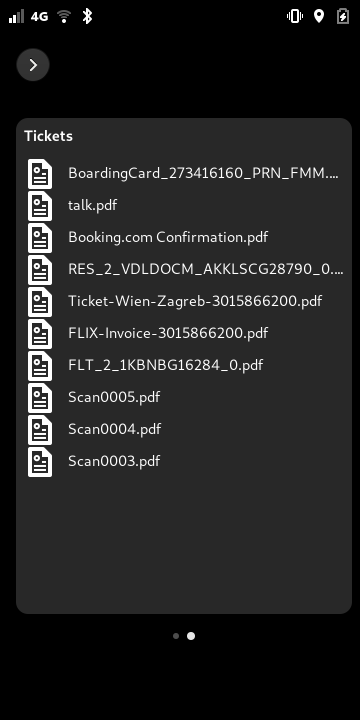
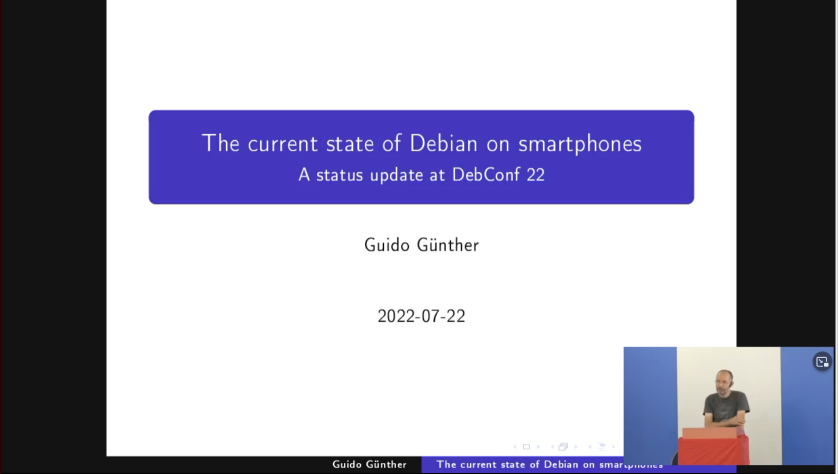
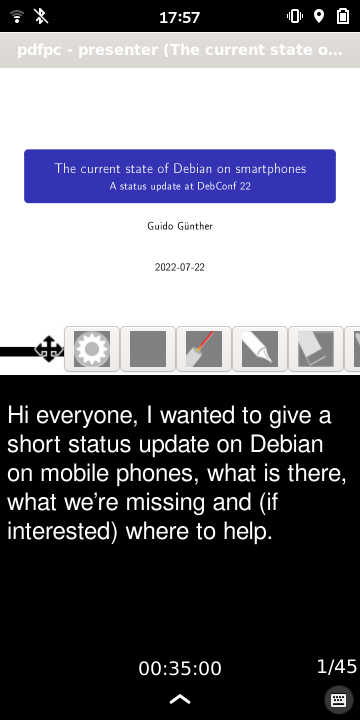
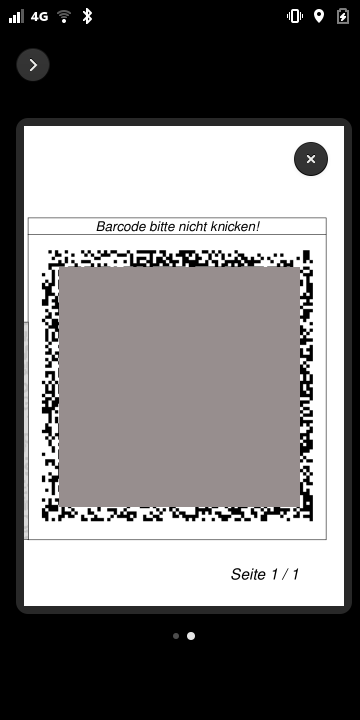
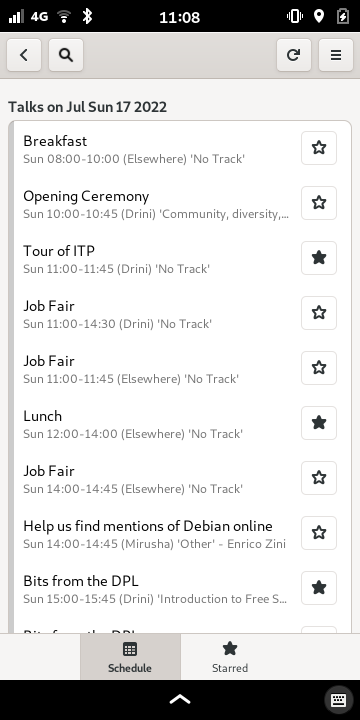
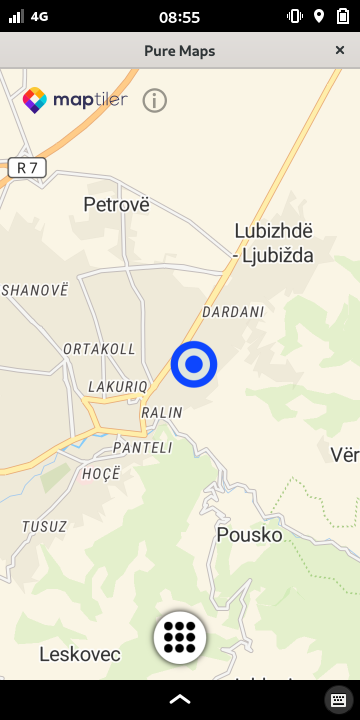
Since people are sometimes slightly surprised that you can go onto a multi week trip with a smartphone running free sofware so only I wanted to share some impressions from my recent trip to Prizren/Kosovo to attend Debconf 22 using a Librem 5. It's a mix of things that happend and bits that got improved to hopefully make things more fun to use. And, yes, there won't be any big surprises like being stranded without the ability to do phone calls in this read because there weren't and there shouldn't be. After two online versions Debconf 22 (the annual Debian Conference) took place in Prizren / Kosovo this year and I sure wanted to go. Looking for options I settled for a train trip to Vienna, to meet there with friends and continue the trip via bus to Zagreb, then switching to a final 11h direct bus to Prizren. When preparing for the trip and making sure my Librem 5 phone has all the needed documents I noticed that there will be quite some PDFs to show until I arrive in Kosovo: train ticket, bus ticket, hotel reservation, and so on. While that works by tapping unlocking the phone, opening the file browser, navigating to the folder with the PDFs and showing it via evince this looked like a lot of steps to repeat. Can't we have that information on the Phone Shell's lockscreen? This was a good opportunity to see if the upcoming plugin infrastructure for the lock screen (initially meant to allow for a plugin to show upcoming events) was flexible enough, so I used some leisure time on the train to poke at this and just before I reached Vienna I was able to use it for the first time. It was the very last check of that ticket, it also was a bit of cheating since I didn't present the ticket on the phone itself but from phosh (the phones graphical shell) running on my laptop but still. PDF barcode on phosh's lockscreen List of tickets on phosh's lockscreen This was possible since phosh is written in GTK and so I could just leverage evince's EvView. Unfortunately the hotel check in didn't want to see any documents . For the next day I moved the code over to the Librem 5 and (being a bit nervous as the queue to get on the bus was quite long) could happily check into the Flixbus by presenting the barcode to the barcode reader via the Librem 5's lockscreen. When switching to the bus to Prizren I didn't get to use that feature again as we bought the tickets at a counter but we got a nice krem banana after entering the bus - they're not filled with jelly, but krem - a real Kosovo must eat!). Although it was a rather long trip we had frequent breaks and I'd certainly take the same route again. Here's a photo of Prizren taken on the Librem 5 without any additional postprocessing: Prizren What about seeing the conference schedule on the phone? Confy(a conferences schedule viewer using GTK and libhandy) to the rescue: Confy with Debconf's schedule Since Debian's confy maintainer was around too, confy saw a bunch of improvements over the conference. For getting around Puremaps(an application to display maps and show routing instructions) was very helpful, here geolocating me in Prizren via GPS: Puremaps Puremaps currently isn't packaged in Debian but there's work onging to fix that (I used the flatpak for the moment). We got ourselves sim cards for the local phone network. For some reason mine wouldn't work (other sim cards from the same operator worked in my phone but this one just wouldn't). So we went to the sim card shop and the guy there was perfectly able to operate the Librem 5 without further explanation (including making calls, sending USSD codes to query balance, ). The sim card problem turned out to be a problem on the operator side and after a couple of days they got it working. We had nice, sunny weather about all the time. That made me switch between high contrast mode (to read things in bright sunlight) and normal mode (e.g. in conference rooms) on the phone quite often. Thankfully we have a ambient light sensor in the phone so we can make that automatic. Phosh in HighContrast See here for a video. Jathan kicked off a DebianOnMobile sprint during the conference where we were able to improve several aspects of mobile support in Debian and on Friday I had the chance to give a talk about the state of Debian on smartphones. pdf-presenter-console is a great tool for this as it can display the current slide together with additional notes. I needed some hacks to make it fit the phone screen but hopefully we figure out a way to have this by default. Debconf talk Pdf presenter console on a phone I had two great weeks in Prizren. Many thanks to the organizers of Debconf 22 - I really enjoyed the conference.


Ben Hutchings: Debian LTS work, July 2022

In July I was assigned 24 hours of work by Freexian's Debian LTS initiative. I worked 3 hours and will carry over the rest to August. In July, no Debian release was in LTS status. However, I spent some time finishing the DLA text for my upload of linux at the end of June. I also attended the LTS BoF at DebConf and the regular team meeting.

10 August 2022

Shirish Agarwal: Mum, Samsung Galaxy M-52

Mum I dunno from where to start. While I m not supposed to announce it, mum left this earth a month ago (thirteen days when I started to write this blog post) ago. I am still in part denial, part shock, and morose. Of all the seasons in a year, the rainy season used to be my favorite, now would I ever be able to look and feel other than the emptiness that this season has given me? In some senses, it is and was very ironic, when she became ill about last year, I had promised myself I would be by her side for 5-6 years, not go anywhere either Hillhacks or Debconf or any meetup and I was ok with that. Now that she s no more I have no clue why am I living. What is the purpose, the utility? When she was alive, the utility was understandable. We had an unspoken agreement, I would like after her, and she was supposed to look after me. A part of me self-blames as I am sure, I have done thousands of things wrong otherwise the deal was that she was going to be for another decade. But now that she has left not even halfway, I dunno what to do. I don t have someone to fight with anymore  It s mostly a robotic existence atm. I try to distract myself via movies, web series, the web, books, etc. whatever can take my mind off. From the day she died to date, I have a lower back pain which acts as a reminder. It s been a month, I eat, drink, and am surviving but still feel empty. I do things suggested by extended family but within there is no feeling, just emptiness :(. I have no clue if things will get better and even if I do want the change. I clearly have no idea, so let me share a little about what I know.

Samsung Galaxy M-52G Just a couple of days before she died, part of our extended family had come and she chose that opportunity to gift me Samsung Galaxy M-52G even though my birthday was 3 months away. Ironically, after I purchased it, the next day, one of the resellers of the phone cut the price from INR 28k to 20k. If a day more, I could have saved another 8k/- but what s done is done  To my mind, the phone is middling yet a solid phone. I had the phone drop accidentally at times but not a single scratch or anything like that. One can look at the specs in greater detail on fccd.io. Before the recent price drop, as I shared it was a mid-range phone so am gonna review it on that basis itself. One of the first things I did is to buy a plastic cover as well as a cover shield even though the original one is meant to work for a year or more. This was simply for added protection and it has served me to date. Even with the additional weight, I can easily use it with one hand. It only becomes problematic when using chatting apps. such as Whatsapp, Telegram, Quicksy and a few others where it comes with Samsung keyboard with the divided/split keyboard. The A.I. for guessing words and sentences are spot-on when you are doing it in English but if you try a mixture of Hinglish (Hindi and English) that becomes a bit of a nightmare. Tryng to each A.I; new words is something of a task. I wish there was an interface in which I could train the A.I. so it could be served for Hinglish words also. I do think it does, but it s too rudimentary as it is to be any useful at least where it is now.

WiFi Direct While my previous phone did use wifi direct but it that ancient android version wasn t wedded to Wifi Direct as this one is. You have essentially two ways to connect to any system outside. One is through Wi-Fi Direct and the more expensive way is through mobile data. One of the strange things I found quite a number of times, that Wifi would lose it pairings. Before we get into it, Wikipedia has a good explanation of what Wifi direct is all about. Apparently, either my phone or my modem loses the pairing, which of the two is the culprit, I really don t know. There are two apps from the Play Store that do help in figuring out what the issue is (although it is limited in what it gives out in info. but still good.) The first one is Wifi Signal Meter and the other one is WifiAnalyzer (open-source). I have found that pairing done through Wifi Signal Meter works better than through Google s own implementation which feels lacking. The whole universe of Android seems to be built on apps and games and many of these can be bought for money, but many of these can also be played using a combination of micro-transactions and ads. For many a game, you cannot play for more than 5 minutes before you either see an ad or wait for something like 2-3 hrs. before you attempt again. Hogwarts Mystery, for e.g., is an example of that. Another one would be Explore Lands . While Hogwarts Mystery is more towards the lore created by J.K.Rowling and you can really get into the thick of things if you know the lore, Explore lands is more into Exploration of areas. In both the games, you are basically looking to gain energy over a period of time, which requires either money or viewing ads or a combination of both Sadly most ads and even Google don t seem to have caught up that I m deaf so most ads do not have subtitles, so more often than not they are useless to me. I have found also that many games share screenshots or videos that have nothing to do with how the game is. So there is quite a bit of misleading going on. I did read that Android had been having issues with connecting with developers after their app. is in the Play Store. Most apps. ask and require a whole lot of permissions that aren t needed by that app.

F-Droid Think Pirate Praveen had introduced me to F-Droid and a whole lot of things have happened in F-Droid, lot more apps. games etc. the look of F-Droid has been pulled back. In fact, I found Neo Store to be a better skin to see F-Droid. I have yet to explore more of F-Droid before sharing any recommendations and spending some time on it. I do find that many of foss apps. do need to work on how we communicate with our users. For e.g. one app. that Praveen had shared with me recently was Quicksy. And while it is better, it uses a double negative while asking permission whether it should or not to use more of the phone s resources. It is an example of that sort of language that we need to be aware of and be better. I know this post is more on the mobile rather than the desktop but that is where I m living currently.

8 August 2022

Bits from Debian: Debian Day 2022 - call for celebration

Every year on August 16th, the anniversary of the Debian Project takes place. And several communities around the world celebrate this date by organizing local meetings in an event called "Debian Day". So, how about celebrating the 29th anniversary of the Debian Project in 2022 in your city? We invite you and your local community to organize Debian Day by hosting an event with talks, workshops, bug squashing party, OpenPGP keysigning, etc. Or simply holding a meeting between people who like Debian in a bar/pizzeria/cafeteria/restaurant to celebrate. In other words, any type of meeting is valid! But remember that the COVID-19 pandemic is not over yet, so take all necessary measures to protect attendees. As the 16th of August falls on a Tuesday, if you think it's better to organize it during the weekend, no problem. The importance is to celebrate the Debian Project. Remember to add your city to the Debian Day wiki page There is a list of Debian Local Groups around the world. If your city is listed, talk to them to organize DebianDay together. There is a list of Debian Local Groups around the world. If your city is listed, talk to them to organized the Debian Day together. Let's use hashtags #DebianDay #DebianDay2022 on social media.

Adnan Hodzic: atuf.app: Amsterdam Toilet & Urinal Finder

Amsterdam is a great city to enjoy a beer, or two. However, after you had your beers and you re strolling down the streets, you might... The post atuf.app: Amsterdam Toilet & Urinal Finder appeared first on FoolControl: Phear the penguin.

7 August 2022

Aurelien Jarno: GNU libc 2.34 in unstable

The GNU libc version 2.34 has just been accepted into unstable. Getting it ready has been more challenging than other versions, as this version integrates a few libraries (libpthread, libdl, libutil, libanl) into libc. While this is handled transparently at runtime, there are a few corner cases at build time: The next challenge is to get it migrating into testing! For the adventurous persons, GNU libc 2.35 is now available in experimental. And as people keep asking, the goal is to get the just released GNU libc 2.36 into Bookworm.

Dirk Eddelbuettel: RApiSerialize 0.1.1 on CRAN: Updates

A new release 0.1.1 of RApiSerialize is now on CRAN. While this is the first release in seven years (!!), it brings mostly minor internal updates along with the option of using serialization format 3. The package is used by both my RcppRedis as well as by Travers excellent qs package. Neither one of us has a need to switch to format 3 yet so format 2 remains the default. But along with other standard updates to package internals, it was straightforward to offer the newer format so that is what we did.

Changes in version 0.1.1 (2022-08-07)
  • Updated CI use to r-ci
  • Expanded and updated both DESCRIPTION and README.md
  • Updated package internals to register compiled functions
  • Add support for serialization format 3, default remains 2
  • Minor synchronization with upstream

Courtesy of my CRANberries, there is also a diffstat to the previous version. More details are at the RApiSerialize page; code, issue tickets etc at the GitHub repository. If you like this or other open-source work I do, you can now sponsor me at GitHub.

This post by Dirk Eddelbuettel originated on his Thinking inside the box blog. Please report excessive re-aggregation in third-party for-profit settings.

6 August 2022

Dirk Eddelbuettel: RcppCCTZ 0.2.11 on CRAN: Updates

A new release 0.2.11 of RcppCCTZ is now on CRAN. RcppCCTZ uses Rcpp to bring CCTZ to R. CCTZ is a C++ library for translating between absolute and civil times using the rules of a time zone. In fact, it is two libraries. One for dealing with civil time: human-readable dates and times, and one for converting between between absolute and civil times via time zones. And while CCTZ is made by Google(rs), it is not an official Google product. The RcppCCTZ page has a few usage examples and details. This package was the first CRAN package to use CCTZ; by now four others packages include its sources too. Not ideal, but beyond our control. This version updates the include headers used in the interface API header thanks to a PR by Jing Lu, updates to upstream changes, and switched r-ci CI to r2u.

Changes in version 0.2.11 (2022-08-06)
  • More specific includes in RcppCCTZ_API.h (Jing Lu in #42 closing #41).
  • Synchronized with upstream CCTZ (Dirk in #43).
  • Switched r-ci to r2u use.

Courtesy of my CRANberries, there is also a diffstat to the previous version. More details are at the RcppCCTZ page; code, issue tickets etc at the GitHub repository. If you like this or other open-source work I do, you can now sponsor me at GitHub.

This post by Dirk Eddelbuettel originated on his Thinking inside the box blog. Please report excessive re-aggregation in third-party for-profit settings.

5 August 2022

Thorsten Alteholz: My Debian Activities in July 2022

FTP master This month I accepted 420 and rejected 44 packages. The overall number of packages that got accepted was 422. I am sad to write the following lines, but unfortunately there are people who rather take advantage of others instead of doing a proper maintenance of their packages. So, in order to find time slots for as much packages in NEW as possible, I no longer write a debian/copyright for others. I know it is a boring task to collect the copyright information, but our policy still requires this. Of course nobody is perfect and certainly one or the other license or copyright holder can be overlooked. Luckily most of the contributors maintain their debian/copyright very thouroughly with a terrific result. On the other hand some contributors upload only some crap and demand that I exactly list what is missing. I am no longer willing to do this. I am going to stop processing after I found a few missing things and reject the package. When I see repeatedly uploads containing only improvements with things I pointed out, I will process this package only after all others from NEW are done. Debian LTS This was my ninety-seventh month that I did some work for the Debian LTS initiative, started by Raphael Hertzog at Freexian. This month my all in all workload has been 35.75h. Unfortunately Stretch LTS has moved to Stretch ELTS and Buster LTS was not yet opened in July. So I think this is the first month I did not work all assigned hours. Besides things on security-master, I only worked 20h on moving the LTS documentation to their new destination. At the moment the documentation is spread over several locations. As searching over all those locations is not possible, it shall be collected at one place. Debian ELTS This month was the forty-eighth ELTS month. During my allocated time I uploaded: I also started to work on mod-wsgi and my patch was already approved by the maintainer. Now I am waiting for the security team to decide whether it will be uploaded as DSA or via PU. Last but not least I did some days of frontdesk duties. Other stuff This month I uploaded new upstream versions or improved packaging of:

Dirk Eddelbuettel: RcppXts 0.0.5 on CRAN: Routine Refreshment

A full eight and half years (!!) since its 0.0.4 release, version 0.0.5 of RcppXts is now on CRAN. The RcppXts package demonstrates how to access the export C API of xts which we contributed a looong time ago. This release contains an accumulated small set of updates made as the CRAN Policies evolved. We now register and use the shared library routines (updates in both src/init.c and NAMESPACE), turned on continuous integration, switched it from the now disgraces service to another, adopted our portable r-ci along with r2, added badges to the README.md, updated to https URLs, and made sure the methods package (from base R) was actually imported (something Rcpp has a need for at startup). That latter part now triggered a recent email from the CRAN maintainers which prompted this release. The NEWS entries follow.

Changes in version 0.0.5 (2022-08-05)
  • Depends on xts 0.9-6 now on CRAN
  • Exports (and documents) a number of additional functions
  • Switch CI use to r-ci and r2u
  • README.md, DESCRIPTION and NEWS.Rd were updated and expanded
  • NAMESPACE import of the shared library uses registration

Courtesy of my CRANberries, there is also a diffstat report for this release. A bit more information about the package is available here as well as at the GitHub repo. If you like this or other open-source work I do, you can now sponsor me at GitHub.

This post by Dirk Eddelbuettel originated on his Thinking inside the box blog. Please report excessive re-aggregation in third-party for-profit settings.

1 August 2022

Bastian Venthur: Keychron keyboards fixed on Linux

Last year, I wrote about on how to get my buggy Keychron C1 keyboard working properly on Linux by setting a kernel module parameter. Afterwards, I contacted Hans de Goede since he was the last one that contributed a major patch to the relevant kernel module. After some debugging, it turned out that the Keychron keyboards are indeed misbehaving when set to Windows mode. Almost a year later, Bryan Cain provided a patch fixing the behavior, which has now been merged to the Linux kernel in 5.19. Thank you, Hans and Bryan!

Sergio Talens-Oliag: Using Git Server Hooks on GitLab CE to Validate Tags

Since a long time ago I ve been a gitlab-ce user, in fact I ve set it up on three of the last four companies I ve worked for (initially I installed it using the omnibus packages on a debian server but on the last two places I moved to the docker based installation, as it is easy to maintain and we don t need a big installation as the teams using it are small). On the company I work for now (kyso) we are using it to host all our internal repositories and to do all the CI/CD work (the automatic deployments are triggered by web hooks in some cases, but the rest is all done using gitlab-ci). The majority of projects are using nodejs as programming language and we have automated the publication of npm packages on our gitlab instance npm registry and even the publication into the npmjs registry. To publish the packages we have added rules to the gitlab-ci configuration of the relevant repositories and we publish them when a tag is created. As the we are lazy by definition, I configured the system to use the tag as the package version; I tested if the contents of the package.json where in sync with the expected version and if it was not I updated it and did a force push of the tag with the updated file using the following code on the script that publishes the package:
# Update package version & add it to the .build-args
INITIAL_PACKAGE_VERSION="$(npm pkg get version tr -d '"')"
npm version --allow-same --no-commit-hooks --no-git-tag-version \
  "$CI_COMMIT_TAG"
UPDATED_PACKAGE_VERSION="$(npm pkg get version tr -d '"')"
echo "UPDATED_PACKAGE_VERSION=$UPDATED_PACKAGE_VERSION" >> .build-args
# Update tag if the version was updated or abort
if [ "$INITIAL_PACKAGE_VERSION" != "$UPDATED_PACKAGE_VERSION" ]; then
  if [ -n "$CI_GIT_USER" ] && [ -n "$CI_GIT_TOKEN" ]; then
    git commit -m "Updated version from tag $CI_COMMIT_TAG" package.json
    git tag -f "$CI_COMMIT_TAG" -m "Updated version from tag"
    git push -f -o ci.skip origin "$CI_COMMIT_TAG"
  else
    echo "!!! ERROR !!!"
    echo "The updated tag could not be uploaded."
    echo "Set CI_GIT_USER and CI_GIT_TOKEN or fix the 'package.json' file"
    echo "!!! ERROR !!!"
    exit 1
  fi
fi
This feels a little dirty (we are leaving commits on the tag but not updating the original branch); I thought about trying to find the branch using the tag and update it, but I drop the idea pretty soon as there were multiple issues to consider (i.e. we can have tags pointing to commits present in multiple branches and even if it only points to one the tag does not have to be the HEAD of the branch making the inclusion difficult). In any case this system was working, so we left it until we started to publish to the NPM Registry; as we are using a token to push the packages that we don t want all developers to have access to (right now it would not matter, but when the team grows it will) I started to use gitlab protected branches on the projects that need it and adjusting the .npmrc file using protected variables. The problem then was that we can no longer do a standard force push for a branch (that is the main point of the protected branches feature) unless we use the gitlab api, so the tags with the wrong version started to fail. As the way things were being done seemed dirty anyway I thought that the best way of fixing things was to forbid users to push a tag that includes a version that does not match the package.json version. After thinking about it we decided to use githooks on the gitlab server for the repositories that need it, as we are only interested in tags we are going to use the update hook; it is executed once for each ref to be updated, and takes three parameters:
  • the name of the ref being updated,
  • the old object name stored in the ref,
  • and the new object name to be stored in the ref.
To install our hook we have found the gitaly relative path of each repo and located it on the server filesystem (as I said we are using docker and the gitlab s data directory is on /srv/gitlab/data, so the path to the repo has the form /srv/gitlab/data/git-data/repositories/@hashed/xx/yy/hash.git). Once we have the directory we need to:
  • create a custom_hooks sub directory inside it,
  • add the update script (as we only need one script we used that instead of creating an update.d directory, the good thing is that this will also work with a standard git server renaming the base directory to hooks instead of custom_hooks),
  • make it executable, and
  • change the directory and file ownership to make sure it can be read and executed from the gitlab container
On a console session:
$ cd /srv/gitlab/data/git-data/repositories/@hashed/xx/yy/hash.git
$ mkdir custom_hooks
$ edit_or_copy custom_hooks/update
$ chmod 0755 custom_hooks/update
$ chown --reference=. -R custom_hooks
The update script we are using is as follows:
#!/bin/sh
set -e
# kyso update hook
#
# Right now it checks version.txt or package.json versions against the tag name
# (it supports a 'v' prefix on the tag)
# Arguments
ref_name="$1"
old_rev="$2"
new_rev="$3"
# Initial test
if [ -z "$ref_name" ]    [ -z "$old_rev" ]   [ -z "$new_rev" ]; then
  echo "usage: $0 <ref> <oldrev> <newrev>" >&2
  exit 1
fi
# Get the tag short name
tag_name="$ ref_name##refs/tags/ "
# Exit if the update is not for a tag
if [ "$tag_name" = "$ref_name" ]; then
  exit 0
fi
# Get the null rev value (string of zeros)
zero=$(git hash-object --stdin </dev/null   tr '0-9a-f' '0')
# Get if the tag is new or not
if [ "$old_rev" = "$zero" ]; then
  new_tag="true"
else
  new_tag="false"
fi
# Get the type of revision:
# - delete: if the new_rev is zero
# - commit: annotated tag
# - tag: un-annotated tag
if [ "$new_rev" = "$zero" ]; then
  new_rev_type="delete"
else
  new_rev_type="$(git cat-file -t "$new_rev")"
fi
# Exit if we are deleting a tag (nothing to check here)
if [ "$new_rev_type" = "delete" ]; then
  exit 0
fi
# Check the version against the tag (supports version.txt & package.json)
if git cat-file -e "$new_rev:version.txt" >/dev/null 2>&1; then
  version="$(git cat-file -p "$new_rev:version.txt")"
  if [ "$version" = "$tag_name" ]   [ "$version" = "$ tag_name#v " ]; then
    exit 0
  else
    EMSG="tag '$tag_name' and 'version.txt' contents '$version' don't match"
    echo "GL-HOOK-ERR: $EMSG"
    exit 1
  fi
elif git cat-file -e "$new_rev:package.json" >/dev/null 2>&1; then
  version="$(
    git cat-file -p "$new_rev:package.json"   jsonpath version   tr -d '\[\]"'
  )"
  if [ "$version" = "$tag_name" ]   [ "$version" = "$ tag_name#v " ]; then
    exit 0
  else
    EMSG="tag '$tag_name' and 'package.json' version '$version' don't match"
    echo "GL-HOOK-ERR: $EMSG"
    exit 1
  fi
else
  # No version.txt or package.json file found
  exit 0
fi
Some comments about it:
  • we are only looking for tags, if the ref_name does not have the prefix refs/tags/ the script does an exit 0,
  • although we are checking if the tag is new or not we are not using the value (in gitlab that is handled by the protected tag feature),
  • if we are deleting a tag the script does an exit 0, we don t need to check anything in that case,
  • we are ignoring if the tag is annotated or not (we set the new_rev_type to tag or commit, but we don t use the value),
  • we test first the version.txt file and if it does not exist we check the package.json file, if it does not exist either we do an exit 0, as there is no version to check against and we allow that on a tag,
  • we add the GL-HOOK-ERR: prefix to the messages to show them on the gitlab web interface (can be tested creating a tag from it),
  • to get the version on the package.json file we use the jsonpath binary (it is installed by the jsonpath ruby gem) because it is available on the gitlab container (initially I used sed to get the value, but a real JSON parser is always a better option).
Once the hook is installed when a user tries to push a tag to a repository that has a version.txt file or package.json file and the tag does not match the version (if version.txt is present it takes precedence) the push fails. If the tag matches or the files are not present the tag is added if the user has permission to add it in gitlab (our hook is only executed if the user is allowed to create or update the tag).

Junichi Uekawa: August.

August. I think I finally understood what's going on in io_uring.

31 July 2022

Paul Wise: FLOSS Activities July 2022

Focus This month I didn't have any particular focus. I just worked on issues in my info bubble.

Changes

Issues

Review

Administration
  • Debian BTS: unarchive/reopen/triage bugs for reintroduced packages
  • Debian servers: check full disks, ping users of excessive disk usage, restart a hung service
  • Debian wiki: approve accounts

Communication
  • Respond to queries from Debian users and contributors on the mailing lists and IRC

Sponsors The SPTAG, SIMDEverywhere, cwidget, aptitude, tldextract work was sponsored. All other work was done on a volunteer basis.

Joachim Breitner: The Via Alpina red trail through Slovenia

This July my girlfriend and I hiked the Slovenian part of the Red Trail of the Via Alpina, from the edge of the Julian Alps to Trieste, and I d like to share some observations and tips that we might have found useful before our trip.
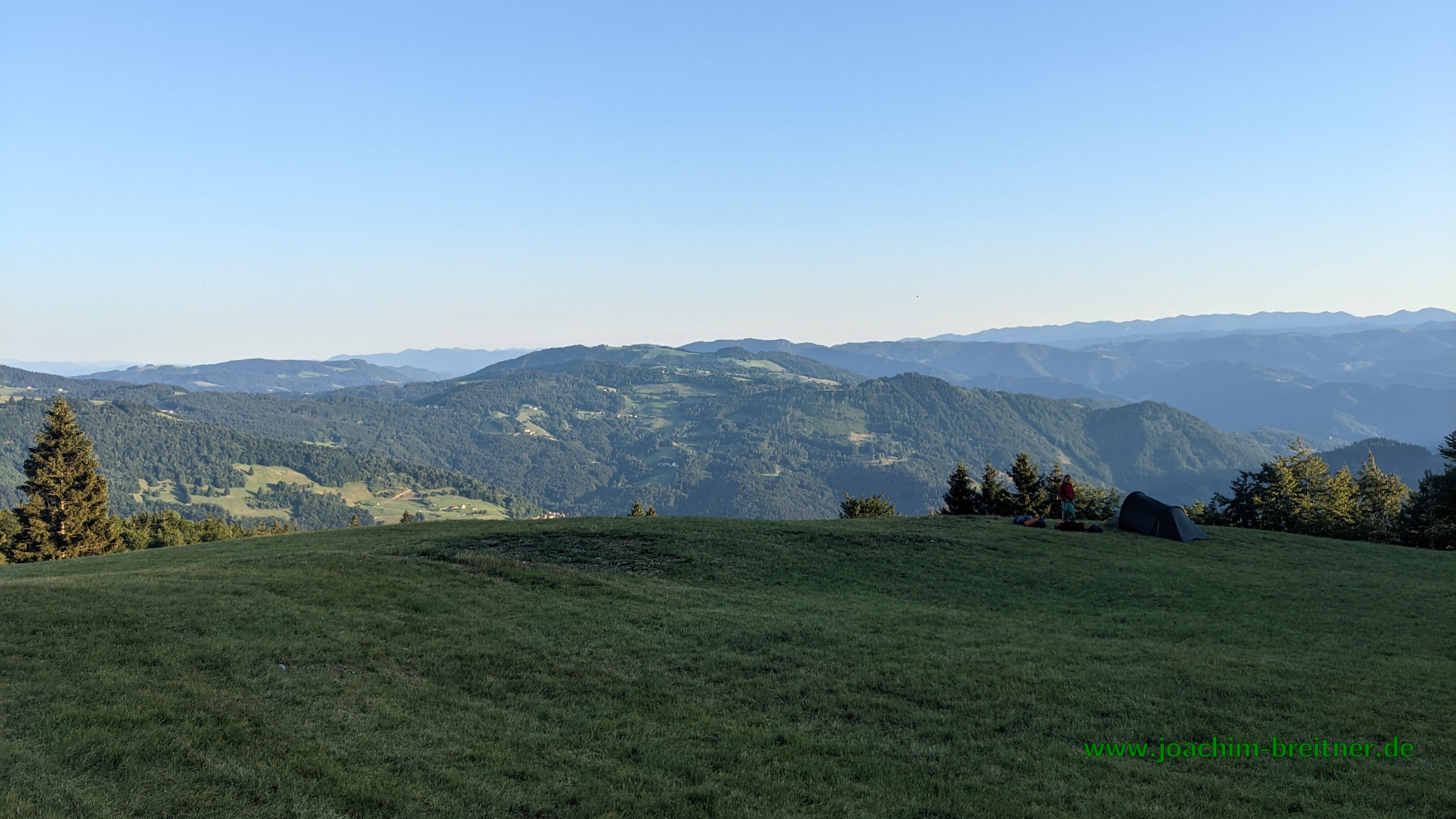
Our most favorite camp spot Our most favorite camp spot

Getting there As we traveled with complete camping gear and wanted to stay in our tent, we avoided the high alpine parts of the trail and started just where the trail came down from the Alps and entered the Karst. A great way to get there is to take the night train from Zurich or Munich towards Ljubljana, get off at Jesenice, have breakfast, take the local train to Podbrdo and you can start your tour at 9:15am. From there you can reach the trail at Pedrovo Brdo within 1 h.

Finding the way We did not use any paper maps, and instead relied on the OpenStreetMap data, which is very good, as well as the official(?) GPX tracks on Komoot, which are linked from the official route descriptions. We used OsmAnd. In general, trails are generally very well marked (red circle with white center, and frequent signs), but the signs rarely tell you which way the Via Alpina goes, so the GPS was needed. Sometimes the OpenStreetMap trail and the Komoot trail disagreed on short segments. We sometimes followed one and other times the other.

Variants We diverged from the trail in a few places:
  • We did not care too much about the horses in Lipica and at least on the map it looked like a longish boringish and sun-exposed detour, so we cut the loop and hiked from Prelo e pri Lokvi up onto the peak of the Veliko Gradi e (which unfortunately is too overgrown to provide a good view).
  • When we finally reached the top of Mali Kras and had a view across the bay of Trieste, it seemed silly to walk to down to Dolina, and instead we followed the ridge through Socerb, essentially the Alpe Adria Trail.
  • Not really a variant, but after arriving in Muggia, if one has to go to Trieste, the ferry is a probably nicer way to finish a trek than the bus.

Pitching a tent We used our tent almost every night, only in Idrija we got a room (and a shower ). It was not trivial to find good camp spots, because most of the trail is on hills with slopes, and the flat spots tend to have housed built on them, but certainly possible. Sometimes we hid in the forest, other times we found nice small and freshly mowed meadows within the forest.

Water Since this is Karst land, there is very little in terms of streams or lakes along the way, which is a pity. The Idrijca river right south of Idrija was very tempting to take a plunge. Unfortunately we passed there early in the day and we wanted to cover some ground first, so we refrained. As for drinking water, we used the taps at the bathrooms of the various touristic sites, a few (but rare) public fountains, and finally resorted to just ringing random doorbells and asking for water, which always worked.

Paths A few stages lead you through very pleasant narrow forest paths with a sight, but not all. On some days you find yourself plodding along wide graveled or even paved forest roads, though.

Landscape and sights The view from Nanos is amazing and, with this high peak jutting out over a wide plain, rather unique. It may seem odd that the trail goes up and down that mountain on the same day when it could go around, but it is certainly worth it. The Karst is mostly a cultivated landscape, with lots of forestry. It is very hilly and green, which is pretty, but some might miss some craggedness. It s not the high alps, after all, but at least they are in sight half the time. But the upside is that there are few sights along the way that are worth visiting, in particular the the Franja Partisan Hospital hidden in a very narrow gorge, the Predjama Castle and the kocjan Caves

29 July 2022

Bits from Debian: New Debian Developers and Maintainers (May and June 2022)

The following contributors got their Debian Developer accounts in the last two months: The following contributors were added as Debian Maintainers in the last two months: Congratulations!

28 July 2022

Matthew Garrett: UEFI rootkits and UEFI secure boot

Kaspersky describes a UEFI-implant used to attack Windows systems. Based on it appearing to require patching of the system firmware image, they hypothesise that it's propagated by manually dumping the contents of the system flash, modifying it, and then reflashing it back to the board. This probably requires physical access to the board, so it's not especially terrifying - if you're in a situation where someone's sufficiently enthusiastic about targeting you that they're reflashing your computer by hand, it's likely that you're going to have a bad time regardless.

But let's think about why this is in the firmware at all. Sophos previously discussed an implant that's sufficiently similar in some technical details that Kaspersky suggest they may be related to some degree. One notable difference is that the MyKings implant described by Sophos installs itself into the boot block of legacy MBR partitioned disks. This code will only be executed on old-style BIOS systems (or UEFI systems booting in BIOS compatibility mode), and they have no support for code signatures, so there's no need to be especially clever. Run malicious code in the boot block, patch the next stage loader, follow that chain all the way up to the kernel. Simple.

One notable distinction here is that the MBR boot block approach won't be persistent - if you reinstall the OS, the MBR will be rewritten[1] and the infection is gone. UEFI doesn't really change much here - if you reinstall Windows a new copy of the bootloader will be written out and the UEFI boot variables (that tell the firmware which bootloader to execute) will be updated to point at that. The implant may still be on disk somewhere, but it won't be run.

But there's a way to avoid this. UEFI supports loading firmware-level drivers from disk. If, rather than providing a backdoored bootloader, the implant takes the form of a UEFI driver, the attacker can set a different set of variables that tell the firmware to load that driver at boot time, before running the bootloader. OS reinstalls won't modify these variables, which means the implant will survive and can reinfect the new OS install. The only way to get rid of the implant is to either reformat the drive entirely (which most OS installers won't do by default) or replace the drive before installation.

This is much easier than patching the system firmware, and achieves similar outcomes - the number of infected users who are going to wipe their drives to reinstall is fairly low, and the kernel could be patched to hide the presence of the implant on the filesystem[2]. It's possible that the goal was to make identification as hard as possible, but there's a simpler argument here - if the firmware has UEFI Secure Boot enabled, the firmware will refuse to load such a driver, and the implant won't work. You could certainly just patch the firmware to disable secure boot and lie about it, but if you're at the point of patching the firmware anyway you may as well just do the extra work of installing your implant there.

I think there's a reasonable argument that the existence of firmware-level rootkits suggests that UEFI Secure Boot is doing its job and is pushing attackers into lower levels of the stack in order to obtain the same outcomes. Technologies like Intel's Boot Guard may (in their current form) tend to block user choice, but in theory should be effective in blocking attacks of this form and making things even harder for attackers. It should already be impossible to perform attacks like the one Kaspersky describes on more modern hardware (the system should identify that the firmware has been tampered with and fail to boot), which pushes things even further - attackers will have to take advantage of vulnerabilities in the specific firmware they're targeting. This obviously means there's an incentive to find more firmware vulnerabilities, which means the ability to apply security updates for system firmware as easily as security updates for OS components is vital (hint hint if your system firmware updates aren't available via LVFS you're probably doing it wrong).

We've known that UEFI rootkits have existed for a while (Hacking Team had one in 2015), but it's interesting to see a fairly widespread one out in the wild. Protecting against this kind of attack involves securing the entire boot chain, including the firmware itself. The industry has clearly been making progress in this respect, and it'll be interesting to see whether such attacks become more common (because Secure Boot works but firmware security is bad) or not.

[1] As we all remember from Windows installs overwriting Linux bootloaders
[2] Although this does run the risk of an infected user booting another OS instead, and being able to see the implant

comment count unavailable comments

26 July 2022

Rapha&#235;l Hertzog: Freexian s report about Debian Long Term Support, June 2022

A Debian LTS logo
Like each month, have a look at the work funded by Freexian s Debian LTS offering. Debian project funding No any major updates on running projects.
Two 1, 2 projects are in the pipeline now.
Tryton project is in a review phase. Gradle projects is still fighting in work. In June, we put aside 2254 EUR to fund Debian projects. We re looking forward to receive more projects from various Debian teams! Learn more about the rationale behind this initiative in this article. Debian LTS contributors In June, 15 contributors have been paid to work on Debian LTS, their reports are available: Evolution of the situation In June we released 27 DLAs.

This is a special month, where we have two releases (stretch and jessie) as ELTS and NO release as LTS. Buster is still handled by the security team and will probably be given in LTS hands at the beginning of the August. During this month we are updating the infrastructure, documentation and improve our internal processes to switch to a new release.
Many developers have just returned back from Debconf22, hold in Prizren, Kosovo! Many (E)LTS members could meet face-to-face and discuss some technical and social topics! Also LTS BoF took place, where the project was introduced (link to video).
Thanks to our sponsors Sponsors that joined recently are in bold. We are pleased to welcome Alter Way where their support of Debian is publicly acknowledged at the higher level, see this French quote of Alterway s CEO.

25 July 2022

Bits from Debian: DebConf22 closes in Prizren and DebConf23 dates announced

DebConf22 group photo - click to enlarge On Sunday 24 July 2022, the annual Debian Developers and Contributors Conference came to a close. Hosting 260 attendees from 38 different countries over a combined 91 event talks, discussion sessions, Birds of a Feather (BoF) gatherings, workshops, and activities, DebConf22 was a large success. The conference was preceded by the annual DebCamp held 10 July to 16 July which focused on individual work and team sprints for in-person collaboration towards developing Debian. In particular, this year there have been sprints to advance development of Mobian/Debian on mobile, reproducible builds and Python in Debian, and a BootCamp for newcomers, to get introduced to Debian and have some hands-on experience with using it and contributing to the community. The actual Debian Developers Conference started on Sunday 17 July 2022. Together with activities such as the traditional 'Bits from the DPL' talk, the continuous key-signing party, lightning talks and the announcement of next year's DebConf (DebConf23 in Kochi, India), there were several sessions related to programming language teams such as Python, Perl and Ruby, as well as news updates on several projects and internal Debian teams, discussion sessions (BoFs) from many technical teams (Long Term Support, Android tools, Debian Derivatives, Debian Installer and Images team, Debian Science...) and local communities (Debian Brasil, Debian India, the Debian Local Teams), along with many other events of interest regarding Debian and free software. The schedule was updated each day with planned and ad-hoc activities introduced by attendees over the course of the entire conference. Several activities that couldn\'t be organized in past years due to the COVID pandemic returned to the conference\'s schedule: a job fair, open-mic and poetry night, the traditional Cheese and Wine party, the group photos and the Day Trip. For those who were not able to attend, most of the talks and sessions were recorded for live streams with videos made, available through the Debian meetings archive website. Almost all of the sessions facilitated remote participation via IRC messaging apps or online collaborative text documents. The DebConf22 website will remain active for archival purposes and will continue to offer links to the presentations and videos of talks and events. Next year, DebConf23 will be held in Kochi, India, from September 10 to September 16, 2023. As tradition follows before the next DebConf the local organizers in India will start the conference activites with DebCamp (September 03 to September 09, 2023), with particular focus on individual and team work towards improving the distribution. DebConf is committed to a safe and welcome environment for all participants. See the web page about the Code of Conduct in DebConf22 website for more details on this. Debian thanks the commitment of numerous sponsors to support DebConf22, particularly our Platinum Sponsors: Lenovo, Infomaniak, ITP Prizren and Google. About Debian The Debian Project was founded in 1993 by Ian Murdock to be a truly free community project. Since then the project has grown to be one of the largest and most influential open source projects. Thousands of volunteers from all over the world work together to create and maintain Debian software. Available in 70 languages, and supporting a huge range of computer types, Debian calls itself the universal operating system. About DebConf DebConf is the Debian Project's developer conference. In addition to a full schedule of technical, social and policy talks, DebConf provides an opportunity for developers, contributors and other interested people to meet in person and work together more closely. It has taken place annually since 2000 in locations as varied as Scotland, Argentina, and Bosnia and Herzegovina. More information about DebConf is available from https://debconf.org/. About Lenovo As a global technology leader manufacturing a wide portfolio of connected products, including smartphones, tablets, PCs and workstations as well as AR/VR devices, smart home/office and data center solutions, Lenovo understands how critical open systems and platforms are to a connected world. About Infomaniak Infomaniak is Switzerland\'s largest web-hosting company, also offering backup and storage services, solutions for event organizers, live-streaming and video on demand services. It wholly owns its datacenters and all elements critical to the functioning of the services and products provided by the company (both software and hardware). About ITP Prizren Innovation and Training Park Prizren intends to be a changing and boosting element in the area of ICT, agro-food and creatives industries, through the creation and management of a favourable environment and efficient services for SMEs, exploiting different kinds of innovations that can contribute to Kosovo to improve its level of development in industry and research, bringing benefits to the economy and society of the country as a whole. About Google Google is one of the largest technology companies in the world, providing a wide range of Internet-related services and products such as online advertising technologies, search, cloud computing, software, and hardware. Google has been supporting Debian by sponsoring DebConf for more than ten years, and is also a Debian partner sponsoring parts of Salsa's continuous integration infrastructure within Google Cloud Platform. Contact Information For further information, please visit the DebConf22 web page at https://debconf22.debconf.org/ or send mail to press@debian.org.

Next.

Previous.