Dominique Dumont: New configuration editor for LCDPROC
Hello
The last version (1.247, available in Debian unstable as libconfig-model-perl) of Config::Model provides a brand new model for /etc/LCDd.conf. With this model, you can edit or validate your lcdproc configuration.
To edit this configuration the first time, you will have to run:
 In this screen, you can setup the driver for your adress with a right click on Driver parameter. Once youv e selected the driver and clicked on store , the driver will be listed in the left part of the window so you can tune the parameters of this specific driver:
 In this screen, I ve turned the backlight off and added a small note to remember why. This small note will be writted in a comment in /etc/LCDd.conf.
Once all required modifications are done, it s time to save the configuration file using the menu entry File -> save
Now, let s see the resulting file (which is a bit long due to the amount of comments in the original LCDd.conf file):
So the current comments are good, but not enough. In the future, we could decide on better structural conventions for the comments that would give users the information they need and give a model generator enough information to generate better models. This will hopefully be the topic of yet another blog All the best


config-edit -application lcdproc -forceThe -force option is required to load the file the first time. (because the default LCDd.conf file contains configuration options for all drivers, even though only one them if usefull). You will get this screen:

config-edit on lcdproc configuration

editing imonclcd paramaters
## This file was written by Config::Model
## You may modify the content of this file. Configuration
## modifications will be preserved. Modifications in
## comments may be mangled.
# LCDd.conf -- configuration file for the LCDproc server daemon LCDd
#
# This file contains the configuration for the LCDd server.
#
# The format is ini-file-like. It is divided into sections that start at
# markers that look like [section]. Comments are all line-based comments,
# and are lines that start with '
#
# The server has a 'central' section named [server]. For the menu there is
# a section called [menu]. Further each driver has a section which
# defines how the driver acts.
#
# The drivers are activated by specifiying them in a driver= line in the
# server section, like:
#
#   Driver=curses
#
# This tells LCDd to use the curses driver.
# The first driver that is loaded and is capable of output defines the
# size of the display. The default driver to use is curses.
# If the driver is specified using the -d  command line option,
# the Driver= options in the config file are ignored.
#
# The drivers read their own options from the respective sections.
[server]
# Where can we find the driver modules ?
# IMPORTANT: Make sure to change this setting to reflect your
#            specific setup! Otherwise LCDd won't be able to find
#            the driver modules and will thus not be able to
#            function properly.
# NOTE: Always place a slash as last character !
DriverPath=/usr/lib/lcdproc/
# Tells the server to load the given drivers. Multiple lines can be given.
# The name of the driver is case sensitive and determines the section
# where to look for further configuration options of the specific driver
# as well as the name of the dynamic driver module to load at runtime.
# The latter one can be changed by giving af File= directive in the
# driver specific section.
#
# The following drivers are supported:
#   bayrad, CFontz, CFontz633, CFontzPacket, curses, CwLnx, ea65,
#   EyeboxOne, g15, glcdlib, glk, hd44780, icp_a106, imon, imonlcd,
#   IOWarrior, irman, joy, lb216, lcdm001, lcterm, lirc, lis, MD8800,
#   mdm166a, ms6931, mtc_s16209x, MtxOrb, mx5000, NoritakeVFD, picolcd,
#   pyramid, sed1330, sed1520, serialPOS, serialVFD, shuttleVFD, sli,
#   stv5730, svga, t6963, text, tyan, ula200, xosd
Driver=imonlcd
# Tells the driver to bind to the given interface
Bind=127.0.0.1
# Listen on this specified port; defaults to 13666.
Port=13666
ReportLevel=3
# Sets the reporting level; defaults to 2 (warnings and errors only).
# ReportLevel=3
# Should we report to syslog instead of stderr ? [default: no; legal: yes, no]
# ReportToSyslog=yes
# User to run as.  LCDd will drop its root priviledges, if any,
# and run as this user instead.
User=nobody
Foreground=no
Hello=    Hello
Hello=    LCDproc!
GoodBye=    GoodBye
GoodBye=    LCDproc!
# The server will stay in the foreground if set to true.
# Foreground=no
# Hello message: each entry represents a display line; default: builtin
# Hello="  Welcome to"
# Hello="   LCDproc!"
# GoodBye message: each entry represents a display line; default: builtin
# GoodBye="Thanks for using"
# GoodBye="   LCDproc!"
# Sets the default time in seconds to displays a screen.
WaitTime=5
# If yes, the the serverscreen will be rotated as a usual info screen. If no,
# it will be a background screen, only visible when no other screens are
# active. The special value 'blank' is similar to no, but only a blank screen
# is displayed. [default: on; legal: on, off, blank]
# ServerScreen=no
# Set master backlight setting. If set to 'open' a client may control the
# backlight for its own screens (only). [default: open; legal: off, open, on]
# Backlight=open
# Set master heartbeat setting. If set to 'open' a client may control the
# heartbeat for its own screens (only). [default: open; legal: off, open, on]
# Heartbeat=open
# set title scrolling speed [default: 10; legal: 0-10]
# TitleSpeed=10
# The "...Key=" lines define what the server does with keypresses that
# don't go to any client.
# These are the defaults:
ToggleRotateKey=Enter
PrevScreenKey=Left
NextScreenKey=Right
ScrollUpKey=Up
ScrollDownKey=Down
# ScrollUpKey=Up
# ScrollDownKey=Down
# If you have only 4 keys, you can choose to use this:
# ToggleRotateKey=Enter
# PrevScreenKey=Up
# NextScreenKey=Down
# If you have only 3 keys, you can choose to use this:
# ToggleRotateKey=Enter
# PrevScreenKey=Up
[menu]
# You can configure what keys the menu should use. Note that the MenuKey
# will be reserved exclusively, the others work in shared mode.
# The following works excellent with 4 keys or more.
MenuKey=Escape
EnterKey=Enter
UpKey=Up
DownKey=Down
LeftKey=Left
RightKey=Right
[imonlcd]
Protocol=0
OnExit=2
Device=/dev/lcd0
# My fishes dont like the glow
Backlight=off
DiscMode=0
You will notice a few things:
- Comments from the original file in section [server] and [menu] were kept
- Unused drivers sections are gone
- The fishy note about backlight was saved as a comment above the backlight parameter
sudo config-edit -application lcdprocThe -force option is no longer needed. If you don t like to click, you can run:
config-edit -application lcdproc -ui none -saveFor instance:
config-edit -application lcdproc -ui none -save 'server driver=imonlcd - imonlcd Device="/dev/lcd1" 'Further reading If you want to know more about lcdproc model, you can view:
- LCDd model and all models for the drivers
- LCDd documentation and the drivers documentationgenerated from these models
So the current comments are good, but not enough. In the future, we could decide on better structural conventions for the comments that would give users the information they need and give a model generator enough information to generate better models. This will hopefully be the topic of yet another blog All the best
 In brief:
 Conrad Sanderson released version 1.99.5 of

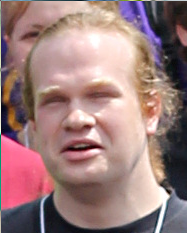 Sam Hartman is a Debian developer since 2000. He has never taken any sort of official role within Debian (that is besides package maintainer), yet I know him for his very thoughtful contributions to discussions both on mailing lists and IRL during Debconf.
Until I met him at Debconf, I didn t know that he was blind, and the first reaction was to be impressed because it must be some tremendous effort to read the volume of information that Debian generates on mailing lists. In truth he s at ease with his computer much like I am although he uses it in a completely different way. Read on to learn more, my questions are in bold, the rest is by Sam.
Raphael: Who are you?
Sam: I m Sam Hartman. I m a 35-year-old software engineer. I am a principal consultant and co-owner of a small consulting company, called
 Well, every once in a while we re forced to do something that isn t particularly interesting or pleasant. Last week it happened again: I had to import a few pretty big PSTs (most 2Gig, one 10Gig, with about 100.000 emails) into our dovecot IMAP.
Doing this with Outlook itself was out of the question: it took way too long, even on the local network (many hours for a 1G file) and was prone to hanging and crashes, which were obviously a pain to debug and start over.
 Half a year ago, I experimented with


 I mentioned this briefly yesterday, but now I'll try to summarize the
story of a great surprise and a big moment for me.
 Last week was a rather slow week. I did some work on allowing the dashboard to store and process information that does not come from the BTS. This exposed a few issues with the way we were storing and presenting information. After talking to Matt, we decided that the dashboard should deal with task objects. These tasks would contain basic information such as a name, person assigned to it, status, and possibly a link to a bug. This means that we would be able to start up a new DEX project by simply choosing a project name and creating a basic text file containing a list of tasks (package names, patches, bugs, etc).
I also have been trying to get a hold of some people who participated in the last DEX project. I am interested in getting some more feedback about what went well, problems they encountered, and tools that might have made things easier. I am also talking to some people who are currently working on starting up new DEX projects to try and make dextools align with as many workflows as possible. If you fall into either of these categories, I would really appreciate it if you


 I just uploaded gdebi_0.8~exp1 into experimental.


 It s been a few months since


 Since my laptop features
 We downloaded a total of 8

 Jo bought me a voucher last Christmas to spend some time on a race
track, driving an Aston Martin and a Lamborghini. Finally we got
around to using it last week. Jo is just as much a petrol-head as me,
so I surprised her by buying the same experience voucher for her -
call it a wedding present. Good call - she didn't stop grinning all
day, even on the long drive home!
The Aston Martin was a DB9 Volante (i.e. the convertible). Lovely
car, but a little softer than I'd expected (maybe due to it being the
convertible). I preferred the Lamborghini Gallardo, pictured here in a
nice subtle colour. *grin*

