Search Results: "beh"

3 July 2011

Asheesh Laroia: How I feel about Google+ (not thrilled)


Image credit: Lake Shimmer by (nc-sa) cobalt123. The beautiful photo above is what reflections should look like. If you don't like Google's shimmering +1 buttons, try the convenient AdBlock filter Tom Morris wrote. I also block this image.

I have been reading a lot about Google+. I'm sure a lot of people put a lot of hard work into it. Lots of people seem to enjoy using it and appreciate its features. For my part, right now, when I see Google+ mentioned, the smile vanishes from my face. I just have a few thoughts. It's anti-competitive. If you could ask Google, "How much for a shimmering +1 button next to every search result?" you would be laughed out of the room. But they managed to offer themselves that unique marketing opportunity. I know that (1) most regulators who see this anti-competitive behavior won't see it as an anti-trust violation, and (2) the damage is already done, and no retribution in the future can act fast enough to fix the unfair advantage Google gave itself in the Internet-mediated personal communication (and ad sales) markets. The shimmering is distracting, making my online search experience worse. I know that Google is holding nothing back; they are willing to distract me from my intended use of Google in order to branch out their business. (If you haven't seen the shimmering +1 button, it's next to every web search result, and if you mouse over any part of the result, it does a wavy dance.) The most-touted feature is a clone of Diaspora. This by itself is fine; software should help users by having the best features imaginable. But the enthusiasm I've seen within the free software community (like when I read about Google+ on Slashdot and Planet Debian) should at least recognize that Google "circles" are a clone of Diaspora's Aspects. Centralization on the web feels like a personal attack. Corporations on the web are like unstoppable machines rolling us toward a future of corporate eavesdropping, central points of failure, and end-users sold en masse to advertisers. It enables a future of individual "platform owners" who can change the lived experience of untold hundreds of millions with tweaks that benefit their actual customers (the advertisers). There's not much I can do about that. I happen to take this personally: I am part of a small culture of people who run their own mail and web servers and understand the importance of software freedom. This is a part of my identity. I watch as its traces online vanish, replaced by something more efficient and terrifying. It makes me sad. I'm probably going to end up using it despite all these pain points. That's how I know that I am being steamrolled. The reasons I have given above are not reasons to not use Google+. They're just reasons that I'm going to frown all the way to the address bar. In weeks to months to years, the service will grow an enthusiastic userbase. At that point, personally, I'll have to make a choice between connecting with those people on their terms, or not staying in touch with them. Already, professionally, the idea has already come up on #openhatch that Google+ could help us reach people willing to contribute to open source. Are my gripes worth holding OpenHatch back, or worth isolating myself over? Probably not.


Vincent Bernat: Dealing with missing locales on remote hosts

On my system, I happen to set LANG to fr_FR.utf8 and LC_MESSAGES to en_US.utf8. This means that applications should follow French cultural conventions for most things except for messages which should be displayed in US English. On my own system, /etc/locale.gen contains those two locales. However, when I connect to some random remote system, they may be unavailable. Most applications will fallback silently to C. However, Perl can be quite noisy:
$ perl -e 'print "Hello\n";'
perl: warning: Setting locale failed.
perl: warning: Please check that your locale settings:
        LANGUAGE = (unset),
        LC_ALL = (unset),
        LC_MESSAGES = "en_US.utf8",
        LANG = "fr_FR.utf8"
    are supported and installed on your system.
perl: warning: Falling back to the standard locale ("C").
Hello
This is an incredibly annoying message. I don t understand why we still need to bear it. Perl documentation explains how to get rid of this message. The simplest way is to set PERL_BADLANG environment variable to 0. Problem solved.
$ PERL_BADLANG=0 perl -e 'print "Hello\n";'
Hello
Well, no. Keep reading. When you connect to a remote host with ssh, all your environment variables are thrown away, except those defined in AcceptEnv directive in /etc/ssh/sshd_config file on the remote host. On Debian, this directive defaults to LANG LC_*. Since I cannot install my favourite locales on all hosts or fiddle environment variables on them, I use something like this in my .zshrc:
ssh()  
  [ -t 1 ] && echo -ne "\033]0;$@\007"
  LANG=C LC_MESSAGES=C =ssh "$@"
 
Unfortunately, on systems where my locales are present, I still fallback to the crappy C locale. I could just unset LANG and LC_MESSAGES to allow fallback to the proper default locale but if the remote system starts to speak Spanish, I will not be pleased. Moreover, the behaviour of C locale (also known as POSIX locale) is undefined with characters not in the portable character set. From IEEE Std 1003.1:
Conforming systems shall provide a POSIX locale, also known as the C locale. The behavior of standard utilities and functions in the POSIX locale shall be as if the locale was defined via the localedef utility with input data from the POSIX locale tables in Locale Definition. The tables in Locale Definition describe the characteristics and behavior of the POSIX locale for data consisting entirely of characters from the portable character set and the control character set. For other characters, the behavior is unspecified. For C-language programs, the POSIX locale shall be the default locale when the setlocale() function is not called. The POSIX locale can be specified by assigning to the appropriate environment variables the values C or POSIX.
There is no way to detect the locales installed on the remote system unless you connect to it. Starting a connection just to check the locale is too expensive. On my own systems, I use another snippet in .zshrc to reconfigure the locales to my favourite ones if they are available:
export LANG=C
export LC_MESSAGES=C
(( $+commands[locale] )) && function  
    local locales
    locales=( "LANG fr_FR.utf8 en_US.utf8 C.UTF-8 C" \
              "LC_MESSAGES en_US.utf8 fr_FR.utf8 C.UTF-8 C" )
    for locale in $locales; do
        for l in $=locale[(w)2,-1]; do
            if locale -a   grep -qx $l; then
                export $locale[(w)1]=$l
                break
            fi
        done
    done
  2> /dev/null
This is an interesting snippet which uses some ZSH features. Feel free to tell me if you have found a better way to handle this problem!

Gunnar Wolf: DebConf13 at home? Why not?

We are few weeks away from the start of DebConf11. Excitement runs high in Debian-land. The two most worthy weeks of the year, every year, loom close. Our Bosnian friends have done a great job of finding and defending an amazing proposal, and are now facing the hard work and permanent adrenaline levels of being in charge of the closest I have seen to a herd of (well-behaved but wild and untamable) cats. I have organized DebConf in my country. It was hellish, but at the same time, it's one of my most cherished experiences. And I'm sure the same will be said by the leaders of each successive bid It is one of the most rewarding experiences you can imagine. Next year, DebConf will be held in tropical Managua, Nicaragua. But, where will we meet in 2013? Well, that depends on you, my dear reader! Do you want to work your ass off for Debian and have utter fun? Do you want to show and share your country with this huge family of developers? Start thinking about pushing for a DebConf13 bid! Do you have to be at Banja Luka to propose your bid? No. You can proxy via somebody I'd suggest to do it via somebody who knows the location you are suggesting, but basically, choose a friend that you trust that trusts you. Of course, you can participate in the presentation session via IRC. Do you have to be a Debian Developer to propose a bid? No. For DebConf9, none of the C ceres guys was a DD; for DebConf10, some of the people most involved from the local New Yorkers were not DDs. For DC11, none of our dear and overworked hosts in Bosnia are DDs. And for DC12, the Nicaraguan crew is also made from people interested in getting closer to the Debian project, but not DDs. Do you have to decide now? No. This is just a call for a first presentation, but the decision regarding DC13 will be taken probably around March 2012. However, giving a nice presentation at DebConf helps a lot, gives you visibility, and will get the ball rolling. Is there a geographical bias? Slight. So far, and since the second DebConf, we have kept the tradition not to repeat continents on two successive DebConfs. This is not a hard condition, however! What do you need to start thinking about? Go visit our prospective location checklist at http://wiki.debconf.org/wiki/LocationCheckList. You can also look at what other teams have historically presented. Finally, I just learnt about the existence of http://wiki.debconf.org/wiki/DebConf13 Register there, even if you are just in the early phases of finding data. We will be holding a DebConf13 bids presentation session, most probably (the schedule is close to being presented officially!) on 30-07-2011, at 17:00.

2 July 2011

Martin Meredith: Google+: Part 1 Circles

So, I haven t read the planets in a couple of days but I m going to guess that, like twitter, a lot of people are going to be raving about Google+. For those of you who haven t heard about Google+, it s a new Social Networking site from Google and it brings a new take to the world of social networking. In real life, we communicate differently to the different people in our social contexts. For example, most people will converse differently to their work colleagues than they will to their family. They ll converse differently with their drinking buddies than they will with their Family. There are things that you want only certain people to know, and there are aspects of your personality that you only want to show to certain people. I think giving an example here might be better. This is an example of a friend of mine, who we ll call Fred. Fred is a teacher. Fred also likes to go out of a weekend and party till dawn, while consuming lots of tequila. I, as Fred s friend, am on a night out of drunken debauchery, and I ve my camera with me, and decide to post lots of pictures online of the night s revelry. The next day, one of Fred s colleagues logs into a Social Networking site, and sees said pictures in Fred s profile. Now things aren t looking so bright for Fred. He no longer gives across that professional image that he should do at work. Some may say that this is Fred s fault for going out and doing these things, but everyone s entitled to a personal life, right? At the moment, on Fred s social networking site, it s an all or nothing option. If he allows you access to his profile, he allows you access to see anything and everything that might show up on there. (It s a bit more complicated than this, but let s keep it simple for now). Every time Fred has someone add him as a contact he has to make that decision Do I want this person to be able to see everything I may or may not get up to . Put simply, how many of you have refused someone to add you on the Social Networking site du jour because what you show on their may be harmful to you, or give over an impression that isn t what you want to give across. Enter Circles. Circles brings to the social networking scene the way we interact with people in real life. We show a different aspect of our personality to different people we interact with. I m a bit of an organisational freak, and I know that there are different groups of people that either for the fact of portraying a persona, or not annoying everyone else, I might want to push in different ways. For example, I might want to send out a BBQ at my house, bring lots of alcohol message to all my friends, but don t really want my co-workers coming along and making it so I have to be on my best behaviour. Below is a screenshot of my (current) circles. As you can see I have a fair few, and only a relative few people. Now, let s say that I wanted to send out that BBQ message As you can see I ve the option to send this to the 5 people that are in my Friends group (it s currently mostly geeks on there there are only a few of my real life friends on there so far!) Now with only a few clicks, I ve managed to send out a message to just those few people that I want to :) Over the next few days, I ll write a bit more about Google+, but I thought I d start with an introduction into the Circles feature. I ll be giving a bit of feedback about what I like, what I dislike, and also making a few suggestions for what I d like to see happen in the future (and probably use the word siloing a fair bit!) For now, toodles.

1 July 2011

Michal Čihař: Not going to DebConf

Year ago, when DebConf 11 in Banja Luka has been announced, I was really happy for the location and was sure I'm going to visit it. I applied early, requested sponsorship, but then things got slightly more complicated and in the end I had to say no quite shortly before reconfirmation deadline. So I will not meet all the great people behind Debian this year and will wait for another chance (probably in two years, as Nicaragua sounds attractive, but when I would be so far away I'd like to spend at least month in the area and time and money is always problem in such case :-)).

Filed under: Debian English 0 comments Flattr this!

29 June 2011

Vincent Bernat: Alternate Android firmware on Samsung Galaxy S

I have bought a Samsung Galaxy S Android phone some time ago. One of the first thing that you try to do with such a phone is to switch to some alternate firmware (the coined term is ROM ), like CyanogenMod. Flashing a firmware is a whole new universe. You are told about a lot of proprietary tools, you need to download a lot of things from MegaUpload and friends and nobody really explains what s going on under the hood. I was a bit lost at first. I will not provide a step-by-step guide since I cannot afford to stay up-to-date. Such a guide is usually posted on some forum. It assumes you are running Windows and provides appropriate download links. You must follow it (and check that it is recent enough). I will just provide you some background to understand those guides.

Android firmwares There are several Android firmwares. Most of them are specific to a given phone (or its close variations). They can be sorted in three categories:
  1. Official firmwares from the phone manufacturer include a kernel with appropriate drivers and, usually, a customized interface (HTC Sense for HTC, TouchWiz for Samsung). Some manufacturers will lag a lot behind Android schedule and you may not get all the new shiny features.
  2. Modified firmwares are built from the official firmwares. They usually add a lot of hacks on top of the original firmware, remove some cruft but are still closely related to the official firmware.
  3. Firmwares built from Android Open Source Project (the open source version of Android) do not share nothing with the official firmware except some bits related to the kernel (drivers, hacks).

Darky ROM Darky ROM is a modified firmware. It takes the original firmware from Samsung, adds a custom kernel (based on the source of the official kernel), adds a lot of hacks, some additional applications and removes some unwanted cruft. This is a very nice firmware which is quite snappy. This is a drop-in replacement for the default firmware: you will only get improvements. The latest version is 10.1 and there is a neat guide on how to install it.

CyanogenMod CyanogenMod is a firmware built from AOSP. It supports several devices and provide an unified firmware on all of them. Support for the Samsung Galaxy S is recent and is not present in the stable build. However, some RC build is now available. Be sure to read the FAQ (most notably the part saying that you need to install from Froyo 2.2 because the bootloader provided by Samsung with Gingerbread 2.3 is not compatible). You can also grab some information from the wiki. The major drawback of using this firmware instead of going for a modified firmware like Darky ROM is that the battery life may suck. I now need to charge my phone every day instead of once every two days. On the plus side, you get a very clean firmware with a lot of features and almost no cruft. For example, the notification bar can be customized and OpenVPN is available out of the box. Moreover, almost everything is open source (if you don t install Google apps). You can see this firmware as an open source distribution for your phone. There is no need to download random files linked from a random forum to make it work. There is no package manager, though. Despite the bad battery life, I prefer this firmware.

Prerequisites Before trying to flash a new firmware, there are some tools that you need to have. Note that you don t need root access to flash a new firmware.

Download & recovery mode Before trying to install any firmware, you must check that your phone can access download and recovery modes. The download mode allows to flash any new firmware, even if the current firmware does not boot at all. As long as this mode is available, there is very little chance that you brick your phone. To access those modes, you need to use the three-button combo . Here are the steps (your phone should not be plugged):
  1. Power off the phone (wait for the phone to vibrate).
  2. Hold the Volume down button for download mode. Hold the Volume up button for recovery mode.
  3. Hold the Home button.
  4. Hold the Power button. The phone will start.
  5. Once you have the Samsung logo displayed on the screen, release the Power button.
  6. Only release the two other buttons when you enter the recovery mode or download mode. The recovery mode displays a menu. The download mode displays a big yellow Android logo.
If after ten tries, you are unable to access those modes, maybe they have been disabled. Keep reading, there is a solution.

Heimdall Heimdall is a tool to flash a new firmware to your phone. This is not a mandatory tool but you will have to use it if something goes wrong. Most guides will tell you to use Odin. It is a leaked Samsung tool running on Windows only. You can use Heimdall instead.
$ git clone https://github.com/Benjamin-Dobell/Heimdall.git
Cloning into Heimdall...
remote: Counting objects: 423, done.
remote: Compressing objects: 100% (271/271), done.
remote: Total 423 (delta 220), reused 332 (delta 138)
Receiving objects: 100% (423/423), 5.91 MiB   962 KiB/s, done.
Resolving deltas: 100% (220/220), done.
$ cd Heimdall/heimdall
$ sudo apt-get install libusb-1.0-0-dev
$ ./configure && make
[...]
$ sudo cp 60-heimdall-galaxy-s.rules /etc/udev/rules.d
$ sudo /etc/init.d/udev reload
You need to use this tool while in download mode. You can test it, while in download mode, with:
$ ./heimdall print-pit
This will display the partition table of your phone. This is enlightening to know what it contains:
  • IBL+PBL is the boot loader, be extra careful with it;
  • PIT is the partition table;
  • EFS contains some important data like IEMEI, be extra careful with it;
  • SBL is the second boot loader;
  • SBL2 is the backup of the second boot loader;
  • PARAM contains some images used as various stage of the boot process;
  • KERNEL is the kernel;
  • RECOVERY is the backup of the kernel;
  • FACTORYFS contains /system file system which is some kind of root file system;
  • DBDATA contains /data file system which is the database to store application parameters;
  • CACHE contains /cache file system which contains the Dalvik cache;
  • MODEM contains the firmware for the modem.
As we will see, Heimdall is able to flash any of those partitions with flash subcommand.

adb adb stands for Android Debug Bridge. Among other things, this tool allow you to drive your phone through the USB connection. You can get a shell, reboot into download or recovery mode, push files to your Android device, etc. To get this tool, you need to download the full Android SDK.
$ tar zxvf ~/download/android-sdk_r11-linux_x86.tgz
$ cd android-sdk-linux_x86
$ tools/android update sdk
[select Android SDK Platform-tools]
$ platform-tools/adb shell
# uname -a
Linux localhost 2.6.35.7-I9000XWJVH-CL184813 #Dark_Core_2.4 PREEMPT Mon May 16 15:02:38 EEST 2011 armv7l GNU/Linux
The important commands are:
  • shell to get a shell on the device;
  • reboot recovery to reboot in recovery mode;
  • reboot download to reboot in download mode;
  • push to put a file on the phone;
  • pull to retrieve a file;
  • install to install an application from its APK;
  • logcat to see the logs and what happens, very useful!

Restore download mode If your phone is missing download mode, you can recover it with the help of adb and heimdall. You need to grab some official firmware and extract boot.bin and Sbl.bin from it.
$ adb reboot download
$ heimdall flash --primary-boot ~/download/boot.bin --secondary-boot ~/download/Sbl.bin
Be extra careful here. You may brick your phone. Double check that you grab the correct files and that they are really for your phone (there exists some variants). It worked for me.

Installing a new firmware While you can switch from one firmware to another without losing your data, it is better to wipe your system and your data before switching firmware. This means that you will lose all your applications and the data inside them (list of contacts, SMS, preferences). However, nothing will ever modify your data in the internal SD card or in the external SD card (which are both inside the phone). They usually contains your music and your photos. There are two ways to install a firmware:
  1. via Heimdall, or
  2. using the recovery.

Heimdall When a guide tells you to use Odin, you can use Heimdall instead. Odin takes a TAR file. You should untar it and uses its content with Heimdall. For example:
$ ./heimdall flash --repartition --pit s1_odin_20100512.pit \
>                  --factoryfs factoryfs.rfs \
>                  --cache cache.rfs --dbdata dbdata.rfs \
>                  --param param.lfs --modem modem.bin \
>                  --kernel zImage --secondary-boot Sbl.bin 
Claiming interface again...   Success
Setting up interface...   Success
Beginning session...
Handshaking with Loke...   Success
Uploading PIT
PIT upload successful
Uploading SBL
100%
SBL upload successful
Uploading KERNEL
100%
KERNEL upload successful
Uploading MODEM
100%
MODEM upload successful
Uploading PARAM
100%
PARAM upload successful
Uploading FACTORYFS
100%
FACTORYFS upload successful
Uploading DBDATAFS
100%
DBDATAFS upload successful
Uploading CACHE
100%
CACHE upload successful
Ending session...
Rebooting device...
You may be interested to update your modem using Heimdall. This is usually independent of the firmware you want to use. Also, no need to provide a PIT file if you don t want to repartition. Heimdall can read the current one and flash only one of the partitions.

Recovery mode The base recovery shipped with the Samsung Galaxy S does not have a lot of options. Moreover, it may be locked and will accept to install only signed firmwares. Most firmwares come with ClockWorkMod, a more advanced recovery. Once you get it, you will be able to use any ZIP file to install a new firmware. My advice is to try to get ClockWorkMod as soon as possible. If you are root, you can install ROM Manager that will install it for you. If you are not root, most custom firmwares will provide ClockWorkMod. Therefore, you can just install a custom firmware with Heimdall. There exists special firmwares just for this, like EZbase. If you want to install CyanogenMod, be sure to download a Froyo firmware, not a Gingerbread one. Keep in mind that the recovery is located inside the kernel. It is not self-contained in the bootloader (unlike download mode). If you don t want to flash a whole firmware (and lose everything on your phone) just to get the recovery, you can just flash the kernel. The ClockWorkMod recovery comes with an utility to backup your whole phone. This way, you can easily restore your previous firmware if you don t like the current one. This is what is called a Nandroid backup.

Lagfix A lot of guides will tell you to enable or disable lagfix. Samsung shipped the Galaxy S with some crappy filesystem called RFS (which is some kind of enhanced FAT). It is slow and seems responsible for some lags that may happen on the interface. A lagfix is a way to replace this filesystem by something better, like EXT4 or YAFFS2. The process is pretty straighforward and consist to backup all the partition to the SD card, reformat it with another filesystem and restore the backup. The lagfix may be applied automatically with some firmware (like CyanogenMod) or you may request it in the recovery mode (most modified firmwares work this way). In this case, it will be applied automatically on the next boot. You should disable it before installing another firmware with the recovery mode (no need if you install it with Heimdall).

Applications You can find many free (as in free speech) applications for Android. Unfortunately, Android Market does not allow to use this criteria as a filter. F-Droid is an alternate market featuring only FOSS applications. Here is a short selection of free applications:
  • ADW.Launcher is a home replacement app. It is very configurable and themable.
  • K-9 Mail is a very nice email client.
  • Xabber is a XMPP/Jabber client.
  • ConnectBot is an SSH client (as well as a terminal).
  • DroidWall is an application firewall (using Netfilter). It lets you select which application can access to Internet depending on your connection (wifi or 3G).
  • Barcode Scanner decodes 1D/2D barcode including QR codes.
  • OsmAnd is a replacement for Google Maps using OpenStreetMap. The free version on Android Market is out-dated. Buy the plus version or download it throught F-Droid.
Another must-have application is Titanium Backup which allows to backup any application with data. Unfortunately, this is not a free (as in free speech) application.

Vincent Bernat: Alternate Android firmware on Samsung Galaxy S

I have bought a Samsung Galaxy S Android phone some time ago. One of the first thing that you try to do with such a phone is to switch to some alternate firmware (the coined term is ROM ), like CyanogenMod. Flashing a firmware is a whole new universe. You are told about a lot of proprietary tools, you need to download a lot of things from MegaUpload and friends and nobody really explains what s going on under the hood. I was a bit lost at first. I will not provide a step-by-step guide since I cannot afford to stay up-to-date. Such a guide is usually posted on some forum. It assumes you are running Windows and provides appropriate download links. You must follow it (and check that it is recent enough). I will just provide you some background to understand those guides.

Android firmwares There are several Android firmwares. Most of them are specific to a given phone (or its close variations). They can be sorted in three categories:
  1. Official firmwares from the phone manufacturer include a kernel with appropriate drivers and, usually, a customized interface (HTC Sense for HTC, TouchWiz for Samsung). Some manufacturers will lag a lot behind Android schedule and you may not get all the new shiny features.
  2. Modified firmwares are built from the official firmwares. They usually add a lot of hacks on top of the original firmware, remove some cruft but are still closely related to the official firmware.
  3. Firmwares built from Android Open Source Project (the open source version of Android) do not share nothing with the official firmware except some bits related to the kernel (drivers, hacks).

Darky ROM Darky ROM is a modified firmware. It takes the original firmware from Samsung, adds a custom kernel (based on the source of the official kernel), adds a lot of hacks, some additional applications and removes some unwanted cruft. This is a very nice firmware which is quite snappy. This is a drop-in replacement for the default firmware: you will only get improvements. The latest version is 10.1 and there is a neat guide on how to install it.

CyanogenMod CyanogenMod is a firmware built from AOSP. It supports several devices and provide an unified firmware on all of them. Support for the Samsung Galaxy S is recent and is not present in the stable build. However, some RC build is now available. Be sure to read the FAQ (most notably the part saying that you need to install from Froyo 2.2 because the bootloader provided by Samsung with Gingerbread 2.3 is not compatible). You can also grab some information from the wiki. The major drawback of using this firmware instead of going for a modified firmware like Darky ROM is that the battery life may suck. I now need to charge my phone every day instead of once every two days. On the plus side, you get a very clean firmware with a lot of features and almost no cruft. For example, the notification bar can be customized and OpenVPN is available out of the box. Moreover, almost everything is open source (if you don t install Google apps). You can see this firmware as an open source distribution for your phone. There is no need to download random files linked from a random forum to make it work. There is no package manager, though. Despite the bad battery life, I prefer this firmware.

Prerequisites Before trying to flash a new firmware, there are some tools that you need to have. Note that you don t need root access to flash a new firmware.

Download & recovery mode Before trying to install any firmware, you must check that your phone can access download and recovery modes. The download mode allows to flash any new firmware, even if the current firmware does not boot at all. As long as this mode is available, there is very little chance that you brick your phone. To access those modes, you need to use the three-button combo . Here are the steps (your phone should not be plugged):
  1. Power off the phone (wait for the phone to vibrate).
  2. Hold the Volume down button for download mode. Hold the Volume up button for recovery mode.
  3. Hold the Home button.
  4. Hold the Power button. The phone will start.
  5. Once you have the Samsung logo displayed on the screen, release the Power button.
  6. Only release the two other buttons when you enter the recovery mode or download mode. The recovery mode displays a menu. The download mode displays a big yellow Android logo.
If after ten tries, you are unable to access those modes, maybe they have been disabled. Keep reading, there is a solution.

Heimdall Heimdall is a tool to flash a new firmware to your phone. This is not a mandatory tool but you will have to use it if something goes wrong. Most guides will tell you to use Odin. It is a leaked Samsung tool running on Windows only. You can use Heimdall instead.
$ git clone https://github.com/Benjamin-Dobell/Heimdall.git
Cloning into Heimdall...
remote: Counting objects: 423, done.
remote: Compressing objects: 100% (271/271), done.
remote: Total 423 (delta 220), reused 332 (delta 138)
Receiving objects: 100% (423/423), 5.91 MiB   962 KiB/s, done.
Resolving deltas: 100% (220/220), done.
$ cd Heimdall/heimdall
$ sudo apt-get install libusb-1.0-0-dev
$ ./configure && make
[...]
$ sudo cp 60-heimdall-galaxy-s.rules /etc/udev/rules.d
$ sudo /etc/init.d/udev reload
You need to use this tool while in download mode. You can test it, while in download mode, with:
$ ./heimdall print-pit
This will display the partition table of your phone. This is enlightening to know what it contains:
  • IBL+PBL is the boot loader, be extra careful with it;
  • PIT is the partition table;
  • EFS contains some important data like IEMEI, be extra careful with it;
  • SBL is the second boot loader;
  • SBL2 is the backup of the second boot loader;
  • PARAM contains some images used as various stage of the boot process;
  • KERNEL is the kernel;
  • RECOVERY is the backup of the kernel;
  • FACTORYFS contains /system file system which is some kind of root file system;
  • DBDATA contains /data file system which is the database to store application parameters;
  • CACHE contains /cache file system which contains the Dalvik cache;
  • MODEM contains the firmware for the modem.
As we will see, Heimdall is able to flash any of those partitions with flash subcommand.

adb adb stands for Android Debug Bridge. Among other things, this tool allow you to drive your phone through the USB connection. You can get a shell, reboot into download or recovery mode, push files to your Android device, etc. To get this tool, you need to download the full Android SDK.
$ tar zxvf ~/download/android-sdk_r11-linux_x86.tgz
$ cd android-sdk-linux_x86
$ tools/android update sdk
[select Android SDK Platform-tools]
$ platform-tools/adb shell
# uname -a
Linux localhost 2.6.35.7-I9000XWJVH-CL184813 #Dark_Core_2.4 PREEMPT Mon May 16 15:02:38 EEST 2011 armv7l GNU/Linux
The important commands are:
  • shell to get a shell on the device;
  • reboot recovery to reboot in recovery mode;
  • reboot download to reboot in download mode;
  • push to put a file on the phone;
  • pull to retrieve a file;
  • install to install an application from its APK;
  • logcat to see the logs and what happens, very useful!

Restore download mode If your phone is missing download mode, you can recover it with the help of adb and heimdall. You need to grab some official firmware and extract boot.bin and Sbl.bin from it.
$ adb reboot download
$ heimdall flash --primary-boot ~/download/boot.bin --secondary-boot ~/download/Sbl.bin
Be extra careful here. You may brick your phone. Double check that you grab the correct files and that they are really for your phone (there exists some variants). It worked for me.

Installing a new firmware While you can switch from one firmware to another without losing your data, it is better to wipe your system and your data before switching firmware. This means that you will lose all your applications and the data inside them (list of contacts, SMS, preferences). However, nothing will ever modify your data in the internal SD card or in the external SD card (which are both inside the phone). They usually contains your music and your photos. There are two ways to install a firmware:
  1. via Heimdall, or
  2. using the recovery.

Heimdall When a guide tells you to use Odin, you can use Heimdall instead. Odin takes a TAR file. You should untar it and uses its content with Heimdall. For example:
$ ./heimdall flash --repartition --pit s1_odin_20100512.pit \
>                  --factoryfs factoryfs.rfs \
>                  --cache cache.rfs --dbdata dbdata.rfs \
>                  --param param.lfs --modem modem.bin \
>                  --kernel zImage --secondary-boot Sbl.bin 
Claiming interface again...   Success
Setting up interface...   Success
Beginning session...
Handshaking with Loke...   Success
Uploading PIT
PIT upload successful
Uploading SBL
100%
SBL upload successful
Uploading KERNEL
100%
KERNEL upload successful
Uploading MODEM
100%
MODEM upload successful
Uploading PARAM
100%
PARAM upload successful
Uploading FACTORYFS
100%
FACTORYFS upload successful
Uploading DBDATAFS
100%
DBDATAFS upload successful
Uploading CACHE
100%
CACHE upload successful
Ending session...
Rebooting device...
You may be interested to update your modem using Heimdall. This is usually independent of the firmware you want to use. Also, no need to provide a PIT file if you don t want to repartition. Heimdall can read the current one and flash only one of the partitions.

Recovery mode The base recovery shipped with the Samsung Galaxy S does not have a lot of options. Moreover, it may be locked and will accept to install only signed firmwares. Most firmwares come with ClockWorkMod, a more advanced recovery. Once you get it, you will be able to use any ZIP file to install a new firmware. My advice is to try to get ClockWorkMod as soon as possible. If you are root, you can install ROM Manager that will install it for you. If you are not root, most custom firmwares will provide ClockWorkMod. Therefore, you can just install a custom firmware with Heimdall. There exists special firmwares just for this, like EZbase. If you want to install CyanogenMod, be sure to download a Froyo firmware, not a Gingerbread one. Keep in mind that the recovery is located inside the kernel. It is not self-contained in the bootloader (unlike download mode). If you don t want to flash a whole firmware (and lose everything on your phone) just to get the recovery, you can just flash the kernel. The ClockWorkMod recovery comes with an utility to backup your whole phone. This way, you can easily restore your previous firmware if you don t like the current one. This is what is called a Nandroid backup.

Lagfix A lot of guides will tell you to enable or disable lagfix. Samsung shipped the Galaxy S with some crappy filesystem called RFS (which is some kind of enhanced FAT). It is slow and seems responsible for some lags that may happen on the interface. A lagfix is a way to replace this filesystem by something better, like EXT4 or YAFFS2. The process is pretty straighforward and consist to backup all the partition to the SD card, reformat it with another filesystem and restore the backup. The lagfix may be applied automatically with some firmware (like CyanogenMod) or you may request it in the recovery mode (most modified firmwares work this way). In this case, it will be applied automatically on the next boot. You should disable it before installing another firmware with the recovery mode (no need if you install it with Heimdall).

Applications You can find many free (as in free speech) applications for Android. Unfortunately, Android Market does not allow to use this criteria as a filter. F-Droid is an alternate market featuring only FOSS applications. Here is a short selection of free applications:
  • ADW.Launcher is a home replacement app. It is very configurable and themable.
  • K-9 Mail is a very nice email client.
  • Xabber is a XMPP/Jabber client.
  • ConnectBot is an SSH client (as well as a terminal).
  • DroidWall is an application firewall (using Netfilter). It lets you select which application can access to Internet depending on your connection (wifi or 3G).
  • Barcode Scanner decodes 1D/2D barcode including QR codes.
  • OsmAnd is a replacement for Google Maps using OpenStreetMap. The free version on Android Market is out-dated. Buy the plus version or download it throught F-Droid.
Another must-have application is Titanium Backup which allows to backup any application with data. Unfortunately, this is not a free (as in free speech) application.

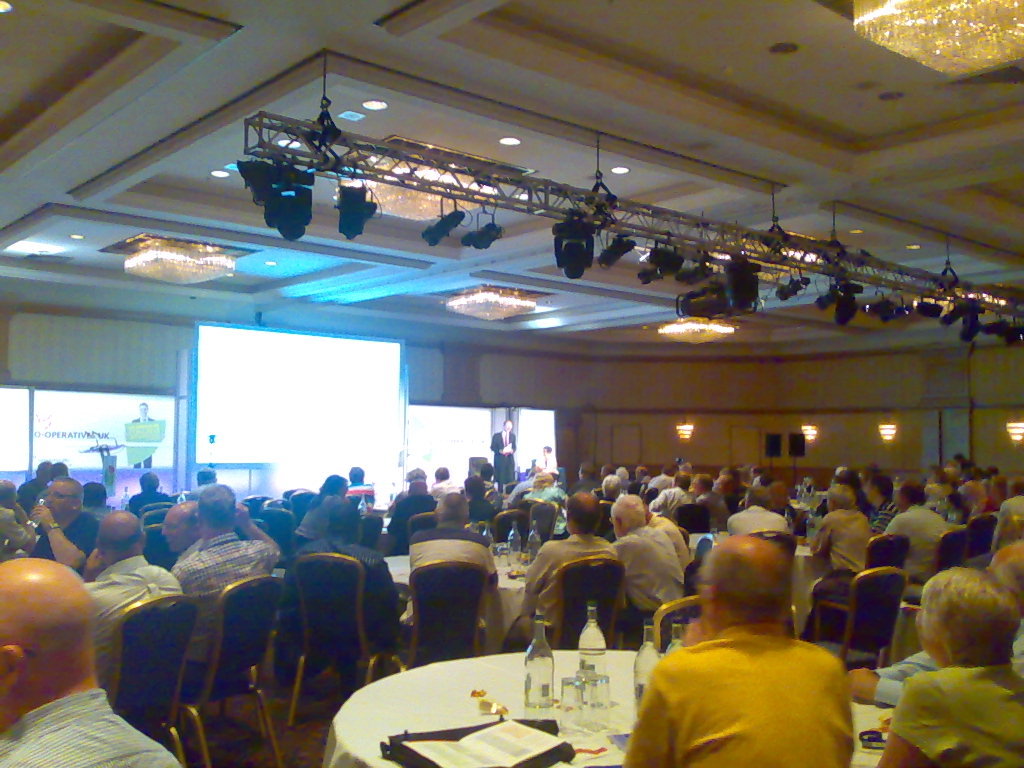
MJ Ray: Co-operatives Fortnight and Congress 2011 (#coops14 and #cc11)

It s Co-operatives Fortnight until 9 July and our co-op is supporting many events: As you may know, we ve already done two events: First, last Friday, Michael attended the Co-operatives UK Annual Meeting on our behalf. Co-operatives UK is our national co-ordinating co-op and the figurehead for the movement in this country. I didn t see the meeting (the live video link didn t work for me, as before), but Michael reports:
The AGM seemed well organized; it was good to hear about the work they re doing and the concerns regarding the co-operative situation in Poland. I think it s important to exercise one s ability to vote, but would have liked more opportunity to speak with people.
We couldn t send anyone to the Mary Portas session on Friday evening, but Paul Dale Smith summarised the session and RuthRosselson described it as Mary Portas tells Co-op Congress how it is . Then on Saturday, I was in Manchester for The Power of Co-operation, thanks to support from software.coop and The Co-operative Bank. The first session I attended, on mutualisting the Post Office was interesting and pretty full, but I found some later sessions rather frustrating. As well as my usual concerns about surrendering to uncritical use of private-sector software, I got quite annoyed by two sessions on member engagement where the presenters seemed to talk for almost the full time without letting the audience engage! Not good for my blood pressure, that, especially when I feel they re missing something! But the real value of the day was in the fascinating discussions I had with many people in the short breaks in the plenary, or while wandering around the exhibition and the marketplace. For example, it was great to see Revolver still selling the T-shirts I mentioned here in 2009 as well as giving out free samples of their brilliant fairtrade coffee. What comes from the various discussions will probably decide whether we attend similar events in future. Were you in Birmingham? How was it for you? Are you supporting Co-operatives Fortnight? How, where, when and why?

28 June 2011

Matthew Palmer: SSL Session Caching (in nginx)

Given that I was responsible for putting together the system architecture for Github when they moved away from their previous services provider to Anchor Systems, I keep an eye on what's going on there even though I've gotten out of professional IT. Recently(ish), Ryan Tomayko blogged about some experiments in using Amazon CloudFront as a CDN for static assets. While discussing as-yet unsolved performance issues, he quoted a tweet from Shopify's CEO (who I would have thought would have known better):
Protip to make SSL fast: terminate in your load balancer, that makes SSL session cookies actually work.
No, no, NO -- a million times NOOOOOO! Load balancers are, by their very nature, performance chokepoints. You can't horizontally scale your load balancer, because if you do (by, say, putting another load balancer in front of it -- don't laugh, I've seen it done) you've just re-introduced all the same problems that putting SSL on the load balancer was supposed to accomplish (that is, getting SSL session caching to work). The only thing you accomplish by putting your SSL sessions onto the load balancer is bring the moment your load balancer melts down through excessive CPU usage that much closer. I dunno, maybe Shopify doesn't actually do that much traffic or something, but I certainly wouldn't be signing up for that headache if it were my infrastructure. (Sidenote: yes, I know that you can get "SSL hardware accelerators", that put the basic crypto operations into dedicated silicon, but they're rarely cheap, and you can't horizontally scale those, either. They're effectively a specialised and outrageously expensive form of "scaling by bigger hardware" -- which is a valid method of scaling, but one with fairly terminal limitations that certainly wouldn't make it practical for Github). The problem you're trying to solve by centralising SSL operations is that SSL includes a mechanism whereby a client making a new TCP connection can say "here's the crypto details from last time I connected to you" and the server can just pull out all of the per-connection data that would otherwise take a long time (several TCP round trips and a smallish chunk of CPU time) to setup. This can make SSL connections a lot snappier (in Ryan's opinion, "We spend roughly as much time handshaking as we do generating the average dynamic request."), so they're a definite win if you can do it (and yes, you can do it). Webservers don't typically do this caching by default, but setting up a simple SSL session cache for a single nginx or Apache webserver is pretty trivial. Testing it is simple, too: just install gnutls-bin and run:
	gnutls-cli -V -r HOSTNAME  grep 'Session ID'
If all three Session IDs are the same, then you've got SSL session caching running. (If you're wondering why I'm using gnutls-cli rather than openssl s_client, it's because openssl is living in the pre-IPv6 dark ages, and I've got IPv6-only services running I wanted to test). So that's great for your little single-server hosting setup, but per-machine caches aren't much use when you're running behind a load balancer, Github style, because each SSL-enabled TCP connection can very well end up on a different server, and a per-machine cache won't help you very much. (If you think the answer to this problem is "session affinity", you're setting yourself up for a whole other world of pain and suffering.) Here's the kicker, though -- the SSL session is just a small, opaque chunk of bytes (OpenSSL appears to store it internally as an ASN.1 string, but that's an irrelevant implementation detail). An SSL session cache is just a mapping of the SSL session ID (a string) to the SSL session data (another string). We know how to do "shared key-value caches" -- we have the technology. There won't be too many large-scale sites out there that aren't using memcached (or something practically equivalent). So, rather than stuff around trying to run a load balancer with enough grunt to handle all your SSL communication for all time, you can continue to horizontally scale the whole site with as many backend webservers as you need. All that's needed is to teach your SSL-using server to talk to a shared key-value cache. Far be it for me to claim any sort of originality in this idea, though -- patches for Apache's mod_ssl to do this have been floating around for a while, and according to the release notes, the 2.4 series will have it all built-in. However, Github uses nginx, to great effect, and nobody's done the work to put this feature into nginx (that I could find, anyway). Until now. I present, for the edification of all, a series of patches to nginx 0.8.x to provide memcached-enabled SSL session caching. Porting them to other versions of nginx hopefully won't be too arduous, and if you ask nicely I might give it a shot. If you don't use memcached (gasp!), my work should at least be a template to allow you to hook into whatever system you prefer. Sharding the memcached calls wouldn't be hard either, but I'm not a huge fan of that when other options are available. I had originally hoped to be able to say "it works at Github!" as a testimonial, but for some reason it hasn't been deployed there yet (go forth and pester!), so instead I'm just releasing it out there for people to try out on a "well, I don't know that it doesn't work" basis. If it breaks anything, it's not my fault; feel free to supply patches if you want to fix anything I've missed.

27 June 2011

Matthew Palmer: SSL Session Caching (in nginx)

Given that I was responsible for putting together the system architecture for Github when they moved away from their previous services provider to Anchor Systems, I keep an eye on what's going on there even though I've gotten out of professional IT. Recently(ish), Ryan Tomayko blogged about some experiments in using Amazon CloudFront as a CDN for static assets. While discussing as-yet unsolved performance issues, he quoted a tweet from Shopify's CEO (who I would have thought would have known better):
Protip to make SSL fast: terminate in your load balancer, that makes SSL session cookies actually work.
No, no, NO -- a million times NOOOOOO! Load balancers are, by their very nature, performance chokepoints. You can't horizontally scale your load balancer, because if you do (by, say, putting another load balancer in front of it -- don't laugh, I've seen it done) you've just re-introduced all the same problems that putting SSL on the load balancer was supposed to accomplish (that is, getting SSL session caching to work). The only thing you accomplish by putting your SSL sessions onto the load balancer is bring the moment your load balancer melts down through excessive CPU usage that much closer. I dunno, maybe Shopify doesn't actually do that much traffic or something, but I certainly wouldn't be signing up for that headache if it were my infrastructure. (Sidenote: yes, I know that you can get "SSL hardware accelerators", that put the basic crypto operations into dedicated silicon, but they're rarely cheap, and you can't horizontally scale those, either. They're effectively a specialised and outrageously expensive form of "scaling by bigger hardware" -- which is a valid method of scaling, but one with fairly terminal limitations that certainly wouldn't make it practical for Github). The problem you're trying to solve by centralising SSL operations is that SSL includes a mechanism whereby a client making a new TCP connection can say "here's the crypto details from last time I connected to you" and the server can just pull out all of the per-connection data that would otherwise take a long time (several TCP round trips and a smallish chunk of CPU time) to setup. This can make SSL connections a lot snappier (in Ryan's opinion, "We spend roughly as much time handshaking as we do generating the average dynamic request."), so they're a definite win if you can do it (and yes, you can do it). Webservers don't typically do this caching by default, but setting up a simple SSL session cache for a single nginx or Apache webserver is pretty trivial. Testing it is simple, too: just install gnutls-bin and run:
	gnutls-cli -V -r HOSTNAME  grep 'Session ID'
If all three Session IDs are the same, then you've got SSL session caching running. (If you're wondering why I'm using gnutls-cli rather than openssl s_client, it's because openssl is living in the pre-IPv6 dark ages, and I've got IPv6-only services running I wanted to test). So that's great for your little single-server hosting setup, but per-machine caches aren't much use when you're running behind a load balancer, Github style, because each SSL-enabled TCP connection can very well end up on a different server, and a per-machine cache won't help you very much. (If you think the answer to this problem is "session affinity", you're setting yourself up for a whole other world of pain and suffering.) Here's the kicker, though -- the SSL session is just a small, opaque chunk of bytes (OpenSSL appears to store it internally as an ASN.1 string, but that's an irrelevant implementation detail). An SSL session cache is just a mapping of the SSL session ID (a string) to the SSL session data (another string). We know how to do "shared key-value caches" -- we have the technology. There won't be too many large-scale sites out there that aren't using memcached (or something practically equivalent). So, rather than stuff around trying to run a load balancer with enough grunt to handle all your SSL communication for all time, you can continue to horizontally scale the whole site with as many backend webservers as you need. All that's needed is to teach your SSL-using server to talk to a shared key-value cache. Far be it for me to claim any sort of originality in this idea, though -- patches for Apache's mod_ssl to do this have been floating around for a while, and according to the release notes, the 2.4 series will have it all built-in. However, Github uses nginx, to great effect, and nobody's done the work to put this feature into nginx (that I could find, anyway). Until now. I present, for the edification of all, a series of patches to nginx 0.8.x to provide memcached-enabled SSL session caching. Porting them to other versions of nginx hopefully won't be too arduous, and if you ask nicely I might give it a shot. If you don't use memcached (gasp!), my work should at least be a template to allow you to hook into whatever system you prefer. Sharding the memcached calls wouldn't be hard either, but I'm not a huge fan of that when other options are available. I had originally hoped to be able to say "it works at Github!" as a testimonial, but for some reason it hasn't been deployed there yet (go forth and pester!), so instead I'm just releasing it out there for people to try out on a "well, I don't know that it doesn't work" basis. If it breaks anything, it's not my fault; feel free to supply patches if you want to fix anything I've missed.

25 June 2011

Mark Brown: I know that place

One slightly unexpected effect of all the travel I ve been doing recently is that I get a real, visceral sense of place from some slightly surprising places when I see them on the big screen. Having an idea of how the place really is, how people behave, how the air feels, how the food tastes, how it smells, a sense of what s around the corner and beyond the camera. A sense of memory, not of imagination or of an idea of what a place should be. San Francisco is one place this happens for and is perhaps not so surprising it is a pretty distinctive place after all and the imagery was already familiar from countless movies and TV shows before I ever went there. What was a bit more surprising was a random suburban area in South Korea; Korea has had a real building boom amid all the growth it s had which has resulted in a certain look and feel to the architecture and the cities being very common though not distinctive of any once place. That s the space where a lot of the more real world Korean films are set, and it s the one I recognise. Don t think I ve ever seen a film that ventured into Itaewon ( ), mind you. It s a much stronger feeling of recognition than I get with anywhere in the UK, I think purely due to the surprise factor. Having a good picture of Edinburgh isn t a great surprise, finding how quickly I ve built one up of places on other continents much more so.

Vincent Bernat: Network lab: site to site VPN

The goal of this lab is to setup a site-to-site IPsec VPN. This lab is similar to my first lab using UML. The major differences are:

The lab VPN lab

The big picture The main point of this architecture is that you get two redundant networks for each site. The external ones are used when hosts need Internet access. The internal ones are used when they want to communicate with each other. Because we don t want hosts from the first site to communicate with hosts from the second site through the external network, we extend the internal network with the help of a site-to-site IPsec VPN. Each set of networks is using two layer-3 networks on top of two layer-2 networks. OSPF is used to provide redundancy and aggregation. For example, R1 has two routes through V1 to access R2 which is on the other site:
# ip route show 192.168.96.0/19
192.168.96.0/19  proto zebra  metric 10000 
        nexthop via 192.168.1.100  dev eth0 weight 1
        nexthop via 192.168.2.100  dev eth1 weight 1

Setting up the lab First, grab the source of the lab:
$ git clone https://vincentbernat@github.com/vincentbernat/network-lab.git
$ cd network-lab/lab-s2s-vpn
You may try to run ./setup directly. It may be safer to build an image of Debian inside inside a directory and use it as a base for the lab.
$ sudo debootstrap sid ../sid-chroot http://ftp.fr.debian.org/debian/
[...]
$ sudo chroot ../sid-chroot /bin/bash
# apt-get install iproute zsh rsyslog less makedev tcpdump
# apt-get install bird quagga racoon
# exit
$ ROOT=../sid-chroot ./setup
You still need a working UML kernel. On Ubuntu, the one provided in user-mode-linux does not contain the aufs.ko module. I did not find a simple workaround. You can just grab the package from Debian and install it on your Ubuntu with dpkg -i.

Use of BIRD With the previous lab, Quagga was used as an OSPF routing daemon. We still use it on R1, R2, E1 and E2. However, Quagga is not able to run multiple instances of OSPF. BIRD can. Therefore, we use it on V1 and V2 because we need two OSPF instances: one for the external network and one for the internal network. Since we also need ECMP, we need at least BIRD 1.3.0. BIRD allows the definition of multiple routing tables. Those tables are independant of the kernel routing tables. Each protocol will maintain its own set of routes and will allow to export (or import) routes from one of the routing table maintained by BIRD. In our setup, we use four protocols and only one routing table (the default one). BIRD routing tables The ospf EXTERNAL protocol is one of the two OSPF instances we use on V1. We import all the routes learned through the OSPF process into the internal BIRD routing table. We don t export any route from the BIRD routing table to this OSPF instance. Here is the configuration of this protocol:
protocol ospf EXTERNAL  
   ecmp yes;
   import all;
   export none;
   area 0.0.0.0  
      networks  
         203.0.113.0/26;
         203.0.113.64/26;
         203.0.113.150/32;
       ;
      interface "eth2";
      interface "eth3";
      interface "lo"  
        stub yes;
       ;
    ;
 
203.0.113.150/32 is defined on the loopback interface of V1. This is the IP of the local VPN endpoint. The ospf INTERNAL protocol is the second OSPF instance. We import all routes from this protocol to the BIRD routing table. We also want to advertise the route to the remote site. This route is defined in the static STATIC protocol and imported into BIRD routing table.
protocol static STATIC  
   import all;
   export none;
   route 192.168.96.0/19 via "lo";
 
Therefore, ospf INTERNAL protocol export all routes originating from the static STATIC protocol. This is done using filters:
protocol ospf INTERNAL  
   ecmp yes;
   import all;
   export filter  
     if proto = "STATIC" then accept;
     reject;
    ;
   area 0.0.0.0  
      networks  
         192.168.1.0/24;
         192.168.2.0/24;
       ;
      interface "eth0";
      interface "eth1";
    ;
 
The kernel protocol is managing one kernel routing table. By default, it handles the main table. We don t import any route from the kernel. However, we copy routes that come from other protocols, except the static route because we already have a default route and the static route is some kind of blackhole, we don t want to use it for real routing.
protocol kernel  
   persist;
   import none;
   export filter  
     if proto = "EXTERNAL" then accept;
     if proto = "INTERNAL" then accept;
     reject;
    ;
 
The filtering mechanism built inside BIRD is pretty powerful.

Testing After starting the lab, you need to wait a few seconds. You should then be able to ping R2 from R1:
R1# ping -c3 -I 192.168.15.1 192.168.115.1
PING 192.168.115.1 (192.168.115.1) from 192.168.15.1 : 56(84) bytes of data.
Warning: time of day goes back (-5435us), taking countermeasures.
64 bytes from 192.168.115.1: icmp_req=1 ttl=62 time=0.921 ms
64 bytes from 192.168.115.1: icmp_req=2 ttl=62 time=0.569 ms
64 bytes from 192.168.115.1: icmp_req=3 ttl=62 time=0.698 ms
--- 192.168.115.1 ping statistics ---
3 packets transmitted, 3 received, 0% packet loss, time 2009ms
rtt min/avg/max/mdev = 0.569/0.729/0.921/0.147 ms
On V1, you can check BIRD internal routing table using birdc:
> show route 
0.0.0.0/0          multipath [EXTERNAL 19:43] * E2 (150/10/1) [0.0.0.11]
        via 203.0.113.1 on eth2 weight 1
        via 203.0.113.65 on eth3 weight 1
192.168.96.0/19    dev lo [STATIC 19:42] * (200)
192.168.1.0/24     dev eth0 [INTERNAL 19:42] * I (150/10) [0.0.0.100]
192.168.2.0/24     dev eth1 [INTERNAL 19:42] * I (150/10) [0.0.0.100]
192.168.15.0/24    multipath [INTERNAL 19:43] * I (150/20) [0.0.0.10]
        via 192.168.1.10 on eth0 weight 1
        via 192.168.2.10 on eth1 weight 1
203.0.113.0/26     dev eth2 [EXTERNAL 19:42] * I (150/10) [0.0.0.100]
203.0.113.64/26    dev eth3 [EXTERNAL 19:42] * I (150/10) [0.0.0.100]
203.0.113.150/32   dev lo [EXTERNAL 19:42] * I (150/0) [0.0.0.100]
The kernel routing table is similar except it does not contain the static route.

Adding more redundancy The first goal of this lab was to test multiple OSPF instances and ECMP with BIRD. It could be completed:
  • Adding a redundant VPN is easy: this is just a matter of duplicating the setup of the existing VPN.
  • Each router should be redundant by getting a sibling with the same configuration. In the case of R1 and R2, a VIP could be shared between the router and its sibling with VRRP to allow hosts behind to have a single gateway and not use a routing protocol.
  • Because of the use of static routes instead of BGP, there is nothing to detect a VPN failure (which may be problematic if we setup a redundant VPN). Some VPN are able to invalidate a route when the associated VPN is down. This is not our case. Moreover, there may be some duplication in routing. This is not the case here because each site has its own internal network.

Vincent Bernat: Network lab: site to site VPN

The goal of this lab is to setup a site-to-site IPsec VPN. This lab is similar to my first lab using UML. The major differences are:

The lab VPN lab

The big picture The main point of this architecture is that you get two redundant networks for each site. The external ones are used when hosts need Internet access. The internal ones are used when they want to communicate with each other. Because we don t want hosts from the first site to communicate with hosts from the second site through the external network, we extend the internal network with the help of a site-to-site IPsec VPN. Each set of networks is using two layer-3 networks on top of two layer-2 networks. OSPF is used to provide redundancy and aggregation. For example, R1 has two routes through V1 to access R2 which is on the other site:
# ip route show 192.168.96.0/19
192.168.96.0/19  proto zebra  metric 10000 
        nexthop via 192.168.1.100  dev eth0 weight 1
        nexthop via 192.168.2.100  dev eth1 weight 1

Setting up the lab First, grab the source of the lab:
$ git clone https://vincentbernat@github.com/vincentbernat/network-lab.git
$ cd network-lab/lab-s2s-vpn
You may try to run ./setup directly. It may be safer to build an image of Debian inside inside a directory and use it as a base for the lab.
$ sudo debootstrap sid ../sid-chroot http://ftp.fr.debian.org/debian/
[...]
$ sudo chroot ../sid-chroot /bin/bash
# apt-get install iproute zsh rsyslog less makedev tcpdump
# apt-get install bird quagga racoon
# exit
$ ROOT=../sid-chroot ./setup
You still need a working UML kernel. On Ubuntu, the one provided in user-mode-linux does not contain the aufs.ko module. I did not find a simple workaround. You can just grab the package from Debian and install it on your Ubuntu with dpkg -i.

Use of BIRD With the previous lab, Quagga was used as an OSPF routing daemon. We still use it on R1, R2, E1 and E2. However, Quagga is not able to run multiple instances of OSPF. BIRD can. Therefore, we use it on V1 and V2 because we need two OSPF instances: one for the external network and one for the internal network. Since we also need ECMP, we need at least BIRD 1.3.0. BIRD allows the definition of multiple routing tables. Those tables are independant of the kernel routing tables. Each protocol will maintain its own set of routes and will allow to export (or import) routes from one of the routing table maintained by BIRD. In our setup, we use four protocols and only one routing table (the default one). BIRD routing tables The ospf EXTERNAL protocol is one of the two OSPF instances we use on V1. We import all the routes learned through the OSPF process into the internal BIRD routing table. We don t export any route from the BIRD routing table to this OSPF instance. Here is the configuration of this protocol:
protocol ospf EXTERNAL  
   ecmp yes;
   import all;
   export none;
   area 0.0.0.0  
      networks  
         203.0.113.0/26;
         203.0.113.64/26;
         203.0.113.150/32;
       ;
      interface "eth2";
      interface "eth3";
      interface "lo"  
        stub yes;
       ;
    ;
 
203.0.113.150/32 is defined on the loopback interface of V1. This is the IP of the local VPN endpoint. The ospf INTERNAL protocol is the second OSPF instance. We import all routes from this protocol to the BIRD routing table. We also want to advertise the route to the remote site. This route is defined in the static STATIC protocol and imported into BIRD routing table.
protocol static STATIC  
   import all;
   export none;
   route 192.168.96.0/19 via "lo";
 
Therefore, ospf INTERNAL protocol export all routes originating from the static STATIC protocol. This is done using filters:
protocol ospf INTERNAL  
   ecmp yes;
   import all;
   export filter  
     if proto = "STATIC" then accept;
     reject;
    ;
   area 0.0.0.0  
      networks  
         192.168.1.0/24;
         192.168.2.0/24;
       ;
      interface "eth0";
      interface "eth1";
    ;
 
The kernel protocol is managing one kernel routing table. By default, it handles the main table. We don t import any route from the kernel. However, we copy routes that come from other protocols, except the static route because we already have a default route and the static route is some kind of blackhole, we don t want to use it for real routing.
protocol kernel  
   persist;
   import none;
   export filter  
     if proto = "EXTERNAL" then accept;
     if proto = "INTERNAL" then accept;
     reject;
    ;
 
The filtering mechanism built inside BIRD is pretty powerful.

Testing After starting the lab, you need to wait a few seconds. You should then be able to ping R2 from R1:
R1# ping -c3 -I 192.168.15.1 192.168.115.1
PING 192.168.115.1 (192.168.115.1) from 192.168.15.1 : 56(84) bytes of data.
Warning: time of day goes back (-5435us), taking countermeasures.
64 bytes from 192.168.115.1: icmp_req=1 ttl=62 time=0.921 ms
64 bytes from 192.168.115.1: icmp_req=2 ttl=62 time=0.569 ms
64 bytes from 192.168.115.1: icmp_req=3 ttl=62 time=0.698 ms
--- 192.168.115.1 ping statistics ---
3 packets transmitted, 3 received, 0% packet loss, time 2009ms
rtt min/avg/max/mdev = 0.569/0.729/0.921/0.147 ms
On V1, you can check BIRD internal routing table using birdc:
> show route 
0.0.0.0/0          multipath [EXTERNAL 19:43] * E2 (150/10/1) [0.0.0.11]
        via 203.0.113.1 on eth2 weight 1
        via 203.0.113.65 on eth3 weight 1
192.168.96.0/19    dev lo [STATIC 19:42] * (200)
192.168.1.0/24     dev eth0 [INTERNAL 19:42] * I (150/10) [0.0.0.100]
192.168.2.0/24     dev eth1 [INTERNAL 19:42] * I (150/10) [0.0.0.100]
192.168.15.0/24    multipath [INTERNAL 19:43] * I (150/20) [0.0.0.10]
        via 192.168.1.10 on eth0 weight 1
        via 192.168.2.10 on eth1 weight 1
203.0.113.0/26     dev eth2 [EXTERNAL 19:42] * I (150/10) [0.0.0.100]
203.0.113.64/26    dev eth3 [EXTERNAL 19:42] * I (150/10) [0.0.0.100]
203.0.113.150/32   dev lo [EXTERNAL 19:42] * I (150/0) [0.0.0.100]
The kernel routing table is similar except it does not contain the static route.

Adding more redundancy The first goal of this lab was to test multiple OSPF instances and ECMP with BIRD. It could be completed:
  • Adding a redundant VPN is easy: this is just a matter of duplicating the setup of the existing VPN.
  • Each router should be redundant by getting a sibling with the same configuration. In the case of R1 and R2, a VIP could be shared between the router and its sibling with VRRP to allow hosts behind to have a single gateway and not use a routing protocol.
  • Because of the use of static routes instead of BGP, there is nothing to detect a VPN failure (which may be problematic if we setup a redundant VPN). Some VPN are able to invalidate a route when the associated VPN is down. This is not our case. Moreover, there may be some duplication in routing. This is not the case here because each site has its own internal network.

24 June 2011

Raphaël Hertzog: People behind Debian: Sam Hartman, Kerberos package maintainer

Sam Hartman is a Debian developer since 2000. He has never taken any sort of official role within Debian (that is besides package maintainer), yet I know him for his very thoughtful contributions to discussions both on mailing lists and IRL during Debconf. Until I met him at Debconf, I didn t know that he was blind, and the first reaction was to be impressed because it must be some tremendous effort to read the volume of information that Debian generates on mailing lists. In truth he s at ease with his computer much like I am although he uses it in a completely different way. Read on to learn more, my questions are in bold, the rest is by Sam. Raphael: Who are you? Sam: I m Sam Hartman. I m a 35-year-old software engineer. I am a principal consultant and co-owner of a small consulting company, called Painless Security. I started using Debian in the mid 1990 s around the time of the bo release. I ended up deciding to join the project as a developer in 2000. Raphael: You re blind and yet you re using your computer as effectively as I am. Can you explain us how you setup your computer ? Sam: I gave a talk at Debconf9 on how my computer is set up; you can watch the video for full details. My main laptop runs Debian. I use the gnome-orca package as my primary screen reader. It speaks the Gnome desktop. It does a relatively good job of speaking Iceweasel/Firefox and Libreoffice. While it does speak gnome-terminal, it s not really good enough at speaking terminal programs that I am comfortable using it. So, I run Emacs with the Emacspeak package. Within that, I run the Emacs terminal emulator, and within that, I tend to run Screen. For added fun, I often run additional instances of Emacs within the inner screens. Raphael: Are there important problems in Debian in terms of accessibility to blind people? KDE documentation talks a lot about accessibility, but at least for blind users, the code completely fails to deliver. That means there are a lot of good packages a blind user cannot use. The non-free Adobe Flash player has some accessibility, but it could be a lot better. The free alternatives have none. The free PDF readers have basically no accessibility. You can use pdftotext, but you cannot actually read a PDF in a graphical application. It s way too easy for a misbehaving program to lock up the entire accessibility infrastructure. Gnash is a big culprit here: if my Iceweasel starts Gnash, there s a good chance that either Iceweasel or the entire desktop will appear to hang from an accessibility standpoint. Other programs, including gksu tend to fail in this way. Some of the more dynamic website features like pop up menus or selection lists are really difficult to find and click without causing them to disappear. This gets better and worse over time as the accessibility support in Iceweasel changes and as websites change. Raphael: What s your biggest achievement within Debian? Sam: I decided to be a Debian developer because I thought that in 2000, Debian support for using enterprise security and infrastructure software was lacking. Back then, any software that included crypto functionality was segregated into a special non-us archive. Some of the software was missing; I started by packaging MIT Kerberos for Debian. Other software had security or enterprise features disabled in the packages. At the height of working on this, I was maintaining krb5, some SASL modules, PAM, some PAM modules,OpenAFS, a version of and Ssh with Kerberos support. I was also involved in the effort to resolve the legal issues so that we could move security software into the main archive. I think this work has been a huge success. In fact, it s been such a success that other people are now doing most of the work. I still maintain the krb5 package. When I started I felt like I was pushing against the flow trying to get people to add patches, sometimes even having to fork a package. However, now, I can maintain just one component and there are enough others who shared my original goal that the work continues. These days, I m working on something that s an evolution of this enterprise security work. I m packaging Project Moonshot for Debian and Ubuntu. Project Moonshot is a response to the wide variety of identity management systems such as OpenID, Oauth, SAML, and the like. Moonshot works to create an identity management approach that works well both for the web and for client-server and other applications. The project is a lot of fun, but the role of Debian in the project is also interesting. One of the things we want to show with Moonshot is how our technology can be effective when it is integrated throughout a platform. To really show the potential it needs to work with as many applications in a given platform as possible. The open and collaborative nature of the Debian community makes it possible to introduce a new technology and have that technology evaluated based on its merits. We don t need huge business relationships or marketing deals to integrate our technology: we need some combination of doing the work ourselves and showing others the benefits of working with us. For someone trying to do innovative work, the Debian model is powerful. Raphael: If you could spend all your time on Debian, what would you work on? Sam: I d really love to work with the embedded Debian folks. The vision of a single source base that could be the stack from devices from small embedded devices all the way up to high-end servers is very appealing. Doing that with Debian involves a number of challenges. However with the right people working on meeting these challenges full-time, I think we could offer something promising. I d also love to have the time to contribute to project infrastructure: working on the release team, helping ftpmaster, that sort of thing. However I don t. I m just happy that so much of my consulting practice involves working on open-source software. Raphael: What s the biggest problem of Debian? Sam: There s something really not right about how we transition libraries from unstable to testing. Every time I get involved in a library transition I m shocked at how complicated it is and how disruptive it is both to testing and unstable. We need to look at technology and processes to break up the dependency snarles. For example we don t have good archive tools for keeping old versions of libraries around to ease transitions. If you haven t thought about this issue you ll probably say that I m being overly picky and this can t be the major problem for Debian. However, if you think about how much this impacts our ability to introduce things into unstable around the times of the freeze or about how much it slows the release process, you may begin to appreciate how big of an issue this is. Raphael: Is there someone in Debian that you admire for their contributions? Sam: There are a number of people who have been role models for me over the years. Anthony Towns really helped me understand a lot of what drives free-software projects and what needs to be true for positive motivation. Joey Hess showed us all that sometimes, social problems do have technical solutions. If the tools are so good that doing the right thing is far easier than any other course of action, quality improves.
Thank you to Sam for the time spent answering my questions. I hope you enjoyed reading his answers as I did. Subscribe to my newsletter to get my monthly summary of the Debian/Ubuntu news and to not miss further interviews. You can also follow along on Identi.ca, Twitter and Facebook.

5 comments Liked this article? Click here. My blog is Flattr-enabled.

22 June 2011

Wouter Verhelst: Nothing Else Matters

The office is located not too far from a church (dutch) which contains a fully-functional carillon. For one thing, this means that during day hours, once every fifteen minutes the bells play a little bit of music; for another, it also means that once every so often, someone sits behind the carillon's keyboard, and plays some live music. This is often done in the afternoon between 14:00 and 15:00 on weekdays, when I'm at work. I've grown to like this. Usually the music is classic carillon music; but quite often they add in something unexpected. Today, for example, I was surprised to hear a carillon version of Nothing Else Matters, which sounded surprisingly nice. I've been thinking off and on to place a microphone on the roof of the office, so that I could stream the carillon concerts to the Interwebz. It hasn't happened yet, mainly because it would require me to get organized a bit more than I currently am, but perhaps I might actually go through with it at some undeterminate point in the future... oh well.

21 June 2011

MJ Ray: Re: Cyberunions Podcast: Building links with the Co-operative Movement

John Atherton sent me a link to cyberunions discussing open-source and worker co-ops. In general, it s a very good show and worth a listen by anyone from the union movement, in my opinion. It s available in Ogg as well as MP3, which I think is also a plus point. There were a couple of points where I was ranting at the radio, though The first was the choice to try Skype alternatives. Leaving aside the danger of playing the alternatives game, I can understand why they chose that (the change of corporate control to Microsoft has been in the headlines recently and the phones affect them but not their listeners or readers), but open internet phones are a bit fiddly because they try to move quite a lot of data (audio) in real-time and a lot of domestic network devices don t behave correctly with the protocols that they use to do it. I agree with their conclusion that the problem is probably networking, but I wonder why they didn t log in to their routers, look at any debugging output and try to find the setting to change? Or try switching on debugging in the software and see what s wrong, or send it to someone who can help? Instead, it seemed like Linphone and Ekiga got blamed for not doing Skype-style router-busting without asking. They don t mention whether they tried switching on the STUN option mentioned in the Linphone FAQ and I don t see a email on linphone-users asking for support but I don t read every mail on that list. Am I being unfair, expecting them to seek support? Maybe but I m not sure. If you got the software from a store, what would you do? Would you throw it away and tell people that the stupid thing doesn t work? Moreover, would you use your podcast to say it doesn t work because users need to be clever enough for that obscure tool? That s a great way to scare people off unnecessarily. Wouldn t you usually think you might be overlooking some detail and ask for support, from its maker or the place where you got it? I think you d ask. I d probably ask, even though I m available for hire to fix FOSS problems and it s not the proudest feeling when I have a script-reading call-centre worker solve my mistake. Of course, with most from-store software, you ve paid an artificially-inflated box price, but the bigger cost is your time and that s the same for downloaded free and open source software, so why give it less of a chance to work? I also think they had easier options, like switching more of their website over to free and open source software, like getting rid of the rubbish comment system which doesn t work if you don t let it run javascript on your browser. I ve had a bit of discussion with them since the show and it seems my first suggestion may no longer work (typical!), so we ll see how that goes. Back to the show: the next segment did a good job of linking FOSS to the co-operative movement. I really think they should call it Free and Open Source Software and not just open source because I feel the freedom should be important to the labour movement. Also, calling the whole thing open source seems like calling all of the political left Revolutionary Socialism : inaccurate at best. I don t often express this objection these days (I ve bigger targets to work on), but it s important when trying to inform new audiences, else they only see part of our rainbow, a less radical part. Pretty interesting to suggest Orbea bikes as Mondragon s most famous brand. I d pick Eroski or Caja Laboral. What about you? Then it moved on to a pretty good description of UK co-ops, mentioning co-ops that I m a member of (the Co-operative Group) or buy from (John Lewis and Suma). I was surprised that it seemed to stop short and didn t mention any of the co-ops that work with free software, or with any software in fact. Of course, I d love software.coop to be mentioned, but there are other interesting and very different ones like BristolWireless.net and OSAlliance.com. Globally, many of the worker tech co-ops are linked through the tech-coop mailing list. This was the second part where I was shouting at the speakers. After all, Debian is a great voluntary project making a fantastic GNU/Linux distribution, but it is not a worker co-op by a long way and I suspect some of my fellow developers would be horrified to hear that suggested. Why not mention some actual tech worker co-ops? Finally, before the listener feedback, suggestions of tools which union activists could use. There was some minor confusion about exactly which version or name was really FOSS and a surprising claim about openoffice into LibreOffice (I thought Oracle were still screwing that up with Apache s help but I may have missed some news), but it was a good list of door-opening suggestions. I hope some activists will take them up. It seems there s an earlier show about open social networks, which is a topic I ll look at after I finish my series of posts about mailing lists. So, please let me know if you have comments on this show, that show, open social networks or mailing lists which you think I might find interesting, or if there s anything above you d like me to expand upon (or correct often, correct ).

18 June 2011

Vincent Bernat: The sorry state of Flash with 64-bit Debian

Even with the availability <video> tag in HTML5, most websites still require the use of Adobe Flash plugin to access some content. If you run a 64-bit (Intel architecture) version of Debian, you can still get this plugin through the flashplugin-nonfree package. Unfortunately, Adobe never commited to a decent support for the 64-bit version of its plugin. The first 64-bit version was provided as late as the fall of 2008. The support was discontinued. Then, we recently got a new preview release but it is still lagging behind the 32-bit version. The 64-bit plugin has two major drawbacks: Even if you fix the second point, you have no way to fix the first one. What are the alternatives?

Lightspark Lightspark is a modern, free, open-source Flash player implementation featuring JIT compilation (with the help of LLVM) and hardware acceleration using OpenGL. It only supports Actionscript 3 (introduced in Flash 9) but it now fallbacks to Gnash if an older version is required. The main problem of Lightspark is that it is optimized for modern hardware and uses OpenGL textures to display video frames. This allows to achieve video compositing with the help of the graphic card. Unfortunately, if you use a video card with poor OpenGL performance, like a NVidia card with Nouveau driver, Lightspark is slow as hell. It works well with an Intel card. Currently, Lightspark is only available in experimental for Debian. Install browser-plugin-lightspark.

Gnash Gnash is a more mature project but does not support Actionscript 3. Youtube works well with Gnash, as well as most other applications unless they use too recent features. If your use of Flash is limited, it is a nice alternative. Unfortunately, more and more content are delivered with an application requiring Actionscript 3 support. On Debian, you can get started by installing browser-plugin-gnash.

32-bit Flash plugin on Debian Ubuntu provides Flash as a 32-bit plugin with the help of nspluginwrapper which is a special plugin that will enable the use of a 32-bit plugin inside a 64-bit browser. This seems a sensible choice since Adobe only really supports the 32-bit version. You can also use nspluginwrapper with Debian. You need to download 32-bit version of Flash, uncompress it and put libflashplayer.so in ~/.mozilla/plugins.
# aptitude purge flashplugin-nonfree
# aptitude install nspluginwrapper lib32asound2-plugins
$ cd ~/.mozilla/plugins
$ nspluginwrapper -i $PWD/libflashplayer.so
Beware that you need to watch for updates yourself. Mozilla provides a website checking if plugins are up-to-date. It works with other browsers than Firefox. This is a pity to still need this kind of hack in 2011 but it seems that this is currently the best solution. UPDATED: In a comment, Paul Rufous tells debian-multimedia.org repository provides flashplayer-mozilla package which is the 32-bit plugin with nspluginwrapper.

HTML5 Thanks to the <video> tag available in HTML5, most videos should be available without the need of a special plugin. Unfortunately, HTML5 does not define a list of video codecs and container formats that should be supported by any browser. Therefore, some browsers support Ogg Theora, some others H264 and some of them also support WebM, the new royalty-free format from Google. You can find a good summary of the problem from Mark Pilgrim. With Chromium as found in Debian, you have Ogg Theora, WebM and H264. Youtube has an opt-in program to enable HTML5 video but most other video content are just unavailable without Flash. Web without Flash is not a reality yet.

Grab video with helper tools UPDATED: Josh Triplett pointed in a comment the existence of several command line tools that could be used to download Flash video from popular websites. Those tools include:
  • youtube-dl
  • get-flash-videos
  • clive
Those tools can be useful even if you have installed a Flash plugin since they allow the use of the video player of your choice (better performance, working fullscreen mode). UPDATED: Another solution provided in a comment: Video DownloadHelper extension allows to extract videos from the current web page. In another comment, this is the extension FlashVideoReplacer which is featured. It replaces the Flash container with a standalone player.

13 June 2011

Maximilian Attems: Easy way to void() your Debian support

Craig Small gives a very bad advice on his recent post Debian Linux on HP DV6-6023TX. As soon as one loads such a binary graphics driver your Linux kernel is marked as tainted. Due to be running a proprietary module your box may behave strangely and is certainly not debuggable. Be aware that in such a case you are no longer running a free and open OS. What he actually wants is a very recent 3.0 linux image from experimental and to google for vga switcheroo, which leads to the following commit with explanations for /sys/kernel/debug/vgaswitcheroo/switch: vga_switcheroo: initial implementation (v15).

Vincent Bernat: Anycast DNS

In a recently published article, Paul Vixie, past author and architect of BIND, one of the most popular internet domain server, explains why DNS servers should use anycast for increased reliability and faster answers. The main argument against unicast is that some resolvers may not be smart enough to select the best server to query and therefore, they may select a server on the other side of the planet. Since, you cannot go faster than light, you get a penalty of about 100 milliseconds in this case.

Unicast & anycast Most addresses that you handle are unicast addresses, i.e. the address of a single receiver. Any time you send a packet to an unicast address, it will be forwarded to this single receiver. Another common network addressing system is multicast (which happens to include broadcast). When you send a packet to a multicast address, several receivers may get it. The packet is copied as needed by some nodes. Anycast addresses allow you to send a packet to a set of receivers but only one of them will receive it. The packet will not be copied. Usually, the idea behind anycast is that the packet is sent to the nearest receiver. There is no universal way to determine if an IP address is an unicast address or an anycast address just by looking at it. For example 192.5.5.241 is an anycast address while 78.47.78.132 is an unicast address. ISC, which maintains BIND, operates the F root domain server, one of the 13 Internet root name servers. This server is queried by using 192.5.5.241 IPv4 anycast address or 2001:500:2f::f IPv6 anycast address. ISC has published a document explaining how anycast works. Several nodes around the globe announces the same subnet using BGP. When one router running BGP has to send a query to the anycast address, it will have several choices in its BGP table. It will usually select the shortest path and route the query to the corresponding router. Some nodes may choose to restrict the announcement about the subnet containing the anycast address. They are called local nodes (by opposition to other global nodes). This allows them to serve query only from their clients and use cheaper connectivity and hardware.

Lab Let s play with anycast by setting up a lab to experiment with it. We want to setup an IPv6 anycast DNS service using two global nodes, G1 and G2, and one local node, L1. We build some kind of mini-Internet. See : Anycast lab

Setting up the lab This lab will use UML guests for all nodes. For more details on how this works, look at my previous article about network labs with User Mode Linux. You first need to grab the lab:
$ git clone https://vincentbernat@github.com/vincentbernat/network-lab.git
$ cd network-lab/lab-anycast-dns
$ ./setup
You will need to install the dependencies needed by the script on your host system. The script was tested on Debian unstable. If some of the dependencies do not exist in your distribution, if they don t behave as in Debian or if you don t want to install them on your host system, you can use debootstrap to create a working system:
$ sudo debootstrap sid ./sid-chroot http://ftp.debian.org/debian/
[...]
$ sudo chroot ./sid-chroot /bin/bash
# apt-get install iproute zsh aufs-tools
[...]
# apt-get install bird6
[...]
# exit
$ sudo mkdir -p ./sid-chroot/$HOME
$ sudo chown $(whoami) ./sid-chroot/$HOME
$ ROOT=./sid-chroot ./setup
We are running a lot of UML guests in this lab. We assign 64 MB to each host. UML guests do not use host memory until they need it but because of cache subsystem, you can expect that each guest will use 64 MB of memory. This means that you need about 2 GB of RAM to run this lab. Moreover, each guest will create a file representing its memory. Therefore, you need about 2 GB of free space in /tmp too. Routers are named after their AS number. The router of AS 64652 is just 64652. Paris, NewYork and Tokyo are the exception. The lab will use only one switch but we will use VLAN to create several L2 networks. Each link in our schema is an L2 network. Each link will get its own L3 network. Those networks are prefixed with 2001:db8:ffff:. Leaf AS have their own L3 network 2001:db8:X::/48 where X is the AS number minus 60000. Look at /etc/hosts on each host to get the IP of all hosts.

Mini-Internet routing AS 64600 is some kind of Tier-1 transit network (like Level 3 Communications). It has three points of presence: Paris, New York and Tokyo. AS 64650 is an European regional transit network, AS 64640 is an East Asian regional transit network and AS 64610, 64620 and 64630 are North American regional transit network which are peering each other. Other leaf AS are local ISP. This is not really what Internet looks like but shaping our lab like a tree allows us to not deal with a lot of BGP stuff: we ensure that the shortest path (in number of BGP hops) from one client to one server is the best path. Each BGP router will get a basic BGP configuration containing only the list of peers. Since Paris, Tokyo and NewYork are in the same AS, they will use iBGP. They are fully meshed for this purpose but this does not provide redundancy because iBGP routes are not redistributed inside iBGP. A more complex setup would be needed to provide redundancy inside AS 64600. We don t use an IGP inside leaf AS as we should: for the sake of simplicity, we redistribute directly connected routes into BGP. While in my previous lab, I used Quagga, I will use BIRD in this one. It is a more modern daemon with a clean design on how routing tables may interact. It also performs better. However, it lacks several features from Quagga. The configuration for BIRD is autogenerated from /etc/hosts. We use only one routing table inside BIRD. This table will be exported to the kernel and to any BGP instance. Some directly connected routes will be imported (those representing client networks) as well as all routes from BGP instances. Here is an excerpt of 64610 s configuration:
protocol direct  
   description "Client networks";
   import filter  
     if net ~ [ 2001:db8:4600::/40 40,48  ] then accept;
     reject;
    ;
   export none;
 
protocol kernel  
   persist;
   import none;
   export all;
 
protocol bgp  
   description "BGP with peer NewYork";
   local as 64610;
   neighbor 2001:db8:ffff:4600:4610::1 as 64600;
   gateway direct;
   hold time 30;
   export all;
   import all;
 
We do not export inter-router subnets to keep our routing tables small. This also means that those IP addresses are not routable in spite of the use of public IP addresses. Here is the routing table as seen by 64610 (use birdc6 to connect to BIRD):
bird> show route
2001:db8:4622::/48 via 2001:db8:ffff:4610:4620::2 on eth3 [bgp4 18:52] * (100) [AS64622i]
                   via 2001:db8:ffff:4600:4610::1 on eth0 [bgp1 18:52] (100) [AS64622i]
2001:db8:4621::/48 via 2001:db8:ffff:4610:4620::2 on eth3 [bgp4 18:52] * (100) [AS64621i]
                   via 2001:db8:ffff:4600:4610::1 on eth0 [bgp1 18:52] (100) [AS64621i]
2001:db8:4612::/48 via 2001:db8:ffff:4610:4612::2 on eth2 [bgp3 18:52] * (100) [AS64612i]
2001:db8:4611::/48 via 2001:db8:ffff:4610:4611::2 on eth1 [bgp2 18:52] * (100) [AS64611i]
As you can notice, it knows several paths to the same network, however, it only selects the best one (based on the length of the AS path):
bird> show route 2001:db8:4622::/48 all
2001:db8:4622::/48 via 2001:db8:ffff:4610:4620::2 on eth3 [bgp4 18:52] * (100) [AS64622i]
        Type: BGP unicast univ
        BGP.origin: IGP
        BGP.as_path: 64620 64622
        BGP.next_hop: 2001:db8:ffff:4610:4620::2 fe80::e05f:a3ff:fef2:f4e0
        BGP.local_pref: 100
                   via 2001:db8:ffff:4600:4610::1 on eth0 [bgp1 18:52] (100) [AS64622i]
        Type: BGP unicast univ
        BGP.origin: IGP
        BGP.as_path: 64600 64620 64622
        BGP.next_hop: 2001:db8:ffff:4600:4610::1 fe80::3426:63ff:fe5e:afbd
        BGP.local_pref: 100
Let s check that everything works with traceroute6 on C1:
# traceroute6 G2.lab
traceroute to G2.lab (2001:db8:4612::2:53), 30 hops max, 80 byte packets
 1  64652-eth1.lab (2001:db8:4652::1)  -338.277 ms  -338.449 ms  -338.502 ms
 2  64650-eth2.lab (2001:db8:ffff:4650:4652::1)  -338.324 ms  -338.363 ms  -338.384 ms
 3  Paris-eth2.lab (2001:db8:ffff:4600:4650::1)  -338.191 ms  -338.329 ms  -338.282 ms
 4  NewYork-eth0.lab (2001:db8:ffff:4600:4600:1:0:2)  -338.144 ms  -338.182 ms  -338.235 ms
 5  64610-eth0.lab (2001:db8:ffff:4600:4610::2)  -338.078 ms  -337.958 ms  -337.944 ms
 6  64612-eth0.lab (2001:db8:ffff:4610:4612::2)  -337.778 ms  -338.103 ms  -338.041 ms
 7  G2.lab (2001:db8:4612::2:53)  -338.001 ms  -338.045 ms  -338.080 ms
Let s see what happens if we shut the link between NewYork and 64610. This link is VLAN 10. Since vde_switch does not allow to shut a port, we will change the VLAN of port 9 to VLAN 4093. After at most 30 seconds, the BGP session between NewYork and 64610 will be torn down and packets from C1 to G2 will take a new path:
# traceroute6 G2.lab
traceroute to G2.lab (2001:db8:4612::2:53), 30 hops max, 80 byte packets
 1  64652-eth1.lab (2001:db8:4652::1)  -338.382 ms  -338.499 ms  -338.503 ms
 2  64650-eth2.lab (2001:db8:ffff:4650:4652::1)  -338.284 ms  -338.317 ms  -338.151 ms
 3  Paris-eth2.lab (2001:db8:ffff:4600:4650::1)  -337.954 ms  -338.031 ms  -337.924 ms
 4  NewYork-eth0.lab (2001:db8:ffff:4600:4600:1:0:2)  -337.655 ms  -337.751 ms  -337.844 ms
 5  64620-eth0.lab (2001:db8:ffff:4600:4620::2)  -337.762 ms  -337.507 ms  -337.611 ms
 6  64610-eth3.lab (2001:db8:ffff:4610:4620::1)  -337.531 ms  -338.024 ms  -337.998 ms
 7  64612-eth0.lab (2001:db8:ffff:4610:4612::2)  -337.860 ms  -337.931 ms  -337.992 ms
 8  G2.lab (2001:db8:4612::2:53)  -337.863 ms  -337.768 ms  -337.808 ms

Setting up anycast DNS Our anycast DNS service has three nodes. Two global ones, located in Europe and North America and one local one targeted at customers of AS 64620 only. The IP address of this anycast DNS server is 2001:db8:aaaa::53/48. We assign this address to G1, G2 and L1. We also assign 2001:db8:aaaa::1/48 to 64651, 64612 and 64621. BIRD configuration is adapted to advertise this network:
protocol direct  
   description "Client networks";
   import filter  
     if net ~ [ 2001:db8:4600::/40 40,48  ] then accept;
     if net ~ [ 2001:db8:aaaa::/48 ] then accept;
     reject;
    ;
   export none;
 
We use NSD as a name server. This is an authoritative only name server. The configuration is pretty simple. We just ensure that it is bound to the IPv6 anycast address (otherwise, it may answer with the wrong address). The zone file is customized to answer the name of the server:
#(C1) host -t TXT example.com 2001:db8:aaaa::53
Using domain server:
Name: 2001:db8:aaaa::53
Address: 2001:db8:aaaa::53#53
Aliases:
example.com descriptive text "G1"
#(C5) host -t TXT example.com 2001:db8:aaaa::53
Using domain server:
Name: 2001:db8:aaaa::53
Address: 2001:db8:aaaa::53#53
Aliases:
example.com descriptive text "G2"
If we try from C3, we may be redirected to L1 while we are not a customer of AS 64620. A common way to handle this is to let 64621 tag the route with a special community that will let know 64620 that the route should not be exported.
protocol direct  
   description "Client networks";
   import filter  
     if net ~ [ 2001:db8:4600::/40 40,48  ] then accept;
     if net ~ [ 2001:db8:aaaa::/48 ] then  
          bgp_community.add((65535,65281));
          accept;
      
     reject;
    ;
   export none;
 
The community used is known as the no-export community. BIRD knows how to handle it. However, we hit here some limitations of BIRD:
  1. The correct way to let 64622 knows about this route is to build a BGP confederation for AS 64620 and let AS 64622 and AS 64621 be part of it. This means that those three AS will be seen as AS 64200 from outside of the confederation. Moreover, the no-export community would allow to export the route only within the confederation. This is exactly what we need but BIRD does not support confederations.
  2. BIRD first selects the best route to export then apply filtering. This means that even if 64620 knows non-filtered route to 2001:db8:aaaa::/48, it will select the route to L1, filter it out and export nothing to 64622.
Therefore, we need to fallback to ask BIRD to not export the route to AS 64600, 64610 and 64630 on 64620. We could use a special community to filter out the route but we keep it simple and just filter the route directly.
filter keep_local_dns  
   if net ~ [ 2001:db8:aaaa::/48 ] then reject;
   accept;
 
protocol bgp  
   description "BGP with peer NewYork";
   local as 64620;
   neighbor 2001:db8:ffff:4600:4620::1 as 64600;
   gateway direct;
   hold time 30;
   export filter keep_local_dns;
   import all;
 
Voil . Only C4 will be able to query L1. If AS 64621 is missing, it will query G2 instead. One major point about anycast is to know that redundancy is done at the AS level only. If the name server on L1 does not work correctly, requests will still be routed to it. Therefore, with anycast, you still need to provide redundancy inside each AS (or stop advertising the anycast network as soon as there is a failure).

Beyond DNS Anycast can be used to serve HTTP requests too. This is less commonly used because your connection may be rerouted to another node while it is still running. This is not a problem with DNS because there is no connection (you send a query, you receive an answer). There are at least two CDN (MaxCDN and CacheFly) which uses anycast to ensure low roundtrip time and very high reliability. Setting up an HTTP server with an anycast address is no different than setting up a DNS server. However, you need to ensure maximum stability of the routing path to avoid the connection to be dropped while running. I suppose that this is done by hiring some high-level BGP expert. You can also mix unicast and anycast:
  • anycast DNS answers the IP address of a nearby unicast HTTP server, or
  • anycast DNS answers the IP address of an anycast HTTP server that will issue a redirect to an unicast HTTP server when downloading or streaming large files.

Russell Coker: Evil Psychologists

Last year the Psychologist and Baptist minister George Rekers who is famous for anti-homosexuality pseudo-science was discovered to be hiring gay escorts from Rentboy.com. Lots of LULZ there. But the story didn t end there. It turns out that George Rekers did some research on a child who ended up committing suicide as an adult, and the circumstantial evidence suggests that George s actions are directly related to the suicide [1]. The Rentboy.com affair doesn t seem so funny now. The Box Turtle Bulletin has a series of articles about Kirk Andrew Murphy s suicide and the roles of George Rekers and Richard Green in all of this [2], the articles are well written and generally appear to be well researched I recommend reading the articles if you can stomach them (lots of nasty stuff is described). The section answering the question of who s responsible for the mistreatment of Kirk Andrew Murphy [3] where they describe the use of ABA (AKA the Lovaas Technique) is interesting. Ivar Lovaas worked with George Rekers in such research and published a paper with him. The term ABA gets an immediate hostile reaction in the Autism community, but until now I hadn t realised why so many people hate it so much. It seems that to some extent I made the classic mistake of misjudging the reports of Autistic people who are unable to present their case well (as opposed to the psychologists who can present any position very well even if it s utterly insane). In the past I had the impression that ABA wasn t inherently bad, it was just implemented in a bad way in some cases now it seems that ABA was designed in an evil way right from the start. There is one massive problem with the Box Turtle analysis, he says Behavioral analysts don t dig around much into people s feelings, fears, dreams, family relationships or childhood memories. Indeed, in cases like autism, Lovaas s specialty, those avenues of exploration would be irrelevant . It could be that Jim Burroway (the Box Turtle writer) is merely quoting someone else without attribution, but even so saying that the feelings, fears, and dreams of a group of people are irrelevant is just awful, a statement that denies the humanity of a group of people can t be quoted without further explanation. In his article about ABA Jim refers to childhood Autism as a condition for which there is no hope for interior change [4]. I m not sure if he s just saying that Autistic children are incapable of learning or whether it s all Autistic people, in either case it s nonsense in terms of science and nasty as well. Generally I expect that members of various minority groups will show more sympathy to each other than they receive from the general population. Jim s posts are a great disappointment. I understand that he would be rather stressed about the horrible things that George Rekers et al did, but even so he should be able to avoid that sort of thing. Jim is obviously a very talented writer and can do better. One might think that Jim s posts use the word Autism to refer only to the people who are non-verbal (or in other ways less capable than the huge number of Autistic people who work for companies like Google and IBM). But that s no excuse either. You can find blogs and essays written by non-verbal Autistic people that describe their experiences if you care to search for them. It s obvious that they are people too and deserve to be treated as people not objects. Abusing Autistic children to try and make them impersonate NT children is no less evil than abusing children who don t fit gender norms.

Next.

Previous.