Search Results: "rkd"

24 June 2016

Norbert Preining: Debian/TeX Live 2016.20160623-1

About one month has passed since we did release TeX Live 2016, and more than a month since the last Debian packages, so it is high time to ship out a new checkout of upstream. Nothing spectacular new here, just lots and lots of updates since the freeze. texlive2016-debian I am dedicating this release to those intelligent beings who voted against the stupid Brexit and for remaining in the EC! I am still optimist! New packages aucklandthesis, autobreak, cquthesis, getargs, hustthesis, ietfbibs, linop, markdown, olsak-misc, optidef, sanitize-umlaut, umbclegislation, wordcount, xcntperchap. Updated packages academicons, achemso, acmart, acro, animate, apa6, arabluatex, archaeologie, babel-hungarian, beamertheme-epyt, beebe, biblatex-abnt, biblatex-anonymous, biblatex-bookinother, biblatex-caspervector, biblatex-chicago, biblatex-manuscripts-philology, biblatex-morenames, biblatex-opcit-booktitle, biblatex-philosophy, biblatex-realauthor, biblatex-source-division, biblatex-subseries, bidi, bookcover, bxjscls, caption, chemformula, chemmacros, circuitikz, cloze, cochineal, context, csplain, cstex, datetime2, denisbdoc, dvipdfmx-def, epstopdf, erewhon, exsol, fbb, fibeamer, fithesis, fontawesome, fontspec, fonts-tlwg, geschichtsfrkl, getmap, glossaries, glossaries-extra, graphics, graphics-cfg, gregoriotex, gzt, he-she, hook-pre-commit-pkg, hyperref, ifluatex, keyvaltable, koma-script, l3build, latex, latex-bin, limap, lollipop, lshort-chinese, luaotfload, luatex85, luatex-def, luatexja, lua-visual-debug, marginnote, mcf2graph, media9, minted, mptopdf, msu-thesis, musixtex, navigator, nwejm, oberdiek, patchcmd, pdfcomment, pdftex-def, pdfx, pkuthss, platex, pstricks, ptex, ptex2pdf, ptex-base, ptex-ng, reledmac, repere, scheme-xml, sduthesis, showlabels, tableaux, tcolorbox, tex4ht, texinfo, texlive-scripts, tex-overview, textpos, tools, translations, tudscr, unicode-data, uplatex, uptex, xassoccnt, xcharter, xetex, xindy, yathesis, ycbook. Enjoy.

12 June 2016

Mario Lang: A Raspberry Pi Zero in a Handy Tech Active Star 40 Braille Display

TL;DR: I put a $5 Raspberry Pi Zero, a Bluetooth USB dongle, and the required adapter cable into my new Handy Tech Active Star 40 braille display. An internal USB port provides the power. This has transformed my braille display into an ARM-based, monitorless, Linux laptop that has a keyboard and a braille display. It can be charged/powered via USB so it can also be run from a power bank or a solar charger, thus potentially being able to run for days, rather than just hours, without needing a standard wall-jack. [picture: a Raspberry Pi Zero embedded within an Active Star 40] [picture: a braille display with a keyboard on top and a Raspberry Pi Zero inside]
Some Background on Braille Display Form Factors Braille displays come in various sizes. There are models tailored for desktop use (with 60 cells or more), models tailored for portable use with a laptop (usually with 40 cells), and, nowadays, there are even models tailored for on-the-go use with a smartphone or similar (with something like 14 or 18 cells). Back in the old days, braille displays were rather massive. A 40-cell braille display was typically about the size of a 13" laptop. In modern times, manufacturers have managed to reduce the size of the internals such that a 40-cell display can be placed in front of a laptop or keyboard instead of placing the laptop on top of the braille display. While this is a nice achievement, I personally haven't found it to be very convenient because you now have to place two physically separate devices on your lap. It's OK if you have a real desk, but, at least in my opinion, if you try to use your laptop as its name suggests, it's actually inconvenient to use a small form factor, 40-cell display. For this reason, I've been waiting for a long-promised new model in the Handy Tech Star series. In 2002, they released the Handy Tech Braille Star 40, which is a 40-cell braille display with enough space to put a laptop directly on top of it. To accommodate larger laptop models, they even built in a little platform at the back that can be pulled out to effectively enlarge the top surface. Handy Tech has now released a new model, the Active Star 40, that has essentially the same layout but modernized internals. [picture: a plain Active Star 40] You can still pull out the little platform to increase the space that can be used to put something on top. [picture: an Active Star 40 with extended platform and a laptop on top] But, most conveniently, they've designed in an empty compartment, roughly the size of a modern smartphone, beneath the platform. The original idea was to actually put a smartphone inside, but this has turned out (at least to me) to not be very feasible. Fortunately, they thought about the need for electricity and added a Micro USB cable terminating within the newly created, empty compartment. My first idea was to put a conventional Raspberry Pi inside. When I received the braille display, however, we immediately noticed that a standard-sized rpi is roughly 3mm too high to fit into the empty compartment. Fortunately, though, a co-worker noticed that the Raspberry Pi Zero was available for order. The Raspberry Pi Zero is a lot thinner, and fits perfectly inside (actually, I think there's enough space for two, or even three, of them). So we ordered one, along with some accessories like a 64GB SDHC card, a Bluetooth dongle, and a Micro USB adapter cable. The hardware arrived a few days later, and was immediately bootstrapped with the assistance of very helpful friends. It works like a charm!
Technical Details The backside of the Handy Tech Active Star 40 features two USB host ports that can be used to connect devices such as a keyboard. A small form-factor, USB keyboard with a magnetic clip-on is included. When a USB keyboard is connected, and when the display is used via Bluetooth, the braille display firmware additionally offers the Bluetooth HID profile, and key press/release events received via the USB port are passed through to it. I use the Bluetooth dongle for all my communication needs. Most importantly, BRLTTY is used as a console screen reader. It talks to the braille display via Bluetooth (more precisely, via an RFCOMM channel). The keyboard connects through to Linux via the Bluetooth HID profile. Now, all that is left is network connectivity. To keep the energy consumption as low as possible, I decided to go for Bluetooth PAN. It appears that the tethering mode of my mobile phone works (albeit with a quirk), so I can actually access the internet as long as I have cell phone reception. Additionally, I configured a Bluetooth PAN access point on my desktop machines at home and at work, so I can easily (and somewhat more reliably) get IP connectivity for the rpi when I'm near one of these machines. I plan to configure a classic Raspberry Pi as a mobile Bluetooth access point. It would essentially function as a Bluetooth to ethernet adapter, and should allow me to have network connectivity in places where I don't want to use my phone.
BlueZ 5 and PAN It was a bit challenging to figure out how to actually configure Bluetooth PAN with BlueZ 5. I found the bt-pan python script (see below) to be the only way so far to configure PAN without a GUI. It handles both ends of a PAN network, configuring a server and a client. Once instructed to do so (via D-Bus) in client mode, BlueZ will create a new network device - bnep0 - once a connection to a server has been established. Typically, DHCP is used to assign IP addresses for these interfaces. In server mode, BlueZ needs to know the name of a bridge device to which it can add a slave device for each incoming client connection. Configuring an address for the bridge device, as well as running a DHCP server + IP Masquerading on the bridge, is usually all you need to do.
A Bluetooth PAN Access Point with Systemd I'm using systemd-networkd to configure the bridge device. /etc/systemd/network/pan.netdev:
[NetDev]
Name=pan
Kind=bridge
ForwardDelaySec=0
/etc/systemd/network/pan.network:
[Match]
Name=pan
[Network]
Address=0.0.0.0/24
DHCPServer=yes
IPMasquerade=yes
Now, BlueZ needs to be told to configure a NAP profile. To my surprise, there seems to be no way to do this with stock BlueZ 5.36 utilities. Please correct me if I'm wrong. Luckily, I found a very nice blog post, as well as an accommodating Python script that performs the required D-Bus calls. For convenience, I use a Systemd service to invoke the script and to ensure that its dependencies are met. /etc/systemd/system/pan.service:
[Unit]
Description=Bluetooth Personal Area Network
After=bluetooth.service systemd-networkd.service
Requires=systemd-networkd.service
PartOf=bluetooth.service
[Service]
Type=notify
ExecStart=/usr/local/sbin/pan
[Install]
WantedBy=bluetooth.target
/usr/local/sbin/pan:
#!/bin/sh
# Ugly hack to work around #787480
iptables -F
iptables -t nat -F
iptables -t mangle -F
iptables -t nat -A POSTROUTING -o eth0 -j MASQUERADE
exec /usr/local/sbin/bt-pan --systemd --debug server pan
This last file wouldn't be necessary if IPMasquerade= were supported in Debian right now (see #787480). After the obligatory systemctl daemon-reload and systemctl restart systemd-networkd, you can start your Bluetooth Personal Area Network with systemctl start pan.
Bluetooth PAN Client with Systemd Configuring the client is also quite easy to do with Systemd. /etc/systemd/network/pan-client.network:
[Match]
Name=bnep*
[Network]
DHCP=yes
/etc/systemd/system/pan@.service:
[Unit]
Description=Bluetooth Personal Area Network client
[Service]
Type=notify
ExecStart=/usr/local/sbin/bt-pan --debug --systemd client %I --wait
Now, after the usual configuration reloading, you should be able to connect to a specific Bluetooth access point with:
systemctl start pan@00:11:22:33:44:55
Pairing via the Command Line Of course, the server and client-side service configuration require a pre-existing pairing between the server and each of its clients. On the server, start bluetoothctl and issue the following commands:
power on
agent on
default-agent
scan on
scan off
pair XX:XX:XX:XX:XX:XX
trust XX:XX:XX:XX:XX:XX
Once you've set scan mode to on, wait a few seconds until you see the device you're looking for scroll by. Note its device address, and use it for the pair and (optional) trust commands. On the client, the sequence is essentially the same except that you don't need to issue the trust command. The server needs to trust a client in order to accept NAP profile connections from it without waiting for manual confirmation by the user. I'm actually not sure if this is the optimal sequence of commands. It might be enough to just pair the client with the server and issue the trust command on the server, but I haven't tried this yet.
Enabling Use of the Bluetooth HID Profile Essentially the same as above also needs to be done in order to use the Bluetooth HID profile of the Active Star 40 on Linux. However, instead of agent on, you need to issue the command agent KeyboardOnly. This explicitly tells bluetoothctl that you're specifically looking for a HID profile.
Configuring Bluetooth via the Command Line Feels Vague While I'm very happy that I actually managed to set all of this up, I must admit that the command-line interface to BlueZ feels a bit incomplete and confusing. I initially thought that agents were only for PIN code entry. Now that I've discovered that "agent KeyboardOnly" is used to enable the HID profile, I'm not sure anymore. I'm surprised that I needed to grab a script from a random git repository in order to be able to set up PAN. I remember, with earlier version of BlueZ, that there was a tool called pand that you could use to do all of this from the command-line. I don't seem to see anything like that for BlueZ 5 anymore. Maybe I'm missing something obvious?
Performance The data rate is roughly 120kB/s, which I consider acceptable for such a low power solution. The 1GHz ARM CPU actually feels sufficiently fast for a console/text-mode person like me. I'll rarely be using much more than ssh and emacs on it anyway.
Console fonts and screen dimensions The default dimensions of the framebuffer on the Raspberry Pi Zero are a bit unexpectedly strange. fbset reports that the screen dimension is 656x416 pixels (of course, no monitor connected). With a typical console font of 8x16, I got 82 columns and 26 lines. With a 40 cell braille display, the 82 columns are very inconvenient. Additionally, as a braille user, I would like to be able to view Unicode braille characters in addition to the normal charset on the console. Fortunately, Linux supports 512 glyphs, while most console fonts do only provide 256. console-setup can load and combine two 256-glyph fonts at once. So I added the following to /etc/default/console-setup to make the text console a lot more friendly to braille users:
SCREEN_WIDTH=80
SCREEN_HEIGHT=25
FONT="Lat15-Terminus16.psf.gz brl-16x8.psf"

Note

You need console-braille installed for brl-16x8.psf to be available.

Further Projects There's a 3.5mm audio jack inside the braille display as well. Unfortunately, there are no converters from Mini-HDMI to 3.5mm audio that I know of. It would be very nice to be able to use the sound card that is already built into the Raspberry Pi Zero, but, unfortunately, this doesn't seem possible at the moment. Alternatively, I'm looking at using a Micro USB OTG hub and an additional USB audio adapter to get sound from the Raspberry Pi Zero to the braille display's speakers. Unfortunately, the two USB audio adapters I've tried so far have run hot for some unknown reason. So I have to find some other chipset to see if the problem goes away. A little nuisance, currently, is that you need to manually power off the Raspberry, wait a few seconds, and then power down the braille display. Turning the braille display off cuts power delivery via the internal USB port. If this is accidentally done too soon then the Raspberry Pi Zero is shut down ungracefully (which is probably not the best way to do it). We're looking into connecting a small, buffering battery to the GPIO pins of the rpi, and into notifying the rpi when external power has dropped. A graceful, software-initiated shutdown can then be performed. You can think of it as being like a mini UPS for Micro USB.
The image If you are a happy owner of a Handy Tech Active Star 40 and would like to do something similar, I am happy to share my current (Raspbian Stretch based) image. In fact, if there is enough interest by other blind users, we might even consider putting a kit together that makes it as easy as possible for you to get started. Let me know if this could be of interest to you.
Thanks Thanks to Dave Mielke for reviewing the text of this posting. Thanks to Simon Kainz for making the photos for this article. And I owe a big thank you to my co-workers at Graz University of Technology who have helped me a lot to bootstrap really quickly into the rpi world.
P.S. My first tweet about this topic is just five days ago, and apart from the soundcard not working yet, I feel like the project is already almost complete! By the way, I am editing the final version of this blog posting from my newly created monitorless ARM-based Linux laptop via an ssh connection to my home machine.

8 June 2016

Reproducible builds folks: Reproducible builds: week 58 in Stretch cycle

What happened in the Reproducible Builds effort between May 29th and June 4th 2016: Media coverage Ed Maste will present Reproducible Builds in FreeBSD at BDSCan 2016 in Ottawa, Canada on June 11th. GSoC and Outreachy updates Toolchain fixes Other upstream fixes Packages fixed The following 53 packages have become reproducible due to changes in their build-dependencies: angband blktrace code-saturne coinor-symphony device-tree-compiler mpich rtslib ruby-bcrypt ruby-bson-ext ruby-byebug ruby-cairo ruby-charlock-holmes ruby-curb ruby-dataobjects-sqlite3 ruby-escape-utils ruby-ferret ruby-ffi ruby-fusefs ruby-github-markdown ruby-god ruby-gsl ruby-hdfeos5 ruby-hiredis ruby-hitimes ruby-hpricot ruby-kgio ruby-lapack ruby-ldap ruby-libvirt ruby-libxml ruby-msgpack ruby-ncurses ruby-nfc ruby-nio4r ruby-nokogiri ruby-odbc ruby-oj ruby-ox ruby-raindrops ruby-rdiscount ruby-redcarpet ruby-redcloth ruby-rinku ruby-rjb ruby-rmagick ruby-rugged ruby-sdl ruby-serialport ruby-sqlite3 ruby-unicode ruby-yajl ruby-zoom thin The following packages have become reproducible after being fixed: Some uploads have addressed some reproducibility issues, but not all of them: Uploads with an unknown result because they fail to build: Patches submitted that have not made their way to the archive yet: Package reviews 45 reviews have been added, 25 have been updated and 25 have been removed in this week. 12 FTBFS bugs have been reported by Chris Lamb and Niko Tyni. diffoscope development strip-nondeterminism development Mattia uploaded strip-nondeterminism 0.018-1 which improved support for *.epub files. tests.reproducible-builds.org Misc. Last week we also learned about progress of reproducible builds in FreeBSD. Ed Maste announced a change to record the build timestamp during ports building, which is required for later reproduction. This week's edition was written by Reiner Herrman, Holger Levsen and Chris Lamb and reviewed by a bunch of Reproducible builds folks on IRC.

2 June 2016

Jamie McClelland: Mobile Instant Messaging

Now that I've gone down the signal road, when can I get off of it? The two contenders I've found for more politically conscious mobile-friendly instant messaging are Tox and XMPP. And the problems to solve are: The Tox Project has a great design (peer-to-peer) and handles end-to-end encryption as part of its core design. However, the Antox mobile client has not only failed to solve the battery drain problem but seems to also have a serious bandwidth issue as well. Also, what is up with this drama? How about XMPP? For years, XMPP clients have been using OTR - and many instant messaging applications support it, including ChatSecure. And now, there seems to be quite a bit of excitement around implementing a better protocol called OMEMO. Incidentally, the OMEMO protocol uses the same Double Ratchet (previously referred to as the Axolotl Ratchet) protocol that Signal uses. While there are some irritating hiccups around using the available GPL library for Double Ratchet on iPhone apps, it seems like these issues are being sorted out and soon we'll have some kind of standard way for XMPP clients to exchange end-to-end encrypted messages. Let's move on to notifications and battery drain. If you believe the author of the Android Conversations App there doesn't seem to be a problem. However, client state indication seems to be the only issue related to battery drainage he addresses and I couldn't figure out how to easily install that extension on our Debian Jessie prosody instance since it isn't included in the prosody-modules package in Debian and it requires additional modules for it to work. Chris Ballinger, the author of ChatSecure (iOS and Android XMPP app), is less optimistic about this problem in general. In short, he thinks we need a proper "push" mechanism and has even started to implement one. At the same time, a new (and different) XMPP standard called Push Notifications - XEP-0357 has been released and it is even implemented in Prosody (although not yet available in Debian). So the future seems bright, right? Well, not exactly. All of this "push" activity seems to solve this problem: A federated/decentralized application cannot properly use Apple's APNs or Google's GCM. In the words of Chris Ballinger:
The biggest problem is that there is no easy way to send push messages between my app and your app. For me to send a push to one of your app s users on iOS, I must first obtain an APNs SSL certificate/key pair from you, and one of your user s push token that uniquely identifies their device to Apple. These push tokens are potentially sensitive information because they allow Apple to locate your device (in order to send it a push).
So, even if we manage to get one of these two standards for push notifications up and running, we have only succeeded in solving Signal's centralization problem, not the dependence on Google Play Services and Apple Push Network (in fact it's quite mysterious to me how you could even use the Prosody implementation of Push Notifications with GCM or APN). So... what we really would need would be to figure out how to implement one of these two push standards and then get it to work with an alternative to GCM and APN (perhaps MQTT)? Which, I think would require changes to the XMPP client. Geez. I may be on Signal longer than I planned.

19 May 2016

Antoine Beaupr : My free software activities, May 2016

Debian Long Term Support (LTS) This is my 6th month working on Debian LTS, started by Raphael Hertzog at Freexian. This is my largest month so far, for which I had requested 20 hours of work.

Xen work I spent the largest amount of time working on the Xen packages. We had to re-roll the patches because it turned out we originally just imported the package from Ubuntu as-is. This was a mistake because that package forked off the Debian packaging a while ago and included regressions in the packaging itself, not just security fixes. So I went ahead and rerolled the whole patchset and tested it on Koumbit's test server. Brian May then completed the uploaded, which included about 40 new patches, mostly from Ubuntu.

Frontdesk duties Next up was the frontdesk duties I had taken this week. This was mostly uneventful, although I had forgotten how to do some of the work and thus ended up doing extensive work on the contributor's documentation. This is especially important since new contributors joined the team! I also did a lot of Debian documentation work in my non-sponsored work below. The triage work involved chasing around missing DLAs, triaging away OpenJDK-6 (for which, let me remind you, security support has ended in LTS), raised the question of Mediawiki maintenance.

Other LTS work I also did a bunch of smaller stuff. Of importance, I can note that I uploaded two advisories that were pending from April: NSS and phpMyAdmin. I also reviewed the patches for the ICU update, since I built the one for squeeze (but didn't have time to upload before squeeze hit end-of-life). I have tried to contribute to the NTP security support but that was way too confusing to me, and I have left it to the package maintainer which seemed to be on top of things, even if things mean complete chaos and confusion in the world of NTP. I somehow thought that situation had improved with the recent investments in ntpsec and ntimed, but unfortunately Debian has not switched to the ntpsec codebase, so it seems that the NTP efforts have diverged in three different projects instead of closing into a single, better codebase.

Future LTS work This is likely to be my last month of work on LTS until September. I will try to contribute a few hours in June, but July and August will be very busy for me outside of Debian, so it's unlikely that I contribute much to the project during the summer. My backlog included those packages which might be of interest to other LTS contributors:
  • libxml2: no upstream fix, but needs fixing!
  • tiff ,3 : same mess
  • libgd2: maintainer contacted
  • samba regression: mailed bug #821811 to try to revive the effort
  • policykit-1: to be investigated
  • p7zip: same

Other free software work

Debian documentation I wrote an detailed short guide to Debian package development, something I felt was missing from the existing corpus, which seems to be too focus in covering all alternatives. My guide is opinionated: I believe there is a right and wrong way of doing things, or at least, there are best practices, especially when just patching packages. I ended up retroactively publishing that as a blog post - now I can simply tag an item with blog and it shows up in the blog. (Of course, because of a mis-configuration on my side, I have suffered from long delays publishing to Debian planet, so all the posts dates are off in the Planet RSS feed. This will hopefully be resolved around the time this post is published, but this allowed me to get more familiar with the Planet Venus software, as detailed in that other article.) Apart from the guide, I have also done extensive research to collate information that allowed me to create workflow graphs of the various Debian repositories, which I have published in the Debian Release section of the Debian wiki. Here is the graph: It helps me understand how packages flow between different suites and who uploads what where. This emerged after I realized I didn't really understand how "proposed updates" worked. Since we are looking at implementing a similar process for the security queue, I figured it was useful to show what changes would happen, graphically. I have also published a graph that describes the relations between different software that make up the Debian archive. The idea behind this is also to provide an overview of what happens when you upload a package in the Debian archive, but it is more aimed at Debian developers trying to figure out why things are not working as expected. The graphs were done with Graphviz, which allowed me to link to various components in the graph easily, which is neat. I also prefered Graphviz over Dia or other tools because it is easier to version and I don't have to bother (too much) about the layout and tweaking the looks. The downside is, of course, that when Graphviz makes the wrong decision, it's actually pretty hard to make it do the right thing, but there are various workarounds that I have found that made the graphs look pretty good. The source is of course available in git but I feel all this documentation (including the guide) should go in a more official document somewhere. I couldn't quite figure out where. Advice on this would be of course welcome.

Ikiwiki I have made yet another plugin for Ikiwiki, called irker, which enables wikis to send notifications to IRC channels, thanks to the simple irker bot. I had trouble with Irker in the past, since it was not quite reliable: it would disappear from channels and not return when we'd send it a notification. Unfortunately, the alternative, the KGB bot is much heavier: each repository needs a server-side, centralized configuration to operate properly. Irker's design is simpler and more adapted to a simple plugin like this. Let's hope it will work reliably enough for my needs. I have also suggested improvements to the footnotes styles, since they looked like hell in my Debian guide. It turns out this was an issue with the multimarkdown plugin that doesn't use proper semantic markup to identify footnotes. The proper fix is to enable footnotes in the default Discount plugin, which will require another, separate patch. Finally, I have done some improvements (I hope!) on the layout of this theme. I made the top header much lighter and transparent to work around an issue where followed anchors would be hidden under the top header. I have also removed the top menu made out of the sidebar plugin because it was cluttering the display too much. Those links are all on the frontpage anyways and I suspect people were not using them so much. The code is, as before, available in this git repository although you may want to start from the new ikistrap theme that is based on Bootstrap 4 and that may eventually be merged in ikiwiki directly.

DNS diagnostics Through this interesting overview of various *ping tools, I got found out about the dnsdiag tool which currently allows users to do DNS traces, tampering detection and ping over DNS. In the hope of packaging it into Debian, I have requested clarifications regarding a modification to the DNSpython library the tool uses. But I went even further and boldly opened a discussion about replacing DNSstuff, the venerable DNS diagnostic tools that is now commercial. It is somewhat surprising that there is no software that has even been publicly released that does those sanity checks for DNS, given how old DNS is. Incidentally, I have also requested smtpping to be packaged in Debian as well but httping is already packaged.

Link checking In the process of writing this article, I suddenly remembered that I constantly make mistakes in the various links I post on my site. So I started looking at a link checker, another tool that should be well established but that, surprisingly, is not quite there yet. I have found this neat software written in Python called LinkChecker. Unfortunately, it is basically broken in Debian, so I had to do a non-maintainer upload to fix that old bug. I managed to force myself to not take over maintainership of this orphaned package but I may end up doing just that if no one steps up the next time I find issues in the package. One of the problems I had checking links in my blog is that I constantly refer to sites that are hostile to bots, like the Debian bugtracker and MoinMoin wikis. So I published a patch that adds a --no-robots flag to be able to crawl those sites effectively. I know there is the W3C tool but it's written in Perl, and there's probably zero chance for me to convince those guys to bypass robots exclusion rules, so I am sticking to Linkchecker.

Other Debian packaging work At my request, Drush has finally been removed from Debian. Hopefully someone else will pick up that work, but since it basically needs to be redone from scratch, there was no sense in keeping it in the next release of Debian. Similarly, Semanticscuttle was removed from Debian as well. I have uploaded new versions of tuptime, sopel and smokeping. I have also file a Request For Help for Smokeping. I am happy to report there was a quick response and people will be stepping up to help with the maintenance of that venerable monitoring software.

Background radiation Finally, here's the generic background noise of me running around like a chicken with his head cut off: Finally, I should mention that I will be less active in the coming months, as I will be heading outside as the summer finally came! I somewhat feel uncomfortable documenting publicly my summer here, as I am more protective of my privacy than I was before on this blog. But we'll see how it goes, maybe you'll hear non-technical articles here again soon!

10 May 2016

Dmitry Shachnev: ReText 6.0 and PyMarkups 2.0 released

Today I have released the new major version of the ReText editor. This release would not be possible without Maurice van der Pot who was the author of the greatest features because of which the version number was bumped: Other news worth mentioning are: As usual, some bugs have been fixed (most of fixes have also been backported to 5.3.1 release), and some translations have been updated from Transifex. Please report any bugs you find to our issue tracker.

26 April 2016

Matthias Klumpp: Why are AppStream metainfo files XML data?

This is a question raised quite quite often, the last time in a blogpost by Thomas, so I thought it is a good idea to give a slightly longer explanation (and also create an article to link to ). There are basically three reasons for using XML as the default format for metainfo files: 1. XML is easily forward/backward compatible, while YAML is not This is a matter of extending the AppStream metainfo files with new entries, or adapt existing entries to new needs. Take this example XML line for defining an icon for an application:
<icon type="cached">foobar.png</icon>
and now the equivalent YAML:
Icons:
  cached: foobar.png
Now consider we want to add a width and height property to the icons, because we started to allow more than one icon size. Easy for the XML:
<icon type="cached" width="128" height="128">foobar.png</icon>
This line of XML can be read correctly by both old parsers, which will just see the icon as before without reading the size information, and new parsers, which can make use of the additional information if they want. The change is both forward and backward compatible. This looks differently with the YAML file. The foobar.png is a string-type, and parsers will expect a string as value for the cached key, while we would need a dictionary there to include the additional width/height information:
Icons:
  cached: name: foobar.png
          width: 128
          height: 128
The change shown above will break existing parsers though. Of course, we could add a cached2 key, but that would require people to write two entries, to keep compatibility with older parsers:
Icons:
  cached: foobar.png
  cached2: name: foobar.png
          width: 128
          height: 128
Less than ideal. While there are ways to break compatibility in XML documents too, as well as ways to design YAML documents in a way which minimizes the risk of breaking compatibility later, keeping the format future-proof is far easier with XML compared to YAML (and sometimes simply not possible with YAML documents). This makes XML a good choice for this usecase, since we can not do transitions with thousands of independent upstream projects easily, and need to care about backwards compatibility. 2. Translating YAML is not much fun A property of AppStream metainfo files is that they can be easily translated into multiple languages. For that, tools like intltool and itstool exist to aid with translating XML using Gettext files. This can be done at project build-time, keeping a clean, minimal XML file, or before, storing the translated strings directly in the XML document. Generally, YAML files can be translated too. Take the following example (shamelessly copied from Dolphin):
<summary>File Manager</summary>
<summary xml:lang="bs">Upravitelj datoteka</summary>
<summary xml:lang="cs">Spr vce soubor </summary>
<summary xml:lang="da">Filh ndtering</summary>
This would become something like this in YAML:
Summary:
  C: File Manager
  bs: Upravitelj datoteka
  cs: Spr vce soubor 
  da: Filh ndtering
Looks manageable, right? Now, AppStream also covers long descriptions, where individual paragraphs can be translated by the translators. This looks like this in XML:
<description>
  <p>Dolphin is a lightweight file manager. It has been designed with ease of use and simplicity in mind, while still allowing flexibility and customisation. This means that you can do your file management exactly the way you want to do it.</p>
  <p xml:lang="de">Dolphin ist ein schlankes Programm zur Dateiverwaltung. Es wurde mit dem Ziel entwickelt, einfach in der Anwendung, dabei aber auch flexibel und anpassungsf hig zu sein. Sie k nnen daher Ihre Dateiverwaltungsaufgaben genau nach Ihren Bed rfnissen ausf hren.</p>
  <p>Features:</p>
  <p xml:lang="de">Funktionen:</p>
  <p xml:lang="es">Caracter sticas:</p>
  <ul>
  <li>Navigation (or breadcrumb) bar for URLs, allowing you to quickly navigate through the hierarchy of files and folders.</li>
  <li xml:lang="de">Navigationsleiste f r Adressen (auch editierbar), mit der Sie schnell durch die Hierarchie der Dateien und Ordner navigieren k nnen.</li>
  <li xml:lang="es">barra de navegaci n (o de ruta completa) para URL que permite navegar r pidamente a trav s de la jerarqu a de archivos y carpetas.</li>
  <li>Supports several different kinds of view styles and properties and allows you to configure the view exactly how you want it.</li>
  ....
  </ul>
</description>
Now, how would you represent this in YAML? Since we need to preserve the paragraph and enumeration markup somehow, and creating a large chain of YAML dictionaries is not really a sane option, the only choices would be: In both cases, we would loose the ability to translate individual paragraphs, which also means that as soon as the developer changes the original text in YAML, translators would need to translate the whole bunch again, which is inconvenient. On top of that, there are no tools to translate YAML properly that I am aware of, so we would need to write those too. 3. Allowing XML and YAML makes a confusing story and adds complexity While adding YAML as a format would not be too hard, given that we already support it for DEP-11 distro metadata (Debian uses this), it would make the business of creating metainfo files more confusing. At time, we have a clear story: Write the XML, store it in /usr/share/metainfo, use standard tools to translate the translatable entries. Adding YAML to the mix adds an additional choice that needs to be supported for eternity and also has the problems mentioned above. I wanted to add YAML as format for AppStream, and we discussed this at the hackfest as well, but in the end I think it isn t worth the pain of supporting it for upstream projects (remember, someone needs to maintain the parsers and specification too and keep XML and YAML in sync and updated). Don t get me wrong, I love YAML, but for translated metadata which needs a guarantee on format stability it is not the ideal choice. So yeah, XML isn t fun to write by hand. But for this case, XML is a good choice.

25 April 2016

Antoine Beaupr : My free software activities, April 2016

Debian Long Term Support (LTS) This is my 5th month working on Debian LTS, started by Raphael Hertzog at Freexian. This is my largest month so far, in which I worked on completing the Xen and NSS packages updates from last month, but also spent a significant amount of time working on phpMyAdmin and libidn.

Updates to NSS and Xen completed This basically consisted on following up on the reviews from other security people. I basically continued building up on Brian's work and tested the package on a test server at Koumbit, which seems to have survived well the upgrade. The details are in this post to the debian-lts mailing list. As for NSS, the package was mostly complete, but I forgot to ship the tests for some reason, so I added them back. I also wrote the release team to see if it was possible to update NSS to the same version in all suites. Unfortunately, this issue is still pending, but I still hope we can find better ways of managing that package in the long term.

IDN and phpMyAdmin Most of my time this month was spent working on IDN and phpMyAdmin. Unfortunately, it turns out that someone else had worked on the libidn package. This is partly my fault: I forgot to check in the dsa-needed.txt file for assignment before working on the package. But considering how in flux the workflow currently is with the switch between the main security team and the LTS team for the wheezy maintenance, I don't feel too bad. Still, I prepared a package which was a bit more painful than it should have been because of GNUlib. I didn't even know about GNUlib before, oddly enough, and after that experience, I feel that it should just not exist at all anymore. I have filed a bug to remove that dependency at the very least, but I do not clearly see how such a tool is necessary on Debian at this point in time. But phpMyAdmin, no one had worked on that. And I understand why: even though it's a very popular package, there were quite a few outstanding issues (8!) in Wheezy, with 10-15 patches to be ported. Plus, it's ... well, PHP. And old PHP at that, with parts of it with modern autoloader classes, and other with mixed HTML and PHP content, require (and not require_once) and all sorts of nasty things you still find in the PHP universe. I nevertheless managed to produce a new Debian package for wheezy and test it on Koumbit's test servers. Hopefully, that can land into Wheezy soon.

Long term software support I am a little worried that we are, both in Jessie and Wheezy sitting in between stable releases for phpMyAdmin, something that is a recurring issue for a lot of packages in Debian stable or LTS. Sometimes, it just happens that the version that happens to be in Debian testing when it is released as stable is just not a supported release upstream. It's the case for phpMyAdmin in Jessie (4.3, whereas 4.0 and 4.4 are supported) and Wheezy (3.4, although it's unclear how long that was supported upstream). But even if the next Debian stable (Stretch), would pick a stable release upstream, there is actually no phpMyAdmin release that has a support window as long as Debian stable (roughly 3 years), let alone as long as Debian LTS (5 years). This is a similar problem with NSS: upstream is simply not supporting their product in the long term, or at least not in the terms we are used to in the Debian community (ie. only security fixes or regressions). This is, in my opinion, a real concern for the reliability and sustainability of the computing infrastructure we are creating. While some developers are of the opinion that software older than 18 months is too old, here we are shipping hardware and software in space or we have Solaris, which is supported for 16 years! Now that is a serious commitment and something we can rely on. 18 months is really, really, a tiny short time in the history of our civilization. I know computer programmers and engineers like to think of themselves in elitist terms, that they are changing the world every other year. But the truth is that things have not changed much in the last 4 decades where computing has existed, both in terms of security or functionality. Two quotes from my little quotes collection come to mind here:
Software gets slower faster than hardware gets faster. - Wirth's law The future is already here it's just not very evenly distributed. - William Gibson
Because of course, the response to my claims that computing is not really advancing is "but look! we have supercomputers in our pockets now!" Yes, of course, we do have those fancy phones and they are super-connected, but they are a threat to our fundamental rights and freedom. And those glittering advances always pale in comparison to what could be done if we wouldn't be wasting our time rewriting the same software over and over again on different, often proprietary, platforms, simply because of the megalomaniac fantasies of egoistic programmers. It would be great to build something that lasts, for a while. Software that does not need to be updated every 16 months. You'd think that something as basic as a screensaver release could survive what is basically the range of human infancy. Yet it seems we like to run mindlessly in the minefield of software development, one generation following the other without questioning the underlying assumption of infinite growth that permeates our dying civilization. I have talked about this before of course, but working with the LTS project just unnerves me so bad that I just needed to let out another rant. (For the record, I really have a lot of respect for JWZ and all the work he has done in the free software world. I frequently refer to his "no-bullshit" backup guide and use Xscreensaver daily. But I do think he was wrong in this case: asking Debian to remove Xscreensaver is just too much. The response from the maintainer was exemplary of how to handle such issues in the future. I restarted Xscreensaver after the stable update, and the message is gone, and things are still all fine. Thanks JWZ and Tormod for keeping things rolling.)

Other free software work With that in mind, I obviously didn't stop doing other computing work this month. In fact, I did a lot of work to try to generally fix the internet, that endless and not-quite-gratifying hobby so many of us are destroying our bodies to accomplish.

Build tools I have experimented a bit more with different build tools. I got worried because at some point cowbuilder got orphaned and I figured I could refresh the way I build packages for LTS. I looked into sbuild, but that ended up not bringing much improvements over my current cowbuilder setup (which I really need to document better). I was asked by the new maintainer to open a bug report to make such setups easier by guessing the basepath better, so we'll see how that goes. I did enjoy the simplicity of gitpkg and discovered cowpoke which made it about 2 times faster to build packages because I could use another server to build larger packages. I also found that gitpkg doesn't use -n by default when calling gzip, which makes it harder to reproduce tarballs when they are themselves built reproducibly, which is the case for Github tarballs (really nice of them). So I filed bug #820842 about that. It would be pretty awesome if such buildds would be available for Debian Developers to do their daily tasks. It could simply be a machine that would spin up a chroot with cowbuilder or it could even be a full, temporary VM although that would take way more resources than a simple VM with a cowbuilder setup. In the meantime, I should probably look at whalebuilder as an alternative to cowbuilder. It is a tool that supports building packages within a Docker chroot, which means that packages are built from a clean environment like pbuilder, and using COW optimisations but also without privileges or network access, which is a huge plus especially when you build untrusted packages.

Ikiwiki admonitions I have done some work to implement Moinmoin-like admonitions in Ikiwiki, something I am quite happy about since it's something I was really missing about Moinmoin. Admonitions bring a really nice way to outline certain blocks with varying severity levels and distinct styles. For example:
Admonitions are great!
This was done with a macro, but basically, since Markdown allows more or less arbitrary HTML, this can also be done with the <div> tag. I like that we don't have a new weird markup here. Yet, I still liked the sub-parser feature of MoinMoin, something that can be implemented in Ikiwiki, but it's a little more clunky. Normally, you'd probably do this with the inline macro and subpages, but it's certainly less intuitive that directly inlined content.

Ereader I got a new e-reader! I was hesitant between the Kobo Aura H20 and the Kobo Glo HD, which were the ones available at Bestbuy. So I bought both and figured I would return the other. That was a painful decision! In the end, both machines are pretty nice:
  • Aura H2O
    • Pros:
      • waterproof
      • larger screen (makes it easier to see web pages and better for the eyes)
      • naturally drawn to it
    • Cons:
      • heavier
      • larger (fits in outside pocket though)
      • port cover finicky
      • more expensive (180$) - prices may go down in future
  • Aura Glo HD
    • Pros
      • smaller (fits in inside pocket of both coats)
      • better resolution in theory (can't notice in practice)
      • cheaper (100$)
      • may be less common on the future (larger models more common? just a guess)
    • Cons
      • no SD card
      • smaller screen
      • power button in the middle
... but in the end, I ended up settling down on the Glo, mostly for the price. Heck, I saved around 100$, so for that amount, I could have gotten two machines so that if one breaks I would still have the other. I have ordered a cover for it on Deal Extreme about two weeks ago, and it still hasn't arrived. I suspect it's going to take a few more months to get there, by which point I may have changed e-reader again. Note that both e-readers needed an update to calibre, so I started working on a calibre backport (#818309) which I will complete soon. So anyways, I looked into better ways of transferring articles from the web to the e-reader, something which I do quite a bit to avoid spending too much time on the computer. Since the bookmark manager I use (Bookie) is pretty much dead, I started looking at other alternatives. And partly inspired by Framasoft's choice of Wallabag for their bookmarking service (Framabag), I started to look into that software, especially since my friend who currently runs the Bookie instance is thinking of switching to Wallabag as well. It seems the simplest way to browse articles remotely through a standard protocol is by implementing OPDS support in Wallabag. OPDS is a standard developed in part by the Internet Archive and it allows for browsing book collections and downloading them. Articles and bookmarks would then be presented as individual books that would be accessible from any OPDS-compatible device. Unfortunately, the Kobo e-readers don't support OPDS out of the box: you need to setup some OPDS-compatible reader like Koreader. And that I found nearly impossible to do: I was able to setup KSM (the "start menu", not to be confused with that KSM), but not Koreader in KSM. Besides, I do not want a separate OS running here on the tablet: I just want to start Koreader every once in a while. KSM just starts another system when you reboot the e-reader, something which is not really convenient on the Kobo. Basically, I just want to add Koreader as a tile in the home screen on the e-reader. I found the documentation on that topic to be sparse and hard to follow. It is often dispersed across multiple forum threads and involves uploading random binaries, often proprietary, to the e-reader. It had been a long time since I was asked to "register my software" frenetically, and I hadn't missed that one bit. So I decided to stay away from this until that solution and its documentation matures a bit.

Streaming re-established I have worked a bit on my home radio stream. I simply turned the Liquidsoap stream back online, and did a few tweaks to the documentation that I had built back then. All that experimenting led me to do two NMUs. One was for gmpc-plugins to fix a FTBFS (bug #807735) and to properly kill the shout streamer when completing the playback (bug #820908). The other was to fix the ezstream manpage (bug #573928), a patch that had been sitting there for 5 years! This was to try to find an easy way to stream random audio (say from a microphone) to the Icecast server, something which is surprisingly difficult, consider how basic that functionality is. I was surprised to see that Darkice just completely fails to start (bug #821040) and I had to fallback to the simplest ices2 software to stream the audio. I am still having issues with Liquidsoap: it's really unstable! As a server, I would expect it to keep running for days if not years. Unfortunately, there's always something that makes it crash. I had assertion failed (bug #821112) and I keep seeing it crash after 2-3 days fairly reliably, a bug I reported 3 years ago and that is still not fixed (bug #727307). Switching back the stream to Vorbis (because I was having problems with the commandline mp3 players and ogg123 is much more lightweight) created another set of problems too, this time with the phone. It seems that Android cannot stream Vorbis at all, something that is even worse in Cyanogenmod... I also had to tweak my MPD config to make the Android client be able to load the larger playlists (see dmix buffer is full).

Android apps So I have also done quite a bit of work again on my phone. I finally was told how to access from Termux from adb shell which is pretty cool because now I can start a screen on my phone and then, when I'm tired of tapping to type, I can just reconnect to it when I plug in a USB cable on my laptop. I sent a pull request to fix the documentation regarding that. I also tried to see how my SMS and Signal situation could be improved. Right now, I have two different apps to do SMS on my phone: I use both Signal and the VoIP.ms SMS client, because I do not have a contract or SIM card in my phone. Both work well independently, but it's somewhat annoying to have to switch between the two. (In fact, I feel that Signal itself has an issue with how it depends on the network to send encrypted messages: I often have to "ping" people in clear text (and therefore in the other app) so that they connect to their data plan to fetch my "secure" signal messages...) Anyways, I figured it would be nice if at least there would be a SMS fallback in Signal that would allow me to send regular text messages from signal through Voip.MS. That was dismissed really fast. Moxie even closed the conversation completely, something I had never experienced before, and doesn't feel exactly pleasant. The Voip.MS side was of course not impressed and basically shrugged it off because Signal was not receptive. I also tried to clear up the Libresignal confusion: there are 3 different projects named "Libresignal", and I am not sure I figured out the right thing, even though the issue is now closed and there's a FAQ that is supposed to make all that clear. Nevertheless, I opened two distinct feature requests to try to steer the conversation into a more productive direction: GCM-less calls and GCM support. But I'm not sure neither will go anywhere. In the meantime, I am using the official signal client, which I downloaded using gplaycli and which I keep up to date with Aptoide. Even though the reliability of that site is definitely questionable, it seems that once you have a trusted version, it is safe to upgrade, regardless of the source because there is a trust path between you and the developer. I also filed a few issues with varying levels of success/response from the community:

Random background radiation And then there's of course the monthly background noise of all the projects I happened to not only stumble on, but also file bugs or patches against:

31 March 2016

Antoine Beaupr : My free software activities, march 2016

Debian Long Term Support (LTS) This is my 4th month working on Debian LTS, started by Raphael Hertzog at Freexian. I spent half of the month away on a vacation so little work was done, especially since I tried to tackle rather large uploads like NSS and Xen. I also worked on the frontdesk shift last week.

Frontdesk That work mainly consisted of figuring out how to best help the security team with the last uploads to the Wheezy release. For those who don't know, Debian 7 Wheezy, or "oldstable", is going to be unsupported by the security team starting end of april, and the Debian 6 Squeeze (the previous LTS) is now unsupported. The PGP signatures on the archived release have started yielding expiration errors which can be ignored but that are really a strong reminder that it is really time to upgrade. So the LTS team is now working towards backporting a few security issues from squeeze to wheezy, and this is what I focused on during triage work. I have identified the following high priority packages I will work on after I complete my work on the Xen and NSS packages (detailed below):
  • libidn
  • icu
  • phpmyadmin
  • tomcat6
  • optipng
  • srtp
  • dhcpcd
  • python-tornado

Updates to NSS and Xen I have spent a lot of time testing and building packages for NSS and Xen. To be fair, Brian May did most of the work on the Xen packages, and I merely did some work to test the packages on Koumbit's infrastructure, something which I will continue doing in the next month. For NSS, wheezy and jessie are in this weird state where patches were provided to the security team all the way back in November yet were never tested. Since then, yet more issues came up and I worked hard to review and port patches for those new security issues to wheezy. I'll followup on both packages in the following month.

Other free software work

Android TL;DR: there's an even longer version of this with the step-by-step procedures and that I will update as time goes on in my wiki. I somehow inherited an Android phone recently, on a loan from a friend because the phone broke one too many times and she got a new one from her provider. This phone is a HTC One S "Ville", which is fairly old, but good enough to play with and give me a mobile computing platform to listen to podcasts, play music, access maps and create GPS traces. I was previously doing this with my N900, but that device is really showing its age: very little development is happening on it, the SDK is closed source and the device itself is fairly big, compared to the "Ville". Plus, the SIM card actually works on the Ville so, even though I do not have an actual contract with a cell phone provider (too expensive, too invasive on my privacy), I can still make emergency phone calls (911)! Plus, since there is good wifi on the machine, I can use it to connect to the phone system with the built-in SIP client, send text messages through SMS (thanks to VoIP.ms SMS support) or Jabber. I have also played around with LibreSignal, the free software replacement for Signal, which uses proprietary google services. Yes, the VoIP.ms SMS app also uses GCM, but hopefully that can be fixed. (While I was writing this, another Debian Developer wrote a good review of Signal so I am happy to skip that step. Go read that.)
See also my apps list for a more complete list of the apps I have installed on the phone. I welcome recommendations on cool free software apps I should use!
I have replaced the stock firmware on the phone with Cyanogenmod 12.1, which was a fairly painful experience, partly because of the difficult ambiance on the #cyanogenmod channel on Freenode, where I had extreme experiences: a brave soul helped me through the first flashing process for around 2 hours, nicely holding my hand at every step. Other times, I have seen flames and obtuse comments from people being vulgar, brutal, obnoxious, if not sometimes downright homophobic and sexist from other users. It is clearly a community that needs to fix their attitude. I have documented everything I could in details in this wiki page, in case others want to resuscitate their old phones, but also because I ended up reinstalling the freaking phone about 4 times, and was getting tired of forgetting how to do it every time. I am somewhat fascinated by Android: here is the Linux-based device that should save us all from the proprietary Apple nightmares of fenced in gardens and censorship. Yet, public Android downloads are hidden behind license agreements, even though the code itself is free, which has led fellow Debian developers to work on making libre rebuilds of Androids to workaround this insanity. But worse: all phones are basically proprietary devices down to the core. You need custom firmware to be loaded on the machine for it to boot at all, from the bootloader all the way down to the GSM baseband and Wifi drivers. It is a minefield of closed source software, and trying to run free software on there is a bit of a delusion, especially since the baseband has so much power over the phone. Still, I think it is really interesting to run free software on those machines, and help people that are stuck with cell phones get familiar with software freedom. It seems especially important to me to make Android developers aware of software freedom considering how many apps are available for free yet on which it is not possible to contribute significantly because the source code is not published at all, or published only on the Google Store, instead of the more open and public F-Droid repository which publishes only free software. So I did contribute. This month, I am happy to announce that I contributed to the following free software projects on Android: I have also reviewed the literature surrounding Telegram, a popular messaging app rival to Signal and Whatsapp. Oddly enough, my contributions to Wikipedia on that subject were promptly reverted which made me bring up the subject on the page's Talk page. This lead to an interesting response from the article's main editors which at least added that the "its security features have been contested by security researchers and cryptography experts". Considering the history of Telegram, I would keep people away from it and direct people to use Signal instead, even though Signal has similar metadata issues, mostly because Telegram's lack of response to the security issues that were outlined by fellow security researchers. Both systems suffer from a lack of federation as well, which is a shame in this era of increasing centralization. I am not sure I will put much more work in developing for Android for now. It seems like a fairly hostile platform to work on, and unless I have specific pain points I want to fix, it feels so much better to work on my own stuff in Debian. Which brings me to my usual plethora of free software projects I got stuck in this month.

IRC projects irssi-plugin-otr had a bunch of idiotic bugs lying around, and I had a patch that I hadn't submitted upstream from the Debian package, which needed a rebuild because the irssi version changed, which is a major annoyance. The version in sid is now a snapshot because upstream needs to make a new release but at least it should fix things for my friends running unstable and testing. Hopefully those silly uploads won't be necessary in the future. That's for the client side. On the server side, I have worked on updating the Atheme-services package to the latest version, which actually failed because the upstream libmowgli is missing release tags, which means the Debian package for it is not up-to-date either. Still, it is nice to have a somewhat newer version, even though it is not the latest and some bugs were fixed. I have also looked at making atheme reproducible but was surprised at the hostility of the upstream. In the end, it looks like they are still interested in patches, but they will be a little harder to deploy than for Charybdis, so this could take some time. Hopefully I will find time in the coming weeks to test the new atheme services daemon on the IRC network I operate.

Syncthing I have also re-discovered Syncthing, a file synchronization software. Amazingly, I was having trouble transferring a single file between two phones. I couldn't use Bluetooth (not sure why), the "Wifi sharing" app was available only on one phone (and is proprietary, and has a limit of 4MB files), and everything else requires an account, the cloud, or cabling. So. Just heading to f-droid, install syncthing, flash a few qr-codes around and voil : files are copied over! Pretty amazing: the files were actually copied over the local network, using IPv6 link-local addresses, encryption and the DHT. Which is a real geeky way of saying it's completely fast, secure and fast. Now, I found a few usability issues, so much that I wrote a whole usability story for the developers, which were really appreciative of my review. Some of the issues were already fixed, others were pretty minor. Syncthing has a great community, and it seems like a great project I encourage everyone to get familiar with.

Battery stats The battery-status project I mentionned previously has been merged with the battery-stats project (yes, the names are almost the same, which is confusing) and so I had to do some work to fix my Python graph script, which was accepted upstream and will be part of Debian officially from now on, which is cool. The previous package was unofficial. I have also noticed that my battery has a significantly than when I wrote the script. Whereas it was basically full back then, it seems now it has lost almost 15% of its capacity in about 6 months. According to the calculations of the script:
this battery will reach end of life (5%) in 935 days, 19:07:58.336480, on 2018-10-23 12:06:07.270290
Which is, to be fair, a good life: it will somewhat work for about three more years.

Playlist, git-annex and MPD in Python On top of my previously mentioned photos-import script, I have worked on two more small programs. One is called get-playlist and is an extension to git-annex to easily copy to the local git-annex repository all files present in a given M3U playlist. This is useful for me because my phone cannot possibly fit my whole MP3 collection, and I use playlists in GMPC to tag certain files, particularly the Favorites list which is populated by the "star" button in the UI. I had a lot of fun writing this script. I started using elpy as an IDE in Emacs. (Notice how Emacs got a new webpage, which is a huge improvement was had been basically unchanged since the original version, now almost 20 years old, and probably written by RMS himself.) I wonder how I managed to stay away from Elpy for so long, as it glues together key components of Emacs in an elegant and functional bundle:
  • Company: the "vim-like" completion mode i had been waiting for forever
  • Jedi: context-sensitive autocompletion for Python
  • Flymake: to outline style and syntax errors (unfortunately not the more modern Flycheck)
  • inline documentation...
In short, it's amazing and makes everything so much easier to work with that I wrote another script. The first program wouldn't work very well because some songs in the playlists had been moved, so I made another program, this time to repair playlists which refer to missing files. The script is simply called fix-playlists, and can operate transparently on multiple playlists. It has a bunch of heuristics to find files and uses a MPD server as a directory to search into. It can edit files in place or just act as a filter.

Useful snippets Writing so many scripts, so often, I figured I needed to stop wasting time always writing the same boilerplate stuff on top of every file, so I started publishing Yasnippet-compatible file snippets, in my snippets repository. For example, this report is based on the humble lts snippet. I also have a base license snippet which slaps the AGPLv3 license on top of a Python file. But the most interesting snippet, for me, is this simple script snippet which is a basic scaffolding for a commandline script that includes argument processing, logging and filtering of files, something which I was always copy-pasting around.

Other projects And finally, a list of interesting issues en vrac:
  • there's a new Bootstrap 4 theme for Ikiwiki. It was delivering content over CDNs, which is bad for privacy issues, so I filed an issue which was almost immediately fixed by the author!
  • I found out about BitHub, a tool to make payments with Bitcoins for patches submitted on OWS projects. It wasn't clear to me where to find the demo, but when I did, I quickly filed a PR to fix the documentation. Given the number of open PRs there and the lack of activity, I wonder if the model is working at all...
  • a fellow Debian Developer shared his photos workflow, which was interesting to me because I have my own peculiar script, which I never mentionned here, but which I ended up sharing with the author

6 March 2016

Enrico Zini: Live preview of Markdown documentation

At work, to simplify build dependencies of DB-All.e we decided to port the documentation from LaTeX to Markdown. Shortly after starting with the porting I resented not having a live preview of my work. I guess I got addicted to it with staticsite. Actually, staticsite does preview interlinked Markdown files. I wonder if GitHub supports cross-linking between Markdown files in the same repo? It does, and incidentally it uses the same syntax as staticfile. It shouldn't take long to build a different front-end on top of the staticsite engine just for this purpose. Indeed it didn't take long: here it is: mdpreview. So, as you are editing the README.md of your project, you can now run mdpreview in the project directory, and you get live preview on your browser. If your README.md links to other documentation in your project, those links will work, too. mdpreview uses the same themes as staticsite, so you can even tweak its appearance. And if you need to render the documentation and put it online somewhere, then staticsite can render it for you. I experimented with it splitting staticsite's documentation into several parts, a I had great fun with it. So, you want live preview of your project's Markdown documentation? mdpreview When you are happy with it you can commit it to GitHub and it will show just fine. You want it to show on your website instead? Build it with staticsite. I'm considering merging staticsite and mdpreview somehow. Maybe mdpreview could just be a different command line front-end to staticsite's functionality. That's food for though for the next days. Would you prefer to preview something else instead of Markdown? There is actually nothing markup specific in staticsite, so you can take this file as inspiration and implement support for the markup language of your choice in this whole toolchain. Except maybe for GitHub's website: that doesn't run on staticsite (yet).

4 March 2016

Enrico Zini: Praise of component reuse

I farm bits and pieces out to the guys who are much more brilliant than I am. I say, "build me a laser", this. "Design me a molecular analyzer", that. They do, and I just stick 'em together. (Seth Brundle, "The Fly")
When I decided to try and turn siterefactor into staticsite, I decided that I would go ahead only for as long as it could be done with minimal work, writing code in the most straightforward way on top of existing and stable components. I am pleased by how far that went. Python-Markdown It works fast enough, already comes with extensions for most of what I needed, and can be extended in several ways. One of the extension methods is a hook for manipulating the ElementTree of the rendered document before serializing it to HTML, which made it really easy to go and process internal links in all <a href= and <img src= attributes. To tell an internal link from an external link I just use the standard python urlparse and see if the link has a scheme or a netloc component. If it does not, and if it has a path, then it is an internal link. This also means that I do not need to invent new Markdown syntax for internal references, avoiding the need for remembering things like [text]( < relref "blog/post.md" > ) or [text]( filename /blog/post.md). In staticsite, it's just [text](/blog/post.md) or [text](post.md) if the post is nearby. This feels nicely clean to me: if I wanted to implement fancy markdown features, I could do it as Python-Markdown extensions and submit them upstream. If I wanted to implement fancy interlinking features, I could do it with a special url scheme in links. For example, it would be straigtforward to implement a ssite: url scheme that expanded the url with elements from staticsite's settings using a call to python's string.format (ssite: SETTING_NAME /bar maybe?), except I do not currently see any use cases for extending internal linking from what it is now. Jinja2 Jina2 is a template engine that I already knew, it is widely used, powerful and pleasant to use, both on the templating side and on the API's side. It is not HTML specific, so I can also use it to generate Atom, RSS2, "dynamic" site content, and even new site Markdown pages. Implementing RSS and Atom feeds was just a matter of writing and testing these Jinja2 macros and then reusing them anywhere. toml, yaml, json No need to implement my own front matter parsing. Also, reusing the same syntax as Hugo allows me to just link to its documentation. python-slugify I found python-slugify so I did not bother writing a slug-generating function. As a side effect, now things works better than I would even have thought to implement, including transliteration of non-ascii characters:
$ ./ssite new example --noedit --title "Cos  parl  Enrico"
/enrico-dev/staticsite/example/site/blog/2016/cosi-parlo-enrico.md
(I just filed an RFP) python-livereload Implementing ssite serve which monitors the file system and autoreloads when content changes and renders everything on the fly, took about an hour. Most of that hour went into implementing rendering pages on demand. Then I discovered that it autoreloads even when I edit staticsite's source code. Then I discovered that it communicates with the browser and even automatically triggers a page refresh. I can keep vim on half my screen and a browser in the other half, and I get live preview for free every time I save, without ever leaving the editor. Bootstrap I already use Bootstrap at work, so creating the default theme templates with it took about 10 minutes. This morning I tried looking at my website using my mobile phone, and I pleasantly saw it automatically turning into a working mobile version of itself. Pygments Python-Markdown uses Pygments for syntax highlighting, and it can be themed just by loading a .css. So, without me really doing anything, even staticsite's syntax highligthing is themable, and there's even a nice page with a list of themes to choose from. Everything else... Command line parsing? Straight argparse. Logging? python's logging support. Copying static resource files? shutil.copy2. Parsing dates? dateutil.parser. Timing execution? time.perf_counter. Timezone handling? pytz. Building the command to run an editor? string.format. Matching site pages? fnmatch.translate. ...and then some. If I ever decide to implement incremental rendering, how do I implement tracking which source files have changed? Well, for example, how about just asking git?

Mike Gabriel: My FLOSS activities in February 2016

February 2016 has been a very active month regarding me contributing to the FLOSS world. Honouring my Sponsors I am happy to share that this month's FLOSS work has been sponsored by various sponsors. Thanks to all people and companies sponsoring my work on FLOSS projects. This month's MATE uploads to Debian With regards to the Beta 1 Freeze date of Ubuntu 16.04 LTS (18th Feb 2016), Martin Wimpress, Vangelis Mouhtsis and I performed quite some work on Debian MATE. Uploads to Debian unstable: The Debian MATE Packaging Team also took over maintenance of the GTK-2+ legacy package libwnck [13]. The first upload introducing some major changes and package clean-ups caused a slight wave [14] because of a missing dependency in libwnck-dev (that fell victim to some clean-ups in debian/control). Those issues have been addressed immediately and have now been settled. The main reason for working on a legacy package like libwnck was the need for having gir1.2-wnck-1.0 (back) in Debian. The new MATE dock applet requires the libwnck GIR package to be present at runtime. One of the novelties in Ubuntu MATE 16.04 LTS will be the option to adapt the look and feel of the MATE desktop to how a Unity-based desktop looks like. Martin Wimpress is giving intense work to providing a dock applet and topmenu support as one alternative among the various Ubuntu MATE desktop experiences provided. The alternative desktop layouts can be configured with the MATE Tweak tool. Work on RDP related packages Work on FreeRDP 1.1 as currently in Debian I finally managed to give some priority (and thus time) to fixing various issues in the freerdp package in Debian [15]. Many people had provided patches and solutions to open issues and I tried to honour as many of those, as possible. Please note that I had to disable the GStreamer support in FreeRDP for the recent uploads, as the currently used Git snapshot of FreeRDP only supports GStreamer 0.10's API whereas the security team is in the process of having gstreamer0.10-* packages removed from the Debian stretch/unstable archives. Work on FreeRDP 2.0, coming to Debian soon Furthermore, Bernhard Miklautz is currently working on a freerdp2 package, which will bring the latest Git snapshot of FreeRDP upstream into Debian (and also re-introduce GStreamer support, based on GStreamer 1.0). Bernhard invested a lot of time on pushing the current HEAD of FreeRDP upstream [16] towards a FreeRDP 2.x version. Starting with FreeRDP 2.x it will be possible to install different FreeRDP versions on one system without file naming conflicts. For March 2016, I have doing the final freerdp2 reviewing on my todo list (possibly together with H ctor Or n Mart nez who is highly interested in the RDP backend support in Wayland/Weston), so that we can provide first uploads to Debian experimental sometime the coming month. The packaging progress is continuously discussed on the #freerdp channel on Freenode and can also be viewed on Github [17]. Review of revised XRDP package Recently, Dominik George from Teckids e.V. [18] contacted me about reviewing their effort of updating the Debian package xrdp, which currently is in ITA state [19]. Feedback has been provided and I am waiting for a ping from his side so that I can take some (ideally) final looks at the package and sponsor the upload. Work on Debian Edu related packages This month, I spent a couple of hours of work on several Debian Edu related tasks, some of them induced by problems at local school sites we support. Work on Debian LTS My 8h-portion of work for the Debian LTS Project, I performed at the very end of February. With the Debian squeeze LTS EOL date on 29th February, I saw to finalizing my personal open todos regarding Debian squeeze LTS, which basically was getting two CVE issues fixed in the lxc package [26]. The rest of the work hours has been spent on helping out the Security Team of Debian with open CVE issues in Debian wheezy packages: The gosa .debdiff has been approved by a member of the Security Team, the upload will happen today. With my LTS frontdesk hat on (during week 9 / 2016) I also spent some time providing help regarding SVN checkout problems and raised a couple of questions on how to coordinate the work phase between the Debian squeeze LTS EOL and the official launch of the Debian wheezy LTS project phase [27]. Work on nx-libs At the end of February, I finally managed to propose a way of dropping the libNX_Xrender.so bundled library from the nx-libs code base. I filed a PR [28] against nx-libs that proposes its removal and provides a patch for using X.Org's libXrender.so version. As a preview for nx-libs work in March 2016... I have started with removing the complete libNX_X11.so library from nx-libs and using X.Org's X11 client library. This will introduce a code removal of around 160.000 lines of code to nx-libs. More to come on this later... light+love,
Mike [1] http://ubuntu-mate.org/
[2] https://www.freexian.com/
[3] http://www.qindel.com/ [4] (caja)
https://lists.debian.org/debian-devel-changes/2016/02/msg00468.html
https://lists.debian.org/debian-devel-changes/2016/02/msg02080.html
https://lists.debian.org/debian-devel-changes/2016/02/msg02086.html
https://lists.debian.org/debian-devel-changes/2016/02/msg02183.html [5] (mate-menu)
https://lists.debian.org/debian-devel-changes/2016/02/msg00469.html [6] (mate-panel)
https://lists.debian.org/debian-devel-changes/2016/02/msg01900.html [7] (mate-dock-applet)
https://lists.debian.org/debian-devel-changes/2016/02/msg01935.html
https://lists.debian.org/debian-devel-changes/2016/02/msg02481.html
https://lists.debian.org/debian-devel-changes/2016/02/msg03097.html [8] (mate-polkit)
https://lists.debian.org/debian-devel-changes/2016/02/msg01936.html
https://lists.debian.org/debian-devel-changes/2016/02/msg02395.html [9] (eom)
https://lists.debian.org/debian-devel-changes/2016/02/msg02073.html [10] (pluma)
https://lists.debian.org/debian-devel-changes/2016/02/msg02128.html [11] (topmenu-gtk)
https://lists.debian.org/debian-devel-changes/2016/02/msg02399.html
https://lists.debian.org/debian-devel-changes/2016/02/msg02501.html [12] (mate-tweak)
https://lists.debian.org/debian-devel-changes/2016/02/msg03086.html [13] (libwnck)
https://lists.debian.org/debian-devel-changes/2016/02/msg01248.html
https://lists.debian.org/debian-devel-changes/2016/02/msg01404.html
https://lists.debian.org/debian-devel-changes/2016/02/msg01825.html [14] https://bugs.debian.org/cgi-bin/bugreport.cgi?bug=814585
https://bugs.debian.org/cgi-bin/bugreport.cgi?bug=814588
https://bugs.debian.org/cgi-bin/bugreport.cgi?bug=814697 [15] (freerdp)
https://lists.debian.org/debian-devel-changes/2016/02/msg02487.html
https://lists.debian.org/debian-devel-changes/2016/02/msg02630.html [16] https://github.com/FreeRDP/FreeRDP
[17] https://github.com/bmiklautz/debian-freerdp2 [18] https://www.teckids.org/ [19] https://bugs.debian.org/cgi-bin/bugreport.cgi?bug=719624 [20] (gosa)
https://lists.debian.org/debian-devel-changes/2016/02/msg01554.html
https://lists.debian.org/debian-devel-changes/2016/02/msg01954.html [21] https://sunweavers.net/blog/node/34 [22] (ldap2zone)
https://lists.debian.org/debian-devel-changes/2016/02/msg01966.html
https://lists.debian.org/debian-devel-changes/2016/02/msg01967.html [23] (shutdown-at-night)
https://lists.debian.org/debian-devel-changes/2016/02/msg03605.html [24] (italc)
https://lists.debian.org/debian-devel-changes/2016/02/msg01944.html [25] https://bugs.debian.org/cgi-bin/bugreport.cgi?bug=815948 [26] (lxc, Debian squeeze LTS)
https://lists.debian.org/debian-lts-changes/2016/02/msg00037.html [27] https://lists.debian.org/debian-lts/2016/02/msg00155.html
(The thread continues in March 2016) [28] https://github.com/ArcticaProject/nx-libs/pull/93

1 March 2016

Enrico Zini: Static site generators

I decided to rethink the state of my personal site, and try out some of the new static site generators that are available now. To do that, I jotted down a series of things that I want in a static site generator, then wrote a tool to convert my ikiwiki site to other formats, and set out to evaluate things. As a benchmark I did a full rebuild of my site, which currently contains 1164 static files and 458 markdown pages. My requirements Free layout for my site My / is mostly a high-level index to the site contents. Blog posts are at /blog. My talk archive is organised like a separate blog at /talks. I want the freedom to create other sections of the site, each with its own rss feed, located wherever I want in the site hierarchy. Assets next to posts I occasionally blog just a photo with a little comment, and I would like the .md page with the comment to live next to the image in the file system. I did not even know that I had this as a requirement until I found static site generators that mandated a completely different directory structure for markdown contents and for static assets. Multiple RSS/Atom feeds I want at least one RSS/Atom feed per tag, because I use tags for marking which articles go to http://planet.debian.org. I also want RSS/Atom feeds for specific parts of the site, like the blog and talks. Arbitrary contents in /index.html I want total control over the contents of the main home page of the site. Quick preview while editing contents I do not like to wait several seconds for the site to be rebuilt at every review iteration of the pages I write. This makes me feel like the task of editing is harder than it should, and makes me lose motivation to post. Reasonable time for a full site rebuild I want to be able to run a full rebuild of the site in a reasonable time. I could define "reasonable" in this case as how long I can stare at the screen without getting bored, starting to do something else, and forgetting what it was that I was doing with the site. It is ok if a rebuild takes something like 10 or 30 seconds. It is not ok if it takes minutes. Code and dependency ecosystems that I can work with I can deal with Python and Go. I cannot deal with Ruby or JavaScript. I forgot all about Perl. Also, if it isn't in Debian it does not exist. Decent themes out of the box One of my hopes in switching to a more mainstream generator is to pick and choose themes and easily give my site a more modern look. Hugo Hugo is written in Go and is in Debian testing. Full rebuild time for my site is acceptable, and it can even parallelize:
  $ time hugo
  real      0m5.285s
  user      0m9.556s
  sys       0m1.052s
Free layout for my site was hard to get. I could replace /index.html by editing the template page for it, but then I did not find out how to create another similar index in an arbitrary place. Also, archetypes are applied only on the first path component of new posts, but I would like them instead to be matched on the last path component first, and failing that traveling up to the path until the top. This should be easy to fix by reorganizing the content a bit around here For example, a path for a new blog post of mine could be blog/2016/debian/ and I would like it to match the debian archetype first, and failing that the blog archetype. Assets next to posts almost work. Hugo automatically generates one feed per taxonomy element, and one feed per section. This would be currently sufficient for me, although I don't like the idea that sections map 1 to 1 to toplevel directories in the site structure. Hugo has a server that watches the file system and rerenders pages as they are modified, so the quick preview while editing works fine. About themes, it took me several tries to find a theme that would render navigation elements for both sections and tags, and most themes would render by pages with white components all around, and expect me to somehow dig in and tweak them. That frustrated me, because for quite a while I could not tell if I had misconfigured Hugo's taxonomies or if the theme was just somehow incomplete. Nikola Nikola is written in Python and is in Debian testing. Full rebuild time for my site is almost two orders of magnitude more than Hugo, and I am miffed to find the phrases "Nikola is fast." or "Fast building process" in its front page and package description:
  $ time nikola build
  real      3m31.667s
  user      3m4.016s
  sys       0m24.684s
Free layout could be achieved fiddling with the site configuration to tell it where to read sources. Assets next to post work after tweaking the configuration, but they require to write inconsistent links in the markdown source: https://github.com/getnikola/nikola/issues/2266 I have a hard time accepting that that, because I want to author content with consistent semantic interlinking, because I want to be able 10 years from now to parse it and convert it to something else if a new technology comes out. Nikola generates one RSS/Atom feed per tag just fine. I have not tried generating feeds for different sections of the site. Incremental generation inside its built in server works fine. Pelican Pelican is written in Python and is in Debian testing. Full rebuild time for my site is acceptable:
  $ time pelican -d
  real      0m18.207s
  user      0m16.680s
  sys       0m1.448s
By default, pelican seems to put generate a single flat directory of html files regardless of the directory hierarchy of the sources. To have free layout, pelican needs some convincing in the configuration:
  PATH_METADATA = r"(?P<relpath>.+)\.md"
  ARTICLE_SAVE_AS = " relpath /index.html"
but even if I do that, the urls that it generates still point to just slug /index.html and I have not trivially found a configuration option to fix that accordingly. I got quite uncomfortable at the idea of needing to configure content generation and linking to match, instead of having one automatically being in sync with the other. Having assets next to posts seems to be possible (also setting STATIC_PATHS = ["."]), but I do not recall making progress on this front. I did not manage to generate a feed for each tag out of the box, and probably there is some knob in the configuration for it. I gave up with Pelican as trying it out felt like a constant process of hacking the configuration from defaults that do not make any sense for me, withouth even knowing if a configuration exists that would do what I need Ikiwiki Ikiwiki is written in Perl and is in Debian. Although I am not anymore proficient with Perl, I was already using it, so it was worth considering. Full rebuild time feels a bit on the slow side but is still acceptable:
  $ time ikiwiki --setup site.setup
  real      0m37.356s
  user      0m34.488s
  sys       0m1.536s
In terms of free site structure, all feeds for all or part of the site, ikiwiki just excels. I even considered writing a python web server that monitors the file system and calls ikiwiki --refresh when anything changes, and calling it a day. However, when I tried to re-theme my website around a simple bootstrap boilerplate, I found that to be hard, as a some of the HTML structure is hardcoded in Perl (and it's also my fault) and there is only so much that can be done by tweaking the (rather unreadable) templates. siterefactor During all these experiments I had built siterefactor to generate contents for all those static site engines, and it was going through all the contents quite fast:
  $ time ./siterefactor src dst -t hugo
  real  0m1.222s
  user  0m0.904s
  sys   0m0.308s
So I wondered how slow it would become if, instead of making it write markdown, I made it write HTML via python markdown and Jinja2:
  $ time ./siterefactor ~/zz/ikiwiki/pub/ ~/zz/ikiwiki/web -t web
  real  0m6.739s
  user  0m5.952s
  sys   0m0.416s
I then started wondering how slower it would become if I implemented postprocessing of all local URLs generated by Markdown to make sure they are kept consistent even if the path of a generated page is different than the path of its source. Not much slower, really. I then added taxonomies. And arbitrary Jinja2 templates in the input, able to generate page lists and RSS/Atom feeds. And theming. And realised that reading all the sources and cross-linking them took 0.2 seconds, and the rest was generation time. And that after cross-linking, each page can be generated independently from all the others. staticsite So my site is now generated with staticsite:
  $ time ssite build
  real  0m6.833s
  user  0m5.804s
  sys   0m0.500s
It's comparable with Hugo, and on a single process.

24 February 2016

Norbert Preining: Switching from iOS to Android

This article starts a series of blogs on my ventures into Android land after having used iOS devices for 6 years. I have never been a strong believer in the Apple ecosystem, and my trials to convince myself to MacBooks and MacPros always ended with installing Linux on them, so I guess I wasn t really the ideal target for iOS. Thus, my iOS devices were also permanently in jailbroken state, otherwise I would feel amputated. But as much as I disliked the lock-in and closed environment of the iOS world, it was from the user perspective surprisingly well done and smooth. So it was with a certain level of tension when I finally switched to Linux^WAndroid. android-ios If you don t want to read on, here the preliminary conclusion: Why didn t I do it earlier! But before we go into details, let me start with my background: History of my devices Originally I was a big opponent of smart phones and preferred the Unix-way, one device for one thing. So I had a normal phone and (various) Palm devices (Tungsten X, Tungsten C, and above all my beloved Handera TRGpro). I loved the Palm world and considered it superior to the then smart phone world, until I came to Japan, where the challenge of a proper input method for Japanese and proper Japanese support posed a big hurdle. The Palm devices had a stick and written input fields, but Japanese input was practically impossible and a huge pain. Searching for a word in Japanese was more hurdle then looking it up in a printed dictionary. In addition, I needed a phone in Japan, so I plunged into the smart phone world and got myself a iPhone (3g). What a world did open for me: easy typing of Japanese, dictionaries, on-the-fly translation, woooow! And above all, I discovered my most beloved and till now one of my most important programs: Flashcards Deluxe. Thanks, and I have to say to 80% thanks to this program my Japanese learning speed has accelerated considerably. There is nothing more important for me than getting drilled in a systematic way. But I derail, anyway, having Flashcard Deluxe on the iPhone within rather short time I had about 10000 or more flashcards created, and moving on to a different architecture (Android) was for quite some time practically impossible without loosing years of statistics and learning, so I renewed my contract after 2 years together with a iPhone 4s. Another two years passed, and these years brought an Android version of Flashcards Deluxe, as well as Dropbox syncing, so I had no excuse anymore to remain in iOS land, wouldn t it be for an iPhone 5s that was passed to me near the end of my forth year, so I again extended the contract for two years. Finally, after 6 years of iPhone devices, this January I finally decided it is time to switch to Android. After lots of thinking, comparing, and requesting advice from good friends with more experience in the smart phone market I went for a Google Nexus 6p. Google Nexus 6p I will not repeat the specs of this phone as they are widely available on the net. My original plan was a Samsung S6, but after consultation with an expert I decided for an original Google phone for better security support. That left me with the option between a Nexus 5x and 6p, and due to prize differences (prizes of mobiles are ridiculously strange in Japan) I went for the 6p instead of the 5x. One point that made the decision for this slight too big device easy was the fact that it uses a great AMOLED display. Moving the data Since I was using Google Calendar and Google Contacts already on the iPhone, moving to the Android phone was far less a hassle than I thought. My contacts and events showed up without a hiccup. Most of the usual apps are nowadays available on both iOS and Android, so the most difficult thing was remembering all the passwords to log into the applications again (SNS like G+, FB, Twitter etc). The same is more or less true for messengers of all kinds (Line, WhatsApp, Threema, etc), but here one is advised to check with the respective web site first to make sure one does not loose all of the important data. Line for example is a stupid ***** that deletes all previous chats on the old phone and does not make them available on the new one. WhatsApp can be converted with a special conversion program. Threema, too allows for transfer of ids. Move of applications After that came the hunt for replacement applications for those that are not available as is on Android: Mail At first like probably everyone I used the shipped GMail program. It might be good for Google Mail accounts, but for anything else it is just a real pain. Thus, I have searched a bit and finally settled (for now) for K-9 Mail: it is open source, open development, feature rich, and more a hackers type email program, perfectly suited to me. There is a commercial variant called K@-Mail that says that it improves the user interface and some usability items as well as features, but I didn t see much of an advantage over the original version (which is completely free) and in fact some of my accounts didn t work at all. So I remain with K9 Mail and I think this is a good decision. Calendar Managing Calendars is one of the most important task for me. I have been a fervent supporter of DateBk4, DateBk 5, and DateBk 6 on the original Palm series, and when I left the Palm World it was with great pain that I had to loose DateBk. Not only because it was a simply fantastic calendar program that allowed me to keep track of all my climbing routes, festivities, in a much more advanced way than any other Calendering application, but also because the programmer of the DateBk series is running the Dewar Wildlife Trust, a Gorilla rescue group and a lot of the money he makes from the app sales is going to rescue Gorillas. With the switch to iOS this option was gone, and I first used the built-in calendar application (which is so weak) and later and for long time Pocket Informant Pro. This is a very good program and probably the only one that can compete with DateBk with respect to functionality and usefulness. During the time of me being locked in in iOS I realized that the world has moved on and a new version of DateBk series for Java was developed, called Pimlical. First only available on Windows, it became later available also on Android and Linux, too. The following screen shot puts Pimlical on the left, and Pocket Informant on the right. I will write a more detailed comparison in future, in short: PInformant is more streamlined and polished, Pimlical has more configuration option. Practically everything can be adjusted to one s need, and in addition there is also a Desktop application that sync either with Google and the phone, or only with the phone if you want to live off the grid. pimlical-pinformant So nowadays on Android I have both Pocket Informant Pro as well as Pimlical, but after a short time I have now switched practically exclusively to Pimlical. Notes Here there is pain HUGE PAIN!!! iOS has an excellent applications for notes, called simply Notebooks. This little pearl was my work horse for everything (more or less) memorable. From poems and song texts to bus time tables, from PDF to GIFs, from MarkDown to HTML, everything could be saved into Notebooks, displayed, edited, ordered. And above all it had automatic background sync with Dropbox. So I could drop new files into the respective sub-folder of my Dropbox folder and could be sure I have the files available on my phone when I leave for a trip. And there is a huge bag of features that I haven t even tapped into! Android is unfortunately not on the list of supported architectures of Notebooks. So I searched far and wide, and without any success. There are all kind of notes, flash colors, overly simple, fast and slow, stylish and plain, but none of them did even provide half of the features of Notebooks. None, not even half. I still hope I might find the ultimate notes application, or even better would be an Android version of the original Notebooks application (but this is not high on the developers todo list), but for now I am in despair The Rest As I said, most apps are nowadays available on both platforms, so there is not much more to do than download the respective Android app and log in again. That worked very nice across practically all apps. Things I don t like (i.e., which are broken!) on Android Although a very convenient system and perfectly made to fit my taste, there are some things that are a huge pain (and a big shame on Google to not being able to fix that for long time!): Japanese fonts when the device is in English interface language In case you are a foreigner living in Japan and want your Android phone in English, but still read emails, news, etc in Japanese, then Android provides you with the worst, namely Chinese fonts: chinese-japanese-mix This is a well known problem and I have blogged about fixing the very same problem on Linux (Debian), and the solution is a simple reshuffling in the fontconfig configuration files. There is even an application for it in the Google store, Kanji Fix, but it needs a rooted device (which I haven t done till now my failure!). I can only hope that Google fixes this completely stupid problem in a future version. The Me problem Another of these beasty problems: The Android Contacts application has an entry for Me , which unfortunately, no idea why, cannot be linked with my normal me in the list of contacts. There are reports all over the Internet, strange suggestions, and no real solution. Again, a simple thing that should work but doesn t. Invisible Images folder in MTP mode A more annoying problem is that the camera folder under Photos does not show up when connecting the device in MTP mode to my computer, and as consequence me being unable to copy photos from the device to my computer. The solution I am using at the moment is moving the photos with a file manager to a new folder which is visible during MTP communcation, and copy the photos from there. But this, too, should be something trivial, but alas, despite a lot of posts on the internet I couldn t find a proper solution. Google Music As written somewhere else, Google Music has switched from 5 star system to up/down system, which is a huge pain and PITA. Things I do like (or I discovered) on Android There are some things I haven t been used/tried on iOS they might be possible which I really like: Yubikey Neo support I will write about this in a different blog, but nowadays I have my GPG keys on an hardware token (Yubikey Neo) and the application OpenKeychain on Android works nicely with both K9 Mail and via NFC with my Yubikey. That is a great tool! Bluetooth streaming Bluetooth on iOS devices was always a bit broken for me, so connecting my phone to my old car radio I needed radio transmitter that was connected to the cable port of the iPhone. With Android I use a Bluetooth Radio device (receives data via bluetooth, and sends music out via radio waves for a car stereo to receive them). Now if my monthly data limit wouldn t be that low  Debian on Android Yes, you can have a full Debian system running in your terminal on Android. There are several applications providing this feature, and I am rather surprised how smooth it works. Conclusion My preliminary conclusion is that the switch to Android at this time was perfectly timed, and from the technological side I should have done much earlier. In future blogs I will discuss particular instances of this transition in more details. If you have any suggestion for me, in particular for a good notes taking application, please let me know!
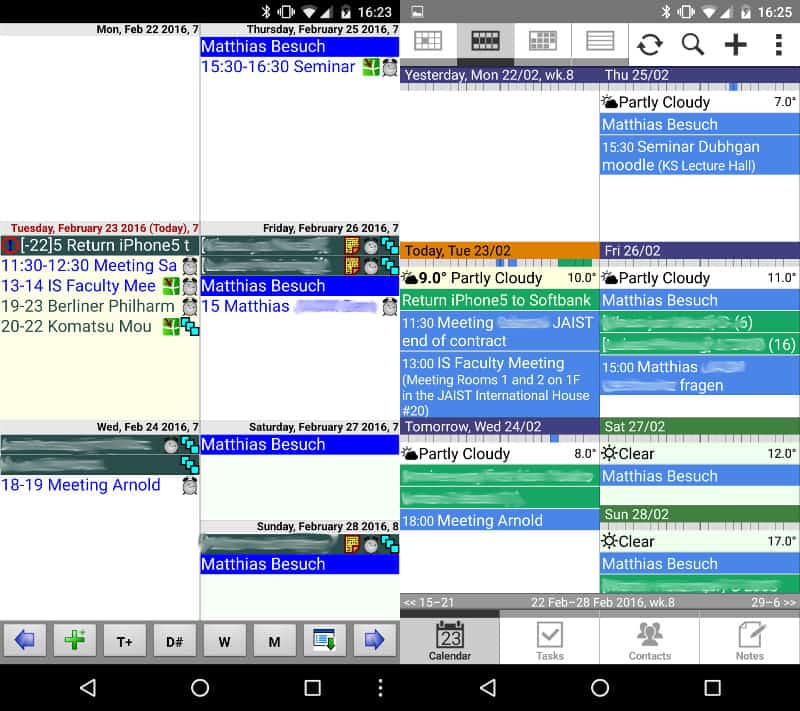
17 February 2016

Antoine Beaupr : My free software activities, february 2016

Debian Long Term Support (LTS) This is my third month working on Debian LTS, started by Raphael Hertzog at Freexian. This month was my first month working on the frontdesk duty and did a good bunch of triage. I also performed one upload and reviewed a few security issues.

Frontdesk duties I spent some time trying to get familiar with the frontdesk duty. I still need to document a bit of what I learned, which did involve asking around for parts of the process. The following issues were triaged:
  • roundcube in squeeze was happily not vulnerable to CVE-2015-8794 and CVE-2015-8793, as the code affected was not present. roundcube is also not shipped with jessie but the backport is vulnerable
  • the php-openid vulnerability was actually just a code sample, a bug report comment clarified all of CVE-2016-2049
  • ffmpeg issues were closed, as it is not supported in squeeze
  • libxml2 was marked as needing work (CVE-2016-2073)
  • asterisk was triaged for all distros before i found out it is also unsupported in squeeze (CVEs coming up, AST-2016-001, AST-2016-001, AST-2016-001)
  • libebml and libmatroska were marked as unsupported, although an upload of debian-security-support will be necessary to complete that work (bug #814557 filed)

Uploads and reviews I only ended up doing one upload, of the chrony package (CVE-2016-1567), thanks to the maintainer which provided the patch. I tried my best trying to sort through the issues with tiff (CVE-2015-8668 and CVE-2015-7554), which didn't have obvious fixes available. OpenSUSE seem to have patches, but it is really hard to find them through their issue trackers, which were timing out on me. Hopefully someone else can pick that one up. I also tried and failed to reproduce the cpio issue (CVE-2016-2037), which, at the time, didn't have a patch for a fix. This ended up being solved and Santiago took up the upload. I finally spent some time trying to untangle the mess that is libraw, or more precisely, all the packages that embed dcraw code instead of linking against libraw. Now I really feel even more strongly for the Debian policy section 4.13 which states that Debian packages should not ship with copies of other packages code. It made it really hard to figure out which packages were vulnerable, especially because it was hard to figure out which versions of libraw/dcraw were actually vulnerable to the bug, but also just plain figure out which packages were copying code from libraw. I wish I had found out about secure-testing/data/embedded-code-copies earlier... Still, it was interesting to get familiar with codesearch.debian.net to try to find copies of the vulnerable code, which was not working so well. Kudos to darktable 2.0 for getting rid of their embedded copy of libraw, by the way - it made it completely not vulnerable to the issue, the versions in stretch and sid not having the code at all and older versions having non-vulnerable copies of the code.

Issues with VMs again I still had problems running a squeeze VM - not wanting to use virtualbox because of the overhead, I got lost for a bit trying to use libvirt and KVM. A bunch of issues crept up: using virt-manager would just fail on startup with an error saying interface mtu value is improper, which is a very unhelpful error message (what is a proper value??) - and, for the record, the MTU on eth0 and wlan0 is the fairly standard 1500, while lo is at 65536 bytes, nothing unusual there as far as I know. Then the next problem was actually running a VM - I still somewhat expected to be able to boot off a chroot, something I should definitely forget about it seems like (boot loader missing? not sure). I ended up calling virt-install with the live ISO image I was previously using:
virt-install --virt-type kvm --name squeeze-amd64 --memory 512 --cdrom ~/iso/Debian/cdimage.debian.org_mirror_cdimage_archive_6.0.10_live_amd64_iso_hybrid_debian_live_6.0.10_amd64_gnome_desktop.iso --disk size=4 --os-variant debiansqueeze
At least now I have an installed squeeze VM, something I didn't get to do in Virtualbox (mostly because I didn't want to wait through the install, because it was so slow). Finally, I still have trouble getting a commandline console on the VM: somehow, running virtsh console squeeze-amd64 doesn't give me a login terminal, and worse, it actually freezes the terminal that I can actually get on virt-viewer squeeze-amd64, which definitely sounds like a bug. I documented a bit more of that setup in the Debian wiki KVM page so hopefully this will be useful for others.

Other free software work I continued my work on improving timetracking with ledger in my ledger-timetracking git repository, which now got a place on the new plaintextaccounting.org website, which acts as a portal for ledger-like software projects and documentation.

Darktable 2.0 I had the pleasure of trying the new Darktable 2.0 release, which only recently entered Debian. I built a backport for jessie, which works beautifully: much faster thumbnail rendering, no dropping of history when switching views... The new features are great, but I also appreciate how they are being very conservative in their approach. Darktable is great software: I may have trouble approaching the results other are having with lightroom and snapseed, but those are proprietary software that I can't use anyways. I also suspect that I just don't have enough of a clue of what I'm doing to get the results I need in Darktable. Maybe with hand-holding, one day, I will surpass the results I get with the JPEGs from my Canon camera. Until then, I turned off RAW exports in my camera to try and control the explosion of disk use I saw since I got that camera:
41M     2004
363M    2005
937M    2006
2,2G    2007
894M    2008
800M    2009
1,8G    2010
1,4G    2011
9,8G    2012
31G     2013
26G     2014
9,8G    2015
The drop in 2015 is mostly due to me taking less pictures in the last year, for some reason...

Markdown mode hacks I ended up writing some elisp for the markdown mode. It seems I am always writing links like [text](link) which seems more natural at first, but then the formatting looks messier, as paragraph wrapping is all off because of the long URLs. So I always ended up converting those links, which was a painful series of keystrokes. So I made a macro, and while I'm a it, why not rewrite it as a lisp function. Twice. Then I was told by the markdown-mode.el developers that they had already fixed that (in the 2.1 version, not in Debian jessie) and that the C-c C-a r key binding actually recognized existing links and conveniently converted them. I documented my adventures in bug #94, but it seems I wrote this code for nothing else than re-learning Emacs lisp, which was actually quite fun.

More emacs hacking Another thing I always wasted time doing by and is "rename file and buffer". Often, you visit a file but it's named wrong. My most common case is a .txt file that i rename to .mdwn. I would then have to do:
M-x rename-file <ret> newfile
M-x rename-buffer <ret> newfile
C-x C-s <ret> newfile
Really annoying. Turns out that set-visited-file-name actually does most of the job, but doesn't actually rename the file, which is really silly. So I wrote this small function instead:
(defun rename-file-and-buffer (newfname)
  "combine rename-file and rename-buffer
set-visited-file-name does most of the job, but unfortunately
doesn't actually rename the file. rename-file does that, but
doesn't rename the buffer. rename-buffer only renames the buffer,
which is pretty pointless.
only operates on current buffer because set-visited-file-name
also does so and we don't bother doing excursions around.
"
  (interactive "GRename file and bufer: ")
  (let ((oldfname (buffer-file-name)))
    (set-visited-file-name newfname nil t)
    (rename-file oldfname newfname)
    )
  )
Not bound to any key, really trivial, but doing this without that function is really non-trivial, especially since set-visited-file-name needs special arguments to not mark the file as modified.

IRC packages updates I updated the Sopel IRC bot package to the latest release, 6.3.0. They have finally switched to Requests, but apart from that, no change was necessary. I am glad to finally see SNI support working everywhere in the bot! I also update the Charydbis IRC server package to the latest 3.5.0 stable release. This release is great news, as I was able to remove 5 of the 7 patches I was dragging along the Debian package. The previous Charybdis stable release was over 3 years old, as 3.4.2 was released in (December) 2012! I spend a good chunk of time making the package reproducible. I filed a bug upstream and eventually made a patch to make it possible to hardcode a build timestamp, which seems to have been the only detectable change in the reproducible build infrastructure. Charybdis had been FTBS for a while in sid now, and the upload should fix that as well. Unfortunately, Charybdis still doesn't build with hardening flags - but hopefully a future update of the package should fix that. It is probably because CFLAGS are not passed around properly. There's really interesting stuff going on in the IRC world. Even though IRC is one of the oldest protocols still in operation (1988, even before the Web, but after SMTP and the even more venerable FTP), it is still being actively developed, with a working group drafting multiple extensions to the IRCv3 protocol defined in RFC 1459. For example, IRCv3.3 includes a Strict Transport Security extension, which tries to ensure users use encrypted channels as much as possible, through warnings and STARTTLS support. Charybdis goes even further by proposing a reversal of the +S ("secure channel" flag) where all channels are secure by default, and you need to deliberately mark a channel as insecure with the +U flag if you actually want to allow users on an clear-text connection to join the channel. A transition mechanism is also proposed.

Miscellaneous bug reports En vrac... I fell face-first in this amazing game that is endless-sky. I made a small pull request on the documentation, a bug report and a feature request. I forwarded a bug report, originally filed against monkeysign, to the pyqrencode maintainers. I filed a usability bug against tails-installer, which just entered Debian, mostly usability issues. I discovered the fim image viewer, which re-entered Debian recently. It seemed perfect to adjust my photos-import workflow, so I added it to my script, to be able to review photos prior to importing them into Darktable and git-annex.

15 February 2016

Sven Hoexter: distribution specific details

To state the obvious: my personal preference is to run Debian GNU/Linux. My current workplace is a CentOS shop and usually I'm the first to claim that it doesn't matter at all, and distribution specific implementation details are irrelevant for what we do (running a JVM). Let's take a short detour to the RedHat network-scripts. Two weeks ago we found some systems we originally installed in a different network segment, with different DNS servers and different search domains, came back up after a reboot with a rewritten 'resolv.conf'. Later on cfengine replaced the generated 'resolv.conf' with the intended one, so it wasn't that obvious to spot in the first place. A colleague found the origin of the rewritten 'resolv.conf' in a device specific configuration file that defined the 'DNS 1,2 ' variables with the installation time DNS server IPs from the other segment. I expected to experience the same behaviour (resolv.conf rewritten during startup and replaced by cfengine later on) in other locations, but assumed we just didn't notice it because the main difference would be a slightly different list of search domains. And I was wrong. I checked the timestamps of several 'resolv.conf' files and their cfengine backup file. None were recently created or related somehow to a reboot. grep-ing through parts of the network-scripts I found the following conditional in '/etc/sysconfig/network-scripts/ifup'
if [ "$PEERDNS" != "no" ]  [ -n "$RESOLV_MODS" -a "$RESOLV_MODS" != "no" ]; then
   [ -n "$MS_DNS1" ] && DNS1=$MS_DNS1
   [ -n "$MS_DNS2" ] && DNS2=$MS_DNS2
      if [ -n "$DNS1" ] && ! grep -q "^nameserver $DNS1" /etc/resolv.conf &&
         tr=$(mktemp /tmp/XXXXXX) ; then
 ...
So if you adjust only the second nameserver IP you stored in "DNS2" in your configuration you end up without an update to your 'resolv.conf'. Now knowing that, I'd say this is relevant distribution specific knowledge, and I'm wondering how many of such subtle behaviours we've hidden in Debian specific solutions? Maybe knowledge about distribution specific implementation details even matters after all. Regardig the 'resolv.conf' issue itself the fault is on us. We as the responsible team did not read the documentation properly and thus deployed a configuration that later on let to some unexpected consequences. I try to remember those issues as an example for the next NetworkManager/systemd-networkd vs old-school-network-scripts argument.

9 February 2016

Mike Gabriel: Systemd based network setup on Debian Edu jessie workstations

This article describes how to use systemd-networkd on Debian Edu 8.x (aka jessie) notebooks. What we have to deal with? At the schools we support we have several notebooks running Debian Edu 8.x (aka jessie) in the field. For school notebooks (classroom sets) we install the Debian Edu Workstation Profile. Those machines are mostly used over wireless network. We know that Debian Edu also offers a Roaming Workstation Profile at installation time, but with that profile chosen, user logins create local user accounts and local home directories on the notebooks (package: libpam-mklocaluser). For our customers, we do not want that. People using the school notebooks shall always work on their NFS home directories. School notebooks shall not be usable outside of the school network. Our woes... The default setup on Debian Edu jessie workstations regarding networking is this: We have observed various problems with that setup: read more

31 January 2016

Chris Lamb: Free software activities in January 2016

Here is my monthly update covering a large part of what I have been doing in the free software world (previously):

Debian
  • Had a talk proposal accepted (Reproducible Builds - fulfilling the original promise of free software) at FOSSASIA 16.
My work in the Reproducible Builds project was also covered in more depth in Lunar's weekly reports (#35, #36, #37, #38, #39)
LTS

This month I have been paid to work 18 hours on Debian Long Term Support (LTS). In that time I did the following:
  • Sevend days of "frontdesk" duties, triaging CVEs, etc.
  • Issued DLA 386-1 for cacti to patch an SQL injection vulnerability.
  • Issued DLA 388-1 for dwarfutils fixing a NULL deference issue.
  • Issued DLA 391-1 for prosody correcting the use of a weak pseudo-random number generator.
  • Issued DLA 404-1 for nginx to prevent against an invalid pointer deference.

Uploads
  • redis (2:3.0.7-1) New upstream stable release, also ensure that test processes are cleaned up and replacing an existing reproducibility patch with a SOURCE_DATE_EPOCH solution.
  • python-django (1.9.1-1) New upstream release.
  • disque (1.0~rc1-4) Make the build reproducible via SOURCE_DATE_EPOCH, ensure that test processes are cleaned up and that the nocheck flag is correctly honoured.
  • gunicorn (19.4.5-1) New upstream release.
  • redis (2:3.2~rc3-1) New upstream RC release (to experimental).


RC bugs


I also filed 100 FTBFS bugs against apache-log4j2, awscli, binutils, brian, ccbuild, coala, commons-beanutils, commons-vfs, composer, cyrus-sasl2, debiandoc-sgml-doc-pt-br, dfvfs, dillo, django-compat, dulwich, git-annex, grpc, hdf-eos5, hovercraft, ideviceinstaller, ircp-tray, isomd5sum, javamail, jhdf, jsonpickle, kivy, klog, libcloud, libcommons-jexl2-java, libdata-objectdriver-perl, libdbd-sqlite3-perl, libpam-krb5, libproc-waitstat-perl, libslf4j-java, libvmime, linuxdcpp, lsh-utils, mailutils, mdp, menulibre, mercurial, mimeo, molds, mugshot, nose, obex-data-server, obexfs, obexftp, orafce, p4vasp, pa-test, pgespresso, pgpool2, pgsql-asn1oid, php-doctrine-cache-bundle, php-net-ldap2, plv8, pngtools, postgresql-mysql-fdw, pyfftw, pylint-common, pylint-django, pylint-django, python-ase, python-axiom, python-biopython, python-dcos, python-falcon, python-instagram, python-markdown, python-pysam, python-requests-toolbelt, python-ruffus, pytsk, pyviennacl, ros-class-loader, ros-ros-comm, ros-roscpp-core, roxterm, ruby-celluloid-extras, ruby-celluloid-fsm, ruby-celluloid-supervision, ruby-eye, ruby-net-scp, ruby-net-ssh, ruby-sidekiq, ruby-sidekiq-cron, ruby-sinatra-contrib, seaview, smc, spatial4j-0.4, swift-plugin-s3, tilecache, typecatcher, ucommon, undertaker, urdfdom, ussp-push, xserver-xorg-video-intel & yt.

FTP Team

As a Debian FTP assistant I ACCEPTed 201 packages: abi-tracker, android-platform-build, android-platform-frameworks-native, android-platform-libcore, android-platform-system-core, animate.css, apitrace, argon2, autosize.js, bagel, betamax, bittorrent, bls-standalone, btfs, caja-dropbox, cegui-mk2, complexity, corebird, courier-authlib, cpopen, ctop, dh-haskell, django-python3-ldap, e2fsprogs1.41, emacs-async, epl, fast5, fastkml, flask-restful, flask-silk, gcc-6, gitlab, golang-github-kolo-xmlrpc, golang-github-kr-fs, golang-github-pkg-sftp, golang-github-prometheus-common, google-auth-library-php, h5py, haskell-aeson-compat, haskell-userid, heroes, hugo, ioprocess, iptables, ivy-debian-helper, ivyplusplus, jquery-timer.js, klaus, kpatch, lazarus, libatteanx-store-sparql-perl, libbrowserlauncher-java, libcgi-test-perl, libdata-sah-normalize-perl, libfsntfs, libjs-fuzzaldrin-plus, libjung-free-java, libmongoc, libmygpo-qt, libnet-nessus-rest-perl, liborcus, libperinci-sub-util-propertymodule-perl, libpodofo, librep, libsodium, libx11-xcb-perl, linux, linux-grsec-base, list.js, lombok, lua-mediator, luajit, maven-script-interpreter, midicsv, mimeo, miniasm, mlpack, mom, mosquitto-auth-plugin, moxie.js, msgpuck, nanopolish, neovim, netcdf, network-manager-applet, network-manager-ssh, node-esprima-fb, node-mocks-http, node-schlock, nomacs, ns3, openalpr, openimageio, openmpi, openms, orafce, pbsim, pd-iemutils, pd-nusmuk, pd-puremapping, pd-purest-json, pg-partman, pg-rage-terminator, pgfincore, pgmemcache, pgsql-asn1oid, php-defaults, php-jwt, php-mf2, php-redis, pkg-info-el, plr, pnmixer, postgresql-multicorn, postgresql-mysql-fdw, powa-archivist, previsat, pylint-flask, pyotherside, python-caldav, python-cookies, python-dcos, python-flaky, python-flickrapi, python-frozendict, python-genty, python-git, python-greenlet, python-instagram, python-ironic-inspector-client, python-manilaclient, python-neutronclient, python-openstackclient, python-openstackdocstheme, python-prometheus-client, python-pymzml, python-pysolr, python-reno, python-requests-toolbelt, python-scales, python-socketio-client, qdox2, qgis, r-cran-biasedurn, rebar.js, repmgr, rfcdiff, rhythmbox-plugin-alternative-toolbar, ripe-atlas-cousteau, ripe-atlas-sagan, ripe-atlas-tools, ros-image-common, ruby-acts-as-list, ruby-allocations, ruby-appraiser, ruby-appraiser-reek, ruby-appraiser-rubocop, ruby-babosa, ruby-combustion, ruby-did-you-mean, ruby-fixwhich, ruby-fog-xenserver, ruby-hamster, ruby-jeweler, ruby-mime-types-data, ruby-monkey-lib, ruby-net-telnet, ruby-omniauth-azure-oauth2, ruby-omniauth-cas3, ruby-puppet-forge, ruby-racc, ruby-reek, ruby-rubinius-debugger, ruby-rubysl, ruby-rubysl-test-unit, ruby-sidekiq-cron, ruby-threach, ruby-wavefile, ruby-websocket-driver, ruby-xmlhash, rustc, s-nail, scrm, select2.js, senlin, skytools3, slurm-llnl, sphinx-argparse, sptk, sunpy, swauth, swift, tdiary, three.js, tiny-initramfs, tlsh, ublock-origin, vagrant-cachier, xapian-core, xmltooling, & yp-tools. I additionally REJECTed 29 packages.

14 January 2016

Lunar: Reproducible builds: week 37 in Stretch cycle

What happened in the reproducible builds effort between January 3rd and January 9th 2016:

Toolchain fixes David Bremner uploaded dh-elpa/0.0.18 which adds a --fix-autoload-date option (on by default) to take autoload dates from changelog. Lunar updated and sent the patch adding the generation of .buildinfo to dpkg.

Packages fixed The following packages have become reproducible due to changes in their build dependencies: aggressive-indent-mode, circe, company-mode, db4o, dh-elpa, editorconfig-emacs, expand-region-el, f-el, geiser, hyena, js2-mode, markdown-mode, mono-fuse, mysql-connector-net, openbve, regina-normal, sml-mode, vala-mode-el. The following packages became reproducible after getting fixed: Some uploads fixed some reproducibility issues, but not all of them: Patches submitted which have not made their way to the archive yet:
  • #809780 on flask-restful by Chris Lamb: implement support for SOURCE_DATE_EPOCH in the build system.
  • #810259 on avfs by Chris Lamb: implement support for SOURCE_DATE_EPOCH in the build system.
  • #810509 on apt by Mattia Rizzolo: ensure a stable file order is given to the linker.

reproducible.debian.net Add 2 more armhf build nodes provided by Vagrant Cascadian. This added 7 more armhf builder jobs. We now run around 900 tests of armhf packages each day. (h01ger) The footer of each page now indicates by which Jenkins jobs build it. (h01ger)

diffoscope development diffoscope 45 has been released on January 4th. It features huge memory improvements when comparing large files, several fixes of squashfs related issues that prevented comparing two Tails images, and improve the file list of tar and cpio archive to be more precise and consistent over time. It also fixes a typo that prevented the Mach-O to work (Rainer M ller), improves comparisons of ELF files when specified on the command line, and solves a few more encoding issues.

Package reviews 134 reviews have been removed, 30 added and 37 updated in the previous week. 20 new fail to build from source issues were reported by Chris Lamb and Chris West. prebuilder will now skip installing diffoscope to save time if the build results are identical. (Reiner Herrmann)

Jan Wagner: Running Ghost blogging platform via Docker

When I was thinking about using Ghost, I did read the installations guide and then I just closed the browser window.
I didn't wanted to install npm, yet another package manager, and just hack init scripts. Not speaking about updating Ghost itself. Some weeks later I did think about using Ghost again. It has a nice Markdown Editor and some nice other features. Since everybody is jumping on the Docker band wagon actually and I had used it for some tests already, I thought trying the Ghost Docker image might be a good idea. If you are interested into how I did that, read on. I suppose you have installed a stock Debian Jessie.

Installing Docker

Pulling the Docker image Just in case you didn't, you need to (re)start docker to work with service docker restart
# docker pull ghost

Making Ghost (container image) run forever I did not like systemd in the first place for many reasons. But in some circumstances it makes sense. In case of handling a Docker container, using a systemd unit file makes life much easier.
# mkdir -p /srv/docker/ghost/
# cat > /etc/systemd/system/ghost.service << EOF
[Unit]
Description=GHost Service  
After=docker.service  
Requires=docker.service
[Service]
ExecStartPre=-/usr/bin/docker kill ghost  
ExecStartPre=-/usr/bin/docker rm ghost  
ExecStartPre=-/usr/bin/docker pull ghost  
ExecStart=/usr/bin/docker run  --name ghost --publish 2368:2368 --env 'NODE_ENV=production' --volume /srv/docker/ghost/:/var/lib/ghost ghost  
ExecStop=/usr/bin/docker stop ghost
[Install]
WantedBy=multi-user.target  
EOF  
# systemctl enable ghost && systemctl daemon-reload && systemctl start ghost 
This will start your container on start and even is looking for a new Docker image and is fetching it, if needed. If you don't like this behavior, just comment out the line in the config and reread it with systemctl daemon-reload. Now you should have listening something on port 2368:
# netstat -tapn   grep 2368
tcp6       0      0 :::2368                 :::*                    LISTEN      7061/docker-proxy  
Update: Jo l Dinel did send me a mail, that starting your Docker container with --restart always will take care that it is brought up again if Docker or (even) the whole system will get restarted. For real I used that before and might be a lightweight solution, but I liked the systemd unit file solution a lot more.

Persistent Data Thanks to the Docker mount option you can find all your data in /srv/docker/ghost/. So your blog will still have content, even if the ghost Docker images is updated:
# ls /srv/docker/ghost/
apps  config.js  data  images  themes  

Accessing the container To kick your ghost into production, it might be useful if you make it available on port 80 at least. This can be done for example by changing your Docker publish configuration or adding a DNAT to your firewall. But I would recommand using a proxy in front of your Docker container. This might be part of one of my next articles.

Next.

Previous.