Search Results: "eof"

30 September 2020

Antoine Beaupr : Presentation tools

I keep forgetting how to make presentations. I had a list of tools in a wiki from a previous job, but that's now private and I don't see why I shouldn't share this (even if for myself!). So here it is. What's your favorite presentation tool?

Tips
  • if you have some text to present, outline keywords so that you can present your subject without reading every word
  • ideally, don't read from your slides - they are there to help people follow, not for people to read
  • even better: make your slides pretty with only a few words, or don't make slides at all
Further advice: I'm currently using Pandoc with PDF input (with a trip through LaTeX) for most slides, because PDFs are more reliable and portable than web pages. I've also used Libreoffice, Pinpoint, and S5 (through RST) in the past. I miss Pinpoint, too bad that it died. Some of my presentations are available in my GitLab.com account: See also my list of talks and presentations which I can't seem to keep up to date.

Tools

Beamer (LaTeX)
  • LaTeX class
  • Do not use directly unless you are a LaTeX expert or masochist, see Pandoc below
  • see also powerdot
  • Home page

Darkslide
  • HTML, Javascript
  • presenter notes, table of contents, Markdown, RST, Textile, themes, code samples, auto-reload
  • Home page, demo

Impress.js

Impressive
  • simply displays PDFs or images
  • page transitions, overview screen, highlighting
  • Home page

Libreoffice Impress
  • Powerpoint clone
  • Makes my life miserable
  • PDF export, presenter notes, outline view, etc
  • Home page, screenshots

Magicpoint
  • ancestor of everyone else (1997!)
  • text input format, image support, talk timer, slide guides, HTML/Postscript export, draw on slides, X11 output
  • no release since 2008
  • Home page

mdp and lookatme (commandline)

Pandoc
  • Allows converting from basically whatever into slides, including Beamer, DZSlides, reveal.js, slideous, slidy, Powerpoint
  • PDF, HTML, Powerpoint export, presentation notes, full screen background images
  • nice plain text or markdown input format
  • Home page, documentation

PDF Presenter
  • PDF presentation tool, shows presentation notes
  • basically "Keynote for Linux"
  • Home page, pdf-presenter-console in Debian

Pinpoint
  • Native GNOME app
  • Full screen slides, PDF export, live change, presenter notes, pango markup, video, image backgrounds
  • Home page
  • Abandoned since at least 2019

Reveal.js
  • HTML, Javascript
  • PDF export, Markdown, LaTeX support, syntax-highlighting, nested slides, speaker notes
  • Source code, demo

S5
  • HTML, CSS
  • incremental, bookmarks, keyboard controls
  • can be transformed from ReStructuredText (RST) with rst2s5 with python-docutils
  • Home page, demo

sent
  • X11 only
  • plain text, black on white, image support, and that's it
  • from the suckless.org elitists
  • Home page

Sozi
  • Entire presentation is one poster, zooming and jumping around
  • SVG + Javascript
  • Home page, demo

Other options Another option I have seriously considered is just generate a series of images with good resolution, hopefully matching the resolution (or at least aspect ratio) of the output device. Then you flip through a series of images one by one. In that case, any of those image viewers (not an exhaustive list) would work: Update: it turns out I already wrote a somewhat similar thing when I did a recent presentation. If you're into rants, you might enjoy the README file accompanying the Kubecon rant presentation. TL;DR: "makes me want to scream" and "yet another unsolved problem space, sigh" (refering to "display images full-screen" specifically).

Chris Lamb: Free software activities in September 2020

Here is my monthly update covering what I have been doing in the free software world during September 2020 (previous month):

Reproducible Builds One of the original promises of open source software is that distributed peer review and transparency of process results in enhanced end-user security. However, whilst anyone may inspect the source code of free and open source software for malicious flaws, almost all software today is distributed as pre-compiled binaries. This allows nefarious third-parties to compromise systems by injecting malicious code into ostensibly secure software during the various compilation and distribution processes. The motivation behind the Reproducible Builds effort is to ensure no flaws have been introduced during this compilation process by promising identical results are always generated from a given source, thus allowing multiple third-parties to come to a consensus on whether a build was compromised. The project is proud to be a member project of the Software Freedom Conservancy. Conservancy acts as a corporate umbrella allowing projects to operate as non-profit initiatives without managing their own corporate structure. If you like the work of the Conservancy or the Reproducible Builds project, please consider becoming an official supporter. This month, I:

diffoscope I made the following changes to diffoscope, including preparing and uploading versions 159 and 160 to Debian:

Debian Lintian For Lintian, the static analysis tool for Debian packages, I uploaded versions 2.93.0, 2.94.0, 2.95.0 & 2.96.0 (not counting uploads to the backports repositories), as well as: Debian LTS This month I've worked 18 hours on Debian Long Term Support (LTS) and 12 hours on its sister Extended LTS project. You can find out more about the project via the following video:
Uploads Bugs filed

21 September 2020

Kees Cook: security things in Linux v5.7

Previously: v5.6 Linux v5.7 was released at the end of May. Here s my summary of various security things that caught my attention: arm64 kernel pointer authentication
While the ARMv8.3 CPU Pointer Authentication (PAC) feature landed for userspace already, Kristina Martsenko has now landed PAC support in kernel mode. The current implementation uses PACIASP which protects the saved stack pointer, similar to the existing CONFIG_STACKPROTECTOR feature, only faster. This also paves the way to sign and check pointers stored in the heap, as a way to defeat function pointer overwrites in those memory regions too. Since the behavior is different from the traditional stack protector, Amit Daniel Kachhap added an LKDTM test for PAC as well. BPF LSM
The kernel s Linux Security Module (LSM) API provide a way to write security modules that have traditionally implemented various Mandatory Access Control (MAC) systems like SELinux, AppArmor, etc. The LSM hooks are numerous and no one LSM uses them all, as some hooks are much more specialized (like those used by IMA, Yama, LoadPin, etc). There was not, however, any way to externally attach to these hooks (not even through a regular loadable kernel module) nor build fully dynamic security policy, until KP Singh landed the API for building LSM policy using BPF. With this, it is possible (for a privileged process) to write kernel LSM hooks in BPF, allowing for totally custom security policy (and reporting). execve() deadlock refactoring
There have been a number of long-standing races in the kernel s process launching code where ptrace could deadlock. Fixing these has been attempted several times over the last many years, but Eric W. Biederman and Ernd Edlinger decided to dive in, and successfully landed the a series of refactorings, splitting up the problematic locking and refactoring their uses to remove the deadlocks. While he was at it, Eric also extended the exec_id counter to 64 bits to avoid the possibility of the counter wrapping and allowing an attacker to send arbitrary signals to processes they normally shouldn t be able to. slub freelist obfuscation improvements
After Silvio Cesare observed some weaknesses in the implementation of CONFIG_SLAB_FREELIST_HARDENED s freelist pointer content obfuscation, I improved their bit diffusion, which makes attacks require significantly more memory content exposures to defeat the obfuscation. As part of the conversation, Vitaly Nikolenko pointed out that the freelist pointer s location made it relatively easy to target too (for either disclosures or overwrites), so I moved it away from the edge of the slab, making it harder to reach through small-sized overflows (which usually target the freelist pointer). As it turns out, there were a few assumptions in the kernel about the location of the freelist pointer, which had to also get cleaned up. RISCV page table dumping
Following v5.6 s generic page table dumping work, Zong Li landed the RISCV page dumping code. This means it s much easier to examine the kernel s page table layout when running a debug kernel (built with PTDUMP_DEBUGFS), visible in /sys/kernel/debug/kernel_page_tables. array index bounds checking
This is a pretty large area of work that touches a lot of overlapping elements (and history) in the Linux kernel. The short version is: C is bad at noticing when it uses an array index beyond the bounds of the declared array, and we need to fix that. For example, don t do this:
int foo[5];
...
foo[8] = bar;
The long version gets complicated by the evolution of flexible array structure members, so we ll pause for a moment and skim the surface of this topic. While things like CONFIG_FORTIFY_SOURCE try to catch these kinds of cases in the memcpy() and strcpy() family of functions, it doesn t catch it in open-coded array indexing, as seen in the code above. GCC has a warning (-Warray-bounds) for these cases, but it was disabled by Linus because of all the false positives seen due to fake flexible array members. Before flexible arrays were standardized, GNU C supported zero sized array members. And before that, C code would use a 1-element array. These were all designed so that some structure could be the header in front of some data blob that could be addressable through the last structure member:
/* 1-element array */
struct foo  
    ...
    char contents[1];
 ;
/* GNU C extension: 0-element array */
struct foo  
    ...
    char contents[0];
 ;
/* C standard: flexible array */
struct foo  
    ...
    char contents[];
 ;
instance = kmalloc(sizeof(struct foo) + content_size);
Converting all the zero- and one-element array members to flexible arrays is one of Gustavo A. R. Silva s goals, and hundreds of these changes started landing. Once fixed, -Warray-bounds can be re-enabled. Much more detail can be found in the kernel s deprecation docs. However, that will only catch the visible at compile time cases. For runtime checking, the Undefined Behavior Sanitizer has an option for adding runtime array bounds checking for catching things like this where the compiler cannot perform a static analysis of the index values:
int foo[5];
...
for (i = 0; i < some_argument; i++)  
    ...
    foo[i] = bar;
    ...
 
It was, however, not separate (via kernel Kconfig) until Elena Petrova and I split it out into CONFIG_UBSAN_BOUNDS, which is fast enough for production kernel use. With this enabled, it's now possible to instrument the kernel to catch these conditions, which seem to come up with some regularity in Wi-Fi and Bluetooth drivers for some reason. Since UBSAN (and the other Sanitizers) only WARN() by default, system owners need to set panic_on_warn=1 too if they want to defend against attacks targeting these kinds of flaws. Because of this, and to avoid bloating the kernel image with all the warning messages, I introduced CONFIG_UBSAN_TRAP which effectively turns these conditions into a BUG() without needing additional sysctl settings. Fixing "additive" snprintf() usage
A common idiom in C for building up strings is to use sprintf()'s return value to increment a pointer into a string, and build a string with more sprintf() calls:
/* safe if strlen(foo) + 1 < sizeof(string) */
wrote  = sprintf(string, "Foo: %s\n", foo);
/* overflows if strlen(foo) + strlen(bar) > sizeof(string) */
wrote += sprintf(string + wrote, "Bar: %s\n", bar);
/* writing way beyond the end of "string" now ... */
wrote += sprintf(string + wrote, "Baz: %s\n", baz);
The risk is that if these calls eventually walk off the end of the string buffer, it will start writing into other memory and create some bad situations. Switching these to snprintf() does not, however, make anything safer, since snprintf() returns how much it would have written:
/* safe, assuming available <= sizeof(string), and for this example
 * assume strlen(foo) < sizeof(string) */
wrote  = snprintf(string, available, "Foo: %s\n", foo);
/* if (strlen(bar) > available - wrote), this is still safe since the
 * write into "string" will be truncated, but now "wrote" has been
 * incremented by how much snprintf() *would* have written, so "wrote"
 * is now larger than "available". */
wrote += snprintf(string + wrote, available - wrote, "Bar: %s\n", bar);
/* string + wrote is beyond the end of string, and availabe - wrote wraps
 * around to a giant positive value, making the write effectively 
 * unbounded. */
wrote += snprintf(string + wrote, available - wrote, "Baz: %s\n", baz);
So while the first overflowing call would be safe, the next one would be targeting beyond the end of the array and the size calculation will have wrapped around to a giant limit. Replacing this idiom with scnprintf() solves the issue because it only reports what was actually written. To this end, Takashi Iwai has been landing a bunch scnprintf() fixes. That's it for now! Let me know if there is anything else you think I should mention here. Next up: Linux v5.8.

2020, Kees Cook. This work is licensed under a Creative Commons Attribution-ShareAlike 4.0 License.
CC BY-SA 4.0

13 September 2020

Russell Coker: Setting Up a Dell T710 Server with DRAC6

I ve just got a Dell T710 server for LUV and I ve been playing with the configuration options. Here s a list of what I ve done and recommendations on how to do things. I decided not to try to write a step by step guide to doing stuff as the situation doesn t work for that. I think that a list of how things are broken and what to avoid is more useful. BIOS Firstly with a Dell server you can upgrade the BIOS from a Linux root shell. Generally when a server is deployed you won t want to upgrade the BIOS (why risk breaking something when it s working), so before deployment you probably should install the latest version. Dell provides a shell script with encoded binaries in it that you can just download and run, it s ugly but it works. The process of loading the firmware takes a long time (a few minutes) with no progress reports, so best to plug both PSUs in and leave it alone. At the end of loading the firmware a hard reboot will be performed, so upgrading your distribution while doing the install is a bad idea (Debian is designed to not lose data in this situation so it s not too bad). IDRAC IDRAC is the Integrated Dell Remote Access Controller. By default it will listen on all Ethernet ports, get an IP address via DHCP (using a different Ethernet hardware address to the interface the OS sees), and allow connections. Configuring it to be restrictive as to which ports it listens on may be a good idea (the T710 had 4 ports built in so having one reserved for management is usually OK). You need to configure a username and password for IDRAC that has administrative access in the BIOS configuration. Web Interface By default IDRAC will run a web server on the IP address it gets from DHCP, you can connect to that from any web browser that allows ignoring invalid SSL keys. Then you can use the username and password configured in the BIOS to login. IDRAC 6 on the PowerEdge T710 recommends IE 6. To get a ssl cert that matches the name you want to use (and doesn t give browser errors) you have to generate a CSR (Certificate Signing Request) on the DRAC, the only field that matters is the CN (Common Name), the rest have to be something that Letsencrypt will accept. Certbot has the option --config-dir /etc/letsencrypt-drac to specify an alternate config directory, the SSL key for DRAC should be entirely separate from the SSL key for other stuff. Then use the --csr option to specify the path of the CSR file. When you run letsencrypt the file name of the output file you want will be in the format *_chain.pem . You then have to upload that to IDRAC to have it used. This is a major pain for the lifetime of letsencrypt certificates. Hopefully a more recent version of IDRAC has Certbot built in. When you access RAC via ssh (see below) you can run the command racadm sslcsrgen to generate a CSR that can be used by certbot. So it s probably possible to write expect scripts to get that CSR, run certbot, and then put the ssl certificate back. I don t expect to use IDRAC often enough to make it worth the effort (I can tell my browser to ignore an outdated certificate), but if I had dozens of Dells I d script it. SSH The web interface allows configuring ssh access which I strongly recommend doing. You can configure ssh access via password or via ssh public key. For ssh access set TERM=vt100 on the host to enable backspace as ^H. Something like TERM=vt100 ssh root@drac . Note that changing certain other settings in IDRAC such as enabling Smartcard support will disable ssh access. There is a limit to the number of open sessions for managing IDRAC, when you ssh to the IDRAC you can run racadm getssninfo to get a list of sessions and racadm closessn -i NUM to close a session. The closessn command takes a -a option to close all sessions but that just gives an error saying that you can t close your own session because of programmer stupidity. The IDRAC web interface also has an option to close sessions. If you get to the limits of both ssh and web sessions due to network issues then you presumably have a problem. I couldn t find any documentation on how the ssh host key is generated. I Googled for the key fingerprint and didn t get a match so there s a reasonable chance that it s unique to the server (please comment if you know more about this). Don t Use Graphical Console The T710 is an older server and runs IDRAC6 (IDRAC9 is the current version). The Java based graphical console access doesn t work with recent versions of Java. The Debian package icedtea-netx has has the javaws command for running the .jnlp command for the console, by default the web browser won t run this, you download the .jnlp file and pass that as the first parameter to the javaws program which then downloads a bunch of Java classes from the IDRAC to run. One error I got with Java 11 was Exception in thread Timer-0 java.util.ServiceConfigurationError: java.nio.charset.spi.CharsetProvider: Provider sun.nio.cs.ext.ExtendedCharsets could not be instantiated , Google didn t turn up any solutions to this. Java 8 didn t have that problem but had a connection failed error that some people reported as being related to the SSL key, but replacing the SSL key for the web server didn t help. The suggestion of running a VM with an old web browser to access IDRAC didn t appeal. So I gave up on this. Presumably a Windows VM running IE6 would work OK for this. Serial Console Fortunately IDRAC supports a serial console. Here s a page summarising Serial console setup for DRAC [1]. Once you have done that put console=tty0 console=ttyS1,115200n8 on the kernel command line and Linux will send the console output to the virtual serial port. To access the serial console from remote you can ssh in and run the RAC command console com2 (there is no option for using a different com port). The serial port seems to be unavailable through the web interface. If I was supporting many Dell systems I d probably setup a ssh to JavaScript gateway to provide a web based console access. It s disappointing that Dell didn t include this. If you disconnect from an active ssh serial console then the RAC might keep the port locked, then any future attempts to connect to it will give the following error:
/admin1-> console com2
console: Serial Device 2 is currently in use
So far the only way I ve discovered to get console access again after that is the command racadm racreset . If anyone knows of a better way please let me know. As an aside having racreset being so close to racresetcfg (which resets the configuration to default and requires a hard reboot to configure it again) seems like a really bad idea. Host Based Management
deb http://linux.dell.com/repo/community/ubuntu xenial openmanage
The above apt sources.list line allows installing Dell management utilities (Xenial is old but they work on Debian/Buster). Probably the packages srvadmin-storageservices-cli and srvadmin-omacore will drag in enough dependencies to get it going. Here are some useful commands:
# show hardware event log
omreport system esmlog
# show hardware alert log
omreport system alertlog
# give summary of system information
omreport system summary
# show versions of firmware that can be updated
omreport system version
# get chassis temp
omreport chassis temps
# show physical disk details on controller 0
omreport storage pdisk controller=0
RAID Control The RAID controller is known as PERC (PowerEdge Raid Controller), the Dell web site has an rpm package of the perccli tool to manage the RAID from Linux. This is statically linked and appears to have different versions of libraries used to make it. The command perccli show gives an overview of the configuration, but the command perccli /c0 show to give detailed information on controller 0 SEGVs and the kernel logs a vsyscall attempted with vsyscall=none message. Here s an overview of the vsyscall enmulation issue [2]. Basically I could add vsyscall=emulate to the kernel command line and slightly reduce security for the system to allow system calls from perccli that are called from old libc code to work, or I could run code from a dubious source as root. Some versions of IDRAC have a racadm raid command that can be run from a ssh session to perform RAID administration remotely, mine doesn t have that. As an aside the help for the RAC system doesn t list all commands and the Dell documentation is difficult to find so blog posts from other sysadmins is the best source of information. I have configured IDRAC to have all of the BIOS output go to the virtual serial console over ssh so I can see the BIOS prompt me for PERC administration but it didn t accept my key presses when I tried to do so. In any case this requires downtime and I d like to be able to change hard drives without rebooting. I found vsyscall_trace on Github [3], it uses the ptrace interface to emulate vsyscall on a per process basis. You just run vsyscall_trace perccli and it works! Thanks Geoffrey Thomas for writing this! Here are some perccli commands:
# show overview
perccli show
# help on adding a vd (RAID)
perccli /c0 add help
# show controller 0 details
perccli /c0 show
# add a vd (RAID) of level RAID0 (r0) with the drive 32:0 (enclosure:slot from above command)
perccli /c0 add vd r0 drives=32:0
When a disk is added to a PERC controller about 525MB of space is used at the end for RAID metadata. So when you create a RAID-0 with a single device as in the above example all disk data is preserved by default except for the last 525MB. I have tested this by running a BTRFS scrub on a disk from another system after making it into a RAID-0 on the PERC.

2 September 2020

Elana Hashman: My term at the Open Source Initiative thus far

When I ran for the OSI board in early 2019, I set three goals for myself: Now that the OSI has announced hiring an interim General Manager, I thought it would be a good time to publicly reflect on what I've accomplished and what I'd like to see next. As I promised in my campaign pitch, I aim to be publicly accountable :) Growing the OSI's membership I have served as our Membership Committee Chair since the May 2019 board meeting, tasked with devising and supervising strategy to increase membership and deliver value to members. As part of my election campaign last year, I signed up over 50 new individual members. Since May 2019, we've seen strong 33% growth of individual members, to reach a new all-time high over 600 (638 when I last checked). I see the OSI as a relatively neutral organization that occupies a unique position to build bridges among organizations within the FOSS ecosystem. In order to facilitate this, we need a representative membership, and we need to engage those members and provide forums for cross-pollination. As Membership Committee Chair, I have been running quarterly video calls on Jitsi for our affiliate members, where we can share updates between many global organizations and discuss challenges we all face. But it's not enough just to hold the discussion; we also need to bring fresh new voices into the conversation. Since I've joined the board, I'm thrilled to say that 16 new affiliate members joined (in chronological order) for a total of 81: I was also excited to run a survey of the OSI's individual and affiliate membership to help inform the future of the organization that received 58 long-form responses. The survey has been accepted by the board at our August meeting and should be released publicly soon! Defending the Open Source Definition When I joined the board, the first committee I joined was the License Committee, which is responsible for running the licence review process, making recommendations on new licenses, and maintaining our existing licenses. Over the past year, under Pamela Chestek's leadership as Chair, the full board has approved the following licenses (with SPDX identifiers in brackets) on the recommendation of the License Committee: We withheld approval of the following licenses: I've also worked to define the scope of work for hiring someone to improve our license review process, which we have an open RFP for! Chopping wood and carrying water I joined the OSI with the goal of improving an organization I didn't think was performing up to its potential. Its membership and board were not representative of the wider open source community, its messaging felt outdated, and it seemed to be failing to rise to today's challenges for FOSS. But before one can rise to meet these challenges, you need a strong foundation. The OSI needed the organizational structure, health, and governance in order to address such questions. Completing that work is essential, but not exactly glamourous and it's a place that I thrive. Honestly, I don't (yet?) want to be the public face of the organization, and I apologize to those who've missed me at events like FOSDEM. I want to talk a little about some of my behind-the-scenes activities that I've completed as part of my board service: All of this work is intended to improve the organization's health and provide it with an excellent foundation for its mission. Defining the future of open source Soon after I was elected to the board, I gave a talk at Brooklyn.js entitled "The Future of Open Source." In this presentation, I pondered about the history and future of the free and open source software movement, and the ethical questions we must face. In my election campaign, I wrote "Software licenses are a means, not an end, to open source software. Focusing on licensing is necessary but not sufficient to ensure a vibrant, thriving open source community. Focus on licensing to the exclusion of other serious community concerns is to our collective detriment." My primary goal for my first term on the board was to ensure the OSI would be positioned to answer wider questions about the open source community and its future beyond licenses. Over the past two months, I supported Megan Byrd-Sanicki's suggestion to hold (and then participated in, with the rest of the board) organizational strategy sessions to facilitate our long-term planning. My contribution to help inform these sessions was providing the member survey on behalf of the Membership Committee. Now, I think we are much better equiped to face the hard questions we'll have to tackle. In my opinion, the Open Source Initiative is better positioned than ever to answer them, and I can't wait to see what the future brings. Hope to see you at our first State of the Source conference next week!

1 September 2020

Russell Coker: BBB vs Jitsi

I previously wrote about how I installed the Jitsi video-conferencing system on Debian [1]. We used that for a few unofficial meetings of LUV to test it out. Then we installed Big Blue Button (BBB) [2]. The main benefit of Jitsi over BBB is that it supports live streaming to YouTube. The benefits of BBB are a better text chat system and a whiteboard that allows conference participants to draw shared diagrams. So if you have the ability to run both systems then it s best to use Jitsi when you have so many viewers that a YouTube live stream is needed and to use BBB in all other situations. One problem is with the ability to run both systems. Jitsi isn t too hard to install if you are installing it on a VM that is not used for anything else. BBB is a major pain no matter what you do. The latest version of BBB is 2.2 which was released in March 2020 and requires Ubuntu 16.04 (which was released in 2016 and has standard support until April next year) and doesn t support Ubuntu 18.04 (released in 2018 and has standard support until 2023). The install script doesn t check for correct apt repositories and breaks badly with no explanation if you don t have Ubuntu Multiverse enabled. I expect that they rushed a release because of the significant increase in demand for video conferencing this year. But that s no reason for demanding the 2016 version of Ubuntu, why couldn t they have developed on version 18.04 for the last 2 years? Since that release they have had 6 months in which they could have released a 2.2.1 version supporting Ubuntu 18.04 or even 20.04. The dependency list for BBB is significant, among other things it uses LibreOffice for the whiteboard. This adds to the pain of installing and maintaining it. It wouldn t surprise me if some of the interactions between all the different components have security issues. Conclusion If you want something that s not really painful to install and run then use Jitsi. If you need YouTube live streaming use Jitsi. If you need whiteboards and a good text chat system or if you generally need to run things like a classroom then BBB is a good option. But only if you can manage it, know someone who can manage it for you, or are happy to pay for a managed service provider to do it for you.

Paul Wise: FLOSS Activities August 2020

Focus This month I didn't have any particular focus. I just worked on issues in my info bubble.

Changes

Issues

Review

Administration
  • Debian: restarted RAM eating service
  • Debian wiki: unblock IP addresses, approve accounts

Sponsors The cython-blis/preshed/thinc/theano bugs and smart-open/python-importlib-metadata/python-pyfakefs/python-zipp/python-threadpoolctl backports were sponsored by my employer. All other work was done on a volunteer basis.

30 August 2020

Jonathan Carter: The metamorphosis of Loopy Loop

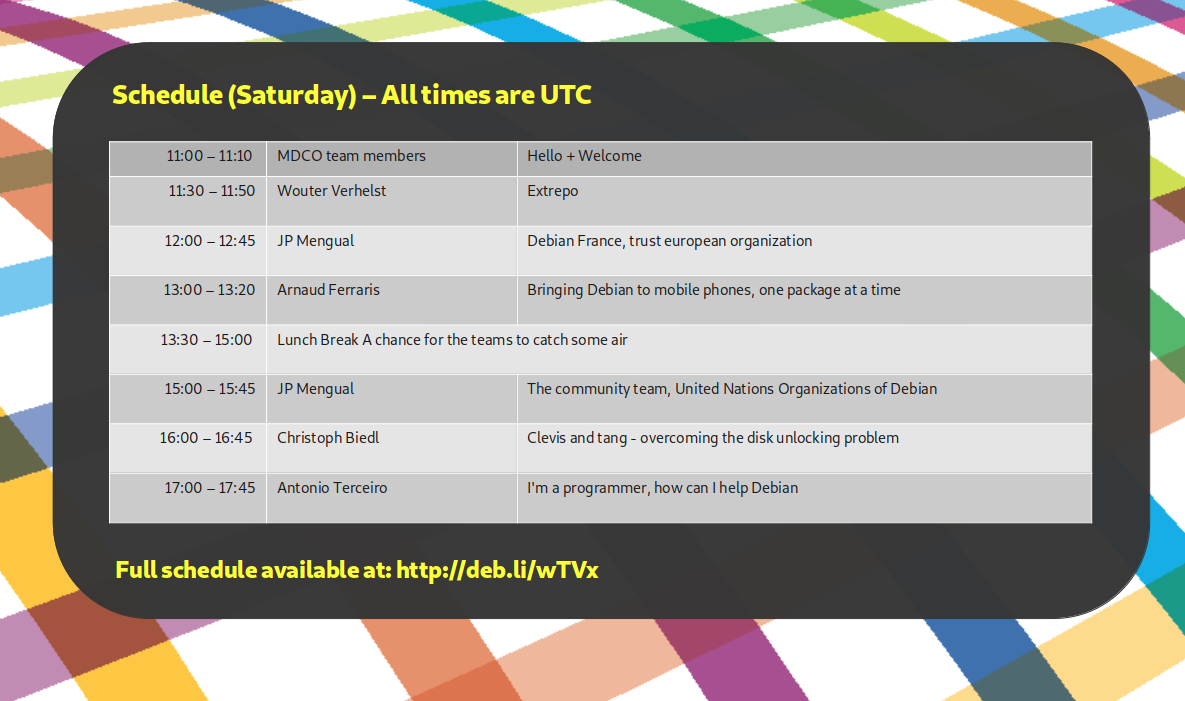
Dealing with the void during MiniDebConf Online #1 Between 28 and 31 May this year, we set out to create our first ever online MiniDebConf for Debian. Many people have been meaning to do something similar for a long time, but it just didn t work out yet. With many of us being in lock down due to COVID-19, and with the strong possibility looming that DebConf20 might have had to become an online event, we rushed towards organising the first ever Online MiniDebConf and put together some form of usable video stack for it. I could go into all kinds of details on the above, but this post is about a bug that lead to a pretty nifty feature for DebConf20. The tool that we use to capture Jitsi calls is called Jibri (Jitsi Broadcasting Infrustructure). It had a bug (well, bug for us, but it s an upstream feature) where Jibri would hang up after 30s of complete silence, because it would assume that the call has ended and that the worker can be freed up again. This would result in the stream being ended at the end of every talk, so before the next talk, someone would have to remember to press play again in their media player or on the video player on the stream page. Hrmph. Easy solution on the morning that the conference starts? I was testing a Debian Live image the night before in a KVM and thought that I might as well just start a Jitsi call from there and keep a steady stream of silence so that Jibri doesn t hang up. It worked! But the black screen and silence on stream was a bit eery. Because this event was so experimental in nature, and because we were on such an incredibly tight timeline, we opted not to seek sponsors for this event, so there was no sponsors loop that we d usually stream during a DebConf event. Then I thought Ah! I could just show the schedule! .

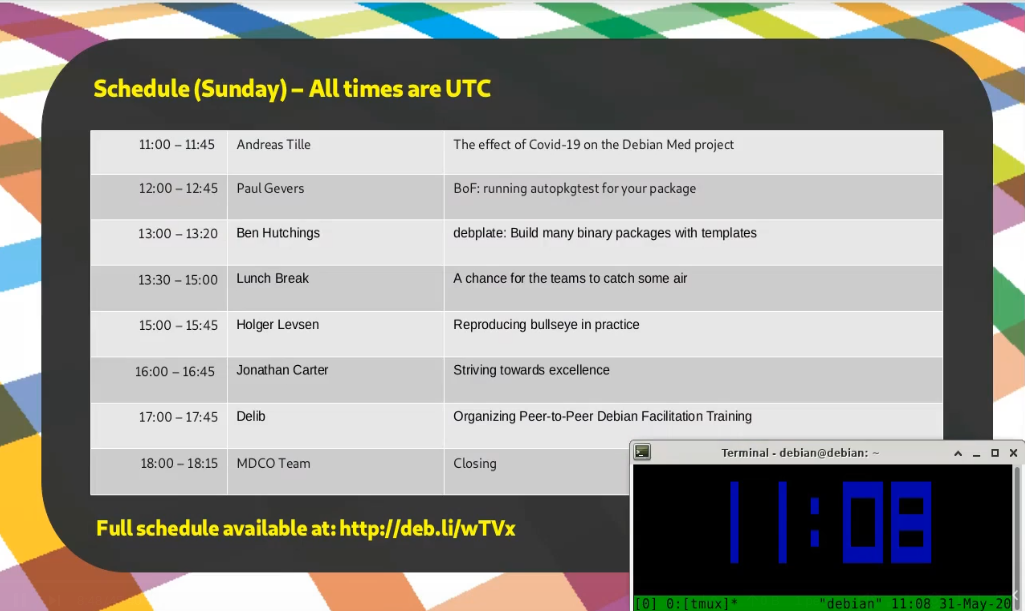
The stream looked bright and colourful (and was even useful!) and Jitsi/Jibri didn t die. I thought my work was done. As usual, little did I know how untrue that was. The silence was slightly disturbing after the talks, and people asked for some music. Playing music on my VM and capturing the desktop audio in to Jitsi was just a few pulseaudio settings away, so I spent two minutes finding some freely licensed tracks that sounded ok enough to just start playing on the stream. I came across mini-albums by Captive Portal and Cinema Noir, During the course of the MiniDebConf Online I even started enjoying those. Someone also pointed out that it would be really nice to have a UTC clock on the stream. I couldn t find a nice clock in a hurry so I just added a tmux clock in the meantime while we deal with the real-time torrent of issues that usually happens when organising events like this.
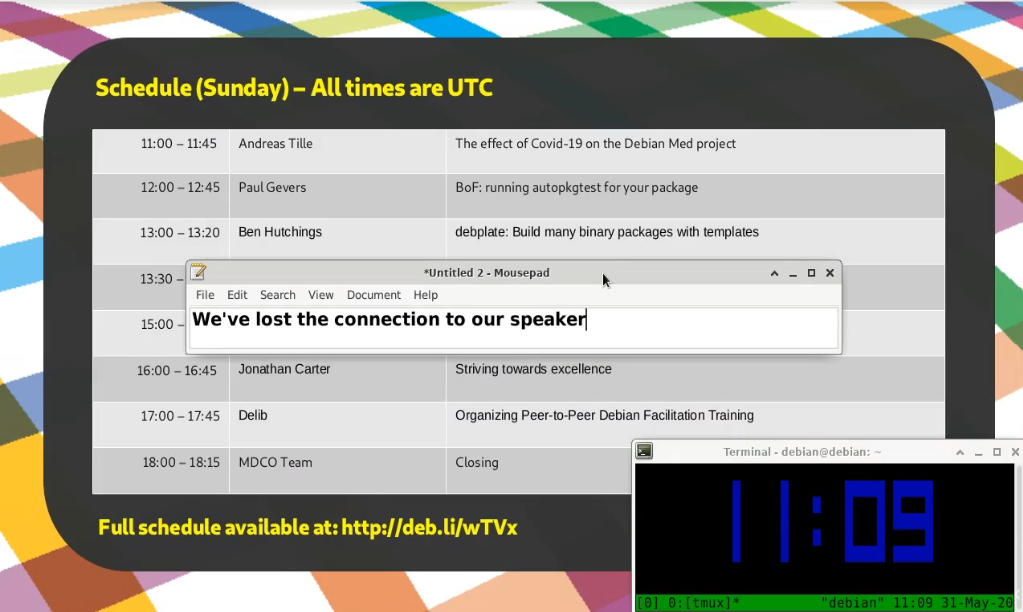
Speaking of issues, during our very first talk of the last day, our speaker had a power cut during the talk and abruptly dropped off. Oops! So, since I had a screenshare open from the VM to the stream, I thought I d just pop in a quick message in a text editor to let people know that we re aware of it and trying to figure out what s going on.
In the end, MiniDebConf Online worked out all right. Besides the power cut for our one speaker, and another who had a laptop that was way too under-powered to deal with video, everything worked out very well. Even the issues we had weren t show-stoppers and we managed to work around them.

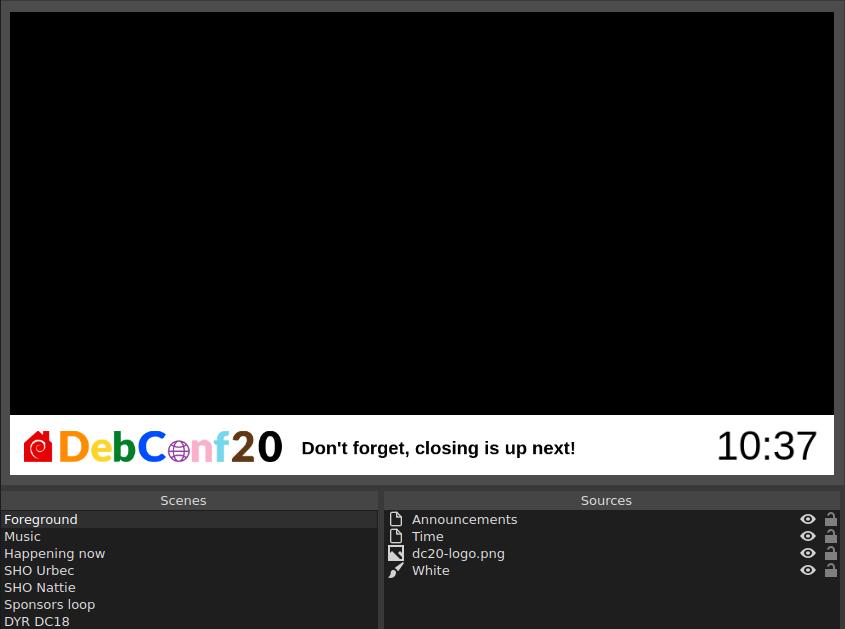
DebConf20 Moves Online For DebConf, we usually show a sponsors loop in between sessions. It s great that we give our sponsors visibility here, but in reality people see the sponsors loop and think Talk over! and then they look away. It s also completely silent and doesn t provide any additional useful information. I was wondering how I could take our lessons from MDCO#1 and integrate our new tricks with the sponsors loop. That is, add the schedule, time, some space to type announcements on the screen and also add some loopable music to it. I used OBS before in making my videos, and like the flexibility it provides when working with scenes and sources. A scene is what you would think of as a screen or a document with its own collection of sources or elements. For example, a scene might contain sources such as a logo, clock, video, image, etc. A scene can also contain another scene. This is useful if you want to contain a banner or play some background music that is shared between scenes.

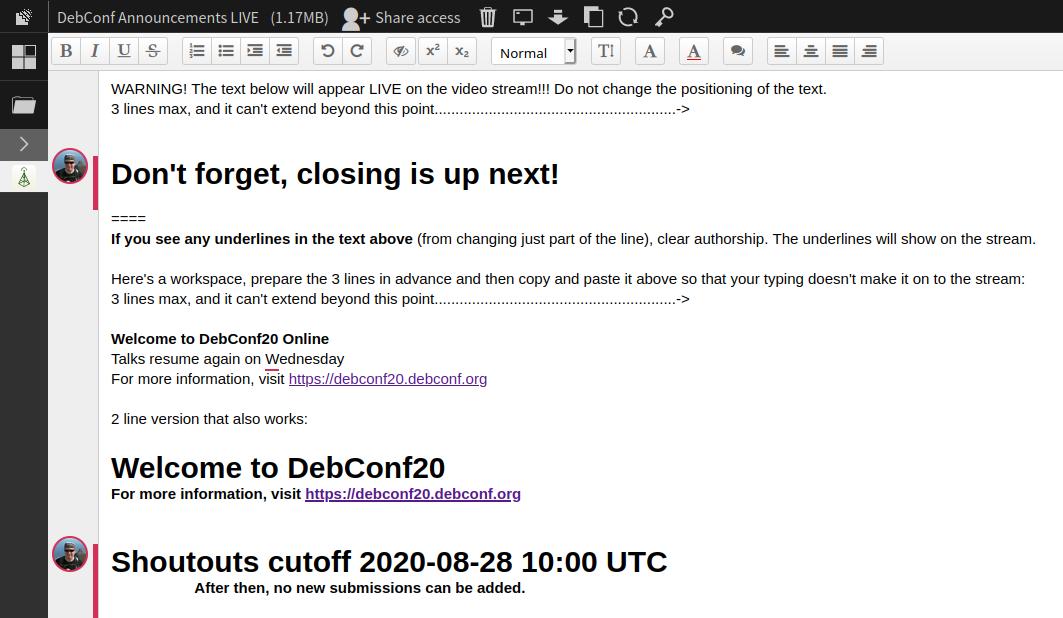
The above screenshots illustrate some basics of scenes and sources. First with just the DC20 banner, and then that used embedded in another scene. For MDCO#1, I copied and pasted the schedule into a LibreOffice Impress slide that was displayed on the stream. Having to do this for all 7 days of DebConf, plus dealing with scheduling changes would be daunting. So, I started to look in to generating some schedule slides programmatically. Stefano then pointed me to the Happening Now page on the DebConf website, where the current schedule block is displayed. So all I would need to do in OBS was to display a web page. Nice! Unfortunately the OBS in Debian doesn t have the ability to display web pages out of the box (we need to figure out CEF in Debian), but fortunately someone provides a pre-compiled version of the plugin called Linux Browser that works just fine. This allowed me to easily add the schedule page in its own scene. Being able to display a web page solved another problem. I wasn t fond of having to type / manage the announcements in OBS. It would either be a bit prone to user error, and if you want to edit the text while the loop is running, you d have to disrupt the loop, go to the foreground scene, and edit the text before resuming the loop. That s a bit icky. Then I thought that we could probably just get that from a web page instead. We could host some nice html snippet in a repository in salsa, and then anyone could easily commit an MR to update the announcement. But then I went a step further, use an etherpad! Then anyone in the orga team can quickly update the announcement and it would be instantly changed on the stream. Nice! So that small section of announcement text on the screen is actually a whole web browser with an added OBS filter to crop away all the pieces we don t want. Overkill? Sure, but it gave us a decent enough solution that worked in time for the start of DebConf. Also, being able to type directly on to the loop screen works out great especially in an emergency. Oh, and uhm the clock is also a website rendered in its own web browser :-P
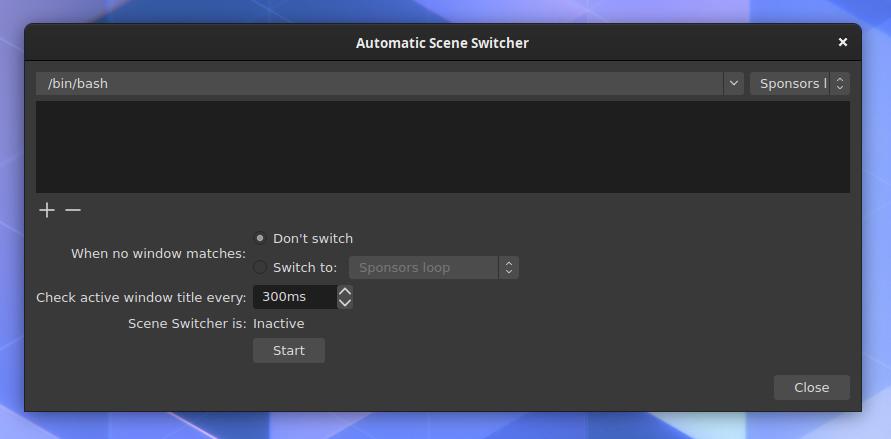
So, I had the ability to make scenes, add elements and add all the minimal elements I wanted in there. Great! But now I had to figure out how to switch scenes automatically. It s probably worth mentioning that I only found some time to really dig into this right before DebConf started, so with all of this I was scrambling to find things that would work without too many bugs while also still being practical. Now I needed the ability to switch between the scenes automatically / programmatically. I had never done this in OBS before. I know it has some API because there are Android apps that you can use to control OBS with from your phone. I discovered that it had an automatic scene switcher, but it s very basic. It can only switch based on active window, which can be useful in some cases, but since we won t have any windows open other than OBS, this tool was basically pointless.
After some quick searches, I found a plugin called Advanced Scene Switcher. This plugin can do a lot more, but has some weird UI choices, and is really meant for gamers and other types of professional streamers to help them automate their work flow and doesn t seem at all meant to be used for a continuous loop, but, it worked, and I could make it do something that will work for us during the DebConf. I had a chicken and egg problem because I had to figure out a programming flow, but didn t really have any content to work with, or an idea of all the content that we would eventually have. I ve been toying with the idea in my mind and had some idea that we could add fun facts, postcards (an image with some text), time now in different timezones, Debian news (maybe procured by the press team), cards that contain the longer announcements that was sent to debconf-announce, perhaps a shout out or two and some photos from previous DebConfs like the group photos. I knew that I wouldn t be able to build anything substantial by the time DebConf starts, but adding content to OBS in between talks is relatively easy, so we could keep on building on it during DebConf. Nattie provided the first shout out, and I made 2 video loops with the DC18/19 pictures and also two Did you know cards. So the flow I ended up with was: Sponsors -> Happening Now -> Random video (which would be any of those clips) -> Back to sponsors. This ended up working pretty well for quite a while. With the first batch of videos the sponsor loop would come up on average about every 2 minutes, but as much shorter clips like shout outs started to come in faster and faster, it made sense to play a few 2-3 shout-outs before going back to sponsors. So here is a very brief guide on how I set up the sequencing in Advanced Scene Switcher.
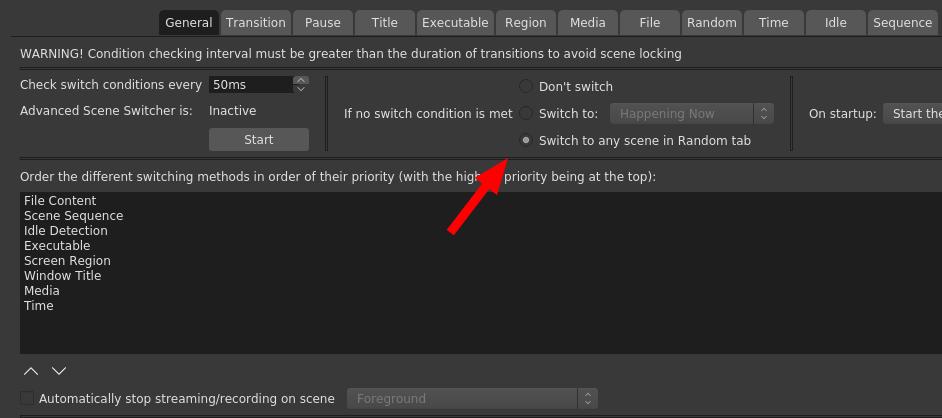
If no condition was met, a video would play from the Random tab.
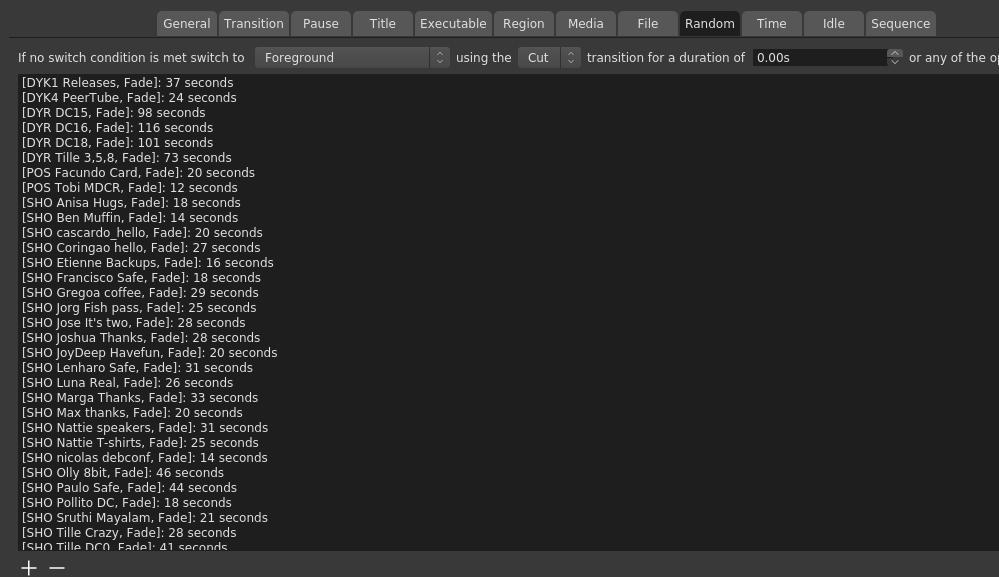
Then in the Random tab, I added the scenes that were part of the random mix. Annoyingly, you have to specify how long it should play for. If you don t, the no condition thingy is triggered and another video is selected. The time is also the length of the video minus one second, because
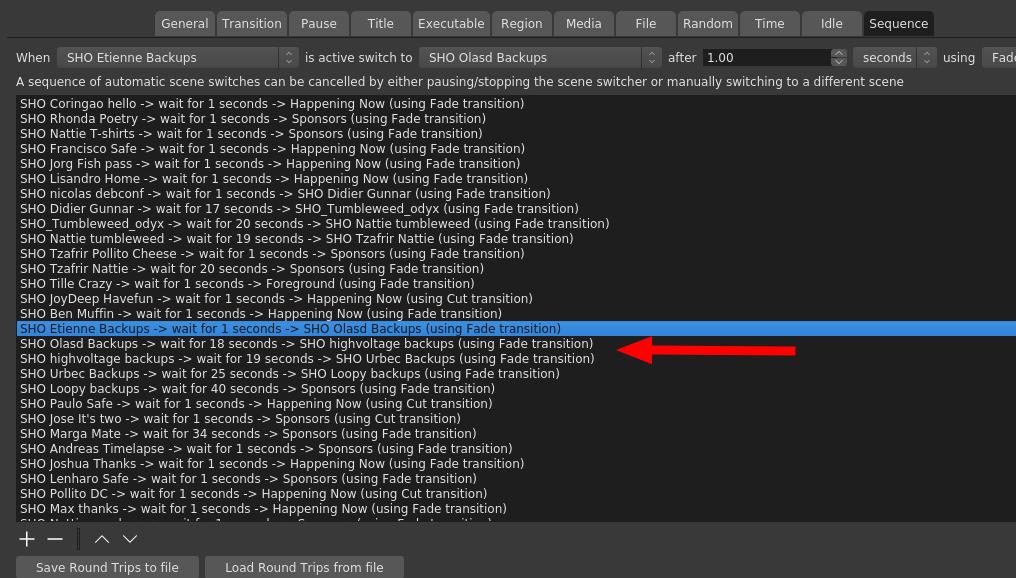
You can t just say that a random video should return back to a certain scene, you have to specify that in the sequence tab for each video. Why after 1 second? Because, at least in my early tests, and I didn t circle back to this, it seems like 0s can randomly either mean instantly, or never. Yes, this ended up being a bit confusing and tedious, and considering the late hours I worked on this, I m surprised that I didn t manage to screw it up completely at any point. I also suspected that threads would eventually happen. That is, when people create video replies to other videos. We had 3 threads in total. There was a backups thread, beverage thread and an impersonation thread. The arrow in the screenshot above points to the backups thread. I know it doesn t look that complicated, but it was initially somewhat confusing to set up and make sense out of it.
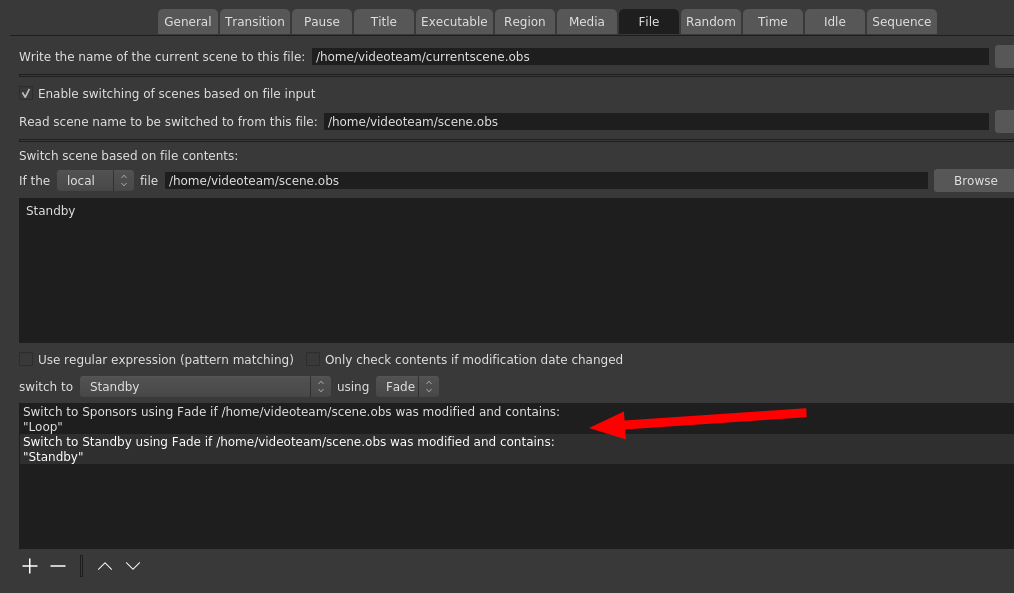
For the next event, the Advanced Scene Switcher might just get some more taming, or even be replaced entirely. There are ways to drive OBS by API, and even the Advanced Scene Switcher tool can be driven externally to some degree, but I think we definitely want to replace it by the next full DebConf. We had the problem that when a talk ended, we would return to the loop in the middle of a clip, which felt very unnatural and sometimes even confusing. So Stefano helped me with a helper script that could read the socket from Vocto, which I used to write either Loop or Standby to a file, and then the scene switcher would watch that file and keep the sponsors loop ready for start while the talks play. Why not just switch to sponsors when the talk ends? Well, the little bit of delay in switching would mean that you would see a tiny bit of loop every time before switching to sponsors. This is also why we didn t have any loop for the ad-hoc track (that would have probably needed another OBS instance, we ll look more into solutions for this for the future).
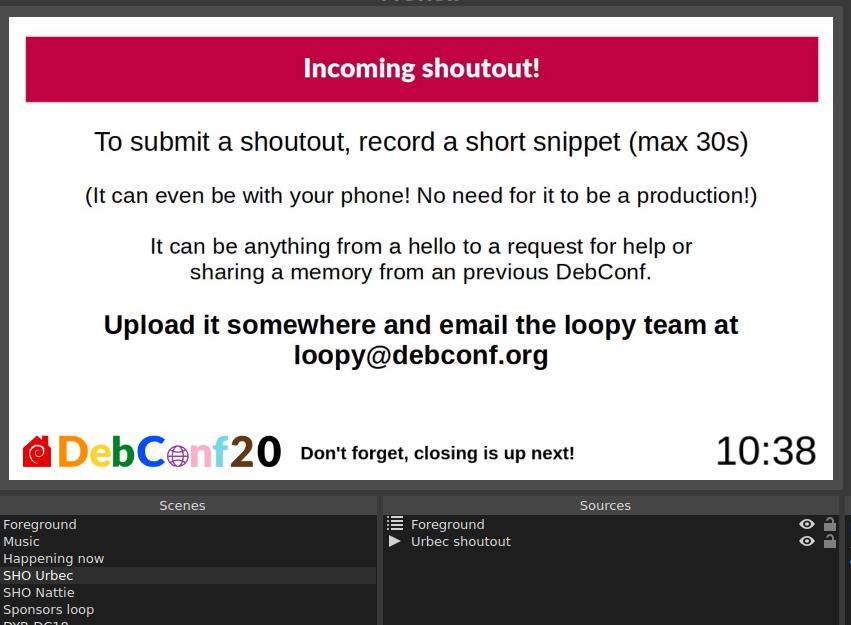
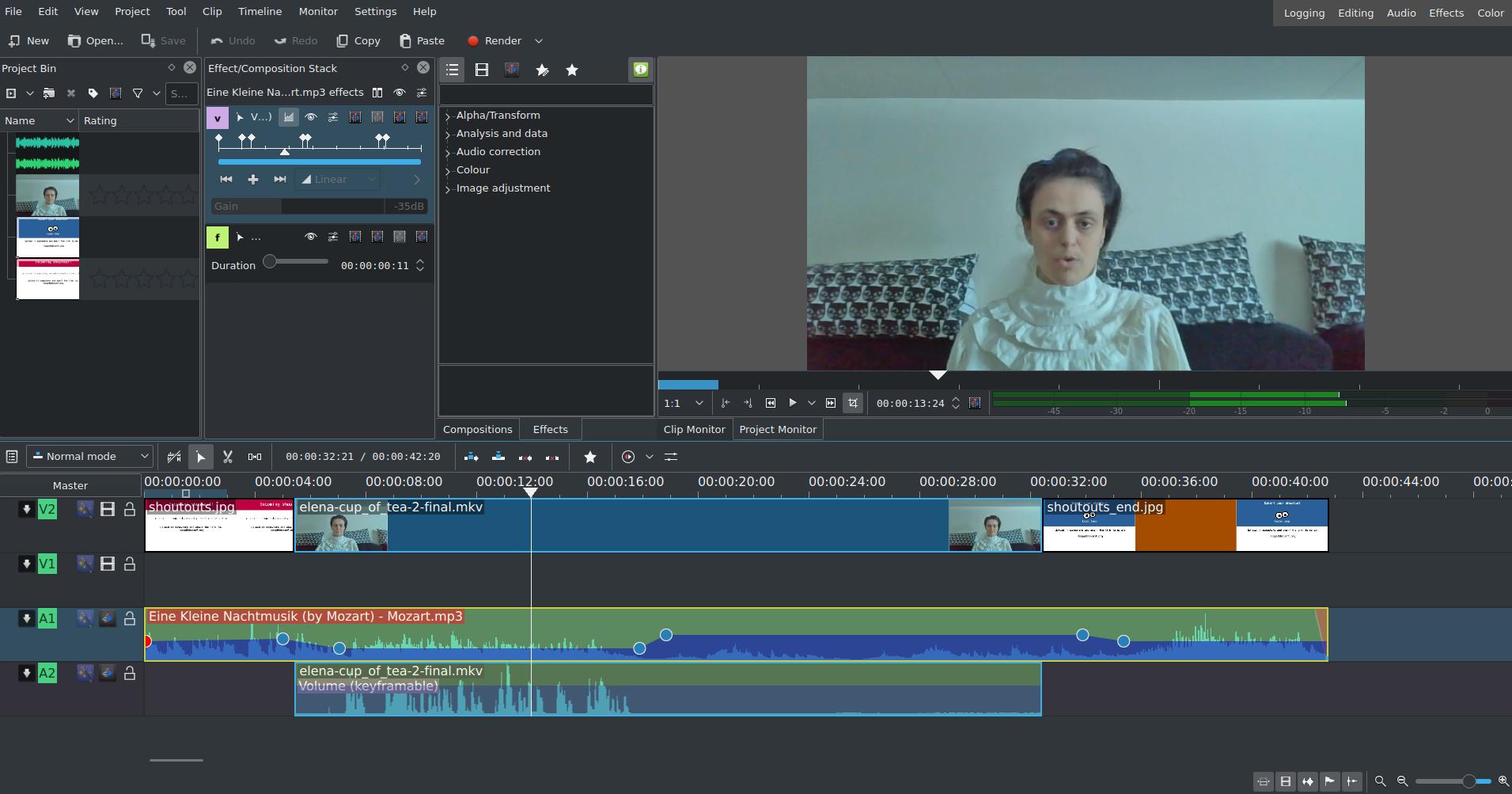
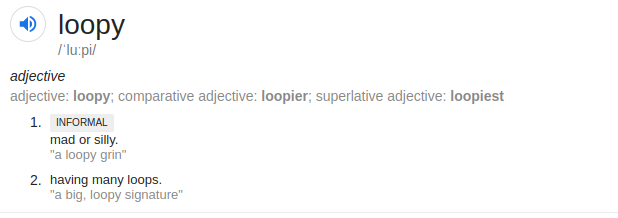
Then for all the clips. There were over 50 of them. All of them edited by hand in kdenlive. I removed any hard clicks, tried to improve audibility, remove some sections at the beginning and the end that seemed extra and added some music that would reduce in volume when someone speaks. In the beginning, I had lots of fun with choosing music for the clips. Towards the end, I had to rush them through and just chose the same tune whether it made sense or not. For comparison of what a difference the music can make, compare the original and adapted version for Valhalla s clip above, or this original and adapted video from urbec. This part was a lot more fun than dealing with the video sequencer, but I also want to automate it a bit. When I can fully drive OBS from Python I ll likely instead want to show those cards and control music volume from Python (what could possibly go wrong ). The loopy name happened when I requested an @debconf.org alias for this. I was initially just thinking about loop@debconf.org but since I wanted to make it clear that the purpose of this loop is also to have some fun, I opted for loopy instead:
I was really surprised by how people took to loopy. I hoped it would be good and that it would have somewhat positive feedback, but the positive feedback was just immense. The idea was that people typically saw it in between talks. But a few people told me they kept it playing after the last talk of the day to watch it in the background. Some asked for the music because they want to keep listening to it while working (and even for jogging!?). Some people also asked for recordings of the loop because they want to keep it for after DebConf. The shoutouts idea proved to be very popular. Overall, I m very glad that people enjoyed it and I think it s safe to say that loopy will be back for the next event.
Also throughout this experiment Loopy Loop turned into yet another DebConf mascot. We gain one about every DebConf, some by accident and some on purpose. This one was not quite on purpose. I meant to make an image for it for salsa, and started with an infinite loop symbol. That s a loop, but by just adding two more solid circles to it, it looks like googly eyes, now it s a proper loopy loop! I like the progress we ve made on this, but there s still a long way to go, and the ideas keep heaping up. The next event is quite soon (MDCO#2 at the end of November, and it seems that 3 other MiniDebConf events may also be planned), but over the next few events there will likely be significantly better graphics/artwork, better sequencing, better flow and more layout options. I hope to gain some additional members in the team to deal with incoming requests during DebConf. It was quite hectic this time! The new OBS also has a scripting host that supports Python, so I should be able to do some nice things even within OBS without having to drive it externally (like, display a clock without starting a web browser).

The Loopy Loop Music The two mini albums that mostly played during the first few days were just a copy and paste from the MDCO#1 music, which was:

For shoutout tracks, that were later used in the loop too (because it became a bit monotonous), most of the tracks came from freepd.com: I have much more things to say about DebConf20, but I ll keep that for another post, and hopefully we can get all the other video stuff in a post from the video team, because I think there s been some real good work done for this DebConf. Also thanks to Infomaniak who was not only a platinum sponsor for this DebConf, but they also provided us with plenty of computing power to run all the video stuff on. Thanks again!

24 August 2020

Arnaud Rebillout: Send emails from your terminal with msmtp

In this tutorial, we'll configure everything needed to send emails from the terminal. We'll use msmtp, a lightweight SMTP client. For the sake of the example, we'll use a GMail account, but any other email provider can do. Your OS is expected to be Debian, as usual on this blog, although it doesn't really matter. We will also see how to store the credentials for the email account in the system keyring. And finally, we'll go the extra mile, and see how to configure various command-line utilities so that they automatically use msmtp to send emails. Even better, we'll make msmtp the default email sender, to actually avoid configuring these utilities one by one. Prerequisites Strong prerequisites (if you don't recognize yourself here, you probably landed on the wrong page): Weak prerequisites (if your setup doesn't match those points exactly, that's fine, you can still read on): GMail account setup For a GMail account, there's a bit of configuration to do. For other email providers, I have no idea, maybe you can just skip this part, or maybe you will have to go through a similar procedure. If you want an external program (msmtp in this case) to talk to the GMail servers on your behalf, and send emails, you can't just use your usual GMail password. Instead, GMail requires you to generate so-called app passwords, one for each application that needs to access your GMail account. This approach has several advantages: So app passwords are a good idea, it just requires a bit of work to set it up. Let's see what it takes. First, 2-Step Verification must be enabled on your GMail account. Visit https://myaccount.google.com/security, and if that's not the case, enable it. You'll need to authorize all of your devices (computer(s), phone(s) and so on), and it can be a bit tedious, granted. But you only have to do it once in a lifetime, and after it's done, you're left with a more secure account, so it's not that bad, right? Enabling the 2-Step Verification will unlock the feature we need: App passwords. Visit https://myaccount.google.com/apppasswords, and under "Signing in to Google", click "App passwords", and generate one. An app password is a 16 characters string, something like qwertyuiopqwerty. It's supposed to be used from only one place, ie. from ONE application that is installed on ONE device. That's why it's common to give it a name of the form application@device, so in our case it could be msmtp@laptop, but really it's free form, choose whatever name suits you, as long as it makes sense to you. So let's give a name to this app password, write it down for now, and we're done with the GMail config. Send your first email Time to get started with msmtp. First thing first, installation, trivial:
sudo apt install msmtp
Let's try to send an email. At this point, we did not create any configuration file for msmtp yet, so we have to provide every details on the command line.
# Write a dummy email
cat << EOF > message.txt
From: YOUR_LOGIN@gmail.com
To: SOMEONE_ELSE@SOMEWHERE_ELSE.com
Subject: Cafe Sua Da
Iced-coffee with condensed milk
EOF
# Send it
cat message.txt   msmtp \
    --auth=on --tls=on \
    --host smtp.gmail.com \
    --port 587 \
    --user YOUR_LOGIN \
    --read-envelope-from \
    --read-recipients
# msmtp prompts you for your password:
# this is where goes the app password!
Obviously, in this example you should replace the uppercase words with the real thing, that is, your email login, and real email addresses. Also, let me insist, you must enter the app password that was generated previously, not your real GMail password. And it should work already, this email should have been sent and received by now. So let me explain quickly what happened here. In the file message.txt, we provided From: (the email address of the person sending the email) and To: (the destination email address). Then we asked msmtp to re-use those values to set the envelope of the email with --read-envelope-from and --read-recipients. What about the other parameters? For more details, you should refer to the msmtp documentation. Write a configuration file So we could send an email, that's cool already. However the command to do that was a bit long, and we don't want to juggle with all these arguments every time we send an email. So let's write down all of that into a configuration file. msmtp supports two locations: ~/.msmtprc and ~/.config/msmtp/config, at your preference. In this tutorial we'll use ~/.msmtprc for brevity:
cat << 'EOF' > ~/.msmtprc
defaults
tls on
account gmail
auth on
host smtp.gmail.com
port 587
user YOUR_LOGIN
from YOUR_LOGIN@gmail.com
account default : gmail
EOF
And for a quick explanation: All in all it's pretty simple, and it's becoming easier to send an email:
# Write a dummy email. Note that the
# header 'From:' is no longer needed,
# it's already in '~/.msmtprc'.
cat << 'EOF' > message.txt
To: SOMEONE_ELSE@SOMEWHERE_ELSE.com
Subject: Flat White
The milky way for coffee
EOF
# Send it
cat message.txt   msmtp \
    --account default \
    --read-recipients
Actually, --account default is not needed, as it's the default anyway if you don't provide a --account argument. Furthermore --read-recipients can be shortened as -t. So we can make it real short now:
msmtp -t < message.txt
At this point, life is good! Except for one thing maybe: we still have to type the password every time we send an email. Surely it must be possible to avoid that annoyance... Store your password in the system keyring For this part, we'll make use of the libsecret tool to store the password in the system keyring via the Secret Service API. It means that your desktop environment should implement the Secret Service specification, which is the case for both GNOME and KDE. Note that GNOME provides Seahorse to have a look at your secrets, KDE has the KDE Wallet. There's also KeePassXC, which I have only heard of but never used. I guess it can be your password manager of choice if you use neither GNOME nor KDE. For those running an up-to-date Debian unstable, you should have msmtp >= 1.8.11-2, and you're all good to go. For those having an older version than that however, you will have to install the package msmtp-gnome in order to have msmtp built with libsecret support. Note that this package depends on seahorse, hence it pulls in a good part of the GNOME stack when you install it. For those not running GNOME, that's unfortunate. All of this was discussed and fixed in #962689. Alright! So let's just make sure that the libsecret tools are installed:
sudo apt install libsecret-tools
And now we can store our password in the system keyring with this command:
secret-tool store --label msmtp \
    host smtp.gmail.com \
    service smtp \
    user YOUR_LOGIN
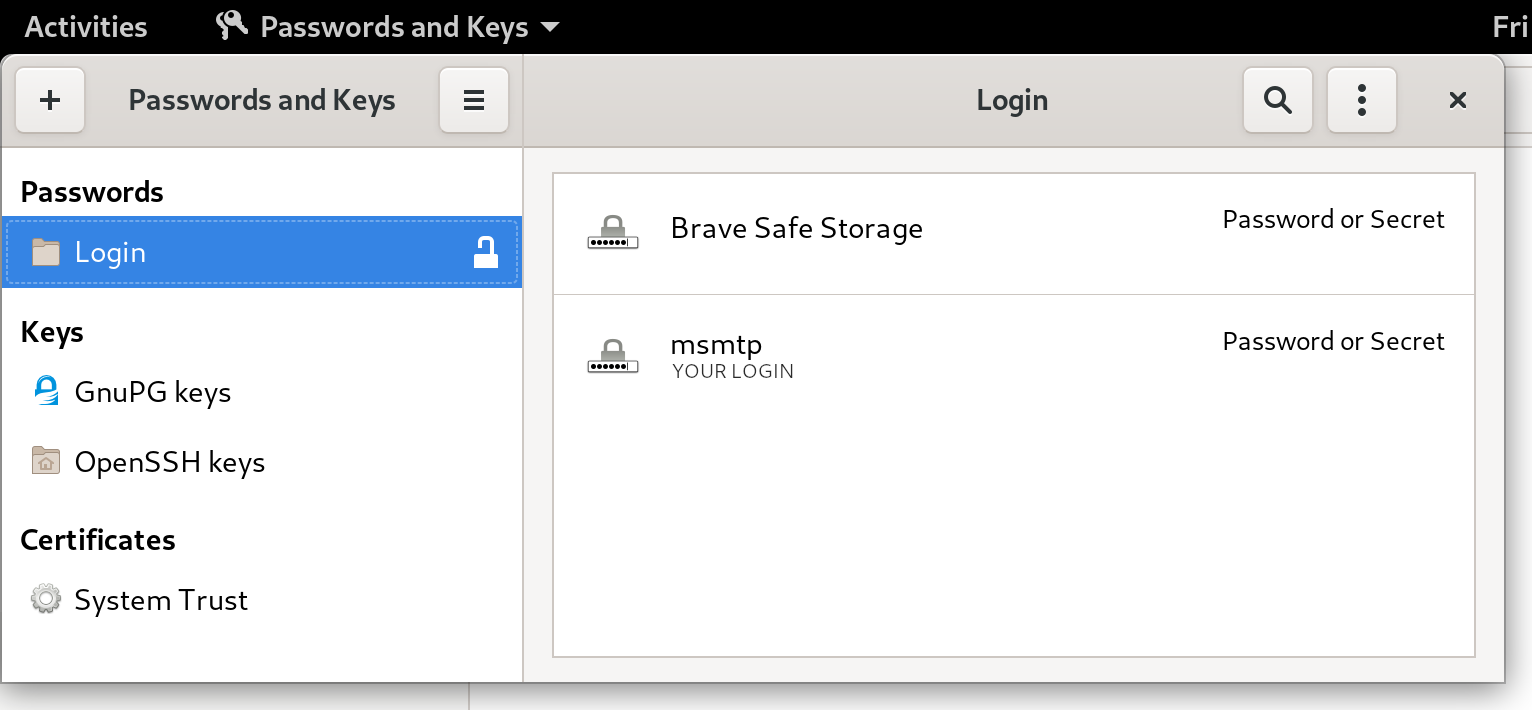
If this looks a bit too magic, and you want something more visual, you can actually fire a GUI like seahorse (for GNOME users), or kwalletmanager5 (for KDE users), and then you will see what passwords are stored in there. Here's a screenshot of Seahorse, with a msmtp password stored: seahorse with msmtp password Let's try to send an email again:
msmtp -t < message.txt
No need for a password anymore, msmtp got it from the system keyring! For more details on how msmtp handle the passwords, and to see what other methods are supported, refer to the extensive documentation. Use-cases and integration Let's go over a few use-cases, situations where you might end up sending emails from the command-line, and what configuration is required to make it work with msmtp. Git Send-Email Sending emails with git is a common workflow for some projects, like the Linux kernel. How does git send-email actually send emails? From the git-send-email manual page:
the built-in default is to search for sendmail in /usr/sbin, /usr/lib and $PATH if such program is available
It is possible to override this default though:
--smtp-server=
[...] Alternatively it can specify a full pathname of a sendmail-like program instead; the program must support the -i option.
So in order to use msmtp here, you'd add a snippet like that to your ~/.gitconfig file:
[sendemail]
    smtpserver = /usr/bin/msmtp
For a full guide, you can also refer to https://git-send-email.io. Debian developer tools Tools like bts or reportbug are also good examples of command-line tools that need to send emails. From the bts manual page:
--sendmail=SENDMAILCMD
Specify the sendmail command [...] Default is /usr/sbin/sendmail.
So if you want bts to send emails with msmtp instead of sendmail, you must use bts --sendmail='/usr/bin/msmtp -t'. Note that bts also loads settings from the file /etc/devscripts.conf and ~/.devscripts, so you could also set BTS_SENDMAIL_COMMAND='/usr/bin/msmtp -t' in one of those files. From the reportbug manual page:
--mta=MTA
Specify an alternate MTA, instead of /usr/sbin/sendmail (the default).
In order to use msmtp here, you'd write reportbug --mta=/usr/bin/msmtp. Note that reportbug reads it settings from /etc/reportbug.conf and ~/.reportbugrc, so you could as well set mta /usr/bin/msmtp in one of those files. So who is this sendmail again? By now, you probably noticed that sendmail seems to be considered the default tool for the job, the "traditional" command that has been around for ages. Rather than configuring every tool to use something else than sendmail, wouldn't it be simpler to actually replace sendmail by msmtp? Like, create a symlink that points to msmtp, something like ln -sr /usr/bin/msmtp /usr/sbin/sendmail? So that msmtp acts as a drop-in replacement for sendmail, and there's nothing else to configure? Answer is yes, kind of. Actually, the first msmtp feature that is listed on the homepage is "Sendmail compatible interface (command line options and exit codes)". Meaning that msmtp is a drop-in replacement for sendmail, that seems to be the intent. However, you should refrain from creating or modifying anything in /usr, as it's the territory of the package manager, apt. Any change in /usr might be overwritten by apt the next time you run an upgrade or install new packages. In the case of msmtp, there is actually a package named msmtp-mta that will create this symlink for you. So if you really want a definitive replacement for sendmail, there you go:
sudo apt install msmtp-mta
From this point, sendmail is now a symlink /usr/sbin/sendmail /usr/bin/msmtp, and there's no need to configure git, bts, reportbug or any other tool that would rely on sendmail. Everything should work "out of the box". Conclusion I hope that you enjoyed reading this article! If you have any comment, feel free to send me a short email, preferably from your terminal!

23 August 2020

Enrico Zini: Doing things /together/

Here are the slides of mine and Ulrike's talk Doing things /together/.
Our thoughts about cooperation aspects of doing things together. Sometimes in Debian we do work together with others, and sometimes we are a number of people who work alone, and happen to all upload their work in the same place. In times when we have needed to take important decisions together, this distinction has become crucial, and some of us might have found that we were not as good at cooperation as we would have thought. This talk is intended for everyone who is part of a larger community. We will show concepts and tools that we think could help understand and shape cooperation.
Video of the talk: The slides have extensive notes: you can use View Notes in LibreOffice Impress to see them. Here are the Inkscape sources for the graphs: Here are links to resources quoted in the talk: In the Q&A, pollo asked:
How can we still have a good code review process without making it a "you need to be perfect" scenario? I often find picky code reviews help me write better code.
Ulrike wrote a more detailed answer: Code reviews: from nitpicking to cooperation

2 August 2020

Enrico Zini: Libreoffice presentation tips

Snap guides Dragging from the rulers does not always create snap guides. If it doesn't, click on the slide background, "Snap guides", "Insert snap guide". In my case, after the first snap guide was manually inserted, it was possible to drag new one from the rulers. Master slides How to edit a master slide Change styles in master slide Do not change properties of text by selecting placeholder text in the Master View. Instead, open the Styles and formatting sidebar, and edit the styles in there. This means the style changes are applied to pages in all layouts, not just the "Title, Content" layout that is the only one editable in the "Master View". How to duplicate a master slide There seems to be no feature implemented for this, but you can do it, if you insist: It's needed enough that someone made a wikihow: https://www.wikihow.com/Copy-a-LibreOffice-Impress-Master-Slide. How to change the master slide for a layout that is not "Title, Content" I could not find a way to do it, but read on for a workaround. I found an ask.libreoffice.org question that went unanswered. I asked on #libreoffice on IRC and got no answer:
Hello. I'm doing the layout for a presentation in impress, and I can edit all sorts of aspects of the master slide. It seems that I can only edit the "Title, Content" layout of the master slide, though. I'd like to edit, for example, the "Title only" layout so that the title appears in a different place than the top of the page. Is it possible to edit specific layouts in a master page? In the master slide editor it seems impossible to select a layout, for example. Alternatively I tried creating multiple master slides, but then if I want to create a master slide for a title page, there's no way to remove the outline box, or the title box.
My work around has been to create multiple master slides, one for each layout. For a title layout, I moved the outline box into a corner, and one has to remove it manually after create a new slide. There seems to be no way of changing the position of elements not found in the "Title, Content" layout, like "Subtitle". On the other hand, given that one's working with an entirely different master slide, one can abuse the outline box as a subtitle. Note that if you later decide to change a style element for all the slides, you'll need to go propagate the change to the "Styles and Formatting" menu of all master slides you're using.

28 July 2020

Russ Allbery: Review: The City in the Middle of the Night

Review: The City in the Middle of the Night, by Charlie Jane Anders
Publisher: Tor
Copyright: February 2019
Printing: February 2020
ISBN: 1-4668-7113-X
Format: Kindle
Pages: 366
January is a tidally-locked planet divided between permanent night and permanent day, an unfortunate destination for a colony starship. Now, humans cling to a precarious existence along the terminator, huddling in two wildly different cities and a handful of smaller settlements, connected by a road through the treacherous cold. The novel opens with Sophie, a shy university student from the dark side of the city of Xiosphant. She has an overwhelming crush on Bianca, her high-class, self-confident roommate and one of the few people in her life to have ever treated her with compassion and attention. That crush, and her almost non-existent self-esteem, lead her to take the blame for Bianca's petty theft, resulting in what should have been a death sentence. Sophie survives only because she makes first contact with a native intelligent species of January, one that the humans have been hunting for food and sport. Sadly, I think this is enough Anders for me. I've now bounced off two of her novels, both for structural reasons that I think go deeper than execution and indicate a fundamental mismatch between what Anders wants to do as an author and what I'm looking for as a reader. I'll talk more about what this book is doing in a moment, but I have to start with Bianca and Sophie. It's difficult for me to express how much I loathed this relationship and how little I wanted to read about it. It took me about five pages to peg Bianca as a malignant narcissist and Sophie's all-consuming crush as dangerous codependency. It took the entire book for Sophie to figure out how awful Bianca is to her, during which Bianca goes through the entire abusive partner playbook of gaslighting, trivializing, contingent affection, jealous rage, and controlling behavior. And meanwhile Sophie goes back to her again, and again, and again, and again. If I hadn't been reading this book on a Kindle, I think it would have physically hit a wall after their conversation in the junkyard. This is truly a matter of personal taste and preference. This is not an unrealistic relationship; this dynamic happens in life all too often. I'm sure there is someone for whom reading about Sophie's spectacularly poor choices is affirming or cathartic. I've not personally experienced this sort of relationship, which doubtless matters. But having empathy for someone who is making awful and self-destructive life decisions and trusting someone they should not be trusting and who is awful to them in every way is difficult work. Sophie is the victim of Bianca's abuse, but she does so many stupid and ill-conceived things in support of this twisted relationship that I found it very difficult to not get angry at her. Meanwhile, Anders writes Sophie as so clearly fragile and uncertain and devoid of a support network that getting angry at her is like kicking a puppy. The result for me was spending nearly an entire book in a deeply unpleasant state of emotional dissonance. I may be willing to go through that for a close friend, but in a work of fiction it's draining and awful and entirely not fun. The other viewpoint character had the opposite problem for me. Mouth starts the book as a traveling smuggler, the sole survivor of a group of religious travelers called the Citizens. She's practical, tough, and guarded. Beneath that, I think the intent was to show her as struggling to come to terms with the loss of her family and faith community. Her first goal in the book is to recover a recording of Citizen sacred scripture to preserve it and to reconnect with her past. This sounds interesting on the surface, but none of it gelled. Mouth never felt to me like someone from a faith community. She doesn't act on Citizen beliefs to any meaningful extent, she rarely talks about them, and when she does, her attitude is nostalgia without spirituality. When Mouth isn't pursuing goals that turn out to be meaningless, she aimlessly meanders through the story. Sophie at least has agency and makes some important and meaningful decisions. Mouth is just there, even when Anders does shattering things to her understanding of her past. Between Sophie and Bianca putting my shoulders up around my ears within the first few pages of the first chapter and failing to muster any enthusiasm for Mouth, I said the eight deadly words ("I don't care what happens to these people") about a hundred pages in and the book never recovered. There are parts of the world-building I did enjoy. The alien species that Sophie bonds with is not stunningly original, but it's a good (and detailed) take on one of the alternate cognitive and social models that science fiction has dreamed up. I was comparing the strangeness and dislocation unfavorably to China Mi ville's Embassytown while I was reading it, but in retrospect Anders's treatment is more decolonialized. Xiosphant's turn to Circadianism as their manifestation of order is a nicely understated touch, a believable political overreaction to the lack of a day/night cycle. That touch is significantly enhanced by Sophie's time working in a salon whose business model is to help Xiosphant residents temporarily forget about time. And what glimmers we got of politics on the colony ship and their echoing influence on social and political structures were intriguing. Even with the world-building, though, I want the author to be interested in and willing to expand the same bits of world-building that I'm engaged with. Anders didn't seem to be. The reader gets two contrasting cities along a road, one authoritarian and one libertine, which makes concrete a metaphor for single-axis political classification. But then Anders does almost nothing with that setup; it's just the backdrop of petty warlord politics, and none of the political activism of Bianca's student group seems to have relevance or theoretical depth. It's a similar shallowness as the religion of Mouth's Citizens: We get a few fragments of culture and religion, but without narrative exploration and without engagement from any of the characters. The way the crew of the Mothership was assembled seems to have led to a factional and racial caste system based on city of origin and technical expertise, but I couldn't tell you more than that because few of the characters seem to care. And so on. In short, the world-building that I wanted to add up to a coherent universe that was meaningful to the characters and to the plot seemed to be little more than window-dressing. Anders tosses in neat ideas, but they don't add up to anything. They're just background scenery for Bianca and Sophie's drama. The one thing that The City in the Middle of the Night does well is Sophie's nervous but excited embrace of the unknown. It was delightful to see the places where a typical protagonist would have to overcome a horror reaction or talk themselves through tradeoffs and where Sophie's reaction was instead "yes, of course, let's try." It provided an emotional strength to an extended first-contact exploration scene that made it liberating and heart-warming without losing the alienness. During that part of the book (in which, not coincidentally, Bianca does not appear), I was able to let my guard down and like Sophie for the first time, and I suspect that was intentional on Anders's part. But, overall, I think the conflict between Anders's story-telling approach and my preferences as a reader are mostly irreconcilable. She likes to write about people who make bad decisions and compound their own problems. In one of the chapters of her non-fiction book about writing that's being serialized on Tor.com she says "when we watch someone do something unforgivable, we're primed to root for them as they search desperately for an impossible forgiveness." This is absolutely not true for me; when I watch a character do something unforgivable, I want to see repudiation from the protagonists and ideally some clear consequences. When that doesn't happen, I want to stop reading about them and find something more enjoyable to do with my time. I certainly don't want to watch a viewpoint character insist that the person who is doing unforgivable things is the center of her life. If your preferences on character and story arc are closer to Anders's than mine, you may like this book. Certainly lots of people did; it was nominated for multiple awards and won the Locus Award for Best Science Fiction Novel. But despite the things it did well, I had a truly miserable time reading it and am not anxious to repeat the experience. Rating: 4 out of 10

26 July 2020

Enrico Zini: Consent links

Teaching consent is ongoing, but it starts when children are very young. It involves both teaching children to pay attention to and respect others' consent (or lack thereof) and teaching children that they should expect their own bodies and their own space to be respected---even by their parents and other relatives. And if children of two or four can be expected to read the nonverbal cues and expressions of children not yet old enough to talk in order to assess whether there is consent, what excuse do full grown adults have?
Small children have no sense of shame or disgust or fear of their bodies. A body is what it is. It does what it does.
About commonly accepted violation of children boundaries
Personal boundaries are guidelines, rules or limits that a person creates to identify reasonable, safe and permissible ways for other people to behave towards them and how they will respond when someone passes those limits.[1] They are built out of a mix of conclusions, beliefs, opinions, attitudes, past experiences and social learning.[2][3] This concept or life skill has been widely referenced in self-help books and used in the counseling profession since the mid-1980s.[4]

13 July 2020

Antoine Beaupr : Not recommending Purism

This is just a quick note to mention that I have updated my hardware documentation on the Librem 13v4 laptop. It has unfortunately turned into a rather lengthy (and ranty) piece about Purism. Let's just say that waiting weeks for your replacement laptop (yes, it died again) does wonders for creativity. To quote the full review:
TL;DR: I recommend people avoid the Purism brand and products. I find they have questionable politics, operate in a "libre-washing" fashion, and produce unreliable hardware. Will not buy again.
People who have read the article might want to jump directly to the new sections: I have also added the minor section of the missing mic jack. I realize that some folks (particularly at Debian) might still work at Purism, and that this article might be demoralizing for their work. If that is the case, I am sorry this article triggered you in any way and I hope this can act as a disclaimer. But I feel it is my duty to document the issues I am going through, as a user, and to call bullshit when I see it (let's face it, the anti-interdiction stuff and the Purism 5 crowd-funding campaign were total bullshit). I also understand that the pandemic makes life hard for everyone, and probably makes a bad situation at Purism worse. But those problems existed before the pandemic happened. They were issues I had identified in 2019 and that I simply never got around to document. I wish that people wishing to support the free software movement would spend their energy towards organisations that actually do honest work in that direction, like System76 and Pine64. And if you're going to go crazy with an experimental free hardware design, why not go retro with the MNT Reform. In the meantime, if you're looking for a phone, I recommend you give the Fairphone a fair chance. It really is a "fair" (as in, not the best, but okay) phone that you can moderately liberate, and it actually frigging works. See also my hardware review of the FP2. Update: this kind of blew up, for my standards: 10k visitors in ~24h while I usually get about 1k visitors after a week on any regular blog post. There were more discussions on the subject here: Trigger warning: some of those threads include personal insults and explicitly venture into the free speech discussion, with predictable (sad) consequences...

28 May 2020

Elana Hashman: Presenter mode in LibreOffice Impress without an external display

I typically use LibreOffice Impress for my talks, much to some folks' surprise. Yes, you can make slides look okay with free software! But there's one annoying caveat that has bothered me for ages. Impress makes it nearly impossible to enter presenter mode with a single display, while also displaying slides. I have never understood this limitation, but it's existed for a minimum of seven years. I've tried all sorts of workarounds over the years, including a macro that forces LibreOffice into presenter mode, which I never was able to figure out how to reverse once I ran it... This has previously been an annoyance but never posed a big problem, because when push came to shove I could leave my house and use an external monitor or screen when presenting at meetups. But now, everything's virtual, I'm in lockdown indefinitely, and I don't have another display available at home. And about 8 hours before speaking at a meetup today, I realized I didn't have a way to share my slides while seeing my speaker notes. Uh oh. So I got this stupid idea. ...why don't I just placate LibreOffice with a FAKE display? Virtual displays with xrandr My GPU had this capability innately, it turns out, if I could just whisper the right incantations to unlock its secrets:
ehashman@red-dot:~$ cat /usr/share/X11/xorg.conf.d/20-intel.conf 
Section "Device"
    Identifier "intelgpu0"
    Driver "intel"
    Option "VirtualHeads" "1"
EndSection
After restarting X to allow this newly created config to take effect, I now could see two new virtual displays available for use:
ehashman@red-dot:~$ xrandr
Screen 0: minimum 8 x 8, current 3840 x 1080, maximum 32767 x 32767
eDP1 connected primary 1920x1080+0+0 (normal left inverted right x axis y axis) 310mm x 170mm
   1920x1080     60.01*+  59.93  
   ...
   640x360       59.84    59.32    60.00  
DP1 disconnected (normal left inverted right x axis y axis)
DP2 disconnected (normal left inverted right x axis y axis)
HDMI1 disconnected (normal left inverted right x axis y axis)
HDMI2 disconnected (normal left inverted right x axis y axis)
VIRTUAL1 disconnected (normal left inverted right x axis y axis)
VIRTUAL2 disconnected (normal left inverted right x axis y axis)
Nice. Now, to actually use it:
ehashman@red-dot:~$ xrandr --addmode VIRTUAL1 1920x1080
ehashman@red-dot:~$ xrandr --output VIRTUAL1 --mode 1920x1080 --right-of eDP1
And indeed, after running these commands, I found myself with a virtual display, very happy to black hole all my windows, available to the imaginary right of my laptop screen. This allowed me to mash that "Present" button in LibreOffice and get my presenter notes on my laptop display, while putting my actual slides in a virtual time-out that I could still screenshare! Wouldn't it be nice if LibreOffice just fixed the actual bug? Well, actually... I must forgive myself for my stage panic. The talk ended up going great, and the immediate problem was solved. But it turns out this bug has been addressed upstream! It's just... not well-documented. A couple years ago, there was a forum post on ask.libreoffice.org that featured this exact question, and a solution was provided!
Yes, use Open Expert Configuration via Tools > Options > LibreOffice > Advanced. Search for StartAlways. You should get a node org.openoffice.Office.PresenterScreen with line Presenter. Double-click that line to toggle the boolean value to true.
I tested this out locally and... yeah that works. But it turns out the bug from 2013 had not been updated with this solution until just a few months ago. There are very limited search results for this configuration property. I wish this was much better documented. But so it goes with free software; here's a hack and a real solution as we all try to improve things :)

25 May 2020

Bits from Debian: DebConf20 registration is open!

DebConf20 banner We are happy to announce that registration for DebConf20 is now open. The event will take place from August 23rd to 29th, 2020 at the University of Haifa, in Israel, and will be preceded by DebCamp, from August 16th to 22nd. Although the Covid-19 situation is still rather fluid, as of now, Israel seems to be on top of the situation. Days with less than 10 new diagnosed infections are becoming common and businesses and schools are slowly reopening. As such, we are hoping that, at least as far as regulations go, we will be able to hold an in-person conference. There is more (and up to date) information at the conference's FAQ. Which means, barring a second wave, that there is reason to hope that the conference can go forward. For that, we need your help. We need to know, assuming health regulations permit it, how many people intend to attend. This year probably more than ever before, prompt registration is very important to us. If after months of staying at home you feel that rubbing elbows with fellow Debian Developers is precisely the remedy that will salvage 2020, then we ask that you do register as soon as possible. Sadly, things are still not clear enough for us to make a final commitment to holding an in-person conference, but knowing how many people intend to attend will be a great help in making that decision. The deadline for deciding on postponing, cancelling or changing the format of the conference is June 8th. To register for DebConf20, please visit our website and log into the registration system and fill out the form. You can always edit or cancel your registration, but please note that the last day to confirm or cancel is July 26th, 2020 23:59:59 UTC. We cannot guarantee availability of accommodation, food and swag for unconfirmed registrations. We do suggest that attendees begin making travel arrangements as soon as possible, of course. Please bear in mind that most air carriers allow free cancellations and changes. Any questions about registrations should be addressed to registration@debconf.org. Bursary for travel, accomodation and meals In an effort to widen the diversity of DebConf attendees, the Debian Project allocates a part of the financial resources obtained through sponsorships to pay for bursaries (travel, accommodation, and/or meals) for participants who request this support when they register. As resources are limited, we will examine the requests and decide who will receive the bursaries. They will be destined: Giving a talk, organizing an event or helping during DebConf20 is taken into account when deciding upon your bursary, so please mention them in your bursary application. For more information about bursaries, please visit Applying for a Bursary to DebConf Attention: deadline to apply for bursaries using the registration form before May 31st, 2019 23:59:59 UTC. This deadline is necessary in order to the organisers to have some time to analyze the requests. To register for the Conference, either with or without a bursary request, please visit: https://debconf20.debconf.org/register Participation to DebConf20 is conditional to your respect of our Code of Conduct. We require you to read, understand and abide by this code. DebConf would not be possible without the generous support of all our sponsors, especially our Platinum Sponsor Lenovo and Gold Sponsors deepin and Matanel Foundation. DebConf20 is still accepting sponsors; if you are interested, or think you know of others who would be willing to help, please get in touch!

17 May 2020

Matthew Palmer: Private Key Redaction: UR DOIN IT RONG

Because posting private keys on the Internet is a bad idea, some people like to redact their private keys, so that it looks kinda-sorta like a private key, but it isn t actually giving away anything secret. Unfortunately, due to the way that private keys are represented, it is easy to redact a key in such a way that it doesn t actually redact anything at all. RSA private keys are particularly bad at this, but the problem can (potentially) apply to other keys as well. I ll show you a bit of Inside Baseball with key formats, and then demonstrate the practical implications. Finally, we ll go through a practical worked example from an actual not-really-redacted key I recently stumbled across in my travels.

The Private Lives of Private Keys Here is what a typical private key looks like, when you come across it:
-----BEGIN RSA PRIVATE KEY-----
MGICAQACEQCxjdTmecltJEz2PLMpS4BXAgMBAAECEDKtuwD17gpagnASq1zQTYEC
CQDVTYVsjjF7IQIJANUYZsIjRsR3AgkAkahDUXL0RSECCB78r2SnsJC9AghaOK3F
sKoELg==
-----END RSA PRIVATE KEY-----
Obviously, there s some hidden meaning in there computers don t encrypt things by shouting BEGIN RSA PRIVATE KEY! , after all. What is between the BEGIN/END lines above is, in fact, a base64-encoded DER format ASN.1 structure representing a PKCS#1 private key. In simple terms, it s a list of numbers very important numbers. The list of numbers is, in order:
  • A version number (0);
  • The public modulus , commonly referred to as n ;
  • The public exponent , or e (which is almost always 65,537, for various unimportant reasons);
  • The private exponent , or d ;
  • The two private primes , or p and q ;
  • Two exponents, which are known as dmp1 and dmq1 ; and
  • A coefficient, known as iqmp .

Why Is This a Problem? The thing is, only three of those numbers are actually required in a private key. The rest, whilst useful to allow the RSA encryption and decryption to be more efficient, aren t necessary. The three absolutely required values are e, p, and q. Of the other numbers, most of them are at least about the same size as each of p and q. So of the total data in an RSA key, less than a quarter of the data is required. Let me show you with the above toy key, by breaking it down piece by piece1:
  • MGI DER for this is a sequence
  • CAQ version (0)
  • CxjdTmecltJEz2PLMpS4BX n
  • AgMBAA e
  • ECEDKtuwD17gpagnASq1zQTY d
  • ECCQDVTYVsjjF7IQ p
  • IJANUYZsIjRsR3 q
  • AgkAkahDUXL0RS dmp1
  • ECCB78r2SnsJC9 dmq1
  • AghaOK3FsKoELg== iqmp
Remember that in order to reconstruct all of these values, all I need are e, p, and q and e is pretty much always 65,537. So I could redact almost all of this key, and still give all the important, private bits of this key. Let me show you:
-----BEGIN RSA PRIVATE KEY-----
..............................................................EC
CQDVTYVsjjF7IQIJANUYZsIjRsR3....................................
........
-----END RSA PRIVATE KEY-----
Now, I doubt that anyone is going to redact a key precisely like this but then again, this isn t a typical RSA key. They usually look a lot more like this:
-----BEGIN RSA PRIVATE KEY-----
MIIEogIBAAKCAQEAu6Inch7+mWtKn+leB9uCG3MaJIxRyvC/5KTz2fR+h+GOhqj4
SZJobiVB4FrE5FgC7AnlH6qeRi9MI0s6dt5UWZ5oNIeWSaOOeNO+EJDUkSVf67wj
SNGXlSjGAkPZ0nRJiDjhuPvQmdW53hOaBLk5udxPEQbenpXAzbLJ7wH5ouLQ3nQw
HwpwDNQhF6zRO8WoscpDVThOAM+s4PS7EiK8ZR4hu2toon8Ynadlm95V45wR0VlW
zywgbkZCKa1IMrDCscB6CglQ10M3Xzya3iTzDtQxYMVqhDrA7uBYRxA0y1sER+Rb
yhEh03xz3AWemJVLCQuU06r+FABXJuY/QuAVvQIDAQABAoIBAFqwWVhzWqNUlFEO
PoCVvCEAVRZtK+tmyZj9kU87ORz8DCNR8A+/T/JM17ZUqO2lDGSBs9jGYpGRsr8s
USm69BIM2ljpX95fyzDjRu5C0jsFUYNi/7rmctmJR4s4uENcKV5J/++k5oI0Jw4L
c1ntHNWUgjK8m0UTJIlHbQq0bbAoFEcfdZxd3W+SzRG3jND3gifqKxBG04YDwloy
tu+bPV2jEih6p8tykew5OJwtJ3XsSZnqJMwcvDciVbwYNiJ6pUvGq6Z9kumOavm9
XU26m4cWipuK0URWbHWQA7SjbktqEpxsFrn5bYhJ9qXgLUh/I1+WhB2GEf3hQF5A
pDTN4oECgYEA7Kp6lE7ugFBDC09sKAhoQWrVSiFpZG4Z1gsL9z5YmZU/vZf0Su0n
9J2/k5B1GghvSwkTqpDZLXgNz8eIX0WCsS1xpzOuORSNvS1DWuzyATIG2cExuRiB
jYWIJUeCpa5p2PdlZmBrnD/hJ4oNk4oAVpf+HisfDSN7HBpN+TJfcAUCgYEAyvY7
Y4hQfHIdcfF3A9eeCGazIYbwVyfoGu70S/BZb2NoNEPymqsz7NOfwZQkL4O7R3Wl
Rm0vrWT8T5ykEUgT+2ruZVXYSQCKUOl18acbAy0eZ81wGBljZc9VWBrP1rHviVWd
OVDRZNjz6nd6ZMrJvxRa24TvxZbJMmO1cgSW1FkCgYAoWBd1WM9HiGclcnCZknVT
UYbykCeLO0mkN1Xe2/32kH7BLzox26PIC2wxF5seyPlP7Ugw92hOW/zewsD4nLze
v0R0oFa+3EYdTa4BvgqzMXgBfvGfABJ1saG32SzoWYcpuWLLxPwTMsCLIPmXgRr1
qAtl0SwF7Vp7O/C23mNukQKBgB89DOEB7xloWv3Zo27U9f7nB7UmVsGjY8cZdkJl
6O4LB9PbjXCe3ywZWmJqEbO6e83A3sJbNdZjT65VNq9uP50X1T+FmfeKfL99X2jl
RnQTsrVZWmJrLfBSnBkmb0zlMDAcHEnhFYmHFuvEnfL7f1fIoz9cU6c+0RLPY/L7
n9dpAoGAXih17mcmtnV+Ce+lBWzGWw9P4kVDSIxzGxd8gprrGKLa3Q9VuOrLdt58
++UzNUaBN6VYAe4jgxGfZfh+IaSlMouwOjDgE/qzgY8QsjBubzmABR/KWCYiRqkj
qpWCgo1FC1Gn94gh/+dW2Q8+NjYtXWNqQcjRP4AKTBnPktEvdMA=
-----END RSA PRIVATE KEY-----
People typically redact keys by deleting whole lines, and usually replacing them with [...] and the like. But only about 345 of those 1588 characters (excluding the header and footer) are required to construct the entire key. You can redact about 4/5ths of that giant blob of stuff, and your private parts (or at least, those of your key) are still left uncomfortably exposed.

But Wait! There s More! Remember how I said that everything in the key other than e, p, and q could be derived from those three numbers? Let s talk about one of those numbers: n. This is known as the public modulus (because, along with e, it is also present in the public key). It is very easy to calculate: n = p * q. It is also very early in the key (the second number, in fact). Since n = p * q, it follows that q = n / p. Thus, as long as the key is intact up to p, you can derive q by simple division.

Real World Redaction At this point, I d like to introduce an acquaintance of mine: Mr. Johan Finn. He is the proud owner of the GitHub repo johanfinn/scripts. For a while, his repo contained a script that contained a poorly-redacted private key. He since deleted it, by making a new commit, but of course because git never really deletes anything, it s still available. Of course, Mr. Finn may delete the repo, or force-push a new history without that commit, so here is the redacted private key, with a bit of the surrounding shell script, for our illustrative pleasure:
#Add private key to .ssh folder
cd /home/johan/.ssh/
echo  "-----BEGIN RSA PRIVATE KEY-----
MMMMMMMMMMMMMMMMMMMMMMMMMMMMMMMMMMMMMMMMMMMMMMMMMMMMMMMMMMMMMMMM
NNNNNNNNNNNNNNNNNNNNNNNNNNNNNNNNNNNNNNNNNNNNNNNNNNNNNNNNNNNNNNNN
KKKKKKKKKKKKKKKKKKKKKKKKKKKKKKKKKKKKKKKKKKKKKKKKKKKKKKKKKKKKKKKK
 
MIIJKgIBAAKCAgEAxEVih1JGb8gu/Fm4AZh+ZwJw/pjzzliWrg4mICFt1g7SmIE2
TCQMKABdwd11wOFKCPc/UzRH/fHuQcvWrpbOSdqev/zKff9iedKw/YygkMeIRaXB
fYELqvUAOJ8PPfDm70st9GJRhjGgo5+L3cJB2gfgeiDNHzaFvapRSU0oMGQX+kI9
ezsjDAn+0Pp+r3h/u1QpLSH4moRFGF4omNydI+3iTGB98/EzuNhRBHRNq4oBV5SG
Pq/A1bem2ninnoEaQ+OPESxYzDz3Jy9jV0W/6LvtJ844m+XX69H5fqq5dy55z6DW
sGKn78ULPVZPsYH5Y7C+CM6GAn4nYCpau0t52sqsY5epXdeYx4Dc+Wm0CjXrUDEe
Egl4loPKDxJkQqQ/MQiz6Le/UK9vEmnWn1TRXK3ekzNV4NgDfJANBQobOpwt8WVB
rbsC0ON7n680RQnl7PltK9P1AQW5vHsahkoixk/BhcwhkrkZGyDIl9g8Q/Euyoq3
eivKPLz7/rhDE7C1BzFy7v8AjC3w7i9QeHcWOZFAXo5hiDasIAkljDOsdfD4tP5/
wSO6E6pjL3kJ+RH2FCHd7ciQb+IcuXbku64ln8gab4p8jLa/mcMI+V3eWYnZ82Yu
axsa85hAe4wb60cp/rCJo7ihhDTTvGooqtTisOv2nSvCYpcW9qbL6cGjAXECAwEA
AQKCAgEAjz6wnWDP5Y9ts2FrqUZ5ooamnzpUXlpLhrbu3m5ncl4ZF5LfH+QDN0Kl
KvONmHsUhJynC/vROybSJBU4Fu4bms1DJY3C39h/L7g00qhLG7901pgWMpn3QQtU
4P49qpBii20MGhuTsmQQALtV4kB/vTgYfinoawpo67cdYmk8lqzGzzB/HKxZdNTq
s+zOfxRr7PWMo9LyVRuKLjGyYXZJ/coFaobWBi8Y96Rw5NZZRYQQXLIalC/Dhndm
AHckpstEtx2i8f6yxEUOgPvV/gD7Akn92RpqOGW0g/kYpXjGqZQy9PVHGy61sInY
HSkcOspIkJiS6WyJY9JcvJPM6ns4b84GE9qoUlWVF3RWJk1dqYCw5hz4U8LFyxsF
R6WhYiImvjxBLpab55rSqbGkzjI2z+ucDZyl1gqIv9U6qceVsgRyuqdfVN4deU22
LzO5IEDhnGdFqg9KQY7u8zm686Ejs64T1sh0y4GOmGsSg+P6nsqkdlXH8C+Cf03F
lqPFg8WQC7ojl/S8dPmkT5tcJh3BPwIWuvbtVjFOGQc8x0lb+NwK8h2Nsn6LNazS
0H90adh/IyYX4sBMokrpxAi+gMAWiyJHIHLeH2itNKtAQd3qQowbrWNswJSgJzsT
JuJ7uqRKAFkE6nCeAkuj/6KHHMPsfCAffVdyGaWqhoxmPOrnVgECggEBAOrCCwiC
XxwUgjOfOKx68siFJLfHf4vPo42LZOkAQq5aUmcWHbJVXmoxLYSczyAROopY0wd6
Dx8rqnpO7OtZsdJMeBSHbMVKoBZ77hiCQlrljcj12moFaEAButLCdZFsZW4zF/sx
kWIAaPH9vc4MvHHyvyNoB3yQRdevu57X7xGf9UxWuPil/jvdbt9toaraUT6rUBWU
GYPNKaLFsQzKsFWAzp5RGpASkhuiBJ0Qx3cfLyirjrKqTipe3o3gh/5RSHQ6VAhz
gdUG7WszNWk8FDCL6RTWzPOrbUyJo/wz1kblsL3vhV7ldEKFHeEjsDGroW2VUFlS
asAHNvM4/uYcOSECggEBANYH0427qZtLVuL97htXW9kCAT75xbMwgRskAH4nJDlZ
IggDErmzBhtrHgR+9X09iL47jr7dUcrVNPHzK/WXALFSKzXhkG/yAgmt3r14WgJ6
5y7010LlPFrzaNEyO/S4ISuBLt4cinjJsrFpoo0WI8jXeM5ddG6ncxdurKXMymY7
:::::::::::::::::::::::::::::::::::::::::::::::::::::::::::::.::
:::::::::::::::::::::::::::.::::::::::::::::::::::::::::::::::::
LLLLLLLLLLLLLLLLLLLLLLLLLLLLLLLLLLLLLLLLLLLLLLLLLLLLLLLLLLLLLLlL


YYYYYYYYYYYYYYYYYYYYYyYYYYYYYYYYYYYYYYYYYYYYYYYYYYYYYYYYYYYYYY
gff0GJCOMZ65pMSy3A3cSAtjlKnb4fWzuHD5CFbusN4WhCT/tNxGNSpzvxd8GIDs
nY7exs9L230oCCpedVgcbayHCbkChEfoPzL1e1jXjgCwCTgt8GjeEFqc1gXNEaUn
O8AJ4VlR8fRszHm6yR0ZUBdY7UJddxQiYOzt0S1RLlECggEAbdcs4mZdqf3OjejJ
06oTPs9NRtAJVZlppSi7pmmAyaNpOuKWMoLPElDAQ3Q7VX26LlExLCZoPOVpdqDH
KbdmBEfTR4e11Pn9vYdu9/i6o10U4hpmf4TYKlqk10g1Sj21l8JATj/7Diey8scO
sAI1iftSg3aBSj8W7rxCxSezrENzuqw5D95a/he1cMUTB6XuravqZK5O4eR0vrxR
AvMzXk5OXrUEALUvt84u6m6XZZ0pq5XZxq74s8p/x1JvTwcpJ3jDKNEixlHfdHEZ
ZIu/xpcwD5gRfVGQamdcWvzGHZYLBFO1y5kAtL8kI9tW7WaouWVLmv99AyxdAaCB
Y5mBAQKCAQEAzU7AnorPzYndlOzkxRFtp6MGsvRBsvvqPLCyUFEXrHNV872O7tdO
GmsMZl+q+TJXw7O54FjJJvqSSS1sk68AGRirHop7VQce8U36BmI2ZX6j2SVAgIkI
9m3btCCt5rfiCatn2+Qg6HECmrCsHw6H0RbwaXS4RZUXD/k4X+sslBitOb7K+Y+N
Bacq6QxxjlIqQdKKPs4P2PNHEAey+kEJJGEQ7bTkNxCZ21kgi1Sc5L8U/IGy0BMC
PvJxssLdaWILyp3Ws8Q4RAoC5c0ZP0W2j+5NSbi3jsDFi0Y6/2GRdY1HAZX4twem
Q0NCedq1JNatP1gsb6bcnVHFDEGsj/35oQKCAQEAgmWMuSrojR/fjJzvke6Wvbox
FRnPk+6YRzuYhAP/YPxSRYyB5at++5Q1qr7QWn7NFozFIVFFT8CBU36ktWQ39MGm
cJ5SGyN9nAbbuWA6e+/u059R7QL+6f64xHRAGyLT3gOb1G0N6h7VqFT25q5Tq0rc
Lf/CvLKoudjv+sQ5GKBPT18+zxmwJ8YUWAsXUyrqoFWY/Tvo5yLxaC0W2gh3+Ppi
EDqe4RRJ3VKuKfZxHn5VLxgtBFN96Gy0+Htm5tiMKOZMYAkHiL+vrVZAX0hIEuRZ
JJJJJJJJJJJJJJJJJJJJJJJJJJJJJJJJJJJJJJJJJJJJJJJJJJJJJJJJJJJJJJJJ
MMMMMMMMMMMMMMMMMMMMMMMMMMMMMMMMMMMMMMMMMMMMMMMMMMMMMMMMMMMMMMMM
-----END RSA PRIVATE KEY-----" >> id_rsa
Now, if you try to reconstruct this key by removing the obvious garbage lines (the ones that are all repeated characters, some of which aren t even valid base64 characters), it still isn t a key at least, openssl pkey doesn t want anything to do with it. The key is very much still in there, though, as we shall soon see. Using a gem I wrote and a quick bit of Ruby, we can extract a complete private key. The irb session looks something like this:
>> require "derparse"
>> b64 = <<EOF
MIIJKgIBAAKCAgEAxEVih1JGb8gu/Fm4AZh+ZwJw/pjzzliWrg4mICFt1g7SmIE2
TCQMKABdwd11wOFKCPc/UzRH/fHuQcvWrpbOSdqev/zKff9iedKw/YygkMeIRaXB
fYELqvUAOJ8PPfDm70st9GJRhjGgo5+L3cJB2gfgeiDNHzaFvapRSU0oMGQX+kI9
ezsjDAn+0Pp+r3h/u1QpLSH4moRFGF4omNydI+3iTGB98/EzuNhRBHRNq4oBV5SG
Pq/A1bem2ninnoEaQ+OPESxYzDz3Jy9jV0W/6LvtJ844m+XX69H5fqq5dy55z6DW
sGKn78ULPVZPsYH5Y7C+CM6GAn4nYCpau0t52sqsY5epXdeYx4Dc+Wm0CjXrUDEe
Egl4loPKDxJkQqQ/MQiz6Le/UK9vEmnWn1TRXK3ekzNV4NgDfJANBQobOpwt8WVB
rbsC0ON7n680RQnl7PltK9P1AQW5vHsahkoixk/BhcwhkrkZGyDIl9g8Q/Euyoq3
eivKPLz7/rhDE7C1BzFy7v8AjC3w7i9QeHcWOZFAXo5hiDasIAkljDOsdfD4tP5/
wSO6E6pjL3kJ+RH2FCHd7ciQb+IcuXbku64ln8gab4p8jLa/mcMI+V3eWYnZ82Yu
axsa85hAe4wb60cp/rCJo7ihhDTTvGooqtTisOv2nSvCYpcW9qbL6cGjAXECAwEA
AQKCAgEAjz6wnWDP5Y9ts2FrqUZ5ooamnzpUXlpLhrbu3m5ncl4ZF5LfH+QDN0Kl
KvONmHsUhJynC/vROybSJBU4Fu4bms1DJY3C39h/L7g00qhLG7901pgWMpn3QQtU
4P49qpBii20MGhuTsmQQALtV4kB/vTgYfinoawpo67cdYmk8lqzGzzB/HKxZdNTq
s+zOfxRr7PWMo9LyVRuKLjGyYXZJ/coFaobWBi8Y96Rw5NZZRYQQXLIalC/Dhndm
AHckpstEtx2i8f6yxEUOgPvV/gD7Akn92RpqOGW0g/kYpXjGqZQy9PVHGy61sInY
HSkcOspIkJiS6WyJY9JcvJPM6ns4b84GE9qoUlWVF3RWJk1dqYCw5hz4U8LFyxsF
R6WhYiImvjxBLpab55rSqbGkzjI2z+ucDZyl1gqIv9U6qceVsgRyuqdfVN4deU22
LzO5IEDhnGdFqg9KQY7u8zm686Ejs64T1sh0y4GOmGsSg+P6nsqkdlXH8C+Cf03F
lqPFg8WQC7ojl/S8dPmkT5tcJh3BPwIWuvbtVjFOGQc8x0lb+NwK8h2Nsn6LNazS
0H90adh/IyYX4sBMokrpxAi+gMAWiyJHIHLeH2itNKtAQd3qQowbrWNswJSgJzsT
JuJ7uqRKAFkE6nCeAkuj/6KHHMPsfCAffVdyGaWqhoxmPOrnVgECggEBAOrCCwiC
XxwUgjOfOKx68siFJLfHf4vPo42LZOkAQq5aUmcWHbJVXmoxLYSczyAROopY0wd6
Dx8rqnpO7OtZsdJMeBSHbMVKoBZ77hiCQlrljcj12moFaEAButLCdZFsZW4zF/sx
kWIAaPH9vc4MvHHyvyNoB3yQRdevu57X7xGf9UxWuPil/jvdbt9toaraUT6rUBWU
GYPNKaLFsQzKsFWAzp5RGpASkhuiBJ0Qx3cfLyirjrKqTipe3o3gh/5RSHQ6VAhz
gdUG7WszNWk8FDCL6RTWzPOrbUyJo/wz1kblsL3vhV7ldEKFHeEjsDGroW2VUFlS
asAHNvM4/uYcOSECggEBANYH0427qZtLVuL97htXW9kCAT75xbMwgRskAH4nJDlZ
IggDErmzBhtrHgR+9X09iL47jr7dUcrVNPHzK/WXALFSKzXhkG/yAgmt3r14WgJ6
5y7010LlPFrzaNEyO/S4ISuBLt4cinjJsrFpoo0WI8jXeM5ddG6ncxdurKXMymY7
EOF
>> b64 += <<EOF
gff0GJCOMZ65pMSy3A3cSAtjlKnb4fWzuHD5CFbusN4WhCT/tNxGNSpzvxd8GIDs
nY7exs9L230oCCpedVgcbayHCbkChEfoPzL1e1jXjgCwCTgt8GjeEFqc1gXNEaUn
O8AJ4VlR8fRszHm6yR0ZUBdY7UJddxQiYOzt0S1RLlECggEAbdcs4mZdqf3OjejJ
06oTPs9NRtAJVZlppSi7pmmAyaNpOuKWMoLPElDAQ3Q7VX26LlExLCZoPOVpdqDH
KbdmBEfTR4e11Pn9vYdu9/i6o10U4hpmf4TYKlqk10g1Sj21l8JATj/7Diey8scO
sAI1iftSg3aBSj8W7rxCxSezrENzuqw5D95a/he1cMUTB6XuravqZK5O4eR0vrxR
AvMzXk5OXrUEALUvt84u6m6XZZ0pq5XZxq74s8p/x1JvTwcpJ3jDKNEixlHfdHEZ
ZIu/xpcwD5gRfVGQamdcWvzGHZYLBFO1y5kAtL8kI9tW7WaouWVLmv99AyxdAaCB
Y5mBAQKCAQEAzU7AnorPzYndlOzkxRFtp6MGsvRBsvvqPLCyUFEXrHNV872O7tdO
GmsMZl+q+TJXw7O54FjJJvqSSS1sk68AGRirHop7VQce8U36BmI2ZX6j2SVAgIkI
9m3btCCt5rfiCatn2+Qg6HECmrCsHw6H0RbwaXS4RZUXD/k4X+sslBitOb7K+Y+N
Bacq6QxxjlIqQdKKPs4P2PNHEAey+kEJJGEQ7bTkNxCZ21kgi1Sc5L8U/IGy0BMC
PvJxssLdaWILyp3Ws8Q4RAoC5c0ZP0W2j+5NSbi3jsDFi0Y6/2GRdY1HAZX4twem
Q0NCedq1JNatP1gsb6bcnVHFDEGsj/35oQKCAQEAgmWMuSrojR/fjJzvke6Wvbox
FRnPk+6YRzuYhAP/YPxSRYyB5at++5Q1qr7QWn7NFozFIVFFT8CBU36ktWQ39MGm
cJ5SGyN9nAbbuWA6e+/u059R7QL+6f64xHRAGyLT3gOb1G0N6h7VqFT25q5Tq0rc
Lf/CvLKoudjv+sQ5GKBPT18+zxmwJ8YUWAsXUyrqoFWY/Tvo5yLxaC0W2gh3+Ppi
EDqe4RRJ3VKuKfZxHn5VLxgtBFN96Gy0+Htm5tiMKOZMYAkHiL+vrVZAX0hIEuRZ
EOF
>> der = b64.unpack("m").first
>> c = DerParse.new(der).first_node.first_child
>> version = c.value
=> 0
>> c = c.next_node
>> n = c.value
=> 80071596234464993385068908004931... # (etc)
>> c = c.next_node
>> e = c.value
=> 65537
>> c = c.next_node
>> d = c.value
=> 58438813486895877116761996105770... # (etc)
>> c = c.next_node
>> p = c.value
=> 29635449580247160226960937109864... # (etc)
>> c = c.next_node
>> q = c.value
=> 27018856595256414771163410576410... # (etc)
What I ve done, in case you don t speak Ruby, is take the two chunks of plausible-looking base64 data, chuck them together into a variable named b64, unbase64 it into a variable named der, pass that into a new DerParse instance, and then walk the DER value tree until I got all the values I need. Interestingly, the q value actually traverses the split in the two chunks, which means that there s always the possibility that there are lines missing from the key. However, since p and q are supposed to be prime, we can sanity check them to see if corruption is likely to have occurred:
>> require "openssl"
>> OpenSSL::BN.new(p).prime?
=> true
>> OpenSSL::BN.new(q).prime?
=> true
Excellent! The chances of a corrupted file producing valid-but-incorrect prime numbers isn t huge, so we can be fairly confident that we ve got the real p and q. Now, with the help of another one of my creations we can use e, p, and q to create a fully-operational battle key:
>> require "openssl/pkey/rsa"
>> k = OpenSSL::PKey::RSA.from_factors(p, q, e)
=> #<OpenSSL::PKey::RSA:0x0000559d5903cd38>
>> k.valid?
=> true
>> k.verify(OpenSSL::Digest::SHA256.new, k.sign(OpenSSL::Digest::SHA256.new, "bob"), "bob")
=> true
and there you have it. One fairly redacted-looking private key brought back to life by maths and far too much free time. Sorry Mr. Finn, I hope you re not still using that key on anything Internet-facing.

What About Other Key Types? EC keys are very different beasts, but they have much the same problems as RSA keys. A typical EC key contains both private and public data, and the public portion is twice the size so only about 1/3 of the data in the key is private material. It is quite plausible that you can redact an EC key and leave all the actually private bits exposed.

What Do We Do About It? In short: don t ever try and redact real private keys. For documentation purposes, just put KEY GOES HERE in the appropriate spot, or something like that. Store your secrets somewhere that isn t a public (or even private!) git repo. Generating a dummy private key and sticking it in there isn t a great idea, for different reasons: people have this odd habit of reusing demo keys in real life. There s no need to encourage that sort of thing.
  1. Technically the pieces aren t 100% aligned with the underlying DER, because of how base64 works. I felt it was easier to understand if I stuck to chopping up the base64, rather than decoding into DER and then chopping up the DER.

12 May 2020

Petter Reinholdtsen: Debian Edu interview: Yvan Masson

It has been way too long since my last interview, but as the Debian Edu / Skolelinux community is still active, and new people keep showing up on the IRC channel #debian-edu and the debian-edu mailing list, I decided to give it another go. I was hoping someone else might pick up the idea and run with it, but this has not happened as far as I can tell, so here we are This time the announcement of a new free software tool to create a school year book triggered my interest, and I decided to learn more about its author. Who are you, and how do you spend your days? My name is Yvan MASSON, I live in France. I have my own one person business in computer services. The work consist of visiting my customers (person's home, local authority, small business) to give advise, install computers and software, fix issues, and provide computing usage training. I spend the rest of my time enjoying my family and promoting free software. What is your approach for promoting free software? When I think that free software could be suitable for someone, I explain what it is, with simple words, give a few known examples, and explain that while there is no fee it is a viable alternative in many situations. Most people are receptive when you explain how it is better (I simplify arguments here, I know that it is not so simple): Linux works on older hardware, there are no viruses, and the software can be audited to ensure user is not spied upon. I think the most important is to keep a clear but moderated speech: when you try to convince too much, people feel attacked and stop listening. How did you get in contact with the Skolelinux / Debian Edu project? I can not remember how I first heard of Skolelinux / Debian Edu, but probably on planet.debian.org. As I have been working for a school, I have interest in this type of project. The school I am involved in is a school for "children" between 14 and 18 years old. The French government has recommended free software since 2012, but they do not always use free software themselves. The school computers are still using the Windows operating system, but all of them have the classic set of free software: Firefox ESR, LibreOffice (with the excellent extension Grammalecte that indicates French grammatical errors), SumatraPDF, Audacity, 7zip, KeePass2, VLC, GIMP, Inkscape What do you see as the advantages of Skolelinux / Debian Edu? It is free software! Built on Debian, I am sure that users are not spied upon, and that it can run on low end hardware. This last point is very important, because we really need to improve "green IT". I do not know enough about Skolelinux / Debian Edu to tell how it is better than another free software solution, but what I like is the "all in one" solution: everything has been thought of and prepared to ease installation and usage. I like Free Software because I hate using something that I can not understand. I do not say that I can understand everything nor that I want to understand everything, but knowing that someone / some company intentionally prevents me from understanding how things work is really unacceptable to me. Secondly, and more importantly, free software is a requirement to prevent abuses regarding human rights and environmental care. Humanity can not rely on tools that are in the hands of small group of people. What do you see as the disadvantages of Skolelinux / Debian Edu? Again, I don't know this project enough. Maybe a dedicated website? Debian wiki works well for documentation, but is not very appealing to someone discovering the project. Also, as Skolelinux / Debian Edu uses OpenLDAP, it probably means that Windows workstations cannot use centralized authentication. Maybe the project could use Samba as an Active Directory domain controller instead, allowing Windows desktop usage when necessary. (Editors note: In fact Windows workstations can use the centralized authentication in a Debian Edu setup, at least for some versions of Windows, but the fact that this is not well known can be seen as an indication of the need for better documentation and marketing. :) Which free software do you use daily? Nothing original: Debian testing/sid with Gnome desktop, Firefox, Thunderbird, LibreOffice Which strategy do you believe is the right one to use to get schools to use free software? Every effort to spread free software into schools is important, whatever it is. But I think, at least where I live, that IT professionals maintaining schools networks are still very "Microsoft centric". Schools will use any working solution, but they need people to install and maintain it. How to make these professionals sensitive about free software and train them with solutions like Debian Edu / Skolelinux is a really good question :-)

17 April 2020

Daniel Kahn Gillmor: Tech-assisted Contact-Tracing against the COVID-19 pandemic

Today at the ACLU, we released a whitepaper discussing how to evaluate some novel cryptographic schemes that are being considered to provide technology-assisted contact-tracing in the face of the COVID-19 pandemic. The document offers guidelines for thinking about potential schemes like this, and what kinds of safeguards we need to expect and demand from these systems so that we might try to address the (hopefully temporary) crisis of the pandemic without also creating a permanent crisis for civil liberties. The proposals that we're seeing (including PACT, DP^3T, TCN, and the Apple/Google proposal) work in pretty similar ways, and the challenges and tradeoffs there are remarkably similar to Internet protocol design decisions. Only now in addition to bytes and packets and questions of efficiency, privacy, and control, we're also dealing directly with risk of physical harm (who gets sick?), society-wide allocation of scarce and critical resources (who gets tested? who gets treatment?), and potentially serious means of exercising powerful social control (who gets forced into quarantine?). My ACLU colleague Jon Callas and i will be doing a Reddit AMA in r/Coronavirus tomorrow starting at 2020-04-17T19:00:00Z (that's 3pm Friday in TZ=America/New_York) about this very topic, if that's the kind of thing you're into.

11 March 2020

Antoine Beaupr : Font changes

I have worked a bit on the fonts I use recently. From the main font I use every day in my text editor and terminals to this very website, I did a major and (hopefully) thoughtful overhaul of my typography, in the hope of making things easier to use and, to be honest, just prettier.

Editor and Terminal: Fira mono This all started when I found out about the Jetbrains Mono font. I found the idea of ligatures fascinating: the result is truly beautiful. So I do what I often do (sometimes to the despair of some fellow Debian members) and filed a RFP to document my research. As it turns out, Jetbrains Mono is not free enough to be packaged in Debian, because it requires proprietary tools to build. I nevertheless figured I could try another font so I looked at other monospace alternatives. I found the following packages in debian: Those are also "programmer fonts" that caught my interest but somehow didn't land in Debian yet: Because Fira code had ligatures, i ended up giving it a shot. I really like the originality of the font. See, for example, how the @ sign looks when compared to my previous font, Liberation Mono:
A dark terminal window showing the prompt '[SIGPIPE]anarcat@angela:~(master)$' in the Liberation Mono font Liberation Mono
A dark terminal window showing the prompt '[SIGPIPE]anarcat@angela:~(master)$' in the Fira mono font Fira Mono
Interestingly, a colleague (thanks ahf!) pointed me to the Practical Typography post "Ligatures in programming fonts: hell no", which makes the very convincing argument that ligatures are downright dangerous to programming environment. In my experiences with the fonts, it was also not always giving the result I would expect. I also remembered that the Emacs Haskell mode would have this tendency of inserting crazy syntactic sugar like this in source code without being asked, which I found extremely frustrating. Besides, Emacs doesn't support ligatures, unless you count such horrendous hacks which hack at the display time. That's because Emacs' display layer is not based on a modern rendering library like Pango but some scary legacy code that very few people understand. On top of the complexity of the codebase, there is also resistance in including a modern font. So I ended up using Fira mono everywhere I use fixed-width fonts, even though it's not packaged in Debian. That involves the following configuration in my .Xresources (no, I haven't switched to Wayland):
! font settings
Emacs*font: Fira mono
rofi*font: Fira mono 12
! Symbola is to get emojis to display correctly, apt install fonts-symbola
!URxvt*font: xft:Monospace,xft:Symbola
URxvt*font: xft:Fira mono,xft:Symbola
I also dropped this script in ~/.local/share/fonts/download.sh, for lack of a better way, to download all the fonts I'm interested in:
#!/bin/sh
set -e
set -u
wget --no-clobber --continue https://practicaltypography.com/fonts/charter.zip
unzip -u charter.zip
wget --no-clobber --continue https://github.com/adobe-fonts/source-serif-pro/releases/download/3.001R/source-serif-pro-3.001R.zip
unzip -u source-serif-pro-3.001R.zip
wget --no-clobber --continue https://github.com/adobe-fonts/source-sans-pro/releases/download/3.006R/source-sans-pro-3.006R.zip
unzip -u source-sans-pro-3.006R.zip
wget --no-clobber --continue https://github.com/adobe-fonts/source-code-pro/releases/download/2.030R-ro%2F1.050R-it/source-code-pro-2.030R-ro-1.050R-it.zip
unzip -u source-code-pro-2.030R-ro-1.050R-it.zip
wget --no-clobber --continue -O Fira-4.202.zip https://github.com/mozilla/Fira/archive/4.202.zip   true
unzip -u Fira-4.202.zip
Update: I forgot to mention one motivation behind this was to work around a change in the freetype interpreter, discussed in bug 866685 and my upgrades documentation.

Website: Charter That "hell no" article got me interested in the Practical Typography web book, which I read over the weekend. It was an eye opener and I realized I had already some of those concepts implanted; in fact it's probably after reading the Typography in ten minutes guide that I ended up trying Fira sans a few years ago. I have removed that font since then, however, after realising it was taking up an order of magnitude more bandwidth space than the actual page content. I really loved the book, so much that I actually bought it. I liked the concept of it, the look, and the fact that it's a living document. There's a lot of typography work I would need to do on this site to catchup with the recommendations from Matthew Butterick. Switching fonts is only one part of this, but it's something I was excited to work on. So I sat down and reviewed the free fonts Butterick recommends and tried out a few. I ended up settling on Charter, a relatively old (in terms of computing) font designed by Matthew Carter (of Verdana fame) in 1987. Charter really looks great and is surprisingly small. While a single version of Fira varies between 96KiB (Fira Sans Condensed) and 308KiB (Fira Sans Medium Italic), Charter is only 28KiB! While it's still about as large as most of my articles, I found it was a better compromise and decided to make the jump. This site is now in Serif, which is a huge change for me. The change was done with the following CSS:
h1, h2, h3, h4, h5, body  
    /* 
     * Charter: Butterick's favorite, freely available, found on https://practicaltypography.com/free-fonts.html
     * Palatino: Mac OS
     * Palatino Linotype: Windows
     * Noto serif: Android, packaged in Debian
     * Liberation serif: Linux fallback
     * Serif: fallback
     */
    font-family: Charter, Palatino, "Palatino Linotype", "Noto serif", "Liberation serif", serif;
    /* Charter is available from https://practicaltypography.com/charter.html under the liberal Bitstream license */
 
I have also decided to outline headings by making them slanted, using the beautiful italic version of Charter:
h1, h2, h3, h4, h5  
    font-style: italic;
 
I also made the point size larger, if the display is large enough:
/* enlarge body point size for charter for larger displays */
@media (min-device-width: 750px)  
    body  
        font-size: 20px;
        line-height: 1.3; /* default in FF is ~1.48 */
     
 
Modern display (including fonts) have a much higher resolution and the point size on my website was really getting too small to be readable. This, in turn, required a change to the max-width:
#content  
    /* about 2.5 alphabets with charter */
    max-width: 35em;
 
I have kept the footers and "UI" elements in sans-serif though, and kept those aligned on operating system defaults or "system fonts":
/* some hacking at typefaces to get some fresh zest in here
 * fallbacks from:
 * https://en.wikipedia.org/wiki/List_of_typefaces_included_with_Microsoft_Windows
 * https://en.wikipedia.org/wiki/List_of_typefaces_included_with_macOS
 */
.navbar, .footer  
    /*
     * Avenir: Mac, quite different but should still be pretty
     * Gill sans: Mac, Windows, somewhat similar to Avenir (indulge me)
     * Noto sans: Android, packaged in Debian
     * Open sans: Texlive extras AKA Linux, packaged in Debian
     * Fira sans: Mozilla's Firefox OS
     * Liberation sans: Linux fallback
     * Helvetica: general fallback
     * Sans-serif: fallback
     */
    font-family: Avenir, "Gill sans", "Noto sans", "Open sans", "Fira sans", "Liberation sans", Helvetica, sans-serif;
    /* Fira is available from https://github.com/mozilla/Fira/ under the SIL Open Font License */
    /* alternatively, just use system fonts for "controls" instead:
    font-family: -apple-system, BlinkMacSystemFont, "Segoe UI", "Roboto", "Oxygen", "Ubuntu", "Cantarell", "Fira Sans", "Droid Sans", "Helvetica Neue", sans-serif;
    gitlab uses: -apple-system, BlinkMacSystemFont, "Segoe UI", Roboto, "Noto Sans", Ubuntu, Cantarell, "Helvetica Neue", sans-serif, "Apple Color Emoji", "Segoe UI Emoji", "Segoe UI Symbol", "Noto Color Emoji"
    */
 
I've only done some preliminary testing of how this will look like. Although I tested on a few devices (my phone, e-book tablet, an iPad, and of course my laptop), I fully expect things to break on your device. Do let me know if things look better or worse. For future comparison, my site is well indexed in the Internet Wayback Machine and can be used to look at the site before the change. For example, compare the previous article here with its earlier style. The changes to the theme are of course available in my custom ikiwiki bootstrap theme (see in particular commits 0bca0fb7 and d1901fb8), as usual. Enjoy, and let me know what you think! PS: I considered just setting the Charter font in CSS and not adding it as a @font-face. I'm still considering that option and might do so if the performance cost is too big. The Fira mono font is actually set like this for the preformatted sections of the site, but because it's more common (and it's too big) I haven't added it as a font-face. You might want to download the font locally to benefit from the full experience as well. PPS: As it turns out, an earlier version of this post featured exactly that: a non-webfont version of Charter, which works fine if you have a good Charter font available. But it looks absolutely terrible if, like many Linux users, you have the nasty bitmap font shipped with xfonts-100dpi and xfonts-75dpi. So I fixed the webfont and it's unlikely this site will be able to load reasonably well in Linux until those packages are removed or bitmap font rendering is disabled.

Next.

Previous.