Search Results: "andy"

28 June 2016

John Goerzen: A great day for a flight with the boys

I tend to save up my vacation time to use in summer for family activities, and today was one of those days. Yesterday, Jacob and Oliver enjoyed planning what they were going to do with me. They ruled out all sorts of things nearby, but they decided they would like to fly to Ponca City, explore the oil museum there, then eat at Enrique s before flying home. Of course, it is not particularly hard to convince me to fly somewhere. So off we went today for some great father-son time. The weather on the way was just gorgeous. We cruised along at about a mile above ground, which gave us pleasantly cool air through the vents and a smooth ride. Out in the distance, a few clouds were trying to form. IMG_20160627_141614 Whether I m flying or driving, a pilot is always happy to pass a small airport. Here was the Winfield, KS airport (KWLD): IMG_20160627_142106 This is a beautiful time of year in Kansas. The freshly-cut wheat fields are still a vibrant yellow. Other crops make a bright green, and colors just pop from the sky. A camera can t do it justice. They enjoyed the museum, and then Oliver wanted to find something else to do before we returned to the airport for dinner. A little exploring yielded the beautiful and shady Garfield Park, complete with numerous old stone bridges. IMG_20160627_162121 Of course, the hit of any visit to Enrique s is their ice cream tacos (sopapillas with ice cream). Here is Oliver polishing off his. IMG_20160627_174345 They had both requested sightseeing from the sky on our way back, but both fell asleep so we opted to pass on that this time. Oliver slept through the landing, and I had to wake him up when it was time to go. I always take it as a compliment when a 6-year-old sleeps through a landing! IMG_20160627_191524 Most small airports have a bowl of candy setting out somewhere. Jacob and Oliver have become adept at finding them, and I will usually let them talk me into a piece of candy at one of them. Today, after we got back, they were intent at exploring the small gift shop back home, and each bought a little toy helicopter for $1.25. They may have been too tired to enjoy it though. They ve been in bed for awhile now, and I m still smiling about the day. Time goes fast when you re having fun, and all three of us were. It is fun to see them inheriting my sense of excitement at adventure, and enjoying the world around them as they go. The lady at the museum asked how we had heard about them, and noticed I drove up in an airport car (most small airports have an old car you can borrow for a couple hours for free if you re a pilot). I told the story briefly, and she said, So you flew out to this small town just to spend some time here? Yep. Wow, that s really neat. I don t think we ve ever had a visitor like you before. Then she turned to the boys and said, You boys are some of the luckiest kids in the world. And I can t help but feel like the luckiest dad in the world.

12 June 2016

Mario Lang: A Raspberry Pi Zero in a Handy Tech Active Star 40 Braille Display

TL;DR: I put a $5 Raspberry Pi Zero, a Bluetooth USB dongle, and the required adapter cable into my new Handy Tech Active Star 40 braille display. An internal USB port provides the power. This has transformed my braille display into an ARM-based, monitorless, Linux laptop that has a keyboard and a braille display. It can be charged/powered via USB so it can also be run from a power bank or a solar charger, thus potentially being able to run for days, rather than just hours, without needing a standard wall-jack. [picture: a Raspberry Pi Zero embedded within an Active Star 40] [picture: a braille display with a keyboard on top and a Raspberry Pi Zero inside]
Some Background on Braille Display Form Factors Braille displays come in various sizes. There are models tailored for desktop use (with 60 cells or more), models tailored for portable use with a laptop (usually with 40 cells), and, nowadays, there are even models tailored for on-the-go use with a smartphone or similar (with something like 14 or 18 cells). Back in the old days, braille displays were rather massive. A 40-cell braille display was typically about the size of a 13" laptop. In modern times, manufacturers have managed to reduce the size of the internals such that a 40-cell display can be placed in front of a laptop or keyboard instead of placing the laptop on top of the braille display. While this is a nice achievement, I personally haven't found it to be very convenient because you now have to place two physically separate devices on your lap. It's OK if you have a real desk, but, at least in my opinion, if you try to use your laptop as its name suggests, it's actually inconvenient to use a small form factor, 40-cell display. For this reason, I've been waiting for a long-promised new model in the Handy Tech Star series. In 2002, they released the Handy Tech Braille Star 40, which is a 40-cell braille display with enough space to put a laptop directly on top of it. To accommodate larger laptop models, they even built in a little platform at the back that can be pulled out to effectively enlarge the top surface. Handy Tech has now released a new model, the Active Star 40, that has essentially the same layout but modernized internals. [picture: a plain Active Star 40] You can still pull out the little platform to increase the space that can be used to put something on top. [picture: an Active Star 40 with extended platform and a laptop on top] But, most conveniently, they've designed in an empty compartment, roughly the size of a modern smartphone, beneath the platform. The original idea was to actually put a smartphone inside, but this has turned out (at least to me) to not be very feasible. Fortunately, they thought about the need for electricity and added a Micro USB cable terminating within the newly created, empty compartment. My first idea was to put a conventional Raspberry Pi inside. When I received the braille display, however, we immediately noticed that a standard-sized rpi is roughly 3mm too high to fit into the empty compartment. Fortunately, though, a co-worker noticed that the Raspberry Pi Zero was available for order. The Raspberry Pi Zero is a lot thinner, and fits perfectly inside (actually, I think there's enough space for two, or even three, of them). So we ordered one, along with some accessories like a 64GB SDHC card, a Bluetooth dongle, and a Micro USB adapter cable. The hardware arrived a few days later, and was immediately bootstrapped with the assistance of very helpful friends. It works like a charm!
Technical Details The backside of the Handy Tech Active Star 40 features two USB host ports that can be used to connect devices such as a keyboard. A small form-factor, USB keyboard with a magnetic clip-on is included. When a USB keyboard is connected, and when the display is used via Bluetooth, the braille display firmware additionally offers the Bluetooth HID profile, and key press/release events received via the USB port are passed through to it. I use the Bluetooth dongle for all my communication needs. Most importantly, BRLTTY is used as a console screen reader. It talks to the braille display via Bluetooth (more precisely, via an RFCOMM channel). The keyboard connects through to Linux via the Bluetooth HID profile. Now, all that is left is network connectivity. To keep the energy consumption as low as possible, I decided to go for Bluetooth PAN. It appears that the tethering mode of my mobile phone works (albeit with a quirk), so I can actually access the internet as long as I have cell phone reception. Additionally, I configured a Bluetooth PAN access point on my desktop machines at home and at work, so I can easily (and somewhat more reliably) get IP connectivity for the rpi when I'm near one of these machines. I plan to configure a classic Raspberry Pi as a mobile Bluetooth access point. It would essentially function as a Bluetooth to ethernet adapter, and should allow me to have network connectivity in places where I don't want to use my phone.
BlueZ 5 and PAN It was a bit challenging to figure out how to actually configure Bluetooth PAN with BlueZ 5. I found the bt-pan python script (see below) to be the only way so far to configure PAN without a GUI. It handles both ends of a PAN network, configuring a server and a client. Once instructed to do so (via D-Bus) in client mode, BlueZ will create a new network device - bnep0 - once a connection to a server has been established. Typically, DHCP is used to assign IP addresses for these interfaces. In server mode, BlueZ needs to know the name of a bridge device to which it can add a slave device for each incoming client connection. Configuring an address for the bridge device, as well as running a DHCP server + IP Masquerading on the bridge, is usually all you need to do.
A Bluetooth PAN Access Point with Systemd I'm using systemd-networkd to configure the bridge device. /etc/systemd/network/pan.netdev:
[NetDev]
Name=pan
Kind=bridge
ForwardDelaySec=0
/etc/systemd/network/pan.network:
[Match]
Name=pan
[Network]
Address=0.0.0.0/24
DHCPServer=yes
IPMasquerade=yes
Now, BlueZ needs to be told to configure a NAP profile. To my surprise, there seems to be no way to do this with stock BlueZ 5.36 utilities. Please correct me if I'm wrong. Luckily, I found a very nice blog post, as well as an accommodating Python script that performs the required D-Bus calls. For convenience, I use a Systemd service to invoke the script and to ensure that its dependencies are met. /etc/systemd/system/pan.service:
[Unit]
Description=Bluetooth Personal Area Network
After=bluetooth.service systemd-networkd.service
Requires=systemd-networkd.service
PartOf=bluetooth.service
[Service]
Type=notify
ExecStart=/usr/local/sbin/pan
[Install]
WantedBy=bluetooth.target
/usr/local/sbin/pan:
#!/bin/sh
# Ugly hack to work around #787480
iptables -F
iptables -t nat -F
iptables -t mangle -F
iptables -t nat -A POSTROUTING -o eth0 -j MASQUERADE
exec /usr/local/sbin/bt-pan --systemd --debug server pan
This last file wouldn't be necessary if IPMasquerade= were supported in Debian right now (see #787480). After the obligatory systemctl daemon-reload and systemctl restart systemd-networkd, you can start your Bluetooth Personal Area Network with systemctl start pan.
Bluetooth PAN Client with Systemd Configuring the client is also quite easy to do with Systemd. /etc/systemd/network/pan-client.network:
[Match]
Name=bnep*
[Network]
DHCP=yes
/etc/systemd/system/pan@.service:
[Unit]
Description=Bluetooth Personal Area Network client
[Service]
Type=notify
ExecStart=/usr/local/sbin/bt-pan --debug --systemd client %I --wait
Now, after the usual configuration reloading, you should be able to connect to a specific Bluetooth access point with:
systemctl start pan@00:11:22:33:44:55
Pairing via the Command Line Of course, the server and client-side service configuration require a pre-existing pairing between the server and each of its clients. On the server, start bluetoothctl and issue the following commands:
power on
agent on
default-agent
scan on
scan off
pair XX:XX:XX:XX:XX:XX
trust XX:XX:XX:XX:XX:XX
Once you've set scan mode to on, wait a few seconds until you see the device you're looking for scroll by. Note its device address, and use it for the pair and (optional) trust commands. On the client, the sequence is essentially the same except that you don't need to issue the trust command. The server needs to trust a client in order to accept NAP profile connections from it without waiting for manual confirmation by the user. I'm actually not sure if this is the optimal sequence of commands. It might be enough to just pair the client with the server and issue the trust command on the server, but I haven't tried this yet.
Enabling Use of the Bluetooth HID Profile Essentially the same as above also needs to be done in order to use the Bluetooth HID profile of the Active Star 40 on Linux. However, instead of agent on, you need to issue the command agent KeyboardOnly. This explicitly tells bluetoothctl that you're specifically looking for a HID profile.
Configuring Bluetooth via the Command Line Feels Vague While I'm very happy that I actually managed to set all of this up, I must admit that the command-line interface to BlueZ feels a bit incomplete and confusing. I initially thought that agents were only for PIN code entry. Now that I've discovered that "agent KeyboardOnly" is used to enable the HID profile, I'm not sure anymore. I'm surprised that I needed to grab a script from a random git repository in order to be able to set up PAN. I remember, with earlier version of BlueZ, that there was a tool called pand that you could use to do all of this from the command-line. I don't seem to see anything like that for BlueZ 5 anymore. Maybe I'm missing something obvious?
Performance The data rate is roughly 120kB/s, which I consider acceptable for such a low power solution. The 1GHz ARM CPU actually feels sufficiently fast for a console/text-mode person like me. I'll rarely be using much more than ssh and emacs on it anyway.
Console fonts and screen dimensions The default dimensions of the framebuffer on the Raspberry Pi Zero are a bit unexpectedly strange. fbset reports that the screen dimension is 656x416 pixels (of course, no monitor connected). With a typical console font of 8x16, I got 82 columns and 26 lines. With a 40 cell braille display, the 82 columns are very inconvenient. Additionally, as a braille user, I would like to be able to view Unicode braille characters in addition to the normal charset on the console. Fortunately, Linux supports 512 glyphs, while most console fonts do only provide 256. console-setup can load and combine two 256-glyph fonts at once. So I added the following to /etc/default/console-setup to make the text console a lot more friendly to braille users:
SCREEN_WIDTH=80
SCREEN_HEIGHT=25
FONT="Lat15-Terminus16.psf.gz brl-16x8.psf"

Note

You need console-braille installed for brl-16x8.psf to be available.

Further Projects There's a 3.5mm audio jack inside the braille display as well. Unfortunately, there are no converters from Mini-HDMI to 3.5mm audio that I know of. It would be very nice to be able to use the sound card that is already built into the Raspberry Pi Zero, but, unfortunately, this doesn't seem possible at the moment. Alternatively, I'm looking at using a Micro USB OTG hub and an additional USB audio adapter to get sound from the Raspberry Pi Zero to the braille display's speakers. Unfortunately, the two USB audio adapters I've tried so far have run hot for some unknown reason. So I have to find some other chipset to see if the problem goes away. A little nuisance, currently, is that you need to manually power off the Raspberry, wait a few seconds, and then power down the braille display. Turning the braille display off cuts power delivery via the internal USB port. If this is accidentally done too soon then the Raspberry Pi Zero is shut down ungracefully (which is probably not the best way to do it). We're looking into connecting a small, buffering battery to the GPIO pins of the rpi, and into notifying the rpi when external power has dropped. A graceful, software-initiated shutdown can then be performed. You can think of it as being like a mini UPS for Micro USB.
The image If you are a happy owner of a Handy Tech Active Star 40 and would like to do something similar, I am happy to share my current (Raspbian Stretch based) image. In fact, if there is enough interest by other blind users, we might even consider putting a kit together that makes it as easy as possible for you to get started. Let me know if this could be of interest to you.
Thanks Thanks to Dave Mielke for reviewing the text of this posting. Thanks to Simon Kainz for making the photos for this article. And I owe a big thank you to my co-workers at Graz University of Technology who have helped me a lot to bootstrap really quickly into the rpi world.
P.S. My first tweet about this topic is just five days ago, and apart from the soundcard not working yet, I feel like the project is already almost complete! By the way, I am editing the final version of this blog posting from my newly created monitorless ARM-based Linux laptop via an ssh connection to my home machine.

30 May 2016

Daniel Stender: My work for Debian in May

No double posting this time ;-) I've got not so much spare time this month to spend on Debian, but I could work on the following packages: This series of blog postings also includes little introductions of and into new packages in the archive. This month there is: Pyinfra Pyinfra is a new project which is currently still in development state. It has been already pointed out in an interesting German article1, and is now available as package maintained within the Python Applications Team. It's currently a one man production by Nick Barrett, and eagerly developed in the past weeks (we're currently at 0.1~dev24). Pyinfra is a remote server configuration/provisioning/service deployment tool which belongs in the same software category like Puppet or Ansible2. It's for provisioning one or an array of remote servers with software packages and to configure them. Pyinfra runs agentless like Ansible, that means for using it nothing special (like a daemon) has to run on targeted servers. It's written to be used for provisioning POSIX compatible Linux systems and has alternatives when it comes to special features like package managers (e.g. supports apt as well as yum). The documentation could be found in usr/share/doc/pyinfra/html/. Here's a little crash course on how to use Pyinfra: The pyinfra CLI tool is used on the command line like this, deploy scripts, single operations or facts (see below) could be used on a single server or a multitude of remote servers:
$ pyinfra -i <inventory script/single host> <deploy script>
$ pyinfra -i <inventory script/single host> --run <operation>
$ pyinfra -i <inventory script/single host> --facts <fact>
Remote servers which are operated on must provide a working shell and they must be reachable by SSH. For connecting, --port, --user, --password, --key/--key-password and --sudo flags are available, --sudo to gain superuser rights. Root access or sudo rights of course have to be already set up. By the way, localhost could be operated on the same way. Single operations are organized in modules like "apt", "files", "init", "server" etc. With the --run option they could be used individually on servers like follows, e.g. server.user adds a new user on a single targeted system (-v adds verbosity to the pyinfra run):
$ pyinfra -i 192.0.2.10 --run server.user sam --user root --key ~/.ssh/sshkey --key-password 123456 -v
Multiple servers can be grouped in inventories, which hold the targeted hosts and data associated with them, like e.g. an inventory file farm1.py would contain lists like this:
COMPUTE_SERVERS = ['192.0.2.10', '192.0.2.11']
DATABASE_SERVERS = ['192.0.2.20', '192.0.2.21']
Group designators must be all caps. A higher level of grouping are the file names of inventory scripts, thus COMPUTE_SERVERS and DATABASE_SERVERS can be referenced to at the same time by the group designator farm1. Plus, all servers are automatically added to the group all. And, inventory scripts should be stored in the subfolder inventory/ in the project directory. Inventory files then could be used instead of specific IP addresses like this, the single operation then gets performed on all given machines in farm1.py:
$ pyinfra -i inventory/farm1.py  --run server.user sam --user root --key ~/.ssh/sshkey --key-password=123456 -v
Deployment scripts could be used together with group data files in the subfolder group_data/ in the project directory. For example, a group_data/farm1.py designates all servers given in inventory/farm1.py (by the way, all.py designates all servers), and contains the random attribute user_name (attributes must be lowercase), next to authentication data for the whole inventory group:
user_name = 'sam'
ssh_user = 'root'
ssh_key = '~/.ssh/sshkey'
ssh_key_password = '123456'
The random attribute can be picked up by a deployment script using host.data() like follows, user_name could be used again for e.g. server.user(), like this:
from pyinfra import host
from pyinfra.modules import server
server.user(host.data.user_name)
This deploy, the ensemble of inventory file, group data file and deployment script (usually placed top level in the project folder) then could be run that way:
$ pyinfra -i inventory/farm1.py deploy.py
You have guessed it, since deployment scripts are Python scripts they are fully programmable (please regard that Pyinfra is build & runs on Python 3 on Debian), and that's the main advantage point with this piece of software. Quite handy for that come Pyinfra facts, functions which check different things on remote systems and return information as Python data. Like e.g. deb_packages returns a dictionary of installed packages from a remote apt based server:
$ pyinfra -i 192.0.2.10 --fact deb_packages --user root --key ~/.ssh/sshkey --key-password=123456
 
    "192.0.2.10":  
        "libdebconfclient0": "0.192",
        "python-debian": "0.1.27",
        "libavahi-client3": "0.6.31-5",
        "dbus": "1.8.20-0+deb8u1",
        "libustr-1.0-1": "1.0.4-3+b2",
        "sed": "4.2.2-4+b1",
Using facts, Pyinfra reveals its full potential. For example, a deployment script could go like this, linux.distribution() returns a dict containing the installed distribution:
from pyinfra import host
from pyinfra.modules import apt
if host.fact.linux_distribution['name'] == 'Debian':
   apt.packages(packages='gummi', present=True, update=True)
elif host.fact.linux_distribution['name'] == 'CentOS':
   pass
I'll spare more sophisticated examples to keep this introduction simple. Beyond fancy deployment scripts, Pyinfra features an own API by which it could be programmed from the outside, and much more. But maybe that's enough to introduce Pyinfra. That are the usage basics. Pyinfra is a brand new project and it remains to be seen whether the developer can keep on further developing the tool like he does these days. For a private project it's insane to attempt to become a contender for the established "big" free configuration management tools and frameworks, but, if Puppet has become too complex in the meanwhile or not3, I really don't think that's the point here. Pyinfra follows an own approach in being programmable the way which it is. And it's definitely not harm to have it in the toolbox already, not trying to replace nothing. Brainstorm After the first package has been in experimental, the Brainstorm library from Swiss AI research institute IDSIA4 is now available as python3-brainstorm in unstable. Brainstorm is a lean, easy-to-use library for setting up deep learning networks (multiple layered artificial neural networks) for machine learning applications like for image and speech recognition or natural language processing. To set up a working training network for a classifier for handwritten digits like the MNIST dataset (a usual "hello world") just takes a couple of lines, like an example demonstrates. The package is maintained within the Debian Python Modules Team. The Debian package ships a couple of examples in /usr/share/python3-brainstorm/examples (the data/ and examples/ folders of the upstream tarball are combined here). Among them there are5: The current documentation in /usr/share/doc/python3-brainstorm/html/ isn't complete yet (several chapters are under construction), but there's a walkthrough on the CIFAR-10 example. The MNIST example has been extended by Github user pinae, and has been explained in German C't recently6. What are the perspectives for further development? Like Zhou Mo confirmed, there are a couple of deep learning frameworks around having a rather poor outlook since there have been abandoned after being completed as PhD projects. There's really no point for thriving to have them all in Debian, like the ITP of Minerva has been given up partly for this reason, there weren't any commits since 08/2015 (and because cuDNN isn't available and most likely won't). Brainstorm, 0.5 have been released 05/2015, also was a PhD project as IDSIA. It's stated on Github that the project is "under active development", but the rather sparse project page on the other side expresses the "hope the community will help us to further improve Brainstorm". This sentence much often implies that the developers are not actively working on the project. But there are recent commits and it looks that upstream is active and could be reached when there are problems, and that the project is active. So I don't think we're riding a dead horse, here. The downside for Brainstorm in Debian is, it seems that the libraries which are needed for GPU accelerated processing can't be fully provided. Pycuda is available, but scikit-cuda (an additional library which provides wrappers for CUDA features like CUBLAS, CUFFT and CUSOLVER) is not and won't be, because the CULA Dense Toolkit (scikit-cuda also contains wrappers for also that) is not available freely as source. Because of that, a dependency against pycuda, not even as Suggests (it's non-free), has been spared. Without GPU acceleration, Brainstorm computes the matrices on openBLAS using a Cython wrapper on the NumpyHandler, and the PyCudaHandler couldn't be used. openBLAS makes pretty good use of the available hardware (it distributes over all available CPU cores), but it's not yet possible to run Brainstorm full throttle using available floating point devices to reduce training times, which becomes crucial when the projects are getting bigger. Brainstorm belongs to the number of deep learning frameworks already being or becoming available in Debian. Currently there is: I've checked over Microsoft's CNTK, but although it's also set free recently I have my doubts if that could be included. Apparently there are dependencies against non-free software and most likely other issues. So much for a little update on the state of deep learning in Debian, please excuse if my radar misses something.

  1. Tim Sch rmann: "Schlangen l: Automatisiertes Service-Deployment mit Pyinfra". In: IT-Administrator 05/2016, pp. 90-95.
  2. For a comparison of configuration management software like this, see B wetter/Johannsen/Steig: "Baukastensysteme: Konfigurationsmanagement mit Open-Source-Software". In: iX 04/2016, pp. 94-99 (please excuse the prevalence of German articles in the pointers, I've just have them at hand).
  3. On the points of critique on Puppet, see Martin Loschwitz: "David gegen Goliath Zwei Welten treffen aufeinander: Puppet und Ansible". In Linux-Magazin 01/2016, 50-54.
  4. See the interview with IDSIA's deep learning guru J rgen Schmidhuber in German C't 2014/09, p. 148
  5. The examples scripts need some more finetuning. To run the data creation scripts in place the environment variable BRAINSTORM_DATA_DIR could be set, but the trained networks are currently tried to write in place. So please copy the scripts into some workspace if you want to try them out. I'll patch the example scripts to run out-of-the-box, soon.
  6. Johannes Merkert: "Ziffernlerner. Ein k nstliches neuronales Netz selber gebaut". In: C't 2016/06, p. 142-147. Web: http://www.heise.de/ct/ausgabe/2016-6-Ein-kuenstliches-neuronales-Netz-selbst-gebaut-3118857.html.
  7. See Ramon Wartala: "Tiefensch rfe: Deep learning mit NVIDIAs Jetson-TX1-Board und dem Caffe-Framework". In: iX 06/2016, pp. 100-103
  8. https://lists.debian.org/debian-science/2016/03/msg00016.html

18 May 2016

Andy Simpkins: OpenTAC sprint, Cambridge

Last weekend saw a small group get togeather in Cambridge to hack on the OpenTAC. OpenTAC is an OpenHardware OpenSoftware test platform, designed specificly to aid automated testing and continious intergration. Aimed at small / mobile / embedded targets OpenTAC v1 provides all of the support infrastructure to drive up to 8 DUTs (Device Under Test) to your test or CI system.
Each of the 8 EUT ports provides: All ports on the EUT interface are relay issolated, this means that cables to your EUT can be unplugged under software control (we are aware of several SoC development boards that latch up if there is a serial port connected before power is applied). Additionly there are 8 GPIO lines that can be used as switch controls to any EUT (perhaps to put a specific EUT into a programming mode, reboot it or even start it) Anyway, back to the hacking weekend. .. Joining Steve McIntyre and myself were Mark Brown, and Michael Grzeschik (sorry Michael, I couldn t find a homepage). Mark traveled down from Scotland whilst Michael flew in from Germany for the weekend. Gents we greatly apprecate you taking the time and expence to join us this weekend. I should also thank my employer Toby Churchill Ltd. for allowing us to use the office to host the event. A lot of work got done, and I beleive we have now fully tested and debugged the hardware. We have also made great progress with the device tree and dvice drivers for the platform. Mark got the EUT power system working as proof of concept, and has taken an OpenTAC board back with him to turn this into suitable drivers and hopfully push them up stream. Meanwhile Michael spent his time working on the system portion of the device tree; OpenTAC s internal power sequancing, thermal managment subsystem, and USB hub control. Steve got to grips with the USB serial converters (including how to read and program their internal non-volatile settings). Finally I was able to explain hardware sequancing to everyone, and to modify boards to overcome some of my design mistakes (the biggest was by far the missing sence resistors for the EUT power managment)

8 May 2016

John Goerzen: The Simple Joys of the Plains

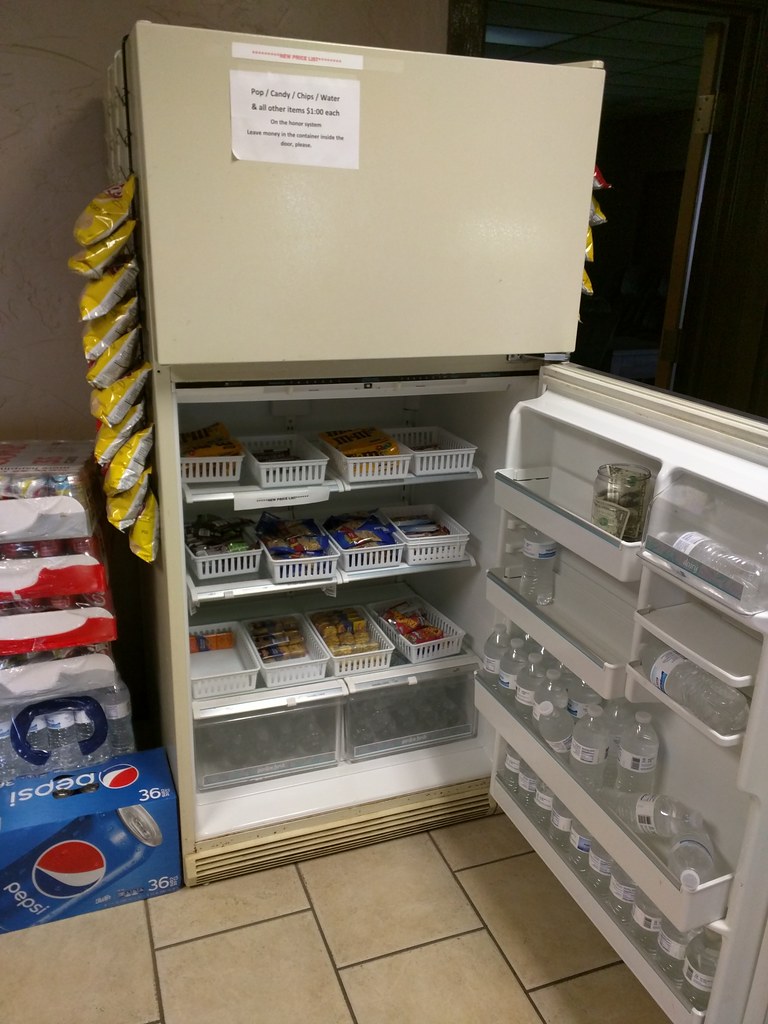
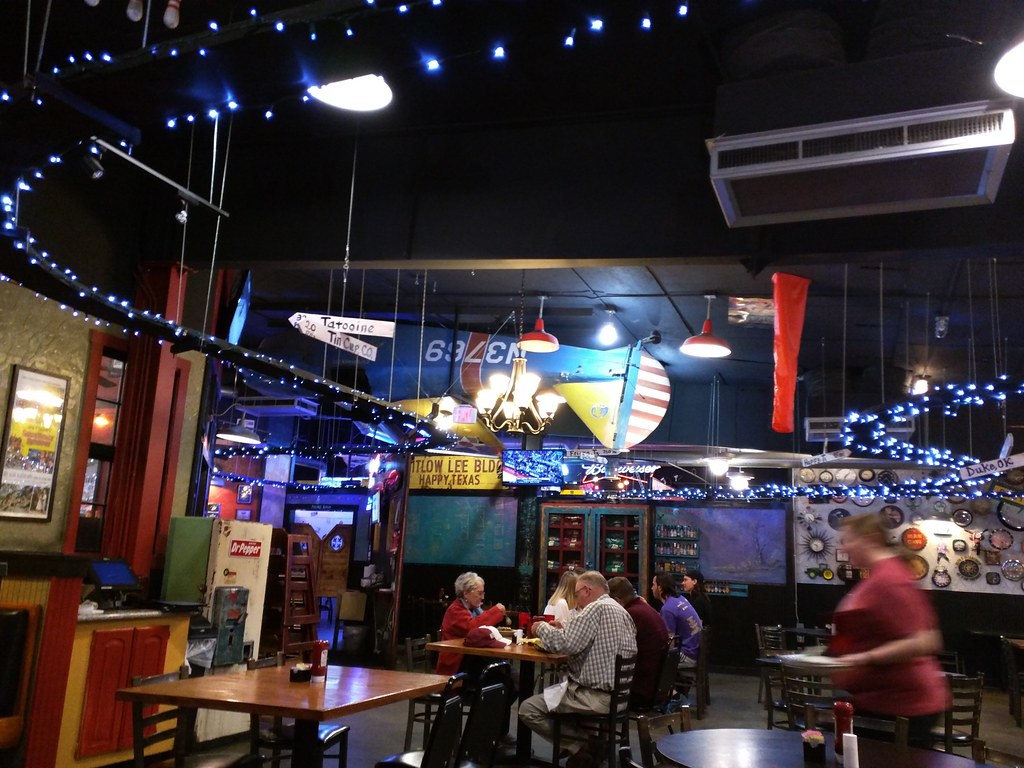
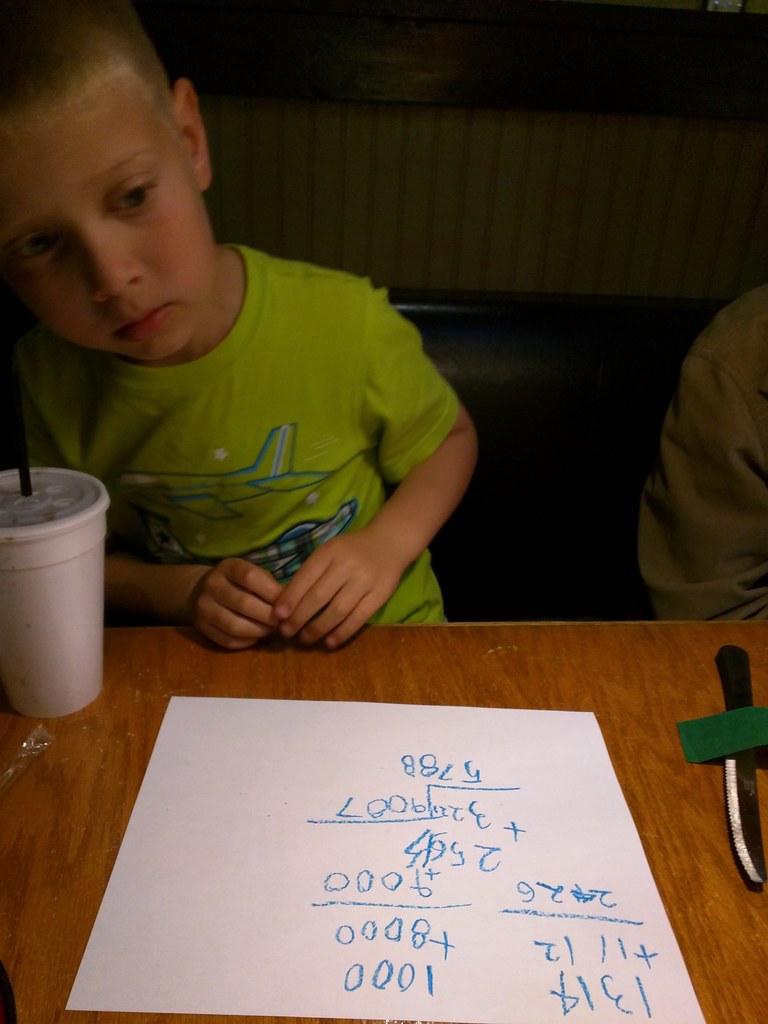
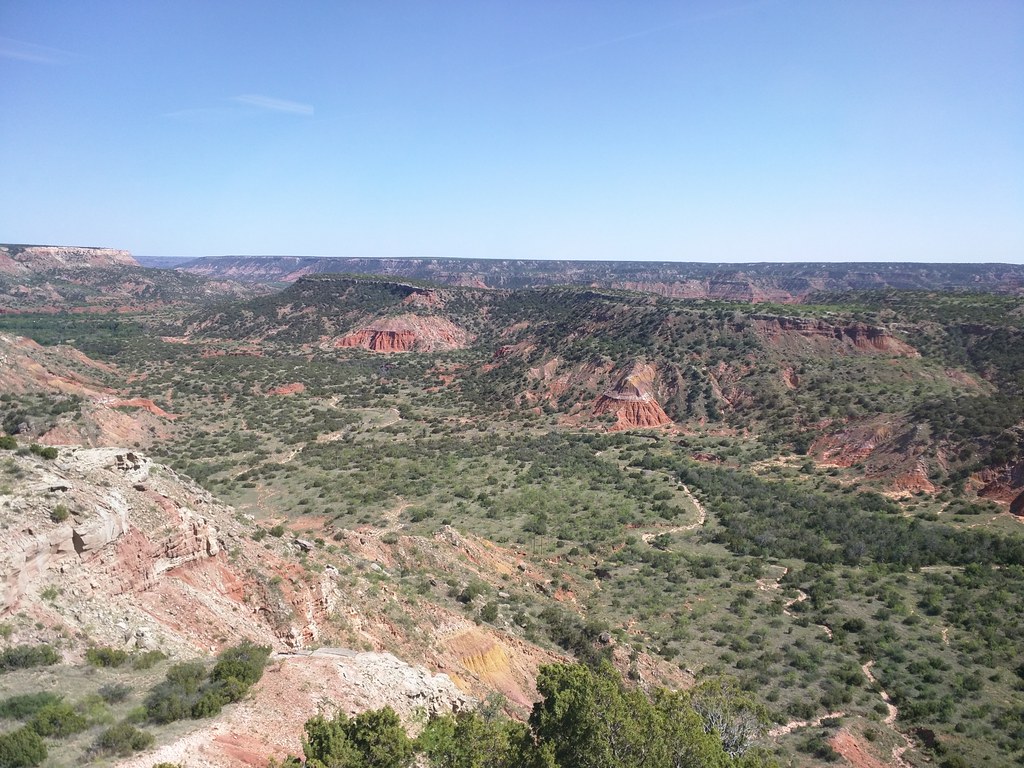
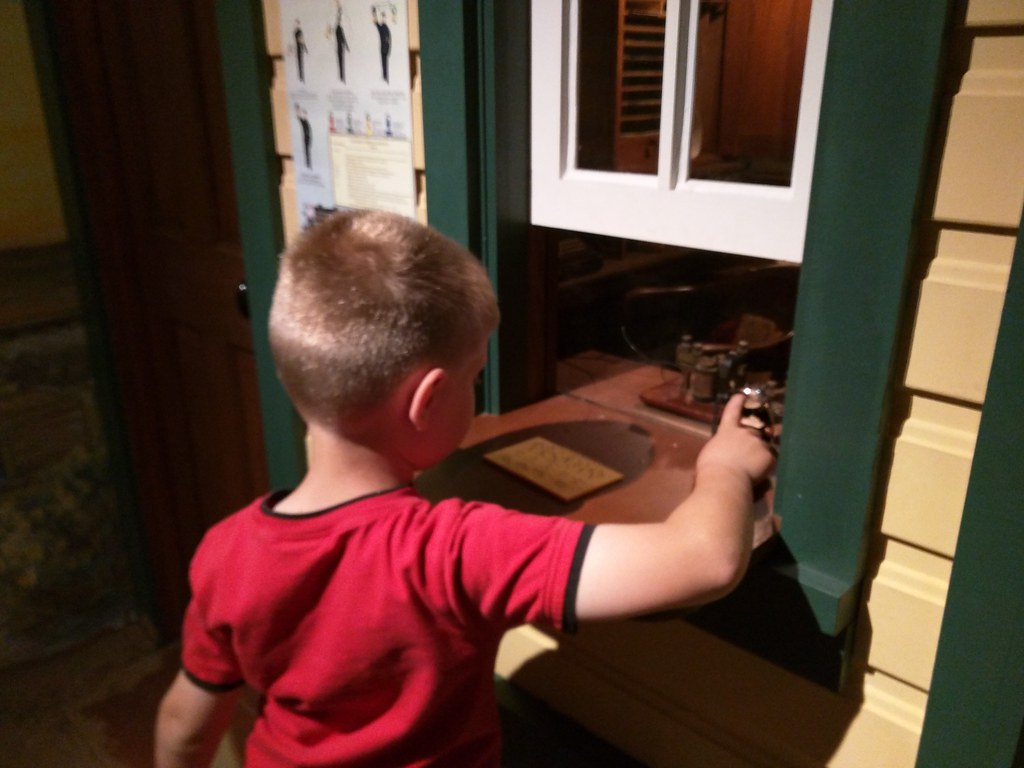
We love to go exploring as a family. Last year, we gave Jacob and Oliver a theme: find places older than Grandpa. They got creative really quick, realizing that any state park counts ( dirt is older than grandpa! ) as did pretty much any museum. Probably our hit from last year was the visit to the tunnels under Ellinwood, KS. Beatrice, NE This year, our theme is places we can fly to . A couple of weeks ago, Laura had a conference in the beautiful small town of Beatrice, NE. So all four of us flew up, and Jacob, Oliver, and I found fun activities while Laura was at her conference. IMG_20160423_125238 We walked around Beatrice a bit, and I noticed this rails-to-trails area. Jacob and Oliver were immediately interested (since it was railroad-related). They quickly turned it into a game of kick-the-dandelion, trying to kick dandelions off their stems and see how high in the air they could get them. The answer: pretty high. IMG_20160423_082343 Of course, you can t go wrong with swimming. Here s Oliver getting ready for some swimming. IMG_20160423_132125 Right near Beatrice is the Homestead National Monument. Of course, the bales decorated like a minion got their attention. IMG_20160423_135141 Like the other national parks, this one has a junior ranger program. You complete a few things in an activity book and take a pledge to protect the park, and then you get a badge and some stickers. Here s Oliver proudly taking his pledge, holding the new raccoon he bought in their gift shop. Canyon, TX Laura and I have been to Canyon, TX, twice the first was for our honeymoon. Yes, we did get some strange looks when we told people we were going to Amarillo for our honeymoon. But it was absolutely perfect for us. We both enjoy the simple gifts of nature. We kept thinking we ve got to take the boys here . So this weekend, we did. We flew a Cessna out there. IMG_20160505_180409 Almost every little general aviation airport seems to have a bowl of candy, a plate of cookies, or some such thing for people that are flying through. I often let Jacob and Oliver choose ONE item. They hit the jackpot when we stopped at West Woodward, Oklahoma for fuel and a break. Two whole fridges stocked with stuff: cans of pop in one, and all sorts of snacks in the other. In typical GA fashion, there was a jar in the fridge asking for $1 if you took something. And it clearly hadn t been emptied in awhile. They also had a nice lounge and a patio. Perfect for munching while watching the activities on the ramp. IMG_20160505_211110 After landing at the beautiful little Tradewind Airport in Amarillo, we ate dinner at Feldman s Wrong-Way Diner in Canyon, TX. Oh my, was that ever popular with the boys. The eagerly looked around to find anything that was wrong a plane hanging upside down from the ceiling, a direction sign saying Tattoine 30 parsecs , movie posters hung upside down, whatever it might be. The fact that model trains were whirring past overhead certainly didn t hurt either. IMG_20160505_214127 They had a giant bin of crayons by the entrance. Jacob and Oliver each grabbed a fistful, and decided it would be fun to do some math problems while we wait. Oliver particularly got into that, and was quite accurate on his large addition problems. Impressive for a first-grader! IMG_20160506_163801 Of course, the big highlight of the area is Palo Duro Canyon. Jacob and Oliver were so eager to explore the canyon that they were just about bubbling over with excitement the night before. They decided that we should explore one of the most difficult trails in the canyon one that would take us from the bottom of the canyon all the way to the top and back, about 2.5 miles each way. P5060008 And they LOVED it. We d stop every few minutes to climb on some rocks, smash up some pieces of sandstone, munch on a snack, or even watch a lizard scurry past. P5060003 IMG_20160506_203218 At the trading post in the canyon, both boys explored the gift shop. Jacob happily purchased a Texas magnet and Palo Duro Canyon keychain, which he carried around the rest of the weekend. Oliver loves stuffed animals, and he bought a cuddly little (but long) snake. When we got back to the hotel, he tied a couple of knots in it, and it became snake airlines . Here is the snake airline taking off. He named it Rattletail the friendly snake , which I thought was a pretty nifty name. IMG_20160507_075730 The hotel s waffle maker made Texas-shaped waffles, clearly a hit! IMG_20160507_101653 Saturday, we explored the absolutely massive Panhandle-Plains Historical Museum. (How does something that huge wind up in Canyon, TX?) Both boys enjoyed spending hours there. Here s Oliver in Pioneer Town (an indoor recreation of a 1900s town) sending a telegraph message. Oliver wanted to help with the plane. He helped me tie it down in Amarillo, helped check it over during preflight, basically got involved in every part of it. Jacob studied aviation maps (sectionals) with me, planning our flight, figuring out how fast we d go. I loaded Avare (an Android app) on an old tablet for him, so he had aviation maps in the cockpit just like me. He would be telling us how fast we were going every so often, pointing out landmarks, etc. When it was time to head back home, both boys wanted to stay longer a sure sign of a good trip. They wanted to hike another trail in the canyon, go back to the museum, and eat at Feldman s 18 more times. (We got there twice, which was plenty for Laura and me!) On our drive home, Oliver said, Dad-o, will you teach me to be a pilot? You should be my flight instructor. Then I could fly everywhere with you. Now that just makes a dad s day.

30 April 2016

Daniel Stender: What I've worked on for Debian this month

This month I've worked on the following things for Debian: To begin with that, I've set up a Debhelper sequencer script for dh-buildinfo1, this add-on now can be used with dh $@ --with buildinfo in deb/rules instead of having to explicitly call it somewhere in an override. Debops I've set up initial Debian packages of Debops2, a collection of fine crafted Ansible roles and playbooks especially for Debian servers, shipped with a couple of convenience and wrapper scripts in Python3. There are two binary packages, one for the toolset (debops), and the other for the playbooks and roles of the project (debops-playbooks). The application is easy to use, just initialize a new project with debops-init foo and add your server(s) to foo/ansible/inventory/hosts belonging to groups representing services and things you want to employ on them. Like the group [debops_gitlab] automatically installs a complete running Gitlab setup on one or a multitude of servers in the same run with the debops command4. Use other groups like [debops_mariadb_server] accordingly in the same host inventory. Ansible runs agent less, so you don't have to prepare freshly setup servers with nothing special to use that tool randomly (like on localhost). The list of things you could deploy with Debops is quite amazing and you've got dozens of services at your hand. The new packages are currently in experimental because they need some more fine tuning, like there are a couple of minor error messages which recently occur using it, but it works well. The (early staged) documentation unfortunately couldn't be packaged because of the scattered resp. collective nature of the project (all parts have their own Github repositories)5, and also how to generate the upstream tarball remains a bit of a challenge (currently, it's the outcome of debops-init)6. I'll have this package in unstable soon. More info on Debops is coming up, then. Hashicorp's Packer I'm very glad to announce that Packer7 is ready being available in unstable, and the two year old RFP bug could be finally closed8. It's another great and much convenient devops tool which does a lot of different things in an automated fashion using only a single "one-argument" CLI tool in combination with a couple of lines in a configuration script (thanks to Yaroslav Halchenko for the tip). Packer helps creating machine images for different platforms. This is like when you use e.g. Debian installations in a Qemu box for testing or development purposes. Instead of setting up a new virtual machine manually like installing Debian on another computer this process could be automated with Packer, like I've written about in this blog entry here9. You just need a template containing instructions for the included Qemu-builder and a preseeding script for the Debian installer, and there you go drinking your coffee while Packer does all the work for you: downloading the installation ISO image, creating the new virtual harddrive, booting the emulator, running the whole installation process automatically like answering questions, selecting things, rebooting without ISO image to complete the installation etc. A couple of minutes and you have a new pre-baked virtual machine image like from a vendoring machine, a fresh one everytime you need it. Packer10 supports a number of builders for different target platforms (desktop virtualization solutions as much as public cloud providers and private cloud software), can build in parallel, and also the full range of common provisioners can be employed in the process to equip the newly installed OSs. Vagrant boxes could be generated by one of the included postprocessors. I'll write more on Packer here on this blog, soon. There were more then two dozens of packages missing to complete Packer11, which is the achievement of combined forces within the pkg-go group. Much thanks esp. to Alexandre Viau who have worked on the most of the needed new packages. Thanks also to the FTP-masters which were always very quick in reviewing the Go packages, so that it could be proceeded to build and package the sub dependent new ones always consecutively. Squirrel3 I've didn't had the most work with it and just sponsored this for Fabian Wolff, but want to highlight here that there's a new package of Squirrel12 now available in Debian13. Squirrel is a lightweight scripting language, somewhat comparable to Lua. It's fully object-oriented and highly embeddable, it's used in a lot of commerical computer games under the hood for implementing intelligence for bots next to other things14, but also for the Internet of Things (it's embedded in hardware from Electric Imp). Squirrel functions could be called from C++15. I've filed an ITP bug for Squirrel already in 2011 (#651195), but always something else got in the way, and it ended up being an RFP. I'm really glad that it got picked up and completed. misc There were a couple of uploads on updated upstream tarballs and for fixing bugs, namely afl/2.10b-1 and 2.11b-1, python-afl/0.5.3-1, pyutilib/5.3.2-1, pyomo/4.3.11327-1, libvigraimpex/1.10.0+git20160211.167be93dfsg-2 (fix of #820429, thanks for Tobias Frost), and gamera/3.4.2+svn1454-1. For the pkg-go group, I've set up a new package of github-mitchellh-ioprogress (which is needed by the official DigitalOcean CLI tool doctl, now RFP #807956 instead of ITP due to the lack of time - again facing a lot of missing packages), and provided a little patch for dh-make-golang updating some standards16. For Packer I've also updated azure-go-autorest and azure-sdk as team upload (#821938, #821832), but it came out that the project which is currently under heavy development towards a new official release broke a lot in the past weeks (and no Git branching have been used), so that Packer as a matter of fact needed a vendored snapshot, although there have been only a couple of commits in between. Docker-registry hat the same problem with the new package of azure-sdk/2.1.1~beta1, so that it needed to be fixed, too (#822146). By the way, the tool ratt17 comes very handy for automatically test building down all reverse dependencies, not only for Go packages (thanks to Tianon Gravi for the tip). Finally, I've posted the needed reverse depencies as RFP bugs for Terraform18 (again quite a lot), Vuls19, and cve-dictionary20, which is needed for Vuls. I'll let them rest a while waiting to get picked up before working anything down.

Daniel Stender: My work for Debian in April

This month I've worked on the these things for Debian: To begin with that, I've set up a Debhelper sequencer script for dh-buildinfo1, this add-on now can be used with dh $@ --with buildinfo in deb/rules instead of having to explicitly call it somewhere in an override. Debops I've set up initial Debian packages of Debops2, a collection of fine crafted Ansible roles and playbooks especially for Debian servers (servers which run on Debian), which are shipped with a couple of helper and wrapper scripts in Python3. There are two binary packages, one for the toolset (debops), and the other for the playbooks and roles of the project (debops-playbooks). The application is easy to use, just initialize a new project with debops-init foo and add your server(s) to foo/ansible/inventory/hosts belonging to groups representing services and things you want to employ on them. For example, the group [debops_gitlab] automatically installs a complete running Gitlab setup on one or a multitude of servers in the same run with the debops command4. Other groups like [debops_mariadb_server] could be used accordingly in the same host inventory. Ansible works without agent, so you don't have to prepare freshly setup servers with nothing special to use that tool randomly (like on localhost). The list of things you could deploy with Debops is quite amazing and dozens of services are at hand. The new Debian packages are currently in experimental because they need some more fine tuning, e.g. there are a couple of minor error messages which recently occur using it, but it works well. The (early staged) documentation unfortunately couldn't be packaged because of the scattered resp. collective nature of the project (all parts have their own Github repositories)5, and also how to generate the upstream tarball remains a bit of a challenge (currently, it's the outcome of debops-init)6. I'll have this package in unstable soon. More info on Debops is coming up, then. HashiCorp's Packer I'm very glad to announce that Packer7 is ready being available in unstable, and the RFP bug could be finally closed after I've taken it over8. It's another great and much convenient devops tool which does a lot of different things in an automated fashion using only a single "one-argument" CLI tool in combination with a couple of lines in a configuration script (thanks to Yaroslav Halchenko for the tip). Packer helps creating machine images for different platforms. This is like when you use e.g. Debian installations in a Qemu box for testing or development purposes. Instead of setting up a new virtual machine manually the same way as installing Debian on another computer this process can be completely automated with Packer, like I've written about in this blog entry here9. You just need a template which contains instructions for the included Qemu builder and a preseeding script for the Debian installer, and there you go drinking your coffee while Packer does all the work: download the ISO image for installation, create the new virtual harddrive, boot the emulator, run the whole installation process automatically like with answering questions, selecting things, reboot without ISO image to complete the installation etc. A couple of minutes and you have a new pre-baked virtual machine image like from a vendoring machine, another fresh one could be created anytime. Packer10 supports a number of builders for different target platforms (desktop virtualization solutions as much as public cloud providers and private cloud software), can build in parallel, and also the full range of common provisioners can be employed in the process to equip the newly installed OSs with services and programs. Vagrant boxes could be generated by one of the included postprocessors. I'll write more on Packer here on this blog, soon. There were more then two dozens of packages missing to complete Packer11, which is the achievement of combined forces within the pkg-go group. Much thanks esp. to Alexandre Viau who have worked on the most of the needed new packages. Thanks also to the FTP masters which were always very quick in reviewing the Go packages, so that it could be proceeded to build and package the sub dependent new ones always consecutively. Squirrel3 I've didn't had the major work of that and just sponsored this for Fabian Wolff, but want to highlight here that there's a new package of Squirrel12 now available in Debian13. Squirrel is a lightweight scripting language, somewhat comparable to Lua. It's fully object-oriented and highly embeddable, it's used in a lot of commerical computer games under the hood for implementing intelligence for bots next to other things14, but also for the Internet of Things (it's embedded in hardware from Electric Imp). Squirrel functions could be called from C++15. I've filed an ITP bug for Squirrel already in 2011 (#651195), but always something else had a higher priority, and it ended up being an RFP. I'm really glad that it got picked up and completed quickly afterwards. misc There were a couple of uploads on updated upstream tarballs and for fixing bugs, namely afl/2.10b-1 and 2.11b-1, python-afl/0.5.3-1, pyutilib/5.3.2-1, pyomo/4.3.11327-1, libvigraimpex/1.10.0+git20160211.167be93dfsg-2 (fix of #820429, thanks to Tobias Frost), and gamera/3.4.2+svn1454-1. For the pkg-go group, I've set up a new package of github-mitchellh-ioprogress (which is needed by the official DigitalOcean CLI tool doctl, now RFP #807956 instead of ITP due to the lack of time, again a lot of missing packages are missing for that), and provided a little patch for dh-make-golang updating some standards16. For Packer I've also updated azure-go-autorest and azure-sdk as team upload (#821938, #821832), but it came out that the project which is currently under heavy development towards a new official release broke a lot in the past weeks (no Git branching have been used), so that Packer as a matter of fact needed a vendored snapshot, although there have been only a couple of commits in between. Docker-registry has the same problem with the new package of azure-sdk/2.1.1~beta1, so that it needed to be fixed, too (#822146). By the way, the tool ratt17 comes very handy for automatically test building down all reverse dependencies, not only for Go packages (thanks to Tianon Gravi for the tip). Finally, I've posted the needed reverse depencies as RFP bugs for Terraform18 (again quite a lot), Vuls19, and cve-dictionary20, which is needed for Vuls. I'll let them rest a while waiting to get picked up before working anything down.

21 April 2016

John Goerzen: Count me as a systemd convert

Back in 2014, I wrote about some negative first impressions of systemd. I also had a plea to debian-project to end all the flaming, pointing out that jessie will still boot , noting that my preference was for sysvinit but things are what they are and it wasn t that big of a deal. Although I still have serious misgivings about the systemd upstream s attitude, I ve got to say I find the system rather refreshing and useful in practice. Here s an example. I was debugging the boot on a server recently. It mounts a bunch of NFS filesystems and runs a third-party daemon that is started from an old-style /etc/init.d script. We had a situation where the NFS filesystems the daemon required didn t mount on boot. The daemon then was started, and unfortunately it basically does a mkdir -p on startup. So it started running and processing requests with negative results. So there were two questions: why did the NFS filesystems fail to start, and how could we make sure the daemon wouldn t start without them mounted? For the first, journalctl -xb was immensely helpful. It logged the status of each individual mount, and it turned out that it looked like a modprobe or kernel race condition when a bunch of NFS mounts were kicked off in parallel and all tried to load the nfsv4 module at the same time. That was easy enough to work around by adding nfsv4 to /etc/modules. Now for the other question: refusing to start the daemon if the filesystems weren t there. With systemd, this was actually trivial. I created /etc/systemd/system/mydaemon.service.requires (I ll call the service mydaemon here), and in it I created a symlink to /lib/systemd/system/remote-fs.target. Then systemctl daemon-reload, and boom, done. systemctl list-dependencies mydaemon will even show the the dependency tree, color-coded status of each item on it, and will actually show every single filesystem that remote-fs requires and the status of it in one command. Super handy. In a non-systemd environment, I d probably be modifying the init script and doing a bunch of manual scripting to check the filesystems. Here, one symlink and one command did it, and I get tools to inspect the status of the mydaemon prerequisites for free. I ve got to say, as someone that has occasionally had to troubleshoot boot ordering and update-rc.d symlink hell, troubleshooting this stuff in systemd is considerably easier and the toolset is more powerful. Yes, it has its set of poorly-documented complexity, but then so did sysvinit. I never thought the world is falling folks were right, but by now I can be counted among those that feels like systemd has matured to the point where it truly is superior to sysvinit. Yes, in 2014 it had some bugs, but by here in 2016 it looks pretty darn good and I feel like Debian s decision has been validated through my actual experience with it.

6 April 2016

Dirk Eddelbuettel: RcppAPT 0.0.2

A new version of RcppAPT -- our interface from R to the C++ library behind the awesome apt, apt-get, apt-cache, ... commands and their cache -- is now on CRAN. It adds three new commands to the package. Two are relatively simple: showSrc() and dumpPackage() displays information about a given package, similar to what apt-cache showsrc and apt-cache showpkg, respectively, would reveal. Lastly, the buildDepends() function retrieves all build-dependencies for a packages. This should come in handy for automated tested for which I have some plans. A bit more information is on the package page here as well as as the GitHub repo.

This post by Dirk Eddelbuettel originated on his Thinking inside the box blog. Please report excessive re-aggregation in third-party for-profit settings.

28 March 2016

Joey Hess: type safe multi-OS Propellor

Propellor was recently ported to FreeBSD, by Evan Cofsky. This new feature led me down a two week long rabbit hole to make it type safe. In particular, Propellor needed to be taught that some properties work on Debian, others on FreeBSD, and others on both. The user shouldn't need to worry about making a mistake like this; the type checker should tell them they're asking for something that can't fly.
-- Is this a Debian or a FreeBSD host? I can't remember, let's use both package managers!
host "example.com" $ props
    & aptUpgraded
    & pkgUpgraded
As of propellor 3.0.0 (in git now; to be released soon), the type checker will catch such mistakes. Also, it's really easy to combine two OS-specific properties into a property that supports both OS's:
upgraded = aptUpgraded  pickOS  pkgUpgraded
type level lists and functions The magick making this work is type-level lists. A property has a metatypes list as part of its type. (So called because it's additional types describing the type, and I couldn't find a better name.) This list can contain one or more OS's targeted by the property:
aptUpgraded :: Property (MetaTypes '[ 'Targeting 'OSDebian, 'Targeting 'OSBuntish ])
pkgUpgraded :: Property (MetaTypes '[ 'Targeting 'OSFreeBSD ])
In Haskell type-level lists and other DataKinds are indicated by the ' if you have not seen that before. There are some convenience aliases and type operators, which let the same types be expressed more cleanly:
aptUpgraded :: Property (Debian + Buntish)
pkgUpgraded :: Property FreeBSD
Whenever two properties are combined, their metatypes are combined using a type-level function. Combining aptUpgraded and pkgUpgraded will yield a metatypes that targets no OS's, since they have none in common. So will fail to type check. My implementation of the metatypes lists is hundreds of lines of code, consisting entirely of types and type families. It includes a basic implementation of singletons, and is portable back to ghc 7.6 to support Debian stable. While it takes some contortions to support such an old version of ghc, it's pretty awesome that the ghc in Debian stable supports this stuff. extending beyond targeted OS's Before this change, Propellor's Property type had already been slightly refined, tagging them with HasInfo or NoInfo, as described in making propellor safer with GADTs and type families. I needed to keep that HasInfo in the type of properties. But, it seemed unnecessary verbose to have types like Property NoInfo Debian. Especially if I want to add even more information to Property types later. Property NoInfo Debian NoPortsOpen would be a real mouthful to need to write for every property. Luckily I now have this handy type-level list. So, I can shove more types into it, so Property (HasInfo + Debian) is used where necessary, and Property Debian can be used everywhere else. Since I can add more types to the type-level list, without affecting other properties, I expect to be able to implement type-level port conflict detection next. Should be fairly easy to do without changing the API except for properties that use ports. singletons As shown here, pickOS makes a property that decides which of two properties to use based on the host's OS.
aptUpgraded :: Property DebianLike
aptUpgraded = property "apt upgraded" (apt "upgrade"  requires  apt "update")
pkgUpgraded :: Property FreeBSD
pkgUpgraded = property "pkg upgraded" (pkg "upgrade")
    
upgraded :: Property UnixLike
upgraded = (aptUpgraded  pickOS  pkgUpgraded)
     describe  "OS upgraded"
Any number of OS's can be chained this way, to build a property that is super-portable out of simple little non-portable properties. This is a sweet combinator! Singletons are types that are inhabited by a single value. This lets the value be inferred from the type, which came in handy in building the pickOS property combinator. Its implementation needs to be able to look at each of the properties at runtime, to compare the OS's they target with the actial OS of the host. That's done by stashing a target list value inside a property. The target list value is inferred from the type of the property, thanks to singletons, and so does not need to be passed in to property. That saves keyboard time and avoids mistakes. is it worth it? It's important to consider whether more complicated types are a net benefit. Of course, opinions vary widely on that question in general! But let's consider it in light of my main goals for Propellor:
  1. Help save the user from pushing a broken configuration to their machines at a time when they're down in the trenches dealing with some urgent problem at 3 am.
  2. Advance the state of the art in configuration management by taking advantage of the state of the art in strongly typed haskell.
This change definitely meets both criteria. But there is a tradeoff; it got a little bit harder to write new propellor properties. Not only do new properties need to have their type set to target appropriate systems, but the more polymorphic code is, the more likely the type checker can't figure out all the types without some help. A simple example of this problem is as follows.
foo :: Property UnixLike
foo = p  requires  bar
  where
    p = property "foo" $ do
        ...
The type checker will complain that "The type variable metatypes1 is ambiguous". Problem is that it can't infer the type of p because many different types could be combined with the bar property and all would yield a Property UnixLike. The solution is simply to add a type signature like p :: Property UnixLike Since this only affects creating new properties, and not combining existing properties (which have known types), it seems like a reasonable tradeoff. things to improve later There are a few warts that I'm willing to live with for now... Currently, Property (HasInfo + Debian) is different than Property (Debian + HasInfo), but they should really be considered to be the same type. That is, I need type-level sets, not lists. While there's a type level sets library for hackage, it still seems to require a specific order of the set items when writing down a type signature. Also, using ensureProperty, which runs one property inside the action of another property, got complicated by the need to pass it a type witness.
foo = Property Debian
foo = property' $ \witness -> do
    ensureProperty witness (aptInstall "foo")
That witness is used to type check that the inner property targets every OS that the outer property targets. I think it might be possible to store the witness in the monad, and have ensureProperty read it, but it might complicate the type of the monad too much, since it would have to be parameterized on the type of the witness. Oh no, I mentioned monads. While type level lists and type functions and generally bending the type checker to my will is all well and good, I know most readers stop reading at "monad". So, I'll stop writing. ;) thanks Thanks to David Miani who answered my first tentative question with a big hunk of example code that got me on the right track. Also to many other people who answered increasingly esoteric Haskell type system questions. Also thanks to the Shuttleworth foundation, which funded this work by way of a Flash Grant.

1 March 2016

Vincent Sanders: Hope is tomorrow's veneer over today's disappointment.

Recently I have been very hopeful about the 96boards Hikey SBC and as Evan Esar predicted I have therefore been very disappointed. I was given a Hikey after a Linaro connect event some time ago by another developer who could not get the system working usefully and this is the tale of what followed.
The Standard Design
This board design was presented as Linaro creating a standard for the 64bit Single Board Computer (SBC) market. So I had expected that a project with such lofty goals would have considered many factors and provided at least as good a solution as the existing 32bit boards.

The lamentable hubris of creating a completely new form factor unfortunately sets a pattern for the whole enterprise. Given the aim towards "makers" I would have accepted that the system would not be a ATX PC size motherboard, but mini/micro/nano and pico ITX have been available for several years.

If opting for a smaller "credit card" form factor why not use one of the common ones that have already been defined by systems such as the Raspberry Pi B+? Instead now every 96Board requires special cases and different expansion boards.

Not content with defining their own form factor the design also uses a 8-18V supply, this is the only SBC I own that is not fed from a 5V supply. I understand that a system might require more current than a micro USB connector can provide, but for example the Banana Pi manages with a DC barrel jack readily capable of delivering 25W which would seem more than enough

The new form factor forced the I/O connectors to be placed differently to other SBC, given the opportunity to concentrate all connectors on one edge (like ATX designs) and avoid the issues where two or three sides are used. The 96board design instead puts connectors on two edges removing any possible benefit this might have given.

The actual I/O connectors specified are rather strange. There is a mandate for HDMI removing the possibility of future display technology changes. The odd USB arrangement of two single sockets instead of a stacked seems to be an attempt to keep height down but the expansion headers and CPU heatsink mean this is largely moot.

The biggest issue though is mandating WIFI but not Ethernet (even as an option), everything else in the design I could logically understand but this makes no sense. It means the design is not useful for many applications without adding USB devices.

Expansion is presented as a 2mm pitch DIL socket for "low speed" signals and a high density connector for "high speed" signals. The positioning and arrangement of these connectors proffered an opportunity to improve upon previous SBC designs which was not taken. The use of 2mm pitch and low voltage signals instead of the more traditional 2.54mm pitch 3.3v signals means that most maker type applications will need adapting from the popular Raspberry Pi and Arduino style designs.

In summary the design appears to have been a Linaro project to favour one of their members which took a Hisilicon Android phone reference design and put it onto a board with no actual thought beyond getting it done. Then afterwards attempted to turn that into a specification, this has simply not worked as an approach.

My personal opinion is that this specification is fatally flawed and, is a direct cause of, the bizarre situation where the "consumer" specification exists alongside the "enterprise" edition which itself has an option of microATX form factor anyhow!
The ImplementationIf we ignore the specification appearing to be nothing more than a codification of the original HiKey design we can look at the HiKey as an implementation.

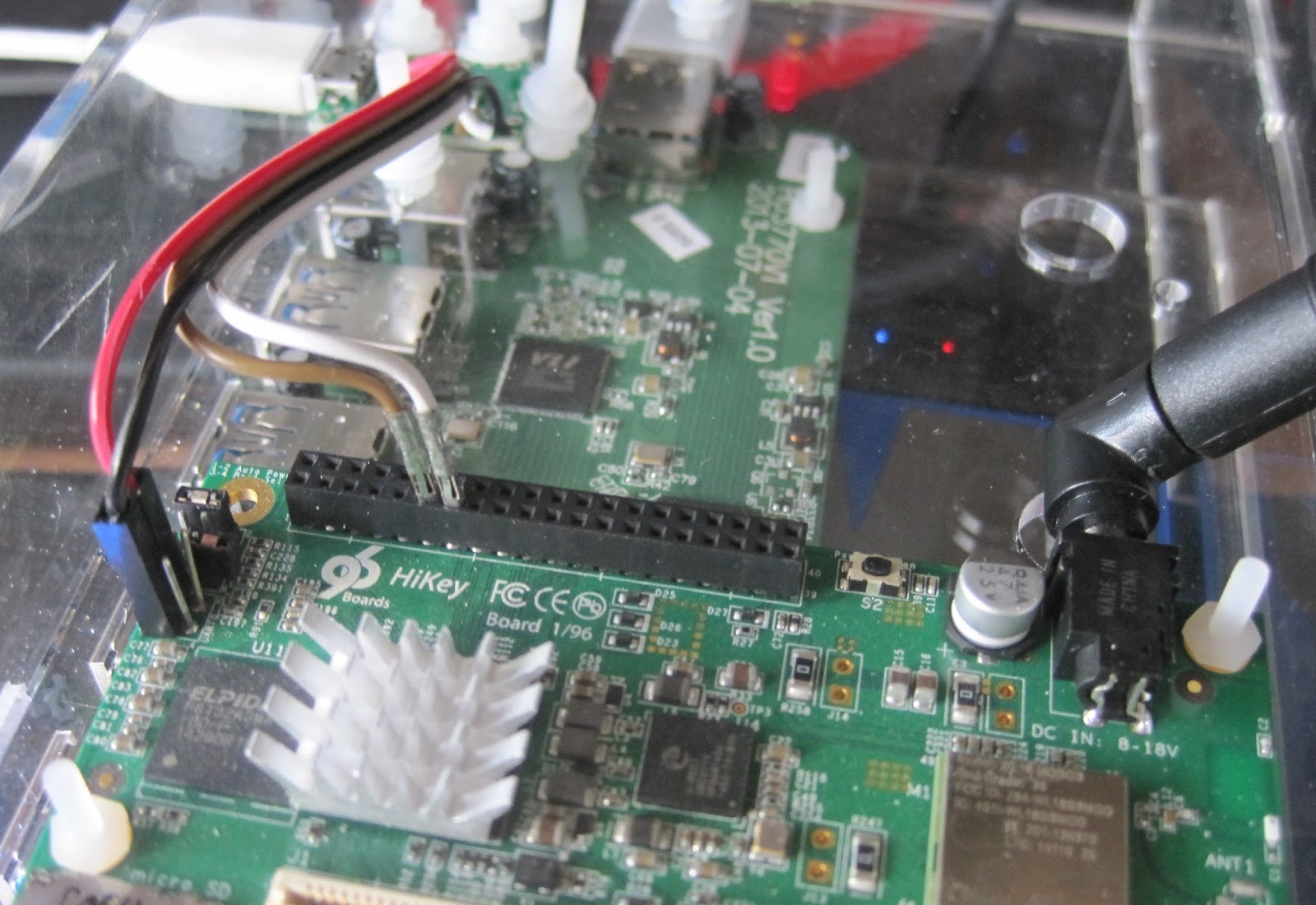
Initially the board required modifying to add headers to attach a USB to 1.8V LVTTL serial adaptor on the UART0 serial port. Once Andy Simpkins had made this change for me I was able to work through the instructions and attempt to install a bootloader and OS image.

The initial software was essentially HiSilicon vendor code using the Android fastboot system to configure booting. There was no source and the Ubuntu OS images were an obvious afterthought to the Android images. Just getting these images installed required a great deal of effort, repetition and debugging. It was such a dreadful experience this signalled the commencement one of the repeated hiatuses throughout this project, the allure of 64 bit ARM computing has its limits even for me.

When I returned to the project I attempted to use the system from the on-board eMMC but the pre-built binary only kernel and OS image were very limited. Building a replacement kernel , or even modules for the existing one proved fruitless and the system was dreadfully unstable.

I wanted to use the system as a builder for some Open Source projects but the system instability ruled this out. I considered attempting to use virtualisation which would also give better system isolation for builder systems. By using KVM running a modern host kernel and OS as a guest this would also avoid issues with the host systems limitations. At which point I discovered the system had no virtualisation enabled apparently because the bootloader lacked support.

In addition to these software issues there were hardware problems, despite forcing the use of USB for all additional connectivity the USB implementation was dreadful. For a start all USB peripherals have to run at the same speed! One cannot mix full (12Mbit) and high speed (480Mbit) devices which makes adding a USB Ethernet and SATA device challenging when you cannot use a keyboard.

And because I needed more challenges only one of the USB root hubs was functional. In effect this made the console serial port critical as it was the only reliable way to reconfigure the system without a keyboard or network link (and WIFI was not reliable either)
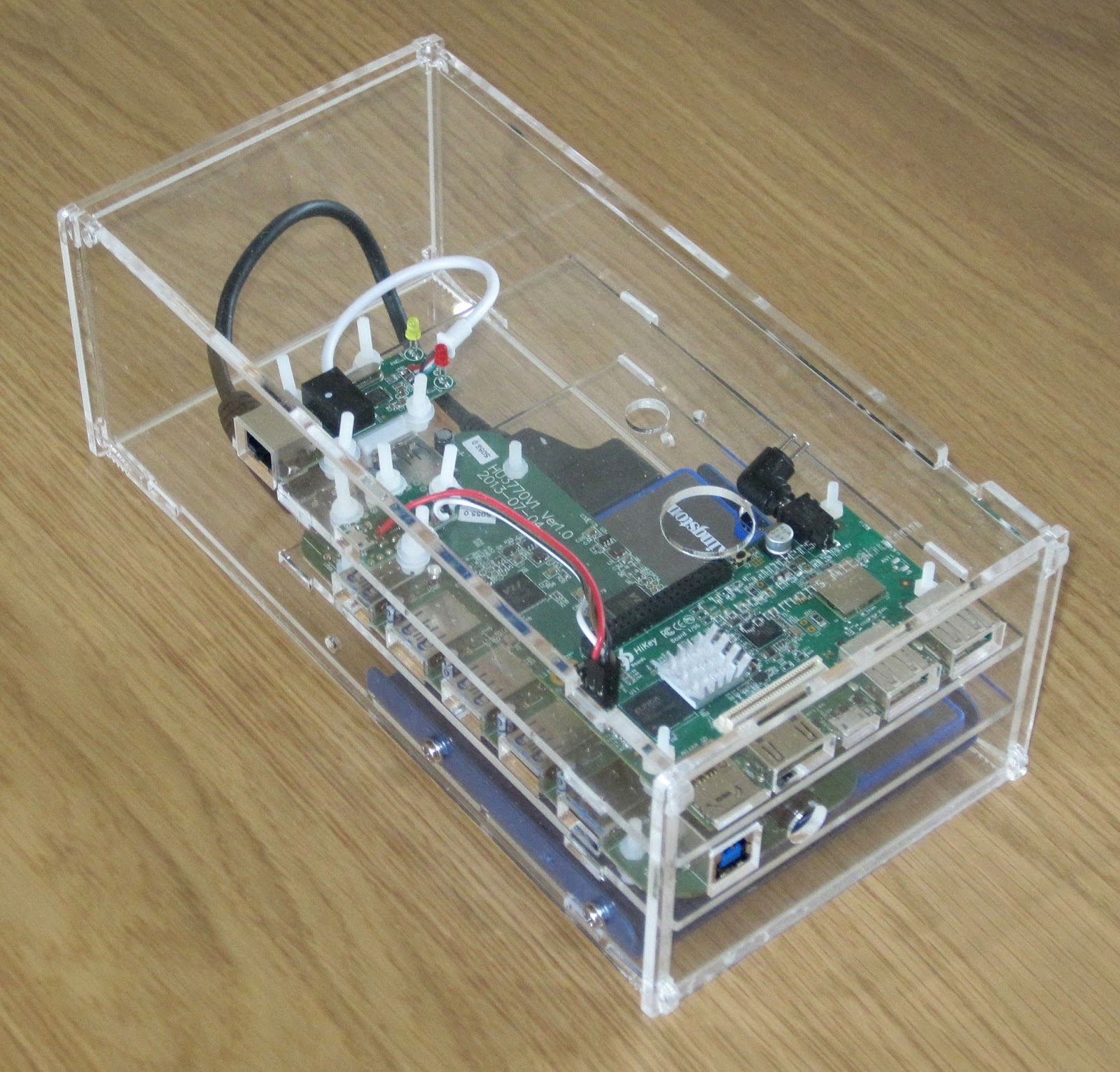
After another long pause in proceedings I decided that I should house all the components together and that perhaps being out on my bench might be the cause of some instability. I purchased a powered Amazon basics USB 2 hub, an Ethernet adaptor and a USB 2 SATA interface in the hope of accessing some larger mass storage.

The USB hub power supply was 12V DC which matched the Hikey requirements so I worked out I could use a single 4A capable supply and run a 3.5inch SATA hard drive too. I designed a laser cut enclosure and mounted all the components. As it turned out I only had a 2.5inch hard drive handy so the enclosure is a little over size. If I were redoing this design I would attempt to make it fit in 1U of height and be mountable in a 19inch rack instead it is an 83mm high (under 2U) box.

A new software release had also become available which purported to use an UEFI bootloader after struggling to install this version unsuccessfully, made somewhat more problematic by the undocumented change from UART0 (unpopulated header) to UART3 on the low speed 2mm pitch header. The system seemed to start the kernel which panicked and hung either booting from eMMC or SD card. Once again the project went on hold after spending tens of hours trying to make progress.
Third time's a charmAs the year rolled to a close I once again was persuaded to look at the hikey, I followed the much improved instructions and installed the shiny new November software release which appears to have been made for the re-release of the Hikey through LeMaker. This time I obtained a Debian "jessie" system that booted from the eMMC.

Having a booted system meant I could finally try and use it. I had decided to try and use the system to host virtual machines used as builders within the NetSurf CI system.

The basic OS uses a mixture of normal Debian packages with some replacements from Linaro repositories. I would have prefered to see more use of Debain packages even if they were from the backports repositories but on the positive side it is good to see the use of Debian instead of Ubuntu.

The kernel is a heavily patched 3.18 built in a predominantly monolithic (without modules) manner with the usual exceptions such as the mali and wifi drivers (both of which appear to be binary blobs). The use of a non-mainline capable SoC means the standard generic distribution kernels cannot be used and unless Linaro choose to distribute a kernel with the feature built in it is necessary to compile your own from sources.

The default install has a linaro user which I renamed to my user and ensured all the ssh keys and passwords on the system were changed. This is an important step when using this pre-supplied images as often a booted system is identical to every other copy.

To access mass storage my only option was via USB, indeed to add any additional expansion that is the only choice. The first issue here is that the USB host support is compiled in so when the host ports are initialised it is not possible to select a speed other than 12MBit. The speed is changed to 480Mbit by using a user space application found in the users home directory (why this is not a tool provided by a package and held in sbin I do not know).

When the usb_speed tool is run there is a chance that the previously enumerated devices will be rescanned and what was /dev/sda has become /dev/sdb if this happens there is a high probability that the system must be rebooted to prevent random crashes due to the "zombie" device.

Because the speed change operation is unreliable it cannot be reliably placed in the boot sequence so this must be executed by hand on each boot to get access to the mass storage.

NetSurf project already uses a x86_64 virtual host system which runs an LLVM physical volume from which we allocate logical volumes for each VM. I initially hoped to do this with the hikey but as soon as I tried to use the logical volume with a VM the system locked up with nothing shown on console. I did not really try very hard to discover why and instead simply used files on disc for virtual drives which seemed to work.

To provide reliable network access I used a USB attached Ethernet device, this like the mass storage suffered from unreliable enumeration and for similar reasons could not be automated requiring manually using the serial console to start the system.

Once the system was started I needed to install the guest VM. I had hoped I might be able to install locally from Debian install media as I do for x86 using the libvirt tools. After a great deal of trial and error I finally was forced to abandon this approach when I discovered the Linaro kernel is lacking iso9660 support so installing from standard media was not possible.

Instead I used the instructions provided by Leif Lindholm to create a virtual machine image on my PC and copied the result across. These instructions are great except I used version 2.5 of Qemu instead of 2.2 which had no negative effect. I also installed the Debian backports for Jessie to get an up to date 4.3 kernel.

After copying the image to the Hikey I started it by hand from the command line as a four core virtual machine and was successfully able to log in. The guest would operate for up to a day before stopping with output such as

$
Message from syslogd@ciworker13 at Jan 29 07:45:28 ...
kernel:[68903.702501] BUG: soft lockup - CPU#0 stuck for 27s! [mv:24089]

Message from syslogd@ciworker13 at Jan 29 07:45:28 ...

kernel:[68976.958028] BUG: soft lockup - CPU#2 stuck for 74s! [swapper/2:0]

Message from syslogd@ciworker13 at Jan 29 07:47:39 ...
kernel:[69103.199724] BUG: soft lockup - CPU#3 stuck for 99s! [swapper/3:0]

Message from syslogd@ciworker13 at Jan 29 07:53:21 ...
kernel:[69140.321145] BUG: soft lockup - CPU#3 stuck for 30s! [rs:main Q:Reg:505]

Message from syslogd@ciworker13 at Jan 29 07:53:21 ...
kernel:[69192.880804] BUG: soft lockup - CPU#0 stuck for 21s! [jbd2/vda3-8:107]

Message from syslogd@ciworker13 at Jan 29 07:53:21 ...
kernel:[69444.805235] BUG: soft lockup - CPU#3 stuck for 22s! [swapper/3:0]

Message from syslogd@ciworker13 at Jan 29 07:55:21 ...
kernel:[69570.177600] BUG: soft lockup - CPU#1 stuck for 112s! [systemd:1]

Timeout, server 192.168.7.211 not responding.

After this output the host system would not respond and had to be power cycled never mind the guest!

Once I changed to single core operation the system would run for some time until the host suffered from the dreaded kernel OOM killer. I was at a loss as to why the oom killer was running as the VM was only allocated half the physical memory (512MB) allowing the host what I presumed to be an adequate amount.

By adding a 512MB swapfile the system was able to push the few hundred kilobytes it wanted to swap and the system was now stable! The swapfile of course has to be started by hand as the external storage is unreliable and unavailable at boot.

I converted the qemu command line to a libvirt config using the virsh tool
virsh domxml-from-native qemu-argv cmdln.args
The converted configuration required manual editing to get a working system but now I have a libvirt based VM guest I can control along with all my other VM using the virt-manager tool.

This system is now stable and has been in production use for a month at time of writing. The one guest VM is a single core 512MB aarch64 system which takes over 1100 seconds (19 minutes) to do what a Banana Pi 2 dual core 1GB memory 32bit native ARM system manages in 300 seconds.

It seems the single core limited memory system with USB SATA attached storage is very, very slow.

I briefly attempted to run the CI system job natively within the host system but within minutes it crashed hard and required a power cycle to retrieve, it had also broken the UEFI boot. I must thank Leif for walking me through recovering the system otherwise I would have needed to start over.
ConclusionsI must stress these conclusions and observations are my own and do not represent anyone else.

My main conclusions are:

This project has taken almost a year to get to the final state and has been one of the least enjoyable within that time. The only reason I have a running system at the end of it is sheer bloody mindedness because after spending hundreds of hours of my free time I was not prepared to see it all go to waste.

To be fair, the road I travelled is now much smoother and if the application is suited to having a mobile phone without a screen then the Hikey probably works as a solution. For me, however, the Hikey product with the current hardware and software limitations is not something I would recommend in preference to other options.

6 February 2016

Julien Danjou: FOSDEM 2016, recap

Last week-end, I was in Brussels, Belgium for the FOSDEM, one of the greatest open source developer conference. I was not sure to go there this year (I already skipped it in 2015), but it turned out I was requested to do a talk in the shared Lua & GNU Guile devroom. As a long time Lua user and developer, and a follower of GNU Guile for several years, the organizer asked me to run a talk that would be a link between the two languages. I've entitled my talk "How awesome ended up with Lua and not Guile" and gave it to a room full of interested users of the awesome window manager . We continued with a panel discussion entitled "The future of small languages Experience of Lua and Guile" composed of Andy Wingo, Christopher Webber, Ludovic Court s, Etiene Dalcol, Hisham Muhammaad and myself. It was a pretty interesting discussion, where both language shared their views on the state of their languages. It was a bit awkward to talk about Lua & Guile whereas most of my knowledge was year old, but it turns out many things didn't change. I hope I was able to provide interesting hindsight to both community. Finally, it was a pretty interesting FOSDEM to me, and it was a long time I didn't give talk here, so I really enjoyed it. See you next year!

30 January 2016

Lunar: Only allow outgoing connections through Tor

Using Tor helps take back control of what data one decides to share online. It also helps in avoiding surveillance from the local network (think of someone listening to the public Wi-Fi) or the Internet access provider. But it is easy to make mistakes: Tor Browser, the easiest and most common way to use Tor, is just a web browser. Extra special care is required to make other applications use Tor, and it is easy to forget to change settings, let alone actual attackers. That's why using Tails is often recommended as everything is preconfigured and it requires traffic to go through Tor by various means. Qubes or Whonix also have interesting properties, but require reinstalling systems and changing habits. Meanwhile, securing the network on an already installed system can help you feel better. A potential solution to prevent connections from leaking out without going through Tor is simply to prevent all connections from leaving the computer, except the ones going to the Tor network. This can quite easily be implemented by setting up an outgoing firewall. Using the default settings, a Tor client can potentially connect to any of the 2,000 Guard relays. While there are ways to get such a list and turn it into firewall rules, we are going to use an easier solution. Because the list of Tor relays is public, censors have often used it to prevent people from connecting to the Tor network. The Tor project came up with bridges as a work-around. Bridges are entry nodes in the Tor network. For public bridges, users can only get a few bridge addresses at a time, preventing an adversary from easily blocking them at all once. When configured to use a set of bridges, Tor will only connect to their addresses. This will make our firewall much shorter. The instructions that follow should work on Debian Jessie and later versions. Adapting them to other systems should not be too hard either. We assume that Tor Browser is already installed. As we will want other applications to use Tor than just the browser, we also want to install a system-wide instance:
# apt install tor
Next, visit bridges.torproject.org to request a set of bridges: BridgeDB landing page You then need to select the type of bridges. Tor standard protocol is easy to identify as such. The Tor project has developed pluggable transports to easily disguise the traffic, but using them is outside the scope for this documentation. So lets stay with the default type of bridges: BridgeDB bridge type selection After solving a CAPTCHA, you'll get a list of addresses and fingerprints for a couple of bridges like the following one: Example bridge list from BridgeDB (blurred to protect the actual bridges To tell Tor to use these bridges, edit /etc/tor/torrc, and at the end, add something like:
UseBridges 1
Bridge 109.XXX.XXX.XXX:4XXX 2244XXXXXXXXXXXXXXXXXXXXXXXXXXXXXXXXXXXX
Bridge 37.XXX.XXX.XXX:1XXXX 9CF0XXXXXXXXXXXXXXXXXXXXXXXXXXXXXXXXXXXX
Bridge 171.XXX.XXX.XXX:4XXX 7705XXXXXXXXXXXXXXXXXXXXXXXXXXXXXXXXXXXX
Replace the actual addresses and fingerprints by those you got earlier. Now reload the daemon and make sure that it still connects to the network:
# service tor reload
# tail -f /var/log/tor/log
Tor Browser also needs to be told to use these bridges. Open the onion menu close to the location bar, and select Tor Network Settings . Tor Browser  onion menu In there, tick My Internet Service Provider (ISP) blocks connections to the Tor network and paste the list of bridges below Enter custom bridges: Tor Browser Network Settings Before we restrict outgoing connections to only use the Tor network, lets configure APT to use Tor as well so we can continue installing and upgrading packages in the future:
# apt install apt-transport-tor
The following command will reconfigure APT to use Tor to access the currently configured package repositories. It basically takes care of replacing every http:// by tor+http://:
# sed -e 's/^[^#]*\(deb\(-src\)\?\W\+\)http/\1tor+http/' -i /etc/apt/sources.list /etc/apt/sources.list.d/*.list
Lets see if it still works:
# apt update
One last thing: sometimes, we still need to bypass our restrictions and access the network directly. Some websites sadly deny access to Tor users, or we might need to login through a captive portal before being able to use a random network. To make it practical, we are going to create a new user account. This will enable us to use the desktop user switching capabilities to start a new browser or sudo for command line applications. In this example, the user is going to be named passthrough:
# adduser passthrough
Make sure to set a proper password! Now lets configure the firewall. Here we are going to use ferm which makes it fairly easy to do low-level firewall rule in a readable manner:
# apt install ferm
We want the firewall to be started at boot time. Now edit its configuration in /etc/ferm/ferm.conf. At the end, add:
# Let's block everything for both IPv4 and IPv6, except to localhost,
# already established connections and the special 'passthrough' user.
domain (ip ip6) chain OUTPUT  
    policy DROP;
    outerface lo ACCEPT;
    proto icmp ACCEPT;
    mod state state (ESTABLISHED RELATED) ACCEPT;
    mod owner uid-owner "passthrough" ACCEPT;
 
# Now for IPv4, we want to restrict output to configured Tor bridges
domain ip chain OUTPUT  
    # Don't break network autoconfiguration
    mod owner uid-owner 0 proto udp dport bootps ACCEPT;
    # Allow bridges defined in torrc by getting them directly
    # from the configuration file.
    @include "sed -n -e 's/^Bridge \([^ ]* \)\?\([0-9.]*\):\([0-9]*\).*/daddr \2 proto tcp dport \3 ACCEPT;/p' /etc/tor/torrc  ";
 
# Let's REJECT everything else so we get notice instead of timeouts
domain (ip ip6) chain OUTPUT REJECT;
Reload the firewall through:
# service ferm reload
Lets do some tests:
# ping check.torproject.org
  ping: unknown host check.torproject.org
# tor-resolve check.torproject.org
  38.229.72.22
# ping 38.229.72.22
  From 192.168.7.234 icmp_seq=1 Destination Port Unreachable
# curl https://check.torproject.org/
  curl: (6) Could not resolve host: check.torproject.org
# curl -I https://38.229.72.22/
  curl: (7) Failed to connect to 38.229.72.22 port 443: Connection refused
# curl --socks5 127.0.0.1:9050 https://check.torproject.org/
  curl: (6) Could not resolve host: check.torproject.org
# curl --silent --socks5-hostname 127.0.0.1:9050 https://check.torproject.org/   grep Congratulations
  Congratulations. This browser is configured to use Tor.
# sudo -u passthrough ping -c 1 check.torproject.org
  64 bytes from sergii.torproject.org (38.229.72.22): icmp_seq=1 ttl=54 time=148 ms
# sudo -u passthrough curl --silent https://check.torproject.org/   grep Sorry
  Sorry. You are not using Tor.
One last thing to complete the setup: for command line applications like SSH, torsocks does wonders. Just prefix your usual commands by torsocks and they should work:
# apt install torsocks
# torsocks curl --silent https://check.torproject.org/   grep Congratulations
  Congratulations. This browser is configured to use Tor.
All set! In case you ever need to turn it all off, just ask ferm to reconfigure the firewall:
# service ferm stop
But don't forget to turn it back on later!
# service ferm start
Ideally, we would have a way to automatically configure a different set of bridges for each network we connect to make it more difficult to trace the computer from network to network. But there's quite some more work to be done on various levels before that can be done in an integrated manner (torshiftchange and tordyguards are promising options). Meanwhile, be aware that you might want to keep a fresh set of bridges handy to configure them after leaving for a trip. Another downside of the setup currently is that it doesn't allow for network time synchronization. That might make the system fingerprintable by using its clock drift. To use obfs4 bridges which helps defeating censored networks, you will need two extra steps. First, install the required software:
# apt install obfs4proxy
Then add the following extra line to /etc/tor/torrc:
ClientTransportPlugin obfs2,obfs3,obfs4,scramblesuit exec /usr/bin/obfs4proxy
You can then request obfs4 bridges from BridgeDB. These changes are only required for the system-wide Tor daemon, as Tor Browser comes with obs4proxy preconfigured. Kudos to Micah for proofreading this article.

21 January 2016

Russell Coker: Finding Storage Performance Problems

Here are some basic things to do when debugging storage performance problems on Linux. It s deliberately not an advanced guide, I might write about more advanced things in a later post. Disk Errors When a hard drive is failing it often has to read sectors several times to get the right data, this can dramatically reduce performance. As most hard drives aren t monitored properly (email or SMS alerts on errors) it s quite common for the first notification about an impending failure to be user complaints about performance. View your kernel message log with the dmesg command and look in /var/log/kern.log (or wherever your system is configured to store kernel logs) for messages about disk read errors, bus resetting, and anything else unusual related to the drives. If you use an advanced filesystem like BTRFS or ZFS there are system commands to get filesystem information about errors. For BTRFS you can run btrfs device stats MOUNTPOINT and for ZFS you can run zpool status . Most performance problems aren t caused by failing drives, but it s a good idea to eliminate that possibility before you continue your investigation. One other thing to look out for is a RAID array where one disk is noticeably slower than the others. For example if you have a RAID-5 or RAID-6 array every drive should have almost the same number of reads and writes, if one disk in the array is at 99% performance capacity and the other disks are at 5% then it s an indication of a failing disk. This can happen even if SMART etc don t report errors. Monitoring IO The iostat program in the Debian sysstat package tells you how much IO is going to each disk. If you have physical hard drives sda, sdb, and sdc you could run the command iostat -x 10 sda sdb sdc to tell you how much IO is going to each disk over 10 second periods. You can choose various durations but I find that 10 seconds is long enough to give results that are useful. By default iostat will give stats on all block devices including LVM volumes, but that usually gives too much data to analyse easily. The most useful things that iostat tells you are the %util (the percentage utilisation anything over 90% is a serious problem), the reads per second r/s , and the writes per second w/s . The parameters to iostat for block devices can be hard drives, partitions, LVM volumes, encrypted devices, or any other type of block device. After you have discovered which block devices are nearing their maximum load you can discover which of the partitions, RAID arrays, or swap devices on that disk are causing the load in question. The iotop program in Debian (package iotop) gives a display that s similar to that of top but for disk io. It generally isn t essential (you can run ps ax grep D to get most of that information), but it is handy. It will tell you which programs are causing IO on a busy filesystem. This can be good when you have a busy system and don t know why. It isn t very useful if you have a system that is used for one task, EG a database server that is known to be busy doing database stuff. It s generally a good idea to have sysstat and iotop installed on all systems. If a system is experiencing severe performance problems you might not want to wait for new packages to be installed. In Debian the sysstat package includes the sar utility which can give historical information on system load. One benefit of using sar for diagnosing performance problems is that it shows you the time of day that has the most load which is the easiest time to diagnose performance problems. Swap Use Swap use sometimes confuses people. In many cases swap use decreases overall disk use, this is the design of the Linux paging algorithms. So if you have a server that accesses a lot of data it might swap out some unused programs to make more space for cache. When you have multiple virtual machines on one system sharing the same disks it can be difficult to determine the best allocation for RAM. If one VM has some applications allocating a lot of RAM but not using it much then it might be best to give it less RAM and force those applications into swap so that another VM can cache all the data it accesses a lot. The important thing is not the amount of swap that is allocated but the amount of IO that goes to the swap partition. Any significant amount of disk IO going to a swap device is a serious problem that can be solved by adding more RAM. Reads vs Writes The ratio of reads to writes depends on the applications and the amount of RAM. Some applications can have most of their reads satisfied from cache. For example an ideal configuration of a mail server will have writes significantly outnumber reads (I ve seen ratios of 5:1 for writes to reads on real mail servers). Ideally a mail server will cache all new mail for at least an hour and as the most prolific users check their mail more frequently than that most mail will be downloaded before it leaves the cache. If you have a mail server with reads outnumbering writes then it needs more RAM. RAM is cheap nowadays so if you don t want to compete with Gmail it should be cheap to buy enough RAM to cache all recent mail. The ratio of reads to writes is important because it s one way of quickly determining if you have enough RAM and adding RAM is often the cheapest way of improving performance. Unbalanced IO One common performance problem on systems with multiple disks is having more load going to some disks than to others. This might not be a problem (EG having cron jobs run on disks that are under heavy load while the web server accesses data from lightly loaded disks). But you need to consider whether it s desirable to have some disks under more load than others. The simplest solution to this problem is to just have a single RAID array for all data storage. This is also the solution that gives you the maximum available disk space if you use RAID-5 or RAID-6. A more complex option is to use some SSDs for things that require performance and disks for things that don t. This can be done with the ZIL and L2ARC features of ZFS or by just creating a filesystem on SSD for the data that is most frequently accessed. What Did I Miss? I m sure that I missed something, please let me know of any other basic things to do or suggestions for a post on more advanced things.

2 January 2016

Daniel Pocock: The great life of Ian Murdock and police brutality in context

Tributes: (You can Follow or Tweet about this blog on Twitter) Over the last week, people have been saying a lot about the wonderful life of Ian Murdock and his contributions to Debian and the world of free software. According to one news site, a San Francisco police officer, Grace Gatpandan, has been doing the opposite, starting a PR spin operation, leaking snippets of information about what may have happened during Ian's final 24 hours. Sadly, these things are now starting to be regurgitated without proper scrutiny by the mainstream press (note the erroneous reference to SFGate with link to SFBay.ca, this is British tabloid media at its best). The report talks about somebody (no suggestion that it was even Ian) "trying to break into a residence". Let's translate that from the spin-doctor-speak back to English: it is the silly season, when many people have a couple of extra drinks and do silly things like losing their keys. "a residence", or just their own home perhaps? Maybe some AirBNB guest arriving late to the irritation of annoyed neighbours? Doesn't the choice of words make the motive sound so much more sinister? Nobody knows the full story and nobody knows if this was Ian, so snippets of information like this are inappropriate, especially when somebody is deceased. Did they really mean to leave people with the impression that one of the greatest visionaries of the Linux world was also a cat burglar? That somebody who spent his life giving selflessly and generously for the benefit of the whole world (his legacy is far greater than Steve Jobs, as Debian comes with no strings attached) spends the Christmas weekend taking things from other people's houses in the dark of the night? The report doesn't mention any evidence of a break-in or any charges for breaking-in. If having a few drinks and losing your keys in December is such a sorry state to be in, many of us could potentially be framed in the same terms at some point in our lives. That is one of the reasons I feel so compelled to write this: somebody else could be going through exactly the same experience at the moment you are reading this. Any of us could end up facing an assault as unpleasant as the tweets imply at some point in the future. At least I can console myself that as a privileged white male, the risk to myself is much lower than for those with mental illness, the homeless, transgender, Muslim or black people but as the tweets suggest, it could be any of us. The story reports that officers didn't actually come across Ian breaking in to anything, they encountered him at a nearby street corner. If he had weapons or drugs or he was known to police that would have almost certainly been emphasized. Is it right to rush in and deprive somebody of their liberties without first giving them an opportunity to identify themselves and possibly confirm if they had a reason to be there? The report goes on, "he was belligerent", "he became violent", "banging his head" all by himself. How often do you see intelligent and successful people like Ian Murdock spontaneously harming themselves in that way? Can you find anything like that in any of the 4,390 Ian Murdock videos on YouTube? How much more frequently do you see reports that somebody "banged their head", all by themselves of course, during some encounter with law enforcement? Do police never make mistakes like other human beings? If any person was genuinely trying to spontaneously inflict a head injury on himself, as the police have suggested, why wouldn't the police leave them in the hospital or other suitable care? Do they really think that when people are displaying signs of self-harm, rounding them up and taking them to jail will be in their best interests? Now, I'm not suggesting this started out with some sort of conspiracy. Police may have been at the end of a long shift (and it is a disgrace that many US police are not paid for their overtime) or just had a rough experience with somebody far more sinister. On the other hand, there may have been a mistake, gaps in police training or an inappropriate use of a procedure that is not always justified, like a strip search, that causes profound suffering for many victims. A select number of US police forces have been shamed around the world for a series of incidents of extreme violence in recent times, including the death of Michael Brown in Ferguson, shooting Walter Scott in the back, death of Freddie Gray in Baltimore and the attempts of Chicago's police to run an on-shore version of Guantanamo Bay. Beyond those highly violent incidents, the world has also seen the abuse of Ahmed Mohamed, the Muslim schoolboy arrested for his interest in electronics and in 2013, the suicide of Aaron Swartz which appears to be a direct consequence of the "Justice" department's obsession with him. What have the police learned from all this bad publicity? Are they changing their methods, or just hiring more spin doctors? If that is their response, then doesn't it leave them with a cruel advantage over those people who were deceased? Isn't it standard practice for some police to simply round up anybody who is a bit lost and write up a charge sheet for resisting arrest or assaulting an officer as insurance against questions about their own excessive use of force? When British police executed Jean Charles de Menezes on a crowded tube train and realized they had just done something incredibly outrageous, their PR office went to great lengths to try and protect their image, even photoshopping images of Menezes to make him look more like some other suspect in a wanted poster. To this day, they continue to refer to Menezes as a victim of the terrorists, could they be any more arrogant? While nobody believes the police woke up that morning thinking "let's kill some random guy on the tube", it is clear they made a mistake and like many people (not just police), they immediately prioritized protecting their reputation over protecting the truth. Nobody else knows exactly what Ian was doing and exactly what the police did to him. We may never know. However, any disparaging or irrelevant comments from the police should be viewed with some caution. The horrors of incarceration It would be hard for any of us to understand everything that an innocent person goes through when detained by the police. The recently released movie about The Stanford Prison Experiment may be an interesting place to start, a German version produced in 2001, Das Experiment, is also very highly respected. The United States has the largest prison population in the world and the second-highest per-capita incarceration rate. Many, including some on death row, are actually innocent, in the wrong place at the wrong time, without the funds to hire an attorney. The system, and the police and prison officers who operate it, treat these people as packages on a conveyor belt, without even the most basic human dignity. Whether their encounter lasts for just a few hours or decades, is it any surprise that something dies inside them when they discover this cruel side of American society? Worldwide, there is an increasing trend to make incarceration as degrading as possible. People may be innocent until proven guilty, but this hasn't stopped police in the UK from locking up and strip-searching over 4,500 children in a five year period, would these children go away feeling any different than if they had an encounter with Jimmy Saville or Rolf Harris? One can only wonder what they do to adults. What all this boils down to is that people shouldn't really be incarcerated unless it is clear the danger they pose to society is greater than the danger they may face in a prison. What can people do for Ian and for justice? Now that these unfortunate smears have appeared, it would be great to try and fill the Internet with stories of the great things Ian has done for the world. Write whatever you feel about Ian's work and your own experience of Debian. While the circumstances of the final tweets from his Twitter account are confusing, the tweets appear to be consistent with many other complaints about US law enforcement. Are there positive things that people can do in their community to help reduce the harm? Sending books to prisoners (the UK tried to ban this) can make a difference. Treat them like humans, even if the system doesn't. Recording incidents of police activities can also make a huge difference, such as the video of the shooting of Walter Scott or the UK police making a brutal unprovoked attack on a newspaper vendor. Don't just walk past a situation and assume everything is under control. People making recordings may find themselves in danger, it is recommended to use software that automatically duplicates each recording, preferably to the cloud, so that if the police ask you to delete such evidence, you can let them watch you delete it and still have a copy. Can anybody think of awards that Ian Murdock should be nominated for, either in free software, computing or engineering in general? Some, like the prestigious Queen Elizabeth Prize for Engineering can't be awarded posthumously but others may be within reach. Come and share your ideas on the debian-project mailing list, there are already some here. Best of all, Ian didn't just build software, he built an organization, Debian. Debian's principles have helped to unite many people from otherwise different backgrounds and carry on those principles even when Ian is no longer among us. Find out more, install it on your computer or even look for ways to participate in the project.

30 December 2015

Steve Kemp: I joined the internet of things.

In my old flat I had a couple of simple radio-controlled switches, which allowed me to toggle power to a pair of standing lamps - one at each side of the bed. This was very lazy, but also really handy and I've always been curious about automation.. When it comes to automation there seems to be three main flavours:

X10
The original standard, with stuff produced by many vendors and good Linux support. X10 supports two ways of sending/receiving commands - over the electrical wiring, and over RF.
Z-Wave
This is the newcomer, which despite that seems to be well-supported and extensible. It allows "measurements" to be sent/received in addition to the broadcast of events like "switch on", and "switch off".
Other systems - often lighting-centric
There are toy-things like the previously noted power-controlling things, there are also stand-alone devices from people like Philips with their philips hue system, but given how Philips recently crippled their devices to disable third-party bulbs I've no desire to use them. One company caught my eye though, Osram make a smart lightbulb and mini-hub to work with it.
So I bought one of the osram lightify systems, consisting of a magic box and a pair of lightbulbs. The box connects to your wifi, and gets an IP address. The IP address is then used by the application on your mobile phone (i.e. the magic box does the magic, not the bulbs). The phone application can be used to trigger "on", "off", "dim", "brighter", and the various colour-changing commands, as you would expect. You absolutely must use the phone-based application to do the setup, but after that the whole point was that I could automate things. I wanted to be able to setup my desktop computer to schedule events, and started hacking. I've written a simple Perl module to let me discover bulbs, and turn them off and on. No doubt it'll be on CPAN in the near future, once I can pick a suitable name for it:
$ ol --bridge=192.168.10.136 --list
hall       MAC:8418260000d9c70c RGBW:255,255,255,255 STATE:On
kitchen    MAC:8418260000cb433b RGBW:255,255,255,255 STATE:On
$ ol --bridge=192.168.10.136 --off=kitchen
$ ol --bridge=192.168.10.136 --list
hall       MAC:8418260000d9c70c RGBW:255,255,255,255 STATE:On
kitchen    MAC:8418260000cb433b RGBW:255,255,255,255 STATE:Off
The only niggle was the fiddly pairing, and the lack of any decent documentation. The code I wrote was loosely based on the python project python-lightify written by Mikael Magnusson. Also worth noting that the bridge/magic-box only exposes a single port so you can find the device on your VLAN by nmapping for port 4000:
$ nmap -v 192.168.10.0/24 -p 4000
The device doesn't seem to allow any network setup at all - it only uses DHCP. So you might want to make sure it gets assigned a stable IP. Anyway I'm going to bed. When I do so I'll turn the lights off with my mobile phone. Neat. In the future I will look at more complex automation, and I think Z-wave is the way I'll go. Right now I'm in a rented flat so replacing wall-switches, etc, is something I can't do. But the systems I've looked at seem neat, and this current setup will keep me amused for several months!

27 December 2015

Ben Hutchings: What's new in initramfs-tools

I spent much of my Debian time in the last few weeks triaging and fixing bugs in initramfs-tools. All of the important bugs should be fixed, except for two where I needed more information from the submitter. Due to the scope of these changes and potential for regressions, I've made a release candidate, version 0.121~rc2, rather than a full release. This is now available in experimental, and I would appreciate real-world testing feedback in the next few weeks. (If you're wondering what happened to rc1, that had 'unstable' as the distribution, which I didn't notice until after pushing the tag.) From the release announcement, the major changes are: Thanks to Andy Whitcroft, Boris Egorov, Laurent Bigonville, Roger Leigh, Roger Shimizu and Salvatore Bonaccorso for their patches which I applied in this version.

Vincent Sanders: The only pleasure I get from moving house is stumbling across books I had forgotton I owned

I have to agree with John Burnside on that statement, after having recently moved house again rediscovering our book collection has been a salve for an otherwise exhausting undertaking. I returned to Cambridge four years ago, initially on my own and then subsequently the family moved down to be with me.

We rented a house but, with two growing teenagers, the accommodation was becoming a little crowded. Melodie and I decided the relocation was permanent and started looking for our own property, eventually finding something to our liking in Cottenham village.

Melodie took the opportunity to have the house cleaned and decorated while empty because of overlapping time with our rental property. This meant we had to be a little careful while moving in as there was still wet paint in places.

Some of our books
Moving weekend was made bearable by Steve, Jonathan and Jo lending a hand especially on the trips to Yorkshire to retrieve, amongst other things, the aforementioned book collection. We were also fortunate to have Andy and Jane doing many other important jobs around the place while the rest of us were messing about in vans.

The desk in the study
The seemingly obligatory trip to IKEA to acquire furniture was made much more fun by trying to park a luton van which was only possible because Steve and Jonathan helped me. Though it turns out IKEA ship mattresses rolled up so tight they can be moved in an estate car so taking the van was unnecessary.

Alex under his loft bed
Having moved in it seems like every weekend is filled with a never ending "todo" list of jobs. From clearing gutters to building a desk in the study. Eight weeks on and the list seems to be slowly shrinking meaning I can even do some lower priority things like the server rack which was actually a fun project.


Joshua in his completed roomThe holidays this year afforded me some time to finish the boys bedrooms. They both got loft beds with a substantial area underneath. This allows them both to have double beds along with a desk and plenty of storage. Completing the rooms required the construction of some flat pack furniture which rather than simply do myself I supervised the boys doing it themselves.

Alexander building flat pack furniture
Teaching them by letting them get on with it was a surprisingly effective and both of them got the hang of the construction method pretty quickly. There was only a couple of errors from which they learned immediately and did not repeat (draw bottoms having a finished side and front becomes back when you are constructing upside down)

Joshua assembling flat pack furniture
The house is starting to feel like home and soon all the problems will fade from memory while the good will remain. Certainly our first holiday season has been comfortable here and I look forward to many more re-reading our books.

22 December 2015

Ian Wienand: Platform bootstrap for OpenStack Infrastructure

This is a terse guide on bootstrapping virtual-machine images for OpenStack infrastructure, with the goal of adding continuous-integration support for new platforms. It might also be handy if you are trying to replicate the upstream CI environment. It covers deployment to Rackspace for testing; Rackspace is one of the major providers of capacity for the OpenStack Infrastructure project, so it makes a good place to start when building up your support story. Firstly, get an Ubuntu Trusty environment to build the image in (other environments, like CentOS or Fedora, probably work -- but take this step to minimise differences to what the automated machinery of what upstream does). You want a fair bit of memory, and plenty of disk-space. The tool used for building virtual-machine images is diskimage-builder. In short, it takes a series of elements, which are really just scripts run in different phases of the build process. I'll describe building a Fedora image, since that's been my focus lately. We will use a fedora-minimal element -- this means the system is bootstrapped from nothing inside a chroot environment, before eventually being turned into a virtual-machine image (contrast this to the fedora element, which bases itself off the qcow2 images provided by the official Fedora cloud project). Thus you'll need a few things installed on the Ubuntu host to deal with bootstrapping a Fedora chroot
apt-get install yum yum-utils python-lzma
You will hit stuff like that python-lzma dependency on this road-less-travelled -- technically it is a bug that yum packages on Ubuntu don't depend on it; without it you will get strange yum errors about unsupported compression. At this point, you can bootstrap your diskimage-builder environment. You probably want diskimage-builder from git, and then build up a virtualenv for your support bits and pieces.
git clone git://git.openstack.org/openstack/diskimage-builder
virtualenv dib_env
. dib_env/bin/activate
pip install dib-utils
dib-utils is a small part of diskimage-builder that is split-out; don't think too much about it. While diskimage-builder is responsible for the creation of the basic image, there are a number of elements provided by the OpenStack project-config repository that bootstrap the OpenStack environment. This does a lot of stuff, including caching all git trees (so CI jobs aren't cloning everything constantly) and running puppet setup.
git clone git://git.openstack.org/openstack-infra/project-config
There's one more trick required for building the VHD images that Rackspace requires; make sure you install the patched vhd-util as described in the script help. At this point, you can probably build an image. Here's something approximating what you will want to do
break=after-error \
TMP_DIR=~/tmp \
ELEMENTS_PATH=~/project-config/nodepool/elements \
DIB_DEV_USER_PASSWORD="password"  DIB_DEV_USER_PWDLESS_SUDO=1 \
DISTRO=23 \
./bin/disk-image-create -x --no-tmpfs -t vhd \
   fedora-minimal vm devuser simple-init \
   openstack-repos puppet nodepool-base node-devstack
To break some of this down This goes and does its thing; it will take about 20 minutes. Depending on how far your platform diverges from the existing support, it will require a lot of work to get everything working so you can get an image out the other side. To see a rough example of what should be happening, see the logs of the official image builds that happen for a variety of platforms. At some point, you should get a file image.vhd which is now ready to be deployed. The only reasonable way to do this is with shade. You can quickly grab this into the virtualenv we created before
pip install shade
Now you'll need to setup a clouds.yaml file to give yourself the permissions to upload the image. It should look something like
clouds:
  rax:
    profile: rackspace
    auth:
       username: your_rax_username
       password: your_rax_password
       project_id: your_rax_accountnum
    regions:
    - IAD
You should know your user-name and password (whatever you log into the website with), and when you login to Rackspace your project_id value is listed in the drop-down box labeled with your username as Account #. shade has no UI as such, so a simple script will do the upload.
import shade
shade.simple_logging(debug=True)
cloud = shade.openstack_cloud(cloud='rax')
image = cloud.create_image('image-name', filename='image.vhd', wait=True)
Now wait -- this will also take a while. Even after upload it takes a fair while to process (you will see the shade debug output looping around some glance calls seeing if it is ready). If everything works, the script should return and you should be able to see the new image in the output of nova list-images. At this point, you're ready to try booting! One caveat is that the Rackspace web interface does not seem to give you the option to boot with a configuration drive available to the host, essential for simple-init to bring up the network. So boot via the API with something like
nova boot --flavor=2 --image=image-uuid --config-drive 1 test-image
This should build and boot your image! This will allow you to open a whole new door of debugging to get your image booting correctly. You can now iterate by rebuilding/uploading/booting as required. Note these are pretty big images, and uploaded in broken-up swift files, so I find swift delete --all helpful to reset between builds (obviously, I have nothing else in swift that I want to keep). The Rackspace java-based console UI is rather annoying; it cuts itself off every time the host reboots. This makes it quite difficult to catch the early bootup, or modify grub options via the boot-loader, etc. You might need to fiddle timeout options, etc in the image build. If you've managed to get your image booting and listening on the network, you're a good-deal of the way towards having your platform supported in upstream OpenStack CI. At this point, you likely want to peruse the nodepool configuration and get an official build happening here. Once that is up, you can start the process of adding jobs that use your platform to test! Don't worry, there's plenty more that can go wrong from here -- but you're on the way! OpenStack infra is a very dynamic environment, which many changes in progress; so in general, #openstack-infra on freenode is going to be a great place to start looking for help.

21 December 2015

David Bremner: Bootable Debian USB

Umm. Somehow I thought this would be easier than learning about live-build. Probably I was wrong. There are probably many better tutorials on the web. Two useful observations: zeroing the key can eliminate mysterious grub errors, and systemd-nspawn is pretty handy. One thing that should have been obvious, but wasn't to me is that it's easier to install grub onto a device outside of any container. Find device
 $ dmesg
Count sectors
 # fdisk -l /dev/sdx
Assume that every command after here is dangerous. Zero it out. This is overkill for a fresh key, but fixed a problem with reusing a stick that had a previous live distro installed on it.
 # dd if=/dev/zero of=/dev/sdx bs=1048576 count=$sectors
Make file system. There are lots of options. I eventually used parted
 # parted
 (parted) mklabel msdos
 (parted) mkpart primary ext2 1 -1
 (parted) set 1 boot on
 (parted) quit
Make a file system
 # mkfs.ext2 /dev/sdx1
 # mount /dev/sdx1 /mnt
Install the base system
 # debootstrap --variant=minbase jessie /mnt http://httpredir.debian.org/debian/
Install grub (no chroot needed)
 # grub-install --boot-directory /mnt/boot /dev/sdx1
Set a root password
 # chroot /mnt
 # passwd root
 # exit
create up fstab
# blkid -p /dev/sdc1   cut -f2 -d' ' > /mnt/etc/fstab
Now edit to fix syntax, tell ext2, etc... Now switch to system-nspawn, to avoid boring bind mounting, etc..
# systemd-nspawn -b -D /mnt
login to the container, install linux-base, linux-image-amd64, grub-pc EDIT: fixed block size of dd, based on suggestion of tg.

Next.

Previous.