Search Results: "John Goerzen"

28 July 2012

John Goerzen: How to get started programming?

I have been asked for advice from several people recently on how to get started programming, or how to further develop a nascent interest in coding or software engineering. The people asking the questions range in age from about 10 years old to older than me. These are people that, for various reasons, are not very easily able to take computer science courses right now. One would think that, since I ve been doing this for somewhere around a quarter century (oh I do feel old now), that I d be ready to offer up some great advice. And offer some suggestions I have. But I m not convinced they re good ones. I have two main tensions. The first is that I, like many in the communities I tend to hang out in such as Debian s, have a personality that leads me to take a deep dive into details of anything that holds my interest. Whether it s Linux, Haskell, or amateur radio, I want to do more than skim the surface if I m having fun with it. Many people are not like that. They may have a lot of fun programming in Visual Basic, not really caring that other languages are out there. Or some people are not like this yet. I feel unqualified to provide good advice to people that are different from me in that way. To put it a different way: most people don t want to wait 4 years to be useful, and want to start out right away and get better over time (and I was the same way too.) The second is related. I learned programming at a time when, other than BASIC, interpreted languages were not really available to me. (Yes, they were available, but not to me.) I cut my teeth on BASIC, Pascal, and C. Although I rarely use C anymore, I can still drop into it at a moment s notice and be perfectly comfortable. I feel it was a fundamentally valuable experience, and that it would be very hard to become a great programmer without ever having lived and breathed something like C, where memory and pointers must be managed manually. Having said that, it is probably possible to become a good coder without ever having touched C. Here, then, is an edited version of some rambly advice I sent to someone recently, where learning OOP was particularly mentioned. I would welcome your comments and suggestions. I may point people that ask to this post in the future. For simply learning how to write code, Dive Into Python has long been a decent resource, though it may assume more experience than some have. I haven t read them myself, but I ve also heard good things about the How to Think Like a Computer Scientist series from Green Tea Press. They re all available as free PDF downloads, too! Eric S. Raymond s The Art of Unix Programming is another work I ve heard good things about, despite having never read it myself. A quick glance at the table of contents makes me think that even if people don t wind up working on Unix, the lessons and philosophy should be informative. It seems that many Computer Science programs are using Java for the core of their instruction, or even almost exclusively. Whether that is good or bad, I m not completely sure. It certainly gets people into OOP more deeply, but I m a right tool for the job kind of person. Despite the hype, OO like everything else isn t the right tool for every job. It is fine for people to dive straight into OO and become good programmers/engineers. However, I think it would be difficult to become a great programmer/engineer without ever having a solid understanding of a more low-level language, such as C in particular. I did my CS work when it was mostly based in C, and am glad for it. If someone never has to manage memory or pointers, I suspect they will be at a disadvantage in the long run for not being able to understand or work with the system at a more fundamental level. If a person knows C, plus some concepts of OO and Functional Programming (FP), it should be easy to pick up just about any other language out there. I used to think Python was a great first language, but during the 2.x series they added so much fluff and so many special cases that I m less enthusiastic now, though I don t know how much of that got cleaned up in 3.x. I am not too keen on Java as a first language, because too many things that should be simple aren t. I have a fondness for Haskell, and its close relationship to mathematics could make it a great first language or maybe a poor one, depending on your perspective. One other thing I think it s important for good programmers to have experience with all three major models of programming (procedural, OO, functional.) Even if a person winds up working mostly in one universe, knowledge of and experience with the others is important and informative and, in my experience, leads to better algorithms and architecture all around.

20 July 2012

John Goerzen: A Linux-Based RFID Thing Finder

Sometimes I have things nicely organized. Power adapters for radios in one drawer, for cameras in the next. And sometimes not so much. Sometimes I m not sure if things are in the basement or the attic. It seems like technology should be able to help solve this problem, but as far as I can tell, no such solution exists yet. So I m planning to build one. Here s my general idea. Feedback, of course, is welcome. Each item to be tracked can have an RFID tag of some sort attached to it. These tags can be read by an RFID reader at a distance of somewhere between 1ft and 1m in typical conditions. The reader could then act as a proximity alert to an object being searched for a you re close beep, for instance. That helps, but is only part of the battle. It doesn t help if you don t even know which room to look in. So the second part of the plan is that the RFID reader is constantly talking to an object database. Besides the obvious association between RFID tag IDs and object descriptions, the database will also capture background reads of RFID tags. Logged with accurate timestamps, we can then conjecture that RFID reads that occurred within a few seconds of each other are probably physically nearby. If boxes have RFID tags on them, then I can probably get a reasonable idea, down to a box or two, of which box that elusive book is in. If I further put tags on certain immovable physical locations in the house, such as every few feet along shelving, then these will also be captured in the background and hopefully associated with objects nearby, giving a good physical idea of where things are. What s more, the simple act of looking for things using the RFID reader would help keep the proximity tables up-to-date, since it could of course log the RFID tags it sees on the way. The only discipline required to keep this info current is to periodically hover nearby storage areas when moving things around. I like this concept a lot. That doesn t mean it s necessarily simple. Implementation requirements Software side I m envisioning the software being split into two components. One would run on an embedded system with the RFID reader. Its job is simple transmitting of scanned RFIDs to the server, receiving instructions from the server, and generating a tone if it s in search mode and the item being searched is nearby. On the server lies a database. The database would contain descriptions for the objects that are tagged (so that the tag ID can be looked up). It would also contain the timestamped scan logs. I envision a simple CGI-based frontend to it that is mobile-friendly, so a laptop, phone, tablet, etc. could be the user interface for the thing saving the cost of a display and input device by reusing what most people already have. This is the part I feel most qualified to work on already. Hardware The first question is what kind of RFID tags to use. Optimizing for cost per tag, the 800/900MHz UHF tags (EPC gen 2) seem ideal. I have found them in costs approaching $0.10 per tag when bought in rolls of 500 or 1000 Avery RFID labels. That s reasonable. The RFID reader is the more complicated part. UHF RFID readers are a lot more costly than their HF or LF counterparts. So far, the cheapest solution I have found started with a post about an Arduino UHF reader. It used a SolidDigi UHF reader board with UART interface for $177. That same board is also available with a USB interface at the same cost. There is also the need for an antenna. There is a small 5dBi one rated 0-50cm for $8, or a $100 8dBi version rated 1-6m designed for wall mounting. They sell these in kit form that include power adapter, USB cables, etc. as well. The kit with the small antenna runs $192, including reader board. Next is the compute platform. A DreamPlug might work for this at $160, though both the cost and the power consumption (5VDC 3A) are high. A Raspberry Pi seems perfect, though for whatever reason seem to be backordered by months everywhere and don t include wifi. The Pi is $35, and the USB wifi is another $30, plus a cheap SD card, so we re around $80 of computing. The running total of the project, then, is at least $272. Add on provisions for batteries, some sort of case, etc. and we re probably past the $300 mark. That s a lot cheaper than the $1000 for handheld RFID readers. The final item is tags. Bulk tags can be found in the $100 to $200 range, making the total cost of the project $400 to $500. Higher than I d like, but providing some valuable experience building something. Risks There are a few major risks to the project. First among them is read distance. If it s not long enough, the usefulness of the project will be low. Fortunately, $100 gets a more high-gain antenna and I d only be out the $8 if the cheaper one doesn t pan out. But that s something of a cold comfort, as it s another, well, $100. Having a bunch of RFID hardware can be used for all sorts of other interesting things, though, so it could perhaps be reused or repurposed. Another risk is that RFID collisions wouldn t be handled as intelligently as I d like, meaning that the read range required to be useful would activate so many tags that collision algorithms break down. I don t know enough about RFID collision algorithms to know if this is a serious councern.

9 July 2012

John Goerzen: Decisions on Listening to Music

A couple of days ago, I commented about my thoughts on finding a better way to listen to music, and asked for suggestions. I ve checked out the avenues suggested, and here are my thoughts so far. Streaming service: Spotify Of the streaming service offerings, Spotify seems the most compelling. It has both Linux and Android clients. The Linux client is unofficial and a bit buggy, but serviceable. The service is fairly nice, and the serendipity of listening to radio of tracks like any track or artist I may pick is an incredible feature. It will mean a different mindset; rather than carefully choosing what I buy, I have a vast catalog at my fingertips. I d have to give up some control, but might be better off for it. Spotify can play local files, but sadly lacks support for FLAC that most of my collection is in. A little work with the shell, and I had a quick multi-core FLAC to MP3 conversion done. It can also identify local files and match them up with its catalog, but it does a somewhat poor job of it, despite the fact that my files are tagged by Musicbrainz. There are also a fair number of albums in my collection (from Magnatune and from local artists) that aren t in Spotify s catalog and probably never will be. I may wind up using git-annex or something like it to sync them between PCs. Surprisingly, it doesn t have any kind of web-based player available. It has a lot of features, but many of them are under-documented. Subsonic / Supersonic The idea of being able to stream music anywhere certainly has appeal, and the idea of streaming that music from my own machine my own collection is quite the appealing one. Subsonic seems to be the standard that people recommend for this. It has a web-based player that works well, as well as mobile clients for various platforms. The Android mobile client is particularly well-regarded and is probably the best one here, aside from Spotify. The playlists work well, as expected, and generally it has the appearance of a well-rounded system. There is a lot of flexibility in bitrates; maximum bitrates can be set per-user and per-client. It, of course, transcodes on the fly. My chief gripe about Subsonic is that it has no true album/artist/genre browser. Its main browser is mostly a filesystem browser. I have used clients that show album/artist/genre panes or sortable lists, based on tags, for so long that my filesystem organization is rather different centered around bitrate of rip, origin, etc. It is not very easy to navigate my collection in that way. The search feature can search artist and album, and this can partially make up for it. But there is simply no way to see a list of all artists in the collection. The server is written in Java, and takes up 362MB at startup. That s, I guess, decent for a Java server, but doesn t make me pleased as I d be running it on lower-end hardware. Supersonic is a git-maintained actively synced subsonic fork which removes the license cost (the source is GPL3 anyhow so that wasn t a big deal). Ampache Often mentioned in the same breath as Subsonic, this is yet another frequent suggestion for streaming your own collection. Its primary player is web-based, like Subsonic. It has full artist/genre browsers, and adds tag cloud and various other options as well by default, it loaded the tag cloud with my genre tags, which was a nice touch. The search feature is a little less robust, as it simply searches anywhere and returns a list of all matching tracks, rather than listing matching albums and artists before going into the list of all tracks. But that is somewhat of a minor nit. Ampache s web-based player, liks Subsonic s, uses Flash, but the implementation is really quite awkward. You can t simply click a play button and have playback start. Rather, you must add things to the playlist (queue), a frame on the web interface. Then, you must click play in THAT frame, which launches a new window for the player and transfers its contents to it. You thus have two separate running playlists. And if you think you can just add to the playlist of the player window, think again; you can only replace it. It is simply not possible to add a track to the end of that list without losing your existing place. This makes the usefulness of the web-based player rather, well, low. Playlist functionality in Ampache is rather odd. You can have playlists, but if you want to add a track to a saved playlist, first you have to clear you current playlist, then add the track to it, then save it to the existing playlist. Frontends for Ampache exist in banshee and in amarok. Banshee s is broken, and simply silently fails to do anything. Unless you look in the console, in which case you ll see a .NET backtrace. Banshee has had these mysterious errors for me for years. The Amarok plugin is so basic that you can browse by artist but not by album, and is almost unusable. There is also a rhythmbox plugin in Debian, but it is apparently for an old version of Rhythmbox and no longer works. The best frontend is a dedicated Ampache frontend called Viridian. It has a nice interface, provides features such as taskbar integration, and generally works pretty well. The only thing it s bad at is playlists, and here it s even worse than the web interface. It doesn t support modifying the server-side playlists at all. And accessing one is an annoying load playlist operation, that replaces your current play queue (also called the playlist ) with its contents by default. Several Android clients exist for Ampache, though it seems only one has seen any updates since 2010. mpd This is an interesting program, as it is designed more to provide multiple points of control for a single player than it is to stream a single collection to multiple devices. Nevertheless, I tested its HTTP and icecast stream modules. (It can also stream with PulseAudio, but PulseAudio causes devious breakage on my workstation, so I refuse to bother.) This could be made to work reasonably well on my LAN using the gmpc client. There are several Android clients as well, though none of them integrate as well as Subsonic or Spotify. Most seem focused on controlling a remote player. The ones that do stream do so with some hiccups, and don t integrate controls with the lock screen. gmpc is a reasonable control program and, combined with mplayer, makes a decent player. It can browse the database every way I d want to. It doesn t let me right-click on tracks to add them to playlists, but I can use copy/paste to do so, or add them to the play queue and from there to a playlist. It s annoying, but not completely unworkable. But here s the real concern. mpd has no provision whatsoever for any sort of encryption such as SSL. If I want to be listening to my music collection from on the road, I don t really wish to open up a streaming music service for the entire Internet. Nor do I really want to mess with SSH tunnels and the like, which are cumbersome on Android (and can be in general). This is pretty much a fatal flaw to me. Google Music An interesting service, but ultimately one I don t see the point for in my situation where I already have my music on a PC that is always on. It would probably accommodate my entire collection free, but how many weeks would it take me to get it there? And how would it stay in sync? It simply doesn t offer me any compelling advantage over streaming direct from my PC, so I don t see much need to bother with it. Others I briefly considered Streeme (poor mobile support), Audiogalaxy (no Linux support), Jinzora (appears dead), and Sockso (no mobile support). I also briefly considered other streaming services such as Pandora, Slacker, rdio, etc., but based on reviews didn t think that they were worth bothering with. Conclusions I m left mainly considering Spotify and Subsonic. For right now, I m going to try Spotify and see where that leads me, but may wind up getting back to Subsonic if I can t find tracks I want with Spotify.

6 July 2012

John Goerzen: How to listen to music?

This seems like a simple question: how do you listen to music? But in a way, I think I ve fallen behind the times. I ve enjoyed listening to digital music for years, since well before MP3 even existed (MIDI files could be comfortably downloaded over dialup; some of you may even remember MOD files). Anyhow, a few years ago, I digitized my entire CD collection, ripping it to FLAC and encoding to high-bitrate MP3 for storage on my 160GB iPod. Since, I ve purchased some music from DRM-free MP3 retailers, and even FLAC files from Magnatune, but at this point I basically say that I have enough music. I have only rarely bought anything new in the last couple of years. I have used Musicbrainz Picard to enforce consistent tagging across almost my entire collection. I am usually in front of a Linux machine. I run mt-daapd on my fileserver, so I can stream music from it to any other machine in the house. However, this has a lot of drawbacks. It is generally impossible to create or modify persistent playlists with this protocol. I can t modify metadata. I can t assign ratings. Though perhaps I don t need to. There are a lot of online services I could think of: Pandora, Spotify, Rdio, Slacker. Plus, of course, the upload your music to the cloud services such as Google and Amazon. Have people tried these? I m hesitant to use a service where I pay a monthly fee, unless I wind up owning the music in a DRM-free fashion. And I m a little nervous about the privacy implications of uploading a vast amount of music to the cloud. There are some items in my collection that I am certain are not available on any of those others, but for the most part I m willing to take what is out there if it meets my tastes. My tastes, by the way, typically run to classical and opera but also can go towards middle eastern or certain new age music (though I m very picky about that, since I don t care for most new age stuff I hear.) But these are huge categories; sometimes I d like to hear some load and noisy classical (say, Beethoven s Ninth conclusion, some Wagner, Verdi arias, etc.) And other times, something more contemplative (a Mozert concerto) or even quiet (a nice sonata) meet my mood. I have playlists for these on my iPod Classic a bit of a problem, since I don t use that device much anymore except in the car, and it takes a LOT of time to categorize things into these playlists. (An opera or a symphony could have parts in various styles and various levels of energy, for instance.) I keep a small manually-managed subset on my Android phone, which works fine. A recommendation engine for things like this could be useful, if it works well. My requirements, basically: I want something that will play the same music on my Linux machines. I want to be able to have playlists kept in sync across my machines. And I don t want a monthly fee. Ideally, the software will work on Android as well, and provide similar features there. Anything that requires Windows is a non-starter. I ve considered NFS mounts, but that s a bit annoying when the laptop disconnects from the network or when it s not at home. What are your thoughts? Ideas?

21 June 2012

John Goerzen: I introduced my 5-year-old and 2-year-old to startx and xmonad. They re DELIGHTED!

Two years ago, Jacob (then 3) and I built his first computer together. I installed Debian on it, but never put a GUI on the thing. It s command-line, and has provided lots of enjoyment off and on over the last couple of years. I ve written extensively about what our boys like to do, and the delight they have at learning things on the command line. The looks of shock I get from people when I explain, as if it s perfectly natural, that my child has been able to log in by himself to a Linux shell since age 3, are amusing and astounding. Especially considering that it is really not that hard. Instead of learning how to run an Xbox, he s learned how to run bash. I like that. Lately, Jacob (now 5) hasn t been spending much time with it. He isn t really at a stage where he wants to push his limits too far, I think, but yet also gets bored with the familiar. So I thought it was time to introduce a GUI in a limited fashion, perhaps to let him download photos and video from his Vtech toy camera (that takes real low-res photos and videos which can be downloaded over a USB1 link). He s familiar with the concept, at least somewhat, having seen GUIs on Terah s computer (Gnome 2) and mine (xfce4 + xmonad). So last night, Oliver (age 2) and I went down to the basement on a mouse-finding expedition. Sure enough, I had an old PS/2 mouse down there that would work fine. The boys both helped string it through the desk up on our play room, and were tremendously excited to see the red light underneath it when the computer came on. Barely able to contain the excitement, really. A bit like I remember being when I got my first mouse (at a bit of an older age, I suppose.) I helped him them in as root for the very first time. (Jacob typed root , and I typed the password, and provided the explanation for why we were telling the computer we were root .) Jacob and Oliver alternated typing bits of some apt-get command lines. Then while we waited for software to download, I had to answer repeated questions of how soon will the mouse work? and what does install mean? Finally it was there, and I told Jacob to type startx. I intentionally did not install a display manager; more on that later. He pressed Enter, the screen went blank for about 5 seconds, and then X appeared. Excited can t begin to describe how they acted. They took turns playing with the mouse. They loved how the trash can icon (I started with XFCE) showed trash IN the trash can. But they are just learning the mouse, and there s a lot about a typical GUI that is unfriendly to someone that isn t yet proficient with a mouse. The close buttons are disappointingly small, things can be too easily dragged on and off the panel and menus. When I sat down to think about it, the typical GUI design does not present a very good it always works the same interface that would be good for a child. And then it occurred to me: the perfect GUI for a child would be simply xmonad (a tiling window manager that can be controlled almost entirely by keyboard and has no need for mouse movements in most cases.) No desktop environment, no file manager in the root window. Just a window manager in the classic X way. Of course! So after the boys were in bed, I installed xmonad. I gave Jacob s account a simple .xsession that starts a terminal and xmonad. Today, Jacob informed me that he wanted his computer to look just like yours. Playing right into my hands, that was! But when he excitedly typed startx, he said it wasn t just like mine. Uh oh. Turns out he wanted the same wallpaper as my computer uses. Whew. We found it, I figured out that xli(1) loads it in the root window, and so I added a third line to .xsession. More delight unlocked! Jacob mastered the basics of xmonad really quickly. Alt-Shift-C to close a window. Alt-Shift-Q to quit back to the big black screen . Alt-Shift-Enter to get a terminal window. We launched thunar (the XFCE file manager) and plugged in his camera. He had a good deal of fun looking at photos and videos from it. But then I dropped the true highlight of the day for him: I offered to install Tuxpaint for him. That s probably his favorite program of all time. He watched impatiently as apt-get counted down 1m30s for tuxpaint and its libraries. Then we launched it, and he wanted to skip supper so he could keep playing Tuxpaint on my VERY OWN COMPUTER! I d been debating how to introduce GUIs for a very long time. It has not escaped my attention that children that used Commodores or TRS-80s or DOS knew a lot more about how their computers worked, on average, than those of the same age that use Windows or MacOS. I didn t want our boys to skip an entire phase of learning how their technology works. I am pleased with this solution; they still run commands to launch things, yet get to play with more than text-based programs. At bedtime, Jacob asked me, very seriously: Dad, how do I start tuxpaint again? First you log in and type startx. Then you can use the mouse. Jacob nods, a contemplative look on his face.. Then, I continue, you type tuxpaint in the terminal, and it comes right up. Jacob nodded very seriously a second time, as if committing this very important information to long-term memory. Then gave a single excited clap, yelled Great! , and dashed off.

15 June 2012

John Goerzen: Windows & a dying hard disk: Solving with Linux

Today, my workstation sent me this email:
The following warning/error was logged by the smartd daemon:
Device: /dev/sda [SAT], 1 Currently unreadable (pending) sectors
and then a little later, this one:
The following warning/error was logged by the smartd daemon:
Device: /dev/sda [SAT], 1 Offline uncorrectable sectors
From the hard disk s SMART data, this is a clue that the drive is failing or will soon. Sigh. Incidentally, if smartmontools isn t installed on your machine, whether it s a laptop, desktop, or server, it should be. Although most of you know I run Linux on the metal on my machines almost exclusively, I do maintain a small drive with a Windows installation that I boot into every few months for various reasons. This is that drive. The drive is non-redundant (no RAID), and although it is backed up, the backup is made via backuppc from the NTFS filesystem mounted on Linux, and is a partial backup backing up certain data, not the OS. There are, of course, bare metal Windows backup solutions, but I generally don t want to back up Windows from within Windows on this machine. Restoring Windows isn t quite as simple as an mkfs, an untar, and a grub-install, either. So my first thought is: immediately save whatever of the drive I can. So I ran apt-get install gddrescue to install the GNU ddrescue tool. ddrescue is somewhat similar to dd, but deals much more intelligently with bad blocks on the drive. It will try to read them repeatedly, with decreasing block sizes, in an effort to get every last good byte off the disk that it can. If it ultimately fails to get certain bytes read, it will write placeholder data to the output file in place of the missing data, so that the output file maintains proper size and alignment. It also saves a log file that notes what it found (see info ddrescue for more on that.) So I created an LVM volume for the purpose (not enough free space on /home, and didn t want to have to shrink it somehow later), and ran:
ddrescue /dev/sda /mnt/sdasave.ddrescue /mnt/sdasave.logfile
Then I went to dinner. When I got back, I discovered there were 1 or 2 bad sectors, about halfway through the disk, but everything else was fine. So now, the question became: did I lose any data? If so, what? I needed to know if I had to revert to a backup for anything or not. To answer THAT question, first I had to figure out the offset of the bad spots on the disk. That s not too hard; the logfile gives it to me:
# Rescue Logfile. Created by GNU ddrescue version 1.15
# Command line: ddrescue /dev/sda /mnt/sdasave.ddrescue sdasave.logfile
# current_pos  current_status
0x3BBB8BFC00     +
#      pos        size  status
0x00000000  0x3BBB8BF000  +
0x3BBB8BF000  0x00001000  -
0x3BBB8C0000  0x38B5346000  +
what we see is that the bad sector starts at byte 0x3BBB8BF000 (256549580800 decimal) and extends for 0 1000 bytes (4096 decimal). Both the drive and NTFS use 512-byte sectors. So dividing by 512, we get sector 501073400 501073407 (4096 bytes is 8 sectors). As a check, I ran grep sector /var/log/kern.log and turned up a bunch of lines like this: Jun 14 21:39:11 hephaestus kernel: [35346.929957] end_request: I/O error, dev sda, sector 501073404 Which is within my calculated range. But this is an absolute sector on the disk. We need the sector within the partition, so for that, we have to enlist fdisk to make that calculation. fdisk shows, among other things:
Units = sectors of 1 * 512 = 512 bytes
Sector size (logical/physical): 512 bytes / 512 bytes
   Device Boot      Start         End      Blocks   Id  System
/dev/sda1   *        2048   976771071   488384512    7  HPFS/NTFS/exFAT
So the Windows partition starts at disk sector 2048. Let s just confirm that. If I use dd if=/dev/sda1 bs=512 count=1 hd head, I see a line beginning with .R.NTFS . Exactly the same as with dd if=/dev/sda bs=512 count=1 skip=2048 hd head, so I read the partition table information correctly. Subtract offset of 2048 from the earlier values, and I get relative sectors 501071352-501071359. That s enough to get some solid info from the filesystem via ntfscluster, part of Debian s ntfs-3g package. I pass -s to it, and ignoring some irrelevant stuff, get my answer:
ntfscluster -s 501071352-501071359 /dev/sda1
Inode 190604 /System Volume Information/ b4816feb-b609-11e1-a908-50e549b934f7 3808876b-c176-4e48-b7ae-04046e6cc752 /$DATA
I even reran it with a much larger sector range, just to be absolutely sure I had wiggle room in case calculations had an off-by-one error or something somewhere. This is really great news, because the file in question is pretty much useless I believe it s a system restore point, which I won t be needing anyhow. So at this point, all that remains is to reinstall this on a different drive. For that, I could just use my ddrescue image. I thought I would take a second image, just to be very extra careful, and use that; I used:
partclone.ntfs --rescue -c -s /dev/sda1 -o sda1.partclone
although ntfsclone would work just as well. This captures only the partition; I ll need the partition table as well, and perhaps also the space between the partition table and the first partition. I could capture it separately with dd, but it s already in the ddrescue image, so there s no need. (GRUB is installed on this drive, but there is no Linux filesystem on it, so it may well exceed the size of the MBR). Note that for Linux ext[234] filesystems, debugfs can provide the same (and more) info as I got from ntfscluster. I happen to have a drive of the right size sitting here, which I was about to install in a different machine. So a wipe and a swap and a restore later, and I should be good to go. This scenario is commonplace enough that I thought I d post how I dealt with it, in case anyone else ever has hard drive issues.

14 June 2012

John Goerzen: How to debugging Linux failure to resume from suspend?

I m running a computer with a Gigabyte Z68A-D3H-B3 motherboard, and have never been able to get it to properly resume from suspend to RAM in Linux. It has worked fine on the rare occasion I ve tried it in Windows 7. My somewhat limited usual for debugging aren t particularly helpful. The system appears to suspend perfectly fine. It just doesn t resume. To be more precise, when I push the button to resume, the power comes up (fans whir, HDD spins up, etc.) but nothing happens. The USB keyboard and mouse don t respond, Caps Lock doesn t toggle any LEDs, it doesn t respond on the wired LAN, and the display stays off. Although it s a desktop, I d really like to save power on this thing by suspending it when it s not in use. There s no sense in wasting power I don t need to be consuming. I ve tried what I used to try on laptops. I tried running in single-user mode, without X, or even the kernel modules for video acceleration loaded. I tried unloading whatever hardware modules I thought I could without completely destabilizing the system. I updated the BIOS to the latest release. I tried various combinations of video tweaks. I tried using s2ram from uswsusp instead of pm-suspend. Nothing made any difference. They all behaved exactly the same. Googling showed a lot of resources for people that had trouble getting their machines to go to sleep. And also for people whose machines would wake up but just wouldn t re-activate the display. But precious little for people with my particular symptoms. What s a good place to start looking to fix something like this? Some details CPU is Core i5-2400. Kernel is wheezy s 3.2.0-2-amd64, though this problem has persisted as long as I ve had this machine, which was running squeeze at install time. Video is NVidia GeForce GTX 560 (GF114). Hard drives are SATA, Ethernet is integrated RTL8111/8168B. Userland is up-to-date amd64 wheezy.

15 May 2012

John Goerzen: Suspicious Blog Activity any advice?

I ve been noticing a number of odd things happening surrounding my blog lately, and I thought it s about time to figure out what s going on and how to stop it. The first problem is that people are illegally copying my posts, probably using RSS scraping, and putting them up on their own ad-infested sites. It is trivial to find them using Google for any somewhat unique word or phrase in one of my posts. Lately one of them, linux-support.com, actually sends me pingbacks announcing the fact that they ve scraped me! Most of these sites seem to be nothing but content farms for selling ad impressions, and almost none of them have any identifiable names for the owners. (There is an exception: I have specifically set up sites like Planet Debian and Goodreads to copy my blog posts.) I m obviously an advocate of open content, but I do not feel it right that others should be profiting by putting photos and stories about Free Software, or photos of my family, on their ad farms. While I release a great deal of content under GPL or Creative Commons licenses, I have never done so with my blog an intentional decision. What should I do about this? Is it worth fighting a battle over, or is it about as useless as trying to block every spam follower on my twitter account? So that s the first weird thing. The second weird thing just started within the last few weeks. I have been getting a surprising amount (a few a week) of email addressed to me. It does not bear the appearance of being 100% automated spam, though it is possible that it is. It s taken a few forms: The profit motive in all of these is high, and in at least the second and third, so is the sleaze factor. I ve gotten two emails lately of this form:
Hi John, I am curious if you are the administrator for this site: changelog.complete.org/archives/174-house-outlaws-fast-forwarding-senate-pres-next I am a researcher / writer involved with a new project whose mission it is to provide accurate and useful information for those interested in the practice of law, whether as a lawyer or paralegal. I recently produced an article detailing the complex relationship between law and technology and the legal implications on personal privacy and free speech. I would love to share this resource with those who might find it useful and am curious of you are the correct person to contact about such a request? Thank you! All my best,
The details vary the URLs appear to be random (the one cited above was little more than a link to an article), the topics the website claims to discuss range from law to schizophrenia (that one actually came with a link to the site, which again seemed to be a content farm). I am slightly tempted to reply to one of these and ask where the heck people are getting my name. It seems as if somebody has put me into a mailing list they sell containing sleazebag bloggers. Frankly, I am puzzled at this attention. I guess I haven t checked, but I can t imagine that my blog has anything even remotely resembling a high PageRank or anything else. It s not high-traffic, not Slashdot, etc. Either people are desperate, naive, failing to be selective, or maybe working some scam on me that I don t know yet. In any case, I m interested if others have seen this, or any advice you might have.

4 May 2012

John Goerzen: Geeky plan: Solar power supply IN THE CAR

From the might be geeky dept For an upcoming car trip, we have to take my wife s car (long story). I will be taking two large lead-acid batteries in the trunk hooked up to a solar panel in the rear window area and, of course, some electronics in the front seat. Why, you ask? While she drives, I will be working via tethered 3G (conveniently reducing the number of vacation days the trip requires). This is Kansas, so signals are weak sometimes. I have an external antenna that hooks up to a signal booster. So I ll be running a laptop, cellphone in draw lots of power mode , and a cellphone booster at minimum. Measurements suggest that this combination could easily put me in range of the typical 10A limit of dash electronics. (And doesn t even include the nice to haves of GPS, my handheld radio, and the amplifier for it.) My car has a direct high-current link from the battery to the trunk to support the 100W amateur radio mounted there. It is pretty easy to tap into it and add a cable that runs to the passenger seat to run all this stuff. Terah s car doesn t. So, I thought, what s the easy solution? Well, my solar power system, of course! If I charge up a couple of the large batteries beforehand (just pop them and a few panels in the sun for a day), then put the batteries in the trunk, it will probably power my electronics for a whole day (enough for the trip we have planned), and I have already cabled them up to support the kind of current draw I ll have. I ll have to recharge the batteries at the destination, of course, so I ll bring along a panel (no need to bring more than one since there will be plenty of time to charge). Once I m planning to take a panel along, I figured I might as well put it under the rear window so it can actually help charge the batteries as we go. The current drain will, of course, be larger than the 1A or so it can put out, but hey, who else drives down the interstate with an active solar panel in their car? I can actually split the load between the batteries and the vehicle system too, so I do not need a continuous 10A draw on the batteries. The sad part about this is I will probably never surpass a temporary battery system with a solar panel in terms of geeky travel.

30 April 2012

John Goerzen: Review: Amateur Radio Handhelds (HTs), APRS, and Battery Tuning Tips

There are a lot of opinions about handhelds for amateur radio users (these handhelds are often known as HTs). I ve used three of them, two with APRS capability, and thought it s about time I write about them. First, I ll talk about the units in particular, then I ll get to some broader Yaesu vs. Kenwood generalizations and conclusions. Yaesu VX-7R a rugged first HT without APRS Cost: $350 as of 4/30/2012 This was the first HT I got as a ham, at the suggestion of Mike AE0MW. It truly does make a great first handheld for a ham. Radio-wise, one unique feature is a receive that s wideband enough to cover both broadcast FM and broadcast AM, the various ham bands, and plenty of others besides. The battery life quoted in the manual is 6 hours on 2m and 5.5 hours on 440 (using standard 6s TX / 6s RX / 48s squelched metric), and in my experience it seems it must be even better in some cases. The real piece of news about this unit, though, is just how rugged it is. It says submersible across the front and I absolutely believe it. I have personal experience with its ruggedness. I once was at an event and put the radio on my car roof while helping one of my children into the car. I then started driving home and forgot it there. When we got home, I realized what had happened, and also realized what that mysterious CLUNK along the busy county road was. So I drove 45 minutes back to where I heard the clunk, and found the VX-7R still lying in the roadway, where it had been for 1.5 hours on the 55 MPH road. The thing was really beat up. It had obviously been hit by numerous vehicles. The antenna was ripped off, taking the SMA mount with it. But wouldn t you know it, the darn thing still powered up. I took it to a local amateur radio shop, and about $80 later it was repaired. Incredible. The only real problem was the antenna connector. I took this radio with me on my bicycle many days, mounted on my handlebars. It got bounced around, but still worked great. Some days I listened to FM radio from it while riding my bike, monitoring a local repeater while I rode. Other days, I spent most of my ride (about an hour each way) chatting with people on the repeaters I have a mobile antenna mounted on the bike, fed to the VX-7R, and a headset. It all worked fine never a problem at all. The ruggedness has its downside. All of the connectors on the radio, except for DC in, are screw-down even the speaker/mic connector. This obviously helps keep water out, but means that it can take a lot longer than normal to do a simple thing like plug in a speaker/mic. It doesn t need any tools, but can get a little annoying. The radio physically is small (unless you install the belt clip, which has an odd peg-based mechanism that protrudes unnecessarily far and is surprisingly non-rugged). It can easily fit into a pocket. The other downsides of the VX-7R mostly surround its interface. I m not one of the Yaesu haters that seem to be so common. I find the interface usable if you read the manual; it seems a lot of people that complain about it don t. But it is quirky. The SET mode is one long menu in sort of a ring. You scroll with the knob, and when you get to the end, it repeats to the beginning. There are one or two shortcut keys to a specific setting, but overall either you use the thing so much you know exactly where you re going, or you re twisting the knob for awhile until the option you want rolls around. (I know of nobody that uses it so much they know exactly where they re going.) They do have options grouped into categories, but it doesn t help much because there s no quick way to skip between categories. The dual transceivers work less elegantly than on the TH-D72A or VX-8GR. Instead of being two equal transceivers A and B, they are main and sub . The sub transceiver is not broadband receive like the main receiver is. But there are also other limitations that have no apparent logic. For instance, you can program memory groups into the device putting, say, all the local repeaters into a certain group, or all the public safety frequencies (to use as a scanner). You can go to the special set menu, select group, then activate SCAN, and it will scan only the memories in that group. But you can t select the special group mode on the sub transceiver for no apparent reason. One other complaint is that the AC charger introduces so much noise to a transmission that you cannot really use the VX-7R to transmit while the charger is connected. Yaesu sells a programming cable that plugs into the speaker/mic port on one end, and a DB-9 serial port on the other, and includes programming software. For an incredibly high price. For far less, I found a similar cable on eBay that has a USB port on the other end (with a built-in USB/serial converter), and used VX-7R Commander though now that Chirp is available for Linux, I ll probably switch to it. I would probably continue to recommend this transceiver for a new ham. The ruggedness, plus the broadband RX, are features that should make it appealing. It is an excellent emergency preparedness/response radio due to those properties; having TX and RX on ham bands, plus RX on broadcast and public safety could be quite the asset. However, for someone that has any interest in APRS, one of the other two radios I mention is probably a better choice. At only $10 more, the VX-8GR sacrifices ruggedness and broadband receive for APRS functionality and could make a compelling alternative to the VX-7R at the same price point. The very low-power transmit at 50MHz and 220MHz on the VX-7R strikes me as a gimmick feature at best that has very little actual use. Shipped battery: FNB-80LI, 7.4V, 1400 mAh, lithium-ion Kenwood TH-D72A / D72E The Cadillac HT, with APRS and GPS Cost: $464 as of April 30, 2012 It s hard to use any word but incredible to describe this HT, though it does have its own rough edges. Starting with the basics, it has dual transceivers with full duplex (meaning you can be transmitting on one band while receiving on another). Its stored memory system and memory bank scanning system are both a lot easier and faster to use than Yaesu s, and work the same on both transceivers A and B, though perhaps offer slightly less flexibility than Yaesu s (on the VX-7R, a single memory can be a member of more than one group). The quoted operating time is 6 hours, which is probably accurate with APRS and GPS off, matching (or nearly matching) the VX-7R. The TH-D72A has the usual mic and speaker ports. Unlike Yaesu, Kenwood has used the same jack for years, so it is not necessary to purchase new accessories with each upgrade. The unit also has both serial (Kenwood connector) and standard mini USB ports, and even ships with a USB cable. The USB port is designed to interface to a PC, and the radio presents itself as a serial-over-USB device. Kenwood also includes MCP-4A, the programming software for the unit, free. This is one example of several things that Kenwood includes for free but are costly add-ons with Yaesu. Kenwood s configuration menu system is hierarchical. You can scroll through the four top-level menus (RADIO, GPS, APRS, and SKY), then navigate through sub menus. The result is that it s both faster and easier to find what you want than on the Yaesu menus. Plus, as you navigate, the radio shows you the shortcut key to get to a particular option (each level of menu is numbered starting) so, for instance, Menu-1-1-0 takes me directly to the configuration for RX battery saver interval far faster than I could get there on the VX-7R or VX-8GR. Only the APRS menu gets a bit crowded with this setup. The D72A supports Kenwood s Sky Command II an intriguing way of making it essentially a remote for a Kenwood HF rig such as the TS-2000. It works by engaging a crossband repeater for the audio, and setting up a AX.25 packet link for the control. It works, but as the response time to frequency adjustments is measured in seconds, is klunky for tuning around a HF band. A nifty, though perhaps not supremely useful, feature with some hackable potential that I haven t explored yet. The TH-D72A is one of only two shipping general-purpose amateur radios that have a built-in GPS the other is the Yaesu VX-8GR, which I ll review below. The GPS works well, and can get a fix indoors if desired. It has a system of saving waypoints, which you can then navigate back to later (using distance/bearing indicators). It also has a track log. While the track log can t be viewed on the unit, it can be downloaded with the included MCP-4A software and saved in a variety of formats including Google s KML for later importing into Google Maps or Google Earth. I enjoy this feature on trips to see where I went later on. There is also a GPS-only mode, which disables all of the other radio circuitry on the radio for very low power consumption. The GPS navigation screens all support heading-up or north-up indicators. But where this radio really shines is APRS. The D72 has all the basics you d expect sending and receiving beacons, sending and receiving messages and bulletins, etc. It has built-in support for being a digipeater in many different ways, including new-N UI-Trace. Coupled with an MFJ VHF amplifier, this could make a nice temporary (or even permanent) digi. The message interface permits sending, receiving, and shortcuts for replying to messages. Beacon transmission can be completely manual, at set intervals, or using SmartBeaconing. Outbound beacons also support proportional pathing (meaning adjusting via-path to not have wide coverage with every transmission). Also, if not using SmartBeaconing, a decay algorithm can be used to send beacons less frequently when the station s location isn t changing. An alternative tells the system to transmit a beacon every time PTT is released, subject to rate limiting by interval. So lots of choices there. For incoming beacons, there are various filters by callsign pattern, packet type, etc. that control whether they will be processed at all, and what kind of alert (visual or audible) to present. Beacons are also placed in a received beacon list, sorted with the most recent at the top (duplicates from the same station are always removed, so only the most recent is presented.) A long press of the LIST button shows time received and type of device next to the callsign. Selecting a specific beacon shows status text, comment, device type, bearing/distance (with graphical north-up or heading-up display), telemetry (weather information and the like), and a little bit of info about the via-path. Pretty nice to see weather reports from local weather stations on there. You can sort the list by received time, station call, or distance from your position but it doesn t stay sorted by anything other than received time, and takes several seconds to re-sort. Seems like a bit of an oversight there. The D72A supports QSY information in beacons. This can automatically insert the frequency of the other band on the transceiver into your transmitted beacons for you, or give you a quick way to tune to the frequency mentioned on others beacons. Either way, a nice touch. The D72 also supports query packets, such as packets asking your station to transmit its position right now. The TH-D72A can directly interface with several types of weather stations via serial link to read weather sensor information and transmit it into APRS packets directly, with no need for a PC to be in the picture at all. But if you do hook up a PC to it, there are quite a few more possibilities. You can hook it up to PC APRS software (or a hardware device such as the AVMAP) to see locations of other APRS stations on a map. It can emit APRS packets, plus even GPS sentences, down the USB port to the PC. Moreover, in PACKET mode, it acts as a full TNC, with a fairly robust TNC command set. In short, it can do more than APRS; it can also do regular AX.25 such as DX clusters, BBS, nodes, etc. As far as I know, this is the only HT that can interface with a PC in this manner, and only Kenwood s mobile D710 has the same kind of feature set at that. Kenwood includes a lot of documentation with the TH-D72A. The 51-page printed manual is a summary or introductory guide. The included CD-ROM supplies another 75 pages of detailed reference material, and the 92-page in-depth APRS manual has a level of detail that true geeks like me appreciate. I ve referred to Kenwood s documentation more than once while figuring out things about the VX-8GR (which woefully under-documents things like SmartBeaconing). That said, it appears that at least some of the documentation has been copied from the earlier TH-D7A. Page 4 of the printed book is a good example. It talks about the memory effect of the battery, and warns against unplugging and replugging the charger because the charge cycle will be reset and the battery will be over-charged (I find it hard to believe that a Li-Ion charge controller would be that stupid, and furthermore direct observation suggests that it isn t.) Parts of the in-depth APRS guide appear to have been written for the D710, but that s a really minor nit. Unlike Yaesu, Kenwood issues periodic firmware updates to the D72A, which you can apply over USB. They have fixed bugs and added features to the unit over time. Now onto the things that aren t so good about the D72A. I ll start with the battery system, since we were already discussing it. Despite shipping with a much larger battery than the VX-8GR (1800 mAh vs. 1100 mAh), it only manages roughly equal battery life with APRS and GPS engaged. (It will probably do better as a simple voice unit, however.) This has been confirmed by numerous reports on the Internet. I will discuss this topic more below. There is very little else to fault the D72A on, feature-wise. I have a minor nit in that it is impossible to cause the keylock feature to also lock PTT. It would be nice to be able to see raw APRS packets on beacons and messages. Other than that, I can t think of a feature it really lacks. Compared to the VX-7R and VX-8GR, the TH-D72A is significantly larger physically, in every dimension. It is not uncomfortably large, and still fits in my hand fine. But its size is enough different that it feels like the design is dated and could have been more compact if Kenwood would have bothered. It s a nit, sure, but a nontrivial one. With the single exception of the sturdy metal belt clip, the D72 doesn t feel nearly as rugged as the VX-7R, and not even as rugged as the VX-8GR. The keys have a squishy feel to them, the PTT button works fine but has a cheap plastic design (as opposed to the rubberized versions on Yaesu s HTs). The manual doesn t mention it, but one Kenwood brochure mentions and IP54 weatherproofing. That means it is protected against limited ingress of dust and against water sprayed from all directions limited ingress permitted. Contrast that to the VX-7R, which is rated for 30 minutes of submersion at 3ft and has a magnesium case. It seems to be specced similarly to the VX-8GR, though the VX-8GR certainly feels a lot more solid. I have no proof, as I m not about to sacrifice my HTs for science, but I doubt that the TH-D72A would have survived over an hour on a busy road as well as the VX-7R did, and probably not even as well as the VX-8GR would. The case is plastic a stout plastic, but still plastic. Like the VX-8GR, and unlike the VX-7R, the D72A does not have broadband receive. It can receive some bands adjacent to the ham bands it supports, which includes a lot of bands of interest to people with scanners, but still can t receive broadcast FM signals like the VX-7R. Shipped battery: PB-45L, 1800 mAh, lithium-ion Yaesu VX-8GR: Cheaper APRS & GPS Cost: $360 as of 4/30/2012 One could probably call this Yaesu s closest competitor to the D72A. At about $100 cheaper, it doesn t have a featureset that matches Kenwood s, but it does have a few innovations that the D72A lacks. Starting with the basics, it lacks the VX-7R s broadband receive, with the receive roughly matching the TH-D72A s. The 8GR is a dual-transceiver HT, and it works this effectively (moreso than the VX-7R). Yaesu has a bad habit of changing connectors on radios with regularity, and charging an arm and a leg for accessories to boot. Even within the VX-8 line, the 8GR uses different accessories than the 8DR, and of course has different plugs than the 7R (though it appears that the DC power plug is the same, and with some luck you might be able to use a VX-7R speaker/mic on the 8GR, though not the reverse). The menu system on the 8GR is still similar to the 7R, though Yaesu has done several things to improve it. For one, scrolling through the menu now shows several lines of context on the screen at once, making it faster to scan. Also, there are more ways to jump into the menu at a certain location than before and even a small bit of clumsily-implemented hierarchy (there are several settings on the SmartBeaconing page, for instance). The menu key now toggles between various displays: the default frequency/status display, a GPS display, an APRS staion list, and an APRS message list. Just about everything operationally takes more keypresses than the D72A. On the D72A, it s one or two keys (a physical button or F+button) to do almost everything: toggle GPS state, change TNC/APRS state (turn on or off), etc. All of that is in the scrolling menus on the 8GR. The quickest way there, which is documented in the manual, is to press MENU until a certain screen comes up, then press and hold MENU to bring up the settings (defaulting to a certain APRS-related category), then scroll and change settings. It s a pain to turn APRS on and off, because you have to do this process for both the GPS and the APRS modem. Inexplicably, there is a hotkey to change the APRS beacon method (manual, auto, or SmartBeaconing) but not to turn APRS itself on or off. (The D72A has a hotkey to toggle the beaconing, though not to change its method; though in truth, if you do it frequently, the menu shortcuts will get you there rapidly.) Physically, the VX-8GR is closer to the size of the 7R than the size of the D72A, and notably is significantly smaller than the D72A (at least with the standard battery). As noted in the D72A review, the VX-8GR feels more rugged than the D72A, though whether that is actually true or not is hard to pin down. It is definitely less rugged than the VX-7R. The keys require more pressure than the D72A, and in this they are similar to the 7R, but feel satisfyingly solid. Unlike the other radios here, the 8GR does not have a dedicated volume knob, having only one dial on the top. To adjust volume, you hold the volume button on the left while twisting the knob. In practice, this is probably not usually very annoying, but if the radio is on your belt or otherwise not in your hand, this would be a frustration. (I think it would be particularly annoying if using it with a speaker/mic). Setting 99 will let you change the key so you don t have to hold it in, which could probably go a long way to making the situation more tolerable. One unique feature of the VX-8GR, as far as I know completely unique to it, is a vibrating alert. This would most frequently be used with APRS to provide a nearly-silent alert of incoming messages and the like. The screen of the 8G, while similar in size to both the D72A and the 7R, appears to be higher-resolution (or if not, they make better use of it). More information is packed onto the screen at once, and although the D72A does have a small font, it uses it so rarely that lots of scrolling is needed. The 8GR uses a smaller font than the D72A to show content of messages and the like, which makes a much faster experience since there is a lot less scrolling. Neither radio has a setting to change this behavior, so if your eyesight isn t good, you may prefer the D72A anyhow. The VX-8GR supports a heading-up or a north-up view of the received GPS data, but strangely it does not support this when navigating to a received beacon (north-up is the only option). Unlike the TH-D72A, you can engage keylock on the 8GR while someone s beacon is on the display. Also unlike the TH-D72A, you can lock out the PTT key on the 8GR. However, the keylock feature is just a quick press of the power button, which makes me a bit nervous. And worse, if you tell it to lock the PTT key, then it also won t transmit any automatic APRS beacons! There are a lot of things the D72A supports in the APRS area that the 8GR doesn t. Here s a summary of features missing in the 8GR compared to the D72A: voice alert (can t even do it manually since tone/CTCSS are locked out in APRS mode), quick replying to messages, TNC mode (meaning you can t use it with PC-based APRS programs), full AX.25 packet mode, full PC linking, weather station inputs, built-in digipeater mode, heading-up display, GPS track logs, QSY in beacons, quick tuning to others QSY info, responding to position queries, proportional pathing, automatic decay, beaconing on PTT release, sorting of beacon list, hotkey access to many features, and I m sure the list goes on. On the flipside, the only thing feature-wise that you get on the 8GR s APRS implementation that the D72A lacks is ability to inspect raw APRS packets. The VX-8GR has the lowest-capacity battery of the three radios covered in this post, and this is an oft-cited problem for users of the unit. Yeasu does seem to do a much better job of power management than Kenwood, though, so in full APRS and GPS mode, the battery life is roughly the same, amazingly enough. It is unlikely that the talk time on the 8GR would match either the 7R or the D72A, however. Kenwood and Yaesu both have a battery saver feature which cuts power to the RX circuit except for brief checks for signals. Yaesu completely disables this while the APRS modem is on (and STILL matches Kenwood s battery life, despite the smaller battery!) Kenwood doesn t, though recommends changing the signal-check interval from 0.2s to 0.03s in order to avoid truncating APRS packets. Yaesu offers an 1800 mAh extended-life battery which should significantly exceed Kenwood s battery life. Aftermarket vendors have 2000 mAh batteries as well. Either way, expect APRS to be a drain on batteries. More on that below. Although Yaesu includes 168 pages of documentation with the 8GR, don t expect it to match the quality and detail of Kenwood s 218 pages. There are a lot of gimmicky/useless features on the 8GR (WIRES, for one) that get extensive treatment, and there is a fair bit of repetition. I particularly single out the SmartBeaconing documentation on the 8GR as being, at best, woefully incomplete and probably also inaccurate to boot. Read the D72A manuals to figure out how that feature works on your 8GR. I bought the VX-8GR intending it to be something akin to a more versatile TinyTrak. On that score, it mostly succeeds. It may be my go-to rig for use at bicycle rides, marathons, emergencies, etc., while the D72A will probably be the one that goes with me on trips. Shipped battery: FNB-101LI, 7.4V, 1100 mAh, lithium-ion Not covered: VX-8DR poor value for the dollar Cost: $434 ($550 with GPS and GPS connector) Yaesu s top-of-the-line HT is sometimes considered to be the VX-8DR. It maintains the broadband capability of the 7R, is probably almost as rugged as the 7R, and has APRS built in, like the 8GR. It even has an option to add a Bluetooth board. What is doesn t have built-in is a GPS. You can add one on for $77 for the FGPS-2 plus $39 for the CT-136 connector which connects the GPS to the unit. But then you have a unit a lot less rugged than even the D72A (that s a small connector for the GPS), a lot less small, with the same APRS featureset as the 8GR (meaning a lot less than the D72A), which costs about $100 more than the D72A. Frankly I think this makes for a poor APRS package, and would probably only be reasonable for someone that wants other 8DR features and has a desire for some very occasionaly APRS work. Battery Life and APRS One of my first surprises with APRS HTs was the poor battery life I saw. Doing my research seemed to suggest that, contrary to popular opinion, the transmitted beacons were not the culiprit, but the receive circuits were to blame. Because it is not acceptable to cut off the first 200ms of an AX.25 packet like it is with a repeater, the RX circuit is either engaged much more frequently (Kenwood) or continuously (Yaesu), putting a lot more drain on the battery. (This has also been confirmed by multiple others that have done testing) The GPS receiver also adds drain, and on the D72A, so does the TNC, which is always active when APRS is. If you don t care about received beacons, you can dramatically raise the battery life on the D72A by setting the power saver to 1 second or greater as high as 14 hours by one report. On either unit, raising the squelch should have some effect (though not as much; but in any case, weak packets won t decode anyhow, so there s no sense in letting them in.) On the 8GR, getting the extended life 1800 mAh (or aftermarket version) could produce battery life in nearly that same region, without compromising on the RX side of things. Conclusions If you want a HT capable of APRS, seriously think of the TH-D72A before anything else. It is $100 more expensive than the 8GR, but has more than $100 worth of extra features (and included things, like PC link cable and software, that are extra on the 8GR), so it has a better value. If you re particularly budget-conscious or want the most ruggedness you can find, the 7R and 8GR are solid contenders if you can sacrifice the extra APRS features. Update May 1: Clarified what the lack of TNC mode on the VX-8GR means, and also how the VX-8GR PTT keylock also locks out APRS transmissions.
8 April 2012

John Goerzen: 26 Hours At The Creek

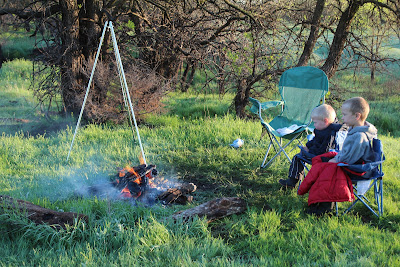
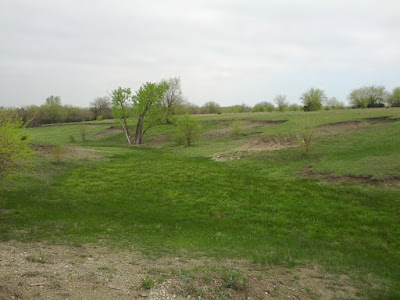
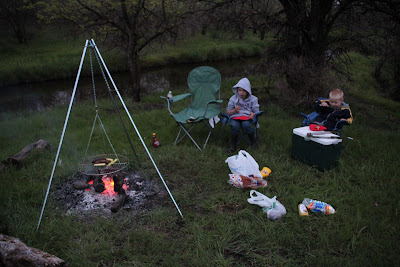
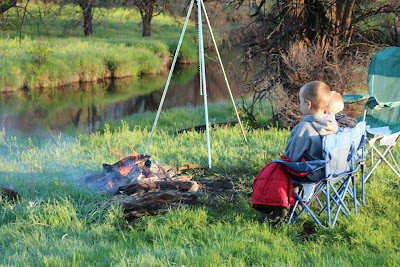
I m back from one of the best experiences a father can have a whole day with two happy boys. I took Jacob (5) and Oliver (2) camping with me out by our creek. This was the first time we d camped there, and also the first time I d taken the boys camping without Terah along. So there were some unknowns, but it worked out great. When we got out there, I started to get the tents set up. The boys were interested, but pretty soon invented some games. A large nearby tree with plenty of low branches on its trunk became their locomotive, and certain sticks made the train go forward or backward, whistle, or ding its bell. This was good for quite some entertainment. Another nearby tree, near the bank of the creek, had some erosion near it. Combined with its roots, this made some natural steps. Jacob named some the enter steps and others the exit steps , and I sure heard about it if I walked the wrong way on the exit steps. We then gathered up sticks and the things we needed to build a campfire. We cooked up brats and zucchini. Although it was later than usual for supper, they loved it just the same. After that, we made smores for dessert another thing they loved. Then, one of the big highlights: sleeping in tents and sleeping bags. I had showed them the sleeping bags earlier, and they were excited to try them out. Morning was beautiful when the sun came out, it was shining right on the heavy dew on the ground, making the grass shine brightly. It s not every day that they get to start their morning slowly waking up by a warm fire. They were content to sit for quite awhile while I got things going for breakfast. It was chilly outside, so I helped them change clothes by the fire where. I then cooked them some scrambled eggs which, despite the lack of salt and pepper, seemed so much better than normal to the boys and then we went exploring. I took them to some areas with erosion, which Jacob called the big holes in the ground. It s really quite beautiful in spring, which this cellphone photo completely fails to capture. The boys loved climbing up and down these areas, some of which were quite tall. They discovered different kinds of rock on the way up and down, and with my help avoided discovering too much of the mud at the bottom. We hiked back to our camping spot through grass almost as tall as Oliver much to his delight and then after warming up by the fire for a bit, went off in the other direction. There is a grove of trees by the creek over there, which surprise became another train. Here are the boys explaining how it works. <iframe allowfullscreen="allowfullscreen" frameborder="0" height="315" src="https://www.youtube.com/embed/43EcEK8F_ic?rel=0" width="560"></iframe> They helped pack things back up, too. Actually, it took some convincing to get Jacob to not pull up all the stakes for the tent before I was ready for them. Things didn t go perfectly, but then, they never do, and that was OK with everyone. Camping is an adventure, and it wouldn t be an adventure if you knew every detail beforehand. It is rare in life to be able to think that I have enough time to do anything the boys might want to do. Spend half an hour pretending a tree is a train sure, no problem. Today Oliver asked to go camping again, and was a bit disappointed when I didn t agree to go camping again right this minute, today. Jacob said, we had an EXCELLENT time and gave me hugs thinking about it. I have a lot of happy memories about the creek. We camped at the same spot where I went fishing or camped as a child. There have been family gatherings and even a birthday party out there. The boys and I have enjoyed a hike or a wagon ride to the area, but as I learned, nothing could possibly match the excitement of camping there. It is wonderful to add another happy memory of a time at the creek. And it s even better to see another generation of Goerzens discover that there s a lot of fun to be had down by the creek.

24 March 2012

John Goerzen: German: Suprisingly Hilarious for a 2-Year-Old

The other night, I was tucking the boys into bed. I occasionally use a few German words with them (I don t know all that many myself, but hey). They d been rather bored with it, so I had dropped it for a few months. I said to Oliver, Gute Nacht, Oliver. That means good night in German. Oliver laughed. I said it a few more times. He laughed some more. Jacob peeked down from his top bunk to see what the fun was, and pretty soon was getting into it also. Apparently I m quite the comedian, because when I said Auf Wiedersehen, Oliver burst out laughing uncontrollably. Finally he d say, Say it again! AGAIN!! And I would, and he d laugh and laugh some more. And then, I happened to say tsch ss. Jacob loved that one. He said it over and over, much to Oliver s delight. Finally I closed the door, and heard the laughter still going on behind me, as Jacob would yell out a mangled German word, and Oliver would fill the room with laughter. I was a little surprised, but figured it d end there. Not so much. The next night, I tucked them into bed like usual. I left their room, and about 10 seconds later, I heard frantic yelling from the boys room. I went back in, and poor Oliver was so upset he couldn t even say what he wanted. I finally figured out he was pleading, DAD! Say gute Nacht again! So we went through some German words again, and I left the boys much relieved. Phew. The next night, I almost repeated my horrid mistake of no German at bedtime, but Jacob stopped me before I left their room. Dad! You forgot to say tsch ss! So I did, with the boys prompting me on what words they wanted to hear. Then Jacob started asking me how to say these things in other languages. He was rather disappointed, and I think also didn t really believe me, when I only knew a few of those phrases in Spanish and French. Though he was surprised that I could come up with them in Greek. (Kali sp ra / good evening) was a hit. By this point, another day or two later, Jacob says tsch ss when I leave. Oliver wishes me gute Nacht at breakfast time. We ll have to work on that one. So, if you ever walk in the door at our house some morning, don t be surprised if our 2-year-old wishes you good night, our 5-year-old says goodbye, and they both start laughing.

9 March 2012

John Goerzen: Dear FedEx: I Live Here

FedEx has had some issues in my area. There for awhile, they kept returning packages as undeliverable, saying the address was bad. It wasn t. Just because their GPS can t find it or their driver doesn t know it doesn t mean it doesn t exist. A map, a real map, would have done it. I had this kind of conversation with them once. Me: So you re returning my package to the sender. FedEx: Yes sir, the address was wrong. Me: No, it wasn t. [ we confirm we're talking about the same address. ] FedEx: Our driver says it doesn t exist. Me: I ve lived here for [x] years. I do know my address. FedEx: Maybe it s just new. Me: Someone has lived at this spot since the 1890s. FedEx: Hmm. I don t know then. Me: How about I give you directions? FedEx: Well, OK, I guess I could send directions. But they probably won t see them for three days. Me: Where will my package be by then? FedEx: Hard to say. Me: Do you people have cell phones maybe? FedEx: No. Me: Well, OK then Lately we have been noticing that the driver throws the package from the truck without stopping. We find them all over the yard. Unless it s big, in which case he puts it on the porch, puts a completely useless sticker on the door saying We delivered your package to right here! , and doesn t ring the doorbell. And panics due to the muddy road. The FedEx driver once told Terah, I almost got stuck on that muddy road! What s the good one? Terah: Well, which one did you take? [ he describes ] Terah: [ serious ] That IS the good road. FedEx: [ turning pale ] Oh my. I don t know if I can make it back to the highway. Terah: Well, I suppose I could get the boys in the car and drive you into town FedEx: [ embarrassed and more pale ] Uhm that s OK uhm I think A *month* later, we got another FedEx package. The driver called me at work, saying, I just don t know how I m going to get down those roads. Can I deliver the package to you here? (10 miles away). I said yes, and managed to suppress a significant snicker at his obvious relief. FedEx drivers seem to come and go. The UPS driver, on the other hand, knows the names of our boys, our cat, and puts anything small behind the storm door so it won t blow away if we re not home. And he gets a great big laugh when I tell him that the FedEx drivers are afraid of our roads. Haha, he thinks THAT S mud? Obviously he never drives in Butler County.

4 March 2012

John Goerzen: Unreported Disk Data Corruption Kernel Bug?

Well this is new, and I m utterly baffled. Here s a file that s not in use by anything.
$ md5sum xppro.vdi
589cbb5501dcddda047344a3550aaa95 xppro.vdi
$ md5sum xppro.vdi
a69806ec60d39e06473edbb0abd71637 xppro.vdi
Every time I run md5sum on it, I get a different answer. Same story with sha256sum. If I grab just the first 100MB, it gives the same answer each time. dmesg doesn t show any sort of errors whatsoever during the time I m running the tools. The file is 13GB, and was copied from one laptop to another (the new one being a Thinkpad T420s). The old laptop gives the same answer every time. The new one doesn t. I ve put the file on different ext4 filesystems on the same machine (one using LUKS encryption, the other not, both under LVM) same result. This will have also guaranteed different placement on the underlying hard disk. I verified that nothing is modifying the file by using lsof and inotify. The system is a freshly-installed Debian wheezy running kernel 3.2.0-1-amd64. Any ideas how I go about troubleshooting/fixing this? So far I don t know if it s hardware or software, though my gut says software; SMART isn t showing issues here, and the kernel didn t log hardware issues, either.

26 February 2012

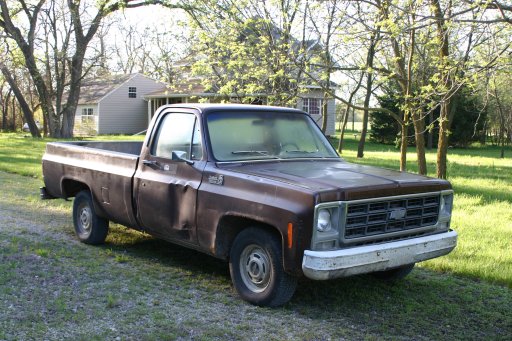
John Goerzen: Timelessness of an Old Pickup

Our society is one that is pretty well defined by timeliness. TV programs start at a precise time, down to the second. Schools have elaborate timekeeping systems. Even church services are carefully timed. We know how fast we re going, and our GPS or phones tell us when we ll get there. And we re pretty confident that we will, in fact, get there. Somehow this doesn t apply to our pickup. This pickup, in case you re wondering, is a thing of stories, shall we say. After a particularly frustrating experience with it one week (oh yes, the battle extended several days), I likened it to the Greek gods. And Terah had a good laughing fit when I began a sentence with The reason there s a towel connecting the brake pedal to the steering wheel But I guess the thrifty side of me won out, and somewhere along the line, I relented. My brother fixed up the carburetor. I got it a new battery. The flat tire is repaired. The starter broke, and I got it replaced. And I even got an oil change. Fancy, I know. So today, when I needed to take some backbreaking junk off the yard, I was hoping the pickup would work. I hadn t driven it in months, and any manner of catastrophe could have struck it in that time. So I was mildly relieved when it started on the 6th try. That is, quite seriously, quite the improvement, and shows how skilled a mechanic my brother is. The speedometer, of course, isn t working. The odometer stupidly reads 21531 or something like that (it was only a 5-digit odometer, broke long ago, so who knows how many miles it really has.) And I like to keep things like grease and heavy ancient air conditioners (one of the things I was hauling) away from my watch, so I wasn t wearing it. The result: I have no idea what time it is, how fast I m going, when I ll get there, IF I ll get there, or all those things. I set out, and made it a good half mile before it died as I was rounding a corner at the bottom of the hill. Always a great place for a finicky old stick-shift vehicle to die, right? Anyhow, a few random adjustments to the choke later, and the thing sputtered then roared (and I do mean roared) back to life. A little lurching up the hill and I was back on my way. Now, I was stuck there in the middle of the road, but it was a country road, so I d have probably had a good hour to get it fixed before worrying about blocking anybody s way. My first stop: my great uncle s place. He has a scrap metal for charity project going on. He is looking for old motors, air conditioners, dehumidifiers, etc. He takes them apart, separates out the metals, sells them, and donates the result to MCC, a world relief agency. I knew I had an old dehumidifier in the basement, and thought I remembered seeing an old window air conditioner in the elevator. That thing is probably the single heaviest object I have ever moved without help. I have a bandaid to prove it. It was way too heavy to carry, so I kind of rolled it, side to side, from the side of the elevator on to the pickup. If you were watching, you d have heard me making struggling noises, followed by BANG rattle rattle rattle pause struggling noises . BANG rattle rattle rattle as I rolled it along the ground, and waited for the internal bits to settle after each quarter turn. So anyway, eventually I got it to the pickup, and then had the sickening realization: I have no way to get this thing up there. Oops. I eventually placed it on top of an old tire rim, balanced it there as I knelt down, and somehow still not quite sure how managed to lift the entire thing a few feet until I could get some leverage to shove it onto the pickup. I later commented to my dad that it was a Chrysler brand air conditioner, somewhat to my surprise, and he said that it was probably my great-grandpa s. That was a surprise. Anyhow, back to the pickup. I drove down the few miles to my great grandpa s place, not really knowing how fast I was going. I smelled the familiar smells of the old pickup: exhaust fumes, oil on hot surfaces it shouldn t be on, a touch of hot antifreeze. You never have any doubt about whether the engine is running. It was sort of nice to not know, or particularly care, how fast I was going, or what time it was. Sometimes I d idly wonder, but you know, it didn t really matter and there wasn t a thing I could do about it anyhow. I got to uncle s place, unloaded the junk sorta dropped the air conditioner off the back of the pickup with a terrific BANG, then rolled it all the way to his trailer and got back in. On to town. I hadn t put gas in the pickup in a few years, and I suspected it was getting low. (The gas gauge, you guessed it, doesn t work right either.) Plus we had some large recyclables built up and it was time to get rid of them. And for that, I had to drive on the highway a ways. The speed limit there is 65MPH. I have no idea how fast I was going, but it wasn t 65. Maybe it was 45. I got passed a lot, but nobody looked particularly surprised that a pickup that looks like mine wasn t going 65. Partway there, I smelled a different smoke smell. Not an oil smoke, but more of a grassy or wood smoke. Hmm, I thought. That s odd. Hope it s not coming from the pickup. I didn t really see smoke anywhere else, so I just drove on until I couldn t smell it anymore. I unloaded the recyclables, then went to the gas station. As the pump readout neared $50, I decided: 1) the gas tank really was pretty empty, and 2) I just can t put more gas in it anymore. That would be more than the truck s worth. So I drove home. The drive home was into the wind. My face got pretty cold I always drive with the windows open to prevent carbon monoxide poisoning (remember the fumes?) I got home and prepared to pack up the pickup close the windows, replace the bungee cord holding the brake pedal up, etc. I then thought I d have a look under the hood to see if there was anything, well, on fire. Nope, but there was a packrat nest that fell down as soon as the wind hit it. Source of grassy-smelling smoke identified. It s amazing what difference simple lack of knowledge makes sometimes. Not knowing what time it is or how fast I m going means I don t have to worry about those things. I wonder how society has changed simply because accurate and cheap watches are available. I kind of like driving the old truck. It s a bit of an adventure, a bit of a challenge, a bit of randomness, and a bit of an escape from the normal and predictable. Not a bad deal for a $75 vehicle.
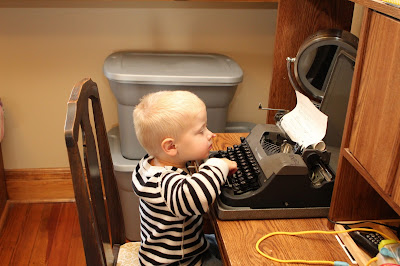
12 February 2012

John Goerzen: XMPP for Children

When Jacob was just born, I wondered how I might introduce them to computing. I thought over various things, but that wasn t really the most pressing thing right then. I don t suppose that I could have predicted installing an XMPP IM server (Prosody) for the boys. And I certainly couldn t have predicted creating accounts named: jacob, oliver, butterfly, bear. Because, as Jacob pointed out to me, if (Jacob s favorite toy) butterfly is typing with his wings, then he shouldn t be logged in as Jacob. I admire my 5-year-old s security consciousness Anyhow, as I mentioned yesterday, Jacob and Oliver enjoy their computer, which I recently put on the LAN. The firewall does not pass any of its traffic to the Internet, though, with very limited exceptions. Jacob can read, and is starting to enjoy typing as well. So I thought he would enjoy sending IMs to me. As his computer has no GUI, I needed a text-mode client. Something with an IRC-like interface that could be scripted to open up a window with me directly sounded perfect. Initially I tried irssi s XMPP plugin, but it proved to be too buggy (wanting to always latch on to a particular resource on the remote end, not having very predictable window behavior, etc.) So I switched to mcabber. With a couple of quick configuration bits to get him automatically logged in, remove superflous windows, and connect him directly to a chat with me, it was set. And well-loved. He sent me a mix of real words and random things he created by replacing letters in Jacob or by holding down keys. In the mcabberrc, besides the obvious setting of username and password, there is:
set log_win_height = 1
set hook-post-connect = source ~/.mcabber/post-connect.rc
The hook is simply:
roster search Dad
roster hide
After awhile, Jacob wanted to switch computers. He wanted to use my laptop, and me use his computer. He refused to switch back. I asked him why. Because on your computer, my name is red. I should have known. I set it to bright white on his computer, but I think tomorrow we may need to upgrade him to the color monitor I ve been saving for just such an occasion It will be a whole new set of discoveries, I m sure. Update: I also tried out freetalk, which looked like it would meet my goals nicely. The problem was it didn t have a dedicated everything typed goes to this person mode. It did have a mode where it put the person s JID on the command line by default, but excessive use of backspace key by a 5-year-old could wipe that out and leave it in a state where he d be confused.

11 February 2012

John Goerzen: Shell Scripts For Preschoolers

It probably comes as no surprise to anybody that Jacob has had a computer since he was 3. Jacob and I built it from spare parts, together. It may come as something of a surprise that it has no graphical interface, and Jacob uses the command line and loves it and did even before he could really read. A few months ago, I wrote about the fun Jacob had with speakers and a microphone, and posted a copy of the cheat sheet he has with his computer. Lately, Jacob has really enjoyed playing with the speech synthesizer both trying to make it say real words and nonsense words. Sometimes he does that for an hour. I was asked for a copy of the scripts I wrote. They are really simple. I gave them names that would be easy for a preschooler to remember and spell, even if they conflicted with existing Unix/Linux commands. I put them in /usr/local/bin, which occurs first on the PATH, so it doesn t matter if they conflict. First, for speech systhesis, /usr/local/bin/talk:
#!/bin/bash
echo "Press Ctrl-C to stop."
espeak -v en-us -s 150
espeak comes from the espeak package. It seemed to give the most consistenly useful response. Now, on to the sound-related programs. Here s /usr/local/bin/ssl, the sound steam locomotive . It starts playing a train sound if one isn t already playing:
#!/bin/bash
pgrep mpg321 > /dev/null mpg321 -q /usr/local/trainsounds/main.mp3 &
sl "$@"
And then there s /usr/local/bin/record:
#!/bin/bash
cd $HOME/recordings
echo "Now recording. Press Ctrl-C to stop."
DATE= date +%Y-%m-%dT%H-%M-%S
FILENAME="$DATE-$$.wav"
chmod a-w *.wav
exec arecord -c 1 -f S16_LE -c 1 -r 44100 "$FILENAME"
This simply records in a timestamped file. Then, its companion, /usr/local/bin/play. Sorry about the indentation; for whatever reason, it is being destroyed by the blog, but you get the idea.
#!/bin/bash
case "$1" in
train)
mpg321 /usr/local/trainsounds/main.mp3
;;
song)
/usr/bin/play /usr/local/trainsounds/traindreams.flac
;;
*)
cd $HOME/recordings
exec aplay ls -tr tail -n 1
;;
esac
So, Jacob can run just play , which will play back his most recent recording. As something of a bonus, the history of recordings is saved for us to listen to later. If he types play train , there is the sound of a train passing. And, finally, play song plays Always a Train in My Dreams by Steve Gillette (I heard it on the radio once and bought the CD). Some of these commands kick off sound playing in the background, so here is /usr/local/bin/bequiet:
#!/bin/bash
killall mpg321 &> /dev/null
killall play &> /dev/null
killall aplay &> /dev/null
killall cw &> /dev/null

5 February 2012

John Goerzen: Rain, A Funeral, and Excitement

Rain Friday was something of a rare day for February in Kansas. Starting at about 2AM, the wind picked up, blowing so hard that our windows rattled. That part isn t so rare. Then the cold rain started, dropping almost 2.5 throughout the day. As I worked, I had the blinds on the windows open, but they didn t let in very much light. Still, the wind had calmed down, so the intermittent rain outside was peaceful. Jacob went out to play for a little while, so every so often I saw a warmly-dressed and excited-looking 5-year-old run past my window. A little while after he came in, I told Jacob, I saw you playing outside. His response: Oh good! I got wet! Which, despite the fact that it was about 50 degrees, seemed to excite him. After the blustery start, the calm, slow, and peaceful rain was a pleasant thing to see throughout the day. Funeral My great aunt Alice Goerzen passed away last Sunday. So today, for the third time in a little over a year, I was at the funeral of a Goerzen relative and neighbor. Alice s husband, Milt, passed away in late 2010, and it was while I was at his funeral that Jacob got run over by a tractor. That memory certainly came back to me today. But I think I should set the stage and explain what funerals are like in this small, rural Kansas community. At the church, while people file in, family and close friends generally defined as loosely as desired meet in some other room before the funeral. Memories may be shared, or songs sung, or maybe just a brief meditation or prayer. Then the man from the funeral home there s only one in town will step in. Ivan Miller owned the business for decades, and although he s now retired, his replacement seems pretty similar. Kindly, respectful, and pretty much unchanging. This group then files into the church sanctuary to sit up front, while the rest of the congregation is standing and music is played. We typically sing some hymns, hear memories from the family, a message from a pastor, and then do downstairs for faspa: an light meal with coffee, zwieback, funeral cheese , and some relishes and dessert. You can, by the way, go to the local grocery store and find a product labeled funeral cheese . It s a sharp cheddar, sliced thick and cut into pie piece-shaped wedges. After everyone has picked up their food, microphones are passed around, and anybody that wants to can share memories and stories. These are often hilarious, or touching, and can be more random than anyone could expect. Today we heard a lot about how Aunt Alice loved her flowers and garden. We even saw a video of her giving a tour of her garden, with Milt s mower in the background occasionally accidentally causing a distraction (or maybe it wasn t so accidental; he d never miss an opportunity to cause some mischief ) I tend to think of attending funerals around here as a good time. Sadness is inevitable, but there are so many amazing stories that it is hard to leave feeling sad. Excitement This afternoon, Jacob found me in the office and as he often does, said, Dad, I want to do something with you. Usually I ask him what he d like to do, but his first instinct is usually to ask for watching train videos on Youtube. So sometimes I make other suggestions. Today we played hide and seek with radios, in which the person that is counting is supposed to radio to the other person when they are done. Today was the first time that Jacob came up with the trick of talking into the radio while I was hiding so he could hear where I was. I was sort of proud of him, and he failed to completely hide his smile when I told him I had to turn off my radio or else he d find me too fast. Then later, we played with Jacob s computer, a Linux-based command-line-only machine. I have set up a few shell scripts and aliases for him. Since it doesn t play videos, he doesn t use it as much as he does mine, but it is really fun to watch how his interaction with it changes as he gets older. He can now read amazingly well for a 5-year-old, and is starting to learn how to spell. He loves word games, writing, and typing. I thought I would install an ASCII art program for him. I told Jacob I had some ideas for a new game, and he was irresistibly intrigued. I offered him a choice between figlet and toilet. And, as is probably no surprise to anyone with a 5-year-old, he chose toilet based on its name, Jacob and Oliver both loved typing things and seeing them displayed bigger. I showed Jacob how I could make a freight train by typing ,<@-[]-(*)-@> (that s the comma-shaped snowplow, engine, boxcar [], tank car (*), and caboose @>). Then toilet drew them big, and though abstract, caused great excitement. I hooked up one of the speech synthesizers in Debian to a simple shell script named talk , which is a huge hit with the boys. They enjoy typing in nonsense and hearing the funny result, or in typing in real words and hearing how the computer says them right (or doesn t). All told, we had a good hour s worth of excitement up there.

10 January 2012

John Goerzen: Social Overload

I m finding social media is becoming a bit annoying. I enjoy using it to keep in touch with all sorts of people, but my problem is the proliferation of services that don t integrate well with each other. Right now, I have: So my problems are:
  1. Posting things multiple places. I currently can post on identi.ca, which automatically posts to twitter, which automatically posts to Facebook. But then I d still have to post to Google+, assuming it s something that I d like to share with both my Facebook friends and my Google+ circles it usually is.
  2. The situation is even worse for re-tweeting/re-sharing other people s posts. That is barely possible between platforms and usually involves cutting and pasting. Though this is somewhat more rare.
  3. It s probably possible to make my blog posts automatically generate a tweet, but not to automatically generate a G+ post.
All the hassle of posting things multiple places leads me to just not bother at all some of the time, which is annoying too. There are some tools that would take G+ content and put it on Twitter, but without a character counter on G+, I don t think this would be useful. Anyone else having similar issues? How are you coping?

6 December 2011

John Goerzen: Snapshots of Life

It s been busy lately, and I haven t had the time to blog. With the change in job, various travel, and settling into a new routine, I ve not done as much writing of late. But life marches on, and before memories grow too fleeting, I think I should share a few. We recently changed the arrangements for the boys. Instead of them each having their own room in which they sleep and sometimes play, we purchased a bunk bed. Oliver graduated from his crib to the lower bunk, and Jacob has the higher bunk. This has, predictably, created a few opportunities for behavior issues. Overall, it s going well, and they appreciate their new, more open, play room. Both boys sleep with their stuffed animals. Jacob calls his my friends . He still likes his butterfly, which he has had since he was an infant. He sometimes talks about how much he loves his friends, and how they like to get hugs, and how they are happy. Jacob continues to enjoy reading. He has a toy low-res camera and he even recorded a video of himself reading Brown Bear, Brown Bear. Oliver s vocabulary is coming alive and is fun to watch. Jacob has taken to trying to teach Oliver how to say things. One day, Jacob saw a number like 451 on the side of a train, producing a conversation like this: Oliver, can you say four hundred and fifty-one? Four dred iffy on! You got it!!! YAY! Today as I was walking past Oliver s train track on the floor, he grabbed me by the hand, had me sit down, and kept holding on to make sure I d stay right where he wanted me as he pointed and talked all about his trains. Aww. One cold and windy Saturday morning, the boys were getting restless. What to do, we thought? I decided to bring out one of the manual typewriters from my collection. Oliver loved watching it do things as he pressed buttons. Jacob enjoyed spelling mom . New problem: boys fighting over how long each one s turn at the typewriter is. This has gone on for a month now. Ahh, winter. A few weeks ago, Jacob informed us that he built an antenna out of blocks. He was REALLY proud of it, and even, incredibly, insisted I take his picture with it! I m pleased to have a 5-year-old that calls this structure an antenna instead of a skyscraper or tower or some such thing ;-) We took a train trip to Portland, OR, recently. That s about 2.5 days on the train each way. It went pretty well we had quite a bit of excitement though it got a little long for the boys at times. One evening, Jacob excitedly noted that the sky was almost really dark blue, just like my song! Wow. That was a song he made up in New York in summer 2010. Jacob enjoyed collecting leaves as we walked around in Portland. He would then stash his pile of leaves outside the door of whatever building we d enter, then hope to find them still there when we got back out. It usually worked out OK for him.

Next.

Previous.