
Libraries are collections of code that are intended to be usable by multiple consumers (if you're interested in the etymology, watch
this video). In the old days we had what we now refer to as "static" libraries, collections of code that existed on disk but which would be copied into newly compiled binaries. We've moved beyond that, thankfully, and now make use of what we call "dynamic" or "shared" libraries - instead of the code being copied into the binary, a reference to the library function is incorporated, and at runtime the code is mapped from the on-disk copy of the shared object[1]. This allows libraries to be upgraded without needing to modify the binaries using them, and if multiple applications are using the same library at once it only requires that one copy of the code be kept in RAM.
But for this to work, two things are necessary: when we build a binary, there has to be a way to reference the relevant library functions in the binary; and when we run a binary, the library code needs to be mapped into the process.
(I'm going to somewhat simplify the explanations from here on - things like symbol versioning make this a bit more complicated but aren't strictly relevant to what I was working on here)
For the first of these, the goal is to replace a call to a function (eg,
printf()) with a reference to the actual implementation. This is the job of the linker rather than the compiler (eg, if you use the
-c argument to tell gcc to simply compile to an object rather than linking an executable, it's not going to care about whether or not every function called in your code actually exists or not - that'll be figured out when you link all the objects together), and the linker needs to know which symbols (which aren't just functions - libraries can export variables or structures and so on) are available in which libraries. You give the linker a list of libraries, it extracts the symbols available, and resolves the references in your code with references to the library.
But how is that information extracted? Each ELF object has a fixed-size header that contains references to various things, including a reference to a list of "section headers". Each section has a name and a type, but the ones we're interested in are
.dynstr and
.dynsym.
.dynstr contains a list of strings, representing the name of each exported symbol.
.dynsym is where things get more interesting - it's a list of structs that contain information about each symbol. This includes a bunch of fairly complicated stuff that you need to care about if you're actually writing a linker, but the relevant entries for this discussion are an index into
.dynstr (which means the
.dynsym entry isn't sufficient to know the name of a symbol, you need to extract that from
.dynstr), along with the location of that symbol within the library. The linker can parse this information and obtain a list of symbol names and addresses, and can now replace the call to
printf() with a reference to libc instead.
(Note that it's not possible to simply encode this as "Call this address in this library" - if the library is rebuilt or is a different version, the function could move to a different location)
Experimentally,
.dynstr and
.dynsym appear to be sufficient for linking a dynamic library at build time - there are other sections related to dynamic linking, but you can link against a library that's missing them. Runtime is where things get more complicated.
When you run a binary that makes use of dynamic libraries, the code from those libraries needs to be mapped into the resulting process. This is the job of the runtime dynamic linker, or RTLD[2]. The RTLD needs to open every library the process requires, map the relevant code into the process's address space, and then rewrite the references in the binary into calls to the library code. This requires more information than is present in
.dynstr and
.dynsym - at the very least, it needs to know the list of required libraries.
There's a separate section called
.dynamic that contains another list of structures, and it's the data here that's used for this purpose. For example,
.dynamic contains a bunch of entries of type
DT_NEEDED - this is the list of libraries that an executable requires. There's also a bunch of other stuff that's required to actually make all of this work, but the only thing I'm going to touch on is
DT_HASH. Doing all this re-linking at runtime involves resolving the locations of a large number of symbols, and if the only way you can do that is by reading a list from
.dynsym and then looking up every name in
.dynstr that's going to take some time. The
DT_HASH entry points to a hash table - the RTLD hashes the symbol name it's trying to resolve, looks it up in that hash table, and gets the symbol entry directly (it still needs to resolve that against
.dynstr to make sure it hasn't hit a hash collision - if it has it needs to look up the next hash entry, but this is still generally faster than walking the entire
.dynsym list to find the relevant symbol). There's also
DT_GNU_HASH which fulfills the same purpose as
DT_HASH but uses a more complicated algorithm that performs even better.
.dynamic also contains entries pointing at
.dynstr and
.dynsym, which seems redundant but will become relevant shortly.
So,
.dynsym and
.dynstr are required at build time, and both are required along with
.dynamic at runtime. This seems simple enough, but obviously there's a twist and I'm sorry it's taken so long to get to this point.
I bought a
Synology NAS for home backup purposes (my previous solution was a single external USB drive plugged into a small server, which had uncomfortable single point of failure properties). Obviously I decided to poke around at it, and I found something odd - all the libraries Synology ships were entirely lacking any ELF section headers. This meant no
.dynstr,
.dynsym or
.dynamic sections, so how was any of this working?
nm asserted that the libraries exported no symbols, and
readelf agreed. If I wrote a small app that called a function in one of the libraries and built it,
gcc complained that the function was undefined. But executables on the device were clearly resolving the symbols at runtime, and if I loaded them into
ghidra the exported functions were visible. If I
dlopen()ed them,
dlsym() couldn't resolve the symbols - but if I hardcoded the offset into my code, I could call them directly.
Things finally made sense when I discovered that if I passed the
--use-dynamic argument to
readelf, I
did get a list of exported symbols. It turns out that ELF is weirder than I realised. As well as the aforementioned section headers, ELF objects also include a set of program headers. One of the program header types is
PT_DYNAMIC. This typically points to the same data that's present in the
.dynamic section. Remember when I mentioned that
.dynamic contained references to
.dynsym and
.dynstr? This means that simply pointing at
.dynamic is sufficient, there's no need to have separate entries for them.
The same information can be reached from two different locations. The information in the section headers is used at build time, and the information in the program headers at run time[3]. I do not have an explanation for this. But if the information is present in two places, it seems obvious that it should be able to reconstruct the missing section headers in my weird libraries? So that's what
this does. It extracts information from the
DYNAMIC entry in the program headers and creates equivalent section headers.
There's one thing that makes this more difficult than it might seem. The section header for
.dynsym has to contain the number of symbols present in the section. And that information doesn't directly exist in
DYNAMIC - to figure out how many symbols exist, you're expected to walk the hash tables and keep track of the largest number you've seen. Since every symbol has to be referenced in the hash table, once you've hit every entry the largest number is the number of exported symbols. This seemed annoying to implement, so instead I cheated, added code to simply pass in the number of symbols on the command line, and then just parsed the output of
readelf against the original binaries to extract that information and pass it to my tool.
Somehow, this worked. I now have a bunch of library files that I can link into my own binaries to make it easier to figure out how various things on the Synology work. Now, could someone explain (a) why this information is present in two locations, and (b) why the build-time linker and run-time linker disagree on the canonical source of truth?
[1] "Shared object" is the source of the .so filename extension used in various Unix-style operating systems
[2] You'll note that "RTLD" is not an acryonym for "runtime dynamic linker", because reasons
[3] For environments using the GNU RTLD, at least - I have no idea whether this is the case in all ELF environments

comments







































































 This year was hard from a personal and work point of view, which impacted the amount of Free Software bits I ended up doing - even when I had the time I often wasn t in the right head space to make progress on things. However writing this annual recap up has been a useful exercise, as I achieved more than I realised. For previous years see
  CW for body size change mentions
I needed a corset, badly.
Years ago I had a chance to have my measurements taken by a former
professional corset maker and then a lesson in how to draft an underbust
corset, and that lead to me learning how nice wearing a well-fitted
corset feels.
Later I tried to extend that pattern up for a midbust corset, with
success.
And then my body changed suddenly, and I was no longer able to wear
either of those, and after a while I started missing them.
Since my body was still changing (if no longer drastically so), and I
didn t want to use expensive materials for something that had a risk of
not fitting after too little time, I decided to start by making myself a
summer lightweight corset in aida cloth and plastic boning (for which I
had already bought materials). It fitted, but not as well as the first
two ones, and I ve worn it quite a bit.
I still wanted back the feeling of wearing a comfy, heavy contraption of
coutil and steel, however.
After a lot of procrastination I redrafted a new pattern, scrapped
everything, tried again, had my measurements taken by a dressmaker
[#dressmaker], put them in the draft, cut a first mock-up in cheap
cotton, fixed the position of a seam, did a second mock-up in denim
[#jeans] from an old pair of jeans, and then cut into the cheap
herringbone coutil I was planning to use.
And that s when I went to see which one of the busks in my stash would
work, and realized that I had used a wrong vertical measurement and the
front of the corset was way too long for a midbust corset.
CW for body size change mentions
I needed a corset, badly.
Years ago I had a chance to have my measurements taken by a former
professional corset maker and then a lesson in how to draft an underbust
corset, and that lead to me learning how nice wearing a well-fitted
corset feels.
Later I tried to extend that pattern up for a midbust corset, with
success.
And then my body changed suddenly, and I was no longer able to wear
either of those, and after a while I started missing them.
Since my body was still changing (if no longer drastically so), and I
didn t want to use expensive materials for something that had a risk of
not fitting after too little time, I decided to start by making myself a
summer lightweight corset in aida cloth and plastic boning (for which I
had already bought materials). It fitted, but not as well as the first
two ones, and I ve worn it quite a bit.
I still wanted back the feeling of wearing a comfy, heavy contraption of
coutil and steel, however.
After a lot of procrastination I redrafted a new pattern, scrapped
everything, tried again, had my measurements taken by a dressmaker
[#dressmaker], put them in the draft, cut a first mock-up in cheap
cotton, fixed the position of a seam, did a second mock-up in denim
[#jeans] from an old pair of jeans, and then cut into the cheap
herringbone coutil I was planning to use.
And that s when I went to see which one of the busks in my stash would
work, and realized that I had used a wrong vertical measurement and the
front of the corset was way too long for a midbust corset.
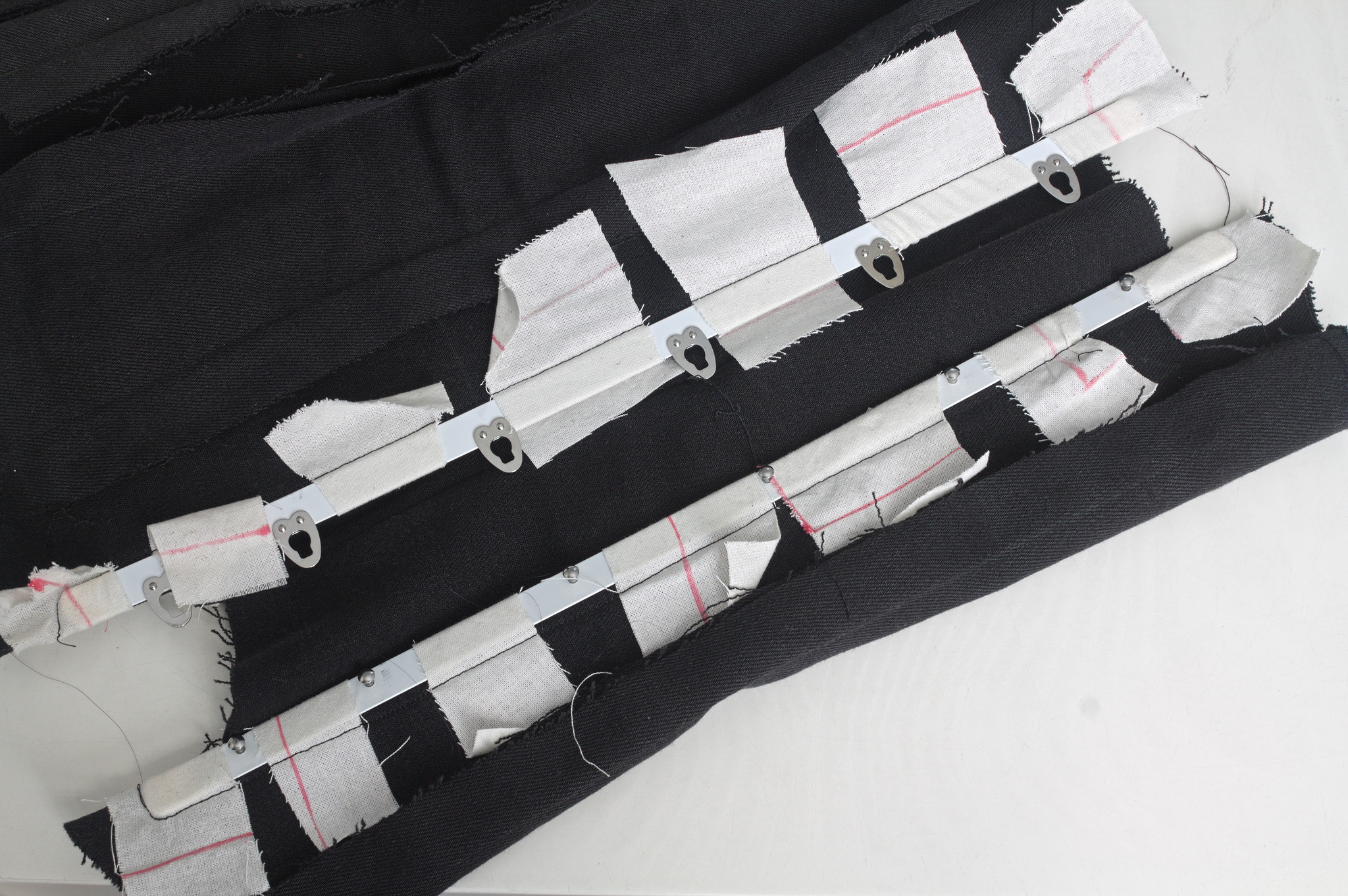 Luckily I also had a few longer busks, I basted one to the denim mock up
and tried to wear it for a few hours, to see if it was too long to be
comfortable. It was just a bit, on the bottom, which could be easily
fixed with the Power Tools
Luckily I also had a few longer busks, I basted one to the denim mock up
and tried to wear it for a few hours, to see if it was too long to be
comfortable. It was just a bit, on the bottom, which could be easily
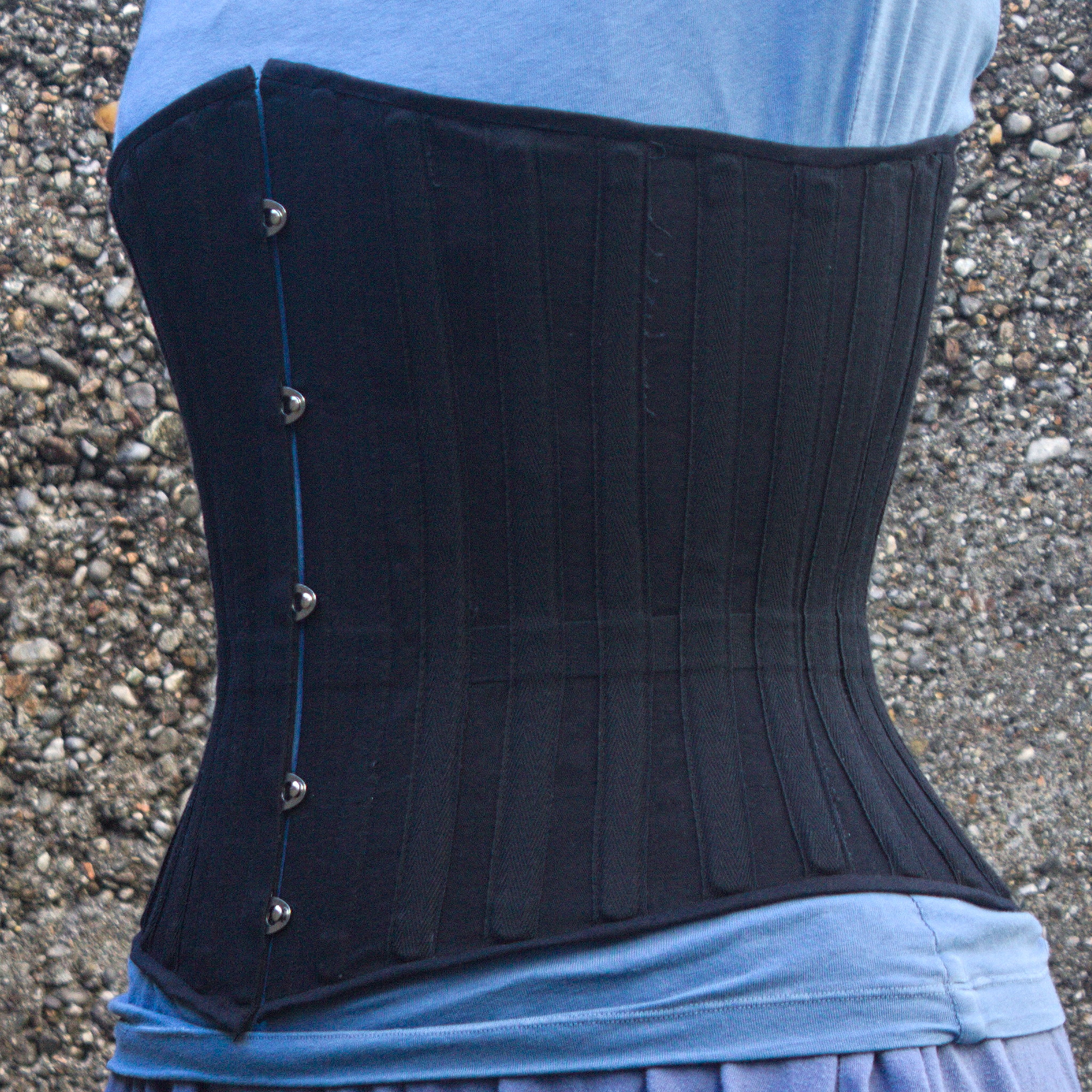
fixed with the Power Tools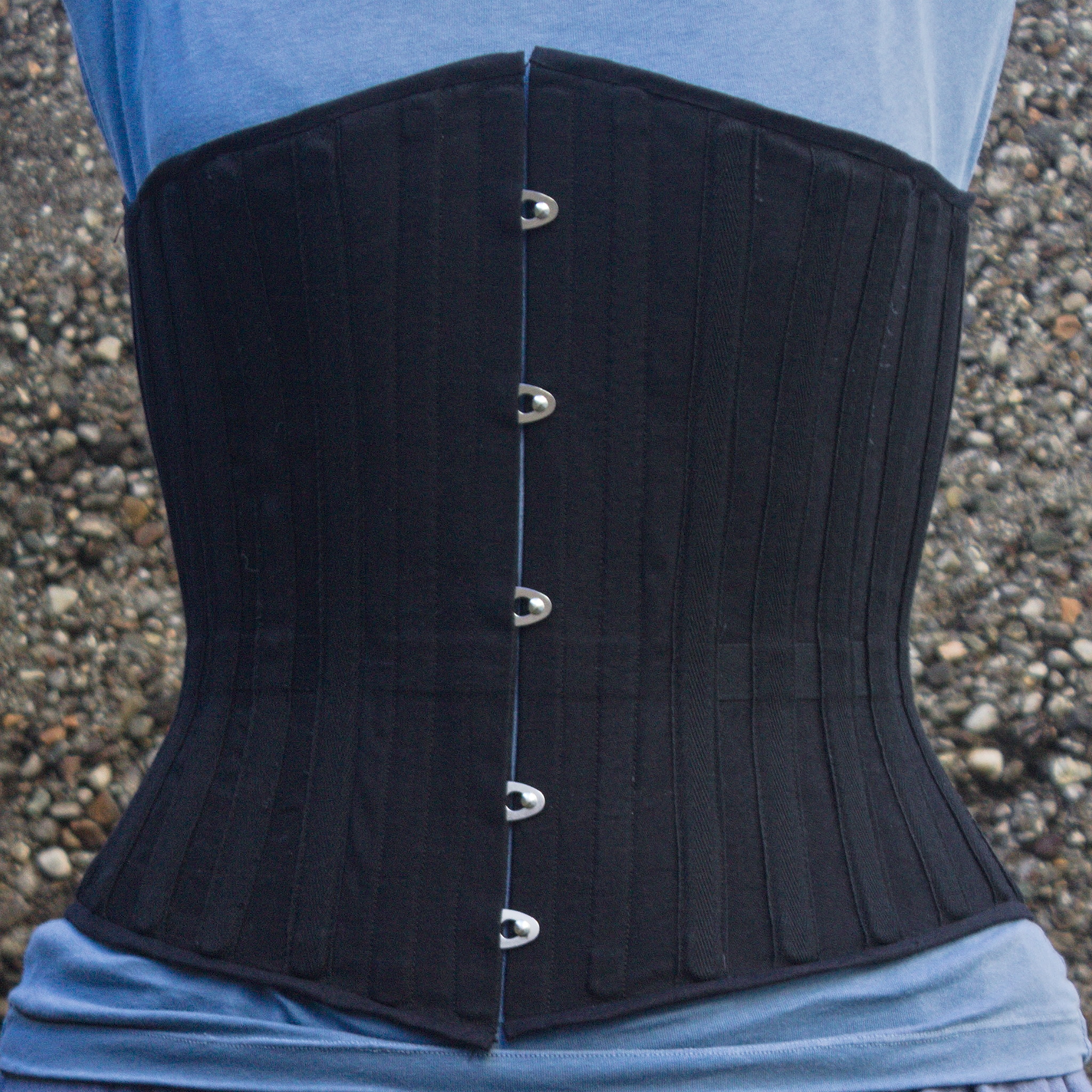 I could have been a bit more precise with the binding, as it doesn t
align precisely at the front edge, but then again, it s underwear,
nobody other than me and everybody who reads this post is going to see
it and I was in a hurry to see it finished. I will be more careful with
the next one.
I could have been a bit more precise with the binding, as it doesn t
align precisely at the front edge, but then again, it s underwear,
nobody other than me and everybody who reads this post is going to see
it and I was in a hurry to see it finished. I will be more careful with
the next one.
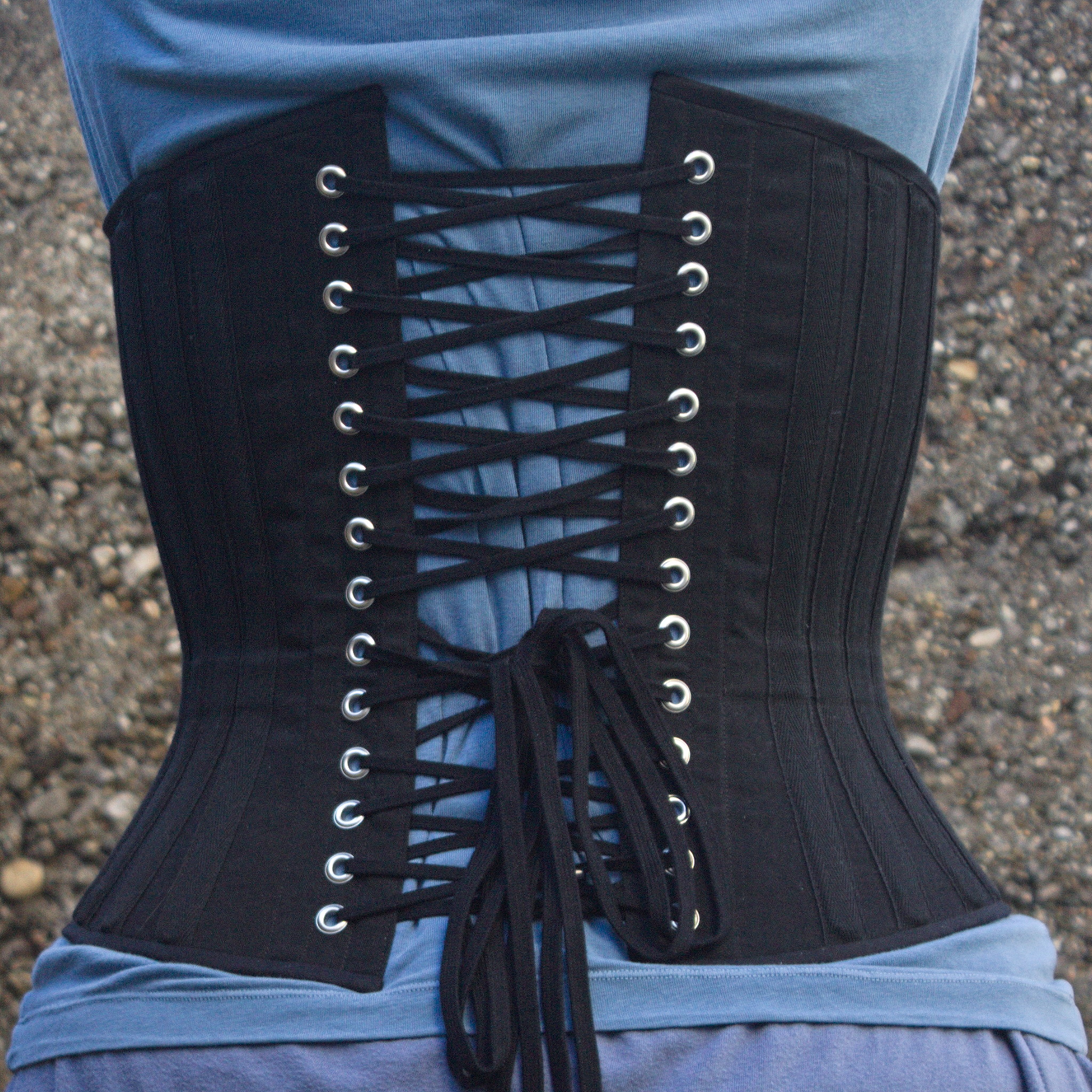 I also think that I haven t been careful enough when pressing the seams
and applying the tape, and I ve lost about a cm of width per part, so
I m using a lacing gap that is a bit wider than I planned for, but that
may change as the corset gets worn, and is still within tolerance.
Also, on the morning after I had finished the corset I woke up and
realized that I had forgotten to add garter tabs at the bottom edge.
I don t know whether I will ever use them, but I wanted the option, so
maybe I ll try to add them later on, especially if I can do it without
undoing the binding.
The next step would have been flossing, which I proceeded to postpone
until I ve worn the corset for a while: not because there is any reason
for it, but because I still don t know how I want to do it :)
What was left was finishing and uploading the
I also think that I haven t been careful enough when pressing the seams
and applying the tape, and I ve lost about a cm of width per part, so
I m using a lacing gap that is a bit wider than I planned for, but that
may change as the corset gets worn, and is still within tolerance.
Also, on the morning after I had finished the corset I woke up and
realized that I had forgotten to add garter tabs at the bottom edge.
I don t know whether I will ever use them, but I wanted the option, so
maybe I ll try to add them later on, especially if I can do it without
undoing the binding.
The next step would have been flossing, which I proceeded to postpone
until I ve worn the corset for a while: not because there is any reason
for it, but because I still don t know how I want to do it :)
What was left was finishing and uploading the 
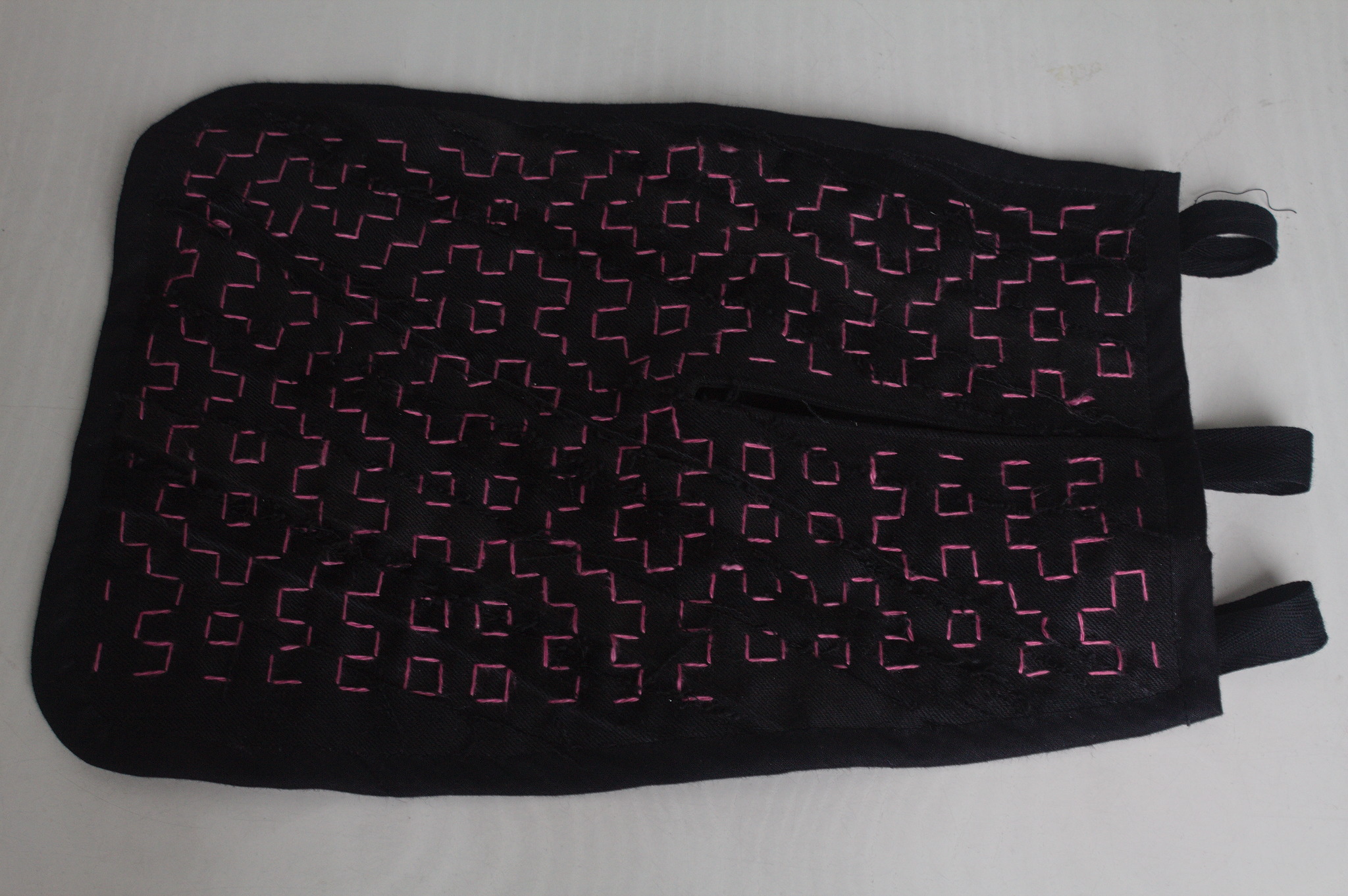 Lately I ve seen people on the internet talking about victorian crazy
quilting. Years ago I had watched a
Lately I ve seen people on the internet talking about victorian crazy
quilting. Years ago I had watched a 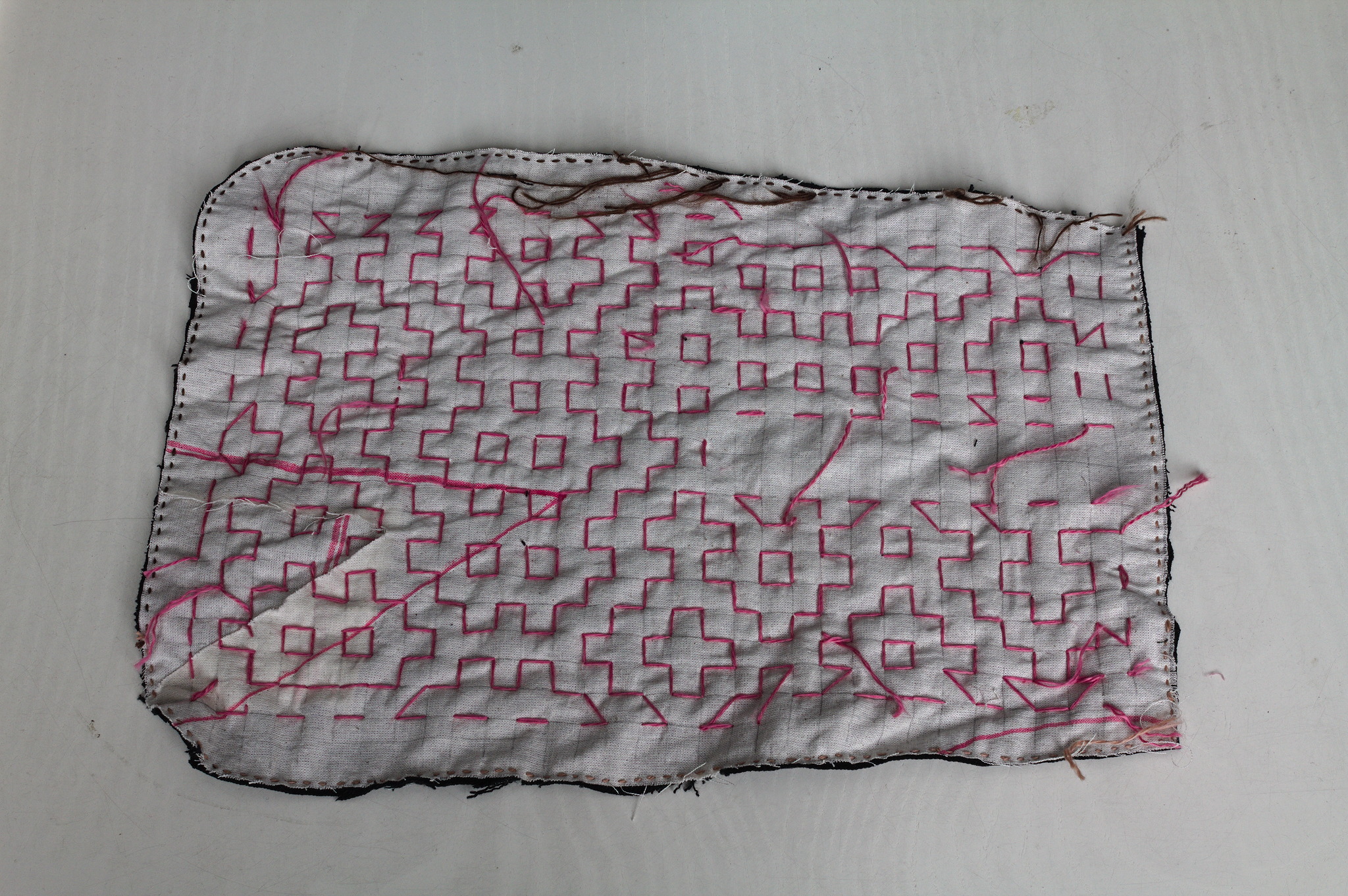 I cut a
 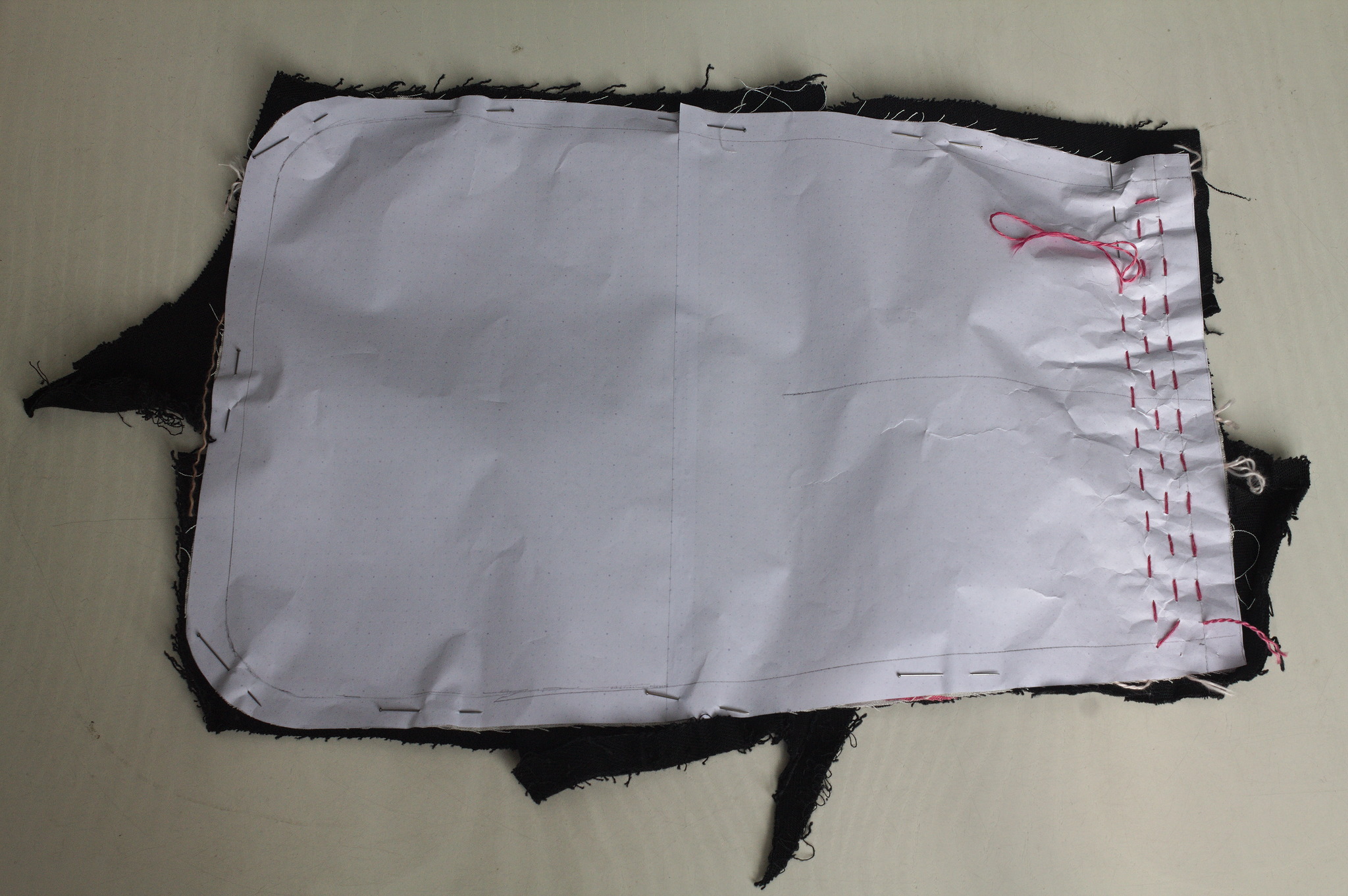 For the second piece I tried to use a piece of paper with the square
grid instead of drawing it on the fabric: it worked, mostly, I would not
do it again as removing the paper was more of a hassle than drawing the
lines in the first place. I suspected it, but had to try it anyway.
For the second piece I tried to use a piece of paper with the square
grid instead of drawing it on the fabric: it worked, mostly, I would not
do it again as removing the paper was more of a hassle than drawing the
lines in the first place. I suspected it, but had to try it anyway.
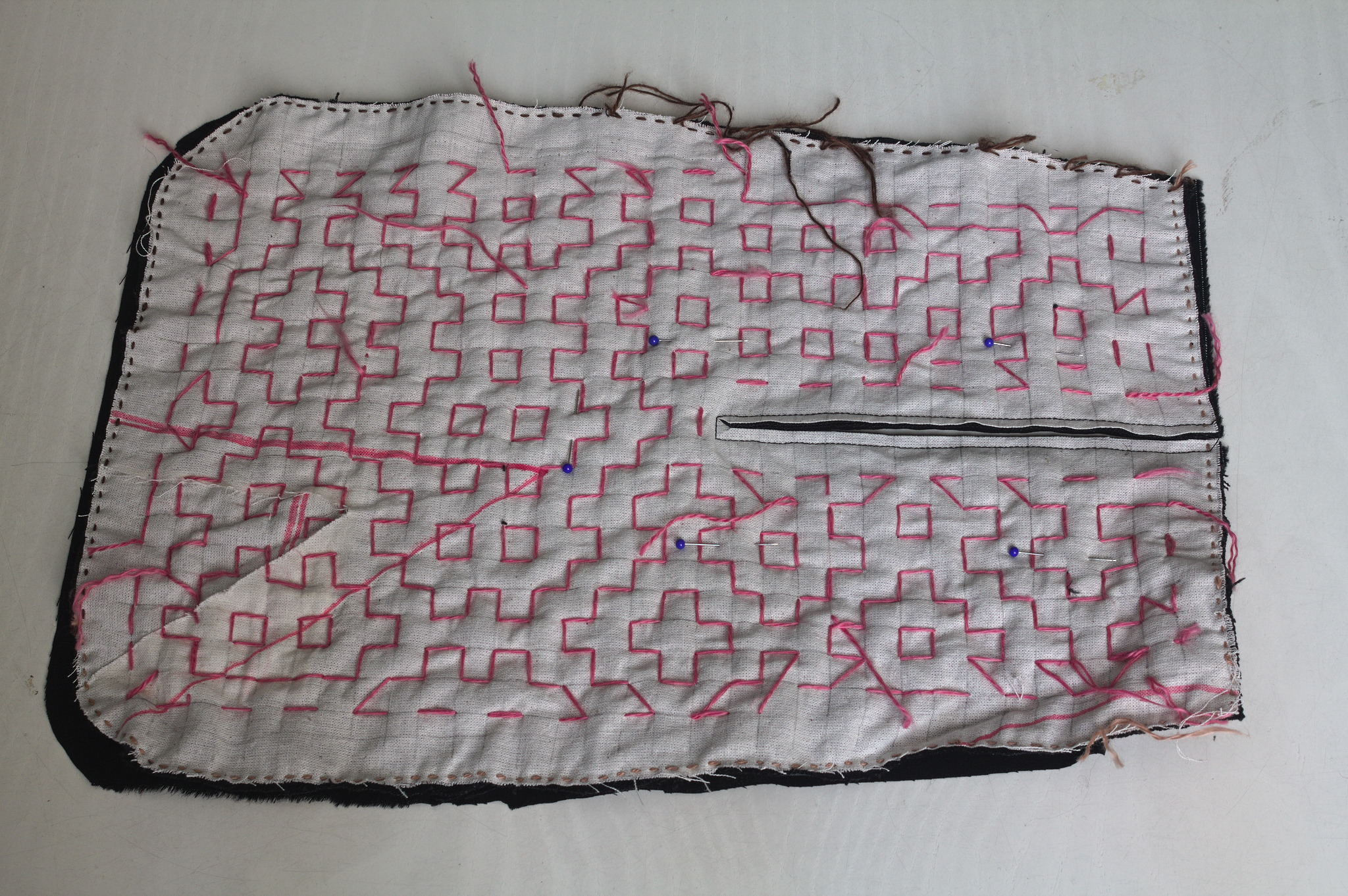 Then I added a lining from some plain black cotton from the stash; for
the slit I put the lining on the front right sides together, sewn
at 2 mm from the marked slit, cut it, turned the lining to the back
side, pressed and then topstitched as close as possible to the slit from
the front.
Then I added a lining from some plain black cotton from the stash; for
the slit I put the lining on the front right sides together, sewn
at 2 mm from the marked slit, cut it, turned the lining to the back
side, pressed and then topstitched as close as possible to the slit from
the front.
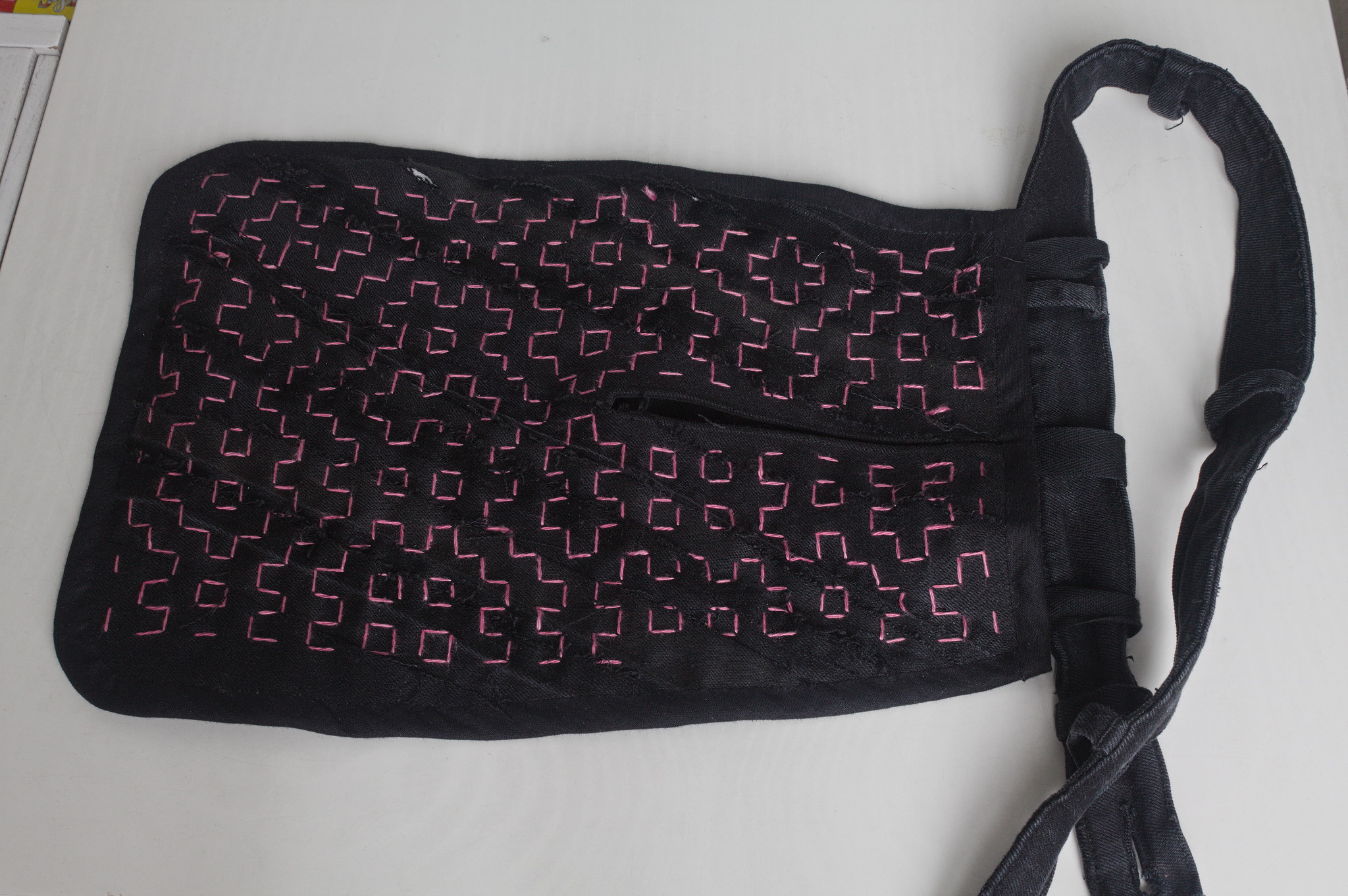 I bound everything with bias tape, adding herringbone tape loops at the
top to hang it from a belt (such as one made from the waistband of one
of the donor pair of jeans) and that was it.
I bound everything with bias tape, adding herringbone tape loops at the
top to hang it from a belt (such as one made from the waistband of one
of the donor pair of jeans) and that was it.
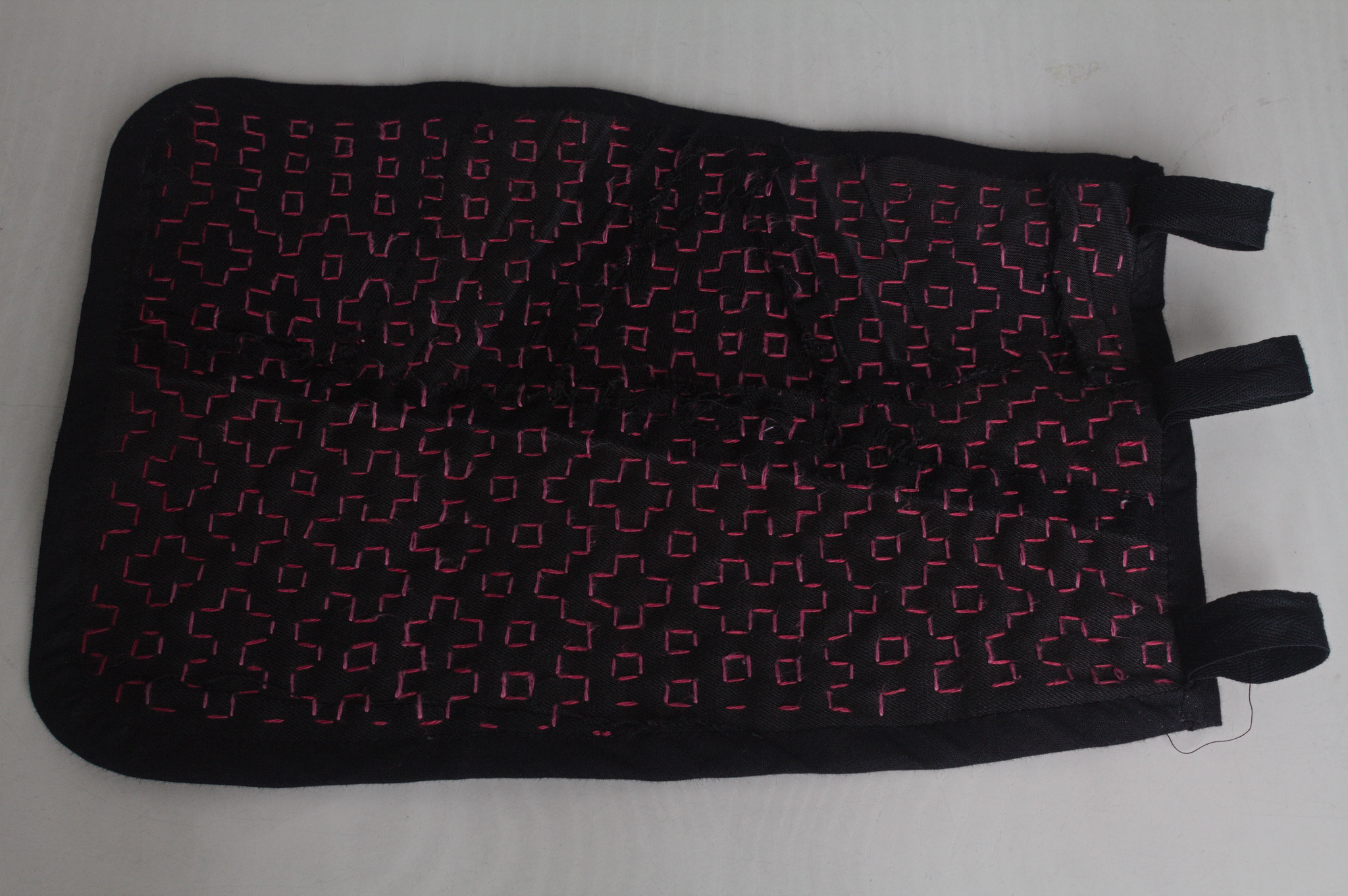 I like the way the result feels; maybe it s a bit too stiff for a
pocket, but I can see it work very well for a bigger bag, and maybe even
a jacket or some other outer garment.
I like the way the result feels; maybe it s a bit too stiff for a
pocket, but I can see it work very well for a bigger bag, and maybe even
a jacket or some other outer garment.

 Now copy the ISO image to the newly created instance and extract
its data:
Now copy the ISO image to the newly created instance and extract
its data:
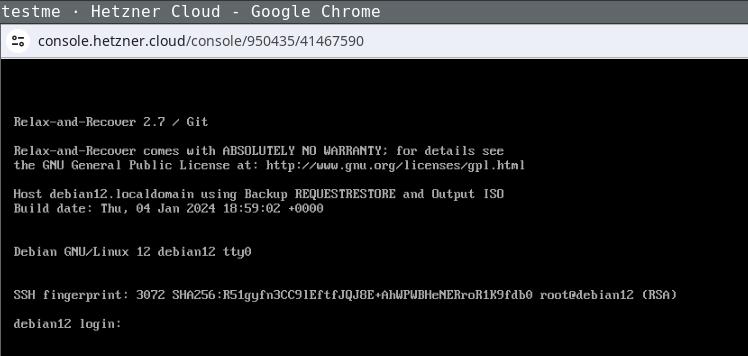 Login the recovery console (root without password) and fix its default route to
make it reachable:
Login the recovery console (root without password) and fix its default route to
make it reachable:
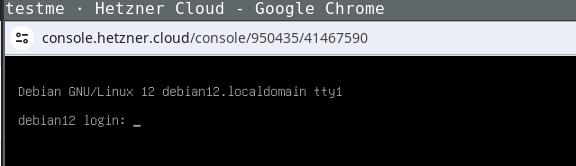 Being able to use this procedure for complete disaster recovery within Hetzner
cloud VPS (using off-site backups) gives me a better feeling, too.
Being able to use this procedure for complete disaster recovery within Hetzner
cloud VPS (using off-site backups) gives me a better feeling, too.
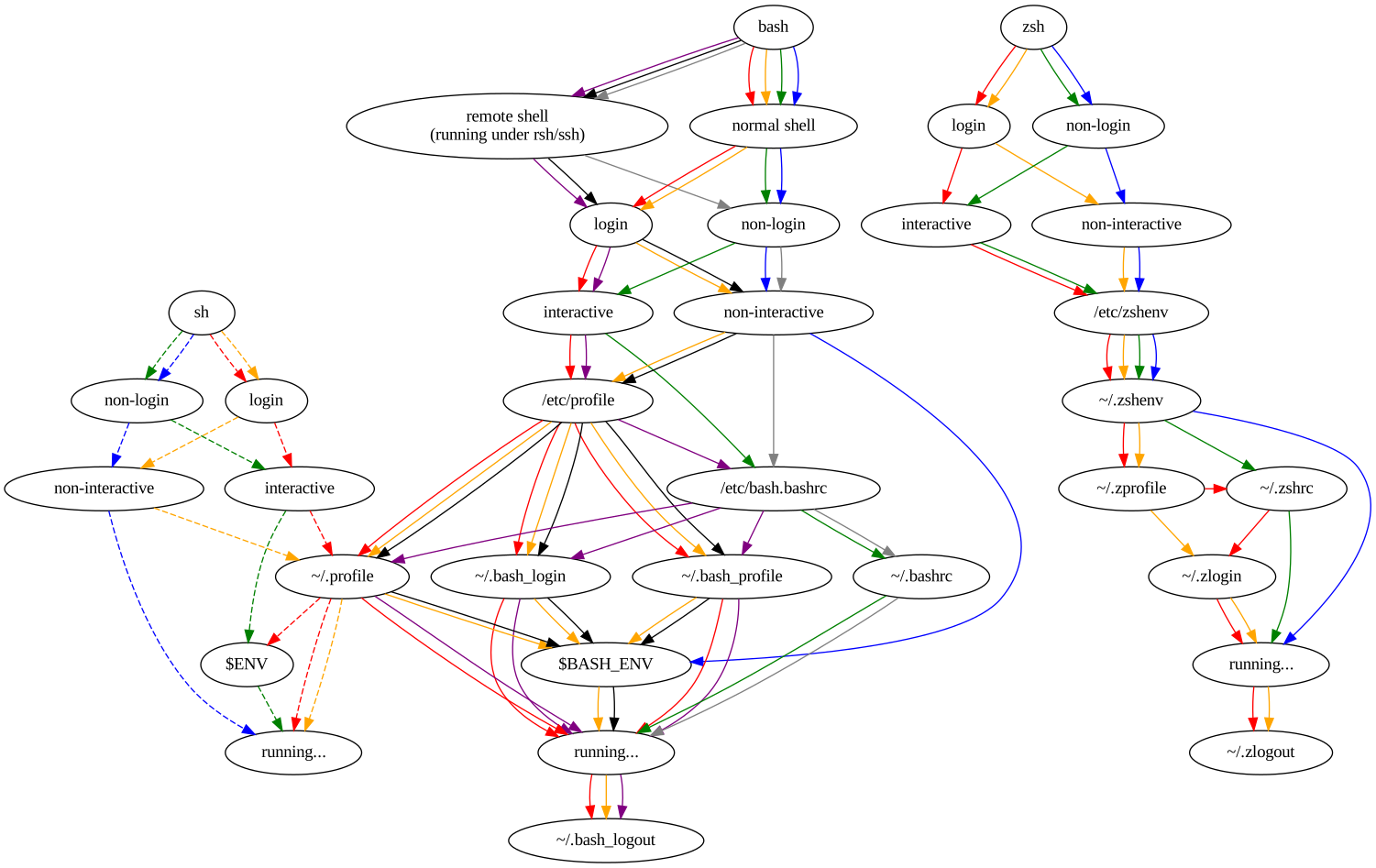 For the purposes of what I m trying to fix, there are two paths that matter.
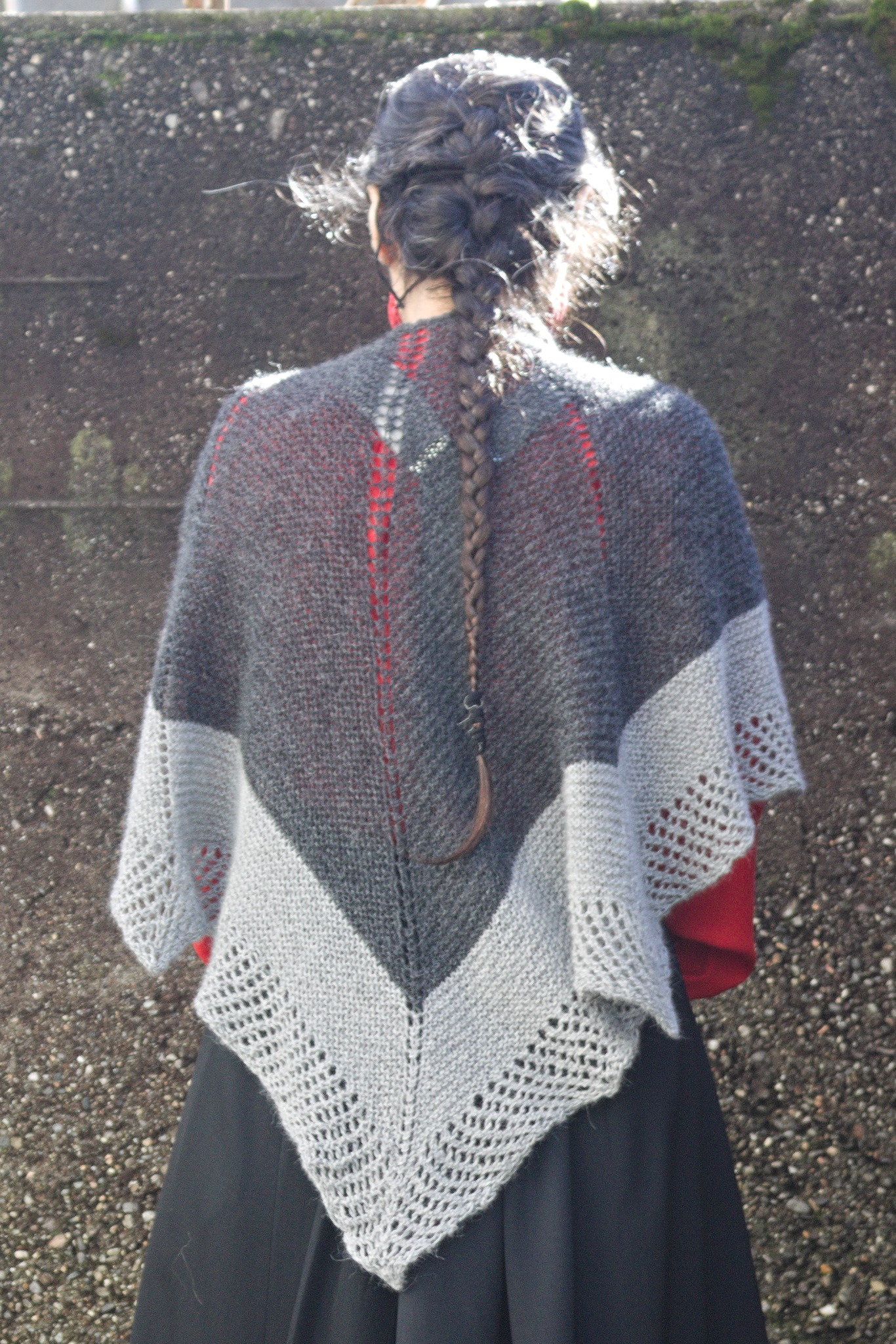 One of the knitting projects I m working on is a big bottom-up
triangular shawl in less-than-fingering weight yarn (NM 1/15): it feels
like a cloud should by all rights feel, and I have good expectations out
of it, but it s taking forever and a day.
And then one day last spring I started thinking in the general direction
of top-down shawls, and decided I couldn t wait until I had finished the
first one to see if I could design one.
For my first attempt I used an odd ball of 50% wool 50% plastic I had in
my stash and worked it on 12 mm tree trunks, and I quickly made
something between a scarf and a shawl that got some use during the
summer thunderstorms when temperatures got a bit lower, but not really
cold. I was happy with the shape, not with the exact position of the
increases, but I had ideas for improvements, so I just had to try
another time.
Digging through the stash I found four balls of Drops Alpaca in two
shades of grey: I had bought it with the intent to test its durability
in somewhat more demanding situations (such as gloves or even socks),
but then the LYS
One of the knitting projects I m working on is a big bottom-up
triangular shawl in less-than-fingering weight yarn (NM 1/15): it feels
like a cloud should by all rights feel, and I have good expectations out
of it, but it s taking forever and a day.
And then one day last spring I started thinking in the general direction
of top-down shawls, and decided I couldn t wait until I had finished the
first one to see if I could design one.
For my first attempt I used an odd ball of 50% wool 50% plastic I had in
my stash and worked it on 12 mm tree trunks, and I quickly made
something between a scarf and a shawl that got some use during the
summer thunderstorms when temperatures got a bit lower, but not really
cold. I was happy with the shape, not with the exact position of the
increases, but I had ideas for improvements, so I just had to try
another time.
Digging through the stash I found four balls of Drops Alpaca in two
shades of grey: I had bought it with the intent to test its durability
in somewhat more demanding situations (such as gloves or even socks),
but then the LYS
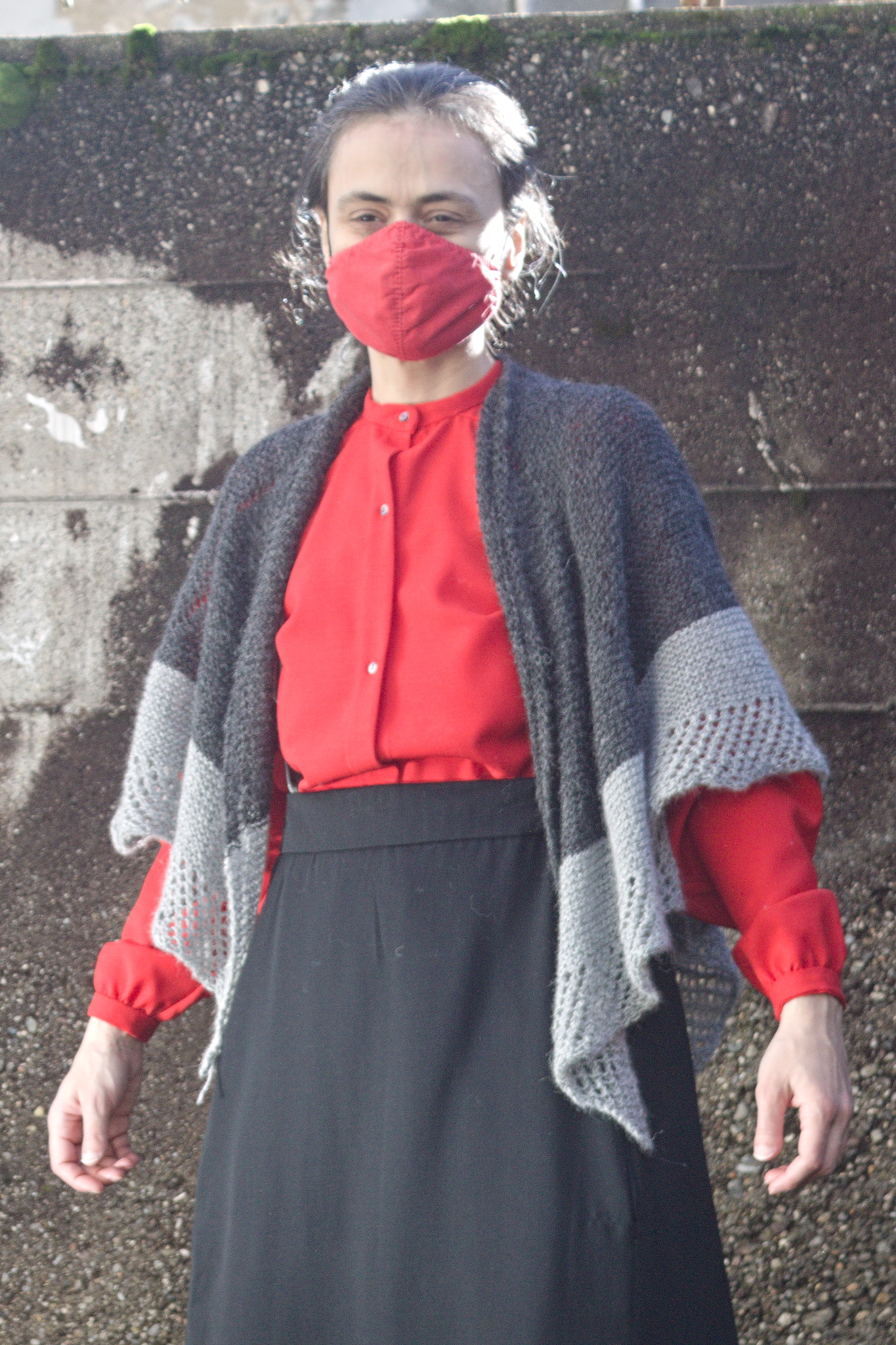 I m glad that I did it, however, as it s still soft and warm, but now
also looks nicer.
The pattern is of course online as #FreeSoftWear on
I m glad that I did it, however, as it s still soft and warm, but now
also looks nicer.
The pattern is of course online as #FreeSoftWear on  Today, the animation figure Mickey Mouse finally was released from
the corporate copyright prison, as the 1928 movie
Today, the animation figure Mickey Mouse finally was released from
the corporate copyright prison, as the 1928 movie
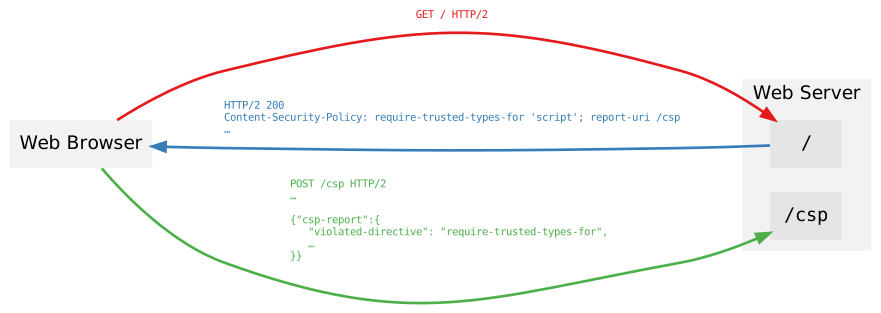 Figure 1: Content-Security-Policy browser communication
This is revolutionary, because it allows servers to receive feedback
in real time on errors that may be appearing in the browser s console.
Figure 1: Content-Security-Policy browser communication
This is revolutionary, because it allows servers to receive feedback
in real time on errors that may be appearing in the browser s console.