Spiffy new terminal emulators seem to come with their own terminfo
definitions. Venerable hosts that I ssh into tend not to know about
those. kitty comes with a thing to transfer that definition, but it
breaks if the remote host is running tcsh (don't ask). Similary the
one liner for alacritty on the arch wiki seems to assume the remote
shell is bash. Forthwith, a dumb shell script that works to send the
terminfo of the current terminal emulator to the remote host.
EDIT: Jakub Wilk worked out this can be replaced with the oneliner
I use GnuPG to compute cryptographic signatures for my emails, git commits/tags, and software release artifacts (tarballs). Part of GnuPG is gpg-agent which talks to OpenSSH, which I login to remote servers and to clone git repositories. I dislike storing cryptographic keys on general-purpose machines, and have used hardware-backed OpenPGP keys since around 2006 when I got a FSFE Fellowship Card. GnuPG via gpg-agent handles this well, and the private key never leaves the hardware. The ZeitControl cards were (to my knowledge) proprietary hardware running some non-free operating system and OpenPGP implementation. By late 2012 the YubiKey NEO supported OpenPGP, and while the hardware and operating system on it was not free, at least it ran a free software OpenPGP implementation and eventually I setup my primary RSA key on it. This worked well for a couple of years, and when I in 2019 wished to migrate to a new key, the FST-01G device with open hardware running free software that supported Ed25519 had become available. I created a key and have been using the FST-01G on my main laptop since then. This little device has been working, the signature counter on it is around 14501 which means around 10 signatures/day since then!
Currently I am in the process of migrating towards a new laptop, and moving the FST-01G device between them is cumbersome, especially if I want to use both laptops in parallel. That s why I need to setup a new hardware device to hold my OpenPGP key, which can go with my new laptop. This is a good time to re-visit alternatives. I quickly decided that I did not want to create a new key, only to import my current one to keep everything working. My requirements on the device to chose hasn t changed since 2019, see my summary at the end of the earlier blog post. Unfortunately the FST-01G is out of stock and the newer FST-01SZ has also out of stock. While Tillitis looks promising (and I have one to play with), it does not support OpenPGP (yet). What to do? Fortunately, I found some FST-01SZ device in my drawer, and decided to use it pending a more satisfactory answer. Hopefully once I get around to generate a new OpenPGP key in a year or so, I will do a better survey of options that are available on the market then. What are your (freedom-respecting) OpenPGP hardware recommendations?
FST-01SZ circuit board
Similar to setting up the FST-01G, the FST-01SZ needs to be setup before use. I m doing the following from Trisquel 11 but any GNU/Linux system would work. When the device is inserted at first time, some kernel messages are shown (see /var/log/syslog or use the dmesg command):
usb 3-3: new full-speed USB device number 39 using xhci_hcd
usb 3-3: New USB device found, idVendor=234b, idProduct=0004, bcdDevice= 2.00
usb 3-3: New USB device strings: Mfr=1, Product=2, SerialNumber=3
usb 3-3: Product: Fraucheky
usb 3-3: Manufacturer: Free Software Initiative of Japan
usb 3-3: SerialNumber: FSIJ-0.0
usb-storage 3-3:1.0: USB Mass Storage device detected
scsi host1: usb-storage 3-3:1.0
scsi 1:0:0:0: Direct-Access     FSIJ     Fraucheky        1.0  PQ: 0 ANSI: 0
sd 1:0:0:0: Attached scsi generic sg2 type 0
sd 1:0:0:0: [sdc] 128 512-byte logical blocks: (65.5 kB/64.0 KiB)
sd 1:0:0:0: [sdc] Write Protect is off
sd 1:0:0:0: [sdc] Mode Sense: 03 00 00 00
sd 1:0:0:0: [sdc] No Caching mode page found
sd 1:0:0:0: [sdc] Assuming drive cache: write through
 sdc:
sd 1:0:0:0: [sdc] Attached SCSI removable disk
Interestingly, the NeuG software installed on the device I got appears to be version 1.0.9:
jas@kaka:~$ head /media/jas/Fraucheky/README
NeuG - a true random number generator implementation
						  Version 1.0.9
						     2018-11-20
					           Niibe Yutaka
			      Free Software Initiative of Japan
What's NeuG?
============
jas@kaka:~$
I could not find version 1.0.9 published anywhere, but the device came with a SD-card that contain a copy of the source, so I uploaded it until a more canonical place is located. Putting the device in the serial mode can be done using a sudo eject /dev/sdc command which results in the following syslog output.
usb 3-3: reset full-speed USB device number 39 using xhci_hcd
usb 3-3: device firmware changed
usb 3-3: USB disconnect, device number 39
sdc: detected capacity change from 128 to 0
usb 3-3: new full-speed USB device number 40 using xhci_hcd
usb 3-3: New USB device found, idVendor=234b, idProduct=0001, bcdDevice= 2.00
usb 3-3: New USB device strings: Mfr=1, Product=2, SerialNumber=3
usb 3-3: Product: NeuG True RNG
usb 3-3: Manufacturer: Free Software Initiative of Japan
usb 3-3: SerialNumber: FSIJ-1.0.9-42315277
cdc_acm 3-3:1.0: ttyACM0: USB ACM device
Now download Gnuk, verify its integrity and build it. You may need some additional packages installed, try apt-get install gcc-arm-none-eabi openocd python3-usb. As you can see, I m using the stable 1.2 branch of Gnuk, currently on version 1.2.20. The ./configure parameters deserve some explanation. The kdf_do=required sets up the device to require KDF usage. The --enable-factory-reset allows me to use the command factory-reset (with admin PIN) inside gpg --card-edit to completely wipe the card. Some may consider that too dangerous, but my view is that if someone has your admin PIN it is game over anyway. The --vidpid=234b:0000 is specifies the USB VID/PID to use, and --target=FST_01SZ is critical to set the platform (you ll may brick the device if you pick the wrong --target setting).
jas@kaka:~/src$ rm -rf gnuk neug
jas@kaka:~/src$ git clone https://gitlab.com/jas/neug.git
Cloning into 'neug'...
remote: Enumerating objects: 2034, done.
remote: Counting objects: 100% (2034/2034), done.
remote: Compressing objects: 100% (603/603), done.
remote: Total 2034 (delta 1405), reused 2013 (delta 1405), pack-reused 0
Receiving objects: 100% (2034/2034), 910.34 KiB   3.50 MiB/s, done.
Resolving deltas: 100% (1405/1405), done.
jas@kaka:~/src$ git clone https://salsa.debian.org/gnuk-team/gnuk/gnuk.git
Cloning into 'gnuk'...
remote: Enumerating objects: 13765, done.
remote: Counting objects: 100% (959/959), done.
remote: Compressing objects: 100% (337/337), done.
remote: Total 13765 (delta 629), reused 907 (delta 599), pack-reused 12806
Receiving objects: 100% (13765/13765), 12.59 MiB   3.05 MiB/s, done.
Resolving deltas: 100% (10077/10077), done.
jas@kaka:~/src$ cd neug
jas@kaka:~/src/neug$ git describe
release/1.0.9
jas@kaka:~/src/neug$ git tag -v  git describe
object 5d51022a97a5b7358d0ea62bbbc00628c6cec06a
type commit
tag release/1.0.9
tagger NIIBE Yutaka <gniibe@fsij.org> 1542701768 +0900
Version 1.0.9.
gpg: Signature made Tue Nov 20 09:16:08 2018 CET
gpg:                using EDDSA key 249CB3771750745D5CDD323CE267B052364F028D
gpg:                issuer "gniibe@fsij.org"
gpg: Good signature from "NIIBE Yutaka <gniibe@fsij.org>" [unknown]
gpg:                 aka "NIIBE Yutaka <gniibe@debian.org>" [unknown]
gpg: WARNING: This key is not certified with a trusted signature!
gpg:          There is no indication that the signature belongs to the owner.
Primary key fingerprint: 249C B377 1750 745D 5CDD  323C E267 B052 364F 028D
jas@kaka:~/src/neug$ cd ../gnuk/
jas@kaka:~/src/gnuk$ git checkout STABLE-BRANCH-1-2
Branch 'STABLE-BRANCH-1-2' set up to track remote branch 'STABLE-BRANCH-1-2' from 'origin'.
Switched to a new branch 'STABLE-BRANCH-1-2'
jas@kaka:~/src/gnuk$ git describe
release/1.2.20
jas@kaka:~/src/gnuk$ git tag -v  git describe
object 9d3c08bd2beb73ce942b016d4328f0a596096c02
type commit
tag release/1.2.20
tagger NIIBE Yutaka <gniibe@fsij.org> 1650594032 +0900
Gnuk: Version 1.2.20
gpg: Signature made Fri Apr 22 04:20:32 2022 CEST
gpg:                using EDDSA key 249CB3771750745D5CDD323CE267B052364F028D
gpg: Good signature from "NIIBE Yutaka <gniibe@fsij.org>" [unknown]
gpg:                 aka "NIIBE Yutaka <gniibe@debian.org>" [unknown]
gpg: WARNING: This key is not certified with a trusted signature!
gpg:          There is no indication that the signature belongs to the owner.
Primary key fingerprint: 249C B377 1750 745D 5CDD  323C E267 B052 364F 028D
jas@kaka:~/src/gnuk/src$ git submodule update --init
Submodule 'chopstx' (https://salsa.debian.org/gnuk-team/chopstx/chopstx.git) registered for path '../chopstx'
Cloning into '/home/jas/src/gnuk/chopstx'...
Submodule path '../chopstx': checked out 'e12a7e0bb3f004c7bca41cfdb24c8b66daf3db89'
jas@kaka:~/src/gnuk$ cd chopstx
jas@kaka:~/src/gnuk/chopstx$ git describe
release/1.21
jas@kaka:~/src/gnuk/chopstx$ git tag -v  git describe
object e12a7e0bb3f004c7bca41cfdb24c8b66daf3db89
type commit
tag release/1.21
tagger NIIBE Yutaka <gniibe@fsij.org> 1650593697 +0900
Chopstx: Version 1.21
gpg: Signature made Fri Apr 22 04:14:57 2022 CEST
gpg:                using EDDSA key 249CB3771750745D5CDD323CE267B052364F028D
gpg: Good signature from "NIIBE Yutaka <gniibe@fsij.org>" [unknown]
gpg:                 aka "NIIBE Yutaka <gniibe@debian.org>" [unknown]
gpg: WARNING: This key is not certified with a trusted signature!
gpg:          There is no indication that the signature belongs to the owner.
Primary key fingerprint: 249C B377 1750 745D 5CDD  323C E267 B052 364F 028D
jas@kaka:~/src/gnuk/chopstx$ cd ../src
jas@kaka:~/src/gnuk/src$ kdf_do=required ./configure --enable-factory-reset --vidpid=234b:0000 --target=FST_01SZ
Header file is: board-fst-01sz.h
Debug option disabled
Configured for bare system (no-DFU)
PIN pad option disabled
CERT.3 Data Object is NOT supported
Card insert/removal by HID device is NOT supported
Life cycle management is supported
Acknowledge button is supported
KDF DO is required before key import/generation
jas@kaka:~/src/gnuk/src$ make   less
jas@kaka:~/src/gnuk/src$ cd ../regnual/
jas@kaka:~/src/gnuk/regnual$ make   less
jas@kaka:~/src/gnuk/regnual$ cd ../../
jas@kaka:~/src$ sudo python3 neug/tool/neug_upgrade.py -f gnuk/regnual/regnual.bin gnuk/src/build/gnuk.bin
gnuk/regnual/regnual.bin: 4608
gnuk/src/build/gnuk.bin: 109568
CRC32: b93ca829
Device:
Configuration: 1
Interface: 1
20000e00:20005000
Downloading flash upgrade program...
start 20000e00
end   20002000
# 20002000: 32 : 4
Run flash upgrade program...
Wait 1 second...
Wait 1 second...
Device:
08001000:08020000
Downloading the program
start 08001000
end   0801ac00
jas@kaka:~/src$
The kernel log will contain the following, and the card is ready to use as an OpenPGP card. You may unplug it and re-insert it as you wish.
usb 3-3: reset full-speed USB device number 41 using xhci_hcd
usb 3-3: device firmware changed
usb 3-3: USB disconnect, device number 41
usb 3-3: new full-speed USB device number 42 using xhci_hcd
usb 3-3: New USB device found, idVendor=234b, idProduct=0000, bcdDevice= 2.00
usb 3-3: New USB device strings: Mfr=1, Product=2, SerialNumber=3
usb 3-3: Product: Gnuk Token
usb 3-3: Manufacturer: Free Software Initiative of Japan
usb 3-3: SerialNumber: FSIJ-1.2.20-42315277
Setting up the card is the next step, and there are many tutorials around for this, eventually I settled with the following sequence. Let s start with setting the admin PIN. First make sure that pcscd nor scdaemon is running, which is good hygien since those processes cache some information and with a stale connection this easily leads to confusion. Cache invalidation sigh.
jas@kaka:~$ gpg-connect-agent "SCD KILLSCD" "SCD BYE" /bye
jas@kaka:~$ ps auxww grep -e pcsc -e scd
jas        30221  0.0  0.0   3468  1692 pts/3    R+   11:49   0:00 grep --color=auto -e pcsc -e scd
jas@kaka:~$ gpg --card-edit
Reader ...........: 234B:0000:FSIJ-1.2.20-42315277:0
Application ID ...: D276000124010200FFFE423152770000
Application type .: OpenPGP
Version ..........: 2.0
Manufacturer .....: unmanaged S/N range
Serial number ....: 42315277
Name of cardholder: [not set]
Language prefs ...: [not set]
Salutation .......:
URL of public key : [not set]
Login data .......: [not set]
Signature PIN ....: forced
Key attributes ...: rsa2048 rsa2048 rsa2048
Max. PIN lengths .: 127 127 127
PIN retry counter : 3 3 3
Signature counter : 0
KDF setting ......: off
Signature key ....: [none]
Encryption key....: [none]
Authentication key: [none]
General key info..: [none]
gpg/card> admin
Admin commands are allowed
gpg/card> kdf-setup
gpg/card> passwd
gpg: OpenPGP card no. D276000124010200FFFE423152770000 detected
1 - change PIN
2 - unblock PIN
3 - change Admin PIN
4 - set the Reset Code
Q - quit
Your selection? 3
PIN changed.
1 - change PIN
2 - unblock PIN
3 - change Admin PIN
4 - set the Reset Code
Q - quit
Your selection?
Now it would be natural to setup the PIN and reset code. However the Gnuk software is configured to not allow this until the keys are imported. You would get the following somewhat cryptical error messages if you try. This took me a while to understand, since this is device-specific, and some other OpenPGP implementations allows you to configure a PIN and reset code before key import.
Your selection? 4
Error setting the Reset Code: Card error
1 - change PIN
2 - unblock PIN
3 - change Admin PIN
4 - set the Reset Code
Q - quit
Your selection? 1
Error changing the PIN: Conditions of use not satisfied
1 - change PIN
2 - unblock PIN
3 - change Admin PIN
4 - set the Reset Code
Q - quit
Your selection? q
Continue to configure the card and make it ready for key import. Some settings deserve comments. The lang field may be used to setup the language, but I have rarely seen it use, and I set it to sv (Swedish) mostly to be able to experiment if any software adhears to it. The URL is important to point to somewhere where your public key is stored, the fetch command of gpg --card-edit downloads it and sets up GnuPG with it when you are on a clean new laptop. The forcesig command changes the default so that a PIN code is not required for every digital signature operation, remember that I averaged 10 signatures per day for the past 2-3 years? Think of the wasted energy typing those PIN codes every time! Changing the cryptographic key type is required when I import 25519-based keys.
gpg/card> name
Cardholder's surname: Josefsson
Cardholder's given name: Simon
gpg/card> lang
Language preferences: sv
gpg/card> sex
Salutation (M = Mr., F = Ms., or space): m
gpg/card> login
Login data (account name): jas
gpg/card> url
URL to retrieve public key: https://josefsson.org/key-20190320.txt
gpg/card> forcesig
gpg/card> key-attr
Changing card key attribute for: Signature key
Please select what kind of key you want:
   (1) RSA
   (2) ECC
Your selection? 2
Please select which elliptic curve you want:
   (1) Curve 25519
   (4) NIST P-384
Your selection? 1
The card will now be re-configured to generate a key of type: ed25519
Note: There is no guarantee that the card supports the requested size.
      If the key generation does not succeed, please check the
      documentation of your card to see what sizes are allowed.
Changing card key attribute for: Encryption key
Please select what kind of key you want:
   (1) RSA
   (2) ECC
Your selection? 2
Please select which elliptic curve you want:
   (1) Curve 25519
   (4) NIST P-384
Your selection? 1
The card will now be re-configured to generate a key of type: cv25519
Changing card key attribute for: Authentication key
Please select what kind of key you want:
   (1) RSA
   (2) ECC
Your selection? 2
Please select which elliptic curve you want:
   (1) Curve 25519
   (4) NIST P-384
Your selection? 1
The card will now be re-configured to generate a key of type: ed25519
gpg/card>
Reader ...........: 234B:0000:FSIJ-1.2.20-42315277:0
Application ID ...: D276000124010200FFFE423152770000
Application type .: OpenPGP
Version ..........: 2.0
Manufacturer .....: unmanaged S/N range
Serial number ....: 42315277
Name of cardholder: Simon Josefsson
Language prefs ...: sv
Salutation .......: Mr.
URL of public key : https://josefsson.org/key-20190320.txt
Login data .......: jas
Signature PIN ....: not forced
Key attributes ...: ed25519 cv25519 ed25519
Max. PIN lengths .: 127 127 127
PIN retry counter : 3 3 3
Signature counter : 0
KDF setting ......: on
Signature key ....: [none]
Encryption key....: [none]
Authentication key: [none]
General key info..: [none]
gpg/card>
The device is now ready for key import! Bring out your offline laptop and boot it and use the keytocard command on the subkeys to import them. This assumes you saved a copy of the GnuPG home directory after generating the master and subkeys before, which I did in my own previous tutorial when I generated the keys. This may be a bit unusual, and there are simpler ways to do this (e.g., import a copy of the secret keys into a fresh GnuPG home directory).
$ cp -a gnupghome-backup-mastersubkeys gnupghome-import-fst01sz-42315277-2022-12-24
$ ps auxww grep -e pcsc -e scd
$ gpg --homedir $PWD/gnupghome-import-fst01sz-42315277-2022-12-24 --edit-key B1D2BD1375BECB784CF4F8C4D73CF638C53C06BE
...
Secret key is available.
gpg: checking the trustdb
gpg: marginals needed: 3  completes needed: 1  trust model: pgp
gpg: depth: 0  valid:   1  signed:   0  trust: 0-, 0q, 0n, 0m, 0f, 1u
sec  ed25519/D73CF638C53C06BE
     created: 2019-03-20  expired: 2019-10-22  usage: SC
     trust: ultimate      validity: expired
ssb  cv25519/02923D7EE76EBD60
     created: 2019-03-20  expired: 2019-10-22  usage: E
ssb  ed25519/80260EE8A9B92B2B
     created: 2019-03-20  expired: 2019-10-22  usage: A
ssb  ed25519/51722B08FE4745A2
     created: 2019-03-20  expired: 2019-10-22  usage: S
[ expired] (1). Simon Josefsson <simon@josefsson.org>
gpg> key 1
sec  ed25519/D73CF638C53C06BE
     created: 2019-03-20  expired: 2019-10-22  usage: SC
     trust: ultimate      validity: expired
ssb* cv25519/02923D7EE76EBD60
     created: 2019-03-20  expired: 2019-10-22  usage: E
ssb  ed25519/80260EE8A9B92B2B
     created: 2019-03-20  expired: 2019-10-22  usage: A
ssb  ed25519/51722B08FE4745A2
     created: 2019-03-20  expired: 2019-10-22  usage: S
[ expired] (1). Simon Josefsson <simon@josefsson.org>
gpg> keytocard
Please select where to store the key:
   (2) Encryption key
Your selection? 2
sec  ed25519/D73CF638C53C06BE
     created: 2019-03-20  expired: 2019-10-22  usage: SC
     trust: ultimate      validity: expired
ssb* cv25519/02923D7EE76EBD60
     created: 2019-03-20  expired: 2019-10-22  usage: E
ssb  ed25519/80260EE8A9B92B2B
     created: 2019-03-20  expired: 2019-10-22  usage: A
ssb  ed25519/51722B08FE4745A2
     created: 2019-03-20  expired: 2019-10-22  usage: S
[ expired] (1). Simon Josefsson <simon@josefsson.org>
gpg> key 1
sec  ed25519/D73CF638C53C06BE
     created: 2019-03-20  expired: 2019-10-22  usage: SC
     trust: ultimate      validity: expired
ssb  cv25519/02923D7EE76EBD60
     created: 2019-03-20  expired: 2019-10-22  usage: E
ssb  ed25519/80260EE8A9B92B2B
     created: 2019-03-20  expired: 2019-10-22  usage: A
ssb  ed25519/51722B08FE4745A2
     created: 2019-03-20  expired: 2019-10-22  usage: S
[ expired] (1). Simon Josefsson <simon@josefsson.org>
gpg> key 2

sec  ed25519/D73CF638C53C06BE
     created: 2019-03-20  expired: 2019-10-22  usage: SC
     trust: ultimate      validity: expired
ssb  cv25519/02923D7EE76EBD60
     created: 2019-03-20  expired: 2019-10-22  usage: E
ssb* ed25519/80260EE8A9B92B2B
     created: 2019-03-20  expired: 2019-10-22  usage: A
ssb  ed25519/51722B08FE4745A2
     created: 2019-03-20  expired: 2019-10-22  usage: S
[ expired] (1). Simon Josefsson <simon@josefsson.org>
gpg> keytocard
Please select where to store the key:
   (3) Authentication key
Your selection? 3
sec  ed25519/D73CF638C53C06BE
     created: 2019-03-20  expired: 2019-10-22  usage: SC
     trust: ultimate      validity: expired
ssb  cv25519/02923D7EE76EBD60
     created: 2019-03-20  expired: 2019-10-22  usage: E
ssb* ed25519/80260EE8A9B92B2B
     created: 2019-03-20  expired: 2019-10-22  usage: A
ssb  ed25519/51722B08FE4745A2
     created: 2019-03-20  expired: 2019-10-22  usage: S
[ expired] (1). Simon Josefsson <simon@josefsson.org>
gpg> key 2
sec  ed25519/D73CF638C53C06BE
     created: 2019-03-20  expired: 2019-10-22  usage: SC
     trust: ultimate      validity: expired
ssb  cv25519/02923D7EE76EBD60
     created: 2019-03-20  expired: 2019-10-22  usage: E
ssb  ed25519/80260EE8A9B92B2B
     created: 2019-03-20  expired: 2019-10-22  usage: A
ssb  ed25519/51722B08FE4745A2
     created: 2019-03-20  expired: 2019-10-22  usage: S
[ expired] (1). Simon Josefsson <simon@josefsson.org>
gpg> key 3
sec  ed25519/D73CF638C53C06BE
     created: 2019-03-20  expired: 2019-10-22  usage: SC
     trust: ultimate      validity: expired
ssb  cv25519/02923D7EE76EBD60
     created: 2019-03-20  expired: 2019-10-22  usage: E
ssb  ed25519/80260EE8A9B92B2B
     created: 2019-03-20  expired: 2019-10-22  usage: A
ssb* ed25519/51722B08FE4745A2
     created: 2019-03-20  expired: 2019-10-22  usage: S
[ expired] (1). Simon Josefsson <simon@josefsson.org>
gpg> keytocard
Please select where to store the key:
   (1) Signature key
   (3) Authentication key
Your selection? 1
sec  ed25519/D73CF638C53C06BE
     created: 2019-03-20  expired: 2019-10-22  usage: SC
     trust: ultimate      validity: expired
ssb  cv25519/02923D7EE76EBD60
     created: 2019-03-20  expired: 2019-10-22  usage: E
ssb  ed25519/80260EE8A9B92B2B
     created: 2019-03-20  expired: 2019-10-22  usage: A
ssb* ed25519/51722B08FE4745A2
     created: 2019-03-20  expired: 2019-10-22  usage: S
[ expired] (1). Simon Josefsson <simon@josefsson.org>
gpg> quit
Save changes? (y/N) y
$
Now insert it into your daily laptop and have GnuPG and learn about the new private keys and forget about any earlier locally available card bindings this usually manifests itself by GnuPG asking you to insert a OpenPGP card with another serial number. Earlier I did rm -rf ~/.gnupg/private-keys-v1.d/ but the scd serialno followed by learn --force is nicer. I also sets up trust setting for my own key.
jas@kaka:~$ gpg-connect-agent "scd serialno" "learn --force" /bye
...
jas@kaka:~$ echo "B1D2BD1375BECB784CF4F8C4D73CF638C53C06BE:6:"   gpg --import-ownertrust
jas@kaka:~$ gpg --card-status
Reader ...........: 234B:0000:FSIJ-1.2.20-42315277:0
Application ID ...: D276000124010200FFFE423152770000
Application type .: OpenPGP
Version ..........: 2.0
Manufacturer .....: unmanaged S/N range
Serial number ....: 42315277
Name of cardholder: Simon Josefsson
Language prefs ...: sv
Salutation .......: Mr.
URL of public key : https://josefsson.org/key-20190320.txt
Login data .......: jas
Signature PIN ....: not forced
Key attributes ...: ed25519 cv25519 ed25519
Max. PIN lengths .: 127 127 127
PIN retry counter : 5 5 5
Signature counter : 3
KDF setting ......: on
Signature key ....: A3CC 9C87 0B9D 310A BAD4  CF2F 5172 2B08 FE47 45A2
      created ....: 2019-03-20 23:40:49
Encryption key....: A9EC 8F4D 7F1E 50ED 3DEF  49A9 0292 3D7E E76E BD60
      created ....: 2019-03-20 23:40:26
Authentication key: CA7E 3716 4342 DF31 33DF  3497 8026 0EE8 A9B9 2B2B
      created ....: 2019-03-20 23:40:37
General key info..: sub  ed25519/51722B08FE4745A2 2019-03-20 Simon Josefsson <simon@josefsson.org>
sec#  ed25519/D73CF638C53C06BE  created: 2019-03-20  expires: 2023-09-19
ssb>  ed25519/80260EE8A9B92B2B  created: 2019-03-20  expires: 2023-09-19
                                card-no: FFFE 42315277
ssb>  ed25519/51722B08FE4745A2  created: 2019-03-20  expires: 2023-09-19
                                card-no: FFFE 42315277
ssb>  cv25519/02923D7EE76EBD60  created: 2019-03-20  expires: 2023-09-19
                                card-no: FFFE 42315277
jas@kaka:~$
Verify that you can digitally sign and authenticate using the key and you are done!
jas@kaka:~$ echo foo gpg -a --sign gpg --verify
gpg: Signature made Sat Dec 24 13:49:59 2022 CET
gpg:                using EDDSA key A3CC9C870B9D310ABAD4CF2F51722B08FE4745A2
gpg: Good signature from "Simon Josefsson <simon@josefsson.org>" [ultimate]
jas@kaka:~$ ssh-add -L
ssh-ed25519 AAAAC3NzaC1lZDI1NTE5AAAAILzCFcHHrKzVSPDDarZPYqn89H5TPaxwcORgRg+4DagE cardno:FFFE42315277
jas@kaka:~$
So time to relax and celebrate christmas? Hold on not so fast! Astute readers will have noticed that the output said PIN retry counter: 5 5 5 . That s not the default PIN retry counter for Gnuk! How did that happen? Indeed, good catch and great question, my dear reader. I wanted to include how you can modify the Gnuk source code, re-build it and re-flash the Gnuk as well. This method is different than flashing Gnuk onto a device that is running NeuG so the commands I used to flash the firmware in the start of this blog post no longer works in a device running Gnuk. Fortunately modern Gnuk supports updating firmware by specifying the Admin PIN code only, and provides a simple script to achieve this as well. The PIN retry counter setting is hard coded in the openpgp-do.c file, and we run a a perl command to modify the file, rebuild Gnuk and upgrade the FST-01SZ. This of course wipes all your settings, so you will have the opportunity to practice all the commands earlier in this post once again!
jas@kaka:~/src/gnuk/src$ perl -pi -e 's/PASSWORD_ERRORS_MAX 3/PASSWORD_ERRORS_MAX 5/' openpgp-do.c
jas@kaka:~/src/gnuk/src$ make   less
jas@kaka:~/src/gnuk/src$ cd ../tool/
jas@kaka:~/src/gnuk/tool$ ./upgrade_by_passwd.py
Admin password:
Device:
Configuration: 1
Interface: 0
../regnual/regnual.bin: 4608
../src/build/gnuk.bin: 110592
CRC32: b93ca829
Device:
Configuration: 1
Interface: 0
20002a00:20005000
Downloading flash upgrade program...
start 20002a00
end   20003c00
Run flash upgrade program...
Waiting for device to appear:
  Wait 1 second...
  Wait 1 second...
Device:
08001000:08020000
Downloading the program
start 08001000
end   0801b000
Protecting device
Finish flashing
Resetting device
Update procedure finished
jas@kaka:~/src/gnuk/tool$
Now finally, I wish you all a Merry Christmas and Happy Hacking!
I have been quite busy! I have been working on several projects so my cover image is a lovely sunset where I live.
Debian:
I have updated and uploaded several packages and working on more.
Umbrello
Squashfuse with the help of Scott Moser ( Thanks! )
libappimage
plasma-bigscreen WIP
KDE Snaps:
I have reworked the CI to now do Core22 snaps! They will publish to the beta channel until we get them tested. First snap completed is the ever important KDE Frameworks / QT content snap + SDK! Applications will start after I tackle the kde-neon extention in snapcraft.
GUI-Testing:
I have begun learning/writing some GUI tests using python and https://invent.kde.org/sdk/selenium-webdriver-at-spi/, inspired by one of my favorite people, Harald. See https://apachelog.wordpress.com/2022/12/14/selenium-at-spi-gui-testing/ for more info and I hope to get these in repos near you soon!
In closing, I am still seeking employment/sponsor amidst this terrible layoff season. If anyone knows of anyone with my diverse skill set please let me know.
In the meantime if you can spare anything to keep the lights on I would be ever so grateful.
Patreon: https://www.patreon.com/sgmoore
Cash App: $ScarlettMoore0903
Stripe: https://buy.stripe.com/28o16y3PHcISfaE8ww
Thank you,
I want to wish everyone a very merry < insert your holiday here > !!!
One of my main musical 'discoveries' in 2022 was British electronic band
Underworld.
I m super late to the party. Underworld s commercial high point was the mid
nineties. And I was certainly aware of them then: the use of
Born Slippy .NUXX in 1996 s Trainspotting soundtrack was ubiquitous, but it
didn t grab me.
In more recent years my colleague and friend Andrew Dinn (with whom I enjoyed
many pre-pandemic conversations about music) enthusiastically advocated for
Underworld (and furnished me with some rarities). This started to get them
under my skin.
It took a bit longer for me to truly get them, though, and the final straw was
revisiting their BBC 6 Music Festival performance from
2016
(with Rez and it's companion piece "Cowgirl" standing out)
So where to start? There s something compelling about their whole catalogue.
This is a group with which you can go deep, if you wish.
The only album which hasn t grabbed me is 100 days off and it s probably only
a matter of time before it does (Andrew advocates the Extended Ansum Edition
bootleg here). Here are four career-spanning personal highlights:
With the end of the year approaching fast, I thought putting my year in
retrospective via music would be a fun thing to do.
Albums
In 2022, I added 51 new albums to my collection nearly one a week! I listed
them below in the order in which I acquired them.
I purchased most of these albums when I could and borrowed the rest at
libraries. If you want to browse though, I added links to the album covers
pointing either to websites where you can buy them or to Discogs when digital
copies weren't available1.
Browsing through the albums, I can see my tastes really shifted a lot in the
last few years. I used to listen to a lot of Hip-Hop, but the recent trends in
this genre2 really turn me off. In fact, it seems I didn't add a single
Hip-Hop album to my collection this year...
Metal also continues to dominate the list. Many thanks to Angry Metal
Guy for being the best metal reviewing website out there.
Concerts
2022 was also a big change for me, as I started going to much more concerts than
I previously did. metalfinder has been working great and I'm really happy
with it.
Here are the concerts I went to in 2022:
April 26th: Arch Enemy, Unto Others, Behemoth, Napalm Death
September 16th: NOFX
November 4th: Aeternam
November 7th: Jordi Savall & Hesp rion XXI
November 13th: VOLA
November 19th: Vulgaires Machins, Anti-Flag
November 26th: Soen
December 12h: Oddisee
December 16th: Jail, B ton Arm , Reckless Upstarts, Union Thugs, La Gachette
I'm looking forward continuing to go to a lot of concerts in 2023!
Some of the albums especially the O ! ones are pretty
underground. For most of those, I actually have physical copies I bought
and ripped.
Mostly mumble rap, beats than are less and less sample-based,
extreme commercialisation and lyrics that are less and less political and
engaged.
Shutdown is a history of the world macroeconomic response to
COVID-19, covering 2020 and the very beginning of 2021.
But wait, you might be saying. It's only the end of 2022 right now, and
this book was published in September of 2021. That's not history, that's
journalism. And yes, I think that's a valid critique. Shutdown is
doing something rather odd, and I'm not certain it was a good idea, but I
do think it has a (somewhat narrow) audience.
Descriptions first. After an awkward introduction (more on that later),
Tooze launches into an essentially chronological history in four parts:
the initial viral spread and early political and public health response,
the economic hard stop and macroeconomic response, the summer fallout and
political complications, and the more-organized aftershocks of the fall.
The early chapters are closer to a history, with a clear timeline and the
tracery of cause and effect. The closer the narrative comes to the time
Tooze was writing it, the more that clarity drops away. The last few
chapters feel like a collection of simultaneous events that may or may not
be related or have long-term significance.
Everyone reading this lived through those events, and if you're at all
like me, consumed far more news coverage of them than was healthy. The
obvious question, then, is why read a book that rehashes all of that? For
me, there are two answers: Tooze pays attention to more of the world than
makes it into the local headlines and tries to synthesize a larger
picture, and the focus of this book is the macroeconomic facilities used
in the response. I remember the fights over school closures in the US. I
didn't know about the impact of unprecedented Federal Reserve action on
the bond market for emerging market government debt.
If you're the sort of person who reads The Economist religiously
(which I am not), you may not learn anything new here. If you're not, and
you have a general interest in international finance, there were probably
some wrinkles you missed. Even if you stay up-to-date on the more
technical news, Shutdown provides an intermediate consolidation and
restructuring. It's not ready to be a history in the traditional sense,
but it's a first pass at putting events in order and tracing the
implications for the global financial system.
Read in that sense, Shutdown felt like a continuation of Tooze's
Crashed, following the same themes of a
hegemonic but unstable dollar system and a Federal Reserve that has
increasingly taken on the role of backstop to the entire world (and how
the only tools it has available tend to increase wealth inequality). If
you've not read Crashed, read it first. I think it's the stronger
and more thorough book (not the least because it had more time and data to
construct a coherent history), and it's the best introduction to the
international macroeconomic risks that Tooze traces in Shutdown.
This book was, for me, an update of the Tooze's thinking in Crashed
for the COVID era.
Tooze is very good at clearly describing macroeconomic shocks. I recently
read Lev Menand's The Fed Unbound, which
is in part about the same intervention during the COVID shock that Tooze
describes here, and yet it wasn't until I read Shutdown that I
grasped that the Treasury purchases by the Fed had arguably crossed the
political red line of monetizing government debt, even though the Fed
probably had no choice and few people noticed in the middle of the crisis.
This is where Tooze's background as a historian is helpful. Most people
writing on this topic are either economists, who seem to take inferences
like that for granted and dive into the technical debate, or journalists,
who rarely understand the nuance and often jump to facile conclusions.
Tooze is a historian with an extensive economics background; he can
explain the mechanics while still focusing on the limitations of politics,
which is the sort of analysis that I want to read.
The problem with this book as a history is that it necessarily raises more
questions than it answers. In the conclusion, Tooze writes:
A severe tightening in U.S. monetary policy or even a full-fledged
taper tantrum would put global resilience to a stern test. So too
would a violent escalation of geopolitical tension in one of the major
regions of the world economy.
Both of those events have subsequently happened, which throws any
tentative conclusions Tooze can offer into question.
For another example, when Tooze wrote Shutdown, China's zero COVID
policy was widely celebrated inside China and had enabled a fast economic
recovery while the rest of the world was still in serious difficulty.
Before Omicron, it was conceivable (if extremely risky) that China could
continue to avoid a major COVID surge. In December of 2022, it's obvious
they only managed to delay, and while delay meant vaccination and the
price in deaths may well be smaller than was paid for the route taken by
most of the rest of the world, the trade-offs are now even harder to
analyze.
There are, of course, other examples, the most obvious of which is the
rise of global inflation simultaneous with a strengthening dollar. A
history written from a distance of several decades would have included
that aftermath. A snap history with a distance of only a few months
cannot.
The other problem with this book is that it's not as polished. Viking did
an amazing job turning publication around in roughly six months,
dramatically faster than publishing normally works, but there are parts
that could have used more editing. The introduction, in particular, reads
more like a blog post than an edited book, and while I'm a happy reader of
Tooze's Chartbook, the recap of
COVID's impact was a bit trite and Tooze's abstract musings on polycrisis
could have used tightening and clarity. The meat of the book is better,
but there is a messy stream-of-consciousness feel that is inherent in a
book written to this tight of a timeline.
I think the audience of this book is, narrowly, people who have read
Crashed and want to follow that line of reasoning into the COVID
era. Crashed is one of the better books on macroeconomic history
that I've read, and I did indeed want to follow that train of thought, so
I am part of that audience. This is not the sort of book that I would
widely recommend, however. If you want to read it, you probably know that
already; if you are new to Tooze's analysis, Crashed is the place
to start.
Rating: 7 out of 10
The first fresh release of our RcppDE package in over four years (!!) is now on CRAN.
RcppDE is a port of DEoptim, a popular package for derivative-free optimisation using differential evolution optimization, from plain C to C++. By using RcppArmadillo the code becomes a lot shorter and more legible. Our other main contribution is to leverage some of the excellence we get for free from using Rcpp, in particular the ability to optimise user-supplied compiled objective functions which can make things a lot faster than repeatedly evaluating interpreted objective functions as DEoptim does (and which, in fairness, most other optimisers do too). The gains can be quite substantial.
This release brings two helpful patches from Max Coulter who spotted two distinct areas for improvement, based on how DEoptim how changed in recent years. I updated a number of aspects of continuous integration since the last release, and also streamlined and simplified the C++ interface (and in doing so also squashed a bug or two).
Courtesy of my CRANberries, there is also a diffstat report. More detailed information is on the RcppDE page, or the repository.
If you like this or other open-source work I do, you can sponsor me at GitHub.
Foreword
Freexian has been using Tryton for a few years
to handle its invoicing and accounting. We have thus also been using
the Debian packages maintained by Mathias
Behrle and
we have been funding some of his work because maintaining an ERP with more
than 50 source packages was too much for him to handle alone on his free
time.
When Mathias discovered our Project
Funding
initiative, it was quite natural for him to consider applying to be able
to bring some much needed improvements to Tryton s Debian packaging.
He s running his own consulting company
(MBSolutions) so it s easy for him to invoice
Freexian to get the money for the funded projects.
What follows is Mathias Behrle s description of the projects that he
submitted and of the work that he achieved.
If you want to contact him, you can reach out to
mathiasb@m9s.biz or
mbehrle@debian.org. You can also follow him
on Mastodon.
Report
In January 2022 I applied for two projects in the Freexian Project Funding
Initiative.
The starting point of this project was Debian Bug
#998319: tryton-server should provide
a ready-to-use production-grade server config.
To address this problem instead of only providing configuration
snippets the idea was to provide a full featured guided setup of a
Tryton production environment, thus eliminating the risks of trial and
error for the system administrator.
The goal of this project was to complete the available Tryton modules
in Debian main with the latest set available from tryton.org and to
automate the task of creating new Debian packages from Tryton modules
as much as possible.
Accomplishments
As the result of Task
1,
several new packages emerged:
tryton-server-postgresql provides the guided setup of a PostgreSQL
database backend.
tryton-server-uwsgi provides the installation and configuration of a
robust WSGI server on top of tryton-server.
tryton-server-nginx provides the configuration of a scalable web
frontend to the uwsgi server, including the optional setup of secure
access by Letsencrypt certificates.
tryton-server-all-in-one puts it all together to provide a fully
functional Tryton production environment, including a database filled
with basic static data. With the installation of this package a robust
and secure production grade setup is possible from scratch, all
configuration leg work is done in the background.
The work was thoroughly reviewed by Neil Williams. Thanks go to him for his
detailed feedback providing very valuable information from the view of a
fresh Tryton user getting in first contact with the software. A cordial
thank you as well goes to the translation teams providing initial reviews
and translations for the configuration questions.
The efforts of Task 1 were completed with Task
2:
A Tryton specific version of
PyPi2deb was
created to help in the preparation of new Debian packages for new Tryton
modules.
All missing Tryton modules for the current series were packaged for Debian.
On top of those two planned projects, I completed an additional task: the
packaging of the Tryton Web
Client.
The Web Client is a quite important feature to access a Tryton server with
the browser and even a crucial requirement for some companies.
Unfortunately the packaging of the Web Client for Debian was problematic
from the beginning. tryton-sao requires exact versions of JavaScript
libraries that are almost never guaranteed to be available in the
different targeted Debian releases. Therefore a package with vendored
libraries has been created and will hopefully soon hit the Debian main
archive. The package is already available from the Tryton
Backport Mirror for the usually
supported Debian releases.
Summary
I am very pleased that the Tryton suite in Debian has gained full coverage
of Tryton modules and a user-friendly installation. The completion of the
project represents a huge step forward in the state-of-the-art deployment
of a production grade Tryton environment. Without the monetary support of
Freexian s project funding the realization of this project wouldn t have
been possible in this way and to this extent.
While my first impression of Guix 1.4rc2 on NV41PZ was only days ago, the final Guix 1.4 release has happened. I thought I should give it a second try, although being at my summer house with no wired ethernet I realized this may be overly optimistic. However I am happy to say that a guided graphical installation on my new laptop went smooth without any problem. Practicing OS installations has a tendency to make problems disappear.
My WiFi issues last time was probably due to a user interface mistake on my part: you have to press a button to search for wireless networks before seeing them. I m not sure why I missed this the first time, but maybe the reason was that I didn t really expect WiFi to work on this laptop with one Intel-based WiFi card without firmware and a USB-based WiFi dongle. I haven t went back to the rc2 image, but I strongly believe it wasn t a problem with that image but my user mistake. Perhaps some more visual clues could be given that Guix found a usable WiFi interface, as this isn t completely obvious now.
My main pet problem with the installation is the language menu. It contains a bazillion languages, and I want to find Swedish in it. However the list is half-sorted so it looks like it is alphabetized but paging through the list I didn t find svenska , but did notice that the sorting restarts after a while. Eventually I find my language of chose, but a better search interface would be better. Typing s to find it jumps around in the list. This may be a user interface misunderstanding on my part: I may be missing whatever great logic I m sure there is to find my language in that menu.
I did a simple installation, enabling GNOME, Cups and OpenSSH. Given the experience with sharing /home with my Trisquel installation last time, I chose to not mount it this time, fixing this later on if I want to share files between OSes. Watching the installation proceed with downloading packages over this slow WiFi was meditative, and I couldn t help but wonder what logic there was to the many steps where it says it is going to download X MB of software, downloads a set of packages, and then starts another iteration saying it is going to download Y MB and then downloads another set of packages. Maybe there is a package dependency tree being worked out while I watch.
After logging into GNOME I had to provide the WiFi password another time, it seems it wasn t saved during installation, or I was too impatient to wait for WiFi to come up automatically. Using the GNOME WiFi selection menu worked fine. The webcam issue is still present, the image is distorted and it doesn t happen in Trisquel. Other than that, everythings appear to work, but it has to be put through more testing.
Upgrading Guix after installation is still suffering from the same issue I noticed with the rc2 images, this time I managed to save the error message in case someone wants to provide an official fix or workaround. The initial guix pull command also takes forever, even on this speedy laptop, but after the initial run it is faster. Here are the error messages (pardon the Swedish):
jas@kaka ~$ sudo -i
...
root@kaka ~# guix pull
...
root@kaka ~# guix system reconfigure /etc/config.scm
guix system: fel: aborting reconfiguration because commit 8e2f32cee982d42a79e53fc1e9aa7b8ff0514714 of channel 'guix' is not a descendant of 989a3916dc8967bcb7275f10452f89bc6c3389cc
tips: Use  --allow-downgrades' to force this downgrade.
root@kaka ~#
I ll avoid using allow-downgrades this time to see if there is a better solution available.
Update: Problem resolved: my muscle memory typed sudo -i before writing the commands above. If I stick to the suggestedguix pull (as user) followed by sudo guix system reconfigure /etc/config.scm everything works. I ll leave this in case someone else runs into this problem.
I m using the Evolution mail/calendar/contacts application, and it was not installed via GNOME so I had to manually install it using guix package -i evolution . Following the guided setup worked remarkable well (it auto-detects all my email settings after giving it my email address), although at the end I get a surprising error message:
Puzzling error message from Evolution
If I didn t know a bit about how Evolution works internally, I would have been stuck here the solution is to install the evolution data server package. This should probably be a dependency from the main package? Fix it by guix package -i evolution-data-server . It works directly, no need to even restart Evolution or go through the configuration dialog again. After this, I m happily using email against my Dovecot server and contacts/calendars against my Nextcloud server via GNOME s builtin Nextcloud connector which was straight-forward to setup.
Every year or so, I revisit the current best practices for Python packaging.
This was my summary for 2021 here s the update for 2022.
PyPA
PyPA is still the place to go for information, best practices and tutorials
for packaging Python projects. My only criticism from last year, namely that
PyPA was heavily biased towards their own tooling (e.g. pipenv), has been
addressed: the tool recommendations section lists now several tools
for the same purpose with their own ones not necessarily being the first
anymore.
setup.py, setup.cfg, requirements.txt, Pipfile, pyproject.toml oh my!
This is the reason why I m revisiting the documentation every year, to see
what s the current way to go. Good progress has been made since last year:
Bye setup.py and setup.cfg hello pyproject.toml
pyproject.toml finally got mature enough to replace setup.py and
setup.cfg in most cases. Recent versions of setuptools and pip now fully
support pyproject.toml and even PyPA s packaging tutorial completely switched
their example project from away setup.py towards pyproject.toml, making it
an official recommendation.
So, now you can replace your setup.py with pyproject.toml. If you had
already some kind of declarative configuration in setup.cfg you can move that
as well into pyproject.toml. Most tools, like pypy or pytest also support
configuration in pyproject.toml (flake8 being a notable exception ) so
there s no reason to keep setup.cfg around anymore. Actually, if you migrate
to pyproject.toml it is best to do it properly and remove setup.py and
setup.cfg as setuptools behaves a bit buggy when building a package that
has either of them and the pyproject.toml.
requirements.txt
requirements.txt are still needed if you develop a deployable application
(vs. a library) and want to provide pinned dependencies, i.e. with the
specific versions that you ve tested your application with. Usually, the list
of requirements in requirements.txt is the same as defined in
pyproject.toml, but with pinned versions.
Pipfile + Pipfile.lock
I still do completely ignore Pipfile and Pipfile.lock as they are only
supported by pipenv and not backed by any standard.
Summary
The major change this year was the proper support of pyproject.toml. I am
slowly replacing all setup.py and setup.cfg in my projects with
pyproject.toml and haven t discovered any issues yet. Even packaging those
packages as Debian packages is well-supported by Debian s tooling.
I m still running a quite boring stack based on pyproject.toml and
requirements.txt, ignoring more advanced tools like poetry or such for
dependency management. My build-system defined in pyproject.toml requires
setuptools and I m using build for building and twine for uploading.
Since PyPA changed the packaging tutorial towards pyproject.toml and away
from setup.py, I think we will slowly see setup.py and setup.cfg go away
over the years. Speaking of PyPA, I m happy that they changed their attitude
towards a more unbiased recommendation of tooling.
Turns out that linking to several days old public data in order to demonstrate that Elon's jet was broadcasting its tail number in the clear is apparently "posting private information" so for anyone looking for me there I'm actually here
Utkarsh Gupta
did 41.0h (out of 32.5h assigned and 25.0h from previous period), thus carrying over 16.5h to the next month.
Evolution of the situation
In November, we released 43 DLAs, fixing 183 CVEs.
We currently have 63 packages in dla-needed.txt that are waiting for updates, which is 19 fewer than the previous month.
We re excited to announce that two Debian Developers Tobias Frost
and Guilhem Moulin, have completed the on-boarding process
and will begin contributing to LTS as of December 2022. Welcome aboard!
Thanks to our sponsors
Sponsors that joined recently are in bold.
A discussion on the debian-project mailing list caught my attention to an
Italian word meaning something like would you be so kind to please go
somewhere else? , but in a more direct and vulgar manner. I then used
http://codesearch.debian.net to study its usage more in detail.
I found it in:
the source code of XEmacs;
a list of bad words to filter conversations in BZflag;
the random sentence generator PolyGen;
the source code of the board game Tagua;
a database of offensive fortunes for the educative platform WIMS;
the crossword game parolottero;
a database of offensive fortunes for login screens and email signatures;
a list of (too) frequent passwords;
a source code comment aimed at somebody called Wolf;
a collection of rude gestures in the xwrists package.
That was a refreshing and pleasant recreation in the Debian package
universe.
A second update to the still-new package spdl is now om CRAN, and in Debian. The key focus of spdl is a offering the same interface from both R and C++ for logging by relying on spdlog via my RcppSpdlog package.
This release add support for a simple filesetup() initialiser to direct logging output to a file. For now the console logger and the file logger are exclusive, if there is interest we could borrow a page from upstream and combine them.
The short NEWS entry follows.
Version 0.0.11 of RcppSpdlog is now on CRAN and in Debian. RcppSpdlog bundles spdlog, a wonderful header-only C++ logging library with all the bells and whistles you would want that was written by Gabi Melman, and also includes fmt by Victor Zverovich.
This release adds support for a basic file logger as a alternative to the console logger. This can be helpful with code which suppresses or hides console output as for example unit test code does. We also expose the formatting helper function for direct use at the C level from other packages, and mention the handy wrapper spdl in the README.
The NEWS entry for this release follows.
First up: what I'm covering here is probably not relevant for most people. That's ok! Different situations have different threat models, and if what I'm talking about here doesn't feel like you have to worry about it, that's great! Your life is easier as a result. But I have worked in situations where we had to care about some of the scenarios I'm going to describe here, and the technologies I'm going to talk about here solve a bunch of these problems.
So. You run a typical VM in the cloud. Who has access to that VM? Well, firstly, anyone who has the ability to log into the host machine with administrative capabilities. With enough effort, perhaps also anyone who has physical access to the host machine. But the hypervisor also has the ability to inspect what's running inside a VM, so anyone with the ability to install a backdoor into the hypervisor could theoretically target you. And who's to say the cloud platform launched the correct image in the first place? The control plane could have introduced a backdoor into your image and run that instead. Or the javascript running in the web UI that you used to configure the instance could have selected a different image without telling you. Anyone with the ability to get a (cleverly obfuscated) backdoor introduced into quite a lot of code could achieve that. Obviously you'd hope that everyone working for a cloud provider is honest, and you'd also hope that their security policies are good and that all code is well reviewed before being committed. But when you have several thousand people working on various components of a cloud platform, there's always the potential for something to slip up.
Let's imagine a large enterprise with a whole bunch of laptops used by developers. If someone has the ability to push a new package to one of those laptops, they're in a good position to obtain credentials belonging to the user of that laptop. That means anyone with that ability effectively has the ability to obtain arbitrary other privileges - they just need to target someone with the privilege they want. You can largely mitigate this by ensuring that the group of people able to do this is as small as possible, and put technical barriers in place to prevent them from pushing new packages unilaterally.
Now imagine this in the cloud scenario. Anyone able to interfere with the control plane (either directly or by getting code accepted that alters its behaviour) is in a position to obtain credentials belonging to anyone running in that cloud. That's probably a much larger set of people than have the ability to push stuff to laptops, but they have much the same level of power. You'll obviously have a whole bunch of processes and policies and oversights to make it difficult for a compromised user to do such a thing, but if you're a high enough profile target it's a plausible scenario.
How can we avoid this? The easiest way is to take the people able to interfere with the control plane out of the loop. The hypervisor knows what it booted, and if there's a mechanism for the VM to pass that information to a user in a trusted way, you'll be able to detect the control plane handing over the wrong image. This can be achieved using trusted boot. The hypervisor-provided firmware performs a "measurement" (basically a cryptographic hash of some data) of what it's booting, storing that information in a virtualised TPM. This TPM can later provide a signed copy of the measurements on demand. A remote system can look at these measurements and determine whether the system is trustworthy - if a modified image had been provided, the measurements would be different. As long as the hypervisor is trustworthy, it doesn't matter whether or not the control plane is - you can detect whether you were given the correct OS image, and you can build your trust on top of that.
(Of course, this depends on you being able to verify the key used to sign those measurements. On real hardware the TPM has a certificate that chains back to the manufacturer and uniquely identifies the TPM. On cloud platforms you typically have to retrieve the public key via the metadata channel, which means you're trusting the control plane to give you information about the hypervisor in order to verify what the control plane gave to the hypervisor. This is suboptimal, even though realistically the number of moving parts in that part of the control plane is much smaller than the number involved in provisioning the instance in the first place, so an attacker managing to compromise both is less realistic. Still, AWS doesn't even give you that, which does make it all rather more complicated)
Ok, so we can (largely) decouple our trust in the VM from having to trust the control plane. But we're still relying on the hypervisor to provide those attestations. What if the hypervisor isn't trustworthy? This sounds somewhat ridiculous (if you can't run a trusted app on top of an untrusted OS, how can you run a trusted OS on top of an untrusted hypervisor?), but AMD actually have a solution for that. SEV ("Secure Encrypted Virtualisation") is a technology where (handwavily) an encryption key is generated when a new VM is created, and the memory belonging to that VM is encrypted with that key. The hypervisor has no access to that encryption key, and any access to memory initiated by the hypervisor will only see the encrypted content. This means that nobody with the ability to tamper with the hypervisor can see what's going on inside the OS (and also means that nobody with physical access can either, so that's another threat dealt with).
But how do we know that the hypervisor set this up, and how do we know that the correct image was booted? SEV has support for a "Launch attestation", a CPU generated signed statement that it booted the current VM with SEV enabled. But it goes further than that! The attestation includes a measurement of what was booted, which means we don't need to trust the hypervisor at all - the CPU itself will tell us what image we were given. Perfect.
Except, well. There's a few problems. AWS just doesn't have any VMs that implement SEV yet (there are bare metal instances that do, but obviously you're building your own infrastructure to make that work). Google only seem to provide the launch measurement via the logging service - and they only include the parsed out data, not the original measurement. So, we still have to trust (a subset of) the control plane. Azure provides it via a separate attestation service, but again it doesn't seem to provide the raw attestation and so you're still trusting the attestation service. For the newest generation of SEV, SEV-SNP, this is less of a big deal because the guest can provide its own attestation. But Google doesn't offer SEV-SNP hardware yet, and the driver you need for this only shipped in Linux 5.19 and Azure's SEV Ubuntu images only offer up to 5.15 at the moment, so making use of that means you're putting your own image together at the moment.
And there's one other kind of major problem. A normal VM image provides a bootloader and a kernel and a filesystem. That bootloader needs to run on something. That "something" is typically hypervisor-provided "firmware" - for instance, OVMF. This probably has some level of cloud vendor patching, and they probably don't ship the source for it. You're just having to trust that the firmware is trustworthy, and we're talking about trying to avoid placing trust in the cloud provider. Azure has a private beta allowing users to upload images that include their own firmware, meaning that all the code you trust (outside the CPU itself) can be provided by the user, and once that's GA it ought to be possible to boot Azure VMs without having to trust any Microsoft-provided code.
Well, mostly. As AMD admit, SEV isn't guaranteed to be resistant to certain microarchitectural attacks. This is still much more restrictive than the status quo where the hypervisor could just read arbitrary content out of the VM whenever it wanted to, but it's still not ideal. Which, to be fair, is where we are with CPUs in general.
(Thanks to Leonard Cohnen who gave me a bunch of excellent pointers on this stuff while I was digging through it yesterday)
Release 0.6.31 of the digest package arrived at CRAN this weekend, and is being uploaded to Debian as well.
digest creates hash digests of arbitrary R objects (using the md5, sha-1, sha-256, sha-512, crc32, xxhash32, xxhash64, murmur32, spookyhash, and blake3 algorithms) permitting easy comparison of R language objects. It is a mature and widely-used as many tasks may involve caching of objects for which it provides convenient general-purpose hash key generation to quickly identify the various objects.
This release contains the tiny change (in maybe a dozen places) triggered recently by macOS and now checked for by r-devel which consists of replacing (v)sprintf calls with (v)snprintf. No more, no less.
My CRANberries provides the usual summary of changes to the previous version. For questions or comments use the issue tracker off the GitHub repo.
If you like this or other open-source work I do, you can now sponsor me at GitHub.
Ever since the demise of Google Reader I have been looking for a suitable replacement RSS reader. In the past I used to use Liferea but that was when I used a single desktop machine; these days I want to be able to read on my phone and multiple machines. I moved to Feedly and it s been mostly ok, but I m hitting the limit of feeds available in the free tier, and $72/year is a bit more than I can justify to myself. Especially when I have machines already available to me where I could self host something.
The problem, of course, is what to host. It seems the best options are all written in PHP, so I had to get over my adverse knee-jerk reaction to that. I ended up on FreshRSS but if it hadn t worked out I d have tried TinyTinyRSS. Of course I m hosting on Debian, and the machine I chose to use was already running nginx and PostgreSQL. So I needed to install PHP:
I put my FreshRSS install in /srv/freshrss so I grabbed the 1.20.2 release from GitHub (actually 1.20.1 at the time, but I ve upgraded to the latest since) and untared it in there. I gave www-data access to the data directory (sudo chown -R www-data /srv/freshrss/data) (yes, yes, I could have created a new user specifically for FreshRSS, but I ve chosen not to for now). There s no actual need to configure things up on the filesystem, you can do the initial setup from the web interface. Which is where the trouble came. I ve been an Apache user since 1998 and as a result it s what I know and what I go to. nginx is new to me. And I wanted my FreshRSS instance to live in a subdirectory of an existing TLS-enabled host, rather than have it s own hostname. Now, at least FreshRSS copes with this (unlike far too many other projects), you just have to configure your webserver correctly. Which took me more experimentation than I d like, but I ve ended up with the following snippet:
Other than the addition of the freshrss prefix this ends up differing slightly from the FreshRSS webserver configuration example. I ended up having to make the path info on the fastcgi_split_path_info optional, and my try_files in the bare directory location directive needed $is_args$args added or I just ended up in a redirect loop because the session parameters didn t get passed through. I m sure there s a better way to do it, but I did a bunch of searching and this is how I ended up making it work.
Before firing up the web configuration I created a suitable database:
$ sudo -Hu postgres psql
psql (13.8 (Debian 13.8-0+deb11u1))
Type "help" for help.
postgres=# create database freshrss;
CREATE DATABASE
postgres=# create user freshrss with encrypted password 'hunter2';
CREATE ROLE
postgres=# grant all privileges on database freshrss to freshrss;
GRANT
postgres=# \q
I ran through the local configuration, creating myself a user and adding some feeds, then created a cronjob to fetch updates hourly and keep a log:
Experiences so far? Reasonably happy. The interface seems snappy enough, and works well both on mobile and desktop. I m only running a single user instance at present, but am considering opening it up to some other folk and will see how that scales. And it clearly indicated a number of my feeds that were broken, so I ve cleaned some up that are still around and deleted the missing ones. Now I just need to figure out what else I should be subscribed to that I ve been putting off due to the Feedly limit!
I've been ridiculously burned out for a while now but I'm taking the month off to recover and that's giving me an opportunity to catch up on a lot of stuff. This has included me actually writing some code to work with the Pluton in my Thinkpad Z13. I've learned some more stuff in the process, but based on everything I know I'd still say that in its current form Pluton isn't a threat to free software.
So, first up: by default on the Z13, Pluton is disabled. It's not obviously exposed to the OS at all, which also means there's no obvious mechanism for Microsoft to push out a firmware update to it via Windows Update. The Windows drivers that bind to Pluton don't load in this configuration. It's theoretically possible that there's some hidden mechanism to re-enable it at runtime, but that code doesn't seem to be in Windows at the moment. I'm reasonably confident that "Disabled" is pretty genuinely disabled.
Second, when enabled, Pluton exposes two separate devices. The first of these has an MSFT0101 identifier in ACPI, which is the ID used for a TPM 2 device. The Pluton TPM implementation doesn't work out of the box with existing TPM 2 drivers, though, because it uses a custom start method. TPM 2 devices commonly use something called a "Command Response Buffer" architecture, where a command is written into a buffer, the TPM is told to do a thing, and the response to the command ends up in another buffer. The mechanism to tell the TPM to do a thing varies, and an ACPI table exposed to the OS defines which of those various things should be used for a given TPM. Pluton systems have a mechanism that isn't defined in the existing version of the spec (1.3 rev 8 at the time of writing), so I had to spend a while staring hard at the Windows drivers to figure out how to implement it. The good news is that I now have a patch that successfully gets the existing Linux TPM driver code work correctly with the Pluton implementation.
The second device has an MSFT0200 identifier, and is entirely not a TPM. The Windows driver appears to be a relatively thin layer that simply takes commands from userland and passes them on to the chip - I haven't found any userland applications that make use of this, so it's tough to figure out what functionality is actually available. But what does seem pretty clear from the code I've looked at is that it's a component that only responds when it's asked - if the OS never sends it any commands, it's not able to do anything.
One key point from this recently published Microsoft doc is that the whole "Microsoft can update Pluton firmware" thing does just seem to be the ability for the OS to push new code to the chip at runtime. That means Microsoft can't arbitrarily push new firmware to the chip - the OS needs to be involved. This is unsurprising, but it's nice to see some stronger confirmation of that.
Anyway. tl;dr - Pluton can (now) be used as a regular TPM. Pluton also exposes some additional functionality which is not yet clear, but there's no obvious mechanism for it to compromise user privacy or restrict what users can run on a Free operating system. The Pluton firmware update mechanism appears to be OS mediated, so users who control their OS can simply choose not to opt in to that.
I had bought a Thinkpad E470 laptop back in 2018 which was lying unused for
quite some time. Recently when I wanted to use it, I found that the keyboard is
not working, especially some keys and after some time the laptop will hang in
Lenovo boot screen. I came back to Bangalore almost after 2 years from my
hometown (WFH due to Covid) and thought it was the right time to get my laptop
back to normal working state. After getting the keyboard replaced I noticed that
1TB HDD is no longer fast enough for my taste!. I've to admit I never thought I
would start disliking HDD so quickly thanks to modern SSD based work laptops. So
as a second upgrade I got the HDD removed from my laptop and got a 240G SSD.
Yeah I know its reduction from my original size but I intend to continue using
my old HDD via USB SATA enclosure as an external HDD which can house the extra
data which I need to save.
So now that I've a SSD I need to install Debian Unstable again on it and this is
where I tried something new. My colleague (name redacted on request) suggested
to me use GRML live CD and install Debian via debootstrap. And after giving a
thought I decided to try this out. Some reason for going ahead with this are
listed below
Debian Installer does not support a proper BTRFS based root file system. It
just allows btrfs as root but no subvolume support. Also I'm not sure about
the luks support with btrfs as root.
I also wanted to give a try to systemd-boot as my laptop is UEFI capable and
I've slowly started disliking Grub.
I really hate installing task-kde-desktop (Yeah you read it right, I've switched
to be a KDE user for quite some time) which will pull tons of unwanted stuff
and bloat. Well it's not just task-kde-desktop but any other task-desktop
package does similar and I don't want to have too much of unused stuff and
services running.
Disk Preparation
As a first step I went to GRML website and downloaded current pre-release. Frankly, I'm using GRML for first
time and I was not sure what to expect. When I booted it up I was bit taken a
back to see its console based and I did not have a wired lan just a plain
wireless dongle (Jiofi device) and was wondering what it will take to connect.
But surprisingly curses based UI was pretty much straight forward to allow me to
connect to Wifi AP. Another thing was the rescue CD had non-free firmware as the
laptop was using ath10k device and needed non-free blobs to operate.
Once I got shell prompt in rescue CD first thing I did was to reconfigure
console-setup to increase font size which was very very small on default boot.
Once that is done I did the following to create a 1G (FAT32) partition for EFI.
parted -a optimal -s /dev/sda mklabel gpt
parted -a optimal -s /dev/sda mkpart primary vfat 0% 1G
parted -a optimal -s /dev/sda set1 esp on
mkfs.vfat -n boot_disk -F 32 /dev/sda1
So here is what I did: created a 1G vfat type partition and set the esp flag on
it. This will be mounted to /boot/efi for systemd-boot. Next I created a single
partition on the rest of the available free disk which will be used as the root
file system.
Next I encrypted the root parition using LUKS and then created the BTRFS file
system on top of it.
Next is to create subvolumes in BTRFS. I followed suggestion by colleague and
created a top-level @ as subvolume below which created @/home@/var/log@/opt .
Also enabled compression with zstd and level of 1 to avoid battery drain.
Finally marked the @ as default subvolume to avoid adding it to fstab entry.
mount -o compress=zstd:1 /dev/mapper/ENC /mnt
btrfs subvol create /mnt/@
cd /mnt/@
btrfs subvol create ./home
btrfs subvol create ./opt
mkdir -p var
btrfs subvol create ./var/log
btrfs suvol set-default /mnt/@
Bootstrapping Debian
Now that root disk is prepared next step was to bootstrap the root file system.
I used debootstrap for this job. One thing I missed here from installer was
ability to preseed. I tried looking around to figure out if we can preseed
debootstrap but did not find much. If you know the procedure do point it to me.
cd /mnt/
debootstrap --include=dbus,locales,tzdata unstable @/ http://deb.debian.org/debian
Well this just gets a bare minimal installation of Debian I need to install rest
of the things post this step manually by chroot into target folder @/.
I like the grml-chroot command for chroot purpose, it does most of the job of
mounting all required directory like /dev/ /proc /sys etc. But before entering
chroot I need to mount the ESP partition we created to /boot/efi so that I
can finalize the installation of kernel and systemd-boot.
umount /mnt
mount -o compress=zstd:1 /dev/mapper/ENC /mnt
mkdir -p /mnt/boot/efi
mount /dev/sda1 /mnt/boot/efi
grml-chroot /mnt /bin/bash
I remounted the root subvolume @ directly to /mnt now, remember I made @ as
default subvolume before. I also mounted ESP partition with FAT32 file system to
/boot/efi. Finally I used grml-chroot to get into chroot of newly bootstrapped
file system.
Now I will install the kernel and minimal KDE desktop installation and configure
locales and time zone data for the new system. I wanted to use dracut instead of
default initramfs-tools for initrd. I also need to install cryptsetup and
btrfs-progs so I can decrypt and really boot into my new system.
I've not written actual UUID above this is just for the purpose of showing the
content of /etc/crypttab. Once these entries are added we need to recreate
initrd. I just reconfigured the installed kernel package for retriggerring the
recreation of initrd using dracut.
..
Reconfiguration was locales is done by editing /etc/locales.gen to uncomment
en_US.UTF-8 and writing /etc/timezone with Asia/Kolkata. I used
DEBIAN_FRONTEND=noninteractive to avoid another prompt asking for locale and
timezone information.
Added my user using adduser command and also set the root password as well.
Added my user to sudo group so I can use sudo to elevate privileges.
Setting up systemd-boot
So now basic usable system is ready last part is enabling the systemd-boot
configuration as I'm not gonna use grub. I did following to install
systemd-boot. Frankly I'm not expert of this it was colleague's suggestion.
Before installing the systemd-boot I had to setup kernel command line. This can
be done by writing command line to /etc/kernel/cmdline with following contents.
systemd.gpt_auto=no quiet root=LABEL=root_disk
I'm disabling systemd-gpt-generator to avoid race condition between crypttab
entry and auto generated entry by systemd. I faced this mainly because of my
stupidity of not adding entry root=LABEL=root_disk
Finally exit from the chroot and reboot into the freshly installed system.
systemd-boot already ships a hook file zz-systemd-boot under /etc/kernel
so its pretty much usable without any manual intervention. Previously after
kernel installation we had to manually update kernel image in efi partitions
using bootctl
Conclussion
Though installing from live image is not new and debian-installer also does the
same only difference is more control over installation and doing things which is
installer is not letting you do (or should I say is not part of default
installation?). If properly automated using scripts we can leverage this to do
custom installation in large scale environments. I know there is FAI but I've
not explored it and felt there is too much to setup for a simple installations
with specific requirements.
So finally I've a system with Debian which differs from default Debian
installation :-). I should thank my colleague for rekindling nerd inside me who
had stopped experimenting quite a long time back.
 Spiffy new terminal emulators seem to come with their own terminfo
definitions. Venerable hosts that I ssh into tend not to know about
those.
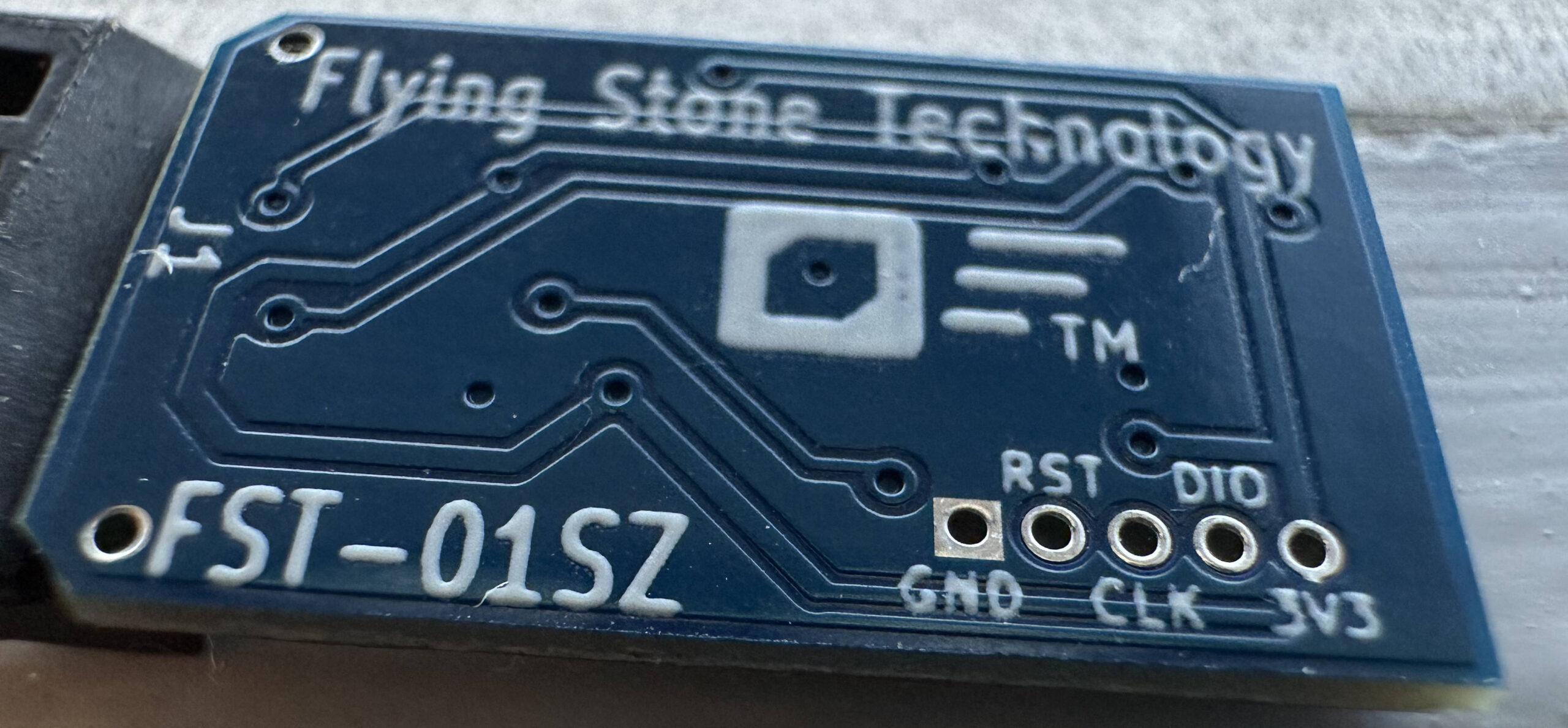
 One of my main musical 'discoveries' in 2022 was British electronic band


 With the end of the year approaching fast, I thought putting my year in
retrospective via music would be a fun thing to do.
Albums
In 2022, I added 51 new albums to my collection nearly one a week! I listed
them below in the order in which I acquired them.
I purchased most of these albums when I could and borrowed the rest at
libraries. If you want to browse though, I added links to the album covers
pointing either to websites where you can buy them or to Discogs when digital
copies weren't available




















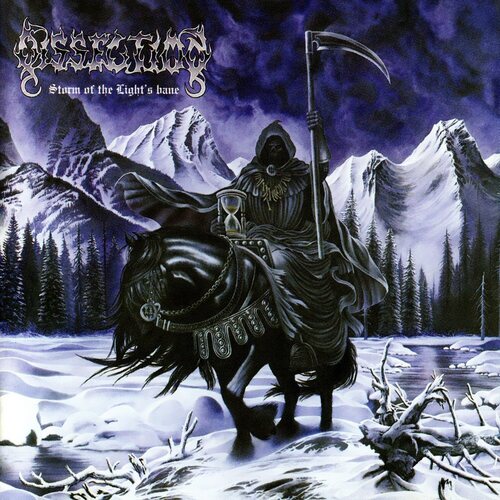







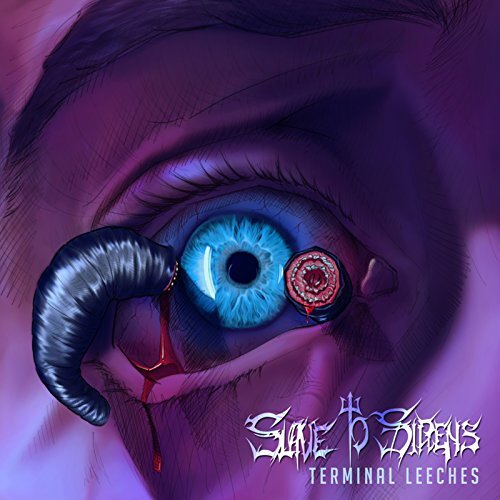




















 The first fresh release of our

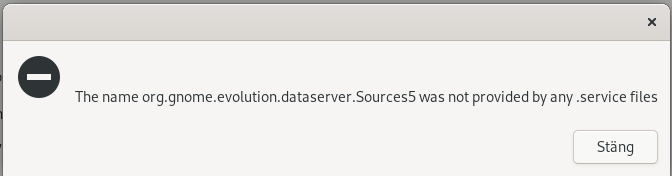
 Every year or so, I revisit the current best practices for Python packaging.
 Turns out that linking to several days old public data in order to demonstrate that Elon's jet was broadcasting its tail number in the clear is apparently "posting private information" so for anyone looking for me there I'm actually
 Like each month, have a look at the work funded by
 A discussion on the debian-project mailing list caught my attention to an
Italian word meaning something like would you be so kind to please go
somewhere else? , but in a more direct and vulgar manner. I then used
 Ever since the demise of
 I had bought a Thinkpad E470 laptop back in 2018 which was lying unused for
quite some time. Recently when I wanted to use it, I found that the keyboard is
not working, especially some keys and after some time the laptop will hang in
Lenovo boot screen. I came back to Bangalore almost after 2 years from my
hometown (WFH due to Covid) and thought it was the right time to get my laptop
back to normal working state. After getting the keyboard replaced I noticed that
1TB HDD is no longer fast enough for my taste!. I've to admit I never thought I
would start disliking HDD so quickly thanks to modern SSD based work laptops. So
as a second upgrade I got the HDD removed from my laptop and got a 240G SSD.
Yeah I know its reduction from my original size but I intend to continue using
my old HDD via USB SATA enclosure as an external HDD which can house the extra
data which I need to save.
So now that I've a SSD I need to install Debian Unstable again on it and this is
where I tried something new. My colleague (name redacted on request) suggested
to me use GRML live CD and install Debian via debootstrap. And after giving a
thought I decided to try this out. Some reason for going ahead with this are
listed below