Search Results: "ag"

1 September 2009

Nicolas Valc rcel: Canoniversary!

It has been a whole year since i joined canonical on 1st September 2008, it s unbelievable a year went that fast, i m still getting used to the company and suddenly, a whole year just went away, but as some people say, time flights when you are having so much fun. I can describe this whole year experience in just one word: AMAZING! I m having so much fun, even if i m getting out of time for other things i wanted to do, everything has it s price and working for canonical isn t an easy task, a lot is expected from you all the time, but the company policy is to be friends more than co-workers, even if we don t see each other to much. In this year i ve had the pleasure of visiting some friends all over the world while traveling for work or escaping a little before or after a work trip, i ve also had the chance to meet some people i wouldn t otherwise, like a guy i met in Germany that develops this horrible scripts that learn from my shopping customs and offer me stuff i want to buy (i said that guy that i hate him between jokes :P , c mon you hate him as well) and learned things i wouldn t in a normal local based company, i learned almost the hard way that when you say Asian people you are talking about Indians as well (isn t it Polly?) and also notice how different cultures can be, some things that are completely natural and normal for me can be really disturbing and offensive for others and vice versa. I ve also have the joy of seeing some friends join the company and grow our friendship, as well as i ve seen some good friends leave the company, but the sadness was compensated with the happiness that they are going for something better and that the friendship will continue. It s also always fun how when we meet in person is like we have worked in the same office for ever, people is always keen to have some beers, chat and test Pisco (no, i will never get bored of seeing your faces when you try it!). In summary, canonical is like a big family, you know, how people say that there is competition even inside a same company, well, this is not the case, people is always happy to help you and give you a hand when you need it, and even i thought it wasn t possible to have a weekly meeting with your boss to talk about your personal lives before you start talking about work, it s always nice to know that they care about you, not only about numbers and results! That said i wanted to thank everyone in canonical, and the ones that already left for making this company such an amazing place to work! And special thanks for the two guys that helped me had this incredible opportunity (you know who you are!)

David Pashley: Setting up gitosis on Jaunty

While git is a completely distributed revision control system, sometimes the lack of a central canonical repository can be annoying. For example, you might want to make your repository published publically, so other people can fork your code, or you might want all your developers to push into (or have code pulled into) a central "golden" tree, that you then use for automated building and continuous integration. This entry should explain how to get this all working on Ubuntu 9.04 (Jaunty). Gitosis is a very useful git repository manager, which adds support like ACLs in pre-commits and gitweb and git-daemon management. While it's possible to set all these things up by hand, gitosis does everything for you. It is nicely configured via git; to make configuration changes, you push the config file changes into gitosis repository on the server. Gitosis is available in Jaunty, but unfortunately there is a bug in the version in Jaunty, which means it doesn't work out of the box. Fortunately there is a fixed version in jaunty-proposed that fixes the main problem. This does mean that you need to add the following to your sources.list:
deb http://gb.archive.ubuntu.com/ubuntu/ jaunty-proposed universe
Run apt-get update && apt-get install gitosis. You should install 0.2+20080825-2ubuntu0.1 or later. There is another small bug in the current version too, as a result of git removing the git-$command scripts out of /usr/bin. Edit /usr/share/python-support/gitosis/gitosis/templates/admin/hooks/post-update and replace
git-update-server-info
with
git update-server-info
With these changes in place, we can now set up our gitosis repository. On the server you are going to use to host your central repositories, run:
sudo -H -u gitosis gitosis-init < id_rsa.pub
The id_rsa.pub file is a public ssh key. As I mentioned, gitosis is managed over git, so you need an initial user to clone and then push changes back into the gitosis repo, so make sure this key belongs to a keypair you have available to the remote user you're going to configure gitosis. Now, on your local computer, you can clone the gitosis-admin repo using:
git clone gitosis@gitserver.example.com:gitosis-admin.git
If you look inside the gitosis-admin directory, you should find a file called gitosis.conf and a directory called keydir. The directory is where you can add ssh public keys for your users. The file is the configuration file for gitosis.
[gitosis]
loglevel = INFO
[group gitosis-admin]
writable = gitosis-admin
members = david@david
[group developers]
members = david@david
writable = publicproject privateproject
[group contributors]
members = george@wilber
writable = publicproject
[repo publicproject]
daemon = yes
gitweb = yes
[repo privateproject]
daemon = no
gitweb = no
This sets up two repositories, called publicproject and privateproject. It enables the public project to be available via the git protocol and in gitweb if you have that installed. We also create two groups, developers and contributors. David has access to both projects, but George only has access to change the publicproject. David can also modify the gitosis configuration. The users are the names of ssh keys (the last part of the line in id_dsa.pub or id_rsa.pub). Once you've changed this file, you can run git add gitosis.conf to add it to the commit, git commit -m "update gitosis configuration to commit it to your local repository, and finally git push to push your commits back up into the central repository. Gitosis should now update the configuration on the server to match the config file. One last thing to do is to enable git-daemon, so people can anonymously clone your projects. Create /etc/event.d/git-daemon with the following contents:
start on startup
stop on shutdown
exec /usr/bin/git daemon \
   --user=gitosis --group=gitosis \
   --user-path=public-git \
   --verbose \
   --syslog \
   --reuseaddr \
   --base-path=/srv/gitosis/repositories/ 
respawn
You can now start this using start git-daemon So now, you need to start using your repository. You can either start with an existing project or an empty directory. Start by running git init and then git add $file to add each of the files you want in your project, and finally git commit to commit them to your local repository. The final task is to add a remote repository and push your code into it.
git remote add origin gitosis@gitserver.example.com:privateproject.git
git push origin master:refs/heads/master
In future, you should be able to do git push to push your changes back into the central repository. You can also clone a project using git or ssh, providing you have access, using the following commands. The first is for read-write access over ssh and the second uses the git protocol for read-only access. The git protocol uses TCP port 9418, so make sure that's available externally, if you want the world to be able to clone your repos.
git clone gitosis@gitserver.example.com:publicproject.git
git clone git://gitserver.example.com/publicproject.git
Setting up GitWeb is left as an exercise for the reader (and myself because I am yet to attempt to set that up).

Read Comments (1)

Biella Coleman: Hello Ladies (aka learning from the lady geeks)

3692689082_dc8494bf13 Whenever I attend Debconf, the first day is always a bit disorienting due to the confluence of jet lag with the sea of male programmers swarming at the venue. I am not sure I should be admitting this but one of the first things that pops to mind is the very cheesy one hit wonder whose video is filled with many bikini clad men, Its raining men. So for a few hours, maybe a day, I sometimes feel out of place but this this first wave of discomfort usually gives way to comfort. This is not only because I connect with friends but because Debconf as well as many other hacker events and this sits in marked contrast to professional academic conferences are remarkably accepting of diversity and difference, at least that has been my personal experience. Most notably, people could care less about how you look, disabilities are consistently accommodated, and some things, like gender changing, which would raise serious eyebrows for instance in most academic conferences, is accepted with next to no gossip. I raise this because this is how I personally have experienced the world of Free Software: overwhelming male but overwhelming accepting of difference as well. So even while I think it is key to confront the problems of discrimination in this world, it is not a simple story, for again, it is an environment that is also accommodates difference and quirkiness to some notable degree. The question of gender in F/OSS is complicated one and here I am not going to ruminate on sources of gender bias except to say that I am sure there are some in operation (as there are in most domains) some of which are internal to Free Software and other s external to Free Software. But what I have been struck by, especially over the course of the summer, is the explosion of sites, blogs, and debates that have confronted gender in Free Software. It has been nothing short of astounding and a really positive turn. The most notable example is this AWEEEEEEEEEEESOME pair: a wiki and a blog that confront gender head on. These are notable because the wiki, for example, catalogs all sorts of controversial events, comments on them, leaving a very visible trace of debate, one that is necessary to change the gender make-up and dynamic within Free Software project. Along with these, the FSF is finally hosting a min-summit, which is great (less great is that participation seems invite only but perhaps they have some good reasons for doing so). And today I just learned of this diversity page coming out the Python project. These are perfect examples of the recursive public in action raised in Chris Kelty s work. And I have long been impressed with the dialogue that has followed from some controversial events in the world of Free Software, including those related to gender and this summer seems to be a watershed of sorts and I look forward to their developments over time. Indeed and this may be controversial as well, but I think my academic field of media, law, and culture has something to learn from these gender politics for there are some very real, though probably unintentional forms of discrimination that are not under that much active discussion. The most glaring problem is the underwhelming presence of female scholars during conferences (and as we know, conferences are exceedingly important for one s professional development and career). What I find most striking about this trend is the number of female scholars is significant. That is, when it comes to scholars and this seems different from the world of tech, there is a sizable community of women scholars and activists so when there is a 5% female participation , as for example, with this event, one has to wonder why is it raining men at these conferences? It also seems that while the debate exists, it is not as vibrant as with what is going on right now in F/OSS. Take for example, this recent mailing list post which unapologetically highlighted the lack of female presence in the up and coming Free Culture event at the Berkman Center. While the post generated a handful of thoughtful responses, including this supremely classic, biting, and quite clever response from Georgetown professor Julie Cohen, the debate did not linger on (however short, the posts and discussion were quite fruitful). What to do? Frankly, blame and finger pointing are pretty counterproductive, mostly because the discrimination is quite unintentional and I believe change can be brought about via more constructive paths. More important is we need to make the issue visible, identify some possible sources, and then create projects that can remedy the problem. Along with Elizabeth Stark, who has also been keen to note and change the gender problems, I am currently whipping together a wiki with a list of female scholars, leaders, and technologists as a resource for folks organizing conferences. We already have a base list (with a remarkably long list of folks) and will hopefully in the course of the next month throwing it up on the wiki. I don t think it will ever be as cool as the Geek Feminism Wiki but it will hopefully do some good!

Kartik Mistry: Unsubscribe FAILed


MailingListFail :(

Andrew Cater: ACPI for Acer Aspire [SOLVED] - and RHCT

As a follow up to the last post - and with many thanks to PC World tech. support staff :)

This happens occasionally: the fix recommended at the barbeque was to remove power cable and battery for a period of time and try again. It transpires that you need to remove the battery and power cable AND also press the on/off button for 30-60 seconds which resets the laptop motherboard ACPI status. Who'd have known ? :)

Also, I'm now a Red Hat Certified Technician - if anybody should ever need one of those in a hurry. My day job is keen on Red Hat and the firm paid for the course. My thanks go also to them for their patience with me over some years - and to the Red Hat instructor who knows me fairly well. I had to promise not to mention Debian for the week so as not to disconcert the other students :)

Zak B. Elep: Returning to the fold

Hi again, blog. Its been a long time. Like, almost a year. How was I? Great, I guess. Mostly out of touch with the rest of the worlds I used to visit, being at work, but after leaving work (and searching for a new one now,) that's going to change. Hopefully. :) I've started by updating some stuff for Debian I should have updated long ago. In the process, I've reformatted my laptop to be Windows-free, containing only Debian sid and OpenBSD-current, and its been very pleasant so far. I've also taken up a couple of new old stuff for Debian, fixing them up, and getting comfortable with their insides^Wcode. So much so that I'm even in the process of fixing a 5-year-old wishlist bug, although it still needs testing. I'm looking forward to rejoining the communities I once missed, and maybe joining a new one too.

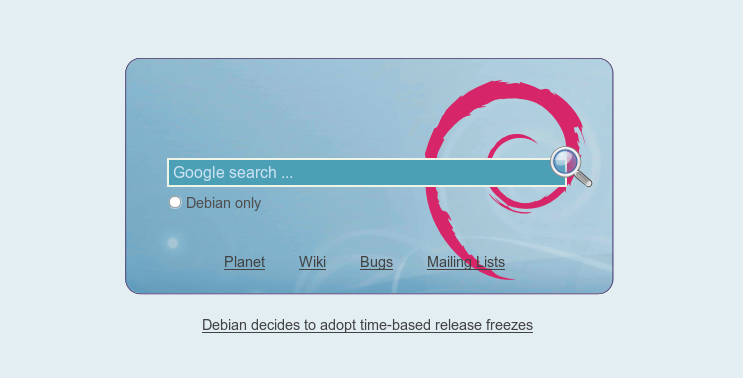
Adnan Hodzic: Debian Start! (beta)

First of all, thank you for all your comments/feedback on previous Start! entries. What kept me busy for last ~25hrs (literally) was making Start! to be properly rendered in all of the browsers and resolutions except IE of course. In the end, I ended up writing the whole thing from scratch, 709 lines which also passed W3 Validator, pretty sweet Smile Whole thing is a combination of html + css + php + javascript; it ll work fine even if you have JavaScript disabled, but for full experience I recommend you got it enabled. It works/renders properly in pretty much every browser (links, Iceweasel/Firefox, Epiphany, Konqueror, Opera, Chrome) except IE (surprisingly 4.15% of Start! users use IE). Either way, now that we have the rendering problem solved, what you can expect from next version is options dialog, with hopefully interesting options Smile After that, possible multilingual support (if required) and that should round up to the final v1.0 Smile Comments of any kind as always are welcome Grin start.debian.net

31 August 2009

Rapha&#235;l Hertzog: Interdependence in Debian, how to suffer less from it

Listening to Martin Krafft s talk at Debconf (related to his PhD) shed some new light on the idea that I expressed last year I wanted that each maintainer regularly answers a questionnaire so that he has to ask himself whether he does a good enough job with his packages. When thinking of this idea, I only saw the QA side of ensuring good maintenance on all packages, however I believe that the root problem lies further and this project would not be enough: we are interdependent but we are not equipped to deal with this reality. Martin s only merit has been to mention that we are interdependent, but it s worth analyzing a bit. Our organization is centered around individuals acting as package maintainers, and in theory each package maintainer can work on his corner and all goes well. We know that this model doesn t hold any more: transitions to testing require coordination of uploads and timely fixes of RC bugs, keeping up with the work frequently requires several volunteers that have to coordinate, etc. More and more of the work requires a level of availability that a single individual can t offer, yet in our day-to-day work we mainly interact with individuals. Wouldn t it be better if we could immediately know what we can expect from any Debian developer: All this information should be shared by all Debian maintainers (some of it is already available but either not publicly or not in any machine-parseable way) and we should actively use it. Here are some examples of use: for each RC bug report, you could look up if at least one maintainer is available and you could ping him explicitly if needed. When you plan an NMU, you could look up if the maintainer is likely to respond in the next day or not, and possibly adjust the number of days spent in the DELAYED queue. When organizing a large-scale transition, you could extract a list of packages whose maintainers are not available and arrange immediate NMUs. Furthermore there are many cases where the project s usual expectation exceed what the maintainer is ready to do. Documenting what part of the job is done (or not) by the maintainer makes it clear for volunteers whether their help is needed and whether they could/would be a better maintainer for a given package. Designing solutions to all these problems is going to be the scope of the DEP2 that I reserved some time ago. It s likely to be some sort of dedicated web interface. I would welcome supplementary drivers for this DEP, so if you re interested, get in touch with me. Partagez cet article / Share This

Neil Williams: Help needed for final libsoup2.4 fixes in drivel 3.0

Drivel 3.0.0 (current SVN trunk) is now ready for GTK+3.0. libegg has gone, there is one remaining issue with the GtkRecentChooser replacement. libgnome and libgnomeui are going away too and these have been dropped from drivel (therefore bonobo has gone too). gtksourceview has been migrated from 1.0 to 2.0. GtkSpell now correctly finds all supported dictionaries and a whole load of console messages about invalid casts etc. have been fixed. There is no libglade anymore, it's GtkBuilder throughout. Essentially, everything needed to bring drivel up to date with GTK+3 is in place.
Problems.
  1. The libsoup2.2 -> libsoup2.4 transition is a mess. Some of it works but the libsoup2.2 code that has been added to drivel needs to be dropped and a genuine 2.4 interface created. I'm not that familiar with this side of drivel - I'm hoping others have more expertise debugging the actual network / XMLRPC / Soup connections between drivel and sites like livejournal. Any libsoup migration experts out there?
    • MT support
      Current SVN trunk can use MovableType (MT, Wordpress, Serendipity) although a few niggles remain (categories work in some MT and not others). Serendipity cannot post. Invalid request payload: xmlrpc element PARAM cannot be child of PARAM, so that's libsoup too.

    • Blogger 1.0
      Support appears working, albeit with a few changes I've just made.

    • Advogato support
      Appears to work fine. http://www.advogato.org/person/codehelp/

    • Atom/Blogger 2.0 support
      Really not sure on this one:
      (drivel:32119): Drivel-WARNING **: parse_xml_journal_list: XML is not a
      <feed>
      - so libsoup again but it's quite possible that this error hides other errors too.

    • LiveJournal
      Here are the real problems. LJ didn't work with (the unreleased) 2.1.1 either and it fails in the same way with 3.0.0. "Could not understand server
      response."
      and lots of complaints about syntax errors on the console.

  2. Removing an account causes a crash - somehow the combo_box is not registering the item as active until reselected. I've got a fix that prevents the crash but that's going to be annoying. Watch for:
    Drivel-Message: login_name_active = -1

    (drivel:31084): Drivel-CRITICAL **: remove_username_cb: assertion
    login_name_active > 0' failed
    Any GTK+3.0 gurus who can help with that one - much appreciated.

  3. GtkRecentChooser is not updating itself when a draft is saved.


debcheckout still has the old GNOME details until 3.0 is uploaded, so the SVN details at SF are:
svn co https://drivel.svn.sourceforge.net/svnroot/drivel drivel
SF homepage:
http://drivel.sourceforge.net/
Dev mailing list (for bugs and patches)
http://mail.gnome.org/mailman/listinfo/drivel-list
Or just send me the patches direct (email details in the source files).
posted with 2.0.4

If you want to test all the various clients, you'll need wordpress, movabletype-opensource and serendipity installed as Debian packages (and configured) and accounts at advogato, livejournal and blogger.

So, dear lazyweb, anyone got some ideas?

Jon Dowland: A bank holiday find

Awesome bank holiday find.

David Pashley: Setting up gitosis on Jaunty

While git is a completely distributed revision control system, sometimes the lack of a central canonical repository can be annoying. For example, you might want to make your repository published publically, so other people can fork your code, or you might want all your developers to push into (or have code pulled into) a central "golden" tree, that you then use for automated building and continuous integration. This entry should explain how to get this all working on Ubuntu 9.04 (Jaunty). Gitosis is a very useful git repository manager, which adds support like ACLs in pre-commits and gitweb and git-daemon management. While it's possible to set all these things up by hand, gitosis does everything for you. It is nicely configured via git; to make configuration changes, you push the config file changes into gitosis repository on the server. Gitosis is available in Jaunty, but unfortunately there is a bug in the version in Jaunty, which means it doesn't work out of the box. Fortunately there is a fixed version in jaunty-proposed that fixes the main problem. This does mean that you need to add the following to your sources.list:
deb http://gb.archive.ubuntu.com/ubuntu/ jaunty-proposed universe
Run apt-get update && apt-get install gitosis. You should install 0.2+20080825-2ubuntu0.1 or later. There is another small bug in the current version too, as a result of git removing the git-$command scripts out of /usr/bin. Edit /usr/share/python-support/gitosis/gitosis/templates/admin/hooks/post-update and replace
git-update-server-info
with
git update-server-info
With these changes in place, we can now set up our gitosis repository. On the server you are going to use to host your central repositories, run:
sudo -H -u gitosis gitosis-init < id_rsa.pub
The id_rsa.pub file is a public ssh key. As I mentioned, gitosis is managed over git, so you need an initial user to clone and then push changes back into the gitosis repo, so make sure this key belongs to a keypair you have available to the remote user you're going to configure gitosis. Now, on your local computer, you can clone the gitosis-admin repo using:
git clone gitosis@gitserver.example.com:gitosis-admin.git
If you look inside the gitosis-admin directory, you should find a file called gitosis.conf and a directory called keydir. The directory is where you can add ssh public keys for your users. The file is the configuration file for gitosis.
[gitosis]
loglevel = INFO
[group gitosis-admin]
writable = gitosis-admin
members = david@david
[group developers]
members = david@david
writable = publicproject privateproject
[group contributors]
members = george@wilber
writable = publicproject
[repo publicproject]
daemon = yes
gitweb = yes
[repo privateproject]
daemon = no
gitweb = no
This sets up two repositories, called publicproject and privateproject. It enables the public project to be available via the git protocol and in gitweb if you have that installed. We also create two groups, developers and contributors. David has access to both projects, but George only has access to change the publicproject. David can also modify the gitosis configuration. The users are the names of ssh keys (the last part of the line in id_dsa.pub or id_rsa.pub). Once you've changed this file, you can run git add gitosis.conf to add it to the commit, git commit -m "update gitosis configuration to commit it to your local repository, and finally git push to push your commits back up into the central repository. Gitosis should now update the configuration on the server to match the config file. One last thing to do is to enable git-daemon, so people can anonymously clone your projects. Create /etc/event.d/git-daemon with the following contents:
start on startup
stop on shutdown
exec /usr/bin/git daemon \
   --user=gitosis --group=gitosis \
   --user-path=public-git \
   --verbose \
   --syslog \
   --reuseaddr \
   --base-path=/srv/gitosis/repositories/ 
respawn
You can now start this using start git-daemon So now, you need to start using your repository. You can either start with an existing project or an empty directory. Start by running git init and then git add $file to add each of the files you want in your project, and finally git commit to commit them to your local repository. The final task is to add a remote repository and push your code into it.
git remote add origin gitosis@gitserver.example.com:privateproject.git
git push origin master:refs/heads/master
In future, you should be able to do git push to push your changes back into the central repository. You can also clone a project using git or ssh, providing you have access, using the following commands. The first is for read-write access over ssh and the second uses the git protocol for read-only access. The git protocol uses TCP port 9418, so make sure that's available externally, if you want the world to be able to clone your repos.
git clone gitosis@gitserver.example.com:publicproject.git
git clone git://gitserver.example.com/publicproject.git
Setting up GitWeb is left as an exercise for the reader (and myself because I am yet to attempt to set that up).
Read Comments (0)

Patrick Schoenfeld: How to not make manpages

% lintian $unnamed.changes grep manpage wc -l
1312

Congratulations to the the unnamed upstream.

Gunnar Wolf: Serverless and mailless

Oops. Yesterday (Sunday, 31/08/09) I far from any computer-like object for most of the day. When I got back home, of course, I promptly opened my laptop to check my mail who knows what destiny might have for me in a 24 hour period? Maybe I won yet another fortune I have to cash in Nigeria? Maybe there is (GASP!) a new RC bug on one of my packages? But no, my mail server didn't feel like answering to my ssh queries. The connection was established, but shut down before even sending the protocolary SSH-2.0-OpenSSH_5.1p1 string. Fearing an overload (after all, the little bugger is just a Mac Mini running in another room in my house), I tried to check (via Web) its Munin status Apache didn't want to listen either. It answered, but got only access denied. Things started worrying me But (silly me) not enough The machine runs headless1, so I just danced the boring raising elephants song2. Allowed for a couple of minutes for everything to settle, and tried to connect. Horror, now even pings didn't work! So I ran to fetch my old, bulky and trusty monitor. Went back to the machine, plugged it in, switched it off and back on. Everything worked fine this time At least appearingly. I opened up mutt and started happily reading mails, while trying to understand on another console what happened at 07:06 that didn't get logged anywhere and had the machine dead for basically all the day. And then, BRRRT-BRRRT-BRRRT, I started hearing the HDD seeking. I was able to send a couple of mails, but decided to let the machine rest and... Will reduce its disk usage to an absolute minimum. Fortunately, I have already the machine meant to replace it A much nicer, beefier iMac G5, waiting to be vacated from its data, task which has suddenly become prioritary. So, in short: If you need to get in touch with me in the next day or two, don't count on my usual @gwolf.org mail, as it is down. I hope to be able to get the data out of the poor little bugger painlessly after it rests a bit. And I hope not to drown in a sea of mails after I get the replacement back online :-/
  1. 1. for those not used to computerspeak: without a connected monitor
  2. 2. For those following at home who don't understand how Raising Elephants Is So Utterly Boring, this is a (silly, stupid but useful) mnemotecnic for as-properly-as-possible restarting hung Linux systems: Hold AltGr (right-Alt) + SysRq (in reduced/notebook keyboards, Fn+SysRq), and type R E I S U B (leaving a couple of seconds between key, ideally waiting for all disk activity to settle between each). That means:
    unRaw
    Take control of keyboard back from X,
    tErminate
    Send SIGTERM to all processes, allowing them to terminate gracefully,
    kIll
    send SIGKILL to all processes, forcing them to terminate immediately,
    Sync
    Flush data to disk),
    Unmount
    Remount all filesystems read-only,
    reBoot.
    Well... Reboot the system

Robert Collins: 31 Aug 2009

Hi Rich! Re hour+long unit tests I agree that you need a comprehensive test suite, and that it should test all the dark and hidden corners of your code base. But time is not free! A long test suite inhibits:
  • cycle time - the fastest you can release a hot fix to a customer
  • developer productivity - you can't forget about a patch till its passed the regression test suite
  • community involvement - if it takes an hour to run the test suite, an opportunistic developer that wanted to tweak something in your code will have walked away long ago Note that these points are orthogonal to whether developers edit-test cycle runs some or all tests, or whether you use a CI tool, or a test-commit tool, or some other workflow. All that said though, I'm extremely interested in *why* any given test suite takes hours: does it need to? What is it doing? Can you decrease the time by 90% and coverage by 2%? I got another response back, which talks about keeping the working set of tests @ about 5 minutes long and splitting the rest off (via declared metadata on each test) into 'run after commit or during CI'. This has merits for reducing the burden on a developer in their test-commit cycle, but as I claim above, I believe there is still an overhead from those other tests that are pending execution at some later time. From a LEAN perspective, the cycle time is very important. Another important thing is handoffs. Each time we hand over something (e.g. a code change that I *think* works because it passed my local tests), there is a cost. Handing over to a machine to do CI is just as expensive as handing to a colleague. Add that contributors sending in patches from the internet may not hang around to find out that their patch *fails* in your CI build, and you can see why I think CI tools are an adjunct to keeping a clean trunk, rather than a key tool. The key tool is to not commit regressions :) Oh, and I certainly accept that test suites should be comprehensive... I just don't accept that more time == more coverage, or that there isn't a trade off between comprehensive and timeliness.
  • Andrew Pollock: [tech] Finding out about conferences

    Paul Fenwick says he finds out about conferences by word of mouth. Not that I ever do more than skim the page, but the Announcements page of Linux Weekly News (a fine publication well worth more financial support) mentions upcoming conferences. I've just learned that this page is derived from the LWN.net Community Calendar

    John Goerzen: Looking for a Linux-compatible scanner

    I own two scanners: a Fujitsu ScanSnap S510 and an Epson Perfection 4180 Photo. The S510 is a sheetfed document scanner, and works great at that. It has perfect SANE support, duplex mode, excellent sheet feeder, and is a generally good document scanner. It s passable for photos, but only that. The color isn t great, and the precision of a sheetfed scanner just isn t up to a flatbed. The Epson has never been supported by SANE directly. There was an epkowa driver, but the 4180 epkowa driver hasn t been updated in ages and isn t compatible with any modern Linux distro. So, I m looking for a flatbed scanner for photos and documents (no need for negatives; that s the THIRD scanner on my desk.) The most important requirement is that it work well with Linux. The next most important requirement is that it have as good scanning quality as possible for an under-$200 scanner. If it s an all-in-one (with a printer), I m fine with that, as long as it meets the above requirements. Any suggestions?

    Andrew Pollock: [debian] ISC DHCP 4.1 package progress report

    It's been a while since I last wrote about where I was up to with the DHCP 4.1 packaging for Debian. I'm pleased to report that the packages are now ready for upload to experimental. The main delay was doing some basic testing to make sure that the transition from the v3 packages to the new v4 packages worked properly. I'm glad I took the time to set up a Xen test environment, because I found all sorts of problems, and fixed them. The only reason I'm not uploading the packages today is because my testing uncovered a bug (#544371) in the way ifupdown is invoking dhclient. Until that is resolved, there's not a lot of point in uploading, as dhclient won't work. Oh, and the DHCP server LDAP patch still needs to be sorted out, but I'm not going to wait for that to do an experimental upload.

    Romain Beauxis: Some quick notes on netboot install

    Since I recently got a new laptop, I wanted to install Debian on it, of course :) However, I really didn't feel like buying a new CDR and burning yet another single-use boot CD and did not have a USB key available. Hence, I looked at installing through netboot using the previous one as the boot server and the available documentation. Well it turned out to be much more easy than what I was expecting initially ! The quick notes around this are:
    - First you need to setup iptables for ip forwarding and masquerading, in order to be able to connect the new laptop to the internet:
    • ifconfig eth0 192.168.1.1
    • echo 1 > /proc/sys/net/ipv4/ip_forward
    • iptables -t nat -A POSTROUTING -o wlan0 -j MASQUERADE

    - Then you need to enable dhcp and bootp. This means simply:
    • apt-get install dhcp3-server
    • Copy configuration example in Section 4.5.2.1 of the documentation
    • Edit with your own values, in particular check the nameserver used by the laptop sharing the connection. Also the tftp server will be your laptop, so set its address to 192.168.1.1 (in our case). Eventually, you need the MAC address of the new laptop (check ifconfig on it for instance)

    - Eventually, you have to enable the tftp server, which only means:
    • apt-get install tftpd-hpa
    • The server serves files located in /srv/tftp (check ps -Af). You have to download the netboot tarball and untar its content in this directory.
    The only strange thing here is that for some reason, the ethernet card would loose its address when the new laptop was using the DHCP to obtain an address. I didn't check it, but setting it at a regular intervals solved the problem: while true; do sleep 0.1; ifconfig eth0 192.168.1.1; echo "done"; done. Yeah, that's hacky, but I wanted a quick solution :) After all of that, you boot the new laptop, select the network boot and... voila ! In conclusion, since it is not that difficult to setup, it would probably be nice to have some sort of standard script to enable PXE boot on a computer. Then we could claim that the new Debian release is committed to sustainable development and allows to install without wasting a CD :-D

    30 August 2009

    Filip Van Raemdonck: 363 days lead time

    I would like to point out that my last article was in no way meant to be critical towards libvirt, rather on the contrary. I think it's an awesome technology the way it provides a common management platform for various virtualization solutions available on Linux and even other platforms.

    For reference, expensive proprietary virtualization solutions don't necessarily fair better.
    I've in fact recently ran into a problem in a Vmware ESX / Virtual Center environment which, while rather different in manifestation, in the end was similar in nature: diverging state change in the environment and in configuration.

    The Vmware problem surfaced after kernel changes on Linux guests, where, after rebooting into the new kernel and running the vmware-config-
    tools script to rebuild the modules, nightly backups with help of the vcbmount utility would fail.
    The only cryptic error message was:

    Creating a quiesced snapshot failed because the (user-supplied) custom pre-freeze script in the virtual machine exited with a non-zero return code.


    It didn't help that there wasn't any "user-supplied pre-freeze script" to begin with.

    Searching for this error message returned lots of hits, several going at least one year back. However, aside from a few references to a documented Solaris guest issue, which was not applicable, none would actually provide any insight into what the problem might actually be. Unt
    il I found following post on the Vmware communities site, which pointed out that
    changes to the uuid.location weren't propagated properly to the vmx definition.

    For the time being, the best way to work around this (in Linux guests) is to add another reboot right after rebuilding the vmtools modules.
    Since you should be rebuilding
    But Vmware should provide a proper fix their stuff, really. I've got this strong feeling that the libvirt bug will be resolved in less time than a year...

    Tiago Bortoletto Vaz: Vibration Reduction matters


    I ve just bought the cheap Nikkor 18-55mm VR lens for my Nikon D50. According to KenRockwell.com, this lens does the job very well. Actually I was looking for the amazing 18-200mm VR, but noted it s too expensive for me. At least here in Brazil it costs 5x more than that 18-55mm. The question is: once I already own a basic Nikkor 18-55mm which came with the camera, is that worth upgrading to another 18-55mm only because of this Vibration Reduction feature? Well I was not sure really about that. I just trusted Ken Rockwell s opinion and decided to give it a try. So, checking the result below you may guess whether I m happy or not :) These pictures were taken in f11, 55mm, 1/4 sec, no post-edition. I did my best to get them as much sharpness as possible. For a 100 shots sampling from Ken Rockwell look for the Vibration Reduction at 55mm table here.
    Nikkor 18-55mm non-VR

    Nikkor 18-55mm non-VR

    Nikkor 18-55mm VR

    Nikkor 18-55mm VR

    Nikkor 18-55mm non-VR detail

    Nikkor 18-55mm non-VR detail

    Nikkor 18-55mm VR detail

    Nikkor 18-55mm VR detail

    Posted in english

    Next.

    Previous.