Search Results: "sf"

12 December 2014

EvolvisForge blog: Tip of the day: don t use purge when cross-grading

A surprise to see my box booting up with the default GRUB 2.x menu, followed by cannot find a working init . What happened? Well, grub:i386 and grub:x32 are distinct packages, so APT helpfully decided to purge the GRUB config. OK. Manual boot menu entry editing later, re-adding GRUB_DISABLE_SUBMENU=y and GRUB_CMDLINE_LINUX= syscall.x32=y to /etc/default/grub, removing quiet again from GRUB_CMDLINE_LINUX_DEFAULT, and uncommenting GRUB_TERMINAL=console and don t forget to sudo update-grub . There. This should work. On the plus side, nvidia-driver:i386 seems to work but not with boinc-client:x32 (why, again? I swear, its GPU detection has been driving me nuts on > of all systems I installed it on, already!). On the minus side, I now have to figure out why tglase@tglase:~ $ sudo ifup -v tap1
Configuring interface tap1=tap1 (inet)
run-parts exit-on-error verbose /etc/network/if-pre-up.d
run-parts: executing /etc/network/if-pre-up.d/bridge
run-parts: executing /etc/network/if-pre-up.d/ethtool
ip addr add 192.168.0.3/255.255.255.255 broadcast 192.168.0.3 peer 192.168.0.4 dev tap1 label tap1
Cannot find device tap1
Failed to bring up tap1. this happens. This used to work before the cktN kernels.

10 December 2014

Gregor Herrmann: GDAC 2014/10

debian has a bigger role than "just" providing a free operating system to our users (& derivatives), it's also an important player in the free software world at large. a recent indication of this is the composition of the FSF's High Priority Projects Committee: if I'm counting correctly, there are two active & one former DDs listed as members; oh, & the contact person is yet another DD :) great to see many debianistas active all around!
this posting is part of GDAC (gregoa's debian advent calendar), a project to show the bright side of debian & why it's fun for me to contribute.

9 December 2014

Tanguy Ortolo: Using bsdtar to change an archive format

Streamable archive formats Package icon Archive formats such as tar(5) and cpio(5) have the advantage of being streamable, so you can use them for transferring data with pipes and remote shells, without having to store the archive in the middle of the process, for instance:
$ cd public_html/blog
$ rgrep -lF "archive" data/articles \
        pax -w \
        ssh newserver "mkdir public_html/blog ;
                       cd public_html/blog ;
                       pax -r"
Turning a ZIP archive into tarball Unfortunately, many people will send you data in non-streamable archive formats such as ZIP . For such cases, bsdtar(1) can be useful, as it is able to convert an archive from one format to another:
$ bsdtar -cf - @archive.zip \
        COMMAND
These arguments tell bsdtar to: The result is a tape archive, which is easier to manipulate in a stream than a ZIP archive. Notes
  1. Some will say that although ZIP is based on an file index, it can be stream because that index is placed at the end of the archive. In fact, that characteristic only allows to stream the archive creation, but requires to store the full archive before being able to extract it. .

8 December 2014

Andrew Pollock: [tech] A geek Dad goes to Kindergarten with a box full of Open Source and some vegetables

Zoe's Kindergarten encourages parents to come in and spend some time with the kids. I've heard reports of other parents coming in and doing baking with the kids or other activities at various times throughout the year. Zoe and I had both wanted me to come in for something, but it had taken me until the last few weeks of the year to get my act together and do something. I'd thought about coming in and doing some baking, but that seemed rather done to death already, and it's not like baking is really my thing, so I thought I'd do something technological. I just wracked my brains for something low effort and Kindergarten-age friendly. The Kindergarten has a couple of eduss touch screens. They're just some sort of large-screen with a bunch of inputs and outputs on them. I think the Kindergarten mostly uses them for showing DVDs and hooking up a laptop and possibly doing something interactive on them. As they had HDMI input, and my Raspberry Pi had HDMI output, it seemed like a no-brainer to do something using the Raspberry Pi. I also thought hooking up the MaKey MaKey to it would make for a more fun experience. I just needed to actually have it all do something, and that's where I hit a bit of a creative brick wall. I thought I'd just hack something together where based on different inputs on the MaKey MaKey, a picture would get displayed and a sound played. Nothing fancy at all. I really struggled to get a picture displayed full screen in a time efficient manner. My Pi was running Raspbian, so it was relatively simple to configure LightDM to auto-login and auto-start something. I used triggerhappy to invoke a shell script, which took care of playing a sound and an image. Playing a sound was easy. Displaying an image less so, especially if I wanted the image loaded fast. I really wanted to avoid having to execute an image viewer every time an input fired, because that would be just way too slow. I thought I'd found a suitable application in Geeqie, because it supported being out of band managed, but it's problem was it also responded to the inputs from the MaKey MaKey, so it became impossible to predictably display the right image with the right input. So the night before I was supposed to go to Kindergarten, I was up beating my head against it, and decided to scrap it and go back to the drawing board. I was looking around for a Kindergarten-friendly game that used just the arrow keys, and I remembered the trusty old Frozen Bubble. This ended up being absolutely perfect. It had enough flags to control automatic startup, so I could kick it straight into a dumbed-down full screen 1 player game (--fullscreen --solo --no-time-limit) The kids absolutely loved it. They were cycled through in groups of four and all took turns having a little play. I brought a couple of heads of broccoli, a zucchini and a potato with me. I started out using the two broccoli as left and right and the zucchini to fire, but as it turns out, not all the kids were as good with the "left" and "right" as Zoe, so I swapped one of the broccoli for a potato and that made things a bit less ambiguous. The responses from the kids were varied. Quite a few clearly had their minds blown and wanted to know how the broccoli was controlling something on the screen. Not all of them got the hang of the game play, but a lot did. Some picked it up after having a play and then watching other kids play and then came back for a more successful second attempt. Some weren't even sure what a zucchini was. Overall, it was a very successful activity, and I'm glad I switched to Frozen Bubble, because what I'd originally had wouldn't have held up to the way the kids were using it. There was a lot of long holding/touching of the vegetables, which would have fired hundreds of repeat events, and just totally overwhelmed triggerhappy. Quite a few kids wanted to pick up and hold the vegetables instead of just touch them to send an event. As it was, the Pi struggled to play Frozen Bubble enough as it was. The other lesson I learned pretty quickly was that an aluminium BBQ tray worked a lot better as the grounding point for the MaKey MaKey than having to tether an anti-static strap around each kid's ankle as they sat down in front of the screen. Once I switched to the tray, I could rotate kids through the activity much faster. I just wish I was a bit more creative, or there were more Kindergarten-friendly arrow-key driven Linux applications out there, but I was happy with what I managed to hack together with a fairly minimal amount of effort.

5 December 2014

Michael Meskes: Conferences in Q4

Together with members of almost all credativ offices world-wide I travelled to Madrid in October to attend PGConf Europe, the most important European PostgreSQL event. The conference, as usual, was greatly organized and had a lot of interesting presentations and thus, was rightfully sold-out. It again brought together a lot of the PostgreSQL community. My non-technical presentation about whether Open Source is a blessing or a curse attracted a sizeable audience despite starting early. Also we got into a good discussion about some of the points raised which again showed that Open Source in general and PostgreSQL in particular are more and more considered because of their strategic importance.Then in November I was invited to do a presentation at Open Source India Days 2014 in Bangalore or as it nowadays is called again Bengaluru. I was able to conveniently combine the trip to the conference with a scheduled visit to our office there.The conference was a very pleasant surprise. Despite being called the largest Open-Source conference in Asia I never made it there before. And, frankly, I was impressed about the size. Maybe not so surprisingly the conference was dominated by presentations about cloud solutions and technology.I, however, talked about the importance of community for businesses in particular pointing to Debian and PostgreSQL as very successful community projects. And again a large audience listened ini showing again the interest in strategic aspects of Open Source. Due to time constraints we weren't able to do a discussion during the presentation, or even allow questions/answers at the end, but a lot of people caught me afterwards to discuss points or make valuable remarks.Both events are very worthy entries for next year's schedule.

4 December 2014

Olivier Berger: Shell script to connecting to a Shibboleth protected web app with curl

Here s a shell script I ve created (reusing one meant for CAS protected resources), which will allow to connect to a Web application protected by the Shibboleth SSO mechanism.
It uses cURL to navigate through the various jumps required by the protocol, perform the necessary posts, etc.
I haven t read the Shibboleth specs, so it may not be the best way, and may not work in all cases, but that was enough for my case, at least. Feel free to improve it on Github Gists. After the connection is succesful, one may reuse the .cookieJar file to perform further cURL connections, or even some automated content mirroring with httrack, for instance (see a previous experiment of mine with httrack for Moodle).

MJ Ray: Autumn Statement #AS2014, the Google tax and how it relates to Free Software

One of the attention-grabbing measures in the Autumn Statement by Chancellor George Osborne was the google tax on profits going offshore, which may prove unworkable (The Independent). This is interesting because a common mechanism for moving the profits around is so-called transfer pricing, where the business in one country pays an inflated price to its sibling in another country for some supplies. It sounds like the intended way to deal with that is by inspecting company accounts and assessing the underlying profits. So what s this got to do with Free Software? Well, one thing the company might buy from itself is a licence to use some branding, paying a fee for reachuse. The main reason this is possible is because copyright is usually a monopoly, so there is no supplier of a replacement product, which makes it hard to assess how much the price has been inflated. One possible method of assessing the overpayment would be to compare with how much other businesses pay for their branding licences. It would be interesting if Revenue and Customs decide that there s lots of Royalty Free licensing out there including Free Software and so all licence fees paid to related companies are a tax avoidance ruse. Similarly, any premium for a particular self-branded product over a generic equivalent could be classed as profit transfer. This could have amusing implications for proprietary software producers who sell to sister companies but I doubt that the government will be that radical, so we ll continue to see absurdities like Starbucks buying all their coffee from famous coffee producing countries Switzerland and the Netherlands. Shouldn t this be stopped, really?

2 December 2014

Richard Hartmann: Tabletop games

Wood. I really like wood. Even more, I like working with wood. Touching it, following its grain, and contemplating that it was made mostly from thin air and water. Normally, I just turn trees into handy pieces of firewood. While that's already deeply satisfying in the sense that you actually get to see what you worked for, it's a mostly destructive task. You kill a tree, you chop it up, only to turn it back into (mostly) thin air. As chance would have it, I needed a new table. After dragging myself through way too many furniture stores, I realized that I wouldn't be happy with what's on offer. So I struck a deal with a local carpenter: I would buy from them, but only if I could help building my own table; I would finally create something larger than a carving from wood. After some scouting, the carpenter found five planks of oak which were 4+ meter long, about 40-60 cm wide, and 8+ cm thick: Five raw planks of oak If you think this wood looks old, worn, and broken: You should have seen it up close; it was worse than on the potato-cam picture ;) But that's another great thing about working with wood: by taking off a laughably thin layer of surface material, you can renew the whole thing. We cut off 10 cm from each side as that's what tends to split and tossed that away. Afterwards, we cut off 80 cm from the wider side for the legs. Again, the base tends to have more imperfections and as you don't need to cut long pieces, you have more freedom in deciding how to cut. Cutting is an art in itself; tiny imperfections in the wood's surface can hint at large fissures underneath. The fact that the wood looks worn and spotty does not help in figuring this out. After cutting to minimize waste, you end up with a pile like this: Planks after cutting And a surprising amount of waste, i.e. firewood: Leftovers After a lot of planing, the wood becomes cleaner and smoother: Planed planks Then, everything's fitted so that neighbouring planks have their heartwood running into different directions, and so that the upper surface gets (most of) the interesting features. This is another surprisingly involved process and took about two hours. And no, the potato-cam does not manage to capture the wood's beauty. Set planks After sanding the sides down to perfection to ensure the glue can bond really tightly, the table feet are glued and put into a hydraulic press: Table feet about to be pressed while the tabletop itself shines in all its 287 cm x 107 cm x 6.3 cm glory: Tabletop set and glued Tomorrow, we will sand down the top and bottom of the tabletop and prepare the feet. Grooves will be milled into the wood to glue steel bars into it, as well as another plank that will be glued to the bottom of the tabletop, running along the middle. Along with the alternating heartwood, this helps ensure that this beast of a table will not fold in on itself or otherwise succumb to internal torsion or gravity. The final steps will be to fit the feet, sand down the surface again and then apply two layers of oil. And while most people may not fancy taking a week off just to rise way too early and then do unpaid work, I love it. As I said: I like wood.

Matthias Klumpp: How to build a cross-distro package with Limba

Disclaimer: Limba is stilllimba-small in a very early stage of development. Bugs happen, and I give to guarantees on API stability yet. Limba is a very simple cross-distro package installer, utilizing OverlayFS found in recent Linux kernels (>= 3.18). As example I created a small Limba package for one of the Qt5 demo applications, and I would like to share the process of creating Limba packages it s quite simple, and I could use some feedback on how well the resulting packages work on multiple distributions. I assume that you have compiled Limba and installed it how that is done is described in its README file. So, let s start. 1. Prepare your application The cool thing about Limba is that you don t really have to do many changes on your application. There are a few things to pay attention to, though: This needs to be done so your application will find its data at runtime. Additionally, you need to write an AppStream metadata file, and find out which stuff your application depends on. 2. Create package metadata & install software 1.1 Basics Now you can create the metadata necessary to build a Limba package. Just run
cd /path/to/my/project
lipkgen make-template
This will create a pkginstall directory, containing a control file and a metainfo.xml file, which can be a symlink to the AppStream metadata, or be new metadata. Now, configure your application with /opt/bundle as install prefix (-DCMAKE_INSTALL_PREFIX=/opt/bundle, prefix=/opt/bundle, etc.) and install it to the pkginstall/inst_target directory. 1.2 Handling dependencies If your software has dependencies on other packages, just get the Limba packages for these dependencies, or build new ones. Then place the resulting IPK packages in the pkginstall/repo directory. Ideally, you should be able to fetch Limba packages which contain the software components directly from their upstream developers. Then, open the pkginstall/control file and adjust the Requires line. The names of the components you depend on match their AppStream-IDs (<id/> tag in the AppStream XML document). Any version-relation (>=, >>, <<, <=, <>) is supported, and specified in brackets after the component-id. The resulting control-file might look like this:
Format-Version: 1.0

Requires: Qt5Core (>= 5.3), Qt5DBus (>= 5.3), libpng12
If the specified dependencies are in the repo/ subdirectory, these packages will get installed automatically, if your application package is installed. Otherwise, Limba depends on the user to install these packages manually there is no interaction with the distribution s package-manager (yet?). 3. Building the package In order to build your package, make sure the content in inst_target/ is up to date, then run
lipkgen build pkginstall/
This will build your package and output it in the pkginstall/ directory. 4. Testing the package You can now test your package, Just run
sudo lipa install package.ipk
Your software should install successfully. If you provided a .desktop file in $prefix/share/applications, you should find your application in your desktop s application-menu. Otherwise, you can run a binary from the command-line, just append the version of your package to the binary name (bash-comletion helps). Alternatively, you can use the runapp command, which lets you run any binary in your bundle/package, which is quite helpful for debugging (since the environment a Limba-installed application is run is different from the one of other applications). Example:
runapp $ component_id -$ version :/bin/binary-name
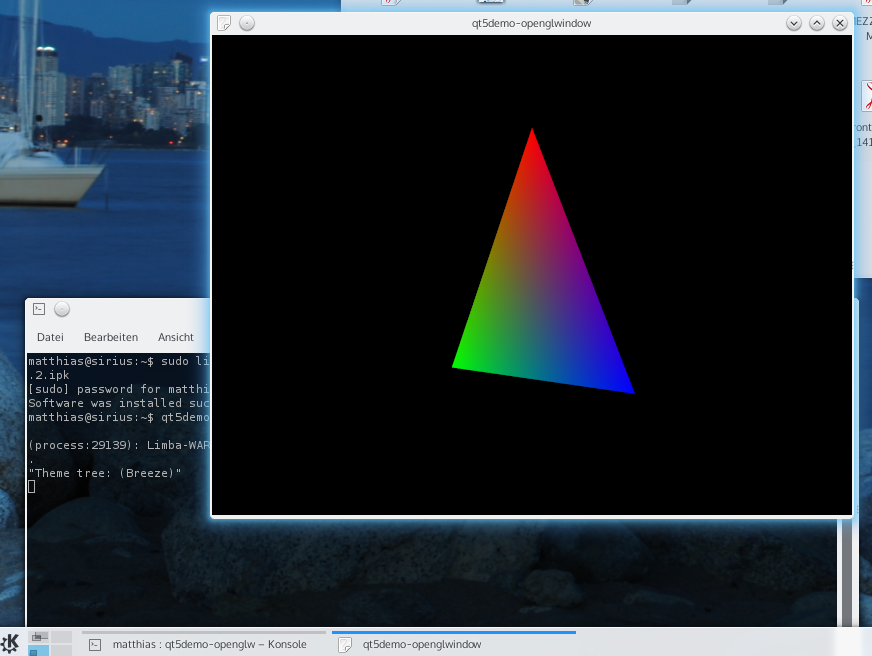
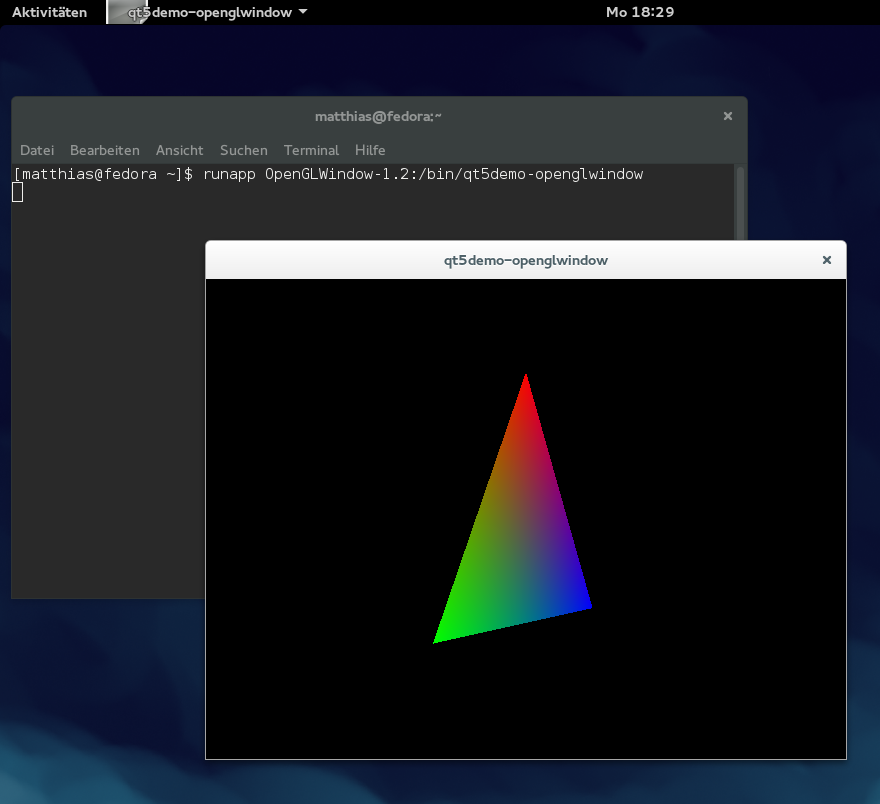
And that s it! :-) I used these steps to create a Limba package for the OpenGL Qt5 demo on Tanglu 2 (Bartholomea), and tested it on Kubuntu 15.04 (Vivid) with KDE, as well as on an up-to-date Fedora 21, with GNOME and without any Qt or KDE stuff installed: qt5demo-limba-kubuntuqt5demo-limba-fedora I encountered a few obstacles when building the packages, e.g. Qt5 initially didn t find the right QPA plugin that has been fixed by adjusting a config file in the Qt5Gui package. Also, on Fedora, a matching libpng was missing, so I included that as well. You can find the packages at Github, currently (but I am planning to move them to a different place soon). The biggest issue with Limba is at time, that it needs Linux 3.18, or an older kernel with OverlayFS support compiled in. Apart from that and a few bugs, the experience is quite smooth. As soon as I am sure there are now hidden fundamental issues, I can think of implementing more features, like signing packages and automatically updating them. Have fun playing around with Limba!

1 December 2014

Iustin Pop: SSD adventures

SSD adventures and fun times! TL;DR: Oh boy. Things work now, but I'm not sure exactly what happened :( When it all worked fine almost In June, I bought a new laptop, and a new SSD for it. I used that model of SSD before (Samsung 840 Evo), although not for a long time, so I wasn't expecting anything unusual. Since the laptop is a slower one, I installed Debian as follows: connect SSD to my workstation, do an install on it (via Virtualbox connected to the raw device), disconnect and install in the laptop. First sign of trouble was that the SSD didn't boot reliably. I said - maybe my Virtualbox method (new method) wasn't right - so I reinstalled on the laptop, and everything was mostly OK. Mostly OK because rarely the laptop had issues with seeing the SSD. Maybe not cold booting, requiring a restart, or giving some ATA errors on boot (bot nothing afterwards). I didn't use the laptop too much - I mostly use it when travelling - so I didn't investigate further. Trouble begins Fast forward to two weeks ago: I was preparing to leave on a trip, so I booted the laptop (everything OK), apt-get dist-upgrade, synced my git trees, etc. Everything was fine. The next day, in the airport between two flights, the laptop doesn't boot - doesn't see the SSD at all. I tried rebooting a gazillion times, nothing. I was quite upset - at the hardware, and at me for not paying attention to the unreliability signs before. Once I arrived at the destination, I opened the laptop, tried re-seating the SSD, nothing. I bought a SATA-to-USB bridge, and surprise! Boots from the first, no issues. Diagnosis A: Laptop SATA connector has issues. I work with this SATA-to-USB bridge for a couple of days, but it was quite slow (~20MB/s), so I buy a SATA-to-USB3 cradle, which should be much faster. But the SSD was not visible in this cradle. Not only that, but it was causing the laptop to hang in the POST screen - reliably. Turn the cradle off, the laptop passes POST, turn it on, the laptop took 2 minutes to pass the POST. OK, the cradle is broken. Connect the SSD back to the USB2 thing not booting For about five minutes, it was like "dead". After that, it booted and behaved normally. I didn't know what to think, I just put it aside. So worked for the rest of the week on the USB2 bridge, with no issues (once it the SSD dropped off, but I think that was just USB being USB). So at the end of the week, diagnosis (A) still was the main contender. On the flight back home, I worked from the plane for a good number of hours, again no issue. Laptop/SSD were fully powered off before the flight, powered with no issues, worked fine. At the end of the flight I completely shut down my laptop. Diagnosis A still on top. Real trouble now After getting home and sleeping a bit, I wanted to power up the laptop just to transfer the code I wrote on the plane. But it didn't power up. No problem, I said, now I actually have access to running Linux machines and I can check what's happening. And to my surprise, the SSD was behaving erratically: The looked like this (when connected over SATA):
20:22:57 kernel: ata2.00: ATA-9: Samsung SSD 840 EVO 500GB, EXT0BB6Q, max UDMA/133
20:22:57 kernel: ata2.00: 976773168 sectors, multi 1: LBA48 NCQ (depth 31/32), AA
20:22:57 kernel: ata2.00: configured for UDMA/133
20:22:57 kernel: scsi 3:0:0:0: Direct-Access     ATA      Samsung SSD 840  EXT0 PQ: 0 ANSI: 5
20:22:57 kernel: sd 3:0:0:0: [sdc] 488397168 512-byte logical blocks: (250 GB/232 GiB)
20:22:57 kernel: sd 3:0:0:0: [sdc] Write Protect is off
20:22:57 kernel: sd 3:0:0:0: [sdc] Mode Sense: 00 3a 00 00
20:22:57 kernel: sd 3:0:0:0: [sdc] Write cache: enabled, read cache: enabled, doesn't support DPO or FUA
20:22:57 kernel: ata2.00: exception Emask 0x0 SAct 0x2 SErr 0x400001 action 0x6 frozen
20:22:57 kernel: ata2: SError:   RecovData Handshk  
20:22:57 kernel: ata2.00: failed command: READ FPDMA QUEUED
20:22:57 kernel: ata2.00: cmd 60/08:08:68:01:00/00:00:00:00:00/40 tag 1 ncq 4096 in
20:22:57 kernel:         res 40/00:00:00:00:00/00:00:00:00:00/00 Emask 0x4 (timeout)
20:22:57 kernel: ata2.00: status:   DRDY  
20:22:57 kernel: ata2: hard resetting link
20:22:57 kernel: ata2: SATA link up 6.0 Gbps (SStatus 133 SControl 300)
20:22:57 kernel: ata2.00: failed to get NCQ Send/Recv Log Emask 0x1
20:22:57 kernel: ata2.00: configured for UDMA/133
20:22:57 kernel: ata2.00: device reported invalid CHS sector 0
20:22:57 kernel: ata2: EH complete
20:22:57 kernel: ata2.00: exception Emask 0x0 SAct 0x400000 SErr 0x400001 action 0x6
20:22:57 kernel: ata2.00: irq_stat 0x44000008
20:22:57 kernel: ata2: SError:   RecovData Handshk  
20:22:57 kernel: ata2.00: failed command: READ FPDMA QUEUED
20:22:57 kernel: ata2.00: cmd 60/08:b0:08:03:00/00:00:00:00:00/40 tag 22 ncq 4096 in
20:22:57 kernel:         res 41/84:00:08:03:00/00:00:00:00:00/00 Emask 0x410 (ATA bus error) <F>
20:22:57 kernel: ata2.00: status:   DRDY ERR  
20:22:57 kernel: ata2.00: error:   ICRC ABRT  
20:22:57 kernel: ata2: hard resetting link
20:22:57 kernel: ata2: SATA link up 6.0 Gbps (SStatus 133 SControl 300)
20:22:57 kernel: ata2.00: failed to get NCQ Send/Recv Log Emask 0x1
20:22:57 kernel: ata2.00: configured for UDMA/133
20:22:57 kernel: ata2: EH complete
Note that all of the messages were in short order (during boot, they show the same timestamp but I don't think it was actually the same second). I tried connecting the SSD over USB2 (partially working), over USB3 (not working!), and directly over SATA (initially not working). I connected another SSD I had around (same model, just smaller capacity) over all three, it worked (so the USB3 bridge was working, at least). Diagnosing (A) was out the door now, and the situation was very clear: SSD dying/dead/almost gone. So I connected both broken SSD and empty SSD to my workstation over SATA, and started copying data (once I managed to boot with the old one being visible and working). During the data copy, I saw that the "broken" SSD behaved erratically indeed: it was copying data off it with either ~40MB/s, ~70MB/s, and ~160MB/s. Not other speed, at least not for long time, just cycling between these three; and this is a very slow speed for this SSD model. And then I remembered that there is, for this model (Samsung 840 Evo), an advisory/firmware fix that old data gets harder to access (slower and slower), due to how TLC cells levels are read/etc. I don't know exactly what "old" means, but since the partition table was written only once, it should be the oldest thing written, which would make it the most susceptible to the slowdown, and could explain the cfdisk slowness. So after the data copy, I tested this: So yes, it is something related to this, probably. Diagnosis B: "just" the Samsung Evo bug. So I proceed to (try to) upgrade the firmware: Uh oh, so it's more than this - the SSD seems to be actually broken. I don't have much experience with SSDs, I used for many years an Intel X25-M and more recently I have a couple of Samsung 840 Pro, but I never had issues until now, so maybe the cheap Evo is just cheap and fast Note that during all this drama, SMART gives good info about SSD, and SMART tests are perfect (short/long). Just a number of UDMA CRC errors so thanks for nothing. I try to the firmware upgrade a few times, I give up. Diagnosis C: SSD is just plain broken. I'll send the SSD for a replacement/fix, so (even though it's encrypted), let's try to erase it first (as I can still read/write to it). And since just dd if=/dev/zero of=/dev/sdX is too common, let's try a builtin (ATA) erase! After fighting with hdparm and the fact that my BIOS does indeed "security freeze" on the drives (so you can't change the security settings nor erase the drives), and finding an article on the net that gives a few workaround, I manage to "unfreeze" it by not only live unplugging the SATA cable, but also the power cable, and plugging them back in. Time to erase. Side-note here: So, especially given the very fast ENHANCED erase, I now believe the SSD is truly broken. Diagnosis C rules. And finally, just confusion After the SSD erase, reading (the zeros) from the SSD is really fast: more than 500MB/s, as expected. I also try once more to upgrade the firmware for the Evo bug, and it works flawlessly this time. Even rebooting the machine many times works without problems, the SSD is seen every single time. I still can't make it work well over the USB3 bridge (but I'm not very convinced that device work well, since Linux does apply quirks when it detects it). But it doesn't give any ATA errors this time, and it works (read and write) consistently fast (as per the Evo specs). I still have to let it go through a long burnin with verification, but a short one works fine, so at this point I'm just very confused as what was (is?) the actual problem with this device, and why it behaves so strange Was the laptop broken? Clearly no. Was the SSD broken, or just impacted by the slowdown issue? Time will tell. I'll put it through the paces, and see. But unless I replace it, I'll keep this just for "fast cache" use cases, and not to hold real data. Yep, computers are fun!

Joey Hess: snowdrift - sustainable crowdfunding for free software development

In a recent blog post, I mentioned how lucky I feel to keep finding ways to work on free software. In the past couple years, I've had a successful Kickstarter, and followed that up with a second crowdfunding campaign, and now a grant is funding my work. A lot to be thankful for. A one-off crowdfunding campaign to fund free software development is wonderful, if you can pull it off. It can start a new project, or kick an existing one into a higher gear. But in many ways, free software development is a poor match for kickstarter-type crowdfunding. Especially when it comes to ongoing development, which it's really hard to do a crowdfunding pitch for. That's why I was excited to find Snowdrift.coop, which has a unique approach. Imagine going to a web page for a free software project that you care about, and seeing this button: 1283 patrons will donate MORE when you pledge That's a lot stronger incentive than some paypal donation button or flattr link! The details of how it works are explained on their intro page, or see the ever-insightful and thoughtful Mike Linksvayer's blog post about it. When I found out about this, I immediately sent them a one-off donation. Later, I got to meet one of the developers face to face in Portland. I've also done a small amount of work on the Snowdrift platform, which is itself free software. (My haskell code will actually render that button above!) Free software is important, and its funding should be based, not on how lucky or good we are at kickstarter pitches, but on its quality and how useful it is to everyone. Snowdrift is the most interesting thing I've seen in this space, and I really hope they succeed. If you agree, they're running their own crowdfunding campaign right now.

30 November 2014

Enrico Zini: cxx11-talk-examples

C++11 talk examples On 2014-11-27 I gave a talk about C++ and new features introduced with C++11: these are the examples. They are all licensed under the wtfpli version 2. See cxx11-talk-notes for the talk notes. Note that the wrapper interfaces turns errors from the underlying libraries into exceptions, so the method calls just do what they should, without the need of documenting special return values for error messages, and removing the need for each library to implement yet another way of reporting errors. Also note that all wrapper objects do RAII: you create them and they clean after themselves when they go out of scope. The wrapper objects also have cast operators to make them behave as the pointer or handle that they are wrapping, so that they can be transparently passed to the underlying libraries. (note: I had to add U+2063 INVISIBLE SEPARATOR to prevent noreturn statements to be misinterpreted by the blog formatter. If you copypaste the code and encounter issues, you may want to delete the noreturn statements and retype them) A gcrypt hash class This class is a light wrapper around gcrypt's hashing functions. ezhash.h
#ifndef EZHASH_H
#define EZHASH_H
#include <string>
#include <gcrypt.h>
namespace ezhash  
class Hash
 
protected:
    // members can now be initialized just like this, without needing to repeat
    // their default assignment in every constructor
    gcry_md_hd_t handle = nullptr;
public:
    Hash(int algo, unsigned int flags=0);
    ~Hash();
    // Assign 'delete' to a method to tell the compiler not to generate it
    // automatically. In this case, we make the object non-copiable.
    Hash(const Hash&) = delete;
    Hash(const Hash&&) = delete;
    Hash& operator=(const Hash&) = delete;
    // Add a buffer to the hash
    void hash_buf(const std::string& buf);
    // Add the contents of a file to the hash
    void hash_file(int fd);
    // Get a string with the hexadecimal hash
    std::string read_hex(int algo=0);
    /// Pretend that we are a gcry_md_hd_t handle
    operator gcry_md_hd_t()   return handle;  
 ;
 
#endif
ezhash.cpp
#include "ezhash.h"
#include <unistd.h>
#include <errno.h>
#include <string>
#include <cstring>
#include <sstream>
#include <iomanip>
#include <stdexcept>
using namespace std;
namespace ezhash  
namespace  
// noreturn attribute, to tell the compiler that this function never returns
[ [noreturn]] void throw_gcrypt_error(gcry_error_t err)
 
    string msg;
    msg += gcry_strsource(err);
    msg += "/";
    msg += gcry_strerror(err);
    throw runtime_error(msg);
 
string errno_str(int error)
 
    char buf[256];
#if (_POSIX_C_SOURCE >= 200112L   _XOPEN_SOURCE >= 600) && ! _GNU_SOURCE
    strerror_r(errno, buf, 256);
    string res(buf);
#else
    string res(strerror_r(errno, buf, 256));
#endif
    return res;
 
[ [noreturn]] void throw_libc_error(int error)
 
    throw runtime_error(errno_str(error));
 
 
Hash::Hash(int algo, unsigned int flags)
 
    gcry_error_t err = gcry_md_open(&handle, algo, flags);
    if (err) throw_gcrypt_error(err);
 
Hash::~Hash()
 
    gcry_md_close(handle);
 
void Hash::hash_buf(const std::string& buf)
 
    gcry_md_write(handle, buf.data(), buf.size());
 
void Hash::hash_file(int fd)
 
    char buf[4096];
    while (true)
     
        ssize_t res = ::read(fd, buf, 4096);
        if (res < 0) ezfs::throw_libc_error();
        if (res == 0) break;
        gcry_md_write(handle, buf, res);
     
 
std::string Hash::read_hex(int algo)
 
    unsigned char* res = gcry_md_read(handle, algo);
    unsigned int len = gcry_md_get_algo_dlen(
            algo == 0 ? gcry_md_get_algo(handle) : algo);
    // Format the hash into a hex digit
    stringstream hexbuf;
    hexbuf << hex << setfill('0');
    for (unsigned i = 0; i < len; ++i)
        hexbuf << setw(2) << (unsigned)res[i];
    return hexbuf.str();
 
 
Example usage
        ezhash::Hash sha256(GCRY_MD_SHA256);
        sha256.hash_buf("ciao\n");
        sha256.hash_buf("foo\n");
        cout << sha256.read_hex() << endl;
Simple sqlite bindings Remarkably simple sqlite3 bindings based on lambda callbacks. ezsqlite.h
#ifndef EZSQLITE_H
#define EZSQLITE_H
#include <sqlite3.h>
#include <string>
#include <functional>
#include <stdexcept>
namespace ezsqlite  
/// RAII wrapper around a sqlite3 database handle
class DB
 
protected:
    sqlite3* handle = nullptr;
public:
    // Open a connection to a SQLite database
    DB(const std::string& filename, int flags=SQLITE_OPEN_READWRITE   SQLITE_OPEN_CREATE);
    DB(const DB&) = delete;
    DB(const DB&&) = delete;
    DB& operator=(const DB&) = delete;
    ~DB();
    /**
     * Execute a query, optionally calling 'callback' on every result row
     *
     * The arguments to callback are:
     *  1. number of columns
     *  2. text values of the columns
     *  3. names of the columns
     */
    // std::function can be used to wrap any callable thing in C++
    // see: http://en.cppreference.com/w/cpp/utility/functional/function
    void exec(const std::string& query, std::function<bool(int, char**, char**)> callback=nullptr);
    /// Pretend that we are a sqlite3 pointer
    operator sqlite3*()   return handle;  
 ;
 
#endif
ezsqlite.cpp
#include "ezsqlite.h"
namespace ezsqlite  
DB::DB(const std::string& filename, int flags)
 
    int res = sqlite3_open_v2(filename.c_str(), &handle, flags, nullptr);
    if (res != SQLITE_OK)
     
        // From http://www.sqlite.org/c3ref/open.html
        // Whether or not an error occurs when it is opened, resources
        // associated with the database connection handle should be
        // released by passing it to sqlite3_close() when it is no longer
        // required.
        std::string errmsg(sqlite3_errmsg(handle));
        sqlite3_close(handle);
        throw std::runtime_error(errmsg);
     
 
DB::~DB()
 
    sqlite3_close(handle);
 
namespace  
// Adapter to have sqlite3_exec call a std::function
int exec_callback(void* data, int columns, char** values, char** names)
 
    std::function<bool(int, char**, char**)> cb = *static_cast<std::function<bool(int, char**, char**)>*>(data);
    return cb(columns, values, names);
 
 
void DB::exec(const std::string& query, std::function<bool(int, char**, char**)> callback)
 
    char* errmsg;
    void* cb = callback ? &callback : nullptr;
    int res = sqlite3_exec(handle, query.c_str(), exec_callback, cb, &errmsg);
    if (res != SQLITE_OK && errmsg)
     
        // http://www.sqlite.org/c3ref/exec.html
        //
        // If the 5th parameter to sqlite3_exec() is not NULL then any error
        // message is written into memory obtained from sqlite3_malloc() and
        // passed back through the 5th parameter. To avoid memory leaks, the
        // application should invoke sqlite3_free() on error message strings
        // returned through the 5th parameter of of sqlite3_exec() after the
        // error message string is no longer needed. 
        std::string msg(errmsg);
        sqlite3_free(errmsg);
        throw std::runtime_error(errmsg);


Example usage
    // Connect to the database
    ezsqlite::DB db("erlug.sqlite");
    // Make sure we have a table
    db.exec(R"(
        CREATE TABLE IF NOT EXISTS files (
                name TEXT NOT NULL,
                sha256sum TEXT NOT NULL
        )
    )");
    // Read the list of files that we know
    map<string, string> files;
    db.exec("SELECT name, sha256sum FROM files", [&](int columns, char** vals, char** names)  
        if (columns != 2) return false;
        files.insert(make_pair(vals[0], vals[1]));
        return true;
     );
A fast Directory object This is a lightweight wrapper around O_PATH file descriptors for directories. I'd love to see a library of well-maintained and thin C++ bindings around libc, that do little more than turning errors into exceptions and making it also work with std::string buffers. ezfs.h
#ifndef EZFS_H
#define EZFS_H
#include <string>
#include <functional>
#include <memory>
#include <cerrno>
#include <sys/types.h>
#include <sys/stat.h>
#include <fcntl.h>
#include <unistd.h>
#include <dirent.h>
namespace ezfs  
class Directory
 
protected:
    int handle = -1;
public:
    Directory(const std::string& pathname, int flags=0);
    ~Directory();
    Directory(const Directory&) = delete;
    Directory(const Directory&&) = delete;
    Directory& operator=(const Directory&) = delete;
    /// List the directory contents
    void ls(std::function<void(const dirent&)> callback);
    int open(const std::string& relpath, int flags, mode_t mode=0777);
 ;
std::string errno_str(int error=errno);
[ [noreturn]] void throw_libc_error(int error=errno);
 
#endif
ezfs.cpp
#include "ezfs.h"
#include <stdexcept>
#include <memory>
#include <cstring>
#include <cstdlib>
#include <string>
#include <linux/limits.h>
using namespace std;
namespace ezfs  
string errno_str(int error)
 
    char buf[256];
#if (_POSIX_C_SOURCE >= 200112L   _XOPEN_SOURCE >= 600) && ! _GNU_SOURCE
    strerror_r(errno, buf, 256);
    string res(buf);
#else
    string res(strerror_r(errno, buf, 256));
#endif
    return res;
 
[ [noreturn]] void throw_libc_error(int error)
 
    throw runtime_error(errno_str(error));
 
Directory::Directory(const std::string& pathname, int flags)
 
    handle = ::open(pathname.c_str(), O_PATH   O_DIRECTORY   flags);
    if (handle < 0) throw_libc_error();
 
Directory::~Directory()
 
    ::close(handle);
 
void Directory::ls(std::function<void(const dirent&)> callback)
 
    int fd = openat(handle, ".", O_DIRECTORY);
    if (fd < 0) throw_libc_error();
    // RAII Self-cleaning DIR object
    unique_ptr<DIR, std::function<void(DIR*)>> dir(fdopendir(fd), [](DIR* dir)   if (dir) closedir(dir);  );
    if (!dir)
     
        // fdopendir(3): After a successful call to fdopendir(), fd is used
        // internally by the implementation, and should not otherwise be used
        // by the application.
        //
        // but if the fdopendir call was not successful, fd is not managed by
        // DIR, and we still need to close it, otherwise we leak a file
        // descriptor.
        //
        // However, close() may modify errno, so we take note of the errno set
        // by fdopendir and raise the exception based on that.
        int fdopendir_errno = errno;
        close(fd);
        throw_libc_error(fdopendir_errno);
     
    // Size the dirent buffer properly
    const unsigned len = offsetof(dirent, d_name) + PATH_MAX + 1;
    unique_ptr<dirent, std::function<void(void*)>> dirbuf((dirent*)malloc(len), free);
    while (true)
     
        dirent* res;
        int err = readdir_r(dir.get(), dirbuf.get(), &res);
        // End of directory contents
        if (err == 0)
         
            if (res)
                callback(*res);
            else
                break;
          else
            throw_libc_error(err);
     
 
int Directory::open(const std::string& relpath, int flags, mode_t mode)
 
    int res = openat(handle, relpath.c_str(), flags, mode);
    if (res < 0) throw_libc_error();
    return res;
 
 
Example usage
        // This is almost the equivalent of running "sha256sum ."
        ezfs::Directory dir(".");
        dir.ls([&](const dirent& d)  
            if (d.d_type != DT_REG) return;
            ezhash::Hash sha256(GCRY_MD_SHA256);
            // I have no RAII wrapper around file handles at the moment, so
            // I'll have to use a try/catch for cleaning up after errors
            int fd = dir.open(d.d_name, O_RDONLY);
            try  
                sha256.hash_file(fd);
                close(fd);
              catch (...)  
                close(fd);
                throw;
             
            cout << sha256.read_hex() << "  " << d.d_name << endl;
         );

Johannes Schauer: simple email setup

I was unable to find a good place that describes how to create a simple self-hosted email setup. The most surprising discovery was, how much already works after:
apt-get install postfix dovecot-imapd
Right after having finished the installation I was able to receive email (but only in in /var/mail in mbox format) and send email (bot not from any other host). So while I expected a pretty complex setup, it turned out to boil down to just adjusting some configuration parameters.

Postfix The two interesting files to configure postfix are /etc/postfix/main.cf and /etc/postfix/master.cf. A commented version of the former exists in /usr/share/postfix/main.cf.dist. Alternatively, there is the ~600k word strong man page postconf(5). The latter file is documented in master(5).

/etc/postfix/main.cf I changed the following in my main.cf
@@ -37,3 +37,9 @@
mailbox_size_limit = 0
recipient_delimiter = +
inet_interfaces = all
+
+home_mailbox = Mail/
+smtpd_recipient_restrictions = permit_mynetworks reject_unauth_destination permit_sasl_authenticated
+smtpd_sasl_type = dovecot
+smtpd_sasl_path = private/auth
+smtp_helo_name = my.reverse.dns.name.com
At this point, also make sure that the parameters smtpd_tls_cert_file and smtpd_tls_key_file point to the right certificate and private key file. So either change these values or replace the content of /etc/ssl/certs/ssl-cert-snakeoil.pem and /etc/ssl/private/ssl-cert-snakeoil.key. The home_mailbox parameter sets the default path for incoming mail. Since there is no leading slash, this puts mail into $HOME/Mail for each user. The trailing slash is important as it specifies qmail-style delivery'' which means maildir. The default of the smtpd_recipient_restrictions parameter is permit_mynetworks reject_unauth_destination so this just adds the permit_sasl_authenticated option. This is necessary to allow users to send email when they successfully verified their login through dovecot. The dovecot login verification is activated through the smtpd_sasl_type and smtpd_sasl_path parameters. I found it necessary to set the smtp_helo_name parameter to the reverse DNS of my server. This was necessary because many other email servers would only accept email from a server with a valid reverse DNS entry. My hosting provider charges USD 7.50 per month to change the default reverse DNS name, so the easy solution is, to instead just adjust the name announced in the SMTP helo.

/etc/postfix/master.cf The file master.cf is used to enable the submission service. The following diff just removes the comment character from the appropriate section.
@@ -13,12 +13,12 @@
#smtpd pass - - - - - smtpd
#dnsblog unix - - - - 0 dnsblog
#tlsproxy unix - - - - 0 tlsproxy
-#submission inet n - - - - smtpd
-# -o syslog_name=postfix/submission
-# -o smtpd_tls_security_level=encrypt
-# -o smtpd_sasl_auth_enable=yes
-# -o smtpd_client_restrictions=permit_sasl_authenticated,reject
-# -o milter_macro_daemon_name=ORIGINATING
+submission inet n - - - - smtpd
+ -o syslog_name=postfix/submission
+ -o smtpd_tls_security_level=encrypt
+ -o smtpd_sasl_auth_enable=yes
+ -o smtpd_client_restrictions=permit_sasl_authenticated,reject
+ -o milter_macro_daemon_name=ORIGINATING
#smtps inet n - - - - smtpd
# -o syslog_name=postfix/smtps
# -o smtpd_tls_wrappermode=yes

Dovecot Since above configuration changes made postfix store email in a different location and format than the default, dovecot has to be informed about these changes as well. This is done in /etc/dovecot/conf.d/10-mail.conf. The second configuration change enables postfix to authenticate users through dovecot in /etc/dovecot/conf.d/10-master.conf. For SSL one should look into /etc/dovecot/conf.d/10-ssl.conf and either adapt the parameters ssl_cert and ssl_key or store the correct certificate and private key in /etc/dovecot/dovecot.pem and /etc/dovecot/private/dovecot.pem, respectively. The dovecot-core package (which dovecot-imapd depends on) ships tons of documentation. The file /usr/share/doc/dovecot-core/dovecot/documentation.txt.gz gives an overview of what resources are available. The path /usr/share/doc/dovecot-core/dovecot/wiki contains a snapshot of the dovecot wiki at http://wiki2.dovecot.org/. The example configurations seem to be the same files as in /etc/ which are already well commented.

/etc/dovecot/conf.d/10-mail.conf The following diff changes the default email location in /var/mail to a maildir in ~/Mail as configured for postfix above.
@@ -27,7 +27,7 @@
#
# <doc/wiki/MailLocation.txt>
#
-mail_location = mbox:~/mail:INBOX=/var/mail/%u
+mail_location = maildir:~/Mail

# If you need to set multiple mailbox locations or want to change default
# namespace settings, you can do it by defining namespace sections.

/etc/dovecot/conf.d/10-master.conf And this enables the authentication socket for postfix:
@@ -93,9 +93,11 @@


# Postfix smtp-auth
- #unix_listener /var/spool/postfix/private/auth
- # mode = 0666
- #
+ unix_listener /var/spool/postfix/private/auth
+ mode = 0660
+ user = postfix
+ group = postfix
+

# Auth process is run as this user.
#user = $default_internal_user

Aliases Now Email will automatically put into the '~/Mail' directory of the receiver. So a user has to be created for whom one wants to receive mail...
$ adduser josch
...and any aliases for it to be configured in /etc/aliases.
@@ -1,2 +1,4 @@
-# See man 5 aliases for format
-postmaster: root
+root: josch
+postmaster: josch
+hostmaster: josch
+webmaster: josch
After editing /etc/aliases, the command
$ newaliases
has to be run. More can be read in the aliases(5) man page.

Finishing up Everything is done and now postfix and dovecot have to be informed about the changes. There are many ways to do that. Either restart the services, reboot or just do:
$ postfix reload
$ doveadm reload
Have fun!

28 November 2014

Daniel Pocock: XCP / XenServer and Debian Jessie

In 2013, Debian wheezy was released with a number of great virtualization options include the Xen Cloud Platform (XCP / Xen-API) toolstack packaged by Thomas Goirand to run in a native Debian host environment. Unfortunately, XCP is not available as a host (dom0) solution for the upcoming Debian 8 (jessie) release. However, it is possible to continue running a Debian wheezy system as the dom0 host and run virtualized (domU) jessie systems inside it. It may also be possible to use the packages from wheezy on a jessie system, but I haven't looked into that myself so far. Newer kernel boot failures in Xen After successfully upgrading a VM (domU in Xen terminology) from wheezy to jessie, I tried to reboot the VM and found that it wouldn't start. People have reported similar problems booting newer versions of Ubuntu and Fedora in XCP and XenServer environments. PyGrub displayed an error on the dom0 console:
# xe vm-start name-label=server05
Error code: Using  to parse /grub/grub.cfg
Error parameters: Traceback (most recent call last):,
   File "/usr/lib/xcp/lib/pygrub.xcp", line 853, in ,
     raise RuntimeError, "Unable to find partition containing kernel"
There is a quick and easy workaround. Hard-code the kernel and initrd filenames into config values that will be used to boot. A more thorough solution will probably involve using a newer version of PyGrub in wheezy. If the /boot tree is a separate filesystem inside the VM, use commands like the following (substitute the correct UUID for the VM and the exact names/versions of the vmlinuz and initrd.img files):
xe vm-param-set uuid=da654fd0-74db-11e4-82f8-0800200c9a66 \
   PV-bootloader-args="--kernel=/vmlinuz-3.16-3-amd64
   --ramdisk=/initrd.img-3.16-3-amd64"
xe vm-param-set uuid=da654fd0-74db-11e4-82f8-0800200c9a66 \
   PV-args="root=/dev/mapper/vg00-root ro quiet"
and if /boot is on the root filesystem of the VM, this will do the trick:
xe vm-param-set uuid=da654fd0-74db-11e4-82f8-0800200c9a66 \
   PV-bootloader-args="--kernel=/boot/vmlinuz-3.16-3-amd64
   --ramdisk=/boot/initrd.img-3.16-3-amd64"
xe vm-param-set uuid=da654fd0-74db-11e4-82f8-0800200c9a66 \
   PV-args="root=/dev/mapper/vg00-root ro quiet"
Future strategy Once a comprehensive XCP solution appears in Debian again, hopefully it will be possible to migrate running VMs into the new platform without any downtime and retire the wheezy dom0. Other upgrade/migration options exist and the choice will depend on various factors, such as whether or not you have built your own tools around the XCP API and whether you use a solution like OpenStack that depends on it. Debian's pkg-xen-devel mailing list may be a good place to discuss these options further.

Ian Wienand: rstdiary

I find it very useful to spend 5 minutes a day to keep a small log of what was worked on, major bugs or reviews and a general small status report. It makes rolling up into a bigger status report easier when required, or handy as a reference before you go into meetings etc. I was happily using an etherpad page until I couldn't save any more revisions and the page got too long and started giving javascript timeouts. For a replacement I wanted a single file as input with no boilerplate to aid in back-referencing and adding entries quickly. It should be formatted to be future-proof, as well as being emacs, makefile and git friendly. Output should be web-based so I can refer to it easily and point people at it when required, but it just has to be rsynced to public_html with zero setup. rstdiary will take a flat RST based input file and chunk it into some reasonable looking static-HTML that looks something like this. It's split by month with some minimal navigation. Copy the output directory somewhere and it is done. It might also serve as a small example of parsing and converting RST nodes where it does the chunking; unfortunately the official documentation on that is "to be completed" and I couldn't find anything like a canonical example, so I gathered what I could from looking at the source of the transformation stuff. As the license says, the software is provided "as is" without warranty! So if you've been thinking "I should keep a short daily journal in a flat-file and publish it to a web-server but I can't find any software to do just that" you now have one less excuse.

27 November 2014

Jonathan Dowland: PGP transition statement

-----BEGIN PGP SIGNED MESSAGE-----
Hash: SHA512,SHA1
I'm transitioning from my old, 1024-bit DSA PGP key, FD35 0B0A C6DD 5D91 DB7A 83D1 168B 4E71 7032 F238, to my newer, 4096-bit RSA key, E037 CB2A 1A00 61B9 4336 3C8B 0907 4096 06AA AAAA. If you have signed my old key, I'd be very grateful if you would consider signing my new key. (Thanks in advance!) This is long overdue! I've had 06AAAAAA since 2009, but it took me a while to get enough signatures on it for me to consider a transition. I still have far more signatures on my older key, owing to attending more conferences when I was using it than since I switched. This statement, available in plaintext at http://jmtd.net/log/pgp_transition/statement.txt, has been signed with both keys. I've marked my old key as expiring in around 72 days time, which coincides with my change of job, and will be just short of ten years since I generated it.
-----BEGIN PGP SIGNATURE-----
Version: GnuPG/MacGPG2 v2.0.22 (Darwin)
iQIcBAEBCgAGBQJUdysuAAoJEAkHQJYGqqqquQ0QALVGcn9Wbasg0oh8JeE8rN7h
k7FeZjmGk+ZwfXwo4Eq4pjxKp+TN+r4xBCFSHDRmMaAm9q7aWF/RqkdNiEtioQfJ
SmfzLsoEnSBmS9dr1LvAoxIlUzs/9Lt8EY2tB4NQne3QIu3VyRBjQDvqff6KJgkV
849+GsrJezkg/2VFZkZp1N9y0YwrmezV/1j0N6zR8Y20LlF4YuD3egUJYvbrQ1pA
krJwhiHskXRinqviYMg4CuTZZ3m2wc4fM6uiY5t9taqK90KFgmg73KvW6Rx2L+XP
BUzTlSYHnK+qI23Cng//DthFww2Wf9RofkfRgXk0zAe4+DcoMZzALKtZQA6GrT46
wzsmu459p5nUwwa6BzUvqBzyVtzbtHN5xaFwbjHCPlemsFlH/8LHackJLsBvr2Gp
q292huYu/HNo+Q6OIslFX6rc5AR3HKdbU2DxYMPAfI+CEtW1XwetK8ADSZc1v54C
+sc+Yb2kAleLX2xMIfS9JqvcKOP2Gbo7nTdRPnS2jZRWOv8JxVfFiSzHVODtlLfk
AmRvms5rQ2nPnB21yOd+DP2sACVKY0MS7/UwMh2hoQLR/bSu/jRh24n3WHDfQWtF
Jp4AD80ABFV2t/pSP1L70HlxwPmOzra8AVzCdXMOT/SdT387rSM9fvue4FY5goT+
/pResJSl9pAbBCtjOFJoiEYEARECAAYFAlR3Ky4ACgkQFotOcXAy8jiLawCgofsp
ggze/iSpfkyeL0vhXi6N/WMAoLQogFQY+VaQrVP3lGl1VVh4jw0W
=JBA4
-----END PGP SIGNATURE-----

26 November 2014

Enrico Zini: calypso-davdroid

Calypso and DAVDroid calypso and DAVdroid appeal to me. Let's try to make the whole thing work. Update: radicale seems to also support git as a backend, and I plan to give it a try, too. A self-signed SSL certificate Generating the certificate:
$ openssl req -nodes -x509 -newkey rsa:2048 -keyout cal-key.pem -out cal-cert.pem -days 3650
[...]
Country Name (2 letter code) [AU]:IT
State or Province Name (full name) [Some-State]:Bologna
Locality Name (eg, city) []:
Organization Name (eg, company) [Internet Widgits Pty Ltd]:enricozini.org
Organizational Unit Name (eg, section) []:
Common Name (e.g. server FQDN or YOUR name) []:cal.enricozini.org
Email Address []:postmaster@enricozini.org
Installing it on my phone:
$ openssl x509 -in cal-cert.pem -outform DER -out cal-cert.crt
$ adb push cal-cert.crt /mnt/sdcard/
$ enrico --follow-instructions http://davdroid.bitfire.at/faq/entry/importing-a-certificate
Installing calypso in my VPS An updated calypso package:
$ git clone git://keithp.com/git/calypso
$ git checkout debian -b enrico
$ git remote add chrysn  git://prometheus.amsuess.com/calypso-patches
$ git fetch chrysn
$ git merge chrysn/chrysn/integration
$ dch -v 1.4+enrico  "Merged with chrysn integration branch"
$ debuild -us -uc -rfakeroot
Install the package:
# dpkg -i calypso_1.4+enrico_all.deb
Create a system user to run it:
# adduser --system --disabled-password calypso
# chsh calypso  # /bin/dash
Make it run at boot time (based on calypso-init from the git repo):
# cat /etc/default/calypso
CALYPSO_OPTS="-d -P $PIDFILE"
# diff -Nau calypso-init calypso-init.enrico
--- calypso-init        2014-11-26 11:50:35.301001194 +0100
+++ calypso-init.enrico 2014-11-26 12:18:16.564138554 +0100
@@ -62,8 +62,8 @@
          return 1
    mkdir -p $(dirname $PIDFILE)
-       chown calypso:calypso $(dirname $PIDFILE)
-       start-stop-daemon --start -c $NAME --quiet --pidfile $PIDFILE --exec $DAEMON -- \
+       chown calypso:nogroup $(dirname $PIDFILE)
+       start-stop-daemon --start -c $NAME:nogroup --quiet --pidfile $PIDFILE --exec $DAEMON -- \
        $CALYPSO_OPTS \
          return 2
    # Add code here, if necessary, that waits for the process to be ready
# cp calypso-init.enrico /etc/init.d/calypso
# update-rc.d calypso defaults
Setting up the database
# su - calypso
Certificates and server setup:
$ mkdir .config/calypso/certs
$ mv cal-key.pem .config/calypso/certs/cal.key
$ mv cal-cert.pem .config/calypso/certs/cal.pem
$ chmod 0600 .config/calypso/certs/*
$ cat > .config/calypso/config << EOF
[server]
certificate=/home/calypso/.config/calypso/certs/cal.pem
key=/home/calypso/.config/calypso/certs/cal.key
[acl]
type=htpasswd
encryption=sha1
filename=/home/calypso/.config/calypso/htpasswd
    EOF
User passwords:
    $ htpasswd -s .config/calypso/htpasswd enrico
Database initialization:
$ mkdir -p .config/calypso/calendars
$ cd .config/calypso/calendars
$ git init
    $ cat > .calypso-collection << EOF
[collection]
is-calendar = True
is-addressbook = False
displayname = Test
description = Test calendar
EOF
    $ git add .calypso-collection
$ git commit --allow-empty -m'initialize new calendar'
Start the server
# /etc/init.d/calypso start
DAVdroid configuration
  1. Add a new DAVdroid sync account
  2. Use server/username configuration
  3. For server, use https://:5233
  4. Add username and password
It should work. Related links

22 November 2014

Sune Vuorela: Is linux about choice?

Occasionally, various quotes from people having an opinion if linux is about choice or not. Even pages like http://www.islinuxaboutchoice.com/ has shown up. My short answer is YES . Linux is about choice. And you get all your choices directly from your f/loss definition of choice (FSF s 4 freedoms / OSI s opensource definition / Debian Free Software Guidelines) It doesn t mean that you get all the gui configuration bits that you want. It doesn t mean that you without any problems can switch out any component. But it does mean that you can get it exactly your way. But it might require you to edit some source code and compile some stuff.

20 November 2014

Neil McGovern: Barbie the Debian Developer

Some people may have seen recently that the Barbie series has a rather sexist book out about Barbie the Computer Engineer. Fortunately, there s a way to improve this by making your own version. Thus, I made a short version about Barbie the Debian Developer and init system packager. (For those who don t know me, this is satirical. Any resemblance to people is purely coincidental.) Edit: added text in alt tags. Also, hai reddit!
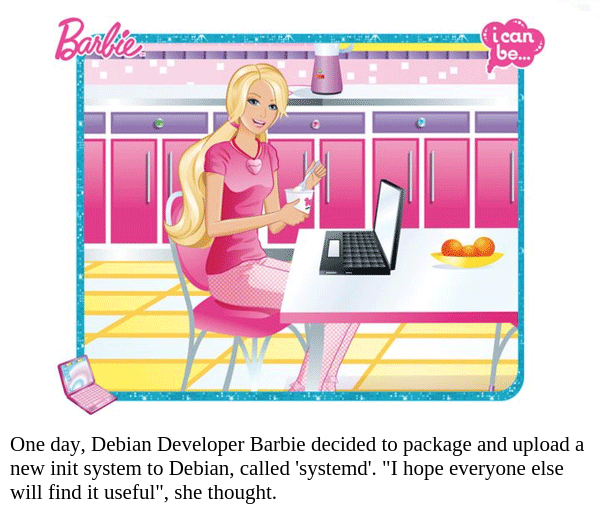
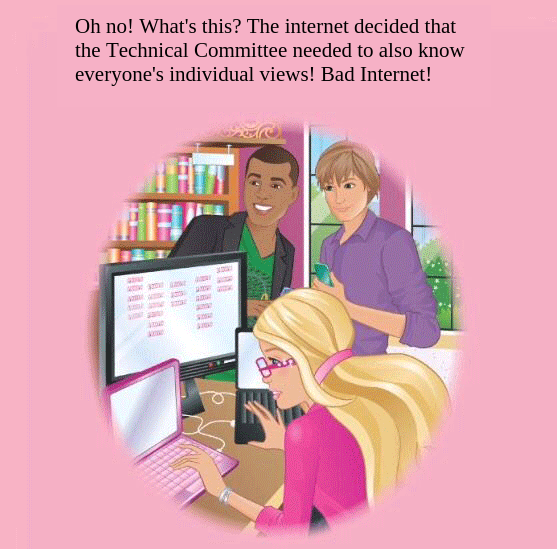
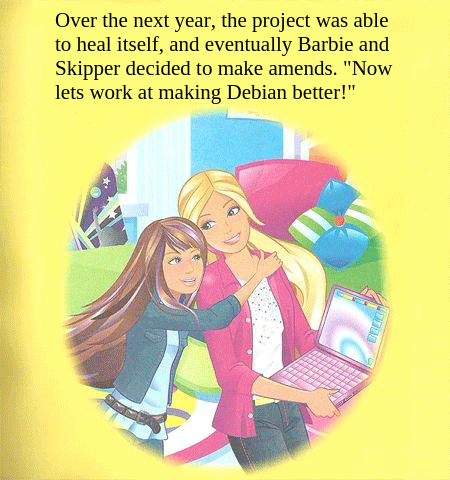
One day, Debian Developer Barbie decided to package and upload a new init system to Debian, called 'systemd'. I hope everyone else will find it useful, she thought.Oh no says Skipper! You'll never take my init system away from me! It's horrendous and Not The Unix Way! Oh dear said Barbie, What have I let myself in to?Skipper was most upset, and decided that this would not do. It's off to the technical committee with this. They'll surely see sense.Oh no! What's this? The internet decided that the Technical Committee needed to also know everyone's individual views! Bad Internet!There was much discussion and consideration. Opinions were reviewed, rows were had, and months passed. Eventually, a decision was agreed upon.Barbie was successful! The will of the Technical Committee was that systemd would be the default! But wait...Skipper still wasn't happy. We need to make sure this never affects me! I'm going to call for a General Resolution!And so, Ms Devotee was called in to look at the various options. She said that the arguments must stop, and we should all accept the result of the general resolution.The numbers turned and the vote was out. We should simply be most excellent to each other said Ms Devotee. I'm not going to tell you what you should or should not do.Over the next year, the project was able to heal itself and eventually Barbie and Skipper decided to make amends. Now let's work at making Debian better!

Daniel Pocock: Is Amnesty giving spy victims a false sense of security?

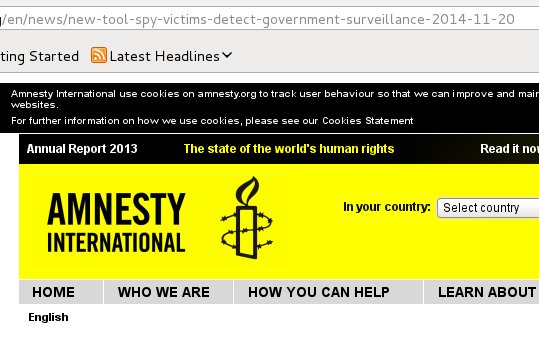
Amnesty International is getting a lot of attention with the launch of a new tool to detect government and corporate spying on your computer. I thought I would try it myself. I went to a computer running Microsoft Windows, an operating system that does not publish its source code for public scrutiny. I used the Chrome browser, users often express concern about Chrome sending data back to the vendor about the web sites the users look for. Without even installing the app, I would expect the Amnesty web site to recognise that I was accessing the site from a combination of proprietary software. Instead, I found a different type of warning. Beware of Amnesty? Instead, the only warning I received was from Amnesty's own cookies: Even before I install the app to find out if the government is monitoring me, Amnesty is keen to monitor my behaviour themselves. While cookies are used widely, their presence on a site like Amnesty's only further desensitizes Internet users to the downside risks of tracking technologies. By using cookies, Amnesty is effectivley saying a little bit of tracking is justified for the greater good. Doesn't that sound eerily like the justification we often hear from governments too? Is Amnesty part of the solution or part of the problem? Amnesty is a well known and widely respected name when human rights are mentioned. However, their advice that you can install an app onto a Windows computer or iPhone to detect spyware is like telling people that putting a seatbelt on a motorbike will eliminate the risk of death. It would be much more credible for Amnesty to tell people to start by avoiding cloud services altogether, browse the web with Tor and only use operating systems and software that come with fully published source code under a free license. Only when 100% of the software on your device is genuinely free and open source can independent experts exercise the freedom to study the code and detect and remove backdoors, spyware and security bugs. It reminds me of the advice Kim Kardashian gave after the Fappening, telling people they can continue trusting companies like Facebook and Apple with their private data just as long as they check the privacy settings (reality check: privacy settings in cloud services are about as effective as a band-aid on a broken leg). Write to Amnesty Amnesty became famous for their letter writing campaigns. Maybe now is the time for people to write to Amnesty themselves, thank them for their efforts and encourage them to take more comprehensive action. Feel free to cut and paste some of the following potential ideas into an email to Amnesty:

I understand you may not be able to respond to every email personally but I would like to ask you to make a statement about these matters on your public web site or blog. I understand it is Amnesty's core objective to end grave abuses of human rights. Electronic surveillence, due to its scale and pervasiveness, has become a grave abuse in itself and in a disturbing number of jurisdictions it is an enabler for other types of grave violations of human rights. I'm concerned that your new app Detekt gives people a false sense of security and that your campaign needs to be more comprehensive to truly help people and humanity in the long term. If Amnesty is serious about solving the problems of electronic surveillance by government, corporations and other bad actors, please consider some of the following:
  • Instead of displaying a cookie warning on Amnesty.org, display a warning to users who access the site from a computer running closed-source software and give them a link to download a free and open source web browser like Firefox.
  • Redirect all visitors to your web site to use the HTTPS encrypted version of the site.
  • Using free software such as the GNU/Linux operating system (using one of the Debian, Fedora or Ubuntu systems is one of the more common ways to achieve this) and LibreOffice for all Amnesty's own operations, making a public statement about your use of free software and mentioning this in the closing paragraph of all press releases relating to surveillance topics.
  • Encouraging Amnesty donors, members and supporters to choose similar software especially when engaging in any political activities.
  • Make a public statement that Amnesty will not use cloud services such as SalesForce or Facebook to store, manage or interact with data relating to members, donors or other supporters.
  • Encouraging the public to move away from centralized cloud services such as those provided by their smartphone or social networks and use de-centralized or federated services such as XMPP chat.
Given the immense threat posed by electronic surveillance, I'd also like to call on Amnesty to allocate at least 10% of annual revenue towards software projects releasing free and open source software that offers the public an alternative to the centralized cloud.

While publicity for electronic privacy is great, I hope Amnesty can go a step further and help people use trustworthy software from the ground up.

Next.

Previous.