Simon Josefsson: SSH Host Certificates with YubiKey NEO
If you manage a bunch of server machines, you will undoubtedly have run into the following OpenSSH question:
The authenticity of host 'host.example.org (1.2.3.4)' can't be established.
RSA key fingerprint is 1b:9b:b8:5e:74:b1:31:19:35:48:48:ba:7d:d0:01:f5.
Are you sure you want to continue connecting (yes/no)?
If the server is a single-user machine, where you are the only person expected to login on it, answering yes once and then using the ~/.ssh/known_hosts file to record the key fingerprint will (sort-of) work and protect you against future man-in-the-middle attacks. I say sort-of, since if you want to access the server from multiple machines, you will need to sync the known_hosts file somehow. And once your organization grows larger, and you aren t the only person that needs to login, having a policy that everyone just answers yes on first connection on all their machines is bad. The risk that someone is able to successfully MITM attack you grows every time someone types yes to these prompts. Setting up one (or more) SSH Certificate Authority (CA) to create SSH Host Certificates, and have your users trust this CA, will allow you and your users to automatically trust the fingerprint of the host through the indirection of the SSH Host CA. I was surprised (but probably shouldn t have been) to find that deploying this is straightforward. Even setting this up with hardware-backed keys, stored on a YubiKey NEO, is easy. Below I will explain how to set this up for a hypothethical organization where two persons (sysadmins) are responsible for installing and configuring machines. I m going to assume that you already have a couple of hosts up and running and that they run the OpenSSH daemon, so they have a /etc/ssh/ssh_host_rsa_key* public/private keypair, and that you have one YubiKey NEO with the PIV applet and that the NEO is in CCID mode. I don t believe it matters, but I m running a combination of Debian and Ubuntu machines. The Yubico PIV tool is used to configure the YubiKey NEO, and I will be using OpenSC s PKCS#11 library to connect OpenSSH with the YubiKey NEO. Let s install some tools:
apt-get install yubikey-personalization yubico-piv-tool opensc-pkcs11 pcscdEvery person responsible for signing SSH Host Certificates in your organization needs a YubiKey NEO. For my example, there will only be two persons, but the number could be larger. Each one of them will have to go through the following process. The first step is to prepare the NEO. First mode switch it to CCID using some device configuration tool, like yubikey-personalization.
ykpersonalize -m1Then prepare the PIV applet in the YubiKey NEO. This is covered by the YubiKey NEO PIV Introduction but I ll reproduce the commands below. Do this on a disconnected machine, saving all files generated on one or more secure media and store that in a safe.
user=simon
key= dd if=/dev/random bs=1 count=24 2>/dev/null   hexdump -v -e '/1 "%02X"'
echo $key > ssh-$user-key.txt
pin= dd if=/dev/random bs=1 count=6 2>/dev/null   hexdump -v -e '/1 "%u"' cut -c1-6
echo $pin > ssh-$user-pin.txt
puk= dd if=/dev/random bs=1 count=6 2>/dev/null   hexdump -v -e '/1 "%u"' cut -c1-8
echo $puk > ssh-$user-puk.txt
yubico-piv-tool -a set-mgm-key -n $key
yubico-piv-tool -k $key -a change-pin -P 123456 -N $pin
yubico-piv-tool -k $key -a change-puk -P 12345678 -N $puk
Then generate a RSA private key for the SSH Host CA, and generate a dummy X.509 certificate for that key. The only use for the X.509 certificate is to make PIV/PKCS#11 happy they want to be able to extract the public-key from the smartcard, and do that through the X.509 certificate.
openssl genrsa -out ssh-$user-ca-key.pem 2048
openssl req -new -x509 -batch -key ssh-$user-ca-key.pem -out ssh-$user-ca-crt.pem
You import the key and certificate to the PIV applet as follows:
yubico-piv-tool -k $key -a import-key -s 9c < ssh-$user-ca-key.pem
yubico-piv-tool -k $key -a import-certificate -s 9c < ssh-$user-ca-crt.pem
You now have a SSH Host CA ready to go! The first thing you want to do is to extract the public-key for the CA, and you use OpenSSH's ssh-keygen for this, specifying OpenSC's PKCS#11 module.
ssh-keygen -D /usr/lib/x86_64-linux-gnu/opensc-pkcs11.so -e > ssh-$user-ca-key.pubIf you happen to use YubiKey NEO with OpenPGP using gpg-agent/scdaemon, you may get the following error message:
no slots
cannot read public key from pkcs11
The reason is that scdaemon exclusively locks the smartcard, so no other application can access it. You need to kill scdaemon, which can be done as follows:
gpg-connect-agent SCD KILLSCD SCD BYE /byeThe output from ssh-keygen may look like this:
ssh-rsa AAAAB3NzaC1yc2EAAAADAQABAAABAQCp+gbwBHova/OnWMj99A6HbeMAGE7eP3S9lKm4/fk86Qd9bzzNNz2TKHM7V1IMEj0GxeiagDC9FMVIcbg5OaSDkuT0wGzLAJWgY2Fn3AksgA6cjA3fYQCKw0Kq4/ySFX+Zb+A8zhJgCkMWT0ZB0ZEWi4zFbG4D/q6IvCAZBtdRKkj8nJtT5l3D3TGPXCWa2A2pptGVDgs+0FYbHX0ynD0KfB4PmtR4fVQyGJjJ0MbF7fXFzQVcWiBtui8WR/Np9tvYLUJHkAXY/FjLOZf9ye0jLgP1yE10+ihe7BCxkM79GU9BsyRgRt3oArawUuU6tLgkaMN8kZPKAdq0wxNauFtHNow all your users in your organization needs to add a line to their ~/.ssh/known_hosts as follows:
@cert-authority *.example.com ssh-rsa AAAAB3NzaC1yc2EAAAADAQABAAABAQCp+gbwBHova/OnWMj99A6HbeMAGE7eP3S9lKm4/fk86Qd9bzzNNz2TKHM7V1IMEj0GxeiagDC9FMVIcbg5OaSDkuT0wGzLAJWgY2Fn3AksgA6cjA3fYQCKw0Kq4/ySFX+Zb+A8zhJgCkMWT0ZB0ZEWi4zFbG4D/q6IvCAZBtdRKkj8nJtT5l3D3TGPXCWa2A2pptGVDgs+0FYbHX0ynD0KfB4PmtR4fVQyGJjJ0MbF7fXFzQVcWiBtui8WR/Np9tvYLUJHkAXY/FjLOZf9ye0jLgP1yE10+ihe7BCxkM79GU9BsyRgRt3oArawUuU6tLgkaMN8kZPKAdq0wxNauFtHEach sysadmin needs to go through this process, and each user needs to add one line for each sysadmin. While you could put the same key/certificate on multiple YubiKey NEOs, to allow users to only have to put one line into their file, dealing with revocation becomes a bit more complicated if you do that. If you have multiple CA keys in use at the same time, you can roll over to new CA keys without disturbing production. Users may also have different policies for different machines, so that not all sysadmins have the power to create host keys for all machines in your organization. The CA setup is now complete, however it isn't doing anything on its own. We need to sign some host keys using the CA, and to configure the hosts' sshd to use them. What you could do is something like this, for every host host.example.com that you want to create keys for:
h=host.example.com
scp root@$h:/etc/ssh/ssh_host_rsa_key.pub .
gpg-connect-agent "SCD KILLSCD" "SCD BYE" /bye
ssh-keygen -D /usr/lib/x86_64-linux-gnu/opensc-pkcs11.so -s ssh-$user-ca-key.pub -I $h -h -n $h -V +52w ssh_host_rsa_key.pub
scp ssh_host_rsa_key-cert.pub root@$h:/etc/ssh/
The ssh-keygen command will use OpenSC's PKCS#11 library to talk to the PIV applet on the NEO, and it will prompt you for the PIN. Enter the PIN that you set above. The output of the command would be something like this:
Enter PIN for 'PIV_II (PIV Card Holder pin)':
Signed host key ssh_host_rsa_key-cert.pub: id "host.example.com" serial 0 for host.example.com valid from 2015-06-16T13:39:00 to 2016-06-14T13:40:58
The host now has a SSH Host Certificate installed. To use it, you must make sure that /etc/ssh/sshd_config has the following line:
HostCertificate /etc/ssh/ssh_host_rsa_key-cert.pubYou need to restart sshd to apply the configuration change. If you now try to connect to the host, you will likely still use the known_hosts fingerprint approach. So remove the fingerprint from your machine:
ssh-keygen -R $hNow if you attempt to ssh to the host, and using the -v parameter to ssh, you will see the following:
debug1: Server host key: RSA-CERT 1b:9b:b8:5e:74:b1:31:19:35:48:48:ba:7d:d0:01:f5
debug1: Host 'host.example.com' is known and matches the RSA-CERT host certificate.
Success! One aspect that may warrant further discussion is the host keys. Here I only created host certificates for the hosts' RSA key. You could create host certificate for the DSA, ECDSA and Ed25519 keys as well. The reason I did not do that was that in this organization, we all used GnuPG's gpg-agent/scdaemon with YubiKey NEO's OpenPGP Card Applet with RSA keys for user authentication. So only the host RSA key is relevant. Revocation of a YubiKey NEO key is implemented by asking users to drop the corresponding line for one of the sysadmins, and regenerate the host certificate for the hosts that the sysadmin had created host certificates for. This is one reason users should have at least two CAs for your organization that they trust for signing host certificates, so they can migrate away from one of them to the other without interrupting operations.
 What happened about the
  I know very little about hardware.
I think I have a good understanding on many aspects of what happens inside a computer, but my knowledge is clearly firmer on what happens once an operating system is already running. And even then, my understanding of the lower parts of reality is shaky at most At least according to my self-evaluation, of course, comparing to people I'm honored to call "my peers".
During the last ~18 months, my knowledge of this part of reality, while still far from complete, has increased quite a bit Maybe mostly showing that I'm basically very cheap: As I have come across very cheap (or even free for me!) hardware, I have tried to understand and shape what happens in levels below those where I dwell.
I have been meaning to do a writeup on the
I know very little about hardware.
I think I have a good understanding on many aspects of what happens inside a computer, but my knowledge is clearly firmer on what happens once an operating system is already running. And even then, my understanding of the lower parts of reality is shaky at most At least according to my self-evaluation, of course, comparing to people I'm honored to call "my peers".
During the last ~18 months, my knowledge of this part of reality, while still far from complete, has increased quite a bit Maybe mostly showing that I'm basically very cheap: As I have come across very cheap (or even free for me!) hardware, I have tried to understand and shape what happens in levels below those where I dwell.
I have been meaning to do a writeup on the  After long time of waiting we finally released
 Long ago, in days of yore, we assumed that any software worth having would be
packaged by the operating system we used. Debian with its enormous pile of
software (over 20,000 sources last time I looked) looked to basically contain
every piece of free software ever. However as more and more people have come
to Linux-based and BSD-based systems, and the proliferation of *NIX-based
systems has become even more diverse, it has become harder and harder to ensure
that everyone has access to all of the software they might choose to use.
Couple that with the rapid development of new projects, who clearly want to get
users involved well before the next release cycle of a Linux-based distribution
such as Debian, and you end up with this recommendation to bypass the operating
system's packaging system and simply
Long ago, in days of yore, we assumed that any software worth having would be
packaged by the operating system we used. Debian with its enormous pile of
software (over 20,000 sources last time I looked) looked to basically contain
every piece of free software ever. However as more and more people have come
to Linux-based and BSD-based systems, and the proliferation of *NIX-based
systems has become even more diverse, it has become harder and harder to ensure
that everyone has access to all of the software they might choose to use.
Couple that with the rapid development of new projects, who clearly want to get
users involved well before the next release cycle of a Linux-based distribution
such as Debian, and you end up with this recommendation to bypass the operating
system's packaging system and simply  Up to recently, the only social presence for
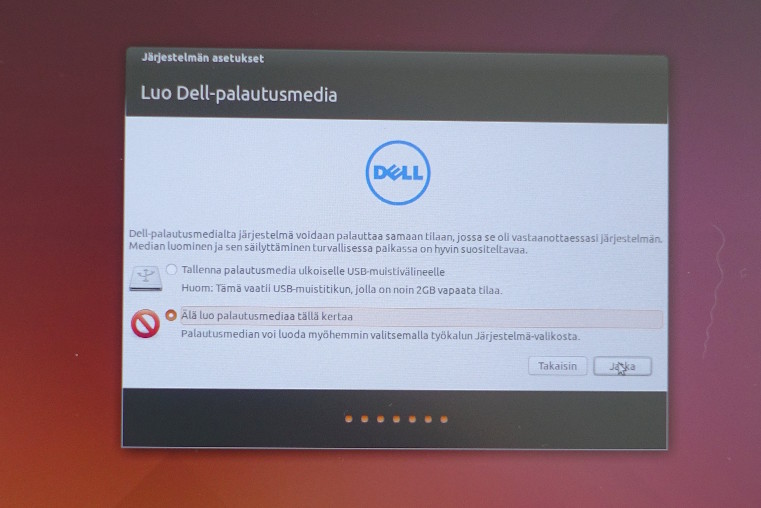
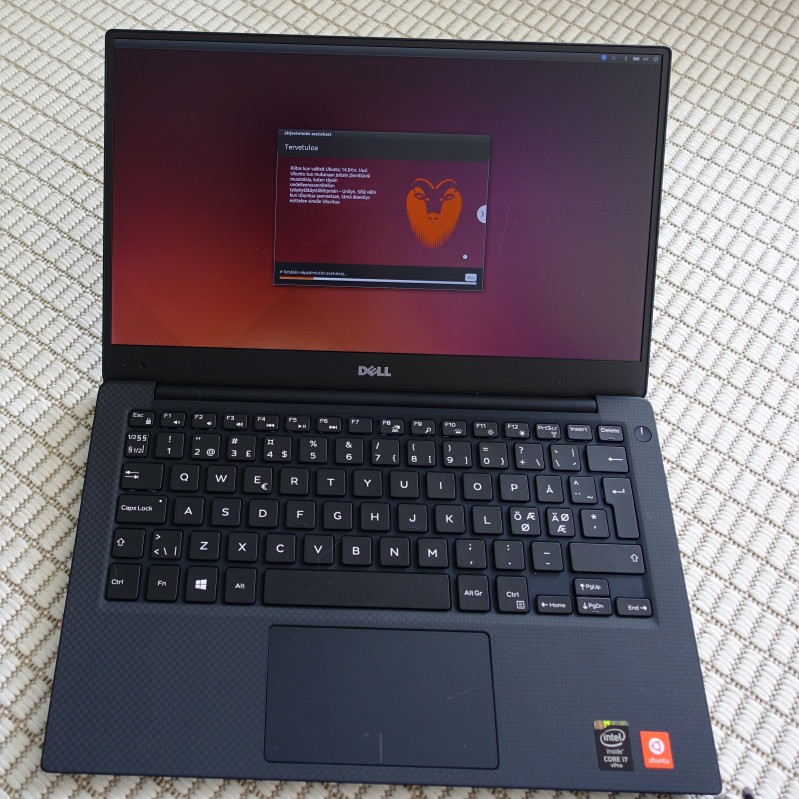
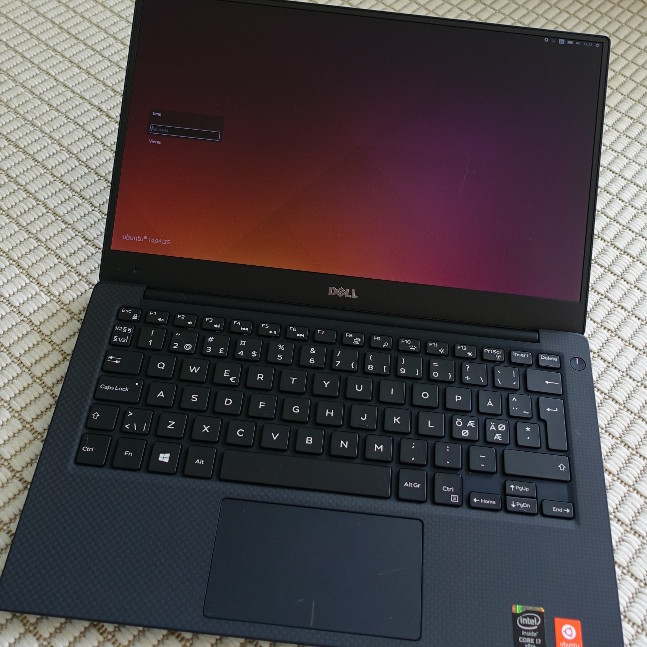
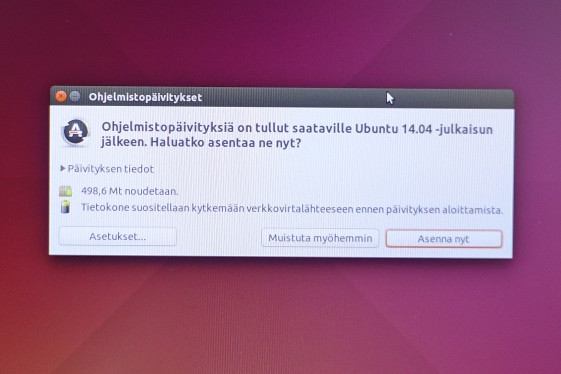
  I recently obtained the newest Dell's Ubuntu developer offering, XPS 13 (2015, model 9343). I opted in for FullHD non-touch display, mostly because of better battery life, the actual no need for higher resolution, and matte screen which is great outside. Touch would have been "nice-to-have", but in my work I don't really need it.





 There s a lot of things I d like to blog about. The last version of OpenStack, the OpenStack Liberty design summit, Kilo in the official jessie-backports repositories, etc. Maybe the most interesting part of this blog post is the last bit at the end, about a major change in the packaging workflow for OpenStack in Debian. Please read on
OpenStack release names reminder
There s a lot of things I d like to blog about. The last version of OpenStack, the OpenStack Liberty design summit, Kilo in the official jessie-backports repositories, etc. Maybe the most interesting part of this blog post is the last bit at the end, about a major change in the packaging workflow for OpenStack in Debian. Please read on
OpenStack release names reminder
 I encourage anyone interested in debian development to get involved with
  The latest stable release of Mono has happened, the first bugfix update to our 4.0 branch. Here are the release highlights, and some other goodies.
Stable Packages
This release covers Mono 4.0.1, and MonoDevelop 5.9. As promised last time, this includes builds for RPM-based x64 systems (CentOS 7 minimum), Debian-based x64, i386, ARMv5 Soft Float, and ARMv7 Hard Float systems (Debian 7/Ubuntu 12.04 minimum).
Version numbering
From now on, we re going to be clearer with our version numbering scheme. Historically, we ve shipped, say, 4.0.0 to the public internally, there have been a lot of builds on this target branch, all of which get an internal revision number. 4.0.0 as-shipped was in fact 4.0.0.143 internally that was the first 4.0.0 branch release approved of for stable release.
This release is the first service release on the 4.0.0 branch, numbered 4.0.1.44 it ll be officially referred to as 4.0.1 in some places, but isn t the same as 4.0.1.0, which already released on Linux/Windows a while back, to include an emergency bugfix for those platforms.
That was sorta a screwup really. Using the 4-part version removes the ambiguity, rather than having 44 different 4.0.1 s in existence. And we ll aim to be clearer in future about what is alpha, what is beta, and what is final (and what is a random emergency snapshot).
Alpha Linux packages
Want to see things earlier? We ve now got the structure in place to provide Linux packages (and source releases) to mirror what we do on Mac. When we upload a prospective package to our Mac customers, we will automatically trigger builds for Linux too. See http://www.mono-project.com/download/alpha/
Beta Linux packages
See above. s/alpha/beta/.
Weekly git Master snapshots
We already have packages in place for every git commit, which parallel-install Mono into /opt. This is different.
Weekly (or, right now, when I manually run the requisite Jenkins job), the latest Mac build of Mono git master from our internal CI system will be copied to a public location just for you, a source tarball generated, and packages built. See
The latest stable release of Mono has happened, the first bugfix update to our 4.0 branch. Here are the release highlights, and some other goodies.
Stable Packages
This release covers Mono 4.0.1, and MonoDevelop 5.9. As promised last time, this includes builds for RPM-based x64 systems (CentOS 7 minimum), Debian-based x64, i386, ARMv5 Soft Float, and ARMv7 Hard Float systems (Debian 7/Ubuntu 12.04 minimum).
Version numbering
From now on, we re going to be clearer with our version numbering scheme. Historically, we ve shipped, say, 4.0.0 to the public internally, there have been a lot of builds on this target branch, all of which get an internal revision number. 4.0.0 as-shipped was in fact 4.0.0.143 internally that was the first 4.0.0 branch release approved of for stable release.
This release is the first service release on the 4.0.0 branch, numbered 4.0.1.44 it ll be officially referred to as 4.0.1 in some places, but isn t the same as 4.0.1.0, which already released on Linux/Windows a while back, to include an emergency bugfix for those platforms.
That was sorta a screwup really. Using the 4-part version removes the ambiguity, rather than having 44 different 4.0.1 s in existence. And we ll aim to be clearer in future about what is alpha, what is beta, and what is final (and what is a random emergency snapshot).
Alpha Linux packages
Want to see things earlier? We ve now got the structure in place to provide Linux packages (and source releases) to mirror what we do on Mac. When we upload a prospective package to our Mac customers, we will automatically trigger builds for Linux too. See http://www.mono-project.com/download/alpha/
Beta Linux packages
See above. s/alpha/beta/.
Weekly git Master snapshots
We already have packages in place for every git commit, which parallel-install Mono into /opt. This is different.
Weekly (or, right now, when I manually run the requisite Jenkins job), the latest Mac build of Mono git master from our internal CI system will be copied to a public location just for you, a source tarball generated, and packages built. See  I don't often write about tools I use when for my daily software development
tasks. I recently realized that I really should start to share more often my
workflows and weapons of choice.
One thing that I have a hard time enduring while doing Python code reviews, is
people writing utility code that is not directly tied to the core of their
business. This looks to me as wasted time maintaining code that should be
reused from elsewhere.
So today I'd like to start with
I don't often write about tools I use when for my daily software development
tasks. I recently realized that I really should start to share more often my
workflows and weapons of choice.
One thing that I have a hard time enduring while doing Python code reviews, is
people writing utility code that is not directly tied to the core of their
business. This looks to me as wasted time maintaining code that should be
reused from elsewhere.
So today I'd like to start with


 Hi all,
After 4 release candidates, the FusionForge community is proud to
announce the new major Fusionforge 6.0 final release.
The major changes in this version are:
Hi all,
After 4 release candidates, the FusionForge community is proud to
announce the new major Fusionforge 6.0 final release.
The major changes in this version are:
 Qt 4.8.7

