Search Results: "ah"

25 May 2012

Matthew Garrett: Fedora 17 and Mac support

Fedora 17 will be shipping next week. It's got a bunch of new features, none of which I contributed to in the slightest. What I did work on was improving our support for installation on x86 Apple hardware. There's still a few shortcomings in this so it's not an announced or supported feature, but it's sufficient progress that it's worth writing about.

There's a few ways that Apple platforms differs from normal PC hardware. The first is that Apples are very much intended to be EFI first and BIOS second, while that's still not really true for commodity PC hardware. Apple launched Boot Camp shortly after they started shipping x86 Macs (and shortly after I'd got Ubuntu running on one for the first time[1]) but the focus of Boot Camp has always been to be good enough to boot Windows and not much else[2]. The other is the integration with the boot environment. You can boot Linux easily enough by setting the standard EFI boot variables, but if you ever boot back into OS X it's easy to trigger deletion of those. There's then no straightforward way of resetting them, and you're left having to recover your installation.

The other difficult bit has been actually starting the installer at all. If you're happy to use BIOS emulation than this can be done without too much misery, but you're then left with dealing with Apple's custom synchronised GPT/MBR. More modern Macs will boot via the standard EFI mechanisms, but there's a range of problems that can be caused that way. Fedora 17 is the first Linux distribution to ship install media that will EFI boot a Mac when either written to optical media or a USB stick[3]. Put the install media in your system and then either select it in the OS X Startup Disk preferences menu and reboot, or reboot and hold down the alt key. In the latter case there'll be a nice Fedora logo. Click on it and it'll boot.

The biggest difference between Apple hardware and anyone else is that we'd normally put the bootloader in a FAT partition that's shared with any other installed operating systems. That does actually work on Apples, but then you run into the earlier point I mentioned. The Apple startup picker that you get by holding down the alt key doesn't pay any attention to the standard EFI boot variables, so it won't show a FAT partition merely because it's got an EFI bootloader on it. The same is true of the OS X Startup Disk preferences. The best way to get a drive to appear in the menu is to make it look like an OS X drive.

This was problematic in a few ways, due to the requirement for an OS X drive to be HFS+. The first was that we didn't have any support for that in our installer, so work had to be done there. The second was that the state of HFS+ was woefully poor in Linux[4]. Linux will refuse to write to an HFS+ filesystem if it hasn't been cleanly unmounted or fscked, and since we can't rely on everyone always shutting their machine down cleanly that means a working fsck.hfsplus. In theory we were shipping one of those. In practice, it reliably segfaulted on 64-bit systems[5]. So I had to package the latest version of Apple's code, and doing that involved dealing with the fact that Apple now use blocks almost as much as Grub 2 uses nested functions, and that meant using Clang and that meant dealing with a bug where Clang segfaulted if it had been built with gcc 4.7[6], but finally once all of those yaks had been shaven we could trust our filesystem.

Of course, more problems existed. You can't just drop a bootloader onto an HFS+ partition and expect it to work. You need to write its inode value into the superblock. Trivial, except that if you do this from userspace then the kernel kindly overwrites your update when you unmount the disk and it updates the superblock. That required a mechanism for updating that data via the kernel, which meant adding an ioctl. This would have been fine, except the OS X Startup Disk preference looks for a bootloader in a location other than where Fedora installs it. Changing our bootloader install path wasn't a great option, so the easiest thing to do was just to link them together. Except HFS+ doesn't really support hardlinks. When you hardlink something the original file gets moved into a magic directory in the filesystem root and the links are special files that refer to it. And it turns out that it's not actually the inode that the firmware wants when finding the bootloader, it's the catalogue ID, and these aren't the same when hardlinks are involved. So, another kernel patch.

All that was left for the boot partition then was adding an icon and a drive label. We already had code for generating the icon, and the drive label wasn't that difficult. Hurrah!

Ok, so we can construct a filesystem that (a) appears in the bootpicker, and (b) appears in the OS X Startup Disk preferences. We can even put a bootloader on it. This led to the next problem. The bootloader started without any trouble. But the bootloader couldn't read any files off the boot partition, including its configuration. This should have been obvious with hindsight - the problem was simply that grub legacy[7] doesn't support HFS+. Writing an HFS+ driver seemed like an excessive amount of work, especially since the firmware already supported reading HFS+, so instead I wrote a simple grub filesystem driver that uses the UEFI interfaces to read files.

A working bootloader! One more problem there. grub looks in its startup directory to find its configuration file. We have two "copies" of grub hardlinked to each other, each looking in a different directory for configuration. Hardlinking the config files together worked fine, except that most tools that update config files have this irritating habit of writing to a temporary file and moving that over the original, thus breaking the hardlink. Easily solved by using a symlink instead, except that the UEFI filesystem semantics don't really support symlinks because UEFI only really envisaged using FAT. If you use Apple's UEFI HFS+ driver to open a symlink, you get a short file containing the target path of the symlink. Rather less than ideal, and a rather gross hack to cope with it.

All set now, other than a bug in some older Mac firmware where read would return BUFFER_TOO_SMALL without returning the real buffersize and the odd way that Apple treat CDs. Oh, and a bug in Apple's Broadcom wifi driver that could overwrite the kernel, and case-sensitivity, something that obviously isn't something you often hit on UEFI when all you usually see is FAT.

Kernel-side, we had a couple of things. Obviously there the bugs I'd mentioned in the past, but those had already been dealt with. New issues included the fact that we were frequently picking the wrong framebuffer address, especially on machines with multiple GPUs. Fixed now, along with another issue where we'd sometimes get confused by models with different GPU configurations. And at that point, most of the implementation work was done.

Of course, there was also the work of integrating this into the tools that we use to generate our install media, and I'd like to thank Will Woods, Brian Lane and Dennis Gilmore for the work they put into that, along with anyone I've forgotten. Tom Calloway handled getting the device label graphics generated right before deadline. A cast of thousands helped with testing.

So why did I mention shortcomings? First, this only works on machines with 64-bit firmware. Early 64-bit Apples still had 32-bit firmware. In theory we can support that case - in practice it's a moderate amount of writing, including some mildly awkward kernel code. But anything later than mid-2007 should have 64-bit firmware, so it's not a massive concern. Second, we seem to have fairly significant trouble with Radeon hardware on a lot of Macs. We fixed one bug there, but something's still going wrong in setup and you'll frequently end up with a black screen. And thirdly, I'm sure there's some other machines that still don't work for (as yet) undetermined reasons.

With luck we'll get these things dealt with by Fedora 18. But even with these flaws, Fedora 17 will work fine on a lot of Apple hardware, and testing it is as simple as downloading and booting a live image. Bugs go in the usual place.

[1] Note my charming belief that the Ubuntu installer would fully support this hardware via EFI in the near future. 6 years ago. It still doesn't.
[2] This can be fairly easily seen from little things like the name "Windows" being hardcoded into every UI that sees a Boot Camp drive.
[3] I cover this in more depth here
[4] To be fair, it mostly still is - there's plenty of work to be done there.
[5] Approximately nobody had noticed this, which is all kinds of unreassuring.
[6] Thanks to Kalev Lember for dealing with that
[7] Still the EFI bootloader in Fedora 17. We've already swapped Fedora 18 over to grub 2.

comment count unavailable comments

24 May 2012

Vincent Sanders: Linux kernel presentation

Recently I was asked to present a short introduction to the Linux kernel for our project managers. I put together a short slide deck for the presentation which I have decided to share.
I feel its important to note that I had a lot more to say about each section and the slides were more an aid for my memory to cover the important points. Of special note would be the diagram showing the "hierarchy" of contributors, this is of course nowhere near as well stratified as portrayed.

22 May 2012

Gunnar Wolf: e-voting: Bad when it's near, worse when it's far.

Note: All of the information linked to from this post is in Spanish and related to Mexico Part of it will be translatable via automated means, some will not. Sorry, that's what I have, and it's too much text to invest the effort to hand-translate
I have been following the development of the different e-vote modalities in Mexico for several years already, although I have only managed to do so methodically in the last half year or so. If you are interested in my line of reasoning as to why I completely oppose e-voting, you can look at the short article I published in 2010 or the slightly longer and more updated version published in our book in 2011. Currently, in Mexico there are two different venues of e-vote that are being pushed: Bad and worse. The bad one will be carried out for about 10% of the population of the state of Jalisco and somewhat less for the state of Coahuila (Distrito Federal was also to be in this list, but the contract was cancelled due to the provider company delivering booths with too many problems and unable to deliver in the due time). The worse one is, fortunately, likely to have the least impact. Why? Because it regards votes cast by Distrito Federal residents (the capital entity, where part of Mexico City is located) living abroad. And it will have less impact because of the amount of the population registered for it: We are about 9 million residents in DF, and in the last election (first time IIRC there was the right to vote from abroad) there were only about 10,000 people registered for casting a (enveloped and sent by post) vote. Even if this year we the campaign for this was better (and I'm not yet sure about it), the number of voters will not be enough to make a dent on the results. I'm not going into details as to why it is bad in this post I requested information from the DF Electoral Institute (IEDF) with academic interest, to try to find more information about it, and I want to share my results with you and, of course, to request for your input on how to continue with this. On May 3rd, I sent the following request (this I am translating to English :) You can look at the receipt for the request for the original redaction) to the official contact address, oficinadeinformacionpublica@iedf.org.mx: Of course, I wasn't very optimistic when receiving this information. Still, I have to share my results: My information request was largely denied:
( )
III. The divulgation of this information harms the interest it protects
Given that, were it to be divulged it would affect the informatic security of the refered system. Anyway, we have to point out that said systems have enough measures and security provisions, so that the citizen can emit his vote in a universal, free, secret and direct way.
IV. The damage that can be produced by making this information public is larger than the public interest to know it
This is so because making this information public puts at risk the correct development of the Internet-based voting, because were the technical, purpose-specific information be made public, it could be misused to carry out informatic attacks.
It is also important to mention that a confidentiality agreement was signed with the company that developed said systems.
( )
VI. The time for the information to be reserved
It will be seven years starting at the present resolution, this information will be made public when the reserve period is over or when the target is reached, except for the confidemtial information that it could contain. ( )
In case some other person is interested in following this information, the other two points were answered, and I'll try to get some relevant information from it: So, I don't have any real conclusions yet. I'm just reporting how work is unfolding. Tomorrow evening (Wednesday May 23) I'll give a talk on the "e-voting in Mexico 2012" subject in Congreso Internacional de Software Libre in Zacatecas, Mexico. I'll talk on the situation on this and the other topics I have been able to work on.
AttachmentSize
Receipt of my information request11.64 KB
Transparency Committee resolution354.66 KB
Information request answered by UTCSTyPDP (IEDF)85.75 KB

19 May 2012

Richard Hartmann: Mongolia

I will start linking to places we stayed at etc, from now on. On the one hand, we already left those places so my paranoid self can rest assured that no one will come hunt us down, on the other hand, I decided to only to name and link to those places which really deserve a mention. If they are linked here, I can whole-heartedly recommend them. Mongolia After leaving through the Russian border fortifications, Mongolia was an instant and welcome change. Trees growing right next to the tracks, branches forming a bit of a natural tunnel; the trains passing by keeping branches at bay, but the trees free to grow wherever else they pleased. A few hundred meters later below a rocky ledge, a cow had apparently fallen down and died. Partially decomposed flesh still clinging halfway to its rib-cage, it proved to be a sign of the (mostly) more laid-back attitude Mongolians tend to take. After finally getting our passports back and being allowed to leave the train, we first headed to the station to get some money. At ~1800:1, the exchange rate for Tugruk against Euro speaks volumes about inflation; imagine my surprise that the MNT 20,000 note is the largest one. It's also the one and only amount any and all ATMs will default to. We were quite surprised by how cheap everything was, even in the one single store within the station directly behind the border. In Russia, travellers expect to pay hefty markups when shopkeepers know they can charge them, not so in Mongolia. The woman in the trash Upon returning from the station, our waggon was just merrily being driving away on its own by a lone engine, something we had not anticipated or appreciated a whole lot. A woman (we hadn't noticed her before) who was busy scavenging a trash container for food for herself and her scrawny-looking son happily stopped what she was doing and, with a big smile, moved her hands around and smacked them back together, signalling us that our waggon would be attached to a different train for the subsequent journey. To put it mildly, I was stunned; we had met people eating from the trash in Russia as well (yes, I always make a point of giving them enough for a few decent meals; anyone eating out of the trash actually needs and definitely deserves something good happening to them), but they were glum and disheartened. Here, there was someone who not only had to look out for herself, but for a three or four year old boy as well, and still was just so... positive... I don't know if I would have it in me to act the same way... As an aside, even though we were just a few kilometers across the border from Russia, she did not actually take the money from me, she cupped her hands to receive it by having me place it into her hands; this is a very Asian thing in my experience and something we would see both in Mongolia and China consistently. Later, when we were back in our waggon, she passed by and happened to see the Spot Messgenger 2 dangling in front of our window, its lights blinking every five seconds. For a solid twenty minutes, until the train started moving again, she squatted down with her son, oggling the Spot. I have no idea what she was thinking it was and I had no chance to explain it to her, but she was really fascinated and just kept staring and staring. When we finally left the station, we waved to and smiled at each other, she ran after us, and then she was gone. All in all, this was one the more memorable things which happened to us. Mongolian Infrastructure When I say that Mongolians as a whole tend to be a lot more laid back than Russians, this extends to infrastructure as well, but not in the good way. Ulan Bator Little Dhingis Khan We arrived in Ulan Bator at six in the morning and started haggling with taxi drivers. Our hostel had (stale, it turned out) information about acceptable fare from station to their place on their website, 5,000 MNT was supposedly OK. Our driver tried to get 20,000, then 15,000, then 12,000, then 10,000, went down to 7,000 and finally settled for 5,000, all this interspersed with frequent "no" by us and walking away. Once on the road, he wanted to convince me that we had agreed upon 5,000 per person, something that did not quite work out for him. When we arrived, he started to tell me that he was good friends with the hostel manager and that said manager would surely want us to pay more; again, that did not work too well. He made the mistake of getting our luggage out of his trunk immediately (we always kept all our stuff in the passenger area afterwards...) before I paid and even though I only had a 10,000 or 20,000 note, I insisted on correct change. The same old dance began anew, with him edging closer to the correct change in steps of 1,000 MNT. He tried to get away several times, but I stood in his door and held it open; if he had just driven off, I couldn't have stopped him, but that thankfully didn't occur to him. After he shoved all small change (MNT is bill only, no coins) he had with him at me and wanted to make off yet again, I was close to throwing all the small crap at him, but after he, a man of maybe 1.65 meter and sitting down, tried to signal his willingness for a fist fight and me, a man of 1.94 meter and standing started laughing, he gave me 2,000 more and drove off cursing. In case you forgot, at that exchange rate, we argued about two to three Euro, but as he tried to cheat, it became a matter of principle. The Hostel, part one All parking lots and other property in Ulan Bator have a small watchtower with private 24/7 guards; said guard ambled down, let us in and woke the poor woman who was forced to let us check in. As she was Mongolian as well, we were a bit surprised when she switched from broken English to perfect German, but the owners of the OASIS are a German-Austrian couple so I guess that makes sense. Fighting through the war Traffic in Ulan Bator is war. Lonely Planet talks about the city being too newly motorized and that it did not have to develop a culture of driving, yet. This is a euphemism for "no one has any qualms maiming or killing you". Everyone is driving like mad, nudging and racing their way in front of each other. If a driver has an oppurtunity to get ahead by a few centimeters with his small car, thereby blocking the way for several buses, making a whole parking lot grind to a halt and thereby deadlocking themselves, they will take said opportunity, and gladly. Red lights are gentle suggestions, there to be mainly ignored; police will not drive over red lights, but they will not stop anybody else from doing so, either. A hearse will have a dozen or more cars following it, all driving in a tight pack, aggressively attacking anyone who dares to wedge in between them and expecting all other traffic to make way even if they are driving over a red light. Crossing a main street in Ulan Bator as a pedestrian is hell. There are a few traffic lights and they help to some extent, but you still need to be extremely careful when crossing a street. Thailand, India, Russia, China, no matter where it's supposedly hard to cross a street by foot, I never had any issues weaseling through. In UB, it takes planning, determination, and a lot of attention, especially as there are stretches where there's not a traffic light in sight. While maintaining eye contact with a driver usually ensures that they will try not to hit you, this does not work in the least in UB. In the evening, I took to shining a high-powered flashlight at the ground to the oncoming traffic's side to mark ourselves and decrease the likelihood of being hit. This worked well in combination with sprinting through gaps in the traffic, except for one guy who actively aimed for us and did not slow down. He even changed lanes, just to keep us in front of his car... Shining the flashlight directly at him in highest mode made him break quite violently though; a good thing, as he may have hit us had he not slowed down. UB itself Ulan Bator is weird. It has clear signs of westernization, but it's still very much an old city. There is one large store which would fit into any random shopping center in Germany (which are tiny when compared to most other countries) and which carries most goods, if with a limited selection. Its supermarket is extremely well stocked with food and drink from all other the world and laughably cheap (for us) prices. While its infrastructure is definitely crumbling, the city is clean, especially when compared to Russia. Two girls from Stuttgart who we met during our Trans-Siberian travels commented on how clean Russian cities were when compared to home, but that may be more of a statement about Stuttgart than about Russia... Anyway, in Mongolia in general and in UB in particular, there's a concise effort to make what they have look nice and clean. There is no trash in the streets, loose gravel and earth is removed from the curb by dedicated workers, all areas of packed earth are sieved and all large stones removed. All in all, it's a lot cleaner (if more dusty and sandy) than Russian cities if somewhat older and more shabby-looking. That being said, Mongolia's countryside is littered There were several street stalls consisting of nothing more than a cardboard box on a stool selling single chewing gums and cigarettes from the original packaging; it's normal for people to buy one cigarette or one piece of chewing gum and walk on. The sights of UB were nice, but nothing too special. Outlook In the next part, I'll cover "The Hostel, part disaster" and generally talk more about excrement than I thought one could write before moving on to China (were I am located at the time of this writing).

Richard Hartmann: Motherland's bosom

I read a translated poem about Russia being "the Motherland" and its vast bosom years ago. Having driven through a significant part of it, I can agree on the "vast" part... Also, as I am on a train and without access to the Internet, I will refrain from linking to a lot of pages; sorry. (Turns out I am posting this a week later, but I will still not link to stuff now; no time). Russia in general Moscow Sights Kreml Our remaining time in Moscow was spent with touring the usual suspects; the Kreml is a lot less impressive in real life, the Red Square is tiny when compared to the stories I heard about it and the Chapel ofi St. Basil is even more colorful and impressive in real life. Lenin's body was inaccessible because workers built seats for the May 9th parade to the left and the right of it and they apparently thought it would be a good idea to block access to one of the main tourist attractions while doing so. A river tour of Moscow was a nice cool-off and we got to see quite a few things. We managed to see the weekly military parade within the Kreml grounds, but it was mostly pomp and little substance. The National Treasure which you can access with an extra ticket within the Kreml grounds is nice, but less impressive than the tourist guides would make you believe. That being said... There's another museum within the museum and.... Whoah... Tourists pay extra, visitors go through the only non-security-theater check I encountered in Russia, guards are armed, people can only enter and leave in batches, and the stuff which is presented is mind-boggling. Disregarding the fist-to-calf-sized chunks of gold and platinum which are still in their original form directly from the mine, there is real, actual treasure galore. Little heaps of uncut and cut diamonds, an outline of Russia filled with cut diamonds and other random "we have this stuff" displays can be found as well. Then, you have various tiaras and other jewellery made from various gems. Not incorporating, but largely made of. All that pales in comparison to the crown, royal apple, scepter, etc. It's hard to put the amount of tiny multi-colored light points that shine at you into words. I was just standing there, swaying back and forth to catch the moving pattern of pinpoints. It's said that this collection is equalled only by the ones in the Tower of London and the one Shaw of Iran had and boy do I believe it. TV Tower Getting up there was funny. The old-style Soviet queuing system was used: "Security" for approaching the tower was multi-level, the guards see you approach along a long walkway way in advance and the main guard shed had several small cabins separated by thick glass. So good so menacing. But in a twist that would make Bizarro and Garry Larson proud, I was required, by means of metal detector gate, metal detector wand and even an x-ray machine to remove every shred of metal and other hard objects from myself and the camera bag and put them onto a table. Once I was without anything except my clothes and the bag was completely empty, I could pass. Everything I had had to remove was just laying there, not inspected in the least, for me to stuff back into pockets and bag and to take with me. This "everything" included a Spot Messenger 2 with lots of green and red blinky lights. The guard did not even glance and it. Security theater? Security theater. The view from 364 meters down on Moscow was nice, but there was a lot of Smog so I couldn't see very far. Jumping on the glass floor while looking down was a lot of fun, though. Subway to Thiefing I bet Christopher Nolan rode the subway in Moscow at least once. That unnerving sound you hear during several key scenes in "The Dark Knight"? Two thirds of all subways make the same sound while moving. Also, I had an encounter with a pickpocket down there; very classical, too. Guy approaches quickly, talks loudly and sounds as if it's really important (in Russian... duh... that's sure to keep me interested). His approach made me turn and protect my left leg pocket automatically, most likely marking the target for the tiny woman standing behind me. Now, I have to tell you something about my usual travel layout. As my normal pockets are very deep, it looks as if their content was in the leg pocket. Plus, there's an extra, hidden leg pocket where I keep the passports and train tickets. The outermost leg pocket is protected by a velcro flap, but it contains nothing of value; usually the appropriate phrasebook, local map, maybe a tissue or chewing gum. Due to this layering, the outermost pocket looks as if it's full to the brim with stuff. Also, I took pains to make it a habit to protect said leg pocket with my hand, nothing else. This looks as if that's the target, but what I am actually doing is protect my normal pocket with my forearm. The right side is different, but the most easily accessibly pocket always holds some small change. I pay from that stash but my actual wallet is well out of reach. Anyway, once the guy ran off, talking to several others, most likely marking all them for the actual pickpockets, I wanted to enter the subway. While the Russian-style queuing took place, I felt an unusual tug at the velcro flap. I looked down and saw a tiny woman to the left of me with a jacket held over her right side with the left arm; I look up to check no one is trying to steal from my permanently assigned female, feel another tug, look the woman into the eyes, look up again and around me, look down again and she is gone. All that took maybe three seconds and I had boarded the subway after an additional two. In hindsight, it makes sense to choose the time of entry for attack. It's crowded, you are being pushed around, and once you are in the subway, it will start moving more or less immediately while the thief remains in the station. In this case, she would only have gotten a grubby map of Moscow's subway and an English-Russian phrasebook, but she got nothing at all. Moscow-Novosibirsk Where to begin... If you think a few hours on a train are a long time, try over fifty hours. Things get so bad, you start getting land-sick while not in a moving train. You even start missing the familiar tunk-cachunk, tunk-cachunk, tunk-cachunk... of driving over rails with gaps in them when you are not moving. The defining element of the Trans-Siberian Railway are birch trees. And birch trees. And then more birch trees. You would not believe how many birch trees there are. This is made "worse" by the way the Russian Railway protects their rails. Left and right of the track, there's a cleared area of maybe ten to twenty meters, sometimes as little as three. Outside of that, they plant ten to twenty meters of birch trees, presumably to catch snow during winter. Beyond that protective perimeter, there's the normal landscape.As a result, on top of the near endless stretches of birch woods, you see most if not all scenery through a layer of birch trees. You get sick sick of birch trees after a few hours and you see them for days on end. Bullet points to save myself some typing and you some reading... Novosibirsk The non-existent hostel We arrived at ~0200 local and made our way to the hostel we had booked a room with. Walking to the correct address, we saw several signs but they all turned out to be for a police station and some other state agency. We walked back, forth, double-checked, triple-checked: no hostel. We then walked around the building through some not-quite-nice back alleys, but other than a few entries to private flats, there was nothing. Thankfully, the booking slip included a number which we called and after at least twenty rings (no kidding), when I had given up and wanted to hang up, it stopped ringing. Dead silence. After maybe ten seconds, someone started talking in Russian. I asked him if he spoke English and told him that we could not find the hostel. He mumbled something about being sorry and that we should wait, he would come down. Fast forward a minute or two and someone walked towards us. Again, he mumbled about being sorry, that the hostel "did not work" at the moment and that we would need to sleep in his private apartment. He ushered us into some back alley entrance, into his flat, and proceeded to remove the sheets from the couch on which he had slept; after putting on new sheets, we had our "hostel" bed, ready to sleep on. We briefly considered if he would murder us in our sleep, but him and me even got to talking a bit. Over cheese, sausage and rum (at 0300), he admitted that the hostel did not exist and he merely planned to turn his flat into a hostel for the summer while he and his family moved into their summer house (the Russian term of which escapes me, at the moment) in the countryside. He had accepted our reservation as he thought he would be finished by that time. He did not even get started, though. While he sent us an overbooking notice through booking.com two days before, we were on the train at that time, so... booking.com even called him to check what happenend to us as we did not book another place through them. Good customer service/protection, that. Next morning, he didn't even want to take our money (we paid anyway) and, as a means of compensation, drove us into the city in the morning and to a train museum well outside the city limits, one of the fabled scientist cities, and a large lake which everyone in Novosibirsk claims is an ocean, in the afternoon. Foreigners, foreigners! All in all, Novosibirsk was relatively uneventful, safe for one bizarre episode. We took our lunch in a local fast food joint (why do all the good stories happen there, and not at the various truly local places?) and threw the cashier our well-rehearsed "Niet Russkie; anglisky?" with phrasebook in hand and he actually understood a few words of English (beef, chicken, fries). We told him, in our worst Russian, that we are from Germany wished him a nice day and went to sit down. A few minutes later, a girl approached us, literally hopping from one foot to the other and wringing her hands. She told us that the cashier had told her that we spoke English and if it would be OK if she talked to us. We suspected some sort of elaborate ruse, but went with it. Turns out, she had English at school and really wanted someone to practice English on. Two young men passed our table and exchanged a few words with her, sitting down out of sight. When she told us that she had to leave now but if it would be OK if the two boys joined us we suspected a ruse yet again. But those two were law students, one with a minor in English and one with a minor in German; both of them also extremely nervous, asking us if we would talk to them. When they had to leave, they told us that the three of them worked at the burger joint and that their shift was just about to start when the news that foreigners were here spread amongst staff like wildfire. The girl stopped by several times in between cleaning tables, getting in a sentence or two before being cussed at by her supervisor. All in all, this took about twenty minutes and seeing three people so nervous and grateful to talk with us felt beyond absurd. On the other hand, not a single traveller we met even considered stopping in Novosibirsk during their transit so there really does seem to be a shortage of non-Russians there. Weird, and memorable. Novosibirsk-Irkutsk Irkutsk / Listvianka / Lake Baikal Listvianka Aah, lake Baikal... the oldest and deepest lake on Earth which holds a fifth of the global non-salt water reserves; a must-see in my book. Quad tours at break-neck speeds, dry-suit diving with Russian regulators, walking barefoot in between and across drift ice that made its way onto the shorei, and extended hiking around the lake's coast... All of which I could not do because I was ill and had to spend two solid days in bed. The draft from the open window in between Novosibirsk and Irkutsk was enough to give me a rather bad cold which peaked at Lake Baikal. Still, the area was lovely and we were glad to be out of a train and able to unpack our stuff without having to repack immediately for once. I am not sure where my current losing streak with regards to diving is coming from (Grimsey, diving north of the Arctic circle with birds that plummet into the water and hunt fish: Only guy who does this is on the Icelandic mainland that day; Svalbard, diving north of the Arctic circle in permanent darkness: The few people who do this privately did not reply while I was there; Baikal, oldest, deepest, largest lake on Earth: ill), but I will most likely return to Russia for a week of ice diving in Lake Baikal next winter or the one after that. As an aside, I saw several people walking to Lake Baikal with buckets to get their water. Other people got it from a well which was still half frozen. If you have running water consider yourself lucky... Irkutsk Nice city, largely uneventful. The farther east you get within Russia, the more normal women look. In Moscow, just as in Paris, they are way over-dressed and even service personnel will walk with high heels. Thankfully, I don't have to wear heels, but for the other males out there: Walking and standing in these things hurts and thus most if not all people who stand and walk for a living have flat shoes. We happened upon preparations for a military parade, complete with cordon, viewing podests, at least half a dozen TV cameras etc, but were not sure if it would start soon enough for us to catch our train.We asked someone who told us it would start at 2100 local, at 1945 local it seemed about to start, and sure enough at 1955 sharp, the whole thing went under way. About a dozen groups of 50-100 people each, all in their own, respective uniforms stood against one side of a cordoned-off street and several higher-ups on the other side. Two highest-ups shouted into microphones and the throng of people on the other side shouted back answers. Then, the two highest-ups stood in the back of a jeep each and drove past said throng, stopping in front of each group, shouting into microphones mounted in the back of the jeeps and the groups shouted back once again. After that, all groups marched around the make-shift plaza once, saluting the higher ups. Once they were done, and they took ages, two trucks drove by with soldiers jumping out of the moving trucks and moving into crouching positions. They ran around in a circle a few times and engaged in pretend hand-to-hand combat. I am sure they are skilled at whatever style they wanted to show, but they were overdoing things so badly, they were funny, not imposing. When they jumped over some barriers, the barriers fell to pieces and everyone scrambled to make it look as if that was part of the show. While carrying off the gear, it fell into further pieces which was even more funny. An armoured personnel carrier ended the show; several tougher looking guys jumped off of that one and their mock combat involved fully automatic fire (of blanks), several flashbangs, smoke grenades and, to top things off, the machine gun mounted on the APC moving down the opposing team with blanks. I never witnessed a "real" military parade in person but this one was somewhat disappointing. On the one hand, there was a distinct lack of ballistic missile carriers and tanks like you see in movies, documentaries and games, on the other hand, the whole thing had a make-do feeling to it. The cordoning police had designated spots to stand on, yet walked around. They were standing to attention, yet checking their cell phones. Several people in one uniformed group were wearing track suits and jeans. Another uniformed guy had a grocery bag with him; yet another one was carrying a huge water bottle. Bikers zig-zagged through the cordon and when the whole show was just about to wrap up the police finally started putting up barriers around the unmoving pedestrians, not blocking the bikers. One little girl was standing well within the cordoned area, watching with big eyes and after she did not react to the police talking to her, they just built the barriers in a curve around her. And to top it all off, some guy with a cane walked all through the parade with his personal camcorder, trying to direct the whole show while being ignored by everyone. Still, I am sure he managed to mess up some otherwise perfectly good TV scenes. Irkutsk-Russian border TL;DR 3000 kilometers of birch trees

16 May 2012

Christian Perrier: Bug #1000000 in Launchpad

Way before Debian, Launchpad bug tracking system just reached 1 million bugs reported with one "bug" reported against Edubuntu basically mentioning it should invade schools. What to say about this? Hard without being harsh towards my friends working in the Ubuntu "world", indeed. Still, I really think that here, too much noise kills signal and the LP BTS is often hardly usable. I counted up to 217 bugs reported against samba4 (which is, after all, not so widely used yet) just because it apparently has upgrading issues between pre 12.04 versions of Ubuntu and Oneiric. It indeed seems that some automated bug reporting is now active and whenever a user encouters an upgrade issue with a package, a bug is being reported. I guess this is somehow an opt-in system (I hope so..:-)) but the default is very clearly using it. This feature is apparently what caused the recent bump in number of bugs reported in LP, making them even less useful, particularly to Debian package maintainers. I'm sure there are tools to help dealing with that and I was already answered that work is in progress to change this (and use a dedicated website for such reports or something like this). But, still, that seems to be the scary side of popularity...the very same popularity that is slowly but constantly hiding the work we're doing in Debian to indirectly make Ubuntu popular. (moving to more general concerns) I know that things are not all black or all white, but it always saddens me to feel that slowly....but, again, constantly, more and more people tend to forget that Debian is behind Ubuntu, is the ground on which it is built and Ubuntu wouldn't exist without it. When doing work, a human need is to get reward for it...and we are getting less of it...slowly, but constantly. Don't take me wrong. I have many friends working directly for Ubuntu. Some paid by Canonical for this. Some really involved up to "top level" (yes, including the very very top level even if I killed him once). I don't want to throw offense on them. I don't even know if they can do something about what I'm expressing below. I would just have them (and others) know. Let's take an example. I recently activated a few languages in D-I (Burmese, Tibetan, Uyghur). I'm happy with that, this is something I'm doing for 8 years now. But all these new translators were indeed only interested in one thing : "have Ubuntu translated in their language". No offense intended, but they didn't really care about *Debian* being translated in their language. I think that some didn't even know what Debian is. In the same field, I am more and more "fighting" to keep the level of translation completeness in Debian (see my regular spa^W reports). In some way, I still succeed, but the price to pay is more and more and more personal investment and work. That's still working for the strong set of languages we support. That works much less for most others. When someone "disappears" (or just switches to some other priorities), it's more and more difficult to find someone else popping up. And, for the "strong set", something else is happening : work duplication. There are "strong" French, German, Italian, whatever, l10n teams in Debian.....and there are similar teams for Ubuntu. And, mostly, those do not really work together. And sometimes, this is kinda discouraging. So, seeing the explosion happening on what is, whatever we think or write, the "other side", is not somethnig that can make one entirely happy. And this is why I won't celebrate Launchpad's millionth bug report. Particularly when I see that millionth bug report not even ack'ing that this Edubuntu marvel is based on the grounds set by some pionneers many years ago in a few schools in Norway (hello, Petter and others). Yeah, sometimes sad. To balance this, let's release wheezy and have millions of people benefit from it without even knowing.

15 May 2012

Christian Perrier: Trip to Nicaragua post-Debconf

This year, the annual Debian conference will be held in Managua, Nicaragua. And I'll be lucky enough to spend two weeks visiting the country after Debconf, along with Elisabeth. Yes, I'll arrive in Nicarague on July 2nd, spend nearly the entire Debcamp, then Debconf, then we'll spend 16 days around the western part of Nicaragua, trying to discover the magic of this country. So, this post is about sharing our plans with my readers. Of course, I do not know the country so we may have made mistakes and bad choices. We'll see. Immediately after Debconf, Elisabeth will join in Managua. She'll be landing on July 15th. We'll then spend a night in an hotel near the airport and immediately leave the day after for Matagalpa, in North Nicaragua. We rented a car for the entire trip indeed, and will be on our own on wild Nicaragua roads..:-) We'll spend two nights in Matagalpa. We plan to visit some coffee or cigar plants, probably have a trip to Lake Apanas and Jinotega. Then, we'll have a short road trip to Esteli where we spend again two nights. We'll be visiting a coffee growing place (beneficio seco de caf ). A full day visit is planned at Miraflor natural reserve to enjoy te beauties of hundreds orchids and some local natural marvels. The next move will be to Leon, where we'll spend 4 nights, visiting a cigar factory (tabacaleras de puros?) on the way, as well as San Jacinto, a place with hydrothermal sources and "Hervideros" (geysers). Four nights in Leon leaves plenty of time for several activities *and* enjoying the colonial city. We'll have a full day at Juan Venado Island reserve with boat trip from Las Penitas (on a fisherman's boat from what the travel agency mentioned), then another full day climbing on the Cerro Negro volcano. Indeed, I was originally considering climbing the Momotombo, but our travel agency warned about the high difficulty. I would have loved that myself but maybe not the two of us...and this is a trip for both of us! So, we played the safe option..:-) After these 4 nights in Leon, we'll move to Granada for 3 nights, through Leon Viejo (the former site of Leon). From Granada, one day will there be used for a visit in the Masaya National Park and see the beauties of Masaya volcano (this is indeed something that could be done for Debconf day trip, IMHO, as it doesn't seem that far from Managua). Another day will be spent to Las Isletas on lake Nicaragua and others visiting the colonial city of Granada. Or, of course, whatever things we don't even known about now..:-) Then we'll move to what I personnally consider the peak of the trip: 3 nights on Ometepe island on lake Nicaragua. Just check Wikipedia to see why Ometepe is, in my opinion, THE place to go in Nicaragua. Here, I'll have my volcano..:-). Indeed, Elizabeth "authorized" me to book a local guide and then climb Concepcion Volcan, if the weather allows for it. 1600m height, that doesn' seem to be a big issue....except when starting from a little bit above sea level and are climbing a volcano that looks like s postcard volcano : nearly a perfect cone shape. So, let's cross fingers for having good weather that day. I promise myself I'll record the GPS track of that one and, even if I'll probably be walking most of the climbing (except if I have a very trained guide...), I'll add it to my run tracks! We might also be going to climb Ometepe's other volcano (Maderas) the day after so that Elizabeth also enjoys these beauties. There also seems to be great places around Maderas such as San Ramon Cascade, Finca el Porvenir, etc. Then, at the end of all this, it will be time to come back to Managua in the final day and fly back to Paris in the early morning of July 31st. All over, I'll be in Nicaragua from July 2nd until July 31st! Full month away, yay! Hurrah for the crazy number of holidays those lazy French people have..:-) During this trip, we might find it interesting some local geeks (not too many as Elizabeth is not that deeply interested in beersigning!) and share a few nice things in local places which are only known by locals. In case you're interested, out (very clever) travel agency is named Nicaragua Adventures and they're definitely worth contacting if you want to travel around .ni, particularly if we prefer booking things in advance as we do. They speak Spanish (of course!), English and French. They're very responsive to e-mail as well.

13 May 2012

Jamie McClelland: Sparkleshare

Sparkleshare is a file sharing utility that keeps folders in sync on multiple computers in a similar fashion to the commercial and proprietary Dropbox. Sparkleshare recently released a Windows client, finally allowing me to start switching my co-workers at the Progressive Technology Project away from Dropbox. Overall, I'm very impressed. In particular, I appreciate the Sparkleshare authors' decision to build on top of existing tools (git for storage and revision control, ssh for transport, and ssh public key infrastructure for authorization and authentication). That means I don't have to learn new tools and protocols to debug and it means Sparkleshare can focus on the file sharing pieces. Despite my overall enthusiasm, I do have some serious concerns. Protecting your credentials A researcher found a startling security flaw in Dropbox - if you can copy a particular file from a user's computer to your own computer, you can impersonate them flawlessly, accessing all their Dropbox files without having to know the user's password. Unfortunately, Sparkleshare suffers from this same vulnerability if you use the default configuration. When you first install Sparkleshare, it creates a password-less ssh private/public key pair and then makes the public part easily accessible to you so you can add it to your server (or gitorious account, etc). Very convenient. But it also means that all an attacker needs to do is copy your private key (and your Sparkleshare configuration file) and they get complete control over your files. This problem is easily avoided. If you are running Linux or Mac OS X and you have your own key loaded in your ssh agent, Sparkleshare will happily use that key. So - simply by using your existing (presumably password-protected key) on your remote Sparkleshare servers, you can mitigate this problem. Sparkleshare will still load your Sparkleshare generated key, but if you don't provide that key with access to anything, no harm is done. Confirming each use of your key However... that leads to a new problem. If you are like me, your ssh agent is configured to ask for a confirmation every time your key is used. And, Sparkleshare regularly polls the remote git repository for changes. At best repeatedly clicking to confirm is tedious. At worst, it prevents you from intelligently rejecting malicious requests, thus defeating the whole purpose of the check. It is possible to launch Sparkleshare via ssh-agent in an environment in which you are not requiring the confirmation when Sparkleshare uses your key, but still requiring it for all other uses. However, given the trade offs, I've decided to add a password to my Sparkleshare provided ssh key rather than using my existing key: ssh-keygen -p -f ~/.config/sparkleshare/sparkleshare.jamie@progressivetech.org.key Now, I am prompted to enter my passphrase when I start Sparkleshare and don't have to confirm every use of the key. And, I continue to confirm each use of my main key. git was designed to store code, not documents Just because something is designed for one purpose doesn't mean it can't be used for another. However, there are a few limitations. Large files are one. git can handle files over 100MB, but may run into memory problems. I had to alter the git windowMemory setting, raising it higher than the size of the largest file. Another problem is disk space. Since git keeps full revision history on every machine, you have to download more data than just the files that are checked out. The more edits you make to a repository, the more disk space beyond what is checked out is needed (and deleting files won't help). Lastly, you can't use file modification times. With git, the file modification time will depend on when you checkout the files. With some fancy hook writing, you could tweak things so that the file modification date is the same as the commit date, but that still won't help you if you add an existing directory to Sparkleshare because all the files will have the same commit time. This "bug" has been reported to git and it has been rejected because mucking with the modification time of files can have bad results when you are using make to compile code. As Linus colorfully put it:
I'm sorry. If you don't see how it's WRONG to set a datestamp back to something that will make a simple "make" miscompile your source tree, 
I don't know what definition of "wrong" you are talking about.
It's WRONG.
It's STUPID.
And it's totally INFEASIBLE to implement.
Well, did I mention that git was designed for source code? No server validation Of all the problems I encountered, this one is by far the most serious. Perusing ~/.config/sparkleshare/debug.log is very informative. On a default installation, after you have added a project, you'll see:
19:32:27 [Fetcher][/home/jamie/SparkleShare/.tmp/bar] Fetching folder: ssh://foo@bar.org/foo/bar
19:32:27 [Fetcher] Disabled host key checking for bar.org
Wah. Once the project is added, whatever key fingerprint is given is stuffed into your ~/.ssh/known_hosts file. Host key checking is only disabled when you initially create the project, so if you connect to the proper server the first time, you are protected from subsequent man-in-the-middle attacks. However... if the initial fingerprint is wrong, your personal ssh configuration is now poisoned. This seems like a very bad idea. I've opened a debian bug to address it.

12 May 2012

Steve Kemp: On working from home

Recently an ex-colleague of mine changed jobs and suggested that I write something about the pros and cons of working from home. I've thought about this subject, off and on, for a few years and frustratingly I think most of the pros and the cons are the same: I live in a two-bedroom flat in Edinburgh. (Having just spent thousands on a new bathroom I don't expect I'll be moving any time soon. A rough budget of 40-50,000 would let me convert my attic into two/three rooms. So there is growth potential!) In my flat I have made one of the bedrooms an office. The office contains: One PC is for work. One PC is for me. One phone is for work. One phone is my own. Every working day I switch on the work router, the work phone, the work PC around 09:30. I then work, taking a lunch-break between either 12:00-13:00 or 13:00-14:00, until 18:00 at which point I switch off the work toys. I ignore my personal PC during the working day with the exception that it is the source of my music. I can reach across and hit the appropriate multi-media keys to select Play/Pause/Next Track/Previous Track/Volume Up/Volume Down. (When thenever the work-phone rings the first ring is ignored as I scramble to hit "Mute" or "Pause"..!) So what are some of the advantages/drawbacks? Well I'm at home. So the environment is one that I've made myself, and enjoy. The music is mine. The colour-scheme is mine. The pictures on the walls are mine. I have a Steve-loving chair. There is no soulless air-conditioning, no horrible cubicles, and no noisy people talking. The downside? No people talking. If I didn't leave my house at lunchtime I'd speak to zero people face to face in an average working day. That took a while for me to notice, but it is not nice. Since I work from home "the commute" takes seconds. I tend to get out of bed and wander straight to the desk. I'll work non-stop, then get dressed around lunchtime so that I can go out for lunch. Hail, Rain, Snow, or Sunshine I leave the house for lunch every single day (unless waiting for an atypical delivery). Because if I didn't I'd have no human contact. In the afternoon if it is a nice day I'll get undressed again, because I can, so why the hell not? Providing you're focussed working from home has several advantages that I can think of - I've no qualms about setting the washing machine going before I start work knowing that I can "spare" five minutes to empty it later in the day. Similarly I've no concern about ordering (even large) items, because I know what time the postman comes, and I know I'm never going to be out and miss a delivery. When I first started working from home I had a laptop instead of a PC and there were mornings when I worked, lazily, from my bed, or from my sofa whilst watching TV. That didn't last for long because I just didn't do a good job. I think I got away with it in the sense that I don't think people noticed, but I expect if it had lasted for longer it would have been quickly apparent. I stopped because the line was blurring between "home life" and "work life". Having a dedicated working area is essential in keeping me focussed. I don't do "home things" when I'm in "work time" - with very rare exceptions. Yes I wander around and pace if I'm thinking, yes I make more tea and coffee than I would in a real office, and yes I might open windows, phone a friend, read my gas meter, washup dishes, or similar as I'm "making coffee". But on the whole it only works if I work when I'm working. I could save money by using my work-internet instead of paying for personal-internet, but keeping the two links separate is another way of being focussed. I don't do "dodgy" things on the internet, on the whole (haha), but if I do I'd want to be damn sure that that was via my link and not the work-link - and having two PCs and two network links I know that is the case. There have been times when the work link has broken and I've used my personal link + openvpn to continue working, or at the very least re-join our internal chatroom and say "Internet down, brb". As a system administrator there are times when I have to do things either early in the morning, late at night, or even during a weekend. I guess a final advantage is that this is not a struggle - providing I don't schedule such operations at times when I'm in the pub, meeting friends, or taking pictures of cute strangers, it isn't a struggle to say "I'll do this after 8pm tonight", or set the alarm early. No long walk to an office, and if I've already got food cooking for my tea I can eat it nearby whilst still configuring things and testing sites/services/machines. So pros: I'm in my own environment, I don't worry about receiving parcels, meter-readings, and have wonderfully pleasant music all day. Ancillory bonuses are really side-effects of being in my environment: I have my good coffee, my nice cups, I can eat food I enjoy. etc, etc. Cons: You must be dedicated. You must be focussed lest you give in to temptation and cease working for minutes/hours at a time. You lose part of your home space - I can't turn this room into a childrens bedroom, for example. Nothing earth-shattering. I've done this for five years now, and although I was a little skeptical initially I thought "Why not?" It has worked out well and I think if I ever did need to leave my current position I'd have no hesitation about working from home in the future. Finally it has to be said that when I've had partners in my life they've traditionally been the type to wake up later than me. I get significant brownie points for being able to wake them up around 10/11AM with a cup of hot coffee & breakfast in bed every morning. By virtue of having a separate space I can close the door and not be disturbed by them walking around. I'm sure I've forgotten things - but as an initial pass the benefits and disadvantages of working from home are the same: You're in your own house. ObQuote: "Explorers in the further regions of experience." - HellRaiser

11 May 2012

Andrew Pollock: [life] Zoe at 24 months

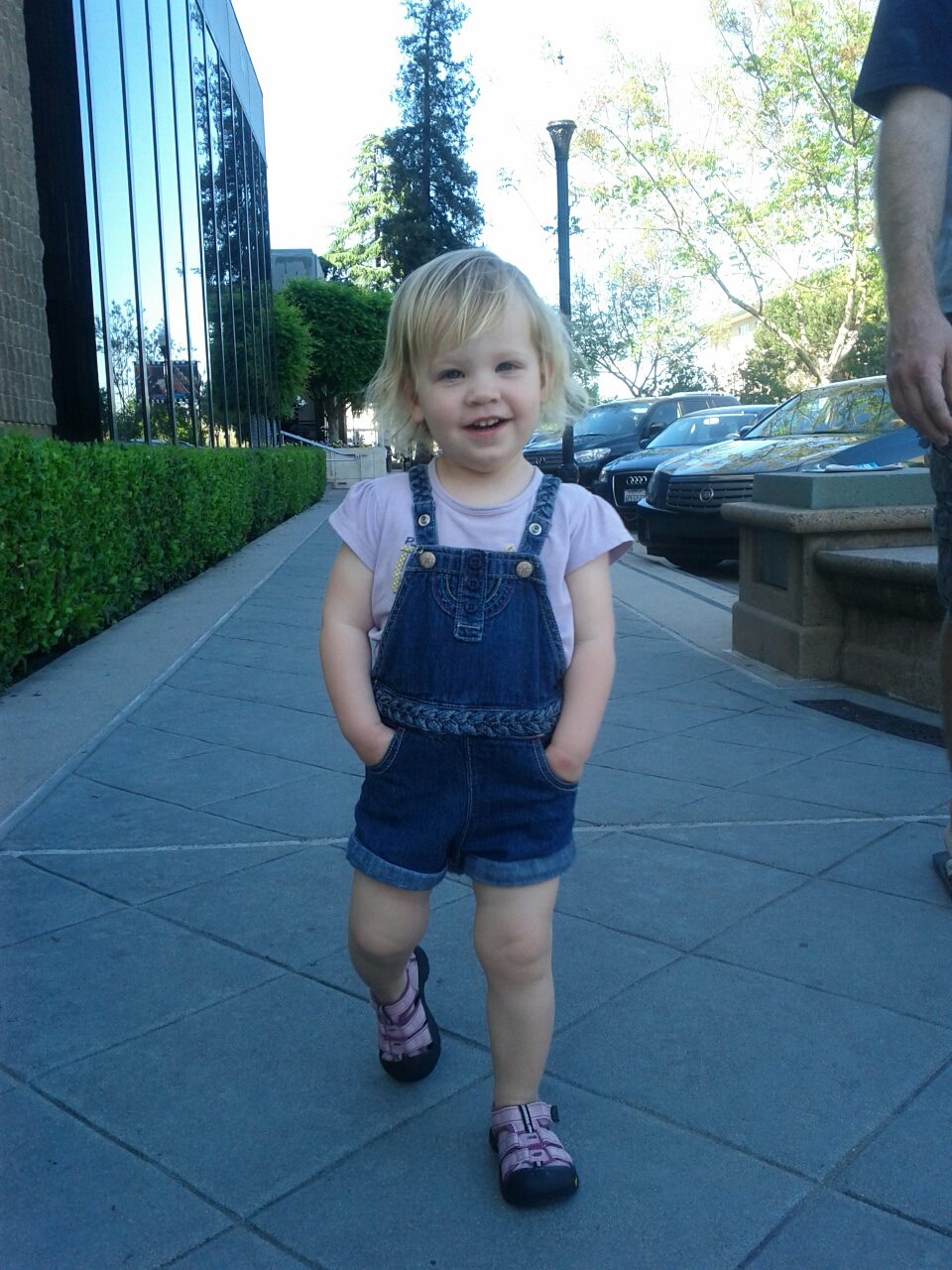
Once again, another 3 months have flown by. Honestly, it's been a total blur. What on earth has happened since February? Well, heaps more travel of course. There was the trip to New Orleans, which I already wrote about. The other big trip we did was to Washington D.C. for a week, which I'm yet to write up. We stayed with friends in Alexandria for the week. Unfortunately, Zoe came down with conjunctivitis before Sarah's very eyes on the flight over (I'd been in North Carolina for work the week before, so they flew without me and I flew up to D.C. to meet them). She also developed an ear infection and a general cough/cold. Fortunately, we caught it all pretty much as soon as it happened, and spent Easter Sunday at an Urgent Care in Virginia getting antibiotics for her, but her sleep was not so great the whole time we were in D.C. Other than that, we've just been doing the normal stuff. Swimming classes have continued (she's very confident in the water now). Her speech continues developing well. Toilet training is continuing to go very well. There haven't been very many accidents at all. She's really loving the "new" day care. It was definitely the right thing to do to move her. Physically, she's in the 80th percentile for height and the 50th percentile for weight, so I guess she's currently tracking to be on the tall and thin side of things. We had another birthday party in the park behind our home, and this year the weather was much nicer, so we had people hanging around until about 7pm, and a good time was had by all. Zoe even successfully blew out her candle on the first attempt. Her two-year molars still haven't come through. They seem to go through various stages of giving her a lot of grief, and then they stop messing with her sleep. I was beginning to think we'd never get back to an uninterrupted night's sleep ever again. It's still a bit hit and miss, but she usually settles down again fairly quickly if she does wake up, and doesn't always require intervention from us. I've arrived at the theory that the "terrible twos" are largely the fault of trying to cut these two year molars. Her tantrums are so much worse when her teeth are actively giving her trouble. If she's had a good night's sleep and her teeth aren't driving her crazy, she's still pretty well behaved. If she's been awake half the night and her teeth are hurting during the day, she can be quite difficult. We seem to be currently at a point where they're not causing too much trouble at night, but she'll chew on her fingers like crazy if given the chance during the day. I think seasonal allergies are also messing with her a bit. After she got over the cold she came down with in Washington D.C., she's still had a runny nose and a bit of a cough, but I don't think she's actually "sick" I think it's more related to allergies. She passed on whatever she had to me, and since I've recovered from it I'm also not feeling quite right. I read somewhere that pollen counts are off the charts this year due to the weird weather, and Sarah's having a bit of a hard time as well, so I think we're all going to just have to ride it out with the judicious use of antihistamines. Speaking of allergies, it's about time to re-test her for her egg allergy. We'll have to try that at a point when she's not regularly taking antihistamines for seasonal allergies, so it might be a while yet before we can do that. I guess the next big development will be graduating from the crib to a toddler bed. I'm not in any hurry to do that though, so as long as she's not escaping the crib, her sleeping arrangements can stay the way they are. It'd be nice if she can cut her teeth first and then once she's sleeping properly, we can try converting the crib into a toddler bed. Zoe walking down Castro Street in Mountain View

6 May 2012

Maximilian Attems: Gnome shell rocks

The Gnome shell is a great step. Finally the Linux default Desktop is not only useful (as Gnome 2.X used to be), but also stylish and modern. It's a different kind of desktop, which seems to irk desktop habits of some peoples. I'm proud to show it off. This happened for the last time years ago while doing some funny config quirks of fvwm. Gnome 3.x is cool. (: Also the customisability via all the extensions is fun. What I do miss is the gnome weather (There used to be an incarnation with plenty of geographical sites, which got somehow got axed later.) and more packaged extensions for out of the box deployments (wish #661782). I seem to be too lunatic to find session settings in "System Settings" for having startup applications run or the used applications reopened (please yes evince show the same pdfs). The other minor critic is that "System Settings" is quite empty, but has on each system a funny advertisement for "Wacom Tablets". Ah and after a myriad of suspends and network-manager stops/restarts gnome-shell likes to segfault, which is no nuisance as it restarts.

5 May 2012

Ritesh Raj Sarraf: Cancer cure drugs now more affordable

Now these are the kind of moves that needs to happen more often. Whether this will cause a negative impact on the overall market, and the further invention of drugs (including patent control), but the affordability of the medicatoin to an average citizen is a great move.The typical Chemotherapy can be on an average of 22 times. When summed up with the dosage (somewhere around 250 mg IIRC), the cost comes to approx: (22/4) * 15000 = 82k, which now, will be affordable at 27k.I guess the price slash is only for India and am not sure what the impact to the global market will look like.Quoting the article: http://www.moneycontrol.com/news/business/cipla-drug-price-cut-not-to-hurt-revenue-much-say-analysts_700380.html

Cipla cut price of its kidney cancer drug Sorafenib, which is sold under brand name Nexavar by multi-national Bayer to Rs 6,840 for a month's supply, from around Rs 28,000 earlier. Its lung cancer drug Gestinib, which is sold under brand name Iressa by AstraZeneca will cost Rs 4,250, versus Rs 10,200 earlier, and price of Temozolamide used to treat brain tumour, has been reduced by Rs 15,000 to Rs 5,000.

India's Patent Office recently issued a compulsory licence allowing Natco to make a generic copy of Sorafenib, on the payment of a royalty to Bayer, which sells the drug at around Rs 2 lakh.

Domestic sales account for 46-47% of Cipla's total sales and of that the cancer drugs portfolio is a very small portion, so these price cuts are unlikely to have any major impact on its revenue, Hitesh Mahida of Fortune Equity Brokers told moneycontrol.com

"Cipla's idea seems to be to create disruption in the market, increase its market share..." the analyst says.

Swiss pharma major Roche had earlier this year signed a manufacturing deal with India's Emcure Pharma so that its anti-cancer drugs Herceptin and MabThera could be made in India at affordable prices. Analysts say Cipla's move to slash prices could in future deter some MNCs from launching their drugs in India at all, but some may also look at doing deals like the one struck by Roche.

Meanwhile, shares of pharma major Cipla surged over 3% on Friday after brokerage CLSA upgraded the stock to "outperform" from "underperform," saying, Cipla would be strongest beneficiaries of a weakening rupee.

The rupee has been sliding sharply against the US dollar in recent days and hit over four month low of around Rs 53.78 earlier in trade.

"We expect improving margins over the coming quarters on back of a weak rupee and a low base. We expect strong operating profit growth over coming quarters led by margin expansion and high margin product supplies," CLSA's Hemant Bakhru said.

The US Food and Drugs Administration has approved Meda's drug Dymista for allergic rhinitis and the product is widely expected to reach USD 300-500 million in annual sales over the coming years. The analyst says Cipla being a partner, will benefit through product supplies over a longer term.

"Apart from approval (outside North America) related milestone payment (US$5m), we expect gradual increase in Cipla s sales from product related supplies to Meda. Assuming Cipla supplies product at 10-15% of sales, it could earn US$50-75m at peak sales," Bakhru said.

Additionally, a low base in domestic formulations could result in reasonable India growth, he adds.

Cipla shares were up 2.8% at Rs 326.60 on NSE in noon trade.

Keywords:

4 May 2012

Michal Čihař: S chsische Schweiz

I've enjoyed past extended weekend in S chsische Schweiz. I really like this area and we've again seen there wonderful nature and climbed thousands of steps :-). The weather was not that nice for taking photos, but still I can show few of them: Niederm hle Kleiner Winterberg Aussicht Kleiner Winterberg Aussicht Kuhstahl Aussicht Bastei Bastei

Filed under: English Photography Travelling 0 comments Flattr this!

John Goerzen: Geeky plan: Solar power supply IN THE CAR

From the might be geeky dept For an upcoming car trip, we have to take my wife s car (long story). I will be taking two large lead-acid batteries in the trunk hooked up to a solar panel in the rear window area and, of course, some electronics in the front seat. Why, you ask? While she drives, I will be working via tethered 3G (conveniently reducing the number of vacation days the trip requires). This is Kansas, so signals are weak sometimes. I have an external antenna that hooks up to a signal booster. So I ll be running a laptop, cellphone in draw lots of power mode , and a cellphone booster at minimum. Measurements suggest that this combination could easily put me in range of the typical 10A limit of dash electronics. (And doesn t even include the nice to haves of GPS, my handheld radio, and the amplifier for it.) My car has a direct high-current link from the battery to the trunk to support the 100W amateur radio mounted there. It is pretty easy to tap into it and add a cable that runs to the passenger seat to run all this stuff. Terah s car doesn t. So, I thought, what s the easy solution? Well, my solar power system, of course! If I charge up a couple of the large batteries beforehand (just pop them and a few panels in the sun for a day), then put the batteries in the trunk, it will probably power my electronics for a whole day (enough for the trip we have planned), and I have already cabled them up to support the kind of current draw I ll have. I ll have to recharge the batteries at the destination, of course, so I ll bring along a panel (no need to bring more than one since there will be plenty of time to charge). Once I m planning to take a panel along, I figured I might as well put it under the rear window so it can actually help charge the batteries as we go. The current drain will, of course, be larger than the 1A or so it can put out, but hey, who else drives down the interstate with an active solar panel in their car? I can actually split the load between the batteries and the vehicle system too, so I do not need a continuous 10A draw on the batteries. The sad part about this is I will probably never surpass a temporary battery system with a solar panel in terms of geeky travel.

3 May 2012

Gintautas Miliauskas: Online Haskell typechecker

Last weekend I put up haskellonline.org, which is basically a thin web frontend over ghc, the Haskell compiler. It is limited to one Haskell module, but it makes the experience of studying Haskell much more pleasurable by running the typechecker in the background as you type. Plus, it is web-based - no local installation necessary!

The thing about Haskell is that it has a fabulous type system which can weed out a broad class of bugs at compile time. However, the usual interfaces with the compiler leave a lot to be desired. Vim + ghci in a terminal of course works, but I have already been spoilt by IDEs, and the "Alt-Tab; Up; Enter; wait; Alt-Tab + jump to line manually" dance does not appeal to me at all. Emacs integration might be better, but I do not know emacs well, and it is never a good idea to start learning two things at the same time.

Note: I suspect that many of the problems I encountered were due to the fact that I use MacOSX.

I have looked a few of the existing IDEs, but that did not go well. EclipseFP did not offer any benefits over a text editor at all. I found a blog post saying that implied that it would work better with a newer version of GHC. Cue a few hours of reinstalling GHC and compiling Haskell packages, and I got the system set up, but that made the situation even worse. Eclipse would simply crash on startup every time until I wiped the configuration directory clean. So much for EclipseFP.

I also tried Leksah. At least it did not crash, nevertheless, I found it quite unwieldy, especially for learning purposes. The autocompletion is broken in annoying ways. For example, if you type "f a = a<enter>", Leksah will autocomplete the second "a" into "as". It took me a while to discover an error in my program that was due to this autocorrection mechanism.

Leksah does have a "compile in background" mode, which was admittedly a source of inspiration for haskellonline.org, but the implementation is subpar. It simply invokes the compiler and simply redirects the output to a display pane on the window. As you write code, the text in the pane constantly scrolls, which is very distracting. The implementation is also buggy. Occasionally errors are interleaved with status output:


There is also tryhaskell.org, but it does not work not nearly as well for Haskell as its cousins trypython.org and tryruby.org do for Python and Ruby, respectively. All are limited to evaluating expressions, but in Python/Ruby that actually gets you a long way, while nontrivial Haskell programs are complex static structures that are unwieldy without a persistent text editor.

Despite all the trouble, which, again, probably has to do with my choice of MacOSX, these issues do not detract from the beauty of Haskell as a language. If you are interested, I can heartily recommend learnyouahaskell.com as very good reading material, and Tony Morris's course exercises (in combination with haskellonline.org) for practice.

2 May 2012

Matthew Garrett: Anatomy of a Fedora 17 ISO image

My spare time has been limited lately, so progress on producing Mac-bootable Fedora install images has been a bit slow. Thankfully it looks like everything's gong to land in time for Fedora 17[1] so hurrah for that - all that's missing right now are the last couple of patches that make sure the boot picker displays useful labels on the drives.

So how is this accomplished? Here's a hex dump of the first few K of the image.
00000000  45 52 08 00 00 00 90 90  00 00 00 00 00 00 00 00   ER.............. 
00000010  00 00 00 00 00 00 00 00  00 00 00 00 00 00 00 00   ................ 
00000020  33 ed fa 8e d5 bc 00 7c  fb fc 66 31 db 66 31 c9   3...... ..f1.f1. 
00000030  66 53 66 51 06 57 8e dd  8e c5 52 be 00 7c bf 00   fSfQ.W....R.. .. 
00000040  06 b9 00 01 f3 a5 ea 4b  06 00 00 52 b4 41 bb aa   .......K...R.A.. 
00000050  55 31 c9 30 f6 f9 cd 13  72 16 81 fb 55 aa 75 10   U1.0....r...U.u. 
00000060  83 e1 01 74 0b 66 c7 06  f1 06 b4 42 eb 15 eb 00   ...t.f.....B.... 
00000070  5a 51 b4 08 cd 13 83 e1  3f 5b 51 0f b6 c6 40 50   ZQ......?[Q...@P 
00000080  f7 e1 53 52 50 bb 00 7c  b9 04 00 66 a1 b0 07 e8   ..SRP.. ...f.... 
00000090  44 00 0f 82 80 00 66 40  80 c7 02 e2 f2 66 81 3e   D.....f@.....f.> 
000000a0  40 7c fb c0 78 70 75 09  fa bc ec 7b ea 44 7c 00   @ ..xpu.... .D . 
000000b0  00 e8 83 00 69 73 6f 6c  69 6e 75 78 2e 62 69 6e   ....isolinux.bin 
000000c0  20 6d 69 73 73 69 6e 67  20 6f 72 20 63 6f 72 72    missing or corr 
000000d0  75 70 74 2e 0d 0a 66 60  66 31 d2 66 03 06 f8 7b   upt...f f1.f... 
000000e0  66 13 16 fc 7b 66 52 66  50 06 53 6a 01 6a 10 89   f... fRfP.Sj.j.. 
000000f0  e6 66 f7 36 e8 7b c0 e4  06 88 e1 88 c5 92 f6 36   .f.6. .........6 
00000100  ee 7b 88 c6 08 e1 41 b8  01 02 8a 16 f2 7b cd 13   . ....A...... .. 
00000110  8d 64 10 66 61 c3 e8 1e  00 4f 70 65 72 61 74 69   .d.fa....Operati 
00000120  6e 67 20 73 79 73 74 65  6d 20 6c 6f 61 64 20 65   ng system load e 
00000130  72 72 6f 72 2e 0d 0a 5e  ac b4 0e 8a 3e 62 04 b3   rror...^....>b.. 
00000140  07 cd 10 3c 0a 75 f1 cd  18 f4 eb fd 00 00 00 00   ...<.u.......... 
00000150  00 00 00 00 00 00 00 00  00 00 00 00 00 00 00 00   ................ 
This is the boot sector. One of the fun things about ISO9660 is that it doesn't have a boot sector in the usual x86 sense - firmwares are expected to read enough of the filesystem that they can find the bootloader in it and run it directly. x86 isn't really smart enough to manage that, so it uses something called El Torito[2]. In any case, this is usually empty space on an x86 CD. But with an increasing number of systems shipping without optical drives, real CD installs are decreasing in popularity. We use a piece of software called isohybrid that allows the building of ISO9660 images that can be written directly onto a USB stick. Asking a machine to boot off them will execute the boot sector located here, which then loads a real bootloader that's capable of reading ISO and booting the OS. It'll just be ignored when it's on a real CD.

There's one difference here, though. The isohybrid bootsector has been modified so that the first 32 bytes are just noops, and this has been inserted:
00000000  45 52 08 00 00 00 90 90  00 00 00 00 00 00 00 00   ER.............. 
45 52 ("ER") indicates the presence of an Apple partition map. This will become important later. 0800 indicates that it's using 2048-byte sectors. The 9090 is a lie to convince the firmware that it's not a zero-sized disk without representing dangerous code. We need an Apple partition map because some older Macs won't boot off CD unless the CD has one. But it's sitting right at the start of the boot sector, and this code is going to be executed. Thankfully, the entire Apple header decodes to
00000000  45                inc bp
00000001  52                push dx
00000002  0800              or [bx+si],al
00000004  0000              add [bx+si],al
00000006  90                nop
00000007  90                nop
00000008  0000              add [bx+si],al
0000000A  0000              add [bx+si],al
0000000C  0000              add [bx+si],al
0000000E  0000              add [bx+si],al
00000010  0000              add [bx+si],al
00000012  0000              add [bx+si],al
00000014  0000              add [bx+si],al
00000016  0000              add [bx+si],al
00000018  0000              add [bx+si],al
0000001A  0000              add [bx+si],al
0000001C  0000              add [bx+si],al
0000001E  0000              add [bx+si],al
which is completely harmless - we can execute all these instructions without any interesting changes in state. They'll all be undone by the rest of the boot sector.
000001b0  14 05 00 00 00 00 00 00  4c 1e ed 76 00 00 80 00   ........L..v.... 
000001c0  01 00 00 3f a0 89 00 00  00 00 00 50 14 00 00 fe   ...?.......P.... 
000001d0  ff ff ef fe ff ff a4 00  00 00 70 04 00 00 00 fe   ..........p..... 
000001e0  ff ff 00 fe ff ff 44 05  00 00 c0 08 00 00 00 00   ......D......... 
000001f0  00 00 00 00 00 00 00 00  00 00 00 00 00 00 55 aa   ..............U. 
This is the MBR partition table. The aim here was to produce media that would boot via BIOS just as well as it does via EFI, and it turns out that there are some systems that refuse to BIOS-boot off GPT media. So we need an MBR partition map. The first entry covers the entire disk and is of type 0. This is important, because some EFI implementations are strict about MBR parsing - if there's an MBR with overlapping partitions, the entire MBR will be ignored. Inconvenient. Fortunately, we've got the source code to this code, and it turns out that partitions of type 0 are ignored when performing this check. So, there's a partition of type 0.

Why does it cover the entire disk? Once we've booted the OS, we need to be able to read the ISO image contained on the USB stick. That means the kernel needs to be able to mount it, which means we need a partition entry that covers the entire disk. Linux is perfectly happy mounting a filesystem from a partition of type 0.

So, the next partition. This is an EFI boot partition that points at the embedded VFAT El-Torito image. Some firmware will decide that we've got an MBR and so will only boot off a partition that exists in it. So, here's an MBR partition to keep them happy.

The final partition covers the embedded HFS+ image. It's there purely for convenience - it means we can access it under Linux in order to update its contents for testing purposes.
00000200  45 46 49 20 50 41 52 54  00 00 01 00 5c 00 00 00   EFI PART....\... 
00000210  09 27 93 7e 00 00 00 00  01 00 00 00 00 00 00 00   .'.~............ 
00000220  fe 4f 14 00 00 00 00 00  30 00 00 00 00 00 00 00   .O......0....... 
00000230  de 4f 14 00 00 00 00 00  2a 26 0f 37 23 c9 7f 4f   .O......*&.7#..O 
00000240  90 df 5e fe 0a 60 1c b0  10 00 00 00 00 00 00 00   ..^.. .......... 
00000250  80 00 00 00 80 00 00 00  ec 70 63 c1 00 00 00 00   .........pc..... 
00000260  00 00 00 00 00 00 00 00  00 00 00 00 00 00 00 00   ................ 
And here we have the GPT header. Nothing complicated here, other than it indicates that the first partition descriptor is at LBA 0x10, ie byte 0x2000 - that's further into the disk than normal. That leaves us enough space to fit the Apple partition entries.

Why have a GPT at all? The EFI spec says that machines should boot fine from an MBR partition. Sadly, not all seem to. It also lets us represent the HFS+ partition in a way that makes the Mac firmware happy.
00000800  50 4d 00 00 00 00 00 03  00 00 00 01 00 00 00 10   PM.............. 
00000810  41 70 70 6c 65 00 00 00  00 00 00 00 00 00 00 00   Apple........... 
00000820  00 00 00 00 00 00 00 00  00 00 00 00 00 00 00 00   ................ 
00000830  41 70 70 6c 65 5f 70 61  72 74 69 74 69 6f 6e 5f   Apple_partition_ 
00000840  6d 61 70 00 00 00 00 00  00 00 00 00 00 00 00 00   map............. 
00000850  00 00 00 00 00 00 00 0a  00 00 00 03 00 00 00 00   ................ 
00000860  00 00 00 00 00 00 00 00  00 00 00 00 00 00 00 00   ................ 
2K into the disk, here's an Apple partition map. It's 2K into the disk because we set the sector size to 2K in the partition map header. Why did we do that? Because the default is 512 bytes, and if we'd put the partition map at 512 bytes it would have been on top of the GPT header. Why 2K rather than 1K? A couple of reasons. First, the Apple partition map is only used when we boot off an actual CD, and the CD sector size is genuinely 2K. Secondly, because CDs have a sector size of 2K, 2K is a value that's actually been tested in the real world. It's nice to avoid tempting fate.
00001000  50 4d 00 00 00 00 00 03  00 00 00 29 00 00 04 70   PM.........)...p 
00001010  45 46 49 00 00 00 00 00  00 00 00 00 00 00 00 00   EFI............. 
00001020  00 00 00 00 00 00 00 00  00 00 00 00 00 00 00 00   ................ 
00001030  41 70 70 6c 65 5f 48 46  53 00 00 00 00 00 00 00   Apple_HFS....... 
00001040  00 00 00 00 00 00 00 00  00 00 00 00 00 00 00 00   ................ 
00001050  00 00 00 00 00 00 04 70  00 00 00 33 00 00 00 00   .......p...3.... 
00001060  00 00 00 00 00 00 00 00  00 00 00 00 00 00 00 00   ................ 
*
00001800  50 4d 00 00 00 00 00 03  00 00 01 51 00 00 08 c0   PM.........Q.... 
00001810  45 46 49 00 00 00 00 00  00 00 00 00 00 00 00 00   EFI............. 
00001820  00 00 00 00 00 00 00 00  00 00 00 00 00 00 00 00   ................ 
00001830  41 70 70 6c 65 5f 48 46  53 00 00 00 00 00 00 00   Apple_HFS....... 
00001840  00 00 00 00 00 00 00 00  00 00 00 00 00 00 00 00   ................ 
00001850  00 00 00 00 00 00 08 c0  00 00 00 33 00 00 00 00   ...........3.... 
00001860  00 00 00 00 00 00 00 00  00 00 00 00 00 00 00 00   ................ 
The Apple partition map entries. One partition covers the entire disk, the other the embedded HFS+ filesystem. Why do this? Because not all Macs understand EFI El Torito, so won't EFI boot a CD unless there's an Apple partition map. Why have an HFS+ partition at all? Because the same Macs won't boot off FAT.
00002000  a2 a0 d0 eb e5 b9 33 44  87 c0 68 b6 b7 26 99 c7   ......3D..h..&.. 
00002010  d0 84 a5 d4 aa 89 e0 40  81 f9 fc e4 04 e9 c2 99   .......@........ 
00002020  00 00 00 00 00 00 00 00  10 4b 14 00 00 00 00 00   .........K...... 
00002030  00 00 00 00 00 00 00 00  49 53 4f 48 79 62 72 69   ........ISOHybri 
00002040  64 20 49 53 4f 00 49 53  4f 48 79 62 72 69 64 00   d ISO.ISOHybrid. 
00002050  41 70 70 6c 00 00 00 00  00 00 00 00 00 00 00 00   Appl............ 
00002060  00 00 00 00 00 00 00 00  00 00 00 00 00 00 00 00   ................ 
*
00002080  a2 a0 d0 eb e5 b9 33 44  87 c0 68 b6 b7 26 99 c7   ......3D..h..&.. 
00002090  68 d5 e0 27 72 83 c6 4c  a7 ae 92 dd ed 6c 89 71   h..'r..L.....l.q 
000020a0  a4 00 00 00 00 00 00 00  13 05 00 00 00 00 00 00   ................ 
000020b0  00 00 00 00 00 00 00 00  49 53 4f 48 79 62 72 69   ........ISOHybri 
000020c0  64 00 41 70 70 6c 65 00  41 70 70 6c 00 00 00 00   d.Apple.Appl.... 
000020d0  00 00 00 00 00 00 00 00  00 00 00 00 00 00 00 00   ................ 
*
00002100  00 53 46 48 00 00 aa 11  aa 11 00 30 65 43 ec ac   .SFH.......0eC.. 
00002110  68 d5 e0 27 72 83 c6 4c  a7 ae 92 dd ed 6c 89 71   h..'r..L.....l.q 
00002120  44 05 00 00 00 00 00 00  03 0e 00 00 00 00 00 00   D............... 
00002130  00 00 00 00 00 00 00 00  49 53 4f 48 79 62 72 69   ........ISOHybri 
00002140  64 00 41 70 70 6c 65 00  41 70 70 6c 00 00 00 00   d.Apple.Appl.... 
00002150  00 00 00 00 00 00 00 00  00 00 00 00 00 00 00 00   ................ 
Three GPT entries - one covers the entire CD, one covers the embedded FAT filesystem, one covers the embedded EFI filesystem. That ensures that they're all accessible to the firmware.
00008000  01 43 44 30 30 31 01 00  4c 49 4e 55 58 20 20 20   .CD001..LINUX    
00008010  20 20 20 20 20 20 20 20  20 20 20 20 20 20 20 20                    
00008020  20 20 20 20 20 20 20 20  46 65 64 6f 72 61 2d 4c           Fedora-L 
00008030  69 76 65 43 44 20 20 20  20 20 20 20 20 20 20 20   iveCD            
00008040  20 20 20 20 20 20 20 20  00 00 00 00 00 00 00 00           ........ 
00008050  c4 12 05 00 00 05 12 c4  00 00 00 00 00 00 00 00   ................ 
00008060  00 00 00 00 00 00 00 00  00 00 00 00 00 00 00 00   ................ 
00008070  00 00 00 00 00 00 00 00  01 00 00 01 01 00 00 01   ................ 
00008080  00 08 08 00 40 00 00 00  00 00 00 40 15 00 00 00   ....@......@.... 
00008090  00 00 00 00 00 00 00 17  00 00 00 00 22 00 1d 00   ............"... 
000080a0  00 00 00 00 00 1d 00 08  00 00 00 00 08 00 70 05   ..............p. 
000080b0  01 09 30 36 f0 02 00 00  01 00 00 01 01 00 20 20   ..06..........   
000080c0  20 20 20 20 20 20 20 20  20 20 20 20 20 20 20 20                    
The ISO9660 superblock. This is completely standard. From here on there's nothing terribly surprising - the CD filesystem itself is entirely normal. The only slight oddity is that we have three embedded El Torito images. The first of these is a BIOS-bootable disk image. That'll be executed whenever the CD is put in a non-EFI machine. The second is a VFAT EFI boot image. That's used for the majority of EFI systems. The third is an HFS+ EFI boot image. There's no strict requirement for the HFS+ one to be an El Torito image - CD booting on Macs is already handled by the Apple partition map. Storing it as an El Torito is purely for convenience, since it guarantees correct alignment and avoids us having to parse the entire ISO9660 image to find its location when generating the partition maps.

In summary: Three partition maps, three bootable images, support for BIOS, UEFI and Mac platforms, works whether it's burned to a CD or written directly to a USB stick. I'm pretty pleased with that.

[1] Other than an awkward bug where something goes horribly wrong during Radeon graphics init, so Radeon-based Macs aren't working too well at the moment. We're working on it.

[2] The world decided that writing a real ISO9660 driver for BIOS was hard, so came up with El Torito. El Torito is a spec for embedding disk images inside ISO9660. There's a pointer to the disk image in the Cd header, so the BIOS simply reads a few blocks off CD, finds that pointer and then sets up a bunch of disk i/o interrupts to point at the embedded filesystem rather than a real disk. From that point on, the El Torito image simply behaves like a floppy or hard drive. This was a reasonable compromise given how resource limited older BIOS implementations were.

For reasons that aren't entirely clear, UEFI doesn't mandate that implementations support ISO9660. So even though our firmware is now sufficiently capable that the only thing standing between it and emacs is someone being sufficiently bored, we still use El Torito. Fortunately the spec allows multiple El Torito images to be embedded, so we can include one that's bootable by BIOS systems and another that's bootable by UEFI systems.

comment count unavailable comments

30 April 2012

John Goerzen: Review: Amateur Radio Handhelds (HTs), APRS, and Battery Tuning Tips

There are a lot of opinions about handhelds for amateur radio users (these handhelds are often known as HTs). I ve used three of them, two with APRS capability, and thought it s about time I write about them. First, I ll talk about the units in particular, then I ll get to some broader Yaesu vs. Kenwood generalizations and conclusions. Yaesu VX-7R a rugged first HT without APRS Cost: $350 as of 4/30/2012 This was the first HT I got as a ham, at the suggestion of Mike AE0MW. It truly does make a great first handheld for a ham. Radio-wise, one unique feature is a receive that s wideband enough to cover both broadcast FM and broadcast AM, the various ham bands, and plenty of others besides. The battery life quoted in the manual is 6 hours on 2m and 5.5 hours on 440 (using standard 6s TX / 6s RX / 48s squelched metric), and in my experience it seems it must be even better in some cases. The real piece of news about this unit, though, is just how rugged it is. It says submersible across the front and I absolutely believe it. I have personal experience with its ruggedness. I once was at an event and put the radio on my car roof while helping one of my children into the car. I then started driving home and forgot it there. When we got home, I realized what had happened, and also realized what that mysterious CLUNK along the busy county road was. So I drove 45 minutes back to where I heard the clunk, and found the VX-7R still lying in the roadway, where it had been for 1.5 hours on the 55 MPH road. The thing was really beat up. It had obviously been hit by numerous vehicles. The antenna was ripped off, taking the SMA mount with it. But wouldn t you know it, the darn thing still powered up. I took it to a local amateur radio shop, and about $80 later it was repaired. Incredible. The only real problem was the antenna connector. I took this radio with me on my bicycle many days, mounted on my handlebars. It got bounced around, but still worked great. Some days I listened to FM radio from it while riding my bike, monitoring a local repeater while I rode. Other days, I spent most of my ride (about an hour each way) chatting with people on the repeaters I have a mobile antenna mounted on the bike, fed to the VX-7R, and a headset. It all worked fine never a problem at all. The ruggedness has its downside. All of the connectors on the radio, except for DC in, are screw-down even the speaker/mic connector. This obviously helps keep water out, but means that it can take a lot longer than normal to do a simple thing like plug in a speaker/mic. It doesn t need any tools, but can get a little annoying. The radio physically is small (unless you install the belt clip, which has an odd peg-based mechanism that protrudes unnecessarily far and is surprisingly non-rugged). It can easily fit into a pocket. The other downsides of the VX-7R mostly surround its interface. I m not one of the Yaesu haters that seem to be so common. I find the interface usable if you read the manual; it seems a lot of people that complain about it don t. But it is quirky. The SET mode is one long menu in sort of a ring. You scroll with the knob, and when you get to the end, it repeats to the beginning. There are one or two shortcut keys to a specific setting, but overall either you use the thing so much you know exactly where you re going, or you re twisting the knob for awhile until the option you want rolls around. (I know of nobody that uses it so much they know exactly where they re going.) They do have options grouped into categories, but it doesn t help much because there s no quick way to skip between categories. The dual transceivers work less elegantly than on the TH-D72A or VX-8GR. Instead of being two equal transceivers A and B, they are main and sub . The sub transceiver is not broadband receive like the main receiver is. But there are also other limitations that have no apparent logic. For instance, you can program memory groups into the device putting, say, all the local repeaters into a certain group, or all the public safety frequencies (to use as a scanner). You can go to the special set menu, select group, then activate SCAN, and it will scan only the memories in that group. But you can t select the special group mode on the sub transceiver for no apparent reason. One other complaint is that the AC charger introduces so much noise to a transmission that you cannot really use the VX-7R to transmit while the charger is connected. Yaesu sells a programming cable that plugs into the speaker/mic port on one end, and a DB-9 serial port on the other, and includes programming software. For an incredibly high price. For far less, I found a similar cable on eBay that has a USB port on the other end (with a built-in USB/serial converter), and used VX-7R Commander though now that Chirp is available for Linux, I ll probably switch to it. I would probably continue to recommend this transceiver for a new ham. The ruggedness, plus the broadband RX, are features that should make it appealing. It is an excellent emergency preparedness/response radio due to those properties; having TX and RX on ham bands, plus RX on broadcast and public safety could be quite the asset. However, for someone that has any interest in APRS, one of the other two radios I mention is probably a better choice. At only $10 more, the VX-8GR sacrifices ruggedness and broadband receive for APRS functionality and could make a compelling alternative to the VX-7R at the same price point. The very low-power transmit at 50MHz and 220MHz on the VX-7R strikes me as a gimmick feature at best that has very little actual use. Shipped battery: FNB-80LI, 7.4V, 1400 mAh, lithium-ion Kenwood TH-D72A / D72E The Cadillac HT, with APRS and GPS Cost: $464 as of April 30, 2012 It s hard to use any word but incredible to describe this HT, though it does have its own rough edges. Starting with the basics, it has dual transceivers with full duplex (meaning you can be transmitting on one band while receiving on another). Its stored memory system and memory bank scanning system are both a lot easier and faster to use than Yaesu s, and work the same on both transceivers A and B, though perhaps offer slightly less flexibility than Yaesu s (on the VX-7R, a single memory can be a member of more than one group). The quoted operating time is 6 hours, which is probably accurate with APRS and GPS off, matching (or nearly matching) the VX-7R. The TH-D72A has the usual mic and speaker ports. Unlike Yaesu, Kenwood has used the same jack for years, so it is not necessary to purchase new accessories with each upgrade. The unit also has both serial (Kenwood connector) and standard mini USB ports, and even ships with a USB cable. The USB port is designed to interface to a PC, and the radio presents itself as a serial-over-USB device. Kenwood also includes MCP-4A, the programming software for the unit, free. This is one example of several things that Kenwood includes for free but are costly add-ons with Yaesu. Kenwood s configuration menu system is hierarchical. You can scroll through the four top-level menus (RADIO, GPS, APRS, and SKY), then navigate through sub menus. The result is that it s both faster and easier to find what you want than on the Yaesu menus. Plus, as you navigate, the radio shows you the shortcut key to get to a particular option (each level of menu is numbered starting) so, for instance, Menu-1-1-0 takes me directly to the configuration for RX battery saver interval far faster than I could get there on the VX-7R or VX-8GR. Only the APRS menu gets a bit crowded with this setup. The D72A supports Kenwood s Sky Command II an intriguing way of making it essentially a remote for a Kenwood HF rig such as the TS-2000. It works by engaging a crossband repeater for the audio, and setting up a AX.25 packet link for the control. It works, but as the response time to frequency adjustments is measured in seconds, is klunky for tuning around a HF band. A nifty, though perhaps not supremely useful, feature with some hackable potential that I haven t explored yet. The TH-D72A is one of only two shipping general-purpose amateur radios that have a built-in GPS the other is the Yaesu VX-8GR, which I ll review below. The GPS works well, and can get a fix indoors if desired. It has a system of saving waypoints, which you can then navigate back to later (using distance/bearing indicators). It also has a track log. While the track log can t be viewed on the unit, it can be downloaded with the included MCP-4A software and saved in a variety of formats including Google s KML for later importing into Google Maps or Google Earth. I enjoy this feature on trips to see where I went later on. There is also a GPS-only mode, which disables all of the other radio circuitry on the radio for very low power consumption. The GPS navigation screens all support heading-up or north-up indicators. But where this radio really shines is APRS. The D72 has all the basics you d expect sending and receiving beacons, sending and receiving messages and bulletins, etc. It has built-in support for being a digipeater in many different ways, including new-N UI-Trace. Coupled with an MFJ VHF amplifier, this could make a nice temporary (or even permanent) digi. The message interface permits sending, receiving, and shortcuts for replying to messages. Beacon transmission can be completely manual, at set intervals, or using SmartBeaconing. Outbound beacons also support proportional pathing (meaning adjusting via-path to not have wide coverage with every transmission). Also, if not using SmartBeaconing, a decay algorithm can be used to send beacons less frequently when the station s location isn t changing. An alternative tells the system to transmit a beacon every time PTT is released, subject to rate limiting by interval. So lots of choices there. For incoming beacons, there are various filters by callsign pattern, packet type, etc. that control whether they will be processed at all, and what kind of alert (visual or audible) to present. Beacons are also placed in a received beacon list, sorted with the most recent at the top (duplicates from the same station are always removed, so only the most recent is presented.) A long press of the LIST button shows time received and type of device next to the callsign. Selecting a specific beacon shows status text, comment, device type, bearing/distance (with graphical north-up or heading-up display), telemetry (weather information and the like), and a little bit of info about the via-path. Pretty nice to see weather reports from local weather stations on there. You can sort the list by received time, station call, or distance from your position but it doesn t stay sorted by anything other than received time, and takes several seconds to re-sort. Seems like a bit of an oversight there. The D72A supports QSY information in beacons. This can automatically insert the frequency of the other band on the transceiver into your transmitted beacons for you, or give you a quick way to tune to the frequency mentioned on others beacons. Either way, a nice touch. The D72 also supports query packets, such as packets asking your station to transmit its position right now. The TH-D72A can directly interface with several types of weather stations via serial link to read weather sensor information and transmit it into APRS packets directly, with no need for a PC to be in the picture at all. But if you do hook up a PC to it, there are quite a few more possibilities. You can hook it up to PC APRS software (or a hardware device such as the AVMAP) to see locations of other APRS stations on a map. It can emit APRS packets, plus even GPS sentences, down the USB port to the PC. Moreover, in PACKET mode, it acts as a full TNC, with a fairly robust TNC command set. In short, it can do more than APRS; it can also do regular AX.25 such as DX clusters, BBS, nodes, etc. As far as I know, this is the only HT that can interface with a PC in this manner, and only Kenwood s mobile D710 has the same kind of feature set at that. Kenwood includes a lot of documentation with the TH-D72A. The 51-page printed manual is a summary or introductory guide. The included CD-ROM supplies another 75 pages of detailed reference material, and the 92-page in-depth APRS manual has a level of detail that true geeks like me appreciate. I ve referred to Kenwood s documentation more than once while figuring out things about the VX-8GR (which woefully under-documents things like SmartBeaconing). That said, it appears that at least some of the documentation has been copied from the earlier TH-D7A. Page 4 of the printed book is a good example. It talks about the memory effect of the battery, and warns against unplugging and replugging the charger because the charge cycle will be reset and the battery will be over-charged (I find it hard to believe that a Li-Ion charge controller would be that stupid, and furthermore direct observation suggests that it isn t.) Parts of the in-depth APRS guide appear to have been written for the D710, but that s a really minor nit. Unlike Yaesu, Kenwood issues periodic firmware updates to the D72A, which you can apply over USB. They have fixed bugs and added features to the unit over time. Now onto the things that aren t so good about the D72A. I ll start with the battery system, since we were already discussing it. Despite shipping with a much larger battery than the VX-8GR (1800 mAh vs. 1100 mAh), it only manages roughly equal battery life with APRS and GPS engaged. (It will probably do better as a simple voice unit, however.) This has been confirmed by numerous reports on the Internet. I will discuss this topic more below. There is very little else to fault the D72A on, feature-wise. I have a minor nit in that it is impossible to cause the keylock feature to also lock PTT. It would be nice to be able to see raw APRS packets on beacons and messages. Other than that, I can t think of a feature it really lacks. Compared to the VX-7R and VX-8GR, the TH-D72A is significantly larger physically, in every dimension. It is not uncomfortably large, and still fits in my hand fine. But its size is enough different that it feels like the design is dated and could have been more compact if Kenwood would have bothered. It s a nit, sure, but a nontrivial one. With the single exception of the sturdy metal belt clip, the D72 doesn t feel nearly as rugged as the VX-7R, and not even as rugged as the VX-8GR. The keys have a squishy feel to them, the PTT button works fine but has a cheap plastic design (as opposed to the rubberized versions on Yaesu s HTs). The manual doesn t mention it, but one Kenwood brochure mentions and IP54 weatherproofing. That means it is protected against limited ingress of dust and against water sprayed from all directions limited ingress permitted. Contrast that to the VX-7R, which is rated for 30 minutes of submersion at 3ft and has a magnesium case. It seems to be specced similarly to the VX-8GR, though the VX-8GR certainly feels a lot more solid. I have no proof, as I m not about to sacrifice my HTs for science, but I doubt that the TH-D72A would have survived over an hour on a busy road as well as the VX-7R did, and probably not even as well as the VX-8GR would. The case is plastic a stout plastic, but still plastic. Like the VX-8GR, and unlike the VX-7R, the D72A does not have broadband receive. It can receive some bands adjacent to the ham bands it supports, which includes a lot of bands of interest to people with scanners, but still can t receive broadcast FM signals like the VX-7R. Shipped battery: PB-45L, 1800 mAh, lithium-ion Yaesu VX-8GR: Cheaper APRS & GPS Cost: $360 as of 4/30/2012 One could probably call this Yaesu s closest competitor to the D72A. At about $100 cheaper, it doesn t have a featureset that matches Kenwood s, but it does have a few innovations that the D72A lacks. Starting with the basics, it lacks the VX-7R s broadband receive, with the receive roughly matching the TH-D72A s. The 8GR is a dual-transceiver HT, and it works this effectively (moreso than the VX-7R). Yaesu has a bad habit of changing connectors on radios with regularity, and charging an arm and a leg for accessories to boot. Even within the VX-8 line, the 8GR uses different accessories than the 8DR, and of course has different plugs than the 7R (though it appears that the DC power plug is the same, and with some luck you might be able to use a VX-7R speaker/mic on the 8GR, though not the reverse). The menu system on the 8GR is still similar to the 7R, though Yaesu has done several things to improve it. For one, scrolling through the menu now shows several lines of context on the screen at once, making it faster to scan. Also, there are more ways to jump into the menu at a certain location than before and even a small bit of clumsily-implemented hierarchy (there are several settings on the SmartBeaconing page, for instance). The menu key now toggles between various displays: the default frequency/status display, a GPS display, an APRS staion list, and an APRS message list. Just about everything operationally takes more keypresses than the D72A. On the D72A, it s one or two keys (a physical button or F+button) to do almost everything: toggle GPS state, change TNC/APRS state (turn on or off), etc. All of that is in the scrolling menus on the 8GR. The quickest way there, which is documented in the manual, is to press MENU until a certain screen comes up, then press and hold MENU to bring up the settings (defaulting to a certain APRS-related category), then scroll and change settings. It s a pain to turn APRS on and off, because you have to do this process for both the GPS and the APRS modem. Inexplicably, there is a hotkey to change the APRS beacon method (manual, auto, or SmartBeaconing) but not to turn APRS itself on or off. (The D72A has a hotkey to toggle the beaconing, though not to change its method; though in truth, if you do it frequently, the menu shortcuts will get you there rapidly.) Physically, the VX-8GR is closer to the size of the 7R than the size of the D72A, and notably is significantly smaller than the D72A (at least with the standard battery). As noted in the D72A review, the VX-8GR feels more rugged than the D72A, though whether that is actually true or not is hard to pin down. It is definitely less rugged than the VX-7R. The keys require more pressure than the D72A, and in this they are similar to the 7R, but feel satisfyingly solid. Unlike the other radios here, the 8GR does not have a dedicated volume knob, having only one dial on the top. To adjust volume, you hold the volume button on the left while twisting the knob. In practice, this is probably not usually very annoying, but if the radio is on your belt or otherwise not in your hand, this would be a frustration. (I think it would be particularly annoying if using it with a speaker/mic). Setting 99 will let you change the key so you don t have to hold it in, which could probably go a long way to making the situation more tolerable. One unique feature of the VX-8GR, as far as I know completely unique to it, is a vibrating alert. This would most frequently be used with APRS to provide a nearly-silent alert of incoming messages and the like. The screen of the 8G, while similar in size to both the D72A and the 7R, appears to be higher-resolution (or if not, they make better use of it). More information is packed onto the screen at once, and although the D72A does have a small font, it uses it so rarely that lots of scrolling is needed. The 8GR uses a smaller font than the D72A to show content of messages and the like, which makes a much faster experience since there is a lot less scrolling. Neither radio has a setting to change this behavior, so if your eyesight isn t good, you may prefer the D72A anyhow. The VX-8GR supports a heading-up or a north-up view of the received GPS data, but strangely it does not support this when navigating to a received beacon (north-up is the only option). Unlike the TH-D72A, you can engage keylock on the 8GR while someone s beacon is on the display. Also unlike the TH-D72A, you can lock out the PTT key on the 8GR. However, the keylock feature is just a quick press of the power button, which makes me a bit nervous. And worse, if you tell it to lock the PTT key, then it also won t transmit any automatic APRS beacons! There are a lot of things the D72A supports in the APRS area that the 8GR doesn t. Here s a summary of features missing in the 8GR compared to the D72A: voice alert (can t even do it manually since tone/CTCSS are locked out in APRS mode), quick replying to messages, TNC mode (meaning you can t use it with PC-based APRS programs), full AX.25 packet mode, full PC linking, weather station inputs, built-in digipeater mode, heading-up display, GPS track logs, QSY in beacons, quick tuning to others QSY info, responding to position queries, proportional pathing, automatic decay, beaconing on PTT release, sorting of beacon list, hotkey access to many features, and I m sure the list goes on. On the flipside, the only thing feature-wise that you get on the 8GR s APRS implementation that the D72A lacks is ability to inspect raw APRS packets. The VX-8GR has the lowest-capacity battery of the three radios covered in this post, and this is an oft-cited problem for users of the unit. Yeasu does seem to do a much better job of power management than Kenwood, though, so in full APRS and GPS mode, the battery life is roughly the same, amazingly enough. It is unlikely that the talk time on the 8GR would match either the 7R or the D72A, however. Kenwood and Yaesu both have a battery saver feature which cuts power to the RX circuit except for brief checks for signals. Yaesu completely disables this while the APRS modem is on (and STILL matches Kenwood s battery life, despite the smaller battery!) Kenwood doesn t, though recommends changing the signal-check interval from 0.2s to 0.03s in order to avoid truncating APRS packets. Yaesu offers an 1800 mAh extended-life battery which should significantly exceed Kenwood s battery life. Aftermarket vendors have 2000 mAh batteries as well. Either way, expect APRS to be a drain on batteries. More on that below. Although Yaesu includes 168 pages of documentation with the 8GR, don t expect it to match the quality and detail of Kenwood s 218 pages. There are a lot of gimmicky/useless features on the 8GR (WIRES, for one) that get extensive treatment, and there is a fair bit of repetition. I particularly single out the SmartBeaconing documentation on the 8GR as being, at best, woefully incomplete and probably also inaccurate to boot. Read the D72A manuals to figure out how that feature works on your 8GR. I bought the VX-8GR intending it to be something akin to a more versatile TinyTrak. On that score, it mostly succeeds. It may be my go-to rig for use at bicycle rides, marathons, emergencies, etc., while the D72A will probably be the one that goes with me on trips. Shipped battery: FNB-101LI, 7.4V, 1100 mAh, lithium-ion Not covered: VX-8DR poor value for the dollar Cost: $434 ($550 with GPS and GPS connector) Yaesu s top-of-the-line HT is sometimes considered to be the VX-8DR. It maintains the broadband capability of the 7R, is probably almost as rugged as the 7R, and has APRS built in, like the 8GR. It even has an option to add a Bluetooth board. What is doesn t have built-in is a GPS. You can add one on for $77 for the FGPS-2 plus $39 for the CT-136 connector which connects the GPS to the unit. But then you have a unit a lot less rugged than even the D72A (that s a small connector for the GPS), a lot less small, with the same APRS featureset as the 8GR (meaning a lot less than the D72A), which costs about $100 more than the D72A. Frankly I think this makes for a poor APRS package, and would probably only be reasonable for someone that wants other 8DR features and has a desire for some very occasionaly APRS work. Battery Life and APRS One of my first surprises with APRS HTs was the poor battery life I saw. Doing my research seemed to suggest that, contrary to popular opinion, the transmitted beacons were not the culiprit, but the receive circuits were to blame. Because it is not acceptable to cut off the first 200ms of an AX.25 packet like it is with a repeater, the RX circuit is either engaged much more frequently (Kenwood) or continuously (Yaesu), putting a lot more drain on the battery. (This has also been confirmed by multiple others that have done testing) The GPS receiver also adds drain, and on the D72A, so does the TNC, which is always active when APRS is. If you don t care about received beacons, you can dramatically raise the battery life on the D72A by setting the power saver to 1 second or greater as high as 14 hours by one report. On either unit, raising the squelch should have some effect (though not as much; but in any case, weak packets won t decode anyhow, so there s no sense in letting them in.) On the 8GR, getting the extended life 1800 mAh (or aftermarket version) could produce battery life in nearly that same region, without compromising on the RX side of things. Conclusions If you want a HT capable of APRS, seriously think of the TH-D72A before anything else. It is $100 more expensive than the 8GR, but has more than $100 worth of extra features (and included things, like PC link cable and software, that are extra on the 8GR), so it has a better value. If you re particularly budget-conscious or want the most ruggedness you can find, the 7R and 8GR are solid contenders if you can sacrifice the extra APRS features. Update May 1: Clarified what the lack of TNC mode on the VX-8GR means, and also how the VX-8GR PTT keylock also locks out APRS transmissions.

25 April 2012

Alessandro Ghedini: Rakudo Perl 6 2012.01 uploaded to unstable

I ve uploaded yesterday the rakudo package version 0.1~2012.01-1 to unstable. It ships the Rakudo upstream release from January, running on top of the Parrot stable release 4.0.0 (which was uploaded earlier). Rakudo is a compiler that implements the Perl 6 specification and runs on top of the Parrot virtual machine (if you are interested on Perl 6 you may have a look at some nice articles, and at the talk of Damian Conway, about Perl 6). This is the first upload since a few months, and the first release being uploaded to Debian based on the nom (New Object Model) development branch of Rakudo, which opened the door for substantial performance improvements. This release brings other nice things too, such as the support for meta-programming, better package and exception handling and more. The latest upstream release 2012.04 (which brings, among other things, improvements in startup times thanks to bounded serialization) has been released a few days ago and uses the new Parrot stable release 4.3.0 (which has been released about a week ago), so we hope to test and upload both in time for the Wheezy freeze (and hopefully we ll be a bit more timely for future updates too).

23 April 2012

Benjamin Drung: Unreliable SSDs

Today my system froze and failed to reboot. I plugged in an Ubuntu live USB stick and booted from it. Then I discovered the problem that my Intel SSD 320 broke. The output of hdparm is attached to the end of the blog post. You can see that the device size is reduced to 8 MB from 120 GB and the serial number is called BAD_CTX 00000159. The firmware of the SSD was up-to-date and the last firmware update should have fixed the 8 MB bug. The Intel SSD 320 is my second SSD. My first SSD was a Super Talent Ultradrive GX 64GB, which died after around fifteen month of heavy use. It left a big bunch of my data corruption behind. SSDs seems to be very unreliable. Both SSDs died, but I cant remember that one of my HDDs died. $ sudo hdparm -I /dev/sda /dev/sda: ATA device, with non-removable media
Model Number: INTEL SSDSA2CW120G3
Serial Number: BAD_CTX 00000159
Firmware Revision: 4PC10362
Transport: Serial, ATA8-AST, SATA 1.0a, SATA II Extensions, SATA Rev 2.5, SATA Rev 2.6
Standards:
Used: unknown (minor revision code 0x0029)
Supported: 8 7 6 5
Likely used: 8
Configuration:
Logical max current
cylinders 16383 16
heads 16 16
sectors/track 63 63
--
CHS current addressable sectors: 16128
LBA user addressable sectors: 16384
LBA48 user addressable sectors: 16384
Logical Sector size: 512 bytes
Physical Sector size: 512 bytes
device size with M = 1024*1024: 8 MBytes
device size with M = 1000*1000: 8 MBytes
cache/buffer size = unknown
Nominal Media Rotation Rate: Solid State Device
Capabilities:
LBA, IORDY(can be disabled)
Standby timer values: spec'd by Standard, no device specific minimum
R/W multiple sector transfer: Max = 16 Current = 16
DMA: mdma0 mdma1 mdma2 udma0 udma1 udma2 udma3 udma4 udma5 *udma6
Cycle time: min=120ns recommended=120ns
PIO: pio0 pio1 pio2 pio3 pio4
Cycle time: no flow control=120ns IORDY flow control=120ns
Commands/features:
Enabled Supported:
Security Mode feature set
* Power Management feature set
* Write cache
* Look-ahead
* Host Protected Area feature set
* WRITE_BUFFER command
* READ_BUFFER command
* NOP cmd
* DOWNLOAD_MICROCODE
SET_MAX security extension
* 48-bit Address feature set
* Device Configuration Overlay feature set
* Mandatory FLUSH_CACHE
* FLUSH_CACHE_EXT
* General Purpose Logging feature set
* WRITE_ DMA MULTIPLE _FUA_EXT
* 64-bit World wide name
* IDLE_IMMEDIATE with UNLOAD
* WRITE_UNCORRECTABLE_EXT command
* READ,WRITE _DMA_EXT_GPL commands
* Segmented DOWNLOAD_MICROCODE
* Gen1 signaling speed (1.5Gb/s)
* Gen2 signaling speed (3.0Gb/s)
* Phy event counters
* Software settings preservation
* SMART Command Transport (SCT) feature set
* SCT LBA Segment Access (AC2)
* SCT Error Recovery Control (AC3)
* SCT Features Control (AC4)
* SCT Data Tables (AC5)
* Data Set Management TRIM supported (limit 8 blocks)
* Deterministic read ZEROs after TRIM
Security:
Master password revision code = 65534
supported
not enabled
not locked
frozen
not expired: security count
supported: enhanced erase
2min for SECURITY ERASE UNIT. 2min for ENHANCED SECURITY ERASE UNIT.
Logical Unit WWN Device Identifier: 500151795951d4b9
NAA : 5
IEEE OUI : 001517
Unique ID : 95951d4b9
Checksum: correct

22 April 2012

Gregor Herrmann: RC bugs 2012/16

this week I've started to look at the (not yet release critical) gcc 4.7 bugs. luckily there are still enough patches for them in the BTS but at the time of writing, at least 138 are not fixed & don't have a patch yet. so still some work ahead.

& for those who prefer to fix debian/rules files, lucas' last archive rebuild (where build-arch was used) still leaves enough work, & many bugs are not difficult to fix with a basic understanding of makefiles & debian build sytems.

Next.

Previous.