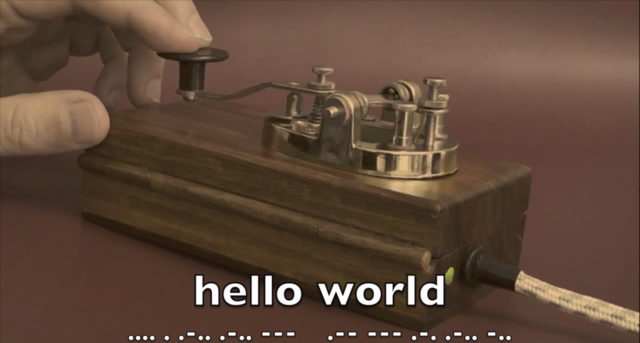
Daniel Pocock: A URI prefix for radio callsigns
- transmit frequency
- receive frequence (or offset) if using a duplex mode
- modulation (FM, SSB, etc)
- bandwidth
- mode: morse code, voice, video, packet data, etc
Weblate 1.9 has been released today. It comes with lot of improvements and bug fixes and with experimental Zen mode for editing translations.
Full list of changes for 1.9:
demo account using demo password or register your own user. Ready to run appliances will be soon available in SUSE Studio Gallery.
Weblate is also being used https://l10n.cihar.com/ as official translating service for phpMyAdmin, Gammu, Weblate itself and others.
If you are free software project which would like to use Weblate, I'm happy to help you with set up or even host Weblate for you.
Further development of Weblate would not be possible without people providing donations, thanks to everybody who have helped so far!
Filed under: English phpMyAdmin SUSE Weblate 0 comments Flattr this!
I was invited to give a talk at a local conference, OS-UPIITA. I have been invited to this conference before, and will gladly be there again. But I was recently pointed at the invitation poster they are distributing (which I reproduce here for your convenience) And I must make a couple of corrections here:
| Attachment | Size |
|---|---|
| osupiita_chico.jpg | 43.74 KB |
If you're looking to get started at packaging free software for
Debian, you should start with the excellent
New Maintainers' Guide or
the
Introduction to Debian Packaging
on the Debian wiki.
Once you know the basics, or if you prefer to learn by example, you may be
interested in the full walkthrough which follows. We will look at the
contents of three simple packages.
debian/ directory:
changelogcompatcontrolcopyrightdocsnode-libravatar.installrulessource/formatwatchSource: node-libravatar
Priority: extra
Maintainer: Francois Marier <francois@debian.org>
Build-Depends: debhelper (>= 9)
Standards-Version: 3.9.4
Section: web
Homepage: https://github.com/fmarier/node-libravatar
Vcs-Git: git://git.debian.org/collab-maint/node-libravatar.git
Vcs-Browser: http://git.debian.org/?p=collab-maint/node-libravatar.git;a=summary
Package: node-libravatar
Architecture: all
Depends: $ shlibs:Depends , $ misc:Depends , nodejs
Description: libravatar library for NodeJS
This library allows web application authors to make use of the free Libravatar
service (https://www.libravatar.org). This service hosts avatar images for
users and allows other sites to look them up using email addresses.
.
node-libravatar includes full support for federated avatar servers.
This is probably the most important file since it contains the bulk of the
metadata about this package.
Maintainer is a required field listing the maintainer of that package,
which can be a person or a team. It only contains a single value though, any
co-maintainers will be listed under the optional Uploaders field.
Build-Depends lists the packages which are needed to build the
package (e.g. a compiler), as opposed to those which are needed to
install the binary package (e.g. a library it uses).
Standards-Version refers to the version of the
Debian Policy that this package
complies with.
The Homepage field refers to the upstream homepage, whereas the
Vcs-* fields point to the repository where the packaging is stored. If
you take a look at the
node-libravatar packaging repository
you will see that it contains three branches:
upstream is the source as it was in the tarball downloaded from
upstream.master is the upstream branch along with all of the Debian
customizations.pristine-tar is unrelated to the other two branches and is used by the
pristine-tar tool
to reconstitute the original upstream tarball as needed.Package
field. This is the definition of a binary package, not to be confused
with the Source field at the top of this file, which refers to the name of
the source package. In this particular example, they are both the same
and there is only one of each, however this is not always the case, as we'll
see later.
Inside that binary package definition, lives the Architecture field which
is normally one of these two:
all for a binary package that will work on all architectures but only
needs to be built onceany for a binary package that will work everywhere but that will need to
be built separately for each architectureDepends field which
lists all of the runtime dependencies that the binary package has. This is
what will be pulled in by apt-get when you apt-get install
node-libravatar. The two variables will be substituted later by debhelper.
node-libravatar (2.0.0-3) unstable; urgency=low
* debian/watch: poll github directly
* Bump Standards-Version up to 3.9.4
-- Francois Marier <francois@debian.org> Mon, 20 May 2013 12:07:49 +1200
node-libravatar (2.0.0-2) unstable; urgency=low
* More precise license tag and upstream contact in debian/copyright
-- Francois Marier <francois@debian.org> Tue, 29 May 2012 22:51:03 +1200
node-libravatar (2.0.0-1) unstable; urgency=low
* New upstream release
- new non-backward-compatible API
-- Francois Marier <francois@debian.org> Mon, 07 May 2012 14:54:19 +1200
node-libravatar (1.1.1-1) unstable; urgency=low
* Initial release (Closes: #661771)
-- Francois Marier <francois@debian.org> Fri, 02 Mar 2012 15:29:57 +1300
This may seem at first like a mundane file, but it is very important since
it is the canonical source of the package version (2.0.0-3 in this
case). This is the only place where you need to bump the package version
when uploading a new package to the Debian archive.
The first line also includes the
distribution
where the package will be uploaded. It is usually one of these values:
unstable for the vast majority of uploadsstable for uploads that have been approved by the release maintainers
and fix serious bugs in the stable version of Debianstable-security for security fixes to the stable version of Debian that
cannot wait until the next stable point release and have been
approved by the security teamurgency field (low, medium or high) in the changelog entry.
Another thing worth noting is that the first upload normally needs to close
an ITP (Intent to Package) bug.
#!/usr/bin/make -f
# -*- makefile -*-
%:
dh $@
override_dh_auto_test:
As can be gathered from the first two lines of this file, this is a
Makefile. This
is what controls how the package is built.
There's not much to see and that's because most of its content is
automatically added by debhelper. So
let's look at it in action by building the package:
$ git buildpackage -us -uc
and then looking at parts of the build log (../node-libravatar_2.0.0-3_amd64.build):
fakeroot debian/rules clean
dh clean
dh_testdir
dh_auto_clean
dh_clean
One of the first things we see is the debian/rules file being run with the
clean target. To find out what that does, have a look at the
dh_auto_clean
which states that it will attempt to delete build residues and run something
like make clean using the upstream Makefile.
debian/rules build
dh build
dh_testdir
dh_auto_configure
dh_auto_build
Next we see the build target being invoked and looking at
dh_auto_configure
we see that this will essentially run ./configure and its
equivalents.
The
dh_auto_build
helper script then takes care of running make (or equivalent) on the
upstream code.
This should be familiar to anybody who has ever built a piece of free
software from scratch and has encountered the usual method for building
from source:
./configure
make
make install
Finally, we get to actually build the .deb:
fakeroot debian/rules binary
dh binary
dh_testroot
dh_prep
dh_installdirs
dh_auto_install
dh_install
...
dh_md5sums
dh_builddeb
dpkg-deb: building package node-libravatar' in ../node-libravatar_2.0.0-3_all.deb'.
Here we see a number of helpers, including
dh_auto_install
which takes care of running make install.
Going back to the debian/rules, we notice that there is manually defined
target at the bottom of the file:
override_dh_auto_test:
which essentially disables
dh_auto_test
by replacing it with an empty set of commands.
The reason for this becomes clear when we take a look at the test target
of the upstream Makefile and the
dependencies
it has: tap, a node.js library that is
not yet available in Debian.
In other words, we can't run the test suite on the build machines so we need
to disable it here.
9
This file simply specifies the version of debhelper that is required by the
various helpers used in debian/rules. Version 9 is the latest at the moment.
Format: http://www.debian.org/doc/packaging-manuals/copyright-format/1.0/
Upstream-Name: node-libravatar
Upstream-Contact: Francois Marier <francois@libravatar.org>
Source: https://github.com/fmarier/node-libravatar
Files: *
Copyright: 2011 Francois Marier <francois@libravatar.org>
License: Expat
Files: debian/*
Copyright: 2012 Francois Marier <francois@debian.org>
License: Expat
License: Expat
Permission is hereby granted, free of charge, to any person obtaining a copy of this
software and associated documentation files (the "Software"), to deal in the Software
without restriction, including without limitation the rights to use, copy, modify,
merge, publish, distribute, sublicense, and/or sell copies of the Software, and to
permit persons to whom the Software is furnished to do so, subject to the following
conditions:
.
The above copyright notice and this permission notice shall be included in all copies
or substantial portions of the Software.
.
THE SOFTWARE IS PROVIDED "AS IS", WITHOUT WARRANTY OF ANY KIND, EXPRESS OR IMPLIED,
INCLUDING BUT NOT LIMITED TO THE WARRANTIES OF MERCHANTABILITY, FITNESS FOR A
PARTICULAR PURPOSE AND NONINFRINGEMENT. IN NO EVENT SHALL THE AUTHORS OR COPYRIGHT
HOLDERS BE LIABLE FOR ANY CLAIM, DAMAGES OR OTHER LIABILITY, WHETHER IN AN ACTION OF
CONTRACT, TORT OR OTHERWISE, ARISING FROM, OUT OF OR IN CONNECTION WITH THE SOFTWARE
OR THE USE OR OTHER DEALINGS IN THE SOFTWARE.
This machine-readable file lists all of the different licenses encountered in this
package.
It requires that the maintainer audits the upstream code for any copyright
statements that might be present in addition to the license of the package
as a whole.
README.md
This file contains a list of upstream files that will be copied into the
/usr/share/doc/node-libravatar/ directory by dh_installdocs.
lib/* usr/lib/nodejs/
The install file is used by
dh_install
to supplement the work done by dh_auto_install which, as we have seen
earlier, essentially just runs make install on the upstream Makefile.
Looking at that
upstream Makefile,
it becomes clear that the files will need to be installed manually by the
Debian package since that Makefile doesn't have an install target.
version=3
https://github.com/fmarier/node-libravatar/tags /fmarier/node-libravatar/archive/node-libravatar-([0-9.]+)\.tar\.gz
This is the file that allows Debian tools like the
Package Tracking System
to automatically detect that a new upstream version is available.
What it does is simply visit the
upstream page which contains all of the
release tarballs and look
for links which have an
href
matching the above regular expression.
Running uscan --report --verbose will show us all of the tarballs that can
be automatically discovered using this watch file:
-- Scanning for watchfiles in .
-- Found watchfile in ./debian
-- In debian/watch, processing watchfile line:
https://github.com/fmarier/node-libravatar/tags /fmarier/node-libravatar/archive/node-libravatar-([0-9.]+)\.tar\.gz
-- Found the following matching hrefs:
/fmarier/node-libravatar/archive/node-libravatar-2.0.0.tar.gz
/fmarier/node-libravatar/archive/node-libravatar-1.1.1.tar.gz
/fmarier/node-libravatar/archive/node-libravatar-1.1.0.tar.gz
/fmarier/node-libravatar/archive/node-libravatar-1.0.1.tar.gz
/fmarier/node-libravatar/archive/node-libravatar-1.0.0.tar.gz
Newest version on remote site is 2.0.0, local version is 2.0.0
=> Package is up to date
-- Scan finished
debian/ directory, but let's
look at two in particular:
controlupstream/signing-key.ascSource: pylibravatar
Section: python
Priority: optional
Maintainer: Francois Marier <francois@debian.org>
Build-Depends: debhelper (>= 9), python-all, python3-all
Standards-Version: 3.9.5
Homepage: https://launchpad.net/pyLibravatar
...
Package: python-libravatar
Architecture: all
Depends: $ misc:Depends , $ python:Depends , python-dns, python
Description: Libravatar module for Python 2
Module to make use of the federated Libravatar.org avatar hosting service
from within Python applications.
...
Package: python3-libravatar
Architecture: all
Depends: $ misc:Depends , $ python3:Depends , python3-dns, python3
Description: Libravatar module for Python 3
Module to make use of the federated Libravatar.org avatar hosting service
from within Python applications.
...
Here is an example of a source package (pylibravatar) which builds two
separate binary packages: python-libravatar and python3-libravatar.
This highlights the fact that a given upstream source can be split into
several binary packages in the archive when it makes sense. In this case,
there is no point in Python 2 applications pulling in the Python 3 files, so
the two separate packages make sense.
Another common example is the use of a -doc package to separate the
documentation from the rest of a package so that it doesn't need to be
installed on production servers for example.
-----BEGIN PGP PUBLIC KEY BLOCK-----
Version: GnuPG v1
mQINBEpQYz4BEAC7REQD1za69RUnkt6nRCFhSJmmoeJc+yEiWTKc9GOIMAwJDme1
+CMYgVn4Xzf1VQYwD/lE+mfWgyeMomLQjDM1mxx/LOM2a1WWPOk9+PvQwKfRJy92
...
UxDtZm/4yUmU6KvHvOGiDCMuIiB+MqhqJJ5wf80wXhzu8nmC+fyGt6nvu0ggMle8
sAMgXt/aQUTZE5zNCQ==
=RkTO
-----END PGP PUBLIC KEY BLOCK-----
This is simply the
OpenPGP key
that the upstream developer uses to sign release tarballs.
Since PGP signatures are available on the upstream
download page, it's possible
to instruct
uscan
to check signatures before downloading tarballs.
The way to do that is to use the pgpsigurlmange option in debian/watch:
version=3
opts=pgpsigurlmangle=s/$/.asc/ https://pypi.python.org/pypi/pyLibravatar https://pypi.python.org/packages/source/p/pyLibravatar/pyLibravatar-(.*)\.tar\.gz
which is simply a regular expression replacement string which takes the
tarball URL and converts it to the URL of the matching PGP signature.
/usr/bin/ and /usr/lib/ and stores a hash of them in its database. When
one of these files changes, you get an email.
In particular, we will look at the following files in the debian/ directory of
version 2.7.59-18:
dirsfcheck.cron.dfcheck.postrmfcheck.postinstpatches/README.Debianrulessource/formatseries which
lists the patches that should be applied to the upstream source and in which
order. Should you need to temporarily disable a patch, simply remove it from
this file and it will no longer be applied at build time.
Let's have a look at patches/04_cfg_sha256.patch:
Description: Switch to sha256 hash algorithm
Forwarded: not needed
Author: Francois Marier <francois@debian.org>
Last-Update: 2009-03-15
--- a/fcheck.cfg
+++ b/fcheck.cfg
@@ -149,8 +149,7 @@ TimeZone = EST5EDT
#$Signature = /usr/bin/sum
#$Signature = /usr/bin/cksum
#$Signature = /usr/bin/md5sum
-$Signature = /bin/cksum
-
+$Signature = /usr/bin/sha256sum
# Include an optional configuration file.
This is a very simple patch which changes the default configuration of
fcheck to promote the use of a stronger hash function. At the top of the
file is a bunch of metadata in the
DEP-3 format.
Why does this package contain so many customizations to the upstream code
when Debian's policy is to push fixes upstream and work towards reduce the
delta between upstream and Debian's code? The answer can be found in
debian/control:
Homepage: http://web.archive.org/web/20050415074059/www.geocities.com/fcheck2000/
This package no longer has an upstream maintainer and its original source is
gone. In other words, the Debian package is where all of the new bug fixes
get done.
3.0 (quilt)
This file contains what is called the source package format. What it
basically says is that the patches found in debian/patches/ will be
applied to the upstream source using the
quilt tool at build time.
#!/bin/sh
# postrm script for fcheck
#
# see: dh_installdeb(1)
set -e
# summary of how this script can be called:
# * <postrm> remove'
# * <postrm> purge'
# * <old-postrm> upgrade' <new-version>
# * <new-postrm> failed-upgrade' <old-version>
# * <new-postrm> abort-install'
# * <new-postrm> abort-install' <old-version>
# * <new-postrm> abort-upgrade' <old-version>
# * <disappearer's-postrm> disappear' <overwriter>
# <overwriter-version>
# for details, see http://www.debian.org/doc/debian-policy/ or
# the debian-policy package
case "$1" in
remove upgrade failed-upgrade abort-install abort-upgrade disappear)
;;
purge)
if [ -e /var/lib/fcheck/fcheck.dbf ]; then
echo "Purging old database file ..."
rm -f /var/lib/fcheck/fcheck.dbf
fi
rm -rf /var/lib/fcheck
rm -rf /var/log/fcheck
rm -rf /etc/fcheck
;;
*)
echo "postrm called with unknown argument \ $1'" >&2
exit 1
;;
esac
# dh_installdeb will replace this with shell code automatically
# generated by other debhelper scripts.
#DEBHELPER#
exit 0
This script is one of the many possible
maintainer scripts that a
package can provide if needed.
This particular one, as the name suggests, will be run after the package is
removed (apt-get remove fcheck) or purged (apt-get remove --purge
fcheck). Looking at the case statement above, it doesn't do anything extra in the
remove case, but it deletes a few files and directories when called with
the purge argument.
#!/usr/bin/make -f
# -*- makefile -*-
# Sample debian/rules that uses debhelper.
# This file was originally written by Joey Hess and Craig Small.
# As a special exception, when this file is copied by dh-make into a
# dh-make output file, you may use that output file without restriction.
# This special exception was added by Craig Small in version 0.37 of dh-make.
# Uncomment this to turn on verbose mode.
#export DH_VERBOSE=1
build-arch:
build-indep:
build: build-stamp
build-stamp:
dh_testdir
pod2man --section=8 $(CURDIR)/debian/fcheck.pod > $(CURDIR)/fcheck.8
touch build-stamp
clean:
dh_testdir
dh_testroot
rm -f build-stamp
rm -f $(CURDIR)/fcheck.8
dh_clean
install: build
dh_testdir
dh_testroot
dh_prep
dh_installdirs
cp $(CURDIR)/fcheck $(CURDIR)/debian/fcheck/usr/sbin/fcheck
cp $(CURDIR)/fcheck.cfg $(CURDIR)/debian/fcheck/etc/fcheck/fcheck.cfg
# Build architecture-independent files here.
binary-arch: build install
# Build architecture-independent files here.
binary-indep: build install
dh_testdir
dh_testroot
dh_installdocs
dh_installcron
dh_installman fcheck.8
dh_installchangelogs
dh_installexamples
dh_installlogcheck
dh_link
dh_strip
dh_compress
dh_fixperms
dh_installdeb
dh_shlibdeps
dh_gencontrol
dh_md5sums
dh_builddeb
binary: binary-indep binary-arch
.PHONY: build clean binary-indep binary-arch binary install
This is an example of a old-style debian/rules file which you still
encounter in packages which haven't yet upgraded to the latest version of
debhelper 9, as can be shown by the contents of debian/compat:
8
It does essentially the same thing that what we've seen in the build log,
but in a more verbose way.
usr/sbin
etc/fcheck
This file contains a list of directories that
dh_installdirs
will create in the build directory.
The reason why these directories need to be created is that files are copied
into these directories
in the install target of the debian/rules file.
Note that this is different from directories which are created at the time
of installation of the package. In that case, the directory
(e.g. /var/log/fcheck/) must be
created in the postinst script
and removed in the postrm script.
#
# Regular cron job for the fcheck package
#
30 */2 * * * root test -x /usr/sbin/fcheck && if ! nice ionice -c3 /usr/sbin/fcheck -asxrf /etc/fcheck/fcheck.cfg >/var/run/fcheck.out 2>&1; then mailx -s "ALERT: [fcheck] hostname --fqdn " root </var/run/fcheck.out ; /usr/sbin/fcheck -cadsxlf /etc/fcheck/fcheck.cfg ; fi ; rm -f /var/run/fcheck.out
This file is the cronjob which drives the checks performed by this
package. It will be copied to /etc/cron.d/fcheck by dh_installcron.
okay. New hypervisor hardware. Switching from xen to KVM. I took a snapshot of the xen partitions and moved them to a holding location during migration.
I am now imaging these partitions to the LVM block devices:
calcifer:/home/cjac# for guest in ls /usr/src/moonunit-guests/ grep -v -e etc awk -F- ' print $1 ' ; do lvcreate /dev/vg00 -n $ guest -L 4200M -C y ; done
Logical volume "edge" created
Logical volume "ns0" created
Logical volume "sh1" created
Logical volume "sip0" created
Logical volume "smtp" created
Logical volume "vpn1" created
Logical volume "wsg" created
calcifer:/home/cjac# partprobe /dev/vg00/edge
calcifer:/home/cjac# fdisk -l /dev/vg00/edge
GNU Fdisk 1.2.4
Copyright (C) 1998 - 2006 Free Software Foundation, Inc.
This program is free software, covered by the GNU General Public License.
This program is distributed in the hope that it will be useful,
but WITHOUT ANY WARRANTY; without even the implied warranty of
MERCHANTABILITY or FITNESS FOR A PARTICULAR PURPOSE. See the
GNU General Public License for more details.
Disk /dev/dm-21: 4 GB, 4400524800 bytes
255 heads, 63 sectors/track, 535 cylinders
Units = cylinders of 16065 * 512 = 8225280 bytes
Device Boot Start End Blocks Id System
/dev/dm-21p1 1 535 4297356 83 Linux
calcifer:/home/cjac# kpartx -l /dev/vg00/edge
vg00-edge1 : 0 8594712 /dev/vg00/edge 63
calcifer:/home/cjac# kpartx -a /dev/vg00/edge
calcifer:/home/cjac# dd if=/usr/src/moonunit-guests/edge-disk-20140420T070034.xz xz -d dd of=/dev/mapper/vg00-edge1
503474+1 records in
503474+1 records out
257778704 bytes (258 MB) copied, 311.538 s, 827 kB/s
8388608+0 records in
8388608+0 records out
4294967296 bytes (4.3 GB) copied, 925.612 s, 4.6 MB/s
calcifer:/home/cjac# mount /dev/mapper/vg00-edge1 /mnt/tmp
calcifer:/home/cjac# cp -r /lib/modules/ uname -r /mnt/tmp/lib/modules/
calcifer:/home/cjac# emacs /mnt/tmp/etc/inittab
calcifer:/home/cjac# emacs /mnt/tmp/etc/fstab
calcifer:/home/cjac# umount /mnt/tmp
calcifer:/home/cjac# kpartx -d /dev/vg00/edge
calcifer:/home/cjac# virsh start edge && virsh console edge
Somebody needs faster drives. Wow was that ever slow.
| Domain | sip-ws1.example.org |
|---|---|
| WebSocket URL Use this in JSCommunicator or JsSIP |
ws://sip-ws1.example.org |
| IP address of server | 198.51.100.50 |
sip-ws1.example.org. IN A 198.51.100.50Notice that in the ws:// URL, we do not specify a port. This means port 80 is used by default. You can also use a non-standard port if you prefer or if you dont' have root permissions. Now edit the file /etc/repro/repro.config, adding a transport definition for WebSockets (WS) and change a few other parameters from their defaults:
# Bind to 198.51.100.50 on port 80 Transport1Interface = 198.51.100.50:80 # Use WS (can also use WSS for TLS, see repro.config for full details) Transport1Type = WS # if using WSS, must also change the transport param here Transport1RecordRouteUri = sip:sip-ws1.example.org;transport=WS EnableFlowTokens = true DisableOutbound = false # Disable all authentication - just for testing DisableAuth = false # allow http admin access on all interfaces, # default is 127.0.0.1 # HttpBindAddress = 0.0.0.0Now set up a password for the web admin tool using htdigest:
# htdigest /etc/repro/users.txt repro adminAfter all that, restart the repro process
# service repro restartGo to the web interface on port 5080 (only listening on localhost by default), go to the "ADD DOMAIN" page and add sip-ws1.example.org Now restart repro again so it recognises the new domain.
# service repro restartFinally, you can test it using JSCommunicator or tryit.jssip.net Next steps
Hey meebey, do you know RFC2812?
RFCs are a recurring pattern with a distinct number behind it and are real
references to something in the internet (collection of protocol specifications).
So I would usually fire up a browser tab, copy/paste or type RFC2812 into my
favorite search engine and click the first hit. Then I'd reply to the question
afterwards. But with Smuxi's message patters, it turns RFC2812 into a link on
which you can simply click to launch the relevant document.
Wow this is very cool, but isn't this already happening with http URLs and email
addresses? Exactly! Why shouldn't more information be used to create useful
things from it? Smuxi message patterns allow you to define text patterns that
are transformed into clickable links. This can be used for RFCs, CVEs, bug
report numbers (#XXX), git commit hashes and much more. Make good use of your
creativity!
By default Smuxi comes with built-in message patterns for:

![]() |
The IT security world is still reeling from the impact of the OpenSSL Heartbleed bug. Thanks to the bug, many experts have been reviewing other technologies to try and find similar risks.
While Heartbleed was hidden away in the depths of the OpenSSL code base, another major security risk has been hiding in plain sight: SMS authentication for web site logins.
Remarkably, a number of firms have started giving customers the ability to receive single-use passwords over SMS for logging into their secure web sites. Some have even insisted that customers can no longer log in without it, denying customers the right to make an important choice about their own security preferences.
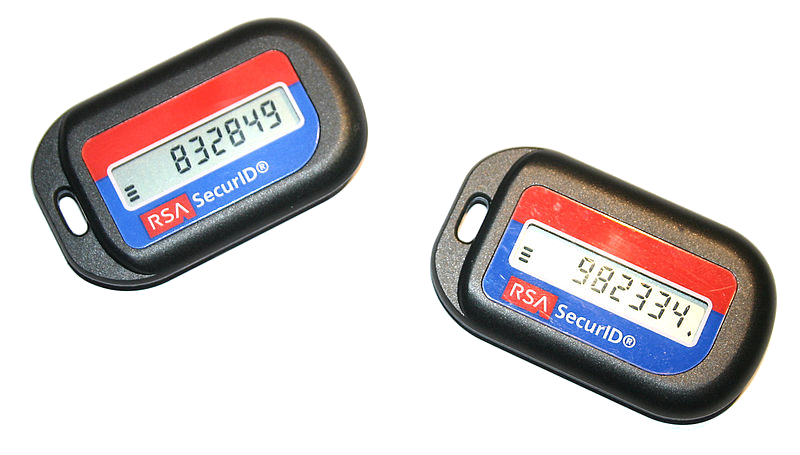
Unfortunately, SMS is no substitute to the one-time-passwords generated using proper authentication tokens or the use of other strong authentication schemes such as cryptographic smart cards. Even telephone companies themselves advise that SMS should not be used to secure financial transactions.
Ocean's 11 in real life: exploiting the weakest link in the chain
To deliver single-use SMS passwords, the SMS must travel through various networks from the firm's headquarters, to a wholesale SMS gateway, international SMS network and finally down the line of the local phone company.
In comparison, properly certified token devices generate a code inside the device in the palm of your hand. The code only travels from the screen to your eyes.
In a litany of frauds coming in all shapes and sizes, telephone networks have been exploited over and over again because they are almost always the weakest link in the chain. Using the mobile SMS network for authentication is not building on solid ground - some experts even feel it is downright stupidity.
One of the most serious examples was the theft of $150,000,000 from a pension fund deposited with JP Morgan: it was described as a real-life case of Ocean's 11. The authentication was meant to be a phone call rather than an SMS: a phone company employee who was in on the scam duly ensured the call never reached the correct place.
The insecurity of traditional telephone networks has been on display for all the world to see in the ongoing trial of News Corporation executives for phone hacking. If journalists from a tabloid newspaper can allegedly hack a dozen phones before their first cigarette of the day, is it really wise to use an insecure technology like SMS as the cornerstone of a security system for authorizing transactions?
A fraud recently played out on many credit card holders in the UK exploited a low-tech feature of the phone system to trick people to believe they were safe by "calling back" to their bank.
A plethora of new attack vectors

The staggering reality of the situation is that attackers don't even have to directly hack their victim's phones to access SMS messages.
As the Android API documentation demonstrates, SMS reception is notified to all apps in real-time. Apps can process the messages even when the phone is sleeping and the message is not read by the user.
Just consider all the apps on a phone that have requested permission to read incoming messages. There was an uproar recently when a new version of the Facebook app started demanding permissions to read incoming SMS. The app can't be installed if the user doesn't agree to these new permissions. WhatsApp, another popular app that has SMS access rights, was recently exposed in a major security scandal which revealed they use a phone's IMEI number as the password. When people install an app like Tinder (which does not yet request SMS access) is the security of their bank account likely to be at the front of their mind?
Even if Facebook intends no harm, they have opened the floodgates by further de-sensitizing users to the risks of giving apps un-necessary access to their data.
These companies are looking for every piece of data that could give them an edge in their customer profiling and marketing programs. Having real-time access to your SMS is a powerful way for them to understand your activities and feelings at every moment in the day. To facilitate these data analysis techniques, replicating and archiving your messages into their cloud databases (whether you can see them there or not) is par for the course.
The cloud, of course, has become a virtual smorgasboard for cyber-criminals, including both hackers and occasionally insiders wanting to peek at private data or harvest it en-masse. Social networking and communication sites are built on a philosophy of sharing data to create interaction and excitement. Unfortunately, this is orthogonal to the needs of security.
In this context, the telephone network itself may no longer be the weakest link in the chain. The diligent attacker only needs to look for the cloud operator with an unplugged security hole and use their system as a stepping stone to read any SMS they want, when they want.
Would you notice a stray SMS?
Maybe you feel that you would notice a stray SMS carrying a login code for your bank account. Would you always be able to react faster than the criminal however?
Thanks to social networks, or location data inadvertently leaked by other apps the attacker can easily work out whether you are on holiday, at the gym, at a party or sleeping or in some other situation where you are not likely to check messages immediately.
If you receive a flood of SMS spam messages (deliberately sent by an attacker) in the middle of the night and you put your phone into silent mode and ignore it, you may well miss one message that was a login to your bank account. SMS technology was never designed for secure activities.
The inconvenience of SMS
While security is a headline issue these days, it is also worth reflecting on the inconvenience of SMS in some situations.
Travel is at the top of the list: SMS doesn't work universally when abroad. These are usually the times when the only way to access the bank is through the web site. After dealing with the irritations of the hotel or airport wifi registration, do you really need more stress from your bank's systems too? For some networks, SMS can be delayed by hours or days, sometimes never arriving at all.
Many people swap their SIM cards when travelling to avoid the excessive roaming charges and there is extra inconvenience in swapping SIM cards back again just to log in to a bank account. Worst of all, if you are tethering with a SIM card from the country you are visiting, then it is impossible for you to receive the SMS message from the bank on your regular SIM card while simultaneously maintaining the SSL connection to their web site over your new SIM card.
Other problems like a flat battery, water damage or PIN permanently blocked by children playing with the phone can also leave you without access to your bank account for varying lengths of time.
Is there any up-side to SMS authentication?
The only potential benefit to SMS authentication is that it weeds out some of the most amateur attempts to compromise your bank account, but this is a false sense of security and it opens up new attack vectors through the cloud as we have just demonstrated. For all other purposes, it smells like a new form of security theater.
A more likely reason why it has become popular amongst some firms is that many lenders want to ensure they have mobile phone numbers to contact customers when loan or credit card payments are missed. Making the mobile phone number mandatory for login ensures they almost always have the correct phone number for almost 100% of customers. It is not clear that this benefit justifies the failure to provide proper security and the inconvenience when travelling though.
Opting out
Next time you log in to a web site, if the firm does try to enrol you in an SMS authentication scheme, it may be a good idea to click the "No thanks" option.
If you have already been registered into an SMS authentication scheme, fill out the online complaint form and inform the firm that you will only accept a proper authentication token or cryptographic smart card. These solutions are tried and tested and they are the correct tool for the job.
I was tempted to ask if she also wanted my fingerprints and a DNA sample too. Not wanting to be too offensive though, I simply told her that there was no way she would be making a copy of our documents. I tried to explain it to her in terms that she would understand: that AirBNB had already verified my identity and that AirBNB automatically gives her insurance (Italy is included) and she doesn't need a copy of my passport to be eligible for the insurance. At best, I suggested, she would be welcome to look at the passport to see that the name matches the AirBNB account - but no copies under any circumstances.
A common problem
A quick search in Google reveals we weren't the first people to have such an experience with a host. However, the AirBNB FAQ has no definite comment on the topic. I wrote to AirBNB's safety team and explained the risks with copying documents onto home computers and they are now considering adding something about this issue to their policies and FAQ.
I would suggest that anybody else who is asked for a copy of an identity document should also fill in the safety report form and ask AirBNB to publish a firm policy prohibiting hosts from demanding copies of identity documents.
Just what is at risk?
Just how bad could it be? Some of the following risks come to mind:
I was tempted to ask if she also wanted my fingerprints and a DNA sample too. Not wanting to be too offensive though, I simply told her that there was no way she would be making a copy of our documents. I tried to explain it to her from her own perspective: that AirBNB had already verified my identity and that AirBNB automatically gives her insurance (Italy is included) and she doesn't need a copy of my passport to be eligible for the insurance. At best, I suggested, she would be welcome to look at the passport to see that the name matches the AirBNB account - but no copies under any circumstances.
A common problem
A quick search in Google reveals we weren't the first people to have such an experience with a host. However, the AirBNB FAQ has no definite comment on the topic. I wrote to AirBNB's safety team and explained the risks with copying documents onto home computers and they are now considering adding something about this issue to their policies and FAQ.
I would suggest that anybody else who is asked for a copy of an identity document should also fill in the safety report form and ask AirBNB to publish a firm policy prohibiting hosts from demanding copies of identity documents.
Just what is at risk?
Just how bad could it be? Some of the following risks come to mind:
$ sudo appstream-index --refresh |
$ appstream-index -s media |
Identifier: gnome-media-player.desktop [desktop-app] Name: GNOME Media Player Summary: A simple media player for GNOME Package: gnome-media-player ---- Identifier: mediaplayer-app.desktop [desktop-app] Name: Media Player Summary: Media Player Package: mediaplayer-app ---- Identifier: kde4__plasma-mediacenter.desktop [desktop-app] Name: Plasma Media Center Summary: A mediacenter user interface written with the Plasma framework Package: plasma-mediacenter ---- etc. |
$ appstream-index --get lyx.desktop |
Identifier: lyx.desktop [desktop-app] Name: LyX Summary: An advanced document processor with the power of LaTeX. Package: lyx-common Homepage: http://www.lyx.org/ Icon: lyx.png Description: LyX is a document processor that encourages an approach to writing based on the structure of your documents (WYSIWYM) and not simply their appearance (WYSIWYG). LyX combines the power and flexibility of TeX/LaTeX[...] Sample Screenshot URL: http://alt.fedoraproject.org/pub/alt/screenshots/f21/source/lyx-ea535ddf18b5c7328c5e88d2cd2cbd8c.png License: GPLv2+ |
appstream-index --what-provides -t lib -v libfoo.so.2 |
appstream-index --what-provides -t bin -v apper |
| Product | Person who carries handset |
|---|---|
| User | Mobile network who wants to discriminate against some types of network traffic to squeeze more money out of the Product |
| Feature | Revealing private information about the way the Product uses his/her Internet so the real User can profit. |
shell@android:/ # ip route 0.0.0.0/1 dev tun0 scope link default via 100.66.150.89 dev rmnet_usb0 83.224.66.138 via 100.87.31.214 dev rmnet_usb1 83.224.70.94 via 100.87.31.214 dev rmnet_usb1 100.66.150.88/30 dev rmnet_usb0 proto kernel scope link src 100.66.150.90 100.66.150.89 dev rmnet_usb0 scope link 100.87.31.212/30 dev rmnet_usb1 proto kernel scope link src 100.87.31.213 100.87.31.214 dev rmnet_usb1 scope link 128.0.0.0/1 dev tun0 scope link 192.168.42.0/24 dev rndis0 proto kernel scope link src 192.168.42.129I then looked more closely and found that there is also an extra routing table, it can be found with ip rule
shell@android:/ # ip rule show 0: from all lookup local 32765: from 192.168.42.0/24 lookup 60 32766: from all lookup main 32767: from all lookup default shell@android:/ # ip route show table 60 default via 100.87.51.57 dev rmnet_usb1 100.87.51.57 dev rmnet_usb1 192.168.42.0/24 dev rndis0 scope linkIn this routing table, it is obvious that data from the tethering subnet (192.168.42.0/24) is sent over the extra device rmnet_usb1. Manually cleaning it up If the phone is rooted, it is possible to very quickly change the routing table to get all the tethering traffic going through the normal rmnet_usb0 interface again. It is necessary to get rid of that alternative routing table first:
ip rule del pref 32765and then update the iptables entries that refer to interface names:
iptables -t nat -I natctrl_nat_POSTROUTING -s 192.168.0.0/16 -o rmnet_usb0 -j MASQUERADE iptables -I natctrl_FORWARD -i rmmnet_usb0 -j RETURNThis immediately resolved the problem for me on the Vodafone network in Italy. Conclusion If Google can be bullied into accepting this kind of discriminatory routing in the stock Android builds and it can even propagate into CyanogenMod, then I'm just glad I'm not running one of those Android builds that has been explicitly "enhanced" by a carrier. It raises big questions about who really is the owner and user of the device and who is receiving the value when a person pays money to "buy" a device.
Starting yesterday, I am a happy user of the Basis B1 (Carbon Edition) Smart Watch
The company recently announced being acquired by Intel. Overall I like the watch. The price is steep, but if you care of a watch like that, you may as well try Basis. In case you want to go through the details, there's a pretty comprehensive review here.
Since I've been wearing it for just over 24hrs, there's not much data to showcase a trend. But the device was impressively precise in monitoring my sleep.
Pain points - For now, sync is the core of the pains. You need either a Mac or a Windows PC. I have a Windows 7 VM with USB Passthru, but that doesn't work. There's also an option to sync over mobile (iOS and Android). That again does not work for my Chinese Mobile Handset running MIUI.
Next.