Search Results: "pm"

12 September 2025

Freexian Collaborators: Using JavaScript in Debusine without depending on JavaScript (by Enrico Zini)

Debusine is a tool designed for Debian developers and Operating System developers in general. This posts describes our approach to the use of JavaScript, and some practical designs we came up with to integrate it with Django with minimal effort.

Debusine web UI and JavaScript Debusine currently has 3 user interfaces: a client on the command line, a RESTful API, and a Django-based Web UI. Debusine s web UI is a tool to interact with the system, and we want to spend most of our efforts in creating a system that works and works well, rather than chasing the latest and hippest of the frontend frameworks for the web. Also, Debian as a community has an aversion to having parts of the JavaScript ecosystem in the critical path of its core infrastructure, and in our professional experience this aversion is not at all unreasonable. This leads to having some interesting requirements for the web UI, that (rather surprisingly, one would think) one doesn t usually find advertised in many projects:
  • Straightforward to create and maintain.
  • Well integrated with Django.
  • Easy to package in Debian, with as little vendoring as possible, which helps mitigate supply chain attacks
  • Usable without JavaScript whenever possible, for progressive enhancement rather than core functionality.
The idea is to avoid growing the technical complexity and requirements of the web UI, both server-side and client-side, for functionality that is not needed for this kind of project, with tools that do not fit well in our ecosystem. Also, to limit the complexity of the JavaScript portions that we do develop, we choose to limit our JavaScript browser supports to the main browser versions packaged in Debian Stable, plus recent oldstable. This makes JavaScript easier to write and maintain, and it also makes it less needed, as modern HTML plus modern CSS interfaces can go a long way with less scripting interventions. We recently encoded JavaScript practices and tradeoffs in a JavaScript Practices chapter of Debusine s documentation.

How we use JavaScript From the start we built the UI using Bootstrap, which helps in having responsive layouts that can also work on mobile devices. When we started having large select fields, we introduced Select2 to make interaction more efficient, and which degrades gracefully to working HTML. Both Bootstrap and Select2 are packaged in Debian. Form validation is done server-side by Django, and we do not reimplement it client-side in JavaScript, as we prefer the extra round trip through a form submission to the risk of mismatches between the two validations. In those cases where a UI task is not at all possible without JavaScript, we can make its support mandatory as long as the same goal can be otherwise achieved using the debusine client command.

Django messages as Bootstrap toasts Django has a Messages framework that allows different parts of a view to push messages to the user, and it is useful to signal things like a successful form submission, or warnings on unexpected conditions. Django messages integrate well with Bootstrap toasts, which use a recognisable notification language, are nicely dismissible and do not invade the rest of the page layout. Since toasts require JavaScript to work, we added graceful degradation. to Bootstrap alerts Doing so was surprisingly simple: we handle the toasts as usual, and also render the plain alerts inside a <noscript> tag. This is precisely the intended usage of the <noscript> tag, and it works perfectly: toasts are displayed by JavaScript when it s available, or rendered as alerts when not. The resulting Django template is something like this:
<div aria-live="polite" aria-atomic="true" class="position-relative">
    <div class="toast-container position-absolute top-0 end-0 p-3">
     % for message in messages % 
        <div class="toast" role="alert" aria-live="assertive" aria-atomic="true">
            <div class="toast-header">
                <strong class="me-auto">  message.level_tag capfirst  </strong>
                <button type="button"
                        class="btn-close"
                        data-bs-dismiss="toast"
                        aria-label="Close"></button>
            </div>
            <div class="toast-body">  message  </div>
        </div>
     % endfor % 
    </div>
</div>
<!--   -->
 % if messages % 
<noscript>
     % for message in messages % 
        <div class="alert alert-primary" role="alert">
              message  
        </div>
     % endfor % 
</noscript>
 % endif % 
We have a webpage to test the result.

JavaScript incremental improvement of formsets Debusine is built around workspaces, which are, among other things, containers for resources. Workspaces can inherit from other workspaces, which act as fallback lookups for resources. This allows, for example, to maintain an experimental package to be built on Debian Unstable, without the need to copy the whole Debian Unstable workspace. A workspace can inherit from multiple others, which are looked up in order. When adding UI to configure workspace inheritance, we faced the issue that plain HTML forms do not have a convenient way to perform data entry of an ordered list. We initially built the data entry around Django formsets, which support ordering using an extra integer input field to enter the ordering position. This works, and it s good as a fallback, but we wanted something more appropriate, like dragging and dropping items to reorder them, as the main method of interaction. Our final approach renders the plain formset inside a <noscript> tag, and the JavaScript widget inside a display: none element, which is later shown by JavaScript code. As the workspace inheritance is edited, JavaScript serializes its state into <form type='hidden'> fields that match the structure used by the formset, so that when the form is submitted, the view performs validation and updates the server state as usual without any extra maintenance burden. Serializing state as hidden form fields looks a bit vintage, but it is an effective way of preserving the established data entry protocol between the server and the browser, allowing us to do incremental improvement of the UI while minimizing the maintenance effort.

More to come Debusine is now gaining significant adoption and is still under active development, with new features like personal archives coming soon. This will likely mean more user stories for the UI, so this is a design space that we are going to explore again and again in the coming future. Meanwhile, you can try out Debusine on debusine.debian.net, and follow its development on salsa.debian.org!

11 September 2025

Jonathan Wiltshire: Debian stable updates explained: security, updates, and point releases

Please consider supporting my work in Debian and elsewhere through Liberapay. Debian stable updates work through three main channels: point releases, security repositories, and the updates repository. Understanding these ensures your system stays secure and current.

A note about suite names Every Debian release, or suite, has a codename the most recent major release was trixie, or Debian 13. The codename uniquely identifies that suite. We also use changeable aliases to add meaning to the suite s lifecycle. For example, trixie currently has the alias stable, but when forky becomes stable instead, trixie will become known as oldstable. This post uses either codenames or aliases depending on context. In source lists, codenames are generally preferred since that avoids surprise major upgrades right after a release is made.

The stable suites (point releases) stable and oldstable (currently trixie and bookworm) are only updated during a point release. This is a minor update released to a major version. For example, 13.1 is the first minor update to trixie. It s not possible to install older minor versions of a suite except via the snapshots mechanism (not covered here). It s possible to view past versions via snapshot.debian.org, which preserves historical Debian archives. There are also the testing and unstable aliases for the development suites. However, these are not relevant for users who want to run officially released versions. Almost every stable installation of Debian will be opted into a stable or oldstable base suite. An example APT source might look like:
Type: deb
URIs: http://deb.debian.org/debian
Suites: trixie
Components: main
Signed-By: /usr/share/keyrings/debian-archive-keyring.pgp
Or, in legacy sources.list style:
deb https://deb.debian.org/debian trixie main

The security suites (DSAs explained) For urgent security-related updates, the Security Team maintains a counterpart suite for each stable suite. These are called stable-security and oldstable-security when maintained by Debian s security team, and oldstable-security, oldoldstable-security, etc when maintained by the LTS team. Example APT source:
Type: deb
URIs: https://deb.debian.org/debian-security
Suites: trixie-security
Components: main
Signed-By: /usr/share/keyrings/debian-archive-keyring.pgp
Or, in legacy sources.list style:
deb https://deb.debian.org/debian-security trixie-security main
The Debian installer enables the security suites by default. Debian Security Announcements (DSAs) are published to debian-security-announce@lists.debian.org.

The updates suites (SUAs and maintenance) For urgent non-security updates, the final recommended suites are stable-updates and oldstable-updates. This is where updates staged for a point release, but needed sooner, are published. Examples include virus database updates, timezone changes, urgent bug fixes for specific problems and corrections to errors in the release process itself. Example APT source:
Type: deb
URIs: https://deb.debian.org/debian
Suites: trixie-updates
Components: main
Signed-By: /usr/share/keyrings/debian-archive-keyring.pgp
Or, in legacy sources.list style:
deb https://deb.debian.org/debian trixie-updates main
Debian enables the updates suites by default. Stable Update Announcements (SUAs) are published to debian-stable-announce@lists.debian.org. This is also where announcements of forthcoming point releases are published.

Summary These are the recommended suites for all production Debian systems:
SuiteExample codenamePurposeAnnouncements
stabletrixieBase suite containing all the available software for a release. Point releases every 2 4 months including lower-severity security fixes that do not require immediate release.Debian Release Announcements on debian-announce
stable-securitytrixie-securityUrgent security updates.Debian Security Announcements on debian-security-announce
stable-updatestrixie-updatesUrgent non-security updates, data updates and release maintenance.Stable Update Announcements on debian-stable-announce
After a release moves from oldstable to unsupported status, Long Term Support (LTS) takes over for several more years. LTS provides urgent security updates for selected architectures. For details, see wiki.debian.org/LTS. If you d like to stay informed, the official Debian announcement lists and release.debian.org share the latest schedules and updates.
Photo by Brian Wangenheim on Unsplash

Gunnar Wolf: Saying _hi_ to my good Reproducible Builds friends while reading a magazine article

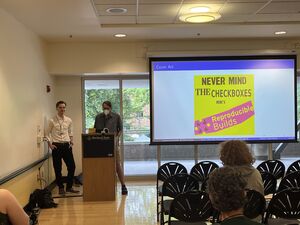
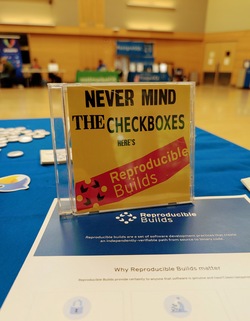
Just wanted to share I enjoy reading George V. Neville s Kode Vicious column, which regularly appears on some of ACM s publications I follow, such as ACM Queue or Communications. Today I was very pleasantly surprised, while reading the column titled Can t we have nice things Kode Vicious answers to a question on why computing has nothing comparable to the beauty of ancient physics laboratories turned into museums (i.e. Faraday s laboratory) by giving a great hat tip to a project stemmed off Debian, and where many of my good Debian friends spend a lot of their energies: Reproducible builds. KV says:
Once the proper measurement points are known, we want to constrain the system such that what it does is simple enough to understand and easy to repeat. It is quite telling that the push for software that enables reproducible builds only really took off after an embarrassing widespread security issue ended up affecting the entire Internet. That there had already been 50 years of software development before anyone thought that introducing a few constraints might be a good idea is, well, let s just say it generates many emotions, none of them happy, fuzzy ones.
Yes, KV is a seasoned free software author. But I found it heart warming that the Reproducible Builds project is mentioned without needing to introduce it (assuming familiarity across the computing industry and academia), recognized as game-changing as we understood it would be over ten years ago when it was first announced, and enabling of beauty in computing. Congratulations to all of you who have made this possible! RB+ACM

Freexian Collaborators: Monthly report about Debian Long Term Support, August 2025 (by Roberto C. S nchez)

Like each month, have a look at the work funded by Freexian s Debian LTS offering.

Debian LTS contributors In August, 21 contributors have been paid to work on Debian LTS, their reports are available:
  • Abhijith PA did 10.0h (out of 0.0h assigned and 14.0h from previous period), thus carrying over 4.0h to the next month.
  • Andrej Shadura did 12.0h (out of 9.0h assigned and 3.0h from previous period).
  • Bastien Roucari s did 20.0h (out of 19.75h assigned and 0.25h from previous period).
  • Ben Hutchings did 22.75h (out of 16.5h assigned and 6.25h from previous period).
  • Carlos Henrique Lima Melara did 10.0h (out of 10.0h assigned).
  • Chris Lamb did 18.0h (out of 18.0h assigned).
  • Daniel Leidert did 23.25h (out of 23.25h assigned).
  • Emilio Pozuelo Monfort did 23.25h (out of 23.25h assigned).
  • Guilhem Moulin did 15.0h (out of 15.0h assigned).
  • Jochen Sprickerhof did 11.0h (out of 6.0h assigned and 16.75h from previous period), thus carrying over 11.75h to the next month.
  • Lee Garrett did 16.25h (out of 0.0h assigned and 16.25h from previous period).
  • Lucas Kanashiro did 20.0h (out of 1.25h assigned and 18.75h from previous period).
  • Markus Koschany did 5.0h (out of 13.0h assigned and 9.75h from previous period), thus carrying over 17.75h to the next month.
  • Paride Legovini did 8.0h (out of 0.0h assigned and 8.0h from previous period).
  • Roberto C. S nchez did 7.5h (out of 11.75h assigned and 11.0h from previous period), thus carrying over 15.25h to the next month.
  • Santiago Ruano Rinc n did 13.5h (out of 7.25h assigned and 7.75h from previous period), thus carrying over 1.5h to the next month.
  • Stefano Rivera did 0.5h (out of 0.0h assigned and 3.0h from previous period), thus carrying over 2.5h to the next month.
  • Sylvain Beucler did 10.0h (out of 23.25h assigned), thus carrying over 13.25h to the next month.
  • Thorsten Alteholz did 22.75h (out of 22.75h assigned).
  • Tobias Frost did 4.0h (out of 0.0h assigned and 12.0h from previous period), thus carrying over 8.0h to the next month.
  • Utkarsh Gupta did 16.0h (out of 22.75h assigned), thus carrying over 6.75h to the next month.

Evolution of the situation In August, we released 27 DLAs. The month of August marked the release of Debian 13 (codename trixie ). This is worth noting because it brought with it the return of the customary fast development pace of Debian unstable, which included several contributions from LTS Team members. More on that below. Of the many security updates which were published (and a few non-security updates as well), some notable ones are highlighted here.
  • Notable security updates:
    • gnutls28 prepared by Adrian Bunk, fixes several potential denial of service vulnerabilities
    • apache2, prepared by Bastien Roucari s, fixes several vulnerabilities including a potential denial of service and SSL/TLS-related access control
    • mbedtls (original update, regression update) prepared by Andrej Shadura, fixes several potential denial of service and information disclosure vulnerabilities
    • openjdk-17, prepared by Emilio Pozuelo Monfort, fixes several vulnerabilities which could result in denial of service, information disclosure or weakened TLS connections
  • Notable non-security updates:
    • distro-info-data, prepared by Stefano Rivera, adds information concerning future Debian and Ubuntu releases
    • ca-certificates-java, prepared by Bastien Roucari s, fixes some bugs which could disrupt future updates
The LTS Team continues to welcome the collaboration of maintainers from across the Debian community. The contributions of maintainers from outside the LTS Team include: postgresql-13 (Christoph Berg), sope (Jordi Mallach), thunderbird (Carsten Schoenert), and iperf3 (Roberto Lumbreras). Finally, LTS Team members also contributed updates of the following packages:
  • redis (to stable), prepared by Chris Lamb
  • firebird3.0 (to oldstable and stable), prepared by Adrian Bunk
  • node-tmp (to oldstable, stable, and unstable), prepared by Adrian Bunk
  • openjpeg2 (to oldstable, stable, and unstable), prepared by Adrian Bunk
  • apache2 (to oldstable), prepared by Bastien Roucari s
  • unbound (to oldstable), prepared by Guilhem Moulin
  • luajit (to oldstable), prepared by Guilhem Moulin
  • golang-github-gin-contrib-cors (to oldstable and stable), prepared by Thorsten Alteholz
  • libcoap3 (to stable), prepared by Thorsten Alteholz
  • libcommons-lang-java and libcommons-lang3-java (both to unstable), prepared by Daniel Leidert
  • python-flask-cors (to oldstable), prepared by Daniel Leidert
The LTS Team would especially like to thank our many longtime friends and sponsors for their support and collaboration.

Thanks to our sponsors Sponsors that joined recently are in bold.

8 September 2025

Dirk Eddelbuettel: RcppArmadillo 15.0.2-1 on CRAN: New Upstream, Some Changes

armadillo image Armadillo is a powerful and expressive C++ template library for linear algebra and scientific computing. It aims towards a good balance between speed and ease of use, has a syntax deliberately close to Matlab, and is useful for algorithm development directly in C++, or quick conversion of research code into production environments. RcppArmadillo integrates this library with the R environment and language and is widely used by (currently) 1279 other packages on CRAN, downloaded 41.2 million times (per the partial logs from the cloud mirrors of CRAN), and the CSDA paper (preprint / vignette) by Conrad and myself has been cited 644 times according to Google Scholar. Fairly shortly after the release of Armadillo 14.6.3 (which became our precedig release 14.6.3), Conrad released version 15.0.0 of Armadillo. It contains several breaking changes which made it unsuitable for CRAN as is. First, the minimum C++ standard was lifted to C++14. There are many good reasons for doing so, but doing it unannounced with no transition offered cannot work at CRAN. For (mostly historical) reasons (as C++11 was once a step up from even more archaic code) many packages still enforce C++11. These packages would break under Armadillo 15.0.0. With some reverse-dependency checks we quickly found that this would affect over 200 packages. Second, Armadillo frequently deprecates code and issues a warning offering a hint towards an improved / current alternative. That too is good practice, and recommended. But at CRAN a deprecation warning seen leads to NOTE and an unfixed NOTEs can lead to archival which is not great. For that reason, we had added a global muffler suppressing the deprecation warnings. This was now removed in C++14 (as one can rely on newer compiler attributes we cannot undo, whereas the old scheme just used macros). Again, not something we can do at CRAN. So I hatched the plan of offering both the final release under the previous state of the world, i.e. 14.6.3, along with 15.0.0. User could then opt-into 15.0.0 but have a fallback of 14.6.3 allowing all packages to coexist. The first idea was to turn the fallback on only if C++11 compilation was noticed. This lead still a lot of deprecation warnings meaning we had to more strongly default to 14.6.3 and only if users actively selected 15.0.* would they get it. This seemed to work. We were still faced with two hard failures. Turns out one was local to a since-archived package, the other reveal a bad interaction betweem Armadillo and gcc for complex variables and lead to bug fix 15.0.1. Which I wrapped and uploaded a week ago. Release 15.0.1 was quickly seen as only temporary because I overlooked two issues. Moving legacy and current into, respectively, a directory of that name meant to top-level include header armadillo remained. This broked a few use cases where packages use a direct #include <armadillo> (which we do not recommend as it may miss a few other settings we apply for the R case). The other is that an old test for limited LAPACK capabilities made noise in some builds (for example on Windows). As (current) R versions generally have sufficient LAPACK and BLAS, this too has been removed. We have tested and rested these changed extensively. The usual repository with the logs shows eight reverse-dependency runs each of which can take up to a day. This careful approach, together with pacing uploads at CRAN usually works. We got a NOTE for seven uploads in six months for this one, but a CRAN maintainer quickly advanced it, and the fully automated test showed no regression or other human intervention which is nice given the set of changes, and the over 1200 reverse dependencies. The changes since the last announced CRAN release 14.6.3 follow.

Changes in RcppArmadillo version 15.0.2-1 (2025-09-08)
  • Upgraded to Armadillo release 15.0.2-1 (Medium Roast)
    • Optionally use OpenMP parallelisation for fp16 matrix multiplication
    • Faster vectorisation of cube tubes
  • Provide a top-level include file armadillo as fallback (#480)
  • Retire the no-longer-needed check for insufficient LAPACK as R now should supply a sufficient libRlapack (when used) (#483)
  • Two potential narrowing warnings are avoided via cast

Changes in RcppArmadillo version 15.0.1-1 (2025-09-01)
  • Upgraded to Armadillo release 15.0.1-1 (Medium Roast)
    • Workaround for GCC compiler bug involving misoptimisation of complex number multiplication
  • This version contains both 'legacy' and 'current' version of Armadillo (see also below). Package authors should set a '#define' to select the 'current' version, or select the 'legacy' version (also chosen as default) if they must. See GitHub issue #475 for more details.
  • Updated DESCRIPTION and README.md

Changes in RcppArmadillo version 15.0.0-1 (2025-08-21) (GitHub Only)
  • Upgraded to Armadillo release 15.0.0-1 (Medium Roast)
    • C++14 is now the minimum required C++ standard
    • Aded preliminary support for matrices with half-precision fp16 element type
    • Added second form of cond() to allow detection of failures
    • Added repcube()
    • Added .freeze() and .unfreeze() member functions to wall_clock
    • Extended conv() and conv2() to accept the "valid" shape argument
  • Also includes Armadillo 14.6.3 as fallback for C++11 compilations
  • This new 'dual' setup had been rigorously tested with five interim pre-releases of which several received full reverse-dependency checks

Courtesy of my CRANberries, there is a diffstat report relative to previous release. More detailed information is on the RcppArmadillo page. Questions, comments etc should go to the rcpp-devel mailing list off the Rcpp R-Forge page.

This post by Dirk Eddelbuettel originated on his Thinking inside the box blog. If you like this or other open-source work I do, you can sponsor me at GitHub.

7 September 2025

Reproducible Builds (diffoscope): diffoscope 306 released

The diffoscope maintainers are pleased to announce the release of diffoscope version 306. This version includes the following changes:
[ Zbigniew J drzejewski-Szmek ]
* Fix compatibility with RPM 6.
* Use regular 'open' calls instead of the deprecated 'codecs.open'.
* Accept additional 'v' when calling 'fdtump --version'.
You find out more by visiting the project homepage.

6 September 2025

Reproducible Builds: Reproducible Builds in August 2025

Welcome to the August 2025 report from the Reproducible Builds project! Welcome to the latest report from the Reproducible Builds project for August 2025. These monthly reports outline what we ve been up to over the past month, and highlight items of news from elsewhere in the increasingly-important area of software supply-chain security. If you are interested in contributing to the Reproducible Builds project, please see the Contribute page on our website. In this report:

  1. Reproducible Builds Summit 2025
  2. Reproducible Builds and live-bootstrap at WHY2025
  3. DALEQ Explainable Equivalence for Java Bytecode
  4. Reproducibility regression identifies issue with AppArmor security policies
  5. Rust toolchain fixes
  6. Distribution work
  7. diffoscope
  8. Website updates
  9. Reproducibility testing framework
  10. Upstream patches

Reproducible Builds Summit 2025 Please join us at the upcoming Reproducible Builds Summit, set to take place from October 28th 30th 2025 in Vienna, Austria!** We are thrilled to host the eighth edition of this exciting event, following the success of previous summits in various iconic locations around the world, including Venice, Marrakesh, Paris, Berlin, Hamburg and Athens. Our summits are a unique gathering that brings together attendees from diverse projects, united by a shared vision of advancing the Reproducible Builds effort. During this enriching event, participants will have the opportunity to engage in discussions, establish connections and exchange ideas to drive progress in this vital field. Our aim is to create an inclusive space that fosters collaboration, innovation and problem-solving. If you re interesting in joining us this year, please make sure to read the event page which has more details about the event and location. Registration is open until 20th September 2025, and we are very much looking forward to seeing many readers of these reports there!

Reproducible Builds and live-bootstrap at WHY2025 WHY2025 (What Hackers Yearn) is a nonprofit outdoors hacker camp that takes place in Geestmerambacht in the Netherlands (approximately 40km north of Amsterdam). The event is organised for and by volunteers from the worldwide hacker community, and knowledge sharing, technological advancement, experimentation, connecting with your hacker peers, forging friendships and hacking are at the core of this event . At this year s event, Frans Faase gave a talk on live-bootstrap, an attempt to provide a reproducible, automatic, complete end-to-end bootstrap from a minimal number of binary seeds to a supported fully functioning operating system . Frans talk is available to watch on video and his slides are available as well.

DALEQ Explainable Equivalence for Java Bytecode Jens Dietrich of the Victoria University of Wellington, New Zealand and Behnaz Hassanshahi of Oracle Labs, Australia published an article this month entitled DALEQ Explainable Equivalence for Java Bytecode which explores the options and difficulties when Java binaries are not identical despite being from the same sources, and what avenues are available for proving equivalence despite the lack of bitwise correlation:
[Java] binaries are often not bitwise identical; however, in most cases, the differences can be attributed to variations in the build environment, and the binaries can still be considered equivalent. Establishing such equivalence, however, is a labor-intensive and error-prone process.
Jens and Behnaz therefore propose a tool called DALEQ, which:
disassembles Java byte code into a relational database, and can normalise this database by applying Datalog rules. Those databases can then be used to infer equivalence between two classes. Notably, equivalence statements are accompanied with Datalog proofs recording the normalisation process. We demonstrate the impact of DALEQ in an industrial context through a large-scale evaluation involving 2,714 pairs of jars, comprising 265,690 class pairs. In this evaluation, DALEQ is compared to two existing bytecode transformation tools. Our findings reveal a significant reduction in the manual effort required to assess non-bitwise equivalent artifacts, which would otherwise demand intensive human inspection. Furthermore, the results show that DALEQ outperforms existing tools by identifying more artifacts rebuilt from the same code as equivalent, even when no behavioral differences are present.
Jens also posted this news to our mailing list.

Reproducibility regression identifies issue with AppArmor security policies Tails developer intrigeri has tracked and followed a reproducibility regression in the generation of AppArmor policy caches, and has identified an issue with the 4.1.0 version of AppArmor. Although initially tracked on the Tails issue tracker, intrigeri filed an issue on the upstream bug tracker. AppArmor developer John Johansen replied, confirming that they can reproduce the issue and went to work on a draft patch. Through this, John revealed that it was caused by an actual underlying security bug in AppArmor that is to say, it resulted in permissions not (always) matching what the policy intends and, crucially, not merely a cache reproducibility issue. Work on the fix is ongoing at time of writing.

Rust toolchain fixes Rust Clippy is a linting tool for the Rust programming language. It provides a collection of lints (rules) designed to identify common mistakes, stylistic issues, potential performance problems and unidiomatic code patterns in Rust projects. This month, however, Sosth ne Gu don filed a new issue in the GitHub requesting a new check that would lint against non deterministic operations in proc-macros, such as iterating over a HashMap .

Distribution work In Debian this month: Lastly, Bernhard M. Wiedemann posted another openSUSE monthly update for their work there.

diffoscope diffoscope is our in-depth and content-aware diff utility that can locate and diagnose reproducibility issues. This month, Chris Lamb made the following changes, including preparing and uploading versions, 303, 304 and 305 to Debian:
  • Improvements:
    • Use sed(1) backreferences when generating debian/tests/control to avoid duplicating ourselves. [ ]
    • Move from a mono-utils dependency to versioned mono-devel mono-utils dependency, taking care to maintain the [!riscv64] architecture restriction. [ ]
    • Use sed over awk to avoid mangling dependency lines containing = (equals) symbols such as version restrictions. [ ]
  • Bug fixes:
    • Fix a test after the upload of systemd-ukify version 258~rc3. [ ]
    • Ensure that Java class files are named .class on the filesystem before passing them to javap(1). [ ]
    • Do not run jsondiff on files over 100KiB as the algorithm runs in O(n^2) time. [ ]
    • Don t check for PyPDF version 3 specifically; check for >= 3. [ ]
  • Misc:
    • Update copyright years. [ ][ ]
In addition, Martin Joerg fixed an issue with the HTML presenter to avoid crash when page limit is None [ ] and Zbigniew J drzejewski-Szmek fixed compatibility with RPM 6 [ ]. Lastly, John Sirois fixed a missing requests dependency in the trydiffoscope tool. [ ]

Website updates Once again, there were a number of improvements made to our website this month including:

Reproducibility testing framework The Reproducible Builds project operates a comprehensive testing framework running primarily at tests.reproducible-builds.org in order to check packages and other artifacts for reproducibility. In August, however, a number of changes were made by Holger Levsen, including:
  • reproduce.debian.net-related:
    • Run 4 workers on the o4 node again in order to speed up testing. [ ][ ][ ][ ]
    • Also test trixie-proposed-updates and trixie-updates etc. [ ][ ]
    • Gather seperate statistics for each tested release. [ ]
    • Support sources from all Debian suites. [ ]
    • Run new code from the prototype database rework branch for the amd64-pull184 pseudo-architecture. [ ][ ]
    • Add a number of helpful links. [ ][ ][ ][ ][ ][ ][ ][ ][ ]
    • Temporarily call debrebuild without the --cache argument to experiment with a new version of devscripts. [ ][ ][ ]
    • Update public TODO. [ ]
  • Installation tests:
    • Add comments to explain structure. [ ]
    • Mark more old jobs as old or dead . [ ][ ][ ]
    • Turn the maintenance job into a no-op. [ ]
  • Jenkins node maintenance:
    • Increase penalties if the osuosl5 or ionos7 nodes are down. [ ]
    • Stop trying to fix network automatically. [ ]
    • Correctly mark ppc64el architecture nodes when down. [ ]
    • Upgrade the remaining arm64 nodes to Debian trixie in anticipation of the release. [ ][ ]
    • Allow higher SSD temperatures on the riscv64 architecture. [ ]
  • Debian-related:
    • Drop the armhf architecture; many thanks to Vagrant for physically hosting the nodes for ten years. [ ][ ]
    • Add Debian forky, and archive bullseye. [ ][ ][ ][ ][ ][ ][ ]
    • Document the filesystem space savings from dropping the armhf architecture. [ ]
    • Exclude i386 and armhfr from JSON results. [ ]
    • Update TODOs for when Debian trixie and forky have been released. [ ][ ]
  • tests.reproducible-builds.org-related:
  • Misc:
    • Detect errors with openQA erroring out. [ ]
    • Drop the long-disabled openwrt_rebuilder jobs. [ ]
    • Use qa-jenkins-dev@alioth-lists.debian.net as the contact for jenkins.debian.net. [ ]
    • Redirect reproducible-builds.org/vienna25 to reproducible-builds.org/vienna2025. [ ]
    • Disable all OpenWrt reproducible CI jobs, in coordination with the OpenWrt community. [ ][ ]
    • Make reproduce.debian.net accessable via IPv6. [ ]
    • Ignore that the megacli RAID controller requires packages from Debian bookworm. [ ]
In addition,
  • James Addison migrated away from deprecated toplevel deb822 Python module in favour of debian.deb822 in the bin/reproducible_scheduler.py script [ ] and removed a note on reproduce.debian.net note after the release of Debian trixie [ ].
  • Jochen Sprickerhof made a huge number of improvements to the reproduce.debian.net statistics calculation [ ][ ][ ][ ][ ][ ] as well as to the reproduce.debian.net service more generally [ ][ ][ ][ ][ ][ ][ ][ ].
  • Mattia Rizzolo performed a lot of work migrating scripts to SQLAlchemy version 2.0 [ ][ ][ ][ ][ ][ ] in addition to making some changes to the way openSUSE reproducibility tests are handled internally. [ ]
  • Lastly, Roland Clobus updated the Debian Live packages after the release of Debian trixie. [ ][ ]

Upstream patches The Reproducible Builds project detects, dissects and attempts to fix as many currently-unreproducible packages as possible. We endeavour to send all of our patches upstream where appropriate. This month, we wrote a large number of such patches, including:

Finally, if you are interested in contributing to the Reproducible Builds project, please visit our Contribute page on our website. However, you can get in touch with us via:

1 September 2025

Guido G nther: Free Software Activities August 2025

Another short status update of what happened on my side last month. Released Phosh 0.49.0 and added some more QoL improvements to Phosh Mobile stack (e.g. around Cell broadcasts). Also pulled my SHIFT6mq out of the drawer (where it was sitting in a drawwer far too long) and got it to show a picture after a small driver fix. Thanks to the work the sdm845-mainlining folks are doing that was all that was needed. If I can get touch to work better that would be another nice device for demoing Phosh. See below for details on the above and more: phosh phoc phosh-mobile-settings stevia (formerly phosh-osk-stub) xdg-desktop-portal-phosh pfs feedbackd feedbackd-device-themes libcmatrix Chatty Debian Cellbroadcastd ModemManager gnome-clocks git-buildpackage mobian-recipies Linux Reviews This is not code by me but reviews on other peoples code. The list is (as usual) slightly incomplete. Thanks for the contributions! Help Development If you want to support my work see donations. Comments? Join the Fediverse thread

Birger Schacht: Status update, August 2025

Due to the freeze I did not do that many uploads in the last few months, so there were various new releases I packaged once Trixie was released. Regarding the release of Debian 13, Trixie, I wrote a small summary of the changes in my packages. I uploaded an unreleased version of cage to experimental, to prepare for the transition to wlroots-0.19. Both sway and labwc already had packages in experimental that depended on the new wlroots version. When the transition happened, I uploaded the cage version to unstable, as well as labwc 0.9.1 and sway 1.11. I updated Most of the packages I uploaded using git-debpush, some of them could not be uploaded this way due to upstream using git submodules (this is 1107219). I also created 1112040 - git-debpush: should also say which tag it created and 1111504 - git-debpush: pristine-tar check warns about pristine-tar data thats not present (which is already fixed). I uploaded wayback 0.2 to NEW, where it is waiting for review, (ITP). In my dayjob I added extended the place lookup form of apis-core-rdf to allow searching places and selecting them on a map using leaflet and the nominatim API. Another issue I worked on was about highlighting those inputs of our generic list filter that are used to filter the results. I released a couple of bugfix releases for the v0.50 release, then v0.51 and two bugfix releases and then v0.52 and another couple of bugfix releases. v0.53 will land in a couple of days. I also released v0.6.2 of apis-highlighter-ng, which is sort of a plugin for apis-core-rdf, that allows to highlight parts of a text and link them to whatever Django object (in our case relations).

Russ Allbery: Review: Regenesis

Review: Regenesis, by C.J. Cherryh
Series: Cyteen #2
Publisher: DAW
Copyright: January 2009
ISBN: 0-7564-0592-0
Format: Mass market
Pages: 682
The main text below is an edited version of my original review of Regensis written on 2012-12-21. Additional comments from my re-read are after the original review. Regenesis is a direct sequel to Cyteen, picking up very shortly after the end of that book and featuring all of the same characters. It would be absolutely pointless to read this book without first reading Cyteen; all of the emotional resonance and world-building that make Regensis work are done there, and you will almost certainly know whether you want to read it after reading the first book. Besides, Cyteen is one of the best SF novels ever written and not the novel to skip. Because this is such a direct sequel, it's impossible to provide a good description of Regenesis without spoiling at least characters and general plot developments from Cyteen. So stop reading here if you've not yet read the previous book. I've had this book for a while, and re-read Cyteen in anticipation of reading it, but I've been nervous about it. One of the best parts of Cyteen is that Cherryh didn't belabor the ending, and I wasn't sure what part of the plot could be reasonably extended. Making me more nervous was the back-cover text that framed the novel as an investigation of who actually killed the first Ari, a question that was fairly firmly in the past by the end of Cyteen and that neither I nor the characters had much interest in answering. Cyteen was also a magical blend of sympathetic characters, taut tension, complex plotting, and wonderful catharsis, the sort of lightning in a bottle that can rarely be caught twice. I need not have worried. If someone had told me that Regenesis was another 700 pages of my favorite section of Cyteen, I would have been dubious. But that's exactly what it is. And the characters only care about Ari's murderer because it comes up, fairly late in the novel, as a clue in another problem. Ari and Justin are back in the safe laboratory environment of Reseune, safe now that politics are not trying to kill or control them. Yanni has taken over administration. There is a general truce, and even some deeper agreement. Everyone can take a breath and relax, albeit with the presence of Justin's father Jordan as an ongoing irritant. But broader Union politics are not stable: there is an election in progress for the Defense councilor that may break the tenuous majority in favor of Reseune and the Science Directorate, and Yanni is working out a compromise to gain more support by turning a terraforming project loose on a remote world. As the election and the politics heat up, interpersonal relationships abruptly deteriorate, tensions with Jordan sharply worsen, and there may be moles in Reseune's iron-clad security. Navigating the crisis while keeping her chosen family safe will once again tax all of Ari's abilities. The third section of Cyteen, where Ari finally has the tools to take fate into her own hands and starts playing everyone off against each other, is one of my favorite sections of any book. If it was yours as well, Regenesis is another 700 pages of exactly that. As an extension and revisiting, it does lose a bit of immediacy and surprise from the original. Regenesis is also less concerned with the larger questions of azi society, the nature of thought and personality, loyalty and authority, and the best model for the development of human civilization. It's more of a political thriller. But it's a political thriller that recaptures much of the drama and tension of Cyteen and is full of exceptionally smart and paranoid people thinking through all angles of a problem, working fast on their feet, and successfully navigating tricky and treacherous political landscapes. And, like Cyteen but unlike others of Cherryh's novels I've read, it's a novel about empowerment, about seizing control of one's surroundings and effectively using all of the capability and leverage at one's fingertips. That gives it a catharsis that's almost as good as Cyteen. It's also, like its predecessor, a surprisingly authoritarian novel. I think it's in that, more than anything else in these books, that one sees the impact of the azi. Regenesis makes it clear that the story is set, not in a typical society, but inside a sort of corporation, with an essentially hierarchical governance structure. There are other SF novels set within corporations (Solitaire comes to mind), but normally they follow peons or at best mid-level personnel or field agents, or otherwise take the viewpoint of the employees or the exploited. When they follow the corporate leaders, the focus usually isn't down inside the organization, but out into the world, with the corporation as silent resources on which the protagonist can draw. Regenesis is instead about the leadership. It's about decisions about the future of humanity that characters feel they can make undemocratically (in part because they or their predecessors have effectively engineered the opinions of the democratic population), but it's also about how one manages and secures a top-down organization. Reseune is, as in the previous novel, a paranoid's suspicions come true; everyone is out to get everyone else, or at least might be, and the level of omnipresent security and threat forces a close parsing of alliances and motivations that elevates loyalty to the greatest virtue. In Cyteen, we had long enough with Ari to see the basic shape of her personality and her slight divergences from her predecessor, but her actions are mostly driven by necessity. Regenesis gives us more of a picture of what she's like when her actions aren't forced, and here I think Cherryh manages a masterpiece of subtle characterization. Ari has diverged substantially from her predecessor without always realizing, and those divergences are firmly grounded in the differences she found or created between her life and the first Ari's. She has friends, confidents, and a community, which combined with past trauma has made her fiercely, powerfully protective. It's that protective instinct that weaves the plot together. So many of the events of Cyteen and Regenesis are driven by people's varying reactions to trauma. If you, like me, loved the last third of Cyteen, read this, because Regenesis is more of exactly that. Cherryh finds new politics, new challenges, and a new and original plot within the same world and with the same characters, but it has the same feel of maneuvering, analysis, and decisive action. You will, as with Cyteen have to be comfortable with pages of internal monologue from people thinking through all sides of a problem. If you didn't like that in the previous book, avoid this one; if you loved it, here's the sequel you didn't know you were waiting for. Original rating: 9 out of 10

Some additional thoughts after re-reading Regenesis in 2025: Cyteen mostly held up to a re-reading and I had fond memories of Regenesis and hoped that it would as well. Unfortunately, it did not. I think I can see the shape of what I enjoyed the first time I read it, but I apparently was in precisely the right mood for this specific type of political power fantasy. I did at least say that you have to be comfortable with pages of internal monologue, but on re-reading, there was considerably more of that than I remembered and it was quite repetitive. Ari spends most of the book chasing her tail, going over and around and beside the same theories that she'd already considered and worrying over the nuances of every position. The last time around, I clearly enjoyed that; this time, I found it exhausting and not very well-written. The political maneuvering is not that deep; Ari just shows every minutia of her analysis. Regenesis also has more about the big questions of how to design a society and the role of the azi than I had remembered, but I'm not sure those discussions reach any satisfying conclusions. The book puts a great deal of effort into trying to convince the reader that Ari is capable of designing sociological structures that will shape Union society for generations to come through, mostly, manipulation of azi programming (deep sets is the term used in the book). I didn't find this entirely convincing the first time around, and I was even less convinced in this re-read. Human societies are a wicked problem, and I don't find Cherryh's computer projections any more convincing than Asimov's psychohistory. Related, I am surprised, in retrospect, that the authoritarian underpinnings of this book didn't bother me more on my first read. They were blatantly obvious on the second read. This felt like something Cherryh put into these books intentionally, and I think it's left intentionally ambiguous whether the reader is supposed to agree with Ari's goals and decisions, but I was much less in the mood on this re-read to read about Ari making blatantly authoritarian decisions about the future of society simply because she's smart and thinks she, unlike others, is acting ethically. I say this even though I like Ari and mostly enjoyed spending time in her head. But there is a deep fantasy of being able to reprogram society at play here that looks a lot nastier from the perspective of 2025 than apparently it did to me in 2012. Florian and Catlin are still my favorite characters in the series, though. I find it oddly satisfying to read about truly competent bodyguards, although like all of the azi they sit in an (I think intentionally) disturbing space of ambiguity between androids and human slaves. The somewhat too frank sexuality from Cyteen is still present in Regenesis, but I found it a bit less off-putting, mostly because everyone is older. The authoritarian bent is stronger, since Regenesis is the story of Ari consolidating power rather than the underdog power struggle of Cyteen, and I had less tolerance for it on this re-read. The main problem with this book on re-read was that I bogged down about halfway through and found excuses to do other things rather than finish it. On the first read, I was apparently in precisely the right mood to read about Ari building a fortified home for all of her friends; this time, it felt like endless logistics and musings on interior decorating that didn't advance the plot. Similarly, Justin and Grant's slow absorption into Ari's orbit felt like a satisfying slow burn friendship in my previous reading and this time felt touchy and repetitive. I was one of the few avid defenders of Regenesis the first time I read it, and sadly I've joined the general reaction on a re-read: This is not a very good book. It's too long, chases its own tail a bit too much, introduces a lot more authoritarianism and doesn't question it as directly as I wanted, and gets even deeper into Cherryh's invented pseudo-psychology than Cyteen. I have a high tolerance for the endless discussions of azi deep sets and human flux thinking, and even I got bored this time through. On re-read, this book was nowhere near as good as I thought it was originally, and I would only recommend it to people who loved Cyteen and who really wanted a continuation of Ari's story, even if it is flabby and not as well-written. I have normally been keeping the rating of my first read of books, but I went back and lowered this one by two points to ensure it didn't show as high on my list of recommendations.

Re-read rating: 6 out of 10

31 August 2025

Otto Kek l inen: Managing procrastination and distractions

Featured image of post Managing procrastination and distractionsI ve noticed that procrastination and inability to be consistently productive at work has become quite common in recent years. This is clearly visible in younger people who have grown up with an endless stream of entertainment literally at their fingertips, on their mobile phone. It is however a trap one can escape from with a little bit of help. Procrastination is natural they say humans are lazy by nature after all. Probably all of us have had moments when we choose to postpone a task we know we should be working on, and instead spent our time doing secondary tasks (valorisation). Classic example is cleaning your apartment when you should be preparing for an exam. Some may procrastinate by not doing any work at all, and just watching YouTube videos or the like. To some people, typically those who are in their 20s and early in their career, procrastination can be a big challenge and finding the discipline to stick to planned work may need intentional extra effort, and perhaps even external help. During my 20+ year career in software development I ve been blessed to work with engineers of various backgrounds and each with their unique set of strengths. I have also helped many grow in various areas and overcome challenges, such as lack of intrinsic motivation and managing procrastination, and some might be able to get it in check with some simple advice.
Distance yourself from the digital distractions The key to avoiding distractions and procrastination is to make it inconvenient enough that you rarely do it. If continuing to do work is easier than switching to procrastination, work is more likely to continue. Tips to minimize digital distractions, listed in order of importance:
  1. Put your phone away. Just like when you go to a movie and turn off your phone for two hours, you can put the phone away completely when starting to work. Put the phone in a different room to ensure there is enough physical distance between you and the distraction, so it is impossible for you to just take a quick peek .
  2. Turn off notifications from apps. Don t let the apps call you like sirens luring Odysseus. You don t need to have all the notifications. You will see what the apps have when you eventually open them at a time you choose to use them.
  3. Remove or disable social media apps, games and the like from your phone and your computer. You can install them back when you have vacation. You can probably live without them for some time. If you can t remove them, explore your phone s screen time restriction features to limit your own access to apps that most often waste your time. These features are sometimes listed in the phone settings under digital health .
  4. Have a separate work computer and work phone. Having dedicated ones just for work that are void of all unnecessary temptations helps keep distance from the devices that could derail your focus.
  5. Listen to music. If you feel your brain needs a dose of dopamine to get you going, listening to music helps satisfy your brain s cravings while still being able to simultaneously keep working.
Doing a full digital detox is probably not practical, or not sustainable for an extended time. One needs apps to stay in touch with friends and family, and staying current in software development probably requires spending some time reading news online and such. However the tips above can help contain the distractions and minimize the spontaneous attention the distractions get. Some of the distractions may ironically be from the work itself, for example Slack notifications or new email notifications. I recommend turning them off for a couple of hours every day to have some distraction free time. It should be enough to check work mail a couple times a day. Checking them every hour probably does not add much overall value for the company unless your work is in sales or support where the main task itself is responding to emails.

Distraction free work environment Following the same principle of distancing yourself from distractions, try to use a dedicated physical space for working. If you don t have a spare room to dedicate to work, use a neighborhood caf or sign up for a local co-working space or start commuting to the company office to find a space to be focused on work in.

Break down tasks into smaller steps Sometimes people postpone tasks because they feel intimidated by the size or complexity of a task. In particular in software engineering problems may be vague and appear large until one reaches the breakthrough that brings the vision of how to tackle it. Breaking down problems into smaller more manageable pieces has many advantages in software engineering. Not only can it help with task-avoidance, but it can also make the problem easier to analyze, suggest solutions and test them and build a solid foundation to expand upon to ultimately later reach a full solution on the entire larger problem. Working on big problems as a chain of smaller tasks may also offer more opportunities to celebrate success on completing each subtask and help getting in a suitable cadence of solving a single thing, taking a break and then tackling the next issue. Breaking down a task into concrete steps may also help with getting more realistic time estimations. Sometimes procrastination isn t real someone could just be overly ambitious and feel bad about themselves for not doing an unrealistic amount of work.

Intrinsic motivation Of course, you should follow your passion when possible. Strive to pick a career that you enjoy, and thus maximize the intrinsic motivation you experience. However, even a dream job is still a job. Nobody is ever paid to do whatever they want. Any work will include at least some tasks that feel like a chore or otherwise like something you would not do unless paid to. Some would say that the definition of work itself is having to do things one would otherwise not do. You can only fully do whatever you want while on vacation or when you choose to not have a job at all. But if you have a job, you simply need to find the intrinsic motivation to do it. Simply put, some tasks are just unpleasant or boring. Our natural inclination is to avoid them in favor of more enjoyable activities. For these situations we just have to find the discipline to force ourselves to do the tasks and figuratively speaking whip ourselves into being motivated to complete the tasks.

Extrinsic motivation As the name implies, this is something people external to you need to provide, such as your employer or manager. If you have challenges in managing yourself and delivering results on a regular basis, somebody else needs to set goals and deadlines and keep you accountable for them. At the end of the day this means that eventually you will stop receiving salary or other payments unless you did your job. Forcing people to do something isn t nice, but eventually it needs to be done. It would not be fair for an employer to pay those who did their work the same salary as those who procrastinated and fell short on their tasks. If you work solo, you can also simulate the extrinsic motivation by publicly announcing milestones and deadlines to build up pressure for yourself to meet them and avoid publicly humiliation. It is a well-studied and scientifically proven phenomenon that most university students procrastinate at the start of assignments, and truly start working on them only once the deadline is imminent.

External help for addictions If procrastination is mainly due to a single distraction that is always on your mind, it may be a sign of an addiction. For example, constantly thinking about a computer game or staying up late playing a computer game, to the extent that it seriously affects your ability to work, may be a symptom of an addiction, and getting out of it may be easier with external help.

Discipline and structure Most of the time procrastination is not due to an addiction, but simply due to lack of self-discipline and structure. The good thing is that those things can be learned. It is mostly a matter of getting into new habits, which most young software engineers pick up more or less automatically while working along the more senior ones. Hopefully these tips can help you stay on track and ensure you do everything you are expected to do with clear focus, and on time!

29 August 2025

Raju Devidas: Fixing Auto-Rotate screen orientation on PostmarketOS devices running MATE DE

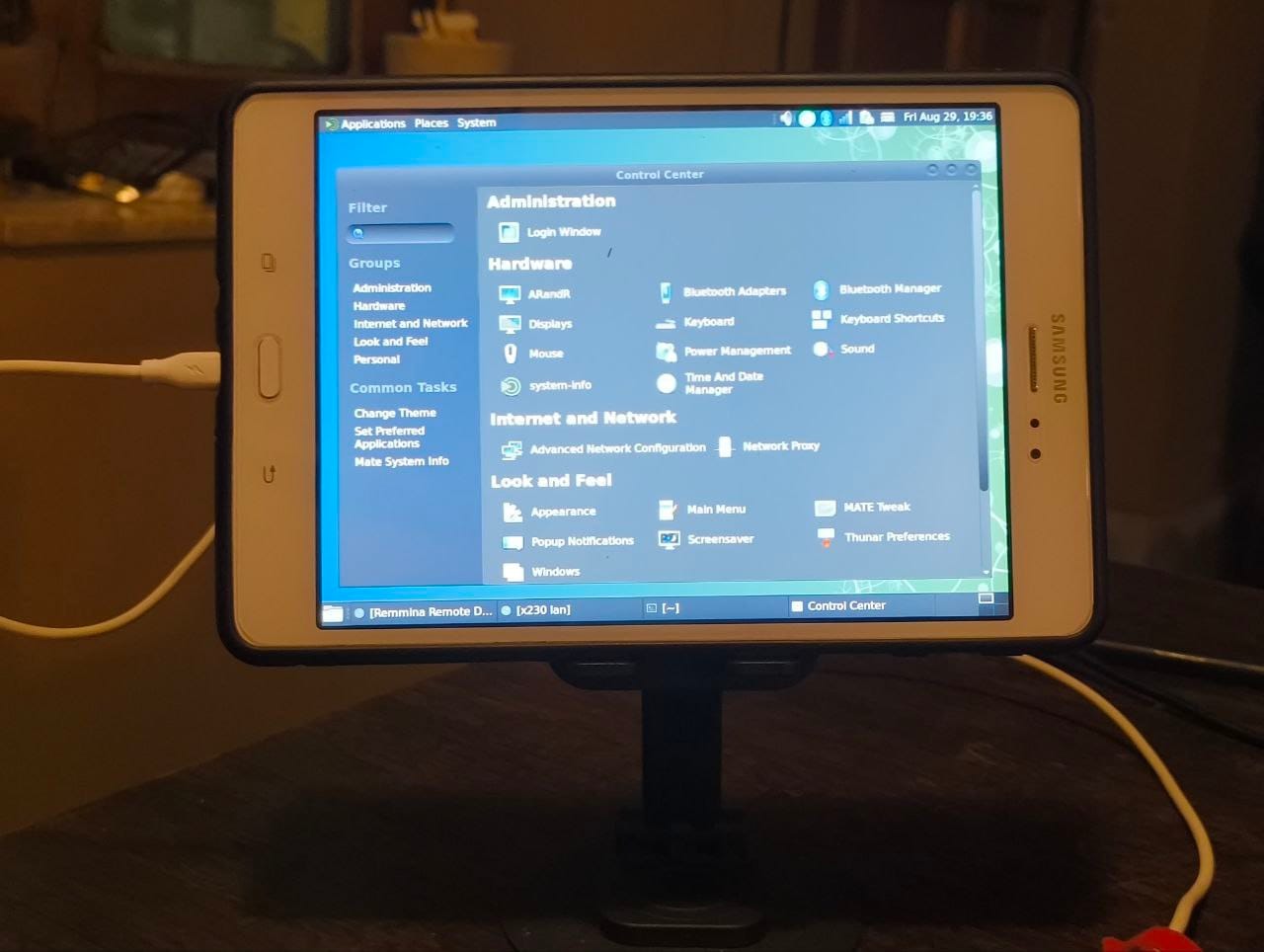
Fixing Auto-Rotate screen orientation on PostmarketOS devices running MATE DEI have been using my Samsung Galaxy Tab A (2015) with PostmarketOS on and off since last year. It serves as a really good e-book reader with KOReader installed on it. Have tried phosh and plasma-mobile on it, works nicely but slows the device down heavily (2 GB RAM and old processor) so I use MATE Desktop environment on it.Lately I have started using this tablet along with my laptop as a second screen for work. And it has been working super nicely for that. The only issue being that I have to manually rotate the screen to landscape every time I reboot the device. It resets the screen orientation to portrait after a reboot. So I went through the pmOS wiki and a neat nice hack documented there worked very well for me. First we will test if the auto-rotate sensor works and if we can read values from it. So we install some basic necessary packages

$ sudo apk add xrandr xinput inotify-tools iio-sensor-proxy
Enable the service for iio-sensor-proxy
sudo rc-update add iio-sensor-proxy
Reboot the device. Now in the device terminal start the sensor monitor-sensor
user@samsung-gt58 ~> monitor-sensor
    Waiting for iio-sensor-proxy to appear
+++ iio-sensor-proxy appeared
=== Has accelerometer (orientation: normal, tilt: vertical)
=== Has ambient light sensor (value: 5.000000, unit: lux)
=== No proximity sensor
=== No compass
    Light changed: 14.000000 (lux)
    Accelerometer orientation changed: left-up
    Tilt changed: tilted-down
    Light changed: 12.000000 (lux)
    Tilt changed: vertical
    Light changed: 13.000000 (lux)
    Light changed: 11.000000 (lux)
    Light changed: 13.000000 (lux)
    Accelerometer orientation changed: normal
    Light changed: 5.000000 (lux)
    Light changed: 6.000000 (lux)
    Light changed: 5.000000 (lux)
    Accelerometer orientation changed: right-up
    Light changed: 3.000000 (lux)
    Light changed: 4.000000 (lux)
    Light changed: 5.000000 (lux)
    Light changed: 12.000000 (lux)
    Tilt changed: tilted-down
    Light changed: 19.000000 (lux)
    Accelerometer orientation changed: bottom-up
    Tilt changed: vertical
    Light changed: 1.000000 (lux)
    Light changed: 2.000000 (lux)
    Light changed: 4.000000 (lux)
    Accelerometer orientation changed: right-up
    Tilt changed: tilted-down
    Light changed: 11.000000 (lux)
    Accelerometer orientation changed: normal
    Tilt changed: vertical
    Tilt changed: tilted-down
    Light changed: 18.000000 (lux)
    Light changed: 21.000000 (lux)
    Light changed: 22.000000 (lux)
    Light changed: 19.000000 (lux)
    Accelerometer orientation changed: left-up
    Light changed: 17.000000 (lux)
    Tilt changed: vertical
    Light changed: 14.000000 (lux)
    Tilt changed: tilted-down
    Light changed: 16.000000 (lux)
    Light changed: 18.000000 (lux)
    Light changed: 17.000000 (lux)
    Light changed: 18.000000 (lux)
    Light changed: 17.000000 (lux)
    Light changed: 18.000000 (lux)
    Light changed: 17.000000 (lux)
    Light changed: 18.000000 (lux)
    Light changed: 17.000000 (lux)
As you can see we can read the rotation values from the sensor as I am rotating the tablet in different orientations. Now we just need to use a script which changes the screen orientation using xrandr according to the sensor value.
#!/bin/sh
killall monitor-sensor
monitor-sensor > /dev/shm/sensor.log 2>&1 &
while inotifywait -e modify /dev/shm/sensor.log; do
  ORIENTATION=$(tail /dev/shm/sensor.log   grep &aposorientation&apos   tail -1   grep -oE &apos[^ ]+$&apos)
  case "$ORIENTATION" in
    normal)
      xrandr -o normal
      xinput set-prop "Goodix Capacitive TouchScreen" "Coordinate Transformation Matrix" 1 0 0 0 1 0 0 0 1
      ;;
    left-up)
      xrandr -o left
      xinput set-prop "Goodix Capacitive TouchScreen" "Coordinate Transformation Matrix" 0 -1 1 1 0 0 0 0 1
      ;;
    bottom-up)
      xrandr -o inverted
      xinput set-prop "Goodix Capacitive TouchScreen" "Coordinate Transformation Matrix" -1 0 1 0 -1 1 0 0 1
      ;;
    right-up)
      xrandr -o right
      xinput set-prop "Goodix Capacitive TouchScreen" "Coordinate Transformation Matrix" 0 1 0 -1 0 1 0 0 1
      ;;
  esac
done

auto-rotate-screen.sh

You need to replace the name of your touch input device in the script, you can get the name by using xinput --list , make sure to type this on the device terminal.
user@samsung-gt58 ~> xinput --list
* Virtual core pointer                    	id=2	[master pointer  (3)]
*   * Virtual core XTEST pointer              	id=4	[slave  pointer  (2)]
*   * Zinitix Capacitive TouchScreen          	id=10	[slave  pointer  (2)]
*   * Toad One Plus                           	id=12	[slave  pointer  (2)]
* Virtual core keyboard                   	id=3	[master keyboard (2)]
    * Virtual core XTEST keyboard             	id=5	[slave  keyboard (3)]
    * GPIO Buttons                            	id=6	[slave  keyboard (3)]
    * pm8941_pwrkey                           	id=7	[slave  keyboard (3)]
    * pm8941_resin                            	id=8	[slave  keyboard (3)]
    * Zinitix Capacitive TouchScreen          	id=11	[slave  keyboard (3)]
    * samsung-a2015 Headset Jack              	id=9	[slave  keyboard (3)]
In our script here we are using a Zinitix capacitive screen, it will be different for yours.Once your script is ready with the correct touchscreen name. Save and make the script executable. chmod +x auto-rotate-screen.sh Then test your script in your terminal ./auto-rotate.sh , stop the script using Ctrl + CNow we need add this script to auto-start. On MATE DE you can go to System > Control Center > Startup Applications, then click on Custom Add button, browse the script location, give it a name and then click on Add button. Now reboot the tablet/device, login and see the auto rotation working.
0:00
/0:09

  1. Auto-Rotation wiki article on PostmarketOS Wiki https://wiki.postmarketos.org/wiki/Auto-rotation

28 August 2025

Samuel Henrique: Debian 13: My list of exciting new features

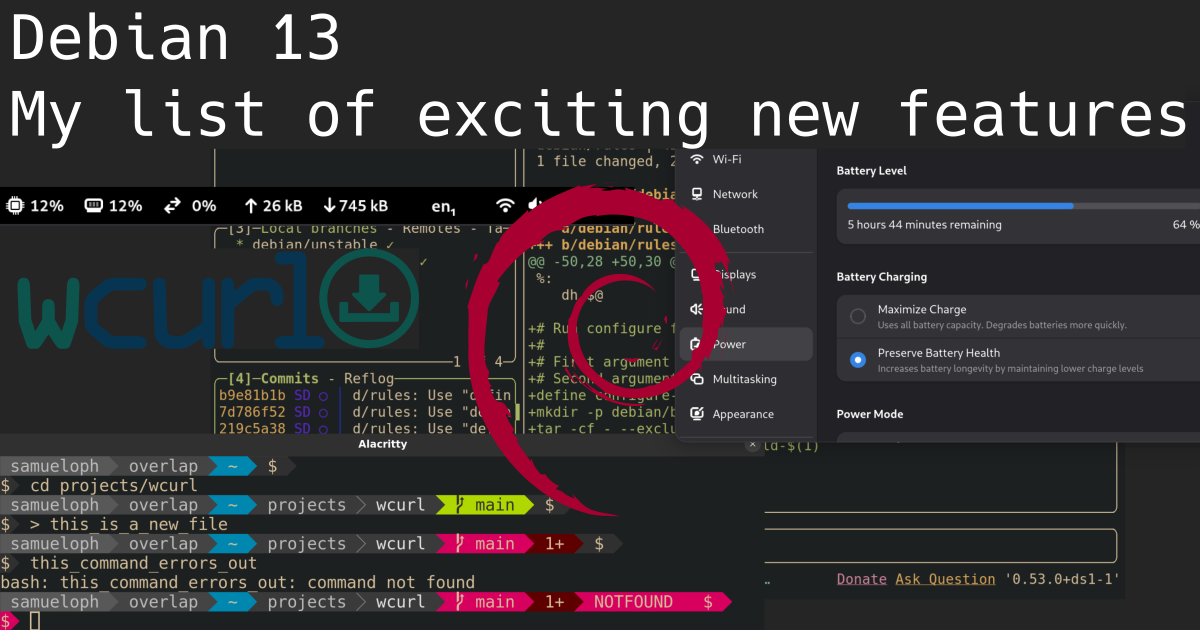
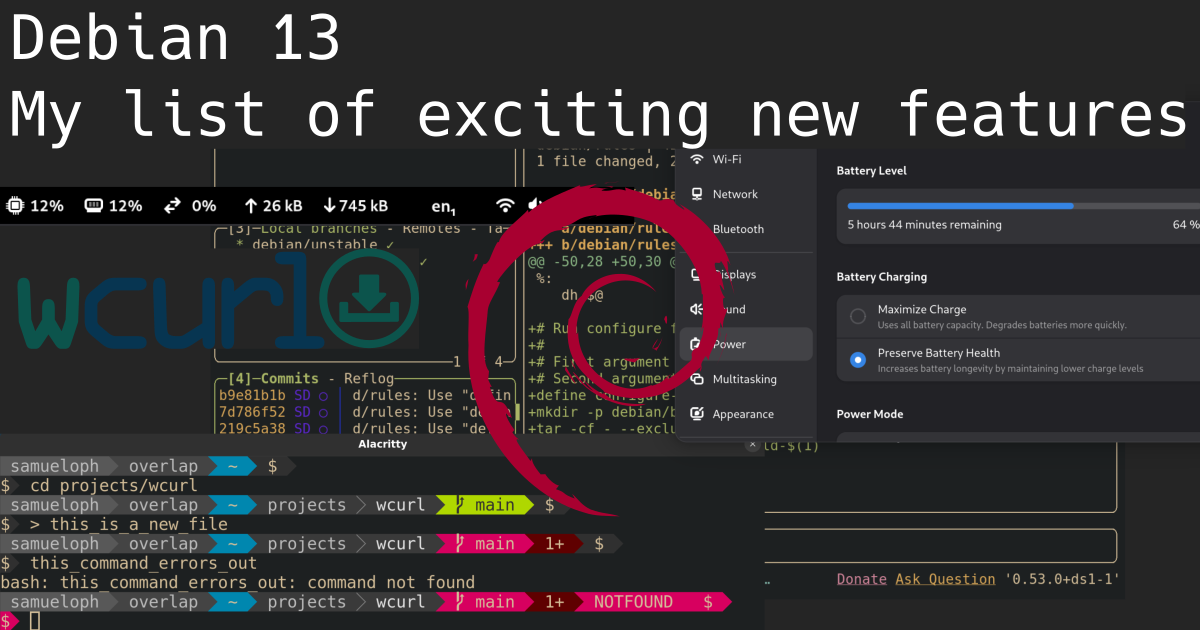
A bunch of screenshots overlaid on top of each other showing different tools: lazygit, gnome settings, gnome system monitor, powerline-go, and the wcurl logo, the text at the top says 'Debian 13: My list of exciting new features', and there's a Debian logo in the middle of image

Beyond Debian: Useful for other distros too Every two years Debian releases a new major version of its Stable series, meaning the differences between consecutive Debian Stable releases represent two years of new developments both in Debian as an organization and its native packages, but also in all other packages which are also shipped by other distributions (which are getting into this new Stable release). If you're not paying close attention to everything that's going on all the time in the Linux world, you miss a lot of the nice new features and tools. It's common for people to only realize there's a cool new trick available only years after it was first introduced. Given these considerations, the tips that I'm describing will eventually be available in whatever other distribution you use, be it because it's a Debian derivative or because it just got the same feature from the upstream project. I'm not going to list "passive" features (as good as they can be), the focus here is on new features that might change how you configure and use your machine, with a mix between productivity and performance.

Debian 13 - Trixie I have been a Debian Testing user for longer than 10 years now (and I recommend it for non-server users), so I'm not usually keeping track of all the cool features arriving in the new Stable releases because I'm continuously receiving them through the Debian Testing rolling release. Nonetheless, as a Debian Developer I'm in a good position to point out the ones I can remember. I would also like other Debian Developers to do the same as I'm sure I would learn something new. The Debian 13 release notes contain a "What's new" section , which lists the first two items here and a few other things, in other words, take my list as an addition to the release notes. Debian 13 was released on 2025-08-09, and these are nice things you shouldn't miss in the new release, with a bonus one not tied to the Debian 13 release.

1) wcurl wcurl logo Have you ever had to download a file from your terminal using curl and didn't remember the parameters needed? I did. Nowadays you can use wcurl; "a command line tool which lets you download URLs without having to remember any parameters." Simply call wcurl with one or more URLs as parameters and it will download all of them in parallel, performing retries, choosing the correct output file name, following redirects, and more. Try it out:
wcurl example.com
wcurl comes installed as part of the curl package on Debian 13 and in any other distribution you can imagine, starting with curl 8.14.0. I've written more about wcurl in its release announcement and I've done a lightning talk presentation in DebConf24, which is linked in the release announcement.

2) HTTP/3 support in curl Debian has become the first stable Linux distribution to ship curl with support for HTTP/3. I've written about this in July 2024, when we first enabled it. Note that we first switched the curl CLI to GnuTLS, but then ended up releasing the curl CLI linked with OpenSSL (as support arrived later). Debian was the first stable Linux distro to enable it, and within rolling-release-based distros; Gentoo enabled it first in their non-default flavor of the package and Arch Linux did it three months before we pushed it to Debian Unstable/Testing/Stable-backports, kudos to them! HTTP/3 is not used by default by the curl CLI, you have to enable it with --http3 or --http3-only. Try it out:
curl --http3 https://www.example.org
curl --http3-only https://www.example.org

3) systemd soft-reboot Starting with systemd v254, there's a new soft-reboot option, it's an userspace-only reboot, much faster than a full reboot if you don't need to reboot the kernel. You can read the announcement from the systemd v254 GitHub release Try it out:
# This will reboot your machine!
systemctl soft-reboot

4) apt --update Are you tired of being required to run sudo apt update just before sudo apt upgrade or sudo apt install $PACKAGE? So am I! The new --update option lets you do both things in a single command:
sudo apt --update upgrade
sudo apt --update install $PACKAGE
I love this, but it's still not yet where it should be, fingers crossed for a simple apt upgrade to behave like other package managers by updating its cache as part of the task, maybe in Debian 14? Try it out:
sudo apt upgrade --update
# The order doesn't matter
sudo apt --update upgrade
This is especially handy for container usage, where you have to update the apt cache before installing anything, for example:
podman run debian:stable bin/bash -c 'apt install --update -y curl'

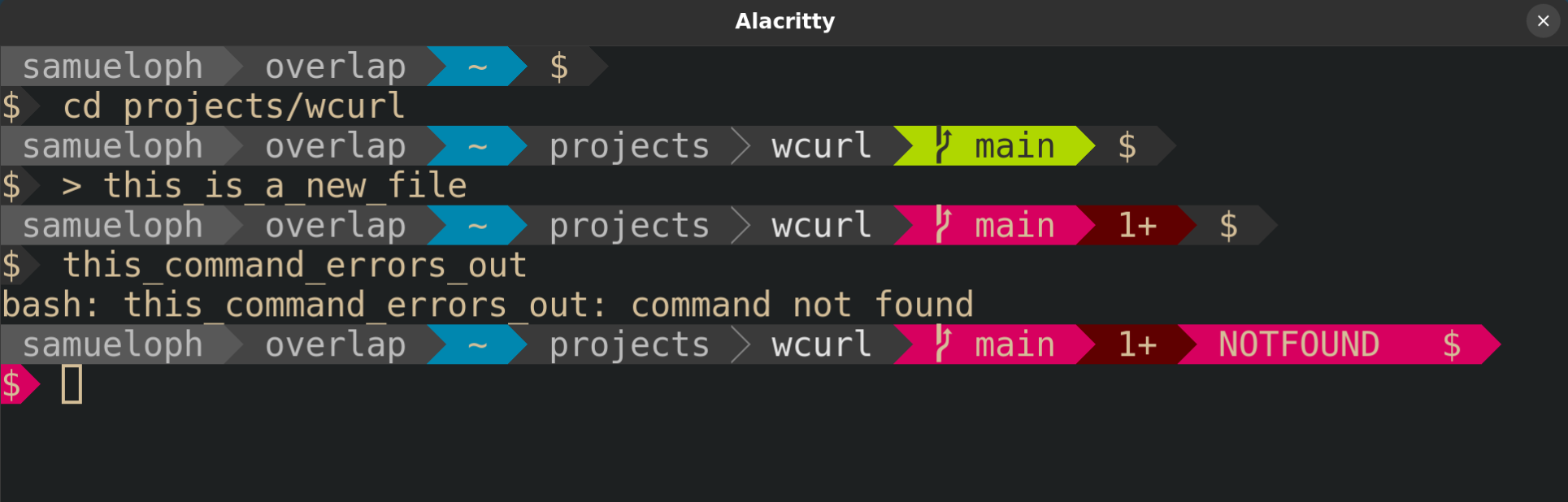
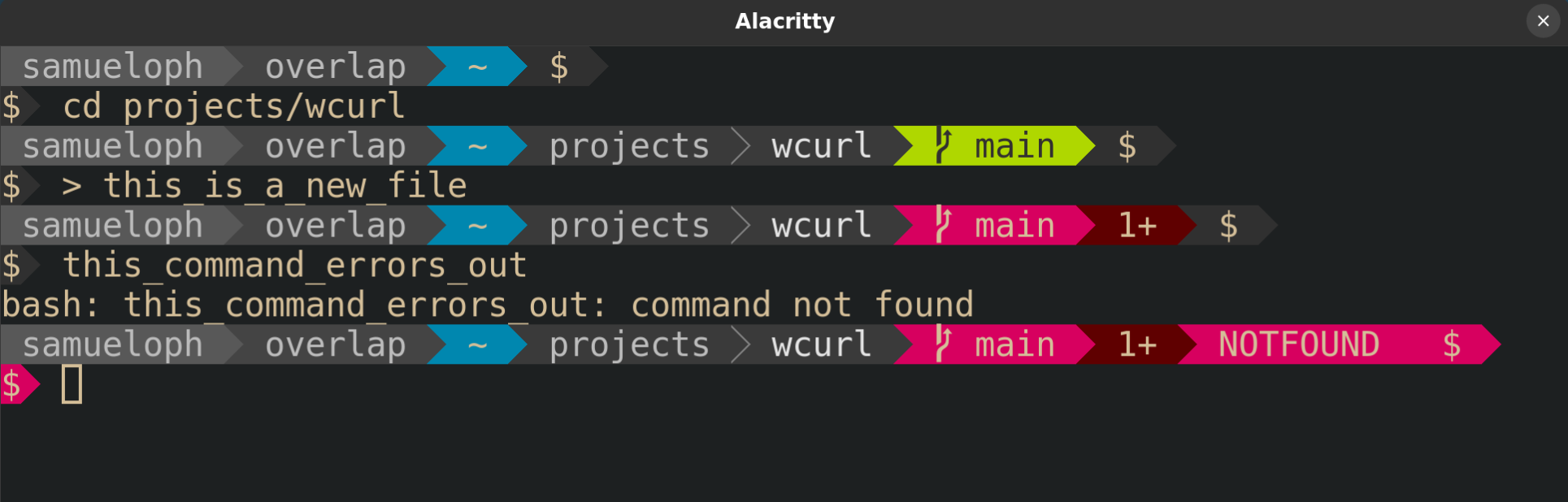
5) powerline-go powerline-go is a powerline-style prompt written in Golang, so it's much more performant than its Python alternative powerline. powerline-style prompts are quite useful to show things like the current status of the git repo in your working directory, exit code of the previous command, presence of jobs in the background, whether or not you're in an ssh session, and more. A screenshot of a terminal with powerline-go enabled, showing how the PS1 changes inside a git repository and when the last command fails Try it out:
sudo apt install powerline-go
Then add this to your .bashrc:
function _update_ps1()  
    PS1="$(/usr/bin/powerline-go -error $? -jobs $(jobs -p   wc -l))"

    # Uncomment the following line to automatically clear errors after showing
    # them once. This not only clears the error for powerline-go, but also for
    # everything else you run in that shell. Don't enable this if you're not
    # sure this is what you want.

    #set "?"
 

if [ "$TERM" != "linux" ] && [ -f "/usr/bin/powerline-go" ]; then
    PROMPT_COMMAND="_update_ps1; $PROMPT_COMMAND"
fi
Or this to .zshrc:
function powerline_precmd()  
    PS1="$(/usr/bin/powerline-go -error $? -jobs $ $ (%):%j :-0 )"

    # Uncomment the following line to automatically clear errors after showing
    # them once. This not only clears the error for powerline-go, but also for
    # everything else you run in that shell. Don't enable this if you're not
    # sure this is what you want.

    #set "?"
 
If you'd like to have your prompt start in a newline, like I have in the screenshot above, you just need to set -newline in the powerline-go invocation in your .bashrc/.zshrc.

6) Gnome System Monitor Extension Tips number 6 and 7 are for Gnome users. Gnome is now shipping a system monitor extension which lets you get a glance of the current load of your machine from the top bar. Screenshot of the top bar of Gnome with the system monitor extension enabled, showing the load of: CPU, memory, network and disk I've found this quite useful for machines where I'm required to install third-party monitoring software that tends to randomly consume more resources than it should. If I feel like my machine is struggling, I can quickly glance at its load to verify if it's getting overloaded by some process. The extension is not as complete as system-monitor-next, not showing temperatures or histograms, but at least it's officially part of Gnome, easy to install and supported by them. Try it out:
sudo apt install gnome-system-monitor gnome-shell-extension-manager
And then enable the extension from the "Extension Manager" application.

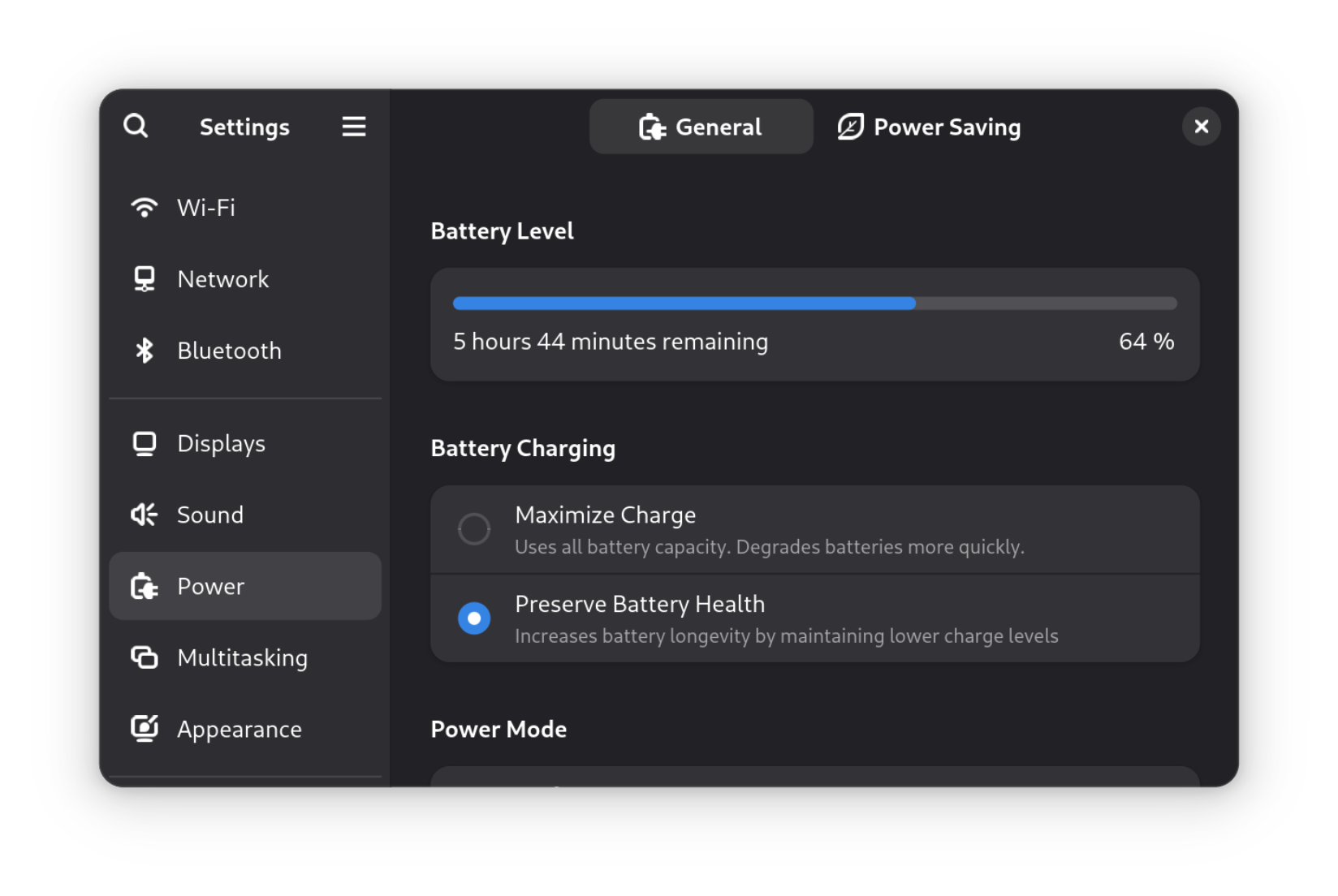
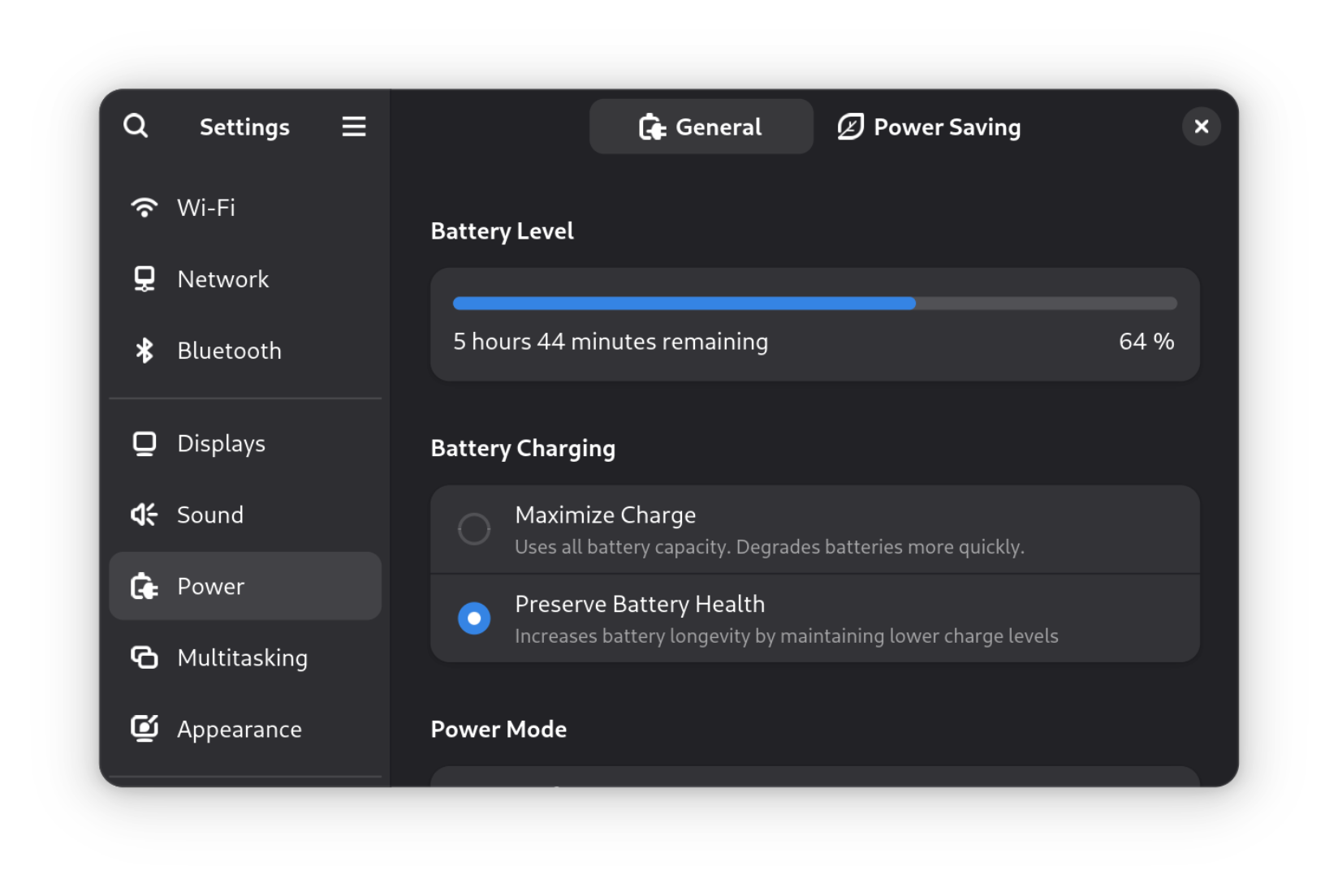
7) Gnome setting for battery charging profile After having to learn more about batteries in order to get into FPV drones, I've come to have a bigger appreciation for solutions that minimize the inevitable loss of capacity that accrues over time. There's now a "Battery Charging" setting (under the "Power") section which lets you choose between two different profiles: "Maximize Charge" and "Preserve Battery Health". A screenshot of the Gnome settings for Power showing the options for Battery Charging On supported laptops, this setting is an easy way to set thresholds for when charging should start and stop, just like you could do it with the tlp package, but now from the Gnome settings. To increase the longevity of my laptop battery, I always keep it at "Preserve Battery Health" unless I'm traveling. What I would like to see next is support for choosing different "Power Modes" based on whether the laptop is plugged-in, and based on the battery charge percentage. There's a GNOME issue tracking this feature, but there's some pushback on whether this is the right thing to expose to users. In the meantime, there are some workarounds mentioned in that issue which people who really want this feature can follow. If you would like to learn more about batteries; Battery University is a great starting point, besides getting into FPV drones and being forced to handle batteries without a Battery Management System (BMS). And if by any chance this sparks your interest in FPV drones, Joshua Bardwell's YouTube channel is a great resource: @JoshuaBardwell.
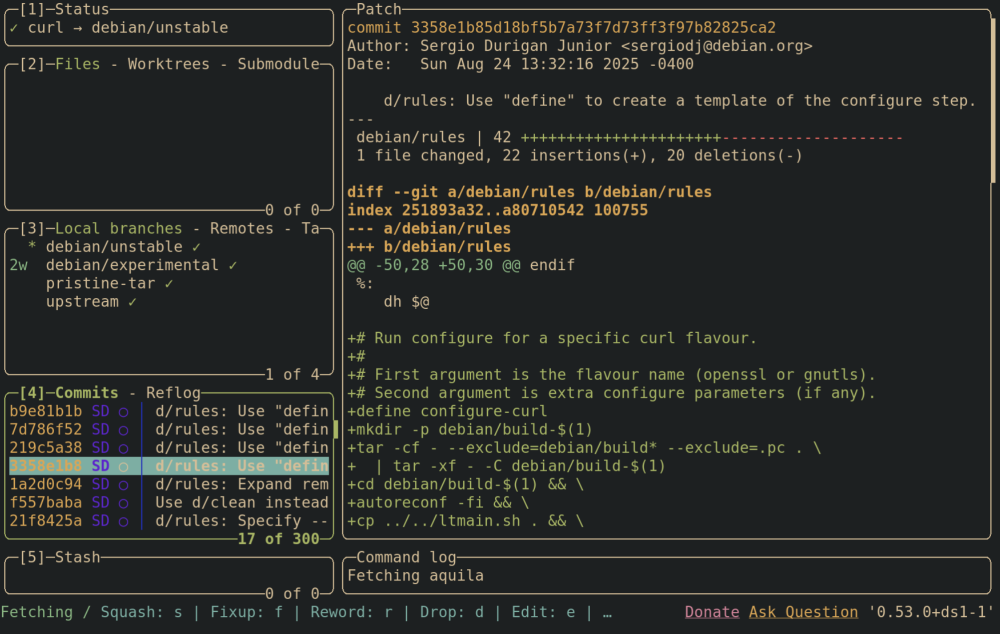
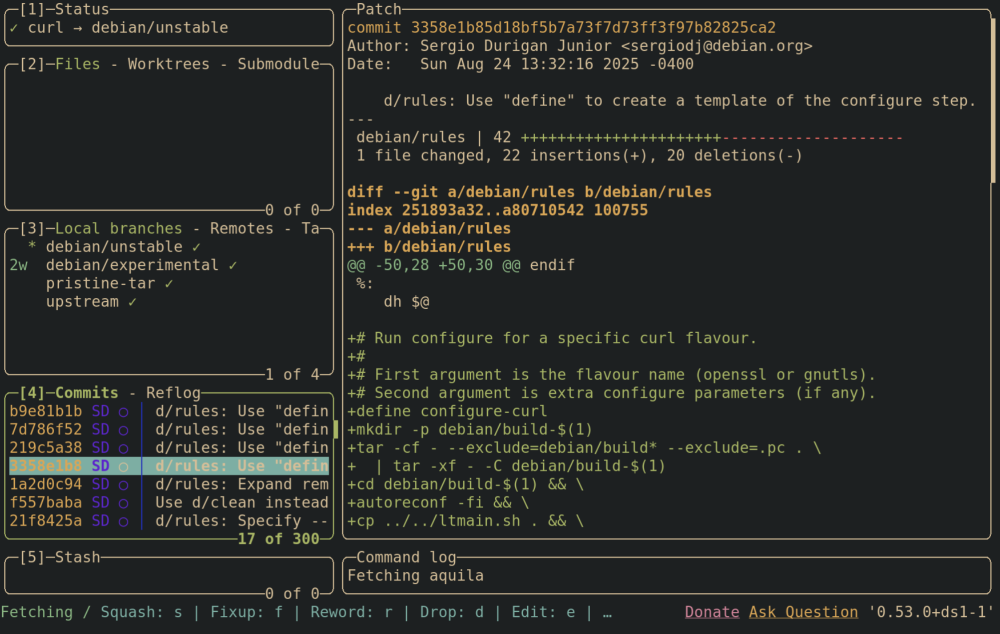
8) Lazygit Emacs users are already familiar with the legendary magit; a terminal-based UI for git. Lazygit is an alternative for non-emacs users, you can integrate it with neovim or just use it directly. I'm still playing with lazygit and haven't integrated it into my workflows, but so far it has been a pleasant experience. Screenshot of lazygit from the Debian curl repository, showing a selected commit and its diff, besides the other things from the lazygit UI You should check out the demos from the lazygit GitHub page. Try it out:
sudo apt install lazygit
And then call lazygit from within a git repository.

9) neovim neovim has been shipped in Debian since 2016, but upstream has been doing a lot of work to improve the experience out-of-the-box in the last couple of years. If you're a neovim poweruser, you're likely not installing it from the official repositories, but for those that are, Debian 13 comes with version 0.10.4, which brings the following improvements compared to the version in Debian 12:
  • Treesitter support for C, Lua, Markdown, with the possibility of adding any other languages as needed;
  • Better spellchecking due to treesitter integration (spellsitter);
  • Mouse support enabled by default;
  • Commenting support out-of-the-box; Check :h commenting for details, but the tl;dr is that you can use gcc to comment the current line and gc to comment the current selection.
  • OSC52 support. Especially handy for those using neovim over an ssh connection, this protocol lets you copy something from within the neovim process into the clipboard of the machine you're using to connect through ssh. In other words, you can copy from neovim running in a host over ssh and paste it in the "outside" machine.

10) [Bonus] Running old Debian releases The bonus tip is not specific to the Debian 13 release, but something I've recently learned in the #debian-devel IRC channel. Did you know there are usable container images for all past Debian releases? I'm not talking "past" as in "some of the older releases", I'm talking past as in "literally every Debian release, including the very first one". Tianon Gravi "tianon" is the Debian Developer responsible for making this happen, kudos to him! There's a small gotcha that the releases Buzz (1.1) and Rex (1.2) require a 32-bit host, otherwise you will get the error Out of virtual memory!, but starting with Bo (1.3) all should work in amd64/arm64. Try it out:
sudo apt install podman

podman run -it docker.io/debian/eol:bo
Don't be surprised when noticing that apt/apt-get is not available inside the container, that's because apt first appeared in Debian Slink (2.1).

Changes since publication

2025-08-30
  • Mention that Arch also enabled HTTP/3.

Samuel Henrique: Debian 13: My list of exciting new features

A bunch of screenshots overlaid on top of each other showing different tools: lazygit, gnome settings, gnome system monitor, powerline-go, and the wcurl logo, the text at the top says 'Debian 13: My list of exciting new features', and there's a Debian logo in the middle of image

Beyond Debian: Useful for other distros too Every two years Debian releases a new major version of its Stable series, meaning the differences between consecutive Debian Stable releases represent two years of new developments both in Debian as an organization and its native packages, but also in all other packages which are also shipped by other distributions (which are getting into this new Stable release). If you're not paying close attention to everything that's going on all the time in the Linux world, you miss a lot of the nice new features and tools. It's common for people to only realize there's a cool new trick available only years after it was first introduced. Given these considerations, the tips that I'm describing will eventually be available in whatever other distribution you use, be it because it's a Debian derivative or because it just got the same feature from the upstream project. I'm not going to list "passive" features (as good as they can be), the focus here is on new features that might change how you configure and use your machine, with a mix between productivity and performance.

Debian 13 - Trixie I have been a Debian Testing user for longer than 10 years now (and I recommend it for non-server users), so I'm not usually keeping track of all the cool features arriving in the new Stable releases because I'm continuously receiving them through the Debian Testing rolling release. Nonetheless, as a Debian Developer I'm in a good position to point out the ones I can remember. I would also like other Debian Developers to do the same as I'm sure I would learn something new. The Debian 13 release notes contain a "What's new" section , which lists the first two items here and a few other things, in other words, take my list as an addition to the release notes. Debian 13 was released on 2025-08-09, and these are nice things you shouldn't miss in the new release, with a bonus one not tied to the Debian 13 release.

1) wcurl wcurl logo Have you ever had to download a file from your terminal using curl and didn't remember the parameters needed? I did. Nowadays you can use wcurl; "a command line tool which lets you download URLs without having to remember any parameters." Simply call wcurl with one or more URLs as parameters and it will download all of them in parallel, performing retries, choosing the correct output file name, following redirects, and more. Try it out:
wcurl example.com
wcurl comes installed as part of the curl package on Debian 13 and in any other distribution you can imagine, starting with curl 8.14.0. I've written more about wcurl in its release announcement and I've done a lightning talk presentation in DebConf24, which is linked in the release announcement.

2) HTTP/3 support in curl Debian has become the first stable Linux distribution to ship curl with support for HTTP/3. I've written about this in July 2024, when we first enabled it. Note that we first switched the curl CLI to GnuTLS, but then ended up releasing the curl CLI linked with OpenSSL (as support arrived later). Debian was the first Linux distro to enable it in the default build of the curl package, but Gentoo enabled it a few weeks earlier in their non-default flavor of the package, kudos to them! HTTP/3 is not used by default by the curl CLI, you have to enable it with --http3 or --http3-only. Try it out:
curl --http3 https://www.example.org
curl --http3-only https://www.example.org

3) systemd soft-reboot Starting with systemd v254, there's a new soft-reboot option, it's an userspace-only reboot, much faster than a full reboot if you don't need to reboot the kernel. You can read the announcement from the systemd v254 GitHub release Try it out:
# This will reboot your machine!
systemctl soft-reboot

4) apt --update Are you tired of being required to run sudo apt update just before sudo apt upgrade or sudo apt install $PACKAGE? So am I! The new --update option lets you do both things in a single command:
sudo apt --update upgrade
sudo apt --update install $PACKAGE
I love this, but it's still not yet where it should be, fingers crossed for a simple apt upgrade to behave like other package managers by updating its cache as part of the task, maybe in Debian 14? Try it out:
sudo apt upgrade --update
# The order doesn't matter
sudo apt --update upgrade
This is especially handy for container usage, where you have to update the apt cache before installing anything, for example:
podman run debian:stable bin/bash -c 'apt install --update -y curl'

5) powerline-go powerline-go is a powerline-style prompt written in Golang, so it's much more performant than its Python alternative powerline. powerline-style prompts are quite useful to show things like the current status of the git repo in your working directory, exit code of the previous command, presence of jobs in the background, whether or not you're in an ssh session, and more. A screenshot of a terminal with powerline-go enabled, showing how the PS1 changes inside a git repository and when the last command fails Try it out:
sudo apt install powerline-go
Then add this to your .bashrc:
function _update_ps1()  
    PS1="$(/usr/bin/powerline-go -error $? -jobs $(jobs -p   wc -l))"

    # Uncomment the following line to automatically clear errors after showing
    # them once. This not only clears the error for powerline-go, but also for
    # everything else you run in that shell. Don't enable this if you're not
    # sure this is what you want.

    #set "?"
 

if [ "$TERM" != "linux" ] && [ -f "/usr/bin/powerline-go" ]; then
    PROMPT_COMMAND="_update_ps1; $PROMPT_COMMAND"
fi
Or this to .zshrc:
function powerline_precmd()  
    PS1="$(/usr/bin/powerline-go -error $? -jobs $ $ (%):%j :-0 )"

    # Uncomment the following line to automatically clear errors after showing
    # them once. This not only clears the error for powerline-go, but also for
    # everything else you run in that shell. Don't enable this if you're not
    # sure this is what you want.

    #set "?"
 
If you'd like to have your prompt start in a newline, like I have in the screenshot above, you just need to set -newline in the powerline-go invocation in your .bashrc/.zshrc.

6) Gnome System Monitor Extension Tips number 6 and 7 are for Gnome users. Gnome is now shipping a system monitor extension which lets you get a glance of the current load of your machine from the top bar. Screenshot of the top bar of Gnome with the system monitor extension enabled, showing the load of: CPU, memory, network and disk I've found this quite useful for machines where I'm required to install third-party monitoring software that tends to randomly consume more resources than it should. If I feel like my machine is struggling, I can quickly glance at its load to verify if it's getting overloaded by some process. The extension is not as complete as system-monitor-next, not showing temperatures or histograms, but at least it's officially part of Gnome, easy to install and supported by them. Try it out:
sudo apt install gnome-system-monitor gnome-shell-extension-manager
And then enable the extension from the "Extension Manager" application.

7) Gnome setting for battery charging profile After having to learn more about batteries in order to get into FPV drones, I've come to have a bigger appreciation for solutions that minimize the inevitable loss of capacity that accrues over time. There's now a "Battery Charging" setting (under the "Power") section which lets you choose between two different profiles: "Maximize Charge" and "Preserve Battery Health". A screenshot of the Gnome settings for Power showing the options for Battery Charging On supported laptops, this setting is an easy way to set thresholds for when charging should start and stop, just like you could do it with the tlp package, but now from the Gnome settings. To increase the longevity of my laptop battery, I always keep it at "Preserve Battery Health" unless I'm traveling. What I would like to see next is support for choosing different "Power Modes" based on whether the laptop is plugged-in, and based on the battery charge percentage. There's a GNOME issue tracking this feature, but there's some pushback on whether this is the right thing to expose to users. In the meantime, there are some workarounds mentioned in that issue which people who really want this feature can follow. If you would like to learn more about batteries; Battery University is a great starting point, besides getting into FPV drones and being forced to handle batteries without a Battery Management System (BMS). And if by any chance this sparks your interest in FPV drones, Joshua Bardwell's YouTube channel is a great resource: @JoshuaBardwell.

8) Lazygit Emacs users are already familiar with the legendary magit; a terminal-based UI for git. Lazygit is an alternative for non-emacs users, you can integrate it with neovim or just use it directly. I'm still playing with lazygit and haven't integrated it into my workflows, but so far it has been a pleasant experience. Screenshot of lazygit from the Debian curl repository, showing a selected commit and its diff, besides the other things from the lazygit UI You should check out the demos from the lazygit GitHub page. Try it out:

sudo apt install lazygit
And then call lazygit from within a git repository.

9) neovim neovim has been shipped in Debian since 2016, but upstream has been doing a lot of work to improve the experience out-of-the-box in the last couple of years. If you're a neovim poweruser, you're likely not installing it from the official repositories, but for those that are, Debian 13 comes with version 0.10.4, which brings the following improvements compared to the version in Debian 12:
  • Treesitter support for C, Lua, Markdown, with the possibility of adding any other languages as needed;
  • Better spellchecking due to treesitter integration (spellsitter);
  • Mouse support enabled by default;
  • Commenting support out-of-the-box; Check :h commenting for details, but the tl;dr is that you can use gcc to comment the current line and gc to comment the current selection.
  • OSC52 support. Especially handy for those using neovim over an ssh connection, this protocol lets you copy something from within the neovim process into the clipboard of the machine you're using to connect through ssh. In other words, you can copy from neovim running in a host over ssh and paste it in the "outside" machine.

10) [Bonus] Running old Debian releases The bonus tip is not specific to the Debian 13 release, but something I've recently learned in the #debian-devel IRC channel. Did you know there are usable container images for all past Debian releases? I'm not talking "past" as in "some of the older releases", I'm talking past as in "literally every Debian release, including the very first one". Tianon Gravi "tianon" is the Debian Developer responsible for making this happen, kudos to him! There's a small gotcha that the releases Buzz (1.1) and Rex (1.2) require a 32-bit host, otherwise you will get the error Out of virtual memory!, but starting with Bo (1.3) all should work in amd64/arm64. Try it out:
sudo apt install podman

podman run -it docker.io/debian/eol:bo
Don't be surprised when noticing that apt/apt-get is not available inside the container, that's because apt first appeared in Debian Slink (2.1).

25 August 2025

Scarlett Gately Moore: A Bittersweet Farewell: My Final KDE Snap Release and the End of an Era

Today marks both a milestone and a turning point in my journey with open source software. I m proud to announce the release of KDE Gear 25.08.0 as my final snap package release. You can find all the details about this exciting update at the official KDE announcement. After much reflection and with a heavy heart, I ve made the difficult decision to retire from most of my open source software work, including snap packaging. This wasn t a choice I made lightly it comes after months of rejections and silence in an industry I ve loved and called home for over 20 years.

Passing the Torch While I m stepping back, I m thrilled to share that the future of KDE snaps is in excellent hands. Carlos from the Neon team has been working tirelessly to set up snaps on the new infrastructure that KDE has made available. This means building snaps in KDE CI is now possible a significant leap forward for the ecosystem. I ll be helping Carlos get the pipelines properly configured to ensure a smooth transition.

Staying Connected (But Differently) Though I m stepping away from most development work, I won t be disappearing entirely from the communities that have meant so much to me:
  • Kubuntu: I ll remain available as a backup, though Rik is doing an absolutely fabulous job getting the latest and greatest KDE packages uploaded. The distribution is in capable hands.
  • Ubuntu Community Council: I m continuing my involvement here because I ve found myself genuinely enjoying the community side of things. There s something deeply fulfilling about focusing on the human connections that make these projects possible.
  • Debian: I ll likely be submitting for emeritus status, as I haven t had the time to contribute meaningfully and want to be honest about my current capacity.

The Reality Behind the Decision This transition isn t just about career fatigue it s about financial reality. I ve spent too many years working for free while struggling to pay my bills. The recent changes in the industry, particularly with AI transforming the web development landscape, have made things even more challenging. Getting traffic to websites now requires extensive social media work and marketing all expected to be done without compensation. My stint at webwork was good while it lasted, but the changing landscape has made it unsustainable. I ve reached a point where I can t continue doing free work when my family and I are struggling financially. It shouldn t take breaking a limb to receive the donations needed to survive.

A Career That Meant Everything These 20+ years in open source have been the defining chapter of my professional life. I ve watched communities grow, technologies evolve, and witnessed firsthand the incredible things that happen when passionate people work together. The relationships I ve built, the problems we ve solved together, and the software we ve created have been deeply meaningful. But I also have to be honest about where I stand today: I cannot compete in the current job market. The industry has changed, and despite my experience and passion, the opportunities just aren t there for someone in my situation.

Looking Forward Making a career change after two decades is terrifying, but it s also necessary. I need to find a path that can provide financial stability for my family while still allowing me to contribute meaningfully to the world. If you ve benefited from my work over the years and are in a position to help during this transition, I would be forever grateful for any support. Every contribution, no matter the size, helps ease this difficult period: https://gofund.me/a9c55d8f

Thank You To everyone who has collaborated with me, tested my packages, filed bug reports, offered encouragement, or simply used the software I ve helped maintain thank you. You ve made these 20+ years worthwhile, and you ve been part of something bigger than any individual contribution. The open source world will continue to thrive because it s built on the collective passion of thousands of people like Carlos, Rik, and countless others who are carrying the torch forward. While my active development days are ending, the impact of this community will continue long into the future. With sincere gratitude and fond farewells, Scarlett Moore

20 August 2025

Dirk Eddelbuettel: RcppArmadillo 14.6.3-1 on CRAN: Minor Upstream Bug Fixes

armadillo image Armadillo is a powerful and expressive C++ template library for linear algebra and scientific computing. It aims towards a good balance between speed and ease of use, has a syntax deliberately close to Matlab, and is useful for algorithm development directly in C++, or quick conversion of research code into production environments. RcppArmadillo integrates this library with the R environment and language and is widely used by (currently) 1268 other packages on CRAN, downloaded 41 million times (per the partial logs from the cloud mirrors of CRAN), and the CSDA paper (preprint / vignette) by Conrad and myself has been cited 642 times according to Google Scholar. Conrad made three minor bug fix releases since the 4.6.0 release last month. We need to pace releases at CRAN so we do not immediately upload there on each upstream release and then CRAN also had the usual (and well-deserved) summer rest leading to a slight delay relative to the last upstream. The minor changes in the three releases are summarized below. All our releases are always available via the GitHub repo and hence also via r-universe, and still rigorously tested via our own reverse-dependency checks. We also note that the package once again passed with flying colours and no human intervention which remains impressive given the over 1200 reverse dependencies.

Changes in RcppArmadillo version 14.6.3-1 (2025-08-14)
  • Upgraded to Armadillo release 14.6.3 (Caffe Mocha)
    • Fix OpenMP related crashes in Cube::slice() on Arm64 CPUs

Changes in RcppArmadillo version 14.6.2-1 (2025-08-08) (GitHub Only)
  • Upgraded to Armadillo release 14.6.2 (Caffe Mocha)
    • Fix for corner-case speed regression in sum()
    • Better handling of OpenMP in omit_nan() and omit_nonfinite()

Changes in RcppArmadillo version 14.6.1-1 (2025-07-21) (GitHub Only)
  • Upgraded to Armadillo release 14.6.1 (Caffe Mocha)
    • Fix for speed regression in mean()
    • Fix for detection of compiler configuration
    • Use of pow optimization now optional

Courtesy of my CRANberries, there is a diffstat report relative to previous release. More detailed information is on the RcppArmadillo page. Questions, comments etc should go to the rcpp-devel mailing list off the Rcpp R-Forge page.

This post by Dirk Eddelbuettel originated on his Thinking inside the box blog. If you like this or other open-source work I do, you can sponsor me at GitHub.

18 August 2025

Otto Kek l inen: Best Practices for Submitting and Reviewing Merge Requests in Debian

Featured image of post Best Practices for Submitting and Reviewing Merge Requests in DebianHistorically the primary way to contribute to Debian has been to email the Debian bug tracker with a code patch. Now that 92% of all Debian source packages are hosted at salsa.debian.org the GitLab instance of Debian more and more developers are using Merge Requests, but not necessarily in the optimal way. In this post I share what I ve found the best practice to be, presented in the natural workflow from forking to merging.
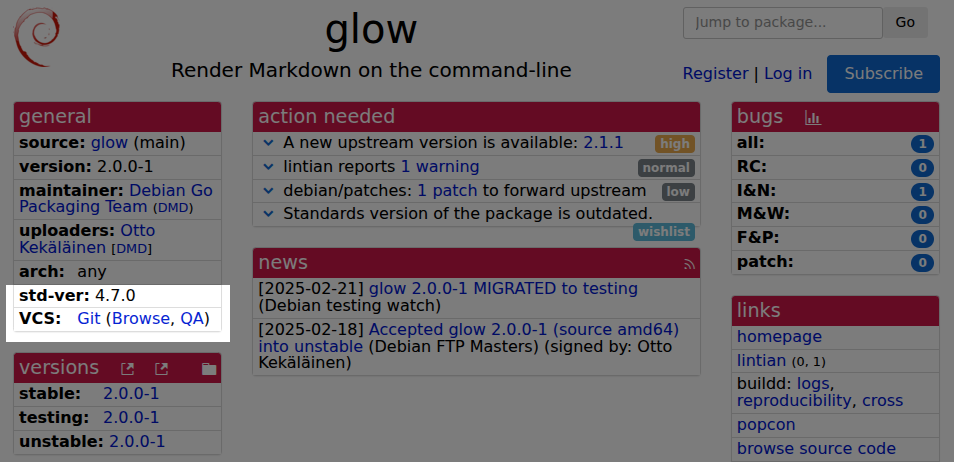
Why use Merge Requests? Compared to sending patches back and forth in email, using a git forge to review code contributions brings several benefits:
  • Contributors can see the latest version of the code immediately when the maintainer pushes it to git, without having to wait for an upload to Debian archives.
  • Contributors can fork the development version and easily base their patches on the correct version and help test that the software continues to function correctly at that specific version.
  • Both maintainer and other contributors can easily see what was already submitted and avoid doing duplicate work.
  • It is easy for anyone to comment on a Merge Request and participate in the review.
  • Integrating CI testing is easy in Merge Requests by activating Salsa CI.
  • Tracking the state of a Merge Request is much easier than browsing Debian bug reports tagged patch , and the cycle of submit review re-submit re-review is much easier to manage in the dedicated Merge Request view compared to participants setting up their own email plugins for code reviews.
  • Merge Requests can have extra metadata, such as Approved , and the metadata often updates automatically, such as a Merge Request being closed automatically when the Git commit ID from it is pushed to the target branch.
Keeping these benefits in mind will help ensure that the best practices make sense and are aligned with maximizing these benefits.

Finding the Debian packaging source repository and preparing to make a contribution Before sinking any effort into a package, start by checking its overall status at the excellent Debian Package Tracker. This provides a clear overview of the package s general health in Debian, when it was last uploaded and by whom, and if there is anything special affecting the package right now. This page also has quick links to the Debian bug tracker of the package, the build status overview and more. Most importantly, in the General section, the VCS row links to the version control repository the package advertises. Before opening that page, note the version most recently uploaded to Debian. This is relevant because nothing in Debian currently enforces that the package in version control is actually the same as the latest uploaded to Debian. Packaging source code repository links at tracker.debian.org Following the Browse link opens the Debian package source repository, which is usually a project page on Salsa. To contribute, start by clicking the Fork button, select your own personal namespace and, under Branches to include, pick Only the default branch to avoid including unnecessary temporary development branches. View after pressing Fork Once forking is complete, clone it with git-buildpackage. For this example repository, the exact command would be gbp clone --verbose git@salsa.debian.org:otto/glow.git. Next, add the original repository as a new remote and pull from it to make sure you have all relevant branches. Using the same fork as an example, the commands would be:
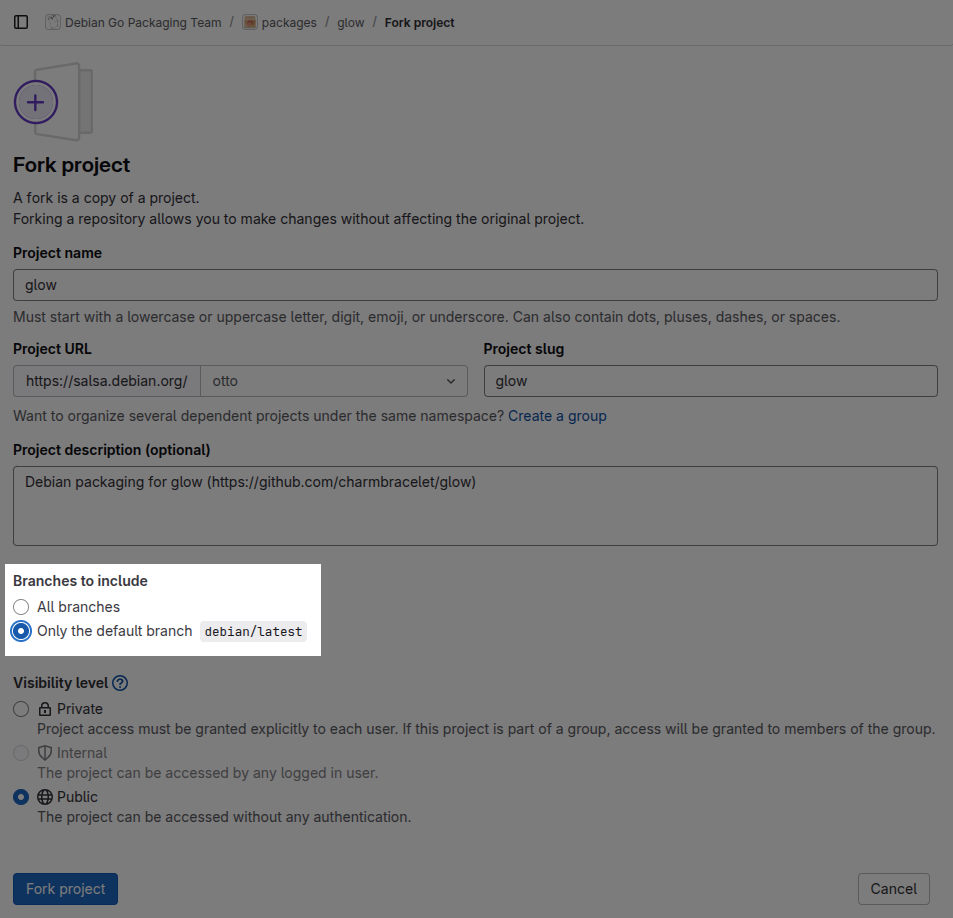
git remote add go-team https://salsa.debian.org/go-team/packages/glow.git
gbp pull --verbose --track-missing go-team
The gbp pull command can be repeated whenever you want to make sure the main branches are in sync with the original repository. Finally, run gitk --all & to visually browse the Git history and note the various branches and their states in the two remotes. Note the style in comments and repository structure the project has and make sure your contributions follow the same conventions to maximize the chances of the maintainer accepting your contribution. It may also be good to build the source package to establish a baseline of the current state and what kind of binaries and .deb packages it produces. If using Debcraft, one can simply run debcraft build in the Git repository.
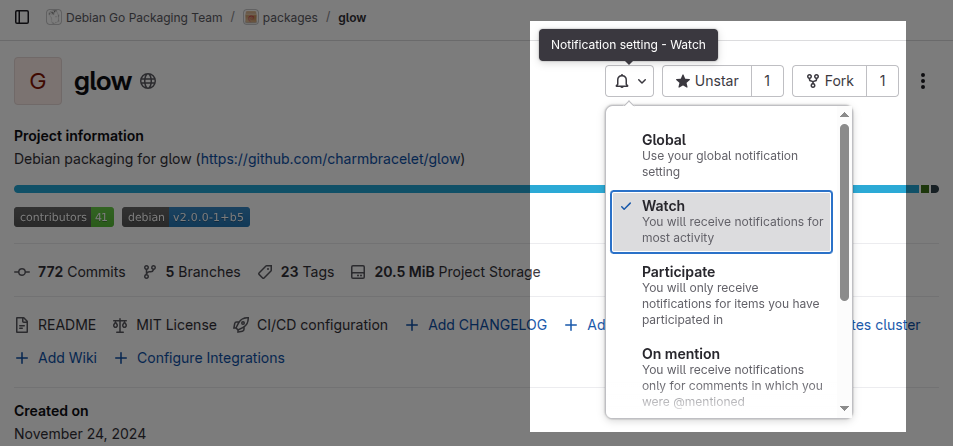
Submitting a Merge Request for a Debian packaging improvement Always start by making a development branch by running git checkout -b <branch name> to clearly separate your work from the main branch. When making changes, remember to follow the conventions you already see in the package. It is also important to be aware of general guidelines on how to make good Git commits. If you are not able to immediately finish coding, it may be useful to publish the Merge Request as a draft so that the maintainer and others can see that you started working on something and what general direction your change is heading in. If you don t finish the Merge Request in one sitting and return to it another day, you should remember to pull the Debian branch from the original Debian repository in case it has received new commits. This can be done easily with these commands (assuming the same remote and branch names as in the example above):
git fetch go-team
git rebase -i go-team/debian/latest
Frequent rebasing is a great habit to help keep the Git history linear, and restructuring and rewording your commits will make the Git history easier to follow and understand why the changes were made. When pushing improved versions of your branch, use git push --force. While GitLab does allow squashing, I recommend against it. It is better that the submitter makes sure the final version is a neat and clean set of commits that the receiver can easily merge without having to do any rebasing or squashing themselves. When ready, remove the draft status of the Merge Request and wait patiently for review. If the maintainer does not respond in several days, try sending an email to <source package name>@packages.debian.org, which is the official way to contact maintainers. You could also post a comment on the MR and tag the last few committers in the same repository so that a notification email is triggered. As a last resort, submit a bug report to the Debian bug tracker to announce that a Merge Request is pending review. This leaves a permanent record for posterity (or the Debian QA team) of your contribution. However, most of the time simply posting the Merge Request in Salsa is enough; excessive communication might be perceived as spammy, and someone needs to remember to check that the bug report is closed.

Respect the review feedback, respond quickly and avoid Merge Requests getting stale Once you get feedback, try to respond as quickly as possible. When people participating have everything fresh in their minds, it is much easier for the submitter to rework it and for the reviewer to re-review. If the Merge Request becomes stale, it can be challenging to revive it. Also, if it looks like the MR is only waiting for re-review but nothing happens, re-read the previous feedback and make sure you actually address everything. After that, post a friendly comment where you explicitly say you have addressed all feedback and are only waiting for re-review.

Reviewing Merge Requests This section about reviewing is not exclusive to Debian package maintainers anyone can contribute to Debian by reviewing open Merge Requests. Typically, the larger an open source project gets, the more help is needed in reviewing and testing changes to avoid regressions, and all diligently done work is welcome. As the famous Linus quote goes, given enough eyeballs, all bugs are shallow . On salsa.debian.org, you can browse open Merge Requests per project or for a whole group, just like on any GitLab instance. Reviewing Merge Requests is, however, most fun when they are fresh and the submitter is active. Thus, the best strategy is to ensure you have subscribed to email notifications in the repositories you care about so you get an email for any new Merge Request (or Issue) immediately when posted. Change notification settings from Global to Watch to get an email on new Merge Requests When you see a new Merge Request, try to review it within a couple of days. If you cannot review in a reasonable time, posting a small note that you intend to review it later will feel better to the submitter compared to not getting any response. Personally, I have a habit of assigning myself as a reviewer so that I can keep track of my whole review queue at https://salsa.debian.org/dashboard/merge_requests?reviewer_username=otto, and I recommend the same to others. Seeing the review assignment happen is also a good way to signal to the submitter that their submission was noted.
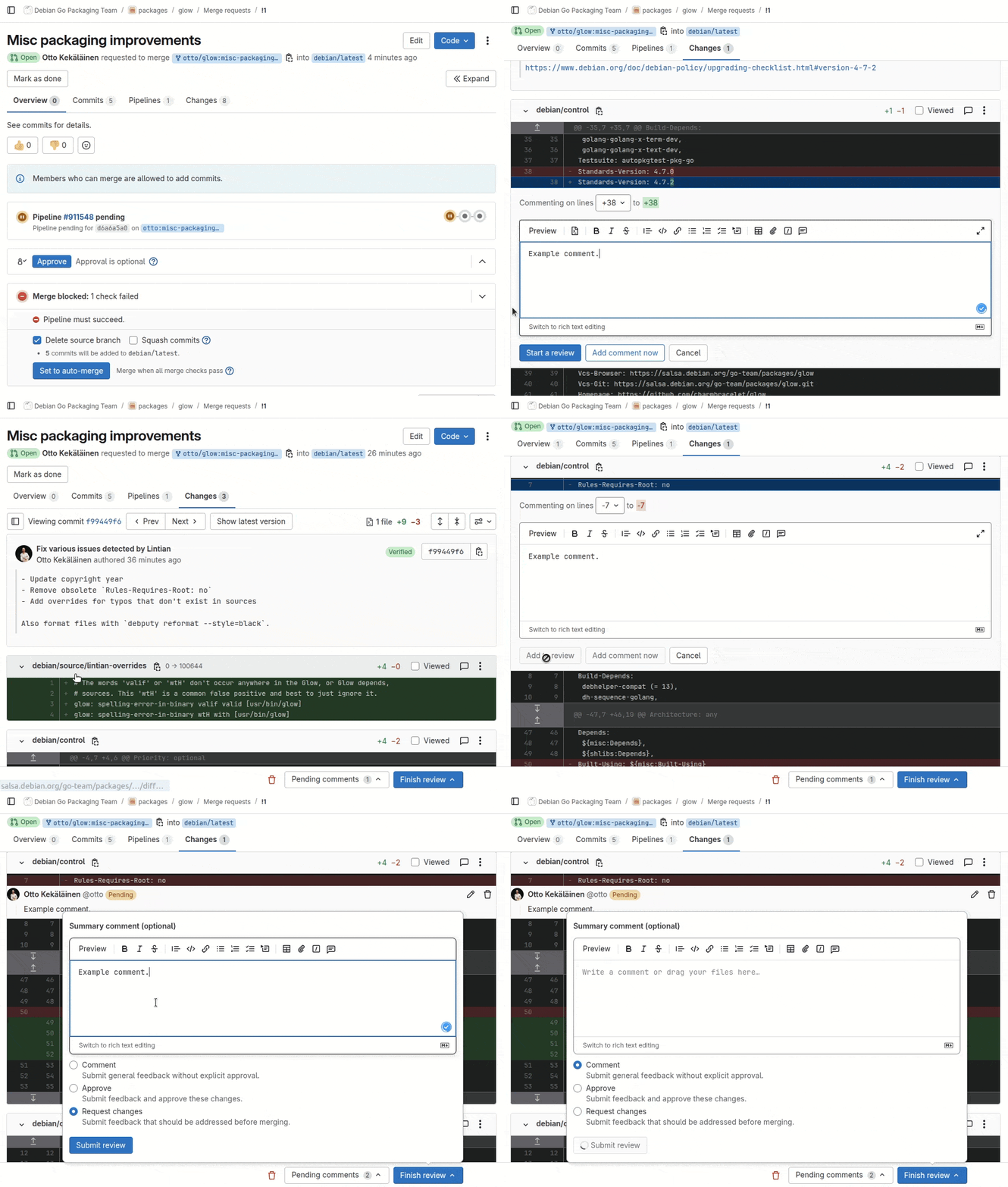
Reviewing commit-by-commit in the web interface Reviewing using the web interface works well in general, but I find that the way GitLab designed it is not ideal. In my ideal review workflow, I first read the Git commit message to understand what the submitter tried to do and why; only then do I look at the code changes in the commit. In GitLab, to do this one must first open the Commits tab and then click on the last commit in the list, as it is sorted in reverse chronological order with the first commit at the bottom. Only after that do I see the commit message and contents. Getting to the next commit is easy by simply clicking Next. Example review to demonstrate location of buttons and functionality When adding the first comment, I choose Start review and for the following remarks Add to review. Finally, I click Finish review and Submit review, which will trigger one single email to the submitter with all my feedback. I try to avoid using the Add comment now option, as each such comment triggers a separate notification email to the submitter.


Reviewing and testing on your own computer locally For the most thorough review, I pull the code to my laptop for local review with git pull <remote url> <branch name>. There is no need to run git remote add as pulling using a URL directly works too and saves from needing to clean up old remotes later. Pulling the Merge Request contents locally allows me to build, run and inspect the code deeply and review the commits with full metadata in gitk or equivalent.

Investing enough time in writing feedback, but not too much See my other post for more in-depth advice on how to structure your code review feedback. In Debian, I would emphasize patience, to allow the submitter time to rework their submission. Debian packaging is notoriously complex, and even experienced developers often need more feedback and time to get everything right. Avoid the temptation to rush the fix in yourself. In open source, Git credits are often the only salary the submitter gets. If you take the idea from the submission and implement it yourself, you rob the submitter of the opportunity to get feedback, try to improve and finally feel accomplished. Sure, it takes extra effort to give feedback, but the contributor is likely to feel ownership of their work and later return to further improve it. If a submission looks hopelessly low quality and you feel that giving feedback is a waste of time, you can simply respond with something along the lines of: Thanks for your contribution and interest in helping Debian. Unfortunately, looking at the commits, I see several shortcomings, and it is unlikely a normal review process is enough to help you finalize this. Please reach out to Debian Mentors to get a mentor who can give you more personalized feedback. There might also be contributors who just dump the code , ignore your feedback and never return to finalize their submission. If a contributor does not return to finalize their submission in 3-6 months, I will in my own projects simply finalize it myself and thank the contributor in the commit message (but not mark them as the author). Despite best practices, you will occasionally still end up doing some things in vain, but that is how volunteer collaboration works. We all just need to accept that some communication will inevitably feel like wasted effort, but it should be viewed as a necessary investment in order to get the benefits from the times when the communication led to real and valuable collaboration. Please just do not treat all contributors as if they are unlikely to ever contribute again; otherwise, your behavior will cause them not to contribute again. If you want to grow a tree, you need to plant several seeds.

Approving and merging Assuming review goes well and you are ready to approve, and if you are the only maintainer, you can proceed to merge right away. If there are multiple maintainers, or if you otherwise think that someone else might want to chime in before it is merged, use the Approve button to show that you approve the change but leave it unmerged. The person who approved does not necessarily have to be the person who merges. The point of the Merge Request review is not separation of duties in committing and merging the main purpose of a code review is to have a different set of eyeballs looking at the change before it is committed into the main development branch for all eternity. In some packages, the submitter might actually merge themselves once they see another developer has approved. In some rare Debian projects, there might even be separate people taking the roles of submitting, approving and merging, but most of the time these three roles are filled by two people either as submitter and approver+merger or submitter+merger and approver. If you are not a maintainer at all and do not have permissions to click Approve, simply post a comment summarizing your review and that you approve it and support merging it. This can help the maintainers review and merge faster.

Making a Merge Request for a new upstream version import Unlike many other Linux distributions, in Debian each source package has its own version control repository. The Debian sources consist of the upstream sources with an additional debian/ subdirectory that contains the actual Debian packaging. For the same reason, a typical Debian packaging Git repository has a debian/latest branch that has changes only in the debian/ subdirectory while the surrounding upstream files are the actual upstream files and have the actual upstream Git history. For details, see my post explaining Debian source packages in Git. Because of this Git branch structure, importing a new upstream version will typically modify three branches: debian/latest, upstream/latest and pristine-tar. When doing a Merge Request for a new upstream import, only submit one Merge Request for one branch: which means merging your new changes to the debian/latest branch. There is no need to submit the upstream/latest branch or the pristine-tar branch. Their contents are fixed and mechanically imported into Debian. There are no changes that the reviewer in Debian can request the submitter to do on these branches, so asking for feedback and comments on them is useless. All review, comments and re-reviews concern the content of the debian/latest branch only. It is not even necessary to use the debian/latest branch for a new upstream version. Personally, I always execute the new version import (with gbp import-orig --verbose --uscan) and prepare and test everything on debian/latest, but when it is time to submit it for review, I run git checkout -b import/$(dpkg-parsechangelog -SVersion) to get a branch named e.g. import/1.0.1 and then push that for review.

Reviewing a Merge Request for a new upstream version import Reviewing and testing a new upstream version import is a bit tricky currently, but possible. The key is to use gbp pull to automate fetching all branches from the submitter s fork. Assume you are reviewing a submission targeting the Glow package repository and there is a Merge Request from user otto s fork. As the maintainer, you would run the commands:
git remote add otto https://salsa.debian.org/otto/glow.git
gbp pull --verbose otto
If there was feedback in the first round and you later need to pull a new version for re-review, running gbp pull --force will not suffice, and this trick of manually fetching each branch and resetting them to the submitter s version is needed:
for BRANCH in pristine-tar upstream debian/latest
do
git checkout $BRANCH
git reset --hard origin/$BRANCH
git pull --force https://salsa.debian.org/otto/glow.git $BRANCH
done
Once review is done, either click Approve and let the submitter push everything, or alternatively, push all the branches you pulled locally yourself. In GitLab and other forges, the Merge Request will automatically be marked as Merged once the commit ID that was the head of the Merge Request is pushed to the target branch.

Please allow enough time for everyone to participate When working on Debian, keep in mind that it is a community of volunteers. It is common for people to do Debian stuff only on weekends, so you should patiently wait for at least a week so that enough workdays and weekend days have passed for the people you interact with to have had time to respond on their own Debian time. Having to wait may feel annoying and disruptive, but try to look at the upside: you do not need to do extra work simply while waiting for others. In some cases, that waiting can be useful thanks to the sleep on it phenomenon: when you yourself look at your own submission some days later with fresh eyes, you might notice something you overlooked earlier and improve your code change even without other people s feedback!

Contribute reviews! The last but not least suggestion is to make a habit of contributing reviews to packages you do not maintain. As we already see in large open source projects, such as the Linux kernel, they have far more code submissions than they can handle. The bottleneck for progress and maintaining quality becomes the reviews themselves. For Debian, as an organization and as a community, to be able to renew and grow new contributors, we need more of the senior contributors to shift focus from merely maintaining their packages and writing code to also intentionally interact with new contributors and guide them through the process of creating great open source software. Reviewing code is an effective way to both get tangible progress on individual development items and to transfer culture to a new generation of developers.

Why aren t 100% of all Debian source packages hosted on Salsa? As seen at trends.debian.net, more and more packages are using Salsa. Debian does not, however, have any policy about it. In fact, the Debian Policy Manual does not even mention the word Salsa anywhere. Adoption of Salsa has so far been purely organic, as in Debian each package maintainer has full freedom to choose whatever preferences they have regarding version control. I hope the trend to use Salsa will continue and more shared workflows emerge so that collaboration gets easier. To drive the culture of using Merge Requests and more, I drafted the Debian proposal DEP-18: Encourage Continuous Integration and Merge Request based Collaboration for Debian packages. If you are active in Debian and you think DEP-18 is beneficial for Debian, please give a thumbs up at dep-team/deps!21.

16 August 2025

Birger Schacht: Updates and additions in Debian 13 Trixie

Last week Debian 13 (Trixie) was released and there have been some updates and additions in the packages that I maintain, that I wanted to write about. I think they are not worth of being added to the release notes, but I still wanted to list some of the changes and some of the new packages.

sway Sway, the tiling Wayland compositor was version 1.7 in Bookworm. It was updated to version 1.10 (and 1.11 is already in experimental and waiting for an upload to unstable). This new version of sway brings, among a lot of other features, updated support for touchpad gestures and support for the ext-session-lock-v1 protocol, which allows for more robust and secure screen locking. The configuration snippet that activates the default sway background is now shipped in the sway-backgrounds package instead of being part of the sway package itself. The default menu application was changed from dmenu to wmenu. wmenu is a Wayland native alternative to dmenu which I packaged and it is now recommended by sway. There are some small helper tools for sway that were updated: swaybg was bumped from 1.2.0 to 1.2.1, swaylock was bumped from 1.7.2 to 1.8.2. The grimshot script, which is a script for making screenshots, was part of the sway s contrib folder for a long time (but was shipped as a separate binary package). It was removed from sway and is now part of the sway-contrib project. There are some other useful utilities in this source package that I might package in the future. slurp, which is used by grimshot to select a region, was updated from version 1.4 to version 1.5.

labwc I uploaded the first labwc package two years ago and I m happy it is now part of a stable Debian release. Labwc is also based on wlroots, like sway. It is a window-stacking compositor and is inspired by openbox. I used openbox for a long time back in the day before I moved to i3 and I m very happy to see that there is a Wayland alternative.

foot Foot is a minimalistic and fast Wayland terminal emulator. It is mostly keyboard driven. foot was updated from version 1.13.1 to 1.21.0. The probably most important change for users updating might be the fact that:
  • Control+Shift+u is now bound to unicode-input instead of show- urls-launch, to follow the convention established in GTK and Qt
  • show-urls-launch now bound to Control+Shift+o

et cetera The Wayland kiosk cage was updated from 0.1.4 to 0.2.0. The waybar bar for wlroots compositors was updated from 0.9.17 to 0.12.0. swayimg was updated from 1.10 to 3.8 and now brings support for custom key bindings, support for additional image types (PNM, EXR, DICOM, Farbfeld, sixel) and a gallery mode. tofi, another dmenu replacement was updated from 0.8.1 to 0.9.1, wf-recorder a tool for screen recording in wlroots-based compositors, was updated from version 0.3 to version 0.5.0. wlogout was updated from version 1.1.1 to 1.2.2. The application launcher wofi was updated from 1.3 to 1.4.1. The lightweight status panel yambar was updated from version 1.9 to 1.11. kanshi, the tool for managing and automatically switching your output profiles, was updated from version 1.3.1 to version 1.5.1. usbguard was updated from version 1.1.2 to 1.1.3.

added
  • fnott - a lightweight notification daemon for wlroots based compositors
  • fyi - a utility to send notifications to a notification daemon, similar to notify-send
  • pipectl - a tool to create and manage short-lived named pipes, this is a dependency of wl-present. wl-present is a script around wl-mirror which implements output mirroring for wlroots-based compositors
  • poweralertd - a small daemon that notifies you about the power status of your battery powered devices
  • wlopm - control power management of outputs
  • wlrctl - command line utility for miscellaneous wlroots Wayland extensions
  • wmenu - already mentioned, the new default launcher of sway
  • wshowkeys - shows keypresses in wayland sessions, nice for debugging
  • libsfdo - libraries implementing some freedesktop.org specs, used by labwc

13 August 2025

Sven Hoexter: Automated Browsing with Gemini and Chrome via BrowserMCP and gemini-cli

Brief dump so I don't forget how that worked in August 2025. Requires npm, npx and nodejs.
  1. Install Chrome
  2. Add the BrowserMCP extension
  3. Install gemini-cli npm install -g @google/gemini-cli
  4. Retrieve a Gemini API key via AI Studio
  5. Export API key for gemini-cli export GEMINI_API_KEY=2342
  6. Start BrowserMCP extension, see manual, an info box will appear that it's active with a cancel button.
  7. Add mcp server to gemini-cli gemini mcp add browsermcp npx @browsermcp/mcp@latest
  8. Start gemini-cli, let it use the mcp server and task it to open a website.

6 August 2025

Reproducible Builds: Reproducible Builds in July 2025

Welcome to the seventh report from the Reproducible Builds project in 2025. Our monthly reports outline what we ve been up to over the past month, and highlight items of news from elsewhere in the increasingly-important area of software supply-chain security. If you are interested in contributing to the Reproducible Builds project, please see the Contribute page on our website. In this report:
  1. Reproducible Builds Summit 2025
  2. Reproducible Builds an official goal for SUSE Enterprise Linux
  3. Reproducible Builds at FOSSY 2025
  4. New OSS Rebuild project from Google
  5. New extension of Python setuptools to support reproducible builds
  6. diffoscope
  7. New library to patch system functions for reproducibility
  8. Independently Reproducible Git Bundles
  9. Website updates
  10. Distribution work
  11. Reproducibility testing framework
  12. Upstream patches

Reproducible Builds Summit 2025 We are extremely pleased to announce the upcoming Reproducible Builds Summit, set to take place from October 28th 30th 2025 in Vienna, Austria! We are thrilled to host the eighth edition of this exciting event, following the success of previous summits in various iconic locations around the world, including Venice, Marrakesh, Paris, Berlin, Hamburg and Athens. Our summits are a unique gathering that brings together attendees from diverse projects, united by a shared vision of advancing the Reproducible Builds effort. During this enriching event, participants will have the opportunity to engage in discussions, establish connections and exchange ideas to drive progress in this vital field. Our aim is to create an inclusive space that fosters collaboration, innovation and problem-solving. If you re interesting in joining us this year, please make sure to read the event page which has more details about the event and location. Registration is open until 20th September 2025, and we are very much looking forward to seeing many readers of these reports there!

Reproducible Builds an official goal for SUSE Enterprise Linux On our mailing list this month, Bernhard M. Wiedemann revealed the big news that reproducibility is now an official goal for SUSE Linux Enterprise Server (SLES) 16:
[Everything] changed earlier this year when reproducible-builds for SLES-16 became an official goal for the product. More people are talking about digital sovereignty and supply-chain security now. [ ] Today, only 9 of 3319 (source) packages have significant problems left (plus 7 with pending fixes), so 99.5% of packages have reproducible builds.

Reproducible Builds at FOSSY 2025 On Saturday 2nd August, Vagrant Cascadian and Chris Lamb presented at this year s FOSSY 2025. Their talk, titled Never Mind the Checkboxes, Here s Reproducible Builds!, was introduced as follows:
There are numerous policy compliance and regulatory processes being developed that target software development but do they solve actual problems? Does it improve the quality of software? Do Software Bill of Materials (SBOMs) actually give you the information necessary to verify how a given software artifact was built? What is the goal of all these compliance checklists anyways or more importantly, what should the goals be? If a software object is signed, who should be trusted to sign it, and can they be trusted forever?
Hosted by the Software Freedom Conservancy and taking place in Portland, Oregon, USA, FOSSY aims to be a community-focused event: Whether you are a long time contributing member of a free software project, a recent graduate of a coding bootcamp or university, or just have an interest in the possibilities that free and open source software bring, FOSSY will have something for you . More information on the event is available on the FOSSY 2025 website, including the full programme schedule. Vagrant and Chris also staffed a table, where they will be available to answer any questions about Reproducible Builds and discuss collaborations with other projects.

New OSS Rebuild project from Google The Google Open Source Security Team (GOSST) published an article this month announcing OSS Rebuild, a new project to strengthen trust in open source package ecosystems by reproducing upstream artifacts. As the post itself documents, the new project comprises four facets:
  • Automation to derive declarative build definitions for existing PyPI (Python), npm (JS/TS), and Crates.io (Rust) packages.
  • SLSA Provenance for thousands of packages across our supported ecosystems, meeting SLSA Build Level 3 requirements with no publisher intervention.
  • Build observability and verification tools that security teams can integrate into their existing vulnerability management workflows.
  • Infrastructure definitions to allow organizations to easily run their own instances of OSS Rebuild to rebuild, generate, sign, and distribute provenance.
One difference with most projects that aim for bit-for-bit reproducibility, OSS Rebuild aims for a kind of semantic reproducibility:
Through automation and heuristics, we determine a prospective build definition for a target package and rebuild it. We semantically compare the result with the existing upstream artifact, normalizing each one to remove instabilities that cause bit-for-bit comparisons to fail (e.g. archive compression).
The extensive post includes examples about how to access OSS Rebuild attestations using the Go-based command-line interface.

New extension of Python setuptools to support reproducible builds Wim Jeantine-Glenn has written a PEP 517 Build backend in order to enable reproducible builds when building Python projects that use setuptools. Called setuptools-reproducible, the project s README file contains the following:
Setuptools can create reproducible wheel archives (.whl) by setting SOURCE_DATE_EPOCH at build time, but setting the env var is insufficient for creating reproducible sdists (.tar.gz). setuptools-reproducible [therefore] wraps the hooks build_sdist build_wheel with some modifications to make reproducible builds by default.

diffoscope diffoscope is our in-depth and content-aware diff utility that can locate and diagnose reproducibility issues. This month, Chris Lamb made the following changes, including preparing and uploading versions 301, 302 and 303 to Debian:
  • Improvements:
    • Use Difference.from_operation in an attempt to pipeline the output of the extract-vmlinux script, potentially avoiding it all in memory. [ ]
    • Memoize a number of calls to --version, saving a very large number of external subprocess calls.
  • Bug fixes:
    • Don t check for PyPDF version 3 specifically, check for versions greater than 3. [ ]
    • Ensure that Java class files are named .class on the filesystem before passing them to javap(1). [ ]
    • Mask stderr from extract-vmlinux script. [ ][ ]
    • Avoid spurious differences in h5dump output caused by exposure of absolute internal extraction paths. (#1108690)
  • Misc:
    • Use our_check_output in the ODT comparator. [ ]
    • Update copyright years. [ ]
In addition: Lastly, Chris Lamb added a tmpfs to try.diffoscope.org so that diffoscope has a non-trivial temporary area to unpack archives, etc. [ ] Elsewhere in our tooling, however, reprotest is our tool for building the same source code twice in different environments and then checking the binaries produced by each build for any differences. This month, reprotest version 0.7.30 was uploaded to Debian unstable by Holger Levsen, chiefly including a change by Rebecca N. Palmer to not call sudo with the -h flag in order to fix Debian bug #1108550. [ ]

New library to patch system functions for reproducibility Nicolas Graves has written and published libfate, a simple collection of tiny libraries to patch system functions deterministically using LD_PRELOAD. According to the project s README:
libfate provides deterministic replacements for common non-deterministic system functions that can break reproducible builds. Instead of relying on complex build systems or apps or extensive patching, libfate uses the LD_PRELOAD trick to intercept system calls and return fixed, predictable values.
Describing why he wrote it, Nicolas writes:
I originally used the OpenSUSE dettrace approach to make Emacs reproducible in Guix. But when Guix switch to GCC@14, dettrace stopped working as expected. dettrace is a complex piece of software, my need was much less heavy: I don t need to systematically patch all sources of nondetermism, just the ones that make a process/binary unreproducible in a container/chroot.

Independently Reproducible Git Bundles Simon Josefsson has published another interesting article this month. Titled Independently Reproducible Git Bundles, the blog post describes the advantages of why you might a reproducible bundle, and the pitfalls that can arise when trying to create them:
One desirable property is that someone else should be able to reproduce the same git bundle, and not only that a single individual is able to reproduce things on one machine. It surprised me to see that when I ran the same set of commands on a different machine (started from a fresh git clone), I got a different checksum. The different checksums occurred even when nothing had been committed on the server side between the two runs.

Website updates Once again, there were a number of improvements made to our website this month including:

Distribution work In Debian this month:
Debian contributors have made significant progress toward ensuring package builds produce byte-for-byte reproducible results. You can check the status for packages installed on your system using the new package debian-repro-status, or visit reproduce.debian.net for Debian s overall statistics for trixie and later. You can contribute to these efforts by joining #debian-reproducible on IRC to discuss fixes, or verify the statistics by installing the new rebuilderd package and setting up your own instance.

The IzzyOnDroid Android APK repository made further progress in July, crossing the 50% reproducibility threshold congratulations. Furthermore, a new release of the Neo Store was released, which exposes the reproducible status directly next to the version of each app.
In GNU Guix, a series of patches intended to fix the reproducibility for the Mono programming language was merged, fixing reproducibility in Mono versions 1.9 [ ], 2.4 [ ] and 2.6 [ ].
Lastly, in addition to the news that openSUSE Enterprise Linux now [has an official goal of reproducibility]((https://lists.reproducible-builds.org/pipermail/rb-general/2025-July/003846.html), Bernhard M. Wiedemann posted another monthly update for their work there.

Reproducibility testing framework The Reproducible Builds project operates a comprehensive testing framework running primarily at tests.reproducible-builds.org in order to check packages and other artifacts for reproducibility. In July, however, a number of changes were made by Holger Levsen, including:
  • Switch the URL for the Tails package set. [ ]
  • Make the dsa-check-packages output more useful. [ ]
  • Setup the ppc64el architecture again, has it has returned this time with a 2.7 GiB database instead of 72 GiB. [ ]
In addition, Jochen Sprickerhof improved the reproducibility statistics generation:
  • Enable caching of statistics. [ ][ ][ ]
  • Add some common non-reproducible patterns. [ ]
  • Change output to directory. [ ]
  • Add a page sorted by diffoscope size. [ ][ ]
  • Switch to Python s argparse module and separate output(). [ ]
Holger also submitted a number of Debian bugs against rebuilderd and rebuilderd-worker:
  • Config files and scripts for a simple one machine setup. [ ][ ]
  • Create a rebuilderd user. [ ]
  • Create rebuilderd-worker user with sbuild. [ ]
Lastly, Mattia Rizzolo added a scheduled job to renew some SSL certificates [ ] and Vagrant Cascadian performed some node maintenance [ ][ ].

Upstream patches The Reproducible Builds project detects, dissects and attempts to fix as many currently-unreproducible packages as possible. We endeavour to send all of our patches upstream where appropriate. This month, we wrote a large number of such patches, including: There were a number of other patches from openSUSE developers:

Finally, if you are interested in contributing to the Reproducible Builds project, please visit our Contribute page on our website. However, you can get in touch with us via:

Next.

Previous.