I like the sentiment of Helen Hunt Jackson in that quote and it generally applies double for computer system names. However I like to think when I named the first NetSurf VM host server phoenix fourteen years ago I captured the nature of its continuous cycle of replacement.
We have been very fortunate to receive a donated server to replace the previous every few years and the very generous folks at Collabora continue to provide hosting for it.Recently I replaced the server for the third time. We once again were given a replacement by Huw Jones in the form of a SuperServer 6017R-TDAF system with dual Intel Xeon Ivy Bridge E5-2680v2 processors. There were even rack rails!
The project bought some NVMe drives and an adaptor cards and I attempted to arrange to swap out the server in January.
Here we come to the slight disadvantage of an informal arrangement where access to the system depends upon a busy third party. Unfortunately it took until May to arrange access (I must thank Vivek again for coming in on a Saturday to do this)
In the intervening time, once I realised access was going to become increasingly difficult, I decided to obtain as good a system as I could manage to reduce requirements for future access.
I turned to eBay and acquired a slightly more modern SuperServer with dual Intel Xeon Haswell E5-2680v3 processors which required purchase of 64G of new memory (Haswell is a DDR4 platform).
I had wanted to use Broadwell processors but this exceeded my budget and would only be a 10% performance uplift (The chassis, motherboard and memory cost 180 and another 50 for processors was just too much, maybe next time)
While making the decision on the processor selection I made a quick chart of previous processing capabilities (based on a passmark comparison) of phoenix servers and was startled to discover I needed a logarithmic vertical axis. Multi core performance of processors has improved at a startling rate in the last decade.
When the original replacement was donated I checked where the performance was limited and noticed it was mainly in disc access which is what prompted the upgrade to NVMe (2 gigabytes a second peek read throughput) which moved the bottleneck to the processors where, even with the upgrades, it remains.
I do not really know if there is a conclusion here beyond noting NetSurf is very fortunate as a project to have some generous benefactors both for donating hardware and hosting for which I know all the developers are grateful.
Now I just need to go and migrate a huge bunch of virtual machines and associated sysadmin to make use of these generous donations.
Years ago, at what I think I remember was DebConf 15, I hacked for a while
on debhelper to
write build-ids to debian binary control files,
so that the build-id (more specifically, the ELF note
.note.gnu.build-id) wound up in the Debian apt archive metadata.
I ve always thought this was super cool, and seeing as how Michael Stapelberg
blogged
some great pointers around the ecosystem, including the fancy new debuginfod
service, and the
find-dbgsym-packages
helper, which uses these same headers, I don t think I m the only one.
At work I ve been using a lot of rust,
specifically, async rust using tokio. To try and work on
my style, and to dig deeper into the how and why of the decisions made in these
frameworks, I ve decided to hack up a project that I ve wanted to do ever
since 2015 write a debug filesystem. Let s get to it.
Back to the Future
Time to admit something. I really love Plan 9. It s
just so good. So many ideas from Plan 9 are just so prescient, and everything
just feels right. Not just right like, feels good like, correct. The
bit that I ve always liked the most is 9p, the network protocol for serving
a filesystem over a network. This leads to all sorts of fun programs, like the
Plan 9 ftp client being a 9p server you mount the ftp server and access
files like any other files. It s kinda like if fuse were more fully a part
of how the operating system worked, but fuse is all running client-side. With
9p there s a single client, and different servers that you can connect to,
which may be backed by a hard drive, remote resources over something like SFTP, FTP, HTTP or even purely synthetic.
The interesting (maybe sad?) part here is that 9p wound up outliving Plan 9
in terms of adoption 9p is in all sorts of places folks don t usually expect.
For instance, the Windows Subsystem for Linux uses the 9p protocol to share
files between Windows and Linux. ChromeOS uses it to share files with Crostini,
and qemu uses 9p (virtio-p9) to share files between guest and host. If you re
noticing a pattern here, you d be right; for some reason 9p is the go-to protocol
to exchange files between hypervisor and guest. Why? I have no idea, except maybe
due to being designed well, simple to implement, and it s a lot easier to validate the data being shared
and validate security boundaries. Simplicity has its value.
As a result, there s a lot of lingering 9p support kicking around. Turns out
Linux can even handle mounting 9p filesystems out of the box. This means that I
can deploy a filesystem to my LAN or my localhost by running a process on top
of a computer that needs nothing special, and mount it over the network on an
unmodified machine unlike fuse, where you d need client-specific software
to run in order to mount the directory. For instance, let s mount a 9p
filesystem running on my localhost machine, serving requests on 127.0.0.1:564
(tcp) that goes by the name mountpointname to /mnt.
Linux will mount away, and attach to the filesystem as the root user, and by default,
attach to that mountpoint again for each local user that attempts to use
it. Nifty, right? I think so. The server is able
to keep track of per-user access and authorization
along with the host OS.
WHEREIN I STYX WITH IT
Since I wanted to push myself a bit more with rust and tokio specifically,
I opted to implement the whole stack myself, without third party libraries on
the critical path where I could avoid it. The 9p protocol (sometimes called
Styx, the original name for it) is incredibly simple. It s a series of client
to server requests, which receive a server to client response. These are,
respectively, T messages, which transmit a request to the server, which
trigger an R message in response (Reply messages). These messages are
TLV payload
with a very straight forward structure so straight forward, in fact, that I
was able to implement a working server off nothing more than a handful of man
pages.
Later on after the basics worked, I found a more complete
spec page
that contains more information about the
unix specific variant
that I opted to use (9P2000.u rather than 9P2000) due to the level
of Linux specific support for the 9P2000.u variant over the 9P2000
protocol.
MR ROBOTO
The backend stack over at zoo is rust and tokio
running i/o for an HTTP and WebRTC server. I figured I d pick something
fairly similar to write my filesystem with, since 9P can be implemented
on basically anything with I/O. That means tokio tcp server bits, which
construct and use a 9p server, which has an idiomatic Rusty API that
partially abstracts the raw R and T messages, but not so much as to
cause issues with hiding implementation possibilities. At each abstraction
level, there s an escape hatch allowing someone to implement any of
the layers if required. I called this framework
arigato which can be found over on
docs.rs and
crates.io.
/// Simplified version of the arigato File trait; this isn't actually
/// the same trait; there's some small cosmetic differences. The
/// actual trait can be found at:
///
/// https://docs.rs/arigato/latest/arigato/server/trait.File.html
trait File
/// OpenFile is the type returned by this File via an Open call.
typeOpenFile: OpenFile;
/// Return the 9p Qid for this file. A file is the same if the Qid is
/// the same. A Qid contains information about the mode of the file,
/// version of the file, and a unique 64 bit identifier.
fnqid(&self) -> Qid;
/// Construct the 9p Stat struct with metadata about a file.
async fnstat(&self) -> FileResult<Stat>;
/// Attempt to update the file metadata.
async fnwstat(&mut self, s: &Stat) -> FileResult<()>;
/// Traverse the filesystem tree.
async fnwalk(&self, path: &[&str]) -> FileResult<(Option<Self>, Vec<Self>)>;
/// Request that a file's reference be removed from the file tree.
async fnunlink(&mut self) -> FileResult<()>;
/// Create a file at a specific location in the file tree.
async fncreate(
&mut self,
name: &str,
perm: u16,
ty: FileType,
mode: OpenMode,
extension: &str,
) -> FileResult<Self>;
/// Open the File, returning a handle to the open file, which handles
/// file i/o. This is split into a second type since it is genuinely
/// unrelated -- and the fact that a file is Open or Closed can be
/// handled by the arigato server for us.
async fnopen(&mut self, mode: OpenMode) -> FileResult<Self::OpenFile>;
/// Simplified version of the arigato OpenFile trait; this isn't actually
/// the same trait; there's some small cosmetic differences. The
/// actual trait can be found at:
///
/// https://docs.rs/arigato/latest/arigato/server/trait.OpenFile.html
trait OpenFile
/// iounit to report for this file. The iounit reported is used for Read
/// or Write operations to signal, if non-zero, the maximum size that is
/// guaranteed to be transferred atomically.
fniounit(&self) -> u32;
/// Read some number of bytes up to buf.len() from the provided
/// offset of the underlying file. The number of bytes read is
/// returned.
async fnread_at(
&mut self,
buf: &mut [u8],
offset: u64,
) -> FileResult<u32>;
/// Write some number of bytes up to buf.len() from the provided
/// offset of the underlying file. The number of bytes written
/// is returned.
fnwrite_at(
&mut self,
buf: &mut [u8],
offset: u64,
) -> FileResult<u32>;
Thanks, decade ago paultag!
Let s do it! Let s use arigato to implement a 9p filesystem we ll call
debugfs that will serve all the debug
files shipped according to the Packages metadata from the apt archive. We ll
fetch the Packages file and construct a filesystem based on the reported
Build-Id entries. For those who don t know much about how an apt repo
works, here s the 2-second crash course on what we re doing. The first is to
fetch the Packages file, which is specific to a binary architecture (such as
amd64, arm64 or riscv64). That architecture is specific to a
component (such as main, contrib or non-free). That component is
specific to a suite, such as stable, unstable or any of its aliases
(bullseye, bookworm, etc). Let s take a look at the Packages.xz file for
the unstable-debugsuite, maincomponent, for all amd64 binaries.
This will return the Debian-style
rfc2822-like headers,
which is an export of the metadata contained inside each .deb file which
apt (or other tools that can use the apt repo format) use to fetch
information about debs. Let s take a look at the debug headers for the
netlabel-tools package in unstable which is a package named
netlabel-tools-dbgsym in unstable-debug.
So here, we can parse the package headers in the Packages.xz file, and store,
for each Build-Id, the Filename where we can fetch the .deb at. Each
.deb contains a number of files but we re only really interested in the
files inside the .deb located at or under /usr/lib/debug/.build-id/,
which you can find in debugfs under
rfc822.rs. It s
crude, and very single-purpose, but I m feeling a bit lazy.
Who needs dpkg?!
For folks who haven t seen it yet, a .deb file is a special type of
.ar file, that contains (usually)
three files inside debian-binary, control.tar.xz and data.tar.xz.
The core of an .ar file is a fixed size (60 byte) entry header,
followed by the specified size number of bytes.
[8 byte .ar file magic]
[60 byte entry header]
[N bytes of data]
[60 byte entry header]
[N bytes of data]
[60 byte entry header]
[N bytes of data]
...
First up was to implement a basic ar parser in
ar.rs. Before we get
into using it to parse a deb, as a quick diversion, let s break apart a .deb
file by hand something that is a bit of a rite of passage (or at least it
used to be? I m getting old) during the Debian nm (new member) process, to take
a look at where exactly the .debug file lives inside the .deb file.
$ ar x netlabel-tools-dbgsym_0.30.0-1+b1_amd64.deb
$ ls
control.tar.xz debian-binary
data.tar.xz netlabel-tools-dbgsym_0.30.0-1+b1_amd64.deb
$ tar --list -f data.tar.xz   grep '.debug$'
./usr/lib/debug/.build-id/e5/9f81f6573dadd5d95a6e4474d9388ab2777e2a.debug
Since we know quite a bit about the structure of a .deb file, and I had to
implement support from scratch anyway, I opted to implement a (very!) basic
debfile parser using HTTP Range requests. HTTP Range requests, if supported by
the server (denoted by a accept-ranges: bytes HTTP header in response to an
HTTP HEAD request to that file) means that we can add a header such as
range: bytes=8-68 to specifically request that the returned GET body be the
byte range provided (in the above case, the bytes starting from byte offset 8
until byte offset 68). This means we can fetch just the ar file entry from
the .deb file until we get to the file inside the .deb we are interested in
(in our case, the data.tar.xz file) at which point we can request the body
of that file with a final range request. I wound up writing a struct to
handle a read_at-style API surface in
hrange.rs, which
we can pair with ar.rs above and start to find our data in the .deb remotely
without downloading and unpacking the .deb at all.
After we have the body of the data.tar.xz coming back through the HTTP
response, we get to pipe it through an xz decompressor (this kinda sucked in
Rust, since a tokioAsyncRead is not the same as an http Body response is
not the same as std::io::Read, is not the same as an async (or sync)
Iterator is not the same as what the xz2 crate expects; leading me to read
blocks of data to a buffer and stuff them through the decoder by looping over
the buffer for each lzma2 packet in a loop), and tarfile parser (similarly
troublesome). From there we get to iterate over all entries in the tarfile,
stopping when we reach our file of interest. Since we can t seek, but gdb
needs to, we ll pull it out of the stream into a Cursor<Vec<u8>> in-memory
and pass a handle to it back to the user.
From here on out its a matter of
gluing together a File traited struct
in debugfs, and serving the filesystem over TCP using arigato. Done
deal!
A quick diversion about compression
I was originally hoping to avoid transferring the whole tar file over the
network (and therefore also reading the whole debug file into ram, which
objectively sucks), but quickly hit issues with figuring out a way around
seeking around an xz file. What s interesting is xz has a great primitive
to solve this specific problem (specifically, use a block size that allows you
to seek to the block as close to your desired seek position just before it,
only discarding at most block size - 1 bytes), but data.tar.xz files
generated by dpkg appear to have a single mega-huge block for the whole file.
I don t know why I would have expected any different, in retrospect. That means
that this now devolves into the base case of How do I seek around an lzma2
compressed data stream ; which is a lot more complex of a question.
Thankfully, notoriously brilliant tianon was
nice enough to introduce me to Jon Johnson
who did something super similar adapted a technique to seek inside a
compressed gzip file, which lets his service
oci.dag.dev
seek through Docker container images super fast based on some prior work
such as soci-snapshotter, gztool, and
zran.c.
He also pulled this party trick off for apk based distros
over at apk.dag.dev, which seems apropos.
Jon was nice enough to publish a lot of his work on this specifically in a
central place under the name targz
on his GitHub, which has been a ton of fun to read through.
The gist is that, by dumping the decompressor s state (window of previous
bytes, in-memory data derived from the last N-1 bytes) at specific
checkpoints along with the compressed data stream offset in bytes and
decompressed offset in bytes, one can seek to that checkpoint in the compressed
stream and pick up where you left off creating a similar block mechanism
against the wishes of gzip. It means you d need to do an O(n) run over the
file, but every request after that will be sped up according to the number
of checkpoints you ve taken.
Given the complexity of xz and lzma2, I don t think this is possible
for me at the moment especially given most of the files I ll be requesting
will not be loaded from again especially when I can just cache the debug
header by Build-Id. I want to implement this (because I m generally curious
and Jon has a way of getting someone excited about compression schemes, which
is not a sentence I thought I d ever say out loud), but for now I m going to
move on without this optimization. Such a shame, since it kills a lot of the
work that went into seeking around the .deb file in the first place, given
the debian-binary and control.tar.gz members are so small.
The Good
First, the good news right? It works! That s pretty cool. I m positive
my younger self would be amused and happy to see this working; as is
current day paultag. Let s take debugfs out for a spin! First, we need
to mount the filesystem. It even works on an entirely unmodified, stock
Debian box on my LAN, which is huge. Let s take it for a spin:
And, let s prove to ourselves that this actually mounted before we go
trying to use it:
$ mount   grep build-id
192.168.0.2 on /usr/lib/debug/.build-id type 9p (rw,relatime,aname=unstable-debug,access=user,trans=tcp,version=9p2000.u,port=564)
Slick. We ve got an open connection to the server, where our host
will keep a connection alive as root, attached to the filesystem provided
in aname. Let s take a look at it.
$ ls /usr/lib/debug/.build-id/
00 0d 1a 27 34 41 4e 5b 68 75 82 8E 9b a8 b5 c2 CE db e7 f3
01 0e 1b 28 35 42 4f 5c 69 76 83 8f 9c a9 b6 c3 cf dc E7 f4
02 0f 1c 29 36 43 50 5d 6a 77 84 90 9d aa b7 c4 d0 dd e8 f5
03 10 1d 2a 37 44 51 5e 6b 78 85 91 9e ab b8 c5 d1 de e9 f6
04 11 1e 2b 38 45 52 5f 6c 79 86 92 9f ac b9 c6 d2 df ea f7
05 12 1f 2c 39 46 53 60 6d 7a 87 93 a0 ad ba c7 d3 e0 eb f8
06 13 20 2d 3a 47 54 61 6e 7b 88 94 a1 ae bb c8 d4 e1 ec f9
07 14 21 2e 3b 48 55 62 6f 7c 89 95 a2 af bc c9 d5 e2 ed fa
08 15 22 2f 3c 49 56 63 70 7d 8a 96 a3 b0 bd ca d6 e3 ee fb
09 16 23 30 3d 4a 57 64 71 7e 8b 97 a4 b1 be cb d7 e4 ef fc
0a 17 24 31 3e 4b 58 65 72 7f 8c 98 a5 b2 bf cc d8 E4 f0 fd
0b 18 25 32 3f 4c 59 66 73 80 8d 99 a6 b3 c0 cd d9 e5 f1 fe
0c 19 26 33 40 4d 5a 67 74 81 8e 9a a7 b4 c1 ce da e6 f2 ff
Outstanding. Let s try using gdb to debug a binary that was provided by
the Debian archive, and see if it ll load the ELF by build-id from the
right .deb in the unstable-debug suite:
$ gdb -q /usr/sbin/netlabelctl
Reading symbols from /usr/sbin/netlabelctl...
Reading symbols from /usr/lib/debug/.build-id/e5/9f81f6573dadd5d95a6e4474d9388ab2777e2a.debug...
(gdb)
Yes! Yes it will!
$ file /usr/lib/debug/.build-id/e5/9f81f6573dadd5d95a6e4474d9388ab2777e2a.debug
/usr/lib/debug/.build-id/e5/9f81f6573dadd5d95a6e4474d9388ab2777e2a.debug: ELF 64-bit LSB shared object, x86-64, version 1 (SYSV), dynamically linked, interpreter *empty*, BuildID[sha1]=e59f81f6573dadd5d95a6e4474d9388ab2777e2a, for GNU/Linux 3.2.0, with debug_info, not stripped
The Bad
Linux s support for 9p is mainline, which is great, but it s not robust.
Network issues or server restarts will wedge the mountpoint (Linux can t
reconnect when the tcp connection breaks), and things that work fine on local
filesystems get translated in a way that causes a lot of network chatter for
instance, just due to the way the syscalls are translated, doing an ls, will
result in a stat call for each file in the directory, even though linux had
just got a stat entry for every file while it was resolving directory names.
On top of that, Linux will serialize all I/O with the server, so there s no
concurrent requests for file information, writes, or reads pending at the same
time to the server; and read and write throughput will degrade as latency
increases due to increasing round-trip time, even though there are offsets
included in the read and write calls. It works well enough, but is
frustrating to run up against, since there s not a lot you can do server-side
to help with this beyond implementing the 9P2000.L variant (which, maybe is
worth it).
The Ugly
Unfortunately, we don t know the file size(s) until we ve actually opened the
underlying tar file and found the correct member, so for most files, we don t
know the real size to report when getting a stat. We can t parse the tarfiles
for every stat call, since that d make ls even slower (bummer). Only
hiccup is that when I report a filesize of zero, gdb throws a bit of a
fit; let s try with a size of 0 to start:
$ ls -lah /usr/lib/debug/.build-id/e5/9f81f6573dadd5d95a6e4474d9388ab2777e2a.debug
-r--r--r-- 1 root root 0 Dec 31 1969 /usr/lib/debug/.build-id/e5/9f81f6573dadd5d95a6e4474d9388ab2777e2a.debug
$ gdb -q /usr/sbin/netlabelctl
Reading symbols from /usr/sbin/netlabelctl...
Reading symbols from /usr/lib/debug/.build-id/e5/9f81f6573dadd5d95a6e4474d9388ab2777e2a.debug...
warning: Discarding section .note.gnu.build-id which has a section size (24) larger than the file size [in module /usr/lib/debug/.build-id/e5/9f81f6573dadd5d95a6e4474d9388ab2777e2a.debug]
[...]
This obviously won t work since gdb will throw away all our hard work because
of stat s output, and neither will loading the real size of the underlying
file. That only leaves us with hardcoding a file size and hope nothing else
breaks significantly as a result. Let s try it again:
$ ls -lah /usr/lib/debug/.build-id/e5/9f81f6573dadd5d95a6e4474d9388ab2777e2a.debug
-r--r--r-- 1 root root 954M Dec 31 1969 /usr/lib/debug/.build-id/e5/9f81f6573dadd5d95a6e4474d9388ab2777e2a.debug
$ gdb -q /usr/sbin/netlabelctl
Reading symbols from /usr/sbin/netlabelctl...
Reading symbols from /usr/lib/debug/.build-id/e5/9f81f6573dadd5d95a6e4474d9388ab2777e2a.debug...
(gdb)
Much better. I mean, terrible but better. Better for now, anyway.
Kilroy was here
Do I think this is a particularly good idea? I mean; kinda. I m probably going
to make some fun 9parigato-based filesystems for use around my LAN, but I
don t think I ll be moving to use debugfs until I can figure out how to
ensure the connection is more resilient to changing networks, server restarts
and fixes on i/o performance. I think it was a useful exercise and is a pretty
great hack, but I don t think this ll be shipping anywhere anytime soon.
Along with me publishing this post, I ve pushed up all my repos; so you
should be able to play along at home! There s a lot more work to be done
on arigato; but it does handshake and successfully export a working
9P2000.u filesystem. Check it out on on my github at
arigato,
debugfs
and also on crates.io
and docs.rs.
At least I can say I was here and I got it working after all these years.
Linux kernel getting a livepatch whilst running a marathon. Generated with AI.
Livepatch service eliminates the need for unplanned maintenance windows for high and critical severity kernel vulnerabilities by patching the Linux kernel while the system runs. Originally the service launched in 2016 with just a single kernel flavour supported.Over the years, additional kernels were added: new LTS releases, ESM kernels, Public Cloud kernels, and most recently HWE kernels too.Recently livepatch support was expanded for FIPS compliant kernels, Public cloud FIPS compliant kernels, and as well IBM Z (mainframe) kernels. Bringing the total of kernel flavours support to over 60 distinct kernel flavours supported in parallel. The table of supported kernels in the documentation lists the supported kernel flavours ABIs, the duration of individual build's support window, supported architectures, and the Ubuntu release. This work was only possible thanks to the collaboration with the Ubuntu Certified Public Cloud team, engineers at IBM for IBM Z (s390x) support, Ubuntu Pro team, Livepatch server & client teams.It is a great milestone, and I personally enjoy seeing the non-intrusive popup on my Ubuntu Desktop that a kernel livepatch was applied to my running system. I do enable Ubuntu Pro on my personal laptop thanks to the free Ubuntu Pro subscription for individuals.What's next? The next frontier is supporting ARM64 kernels. The Canonical kernel team has completed the gap analysis to start supporting Livepatch Service for ARM64. Upstream Linux requires development work on the consistency model to fully support livepatch on ARM64 processors. Livepatch code changes are applied on a per-task basis, when the task is deemed safe to switch over. This safety check depends mostly on kernel stacktraces. For these checks, CONFIG_HAVE_RELIABLE_STACKTRACE needs to be available in the upstream ARM64 kernel. (see The Linux Kernel Documentation). There are preliminary patches that enable reliable stacktraces on ARM64, however these turned out to be problematic as there are lots of fix revisions that came after the initial patchset that AWS ships with 5.10. This is a call for help from any interested parties. If you have engineering resources and are interested in bringing Livepatch Service to your ARM64 platforms, please reach out to the Canonical Kernel team on the public Ubuntu Matrix, Discourse, and mailing list. If you want to chat in person, see you at FOSDEM next weekend.
dkg's New OpenPGP certificate in December 2023
In December of 2023, I'm moving to a new OpenPGP certificate.
You might know my old OpenPGP certificate, which had an fingerprint of
C29F8A0C01F35E34D816AA5CE092EB3A5CA10DBA.
My new OpenPGP certificate has a fingerprint of:
D477040C70C2156A5C298549BB7E9101495E6BF7.
Both certificates have the same set of User IDs:
-----BEGIN PGP PUBLIC KEY BLOCK-----xjMEZXEJyxYJKwYBBAHaRw8BAQdA5BpbW0bpl5qCng/RiqwhQINrplDMSS5JsO/YO+5Zi7HCwAsEHxYKAH0FgmVxCcsDCwkHCRC7fpEBSV5r90cUAAAAAAAeACBzYWx0QG5vdGF0aW9ucy5zZXF1b2lhLXBncC5vcmfUAgfN9tyTSxpxhmHA1r63GiI4v6NQmrrWVLOBRJYuhQMVCggCmwECHgEWIQTUdwQMcMIValwphUm7fpEBSV5r9wAAmaEA/3MvYJMxQdLhIG4UDNMVd2bsovwdcTrReJhLYyFulBrwAQD/j/RS+AXQIVtkcO9bl6zZTAO9x6yfkOZbv0g3eNyrAs0QPGRrZ0BkZWJpYW4ub3JnPsLACwQTFgoAfQWCZXEJywMLCQcJELt+kQFJXmv3RxQAAAAAAB4AIHNhbHRAbm90YXRpb25zLnNlcXVvaWEtcGdwLm9yZ4l+Z3i19Uwjw3CfTNFCDjRsoufMoPOM7vM8HoOEdn/vAxUKCAKbAQIeARYhBNR3BAxwwhVqXCmFSbt+kQFJXmv3AAALZQEAhJsgouepQVV98BHUH6SvWvcKrb8dQEZOvHFbZQQPNWgA/A/DHkjYKnUkCg8Zc+FonqOS/35sHhNA8CwqSQFrtN4KzRc8ZGtnQGZpZnRoaG9yc2VtYW4ubmV0PsLACgQTFgoAfQWCZXEJywMLCQcJELt+kQFJXmv3RxQAAAAAAB4AIHNhbHRAbm90YXRpb25zLnNlcXVvaWEtcGdwLm9yZxLvwkgnslsAuo+IoSa9rv8+nXpbBdab2Ft7n4H9S+d/AxUKCAKbAQIeARYhBNR3BAxwwhVqXCmFSbt+kQFJXmv3AAAtFgD4wqcUfQl7nGLQOcAEHhx8V0Bg8v9ov8GsY1ei1BEFwAD/cxmxmDSO0/tA+x4pd5yIvzgfGYHSTxKS0Ww3hzjuZA7NE0RhbmllbCBLYWhuIEdpbGxtb3LCwA4EExYKAIAFgmVxCcsDCwkHCRC7fpEBSV5r90cUAAAAAAAeACBzYWx0QG5vdGF0aW9ucy5zZXF1b2lhLXBncC5vcmd7X4TgiINwnzh4jar0Pf/b5hgxFPngCFxJSmtr/f0YiQMVCggCmQECmwECHgEWIQTUdwQMcMIValwphUm7fpEBSV5r9wAAMuwBAPtMonKbhGOhOy+8miAb/knJ1cIPBjLupJbjM+NUE1WyAQD1nyGW+XwwMrprMwc320mdJH9B0jdokJZBiN7++0NoBM4zBGVxCcsWCSsGAQQB2kcPAQEHQI19uRatkPSFBXh8usgciEDwZxTnnRZYrhIgiFMybBDQwsC/BBgWCgExBYJlcQnLCRC7fpEBSV5r90cUAAAAAAAeACBzYWx0QG5vdGF0aW9ucy5zZXF1b2lhLXBncC5vcmfCopazDnq6hZUsgVyztl5wmDCmxI169YLNu+IpDzJEtQKbAr6gBBkWCgBvBYJlcQnLCRB3LRYeNc1LgUcUAAAAAAAeACBzYWx0QG5vdGF0aW9ucy5zZXF1b2lhLXBncC5vcmcQglI7G7DbL9QmaDkzcEuk3QliM4NmleIRUW7VvIBHMxYhBHS8BMQ9hghL6GcsBnctFh41zUuBAACwfwEAqDULksr8PulKRcIP6N9NI/4KoznyIcuOHi8qGk4qxMkBAIeV20SPEnWSw9MWAb0eKEcfupzr/C+8vDvsRMynCWsDFiEE1HcEDHDCFWpcKYVJu36RAUlea/cAAFD1AP0YsE3Eeig1tkWaeyrvvMf5Kl1tt2LekTNWDnB+FUG9SgD+Ka8vfPR8wuV8D3y5Y9Qq9xGO+QkEBCW0U1qNypg65QHOOARlcQnLEgorBgEEAZdVAQUBAQdAWTLEa0WmnhUmDBdWXX0ZlYAa4g1CK/fXg0NPOQSteA4DAQgHwsAABBgWCgByBYJlcQnLCRC7fpEBSV5r90cUAAAAAAAeACBzYWx0QG5vdGF0aW9ucy5zZXF1b2lhLXBncC5vcmexrMBZe0QdQ+ZJOZxFkAiwCw2I7yTSF2Ox9GVFWKmAmAKbDBYhBNR3BAxwwhVqXCmFSbt+kQFJXmv3AABcJQD/f4ltpSvLBOBEh/C2dIYadgSuqkCqq0B4WOhFRkWJZlcA/AxqLWG4o8UrrmwrmM42FhgxKtEXwCSHE00u8wR4Up8G=9Yc8-----END PGP PUBLIC KEY BLOCK-----
When I have some reasonable number of certifications, i'll update the
certificate associated with my e-mail addresses on
https://keys.openpgp.org, in DANE, and in WKD. Until then, those
lookups should continue to provide the old certificate.
Hello from a snowy Montr al! My life has been pretty busy lately1 so
please forgive this late report.
On November 19th, our local Debian User Group met at Montreal's most
prominent hackerspace, Foulab. We've been there a few times already, but
since our last visit, Foulab has had some membership/financial troubles. Happy
to say things are going well again and a new team has taken over the space.
This meetup wasn't the most productive day for me (something about being
exhausted apparently makes it hard to concentrate), but other people did a
bunch of interesting stuff :)
J r me worked on updating JRuby to the latest upstream version.
I failed to update monitoring-plugins-systemd to the latest upstream
version. It seems the entire test suite has been re-written and I couldn't
make it work in sbuild...
Tiago and Tassia worked on the Debian Contributors website. More
specifically, they added a DSA domains data source and created a scheduler on
dcf.debian.net to make daily updates on the data sources in the
dc-sources repository.
Gerard worked on debugging his broken AirGradient board.
Pictures
Here are a bunch of pictures I took! Foulab is always a great place to snap
quirky things :)
More busy than the typical end of semester rush... At work, we are
currently renegotiating our collective bargaining agreement and things
aren't going so well. We went on strike for a few days already and we're
planning on another 7 days starting on Friday 8th.
Welcome to the September 2023 report from the Reproducible Builds project
In these reports, we outline the most important things that we have been up to over the past month. As a quick recap, whilst anyone may inspect the source code of free software for malicious flaws, almost all software is distributed to end users as pre-compiled binaries.
Andreas Herrmann gave a talk at All Systems Go 2023 titled Fast, correct, reproducible builds with Nix and Bazel . Quoting from the talk description:
You will be introduced to Google s open source build system Bazel, and will learn how it provides fast builds, how correctness and reproducibility is relevant, and how Bazel tries to ensure correctness. But, we will also see where Bazel falls short in ensuring correctness and reproducibility. You will [also] learn about the purely functional package manager Nix and how it approaches correctness and build isolation. And we will see where Bazel has an advantage over Nix when it comes to providing fast feedback during development.
Andreas also shows how you can get the best of both worlds and combine Nix and Bazel, too. A video of the talk is available.
diffoscope is our in-depth and content-aware diff utility that can locate and diagnose reproducibility issues. This month, Chris Lamb fixed compatibility with file(1) version 5.45 [] and updated some documentation []. In addition, Vagrant Cascadian extended support for GNU Guix [][] and updated the version in that distribution as well. [].
Yet another reminder that our upcoming Reproducible Builds Summit is set to take place from October 31st November 2nd 2023 in Hamburg, Germany.
If you haven t been before, our summits are a unique gathering that brings together attendees from diverse projects, united by a shared vision of advancing the Reproducible Builds effort. During this enriching event, participants will have the opportunity to engage in discussions, establish connections and exchange ideas to drive progress in this vital field.
If you re interested in joining us this year, please make sure to read the event page, the news item, or the invitation email that Mattia Rizzolo sent out recently, all of which have more details about the event and location.
We are also still looking for sponsors to support the event, so please reach out to the organising team if you are able to help. Also note that PackagingCon 2023 is taking place in Berlin just before our summit.
On the Reproducible Builds website, Greg Chabala updated the JVM-related documentation to update a link to the BUILDSPEC.md file. [] And Fay Stegerman fixed the builds failing because of a YAML syntax error.
Distribution work
In Debian, this month:
Debian bug #940234 was originally opened in September 2019 by Aurelien Jarno to request that Debian add a new requirement that repeatedly building the source package in the same environment produces identical .dsc file modulo the GPG signature . This month, however, Russ Allbery closed the bug due to concerns about the viability of source reproducibility.
Bastian Blank posted a mail to a number of Debian mailing lists titled Upcoming changes to Debian Linux kernel packages . Under Kernel modules will be signed with an ephemeral key, Bastian wrote: Yes, this will make the build unreproducible, but no better solution currently exists.
September saw F-Droid add ten new reproducible apps, and one existing app switched to reproducible builds. In addition, two reproducible apps were archived and one was disabled for a current total of 199 apps published with Reproducible Builds and using the upstream developer s signature. [] In addition, an extensive blog post was posted on f-droid.org titled Reproducible builds, signing keys, and binary repos .
Upstream patches
The Reproducible Builds project detects, dissects and attempts to fix as many currently-unreproducible packages as possible. We endeavour to send all of our patches upstream where appropriate. This month, we wrote a large number of such patches, including:
Since version 2.6.4, Composer (the PHP package manager) is now fully reproducible. See the work in the corresponding PR.
Testing framework
The Reproducible Builds project operates a comprehensive testing framework (available at tests.reproducible-builds.org) in order to check packages and other artifacts for reproducibility. In August, a number of changes were made by Holger Levsen:
Disable armhf and i386 builds due to Debian bug #1052257. [][][][]
Run diffoscope with a lower ionice priority. []
Log every build in a simple text file [] and create persistent stamp files when running diffoscope to ease debugging [].
Run schedulers one hour after dinstall again. []
Temporarily use diffoscope from the host, and not from a schroot running the tested suite. [][]
Fail the diffoscope distribution test if the diffoscope version cannot be determined. []
Fix a spelling error in the email to IRC gateway. []
Force (and document) the reconfiguration of all jobs, due to the recent rise of zombies. [][][][]
Deal with a rare condition when killing processes which should not be there. []
Install the Debian backports kernel in an attempt to address Debian bug #1052257. [][]
In addition, Mattia Rizzolo fixed a call to diffoscope --version (as suggested by Fay Stegerman on our mailing list) [], worked on an openQA credential issue [] and also made some changes to the machine-readable reproducible metadata, reproducible-tracker.json []. Lastly, Roland Clobus added instructions for manual configuration of the openQA secrets [].
If you are interested in contributing to the Reproducible Builds project, please visit our Contribute page on our website. However, you can get in touch with us via:
This is a short announcement to say that I have changed my main
OpenPGP key. A signed statement is available with the
cryptographic details but, in short, the reason is that I stopped
using my old YubiKey NEO that I have worn on my keyring since
2015.
I now have a YubiKey 5 which supports ED25519 which features much
shorter keys and faster decryption. It allowed me to move all my
secret subkeys on the key (including encryption keys) while retaining
reasonable performance.
I have written extensive documentation on how to do that OpenPGP key
rotation and also YubiKey OpenPGP operations.
Warning on storing encryption keys on a YubiKey
People wishing to move their private encryption keys to such a
security token should be very careful as there are special
precautions to take for disaster recovery.
I am toying with the idea of writing an article specifically about
disaster recovery for secrets and backups, dealing specifically with
cases of death or disabilities.
Autocrypt changes
One nice change is the impact on Autocrypt headers, which are
considerably shorter.
Before, the header didn't even fit on a single line in an email, it
overflowed to five lines:
Note that I have implemented my own kind of ridiculous Autocrypt
support for the NotmuchEmacs email client I use, see this
elisp code. To import keys, I pipe the message into this
script which is basically just:
sq autocrypt decode gpg --import
... thanks to Sequoia best-of-class Autocrypt support.
Note on OpenPGP usage
While some have claimed OpenPGP's death, I believe those are
overstated. Maybe it's just me, but I still use OpenPGP for my
password management, to authenticate users and messages, and it's the
interface to my YubiKey for authenticating with SSH servers.
I understand people feel that OpenPGP is possibly insecure,
counter-intuitive and full of problems, but I think most of those
problems should instead be attributed to its current flagship
implementation, GnuPG. I have tried to work with GnuPG for years, and
it keeps surprising me with evilness and oddities.
I have high hopes that the Sequoia project can bring some sanity
into this space, and I also hope that RFC4880bis can eventually
get somewhere so we have a more solid specification with more robust
crypto. It's kind of a shame that this has dragged on for so
long, but Update: there's a separate draft called
openpgp-crypto-refresh that might actually be adopted as the
"OpenPGP RFC" soon! And
it doesn't keep real work from happening in Sequoia and other
implementations. Thunderbird rewrote their OpenPGP implementation with
RNP (which was, granted, a bumpy road because it lost
compatibility with GnuPG) and Sequoia now has a certificate store
with trust management (but still no secret storage), preliminary
OpenPGP card support and even a basic GnuPG compatibility
layer. I'm also curious to try out the OpenPGP CA
capabilities.
So maybe it's just because I'm becoming an old fart that doesn't want
to change tools, but so far I haven't seen a good incentive in
switching away from OpenPGP, and haven't found a good set of tools
that completely replace it. Maybe OpenSSH's keys and CA can eventually
replace it, but I suspect they will end up rebuilding most of OpenPGP
anyway, just more slowly. If they do, let's hope they avoid the
mistakes our community has done in the past at least...
Reduce the size of your c: partition to the smallest it can be and then turn off windows with the understanding that you will never boot this system on the iron ever again.
Boot into a netinst installer image (no GUI). hold alt and press left arrow a few times until you get to a prompt to press enter. Press enter.
In this example /dev/sda is your windows disk which contains the c: partition
and /dev/disk/by-id/usb0 is the USB-3 attached SATA controller that you have your SSD attached to (please find an example attached). This SSD should be equal to or larger than the windows disk for best compatability.
To find the literal path names of your detected drives you can run fdisk -l. Pay attention to the names of the partitions and the sizes of the drives to help determine which is which.
Once you have a shell in the netinst installer, you should maybe be able to run a command like the following. This will duplicate the disk located at if (in file) to the disk located at of (out file) while showing progress as the status.
If you confirm that dd is available on the netinst image and the previous command runs successfully, test that your windows partition is visible in the new disk s partition table. The start block of the windows partition on each should match, as should the partition size.
fdisk -l /dev/disk/by-id/usb0
fdisk -l /dev/sda
If the output from the first is the same as the output from the second, then you are probably safe to proceed.
Once you confirm that you have made and tested a full copy of the blocks from your windows drive saved on your usb disk, nuke your windows partition table from orbit.
dd if=/dev/zero of=/dev/sda bs=1M count=42
You can press alt-f1 to return to the Debian installer now. Follow the instructions to install Debian. Don t forget to remove all attached USB drives.
Once you install Debian, press ctrl-alt-f3 to get a root shell.
Add your user to the sudoers group:
# adduser cjac sudoers
log out
# exit
log in as your user and confirm that you have sudo
$ sudo ls
Don t forget to read the spider man advice
enter your password
you ll need to install virt-manager. I think this should help:
I personally create a volume group called /dev/vg00 for the stuff I want to run raw and instead of converting to qcow2 like all of the other users do, I instead write it to a new logical volume.
sudo lvcreate /dev/vg00 -n windows -L 42G # or however large your drive was
sudo dd if=/dev/disk/by-id/usb0 of=/dev/vg00/windows status=progress
Now that you ve got the qcow2 file created, press alt-left until you return to your GDM session.
The apt-get install command above installed virt-manager, so log in to your system if you haven t already and open up gnome-terminal by pressing the windows key or moving your mouse/gesture to the top left of your screen. Type in gnome-terminal and either press enter or click/tap on the icon.
I like to run this full screen so that I feel like I m in a space ship. If you like to feel like you re in a spaceship, too, press F11.
You can start virt-manager from this shell or you can press the windows key and type in virt-manager and press enter. You ll want the shell to run commands such as virsh console windows or virsh list
When virt-manager starts, right click on QEMU/KVM and select New.
In the New VM window, select Import existing disk image
When prompted for the path to the image, use the one we created with sudo qemu-img convert above.
Select the version of Windows you want.
Select memory and CPUs to allocate to the VM.
Tick the Customize configuration before install box
If you re prompted to enable the default network, do so now.
The default hardware layout should probably suffice. Get it as close to the underlying hardware as it is convenient to do. But Windows is pretty lenient these days about virtualizing licensed windows instances so long as they re not running in more than one place at a time.
Good luck! Leave comments if you have questions.
For obscure reasons, I have found
myself with a phone number registered with Signal but without any
device associated with it.
This is the I lost my phone section in Signal support, which
rather unhelpfully tell you that, literally:
Until you have access to your phone number, there is nothing that
can be done with Signal.
To be fair, I guess that sort of makes sense: Signal relies heavily on
phone numbers for identity. It's how you register to the service and
how you recover after losing your phone number. If you have your PIN
ready, you don't even change safety numbers!
But my case is different: this phone number was a test number,
associated with my tablet, because you can't link multiple Android
device to the same phone number. And now that I brilliantly
bricked that tablet, I just need to
tell people to stop trying to contact me over that thing (which wasn't
really working in the first place anyway because I wasn't using the
tablet that much, but I digress).
So. What do you do? You could follow the above "lost my phone" guide
and get a new Android or iOS phone to register on Signal again, but
that's pretty dumb: I don't want another phone, I already have one.
Lo and behold, signal-cli to the rescue!
Disclaimer: no warranty or liability
Before following this guide, make sure you remember the
license of this website, which specifically has a
Section 5 Disclaimer of Warranties and Limitation of Liability.
If you follow this guide literally, you might actually get into
trouble.
You have been warned. All Cats Are Beautiful.
(Insert long digression on supply chain security here and how Podman
is so much superior to Docker. Feel free to dive deep into how
RedHat sold outto the nazis or how this is just me
ranting about something I don't understand, again. I'm not going to
do all the work for you.)
Anyway.
The magic command is:
mkdir .config/signal-cli
podman pull registry.gitlab.com/packaging/signal-cli/signal-cli-jre:latest
# lightly hit computer with magic supply chain verification wand
alias signal-cli="podman run --rm --publish 7583:7583 --volume .config/signal-cli:/var/lib/signal-cli --tmpfs /tmp:exec   registry.gitlab.com/packaging/signal-cli/signal-cli-jre:latest --config /var/lib/signal-cli"
At this point, you have a signal-cli alias that should more or less
behave as per upstream documentation. Note that it sets up a
network service on port 7583 which is unnecessary because you likely
won't be using signal-cli's "daemon mode" here, this is a one-shot
thing. But I'll probably be reusing those instructions later on, so I
figured it might be a safe addition. Besides, it's what the
instructions told me to do so I'm blindly slamming my head in the
bash pipe, as trained.
Also, you're going to have the signal-cli configuration persist in
~/.config/signal-cli there. Again, totally unnecessary.
Re-registering the number
Back to our original plan of canceling our Signal account. The next
step is, of course, to register with Signal.
Yes, this is a little counter-intuitive and you'd think there would
be a "I want off this boat" button on https://signal.org
that would do this for you, but hey, I guess that's only reserved for
elite hackers who want to screw people over, I mean close
their accounts. Mere mortals don't get access to such beauties.
Update: a friend reminded me there used to be such a page at
https://signal.org/signal/unregister/ but it's mysteriously gone
from the web, but still available on the wayback machine
although surely that doesn't work anymore. Untested.
To register an account with signal-cli, you first need to pass a
CAPTCHA. Those are the funky images generated by deep neural
networks that try to fool humans into thinking other neural networks
can't break them, and generally annoy the hell out of people. This
will generate a URL that looks like:
Yes, it's a very long URL. Yes, you need the entire thing.
The URL is hidden behind the Open Signal link, you can right-click
on the link to copy it or, if you want to feel like it's 1988
again, use view-source: or butterflies or something.
You will also need the phone number you want to unregister here,
obviously. We're going to take a not quite random phone number as an
example, +18002677468.
Don't do this at home kids! Use the actual number and don't
copy-paste examples from random websites!
So the actual command you need to run now is:
signal-cli -a +18002677468 register --captcha signalcaptcha://signal-hcaptcha.$UUID.registration.$THIRTYTWOKILOBYTESOFGARBAGE
To confirm the registration, Signal will send a text message (SMS) to
that phone number with a verification code. (Fun fact: it's actually
Twilio relaying that message for Signal and that is... not
great.)
If you don't have access to SMS on that number, you can try again with
the --voice option, which will do the same thing with a actual phone
call. I wish it would say "Ok boomer" when it calls, but it doesn't.
If you don't have access to either, you're screwed. You may be able to
port your phone number to another provider to gain control of the
phone number again that said, but at that point it's a whole different
ball game.
With any luck now you've received the verification code. You use it with:
signal-cli -a +18002677468 verify 131213
If you want to make sure this worked, you can try writing to another
not random number at all, it should Just Work:
signal-cli -a +18002677468 send -mtest +18005778477
This is almost without any warning on the other end too, which says
something amazing about Signal's usability and something horrible
about its security.
Unregistering the number
Now we get to the final conclusion, the climax. Can you feel it? I'll
try to refrain from further rants, I promise.
It's pretty simple and fast, just call:
signal-cli -a +18002677468 unregister
That's it! Your peers will now see an "Invite to Signal" button
instead of a text field to send a text message.
Cleanup
Optionally, cleanup the mess you left on this computer:
I just got a E5-2696 v3 CPU for my ML110 Gen9 home workstation, this has a Passmark score of 23326 which is almost 3 times faster than the E5-2620 v4 which rated 9224. Previously it took over 40 minutes real time to compile a 6.10 kernel that was based on the Debian kernel configuration, now it takes 14 minutes of real time, 202 minutes of user time, and 37 minutes of system CPU time. That s a definite benefit of having a faster CPU, I don t often compile kernels but when I do I don t want to wait 40+ minutes for a result. I also expanded the system from 96G of RAM to 128G, most of the time I don t need so much RAM but it s better to have too much than too little, particularly as my friend got me a good deal on RAM. The extra RAM might have helped improve performance too, going from 6/8 DIMM slots full to 8/8 might help the CPU balance access.
That series of HP machines has a plastic mounting bracket for the CPU, see this video about the HP Proliant Smart Socket for details [1]. I was working on this with a friend who has the same model of HP server as I do, after buying myself a system I was so happy with it that I bought another the same when I saw it going for a good price and then sold it to my friend when I realised that I had too many tower servers at home. It turns out that getting the same model of computer as a friend is a really good strategy so then you can work together to solve problems with it. My friend s first idea was to try and buy new clips for the new CPUs (which would have delayed things and cost more money), but Reddit and some blog posts suggested that you can just skip the smart-socket guide clip and when the chip was resting in the socket it felt secure as the protrusions on the sides of the socket fit firmly enough into the notches in the CPU to prevent it moving far enough to short a connection. Testing on 2 systems showed that you don t need the clip. As an aside it would be nice if Intel made every CPU that fits a particular socket have the same physical dimensions so clips and heatsinks can work well on all CPUs.
The TDP of the new CPU is 145W and the old one was 85W. One would hope that in a server class system that wouldn t make a lot of difference but unfortunately the difference was significant. Previously I could have the system running 7/8 cores with BOINC 24*7 and I wouldn t notice the fans being louder. It is possible that 100% CPU use on a hot day might make the fans sound louder if I didn t have an air-conditioner on that was loud enough to drown them out, but the noteworthy fact is that with the previous CPU the system fans were a minor annoyance. Now if I have 16 cores running BOINC it s quite loud, the sort of noise that makes most people avoid using tower servers as workstations! I ve found that if I limit it to 4 or 5 cores then the system is about as quiet as it was before. As a rough approximation I can use as much CPU power as before without making the fans louder but if I use more CPU power than was previously available it gets noisy.
I also got some new NVMe devices, I was previously using 2*Crucial 1TB P1 NVMes in a BTRFS RAID-1 and now I have 2*Crucial 1TB P3 NVMes (where P1 is the slowest Crucial offering, P3 is better and more expensive, P5 is even better, etc). When doing the BTRFS migrations to move my workstation to new NVMe devices and my server to the old NVMe devices I found that the P3 series seem to have a limit of about 70MB/s for sustained random writes and the P1 series is about 35MB/s. Apparently with the cheaper NVMe devices they slow down if you do lots of random writes, pity that all the review articles talking about GB/s speeds don t mention this. To see how bad reviews are Google some reviews of these SSDs, you will find a couple of comment threads on places like Reddit of them slowing down with lots of writes and lots of review articles on well known sites that don t mention it. Generally I d recommend not upgrading from P1 to P3 NVMe devices, the benefit isn t enough to cover the effort. For every capacity of NVMe devices the most expensive devices cost more than twice as much as the cheapest devices, and sometimes it will be worth the money. Getting the most expensive device won t guarantee great performance but getting cheap devices will guarantee that it s slow.
It seems that CPU development isn t progressing as well as it used to, the CPU I just bought was released in 2015 and scored 23,343 according to Passmark [2]. The most expensive Intel CPU on offer at my local computer store is the i9-13900K which was released this year and scores 62,914 [3]. One might say that CPUs designed for servers are different from ones designed for desktop PCs, but the i9 in question has a TDP Up of 253W which is too big for the PSU I have! According to the HP web site the new ML110 Gen10 servers aren t sold with a CPU as fast as the E5-2696 v3! In the period from 1988 to about 2015 every year there were new CPUs with new capabilities that were worth an upgrade. Now for the last 8 years or so there hasn t been much improvement at all. Buy a new PC for better USB ports or something not for a faster CPU!
Very few highly-anticipated movies appear in January and February, as the bigger releases are timed so they can be considered for the Golden Globes in January and the Oscars in late February or early March, so film fans have the advantage of a few weeks after the New Year to collect their thoughts on the year ahead. In other words, I'm not actually late in outlining below the films I'm most looking forward to in 2023...
Barbie
No, seriously! If anyone can make a good film about a doll franchise, it's probably Greta Gerwig. Not only was Little Women (2019) more than admirable, the same could be definitely said for Lady Bird (2017). More importantly, I can't help feel she was the real 'Driver' behind Frances Ha (2012), one of the better modern takes on Claudia Weill's revelatory Girlfriends (1978). Still, whenever I remember that Barbie will be a film about a billion-dollar toy and media franchise with a nettlesome history, I recall I rubbished the "Facebook film" that turned into The Social Network (2010). Anyway, the trailer for Barbie is worth watching, if only because it seems like a parody of itself.
Blitz
It's difficult to overstate just how important the aerial bombing of London during World War II is crucial to understanding the British psyche, despite it being a constructed phenomenon from the outset. Without wishing to underplay the deaths of over 40,000 civilian deaths, Angus Calder pointed out in the 1990s that the modern mythology surrounding the event "did not evolve spontaneously; it was a propaganda construct directed as much at [then neutral] American opinion as at British." It will therefore be interesting to see how British Grenadian Trinidadian director Steve McQueen addresses a topic so essential to the British self-conception. (Remember the controversy in right-wing circles about the sole Indian soldier in Christopher Nolan's Dunkirk (2017)?) McQueen is perhaps best known for his 12 Years a Slave (2013), but he recently directed a six-part film anthology for the BBC which addressed the realities of post-Empire immigration to Britain, and this leads me to suspect he sees the Blitz and its surrounding mythology with a more critical perspective. But any attempt to complicate the story of World War II will be vigorously opposed in a way that will make the recent hullabaloo surrounding The Crown seem tame. All this is to say that the discourse surrounding this release may be as interesting as the film itself.
Dune, Part II
Coming out of the cinema after the first part of Denis Vileneve's adaptation of Dune (2021), I was struck by the conception that it was less of a fresh adaptation of the 1965 novel by Frank Herbert than an attempt to rehabilitate David Lynch's 1984 version and in a broader sense, it was also an attempt to reestablish the primacy of cinema over streaming TV and the myriad of other distractions in our lives. I must admit I'm not a huge fan of the original novel, finding within it a certain prurience regarding hereditary military regimes and writing about them with a certain sense of glee that belies a secret admiration for them... not to mention an eyebrow-raising allegory for the Middle East. Still, Dune, Part II is going to be a fantastic spectacle.
Ferrari
It'll be curious to see how this differs substantially from the recent Ford v Ferrari (2019), but given that Michael Mann's Heat (1995) so effectively re-energised the gangster/heist genre, I'm more than willing to kick the tires of this about the founder of the eponymous car manufacturer. I'm in the minority for preferring Mann's Thief (1981) over Heat, in part because the former deals in more abstract themes, so I'd have perhaps prefered to look forward to a more conceptual film from Mann over a story about one specific guy.
Indiana Jones and the Dial of Destiny
Given I had a strong dislike of Indiana Jones and the Kingdom of the Crystal Skull (2008), I seriously doubt I will enjoy anything this film has to show me, but with 1981's Raiders of the Lost Ark remaining one of my most treasured films (read my brief homage), I still feel a strong sense of obligation towards the Indiana Jones name, despite it feeling like the copper is being pulled out of the walls of this franchise today.
Kafka
I only know Polish filmmaker Agnieszka Holland through her Spoor (2017), an adaptation of Olga Tokarczuk's 2009 eco-crime novel Drive Your Plow Over the Bones of the Dead. I wasn't an unqualified fan of Spoor (nor the book on which it is based), but I am interested in Holland's take on the life of Czech author Franz Kafka, an author enmeshed with twentieth-century art and philosophy, especially that of central Europe. Holland has mentioned she intends to tell the story "as a kind of collage," and I can hope that it is an adventurous take on the over-furrowed biopic genre. Or perhaps Gregor Samsa will awake from uneasy dreams to find himself transformed in his bed into a huge verminous biopic.
The Killer
It'll be interesting to see what path David Fincher is taking today, especially after his puzzling and strangely cold Mank (2020) portraying the writing process behind Orson Welles' Citizen Kane (1941). The Killer is said to be a straight-to-Netflix thriller based on the graphic novel about a hired assassin, which makes me think of Fincher's Zodiac (2007), and, of course, Se7en (1995). I'm not as entranced by Fincher as I used to be, but any film with Michael Fassbender and Tilda Swinton (with a score by Trent Reznor) is always going to get my attention.
Killers of the Flower Moon
In Killers of the Flower Moon, Martin Scorsese directs an adaptation of a book about the FBI's investigation into a conspiracy to murder Osage tribe members in the early years of the twentieth century in order to deprive them of their oil-rich land. (The only thing more quintessentially American than apple pie is a conspiracy combined with a genocide.) Separate from learning more about this disquieting chapter of American history, I'd love to discover what attracted Scorsese to this particular story: he's one of the few top-level directors who have the ability to lucidly articulate their intentions and motivations.
Napoleon
It often strikes me that, despite all of his achievements and fame, it's somehow still possible to claim that Ridley Scott is relatively underrated compared to other directors working at the top level today. Besides that, though, I'm especially interested in this film, not least of all because I just read Tolstoy's War and Peace (read my recent review) and am working my way through the mind-boggling 431-minute Soviet TV adaptation, but also because several auteur filmmakers (including Stanley Kubrick) have tried to make a Napoleon epic and failed.
Oppenheimer
In a way, a biopic about the scientist responsible for the atomic bomb and the Manhattan Project seems almost perfect material for Christopher Nolan. He can certainly rely on stars to queue up to be in his movies (Robert Downey Jr., Matt Damon, Kenneth Branagh, etc.), but whilst I'm certain it will be entertaining on many fronts, I fear it will fall into the well-established Nolan mould of yet another single man struggling with obsession, deception and guilt who is trying in vain to balance order and chaos in the world.
The Way of the Wind
Marked by philosophical and spiritual overtones, all of Terrence Malick's films are perfumed with themes of transcendence, nature and the inevitable conflict between instinct and reason. My particular favourite is his stunning Days of Heaven (1978), but The Thin Red Line (1998) and A Hidden Life (2019) also touched me ways difficult to relate, and are one of the few films about the Second World War that don't touch off my sensitivity about them (see my remarks about Blitz above). It is therefore somewhat Malickian that his next film will be a biblical drama about the life of Jesus. Given Malick's filmography, I suspect this will be far more subdued than William Wyler's 1959 Ben-Hur and significantly more equivocal in its conviction compared to Paolo Pasolini's ardently progressive The Gospel According to St. Matthew (1964). However, little beyond that can be guessed, and the film may not even appear until 2024 or even 2025.
Zone of Interest
I was mesmerised by Jonathan Glazer's Under the Skin (2013), and there is much to admire in his borderline 'revisionist gangster' film Sexy Beast (2000), so I will definitely be on the lookout for this one. The only thing making me hesitate is that Zone of Interest is based on a book by Martin Amis about a romance set inside the Auschwitz concentration camp. I haven't read the book, but Amis has something of a history in his grappling with the history of the twentieth century, and he seems to do it in a way that never sits right with me. But if Paul Verhoeven's Starship Troopers (1997) proves anything at all, it's all in the adaption.
In my tubman setup, I started using ZFS on an old server
I had lying around. The machine is really old though (2011!) and it
"feels" pretty slow. I want to see how much of that is ZFS and how
much is the machine. Synthetic benchmarks show that ZFS may be slower
than mdadm in RAID-10 or RAID-6 configuration, so I want to confirm
that on a live workload: my workstation. Plus, I want easy, regular,
high performance backups (with send/receive snapshots) and there's no
way I'm going to use BTRFS because I find
it too confusing and unreliable.
So off we go.
Installation
Since this is a conversion (and not a new install), our procedure is
slightly different than the official documentation but otherwise
it's pretty much in the same spirit: we're going to use ZFS for
everything, including the root filesystem.
So, install the required packages, on the current system:
    root@curie:/home/anarcat# sgdisk -p /dev/sdc
    Disk /dev/sdc: 1953525168 sectors, 931.5 GiB
    Model: ESD-S1C
    Sector size (logical/physical): 512/512 bytes
    Disk identifier (GUID): [REDACTED]
    Partition table holds up to 128 entries
    Main partition table begins at sector 2 and ends at sector 33
    First usable sector is 34, last usable sector is 1953525134
    Partitions will be aligned on 16-sector boundaries
    Total free space is 14 sectors (7.0 KiB)
    Number  Start (sector)    End (sector)  Size       Code  Name
       1              48            2047   1000.0 KiB  EF02
       2            2048         1050623   512.0 MiB   EF00
       3         1050624         3147775   1024.0 MiB  BF01
       4         3147776      1953525134   930.0 GiB   BF00
Unfortunately, we can't be sure of the sector size here, because the
USB controller is probably lying to us about it. Normally, this
smartctl command should tell us the sector size as well:
root@curie:~# smartctl -i /dev/sdb -qnoserial
smartctl 7.2 2020-12-30 r5155 [x86_64-linux-5.10.0-14-amd64] (local build)
Copyright (C) 2002-20, Bruce Allen, Christian Franke, www.smartmontools.org
=== START OF INFORMATION SECTION ===
Model Family:     Western Digital Black Mobile
Device Model:     WDC WD10JPLX-00MBPT0
Firmware Version: 01.01H01
User Capacity:    1 000 204 886 016 bytes [1,00 TB]
Sector Sizes:     512 bytes logical, 4096 bytes physical
Rotation Rate:    7200 rpm
Form Factor:      2.5 inches
Device is:        In smartctl database [for details use: -P show]
ATA Version is:   ATA8-ACS T13/1699-D revision 6
SATA Version is:  SATA 3.0, 6.0 Gb/s (current: 6.0 Gb/s)
Local Time is:    Tue May 17 13:33:04 2022 EDT
SMART support is: Available - device has SMART capability.
SMART support is: Enabled
Above is the example of the builtin HDD drive. But the SSD device
enclosed in that USB controller doesn't support SMART commands,
so we can't trust that it really has 512 bytes sectors.
This matters because we need to tweak the ashift value
correctly. We're going to go ahead the SSD drive has the common 4KB
settings, which means ashift=12.
Note here that we are not creating a separate partition for
swap. Swap on ZFS volumes (AKA "swap on ZVOL") can trigger lockups and
that issue is still not fixed upstream. Ubuntu recommends using a
separate partition for swap instead. But since this is "just" a
workstation, we're betting that we will not suffer from this problem,
after hearing a report from another Debian developer running this
setup on their workstation successfully.
We do not recommend this setup though. In fact, if I were to redo this
partition scheme, I would probably use LUKS encryption and setup a
dedicated swap partition, as I had problems with ZFS encryption as
well.
Creating pools
ZFS pools are somewhat like "volume groups" if you are familiar with
LVM, except they obviously also do things like RAID-10. (Even though
LVM can technically also do RAID, people typically use mdadm
instead.)
In any case, the guide suggests creating two different pools here:
one, in cleartext, for boot, and a separate, encrypted one, for the
rest. Technically, the boot partition is required because the Grub
bootloader only supports readonly ZFS pools, from what I
understand. But I'm a little out of my depth here and just following
the guide.
Boot pool creation
This creates the boot pool in readonly mode with features that grub
supports:
-O encryption=on -O keylocation=prompt -O keyformat=passphrase:
encryption, prompt for a password, default algorithm is
aes-256-gcm, explicit in the guide, made implicit here
-O acltype=posixacl -O xattr=sa: enable ACLs, with better
performance (not enabled by default)
-O dnodesize=auto: related to extended attributes, less
compatibility with other implementations
-O compression=zstd: enable zstd compression, can be
disabled/enabled by dataset to with zfs set compression=off
rpool/example
-O relatime=on: classic atime optimisation, another that could
be used on a busy server is atime=off
-O canmount=off: do not make the pool mount automatically with
mount -a?
-O mountpoint=/ -R /mnt: mount pool on / in the future, but
/mnt for now
Those settings are all available in zfsprops(8). Other flags are
defined in zpool-create(8). The reasoning behind them is also
explained in the upstream guide and some also in [the Debian
wiki][]. Those flags were actually not used:
-O normalization=formD: normalize file names on comparisons (not
storage), implies utf8only=on, which is a bad idea (and
effectively meant my first sync failed to copy some files,
including this folder from a supysonic checkout). and this
cannot be changed after the filesystem is created. bad, bad, bad.
Side note about single-disk pools
Also note that we're living dangerously here: single-disk ZFS pools
are rumoured to be more dangerous than not running ZFS at all. The
choice quote from this article is:
[...] any error can be detected, but cannot be corrected. This
sounds like an acceptable compromise, but its actually not. The
reason its not is that ZFS' metadata cannot be allowed to be
corrupted. If it is it is likely the zpool will be impossible to
mount (and will probably crash the system once the corruption is
found). So a couple of bad sectors in the right place will mean that
all data on the zpool will be lost. Not some, all. Also there's no
ZFS recovery tools, so you cannot recover any data on the drives.
Compared with (say) ext4, where a single disk error can recovered,
this is pretty bad. But we are ready to live with this with the idea
that we'll have hourly offline snapshots that we can easily recover
from. It's trade-off. Also, we're running this on a NVMe/M.2 drive
which typically just blinks out of existence completely, and doesn't
"bit rot" the way a HDD would.
Also, the FreeBSD handbook quick start doesn't have any warnings
about their first example, which is with a single disk. So I am
reassured at least.
Creating mount points
Next we create the actual filesystems, known as "datasets" which are
the things that get mounted on mountpoint and hold the actual files.
Note that it's unclear to me why those datasets are necessary, but
they seem common practice, also used in this FreeBSD
example. The OpenZFS guide mentions the Solaris upgrades and
Ubuntu's zsys that use that container for upgrades and rollbacks.
This blog post seems to explain a bit the layout behind the
installer.
this creates the actual boot and root filesystems:
Notice here a peculiarity: we must create rpool/var/lib to
create rpool/var/lib/docker otherwise we get this error:
cannot create 'rpool/var/lib/docker': parent does not exist
... and no, just creating /mnt/var/lib doesn't fix that
problem. In fact, it makes things even more confusing because an
existing directory shadows a mountpoint, which is the opposite of
how things normally work.
Also note that you will probably need to change storage driver in
Docker, see the zfs-driver documentation for details but,
basically, I did:
Now that we have everything setup and mounted, let's copy all files
over.
Copying files
This is a list of all the mounted filesystems
for fs in /boot/ /boot/efi/ / /home/; do
    echo "syncing $fs to /mnt$fs..." &&
    rsync -aSHAXx --info=progress2 --delete $fs /mnt$fs
done
You can check that the list is correct with:
mount -l -t ext4,btrfs,vfat awk ' print $3 '
Note that we skip /srv as it's on a different disk.
On the first run, we had:
root@curie:~# for fs in /boot/ /boot/efi/ / /home/; do
        echo "syncing $fs to /mnt$fs..." &&
        rsync -aSHAXx --info=progress2 $fs /mnt$fs
    done
syncing /boot/ to /mnt/boot/...
              0   0%    0.00kB/s    0:00:00 (xfr#0, to-chk=0/299)
syncing /boot/efi/ to /mnt/boot/efi/...
     16,831,437 100%  184.14MB/s    0:00:00 (xfr#101, to-chk=0/110)
syncing / to /mnt/...
 28,019,293,280  94%   47.63MB/s    0:09:21 (xfr#703710, ir-chk=6748/839220)rsync: [generator] delete_file: rmdir(var/lib/docker) failed: Device or resource busy (16)
could not make way for new symlink: var/lib/docker
 34,081,267,990  98%   50.71MB/s    0:10:40 (xfr#736577, to-chk=0/867732)
rsync error: some files/attrs were not transferred (see previous errors) (code 23) at main.c(1333) [sender=3.2.3]
syncing /home/ to /mnt/home/...
rsync: [sender] readlink_stat("/home/anarcat/.fuse") failed: Permission denied (13)
 24,456,268,098  98%   68.03MB/s    0:05:42 (xfr#159867, ir-chk=6875/172377)
file has vanished: "/home/anarcat/.cache/mozilla/firefox/s2hwvqbu.quantum/cache2/entries/B3AB0CDA9C4454B3C1197E5A22669DF8EE849D90"
199,762,528,125  93%   74.82MB/s    0:42:26 (xfr#1437846, ir-chk=1018/1983979)rsync: [generator] recv_generator: mkdir "/mnt/home/anarcat/dist/supysonic/tests/assets/\#346" failed: Invalid or incomplete multibyte or wide character (84)
*** Skipping any contents from this failed directory ***
315,384,723,978  96%   76.82MB/s    1:05:15 (xfr#2256473, to-chk=0/2993950)
rsync error: some files/attrs were not transferred (see previous errors) (code 23) at main.c(1333) [sender=3.2.3]
Note the failure to transfer that supysonic file? It turns out they
had a weird filename in their source tree, since then removed,
but still it showed how the utf8only feature might not be such a bad
idea. At this point, the procedure was restarted all the way back to
"Creating pools", after unmounting all ZFS filesystems (umount
/mnt/run /mnt/boot/efi && umount -t zfs -a) and destroying the pool,
which, surprisingly, doesn't require any confirmation (zpool destroy
rpool).
The second run was cleaner:
root@curie:~# for fs in /boot/ /boot/efi/ / /home/; do
        echo "syncing $fs to /mnt$fs..." &&
        rsync -aSHAXx --info=progress2 --delete $fs /mnt$fs
    done
syncing /boot/ to /mnt/boot/...
              0   0%    0.00kB/s    0:00:00 (xfr#0, to-chk=0/299)
syncing /boot/efi/ to /mnt/boot/efi/...
              0   0%    0.00kB/s    0:00:00 (xfr#0, to-chk=0/110)
syncing / to /mnt/...
 28,019,033,070  97%   42.03MB/s    0:10:35 (xfr#703671, ir-chk=1093/833515)rsync: [generator] delete_file: rmdir(var/lib/docker) failed: Device or resource busy (16)
could not make way for new symlink: var/lib/docker
 34,081,807,102  98%   44.84MB/s    0:12:04 (xfr#736580, to-chk=0/867723)
rsync error: some files/attrs were not transferred (see previous errors) (code 23) at main.c(1333) [sender=3.2.3]
syncing /home/ to /mnt/home/...
rsync: [sender] readlink_stat("/home/anarcat/.fuse") failed: Permission denied (13)
IO error encountered -- skipping file deletion
 24,043,086,450  96%   62.03MB/s    0:06:09 (xfr#151819, ir-chk=15117/172571)
file has vanished: "/home/anarcat/.cache/mozilla/firefox/s2hwvqbu.quantum/cache2/entries/4C1FDBFEA976FF924D062FB990B24B897A77B84B"
315,423,626,507  96%   67.09MB/s    1:14:43 (xfr#2256845, to-chk=0/2994364)
rsync error: some files/attrs were not transferred (see previous errors) (code 23) at main.c(1333) [sender=3.2.3]
Also note the transfer speed: we seem capped at 76MB/s, or
608Mbit/s. This is not as fast as I was expecting: the USB connection
seems to be at around 5Gbps:
anarcat@curie:~$ lsusb -tv   head -4
/:  Bus 02.Port 1: Dev 1, Class=root_hub, Driver=xhci_hcd/6p, 5000M
    ID 1d6b:0003 Linux Foundation 3.0 root hub
     __ Port 1: Dev 4, If 0, Class=Mass Storage, Driver=uas, 5000M
        ID 0b05:1932 ASUSTek Computer, Inc.
So it shouldn't cap at that speed. It's possible the USB adapter is
failing to give me the full speed though. It's not the M.2 SSD drive
either, as that has a ~500MB/s bandwidth, acccording to its spec.
At this point, we're about ready to do the final configuration. We
drop to single user mode and do the rest of the procedure. That used
to be shutdown now, but it seems like the systemd switch broke that,
so now you can reboot into grub and pick the "recovery"
option. Alternatively, you might try systemctl rescue, as I found
out.
I also wanted to copy the drive over to another new NVMe drive, but
that failed: it looks like the USB controller I have doesn't work with
older, non-NVME drives.
Boot configuration
Now we need to enter the new system to rebuild the boot loader and
initrd and so on.
First, we bind mounts and chroot into the ZFS disk:
mount --rbind /dev  /mnt/dev &&
mount --rbind /proc /mnt/proc &&
mount --rbind /sys  /mnt/sys &&
chroot /mnt /bin/bash
Next we add an extra service that imports the bpool on boot, to make
sure it survives a zpool.cache destruction:
I had to trim down /etc/fstab and /etc/crypttab to only contain
references to the legacy filesystems (/srv is still BTRFS!).
If we don't already have a tmpfs defined in /etc/fstab:
Strangely, that's not exactly what the author, Jim Salter, did in
his actual test bench used in the ZFS benchmarking
article. The first thing is there's no read test at all, which is
already pretty strange. But also it doesn't include stuff like
dropping caches or repeating results.
So here's my variation, which i called fio-ars-bench.sh for
now. It just batches a bunch of fio tests, one by one, 60 seconds
each. It should take about 12 minutes to run, as there are 3 pair of
tests, read/write, with and without async.
My bias, before building, running and analysing those results is that
ZFS should outperform the traditional stack on writes, but possibly
not on reads. It's also possible it outperforms it on both, because
it's a newer drive. A new test might be possible with a new external
USB drive as well, although I doubt I will find the time to do this.
Results
All tests were done on WD blue SN550 drives, which claims to be
able to push 2400MB/s read and 1750MB/s write. An extra drive was
bought to move the LVM setup from a WDC WDS500G1B0B-00AS40 SSD, a WD
blue M.2 2280 SSD that was at least 5 years old, spec'd at 560MB/s
read, 530MB/s write. Benchmarks were done on the M.2 SSD drive but
discarded so that the drive difference is not a factor in the test.
In practice, I'm going to assume we'll never reach those numbers
because we're not actually NVMe (this is an old workstation!) so the
bottleneck isn't the disk itself. For our purposes, it might still
give us useful results.
Rescue test, LUKS/LVM/ext4
Those tests were performed with everything shutdown, after either
entering the system in rescue mode, or by reaching that target with:
systemctl rescue
The network might have been started before or after the test as well:
systemctl start systemd-networkd
So it should be fairly reliable as basically nothing else is running.
Raw numbers, from the ?job-curie-lvm.log, converted to MiB/s and
manually merged:
test
read I/O
read IOPS
write I/O
write IOPS
rand4k4g1x
39.27
10052
212.15
54310
rand4k4g1x--fsync=1
39.29
10057
2.73
699
rand64k256m16x
1297.00
20751
1068.57
17097
rand64k256m16x--fsync=1
1290.90
20654
353.82
5661
rand1m16g1x
315.15
315
563.77
563
rand1m16g1x--fsync=1
345.88
345
157.01
157
Peaks are at about 20k IOPS and ~1.3GiB/s read, 1GiB/s write in the
64KB blocks with 16 jobs.
Slowest is the random 4k block sync write at an abysmal 3MB/s and 700
IOPS The 1MB read/write tests have lower IOPS, but that is expected.
Rescue test, ZFS
This test was also performed in rescue mode.
Raw numbers, from the ?job-curie-zfs.log, converted to MiB/s and
manually merged:
test
read I/O
read IOPS
write I/O
write IOPS
rand4k4g1x
77.20
19763
27.13
6944
rand4k4g1x--fsync=1
76.16
19495
6.53
1673
rand64k256m16x
1882.40
30118
70.58
1129
rand64k256m16x--fsync=1
1865.13
29842
71.98
1151
rand1m16g1x
921.62
921
102.21
102
rand1m16g1x--fsync=1
908.37
908
64.30
64
Peaks are at 1.8GiB/s read, also in the 64k job like above, but much
faster. The write is, as expected, much slower at 70MiB/s (compared
to 1GiB/s!), but it should be noted the sync write doesn't degrade
performance compared to async writes (although it's still below the
LVM 300MB/s).
Conclusions
Really, ZFS has trouble performing in all write conditions. The
random 4k sync write test is the only place where ZFS outperforms
LVM in writes, and barely (7MiB/s vs 3MiB/s). Everywhere else, writes
are much slower, sometimes by an order of magnitude.
And before some ZFS zealot jumps in talking about the SLOG or some
other cache that could be added to improved performance, I'll remind
you that those numbers are on a bare bones NVMe drive, pretty much as
fast storage as you can find on this machine. Adding another NVMe
drive as a cache probably will not improve write performance here.
Still, those are very different results than the tests performed by
Salter which shows ZFS beating traditional configurations in all
categories but uncached 4k reads (not writes!). That said, those tests
are very different from the tests I performed here, where I test
writes on a single disk, not a RAID array, which might explain the
discrepancy.
Also, note that neither LVM or ZFS manage to reach the 2400MB/s read
and 1750MB/s write performance specification. ZFS does manage to reach
82% of the read performance (1973MB/s) and LVM 64% of the write
performance (1120MB/s). LVM hits 57% of the read performance and ZFS
hits barely 6% of the write performance.
Overall, I'm a bit disappointed in the ZFS write performance here, I
must say. Maybe I need to tweak the record size or some other ZFS
voodoo, but I'll note that I didn't have to do any such configuration
on the other side to kick ZFS in the pants...
Real world experience
This section document not synthetic backups, but actual real world
workloads, comparing before and after I switched my workstation to
ZFS.
Docker performance
I had the feeling that running some git hook (which was firing a
Docker container) was "slower" somehow. It seems that, at runtime, ZFS
backends are significant slower than their overlayfs/ext4 equivalent:
May 16 14:42:52 curie systemd[1]: home-docker-overlay2-17e4d24228decc2d2d493efc401dbfb7ac29739da0e46775e122078d9daf3e87\x2dinit-merged.mount: Succeeded.
May 16 14:42:52 curie systemd[5161]: home-docker-overlay2-17e4d24228decc2d2d493efc401dbfb7ac29739da0e46775e122078d9daf3e87\x2dinit-merged.mount: Succeeded.
May 16 14:42:52 curie systemd[1]: home-docker-overlay2-17e4d24228decc2d2d493efc401dbfb7ac29739da0e46775e122078d9daf3e87-merged.mount: Succeeded.
May 16 14:42:53 curie dockerd[1723]: time="2022-05-16T14:42:53.087219426-04:00" level=info msg="starting signal loop" namespace=moby path=/run/docker/containerd/daemon/io.containerd.runtime.v2.task/moby/af22586fba07014a4d10ab19da10cf280db7a43cad804d6c1e9f2682f12b5f10 pid=151170
May 16 14:42:53 curie systemd[1]: Started libcontainer container af22586fba07014a4d10ab19da10cf280db7a43cad804d6c1e9f2682f12b5f10.
May 16 14:42:54 curie systemd[1]: docker-af22586fba07014a4d10ab19da10cf280db7a43cad804d6c1e9f2682f12b5f10.scope: Succeeded.
May 16 14:42:54 curie dockerd[1723]: time="2022-05-16T14:42:54.047297800-04:00" level=info msg="shim disconnected" id=af22586fba07014a4d10ab19da10cf280db7a43cad804d6c1e9f2682f12b5f10
May 16 14:42:54 curie dockerd[998]: time="2022-05-16T14:42:54.051365015-04:00" level=info msg="ignoring event" container=af22586fba07014a4d10ab19da10cf280db7a43cad804d6c1e9f2682f12b5f10 module=libcontainerd namespace=moby topic=/tasks/delete type="*events.TaskDelete"
May 16 14:42:54 curie systemd[2444]: run-docker-netns-f5453c87c879.mount: Succeeded.
May 16 14:42:54 curie systemd[5161]: run-docker-netns-f5453c87c879.mount: Succeeded.
May 16 14:42:54 curie systemd[2444]: home-docker-overlay2-17e4d24228decc2d2d493efc401dbfb7ac29739da0e46775e122078d9daf3e87-merged.mount: Succeeded.
May 16 14:42:54 curie systemd[5161]: home-docker-overlay2-17e4d24228decc2d2d493efc401dbfb7ac29739da0e46775e122078d9daf3e87-merged.mount: Succeeded.
May 16 14:42:54 curie systemd[1]: run-docker-netns-f5453c87c879.mount: Succeeded.
May 16 14:42:54 curie systemd[1]: home-docker-overlay2-17e4d24228decc2d2d493efc401dbfb7ac29739da0e46775e122078d9daf3e87-merged.mount: Succeeded.
Translating this:
container setup: ~1 second
container runtime: ~1 second
container teardown: ~1 second
total runtime: 2-3 seconds
Obviously, those timestamps are not quite accurate enough to make
precise measurements...
After I switched to ZFS:
mai 30 15:31:39 curie systemd[1]: var-lib-docker-zfs-graph-41ce08fb7a1d3a9c101694b82722f5621c0b4819bd1d9f070933fd1e00543cdf\x2dinit.mount: Succeeded.
mai 30 15:31:39 curie systemd[5287]: var-lib-docker-zfs-graph-41ce08fb7a1d3a9c101694b82722f5621c0b4819bd1d9f070933fd1e00543cdf\x2dinit.mount: Succeeded.
mai 30 15:31:40 curie systemd[1]: var-lib-docker-zfs-graph-41ce08fb7a1d3a9c101694b82722f5621c0b4819bd1d9f070933fd1e00543cdf.mount: Succeeded.
mai 30 15:31:40 curie systemd[5287]: var-lib-docker-zfs-graph-41ce08fb7a1d3a9c101694b82722f5621c0b4819bd1d9f070933fd1e00543cdf.mount: Succeeded.
mai 30 15:31:41 curie dockerd[3199]: time="2022-05-30T15:31:41.551403693-04:00" level=info msg="starting signal loop" namespace=moby path=/run/docker/containerd/daemon/io.containerd.runtime.v2.task/moby/42a1a1ed5912a7227148e997f442e7ab2e5cc3558aa3471548223c5888c9b142 pid=141080
mai 30 15:31:41 curie systemd[1]: run-docker-runtime\x2drunc-moby-42a1a1ed5912a7227148e997f442e7ab2e5cc3558aa3471548223c5888c9b142-runc.ZVcjvl.mount: Succeeded.
mai 30 15:31:41 curie systemd[5287]: run-docker-runtime\x2drunc-moby-42a1a1ed5912a7227148e997f442e7ab2e5cc3558aa3471548223c5888c9b142-runc.ZVcjvl.mount: Succeeded.
mai 30 15:31:41 curie systemd[1]: Started libcontainer container 42a1a1ed5912a7227148e997f442e7ab2e5cc3558aa3471548223c5888c9b142.
mai 30 15:31:45 curie systemd[1]: docker-42a1a1ed5912a7227148e997f442e7ab2e5cc3558aa3471548223c5888c9b142.scope: Succeeded.
mai 30 15:31:45 curie dockerd[3199]: time="2022-05-30T15:31:45.883019128-04:00" level=info msg="shim disconnected" id=42a1a1ed5912a7227148e997f442e7ab2e5cc3558aa3471548223c5888c9b142
mai 30 15:31:45 curie dockerd[1726]: time="2022-05-30T15:31:45.883064491-04:00" level=info msg="ignoring event" container=42a1a1ed5912a7227148e997f442e7ab2e5cc3558aa3471548223c5888c9b142 module=libcontainerd namespace=moby topic=/tasks/delete type="*events.TaskDelete"
mai 30 15:31:45 curie systemd[1]: run-docker-netns-e45f5cf5f465.mount: Succeeded.
mai 30 15:31:45 curie systemd[5287]: run-docker-netns-e45f5cf5f465.mount: Succeeded.
mai 30 15:31:45 curie systemd[1]: var-lib-docker-zfs-graph-41ce08fb7a1d3a9c101694b82722f5621c0b4819bd1d9f070933fd1e00543cdf.mount: Succeeded.
mai 30 15:31:45 curie systemd[5287]: var-lib-docker-zfs-graph-41ce08fb7a1d3a9c101694b82722f5621c0b4819bd1d9f070933fd1e00543cdf.mount: Succeeded.
That's double or triple the run time, from 2 seconds to 6
seconds. Most of the time is spent in run time, inside the
container. Here's the breakdown:
container setup: ~2 seconds
container run: ~4 seconds
container teardown: ~1 second
total run time: about ~6-7 seconds
That's a two- to three-fold increase! Clearly something is going on
here that I should tweak. It's possible that code path is less
optimized in Docker. I also worry about podman, but apparently it
also supports ZFS backends. Possibly it would perform better, but
at this stage I wouldn't have a good comparison: maybe it would have
performed better on non-ZFS as well...
Interactivity
While doing the offsite backups (below), the system became somewhat
"sluggish". I felt everything was slow, and I estimate it introduced
~50ms latency in any input device.
Arguably, those are all USB and the external drive was connected
through USB, but I suspect the ZFS drivers are not as well tuned with
the scheduler as the regular filesystem drivers...
Recovery procedures
For test purposes, I unmounted all systems during the procedure:
umount /mnt/boot/efi /mnt/boot/run
umount -a -t zfs
zpool export -a
And disconnected the drive, to see how I would recover this system
from another Linux system in case of a total motherboard failure.
To import an existing pool, plug the device, then import the pool with
an alternate root, so it doesn't mount over your existing filesystems,
then you mount the root filesystem and all the others:
zpool import -l -a -R /mnt &&
zfs mount rpool/ROOT/debian &&
zfs mount -a &&
mount /dev/sdc2 /mnt/boot/efi &&
mount -t tmpfs tmpfs /mnt/run &&
mkdir /mnt/run/lock
Offsite backup
Part of the goal of using ZFS is to simplify and harden backups. I
wanted to experiment with shorter recovery times specifically both
point in time recovery objective and recovery time objective
and faster incremental backups.
This is, therefore, part of my backup services.
This section documents how an external NVMe enclosure was setup in a
pool to mirror the datasets from my workstation.
The final setup should include syncoid copying datasets to the backup
server regularly, but I haven't finished that configuration yet.
Partitioning
The above partitioning procedure used sgdisk, but I couldn't figure
out how to do this with sgdisk, so this uses sfdisk to dump the
partition from the first disk to an external, identical drive:
First sync
I used syncoid to copy all pools over to the external device. syncoid
is a thing that's part of the sanoid project which is
specifically designed to sync snapshots between pool, typically over
SSH links but it can also operate locally.
The sanoid command had a --readonly argument to simulate changes,
but syncoid didn't so I tried to fix that with an upstream PR.
It seems it would be better to do this by hand, but this was much
easier. The full first sync was:
root@curie:/home/anarcat# ./bin/syncoid -r  bpool bpool-tubman
CRITICAL ERROR: Target bpool-tubman exists but has no snapshots matching with bpool!
                Replication to target would require destroying existing
                target. Cowardly refusing to destroy your existing target.
          NOTE: Target bpool-tubman dataset is < 64MB used - did you mistakenly run
                 zfs create bpool-tubman  on the target? ZFS initial
                replication must be to a NON EXISTENT DATASET, which will
                then be CREATED BY the initial replication process.
INFO: Sending oldest full snapshot bpool/BOOT@test (~ 42 KB) to new target filesystem:
44.2KiB 0:00:00 [4.19MiB/s] [========================================================================================================================] 103%
INFO: Updating new target filesystem with incremental bpool/BOOT@test ... syncoid_curie_2022-05-30:12:50:39 (~ 4 KB):
2.13KiB 0:00:00 [ 114KiB/s] [===============================================================>                                                         ] 53%
INFO: Sending oldest full snapshot bpool/BOOT/debian@install (~ 126.0 MB) to new target filesystem:
 126MiB 0:00:00 [ 308MiB/s] [=======================================================================================================================>] 100%
INFO: Updating new target filesystem with incremental bpool/BOOT/debian@install ... syncoid_curie_2022-05-30:12:50:39 (~ 113.4 MB):
 113MiB 0:00:00 [ 315MiB/s] [=======================================================================================================================>] 100%
root@curie:/home/anarcat# ./bin/syncoid -r  rpool rpool-tubman
CRITICAL ERROR: Target rpool-tubman exists but has no snapshots matching with rpool!
                Replication to target would require destroying existing
                target. Cowardly refusing to destroy your existing target.
          NOTE: Target rpool-tubman dataset is < 64MB used - did you mistakenly run
                 zfs create rpool-tubman  on the target? ZFS initial
                replication must be to a NON EXISTENT DATASET, which will
                then be CREATED BY the initial replication process.
INFO: Sending oldest full snapshot rpool/ROOT@syncoid_curie_2022-05-30:12:50:51 (~ 69 KB) to new target filesystem:
44.2KiB 0:00:00 [2.44MiB/s] [===========================================================================>                                             ] 63%
INFO: Sending oldest full snapshot rpool/ROOT/debian@install (~ 25.9 GB) to new target filesystem:
25.9GiB 0:03:33 [ 124MiB/s] [=======================================================================================================================>] 100%
INFO: Updating new target filesystem with incremental rpool/ROOT/debian@install ... syncoid_curie_2022-05-30:12:50:52 (~ 3.9 GB):
3.92GiB 0:00:33 [ 119MiB/s] [======================================================================================================================>  ] 99%
INFO: Sending oldest full snapshot rpool/home@syncoid_curie_2022-05-30:12:55:04 (~ 276.8 GB) to new target filesystem:
 277GiB 0:27:13 [ 174MiB/s] [=======================================================================================================================>] 100%
INFO: Sending oldest full snapshot rpool/home/root@syncoid_curie_2022-05-30:13:22:19 (~ 2.2 GB) to new target filesystem:
2.22GiB 0:00:25 [90.2MiB/s] [=======================================================================================================================>] 100%
INFO: Sending oldest full snapshot rpool/var@syncoid_curie_2022-05-30:13:22:47 (~ 5.6 GB) to new target filesystem:
5.56GiB 0:00:32 [ 176MiB/s] [=======================================================================================================================>] 100%
INFO: Sending oldest full snapshot rpool/var/cache@syncoid_curie_2022-05-30:13:23:22 (~ 627.3 MB) to new target filesystem:
 627MiB 0:00:03 [ 169MiB/s] [=======================================================================================================================>] 100%
INFO: Sending oldest full snapshot rpool/var/lib@syncoid_curie_2022-05-30:13:23:28 (~ 69 KB) to new target filesystem:
44.2KiB 0:00:00 [1.40MiB/s] [===========================================================================>                                             ] 63%
INFO: Sending oldest full snapshot rpool/var/lib/docker@syncoid_curie_2022-05-30:13:23:28 (~ 442.6 MB) to new target filesystem:
 443MiB 0:00:04 [ 103MiB/s] [=======================================================================================================================>] 100%
INFO: Sending oldest full snapshot rpool/var/lib/docker/05c0de7fabbea60500eaa495d0d82038249f6faa63b12914737c4d71520e62c5@266253254 (~ 6.3 MB) to new target filesystem:
6.49MiB 0:00:00 [12.9MiB/s] [========================================================================================================================] 102%
INFO: Updating new target filesystem with incremental rpool/var/lib/docker/05c0de7fabbea60500eaa495d0d82038249f6faa63b12914737c4d71520e62c5@266253254 ... syncoid_curie_2022-05-30:13:23:34 (~ 4 KB):
1.52KiB 0:00:00 [27.6KiB/s] [============================================>                                                                            ] 38%
INFO: Sending oldest full snapshot rpool/var/lib/flatpak@syncoid_curie_2022-05-30:13:23:36 (~ 2.0 GB) to new target filesystem:
2.00GiB 0:00:17 [ 115MiB/s] [=======================================================================================================================>] 100%
INFO: Sending oldest full snapshot rpool/var/tmp@syncoid_curie_2022-05-30:13:23:55 (~ 57.0 MB) to new target filesystem:
61.8MiB 0:00:01 [45.0MiB/s] [========================================================================================================================] 108%
INFO: Clone is recreated on target rpool-tubman/var/lib/docker/ed71ddd563a779ba6fb37b3b1d0cc2c11eca9b594e77b4b234867ebcb162b205 based on rpool/var/lib/docker/05c0de7fabbea60500eaa495d0d82038249f6faa63b12914737c4d71520e62c5@266253254
INFO: Sending oldest full snapshot rpool/var/lib/docker/ed71ddd563a779ba6fb37b3b1d0cc2c11eca9b594e77b4b234867ebcb162b205@syncoid_curie_2022-05-30:13:23:58 (~ 218.6 MB) to new target filesystem:
 219MiB 0:00:01 [ 151MiB/s] [=======================================================================================================================>] 100%
Funny how the CRITICAL ERROR doesn't actually stop syncoid and it
just carries on merrily doing when it's telling you it's "cowardly
refusing to destroy your existing target"... Maybe that's because my pull
request broke something though...
During the transfer, the computer was very sluggish: everything feels
like it has ~30-50ms latency extra:
anarcat@curie:sanoid$ LANG=C top -b  -n 1   head -20
top - 13:07:05 up 6 days,  4:01,  1 user,  load average: 16.13, 16.55, 11.83
Tasks: 606 total,   6 running, 598 sleeping,   0 stopped,   2 zombie
%Cpu(s): 18.8 us, 72.5 sy,  1.2 ni,  5.0 id,  1.2 wa,  0.0 hi,  1.2 si,  0.0 st
MiB Mem :  15898.4 total,   1387.6 free,  13170.0 used,   1340.8 buff/cache
MiB Swap:      0.0 total,      0.0 free,      0.0 used.   1319.8 avail Mem
    PID USER      PR  NI    VIRT    RES    SHR S  %CPU  %MEM     TIME+ COMMAND
     70 root      20   0       0      0      0 S  83.3   0.0   6:12.67 kswapd0
4024878 root      20   0  282644  96432  10288 S  44.4   0.6   0:11.43 puppet
3896136 root      20   0   35328  16528     48 S  22.2   0.1   2:08.04 mbuffer
3896135 root      20   0   10328    776    168 R  16.7   0.0   1:22.93 zfs
3896138 root      20   0   10588    788    156 R  16.7   0.0   1:49.30 zfs
    350 root       0 -20       0      0      0 R  11.1   0.0   1:03.53 z_rd_int
    351 root       0 -20       0      0      0 S  11.1   0.0   1:04.15 z_rd_int
3896137 root      20   0    4384    352    244 R  11.1   0.0   0:44.73 pv
4034094 anarcat   30  10   20028  13960   2428 S  11.1   0.1   0:00.70 mbsync
4036539 anarcat   20   0    9604   3464   2408 R  11.1   0.0   0:00.04 top
    352 root       0 -20       0      0      0 S   5.6   0.0   1:03.64 z_rd_int
    353 root       0 -20       0      0      0 S   5.6   0.0   1:03.64 z_rd_int
    354 root       0 -20       0      0      0 S   5.6   0.0   1:04.01 z_rd_int
I wonder how much of that is due to syncoid, particularly because I
often saw mbuffer and pv in there which are not strictly necessary
to do those kind of operations, as far as I understand.
Once that's done, export the pools to disconnect the drive:
Monitoring
ZFS should be monitoring your pools regularly. Normally, the [[!debman
zed]] daemon monitors all ZFS events. It is the thing that will report
when a scrub failed, for example. See this configuration guide.
Scrubs should be regularly scheduled to ensure consistency of the
pool. This can be done in newer zfsutils-linux versions
(bullseye-backports or bookworm) with one of those, depending on the
desired frequency:
When the scrub runs, if it finds anything it will send an event which
will get picked up by the zed daemon which will then send a
notification, see below for an example.
TODO: deploy on curie, if possible (probably not because no RAID)
TODO: this should be in Puppet
Scrub warning example
So what happens when problems are found? Here's an example of how I
dealt with an error I received.
After setting up another server (tubman) with ZFS, I
eventually ended up getting a warning from the ZFS toolchain.
Date: Sun, 09 Oct 2022 00:58:08 -0400
From: root <root@anarc.at>
To: root@anarc.at
Subject: ZFS scrub_finish event for rpool on tubman
ZFS has finished a scrub:
   eid: 39536
 class: scrub_finish
  host: tubman
  time: 2022-10-09 00:58:07-0400
  pool: rpool
 state: ONLINE
status: One or more devices has experienced an unrecoverable error.  An
        attempt was made to correct the error.  Applications are unaffected.
action: Determine if the device needs to be replaced, and clear the errors
        using 'zpool clear' or replace the device with 'zpool replace'.
   see: https://openzfs.github.io/openzfs-docs/msg/ZFS-8000-9P
  scan: scrub repaired 0B in 00:33:57 with 0 errors on Sun Oct  9 00:58:07 2022
config:
        NAME        STATE     READ WRITE CKSUM
        rpool       ONLINE       0     0     0
          mirror-0  ONLINE       0     0     0
            sdb4    ONLINE       0     1     0
            sdc4    ONLINE       0     0     0
        cache
          sda3      ONLINE       0     0     0
errors: No known data errors
This, in itself, is a little worrisome. But it helpfully links to this
more detailed documentation (and props up there: the link still
works) which explains this is a "minor" problem (something that could
be included in the report).
In this case, this happened on a server setup on 2021-04-28, but the
disks and server hardware are much older. The server itself
(marcosv1) was built
around 2011, over 10 years ago now. The hard drive in question is:
root@tubman:~# smartctl -i -qnoserial /dev/sdb
smartctl 7.2 2020-12-30 r5155 [x86_64-linux-5.10.0-15-amd64] (local build)
Copyright (C) 2002-20, Bruce Allen, Christian Franke, www.smartmontools.org
=== START OF INFORMATION SECTION ===
Model Family:     Seagate BarraCuda 3.5
Device Model:     ST4000DM004-2CV104
Firmware Version: 0001
User Capacity:    4,000,787,030,016 bytes [4.00 TB]
Sector Sizes:     512 bytes logical, 4096 bytes physical
Rotation Rate:    5425 rpm
Form Factor:      3.5 inches
Device is:        In smartctl database [for details use: -P show]
ATA Version is:   ACS-3 T13/2161-D revision 5
SATA Version is:  SATA 3.1, 6.0 Gb/s (current: 3.0 Gb/s)
Local Time is:    Tue Oct 11 11:02:32 2022 EDT
SMART support is: Available - device has SMART capability.
SMART support is: Enabled
That's over a year of power on, which shouldn't be so bad. It has
written about 10TB of data (21107792664 LBAs * 512 byte/LBA), which
is about two full writes. According to its specification, this
device is supposed to support 55 TB/year of writes, so we're far below
spec. Note that are still far from the "non-recoverable read error per
bits" spec (1 per 10E15), as we've basically read 13E12 bits
(3201579750 LBAs * 512 byte/LBA = 13E12 bits).
It's likely this disk was made in 2018, so it is in its fourth
year.
Interestingly, /dev/sdc is also a Seagate drive, but of a different
series:
root@tubman:~# smartctl -qnoserial  -i /dev/sdb
smartctl 7.2 2020-12-30 r5155 [x86_64-linux-5.10.0-15-amd64] (local build)
Copyright (C) 2002-20, Bruce Allen, Christian Franke, www.smartmontools.org
=== START OF INFORMATION SECTION ===
Model Family:     Seagate BarraCuda 3.5
Device Model:     ST4000DM004-2CV104
Firmware Version: 0001
User Capacity:    4,000,787,030,016 bytes [4.00 TB]
Sector Sizes:     512 bytes logical, 4096 bytes physical
Rotation Rate:    5425 rpm
Form Factor:      3.5 inches
Device is:        In smartctl database [for details use: -P show]
ATA Version is:   ACS-3 T13/2161-D revision 5
SATA Version is:  SATA 3.1, 6.0 Gb/s (current: 3.0 Gb/s)
Local Time is:    Tue Oct 11 11:21:35 2022 EDT
SMART support is: Available - device has SMART capability.
SMART support is: Enabled
It has seen much more reads than the other disk which is also interesting:
That's 4 years of Head_Flying_Hours, and over 4 years (4 years and
48 days) of Power_On_Hours. The copyright date on that drive's
specs goes back to 2016, so it's a much older drive.
SMART self-test succeeded.
Remaining issues
TODO: move send/receive backups to offsite host, see also
zfs for alternatives to syncoid/sanoid there
TODO: document this somewhere: bpool and rpool are both pools and
datasets. that's pretty confusing, but also very useful because it
allows for pool-wide recursive snapshots, which are used for the
backup system
fio improvements
I really want to improve my experience with fio. Right now, I'm just
cargo-culting stuff from other folks and I don't really like
it. stressant is a good example of my struggles, in the sense
that it doesn't really work that well for disk tests.
I would love to have just a single .fio job file that lists multiple
jobs to run serially. For example, this file describes the above
workload pretty well:
[global]
# cargo-culting Salter
fallocate=none
ioengine=posixaio
runtime=60
time_based=1
end_fsync=1
stonewall=1
group_reporting=1
# no need to drop caches, done by default
# invalidate=1
# Single 4KiB random read/write process
[randread-4k-4g-1x]
rw=randread
bs=4k
size=4g
numjobs=1
iodepth=1
[randwrite-4k-4g-1x]
rw=randwrite
bs=4k
size=4g
numjobs=1
iodepth=1
# 16 parallel 64KiB random read/write processes:
[randread-64k-256m-16x]
rw=randread
bs=64k
size=256m
numjobs=16
iodepth=16
[randwrite-64k-256m-16x]
rw=randwrite
bs=64k
size=256m
numjobs=16
iodepth=16
# Single 1MiB random read/write process
[randread-1m-16g-1x]
rw=randread
bs=1m
size=16g
numjobs=1
iodepth=1
[randwrite-1m-16g-1x]
rw=randwrite
bs=1m
size=16g
numjobs=1
iodepth=1
... except the jobs are actually started in parallel, even though they
are stonewall'd, as far as I can tell by the reports. I sent a
mail to the fio mailing list for clarification.
It looks like the jobs are started in parallel, but actual
(correctly) run serially. It seems like this might just be a matter of
reporting the right timestamps in the end, although it does feel like
starting all the processes (even if not doing any work yet) could
skew the results.
Hangs during procedure
During the procedure, it happened a few times where any ZFS command
would completely hang. It seems that using an external USB drive to
sync stuff didn't work so well: sometimes it would reconnect under a
different device (from sdc to sdd, for example), and this would
greatly confuse ZFS.
Here, for example, is sdd reappearing out of the blue:
May 19 11:22:53 curie kernel: [  699.820301] scsi host4: uas
May 19 11:22:53 curie kernel: [  699.820544] usb 2-1: authorized to connect
May 19 11:22:53 curie kernel: [  699.922433] scsi 4:0:0:0: Direct-Access     ROG      ESD-S1C          0    PQ: 0 ANSI: 6
May 19 11:22:53 curie kernel: [  699.923235] sd 4:0:0:0: Attached scsi generic sg2 type 0
May 19 11:22:53 curie kernel: [  699.923676] sd 4:0:0:0: [sdd] 1953525168 512-byte logical blocks: (1.00 TB/932 GiB)
May 19 11:22:53 curie kernel: [  699.923788] sd 4:0:0:0: [sdd] Write Protect is off
May 19 11:22:53 curie kernel: [  699.923949] sd 4:0:0:0: [sdd] Write cache: enabled, read cache: enabled, doesn't support DPO or FUA
May 19 11:22:53 curie kernel: [  699.924149] sd 4:0:0:0: [sdd] Optimal transfer size 33553920 bytes
May 19 11:22:53 curie kernel: [  699.961602]  sdd: sdd1 sdd2 sdd3 sdd4
May 19 11:22:53 curie kernel: [  699.996083] sd 4:0:0:0: [sdd] Attached SCSI disk
Next time I run a ZFS command (say zpool list), the command
completely hangs (D state) and this comes up in the logs:
May 19 11:34:21 curie kernel: [ 1387.914843] zio pool=bpool vdev=/dev/sdc3 error=5 type=2 offset=71344128 size=4096 flags=184880
May 19 11:34:21 curie kernel: [ 1387.914859] zio pool=bpool vdev=/dev/sdc3 error=5 type=2 offset=205565952 size=4096 flags=184880
May 19 11:34:21 curie kernel: [ 1387.914874] zio pool=bpool vdev=/dev/sdc3 error=5 type=2 offset=272789504 size=4096 flags=184880
May 19 11:34:21 curie kernel: [ 1387.914906] zio pool=bpool vdev=/dev/sdc3 error=5 type=1 offset=270336 size=8192 flags=b08c1
May 19 11:34:21 curie kernel: [ 1387.914932] zio pool=bpool vdev=/dev/sdc3 error=5 type=1 offset=1073225728 size=8192 flags=b08c1
May 19 11:34:21 curie kernel: [ 1387.914948] zio pool=bpool vdev=/dev/sdc3 error=5 type=1 offset=1073487872 size=8192 flags=b08c1
May 19 11:34:21 curie kernel: [ 1387.915165] zio pool=bpool vdev=/dev/sdc3 error=5 type=2 offset=272793600 size=4096 flags=184880
May 19 11:34:21 curie kernel: [ 1387.915183] zio pool=bpool vdev=/dev/sdc3 error=5 type=2 offset=339853312 size=4096 flags=184880
May 19 11:34:21 curie kernel: [ 1387.915648] WARNING: Pool 'bpool' has encountered an uncorrectable I/O failure and has been suspended.
May 19 11:34:21 curie kernel: [ 1387.915648]
May 19 11:37:25 curie kernel: [ 1571.558614] task:txg_sync        state:D stack:    0 pid:  997 ppid:     2 flags:0x00004000
May 19 11:37:25 curie kernel: [ 1571.558623] Call Trace:
May 19 11:37:25 curie kernel: [ 1571.558640]  __schedule+0x282/0x870
May 19 11:37:25 curie kernel: [ 1571.558650]  schedule+0x46/0xb0
May 19 11:37:25 curie kernel: [ 1571.558670]  schedule_timeout+0x8b/0x140
May 19 11:37:25 curie kernel: [ 1571.558675]  ? __next_timer_interrupt+0x110/0x110
May 19 11:37:25 curie kernel: [ 1571.558678]  io_schedule_timeout+0x4c/0x80
May 19 11:37:25 curie kernel: [ 1571.558689]  __cv_timedwait_common+0x12b/0x160 [spl]
May 19 11:37:25 curie kernel: [ 1571.558694]  ? add_wait_queue_exclusive+0x70/0x70
May 19 11:37:25 curie kernel: [ 1571.558702]  __cv_timedwait_io+0x15/0x20 [spl]
May 19 11:37:25 curie kernel: [ 1571.558816]  zio_wait+0x129/0x2b0 [zfs]
May 19 11:37:25 curie kernel: [ 1571.558929]  dsl_pool_sync+0x461/0x4f0 [zfs]
May 19 11:37:25 curie kernel: [ 1571.559032]  spa_sync+0x575/0xfa0 [zfs]
May 19 11:37:25 curie kernel: [ 1571.559138]  ? spa_txg_history_init_io+0x101/0x110 [zfs]
May 19 11:37:25 curie kernel: [ 1571.559245]  txg_sync_thread+0x2e0/0x4a0 [zfs]
May 19 11:37:25 curie kernel: [ 1571.559354]  ? txg_fini+0x240/0x240 [zfs]
May 19 11:37:25 curie kernel: [ 1571.559366]  thread_generic_wrapper+0x6f/0x80 [spl]
May 19 11:37:25 curie kernel: [ 1571.559376]  ? __thread_exit+0x20/0x20 [spl]
May 19 11:37:25 curie kernel: [ 1571.559379]  kthread+0x11b/0x140
May 19 11:37:25 curie kernel: [ 1571.559382]  ? __kthread_bind_mask+0x60/0x60
May 19 11:37:25 curie kernel: [ 1571.559386]  ret_from_fork+0x22/0x30
May 19 11:37:25 curie kernel: [ 1571.559401] task:zed             state:D stack:    0 pid: 1564 ppid:     1 flags:0x00000000
May 19 11:37:25 curie kernel: [ 1571.559404] Call Trace:
May 19 11:37:25 curie kernel: [ 1571.559409]  __schedule+0x282/0x870
May 19 11:37:25 curie kernel: [ 1571.559412]  ? __kmalloc_node+0x141/0x2b0
May 19 11:37:25 curie kernel: [ 1571.559417]  schedule+0x46/0xb0
May 19 11:37:25 curie kernel: [ 1571.559420]  schedule_preempt_disabled+0xa/0x10
May 19 11:37:25 curie kernel: [ 1571.559424]  __mutex_lock.constprop.0+0x133/0x460
May 19 11:37:25 curie kernel: [ 1571.559435]  ? nvlist_xalloc.part.0+0x68/0xc0 [znvpair]
May 19 11:37:25 curie kernel: [ 1571.559537]  spa_all_configs+0x41/0x120 [zfs]
May 19 11:37:25 curie kernel: [ 1571.559644]  zfs_ioc_pool_configs+0x17/0x70 [zfs]
May 19 11:37:25 curie kernel: [ 1571.559752]  zfsdev_ioctl_common+0x697/0x870 [zfs]
May 19 11:37:25 curie kernel: [ 1571.559758]  ? _copy_from_user+0x28/0x60
May 19 11:37:25 curie kernel: [ 1571.559860]  zfsdev_ioctl+0x53/0xe0 [zfs]
May 19 11:37:25 curie kernel: [ 1571.559866]  __x64_sys_ioctl+0x83/0xb0
May 19 11:37:25 curie kernel: [ 1571.559869]  do_syscall_64+0x33/0x80
May 19 11:37:25 curie kernel: [ 1571.559873]  entry_SYSCALL_64_after_hwframe+0x44/0xa9
May 19 11:37:25 curie kernel: [ 1571.559876] RIP: 0033:0x7fcf0ef32cc7
May 19 11:37:25 curie kernel: [ 1571.559878] RSP: 002b:00007fcf0e181618 EFLAGS: 00000246 ORIG_RAX: 0000000000000010
May 19 11:37:25 curie kernel: [ 1571.559881] RAX: ffffffffffffffda RBX: 000055b212f972a0 RCX: 00007fcf0ef32cc7
May 19 11:37:25 curie kernel: [ 1571.559883] RDX: 00007fcf0e181640 RSI: 0000000000005a04 RDI: 000000000000000b
May 19 11:37:25 curie kernel: [ 1571.559885] RBP: 00007fcf0e184c30 R08: 00007fcf08016810 R09: 00007fcf08000080
May 19 11:37:25 curie kernel: [ 1571.559886] R10: 0000000000080000 R11: 0000000000000246 R12: 000055b212f972a0
May 19 11:37:25 curie kernel: [ 1571.559888] R13: 0000000000000000 R14: 00007fcf0e181640 R15: 0000000000000000
May 19 11:37:25 curie kernel: [ 1571.559980] task:zpool           state:D stack:    0 pid:11815 ppid:  3816 flags:0x00004000
May 19 11:37:25 curie kernel: [ 1571.559983] Call Trace:
May 19 11:37:25 curie kernel: [ 1571.559988]  __schedule+0x282/0x870
May 19 11:37:25 curie kernel: [ 1571.559992]  schedule+0x46/0xb0
May 19 11:37:25 curie kernel: [ 1571.559995]  io_schedule+0x42/0x70
May 19 11:37:25 curie kernel: [ 1571.560004]  cv_wait_common+0xac/0x130 [spl]
May 19 11:37:25 curie kernel: [ 1571.560008]  ? add_wait_queue_exclusive+0x70/0x70
May 19 11:37:25 curie kernel: [ 1571.560118]  txg_wait_synced_impl+0xc9/0x110 [zfs]
May 19 11:37:25 curie kernel: [ 1571.560223]  txg_wait_synced+0xc/0x40 [zfs]
May 19 11:37:25 curie kernel: [ 1571.560325]  spa_export_common+0x4cd/0x590 [zfs]
May 19 11:37:25 curie kernel: [ 1571.560430]  ? zfs_log_history+0x9c/0xf0 [zfs]
May 19 11:37:25 curie kernel: [ 1571.560537]  zfsdev_ioctl_common+0x697/0x870 [zfs]
May 19 11:37:25 curie kernel: [ 1571.560543]  ? _copy_from_user+0x28/0x60
May 19 11:37:25 curie kernel: [ 1571.560644]  zfsdev_ioctl+0x53/0xe0 [zfs]
May 19 11:37:25 curie kernel: [ 1571.560649]  __x64_sys_ioctl+0x83/0xb0
May 19 11:37:25 curie kernel: [ 1571.560653]  do_syscall_64+0x33/0x80
May 19 11:37:25 curie kernel: [ 1571.560656]  entry_SYSCALL_64_after_hwframe+0x44/0xa9
May 19 11:37:25 curie kernel: [ 1571.560659] RIP: 0033:0x7fdc23be2cc7
May 19 11:37:25 curie kernel: [ 1571.560661] RSP: 002b:00007ffc8c792478 EFLAGS: 00000246 ORIG_RAX: 0000000000000010
May 19 11:37:25 curie kernel: [ 1571.560664] RAX: ffffffffffffffda RBX: 000055942ca49e20 RCX: 00007fdc23be2cc7
May 19 11:37:25 curie kernel: [ 1571.560666] RDX: 00007ffc8c792490 RSI: 0000000000005a03 RDI: 0000000000000003
May 19 11:37:25 curie kernel: [ 1571.560667] RBP: 00007ffc8c795e80 R08: 00000000ffffffff R09: 00007ffc8c792310
May 19 11:37:25 curie kernel: [ 1571.560669] R10: 000055942ca49e30 R11: 0000000000000246 R12: 00007ffc8c792490
May 19 11:37:25 curie kernel: [ 1571.560671] R13: 000055942ca49e30 R14: 000055942aed2c20 R15: 00007ffc8c795a40
Here's another example, where you see the USB controller bleeping out
and back into existence:
mai 19 11:38:39 curie kernel: usb 2-1: USB disconnect, device number 2
mai 19 11:38:39 curie kernel: sd 4:0:0:0: [sdd] Synchronizing SCSI cache
mai 19 11:38:39 curie kernel: sd 4:0:0:0: [sdd] Synchronize Cache(10) failed: Result: hostbyte=DID_ERROR driverbyte=DRIVER_OK
mai 19 11:39:25 curie kernel: INFO: task zed:1564 blocked for more than 241 seconds.
mai 19 11:39:25 curie kernel:       Tainted: P          IOE     5.10.0-14-amd64 #1 Debian 5.10.113-1
mai 19 11:39:25 curie kernel: "echo 0 > /proc/sys/kernel/hung_task_timeout_secs" disables this message.
mai 19 11:39:25 curie kernel: task:zed             state:D stack:    0 pid: 1564 ppid:     1 flags:0x00000000
mai 19 11:39:25 curie kernel: Call Trace:
mai 19 11:39:25 curie kernel:  __schedule+0x282/0x870
mai 19 11:39:25 curie kernel:  ? __kmalloc_node+0x141/0x2b0
mai 19 11:39:25 curie kernel:  schedule+0x46/0xb0
mai 19 11:39:25 curie kernel:  schedule_preempt_disabled+0xa/0x10
mai 19 11:39:25 curie kernel:  __mutex_lock.constprop.0+0x133/0x460
mai 19 11:39:25 curie kernel:  ? nvlist_xalloc.part.0+0x68/0xc0 [znvpair]
mai 19 11:39:25 curie kernel:  spa_all_configs+0x41/0x120 [zfs]
mai 19 11:39:25 curie kernel:  zfs_ioc_pool_configs+0x17/0x70 [zfs]
mai 19 11:39:25 curie kernel:  zfsdev_ioctl_common+0x697/0x870 [zfs]
mai 19 11:39:25 curie kernel:  ? _copy_from_user+0x28/0x60
mai 19 11:39:25 curie kernel:  zfsdev_ioctl+0x53/0xe0 [zfs]
mai 19 11:39:25 curie kernel:  __x64_sys_ioctl+0x83/0xb0
mai 19 11:39:25 curie kernel:  do_syscall_64+0x33/0x80
mai 19 11:39:25 curie kernel:  entry_SYSCALL_64_after_hwframe+0x44/0xa9
mai 19 11:39:25 curie kernel: RIP: 0033:0x7fcf0ef32cc7
mai 19 11:39:25 curie kernel: RSP: 002b:00007fcf0e181618 EFLAGS: 00000246 ORIG_RAX: 0000000000000010
mai 19 11:39:25 curie kernel: RAX: ffffffffffffffda RBX: 000055b212f972a0 RCX: 00007fcf0ef32cc7
mai 19 11:39:25 curie kernel: RDX: 00007fcf0e181640 RSI: 0000000000005a04 RDI: 000000000000000b
mai 19 11:39:25 curie kernel: RBP: 00007fcf0e184c30 R08: 00007fcf08016810 R09: 00007fcf08000080
mai 19 11:39:25 curie kernel: R10: 0000000000080000 R11: 0000000000000246 R12: 000055b212f972a0
mai 19 11:39:25 curie kernel: R13: 0000000000000000 R14: 00007fcf0e181640 R15: 0000000000000000
mai 19 11:39:25 curie kernel: INFO: task zpool:11815 blocked for more than 241 seconds.
mai 19 11:39:25 curie kernel:       Tainted: P          IOE     5.10.0-14-amd64 #1 Debian 5.10.113-1
mai 19 11:39:25 curie kernel: "echo 0 > /proc/sys/kernel/hung_task_timeout_secs" disables this message.
mai 19 11:39:25 curie kernel: task:zpool           state:D stack:    0 pid:11815 ppid:  2621 flags:0x00004004
mai 19 11:39:25 curie kernel: Call Trace:
mai 19 11:39:25 curie kernel:  __schedule+0x282/0x870
mai 19 11:39:25 curie kernel:  schedule+0x46/0xb0
mai 19 11:39:25 curie kernel:  io_schedule+0x42/0x70
mai 19 11:39:25 curie kernel:  cv_wait_common+0xac/0x130 [spl]
mai 19 11:39:25 curie kernel:  ? add_wait_queue_exclusive+0x70/0x70
mai 19 11:39:25 curie kernel:  txg_wait_synced_impl+0xc9/0x110 [zfs]
mai 19 11:39:25 curie kernel:  txg_wait_synced+0xc/0x40 [zfs]
mai 19 11:39:25 curie kernel:  spa_export_common+0x4cd/0x590 [zfs]
mai 19 11:39:25 curie kernel:  ? zfs_log_history+0x9c/0xf0 [zfs]
mai 19 11:39:25 curie kernel:  zfsdev_ioctl_common+0x697/0x870 [zfs]
mai 19 11:39:25 curie kernel:  ? _copy_from_user+0x28/0x60
mai 19 11:39:25 curie kernel:  zfsdev_ioctl+0x53/0xe0 [zfs]
mai 19 11:39:25 curie kernel:  __x64_sys_ioctl+0x83/0xb0
mai 19 11:39:25 curie kernel:  do_syscall_64+0x33/0x80
mai 19 11:39:25 curie kernel:  entry_SYSCALL_64_after_hwframe+0x44/0xa9
mai 19 11:39:25 curie kernel: RIP: 0033:0x7fdc23be2cc7
mai 19 11:39:25 curie kernel: RSP: 002b:00007ffc8c792478 EFLAGS: 00000246 ORIG_RAX: 0000000000000010
mai 19 11:39:25 curie kernel: RAX: ffffffffffffffda RBX: 000055942ca49e20 RCX: 00007fdc23be2cc7
mai 19 11:39:25 curie kernel: RDX: 00007ffc8c792490 RSI: 0000000000005a03 RDI: 0000000000000003
mai 19 11:39:25 curie kernel: RBP: 00007ffc8c795e80 R08: 00000000ffffffff R09: 00007ffc8c792310
mai 19 11:39:25 curie kernel: R10: 000055942ca49e30 R11: 0000000000000246 R12: 00007ffc8c792490
mai 19 11:39:25 curie kernel: R13: 000055942ca49e30 R14: 000055942aed2c20 R15: 00007ffc8c795a40
I understand those are rather extreme conditions: I would fully expect
the pool to stop working if the underlying drives disappear. What
doesn't seem acceptable is that a command would completely hang like
this.
References
See the zfs documentation for more information about ZFS,
and tubman for another installation and migration procedure.
I just did again the usual web search, and I have verified that Mastodon still does not support managing multiple domains on the same instance, and that there is still no way to migrate an account to a different instance without losing all posts (and more?).
As much as I like the idea of a federated social network, open standards and so on, I do not think that it would be wise for me to spend time developing a social network identity on somebody else's instance which could disappear at any time.
I have managed my own email server since the '90s, but I do not feel that the system administration effort required to maintain a private Mastodon instance would be justified at this point: there is not even a Debian package! Mastodon either needs to become much simpler to maintain or become much more socially important, and so far it is neither. Also, it would be wasteful to use so many computing resources for a single-user instance.
While it is not ideal, for the time being I compromised by redirecting
WebFinger requests
for md@linux.it using this Apache configuration:
<Location /.well-known/host-meta>
  Header set Access-Control-Allow-Origin: "*"
  Header set Content-Type: "application/xrd+json; charset=utf-8"
  Header set Cache-Control: "max-age=86400"
</Location>
<Location /.well-known/webfinger>
  Header set Access-Control-Allow-Origin: "*"
  Header set Content-Type: "application/jrd+json; charset=utf-8"
  Header set Cache-Control: "max-age=86400"
</Location>
# WebFinger (https://www.rfc-editor.org/rfc/rfc7033)
RewriteMap lc int:tolower
RewriteMap unescape int:unescape
RewriteCond % REQUEST_URI  ^/\.well-known/webfinger$
RewriteCond $ lc:$ unescape:% QUERY_STRING  (?:^ &)resource=acct:([^&]+)@linux\.it(?:$ &)
RewriteRule .+ /home/soci/%1/public_html/webfinger.json [L,QSD]
# answer 404 to requests missing "acct:" or for domains != linux.it
RewriteCond % REQUEST_URI  ^/\.well-known/webfinger$
RewriteCond $ unescape:% QUERY_STRING  (?:^ &)resource=
RewriteRule .+ - [L,R=404]
# answer 400 to requests without the resource parameter
RewriteCond % REQUEST_URI  ^/\.well-known/webfinger$
RewriteRule .+ - [L,R=400]
If you ve done anything in the Kubernetes space in recent years, you ve most likely come across the words Service Mesh . It s backed by a set of mature technologies that provides cross-cutting networking, security, infrastructure capabilities to be used by workloads running in Kubernetes in a manner that is transparent to the actual workload. This abstraction enables application developers to not worry about building in otherwise sophisticated capabilities for networking, routing, circuit-breaking and security, and simply rely on the services offered by the service mesh.In this post, I ll be covering Linkerd, which is an alternative to Istio. It has gone through a significant re-write when it transitioned from the JVM to a Go-based Control Plane and a Rust-based Data Plane a few years back and is now a part of the CNCF and is backed by Buoyant. It has proven itself widely for use in production workloads and has a healthy community and release cadence.It achieves this with a side-car container that communicates with a Linkerd control plane that allows central management of policy, telemetry, mutual TLS, traffic routing, shaping, retries, load balancing, circuit-breaking and other cross-cutting concerns before the traffic hits the container. This has made the task of implementing the application services much simpler as it is managed by container orchestrator and service mesh. I covered Istio in a prior post a few years back, and much of the content is still applicable for this post, if you d like to have a look.Here are the broad architectural components of Linkerd:The components are separated into the control plane and the data plane.The control plane components live in its own namespace and consists of a controller that the Linkerd CLI interacts with via the Kubernetes API. The destination service is used for service discovery, TLS identity, policy on access control for inter-service communication and service profile information on routing, retries, timeouts. The identity service acts as the Certificate Authority which responds to Certificate Signing Requests (CSRs) from proxies for initialization and for service-to-service encrypted traffic. The proxy injector is an admission webhook that injects the Linkerd proxy side car and the init container automatically into a pod when the linkerd.io/inject: enabled is available on the namespace or workload.On the data plane side are two components. First, the init container, which is responsible for automatically forwarding incoming and outgoing traffic through the Linkerd proxy via iptables rules. Second, the Linkerd proxy, which is a lightweight micro-proxy written in Rust, is the data plane itself.I will be walking you through the setup of Linkerd (2.12.2 at the time of writing) on a Kubernetes cluster.Let s see what s running on the cluster currently. This assumes you have a cluster running and kubectl is installed and available on the PATH.
On most systems, this should be sufficient to setup the CLI. You may need to restart your terminal to load the updated paths. If you have a non-standard configuration and linkerd is not found after the installation, add the following to your PATH to be able to find the cli:
export PATH=$PATH:~/.linkerd2/bin/
At this point, checking the version would give you the following:
$ linkerd version
Client version: stable-2.12.2
Server version: unavailable
Setting up Linkerd Control PlaneBefore installing Linkerd on the cluster, run the following step to check the cluster for pre-requisites:
kubernetes-api
--------------
  can initialize the client
  can query the Kubernetes API
kubernetes-version
------------------
  is running the minimum Kubernetes API version
  is running the minimum kubectl version
pre-kubernetes-setup
--------------------
  control plane namespace does not already exist
  can create non-namespaced resources
  can create ServiceAccounts
  can create Services
  can create Deployments
  can create CronJobs
  can create ConfigMaps
  can create Secrets
  can read Secrets
  can read extension-apiserver-authentication configmap
  no clock skew detected
linkerd-version
---------------
  can determine the latest version
  cli is up-to-date
Status check results are
All the pre-requisites appear to be good right now, and so installation can proceed.The first step of the installation is to setup the Custom Resource Definitions (CRDs) that Linkerd requires. The linkerd cli only prints the resource YAMLs to standard output and does not create them directly in Kubernetes, so you would need to pipe the output to kubectl apply to create the resources in the cluster that you re working with.
$ linkerd install --crds   kubectl apply -f -
Rendering Linkerd CRDs...
Next, run  linkerd install   kubectl apply -f -  to install the control plane.
customresourcedefinition.apiextensions.k8s.io/authorizationpolicies.policy.linkerd.io created
customresourcedefinition.apiextensions.k8s.io/httproutes.policy.linkerd.io created
customresourcedefinition.apiextensions.k8s.io/meshtlsauthentications.policy.linkerd.io created
customresourcedefinition.apiextensions.k8s.io/networkauthentications.policy.linkerd.io created
customresourcedefinition.apiextensions.k8s.io/serverauthorizations.policy.linkerd.io created
customresourcedefinition.apiextensions.k8s.io/servers.policy.linkerd.io created
customresourcedefinition.apiextensions.k8s.io/serviceprofiles.linkerd.io created
Next, install the Linkerd control plane components in the same manner, this time without the crds switch:
$ linkerd install   kubectl apply -f -
namespace/linkerd created
clusterrole.rbac.authorization.k8s.io/linkerd-linkerd-identity created
clusterrolebinding.rbac.authorization.k8s.io/linkerd-linkerd-identity created
serviceaccount/linkerd-identity created
clusterrole.rbac.authorization.k8s.io/linkerd-linkerd-destination created
clusterrolebinding.rbac.authorization.k8s.io/linkerd-linkerd-destination created
serviceaccount/linkerd-destination created
secret/linkerd-sp-validator-k8s-tls created
validatingwebhookconfiguration.admissionregistration.k8s.io/linkerd-sp-validator-webhook-config created
secret/linkerd-policy-validator-k8s-tls created
validatingwebhookconfiguration.admissionregistration.k8s.io/linkerd-policy-validator-webhook-config created
clusterrole.rbac.authorization.k8s.io/linkerd-policy created
clusterrolebinding.rbac.authorization.k8s.io/linkerd-destination-policy created
role.rbac.authorization.k8s.io/linkerd-heartbeat created
rolebinding.rbac.authorization.k8s.io/linkerd-heartbeat created
clusterrole.rbac.authorization.k8s.io/linkerd-heartbeat created
clusterrolebinding.rbac.authorization.k8s.io/linkerd-heartbeat created
serviceaccount/linkerd-heartbeat created
clusterrole.rbac.authorization.k8s.io/linkerd-linkerd-proxy-injector created
clusterrolebinding.rbac.authorization.k8s.io/linkerd-linkerd-proxy-injector created
serviceaccount/linkerd-proxy-injector created
secret/linkerd-proxy-injector-k8s-tls created
mutatingwebhookconfiguration.admissionregistration.k8s.io/linkerd-proxy-injector-webhook-config created
configmap/linkerd-config created
secret/linkerd-identity-issuer created
configmap/linkerd-identity-trust-roots created
service/linkerd-identity created
service/linkerd-identity-headless created
deployment.apps/linkerd-identity created
service/linkerd-dst created
service/linkerd-dst-headless created
service/linkerd-sp-validator created
service/linkerd-policy created
service/linkerd-policy-validator created
deployment.apps/linkerd-destination created
cronjob.batch/linkerd-heartbeat created
deployment.apps/linkerd-proxy-injector created
service/linkerd-proxy-injector created
secret/linkerd-config-overrides created
Kubernetes will start spinning up the data plane components and you should see the following when you list the pods:
kubernetes-api
--------------
  can initialize the client
  can query the Kubernetes API
kubernetes-version
------------------
  is running the minimum Kubernetes API version
  is running the minimum kubectl version
linkerd-existence
-----------------
  'linkerd-config' config map exists
  heartbeat ServiceAccount exist
  control plane replica sets are ready
  no unschedulable pods
  control plane pods are ready
  cluster networks contains all pods
  cluster networks contains all services
linkerd-config
--------------
  control plane Namespace exists
  control plane ClusterRoles exist
  control plane ClusterRoleBindings exist
  control plane ServiceAccounts exist
  control plane CustomResourceDefinitions exist
  control plane MutatingWebhookConfigurations exist
  control plane ValidatingWebhookConfigurations exist
  proxy-init container runs as root user if docker container runtime is used
linkerd-identity
----------------
  certificate config is valid
  trust anchors are using supported crypto algorithm
  trust anchors are within their validity period
  trust anchors are valid for at least 60 days
  issuer cert is using supported crypto algorithm
  issuer cert is within its validity period
  issuer cert is valid for at least 60 days
  issuer cert is issued by the trust anchor
linkerd-webhooks-and-apisvc-tls
-------------------------------
  proxy-injector webhook has valid cert
  proxy-injector cert is valid for at least 60 days
  sp-validator webhook has valid cert
  sp-validator cert is valid for at least 60 days
  policy-validator webhook has valid cert
  policy-validator cert is valid for at least 60 days
linkerd-version
---------------
  can determine the latest version
  cli is up-to-date
control-plane-version
---------------------
  can retrieve the control plane version
  control plane is up-to-date
  control plane and cli versions match
linkerd-control-plane-proxy
---------------------------
  control plane proxies are healthy
  control plane proxies are up-to-date
  control plane proxies and cli versions match
Status check results are
Everything looks good.Setting up the Viz ExtensionAt this point, the required components for the service mesh are setup, but let s also install the viz extension, which provides a good visualization capabilities that will come in handy subsequently. Once again, linkerd uses the same pattern for installing the extension.
$ linkerd viz install   kubectl apply -f -
namespace/linkerd-viz created
clusterrole.rbac.authorization.k8s.io/linkerd-linkerd-viz-metrics-api created
clusterrolebinding.rbac.authorization.k8s.io/linkerd-linkerd-viz-metrics-api created
serviceaccount/metrics-api created
clusterrole.rbac.authorization.k8s.io/linkerd-linkerd-viz-prometheus created
clusterrolebinding.rbac.authorization.k8s.io/linkerd-linkerd-viz-prometheus created
serviceaccount/prometheus created
clusterrole.rbac.authorization.k8s.io/linkerd-linkerd-viz-tap created
clusterrole.rbac.authorization.k8s.io/linkerd-linkerd-viz-tap-admin created
clusterrolebinding.rbac.authorization.k8s.io/linkerd-linkerd-viz-tap created
clusterrolebinding.rbac.authorization.k8s.io/linkerd-linkerd-viz-tap-auth-delegator created
serviceaccount/tap created
rolebinding.rbac.authorization.k8s.io/linkerd-linkerd-viz-tap-auth-reader created
secret/tap-k8s-tls created
apiservice.apiregistration.k8s.io/v1alpha1.tap.linkerd.io created
role.rbac.authorization.k8s.io/web created
rolebinding.rbac.authorization.k8s.io/web created
clusterrole.rbac.authorization.k8s.io/linkerd-linkerd-viz-web-check created
clusterrolebinding.rbac.authorization.k8s.io/linkerd-linkerd-viz-web-check created
clusterrolebinding.rbac.authorization.k8s.io/linkerd-linkerd-viz-web-admin created
clusterrole.rbac.authorization.k8s.io/linkerd-linkerd-viz-web-api created
clusterrolebinding.rbac.authorization.k8s.io/linkerd-linkerd-viz-web-api created
serviceaccount/web created
server.policy.linkerd.io/admin created
authorizationpolicy.policy.linkerd.io/admin created
networkauthentication.policy.linkerd.io/kubelet created
server.policy.linkerd.io/proxy-admin created
authorizationpolicy.policy.linkerd.io/proxy-admin created
service/metrics-api created
deployment.apps/metrics-api created
server.policy.linkerd.io/metrics-api created
authorizationpolicy.policy.linkerd.io/metrics-api created
meshtlsauthentication.policy.linkerd.io/metrics-api-web created
configmap/prometheus-config created
service/prometheus created
deployment.apps/prometheus created
service/tap created
deployment.apps/tap created
server.policy.linkerd.io/tap-api created
authorizationpolicy.policy.linkerd.io/tap created
clusterrole.rbac.authorization.k8s.io/linkerd-tap-injector created
clusterrolebinding.rbac.authorization.k8s.io/linkerd-tap-injector created
serviceaccount/tap-injector created
secret/tap-injector-k8s-tls created
mutatingwebhookconfiguration.admissionregistration.k8s.io/linkerd-tap-injector-webhook-config created
service/tap-injector created
deployment.apps/tap-injector created
server.policy.linkerd.io/tap-injector-webhook created
authorizationpolicy.policy.linkerd.io/tap-injector created
networkauthentication.policy.linkerd.io/kube-api-server created
service/web created
deployment.apps/web created
serviceprofile.linkerd.io/metrics-api.linkerd-viz.svc.cluster.local created
serviceprofile.linkerd.io/prometheus.linkerd-viz.svc.cluster.local created
A few seconds later, you should see the following in your pod list:
The viz components live in the linkerd-viz namespace.You can now checkout the viz dashboard:
$ linkerd viz dashboard
Linkerd dashboard available at:
http://localhost:50750
Grafana dashboard available at:
http://localhost:50750/grafana
Opening Linkerd dashboard in the default browser
Opening in existing browser session.
The Meshed column indicates the workload that is currently integrated with the Linkerd control plane. As you can see, there are no application deployments right now that are running.Injecting the Linkerd Data Plane componentsThere are two ways to integrate Linkerd to the application containers:1 by manually injecting the Linkerd data plane components 2 by instructing Kubernetes to automatically inject the data plane componentsInject Linkerd data plane manuallyLet s try the first option. Below is a simple nginx-app that I will deploy into the cluster:
Back in the viz dashboard, I do see the workload deployed, but it isn t currently communicating with the Linkerd control plane, and so doesn t show any metrics, and the Meshed count is 0:Looking at the Pod s deployment YAML, I can see that it only includes the nginx container:
Let s directly inject the linkerd data plane into this running container. We do this by retrieving the YAML of the deployment, piping it to linkerd cli to inject the necessary components and then piping to kubectl apply the changed resources.
Back in the viz dashboard, the workload now is integrated into Linkerd control plane.Looking at the updated Pod definition, we see a number of changes that the linkerd has injected that allows it to integrate with the control plane. Let s have a look:
At this point, the necessary components are setup for you to explore Linkerd further. You can also try out the jaeger and multicluster extensions, similar to the process of installing and using the viz extension and try out their capabilities.Inject Linkerd data plane automaticallyIn this approach, we shall we how to instruct Kubernetes to automatically inject the Linkerd data plane to workloads at deployment time.We can achieve this by adding the linkerd.io/inject annotation to the deployment descriptor which causes the proxy injector admission hook to execute and inject linkerd data plane components automatically at the time of deployment.
This annotation can also be specified at the namespace level to affect all the workloads within the namespace. Note that any resources created before the annotation was added to the namespace will require a rollout restart to trigger the injection of the Linkerd components.Uninstalling LinkerdNow that we have walked through the installation and setup process of Linkerd, let s also cover how to remove it from the infrastructure and go back to the state prior to its installation.The first step would be to remove extensions, such as viz.
I m trying to replace my old OpenPGP key with a new one. The old key wasn t compromised or lost or anything
bad. Is still valid, but I plan to get rid of it soon. It was created in 2013.
The new key id fingerprint is: AA66280D4EF0BFCC6BFC2104DA5ECB231C8F04C4
I plan to use the new key for things like encrypted emails, uploads to the Debian archive, and more. Also,
the new key includes an identity with a newer personal email address I plan to use soon: arturo.bg@arturo.bg
The new key has been uploaded to some public keyservers.
If you would like to sign the new key, please follow the steps in the Debian wiki.
If you are curious about what that long code block contains, check this https://cirw.in/gpg-decoder/
For the record, the old key fingerprint is: DD9861AB23DC3333892E07A968E713981D1515F8
Cheers!
Our local Debian user group gathered on Sunday October 30th to chat, work on
Debian and do other, non-Debian related hacking :) This time around, we met at
EfficiOS's1 offices. As you can see from the following
picture, it's a great place and the view they have is pretty awesome. Many
thanks for hosting us!
This was our 4th meeting this year and once again, attendance was great: 10
people showed up to work on various things.
Following our bi-monthly schedule, our next meeting should be in December, but
I'm not sure it'll happen. December can be a busy month here and I will have to
poke our mailing list to see if people have the spoons for an event.
This time around, I was able to get a rough log of the Debian work people did:
pollo:
Dowry
Few days back, had posted about the movie Raksha Bandhan and whatever I felt about it. Sadly, just couple of days back, somebody shared this link. Part of me was shocked and part of me was not. Couple of acquaintances of mine in the past had said the same thing for their daughters. And in such situations you are generally left speechless because you don t know what the right thing to do is. If he has shared it with you being an outsider, how many times he must have told the same to their wife and daughters? And from what little I have gathered in life, many people have justified it on similar lines. And while the protests were there, sadly the book was not removed. Now if nurses are reading such literature, how their thought process might be forming, you can tell :(. And these are the ones whom we call for when we are sick and tired :(. And I have not taken into account how the girls/women themselves might be feeling. There are similar things in another country but probably not the same, nor the same motivations though although feeling helplessness in both would be a common thing.
But such statements are not alone. Another gentleman in slightly different context shared this as well
The above is a statement shared in a book recommended for CTET (Central Teacher s Eligibility Test that became mandatory to be taken as the RTE (Right To Education) Act came in.). The statement says People from cold places are white, beautiful, well-built, healthy and wise. And people from hot places are black, irritable and of violent nature.
Now while I can agree with one part of the statement that people residing in colder regions are more fair than others but there are loads of other factors that determine fairness or skin color/skin pigmentation. After a bit of search came to know that this and similar articulation have been made in an idea/work called Environmental Determinism . Now if you look at that page, you would realize this was what colonialism is and was all about. The idea that the white man had god-given right to rule over others. Similarly, if you are fair, you can lord over others. Seems simplistic, but yet it has a powerful hold on many people in India. Forget the common man, this thinking is and was applicable to some of our better-known Freedom fighters. Pune s own Bal Gangadhar Tilak The Artic Home to the Vedas. It sort of talks about Aryans and how they invaded India and became settled here. I haven t read or have access to the book so have to rely on third-party sources. The reason I m sharing all this is that the right-wing has been doing this myth-making for sometime now and unless and until you put a light on it, it will continue to perpetuate . For those who have read this blog, do know that India is and has been in casteism from ever. They even took the fair comment and applied it to all Brahmins. According to them, all Brahmins are fair and hence have god-given right to lord over others. What is called the Eton boy s network serves the same in this casteism. The only solution is those idea under limelight and investigate. To take the above, how does one prove that all fair people are wise and peaceful while all people black and brown are violent. If that is so, how does one count for Mahatma Gandhi, Martin Luther King Junior, Nelson Mandela, Michael Jackson the list is probably endless. And not to forget that when Mahatma Gandhiji did his nonviolent movements either in India or in South Africa, both black and brown people in millions took part. Similar examples of Martin Luther King Jr. I know and read of so many non-violent civl movements that took place in the U.S. For e.g. Rosa Parks and the Montgomery Bus Boycott. So just based on these examples, one can conclude that at least the part about the fair having exclusive rights to being fair and noble is not correct.
Now as far as violence goes, while every race, every community has had done violence in the past or been a victim of the same. So no one is and can be blameless, although in light of the above statement, the question can argumentated as to who were the Vikings? Both popular imagination and serious history shares stories about Vikings. The Vikings were somewhat nomadic in nature even though they had permanent settlements but even then they went on raids, raped women, captured both men and women and sold them at slaves. So they are what pirates came to be, but not the kind Hollywood romanticizes about. Europe in itself has been a tale in conflict since time immemorial. It is only after the formation of EU that most of these countries stopped fighting each other From a historical point perspective, it is too new. So even the part of fair being non-violent dies in face of this evidence. I could go on but this is enough on that topic.
Railways and Industrial Action around the World.
While I have shared about Railways so many times on this blog, it continues to fascinate me that how people don t understand the first things about Railways. For e.g. Railways is a natural monopoly. What that means is and you can look at all and any type of privatization around the world, you will see it is a monopoly. Unlike the road or Skies, Railways is and would always be limited by infrastructure and the ability to have new infrastructure. Unlike in road or Skies (even they have their limits) you cannot run train services on a whim. At any particular point in time, only a single train could and should occupy a stretch of Railway network. You could have more trains on one line, but then the likelihood of front or rear-end collisions becomes a real possibility. You also need all sorts of good and reliable communications, redundant infrastructure so if one thing fails then you have something in place. The reason being a single train can carry anywhere from 2000 to 5000 passengers or more. While this is true of Indian Railways, Railways around the world would probably have some sort of similar numbers.It is in this light that I share the below videos.
To be more precise, see the fuller video
Now to give context to the recording above, Mike Lynch is the general secretary at RMT. For those who came in late, both UK and the U.S. have been threatened by railway strikes. And the reason for the strikes or threat of strikes is similar. Now from the company perspective, all they care is to invest less and make the most profits that can be given to equity shareholders. At the same time, they have freezed the salaries of railway workers for the last 3 years. While the politicians who were asking the questions, apparently gave themselves raise twice this year. They are asking them to negotiate at 8% while inflation in the UK has been 12.3% and projected to go higher. And it is not only the money. Since the 1980s when UK privatized the Railways, they stopped investing in the infrastructure. And that meant that the UK Railway infrastructure over period of time started getting behind and is even behind say Indian Railways which used to provide most bang for the buck. And Indian Railways is far from ideal. Ironically, most of the operators on UK are nationalized Railways of France, Germany etc. but after the hard Brexit, they too are mulling to cut their operations short, they have too There is also the EU Entry/Exit system that would come next year.
Why am I sharing about what is happening in UK Rail, because the Indian Government wants to follow the same thing, and fooling the public into saying we would do it better. What inevitably will happen is that ticket prices go up, people no longer use the service, the number of services go down and eventually they are cancelled. This has happened both in Indian Railways as well as Airlines. In fact, GOI just recently announced a credit scheme just a few days back to help Airlines stay afloat. I was chatting with a friend who had come down to Pune from Chennai and the round-trip cost him INR 15k/- on that single trip alone. We reminisced how a few years ago, 8 years to be precise, we could buy an Air ticket for 2.5k/- just a few days before the trip and did it. I remember doing/experiencing at least a dozen odd trips via air in the years before 2014. My friend used to come to Pune, almost every weekend because he could afford it, now he can t do that. And these are people who are in the above 5-10% of the population. And this is not just in UK, but also in the United States. There is one big difference though, the U.S. is mainly a freight carrier while the UK Railway Operations are mostly passenger based. What was and is interesting that Scotland had to nationalize their services as they realized the Operators cannot or will not function when they were most needed. Most of the public even in the UK seem to want a nationalized rail service, at least their polls say so. So, it would definitely be interesting to see what happens in the UK next year.
In the end, I know I promised to share about books, but the above incidents have just been too fascinating to not just share the news but also share what I think about them. Free markets function good where there is competition, for example what is and has been happening in China for EV s but not where you have natural monopolies. In all Railway privatization, you have to handover the area to one person, then they have no motivation. If you have multiple operators, then there would always be haggling as to who will run the train and at what time. In either scenario, it doesn t work and raises prices while not delivering anything better
I do take examples from UK because lot of things are India are still the legacy of the British. The whole civil department that was created in 1953 is/was a copy of the British civil department at that time and it is to this day.
P.S. Just came to know that the UK Chancellor Kwasi Kwarteng was just sacked as UK Chancellor. I do commend Truss for facing the press even though she might be dumped a week later unlike our PM who hasn t faced a single press conference in the last 8 odd years.
https://www.youtube.com/watch?v=oTP6ogBqU7of
The difference in Indian and UK politics seems to be that the English are now asking questions while here in India, most people are still sleeping without a care in the world.
Another thing to note Minidebconf Palakkad is gonna happen 12-13th November 2022. I am probably not gonna go but would request everyone who wants to do something in free software to attend it. I am not sure whether I would be of any use like this and also when I get back, it would be an empty house. But for people young and old, who want to do anything with free/open source software it is a chance not to be missed. Registration of the same closes on 1st of November 2022. All the best, break a leg
Just read this, beautifully done.
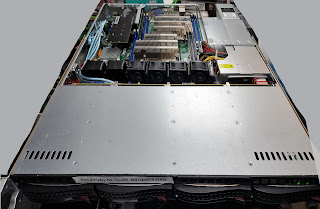 We have been very fortunate to receive a donated server to replace the previous every few years and the very generous folks at Collabora continue to provide hosting for it.Recently I replaced the server for the third time. We once again were given a replacement by Huw Jones in the form of a SuperServer 6017R-TDAF system with dual Intel Xeon Ivy Bridge E5-2680v2 processors. There were even rack rails!
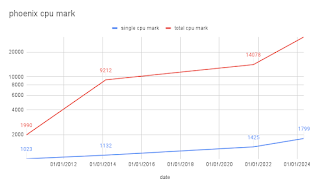 While making the decision on the processor selection I made a quick chart of previous processing capabilities (based on a passmark comparison) of phoenix servers and was startled to discover I needed a logarithmic vertical axis. Multi core performance of processors has improved at a startling rate in the last decade.
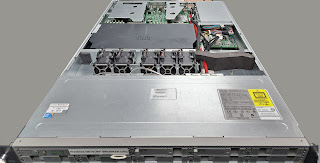 Here we come to the slight disadvantage of an informal arrangement where access to the system depends upon a busy third party. Unfortunately it took until May to arrange access (I must thank Vivek again for coming in on a Saturday to do this)

 Years ago, at what I think I remember was DebConf 15, I hacked for a while
on debhelper to
Years ago, at what I think I remember was DebConf 15, I hacked for a while
on debhelper to


 Hello from a snowy Montr al! My life has been pretty busy lately


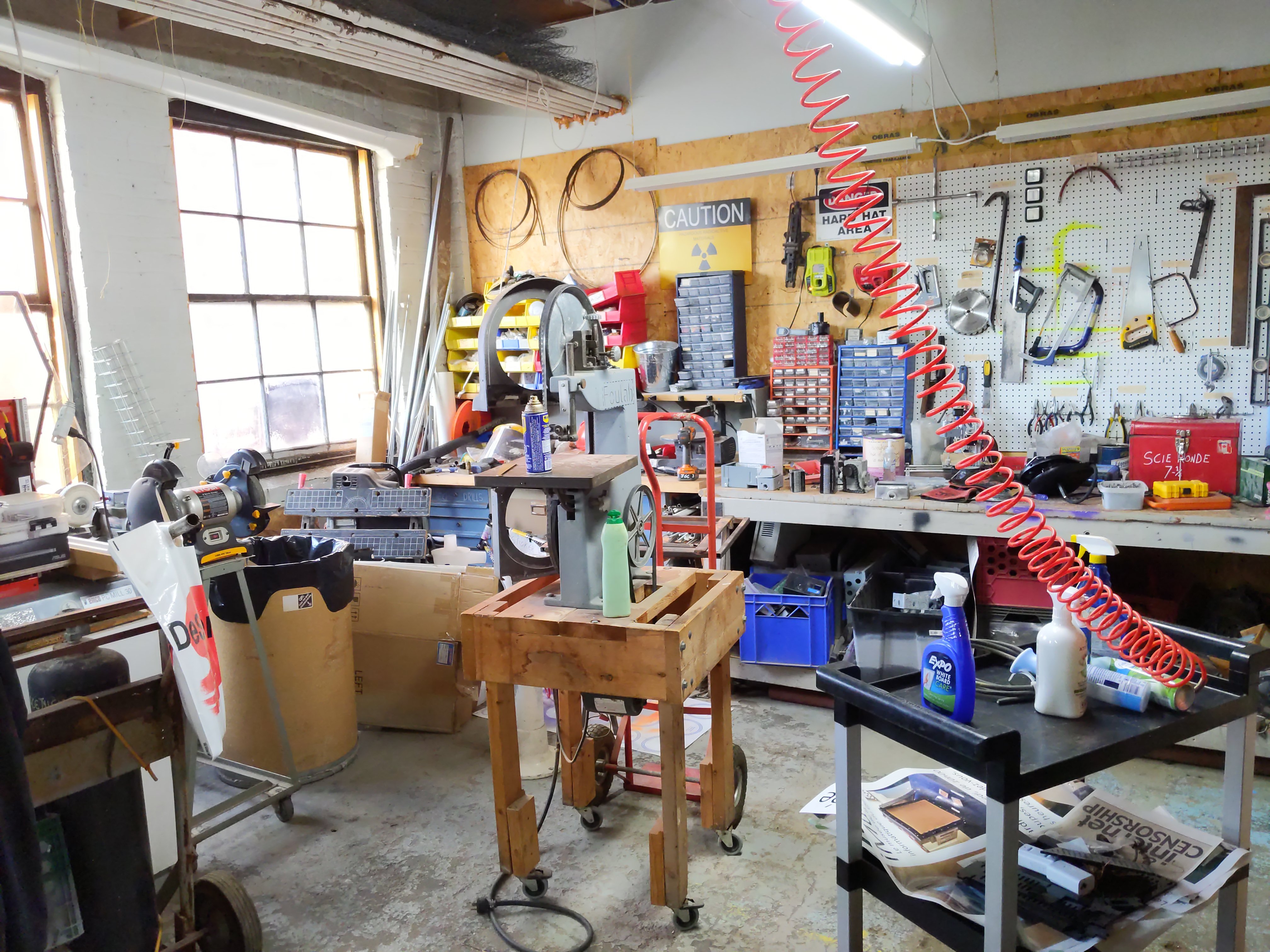







 Reduce the size of your c: partition to the smallest it can be and then turn off windows with the understanding that you will never boot this system on the iron ever again.
 To find the literal path names of your detected drives you can run fdisk -l. Pay attention to the names of the partitions and the sizes of the drives to help determine which is which.
Once you have a shell in the netinst installer, you should maybe be able to run a command like the following. This will duplicate the disk located at if (in file) to the disk located at of (out file) while showing progress as the status.
To find the literal path names of your detected drives you can run fdisk -l. Pay attention to the names of the partitions and the sizes of the drives to help determine which is which.
Once you have a shell in the netinst installer, you should maybe be able to run a command like the following. This will duplicate the disk located at if (in file) to the disk located at of (out file) while showing progress as the status.
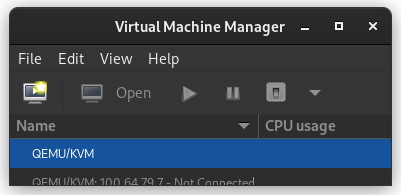 In the New VM window, select Import existing disk image
 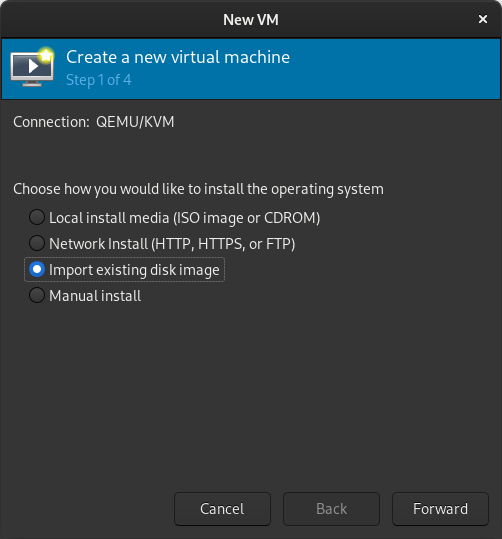 When prompted for the path to the image, use the one we created with sudo qemu-img convert above.
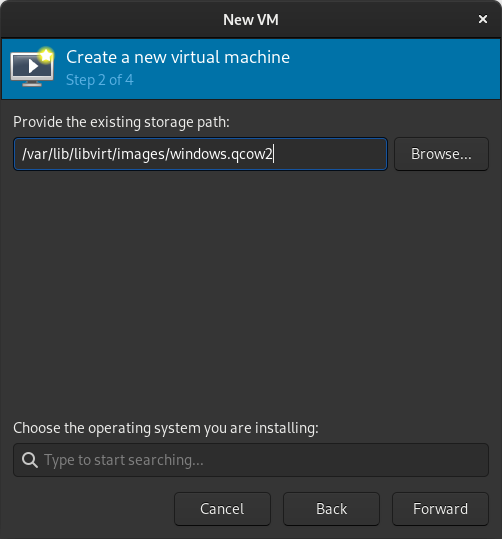 Select the version of Windows you want.
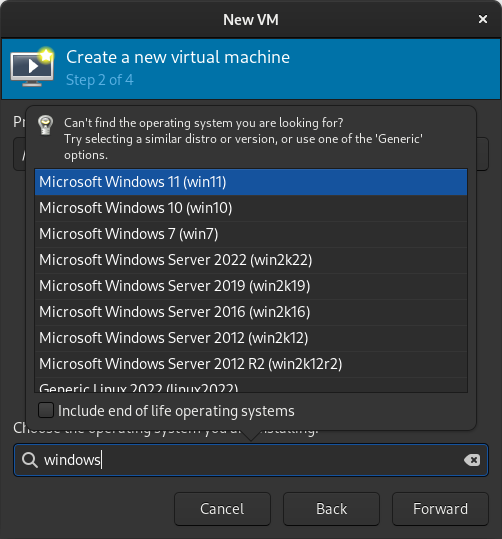 Select memory and CPUs to allocate to the VM.
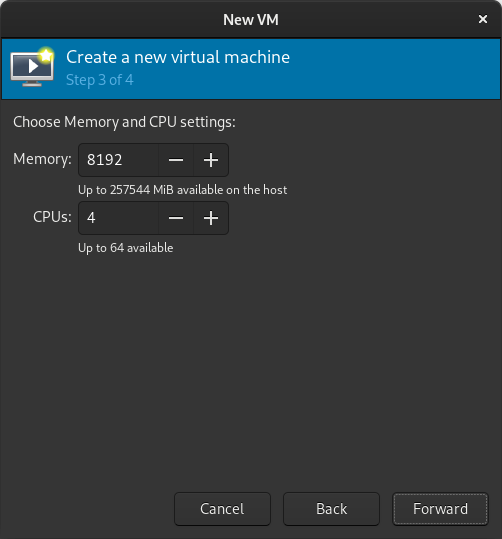 Tick the Customize configuration before install box
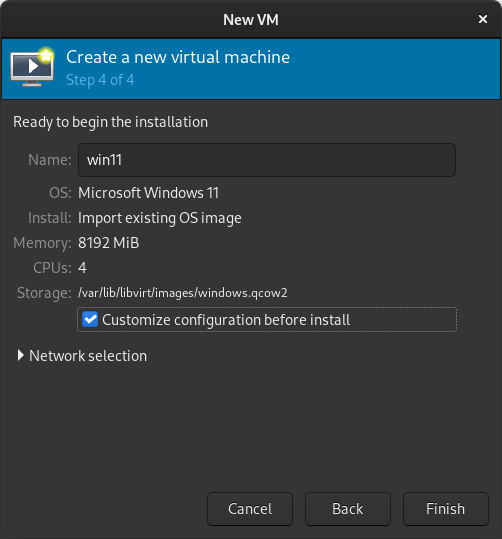 If you re prompted to enable the default network, do so now.
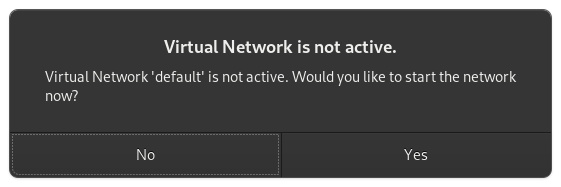 The default hardware layout should probably suffice. Get it as close to the underlying hardware as it is convenient to do. But Windows is pretty lenient these days about virtualizing licensed windows instances so long as they re not running in more than one place at a time.
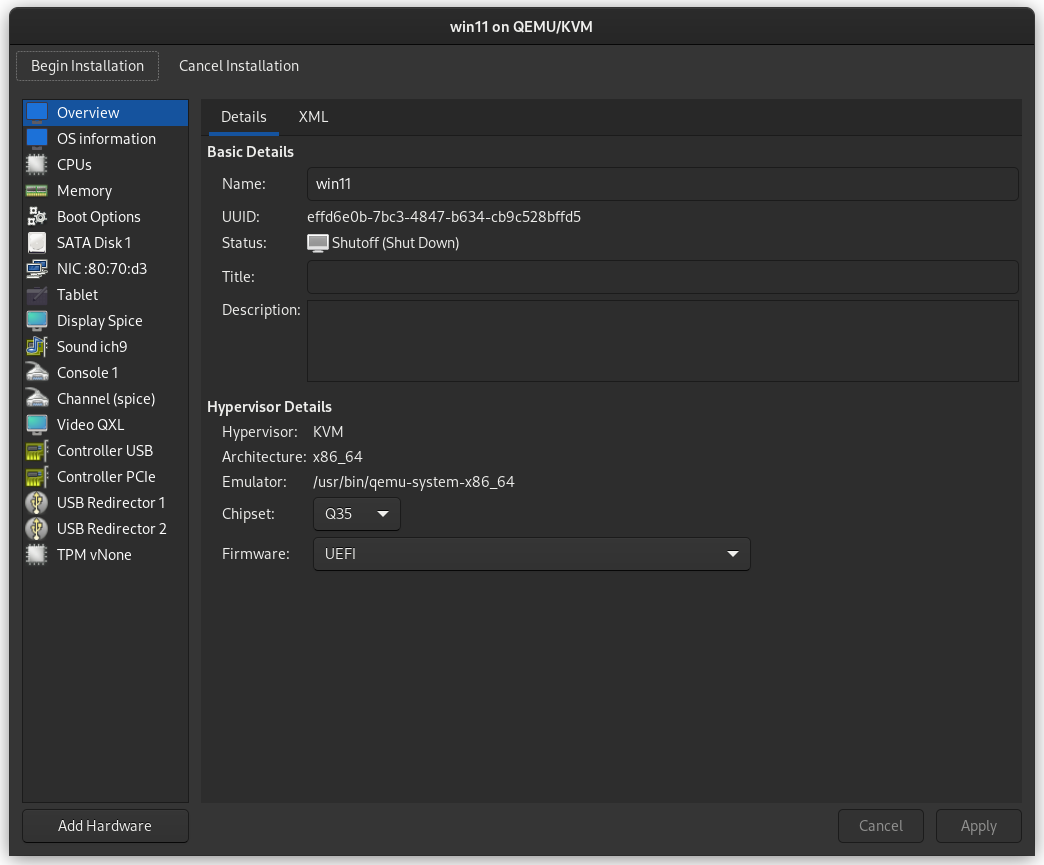 Good luck! Leave comments if you have questions.
 The following contributors got their Debian Developer accounts in the last two months:
 Very few highly-anticipated movies appear in January and February, as the bigger releases are timed so they can be considered for the
  I just did again the usual web search, and I have verified that Mastodon still does not support
 I m trying to replace my old OpenPGP key with a new one. The old key wasn t compromised or lost or anything
bad. Is still valid, but I plan to get rid of it soon. It was created in 2013.
The new key id fingerprint is:
I m trying to replace my old OpenPGP key with a new one. The old key wasn t compromised or lost or anything
bad. Is still valid, but I plan to get rid of it soon. It was created in 2013.
The new key id fingerprint is:  This was our 4th meeting this year and once again, attendance was great: 10
people showed up to work on various things.
Following our bi-monthly schedule, our next meeting should be in December, but
I'm not sure it'll happen. December can be a busy month here and I will have to
poke our mailing list to see if people have the spoons for an event.
This time around, I was able to get a rough log of the Debian work people did:
pollo:
This was our 4th meeting this year and once again, attendance was great: 10
people showed up to work on various things.
Following our bi-monthly schedule, our next meeting should be in December, but
I'm not sure it'll happen. December can be a busy month here and I will have to
poke our mailing list to see if people have the spoons for an event.
This time around, I was able to get a rough log of the Debian work people did:
pollo:


 . For those who have read this blog, do know that India is and has been in casteism from ever. They even took the fair comment and applied it to all Brahmins. According to them, all Brahmins are fair and hence have god-given right to lord over others. What is called the Eton boy s network serves the same in this casteism. The only solution is those idea under limelight and investigate. To take the above, how does one prove that all fair people are wise and peaceful while all people black and brown are violent. If that is so, how does one count for Mahatma Gandhi, Martin Luther King Junior, Nelson Mandela, Michael Jackson the list is probably endless. And not to forget that when Mahatma Gandhiji did his nonviolent movements either in India or in South Africa, both black and brown people in millions took part. Similar examples of Martin Luther King Jr. I know and read of so many non-violent civl movements that took place in the U.S. For e.g.
  Just read this, beautifully