Evgeni Golov: Dependency confusion in the Ansible Galaxy CLI

I hope you enjoyed my last post about Ansible Galaxy Namespaces. In there I noted that I originally looked for something completely different and the namespace takeover was rather accidental.
Well, originally I was looking at how the different Ansible content hosting services and their client (
ansible-galaxy) behave in regard to clashes in naming of the hosted content.
"Ansible content hosting services"?! There are currently three main ways for users to obtain Ansible content:
- Ansible Galaxy - the original, community oriented, free hosting platform
- Automation Hub - the place for Red Hat certified and supported content, available only with a Red Hat subscription, hosted by Red Hat
- Ansible Automation Platform - the on-premise version of Automation Hub, syncs content from there and allows customers to upload own content
server_list to contain multiple Galaxy-compatible servers, like Ansible Galaxy and Automation Hub, and then asks to install a collection, the Ansible Galaxy CLI will ask every server in the list, until one returns a successful result. The exact order seems to differ between versions, but this doesn't really matter for the issue at hand.
Imagine someone wants to install the redhat.satellite collection from Automation Hub (using ansible-galaxy collection install redhat.satellite). Now if their configuration defines Galaxy as the first, and Automation Hub as the second server, Galaxy is always asked whether it has redhat.satellite and only if the answer is negative, Automation Hub is asked. Today there is no redhat namespace on Galaxy, but there is a redhat user on GitHub, so
The canonical answer to this issue is to use a requirements.yml file and setting the source parameter. This parameter allows you to express "regardless which sources are configured, please fetch this collection from here". That's is nice, but I think this not being the default syntax (contrary to what e.g. Bundler does) is a bad approach. Users might overlook the security implications, as the shorter syntax without the source just "magically" works.
However, I think this is not even the main problem here. The documentation says: Once a collection is found, any of its requirements are only searched within the same Galaxy instance as the parent collection. The install process will not search for a collection requirement in a different Galaxy instance. But as it turns out, the source behavior was changed and now only applies to the exact collection it is set for, not for any dependencies this collection might have.
For the sake of the example, imagine two collections: evgeni.test1 and evgeni.test2, where test2 declares a dependency on test1 in its galaxy.yml. Actually, no need to imagine, both collections are available in version 1.0.0 from galaxy.ansible.com and test1 version 2.0.0 is available from galaxy-dev.ansible.com.
Now, given our recent reading of the docs, we craft the following requirements.yml:
collections:
- name: evgeni.test2
  version: '*'
  source: https://galaxy.ansible.com
In a perfect world, following the documentation, this would mean that both collections are fetched from
galaxy.ansible.com, right? However, this is not what ansible-galaxy does. It will fetch evgeni.test2 from the specified source, determine it has a dependency on evgeni.test1 and fetch that from the "first" available source from the configuration.
Take for example the following ansible.cfg:
[galaxy]
server_list = test_galaxy, release_galaxy, test_galaxy
[galaxy_server.release_galaxy]
url=https://galaxy.ansible.com/
[galaxy_server.test_galaxy]
url=https://galaxy-dev.ansible.com/
And try to install collections, using the above
requirements.yml:
% ansible-galaxy collection install -r requirements.yml -vvv
ansible-galaxy 2.9.27
  config file = /home/evgeni/Devel/ansible-wtf/collections/ansible.cfg
  configured module search path = ['/home/evgeni/.ansible/plugins/modules', '/usr/share/ansible/plugins/modules']
  ansible python module location = /usr/lib/python3.10/site-packages/ansible
  executable location = /usr/bin/ansible-galaxy
  python version = 3.10.0 (default, Oct  4 2021, 00:00:00) [GCC 11.2.1 20210728 (Red Hat 11.2.1-1)]
Using /home/evgeni/Devel/ansible-wtf/collections/ansible.cfg as config file
Reading requirement file at '/home/evgeni/Devel/ansible-wtf/collections/requirements.yml'
Found installed collection theforeman.foreman:3.0.0 at '/home/evgeni/.ansible/collections/ansible_collections/theforeman/foreman'
Process install dependency map
Processing requirement collection 'evgeni.test2'
Collection 'evgeni.test2' obtained from server explicit_requirement_evgeni.test2 https://galaxy.ansible.com/api/
Opened /home/evgeni/.ansible/galaxy_token
Processing requirement collection 'evgeni.test1' - as dependency of evgeni.test2
Collection 'evgeni.test1' obtained from server test_galaxy https://galaxy-dev.ansible.com/api
Starting collection install process
Installing 'evgeni.test2:1.0.0' to '/home/evgeni/.ansible/collections/ansible_collections/evgeni/test2'
Downloading https://galaxy.ansible.com/download/evgeni-test2-1.0.0.tar.gz to /home/evgeni/.ansible/tmp/ansible-local-133/tmp9uqyjgki
Installing 'evgeni.test1:2.0.0' to '/home/evgeni/.ansible/collections/ansible_collections/evgeni/test1'
Downloading https://galaxy-dev.ansible.com/download/evgeni-test1-2.0.0.tar.gz to /home/evgeni/.ansible/tmp/ansible-local-133/tmp9uqyjgki
As you can see,
evgeni.test1 is fetched from galaxy-dev.ansible.com, instead of galaxy.ansible.com. Now, if those servers instead would be Galaxy and Automation Hub, and somebody managed to snag the redhat namespace on Galaxy, I would be now getting the wrong stuff Another problematic setup would be with Galaxy and on-prem Ansible Automation Platform, as you can have any namespace on the later and these most certainly can clash with namespaces on public Galaxy.
I have reported this behavior to Ansible Security on 2021-08-26, giving a 90 days disclosure deadline, which expired on 2021-11-24.
So far, the response was that this is working as designed, to allow cross-source dependencies (e.g. a private collection referring to one on Galaxy) and there is an issue to update the docs to match the code. If users want to explicitly pin sources, they are supposed to name all dependencies and their sources in requirements.yml. Alternatively they obviously can configure only one source in the configuration and always mirror all dependencies.
I am not happy with this and I think this is terrible UX, explicitly inviting people to make mistakes.
 It s been over 20 months since the first COVID lockdown kicked in here in Northern Ireland and I started working from home. Even when the strict lockdown was lifted the advice here has continued to be If you can work from home you should work from home . I ve been into the office here and there (for new starts given you need to hand over a laptop and sort out some login details it s generally easier to do so in person, and I ve had a couple of whiteboard sessions that needed the high bandwidth face to face communication), but day to day is all from home.
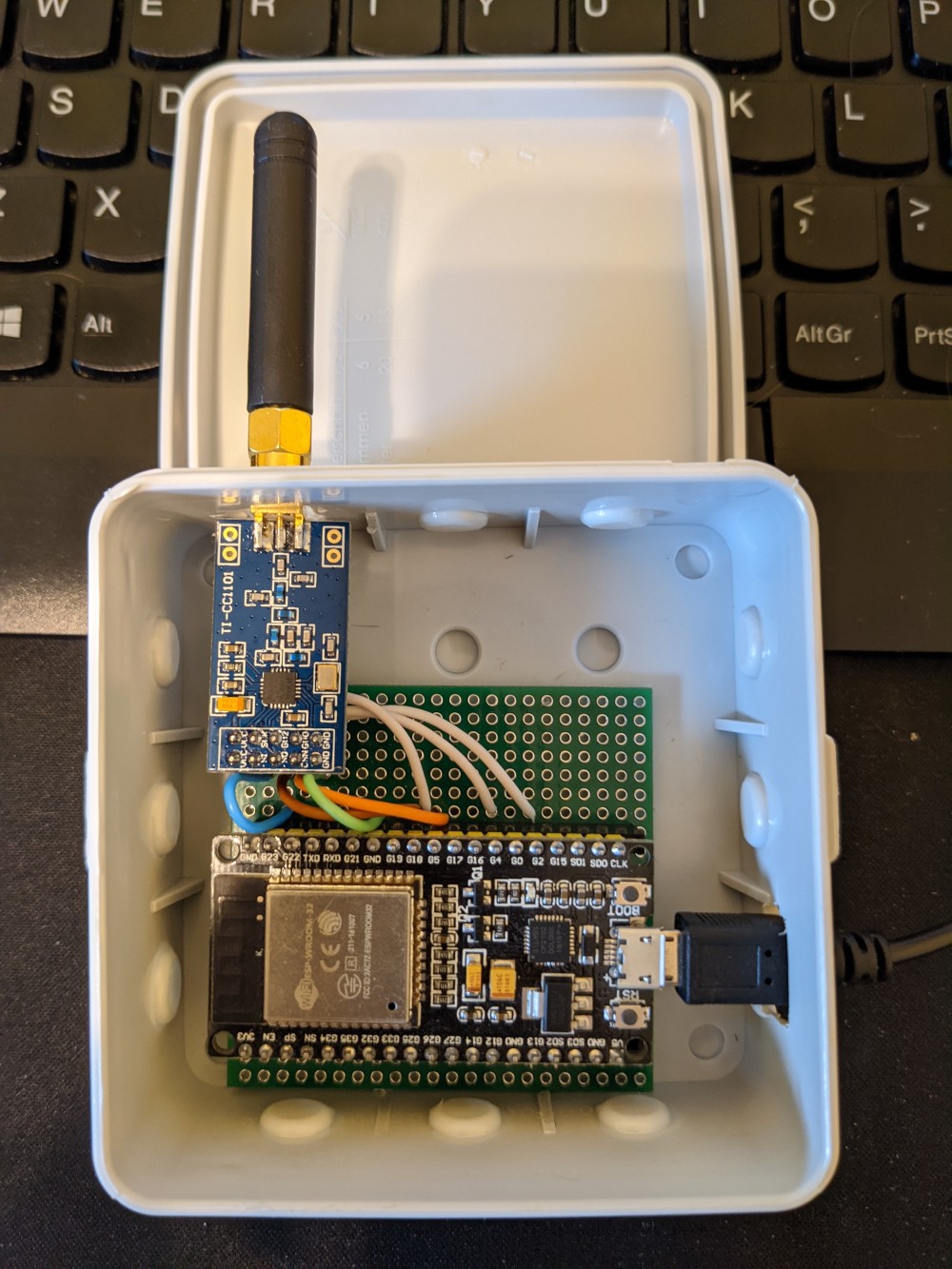
 This is a fairly self-indulgent post, sorry!
Encouraged by


 However, on closer inspection you'll notice that your normal jumper wires don't fit as the Shelly has a connector with 1.27mm (0.05in) pitch and 1mm diameter holes.
Now, there are various tutorials on the Internet how to build a compatible connector using
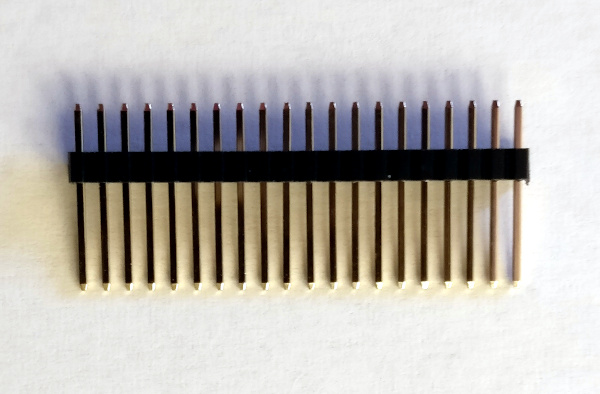 The first step is to cut the header into 6 pin chunks. Make sure not to cut too close to the 6th pin as the whole thing is rather fragile and you might lose it.
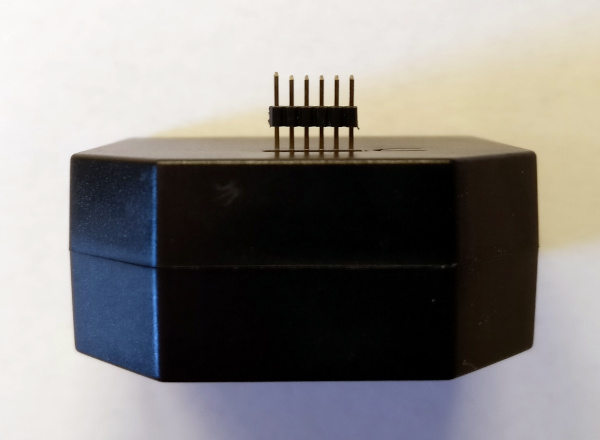
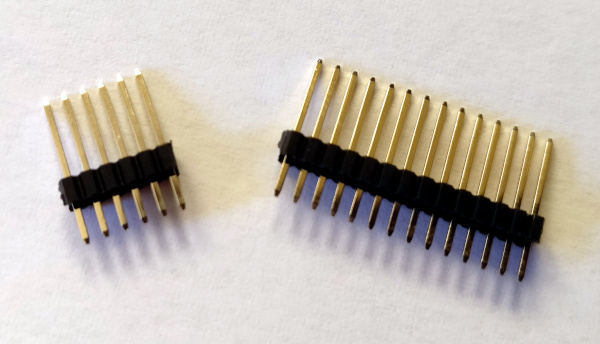 It now fits very well into the Shelly with the longer side of the pins.
 Second step is to strip the plastic part of one side of the jumper wires. Those are designed to fit 2.54mm pitch headers and won't work for our use case otherwise.
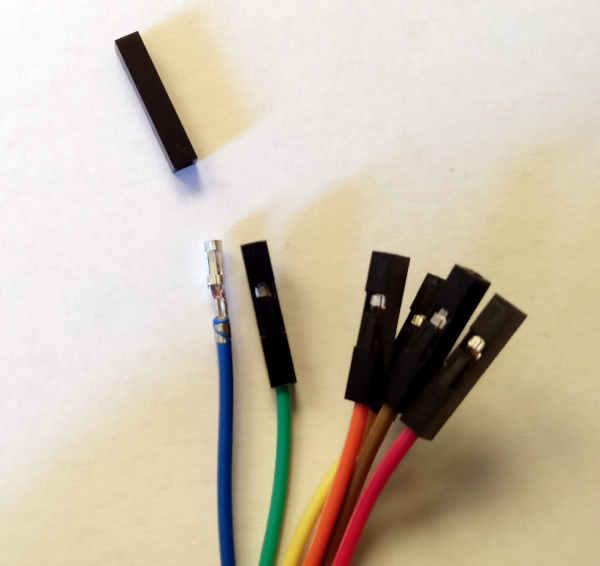 As the connectors are still too big, even after removing the plastic, the next step is to take some pliers and gently press the connectors until they fit the smaller pins of our header.
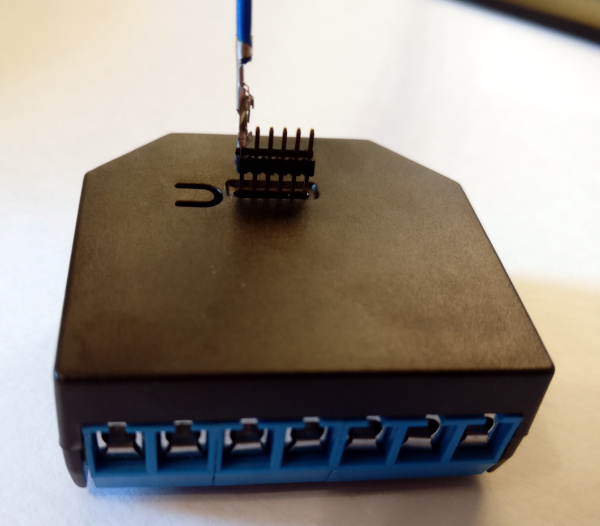 Now is the time to put everything together. To avoid short circuiting the pins/connectors, apply some isolation tape while assembling, but not too much as the space is really limited.
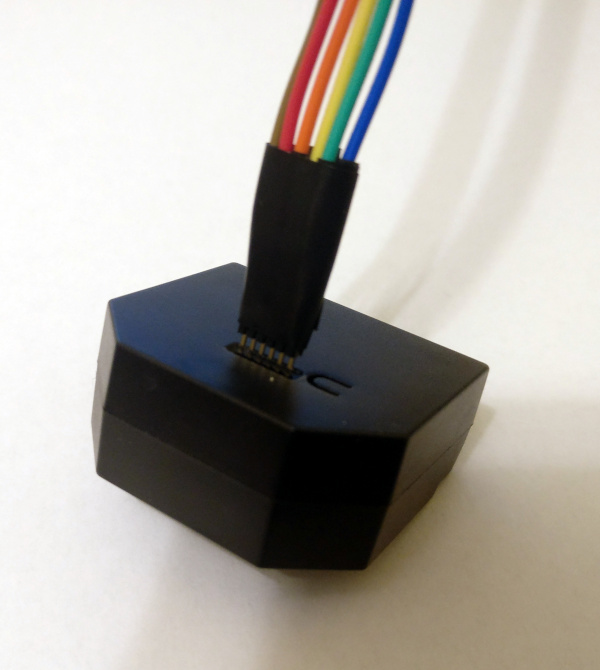 And we're done, a wonderful (lol) and working (yay) Shelly 2.5 cable that can be attached to any USB-TTL adapter, like the pictured FTDI clone you get almost everywhere.
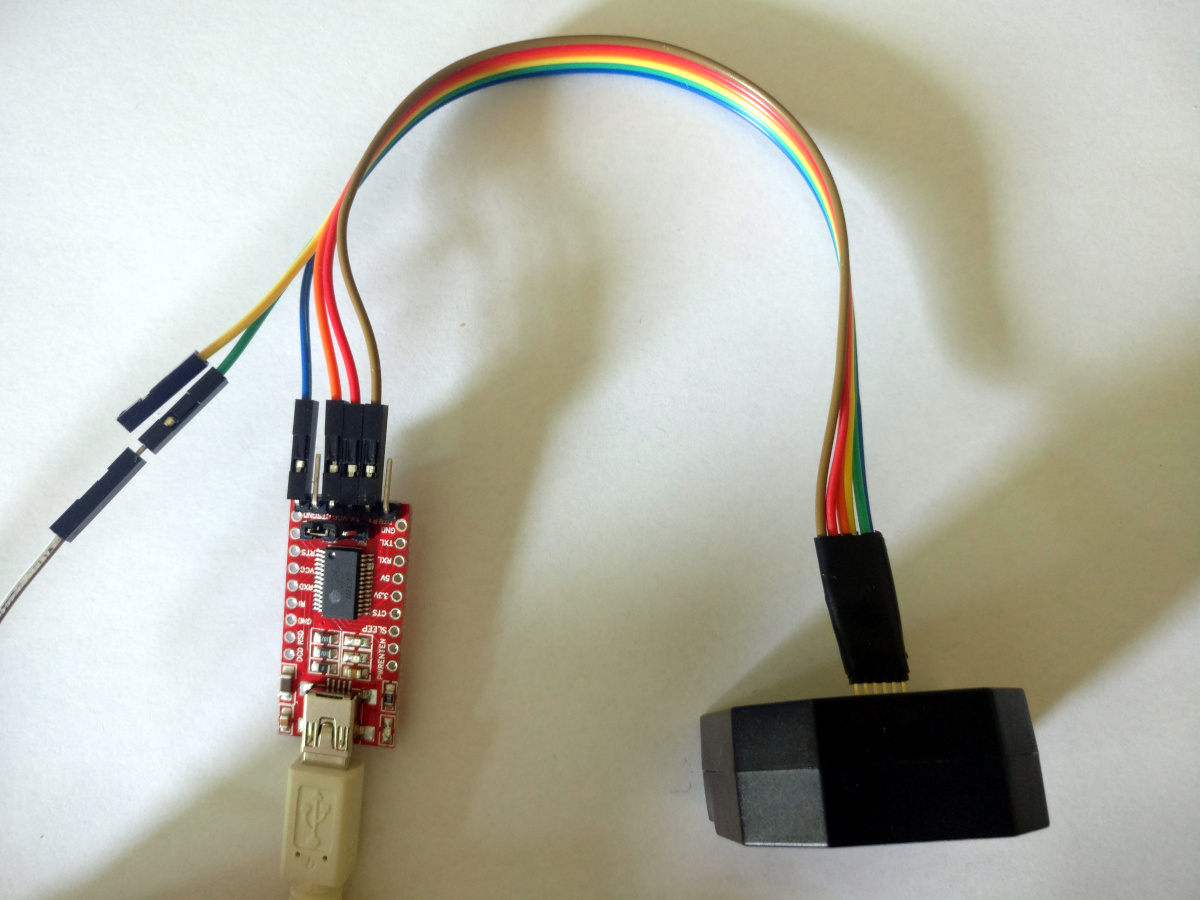 Yes, in an ideal world we would have soldered the header to the cable, but I didn't feel like soldering on that limited space. And yes, shrink-wrap might be a good thing too, but again, limited space and with isolation tape you only need one layer between two pins, not two.