John Goerzen: A Simple, Delay-Tolerant, Offline-Capable Mesh Network with Syncthing (+ optional NNCP)
A little while back, I spent a week in a remote area. It had no Internet and no cell phone coverage. Sometimes, I would drive in to town where there was a signal to get messages, upload photos, and so forth. I had to take several devices with me: my phone, my wife s, maybe a laptop or a tablet too. It seemed there should have been a better way. And there is.
I ll use this example to talk about a mesh network, but it could just as well apply to people wanting to communicate on a 12-hour flight that has no in-flight wifi, or spacecraft with an intermittent connection, or a person traveling.
Syncthing makes a wonderful solution for things like these. Here are some interesting things about Syncthing:
- You can think of Syncthing as a serverless, peer-to-peer, open source alternative to Dropbox. Machines sync directly with each other without a server, though you can add a server if you want.
- It can operate completely without Internet access or any central server, though if Internet access is available, it can readily be used.
- Syncthing devices connected to the same LAN or Wifi will detect each other s presence and automatically communicate.
- Syncthing is capable of handling a constantly-changing topology. It can also, for instance, handle two disconnected clusters of nodes with one node that travels between them perhaps just a phone.
- Syncthing scales from everything from a phone to thousands of nodes.
- Syncthing normally performs syncs in every direction, but can also do single-direction syncs
- An individual Syncthing node can register its interest or disinterest in certain files or directories based on filename patterns
- Drop a script in a special directory that gets picked up by a remote server and run
- Drop emails in a special directory that get transmitted and then deleted by a remote system when they re seen
- Drop files (eg, photos or videos) in a directory that a remote system will copy or move out of there
- Drop messages (perhaps gpg-encrypted) which could be text files for someone to see and process.
- Drop NNTP bundles for group communication
 The Debian Electronics Team is happy to announce that the latest version of
Arduino, probably the most widespread platform for programming AVR
micro-controllers, is now
 When I am doing video conference size of window becomes important. When the window is too large the remote participant can't see what I'm seeing.
It seems like the sweet spot is around 1280x720 these days,
because people may have higher resolution displays but they
don't typically see your window fullscreen.
But it isn't obvious unless you happen to use a window manager that shows you.

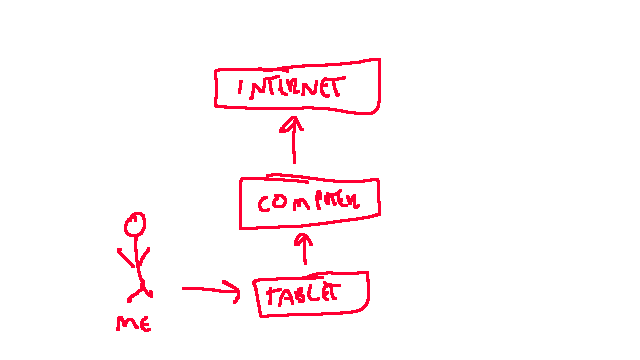
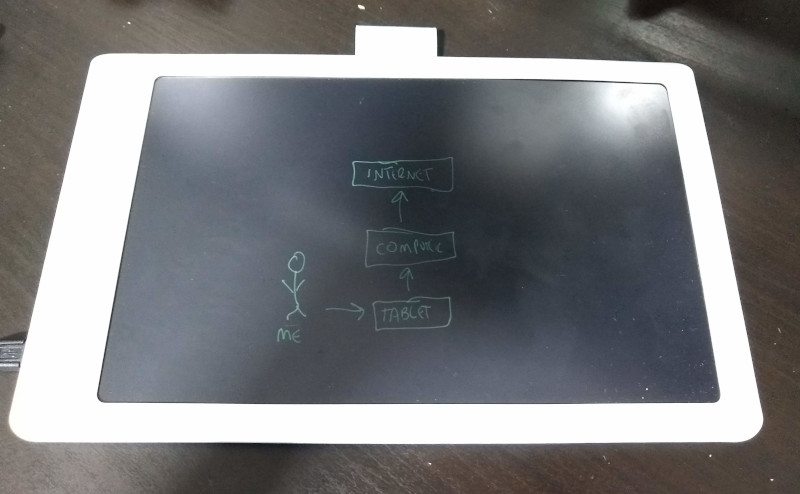 One of the challenges I find about being fully remote is that one of the ways I think while I explain things is I draw diagrams. I m not artistic in any manner (my brothers got that skillset), but a set of boxes and lines and some text scribbled as I talk really helps. I do think even for myself, which is obviously as easy to replicate at home as in the office; I have plenty of paper and a whiteboard in my study. It s not so easy when having a design discussion with someone remotely.
Doodling with a mouse doesn t quite work; my art skills are bad enough without then factoring in the fact it s not a pen-like device I m using to do it. I ve previously tried a proper graphics tablet, but there s a disconnect between where you are writing and where the output appears. That makes doing things like labelling within a diagram, or going back to draw an update, quite difficult. Or it does if you re me anyway.
The modern solution is probably a laptop with a stylus capable touchscreen, but I ve shied away from such things because I don t want fingerprints all over my screen and don t want to pay extra for something I haven t previously thought I d use. An alternative is a tablet with a stylus capable screen, but those turn out to be premium models these days (remember when resistive was the cheap option because no one wanted to use the stylus?) and mine doesn t support it. You can get capacitive styli (styluses?) but then when you lean on the tablet it all gets confused.
When I m due a technology refresh of my laptop or tablet I ll perhaps factor such things in, but what to do now, when I m not entirely sure how much usage I ll get out of such a device and thus can t justify a major expense on it? Buy a random thing from the internet, of course!
It turns out there are a range of LCD writing tablets out there, which let you scribble on a screen and then erase it at the press of a button. An electronic etch-a-sketch, as it were. Most of them don t count as smart , with power only needed for the erase, but there appears to have been a device called the Boogie Board Sync in the past which offered some ability to save things. Searching around I found the
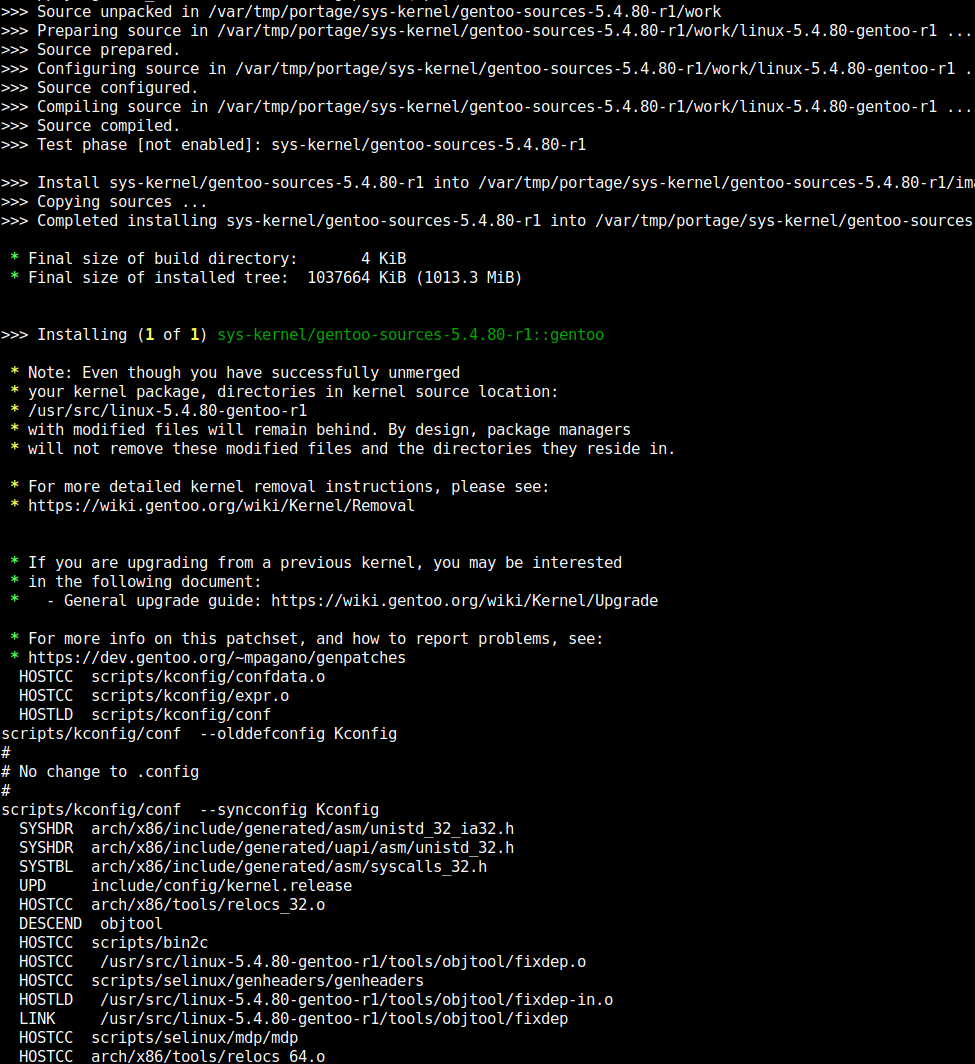
 Gentoo emerges of
 Ever since X.org switched to rootless operation, the days of the Geode X.org driver have been numbered. The old codebase dates back from Geode's early days at Cyrix, was then updated by NSC to add support for their new GX2 architecture, from which AMD dropped GX1 support and added support for their new LX architecture. To put it mildly, that codebase is a serious mess. However, at least the LX code comes with plenty of niceties, such as being able to detect when it runs on an OLPC XO-1 and to probe DCC pins to determine the optimal display resolution on other hardware. This still doesn't make the codebase cruft-free.
Anyhow, most Linux distributions have dropped support for anything older than i686 with PAE, which essentially means that the GX2 code is just for show. Debian is one of very few distributions whose x86-32 port still ships with i686 without PAE. In fact, the lowest common denominator kernel on i386 is configured for Geode (LX).
A while back, someone had started working on a KMS driver for the Geode LX. Through word of mouth, I got my hands on a copy of their Git tree. The driver worked reasonably well, but the codebase needs some polishing before it could be included in the Linux kernel tree.
Hence this call for help:
Is there anyone with good experience of the LKML coding standards who would be willing to clean up the driver's code and submit the patch to the LKML?
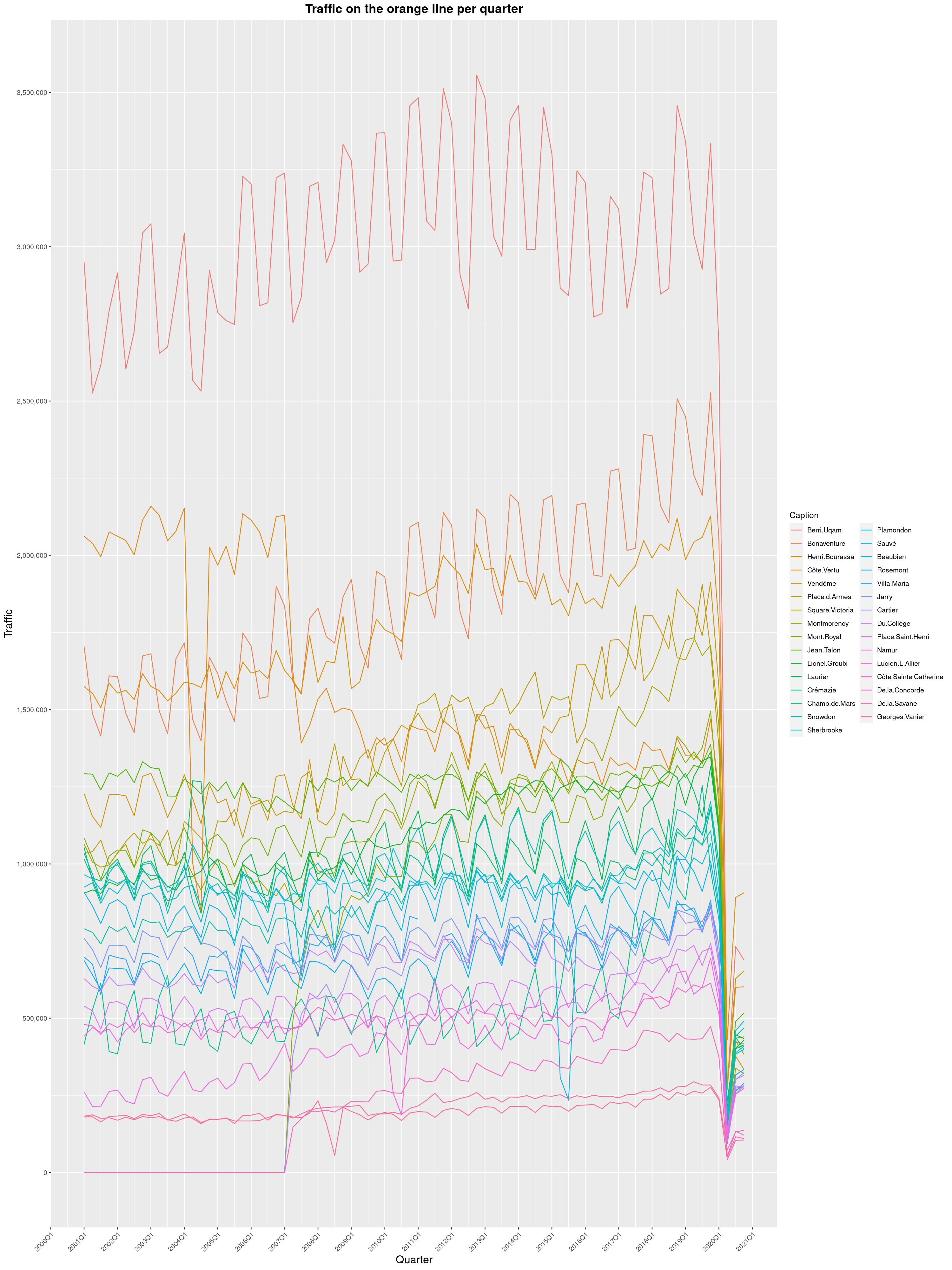
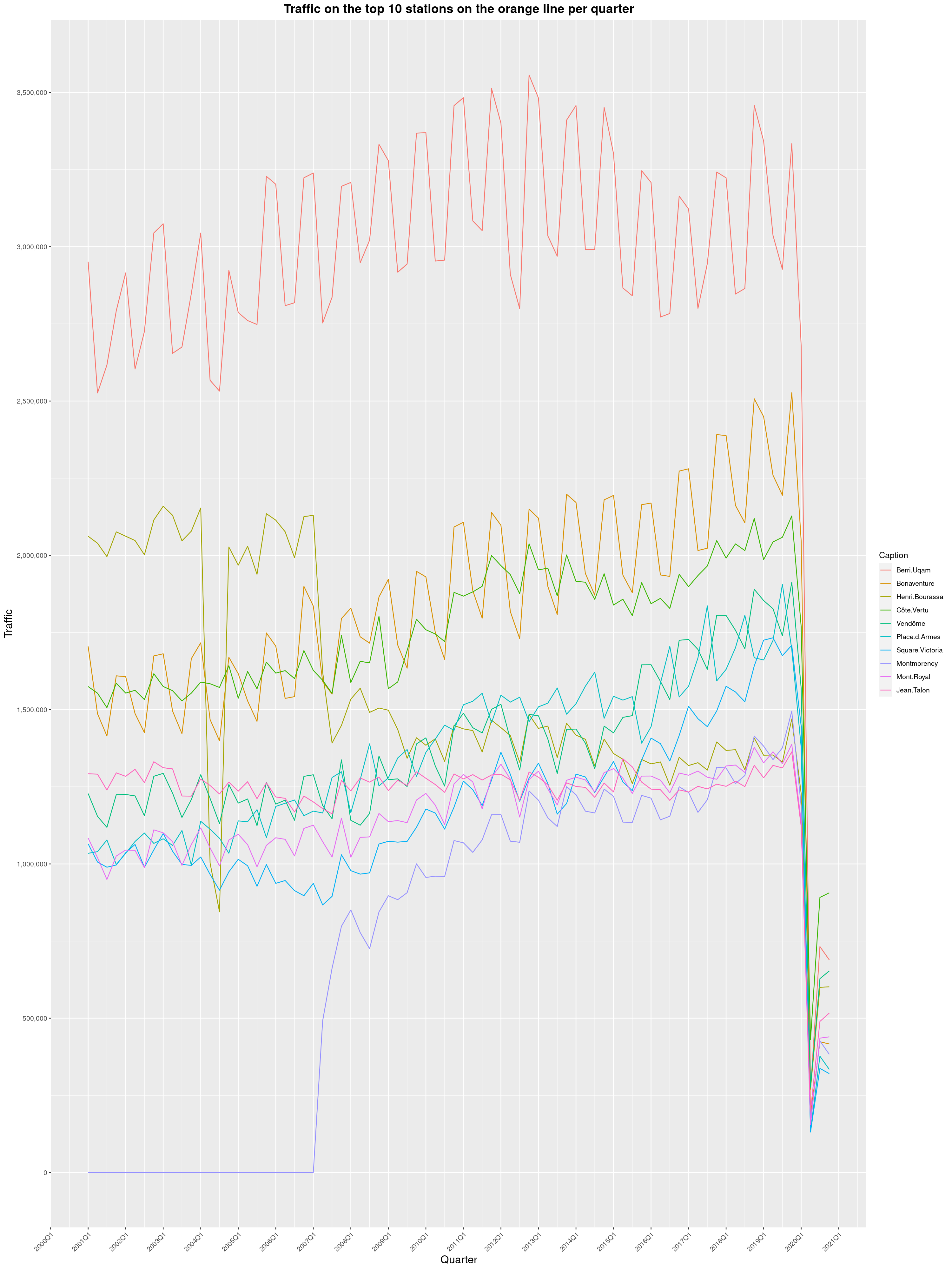
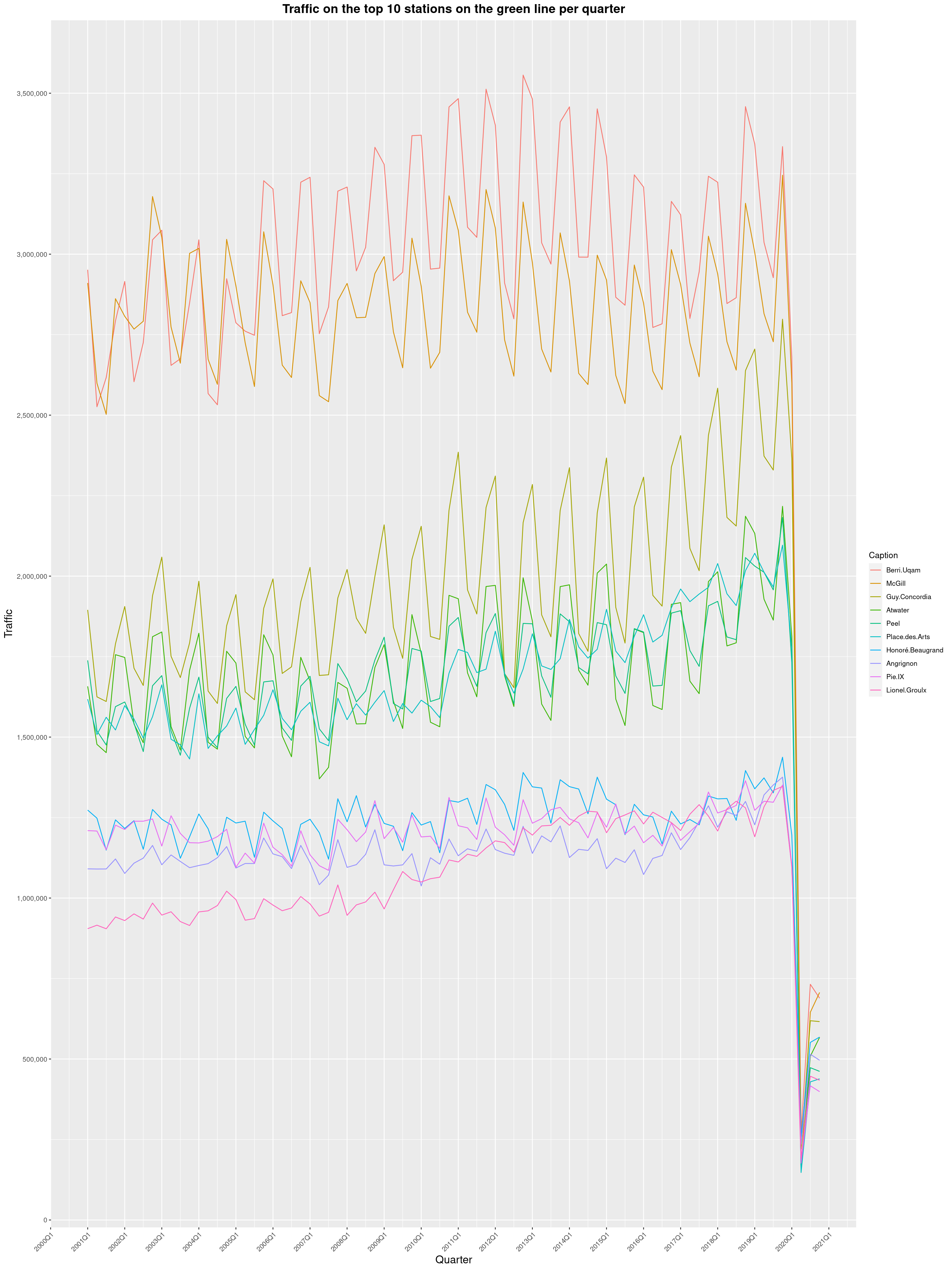
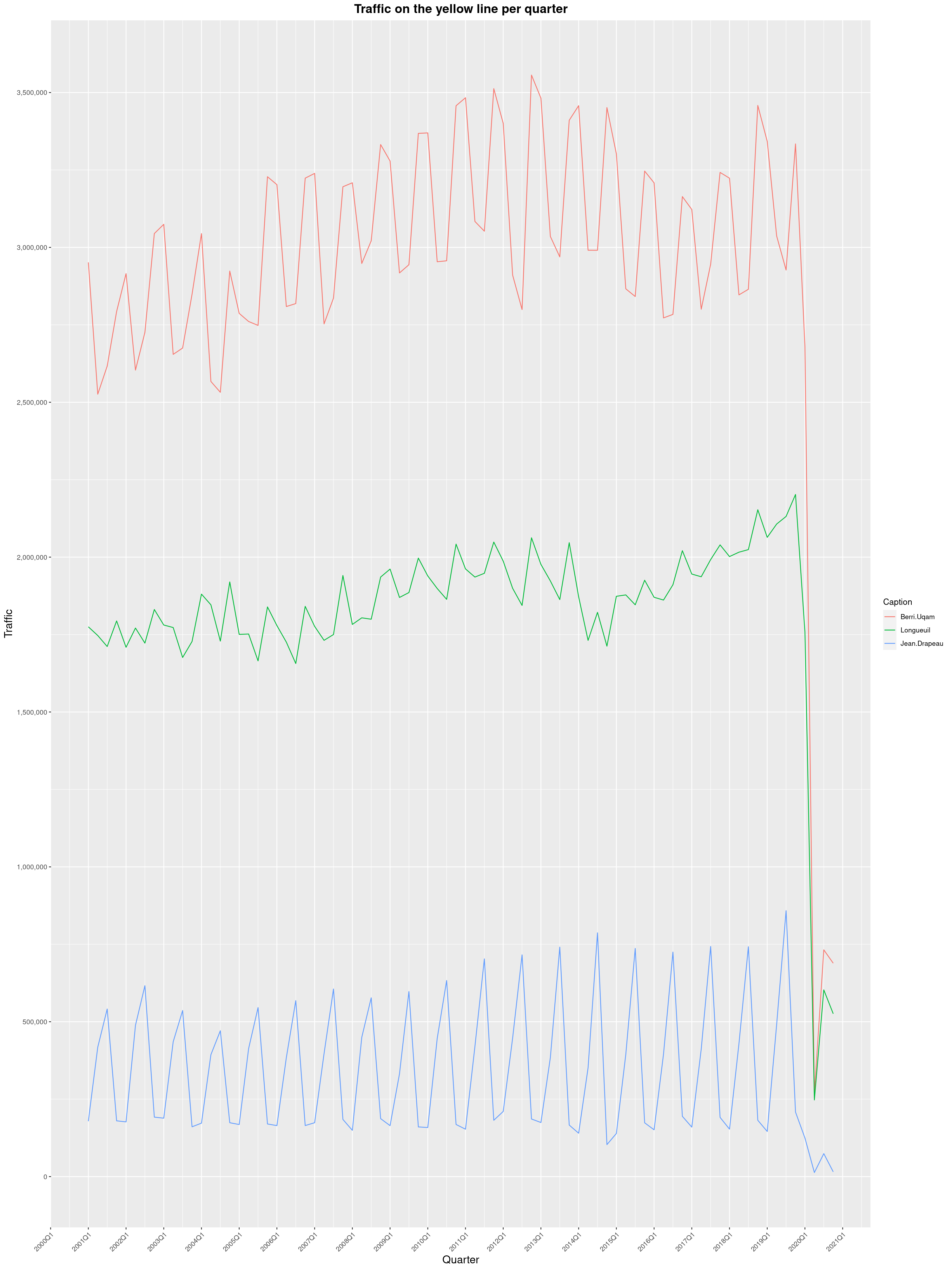
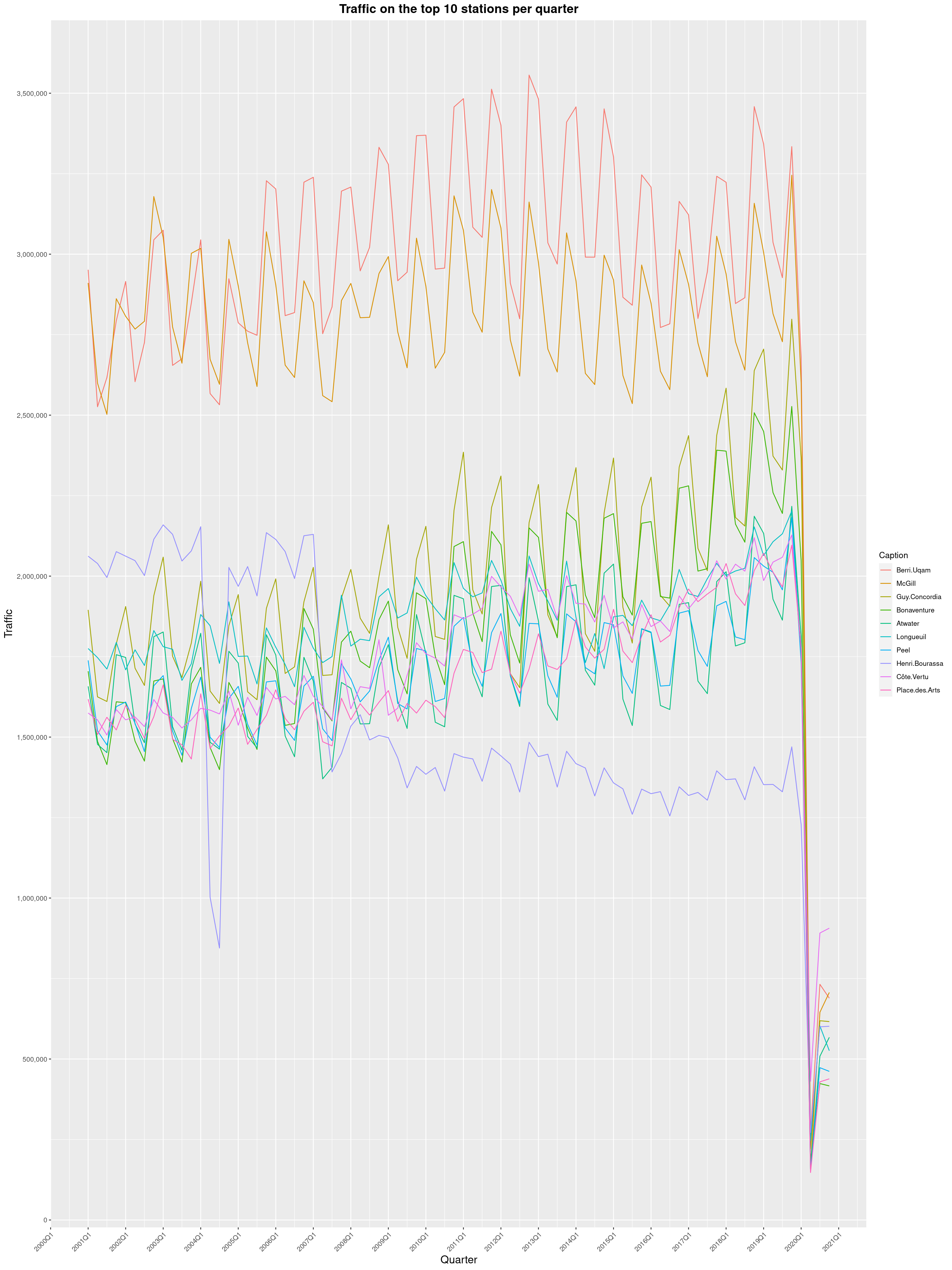
 In 2019, I got curious and asked Soci t de Transport de Montr al, Montreal's
transit agency, for the foot traffic data of Montreal's subway.
Since then, two years has passed and with COVID-19 still going strong, I wanted
to see what impact the pandemic had had. And oh boy, what an impact it is.
So here it is, data from 2001 to 2020, graphed the same way as in the