Ingo Juergensmann: Jitsi Meet and ejabberd
Since the more or less global lockdown caused by Covid-19 there was a lot talk about video conferencing solutions that can be used for e.g. those people that try to coordinate with coworkers while in home office. One of the solutions is Jitsi Meet, which is NOT packaged in Debian. But there are Debian packages provided by Jitsi itself.
Jitsi relies on an XMPP server. You can see the network overview in the docs. While Jitsi itself uses Prosody as XMPP and their docs only covers that one. But it's basically irrelevant which XMPP you want to use. Only thing is that you can't follow the official Jitsi documentation when you are not using Prosody but instead e.g. ejabberd. As always, it's sometimes difficult to find the correct/best non-official documentation or how-to, so I try to describe what helped me in configuring Jitsi Meet with ejabberd as XMPP server and my own coturn STUN/TURN server...
This is not a step-by-step description, but anyway... here we go with some links:
- https://github.com/debalance/meet.debalance.de
- https://blog.jabberhead.tk/2020/03/16/install-jitsi-meet-alongside-ejabb...
- https://www.kuketz-blog.de/jitsi-meet-server-einstellungen-fuer-einen-da... (German)
There are 3 choices for the alternative java (providing /usr/bin/java). Selection Path Priority StatusIt was set to jre-7, but I guess this was from years ago when I ran OpenFire as XMPP server. If something is not working with Jitsi Meet, it helps to not watch the log files only, but also to open the Debug Console in your web browser. That way I catched some XMPP Failures and saw that it tries to connect to some components where the DNS records were missing:
------------------------------------------------------------
* 0 /usr/lib/jvm/java-11-openjdk-amd64/bin/java 1111 auto mode
1 /usr/lib/jvm/java-11-openjdk-amd64/bin/java 1111 manual mode
2 /usr/lib/jvm/java-8-openjdk-amd64/jre/bin/java 1081 manual mode
3 /usr/lib/jvm/jre-7-oracle-x64/bin/java 316 manual mode
meet IN A yourIPOf course you also need to add some config to your ejabberd.yml:
chat.meet IN A yourIP
focus.meet IN A yourIP
pubsub.meet IN A yourIP
host_config:There is more config that needs to be done, but one of the XMPP Failures I spotted from debug console in Firefox was that it tried to connect to conference.domain.net while I prefer to use chat.domain.net for its brevity. If you prefer conference instead of chat, then you shouldn't be affected by this. Just make just that your config is consistent with what Jitsi Meet wants to connect to. Maybe not all of the above lines are necessary, but this works for me. Jitsi config is like this for me with short domains (/etc/jitsi/meet/meet.domain.net-config.js):
domain.net:
auth_password_format: scram
meet.domain.net:
## Disable s2s to prevent spam
s2s_access: none
auth_method: anonymous
allow_multiple_connections: true
anonymous_protocol: both
modules:
mod_bosh:
mod_caps:
mod_carboncopy:
#mod_disco:
mod_stun_disco:
secret: "YOURSECRETTURNCREDENTIALS"
services:
-
host: yourIP # Your coturn's public address.
type: stun
transport: udp
-
host: yourIP # Your coturn's public address.
type: stun
transport: tcp
-
host: yourIP # Your coturn's public address.
type: turn
transport: udp
mod_muc:
access: all
access_create: local
access_persistent: local
access_admin: admin
host: "chat.@HOST@"
mod_muc_admin:
mod_ping:
mod_pubsub:
access_createnode: local
db_type: sql
host: "pubsub.@HOST@"
ignore_pep_from_offline: false
last_item_cache: true
max_items_node: 5000 # For Jappix this must be set to 1000000
plugins:
- "flat"
- "pep" # requires mod_caps
force_node_config:
"eu.siacs.conversations.axolotl.*":
access_model: open
## Avoid buggy clients to make their bookmarks public
"storage:bookmarks":
access_model: whitelist
var config = hosts:In the above config snippet one of the issues solved was to add the port to the bosh setting. Of course you can also take care that your bosh requests get forwarded by your webserver as reverse proxy. Using the port in the config might be a quick way to test whether or not your config is working. It's easier to solve one issue after the other and make one config change at a time instead of needing to make changes in several places. /etc/jitsi/jicofo/sip-communicator.properties:
domain: 'domain.net',
anonymousdomain: 'meet.domain.net',
authdomain: 'meet.domain.net',
focus: 'focus.meet.domain.net',
muc: 'chat.hookipa.net'
, bosh: '//meet.domain.net:5280/http-bind',
//websocket: 'wss://meet.domain.net/ws',
clientNode: 'http://jitsi.org/jitsimeet',
focusUserJid: 'focus@domain.net', useStunTurn: true, p2p:
// Enables peer to peer mode. When enabled the system will try to
// establish a direct connection when there are exactly 2 participants
// in the room. If that succeeds the conference will stop sending data
// through the JVB and use the peer to peer connection instead. When a
// 3rd participant joins the conference will be moved back to the JVB
// connection.
enabled: true, // Use XEP-0215 to fetch STUN and TURN servers.
useStunTurn: true, // The STUN servers that will be used in the peer to peer connections
stunServers: [
// urls: 'stun:meet-jit-si-turnrelay.jitsi.net:443' ,
// urls: 'stun:stun.l.google.com:19302' ,
// urls: 'stun:stun1.l.google.com:19302' ,
// urls: 'stun:stun2.l.google.com:19302' ,
urls: 'stun:turn.domain.net:5349' ,
urls: 'stun:turn.domain.net:3478'
], ....
org.jitsi.jicofo.auth.URL=XMPP:meet.domain.net/etc/jitsi/videobridge/sip-communicator.properties:
org.jitsi.jicofo.BRIDGE_MUC=jvbbrewery@chat.meet.domain.net
org.jitsi.videobridge.ENABLE_STATISTICS=trueSometimes there might be stupid errors like (in my case) wrong hostnames like "chat.meet..domain.net" (a double dot in the domain), but you can spot those easily in the debug console of your browser. There tons of config options where you can easily make mistakes, but watching your logs and your debug console should really help you in sorting out these kind of errors. The other URLs above are helpful as well and more elaborate then my few lines here. Especially Mike Kuketz has some advanced configuration tips like disabling third party requests with "disableThirdPartyRequests: true" or limiting the number of video streams and such. Hope this helps...
org.jitsi.videobridge.STATISTICS_TRANSPORT=muc
org.jitsi.videobridge.STATISTICS_INTERVAL=5000 org.jitsi.videobridge.xmpp.user.shard.HOSTNAME=localhost
org.jitsi.videobridge.xmpp.user.shard.DOMAIN=domain.net
org.jitsi.videobridge.xmpp.user.shard.USERNAME=jvb
org.jitsi.videobridge.xmpp.user.shard.PASSWORD=SECRET
org.jitsi.videobridge.xmpp.user.shard.MUC_JIDS=JvbBrewery@chat.meet.domain.net
org.jitsi.videobridge.xmpp.user.shard.MUC_NICKNAME=videobridge1 org.jitsi.videobridge.DISABLE_TCP_HARVESTER=true
org.jitsi.videobridge.TCP_HARVESTER_PORT=4443
org.ice4j.ice.harvest.NAT_HARVESTER_LOCAL_ADDRESS=yourIP
org.ice4j.ice.harvest.NAT_HARVESTER_PUBLIC_ADDRESS=yourIP
org.ice4j.ice.harvest.DISABLE_AWS_HARVESTER=true
org.ice4j.ice.harvest.STUN_MAPPING_HARVESTER_ADDRESSES=turn.domain.net:3478
org.ice4j.ice.harvest.ALLOWED_INTERFACES=eth0
Kategorie:
 LWN published today yet another great piece of writing,

 This post was originally published in the
 Two women sit in an office, one asks: "What's the difference between being
assertive and being aggressive?" The other replies: "Your gender." (
Two women sit in an office, one asks: "What's the difference between being
assertive and being aggressive?" The other replies: "Your gender." ( Welcome to gambaru.de. Here is my monthly report (+ the first week in June) that covers what I have been doing for Debian. If you re interested in Java, Games and LTS topics, this might be interesting for you.
Debian Games
Welcome to gambaru.de. Here is my monthly report (+ the first week in June) that covers what I have been doing for Debian. If you re interested in Java, Games and LTS topics, this might be interesting for you.
Debian Games


 Stress management
I've got a note hanging in my kitchen which is from an unknown source.
So while I still can share it happily, I sadly cannot give proper credit.
(Update: it was pointed out to me privately that the story is probably
coming from
Stress management
I've got a note hanging in my kitchen which is from an unknown source.
So while I still can share it happily, I sadly cannot give proper credit.
(Update: it was pointed out to me privately that the story is probably
coming from  I've been digging into async exceptions in haskell, and getting more
and more concerned. In particular,
I've been digging into async exceptions in haskell, and getting more
and more concerned. In particular,  I've written about what
 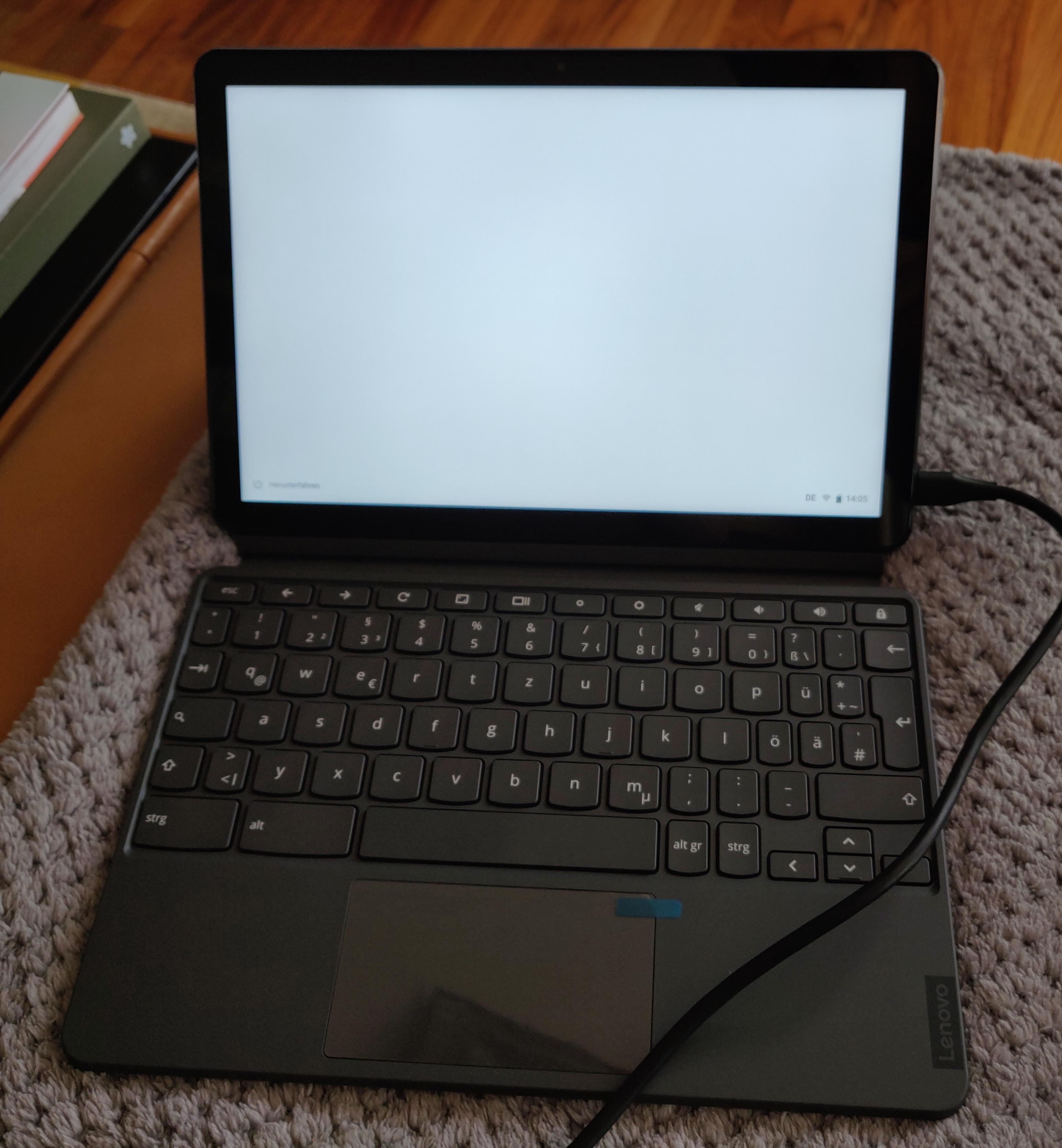 fully assembled chromebook duet
 This weekend I had some pretty good uncle time. My eleven year old nephew (after beating me in a fair match of tennis) wanted to play with his Lego Mindstorms set. He never even touches it unless I am around to help him, but then he quiet enjoys. As expected, when I ask him what we should try to build, he tends to come up with completely unrealistic or impossible ideas, and we have to somehow reduce the scope to something doable.
This time round, inspired by their autonomous vacuum cleaner, he wanted to build something like that. That was convenient, because now I could sell him what I wanted to try to do, namely make the robot follow a wall at more or less constant distance, as a useful first step.
We mounted the infra red distance sensor at an 45 angle to the front-left, and then I built a very simple control loop measure the distance, subtract 40, apply a factor, and feed that into the steering input of the drive action, and repeat. I must admit that I was pretty proud to see just how well that very simple circuit worked: The little robot turned sharp corners in both directions, and otherwise drove nicely parallel and with constant distance to the wall.
I was satisfied with that achievement and would have happily ended it here before we might be disappointed by more ambitious and then failing goals.
But my nephew had not forgotten about the vacuum cleaner, and casually asked if I could make the robot draw an outline of its path, and thus of the room, on the display. Ok, where do I begin to explain just how unfeasible that is yes, it seemed one can draw to the display. But how should the robot know where it is? How far it turns? How far it went? This is programming by connecting boxes, and I would not expect such an interface to allow for complex logic (
This weekend I had some pretty good uncle time. My eleven year old nephew (after beating me in a fair match of tennis) wanted to play with his Lego Mindstorms set. He never even touches it unless I am around to help him, but then he quiet enjoys. As expected, when I ask him what we should try to build, he tends to come up with completely unrealistic or impossible ideas, and we have to somehow reduce the scope to something doable.
This time round, inspired by their autonomous vacuum cleaner, he wanted to build something like that. That was convenient, because now I could sell him what I wanted to try to do, namely make the robot follow a wall at more or less constant distance, as a useful first step.
We mounted the infra red distance sensor at an 45 angle to the front-left, and then I built a very simple control loop measure the distance, subtract 40, apply a factor, and feed that into the steering input of the drive action, and repeat. I must admit that I was pretty proud to see just how well that very simple circuit worked: The little robot turned sharp corners in both directions, and otherwise drove nicely parallel and with constant distance to the wall.
I was satisfied with that achievement and would have happily ended it here before we might be disappointed by more ambitious and then failing goals.
But my nephew had not forgotten about the vacuum cleaner, and casually asked if I could make the robot draw an outline of its path, and thus of the room, on the display. Ok, where do I begin to explain just how unfeasible that is yes, it seemed one can draw to the display. But how should the robot know where it is? How far it turns? How far it went? This is programming by connecting boxes, and I would not expect such an interface to allow for complex logic (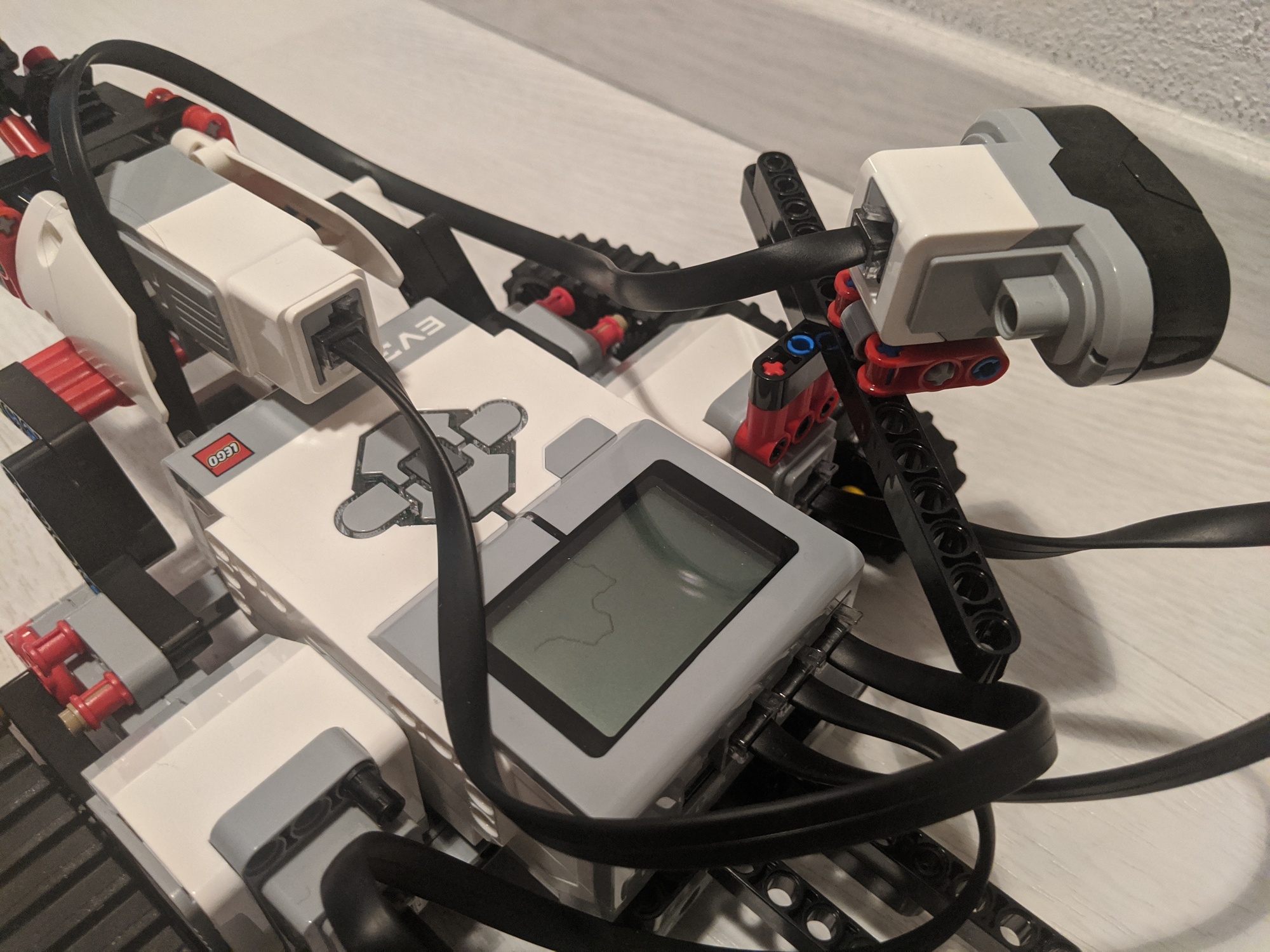
 It's (yet again!) been a while since I blogged last, sorry...
It's been over ten years since I started
in
It's (yet again!) been a while since I blogged last, sorry...
It's been over ten years since I started
in 
 Where do I fit in? Pexip is a relatively small company with a very
flat setup in engineering, so that's a difficult question to answer!
I'll be starting working in the team developing and maintaining PexOS,
the small Linux-based platform on which other things depend. (No
prizes for guessing which distro it's based on!) But there's lots of
scope to get involved in all kinds of other areas as needs and
interests arise. I can't wait to get stuck in!
Although I'm no longer going to be working on Debian arm port
issues on work time, I'm still planning to help where I can. Let's see
how that works...
Where do I fit in? Pexip is a relatively small company with a very
flat setup in engineering, so that's a difficult question to answer!
I'll be starting working in the team developing and maintaining PexOS,
the small Linux-based platform on which other things depend. (No
prizes for guessing which distro it's based on!) But there's lots of
scope to get involved in all kinds of other areas as needs and
interests arise. I can't wait to get stuck in!
Although I'm no longer going to be working on Debian arm port
issues on work time, I'm still planning to help where I can. Let's see
how that works...

