Search Results: "ed"

6 January 2011

Michal Čihař: Impressed by xz compression

I knew that xz (or lzma) provides better compression ratio than bz2 or others, but I never thought the difference might be so huge. Simply I was impressed after I've enabled xz compressed snapshots for Gammu - the bz2 compressed tarball has 5.4M while xz compressed on only 1.6M. Wow.

Filed under: English Gammu 3 comments Flattr this!

Daniel Kahn Gillmor: Liberating Knowledge: A Librarian's Manifesto

A friend just pointed me to Liberating Knowledge: A Librarian's Manifesto for Change by Barbara Fister, an academic librarian who also happens to write mystery novels. She has an excellent perspective on the meaning of libraries, and the tradeoffs involved with the current societal trend toward privatizing knowledge through so-called "intellectual property" regulations. In a great critique of the passivity of academia and libraries in the face of attempts at intellectual enclosure by private corporations, she writes:
This uninformed indifference is laying the groundwork for a new tragedy of the commons: a world in which knowledge is turned into intellectual property, monetizied, and made artificially scarce.
She closes with a six-point manifesto that begins:
Liberation bibliography arises out of outrage at the injustice of the current system. It s not about saving money, it s about the empowering nature of knowledge and the belief that it shouldn t be a luxury good for the few.
The article abounds in examples of heinous arrangements in the current system that seem to be accepted as standard procedure, and clear thinking about what the actual tradeoffs are (and how we, as a society, are making them poorly). If i had one objection, it would be that she neglects to mention increased surveillance as one of the problems that come with privatization of knowledge. Our abilities to read privately and anonymously, and to correspond confidentially are at risk because of these systems of control. Anyway, I'd love to see more open allegiances between librarians and free software folks; the ideals and struggles are very much in parallel. Go talk to your librarian friends about this stuff today!Tags: academia, freedom, intellectual property, libraries

Enrico Zini: Streaming JSON objects with python

Streaming JSON objects with python Dear Lazyweb, Suppose I'd like to create an HTTP service that gives you a looong list of JSON objects. For example, one JSON object for every package in Debian. One way I could do that is to just transfer a big, dozens of megabytes JSON array with one element per package. With the standard json module in python, this requires the client to buffer all the data in memory for decoding, as the JSON result would be something like this:
[
    info for package 1  ,
    info for package 2  ,
  ...dozens of megabytes...
    info for package 30000  ,
  ...
]
However, it would be reasonable to engineer things so that the client can process packages one at a time, as they are produced. This can dramatically reduce client memory usage, as well as remove a large latency between the start of the request and the start of processing. One trivial idea would be to just send JSON objects one after the other, and sort of call load multiple times. It doesn't work:
import json
from cStringIO import StringIO
a = StringIO()
json.dump( 1:3 , a)
json.dump( 2:4 , a)
a.reset()
print a.getvalue()
print json.load(a)
gives:
$ python z1.py 
 "1": 3 "2": 4 
Traceback (most recent call last):
  File "z1.py", line 8, in <module>
    print json.load(a)
  File "/usr/lib/python2.6/json/__init__.py", line 267, in load
    parse_constant=parse_constant, **kw)
  File "/usr/lib/python2.6/json/__init__.py", line 307, in loads
    return _default_decoder.decode(s)
  File "/usr/lib/python2.6/json/decoder.py", line 322, in decode
    raise ValueError(errmsg("Extra data", s, end, len(s)))
ValueError: Extra data: line 1 column 8 - line 1 column 16 (char 8 - 16)
And the json module documentation does not provide any way of telling the "stream" decoder to just stop parsing after the first valid object. An alternative can be to use chunked transfer encoding and transfer each JSON object in a separate HTTP chunk. It would add the overhead of a little HTTP header per JSON object, which could be significant when generating lots of small JSON objects, but it would be an implementation that strictly follows HTTP and JSON standards to the letter in a clean way. Except:
  1. How do you stream HTTP chunks in WSGI? The WSGI specification's only mention of chunks is that if you produce a result as a generator of "chunks", they are just sent one after the other (effectively, concatenated) in the response stream.
  2. How do you read and process one chunk at a time with urllib/urllib2? I searched on Google but I only found people in tears.
Another alternative is to wrap the JSON objects in some custom container protocol, but then we are not talking standards anymore. Is this all you can do with the standard python library? Can this only be done by adding a dependency on a C library with two obscure separately maintained bindings, or by writing my own JSON parser? Ideas? Please mail enrico@enricozini.org and I'll add them here. Updates Wouter van Heyst mentions that he heard of ijson, which indeed has my exact use case in the synopsis, but after some research looks like a third binding for yajl. Aigars Mahinovs suggests using YAML instead of JSON. Indeed YAML supports streaming very well (it's even already supported in DDE, but last time I tried to do anything serious with it, PyYaml was slooow. Of course, this being the Python ecosystem, There Are Lots Other Ways To Do It And You Shall Be Patronised For Not Chosing The Proper One, but Debian only has PyYaml. Another itch with YAML is that there is no YAML parser in the standard python library, which requires clients to add an extra dependency. Jyrki Pulliainen has so far mailed my favourite solution: disable formatting in the encoder and separate JSON objects with newlines:
we built a streaming JSON app as a part of our platform. However, we
didn't stream a single JSON object as that was a bit cumbersome. When
having syntax like:
[
  <json-obj1>,
  <json-obj2>,
  ....
  <json-objN>
]
The reader has some problems. Should it read the whole stream to find
the closing bracket ] even if the stream would me tens of megabytes?
Should it try to split on , and parse single objects? What if the
objects contain , so should there be some regexp magic?
We ended up streaming separate JSON objects separated by newlines
(\n). This way the reader can read until hitting \n or end of stream
and then split the result on newlines. The new stream looked like
this:
<json-obj1>\n
<json-obj2>\n
...
<json-objN>\n
This way we could efficiently stream hundreds of thousands of JSON
objects from server to client without reserving a load of memory. For
the WSGI part how to do this, the best would probably to do a
generator that would yield a single JSON object with the newline (we
didn't use WSGI back then). Reading can be done using any reader
capable of handling streams. We used pycurl for reading, but I can't
really recommend it as it is way too complicated for a simple task
like this :p
Hopefully this helps!
This means that if the client has no access to a JSON reader that supports a stream of concatenated toplevel objects, they can still trivially code it on top of any JSON library. This means that working clients can be written based just on Squeeze's python standard library. That's what I'm going to do; I'll probably implement it as a separate 'jsons' output format for DDE, because producing a JSON response with multiple toplevel obejcts somehow breaks the JSON standard. Thanks to all who provided this excellent information!

Matthew Palmer: Tethering to an Android phone

Whilst my philosophy with mobile phones has always been "if it can make and receive calls and SMSes, it's good enough for me", the geek in me occasionally lusts for a smartphone. So I now have an Android phone. Once you have a smartphone, you need a plan that includes data. Once you've got that, you realise that your USB mobile internet dongle is somewhat redundant, as long as you can get your laptop talk through the phone. It turns out, with Android, it's pretty easy. First, root your phone. There are a couple of tethering apps that don't require rooting, but the tradeoff is you end up having to install proprietary drivers in your laptop, and if I'm going to have a security hole somewhere, I prefer it to be in my phone, not my laptop. Rooting an Android phone is trivially easy with Universal Androot. Despite warnings I've seen to the contrary, it didn't even wipe my phone's apps and settings, although that might be a lucky coincidence. Backups, people! Then we need the tethering app -- I use Barnacle Wifi Tether, because it's open source, easy to use, and fully featured. Trivial to install from the market, you just start it up and it's ready to go. It acts as an ad-hoc wireless router, with a DHCP server and NAT to make life easy. In theory it supports WPA and WEP, but that doesn't appear to work for me. If anyone on the train is desperate enough to leech off my wireless, they're welcome to it. The hardest part, ironically, was getting the laptop to connect. Having never played with ad-hoc mode before, it took me a little while to sort out exactly what was supposed to happen, but within 5 minutes I'd worked it out and was pinging The Internet. Win!

5 January 2011

Wouter Verhelst: Substituting gdb debug paths

Gdb is a debugger with many, many, many(1) options. Some of them are rather obscure, others... less so. While it's always had the ability to read source files and do useful stuff with them, recent versions of gdb have gained another interface (which you get by calling "gdb -tui") that makes it a bit easier to watch the source as you step through the code. Additionally (and I don't know how long that feature's been there), you can do some interesting things with source paths. Such as substituting a source path prefix by another prefix -- useful if you've moved sources around. This is accomplished by way of the 'set substitute-path' command:
(gdb) set substitute-path /home/buildd /home/wouter
Now whenever gdb is told by the debugging info to search for a file /home/buildd/foo/bar/baz.c, it will instead search for /home/wouter/foo/bar/baz.c. Very useful. One problem with the above approach, however, is that you need to know what the original path is the /home/buildd in our example. If you've built the binary yourself, you just need to remember where you built it, and you're all set. But what if you haven't built the binary yourself? I used to use strings for that, and look for any likely candidates, but that isn't very reliable and requires a bit of hunting through many many lines that just happen to look like strings to what really is a fairly naive program. Additionally, it doesn't work when the debugging symbols are in a separate file (as implemented by dh_strip), amongst others. But no worries! There's a simple solution. Rather than using strings, use readelf -w instead, and grep for DW_AT_comp_dir, which will give you the correct source directory to substitute. I'm happily single-stepping through a library now. If that isn't nice. 1 no really, many

Iustin Pop: More Haskell

It's no secret to the people I around me that over the past two years I've become a Haskell fan, to put it mildly. I mean, what's not to like? Just in the past month: The downside is that whenever I feel Ok, now I kind of know my way around Haskell , I learn of another thing that completely resets how I feel about my Haskell understanding. The most recent example is Template Haskell. I mean, there are people who already blame Haskell for its arcane syntax, which I like. But Template Haskell goes a step forward and allows you to use a Haskell library to write Haskell code, with an even more contorted syntax or at least that how it looks for now to my eyes. Gladly this is not easily doable in a recursive way (meta-TH code writing TH code that will write Haskell code), otherwise heads would explode (at least mine). But even though it seems very complicated, I feel that the power that it enables (a macro system that generates code that will be statically checked) is removing one of the last big advantages that (for me) Python had over Haskell: it's easy to do class modification in Python and introspection (e.g. via metaclasses) to automate boiler plate away, but it's of course not type safe (so unittests galore). With TH, you can do the same customization of data types (and not only) and compile-time introspection (called reification) to alter (some) of the properties of the respective type, for example automatic instance derivation, so one less reason to say this particular problem is harder to do in Haskell than in other languages . I haven't yet used TH for my own code and until I actually use it extensively I won't be sure it's actually a good replacement for throw a __metaclass__ in there and automate the boring parts away . But in any case, it looks to be yet another awesome tool in the Haskell programmer's toolbox, which I can't wait to use.

Christian Perrier: Becoming Libre

After reading about noise made around Ubuntu switching to LibreOffice, I just decided to look at what we have in Debian. And, of course, with no surprise, I found the work of our tireless Ren Engelhard, who built Debian packages for LibreOffice, in experimental (as, currently, unstable is targeted to the squeese release). I hope that Debian and Ubuntu efforts to get LibreOffice packages are synced...though the announcement pointed by Simon Phipps leaves me with huge doubts about this really happening. Hopefully, Ubuntu zealots or Canonical employees will prove me wrong. And, in the meantime...no more OpenOffice.org packages on my system. LibreOffice packages are here and meant to stay here.

Mark Brown: ASoC changes in 2.6.37

2.6.37, which was released today, has been a very big release for ASoC about 40,000 lines of changes covering every single file within the subsystem plus a bunch of new drivers. The highlights are:

Dirk Eddelbuettel: The kindness of strangers

A couple of days ago, an email arrived in which I am kindly asked to provide my PayPal coordinates. And before you dear reader start to laugh, it was actually perfectly genuine and came from a very happy user of the Finance::YahooQuote Perl module. DJ Padzensky wrote this well over a decade ago, and I first introduced and then maintained it as a package in Debian for what is now almost twelve years. I have also been acting as upstream maintainer for the last eight or so years providing the occassional patch to keep up with changes at the Yahoo! server side. After a short reflection, I decided to keep it simple. I undusted a wishlist I had once created over at Amazon, yet never publicised. And amazingly, within minutes of minutes of passing the URL on, I received a cheerful email stating that three books are their merry way. Appropriately enough, two were from Springer's useR! series and another one was a brand new GPU programming title. And they all arrived yesterday. I am still stunned. So with that, my time to say thanks! This was a genuinely nice gesture, and I really appreciate it. I have been doing open source work for over fifteen years now, and I would not still be doing it if I did not enjoy it myself. I continue to learn a lot in the process, and have had a chance to meet lot interesting folks. Yet it is also nice to get a little Thanks every now and them.

4 January 2011

Yves-Alexis Perez: gvim remote server and workspace-specific editor window

These days, I've been used to a very specific $EDITOR usage. I use my (Xfce) workspaces as context switch. Basically, each time I need to start a new activity I open a new workspace, open some terminals, maybe a browser, an editor (gvim) window etc. Then when I'm done, I delete that workspace. I can have multiple activities at once, and switch from one to another depending on various stuff. On those workspaces, I'd like to be able to have only one editor window, even when I open new files using gvim foo.c . But I'd like to have one editor window per workspace, not one global editor, since I'd like the editor to be context-specific too. I recently heard about the gvim remote stuff, and I've came with the following gvim function (zsh syntax):

function gvim()
desktop=$(xprop -root -notype -f _NET_CURRENT_DESKTOP 0c '$0+\n' _NET_CURRENT_DESKTOP)
if [ "$#" -ge "1" ];
then
gvimargs="--remote-tab-silent"
fi
=gvim --servername $desktop $gvimargs $*
The xprop trick is a hackish way to stick one gvim window per workspace, it might need to be adjusted if one has a two monitors setup and want to be able to have one editor per monitor per workspace. Basically, that snippet checks if a gvim server already exists with the current workspace name. If yes, it opens the file(s) in it, if not it run a new gvim server and opens the file there. It works more or less fine, but it has one problem: it fails badly when one needs to give args to the gvim call. Those args are usually placed *before* filenames, so in my case it won't work. One way to fix this would be to loop on all the args, check if the arg is an existing file, in case add it to $files. If not, add it to $args, then call gvim with the correct order. Works, except when you want to edit a new file, where you're back to point one. All in all, it'd work, but it's not really a nice way to do it, imho. So I'm calling for help, in case anyone has an idea about that. Basically, is there a way to say to gvim always open files in a remote server, run it if it's not already running using the config file and not an argument (so I don't mess with the command line). I do need the servername to be desktop specific though, so it's still a difficulty. NOTE: I know that emacs has some kind of remote server habilities too, but I'm not sure how it works and if it'd be possible to do that in emacs, and I'm not really an emacs user and don't really intend to switch. If you have any idea, feel free to comment (by mail), I might do a later post when I have an enhanced solution.

Adrian von Bidder: Cyrus

Just say no. Filed under Debian since this is a Univention system which is based on Debian (still etch, though.) And what specifically annoyed me was today I knew from other experiences that one shouldn't use cyrus, but it can't be said often enough... And since I usually don't use it, it amazes me anew every time I have to babysit an installation. While I don't have a similarly big installation to compare it, I've found Dovecot to be very nice. Admittedly it doesn't have that many features.

Mark Brown: Building firmware images for Nexus S

Since I couldn t seem to readily find any useful instructions for building firmware images for the Nexus S I thought I d publish some. In a clean directory this sequence of commands should result in a working set of application layer images. They assume you ve already got all the Android build dependencies installed:
repo init -u git://android.git.kernel.org/platform/manifest.git -b gingerbread
repo sync
MYDROID=$(pwd)
export MYDROID
. ./build/envsetup.sh
make PRODUCT-full_crespo-user
The resulting images will be in the directory out/target/product/crespo. You can get this running on your device by flashing the boot, recovery and system images:
out/host/linux-x86/bin/fastboot flash boot out/target/product/crespo/boot.img
out/host/linux-x86/bin/fastboot flash recovery out/target/product/crespo/recovery.img
out/host/linux-x86/bin/fastboot flash system out/target/product/crespo/system.img
Note that using these firmware images will void any warranty you have on the phone you ll need to unlock the phone using fastboot oem unlock, but note that this is irreversible. Similar instructions should work for Nexus One too, using passion instead of crespo in the make command above.

Luke Faraone: Google Cr-48 first impressions

On a lark, I signed up for the pilot program of the Google Cr-48 about a week ago. To my surprise, I found the distinctive box on my doorstep a week later. After initially mistaking it for an overpacked, late-model OLPC XO-1 I would have to repair, I sort of did a double-take as I realized what I had received. Using Chrome OS

My Cr-48 and a Kindle

Wow, they weren t kidding about the boot time. Chrome OS responds (to suspend / resume and boot / power-off) very quickly. Responsiveness elsewhere in the OS of course varies on system load and other factors. On the terms page, there is a system security setting which tells me I have a Trusted Platform Module, and that my TPM has a randomly generated password. The dialog could use some rewording; I m pretty familiar with the idea of a TPM, but I m still not sure what I m to do with that information. Cloud print is really a problem for me, right now. I use school printers for the majority of my work, which I was previously able to use by adding them by IP address. Unless there s some magic I m missing here, I can t do that with Chrome OS, and such a feature will not be supported. (except by connectors on Windows and Mac computers) General thoughts I can t imagine using a system running Chrome OS as a primary computer. The biggest missing feature is PGP (or any sort of encryption) support for email. This is probably not terribly difficult to implement as an extension, but the idea of my cryptographic software being automatically updated is rather unsettling. I think I ll have to agree with Paul Buchheit that ChromeOS will have to merge with Android; there is a utility for local apps, even if they re becoming less and less critical.

John Goerzen: Looking back at 2010: reading

A year ago, I posted my reading list for 2010. I listed a few highlights, and a link to my Goodreads page, pointing out that this wasn t necessarily a goal, just a list of things that sounded interesting. I started off with Homer s Iliad, which I tremendously enjoyed and found parallels to modern life surprisingly common in that ancient tale. I enjoyed it so much, in fact, that I quickly jumped to a book that wasn t on my 2010 list: The Odyssey. I made a somewhat controversial post suggesting that the Old Testament of the Bible can be read similar to how we read The Odyssey. Homer turned out to be much more exciting than I d expected. Jordan s Fires of Heaven (WoT #5) was a good read, though it is one of those books that sometimes is action-packed and interesting, and other times slow-moving and almost depressing. I do plan to continue with the series but I m not enjoying it as much as I did at first. War and Peace is something I started late last year. I m about 400 pages into it, which means I ve not even read a third of it yet. It has some moving scenes, and is a fun read overall, but the work it takes to keep all the many characters straight can be a bit frustrating at times. Harvey Cox s The Future of Faith was one of the highlights of the year. A thought-provoking read by someone that embraces both science and religion, and shows a vision of religion that returns to its earlier roots, less concerned about what particular truths a person believes in than it is about more fundamental issues. Marcus Borg s Jesus: Uncovering the Life, Teachings, and Relevance of a Religious Revolutionary began with a surprisingly engaging history lesson on how agriculture caused the formation of domination societies. It also described in a lot of detail how historians analyze ancient texts their drafting, copying, etc. It paints a vivid portrait of Jewish society in the time that Jesus would have lived, and follows the same lines of thought as Cox regarding religion finally moving past the importance of intellectual assent to a set of statements. Among books that weren t on my 2010 list, I also read and here I m not listing all of them, just some highlights: The Cricket on the Hearth in something of a Christmastime tradition of reading one of the shorter Dickens works. I enjoyed it, but not as much as I enjoyed A Christmas Carol last year. Perhaps I made up for that by watching Patrick Stewart as Scrooge instead. How to Disappear Completely was a fun short humorous read, with a very well-developed first-person narrative. Paralleling my interest in amateur radio, I read and studied three books in order to prepare myself for the different exams. In something of a surprise, I laughed a lot at Sh*t My Dad Says, which was more interesting and funny than I expected it to be. All I can say is that Justin s got quite the dad and quite the interesting childhood. I even read two other recent releases: The Politician (about John Edwards) and Game Change (about the 2008 presidential race). Both were interesting, vibrant, and mostly unsourced so hard to know exactly how much to take from them. And finally, reflecting on and travel before my first trip to Europe, Travel as a Political Act, which encourages us to find the fun in my cultural furniture rearranged and my ethnocentric self-assuredness walloped. And that was fun. Now to make up the 2011 list

Gregor Herrmann: RC bugs 2010/50 - 2010/52

the release team has started to usertag [0] the remaining RC bugs yeah, another step towards the release!

here are my small contributions around RC bugs: [0] if I got it right: update: all tags combined: http://tinyurl.com/squeeze-sort (thanks to the RT for the URL & to zack for the pointer)

3 January 2011

John Goerzen: Wikis, Amateur Radio, and Debian

As I have been getting involved with amateur radio this year, I ve been taking notes on what I m learning about certain things: tips from people on rigging up a bicycle antenna to achieve a 40-mile range, setting up packet radio in Linux, etc. I have long run a personal, private wiki where I put such things. But I really wanted a convenient place to put this stuff in public. There was no reason to keep it private. In fact, I wanted to share with others what I ve learned. And, as I wanted to let others add their tips if they wish, I set up a public MoinMoin instance on . So far, most of my attention has focused on the amateur radio section of it This has worked out pretty well for me. Sometimes I will cut and paste tips from emails into there, and then after trying them out, edit them into a more coherent summary based on my experiences. Now then, on to packet radio and Debian. Packet radio is a digital communications mode that runs on the amateur radio bands. It is a routable, networking protocol that typically runs at 300bps, 1200bps, and 9600bps. My packet radio page gives a better background on it, but essentially AX.25 the packet protocol is similar to a scaled-down TCP/IP. One interesting thing about packet is that, since it can use the HF bands, can have direct transcontinental wireless links. More common are links spanning 30-50 miles on VHF and UHF, as well as those going across a continent on HF. Linux is the only operating system I know of that has AX.25 integrated as a first-class protocol in the kernel. You can create AX.25 sockets and use them with the APIs you re familiar with already. Not only that, but the Linux AX.25 stack is probably the best there is, and it interfaces easily with TCP/IP there are global standards for encapsulating TCP/IP within AX.25 and AX.25 within UDP, and both are supported on Linux. Yes, I have telnetted to a machine to work on it over VHF. Of Linux distributions, Debian appears to have the best AX.25 stack built-in. The AX.25 support in Linux is great, but it s rather under-documented. So I set up a page for packet radio on Linux. I ve had a great deal of fun with this. It s amazing what you can do running a real networking protocol at 300bps over long-distance radio. I ve had real-time conversations with people, connected to their personal BBS and sent them mail, and even use AX.25 nodes (think of them as a kind of router or bridge; you can connect in to them and the connect back out on the same or different frequencies to extend your reach) to connect out to systems that I can t reach directly. MoinMoin has worked out well for this. It has an inviting theme and newbie-friendly interface (I want to encourage drive-by contributions).

Michal &#268;iha&#345;: Sonata and others in Debian

There seems to be a little bit of confusion caused by my new year blog post, so it's probably best to clarify that right now. I'm not going to give up maintenance of mpd related packages right now.. I've even not yet asked for adopting and I clearly have no plans on orphaning the package completely if nobody will step up. Anyway if somebody is interested help is always welcome (though most of time you will spent on these packages is forwarding bugs upstream) and I can of course still do package uploads when he is not a Debian developer. All sources are stored in public VCS, so ready for cooperation.

Filed under: Debian English 1 comments Flattr this!

Mike Hommey: The measured effect of I/O on application startup

I did some experiments with the small tool I wrote in previous post in order to gather some startup data about Firefox. It turns out it can t flush directories and other metadata from the page cache, making it unfortunately useless for what I m most interested in. So, I gathered various startup information about Firefox, showing how page cache (thus I/O) has a huge influence on startup. The data in this post are mean times and 95% confidence interval for 50 startups with an existing but fresh profile, in a mono-processor GNU/Linux x86-64 virtual machine (using kvm) with 1GB RAM and a 10GB raw hard drive partition over USB, running, except when said otherwise, on an i7 870 (up to 3.6GHz with Intel Turbo Boost). The Operating System itself is an up-to-date Debian Squeeze running the default GNOME environment. Firefox startup time is measured as the difference between the time in ms right before starting Firefox and time in ms as returned by javascript in a data:text/html page used as home page. Startup vs. page cache
Average startup time (ms)
Entirely cold cache (drop_caches) 5887.62 0.88%
Cold cache after boot 3382.0 0.51%
Selectively cold cache (see below) 2911.46 0.48%
Hot cache (everything previously in memory) 250.74 0.18%
The selectively cold cache case makes use of the flush program from previous post and a systemtap script used to get the list of files read during startup. This script will be described in a separate post. As you can see, profiling startup after echo 3 > /proc/sys/vm/drop_caches takes significantly more time than in the normal conditions users would experience, because of all system libraries that would normally be in the page cache being flushed, hence biasing the view one can have of the actual startup performance. Mozilla build bots were running, until recently, a ts_cold startup test that, as I understand it, had this bias (which is part of why it was stopped). The Hot cache value is also interesting because it shows that the vast majority of cold startup time is due to hard disk I/O (and no, there is no page faults number difference). I/O vs CPU Interestingly, testing on a less beefy machine (Core 2 Duo 2.2GHz) with the same USB disk and kvm setup shows something not entirely intuitive:
Average (ms)
Entirely cold cache 6748.42 1.01%
Cold cache after boot 3973.64 0.53%
Selectively cold cache 3445.7 0.43%
Hot cache 570.58 0.70%
I, for one, would have expected I/O bound startups to only be slower by around 320ms, which is roughly the hot cache startup difference, or, in other words, the CPU bound startup difference. But I figured I was forgetting an important factor. I/O vs. CPU scaling Modern processors do frequency scaling, which allows the processor to run slowly when underused, and faster when used, thus saving power. It was first used on laptop processors to reduce power drawn from the battery, allowing batteries to last longer, and is now used on desktop processors to reduce power consumption. It unfortunately has a drawback, in that it introduces some latency when the scaling kicks in. A not so nice side effect of frequency scaling is that when a process is waiting for I/O, the CPU is underused, making the CPU usually run at its slowest frequency. When the I/O ends and the process runs again, the CPU can go back to full speed. This means every I/O can induce, on top of latency because of, e.g. disk seeks, CPU scaling latency. And it actually has much more impact than I would have thought. Here are results on the same Core 2 Duo, with frequency scaling disabled, and the CPU forced to its top speed :
Average (ms)
Entirely cold cache 5824.1 1.13%
Cold cache after boot 3441.8 0.43%
Selectively cold cache 3025.72 0.29%
Hot cache 576.88 0.98%
(I would have liked to do the same on the i7, but Intel Turbo Boost complicates things and I would have needed to get two new sets of data) Update: I actually found a way to force one core at its max frequency and run kvm processes on it, giving the following results:
Average (ms)
Entirely cold cache 5395.94 0.83%
Cold cache after boot 3087.47 0.31%
Selectively cold cache 2673.64 0.21%
Hot cache 258.52 0.35%
I haven t gathered enough data to have accurate figures, but it also seems that forcing the CPU frequency to a fraction of the fastest supported frequency gives the intuitive results where the difference between all I/O bound startup times is the same as the difference for hot cache startup times. As such, I/O bound startup improvements would be best measured as an improvement in the difference between cold and hot cache startup times, i.e. (cold2 - hot2) - (cold1 - hot1), at a fixed CPU frequency. Startup vs. desktop environment We saw above that the amount of system libraries in page cache directly influences application startup times. And not all GNU/Linux systems are made equal. While the above times were obtained under a GNOME environment, some other desktop environments don t use the same base libraries, which can make Firefox require to load more of them at cold startup. The most used environment besides GNOME is KDE, and here is what cold startup looks like under KDE:
Average startup time (ms)
GNOME cold cache 3382.0 0.51%
KDE cold cache 4031.9 0.48%
It s significantly slower, yet not as slow as the entirely cold cache case. This is due to KDE not using (thus not pre-loading) some of the GNOME core libraries, yet using libraries in common, like e.g. libc (obviously), or dbus.

Ian Wienand: easygeotag.info

I think I've just about finished my Thanksgiving project easygeotag.info. easygeotag.info I'm a little bit obsessive about geotagging my photos and while I know there are many photo management solutions out there that can do it in various ways, I generally find it quicker and easier to use exiv2 and simple shell scripts to embed the location info directly into my files. I've tried a number of things that have never worked out better than simply using Google Maps and panning around to find locations I even bought a GPS tracker which would supposedly automatically tag my photos; assuming of course it could ever get a GPS lock, it hadn't run out of batteries and corrupted its filesystem, you had all times in sync and could figure out the various timezone issues, daylight savings changes, etc etc. I always feel safer having all my metadata embedded in the actual files just incase Yahoo ever does a del.icio.us to Flickr (I use a little Python script with IPTC bindings for comments, which I then backup similarly obsessively locally and to Amazon S3). The site is fairly simple in concept it allows you to search for locations, easily extract the geotag info and provides the ability to save frequently used locations for easy reference. Mostly it was an exercise for me to implement something after reading the excellent Javascript patterns with YUI3, Google App Engine and OpenID all of which of which I managed to cram in. Although the audience may be limited (maybe just to me :) I hope someone else finds it useful for managaing their memories! If you think this might be useful and would like the output in some other format, just let me know.
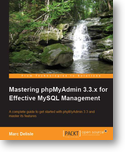
Michal &#268;iha&#345;: Mastering phpMyAdmin 3.3.x for Effective MySQL Management

The book Mastering phpMyAdmin 3.3.x for Effective MySQL Management is already available for some time, but I still think I should promote a little bit in my blog so here it is :-). The book covers all you might want to know about using phpMyAdmin. It really does not make sense to copy text from book description, so feel free to find yourself what all it does cover. As every time, this book is written by Marc Delisle, who is for several years project admin, so probably the person who knows most about hidden features. Usually technical review of the book is done by some other developers and this time it was me doing this job (among other reviewers). I hope we did good job and you will like this book. Mastering phpMyAdmin 3.3.x for Effective MySQL Management book cover PS: As a nice bonus, the phpMyAdmin project receives money from every purchased book.

Filed under: English Phpmyadmin 0 comments Flattr this!

Next.

Previous.