Russell Coker: Converting to UEFI
When I got my HP ML110 Gen9 working as a workstation I initially was under the impression that boot wasn t supported on NVMe and booted it from USB. I found USB booting with legacy boot to be unreliable so decided to try EFI booting and noticed that the NVMe devices were boot candidates with UEFI. Making one of them bootable was more complex than expected because no-one seems to have documented such things. So here s my documentation, it s not great but this method has worked once for me.
Before starting major partitioning work it s best to run parted -l and save the output to a file, that can allow you to recreate partitions if you corrupt them. One thing I m doing on systems I manage is putting @reboot /usr/sbin/parted -l > /root/parted.log in the root crontab, then when the system is backed up the backup server gets any recent changes to partitioning (I don t backup /var/log on all my systems).
Firstly run parted on the device to create the EFI and /boot partitions, note that if you want to copy and paste from this you must do so one line at a time, a block paste seemed to confuse parted.
mklabel gpt
mkpart EFI fat32 1 99
mkpart boot ext3 99 300
toggle 1 boot
toggle 1 esp
p
# Model: CT1000P1SSD8 (nvme)
# Disk /dev/nvme1n1: 1000GB
# Sector size (logical/physical): 512B/512B
# Partition Table: gpt
# Disk Flags:
#
# Number  Start   End     Size    File system  Name  Flags
#  1      1049kB  98.6MB  97.5MB  fat32        EFI   boot, esp
#  2      98.6MB  300MB   201MB   ext3         boot
q
Here are the commands needed to create the filesystems and install the necessary files. This is almost to the stage of being scriptable. Some minor changes need to be made to convert from NVMe device names to SATA/SAS but nothing serious.
mkfs.vfat /dev/nvme1n1p1
mkfs.ext3 -N 1000 /dev/nvme1n1p2
file -s /dev/nvme1n1p2   sed -e s/^.*UUID/UUID/ -e "s/ .*$/ \/boot ext3 noatime 0 1/" >> /etc/fstab
file -s /dev/nvme1n1p1   tr "[a-f]" "[A-F]"  sed -e s/^.*numBEr.0x/UUID=/ -e "s/, .*$/ \/boot\/efi vfat umask=0077 0 1/" >> /etc/fstab
# edit /etc/fstab to put a hyphen between the 2 groups of 4 chars for the VFAT filesystem UUID
mount /boot
mkdir -p /boot/efi /boot/grub
mount /boot/efi
mkdir -p /boot/efi/EFI/debian
apt install efibootmgr shim-unsigned grub-efi-amd64
cp /usr/lib/shim/* /usr/lib/grub/x86_64-efi/monolithic/grubx64.efi /boot/efi/EFI/debian
file -s /dev/nvme1n1p2   sed -e "s/^.*UUID=/search.fs_uuid /" -e "s/ .needs.*$/ root hd0,gpt2/" > /boot/efi/EFI/debian/grub.cfg
echo "set prefix=(\$root)'/boot/grub'" >> /boot/efi/EFI/debian/grub.cfg
echo "configfile \$prefix/grub.cfg" >> /boot/efi/EFI/debian/grub.cfg
grub-install
update-grub
If someone would like to make a script that can handle the different partition names of regular SCSI/SATA disks, NVMe, CCISS, etc then that would be great. It would be good to have a script in Debian that creates the partitions and sets up the EFI files. If you want to have a second bootable device then the following commands will copy a GPT partition table and give it new UUIDs, make very certain that $DISKB is the one you want to be wiped and refer to my previous mention of parted -l . Also note that parted has a rescue command which works very well.
sgdisk /dev/$DISKA -R /dev/$DISKB
sgdisk -G /dev/$DISKB
To backup a GPT partition table run a command like this. Note that if sgdisk is told to backup a MBR partitioned disk it will say Found invalid GPT and valid MBR; converting MBR to GPT forma which is probably a viable way of converting MBR format to GPT.
sgdisk -b sda.bak /dev/sda
 Traditional network access controls work by assuming that something is trustworthy based on some other factor - for example, if a computer is on your office network, it's trustworthy because only trustworthy people should be able to gain physical access to plug something in. If you restrict access to your services to requests coming from trusted networks, then you can assert that it's coming from a trusted device.
 I wanted to understand how kids between 10 and 18 conceive the internet.
Surely, we have seen a generation that we call digital natives grow up with
the internet. Now, there is a younger generation who grows up with pervasive
technology, such as smartphones, smart watches, virtual assistants and so on.
And only a few of them have parents who work in IT or engineering
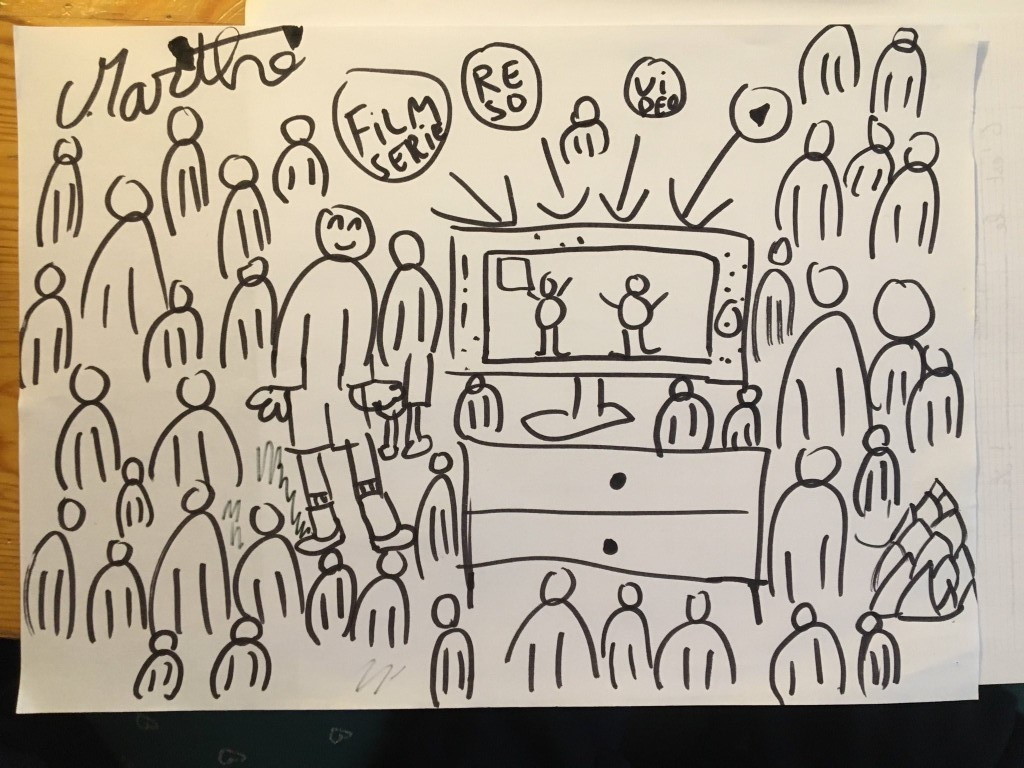 The youngest respondent, a 9 year old girl, drew a screen with lots of people
around it and the words film, series, network, video , as well as a play
icon. She said that she mostly uses the internet to watch movies. She was the
only one who used a shared tablet and smartphone that belonged to her family,
not to herself. And she would explain the net like this to an alien:
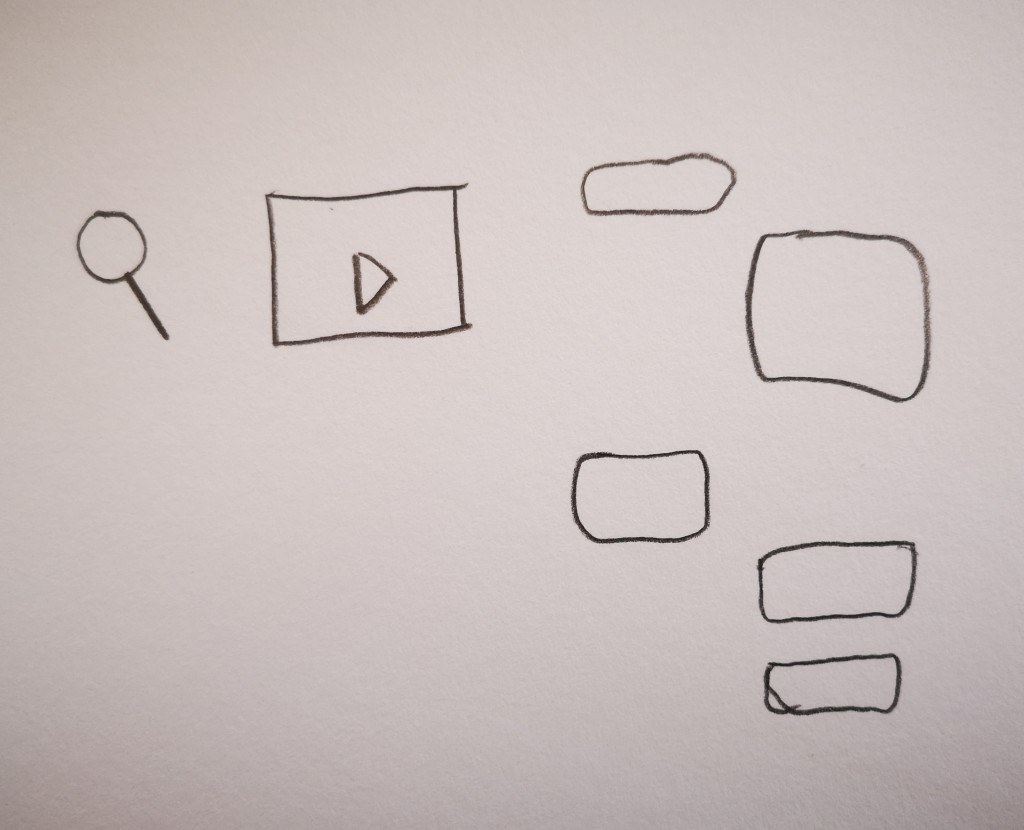 A 10 year old boy represented the internet by recalling user interface
elements he sees every day in his drawing: a magnifying glass (search
engine), a play icon (video streaming), speech bubbles (instant
messaging). He would explain the internet like this to an alien:
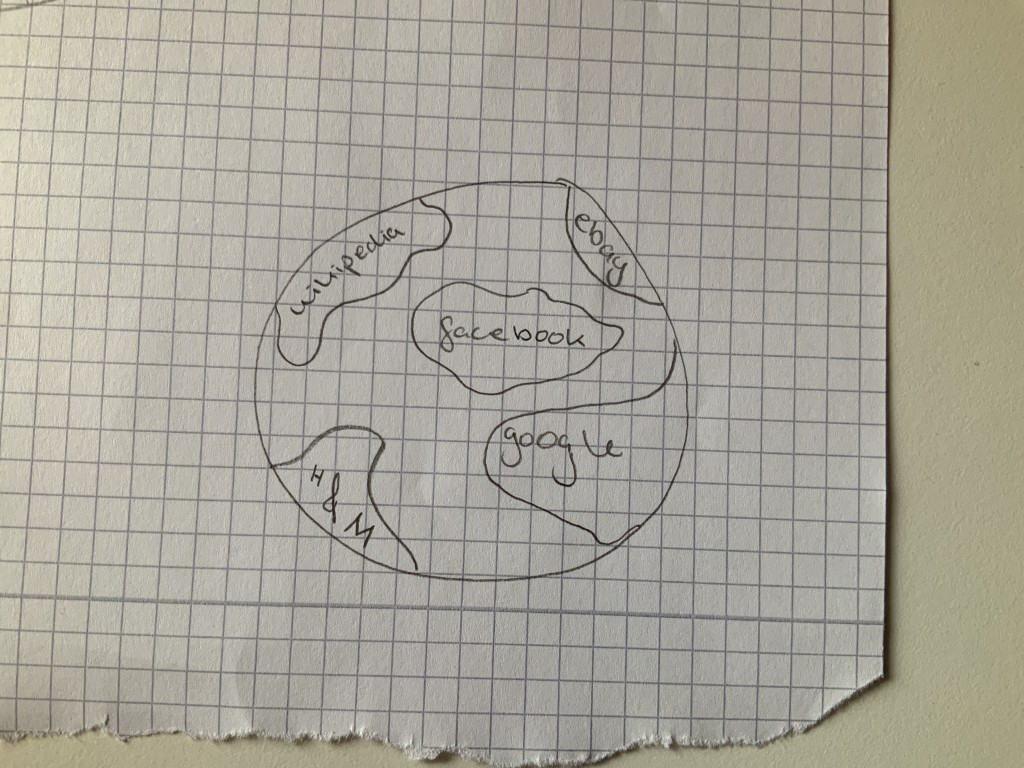 A 12 year old girl imagines the internet like a second, intangible, planet
where Google, Wikipedia, Facebook, Ebay, or H&M are continents that one enters
into.
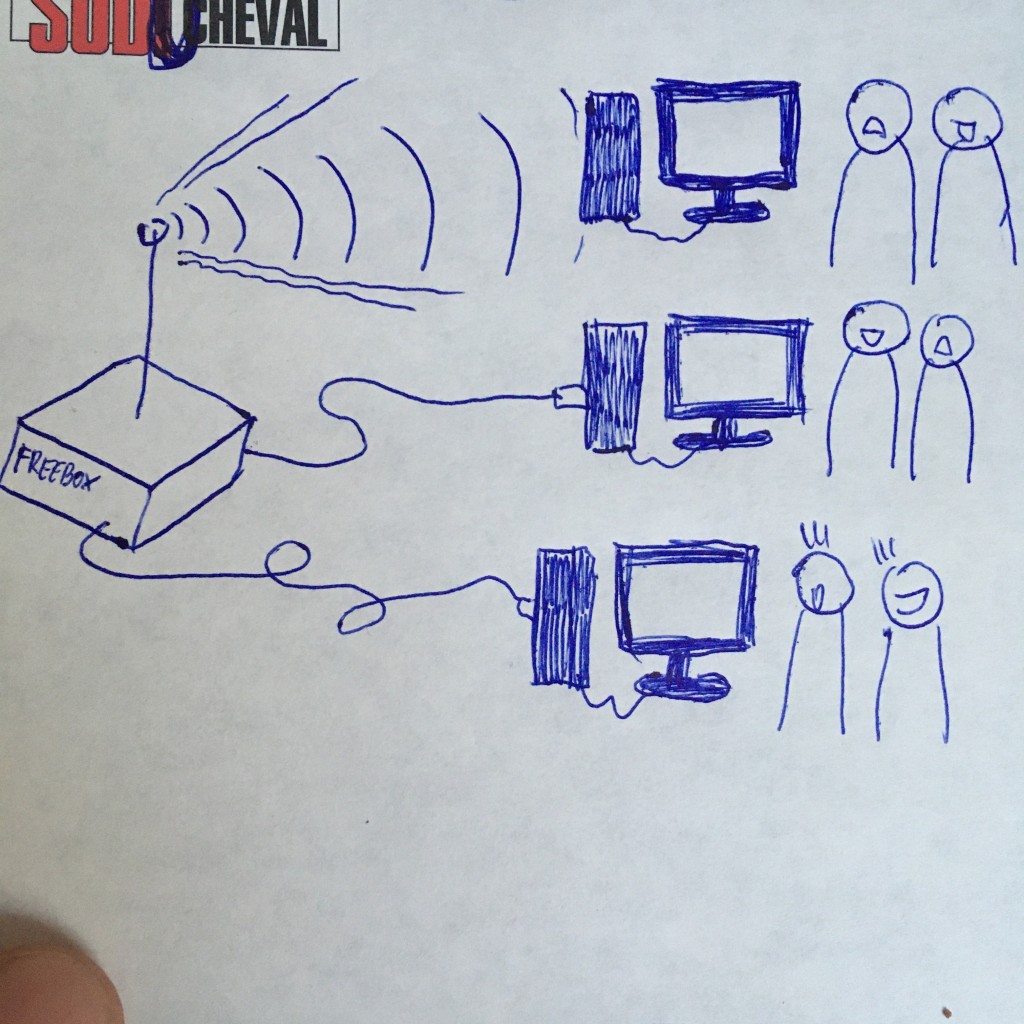 A 15 year old boy knew that his family s devices are connected to a home router
(Freebox is a router from the French ISP Free) but lacked an imagination of the
rest of the internet s functioning. When I asked him about what would be behind
the router, on the other side, he said what s behind is like a black hole to
him. However, he was the only interviewee who did actually draw cables, wifi
waves, a router, and the local network. His drawing is even extremely precise,
it just lacks the cable connecting the router to the rest of the internet.
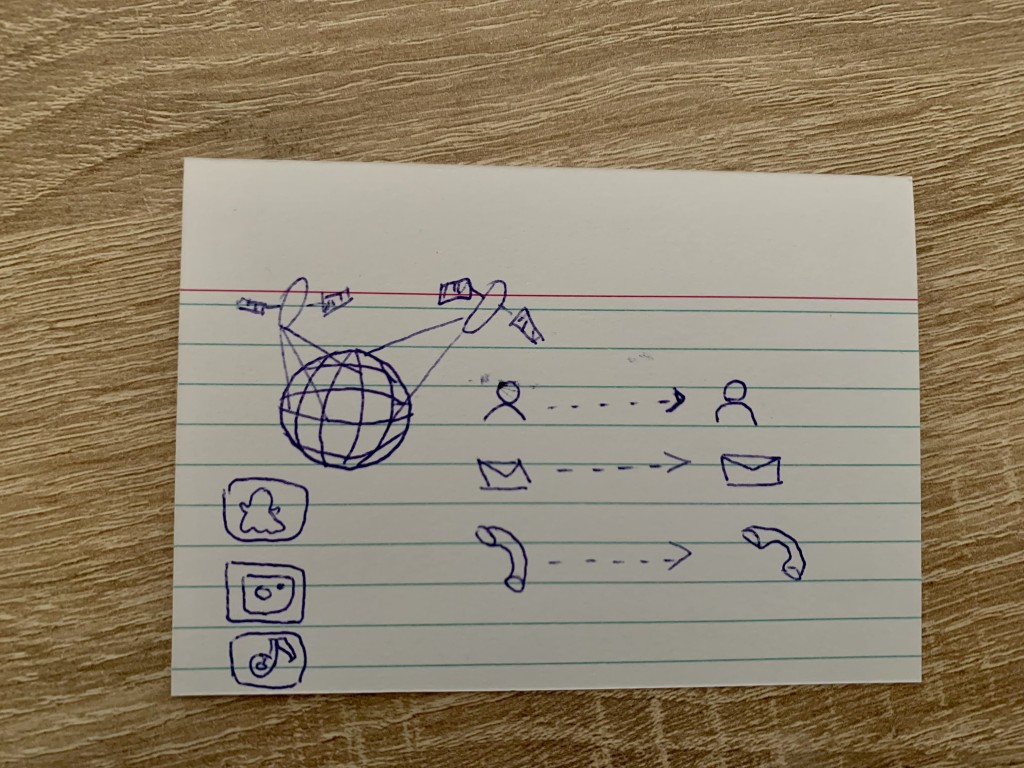 A 17 year old girl would explain the internet to an alien as follows:



 That s why a discussion space about saying NO did not seem out of place
at the feminist hackers assembly :) I based my workshop on the original,
created by the Institute of War and Peace Reporting and distributed
through their holistic security training manual.
I like this workshop because sharing happens in a small groups and has
an immediately felt effect. Several people reported that the exercises
allowed them to identify the exact moment when they had said yes to
something despite really having wanted to say no. The exercises from the
workshop can easily be done with a friend or trusted person, and they
can even be done alone by writing them down, although the effect in
writing might be less pronounced.
 Reading


 An even newer hot-fix release 1.0.8.3 of