Search Results: "ads"

14 April 2023

Scarlett Gately Moore: KDE Snaps! Oh so many released! Debian update
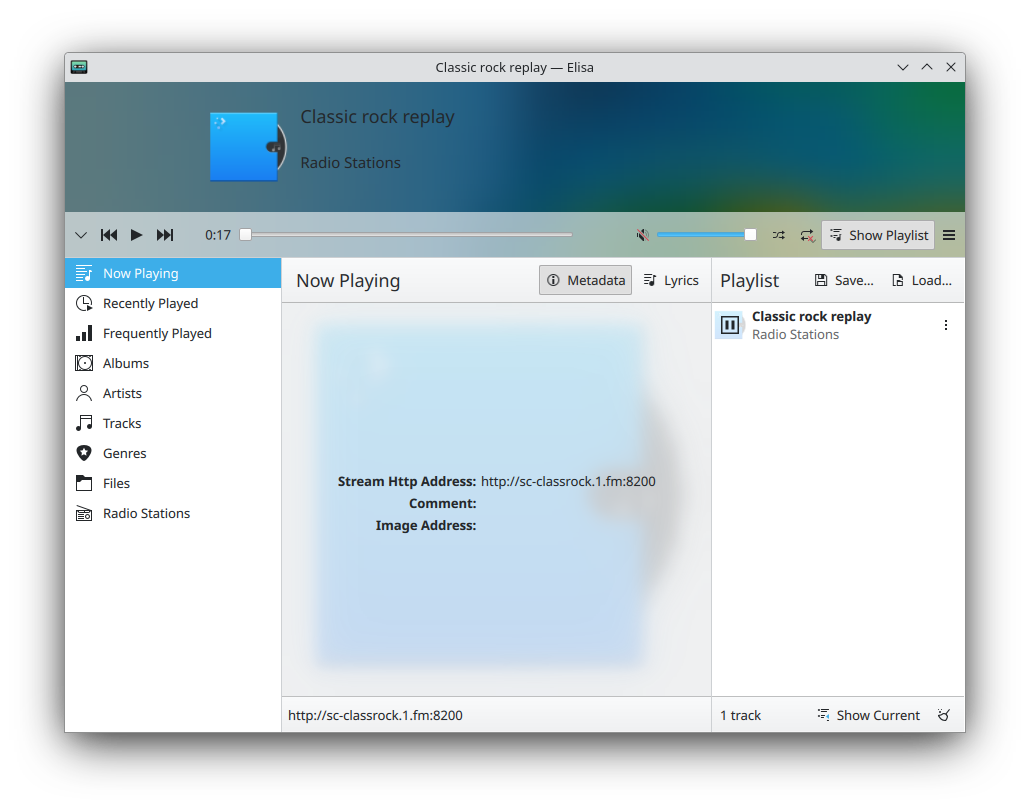
KDE Elisia snapKDE Elisia snap
It has been another very busy couple of weeks! I have released many snaps, fixed a few bugs, started the documentation, and have many snaps in progress. So without further ado here is my status update for KDE snaps: Fixed two very important Krita bugs: https://bugs.kde.org/show_bug.cgi?id=465307 Fixed several other minor bugs and triaged all the snap bugs I could find on bugs.kde.org. Remember to assign snap bugs to me! It makes my life easier and I see them quicker. I have started some documentation for developers that want to assist in getting their KDE app snapped here: https://invent.kde.org/teams/neon/-/wikis/Snaps I have released around 40 snaps! This would make for a very unruly blog post to list, so I have created a list here of my releases: https://invent.kde.org/packaging/snapcraft-kde-applications/-/issues/30 I am happy to report there are several first time releases including a very kool music app called Elisia ! I have many more snaps in various stages and many more to come. My goal is to get them all by the end of this 3 months ( 1.5 left to get it done ), a lofty goal I know. What can I say, I am ambitious. Now on to Debian. I am excited to announce that soon I will become contributor status for Freexian ( and hopefully, after time, a collaborator ). I am waiting for my mentor to upload my first security update(s) for Buster LTS. This will be a new type of contributions for me, but I am confident I will do well and I have new hope that I have found my new forever home. I will be very useful in many areas and I look forward to growing with the company. In closing, if you can spare some change we have a few unexpected expenses ( doesn t everyone?! ) Anything helps, thank you! https://gofund.me/2c7b1808

John Goerzen: Easily Accessing All Your Stuff with a Zero-Trust Mesh VPN

Probably everyone is familiar with a regular VPN. The traditional use case is to connect to a corporate or home network from a remote location, and access services as if you were there. But these days, the notion of corporate network and home network are less based around physical location. For instance, a company may have no particular office at all, may have a number of offices plus a number of people working remotely, and so forth. A home network might have, say, a PVR and file server, while highly portable devices such as laptops, tablets, and phones may want to talk to each other regardless of location. For instance, a family member might be traveling with a laptop, another at a coffee shop, and those two devices might want to communicate, in addition to talking to the devices at home. And, in both scenarios, there might be questions about giving limited access to friends. Perhaps you d like to give a friend access to part of your file server, or as a company, you might have contractors working on a limited project. Pretty soon you wind up with a mess of VPNs, forwarded ports, and tricks to make it all work. With the increasing prevalence of CGNAT, a lot of times you can t even open a port to the public Internet. Each application or device probably has its own gateway just to make it visible on the Internet, some of which you pay for. Then you add on the question of: should you really trust your LAN anyhow? With possibilities of guests using it, rogue access points, etc., the answer is probably no . We can move the responsibility for dealing with NAT, fluctuating IPs, encryption, and authentication, from the application layer further down into the network stack. We then arrive at a much simpler picture for all. So this page is fundamentally about making the network work, simply and effectively.

How do we make the Internet work in these scenarios? We re going to combine three concepts:
  1. A VPN, providing fully encrypted and authenticated communication and stable IPs
  2. Mesh Networking, in which devices automatically discover optimal paths to reach each other
  3. Zero-trust networking, in which we do not need to trust anything about the underlying LAN, because all our traffic uses the secure systems in points 1 and 2.
By combining these concepts, we arrive at some nice results:
  • You can ssh hostname, where hostname is one of your machines (server, laptop, whatever), and as long as hostname is up, you can reach it, wherever it is, wherever you are.
    • Combined with mosh, these sessions will be durable even across moving to other host networks.
    • You could just as well use telnet, because the underlying network should be secure.
  • You don t have to mess with encryption keys, certs, etc., for every internal-only service. Since IPs are now trustworthy, that s all you need. hosts.allow could make a comeback!
  • You have a way of transiting out of extremely restrictive networks. Every tool discussed here has a way of falling back on routing things via a broker (relay) on TCP port 443 if all else fails.
There might sometimes be tradeoffs. For instance:
  • On LANs faster than 1Gbps, performance may degrade due to encryption and encapsulation overhead. However, these tools should let hosts discover the locality of each other and not send traffic over the Internet if the devices are local.
  • With some of these tools, hosts local to each other (on the same LAN) may be unable to find each other if they can t reach the control plane over the Internet (Internet is down or provider is down)
Some other features that some of the tools provide include:
  • Easy sharing of limited access with friends/guests
  • Taking care of everything you need, including SSL certs, for exposing a certain on-net service to the public Internet
  • Optional routing of your outbound Internet traffic via an exit node on your network. Useful, for instance, if your local network is blocking tons of stuff.
Let s dive in.

Types of Mesh VPNs I ll go over several types of meshes in this article:
  1. Fully decentralized with automatic hop routing This model has no special central control plane. Nodes discover each other in various ways, and establish routes to each other. These routes can be direct connections over the Internet, or via other nodes. This approach offers the greatest resilience. Examples I ll cover include Yggdrasil and tinc.
  2. Automatic peer-to-peer with centralized control In this model, nodes, by default, communicate by establishing direct links between them. A regular node never carries traffic on behalf of other nodes. Special-purpose relays are used to handle cases in which NAT traversal is impossible. This approach tends to offer simple setup. Examples I ll cover include Tailscale, Zerotier, Nebula, and Netmaker.
  3. Roll your own and hybrid approaches This is a grab bag of other ideas; for instance, running Yggdrasil over Tailscale.

Terminology For the sake of consistency, I m going to use common language to discuss things that have different terms in different ecosystems:
  • Every tool discussed here has a way of dealing with NAT traversal. It may assist with establishing direct connections (eg, STUN), and if that fails, it may simply relay traffic between nodes. I ll call such a relay a broker . This may or may not be the same system that is a control plane for a tool.
  • All of these systems operate over lower layers that are unencrypted. Those lower layers may be a LAN (wired or wireless, which may or may not have Internet access), or the public Internet (IPv4 and/or IPv6). I m going to call the unencrypted lower layer, whatever it is, the clearnet .

Evaluation Criteria Here are the things I want to see from a solution:
  • Secure, with all communications end-to-end encrypted and authenticated, and prevention of traffic from untrusted devices.
  • Flexible, adapting to changes in network topology quickly and automatically.
  • Resilient, without single points of failure, and with devices local to each other able to communicate even if cut off from the Internet or other parts of the network.
  • Private, minimizing leakage of information or metadata about me and my systems
  • Able to traverse CGNAT without having to use a broker whenever possible
  • A lesser requirement for me, but still a nice to have, is the ability to include others via something like Internet publishing or inviting guests.
  • Fully or nearly fully Open Source
  • Free or very cheap for personal use
  • Wide operating system support, including headless Linux on x86_64 and ARM.

Fully Decentralized VPNs with Automatic Hop Routing Two systems fit this description: Yggdrasil and Tinc. Let s dive in.

Yggdrasil I ll start with Yggdrasil because I ve written so much about it already. It featured in prior posts such as:

Yggdrasil can be a private mesh VPN, or something more Yggdrasil can be a private mesh VPN, just like the other tools covered here. It s unique, however, in that a key goal of the project is to also make it useful as a planet-scale global mesh network. As such, Yggdrasil is a testbed of new ideas in distributed routing designed to scale up to massive sizes and all sorts of connection conditions. As of 2023-04-10, the main global Yggdrasil mesh has over 5000 nodes in it. You can choose whether or not to participate. Every node in a Yggdrasil mesh has a public/private keypair. Each node then has an IPv6 address (in a private address space) derived from its public key. Using these IPv6 addresses, you can communicate right away. Yggdrasil differs from most of the other tools here in that it does not necessarily seek to establish a direct link on the clearnet between, say, host A and host G for them to communicate. It will prefer such a direct link if it exists, but it is perfectly happy if it doesn t. The reason is that every Yggdrasil node is also a router in the Yggdrasil mesh. Let s sit with that concept for a moment. Consider:
  • If you have a bunch of machines on your LAN, but only one of them can peer over the clearnet, that s fine; all the other machines will discover this route to the world and use it when necessary.
  • All you need to run a broker is just a regular node with a public IP address. If you are participating in the global mesh, you can use one (or more) of the free public peers for this purpose.
  • It is not necessary for every node to know about the clearnet IP address of every other node (improving privacy). In fact, it s not even necessary for every node to know about the existence of all the other nodes, so long as it can find a route to a given node when it s asked to.
  • Yggdrasil can find one or more routes between nodes, and it can use this knowledge of multiple routes to aggressively optimize for varying network conditions, including combinations of, say, downloads and low-latency ssh sessions.
Behind the scenes, Yggdrasil calculates optimal routes between nodes as necessary, using a mesh-wide DHT for initial contact and then deriving more optimal paths. (You can also read more details about the routing algorithm.) One final way that Yggdrasil is different from most of the other tools is that there is no separate control server. No node is special , in charge, the sole keeper of metadata, or anything like that. The entire system is completely distributed and auto-assembling.

Meeting neighbors There are two ways that Yggdrasil knows about peers:
  • By broadcast discovery on the local LAN
  • By listening on a specific port (or being told to connect to a specific host/port)
Sometimes this might lead to multiple ways to connect to a node; Yggdrasil prefers the connection auto-discovered by broadcast first, then the lowest-latency of the defined path. In other words, when your laptops are in the same room as each other on your local LAN, your packets will flow directly between them without traversing the Internet.

Unique uses Yggdrasil is uniquely suited to network-challenged situations. As an example, in a post-disaster situation, Internet access may be unavailable or flaky, yet there may be many local devices perhaps ones that had never known of each other before that could share information. Yggdrasil meets this situation perfectly. The combination of broadcast auto-detection, distributed routing, and so forth, basically means that if there is any physical path between two nodes, Yggdrasil will find and enable it. Ad-hoc wifi is rarely used because it is a real pain. Yggdrasil actually makes it useful! Its broadcast discovery doesn t require any IP address provisioned on the interface at all (it just uses the IPv6 link-local address), so you don t need to figure out a DHCP server or some such. And, Yggdrasil will tend to perform routing along the contours of the RF path. So you could have a laptop in the middle of a long distance relaying communications from people farther out, because it could see both. Or even a chain of such things.

Yggdrasil: Security and Privacy Yggdrasil s mesh is aggressively greedy. It will peer with any node it can find (unless told otherwise) and will find a route to anywhere it can. There are two main ways to make sure you keep unauthorized traffic out: by restricting who can talk to your mesh, and by firewalling the Yggdrasil interface. Both can be used, and they can be used simultaneously. I ll discuss firewalling more at the end of this article. Basically, you ll almost certainly want to do this if you participate in the public mesh, because doing so is akin to having a globally-routable public IP address direct to your device. If you want to restrict who can talk to your mesh, you just disable the broadcast feature on all your nodes (empty MulticastInterfaces section in the config), and avoid telling any of your nodes to connect to a public peer. You can set a list of authorized public keys that can connect to your nodes listening interfaces, which you ll probably want to do. You will probably want to either open up some inbound ports (if you can) or set up a node with a known clearnet IP on a place like a $5/mo VPS to help with NAT traversal (again, setting AllowedPublicKeys as appropriate). Yggdrasil doesn t allow filtering multicast clients by public key, only by network interface, so that s why we disable broadcast discovery. You can easily enough teach Yggdrasil about static internal LAN IPs of your nodes and have things work that way. (Or, set up an internal gateway node or two, that the clients just connect to when they re local). But fundamentally, you need to put a bit more thought into this with Yggdrasil than with the other tools here, which are closed-only. Compared to some of the other tools here, Yggdrasil is better about information leakage; nodes only know details, such as clearnet IPs, of directly-connected peers. You can obtain the list of directly-connected peers of any known node in the mesh but that list is the public keys of the directly-connected peers, not the clearnet IPs. Some of the other tools contain a limited integrated firewall of sorts (with limited ACLs and such). Yggdrasil does not, but is fully compatible with on-host firewalls. I recommend these anyway even with many other tools.

Yggdrasil: Connectivity and NAT traversal Compared to the other tools, Yggdrasil is an interesting mix. It provides a fully functional mesh and facilitates connectivity in situations in which no other tool can. Yet its NAT traversal, while it exists and does work, results in using a broker under some of the more challenging CGNAT situations more often than some of the other tools, which can impede performance. Yggdrasil s underlying protocol is TCP-based. Before you run away screaming that it must be slow and unreliable like OpenVPN over TCP it s not, and it is even surprisingly good around bufferbloat. I ve found its performance to be on par with the other tools here, and it works as well as I d expect even on flaky 4G links. Overall, the NAT traversal story is mixed. On the one hand, you can run a node that listens on port 443 and Yggdrasil can even make it speak TLS (even though that s unnecessary from a security standpoint), so you can likely get out of most restrictive firewalls you will ever encounter. If you join the public mesh, know that plenty of public peers do listen on port 443 (and other well-known ports like 53, plus random high-numbered ones). If you connect your system to multiple public peers, there is a chance though a very small one that some public transit traffic might be routed via it. In practice, public peers hopefully are already peered with each other, preventing this from happening (you can verify this with yggdrasilctl debug_remotegetpeers key=ABC...). I have never experienced a problem with this. Also, since latency is a factor in routing for Yggdrasil, it is highly unlikely that random connections we use are going to be competitive with datacenter peers.

Yggdrasil: Sharing with friends If you re open to participating in the public mesh, this is one of the easiest things of all. Have your friend install Yggdrasil, point them to a public peer, give them your Yggdrasil IP, and that s it. (Well, presumably you also open up your firewall you did follow my advice to set one up, right?) If your friend is visiting at your location, they can just hop on your wifi, install Yggdrasil, and it will automatically discover a route to you. Yggdrasil even has a zero-config mode for ephemeral nodes such as certain Docker containers. Yggdrasil doesn t directly support publishing to the clearnet, but it is certainly possible to proxy (or even NAT) to/from the clearnet, and people do.

Yggdrasil: DNS There is no particular extra DNS in Yggdrasil. You can, of course, run a DNS server within Yggdrasil, just as you can anywhere else. Personally I just add relevant hosts to /etc/hosts and leave it at that, but it s up to you.

Yggdrasil: Source code, pricing, and portability Yggdrasil is fully open source (LGPLv3 plus additional permissions in an exception) and highly portable. It is written in Go, and has prebuilt binaries for all major platforms (including a Debian package which I made). There is no charge for anything with Yggdrasil. Listed public peers are free and run by volunteers. You can run your own peers if you like; they can be public and unlisted, public and listed (just submit a PR to get it listed), or private (accepting connections only from certain nodes keys). A peer in this case is just a node with a known clearnet IP address. Yggdrasil encourages use in other projects. For instance, NNCP integrates a Yggdrasil node for easy communication with other NNCP nodes.

Yggdrasil conclusions Yggdrasil is tops in reliability (having no single point of failure) and flexibility. It will maintain opportunistic connections between peers even if the Internet is down. The unique added feature of being able to be part of a global mesh is a nice one. The tradeoffs include being more prone to need to use a broker in restrictive CGNAT environments. Some other tools have clients that override the OS DNS resolver to also provide resolution of hostnames of member nodes; Yggdrasil doesn t, though you can certainly run your own DNS infrastructure over Yggdrasil (or, for that matter, let public DNS servers provide Yggdrasil answers if you wish). There is also a need to pay more attention to firewalling or maintaining separation from the public mesh. However, as I explain below, many other options have potential impacts if the control plane, or your account for it, are compromised, meaning you ought to firewall those, too. Still, it may be a more immediate concern with Yggdrasil. Although Yggdrasil is listed as experimental, I have been using it for over a year and have found it to be rock-solid. They did change how mesh IPs were calculated when moving from 0.3 to 0.4, causing a global renumbering, so just be aware that this is a possibility while it is experimental.

tinc tinc is the oldest tool on this list; version 1.0 came out in 2003! You can think of tinc as something akin to an older Yggdrasil without the public option. I will be discussing tinc 1.0.36, the latest stable version, which came out in 2019. The development branch, 1.1, has been going since 2011 and had its latest release in 2021. The last commit to the Github repo was in June 2022. Tinc is the only tool here to support both tun and tap style interfaces. I go into the difference more in the Zerotier review below. Tinc actually provides a better tap implementation than Zerotier, with various sane options for broadcasts, but I still think the call for an Ethernet, as opposed to IP, VPN is small. To configure tinc, you generate a per-host configuration and then distribute it to every tinc node. It contains a host s public key. Therefore, adding a host to the mesh means distributing its key everywhere; de-authorizing it means removing its key everywhere. This makes it rather unwieldy. tinc can do LAN broadcast discovery and mesh routing, but generally speaking you must manually teach it where to connect initially. Somewhat confusingly, the examples all mention listing a public address for a node. This doesn t make sense for a laptop, and I suspect you d just omit it. I think that address is used for something akin to a Yggdrasil peer with a clearnet IP. Unlike all of the other tools described here, tinc has no tool to inspect the running state of the mesh. Some of the properties of tinc made it clear I was unlikely to adopt it, so this review wasn t as thorough as that of Yggdrasil.

tinc: Security and Privacy As mentioned above, every host in the tinc mesh is authenticated based on its public key. However, to be more precise, this key is validated only at the point it connects to its next hop peer. (To be sure, this is also the same as how the list of allowed pubkeys works in Yggdrasil.) Since IPs in tinc are not derived from their key, and any host can assign itself whatever mesh IP it likes, this implies that a compromised host could impersonate another. It is unclear whether packets are end-to-end encrypted when using a tinc node as a router. The fact that they can be routed at the kernel level by the tun interface implies that they may not be.

tinc: Connectivity and NAT traversal I was unable to find much information about NAT traversal in tinc, other than that it does support it. tinc can run over UDP or TCP and auto-detects which to use, preferring UDP.

tinc: Sharing with friends tinc has no special support for this, and the difficulty of configuration makes it unlikely you d do this with tinc.

tinc: Source code, pricing, and portability tinc is fully open source (GPLv2). It is written in C and generally portable. It supports some very old operating systems. Mobile support is iffy. tinc does not seem to be very actively maintained.

tinc conclusions I haven t mentioned performance in my other reviews (see the section at the end of this post). But, it is so poor as to only run about 300Mbps on my 2.5Gbps network. That s 1/3 the speed of Yggdrasil or Tailscale. Combine that with the unwieldiness of adding hosts and some uncertainties in security, and I m not going to be using tinc.

Automatic Peer-to-Peer Mesh VPNs with centralized control These tend to be the options that are frequently discussed. Let s talk about the options.

Tailscale Tailscale is a popular choice in this type of VPN. To use Tailscale, you first sign up on tailscale.com. Then, you install the tailscale client on each machine. On first run, it prints a URL for you to click on to authorize the client to your mesh ( tailnet ). Tailscale assigns a mesh IP to each system. The Tailscale client lets the Tailscale control plane gather IP information about each node, including all detectable public and private clearnet IPs. When you attempt to contact a node via Tailscale, the client will fetch the known contact information from the control plane and attempt to establish a link. If it can contact over the local LAN, it will (it doesn t have broadcast autodetection like Yggdrasil; the information must come from the control plane). Otherwise, it will try various NAT traversal options. If all else fails, it will use a broker to relay traffic; Tailscale calls a broker a DERP relay server. Unlike Yggdrasil, a Tailscale node never relays traffic for another; all connections are either direct P2P or via a broker. Tailscale, like several others, is based around Wireguard; though wireguard-go rather than the in-kernel Wireguard. Tailscale has a number of somewhat unique features in this space:
  • Funnel, which lets you expose ports on your system to the public Internet via the VPN.
  • Exit nodes, which automate the process of routing your public Internet traffic over some other node in the network. This is possible with every tool mentioned here, but Tailscale makes switching it on or off a couple of quick commands away.
  • Node sharing, which lets you share a subset of your network with guests
  • A fantastic set of documentation, easily the best of the bunch.
Funnel, in particular, is interesting. With a couple of tailscale serve -style commands, you can expose a directory tree (or a development webserver) to the world. Tailscale gives you a public hostname, obtains a cert for it, and proxies inbound traffic to you. This is subject to some unspecified bandwidth limits, and you can only choose from three public ports, so it s not really a production solution but as a quick and easy way to demonstrate something cool to a friend, it s a neat feature.

Tailscale: Security and Privacy With Tailscale, as with the other tools in this category, one of the main threats to consider is the control plane. What are the consequences of a compromise of Tailscale s control plane, or of the credentials you use to access it? Let s begin with the credentials used to access it. Tailscale operates no identity system itself, instead relying on third parties. For individuals, this means Google, Github, or Microsoft accounts; Okta and other SAML and similar identity providers are also supported, but this runs into complexity and expense that most individuals aren t wanting to take on. Unfortunately, all three of those types of accounts often have saved auth tokens in a browser. Personally I would rather have a separate, very secure, login. If a person does compromise your account or the Tailscale servers themselves, they can t directly eavesdrop on your traffic because it is end-to-end encrypted. However, assuming an attacker obtains access to your account, they could:
  • Tamper with your Tailscale ACLs, permitting new actions
  • Add new nodes to the network
  • Forcibly remove nodes from the network
  • Enable or disable optional features
Of note is that they cannot just commandeer an existing IP. I would say the riskiest possibility here is that could add new nodes to the mesh. Because they could also tamper with your ACLs, they could then proceed to attempt to access all your internal services. They could even turn on service collection and have Tailscale tell them what and where all the services are. Therefore, as with other tools, I recommend a local firewall on each machine with Tailscale. More on that below. Tailscale has a new alpha feature called tailnet lock which helps with this problem. It requires existing nodes in the mesh to sign a request for a new node to join. Although this doesn t address ACL tampering and some of the other things, it does represent a significant help with the most significant concern. However, tailnet lock is in alpha, only available on the Enterprise plan, and has a waitlist, so I have been unable to test it. Any Tailscale node can request the IP addresses belonging to any other Tailscale node. The Tailscale control plane captures, and exposes to you, this information about every node in your network: the OS hostname, IP addresses and port numbers, operating system, creation date, last seen timestamp, and NAT traversal parameters. You can optionally enable service data capture as well, which sends data about open ports on each node to the control plane. Tailscale likes to highlight their key expiry and rotation feature. By default, all keys expire after 180 days, and traffic to and from the expired node will be interrupted until they are renewed (basically, you re-login with your provider and do a renew operation). Unfortunately, the only mention I can see of warning of impeding expiration is in the Windows client, and even there you need to edit a registry key to get the warning more than the default 24 hours in advance. In short, it seems likely to cut off communications when it s most important. You can disable key expiry on a per-node basis in the admin console web interface, and I mostly do, due to not wanting to lose connectivity at an inopportune time.

Tailscale: Connectivity and NAT traversal When thinking about reliability, the primary consideration here is being able to reach the Tailscale control plane. While it is possible in limited circumstances to reach nodes without the Tailscale control plane, it is a fairly brittle setup and notably will not survive a client restart. So if you use Tailscale to reach other nodes on your LAN, that won t work unless your Internet is up and the control plane is reachable. Assuming your Internet is up and Tailscale s infrastructure is up, there is little to be concerned with. Your own comfort level with cloud providers and your Internet should guide you here. Tailscale wrote a fantastic article about NAT traversal and they, predictably, do very well with it. Tailscale prefers UDP but falls back to TCP if needed. Broker (DERP) servers step in as a last resort, and Tailscale clients automatically select the best ones. I m not aware of anything that is more successful with NAT traversal than Tailscale. This maximizes the situations in which a direct P2P connection can be used without a broker. I have found Tailscale to be a bit slow to notice changes in network topography compared to Yggdrasil, and sometimes needs a kick in the form of restarting the client process to re-establish communications after a network change. However, it s possible (maybe even probable) that if I d waited a bit longer, it would have sorted this all out.

Tailscale: Sharing with friends I touched on the funnel feature earlier. The sharing feature lets you give an invite to an outsider. By default, a person accepting a share can make only outgoing connections to the network they re invited to, and cannot receive incoming connections from that network this makes sense. When sharing an exit node, you get a checkbox that lets you share access to the exit node as well. Of course, the person accepting the share needs to install the Tailnet client. The combination of funnel and sharing make Tailscale the best for ad-hoc sharing.

Tailscale: DNS Tailscale s DNS is called MagicDNS. It runs as a layer atop your standard DNS taking over /etc/resolv.conf on Linux and provides resolution of mesh hostnames and some other features. This is a concept that is pretty slick. It also is a bit flaky on Linux; dueling programs want to write to /etc/resolv.conf. I can t really say this is entirely Tailscale s fault; they document the problem and some workarounds. I would love to be able to add custom records to this service; for instance, to override the public IP for a service to use the in-mesh IP. Unfortunately, that s not yet possible. However, MagicDNS can query existing nameservers for certain domains in a split DNS setup.

Tailscale: Source code, pricing, and portability Tailscale is almost fully open source and the client is highly portable. The client is open source (BSD 3-clause) on open source platforms, and closed source on closed source platforms. The DERP servers are open source. The coordination server is closed source, although there is an open source coordination server called Headscale (also BSD 3-clause) made available with Tailscale s blessing and informal support. It supports most, but not all, features in the Tailscale coordination server. Tailscale s pricing (which does not apply when using Headscale) provides a free plan for 1 user with up to 20 devices. A Personal Pro plan expands that to 100 devices for $48 per year - not a bad deal at $4/mo. A Community on Github plan also exists, and then there are more business-oriented plans as well. See the pricing page for details. As a small note, I appreciated Tailscale s install script. It properly added Tailscale s apt key in a way that it can only be used to authenticate the Tailscale repo, rather than as a systemwide authenticator. This is a nice touch and speaks well of their developers.

Tailscale conclusions Tailscale is tops in sharing and has a broad feature set and excellent documentation. Like other solutions with a centralized control plane, device communications can stop working if the control plane is unreachable, and the threat model of the control plane should be carefully considered.

Zerotier Zerotier is a close competitor to Tailscale, and is similar to it in a lot of ways. So rather than duplicate all of the Tailscale information here, I m mainly going to describe how it differs from Tailscale. The primary difference between the two is that Zerotier emulates an Ethernet network via a Linux tap interface, while Tailscale emulates a TCP/IP network via a Linux tun interface. However, Zerotier has a number of things that make it be a somewhat imperfect Ethernet emulator. For one, it has a problem with broadcast amplification; the machine sending the broadcast sends it to all the other nodes that should receive it (up to a set maximum). I wouldn t want to have a lot of programs broadcasting on a slow link. While in theory this could let you run Netware or DECNet across Zerotier, I m not really convinced there s much call for that these days, and Zerotier is clearly IP-focused as it allocates IP addresses and such anyhow. Zerotier provides special support for emulated ARP (IPv4) and NDP (IPv6). While you could theoretically run Zerotier as a bridge, this eliminates the zero trust principle, and Tailscale supports subnet routers, which provide much of the same feature set anyhow. A somewhat obscure feature, but possibly useful, is Zerotier s built-in support for multipath WAN for the public interface. This actually lets you do a somewhat basic kind of channel bonding for WAN.

Zerotier: Security and Privacy The picture here is similar to Tailscale, with the difference that you can create a Zerotier-local account rather than relying on cloud authentication. I was unable to find as much detail about Zerotier as I could about Tailscale - notably I couldn t find anything about how sticky an IP address is. However, the configuration screen lets me delete a node and assign additional arbitrary IPs within a subnet to other nodes, so I think the assumption here is that if your Zerotier account (or the Zerotier control plane) is compromised, an attacker could remove a legit device, add a malicious one, and assign the previous IP of the legit device to the malicious one. I m not sure how to mitigate against that risk, as firewalling specific IPs is ineffective if an attacker can simply take them over. Zerotier also lacks anything akin to Tailnet Lock. For this reason, I didn t proceed much further in my Zerotier evaluation.

Zerotier: Connectivity and NAT traversal Like Tailscale, Zerotier has NAT traversal with STUN. However, it looks like it s more limited than Tailscale s, and in particular is incompatible with double NAT that is often seen these days. Zerotier operates brokers ( root servers ) that can do relaying, including TCP relaying. So you should be able to connect even from hostile networks, but you are less likely to form a P2P connection than with Tailscale.

Zerotier: Sharing with friends I was unable to find any special features relating to this in the Zerotier documentation. Therefore, it would be at the same level as Yggdrasil: possible, maybe even not too difficult, but without any specific help.

Zerotier: DNS Unlike Tailscale, Zerotier does not support automatically adding DNS entries for your hosts. Therefore, your options are approximately the same as Yggdrasil, though with the added option of pushing configuration pointing to your own non-Zerotier DNS servers to the client.

Zerotier: Source code, pricing, and portability The client ZeroTier One is available on Github under a custom business source license which prevents you from using it in certain settings. This license would preclude it being included in Debian. Their library, libzt, is available under the same license. The pricing page mentions a community edition for self hosting, but the documentation is sparse and it was difficult to understand what its feature set really is. The free plan lets you have 1 user with up to 25 devices. Paid plans are also available.

Zerotier conclusions Frankly I don t see much reason to use Zerotier. The virtual Ethernet model seems to be a weird hybrid that doesn t bring much value. I m concerned about the implications of a compromise of a user account or the control plane, and it lacks a lot of Tailscale features (MagicDNS and sharing). The only thing it may offer in particular is multipath WAN, but that s esoteric enough and also solvable at other layers that it doesn t seem all that compelling to me. Add to that the strange license and, to me anyhow, I don t see much reason to bother with it.

Netmaker Netmaker is one of the projects that is making noise these days. Netmaker is the only one here that is a wrapper around in-kernel Wireguard, which can make a performance difference when talking to peers on a 1Gbps or faster link. Also, unlike other tools, it has an ingress gateway feature that lets people that don t have the Netmaker client, but do have Wireguard, participate in the VPN. I believe I also saw a reference somewhere to nodes as routers as with Yggdrasil, but I m failing to dig it up now. The project is in a bit of an early state; you can sign up for an upcoming closed beta with a SaaS host, but really you are generally pointed to self-hosting using the code in the github repo. There are community and enterprise editions, but it s not clear how to actually choose. The server has a bunch of components: binary, CoreDNS, database, and web server. It also requires elevated privileges on the host, in addition to a container engine. Contrast that to the single binary that some others provide. It looks like releases are frequent, but sometimes break things, and have a somewhat more laborious upgrade processes than most. I don t want to spend a lot of time managing my mesh. So because of the heavy needs of the server, the upgrades being labor-intensive, it taking over iptables and such on the server, I didn t proceed with a more in-depth evaluation of Netmaker. It has a lot of promise, but for me, it doesn t seem to be in a state that will meet my needs yet.

Nebula Nebula is an interesting mesh project that originated within Slack, seems to still be primarily sponsored by Slack, but is also being developed by Defined Networking (though their product looks early right now). Unlike the other tools in this section, Nebula doesn t have a web interface at all. Defined Networking looks likely to provide something of a SaaS service, but for now, you will need to run a broker ( lighthouse ) yourself; perhaps on a $5/mo VPS. Due to the poor firewall traversal properties, I didn t do a full evaluation of Nebula, but it still has a very interesting design.

Nebula: Security and Privacy Since Nebula lacks a traditional control plane, the root of trust in Nebula is a CA (certificate authority). The documentation gives this example of setting it up:
./nebula-cert sign -name "lighthouse1" -ip "192.168.100.1/24"
./nebula-cert sign -name "laptop" -ip "192.168.100.2/24" -groups "laptop,home,ssh"
./nebula-cert sign -name "server1" -ip "192.168.100.9/24" -groups "servers"
./nebula-cert sign -name "host3" -ip "192.168.100.10/24"
So the cert contains your IP, hostname, and group allocation. Each host in the mesh gets your CA certificate, and the per-host cert and key generated from each of these steps. This leads to a really nice security model. Your CA is the gatekeeper to what is trusted in your mesh. You can even have it airgapped or something to make it exceptionally difficult to breach the perimeter. Nebula contains an integrated firewall. Because the ability to keep out unwanted nodes is so strong, I would say this may be the one mesh VPN you might consider using without bothering with an additional on-host firewall. You can define static mappings from a Nebula mesh IP to a clearnet IP. I haven t found information on this, but theoretically if NAT traversal isn t required, these static mappings may allow Nebula nodes to reach each other even if Internet is down. I don t know if this is truly the case, however.

Nebula: Connectivity and NAT traversal This is a weak point of Nebula. Nebula sends all traffic over a single UDP port; there is no provision for using TCP. This is an issue at certain hotel and other public networks which open only TCP egress ports 80 and 443. I couldn t find a lot of detail on what Nebula s NAT traversal is capable of, but according to a certain Github issue, this has been a sore spot for years and isn t as capable as Tailscale. You can designate nodes in Nebula as brokers (relays). The concept is the same as Yggdrasil, but it s less versatile. You have to manually designate what relay to use. It s unclear to me what happens if different nodes designate different relays. Keep in mind that this always happens over a UDP port.

Nebula: Sharing with friends There is no particular support here.

Nebula: DNS Nebula has experimental DNS support. In contrast with Tailscale, which has an internal DNS server on every node, Nebula only runs a DNS server on a lighthouse. This means that it can t forward requests to a DNS server that s upstream for your laptop s particular current location. Actually, Nebula s DNS server doesn t forward at all. It also doesn t resolve its own name. The Nebula documentation makes reference to using multiple lighthouses, which you may want to do for DNS redundancy or performance, but it s unclear to me if this would make each lighthouse form a complete picture of the network.

Nebula: Source code, pricing, and portability Nebula is fully open source (MIT). It consists of a single Go binary and configuration. It is fairly portable.

Nebula conclusions I am attracted to Nebula s unique security model. I would probably be more seriously considering it if not for the lack of support for TCP and poor general NAT traversal properties. Its datacenter connectivity heritage does show through.

Roll your own and hybrid Here is a grab bag of ideas:

Running Yggdrasil over Tailscale One possibility would be to use Tailscale for its superior NAT traversal, then allow Yggdrasil to run over it. (You will need a firewall to prevent Tailscale from trying to run over Yggdrasil at the same time!) This creates a closed network with all the benefits of Yggdrasil, yet getting the NAT traversal from Tailscale. Drawbacks might be the overhead of the double encryption and double encapsulation. A good Yggdrasil peer may wind up being faster than this anyhow.

Public VPN provider for NAT traversal A public VPN provider such as Mullvad will often offer incoming port forwarding and nodes in many cities. This could be an attractive way to solve a bunch of NAT traversal problems: just use one of those services to get you an incoming port, and run whatever you like over that. Be aware that a number of public VPN clients have a kill switch to prevent any traffic from egressing without using the VPN; see, for instance, Mullvad s. You ll need to disable this if you are running a mesh atop it.

Other

Combining with local firewalls For most of these tools, I recommend using a local firewal in conjunction with them. I have been using firehol and find it to be quite nice. This means you don t have to trust the mesh, the control plane, or whatever. The catch is that you do need your mesh VPN to provide strong association between IP address and node. Most, but not all, do.

Performance I tested some of these for performance using iperf3 on a 2.5Gbps LAN. Here are the results. All speeds are in Mbps.
Tool iperf3 (default) iperf3 -P 10 iperf3 -R
Direct (no VPN) 2406 2406 2764
Wireguard (kernel) 1515 1566 2027
Yggdrasil 892 1126 1105
Tailscale 950 1034 1085
Tinc 296 300 277
You can see that Wireguard was significantly faster than the other options. Tailscale and Yggdrasil were roughly comparable, and Tinc was terrible.

IP collisions When you are communicating over a network such as these, you need to trust that the IP address you are communicating with belongs to the system you think it does. This protects against two malicious actor scenarios:
  1. Someone compromises one machine on your mesh and reconfigures it to impersonate a more important one
  2. Someone connects an unauthorized system to the mesh, taking over a trusted IP, and uses the privileges of the trusted IP to access resources
To summarize the state of play as highlighted in the reviews above:
  • Yggdrasil derives IPv6 addresses from a public key
  • tinc allows any node to set any IP
  • Tailscale IPs aren t user-assignable, but the assignment algorithm is unknown
  • Zerotier allows any IP to be allocated to any node at the control plane
  • I don t know what Netmaker does
  • Nebula IPs are baked into the cert and signed by the CA, but I haven t verified the enforcement algorithm
So this discussion really only applies to Yggdrasil and Tailscale. tinc and Zerotier lack detailed IP security, while Nebula expects IP allocations to be handled outside of the tool and baked into the certs (therefore enforcing rigidity at that level). So the question for Yggdrasil and Tailscale is: how easy is it to commandeer a trusted IP? Yggdrasil has a brief discussion of this. In short, Yggdrasil offers you both a dedicated IP and a rarely-used /64 prefix which you can delegate to other machines on your LAN. Obviously by taking the dedicated IP, a lot more bits are available for the hash of the node s public key, making collisions technically impractical, if not outright impossible. However, if you use the /64 prefix, a collision may be more possible. Yggdrasil s hashing algorithm includes some optimizations to make this more difficult. Yggdrasil includes a genkeys tool that uses more CPU cycles to generate keys that are maximally difficult to collide with. Tailscale doesn t document their IP assignment algorithm, but I think it is safe to say that the larger subnet you use, the better. If you try to use a /24 for your mesh, it is certainly conceivable that an attacker could remove your trusted node, then just manually add the 240 or so machines it would take to get that IP reassigned. It might be a good idea to use a purely IPv6 mesh with Tailscale to minimize this problem as well. So, I think the risk is low in the default configurations of both Yggdrasil and Tailscale (certainly lower than with tinc or Zerotier). You can drive the risk even lower with both.

Final thoughts For my own purposes, I suspect I will remain with Yggdrasil in some fashion. Maybe I will just take the small performance hit that using a relay node implies. Or perhaps I will get clever and use an incoming VPN port forward or go over Tailscale. Tailscale was the other option that seemed most interesting. However, living in a region with Internet that goes down more often than I d like, I would like to just be able to send as much traffic over a mesh as possible, trusting that if the LAN is up, the mesh is up. I have one thing that really benefits from performance in excess of Yggdrasil or Tailscale: NFS. That s between two machines that never leave my LAN, so I will probably just set up a direct Wireguard link between them. Heck of a lot easier than trying to do Kerberos! Finally, I wrote this intending to be useful. I dealt with a lot of complexity and under-documentation, so it s possible I got something wrong somewhere. Please let me know if you find any errors.
This blog post is a copy of a page on my website. That page may be periodically updated.

12 April 2023

Thomas Lange: FAI creates your own Ubuntu installation ISO

A new service is available on the FAI project website https://fai-project.org/FAIme Build your own customized installation ISO for Ubuntu! You can select if you want to install an Ubuntu LTS 22.04 server or desktop and enable Ubuntu LTS packages which are also called Hardware Enablement (HWE). Different disk partition schemes including LVM are available and you can select a language and keyboard layout and add your own list of packages which are then automatically installed from the customized installation media. It's possible to upload your public ssh key or specify your github account name for easy access to the root account. Advanced users may upload a postinst script, which can be executed during the first boot of the computer. It's also possible to add options for grub.

Jonathan Dowland: blog after death

I've been pondering what should happen to personal websites once the owner has passed, or otherwise "moved on". Some time ago I stumbled across a blog by Kev Quirk, who wrote
I d need to come up with contingency plans for...This website, and any other websites and own/manage
I thought it was a strange idea, to have a contingency plan for a personal site to survive its writer. Even a site such as my own, which (as sites go) would be trivial to host/mirror (since it's static), who would want to do that? Why would they do that? On the other hand, whether something I've written is useful or not is largely independent of whether I'm alive and well. And if anything I've written is useful independently from me (to pick a recent example, my notes on imaging optical media), should it persist somewhere? I've long thought of personal sites much like any website, which is to say, implicitly eternal, despite mountains of evidence that practically the reverse is true. I was influenced a long time ago by the article Cool URIs don't change. Thinking more about "digital legacy" led me to start believing that personal sites are ultimately not the right place for any kind of content that should have some persistence. (You might well have started with that assumption!) Yesterday via Planet Debian I read Aur lien Jarno's recent blog post where they have deprecated all of their personal site bar their blog. Quoting Aur lien:
Wikipedia is a much better platform for sharing knowledge than random websites.
This struck me as an interesting idea. Wikipedia is a reasonable place for a lot of material that might otherwise be hosted on personal sites, and as a "living website", content can be adapted, corrected, etc. over time. Wikipedia is clearly not the right place for much other material that might exist on personal sites (it's not the right place for my aforementioned article). I'm not sure where might be. Perhaps we, as a culture, need to move away from the notion of personal sites, and devise a more collective concept. Or perhaps it's no bad thing that, without intervention, this stuff disappears.

Andrej Shadura: Connecting lights to a Swytch e-bike kit

Last year I purchased an e-bike upgrade kit for my mother in law. We decided to install it on a bicycle she originally bought back in the 80s, which I fixed and refurbished a couple of years ago and used until September 2022 when I bought myself a Dutch Cortina U4. When I used this bicycle, I installed a lightweight Shutter Precision dynamo hub and compatible lights, XLC at the front, B chel at the back. Unfortunately, since Swytch is a front wheel with a built-in electric motor, these lights don t have a dynamo to connect to anymore, and Swytch doesn t have a dedicated connector for lights. I tried asking the manufacturer for more documentation or schematics, but they refused to do so. Luckily, a Canadian member of the Pedelecs forum managed to reverse-engineer the Swytch connector pinouts, which gave me an idea on how to proceed. Unfortunately, that meant that I had to replace both lights, and by trial and error I found specific models that worked. Before the Axa lights, I also tried B chel s Tivoli e-bike light, but it didn t work because the voltage was too low:
B chel Tivoli light that didn t workB chel Tivoli light that didn t work
Once I knew what to do, the rest was super easy So, here we go:
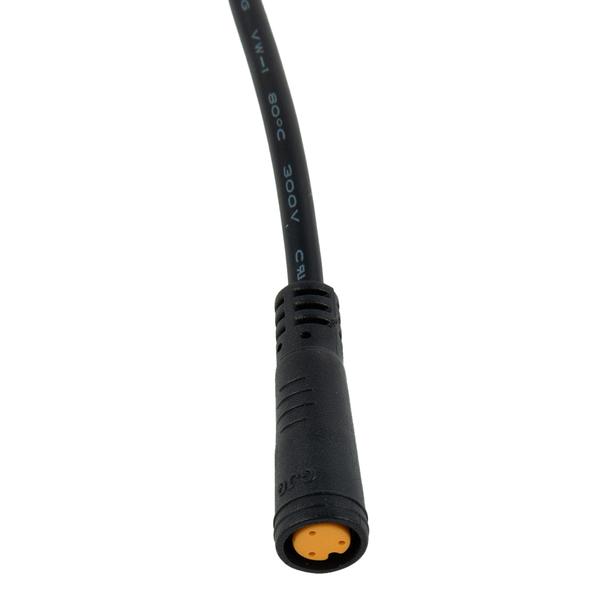
  1. Get a 3-pin (yellow) male connector with a cable, e.g. off AliExpress. Only two wires will be used, the white one is +4.2V (4-point-2, not 42!), the black one is earth. This will go into the throttle port. If you actually have a throttle, you need some sort of Y-splitter, but I don t, so this was not an issue for me. (However, I bought both sides (M and F), just to be sure.)
    Cable for the throttle portCable for the throttle port
  2. Purchase an Axa 606 E6-48 front light. The 606 comes in two versions, for dynamos and e-bikes, use the one for e-bikes; despite being officially rated as 6 48V, these lights work quite well off 4.2V too.
    Axa 606 E6-48 lightAxa 606 E6-48 light
  3. Purchase an Axa Spark Steady rear light. This light works with both AC and DC (just like the 606, the official rating is 6 48V), and works off 4.2V without an issue.
    Axa Spark lightAxa Spark light
  4. Wire lights up. I used tiny wire terminals to join the wires, but I m sure there are better options too. Insulate them well, make sure the red wire from the throttle connector is insulated too. I used a bunch of shrink tubes and black insulation tape. Since the voltage is not wildly different from what the dynamo hub produced (although AC, not DC), I was able to reuse the cable I had already routed to the rear carrier.
  5. Lights go on automatically as soon as you touch the power button on the battery pack, and stay on until the battery pack is switched off completely. I was considering adding a handlebar switch, but since I lost the only one I had, I had to do without.
Front lightFront light
Rear lightRear light
The side effect of using the Axa Spark at the rear is that it has a capacitor inside and keeps going for a couple more minutes after the battery pack is off I haven t decided whether that s a benefit or a drawback

Aurelien Jarno: Backup server upgraded to Bookworm

A few months ago, I switched my backup server to an ODROID-M1 SBC. It uses a RK3568 SoC with a quad-core Cortex-A55 and AES extensions (useful for disk encryption), and I added a 2 TB NVME SSD to the M2 slot. It also has a SATA connector, but the default enclosure does not have space for 2.5" drives. It's not the fastest SBC, but it runs stable and quite well as a backup server, and it's fanless, and low-power (less than 2 W idle). The support for the SoC has been added recently to the Linux kernel (it's used by various SBC), however the device tree for the ODROID-M1 was missing, so I contributed it based on the vendor one, and also submitted a few small fixes. All the changes ended in the Bookworm kernel, and with the Bookworm release approaching, I decided it was the good moment to upgrade it. It went quite well, and now I can enjoy running dist-upgrade like on other stable servers without having to care about the kernel. I am currently using Borg as a backup software, but the upgrade also gave access to a newer Restic version supporting compression (a must have for me), so I may give it a try.

Russ Allbery: Review: The Last Hero

Review: The Last Hero, by Terry Pratchett
Illustrator: Paul Kidby
Series: Discworld #27
Publisher: Harper
Copyright: 2001, 2002
ISBN: 0-06-050777-2
Format: Graphic novel
Pages: 176
The Last Hero is the 27th Discworld novel and part of the Rincewind subseries. This is something of a sequel to Interesting Times and relies heavily on the cast that was built up in previous books. It's not a good place to start with the series. At last, the rare Rincewind novel that I enjoyed. It helps that Rincewind is mostly along for the ride. Cohen the Barbarian and his band of elderly heroes have decided they're tired of enjoying their spoils and are going on a final adventure. They're going to return fire to the gods, in the form of a giant bomb. The wizards in Ankh-Morpork get wind of this and realize that an explosion at the Hub where the gods live could disrupt the magical field of the entire Disc, effectively destroying it. The only hope seems to be to reach Cori Celesti before Cohen and head him off, but Cohen is already almost there. Enter Lord Vetinari, who has Leonard of Quirm design a machine that will get them there in time by slingshotting under the Disc itself. First off, let me say how much I love the idea of returning fire to the gods with interest. I kind of wish Pratchett had done more with their motivations, but I was laughing about that through the whole book. Second, this is the first of the illustrated Discworld books that I've read in the intended illustrated form (I read the paperback version of Eric), and this book is gorgeous. I enjoyed Paul Kidby's art far more than I had expected to. His style what I will call, for lack of better terminology due to my woeful art education, "highly detailed caricature." That's not normally a style that clicks with me, but it works incredibly well for Discworld. The Last Hero is richly illustrated, with some amount of art, if only subtle background behind the text, on nearly every page. There are several two-page spreads, but oddly I thought those (including the parody of The Scream on the cover) were the worst art of the book. None of them did much for me. The best art is in the figure studies and subtle details: Leonard of Quirm's beautiful calligraphy, his numerous sketches, the labeled illustration of the controls of the flying machine, and the portraits of Cohen's band and the people they encounter. The edition I got is printed on lovely, thick glossy paper, and the subtle art texture behind the writing makes this book a delight to read. I'm not sure if, like Eric, this book comes in other editions, but if so, I highly recommend getting or finding the high-quality illustrated edition for the best reading experience. The plot, like a lot of the Rincewind books, doesn't amount to much, but I enjoyed the mission to intercept Cohen. Leonard of Quirm is a great character, and the slow revelation of his flying machine design (which I will not spoil) is a delightful combination of Leonardo da Vinci parody, Discworld craziness, and NASA homage. Also, the Librarian is involved, which always improves a Discworld book. (The Luggage, sadly, is not; I would have liked to have seen a richly-illustrated story about it, but it looks like I'll have to find the illustrated version of Eric for that.) There is one of Pratchett's philosophical subtexts here, about heroes and stories and what it means for your story to live on. To be honest, it didn't grab me; it's mostly subtext, and this particular set of characters weren't quite introspective enough to make the philosophy central to the story. Also, I was perhaps too sympathetic to Cohen's goals, and thus not very interested in anyone successfully stopping him. But I had a lot more fun with this one than I usually do with Rincewind books, helped considerably by the illustrations. If you've been skipping Rincewind books in your Discworld read-through and have access to the illustrated edition of The Last Hero, consider making an exception for this one. Followed by The Amazing Maurice and His Educated Rodents in publication order and, thematically, by Unseen Academicals. Rating: 7 out of 10

Freexian Collaborators: Debian Contributions: Debian Developer Survey Results, DebConf updates, and more! (by Utkarsh Gupta)

Contributing to Debian is part of Freexian s mission. This article covers the latest achievements of Freexian and their collaborators. All of this is made possible by organizations subscribing to our Long Term Support contracts and consulting services.

Results of the Debian Developer Survey, by Roberto C. S nchez In 2022, Freexian polled Debian Developers about the usage of money in Debian. More than 200 Debian Developers graciously participated, providing useful and constructive answers. Roberto and Utkarsh have worked on reviewing this feedback and summarizing it in a report recently published and announced to the project.

DebConf 23 Website, by Stefano Rivera In preparation for DebConf 23, Stefano did some work on the DebConf website s registration system. To support an expected large number of local registration requests, and a limited venue size, Stefano added a review system for registration requests. There was also some infrastructure work for the website framework. We use the same framework for miniconfs and DebConf, but without the full registration system. Since last DebConf, we have migrated from a pure-JS toolchain for the static assets, to django-compressor, to be friendlier to contributors and have a simpler dependency setup. This required some updates in the full-DebConf registration system that hadn t been noticed yet in miniDebConfs. Finally, with Utkarsh, we started to wind up the DebConf 22 travel bursary reimbursement process.

Debian Reimbursements Web App Progress, by Stefano Rivera In a project funded by Freexian s Project Funding initiative, Stefano made some more progress on the Debian Reimbursements Web App. The first rough implementation core request lifecycle is almost complete. Receipts can be collected and itemized, and the request can be submitted for a reimbursement request.

Debian Printing, by Thorsten Alteholz Due to the upcoming release, only bug fixing uploads are allowed in this part of the release cycle and Thorsten did uploads of three Debian Printing packages. The upload of hplip was rather straightforward and five bugs could be closed. cups-filters suddenly started to FTBFS and thus got an RC bug. It failed due to a compile error in a header file of some dependency. Luckily the maintainer of that dependency knew that his package now needed c++17, so the fix was to just remove an old compile flag that forced the compiler to use c++0x. This flag was once progressive but nowadays it is more of a hindrance than a help. The third package upload was for cups, which got some translation updates. Unfortunately this was the most tricky one as some translations did not appear in the binary packages. After debugging for some time, it turned out that the handling of links did not work properly. Now the version in Bookworm will be the cups version with the most translated man pages ever.

Miscellaneous contributions
  • Stefano Rivera updated a few Python modules in the Debian Python Team, to the latest upstream versions.
  • Stefano Rivera reviewed the current patch series applied to Python 3.12, as an Arch package maintainer had noticed that we dropped a patch by mistake, and reinstated it.
  • Anton Gladky prepared an upload of newer version (9.2.6) of vtk library and uploaded it into the experimental due to a freeze. VTK is the visualization kit - a library used mostly for scientific and engineering applications to visualize complex objects. Transition of dependent packages is planned on after-release phase.
  • Helmut Grohne, in the continual effort to improve Debian s cross-build support, provided 22 cross-build patches to packages in the archive.

11 April 2023

Aurelien Jarno: New website, or kind of...

For over 15 years, I've hardly made any updates to my website, and it remains low on my priority list. So I made a radical decision to replace it entirely with my blog. The content of the website has been reduced to just two additional pages. But nothing has been lost: nowadays, Wikipedia is a much better platform for sharing knowledge than random websites. And it happens that they already cover all that was on my website about subaquatic diving in French. They also offer a multitude of resources in electronics, including the topics that were on my website: LCD displays, I C bus, barcodes, parallel ports, serial ports, and DCF77 reception. Finally if you're in need of Debian QEMU images for various architectures, I recommend the Debian Quick Image Baker pre-baked images page instead.

10 April 2023

Gunnar Wolf: Twenty years

Twenty years A seemingly big, very round number, at least for me. I can recall several very well-known songs mentioning this timespan: A quick Internet search yields many more And yes, in human terms 20 years is quite a big deal. And, of course, I have been long waiting for the right time to write this post. Because twenty years ago, I got the mail. Of course, the mail notifying me I had successfully finished my NM process and, as of April 2003, could consider myself to be a full-fledged Debian Project member. Maybe by sheer chance it was today also that we spent the evening at Max s house I never worked directly with Max, but we both worked at Universidad Pedag gica Nacional at the same time back then. But Of course, a single twentyversary is not enough! I don t have the exact date, but I guess I might be off by some two or three months due to other things I remember from back then. This year, I am forty years old as an Emacs and TeX user! Back in 1983, on Friday nights, I went with my father to IIMAS (where I m currently adscribed to as a PhD student, and where he was a researcher between 1971 and the mid-1990s) and used the computer one of the two big computers they had in the Institute. And what could a seven-year-old boy do? Of course use the programs this great Foonly F2 system had. Emacs and TeX (this is still before LaTeX). 40 years And I still use the same base tools for my daily work, day in, day out.

9 April 2023

Marco d'Itri: Installing Debian 12 on a Banana Pi M5

I recently bought a Banana Pi BPI-M5, which uses the Amlogic S905X3 SoC: these are my notes about installing Debian on it. While this SoC is supported by the upstream U-Boot it is not supported by the Debian U-Boot package, so debian-installer does not work. Do not be fooled by seeing the DTB file for this exact board being distributed with debian-installer: all DTB files are, and it does not mean that the board is supposed to work. As I documented in #1033504, the Debian kernels are currently missing some patches needed to support the SD card reader. I started by downloading an Armbian Banana Pi image and booted it from an SD card. From there I partitioned the eMMC, which always appears as /dev/mmcblk1:
parted /dev/mmcblk1
(parted) mklabel msdos
(parted) mkpart primary ext4 4194304B -1
(parted) align-check optimal 1
mkfs.ext4 /dev/mmcblk1p1
Make sure to leave enough space before the first partition, or else U-Boot will overwrite it: as it is common for many ARM SoCs, U-Boot lives somewhere in the gap between the MBR and the first partition. I looked at Armbian's /usr/lib/u-boot/platform_install.sh and installed U-Boot by manually copying it to the eMMC:
dd if=/usr/lib/linux-u-boot-edge-bananapim5_22.08.6_arm64/u-boot.bin of=/dev/mmcblk1 bs=1 count=442
dd if=/usr/lib/linux-u-boot-edge-bananapim5_22.08.6_arm64/u-boot.bin of=/dev/mmcblk1 bs=512 skip=1 seek=1
Beware: Armbian's U-Boot 2022.10 is buggy, so I had to use an older image. I did not want to install a new system, so I copied over my old Cubieboard install:
mount /dev/mmcblk1p1 /mnt/
rsync -xaHSAX --delete --numeric-ids root@old-server:/ /mnt/ --exclude='/tmp/*' --exclude='/var/tmp/*'
Since the Cubieboard has a 32 bit CPU and the Banana Pi requires an arm64 kernel I enabled the architecture and installed a new kernel:
dpkg --add-architecture arm64
apt update
apt install linux-image-arm64
apt purge linux-image-6.1.0-6-armmp linux-image-armmp
At some point I will cross-grade the entire system. Even if ttyS0 exists it is not the serial console, which appears as ttyAML0 instead. Nowadays systemd automatically start a getty if the serial console is enabled on the kernel command line, so I just had to disable the old manually-configured getty:
systemctl disable serial-getty@ttyS0.service
I wanted to have a fully working flash-kernel, so I used Armbian's boot.scr as a template to create /etc/flash-kernel/bootscript/bootscr.meson and then added a custom entry for the Banana Pi to /etc/flash-kernel/db:
Machine: Banana Pi BPI-M5
Kernel-Flavors: arm64
DTB-Id: amlogic/meson-sm1-bananapi-m5.dtb
U-Boot-Initrd-Address: 0x0
Boot-Initrd-Path: /boot/uInitrd
Boot-Initrd-Path-Version: yes
Boot-Script-Path: /boot/boot.scr
U-Boot-Script-Name: bootscr.meson
Required-Packages: u-boot-tools
All things considered I do not think that I would recommend to Debian users to buy Amlogic-based boards since there are many other better supported SoCs.

8 April 2023

Evgeni Golov: Running autopkgtest with Docker inside Docker

While I am not the biggest fan of Docker, I must admit it has quite some reach across various service providers and can often be seen as an API for running things in isolated environments. One such service provider is GitHub when it comes to their Actions service. I have no idea what isolation technology GitHub uses on the outside of Actions, but inside you just get an Ubuntu system and can run whatever you want via Docker as that comes pre-installed and pre-configured. This especially means you can run things inside vanilla Debian containers, that are free from any GitHub or Canonical modifications one might not want ;-) So, if you want to run, say, lintian from sid, you can define a job to do so:
  lintian:
    runs-on: ubuntu-latest
    container: debian:sid
    steps:
      - [ do something to get a package to run lintian on ]
      - run: apt-get update
      - run: apt-get install -y --no-install-recommends lintian
      - run: lintian --info --display-info *.changes
This will run on Ubuntu (latest right now means 22.04 for GitHub), but then use Docker to run the debian:sid container and execute all further steps inside it. Pretty short and straight forward, right? Now lintian does static analysis of the package, it doesn't need to install it. What if we want to run autopkgtest that performs tests on an actually installed package? autopkgtest comes with various "virt servers", which are providing isolation of the testbed, so that it does not interfere with the host system. The simplest available virt server, autopkgtest-virt-null doesn't actually provide any isolation, as it runs things directly on the host system. This might seem fine when executed inside an ephemeral container in an CI environment, but it also means that multiple tests have the potential to influence each other as there is no way to revert the testbed to a clean state. For that, there are other, "real", virt servers available: chroot, lxc, qemu, docker and many more. They all have one in common: to use them, one needs to somehow provide an "image" (a prepared chroot, a tarball of a chroot, a vm disk, a container, , you get it) to operate on and most either bring a tool to create such an "image" or rely on a "registry" (online repository) to provide them. Most users of autopkgtest on GitHub (that I could find with their terrible search) are using either the null or the lxd virt servers. Probably because these are dead simple to set up (null) or the most "native" (lxd) in the Ubuntu environment. As I wanted to execute multiple tests that for sure would interfere with each other, the null virt server was out of the discussion pretty quickly. The lxd one also felt odd, as that meant I'd need to set up lxd (can be done in a few commands, but still) and it would need to download stuff from Canonical, incurring costs (which I couldn't care less about) and taking time which I do care about!). Enter autopkgtest-virt-docker, which recently was added to autopkgtest! No need to set things up, as GitHub already did all the Docker setup for me, and almost no waiting time to download the containers, as GitHub does heavy caching of stuff coming from Docker Hub (or at least it feels like that). The only drawback? It was added in autopkgtest 5.23, which Ubuntu 22.04 doesn't have. "We need to go deeper" and run autopkgtest from a sid container! With this idea, our current job definition would look like this:
  autopkgtest:
    runs-on: ubuntu-latest
    container: debian:sid
    steps:
      - [ do something to get a package to run autopkgtest on ]
      - run: apt-get update
      - run: apt-get install -y --no-install-recommends autopkgtest autodep8 docker.io
      - run: autopkgtest *.changes --setup-commands="apt-get update" -- docker debian:sid
(--setup-commands="apt-get update" is needed as the container comes with an empty apt cache and wouldn't be able to find dependencies of the tested package) However, this will fail:
# autopkgtest *.changes --setup-commands="apt-get update" -- docker debian:sid
autopkgtest [10:20:54]: starting date and time: 2023-04-07 10:20:54+0000
autopkgtest [10:20:54]: version 5.28
autopkgtest [10:20:54]: host a82a11789c0d; command line:
  /usr/bin/autopkgtest bley_2.0.0-1_amd64.changes '--setup-commands=apt-get update' -- docker debian:sid
Unexpected error:
Traceback (most recent call last):
  File "/usr/share/autopkgtest/lib/VirtSubproc.py", line 829, in mainloop
    command()
  File "/usr/share/autopkgtest/lib/VirtSubproc.py", line 758, in command
    r = f(c, ce)
        ^^^^^^^^
  File "/usr/share/autopkgtest/lib/VirtSubproc.py", line 692, in cmd_copydown
    copyupdown(c, ce, False)
  File "/usr/share/autopkgtest/lib/VirtSubproc.py", line 580, in copyupdown
    copyupdown_internal(ce[0], c[1:], upp)
  File "/usr/share/autopkgtest/lib/VirtSubproc.py", line 607, in copyupdown_internal
    copydown_shareddir(sd[0], sd[1], dirsp, downtmp_host)
  File "/usr/share/autopkgtest/lib/VirtSubproc.py", line 562, in copydown_shareddir
    shutil.copy(host, host_tmp)
  File "/usr/lib/python3.11/shutil.py", line 419, in copy
    copyfile(src, dst, follow_symlinks=follow_symlinks)
  File "/usr/lib/python3.11/shutil.py", line 258, in copyfile
    with open(dst, 'wb') as fdst:
         ^^^^^^^^^^^^^^^
FileNotFoundError: [Errno 2] No such file or directory: '/tmp/autopkgtest-virt-docker.shared.kn7n9ioe/downtmp/wrapper.sh'
autopkgtest [10:21:07]: ERROR: testbed failure: unexpected eof from the testbed
Running the same thing locally of course works, so there has to be something special about the setup at GitHub. But what?! A bit of digging revealed that autopkgtest-virt-docker tries to use a shared directory (using Dockers --volume) to exchange things with the testbed (for the downtmp-host capability). As my autopkgtest is running inside a container itself, nothing it tells the Docker deamon to mount will be actually visible to it. In retrospect this makes total sense and autopkgtest-virt-docker has a switch to "fix" the issue: --remote as the Docker deamon is technically remote when viewed from the place autopkgtest runs at. I'd argue this is not a bug in autopkgtest(-virt-docker), as the situation is actually cared for. There is even some auto-detection of "remote" daemons in the code, but that doesn't "know" how to detect the case where the daemon socket is mounted (vs being set as an environment variable). I've opened an MR (assume remote docker when running inside docker) which should detect the case of running inside a Docker container which kind of implies the daemon is remote. Not sure the patch will be accepted (it is a band-aid after all), but in the meantime I am quite happy with using --remote and so could you ;-)
Russell Coker: Storage Trends 2023

It s been 2 years since my last blog post about storage trends [1]. Minimum Storage <=2TB In 2021 I stated that as MSY had 2TB disks for $72 and 2TB SSD for $245 it was barely worth considering a 2TB disk and anything less than 2TB wasn t worth considering. Now for 2TB storage from MSY NVMe starts at $129, SATA SSD starts at $143, and hard disks start at $75. I guess that NVMe is slightly cheaper due to some combination of economies of scale for manufacture/sales and having less postage costs. It really doesn t make sense to consider hard disks for storing 2TB or less. For storage for a small system (PC or laptop) the cheapest storage device is $19 for a 128G SATA SSD. But it wouldn t make sense to buy that when you can get a 256G SATA SSD for $22 or a 240G NVMe device for $23, saving $3 on storage wouldn t make any sense. For 512G of storage the prices are $32 for NVMe and $33 for SATA SSD. For 1TB of storage the prices start at $68 for SATA SSD and $74 for NVMe. Probably for the vast majority of home users 1TB of SATA SSD or NVMe is the minimum storage capacity to consider, the $50 price difference isn t much when considering the entire price of a PC or laptop and anything less than 1TB will run out quickly with modern use. Larger Storage 4TB+ The price for 4TB of storage from MSY is NVMe starting at $349, SATA SSD starting at $369, and hard disks starting at $115. If you need 4TB of RAID-1 storage then it might be worth saving $470 and getting hard drives for a home user. For business use it wouldn t make sense. Some laptops have two NVMe sockets so 8TB of storage (or 4TB of RAID-1) in a laptop would be interesting. For 8TB of storage the MSY prices are SATA SSD for $739 and hard drives starting at $179. Probably hard drives are the best choice for most situations where there is a need to store 8TB or more of data. But the prices are low enough to make 8TB SSD something that can be considered for home use, it doesn t seem that long ago that the 4TB hard drives I bought for my home server were almost that expensive. Big Storage MSY doesn t have 8TB NVMe, such devices are on eBay for $1700 for regular M.2 NVMe and just under $1000 for U.2 (server hot-swap devices). So if you need more than 8TB of NVMe storage then probably buying a server with U.2 built in is the correct solution. For home users who need more than 8TB of storage hard drives are a good solution. One issue is that the more affordable and larger drives use Shingled Magnetic Recording (SMR) which has some different performance characteristics for certain workloads. Apparently SMR performs badly for anything other than large file storage. Why MSY? I primarily used MSY prices for this post because they are a reliable local store that has a list of prices that is easy to read. For everything in this post I can get better prices by using eBay, the StaticIce.com.au price comparison site [2], and the computing section of the OzBargain site that gamifies finding good prices [3]. But a good shopping strategy nowadays is to compare prices in a store to determine what items are in your price range and then shop around for price on the item you want. Checking all the different bargain sites for all these items would take much more time than I want to spend writing a blog post! Conclusion Hard drives don t make sense for the vast majority of systems. Not for laptops, not for typical desktop PCs, and not for small business servers (say 8TB or less of RAID storage). Hard drives only make sense for dozens or hundreds of TB of storage and even then finding out how to deal with SMR issues is going to increase the pain of deployment. Maybe using a combination of SSD and hard drives to deal with the SMR issues is going to be a competitive advantage for NAS vendors in future. NVMe looks like it s on the way to being cheaper than SATA SSD. There is likely to be a good market for systems with NVMe as the only internal storage option. The long term trend of systems without DVD drives and with maybe 2.5 SATA devices but no 3.5 SATA devices seems to lead to the GPU being the major part that needs to fit into a PC case that determines the overall size. Maybe there will be a new trend of GPUs connected to riser cards so they can be parallel to the motherboard for compact PCs. For business desktop systems (IE low powered graphics hardware as it s not for gaming) I expect that the trend will be towards NUC type devices which are already based around the M.2 as a storage device size.

7 April 2023

Petter Reinholdtsen: rtlsdr-scanner, software defined radio frequency scanner for Linux - nice free software

Today I finally found time to track down a useful radio frequency scanner for my software defined radio. Just for fun I tried to locate the radios used in the areas, and a good start would be to scan all the frequencies to see what is in use. I've tried to find a useful program earlier, but ran out of time before I managed to find a useful tool. This time I was more successful, and after a few false leads I found a description of rtlsdr-scanner over at the Kali site, and was able to track down the Kali package git repository to build a deb package for the scanner. Sadly the package is missing from the Debian project itself, at least in Debian Bullseye. Two runtime dependencies, python-visvis and python-rtlsdr had to be built and installed separately. Luckily 'gbp buildpackage' handled them just fine and no further packages had to be manually built. The end result worked out of the box after installation. My initial scans for FM channels worked just fine, so I knew the scanner was functioning. But when I tried to scan every frequency from 100 to 1000 MHz, the program stopped unexpectedly near the completion. After some debugging I discovered USB software radio I used rejected frequencies above 948 MHz, triggering a unreported exception breaking the scan. Changing the scan to end at 957 worked better. I similarly found the lower limit to be around 15, and ended up with the following full scan: Saving the scan did not work, but exporting it as a CSV file worked just fine. I ended up with around 477k CVS lines with dB level for the given frequency. The save failure seem to be a missing UTF-8 encoding issue in the python code. Will see if I can find time to send a patch upstream later to fix this exception:
Traceback (most recent call last):
  File "/usr/lib/python3/dist-packages/rtlsdr_scanner/main_window.py", line 485, in __on_save
    save_plot(fullName, self.scanInfo, self.spectrum, self.locations)
  File "/usr/lib/python3/dist-packages/rtlsdr_scanner/file.py", line 408, in save_plot
    handle.write(json.dumps(data, indent=4))
TypeError: a bytes-like object is required, not 'str'
As usual, if you use Bitcoin and want to show your support of my activities, please send Bitcoin donations to my address 15oWEoG9dUPovwmUL9KWAnYRtNJEkP1u1b.

Matthew Palmer: Database Encryption: If It's So Good, Why Isn't Everyone Doing It?

a wordcloud of organisations who have been reported to have had data breaches in 2022 Just some of the organisations that leaked data in 2022

It seems like just about every day there s another report of another company getting hacked and having its sensitive data (or, worse, the sensitive data of its customers) stolen. Sometimes, people s most intimate information gets dumped for the world to see. Other times it s just used for identity theft, extortion, and other crimes. In the least worst case, the attacker gets cold feet, but people suffer stress and inconvenience from having to replace identity documents. A great way to protect information from being leaked is to encrypt it. We encrypt data while it s being sent over the Internet (with TLS), and we encrypt it when it s at rest (with disk or volume encryption). Yet, everyone s data seems to still get stolen on a regular basis. Why? Because the data is kept online in an unencrypted form, sitting in the database while its being used. This means that attackers can just connect to the database, or trick the application into dumping the database, and all the data is just lying there, waiting to be misused.

It s Not the Devs Fault, Though You may be thinking that leaving an entire database full of sensitive data unencrypted seems like a terrible idea. And you re right: it is a terrible idea. But it s seemingly unavoidable. The problem is that in order to do what a database does best (query, sort, and aggregate data), it needs to be able to know what the data is. When you encrypt data, however, all the database sees is a locked box.
a locked box Not very useful for a database
The database can t tell what s in the locked box whether it s a number equal to 42, or a date that s less than 2023-01-01, or a string that contains the substring foo . Every value is just an opaque blob of stuff , and the database is rendered completely useless. Since modern applications usually rely pretty heavily on their database, it s essentially impossible to build an application if you ve turned your database into a glorified flat-file by encrypting everything in it. Thus, it s hardly surprising that developers have to leave the data laying around unencrypted, for anyone to come along and take.

Introducing Enquo I said before that having data unencrypted in a database is seemingly unavoidable. That s because there are some innovative cryptographic techniques that can make it possible to query encrypted data.
Andy Dwyer being amazed Indeed
The purpose of the Enquo project is to provide a common set of cryptographic primitives that implement ENcrypted QUery Operations (ie Enquo ), and integrate those operations into databases, ORMs, and anywhere else that could benefit. The end goal is to provide the ability to encrypt all the data stored in any database server, while still allowing the data to be queried and aggregated. So far, the project consists of these components:
  • the enquo-core library, that implements queryable encrypted integers, dates, and text in Rust and Ruby;
  • a PostgreSQL extension, pg_enquo, that allows PostgreSQL to query encrypted data; and
  • a Rails ActiveRecord extension, ActiveEnquo, that augments ActiveRecord to do the encryption/decryption required.
Support for other languages and ORMs is designed to be as straightforward as possible, and integration with other databases is mostly dependent on their own extensibility. The project s core tenets emphasise both uncompromising security, and a friendly developer experience. Naturally, all Enquo code is open source, released under the MIT licence.

Would You Like To Know More?
Desire to know more intensifies Everyone who uses a database...
If all this sounds relevant to your interests:
  1. If you use Ruby on Rails and PostgreSQL, you re halfway home already. Follow the ActiveEnquo getting started tutorial and see how much of your data Enquo can already protect. When you find data you want to encrypt but can t, tell me about it.
    • If you use Ruby and PostgreSQL with another ORM, such as Sequel, writing a plugin to support Enquo shouldn t be too difficult. The ActiveEnquo code should give you a good start. If you get stuck, get in touch.
  2. If you use PostgreSQL with another programming language, tell me what language you use and we ll work together to get bindings for that library created.
  3. If you use another database server, support is coming for your database of choice eventually, but at present there s no timeline on support. On the off chance that you happen to be a hard-core database hacking expert, and would like to work on getting Enquo support in your preferred database server, I d love to talk to you.

6 April 2023

Dirk Eddelbuettel: RcppArmadillo 0.12.2.0.0 on CRAN: New Upstream Minor

armadillo image Armadillo is a powerful and expressive C++ template library for linear algebra and scientific computing. It aims towards a good balance between speed and ease of use, has a syntax deliberately close to Matlab, and is useful for algorithm development directly in C++, or quick conversion of research code into production environments. RcppArmadillo integrates this library with the R environment and language and is widely used by (currently) 1052 other packages on CRAN, downloaded 28.6 million times (per the partial logs from the cloud mirrors of CRAN), and the CSDA paper (preprint / vignette) by Conrad and myself has been cited 522 times according to Google Scholar. This release brings a new upstream release 12.2.0 made by Conrad a day or so ago. We prepared the usual release candidate, tested on the over 1000 reverse depends, found no issues and sent it to CRAN. Where it got tested again and was auto-processed smoothly by CRAN. The releases actually has a relatively small set of changes as a first follow-up release in the 12.2.* series.

Changes in RcppArmadillo version 0.12.2.0.0 (2023-04-04)
  • Upgraded to Armadillo release 12.2.0 (Cortisol Profusion Deluxe)
    • more efficient use of FFTW3 by fft() and ifft()
    • faster in-place element-wise multiplication of sparse matrices by dense matrices
    • added spsolve_factoriser class to allow reuse of sparse matrix factorisation for solving systems of linear equations

Courtesy of my CRANberries, there is a diffstat report relative to previous release. More detailed information is on the RcppArmadillo page. Questions, comments etc should go to the rcpp-devel mailing list off the R-Forge page. If you like this or other open-source work I do, you can sponsor me at GitHub.

This post by Dirk Eddelbuettel originated on his Thinking inside the box blog. Please report excessive re-aggregation in third-party for-profit settings.

3 April 2023

Adnan Hodzic: Kubernetes, Resistance is Futile KubeCon & KCD 2023 talk

A story to tell As part of my career at ING with my previous team, MLP (Machine Learning Platform). I spent over 2 years leading... The post Kubernetes, Resistance is Futile KubeCon & KCD 2023 talk appeared first on FoolControl: Phear the penguin.

Russ Allbery: Review: The Nordic Theory of Everything

Review: The Nordic Theory of Everything, by Anu Partanen
Publisher: Harper
Copyright: 2016
Printing: June 2017
ISBN: 0-06-231656-7
Format: Kindle
Pages: 338
Anu Partanen is a Finnish journalist who immigrated to the United States. The Nordic Theory of Everything, subtitled In Search of a Better Life, is an attempt to explain the merits of Finnish approaches to government and society to a US audience. It was her first book. If you follow US policy discussion at all, you have probably been exposed to many of the ideas in this book. There was a time when the US left was obsessed with comparisons between the US and Nordic countries, and while that obsession has faded somewhat, Nordic social systems are still discussed with envy and treated as a potential model. Many of the topics of this book are therefore predictable: parental leave, vacation, health care, education, happiness, life expectancy, all the things that are far superior in Nordic countries than in the United States by essentially every statistical measure available, and which have been much-discussed. Partanen brings two twists to this standard analysis. The first is that this book is part memoir: she fell in love with a US writer and made the decision to move to the US rather than asking him to move to Finland. She therefore experienced the transition between social and government systems first-hand and writes memorably on the resulting surprise, trade-offs, anxiety, and bafflement. The second, which I've not seen previously in this policy debate, is a fascinating argument that Finland is a far more individualistic country than the United States precisely because of its policy differences.
Most people, including myself, assumed that part of what made the United States a great country, and such an exceptional one, was that you could live your life relatively unencumbered by the downside of a traditional, old-fashioned society: dependency on the people you happened to be stuck with. In America you had the liberty to express your individuality and choose your own community. This would allow you to interact with family, neighbors, and fellow citizens on the basis of who you were, rather than on what you were obligated to do or expected to be according to old-fashioned thinking. The longer I lived in America, therefore, and the more places I visited and the more people I met and the more American I myself became the more puzzled I grew. For it was exactly those key benefits of modernity freedom, personal independence, and opportunity that seemed, from my outsider s perspective, in a thousand small ways to be surprisingly missing from American life today. Amid the anxiety and stress of people s daily lives, those grand ideals were looking more theoretical than actual.
The core of this argument is that the structure of life in the United States essentially coerces dependency on other people: employers, spouses, parents, children, and extended family. Because there is no universally available social support system, those relationships become essential for any hope of a good life, and often for survival. If parents do not heavily manage their children's education, there is a substantial risk of long-lasting damage to the stability and happiness of their life. If children do not care for their elderly parents, they may receive no care at all. Choosing not to get married often means choosing precarity and exhaustion because navigating society without pooling resources with someone else is incredibly difficult.
It was as if America, land of the Hollywood romance, was in practice mired in a premodern time when marriage was, first and foremost, not an expression of love, but rather a logistical and financial pact to help families survive by joining resources.
Partanen contrasts this with what she calls the Nordic theory of love:
What Lars Tr g rdh came to understand during his years in the United States was that the overarching ambition of Nordic societies during the course of the twentieth century, and into the twenty-first, has not been to socialize the economy at all, as is often mistakenly assumed. Rather the goal has been to free the individual from all forms of dependency within the family and in civil society: the poor from charity, wives from husbands, adult children from parents, and elderly parents from their children. The express purpose of this freedom is to allow all those human relationships to be unencumbered by ulterior motives and needs, and thus to be entirely free, completely authentic, and driven purely by love.
She sees this as the common theme through most of the policy differences discussed in this book. The Finnish approach is to provide neutral and universal logistical support for most of life's expected challenges: birth, child-rearing, education, health, unemployment, and aging. This relieves other social relations family, employer, church of the corrosive strain of dependency and obligation. It also ensures people's basic well-being isn't reliant on accidents of association.
If the United States is so worried about crushing entrepreneurship and innovation, a good place to start would be freeing start-ups and companies from the burdens of babysitting the nation s citizens.
I found this fascinating as a persuasive technique. Partanen embraces the US ideal of individualism and points out that, rather than being collectivist as the US right tends to assume, Finland is better at fostering individualism and independence because the government works to removes unnecessary premodern constraints on individual lives. The reason why so many Americans are anxious and frantic is not a personal failing or bad luck. It's because the US social system is deeply hostile to healthy relationships and individual independence. It demands a constant level of daily problem-solving and crisis management that is profoundly exhausting, nearly impossible to navigate alone, and damaging to the ideal of equal relationships. Whether this line of argument will work is another question, and I'm dubious for reasons that Partanen (probably wisely) avoids. She presents the Finnish approach as a discovery that the US would benefit from, and the US approach as a well-intentioned mistake. I think this is superficially appealing; almost all corners of US political belief at least give lip service to individualism and independence. However, advocates of political change will eventually need to address the fact that many US conservatives see this type of social coercion as an intended feature of society rather than a flaw. This is most obvious when one looks at family relationships. Partanen treats the idea that marriage should be a free choice between equals rather than an economic necessity as self-evident, but there is a significant strain of US political thought that embraces punishing people for not staying within the bounds of a conservative ideal of family. One will often find, primarily but not exclusively among the more religious, a contention that the basic unit of society is the (heterosexual, patriarchal) family, not the individual, and that the suffering of anyone outside that structure is their own fault. Not wanting to get married, be the primary caregiver for one's parents, or abandon a career in order to raise children is treated as malignant selfishness and immorality rather than a personal choice that can be enabled by a modern social system. Here, I think Partanen is accurate to identify the Finnish social system as more modern. It embraces the philosophical concept of modernity, namely that social systems can be improved and social structures are not timeless. This is going to be a hard argument to swallow for those who see the pressure towards forming dependency ties within families as natural, and societal efforts to relieve those pressures as government meddling. In that intellectual framework, rather than an attempt to improve the quality of life, government logistical support is perceived as hostility to traditional family obligations and an attempt to replace "natural" human ties with "artificial" dependence on government services. Partanen doesn't attempt to have that debate. Two other things struck me in this book. The first is that, in Partanen's presentation, Finns expect high-quality services from their government and work to improve it when it falls short. This sounds like an obvious statement, but I don't think it is in the context of US politics, and neither does Partanen. She devotes a chapter to the topic, subtitled "Go ahead: ask what your country can do for you." This is, to me, one of the most frustrating aspects of US political debate. Our attitude towards government is almost entirely hostile and negative even among the political corners that would like to see government do more. Failures of government programs are treated as malice, malfeasance, or inherent incompetence: in short, signs the program should never have been attempted, rather than opportunities to learn and improve. Finland had mediocre public schools, decided to make them better, and succeeded. The moment US public schools start deteriorating, we throw much of our effort into encouraging private competition and dismantling the public school system. Partanen doesn't draw this connection, but I see a link between the US desire for market solutions to societal problems and the level of exhaustion and anxiety that is so common in US life. Solving problems by throwing them open to competition is a way of giving up, of saying we have no idea how to improve something and are hoping someone else will figure it out for a profit. Analyzing the failures of an existing system and designing incremental improvements is hard and slow work. Throwing out the system and hoping some corporation will come up with something better is disruptive but easy. When everyone is already overwhelmed by life and devoid of energy to work on complex social problems, it's tempting to give up on compromise and coalition-building and let everyone go their separate ways on their own dime. We cede the essential work of designing a good society to start-ups. This creates a vicious cycle: the resulting market solutions are inevitably gated by wealth and thus precarious and artificially scarce, which in turn creates more anxiety and stress. The short-term energy savings from not having to wrestle with a hard problem is overwhelmed by the long-term cost of having to navigate a complex and adversarial economic relationship. That leads into the last point: schools. There's a lot of discussion here about school quality and design, which I won't review in detail but which is worth reading. What struck me about Partanen's discussion, though, is how easy the Finnish system is to use. Finnish parents just send their kids to the most convenient school and rarely give that a second thought. The critical property is that all the schools are basically fine, and therefore there is no need to place one's child in an exceptional school to ensure they have a good life. It's axiomatic in the US that more choice is better. This is a constant refrain in our political discussion around schools: parental choice, parental control, options, decisions, permission, matching children to schools tailored for their needs. Those choices are almost entirely absent in Finland, at least in Partanen's description, and the amount of mental and emotional energy this saves is astonishing. Parents simply don't think about this, and everything is fine. I think we dramatically underestimate the negative effects of constantly having to make difficult decisions with significant consequences, and drastically overstate the benefits of having every aspect of life be full of major decision points. To let go of that attempt at control, however illusory, people have to believe in a baseline of quality that makes the choice less fraught. That's precisely what Finland provides by expecting high-quality social services and working to fix them when they fall short, an effort that the United States has by and large abandoned. A lot of non-fiction books could be turned into long articles without losing much substance, and I think The Nordic Theory of Everything falls partly into that trap. Partanen repeats the same ideas from several different angles, and the book felt a bit padded towards the end. If you're already familiar with the policy comparisons between the US and Nordic countries, you will have seen a lot of this before, and the book bogs down when Partanen strays too far from memoir and personal reactions. But the focus on individualism and eliminating dependency is new, at least to me, and is such an illuminating way to look at the contrast that I think the book is worth reading just for that. Rating: 7 out of 10

Matt Brown: Retrospective: Mar 2023

The key decision I made mid-March was to commit to pursuing ventilation monitoring as my primary product development focus. Prior to that decision, I hoped to use my writing plan to drive a breadth-first survey of the opportunities for each of my product ideas before deciding which had the best business potential to focus on first. Two factors changed my mind:
  1. As noted last month, I m finding the writing process much slower and harder than I expected the survey across all the ideas may not complete until mid-year or later!
  2. I ve realised that having begun building co2mon.nz last year, to stop work on the project at this point would leave me feeling that I had not done justice to developing the product and testing the market - seeing it to a conclusion is important to me.
This decision is an explicit choice to prioritize seeing a project through to a conclusion (successful, or otherwise) regardless of whether or not it has the highest potential of the various ideas I could invest time into. I m comfortable making that trade-off in this instance, but I am going to bound my time investment to two months. I ll evaluate at the end of May whether I m seeing sufficient traction and potential to justify continuing further with the idea. I had only one fully uninterrupted work week in March due to a combination of days out due to school trips, two LandSAR call outs and various farm maintenance tasks. April will be similarly disrupted given school holidays and a planned family trip to Brisbane. Sharpening my focus feels particularly necessary given this reality to ensure I m not spread overly thin.

Goal Scoring See last month s retrospective for a refresher on my scoring methodology.

Consulting - 4/10 Goal: Execute a series of successful consulting engagements, building a reputation for myself and leaving happy customers willing to provide testimonials that support a pipeline of future opportunities. Consulting hours were down from February, hitting only 31% of target this month as the client didn t make use of all the hours I had allocated for them. I didn t invest any time in advertising my services or developing new clients or projects over the month, which will now become a priority for April.

Product Development - 4/10 Goal: Grow my product development skill set by taking several ideas to MVP stage with customer feedback received, and launch at least one product which generates revenue and has growth potential. With the new focus entirely on co2mon.nz, I spent a lot of time re-working and developing my thinking around how I want to take this forward, specifically trying to analyse where I saw an opportunity in the market. After attending a workshop on finding product market fit using quantifiable metrics at the Southern SaaS conference this month, I ve realised that much of the time I spent on this analysis is too insular and focused on my own observations - I need to get out and talk to a lot more people and get more feedback on their needs and understanding of the space instead. Seems obvious in retrospect! I also spent a few days beginning to build another batch of prototype CO2 monitors so I have some units to use for experimentation and testing with potential customers as I get out and have those conversations. I can probably build one or two more batches of prototype monitors before needing to look at PCB assembly in earnest.

Professional Network Development - 8/10 Goal: To build a professional relationship with at least 30 new people this year. This goal continues to be my highlight with 8 new contacts added this month and catch-ups with 4 existing people I had not spoken to for a while. I joined the KiwiSaaS central community and attended the SouthernSaas conference this month as well, which has been time well spent given the workshop learnings discussed above.

Writing - 3/10 Goal: To publish a high-quality piece of writing on this site at least once a week. I published a single post, the first half of my updated ventilation monitoring business plan. I continue to find the writing process much harder and slower than I hoped or expected and remain well below my target publishing rate, but one post is better than zero! I tested working with an editor I contracted via UpWork who provided some very useful feedback on the structure of my writing which helped to unblock some of my progress. I plan to continue doing this for at least a few more posts.

Community - 5/10 Goal: To support the growth of my local technical community by volunteering my experience and knowledge with others through activities such as mentoring, conference talks and similar.

Feedback As always, I d love to hear from you if you have thoughts or feedback triggered by anything I ve written above.

2 April 2023

David Bremner: Installing Debian using the OVH rescue environment

Problem description(s) For some of its cheaper dedicated servers, OVH does not provide a KVM (in the virtual console sense) interface. Sometimes when a virtual console is provided, it requires a horrible java applet that won't run on modern systems without a lot of song and dance. Although OVH provides a few web based ways of installing,
  • I prefer to use the debian installer image I'm used to and trust, and
  • I needed some way to debug a broken install.
I have only tested this in the OVH rescue environment, but the general approach should work anywhere the rescue environment can install and run QEMU.

QEMU to the rescue Initially I was horrified by the ovh forums post but eventually I realized it not only gave a way to install from a custom ISO, but provided a way to debug quite a few (but not all, as I discovered) boot problems by using the rescue env (which is an in-memory Debian Buster, with an updated kernel). The original solution uses VNC but that seemed superfluous to me, so I modified the procedure to use a "serial" console.

Preliminaries
  • Set up a default ssh key in the OVH web console
  • (re)boot into rescue mode
  • ssh into root@yourhost (you might need to ignore changing host keys)
  • cd /tmp
  • You will need qemu (and may as well use kvm). ovmf is needed for a UEFI bios.
    apt install qemu-kvm ovmf
  • Download the netinstaller iso
  • Download vmlinuz and initrd.gz that match your iso. In my case: https://deb.debian.org/debian/dists/testing/main/installer-amd64/current/images/cdrom/

Doing the install
  • Boot the installer in qemu. Here the system has two hard drives visible as /dev/sda and /dev/sdb.
qemu-system-x86_64               \
   -enable-kvm                    \
   -nographic \
   -m 2048                         \
   -bios /usr/share/ovmf/OVMF.fd  \
   -drive index=0,media=disk,if=virtio,file=/dev/sda,format=raw  \
   -drive index=1,media=disk,if=virtio,file=/dev/sdb,format=raw  \
   -cdrom debian-bookworm-DI-alpha2-amd64-netinst.iso \
   -kernel ./vmlinuz \
   -initrd ./initrd.gz \
   -append console=ttyS0,9600,n8
  • Optionally follow Debian wiki to configure root on software raid.
  • Make sure your disk(s) have an ESP partition.
  • qemu and d-i are both using Ctrl-a as a prefix, so you need to C-a C-a 1 (e.g.) to switch terminals
  • make sure you install ssh server, and a user account

Before leaving the rescue environment
  • You may have forgotten something important, no problem you can boot the disks you just installed in qemu (I leave the apt here for convenient copy pasta in future rescue environments).
apt install qemu-kvm ovmf && \
qemu-system-x86_64               \
   -enable-kvm                    \
   -nographic \
   -m 2048                         \
   -bios /usr/share/ovmf/OVMF.fd  \
   -drive index=0,media=disk,if=virtio,file=/dev/sda,format=raw  \
   -drive index=1,media=disk,if=virtio,file=/dev/sdb,format=raw  \
   -nic user,hostfwd=tcp:127.0.0.1:2222-:22 \
   -boot c
  • One important gotcha is that the installer guess interface names based on the "hardware" it sees during the install. I wanted the network to work both in QEMU and in bare hardware boot, so I added a couple of link files. If you copy this, you most likely need to double check the PCI paths. You can get this information, e.g. from udevadm, but note you want to query in rescue env, not in QEMU, for the second case.
  • /etc/systemd/network/50-qemu-default.link
[Match]
Path=pci-0000:00:03.0
Virtualization=kvm
[Link]
Name=lan0
  • /etc/systemd/network/50-hardware-default.link
[Match]
Path=pci-0000:03:00.0
Virtualization=no
[Link]
Name=lan0
  • Then edit /etc/network/interfaces to refer to lan0

Next.

Previous.