Enrico Zini: What package is eating up my disk space?
My 5Gb /usr partition is full. What do I have installed that's eating up all
the space?
Let's see:
#!/usr/bin/ruby
# pkgsizestat - Display the installed size of packages in a filesystem
#
# Copyright (C) 2006  Enrico Zini <enrico@debian.org>
#
# This program is free software; you can redistribute it and/or modify
# it under the terms of the GNU General Public License as published by
# the Free Software Foundation; either version 2 of the License, or
# (at your option) any later version.
#
# This program is distributed in the hope that it will be useful,
# but WITHOUT ANY WARRANTY; without even the implied warranty of
# MERCHANTABILITY or FITNESS FOR A PARTICULAR PURPOSE.  See the
# GNU General Public License for more details.
#
# You should have received a copy of the GNU General Public License
# along with this program; if not, write to the Free Software
# Foundation, Inc., 59 Temple Place, Suite 330, Boston, MA  02111-1307  USA
# Display the installed size of packages in the given filesystem
# Defaults to /usr if non specified
#
# Usually used as "./pkgsizestat /usr   sort -nr   less" to see what packages
# are filling up your /usr partition
dev = File.stat(ARGV[0]   "/usr").dev
def pkgsize(name, dev)
      size = 0
      IO.foreach(name)    line
              begin
                      st = File.stat(line.chomp)
                      if (st.file? && st.dev == dev)
                              size += st.size
                      end
              rescue
              end

      return size
end
Dir.glob("/var/lib/dpkg/info/*.list").each    file
      puts "%d %s" % [pkgsize(file, dev), file.gsub(/.+?\/([^\/]+)\.list/, '\1')]
Neat little useful ruby script.
Ruby is nice in making scripts short clean and compact. Now I need a shorter
version of the GPL :)
Update: Florian Ragwitz suggests to use dpigs(1) from debian-goodies
instead. What my script does that dpigs doesn't do, however, is counting
only those files provided by the packages that reside in the given partition.
I could for example use my script to see what's filling up the root ('/')
partition when /usr is mounted elsewhere, and I find out that the top package
is not openclipart-svg, but linux-image-2.6.15-1-686.
Update: htom sent an updated version to sum all sizes and show only up to a
certain size:
dev = File.stat(ARGV[0]   "/usr").dev
def pkgsize(name, dev)
      size = 0
      IO.foreach(name)    line
              begin
                      st = File.stat(line.chomp)
                      if (st.file? && st.dev == dev)
                              size += st.size
                      end
              rescue
              end

      return size
end
pkgs =
Dir.glob("/var/lib/dpkg/info/*.list").each    file
  pkgs[pkgsize(file, dev)] = file.gsub(/.+?\/([^\/]+)\.list/, '\1')

pkgs = pkgs.sort
pkgs.reverse!
to_size = 1024**3 # show up to 1 GB
size = 0
pkgs.each do  a
  size += a[0]
  puts "%d %d %s" % [a[0], size, a[1]]
  break if size >= to_size
end
Ralph Amissah posted a different variant:
# [License part omitted]
dev=File.stat(ARGV[0]   "/usr").dev
def pkgsize(name, dev)
  size=0
  IO.foreach(name) do  line
    begin
      st=File.stat(line.chomp)
      if (st.file? && st.dev == dev)
        size += st.size
      end
    rescue
    end
  end
  return size
end
def space(file,dev)
  "%d %s" % [pkgsize(file,dev),file.gsub(/.+?\/([^\/]+)\.list/,'\1')]
end
@used=Array.new
Dir.glob("/var/lib/dpkg/info/*.list").sort.each do  file
  x=Array.new
  x << space(file,dev).split(/\s+/)
  p [x[0][0].to_i,x[0][1]]
  @used << [x[0][0].to_i,x[0][1]]
end
#p @used.sort.each    x  p x
@used.sort.each    x  puts "# x[0]  # x[1] "
#redirect to file?
Thank you everyone for the nice feedback!
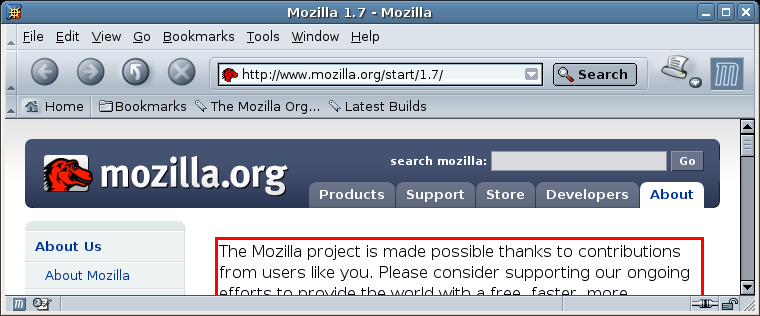 Mozilla: six real buttons, URL box, throbber,
four bookmark buttons, plus widgets for rearranging or
otherwise manipulating the toolbars themselves.
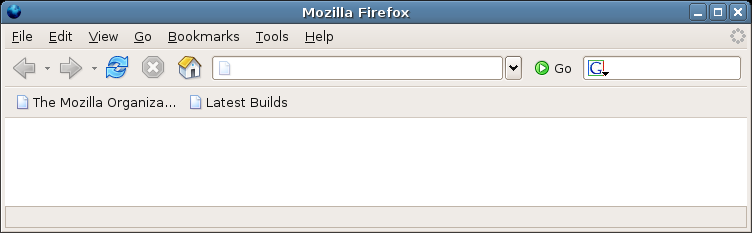 Firefox: six real buttons, URL box, Google search box,
throbber, two bookmark buttons.
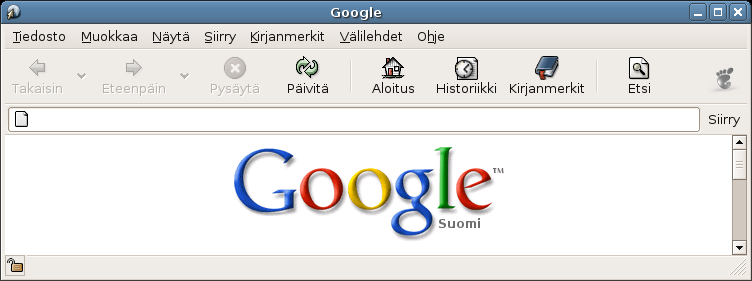 Epiphany: nine buttons, throbber, and URL box on a
separate line.
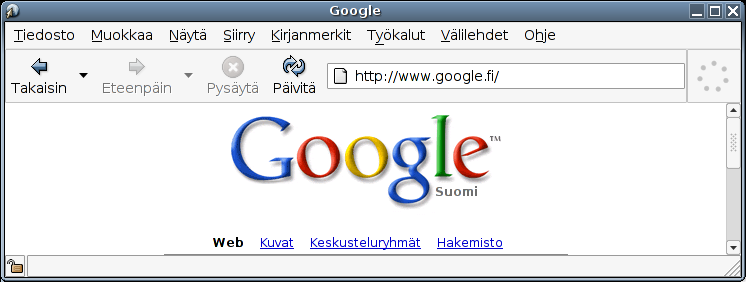 Epiphany la liw: four buttons, URL box, throbber.
 with a small problem at the top edge of screen due to lack of space there.
Update: Level 15 in 14:01 Minutes. The schema works perfectly, you have to
touch each node at most twice (once when discovering, and maybe switch place
with a sibling when discovering the new neighbours). All changes are local,
and you don't actually look at the lines, just at the colored nodes.
Unless of course you run out of space and have to rearrange.