Junichi Uekawa: April.
 April. Cherry blossoms are in full. Beautiful weather.
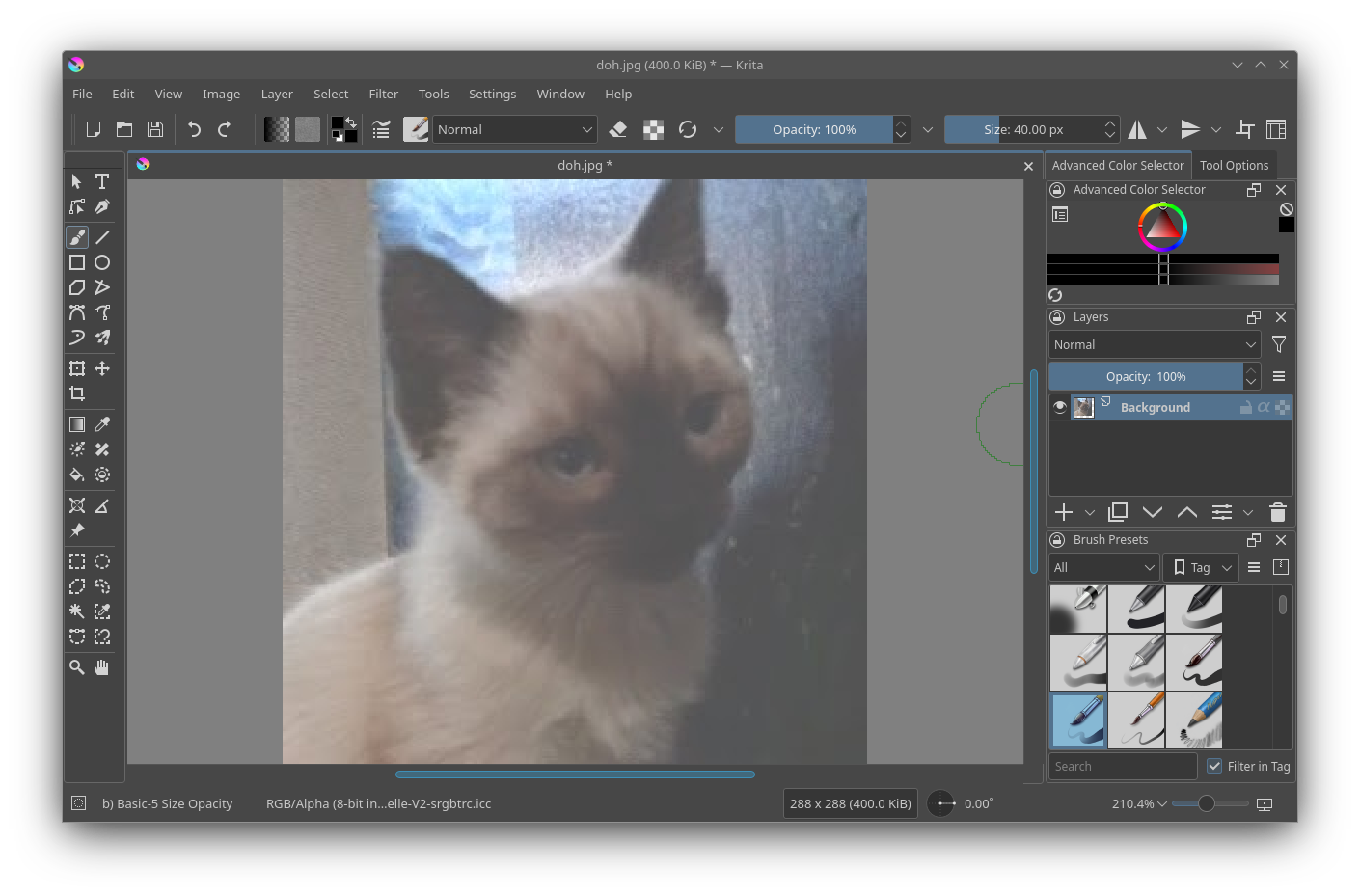 KDE Krita snap
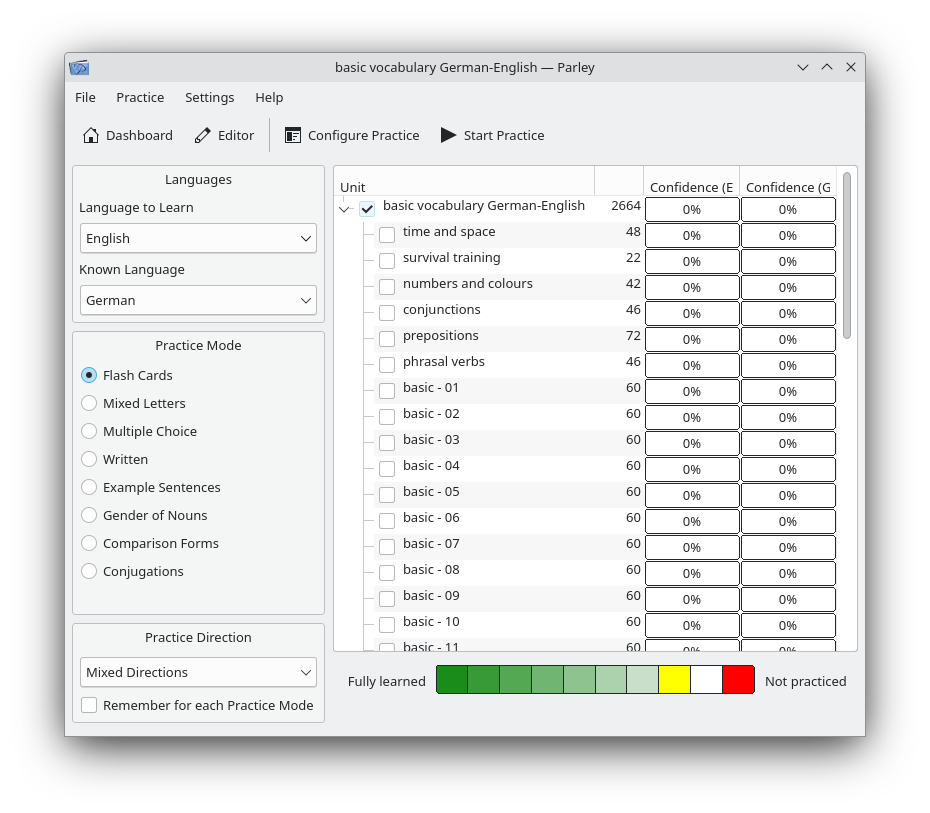 KDE Parley snap
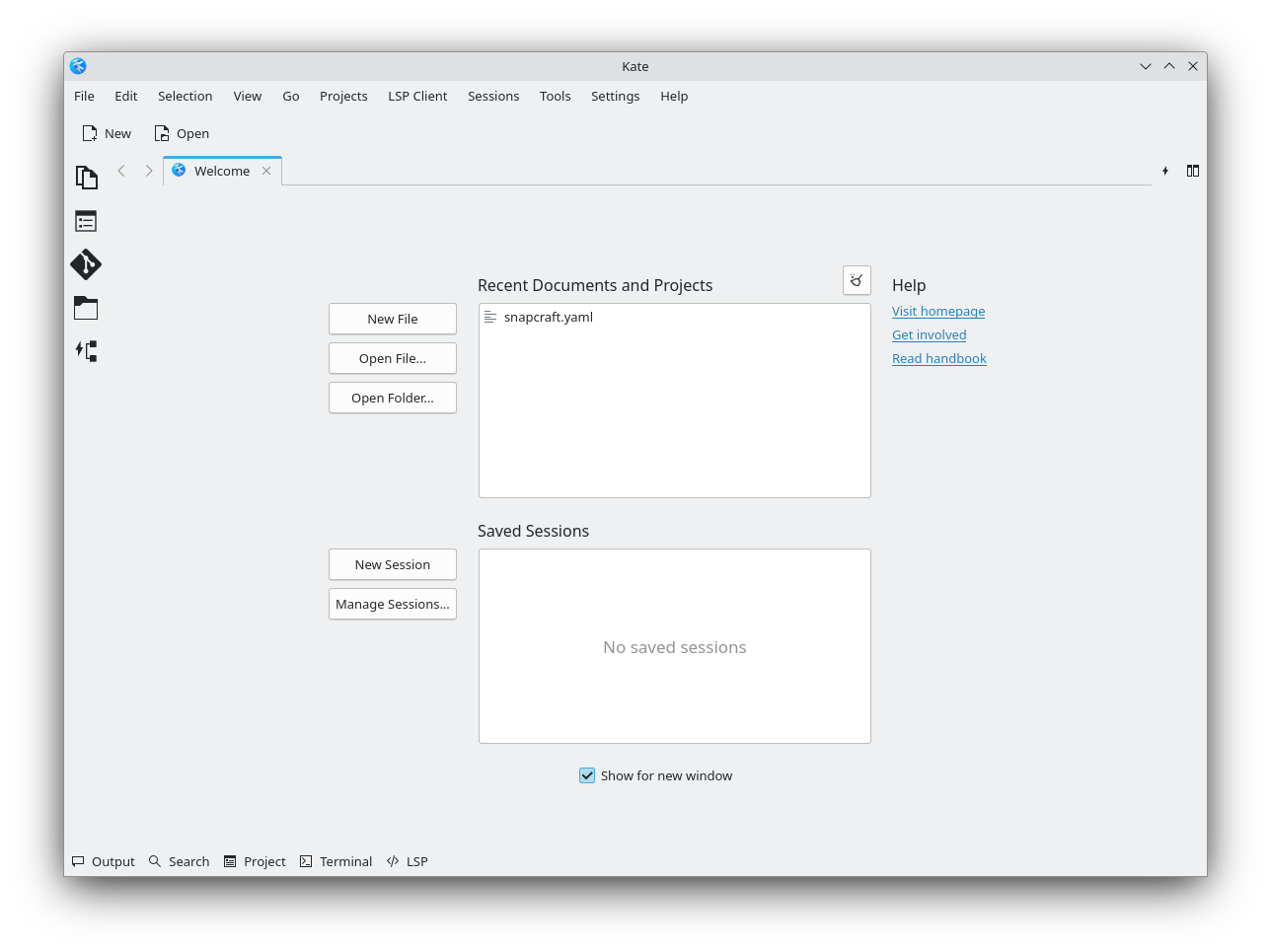 KDE Kate snap
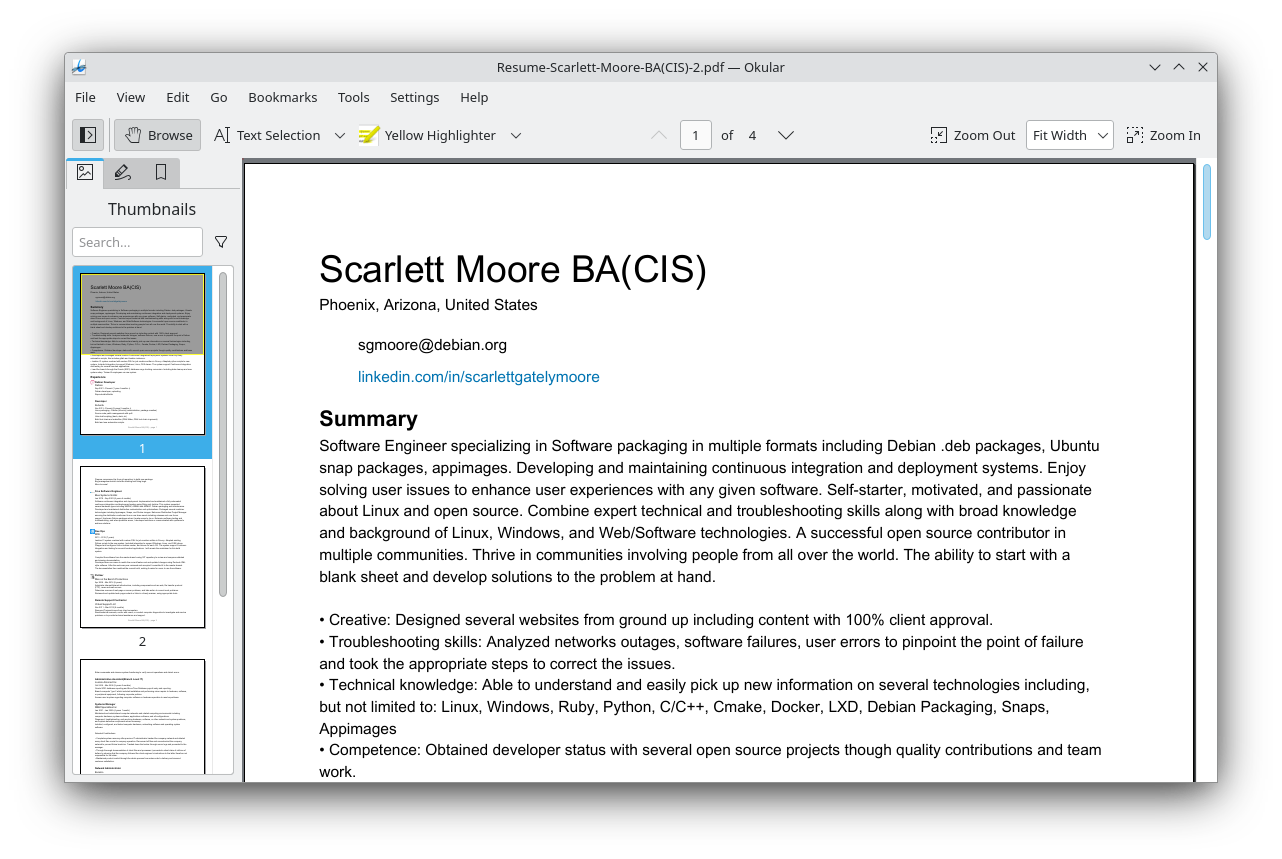 KDE Okular snap
 KDE Haruna snap
 KDE Granatier snap
 KDE Gwenview snap
 KDE Gcompris snap
 KDE Bomber snap
 KDE Falkon snap
 KDE Ark snap
 KDE Blinken snap
 KDE Bovo Snap
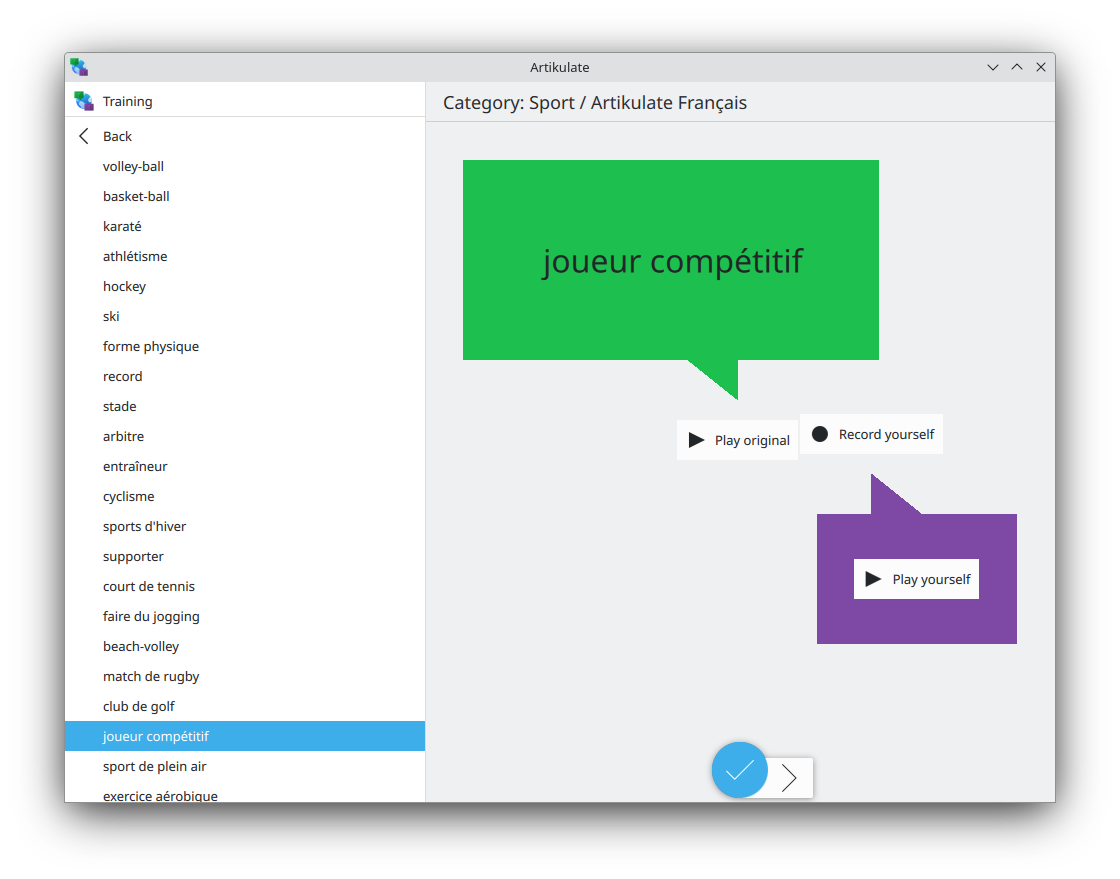 KDE Atikulate snap
 (TL;DR: I ve been trying out btrfs in some places instead of ext4, I ve hit absolutely zero issues and there are a few features that make me plan to use it more.)
Despite (or perhaps because of) working on storage products for a reasonable chunk of my career I have tended towards a conservative approach to my filesystems. By the time I came to Linux ext2 was well established, the move to ext3 was a logical one (the joys of added journalling for faster recovery after unclean shutdowns) and for a long time my default stack has been MD raid with LVM2 on top and then ext4 as the filesystem.
I ve dabbled with other filesystems; I ran XFS for a while on my VDR machine, and also when I had a large tradspool with INN, but never really had a hard requirement for it. I ve ended up adminning a machine that had JFS in the past, largely for historical reasons, but don t really remember any issues (vague recollections of NFS problems but that might just have been NFS being NFS).
However. ZFS has gathered itself a significant fan base and that makes me wonder about what it can offer and whether I want that. Firstly, let s be clear that I m never going to run a primary filesystem that isn t part of the mainline kernel. So ZFS itself is out, because I run Linux. So what do I want that I can t get with ext4? Firstly, I d like data checksumming. As storage gets larger there s a bigger chance of silent data corruption and while I have backups of the important stuff that doesn t help if you don t know you need to use them. Secondly, these days I have machines running containers, VMs, or with lots of source checkouts with a reasonable amount of overlap in their data. Disk space has got cheaper, but I d still like to be able to do some sort of deduplication of common blocks.
So, I ve been trying out btrfs. When I installed my desktop I went with btrfs for
/ and /home (I kept /boot as ext4). The thought process was that this was a local machine (so easy access if it all went wrong) and I take regular backups (so if it all went wrong I could recover). That was a year and a half ago and it s been pretty dull; I mostly forget I m running btrfs instead of ext4. This is on a machine that tracks Debian testing, so currently on kernel 6.1 but originally installed with 5.10. So it seems modern btrfs is reasonably stable for a machine that isn t driven especially hard. Good start.
The fact I forget what filesystem I m running points to the fact that I m not actually doing anything special here. I get the advantage of data checksumming, but not much else. 2 things spring to mind. Firstly, I don t do snapshots. Given I run testing it might be wiser if I did take a snapshot before every apt-get upgrade, and I have a friend who does just that, but even when I ve run unstable I ve never had a machine get itself into a state that I couldn t recover so I haven t spent time investigating. I note Ubuntu has apt-btrfs-snapshot but it doesn t seem to have any updates for years.
The other thing I didn t do when I installed my desktop is take advantage of subvolumes. I m still trying to get my head around exactly what I want them for, but they provide a partial replacement for LVM when it comes to carving up disk space. Instead of the separate / and /home LVs I created I could have created a single LV that would have a single btrfs filesystem on it. / and /home would then be separate subvolumes, allowing me to snapshot each individually. Quotas can also be applied separately so there s still the potential to prevent one subvolume taking all available space.
Encouraged by the lack of hassle with my desktop I decided to try moving my sbuild machine over to use btrfs for its build chroots. For Reasons this is a VM kindly hosted by a friend, rather than something local. To be honest these days I would probably go for local hosting, but it works and there s no strong reason to move. The point is it s remote, and so if migrating went wrong and I had to ask for assistance I d be bothering someone who s doing me a favour as it is.
The build VM is, of course, running LVM, and there was luckily some free space available. I m reasonably sure the underlying storage involves spinning rust, so I did a laborious set of pvmove commands to make sure all the available space was at the start of the PV, and created a new btrfs volume there. I was advised that while btrfs-convert would do the job it was better to create a fresh filesystem where possible. This time I did create an initial root subvolume.
Configuring up sbuild was then much simpler than I d expected. My setup originally started out as a set of tarballs for the chroots that would get untarred + used for the builds, which is pretty slow. Once overlayfs was mature enough I switched to that. I d had a conversation with Enrico about his nspawn/btrfs setup, but it turned out Russ Allbery had written an excellent set of instructions on sbuild with btrfs. I tweaked my existing setup based on his details, and I was in business. Each chroot is a separate subvolume - I don t actually end up having to mount them individually, but it means that only the chroot in use gets snapshotted. For example during a build the following can be observed:
# btrfs subvolume list /
ID 257 gen 111534 top level 5 path root
ID 271 gen 111525 top level 257 path srv/chroot/unstable-amd64-sbuild
ID 275 gen 27873 top level 257 path srv/chroot/bullseye-amd64-sbuild
ID 276 gen 27873 top level 257 path srv/chroot/buster-amd64-sbuild
ID 343 gen 111533 top level 257 path srv/chroot/snapshots/unstable-amd64-sbuild-328059a0-e74b-4d9f-be70-24b59ccba121
257 rather than 271, but digging further with btrfs subvolume show on the 2 mounted directories correctly showed the snapshot had a parent equal to the chroot, not /.
As a final step I ran jdupes via jdupes -1Br / to deduplicate things across the filesystem. It didn t end up providing a significant saving unfortunately - I guess there s a reasonable amount of change between Debian releases - but I think tried it on my desktop, which tends to have a large number of similar source trees checked out. There I managed to save about 5% on /home, which didn t seem too shabby.
The sbuild setup has been in place for a couple of months now, and I ve run quite a few builds on it while preparing for the freeze. So I m fairly confident in the stability of the setup and my next move is to transition my local house server over to btrfs for its containers (which all run under systemd-nspawn). Those are generally running a Debian stable base so there should be a decent amount of commonality for deduping.
I m not saying I m yet at the point where I ll default to btrfs on new installs, but I m definitely looking at it for situations where I think I can get benefits from deduplication, or being able to divide up disk space without hard partitioning space.
(And, just to answer the worry I had when I started, I ve got nowhere near ENOSPC problems, but I believe they re handled much more gracefully these days. And my experience of ZFS when it got above 90% utilization was far from ideal too.)

 Anti-EV poster by Toyota

 I was asked on the Fediverse1 to describe my $dayjob daily
workflow. Blogging about it seemed like a good opportunity to take stock of my
current setup.
The core of my approach is to maintain a daily log, rather like an engineering
Lab Book2. My number one tip for anyone starting a career in Software
Engineering (or for that matter systems administration) is to keep a daily log
of what you intended to do, what you actually did, what you changed, what
changed as a consequence, etcetera. I've already written about the tools I use
for that: vimwiki.
They key drawback of that system is managing TODO lists. In Vimwiki, tasks look
like this:
  * [ ] buy milk (still todo)
  * [X] clean the car (done)
= Backlog   +redhat status:pending =
* [ ] buy milk (still todo)
...
 The importance of clean, fresh indoor air is one of the most tangible takeaways of the Covid-19 pandemic. In addition to being an effective risk mitigation strategy for reducing the spread of respiratory illnesses, clean, fresh air is necessary to enable effective cognitive performance.
Monitoring indoor air quality is relatively easy to do, but traditionally has not been a key focus. I believe air quality monitoring should be accessible for any indoor space, and for highly occupied indoor spaces should be provided on a continuous basis. This post explores the need and an opportunity for a business that can accelerate the adoption of ventilation monitoring through the following topics:
FROM scratch Docker container. In a more serious setting you would statically link musl-libc with your Rust program, but today we re in a silly-goofy mood so we re going to try to make this work without a libc. And we re also going to use Rust for this, more specifically the stable release channel of Rust, so this blog post won t use any nightly-only features that might still change/break. If you re using a Rust 1.0 version that was recent at the time of writing or later (>= 1.68.0 according to my computer), you should be able to try this at home just fine .
This tutorial assumes you have no prior programming experience in any programming language, but it s going to involve some x86_64 assembly. If you already know what a syscall is, you ll be just fine. If this is your first exposure to programming you might still be able to follow along, but it might be a wild ride.
If you haven t already, install rustup (possibly also available in your package manager, who knows?)
# when asked, press enter to confirm default settings
curl --proto '=https' --tlsv1.2 -sSf https://sh.rustup.rs   sh
cc binary, and errors out if none is present), but instead we re going to use rustup to install an additional target:
rustup target add x86_64-unknown-none
cargo new hack-the-planet
cd hack-the-planet
Cargo.toml, we don t need to make any changes there, but the one that was auto-generated for me at the time of writing looks like this:
[package]
name = "hack-the-planet"
version = "0.1.0"
edition = "2021"
# See more keys and their definitions at https://doc.rust-lang.org/cargo/reference/manifest.html
[dependencies]
src/main.rs, it s going to contain some pre-generated hello world, but we re going to delete it and create a new, empty file:
rm src/main.rs
touch src/main.rs
$ cargo build --release --target x86_64-unknown-none
   Compiling hack-the-planet v0.1.0 (/hack-the-planet)
error[E0463]: can't find crate for  std

  = note: the  x86_64-unknown-none  target may not support the standard library
  = note:  std  is required by  hack_the_planet  because it does not declare  #![no_std]
error[E0601]:  main  function not found in crate  hack_the_planet

  = note: consider adding a  main  function to  src/main.rs
Some errors have detailed explanations: E0463, E0601.
For more information about an error, try  rustc --explain E0463 .
error: could not compile  hack-the-planet  due to 2 previous errors
std standard library. Usually the standard library of Rust still uses the system libc to do syscalls, but since we specify our libc as none this means std won t be available (use std::fs::rename won t work). There are still other functions we can use and import, for example there s core that s effectively a second standard library, but much smaller.
To opt-out of the std standard library, we can put #![no_std] into src/main.rs:
#![no_std]
$ cargo build --release --target x86_64-unknown-none
   Compiling hack-the-planet v0.1.0 (/hack-the-planet)
error[E0601]:  main  function not found in crate  hack_the_planet
 --> src/main.rs:1:11

1   #![no_std]
              ^ consider adding a  main  function to  src/main.rs
For more information about this error, try  rustc --explain E0601 .
error: could not compile  hack-the-planet  due to previous error
#![no_main] to our file and src/main.rs now looks like this:
#![no_std]
#![no_main]
$ cargo build
   Compiling hack-the-planet v0.1.0 (/hack-the-planet)
error:  #[panic_handler]  function required, but not found
error: language item required, but not found:  eh_personality

  = note: this can occur when a binary crate with  #![no_std]  is compiled for a target where  eh_personality  is defined in the standard library
  = help: you may be able to compile for a target that doesn't need  eh_personality , specify a target with  --target  or in  .cargo/config
error: could not compile  hack-the-planet  due to 2 previous errors
src/main.rs now looks like this:
#![no_std]
#![no_main]
use core::panic::PanicInfo;
#[panic_handler]
fn panic(_info: &PanicInfo) -> !
    loop
$ cargo build --release --target x86_64-unknown-none
   Compiling hack-the-planet v0.1.0 (/hack-the-planet)
    Finished release [optimized] target(s) in 0.16s
$ target/x86_64-unknown-none/release/hack-the-planet
Segmentation fault (core dumped)
$ objdump -d target/x86_64-unknown-none/release/hack-the-planet
target/x86_64-unknown-none/release/hack-the-planet:     file format elf64-x86-64
INT 3 instruction in x86_64 assembly. In binary it s also known as the 0xCC opcode. It crashes our program in a slightly different way, so if the error message changes, we know it worked. The other tutorials use a #[naked] function for the entry point, but since this feature isn t stabilized at the time of writing we re going to use the global_asm! macro. Also don t worry, I m not going to introduce every assembly instruction individually. Our program now looks like this:
#![no_std]
#![no_main]
use core::arch::global_asm;
use core::panic::PanicInfo;
#[panic_handler]
fn panic(_info: &PanicInfo) -> !
    loop

global_asm!
    ".global _start",
    "_start:",
    "int 3"
$ cargo build --release --target x86_64-unknown-none
   Compiling hack-the-planet v0.1.0 (/hack-the-planet)
    Finished release [optimized] target(s) in 0.11s
$ objdump -d target/x86_64-unknown-none/release/hack-the-planet
target/x86_64-unknown-none/release/hack-the-planet:     file format elf64-x86-64
Disassembly of section .text:
0000000000001210 <_start>:
    1210:	cc                   	int3
cc instruction that was identified as int3. Let s try to run this:
$ target/x86_64-unknown-none/release/hack-the-planet
Trace/breakpoint trap (core dumped)
$ strace -f ./hack-the-planet
execve("./hack-the-planet", ["./hack-the-planet"], 0x74f12430d1d8 /* 39 vars */) = 0
--- SIGTRAP  si_signo=SIGTRAP, si_code=SI_KERNEL, si_addr=NULL  ---
+++ killed by SIGTRAP (core dumped) +++
[1]    2796457 trace trap (core dumped)  strace -f ./hack-the-planet
exit. We can get more info on this with man 2 exit and it defines exit like this:
[[noreturn]] void _exit(int status);
_exit and exit is implemented as a libc function, but we don t care about any of that today, it s going to do the job just fine. Also note how it takes a single argument of type int. In C-speak this means signed 32 bit , i32 in Rust.
Next we need to figure out the syscall number of this syscall. These numbers are cpu architecture specific for some reason (idk, idc). We re looking these numbers up with ripgrep in /usr/include/asm/:
$ rg __NR_exit /usr/include/asm
/usr/include/asm/unistd_64.h
64:#define __NR_exit 60
235:#define __NR_exit_group 231
/usr/include/asm/unistd_x32.h
53:#define __NR_exit (__X32_SYSCALL_BIT + 60)
206:#define __NR_exit_group (__X32_SYSCALL_BIT + 231)
/usr/include/asm/unistd_32.h
5:#define __NR_exit 1
253:#define __NR_exit_group 252
unistd_64.h, 60. Also, on x86_64 the syscall number goes into the rax cpu register, the status argument goes in the rdi register. The return value of the syscall is going to be placed in the rax register after the syscall is done, but for exit the execution is never given back to us. Let s try to write 60 into the rax register and 69 into the rdi register. To copy into registers we re going to use the mov destination, source instruction to copy from source to destination. With these registers setup we can use the syscall cpu instruction to hand execution over to the kernel. Don t worry, there s only one more assembly instruction coming and for everything else we re going to use Rust.
Our code now looks like this:
#![no_std]
#![no_main]
use core::arch::global_asm;
use core::panic::PanicInfo;
#[panic_handler]
fn panic(_info: &PanicInfo) -> !
    loop

global_asm!
    ".global _start",
    "_start:",
    "mov rax, 60",
    "mov rdi, 69",
    "syscall"
$ cargo build --release --target x86_64-unknown-none
$ target/x86_64-unknown-none/release/hack-the-planet; echo $?
69
$ objdump -d target/x86_64-unknown-none/release/hack-the-planet
target/x86_64-unknown-none/release/hack-the-planet:     file format elf64-x86-64
Disassembly of section .text:
0000000000001210 <_start>:
    1210:	48 c7 c0 3c 00 00 00 	mov    $0x3c,%rax
    1217:	48 c7 c7 45 00 00 00 	mov    $0x45,%rdi
    121e:	0f 05                	syscall
$ strace -f ./hack-the-planet
execve("./hack-the-planet", ["./hack-the-planet"], 0x70699fe8c908 /* 39 vars */) = 0
exit(69)                                = ?
+++ exited with 69 +++
unsafe to opt back into normal safe Rust), it also declares the function with #[no_mangle] so the function name is preserved as main and we can call it from our global_asm entry point. Lastely, when our program is started it s going to get the stack address passed in one of the cpu registers, this value is expected to be passed to our function as an argument. Our function declares ! as return type, which means it never returns:
#[no_mangle]
unsafe fn main(_stack_top: *const u8) -> !
    // TODO: this is missing
#[no_mangle]
unsafe fn main(_stack_top: *const u8) -> !
    asm!(
        "syscall",
        in("rax") 60,
        in("rdi") 0,
        options(noreturn)
    );
asm! macro, this is a slightly more declarative approach. We want to run the syscall cpu instruction with 60 in the rax register, and this time we want the rdi register to be zero, to indicate a successful exit. We also use options(noreturn) so Rust knows it should assume execution does not resume after this assembly is executed (the Linux kernel guarantees this). We modify our global_asm! entrypoint to call our new main function, and to copy the stack address from rsp into the register for the first argument rdi because it would otherwise get lost forever:
global_asm!
    ".global _start",
    "_start:",
    "mov rdi, rsp",
    "call main"
#![no_std]
#![no_main]
use core::arch::asm;
use core::arch::global_asm;
use core::panic::PanicInfo;
#[panic_handler]
fn panic(_info: &PanicInfo) -> !
    loop

global_asm!
    ".global _start",
    "_start:",
    "mov rdi, rsp",
    "call main"

#[no_mangle]
unsafe fn main(_stack_top: *const u8) -> !
    asm!(
        "syscall",
        in("rax") 60,
        in("rdi") 0,
        options(noreturn)
    );
$ cargo build --release --target x86_64-unknown-none
$ objdump -d target/x86_64-unknown-none/release/hack-the-planet
target/x86_64-unknown-none/release/hack-the-planet:     file format elf64-x86-64
Disassembly of section .text:
0000000000001210 <_start>:
    1210:	48 89 e7             	mov    %rsp,%rdi
    1213:	e8 08 00 00 00       	call   1220 <main>
    1218:	cc                   	int3
    1219:	cc                   	int3
    121a:	cc                   	int3
    121b:	cc                   	int3
    121c:	cc                   	int3
    121d:	cc                   	int3
    121e:	cc                   	int3
    121f:	cc                   	int3
0000000000001220 <main>:
    1220:	50                   	push   %rax
    1221:	b8 3c 00 00 00       	mov    $0x3c,%eax
    1226:	31 ff                	xor    %edi,%edi
    1228:	0f 05                	syscall
    122a:	0f 0b                	ud2
mov and syscall instructions are still the same, but it noticed it can XOR the rdi register with itself to set it to zero. It s using x86 assembly language (the 32 bit variant of x86_64, that also happens to work on x86_64) to do so, that s why the register is refered to as edi in the disassembly. You can also see it s inserting a bunch of 0xCC instructions (for alignment) and Rust puts the opcodes 0x0F 0x0B at the end of the function to force an invalid opcode exception so the program is guaranteed to crash in case the exit syscall doesn t do it.
This code still executes as expected:
$ strace -f ./hack-the-planet
execve("./hack-the-planet", ["./hack-the-planet"], 0x72dae7e5dc08 /* 39 vars */) = 0
exit(0)                                 = ?
+++ exited with 0 +++
exit function for our assembly that we can then call like a normal function. Remember that it takes a signed 32 bit integer that s supposed to go into rdi.
unsafe fn exit(status: i32) -> !
    asm!(
        "syscall",
        in("rax") 60,
        in("rdi") status,
        options(noreturn)
    );
i32 is valid for this syscall we re going to remove the unsafe marker of this function. When doing this we still need to use unsafe within the function for our inline assembly.
fn exit(status: i32) -> !
    unsafe
        asm!(
            "syscall",
            in("rax") 60,
            in("rdi") status,
            options(noreturn)
        );
exit(1):
#![no_std]
#![no_main]
use core::arch::asm;
use core::arch::global_asm;
use core::panic::PanicInfo;
#[panic_handler]
fn panic(_info: &PanicInfo) -> !
    exit(1);

global_asm!
    ".global _start",
    "_start:",
    "mov rdi, rsp",
    "call main"

fn exit(status: i32) -> !
    unsafe
        asm!(
            "syscall",
            in("rax") 60,
            in("rdi") status,
            options(noreturn)
        );


#[no_mangle]
unsafe fn main(_stack_top: *const u8) -> !
    exit(0);
$ cargo build --release --target x86_64-unknown-none
$ objdump -d target/x86_64-unknown-none/release/hack-the-planet
target/x86_64-unknown-none/release/hack-the-planet:     file format elf64-x86-64
Disassembly of section .text:
0000000000001210 <_start>:
    1210:	48 89 e7             	mov    %rsp,%rdi
    1213:	e8 08 00 00 00       	call   1220 <main>
    1218:	cc                   	int3
    1219:	cc                   	int3
    121a:	cc                   	int3
    121b:	cc                   	int3
    121c:	cc                   	int3
    121d:	cc                   	int3
    121e:	cc                   	int3
    121f:	cc                   	int3
0000000000001220 <main>:
    1220:	50                   	push   %rax
    1221:	b8 3c 00 00 00       	mov    $0x3c,%eax
    1226:	31 ff                	xor    %edi,%edi
    1228:	0f 05                	syscall
    122a:	0f 0b                	ud2
0 argument in exit(0) means rdi is supposed to be zero and uses the XOR optimization mentioned before.
Since main is not calling any unsafe functions anymore we could mark it as safe too, but in the next few functions we re going to deal with file descriptors and raw pointers, so this is likely the only safe function we re going to write in this tutorial so let s just keep the unsafe marker.
write syscall. Looking it up with man 2 write:
ssize_t write(int fd, const void buf[.count], size_t count);
size_t. In Rust this is called isize. In C size_t is an unsigned integer type that can hold any value of sizeof(...) for the given platform, ssize_t can only store half of that because it uses one of the bits to indicate an error has occured (the first s means signed, write returns -1 in case of an error).
The arguments for write are:
stdout is located on file descriptor 1.write:
% rg __NR_write /usr/include/asm
/usr/include/asm/unistd_64.h
5:#define __NR_write 1
24:#define __NR_writev 20
/usr/include/asm/unistd_32.h
8:#define __NR_write 4
150:#define __NR_writev 146
/usr/include/asm/unistd_x32.h
5:#define __NR_write (__X32_SYSCALL_BIT + 1)
323:#define __NR_writev (__X32_SYSCALL_BIT + 516)
write function (heh).
unsafe fn write(fd: i32, buf: *const u8, count: usize) -> isize
    let r0;
    asm!(
        "syscall",
        inlateout("rax") 1 => r0,
        in("rdi") fd,
        in("rsi") buf,
        in("rdx") count,
        lateout("rcx") _,
        lateout("r11") _,
        options(nostack, preserves_flags)
    );
    r0
inlateout("raw") 1 => r0 means we re writing a value to the register and want the result back in variable r0. in("rdi") fd means we want to write the value of fd into the rdi register. lateout("rcx") _ means the Linux kernel may write to that register (so the previous value may get lost), but we don t want to store the value anywhere (the underscore acts as a dummy variable name).
This doesn t compile just yet though
$ cargo build --release --target x86_64-unknown-none
   Compiling hack-the-planet v0.1.0 (/hack-the-planet)
error: incompatible types for asm inout argument
  --> src/main.rs:35:26

35           inlateout("rax") 1 => r0,
                              ^    ^^ type  isize

                              type  i32

   = note: asm inout arguments must have the same type, unless they are both pointers or integers of the same size
error: could not compile  hack-the-planet  due to previous error
r0 is isize since that s what our function returns, but the type of the input value for the register was inferred to be i32. We re going to select a specific number type to fix this.
unsafe fn write(fd: i32, buf: *const u8, count: usize) -> isize
    let r0;
    asm!(
        "syscall",
        inlateout("rax") 1isize => r0,
        in("rdi") fd,
        in("rsi") buf,
        in("rdx") count,
        lateout("rcx") _,
        lateout("r11") _,
        options(nostack, preserves_flags)
    );
    r0
write(1, b"Hello world\n".as_ptr(), 12);
#![no_std]
#![no_main]
use core::arch::asm;
use core::arch::global_asm;
use core::panic::PanicInfo;
#[panic_handler]
fn panic(_info: &PanicInfo) -> !
    exit(1);

global_asm!
    ".global _start",
    "_start:",
    "mov rdi, rsp",
    "call main"

fn exit(status: i32) -> !
    unsafe
        asm!(
            "syscall",
            in("rax") 60,
            in("rdi") status,
            options(noreturn)
        );


unsafe fn write(fd: i32, buf: *const u8, count: usize) -> isize
    let r0;
    asm!(
        "syscall",
        inlateout("rax") 1isize => r0,
        in("rdi") fd,
        in("rsi") buf,
        in("rdx") count,
        lateout("rcx") _,
        lateout("r11") _,
        options(nostack, preserves_flags)
    );
    r0

#[no_mangle]
unsafe fn main(_stack_top: *const u8) -> !
    write(1, b"Hello world\n".as_ptr(), 12);
    exit(0);
$ cargo build --release --target x86_64-unknown-none
$ objdump -d target/x86_64-unknown-none/release/hack-the-planet
target/x86_64-unknown-none/release/hack-the-planet:     file format elf64-x86-64
Disassembly of section .text:
0000000000001220 <_start>:
    1220:	48 89 e7             	mov    %rsp,%rdi
    1223:	e8 08 00 00 00       	call   1230 <main>
    1228:	cc                   	int3
    1229:	cc                   	int3
    122a:	cc                   	int3
    122b:	cc                   	int3
    122c:	cc                   	int3
    122d:	cc                   	int3
    122e:	cc                   	int3
    122f:	cc                   	int3
0000000000001230 <main>:
    1230:	50                   	push   %rax
    1231:	48 8d 35 d5 ef ff ff 	lea    -0x102b(%rip),%rsi        # 20d <_start-0x1013>
    1238:	b8 01 00 00 00       	mov    $0x1,%eax
    123d:	ba 0c 00 00 00       	mov    $0xc,%edx
    1242:	bf 01 00 00 00       	mov    $0x1,%edi
    1247:	0f 05                	syscall
    1249:	b8 3c 00 00 00       	mov    $0x3c,%eax
    124e:	31 ff                	xor    %edi,%edi
    1250:	0f 05                	syscall
    1252:	0f 0b                	ud2
write it s setting up the 3 arguments in our cpu registers (rdi, rsi, rdx). The lea instruction subtracts 0x102b from the rip register (the instruction pointer) and places the result in the rsi register. This is effectively saying an address relative to wherever this code was loaded into memory . The instruction pointer is going to point directly behind the opcodes of the lea instruction, so 0x1238 - 0x102b = 0x20d. This address is also pointed out in the disassembly as a comment.
We don t see the string in our disassembly but we can convert our 0x20d hex to 525 in decimal and use dd to read 12 bytes from that offset, and sure enough:
$ dd bs=1 skip=525 count=12 if=target/x86_64-unknown-none/release/hack-the-planet
Hello world
12+0 records in
12+0 records out
$ strace -f ./hack-the-planet
execve("./hack-the-planet", ["./hack-the-planet"], 0x74493abe64a8 /* 39 vars */) = 0
write(1, "Hello world\n", 12Hello world
)           = 12
exit(0)                                 = ?
+++ exited with 0 +++
strip on it to remove some symbols the binary is so small, if you open it in a text editor it fits on a screenshot:

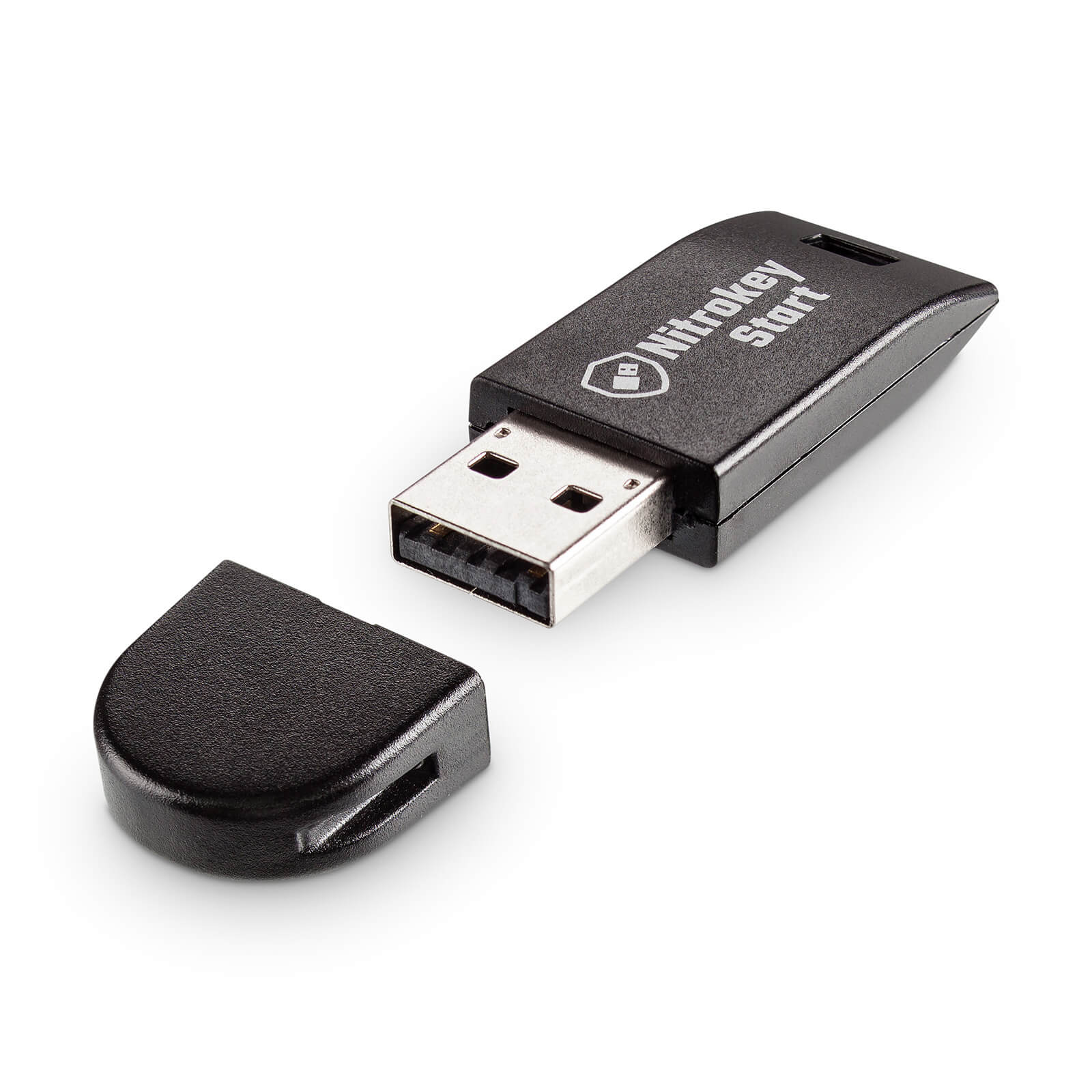 Nitrokey Start
$ sha256sum python3-pip*
ded6b3867a4a4cbaff0940cab366975d6aeecc76b9f2d2efa3deceb062668b1c  python3-pip_22.0.2+dfsg-1ubuntu0.2_all.deb
e1561575130c41dc3309023a345de337e84b4b04c21c74db57f599e267114325  python3-pip-whl_22.0.2+dfsg-1ubuntu0.2_all.deb
$ doas dpkg -i python3-pip*
...
$ doas apt install -f
...
$jas@kaka:~$ pip3 install --user pynitrokey Collecting pynitrokey Downloading pynitrokey-0.4.34-py3-none-any.whl (572 kB) Collecting frozendict~=2.3.4 Downloading frozendict-2.3.5-cp310-cp310-manylinux_2_17_x86_64.manylinux2014_x86_64.whl (113 kB) Requirement already satisfied: click<9,>=8.0.0 in /usr/lib/python3/dist-packages (from pynitrokey) (8.0.3) Collecting ecdsa Downloading ecdsa-0.18.0-py2.py3-none-any.whl (142 kB) Collecting python-dateutil~=2.7.0 Downloading python_dateutil-2.7.5-py2.py3-none-any.whl (225 kB) Collecting fido2<2,>=1.1.0 Downloading fido2-1.1.0-py3-none-any.whl (201 kB) Collecting tlv8 Downloading tlv8-0.10.0.tar.gz (16 kB) Preparing metadata (setup.py) ... done Requirement already satisfied: certifi>=14.5.14 in /usr/lib/python3/dist-packages (from pynitrokey) (2020.6.20) Requirement already satisfied: pyusb in /usr/lib/python3/dist-packages (from pynitrokey) (1.2.1.post1) Collecting urllib3~=1.26.7 Downloading urllib3-1.26.15-py2.py3-none-any.whl (140 kB) Collecting spsdk<1.8.0,>=1.7.0 Downloading spsdk-1.7.1-py3-none-any.whl (684 kB) Collecting typing_extensions~=4.3.0 Downloading typing_extensions-4.3.0-py3-none-any.whl (25 kB) Requirement already satisfied: cryptography<37,>=3.4.4 in /usr/lib/python3/dist-packages (from pynitrokey) (3.4.8) Collecting intelhex Downloading intelhex-2.3.0-py2.py3-none-any.whl (50 kB) Collecting nkdfu Downloading nkdfu-0.2-py3-none-any.whl (16 kB) Requirement already satisfied: requests in /usr/lib/python3/dist-packages (from pynitrokey) (2.25.1) Collecting tqdm Downloading tqdm-4.65.0-py3-none-any.whl (77 kB) Collecting nrfutil<7,>=6.1.4 Downloading nrfutil-6.1.7.tar.gz (845 kB) Preparing metadata (setup.py) ... done Requirement already satisfied: cffi in /usr/lib/python3/dist-packages (from pynitrokey) (1.15.0) Collecting crcmod Downloading crcmod-1.7.tar.gz (89 kB) Preparing metadata (setup.py) ... done Collecting libusb1==1.9.3 Downloading libusb1-1.9.3-py3-none-any.whl (60 kB) Collecting pc_ble_driver_py>=0.16.4 Downloading pc_ble_driver_py-0.17.0-cp310-cp310-manylinux_2_17_x86_64.manylinux2014_x86_64.whl (2.9 MB) Collecting piccata Downloading piccata-2.0.3-py3-none-any.whl (21 kB) Collecting protobuf<4.0.0,>=3.17.3 Downloading protobuf-3.20.3-cp310-cp310-manylinux_2_12_x86_64.manylinux2010_x86_64.whl (1.1 MB) Collecting pyserial Downloading pyserial-3.5-py2.py3-none-any.whl (90 kB) Collecting pyspinel>=1.0.0a3 Downloading pyspinel-1.0.3.tar.gz (58 kB) Preparing metadata (setup.py) ... done Requirement already satisfied: pyyaml in /usr/lib/python3/dist-packages (from nrfutil<7,>=6.1.4->pynitrokey) (5.4.1) Requirement already satisfied: six>=1.5 in /usr/lib/python3/dist-packages (from python-dateutil~=2.7.0->pynitrokey) (1.16.0) Collecting pylink-square<0.11.9,>=0.8.2 Downloading pylink_square-0.11.1-py2.py3-none-any.whl (78 kB) Collecting jinja2<3.1,>=2.11 Downloading Jinja2-3.0.3-py3-none-any.whl (133 kB) Collecting bincopy<17.11,>=17.10.2 Downloading bincopy-17.10.3-py3-none-any.whl (17 kB) Collecting fastjsonschema>=2.15.1 Downloading fastjsonschema-2.16.3-py3-none-any.whl (23 kB) Collecting astunparse<2,>=1.6 Downloading astunparse-1.6.3-py2.py3-none-any.whl (12 kB) Collecting oscrypto~=1.2 Downloading oscrypto-1.3.0-py2.py3-none-any.whl (194 kB) Collecting deepmerge==0.3.0 Downloading deepmerge-0.3.0-py2.py3-none-any.whl (7.6 kB) Collecting pyocd<=0.31.0,>=0.28.3 Downloading pyocd-0.31.0-py3-none-any.whl (12.5 MB) Collecting click-option-group<0.6,>=0.3.0 Downloading click_option_group-0.5.5-py3-none-any.whl (12 kB) Collecting pycryptodome<4,>=3.9.3 Downloading pycryptodome-3.17-cp35-abi3-manylinux_2_17_x86_64.manylinux2014_x86_64.whl (2.1 MB) Collecting pyocd-pemicro<1.2.0,>=1.1.1 Downloading pyocd_pemicro-1.1.5-py3-none-any.whl (9.0 kB) Requirement already satisfied: colorama<1,>=0.4.4 in /usr/lib/python3/dist-packages (from spsdk<1.8.0,>=1.7.0->pynitrokey) (0.4.4) Collecting commentjson<1,>=0.9 Downloading commentjson-0.9.0.tar.gz (8.7 kB) Preparing metadata (setup.py) ... done Requirement already satisfied: asn1crypto<2,>=1.2 in /usr/lib/python3/dist-packages (from spsdk<1.8.0,>=1.7.0->pynitrokey) (1.4.0) Collecting pypemicro<0.2.0,>=0.1.9 Downloading pypemicro-0.1.11-py3-none-any.whl (5.7 MB) Collecting libusbsio>=2.1.11 Downloading libusbsio-2.1.11-py3-none-any.whl (247 kB) Collecting sly==0.4 Downloading sly-0.4.tar.gz (60 kB) Preparing metadata (setup.py) ... done Collecting ruamel.yaml<0.18.0,>=0.17 Downloading ruamel.yaml-0.17.21-py3-none-any.whl (109 kB) Collecting cmsis-pack-manager<0.3.0 Downloading cmsis_pack_manager-0.2.10-py2.py3-none-manylinux1_x86_64.whl (25.1 MB) Collecting click-command-tree==1.1.0 Downloading click_command_tree-1.1.0-py3-none-any.whl (3.6 kB) Requirement already satisfied: bitstring<3.2,>=3.1 in /usr/lib/python3/dist-packages (from spsdk<1.8.0,>=1.7.0->pynitrokey) (3.1.7) Collecting hexdump~=3.3 Downloading hexdump-3.3.zip (12 kB) Preparing metadata (setup.py) ... done Collecting fire Downloading fire-0.5.0.tar.gz (88 kB) Preparing metadata (setup.py) ... done Requirement already satisfied: wheel<1.0,>=0.23.0 in /usr/lib/python3/dist-packages (from astunparse<2,>=1.6->spsdk<1.8.0,>=1.7.0->pynitrokey) (0.37.1) Collecting humanfriendly Downloading humanfriendly-10.0-py2.py3-none-any.whl (86 kB) Collecting argparse-addons>=0.4.0 Downloading argparse_addons-0.12.0-py3-none-any.whl (3.3 kB) Collecting pyelftools Downloading pyelftools-0.29-py2.py3-none-any.whl (174 kB) Collecting milksnake>=0.1.2 Downloading milksnake-0.1.5-py2.py3-none-any.whl (9.6 kB) Requirement already satisfied: appdirs>=1.4 in /usr/lib/python3/dist-packages (from cmsis-pack-manager<0.3.0->spsdk<1.8.0,>=1.7.0->pynitrokey) (1.4.4) Collecting lark-parser<0.8.0,>=0.7.1 Downloading lark-parser-0.7.8.tar.gz (276 kB) Preparing metadata (setup.py) ... done Requirement already satisfied: MarkupSafe>=2.0 in /usr/lib/python3/dist-packages (from jinja2<3.1,>=2.11->spsdk<1.8.0,>=1.7.0->pynitrokey) (2.0.1) Collecting asn1crypto<2,>=1.2 Downloading asn1crypto-1.5.1-py2.py3-none-any.whl (105 kB) Collecting wrapt Downloading wrapt-1.15.0-cp310-cp310-manylinux_2_5_x86_64.manylinux1_x86_64.manylinux_2_17_x86_64.manylinux2014_x86_64.whl (78 kB) Collecting future Downloading future-0.18.3.tar.gz (840 kB) Preparing metadata (setup.py) ... done Collecting psutil>=5.2.2 Downloading psutil-5.9.4-cp36-abi3-manylinux_2_12_x86_64.manylinux2010_x86_64.manylinux_2_17_x86_64.manylinux2014_x86_64.whl (280 kB) Collecting capstone<5.0,>=4.0 Downloading capstone-4.0.2-py2.py3-none-manylinux1_x86_64.whl (2.1 MB) Collecting naturalsort<2.0,>=1.5 Downloading naturalsort-1.5.1.tar.gz (7.4 kB) Preparing metadata (setup.py) ... done Collecting prettytable<3.0,>=2.0 Downloading prettytable-2.5.0-py3-none-any.whl (24 kB) Collecting intervaltree<4.0,>=3.0.2 Downloading intervaltree-3.1.0.tar.gz (32 kB) Preparing metadata (setup.py) ... done Collecting ruamel.yaml.clib>=0.2.6 Downloading ruamel.yaml.clib-0.2.7-cp310-cp310-manylinux_2_17_x86_64.manylinux2014_x86_64.manylinux_2_24_x86_64.whl (485 kB) Collecting termcolor Downloading termcolor-2.2.0-py3-none-any.whl (6.6 kB) Collecting sortedcontainers<3.0,>=2.0 Downloading sortedcontainers-2.4.0-py2.py3-none-any.whl (29 kB) Requirement already satisfied: wcwidth in /usr/lib/python3/dist-packages (from prettytable<3.0,>=2.0->pyocd<=0.31.0,>=0.28.3->spsdk<1.8.0,>=1.7.0->pynitrokey) (0.2.5) Building wheels for collected packages: nrfutil, crcmod, sly, tlv8, commentjson, hexdump, pyspinel, fire, intervaltree, lark-parser, naturalsort, future Building wheel for nrfutil (setup.py) ... done Created wheel for nrfutil: filename=nrfutil-6.1.7-py3-none-any.whl size=898520 sha256=de6f8803f51d6c26d24dc7df6292064a468ff3f389d73370433fde5582b84a10 Stored in directory: /home/jas/.cache/pip/wheels/39/2b/9b/98ab2dd716da746290e6728bdb557b14c1c9a54cb9ed86e13b Building wheel for crcmod (setup.py) ... done Created wheel for crcmod: filename=crcmod-1.7-cp310-cp310-linux_x86_64.whl size=31422 sha256=5149ac56fcbfa0606760eef5220fcedc66be560adf68cf38c604af3ad0e4a8b0 Stored in directory: /home/jas/.cache/pip/wheels/85/4c/07/72215c529bd59d67e3dac29711d7aba1b692f543c808ba9e86 Building wheel for sly (setup.py) ... done Created wheel for sly: filename=sly-0.4-py3-none-any.whl size=27352 sha256=f614e413918de45c73d1e9a8dca61ca07dc760d9740553400efc234c891f7fde Stored in directory: /home/jas/.cache/pip/wheels/a2/23/4a/6a84282a0d2c29f003012dc565b3126e427972e8b8157ea51f Building wheel for tlv8 (setup.py) ... done Created wheel for tlv8: filename=tlv8-0.10.0-py3-none-any.whl size=11266 sha256=3ec8b3c45977a3addbc66b7b99e1d81b146607c3a269502b9b5651900a0e2d08 Stored in directory: /home/jas/.cache/pip/wheels/e9/35/86/66a473cc2abb0c7f21ed39c30a3b2219b16bd2cdb4b33cfc2c Building wheel for commentjson (setup.py) ... done Created wheel for commentjson: filename=commentjson-0.9.0-py3-none-any.whl size=12092 sha256=28b6413132d6d7798a18cf8c76885dc69f676ea763ffcb08775a3c2c43444f4a Stored in directory: /home/jas/.cache/pip/wheels/7d/90/23/6358a234ca5b4ec0866d447079b97fedf9883387d1d7d074e5 Building wheel for hexdump (setup.py) ... done Created wheel for hexdump: filename=hexdump-3.3-py3-none-any.whl size=8913 sha256=79dfadd42edbc9acaeac1987464f2df4053784fff18b96408c1309b74fd09f50 Stored in directory: /home/jas/.cache/pip/wheels/26/28/f7/f47d7ecd9ae44c4457e72c8bb617ef18ab332ee2b2a1047e87 Building wheel for pyspinel (setup.py) ... done Created wheel for pyspinel: filename=pyspinel-1.0.3-py3-none-any.whl size=65033 sha256=01dc27f81f28b4830a0cf2336dc737ef309a1287fcf33f57a8a4c5bed3b5f0a6 Stored in directory: /home/jas/.cache/pip/wheels/95/ec/4b/6e3e2ee18e7292d26a65659f75d07411a6e69158bb05507590 Building wheel for fire (setup.py) ... done Created wheel for fire: filename=fire-0.5.0-py2.py3-none-any.whl size=116951 sha256=3d288585478c91a6914629eb739ea789828eb2d0267febc7c5390cb24ba153e8 Stored in directory: /home/jas/.cache/pip/wheels/90/d4/f7/9404e5db0116bd4d43e5666eaa3e70ab53723e1e3ea40c9a95 Building wheel for intervaltree (setup.py) ... done Created wheel for intervaltree: filename=intervaltree-3.1.0-py2.py3-none-any.whl size=26119 sha256=5ff1def22ba883af25c90d90ef7c6518496fcd47dd2cbc53a57ec04cd60dc21d Stored in directory: /home/jas/.cache/pip/wheels/fa/80/8c/43488a924a046b733b64de3fac99252674c892a4c3801c0a61 Building wheel for lark-parser (setup.py) ... done Created wheel for lark-parser: filename=lark_parser-0.7.8-py2.py3-none-any.whl size=62527 sha256=3d2ec1d0f926fc2688d40777f7ef93c9986f874169132b1af590b6afc038f4be Stored in directory: /home/jas/.cache/pip/wheels/29/30/94/33e8b58318aa05cb1842b365843036e0280af5983abb966b83 Building wheel for naturalsort (setup.py) ... done Created wheel for naturalsort: filename=naturalsort-1.5.1-py3-none-any.whl size=7526 sha256=bdecac4a49f2416924548cae6c124c85d5333e9e61c563232678ed182969d453 Stored in directory: /home/jas/.cache/pip/wheels/a6/8e/c9/98cfa614fff2979b457fa2d9ad45ec85fa417e7e3e2e43be51 Building wheel for future (setup.py) ... done Created wheel for future: filename=future-0.18.3-py3-none-any.whl size=492037 sha256=57a01e68feca2b5563f5f624141267f399082d2f05f55886f71b5d6e6cf2b02c Stored in directory: /home/jas/.cache/pip/wheels/5e/a9/47/f118e66afd12240e4662752cc22cefae5d97275623aa8ef57d Successfully built nrfutil crcmod sly tlv8 commentjson hexdump pyspinel fire intervaltree lark-parser naturalsort future Installing collected packages: tlv8, sortedcontainers, sly, pyserial, pyelftools, piccata, naturalsort, libusb1, lark-parser, intelhex, hexdump, fastjsonschema, crcmod, asn1crypto, wrapt, urllib3, typing_extensions, tqdm, termcolor, ruamel.yaml.clib, python-dateutil, pyspinel, pypemicro, pycryptodome, psutil, protobuf, prettytable, oscrypto, milksnake, libusbsio, jinja2, intervaltree, humanfriendly, future, frozendict, fido2, ecdsa, deepmerge, commentjson, click-option-group, click-command-tree, capstone, astunparse, argparse-addons, ruamel.yaml, pyocd-pemicro, pylink-square, pc_ble_driver_py, fire, cmsis-pack-manager, bincopy, pyocd, nrfutil, nkdfu, spsdk, pynitrokey WARNING: The script nitropy is installed in '/home/jas/.local/bin' which is not on PATH. Consider adding this directory to PATH or, if you prefer to suppress this warning, use --no-warn-script-location. Successfully installed argparse-addons-0.12.0 asn1crypto-1.5.1 astunparse-1.6.3 bincopy-17.10.3 capstone-4.0.2 click-command-tree-1.1.0 click-option-group-0.5.5 cmsis-pack-manager-0.2.10 commentjson-0.9.0 crcmod-1.7 deepmerge-0.3.0 ecdsa-0.18.0 fastjsonschema-2.16.3 fido2-1.1.0 fire-0.5.0 frozendict-2.3.5 future-0.18.3 hexdump-3.3 humanfriendly-10.0 intelhex-2.3.0 intervaltree-3.1.0 jinja2-3.0.3 lark-parser-0.7.8 libusb1-1.9.3 libusbsio-2.1.11 milksnake-0.1.5 naturalsort-1.5.1 nkdfu-0.2 nrfutil-6.1.7 oscrypto-1.3.0 pc_ble_driver_py-0.17.0 piccata-2.0.3 prettytable-2.5.0 protobuf-3.20.3 psutil-5.9.4 pycryptodome-3.17 pyelftools-0.29 pylink-square-0.11.1 pynitrokey-0.4.34 pyocd-0.31.0 pyocd-pemicro-1.1.5 pypemicro-0.1.11 pyserial-3.5 pyspinel-1.0.3 python-dateutil-2.7.5 ruamel.yaml-0.17.21 ruamel.yaml.clib-0.2.7 sly-0.4 sortedcontainers-2.4.0 spsdk-1.7.1 termcolor-2.2.0 tlv8-0.10.0 tqdm-4.65.0 typing_extensions-4.3.0 urllib3-1.26.15 wrapt-1.15.0 jas@kaka:~$Then upgrading the device worked remarkable well, although I wish that the tool would have printed URLs and checksums for the firmware files to allow easy confirmation.
jas@kaka:~$ PATH=$PATH:/home/jas/.local/bin
jas@kaka:~$ nitropy start list
Command line tool to interact with Nitrokey devices 0.4.34
:: 'Nitrokey Start' keys:
FSIJ-1.2.15-5D271572: Nitrokey Nitrokey Start (RTM.12.1-RC2-modified)
jas@kaka:~$ nitropy start update
Command line tool to interact with Nitrokey devices 0.4.34
Nitrokey Start firmware update tool
Platform: Linux-5.15.0-67-generic-x86_64-with-glibc2.35
System: Linux, is_linux: True
Python: 3.10.6
Saving run log to: /tmp/nitropy.log.gc5753a8
Admin PIN:
Firmware data to be used:
- FirmwareType.REGNUAL: 4408, hash: ...b'72a30389' valid (from ...built/RTM.13/regnual.bin)
- FirmwareType.GNUK: 129024, hash: ...b'25a4289b' valid (from ...prebuilt/RTM.13/gnuk.bin)
Currently connected device strings:
Device:
    Vendor: Nitrokey
   Product: Nitrokey Start
    Serial: FSIJ-1.2.15-5D271572
  Revision: RTM.12.1-RC2-modified
    Config: *:*:8e82
       Sys: 3.0
     Board: NITROKEY-START-G
initial device strings: [ 'name': '', 'Vendor': 'Nitrokey', 'Product': 'Nitrokey Start', 'Serial': 'FSIJ-1.2.15-5D271572', 'Revision': 'RTM.12.1-RC2-modified', 'Config': '*:*:8e82', 'Sys': '3.0', 'Board': 'NITROKEY-START-G' ]
Please note:
- Latest firmware available is:
  RTM.13 (published: 2022-12-08T10:59:11Z)
- provided firmware: None
- all data will be removed from the device!
- do not interrupt update process - the device may not run properly!
- the process should not take more than 1 minute
Do you want to continue? [yes/no]: yes
...
Starting bootloader upload procedure
Device: Nitrokey Start FSIJ-1.2.15-5D271572
Connected to the device
Running update!
Do NOT remove the device from the USB slot, until further notice
Downloading flash upgrade program...
Executing flash upgrade...
Waiting for device to appear:
  Wait 20 seconds.....
Downloading the program
Protecting device
Finish flashing
Resetting device
Update procedure finished. Device could be removed from USB slot.
Currently connected device strings (after upgrade):
Device:
    Vendor: Nitrokey
   Product: Nitrokey Start
    Serial: FSIJ-1.2.19-5D271572
  Revision: RTM.13
    Config: *:*:8e82
       Sys: 3.0
     Board: NITROKEY-START-G
device can now be safely removed from the USB slot
final device strings: [ 'name': '', 'Vendor': 'Nitrokey', 'Product': 'Nitrokey Start', 'Serial': 'FSIJ-1.2.19-5D271572', 'Revision': 'RTM.13', 'Config': '*:*:8e82', 'Sys': '3.0', 'Board': 'NITROKEY-START-G' ]
finishing session 2023-03-16 21:49:07.371291
Log saved to: /tmp/nitropy.log.gc5753a8
jas@kaka:~$
jas@kaka:~$ nitropy start list
Command line tool to interact with Nitrokey devices 0.4.34
:: 'Nitrokey Start' keys:
FSIJ-1.2.19-5D271572: Nitrokey Nitrokey Start (RTM.13)
jas@kaka:~$
Before importing the master key to this device, it should be configured. Note the commands in the beginning to make sure scdaemon/pcscd is not running because they may have cached state from earlier cards. Change PIN code as you like after this, my experience with Gnuk was that the Admin PIN had to be changed first, then you import the key, and then you change the PIN.
jas@kaka:~$ gpg-connect-agent "SCD KILLSCD" "SCD BYE" /bye
OK
ERR 67125247 Slut p  fil <GPG Agent>
jas@kaka:~$ ps auxww grep -e pcsc -e scd
jas        11651  0.0  0.0   3468  1672 pts/0    R+   21:54   0:00 grep --color=auto -e pcsc -e scd
jas@kaka:~$ gpg --card-edit
Reader ...........: 20A0:4211:FSIJ-1.2.19-5D271572:0
Application ID ...: D276000124010200FFFE5D2715720000
Application type .: OpenPGP
Version ..........: 2.0
Manufacturer .....: unmanaged S/N range
Serial number ....: 5D271572
Name of cardholder: [not set]
Language prefs ...: [not set]
Salutation .......:
URL of public key : [not set]
Login data .......: [not set]
Signature PIN ....: forced
Key attributes ...: rsa2048 rsa2048 rsa2048
Max. PIN lengths .: 127 127 127
PIN retry counter : 3 3 3
Signature counter : 0
KDF setting ......: off
Signature key ....: [none]
Encryption key....: [none]
Authentication key: [none]
General key info..: [none]
gpg/card> admin
Admin commands are allowed
gpg/card> kdf-setup
gpg/card> passwd
gpg: OpenPGP card no. D276000124010200FFFE5D2715720000 detected
1 - change PIN
2 - unblock PIN
3 - change Admin PIN
4 - set the Reset Code
Q - quit
Your selection? 3
PIN changed.
1 - change PIN
2 - unblock PIN
3 - change Admin PIN
4 - set the Reset Code
Q - quit
Your selection? q
gpg/card> name
Cardholder's surname: Josefsson
Cardholder's given name: Simon
gpg/card> lang
Language preferences: sv
gpg/card> sex
Salutation (M = Mr., F = Ms., or space): m
gpg/card> login
Login data (account name): jas
gpg/card> url
URL to retrieve public key: https://josefsson.org/key-20190320.txt
gpg/card> forcesig
gpg/card> key-attr
Changing card key attribute for: Signature key
Please select what kind of key you want:
   (1) RSA
   (2) ECC
Your selection? 2
Please select which elliptic curve you want:
   (1) Curve 25519
   (4) NIST P-384
Your selection? 1
The card will now be re-configured to generate a key of type: ed25519
Note: There is no guarantee that the card supports the requested size.
      If the key generation does not succeed, please check the
      documentation of your card to see what sizes are allowed.
Changing card key attribute for: Encryption key
Please select what kind of key you want:
   (1) RSA
   (2) ECC
Your selection? 2
Please select which elliptic curve you want:
   (1) Curve 25519
   (4) NIST P-384
Your selection? 1
The card will now be re-configured to generate a key of type: cv25519
Changing card key attribute for: Authentication key
Please select what kind of key you want:
   (1) RSA
   (2) ECC
Your selection? 2
Please select which elliptic curve you want:
   (1) Curve 25519
   (4) NIST P-384
Your selection? 1
The card will now be re-configured to generate a key of type: ed25519
gpg/card>
jas@kaka:~$ gpg --card-edit
Reader ...........: 20A0:4211:FSIJ-1.2.19-5D271572:0
Application ID ...: D276000124010200FFFE5D2715720000
Application type .: OpenPGP
Version ..........: 2.0
Manufacturer .....: unmanaged S/N range
Serial number ....: 5D271572
Name of cardholder: Simon Josefsson
Language prefs ...: sv
Salutation .......: Mr.
URL of public key : https://josefsson.org/key-20190320.txt
Login data .......: jas
Signature PIN ....: not forced
Key attributes ...: ed25519 cv25519 ed25519
Max. PIN lengths .: 127 127 127
PIN retry counter : 3 3 3
Signature counter : 0
KDF setting ......: on
Signature key ....: [none]
Encryption key....: [none]
Authentication key: [none]
General key info..: [none]
jas@kaka:~$
Once setup, bring out your offline machine and boot it and mount your USB stick with the offline key. The paths below will be different, and this is using a somewhat unorthodox approach of working with fresh GnuPG configuration paths that I chose for the USB stick.
jas@kaka:/media/jas/2c699cbd-b77e-4434-a0d6-0c4965864296$ cp -a gnupghome-backup-masterkey gnupghome-import-nitrokey-5D271572
jas@kaka:/media/jas/2c699cbd-b77e-4434-a0d6-0c4965864296$ gpg --homedir $PWD/gnupghome-import-nitrokey-5D271572 --edit-key B1D2BD1375BECB784CF4F8C4D73CF638C53C06BE
gpg (GnuPG) 2.2.27; Copyright (C) 2021 Free Software Foundation, Inc.
This is free software: you are free to change and redistribute it.
There is NO WARRANTY, to the extent permitted by law.
Secret key is available.
sec  ed25519/D73CF638C53C06BE
     created: 2019-03-20  expired: 2019-10-22  usage: SC
     trust: ultimate      validity: expired
[ expired] (1). Simon Josefsson <simon@josefsson.org>
gpg> keytocard
Really move the primary key? (y/N) y
Please select where to store the key:
   (1) Signature key
   (3) Authentication key
Your selection? 1
sec  ed25519/D73CF638C53C06BE
     created: 2019-03-20  expired: 2019-10-22  usage: SC
     trust: ultimate      validity: expired
[ expired] (1). Simon Josefsson <simon@josefsson.org>
gpg>
Save changes? (y/N) y
jas@kaka:/media/jas/2c699cbd-b77e-4434-a0d6-0c4965864296$
At this point it is useful to confirm that the Nitrokey has the master key available and that is possible to sign statements with it, back on your regular machine:
jas@kaka:~$ gpg --card-status
Reader ...........: 20A0:4211:FSIJ-1.2.19-5D271572:0
Application ID ...: D276000124010200FFFE5D2715720000
Application type .: OpenPGP
Version ..........: 2.0
Manufacturer .....: unmanaged S/N range
Serial number ....: 5D271572
Name of cardholder: Simon Josefsson
Language prefs ...: sv
Salutation .......: Mr.
URL of public key : https://josefsson.org/key-20190320.txt
Login data .......: jas
Signature PIN ....: not forced
Key attributes ...: ed25519 cv25519 ed25519
Max. PIN lengths .: 127 127 127
PIN retry counter : 3 3 3
Signature counter : 1
KDF setting ......: on
Signature key ....: B1D2 BD13 75BE CB78 4CF4  F8C4 D73C F638 C53C 06BE
      created ....: 2019-03-20 23:37:24
Encryption key....: [none]
Authentication key: [none]
General key info..: pub  ed25519/D73CF638C53C06BE 2019-03-20 Simon Josefsson <simon@josefsson.org>
sec>  ed25519/D73CF638C53C06BE  created: 2019-03-20  expires: 2023-09-19
                                card-no: FFFE 5D271572
ssb>  ed25519/80260EE8A9B92B2B  created: 2019-03-20  expires: 2023-09-19
                                card-no: FFFE 42315277
ssb>  ed25519/51722B08FE4745A2  created: 2019-03-20  expires: 2023-09-19
                                card-no: FFFE 42315277
ssb>  cv25519/02923D7EE76EBD60  created: 2019-03-20  expires: 2023-09-19
                                card-no: FFFE 42315277
jas@kaka:~$ echo foo gpg -a --sign gpg --verify
gpg: Signature made Thu Mar 16 22:11:02 2023 CET
gpg:                using EDDSA key B1D2BD1375BECB784CF4F8C4D73CF638C53C06BE
gpg: Good signature from "Simon Josefsson <simon@josefsson.org>" [ultimate]
jas@kaka:~$
Finally to retrieve and sign a key, for example Andre Heinecke s that I could confirm the OpenPGP key identifier from his business card.
jas@kaka:~$ gpg --locate-external-keys aheinecke@gnupg.com
gpg: key 1FDF723CF462B6B1: public key "Andre Heinecke <aheinecke@gnupg.com>" imported
gpg: Total number processed: 1
gpg:               imported: 1
gpg: marginals needed: 3  completes needed: 1  trust model: pgp
gpg: depth: 0  valid:   2  signed:   7  trust: 0-, 0q, 0n, 0m, 0f, 2u
gpg: depth: 1  valid:   7  signed:  64  trust: 7-, 0q, 0n, 0m, 0f, 0u
gpg: next trustdb check due at 2023-05-26
pub   rsa3072 2015-12-08 [SC] [expires: 2025-12-05]
      94A5C9A03C2FE5CA3B095D8E1FDF723CF462B6B1
uid           [ unknown] Andre Heinecke <aheinecke@gnupg.com>
sub   ed25519 2017-02-13 [S]
sub   ed25519 2017-02-13 [A]
sub   rsa3072 2015-12-08 [E] [expires: 2025-12-05]
sub   rsa3072 2015-12-08 [A] [expires: 2025-12-05]
jas@kaka:~$ gpg --edit-key "94A5C9A03C2FE5CA3B095D8E1FDF723CF462B6B1"
gpg (GnuPG) 2.2.27; Copyright (C) 2021 Free Software Foundation, Inc.
This is free software: you are free to change and redistribute it.
There is NO WARRANTY, to the extent permitted by law.
pub  rsa3072/1FDF723CF462B6B1
     created: 2015-12-08  expires: 2025-12-05  usage: SC
     trust: unknown       validity: unknown
sub  ed25519/2978E9D40CBABA5C
     created: 2017-02-13  expires: never       usage: S
sub  ed25519/DC74D901C8E2DD47
     created: 2017-02-13  expires: never       usage: A
The following key was revoked on 2017-02-23 by RSA key 1FDF723CF462B6B1 Andre Heinecke <aheinecke@gnupg.com>
sub  cv25519/1FFE3151683260AB
     created: 2017-02-13  revoked: 2017-02-23  usage: E
sub  rsa3072/8CC999BDAA45C71F
     created: 2015-12-08  expires: 2025-12-05  usage: E
sub  rsa3072/6304A4B539CE444A
     created: 2015-12-08  expires: 2025-12-05  usage: A
[ unknown] (1). Andre Heinecke <aheinecke@gnupg.com>
gpg> sign
pub  rsa3072/1FDF723CF462B6B1
     created: 2015-12-08  expires: 2025-12-05  usage: SC
     trust: unknown       validity: unknown
 Primary key fingerprint: 94A5 C9A0 3C2F E5CA 3B09  5D8E 1FDF 723C F462 B6B1
     Andre Heinecke <aheinecke@gnupg.com>
This key is due to expire on 2025-12-05.
Are you sure that you want to sign this key with your
key "Simon Josefsson <simon@josefsson.org>" (D73CF638C53C06BE)
Really sign? (y/N) y
gpg> quit
Save changes? (y/N) y
jas@kaka:~$
This is on my day-to-day machine, using the NitroKey Start with the offline key. No need to boot the old offline machine just to sign keys or extend expiry anymore! At FOSDEM 23 I managed to get at least one DD signature on my new key, and the Debian keyring maintainers accepted my Ed25519 key. Hopefully I can now finally let my 2014-era RSA3744 key expire in 2023-09-19 and not extend it any further. This should finish my transition to a simpler OpenPGP key setup, yay!

 The nineteenth release of littler as a
CRAN package
landed this morning, following in the now seventeen year history (!!) as
a package started by Jeff in 2006, and joined
by me a few weeks later.
littler
is the first command-line interface for R as it predates
Rscript. It allows for piping as well for shebang
scripting via #!, uses command-line arguments more
consistently and still starts
faster. It also always loaded the methods package which
Rscript only began to do in recent years.
littler
lives on Linux and Unix, has its difficulties on macOS due to
yet-another-braindeadedness there (who ever thought case-insensitive
filesystems as a default were a good idea?) and simply does not exist on
Windows (yet the build system could be extended see RInside for
an existence proof, and volunteers are welcome!). See the FAQ
vignette on how to add it to your PATH. A few examples
are highlighted at the Github repo, as well
as in the examples
vignette.
This release is somewhat unique is not having any maintenance of the
small core but rather focussing exclusively on changes to the (many !!)
scripts collected in examples/scripts/.
We added new ones and extended several existing ones including
install2.r thanks to patches by @eitsupi. Of the new scripts, I already
use tttl.r quite a bit for tests on co-maintained packages
that use testthat (but as I have made known before my heart
belongs firmly to tinytest as nobody should need thirty-plus
recursive dependencies to run a few test predicates) as well as the
very new installRub.r to directly add r-universe Ubuntu binaries
onto an r2u systems as
demonstrated in a first
and second
tweet (and corresponding toot) this week.
The full change description follows.
My CRANberries service provides a comparison to the previous release. Full details for the littler release are provided as usual at the ChangeLog page, and also on the package docs website. The code is available via the GitHub repo, from tarballs and now of course also from its CRAN page and viaChanges in littler version 0.3.18 (2023-03-25)
- Changes in examples scripts
roxy.rcan now set an additional--libpathgetRStudioDesktop.randgetRStudioServer.rhave updated default download fileinstall2.randinstallGithub.rcan set--typer2u.rnow has a--suffixoptiontt.rremoves a redundantlibrarycalltttl.rhas been added fortestthat::test_local()installRub.rhas been added to install r-universe binaries on Ubuntuinstall2.rhas updated error capture messages (Tatsuya Shima and Dirk in #104)
install.packages("littler"). Binary
packages are available directly in Debian (currently in experimental
due to a release freeze) as well as (in a day or two) Ubuntu binaries at
CRAN thanks to the tireless Michael Rutter and of course via r2u following its next
refresh.
Comments and suggestions are welcome at the GitHub repo.
If you like this or other open-source work I do, you can now sponsor me at
GitHub.
This post by Dirk Eddelbuettel originated on his Thinking inside the box blog. Please report excessive re-aggregation in third-party for-profit settings.
vfat filesystem on it.
$ dd if=/dev/zero of=boot.img bs=1M count=512
$ sudo mkfs.vfat boot.img
/efi/boot/. The name of
such file depends on the architecture: for example, on 64 bit x86 systems it is
bootx64.efi, while on ARM it is bootaa64.efi.
/usr/lib/grub/x86_64-efi/monolithic/grubx64.efi from package
grub-efi-amd64-bin to /efi/boot/bootx64.efi on the boot image, and that
should be enough to start GRUB.
# mount boot.img /mnt/
# mkdir -p /mnt/efi/boot/
# cp /usr/lib/grub/x86_64-efi/monolithic/grubx64.efi /mnt/efi/boot/bootx64.efi
# umount /mnt/
ovmf and start qemu:
$ cp /usr/share/OVMF/OVMF_CODE.fd /tmp/code.fd
$ qemu-system-x86_64 -drive file=/tmp/code.fd,format=raw,if=pflash -cdrom boot.img
boot.img.
# mount boot.img /mnt
# cp vmlinuz-6.1.0-7-amd64 /mnt/vmlinuz
# umount /mnt/
-m 1G. The default amount of
memory is not enough to boot.
$ qemu-system-x86_64 -drive file=/tmp/code.fd,format=raw,if=pflash -cdrom boot.img -m 1G
grub> linux /vmlinuz
grub> boot
# mount boot.img /mnt
# cp initrd.img-6.1.0-7-amd64 /mnt/initrd
# umount /mnt/
-nographic, and append console=ttyS0 to the kernel command line
arguments.
$ qemu-system-x86_64 -drive file=/tmp/code.fd,format=raw,if=pflash -cdrom boot.img -m 1G -nographic
grub> linux /vmlinuz console=ttyS0
grub> initrd /initrd
grub> boot
(initramfs) dmesg   grep secureboot
[    0.000000] secureboot: Secure boot disabled
shim-signed provides a shim signed with Microsoft s key, while
grub-efi-amd64-signed has GRUB signed with Debian s key.
sbverify --list:
$ sbverify --list /usr/lib/shim/shimx64.efi.signed
warning: data remaining[823184 vs 948768]: gaps between PE/COFF sections?
signature 1
image signature issuers:
 - /C=US/ST=Washington/L=Redmond/O=Microsoft Corporation/CN=Microsoft Corporation UEFI CA 2011
image signature certificates:
 - subject: /C=US/ST=Washington/L=Redmond/O=Microsoft Corporation/CN=Microsoft Windows UEFI Driver Publisher
   issuer:  /C=US/ST=Washington/L=Redmond/O=Microsoft Corporation/CN=Microsoft Corporation UEFI CA 2011
 - subject: /C=US/ST=Washington/L=Redmond/O=Microsoft Corporation/CN=Microsoft Corporation UEFI CA 2011
   issuer:  /C=US/ST=Washington/L=Redmond/O=Microsoft Corporation/CN=Microsoft Corporation Third Party Marketplace Root
$ sbverify --list /usr/lib/grub/x86_64-efi-signed/grubx64.efi.signed
signature 1
image signature issuers:
 - /CN=Debian Secure Boot CA
image signature certificates:
 - subject: /CN=Debian Secure Boot Signer 2022 - grub2
   issuer:  /CN=Debian Secure Boot CA
$ sbverify --list /mnt/vmlinuz
signature 1
image signature issuers:
 - /CN=Debian Secure Boot CA
image signature certificates:
 - subject: /CN=Debian Secure Boot Signer 2022 - linux
   issuer:  /CN=Debian Secure Boot CA
# mount boot.img /mnt
# cp /usr/lib/shim/shimx64.efi.signed /mnt/efi/boot/bootx64.efi
# cp /usr/lib/grub/x86_64-efi-signed/grubx64.efi.signed /mnt/efi/boot/grubx64.efi
# umount /mnt
$ cp /usr/share/OVMF/OVMF_VARS.ms.fd /tmp/vars.fd
$ qemu-system-x86_64 -drive file=/tmp/code.fd,format=raw,if=pflash -drive file=/tmp/vars.fd,format=raw,if=pflash -cdrom boot.img -m 1G -nographic
fwsetup:
grub> fwsetup
(initramfs) dmesg   grep secureboot
[    0.000000] secureboot: Secure boot enabled
 Phew!
Today, after four days of combing through code I am unfamiliar with, I
was finally able to change my expression.
 I m finally at the part of my PhD work where I am tasked with
implementing the protocol I claim improves from the current
situation. I wrote a script to deploy the infrastructure I need for
the experiment, and was not expecting any issues I am not (yet)
familiar with the Go language (in which the Hockeypuck key
server is developed), but I have managed to
install it several times, and it holds no terrible surprises anymore
for me. Or so I think.
So, how come it s possible the five servers in my laboratory network
don t gossip to each other? The logs don t show anything clear Only
a sucession of this:
hockeypuck[5295]: time="2023-03-24T00:00:28-06:00" level=error msg="recon with :0 failed" error="[ /srv/hockeypuck/packaging/src/gopkg.in/hockeypuck/conflux.v2/recon/gossip.go:109:    dial tcp :0: connect: connection refused ]" label="gossip :11370"
hockeypuck[5295]: time="2023-03-24T00:00:28-06:00" level=info msg="waiting 27s for next gossip attempt" label="gossip :11370"
tcp :0: connect: connection refused sounds fishy It
took me too long to find the reasons.
But, at least, along the way I decided to find my errors by debugging
the code, rather than by rebuilding the laboratory and random-stabbing
at the configuration.
And yes, finally I came to my senses, and found out my silly
mistake was to have my configuration read:
[hockeypuck.conflux.recon.partner.10.0.3.13]
httpAddr="10.0.3.13:11371"
reconAddr="10.0.3.13:11370"
[hockeypuck.conflux.recon.partner.10-0-3-13]
httpAddr="10.0.3.13:11371"
reconAddr="10.0.3.13:11370"
hockeypuck.conflux.recon.partner.10 (as the following period makes
the rest of the entry an entirely distinct one from what I thought I
specified).
Anyway, this made me at least:
After my last
post,
B lint (who prompted it with his last
post)
suggested I should do a hybrid test of his tests and my extremes. He
suggested I should build the Linux kernel using my Raspberry Pi 4 (8GB
model), but using the Firebuild build
accelerator.
Before going any further: I must make clear that while Firebuild is
freely redistributable, it is not made available under a free
license. It
is free for personal use or commercial trial, but otherwise requires
licensing.
B lint managed to build a Linux kernel in just over 8 seconds. So,
how did my test go? My previous experiment, using -j 4, built Linux
in ~100 minutes; this was about a year ago, and I m now building linux
6.1, so I timed this again. To get a baseline, I built my kernel from
a just-unpacked tree, just as usual:
# cd /usr/src/linux-source-6.1
# make clean
# make defconfig
# time make -j4
(...)
real    117m30.588s
user    392m41.434s
sys     52m2.556s
make defconfig without cleaning does not change
much, but I saw it often referenced in firebuild s docs, so I m
leaving it:
# time make -j 4
(...)
real    0m43.822s
user    1m36.577s
sys     0m40.805s
# cd /usr/src/linux-source-6.1
# make clean
# make defconfig
# time firebuild make -j 4
(...)
real    212m58.647s
user    391m49.080s
sys     81m10.758s
# du -sh .cache/firebuild/
4.2G    .cache/firebuild/
# cd /usr/src/linux-source-6.1
# make clean
# make defconfig
# time firebuild make -j 4
(...)
real    68m6.621s
user    98m32.514s
sys     31m41.643s
# make defconfig
# time firebuild make -j 4
(...)
real    1m11.872s
user    2m5.807s
sys     1m46.178s
.cache/firebuild are to blame, as in the case of the media I m
using, those are quite expensive; make went its way basically
checking date stamps between *.c and *.o (yes, very roughly), and
while running under firebuild, I suppose each of these meant an extra
lookup inside the cache.
So Experiment requested, experiment performed!
| Series: | Discworld #26 |
| Publisher: | Harper |
| Copyright: | May 2001 |
| Printing: | August 2014 |
| ISBN: | 0-06-230739-8 |
| Format: | Mass market |
| Pages: | 420 |
 Github accidentally committed their SSH RSA private key to a repository, and now a bunch of people's infrastructure is broken because it needs to be updated to trust the new key. This is obviously bad, but what's frustrating is that there's no inherent need for it to be - almost all the technological components needed to both reduce the initial risk and to make the transition seamless already exist.
 Recently, I'm coming to feel the burden on my shoulder, it makes me so annoyed.
As of that, I've considered replacing the hardware (keyboard).
I've searched for a new gear candidate to resolve the above issue with the following conditions:
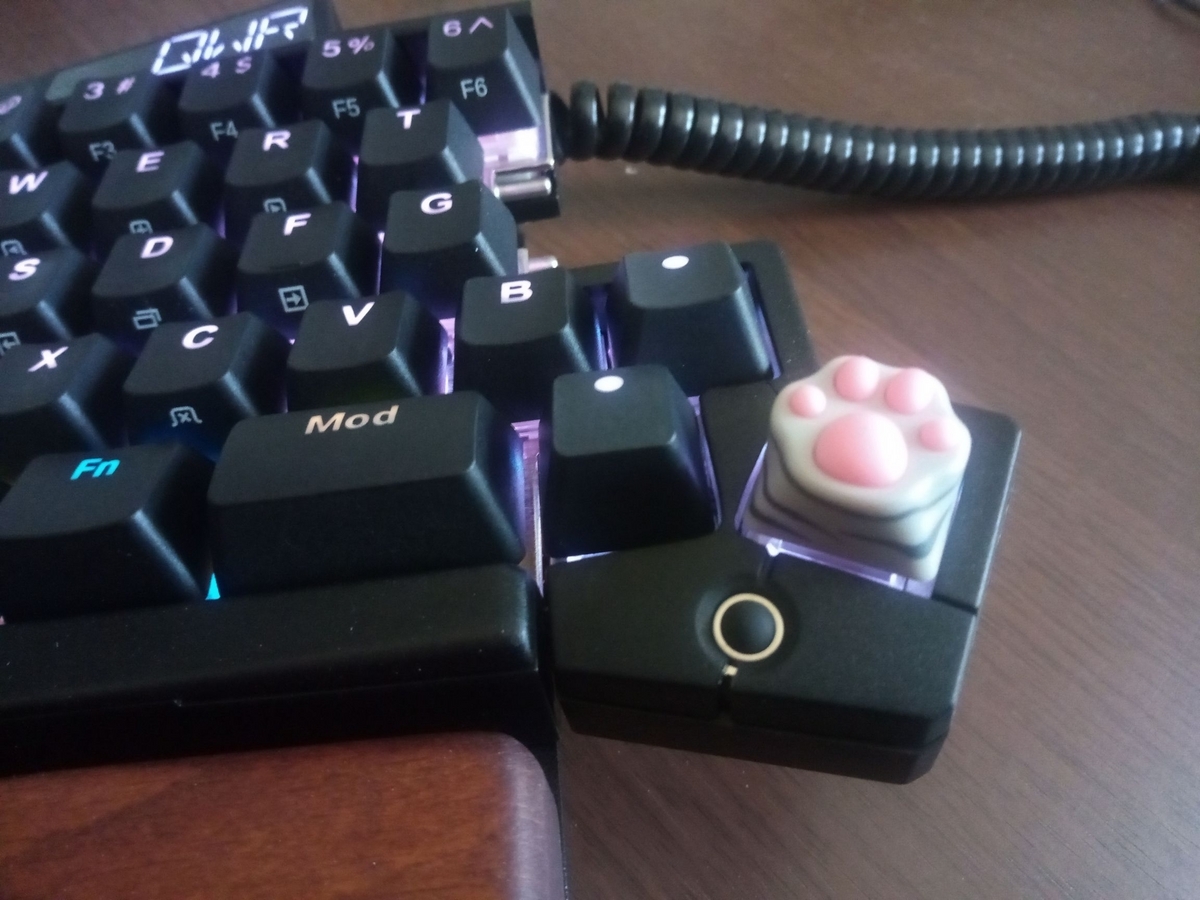
| Publisher: | Tor |
| Copyright: | 2022 |
| ISBN: | 0-7653-8913-4 |
| Format: | Kindle |
| Pages: | 264 |
 Anti-national and Anti-India judges Kiren Rijiju, Law Minister.

 There is much to share but some other day, Till later.
Next.