John Goerzen: Fast, Ordered Unixy Queues over NNCP and Syncthing with Filespooler
It seems that lately I ve written several shell implementations of a simple queue that enforces ordered execution of jobs that may arrive out of order. After writing this for the nth time in bash, I decided it was time to do it properly. But first, a word on the why of it all.
Why did I bother?
My needs arose primarily from handling Backups over Asynchronous Communication methods in this case, NNCP. When backups contain incrementals that are unpacked on the destination, they must be applied in the correct order.
In some cases, like ZFS, the receiving side will detect an out-of-order backup file and exit with an error. In those cases, processing in random order is acceptable but can be slow if, say, hundreds or thousands of hourly backups have stacked up over a period of time. The same goes for using gitsync-nncp to synchronize git repositories. In both cases, a best effort based on creation date is sufficient to produce a significant performance improvement.
With other cases, such as tar or dar backups, the receiving cannot detect out of order incrementals. In those situations, the incrementals absolutely must be applied with strict ordering. There are many other situations that arise with these needs also. Filespooler is the answer to these.
Existing Work
Before writing my own program, I of course looked at what was out there already. I looked at celeary, gearman, nq, rq, cctools work queue, ts/tsp (task spooler), filequeue, dramatiq, GNU parallel, and so forth.
Unfortunately, none of these met my needs at all. They all tended to have properties like:
- An extremely complicated client/server system that was incompatible with piping data over existing asynchronous tools
- A large bias to processing of small web requests, resulting in terrible inefficiency or outright incompatibility with jobs in the TB range
- An inability to enforce strict ordering of jobs, especially if they arrive in a different order from how they were queued
Many also lacked some nice-to-haves that I implemented for Filespooler:
- Support for the encryption and cryptographic authentication of jobs, including metadata
- First-class support for arbitrary compressors
- Ability to use both stream transports (pipes) and filesystem-like transports (eg, rclone mount, S3, Syncthing, or Dropbox)
Introducing Filespooler
Filespooler is a tool in the Unix tradition: that is, do one thing well, and integrate nicely with other tools using the fundamental Unix building blocks of files and pipes. Filespooler itself doesn t provide transport for jobs, but instead is designed to cooperate extremely easily with transports that can be written to as a filesystem or piped to which is to say, almost anything of interest.
Filespooler is written in Rust and has an extensive Filespooler Reference as well as many tutorials on its homepage. To give you a few examples, here are some links:
- Using Filespooler over Syncthing (and the most comprehensive tutorial)
- Using Filespooler over NNCP
- Compressing Filespooler Jobs
- Encrypting Filespooler Jobs with GPG or Age
- Guidelines for Writing To Filespooler Queues Without Using Filespooler
Basics of How it Works
Filespooler is intentionally simple:
- The sender maintains a sequence file that includes a number for the next job packet to be created.
- The receiver also maintains a sequence file that includes a number for the next job to be processed.
fspl prepare creates a Filespooler job packet and emits it to stdout. It includes a small header (<100 bytes in most cases) that includes the sequence number, creation timestamp, and some other useful metadata.- You get to transport this job packet to the receiver in any of many simple ways, which may or may not involve Filespooler s assistance.
- On the receiver, Filespooler (when running in the default strict ordering mode) will simply look at the sequence file and process jobs in incremental order until it runs out of jobs to process.
The name of job files on-disk matches a pattern for identification, but the content of them is not significant; only the header matters.
You can send job data in three ways:
- By piping it to
fspl prepare
- By setting certain environment variables when calling
fspl prepare
- By passing additional command-line arguments to
fspl prepare, which can optionally be passed to the processing command at the receiver.
Data piped in is added to the job payload , while environment variables and command-line parameters are encoded in the header.
Basic usage
Here I will excerpt part of the Using Filespooler over Syncthing tutorial; consult it for further detail. As a bit of background, Syncthing is a FLOSS decentralized directory synchronization tool akin to Dropbox (but with a much richer feature set in many ways).
Preparation
First, on the receiver, you create the queue (passing the directory name to -q):
sender$ fspl queue-init -q ~/sync/b64queue
Now, we can send a job like this:
sender$ echo Hi fspl prepare -s ~/b64seq -i - fspl queue-write -q ~/sync/b64queue
Let s break that down:
- First, we pipe Hi to
fspl prepare.
fspl prepare takes two parameters:
-s seqfile gives the path to a sequence file used on the sender side. This file has a simple number in it that increments a unique counter for every generated job file. It is matched with the nextseq file within the queue to make sure that the receiver processes jobs in the correct order. It MUST be separate from the file that is in the queue and should NOT be placed within the queue. There is no need to sync this file, and it would be ideal to not sync it.- The
-i option tells fspl prepare to read a file for the packet payload. -i - tells it to read stdin for this purpose. So, the payload will consist of three bytes: Hi\n (that is, including the terminating newline that echo wrote)
- Now,
fspl prepare writes the packet to its stdout. We pipe that into fspl queue-write:
fspl queue-write reads stdin and writes it to a file in the queue directory in a safe manner. The file will ultimately match the fspl-*.fspl pattern and have a random string in the middle.
At this point, wait a few seconds (or however long it takes) for the queue files to be synced over to the recipient.
On the receiver, we can see if any jobs have arrived yet:
receiver$ fspl queue-ls -q ~/sync/b64queue
ID                   creation timestamp          filename
1                    2022-05-16T20:29:32-05:00   fspl-7b85df4e-4df9-448d-9437-5a24b92904a4.fspl
Let s say we d like some information about the job. Try this:
receiver$ $ fspl queue-info -q ~/sync/b64queue -j 1
FSPL_SEQ=1
FSPL_CTIME_SECS=1652940172
FSPL_CTIME_NANOS=94106744
FSPL_CTIME_RFC3339_UTC=2022-05-17T01:29:32Z
FSPL_CTIME_RFC3339_LOCAL=2022-05-16T20:29:32-05:00
FSPL_JOB_FILENAME=fspl-7b85df4e-4df9-448d-9437-5a24b92904a4.fspl
FSPL_JOB_QUEUEDIR=/home/jgoerzen/sync/b64queue
FSPL_JOB_FULLPATH=/home/jgoerzen/sync/b64queue/jobs/fspl-7b85df4e-4df9-448d-9437-5a24b92904a4.fspl
This information is intentionally emitted in a format convenient for parsing.
Now let s run the job!
receiver$ fspl queue-process -q ~/sync/b64queue --allow-job-params base64
SGkK
There are two new parameters here:
--allow-job-params says that the sender is trusted to supply additional parameters for the command we will be running.base64 is the name of the command that we will run for every job. It will:
- Have environment variables set as we just saw in
queue-info
- Have the text we previously prepared Hi\n piped to it
By default, fspl queue-process doesn t do anything special with the output; see Handling Filespooler Command Output for details on other options. So, the base64-encoded version of our string is SGkK . We successfully sent a packet using Syncthing as a transport mechanism!
At this point, if you do a fspl queue-ls again, you ll see the queue is empty. By default, fspl queue-process deletes jobs that have been successfully processed.
For more
See the Filespooler homepage.
This blog post is also available as a permanent, periodically-updated page.
- An extremely complicated client/server system that was incompatible with piping data over existing asynchronous tools
- A large bias to processing of small web requests, resulting in terrible inefficiency or outright incompatibility with jobs in the TB range
- An inability to enforce strict ordering of jobs, especially if they arrive in a different order from how they were queued
- Support for the encryption and cryptographic authentication of jobs, including metadata
- First-class support for arbitrary compressors
- Ability to use both stream transports (pipes) and filesystem-like transports (eg, rclone mount, S3, Syncthing, or Dropbox)
Introducing Filespooler
Filespooler is a tool in the Unix tradition: that is, do one thing well, and integrate nicely with other tools using the fundamental Unix building blocks of files and pipes. Filespooler itself doesn t provide transport for jobs, but instead is designed to cooperate extremely easily with transports that can be written to as a filesystem or piped to which is to say, almost anything of interest.
Filespooler is written in Rust and has an extensive Filespooler Reference as well as many tutorials on its homepage. To give you a few examples, here are some links:
- Using Filespooler over Syncthing (and the most comprehensive tutorial)
- Using Filespooler over NNCP
- Compressing Filespooler Jobs
- Encrypting Filespooler Jobs with GPG or Age
- Guidelines for Writing To Filespooler Queues Without Using Filespooler
Basics of How it Works
Filespooler is intentionally simple:
- The sender maintains a sequence file that includes a number for the next job packet to be created.
- The receiver also maintains a sequence file that includes a number for the next job to be processed.
fspl prepare creates a Filespooler job packet and emits it to stdout. It includes a small header (<100 bytes in most cases) that includes the sequence number, creation timestamp, and some other useful metadata.- You get to transport this job packet to the receiver in any of many simple ways, which may or may not involve Filespooler s assistance.
- On the receiver, Filespooler (when running in the default strict ordering mode) will simply look at the sequence file and process jobs in incremental order until it runs out of jobs to process.
The name of job files on-disk matches a pattern for identification, but the content of them is not significant; only the header matters.
You can send job data in three ways:
- By piping it to
fspl prepare
- By setting certain environment variables when calling
fspl prepare
- By passing additional command-line arguments to
fspl prepare, which can optionally be passed to the processing command at the receiver.
Data piped in is added to the job payload , while environment variables and command-line parameters are encoded in the header.
Basic usage
Here I will excerpt part of the Using Filespooler over Syncthing tutorial; consult it for further detail. As a bit of background, Syncthing is a FLOSS decentralized directory synchronization tool akin to Dropbox (but with a much richer feature set in many ways).
Preparation
First, on the receiver, you create the queue (passing the directory name to -q):
sender$ fspl queue-init -q ~/sync/b64queue
Now, we can send a job like this:
sender$ echo Hi fspl prepare -s ~/b64seq -i - fspl queue-write -q ~/sync/b64queue
Let s break that down:
- First, we pipe Hi to
fspl prepare.
fspl prepare takes two parameters:
-s seqfile gives the path to a sequence file used on the sender side. This file has a simple number in it that increments a unique counter for every generated job file. It is matched with the nextseq file within the queue to make sure that the receiver processes jobs in the correct order. It MUST be separate from the file that is in the queue and should NOT be placed within the queue. There is no need to sync this file, and it would be ideal to not sync it.- The
-i option tells fspl prepare to read a file for the packet payload. -i - tells it to read stdin for this purpose. So, the payload will consist of three bytes: Hi\n (that is, including the terminating newline that echo wrote)
- Now,
fspl prepare writes the packet to its stdout. We pipe that into fspl queue-write:
fspl queue-write reads stdin and writes it to a file in the queue directory in a safe manner. The file will ultimately match the fspl-*.fspl pattern and have a random string in the middle.
At this point, wait a few seconds (or however long it takes) for the queue files to be synced over to the recipient.
On the receiver, we can see if any jobs have arrived yet:
receiver$ fspl queue-ls -q ~/sync/b64queue
ID creation timestamp filename
1 2022-05-16T20:29:32-05:00 fspl-7b85df4e-4df9-448d-9437-5a24b92904a4.fspl
Let s say we d like some information about the job. Try this:
receiver$ $ fspl queue-info -q ~/sync/b64queue -j 1
FSPL_SEQ=1
FSPL_CTIME_SECS=1652940172
FSPL_CTIME_NANOS=94106744
FSPL_CTIME_RFC3339_UTC=2022-05-17T01:29:32Z
FSPL_CTIME_RFC3339_LOCAL=2022-05-16T20:29:32-05:00
FSPL_JOB_FILENAME=fspl-7b85df4e-4df9-448d-9437-5a24b92904a4.fspl
FSPL_JOB_QUEUEDIR=/home/jgoerzen/sync/b64queue
FSPL_JOB_FULLPATH=/home/jgoerzen/sync/b64queue/jobs/fspl-7b85df4e-4df9-448d-9437-5a24b92904a4.fspl
This information is intentionally emitted in a format convenient for parsing.
Now let s run the job!
receiver$ fspl queue-process -q ~/sync/b64queue --allow-job-params base64
SGkK
There are two new parameters here:
--allow-job-params says that the sender is trusted to supply additional parameters for the command we will be running.base64 is the name of the command that we will run for every job. It will:
- Have environment variables set as we just saw in
queue-info
- Have the text we previously prepared Hi\n piped to it
By default, fspl queue-process doesn t do anything special with the output; see Handling Filespooler Command Output for details on other options. So, the base64-encoded version of our string is SGkK . We successfully sent a packet using Syncthing as a transport mechanism!
At this point, if you do a fspl queue-ls again, you ll see the queue is empty. By default, fspl queue-process deletes jobs that have been successfully processed.
For more
See the Filespooler homepage.
This blog post is also available as a permanent, periodically-updated page.
- The sender maintains a sequence file that includes a number for the next job packet to be created.
- The receiver also maintains a sequence file that includes a number for the next job to be processed.
fspl preparecreates a Filespooler job packet and emits it to stdout. It includes a small header (<100 bytes in most cases) that includes the sequence number, creation timestamp, and some other useful metadata.- You get to transport this job packet to the receiver in any of many simple ways, which may or may not involve Filespooler s assistance.
- On the receiver, Filespooler (when running in the default strict ordering mode) will simply look at the sequence file and process jobs in incremental order until it runs out of jobs to process.
- By piping it to
fspl prepare - By setting certain environment variables when calling
fspl prepare - By passing additional command-line arguments to
fspl prepare, which can optionally be passed to the processing command at the receiver.
Basic usage
Here I will excerpt part of the Using Filespooler over Syncthing tutorial; consult it for further detail. As a bit of background, Syncthing is a FLOSS decentralized directory synchronization tool akin to Dropbox (but with a much richer feature set in many ways).
Preparation
First, on the receiver, you create the queue (passing the directory name to -q):
sender$ fspl queue-init -q ~/sync/b64queue
Now, we can send a job like this:
sender$ echo Hi fspl prepare -s ~/b64seq -i - fspl queue-write -q ~/sync/b64queue
Let s break that down:
- First, we pipe Hi to
fspl prepare.
fspl prepare takes two parameters:
-s seqfile gives the path to a sequence file used on the sender side. This file has a simple number in it that increments a unique counter for every generated job file. It is matched with the nextseq file within the queue to make sure that the receiver processes jobs in the correct order. It MUST be separate from the file that is in the queue and should NOT be placed within the queue. There is no need to sync this file, and it would be ideal to not sync it.- The
-i option tells fspl prepare to read a file for the packet payload. -i - tells it to read stdin for this purpose. So, the payload will consist of three bytes: Hi\n (that is, including the terminating newline that echo wrote)
- Now,
fspl prepare writes the packet to its stdout. We pipe that into fspl queue-write:
fspl queue-write reads stdin and writes it to a file in the queue directory in a safe manner. The file will ultimately match the fspl-*.fspl pattern and have a random string in the middle.
At this point, wait a few seconds (or however long it takes) for the queue files to be synced over to the recipient.
On the receiver, we can see if any jobs have arrived yet:
receiver$ fspl queue-ls -q ~/sync/b64queue
ID creation timestamp filename
1 2022-05-16T20:29:32-05:00 fspl-7b85df4e-4df9-448d-9437-5a24b92904a4.fspl
Let s say we d like some information about the job. Try this:
receiver$ $ fspl queue-info -q ~/sync/b64queue -j 1
FSPL_SEQ=1
FSPL_CTIME_SECS=1652940172
FSPL_CTIME_NANOS=94106744
FSPL_CTIME_RFC3339_UTC=2022-05-17T01:29:32Z
FSPL_CTIME_RFC3339_LOCAL=2022-05-16T20:29:32-05:00
FSPL_JOB_FILENAME=fspl-7b85df4e-4df9-448d-9437-5a24b92904a4.fspl
FSPL_JOB_QUEUEDIR=/home/jgoerzen/sync/b64queue
FSPL_JOB_FULLPATH=/home/jgoerzen/sync/b64queue/jobs/fspl-7b85df4e-4df9-448d-9437-5a24b92904a4.fspl
This information is intentionally emitted in a format convenient for parsing.
Now let s run the job!
receiver$ fspl queue-process -q ~/sync/b64queue --allow-job-params base64
SGkK
There are two new parameters here:
--allow-job-params says that the sender is trusted to supply additional parameters for the command we will be running.base64 is the name of the command that we will run for every job. It will:
- Have environment variables set as we just saw in
queue-info
- Have the text we previously prepared Hi\n piped to it
By default, fspl queue-process doesn t do anything special with the output; see Handling Filespooler Command Output for details on other options. So, the base64-encoded version of our string is SGkK . We successfully sent a packet using Syncthing as a transport mechanism!
At this point, if you do a fspl queue-ls again, you ll see the queue is empty. By default, fspl queue-process deletes jobs that have been successfully processed.
For more
See the Filespooler homepage.
This blog post is also available as a permanent, periodically-updated page.
-q):
sender$ fspl queue-init -q ~/sync/b64queue
sender$ echo Hi fspl prepare -s ~/b64seq -i - fspl queue-write -q ~/sync/b64queue
- First, we pipe Hi to
fspl prepare. fspl preparetakes two parameters:-s seqfilegives the path to a sequence file used on the sender side. This file has a simple number in it that increments a unique counter for every generated job file. It is matched with thenextseqfile within the queue to make sure that the receiver processes jobs in the correct order. It MUST be separate from the file that is in the queue and should NOT be placed within the queue. There is no need to sync this file, and it would be ideal to not sync it.- The
-ioption tellsfspl prepareto read a file for the packet payload.-i -tells it to read stdin for this purpose. So, the payload will consist of three bytes: Hi\n (that is, including the terminating newline thatechowrote)
- Now,
fspl preparewrites the packet to its stdout. We pipe that intofspl queue-write:fspl queue-writereads stdin and writes it to a file in the queue directory in a safe manner. The file will ultimately match thefspl-*.fsplpattern and have a random string in the middle.
receiver$ fspl queue-ls -q ~/sync/b64queue
ID creation timestamp filename
1 2022-05-16T20:29:32-05:00 fspl-7b85df4e-4df9-448d-9437-5a24b92904a4.fspl
receiver$ $ fspl queue-info -q ~/sync/b64queue -j 1
FSPL_SEQ=1
FSPL_CTIME_SECS=1652940172
FSPL_CTIME_NANOS=94106744
FSPL_CTIME_RFC3339_UTC=2022-05-17T01:29:32Z
FSPL_CTIME_RFC3339_LOCAL=2022-05-16T20:29:32-05:00
FSPL_JOB_FILENAME=fspl-7b85df4e-4df9-448d-9437-5a24b92904a4.fspl
FSPL_JOB_QUEUEDIR=/home/jgoerzen/sync/b64queue
FSPL_JOB_FULLPATH=/home/jgoerzen/sync/b64queue/jobs/fspl-7b85df4e-4df9-448d-9437-5a24b92904a4.fspl
receiver$ fspl queue-process -q ~/sync/b64queue --allow-job-params base64
SGkK
--allow-job-paramssays that the sender is trusted to supply additional parameters for the command we will be running.base64is the name of the command that we will run for every job. It will:- Have environment variables set as we just saw in
queue-info - Have the text we previously prepared Hi\n piped to it
- Have environment variables set as we just saw in
fspl queue-process doesn t do anything special with the output; see Handling Filespooler Command Output for details on other options. So, the base64-encoded version of our string is SGkK . We successfully sent a packet using Syncthing as a transport mechanism!
At this point, if you do a fspl queue-ls again, you ll see the queue is empty. By default, fspl queue-process deletes jobs that have been successfully processed.
 As promised, on this post I m going to explain how I ve configured this blog
using
 A new version of the
 This post was originally published in the
 I received some feedback on the first part of interviews about the
internet with children that I d like to share publicly here. Thank you!
Your thoughts and experiences are important to me!

 Her drawing shows how she uses the internet: calls using WhatsApp,
watching movies online, and a laptop with open windows on the screen.
She would ask the dragon that can explain one thing she always wanted to know about
the internet:
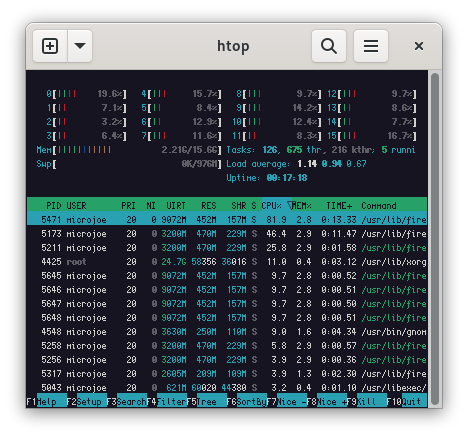 This means that I can
 Checks out.
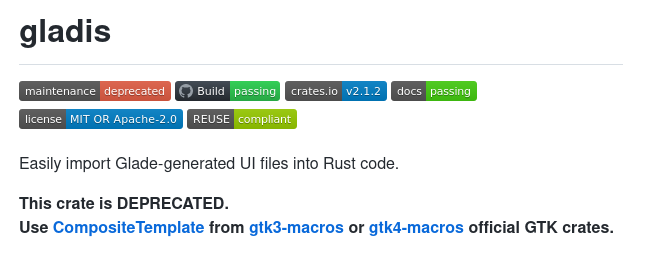 Indeed, the GTK folks have managed to develop a similar solution named
 This is the report for the

 Last month I wrote about how
 In April I was assigned 16 hours of work by Freexian's Debian LTS
initiative and carried over 8 hours from March. I worked 11 hours,
and will carry over the remaining time to May.
I spent most of my time triaging security issues for Linux, working
out which of them were fixed upstream and which actually applied to
the versions provided in Debian 9 "stretch". I also rebased the
Linux 4.9 (linux) package on the latest stable update, but did not
make an upload this month.


 As a board, we have been working on several initiatives to make the Foundation a better asset for the GNOME Project. We re working on a number of threads in parallel, so I wanted to explain the big picture a bit more to try and connect together things like the new ED search and the bylaw changes.
We re all here to see free and open source software succeed and thrive, so that people can be be truly empowered with agency over their technology, rather than being passive consumers. We want to bring GNOME to as many people as possible so that they have computing devices that they can inspect, trust, share and learn from.
In previous years we ve tried to boost the relevance of GNOME (or technologies such as GTK) or solicit donations from businesses and individuals with existing engagement in FOSS ideology and technology. The problem with this approach is that we re mostly addressing people and organisations who are already supporting or contributing FOSS in some way. To truly scale our impact, we need to look to the outside world, build better awareness of GNOME outside of our current user base, and find opportunities to secure funding to invest back into the GNOME project.
The Foundation supports the GNOME project with infrastructure, arranging conferences, sponsoring hackfests and travel, design work, legal support, managing sponsorships, advisory board, being the fiscal sponsor of GNOME, GTK, Flathub and we will keep doing all of these things. What we re talking about here are additional ways for the Foundation to support the GNOME project we want to go beyond these activities, and invest into GNOME to grow its adoption amongst people who need it. This has a cost, and that means in parallel with these initiatives, we need to find partners to fund this work.
Neil has previously talked about themes such as education, advocacy, privacy, but we ve not previously translated these into clear specific initiatives that we would establish in addition to the Foundation s existing work. This is all a work in progress and we welcome any feedback from the community about refining these ideas, but here are the current strategic initiatives the board is working on. We ve been thinking about growing our community by encouraging and retaining diverse contributors, and addressing evolving computing needs which aren t currently well served on the desktop.
Initiative 1. Welcoming newcomers. The community is already spending a lot of time welcoming newcomers and teaching them the best practices. Those activities are as time consuming as they are important, but currently a handful of individuals are running initiatives such as GSoC, Outreachy and outreach to Universities. These activities help bring diverse individuals and perspectives into the community, and helps them develop skills and experience of collaborating to create Open Source projects. We want to make those efforts more sustainable by finding sponsors for these activities. With funding, we can hire people to dedicate their time to operating these programs, including paid mentors and creating materials to support newcomers in future, such as developer documentation, examples and tutorials. This is the initiative that needs to be refined the most before we can turn it into something real.
Initiative 2: Diverse and sustainable Linux app ecosystem. I spoke at the Linux App Summit about the work that GNOME and Endless has been supporting in Flathub, but this is an example of something which has a great overlap between commercial, technical and mission-based advantages. The key goal here is to improve the financial sustainability of participating in our community, which in turn has an impact on the diversity of who we can expect to afford to enter and remain in our community. We believe the existence of this is critically important for individual developers and contributors to unlock earning potential from our ecosystem, through donations or app sales. In turn, a healthy app ecosystem also improves the usefulness of the Linux desktop as a whole for potential users. We believe that we can build a case for commercial vendors in the space to join an advisory board alongside with GNOME, KDE, etc to input into the governance and contribute to the costs of growing Flathub.
Initiative 3: Local-first applications for the GNOME desktop. This is what Thib has been starting to discuss on Discourse,