Another (minor) nanotime release, now at version 0.3.2. This release brings an endianness correction which was kindly contributed in a PR, switches to using the API header exported by RcppCCTZ, and tweaks test coverage a little with respect to r-devel.
nanotime relies on the RcppCCTZ package for (efficient) high(er) resolution time parsing and formatting up to nanosecond resolution, and the bit64 package for the actual integer64 arithmetic. Initially implemented using the S3 system, it has benefitted greatly from work by co-author Leonardo who not only rejigged nanotime internals in S4 but also added new S4 types for periods, intervals and durations.
The NEWS snippet adds full details.
Changes in version 0.3.2 (2020-09-03)
Correct for big endian (Elliott Sales de Andrade in #81).
Armadillo is a powerful and expressive C++ template library for linear algebra aiming towards a good balance between speed and ease of use with a syntax deliberately close to a Matlab. RcppArmadillo integrates this library with the R environment and language and is widely used by (currently) 769 other packages on CRAN.
A few days ago, Conrad released a new minor version 9.900.3 of Armadillo which we packaged and tested as usual. Given the incremental release character, we only tested the release and not candidate release. No regressions were found, and, as usual, logs from reverse-depends runs are in the rcpp-logs repo.
All changes in the new release are noted below.
Changes in RcppArmadillo version 0.9.900.3.0 (2020-09-02)
Upgraded to Armadillo release 9.900.3 (Nocturnal Misbehaviour)
More efficient code for initialising matrices with fill::zeros
I recently read Disability Visibility, which opens with a piece by Harriet McBryde Johnson about debating Peter Singer. When I got my first reading for my first class and saw it was Peter Singer, I was dismayed because of his (heinous) stances in disability. I assumed All Animals Are Equal was one of Singer s pieces about animal rights. While I agree with many of the principles Singer discusses around animal rights, I feel as though his work on this front is significantly diminished by his work around disability. To put it simply, I can t take Peter Singer seriously.
Because of this I had a lot of trouble reading All Animals Are Equal and taking it in good faith. I judged everything from his arguments to his writing harshly. While I don t disagree with his basic point (all animals have rights) I disagree with how he made the point and the argument supporting it.
One of the things I was told to ask when reading any philosophy paper is What is the argument? or What are they trying to convince you of? In this case, you could frame the answer as: Animals have some of) the same rights people do. I think it would be more accurate though to frame it as All animals (including humans) have (some of) the same rights or even Humans are as equally worthy of consideration as animals are.
I think when we usually talk about animal rights, we do it from a perspective of wanting to elevate animals to human status. From one perspective, I don t like this approach because I feel as though it turns the framing of rights as something you deserve or earn, privileges you get for being good enough. The point about rights is that they are inherent you get them because they are.
The valuable thing I got out of All Animals Are Equal is that rights are not universal. When we talk about things like abortion, for example, we talk about the right to have an abortion. Singer asks whether people who cannot get pregnant have the right to an abortion? What he doesn t dig into is that the right to an abortion is really just an extension of bodily autonomy turning one facet of bodily autonomy into the legal right to have a medical procedure. I think this is worth thinking about more turning high level human rights into the mundane rights, and acknowledging that not everyone can or needs them.
Previously: v5.5.
Linux v5.6 was released back in March. Here s my quick summary of various features that caught my attention:
WireGuard
The widely used WireGuard VPN has been out-of-tree for a very long time. After 3 1/2 years since its initial upstream RFC, Ard Biesheuvel and Jason Donenfeld finished the work getting all the crypto prerequisites sorted out for the v5.5 kernel. For this release, Jason has gotten WireGuard itself landed. It was a twisty road, and I m grateful to everyone involved for sticking it out and navigating the compromises and alternative solutions.
openat2() syscall and RESOLVE_* flags
Aleksa Sarai has added a number of important path resolution scoping options to the kernel s open() handling, covering things like not walking above a specific point in a path hierarchy (RESOLVE_BENEATH), disabling the resolution of various magic links (RESOLVE_NO_MAGICLINKS) in procfs (e.g. /proc/$pid/exe) and other pseudo-filesystems, and treating a given lookup as happening relative to a different root directory (as if it were in a chroot, RESOLVE_IN_ROOT). As part of this, it became clear that there wasn t a way to correctly extend the existing openat() syscall, so he added openat2() (which is a good example of the efforts being made to codify Extensible Syscall arguments). The RESOLVE_* set of flags also cover prior behaviors like RESOLVE_NO_XDEV and RESOLVE_NO_SYMLINKS.
pidfd_getfd() syscall
In the continuing growth of the much-needed pidfd APIs, Sargun Dhillon has added the pidfd_getfd() syscall which is a way to gain access to file descriptors of a process in a race-less way (or when /proc is not mounted). Before, it wasn t always possible make sure that opening file descriptors via /proc/$pid/fd/$N was actually going to be associated with the correct PID. Much more detail about this has been written up at LWN.
openat() via io_uring
With my attack surface reduction hat on, I remain personally suspicious of the io_uring() family of APIs, but I can t deny their utility for certain kinds of workloads. Being able to pipeline reads and writes without the overhead of actually making syscalls is pretty great for performance. Jens Axboe has added the IORING_OP_OPENAT command so that existing io_urings can open files to be added on the fly to the mapping of available read/write targets of a given io_uring. While LSMs are still happily able to intercept these actions, I remain wary of the growing syscall multiplexer that io_uring is becoming. I am, of course, glad to see that it has a comprehensive (if out of tree ) test suite as part of liburing.
removal of blocking random pool
After making algorithmic changes to obviate separate entropy pools for random numbers, Andy Lutomirski removed the blocking random pool. This simplifies the kernel pRNG code significantly without compromising the userspace interfaces designed to fetch cryptographically secure random numbers. To quote Andy, This series should not break any existing programs. /dev/urandom is unchanged. /dev/random will still block just after booting, but it will block less than it used to. See LWN for more details on the history and discussion of the series.
arm64 support for on-chip RNG
Mark Brown added support for the future ARMv8.5 s RNG (SYS_RNDR_EL0), which is, from the kernel s perspective, similar to x86 s RDRAND instruction. This will provide a bootloader-independent way to add entropy to the kernel s pRNG for early boot randomness (e.g. stack canary values, memory ASLR offsets, etc). Until folks are running on ARMv8.5 systems, they can continue to depend on the bootloader for randomness (via the UEFI RNG interface) on arm64.
arm64 E0PD
Mark Brown added support for the future ARMv8.5 s E0PD feature (TCR_E0PD1), which causes all memory accesses from userspace into kernel space to fault in constant time. This is an attempt to remove any possible timing side-channel signals when probing kernel memory layout from userspace, as an alternative way to protect against Meltdown-style attacks. The expectation is that E0PD would be used instead of the more expensive Kernel Page Table Isolation (KPTI) features on arm64.
powerpc32 VMAP_STACK
Christophe Leroy added VMAP_STACK support to powerpc32, joining x86, arm64, and s390. This helps protect against the various classes of attacks that depend on exhausting the kernel stack in order to collide with neighboring kernel stacks. (Another common target, the sensitive thread_info, had already been moved away from the bottom of the stack by Christophe Leroy in Linux v5.1.)
generic Page Table dumping
Related to RISCV s work to add page table dumping (via /sys/fs/debug/kernel_page_tables), Steven Price extracted the existing implementations from multiple architectures and created a common page table dumping framework (and then refactored all the other architectures to use it). I m delighted to have this because I still remember when not having a working page table dumper for ARM delayed me for a while when trying to implement upstream kernel memory protections there. Anything that makes it easier for architectures to get their kernel memory protection working correctly makes me happy.
That s in for now; let me know if there s anything you think I missed. Next up: Linux v5.7.
Ansible ships a lot of modules you can combine for your configuration
management needs. However, the quality of these modules may vary
widely. Sometimes, it may be quicker and more robust to write your own
module instead of shopping and assembling existing
ones.1
In my opinion, a robust module exhibits the following characteristics:
idempotency,
diff support,
check mode compatibility,
correct change signaling, and
lifecycle management.
In a nutshell, it means the module can run with --diff --check and
shows the changes it would apply. When run twice in a row, the second
run won t apply or signal changes. The last bullet point suggests the
module should be able to delete outdated objects configured during
previous runs.2
The module code should be minimal and tailored to your needs. Making
the module generic for use by other users is a non-goal. Less code
usually means less bugs and easier to understand.
I do not cover testing here. It is undeniably a good practice, but it
requires a significant effort. In my opinion, it is preferable to have
a well written module matching the above characteristics rather than a
module that is well tested but without them or a module requiring
further (untested) assembly to meet your needs.
Module skeleton
Ansible documentation contains instructions to build a module,
along with some best practices. As one of our non-goal is to
distribute it, we choose to take some shortcuts and skip some of the
boilerplate. Let s assume we build a module with the following
signature:
There are various locations you can put a module in Ansible. A common
possibility is to include it into a role. In a library/
subdirectory, create an empty __init__.py file and a
custom_module.py file with the following code:3
#!/usr/bin/pythonimportyamlfromansible.module_utils.basicimportAnsibleModuledefmain():# Define options accepted by the module. module_args=dict(user=dict(type='str',required=True),password=dict(type='str',required=True,no_log=True),data=dict(type='str',required=True),)module=AnsibleModule(argument_spec=module_args,supports_check_mode=True)result=dict(changed=False)got=wanted=# Populate both got and wanted . # [...]ifgot!=wanted:result['changed']=Trueresult['diff']=dict(before=yaml.safe_dump(got),after=yaml.safe_dump(wanted))ifmodule.check_modeornotresult['changed']:module.exit_json(**result)# Apply changes. # [...]module.exit_json(**result)if__name__=='__main__':main()
The first part, in , defines the module, with the accepted
options. Refer to the documentation on
argument_spec for more details.
The second part, in , builds the got and wanted variables. got
is the current state while wanted is the target state. For
example, if you need to modify records in a database server, got
would be the current rows while wanted would be the modified rows.
Then, we compare got and wanted. If there is a difference,
changed is switched to True and we prepare the diff object.
Ansible uses it to display the differences between the states. If we
are running in check mode or if no change is detected, we stop here.
The last part, in , applies the changes. Usually, it means
iterating over the two structures to detect the differences and create
the missing items, delete the unwanted ones and update the existing
ones.
Documentation
Ansible provides a fairly complete page on how to document a
module. I advise you to take a more minimal approach by only
documenting each option sparingly,4 skipping the examples
and only documenting return values if it needs to. I usually limit
myself to something like this:
DOCUMENTATION="""---module: custom_module.pyshort_description: Pass provided data to remote servicedescription: - Mention anything useful for your workmate. - Also mention anything you want to remember in 6 months.options: user: description: - user to identify to remote service password: description: - password for authentication to remote service data: description: - data to send to remote service"""
Error handling
If you run into an error, you can stop the execution with
module.fail_json():
module.fail_json(msg=f"remote service answered with code: message",**result)
There is no requirement to intercept all errors. Sometimes, not
swallowing an exception provides better information than replacing it
with a generic message.
Returning additional values
A module may return additional information that can be captured to be
used in another task through the register directive.
For this purpose, you can add arbitrary fields to the result
dictionary. Have a look at the documentation for common return
values. You should try to add these fields before exiting the
module when in check mode. The returned values can be documented.
Examples
Here are several examples of custom modules following the previous
skeleton. Each example highlight why a custom module was written
instead of assembling existing modules.
Syncing RIPE, ARIN and APNIC objects (not released yet)
Syncing GCP IPsec VPNs (not done yet)
Also, when using modules from Ansible Galaxy, you
introduce a dependency to a third-party. This is not something
that should be decided lightly: it may break later, it may only
meet 80% of the needs, it may add bugs.
Some declarative systems, like Terraform, exhibits
all these behaviors.
Do not worry about the shebang. It is hardcoded to
/usr/bin/python. Ansible will modify it to match the chosen
interpreter on the remote host. You can write Python 3 code if
ansible_python_interpreter evaluates to a Python 3 interpreter.
The main issue I have with this non-programmatic
approach to documentation is that it partly repeats the
information contained in argument_spec. I think an
auto-documenting structure would avoid this.
Here s my (eleventh) monthly update about the activities I ve done in the F/L/OSS world.
Debian
This was my 20th month of contributing to Debian.
I became a DM in late March last year and a DD last Christmas! \o/
Well, this month we had DebConf! \o/
(more about this later this week!)
Anyway, here are the following things I did in Debian this month:
Uploads and bug fixes:
rubocop (0.89.1+dfsg-1) - New upstream version for RuboCop::Packaging.
ruby-rubocop-ast (0.3.0+dfsg-1) - New upstream version for RuboCop's latest version.
Also, I log daily updates at gsocwithutkarsh2102.tk.
Since this is a wrap and whilst the daily updates are already available at the above site^, I ll quickly mention the important points and links here.
Continuation of GSoC for other Ruby related stuff!
Whilst working on Rubocop::Packaging, I contributed to more Ruby projects, refactoring their library a little bit and mostly fixing RuboCop issues and fixing issues that the Packaging extension reports as offensive .
Following are the PRs that I raised:
Debian (E)LTS
Debian Long Term Support (LTS) is a project to extend the lifetime of all Debian stable releases to (at least) 5 years. Debian LTS is not handled by the Debian security team, but by a separate group of volunteers and companies interested in making it a success.
And Debian Extended LTS (ELTS) is its sister project, extending support to the Jessie release (+2 years after LTS support).
This was my eleventh month as a Debian LTS and my second as a Debian ELTS paid contributor.
I was assigned 21.75 hours for LTS and 14.25 hours for ELTS and worked on
the following things:
Started working on uwsgi update for CVE-2020-11984. It seems that src:apache2 wasn t affected by that, but src:uwsgi was.
ELTS CVE Fixes and Announcements:
Issued ELA 255-1, fixing CVE-2020-14344, for libx11.
For Debian 8 Jessie, these problems have been fixed in version 2:1.6.2-3+deb8u3.
Issued ELA 259-1, fixing CVE-2020-10177, for pillow.
For Debian 8 Jessie, these problems have been fixed in version 2.6.1-2+deb8u5.
Issued ELA 269-1, fixing CVE-2020-11985, for apache2.
For Debian 8 Jessie, these problems have been fixed in version 2.4.10-10+deb8u17.
Started working on clamAV update, it s a major bump from v0.101.5 to v0.102.4. There were lots of movings parts. Contacted upstream maintainers to help reduce the risk of regression. Came up with a patch to loosen the libcurl version requirement. Hopefully, the update could be rolled out soon!
Other (E)LTS Work:
I spent an additional 11.15 hours working on compiling the responses of the LTS survey and preparing a gist of it for its presentation during the Debian LTS BoF at DebConf20.
Here is my transparent report for my work on the Debian Long Term Support (LTS) and Debian Extended Long Term Support (ELTS), which extend the security support for past Debian releases, as a paid contributor.
In August, the monthly sponsored hours were split evenly among contributors depending on their max availability - I was assigned 21.75h for LTS (out of my 30 max; all done) and 14.25h for ELTS (out of my 20 max; all done).
We had a Birds of a Feathervideoconfsession at DebConf20, sadly with varying quality for participants (from very good to unusable), where we shared the first results of the LTS survey.
There were also discussions about evaluating our security reactivity, which proved surprisingly hard to estimate (neither CVE release date and criticality metrics are accurate nor easily available), and about when it is appropriate to use public naming in procedures.
Interestingly ELTS gained new supported packages, thanks to a new sponsor -- so far I'd seen the opposite, because we were close to the EOL.
As always, there were opportunities to de-dup work through mutual cooperation with the Debian Security team, and LTS/ELTS similar updates.
ELTS - Jessie
Fresh build VMs
rails/redmine: investigate issue, initially no-action as it can't be reproduced on Stretch and isn't supported in Jessie; follow-up when it's supported again
ghostscript: global triage: identify upstream fixed version, distinguish CVEs fixed within a single patch, bisect non-reproducible CVEs, reference missing commit (including at MITRE)
Men at Arms is the fifteenth Discworld novel and a direct plot
sequel to Guards! Guards!. You could
start here without missing too much, but starting with Guards!
Guards! would make more sense. And of course there are cameos (and one
major appearance) by other characters who are established in previous
books.
Carrot, the adopted dwarf who joined the watch in Guards! Guards!,
has been promoted to corporal. He is now in charge of training new
recruits, a role that is more important because of the Night Watch's new
Patrician-ordered diversity initiative. The Watch must reflect the ethnic
makeup of the city. That means admitting a troll, a dwarf... and a woman?
Trolls and dwarfs hate each other because dwarfs mine precious things out
of rock and trolls are composed of precious things embedded in rocks, so
relations between the new recruits are tense. Captain Vimes is leaving
the Watch, and no one is sure who would or could replace him. (The reason
for this is a minor spoiler for Guards! Guards!) A magical weapon
is stolen from the Assassin's Guild. And a string of murders begins,
murders that Vimes is forbidden by Lord Vetinari from investigating and
therefore clearly is going to investigate.
This is an odd moment at which to read this book.
The Night Watch are not precisely a police force, although they are moving
in that direction. Their role in Ankh-Morpork is made much stranger by
the guild system, in which the Thieves' Guild is responsible for theft and
for dealing with people who steal outside of the quota of the guild. But
Men at Arms is in part a story about ethics, about what it means to
be a police officer, and about what it looks like when someone is very
good at that job.
Since I live in the United States, that makes it hard to avoid reading
Men at Arms in the context of the current upheavals about police
racism, use of force, and lack of accountability. Men at Arms can
indeed be read that way; community relations, diversity in the police
force, the merits of making two groups who hate each other work together,
and the allure of violence are all themes Pratchett is working with in
this novel. But they're from the perspective of a UK author writing in
1993 about a tiny city guard without any of the machinery of modern
police, so I kept seeing a point of clear similarity and then being
slightly wrong-footed by the details. It also felt odd to read a book
where the cops are the heroes, much in the style of a detective show.
This is in no way a problem with the book, and in a way it was helpful
perspective, but it was a strange reading experience.
Cuddy had only been a guard for a few days but already he had absorbed
one important and basic fact: it is almost impossible for anyone to be
in a street without breaking the law.
Vimes and Carrot are both excellent police officers, but in entirely
different ways. Vimes treats being a cop as a working-class job and is
inclined towards glumness and depression, but is doggedly persistent and
unable to leave a problem alone. His ethics are covered by a thick layer
of world-weary cynicism. Carrot is his polar opposite in personality:
bright, endlessly cheerful, effortlessly charismatic, and determined to
get along with everyone. On first appearance, this contrast makes Vimes
seem wise and Carrot seem a bit dim. That is exactly what Pratchett is
playing with and undermining in Men at Arms.
Beneath Vimes's cynicism, he's nearly as idealistic as Carrot, even though
he arrives at his ideals through grim contrariness. Carrot, meanwhile, is
nowhere near as dim as he appears to be. He's certain about how he wants
to interact with others and is willing to stick with that approach no
matter how bad of an idea it may appear to be, but he's more self-aware
than he appears. He and Vimes are identical in the strength of their
internal self-definition. Vimes shows it through the persistent, grumpy
stubbornness of a man devoted to doing an often-unpleasant job, whereas
Carrot verbally steamrolls people by refusing to believe they won't do the
right thing.
Colon thought Carrot was simple. Carrot often struck people as
simple. And he was. Where people went wrong was thinking that simple
meant the same thing as stupid.
There's a lot going on in this book apart from the profiles of two very
different models of cop. Alongside the mystery (which doubles as pointed
commentary on the corrupting influence of violence and personal weaponry),
there's a lot about dwarf/troll relations, a deeper look at the
Ankh-Morpork guilds (including a horribly creepy clown guild), another
look at how good Lord Vetinari is at running the city by anticipating how
other people will react, a sarcastic dog named Gaspode (originally seen in
Moving Pictures), and Pratchett's usual
collection of memorable lines. It is also the origin of the
now-rightfully-famous Vimes boots theory:
The reason that the rich were so rich, Vimes reasoned, was because
they managed to spend less money.
Take boots, for example. He earned thirty-eight dollars a month plus
allowances. A really good pair of leather boots cost fifty dollars.
But an affordable pair of boots, which were sort of OK for a season or
two and then leaked like hell when the cardboard gave out, cost about
ten dollars. Those were the kind of boots Vimes always bought, and
wore until the soles were so thin that he could tell where he was in
Ankh-Morpork on a foggy night by the feel of the cobbles.
But the thing was that good boots lasted for years and years. A man
who could afford fifty dollars had a pair of boots that'd still be
keeping his feet dry in ten years' time, while the poor man who could
only afford cheap boots would have spent a hundred dollars on boots in
the same time and would still have wet feet.
This was the Captain Samuel Vimes 'Boots' theory of socioeconomic
unfairness.
Men at Arms regularly makes lists of the best Discworld novels, and
I can see why. At this point in the series, Pratchett has hit his stride.
The plots have gotten deeper and more complex without losing the funny
moments, movie and book references, and glorious turns of phrase. There
is also a lot of life philosophy and deep characterization when one pays
close attention to the characters.
He was one of those people who would recoil from an assault on
strength, but attack weakness without mercy.
My one complaint is that I found it a bit overstuffed with both characters
and subplots, and as a result had a hard time following the details of the
plot. I found myself wanting a timeline of the murders or a better recap
from one of the characters. As always with Pratchett, the digressions are
wonderful, but they do occasionally come at the cost of plot clarity.
I'm not sure I recommend the present moment in the United States as the
best time to read this book, although perhaps there is no better time for
Carrot and Vimes to remind us what good cops look like. But regardless of
when one reads it, it's an excellent book, one of the best in the
Discworld series to this point.
Followed, in publication order, by Soul Music. The next Watch book
is Feet of Clay.
Rating: 8 out of 10
A new minor release 0.2.9 of RcppCCTZ is now on CRAN.
RcppCCTZ uses Rcpp to bring CCTZ to R. CCTZ is a C++ library for translating between absolute and civil times using the rules of a time zone. In fact, it is two libraries. One for dealing with civil time: human-readable dates and times, and one for converting between between absolute and civil times via time zones. And while CCTZ is made by Google(rs), it is not an official Google product. The RcppCCTZ page has a few usage examples and details. This package was the first CRAN package to use CCTZ; by now at least three others do using copies in their packages which remains less than ideal.
This version adds a header file for the recently-exported three functions.
Changes in version 0.2.9 (2020-08-30)
Provide a header RcppCCZT_API.h for client packages.
Show a simple example of parsing a YYYYMMDD HHMMSS.FFFFFF date.
What is this thing?
When you first open a command-line (note that I use the terms command-line
and shell interchangably here, they re basically the same, but command-line
is the more general term, and shell is the name for the program that executes
commands for you)
you ll see something like this:
This line is called a command prompt and it tells you four pieces of information:
jaadams: The username of the user that is currently running this shell.
bg7: The name of the computer that this shell is running on, important
for when you start accessing shells on remote machines.
/tmp/thisfolder: The folder or directory that your shell is currently
running in. Like a file explorer (like Window s Explorer or Mac s Finder) a
shell always has a working directory, from which all relative paths (see
sidenote below) are resolved.
When you first opened a shell, however, you might notice that is looks more
like this:
This is a shorthand notation that the shell uses to make this output shorter
when possible. ~ stands for your home directory, usually /home/<username>.
Like C:\Users\<username>\ on Windows or /Users/<username> on Mac,
this directory is where all your files should go by default.
Thus a command prompt like this:
actually tells you that you are currently in the /home/jaadams/Downloads
directory.
Sidenote: The Unix Filesystem and Relative Paths
folders on Linux and other Unix-derived systems like MacOS are usually
called directories.
These directories are represented by paths, strings that indicate where the
directory is on the filesystem.
The one unusual part is the so-called root directory .
All files are stored in this folder or directories under it.
Its path is just / and there are no directories above it.
For example, the directory called home typically contains all user directories.
This is stored in the root directory, and each users specific data
is stored in a directory named after that user under home.
Thus, the home directory of the user jacob is typically /home/jacob,
the directory jacob under the
home directory stored in the root directory /.
If you re interested in more details about what goes in what directory,
man hier has the basics and the
Filesystem Hierarchy Standard
governs the layout of the filesystem on most Linux distributions.
You don t always have to use the full path, however.
If the path does not begin with a /, it is assumed that the path actually
begins with the path of the current directory.
So if you use a path like my/folders/here, and you re in the /home/jacob
directory, the path will be treated like /home/jacob/my/folders/here.
Each folder also contains the symbolic links .. and ..
Symbolic links are a very powerful kind of
file that is actually a reference to another file.
.. always represents the parent directory
of the current directory, so /home/jacob/.. links to /home/.
. always links to the current directory, so /home/jacob/. links to
/home/jacob.
Running commands
To run a command from the command prompt, you type its name and then
usually some arguments to tell it what to do.
For example, the echo command displays the text passed as arguments.
jacob@lovelace/home/jacob$ echo hello world
hello world
Arguments to commands are space-separated, so in the previous example hello
is the first argument and world is the second. If you need an argument to
contain spaces, you ll want to put quotes around it, echo "like so".
Certain arguments are called flags , or options (options if they take another
argument, flags otherwise) usually prefixed with a hyphen,
and they change the way a program operates.
For example, the ls command outputs the contents of a directory passed as
an argument, but if you add -l before the directory, it will give you more
details on the files in that directory.
jacob@lovelace/tmp/test$ ls /tmp/test
1  2  3  4  5  6
jacob@lovelace/tmp/test$ ls -l /tmp/test
total 0
-rw-r--r-- 1 jacob jacob 0 Aug 26 22:06 1
-rw-r--r-- 1 jacob jacob 0 Aug 26 22:06 2
-rw-r--r-- 1 jacob jacob 0 Aug 26 22:06 3
-rw-r--r-- 1 jacob jacob 0 Aug 26 22:06 4
-rw-r--r-- 1 jacob jacob 0 Aug 26 22:06 5
-rw-r--r-- 1 jacob jacob 0 Aug 26 22:06 6
jacob@lovelace/tmp/test$
Most commands take different flags to change their behavior in various ways.
File Management
cd <path>: Change the current directory of the running shell to <path>.
ls <path>: Output the contents of <path>. If no path is passed, it prints
the contents of the current directory.
touch <filename>: create an new empty file called <filename>.
Used on an existing file, it updates the file s last accessed and modified times.
Most text editors can also create a new file for you, which is probably more useful.
mkdir <directory>: Create a new folder/directory at path <directory>.
mv <src> <dest>: Move a file or directory at path <src> to <dest>.
cp <src> <dest>: Copy a file or directory at path <src> to <dest>.
rm <file>: Remove a file at path <file>.
zip -r <zipfile> <contents...>: Create a zip file <zipfile> with contents
<contents>. <contents> can be multiple arguments, and you ll usually want
to use the -r argument when including directories in your zipfile, as otherwise
only the directory will be included and not the files and directories within it.
Searching
grep <thing> <file>: Look for the string <thing> in <file>.
If no <file> is passed it searches standard input.
find <path> -name <name>: Find a file or directory called <name> somwhere
under <path>. This command is actually very powerful, but also very complex.
For example you can delete all files in a directory older than 30 days with:
find -mtime +30 -exec rm \;
locate <name>: A much easier to use command to find a file with a given
name, but it is not usually installed by default.
Outputting Files
cat <files...>: Output (concatenate) all the files passed as arguments.
head <file>: Output the beginning of <file>
tail <file>: Output the end of <file>
How to Find the Right Command
All commands (at least on sane Linux distributions like Debian or Ubuntu)
are documented with a manual page, in man section 1 (for more information on
manual sections, run man intro).
This can be accessed using man <command>
You can search for the right command using the -k flag, as in man -k <search>.
You can also view manual pages in your browser, on sites like https://manpages.debian.org
or https://linux.die.net/man.
This is not always helpful, however, because some command s descriptions are
not particularly useful, and also there are a lot of manual pages, which can
make searching for a specific one difficult. For example, finding the right
command to search inside text files is quite difficult via man (it s grep).
When you can t find what you need with man I recommend falling back to
searching the Internet. There are lots of bad Linux tutorials out there, but
here are some reputable sources I recommend:
Hosting providers like Digital Ocean or Linode: Good intro documentation, but
can sometimes be outdated
https://tldp.org: The Linux Documentation project is great, but it can also be a little
outdated sometimes.
https://stackoverflow.com: Oftentimes has great answers, but quality varies wildly
since anyone can answer.
These are certainly not the only options but they re the sources I would
recommend when available.
How to Read a Manual Page
Manual pages consist of a series of sections, each with a specific purpose.
Instead of attempting to write my own description here, I m going to borrow
the excellent one from The Linux Documentation Project
The NAME section
is the only required section. Man pages without a name section are as useful as refrigerators at the north pole. This section also has a standardized format consisting of a comma-separated list of program or function names, followed by a dash, followed by a short (usually one line) description of the functionality the program (or function, or file) is supposed to provide. By means of makewhatis(8), the name sections make it into the whatis database files. Makewhatis is the reason the name section must exist, and why it must adhere to the format I described.
(Formatting explanation cut for brevity)
The SYNOPSIS section
is intended to give a short overview on available program options. For functions this sections lists corresponding include files and the prototype so the programmer knows the type and number of arguments as well as the return type.
The DESCRIPTION section
eloquently explains why your sequence of 0s and 1s is worth anything at all. Here s where you write down all your knowledge. This is the Hall Of Fame. Win other programmers and users admiration by making this section the source of reliable and detailed information. Explain what the arguments are for, the file format, what algorithms do the dirty jobs.
The OPTIONS section
gives a description of how each option affects program behaviour. You knew that, didn t you?
The FILES section
lists files the program or function uses. For example, it lists configuration files, startup files, and files the program directly operates on.
(Cut details about installing files)
The ENVIRONMENT section
lists all environment variables that affect your program or function and tells how, of course. Most commonly the variables will hold pathnames, filenames or default options.
The DIAGNOSTICS section
should give an overview of the most common error messages from your program and how to cope with them. There s no need to explain system error error messages (from perror(3)) or fatal signals (from psignal(3)) as they can appear during execution of any program.
The BUGS section
should ideally be non-existent. If you re brave, you can describe here the limitations, known inconveniences and features that others may regard as misfeatures. If you re not so brave, rename it the TO DO section ;-)
The AUTHOR section
is nice to have in case there are gross errors in the documentation or program behaviour (Bzzt!) and you want to mail a bug report.
The SEE ALSO section
is a list of related man pages in alphabetical order. Conventionally, it is the last section.
Remote Access
One of the more powerful uses of the shell is through ssh, the secure shell.
This allows you to remotely connect to another computer and run a shell on that
machine:
The prompt changes to reflect the change in user and host,
as you can see in the example above.
This allows you to work in a shell on that machine as if it was right in front
of you.
Moving Files Between Machines
There are several ways you can move files between machines over ssh.
The first and easiest is scp, which works much like the cp command
except that paths can also take a user@host argument to move files across
computers. For example, if you wanted to move a file test.txt to your
home directory on another machine, the command would look like:
scp test.txt other@example.com:
(The home directory is the default path)
Otherwise you can move files by reversing the order of the arguments
and put a path after the colon to move files from another directory on the
remote host. For example, if you wanted to fetch the file /etc/issue.net
from example.com:
scp other@example.com:/etc/issue.net .
Another option is the sftp command, which gives you a very simple shell-like
interface in which you can cd and ls, before either puting files onto
the local machine or geting files off of it.
The final and most powerful option is rsync which syncs the contents of one
directory to another, and doesn t copy files that haven t changed. It s powerful
and complex, however, so I recommend reading the USAGE section of its man page.
Long-Running Commands
The one problem with ssh is that it will stop any command running in your
shell when you disconnect. If you want to leave something on and come back
later then this can be a problem.
This is where terminal multiplexers come in. tmux and screen both allow
you to run a shell in a safe environment where it will continue even if you
disconnect from it. You do this by running the command without any arguments,
i.e. just tmux or just screen.
In tmux you can disconnect from the current session by
pressing Ctrl+b then d, and reattach with the tmux attach command.
screen works similarly, but with Ctrl+a instead of b and screen -r to
reattach.
Command Inputs and Outputs
Arguments are not the only way to pass input to a command. They can also take
input from what s called standard input , which the shell usually connects to
your keyboard.
Output can go to two places, standard output and standard error, both of which
are directed to the screen by default.
Redirecting I/O
Note that I said above that standard input/output/error are only usually
connected to the keyboard and the terminal? This is because you can redirect
them to other places with the shell operators <, > and the very powerful .
File redirects
The operators < and > redirect the input and output of a command to a file.
For example, if you wanted a file called list.txt that contained a list of
all the files in a directory /this/one/here you could use:
ls /this/one/here > list.txt
Pipelines
The pipe character, , allows you to direct the output of one command into
the input of another. This can be very powerful.
For example, the following pipeline lists the contents of the current directory
searches for the string test , then counts the number of results.
(wc -l counts the number of lines in its input)
ls grep test wc -l
For a better, but even more contrived example, say you have a file myfile,
with a bunch of lines of potentially duplicated and unsorted data
test
test
1234
4567
1234
You can sort it and output only the unique lines with sort and uniq:
$ uniq < myfile   sort
1234
1234
4567
test
Save Yourself Some Typing: Globs and Tab-Completion
Sometimes you don t want to type out the whole filename when writing out a
command. The shell can help you here by autocompleting when you press the tab
key.
If you have a whole bunch of files with the same suffix, you can refer to them
when writing arguments as *.suffix. This also works with prefixes, prefix*,
and in fact you can put a * anywhere, *middle*. The shell will expand that
* into all the files in that directory that match your criteria
(ending with a specific suffix, starting with a specific prefix, and so on)
and pass each file as a separate argument to the command.
For example, if I have a series of files called 1.txt, 2.txt, and so on
up to 9, each containing just the number for which it s named, I could use
cat to output all of them like so:
Also the ~ shorthand mentioned above that refers to your home directory
can be used when passing a path as an argument to a command.
Ifs and For loops
The files in the above example were generated with the following shell
commands:
for i in 1 2 3 4 5 6 7 8 9
do
echo $i > $i.txt
done
But I ll have to save variables, conditionals and loops for another day because
this is already too long. Needless to say the shell is a full programming
language, although a very ugly and dangerous one.
A new release 0.2.2 of the RcppSMC package arrived on CRAN earlier today (and once again as a very quick pretest-publish within minutes of submission).
RcppSMC provides Rcpp-based bindings to R for the Sequential Monte Carlo Template Classes (SMCTC) by Adam Johansen described in his JSS article. Sequential Monte Carlo is also referred to as Particle Filter in some contexts.
This releases contains two fixes from a while back that had not been released, a CRAN-requested update plus a few more minor polishes to make it pass R CMD check --as-cran as nicely as usual.
Changes in RcppSMC version 0.2.2 (2020-08-30)
Package helper files .editorconfig added (Adam in #43).
Change const correctness and add return (Leah in #44).
Updates to continuous integration and R versions used (Dirk)
Accomodate CRAN request, other updates to CRAN Policy (Dirk in #49 fixing #48).
Dealing with the void during MiniDebConf Online #1
Between 28 and 31 May this year, we set out to create our first ever online MiniDebConf for Debian. Many people have been meaning to do something similar for a long time, but it just didn t work out yet. With many of us being in lock down due to COVID-19, and with the strong possibility looming that DebConf20 might have had to become an online event, we rushed towards organising the first ever Online MiniDebConf and put together some form of usable video stack for it.
I could go into all kinds of details on the above, but this post is about a bug that lead to a pretty nifty feature for DebConf20. The tool that we use to capture Jitsi calls is called Jibri (Jitsi Broadcasting Infrustructure). It had a bug (well, bug for us, but it s an upstream feature) where Jibri would hang up after 30s of complete silence, because it would assume that the call has ended and that the worker can be freed up again. This would result in the stream being ended at the end of every talk, so before the next talk, someone would have to remember to press play again in their media player or on the video player on the stream page. Hrmph.
Easy solution on the morning that the conference starts? I was testing a Debian Live image the night before in a KVM and thought that I might as well just start a Jitsi call from there and keep a steady stream of silence so that Jibri doesn t hang up.
It worked! But the black screen and silence on stream was a bit eery. Because this event was so experimental in nature, and because we were on such an incredibly tight timeline, we opted not to seek sponsors for this event, so there was no sponsors loop that we d usually stream during a DebConf event. Then I thought Ah! I could just show the schedule! .
The stream looked bright and colourful (and was even useful!) and Jitsi/Jibri didn t die. I thought my work was done. As usual, little did I know how untrue that was.
The silence was slightly disturbing after the talks, and people asked for some music. Playing music on my VM and capturing the desktop audio in to Jitsi was just a few pulseaudio settings away, so I spent two minutes finding some freely licensed tracks that sounded ok enough to just start playing on the stream. I came across mini-albums by Captive Portal and Cinema Noir, During the course of the MiniDebConf Online I even started enjoying those. Someone also pointed out that it would be really nice to have a UTC clock on the stream. I couldn t find a nice clock in a hurry so I just added a tmux clock in the meantime while we deal with the real-time torrent of issues that usually happens when organising events like this.
Speaking of issues, during our very first talk of the last day, our speaker had a power cut during the talk and abruptly dropped off. Oops! So, since I had a screenshare open from the VM to the stream, I thought I d just pop in a quick message in a text editor to let people know that we re aware of it and trying to figure out what s going on.
In the end, MiniDebConf Online worked out all right. Besides the power cut for our one speaker, and another who had a laptop that was way too under-powered to deal with video, everything worked out very well. Even the issues we had weren t show-stoppers and we managed to work around them.
DebConf20 Moves Online
For DebConf, we usually show a sponsors loop in between sessions. It s great that we give our sponsors visibility here, but in reality people see the sponsors loop and think Talk over! and then they look away. It s also completely silent and doesn t provide any additional useful information. I was wondering how I could take our lessons from MDCO#1 and integrate our new tricks with the sponsors loop. That is, add the schedule, time, some space to type announcements on the screen and also add some loopable music to it.
I used OBS before in making my videos, and like the flexibility it provides when working with scenes and sources. A scene is what you would think of as a screen or a document with its own collection of sources or elements. For example, a scene might contain sources such as a logo, clock, video, image, etc. A scene can also contain another scene. This is useful if you want to contain a banner or play some background music that is shared between scenes.
The above screenshots illustrate some basics of scenes and sources. First with just the DC20 banner, and then that used embedded in another scene.
For MDCO#1, I copied and pasted the schedule into a LibreOffice Impress slide that was displayed on the stream. Having to do this for all 7 days of DebConf, plus dealing with scheduling changes would be daunting. So, I started to look in to generating some schedule slides programmatically. Stefano then pointed me to the Happening Now page on the DebConf website, where the current schedule block is displayed. So all I would need to do in OBS was to display a web page. Nice!
Unfortunately the OBS in Debian doesn t have the ability to display web pages out of the box (we need to figure out CEF in Debian), but fortunately someone provides a pre-compiled version of the plugin called Linux Browser that works just fine. This allowed me to easily add the schedule page in its own scene.
Being able to display a web page solved another problem. I wasn t fond of having to type / manage the announcements in OBS. It would either be a bit prone to user error, and if you want to edit the text while the loop is running, you d have to disrupt the loop, go to the foreground scene, and edit the text before resuming the loop. That s a bit icky. Then I thought that we could probably just get that from a web page instead. We could host some nice html snippet in a repository in salsa, and then anyone could easily commit an MR to update the announcement.
But then I went a step further, use an etherpad! Then anyone in the orga team can quickly update the announcement and it would be instantly changed on the stream. Nice! So that small section of announcement text on the screen is actually a whole web browser with an added OBS filter to crop away all the pieces we don t want. Overkill? Sure, but it gave us a decent enough solution that worked in time for the start of DebConf. Also, being able to type directly on to the loop screen works out great especially in an emergency. Oh, and uhm the clock is also a website rendered in its own web browser :-P
So, I had the ability to make scenes, add elements and add all the minimal elements I wanted in there. Great! But now I had to figure out how to switch scenes automatically. It s probably worth mentioning that I only found some time to really dig into this right before DebConf started, so with all of this I was scrambling to find things that would work without too many bugs while also still being practical.
Now I needed the ability to switch between the scenes automatically / programmatically. I had never done this in OBS before. I know it has some API because there are Android apps that you can use to control OBS with from your phone. I discovered that it had an automatic scene switcher, but it s very basic. It can only switch based on active window, which can be useful in some cases, but since we won t have any windows open other than OBS, this tool was basically pointless.
After some quick searches, I found a plugin called Advanced Scene Switcher. This plugin can do a lot more, but has some weird UI choices, and is really meant for gamers and other types of professional streamers to help them automate their work flow and doesn t seem at all meant to be used for a continuous loop, but, it worked, and I could make it do something that will work for us during the DebConf.
I had a chicken and egg problem because I had to figure out a programming flow, but didn t really have any content to work with, or an idea of all the content that we would eventually have. I ve been toying with the idea in my mind and had some idea that we could add fun facts, postcards (an image with some text), time now in different timezones, Debian news (maybe procured by the press team), cards that contain the longer announcements that was sent to debconf-announce, perhaps a shout out or two and some photos from previous DebConfs like the group photos. I knew that I wouldn t be able to build anything substantial by the time DebConf starts, but adding content to OBS in between talks is relatively easy, so we could keep on building on it during DebConf.
Nattie provided the first shout out, and I made 2 video loops with the DC18/19 pictures and also two Did you know cards. So the flow I ended up with was: Sponsors -> Happening Now -> Random video (which would be any of those clips) -> Back to sponsors. This ended up working pretty well for quite a while. With the first batch of videos the sponsor loop would come up on average about every 2 minutes, but as much shorter clips like shout outs started to come in faster and faster, it made sense to play a few 2-3 shout-outs before going back to sponsors.
So here is a very brief guide on how I set up the sequencing in Advanced Scene Switcher.
If no condition was met, a video would play from the Random tab.
Then in the Random tab, I added the scenes that were part of the random mix. Annoyingly, you have to specify how long it should play for. If you don t, the no condition thingy is triggered and another video is selected. The time is also the length of the video minus one second, because
You can t just say that a random video should return back to a certain scene, you have to specify that in the sequence tab for each video. Why after 1 second? Because, at least in my early tests, and I didn t circle back to this, it seems like 0s can randomly either mean instantly, or never. Yes, this ended up being a bit confusing and tedious, and considering the late hours I worked on this, I m surprised that I didn t manage to screw it up completely at any point.
I also suspected that threads would eventually happen. That is, when people create video replies to other videos. We had 3 threads in total. There was a backups thread, beverage thread and an impersonation thread. The arrow in the screenshot above points to the backups thread. I know it doesn t look that complicated, but it was initially somewhat confusing to set up and make sense out of it.
For the next event, the Advanced Scene Switcher might just get some more taming, or even be replaced entirely. There are ways to drive OBS by API, and even the Advanced Scene Switcher tool can be driven externally to some degree, but I think we definitely want to replace it by the next full DebConf. We had the problem that when a talk ended, we would return to the loop in the middle of a clip, which felt very unnatural and sometimes even confusing. So Stefano helped me with a helper script that could read the socket from Vocto, which I used to write either Loop or Standby to a file, and then the scene switcher would watch that file and keep the sponsors loop ready for start while the talks play. Why not just switch to sponsors when the talk ends? Well, the little bit of delay in switching would mean that you would see a tiny bit of loop every time before switching to sponsors. This is also why we didn t have any loop for the ad-hoc track (that would have probably needed another OBS instance, we ll look more into solutions for this for the future).
Then for all the clips. There were over 50 of them. All of them edited by hand in kdenlive. I removed any hard clicks, tried to improve audibility, remove some sections at the beginning and the end that seemed extra and added some music that would reduce in volume when someone speaks. In the beginning, I had lots of fun with choosing music for the clips. Towards the end, I had to rush them through and just chose the same tune whether it made sense or not. For comparison of what a difference the music can make, compare the original and adapted version for Valhalla s clip above, or this original and adapted video from urbec. This part was a lot more fun than dealing with the video sequencer, but I also want to automate it a bit. When I can fully drive OBS from Python I ll likely instead want to show those cards and control music volume from Python (what could possibly go wrong ).
The loopy name happened when I requested an @debconf.org alias for this. I was initially just thinking about loop@debconf.org but since I wanted to make it clear that the purpose of this loop is also to have some fun, I opted for loopy instead:
I was really surprised by how people took to loopy. I hoped it would be good and that it would have somewhat positive feedback, but the positive feedback was just immense. The idea was that people typically saw it in between talks. But a few people told me they kept it playing after the last talk of the day to watch it in the background. Some asked for the music because they want to keep listening to it while working (and even for jogging!?). Some people also asked for recordings of the loop because they want to keep it for after DebConf. The shoutouts idea proved to be very popular. Overall, I m very glad that people enjoyed it and I think it s safe to say that loopy will be back for the next event.
Also throughout this experiment Loopy Loop turned into yet another DebConf mascot. We gain one about every DebConf, some by accident and some on purpose. This one was not quite on purpose. I meant to make an image for it for salsa, and started with an infinite loop symbol. That s a loop, but by just adding two more solid circles to it, it looks like googly eyes, now it s a proper loopy loop!
I like the progress we ve made on this, but there s still a long way to go, and the ideas keep heaping up. The next event is quite soon (MDCO#2 at the end of November, and it seems that 3 other MiniDebConf events may also be planned), but over the next few events there will likely be significantly better graphics/artwork, better sequencing, better flow and more layout options. I hope to gain some additional members in the team to deal with incoming requests during DebConf. It was quite hectic this time! The new OBS also has a scripting host that supports Python, so I should be able to do some nice things even within OBS without having to drive it externally (like, display a clock without starting a web browser).
The Loopy Loop Music
The two mini albums that mostly played during the first few days were just a copy and paste from the MDCO#1 music, which was:
I have much more things to say about DebConf20, but I ll keep that for another post, and hopefully we can get all the other video stuff in a post from the video team, because I think there s been some real good work done for this DebConf. Also thanks to Infomaniak who was not only a platinum sponsor for this DebConf, but they also provided us with plenty of computing power to run all the video stuff on. Thanks again!
On Saturday 29 August 2020, the annual Debian Developers
and Contributors Conference came to a close.
DebConf20 has been held online for the first time, due to the coronavirus
(COVID-19) disease pandemic.
All of the sessions have been streamed, with a variety of ways of participating:
via IRC messaging, online collaborative text documents,
and video conferencing meeting rooms.
With more than 850 attendees from 80 different countries and a
total of over 100 event talks, discussion sessions,
Birds of a Feather (BoF) gatherings and other activities,
DebConf20 was a large success.
When it became clear that DebConf20 was going to be an online-only
event, the DebConf video team spent much time over the next months to
adapt, improve, and in some cases write from scratch, technology that
would be required to make an online DebConf possible. After lessons
learned from the MiniDebConfOnline in late May, some adjustments were
made, and then eventually we came up with a setup involving Jitsi, OBS,
Voctomix, SReview, nginx, Etherpad, and a newly written web-based
frontend for voctomix as the various elements of the stack.
All components of the video infrastructure are free software, and the
whole setup is configured through their public
ansible repository.
The DebConf20 schedule included
two tracks in other languages than English: the Spanish language MiniConf,
with eight talks in two days,
and the Malayalam language MiniConf, with nine talks in three days.
Ad-hoc activities, introduced by attendees over the course of the entire conference,
have been possible too, streamed and recorded. There have also been several
team gatherings to sprint on certain Debian development areas.
Between talks, the video stream has been showing the usual sponsors on the loop, but also
some additional clips including photos from previous DebConfs, fun facts about Debian
and short shout-out videos sent by attendees to communicate with their Debian friends.
For those who were not able to participate, most of the talks and sessions are already
available through the
Debian meetings archive website,
and the remaining ones will appear in the following days.
The DebConf20 website
will remain active for archival purposes and will continue to offer
links to the presentations and videos of talks and events.
Next year, DebConf21 is planned to be held
in Haifa, Israel, in August or September.
DebConf is committed to a safe and welcome environment for all participants.
During the conference, several teams (Front Desk, Welcome team and Community team)
have been available to help so participants get their best experience
in the conference, and find solutions to any issue that may arise.
See the web page about the Code of Conduct in DebConf20 website
for more details on this.
Debian thanks the commitment of numerous sponsors
to support DebConf20, particularly our Platinum Sponsors:
Lenovo,
Infomaniak,
Google
and
Amazon Web Services (AWS).
About Debian
The Debian Project was founded in 1993 by Ian Murdock to be a truly
free community project. Since then the project has grown to be one of
the largest and most influential open source projects. Thousands of
volunteers from all over the world work together to create and
maintain Debian software. Available in 70 languages, and
supporting a huge range of computer types, Debian calls itself the
universal operating system.
About DebConf
DebConf is the Debian Project's developer conference. In addition to a
full schedule of technical, social and policy talks, DebConf provides an
opportunity for developers, contributors and other interested people to
meet in person and work together more closely. It has taken place
annually since 2000 in locations as varied as Scotland, Argentina, and
Bosnia and Herzegovina. More information about DebConf is available from
https://debconf.org/.
About Lenovo
As a global technology leader manufacturing a wide portfolio of connected products,
including smartphones, tablets, PCs and workstations as well as AR/VR devices,
smart home/office and data center solutions, Lenovo
understands how critical open systems and platforms are to a connected world.
About Infomaniak
Infomaniak is Switzerland's largest web-hosting company,
also offering backup and storage services, solutions for event organizers,
live-streaming and video on demand services.
It wholly owns its datacenters and all elements critical
to the functioning of the services and products provided by the company
(both software and hardware).
About Google
Google is one of the largest technology companies in the
world, providing a wide range of Internet-related services and products such
as online advertising technologies, search, cloud computing, software, and hardware.
Google has been supporting Debian by sponsoring DebConf for more than
ten years, and is also a Debian partner sponsoring parts
of Salsa's continuous integration infrastructure
within Google Cloud Platform.
About Amazon Web Services (AWS)
Amazon Web Services (AWS) is one of the world's
most comprehensive and broadly adopted cloud platforms,
offering over 175 fully featured services from data centers globally
(in 77 Availability Zones within 24 geographic regions).
AWS customers include the fastest-growing startups, largest enterprises
and leading government agencies.
Contact Information
For further information, please visit the DebConf20 web page at
https://debconf20.debconf.org/
or send mail to press@debian.org.
This is another test-only release of my module for manipulating PGP
signatures in Perl. I'm trying to get the CPAN testing failures down to a
dull roar. This iteration fixes some testing issues with systems that
have only GnuPG v1 and tries to handle systems whose gpg is GnuPG v2 but
is older than 2.1.12 and therefore doesn't have the --pinentry-mode
flag that GnuPG uses to suppress password prompting.
I handled the latter by skipping the tests if the gpg on the user's PATH
was too old. I'm not certain this is the best approach, although it makes
the CPAN automated testing more useful for me, since the module will not
work without special configuration on those systems. On the other hand,
if someone is installing it to point to some other GnuPG binary on the
system at runtime, failing the installation because their system gpg is
too old seems wrong, and the test failure doesn't indicate a bug in the
module.
Essentially, I'm missing richer test metadata in the Perl ecosystem. I
want to be able to declare a dependency on a non-Perl system binary, but
of course Perl has no mechanism to do that.
I thought about trying to deal with the Windows failures due to missing
IPC::Run features (redirecting high-numbered file descriptors) on the
Windows platform in a similar way, but decided in that case I do want the
tests to fail because PGP::Sign will never work on that platform
regardless of the runtime configuration. Here too I spent some time
searching for some way to indicate with Module::Build that the module
doesn't work on Windows, and came up empty. This seems to be a gap in
Perl's module distribution ecosystem.
In any case, hopefully this release will clean up the remaining test
failures on Linux and BSD systems, and I can move on to work on the Big
Eight signing key, which was the motivating application for these
releases.
You can get the latest release from CPAN or from the
PGP::Sign distribution page.
A new minor release of the anytime package arrived on CRAN yesterday. This is the twentieth release, but sadly we seem to be spinning our wheels just accomodating CRAN (which the two or three last releases focused on). Code and functionality remain mature and stable, of course.
anytime is a very focused package aiming to do just one thing really well: to convert anything in integer, numeric, character, factor, ordered, format to either POSIXct or Date objects and to do so without requiring a format string as well as accomodating different formats in one input vector. See the anytime page, or the GitHub README.md for a few examples.
This release once again has to play catchup with CRAN as r-devel now changes how tzone propagates when we do as.POSIXct(as.POSIXlt(Sys.time()) which is now no longer equal to as.POSIXct(Sys.time()) even for a fixed, stored Sys.time() call result. Probably for the better, but an issue for now so we effectively just reduced test coverage. Call it progress .
The full list of changes follows.
Changes in anytime version 0.3.9 (2020-08-26)
Skip one test file that is impossible to run across different CRAN setups, and life is definitely too short for these games.
Change remaining http:// to https:// because, well, you know.
DebConf20 is taking place online, from 23 August to 29 August 2020.
It is the 21st Debian conference, and organizers and participants are working hard
together at creating interesting and fruitful events.
We would like to warmly welcome the 17 sponsors of DebConf20, and introduce them to you.
We have four Platinum sponsors.
Our first Platinum sponsor is Lenovo.
As a global technology leader manufacturing a wide portfolio of connected products,
including smartphones, tablets, PCs and workstations as well as AR/VR devices,
smart home/office and data center solutions, Lenovo
understands how critical open systems and platforms are to a connected world.
Our next Platinum sponsor is Infomaniak.
Infomaniak is Switzerland's largest web-hosting company,
also offering backup and storage services, solutions for event organizers,
live-streaming and video on demand services.
It wholly owns its datacenters and all elements critical
to the functioning of the services and products provided by the company
(both software and hardware).
Google is our third Platinum sponsor.
Google is one of the largest technology companies in the
world, providing a wide range of Internet-related services and products such
as online advertising technologies, search, cloud computing, software, and hardware.
Google has been supporting Debian by sponsoring DebConf for more than
ten years, and is also a Debian partner.
Amazon Web Services (AWS) is our fourth Platinum
sponsor.
Amazon Web Services is one of the world's
most comprehensive and broadly adopted cloud platforms,
offering over 175 fully featured services from data centers globally
(in 77 Availability Zones within 24 geographic regions).
AWS customers include the fastest-growing startups, largest enterprises
and leading government agencies.
Our Gold sponsors are Deepin, the Matanel Foundation, Collabora, and HRT.
Deepin is a Chinese commercial company focusing on
the development and service of Linux-based operating systems. They also lead
research and development of the Deepin Debian derivative.
The Matanel Foundation operates in Israel,
as its first concern is to preserve the cohesion of a society and a nation
plagued by divisions. The Matanel Foundation also works in Europe, in Africa
and in South America.
Collabora is a global consultancy delivering
Open Source software solutions to the commercial world.
In addition to offering solutions to clients, Collabora's engineers and developers
actively contribute to many Open Source projects.
Hudson-Trading
is a company led by mathematicians, computer scientists, statisticians,
physicists and engineers. They research and develop automated trading algorithms
using advanced mathematical techniques.
Our Silver sponsors are:
Linux Professional Institute, the global
certification standard and career support organization for open source professionals,
Civil Infrastructure Platform,
a collaborative project hosted by the Linux Foundation,
establishing an open source base layer of industrial grade software,
Ubuntu,
the Operating System delivered by Canonical,
and Roche,
a major international pharmaceutical provider and research company
dedicated to personalized healthcare.
Bronze sponsors:
IBM,
MySQL,
Univention.
And finally, our Supporter level sponsors, ISG.EE
and Pengwin.
Thanks to all our sponsors for their support!
Their contributions make it possible for a large number
of Debian contributors from all over the globe to work together,
help and learn from each other in DebConf20.
Participating in DebConf20 online
The 21st Debian Conference is being held online, due to COVID-19,
from August 23 to 29, 2020. Talks, discussions, panels and other activities run from 10:00 to 01:00 UTC.
Visit the DebConf20 website at https://debconf20.debconf.org
to learn about the complete schedule, watch the live streaming and join the different
communication channels for participating in the conference.
Welcome to the 29th post in the randomly repeating R recommendations series or R4 for short. Our last post #28 introduced RSPM, and just before that we also talked in #27 about binary installations on Ubuntu (which was also a T4 video). This post is joined with I aki Ucar and mainly about work we have done with his bspm package.
Background
CRAN has been a cornerstone of the success of R in recent years. As a well-maintained repository with stringent quality control, it ensures users have access to highest-quality statistical / analytical software that just works . Users on Windows and macOS also benefit from faster installation via pre-compiled binary packages.
Linux users generally install from source, which can be more tedious and, often, much slower. Those who know where to look have had access to (at least some) binaries for years as well (and one of us blogged and vlogged about this at length). Debian users get close to 1000 CRAN and BioConductor packages (and, true to Debian form, for well over a dozen hardware platforms). Michael Rutter maintains a PPA with 4600 binaries for three different Ubuntu flavors (see c2d4u4.0+). More recently, Fedora joined the party with 16000 (!!) binaries, essentially all of CRAN, via a Copr repository (see iucar/cran).
The buzz currently is however with RSPM, a new package manager by RStudio. An audacious project, it provides binaries for several Linux distributions and releases. It has already been tested in many RStudio Cloud sessions (including with some of our students) as well as some CI integrations.
RSPM cuts across and takes the breadth of CRAN across several Linux distributions, bringing installation of pre-built CRAN packages a binaries under their normal CRAN package names. Another nice touch is the integration with install.packages(): these binaries are installed in a way that is natural for R users but as binaries. It is however entirely disconnected from the system package management. This means that the installation of a package requiring an external library may succeed and still fail, as a required library simply cannot be pulled in directly by RSPM.
So what is needed is a combination. We want binaries that are aware of their system dependencies but accessible directly from R just like RSPM offers it. Enter BSPM the Bridge to System Package Manager package (also on CRAN).
The first illustration (using Ubuntu 18.04) shows RSPM on the left, and BSPM on the right, both installing the graphics package Cairo (and both using custom Rocker containers).
This fails for RSPM as no binary is present and a source build fails for the familiar lack of a -dev package. It proceeds just fine on the right under BSPM.
A second illustration shows once again RSPM on the left, and BSPM on the right (this time on Fedora), both installing the units package without a required system dependency.
The installation of units works for BSPM as the dependency libudunits is brought in, but fails under RSPM. The binary installation succeeds in both cases, but the missing dependency (the UDUNITS2 library) is brought in only by BSPM. Consequently, the package fails to load under RSPM.
Summary
To conclude, highlights of BSPM are:
direct installation of binary packages from R via R commands under their normal CRAN names (just like RSPM);
full integration with the system package manager, delivering system installations (improving upon RSPM);
full dependency resolution for R packages, including system requirements (improving upon RSPM).
This offers easy, reliable, fast installation of R packages, and we invite you to pick all three. We recommend usage with either Ubuntu with the 4.6k packages via the Rutter PPA, or Fedora via the even more complete Copr repository (which already includes a specially-tailored version of BSPM called CoprManager).
We hope this short note wets your appetite to learn more about bspm (which is itself on CRAN) and the two sets of Rocker containers shown. The rocker/r-rspm container comes in two two flavours for Ubuntu 18.04 and 20.04. Similarly, the rocker/r-bspm container comes in the same two two flavours for Ubuntu 18.04 and 20.04, as well as in a Debian testing variant.
Feedback is appreciated at the bspm or rocker issue trackers.
If you like this or other open-source work I do, you can now sponsor me at GitHub. For the first year, GitHub will match your contributions.
Nightscout is an Open Source web-based CGM (Continuous Glucose Monitor) that allows multiple caregivers to remotely view a patient s glucose data in real time.
It is often deployed by non-technical people for their own use. The traditional method used a MongoDB Addon on Heroku that is now deprecated. I have sent patches to adapt the documentation on the relevant projects:
This app is life-changing. Some Nigthscout users may be impatient, so I am writing this blog post to guide them in the meantime.
Setting up Nightscout
If you want to setup Nightscout from scratch using MongoDB Atlas, please follow this modified guide.
However, note that you will have to make one modification to the steps in the guide. At the start of Step 4, you will need to go to this repository instead: https://github.com/aviau/cgm-remote-monitor. This is my own version of Nightscout and it contains small modifications that will allow you to set it up with MongoDB Atlas easily.
I will keep this blog post updated as I receive feedback. Come back here for more instructions.
After we gave our talk at DebConf 20, Doing things together,
there were 5 minutes left for the live Q&A. Pollo asked a question that I
think is interesting and deserves a longer answer: How can we still have a
good code review process without making it a "you need to be perfect"
scenario? I often find picky code reviews help me write better code.
I find it useful to first disentangle
what code reviews are good for, how we do them, why we do them that way, and
how we can potentially improve processes.
What are code reviews good for?
Code review and peer review are great methods for cooperation aiming at:
Ensuring that the code works as intended
Ensuring that the task was fully accomplished and no detail left out
Ensuring that no security issues have been introduced
Making sure the code fits the practices of the team and is understandable and maintainable by others
Sharing insights, transferring knowledge between code author and code reviewer
Helping the code author to learn to write better code
Looking at this list, the last point seems to be more like a nice side
effect of all the other points. :)
How do code reviews happen in our communities?
It seems to be a common assumption that code reviews are and have to
be picky and perfectionist. To me, this does not actually seem to be a
necessity to accomplish the above mentioned goals. We might want to work with
precision a quality which is different from perfection. Perfection
can hardly be a goal: perfection does not exist.
Perfectionist dynamics can lead to failing to call something "good enough"
or "done". Sometimes, a disproportionate amount of time is invested in writing
(several) code reviews for minor issues. In some cases, strong perfectionist
dynamics of a reviewer can create a feeling of never being good enough along
with a loss of self esteem for otherwise skilled code authors.
When do we cross the line?
When going from cooperation, precision, and learning to write better code,
to nitpicking, we are crossing a line: nitpicking means to pedantically search
for others' faults. For example, I once got one of my Git commits at work
criticized merely for its commit message that was said to be "ugly"
because I "use[d] the same word twice" in it.
When we are nitpicking, we might not give feedback in an appreciative,
cooperative way, we become fault finders instead. From there it's a short way
to operating on the level of blame.
Are you nitpicking to help or are you nitpicking to prove something?
Motivations matter.
How can we improve code reviewing?
When we did something wrong, we can do better next time. When we are told that we are wrong, the underlying assumption is that we cannot change (See Bren Brown, The difference between blame and shame). We can learn to go beyond blame.
Negative feedback rarely leads to improvement if the
environment in which it happens lacks general appreciation and confirmation.
We can learn to give helpful feedback. It might be harder to create an
appreciative environment in which negative feedback is a possibility for
growth. One can think of it like of a relationship: in a healthy relationship
we can tell each other when something does not work and work it out because
we regularly experience that we respect, value, and support each
other.
To be able to work precisely, we need guidelines, tools, and time. It's not
possible to work with precision if we are in a hurry, burnt out, or working
under a permanent state of exception. The same is true for receiving picky
feedback.
On DebConf's IRC channel, after our talk, marvil07 said: On picky code
reviews, something that I find useful is automation on code reviews; i.e. when
a bot is stating a list of indentation/style errors it feels less personal, and
also saves time to humans to provide more insightful changes. Indeed, we can
set up routines that do automatic fault checking (linting). We can set up coding
guidelines. We can define what we call "done" or "good enough".
We can negotiate with each other how we would like code to be reviewed. For
example, one could agree that a particularly perfectionist reviewer should
point out only functional faults. They can spare their time and refrain from
writing lengthy reviews about minor esthetic issues that have never made it
into a guideline. If necessary, author and reviewer can talk about what can be
improved on the long term during a retrospective. Or, on the contrary, one could explicitly
ask for a particularly detailed review including all sorts of esthetic
issues to learn the best practices of a team applied to one's own code.
In summary: let's not lose sight of what code reviews are good for, let's
have a clear definition of "done", let's not confuse precision with perfection,
let's create appreciative work environments, and negotiate with each
other how reviews are made.
I'm sure you will come up with more ideas. Please do not hesitate to share them!
As client certificates are on the way out and Debian's SSO solution is effectively not maintained any longer, I switched self-service buildd givebacks over to Salsa authentication. It lives again at https://buildd.debian.org/auth/giveback.cgi. For authorization you still need to be in the "debian" group for now, i.e. be a regular Debian member.For convenience the package status web interface now features an additional column "Actions" with generated "giveback" links.Please remember to file bugs if you give builds back because of flakiness of the package rather than the infrastructure and resist the temptation to use this excessively to let your package migrate. We do not want to end up with packages that require multiple givebacks to actually build in stable, as that would hold up both security and stable updates needlessly and complicate development.
 Another (minor) nanotime release, now at version 0.3.2. This release brings an endianness correction which was kindly contributed in a PR, switches to using the API header exported by RcppCCTZ, and tweaks test coverage a little with respect to r-devel.
nanotime relies on the RcppCCTZ package for (efficient) high(er) resolution time parsing and formatting up to nanosecond resolution, and the bit64 package for the actual
Another (minor) nanotime release, now at version 0.3.2. This release brings an endianness correction which was kindly contributed in a PR, switches to using the API header exported by RcppCCTZ, and tweaks test coverage a little with respect to r-devel.
nanotime relies on the RcppCCTZ package for (efficient) high(er) resolution time parsing and formatting up to nanosecond resolution, and the bit64 package for the actual 
 Previously:

 In May, I got selected as a



 This line is called a command prompt and it tells you four pieces of information:
 This is a shorthand notation that the shell uses to make this output shorter
when possible.
This is a shorthand notation that the shell uses to make this output shorter
when possible.  actually tells you that you are currently in the
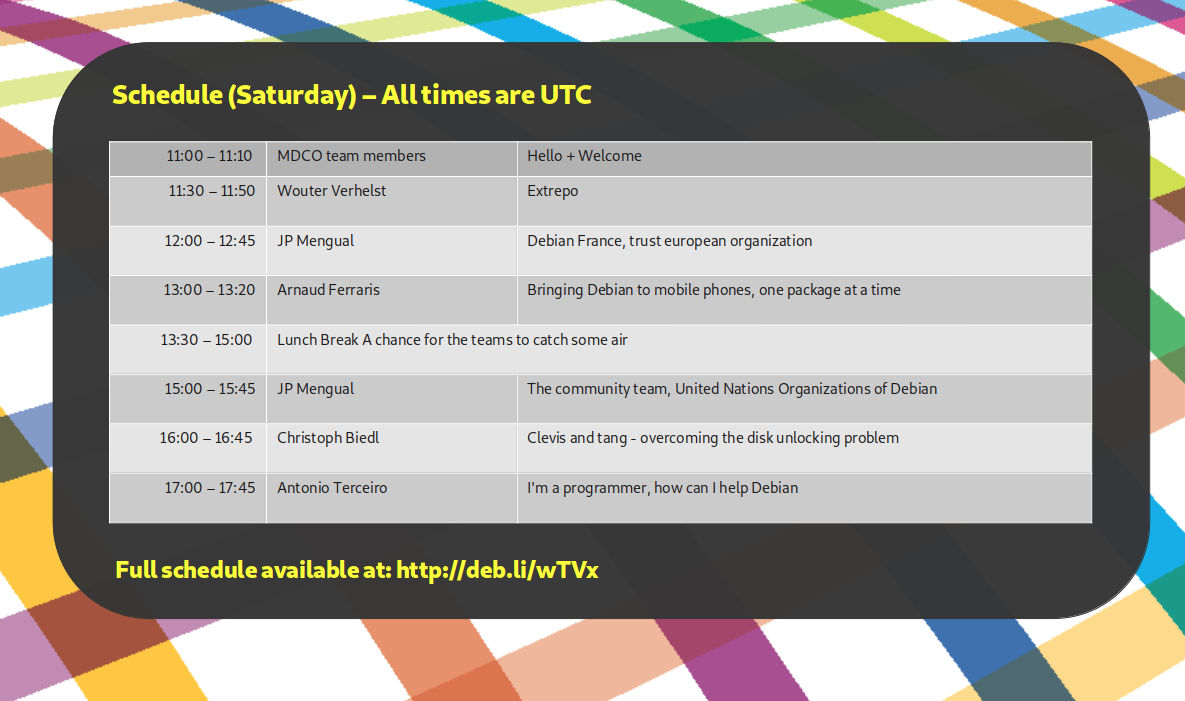
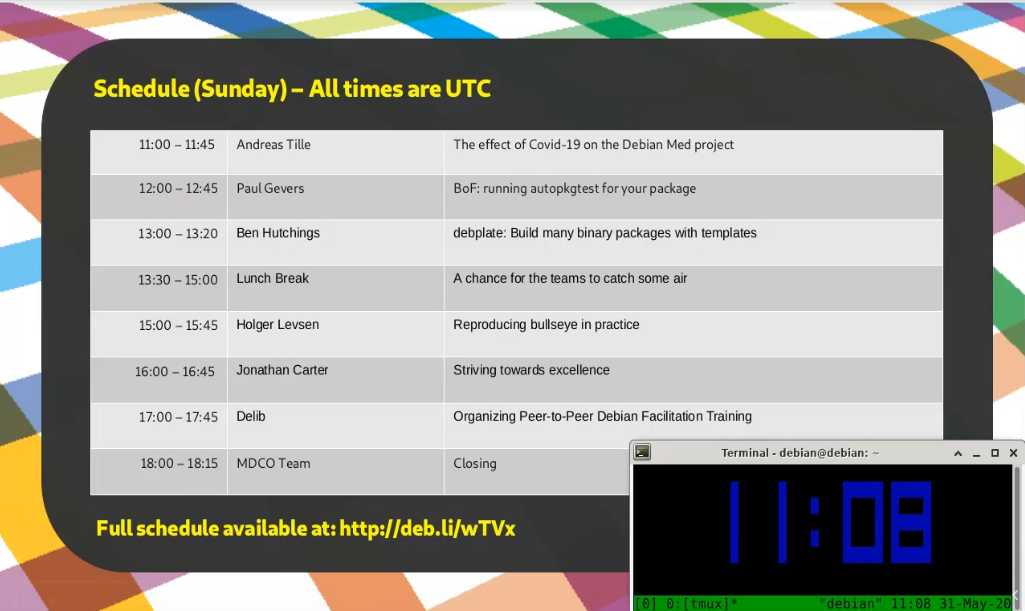
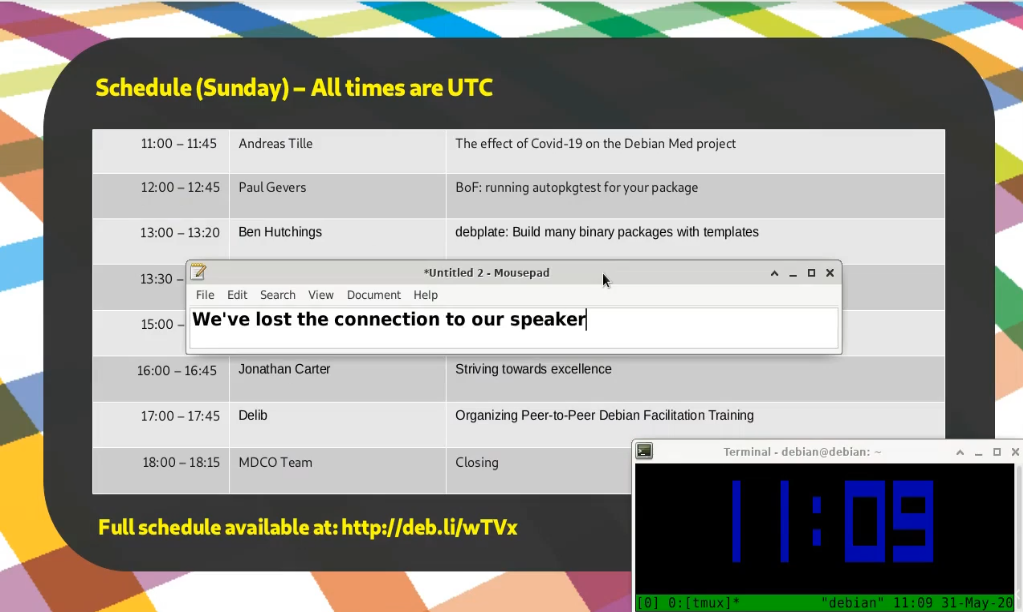
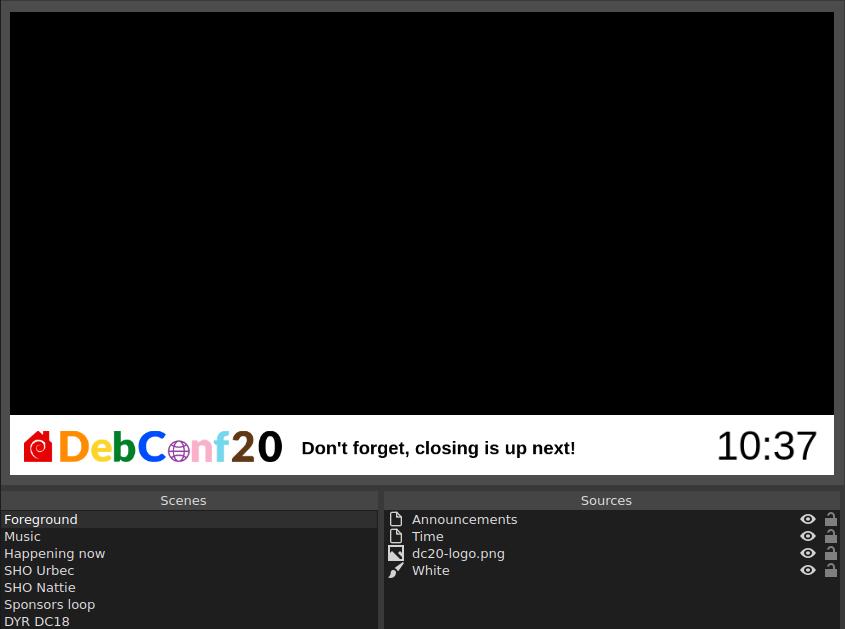
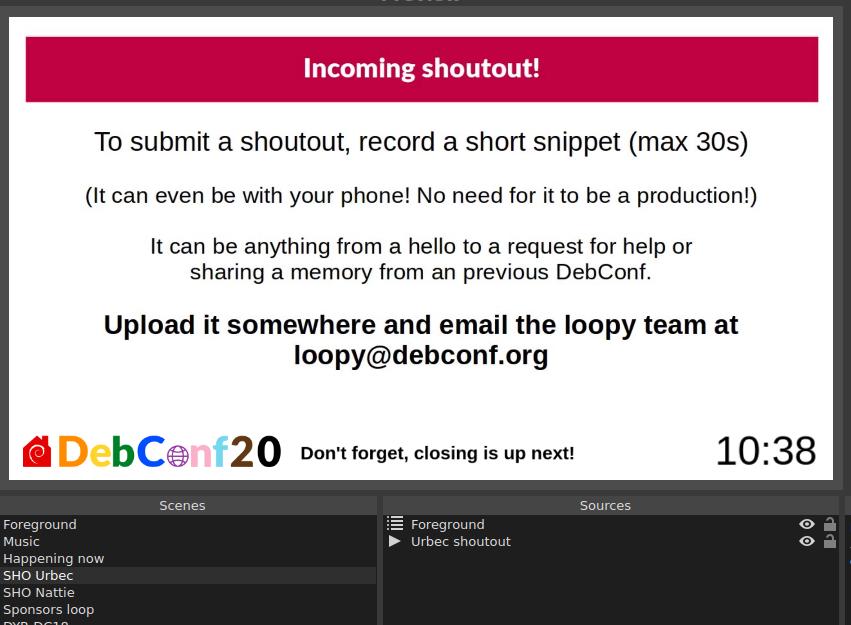
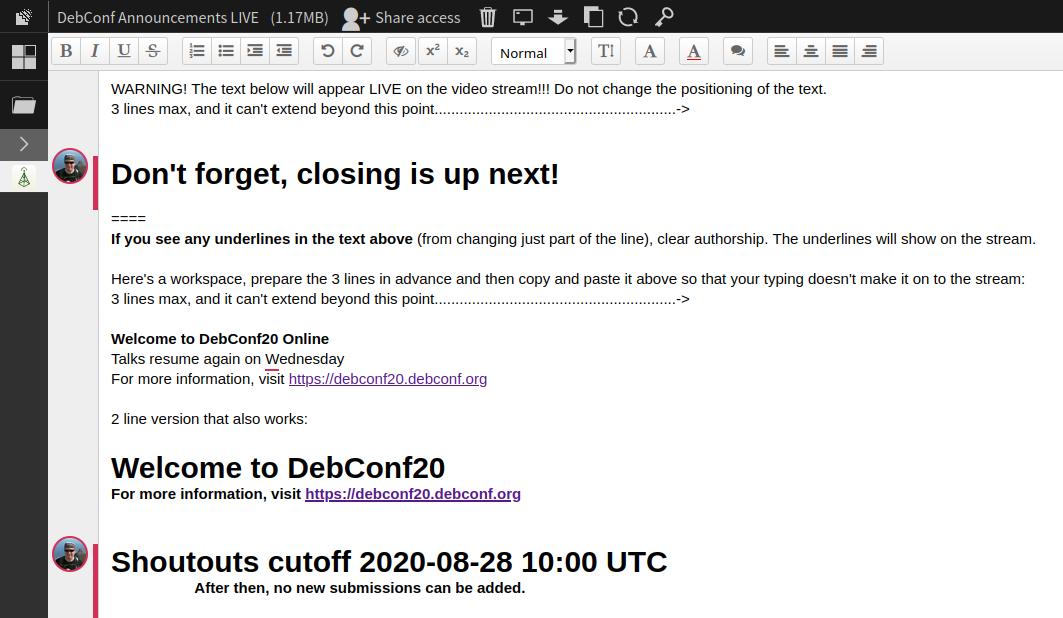
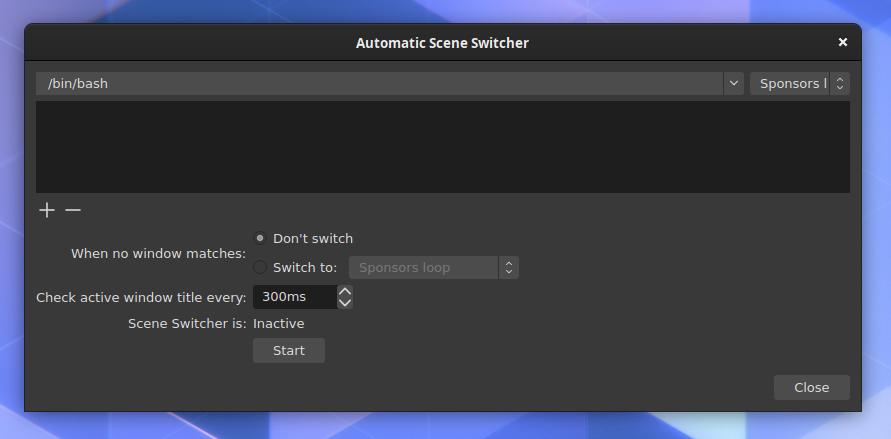
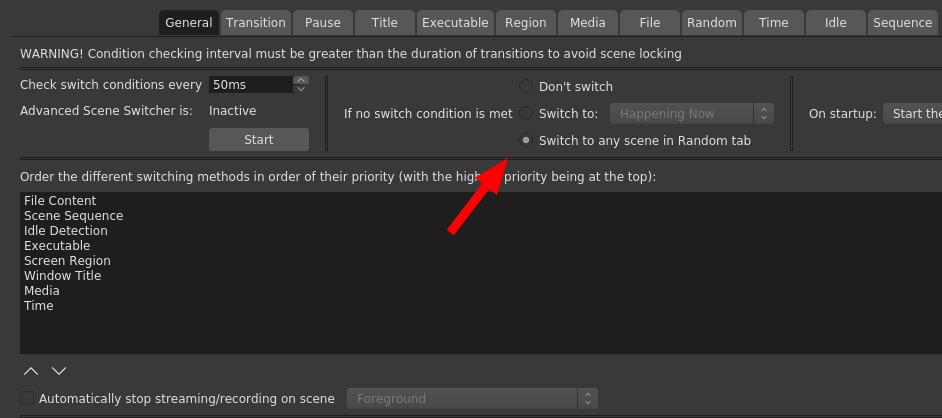
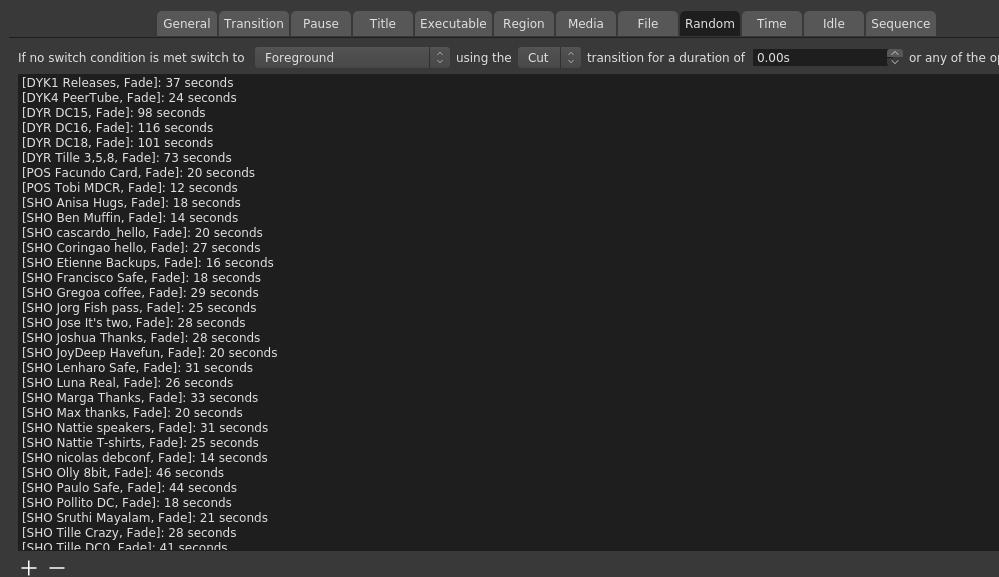
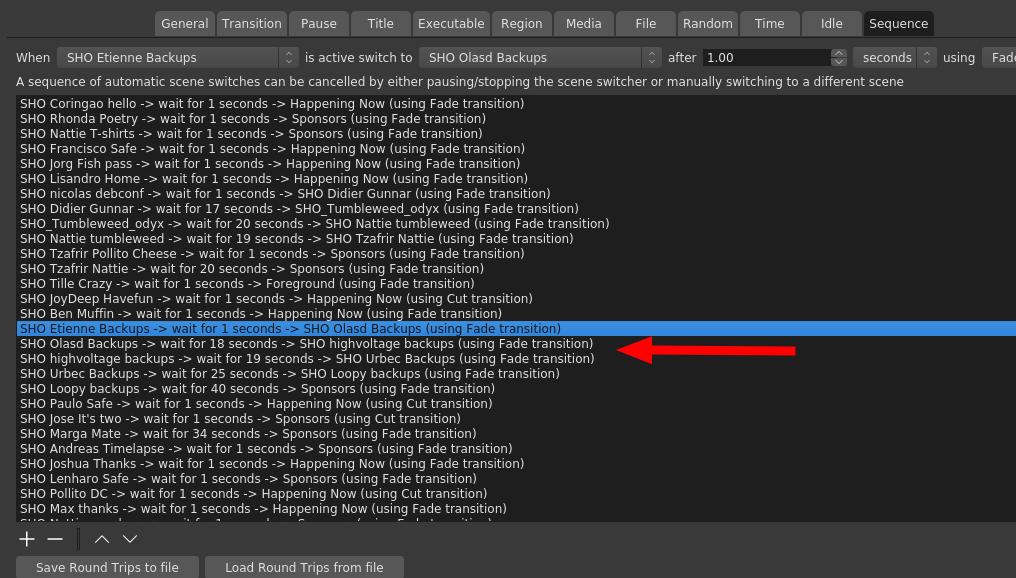
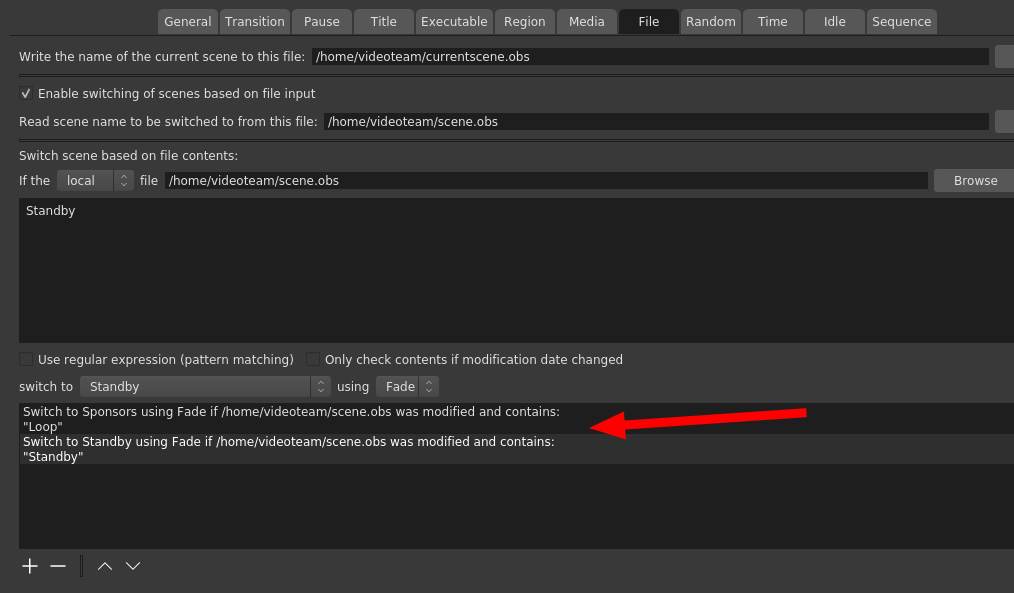
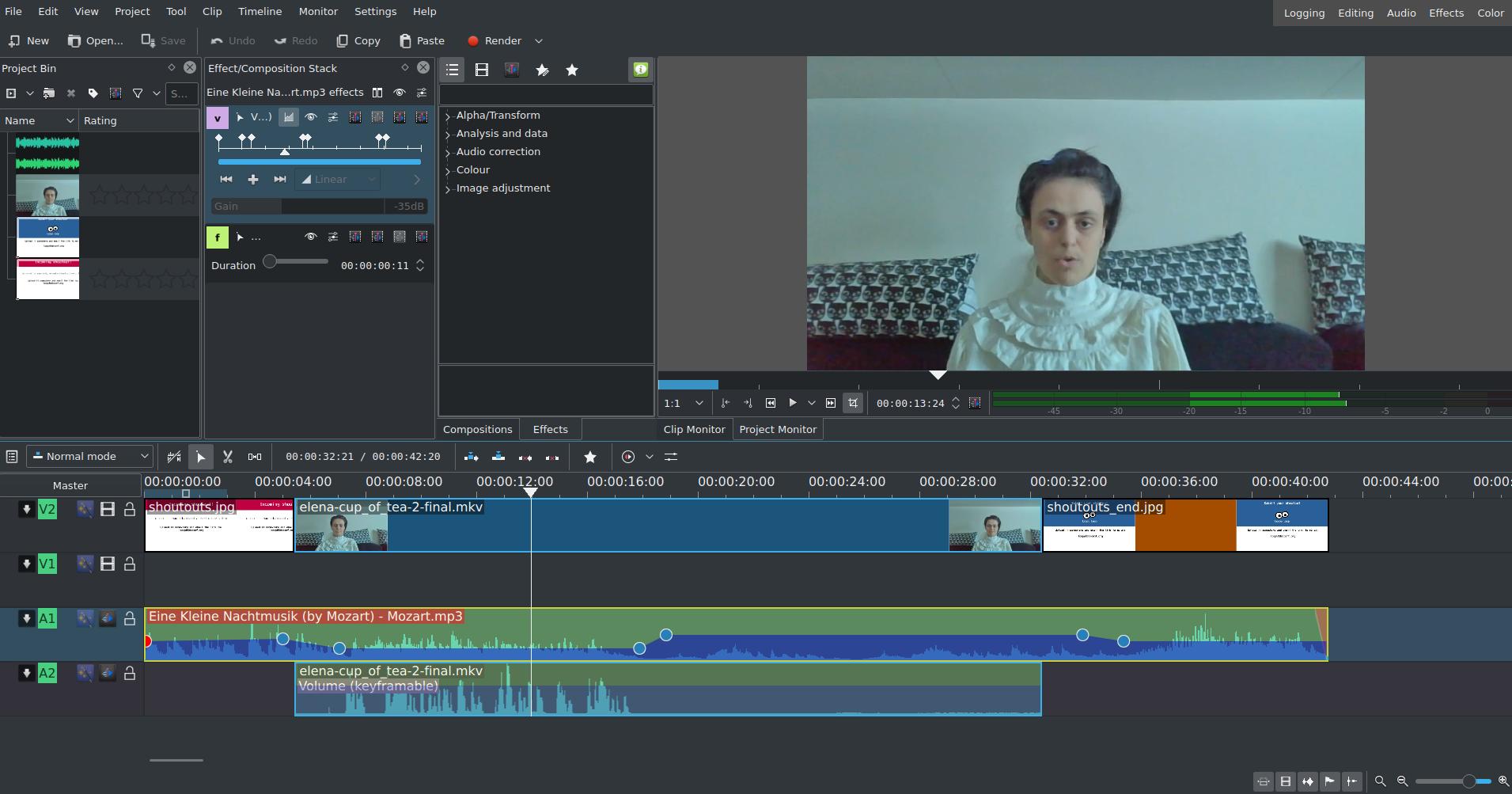


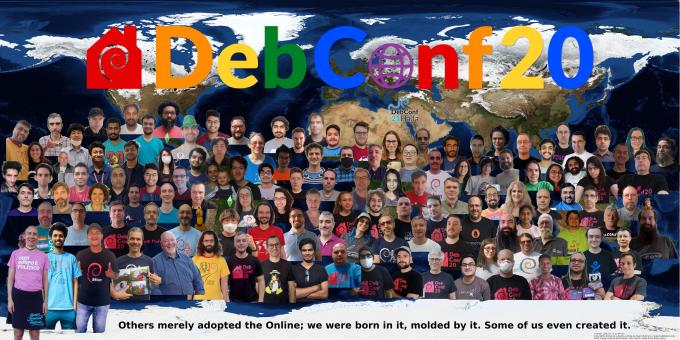
 DebConf20 is taking place online, from 23 August to 29 August 2020.
It is the 21st Debian conference, and organizers and participants are working hard
together at creating interesting and fruitful events.
We would like to warmly welcome the 17 sponsors of DebConf20, and introduce them to you.
We have four Platinum sponsors.
Our first Platinum sponsor is
DebConf20 is taking place online, from 23 August to 29 August 2020.
It is the 21st Debian conference, and organizers and participants are working hard
together at creating interesting and fruitful events.
We would like to warmly welcome the 17 sponsors of DebConf20, and introduce them to you.
We have four Platinum sponsors.
Our first Platinum sponsor is 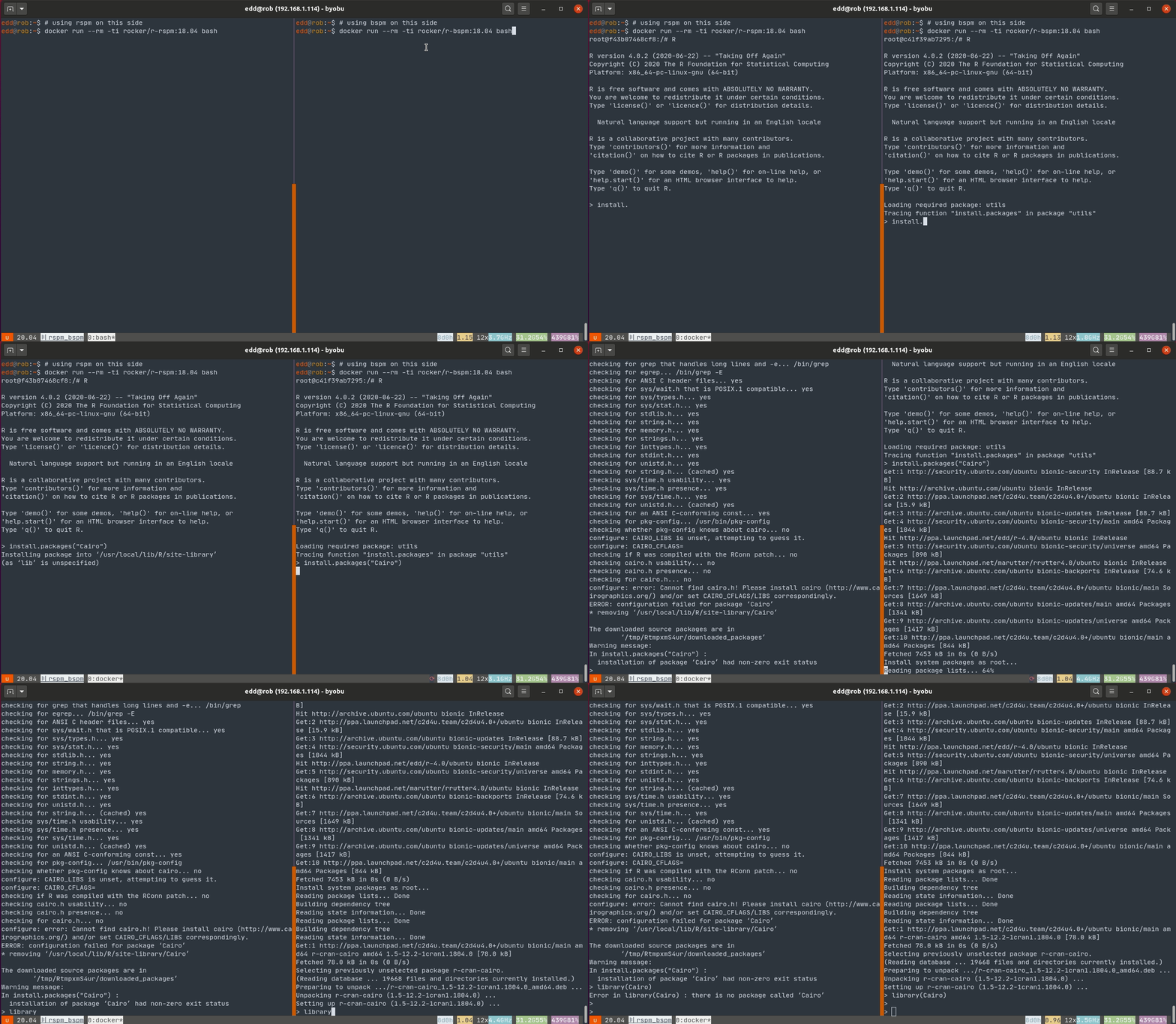 This fails for RSPM as no binary is present and a source build fails for the familiar lack of a
 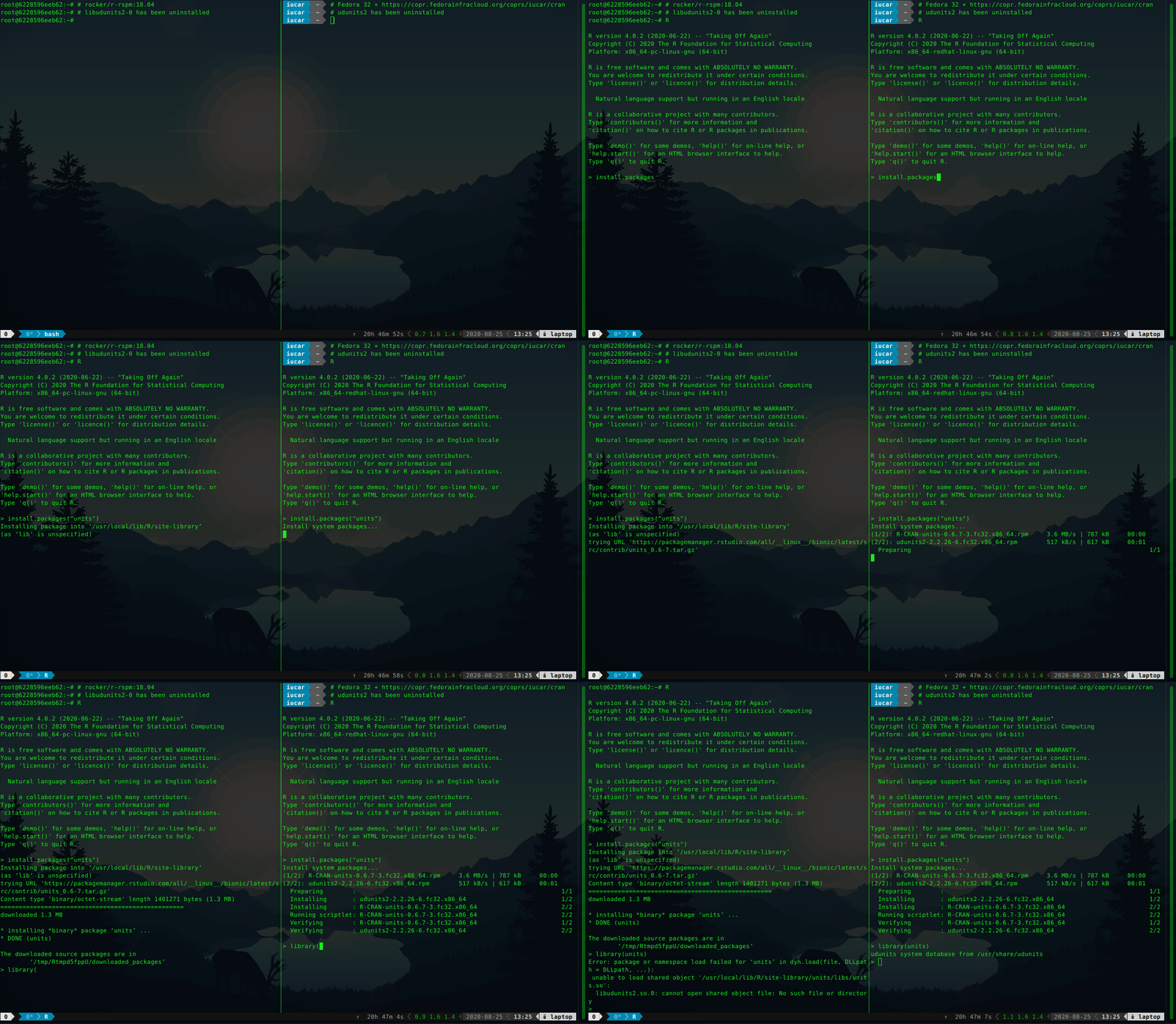 The installation of
  After we gave our talk at DebConf 20,
  As client certificates are on the way out and Debian's SSO solution is effectively not maintained any longer, I switched self-service buildd givebacks over to Salsa authentication. It lives again at