Search Results: "ag"

9 September 2010

MJ Ray: Forthcoming Attractions

Members of our co-op will be attending: Further events are being planned. If you d like to suggest an event or arrange to meet at one of the above events, please contact us.

Martin Meredith: Mini Rant: Emails

Please, those of you who send me emails, remember the following:-

Lars Wirzenius: My Plans for Debian

I am a Debian developer again, and here's what I plan to do at first: I don't expect to do a lot of packaging work. I'll package, or help package, stuff that I develop, but I'll not be specifically be looking for stuff to package.

8 September 2010

Julien Danjou: Emacs, Org, whatever the weather!

Another week, another Emacs extension! I had (once again) a wonderful idea: what if I could have the weather forecasts in my Org agenda? Wouldn't that be wonderful? My quest started by looking for a service offering a good weather forecast API. I found nothing simple as the hidden Google Weather API, which is nice, but not documented. Not at all. Not a single line. Nah. Then, I wrote a google-weather extension, implementing a basic Emacs Lisp API to retrieve data from the Google service:

ELISP> (google-weather-data->forecast (google-weather-get-data "Paris"))
(((9 8 2010)
  (low "53")
  (high "63")
  (icon "http://www.google.com/ig/images/weather/rain.gif")
  (condition "Rain"))
 ((9 9 2010)
  (low "53")
  (high "69")
  (icon "http://www.google.com/ig/images/weather/chance_of_rain.gif")
  (condition "Scattered Showers"))
 ((9 10 2010)
  (low "54")
  (high "72")
  (icon "http://www.google.com/ig/images/weather/partly_cloudy.gif")
  (condition "Partly Cloudy"))
 ((9 11 2010)
  (low "55")
  (high "75")
  (icon "http://www.google.com/ig/images/weather/partly_cloudy.gif")
  (condition "Partly Cloudy")))
My API even implements data caching, which is nice to speed up the agenda display. By the way, I think my next job will be to hack on the url-cache feature of Emacs, which is utterly buggy and has probably never be used. But that's another topic. Finally, I just had to write another module on top of that to export the forecasts to Org. A screen shot is probably better than a long and boring explanation, so here's the result. My only regret is that the icons provided by Google are ugly squares, so I did not want to use them. On the other hand, I did not found any icon set that would have all the icons Google provides (around 20). So I felt back on the icon naming specification to map the Google images to standard images. Any better idea would be welcome, of course. All the information can be found on the Google Weather for Emacs extension homepage. Flattr this

Marco Silva: New version of darcs-monitor

There was a feature missing in darcs-monitor which I wanted: to send the e-mail to multiple recipients when a new patch arrives. I tried using:
apply posthook darcs-monitor --charset=UTF-8 email addr1@example.com,addr2@example.com
But it didn't worked. I also tried "addr1@example.com, addr2@example.com", but it also didn't worked. So I included this feature in darcs-monitor and released a new version. I also updated my e-mail address and darcs repository address. While I was working at the debian package, I noticed a bug in 0.3.8-1, and made a upload of 0.3.8-2 to fix it. I also uploaded the new 0.4.0 to experimental. I'm another one using flattr now. I've created my blog as a thing: Flattr this I also created a thing for darcs-monitor: Flattr this

Ingo Juergensmann: Solved: Problems with IPv6 and Bridging/Xen

Since I ordered a new dedicated rootserver, I had problems with my IPv6 setup. Thanks to Niggurath@#debian.de/ircnet and his tips, I finally found the reason for all the mess when I migrated from my old rootserver with Lenny to the new one running Squeeze. The problem was that in /etc/sysctl.conf there was the following setting on the old server:
net.ipv6.conf.all.forwarding=1
Due to a issue in Lenny, this setting had basically no effect on the old server. Sysctl.conf was called before the IPv6 interface went up, so this setting failed or never got active. Meanwhile in Squeeze IPv6 seems to be enabled at an earlier point in the boot process and the forwarding setting will succeed. This in return resulted in my not working IPv6 setup. When I disable the line in sysctl.conf everything works just fine: the domU honors the Router Advertisments of radvd again and everything is fine again. Sometimes the solution is so simple, you can't find it yourself. :-)

Roland Mas: Gnus, Dovecot, OfflineIMAP, search: a HOWTO

A long time ago, when I was first introduced to email, I was using the Mail program from Unix. I quickly converted to Elm, then Mutt, which were both better in terms of interface. Then I found out about Gnus, and I wouldn't dream of letting it go now. However, Gnus has started showing its age several times, and several times have I needed to upgrade the way I was using it: first because I needed to sort and split email, then because I took the sorting out of Gnus and into Procmail for more advanced filtering (including spam filtering), then because I switched to storing the emails on an IMAP server so I could read them remotely from several computers. My setup as of a few days ago was functional, but since I have grown over time to splitting emails into several hundred folders, checking for new messages was becoming more and more boring. So it's time to jump in with all the cool kids and switch to a modern solution: still Gnus of course, but with Dovecot, OfflineIMAP for synchronisation, and let's add email searches into the mix while we're at it. My web searches didn't turn up a simple step-by-step HOWTO, but I assembled bits from different places, and here's my attempt at documenting my new setup. Goals Assumptions Dovecot setup We'll use Dovecot as a local IMAP server. And since we're lazy, we'll access it over a pipe, and dispense with the network part. OfflineIMAP setup OfflineIMAP is basically an optimised two-way synchronisation mechanism between two email repositories . We'll use it in IMAP-to-IMAP mode.
 [general]
 accounts = MyAccount
 pythonfile = .offlineimap.py
 [Account MyAccount]
 localrepository = LocalIMAP
 remoterepository = RemoteIMAP
 # autorefresh = 5
 # postsynchook = notmuch new
 [Repository LocalIMAP]
 type = IMAP
 preauthtunnel = MAIL=maildir:$HOME/Maildir /usr/lib/dovecot/imap
 holdconnectionopen = yes
 [Repository RemoteIMAP]
 type = IMAP
 remotehost = mail.example.com
 remoteuser = jsmith
 remotepass = swordfish
 ssl = yes
 nametrans = lambda name: re.sub('^INBOX.', '', name)
 # folderfilter = lambda name: name in [ 'INBOX.important', 'INBOX.work' ]
 # folderfilter = lambda name: not (name in [ 'INBOX.spam', 'INBOX.commits' ])
 # holdconnectionopen = yes
 maxconnections = 3
 # foldersort = lld_cmp
 # Propagate gnus-expire flag
 from offlineimap import imaputil
 def lld_flagsimap2maildir(flagstring):
   flagmap =  '\\seen': 'S',
              '\\answered': 'R',
              '\\flagged': 'F',
              '\\deleted': 'T',
              '\\draft': 'D',
              'gnus-expire': 'E' 
   retval = []
   imapflaglist = [x.lower() for x in flagstring[1:-1].split()]
   for imapflag in imapflaglist:
       if flagmap.has_key(imapflag):
           retval.append(flagmap[imapflag])
   retval.sort()
   return retval
 def lld_flagsmaildir2imap(list):
   flagmap =  'S': '\\Seen',
              'R': '\\Answered',
              'F': '\\Flagged',
              'T': '\\Deleted',
              'D': '\\Draft',
              'E': 'gnus-expire' 
   retval = []
   for mdflag in list:
       if flagmap.has_key(mdflag):
           retval.append(flagmap[mdflag])
   retval.sort()
   return '(' + ' '.join(retval) + ')'
 imaputil.flagsmaildir2imap = lld_flagsmaildir2imap
 imaputil.flagsimap2maildir = lld_flagsimap2maildir
 # Grab some folders first, and archives later
 high = ['^important$', '^work$']
 low = ['^archives', '^spam$']
 import re
 def lld_cmp(x, y):
   for r in high:
       xm = re.search (r, x)
       ym = re.search (r, y)
       if xm and ym:
           return cmp(x, y)
       elif xm:
           return -1
       elif ym:
           return +1
   for r in low:
       xm = re.search (r, x)
       ym = re.search (r, y)
       if xm and ym:
           return cmp(x, y)
       elif xm:
           return +1
       elif ym:
           return -1
   return cmp(x, y)
The first part of this file adds a new flag that OfflineIMAP will propagate back and forth. By default, only the standard IMAP flags are propagated; we also want to synchronize the gnus-expire flag that Gnus uses to mark expirable articles. It's a hack, but it works for now (maybe someday OfflineIMAP will propagate all the flags it finds?). The second part of that file can be dispensed with (and won't be used unless the foldersort option is uncommented in .offlineimaprc): it's only there to ensure that some important folders are propagated first, and some others go last. I don't know exactly how they are sorted by default, but I'd like the most important ones to come first, so I can start reading them while the archives and the spam are still being fetched. Gnus configuration
(require 'offlineimap)
(add-hook 'gnus-before-startup-hook 'offlineimap)
Bonus: email searches The simple way:
(require 'nnir)
This goes in your .gnus. Then your group buffer will get a new command. Mark some folders with #, then M-x gnus-group-make-nnir-group (or use the G G shortcut), and type in a set of keywords. This search is performed by the IMAP server (Dovecot), which may or may not be very efficient, especially if you select many folders. Bonus+: email searches, faster The real cool kids use Notmuch nowadays, at least for email indexing and searching. It's fast, it allows complex queries, and it's generally cool. The downside is that it uses up quite some disk space for its indices, in addition to the actual emails. For that reason I'll keep it to my main computer, and I'll stick to nnir on my laptop (which has the same setup apart from that).
(require 'notmuch)
(add-hook 'gnus-group-mode-hook 'lld-notmuch-shortcut)
(require 'org-gnus)
(defun lld-notmuch-shortcut ()
(define-key gnus-group-mode-map "GG" 'notmuch-search)
)
(defun lld-notmuch-file-to-group (file)
"Calculate the Gnus group name from the given file name.
"
(let ((group (file-name-directory (directory-file-name (file-name-directory file)))))
  (setq group (replace-regexp-in-string ".*/Maildir/" "nnimap+local:" group))
  (setq group (replace-regexp-in-string "/$" "" group))
  (if (string-match ":$" group)
      (concat group "INBOX")
    (replace-regexp-in-string ":\\." ":" group))))
(defun lld-notmuch-goto-message-in-gnus ()
"Open a summary buffer containing the current notmuch
article."
(interactive)
(let ((group (lld-notmuch-file-to-group (notmuch-show-get-filename)))
      (message-id (replace-regexp-in-string
                   "^id:" "" (notmuch-show-get-message-id))))
  (if (and group message-id)
      (progn 
  (switch-to-buffer "*Group*")
  (org-gnus-follow-link group message-id))
    (message "Couldn't get relevant infos for switching to Gnus."))))
(define-key notmuch-show-mode-map (kbd "C-c C-c") 'lld-notmuch-goto-message-in-gnus)
Wrap-up This setup can be replicated on several computers, of course. I have it on two, and there's no reason I couldn't have more. The flags do get propagated back and forth, including the Gnus-specific expirable flag. Accessing the local Dovecot is much faster than going through the DSL to the master IMAP server, and I'm pretty convinced that OfflineIMAP and its multi-threading is also faster than Gnus is, even talking to the same remote server. The email searching with Notmuch is a nice bonus, especially since they're fast too (and this despite my 8-year-old computer). There are a few minor glitches. I can live with them, but I should let you know anyway. Apart from that, I'm pretty happy with this new setup. So I hope this documentation will be useful to others, so I can spread the happiness around. Send your thanks to the authors of the software involved (Gnus, Dovecot, OfflineIMAP, offlineimap.el, Procmail, and so on). Let's see how many years I'll keep that system!

Mirco Bauer: Smuxi 0.8 "Godsend" Release

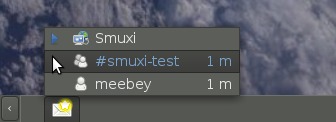
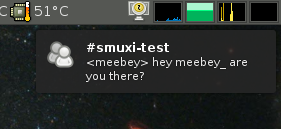
5 weeks after the 0.7.2.2 "Lovegood" release, I am very happy to announce the major feature release, 0.8 codenamed "Godsend". Major feature highlights of this release are desktop notifications (with full support of actions, icons, updates, append and sound), messaging menu / indicators (as provided by Ubuntu's Ayatana project) and working Twitter support with OAuth (basic auth was disabled by Twitter on 31st August). This version also fixes all bugs that were reported since the release of 0.7.2.2. Desktop Notifications
Messaging Menu
Further on, Smuxi comes with the following improvements in its user interface: Smuxi provides better connectivity and security by supporting: HTTP and SOCKS proxies as well as secure connections to IRC servers by using SSL with optional certificate validation. Last but not least, it comes with an enhanced Twitter experience by supporting the use of multiple Twitter accounts at the same time, reformatting tweets that contain newlines and showing the full retweet instead of a truncated version. Updated languages includes: French (Cl ment BOURGEOIS) and German (Bianca Mix) The #smuxi IRC channel can now also be found, in addition to OFTC, on other popular IRC networks such as freenode and GIMPnet. The messages on #smuxi are automatically relayed between the 3 IRC networks. If you like Smuxi and want to support it by making micro-donations, Smuxi is available on Flattr. There are also many other nice FOSS projects available on Flattr, see the Flattr-FOSS project. Smuxi is available for download from here. Binary Packages of Smuxi 0.8 are ready to be used by Debian/Experimental, Ubuntu/Maverick, Ubuntu/Lucid (via PPA), OpenSUSE, Foresight Linux, FreeBSD, and Windows.

Michal Čihař: Let's try flattr too

It looks like quite popular thing on Planet Debian to start using flattr. I registered most of software on which I'm involved already week ago, but I did not have much time publicizing it. Surprisingly people have found things just on flattr without any external links. You can see all of them listed on my flattr profile. Today I decided to add my blog as a thing and integrated it to my blog, so you can now see flattr button under each post. I decided not to spread this into RSS, at least for now :-). If you have not yet heard about flattr it is social micropayment site (lot of buzzwords included, so it has to be cool, right?), where you need to register, put there little amount of money and it will be spread each month among projects you "flattr". Sounds like a nice idea for appreciating free software.

Michal Čihař: Let's try flattr too

It looks like quite popular thing on Planet Debian to start using flattr. I registered most of software on which I'm involved already week ago, but I did not have much time publicizing it. Surprisingly people have found things just on flattr without any external links. You can see all of them listed on my flattr profile. Today I decided to add my blog as a thing and integrated it to my blog, so you can now see flattr button under each post. I decided not to spread this into RSS, at least for now :-). If you have not yet heard about flattr it is social micropayment site (lot of buzzwords included, so it has to be cool, right?), where you need to register, put there little amount of money and it will be spread each month among projects you "flattr". Sounds like a nice idea for appreciating free software.

Wouter Verhelst: goudengids.be

... or, 'yellow pages.be'. Or something. I like it that there is an on-line version of the Belgian yellow pages. Who wants to look up a phone number in a huge book, anyway? And that's ignoring the fact that it isn't any good for the environment. I also like it that the yellow pages are now no longer distributed by default on paper. You can still get them, if you so wish, but you have to explicitly request them. Of course, searching an on-line database is also faster than flipping through pages until you find what you're looking for. What's more, you can limit your search to your location rather than whatever shops just happen to be in the version of the book that is distributed to your house. That makes it much more efficient, since rather than all thousands of computer shops in the whole province, you'll find the computer shops in your municipality. Or the ones that are in a radius around your address, if you choose that option. Rather, that would be the case. But for some unfathomable1 reason, truvo, the company behind the yellow pages, decided to make the option that gets you the names and numbers of companies that serve your region, rather than companies that actually are in your region, as the default. And since there's really n o limit to what companies can enter as the 'region' they serve, you suddenly get a name for a shop hundreds of kilometers away when all you wanted was to find the closest grocery store. D'oh. 1 Yes, yes, I can guess that money has something to do with it. But whatever, that don't matter.

Michal Čihař: phpMyAdmin GSoC 2010 summary

GSoC 2010 is over for some time and I should write some summary how students projects ended up. The very short summary is that all five students were successful and their work got merged. Follows description of the project in no particular order. Thanks to Martynas Mickevicius you can now get charts out of various parts of phpMyAdmin. They are used on server status pages or you can get query results in form of several charts. It seems to work pretty well at least what I've tried so far. Ankit Gupta was working on Visual Query Builder for phpMyAdmin. Unfortunately this is only project which is not yet merged to master branch, mostly because some UI things were not yet finished. But hopefully it will be merged soon. Adnan Mughal was converting our schema export feature from PDF to support multiple formats. You can now get the schema as SVG, DIA or even Visio formats, some of them will require a little bit of tuning still, because the scaling is not perfect. Ninad Pundalik did a lot of work on AJAXifying phpMyAdmin. His changes touched quite a lot of places and there are still some rough edges (as you can see in our bug tracker), but this is definitely welcome improvement and I hope it will get stable soon. Piotr Przybylski basically continued in his effort two years ago when he had reimplemented setup script and now he had focused on user configuration. It can be stored in session, browser local storage (HTML 5 feature) or in separate table in phpMyAdmin configuration storage (that's new name for pmadb). This is something what people were requesting for very long time and I'm happy we can finally bring this feature. And last but not least is Lorikeet Lee, who spend lot of time on tuning user interface of phpMyAdmin. The most visible changes are on export and import pages, which now should be less scaring for new users, but there are other changes in lot of other places, for example the main page. Generally it was a great summer and I hope we will be so successful also next year. PS: You can try all these features on http://demo.phpmyadmin.net/.

Michal Čihař: phpMyAdmin GSoC 2010 summary

GSoC 2010 is over for some time and I should write some summary how students projects ended up. The very short summary is that all five students were successful and their work got merged. Follows description of the project in no particular order. Thanks to Martynas Mickevicius you can now get charts out of various parts of phpMyAdmin. They are used on server status pages or you can get query results in form of several charts. It seems to work pretty well at least what I've tried so far. Ankit Gupta was working on Visual Query Builder for phpMyAdmin. Unfortunately this is only project which is not yet merged to master branch, mostly because some UI things were not yet finished. But hopefully it will be merged soon. Adnan Mughal was converting our schema export feature from PDF to support multiple formats. You can now get the schema as SVG, DIA or even Visio formats, some of them will require a little bit of tuning still, because the scaling is not perfect. Ninad Pundalik did a lot of work on AJAXifying phpMyAdmin. His changes touched quite a lot of places and there are still some rough edges (as you can see in our bug tracker), but this is definitely welcome improvement and I hope it will get stable soon. Piotr Przybylski basically continued in his effort two years ago when he had reimplemented setup script and now he had focused on user configuration. It can be stored in session, browser local storage (HTML 5 feature) or in separate table in phpMyAdmin configuration storage (that's new name for pmadb). This is something what people were requesting for very long time and I'm happy we can finally bring this feature. And last but not least is Lorikeet Lee, who spend lot of time on tuning user interface of phpMyAdmin. The most visible changes are on export and import pages, which now should be less scaring for new users, but there are other changes in lot of other places, for example the main page. Generally it was a great summer and I hope we will be so successful also next year. PS: You can try all these features on http://demo.phpmyadmin.net/.

Giuseppe Iuculano: chromium-browser removed from testing

Ok, this happened, chromium-browser was removed from testing and will not be included in Debian squeeze. Some days ago (before the hard freeze) I contacted the release team and asked about a possible inclusion of Chromium 6 in squeeze. The main reason of this request is that in April there was at least one major refactoring of the SVG code (webkit). The internal webkit copy is too outdated in chromium 5, and backporting any future SVG security patches (and unfortunately the story says they are frequent) is very hard. I got no answer, and after one week of silence and the hard freeze announcement, I realized that chromium 5 is not supportable and decided to upload chromium 6 in unstable (It was already in experimental). I asked the Release Team to unblock chromium-browser 6.0.472.53~r57914-3 or remove chromium-browser 5.0.375.127~r55887-1 from testing. Well, after one hour they removed chromium-browser from testing. I failed, my efforts to get chromium in Squeeze were in vain. Debian failed, a modern and much appreciated web browser will not be included in our next stable release. Related posts:
  1. Why would you prefer chromium-browser in sid over google-chrome
  2. Chromium ready for unstable

John Goerzen: Stories of Amateur Radio

It was back in July that I got my amateur radio license, and I haven t written much about it since. It s about time I do. I ve been really enjoying it. I am now wishing I hadn t put off getting into it for so many years. It s a lot of fun and promises to be a lot of fun for a long time. Why? I am frequently asked, What can you do with amateur radio? Yes, you can talk to people all around the world, but of course you can do that with the Internet. Talking to people all around the world can be done with no infrastructure in between, so that s a pretty neat feature, but not compelling to everyone. I have realized that the question is poorly-framed. I had asked that question myself for a long time and only recently realized that I was asking the wrong question. I think the better question would be, What makes amateur radio fun and a good way to spend your time? One thing I ve discovered is that the amateur radio community has an amazing sense of community. Hams, almost universally, seem to love helping out each other, whatever the task may be: setting up antennas, learning how to operate a radio, even fixing a flat tire. I ve seen this directly, and heard about it from others, time and time again. There s an excellent article out there by Nate Bargmann called Why I consider Amateur Radio an asset in my life that makes for good reading. There is a lot of fun in amateur radio. It was quite exciting the first time I talked to someone out of state, realizing that the piece of wire in my trees, and 100W of transmitter power, were all it took to get a message 700 miles away. And even more exciting when I talked to a person in Kazakhstan the same way. No satellites, no phone lines, no undersea cables just my antenna, his, and radio waves. Then there s the fun in talking to somewhat random people. It s not completely random, as I m only talking to people that have passed a test there are about a million of us in the USA. (And for the long-distance HF communication, a more rigorous exam is required, so the number is probably less than that.) But when I call CQ an invitation for anyone listening to reply I never know who will reply. I ve talked to a retired Canadian museum curator, a Mississippi farmer, a resident of Long Island, Russians participating in a contest, two Hawaiians participating in a different contest, and the list goes on. Some of these have been brief contacts lasting only seconds, while others have been conversations that stretch on towards an hour. I liken amateur radio to buying my first iPod. I had never owned a portable MP3 player. I had always figured, why bother? How often am I away from a computer or a CD player? But once I got one, I realized how nice it was. It was convenient to just store my entire library on there and not have to try to sync it across multiple devices. It was convenient to not have to carry CDs with me in the car, and to listen to music at places I hadn t tried to before. The same sort of thing applied to getting a Kindle, and to amateur radio. I didn t realize how much fun it would be until I tried. Some Memorable Moments Towards the end of showing you some things that have been exciting, here are a few memorable moments from my ham radio experience so far. Saturday night was one. I was tuning around listening to anybody to talk to. I heard some people calling CQ in heavy accents. I eventually realized that the All-Asia contest was going on, and figured out how to participate. I made my first voice-mode contact with people on a different continent and it was with Kazakhstan! Within a few minutes, I also talked with three stations in Russia. I had not expected that. I ve made contact with several stations in the Indianapolis area, where I used to live. It was particularly fun to talk to W9IMS, located at the Indianapolis Motor Speedway, which operates around race times only. Again I discovered that station simply by tuning around on the band. I took a 5W handheld radio with me to New York City during my trip there for Debconf. It was a lot of fun to talk to random New Yorkers while visiting, and they were all very interested in my impression of the city, what I ve done so far, and what they thought I ought to do. Some offered specific tips (such as which train from Manhattan to Brooklyn offers a good view while elevated). A local ham, W0BH, gave me some basic training on how to operate during amateur radio contests. During these contests, hams try to make contact with as many other hams in as many places as they can. I didn t think this sounded like a lot of fun. Until I tried it. It was indeed a lot of fun, and interesting being occasionally that rare Kansas station that a bunch of people are trying to talk to at once. One evening, we lost power. I tried calling the electric company, but there was no answer over there for some reason. We re out in the country, and there are no neighbors visible that can inform us whether it s a big problem that the power company probably knows about, or whether it s localized to us. So after wondering what to do for a minute, I thought I d get on the radio and ask. (We own a backup generator for these situations.) Almost right away I heard from a person driving in his pickup. He told me he saw a widespread outage, and heard on his police scanner about other towns that were down for the same reason. I wouldn t have known otherwise.

Chris Lamb: irccat plugin for supybot

Like irccat but for when you are already running a Supybot instance.
import supybot
from twisted.internet import reactor, protocol
from twisted.protocols import basic
class IRCCatProtocol(basic.LineOnlyReceiver):
    delimiter = '\n'
    def lineReceived(self, text):
        irc = self.factory.irc
        for channel in irc.state.channels:
            irc.queueMsg(supybot.ircmsgs.notice(channel, text))
class IRCCat(supybot.callbacks.Plugin):
    def __init__(self, irc):
        super(IRCCat, self).__init__(irc)
        factory = protocol.Factory()
        factory.protocol = IRCCatProtocol
        factory.irc = irc
        self.server = reactor.listenTCP(12345, factory)
    def die(self):
        self.server.stopListening()
Class = IRCCat
You can then post messages with:
$ echo hai2u   nc -q0 hostname 12345

Steve McIntyre: Yay

Welcome back to the Debian clan, Lars \o/.

Dirk Eddelbuettel: Straight, curly, or compiled?

Christian Robert, whose blog I commented-on here once before, had followed up on a recent set of posts by Radford Neal which had appeared both on Radford's blog and on the r-devel mailing list. Now, let me prefix this by saying that I really enjoyed Radford's posts. He obviously put a lot of time into finding a number of (all somewhat small in isolation) inefficiencies in R which, when taken together, can make a difference in performance. I already spotted one commit by Duncan in the SVN logs for R so this is being looked at. Yet Christian, on the other hand, goes a little overboard in bemoaning performance differences somewhere between ten and fifteen percent -- the difference between curly and straight braces (as noticed in Radford's first post). Maybe he spent too much time waiting for his MCMC runs to finish to realize the obvious: compiled code is evidently much faster. And before everybody goes and moans and groans that that is hard, allow me to just interject and note that it is not. It really doesn't have to be. Here is a quick cleaned up version of Christian's example code, with proper assigment operators and a second variable x. We then get to the meat and potatoes and load our Rcpp package as well as inline to define the same little test function in C++. Throw in rbenchmark which I am becoming increasingly fond of for these little timing tests, et voila, we have ourselves a horserace:
# Xian's code, using <- for assignments and passing x down
f <- function(n, x=1) for (i in 1:n) x=1/(1+x)
g <- function(n, x=1) for (i in 1:n) x=(1/(1+x))
h <- function(n, x=1) for (i in 1:n) x=(1+x)^(-1)
j <- function(n, x=1) for (i in 1:n) x= 1/ 1+x 
k <- function(n, x=1) for (i in 1:n) x=1/ 1+x 
# now load some tools
library(Rcpp)
library(inline)
# and define our version in C++
l <- cxxfunction(signature(ns="integer", xs="numeric"),
                 'int n = as<int>(ns); double x=as<double>(xs);
                  for (int i=0; i<n; i++) x=1/(1+x);
                  return wrap(x); ',
                 plugin="Rcpp")
# more tools
library(rbenchmark)
# now run the benchmark
N <- 1e6
benchmark(f(N, 1), g(N, 1), h(N, 1), j(N, 1), k(N, 1), l(N, 1),
          columns=c("test", "replications", "elapsed", "relative"),
          order="relative", replications=10)
And how does it do? Well, glad you asked. On my i7, which the other three cores standing around and watching, we get an eighty-fold increase relative to the best interpreted version:
/tmp$ Rscript xian.R
Loading required package: methods
     test replications elapsed relative
6 l(N, 1)           10   0.122    1.000
5 k(N, 1)           10   9.880   80.984
1 f(N, 1)           10   9.978   81.787
4 j(N, 1)           10  11.293   92.566
2 g(N, 1)           10  12.027   98.582
3 h(N, 1)           10  15.372  126.000
/tmp$ 
So do we really want to spend time arguing about the ten and fifteen percent differences? Moore's law gets you those gains in a couple of weeks anyway. I'd much rather have a conversation about how we can get people speed increases that are orders of magnitude, not fractions. Rcpp is one such tool. Let's get more of them.

Joey Hess: solar day 2

End of the second day in the off-grid house. Three things strike me about being here: quiet, rhythm, and awareness. In the city, I am constantly annoyed by noise. Here, there's a empty, echoing feeling to the quiet. It's not lack of noise exactly -- I can hear cicadas and birds right now -- but it's still quiet. At first I wanted to fill it, but now I can feel my hearing instead expanding outward. Catching a faint engine noise, or a dog barking in the distance. Here there's a rhythm to the day driven by the sun. Get up, connect the batteries to the solar panels. (Only necessary because the charge controller is broken.) Check and record the battery levels, make sure the panels are producing well. Think about adjusting them at solar noon. Check the cooler to see how the ice is holding out. Do weekly chores: Refilling the kerosine lanterns and replacing the rock salt used to control the humidity, which is the downside to a earth-sheltered house that stays 70 degrees cool on a 90 degree day. In the evening, watch the sun go down, disconnect the solar panels, record battery levels, and light lanterns. That's the shape of the day. Besides being aware of distant sounds and time time of day, being here brings to the fore awareness of consumables. Until I get a fridge sorted out, I have a cooler full of ice that I have to monitor. There's propane for the stove, and kerosine for the lanterns. And of course always the state of the batteries. So far, the first battery bank seems likely to last longer than the ice. I'll know better tomorrow. Unfortunatly I burned out the 5v power suppzly I was using to run my NSLU2 in a wiring mishap, so I have to run that on an inverter for now, and the batteries, though not low, can barely power both the inverter and my laptop. This has made staying online tricky. But I'm finding dialup psurpisingly tolerable, and it helps to generally slow down, too. Despite all the above, I got about as much real work done today as I normally would. ?tag lay offgrid

Andrew McMillan: Making my laptop quiet

A few days ago I talked about how noisy my new Dell Studio 15 was but I can now report back with the beginnings of a solution to that problem, and it doesn't appear to be ACPI related. The first clue I needed was that if I switch to the proprietary fglrx drivers for the Radeon the fan quite quickly drops off to a much more reasonable level. It seems the fglrx drivers have issues, however, in particular I get big black patches on my screen. This video corruption happens especially in Firefox, but sometimes in other applications as well. They also appear to screw up my suspend/resume, which is probably even more annoying to me. The second clue that I needed was that Radeon power management support has only just made it into recent kernels. Thanks to Michael Kirkland for providing me with both of those clues :-) Looking under /sys/class/drm/ I find a whole bunch of stuff, but in particular there are /sys/class/drm/card0/device/power_method and /sys/class/drm/card0/device/power_profile. Looking through the kernel source code I can see that power_profile can be set to low, mid, high, auto and default, while power_method can be set to either dynpm or profile. Trying out all of these values, it seems I get the quietest result with the profile method and either the low or mid profile. The dynpm method is nearly as good, and I would think it should really be the default for a 'Mobility' chipset. From the detailed benchmarking that Phoronix did I wonder if it shouldn't be the default for everyone. For myself, I see some small 'tearing' artifacts occasionally when running with the low profile. These disappear when I run with the mid profile, and since that seems to have pretty much the same temperature (and noise) results I'll go with that one. Though the laptop often does still make more noise than I would prefer it to, it is no longer annoying everyone in the room. Not unexpectedly this seems to have a huge impact on power use, too. It appears that the laptop should now give me around 4.5 hours when I do everything I can think of to lower the power use, whereas before it was more like 2.5 hours. Now I guess I can get back to hacking on DAViCal...

Next.

Previous.