Craig Small: Hello world!
Welcome to WordPress. This is your first post. Edit or delete it, then start writing!
 I buy a lot of music from Bandcamp, but I rarely if
ever download it: I rely on streaming it from the Bandcamp website, or mobile
App. The prepper/archivist/hoarder in me is a little uncomfortable about that.
During the Pandemic, Bandcamp started a scheme called Bandcamp Fridays: days
on which they waive their revenue share for music purchases, meaning musicians
get a larger proportion of the proceeds. It proved an enormous success, and
they've kept them going: you can check when the next one is scheduled via
https://isitbandcampfriday.com/.
Bandcamp appear to offer a really good deal to artists (in comparison to other
platforms) so I'm not too concerned about their percentage on other days of the
year. But it occurred to me that if I wanted to maintain a habit of taking a
local copy of the music I buy, perhaps I should schedule doing so on Bandcamp Fridays.
I buy a lot of music from Bandcamp, but I rarely if
ever download it: I rely on streaming it from the Bandcamp website, or mobile
App. The prepper/archivist/hoarder in me is a little uncomfortable about that.
During the Pandemic, Bandcamp started a scheme called Bandcamp Fridays: days
on which they waive their revenue share for music purchases, meaning musicians
get a larger proportion of the proceeds. It proved an enormous success, and
they've kept them going: you can check when the next one is scheduled via
https://isitbandcampfriday.com/.
Bandcamp appear to offer a really good deal to artists (in comparison to other
platforms) so I'm not too concerned about their percentage on other days of the
year. But it occurred to me that if I wanted to maintain a habit of taking a
local copy of the music I buy, perhaps I should schedule doing so on Bandcamp Fridays.
 A version 0.0.10 of RcppSpdlog is now on CRAN and in Debian. RcppSpdlog bundles spdlog, a wonderful header-only C++ logging library with all the bells and whistles you would want that was written by Gabi Melman, and also includes fmt by Victor Zverovich.
This release continues on the path started less than two weeks ago with the RcppSpdlog 0.0.9 release. We continue to support both R and C++ access by adding a (simple) variadic template formatter exposing
A version 0.0.10 of RcppSpdlog is now on CRAN and in Debian. RcppSpdlog bundles spdlog, a wonderful header-only C++ logging library with all the bells and whistles you would want that was written by Gabi Melman, and also includes fmt by Victor Zverovich.
This release continues on the path started less than two weeks ago with the RcppSpdlog 0.0.9 release. We continue to support both R and C++ access by adding a (simple) variadic template formatter exposing fmt::format() (by focusing on just string arguments). This can be accessed from R via the exact same formatting strings that fmt uses, and which we have come to like for its simplicity. Of course if one prefers a different string interpolation method, or plain sprintf(), or even paste: they all work as all that matters is that a character variable gets passed on. We also added a little bit of new documentation in the vignette.
The NEWS entry for this release follows.
Courtesy of my CRANberries, there is also a diffstat report. More detailed information is on the RcppSpdlog page, or the package documention site. If you like this or other open-source work I do, you can sponsor me at GitHub.Changes in RcppSpdlog version 0.0.10 (2022-11-17)
- Support variadic templates with fmt::format
- Add R formatting helper which converts arguments to character taking advantage of variadic template logger: fmt logging from R
- Expand vignette
This post by Dirk Eddelbuettel originated on his Thinking inside the box blog. Please report excessive re-aggregation in third-party for-profit settings.
VecDeque, which is great. If you actually need more than VecDeque can do, use one of the handful of libraries that actually offer a significantly more useful API.
If you are writing your own data structure, check if someone has done it already, and consider slotmap or generation_arena, (or maybe Rc/Arc).
Contents
generational_token_list, which makes a plausible alternative to dlv-list which I already recommended in 2019.)
Why are there so many poor Rust linked list libraries ?
Linked lists and Rust do not go well together. But (and I m guessing here) I presume many people are taught in programming school that a linked list is a fundamental data structure; people are often even asked to write one as a teaching exercise. This is a bad idea in Rust. Or maybe they ve heard that writing linked lists in Rust is hard and want to prove they can do it.
Double-ended queues
One of the main applications for a linked list in a language like C, is a queue, where you put items in at one end, and take them out at the other. The Rust standard library has a data structure for that, VecDeque.
Five of the available libraries:
VecDeque: basically, pushing and popping elements at the front and back.VecDeque,VecDeque, simply because VecDeque is in the Rust Standard Library.VecDeque instead.
The Cursor concept
A proper linked list lets you identify and hold onto an element in the middle of the list, and cheaply insert and remove elements there.
Rust s ownership and borrowing rules make this awkward. One idea that people have many times reinvented and reimplemented, is to have a Cursor type, derived from the list, which is a reference to an element, and permits insertion and removal there.
Eight libraries have implemented this in the obvious way. However, there is a serious API limitation:
To prevent a cursor being invalidated (e.g. by deletion of the entry it points to) you can t modify the list while the cursor exists. You can only have one cursor (that can be used for modification) at a time.
The practical effect of this is that you cannot retain cursors. You can make and use such a cursor for a particular operation, but you must dispose of it soon. Attempts to do otherwise will see you losing a battle with the borrow checker.
If that s good enough, then you could just use a VecDeque and use array indices instead of the cursors. It s true that deleting or adding elements in the middle involves a lot of copying, but your algorithm is O(n) even with the single-cursor list libraries, because it must first walk the cursor to the desired element.
Formally, I believe any algorithm using these exclusive cursors can be rewritten, in an obvious way, to simply iterate and/or copy from the start or end (as one can do with VecDeque) without changing the headline O() performance characteristics.
IMO the savings available from avoiding extra copies etc. are not worth the additional dependency, unsafe code, and so on, especially as there are other ways of helping with that (e.g. boxing the individual elements).
Even if you don t find that convincing, generational_token_list and dlv_list are strictly superior since they offer a more flexible and convenient API and better performance, and rely on much less unsafe code.
Rustic approaches to pointers-to-and-between-nodes data structures
Most of the time a VecDeque is great. But if you actually want to hold onto (perhaps many) references to the middle of the list, and later modify it through those references, you do need something more. This is a specific case of a general class of problems where the naive approach (use Rust references to the data structure nodes) doesn t work well.
But there is a good solution:
Keep all the nodes in an array (a Vec<Option<T>> or similar) and use the index in the array as your node reference. This is fast, and quite ergonomic, and neatly solves most of the problems. If you are concerned that bare indices might cause confusion, as newly inserted elements would reuse indices, add a per-index generation count.
These approaches have been neatly packaged up in libraries like slab, slotmap, generational-arena and thunderdome. And they have been nicely applied to linked lists by the authors of generational_token_list. and dlv-list.
The alternative for nodey data structures in safe Rust: Rc/Arc
Of course, you can just use Rust s interior mutability and reference counting smart pointers, to directly implement the data structure of your choice.
In many applications, a single-threaded data structure is fine, in which case Rc and Cell/RefCell will let you write safe code, with cheap refcount updates and runtime checks inserted to defend against unexpected aliasing, use-after-free, etc.
I took this approach in rc-dlist-deque, because I wanted each node to be able to be on multiple lists.
Rust s package ecosystem demonstrating software s NIH problem
The Rust ecosystem is full of NIH libraries of all kinds. In my survey, there are: five good options; seven libraries which are plausible, but just not as good as the alternatives; and fourteen others.
There is a whole rant I could have about how the whole software and computing community is pathologically neophilic. Often we seem to actively resist reusing ideas, let alone code; and are ignorant and dismissive of what has gone before. As a result, we keep solving the same problems, badly - making the same mistakes over and over again. In some subfields, working software, or nearly working software, is frequently replaced with something worse, maybe more than once.
One aspect of this is a massive cultural bias towards rewriting rather than reusing, let alone fixing and using.
Many people can come out of a degree, trained to be a programmer, and have no formal training in selecting and evaluating software; this is even though working effectively with computers requires making good use of everyone else s work.
If one isn t taught these skills (when and how to search for prior art, how to choose between dependencies, and so on) one must learn it on the job. The result is usually an ad-hoc and unsystematic approach, often dominated by fashion rather than engineering.
The package naming paradox
The more experienced and competent programmer is aware of all the other options that exist - after all they have evaluated other choices before writing their own library.
So they will call their library something like generational_token_list or vecdeque-stableix.
Whereas the novice straight out of a pre-Rust programming course just thinks what they are doing is the one and only obvious thing (even though it s a poor idea) and hasn t even searched for a previous implementation. So they call their package something obvious like linked list .
As a result, the most obvious names seem to refer to the least useful libraries.
i3
configuration to Sway, and adapt my systemd startup sequence to the
new environment. Screen sharing only works with Pipewire, so I also
did that migration, which basically requires an upgrade to Debian
bookworm to get a nice enough Pipewire release.
I'm testing Wayland on my laptop, but I'm not using it as a daily
driver because I first need to upgrade to Debian bookworm on my main
workstation.
Most irritants have been solved one way or the other. My main problem
with Wayland right now is that I spent a frigging week doing the
conversion: it's exciting and new, but it basically sucked the life
out of all my other projects and it's distracting, and I want it to
stop.
The rest of this page documents why I made the switch, how it
happened, and what's left to do. Hopefully it will keep you from
spending as much time as I did in fixing this.
TL;DR: Wayland is mostly ready. Main blockers you might find are
that you need to do manual configurations, DisplayLink (multiple
monitors on a single cable) doesn't work in Sway, HDR and color
management are still in development.
I had to install the following packages:
apt install \
    brightnessctl \
    foot \
    gammastep \
    gdm3 \
    grim slurp \
    pipewire-pulse \
    sway \
    swayidle \
    swaylock \
    wdisplays \
    wev \
    wireplumber \
    wlr-randr \
    xdg-desktop-portal-wlr
$HOME, mostly dealing with my esoteric
systemd startup sequence, which you won't have to deal with if you are
not a fan.
It s amazing. I have never experienced gaming on Linux that looked this smooth in my life.... I'm not a gamer, but I do care about latency. The longer version is worth a read as well. The point here is not to bash one side or the other, or even do a thorough comparison. I start with the premise that Xorg is likely going away in the future and that I will need to adapt some day. In fact, the last major Xorg release (21.1, October 2021) is rumored to be the last ("just like the previous release...", that said, minor releases are still coming out, e.g. 21.1.4). Indeed, it seems even core Xorg people have moved on to developing Wayland, or at least Xwayland, which was spun off it its own source tree. X, or at least Xorg, in in maintenance mode and has been for years. Granted, the X Window System is getting close to forty years old at this point: it got us amazingly far for something that was designed around the time the first graphical interface. Since Mac and (especially?) Windows released theirs, they have rebuilt their graphical backends numerous times, but UNIX derivatives have stuck on Xorg this entire time, which is a testament to the design and reliability of X. (Or our incapacity at developing meaningful architectural change across the entire ecosystem, take your pick I guess.) What pushed me over the edge is that I had some pretty bad driver crashes with Xorg while screen sharing under Firefox, in Debian bookworm (around November 2022). The symptom would be that the UI would completely crash, reverting to a text-only console, while Firefox would keep running, audio and everything still working. People could still see my screen, but I couldn't, of course, let alone interact with it. All processes still running, including Xorg. (And no, sorry, I haven't reported that bug, maybe I should have, and it's actually possible it comes up again in Wayland, of course. But at first, screen sharing didn't work of course, so it's coming a much further way. After making screen sharing work, though, the bug didn't occur again, so I consider this a Xorg-specific problem until further notice.) There were also frustrating glitches in the UI, in general. I actually had to setup a compositor alongside i3 to make things bearable at all. Video playback in a window was laggy, sluggish, and out of sync. Wayland fixed all of this.
man -k sway to find what they need. I don't think we need that kind
of elitism in our communities, to put this bluntly.
But let's put that aside: Sway is still a no-brainer. It's the easiest
thing to migrate to, because it's mostly compatible with i3. I had
to immediately fix those resources to get a minimal session going:
| i3 | Sway | note |
|---|---|---|
set_from_resources |
set |
no support for X resources, naturally |
new_window pixel 1 |
default_border pixel 1 |
actually supported in i3 as well |
brightnessctl instead of
xbacklight to change the backlight levels.
See a copy of my full sway/config for details.
Other options include:
nm-applet work. Based on this
nm-applet.service, I found that you need to pass --indicator for
it to show up at all.
In theory, tray icon support was merged in 1.5, but in practice
there are still several limitations, like icons not
clickable. Also, on startup, nm-applet --indicator triggers this
error in the Sway logs:
nov 11 22:34:12 angela sway[298938]: 00:49:42.325 [INFO] [swaybar/tray/host.c:24] Registering Status Notifier Item ':1.47/org/ayatana/NotificationItem/nm_applet'
nov 11 22:34:12 angela sway[298938]: 00:49:42.327 [ERROR] [swaybar/tray/item.c:127] :1.47/org/ayatana/NotificationItem/nm_applet IconPixmap: No such property  IconPixmap
nov 11 22:34:12 angela sway[298938]: 00:49:42.327 [ERROR] [swaybar/tray/item.c:127] :1.47/org/ayatana/NotificationItem/nm_applet AttentionIconPixmap: No such property  AttentionIconPixmap
nov 11 22:34:12 angela sway[298938]: 00:49:42.327 [ERROR] [swaybar/tray/item.c:127] :1.47/org/ayatana/NotificationItem/nm_applet ItemIsMenu: No such property  ItemIsMenu
nov 11 22:36:10 angela sway[313419]: info: fcft.c:838: /usr/share/fonts/truetype/dejavu/DejaVuSans.ttf: size=24.00pt/32px, dpi=96.00
bar.tray_output property in the
Sway config, try: tray_output *.
The non-working tray was the biggest irritant in my migration. I have
used nmtui to connect to new Wifi hotspots or change connection
settings, but that doesn't support actions like "turn off WiFi".
I eventually fixed this by switching from py3status to
waybar, which was another yak horde shaving session, but
ultimately, it worked.
echo MOZ_ENABLE_WAYLAND=1 >> ~/.config/environment.d/firefox.conf && apt install xdg-desktop-portal-wlr
MOZ_ENABLE_WAYLAND=1 firefox
if [ "$XDG_SESSION_TYPE" == "wayland" ]; then
    export MOZ_ENABLE_WAYLAND=1
fi
XDG_SESSION_TYPE is not actually set when starting Sway from gdm3
which I find really confusing, and I'm not the only one. So
the above trick doesn't actually work, even if the environment
(XDG_SESSION_TYPE) is set correctly, because we don't have
conditionals in environment.d(5).
(Note that systemd.environment-generator(7) do support running
arbitrary commands to generate environment, but for some some do not
support user-specific configuration files... Even then it may be a
solution to have a conditional MOZ_ENABLE_WAYLAND environment, but
I'm not sure it would work because ordering between those two isn't
clear: maybe the XDG_SESSION_TYPE wouldn't be set just yet...)
At first, I made this ridiculous script to workaround those
issues. Really, it seems to me Firefox should just parse the
XDG_SESSION_TYPE variable here... but then I realized that Firefox
works fine in Xorg when the MOZ_ENABLE_WAYLAND is set.
So now I just set that variable in environment.d and It Just Works :
MOZ_ENABLE_WAYLAND=1
chromium -enable-features=UseOzonePlatform -ozone-platform=wayland
Use system title bar and
borders
setting.
It can do some screensharing. Sharing a window and a tab seems to
work, but sharing a full screen doesn't: it's all black. Maybe not
ready for prime time.
And since Firefox can do what I need under Wayland now, I will not
need to fight with Chromium to work under Wayland:
apt purge chromium
--enable-features=WaylandWindowDecorations --ozone-platform-hint=auto
$PATH in /etc! and certain things are simply not
working in my setup. For example, this hook never gets ran on startup:
(add-hook 'after-init-hook 'server-start t)
redshift -m drm -PO 3000
gammastep with a simple gammastep.service file
associated with the sway-session.target.
nov 16 16:41:43 angela sway[843121]: 00:00:00.002 [ERROR] [wlr] [libseat] [common/terminal.c:162] Could not open target tty: Permission denied
foot-terminfo package
on the remote host, which is available in Debian stable.
This should eventually resolve itself, as Debian bookworm has a newer
version. Note that some corrections were also shipped in the
20211113 release, but that is also shipped in Debian bookworm.
That said, I am almost certain I will have to revert back to xterm
under Xwayland at some point in the future. Back when I was using
GNOME Terminal, it would mostly work for everything until I had to use
the serial console on a (HP ProCurve) network switch, which have a
fancy TUI that was basically unusable there. I fully expect such
problems with foot, or any other terminal than xterm, for that matter.
The foot wiki has good troubleshooting instructions as well.
Update: I did find one tiny thing to improve with foot, and it's the
default logging level which I found pretty verbose. After discussing
it with the maintainer on IRC, I submitted this patch to tweak
it, which I described like this on Mastodon:
today's reason why i will go to hell when i die (TRWIWGTHWID?): a 600-word, 63 lines commit log for a one line change: https://codeberg.org/dnkl/foot/pulls/1215It's Friday.
| Tool | In Debian | Notes |
|---|---|---|
| alfred | yes | general launcher/assistant tool |
| bemenu | yes, bookworm+ | inspired by dmenu |
| cerebro | no | Javascript ... uh... thing |
| dmenu-wl | no | fork of dmenu, straight port to Wayland |
| Fuzzel | ITP 982140 | dmenu/drun replacement, app icon overlay |
| gmenu | no | drun replacement, with app icons |
| kickoff | no | dmenu/run replacement, fuzzy search, "snappy", history, copy-paste, Rust |
| krunner | yes | KDE's runner |
| mauncher | no | dmenu/drun replacement, math |
| nwg-launchers | no | dmenu/drun replacement, JSON config, app icons, nwg-shell project |
| Onagre | no | rofi/alfred inspired, multiple plugins, Rust |
| menu | no | dmenu/drun rewrite |
| Rofi (lbonn's fork) | no | see above |
| sirula | no | .desktop based app launcher |
| Ulauncher | ITP 949358 | generic launcher like Onagre/rofi/alfred, might be overkill |
| tofi | yes, bookworm+ | dmenu/drun replacement, C |
| wmenu | no | fork of dmenu-wl, but mostly a rewrite |
| Wofi | yes | dmenu/drun replacement, not actively maintained |
| yofi | no | dmenu/drun replacement, Rust |
input-method-unstable-v2 protocol (sample
emoji picker, but is not packaged in Debian.
As it turns out, wtype just works as expected, and fixing this was
basically a two-line patch. Another alternative, not in Debian, is
wofi-pass.
The other problem is that I actually heavily modified rofi. I use
"modis" which are not actually implemented in wofi or tofi, so I'm
left with reinventing those wheels from scratch or using the rofi +
wayland fork... It's really too bad that fork isn't being
reintegrated...
For now, I'm actually still using rofi under Xwayland. The main
downside is that fonts are fuzzy, but it otherwise just works.
Note that wlogout could be a partial replacement (just for the
"power menu").
mpv seems to work fine under Wayland,
better than Xorg on my new laptop (as mentioned in the introduction),
and that before the version which improves Wayland support
significantly, by bringing native Pipewire support and DMA-BUF
support.
gmpc is more of a problem, mainly because it is abandoned. See
2022-08-22-gmpc-alternatives for the full discussion, one of
the alternatives there will likely support Wayland.
Finally, I might just switch to sublime-music instead... In any
case, not many changes here, thankfully.
swayidle with a configuration based on
the systemd integration wiki page but with additional tweaks from
this service, see the resulting swayidle.service file.
Interestingly, damjan also has a service for swaylock itself,
although it's not clear to me what its purpose is...
--audio, duh). It's also
packaged in Debian.
One has to wonder how this works while keeping the "between app
security" that Wayland promises, however... Would installing such a
program make my system less secure?
Many other options are available, see the awesome Wayland
screencasting list.
.Xresources - just say goodbye to that old resource system, it
was used, in my case, only for rofi, xterm, and ... Xboard!? swaymsg input 0:0:X11_keyboard xkb_layout de
 input *
     xkb_layout "ca,us"
     xkb_options "grp:sclk_toggle"
nm-applet work. based on
this nm-applet.service, I found that you need to pass --indicator. In
theory, tray icon support was merged in 1.5, but in practice
there are still several limitations, like icons not
clickable. On startup, nm-applet --indicator triggers this
error in the Sway logs:
 nov 11 22:34:12 angela sway[298938]: 00:49:42.325 [INFO] [swaybar/tray/host.c:24] Registering Status Notifier Item ':1.47/org/ayatana/NotificationItem/nm_applet'
 nov 11 22:34:12 angela sway[298938]: 00:49:42.327 [ERROR] [swaybar/tray/item.c:127] :1.47/org/ayatana/NotificationItem/nm_applet IconPixmap: No such property  IconPixmap
 nov 11 22:34:12 angela sway[298938]: 00:49:42.327 [ERROR] [swaybar/tray/item.c:127] :1.47/org/ayatana/NotificationItem/nm_applet AttentionIconPixmap: No such property  AttentionIconPixmap
 nov 11 22:34:12 angela sway[298938]: 00:49:42.327 [ERROR] [swaybar/tray/item.c:127] :1.47/org/ayatana/NotificationItem/nm_applet ItemIsMenu: No such property  ItemIsMenu
 nov 11 22:36:10 angela sway[313419]: info: fcft.c:838: /usr/share/fonts/truetype/dejavu/DejaVuSans.ttf: size=24.00pt/32px, dpi=96.00
bar.tray_output property in the Sway config, try: tray_output *.
Note that there is currently (November 2022) a pull request to
hook up a "Tray D-Bus Menu" which, according to Reddit might
fix this, or at least be somewhat relevant.
This was the biggest irritant in my migration. I have used nmtui
to connect to new Wifi hotspots or change connection settings, but
that doesn't support actions like "turn off WiFi".
I eventually fixed this by switching from py3status to
waybar.i3 I was using this bespoke i3-focus
script, which doesn't work under Sway, swayr an option, not in
Debian. So I put together this other bespoke hack from
multiple sources, which works.| X11 | Wayland | In Debian |
|---|---|---|
arandr |
wdisplays | yes |
autorandr |
kanshi | yes |
xdotool |
wtype | yes |
xev |
wev | yes |
xlsclients |
swaymsg -t get_tree |
yes |
xrandr |
wlr-randr | yes |
xlsclients but is not
packaged in Debian.
See also:
.xsession like
this:
#!/bin/sh
. ~/.shenv
systemctl --user import-environment
exec systemctl --user start --wait xsession.target
xsession.target is not started by the Sway
session. It seems to just start a default.target, which is really
not what we want because we want to associate the services directly
with the graphical-session.target, so that they don't start when
logging in over (say) SSH.
damjan on #debian-systemd showed me his sway-setup which
features systemd integration. It involves starting a different session
in a completely new .desktop file. That work was submitted
upstream but refused on the grounds that "I'd rather not give a
preference to any particular init system." Another PR was
abandoned because "restarting sway does not makes sense: that
kills everything".
The work was therefore moved to the wiki.
So. Not a great situation. The upstream wiki systemd
integration suggests starting the systemd target from within
Sway, which has all sorts of problems:
$PATH and environment.
So I went down that rabbit hole and managed to correctly configure
Sway to be started from the systemd --user session.
I have partly followed the wiki but also picked ideas from damjan's
sway-setup and xdbob's sway-services. Another option is
uwsm (not in Debian).
This is the config I have in .config/systemd/user/:
I have also configured those services, but that's somewhat optional:
You will also need at least part of my sway/config, which
sends the systemd notification (because, no, Sway doesn't support any
sort of readiness notification, that would be too easy). And you might
like to see my swayidle-config while you're there.
Finally, you need to hook this up somehow to the login manager. This
is typically done with a desktop file, so drop
sway-session.desktop in /usr/share/wayland-sessions and
sway-user-service somewhere in your $PATH (typically
/usr/bin/sway-user-service).
The session then looks something like this:
$ systemd-cgls   head -101
Control group /:
-.slice
 user.slice (#472)
    user.invocation_id: bc405c6341de4e93a545bde6d7abbeec
    trusted.invocation_id: bc405c6341de4e93a545bde6d7abbeec
   user-1000.slice (#10072)
      user.invocation_id: 08f40f5c4bcd4fd6adfd27bec24e4827
      trusted.invocation_id: 08f40f5c4bcd4fd6adfd27bec24e4827
     user@1000.service   (#10156)
        user.delegate: 1
        trusted.delegate: 1
        user.invocation_id: 76bed72a1ffb41dca9bfda7bb174ef6b
        trusted.invocation_id: 76bed72a1ffb41dca9bfda7bb174ef6b
       session.slice (#10282)
         xdg-document-portal.service (#12248)
           9533 /usr/libexec/xdg-document-portal
           9542 fusermount3 -o rw,nosuid,nodev,fsname=portal,auto_unmount,subt
         xdg-desktop-portal.service (#12211)
           9529 /usr/libexec/xdg-desktop-portal
         pipewire-pulse.service (#10778)
           6002 /usr/bin/pipewire-pulse
         wireplumber.service (#10519)
           5944 /usr/bin/wireplumber
         gvfs-daemon.service (#10667)
           5960 /usr/libexec/gvfsd
         gvfs-udisks2-volume-monitor.service (#10852)
           6021 /usr/libexec/gvfs-udisks2-volume-monitor
         at-spi-dbus-bus.service (#11481)
           6210 /usr/libexec/at-spi-bus-launcher
           6216 /usr/bin/dbus-daemon --config-file=/usr/share/defaults/at-spi2
           6450 /usr/libexec/at-spi2-registryd --use-gnome-session
         pipewire.service (#10403)
           5940 /usr/bin/pipewire
         dbus.service (#10593)
           5946 /usr/bin/dbus-daemon --session --address=systemd: --nofork --n
       background.slice (#10324)
         tracker-miner-fs-3.service (#10741)
           6001 /usr/libexec/tracker-miner-fs-3
       app.slice (#10240)
         xdg-permission-store.service (#12285)
           9536 /usr/libexec/xdg-permission-store
         gammastep.service (#11370)
           6197 gammastep
         dunst.service (#11958)
           7460 /usr/bin/dunst
         wterminal.service (#13980)
           69100 foot --title pop-up
           69101 /bin/bash
           77660 sudo systemd-cgls
           77661 head -101
           77662 wl-copy
           77663 sudo systemd-cgls
           77664 systemd-cgls
         syncthing.service (#11995)
           7529 /usr/bin/syncthing -no-browser -no-restart -logflags=0 --verbo
           7537 /usr/bin/syncthing -no-browser -no-restart -logflags=0 --verbo
         dconf.service (#10704)
           5967 /usr/libexec/dconf-service
         gnome-keyring-daemon.service (#10630)
           5951 /usr/bin/gnome-keyring-daemon --foreground --components=pkcs11
         gcr-ssh-agent.service (#10963)
           6035 /usr/libexec/gcr-ssh-agent /run/user/1000/gcr
         swayidle.service (#11444)
           6199 /usr/bin/swayidle -w
         nm-applet.service (#11407)
           6198 /usr/bin/nm-applet --indicator
         wcolortaillog.service (#11518)
           6226 foot colortaillog
           6228 /bin/sh /home/anarcat/bin/colortaillog
           6230 sudo journalctl -f
           6233 ccze -m ansi
           6235 sudo journalctl -f
           6236 journalctl -f
         afuse.service (#10889)
           6051 /usr/bin/afuse -o mount_template=sshfs -o transform_symlinks -
         gpg-agent.service (#13547)
           51662 /usr/bin/gpg-agent --supervised
           51719 scdaemon --multi-server
         emacs.service (#10926)
            6034 /usr/bin/emacs --fg-daemon
           33203 /usr/bin/aspell -a -m -d en --encoding=utf-8
         xdg-desktop-portal-gtk.service (#12322)
           9546 /usr/libexec/xdg-desktop-portal-gtk
         xdg-desktop-portal-wlr.service (#12359)
           9555 /usr/libexec/xdg-desktop-portal-wlr
         sway.service (#11037)
           6037 /usr/bin/sway
           6181 swaybar -b bar-0
           6209 py3status
           6309 /usr/bin/i3status -c /tmp/py3status_oy4ntfnq
           6969 Xwayland :0 -rootless -terminate -core -listen 29 -listen 30 -
       init.scope (#10198)
         5909 /lib/systemd/systemd --user
         5911 (sd-pam)
     session-7.scope (#10440)
       5895 gdm-session-worker [pam/gdm-password]
       6028 /usr/libexec/gdm-wayland-session --register-session sway-user-serv
[...]
$PATH, which
broke a lot of my workflow. It's hard to tell exactly how Wayland
gets started or where to inject environment. This discussion
suggests a few alternatives and this Debian bug report discusses
this issue as well.
I eventually picked environment.d(5) since I already manage my user
session with systemd, and it fixes a bunch of other problems. I used
to have a .shenv that I had to manually source everywhere. The only
problem with that approach is that it doesn't support conditionals,
but that's something that's rarely needed.
apt install pipewire pipewire-audio-client-libraries pipewire-pulse wireplumber
systemctl --user daemon-reload
systemctl --user --now disable pulseaudio.service pulseaudio.socket
systemctl --user --now enable pipewire pipewire-pulse
systemctl --user mask pulseaudio
~/.config/pipewire/pipewire-pulse.conf.d/autoconnect.conf:
context.exec = [
      path = "pactl"        args = "load-module module-always-sink"
      path = "pactl"        args = "load-module module-switch-on-connect"
    #  path = "/usr/bin/sh"  args = "~/.config/pipewire/default.pw"
]
~/.config/pipewire/pipewire.conf (or
pipewire-pulse.conf, maybe) directly, as that will break your
setup. If you want to add to that file, first copy the template from
/usr/share/pipewire/pipewire-pulse.conf first.
So far I'm happy with Pipewire in bookworm, but I've heard mixed
reports from it. I have high hopes it will become the standard media
server for Linux in the coming months or years, which is great because
I've been (rather boldly, I admit) on the record saying I don't like
PulseAudio.
Rereading this now, I feel it might have been a little unfair, as
"over-engineered and tries to do too many things at once" applies
probably even more to Pipewire than PulseAudio (since it also handles
video dispatching).
That said, I think Pipewire took the right approach by implementing
existing interfaces like Pulseaudio and JACK. That way we're not
adding a third (or fourth?) way of doing audio in Linux; we're just
making the server better.
d c 06 10:36:31 curie sway[343384]: 23:32:14.034 [ERROR] [wlr] [libinput] event5 - SONiX USB Keyboard: client bug: event processing lagging behind by 37ms, your system is too slow
notmuch new).
The proposed fix for this in Sway is to gain real time privileges
and add the CAP_SYS_NICE capability to the binary. We'll see how
that goes in Debian once 1.8 gets released and shipped.
xeyes (in the x11-apps package) will run in Wayland, and can
actually be used to easily see if a given window is also in
Wayland. If the "eyes" follow the cursor, the app is actually running
in xwayland, so not natively in Wayland.
Another way to see what is using Wayland in Sway is with the command:
swaymsg -t get_tree
chooser installed, see
xdg-desktop-portal-wrl(5))apt install --yes gdisk zfs-dkms zfs zfs-initramfs zfsutils-linux
echo REMAKE_INITRD=yes > /etc/dkms/zfs.conf
/dev/sdc with:
 sgdisk --zap-all /dev/sdc
 sgdisk -a1 -n1:24K:+1000K -t1:EF02 /dev/sdc
 sgdisk     -n2:1M:+512M   -t2:EF00 /dev/sdc
 sgdisk     -n3:0:+1G      -t3:BF01 /dev/sdc
 sgdisk     -n4:0:0        -t4:BF00 /dev/sdc
    root@curie:/home/anarcat# sgdisk -p /dev/sdc
    Disk /dev/sdc: 1953525168 sectors, 931.5 GiB
    Model: ESD-S1C
    Sector size (logical/physical): 512/512 bytes
    Disk identifier (GUID): [REDACTED]
    Partition table holds up to 128 entries
    Main partition table begins at sector 2 and ends at sector 33
    First usable sector is 34, last usable sector is 1953525134
    Partitions will be aligned on 16-sector boundaries
    Total free space is 14 sectors (7.0 KiB)
    Number  Start (sector)    End (sector)  Size       Code  Name
       1              48            2047   1000.0 KiB  EF02
       2            2048         1050623   512.0 MiB   EF00
       3         1050624         3147775   1024.0 MiB  BF01
       4         3147776      1953525134   930.0 GiB   BF00
smartctl command should tell us the sector size as well:
root@curie:~# smartctl -i /dev/sdb -qnoserial
smartctl 7.2 2020-12-30 r5155 [x86_64-linux-5.10.0-14-amd64] (local build)
Copyright (C) 2002-20, Bruce Allen, Christian Franke, www.smartmontools.org
=== START OF INFORMATION SECTION ===
Model Family:     Western Digital Black Mobile
Device Model:     WDC WD10JPLX-00MBPT0
Firmware Version: 01.01H01
User Capacity:    1 000 204 886 016 bytes [1,00 TB]
Sector Sizes:     512 bytes logical, 4096 bytes physical
Rotation Rate:    7200 rpm
Form Factor:      2.5 inches
Device is:        In smartctl database [for details use: -P show]
ATA Version is:   ATA8-ACS T13/1699-D revision 6
SATA Version is:  SATA 3.0, 6.0 Gb/s (current: 6.0 Gb/s)
Local Time is:    Tue May 17 13:33:04 2022 EDT
SMART support is: Available - device has SMART capability.
SMART support is: Enabled
ashift value
correctly. We're going to go ahead the SSD drive has the common 4KB
settings, which means ashift=12.
Note here that we are not creating a separate partition for
swap. Swap on ZFS volumes (AKA "swap on ZVOL") can trigger lockups and
that issue is still not fixed upstream. Ubuntu recommends using a
separate partition for swap instead. But since this is "just" a
workstation, we're betting that we will not suffer from this problem,
after hearing a report from another Debian developer running this
setup on their workstation successfully.
We do not recommend this setup though. In fact, if I were to redo this
partition scheme, I would probably use LUKS encryption and setup a
dedicated swap partition, as I had problems with ZFS encryption as
well.
    zpool create \
        -o cachefile=/etc/zfs/zpool.cache \
        -o ashift=12 -d \
        -o feature@async_destroy=enabled \
        -o feature@bookmarks=enabled \
        -o feature@embedded_data=enabled \
        -o feature@empty_bpobj=enabled \
        -o feature@enabled_txg=enabled \
        -o feature@extensible_dataset=enabled \
        -o feature@filesystem_limits=enabled \
        -o feature@hole_birth=enabled \
        -o feature@large_blocks=enabled \
        -o feature@lz4_compress=enabled \
        -o feature@spacemap_histogram=enabled \
        -o feature@zpool_checkpoint=enabled \
        -O acltype=posixacl -O canmount=off \
        -O compression=lz4 \
        -O devices=off -O normalization=formD -O relatime=on -O xattr=sa \
        -O mountpoint=/boot -R /mnt \
        bpool /dev/sdc3
    zpool create \
        -o ashift=12 \
        -O encryption=on -O keylocation=prompt -O keyformat=passphrase \
        -O acltype=posixacl -O xattr=sa -O dnodesize=auto \
        -O compression=zstd \
        -O relatime=on \
        -O canmount=off \
        -O mountpoint=/ -R /mnt \
        rpool /dev/sdc4
-o ashift=12: mentioned above, 4k sector size-O encryption=on -O keylocation=prompt -O keyformat=passphrase:
encryption, prompt for a password, default algorithm is
aes-256-gcm, explicit in the guide, made implicit here-O acltype=posixacl -O xattr=sa: enable ACLs, with better
performance (not enabled by default)-O dnodesize=auto: related to extended attributes, less
compatibility with other implementations-O compression=zstd: enable zstd compression, can be
disabled/enabled by dataset to with zfs set compression=off
rpool/example-O relatime=on: classic atime optimisation, another that could
be used on a busy server is atime=off-O canmount=off: do not make the pool mount automatically with
mount -a?-O mountpoint=/ -R /mnt: mount pool on / in the future, but
/mnt for now-O normalization=formD: normalize file names on comparisons (not
storage), implies utf8only=on, which is a bad idea (and
effectively meant my first sync failed to copy some files,
including this folder from a supysonic checkout). and this
cannot be changed after the filesystem is created. bad, bad, bad.[...] any error can be detected, but cannot be corrected. This sounds like an acceptable compromise, but its actually not. The reason its not is that ZFS' metadata cannot be allowed to be corrupted. If it is it is likely the zpool will be impossible to mount (and will probably crash the system once the corruption is found). So a couple of bad sectors in the right place will mean that all data on the zpool will be lost. Not some, all. Also there's no ZFS recovery tools, so you cannot recover any data on the drives.Compared with (say) ext4, where a single disk error can recovered, this is pretty bad. But we are ready to live with this with the idea that we'll have hourly offline snapshots that we can easily recover from. It's trade-off. Also, we're running this on a NVMe/M.2 drive which typically just blinks out of existence completely, and doesn't "bit rot" the way a HDD would. Also, the FreeBSD handbook quick start doesn't have any warnings about their first example, which is with a single disk. So I am reassured at least.
ROOT and BOOT
 zfs create -o canmount=off -o mountpoint=none rpool/ROOT &&
 zfs create -o canmount=off -o mountpoint=none bpool/BOOT
 zfs create -o canmount=noauto -o mountpoint=/ rpool/ROOT/debian &&
 zfs mount rpool/ROOT/debian &&
 zfs create -o mountpoint=/boot bpool/BOOT/debian
debian name here is because we could technically have
multiple operating systems with the same underlying datasets. zfs create rpool/home &&
zfs create -o mountpoint=/root rpool/home/root &&
chmod 700 /mnt/root &&
zfs create rpool/var
 zfs create -o com.sun:auto-snapshot=false  rpool/var/cache &&
 zfs create -o com.sun:auto-snapshot=false  rpool/var/tmp &&
 chmod 1777 /mnt/var/tmp
 zfs create -o canmount=off                 rpool/var/lib &&
 zfs create -o com.sun:auto-snapshot=false  rpool/var/lib/docker
rpool/var/lib to
create rpool/var/lib/docker otherwise we get this error:
cannot create 'rpool/var/lib/docker': parent does not exist
/mnt/var/lib doesn't fix that
problem. In fact, it makes things even more confusing because an
existing directory shadows a mountpoint, which is the opposite of
how things normally work.
Also note that you will probably need to change storage driver in
Docker, see the zfs-driver documentation for details but,
basically, I did:
echo ' "storage-driver": "zfs" ' > /etc/docker/daemon.json
printf '[storage]\ndriver = "zfs"\n' > /etc/containers/storage.conf
tmpfs for /run:
 mkdir /mnt/run &&
 mount -t tmpfs tmpfs /mnt/run &&
 mkdir /mnt/run/lock
/srv, as that's the HDD stuff.
Also mount the EFI partition:
mkfs.fat -F 32 /dev/sdc2 &&
mount /dev/sdc2 /mnt/boot/efi/
/mnt. It should look
like this:
root@curie:~# LANG=C df -h -t zfs -t vfat
Filesystem            Size  Used Avail Use% Mounted on
rpool/ROOT/debian     899G  384K  899G   1% /mnt
bpool/BOOT/debian     832M  123M  709M  15% /mnt/boot
rpool/home            899G  256K  899G   1% /mnt/home
rpool/home/root       899G  256K  899G   1% /mnt/root
rpool/var             899G  384K  899G   1% /mnt/var
rpool/var/cache       899G  256K  899G   1% /mnt/var/cache
rpool/var/tmp         899G  256K  899G   1% /mnt/var/tmp
rpool/var/lib/docker  899G  256K  899G   1% /mnt/var/lib/docker
/dev/sdc2             511M  4.0K  511M   1% /mnt/boot/efi
for fs in /boot/ /boot/efi/ / /home/; do
    echo "syncing $fs to /mnt$fs..." &&
    rsync -aSHAXx --info=progress2 --delete $fs /mnt$fs
done
mount -l -t ext4,btrfs,vfat awk ' print $3 '
/srv as it's on a different disk.
On the first run, we had:
root@curie:~# for fs in /boot/ /boot/efi/ / /home/; do
        echo "syncing $fs to /mnt$fs..." &&
        rsync -aSHAXx --info=progress2 $fs /mnt$fs
    done
syncing /boot/ to /mnt/boot/...
              0   0%    0.00kB/s    0:00:00 (xfr#0, to-chk=0/299)
syncing /boot/efi/ to /mnt/boot/efi/...
     16,831,437 100%  184.14MB/s    0:00:00 (xfr#101, to-chk=0/110)
syncing / to /mnt/...
 28,019,293,280  94%   47.63MB/s    0:09:21 (xfr#703710, ir-chk=6748/839220)rsync: [generator] delete_file: rmdir(var/lib/docker) failed: Device or resource busy (16)
could not make way for new symlink: var/lib/docker
 34,081,267,990  98%   50.71MB/s    0:10:40 (xfr#736577, to-chk=0/867732)
rsync error: some files/attrs were not transferred (see previous errors) (code 23) at main.c(1333) [sender=3.2.3]
syncing /home/ to /mnt/home/...
rsync: [sender] readlink_stat("/home/anarcat/.fuse") failed: Permission denied (13)
 24,456,268,098  98%   68.03MB/s    0:05:42 (xfr#159867, ir-chk=6875/172377)
file has vanished: "/home/anarcat/.cache/mozilla/firefox/s2hwvqbu.quantum/cache2/entries/B3AB0CDA9C4454B3C1197E5A22669DF8EE849D90"
199,762,528,125  93%   74.82MB/s    0:42:26 (xfr#1437846, ir-chk=1018/1983979)rsync: [generator] recv_generator: mkdir "/mnt/home/anarcat/dist/supysonic/tests/assets/\#346" failed: Invalid or incomplete multibyte or wide character (84)
*** Skipping any contents from this failed directory ***
315,384,723,978  96%   76.82MB/s    1:05:15 (xfr#2256473, to-chk=0/2993950)
rsync error: some files/attrs were not transferred (see previous errors) (code 23) at main.c(1333) [sender=3.2.3]
utf8only feature might not be such a bad
idea. At this point, the procedure was restarted all the way back to
"Creating pools", after unmounting all ZFS filesystems (umount
/mnt/run /mnt/boot/efi && umount -t zfs -a) and destroying the pool,
which, surprisingly, doesn't require any confirmation (zpool destroy
rpool).
The second run was cleaner:
root@curie:~# for fs in /boot/ /boot/efi/ / /home/; do
        echo "syncing $fs to /mnt$fs..." &&
        rsync -aSHAXx --info=progress2 --delete $fs /mnt$fs
    done
syncing /boot/ to /mnt/boot/...
              0   0%    0.00kB/s    0:00:00 (xfr#0, to-chk=0/299)
syncing /boot/efi/ to /mnt/boot/efi/...
              0   0%    0.00kB/s    0:00:00 (xfr#0, to-chk=0/110)
syncing / to /mnt/...
 28,019,033,070  97%   42.03MB/s    0:10:35 (xfr#703671, ir-chk=1093/833515)rsync: [generator] delete_file: rmdir(var/lib/docker) failed: Device or resource busy (16)
could not make way for new symlink: var/lib/docker
 34,081,807,102  98%   44.84MB/s    0:12:04 (xfr#736580, to-chk=0/867723)
rsync error: some files/attrs were not transferred (see previous errors) (code 23) at main.c(1333) [sender=3.2.3]
syncing /home/ to /mnt/home/...
rsync: [sender] readlink_stat("/home/anarcat/.fuse") failed: Permission denied (13)
IO error encountered -- skipping file deletion
 24,043,086,450  96%   62.03MB/s    0:06:09 (xfr#151819, ir-chk=15117/172571)
file has vanished: "/home/anarcat/.cache/mozilla/firefox/s2hwvqbu.quantum/cache2/entries/4C1FDBFEA976FF924D062FB990B24B897A77B84B"
315,423,626,507  96%   67.09MB/s    1:14:43 (xfr#2256845, to-chk=0/2994364)
rsync error: some files/attrs were not transferred (see previous errors) (code 23) at main.c(1333) [sender=3.2.3]
anarcat@curie:~$ lsusb -tv   head -4
/:  Bus 02.Port 1: Dev 1, Class=root_hub, Driver=xhci_hcd/6p, 5000M
    ID 1d6b:0003 Linux Foundation 3.0 root hub
     __ Port 1: Dev 4, If 0, Class=Mass Storage, Driver=uas, 5000M
        ID 0b05:1932 ASUSTek Computer, Inc.
shutdown now, but it seems like the systemd switch broke that,
so now you can reboot into grub and pick the "recovery"
option. Alternatively, you might try systemctl rescue, as I found
out.
I also wanted to copy the drive over to another new NVMe drive, but
that failed: it looks like the USB controller I have doesn't work with
older, non-NVME drives.
mount --rbind /dev  /mnt/dev &&
mount --rbind /proc /mnt/proc &&
mount --rbind /sys  /mnt/sys &&
chroot /mnt /bin/bash
zpool.cache destruction:
cat > /etc/systemd/system/zfs-import-bpool.service <<EOF
[Unit]
DefaultDependencies=no
Before=zfs-import-scan.service
Before=zfs-import-cache.service
[Service]
Type=oneshot
RemainAfterExit=yes
ExecStart=/sbin/zpool import -N -o cachefile=none bpool
# Work-around to preserve zpool cache:
ExecStartPre=-/bin/mv /etc/zfs/zpool.cache /etc/zfs/preboot_zpool.cache
ExecStartPost=-/bin/mv /etc/zfs/preboot_zpool.cache /etc/zfs/zpool.cache
[Install]
WantedBy=zfs-import.target
EOF
systemctl enable zfs-import-bpool.service
/etc/fstab and /etc/crypttab to only contain
references to the legacy filesystems (/srv is still BTRFS!).
If we don't already have a tmpfs defined in /etc/fstab:
ln -s /usr/share/systemd/tmp.mount /etc/systemd/system/ &&
systemctl enable tmp.mount
grub-probe /boot   grep -q zfs &&
update-initramfs -c -k all &&
sed -i 's,GRUB_CMDLINE_LINUX.*,GRUB_CMDLINE_LINUX="root=ZFS=rpool/ROOT/debian",' /etc/default/grub &&
update-grub
dpkg-reconfigure grub-pc
grub-install --target=x86_64-efi --efi-directory=/boot/efi --bootloader-id=debian --recheck --no-floppy
mkdir /etc/zfs/zfs-list.cache
touch /etc/zfs/zfs-list.cache/bpool
touch /etc/zfs/zfs-list.cache/rpool
zed -F &
cat /etc/zfs/zfs-list.cache/bpool
cat /etc/zfs/zfs-list.cache/rpool
fg
Press Ctrl-C.
/mnt:
sed -Ei "s /mnt/? / " /etc/zfs/zfs-list.cache/*
zfs snapshot bpool/BOOT/debian@install
zfs snapshot rpool/ROOT/debian@install
exit
for fs in /boot/ /boot/efi/ / /home/; do
    echo "syncing $fs to /mnt$fs..." &&
    rsync -aSHAXx --info=progress2 --delete $fs /mnt$fs
done
mount   grep -v zfs   tac   awk '/\/mnt/  print $3 '   xargs -i  umount -lf
zpool export -a
fio --name=randwrite4k1x --ioengine=posixaio --rw=randwrite --bs=4k --size=4g --numjobs=1 --iodepth=1 --runtime=60 --time_based --end_fsync=1
fio --name=randwrite64k16x --ioengine=posixaio --rw=randwrite --bs=64k --size=256m --numjobs=16 --iodepth=16 --runtime=60 --time_based --end_fsync=1
fio --name=randwrite1m1x --ioengine=posixaio --rw=randwrite --bs=1m --size=16g --numjobs=1 --iodepth=1 --runtime=60 --time_based --end_fsync=1
fio tests, one by one, 60 seconds
each. It should take about 12 minutes to run, as there are 3 pair of
tests, read/write, with and without async.
My bias, before building, running and analysing those results is that
ZFS should outperform the traditional stack on writes, but possibly
not on reads. It's also possible it outperforms it on both, because
it's a newer drive. A new test might be possible with a new external
USB drive as well, although I doubt I will find the time to do this.
systemctl rescue
systemctl start systemd-networkd
| test | read I/O | read IOPS | write I/O | write IOPS |
|---|---|---|---|---|
| rand4k4g1x | 39.27 | 10052 | 212.15 | 54310 |
| rand4k4g1x--fsync=1 | 39.29 | 10057 | 2.73 | 699 |
| rand64k256m16x | 1297.00 | 20751 | 1068.57 | 17097 |
| rand64k256m16x--fsync=1 | 1290.90 | 20654 | 353.82 | 5661 |
| rand1m16g1x | 315.15 | 315 | 563.77 | 563 |
| rand1m16g1x--fsync=1 | 345.88 | 345 | 157.01 | 157 |
| test | read I/O | read IOPS | write I/O | write IOPS |
|---|---|---|---|---|
| rand4k4g1x | 77.20 | 19763 | 27.13 | 6944 |
| rand4k4g1x--fsync=1 | 76.16 | 19495 | 6.53 | 1673 |
| rand64k256m16x | 1882.40 | 30118 | 70.58 | 1129 |
| rand64k256m16x--fsync=1 | 1865.13 | 29842 | 71.98 | 1151 |
| rand1m16g1x | 921.62 | 921 | 102.21 | 102 |
| rand1m16g1x--fsync=1 | 908.37 | 908 | 64.30 | 64 |
May 16 14:42:52 curie systemd[1]: home-docker-overlay2-17e4d24228decc2d2d493efc401dbfb7ac29739da0e46775e122078d9daf3e87\x2dinit-merged.mount: Succeeded.
May 16 14:42:52 curie systemd[5161]: home-docker-overlay2-17e4d24228decc2d2d493efc401dbfb7ac29739da0e46775e122078d9daf3e87\x2dinit-merged.mount: Succeeded.
May 16 14:42:52 curie systemd[1]: home-docker-overlay2-17e4d24228decc2d2d493efc401dbfb7ac29739da0e46775e122078d9daf3e87-merged.mount: Succeeded.
May 16 14:42:53 curie dockerd[1723]: time="2022-05-16T14:42:53.087219426-04:00" level=info msg="starting signal loop" namespace=moby path=/run/docker/containerd/daemon/io.containerd.runtime.v2.task/moby/af22586fba07014a4d10ab19da10cf280db7a43cad804d6c1e9f2682f12b5f10 pid=151170
May 16 14:42:53 curie systemd[1]: Started libcontainer container af22586fba07014a4d10ab19da10cf280db7a43cad804d6c1e9f2682f12b5f10.
May 16 14:42:54 curie systemd[1]: docker-af22586fba07014a4d10ab19da10cf280db7a43cad804d6c1e9f2682f12b5f10.scope: Succeeded.
May 16 14:42:54 curie dockerd[1723]: time="2022-05-16T14:42:54.047297800-04:00" level=info msg="shim disconnected" id=af22586fba07014a4d10ab19da10cf280db7a43cad804d6c1e9f2682f12b5f10
May 16 14:42:54 curie dockerd[998]: time="2022-05-16T14:42:54.051365015-04:00" level=info msg="ignoring event" container=af22586fba07014a4d10ab19da10cf280db7a43cad804d6c1e9f2682f12b5f10 module=libcontainerd namespace=moby topic=/tasks/delete type="*events.TaskDelete"
May 16 14:42:54 curie systemd[2444]: run-docker-netns-f5453c87c879.mount: Succeeded.
May 16 14:42:54 curie systemd[5161]: run-docker-netns-f5453c87c879.mount: Succeeded.
May 16 14:42:54 curie systemd[2444]: home-docker-overlay2-17e4d24228decc2d2d493efc401dbfb7ac29739da0e46775e122078d9daf3e87-merged.mount: Succeeded.
May 16 14:42:54 curie systemd[5161]: home-docker-overlay2-17e4d24228decc2d2d493efc401dbfb7ac29739da0e46775e122078d9daf3e87-merged.mount: Succeeded.
May 16 14:42:54 curie systemd[1]: run-docker-netns-f5453c87c879.mount: Succeeded.
May 16 14:42:54 curie systemd[1]: home-docker-overlay2-17e4d24228decc2d2d493efc401dbfb7ac29739da0e46775e122078d9daf3e87-merged.mount: Succeeded.
mai 30 15:31:39 curie systemd[1]: var-lib-docker-zfs-graph-41ce08fb7a1d3a9c101694b82722f5621c0b4819bd1d9f070933fd1e00543cdf\x2dinit.mount: Succeeded.
mai 30 15:31:39 curie systemd[5287]: var-lib-docker-zfs-graph-41ce08fb7a1d3a9c101694b82722f5621c0b4819bd1d9f070933fd1e00543cdf\x2dinit.mount: Succeeded.
mai 30 15:31:40 curie systemd[1]: var-lib-docker-zfs-graph-41ce08fb7a1d3a9c101694b82722f5621c0b4819bd1d9f070933fd1e00543cdf.mount: Succeeded.
mai 30 15:31:40 curie systemd[5287]: var-lib-docker-zfs-graph-41ce08fb7a1d3a9c101694b82722f5621c0b4819bd1d9f070933fd1e00543cdf.mount: Succeeded.
mai 30 15:31:41 curie dockerd[3199]: time="2022-05-30T15:31:41.551403693-04:00" level=info msg="starting signal loop" namespace=moby path=/run/docker/containerd/daemon/io.containerd.runtime.v2.task/moby/42a1a1ed5912a7227148e997f442e7ab2e5cc3558aa3471548223c5888c9b142 pid=141080
mai 30 15:31:41 curie systemd[1]: run-docker-runtime\x2drunc-moby-42a1a1ed5912a7227148e997f442e7ab2e5cc3558aa3471548223c5888c9b142-runc.ZVcjvl.mount: Succeeded.
mai 30 15:31:41 curie systemd[5287]: run-docker-runtime\x2drunc-moby-42a1a1ed5912a7227148e997f442e7ab2e5cc3558aa3471548223c5888c9b142-runc.ZVcjvl.mount: Succeeded.
mai 30 15:31:41 curie systemd[1]: Started libcontainer container 42a1a1ed5912a7227148e997f442e7ab2e5cc3558aa3471548223c5888c9b142.
mai 30 15:31:45 curie systemd[1]: docker-42a1a1ed5912a7227148e997f442e7ab2e5cc3558aa3471548223c5888c9b142.scope: Succeeded.
mai 30 15:31:45 curie dockerd[3199]: time="2022-05-30T15:31:45.883019128-04:00" level=info msg="shim disconnected" id=42a1a1ed5912a7227148e997f442e7ab2e5cc3558aa3471548223c5888c9b142
mai 30 15:31:45 curie dockerd[1726]: time="2022-05-30T15:31:45.883064491-04:00" level=info msg="ignoring event" container=42a1a1ed5912a7227148e997f442e7ab2e5cc3558aa3471548223c5888c9b142 module=libcontainerd namespace=moby topic=/tasks/delete type="*events.TaskDelete"
mai 30 15:31:45 curie systemd[1]: run-docker-netns-e45f5cf5f465.mount: Succeeded.
mai 30 15:31:45 curie systemd[5287]: run-docker-netns-e45f5cf5f465.mount: Succeeded.
mai 30 15:31:45 curie systemd[1]: var-lib-docker-zfs-graph-41ce08fb7a1d3a9c101694b82722f5621c0b4819bd1d9f070933fd1e00543cdf.mount: Succeeded.
mai 30 15:31:45 curie systemd[5287]: var-lib-docker-zfs-graph-41ce08fb7a1d3a9c101694b82722f5621c0b4819bd1d9f070933fd1e00543cdf.mount: Succeeded.
umount /mnt/boot/efi /mnt/boot/run
umount -a -t zfs
zpool export -a
zpool import -l -a -R /mnt &&
zfs mount rpool/ROOT/debian &&
zfs mount -a &&
mount /dev/sdc2 /mnt/boot/efi &&
mount -t tmpfs tmpfs /mnt/run &&
mkdir /mnt/run/lock
sgdisk, but I couldn't figure
out how to do this with sgdisk, so this uses sfdisk to dump the
partition from the first disk to an external, identical drive:
sfdisk -d /dev/nvme0n1 sfdisk --no-reread /dev/sda --force
zpool create \
        -o cachefile=/etc/zfs/zpool.cache \
        -o ashift=12 -d \
        -o feature@async_destroy=enabled \
        -o feature@bookmarks=enabled \
        -o feature@embedded_data=enabled \
        -o feature@empty_bpobj=enabled \
        -o feature@enabled_txg=enabled \
        -o feature@extensible_dataset=enabled \
        -o feature@filesystem_limits=enabled \
        -o feature@hole_birth=enabled \
        -o feature@large_blocks=enabled \
        -o feature@lz4_compress=enabled \
        -o feature@spacemap_histogram=enabled \
        -o feature@zpool_checkpoint=enabled \
        -O acltype=posixacl -O xattr=sa \
        -O compression=lz4 \
        -O devices=off \
        -O relatime=on \
        -O canmount=off \
        -O mountpoint=/boot -R /mnt \
        bpool-tubman /dev/sdb3
sdb used to be the M.2 device, it's now
nvme0n1)zpool create \
-o ashift=12 \
-O encryption=on -O keylocation=prompt -O keyformat=passphrase \
-O acltype=posixacl -O xattr=sa -O dnodesize=auto \
-O compression=zstd \
-O relatime=on \
-O canmount=off \
-O mountpoint=/ -R /mnt \
rpool-tubman /dev/sdb4
sanoid command had a --readonly argument to simulate changes,
but syncoid didn't so I tried to fix that with an upstream PR.
It seems it would be better to do this by hand, but this was much
easier. The full first sync was:
root@curie:/home/anarcat# ./bin/syncoid -r  bpool bpool-tubman
CRITICAL ERROR: Target bpool-tubman exists but has no snapshots matching with bpool!
                Replication to target would require destroying existing
                target. Cowardly refusing to destroy your existing target.
          NOTE: Target bpool-tubman dataset is < 64MB used - did you mistakenly run
                 zfs create bpool-tubman  on the target? ZFS initial
                replication must be to a NON EXISTENT DATASET, which will
                then be CREATED BY the initial replication process.
INFO: Sending oldest full snapshot bpool/BOOT@test (~ 42 KB) to new target filesystem:
44.2KiB 0:00:00 [4.19MiB/s] [========================================================================================================================] 103%
INFO: Updating new target filesystem with incremental bpool/BOOT@test ... syncoid_curie_2022-05-30:12:50:39 (~ 4 KB):
2.13KiB 0:00:00 [ 114KiB/s] [===============================================================>                                                         ] 53%
INFO: Sending oldest full snapshot bpool/BOOT/debian@install (~ 126.0 MB) to new target filesystem:
 126MiB 0:00:00 [ 308MiB/s] [=======================================================================================================================>] 100%
INFO: Updating new target filesystem with incremental bpool/BOOT/debian@install ... syncoid_curie_2022-05-30:12:50:39 (~ 113.4 MB):
 113MiB 0:00:00 [ 315MiB/s] [=======================================================================================================================>] 100%
root@curie:/home/anarcat# ./bin/syncoid -r  rpool rpool-tubman
CRITICAL ERROR: Target rpool-tubman exists but has no snapshots matching with rpool!
                Replication to target would require destroying existing
                target. Cowardly refusing to destroy your existing target.
          NOTE: Target rpool-tubman dataset is < 64MB used - did you mistakenly run
                 zfs create rpool-tubman  on the target? ZFS initial
                replication must be to a NON EXISTENT DATASET, which will
                then be CREATED BY the initial replication process.
INFO: Sending oldest full snapshot rpool/ROOT@syncoid_curie_2022-05-30:12:50:51 (~ 69 KB) to new target filesystem:
44.2KiB 0:00:00 [2.44MiB/s] [===========================================================================>                                             ] 63%
INFO: Sending oldest full snapshot rpool/ROOT/debian@install (~ 25.9 GB) to new target filesystem:
25.9GiB 0:03:33 [ 124MiB/s] [=======================================================================================================================>] 100%
INFO: Updating new target filesystem with incremental rpool/ROOT/debian@install ... syncoid_curie_2022-05-30:12:50:52 (~ 3.9 GB):
3.92GiB 0:00:33 [ 119MiB/s] [======================================================================================================================>  ] 99%
INFO: Sending oldest full snapshot rpool/home@syncoid_curie_2022-05-30:12:55:04 (~ 276.8 GB) to new target filesystem:
 277GiB 0:27:13 [ 174MiB/s] [=======================================================================================================================>] 100%
INFO: Sending oldest full snapshot rpool/home/root@syncoid_curie_2022-05-30:13:22:19 (~ 2.2 GB) to new target filesystem:
2.22GiB 0:00:25 [90.2MiB/s] [=======================================================================================================================>] 100%
INFO: Sending oldest full snapshot rpool/var@syncoid_curie_2022-05-30:13:22:47 (~ 5.6 GB) to new target filesystem:
5.56GiB 0:00:32 [ 176MiB/s] [=======================================================================================================================>] 100%
INFO: Sending oldest full snapshot rpool/var/cache@syncoid_curie_2022-05-30:13:23:22 (~ 627.3 MB) to new target filesystem:
 627MiB 0:00:03 [ 169MiB/s] [=======================================================================================================================>] 100%
INFO: Sending oldest full snapshot rpool/var/lib@syncoid_curie_2022-05-30:13:23:28 (~ 69 KB) to new target filesystem:
44.2KiB 0:00:00 [1.40MiB/s] [===========================================================================>                                             ] 63%
INFO: Sending oldest full snapshot rpool/var/lib/docker@syncoid_curie_2022-05-30:13:23:28 (~ 442.6 MB) to new target filesystem:
 443MiB 0:00:04 [ 103MiB/s] [=======================================================================================================================>] 100%
INFO: Sending oldest full snapshot rpool/var/lib/docker/05c0de7fabbea60500eaa495d0d82038249f6faa63b12914737c4d71520e62c5@266253254 (~ 6.3 MB) to new target filesystem:
6.49MiB 0:00:00 [12.9MiB/s] [========================================================================================================================] 102%
INFO: Updating new target filesystem with incremental rpool/var/lib/docker/05c0de7fabbea60500eaa495d0d82038249f6faa63b12914737c4d71520e62c5@266253254 ... syncoid_curie_2022-05-30:13:23:34 (~ 4 KB):
1.52KiB 0:00:00 [27.6KiB/s] [============================================>                                                                            ] 38%
INFO: Sending oldest full snapshot rpool/var/lib/flatpak@syncoid_curie_2022-05-30:13:23:36 (~ 2.0 GB) to new target filesystem:
2.00GiB 0:00:17 [ 115MiB/s] [=======================================================================================================================>] 100%
INFO: Sending oldest full snapshot rpool/var/tmp@syncoid_curie_2022-05-30:13:23:55 (~ 57.0 MB) to new target filesystem:
61.8MiB 0:00:01 [45.0MiB/s] [========================================================================================================================] 108%
INFO: Clone is recreated on target rpool-tubman/var/lib/docker/ed71ddd563a779ba6fb37b3b1d0cc2c11eca9b594e77b4b234867ebcb162b205 based on rpool/var/lib/docker/05c0de7fabbea60500eaa495d0d82038249f6faa63b12914737c4d71520e62c5@266253254
INFO: Sending oldest full snapshot rpool/var/lib/docker/ed71ddd563a779ba6fb37b3b1d0cc2c11eca9b594e77b4b234867ebcb162b205@syncoid_curie_2022-05-30:13:23:58 (~ 218.6 MB) to new target filesystem:
 219MiB 0:00:01 [ 151MiB/s] [=======================================================================================================================>] 100%
CRITICAL ERROR doesn't actually stop syncoid and it
just carries on merrily doing when it's telling you it's "cowardly
refusing to destroy your existing target"... Maybe that's because my pull
request broke something though...
During the transfer, the computer was very sluggish: everything feels
like it has ~30-50ms latency extra:
anarcat@curie:sanoid$ LANG=C top -b  -n 1   head -20
top - 13:07:05 up 6 days,  4:01,  1 user,  load average: 16.13, 16.55, 11.83
Tasks: 606 total,   6 running, 598 sleeping,   0 stopped,   2 zombie
%Cpu(s): 18.8 us, 72.5 sy,  1.2 ni,  5.0 id,  1.2 wa,  0.0 hi,  1.2 si,  0.0 st
MiB Mem :  15898.4 total,   1387.6 free,  13170.0 used,   1340.8 buff/cache
MiB Swap:      0.0 total,      0.0 free,      0.0 used.   1319.8 avail Mem
    PID USER      PR  NI    VIRT    RES    SHR S  %CPU  %MEM     TIME+ COMMAND
     70 root      20   0       0      0      0 S  83.3   0.0   6:12.67 kswapd0
4024878 root      20   0  282644  96432  10288 S  44.4   0.6   0:11.43 puppet
3896136 root      20   0   35328  16528     48 S  22.2   0.1   2:08.04 mbuffer
3896135 root      20   0   10328    776    168 R  16.7   0.0   1:22.93 zfs
3896138 root      20   0   10588    788    156 R  16.7   0.0   1:49.30 zfs
    350 root       0 -20       0      0      0 R  11.1   0.0   1:03.53 z_rd_int
    351 root       0 -20       0      0      0 S  11.1   0.0   1:04.15 z_rd_int
3896137 root      20   0    4384    352    244 R  11.1   0.0   0:44.73 pv
4034094 anarcat   30  10   20028  13960   2428 S  11.1   0.1   0:00.70 mbsync
4036539 anarcat   20   0    9604   3464   2408 R  11.1   0.0   0:00.04 top
    352 root       0 -20       0      0      0 S   5.6   0.0   1:03.64 z_rd_int
    353 root       0 -20       0      0      0 S   5.6   0.0   1:03.64 z_rd_int
    354 root       0 -20       0      0      0 S   5.6   0.0   1:04.01 z_rd_int
mbuffer and pv in there which are not strictly necessary
to do those kind of operations, as far as I understand.
Once that's done, export the pools to disconnect the drive:
zpool export bpool-tubman
zpool export rpool-tubman
anarcat@curie:~$ sudo dd if=/dev/sdb of=/dev/sdc bs=4M status=progress conv=fdatasync
499944259584 octets (500 GB, 466 GiB) copi s, 1713 s, 292 MB/s
119235+1 enregistrements lus
119235+1 enregistrements  crits
500107862016 octets (500 GB, 466 GiB) copi s, 1719,93 s, 291 MB/s
systemctl enable zfs-scrub-weekly@rpool.timer --now
systemctl enable zfs-scrub-monthly@rpool.timer --now
zed daemon which will then send a
notification, see below for an example.
TODO: deploy on curie, if possible (probably not because no RAID)
TODO: this should be in Puppet
Date: Sun, 09 Oct 2022 00:58:08 -0400
From: root <root@anarc.at>
To: root@anarc.at
Subject: ZFS scrub_finish event for rpool on tubman
ZFS has finished a scrub:
   eid: 39536
 class: scrub_finish
  host: tubman
  time: 2022-10-09 00:58:07-0400
  pool: rpool
 state: ONLINE
status: One or more devices has experienced an unrecoverable error.  An
        attempt was made to correct the error.  Applications are unaffected.
action: Determine if the device needs to be replaced, and clear the errors
        using 'zpool clear' or replace the device with 'zpool replace'.
   see: https://openzfs.github.io/openzfs-docs/msg/ZFS-8000-9P
  scan: scrub repaired 0B in 00:33:57 with 0 errors on Sun Oct  9 00:58:07 2022
config:
        NAME        STATE     READ WRITE CKSUM
        rpool       ONLINE       0     0     0
          mirror-0  ONLINE       0     0     0
            sdb4    ONLINE       0     1     0
            sdc4    ONLINE       0     0     0
        cache
          sda3      ONLINE       0     0     0
errors: No known data errors
root@tubman:~# smartctl -i -qnoserial /dev/sdb
smartctl 7.2 2020-12-30 r5155 [x86_64-linux-5.10.0-15-amd64] (local build)
Copyright (C) 2002-20, Bruce Allen, Christian Franke, www.smartmontools.org
=== START OF INFORMATION SECTION ===
Model Family:     Seagate BarraCuda 3.5
Device Model:     ST4000DM004-2CV104
Firmware Version: 0001
User Capacity:    4,000,787,030,016 bytes [4.00 TB]
Sector Sizes:     512 bytes logical, 4096 bytes physical
Rotation Rate:    5425 rpm
Form Factor:      3.5 inches
Device is:        In smartctl database [for details use: -P show]
ATA Version is:   ACS-3 T13/2161-D revision 5
SATA Version is:  SATA 3.1, 6.0 Gb/s (current: 3.0 Gb/s)
Local Time is:    Tue Oct 11 11:02:32 2022 EDT
SMART support is: Available - device has SMART capability.
SMART support is: Enabled
root@tubman:~# smartctl -a -qnoserial /dev/sdb   grep -e  Head_Flying_Hours -e Power_On_Hours -e Total_LBA -e 'Sector Sizes'
Sector Sizes:     512 bytes logical, 4096 bytes physical
  9 Power_On_Hours          0x0032   086   086   000    Old_age   Always       -       12464 (206 202 0)
240 Head_Flying_Hours       0x0000   100   253   000    Old_age   Offline      -       10966h+55m+23.757s
241 Total_LBAs_Written      0x0000   100   253   000    Old_age   Offline      -       21107792664
242 Total_LBAs_Read         0x0000   100   253   000    Old_age   Offline      -       3201579750
21107792664 LBAs * 512 byte/LBA), which
is about two full writes. According to its specification, this
device is supposed to support 55 TB/year of writes, so we're far below
spec. Note that are still far from the "non-recoverable read error per
bits" spec (1 per 10E15), as we've basically read 13E12 bits
(3201579750 LBAs * 512 byte/LBA = 13E12 bits).
It's likely this disk was made in 2018, so it is in its fourth
year.
Interestingly, /dev/sdc is also a Seagate drive, but of a different
series:
root@tubman:~# smartctl -qnoserial  -i /dev/sdb
smartctl 7.2 2020-12-30 r5155 [x86_64-linux-5.10.0-15-amd64] (local build)
Copyright (C) 2002-20, Bruce Allen, Christian Franke, www.smartmontools.org
=== START OF INFORMATION SECTION ===
Model Family:     Seagate BarraCuda 3.5
Device Model:     ST4000DM004-2CV104
Firmware Version: 0001
User Capacity:    4,000,787,030,016 bytes [4.00 TB]
Sector Sizes:     512 bytes logical, 4096 bytes physical
Rotation Rate:    5425 rpm
Form Factor:      3.5 inches
Device is:        In smartctl database [for details use: -P show]
ATA Version is:   ACS-3 T13/2161-D revision 5
SATA Version is:  SATA 3.1, 6.0 Gb/s (current: 3.0 Gb/s)
Local Time is:    Tue Oct 11 11:21:35 2022 EDT
SMART support is: Available - device has SMART capability.
SMART support is: Enabled
root@tubman:~# smartctl -a -qnoserial /dev/sdc   grep -e  Head_Flying_Hours -e Power_On_Hours -e Total_LBA -e 'Sector Sizes'
Sector Sizes:     512 bytes logical, 4096 bytes physical
  9 Power_On_Hours          0x0032   059   059   000    Old_age   Always       -       36240
240 Head_Flying_Hours       0x0000   100   253   000    Old_age   Offline      -       33994h+10m+52.118s
241 Total_LBAs_Written      0x0000   100   253   000    Old_age   Offline      -       30730174438
242 Total_LBAs_Read         0x0000   100   253   000    Old_age   Offline      -       51894566538
Head_Flying_Hours, and over 4 years (4 years and
48 days) of Power_On_Hours. The copyright date on that drive's
specs goes back to 2016, so it's a much older drive.
SMART self-test succeeded.
fio. Right now, I'm just
cargo-culting stuff from other folks and I don't really like
it. stressant is a good example of my struggles, in the sense
that it doesn't really work that well for disk tests.
I would love to have just a single .fio job file that lists multiple
jobs to run serially. For example, this file describes the above
workload pretty well:
[global]
# cargo-culting Salter
fallocate=none
ioengine=posixaio
runtime=60
time_based=1
end_fsync=1
stonewall=1
group_reporting=1
# no need to drop caches, done by default
# invalidate=1
# Single 4KiB random read/write process
[randread-4k-4g-1x]
rw=randread
bs=4k
size=4g
numjobs=1
iodepth=1
[randwrite-4k-4g-1x]
rw=randwrite
bs=4k
size=4g
numjobs=1
iodepth=1
# 16 parallel 64KiB random read/write processes:
[randread-64k-256m-16x]
rw=randread
bs=64k
size=256m
numjobs=16
iodepth=16
[randwrite-64k-256m-16x]
rw=randwrite
bs=64k
size=256m
numjobs=16
iodepth=16
# Single 1MiB random read/write process
[randread-1m-16g-1x]
rw=randread
bs=1m
size=16g
numjobs=1
iodepth=1
[randwrite-1m-16g-1x]
rw=randwrite
bs=1m
size=16g
numjobs=1
iodepth=1
stonewall'd, as far as I can tell by the reports. I sent a
mail to the fio mailing list for clarification.
It looks like the jobs are started in parallel, but actual
(correctly) run serially. It seems like this might just be a matter of
reporting the right timestamps in the end, although it does feel like
starting all the processes (even if not doing any work yet) could
skew the results.
sdc to sdd, for example), and this would
greatly confuse ZFS.
Here, for example, is sdd reappearing out of the blue:
May 19 11:22:53 curie kernel: [  699.820301] scsi host4: uas
May 19 11:22:53 curie kernel: [  699.820544] usb 2-1: authorized to connect
May 19 11:22:53 curie kernel: [  699.922433] scsi 4:0:0:0: Direct-Access     ROG      ESD-S1C          0    PQ: 0 ANSI: 6
May 19 11:22:53 curie kernel: [  699.923235] sd 4:0:0:0: Attached scsi generic sg2 type 0
May 19 11:22:53 curie kernel: [  699.923676] sd 4:0:0:0: [sdd] 1953525168 512-byte logical blocks: (1.00 TB/932 GiB)
May 19 11:22:53 curie kernel: [  699.923788] sd 4:0:0:0: [sdd] Write Protect is off
May 19 11:22:53 curie kernel: [  699.923949] sd 4:0:0:0: [sdd] Write cache: enabled, read cache: enabled, doesn't support DPO or FUA
May 19 11:22:53 curie kernel: [  699.924149] sd 4:0:0:0: [sdd] Optimal transfer size 33553920 bytes
May 19 11:22:53 curie kernel: [  699.961602]  sdd: sdd1 sdd2 sdd3 sdd4
May 19 11:22:53 curie kernel: [  699.996083] sd 4:0:0:0: [sdd] Attached SCSI disk
zpool list), the command
completely hangs (D state) and this comes up in the logs:
May 19 11:34:21 curie kernel: [ 1387.914843] zio pool=bpool vdev=/dev/sdc3 error=5 type=2 offset=71344128 size=4096 flags=184880
May 19 11:34:21 curie kernel: [ 1387.914859] zio pool=bpool vdev=/dev/sdc3 error=5 type=2 offset=205565952 size=4096 flags=184880
May 19 11:34:21 curie kernel: [ 1387.914874] zio pool=bpool vdev=/dev/sdc3 error=5 type=2 offset=272789504 size=4096 flags=184880
May 19 11:34:21 curie kernel: [ 1387.914906] zio pool=bpool vdev=/dev/sdc3 error=5 type=1 offset=270336 size=8192 flags=b08c1
May 19 11:34:21 curie kernel: [ 1387.914932] zio pool=bpool vdev=/dev/sdc3 error=5 type=1 offset=1073225728 size=8192 flags=b08c1
May 19 11:34:21 curie kernel: [ 1387.914948] zio pool=bpool vdev=/dev/sdc3 error=5 type=1 offset=1073487872 size=8192 flags=b08c1
May 19 11:34:21 curie kernel: [ 1387.915165] zio pool=bpool vdev=/dev/sdc3 error=5 type=2 offset=272793600 size=4096 flags=184880
May 19 11:34:21 curie kernel: [ 1387.915183] zio pool=bpool vdev=/dev/sdc3 error=5 type=2 offset=339853312 size=4096 flags=184880
May 19 11:34:21 curie kernel: [ 1387.915648] WARNING: Pool 'bpool' has encountered an uncorrectable I/O failure and has been suspended.
May 19 11:34:21 curie kernel: [ 1387.915648]
May 19 11:37:25 curie kernel: [ 1571.558614] task:txg_sync        state:D stack:    0 pid:  997 ppid:     2 flags:0x00004000
May 19 11:37:25 curie kernel: [ 1571.558623] Call Trace:
May 19 11:37:25 curie kernel: [ 1571.558640]  __schedule+0x282/0x870
May 19 11:37:25 curie kernel: [ 1571.558650]  schedule+0x46/0xb0
May 19 11:37:25 curie kernel: [ 1571.558670]  schedule_timeout+0x8b/0x140
May 19 11:37:25 curie kernel: [ 1571.558675]  ? __next_timer_interrupt+0x110/0x110
May 19 11:37:25 curie kernel: [ 1571.558678]  io_schedule_timeout+0x4c/0x80
May 19 11:37:25 curie kernel: [ 1571.558689]  __cv_timedwait_common+0x12b/0x160 [spl]
May 19 11:37:25 curie kernel: [ 1571.558694]  ? add_wait_queue_exclusive+0x70/0x70
May 19 11:37:25 curie kernel: [ 1571.558702]  __cv_timedwait_io+0x15/0x20 [spl]
May 19 11:37:25 curie kernel: [ 1571.558816]  zio_wait+0x129/0x2b0 [zfs]
May 19 11:37:25 curie kernel: [ 1571.558929]  dsl_pool_sync+0x461/0x4f0 [zfs]
May 19 11:37:25 curie kernel: [ 1571.559032]  spa_sync+0x575/0xfa0 [zfs]
May 19 11:37:25 curie kernel: [ 1571.559138]  ? spa_txg_history_init_io+0x101/0x110 [zfs]
May 19 11:37:25 curie kernel: [ 1571.559245]  txg_sync_thread+0x2e0/0x4a0 [zfs]
May 19 11:37:25 curie kernel: [ 1571.559354]  ? txg_fini+0x240/0x240 [zfs]
May 19 11:37:25 curie kernel: [ 1571.559366]  thread_generic_wrapper+0x6f/0x80 [spl]
May 19 11:37:25 curie kernel: [ 1571.559376]  ? __thread_exit+0x20/0x20 [spl]
May 19 11:37:25 curie kernel: [ 1571.559379]  kthread+0x11b/0x140
May 19 11:37:25 curie kernel: [ 1571.559382]  ? __kthread_bind_mask+0x60/0x60
May 19 11:37:25 curie kernel: [ 1571.559386]  ret_from_fork+0x22/0x30
May 19 11:37:25 curie kernel: [ 1571.559401] task:zed             state:D stack:    0 pid: 1564 ppid:     1 flags:0x00000000
May 19 11:37:25 curie kernel: [ 1571.559404] Call Trace:
May 19 11:37:25 curie kernel: [ 1571.559409]  __schedule+0x282/0x870
May 19 11:37:25 curie kernel: [ 1571.559412]  ? __kmalloc_node+0x141/0x2b0
May 19 11:37:25 curie kernel: [ 1571.559417]  schedule+0x46/0xb0
May 19 11:37:25 curie kernel: [ 1571.559420]  schedule_preempt_disabled+0xa/0x10
May 19 11:37:25 curie kernel: [ 1571.559424]  __mutex_lock.constprop.0+0x133/0x460
May 19 11:37:25 curie kernel: [ 1571.559435]  ? nvlist_xalloc.part.0+0x68/0xc0 [znvpair]
May 19 11:37:25 curie kernel: [ 1571.559537]  spa_all_configs+0x41/0x120 [zfs]
May 19 11:37:25 curie kernel: [ 1571.559644]  zfs_ioc_pool_configs+0x17/0x70 [zfs]
May 19 11:37:25 curie kernel: [ 1571.559752]  zfsdev_ioctl_common+0x697/0x870 [zfs]
May 19 11:37:25 curie kernel: [ 1571.559758]  ? _copy_from_user+0x28/0x60
May 19 11:37:25 curie kernel: [ 1571.559860]  zfsdev_ioctl+0x53/0xe0 [zfs]
May 19 11:37:25 curie kernel: [ 1571.559866]  __x64_sys_ioctl+0x83/0xb0
May 19 11:37:25 curie kernel: [ 1571.559869]  do_syscall_64+0x33/0x80
May 19 11:37:25 curie kernel: [ 1571.559873]  entry_SYSCALL_64_after_hwframe+0x44/0xa9
May 19 11:37:25 curie kernel: [ 1571.559876] RIP: 0033:0x7fcf0ef32cc7
May 19 11:37:25 curie kernel: [ 1571.559878] RSP: 002b:00007fcf0e181618 EFLAGS: 00000246 ORIG_RAX: 0000000000000010
May 19 11:37:25 curie kernel: [ 1571.559881] RAX: ffffffffffffffda RBX: 000055b212f972a0 RCX: 00007fcf0ef32cc7
May 19 11:37:25 curie kernel: [ 1571.559883] RDX: 00007fcf0e181640 RSI: 0000000000005a04 RDI: 000000000000000b
May 19 11:37:25 curie kernel: [ 1571.559885] RBP: 00007fcf0e184c30 R08: 00007fcf08016810 R09: 00007fcf08000080
May 19 11:37:25 curie kernel: [ 1571.559886] R10: 0000000000080000 R11: 0000000000000246 R12: 000055b212f972a0
May 19 11:37:25 curie kernel: [ 1571.559888] R13: 0000000000000000 R14: 00007fcf0e181640 R15: 0000000000000000
May 19 11:37:25 curie kernel: [ 1571.559980] task:zpool           state:D stack:    0 pid:11815 ppid:  3816 flags:0x00004000
May 19 11:37:25 curie kernel: [ 1571.559983] Call Trace:
May 19 11:37:25 curie kernel: [ 1571.559988]  __schedule+0x282/0x870
May 19 11:37:25 curie kernel: [ 1571.559992]  schedule+0x46/0xb0
May 19 11:37:25 curie kernel: [ 1571.559995]  io_schedule+0x42/0x70
May 19 11:37:25 curie kernel: [ 1571.560004]  cv_wait_common+0xac/0x130 [spl]
May 19 11:37:25 curie kernel: [ 1571.560008]  ? add_wait_queue_exclusive+0x70/0x70
May 19 11:37:25 curie kernel: [ 1571.560118]  txg_wait_synced_impl+0xc9/0x110 [zfs]
May 19 11:37:25 curie kernel: [ 1571.560223]  txg_wait_synced+0xc/0x40 [zfs]
May 19 11:37:25 curie kernel: [ 1571.560325]  spa_export_common+0x4cd/0x590 [zfs]
May 19 11:37:25 curie kernel: [ 1571.560430]  ? zfs_log_history+0x9c/0xf0 [zfs]
May 19 11:37:25 curie kernel: [ 1571.560537]  zfsdev_ioctl_common+0x697/0x870 [zfs]
May 19 11:37:25 curie kernel: [ 1571.560543]  ? _copy_from_user+0x28/0x60
May 19 11:37:25 curie kernel: [ 1571.560644]  zfsdev_ioctl+0x53/0xe0 [zfs]
May 19 11:37:25 curie kernel: [ 1571.560649]  __x64_sys_ioctl+0x83/0xb0
May 19 11:37:25 curie kernel: [ 1571.560653]  do_syscall_64+0x33/0x80
May 19 11:37:25 curie kernel: [ 1571.560656]  entry_SYSCALL_64_after_hwframe+0x44/0xa9
May 19 11:37:25 curie kernel: [ 1571.560659] RIP: 0033:0x7fdc23be2cc7
May 19 11:37:25 curie kernel: [ 1571.560661] RSP: 002b:00007ffc8c792478 EFLAGS: 00000246 ORIG_RAX: 0000000000000010
May 19 11:37:25 curie kernel: [ 1571.560664] RAX: ffffffffffffffda RBX: 000055942ca49e20 RCX: 00007fdc23be2cc7
May 19 11:37:25 curie kernel: [ 1571.560666] RDX: 00007ffc8c792490 RSI: 0000000000005a03 RDI: 0000000000000003
May 19 11:37:25 curie kernel: [ 1571.560667] RBP: 00007ffc8c795e80 R08: 00000000ffffffff R09: 00007ffc8c792310
May 19 11:37:25 curie kernel: [ 1571.560669] R10: 000055942ca49e30 R11: 0000000000000246 R12: 00007ffc8c792490
May 19 11:37:25 curie kernel: [ 1571.560671] R13: 000055942ca49e30 R14: 000055942aed2c20 R15: 00007ffc8c795a40
mai 19 11:38:39 curie kernel: usb 2-1: USB disconnect, device number 2
mai 19 11:38:39 curie kernel: sd 4:0:0:0: [sdd] Synchronizing SCSI cache
mai 19 11:38:39 curie kernel: sd 4:0:0:0: [sdd] Synchronize Cache(10) failed: Result: hostbyte=DID_ERROR driverbyte=DRIVER_OK
mai 19 11:39:25 curie kernel: INFO: task zed:1564 blocked for more than 241 seconds.
mai 19 11:39:25 curie kernel:       Tainted: P          IOE     5.10.0-14-amd64 #1 Debian 5.10.113-1
mai 19 11:39:25 curie kernel: "echo 0 > /proc/sys/kernel/hung_task_timeout_secs" disables this message.
mai 19 11:39:25 curie kernel: task:zed             state:D stack:    0 pid: 1564 ppid:     1 flags:0x00000000
mai 19 11:39:25 curie kernel: Call Trace:
mai 19 11:39:25 curie kernel:  __schedule+0x282/0x870
mai 19 11:39:25 curie kernel:  ? __kmalloc_node+0x141/0x2b0
mai 19 11:39:25 curie kernel:  schedule+0x46/0xb0
mai 19 11:39:25 curie kernel:  schedule_preempt_disabled+0xa/0x10
mai 19 11:39:25 curie kernel:  __mutex_lock.constprop.0+0x133/0x460
mai 19 11:39:25 curie kernel:  ? nvlist_xalloc.part.0+0x68/0xc0 [znvpair]
mai 19 11:39:25 curie kernel:  spa_all_configs+0x41/0x120 [zfs]
mai 19 11:39:25 curie kernel:  zfs_ioc_pool_configs+0x17/0x70 [zfs]
mai 19 11:39:25 curie kernel:  zfsdev_ioctl_common+0x697/0x870 [zfs]
mai 19 11:39:25 curie kernel:  ? _copy_from_user+0x28/0x60
mai 19 11:39:25 curie kernel:  zfsdev_ioctl+0x53/0xe0 [zfs]
mai 19 11:39:25 curie kernel:  __x64_sys_ioctl+0x83/0xb0
mai 19 11:39:25 curie kernel:  do_syscall_64+0x33/0x80
mai 19 11:39:25 curie kernel:  entry_SYSCALL_64_after_hwframe+0x44/0xa9
mai 19 11:39:25 curie kernel: RIP: 0033:0x7fcf0ef32cc7
mai 19 11:39:25 curie kernel: RSP: 002b:00007fcf0e181618 EFLAGS: 00000246 ORIG_RAX: 0000000000000010
mai 19 11:39:25 curie kernel: RAX: ffffffffffffffda RBX: 000055b212f972a0 RCX: 00007fcf0ef32cc7
mai 19 11:39:25 curie kernel: RDX: 00007fcf0e181640 RSI: 0000000000005a04 RDI: 000000000000000b
mai 19 11:39:25 curie kernel: RBP: 00007fcf0e184c30 R08: 00007fcf08016810 R09: 00007fcf08000080
mai 19 11:39:25 curie kernel: R10: 0000000000080000 R11: 0000000000000246 R12: 000055b212f972a0
mai 19 11:39:25 curie kernel: R13: 0000000000000000 R14: 00007fcf0e181640 R15: 0000000000000000
mai 19 11:39:25 curie kernel: INFO: task zpool:11815 blocked for more than 241 seconds.
mai 19 11:39:25 curie kernel:       Tainted: P          IOE     5.10.0-14-amd64 #1 Debian 5.10.113-1
mai 19 11:39:25 curie kernel: "echo 0 > /proc/sys/kernel/hung_task_timeout_secs" disables this message.
mai 19 11:39:25 curie kernel: task:zpool           state:D stack:    0 pid:11815 ppid:  2621 flags:0x00004004
mai 19 11:39:25 curie kernel: Call Trace:
mai 19 11:39:25 curie kernel:  __schedule+0x282/0x870
mai 19 11:39:25 curie kernel:  schedule+0x46/0xb0
mai 19 11:39:25 curie kernel:  io_schedule+0x42/0x70
mai 19 11:39:25 curie kernel:  cv_wait_common+0xac/0x130 [spl]
mai 19 11:39:25 curie kernel:  ? add_wait_queue_exclusive+0x70/0x70
mai 19 11:39:25 curie kernel:  txg_wait_synced_impl+0xc9/0x110 [zfs]
mai 19 11:39:25 curie kernel:  txg_wait_synced+0xc/0x40 [zfs]
mai 19 11:39:25 curie kernel:  spa_export_common+0x4cd/0x590 [zfs]
mai 19 11:39:25 curie kernel:  ? zfs_log_history+0x9c/0xf0 [zfs]
mai 19 11:39:25 curie kernel:  zfsdev_ioctl_common+0x697/0x870 [zfs]
mai 19 11:39:25 curie kernel:  ? _copy_from_user+0x28/0x60
mai 19 11:39:25 curie kernel:  zfsdev_ioctl+0x53/0xe0 [zfs]
mai 19 11:39:25 curie kernel:  __x64_sys_ioctl+0x83/0xb0
mai 19 11:39:25 curie kernel:  do_syscall_64+0x33/0x80
mai 19 11:39:25 curie kernel:  entry_SYSCALL_64_after_hwframe+0x44/0xa9
mai 19 11:39:25 curie kernel: RIP: 0033:0x7fdc23be2cc7
mai 19 11:39:25 curie kernel: RSP: 002b:00007ffc8c792478 EFLAGS: 00000246 ORIG_RAX: 0000000000000010
mai 19 11:39:25 curie kernel: RAX: ffffffffffffffda RBX: 000055942ca49e20 RCX: 00007fdc23be2cc7
mai 19 11:39:25 curie kernel: RDX: 00007ffc8c792490 RSI: 0000000000005a03 RDI: 0000000000000003
mai 19 11:39:25 curie kernel: RBP: 00007ffc8c795e80 R08: 00000000ffffffff R09: 00007ffc8c792310
mai 19 11:39:25 curie kernel: R10: 000055942ca49e30 R11: 0000000000000246 R12: 00007ffc8c792490
mai 19 11:39:25 curie kernel: R13: 000055942ca49e30 R14: 000055942aed2c20 R15: 00007ffc8c795a40
 De 2 a 4 de novembro de 2022 aconteceu a 19 edi o do
Latinoware - Congresso Latino-americano de Software
Livre e Tecnologias Abertas, em Foz do Igua u. Ap s 2 anos acontecendo de forma
online devido a pandemia do COVID-19, o evento voltou a ser presencial e
sentimos que a comunidade Debian Brasil deveria
estar presente. Nossa ltima participa o no Latinoware foi em
2016
A organiza o do Latinoware cedeu para a comunidade Debian Brasil um estande
para que pud ssemos ter contato com as pessoas que visitavam a rea aberta de
exposi es e assim divulgarmos o projeto Debian.
Durante os 3 dias do evento, o estande foi organizado por mim
(Paulo Henrique Santana) como Desenvolvedor Debian, e
pelo Leonardo Rodrigues como contribuidor Debian. Infelizmente o Daniel Lenharo
teve um imprevisto de ltima hora e n o pode ir para Foz do Igua u (sentimos sua
falta l !).
De 2 a 4 de novembro de 2022 aconteceu a 19 edi o do
Latinoware - Congresso Latino-americano de Software
Livre e Tecnologias Abertas, em Foz do Igua u. Ap s 2 anos acontecendo de forma
online devido a pandemia do COVID-19, o evento voltou a ser presencial e
sentimos que a comunidade Debian Brasil deveria
estar presente. Nossa ltima participa o no Latinoware foi em
2016
A organiza o do Latinoware cedeu para a comunidade Debian Brasil um estande
para que pud ssemos ter contato com as pessoas que visitavam a rea aberta de
exposi es e assim divulgarmos o projeto Debian.
Durante os 3 dias do evento, o estande foi organizado por mim
(Paulo Henrique Santana) como Desenvolvedor Debian, e
pelo Leonardo Rodrigues como contribuidor Debian. Infelizmente o Daniel Lenharo
teve um imprevisto de ltima hora e n o pode ir para Foz do Igua u (sentimos sua
falta l !).
 V rias pessoas visitaram o estande e aquelas mais iniciantes (principalmente
estudantes) que n o conheciam o Debian, perguntavam do que se tratava o nosso
grupo e a gente explicava v rios conceitos como o que Software Livre,
distribui o GNU/Linux e o Debian propriamente dito. Tamb m recebemos pessoas
da comunidade de Software Livre brasileira e de outros pa ses da Am rica Latina
que j utilizavam uma distribui o GNU/Linux e claro, muitas pessoas que j
utilizavam Debian. Tivemos algumas visitas especiais como do Jon maddog Hall,
do Desenvolvedor Debian Emeritus Ot vio Salvador, do Desenvolvedor Debian
Eriberto Mota, e dos Mantenedores Debian Guilherme de
Paula Segundo e Paulo Kretcheu.
V rias pessoas visitaram o estande e aquelas mais iniciantes (principalmente
estudantes) que n o conheciam o Debian, perguntavam do que se tratava o nosso
grupo e a gente explicava v rios conceitos como o que Software Livre,
distribui o GNU/Linux e o Debian propriamente dito. Tamb m recebemos pessoas
da comunidade de Software Livre brasileira e de outros pa ses da Am rica Latina
que j utilizavam uma distribui o GNU/Linux e claro, muitas pessoas que j
utilizavam Debian. Tivemos algumas visitas especiais como do Jon maddog Hall,
do Desenvolvedor Debian Emeritus Ot vio Salvador, do Desenvolvedor Debian
Eriberto Mota, e dos Mantenedores Debian Guilherme de
Paula Segundo e Paulo Kretcheu.
 Foto da esquerda pra direita: Leonardo, Paulo, Eriberto e Ot vio.
 Foto da esquerda pra direita: Paulo, Fabian (Argentina) e Leonardo.
Al m de conversarmos bastante, distribu mos adesivos do Debian que foram
produzidos alguns meses atr s com o patroc nio do Debian para serem distribu dos
na DebConf22(e que haviam sobrado), e vendemos v rias
camisetas do Debian produzidas pela
comunidade Curitiba Livre.
Foto da esquerda pra direita: Paulo, Fabian (Argentina) e Leonardo.
Al m de conversarmos bastante, distribu mos adesivos do Debian que foram
produzidos alguns meses atr s com o patroc nio do Debian para serem distribu dos
na DebConf22(e que haviam sobrado), e vendemos v rias
camisetas do Debian produzidas pela
comunidade Curitiba Livre.

 Tamb m tivemos 3 palestras inseridas na programa o oficial do Latinoware.
Eu fiz as palestras:
como tornar um(a) contribuidor(a) do Debian fazendo tradu es e como os
SysAdmins de uma empresa global usam Debian . E o
Leonardo fez a palestra:
vantagens da telefonia Open Source nas empresas .
Tamb m tivemos 3 palestras inseridas na programa o oficial do Latinoware.
Eu fiz as palestras:
como tornar um(a) contribuidor(a) do Debian fazendo tradu es e como os
SysAdmins de uma empresa global usam Debian . E o
Leonardo fez a palestra:
vantagens da telefonia Open Source nas empresas .
 Foto Paulo na palestra.
Agradecemos a organiza o do Latinoware por receber mais uma vez a comunidade
Debian e gentilmente ceder os espa os para a nossa participa o, e parabenizamos
a todas as pessoas envolvidas na organiza o pelo sucesso desse importante
evento para a nossa comunidade. Esperamos estar presentes novamente em 2023.
Agracemos tamb m ao Jonathan Carter por aprovar o suporte financeiro do Debian
para a nossa participa o no Latinoware.
Vers o em ingl s
De 2 a 4 de novembro de 2022 aconteceu a 19 edi o do
Latinoware - Congresso Latino-americano de Software
Livre e Tecnologias Abertas, em Foz do Igua u. Ap s 2 anos acontecendo de forma
online devido a pandemia do COVID-19, o evento voltou a ser presencial e
sentimos que a comunidade Debian Brasil deveria
estar presente. Nossa ltima participa o no Latinoware foi em
2016
A organiza o do Latinoware cedeu para a comunidade Debian Brasil um estande
para que pud ssemos ter contato com as pessoas que visitavam a rea aberta de
exposi es e assim divulgarmos o projeto Debian.
Durante os 3 dias do evento, o estande foi organizado por mim
(Paulo Henrique Santana) como Desenvolvedor Debian, e
pelo Leonardo Rodrigues como contribuidor Debian. Infelizmente o Daniel Lenharo
teve um imprevisto de ltima hora e n o pode ir para Foz do Igua u (sentimos sua
falta l !).
Foto Paulo na palestra.
Agradecemos a organiza o do Latinoware por receber mais uma vez a comunidade
Debian e gentilmente ceder os espa os para a nossa participa o, e parabenizamos
a todas as pessoas envolvidas na organiza o pelo sucesso desse importante
evento para a nossa comunidade. Esperamos estar presentes novamente em 2023.
Agracemos tamb m ao Jonathan Carter por aprovar o suporte financeiro do Debian
para a nossa participa o no Latinoware.
Vers o em ingl s
De 2 a 4 de novembro de 2022 aconteceu a 19 edi o do
Latinoware - Congresso Latino-americano de Software
Livre e Tecnologias Abertas, em Foz do Igua u. Ap s 2 anos acontecendo de forma
online devido a pandemia do COVID-19, o evento voltou a ser presencial e
sentimos que a comunidade Debian Brasil deveria
estar presente. Nossa ltima participa o no Latinoware foi em
2016
A organiza o do Latinoware cedeu para a comunidade Debian Brasil um estande
para que pud ssemos ter contato com as pessoas que visitavam a rea aberta de
exposi es e assim divulgarmos o projeto Debian.
Durante os 3 dias do evento, o estande foi organizado por mim
(Paulo Henrique Santana) como Desenvolvedor Debian, e
pelo Leonardo Rodrigues como contribuidor Debian. Infelizmente o Daniel Lenharo
teve um imprevisto de ltima hora e n o pode ir para Foz do Igua u (sentimos sua
falta l !).
 V rias pessoas visitaram o estande e aquelas mais iniciantes (principalmente
estudantes) que n o conheciam o Debian, perguntavam do que se tratava o nosso
grupo e a gente explicava v rios conceitos como o que Software Livre,
distribui o GNU/Linux e o Debian propriamente dito. Tamb m recebemos pessoas
da comunidade de Software Livre brasileira e de outros pa ses da Am rica Latina
que j utilizavam uma distribui o GNU/Linux e claro, muitas pessoas que j
utilizavam Debian. Tivemos algumas visitas especiais como do Jon maddog Hall,
do Desenvolvedor Debian Emeritus Ot vio Salvador, do Desenvolvedor Debian
Eriberto Mota, e dos Mantenedores Debian Guilherme de
Paula Segundo e Paulo Kretcheu.
V rias pessoas visitaram o estande e aquelas mais iniciantes (principalmente
estudantes) que n o conheciam o Debian, perguntavam do que se tratava o nosso
grupo e a gente explicava v rios conceitos como o que Software Livre,
distribui o GNU/Linux e o Debian propriamente dito. Tamb m recebemos pessoas
da comunidade de Software Livre brasileira e de outros pa ses da Am rica Latina
que j utilizavam uma distribui o GNU/Linux e claro, muitas pessoas que j
utilizavam Debian. Tivemos algumas visitas especiais como do Jon maddog Hall,
do Desenvolvedor Debian Emeritus Ot vio Salvador, do Desenvolvedor Debian
Eriberto Mota, e dos Mantenedores Debian Guilherme de
Paula Segundo e Paulo Kretcheu.
 Foto da esquerda pra direita: Leonardo, Paulo, Eriberto e Ot vio.
 Foto da esquerda pra direita: Paulo, Fabian (Argentina) e Leonardo.
Al m de conversarmos bastante, distribu mos adesivos do Debian que foram
produzidos alguns meses atr s com o patroc nio do Debian para serem distribu dos
na DebConf22(e que haviam sobrado), e vendemos v rias
camisetas do Debian produzidas pela
comunidade Curitiba Livre.
Foto da esquerda pra direita: Paulo, Fabian (Argentina) e Leonardo.
Al m de conversarmos bastante, distribu mos adesivos do Debian que foram
produzidos alguns meses atr s com o patroc nio do Debian para serem distribu dos
na DebConf22(e que haviam sobrado), e vendemos v rias
camisetas do Debian produzidas pela
comunidade Curitiba Livre.

 Tamb m tivemos 3 palestras inseridas na programa o oficial do Latinoware.
Eu fiz as palestras:
como tornar um(a) contribuidor(a) do Debian fazendo tradu es e como os
SysAdmins de uma empresa global usam Debian . E o
Leonardo fez a palestra:
vantagens da telefonia Open Source nas empresas .
Tamb m tivemos 3 palestras inseridas na programa o oficial do Latinoware.
Eu fiz as palestras:
como tornar um(a) contribuidor(a) do Debian fazendo tradu es e como os
SysAdmins de uma empresa global usam Debian . E o
Leonardo fez a palestra:
vantagens da telefonia Open Source nas empresas .
 Foto Paulo na palestra.
Agradecemos a organiza o do Latinoware por receber mais uma vez a comunidade
Debian e gentilmente ceder os espa os para a nossa participa o, e parabenizamos
a todas as pessoas envolvidas na organiza o pelo sucesso desse importante
evento para a nossa comunidade. Esperamos estar presentes novamente em 2023.
Agracemos tamb m ao Jonathan Carter por aprovar o suporte financeiro do Debian
para a nossa participa o no Latinoware.
Vers o em ingl s
Foto Paulo na palestra.
Agradecemos a organiza o do Latinoware por receber mais uma vez a comunidade
Debian e gentilmente ceder os espa os para a nossa participa o, e parabenizamos
a todas as pessoas envolvidas na organiza o pelo sucesso desse importante
evento para a nossa comunidade. Esperamos estar presentes novamente em 2023.
Agracemos tamb m ao Jonathan Carter por aprovar o suporte financeiro do Debian
para a nossa participa o no Latinoware.
Vers o em ingl s
 Welcome to the Reproducible Builds report for October 2022! In these reports we attempt to outline the most important things that we have been up to over the past month.
As ever, if you are interested in contributing to the project, please visit our Contribute page on our website.
Welcome to the Reproducible Builds report for October 2022! In these reports we attempt to outline the most important things that we have been up to over the past month.
As ever, if you are interested in contributing to the project, please visit our Contribute page on our website.
 A new article related to reproducible builds was recently published in the 2023 IEEE Symposium on Security and Privacy. Titled Taxonomy of Attacks on Open-Source Software Supply Chains and authored by Piergiorgio Ladisa, Henrik Plate, Matias Martinez and Olivier Barais, their paper:
[ ] proposes a general taxonomy for attacks on opensource supply chains, independent of specific programming languages or ecosystems, and covering all supply chain stages from code contributions to package distribution.Taking the form of an attack tree, the paper covers 107 unique vectors linked to 94 real world supply-chain incidents which is then mapped to 33 mitigating safeguards including, of course, reproducible builds:
Reproducible Builds received a very high utility rating (5) from 10 participants (58.8%), but also a high-cost rating (4 or 5) from 12 (70.6%). One expert commented that a reproducible build like used by Solarwinds now, is a good measure against tampering with a single build system and another claimed this is going to be the single, biggest barrier .
[ ] illustrate a concerning new reality for the software industry and illuminates the increasingly sophisticated threats made by outside nation-states to the supply chains and infrastructure on which we all rely.The 12-month anniversary of the 2020 Solarwinds attack (which SolarWinds Worldwide LLC itself calls the SUNBURST attack) was, of course, the likely impetus for publication.
/build/1st/cyrus-imapd-3.6.0~beta3//build/2/cyrus-imapd-3.6.0~beta3/2nd/git archive command doesn t match the tarball served by GitHub anymore. In his post, kpcyrd narrows the change to a specific commit in Git. [ ]
repro-get. According to Akihiro s post, repro-get is a tool to install a specific snapshot of apt/dnf/apk/pacman packages using SHA256SUMS files . This is needed in order to install specific (or pinned ) dependencies needed to validate a build.
 The Reproducible Builds project is delighted to welcome openEuler to the Involved projects page [ ]. openEuler is Linux distribution developed by Huawei, a counterpart to it s more commercially-oriented EulerOS.
 Colin Watson wrote about his experience towards making the databases generated by the
 man-db UNIX manual page indexing tool:
One of the people working on [reproducible builds] noticed that man-db s database files were an obstacle to [reproducibility]: in particular, the exact contents of the database seemed to depend on the order in which files were scanned when building it. The reporter proposed solving this by processing files in sorted order, but I wasn t keen on that approach: firstly because it would mean we could no longer process files in an order that makes it more efficient to read them all from disk (still valuable on rotational disks), but mostly because the differences seemed to point to other bugs.Colin goes on to describe his approach to solving the problem, including fixing various fits of internal caching, and he ends his post with None of this is particularly glamorous work, but it paid off .
ascii2binary (Fixed #1020812, #998758 & #1007421)bibclean (Fixed #829754 & #929036)dradio (Fixed #1020814)leave (Fixed #777403, #967002 & #999259)libimage-imlib2-perl (Fixed #1020665)mailto (Fixed #998978 & #777413)remote-tty (Fixed #829721 & #977280)xcolmix (Fixed #1020748, #999219 & #988018)z80asm (Fixed #939775 & #1020875)ario (Investigated #828876)cloop (Fixed #787996)elvis-tiny (Fixed #829755 & #901345)hannah (Fixed #845782 & #901260)mc (Investigated #828683)mod-dnssd (Submitted alternate fix for #828752)snake4 (Fixed #829715 & #913734)the (Fixed #842550)zephyr (Investigated #828867 & #1021374)msp430mcu (Fixed #860275)checkpw (Fixed #777299 & #1020887)madlib (Fixed #778946)debhelper, a set of tools used in the packaging of the majority of Debian packages. The patch addressed an issue in the dh_installsysusers utility so that the postinst post-installation script that debhelper generates the same data regardless of the underlying filesystem ordering.
 F-Droid is a community-run app store that provides free software applications for Android phones. This month, F-Droid changed their documentation and guidance to now explicitly encourage RB for new apps [ ][ ], and FC Stegerman created an extremely in-depth issue on GitLab concerning the APK signing block. You can read more about F-Droid s approach to reproducibility in our July 2022 interview with Hans-Christoph Steiner of the F-Droid Project.
In openSUSE, Bernhard M. Wiedemann published his usual openSUSE monthly report.
F-Droid is a community-run app store that provides free software applications for Android phones. This month, F-Droid changed their documentation and guidance to now explicitly encourage RB for new apps [ ][ ], and FC Stegerman created an extremely in-depth issue on GitLab concerning the APK signing block. You can read more about F-Droid s approach to reproducibility in our July 2022 interview with Hans-Christoph Steiner of the F-Droid Project.
In openSUSE, Bernhard M. Wiedemann published his usual openSUSE monthly report.
asymptote (date-related issue)fastjet-contrib (sort nondeterminstic filesystem ordering)forge (Sphinx doctree issue)gau2grid (output varies with march=native)gosec (date-related issue)helmfile (date-related issue)libnvme (date-related issue)moab (CPU)tcl (fails to build in 2038)vectorscan (output varies with march=native)xz2/lzma (Rust-related filesystem ordering)puppet back in early 2018 was finally merged into Puppet and was released in Puppet 7.20.0.puppet-agent.tpm2-pytss (forwarded upstream).cclive.librep.zephyr.libdv.dbview.bwbasic.olpc-powerd.o3dgc.icon.rdist.stfl.pacman.lam.xsok.python-djvulibre.xzoom.nitpic.tcm.xxkb.yersinia.centrifuge.ssocr.jakarta-jmeter.guymager.crack.dc3dd.dlt-viewer.vart.pgrouting.libsx.device-tree-compiler.tsdecrypt.openjdk (Fixed JDK-8292892) diffoscope is our in-depth and content-aware diff utility. Not only can it locate and diagnose reproducibility issues, it can provide human-readable diffs from many kinds of binary formats. This month, Chris Lamb prepared and uploaded versions
 224 and 225 to Debian:
html2text. [ ]ttx(1) from the fonttools suite. [ ]stable-po pipeline to fail in the CI. [ ]order1.diff test fixture to json_expected_ordering_diff. [ ]assert_diff over get_data and an manual assert within the XML tests. [ ]ALLOWED_TEST_FILES test; it was mostly just annoying. [ ]tests/test_source.py file. [ ] The Reproducible Builds project operates a comprehensive testing framework at tests.reproducible-builds.org in order to check packages and other artifacts for reproducibility. In October, the following changes were made by Holger Levsen:
logparse tool to analyse results on the Debian Edu build logs. [ ]btop(1) on all nodes running Debian. [ ]debstrap jobs, correctly log the tool usage. [ ]cdebootstrap-static binary for the 2nd runs of the cdebootstrap tests. [ ]rm(1) warning into an info -level message. [ ]osuosl168 node for running Debian bookworm already. [ ][ ]non-free-firmware suite on the o168 node. [ ]/usr. [ ]usrmerge package on Debian bookworm and above. [ ]bc(1) syntax in the computation of the percentage of unreproducible packages in the dashboard. [ ][ ][ ]index_suite_ pages, order the package status to be the same order of the menu. [ ]--distribution parameter to the pbuilder utility. [ ]#reproducible-builds on irc.oftc.net.
rb-general@lists.reproducible-builds.org
Note: V3D driver is not present in Raspberry Pi models 0-3.First, I m taking into account that you already know how to cross-compile a custom kernel to your system. If it is not your case, a good tutorial is already available in the Raspberry Pi documentation, but it targets the kernel in the rpi-linux repository (downstream kernel). From this documentation, the main differences in the upstream kernel are presented below:
bcm2711_defconfig, get it by running make ARCH=arm64 defconfigarch/arm64/boot/dts/broadcom/bcm2711-rpi-4-b.dtb to the /boot of your target machine (no /overlays directory to copy)/boot/config.txt:
dt_overlay=vc4-kms-v3d entrydevice_tree=bcm2711-rpi-4-b.dtb entrymake ARCH=arm multi_v7_defconfigmake ARCH=arm menuconfig or a similar tool, enable CONFIG_ARM_LPAE=yarch/arm/boot/dts/bcm2711-rpi-4-b.dtb to the /boot of your target machine (no /overlays directory to copy)/boot/config.txt:
dt_overlay=vc4-kms-v3d entrydevice_tree=bcm2711-rpi-4-b.dtb entrycd <path-to-upstream-linux-directory>
KERNEL= make kernelrelease
ARCH="arm64"
CROSS_COMPILE="aarch64-linux-gnu-"
DEFCONFIG=defconfig
IMAGE=Image
DTB_PATH="broadcom/bcm2711-rpi-4-b.dtb"
RPI4=<ip>
TMP= mktemp -d
cd <path-to-upstream-linux-directory>
KERNEL= make kernelrelease
ARCH="arm"
CROSS_COMPILE="arm-linux-gnueabihf-"
DEFCONFIG=multi_v7_defconfig
IMAGE=zImage
DTB_PATH="bcm2711-rpi-4-b.dtb"
RPI4=<ip>
TMP= mktemp -d
make ARCH=$ARCH CROSS_COMPILE=$CROSS_COMPILE $DEFCONFIG
CONFIG_ARM_LPAE=y using make ARCH=arm menuconfig
make ARCH=$ARCH CROSS_COMPILE=$CROSS_COMPILE $IMAGE modules dtbs
make ARCH=$ARCH CROSS_COMPILE=$CROSS_COMPILE INSTALL_MOD_PATH=$TMP modules_install
ssh $RPI4 mkdir -p /tmp/new_modules /tmp/new_kernel
rsync -av $TMP/ $RPI4:/tmp/new_modules/
scp arch/$ARCH/boot/$IMAGE $RPI4:/tmp/new_kernel/$KERNEL
scp arch/$ARCH/boot/dts/$DTB_PATH $RPI4:/tmp/new_kernel
ssh $RPI4 sudo rsync -av /tmp/new_modules/lib/modules/ /lib/modules/
ssh $RPI4 sudo rsync -av /tmp/new_kernel/ /boot/
rm -rf $TMP
/boot/config.txt
dt_overlay=vc4-kms-v3d entrydevice_tree=bcm2711-rpi-4-b.dtb entrykernel=<image-name> entrykw bd command and have a custom kernel installed in your Raspberry
Pi 4.
Note: the userspace 3D acceleration (glx/mesa) is working as expected on arm64, but the driver is not loaded yet for arm. Besides that, a bunch of pte invalid errors may appear when using 3D acceleration, it s a known issue that are still under investigation.


 And all of this is because I can read, write, articulate. Perhaps many of them may not even have a voice or a platform.
Even to get this temporary progressive disability certificate there is more than 4 months of running from one place to the other, 4 months of culmination of work. This I can share and tell from my experience, who knows how much else others might have suffered for the same. In my case a review will happen after 5 years, in most other cases they have given only 1 year. Of course, this does justify people s jobs and perhaps partly it may be due to that. Such are times where I really miss that I am unable to hear otherwise could have fleshed out lot more other people s sufferings.
And just so people know/understand this is happening in the heart of the city whose population easily exceeds 6 million plus and is supposed to be a progressive city. I do appreciate and understand the difficulties that the doctors are placed under.
And all of this is because I can read, write, articulate. Perhaps many of them may not even have a voice or a platform.
Even to get this temporary progressive disability certificate there is more than 4 months of running from one place to the other, 4 months of culmination of work. This I can share and tell from my experience, who knows how much else others might have suffered for the same. In my case a review will happen after 5 years, in most other cases they have given only 1 year. Of course, this does justify people s jobs and perhaps partly it may be due to that. Such are times where I really miss that I am unable to hear otherwise could have fleshed out lot more other people s sufferings.
And just so people know/understand this is happening in the heart of the city whose population easily exceeds 6 million plus and is supposed to be a progressive city. I do appreciate and understand the difficulties that the doctors are placed under.
 Armadillo is a powerful and expressive C++ template library for linear algebra and scientific computing. It aims towards a good balance between speed and ease of use, has a syntax deliberately close to Matlab, and is useful for algorithm development directly in C++, or quick conversion of research code into production environments. RcppArmadillo integrates this library with the R environment and language and is widely used by (currently) 1027 packages other packages on CRAN, downloaded 26.9 million times (per the partial logs from the cloud mirrors of CRAN), and the CSDA paper (preprint / vignette) by Conrad and myself has been cited 503 times according to Google Scholar.
This release reflect as new upstream bugfix release 11.4.2 made recently by Conrad. To accomodate CRAN and their preference for at most a release per month, we held it back since the 11.4.0 release early October. As we usually do, we generally update once upstream Armadillo releases are made. When we do not immediately release to CRAN (in order to lower the release cadence), we make those interim releases available via GitHub source and the Rcpp drat repo.
This release also brings a rearranged, and as we think, simplified layout of the header files. All existing locations are still supported but we will be starting a (very patient and slow) transition at some point.
The full set of changes (since the last CRAN release 0.11.4.0.1) follows.
Armadillo is a powerful and expressive C++ template library for linear algebra and scientific computing. It aims towards a good balance between speed and ease of use, has a syntax deliberately close to Matlab, and is useful for algorithm development directly in C++, or quick conversion of research code into production environments. RcppArmadillo integrates this library with the R environment and language and is widely used by (currently) 1027 packages other packages on CRAN, downloaded 26.9 million times (per the partial logs from the cloud mirrors of CRAN), and the CSDA paper (preprint / vignette) by Conrad and myself has been cited 503 times according to Google Scholar.
This release reflect as new upstream bugfix release 11.4.2 made recently by Conrad. To accomodate CRAN and their preference for at most a release per month, we held it back since the 11.4.0 release early October. As we usually do, we generally update once upstream Armadillo releases are made. When we do not immediately release to CRAN (in order to lower the release cadence), we make those interim releases available via GitHub source and the Rcpp drat repo.
This release also brings a rearranged, and as we think, simplified layout of the header files. All existing locations are still supported but we will be starting a (very patient and slow) transition at some point.
The full set of changes (since the last CRAN release 0.11.4.0.1) follows.
Courtesy of my CRANberries, there is a diffstat report relative to previous release. More detailed information is on the RcppArmadillo page. Questions, comments etc should go to the rcpp-devel mailing list off the R-Forge page. If you like this or other open-source work I do, you can sponsor me at GitHub.Changes in RcppArmadillo version 0.11.4.2.1 (2022-11-08)
- Upgraded to Armadillo release 11.4.2 (Ship of Theseus)
- more robust handling of corner cases in multi-threaded contexts
- Internal header organisation with new sub-directories while providing full compatibility via existing paths (#395 #396)
Changes in RcppArmadillo version 0.11.4.1.0 (2022-10-10) (GitHub Only)
- Upgraded to Armadillo release 11.4.1 (Ship of Theseus)
- fix data race in
Cube::slice()- workarounds for false warnings emitted by GCC 12 when compiling with
FORTIFY_SOURCEenabled (already in RcppArmadillo 0.11.4.0.1 too)
This post by Dirk Eddelbuettel originated on his Thinking inside the box blog. Please report excessive re-aggregation in third-party for-profit settings.
\a in an C escape
sequence) would come in the input stream.
That feature actually predates computers altogether, and was present
in Baudot code, "an early character encoding for telegraphy
invented by mile Baudot in the 1870s", itself superseding Morse
code.
Modern terminal emulators have, of course, kept that feature: if
you run this command in a terminal right now:
printf '\a'
~/.Xresources):
XTerm*bellIsUrgent:  true
XTerm*visualBell: false
xset b off
If the dash or 'off' are given, the bell will be turned off.Interestingly, you have the option of setting the bell "volume", "pitch, in hertz, and [...] duration in milliseconds. Note that not all hardware can vary the bell characteristics." In any case, I think that's the magic trick to turn the darn thing off. Now this should send urgency hints to your window manager:
sleep 3 ; printf '\a'
client.urgent and
urgent_workspace in bar.colors).
Other window managers or desktop environments may require different
configurations.
set beep=yes
set beep_new=yes
/set beep_when_window_active ON
/set beep_when_away ON
/set beep_msg_level MSGS DCC DCCMSGS HILIGHT
/set bell_beeps ON
# disabled: we want to propagate bell to clients, which should handle
# it in their own terminal settings. this  vbell off  is also the
# upstream and tmux's default
#
# see also: http://netbuz.org/blog/2011/11/x-bells-and-urgency-hints/
vbell off
# propagate bell from other windows up to the terminal emulator as well
bell_msg 'Bell in window %n^G'
bell_msg bit is an extra from me: it uses the bell message that
pops up when screen detects a bell in another window to resend the
bell control character up to the running terminal.
This makes it so a bell in any multiplexed window will also
propagate to the parent terminal, which is not the default.
# listen to alerts from all windows
set -g bell-action any
# notice bell in windows
set -g monitor-bell on
# only propagate bell, don't warn user, as it hangs tmux for a second
set -g visual-bell off
# send bell *and* notify when activity (if monitor-activity)
set -g visual-activity both
monitor-activity is enabled though.
PROMPT_COMMAND in bash, it would conflict with my (already
existing and way too) complex bash prompt, and lead to odd
behaviors. It would also not work for remote commands, of course, as
it wouldn't have access to my local D-BUS to send notifications
(thankfully!).
So instead, what I do now is systematically print a bell whenever a
command terminates, in all my shells. I have this in my
/root/.bashrc on all my servers, deployed in Puppet:
PROMPT_COMMAND='printf "\a"'
PS1='\[\a\]'"$PS1"
.bashrc, although that thing is
much more complex, featuring multi-command pipeline exit status,
colors, terminal title setting, and more, which should probably
warrant its own blog post.)
This sounds a little bonkers and really noisy, but remember that I
turned off the audible bell. And urgency hints are going to show up
only if the window is unfocused. So it's actually really nice and not
really distracting.
Or, to reuse the undistract-me concept: it allows me to not lose focus
too much when I'm waiting for a long process to complete.
That idea actually came from ahf, so kudos to him on that nice
hack.
printf
'\a'
to get a notification.
This might not work in Wayland, your window manager, your desktop
environment, your Linux console, or your telegraphy session.
 A few days ago, my home network got a refresh that resulted in the enablement of some next-generation
technologies for me and my family. Well, next-generation or current-generation, depending on your point of view.
Per the ISP standards in Spain (my country), what I ll describe next is literally the most and latest you can get.
The post title spoiled it already. I have now 10G internet uplink and native IPv6 since I changed my ISP to https://digimobil.es.
My story began a few months ago when a series of fiber deployments started in my neighborhood by a back-then mostly unknown ISP (digimobil).
The workers were deploying the fiber inside the street sewers, and I noticed that they were surrounded by advertisements promoting the fastest
FTTH deployment in Spain. Indeed, their website was promoting 1G and 10G fiber, so a few days later I asked the workers when would that be
available for subscription. They told me to wait just a couple of months, and the wait ended this week.
I called the ISP, and a marketing person told me a lot of unnecessary information about how good service I was purchasing. I asked about IPv6
availability, but that person had no idea. They called me the next day to confirm that the home router they were installing would support both IPv6
and Wi-Fi 6. I was suspicious about nobody in the marketing department knowing anything about any of the two technologies, but I decided to proceed
anyway. Just 24 hours after calling them, a technician came to my house and 45 minutes later the setup was ready.
The new home router was a
A few days ago, my home network got a refresh that resulted in the enablement of some next-generation
technologies for me and my family. Well, next-generation or current-generation, depending on your point of view.
Per the ISP standards in Spain (my country), what I ll describe next is literally the most and latest you can get.
The post title spoiled it already. I have now 10G internet uplink and native IPv6 since I changed my ISP to https://digimobil.es.
My story began a few months ago when a series of fiber deployments started in my neighborhood by a back-then mostly unknown ISP (digimobil).
The workers were deploying the fiber inside the street sewers, and I noticed that they were surrounded by advertisements promoting the fastest
FTTH deployment in Spain. Indeed, their website was promoting 1G and 10G fiber, so a few days later I asked the workers when would that be
available for subscription. They told me to wait just a couple of months, and the wait ended this week.
I called the ISP, and a marketing person told me a lot of unnecessary information about how good service I was purchasing. I asked about IPv6
availability, but that person had no idea. They called me the next day to confirm that the home router they were installing would support both IPv6
and Wi-Fi 6. I was suspicious about nobody in the marketing department knowing anything about any of the two technologies, but I decided to proceed
anyway. Just 24 hours after calling them, a technician came to my house and 45 minutes later the setup was ready.
The new home router was a ZTE ZXHN F8648P unit. By the way, it had Linux inside, but I got no GPL copyright notice or anything. It had 1x10G and 4x1G
ethernet LAN ports. The optical speed tests that the technician did were giving between 8 Gbps to 9 Gbps in uplink speed, which seemed fair enough.
Upon quick search, there is apparently a community of folks online which already know how to get the most out of this router by unbloking the root
account (sorry, in spanish only) and using other tools.
When I plugged the RJ45 in my laptop, the magic happened: the interface got a native, public IPv6 from the router.
I ran to run the now-classic IPv6 browser test at https://test-ipv6.com/. And here is the result:
 If you are curious, this was the IPv6 prefix whois information:
route6: 2a0c:5a80::/29
descr: Digi Spain Telecom S.L.U.
origin: AS57269
2a0c:5a80:2218:4a00::/56. I ignored if the prefix was somehow static, dynamic, just for me, or
anything else. I ve been waiting for native IPv6 at home for years. In the past, I ve had many ideas and projects to host
network services at home leveraging IPv6. But when I finally got it, I didn t know what to do next. I had a 7 months old
baby, and honestly I didn t have the spare time to play a lot with the setup.
Actually, I had no need or use for such fast network either. But my coworker Andrew convinced me: given the price 30 EUR / month, I didn t have
any reason not to buy it.
In fact, I didn t have any 10G-enabled NIC at home. I had a few laptops with 2.5G ports, though, and that was enough to experience the new network
speeds. Since this write-up was inspired by the now almost-legenday post by Michael Stapelberg My upgrade to 25 Gbit/s Fiber To The Home, I
contacted him, and he suggested running a few speed tests using the Ookla suite against his own server. Here are the results:
$ docker run --net host --rm -it docker.io/stapelberg/speedtest:latest -s 50092
[..]
     Server: Michael Stapelberg - Zurich (id = 50092)
        ISP: Digi Spain
    Latency:    34.29 ms   (0.20 ms jitter)
   Download:  2252.42 Mbps (data used: 3.4 GB )
     Upload:  2239.27 Mbps (data used: 2.8 GB )
Packet Loss:     0.0%
 Result URL: https://www.speedtest.net/result/c/cc8d6a78-c6f8-4f71-b554-a79812e10106
$ docker run --net host --rm -it docker.io/stapelberg/speedtest:latest -s 50092
[..]
     Server: Michael Stapelberg - Zurich (id = 50092)
        ISP: Digi Spain
    Latency:    34.05 ms   (0.21 ms jitter)
   Download:  2209.85 Mbps (data used: 3.2 GB )
     Upload:  2223.45 Mbps (data used: 2.9 GB )
Packet Loss:     0.0%
 Result URL: https://www.speedtest.net/result/c/32f9158e-fc1a-47e9-bd33-130e66c25417
| Publisher: | Riverhead Books |
| Copyright: | 2021 |
| ISBN: | 0-698-40513-7 |
| Format: | Kindle |
| Pages: | 260 |
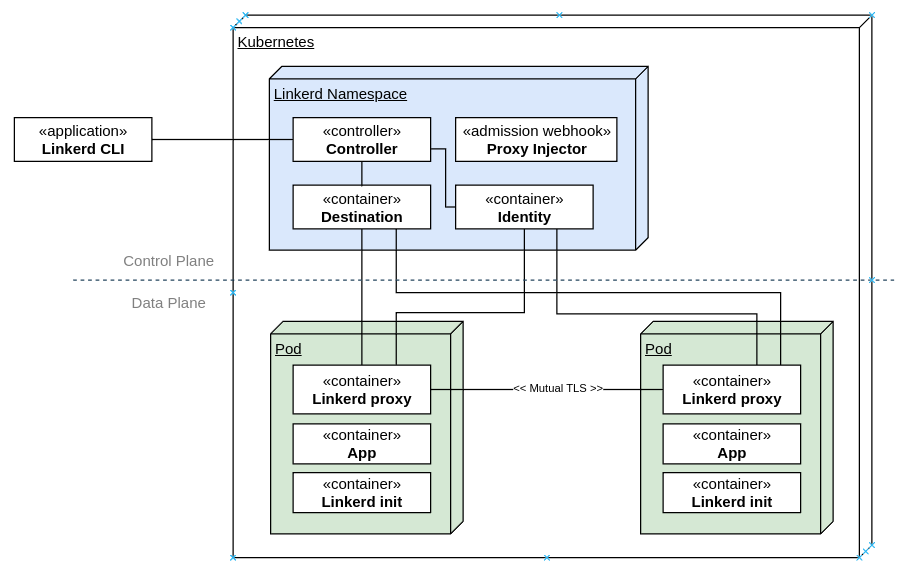
$ kubectl get pods -AThe first step would be to setup the Linkerd CLI:
NAMESPACE NAME READY STATUS RESTARTS AGE
kube-system calico-kube-controllers-59697b644f-7fsln 1/1 Running 2 (119m ago) 7d
kube-system calico-node-6ptsh 1/1 Running 2 (119m ago) 7d
kube-system calico-node-7x5j8 1/1 Running 2 (119m ago) 7d
kube-system calico-node-qlnf6 1/1 Running 2 (119m ago) 7d
kube-system coredns-565d847f94-79jlw 1/1 Running 2 (119m ago) 7d
kube-system coredns-565d847f94-fqwn4 1/1 Running 2 (119m ago) 7d
kube-system etcd-k8s-master 1/1 Running 2 (119m ago) 7d
kube-system kube-apiserver-k8s-master 1/1 Running 2 (119m ago) 7d
kube-system kube-controller-manager-k8s-master 1/1 Running 2 (119m ago) 7d
kube-system kube-proxy-4n9b7 1/1 Running 2 (119m ago) 7d
kube-system kube-proxy-k4rzv 1/1 Running 2 (119m ago) 7d
kube-system kube-proxy-lz2dd 1/1 Running 2 (119m ago) 7d
kube-system kube-scheduler-k8s-master 1/1 Running 2 (119m ago) 7d
$ curl --proto '=https' --tlsv1.2 -sSfL https://run.linkerd.io/install shOn most systems, this should be sufficient to setup the CLI. You may need to restart your terminal to load the updated paths. If you have a non-standard configuration and linkerd is not found after the installation, add the following to your PATH to be able to find the cli:
export PATH=$PATH:~/.linkerd2/bin/At this point, checking the version would give you the following:
$ linkerd versionSetting up Linkerd Control PlaneBefore installing Linkerd on the cluster, run the following step to check the cluster for pre-requisites:
Client version: stable-2.12.2
Server version: unavailable
$ linkerd check --pre
Linkerd core checks
===================
kubernetes-api
--------------
  can initialize the client
  can query the Kubernetes API
kubernetes-version
------------------
  is running the minimum Kubernetes API version
  is running the minimum kubectl version
pre-kubernetes-setup
--------------------
  control plane namespace does not already exist
  can create non-namespaced resources
  can create ServiceAccounts
  can create Services
  can create Deployments
  can create CronJobs
  can create ConfigMaps
  can create Secrets
  can read Secrets
  can read extension-apiserver-authentication configmap
  no clock skew detected
linkerd-version
---------------
  can determine the latest version
  cli is up-to-date
Status check results areAll the pre-requisites appear to be good right now, and so installation can proceed.The first step of the installation is to setup the Custom Resource Definitions (CRDs) that Linkerd requires. The linkerd cli only prints the resource YAMLs to standard output and does not create them directly in Kubernetes, so you would need to pipe the output to kubectl apply to create the resources in the cluster that you re working with.
$ linkerd install --crds   kubectl apply -f -
Rendering Linkerd CRDs...
Next, run  linkerd install   kubectl apply -f -  to install the control plane.
customresourcedefinition.apiextensions.k8s.io/authorizationpolicies.policy.linkerd.io createdNext, install the Linkerd control plane components in the same manner, this time without the crds switch:
customresourcedefinition.apiextensions.k8s.io/httproutes.policy.linkerd.io created
customresourcedefinition.apiextensions.k8s.io/meshtlsauthentications.policy.linkerd.io created
customresourcedefinition.apiextensions.k8s.io/networkauthentications.policy.linkerd.io created
customresourcedefinition.apiextensions.k8s.io/serverauthorizations.policy.linkerd.io created
customresourcedefinition.apiextensions.k8s.io/servers.policy.linkerd.io created
customresourcedefinition.apiextensions.k8s.io/serviceprofiles.linkerd.io created
$ linkerd install kubectl apply -f -Kubernetes will start spinning up the data plane components and you should see the following when you list the pods:
namespace/linkerd created
clusterrole.rbac.authorization.k8s.io/linkerd-linkerd-identity created
clusterrolebinding.rbac.authorization.k8s.io/linkerd-linkerd-identity created
serviceaccount/linkerd-identity created
clusterrole.rbac.authorization.k8s.io/linkerd-linkerd-destination created
clusterrolebinding.rbac.authorization.k8s.io/linkerd-linkerd-destination created
serviceaccount/linkerd-destination created
secret/linkerd-sp-validator-k8s-tls created
validatingwebhookconfiguration.admissionregistration.k8s.io/linkerd-sp-validator-webhook-config created
secret/linkerd-policy-validator-k8s-tls created
validatingwebhookconfiguration.admissionregistration.k8s.io/linkerd-policy-validator-webhook-config created
clusterrole.rbac.authorization.k8s.io/linkerd-policy created
clusterrolebinding.rbac.authorization.k8s.io/linkerd-destination-policy created
role.rbac.authorization.k8s.io/linkerd-heartbeat created
rolebinding.rbac.authorization.k8s.io/linkerd-heartbeat created
clusterrole.rbac.authorization.k8s.io/linkerd-heartbeat created
clusterrolebinding.rbac.authorization.k8s.io/linkerd-heartbeat created
serviceaccount/linkerd-heartbeat created
clusterrole.rbac.authorization.k8s.io/linkerd-linkerd-proxy-injector created
clusterrolebinding.rbac.authorization.k8s.io/linkerd-linkerd-proxy-injector created
serviceaccount/linkerd-proxy-injector created
secret/linkerd-proxy-injector-k8s-tls created
mutatingwebhookconfiguration.admissionregistration.k8s.io/linkerd-proxy-injector-webhook-config created
configmap/linkerd-config created
secret/linkerd-identity-issuer created
configmap/linkerd-identity-trust-roots created
service/linkerd-identity created
service/linkerd-identity-headless created
deployment.apps/linkerd-identity created
service/linkerd-dst created
service/linkerd-dst-headless created
service/linkerd-sp-validator created
service/linkerd-policy created
service/linkerd-policy-validator created
deployment.apps/linkerd-destination created
cronjob.batch/linkerd-heartbeat created
deployment.apps/linkerd-proxy-injector created
service/linkerd-proxy-injector created
secret/linkerd-config-overrides created
$ kubectl get pods -AThe components are running in the new linkerd namespace.To verify the setup, run a check:
...
linkerd linkerd-destination-67b9cc8749-xqcbx 4/4 Running 0 69s
linkerd linkerd-identity-59b46789cc-ntfcx 2/2 Running 0 69s
linkerd linkerd-proxy-injector-7fc85556bf-vnvw6 1/2 Running 0 69s
$ linkerd check
Linkerd core checks
===================
kubernetes-api
--------------
  can initialize the client
  can query the Kubernetes API
kubernetes-version
------------------
  is running the minimum Kubernetes API version
  is running the minimum kubectl version
linkerd-existence
-----------------
  'linkerd-config' config map exists
  heartbeat ServiceAccount exist
  control plane replica sets are ready
  no unschedulable pods
  control plane pods are ready
  cluster networks contains all pods
  cluster networks contains all services
linkerd-config
--------------
  control plane Namespace exists
  control plane ClusterRoles exist
  control plane ClusterRoleBindings exist
  control plane ServiceAccounts exist
  control plane CustomResourceDefinitions exist
  control plane MutatingWebhookConfigurations exist
  control plane ValidatingWebhookConfigurations exist
  proxy-init container runs as root user if docker container runtime is used
linkerd-identity
----------------
  certificate config is valid
  trust anchors are using supported crypto algorithm
  trust anchors are within their validity period
  trust anchors are valid for at least 60 days
  issuer cert is using supported crypto algorithm
  issuer cert is within its validity period
  issuer cert is valid for at least 60 days
  issuer cert is issued by the trust anchor
linkerd-webhooks-and-apisvc-tls
-------------------------------
  proxy-injector webhook has valid cert
  proxy-injector cert is valid for at least 60 days
  sp-validator webhook has valid cert
  sp-validator cert is valid for at least 60 days
  policy-validator webhook has valid cert
  policy-validator cert is valid for at least 60 days
linkerd-version
---------------
  can determine the latest version
  cli is up-to-date
control-plane-version
---------------------
  can retrieve the control plane version
  control plane is up-to-date
  control plane and cli versions match
linkerd-control-plane-proxy
---------------------------
  control plane proxies are healthy
  control plane proxies are up-to-date
  control plane proxies and cli versions match
Status check results areEverything looks good.Setting up the Viz ExtensionAt this point, the required components for the service mesh are setup, but let s also install the viz extension, which provides a good visualization capabilities that will come in handy subsequently. Once again, linkerd uses the same pattern for installing the extension.
$ linkerd viz install kubectl apply -f -A few seconds later, you should see the following in your pod list:
namespace/linkerd-viz created
clusterrole.rbac.authorization.k8s.io/linkerd-linkerd-viz-metrics-api created
clusterrolebinding.rbac.authorization.k8s.io/linkerd-linkerd-viz-metrics-api created
serviceaccount/metrics-api created
clusterrole.rbac.authorization.k8s.io/linkerd-linkerd-viz-prometheus created
clusterrolebinding.rbac.authorization.k8s.io/linkerd-linkerd-viz-prometheus created
serviceaccount/prometheus created
clusterrole.rbac.authorization.k8s.io/linkerd-linkerd-viz-tap created
clusterrole.rbac.authorization.k8s.io/linkerd-linkerd-viz-tap-admin created
clusterrolebinding.rbac.authorization.k8s.io/linkerd-linkerd-viz-tap created
clusterrolebinding.rbac.authorization.k8s.io/linkerd-linkerd-viz-tap-auth-delegator created
serviceaccount/tap created
rolebinding.rbac.authorization.k8s.io/linkerd-linkerd-viz-tap-auth-reader created
secret/tap-k8s-tls created
apiservice.apiregistration.k8s.io/v1alpha1.tap.linkerd.io created
role.rbac.authorization.k8s.io/web created
rolebinding.rbac.authorization.k8s.io/web created
clusterrole.rbac.authorization.k8s.io/linkerd-linkerd-viz-web-check created
clusterrolebinding.rbac.authorization.k8s.io/linkerd-linkerd-viz-web-check created
clusterrolebinding.rbac.authorization.k8s.io/linkerd-linkerd-viz-web-admin created
clusterrole.rbac.authorization.k8s.io/linkerd-linkerd-viz-web-api created
clusterrolebinding.rbac.authorization.k8s.io/linkerd-linkerd-viz-web-api created
serviceaccount/web created
server.policy.linkerd.io/admin created
authorizationpolicy.policy.linkerd.io/admin created
networkauthentication.policy.linkerd.io/kubelet created
server.policy.linkerd.io/proxy-admin created
authorizationpolicy.policy.linkerd.io/proxy-admin created
service/metrics-api created
deployment.apps/metrics-api created
server.policy.linkerd.io/metrics-api created
authorizationpolicy.policy.linkerd.io/metrics-api created
meshtlsauthentication.policy.linkerd.io/metrics-api-web created
configmap/prometheus-config created
service/prometheus created
deployment.apps/prometheus created
service/tap created
deployment.apps/tap created
server.policy.linkerd.io/tap-api created
authorizationpolicy.policy.linkerd.io/tap created
clusterrole.rbac.authorization.k8s.io/linkerd-tap-injector created
clusterrolebinding.rbac.authorization.k8s.io/linkerd-tap-injector created
serviceaccount/tap-injector created
secret/tap-injector-k8s-tls created
mutatingwebhookconfiguration.admissionregistration.k8s.io/linkerd-tap-injector-webhook-config created
service/tap-injector created
deployment.apps/tap-injector created
server.policy.linkerd.io/tap-injector-webhook created
authorizationpolicy.policy.linkerd.io/tap-injector created
networkauthentication.policy.linkerd.io/kube-api-server created
service/web created
deployment.apps/web created
serviceprofile.linkerd.io/metrics-api.linkerd-viz.svc.cluster.local created
serviceprofile.linkerd.io/prometheus.linkerd-viz.svc.cluster.local created
$ kubectl get pods -AThe viz components live in the linkerd-viz namespace.You can now checkout the viz dashboard:
...
linkerd-viz prometheus-b5865f776-w5ssf 1/2 Running 0 35s
linkerd-viz tap-64f5c8597b-rqgbk 2/2 Running 0 35s
linkerd-viz tap-injector-7c75cfff4c-wl9mx 2/2 Running 0 34s
linkerd-viz web-8c444745-jhzr5 2/2 Running 0 34s
$ linkerd viz dashboard
Linkerd dashboard available at:
http://localhost:50750
Grafana dashboard available at:
http://localhost:50750/grafana
Opening Linkerd dashboard in the default browser
Opening in existing browser session.
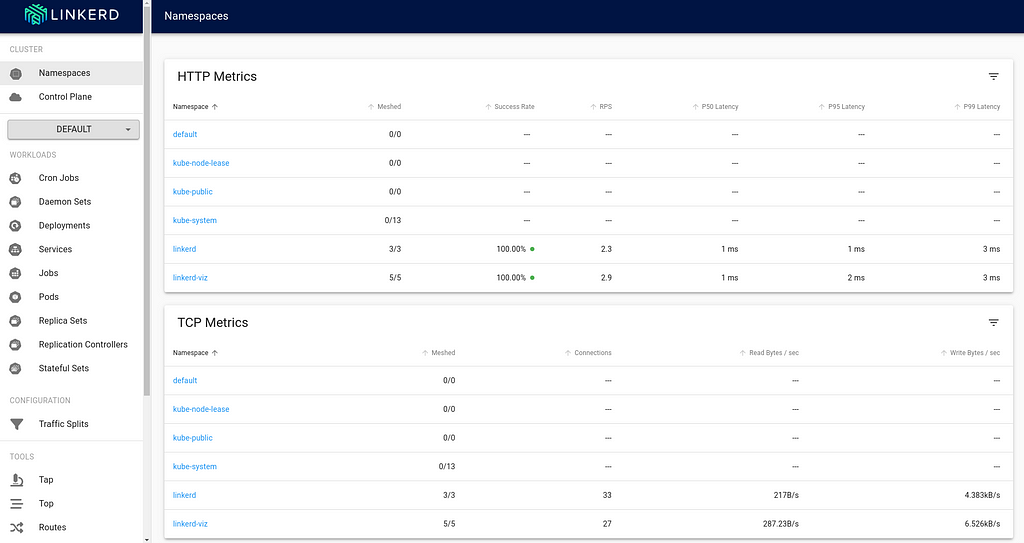
$ cat deploy.yaml
apiVersion: apps/v1
kind: Deployment
metadata:
  name: nginx-deployment
spec:
  selector:
    matchLabels:
      app: nginx
  replicas: 2
  template:
    metadata:
      labels:
        app: nginx
    spec:
      containers:
      - name: nginx
        image: nginx:latest
        ports:
        - containerPort: 80
$ kubectl apply -f deploy.yamlBack in the viz dashboard, I do see the workload deployed, but it isn t currently communicating with the Linkerd control plane, and so doesn t show any metrics, and the Meshed count is 0:
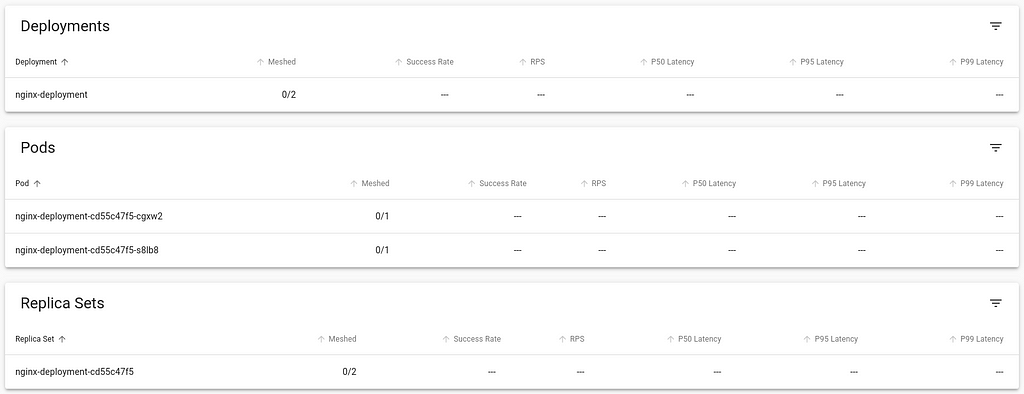
$ kubectl get pod nginx-deployment-cd55c47f5-cgxw2 -o yamlLet s directly inject the linkerd data plane into this running container. We do this by retrieving the YAML of the deployment, piping it to linkerd cli to inject the necessary components and then piping to kubectl apply the changed resources.
apiVersion: v1
kind: Pod
metadata:
annotations:
cni.projectcalico.org/containerID: aee0295dda906f7935ce5c150ae30360005f5330e98c75a550b7cc0d1532f529
cni.projectcalico.org/podIP: 172.16.36.89/32
cni.projectcalico.org/podIPs: 172.16.36.89/32
creationTimestamp: "2022-11-05T19:35:12Z"
generateName: nginx-deployment-cd55c47f5-
labels:
app: nginx
pod-template-hash: cd55c47f5
name: nginx-deployment-cd55c47f5-cgxw2
namespace: default
ownerReferences:
- apiVersion: apps/v1
blockOwnerDeletion: true
controller: true
kind: ReplicaSet
name: nginx-deployment-cd55c47f5
uid: b604f5c4-f662-4333-aaa0-bd1a2b8b08c6
resourceVersion: "22979"
uid: 8fe30214-491b-4753-9fb2-485b6341376c
spec:
containers:
- image: nginx:latest
imagePullPolicy: Always
name: nginx
ports:
- containerPort: 80
protocol: TCP
resources:
terminationMessagePath: /dev/termination-log
terminationMessagePolicy: File
volumeMounts:
- mountPath: /var/run/secrets/kubernetes.io/serviceaccount
name: kube-api-access-2bt6z
readOnly: true
dnsPolicy: ClusterFirst
enableServiceLinks: true
nodeName: k8s-node1
preemptionPolicy: PreemptLowerPriority
priority: 0
restartPolicy: Always
schedulerName: default-scheduler
securityContext:
serviceAccount: default
serviceAccountName: default
terminationGracePeriodSeconds: 30
tolerations:
- effect: NoExecute
key: node.kubernetes.io/not-ready
operator: Exists
tolerationSeconds: 300
- effect: NoExecute
key: node.kubernetes.io/unreachable
operator: Exists
tolerationSeconds: 300
volumes:
- name: kube-api-access-2bt6z
projected:
defaultMode: 420
sources:
- serviceAccountToken:
expirationSeconds: 3607
path: token
- configMap:
items:
- key: ca.crt
path: ca.crt
name: kube-root-ca.crt
- downwardAPI:
items:
- fieldRef:
apiVersion: v1
fieldPath: metadata.namespace
path: namespace
status:
conditions:
- lastProbeTime: null
lastTransitionTime: "2022-11-05T19:35:12Z"
status: "True"
type: Initialized
- lastProbeTime: null
lastTransitionTime: "2022-11-05T19:35:16Z"
status: "True"
type: Ready
- lastProbeTime: null
lastTransitionTime: "2022-11-05T19:35:16Z"
status: "True"
type: ContainersReady
- lastProbeTime: null
lastTransitionTime: "2022-11-05T19:35:13Z"
status: "True"
type: PodScheduled
containerStatuses:
- containerID: containerd://f088f200315b44cbeed16499aba9b2d1396f9f81645e53b032d4bfa44166128a
image: docker.io/library/nginx:latest
imageID: docker.io/library/nginx@sha256:943c25b4b66b332184d5ba6bb18234273551593016c0e0ae906bab111548239f
lastState:
name: nginx
ready: true
restartCount: 0
started: true
state:
running:
startedAt: "2022-11-05T19:35:15Z"
hostIP: 192.168.2.216
phase: Running
podIP: 172.16.36.89
podIPs:
- ip: 172.16.36.89
qosClass: BestEffort
startTime: "2022-11-05T19:35:12Z"
$ kubectl get deploy nginx-deployment -o yaml linkerd inject - kubectl apply -f -
deployment "nginx-deployment" injected
deployment.apps/nginx-deployment configuredBack in the viz dashboard, the workload now is integrated into Linkerd control plane.
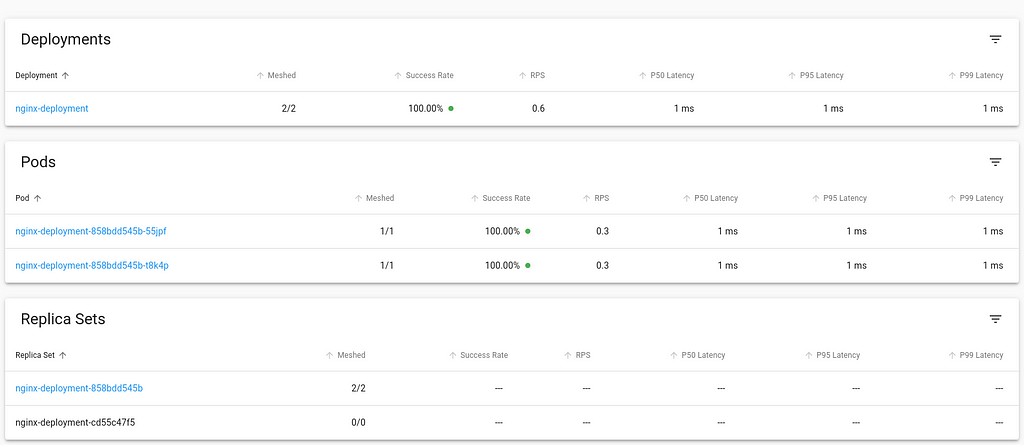
$ kubectl get pod nginx-deployment-858bdd545b-55jpf -o yamlAt this point, the necessary components are setup for you to explore Linkerd further. You can also try out the jaeger and multicluster extensions, similar to the process of installing and using the viz extension and try out their capabilities.Inject Linkerd data plane automaticallyIn this approach, we shall we how to instruct Kubernetes to automatically inject the Linkerd data plane to workloads at deployment time.We can achieve this by adding the linkerd.io/inject annotation to the deployment descriptor which causes the proxy injector admission hook to execute and inject linkerd data plane components automatically at the time of deployment.
apiVersion: v1
kind: Pod
metadata:
annotations:
cni.projectcalico.org/containerID: 1ec3d345f859be8ead0374a7e880bcfdb9ba74a121b220a6fccbd342ac4b7ea8
cni.projectcalico.org/podIP: 172.16.36.90/32
cni.projectcalico.org/podIPs: 172.16.36.90/32
linkerd.io/created-by: linkerd/proxy-injector stable-2.12.2
linkerd.io/inject: enabled
linkerd.io/proxy-version: stable-2.12.2
linkerd.io/trust-root-sha256: 354fe6f49331e8e03d8fb07808e00a3e145d2661181cbfec7777b41051dc8e22
viz.linkerd.io/tap-enabled: "true"
creationTimestamp: "2022-11-05T19:44:15Z"
generateName: nginx-deployment-858bdd545b-
labels:
app: nginx
linkerd.io/control-plane-ns: linkerd
linkerd.io/proxy-deployment: nginx-deployment
linkerd.io/workload-ns: default
pod-template-hash: 858bdd545b
name: nginx-deployment-858bdd545b-55jpf
namespace: default
ownerReferences:
- apiVersion: apps/v1
blockOwnerDeletion: true
controller: true
kind: ReplicaSet
name: nginx-deployment-858bdd545b
uid: 2e618972-aa10-4e35-a7dd-084853673a80
resourceVersion: "23820"
uid: 62f1857a-b701-4a19-8996-b5b605ff8488
spec:
containers:
- env:
- name: _pod_name
valueFrom:
fieldRef:
apiVersion: v1
fieldPath: metadata.name
- name: _pod_ns
valueFrom:
fieldRef:
apiVersion: v1
fieldPath: metadata.namespace
- name: _pod_nodeName
valueFrom:
fieldRef:
apiVersion: v1
fieldPath: spec.nodeName
- name: LINKERD2_PROXY_LOG
value: warn,linkerd=info
- name: LINKERD2_PROXY_LOG_FORMAT
value: plain
- name: LINKERD2_PROXY_DESTINATION_SVC_ADDR
value: linkerd-dst-headless.linkerd.svc.cluster.local.:8086
- name: LINKERD2_PROXY_DESTINATION_PROFILE_NETWORKS
value: 10.0.0.0/8,100.64.0.0/10,172.16.0.0/12,192.168.0.0/16
- name: LINKERD2_PROXY_POLICY_SVC_ADDR
value: linkerd-policy.linkerd.svc.cluster.local.:8090
- name: LINKERD2_PROXY_POLICY_WORKLOAD
value: $(_pod_ns):$(_pod_name)
- name: LINKERD2_PROXY_INBOUND_DEFAULT_POLICY
value: all-unauthenticated
- name: LINKERD2_PROXY_POLICY_CLUSTER_NETWORKS
value: 10.0.0.0/8,100.64.0.0/10,172.16.0.0/12,192.168.0.0/16
- name: LINKERD2_PROXY_INBOUND_CONNECT_TIMEOUT
value: 100ms
- name: LINKERD2_PROXY_OUTBOUND_CONNECT_TIMEOUT
value: 1000ms
- name: LINKERD2_PROXY_CONTROL_LISTEN_ADDR
value: 0.0.0.0:4190
- name: LINKERD2_PROXY_ADMIN_LISTEN_ADDR
value: 0.0.0.0:4191
- name: LINKERD2_PROXY_OUTBOUND_LISTEN_ADDR
value: 127.0.0.1:4140
- name: LINKERD2_PROXY_INBOUND_LISTEN_ADDR
value: 0.0.0.0:4143
- name: LINKERD2_PROXY_INBOUND_IPS
valueFrom:
fieldRef:
apiVersion: v1
fieldPath: status.podIPs
- name: LINKERD2_PROXY_INBOUND_PORTS
value: "80"
- name: LINKERD2_PROXY_DESTINATION_PROFILE_SUFFIXES
value: svc.cluster.local.
- name: LINKERD2_PROXY_INBOUND_ACCEPT_KEEPALIVE
value: 10000ms
- name: LINKERD2_PROXY_OUTBOUND_CONNECT_KEEPALIVE
value: 10000ms
- name: LINKERD2_PROXY_INBOUND_PORTS_DISABLE_PROTOCOL_DETECTION
value: 25,587,3306,4444,5432,6379,9300,11211
- name: LINKERD2_PROXY_DESTINATION_CONTEXT
value:
"ns":"$(_pod_ns)", "nodeName":"$(_pod_nodeName)"
- name: _pod_sa
valueFrom:
fieldRef:
apiVersion: v1
fieldPath: spec.serviceAccountName
- name: _l5d_ns
value: linkerd
- name: _l5d_trustdomain
value: cluster.local
- name: LINKERD2_PROXY_IDENTITY_DIR
value: /var/run/linkerd/identity/end-entity
- name: LINKERD2_PROXY_IDENTITY_TRUST_ANCHORS
value:
-----BEGIN CERTIFICATE-----
MIIBiDCCAS6gAwIBAgIBATAKBggqhkjOPQQDAjAcMRowGAYDVQQDExFpZGVudGl0
eS5saW5rZXJkLjAeFw0yMjExMDUxOTIxMDlaFw0yMzExMDUxOTIxMjlaMBwxGjAY
BgNVBAMTEWlkZW50aXR5LmxpbmtlcmQuMFkwEwYHKoZIzj0CAQYIKoZIzj0DAQcD
QgAE8AgxbWWa1qgEgN3ykFAOJ3sw9nSugUk1N5Qfvo6jXX/8/TZUW0ddko/N71+H
EcKc72kK0tlclj8jDi3pzJ4C0KNhMF8wDgYDVR0PAQH/BAQDAgEGMB0GA1UdJQQW
MBQGCCsGAQUFBwMBBggrBgEFBQcDAjAPBgNVHRMBAf8EBTADAQH/MB0GA1UdDgQW
BBThSr0yAj5joW7pj/NZPYcfIIepbzAKBggqhkjOPQQDAgNIADBFAiAomg0TVn6N
UxhOyzZdg848lAvH0Io9Ra/Ef2hxZGN0LgIhAIKjrsgDUqZA8XHiiciYYicxFnKr
Tw5yj9gBhVAgYCaB
-----END CERTIFICATE-----
- name: LINKERD2_PROXY_IDENTITY_TOKEN_FILE
value: /var/run/secrets/tokens/linkerd-identity-token
- name: LINKERD2_PROXY_IDENTITY_SVC_ADDR
value: linkerd-identity-headless.linkerd.svc.cluster.local.:8080
- name: LINKERD2_PROXY_IDENTITY_LOCAL_NAME
value: $(_pod_sa).$(_pod_ns).serviceaccount.identity.linkerd.cluster.local
- name: LINKERD2_PROXY_IDENTITY_SVC_NAME
value: linkerd-identity.linkerd.serviceaccount.identity.linkerd.cluster.local
- name: LINKERD2_PROXY_DESTINATION_SVC_NAME
value: linkerd-destination.linkerd.serviceaccount.identity.linkerd.cluster.local
- name: LINKERD2_PROXY_POLICY_SVC_NAME
value: linkerd-destination.linkerd.serviceaccount.identity.linkerd.cluster.local
- name: LINKERD2_PROXY_TAP_SVC_NAME
value: tap.linkerd-viz.serviceaccount.identity.linkerd.cluster.local
image: cr.l5d.io/linkerd/proxy:stable-2.12.2
imagePullPolicy: IfNotPresent
lifecycle:
postStart:
exec:
command:
- /usr/lib/linkerd/linkerd-await
- --timeout=2m
livenessProbe:
failureThreshold: 3
httpGet:
path: /live
port: 4191
scheme: HTTP
initialDelaySeconds: 10
periodSeconds: 10
successThreshold: 1
timeoutSeconds: 1
name: linkerd-proxy
ports:
- containerPort: 4143
name: linkerd-proxy
protocol: TCP
- containerPort: 4191
name: linkerd-admin
protocol: TCP
readinessProbe:
failureThreshold: 3
httpGet:
path: /ready
port: 4191
scheme: HTTP
initialDelaySeconds: 2
periodSeconds: 10
successThreshold: 1
timeoutSeconds: 1
resources:
securityContext:
allowPrivilegeEscalation: false
readOnlyRootFilesystem: true
runAsUser: 2102
terminationMessagePath: /dev/termination-log
terminationMessagePolicy: FallbackToLogsOnError
volumeMounts:
- mountPath: /var/run/linkerd/identity/end-entity
name: linkerd-identity-end-entity
- mountPath: /var/run/secrets/tokens
name: linkerd-identity-token
- mountPath: /var/run/secrets/kubernetes.io/serviceaccount
name: kube-api-access-9zpnn
readOnly: true
- image: nginx:latest
imagePullPolicy: Always
name: nginx
ports:
- containerPort: 80
protocol: TCP
resources:
terminationMessagePath: /dev/termination-log
terminationMessagePolicy: File
volumeMounts:
- mountPath: /var/run/secrets/kubernetes.io/serviceaccount
name: kube-api-access-9zpnn
readOnly: true
dnsPolicy: ClusterFirst
enableServiceLinks: true
initContainers:
- args:
- --incoming-proxy-port
- "4143"
- --outgoing-proxy-port
- "4140"
- --proxy-uid
- "2102"
- --inbound-ports-to-ignore
- 4190,4191,4567,4568
- --outbound-ports-to-ignore
- 4567,4568
image: cr.l5d.io/linkerd/proxy-init:v2.0.0
imagePullPolicy: IfNotPresent
name: linkerd-init
resources:
limits:
cpu: 100m
memory: 20Mi
requests:
cpu: 100m
memory: 20Mi
securityContext:
allowPrivilegeEscalation: false
capabilities:
add:
- NET_ADMIN
- NET_RAW
privileged: false
readOnlyRootFilesystem: true
runAsNonRoot: true
runAsUser: 65534
terminationMessagePath: /dev/termination-log
terminationMessagePolicy: FallbackToLogsOnError
volumeMounts:
- mountPath: /run
name: linkerd-proxy-init-xtables-lock
- mountPath: /var/run/secrets/kubernetes.io/serviceaccount
name: kube-api-access-9zpnn
readOnly: true
nodeName: k8s-node1
preemptionPolicy: PreemptLowerPriority
priority: 0
restartPolicy: Always
schedulerName: default-scheduler
securityContext:
serviceAccount: default
serviceAccountName: default
terminationGracePeriodSeconds: 30
tolerations:
- effect: NoExecute
key: node.kubernetes.io/not-ready
operator: Exists
tolerationSeconds: 300
- effect: NoExecute
key: node.kubernetes.io/unreachable
operator: Exists
tolerationSeconds: 300
volumes:
- name: kube-api-access-9zpnn
projected:
defaultMode: 420
sources:
- serviceAccountToken:
expirationSeconds: 3607
path: token
- configMap:
items:
- key: ca.crt
path: ca.crt
name: kube-root-ca.crt
- downwardAPI:
items:
- fieldRef:
apiVersion: v1
fieldPath: metadata.namespace
path: namespace
- emptyDir:
name: linkerd-proxy-init-xtables-lock
- emptyDir:
medium: Memory
name: linkerd-identity-end-entity
- name: linkerd-identity-token
projected:
defaultMode: 420
sources:
- serviceAccountToken:
audience: identity.l5d.io
expirationSeconds: 86400
path: linkerd-identity-token
status:
conditions:
- lastProbeTime: null
lastTransitionTime: "2022-11-05T19:44:16Z"
status: "True"
type: Initialized
- lastProbeTime: null
lastTransitionTime: "2022-11-05T19:44:19Z"
status: "True"
type: Ready
- lastProbeTime: null
lastTransitionTime: "2022-11-05T19:44:19Z"
status: "True"
type: ContainersReady
- lastProbeTime: null
lastTransitionTime: "2022-11-05T19:44:15Z"
status: "True"
type: PodScheduled
containerStatuses:
- containerID: containerd://62028867c48aaa726df48249a27c52cd8820cd33e8e5695ad0d322540924754e
image: cr.l5d.io/linkerd/proxy:stable-2.12.2
imageID: cr.l5d.io/linkerd/proxy@sha256:787db5055b2a46a3c4318ef3b632461261f81254c8e47bf4b9b8dab2c42575e4
lastState:
name: linkerd-proxy
ready: true
restartCount: 0
started: true
state:
running:
startedAt: "2022-11-05T19:44:16Z"
- containerID: containerd://8f8ce663c19360a7b6868ace68a4a5119f0b18cd57ffebcc2d19331274038381
image: docker.io/library/nginx:latest
imageID: docker.io/library/nginx@sha256:943c25b4b66b332184d5ba6bb18234273551593016c0e0ae906bab111548239f
lastState:
name: nginx
ready: true
restartCount: 0
started: true
state:
running:
startedAt: "2022-11-05T19:44:19Z"
hostIP: 192.168.2.216
initContainerStatuses:
- containerID: containerd://c0417ea9c8418ab296bf86077e81c5d8be06fe9b87390c138d1c5d7b73cc577c
image: cr.l5d.io/linkerd/proxy-init:v2.0.0
imageID: cr.l5d.io/linkerd/proxy-init@sha256:7d5e66b9e176b1ebbdd7f40b6385d1885e82c80a06f4c6af868247bb1dffe262
lastState:
name: linkerd-init
ready: true
restartCount: 0
state:
terminated:
containerID: containerd://c0417ea9c8418ab296bf86077e81c5d8be06fe9b87390c138d1c5d7b73cc577c
exitCode: 0
finishedAt: "2022-11-05T19:44:16Z"
reason: Completed
startedAt: "2022-11-05T19:44:15Z"
phase: Running
podIP: 172.16.36.90
podIPs:
- ip: 172.16.36.90
qosClass: Burstable
startTime: "2022-11-05T19:44:15Z"
$ cat deploy.yamlThis annotation can also be specified at the namespace level to affect all the workloads within the namespace. Note that any resources created before the annotation was added to the namespace will require a rollout restart to trigger the injection of the Linkerd components.Uninstalling LinkerdNow that we have walked through the installation and setup process of Linkerd, let s also cover how to remove it from the infrastructure and go back to the state prior to its installation.The first step would be to remove extensions, such as viz.
apiVersion: apps/v1
kind: Deployment
metadata:
name: nginx-deployment
spec:
selector:
matchLabels:
app: nginx
replicas: 2
template:
metadata:
labels:
app: nginx
annotations:
linkerd.io/inject: enabled
spec:
containers:
- name: nginx
image: nginx:latest
ports:
- containerPort: 80
$ linkerd viz uninstall kubectl delete -f -In order to uninstall the control plane, you would need to first uninject the Linkerd control plane components from any existing running pods by:
clusterrole.rbac.authorization.k8s.io "linkerd-linkerd-viz-metrics-api" deleted
clusterrole.rbac.authorization.k8s.io "linkerd-linkerd-viz-prometheus" deleted
clusterrole.rbac.authorization.k8s.io "linkerd-linkerd-viz-tap" deleted
clusterrole.rbac.authorization.k8s.io "linkerd-linkerd-viz-tap-admin" deleted
clusterrole.rbac.authorization.k8s.io "linkerd-linkerd-viz-web-api" deleted
clusterrole.rbac.authorization.k8s.io "linkerd-linkerd-viz-web-check" deleted
clusterrole.rbac.authorization.k8s.io "linkerd-tap-injector" deleted
clusterrolebinding.rbac.authorization.k8s.io "linkerd-linkerd-viz-metrics-api" deleted
clusterrolebinding.rbac.authorization.k8s.io "linkerd-linkerd-viz-prometheus" deleted
clusterrolebinding.rbac.authorization.k8s.io "linkerd-linkerd-viz-tap" deleted
clusterrolebinding.rbac.authorization.k8s.io "linkerd-linkerd-viz-tap-auth-delegator" deleted
clusterrolebinding.rbac.authorization.k8s.io "linkerd-linkerd-viz-web-admin" deleted
clusterrolebinding.rbac.authorization.k8s.io "linkerd-linkerd-viz-web-api" deleted
clusterrolebinding.rbac.authorization.k8s.io "linkerd-linkerd-viz-web-check" deleted
clusterrolebinding.rbac.authorization.k8s.io "linkerd-tap-injector" deleted
role.rbac.authorization.k8s.io "web" deleted
rolebinding.rbac.authorization.k8s.io "linkerd-linkerd-viz-tap-auth-reader" deleted
rolebinding.rbac.authorization.k8s.io "web" deleted
apiservice.apiregistration.k8s.io "v1alpha1.tap.linkerd.io" deleted
mutatingwebhookconfiguration.admissionregistration.k8s.io "linkerd-tap-injector-webhook-config" deleted
namespace "linkerd-viz" deleted
authorizationpolicy.policy.linkerd.io "admin" deleted
authorizationpolicy.policy.linkerd.io "metrics-api" deleted
authorizationpolicy.policy.linkerd.io "proxy-admin" deleted
authorizationpolicy.policy.linkerd.io "tap" deleted
authorizationpolicy.policy.linkerd.io "tap-injector" deleted
server.policy.linkerd.io "admin" deleted
server.policy.linkerd.io "metrics-api" deleted
server.policy.linkerd.io "proxy-admin" deleted
server.policy.linkerd.io "tap-api" deleted
server.policy.linkerd.io "tap-injector-webhook" deleted
$ kubectl get deployments
NAME               READY   UP-TO-DATE   AVAILABLE   AGE
nginx-deployment   2/2     2            2           10m
$ kubectl get deployment nginx-deployment -o yaml linkerd uninject - kubectl apply -f -
deployment "nginx-deployment" uninjected
deployment.apps/nginx-deployment configuredNow you can delete the control plane.
$ linkerd uninstall kubectl delete -f -At this point we re back to the original state:
clusterrole.rbac.authorization.k8s.io "linkerd-heartbeat" deleted
clusterrole.rbac.authorization.k8s.io "linkerd-linkerd-destination" deleted
clusterrole.rbac.authorization.k8s.io "linkerd-linkerd-identity" deleted
clusterrole.rbac.authorization.k8s.io "linkerd-linkerd-proxy-injector" deleted
clusterrole.rbac.authorization.k8s.io "linkerd-policy" deleted
clusterrolebinding.rbac.authorization.k8s.io "linkerd-destination-policy" deleted
clusterrolebinding.rbac.authorization.k8s.io "linkerd-heartbeat" deleted
clusterrolebinding.rbac.authorization.k8s.io "linkerd-linkerd-destination" deleted
clusterrolebinding.rbac.authorization.k8s.io "linkerd-linkerd-identity" deleted
clusterrolebinding.rbac.authorization.k8s.io "linkerd-linkerd-proxy-injector" deleted
role.rbac.authorization.k8s.io "linkerd-heartbeat" deleted
rolebinding.rbac.authorization.k8s.io "linkerd-heartbeat" deleted
customresourcedefinition.apiextensions.k8s.io "authorizationpolicies.policy.linkerd.io" deleted
customresourcedefinition.apiextensions.k8s.io "httproutes.policy.linkerd.io" deleted
customresourcedefinition.apiextensions.k8s.io "meshtlsauthentications.policy.linkerd.io" deleted
customresourcedefinition.apiextensions.k8s.io "networkauthentications.policy.linkerd.io" deleted
customresourcedefinition.apiextensions.k8s.io "serverauthorizations.policy.linkerd.io" deleted
customresourcedefinition.apiextensions.k8s.io "servers.policy.linkerd.io" deleted
customresourcedefinition.apiextensions.k8s.io "serviceprofiles.linkerd.io" deleted
mutatingwebhookconfiguration.admissionregistration.k8s.io "linkerd-proxy-injector-webhook-config" deleted
validatingwebhookconfiguration.admissionregistration.k8s.io "linkerd-policy-validator-webhook-config" deleted
validatingwebhookconfiguration.admissionregistration.k8s.io "linkerd-sp-validator-webhook-config" deleted
namespace "linkerd" deleted
$ kubectl get pods -AI hope you find this useful to get you started on your journey with Linkerd. Head on over to the docs for more information, guides and best practices.
NAMESPACE NAME READY STATUS RESTARTS AGE
default nginx-deployment-cd55c47f5-99xf2 1/1 Running 0 82s
default nginx-deployment-cd55c47f5-tt58t 1/1 Running 0 86s
kube-system calico-kube-controllers-59697b644f-7fsln 1/1 Running 2 (3h39m ago) 7d1h
kube-system calico-node-6ptsh 1/1 Running 2 (3h39m ago) 7d1h
kube-system calico-node-7x5j8 1/1 Running 2 (3h39m ago) 7d1h
kube-system calico-node-qlnf6 1/1 Running 2 (3h39m ago) 7d1h
kube-system coredns-565d847f94-79jlw 1/1 Running 2 (3h39m ago) 7d2h
kube-system coredns-565d847f94-fqwn4 1/1 Running 2 (3h39m ago) 7d2h
kube-system etcd-k8s-master 1/1 Running 2 (3h39m ago) 7d2h
kube-system kube-apiserver-k8s-master 1/1 Running 2 (3h39m ago) 7d2h
kube-system kube-controller-manager-k8s-master 1/1 Running 2 (3h39m ago) 7d2h
kube-system kube-proxy-4n9b7 1/1 Running 2 (3h39m ago) 7d2h
kube-system kube-proxy-k4rzv 1/1 Running 2 (3h39m ago) 7d2h
kube-system kube-proxy-lz2dd 1/1 Running 2 (3h39m ago) 7d2h
kube-system kube-scheduler-k8s-master 1/1 Running 2 (3h39m ago) 7d2h
 Two weeks ago, I had the chance to go see Cory Doctorow at my local independent
bookstore, in Montr al. He was there to present his latest essay, co-written
with Rebecca Giblin1. Titled Chokepoint Capitalism: How Big Tech and
Big Content Captured Creative Labor Markets and How We'll Win Them Back, it
focuses on the impact of monopolies and monopsonies (more on this later) on
creative workers.
The book is divided in two main parts:
Two weeks ago, I had the chance to go see Cory Doctorow at my local independent
bookstore, in Montr al. He was there to present his latest essay, co-written
with Rebecca Giblin1. Titled Chokepoint Capitalism: How Big Tech and
Big Content Captured Creative Labor Markets and How We'll Win Them Back, it
focuses on the impact of monopolies and monopsonies (more on this later) on
creative workers.
The book is divided in two main parts:
 Although Doctorow is known for his strong political stances, I have to say I'm
quite surprised by the quality of the research Giblin and he did for this book.
They both show a pretty advanced understanding of the market dynamics they look
at, and even though most of the solutions they propose aren't new or
groundbreaking, they manage to be convincing and clear.
That is to say, you certainly don't need to be an economist to understand or
enjoy this book :)
As I have mentioned before, the book heavily criticises monopolies, but also
monopsonies a market structure that has only one buyer (instead of one
seller). I find this quite interesting, as whereas people are often familiar
with the concept of monopolies, monopsonies are frequently overlooked.
The classic example of a monopsony is a labor market with a single employer:
there is a multitude of workers trying to sell their labor power, but in the
end, working conditions are dictated by the sole employer, who gets to decide
who has a job and who hasn't. Mining towns are good real-world examples of
monopsonies.
In the book, the authors argue most of the contemporary work produced by
creative workers (especially musicians and writers) is sold to monopsonies and
oligopsonies, like Amazon2 or major music labels. This creates a
situation where the consumers are less directly affected by the lack of
competition in the market (they often get better prices), but where creators
have an increasingly hard time making ends meet. Not only this, but natural
monopsonies3 are relatively rare, making the case for breaking the
existing ones even stronger.
Apart from the evident need to actually start applying (the quite good)
antitrust laws in the USA, some of the other solutions put forward are:
Although Doctorow is known for his strong political stances, I have to say I'm
quite surprised by the quality of the research Giblin and he did for this book.
They both show a pretty advanced understanding of the market dynamics they look
at, and even though most of the solutions they propose aren't new or
groundbreaking, they manage to be convincing and clear.
That is to say, you certainly don't need to be an economist to understand or
enjoy this book :)
As I have mentioned before, the book heavily criticises monopolies, but also
monopsonies a market structure that has only one buyer (instead of one
seller). I find this quite interesting, as whereas people are often familiar
with the concept of monopolies, monopsonies are frequently overlooked.
The classic example of a monopsony is a labor market with a single employer:
there is a multitude of workers trying to sell their labor power, but in the
end, working conditions are dictated by the sole employer, who gets to decide
who has a job and who hasn't. Mining towns are good real-world examples of
monopsonies.
In the book, the authors argue most of the contemporary work produced by
creative workers (especially musicians and writers) is sold to monopsonies and
oligopsonies, like Amazon2 or major music labels. This creates a
situation where the consumers are less directly affected by the lack of
competition in the market (they often get better prices), but where creators
have an increasingly hard time making ends meet. Not only this, but natural
monopsonies3 are relatively rare, making the case for breaking the
existing ones even stronger.
Apart from the evident need to actually start applying (the quite good)
antitrust laws in the USA, some of the other solutions put forward are:
Next.