Search Results: "tb"

19 January 2026

Russell Coker: Furilabs FLX1s

The Aim I have just got a Furilabs FLX1s [1] which is a phone running a modified version of Debian. I want to have a phone that runs all apps that I control and can observe and debug. Android is very good for what it does and there are security focused forks of Android which have a lot of potential, but for my use a Debian phone is what I want. The FLX1s is not going to be my ideal phone, I am evaluating it for use as a daily-driver until a phone that meets my ideal criteria is built. In this post I aim to provide information to potential users about what it can do, how it does it, and how to get the basic functions working. I also evaluate how well it meets my usage criteria. I am not anywhere near an average user. I don t think an average user would ever even see one unless a more technical relative showed one to them. So while this phone could be used by an average user I am not evaluating it on that basis. But of course the features of the GUI that make a phone usable for an average user will allow a developer to rapidly get past the beginning stages and into more complex stuff. Features The Furilabs FLX1s [1] is a phone that is designed to run FuriOS which is a slightly modified version of Debian. The purpose of this is to run Debian instead of Android on a phone. It has switches to disable camera, phone communication, and microphone (similar to the Librem 5) but the one to disable phone communication doesn t turn off Wifi, the only other phone I know of with such switches is the Purism Librem 5. It has a 720*1600 display which is only slightly better than the 720*1440 display in the Librem 5 and PinePhone Pro. This doesn t compare well to the OnePlus 6 from early 2018 with 2280*1080 or the Note9 from late 2018 with 2960*1440 which are both phones that I ve run Debian on. The current price is $US499 which isn t that good when compared to the latest Google Pixel series, a Pixel 10 costs $US649 and has a 2424*1080 display and it also has 12G of RAM while the FLX1s only has 8G. Another annoying thing is how rounded the corners are, it seems that round corners that cut off the content are a standard practice nowadays, in my collection of phones the latest one I found with hard right angles on the display was a Huawei Mate 10 Pro which was released in 2017. The corners are rounder than the Note 9, this annoys me because the screen is not high resolution by today s standards so losing the corners matters. The default installation is Phosh (the GNOME shell for phones) and it is very well configured. Based on my experience with older phone users I think I could give a phone with this configuration to a relative in the 70+ age range who has minimal computer knowledge and they would be happy with it. Additionally I could set it up to allow ssh login and instead of going through the phone support thing of trying to describe every GUI setting to click on based on a web page describing menus for the version of Android they are running I could just ssh in and run diff on the .config directory to find out what they changed. Furilabs have done a very good job of setting up the default configuration, while Debian developers deserve a lot of credit for packaging the apps the Furilabs people have chosen a good set of default apps to install to get it going and appear to have made some noteworthy changes to some of them. Droidian The OS is based on Android drivers (using the same techniques as Droidian [2]) and the storage device has the huge number of partitions you expect from Android as well as a 110G Ext4 filesystem for the main OS. The first issue with the Droidian approach of using an Android kernel and containers for user space code to deal with drivers is that it doesn t work that well. There are 3 D state processes (uninterrupteable sleep which usually means a kernel bug if the process remains in that state) after booting and doing nothing special. My tests running Droidian on the Note 9 also had D state processes, in this case they are D state kernel threads (I can t remember if the Note 9 had regular processes or kernel threads stuck in D state). It is possible for a system to have full functionality in spite of some kernel threads in D state but generally it s a symptom of things not working as well as you would hope. The design of Droidian is inherently fragile. You use a kernel and user space code from Android and then use Debian for the rest. You can t do everything the Android way (with the full OS updates etc) and you also can t do everything the Debian way. The TOW Boot functionality in the PinePhone Pro is really handy for recovery [3], it allows the internal storage to be accessed as a USB mass storage device. The full Android setup with ADB has some OK options for recovery, but part Android and part Debian has less options. While it probably is technically possible to do the same things in regard to OS repair and reinstall the fact that it s different from most other devices means that fixes can t be done in the same way. Applications GUI The system uses Phosh and Phoc, the GNOME system for handheld devices. It s a very different UI from Android, I prefer Android but it is usable with Phosh. IM Chatty works well for Jabber (XMPP) in my tests. It supports Matrix which I didn t test because I don t desire the same program doing Matrix and Jabber and because Matrix is a heavy protocol which establishes new security keys for each login so I don t want to keep logging in on new applications. Chatty also does SMS but I couldn t test that without the SIM caddy. I use Nheko for Matrix which has worked very well for me on desktops and laptops running Debian. Email I am currently using Geary for email. It works reasonably well but is lacking proper management of folders, so I can t just subscribe to the important email on my phone so that bandwidth isn t wasted on less important email (there is a GNOME gitlab issue about this see the Debian Wiki page about Mobile apps [4]). Music Music playing isn t a noteworthy thing for a desktop or laptop, but a good music player is important for phone use. The Lollypop music player generally does everything you expect along with support for all the encoding formats including FLAC0 a major limitation of most Android music players seems to be lack of support for some of the common encoding formats. Lollypop has it s controls for pause/play and going forward and backward one track on the lock screen. Maps The installed map program is gnome-maps which works reasonably well. It gets directions via the Graphhopper API [5]. One thing we really need is a FOSS replacement for Graphhopper in GNOME Maps. Delivery and Unboxing I received my FLX1s on the 13th of Jan [1]. I had paid for it on the 16th of Oct but hadn t received the email with the confirmation link so the order had been put on hold. But after I contacted support about that on the 5th of Jan they rapidly got it to me which was good. They also gave me a free case and screen protector to apologise, I don t usually use screen protectors but in this case it might be useful as the edges of the case don t even extend 0.5mm above the screen. So if it falls face down the case won t help much. When I got it there was an open space at the bottom where the caddy for SIMs is supposed to be. So I couldn t immediately test VoLTE functionality. The contact form on their web site wasn t working when I tried to report that and the email for support was bouncing. Bluetooth As a test of Bluetooth I connected it to my Nissan LEAF which worked well for playing music and I connected it to several Bluetooth headphones. My Thinkpad running Debian/Trixie doesn t connect to the LEAF and to headphones which have worked on previous laptops running Debian and Ubuntu. A friend s laptop running Debian/Trixie also wouldn t connect to the LEAF so I suspect a bug in Trixie, I need to spend more time investigating this. Wifi Currently 5GHz wifi doesn t work, this is a software bug that the Furilabs people are working on. 2.4GHz wifi works fine. I haven t tested running a hotspot due to being unable to get 4G working as they haven t yet shipped me the SIM caddy. Docking This phone doesn t support DP Alt-mode or Thunderbolt docking so it can t drive an external monitor. This is disappointing, Samsung phones and tablets have supported such things since long before USB-C was invented. Samsung DeX is quite handy for Android devices and that type feature is much more useful on a device running Debian than on an Android device. Camera The camera works reasonably well on the FLX1s. Until recently for the Librem 5 the camera didn t work and the camera on my PinePhone Pro currently doesn t work. Here are samples of the regular camera and the selfie camera on the FLX1s and the Note 9. I think this shows that the camera is pretty decent. The selfie looks better and the front camera is worse for the relatively close photo of a laptop screen taking photos of computer screens is an important part of my work but I can probably work around that. I wasn t assessing this camera t find out if it s great, just to find out if I have the sorts of problems I had before and it just worked. The Samsung Galaxy Note series of phones has always had decent specs including good cameras. Even though the Note 9 is old comparing to it is a respectable performance. The lighting was poor for all photos. FLX1s
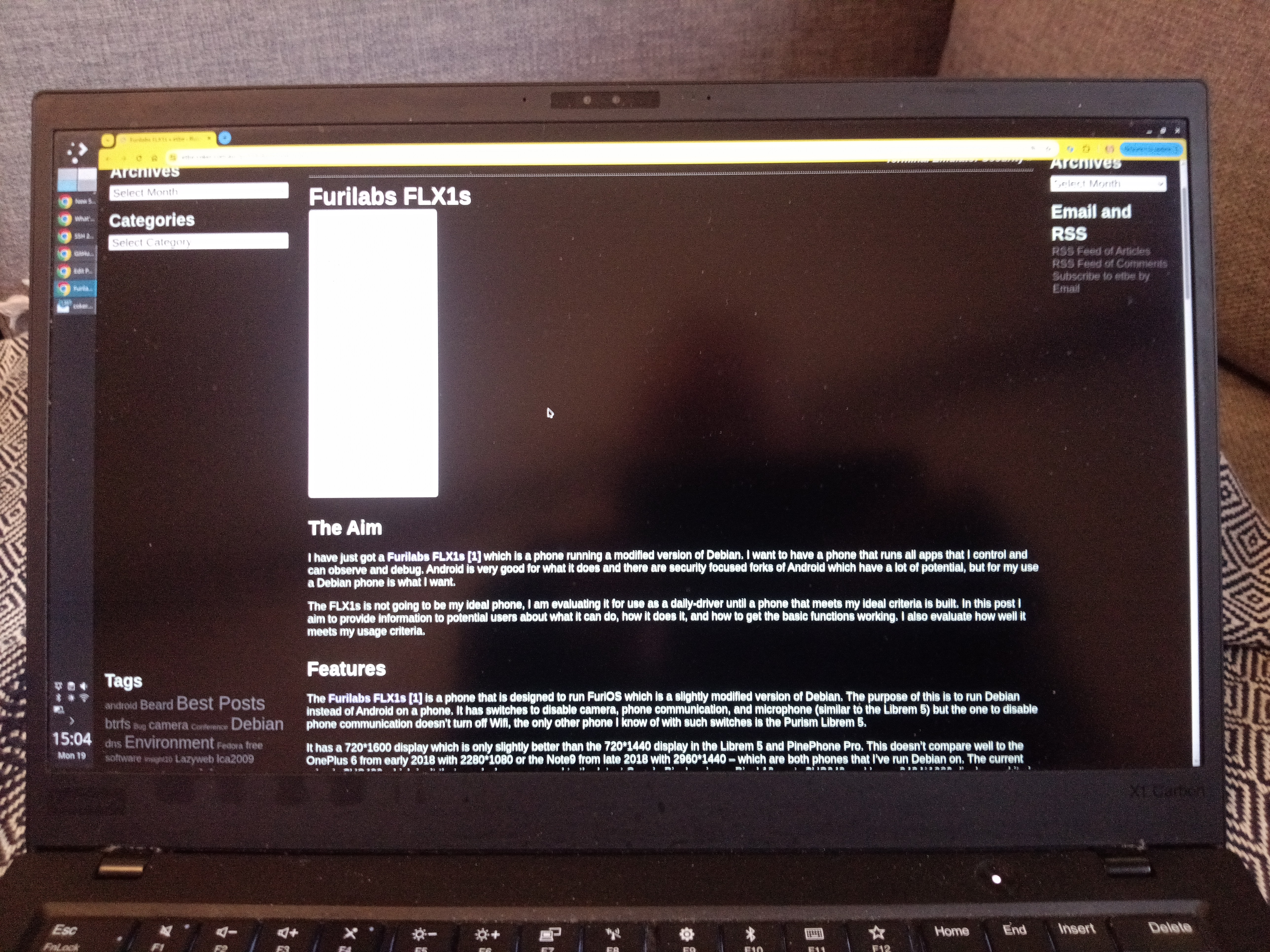
Note 9
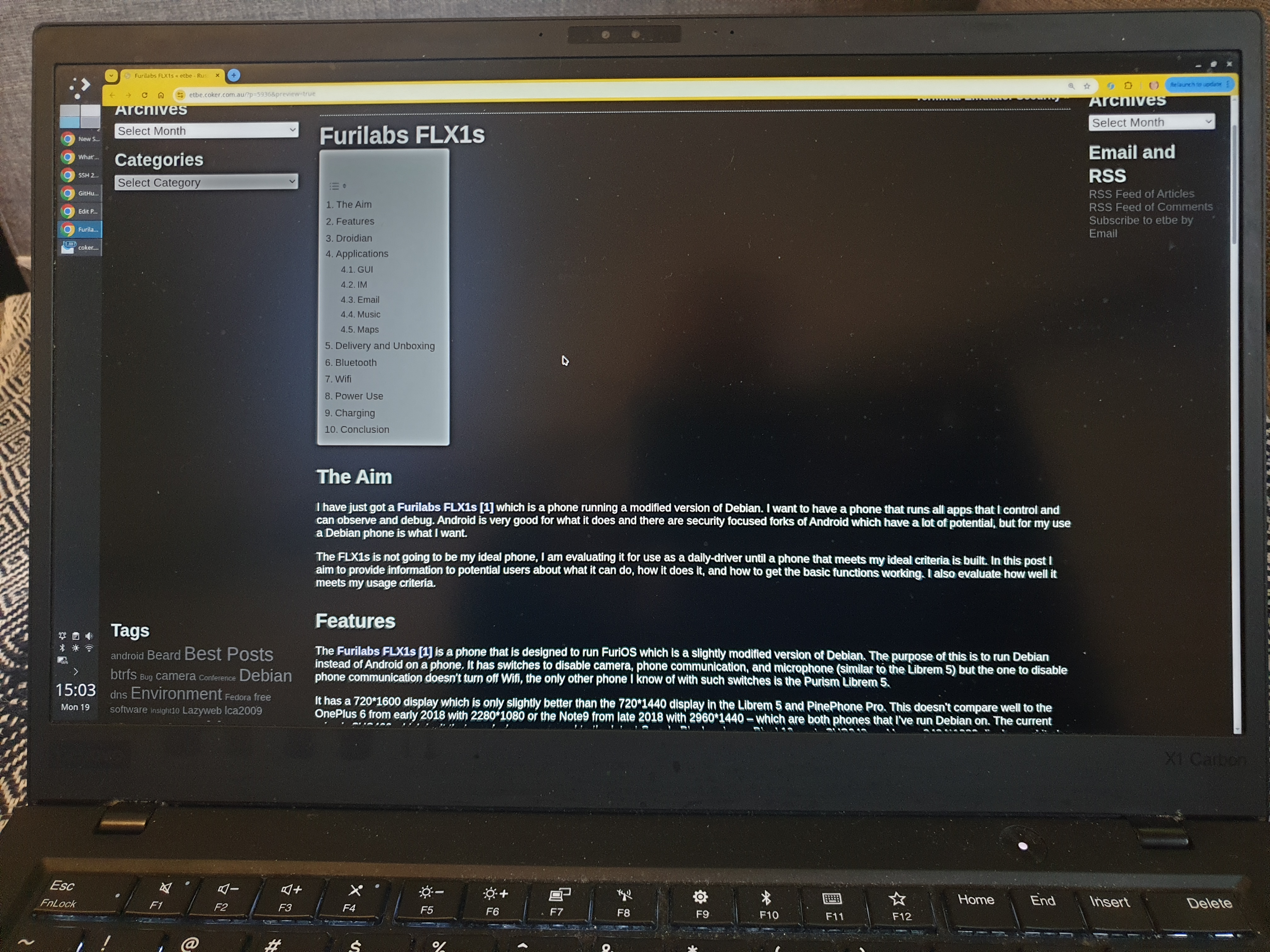
Power Use In 93 minutes having the PinePhone Pro, Librem 5, and FLX1s online with open ssh sessions from my workstation the PinePhone Pro went from 100% battery to 26%, the Librem 5 went from 95% to 69%, and the FLX1s went from 100% to 99%. The battery discharge rate of them was reported as 3.0W, 2.6W, and 0.39W respectively. Based on having a 16.7Wh battery 93 minutes of use should have been close to 4% battery use, but in any case all measurements make it clear that the FLX1s will have a much longer battery life. Including the measurement of just putting my fingers on the phones and feeling the temperature (FLX1s felt cool and the others felt hot). The PinePhone Pro and the Librem 5 have an optional Caffeine mode which I enabled for this test, without that enabled the phone goes into a sleep state and disconnects from Wifi. So those phones would use much less power with caffeine mode enabled, but they also couldn t get fast response to notifications etc. I found the option to enable a Caffeine mode switch on the FLX1s but the power use was reported as being the same both with and without it. Charging One problem I found with my phone is that in every case it takes 22 seconds to negotiate power. Even when using straight USB charging (no BC or PD) it doesn t draw any current for 22 seconds. When I connect it it will stay at 5V and varying between 0W and 0.1W (current rounded off to zero) for 22 seconds or so and then start charging. After the 22 second display the phone will make the tick sound indicating that it s charging and the power meter will measure that it s drawing some current. I added the table from my previous post about phone charging speed [6] with an extra row for the FLX1s. For charging from my PC USB ports the results were the worst ever, the port that does BC did not work at all it was looping trying to negotiate after a 22 second negotiation delay the port would turn off. The non-BC port gave only 2.4W which matches the 2.5W given by the spec for a High-power device which is what that port is designed to give. In a discussion on the Purism forum about the Librem5 charging speed one of their engineers told me that the reason why their phone would draw 2A from that port was because the cable was identifying itself as a USB-C port not a High-power device port. But for some reason out of the 7 phones I tested the FLX1s and the One Plus 6 are the only ones to limit themselves to what the port is apparently supposed to do. Also the One Plus 6 charges slowly on every power supply so I don t know if it is obeying the spec or just sucking. On a cheap AliExpress charger the FLX1s gets 5.9V and on a USB battery it gets 5.8V. Out of all 42 combinations of device and charger I tested these were the only ones to involve more than 5.1V but less than 9V. I welcome comments suggesting an explanation. The case that I received has a hole for the USB-C connector that isn t wide enough for the plastic surrounds on most of my USB-C cables (including the Dell dock). Also to make a connection requires a fairly deep insertion (deeper than the One Plus 6 or the Note 9). So without adjustment I have to take the case off to charge it. It s no big deal to adjust the hole (I have done it with other cases) but it s an annoyance.
Phone Top z640 Bottom Z640 Monitor Ali Charger Dell Dock Battery Best Worst
FLX1s FAIL 5.0V 0.49A 2.4W 4.8V 1.9A 9.0W 5.9V 1.8A 11W 4.8V 2.1A 10W 5.8V 2.1A 12W 5.8V 2.1A 12W 5.0V 0.49A 2.4W
Note9 4.8V 1.0A 5.2W 4.8V 1.6A 7.5W 4.9V 2.0A 9.5W 5.1V 1.9A 9.7W 4.8V 2.1A 10W 5.1V 2.1A 10W 5.1V 2.1A 10W 4.8V 1.0A 5.2W
Pixel 7 pro 4.9V 0.80A 4.2W 4.8V 1.2A 5.9W 9.1V 1.3A 12W 9.1V 1.2A 11W 4.9V 1.8A 8.7W 9.0V 1.3A 12W 9.1V 1.3A 12W 4.9V 0.80A 4.2W
Pixel 8 4.7V 1.2A 5.4W 4.7V 1.5A 7.2W 8.9V 2.1A 19W 9.1V 2.7A 24W 4.8V 2.3A 11.0W 9.1V 2.6A 24W 9.1V 2.7A 24W 4.7V 1.2A 5.4W
PPP 4.7V 1.2A 6.0W 4.8V 1.3A 6.8W 4.9V 1.4A 6.6W 5.0V 1.2A 5.8W 4.9V 1.4A 5.9W 5.1V 1.2A 6.3W 4.8V 1.3A 6.8W 5.0V 1.2A 5.8W
Librem 5 4.4V 1.5A 6.7W 4.6V 2.0A 9.2W 4.8V 2.4A 11.2W 12V 0.48A 5.8W 5.0V 0.56A 2.7W 5.1V 2.0A 10W 4.8V 2.4A 11.2W 5.0V 0.56A 2.7W
OnePlus6 5.0V 0.51A 2.5W 5.0V 0.50A 2.5W 5.0V 0.81A 4.0W 5.0V 0.75A 3.7W 5.0V 0.77A 3.7W 5.0V 0.77A 3.9W 5.0V 0.81A 4.0W 5.0V 0.50A 2.5W
Best 4.4V 1.5A 6.7W 4.6V 2.0A 9.2W 8.9V 2.1A 19W 9.1V 2.7A 24W 4.8V 2.3A 11.0W 9.1V 2.6A 24W
Conclusion The Furilabs support people are friendly and enthusiastic but my customer experience wasn t ideal. It was good that they could quickly respond to my missing order status and the missing SIM caddy (which I still haven t received but believe is in the mail) but it would be better if such things just didn t happen. The phone is quite user friendly and could be used by a novice. I paid $US577 for the FLX1s which is $AU863 by today s exchange rates. For comparison I could get a refurbished Pixel 9 Pro Fold for $891 from Kogan (the major Australian mail-order company for technology) or a refurbished Pixel 9 Pro XL for $842. The Pixel 9 series has security support until 2031 which is probably longer than you can expect a phone to be used without being broken. So a phone with a much higher resolution screen that s only one generation behind the latest high end phones and is refurbished will cost less. For a brand new phone a Pixel 8 Pro which has security updates until 2030 costs $874 and a Pixel 9A which has security updates until 2032 costs $861. Doing what the Furilabs people have done is not a small project. It s a significant amount of work and the prices of their products need to cover that. I m not saying that the prices are bad, just that economies of scale and the large quantity of older stock makes the older Google products quite good value for money. The new Pixel phones of the latest models are unreasonably expensive. The Pixel 10 is selling new from Google for $AU1,149 which I consider a ridiculous price that I would not pay given the market for used phones etc. If I had a choice of $1,149 or a feature phone I d pay $1,149. But the FLX1s for $863 is a much better option for me. If all I had to choose from was a new Pixel 10 or a FLX1s for my parents I d get them the FLX1s. For a FOSS developer a FLX1s could be a mobile test and development system which could be lent to a relative when their main phone breaks and the replacement is on order. It seems to be fit for use as a commodity phone. Note that I give this review on the assumption that SMS and VoLTE will just work, I haven t tested them yet. The UI on the FLX1s is functional and easy enough for a new user while allowing an advanced user to do the things they desire. I prefer the Android style and the Plasma Mobile style is closer to Android than Phosh is, but changing it is something I can do later. Generally I think that the differences between UIs matter more when on a desktop environment that could be used for more complex tasks than on a phone which limits what can be done by the size of the screen. I am comparing the FLX1s to Android phones on the basis of what technology is available. But most people who would consider buying this phone will compare it to the PinePhone Pro and the Librem 5 as they have similar uses. The FLX1s beats both those phones handily in terms of battery life and of having everything just work. But it has the most non free software of the three and the people who want the $2000 Librem 5 that s entirely made in the US won t want the FLX1s. This isn t the destination for Debian based phones, but it s a good step on the way to it and I don t think I ll regret this purchase.

17 January 2026

Simon Josefsson: Backup of S3 Objects Using rsnapshot

I ve been using rsnapshot to take backups of around 10 servers and laptops for well over 15 years, and it is a remarkably reliable tool that has proven itself many times. Rsnapshot uses rsync over SSH and maintains a temporal hard-link file pool. Once rsnapshot is configured and running, on the backup server, you get a hardlink farm with directories like this for the remote server:
/backup/serverA.domain/.sync/foo
/backup/serverA.domain/daily.0/foo
/backup/serverA.domain/daily.1/foo
/backup/serverA.domain/daily.2/foo
...
/backup/serverA.domain/daily.6/foo
/backup/serverA.domain/weekly.0/foo
/backup/serverA.domain/weekly.1/foo
...
/backup/serverA.domain/monthly.0/foo
/backup/serverA.domain/monthly.1/foo
...
/backup/serverA.domain/yearly.0/foo
I can browse and rescue files easily, going back in time when needed. The rsnapshot project README explains more, there is a long rsnapshot HOWTO although I usually find the rsnapshot man page the easiest to digest. I have stored multi-TB Git-LFS data on GitLab.com for some time. The yearly renewal is coming up, and the price for Git-LFS storage on GitLab.com is now excessive (~$10.000/year). I have reworked my work-flow and finally migrated debdistget to only store Git-LFS stubs on GitLab.com and push the real files to S3 object storage. The cost for this is barely measurable, I have yet to run into the 25/month warning threshold. But how do you backup stuff stored in S3? For some time, my S3 backup solution has been to run the minio-client mirror command to download all S3 objects to my laptop, and rely on rsnapshot to keep backups of this. While 4TB NVME s are relatively cheap, I ve felt that this disk and network churn on my laptop is unsatisfactory for quite some time. What is a better approach? I find S3 hosting sites fairly unreliable by design. Only a couple of clicks in your web browser and you have dropped 100TB of data. Or by someone else who steal your plaintext-equivalent cookie. Thus, I haven t really felt comfortable using any S3-based backup option. I prefer to self-host, although continously running a mirror job is not sufficient: if I accidentally drop the entire S3 object store, my mirror run will remove all files locally too. The rsnapshot approach that allows going back in time and having data on self-managed servers feels superior to me. What if we could use rsnapshot with a S3 client instead of rsync? Someone else asked about this several years ago, and the suggestion was to use the fuse-based s3fs which sounded unreliable to me. After some experimentation, working around some hard-coded assumption in the rsnapshot implementation, I came up with a small configuration pattern and a wrapper tool to implement what I desired. Here is my configuration snippet:
cmd_rsync    /backup/s3/s3rsync
rsync_short_args    -Q
rsync_long_args    --json --remove
lockfile    /backup/s3/rsnapshot.pid
snapshot_root    /backup/s3
backup    s3:://hetzner/debdistget-gnuinos    ./debdistget-gnuinos
backup    s3:://hetzner/debdistget-tacos  ./debdistget-tacos
backup    s3:://hetzner/debdistget-diffos ./debdistget-diffos
backup    s3:://hetzner/debdistget-pureos ./debdistget-pureos
backup    s3:://hetzner/debdistget-kali   ./debdistget-kali
backup    s3:://hetzner/debdistget-devuan ./debdistget-devuan
backup    s3:://hetzner/debdistget-trisquel   ./debdistget-trisquel
backup    s3:://hetzner/debdistget-debian ./debdistget-debian
The idea is to save a backup of a couple of S3 buckets under /backup/s3/. I have some scripts that take a complete rsnapshot.conf file and append my per-directory configuration so that this becomes a complete configuration. If you are curious how I roll this, backup-all invokes backup-one appending my rsnapshot.conf template with the snippet above. The s3rsync wrapper script is the essential hack to convert rsnapshot s rsync parameters into something that talks S3 and the script is as follows:
#!/bin/sh
set -eu
S3ARG=
for ARG in "$@"; do
    case $ARG in
    s3:://*) S3ARG="$S3ARG "$(echo $ARG   sed -e 's,s3:://,,');;
    -Q*) ;;
    *) S3ARG="$S3ARG $ARG";;
    esac
done
echo /backup/s3/mc mirror $S3ARG
exec /backup/s3/mc mirror $S3ARG
It uses the minio-client tool. I first tried s3cmd but its sync command read all files to compute MD5 checksums every time you invoke it, which is very slow. The mc mirror command is blazingly fast since it only compare mtime s, just like rsync or git. First you need to store credentials for your S3 bucket. These are stored in plaintext in ~/.mc/config.json which I find to be sloppy security practices, but I don t know of any better way to do this. Replace AKEY and SKEY with your access token and secret token from your S3 provider:
/backup/s3/mc alias set hetzner AKEY SKEY
If I invoke a sync job for a fully synced up directory the output looks like this:
root@hamster /backup# /run/current-system/profile/bin/rsnapshot -c /backup/s3/rsnapshot.conf -V sync
Setting locale to POSIX "C"
echo 1443 > /backup/s3/rsnapshot.pid 
/backup/s3/s3rsync -Qv --json --remove s3:://hetzner/debdistget-gnuinos \
    /backup/s3/.sync//debdistget-gnuinos 
/backup/s3/mc mirror --json --remove hetzner/debdistget-gnuinos /backup/s3/.sync//debdistget-gnuinos
 "status":"success","total":0,"transferred":0,"duration":0,"speed":0 
/backup/s3/s3rsync -Qv --json --remove s3:://hetzner/debdistget-tacos \
    /backup/s3/.sync//debdistget-tacos 
/backup/s3/mc mirror --json --remove hetzner/debdistget-tacos /backup/s3/.sync//debdistget-tacos
 "status":"success","total":0,"transferred":0,"duration":0,"speed":0 
/backup/s3/s3rsync -Qv --json --remove s3:://hetzner/debdistget-diffos \
    /backup/s3/.sync//debdistget-diffos 
/backup/s3/mc mirror --json --remove hetzner/debdistget-diffos /backup/s3/.sync//debdistget-diffos
 "status":"success","total":0,"transferred":0,"duration":0,"speed":0 
/backup/s3/s3rsync -Qv --json --remove s3:://hetzner/debdistget-pureos \
    /backup/s3/.sync//debdistget-pureos 
/backup/s3/mc mirror --json --remove hetzner/debdistget-pureos /backup/s3/.sync//debdistget-pureos
 "status":"success","total":0,"transferred":0,"duration":0,"speed":0 
/backup/s3/s3rsync -Qv --json --remove s3:://hetzner/debdistget-kali \
    /backup/s3/.sync//debdistget-kali 
/backup/s3/mc mirror --json --remove hetzner/debdistget-kali /backup/s3/.sync//debdistget-kali
 "status":"success","total":0,"transferred":0,"duration":0,"speed":0 
/backup/s3/s3rsync -Qv --json --remove s3:://hetzner/debdistget-devuan \
    /backup/s3/.sync//debdistget-devuan 
/backup/s3/mc mirror --json --remove hetzner/debdistget-devuan /backup/s3/.sync//debdistget-devuan
 "status":"success","total":0,"transferred":0,"duration":0,"speed":0 
/backup/s3/s3rsync -Qv --json --remove s3:://hetzner/debdistget-trisquel \
    /backup/s3/.sync//debdistget-trisquel 
/backup/s3/mc mirror --json --remove hetzner/debdistget-trisquel /backup/s3/.sync//debdistget-trisquel
 "status":"success","total":0,"transferred":0,"duration":0,"speed":0 
/backup/s3/s3rsync -Qv --json --remove s3:://hetzner/debdistget-debian \
    /backup/s3/.sync//debdistget-debian 
/backup/s3/mc mirror --json --remove hetzner/debdistget-debian /backup/s3/.sync//debdistget-debian
 "status":"success","total":0,"transferred":0,"duration":0,"speed":0 
touch /backup/s3/.sync/ 
rm -f /backup/s3/rsnapshot.pid 
/run/current-system/profile/bin/logger -p user.info -t rsnapshot[1443] \
    /run/current-system/profile/bin/rsnapshot -c /backup/s3/rsnapshot.conf \
    -V sync: completed successfully 
root@hamster /backup# 
You can tell from the paths that this machine runs Guix. This was the first production use of the Guix System for me, and the machine has been running since 2015 (with the occasional new hard drive). Before, I used rsnapshot on Debian, but some stable release of Debian dropped the rsnapshot package, paving the way for me to test Guix in production on a non-Internet exposed machine. Unfortunately, mc is not packaged in Guix, so you will have to install it from the MinIO Client GitHub page manually. Running the daily rotation looks like this:
root@hamster /backup# /run/current-system/profile/bin/rsnapshot -c /backup/s3/rsnapshot.conf -V daily
Setting locale to POSIX "C"
echo 1549 > /backup/s3/rsnapshot.pid 
mv /backup/s3/daily.5/ /backup/s3/daily.6/ 
mv /backup/s3/daily.4/ /backup/s3/daily.5/ 
mv /backup/s3/daily.3/ /backup/s3/daily.4/ 
mv /backup/s3/daily.2/ /backup/s3/daily.3/ 
mv /backup/s3/daily.1/ /backup/s3/daily.2/ 
mv /backup/s3/daily.0/ /backup/s3/daily.1/ 
/run/current-system/profile/bin/cp -al /backup/s3/.sync /backup/s3/daily.0 
rm -f /backup/s3/rsnapshot.pid 
/run/current-system/profile/bin/logger -p user.info -t rsnapshot[1549] \
    /run/current-system/profile/bin/rsnapshot -c /backup/s3/rsnapshot.conf \
    -V daily: completed successfully 
root@hamster /backup# 
Hopefully you will feel inspired to take backups of your S3 buckets now!

13 January 2026

Freexian Collaborators: Debian Contributions: dh-python development, Python 3.14 and Ruby 3.4 transitions, Surviving scraper traffic in Debian CI and more! (by Anupa Ann Joseph)

Debian Contributions: 2025-12 Contributing to Debian is part of Freexian s mission. This article covers the latest achievements of Freexian and their collaborators. All of this is made possible by organizations subscribing to our Long Term Support contracts and consulting services.

dh-python development, by Stefano Rivera In Debian we build our Python packages with the help of a debhelper-compatible tool, dh-python. Before starting the 3.14 transition (that would rebuild many packages) we landed some updates to dh-python to fix bugs and add features. This started a month of attention on dh-python, iterating through several bug fixes, and a couple of unfortunate regressions. dh-python is used by almost all packages containing Python (over 5000). Most of these are very simple, but some are complex and use dh-python in unexpected ways. It s hard to avoid almost any change (including obvious bug fixes) from causing some unexpected knock-on behaviour. There is a fair amount of complexity in dh-python, and some rather clever code, which can make it tricky to work on. All of this means that good QA is important. Stefano spent some time adding type annotations and specialized types to make it easier to see what the code is doing and catch mistakes. This has already made work on dh-python easier. Now that Debusine has built-in repositories and debdiff support, Stefano could quickly test the effects of changes on many other packages. After each big change, he could upload dh-python to a repository, rebuild e.g. 50 Python packages with it, and see what differences appeared in the output. Reviewing the diffs is still a manual process, but can be improved. Stefano did a small test on what it would take to replace direct setuptools setup.py calls with PEP-517 (pyproject-style) builds. There is more work to do here.

Python 3.14 transition, by Stefano Rivera (et al.) In December the transition to add Python 3.14 as a supported version started in Debian unstable. To do this, we update the list of supported versions in python3-defaults, and then start rebuilding modules with C extensions from the leaves inwards. This had already been tested in a PPA and Ubuntu, so many of the biggest blocking compatibility issues with 3.14 had already been found and fixed. But there are always new issues to discover. Thanks to a number of people in the Debian Python team, we got through the first bit of the transition fairly quickly. There are still a number of open bugs that need attention and many failed tests blocking migration to testing. Python 3.14.1 released just after we started the transition, and very soon after, a follow-up 3.14.2 release came out to address a regression. We ran into another regression in Python 3.14.2.

Ruby 3.4 transition, by Lucas Kanashiro (et al.) The Debian Ruby team just started the preparation to move the default Ruby interpreter version to 3.4. At the moment, ruby3.4 source package is already available in experimental, also ruby-defaults added support to Ruby 3.4. Lucas rebuilt all reverse dependencies against this new version of the interpreter and published the results here. Lucas also reached out to some stakeholders to coordinate the work. Next steps are: 1) announcing the results to the whole team and asking for help to fix packages failing to build against the new interpreter; 2) file bugs against packages FTBFSing against Ruby 3.4 which are not fixed yet; 3) once we have a low number of build failures against Ruby 3.4, ask the Debian Release team to start the transition in unstable.

Surviving scraper traffic in Debian CI, by Antonio Terceiro Like most of the open web, Debian Continuous Integration has been struggling for a while to keep up with the insatiable hunger from data scrapers everywhere. Solving this involved a lot of trial and error; the final result seems to be stable, and consists of two parts. First, all Debian CI data pages, except the direct links to test log files (such as those provided by the Release Team s testing migration excuses), now require users to be authenticated before being accessed. This means that the Debian CI data is no longer publicly browseable, which is a bit sad. However, this is where we are now. Additionally, there is now a fail2ban powered firewall-level access limitation for clients that display an abusive access pattern. This went through several iterations, with some of them unfortunately blocking legitimate Debian contributors, but the current state seems to strike a good balance between blocking scrapers and not blocking real users. Please get in touch with the team on the #debci OFTC channel if you are affected by this.

A hybrid dependency solver for crossqa.debian.net, by Helmut Grohne crossqa.debian.net continuously cross builds packages from the Debian archive. Like Debian s native build infrastructure, it uses dose-builddebcheck to determine whether a package s dependencies can be satisfied before attempting a build. About one third of Debian s packages fail this check, so understanding the reasons is key to improving cross building. Unfortunately, dose-builddebcheck stops after reporting the first problem and does not display additional ones. To address this, a greedy solver implemented in Python now examines each build-dependency individually and can report multiple causes. dose-builddebcheck is still used as a fall-back when the greedy solver does not identify any problems. The report for bazel-bootstrap is a lengthy example.

rebootstrap, by Helmut Grohne Due to the changes suggested by Loongson earlier, rebootstrap now adds debhelper to its final installability test and builds a few more packages required for installing it. It also now uses a variant of build-essential that has been marked Multi-Arch: same (see foundational work from last year). This in turn made the use of a non-default GCC version more difficult and required more work to make it work for gcc-16 from experimental. Ongoing archive changes temporarily regressed building fribidi and dash. libselinux and groff have received patches for architecture specific changes and libverto has been NMUed to remove the glib2.0 dependency.

Miscellaneous contributions
  • Stefano did some administrative work on debian.social and debian.net instances and Debian reimbursements.
  • Stefano did routine updates of python-authlib, python-mitogen, xdot.
  • Stefano spent several hours discussing Debian s Python package layout with the PyPA upstream community. Debian has ended up with a very different on-disk installed Python layout than other distributions, and this continues to cause some frustration in many communities that have to have special workarounds to handle it. This ended up impacting cross builds as Helmut discovered.
  • Rapha l set up Debusine workflows for the various backports repositories on debusine.debian.net.
  • Zulip is not yet in Debian (RFP in #800052), but Rapha l helped on the French translation as he is experimenting with that discussion platform.
  • Antonio performed several routine Salsa maintenance tasks, including fixing salsa-nm-sync, the service that synchronizes project members data from LDAP to Salsa, which had been broken since salsa.debian.org was upgraded to trixie .
  • Antonio deployed a new amd64 worker host for Debian CI.
  • Antonio did several DebConf technical and administrative bits, including but adding support for custom check-in/check-out dates in the MiniDebConf registration module, publishing a call for bids for DebConf27.
  • Carles reviewed and submitted 14 Catalan translations using po-debconf-manager.
  • Carles improved po-debconf-manager: added delete-package command, show-information now uses properly formatted output (YAML), it now attaches the translation on the bug reports for which a merge request has been opened too long.
  • Carles investigated why some packages appeared in po-debconf-manager but not in the Debian l10n list. Turns out that some packages had debian/po/templates.pot (appearing in po-debconf-manager) but not the POTFILES.in file as expected. Created a script to find out which packages were in this or similar situation and reported bugs.
  • Carles tested and documented how to set up voices (mbrola and festival) if using Orca speech synthesizer. Commented a few issues and possible improvements in the debian-accessibility list.
  • Helmut sent patches for 48 cross build failures and initiated discussions on how to deal with two non-trivial matters. Besides Python mentioned above, CMake introduced a cmake_pkg_config builtin which is not aware of the host architecture. He also forwarded a Meson patch upstream.
  • Thorsten uploaded a new upstream version of cups to fix a nasty bug that was introduced by the latest security update.
  • Along with many other Python 3.14 fixes, Colin fixed a tricky segfault in python-confluent-kafka after a helpful debugging hint from upstream.
  • Colin upstreamed an improved version of an OpenSSH patch we ve been carrying since 2008 to fix misleading verbose output from scp.
  • Colin used Debusine to coordinate transitions for astroid and pygments, and wrote up the astroid case on his blog.
  • Emilio helped with various transitions, and provided a build fix for opencv for the ffmpeg 8 transition.
  • Emilio tested the GNOME updates for trixie proposed updates (gnome-shell, mutter, glib2.0).
  • Santiago helped to review the status of how to test different build profiles in parallel on the same pipeline, using the test-build-profiles job. This means, for example, to simultaneously test build profiles such as nocheck and nodoc for the same git tree. Finally, Santiago provided MR !685 to fix the documentation.
  • Anupa prepared a bits post for Outreachy interns announcement along with T ssia Cam es Ara jo and worked on publicity team tasks.

12 January 2026

Daniel Kahn Gillmor: AI as a Compression Problem

A recent article in The Atlantic makes the case that very large language models effectively contain much of the works they're trained on. This article is an attempt to popularize the insights in the recent academic paper Extracting books from production language models from Ahmed et al. The authors of the paper demonstrate convincingly that well-known copyrighted textual material can be extracted from the chatbot interfaces of popular commercial LLM services. The Atlantic article cites a podcast quote about the Stable Diffusion AI image-generator model, saying "We took 100,000 gigabytes of images and compressed it to a two-gigabyte file that can re-create any of those and iterations of those". By analogy, this suggests we might think of LLMs (which work on text, not the images handled by Stable Diffusion) as a form of lossy textual compression. The entire text of Moby Dick, the canonical Big American Novel is merely 1.2MiB uncompressed (and less than 0.4MiB losslessly compressed with bzip2 -9). It's not surprising to imagine that a model with hundreds of billions of parameters might contain copies of these works. Warning: The next paragraph contains fuzzy math with no real concrete engineering practice behind it! Consider a hypothetical model with 100 billion parameters, where each parameter is stored as a 16-bit floating point value. The model weights would take 200 GB of storage. If you were to fill the parameter space only with losslessly compressed copies of books like Moby Dick, you could still fit half a million books, more than anyone can read in a lifetime. And lossy compression is typically orders of magnitude less in size than lossless compression, so we're talking about millions of works effectively encoded, with the acceptance of some artifacts being injected in the output. I first encountered this "compression" view of AI nearly three years ago, in Ted Chiang's insightful ChatGPT is a Blurry JPEG of the Web. I was suprised that The Atlantic article didn't cite Chiang's piece. If you haven't read Ted Chiang, i strongly recommend his work, and this piece is a great place to start. Chiang aside, the more recent writing that focuses on the idea of compressed works being "contained" in the model weights seems to be used by people interested in wielding some sort of copyright claims against the AI companies that maintain or provide access to these models. There are many many problems with AI today, but attacking AI companies based on copyright concerns seems similar to going after Al Capone for tax evasion. We should be much more concerned with the effect these projects have on cultural homogeneity, mental health, labor rights, privacy, and social control than whether they're violating copyright in some specific instance.

11 January 2026

Russell Coker: Terminal Emulator Security

I just read this informative article on ANSI terminal security [1]. The author has written a tool named vt-houdini for testing for these issues [2]. They used to host an instance on their server but appear to have stopped it. When you run that tool you can ssh to the system in question and without needing a password you are connected and the server probes your terminal emulator for vulnerabilities. The versions of Kitty and Konsole in Debian/Trixie have just passed those tests on my system. This will always be a potential security problem due to the purpose of a terminal emulator. A terminal emulator will often display untrusted data and often data which is known to come from hostile sources (EG logs of attempted attacks). So what could be done in this regard? Memory Protection Due to the complexity of terminal emulation there is the possibility of buffer overflows and other memory management issues that could be used to compromise the emulator. The Fil-C compiler is an interesting project [3], it compiles existing C/C++ code with memory checks. It is reported to have no noticeable impact on the performance of the bash shell which sounds like a useful option to address some of these issues as shell security issues are connected to terminal security issues. The performance impact on a terminal emulator would be likely to be more noticeable. Also note that Fil-C compilation apparently requires compiling all libraries with it, this isn t a problem for bash as the only libraries it uses nowadays are libtinfo and libc. The kitty terminal emulator doesn t have many libraries but libpython is one of them, it s an essential part of Kitty and it is a complex library to compile in a different way. Konsole has about 160 libraries and it isn t plausible to recompile so many libraries at this time. Choosing a terminal emulator that has a simpler design might help in this regard. Emulators that call libraries for 3D effects etc and native support for displaying in-line graphics have a much greater attack surface. Access Control A terminal emulator could be run in a container to prevent it from doing any damage if it is compromised. But the terminal emulator will have full control over the shell it runs and if the shell has access needed to allow commands like scp/rsync to do what is expected of them then that means that no useful level of containment is possible. It would be possible to run a terminal emulator in a container for the purpose of connecting to an insecure or hostile system and not allow scp/rsync to/from any directory other than /tmp (or other directories to use for sharing files). You could run exec ssh $SERVER so the terminal emulator session ends when the ssh connection ends. Conclusion There aren t good solutions to the problems of terminal emulation security. But testing every terminal emulator with vt-houdini and fuzzing the popular ones would be a good start. Qubes level isolation will help things in some situations, but if you need to connect to a server with privileged access to read log files containing potentially hostile data (which is a common sysadmin use case) then there aren t good options.

9 January 2026

Simon Josefsson: Debian Taco Towards a GitSecDevOps Debian

One of my holiday projects was to understand and gain more trust in how Debian binaries are built, and as the holidays are coming to an end, I d like to introduce a new research project called Debian Taco. I apparently need more holidays, because there are still more work to be done here, so at the end I ll summarize some pending work. Debian Taco, or TacOS, is a GitSecDevOps rebuild of Debian GNU/Linux. The Debian Taco project publish rebuilt binary packages, package repository metadata (InRelease, Packages, etc), container images, cloud images and live images. All packages are built from pristine source packages in the Debian archive. Debian Taco does not modify any Debian source code nor add or remove any packages found in Debian. No servers are involved! Everything is built in GitLab pipelines and results are published through modern GitDevOps mechanism like GitLab Pages and S3 object storage. You can fork the individual projects below on GitLab.com and you will have your own Debian-derived OS available for tweaking. (Of course, at some level, servers are always involved, so this claim is a bit of hyperbole.)

Goals The goal of TacOS is to be bit-by-bit identical with official Debian GNU/Linux, and until that has been completed, publish diffoscope output with differences. The idea is to further categorize all artifact differences into one of the following categories: 1) An obvious bug in Debian. For example, if a package does not build reproducible. 2) An obvious bug in TacOS. For example, if our build environment does not manage to build a package. 3) Something else. This would be input for further research and consideration. This category also include things where it isn t obvious if it is a bug in Debian or in TacOS. Known examples: 3A) Packages in TacOS are rebuilt the latest available source code, not the (potentially) older package that were used to build the Debian packages. This could lead to differences in the packages. These differences may be useful to analyze to identify supply-chain attacks. See some discussion about idempotent rebuilds. Our packages are all built from source code, unless we have not yet managed to build something. In the latter situation, Debian Taco falls back and uses the official Debian artifact. This allows an incremental publication of Debian Taco that still is 100% complete without requiring that everything is rebuilt instantly. The goal is that everything should be rebuilt, and until that has been completed, publish a list of artifacts that we use verbatim from Debian.

Debian Taco Archive The Debian Taco Archive project generate and publish the package archive (dists/tacos-trixie/InRelease, dists/tacos-trixie/main/binary-amd64/Packages.gz, pool/* etc), similar to what is published at https://deb.debian.org/debian/. The output of the Debian Taco Archive is available from https://debdistutils.gitlab.io/tacos/archive/.

Debian Taco Container Images The Debian Taco Container Images project provide container images of Debian Taco for trixie, forky and sid on the amd64, arm64, ppc64el and riscv64 architectures. These images allow quick and simple use of Debian Taco interactively, but makes it easy to deploy for container orchestration frameworks.

Debian Taco Cloud Images The Debian Taco Cloud Images project provide cloud images of Debian Taco for trixie, forky and sid on the amd64, arm64, ppc64el and riscv64 architectures. Launch and install Debian Taco for your cloud environment!

Debian Taco Live Images The Debian Taco Live Images project provide live images of Debian Taco for trixie, forky and sid on the amd64 and arm64 architectures. These images allows running Debian Taco on physical hardware (or virtual machines), and even installation for permanent use.

Debian Taco Build Images and Packages Packages are built using debdistbuild, which was introduced in a blog about Build Debian in a GitLab Pipeline. The first step is to prepare build images, which is done by the Debian Taco Build Images project. They are similar to the Debian Taco containers but have build-essential and debdistbuild installed on them. Debdistbuild is launched in a per-architecture per-suite CI/CD project. Currently only trixie-amd64 is available. That project has built some essential early packages like base-files, debian-archive-keyring and hostname. They are stored in Git LFS backed by a S3 object storage. These packages were all built reproducibly. So this means Debian Taco is still 100% bit-by-bit identical to Debian, except for the renaming. I ve yet to launch a more massive wide-scale package rebuild until some outstanding issues have been resolved. I earlier rebuilt around 7000 packages from Trixie on amd64, so I know that the method easily scales.

Remaining work Where is the diffoscope package outputs and list of package differences? For another holiday! Clearly this is an important remaining work item. Another important outstanding issue is how to orchestrate launching the build of all packages. Clearly a list of packages is needed, and some trigger mechanism to understand when new packages are added to Debian. One goal was to build packages from the tag2upload browse.dgit.debian.org archive, before checking the Debian Archive. This ought to be really simple to implement, but other matters came first.

GitLab or Codeberg? Everything is written using basic POSIX /bin/sh shell scripts. Debian Taco uses the GitLab CI/CD Pipeline mechanism together with a Hetzner S3 object storage to serve packages. The scripts have only weak reliance on GitLab-specific principles, and were designed with the intention to support other platforms. I believe reliance on a particular CI/CD platform is a limitation, so I d like to explore shipping Debian Taco through a Forgejo-based architecture, possibly via Codeberg as soon as I manage to deploy reliable Forgejo runners. The important aspects that are required are: 1) Pipelines that can build and publish web sites similar to GitLab Pages. Codeberg has a pipeline mechanism. I ve successfully used Codeberg Pages to publish the OATH Toolkit homepage homepage. Glueing this together seems feasible. 2) Container Registry. It seems Forgejo supports a Container Registry but I ve not worked with it at Codeberg to understand if there are any limitations. 3) Package Registry. The Deban Taco live images are uploaded into a package registry, because they are too big for being served through GitLab Pages. It may be converted to using a Pages mechanism, or possibly through Release Artifacts if multi-GB artifacts are supported on other platforms. I hope to continue this work and explaining more details in a series of posts, stay tuned!

Russell Coker: LEAF ZE1 After 6 Months

About 6 months ago I got a Nissan LEAF ZE1 (2019 model) [1]. Generally it s going well and I m happy with most things about it. One issue is that as there isn t a lot of weight in the front with the batteries in the centre of the car the front wheels slip easily when accelerating. It s a minor thing but a good reason for wanting AWD in an electric car. When I got the car I got two charging devices, the one to charge from a regular 240V 10A power point (often referred to as a granny charger ) and a cable with a special EV charging connector on each end. The cable with an EV connector on each end is designed for charging that s faster than the granny charger but not as fast as the rapid chargers which have the cable connected to the supply so the cable temperature can be monitored and/or controlled. That cable can be used if you get a fast charger setup at your home (which I never plan to do) and apparently at some small hotels and other places with home-style EV charging. I m considering just selling that cable on ebay as I don t think I have any need to personally own a cable other than the granny charger . The key fob for the LEAF has a battery installed, it s either CR2032 or CR2025 mine has CR2025. Some reports on the Internet suggest that you can stuff a CR2032 battery in anyway but that didn t work for me as the thickness of the battery stopped some of the contacts from making a good connection. I think I could have got it going by putting some metal in between but the batteries aren t expensive enough to make it worth the effort and risk. It would be nice if I could use batteries from my stockpile of CR2032 batteries that came from old PCs but I can afford to spend a few dollars on it. My driveway is short and if I left the charger out it would be visible from the street and at risk of being stolen. I m thinking of chaining the charger to a tree and having some sort of waterproof enclosure for it so I don t have to go to the effort of taking it out of the boot every time I use it. Then I could also configure the car to only charge during the peak sunlight hours when the solar power my home feeds into the grid has a negative price (we have so much solar power that it s causing grid problems). The cruise control is a pain to use, so much so that I haven t yet got it to work usefully ever. The features look good in the documentation but in practice it s not as good as the Kia one I ve used previously where I could just press one button to turn it on, another button to set the current speed as the cruise control speed, and then just have it work. The electronic compass built in to the dash turned out to be surprisingly useful. I regret not gluing a compass to the dash of previous cars. One example is when I start google navigation for a journey and it says go South on street X and I need to know which direction is South so I don t start in the wrong direction. Another example is when I know that I m North of a major road that I need to take to get to my destination so I just need to go roughly South and that is enough to get me to a road I recognise. In the past when there is a bird in the way I don t do anything different, I keep driving at the same speed and rely on the bird to see me and move out of the way. Birds have faster reactions than humans and have evolved to move at the speeds cars travel on all roads other than freeways, also birds that are on roads are usually ones that have an eye in each side of their head so they can t not see my car approaching. For decades this has worked, but recently a bird just stood on the road and got squashed. So I guess that I should honk when there s birds on the road. Generally everything about the car is fine and I m happy to keep driving it.

5 January 2026

Colin Watson: Free software activity in December 2025

About 95% of my Debian contributions this month were sponsored by Freexian. You can also support my work directly via Liberapay or GitHub Sponsors. Python packaging I upgraded these packages to new upstream versions: Python 3.14 is now a supported version in unstable, and we re working to get that into testing. As usual this is a pretty arduous effort because it requires going round and fixing lots of odds and ends across the whole ecosystem. We can deal with a fair number of problems by keeping up with upstream (see above), but there tends to be a long tail of packages whose upstreams are less active and where we need to chase them, or where problems only show up in Debian for one reason or another. I spent a lot of time working on this: Fixes for pytest 9: I filed lintian: Report Python egg-info files/directories to help us track the migration to pybuild-plugin-pyproject. I did some work on dh-python: Normalize names in pydist lookups and pyproject plugin: Support headers (the latter of which allowed converting python-persistent and zope.proxy to pybuild-plugin-pyproject, although it needed a follow-up fix). I fixed or helped to fix several other build/test failures: Other bugs: Other bits and pieces Code reviews

Vincent Bernat: Using eBPF to load-balance traffic across UDP sockets with Go

Akvorado collects sFlow and IPFIX flows over UDP. Because UDP does not retransmit lost packets, it needs to process them quickly. Akvorado runs several workers listening to the same port. The kernel should load-balance received packets fairly between these workers. However, this does not work as expected. A couple of workers exhibit high packet loss:
$ curl -s 127.0.0.1:8080/api/v0/inlet/metrics \
>   sed -n s/akvorado_inlet_flow_input_udp_in_dropped//p
packets_total listener="0.0.0.0:2055",worker="0"  0
packets_total listener="0.0.0.0:2055",worker="1"  0
packets_total listener="0.0.0.0:2055",worker="2"  0
packets_total listener="0.0.0.0:2055",worker="3"  1.614933572278264e+15
packets_total listener="0.0.0.0:2055",worker="4"  0
packets_total listener="0.0.0.0:2055",worker="5"  0
packets_total listener="0.0.0.0:2055",worker="6"  9.59964121598348e+14
packets_total listener="0.0.0.0:2055",worker="7"  0
eBPF can help by implementing an alternate balancing algorithm.

Options for load-balancing There are three methods to load-balance UDP packets across workers:
  1. One worker receives the packets and dispatches them to the other workers.
  2. All workers share the same socket.
  3. Each worker has its own socket, listening to the same port, with the SO_REUSEPORT socket option.

SO_REUSEPORT option Tom Hebert added the SO_REUSEPORT socket option in Linux 3.9. The cover letter for his patch series explains why this new option is better than the two existing ones from a performance point of view:
SO_REUSEPORT allows multiple listener sockets to be bound to the same port. [ ] Received packets are distributed to multiple sockets bound to the same port using a 4-tuple hash. The motivating case for SO_RESUSEPORT in TCP would be something like a web server binding to port 80 running with multiple threads, where each thread might have it s own listener socket. This could be done as an alternative to other models:
  1. have one listener thread which dispatches completed connections to workers, or
  2. accept on a single listener socket from multiple threads.
In case #1, the listener thread can easily become the bottleneck with high connection turn-over rate. In case #2, the proportion of connections accepted per thread tends to be uneven under high connection load. [ ] We have seen the disproportion to be as high as 3:1 ratio between thread accepting most connections and the one accepting the fewest. With SO_REUSEPORT the distribution is uniform. The motivating case for SO_REUSEPORT in UDP would be something like a DNS server. An alternative would be to receive on the same socket from multiple threads. As in the case of TCP, the load across these threads tends to be disproportionate and we also see a lot of contection on the socket lock.
Akvorado uses the SO_REUSEPORT option to dispatch the packets across the workers. However, because the distribution uses a 4-tuple hash, a single socket handles all the flows from one exporter.

SO_ATTACH_REUSEPORT_EBPF option In Linux 4.5, Craig Gallek added the SO_ATTACH_REUSEPORT_EBPF option to attach an eBPF program to select the target UDP socket. In Linux 4.6, he extended it to support TCP. The socket(7) manual page documents this mechanism:1
The BPF program must return an index between 0 and N-1 representing the socket which should receive the packet (where N is the number of sockets in the group). If the BPF program returns an invalid index, socket selection will fall back to the plain SO_REUSEPORT mechanism.
In Linux 4.19, Martin KaFai Lau added the BPF_PROG_TYPE_SK_REUSEPORT program type. Such an eBPF program selects the socket from a BPF_MAP_TYPE_REUSEPORT_ARRAY map instead. This new approach is more reliable when switching target sockets from one instance to another for example, when upgrading, a new instance can add its sockets and remove the old ones.

Load-balancing with eBPF and Go Altering the load-balancing algorithm for a group of sockets requires two steps:
  1. write and compile an eBPF program in C,2 and
  2. load it and attach it in Go.

eBPF program in C A simple load-balancing algorithm is to randomly choose the destination socket. The kernel provides the bpf_get_prandom_u32() helper function to get a pseudo-random number.
volatile const __u32 num_sockets; //  
struct  
    __uint(type, BPF_MAP_TYPE_REUSEPORT_SOCKARRAY);
    __type(key, __u32);
    __type(value, __u64);
    __uint(max_entries, 256);
  socket_map SEC(".maps"); //  
SEC("sk_reuseport")
int reuseport_balance_prog(struct sk_reuseport_md *reuse_md)
 
    __u32 index = bpf_get_prandom_u32() % num_sockets; //  
    bpf_sk_select_reuseport(reuse_md, &socket_map, &index, 0); //  
    return SK_PASS; //  
 
char _license[] SEC("license") = "GPL";
In , we declare a volatile constant for the number of sockets in the group. We will initialize this constant before loading the eBPF program into the kernel. In , we define the socket map. We will populate it with the socket file descriptors. In , we randomly select the index of the target socket.3 In , we invoke the bpf_sk_select_reuseport() helper to record our decision. Finally, in , we accept the packet.

Header files If you compile the C source with clang, you get errors due to missing headers. The recommended way to solve this is to generate a vmlinux.h file with bpftool:
$ bpftool btf dump file /sys/kernel/btf/vmlinux format c > vmlinux.h
Then, include the following headers:4
#include "vmlinux.h"
#include <bpf/bpf_helpers.h>
For my 6.17 kernel, the generated vmlinux.h is quite big: 2.7 MiB. Moreover, bpf/bpf_helpers.h is shipped with libbpf. This adds another dependency for users. As the eBPF program is quite small, I prefer to put the strict minimum in vmlinux.h by cherry-picking the definitions I need.

Compilation The eBPF Library for Go ships bpf2go, a tool to compile eBPF programs and to generate some scaffolding code. We create a gen.go file with the following content:
package main
//go:generate go tool bpf2go -tags linux reuseport reuseport_kern.c
After running go generate ./..., we can inspect the resulting objects with readelf and llvm-objdump:
$ readelf -S reuseport_bpfeb.o
There are 14 section headers, starting at offset 0x840:
  [Nr] Name              Type             Address           Offset
[ ]
  [ 3] sk_reuseport      PROGBITS         0000000000000000  00000040
  [ 6] .maps             PROGBITS         0000000000000000  000000c8
  [ 7] license           PROGBITS         0000000000000000  000000e8
[ ]
$ llvm-objdump -S reuseport_bpfeb.o
reuseport_bpfeb.o:  file format elf64-bpf
Disassembly of section sk_reuseport:
0000000000000000 <reuseport_balance_prog>:
;  
       0:   bf 61 00 00 00 00 00 00     r6 = r1
;     __u32 index = bpf_get_prandom_u32() % num_sockets;
       1:   85 00 00 00 00 00 00 07     call 0x7
[ ]

Usage from Go Let s set up 10 workers listening to the same port.5 Each socket enables the SO_REUSEPORT option before binding:6
var (
    err error
    fds []uintptr
    conns []*net.UDPConn
)
workers := 10
listenAddr := "127.0.0.1:0"
listenConfig := net.ListenConfig 
    Control: func(_, _ string, c syscall.RawConn) error  
        c.Control(func(fd uintptr)  
            err = unix.SetsockoptInt(int(fd), unix.SOL_SOCKET, unix.SO_REUSEPORT, 1)
            fds = append(fds, fd)
         )
        return err
     ,
 
for range workers  
    pconn, err := listenConfig.ListenPacket(t.Context(), "udp", listenAddr)
    if err != nil  
        t.Fatalf("ListenPacket() error:\n%+v", err)
     
    udpConn := pconn.(*net.UDPConn)
    listenAddr = udpConn.LocalAddr().String()
    conns = append(conns, udpConn)
 
The second step is to load the eBPF program, initialize the num_sockets variable, populate the socket map, and attach the program to the first socket.7
// Load the eBPF collection.
spec, err := loadReuseport()
if err != nil  
    t.Fatalf("loadVariables() error:\n%+v", err)
 
// Set "num_sockets" global variable to the number of file descriptors we will register
if err := spec.Variables["num_sockets"].Set(uint32(len(fds))); err != nil  
    t.Fatalf("NumSockets.Set() error:\n%+v", err)
 
// Load the map and the program into the kernel.
var objs reuseportObjects
if err := spec.LoadAndAssign(&objs, nil); err != nil  
    t.Fatalf("loadReuseportObjects() error:\n%+v", err)
 
t.Cleanup(func()   objs.Close()  )
// Assign the file descriptors to the socket map.
for worker, fd := range fds  
    if err := objs.reuseportMaps.SocketMap.Put(uint32(worker), uint64(fd)); err != nil  
        t.Fatalf("SocketMap.Put() error:\n%+v", err)
     
 
// Attach the eBPF program to the first socket.
socketFD := int(fds[0])
progFD := objs.reuseportPrograms.ReuseportBalanceProg.FD()
if err := unix.SetsockoptInt(socketFD, unix.SOL_SOCKET, unix.SO_ATTACH_REUSEPORT_EBPF, progFD); err != nil  
    t.Fatalf("SetsockoptInt() error:\n%+v", err)
 
We are now ready to process incoming packets. Each worker is a Go routine incrementing a counter for each received packet:8
var wg sync.WaitGroup
receivedPackets := make([]int, workers)
for worker := range workers  
    conn := conns[worker]
    packets := &receivedPackets[worker]
    wg.Go(func()  
        payload := make([]byte, 9000)
        for  
            if _, err := conn.Read(payload); err != nil  
                if errors.Is(err, net.ErrClosed)  
                    return
                 
                t.Logf("Read() error:\n%+v", err)
             
            *packets++
         
     )
 
Let s send 1000 packets:
sentPackets := 1000
conn, err := net.Dial("udp", conns[0].LocalAddr().String())
if err != nil  
    t.Fatalf("Dial() error:\n%+v", err)
 
defer conn.Close()
for range sentPackets  
    if _, err := conn.Write([]byte("hello world!")); err != nil  
        t.Fatalf("Write() error:\n%+v", err)
     
 
If we print the content of the receivedPackets array, we can check the balancing works as expected, with each worker getting about 100 packets:
=== RUN   TestUDPWorkerBalancing
    balancing_test.go:84: receivedPackets[0] = 107
    balancing_test.go:84: receivedPackets[1] = 92
    balancing_test.go:84: receivedPackets[2] = 99
    balancing_test.go:84: receivedPackets[3] = 105
    balancing_test.go:84: receivedPackets[4] = 107
    balancing_test.go:84: receivedPackets[5] = 96
    balancing_test.go:84: receivedPackets[6] = 102
    balancing_test.go:84: receivedPackets[7] = 105
    balancing_test.go:84: receivedPackets[8] = 99
    balancing_test.go:84: receivedPackets[9] = 88
    balancing_test.go:91: receivedPackets = 1000
    balancing_test.go:92: sentPackets     = 1000

Graceful restart You can also use SO_ATTACH_REUSEPORT_EBPF to gracefully restart an application. A new instance of the application binds to the same address and prepare its own version of the socket map. Once it attaches the eBPF program to the first socket, the kernel steers incoming packets to this new instance. The old instance needs to drain the already received packets before shutting down. To check we are not losing any packet, we spawn a Go routine to send as many packets as possible:
sentPackets := 0
notSentPackets := 0
done := make(chan bool)
conn, err := net.Dial("udp", conns1[0].LocalAddr().String())
if err != nil  
    t.Fatalf("Dial() error:\n%+v", err)
 
defer conn.Close()
go func()  
    for  
        if _, err := conn.Write([]byte("hello world!")); err != nil  
            notSentPackets++
          else  
            sentPackets++
         
        select  
        case <-done:
            return
        default:
         
     
 ()
Then, while the Go routine runs, we start the second set of workers. Once they are running, they start receiving packets. If we gracefully stop the initial set of workers, not a single packet is lost!9
=== RUN   TestGracefulRestart
    graceful_test.go:135: receivedPackets1[0] = 165
    graceful_test.go:135: receivedPackets1[1] = 195
    graceful_test.go:135: receivedPackets1[2] = 194
    graceful_test.go:135: receivedPackets1[3] = 190
    graceful_test.go:135: receivedPackets1[4] = 213
    graceful_test.go:135: receivedPackets1[5] = 187
    graceful_test.go:135: receivedPackets1[6] = 170
    graceful_test.go:135: receivedPackets1[7] = 190
    graceful_test.go:135: receivedPackets1[8] = 194
    graceful_test.go:135: receivedPackets1[9] = 155
    graceful_test.go:139: receivedPackets2[0] = 1631
    graceful_test.go:139: receivedPackets2[1] = 1582
    graceful_test.go:139: receivedPackets2[2] = 1594
    graceful_test.go:139: receivedPackets2[3] = 1611
    graceful_test.go:139: receivedPackets2[4] = 1571
    graceful_test.go:139: receivedPackets2[5] = 1660
    graceful_test.go:139: receivedPackets2[6] = 1587
    graceful_test.go:139: receivedPackets2[7] = 1605
    graceful_test.go:139: receivedPackets2[8] = 1631
    graceful_test.go:139: receivedPackets2[9] = 1689
    graceful_test.go:147: receivedPackets = 18014
    graceful_test.go:148: sentPackets     = 18014
Unfortunately, gracefully shutting down a UDP socket is not trivial in Go.10 Previously, we were terminating workers by closing their sockets. However, if we close them too soon, the application loses packets that were assigned to them but not yet processed. Before stopping, a worker needs to call conn.Read() until there are no more packets. A solution is to set a deadline for conn.Read() and check if we should stop the Go routine when the deadline is exceeded:
payload := make([]byte, 9000)
for  
    conn.SetReadDeadline(time.Now().Add(50 * time.Millisecond))
    if _, err := conn.Read(payload); err != nil  
        if errors.Is(err, os.ErrDeadlineExceeded)  
            select  
            case <-done:
                return
            default:
                continue
             
         
        t.Logf("Read() error:\n%+v", err)
     
    *packets++
 
With TCP, this aspect is simpler: after enabling the net.ipv4.tcp_migrate_req sysctl, the kernel automatically migrates waiting connections to a random socket in the same group. Alternatively, eBPF can also control this migration. Both features are available since Linux 5.14.

Addendum After implementing this strategy in Akvorado, all workers now drop packets!
$ curl -s 127.0.0.1:8080/api/v0/inlet/metrics \
>   sed -n s/akvorado_inlet_flow_input_udp_in_dropped//p
packets_total listener="0.0.0.0:2055",worker="0"  838673
packets_total listener="0.0.0.0:2055",worker="1"  843675
packets_total listener="0.0.0.0:2055",worker="2"  837922
packets_total listener="0.0.0.0:2055",worker="3"  841443
packets_total listener="0.0.0.0:2055",worker="4"  840668
packets_total listener="0.0.0.0:2055",worker="5"  850274
packets_total listener="0.0.0.0:2055",worker="6"  835488
packets_total listener="0.0.0.0:2055",worker="7"  834479
The root cause is the default limit of 32 records for Kafka batch sizes. This limit is too low because the brokers have a large overhead when handling each batch: they need to ensure they persist correctly before acknowledging them. Increasing the limit to 4096 records fixes this issue. While load-balancing incoming flows with eBPF remains useful, it did not solve the main issue. At least the even distribution of dropped packets helped identify the real bottleneck.

  1. The current version of the manual page is incomplete and does not cover the evolution introduced in Linux 4.19. There is a pending patch about this.
  2. Rust is another option. However, the program we use is so trivial that it does not make sense to use Rust.
  3. As bpf_get_prandom_u32() returns a pseudo-random 32-bit unsigned value, this method exhibits a very slight bias towards the first indexes. This is unlikely to be worth fixing.
  4. Some examples include <linux/bpf.h> instead of "vmlinux.h". This makes your eBPF program dependent on the installed kernel headers.
  5. listenAddr is initially set to 127.0.0.1:0 to allocate a random port. After the first iteration, it is updated with the allocated port.
  6. This is the setupSockets() function in fixtures_test.go.
  7. This is the setupEBPF() function in fixtures_test.go.
  8. The complete code is in balancing_test.go
  9. The complete code is in graceful_test.go
  10. In C, we would poll() both the socket and a pipe used to signal for shutdown. When the second condition is triggered, we drain the socket by executing a series of non-blocking read() until we get EWOULDBLOCK.

Russell Coker: Phone Charging Speeds With Debian/Trixie

One of the problems I encountered with the PinePhone Pro (PPP) when I tried using it as a daily driver [1] was the charge speed, both slow charging and a bad ratio of charge speed to discharge speed. I also tried using a One Plus 6 (OP6) which had a better charge speed and battery life but I never got VoLTE to work [2] and VoLTE is a requirement for use in Australia and an increasing number of other countries. In my tests with the Librem 5 from Purism I had similar issues with charge speed [3]. What I want to do is get an acceptable ratio of charge time to use time for a free software phone. I don t necessarily object to a phone that can t last an 8 hour day on a charge, but I can t use a phone that needs to be on charge for 4 hours during the day. For this part I m testing the charge speed and will test the discharge speed when I have solved some issues with excessive CPU use. I tested with a cheap USB power monitoring device that is inline between the power cable and the phone. The device has no method of export so I just watched it and when the numbers fluctuated I tried to estimate the average. I only give the results to two significant digits which is about all the accuracy that is available, as I copied the numbers separately the V*A might not exactly equal the W. I idly considered rounding off Voltages to the nearest Volt and current to the half amp but the way the PC USB ports have voltage drop at higher currents is interesting. This post should be useful for people who want to try out FOSS phones but don t want to buy the range of phones and chargers that I have bought. Phones Tested I have seen claims about improvements with charging speed on the Librem 5 with recent updates so I decided to compare a number of phones running Debian/Trixie as well as some Android phones. I m comparing an old Samsung phone (which I tried running Droidian on but is now on Android) and a couple of Pixel phones with the three phones that I currently have running Debian for charging. Chargers Tested HP Z640 The Librem 5 had problems with charging on a port on the HP ML110 Gen9 I was using as a workstation. I have sold the ML110 and can t repeat that exact test but I tested on the HP z640 that I use now. The z640 is a much better workstation (quieter and better support for audio and other desktop features) and is also sold as a workstation. The z640 documentation says that of the front USB ports the top one can do fast charge (up to 1.5A) with USB Battery Charging Specification 1.2 . The only phone that would draw 1.5A on that port was the Librem 5 but the computer would only supply 4.4V at that current which is poor. For every phone I tested the bottom port on the front (which apparently doesn t have USB-BC or USB-PD) charged at least as fast as the top port and every phone other than the OP6 charged faster on the bottom port. The Librem 5 also had the fastest charge rate on the bottom port. So the rumours about the Librem 5 being updated to address the charge speed on PC ports seem to be correct. The Wikipedia page about USB Hardware says that the only way to get more than 1.5A from a USB port while operating within specifications is via USB-PD so as USB 3.0 ports the bottom 3 ports should be limited to 5V at 0.9A for 4.5W. The Librem 5 takes 2.0A and the voltage drops to 4.6V so that gives 9.2W. This shows that the z640 doesn t correctly limit power output and the Librem 5 will also take considerably more power than the specs allow. It would be really interesting to get a powerful PSU and see how much power a Librem 5 will take without negotiating USB-PD and it would also be interesting to see what happens when you short circuit a USB port in a HP z640. But I recommend not doing such tests on hardware you plan to keep using! Of the phones I tested the only one that was within specifications on the bottom port of the z640 was the OP6. I think that is more about it just charging slowly in every test than conforming to specs. Monitor The next test target is my 5120*2160 Kogan monitor with a USB-C port [4]. This worked quite well and apart from being a few percent slower on the PPP it outperformed the PC ports for every device due to using USB-PD (the only way to get more than 5V) and due to just having a more powerful PSU that doesn t have a voltage drop when more than 1A is drawn. Ali Charger The Ali Charger is a device that I bought from AliExpress is a 240W GaN charger supporting multiple USB-PD devices. I tested with the top USB-C port that can supply 100W to laptops. The Librem 5 has charging going off repeatedly on the Ali charger and doesn t charge properly. It s also the only charger for which the Librem 5 requests a higher voltage than 5V, so it seems that the Librem 5 has some issues with USB-PD. It would be interesting to know why this problem happens, but I expect that a USB signal debugger is needed to find that out. On AliExpress USB 2.0 sniffers go for about $50 each and with a quick search I couldn t see a USB 3.x or USB-C sniffer. So I m not going to spend my own money on a sniffer, but if anyone in Melbourne Australia owns a sniffer and wants to visit me and try it out then let me know. I ll also bring it to Everything Open 2026. Generally the Ali charger was about the best charger from my collection apart from the case of the Librem 5. Dell Dock I got a number of free Dell WD15 (aka K17A) USB-C powered docks as they are obsolete. They have VGA ports among other connections and for the HDMI and DisplayPort ports it doesn t support resolutions higher than FullHD if both ports are in use or 4K if a single port is in use. The resolutions aren t directly relevant to the charging but it does indicate the age of the design. The Dell dock seems to not support any voltages other than 5V for phones and 19V (20V requested) for laptops. Certainly not the 9V requested by the Pixel 7 Pro and Pixel 8 phones. I wonder if not supporting most fast charging speeds for phones was part of the reason why other people didn t want those docks and I got some for free. I hope that the newer Dell docks support 9V, a phone running Samsung Dex will display 4K output on a Dell dock and can productively use a keyboard and mouse. Getting equivalent functionality to Dex working properly on Debian phones is something I m interested in. Battery The Battery I tested with is a Chinese battery for charging phones and laptops, it s allegedly capable of 67W USB-PD supply but so far all I ve seen it supply is 20V 2.5A for my laptop. I bought the 67W battery just in case I need it for other laptops in future, the Thinkpad X1 Carbon I m using now will charge from a 30W battery. There seems to be an overall trend of the most shonky devices giving the best charging speeds. Dell and HP make quality gear although my tests show that some HP ports exceed specs. Kogan doesn t make monitors, they just put their brand on something cheap. Buying one of the cheapest chargers from AliExpress and one of the cheaper batteries from China I don t expect the highest quality and I am slightly relieved to have done enough tests with both of those that a fire now seems extremely unlikely. But it seems that the battery is one of the fastest charging devices I own and with the exception of the Librem 5 (which charges slowly on all ports and unreliably on several ports) the Ali charger is also one of the fastest ones. The Kogan monitor isn t far behind. Conclusion Voltage and Age The Samsung Galaxy Note 9 was released in 2018 as was the OP6. The PPP was first released in 2022 and the Librem 5 was first released in 2020, but I think they are both at a similar technology level to the Note 9 and OP6 as the companies that specialise in phones have a pipeline for bringing new features to market. The Pixel phones are newer and support USB-PD voltage selection while the other phones either don t support USB-PD or support it but only want 5V. Apart from the Librem 5 which wants a higher voltage but runs it at a low current and repeatedly disconnects. Idle Power One of the major problems I had in the past which prevented me from using a Debian phone as my daily driver is the ratio of idle power use to charging power. Now that the phones seem to charge faster if I can get the idle power use under control then it will be usable. Currently the Librem 5 running Trixie is using 6% CPU time (24% of a core) while idle and the screen is off (but Caffeine mode is enabled so no deep sleep). On the PPP the CPU use varies from about 2% and 20% (12% to 120% of one core), this was mainly plasmashell and kwin_wayland. The OP6 has idle CPU use a bit under 1% CPU time which means a bit under 8% of one core. The Librem 5 and PPP seem to have configuration issues with KDE Mobile and Pipewire that result in needless CPU use. With those issues addressed I might be able to make a Librem 5 or PPP a usable phone if I have a battery to charge it. The OP6 is an interesting point of comparison as a Debian phone but is not a viable option as a daily driver due to problems with VoLTE and also some instability it sometimes crashes or drops off Wifi. The Librem 5 charges at 9.2W from a a PC that doesn t obey specs and 10W from a battery. That s a reasonable charge rate and the fact that it can request 12V (unsuccessfully) opens the possibility to potential higher charge rates in future. That could allow a reasonable ratio of charge time to use time. The PPP has lower charging speeds then the Librem 5 but works more consistently as there was no charger I found that wouldn t work well with it. This is useful for the common case of charging from a random device in the office. But the fact that the Librem 5 takes 10W from the battery while the PPP only takes 6.3W would be an issue if using the phone while charging. Now I know the charge rates for different scenarios I can work on getting the phones to use significantly less power than that on average. Specifics for a Usable Phone The 57W battery or something equivalent is something I think I will always need to have around when using a PPP or Librem 5 as a daily driver. The ability to charge fast while at a desk is also an important criteria. The charge speed of my home PC is good in that regard and the charge speed of my monitor is even better. Getting something equivalent at a desktop of an office I work in is a possibility. Improving the Debian distribution for phones is necessary. That s something I plan to work on although the code is complex and in many cases I ll have to just file upstream bug reports. I have also ordered a FuriLabs FLX1s [5] which I believe will be better in some ways. I will blog about it when it arrives.
Phone Top z640 Bottom Z640 Monitor Ali Charger Dell Dock Battery Best Worst
Note9 4.8V 1.0A 5.2W 4.8V 1.6A 7.5W 4.9V 2.0A 9.5W 5.1V 1.9A 9.7W 4.8V 2.1A 10W 5.1V 2.1A 10W 5.1V 2.1A 10W 4.8V 1.0A 5.2W
Pixel 7 pro 4.9V 0.80A 4.2W 4.8V 1.2A 5.9W 9.1V 1.3A 12W 9.1V 1.2A 11W 4.9V 1.8A 8.7W 9.0V 1.3A 12W 9.1V 1.3A 12W 4.9V 0.80A 4.2W
Pixel 8 4.7V 1.2A 5.4W 4.7V 1.5A 7.2W 8.9V 2.1A 19W 9.1V 2.7A 24W 4.8V 2.3A 11.0W 9.1V 2.6A 24W 9.1V 2.7A 24W 4.7V 1.2A 5.4W
PPP 4.7V 1.2A 6.0W 4.8V 1.3A 6.8W 4.9V 1.4A 6.6W 5.0V 1.2A 5.8W 4.9V 1.4A 5.9W 5.1V 1.2A 6.3W 4.8V 1.3A 6.8W 5.0V 1.2A 5.8W
Librem 5 4.4V 1.5A 6.7W 4.6V 2.0A 9.2W 4.8V 2.4A 11.2W 12V 0.48A 5.8W 5.0V 0.56A 2.7W 5.1V 2.0A 10W 4.8V 2.4A 11.2W 5.0V 0.56A 2.7W
OnePlus6 5.0V 0.51A 2.5W 5.0V 0.50A 2.5W 5.0V 0.81A 4.0W 5.0V 0.75A 3.7W 5.0V 0.77A 3.7W 5.0V 0.77A 3.9W 5.0V 0.81A 4.0W 5.0V 0.50A 2.5W
Best 4.4V 1.5A 6.7W 4.6V 2.0A 9.2W 8.9V 2.1A 19W 9.1V 2.7A 24W 4.8V 2.3A 11.0W 9.1V 2.6A 24W

4 January 2026

Sahil Dhiman: Full /8 IPv4 Address Block Holders in 2025

Here, I tried to collect entities that owned full /8 IPv4 address block(s) in 2025. A more comprehensive and historical list can be found at https://en.wikipedia.org/wiki/List_of_assigned_/8_IPv4_address_blocks.

Some notable mentions: Note - HE s list mentions addresses originated (not just owned). Providers also advertise prefixes owned by their customers in Bring Your Own IP (BYOIP) setups. The number of address space owned by entity would mostly be more than their customer owned space (originated by the entity).
  • There s also 126.0.0.0/8 which is mostly Softbank.

3 January 2026

Russ Allbery: Review: Challenges of the Deeps

Review: Challenges of the Deeps, by Ryk E. Spoor
Series: Arenaverse #3
Publisher: Baen
Copyright: March 2017
ISBN: 1-62579-564-5
Format: Kindle
Pages: 438
Challenges of the Deeps is the third book in the throwback space opera Arenaverse series. It is a direct sequel to Spheres of Influence, but Spoor provides a substantial recap of the previous volumes for those who did not read the series in close succession (thank you!). Ariane has stabilized humanity's position in the Arena with yet another improbable victory. (If this is a spoiler for previous volumes, so was telling you the genre of the book.) Now is a good opportunity to fulfill the promise humanity made to their ally Orphan: accompaniment on a journey into the uncharted deeps of the Arena for reasons that Orphan refuses to explain in advance. Her experienced crew provide multiple options to serve as acting Leader of Humanity until she gets back. What can go wrong? The conceit of this series is that as soon as a species achieves warp drive technology, their ships are instead transported into the vast extradimensional structure of the Arena where a godlike entity controls the laws of nature and enforces a formal conflict resolution process that looks alternatingly like a sporting event, a dueling code, and technology-capped total war. Each inhabitable system in the real universe seems to correspond to an Arena sphere, but the space between them is breathable atmosphere filled with often-massive storms. In other words, this is an airship adventure as written by E.E. "Doc" Smith. Sort of. There is an adventure, and there are a lot of airships (although they fight mostly like spaceships), but much of the action involves tense mental and physical sparring with a previously unknown Arena power with unclear motives. My general experience with this series is that I find the Arena concept fascinating and want to read more about it, Spoor finds his much-less-original Hyperion Project in the backstory of the characters more fascinating and wants to write about that, and we reach a sort of indirect, grumbling (on my part) truce where I eagerly wait for more revelations about the Arena and roll my eyes at the Hyperion stuff. Talking about Hyperion in detail is probably a spoiler for at least the first book, but I will say that it's an excuse to embed versions of literary characters into the story and works about as well as most such excuses (not very). The characters in question are an E.E. "Doc" Smith mash-up, a Monkey King mash-up, and a number of other characters that are obviously references to something but for whom I lack enough hints to place (which is frustrating). Thankfully we get far less human politics and a decent amount of Arena world-building in this installment. Hyperion plays a role, but mostly as foreshadowing for the next volume and the cause of a surprising interaction with Arena rules. One of the interesting wrinkles of this series is that humanity have an odd edge against the other civilizations in part because we're borderline insane sociopaths from the perspective of the established powers. That's an old science fiction trope, but I prefer it to the Campbell-style belief in inherent human superiority. Old science fiction tropes are what you need to be in the mood for to enjoy this series. This is an unapologetic and intentional throwback to early pulp: individuals who can be trusted with the entire future of humanity because they're just that moral, super-science, psychic warfare, and even coruscating beams that would make E.E. "Doc" Smith proud. It's an occasionally glorious but mostly silly pile of technobabble, but Spoor takes advantage of the weird, constructed nature of the Arena to provide more complex rules than competitive superlatives. The trick is that while this is certainly science fiction pulp, it's also a sort of isekai novel. There's a lot of anime and manga influence just beneath the surface. I'm not sure why it never occurred to me before reading this series that melodramatic anime and old SF pulps have substantial aesthetic overlap, but of course they do. I loved the Star Blazers translated anime that I watched as a kid precisely because it had the sort of dramatic set pieces that make the Lensman novels so much fun. There is a bit too much Wu Kong in this book for me (although the character is growing on me a little), and some of the maneuvering around the mysterious new Arena actor drags on longer than was ideal, but the climax is great stuff if you're in the mood for dramatic pulp adventure. The politics do not bear close examination and the writing is serviceable at best, but something about this series is just fun. I liked this book much better than Spheres of Influence, although I wish Spoor would stop being so coy about the nature of the Arena and give us more substantial revelations. I'm also now tempted to re-read Lensman, which is probably a horrible idea. (Spoor leaves the sexism out of his modern pulp.) If you got through Spheres of Influence with your curiosity about the Arena intact, consider this one when you're in the mood for modern pulp, although don't expect any huge revelations. It's not the best-written book, but it sits squarely in the center of a genre and mood that's otherwise a bit hard to find. Followed by the Kickstarter-funded Shadows of Hyperion, which sadly looks like it's going to concentrate on the Hyperion Project again. I will probably pick that up... eventually. Rating: 6 out of 10

1 January 2026

Russ Allbery: Review: This Brutal Moon

Review: This Brutal Moon, by Bethany Jacobs
Series: Kindom Trilogy #3
Publisher: Orbit
Copyright: December 2025
ISBN: 0-316-46373-6
Format: Kindle
Pages: 497
This Brutal Moon is a science fiction thriller with bits of cyberpunk and space opera. It concludes the trilogy begun with These Burning Stars. The three books tell one story in three volumes, and ideally you would read all three in close succession. There is a massive twist in the first book that I am still not trying to spoil, so please forgive some vague description. At the conclusion of These Burning Stars, Jacobs had moved a lot of pieces into position, but it was not yet clear to me where the plot was going, or even if it would come to a solid ending in three volumes as promised by the series title. It does. This Brutal Moon opens with some of the political maneuvering that characterized These Burning Stars, but once things start happening, the reader gets all of the action they could wish for and then some. I am pleased to report that, at least as far as I'm concerned, Jacobs nails the ending. Not only is it deeply satisfying, the characterization in this book is so good, and adds so smoothly to the characterization of the previous books, that I saw the whole series in a new light. I thought this was one of the best science fiction series finales I've ever read. Take that with a grain of salt, since some of those reasons are specific to me and the mood I was in when I read it, but this is fantastic stuff. There is a lot of action at the climax of this book, split across at least four vantage points and linked in a grand strategy with chaotic surprises. I kept all of the pieces straight and understood how they were linked thanks to Jacobs's clear narration, which is impressive given the number of pieces in motion. That's not the heart of this book, though. The action climax is payoff for the readers who want to see some ass-kicking, and it does contain some moving and memorable moments, but it relies on some questionable villain behavior and a convenient plot device introduced only in this volume. The action-thriller payoff is competent but not, I think, outstanding. What put this book into a category of its own were the characters, and specifically how Jacobs assembles sweeping political consequences from characters who, each alone, would never have brought about such a thing, and in some cases had little desire for it. Looking back on the trilogy, I think Jacobs has captured, among all of the violence and action-movie combat and space-opera politics, the understanding that political upheaval is a relay race. The people who have the personalities to start it don't have the personality required to nurture it or supply it, and those who can end it are yet again different. This series is a fascinating catalog of political actors the instigator, the idealist, the pragmatist, the soldier, the one who supports her friends, and several varieties and intensities of leaders and it respects all of them without anointing any of them as the One True Revolutionary. The characters are larger than life, yes, and this series isn't going to win awards for gritty realism, but it's saying something satisfyingly complex about where we find courage and how a cause is pushed forward by different people with different skills and emotions at different points in time. Sometimes accidentally, and often in entirely unexpected ways. As before, the main story is interwoven with flashbacks. This time, we finally see the full story of the destruction of the moon of Jeve. The reader has known about this since the first volume, but Jacobs has a few more secrets to show (including, I will admit, setting up a plot device) and some pointed commentary on resource extraction economies. I think this part of the book was a bit obviously constructed, although the characterization was great and the visible junction points of the plot didn't stop me from enjoying the thrill when the pieces came together. But the best part of this book was the fact there was 10% of it left after the climax. Jacobs wrote an actual denouement, and it was everything I wanted and then some. We get proper story conclusions for each of the characters, several powerful emotional gut punches, some remarkably subtle and thoughtful discussion of political construction for a series that tended more towards space-opera action, and a conclusion for the primary series relationship that may not be to every reader's taste but was utterly, perfectly, beautifully correct for mine. I spent a whole lot of the last fifty pages of this book trying not to cry, in the best way. The character evolution over the course of this series is simply superb. Each character ages like fine wine, developing more depth, more nuance, but without merging. They become more themselves, which is an impressive feat across at least four very different major characters. You can see the vulnerabilities and know what put them there, you can see the strengths they developed to compensate, and you can see why they need the support the other characters provide. And each of them is so delightfully different. This was so good. This was so precisely the type of story that I was in the mood for, with just the type of tenderness for its characters that I wanted, that I am certain I am not objective about it. It will be one of those books where other people will complain about flaws that I didn't see or didn't care about because it was doing the things I wanted from it so perfectly. It's so good that it elevated the entire trilogy; the journey was so worth the ending. I'm afraid this review will be less than helpful because it's mostly nonspecific raving. This series is such a spoiler minefield that I'd need a full spoiler review to be specific, but my reaction is so driven by emotion that I'm not sure that would help if the characters didn't strike you the way that they struck me. I think the best advice I can offer is to say that if you liked the emotional tone of the end of These Burning Stars (not the big plot twist, the character reaction to the political goal that you learn drove the plot), stick with the series, because that's a sign of the questions Jacobs is asking. If you didn't like the characters at the end (not the middle) of the first novel, bail out, because you're going to get a lot more of that. Highly, highly recommended, and the best thing I've read all year, with the caveats that you should read the content notes, and that some people are going to bounce off this series because it's too intense and melodramatic. That intensity will not let up, so if that's not what you're in the mood for, wait on this trilogy until you are. Content notes: Graphic violence, torture, mentions of off-screen child sexual assault, a graphic corpse, and a whole lot of trauma. One somewhat grumbly postscript: This is the sort of book where I need to not read other people's reviews because I'll get too defensive of it (it's just a book I liked!). But there is one bit of review commentary I've seen about the trilogy that annoys me enough I have to mention it. Other reviewers seem to be latching on to the Jeveni (an ethnic group in the trilogy) as Space Jews and then having various feelings about that. I can see some parallels, I'm not going to say that it's completely wrong, but I also beg people to read about a fictional oppressed ethnic and religious minority and not immediately think "oh, they must be stand-ins for Jews." That's kind of weird? And people from the US, in particular, perhaps should not read a story about an ethnic group enslaved due to their productive skill and economic value and think "they must be analogous to Jews, there are no other possible parallels here." There are a lot of other comparisons that can be made, including to the commonalities between the methods many different oppressed minorities have used to survive and preserve their culture. Rating: 10 out of 10

31 December 2025

Ravi Dwivedi: Transit through Kuala Lumpur

In my last post, Badri and I reached Kuala Lumpur - the capital of Malaysia - on the 7th of December 2024. We stayed in Bukit Bintang, the entertainment district of the city. Our accommodation was pre-booked at Manor by Mingle , a hostel where I had stayed for a couple of nights in a dormitory room earlier in February 2024. We paid 4937 rupees (the payment was online, so we paid in Indian rupees) for 3 nights for a private room. From the Terminal Bersepadu Selatan (TBS) bus station, we took the metro to the Plaza Rakyat LRT station, which was around 500 meters from the hostel. Upon arriving at the hostel, we presented our passports at their request, followed by a 20 ringgit (400 rupee) deposit which would be refunded once we returned the room keys at checkout.
Outside view of the hostel Manor by Mingle Manor by Mingle - the hostel where we stayed at during our KL transit. Photo by Ravi Dwivedi. Released under the CC-BY-SA 4.0.
Our room was upstairs and it had a bunk bed. I had seen bunk beds in dormitories before, but this was my first time seeing a bunk bed in a private room. The room did not have any toilets, so we had to use shared toilets. Unusually, the hostel was equipped with a pool. It also had a washing machine with dryers - this was one of the reasons we chose this hostel, because we were traveling light and hadn t packed too many clothes. The machine and dryer cost 10 ringgits (200 rupees) per use, and we only used it once. The hostel provided complimentary breakfast, which included coffee. Outside of breakfast hours, there was also a paid coffee machine. During our stay, we visited a gurdwara - a place of worship for Sikhs - which was within walking distance from our hostel. The name of the gurdwara was Gurdwara Sahib Mainduab. However, it wasn t as lively as I had thought. The gurdwara was locked from the inside, and we had to knock on the gate and call for someone to open it. A man opened the gate and invited us in. The gurdwara was small, and there was only one other visitor - a man worshipping upstairs. We went upstairs briefly, then settled down on the first floor. We had some conversations with the person downstairs who kindly made chai for us. They mentioned that the langar (community meal) is organized on every Friday, which was unlike the gurdwaras I have been to where the langar is served every day. We were there for an hour before we left. We also went to Adyar Ananda Bhavan (a restaurant chain) near our hostel to try the chain in Malaysia. The chain is famous in Southern India and also known by its short name A2B. We ordered
A dosa Dosa served at Adyar Ananda Bhavan. Photo by Ravi Dwivedi. Released under the CC-BY-SA 4.0.
All this came down to around 33 ringgits (including taxes), i.e. around 660 rupees. We also purchased some snacks such as murukku from there for our trip. We had planned a day trip to Malacca, but had to cancel it due to rain. We didn t do a lot in Kuala Lumpur, and it ended up acting as a transit point for us to other destinations: flights from Kuala Lumpur were cheaper than Singapore, and in one case a flight via Kuala Lumpur was even cheaper than a direct flight! We paid 15,000 rupees in total for the following three flights:
  1. Kuala Lumpur to Brunei,
  2. Brunei to Kuala Lumpur, and
  3. Kuala Lumpur to Ho Chi Minh City (Vietnam).
These were all AirAsia flights. The cheap tickets, however, did not include any checked-in luggage, and the cabin luggage weight limit was 7 kg. We also bought quite some stuff in Kuala Lumpur and Singapore, leading to an increase in the weight of our luggage. We estimated that it would be cheaper for us to take only essential items such as clothes, cameras, and laptops, and to leave behind souvenirs and other non-essentials in lockers at the TBS bus stand in Kuala Lumpur, than to pay more for check-in luggage. It would take 140 ringgits for us to add a checked-in bag from Kuala Lumpur to Bandar Seri Begawan and back, while the cost for lockers was 55 ringgits at the rate of 5 ringgits every six hours. We had seen these lockers when we alighted at the bus stand while coming from Johor Bahru. There might have been lockers in the airport itself as well, which would have been more convenient as we were planning to fly back in soon, but we weren t sure about finding lockers at the airport and we didn t want to waste time looking. We had an early morning flight for Brunei on the 10th of December. We checked out from our hostel on the night of the 9th of December, and left for TBS to take a bus to the airport. We took a metro from the nearest metro station to TBS. Upon reaching there, we put our luggage in the lockers. The lockers were automated and there was no staff there to guide us.
Lockers at TBS bus station Lockers at TBS bus station. Photo by Ravi Dwivedi. Released under the CC-BY-SA 4.0.

We bought a ticket for the airport bus from a counter at TBS for 26 ringgits for both of us. In order to give us tickets, the person at the counter asked for our passports, and we handed it over to them promptly. Since paying in cash did not provide any extra anonymity, I would advise others to book these buses online. In Malaysia, you also need a boarding pass for buses. The bus terminal had kiosks for getting these printed, but they were broken and we had to go to a counter to obtain them. The boarding pass mentioned our gate number and other details such as our names and departure time of the bus. The company was Jet Bus.
My boarding pass for the bus to the airport in Kuala Lumpur My boarding pass for the bus to the airport in Kuala Lumpur. Photo by Ravi Dwivedi. Released under the CC-BY-SA 4.0.

To go to our boarding gate, we had to scan our boarding pass to let the AFC gates open. Then we went downstairs, leading into the waiting area. It had departure boards listing the bus timings and their respective gates. We boarded our bus around 10 minutes before the departure time - 00:00 hours. It departed at its scheduled time and took 45 minutes to reach KL Airport Terminal 2, where we alighted. We reached 6 hours before our flight s departure time of 06:30. We stopped at a convenience store at the airport to have some snacks. Then we weighed our bags at a weighing machine to check whether we were within the weight limit. It turned out that we were. We went to an AirAsia counter to get our boarding passes. The lady at our counter checked our Brunei visas carefully and looked for any Brunei stamps on the passports to verify whether we had used that visa in the past. However, she didn t weigh our bags to check whether they were within the limit, and gave us our boarding passes. We had more than 4 hours to go before our flight. This was the downside of booking an early morning flight - we weren t able to get a full night s sleep. A couple of hours before our flight time, we were hanging around our boarding gate. The place was crowded, so there were no seats available. There were no charging points. There was a Burger King outlet there which had some seating space and charging points. As we were hungry, we ordered two cups of cappuccino coffee (15.9 ringgits) and one large french fries (8.9 ringgits) from Burger King. The total amount was 24 ringgits. When it was time to board the flight, we went to the waiting area for our boarding gates. Soon, we boarded the plane. It took 2.5 hours to reach the Brunei International Airport in the capital city of Bandar Seri Begawan.
View of Kuala Lumpur from the aeroplane View of Kuala Lumpur from the aeroplane. Photo by Ravi Dwivedi. Released under the CC-BY-SA 4.0.

Stay tuned for our experiences in Brunei! Credits: Thanks to Badri, Benson and Contrapunctus for reviewing the draft.

30 December 2025

Russ Allbery: Review: Dark Ambitions

Review: Dark Ambitions, by Michelle Diener
Series: Class 5 #4.5
Publisher: Eclipse
Copyright: 2020
ISBN: 1-7637844-2-8
Format: Kindle
Pages: 81
Dark Ambitions is a science fiction romance novella set in Michelle Diener's Class 5 series, following the events of Dark Matters. It returns to Rose as the protagonist and in that sense is a sequel to Dark Horse, but you don't have to remember that book in detail to read this novella. Rose and Dav (and the Class 5 ship Sazo) are escorting an exploration team to a planet that is being evaluated for settlement. Rose has her heart set on going down to the planet, feeling the breeze, and enjoying the plant life. Dav and his ship are called away to deal with a hostage situation. He tries to talk her out of going down without him, but Rose is having none of it. Predictably, hijinks ensue. This is a very slight novella dropped into the middle of the series but not (at least so far as I can tell) important in any way to the overall plot. It provides a bit of a coda to Rose's story from Dark Horse, but given that Rose has made cameos in all of the other books, readers aren't going to learn much new here. According to the Amazon blurb, it was originally published in the Pets in Space 5 anthology. The pet in question is a tiny creature a bit like a flying squirrel that Rose rescues and that then helps Rose in exactly the way that you would predict in this sort of story. This is so slight and predictable that it's hard to find enough to say about it to write a review. Dav is protective in a way that I found annoying and kind of sexist. Rose doesn't let that restrict her decisions, but seems to find this behavior more charming than I did. There is a tiny bit of Rose being awesome but a bit more damsel in distress than the series usually goes for. The cute animal is cute. There's the obligatory armory scene with another round of technomagical weapons that I think has appeared in every book in this series. It all runs on rather obvious rails. There is a subplot involving Rose feeling some mysterious illness while on the planet that annoyed me entirely out of proportion to how annoying it is objectively, mostly because mysterious illnesses tend to ramp up my anxiety, which is not a pleasant reading emotion. This objection is probably specific to me. This is completely skippable. I was told that in advance and thus only have myself to blame, but despite my completionist streak, I wish I'd skipped it. We learn one piece of series information that will probably come up in the future, but it's not the sort of information that would lead me to seek out a story about it. Otherwise, there's nothing wrong with it, really, but it would be a minor and entirely forgettable chapter in a longer novel, padded out with a cute animal and Dav trying to be smothering. Not recommended just because you probably have something better to do with that reading time (reading the next full book of the series, for example), but there's nothing wrong with this if you want to read it anyway. Followed by Dark Class. Rating: 5 out of 10

25 December 2025

Russ Allbery: Review: Machine

Review: Machine, by Elizabeth Bear
Series: White Space #2
Publisher: Saga Press
Copyright: October 2020
ISBN: 1-5344-0303-5
Format: Kindle
Pages: 485
Machine is a far-future space opera. It is a loose sequel to Ancestral Night, but you do not have to remember the first book to enjoy this book and they have only a couple of secondary characters in common. There are passing spoilers for Ancestral Night in the story, though, if you care. Dr. Brookllyn Jens is a rescue paramedic on Synarche Medical Vessel I Race To Seek the Living. That means she goes into dangerous situations to get you out of them, patches you up enough to not die, and brings you to doctors who can do the slower and more time-consuming work. She was previously a cop (well, Judiciary, which in this universe is mostly the same thing) and then found that medicine, and specifically the flagship Synarche hospital Core General, was the institution in all the universe that she believed in the most. As Machine opens, Jens is boarding the Big Rock Candy Mountain, a generation ship launched from Earth during the bad era before right-minding and joining the Synarche, back when it looked like humanity on Earth wouldn't survive. Big Rock Candy Mountain was discovered by accident in the wrong place, going faster than it was supposed to be going and not responding to hails. The Synarche ship that first discovered and docked with it is also mysteriously silent. It's the job of Jens and her colleagues to get on board, see if anyone is still alive, and rescue them if possible. What they find is a corpse and a disturbingly servile early AI guarding a whole lot of people frozen in primitive cryobeds, along with odd artificial machinery that seems to be controlled by the AI. Or possibly controlling the AI. Jens assumes her job will be complete once she gets the cryobeds and the AI back to Core General where both the humans and the AI can be treated by appropriate doctors. Jens is very wrong. Machine is Elizabeth Bear's version of a James White Sector General novel. If one reads this book without any prior knowledge, the way that I did, you may not realize this until the characters make it to Core General, but then it becomes obvious to anyone who has read White's series. Most of the standard Sector General elements are here: A vast space station with rings at different gravity levels and atmospheres, a baffling array of species, and the ability to load other people's personalities into your head to treat other species at the cost of discomfort and body dysmorphia. There's a gruff supervisor, a fragile alien doctor, and a whole lot of idealistic and well-meaning people working around complex interspecies differences. Sadly, Bear does drop White's entertainingly oversimplified species classification codes; this is the correct call for suspension of disbelief, but I kind of missed them. I thoroughly enjoy the idea of the Sector General series, so I was delighted by an updated version that drops the sexism and the doctor/nurse hierarchy and adds AIs, doctors for AIs, and a more complicated political structure. The hospital is even run by a sentient tree, which is an inspired choice. Bear, of course, doesn't settle for a relatively simple James White problem-solving plot. There are interlocking, layered problems here, medical and political, immediate and structural, that unwind in ways that I found satisfyingly twisty. As with Ancestral Night, Bear has some complex points to make about morality. I think that aspect of the story was a bit less convincing than Ancestral Night, in part because some of the characters use rather bizarre tactics (although I will grant they are the sort of bizarre tactics that I could imagine would be used by well-meaning people using who didn't think through all of the possible consequences). I enjoyed the ethical dilemmas here, but they didn't grab me the way that Ancestral Night did. The setting, though, is even better: An interspecies hospital was a brilliant setting when James White used it, and it continues to be a brilliant setting in Bear's hands. It's also worth mentioning that Jens has a chronic inflammatory disease and uses an exoskeleton for mobility, and (as much as I can judge while not being disabled myself) everything about this aspect of the character was excellent. It's rare to see characters with meaningful disabilities in far-future science fiction. When present at all, they're usually treated like Geordi's sight: something little different than the differential abilities of the various aliens, or even a backdoor advantage. Jens has a true, meaningful disability that she has to manage and that causes a constant cognitive drain, and the treatment of her assistive device is complex and nuanced in a way that I found thoughtful and satisfying. The one structural complaint that I will make is that Jens is an astonishingly talkative first-person protagonist, particularly for an Elizabeth Bear novel. This is still better than being inscrutable, but she is prone to such extended philosophical digressions or infodumps in the middle of a scene that I found myself wishing she'd get on with it already in a few places. This provides good characterization, in the sense that the reader certainly gets inside Jens's head, but I think Bear didn't get the balance quite right. That complaint aside, this was very fun, and I am certainly going to keep reading this series. Recommended, particularly if you like James White, or want to see why other people do.
The most important thing in the universe is not, it turns out, a single, objective truth. It's not a hospital whose ideals you love, that treats all comers. It's not a lover; it's not a job. It's not friends and teammates. It's not even a child that rarely writes me back, and to be honest I probably earned that. I could have been there for her. I didn't know how to be there for anybody, though. Not even for me. The most important thing in the universe, it turns out, is a complex of subjective and individual approximations. Of tries and fails. Of ideals, and things we do to try to get close to those ideals. It's who we are when nobody is looking.
Followed by The Folded Sky. Rating: 8 out of 10

23 December 2025

Daniel Kahn Gillmor: AI and Secure Messaging Don't Mix

AI and Secure Messaging Don't Mix Over on the ACLU's Free Future blog, I just published an article titled AI and Secure Messaging Don't Mix. The blogpost assumes for the sake of the argument that people might actually want to have an AI involved in their personal conversations, and explores why Meta's Private Processing doesn't offer the level of assurance that they want it to offer. In short, the promises of "confidential cloud computing" are built on shaky foundations, especially against adversaries as powerful as Meta themselves. If you really want AI in your chat, the baseline step for privacy preservation is to include it in your local compute base, not to use a network service! But these operators clearly don't value private communication as much as they value binding you to their services. But let's imagine some secure messenger that actually does put message confidentiality first -- and imagine they had integrated some sort of AI capability into the messenger. That at least bypasses the privacy questions around AI use. Would you really want to talk with your friends, as augmented by their local AI, though? Would you want an AI, even one running locally with perfect privacy, intervening in your social connections? What if it summarized your friend's messages to you in a way that led you to misunderstand (or ignore) an important point your friend had made? What if it encouraged you to make an edgy joke that comes across wrong? Or to say something that seriously upsets a friend? How would you respond? How would you even know that it had happened? My handle is dkg. More times than i can count, i've had someone address me in a chat as "dog" and then cringe and apologize and blame their spellchecker/autocorrect. I can laugh these off because the failure mode is so obvious and transparent -- and repeatable. (also, dogs are awesome, so i don't really mind!) But when our attention (and our responses!) are being shaped and molded by these plausibility engines, how will we even know that mistakes are being made? What if the plausibility engine you've hooked into your messenger embeds subtle (or unsubtle!) bias? Don't we owe it to each other to engage with actual human attention?

22 December 2025

Jonathan McDowell: NanoKVM: I like it

I bought a NanoKVM. I d heard some of the stories about how terrible it was beforehand, and some I didn t learn about until afterwards, but at 52, including VAT + P&P, that seemed like an excellent bargain for something I was planning to use in my home network environment. Let s cover the bad press first. apalrd did a video, entitled NanoKVM: The S stands for Security (Armen Barsegyan has a write up recommending a PiKVM instead that lists the objections raised in the video). Matej Kova i wrote an article about the hidden microphone on a Chinese NanoKVM. Various other places have picked up both of these and still seem to be running with them, 10 months later. Next, let me explain where I m coming from here. I have over 2 decades of experience with terrible out-of-band access devices. I still wince when I think of the Sun Opteron servers that shipped with an iLOM that needed a 32-bit Windows browser in order to access it (IIRC some 32 bit binary JNI blob). It was a 64 bit x86 server from a company who, at the time, still had a major non-Windows OS. Sheesh. I do not assume these devices are fit for exposure to the public internet, even if they come from reputable vendors. Add into that the fact the NanoKVM is very much based on a development board (the LicheeRV Nano), and I felt I knew what I was getting into here. And, as a TL;DR, I am perfectly happy with my purchase. Sipeed have actually dealt with a bunch of apalrd s concerns (GitHub ticket), which I consider to be an impressive level of support for this price point. Equally the microphone is explained by the fact this is a 52 device based on a development board. You re giving it USB + HDMI access to a host on your network, if you re worried about the microphone then you re concentrating on the wrong bit here. I started out by hooking the NanoKVM up to my Raspberry Pi classic, which I use as a serial console / network boot tool for working on random bits of hardware. That meant the NanoKVM had no access to the outside world (the Pi is not configured to route, or NAT, for the test network interface), and I could observe what went on. As it happens you can do an SSH port forward of port 80 with this sort of setup and it all works fine - no need for the NanoKVM to have any external access, and it copes happily with being accessed as http://localhost:8000/ (though you do need to choose MJPEG as the video mode, more forwarding or enabling HTTPS is needed for an H.264 WebRTC session). IPv6 is enabled in the kernel. My test setup doesn t have a router advertisements configured, but I could connect to the web application over the v6 link-local address that came up automatically. My device reports:
Image version:              v1.4.1
Application version:        2.2.9
That s recent, but the GitHub releases page has 2.3.0 listed as more recent. Out of the box it s listening on TCP port 80. SSH is not running, but there s a toggle to turn it on and the web interface offers a web based shell (with no extra authentication over the normal login). On first use I was asked to set a username + password. Default access, as you d expect from port 80, is HTTP, but there s a toggle to enable HTTPS. It generates a self signed certificate - for me it had the CN localhost but that might have been due to my use of port forwarding. Enabling HTTPS does not disable HTTP, but HTTP just redirects to the HTTPS URL. As others have discussed it does a bunch of DNS lookups, primarily for NTP servers but also for cdn.sipeed.com. The DNS servers are hard coded:
~ # cat /etc/resolv.conf
nameserver 192.168.0.1
nameserver 8.8.4.4
nameserver 8.8.8.8
nameserver 114.114.114.114
nameserver 119.29.29.29
nameserver 223.5.5.5
This is actually restored on boot from /boot/resolv.conf, so if you want changes to persist you can just edit that file. NTP is configured with a standard set of pool.ntp.org services in /etc/ntp.conf (this does not get restored on reboot, so can just be edited in place). I had dnsmasq on the Pi setup to hand out DNS + NTP servers, but both were ignored (though actually udhcpc does write the DNS details to /etc/resolv.conf.dhcp). My assumption is the lookup to cdn.sipeed.com is for firmware updates (as I bought the NanoKVM cube it came fully installed, so no need for a .so download to make things work); when working DNS was provided I witness attempts to connect to HTTPS. I ve not bothered digging further into this. I did go grab the latest.zip being served from the URL, which turned out to be v2.2.9, matching what I have installed, not the latest on GitHub. I note there s an iptables setup (with nftables underneath) that s not fully realised - it seems to be trying to allow inbound HTTP + WebRTC, as well as outbound SSH, but everything is default accept so none of it gets hit. Setting up a default deny outbound and tweaking a little should provide a bit more reassurance it s not going to try and connect out somewhere it shouldn t. It looks like updates focus solely on the KVM application, so I wanted to take a look at the underlying OS. This is buildroot based:
~ # cat /etc/os-release
NAME=Buildroot
VERSION=-g98d17d2c0-dirty
ID=buildroot
VERSION_ID=2023.11.2
PRETTY_NAME="Buildroot 2023.11.2"
The kernel reports itself as 5.10.4-tag-. Somewhat ancient, but actually an LTS kernel. Except we re now up to 5.10.247, so it obviously hasn t been updated in some time. TBH, this is what I expect (and fear) from embedded devices. They end up with some ancient base OS revision and a kernel with a bunch of hacks that mean it s not easily updated. I get that the margins on this stuff are tiny, but I do wish folk would spend more time upstreaming. Or at least updating to the latest LTS point release for their kernel. The SSH client/daemon is full-fat OpenSSH:
~ # sshd -V
OpenSSH_9.6p1, OpenSSL 3.1.4 24 Oct 2023
There are a number of CVEs fixed in later OpenSSL 3.1 versions, though at present nothing that looks too concerning from the server side. Yes, the image has tcpdump + aircrack installed. I m a little surprised at aircrack (the device has no WiFi and even though I know there s a variant that does, it s not a standard debug tool the way tcpdump is), but there s a copy of GNU Chess in there too, so it s obvious this is just a kitchen-sink image. FWIW it looks like the buildroot config is here. Sadly the UART that I believe the bootloader/kernel are talking to is not exposed externally - the UART pin headers are for UART1 + 2, and I d have to open up the device to get to UART0. I ve not yet done this (but doing so would also allow access to the SD card, which would make trying to compile + test my own kernel easier). In terms of actual functionality it did what I d expect. 1080p HDMI capture was fine. I d have gone for a lower resolution, but I think that would have required tweaking on the client side. It looks like the 2.3.0 release allows EDID tweaking, so I might have to investigate that. The keyboard defaults to a US layout, which caused some problems with the symbol until I reconfigured the target machine not to expect a GB layout. There s also the potential to share out images via USB. I copied a Debian trixie netinst image to /data on the NanoKVM and was able to select it in the web interface and have it appear on the target machine easily. There s also the option to fetch direct from a URL in the web interface, but I was still testing without routable network access, so didn t try that. There s plenty of room for images:
~ # df -h
Filesystem                Size      Used Available Use% Mounted on
/dev/mmcblk0p2            7.6G    823.3M      6.4G  11% /
devtmpfs                 77.7M         0     77.7M   0% /dev
tmpfs                    79.0M         0     79.0M   0% /dev/shm
tmpfs                    79.0M     30.2M     48.8M  38% /tmp
tmpfs                    79.0M    124.0K     78.9M   0% /run
/dev/mmcblk0p1           16.0M     11.5M      4.5M  72% /boot
/dev/mmcblk0p3           22.2G    160.0K     22.2G   0% /data
The NanoKVM also appears as an RNDIS USB network device, with udhcpd running on the interface. IP forwarding is not enabled, and there s no masquerading rules setup, so this doesn t give the target host access to the management LAN by default. I guess it could be useful for copying things over to the target host, as a more flexible approach than a virtual disk image. One thing to note is this makes for a bunch of devices over the composite USB interface. There are 3 HID devices (keyboard, absolute mouse, relative mouse), the RNDIS interface, and the USB mass storage. I had a few occasions where the keyboard input got stuck after I d been playing about with big data copies over the network and using the USB mass storage emulation. There is a HID-only mode (no network/mass storage) to try and help with this, and a restart of the NanoKVM generally brought things back, but something to watch out for. Again I see that the 2.3.0 application update mentions resetting the USB hardware on a HID reset, which might well help. As I stated at the start, I m happy with this purchase. Would I leave it exposed to the internet without suitable firewalling? No, but then I wouldn t do so for any KVM. I wanted a lightweight KVM suitable for use in my home network, something unlikely to see heavy use but that would save me hooking up an actual monitor + keyboard when things were misbehaving. So far everything I ve seen says I ve got my money s worth from it.

Emmanuel Kasper: Configuring a mail transfer agent to interact with the Debian bug tracker

Email interface of the Debian bug tracker The main interface of the Debian bug tracker, at http://bugs.debian.org, is e-mail, and modifications are made to existing bugs by sending an email to an address like 873518@bugs.Debian.org. The web interface allows to browse bugs, but any addition to the bug itself will require an email client. This sounds a bit weird in 2025, as http REST clients with Oauth access tokens for command line tools interacting with online resources are today the norm. However we should remember the Debian project goes back to 1993 and the bug tracker software debugs, was released in 1994. REST itself was first introduced in 2000, six years later. In any case, using an email client to create or modify bug reports is not a bad idea per se:
  • the internet mail protocol, SMTP, is a well known and standardized protocol defined in an IETF RFC.
  • no need for account creation and authentication, you just need an email address to interact. There is a risk of spam, but in my experience this has been very low. When authentication is needed, Debian Developpers sign their work with their private GPG key.
  • you can use the bug tracker using the interface of your choice: webmail, graphical mail clients like Thunderbird or Evolution, text clients like Mutt or Pine, or command line tools like bts.
A system wide minimal Mail Transfer Agent to send mail We can configure bts as a SMTP client, with username and password. In SMTP client mode, we would need to enter the SMTP settings from our mail service provider. The other option is to configure a Mail Transfer Agent (MTA) which provides a system wide sendmail interface, that all command line and automation tools can use send email. For instance reportbug and git send-email are able to use the sendmail interface. Why a sendmail interface ? Because sendmail used to be the default MTA of Unix back in the days, thus many programs sending mails expect something which looks like sendmail locally. A popular, maintained and packaged minimal MTA is msmtp, we are going to use it. msmtp installation and configuration Installation is just an apt away:
# apt install msmtp msmtp-mta
# msmtp --version
msmtp version 1.8.23
You can follow this blog post to configure msmtp, including saving your mail account credentials in the Gnome keyring. Once installed, you can verify that msmtp-mta created a sendmail symlink.
$ ls -l /usr/sbin/sendmail 
lrwxrwxrwx 1 root root 12 16 avril  2025 /usr/sbin/sendmail -&gt; ../bin/msmtp
bts, git-send-email and reportbug will pipe their output to /usr/sbin/sendmail and msmtp will send the email in the background. Testing with with a simple mail client Debian comes out of the box with a primitive mail client, bsd-mailx that you can use to test your MTA set up. If you have configured msmtp correctly you send an email to yourself using
$ echo "hello world"   mail -s "my mail subject" user@domain.org
Now you can open bugs for Debian with reportbug, tag them with bts and send git formated patches from the command line with git send-email.

Russell Coker: Samsung 65 QN900C 8K TV

As a follow up from my last post about my 8K TV [1] I tested out a Samsung 65 QN900C Neo QLED 8K that s on sale in JB Hifi. According to the JB employee I spoke to they are running out the last 8K TVs and have no plans to get more. In my testing of that 8K TV YouTube had a 3840*2160 viewport which is better than the 1920*1080 of my Hisense TV. When running a web browser the codeshack page reported it as 1920*1080 with a 1.25* pixel density (presumably a configuration option) that gave a usable resolution of 1536*749. The JB Hifi employee wouldn t let me connect my own device via HDMI but said that it would work at 8K. I said so if I buy it I can return it if it doesn t do 8K HDMI? and then he looked up the specs and found that it would only do 4K input on HDMI. It seems that actual 8K resolution might work on a Samsung streaming device but that s not very useful particularly as there probably isn t much 8K content on any streaming service. Basically that Samsung allegedly 8K TV only works at 4K at best. It seems to be impossible to buy an 8K TV or monitor in Australia that will actually display 8K content. ASUS has a 6K 32 monitor with 6016*3384 resolution for $2016 [2]. When counting for inflation $2016 wouldn t be the most expensive monitor I ve ever bought and hopefully prices will continue to drop. Rumour has it that there are 8K TVs available in China that actually take 8K input. Getting one to Australia might not be easy but it s something that I will investigate. Also I m trying to sell my allegedly 8K TV.

Next.

Previous.