Here s my monthly but brief update about the activities I ve done in the FOSS world.
Debian
Whilst I didn t get a chance to do much, here are still a few things that I worked on:
Uploaded node-lodash/4.17.21+dfsg+~cs8.31.198.20210220-10 to fix CVE-2025-13465 in unstable. Pinged Xavier and Praveen to see how they feel about the backport for the stable releases.
Assited a few folks in getting their patches submitted via Salsa.
Reviewing pyenv MR for Ujjwal.
Reviewing and assisting Anshul with his Golang stuff.
Mentoring for newcomers.
Started to be a bit involved with DC 26 bits.
Moderation of -project mailing list.
Ubuntu
I joined Canonical to work on Ubuntu full-time back in February 2021.
Whilst I can t give a full, detailed list of things I did, here s a quick TL;DR of what I did:
ruby-rack: There were multiple vulnerabilities reported in Rack, leading to DoS (memory exhaustion) and proxy bypass.
[ELTS]: I ve partially reviewed patches by Bastien but whilst doing so, new ones came up for all the releases.
[sid]: Uploaded ruby-rack/3.2.5-1 to unstable to fix the new CVEs, CVE-2026-25500 and CVE-2026-22860.
[stable]: Prepared the upload for stable releases, as requested by the Security Team. Will upload them in March.
[bullseye]: Backport for CVE-2026-22860 hasn t been as trivial as it appears to be. There are test failures, which aren t really ignore-able:
The tests requests /cgi/../test, which File.expand_path resolves to <root>/test - firmly inside @root. With the old code, it hit the return unless path_info.include? ".." guard and fell through to 403. But it would also have returned early via start_with?(@root) being true
anyway, this needs more investigation - I ll continue to do so in March as P1.
node-lodash: Affected by CVE-2025-13465, lrototype pollution in baseUnset function.
[stable]: The patch for trixie and bookworm are ready and have been awaiting the maintainer review.
[LTS]: The bullseye upload will follow once the stable uploads are in and ACK d by the SRMs.
vlc: Affected by CVE-2025-51602, an out-of-bounds read and denial of service via a crafted 0x01 response from an MMS server.
[LTS]: 3.0.23 backport is ready but not tested. I ll get this over the line in March.
[ELTS]: 3.0.23 backport is ready but not very clean. Would like to complete LTS and get back to this.
Other Activities
[LTS] Coordinated the libvirt sitaution with Ben Hutchings. The upload has already been prepped, will upload in March.
[ELTS] Continued to help Bastien and Markus with the tomcat9 regression for buster.
[ELTS] Partially reviewed ruby-rack CVEs to help Bastien. This took more time than expected with some more develpments hapening at the end of the month - new CVEs that aren t as easy to backport as I expected them to be. Will continue with these in March.
[E/LTS] Front Desk duties: Performed a large batch of CVE triage, marking numerous packages for bullseye, buster, and stretch as either postponed, end-of-life, not-affected, or added them to the Xla-needed.txt files.
Also replied to certain mails and IRC texts around FD related tasks.
[E/LTS] Monitored discussions on mailing lists, IRC, and all the documentation updates.
[E/LTS] Attended the monthly LTS meeting on Jitsi. Summary here.
This is a copy of an email I used to send internally at work and now
made public. I'm not sure I'll make a habit of posting it here,
especially not twice a year, unless people really like it. Right
now, it's mostly here to keep with my current writing spree going.
This is your bi-yearly reminder that time is changing soon!
What's happening?
For people not on tor-internal, you should know that I've been sending
semi-regular announcements when daylight saving changes occur. Starting
now, I'm making those announcements public so they can be shared with
the wider community because, after all, this affects everyone (kind of).
For those of you lucky enough to have no idea what I'm talking about,
you should know that some places in the world implement what is called
Daylight saving time or DST.
Normally, you shouldn't have to do anything: computers automatically
change time following local rules, assuming they are correctly
configured, provided recent updates have been applied in the case of a
recent change in said rules (because yes, this happens).
Appliances, of course, will likely not change time and will need to
adjusted unless they are so-called "smart" (also known as "part of a bot
net").
If your clock is flashing "0:00" or "12:00", you have no action to take,
congratulations on having the right time once or twice a day.
If you haven't changed those clocks in six months, congratulations, they
will be accurate again!
In any case, you should still consider DST because it might affect some
of your meeting schedules, particularly if you set up a new meeting
schedule in the last 6 months and forgot to consider this
change.
If your location does not have DST
Properly scheduled meetings affecting multiple time zones are set in UTC
time, which does not change. So if your location does not observer
time changes, your (local!) meeting time will not change.
But be aware that some other folks attending your meeting might have
the DST bug and their meeting times will change. They might miss
entire meetings or arrive late as you frantically ping them over IRC,
Matrix, Signal, SMS, Ricochet, Mattermost, SimpleX, Whatsapp, Discord,
Slack, Wechat, Snapchat, Telegram, XMPP, Briar, Zulip, RocketChat,
DeltaChat, talk(1), write(1), actual telegrams, Meshtastic, Meshcore,
Reticulum, APRS, snail mail, and, finally, flying a remote presence
drone to their house, asking what's going on.
(Sorry if I forgot your preferred messaging client here, I tried my
best.)
Be kind; those poor folks might be more sleep deprived as DST steals
one hour of sleep from them on the night that implements the change.
If you do observe DST
If you are affected by the DST bug, your local meeting times will
change access the board. Normally, you can trust that your meetings are
scheduled to take this change into account and the new time should still
be reasonable.
Trust, but verify; make sure the new times are adequate and there are
no scheduling conflicts.
Do this now: take a look at your calendar in two week and in
April. See if any meeting need to be rescheduled because of an
impossible or conflicting time.
When does time change, how and where?
Notice how I mentioned "North America" in the subject? That's a
lie. ("The doctor lies", as they say on the BBC.) Other places,
including Europe, also changes times, just not all at once (and not all
North America).
We'll get into "where" soon, but first let's look at the "how". As you might
already know, the trick is:
Spring forward, fall backwards.
This northern-centric (sorry!) proverb says that clocks will move
forward by an hour this "spring", after moving backwards last
"fall". This is why we lose an hour of work, sorry, sleep. It sucks, to
put it bluntly. I want it to stop and will keep writing those advisories
until it does.
To see where and when, we, unfortunately, still need to go into politics.
USA and Canada
First, we start with "North America" which, really, is just some parts
of USA[1] and Canada[2]. As usual, on the Second Sunday in March (the
8th) at 02:00 local (not UTC!), the clocks will move forward.
This means that properly set clocks will flip from 1:59 to 3:00, coldly
depriving us from an hour of sleep that was perniciously granted 6
months ago and making calendar software stupidly hard to write.
Practically, set your wrist watch and alarm clocks[3] back one hour
before going to bed and go to bed early.
[1] except Arizona (except the Navajo nation), US territories, and
Hawaii
[2] except Yukon, most of Saskatchewan, and parts of British Columbia
(northeast), one island in Nunavut (Southampton Island), one town in
Ontario (Atikokan) and small parts of Quebec (Le
Golfe-du-Saint-Laurent), a list which I keep recopying because I
find it just so amazing how chaotic it is. When your clock has its
own Wikipedia page, you know something is wrong.
[3] hopefully not managed by a botnet, otherwise kindly ask your bot net
operator to apply proper software upgrades in a timely manner
Europe
Next we look at our dear Europe, which will change time on the last
Sunday in March (the 29th) at 01:00 UTC (not local!). I think it
means that, Amsterdam-time, the clocks will flip from 1:59 to 3:00 AM
local on that night.
(Every time I write this, I have doubts. I would welcome independent
confirmation from night owls that observe that funky behavior
experimentally.)
Just like your poor fellows out west, just fix your old-school clocks
before going to bed, and go to sleep early, it's good for you.
Rest of the world with DST
Renewed and recurring apologies again to the people of Cuba, Mexico,
Moldova, Israel, Lebanon, Palestine, Egypt, Chile (except Magallanes
Region), parts of Australia, and New Zealand which all have their own
individual DST rules, omitted here for brevity.
In general, changes also happen in March, but either on different
times or different days, except in the south hemisphere, where they
happen in April.
Rest of the world without DST
All of you other folks without DST, rejoice! Thank you for reminding us
how manage calendars and clocks normally. Sometimes, doing nothing is
precisely the right thing to do. You're an inspiration for us all.
Changes since last time
There were, again, no changes since last year on daylight savings that
I'm aware of. It seems the US congress debating switching to a
"half-daylight" time zone which is an half-baked idea that I
should have expected from the current USA politics.
The plan is to, say, switch from "Eastern is UTC-4 in the summer" to
"Eastern is UTC-4.5". The bill also proposes to do this 90 days after
enactment, which is dangerously optimistic about our capacity at
deploying any significant change in human society.
In general, I rely on the Wikipedia time nerds for this and Paul
Eggert which seems to singlehandledly be keeping everything in order
for all of us, on the tz-announce mailing list.
This time, I've also looked at the tz mailing list which is where
I learned about the congress bill.
If your country has changed time and no one above noticed, now would
be an extremely late time to do something about this, typically
writing to the above list. (Incredibly, I need to write to the list
because of this post.)
One thing that did change since last year is that I've implemented
what I hope to be a robust calendar for this, which was surprisingly
tricky.
If you have access to our Nextcloud, it should be visible under the
heading "Daylight saving times". If you don't, you can access it using
this direct link.
The procedures around how this calendar was created, how this email
was written, and curses found along the way, are also documented in
this wiki page, if someone ever needs to pick up the Time Lord
duty.
Note: I have not published blog posts about my academic papers over the past few years. To ensure that my blog contains a more comprehensive record of my published papers and to surface these for folks who missed them, I will be periodically (re)publishing blog posts about some older published projects. This post is closely based on a previously published post by Zarine Kharazian on the Community Data Science Blog.For nearly a decade, the Croatian language version of Wikipedia was run by a cabal of far-right nationalists who edited articles in ways that promoted fringe political ideas and involved cases of historical revisionism related to the Usta e regime, a fascist movement that ruled the Nazi puppet state called the Independent State of Croatia during World War II. This cabal seized complete control of the encyclopedia s governance, banned and blocked those who disagreed with them, and operated a network of fake accounts to create the appearance of grassroots support for their policies.
Thankfully, Croatian Wikipedia appears to be an outlier. Though both the Croatian and Serbian language editions have been documented to contain nationalist bias and historical revisionism, Croatian Wikipedia seems unique among Wikipedia editions in the extent to which its governance institutions were captured by a small group of users.
The situation in Croatian Wikipedia was well documented and is now largely fixed, but we still know very little about why it was taken over, while other language editions seem to have rebuffed similar capture attempts. In a paper published in the Proceedings of the ACM: Human-Computer Interaction (CSCW), Zarine Kharazian, Kate Starbird, and I present an interview-based study that provides an explanation for why Croatian was captured while several other editions facing similar contexts and threats fared better.
Short video presentation of the work given at Wikimania in August 2023.
Based on insights from interviews with 15 participants from both the Croatian and Serbian Wikipedia projects and from the broader Wikimedia movement, we arrived at three propositions that, together, help explain why Croatian Wikipedia succumbed to capture while Serbian Wikipedia did not:
Perceived Value as a Target. Is the project worth expending the effort to capture?
Bureaucratic Openness. How easy is it for contributors outside the core founding team to ascend to local governance positions?
Institutional Formalization. To what degree does the project prefer personalistic, informal forms of organization over formal ones?
The conceptual model from our paper, visualizing possible institutional configurations among Wikipedia projects that affect the risk of governance capture.
We found that both Croatian and Serbian Wikipedias were attractive targets for far-right nationalist capture due to their sizable readership and resonance with national identity. However, we also found that the two projects diverged early in their trajectories in how open they remained to new contributors ascending to local governance positions and in the degree to which they privileged informal relationships over formal rules and processes as the project s organizing principles. Ultimately, Croatian s relative lack of bureaucratic openness and rules constraining administrator behavior created a window of opportunity for a motivated contingent of editors to seize control of the governance mechanisms of the project.
Though our empirical setting was Wikipedia, our theoretical model may offer insight into the challenges faced by self-governed online communities more broadly. As interest in decentralized alternatives to Facebook and X (formerly Twitter) grows, communities on these sites will likely face similar threats from motivated actors. Understanding the vulnerabilities inherent in these self-governing systems is crucial to building resilient defenses against threats like disinformation.
For more details on our findings, take a look at the published version of our paper.
Citation for the full paper: Kharazian, Zarine, Kate Starbird, and Benjamin Mako Hill. 2024. Governance Capture in a Self-Governing Community: A Qualitative Comparison of the Croatian, Serbian, Bosnian, and Serbo-Croatian Wikipedias. Proceedings of the ACM on Human-Computer Interaction 8 (CSCW1): 61:1-61:26. https://doi.org/10.1145/3637338.
This blog post and the paper it describes are collaborative work by Zarine Kharazian, Benjamin Mako Hill, and Kate Starbird.
The AI hype is based on the assumption that the frontier AI labs are producing better and better foundational models at an accelerating pace. Is that really true, or are people just in sort of a mass psychosis because AI models have become so good at mimicking human behavior that we unconsciously attribute increasing intelligence to them? I decided to conduct a mini-benchmark of my own to find out if the latest and greatest AI models are actually really good or not.
The problem with benchmarks
Every time any team releases a new LLM, they boast how well it performs on various industry benchmarks such as Humanity s Last Exam, SWE-Bench and Ai2 ARC or ARC-AGI. An overall leaderboard can be viewed at LLM-stats. This incentivizes teams to optimize for specific benchmarks, which might make them excel on specific tasks while general abilities degrade. Also, the older a benchmark dataset is, the more online material there is discussing the questions and best answers, which in turn increases the chances of newer models trained on more recent web content scoring better.
Thus I prefer looking at real-time leaderboards such as the LM Arena leaderboard (or OpenCompass for Chinese models that might be missing from LM Arena). However, even though the LM Arena Elo score is rated by humans in real-time, the benchmark can still be played. For example, Meta reportedly used a special chat-optimized model instead of the actual Llama 4 model when getting scored on the LM Arena.
Therefore I trust my own first-hand experience more than the benchmarks for gaining intuition. Intuition however is not a compelling argument in discussions on whether or not new flagship AI models have plateaued. Thus, I decided to devise my own mini-benchmark so that no model could have possibly seen it in its training data or be specifically optimized for it in any way.
My mini-benchmark
I crafted 6 questions based on my own experience using various LLMs for several years and having developed some intuition about what kinds of questions LLMs typically struggle with.
I conducted the benchmark using the OpenRouter.ai chat playroom with the following state-of-the-art models:
OpenRouter.ai is great as it very easy to get responses from multiple models in parallel to a single question. Also it allows to turn off web search to force the models to answer purely based on their embedded knowledge.
Common for all the test questions is that they are fairly straightforward and have a clear answer, yet the answer isn t common knowledge or statistically the most obvious one, and instead requires a bit of reasoning to get correct.
Some of these questions are also based on myself witnessing a flagship model failing miserably to answer it.
1. Which cities have hosted the Olympics more than just once?
This question requires accounting for both summer and winter Olympics, and for Olympics hosted across multiple cities.
The variance in responses comes from if the model understands that Beijing should be counted as it has hosted both summer and winter Olympics. Interestingly GPT was the only model to not mention Beijing at all. Some variance also comes from how models account for co-hosted Olympics. For example Cortina should be counted as having hosted the Olympics twice, in 1956 and 2026, but only Claude, Gemini and Kimi pointed this out. Stockholm s 1956 hosting of the equestrian games during the Melbourne Olympics is a special case, which GPT, Gemini and Kimi pointed out in a side note. Some models seem to have old training material, and for example Grok assumes the current year is 2024. All models that accounted for awarded future Olympics (e.g. Los Angeles 2028) marked them clearly as upcoming.
Overall I would judge that only GPT and MinMax gave incomplete answers, while all other models replied as the best humans could reasonably have.
2. If EUR/USD continues to slide to 1.5 by mid-2026, what is the likely effect on BMW s stock price by end of 2026?
This question requires mapping the currency exchange rate to historic value, dodging the misleading word slide , and reasoning on where the revenue of a company comes from and how a weaker US dollar affects it in multiple ways. I ve frequently witnessed flagship models get it wrong how interest rates and exchange rates work. Apparently the binary choice between up or down is somehow challenging to the internal statistical model in the LLMs on a topic where there are a lot of training material that talk about both things being likely to happen, and choosing between them requires specifically reasoning about the scenario at hand and disregarding general knowledge of the situation.
However, this time all the models concluded correctly that a weak dollar would have a negative overall effect on the BMW stock price. Gemini, GLM, Qwen and Kimi also mention the potential hedging effect of BMW s X-series production in South Carolina for worldwide export.
3. What is the Unicode code point for the traffic cone emoji?
This was the first question where the the flagship models clearly still struggle in 2026. The trap here is that there is no traffic cone emoji, so an advanced model should simply refuse to give any Unicode numbers at all. Most LLMs however have an urge to give some answer, leading to hallucinations. Also, as the answer has a graphical element to it, the LLM might not understand how the emoji looks in ways that would be obvious to a human, and thus many models claim the construction sign emoji is a traffic cone, which it is not.
By far the worst response was from GPT, that simply hallucinates and stops there:
While Gemini and Grok were among the three models not falling into this trap, the response from Claude was exemplary good:
4. Which languages are the 10 most commonly spoken in the world? For each language, count from 1 to 5.
This seemingly simple question can become quite complex when you account for the fact that other languages might also have their own character system, both for words and the numerals (e.g. Arabic /one vs /1), and that numbers might have variations depending on what the thing being counted is (e.g in French object gender un/une), or whether plain numbers and occurrences have their own words (e.g. Russian /odin vs /raz). I ve also witnessed older models frequently mix up on what parts of the reply should be using what language.
For a human this question is trivial, assuming they know the language. For LLMs it is surprisingly challenging. Grok and MinMax only gave a list of the most popular languages and stopped there without showing any words in the languages. Qwen got a bit further by trying to list numbers in each language, but the lists were only the numbers 1 to 5:
I have seen Grok do something similar before, which in fact inspired me to include this question in my mini-benchmark.
GPT got a bit further, but for Hindi, Arabic and Bengali it listed the numerals in local script, not the number words. Gemini, GLM and Kimi gave a complete and correct answer as a list, while the absolute best answer and presentation was by Claude, that gave the table below:
Claude Opus 4.6
10 Most Commonly Spoken Languages (by Total Speakers)
#
Language
1
2
3
4
5
1
English
One
Two
Three
Four
Five
2
Mandarin Chinese
(y )
( r)
(s n)
(s )
(w )
3
Hindi
(ek)
(do)
(t n)
(ch r)
(p ch)
4
Spanish
Uno
Dos
Tres
Cuatro
Cinco
5
French
Un
Deux
Trois
Quatre
Cinq
6
Arabic
(w id)
(ithn n)
(thal tha)
(arba a)
(khamsa)
7
Bengali
(ek)
(dui)
(tin)
(ch r)
(p ch)
8
Portuguese
Um
Dois
Tr s
Quatro
Cinco
9
Russian
(odin)
(dva)
(tri)
(chetyre)
(pyat')
10
Japanese
(ichi)
(ni)
(san)
(shi)
(go)
Note: Rankings are based on estimated total speakers (native + non-native). Rankings can vary depending on the source and methodology used.
5. Count the number of drone launch pads in the picture.
Together with the question, I uploaded this picture:
A human can easily count that there are 10 rows and 30+ columns in the grid, but because the picture resolution isn t good enough, the exact number of columns can t be counted, and the answer should be that there are at least 300 launch pads in the picture.
GPT and Grok both guessed the count is zero. Instead of hallucinating some number they say zero, but it would have been better to not give any number at all, and just state that they are unable to perform the task. Gemini gave as its answer 101 , which is quite odd, but reading the reasoning section, it seems to have tried counting items in the image without reasoning much about what it is actually counting and that there is clearly a grid that can make the counting much easier. Both Qwen and Kimi state they can see four parallel structures, but are unable to count drone launch pads.
The absolutely best answer was given by Claude, which counted 10-12 rows and 30-40+ columns, and concluded that there must be 300-500 drone launch pads. Very close to best human level - impressive!
This question applied only to multi-modal models that can see images, so GLM and MinMax could not give any response.
6. Explain why I am getting the error below, and what is the best way to fix it?
Together with the question above, I gave this code block:
$ SH_SCRIPTS="$(mktemp; grep -Irnw debian/ -e '^#!.*/sh'   sort -u   cut -d ':' -f 1   true)"
$ shellcheck -x --enable=all --shell=sh "$SH_SCRIPTS"
/tmp/tmp.xQOpI5Nljx
debian/tests/integration-tests: /tmp/tmp.xQOpI5Nljx
debian/tests/integration-tests: openBinaryFile: does not exist (No such file or directory)
$ SH_SCRIPTS="$(mktemp; grep -Irnw debian/ -e '^#!.*/sh'   sort -u   cut -d ':' -f 1   true)"
$ shellcheck -x --enable=all --shell=sh "$SH_SCRIPTS"
/tmp/tmp.xQOpI5Nljx
debian/tests/integration-tests: /tmp/tmp.xQOpI5Nljx
debian/tests/integration-tests: openBinaryFile: does not exist (No such file or directory)
Older models would easily be misled by the last error message thinking that a file went missing, and focus on suggesting changes to the complex-looking first line. In reality the error is simply caused by having the quotes around the $SH_SCRIPTS, resulting in the entire multi-line string being passed as a single argument to shellcheck. So instead of receiving two separate file paths, shellcheck tries to open one file literally named /tmp/tmp.xQOpI5Nljx\ndebian/tests/integration-tests.
Incorrect argument expansion is fairly easy for an experienced human programmer to notice, but tricky for an LLM. Indeed, Grok, MinMax, and Qwen fell for this trap and focused on the mktemp, assuming it somehow fails to create a file. Interestingly GLM fails to produce an answer at all, as the reasoning step seems to be looping, thinking too much about the missing file, but not understanding why it would be missing when there is nothing wrong with how mktemp is executed.
Claude, Gemini, and Kimi immediately spot the real root cause of passing the variable quoted and suggested correct fixes that involve either removing the quotes, or using Bash arrays or xargs in a way that makes the whole command also handle correctly filenames with spaces in them.
Conclusion
Model
Sports
Economics
Emoji
Languages
Visual
Shell
Score
Claude Opus 4.6
6/6
GPT-5.2
~
2.5/6
Grok 4.1
3/6
Gemini 3.1 Pro
5/6
GLM 5
?
N/A
3/5
MinMax M2.5
N/A
1/5
Qwen3.5 Plus
~
2.5/6
Kimi K2.5
4/6
Obviously, my mini-benchmark only had 6 questions, and I ran it only once. This was obviously not scientifically rigorous. However it was systematic enough to trump just a mere feeling.
The main finding for me personally is that Claude Opus 4.6, the flagship model by Anthropic, seems to give great answers consistently. The answers are not only correct, but also well scoped giving enough information to cover everything that seems relevant, without blurping unnecessary filler.
I used Claude extensively in 2023-2024 when it was the main model available at my day work, but for the past year I had been using other models that I felt were better at the time. Now Claude seems to be the best-of-the-best again, with Gemini and Kimi as close follow-ups. Comparing their pricing at OpenRouter.ai the Kimi K2.5 price of $0.6 / million tokens is almost 90% cheaper than the Claude Opus 4.6 s $5.0 / million tokens suggests that Kimi K2.5 offers the best price-per-performance ratio. Claude might be cheaper with a monthly subscription directly from Anthropic, potentially narrowing the price gap.
Overall I do feel that Anthropic, Google and Moonshot.ai have been pushing the envelope with their latest models in a way that one can t really claim that AI models have plateaued. In fact, one could claim that at least Claude has now climbed over the hill of AI slop and consistently produces valuable results. If and when AI usage expands from here, we might actually not drown in AI slop as chances of accidentally crappy results decrease. This makes me positive about the future.
I am also really happy to see that there wasn t just one model crushing everybody else, but that there are at least three models doing very well. As an open source enthusiast I am particularly glad to see that Moonshot.ai s Kimi K2.5 is published with an open license. Given the hardware, anyone can run it on their own. OpenRouter.ai currently lists 9 independent providers alongside Moonshot.ai itself, showcasing the potential of open-weight models in practice.
If the pattern holds and flagship models continue improving at this pace we might look back at 2026 as the year AI stopped feeling like a call center associate and started to resemble a scientific researcher. While new models become available we need to keep testing, keep questioning, and keep our expectations grounded in actual performance rather than press releases.
Thanks to OpenRouter.ai for providing a great service that makes testing various models incredibly easy!
Since Generative AI is currently the most popular topic, I wanted to get my
hands dirty and learn something new. I was learning about the Model Context
Protocol at the time and wanted to apply it to build something simple.
Idea
On Debian systems, we use debsecan to find vulnerabilities. However, the tool
currently provides a simple list of vulnerabilities and packages with no
indication of the system's security posture meaning no criticality information
is exposed and no executive summary is provided regarding what needs to be
fixed. Of course, one can simply run the following to install existing fixes and
be done with it:
But this is not how things work in corporate environments; you need to provide a
report showing the system's previous state and the actions taken to bring it to
a safe state. It is all about metrics and reports.
My goal was to use debsecan to generate a list of vulnerabilities, find more
detailed information on them, and prioritize them as critical, high, medium, or
low. By providing this information to an AI, I could ask it to generate an
executive summary report detailing what needs to be addressed immediately and
the overall security posture of the system.
Initial Take
My initial thought was to use an existing LLM, either self-hosted or a
cloud-based LLM like Gemini (which provides an API with generous limits via AI
Studio). I designed functions to output the list of vulnerabilities on the
system and provide detailed information on each. The idea was to use these as
"tools" for the LLM.
Learnings
I learned about open-source LLMs using Ollama, which allows you to download
and use models on your laptop.
I used Llama 3.1, Llama 3.2, and Granite 4 on my laptop without a GPU. I
managed to run my experiments, even though they were time-consuming and
occasionally caused my laptop to crash.
I learned about Pydantic and how to use it to parse custom JSON schemas with
minimal effort.
I learned about osv.dev, an open-source initiative by Google that aggregates
vulnerability information from various sources and provides data in a
well-documented JSON schema format.
I learned about the EPSS (Exploit Prediction Scoring System) and how it is
used alongside static CVSS scoring to detect truly critical vulnerabilities.
The EPSS score provides an idea of the probability of a vulnerability being
exploited in the wild based on actual real-world attacks.
These experiments led to a collection of notebooks. One key takeaway
was that when defining tools, I cannot simply output massive amounts of text
because it consumes tokens and increases costs for paid models (though it is
fine for local models using your own hardware and energy). Self-hosted models
require significant prompting to produce proper output, which helped me
understand the real-world application of prompt engineering.
Change of Plans
Despite extensive experimentation, I felt I was nowhere close to a full
implementation. While using a Gemini learning tool to study MCP, it suddenly
occurred to me: why not write the entire thing as an MCP server? This would save
me from implementing the agent side and allow me to hook it into any
IDE-based LLM.
Design
This MCP server is primarily a mix of a "tool" (which executes on the server
machine to identify installed packages and their vulnerabilities) and a
"resource" (which exposes read-only information for a specific CVE ID).
The MCP exposes two tools:
List Vulnerabilities: This tool identifies vulnerabilities in the packages
installed on the system, categorizes them using CVE and EPSS scores, and
provides a dictionary of critical, high, medium, and low vulnerabilities.
Research Vulnerabilities: Based on the user prompt, the LLM can identify
relevant vulnerabilities and pass them to this function to retrieve details
such as whether a fix is available, the fixed version, and criticality.
Vibe Coding
"Vibe coding" is the latest trend, with many claiming that software engineering
jobs are a thing of the past. Without going into too much detail, I decided to
give it a try. While this is not my first "vibe coded" project (I have done this
previously at work using corporate tools), it is my first attempt to vibe code a
hobby/learning project.
I chose Antigravity because it seemed to be the only editor providing a
sufficient amount of free tokens. For every vibe coding project, I spend time
thinking about the barebones skeleton: the modules, function return values, and
data structures. This allows me to maintain control over the LLM-generated code
so it doesn't become overly complicated or incomprehensible.
As a first step, I wrote down my initial design in a requirements document. In
that document, I explicitly called for using debsecan as
the model for various components. Additionally, I asked the AI to reference my
specific code for the EPSS logic.
The reasons were:
debsecan already solves the core problem; I am simply rebuilding it.
debsecan uses a single file generated by the Debian Security team
containing all necessary information, which prevents us from needing multiple
external sources.
This provides the flexibility to categorize vulnerabilities within the
listing tool itself since all required information is readily available,
unlike my original notebook-based design.
I initially used Gemini 3 Flash as the model because I was concerned about
exceeding my free limits.
Hiccups
Although it initially seemed successful, I soon noticed discrepancies between
the local debsecan outputs and the outputs generated by the tools. I asked the
AI to fix this, but after two attempts, it still could not match the outputs. I
realized it was writing its own version-comparison logic and failing
significantly.
Finally, I instructed it to depend entirely on the python-apt module for
version comparison; since it is not on PyPI, I asked it to pull directly from
the Git source. This solved some issues, but the problem persisted. By then, my
weekly quota was exhausted, and I stopped debugging.
A week later, I resumed debugging with the Claude 3.5 Sonnet model. Within 20-25
minutes, it found the fix, which involved four lines of changes
in the parsing logic. However, I ran out of limits again before I could proceed
further.
In the requirements, I specified that the list vulnerabilities tool should
only provide a dictionary of CVE IDs divided by severity. However, the AI
instead provided full text for all vulnerability details, resulting in excessive
data including negligible vulnerabilities being sent to the LLM. Consequently,
it never called the research vulnerabilities tool. Since I had run out of
limits, I manually fixed this in a follow-up commit.
How to Use
I have published the current work in the debsecan-mcp repository. I have used the same
license as the original debsecan. I am not entirely sure how to interpret
licenses for vibe-coded projects, but here we are.
To use this, you need to install the tool in a virtual environment and configure
your IDE to use the MCP. Here is how I set it up for Visual Studio Code:
I am running it directly from my local codebase using a virtualenv created
with uv. You may need to tweak the path based on your installation.
To use the MCP server in the Copilot chat window, reference it using
#debsecan-mcp. The LLM will then use the server for the query.
Use a prompt like: "Give an executive summary of the system security status
and immediate actions to be taken."
You can observe the LLM using list_vulnerabilities followed by
research_cves. Because the first tool only provides CVE IDs based on
severity, the LLM is smart enough to research only high and critical
vulnerabilities, thereby saving tokens.
What's Next?
This MCP is not yet perfect and has the following issues:
The list_vulnerabilities dictionary contains duplicate CVE IDs because the
code used a list instead of a set. While the LLM is smart enough to
deduplicate these, it still costs extra tokens.
Because I initially modeled this on debsecan, it uses a raw method for
parsing /var/lib/dpkg/status instead of python-apt. I am considering
switching to python-apt to reduce maintenance overhead.
Interestingly, the AI did not add a single unit test, which is disappointing.
I will add these once my limits are restored.
I need to create a cleaner README with usage instructions.
I need to determine if the MCP can be used via HTTP as well as stdio.
Conclusion
Vibe coding is interesting, but things can get out of hand if not managed
properly. Even with a good process, code must be reviewed and tested; you cannot
blindly trust an AI to handle everything. Even if it adds tests, you must
validate them, or you are doomed!
tl;dr:
To the question: what does it take to upgrade OpenStack , my personal answer is: less than 2K lines of dash script. I ll here describe its internals, and why I believe it is the correct solution.
Why writing this blog post
During FOSSDEM 2024, I was asked how to you handle upgrades . I answered with a big smile and a short with a very small shell script as I couldn t explain in 2 minutes how it was done. Just saying it is great this way doesn t help giving readers enough hints to be trusted. Why and how did I do it the right way ? This blog post is an attempt to reply better to this question more deeply.
Upgrading OpenStack in production
I wrote this script maybe a 2 or 3 years ago. Though I m only blogging about it today, because I did such an upgrade in a public cloud in production last Thuesday evening (ie: the first region of the Infomaniak public cloud). I d say the cluster is moderately large (as of today: about 8K+ VMs running, 83 compute nodes, 12 network nodes, for a total of 10880 physical CPU cores and 125 TB of RAM if I only count the compute servers). It took only 4 hours to do the upgrade (though I already wore some more code to speed this up for the next time ). It went super smooth without a glitch. I mostly just sat, reading the script output and went to bed once it finished running. The next day, all my colleagues at Infomaniak were nicely congratulating me that it went that smooth (a big thanks to all of you who did). I couldn t dream of an upgrade that smooth! :)
Still not impressed? Boring read? Yeah let s dive into more technical details.
Intention behind the implementation
My script isn t perfect. I wont ever pretend it is. But at least, it does minimize down time of every OpenStack service. It also is a by the book implementation of what s written in the OpenStack doc, following every upstream advice. As a result, it is fully seamless for some OpenStack services, and as HA as OpenStack can be for others. The upgrade process is of course idempotent and can be re-run in case of failure. Here s why.
General idea
My upgrade script does thing in a certain order, respecting what is documented about upgrades in the OpenStack documentation. It basically does:
Upgrade all dependency
Upgrade all services one by one, in all the cluster
Installing dependencies
The first thing the upgrade script does is:
disable puppet on all nodes of the cluster
switch the APT repository
apt-get update on all nodes
install library dependency on all nodes
For this last thing, a static list of all needed dependency upgrade is maintained between each release of OpenStack, and for each type of nodes. Then for all packages in this list, the script checks with dpkg-query that the package is really installed, and with apt-cache policy that it really is going to be upgraded (Maybe there s an easier way to do this?). This way, no package is marked as manually installed by mistake during the upgrade process. This ensure that apt-get purge autoremove really does what it should, and that the script is really idempotent.
The idea then, is that once all dependencies are installed, upgrading and restarting leaf packages (ie: OpenStack services like Nova, Glance, Cinder, etc.) is very fast, because the apt-get command doesn t need to install all dependencies. So at this point, doing apt-get install python3-cinder for example (which will also, thanks to dependencies, upgrade cinder-api and cinder-scheduler, if it s in a controller node) only takes a few seconds. This principle applies to all nodes (controller nodes, network nodes, compute nodes, etc.), which helps a lot speeding-up the upgrade and reduce unavailability.
hapc
At its core, the oci-cluster-upgrade-openstack-release script uses haproxy-cmd (ie: /usr/bin/hapc) to drain each API server to-be-upgraded from haproxy. Hapc is a simple Python wrapper around the haproxy admin socket: it sends command to it with an easy to understand CLI. So it is possible to reliably upgrade one API service only after it s drained away. Draining means one just wait for the last query to finish and the client to disconnect from http before giving the backend server some more queries. If you do not know hapc / haproxy-cmd, I recommend trying it: it s going to be hard for you to stop using it once you tested it. Its bash-completion script makes it VERY easy to use, and it is helpful in production. But not only: it is also nice to have when writing this type of upgrade script. Let s dive into haproxy-cmd.
Example on how to use haproxy-cmd
Let me show you. First, ssh one of the 3 controller and search where the virtual IP (VIP) is located with crm resource locate openstack-api-vip or with a (more simple) crm status . Let s ssh that server who got the VIP, and now, let s drain it away from haproxy.
$ hapc list-backends
$ hapc drain-server --backend glancebe --server cl1-controller-1.infomaniak.ch --verbose --wait --timeout 50
$ apt-get install glance-api
$ hapc enable-server --backend glancebe --server cl1-controller-1.infomaniak.ch
Upgrading the control plane
My upgrade script leverages hapc just like above. For each OpenStack project, it s done in this order on the first node holding the VIP:
hapc drain-server of the API, so haproxy gracefully stops querying it
stop all services on that node (including non-API services): stop, disable and mask with systemd.
upgrade that service Python code. For example: apt-get install python3-nova , which also will pull nova-api, nova-conductor, nova-novncprox, etc. but services wont start automatically as they ve been stoped + disabled + masked on the previous bullet point.
perform the db_sync so that the db is up-to-date [1]
start all services (unmask, enable and start with systemd)
re-enable the API backend with hapc enable-server
Starting at [1], the risk is that other nodes may have a new version of the database schema, but an old version of the code that isn t compatible with it. But it doesn t take long, because the next step is to take care of the other (usually 2) nodes of the OpenStack control plane:
hapc drain-server of the API of the other 2 controllers
stop of all services on these 2 controllers [2]
upgrade of the package
start of all services
So while there s technically zero down time, still some issues between [1] and [2] above may happen because of the new DB schema and the old code (both for API and other services) are up and running at the same time. It is however supposed to be rare cases (some OpenStack project don t even have db change between some OpenStack releases, and it often continues to work on most queries with the upgraded db), and the cluster will be like that for a very short time, so that s fine, and better than an full API down time.
Satellite services
Then there s satellite services, that needs to be upgraded. Like Neutron, Nova, Cinder. Nova is the least offender as it has all the code to rewrite Json object schema on-the-fly so that it continues to work during an upgrade. Though it s a known issue that Cinder doesn t have the feature (last time I checked), and it s also probably the same for Neutron (maybe recent-ish versions of OpenStack do use oslo.versionnedobjects ?). Anyways, upgrade on these nodes are done just right after the control plane for each service.
Parallelism and upgrade timings
As we re dealing with potentially hundreds of nodes per cluster, a lot of operations are performed in parallel. I choose to simply use the & shell thingy with some wait shell stuff so that not too many jobs are done in parallel. For example, when disabling SSH on all nodes, this is done 24 nodes at a time. Which is fine. And the number of nodes is all depending on the type of thing that s being done. For example, while it s perfectly OK to disable puppet on 24 nodes at the same time, but it is not OK to do that with Neutron services. In fact, each time a Neutron agent is restarted, the script explicitly waits for 30 seconds. This conveniently avoids a hailstorm of messages in RabbitMQ, and neutron-rpc-server to become too busy. All of these waiting are necessary, and this is one of the reasons why can sometimes take that long to upgrade a (moderately big) cluster.
Not using config management tooling
Some of my colleagues would have prefer that I used something like Ansible. Whever, there s no reason to use such tool if the idea is just to perform some shell script commands on every servers. It is a way more efficient (in terms of programming) to just use bash / dash to do the work. And if you want my point of view about Ansible: using yaml for doing such programming would be crasy. Yaml is simply not adapted for a job where if, case, and loops are needed. I am well aware that Ansible has workarounds and it could be done, but it wasn t my choice.
Version 0.3.0 of the fnmatch-regex Rust crate is now available. The major new addition is the glob_to_regex_pattern function that only converts the glob pattern to a regular expression one without building a regular expression matcher. Two new features - regex and std - are also added, both enabled by default. For more information, see the changelog at the homepage.
Activity summary
During the month of January, 20 contributors have been
paid to work on Debian LTS (links to individual
contributor reports are located below).
The team released 33 DLAs
fixing 216 CVEs.
The team continued preparing security updates in its usual rhythm. Beyond the
updates targeting Debian 11 ( bullseye ), which is the current release under LTS,
the team also proposed updates for more recent releases (Debian 12 ( bookworm )
and Debian 13 ( trixie )), including Debian unstable. We highlight several notable
security updates here below.
Notable security updates:
python3.9, prepared by Andrej Shadura
(DLA-4455-1),
fixing multiple vulnerabilities in the Python interpreter.
php, prepared by Guilhem Moulin
(DLA-4447-1),
fixing two vulnerabilities that could yield to request forgery or denial of
service.
apache2, prepared by Bastien Roucari s
DLA-4452-1, fixing
four CVEs.
linux-6.1, prepared by Ben Hutchings
(DLA-4436-1), as a
regular update of the linux 6.1 backport to Debian 11.
python-django, prepared by Chris Lamb
(DLA-4458-1),
resolving multiple vulnerabilities.
firefox-esr prepared by Emilio Pozuelo Monfort
(DLA-4439-1)
gnupg2, prepared by Roberto S nchez
(DLA-4437-1),
fixing multiple issues, including
CVE-2025-68973
that could potentially be exploited to execute arbitrary code.
apache-log4j2, prepared by Markus Koschany
(DLA-4444-1)
inetutils, prepared by Andreas Henriksson
(DLA-4453-1),
fixing an authentication bypass in telnetd.
Moreover, Sylvain Beucler studied the security support status of p7zip, a fork
of 7zip that has become unmaintained upstream. To avoid letting the users
continue using an unsupported package, Sylvain has investigated a path forward
in collaboration with the security team and the 7zip maintainer, looking to
replace p7zip with 7zip. It is to note however that 7zip developers don t
reveal the information about the patches that fix CVEs, making it difficult
to backport single patches to fix vulnerabilities in Debian released versions.
Contributions from outside the LTS Team:
Thunderbird, prepared by maintainer Christoph Goehre. The DLA
(DLA-4442-1) was
published by Emilio.
The LTS Team has also contributed with updates to the latest Debian releases:
Bastien uploaded gpsd to
unstable,
and proposed updates for trixie #1126121
and bookworm #1126168 to fix two CVEs.
Bastien also prepared the imagemagick updates for trixie and bookworm,
released as
DSA-6111-1, along
with the bullseye update
DLA-4448-1.
Chris proposed a trixie point update for python-django
(#112646), and the work for bookworm was
completed in February (#1079454). The
longstanding bookworm update required tracking down a regression in the
django-storages packages.
Markus prepared tomcat10 updates for trixie and bookworm
(DSA-6120-1), and
tomcat11 for trixie
(DSA-6121-1)
Thorsten Alteholz prepared bookworm point updates for zvbi
(#1126167) to
fix five CVEs; taglib
(#1126273) to fix
one CVE; and libuev
(#1126370) to fix
one CVE.
Utkarsh prepared an unstable update of
node-lodash
to fix one CVE.
Other than the work related to updates, Sylvain made several improvements to
the documentation and tooling used by the team.
Registration and the Call for Proposals for DebConf 26 are now open.
The 27th edition of the Debian annual conference will be held from July 20th to
July 25th, 2026, in Santa Fe, Argentina.
The conference days will be preceded by DebCamp, which will take place
from July 13th to July 19th, 2026.
The registration form can be accessed on the DebConf 26 website.
After creating an account, click "register" in the profile section.
As always, basic registration for DebConf is free of charge for
attendees. If you are attending the conference in a professional
capacity or as a representative of your company, we kindly ask that you
consider registering in one of our paid categories to help cover the
costs of organizing the conference and to support subsidizing other
community members.
The last day to register with guaranteed swag is June 14th.
We also encourage eligible individuals to apply for a diversity
bursary. Travel, food, and accommodation bursaries are also available. More
details can be found on the bursary info page.
The last day to apply for a bursary is April 1st. Applicants should
receive feedback on their bursary application by May 1st.
Call for proposals
The call for proposals for talks, discussions and other activities is
also open. To submit a proposal you need to create an account on the
website, and then use the "Submit Talk" button in the profile
section.
The last day to submit and have your proposal be considered for the
main conference schedule, with video coverage guaranteed, is April 1st.
Become a sponsor
DebConf 26 is also accepting sponsors. Interested companies and
organizations may contact the DebConf team through sponsors@debconf.org
or visit the DebConf 26 website.
See you in Santa Fe,
The DebConf 26 Team
cross building, by Helmut Grohne
In version 1.10.1, Meson merged a patch to make it call the correct
g-ir-scanner by default thanks to Eli Schwarz. This problem affected more than
130 source packages. Helmut retried building them all and filed 69 patches as a
result. A significant portion of those packages require another Meson
change to call the correct
vapigen. Another notable change is converting gnu-efi to multiarch,
which ended up requiring changes to a number of other packages. Since Aurelien
dropped the libcrypt-dev dependency from libc6-dev, this transition now is
mostly complete and has resulted in most of the Perl ecosystem correctly
expressing perl-xs-dev dependencies needed for cross building. It is these
infrastructure changes affecting several client packages that this work targets.
As a result of this continued work, about 66% of Debian s source packages now
have satisfiable cross Build-Depends in unstable and about 10000 (55%) actually
can be cross built. There are now more than 500 open
bug reports
affecting more than 2000 packages most of which carry patches.
rebootstrap, by Helmut Grohne
Maintaining architecture cross-bootstrap requires continued effort for adapting
to archive changes such as glib2.0 dropping a build profile or an e2fsprogsFTBFS. Beyond those generic problems,
architecture-specific problems with e.g. musl-linux-any or sparc may arise.
While all these changes move things forward on the surface, the bootstrap
tooling has become a growing pile of patches. Helmut managed to upstream two
changes to glibc for reducing its Build-Depends in the stage2 build
profile and thanks Aurelien Jarno.
Refresh of the patch tagging guidelines, by Rapha l Hertzog
Debian Enhancement Proposal #3
(DEP-3) is named Patch Tagging Guidelines and standardizes meta-information
that Debian contributors can put in patches included in Debian source packages.
With the feedback received over the years, and with the change in the package
management landscape, the need to refresh those guidelines became evident. As
the initial driver of that DEP, I spent a good day reviewing all the feedback
(that I kept in a folder) and producing a
new version of the document.
The changes aim to give more weight to the syntax that is compatible with git
format-patch s output, and also to clarify the expected uses and meanings of a
couple of fields, including some algorithm that parsers should follow to define
the state of the patch. After the
announcement of the new draft
on debian-devel, the revised DEP-3 received a significant number of comments
that I still have to process.
Miscellaneous contributions
Helmut uploaded debvm making it work with unstable as a target distribution
again.
Helmut modernized the code base backing dedup.debian.net
significantly expanding the support for type checking.
Helmut fixed the multiarch hinter once more given feedback from
Fabian Gr nbichler.
Helmut worked on migrating the rocblas package to forky.
Rapha l fixed RC bug #1111812 in publican
and did some maintenance for tracker.debian.org.
Stefano audited the tooling and ignore lists for checking the contents of the
python3.X-minimal packages, finding and fixing some issues in the process.
Stefano made a few uploads of python3-defaults and dh-python in support of
Python 3.14-as-default in Ubuntu. Also investigated the risk of ignoring byte-compilation
failures by default, and started down the road of implementing this.
Stefano did some sysadmin work on debian.social infrastructure.
Stefano and Santiago worked on preparations for DebConf 26. Especially to help
the local team on opening the registration, and reviewing the budget to be
presented for approval.
Stefano uploaded routine updates of python-virtualenv and python-flexmock.
Antonio collaborated with DSA on enabling a new proxy for salsa to prevent
scrapers from taking the service down.
Antonio did miscellaneous salsa administrative tasks.
Antonio fixed a few Ruby packages towards the Ruby 3.4 transition.
Santiago prepared unstable updates for the latest upstream versions of
knot-dns
and knot-resolver.
The authoritative DNS server and DNS resolver software developed by CZ.NIC.
It is worth highlighting that, given the separation of functionality compared to
other implementations, knot-dns and knot-resolver are also less complex
software, which results in advantages in terms of security: only three CVEs have
been reported for knot-dns since 2011).
Colin began working on getting a release candidate of groff 1.24.0
(the first upstream release since mid-2023, so a very large set of changes)
into experimental.
Lucas kept working on the preparation for Ruby 3.4 transition. Some packages
fixed (support build against Ruby 3.3 and 3.4): ruby-rbpdf, jekyll,
origami-pdf, ruby-kdl, ruby-twitter, ruby-twitter-text, ruby-globalid.
Lucas supported some potential mentors in the Google Summer of Code 26 program
to submit their projects.
Anupa worked on the point release announcements for Debian 12.13 and 13.3 from
the Debian publicity team side.
Anupa attended the publicity team meeting to discuss the team activities and
to plan an online sprint in February.
Anupa attended meetings with the Debian India team to plan and coordinate the
MinDebConf Kanpur and sent out related Micronews.
Emilio coordinated various transitions and helped get rid of llvm-toolchain-17
from sid.
About 80% of my Debian contributions this month were
sponsored by
Freexian, as well as one direct donation via GitHub
Sponsors (thanks!). If you
appreciate this sort of work and are at a company that uses Debian, have a
look to see whether you can pay for any of
Freexian s services; as well as the direct
benefits, that revenue stream helps to keep Debian development sustainable
for me and several other lovely
people.
You can also support my work directly via
Liberapay or GitHub
Sponsors.
Python packaging
New upstream versions:
Other bits and pieces
Alejandro Colomar reported that man(1) ignored the MANWIDTH environment variable in some circumstances. I investigated this and fixed it upstream.
I contributed an ubuntu-dev-tools patch to stop recommending sudo.
I added forky support to the images used in Salsa CI pipelines.
I began working on getting a release candidate of groff 1.24.0 into experimental, though haven t finished that yet.
I worked on some lower-priority security updates for OpenSSH.
Code reviews
I have unearthed a few old articles typed during my adolescence, between
1996 and 1998. Unremarkable at the time, these pages now compose, three decades
later, the chronicle of a vanished era.1
The word blog does not exist yet. Wikipedia has yet to come. Google has not
been born. AltaVista reigns over searches, while already struggling to
embrace the nascent immensity of the web2. To meet someone,
you had to agree in advance and prepare your route on paper maps.
The web is taking off. The CSS specification has just emerged, HTML tables still
serve for page layout. Cookies and advertising banners are making
their appearance. Pages are adorned with music and videos, forcing
browsers to arm themselves with plugins. Netscape Navigator sits on 86% of
the territory, but Windows 95 now bundles Internet Explorer to quickly catch
up. Facing this offensive, Netscape open-sources its
browser.
France falls behind. Outside universities, Internet access remains
expensive and laborious. Minitel still reigns, offering a phone
directory, train tickets, remote shopping. This was not yet possible with the
Internet: buying a CD online was a pipe dream. Encryption suffers from
inappropriate regulation: the DES algorithm is capped at 40 bits and
cracked in a few seconds.
These pages bear the trace of the web s adolescence. Thirty years have passed.
The same battles continue: data selling, advertising, monopolies.
Most articles linked here are not translated from French to English.
I recently noticed that Google no longer fully indexes my blog. For
example, it is no longer possible to find the article on lan o. I
assume this is a consequence of the explosion of AI-generated content or a
change in priorities for Google.
Welcome to the first monthly report in 2026 from the Reproducible Builds project!
These reports outline what we ve been up to over the past month, highlighting items of news from elsewhere in the increasingly-important area of software supply-chain security. As ever, if you are interested in contributing to the Reproducible Builds project, please see the Contribute page on our website.
Flathub now testing for reproducibility
Flathub, the primary repository/app store for Flatpak-based applications, has begun checking for build reproducibility. According to a recent blog post:
We have started testing binary reproducibility of x86_64 builds targeting the stable repository. This is possible thanks to flathub-repro-checker, a tool doing the necessary legwork to recreate the build environment and compare the result of the rebuild with what is published on Flathub. While these tests have been running for a while now, we have recently restarted them from scratch after enabling S3 storage for diffoscope artifacts.
Reproducibility identifying software projects that will fail to build in 2038
Longtime Reproducible Builds developer Bernhard M. Wiedemann posted on Reddit on Y2K38 commemoration day T-12 that is to say, twelve years to the day before the UNIX Epoch will no longer fit into a signed 32-bit integer variable on 19th January 2038.
Bernhard s comment succinctly outlines the problem as well as notes some of the potential remedies, as well as links to a discussion with the GCC developers regarding adding warnings for inttime_t conversions .
At the time of publication, Bernhard s topic had generated 50 comments in response.
Distribution work
Conda is language-agnostic package manager which was originally developed to help Python data scientists and is now a popular package manager for Python and R.
conda-forge, a community-led infrastructure for Conda recently revamped their dashboards to rebuild packages straight to track reproducibility. There have been changes over the past two years to make the conda-forge build tooling fully reproducible by embedding the lockfile of the entire build environment inside the packages.
In Debian this month:
A change was made to migrate away from using the results from tests.reproducible-builds.org in deciding whether a package is a suitable candidate for the Debian testing distribution (the staging area for the next stable Debian release) to use the results from reproduce.debian.net instead. This was, according to Paul Gevers merge request, because the former service does so by building twice in a row with varying build environment. What we are actually interested in is if the binaries that we ship can be reproduced . The information provided by reproduce.debian.net in future will be used to delay or speed up packages migration time based on their reproducibility status, and further in the future shall be used to block unreproducible packages from migrating entirely.
Tool development
diffoscope is our in-depth and content-aware diff utility that can locate and diagnose reproducibility issues. This month, Chris Lamb made the following changes, including preparing and uploading versions, 310 and 311 to Debian.
Fix test compatibility with u-boot-tools version 2026-01. []
Drop the implied Rules-Requires-Root: no entry in debian/control. []
Bump Standards-Version to 4.7.3. []
Reference the Debian ocaml package instead of ocaml-nox. (#1125094)
Apply a patch by Jelle van der Waa to adjust a test fixture match new lines. []
Also the drop implied Priority: optional from debian/control. []
In addition, Holger Levsen uploaded two versions of disorderfs, first updating the package from FUSE 2 to FUSE 3 as described in last months report, as well as updating the packaging to the latest Debian standards. A second upload (0.6.2-1) was subsequently made, with Holger adding instructions on how to add the upstream release to our release archive and incorporating changes by Roland Clobus to set _FILE_OFFSET_BITS on 32-bit platforms, fixing a build failure on 32-bit systems. Vagrant Cascadian updated diffoscope in GNU Guix to version 311-2-ge4ec97f7 and disorderfs to 0.6.2.
[ ] While Docker is frequently cited in the literature as a tool that enables reproducibility in theory, the extent of its guarantees and limitations in practice remains under-explored. In this work, we address this gap through two complementary approaches. First, we conduct a systematic literature review to examine how Docker is framed in scientific discourse on reproducibility and to identify documented best practices for writing Dockerfiles enabling reproducible image building. Then, we perform a large-scale empirical study of 5,298 Docker builds collected from GitHub workflows. By rebuilding these images and comparing the results with their historical counterparts, we assess the real reproducibility of Docker images and evaluate the effectiveness of the best practices identified in the literature.
The reproducibility crisis has affected all scientific disciplines, including computer science (CS). To address this issue, the CS community has established artifact evaluation processes at conferences and in journals to evaluate the reproducibility of the results shared in publications. Authors are therefore required to share their artifacts with reviewers, including code, data, and the software environment necessary to reproduce the results. One method for sharing the software environment proposed by conferences and journals is to utilize container technologies such as Docker and Apptainer. However, these tools rely on non-reproducible tools, resulting in non-reproducible containers. In this paper, we present a tool and methodology to evaluate variations over time in software environments of container images derived from research artifacts. We also present initial results on a small set of Dockerfiles from the Euro-Par 2024 conference.
kpcyrd started a thread after they noticed that SWHID (also known as ISO/IEC 18670:2025) was published 1.0 in 2022 and ISO standardized in 2025, but uses the insecure SHA-1 as core cryptographic primitive , asking whether there have been any attempts to upgrade this to SHA-256 or similar.
Jan-Benedict Glaw asked about the Reproducibility for Libreoffice [when performing] ODT to PDF conversion after they observed that simply calling libreoffice --convert-to pdf some.odt results in unreproducible output PDF. After some replies, Jan-Benedict wrote back to observe that it may be an issue with both timestamps and embedded fonts.
Upstream patches
The Reproducible Builds project detects, dissects and attempts to fix as many currently-unreproducible packages as possible. We endeavour to send all of our patches upstream where appropriate. This month, we wrote a large number of such patches, including:
Finally, if you are interested in contributing to the Reproducible Builds project, please visit our Contribute page on our website. However, you can get in touch with us via:
The twentythird release of littler as a
CRAN package
landed on CRAN just now, following in the now twenty year history (!!)
as a (initially non-CRAN) package started by Jeff in 2006, and joined
by me a few weeks later.
littler
is the first command-line interface for R as it predates
Rscript. It allows for piping as well for shebang
scripting via #!, uses command-line arguments more
consistently and still starts
faster. It also always loaded the methods package which
Rscript only began to do in later years.
littler
lives on Linux and Unix, has its difficulties on macOS due to
some-braindeadedness there (who ever thought case-insensitive
filesystems as a default were a good idea?) and simply does not exist on
Windows (yet the build system could be extended see RInside for
an existence proof, and volunteers are welcome!). See the FAQ
vignette on how to add it to your PATH. A few examples
are highlighted at the Github repo:, as well
as in the examples
vignette.
This release, the first in about eleven months, once again brings two
new helper scripts, and enhances six existing one. The release was
triggered because it finally became clear why
installGitHub.r ignored r2u when available: we forced the
type argument to source (so thanks to I aki for spotting this). One
change was once again contributed by Michael which is again
greatly appreciated.
The full change description follows.
Changes in littler
version 0.3.22 (2026-02-03)
Changes in examples scripts
A new script busybees.r aggregates deadlined
packages by maintainer
Several small updated have been made to the (mostly internal)
'r2u.r' script
The deadliners.r script has refined treatment for
screen width
The install2.r script has new options
--quiet and --verbose as proposed by Zivan
Karaman
The rcc.r script passes build-args to 'rcmdcheck' to
compact vignettes and save data
The installRub.r script now defaults to 'noble' and
is more tolerant of inputs
The installRub.r script deals correctly with empty
utils::osVersion thanks to Michael Chirico
New script checkPackageUrls.r inspired by how CRAN
checks (with thanks to Kurt Hornik for the hint)
The installGithub.r script now adjusts to
bspm and takes advantage of r2u binaries for its build
dependencies
Changes in package
Environment variables (read at build time) can use double
quotes
Continuous intgegration scripts received a minor update
My CRANberries
service provides a comparison to the
previous release. Full details for the littler
release are provided as usual at the ChangeLog
page, and also on the package docs website.
The code is available via the GitHub repo, from
tarballs and now of course also from its CRAN page and
via install.packages("littler"). Binary packages are
available directly in Debian as
well as (in a day or two) Ubuntu binaries at
CRAN thanks to the tireless Michael Rutter. Comments and suggestions
are welcome at the GitHub repo.
Here s my monthly but brief update about the activities I ve done in the FOSS world.
Debian
Whilst I didn t get a chance to do much, here are still a few things that I worked on:
A few discussions with the new DFSG team, et al.
Assited a few folks in getting their patches submitted via Salsa.
Reviewing pyenv MR for Ujjwal.
Mentoring for newcomers.
Moderation of -project mailing list.
Ubuntu
I joined Canonical to work on Ubuntu full-time back in February 2021.
Whilst I can t give a full, detailed list of things I did, here s a quick TL;DR of what I did:
ruby-rack: There were multiple vulnerabilities reported in Rack, leading to DoS (memory exhaustion) and proxy bypass.
[ELTS]: After completing the work for LTS myself, Bastien picked it up for ELTS and reached out about an upstream regression and we ve been doing some exchanges. Bastien has done most of the work backporting the patches but needs a review and help backporting CVE-2025-61771. Haven t made much progress since last month and will carry it over.
node-lodash: Affected by CVE-2025-13465, lrototype pollution in baseUnset function.
[stable]: The patch for trixie and bookworm are ready but haven t been uploaded yet as I d like for the unstable upload to settle a bit before I proceed with stable uploads.
[LTS]: The bullseye upload will follow once the stable uploads are in and ACK d by the SRMs.
xrdp: Affected by CVE-2025-68670, leading to a stack-based buffer overflow.
[ELTS] Helped Bastien Roucaries debug a tomcat9 regression for buster.
I spent quite a lot of time trying to help Bastien (with Markus and Santiago involved via mail thread) by reproducing the regression that the user(s) reported.
I also helped suggest a path forward by vendoring everything, which I was then requested to also help perform.
Whilst doing that, I noticed circular dependency hellhole and suggested another path forward by backporting bnd and its dependencies as separate NEW packages.
Bastien liked the idea and is going to work on that but preferred to revert the update to remedy the immediate regressions reported. I further helped him in reviewing his update. This conversation happened on #debian-elts IRC channel.
[LTS] Assisted Ben Hutchings with his question about the next possible steps with a plausible libvirt regression caused by the Linux kernel update. This was a thread on debian-lts@ mailing list.
[LTS] Attended the monthly LTS meeting on IRC. Summary here.
[E/LTS] Monitored discussions on mailing lists, IRC, and all the documentation updates.
With TLS 1.3 more parts of the handshake got encrypted
(e.g. the certificate), but sometimes it's still helpful to look
at the complete handshake.
curl uses the somewhat standardized env variable for the key log file called
SSLKEYLOGFILE,
which is also supported by Firefox and Chrome. wireshark hides the setting in the UI behind
Edit -> Preferences -> Protocols -> TLS -> (Pre)-Master-Secret log filename which is
uncomfortable to reach. Looking up the config setting in the
Advanced settings
one can learn that it's called internally tls.keylog_file. Thus we can set it up with:
Or setup wireshark properly and use the wireshark group to be able to dump
traffic. Might require a sudo dpkg-reconfigure wireshark-common.
Regarding curl: In some situations it could be desirable to force
a specific older TLS version for testing, which requires a
minimal
and
maximal
version. E.g. to force TLS 1.2 only:
In 2017, I led a series of workshops aimed at teaching
beginners a better understanding of encryption, how the internet works, and
their digital security. Nearly a decade later, there is still a great need to
share reliable resources and guides on improving these skills.
I have worked professionally in computer security one way or another for well
over a decade, at many major technology companies and in many open source
software projects. There are many inaccurate and unreliable resources
out there on this subject, put together by well-meaning people without a
background in security, which can lead to sharing misinformation, exaggeration
and fearmongering.
I hope that I can offer you a trusted, curated list of high impact things that
you can do right now, using whichever vetted guide you prefer. In addition, I
also include how long it should take, why you should do each task, and any
limitations.
This guide is aimed at improving your personal security, and does not apply to
your work-owned devices. Always assume your company can monitor all of your
messages and activities on work devices.
What can I do to improve my security right away?
I put together this list in order of effort, easiest tasks first. You should be
able to complete many of the low effort tasks in a single hour. The medium to
high effort tasks are very much worth doing, but may take you a few days or
even weeks to complete them.
Low effort (<15 minutes)
Upgrade your software to the latest versions
Why? I don't know anyone who hasn't complained about software updates
breaking features, introducing bugs, and causing headaches. If it ain't broke,
why upgrade, right? Well, alongside all of those annoying bugs and breaking
changes, software updates also include security fixes, which will protect your
device from being exploited by bad actors. Security issues can be found in
software at any time, even software that's been available for many years and
thought to be secure. You want to install these as soon as they are available.
Recommendation: Turn on automatic upgrades and always keep your devices as
up-to-date as possible. If you have some software you know will not work if you
upgrade it, at least be sure to upgrade your laptop and phone operating system
(iOS, Android, Windows, etc.) and web browser (Chrome, Safari, Firefox, etc.).
Do not use devices that do not receive security support (e.g. old Android or
iPhones).
Guides:
Limitations: This will prevent someone from exploiting known security
issues on your devices, but it won't help if your device was already
compromised. If this is a concern, doing a factory reset, upgrade, and turning
on automatic upgrades may help. This also won't protect against all types of
attacks, but it is a necessary foundation.
Use Signal
Why? Signal is a trusted, vetted, secure
messaging application that allows you to send end-to-end encrypted messages and
make video/phone calls. This means that only you and your intended recipient
can decrypt the messages and someone cannot intercept and read your messages,
in contrast to texting (SMS) and other insecure forms of messaging. Other
applications advertise themselves as end-to-end encrypted, but Signal provides
the strongest protections.
Recommendation: I recommend installing the Signal app and using it! My mom
loves that she can video call me on Wi-Fi on my Android phone. It also supports
group chats. I use it as a secure alternative to texting (SMS) and other chat
platforms. I also like Signal's "disappearing messages" feature which I enable
by default because it automatically deletes messages after a certain period of
time. This avoids your messages taking up too much storage.
Guides:
Limitations: Signal is only able to protect your messages in transit. If
someone has access to your phone or the phone of the person you sent messages
to, they will still be able to read them. As a rule of thumb, if you don't want
someone to read something, don't write it down! Meet in person or make an
encrypted phone call where you will not be overheard. If you are talking to
someone you don't know, assume your messages are as public as posting on social
media.
Set passwords and turn on device encryption
Why? Passwords ensure that someone else can't unlock your device without
your consent or knowledge. They also are required to turn on device encryption,
which protects your information on your device from being accessed when it is
locked. Biometric (fingerprint or face ID) locking provides some privacy, but
your fingerprint or face ID can be used against your wishes, whereas if you are
the only person who knows your password, only you can use it.
Recommendation: Always set passwords and have device encryption enabled in
order to protect your personal privacy. It may be convenient to allow kids or
family members access to an unlocked device, but anyone else can access it,
too! Use strong passwords that cannot be guessed avoid using names,
birthdays, phone numbers, addresses, or other public information. Using a
password manager will make creating and managing passwords
even easier. Disable biometric unlock, or at least know how to disable it. Most
devices will enable disk encryption by default, but you should double-check.
Guides:
Limitations: If your device is unlocked, the password and encryption will
provide no protections; the device must be locked for this to protect your
privacy. It is possible, though unlikely, for someone to gain remote access to
your device (for example through malware or
stalkerware), which would bypass
these protections. Some forensic
tools are also
sophisticated enough to work with physical access to a device that is turned on
and locked, but not a device that is turned off/freshly powered on and
encrypted. If you lose your password or disk encryption key, you may lose
access to your device. For this reason, Windows and Apple laptops can make a
cloud backup of your disk encryption key. However, a cloud backup can
potentially be disclosed to law
enforcement.
Install an ad blocker
Why? Online ad networks are often exploited to spread
malware to unsuspecting visitors.
If you've ever visited a regular website and suddenly seen an urgent, flashing
pop-up claiming your device was hacked, it is often due to a bad ad. Blocking
ads provides an additional layer of protection against these kinds of attacks.
Recommendation: I recommend everyone uses an ad blocker at all times. Not
only are ads annoying and disruptive, but they can even result in your devices
being compromised!
Guides:
Limitations: Sometimes the use of ad blockers can break functionality on
websites, which can be annoying, but you can temporarily disable them to fix
the problem. These may not be able to block all ads or all tracking, but they
make browsing the web much more pleasant and lower risk! Some people might also
be concerned that blocking ads might impact the revenue of their favourite
websites or creators. In this case, I recommend either donating directly or
sharing the site with a wider audience, but keep using the ad blocker for your
safety.
Enable HTTPS-Only Mode
Why? The "S" in "HTTPS" stands for "secure". This feature, which can be
enabled on your web browser, ensures that every time you visit a website, your
connection is always end-to-end encrypted (just like when you use Signal!) This
ensures that someone can't intercept what you search for, what pages on
websites you visit, and any information you or the website share such as your
banking details.
Recommendation: I recommend enabling this for everyone, though with
improvements in web browser security and adoption of HTTPS over the years, your
devices will often do this by default! There is a small risk you will
encounter some websites that do not support HTTPS, usually older sites.
Guides:
Limitations: HTTPS protects the information on your connection to a
website. It does not hide or protect the fact that you visited that website,
only the information you accessed. If the website is malicious, HTTPS does not
provide any protection. In certain settings, like when you use a work-managed
computer that was set up for you, it can still be possible for your IT
Department to see what you are browsing, even over an HTTPS connection, because
they have administrator access to your computer and the network.
Medium to high effort (1+ hours)
These tasks require more effort but are worth the investment.
Set up a password manager
Why? It is not possible for a person to remember a unique password for
every single website and app that they use. I have, as of writing, 556
passwords stored in my password manager. Password managers do three important
things very well:
They generate secure passwords with ease. You don't need to worry about
getting your digits and special characters just right; the app will do it
for you, and generate long, secure passwords.
They remember all your passwords for you, and you just need to remember one
password to access all of them. The most common reason people's accounts get
hacked online is because they used the same password across multiple
websites, and one of the websites had all their passwords leaked. When you
use a unique password on every website, it doesn't matter if your password
gets leaked!
They autofill passwords based on the website you're visiting. This is
important because it helps prevent you from getting
phished. If you're
tricked into visiting an evil lookalike site, your password manager will
refuse to fill the password.
Recommendation: These benefits are extremely important, and setting up a
password manager is often one of the most impactful things you can do for your
digital security. However, they take time to get used to, and migrating all of
your passwords into the app (and immediately changing them!) can take a few
minutes at a time... over weeks. I recommend you prioritize the most important
sites, such as your email accounts, banking/financial sites, and cellphone
provider. This process will feel like a lot of work, but you will get to enjoy
the benefits of never having to remember new passwords and the autofill
functionality for websites. My recommended password manager is
1Password, but it stores passwords in the cloud and
costs money. There are some good free options as well if cost is a concern.
You can also use web browser- or OS-based password managers, but I do not
prefer these.
Guides:
Limitations: Many people are concerned about the risk of using a password
manager causing all of their passwords to be compromised. For this reason, it's
very important to use a vetted, reputable password manager that has passed
audits, such as 1Password or Bitwarden. It is also
extremely important to choose a strong password to unlock your password
manager. 1Password makes this easier by generating a secret to strengthen your
unlock password, but I recommend using a long, memorable
password in any case. Another risk is that if you
forget your password manager's password, you will lose access to all your
passwords. This is why I recommend 1Password, which has you set up an
Emergency Kit to recover access
to your account.
Set up two-factor authentication (2FA) for your accounts
Why? If your password is compromised in a website leak or due to a phishing
attack, two-factor authentication will require a second piece of information to
log in and potentially thwart the intruder. This provides you with an extra
layer of security on your accounts.
Recommendation: You don't necessarily need to enable 2FA on every account,
but prioritize enabling it on your most important accounts (email, banking,
cellphone, etc.) There are typically a few different kinds: email-based (which
is why your email account's security is so important), text message or
SMS-based (which is why your cell phone account's security is so important),
app-based, and hardware token-based. Email and text message 2FA are fine for
most accounts. You may want to enable app- or hardware token-based 2FA for your
most sensitive accounts.
Guides:
Apps: There are many different choices available. The linked guides recommend the open source app Ente. Other options include Google and Microsoft Authenticator, Duo, etc.
Limitations: The major limitation is that if you lose access to 2FA, you
can be locked out of an account. This can happen if you're travelling abroad
and can't access your usual cellphone number, if you break your phone and you
don't have a backup of your authenticator app, or if you lose your
hardware-based token. For this reason, many websites will provide you with
"backup tokens" you can print them out and store them in a secure location or use your password manager.
I also recommend if you use an app, you choose one that will allow you to make
secure backups, such as Ente. You are also limited by the types of 2FA a
website supports; many don't support app- or hardware token-based 2FA.
Remove your information from data brokers
Why? This is a problem that mostly affects people in the US. It surprises
many people that information from their credit reports and other public records
is scraped and available (for free or at a low cost) online through "data
broker" websites. I have shocked friends who didn't believe this was an issue
by searching for their full names and within 5 minutes being able to show them
their birthday, home address, and phone number. This is a serious privacy
problem!
Recommendation: Opt out of any and all data broker websites to remove this
information from the internet. This is especially important if you are at risk
of being stalked or harassed.
Guides:
Limitations: It can take time for your information to be removed once you
opt out, and unfortunately search engines may have cached your information for
a while longer. This is also not a one-and-done process. New data brokers are
constantly popping up and some may not properly honour your opt out, so you
will need to check on a regular basis (perhaps once or twice a year) to make
sure your data has been properly scrubbed. This also cannot prevent someone
from directly searching public records to find your information, but that
requires much more effort.
"Recommended security measures" I think beginners should avoid
We've covered a lot of tasks you should do, but I also think it's important to
cover what not to do. I see many of these tools recommended to security
beginners, and I think that's a mistake. For each tool, I will explain my
reasoning around why I don't think you should use it, and the scenarios in
which it might make sense to use.
"Secure email"
What is it? Many email providers, such as
Proton Mail, advertise themselves as providing secure
email. They are often recommended as a "more secure" alternative to typical
email providers such as GMail.
What's the problem? Email is fundamentally insecure by design. The email
specification
(RFC-3207) states that
any publicly available email server MUST NOT require the use of end-to-end
encryption in transit. Email providers can of course provide additional
security by encrypting their copies of your email, and providing you access to
your email by HTTPS, but the messages themselves can always be sent without
encryption. Some platforms such as Proton Mail advertise end-to-end encrypted
emails so long as you email another Proton user. This is not truly email, but
their own internal encrypted messaging platform that follows the email format.
What should I do instead? Use Signal to send encrypted messages. NEVER
assume the contents of an email are secure.
Who should use it? I don't believe there are any major advantages to using
a service such as this one. Even if you pay for a more "secure" email provider,
the majority of your
emails
will still be delivered to people who don't. Additionally, while I don't
use or necessarily recommend their service, Google offers an Advanced
Protection Program
for people who may be targeted by state-level actors.
PGP/GPG Encryption
What is it? PGP ("Pretty Good Privacy") and GPG ("GNU Privacy Guard") are
encryption and cryptographic signing software. They are often recommended to
encrypt messages or email.
What's the problem? GPG is decades old and its usability has always been
terrible. It is extremely easy to accidentally send a message that you thought
was encrypted without encryption! The problems with PGP/GPG have been
extensively documented.
What should I do instead? Use Signal to send encrypted messages.
Again, NEVER use email for sensitive information.
Who should use it? Software developers who contribute to projects where
there is a requirement to use GPG should continue to use it until an adequate
alternative is available. Everyone else should live their lives in PGP-free
bliss.
Installing a "secure" operating system (OS) on your phone
What is it? There are a number of self-installed operating systems for
Android phones, such as GrapheneOS, that advertise
as being "more secure" than using the version of the Android operating system
provided by your phone manufacturer. They often remove core Google APIs and
services to allow you to "de-Google" your phone.
What's the problem? These projects are relatively niche, and don't
have nearly enough resourcing to be able to respond to the high levels of
security pressure Android experiences (such as against the forensic
tools I mentioned earlier). You may suddenly lose security support
with no notice, as with
CalyxOS. You
need a high level of technical know-how and a lot of spare time to maintain
your device with a custom operating system, which is not a reasonable
expectation for the average person. By stripping all Google APIs such as
Google Play Services, some useful apps can no longer function. And some
law enforcement organizations have gone as far as accusing people who install
GrapheneOS on Pixel phones to be
engaging in criminal activity.
What should I do instead? For the best security on an Android device, use a
phone manufactured by Google or Samsung (smaller manufacturers are more
unreliable), or consider buying an iPhone. Make sure your device is receiving
security updates and up-to-date.
Who should use it? These projects are great for tech enthusiasts who are
interested in contributing to and developing them further. They can be used to
give new life to old phones that are not receiving security or software
updates. They are also great for people with an interest in free and open
source software and digital autonomy. But these tools are not a good choice for
a general audience, nor do they provide more practical security than using an
up-to-date Google or Samsung Android phone.
Virtual Private Network (VPN) Services
What is it? A virtual private network or VPN service can provide you with a
secure tunnel from your device to the location that the VPN operates. This
means that if I am using my phone in Seattle connected to a VPN in Amsterdam,
if I access a website, it appears to the website that my phone is located in
Amsterdam.
What's the problem? VPN services are frequently advertised as providing
security or protection from nefarious bad actors, or helping protect your
privacy. These benefits are often far overstated, and there are predatory VPN
providers that can actually be harmful. It costs money and resources to provide
a VPN, so free VPN services are especially suspect. When you use a VPN, the VPN
provider knows the websites you are visiting in order to provide you with the
service. Free VPN providers may sell this
data
in order to cover the cost of providing the service, leaving you with less
security and privacy. The average person does not have the knowledge to be able
to determine if a VPN service is trustworthy or not. VPNs also don't provide
any additional encryption benefits if you are already using HTTPS. They may
provide a small amount of privacy benefit if you are connected to an untrusted
network with an attacker.
What should I do instead? Always use HTTPS to access websites. Don't
connect to untrusted internet providers for example, use cellphone
network data instead of a sketchy Wi-Fi access point. Your local neighbourhood
coffee shop is probably fine.
Who should use it? There are three main use cases for VPNs. The first is to
bypass geographic restrictions. A VPN will cause all of your web traffic to
appear to be coming from another location. If you live in an area that has
local internet censorship policies, you can use a VPN to access the internet
from a location that lacks such policies. The second is if you know your
internet service provider is actively hostile or malicious. A trusted VPN will
protect the visibility of all your traffic, including which websites you visit,
from your internet service provider, and the only thing they will be able to
see is that you are accessing a VPN. The third use case is to access a network
that isn't connected to the public internet, such as a corporate intranet. I
strongly discourage the use of VPNs for "general-purpose security."
Tor
What is it? Tor, "The Onion Router", is a free and open source software
project that provides anonymous networking. Unlike with a VPN, where the VPN
provider knows who you are and what websites you are requesting, Tor's
architecture makes it extremely difficult to determine who sent a request.
What's the problem? Tor is difficult to set up properly; similar to
PGP-encrypted email, it is possible to accidentally not be connected to Tor and
not know the difference. This usability has improved over the years, but Tor is
still not a good tool for beginners to use. Due to the way Tor works, it is
also extremely slow. If you have used cable or fiber internet, get ready to go
back to dialup speeds. Tor also doesn't provide perfect privacy and without a
strong understanding of its limitations, it can be possible to deanonymize
someone despite using it. Additionally, many websites are able to detect
connections from the Tor network and block them.
What should I do instead? If you want to use Tor to bypass censorship, it
is often better to use a trusted VPN provider, particularly if you need high
bandwidth (e.g. for streaming). If you want to use Tor to access a website
anonymously, Tor itself might not be enough to protect you. For example, if you
need to provide an email address or personal information, you can decline to
provide accurate information and use a masked email
address. A friend of mine
once used the alias "Nunya Biznes"
Who should use it? Tor should only be used by people who are experienced
users of security tools and understand its strengths and limitations. Tor also
is best used on a purpose-built system, such as Tor Browser
or Freedom of the Press Foundation's SecureDrop.
I want to learn more!
I hope you've found this guide to be a useful starting point. I always welcome
folks reaching out to me with questions, though I might take a little bit of
time to respond. You can always email me.
If there's enough interest, I might cover the following topics in a future
post:
Threat modelling, which you can get started with by reading the EFF's or
VCW's guides
Browser addons for privacy, which Consumer
Reports has a tip for
Ubuntu Pro is a subscription offering for Ubuntu users who want to pay for the assurance of getting quick and high-quality security updates for Ubuntu. I tested it out to see how it works in practice, and to evaluate how well it works as a commercial open source service model for Linux.
Anyone running Ubuntu can subscribe to it at ubuntu.com/pro/subscribe by selecting the setup type Desktops for the price of $25 per year (+applicable taxes) for Enterprise users. There is also a free version for personal use. Once you have an account, you can find your activation token at ubuntu.com/pro/dashboard, and use it to activate Ubuntu Pro on your desktop or laptop Ubuntu machine by running sudo pro attach <token>:
$ sudo pro attach aabbcc112233aabbcc112233
Enabling default service esm-apps
Updating package lists
Ubuntu Pro: ESM Apps enabled
Enabling default service esm-infra
Updating package lists
Ubuntu Pro: ESM Infra enabled
Enabling default service livepatch
Installing canonical-livepatch snap
Canonical livepatch enabled.
Unable to determine current instance-id
This machine is now attached to 'Ubuntu Pro Desktop'
$ sudo pro attach aabbcc112233aabbcc112233
Enabling default service esm-apps
Updating package lists
Ubuntu Pro: ESM Apps enabled
Enabling default service esm-infra
Updating package lists
Ubuntu Pro: ESM Infra enabled
Enabling default service livepatch
Installing canonical-livepatch snap
Canonical livepatch enabled.
Unable to determine current instance-id
This machine is now attached to 'Ubuntu Pro Desktop'
You can at any time confirm the Ubuntu Pro status by running:
$ sudo pro status --all
SERVICE ENTITLED STATUS DESCRIPTION
anbox-cloud yes disabled Scalable Android in the cloud
cc-eal yes n/a Common Criteria EAL2 Provisioning Packages
esm-apps yes enabled Expanded Security Maintenance for Applications
esm-infra yes enabled Expanded Security Maintenance for Infrastructure
fips yes n/a NIST-certified FIPS crypto packages
fips-preview yes n/a Preview of FIPS crypto packages undergoing certification with NIST
fips-updates yes disabled FIPS compliant crypto packages with stable security updates
landscape yes enabled Management and administration tool for Ubuntu
livepatch yes disabled Canonical Livepatch service
realtime-kernel yes disabled Ubuntu kernel with PREEMPT_RT patches integrated
  generic yes disabled Generic version of the RT kernel (default)
  intel-iotg yes n/a RT kernel optimized for Intel IOTG platform
  raspi yes n/a 24.04 Real-time kernel optimised for Raspberry Pi
ros yes n/a Security Updates for the Robot Operating System
ros-updates yes n/a All Updates for the Robot Operating System
usg yes disabled Security compliance and audit tools
Enable services with: pro enable <service>
Account: Otto Kekalainen
Subscription: Ubuntu Pro Desktop
Valid until: Thu Mar 3 08:08:38 2026 PDT
Technical support level: essential
$ sudo pro status --all
SERVICE ENTITLED STATUS DESCRIPTION
anbox-cloud yes disabled Scalable Android in the cloud
cc-eal yes n/a Common Criteria EAL2 Provisioning Packages
esm-apps yes enabled Expanded Security Maintenance for Applications
esm-infra yes enabled Expanded Security Maintenance for Infrastructure
fips yes n/a NIST-certified FIPS crypto packages
fips-preview yes n/a Preview of FIPS crypto packages undergoing certification with NIST
fips-updates yes disabled FIPS compliant crypto packages with stable security updates
landscape yes enabled Management and administration tool for Ubuntu
livepatch yes disabled Canonical Livepatch service
realtime-kernel yes disabled Ubuntu kernel with PREEMPT_RT patches integrated
  generic yes disabled Generic version of the RT kernel (default)
  intel-iotg yes n/a RT kernel optimized for Intel IOTG platform
  raspi yes n/a 24.04 Real-time kernel optimised for Raspberry Pi
ros yes n/a Security Updates for the Robot Operating System
ros-updates yes n/a All Updates for the Robot Operating System
usg yes disabled Security compliance and audit tools
Enable services with: pro enable <service>
Account: Otto Kekalainen
Subscription: Ubuntu Pro Desktop
Valid until: Thu Mar 3 08:08:38 2026 PDT
Technical support level: essential
For a regular desktop/laptop user the most relevant service is the esm-apps, which delivers extended security updates to many applications typically used on desktop systems.
Another relevant command to confirm the current subscription status is:
$ sudo pro security-status
2828 packages installed:
2143 packages from Ubuntu Main/Restricted repository
660 packages from Ubuntu Universe/Multiverse repository
13 packages from third parties
12 packages no longer available for download
To get more information about the packages, run
pro security-status --help
for a list of available options.
This machine is receiving security patching for Ubuntu Main/Restricted
repository until 2029.
This machine is attached to an Ubuntu Pro subscription.
Ubuntu Pro with 'esm-infra' enabled provides security updates for
Main/Restricted packages until 2034.
Ubuntu Pro with 'esm-apps' enabled provides security updates for
Universe/Multiverse packages until 2034. You have received 26 security
updates.
$ sudo pro security-status
2828 packages installed:
2143 packages from Ubuntu Main/Restricted repository
660 packages from Ubuntu Universe/Multiverse repository
13 packages from third parties
12 packages no longer available for download
To get more information about the packages, run
pro security-status --help
for a list of available options.
This machine is receiving security patching for Ubuntu Main/Restricted
repository until 2029.
This machine is attached to an Ubuntu Pro subscription.
Ubuntu Pro with 'esm-infra' enabled provides security updates for
Main/Restricted packages until 2034.
Ubuntu Pro with 'esm-apps' enabled provides security updates for
Universe/Multiverse packages until 2034. You have received 26 security
updates.
This confirms the scope of the security support. You can even run sudo pro security-status --esm-apps to get a detailed breakdown of the installed software packages in scope for Expanded Security Maintenance (ESM).
Experiences from using Ubuntu Pro for over a year
Personally I have been using it on two laptop systems for well over a year now and everything seems to have worked well. I see apt is downloading software updates from https://esm.ubuntu.com/apps/ubuntu, but other than that there aren t any notable signs of Ubuntu Pro being in use. That is a good thing after all one is paying for assurance that everything works with minimum disruptions, so the system that enables smooth sailing should stay in the background and not make too much noise of itself.
Using Landscape to manage multiple Ubuntu laptops
Landscape.canonical.com is a fleet management system that shows information like security update status and resource utilization for the computers you administer. Ubuntu Pro attached systems under one s account are not automatically visible in Landscape, but have to be enrolled in it.
To enroll an Ubuntu Pro attached desktop/laptop to Landscape, first install the required package with sudo apt install landscape-client and then run sudo landscape-config --account-name <account name> to start the configuration wizard. You can find your account name in the Landscape portal. On the last wizard question Request a new registration for this computer now? [y/N] hit y to accept. If successful, the new computer will be visible on the Landscape portal page Pending computers , from where you can click to accept it.
If I had a large fleet of computers, Landscape might come in useful. Also it is obvious Landscape is intended primarily for managing server systems. For example, the default alarm trigger on systems being offline, which is common for laptops and desktop computers, is an alert-worthy thing only on server systems.
It is good to know that Landscape exists, but on desktop systems I would probably skip it, and only stick to the security updates offered by Ubuntu Pro without using Landscape.
Landscape is evolving
The screenshots above are from the current Landscape portal which I have been using so far. Recently Canonical has also launched a new web portal, with a fresh look:
This shows Canonical is actively investing in the service and it is likely going to sit at the center of their business model for years to come.
Other offerings by Canonical for individual users
Canonical, the company behind the world s most popular desktop Linux distribution Ubuntu, has been offering various commercial support services for corporate customers since the company launched back in 2005, but there haven t been any offerings available to individual users since Ubuntu One, with file syncing, a music store and more, was wound down back in 2014. Canonical and the other major Linux companies, Red Hat and SUSE, have always been very enterprise-oriented, presumably because achieving economies of scale is much easier when maintaining standardized corporate environments compared to dealing with a wide range of custom configurations that individual consumer customers might have. I remember some years ago Canonical offered desktop support under the Ubuntu Advantage product name, but the minimum subscription was for 5 desktop systems, which typically isn t an option for a regular home consumer.
I am glad to see Ubuntu Pro is now available and I honestly hope people using Ubuntu will opt into it. The more customers it has, the more it incentivizes Canonical to develop and maintain features that are important for desktop and home users.
Pay for Linux because you can, not because you have to
Open source is a great software development model for rapid innovation and adoption, but I don t think the business models in the space are yet quite mature. Users who get long-term value should participate more in funding open source maintenance work. While some donation platforms like GitHub Sponsors, OpenCollective and the like have gained popularity in recent years, none of them seem to generate recurring revenue comparable to the scale of how popular open source software is now in 2026.
I welcome more paid schemes, such as Ubuntu Pro, as I believe it is beneficial for the whole ecosystem. I also expect more service providers to enter this space and experiment with different open source business models and various forms of decentralized funding. Linux and open source are primarily free as in speech, but as a side effect license fees are hard to enforce and many use Linux without paying for it. The more people, corporations and even countries rely on it to stay sovereign in the information society, the more users should think about how they want to use Linux and who they want to pay to maintain it and other critical parts of the open source ecosystem.
Finally, some light at the end of the tunnel!
As I have said in this
blog
and elsewhere, after putting quite a bit of work into generating the Debian
Raspberry Pi images between late
2018
and 2023, I had to recognize I don t have the time and energy to properly
care for it.
I even registered a GSoC project for it. I mentored Kurva Prashanth, who
did good work on the vmdb2
scripts we use for the image generation but in the end, was unable to
push them to be built in Debian infrastructure. Maybe a different approach
was needed! While I adopted the images as they were conceived by Michael
Stapelberg,
sometimes it s easier to start from scratch and build a fresh approach.
So, I m not yet pointing at a stable, proven release, but to a good
promise. And I hope I m not being pushy by making this public: in the
#debian-raspberrypi channel, waldi has shared the images he has created
with the Debian Cloud Team s infrastructure.
So, right now, the images built so
far
support Raspberry Pi families 4 and 5 (notably, not the 500 computer I
have, due to a missing Device Tree, but I ll try to help figure that bit
out Anyway, p400/500/500+ systems are not that usual). Work is
underway to get the 3B+ to boot (some hackery is needed, as it only
understands MBR partition schemes, so creating a hybrid image seems to be
needed).
Sadly, I don t think the effort will be extended to cover older,
32-bit-only systems (RPi 0, 1 and 2).
Anyway, as this effort stabilizes, I will phase out my (stale!) work on
raspi.debian.net, and will redirect it to point at the new images.
Comments
Andrea Pappacoda tachi@d.o 2026-01-26 17:39:14 GMT+1
Are there any particular caveats compared to using the regular Raspberry Pi
OS?
Are they documented anywhere?
Gunnar Wolf gwolf.blog@gwolf.org 2026-01-26 11:02:29 GMT-6
Well, the Raspberry Pi OS includes quite a bit of software that s not
packaged in Debian for various reasons some of it because it s non-free
demo-ware, some of it because it s RPiOS-specific configuration, some of
it I don t care, I like running Debian wherever possible
Andrea Pappacoda tachi@d.o 2026-01-26 18:20:24 GMT+1
Thanks for the reply! Yeah, sorry, I should ve been more specific. I also
just care about the Debian part. But: are there any hardware issues or
unsupported stuff, like booting from an SSD (which I m currently doing)?
Gunnar Wolf gwolf.blog@gwolf.org 2026-01-26 12:16:29 GMT-6
That s beyond my knowledge Although I can tell you that:
Raspberry Pi OS has hardware support as soon as their new boards hit the
market. The ability to even boot a board can take over a year for the
mainline Linux kernel (at least, it has, both in the cases of the 4 and
the 5 families).
Also, sometimes some bits of hardware are not discovered by the Linux
kernels even if the general family boots because they are not declared in
the right place of the Device Tree (i.e. the wireless network interface
in the 02W is in a different address than in the 3B+, or the 500 does not
fully boot while the 5B now does). Usually it is a matter of just
declaring stuff in the right place, but it s not a skill many of us have.
Also, many RPi hats ship with their own Device Tree overlays, and they
cannot always be loaded on top of mainline kernels.
Andrea Pappacoda tachi@d.o 2026-01-26 19:31:55 GMT+1
That s beyond my knowledge Although I can tell you that:
Raspberry Pi OS has hardware support as soon as their new boards hit the
market. The ability to even boot a board can take over a year for the
mainline Linux kernel (at least, it has, both in the cases of the 4 and
the 5 families).
Yeah, unfortunately I m aware of that I ve also been trying to boot
OpenBSD on my rpi5 out of curiosity, but been blocked by my somewhat
unusual setup involving an NVMe SSD as the boot drive :/
Also, sometimes some bits of hardware are not discovered by the Linux
kernels even if the general family boots because they are not declared in
the right place of the Device Tree (i.e. the wireless network interface
in the 02W is in a different address than in the 3B+, or the 500 does not
fully boot while the 5B now does). Usually it is a matter of just
declaring stuff in the right place, but it s not a skill many of us have.
At some point in my life I had started reading a bit about device trees and
stuff, but got distracted by other stuff before I could develop any
familiarity with it. So I don t have the skills either :)
Also, many RPi hats ship with their own Device Tree overlays, and they
cannot always be loaded on top of mainline kernels.
I m definitely not happy to hear this!
Guess I ll have to try, and maybe report back once some page for these new
builds materializes.




 The conceptual model from our paper, visualizing possible institutional configurations among Wikipedia projects that affect the risk of governance capture.
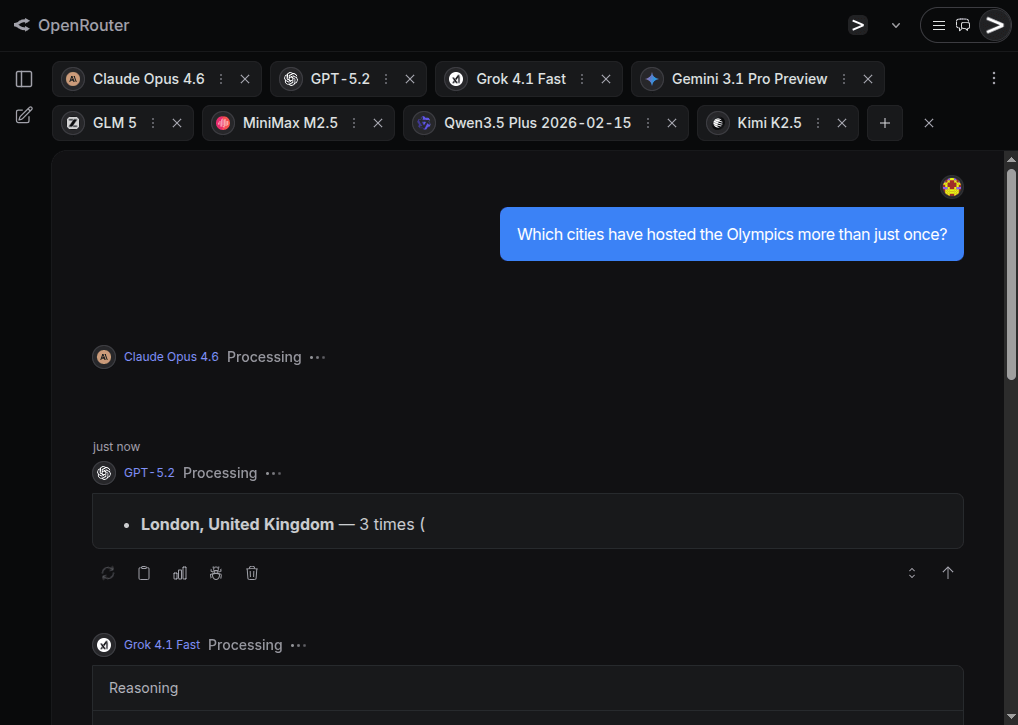 The AI hype is based on the assumption that the frontier AI labs are producing better and better foundational models at an accelerating pace. Is that really true, or are people just in sort of a mass psychosis because AI models have become so good at mimicking human behavior that we unconsciously attribute increasing intelligence to them? I decided to conduct a mini-benchmark of my own to find out if the latest and greatest AI models are actually really good or not.
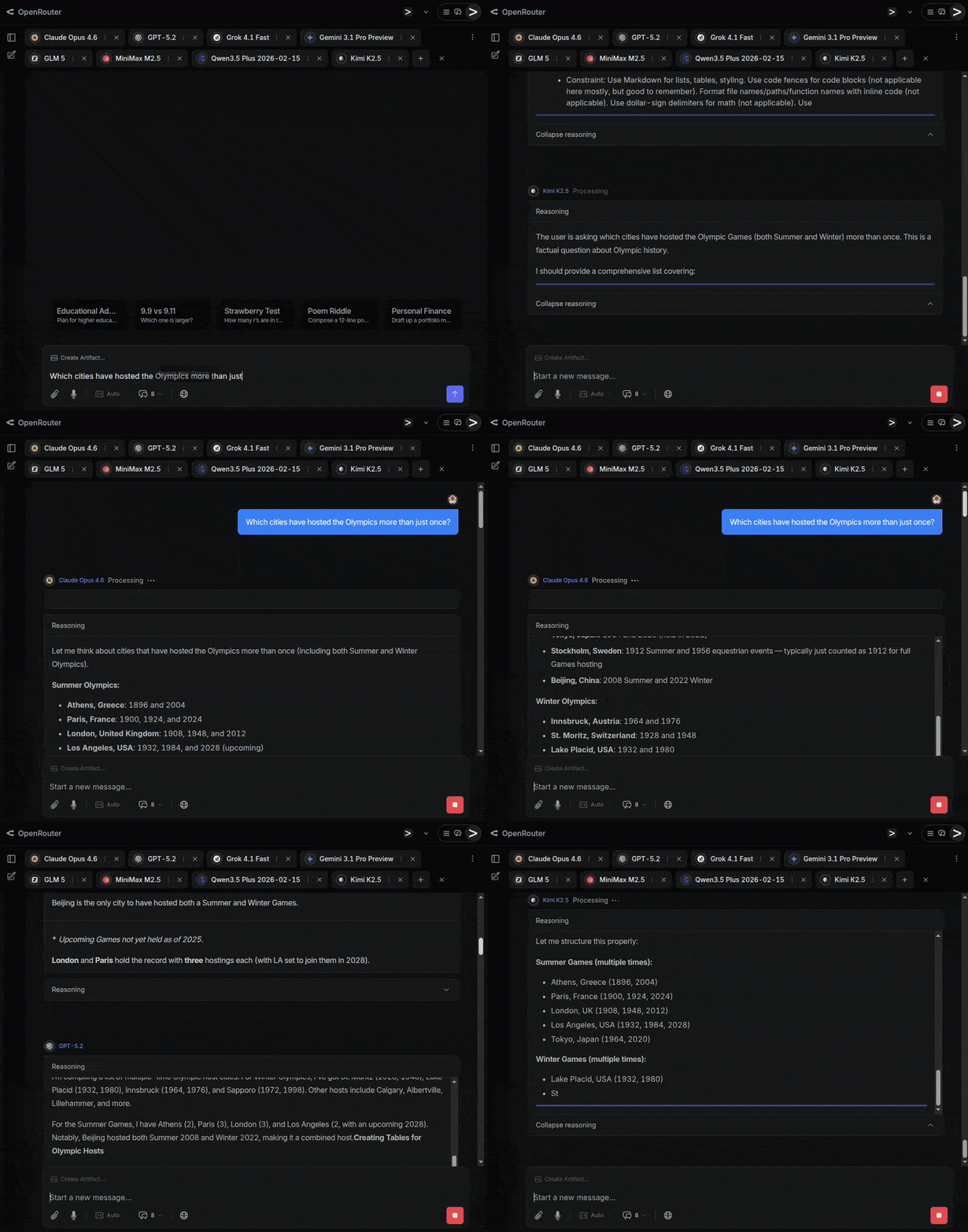 Common for all the test questions is that they are fairly straightforward and have a clear answer, yet the answer isn t common knowledge or statistically the most obvious one, and instead requires a bit of reasoning to get correct.
Some of these questions are also based on myself witnessing a flagship model failing miserably to answer it.
Common for all the test questions is that they are fairly straightforward and have a clear answer, yet the answer isn t common knowledge or statistically the most obvious one, and instead requires a bit of reasoning to get correct.
Some of these questions are also based on myself witnessing a flagship model failing miserably to answer it.
 While Gemini and Grok were among the three models not falling into this trap, the response from Claude was exemplary good:
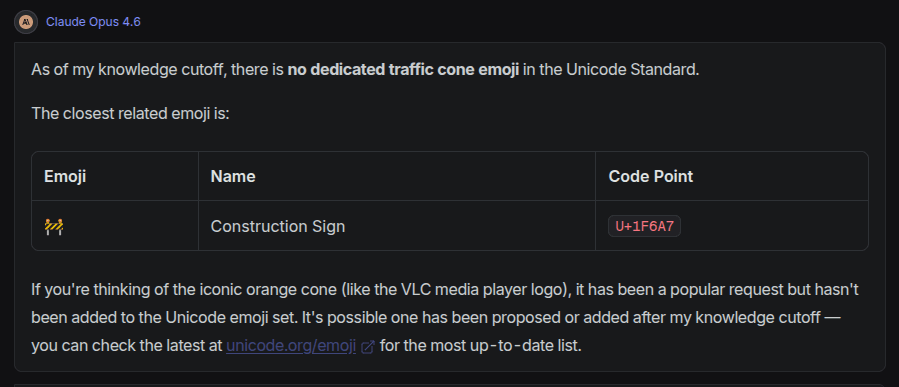
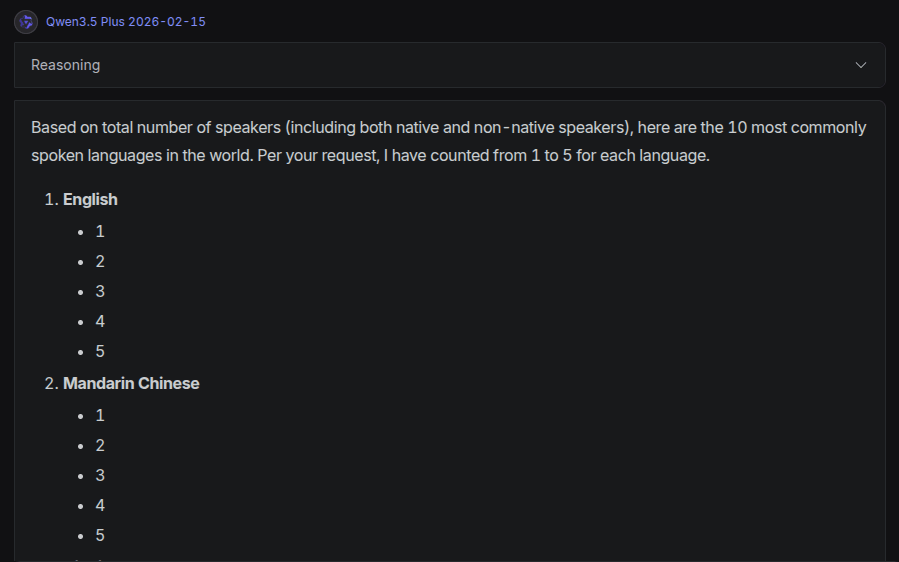 I have seen Grok do something similar before, which in fact inspired me to include this question in my mini-benchmark.
GPT got a bit further, but for Hindi, Arabic and Bengali it listed the numerals in local script, not the number words. Gemini, GLM and Kimi gave a complete and correct answer as a list, while the absolute best answer and presentation was by Claude, that gave the table below:
I have seen Grok do something similar before, which in fact inspired me to include this question in my mini-benchmark.
GPT got a bit further, but for Hindi, Arabic and Bengali it listed the numerals in local script, not the number words. Gemini, GLM and Kimi gave a complete and correct answer as a list, while the absolute best answer and presentation was by Claude, that gave the table below:
 A human can easily count that there are 10 rows and 30+ columns in the grid, but because the picture resolution isn t good enough, the exact number of columns can t be counted, and the answer should be that there are at least 300 launch pads in the picture.
GPT and Grok both guessed the count is zero. Instead of hallucinating some number they say zero, but it would have been better to not give any number at all, and just state that they are unable to perform the task. Gemini gave as its answer 101 , which is quite odd, but reading the reasoning section, it seems to have tried counting items in the image without reasoning much about what it is actually counting and that there is clearly a grid that can make the counting much easier. Both Qwen and Kimi state they can see four parallel structures, but are unable to count drone launch pads.
The absolutely best answer was given by Claude, which counted 10-12 rows and 30-40+ columns, and concluded that there must be 300-500 drone launch pads. Very close to best human level - impressive!
This question applied only to multi-modal models that can see images, so GLM and MinMax could not give any response.
A human can easily count that there are 10 rows and 30+ columns in the grid, but because the picture resolution isn t good enough, the exact number of columns can t be counted, and the answer should be that there are at least 300 launch pads in the picture.
GPT and Grok both guessed the count is zero. Instead of hallucinating some number they say zero, but it would have been better to not give any number at all, and just state that they are unable to perform the task. Gemini gave as its answer 101 , which is quite odd, but reading the reasoning section, it seems to have tried counting items in the image without reasoning much about what it is actually counting and that there is clearly a grid that can make the counting much easier. Both Qwen and Kimi state they can see four parallel structures, but are unable to count drone launch pads.
The absolutely best answer was given by Claude, which counted 10-12 rows and 30-40+ columns, and concluded that there must be 300-500 drone launch pads. Very close to best human level - impressive!
This question applied only to multi-modal models that can see images, so GLM and MinMax could not give any response.
 Since Generative AI is currently the most popular topic, I wanted to get my
hands dirty and learn something new. I was learning about the Model Context
Protocol at the time and wanted to apply it to build something simple.
Since Generative AI is currently the most popular topic, I wanted to get my
hands dirty and learn something new. I was learning about the Model Context
Protocol at the time and wanted to apply it to build something simple.


 The Debian LTS Team, funded by
  Registration and the Call for Proposals for DebConf 26 are now open.
The 27th edition of the Debian annual conference will be held from July 20th to
July 25th, 2026, in Santa Fe, Argentina.
The conference days will be preceded by DebCamp, which will take place
from July 13th to July 19th, 2026.
The registration form can be accessed on the DebConf 26 website.
After creating an account, click
Registration and the Call for Proposals for DebConf 26 are now open.
The 27th edition of the Debian annual conference will be held from July 20th to
July 25th, 2026, in Santa Fe, Argentina.
The conference days will be preceded by DebCamp, which will take place
from July 13th to July 19th, 2026.
The registration form can be accessed on the DebConf 26 website.
After creating an account, click  About 80% of my Debian contributions this month were








 The twentythird release of
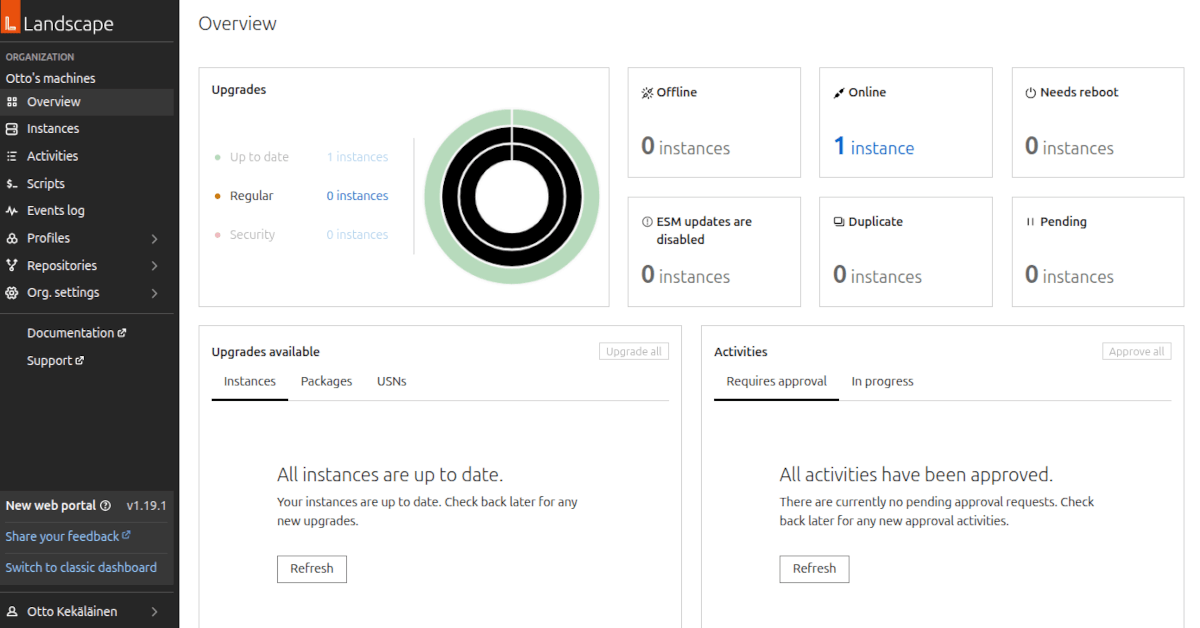 Ubuntu Pro is a subscription offering for Ubuntu users who want to pay for the assurance of getting quick and high-quality security updates for Ubuntu. I tested it out to see how it works in practice, and to evaluate how well it works as a commercial open source service model for Linux.
Anyone running Ubuntu can subscribe to it at
Ubuntu Pro is a subscription offering for Ubuntu users who want to pay for the assurance of getting quick and high-quality security updates for Ubuntu. I tested it out to see how it works in practice, and to evaluate how well it works as a commercial open source service model for Linux.
Anyone running Ubuntu can subscribe to it at 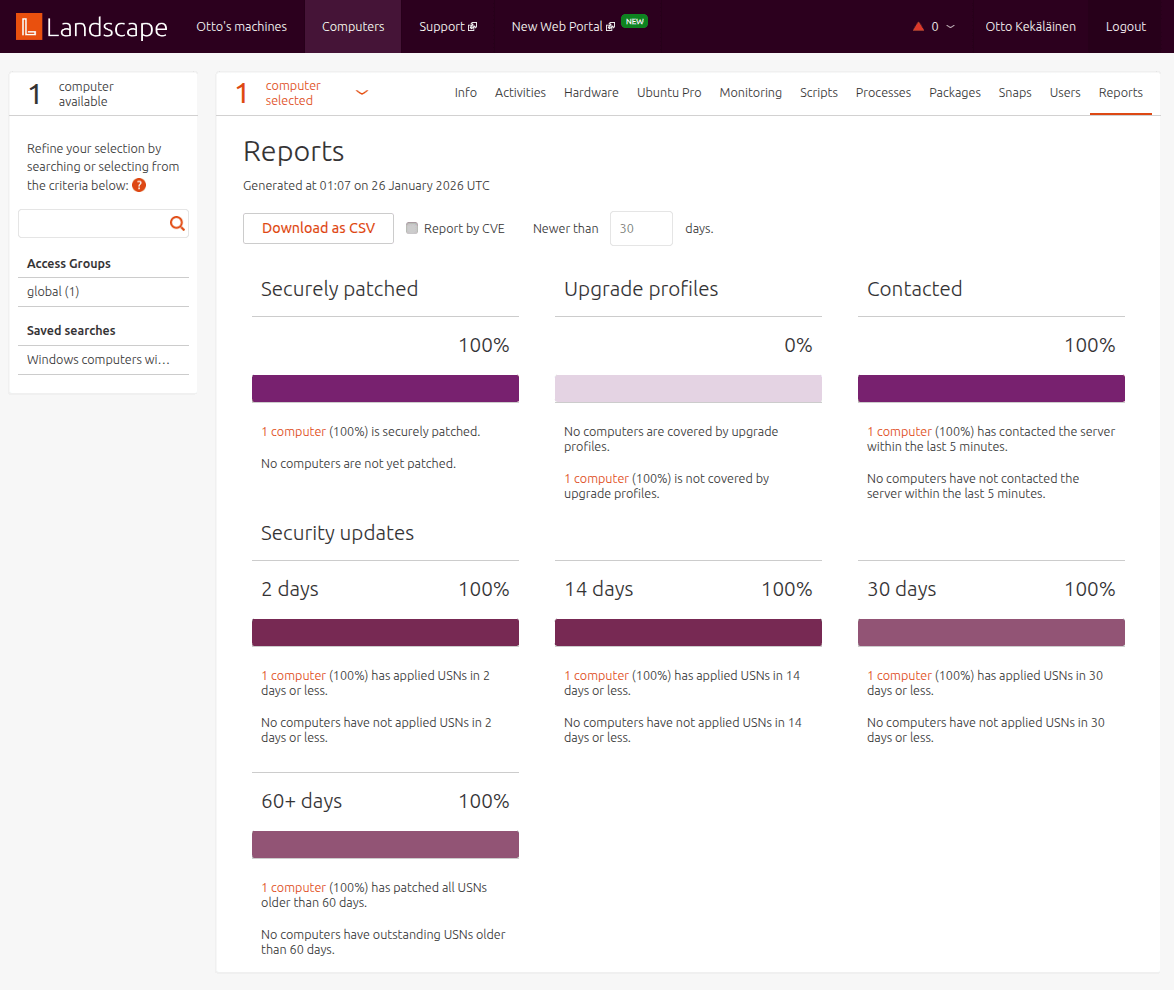
 If I had a large fleet of computers, Landscape might come in useful. Also it is obvious Landscape is intended primarily for managing server systems. For example, the default alarm trigger on systems being offline, which is common for laptops and desktop computers, is an alert-worthy thing only on server systems.
It is good to know that Landscape exists, but on desktop systems I would probably skip it, and only stick to the security updates offered by Ubuntu Pro without using Landscape.
If I had a large fleet of computers, Landscape might come in useful. Also it is obvious Landscape is intended primarily for managing server systems. For example, the default alarm trigger on systems being offline, which is common for laptops and desktop computers, is an alert-worthy thing only on server systems.
It is good to know that Landscape exists, but on desktop systems I would probably skip it, and only stick to the security updates offered by Ubuntu Pro without using Landscape.
 Finally, some light at the end of the tunnel!
As I have said
Finally, some light at the end of the tunnel!
As I have said  Sadly, I don t think the effort will be extended to cover older,
32-bit-only systems (RPi 0, 1 and 2).
Anyway, as this effort stabilizes, I will phase out my (stale!) work on
Sadly, I don t think the effort will be extended to cover older,
32-bit-only systems (RPi 0, 1 and 2).
Anyway, as this effort stabilizes, I will phase out my (stale!) work on