Search Results: "fh"

14 October 2014

Julian Andres Klode: Key transition

I started transitioning from 1024D to 4096R. The new key is available at: https://people.debian.org/~jak/pubkey.gpg and the keys.gnupg.net key server. A very short transition statement is available at: https://people.debian.org/~jak/transition-statement.txt and included below (the http version might get extended over time if needed). The key consists of one master key and 3 sub keys (signing, encryption, authentication). The sub keys are stored on an OpenPGP v2 Smartcard. That s really cool, isn t it? Somehow it seems that GnuPG 1.4.18 also works with 4096R keys on this smartcard (I accidentally used it instead of gpg2 and it worked fine), although only GPG 2.0.13 and newer is supposed to work.
-----BEGIN PGP SIGNED MESSAGE-----
Hash: SHA1,SHA512
Because 1024D keys are not deemed secure enough anymore, I switched to
a 4096R one.
The old key will continue to be valid for some time, but i prefer all
future correspondence to come to the new one.  I would also like this
new key to be re-integrated into the web of trust.  This message is
signed by both keys to certify the transition.
the old key was:
pub   1024D/00823EC2 2007-04-12
      Key fingerprint = D9D9 754A 4BBA 2E7D 0A0A  C024 AC2A 5FFE 0082 3EC2
And the new key is:
pub   4096R/6B031B00 2014-10-14 [expires: 2017-10-13]
      Key fingerprint = AEE1 C8AA AAF0 B768 4019  C546 021B 361B 6B03 1B00
-----BEGIN PGP SIGNATURE-----
Version: GnuPG v2
iEYEARECAAYFAlQ9j+oACgkQrCpf/gCCPsKskgCgiRn7DoP5RASkaZZjpop9P8aG
zhgAnjHeE8BXvTSkr7hccNb2tZsnqlTaiQIcBAEBCgAGBQJUPY/qAAoJENc8OeVl
gLOGZiMP/1MHubKmA8aGDj8Ow5Uo4lkzp+A89vJqgbm9bjVrfjDHZQIdebYfWrjr
RQzXdbIHnILYnUfYaOHUzMxpBHya3rFu6xbfKesR+jzQf8gxFXoBY7OQVL4Ycyss
4Y++g9m4Lqm+IDyIhhDNY6mtFU9e3CkljI52p/CIqM7eUyBfyRJDRfeh6c40Pfx2
AlNyFe+9JzYG1i3YG96Z8bKiVK5GpvyKWiggo08r3oqGvWyROYY9E4nLM9OJu8EL
GuSNDCRJOhfnegWqKq+BRZUXA2wbTG0f8AxAuetdo6MKmVmHGcHxpIGFHqxO1QhV
VM7VpMj+bxcevJ50BO5kylRrptlUugTaJ6il/o5sfgy1FdXGlgWCsIwmja2Z/fQr
ycnqrtMVVYfln9IwDODItHx3hSwRoHnUxLWq8yY8gyx+//geZ0BROonXVy1YEo9a
PDplOF1HKlaFAHv+Zq8wDWT8Lt1H2EecRFN+hov3+lU74ylnogZLS+bA7tqrjig0
bZfCo7i9Z7ag4GvLWY5PvN4fbws/5Yz9L8I4CnrqCUtzJg4vyA44Kpo8iuQsIrhz
CKDnsoehxS95YjiJcbL0Y63Ed4mkSaibUKfoYObv/k61XmBCNkmNAAuRwzV7d5q2
/w3bSTB0O7FHcCxFDnn+tiLwgiTEQDYAP9nN97uibSUCbf98wl3/
=VRZJ
-----END PGP SIGNATURE-----

Filed under: Uncategorized

Julian Andres Klode: Key transition

I started transitioning from 1024D to 4096R. The new key is available at: https://people.debian.org/~jak/pubkey.gpg and the keys.gnupg.net key server. A very short transition statement is available at: https://people.debian.org/~jak/transition-statement.txt and included below (the http version might get extended over time if needed). The key consists of one master key and 3 sub keys (signing, encryption, authentication). The sub keys are stored on an OpenPGP v2 Smartcard. That s really cool, isn t it? Somehow it seems that GnuPG 1.4.18 also works with 4096R keys on this smartcard (I accidentally used it instead of gpg2 and it worked fine), although only GPG 2.0.13 and newer is supposed to work.
-----BEGIN PGP SIGNED MESSAGE-----
Hash: SHA1,SHA512
Because 1024D keys are not deemed secure enough anymore, I switched to
a 4096R one.
The old key will continue to be valid for some time, but i prefer all
future correspondence to come to the new one.  I would also like this
new key to be re-integrated into the web of trust.  This message is
signed by both keys to certify the transition.
the old key was:
pub   1024D/00823EC2 2007-04-12
      Key fingerprint = D9D9 754A 4BBA 2E7D 0A0A  C024 AC2A 5FFE 0082 3EC2
And the new key is:
pub   4096R/6B031B00 2014-10-14 [expires: 2017-10-13]
      Key fingerprint = AEE1 C8AA AAF0 B768 4019  C546 021B 361B 6B03 1B00
-----BEGIN PGP SIGNATURE-----
Version: GnuPG v2
iEYEARECAAYFAlQ9j+oACgkQrCpf/gCCPsKskgCgiRn7DoP5RASkaZZjpop9P8aG
zhgAnjHeE8BXvTSkr7hccNb2tZsnqlTaiQIcBAEBCgAGBQJUPY/qAAoJENc8OeVl
gLOGZiMP/1MHubKmA8aGDj8Ow5Uo4lkzp+A89vJqgbm9bjVrfjDHZQIdebYfWrjr
RQzXdbIHnILYnUfYaOHUzMxpBHya3rFu6xbfKesR+jzQf8gxFXoBY7OQVL4Ycyss
4Y++g9m4Lqm+IDyIhhDNY6mtFU9e3CkljI52p/CIqM7eUyBfyRJDRfeh6c40Pfx2
AlNyFe+9JzYG1i3YG96Z8bKiVK5GpvyKWiggo08r3oqGvWyROYY9E4nLM9OJu8EL
GuSNDCRJOhfnegWqKq+BRZUXA2wbTG0f8AxAuetdo6MKmVmHGcHxpIGFHqxO1QhV
VM7VpMj+bxcevJ50BO5kylRrptlUugTaJ6il/o5sfgy1FdXGlgWCsIwmja2Z/fQr
ycnqrtMVVYfln9IwDODItHx3hSwRoHnUxLWq8yY8gyx+//geZ0BROonXVy1YEo9a
PDplOF1HKlaFAHv+Zq8wDWT8Lt1H2EecRFN+hov3+lU74ylnogZLS+bA7tqrjig0
bZfCo7i9Z7ag4GvLWY5PvN4fbws/5Yz9L8I4CnrqCUtzJg4vyA44Kpo8iuQsIrhz
CKDnsoehxS95YjiJcbL0Y63Ed4mkSaibUKfoYObv/k61XmBCNkmNAAuRwzV7d5q2
/w3bSTB0O7FHcCxFDnn+tiLwgiTEQDYAP9nN97uibSUCbf98wl3/
=VRZJ
-----END PGP SIGNATURE-----

Filed under: Uncategorized

Marco d'Itri: The Italian peering ecosystem

I published the slides of my talk "An introduction to peering in Italy - Interconnections among the Italian networks" that I presented today at the MIX-IT (the Milano internet exchange) technical meeting.

6 October 2014

Julian Andres Klode: Acer Chromebook 13 (FHD): Initial impressions

Today, I received my Acer Chromebook 13, in the glorious FullHD variant with 4GB RAM. For those of you who don t know it, the Acer Chromebook 13 is a 13.3 inch chromebook powered by a Tegra K1 cpu. Chromebook This version cannot be ordered currently, only pre-orders were shipped yesterday (at least here in Germany). I cannot even review it on Amazon (despite having it bought there), as they have not enabled reviews for it yet. The device feels solidly built, and looks good. It comes in all-white matte plastic and is slightly reminiscent of the old white MacBooks. The keyboard is horrible, there s no well defined pressure point. It feels like your typing on a pillow. The display is OK, an IPS would be a lot nicer to work with, though. Oh, and it could be brighter. I do not think that using it outside on a sunny day would be a good idea. The speakers are loud and clear compared to my ThinkPad X230. The performance of the device is about acceptable (unfortunately, I do not have any comparison in this device class). Even when typing this blog post in the visual wordpress editor, I notice some sluggishness. Opening the app launcher or loading the new tab page while music is playing makes the music stop for or skip a few ms (20-50ms if I had to guess). Running a benchmark in parallel or browsing does not usually cause this stuttering, though. There are still some bugs in Chrome OS: Loading the Play Books library the first time resulted in some rendering issues. The Browser process always consumes at least 10% CPU, even when idling, with no page open; this might cause some of the sluggishness I mentioned above. Also watching Flash videos used more CPU than I expected given that it is hardware accelerated. Finally, Netflix did not work out of the box, despite the Chromebook shipping with a special Netflix plugin. I always get some unexpected issue-type page. Setting the user agent to Chrome 38 from Windows, thus forcing the use of the EME video player instead of the Netflix plugin, makes it work. I reported these software issues to Google via Alt+Shift+I. The issues appeared on the current version of the stable channel, 37.0.2062.120. What s next? I don t know.
Filed under: Chromebook

Julian Andres Klode: Acer Chromebook 13 (FHD): Initial impressions

Today, I received my Acer Chromebook 13, in the glorious FullHD variant with 4GB RAM. For those of you who don t know it, the Acer Chromebook 13 is a 13.3 inch chromebook powered by a Tegra K1 cpu. Chromebook This version cannot be ordered currently, only pre-orders were shipped yesterday (at least here in Germany). I cannot even review it on Amazon (despite having it bought there), as they have not enabled reviews for it yet. The device feels solidly built, and looks good. It comes in all-white matte plastic and is slightly reminiscent of the old white MacBooks. The keyboard is horrible, there s no well defined pressure point. It feels like your typing on a pillow. The display is OK, an IPS would be a lot nicer to work with, though. Oh, and it could be brighter. I do not think that using it outside on a sunny day would be a good idea. The speakers are loud and clear compared to my ThinkPad X230. The performance of the device is about acceptable (unfortunately, I do not have any comparison in this device class). Even when typing this blog post in the visual wordpress editor, I notice some sluggishness. Opening the app launcher or loading the new tab page while music is playing makes the music stop for or skip a few ms (20-50ms if I had to guess). Running a benchmark in parallel or browsing does not usually cause this stuttering, though. There are still some bugs in Chrome OS: Loading the Play Books library the first time resulted in some rendering issues. The Browser process always consumes at least 10% CPU, even when idling, with no page open; this might cause some of the sluggishness I mentioned above. Also watching Flash videos used more CPU than I expected given that it is hardware accelerated. Finally, Netflix did not work out of the box, despite the Chromebook shipping with a special Netflix plugin. I always get some unexpected issue-type page. Setting the user agent to Chrome 38 from Windows, thus forcing the use of the EME video player instead of the Netflix plugin, makes it work. I reported these software issues to Google via Alt+Shift+I. The issues appeared on the current version of the stable channel, 37.0.2062.120. What s next? I don t know.
Filed under: Chromebook

Julian Andres Klode: A weekend with the Acer Chromebook 13 FHD (AKA nyan-big)

I spent the weekend using almost exclusively my Chromebook 13, on a single charge Saturday and Sunday. Keyboard I think I like the keyboard better now than I used to when I first tried it. It gets nowhere near the ThinkPad X230 one, though; appart from the coating, which my (backlit) X230 unfortunately does not have. Screen While the screen appeared very grainy to me on first sight, having only used IPS screens in the past year, I got used to it over the weekend. I now do not notice much graininess anymore. The contrast still seems extremely poor, the colors are not vivid, and the vertical viewing angles are still a disaster, though. Battery life I think the battery life is awesome. I have 30% remaining now while I am writing this blog post and Chrome OS tells me I still have 3 hours and 19 minutes remaining. It could probably still be improved though, I notice that Chrome OS uses 7-14% CPU in idle normally (and up to 20% in exceptional cases). The maximum power usage I measured using the battery s internal sensor was about 9.2W, that was with 5 Big Buck Bunny 1080p videos played in parallel. Average power consumption is around 3-5W (up to 6.5 with single video playing), depending on brightness, and use. Performance While I do notice a performance difference to my much more high-end Ivy Bridge Core i5 laptop, it turns out to be usable enough to not make me want to throw it at a wall. Things take a bit longer than I am used to, but it is still acceptable. Input: Software Part The user interface is great. There are a lot of gestures available for navigating between windows, tabs, and in the history. For example, horizontally swiping with two finger moves in history, three fingers moves between tabs; and swiping down (or up for Australian scrolling) gives an overview of all windows (like expose on Mac, GNOME s activities, or the multi-tasking thing Maemo used to have). What I miss is a keyboard shortcut like Meta + Left/Right on GNOME which moves the active window to the left/right side of the screen. That would be very useful for mult-tasking situations. Issues I noticed some performance issues. For example, I can easily get the Chromebook to use 85% of a CPU by scrolling on a page with the touchpad or 70% for scrolling by keeping a key pressed (crbug.com/420452). While watching Big Buck Bunny on YouTube, I noticed some (micro) stuttering in the beginning of the film, as well as each time I move in or out of the video area when not in full-screen mode (crbug.com/420582). It also increases CPU usage to about 70%. Running a proper Linux? Today, I tried to play around a bit with Debian wheezy and Ubuntu trusty systems, in a chroot for now. I was trying to find out if I can get an accelerated X server with the standard ChromeOS kernel. The short answer is: No. I tried two things:
  1. Debian wheezy with the binaries from ChromeOS (they have the same xserver version)
  2. Ubuntu trusty with the Nvidia drivers
Unfortunately, they did not work. Option 1 failed because ChromeOS uses glibc 2.15 whereas wheezy uses 1.13. Option 2 failed because the sysfs interface is different between the ChromeOS and Linux4Tegra kernels. I guess I ll have to wait. I also tried booting a custom kernel from USB, but given that the u-boot always sets console= and there is no non-verified u-boot available yet, I could not see any output on the screen :( Maybe I should build a u-boot myself?
Filed under: Chromebook

Julian Andres Klode: A weekend with the Acer Chromebook 13 FHD (AKA nyan-big)

I spent the weekend using almost exclusively my Chromebook 13, on a single charge Saturday and Sunday. Keyboard I think I like the keyboard better now than I used to when I first tried it. It gets nowhere near the ThinkPad X230 one, though; appart from the coating, which my (backlit) X230 unfortunately does not have. Screen While the screen appeared very grainy to me on first sight, having only used IPS screens in the past year, I got used to it over the weekend. I now do not notice much graininess anymore. The contrast still seems extremely poor, the colors are not vivid, and the vertical viewing angles are still a disaster, though. Battery life I think the battery life is awesome. I have 30% remaining now while I am writing this blog post and Chrome OS tells me I still have 3 hours and 19 minutes remaining. It could probably still be improved though, I notice that Chrome OS uses 7-14% CPU in idle normally (and up to 20% in exceptional cases). The maximum power usage I measured using the battery s internal sensor was about 9.2W, that was with 5 Big Buck Bunny 1080p videos played in parallel. Average power consumption is around 3-5W (up to 6.5 with single video playing), depending on brightness, and use. Performance While I do notice a performance difference to my much more high-end Ivy Bridge Core i5 laptop, it turns out to be usable enough to not make me want to throw it at a wall. Things take a bit longer than I am used to, but it is still acceptable. Input: Software Part The user interface is great. There are a lot of gestures available for navigating between windows, tabs, and in the history. For example, horizontally swiping with two finger moves in history, three fingers moves between tabs; and swiping down (or up for Australian scrolling) gives an overview of all windows (like expose on Mac, GNOME s activities, or the multi-tasking thing Maemo used to have). What I miss is a keyboard shortcut like Meta + Left/Right on GNOME which moves the active window to the left/right side of the screen. That would be very useful for mult-tasking situations. Issues I noticed some performance issues. For example, I can easily get the Chromebook to use 85% of a CPU by scrolling on a page with the touchpad or 70% for scrolling by keeping a key pressed (crbug.com/420452). While watching Big Buck Bunny on YouTube, I noticed some (micro) stuttering in the beginning of the film, as well as each time I move in or out of the video area when not in full-screen mode (crbug.com/420582). It also increases CPU usage to about 70%. Running a proper Linux? Today, I tried to play around a bit with Debian wheezy and Ubuntu trusty systems, in a chroot for now. I was trying to find out if I can get an accelerated X server with the standard ChromeOS kernel. The short answer is: No. I tried two things:
  1. Debian wheezy with the binaries from ChromeOS (they have the same xserver version)
  2. Ubuntu trusty with the Nvidia drivers
Unfortunately, they did not work. Option 1 failed because ChromeOS uses glibc 2.15 whereas wheezy uses 1.13. Option 2 failed because the sysfs interface is different between the ChromeOS and Linux4Tegra kernels. I guess I ll have to wait. I also tried booting a custom kernel from USB, but given that the u-boot always sets console= and there is no non-verified u-boot available yet, I could not see any output on the screen :( Maybe I should build a u-boot myself?
Filed under: Chromebook

3 October 2014

Marco d'Itri: 15 years of whois

Exactly 15 years ago I uploaded to Debian the first release of my whois client. At the end of 1999 the United States Government forced Network Solutions, at the time the only registrar for the .com, .net and .org top level domains, to split their functions in a registry and a registrar and to and allow competing registrars to operate. Since then, two whois queries are needed to access the data for a domain in a TLD operating with a thin registry model: first one to the registry to find out which registrar was used to register the domain, and then one the registrar to actually get the data. Being as lazy as I am I tought that this was unacceptable, so I implemented a whois client that would know which whois server to query for all TLDs and then automatically follow the referrals to the registrars. But the initial reason for writing this program was to replace the simplistic BSD-derived whois client that was shipped with Debian with one that would know which server to query for IP addresses and autonomous system numbers, a useful feature in a time when people still used to manually report all their spam to the originating ISPs. Over the years I have spent countless hours searching for the right servers for the domains of far away countries (something that has often been incredibly instructive) and now the program database is usually more up to date than the official IANA one. One of my goals for this program has always been wide portability, so I am happy that over the years it was adopted by other Linux distributions, made available by third parties to all common variants of UNIX and even to systems as alien as Windows and OS/2. Now that whois is 15 years old I am happy to announce that I have recently achieved complete world domination and that all Linux distributions use it as their default whois client.

29 September 2014

Marco d'Itri: CVE-2014-6271 fix for Debian woody, sarge, etch and lenny

Very old Debian releases like woody (3.0), sarge (3.1), etch (4.0) and lenny (5.0) are not supported anymore by the Debian Security Team and do not get security updates. Since some of our customers still have servers running these version, I have built bash packages with the fix for CVE-2014-6271 (the "shellshock" bug) and Florian Weimer's patch which restricts the parsing of shell functions to specially named variables: http://ftp.linux.it/pub/People/md/bash/ This work has been sponsored by my employer Seeweb, an hosting, cloud infrastructure and colocation provider.

25 September 2014

Aigars Mahinovs: Distributing third party applications via Docker?

Recently the discussions around how to distribute third party applications for "Linux" has become a new topic of the hour and for a good reason - Linux is becoming mainstream outside of free software world. While having each distribution have a perfectly packaged, version-controlled and natively compiled version of each application installable from a per-distribution repository in a simple and fully secured manner is a great solution for popular free software applications, this model is slightly less ideal for less popular apps and for non-free software applications. In these scenarios the developers of the software would want to do the packaging into some form, distribute that to end-users (either directly or trough some other channels, such as app stores) and have just one version that would work on any Linux distribution and keep working for a long while. For me the topic really hit at Debconf 14 where Linus voiced his frustrations with app distribution problems and also some of that was touched by Valve. Looking back we can see passionate discussions and interesting ideas on the subject from systemd developers (another) and Gnome developers (part2 and part3). After reading/watching all that I came away with the impression that I love many of the ideas expressed, but I am not as thrilled about the proposed solutions. The systemd managed zoo of btrfs volumes is something that I actually had a nightmare about. There are far simpler solutions with existing code that you can start working on right now. I would prefer basing Linux applications on Docker. Docker is a convenience layer on top of Linux cgroups and namespaces. Docker stores its images in a datastore that can be based on AUFS or btrfs or devicemapper or even plain files. It already has a semantic for defining images, creating them, running them, explicitly linking resources and controlling processes. Lets play a simple scenario on how third party applications should work on Linux. Third party application developer writes a new game for Linux. As his target he chooses one of the "application runtime" Docker images on Docker Hub. Let's say he chooses the latest Debian stable release. In that case he writes a simple Dockerfile that installs his build-dependencies and compiles his game in "debian-app-dev:wheezy" container. The output of that is a new folder containing all the compiled game resources and another Dockerfile - this one describes the runtime dependencies of the game. Now when a docker image is built from this compiled folder, it is based on "debian-app:wheezy" container that no longer has any development tools and is optimized for speed and size. After this build is complete the developer exports the Docker image into a file. This file can contain either the full system needed to run the new game or (after #8214 is implemented) just the filesystem layers with the actual game files and enough meta-data to reconstruct the full environment from public Docker repos. The developer can then distribute this file to the end user in the way that is comfortable for them. The end user would download the game file (either trough an app store app, app store website or in any other way) and import it into local Docker instance. For user convenience we would need to come with an file extension and create some GUIs to launch for double click, similar to GDebi. Here the user would be able to review what permissions the app needs to run (like GL access, PulseAudio, webcam, storage for save files, ...). Enough metainfo and cooperation would have to exist to allow desktop menu to detect installed "apps" in Docker and show shortcuts to launch them. When the user does so, a new Docker container is launched running the command provided by the developer inside the container. Other metadata would determine other docker run options, such as whether to link over a socket for talking to PulseAudio or whether to mount in a folder into the container to where the game would be able to save its save files. Or even if the application would be able to access X (or Wayland) at all. Behind the scenes the application is running from the contained and stable libraries, but talking to a limited and restricted set of system level services. Those would need to be kept backwards compatible once we start this process. On the sandboxing part, not only our third party application is running in a very limited environment, but also we can enhance our system services to recognize requests from such applications via cgroups. This can, for example, allow a window manager to mark all windows spawned by an application even if the are from a bunch of different processes. Also the window manager can now track all processes of a logical application from any of its windows. For updates the developer can simply create a new image and distribute the same size file as before, or, if the purchase is going via some kind of app-store application, the layers that actually changed can be rsynced over individually thus creating a much faster update experience. Images with the same base can share data, this would encourage creation of higher level base images, such as "debian-app-gamegl:wheezy" that all GL game developers could use thus getting a smaller installation package. After a while the question of updating abandonware will come up. Say there is is this cool game built on top of "debian-app-gamegl:wheezy", but now there was a security bug or some other issue that requires the base image to be updated, but that would not require a recompile or a change to the game itself. If this Docker proposal is realized, then either the end user or a redistributor can easily re-base the old Docker image of the game on a new base. Using this mechanism it would also be possible to handle incompatible changes to system services - ten years down the line AwesomeAudio replaces PulseAudio, so we create a new "debian-app-gamegl:wheezy.14" version that contains a replacement libpulse that actually talks to AwesomeAudio system service instead. There is no need to re-invent everything or push everything and now package management too into systemd or push non-distribution application management into distribution tools. Separating things into logical blocks does not hurt their interoperability, but it allows to recombine them in a different way for a different purpose or to replace some part to create a system with a radically different functionality. Or am I crazy and we should just go and sacrifice Docker, apt, dpkg, FHS and non-btrfs filesystems on the altar of systemd? P.S. You might get the impression that I dislike systemd. I love it! Like an init system. And I love the ideas and talent of the systemd developers. But I think that systemd should have nothing to do with application distribution or processes started by users. I am sometimes getting an uncomfortable feeling that systemd is morphing towards replacing the whole of System V jumping all the way to System D and rewriting, obsoleting or absorbing everything between the kernel and Gnome. In my opinion it would be far healthier for the community if all of these projects would developed and be usable separately from systemd, so that other solutions can compete on a level playing field. Or, maybe, we could just confess that what systemd is doing is creating a new Linux meta-distribution.

24 September 2014

Vincent Sanders: I wanted to go to Portland because it's a really good book town.

Plane at Heathrow terminal 5 taking me to America for Debconf 14Patti Smith is right, more than any other US city I have visited, Portland feels different. Although living in Cambridge, which sometimes feels like where books were invented, might give me a warped sense of a place.

Jo McIntyre getting on the tram at PDX
I have visited Portland a few times previously and I feel comfortable every time I arrive at PDX. Sure the place still suffers from the american obsession with the car but similar to New York you can rely on public transport to get about.

On this occasion my visit was for the Debian Conference which i was excited to attend having missed the previous one in Switzerland. This time the conference has changed its format to being 10 days long and mixing the developer time in with the more formal sessions.

The opening session gave Steve McIntyre and myself the opportunity to present a small token of our appreciation to Russ. The keynote speakers that afternoon were all very interesting both Stefano Zacchiroli and Gabriella Coleman giving food for thought on two very different subjects.

The sponsored accomodation rooms were plesent
Several conferences in the past have experienced issues with sponsored accommodation and food, I am very pleased to report that both were very good this time. The room I was in had a small kitchen area, en-suite bathroom, desks and most importantly comfortable beds.

Andy and Patty in the Ondine dining area
The food provision was in the form of a buffet in the Ondine facility. The menu was not greatly varied but catered to all requirements including vegetarian and gluten free diets.

Neil, Rob, Jo, Steve , Neil, Daniel and Andy dining under the planes
Some of us went on a visit to the Evergreen air and space museum to look at some rare aircraft and rockets. I can thoroughly recommend a visit if you are in the area.

These are just the highlights of the week though, the time in the hack-labs was productive with several practical achievements Including:
- Uploading new packages reducing the bug count
- Sorting out getting an updated key into the Debian keyring.

Overall I had a thoroughly enjoyable time and got a lot out of the conference this year. The new format suited me surprisingly well and as usual the social side was as valuable as the practical.

I hope the organisers have recovered enough to appreciate just how good a job they did and not get hung up on the small number of things that went wrong when the majority of things went perfectly to plan.

20 September 2014

Laura Arjona: Happy Software Freedom Day!

Today we celebrate the day of free software (each year, a saturday around mid-September) More info at softwarefreedomday.org There are no public events in Madrid, but I m going to try to hack and write a bit more this weekend, as my personal celebration. In this blog post you can find some of my very very recent activities on free software, and my plans for this weekend of celebration! Debian Children distros aka Derivatives I had the translation/update of the page www.debian.org/misc/children-distros pending since long time. It s a long page, and I was not sure what was better: if picking up the too-outdated last translation, and review it carefully in order to update it, or starting from scratch. I decided to reuse the last translation (thanks Luis Uribe!) and after some days dedicating my commuting time on it, finally, yesterday evening I finished it at home. Now it s in the review queue, and I hope in 10 days or so it will be uploaded. In the meantime, I have learned a bit about the Debian Derivatives subproject and census, I have watched the Derivatives Panel at DebConf13, and had a look at the bug #723069 about keeping the children-distros page up to date. So now that I m liberated about this translation, I m going to put some time in keeping up to date the original English page (I m part of the www and publicity team, so I think it makes sense). My goal is to review at least one Debian derivative each two days, and when I finish the list, start again. I can update the wiki myself, and for the www, I ll send patches against #723069, unless I m told to do it other way. BTW, wouldn t be nice to mark web/wiki pages as RFH the same as packages?, so other people can easily decide to put some time on them, and make http://www.debian.org even more awesome! Or make them appear in the how-can-i-help reminders :) Mmm maybe it s just a matter of filing a bug and tagging it as gift ? I think no, because nobody has the package www.debian.org installed in their system I ll talk with the maintainer about this. New Member process I promised myself to try to work a bit more in Debian during the summer and September, and if everything goes well, try to apply to the new member process in October. I wanted to read all the documentation first, and one challenge is to review/update the translations of www.debian.org/devel/join folder. This way, both myself and the Spanish speaking community benefit from the effort. Yesterday I translated one of those pending pages and I hope during the weekend I can translate/update the rest. When I finish that, I ll keep reading the other documentation. DebConf15 This summer I was invited to join the DebConf15 organization team and pick up tasks in the publicity area. I was very happy to join, I m not sure at all that I can go to DebConf15 in Heidelberg (Germany), in fact I m quite sure I will not go since mid-August is the only opportunity to visit family who lives far away, but anyway, there are things that we can do before DebConf15 and I can contribute. For now, I attended last Monday to the meeting at IRC, and I m finishing a short blogpost about the DebConf14 talk presenting DebConf15, that will be published in the DebConf15 blog. Android, F-Droid I keep on trying to spread the word about F-Droid and the free software available for Android, last week some of my friends updated Kontalk to the 3.0.b1 version (I had updated at the beginning of September) and they liked that now, the images are sent encrypted as well as the text messages :) Some friends also liked the 2048 game, since it can be played offline, without ads, and so. I decided to spend some time this weekend contributing translations to the Android apps that I use. A long pending issue is to try to put workforce in the F-Droid project itself so apps descriptions are internationalized (the program is fully translatable, but the categories of apps and the descriptions themselves, are not). This is a complicated issue, it requires to take some design decisions, and later, of course, the implementation. I cannot do it alone, and I cannot do it in the short time. But today I have filed a bug report (#35) so maybe I find other people able to help. Jabber/XMPP and the RedesLibres chatroom Since several months I ve been using more often my Jabber/XMPP account to join the chatroom redeslibres@salas.mijabber.es I meet there some people that I follow in Pump.io (for example, the people that write in the Comun cate Libremente or Lignux blogs) and we talk about pump.io, free software, free services, and other things. I feel very comfortable there, it s nice to have a Spanish speaking group inside the Free Software community, and I m also learning a bit about XMPP (I ve tried a lot of desktop and Android clients, just for fun!), free networks, and so. So today I wanted to publicly thank you everybody in that chatroom, that welcomed me so well :) Thank you, free software friends And, by extension, I want to thank you all the people that work and have fun in the Free Software communities, in the projects where I contribute or others. They (we) hack to make the world better, and to allow others join to this beautiful challenge that is making machines do what their (final) users wants. Comments? You can comment on this post in this Pump.io thread.
Filed under: My experiences and opinion Tagged: Android, Communities, Contributing to libre software, Debian, English, F-Droid, federation, Free Software, Freedom, internationalization, libre software, localization, translations

15 September 2014

Julien Danjou: Python bad practice, a concrete case

A lot of people read up on good Python practice, and there's plenty of information about that on the Internet. Many tips are included in the book I wrote this year, The Hacker's Guide to Python. Today I'd like to show a concrete case of code that I don't consider being the state of the art. In my last article where I talked about my new project Gnocchi, I wrote about how I tested, hacked and then ditched whisper out. Here I'm going to explain part of my thought process and a few things that raised my eyebrows when hacking this code. Before I start, please don't get the spirit of this article wrong. It's in no way a personal attack to the authors and contributors (who I don't know). Furthermore, whisper is a piece of code that is in production in thousands of installation, storing metrics for years. While I can argue that I consider the code not to be following best practice, it definitely works well enough and is worthy to a lot of people. Tests The first thing that I noticed when trying to hack on whisper, is the lack of test. There's only one file containing tests, named test_whisper.py, and the coverage it provides is pretty low. One can check that using the coverage tool.
$ coverage run test_whisper.py
...........
----------------------------------------------------------------------
Ran 11 tests in 0.014s

OK
$ coverage report
Name Stmts Miss Cover
----------------------------------
test_whisper 134 4 97%
whisper 584 227 61%
----------------------------------
TOTAL 718 231 67%

While one would think that 61% is "not so bad", taking a quick peak at the actual test code shows that the tests are incomplete. Why I mean by incomplete is that they for example use the library to store values into a database, but they never check if the results can be fetched and if the fetched results are accurate. Here's a good reason one should never blindly trust the test cover percentage as a quality metric. When I tried to modify whisper, as the tests do not check the entire cycle of the values fed into the database, I ended up doing wrong changes but had the tests still pass. No PEP 8, no Python 3 The code doesn't respect PEP 8 . A run of flake8 + hacking shows 732 errors While it does not impact the code itself, it's more painful to hack on it than it is on most Python projects. The hacking tool also shows that the code is not Python 3 ready as there is usage of Python 2 only syntax. A good way to fix that would be to set up tox and adds a few targets for PEP 8 checks and Python 3 tests. Even if the test suite is not complete, starting by having flake8 run without errors and the few unit tests working with Python 3 should put the project in a better light. Not using idiomatic Python A lot of the code could be simplified by using idiomatic Python. Let's take a simple example:
def fetch(path,fromTime,untilTime=None,now=None):
fh = None
try:
fh = open(path,'rb')
return file_fetch(fh, fromTime, untilTime, now)
finally:
if fh:
fh.close()

That piece of code could be easily rewritten as:
def fetch(path,fromTime,untilTime=None,now=None):
with open(path, 'rb') as fh:
return file_fetch(fh, fromTime, untilTime, now)

This way, the function looks actually so simple that one can even wonder why it should exists but why not. Usage of loops could also be made more Pythonic:
for i,archive in enumerate(archiveList):
if i == len(archiveList) - 1:
break

could be actually:
for i, archive in itertools.islice(archiveList, len(archiveList) - 1):

That reduce the code size and makes it easier to read through the code. Wrong abstraction level Also, one thing that I noticed in whisper, is that it abstracts its features at the wrong level. Take the create() function, it's pretty obvious:
def create(path,archiveList,xFilesFactor=None,aggregationMethod=None,sparse=False,useFallocate=False):
# Set default params
if xFilesFactor is None:
xFilesFactor = 0.5
if aggregationMethod is None:
aggregationMethod = 'average'

#Validate archive configurations...
validateArchiveList(archiveList)

#Looks good, now we create the file and write the header
if os.path.exists(path):
raise InvalidConfiguration("File %s already exists!" % path)
fh = None
try:
fh = open(path,'wb')
if LOCK:
fcntl.flock( fh.fileno(), fcntl.LOCK_EX )

aggregationType = struct.pack( longFormat, aggregationMethodToType.get(aggregationMethod, 1) )
oldest = max([secondsPerPoint * points for secondsPerPoint,points in archiveList])
maxRetention = struct.pack( longFormat, oldest )
xFilesFactor = struct.pack( floatFormat, float(xFilesFactor) )
archiveCount = struct.pack(longFormat, len(archiveList))
packedMetadata = aggregationType + maxRetention + xFilesFactor + archiveCount
fh.write(packedMetadata)
headerSize = metadataSize + (archiveInfoSize * len(archiveList))
archiveOffsetPointer = headerSize

for secondsPerPoint,points in archiveList:
archiveInfo = struct.pack(archiveInfoFormat, archiveOffsetPointer, secondsPerPoint, points)
fh.write(archiveInfo)
archiveOffsetPointer += (points * pointSize)

#If configured to use fallocate and capable of fallocate use that, else
#attempt sparse if configure or zero pre-allocate if sparse isn't configured.
if CAN_FALLOCATE and useFallocate:
remaining = archiveOffsetPointer - headerSize
fallocate(fh, headerSize, remaining)
elif sparse:
fh.seek(archiveOffsetPointer - 1)
fh.write('\x00')
else:
remaining = archiveOffsetPointer - headerSize
chunksize = 16384
zeroes = '\x00' * chunksize
while remaining > chunksize:
fh.write(zeroes)
remaining -= chunksize
fh.write(zeroes[:remaining])

if AUTOFLUSH:
fh.flush()
os.fsync(fh.fileno())
finally:
if fh:
fh.close()

The function is doing everything: checking if the file doesn't exist already, opening it, building the structured data, writing this, building more structure, then writing that, etc. That means that the caller has to give a file path, even if it just wants a whipser data structure to store itself elsewhere. StringIO() could be used to fake a file handler, but it will fail if the call to fcntl.flock() is not disabled and it is inefficient anyway. There's a lot of other functions in the code, such as for example setAggregationMethod(), that mixes the handling of the files even doing things like os.fsync() while manipulating structured data. This is definitely not a good design, especially for a library, as it turns out reusing the function in different context is near impossible. Race conditions There are race conditions, for example in create() (see added comment):
if os.path.exists(path):
raise InvalidConfiguration("File %s already exists!" % path)
fh = None
try:
# TOO LATE I ALREADY CREATED THE FILE IN ANOTHER PROCESS YOU ARE GOING TO
# FAIL WITHOUT GIVING ANY USEFUL INFORMATION TO THE CALLER :-(
fh = open(path,'wb')

That code should be:
try:
fh = os.fdopen(os.open(path, os.O_WRONLY os.O_CREAT os.O_EXCL), 'wb')
except OSError as e:
if e.errno = errno.EEXIST:
raise InvalidConfiguration("File %s already exists!" % path)

to avoid any race condition. Unwanted optimization We saw earlier the fetch() function that is barely useful, so let's take a look at the file_fetch() function that it's calling.
def file_fetch(fh, fromTime, untilTime, now = None):
header = __readHeader(fh)
[...]

The first thing the function does is to read the header from the file handler. Let's take a look at that function:
def __readHeader(fh):
info = __headerCache.get(fh.name)
if info:
return info

originalOffset = fh.tell()
fh.seek(0)
packedMetadata = fh.read(metadataSize)

try:
(aggregationType,maxRetention,xff,archiveCount) = struct.unpack(metadataFormat,packedMetadata)
except:
raise CorruptWhisperFile("Unable to read header", fh.name)
[...]

The first thing the function does is to look into a cache. Why is there a cache? It actually caches the header based with an index based on the file path (fh.name). Except that if one for example decide not to use file and cheat using StringIO, then it does not have any name attribute. So this code path will raise an AttributeError. One has to set a fake name manually on the StringIO instance, and it must be unique so nobody messes with the cache
import StringIO

packedMetadata = <some source>
fh = StringIO.StringIO(packedMetadata)
fh.name = "myfakename"
header = __readHeader(fh)

The cache may actually be useful when accessing files, but it's definitely useless when not using files. But it's not necessarily true that the complexity (even if small) that the cache adds is worth it. I doubt most of whisper based tools are long run processes, so the cache that is really used when accessing the files is the one handled by the operating system kernel, and this one is going to be much more efficient anyway, and shared between processed. There's also no expiry of that cache, which could end up of tons of memory used and wasted. Docstrings None of the docstrings are written in a a parsable syntax like Sphinx. This means you cannot generate any documentation in a nice format that a developer using the library could read easily. The documentation is also not up to date:
def fetch(path,fromTime,untilTime=None,now=None):
"""fetch(path,fromTime,untilTime=None)
[...]
"""

def create(path,archiveList,xFilesFactor=None,aggregationMethod=None,sparse=False,useFallocate=False):
"""create(path,archiveList,xFilesFactor=0.5,aggregationMethod='average')
[...]
"""

This is something that could be avoided if a proper format was picked to write the docstring. A tool cool be used to be noticed when there's a diversion between the actual function signature and the documented one, like missing an argument. Duplicated code Last but not least, there's a lot of code that is duplicated around in the scripts provided by whisper in its bin directory. Theses scripts should be very lightweight and be using the console_scripts facility of setuptools, but they actually contains a lot of (untested) code. Furthermore, some of that code is partially duplicated from the whisper.py library which is against DRY. Conclusion There are a few more things that made me stop considering whisper, but these are part of the whisper features, not necessarily code quality. One can also point out that the code is very condensed and hard to read, and that's a more general problem about how it is organized and abstracted. A lot of these defects are actually points that made me start writing The Hacker's Guide to Python a year ago. Running into this kind of code makes me think it was a really good idea to write a book on advice to write better Python code!
The Hacker's Guide to Python
A book I wrote talking about designing Python applications, state of the art, advice to apply when building your application, various Python tips, etc. Interested? Check it out.

5 September 2014

Craig Small: WordPress 4.0 for Debian

Yesterday WordPress released version 4.0 or Benny of WordPress. I have now downloaded it and packed up for Debian users. The files just hit the ftp-master a few minutes ago and will then be distributed out to the various Debian mirrors. The upgrade should go smoothly but you will probably need to upgrade the twentytwelve/twentyfourteen themes if you have them installed. It seems release 4.0 they also updated these themes. My next Debian task for wordpress is to re-examine the permissions and locations of wp-content to see if we can have something that permits online updates of the plugins and themes but is still FHS compliant. I ve also had some people report they have some installation problems, mainly around configuration and directories so let s see if that can get fixed too.

17 August 2014

Jamie McClelland: Getting to know systemd

Update 2014-08-20: apcid needs tweaking. See update section below. Somehow both my regular work laptop and home entertainment computers (both running Debian Jessie) were switched to systemd without me noticing. Judging from by dpkg.log it may have happened quite a while ago. I'm pretty sure that's a compliment to the backwards compatibility efforts made by the systemd developers and a criticism of me (I should be paying closer attention to what's happening on my own machines!). In any event, I've started trying to pay more attention now - particularly learning how to take advantage of this new software. I'll try to keep this blog updated as I learn. For now, I have made a few changes and discoveries. First - I have a convenient bash wrapper I use that both starts my OpenVPN client to a samba server and then mounts the drive. I only connect when I need to and rarely do I properly disconnect (the OpenVPN connection does not start automatically). So, I've written the script to carefully check if my openvpn connection is present and either restart or start depending on the results. I had something like this:
if ps -eFH   egrep [o]penvpn; then
  sudo /etc/init.d/openvpn restart
else
  sudo /etc/init.d/openvpn start
fi
One of the advertised advantages of systemd is the ability to more accurately detect if a service is running. So, first I changed this to:
if systemctl -q is-active openvpn.service; then
  sudo systemctl restart openvpn.service
else
  sudo systemctl start openvpn.service
fi
However, after reviewing the man page I realized I can shorten if further to simply:
  sudo systemctl restart openvpn.service
According to the man page, restart means:
Restart one or more units specified on the command line. If the units are not
running yet, they will be started.
After discovering this meaning for "restart" in systemd, I tested and realized that "restart" works the same way for openvpn using the old sysv style init system. Oh well. At least there's a man page and a stronger guarantee that it will work with all services, not just the ones that happen to respect that convention in their init.d scripts. The next step was to disable openvpn on start up. I confess, I never bothered to really learn update-rc.d. Everytime I read the manpage I ended up throwing up my hands and renaming symlinks by hand. In the case of openvpn I had previously edited /etc/default/openvpn to indicate that "none" of the virtual private networks should be started. Now, I've returned that file to the default configuration and instead I ran:
systemctl disable openvpn.service
UPDATES 2014-08-20: I've recently noticed strange behavior when I wake my laptop. Seems to sometimes go right back to sleep. After doing some digging I traced the problem to some customizations I have made to my laptop's acpid behavior combined with systemd taking over some apci events. Up to now, I have created my own /etc/acpi files so I have full control over the acpi events. In particular, I don't want my laptop to suspend when I close the lid. I only want it to suspend when I press the suspend key. And, when it does suspend, I want it to run my own personal suspend script so I can do things like lock the screen and restart tint2. I've found that systemd launches it's own acpi event monitoring that ignores my /etc/acpid rules (the systemd "unit" that monitors events is called acpid.socket which exists in addition to acpid.service). The systemd reaction to events is controlled by the systemd-logind.service which has a configuration file: /etc/systemd/logind.conf. By default, systemd-logind.service will put my laptop to sleep when the lid is closed and when the suspend button is pushed. systemd seems to get the signal first, putting the laptop to sleep. After I wake it up, acpid gets the signal - so it goes right back to sleep. Reading man logind.conf helps. I was able to restore my desired behavior by adding these lines to /etc/systemd/logind.conf:
HandleSuspendKey=ignore
HandleLidSwitch=ignore
Then: sudo systemctl restart systemd-logind.service.

3 July 2014

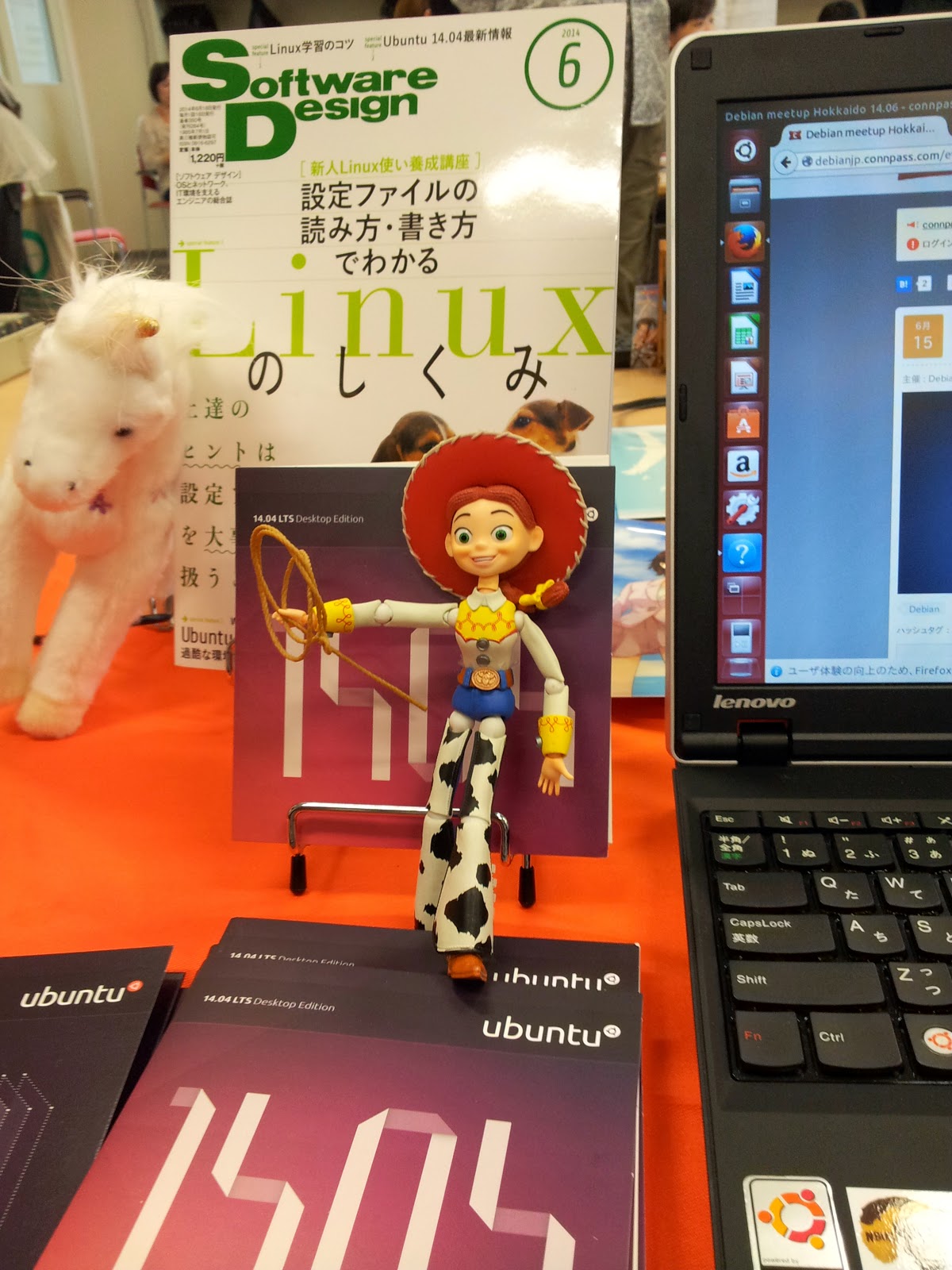
Hideki Yamane: Open Source Conference 2014 Hokkaido

Oh, time flies... (= I'm lazy)

14th June, I've participated to OSC (Open Source Conference) 2014 Hokkaido in Sapporo, Hokkaido (sorry openSUSE folks, OSC does not mean openSUSE Conference ;) OSC has 10 years history in Japan, so don't blame me...)

Hokkaido is northan island of Japan (it has 4 major islands - Hokkaido, Honshu, Shikoku and Kyushu), takes 1.5 hours from Tokyo (HND-CTS) and debian-mirror.sakura.ne.jp is also there.

As always, we show the Debian booth with Debian lovers, Squeeze, Woody and Jessie.


And I gave talk about Debian a little,
mostly how it is developed and distribute, and shapes in Jessie at that time (PDF/odf is my page on Debian Wiki as usual).

Does Cowgirl Dream of Red Swirl? from Hideki Yamane


After that, Enjoyed food, beer (sure! :) and chatting in party.


Folks, see you in #osc15do again!

22 June 2014

Simon Josefsson: OpenPGP Key Transition Statement

I have created a new OpenPGP key 54265e8c and will be transitioning away from my old key. If you have signed my old key, I would appreciate signatures on my new key as well. I have created a transition statement that can be downloaded from https://josefsson.org/key-transition-2014-06-22.txt. Below is the signed statement.
-----BEGIN PGP SIGNED MESSAGE-----
Hash: SHA512
OpenPGP Key Transition Statement for Simon Josefsson
I have created a new OpenPGP key and will be transitioning away from
my old key.  The old key has not been compromised and will continue to
be valid for some time, but I prefer all future correspondence to be
encrypted to the new key, and will be making signatures with the new
key going forward.
I would like this new key to be re-integrated into the web of trust.
This message is signed by both keys to certify the transition.  My new
and old keys are signed by each other.  If you have signed my old key,
I would appreciate signatures on my new key as well, provided that
your signing policy permits that without re-authenticating me.
The old key, which I am transitioning away from, is:
pub   1280R/B565716F 2002-05-05
      Key fingerprint = 0424 D4EE 81A0 E3D1 19C6  F835 EDA2 1E94 B565 716F
The new key, to which I am transitioning, is:
pub   3744R/54265E8C 2014-06-22
      Key fingerprint = 9AA9 BDB1 1BB1 B99A 2128  5A33 0664 A769 5426 5E8C
The entire key may be downloaded from: https://josefsson.org/54265e8c.txt
To fetch the full new key from a public key server using GnuPG, run:
  gpg --keyserver keys.gnupg.net --recv-key 54265e8c
If you already know my old key, you can now verify that the new key is
signed by the old one:
  gpg --check-sigs 54265e8c
If you are satisfied that you've got the right key, and the User IDs
match what you expect, I would appreciate it if you would sign my key:
  gpg --sign-key 54265e8c
You can upload your signatures to a public keyserver directly:
  gpg --keyserver keys.gnupg.net --send-key 54265e8c
Or email simon@josefsson.org (possibly encrypted) the output from:
  gpg --armor --export 54265e8c
If you'd like any further verification or have any questions about the
transition please contact me directly.
To verify the integrity of this statement:
  wget -q -O- https://josefsson.org/key-transition-2014-06-22.txt gpg --verify
/Simon
-----BEGIN PGP SIGNATURE-----
Version: GnuPG v1.4.12 (GNU/Linux)
iLwEAQEKAAYFAlOnV+AACgkQ7aIelLVlcW89XgUAljJgYfReyR9/bU+Om6UHUttt
CAOgSRqdcQSQ2hT69vzuhb/bc8CslIQcBtGqTgxDFsxEFhbm5zKn+tSzy5MHNHqt
MsqHcZjlYuYVhMXDhka+cfyhtd9zIxjVE5vk8v+GqEGoh8DGYq0vPy3VfvcSz5Z3
MSUpSj8gN00jlU1z4nad3maEq0ApvsLr8EsLZmtxF5TNFvzJ8mmwY+gHBGHjVYkB
8AQBAQoABgUCU6dX4AAKCRAGZKdpVCZejD1eDp46XGL2puMp0le2OF75WIUW8xqf
TMiZeB99ruk3P/jvuLnGPP2J5o7SIKE50FkMEss0yvxi6jBlHk+cJeKWGXVjBpxU
0QHq063NU+kjbMYwDfi5ZxXqaKeYODJm8Xmfh3d7lRaWF5rUOosR8nC/OROSrhg4
TjlAbvbxpQsls/JPbbporK2gbAtMlzJPD8zC8z/dT+t0qjlce8fADugblVW3bACC
Kl53X4XpojzNd/U19tSXkIBdNY/GVJqci+iruiJ1WGARF9ocnIXVuNXsfyt7UGq4
UiM/AeDVzI76v1QnE8WpsmSXzi2zXe3VahUPhOU2nPDoL53ggiVsTY3TwilvQLfX
Av/74PIaEtCi1g23YeojQlpdYzcWfnE+tUyTSNwPIBzyzHvFAHNg1Pg0KKUALsD9
P7EjrMuz63z2276EBKX8++9GnQQNCNfdHSuX4WGrBx2YgmOOqRdllMKz6pVMZdJO
V+gXbCMx0D5G7v50oB58Mb5NOgIoOnh3IQhJ7LkLwmcdG39yCdpU+92XbAW73elV
kmM8i0wsj5kDUU2ys32Gj2HnsVpbnh3Fvm9fjFJRbbQL/FxNAjzNcHe4cF3g8hTb
YVJJlzhmHGvd7HvXysJJaa0=
=ZaqY
-----END PGP SIGNATURE-----
flattr this!

14 May 2014

C.J. Adams-Collier: Configuring voice service on a Cisco 2801 Integrated Services Router via Asterisk

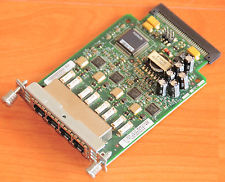
So I ve configured voice service a number of times, but never using Cisco equipment. There s a business starting up here on Orcas Island and they need a number of lines voice and fax service. I had a spare 2801 router laying around and heard that it s possible to provision voice service using these machines. So I looked on eBay for a module that will provide more than two FXS ports and decided on the VIC-4FXS. When it was delivered, I installed it and booted the router. It told me that it needed a PVDM DSP Module, so I got one of those as well. It has arrived. I have installed it. Now when I boot the router, I don t get a warning or an error. configure the router to send outbound calls to the SIP server configure the router to send inbound calls to FXS ports 2,3,4 in round robin
trunk group FXSlines
!
voice-port 0/2/1
 trunk-group FXSlines
!
voice-port 0/2/2
 trunk-group FXSlines
!
voice-port 0/2/3
 trunk-group FXSlines
configure the router to send inbound calls to the correct ports on the VIC-4FXS
dial-peer voice 1 pots
 preference 7
 destination-pattern 3602987792
 translate-outgoing called 10
 port 0/2/0
 forward-digits all
!
dial-peer voice 2 pots
 preference 2
 destination-pattern 3602987793
 translate-outgoing called 10
 port 0/2/1
 forward-digits all
!
dial-peer voice 3 pots
 preference 3
 destination-pattern 3602987794
 translate-outgoing called 10
 port 0/2/2
 forward-digits all
!
dial-peer voice 4 pots
 preference 4
 destination-pattern 3602987795
 translate-outgoing called 10
 port 0/2/3
 forward-digits all
configure the router to accept inbound calls from the asterisk call server
voice service voip
 allow-connections sip to sip
 no supplementary-service sip moved-temporarily
 no supplementary-service sip refer
 fax protocol t38 ls-redundancy 0 hs-redundancy 0 fallback cisco
 sip
  registrar server expires max 3600 min 3600
  localhost dns:8.8.8.8
configure the asterisk call server to send inbound calls to the router On asterisk call server, edit sip.conf to register with SIP server on cisco router at 172.16.78.209:
[fhvoice]
type=peer
insecure=port,invite
context=fhvoice
disallow=all
allow=ulaw
language=en
canreinvite=no
host=172.16.78.209
qualify=20000
dtmfmode=rfc2833
On asterisk call server, edit extensions.conf and add extensions to the incoming context:
exten => 3602987792,1,Dial(SIP/fhvoice/$ EXTEN ,30)
   same => n,Hangup()
exten => 3602987793,1,Dial(SIP/fhvoice/$ EXTEN ,30)
   same => n,Hangup()
exten => 3602987794,1,Dial(SIP/fhvoice/$ EXTEN ,30)
   same => n,Hangup()
exten => 3602987795,1,Dial(SIP/fhvoice/$ EXTEN ,30)
   same => n,Hangup()
configure the asterisk call server to accept outbound calls from the router

9 May 2014

Rhonda D'Vine: Rhonda's Free Hugging Guidelines

Recently I was wearing my Free Hugs shirt to different Free Software meetings, and I came up with the idea if we are advocating the Free in Software specificly, why not come up with Free Hugging Guidelines, too. So here they are, from now on considered to be named the RFHG.
  1. Free Redistribution Your hugs may not restrict any party from passing on the hugs they received from you.
  2. Source Code The hugs must be possible to be perceived and understandable in complete. You are not allowed to use any special techniques that can not be perceived.
  3. Derived Works Your hugs must be allowed to be modified, and must allow the modified forms of your hugs to be distributed under the same terms as they received them.
  4. Integrity of The Author's Source Code While you are allowed to pass on the hugs in modified form, you are not allowed to modify the DNA of the original person you received the hugs from. Genetic modification is out of the scope of the RFHG.
  5. No Discrimination Against Persons or Groups While we acknowledge that you might not feel willing to hug everyone, you must apply rules that do not distinquish by rules which would violate The Universal Declaration of Human Rights. Furthermore, you have the right to not hug a person if you are not in the mood for it. Please refrain from wearing any Free Hugs markers at those times though.
  6. No Discrimination Against Fields of Endeavor The hugs can not be restricted to be used in a specific field of endeavor. For example, you may not restrict the hugs from being passed on only in times of sorrow.
  7. Distribution of Hugs The rights attached to the hugs must apply to all to whom the hugs are redistributed without the need for execution of an additional license by those parties.
  8. Hugs Must Not Be Specific to Rhonda The rights attached to the hugs must not depend on the hugs being related to Rhonda. If the hugs are extracted from Rhonda and used or distributed without Rhonda nearby but otherwise within the terms of the hug's permissions, all parties to whom the hugs are distributed should have the same rights as those that are granted in conjunction with Rhonda.
  9. Hugs Must Not Contaminate Other People If you are contagious (e.g. got the flu, or worse) you have to apply appropriate counter measures to not transfer your illness with your hugs.
  10. Example Hugs This Group Hug modification and of course the Free Hugs Campaign are great examples of what we consider Free.
One last note: If you feel like it you don't have to wait until I wear my Free Hugs shirt again. I am fine with receiving (or giving) hugs like almost always. Surprise me. I at least know then that you read the RFHG. :) Like always, enjoy!

/personal permanent link Comments: 3 Flattr this

4 May 2014

Francois Marier: What's in a debian/ directory?

If you're looking to get started at packaging free software for Debian, you should start with the excellent New Maintainers' Guide or the Introduction to Debian Packaging on the Debian wiki. Once you know the basics, or if you prefer to learn by example, you may be interested in the full walkthrough which follows. We will look at the contents of three simple packages.
node-libravatar This package is a node.js library for the Libravatar service. Version 2.0.0-3 of that package contains the following files in its debian/ directory:
  • changelog
  • compat
  • control
  • copyright
  • docs
  • node-libravatar.install
  • rules
  • source/format
  • watch

debian/control
Source: node-libravatar
Priority: extra
Maintainer: Francois Marier <francois@debian.org>
Build-Depends: debhelper (>= 9)
Standards-Version: 3.9.4
Section: web
Homepage: https://github.com/fmarier/node-libravatar
Vcs-Git: git://git.debian.org/collab-maint/node-libravatar.git
Vcs-Browser: http://git.debian.org/?p=collab-maint/node-libravatar.git;a=summary
Package: node-libravatar
Architecture: all
Depends: $ shlibs:Depends , $ misc:Depends , nodejs
Description: libravatar library for NodeJS
 This library allows web application authors to make use of the free Libravatar
 service (https://www.libravatar.org). This service hosts avatar images for
 users and allows other sites to look them up using email addresses.
 .
 node-libravatar includes full support for federated avatar servers.
This is probably the most important file since it contains the bulk of the metadata about this package. Maintainer is a required field listing the maintainer of that package, which can be a person or a team. It only contains a single value though, any co-maintainers will be listed under the optional Uploaders field. Build-Depends lists the packages which are needed to build the package (e.g. a compiler), as opposed to those which are needed to install the binary package (e.g. a library it uses). Standards-Version refers to the version of the Debian Policy that this package complies with. The Homepage field refers to the upstream homepage, whereas the Vcs-* fields point to the repository where the packaging is stored. If you take a look at the node-libravatar packaging repository you will see that it contains three branches:
  • upstream is the source as it was in the tarball downloaded from upstream.
  • master is the upstream branch along with all of the Debian customizations.
  • pristine-tar is unrelated to the other two branches and is used by the pristine-tar tool to reconstitute the original upstream tarball as needed.
After these fields comes a new section which starts with a Package field. This is the definition of a binary package, not to be confused with the Source field at the top of this file, which refers to the name of the source package. In this particular example, they are both the same and there is only one of each, however this is not always the case, as we'll see later. Inside that binary package definition, lives the Architecture field which is normally one of these two:
  • all for a binary package that will work on all architectures but only needs to be built once
  • any for a binary package that will work everywhere but that will need to be built separately for each architecture
Finally, the last field worth pointing out is the Depends field which lists all of the runtime dependencies that the binary package has. This is what will be pulled in by apt-get when you apt-get install node-libravatar. The two variables will be substituted later by debhelper.

debian/changelog
node-libravatar (2.0.0-3) unstable; urgency=low
  * debian/watch: poll github directly
  * Bump Standards-Version up to 3.9.4
 -- Francois Marier <francois@debian.org>  Mon, 20 May 2013 12:07:49 +1200
node-libravatar (2.0.0-2) unstable; urgency=low
  * More precise license tag and upstream contact in debian/copyright
 -- Francois Marier <francois@debian.org>  Tue, 29 May 2012 22:51:03 +1200
node-libravatar (2.0.0-1) unstable; urgency=low
  * New upstream release
    - new non-backward-compatible API
 -- Francois Marier <francois@debian.org>  Mon, 07 May 2012 14:54:19 +1200
node-libravatar (1.1.1-1) unstable; urgency=low
  * Initial release (Closes: #661771)
 -- Francois Marier <francois@debian.org>  Fri, 02 Mar 2012 15:29:57 +1300
This may seem at first like a mundane file, but it is very important since it is the canonical source of the package version (2.0.0-3 in this case). This is the only place where you need to bump the package version when uploading a new package to the Debian archive. The first line also includes the distribution where the package will be uploaded. It is usually one of these values:
  • unstable for the vast majority of uploads
  • stable for uploads that have been approved by the release maintainers and fix serious bugs in the stable version of Debian
  • stable-security for security fixes to the stable version of Debian that cannot wait until the next stable point release and have been approved by the security team
Packages uploaded to unstable will migrate automatically to testing provided that a few conditions are met (e.g. no release-critical bugs were introduced). The length of time before that migration is influenced by the urgency field (low, medium or high) in the changelog entry. Another thing worth noting is that the first upload normally needs to close an ITP (Intent to Package) bug.

debian/rules
#!/usr/bin/make -f
# -*- makefile -*-
%:
    dh $@ 
override_dh_auto_test:
As can be gathered from the first two lines of this file, this is a Makefile. This is what controls how the package is built. There's not much to see and that's because most of its content is automatically added by debhelper. So let's look at it in action by building the package:
$ git buildpackage -us -uc
and then looking at parts of the build log (../node-libravatar_2.0.0-3_amd64.build):
 fakeroot debian/rules clean
dh clean 
   dh_testdir
   dh_auto_clean
   dh_clean
One of the first things we see is the debian/rules file being run with the clean target. To find out what that does, have a look at the dh_auto_clean which states that it will attempt to delete build residues and run something like make clean using the upstream Makefile.
 debian/rules build
dh build 
   dh_testdir
   dh_auto_configure
   dh_auto_build
Next we see the build target being invoked and looking at dh_auto_configure we see that this will essentially run ./configure and its equivalents. The dh_auto_build helper script then takes care of running make (or equivalent) on the upstream code. This should be familiar to anybody who has ever built a piece of free software from scratch and has encountered the usual method for building from source:
./configure
make
make install
Finally, we get to actually build the .deb:
 fakeroot debian/rules binary
dh binary 
   dh_testroot
   dh_prep
   dh_installdirs
   dh_auto_install
   dh_install
...
   dh_md5sums
   dh_builddeb
dpkg-deb: building package  node-libravatar' in  ../node-libravatar_2.0.0-3_all.deb'.
Here we see a number of helpers, including dh_auto_install which takes care of running make install. Going back to the debian/rules, we notice that there is manually defined target at the bottom of the file:
override_dh_auto_test:
which essentially disables dh_auto_test by replacing it with an empty set of commands. The reason for this becomes clear when we take a look at the test target of the upstream Makefile and the dependencies it has: tap, a node.js library that is not yet available in Debian. In other words, we can't run the test suite on the build machines so we need to disable it here.

debian/compat
9
This file simply specifies the version of debhelper that is required by the various helpers used in debian/rules. Version 9 is the latest at the moment.

debian/copyright
Format: http://www.debian.org/doc/packaging-manuals/copyright-format/1.0/
Upstream-Name: node-libravatar
Upstream-Contact: Francois Marier <francois@libravatar.org>
Source: https://github.com/fmarier/node-libravatar
Files: *
Copyright: 2011 Francois Marier <francois@libravatar.org>
License: Expat
Files: debian/*
Copyright: 2012 Francois Marier <francois@debian.org>
License: Expat
License: Expat
 Permission is hereby granted, free of charge, to any person obtaining a copy of this
 software and associated documentation files (the "Software"), to deal in the Software
 without restriction, including without limitation the rights to use, copy, modify,
 merge, publish, distribute, sublicense, and/or sell copies of the Software, and to
 permit persons to whom the Software is furnished to do so, subject to the following
 conditions:
 .
 The above copyright notice and this permission notice shall be included in all copies
 or substantial portions of the Software.
 .
 THE SOFTWARE IS PROVIDED "AS IS", WITHOUT WARRANTY OF ANY KIND, EXPRESS OR IMPLIED,
 INCLUDING BUT NOT LIMITED TO THE WARRANTIES OF MERCHANTABILITY, FITNESS FOR A
 PARTICULAR PURPOSE AND NONINFRINGEMENT. IN NO EVENT SHALL THE AUTHORS OR COPYRIGHT
 HOLDERS BE LIABLE FOR ANY CLAIM, DAMAGES OR OTHER LIABILITY, WHETHER IN AN ACTION OF
 CONTRACT, TORT OR OTHERWISE, ARISING FROM, OUT OF OR IN CONNECTION WITH THE SOFTWARE
 OR THE USE OR OTHER DEALINGS IN THE SOFTWARE.
This machine-readable file lists all of the different licenses encountered in this package. It requires that the maintainer audits the upstream code for any copyright statements that might be present in addition to the license of the package as a whole.

debian/docs
README.md
This file contains a list of upstream files that will be copied into the /usr/share/doc/node-libravatar/ directory by dh_installdocs.

debian/node-libravatar.install
lib/*    usr/lib/nodejs/
The install file is used by dh_install to supplement the work done by dh_auto_install which, as we have seen earlier, essentially just runs make install on the upstream Makefile. Looking at that upstream Makefile, it becomes clear that the files will need to be installed manually by the Debian package since that Makefile doesn't have an install target.

debian/watch
version=3
https://github.com/fmarier/node-libravatar/tags /fmarier/node-libravatar/archive/node-libravatar-([0-9.]+)\.tar\.gz
This is the file that allows Debian tools like the Package Tracking System to automatically detect that a new upstream version is available. What it does is simply visit the upstream page which contains all of the release tarballs and look for links which have an href matching the above regular expression. Running uscan --report --verbose will show us all of the tarballs that can be automatically discovered using this watch file:
-- Scanning for watchfiles in .
-- Found watchfile in ./debian
-- In debian/watch, processing watchfile line:
   https://github.com/fmarier/node-libravatar/tags /fmarier/node-libravatar/archive/node-libravatar-([0-9.]+)\.tar\.gz
-- Found the following matching hrefs:
     /fmarier/node-libravatar/archive/node-libravatar-2.0.0.tar.gz
     /fmarier/node-libravatar/archive/node-libravatar-1.1.1.tar.gz
     /fmarier/node-libravatar/archive/node-libravatar-1.1.0.tar.gz
     /fmarier/node-libravatar/archive/node-libravatar-1.0.1.tar.gz
     /fmarier/node-libravatar/archive/node-libravatar-1.0.0.tar.gz
Newest version on remote site is 2.0.0, local version is 2.0.0
 => Package is up to date
-- Scan finished

pylibravatar This second package is the equivalent Python library for the Libravatar service. Version 1.6-2 of that package contains similar files in its debian/ directory, but let's look at two in particular:
  • control
  • upstream/signing-key.asc

debian/control
Source: pylibravatar
Section: python
Priority: optional
Maintainer: Francois Marier <francois@debian.org>
Build-Depends: debhelper (>= 9), python-all, python3-all
Standards-Version: 3.9.5
Homepage: https://launchpad.net/pyLibravatar
...
Package: python-libravatar
Architecture: all
Depends: $ misc:Depends , $ python:Depends , python-dns, python
Description: Libravatar module for Python 2
 Module to make use of the federated Libravatar.org avatar hosting service
 from within Python applications.
...
Package: python3-libravatar
Architecture: all
Depends: $ misc:Depends , $ python3:Depends , python3-dns, python3
Description: Libravatar module for Python 3
 Module to make use of the federated Libravatar.org avatar hosting service
 from within Python applications.
...
Here is an example of a source package (pylibravatar) which builds two separate binary packages: python-libravatar and python3-libravatar. This highlights the fact that a given upstream source can be split into several binary packages in the archive when it makes sense. In this case, there is no point in Python 2 applications pulling in the Python 3 files, so the two separate packages make sense. Another common example is the use of a -doc package to separate the documentation from the rest of a package so that it doesn't need to be installed on production servers for example.

debian/upstream/signing-key.asc
-----BEGIN PGP PUBLIC KEY BLOCK-----
Version: GnuPG v1
mQINBEpQYz4BEAC7REQD1za69RUnkt6nRCFhSJmmoeJc+yEiWTKc9GOIMAwJDme1
+CMYgVn4Xzf1VQYwD/lE+mfWgyeMomLQjDM1mxx/LOM2a1WWPOk9+PvQwKfRJy92
...
UxDtZm/4yUmU6KvHvOGiDCMuIiB+MqhqJJ5wf80wXhzu8nmC+fyGt6nvu0ggMle8
sAMgXt/aQUTZE5zNCQ==
=RkTO
-----END PGP PUBLIC KEY BLOCK-----
This is simply the OpenPGP key that the upstream developer uses to sign release tarballs. Since PGP signatures are available on the upstream download page, it's possible to instruct uscan to check signatures before downloading tarballs. The way to do that is to use the pgpsigurlmange option in debian/watch:
version=3
opts=pgpsigurlmangle=s/$/.asc/ https://pypi.python.org/pypi/pyLibravatar https://pypi.python.org/packages/source/p/pyLibravatar/pyLibravatar-(.*)\.tar\.gz
which is simply a regular expression replacement string which takes the tarball URL and converts it to the URL of the matching PGP signature.

fcheck The last package we will look at is a file integrity checker. It essentially goes through all of the files in /usr/bin/ and /usr/lib/ and stores a hash of them in its database. When one of these files changes, you get an email. In particular, we will look at the following files in the debian/ directory of version 2.7.59-18:
  • dirs
  • fcheck.cron.d
  • fcheck.postrm
  • fcheck.postinst
  • patches/
  • README.Debian
  • rules
  • source/format

debian/patches This directory contains ten patches as well as a file called series which lists the patches that should be applied to the upstream source and in which order. Should you need to temporarily disable a patch, simply remove it from this file and it will no longer be applied at build time. Let's have a look at patches/04_cfg_sha256.patch:
Description: Switch to sha256 hash algorithm
Forwarded: not needed
Author: Francois Marier <francois@debian.org>
Last-Update: 2009-03-15
--- a/fcheck.cfg
+++ b/fcheck.cfg
@@ -149,8 +149,7 @@ TimeZone        = EST5EDT
 #$Signature      = /usr/bin/sum
 #$Signature      = /usr/bin/cksum
 #$Signature      = /usr/bin/md5sum
-$Signature      = /bin/cksum
-
+$Signature      = /usr/bin/sha256sum
 # Include an optional configuration file.
This is a very simple patch which changes the default configuration of fcheck to promote the use of a stronger hash function. At the top of the file is a bunch of metadata in the DEP-3 format. Why does this package contain so many customizations to the upstream code when Debian's policy is to push fixes upstream and work towards reduce the delta between upstream and Debian's code? The answer can be found in debian/control:
Homepage: http://web.archive.org/web/20050415074059/www.geocities.com/fcheck2000/
This package no longer has an upstream maintainer and its original source is gone. In other words, the Debian package is where all of the new bug fixes get done.

debian/source/format
3.0 (quilt)
This file contains what is called the source package format. What it basically says is that the patches found in debian/patches/ will be applied to the upstream source using the quilt tool at build time.

debian/fcheck.postrm
#!/bin/sh
# postrm script for fcheck
#
# see: dh_installdeb(1)
set -e
# summary of how this script can be called:
#        * <postrm>  remove'
#        * <postrm>  purge'
#        * <old-postrm>  upgrade' <new-version>
#        * <new-postrm>  failed-upgrade' <old-version>
#        * <new-postrm>  abort-install'
#        * <new-postrm>  abort-install' <old-version>
#        * <new-postrm>  abort-upgrade' <old-version>
#        * <disappearer's-postrm>  disappear' <overwriter>
#          <overwriter-version>
# for details, see http://www.debian.org/doc/debian-policy/ or
# the debian-policy package
case "$1" in
    remove upgrade failed-upgrade abort-install abort-upgrade disappear)
    ;;
    purge)
      if [ -e /var/lib/fcheck/fcheck.dbf ]; then
        echo "Purging old database file ..."
        rm -f /var/lib/fcheck/fcheck.dbf
      fi
      rm -rf /var/lib/fcheck
      rm -rf /var/log/fcheck
      rm -rf /etc/fcheck
    ;;
    *)
        echo "postrm called with unknown argument \ $1'" >&2
        exit 1
    ;;
esac
# dh_installdeb will replace this with shell code automatically
# generated by other debhelper scripts.
#DEBHELPER#
exit 0
This script is one of the many possible maintainer scripts that a package can provide if needed. This particular one, as the name suggests, will be run after the package is removed (apt-get remove fcheck) or purged (apt-get remove --purge fcheck). Looking at the case statement above, it doesn't do anything extra in the remove case, but it deletes a few files and directories when called with the purge argument.

debian/README.Debian This optional README file contains Debian-specific instructions that might be useful to users. It supplements the upstream README which is often more generic and cannot assume a particular system configuration.

debian/rules
#!/usr/bin/make -f
# -*- makefile -*-
# Sample debian/rules that uses debhelper.
# This file was originally written by Joey Hess and Craig Small.
# As a special exception, when this file is copied by dh-make into a
# dh-make output file, you may use that output file without restriction.
# This special exception was added by Craig Small in version 0.37 of dh-make.
# Uncomment this to turn on verbose mode.
#export DH_VERBOSE=1
build-arch:
build-indep:
build: build-stamp
build-stamp:
    dh_testdir
    pod2man --section=8 $(CURDIR)/debian/fcheck.pod > $(CURDIR)/fcheck.8
    touch build-stamp
clean:
    dh_testdir
    dh_testroot
    rm -f build-stamp 
    rm -f $(CURDIR)/fcheck.8
    dh_clean
install: build
    dh_testdir
    dh_testroot
    dh_prep
    dh_installdirs
    cp $(CURDIR)/fcheck $(CURDIR)/debian/fcheck/usr/sbin/fcheck
    cp $(CURDIR)/fcheck.cfg $(CURDIR)/debian/fcheck/etc/fcheck/fcheck.cfg
# Build architecture-independent files here.
binary-arch: build install
# Build architecture-independent files here.
binary-indep: build install
    dh_testdir
    dh_testroot
    dh_installdocs
    dh_installcron
    dh_installman fcheck.8
    dh_installchangelogs
    dh_installexamples
    dh_installlogcheck
    dh_link
    dh_strip
    dh_compress
    dh_fixperms
    dh_installdeb
    dh_shlibdeps
    dh_gencontrol
    dh_md5sums
    dh_builddeb
binary: binary-indep binary-arch
.PHONY: build clean binary-indep binary-arch binary install
This is an example of a old-style debian/rules file which you still encounter in packages which haven't yet upgraded to the latest version of debhelper 9, as can be shown by the contents of debian/compat:
8
It does essentially the same thing that what we've seen in the build log, but in a more verbose way.

debian/dirs
usr/sbin
etc/fcheck
This file contains a list of directories that dh_installdirs will create in the build directory. The reason why these directories need to be created is that files are copied into these directories in the install target of the debian/rules file. Note that this is different from directories which are created at the time of installation of the package. In that case, the directory (e.g. /var/log/fcheck/) must be created in the postinst script and removed in the postrm script.

debian/fcheck.cron.d
#
# Regular cron job for the fcheck package
#
30 */2  * * *   root    test -x /usr/sbin/fcheck && if ! nice ionice -c3 /usr/sbin/fcheck -asxrf /etc/fcheck/fcheck.cfg >/var/run/fcheck.out 2>&1; then mailx -s "ALERT: [fcheck]  hostname --fqdn " root </var/run/fcheck.out ; /usr/sbin/fcheck -cadsxlf /etc/fcheck/fcheck.cfg ; fi ; rm -f /var/run/fcheck.out
This file is the cronjob which drives the checks performed by this package. It will be copied to /etc/cron.d/fcheck by dh_installcron.

Next.

Previous.